Introduction to the ROOT framework http root cern



![Running Code To run function mycode() in file mycode. C: root [0]. x mycode.](https://slidetodoc.com/presentation_image_h/ce6d8e64a17f9e8c73198207544c3070/image-13.jpg "Running Code To run function mycode() in file mycode. C: root [0]. x mycode.")
![My first session root [0] 344+76. 8 (const double)4. 20800000010 e+002 root [1] float](https://slidetodoc.com/presentation_image_h/ce6d8e64a17f9e8c73198207544c3070/image-19.jpg "My first session root [0] 344+76. 8 (const double)4. 20800000010 e+002 root [1] float")
![My second session root [0]. x session 2. C for N=100000, sum= 45908. 6](https://slidetodoc.com/presentation_image_h/ce6d8e64a17f9e8c73198207544c3070/image-20.jpg "My second session root [0]. x session 2. C for N=100000, sum= 45908. 6")
![My third session root [0]. x session 3. C for N=100000, sum= 45908. 6](https://slidetodoc.com/presentation_image_h/ce6d8e64a17f9e8c73198207544c3070/image-21.jpg "My third session root [0]. x session 3. C for N=100000, sum= 45908. 6")
![My third session with ACLIC root [0] g. ROOT->Time(); root [1]. x session 4.](https://slidetodoc.com/presentation_image_h/ce6d8e64a17f9e8c73198207544c3070/image-22.jpg "My third session with ACLIC root [0] g. ROOT->Time(); root [1]. x session 4.")
![Macros with more than one function root [0]. x session 5. C >session 5.](https://slidetodoc.com/presentation_image_h/ce6d8e64a17f9e8c73198207544c3070/image-23.jpg "Macros with more than one function root [0]. x session 5. C >session 5.")
![Fit = optimization in parameters, e. g. Gaussian For Gaussian: [0] = "Constant" [1]](https://slidetodoc.com/presentation_image_h/ce6d8e64a17f9e8c73198207544c3070/image-55.jpg "Fit = optimization in parameters, e. g. Gaussian For Gaussian: [0] = \"Constant\" [1]")

![Looking at the Tree TTree: : Print() shows the data layout root [] TFile](https://slidetodoc.com/presentation_image_h/ce6d8e64a17f9e8c73198207544c3070/image-128.jpg "Looking at the Tree TTree: : Print() shows the data layout root [] TFile")
![Looking at the Tree TTree: : Scan("leaf: …. ") shows the values root []](https://slidetodoc.com/presentation_image_h/ce6d8e64a17f9e8c73198207544c3070/image-129.jpg "Looking at the Tree TTree: : Scan(\"leaf: …. \") shows the values root []")

- Slides: 170
Introduction to the ROOT framework http: //root. cern. ch Do-Son school on Advanced Computing and GRID Technologies for Research Institute of Information Technology, VAST, Hanoi René Brun CERN
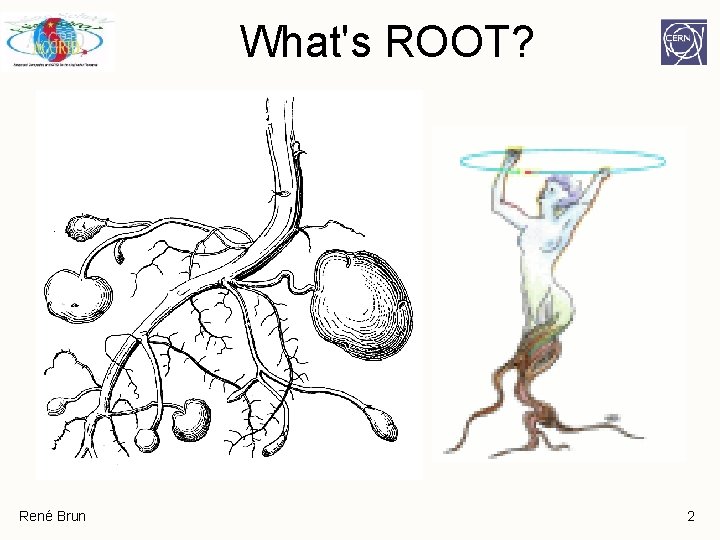
What's ROOT? René Brun 2
ROOT Application Domains Data Analysis & Visualization l. F ra ne Ge k or ew m ra René Brun Data Storage: Local, Network 3
ROOT in a Nutshell q The ROOT system is an Object Oriented framework for large scale data handling applications. It is written in C++. q Provides, among others, Ø an efficient data storage and access system designed to support structured data sets (Peta. Bytes) Ø a query system to extract data from these data sets Ø a C++ interpreter Ø advanced statistical analysis algorithms (multi dimensional histogramming, fitting, minimization and cluster finding) Ø scientific visualization tools with 2 D and 3 D graphics Ø an advanced Graphical User Interface q The user interacts with ROOT via a graphical user interface, the command line or scripts q The command scripting language is C++, thanks to the embedded CINT C++ interpreter, and large scripts can be compiled and dynamically loaded. q A Python shell is also provided. René Brun 4
ROOT: An Open Source Project q The project was started in 1995. q The project is developed as a collaboration between: Ø Full time developers: • 11 people full time at CERN (PH/SFT) • +4 developers at Fermilab/USA, Protvino , JINR/Dubna (Russia) Ø Large number of part-time contributors (155 in CREDITS file) Ø A long list of users giving feedback, comments, bug fixes and many small contributions • 2400 registered to Root. Forum • 10, 000 posts per year q An Open Source Project, source available under the LGPL license René Brun 5
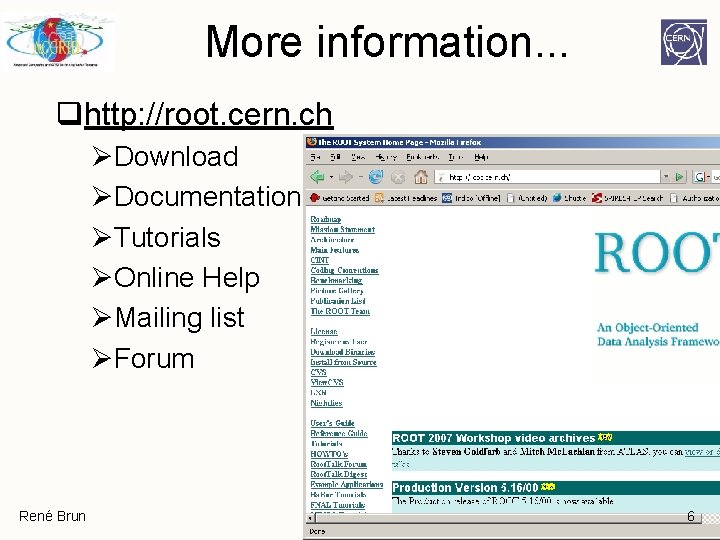
More information. . . qhttp: //root. cern. ch ØDownload ØDocumentation ØTutorials ØOnline Help ØMailing list ØForum René Brun 6
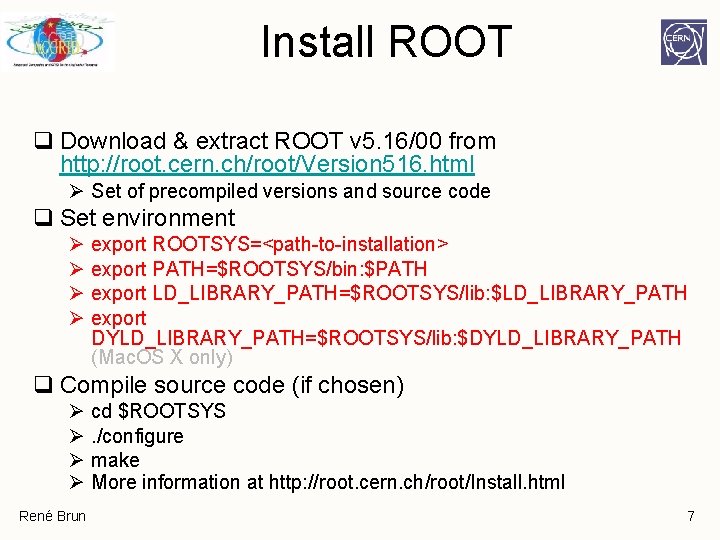
Install ROOT q Download & extract ROOT v 5. 16/00 from http: //root. cern. ch/root/Version 516. html Ø Set of precompiled versions and source code q Set environment Ø Ø export ROOTSYS=<path-to-installation> export PATH=$ROOTSYS/bin: $PATH export LD_LIBRARY_PATH=$ROOTSYS/lib: $LD_LIBRARY_PATH export DYLD_LIBRARY_PATH=$ROOTSYS/lib: $DYLD_LIBRARY_PATH (Mac. OS X only) q Compile source code (if chosen) Ø Ø René Brun cd $ROOTSYS. /configure make More information at http: //root. cern. ch/root/Install. html 7
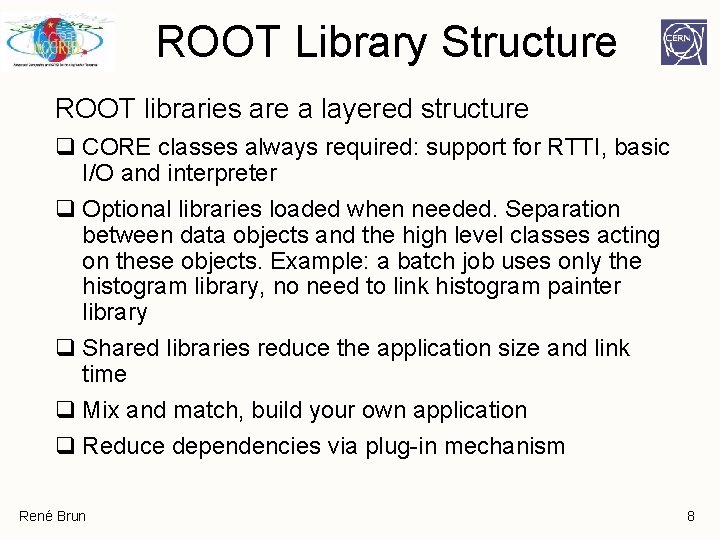
ROOT Library Structure ROOT libraries are a layered structure q CORE classes always required: support for RTTI, basic I/O and interpreter q Optional libraries loaded when needed. Separation between data objects and the high level classes acting on these objects. Example: a batch job uses only the histogram library, no need to link histogram painter library q Shared libraries reduce the application size and link time q Mix and match, build your own application q Reduce dependencies via plug-in mechanism René Brun 8
Three User Interfaces { // example // macro. . . } René Brun q GUI windows, buttons, menus q Command line CINT (C++ interpreter), Python, Ruby, … q Macros, applications, libraries (C++ compiler and interpreter) 9
CINT Interpreter René Brun
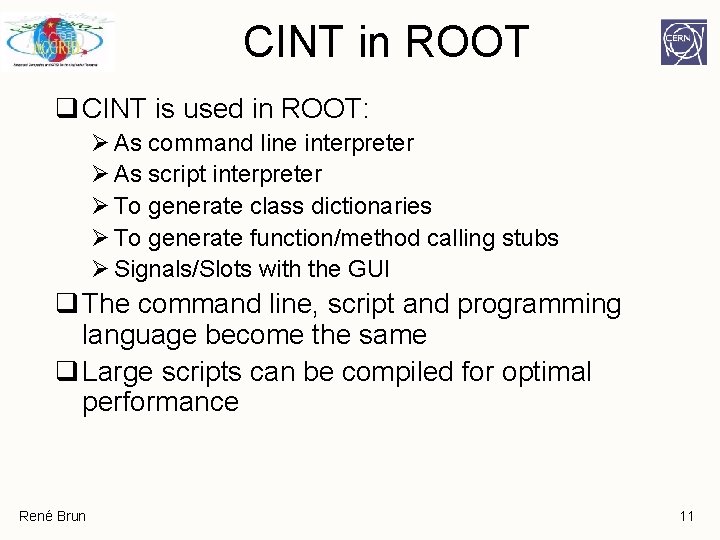
CINT in ROOT q CINT is used in ROOT: Ø As command line interpreter Ø As script interpreter Ø To generate class dictionaries Ø To generate function/method calling stubs Ø Signals/Slots with the GUI q The command line, script and programming language become the same q Large scripts can be compiled for optimal performance René Brun 11
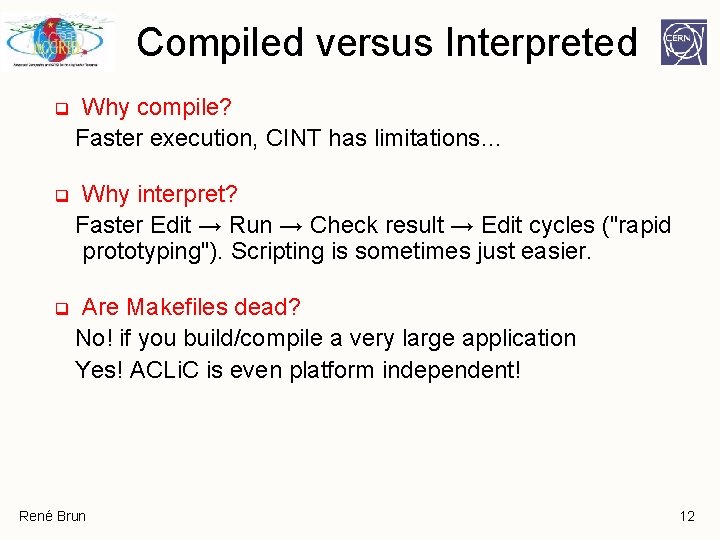
Compiled versus Interpreted q Why compile? Faster execution, CINT has limitations… q Why interpret? Faster Edit → Run → Check result → Edit cycles ("rapid prototyping"). Scripting is sometimes just easier. q Are Makefiles dead? No! if you build/compile a very large application Yes! ACLi. C is even platform independent! René Brun 12
Running Code To run function mycode() in file mycode. C: root [0]. x mycode. C Equivalent: load file and run function: root [1]. L mycode. C root [2] mycode() All of CINT's commands (help): root [3]. h René Brun 13
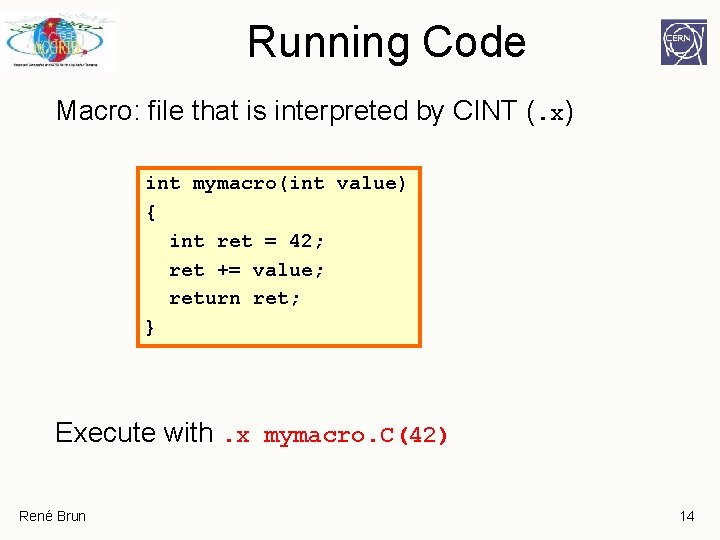
Running Code Macro: file that is interpreted by CINT (. x) int mymacro(int value) { int ret = 42; ret += value; return ret; } Execute with. x mymacro. C(42) René Brun 14
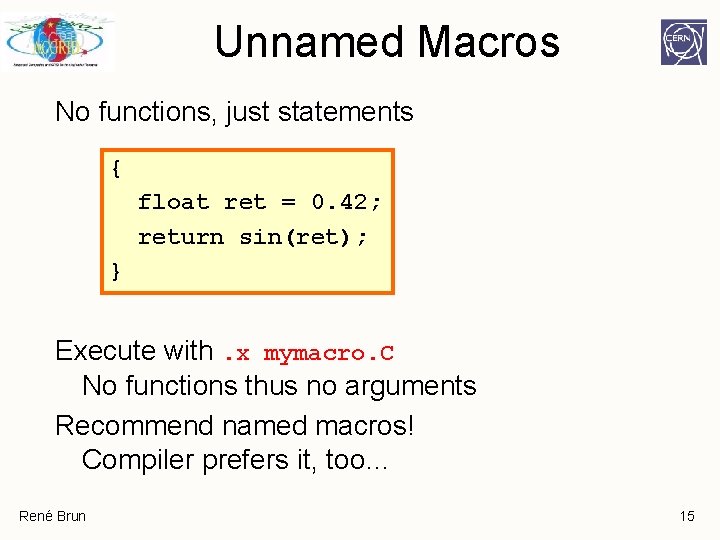
Unnamed Macros No functions, just statements { float ret = 0. 42; return sin(ret); } Execute with. x mymacro. C No functions thus no arguments Recommend named macros! Compiler prefers it, too… René Brun 15
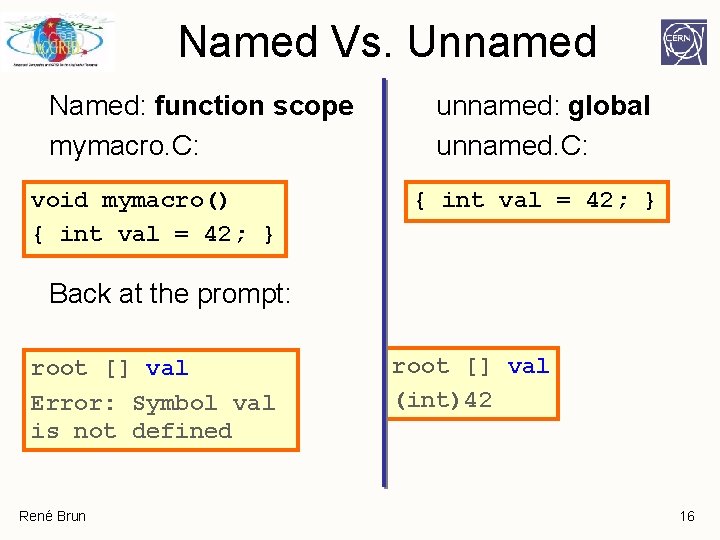
Named Vs. Unnamed Named: function scope mymacro. C: void mymacro() { int val = 42; } unnamed: global unnamed. C: { int val = 42; } Back at the prompt: root [] val Error: Symbol val is not defined René Brun root [] val (int)42 16
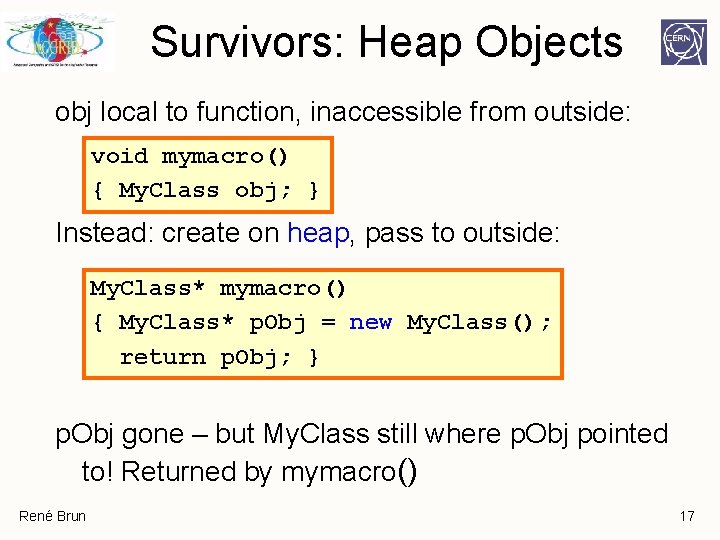
Survivors: Heap Objects obj local to function, inaccessible from outside: void mymacro() { My. Class obj; } Instead: create on heap, pass to outside: My. Class* mymacro() { My. Class* p. Obj = new My. Class(); return p. Obj; } p. Obj gone – but My. Class still where p. Obj pointed to! Returned by mymacro() René Brun 17
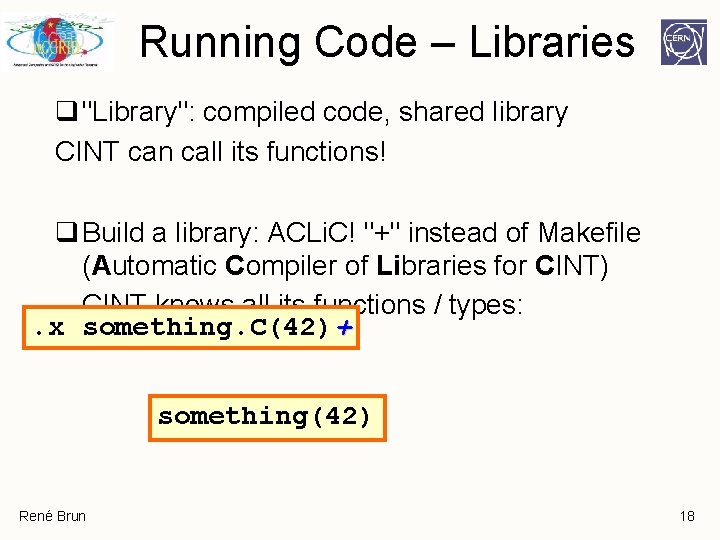
Running Code – Libraries q "Library": compiled code, shared library CINT can call its functions! q Build a library: ACLi. C! "+" instead of Makefile (Automatic Compiler of Libraries for CINT) CINT knows all its functions / types: . x something. C(42)+ something(42) René Brun 18
My first session root [0] 344+76. 8 (const double)4. 20800000010 e+002 root [1] float x=89. 7; root [2] float y=567. 8; root [3] x+sqrt(y) (double)1. 13528550991510710 e+002 root [4] float z = x+2*sqrt(y/6); root [5] z (float)1. 09155929565429690 e+002 root [6]. q root See file $HOME/. root_hist root [0] try up and down arrows René Brun 19
My second session root [0]. x session 2. C for N=100000, sum= 45908. 6 root [1] sum (double)4. 59085828512453370 e+004 Root [2] r. Rndm() (Double_t)8. 29029321670533560 e-001 root [3]. q session 2. C { int N = 100000; TRandom r; double sum = 0; for (int i=0; i<N; i++) { sum += sin(r. Rndm()); } printf("for N=%d, sum= %gn", N, sum); unnamed macro executes in global scope } René Brun 20
My third session root [0]. x session 3. C for N=100000, sum= 45908. 6 root [1] sum Error: Symbol sum is not defined in current scope *** Interpreter error recovered *** Root [2]. x session 3. C(1000) for N=1000, sum= 460. 311 root [3]. q session 3. C Named macro Normal C++ scope rules René Brun void session 3 (int N=100000) { TRandom r; double sum = 0; for (int i=0; i<N; i++) { sum += sin(r. Rndm()); } printf("for N=%d, sum= %gn", N, sum); } 21
My third session with ACLIC root [0] g. ROOT->Time(); root [1]. x session 4. C(10000000) for N=10000000, sum= 4. 59765 e+006 Real time 0: 06, CP time 6. 890 root [2]. x session 4. C+(10000000) for N=10000000, sum= 4. 59765 e+006 Real time 0: 09, CP time 1. 062 root [3] session 4(10000000) for N=10000000, sum= 4. 59765 e+006 Real time 0: 01, CP time 1. 052 root [4]. q File session 4. C Automatically compiled and linked by the native compiler. Must be C++ compliant René Brun session 4. C #include “TRandom. h” void session 4 (int N) { TRandom r; double sum = 0; for (int i=0; i<N; i++) { sum += sin(r. Rndm()); } printf("for N=%d, sum= %gn", N, sum); } 22
Macros with more than one function root [0]. x session 5. C >session 5. log root [1]. q root [0]. L session 5. C root [1] session 5(100); >session 5. log root [2] session 5 b(3) sum(0) = 0 sum(1) = 1 sum(2) = 3 root [3]. q. x session 5. C executes the function session 5 in session 5. C use g. ROOT->Process. Line to execute a macro from a macro or from compiled code René Brun session 5. C void session 5(int N=100) { session 5 a(N); session 5 b(N); g. ROOT->Process. Line(“. x session 4. C+(1000)”); } void session 5 a(int N) { for (int i=0; i<N; i++) { printf("sqrt(%d) = %gn", i, sqrt(i)); } } void session 5 b(int N) { double sum = 0; for (int i=0; i<N; i++) { sum += i; printf("sum(%d) = %gn", i, sum); } } 23
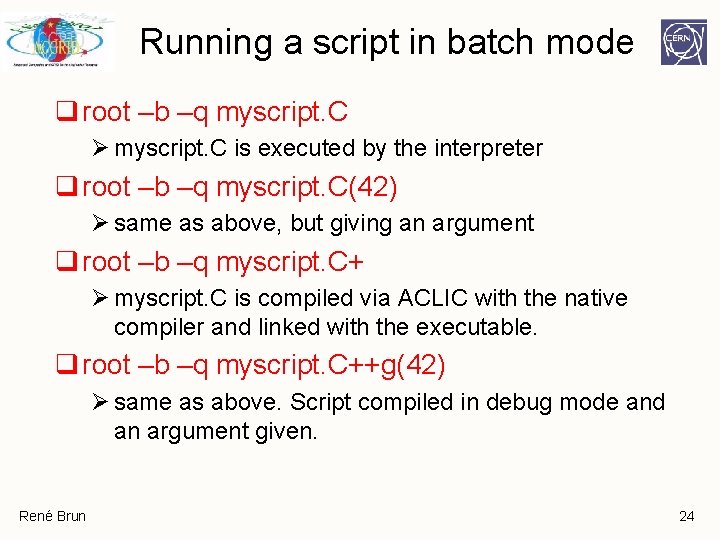
Running a script in batch mode q root –b –q myscript. C Ø myscript. C is executed by the interpreter q root –b –q myscript. C(42) Ø same as above, but giving an argument q root –b –q myscript. C+ Ø myscript. C is compiled via ACLIC with the native compiler and linked with the executable. q root –b –q myscript. C++g(42) Ø same as above. Script compiled in debug mode and an argument given. René Brun 24
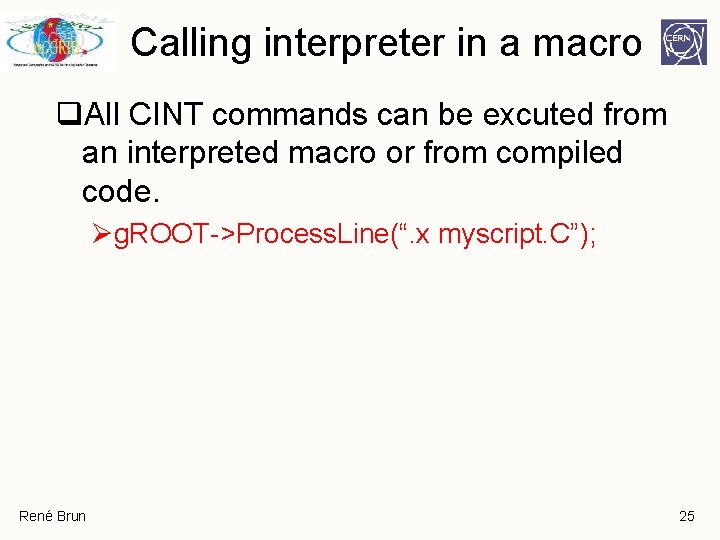
Calling interpreter in a macro q. All CINT commands can be excuted from an interpreted macro or from compiled code. Øg. ROOT->Process. Line(“. x myscript. C”); René Brun 25
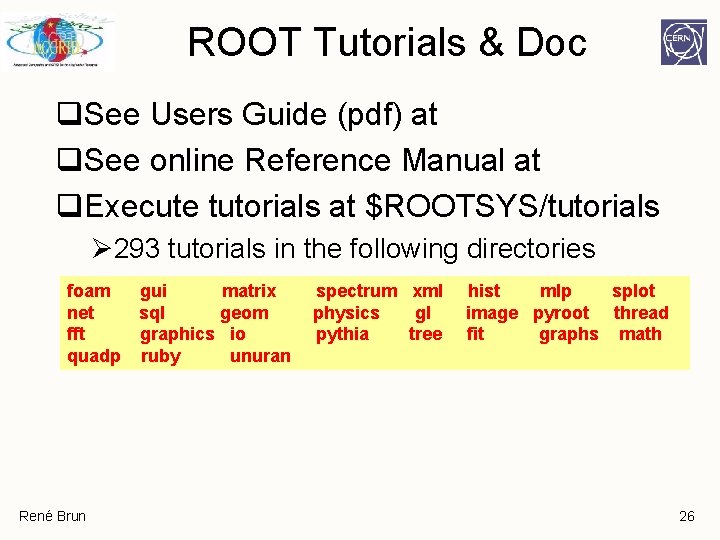
ROOT Tutorials & Doc q. See Users Guide (pdf) at q. See online Reference Manual at q. Execute tutorials at $ROOTSYS/tutorials Ø 293 tutorials in the following directories foam net fft quadp René Brun gui matrix sql geom graphics io ruby unuran spectrum xml physics gl pythia tree hist mlp splot image pyroot thread fit graphs math 26
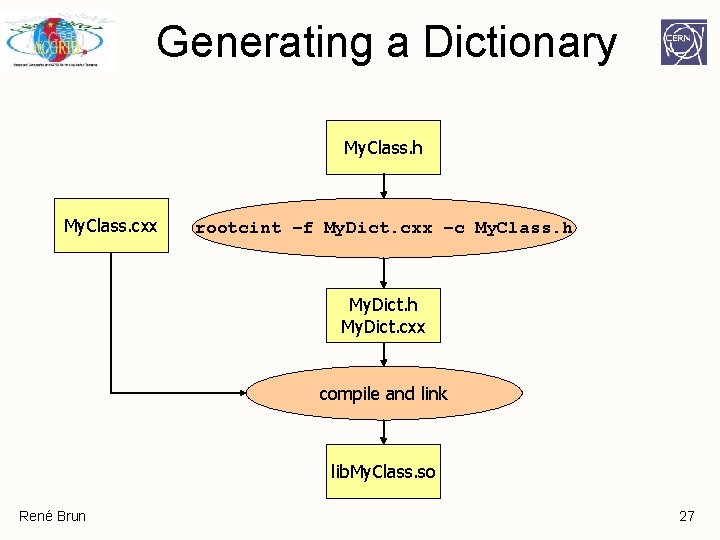
Generating a Dictionary My. Class. h My. Class. cxx rootcint –f My. Dict. cxx –c My. Class. h My. Dict. cxx compile and link lib. My. Class. so René Brun 27
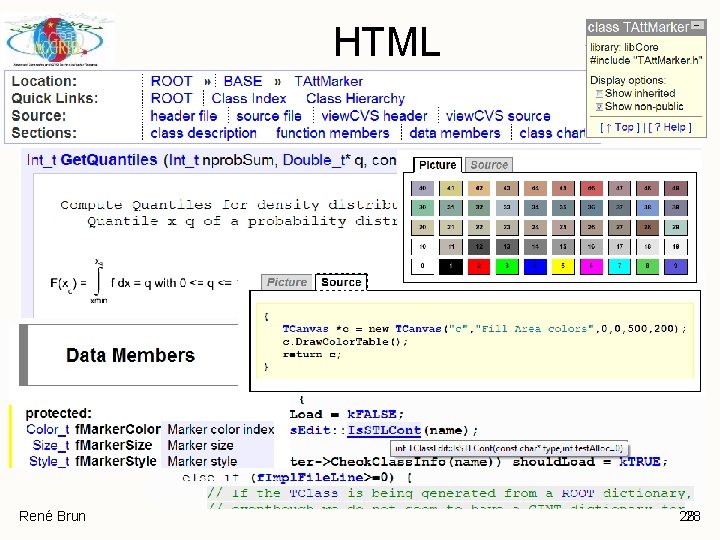
HTML René Brun 28 28
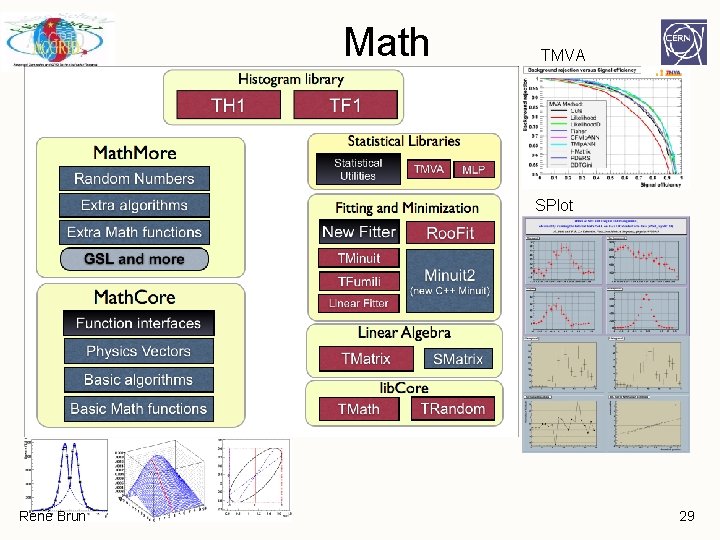
Math TMVA SPlot René Brun 29
Graphics & GUI René Brun
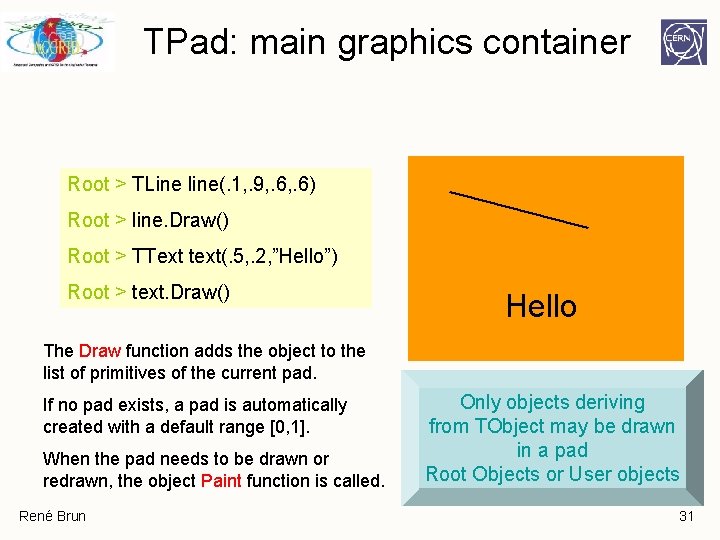
TPad: main graphics container Root > TLine line(. 1, . 9, . 6) Root > line. Draw() Root > TText text(. 5, . 2, ”Hello”) Root > text. Draw() Hello The Draw function adds the object to the list of primitives of the current pad. If no pad exists, a pad is automatically created with a default range [0, 1]. When the pad needs to be drawn or redrawn, the object Paint function is called. René Brun Only objects deriving from TObject may be drawn in a pad Root Objects or User objects 31
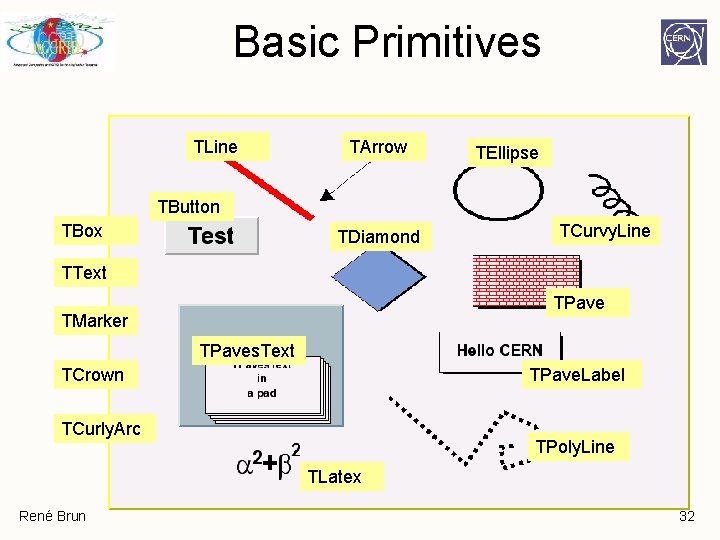
Basic Primitives TLine TArrow TEllipse TButton TBox TDiamond TCurvy. Line TText TPave TMarker TPaves. Text TCrown TPave. Label TCurly. Arc TPoly. Line TLatex René Brun 32
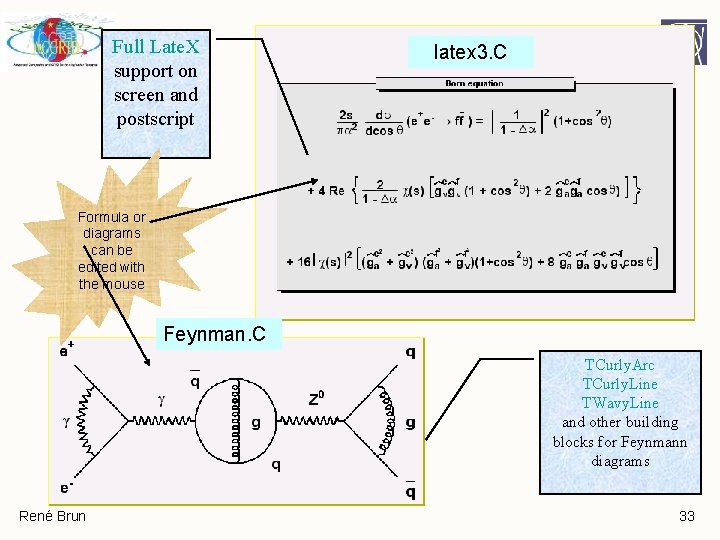
Full Late. X support on screen and postscript latex 3. C Formula or diagrams can be edited with the mouse Feynman. C TCurly. Arc TCurly. Line TWavy. Line and other building blocks for Feynmann diagrams René Brun 33
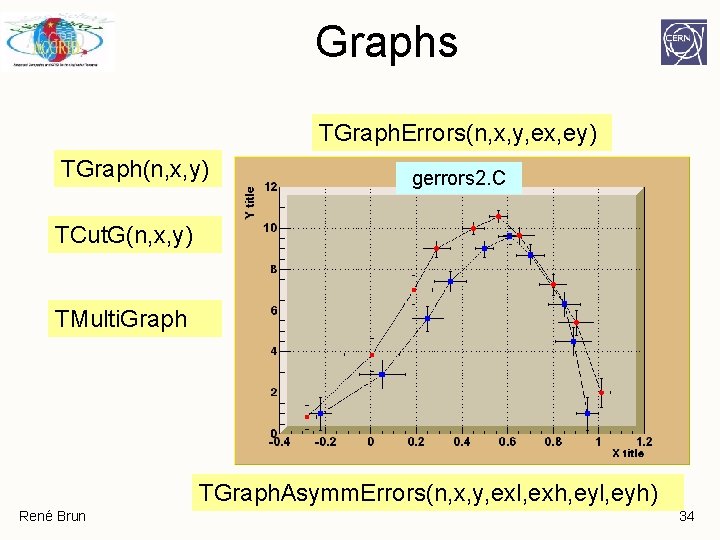
Graphs TGraph. Errors(n, x, y, ex, ey) TGraph(n, x, y) gerrors 2. C TCut. G(n, x, y) TMulti. Graph TGraph. Asymm. Errors(n, x, y, exl, exh, eyl, eyh) René Brun 34
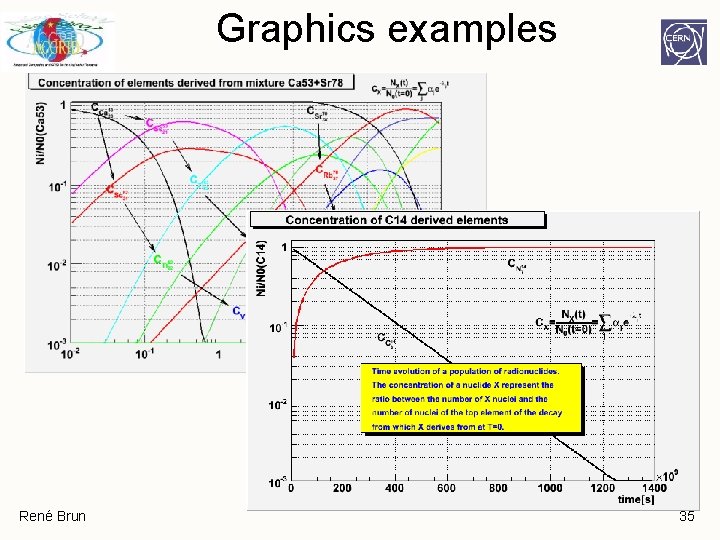
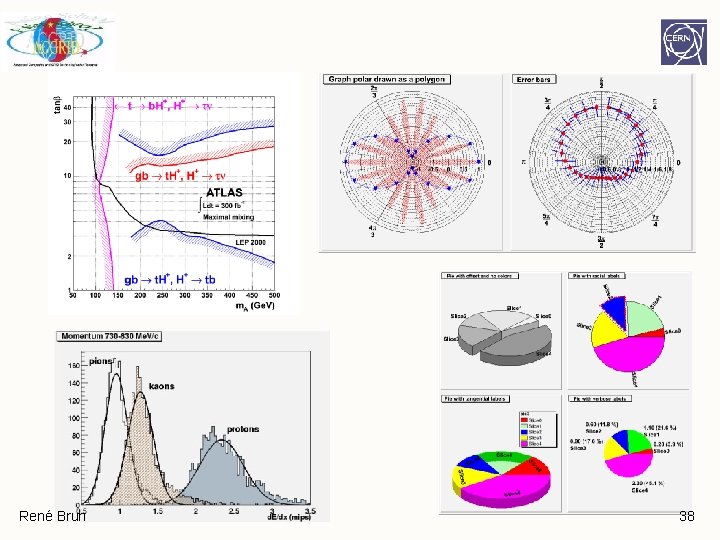
Graphics examples René Brun 35
René Brun 36
René Brun 37
René Brun 38
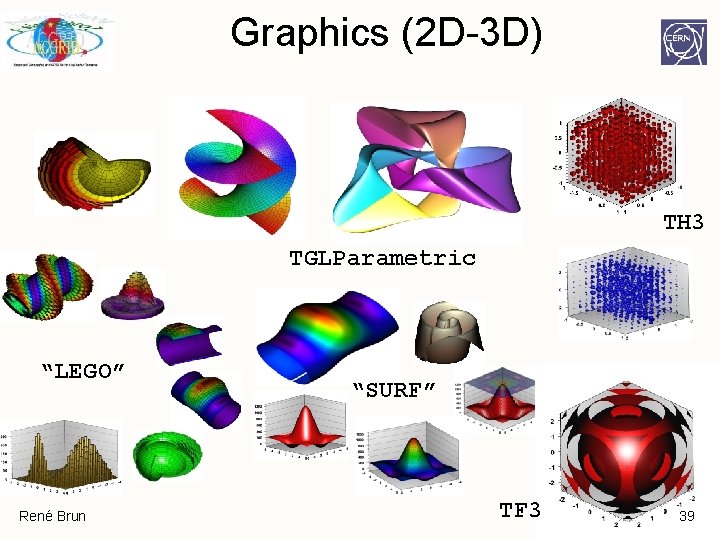
Graphics (2 D-3 D) TH 3 TGLParametric “LEGO” René Brun “SURF” TF 3 39
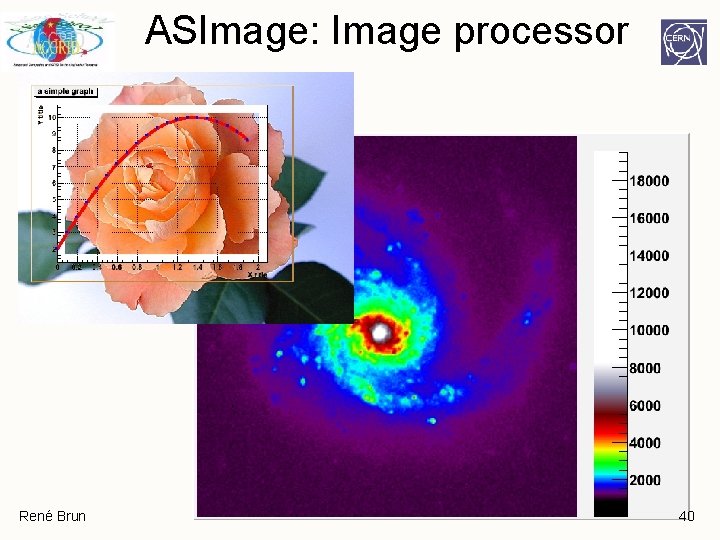
ASImage: Image processor René Brun 40
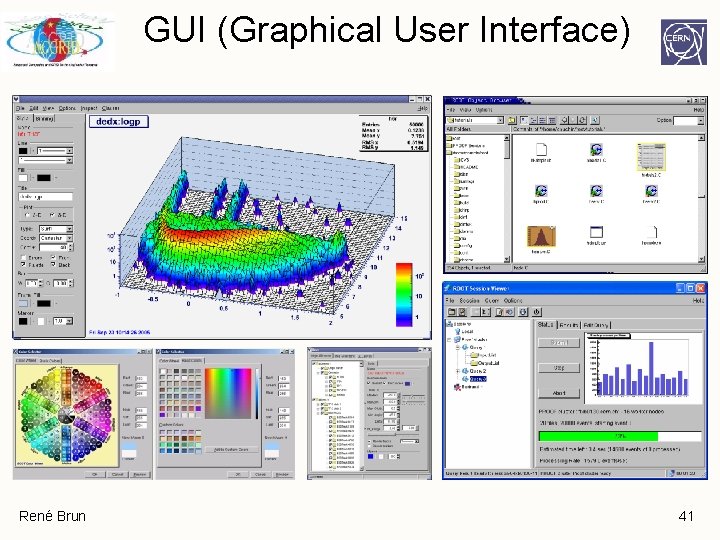
GUI (Graphical User Interface) René Brun 41
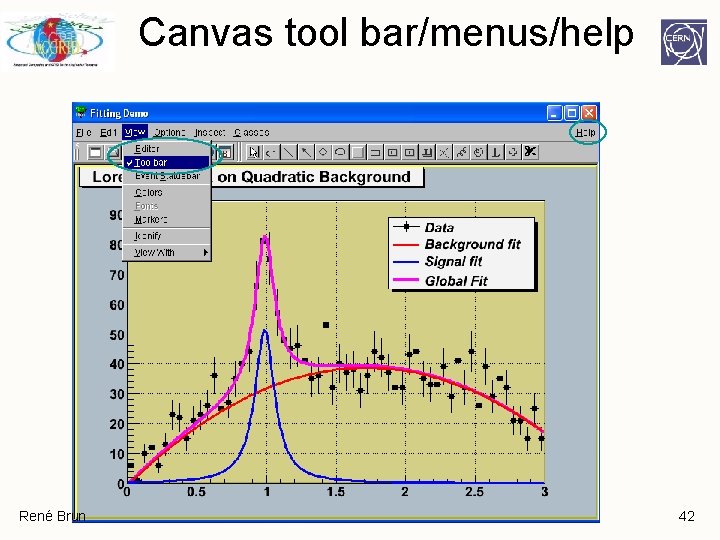
Canvas tool bar/menus/help René Brun 42
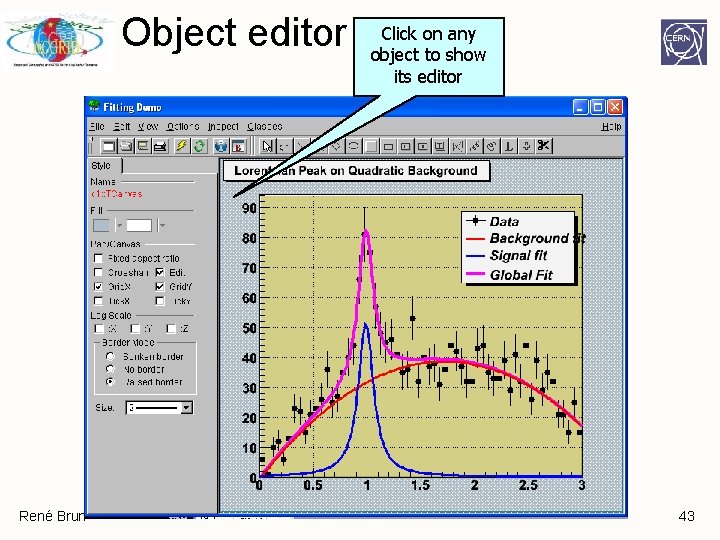
Object editor René Brun Click on any object to show its editor 43
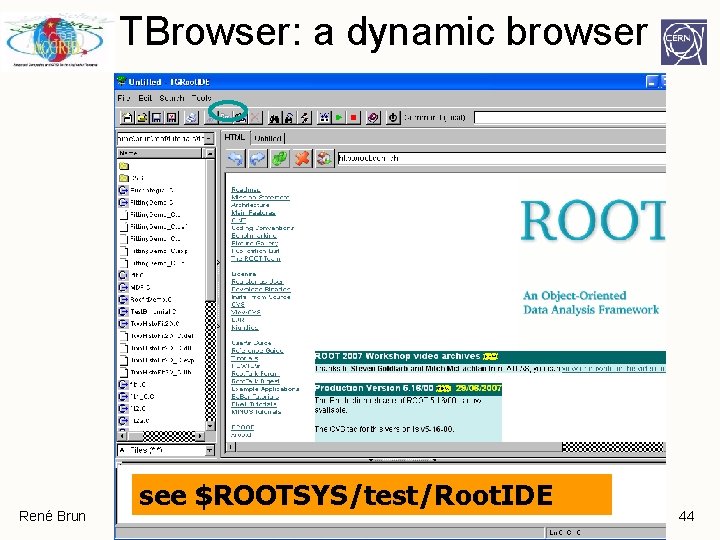
TBrowser: a dynamic browser René Brun see $ROOTSYS/test/Root. IDE 44
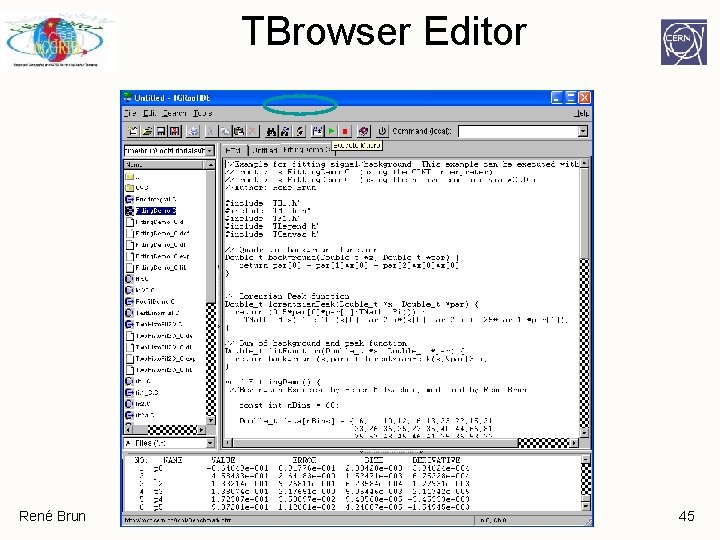
TBrowser Editor René Brun 45
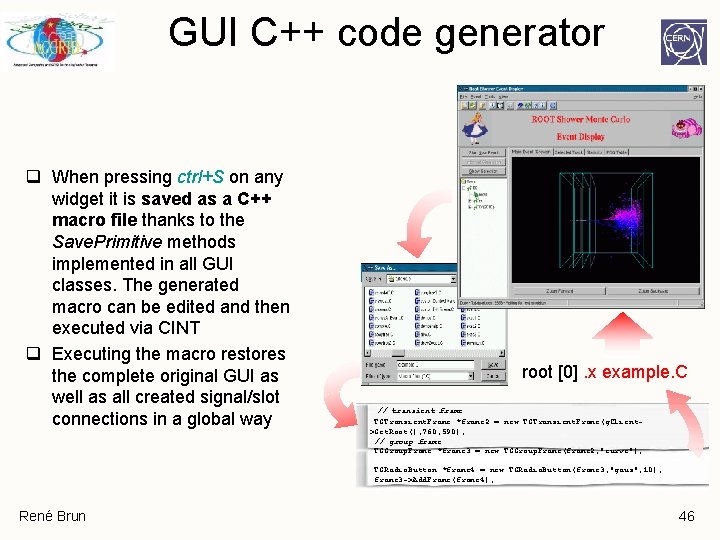
GUI C++ code generator q When pressing ctrl+S on any widget it is saved as a C++ macro file thanks to the Save. Primitive methods implemented in all GUI classes. The generated macro can be edited and then executed via CINT q Executing the macro restores the complete original GUI as well as all created signal/slot connections in a global way root [0]. x example. C // transient frame TGTransient. Frame *frame 2 = new TGTransient. Frame(g. Client>Get. Root(), 760, 590); // group frame TGGroup. Frame *frame 3 = new TGGroup. Frame(frame 2, "curve"); TGRadio. Button *frame 4 = new TGRadio. Button(frame 3, "gaus", 10); frame 3 ->Add. Frame(frame 4); René Brun 46
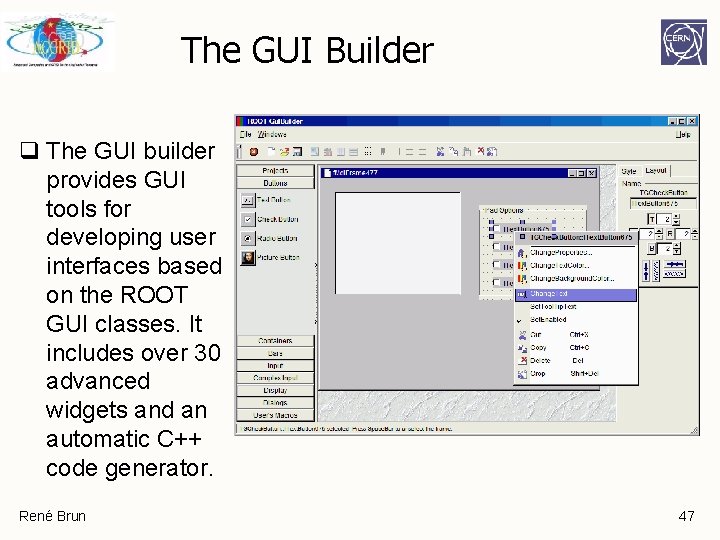
The GUI Builder q The GUI builder provides GUI tools for developing user interfaces based on the ROOT GUI classes. It includes over 30 advanced widgets and an automatic C++ code generator. René Brun 47
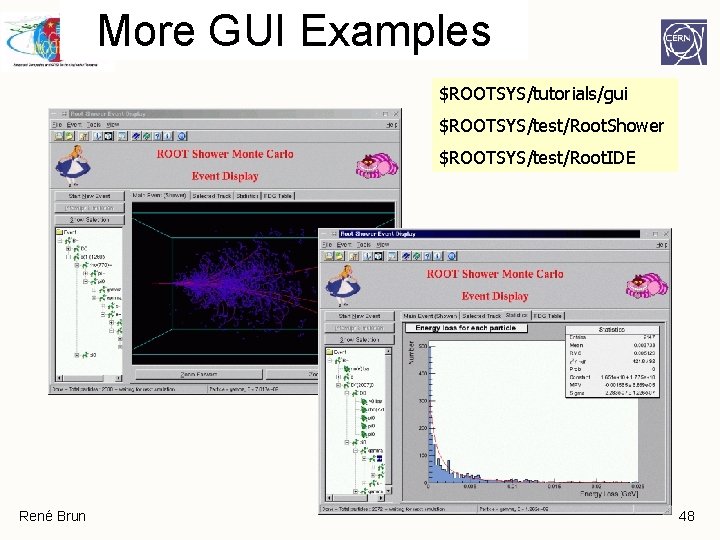
More GUI Examples $ROOTSYS/tutorials/gui $ROOTSYS/test/Root. Shower $ROOTSYS/test/Root. IDE René Brun 48
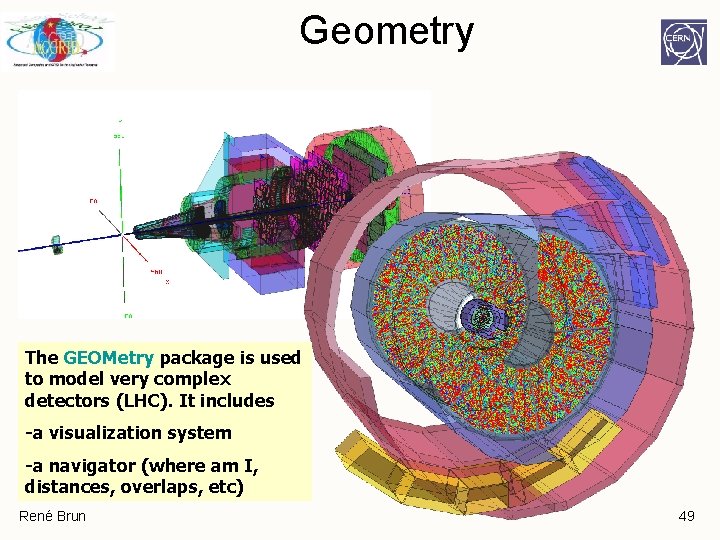
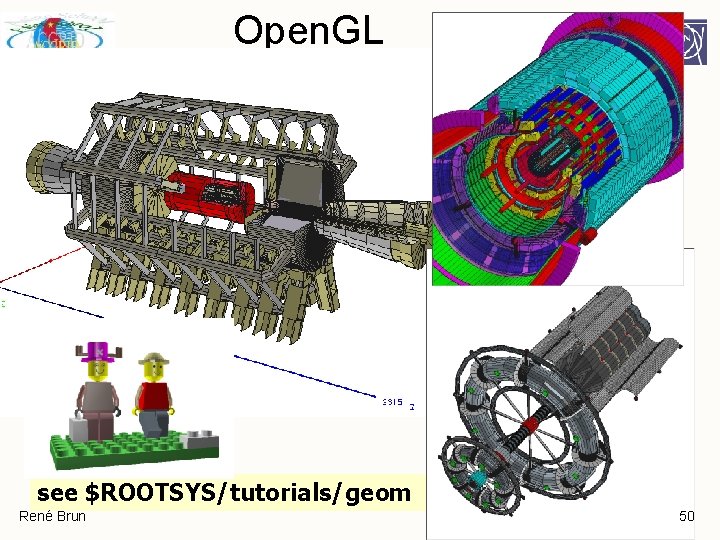
Geometry The GEOMetry package is used to model very complex detectors (LHC). It includes -a visualization system -a navigator (where am I, distances, overlaps, etc) René Brun 49
Open. GL see $ROOTSYS/tutorials/geom René Brun 50
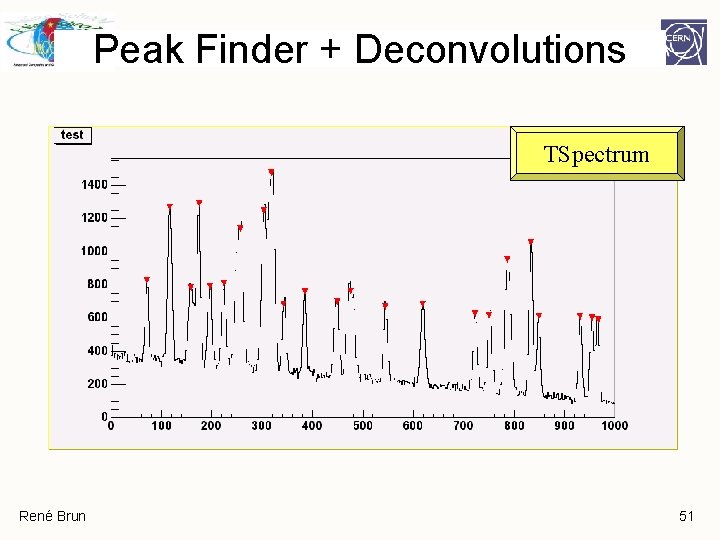
Peak Finder + Deconvolutions TSpectrum René Brun 51
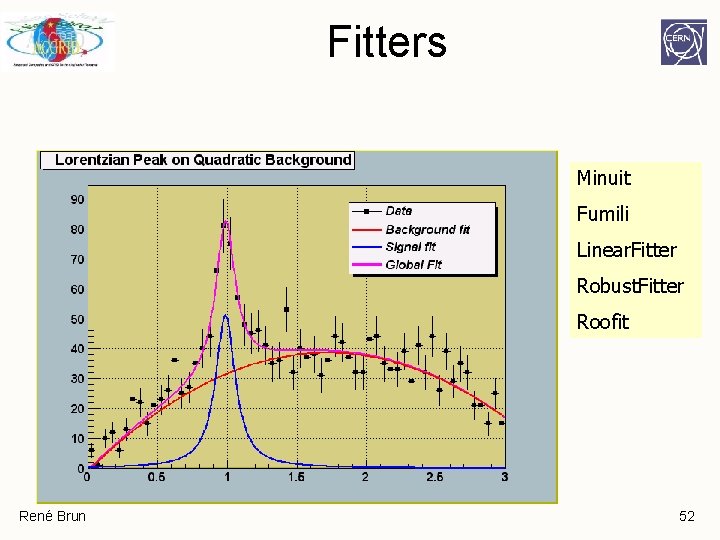
Fitters Minuit Fumili Linear. Fitter Robust. Fitter Roofit René Brun 52
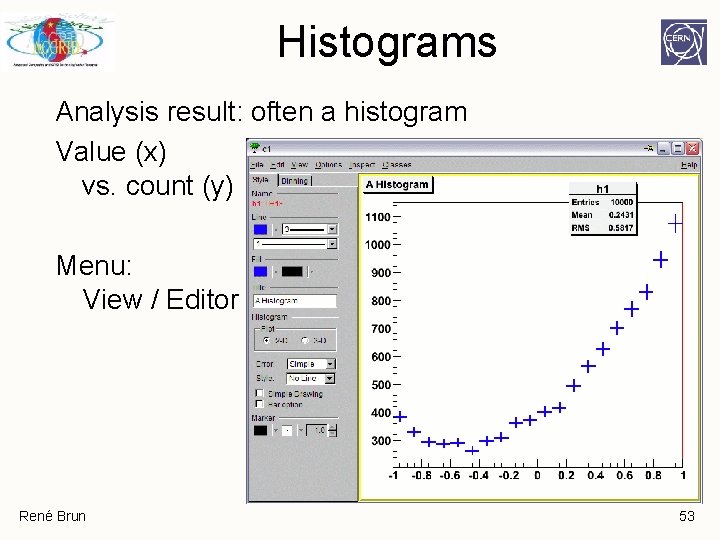
Histograms Analysis result: often a histogram Value (x) vs. count (y) Menu: View / Editor René Brun 53
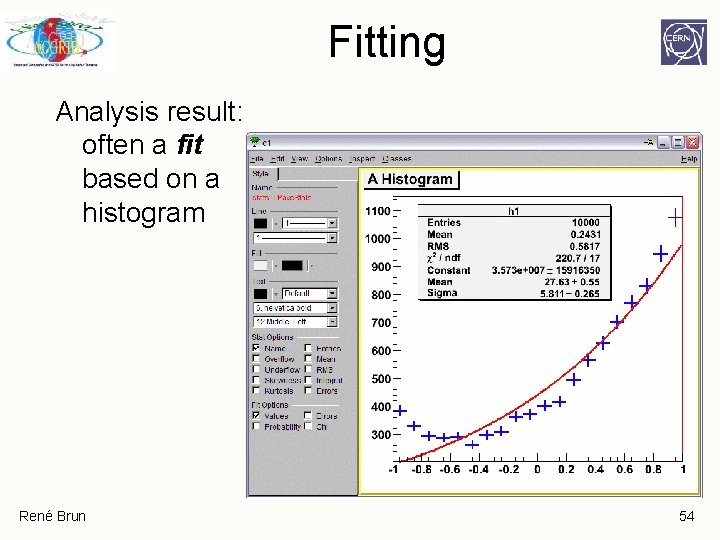
Fitting Analysis result: often a fit based on a histogram René Brun 54
Fit = optimization in parameters, e. g. Gaussian For Gaussian: [0] = "Constant" [1] = "Mean" [2] = "Sigma" / "Width" Objective: choose parameters [0], [1], [2] to get function as close as possible to histogram René Brun 55
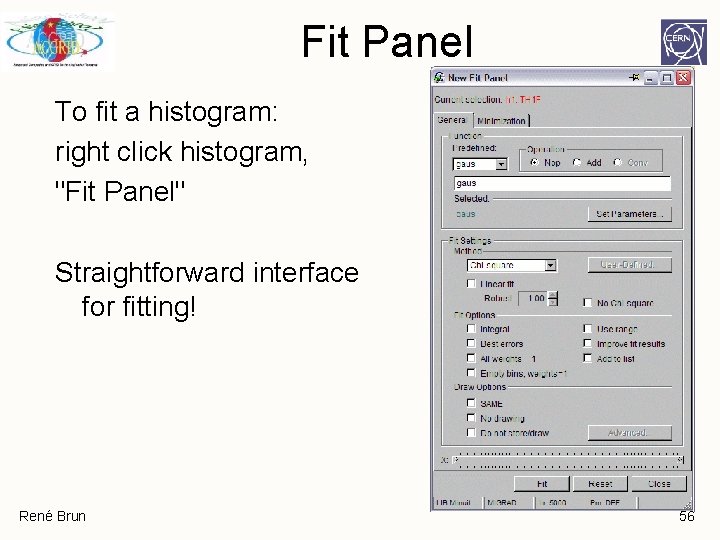
Fit Panel To fit a histogram: right click histogram, "Fit Panel" Straightforward interface for fitting! René Brun 56
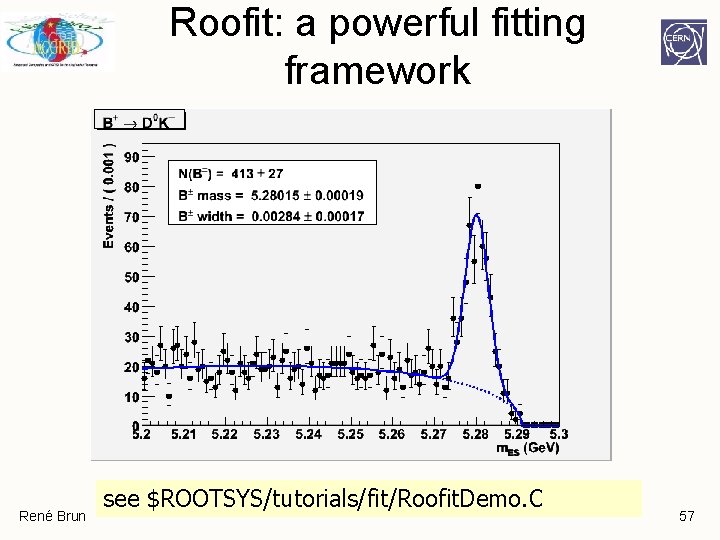
Roofit: a powerful fitting framework René Brun see $ROOTSYS/tutorials/fit/Roofit. Demo. C 57
Input/Output René Brun
Saving Data Streaming, Reflection, TFile, Schema Evolution René Brun 59
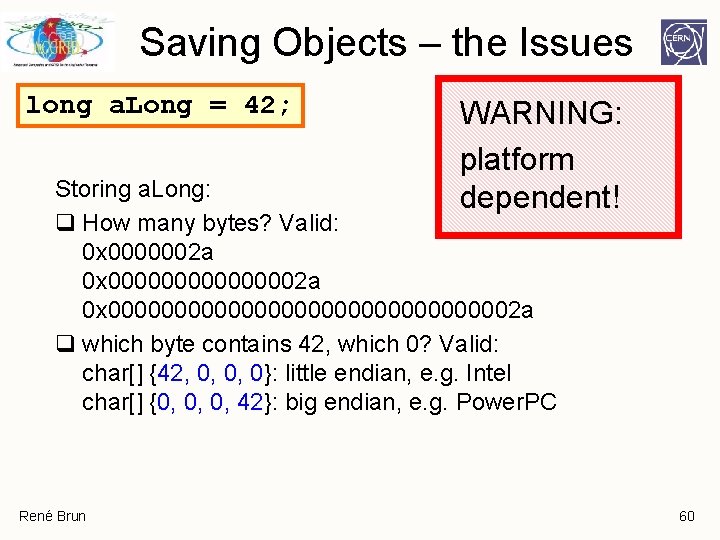
Saving Objects – the Issues long a. Long = 42; WARNING: platform dependent! Storing a. Long: q How many bytes? Valid: 0 x 0000002 a 0 x 00000000000000000002 a q which byte contains 42, which 0? Valid: char[] {42, 0, 0, 0}: little endian, e. g. Intel char[] {0, 0, 0, 42}: big endian, e. g. Power. PC René Brun 60
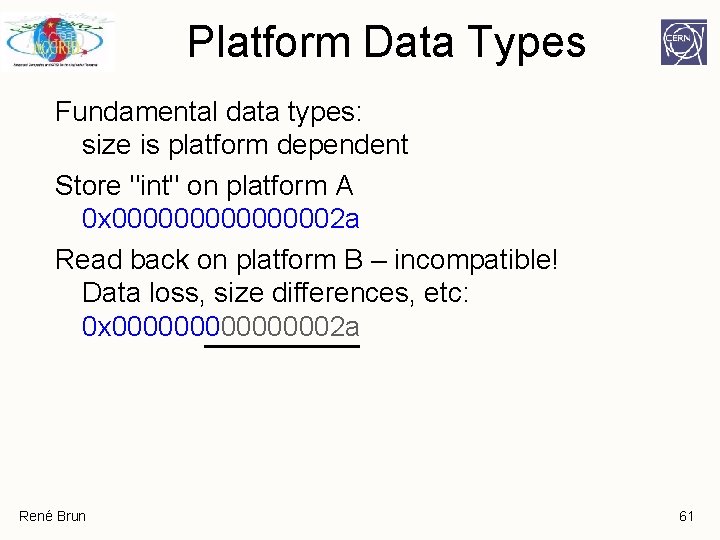
Platform Data Types Fundamental data types: size is platform dependent Store "int" on platform A 0 x 00000002 a Read back on platform B – incompatible! Data loss, size differences, etc: 0 x 00000002 a René Brun 61
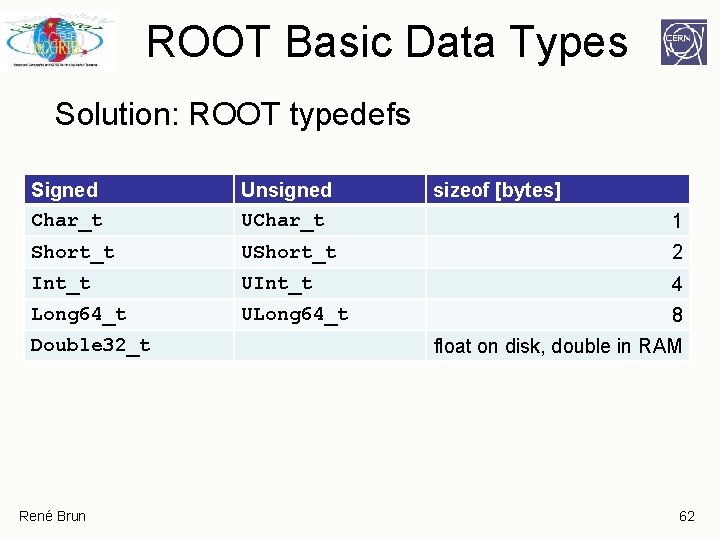
ROOT Basic Data Types Solution: ROOT typedefs Signed Char_t Unsigned UChar_t Short_t UShort_t 2 Int_t UInt_t 4 Long 64_t ULong 64_t 8 Double 32_t René Brun sizeof [bytes] 1 float on disk, double in RAM 62
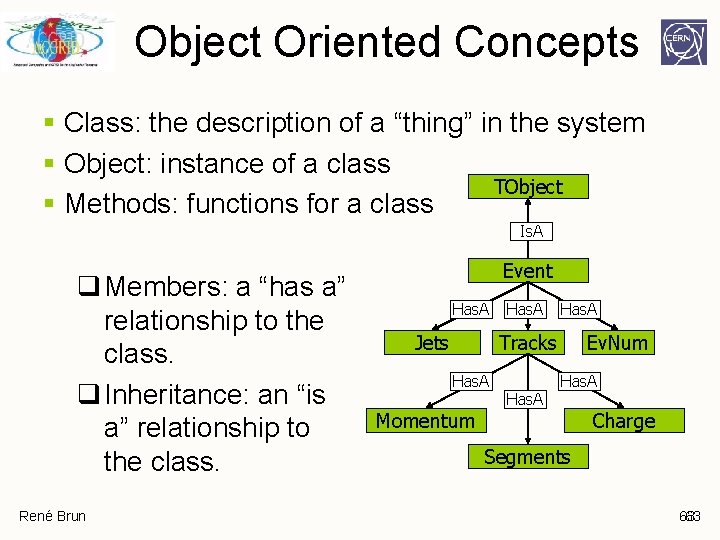
Object Oriented Concepts § Class: the description of a “thing” in the system § Object: instance of a class TObject § Methods: functions for a class Is. A q Members: a “has a” relationship to the class. q Inheritance: an “is a” relationship to the class. René Brun Event Has. A Jets Has. A Tracks Has. A Momentum Has. A Ev. Num Has. A Charge Segments 63 63
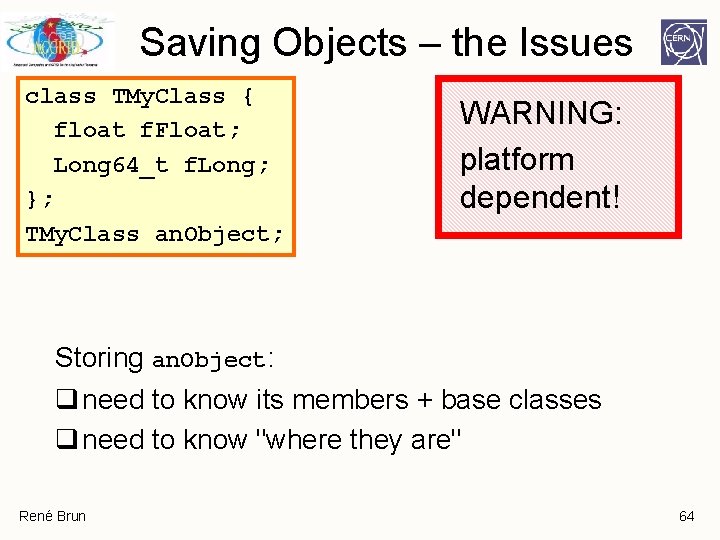
Saving Objects – the Issues class TMy. Class { float f. Float; Long 64_t f. Long; }; TMy. Class an. Object; WARNING: platform dependent! Storing an. Object: q need to know its members + base classes q need to know "where they are" René Brun 64
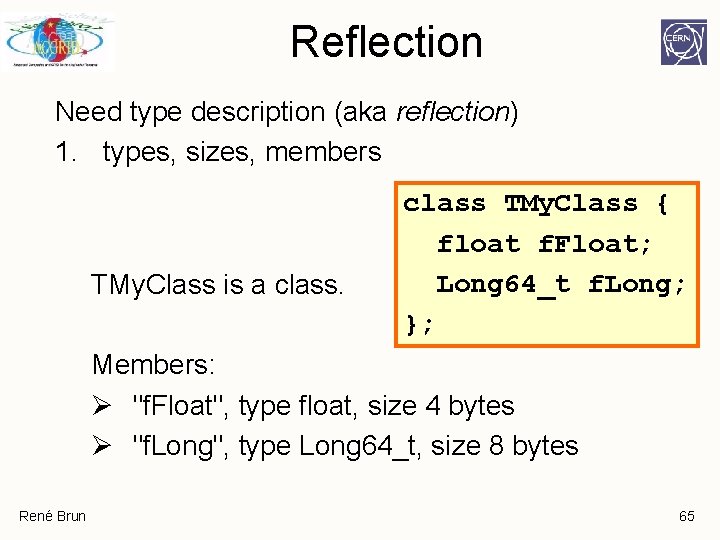
Reflection Need type description (aka reflection) 1. types, sizes, members TMy. Class is a class TMy. Class { float f. Float; Long 64_t f. Long; }; Members: Ø "f. Float", type float, size 4 bytes Ø "f. Long", type Long 64_t, size 8 bytes René Brun 65
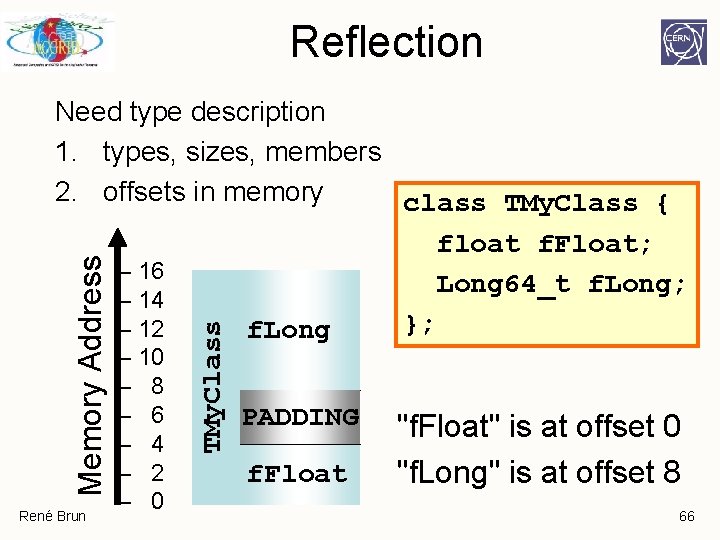
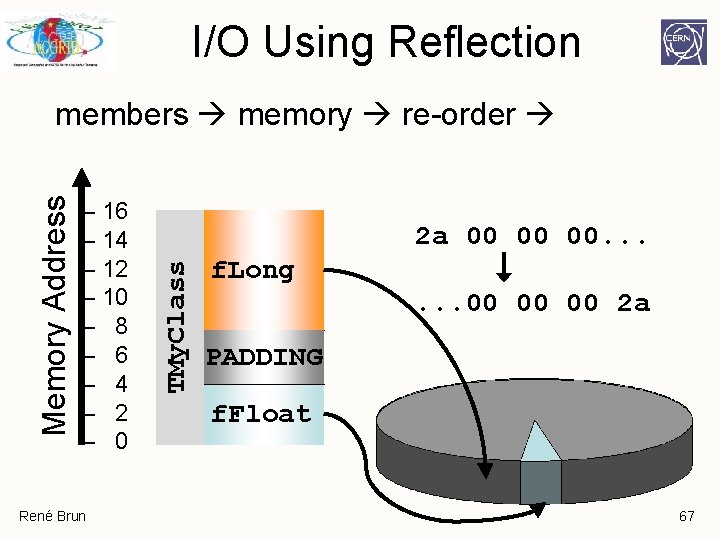
Reflection René Brun – 10 – 8 – 6 – 4 – 2 – 0 TMy. Class Memory Address Need type description 1. types, sizes, members 2. offsets in memory class TMy. Class { float f. Float; – 16 Long 64_t f. Long; – 14 }; – 12 f. Long PADDING f. Float "f. Float" is at offset 0 "f. Long" is at offset 8 66
I/O Using Reflection – 16 – 14 – 12 – 10 – 8 – 6 – 4 – 2 – 0 René Brun 2 a 00 00 00. . . TMy. Class Memory Address members memory re-order f. Long. . . 00 00 00 2 a PADDING f. Float 67
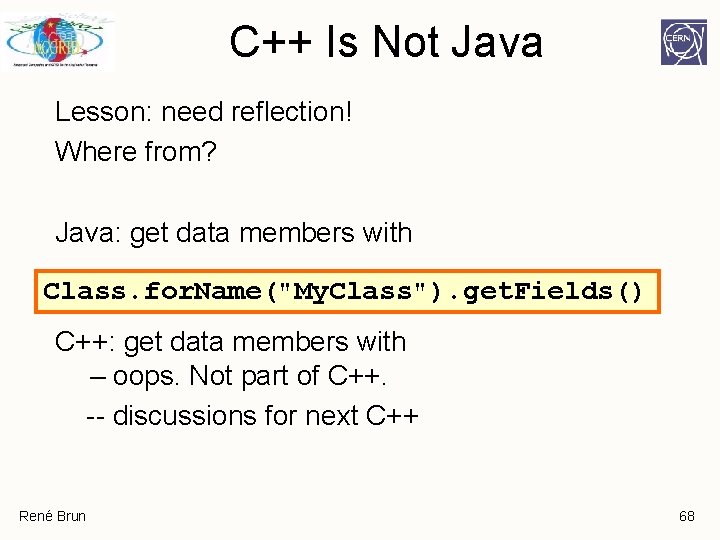
C++ Is Not Java Lesson: need reflection! Where from? Java: get data members with Class. for. Name("My. Class"). get. Fields() C++: get data members with – oops. Not part of C++. -- discussions for next C++ René Brun 68
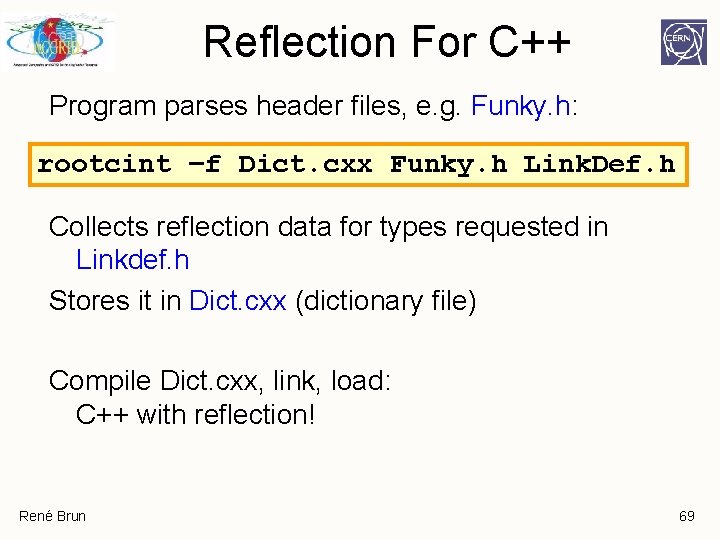
Reflection For C++ Program parses header files, e. g. Funky. h: rootcint –f Dict. cxx Funky. h Link. Def. h Collects reflection data for types requested in Linkdef. h Stores it in Dict. cxx (dictionary file) Compile Dict. cxx, link, load: C++ with reflection! René Brun 69
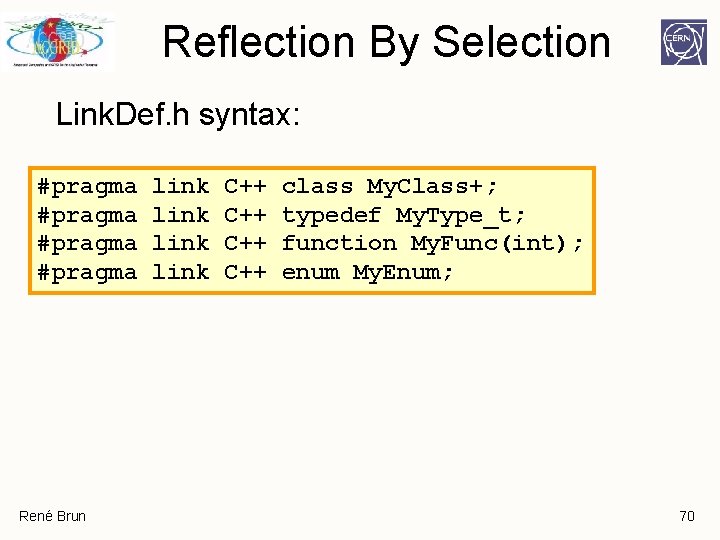
Reflection By Selection Link. Def. h syntax: #pragma René Brun link C++ C++ class My. Class+; typedef My. Type_t; function My. Func(int); enum My. Enum; 70
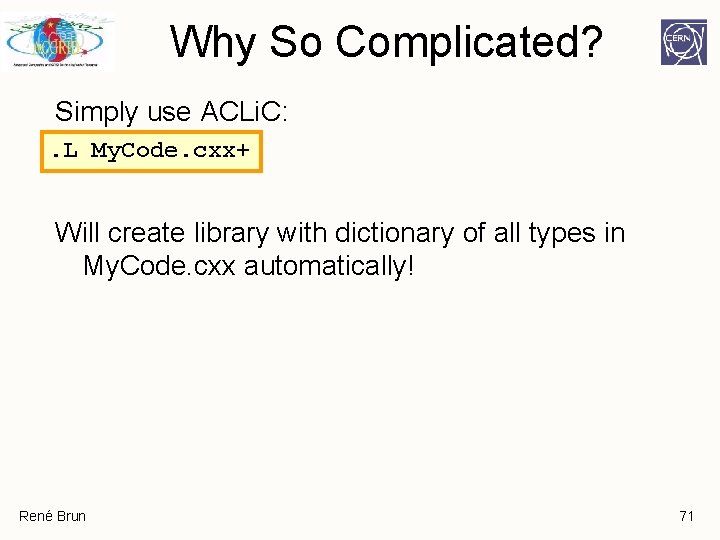
Why So Complicated? Simply use ACLi. C: . L My. Code. cxx+ Will create library with dictionary of all types in My. Code. cxx automatically! René Brun 71
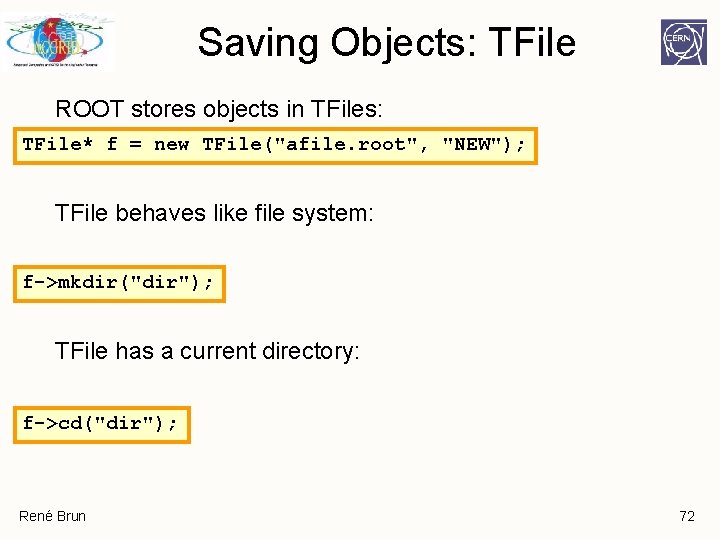
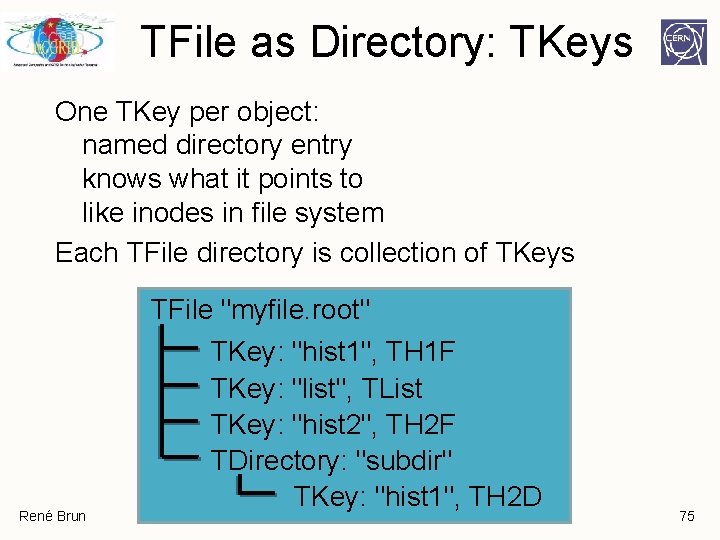
Saving Objects: TFile ROOT stores objects in TFiles: TFile* f = new TFile("afile. root", "NEW"); TFile behaves like file system: f->mkdir("dir"); TFile has a current directory: f->cd("dir"); René Brun 72
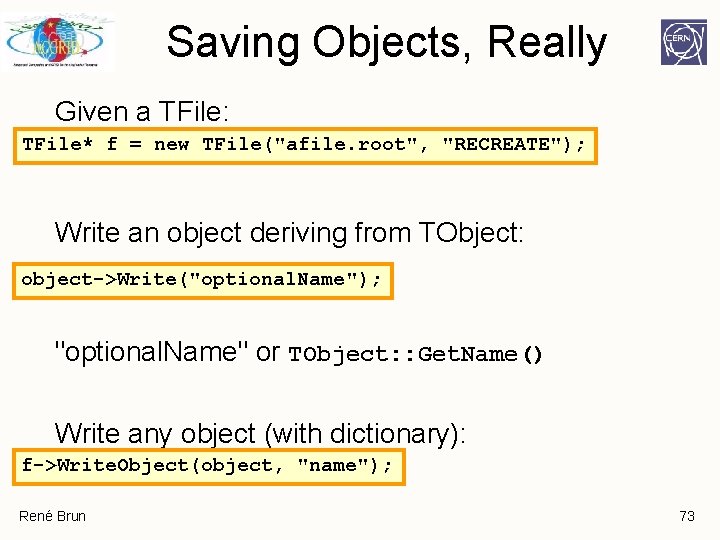
Saving Objects, Really Given a TFile: TFile* f = new TFile("afile. root", "RECREATE"); Write an object deriving from TObject: object->Write("optional. Name"); "optional. Name" or TObject: : Get. Name() Write any object (with dictionary): f->Write. Object(object, "name"); René Brun 73
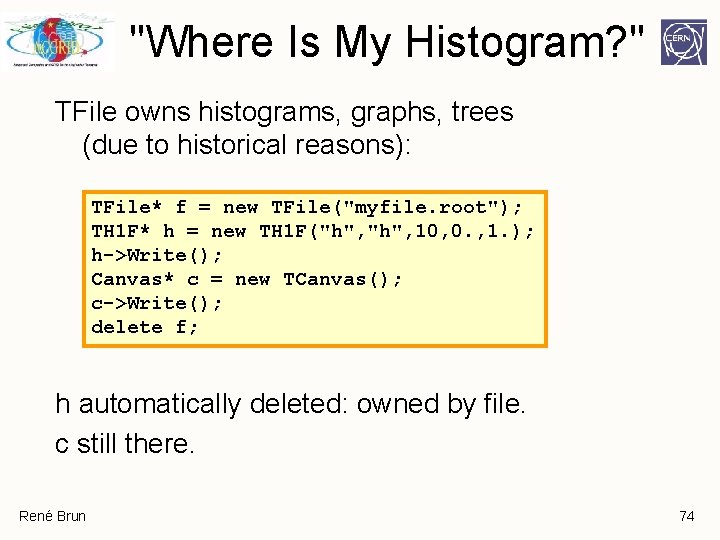
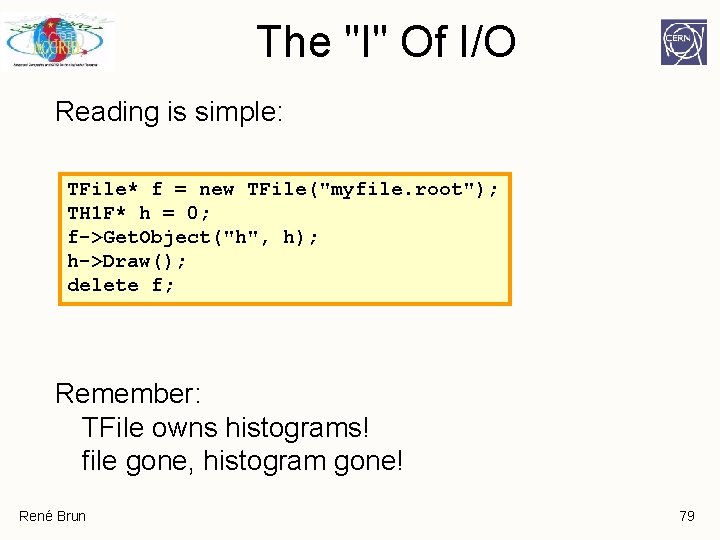
"Where Is My Histogram? " TFile owns histograms, graphs, trees (due to historical reasons): TFile* f = new TFile("myfile. root"); TH 1 F* h = new TH 1 F("h", 10, 0. , 1. ); h->Write(); Canvas* c = new TCanvas(); c->Write(); delete f; h automatically deleted: owned by file. c still there. René Brun 74
TFile as Directory: TKeys One TKey per object: named directory entry knows what it points to like inodes in file system Each TFile directory is collection of TKeys René Brun TFile "myfile. root" TKey: "hist 1", TH 1 F TKey: "list", TList TKey: "hist 2", TH 2 F TDirectory: "subdir" TKey: "hist 1", TH 2 D 75
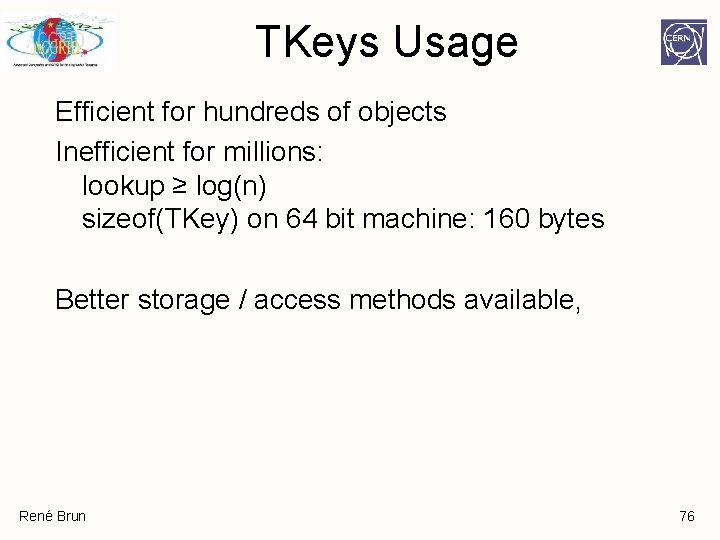
TKeys Usage Efficient for hundreds of objects Inefficient for millions: lookup ≥ log(n) sizeof(TKey) on 64 bit machine: 160 bytes Better storage / access methods available, René Brun 76
Risks With I/O Physicists can loop a lot: For each particle collision For each particle created For each detector module Do something. Physicists can loose a lot: Run for hours… Crash. Everything lost. René Brun 77
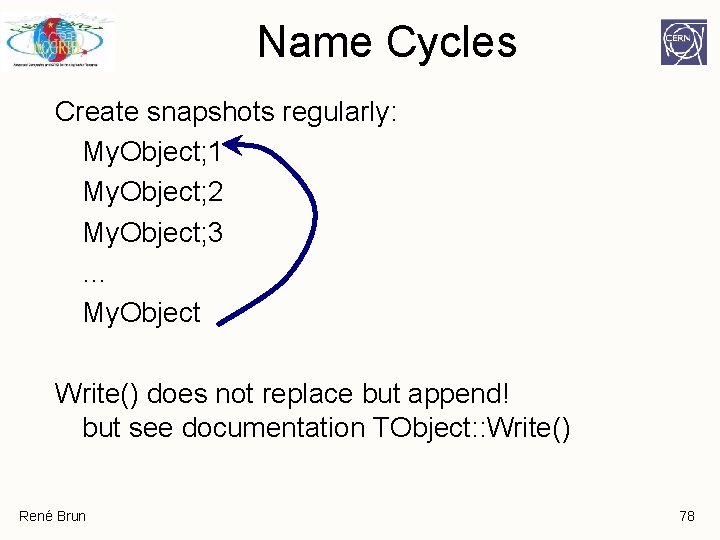
Name Cycles Create snapshots regularly: My. Object; 1 My. Object; 2 My. Object; 3 … My. Object Write() does not replace but append! but see documentation TObject: : Write() René Brun 78
The "I" Of I/O Reading is simple: TFile* f = new TFile("myfile. root"); TH 1 F* h = 0; f->Get. Object("h", h); h->Draw(); delete f; Remember: TFile owns histograms! file gone, histogram gone! René Brun 79
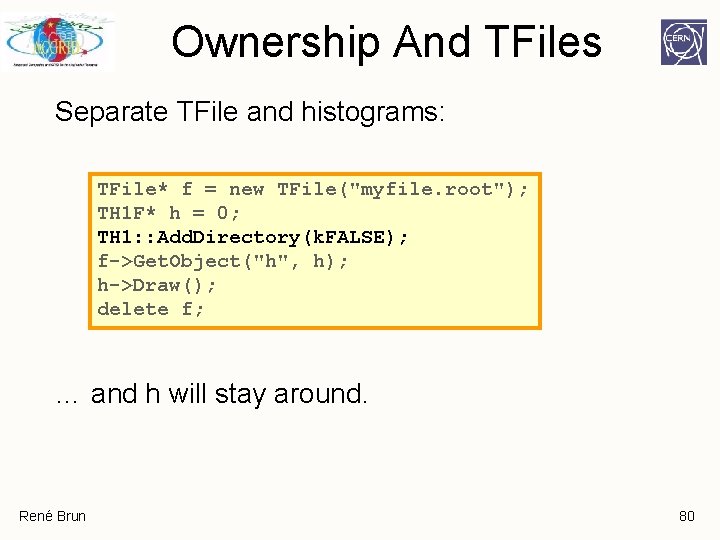
Ownership And TFiles Separate TFile and histograms: TFile* f = new TFile("myfile. root"); TH 1 F* h = 0; TH 1: : Add. Directory(k. FALSE); f->Get. Object("h", h); h->Draw(); delete f; … and h will stay around. René Brun 80
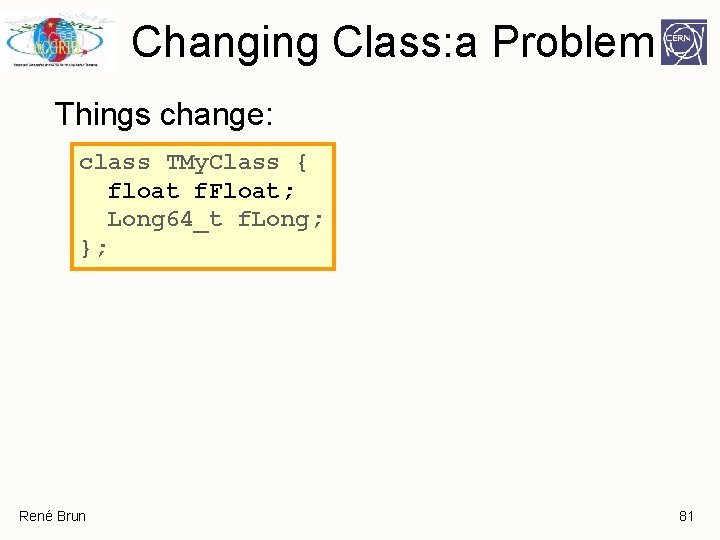
Changing Class: a Problem Things change: class TMy. Class { float f. Float; Long 64_t f. Long; }; René Brun 81
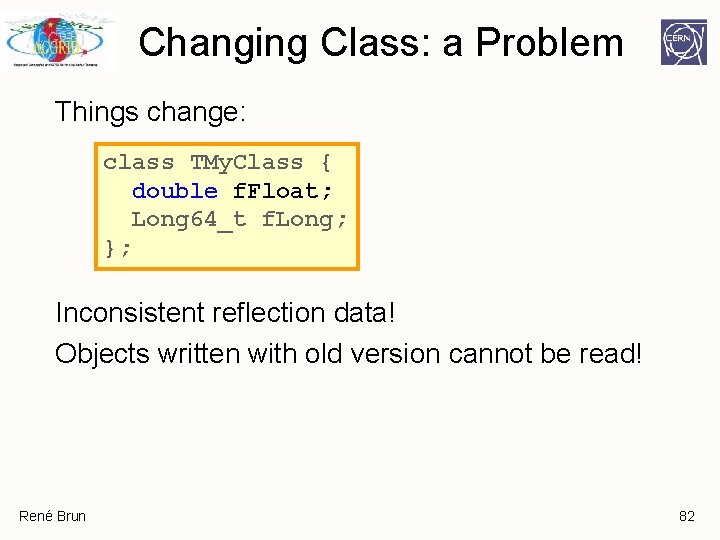
Changing Class: a Problem Things change: class TMy. Class { double f. Float; Long 64_t f. Long; }; Inconsistent reflection data! Objects written with old version cannot be read! René Brun 82
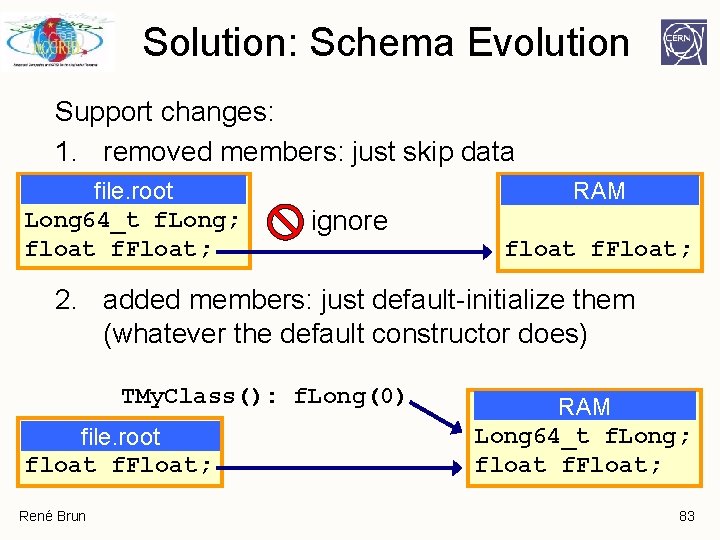
Solution: Schema Evolution Support changes: 1. removed members: just skip data file. root Long 64_t f. Long; float f. Float; RAM ignore float f. Float; 2. added members: just default-initialize them (whatever the default constructor does) TMy. Class(): f. Long(0) file. root float f. Float; René Brun RAM Long 64_t f. Long; float f. Float; 83
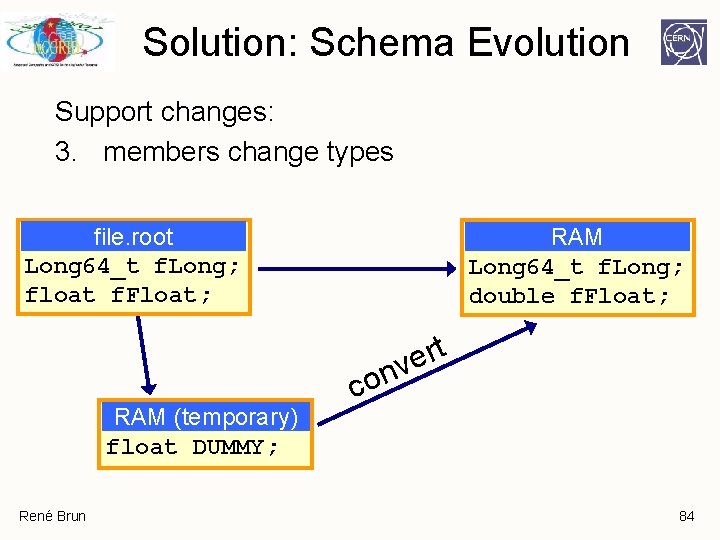
Solution: Schema Evolution Support changes: 3. members change types file. root Long 64_t f. Long; float f. Float; RAM Long 64_t f. Long; double f. Float; t r e nv RAM (temporary) float DUMMY; René Brun co 84
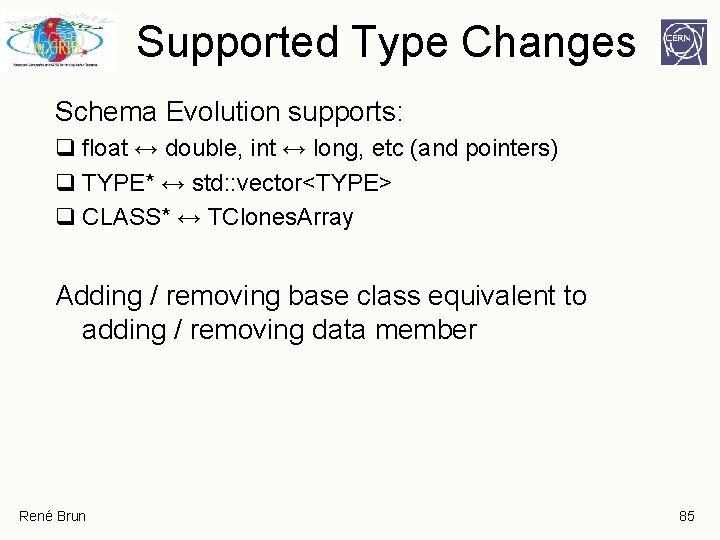
Supported Type Changes Schema Evolution supports: q float ↔ double, int ↔ long, etc (and pointers) q TYPE* ↔ std: : vector<TYPE> q CLASS* ↔ TClones. Array Adding / removing base class equivalent to adding / removing data member René Brun 85
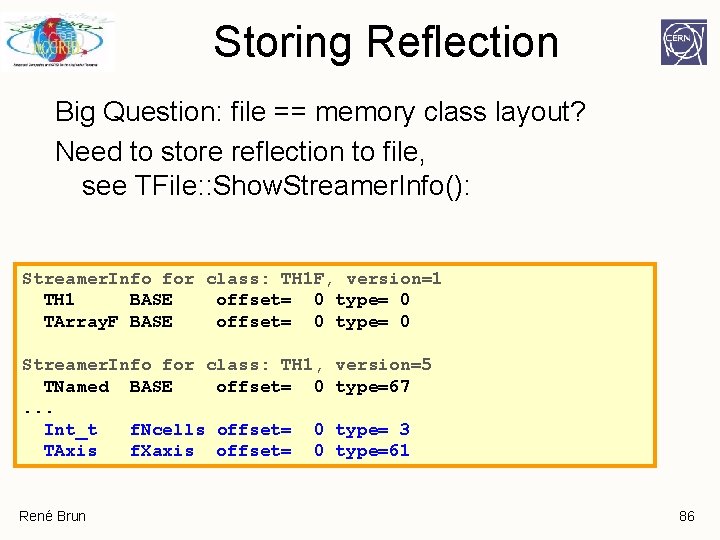
Storing Reflection Big Question: file == memory class layout? Need to store reflection to file, see TFile: : Show. Streamer. Info(): Streamer. Info for class: TH 1 F, version=1 TH 1 BASE offset= 0 type= 0 TArray. F BASE offset= 0 type= 0 Streamer. Info for class: TH 1, TNamed BASE offset= 0. . . Int_t f. Ncells offset= 0 TAxis f. Xaxis offset= 0 René Brun version=5 type=67 type= 3 type=61 86
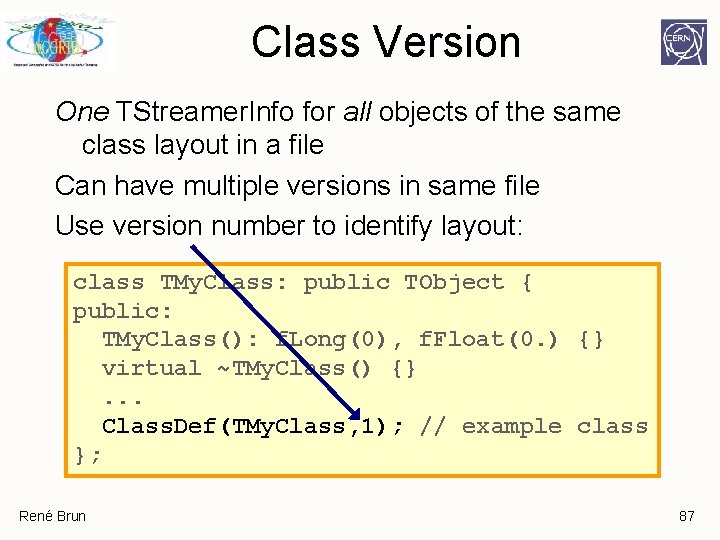
Class Version One TStreamer. Info for all objects of the same class layout in a file Can have multiple versions in same file Use version number to identify layout: class TMy. Class: public TObject { public: TMy. Class(): f. Long(0), f. Float(0. ) {} virtual ~TMy. Class() {}. . . Class. Def(TMy. Class, 1); // example class }; René Brun 87
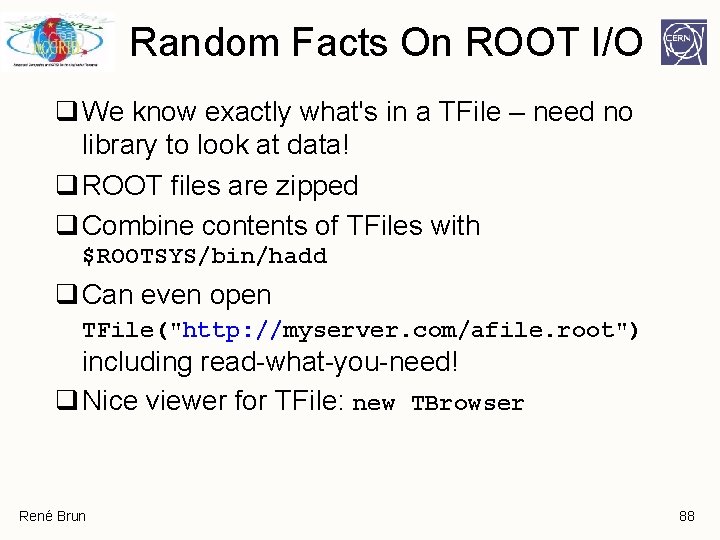
Random Facts On ROOT I/O q We know exactly what's in a TFile – need no library to look at data! q ROOT files are zipped q Combine contents of TFiles with $ROOTSYS/bin/hadd q Can even open TFile("http: //myserver. com/afile. root") including read-what-you-need! q Nice viewer for TFile: new TBrowser René Brun 88
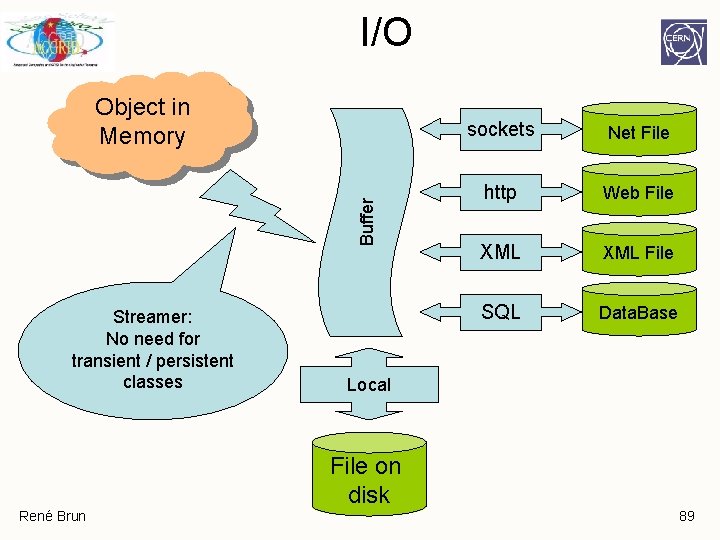
I/O Buffer Object in Memory Streamer: No need for transient / persistent classes sockets Net File http Web File XML File SQL Data. Base Local File on disk René Brun 89
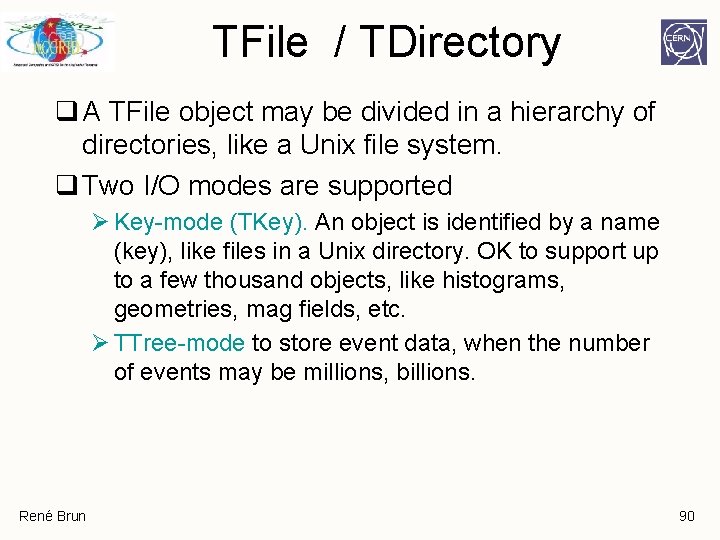
TFile / TDirectory q A TFile object may be divided in a hierarchy of directories, like a Unix file system. q Two I/O modes are supported Ø Key-mode (TKey). An object is identified by a name (key), like files in a Unix directory. OK to support up to a few thousand objects, like histograms, geometries, mag fields, etc. Ø TTree-mode to store event data, when the number of events may be millions, billions. René Brun 90
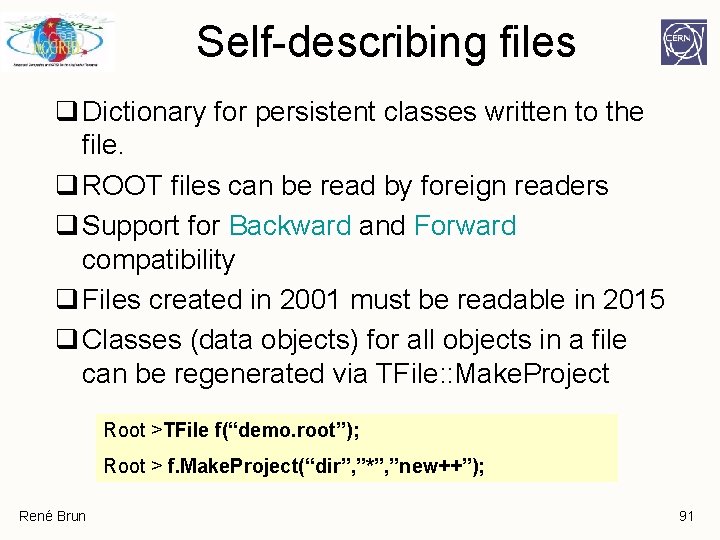
Self-describing files q Dictionary for persistent classes written to the file. q ROOT files can be read by foreign readers q Support for Backward and Forward compatibility q Files created in 2001 must be readable in 2015 q Classes (data objects) for all objects in a file can be regenerated via TFile: : Make. Project Root >TFile f(“demo. root”); Root > f. Make. Project(“dir”, ”*”, ”new++”); René Brun 91
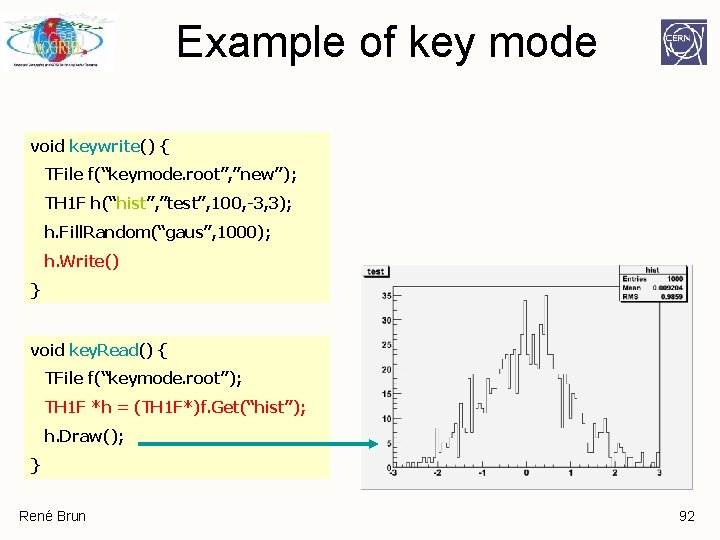
Example of key mode void keywrite() { TFile f(“keymode. root”, ”new”); TH 1 F h(“hist”, ”test”, 100, -3, 3); h. Fill. Random(“gaus”, 1000); h. Write() } void key. Read() { TFile f(“keymode. root”); TH 1 F *h = (TH 1 F*)f. Get(“hist”); h. Draw(); } René Brun 92
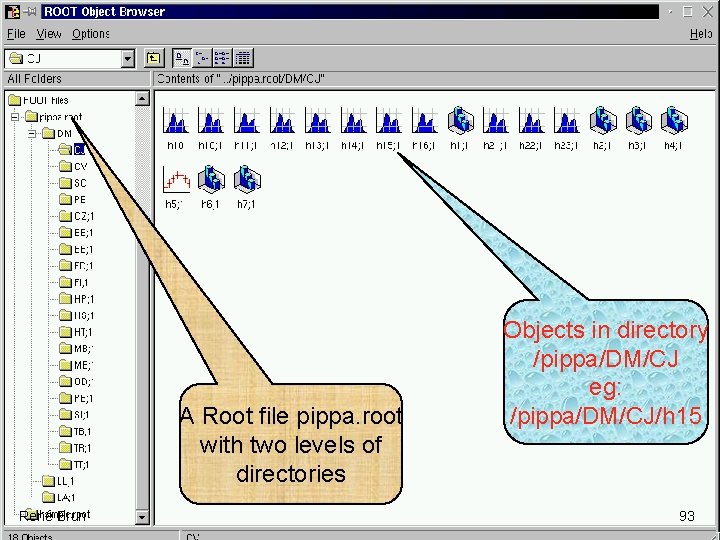
A Root file pippa. root with two levels of directories René Brun Objects in directory /pippa/DM/CJ eg: /pippa/DM/CJ/h 15 93
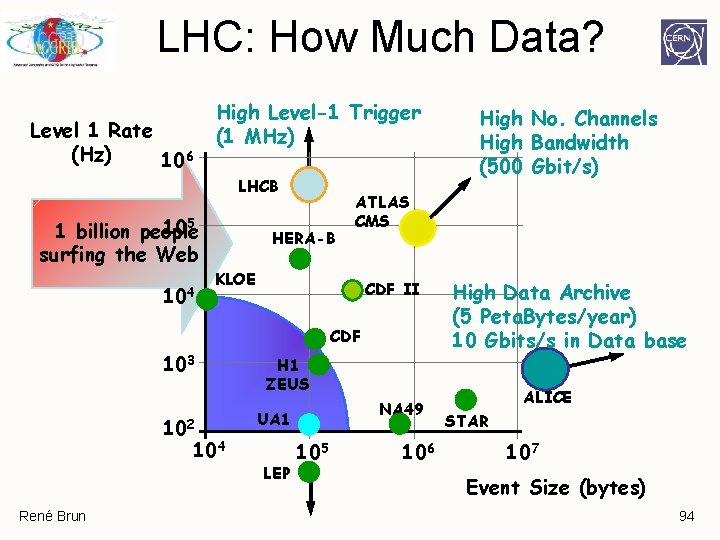
LHC: How Much Data? Level 1 Rate (Hz) 106 High Level-1 Trigger (1 MHz) LHCB 105 1 billion people surfing the Web 104 HERA-B ATLAS CMS KLOE CDF II CDF 103 102 104 René Brun High No. Channels High Bandwidth (500 Gbit/s) High Data Archive (5 Peta. Bytes/year) 10 Gbits/s in Data base H 1 ZEUS NA 49 UA 1 LEP 105 106 ALICE STAR 107 Event Size (bytes) 94
ROOT Collection Classes Or when one million TKeys are not enough… René Brun
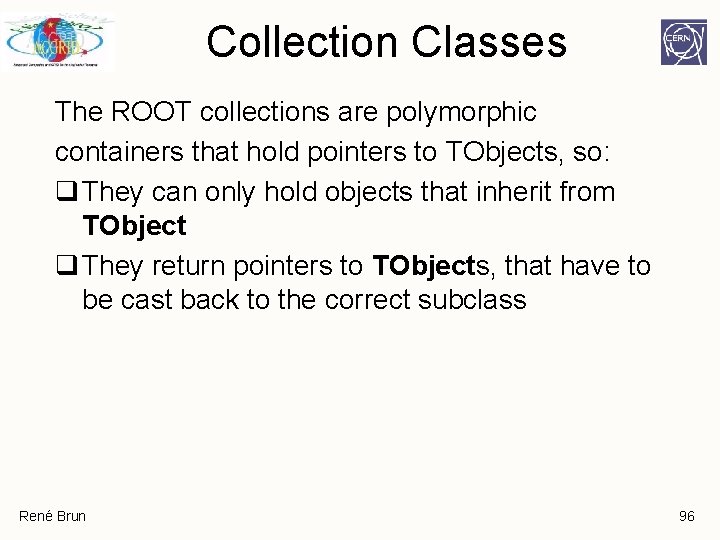
Collection Classes The ROOT collections are polymorphic containers that hold pointers to TObjects, so: q They can only hold objects that inherit from TObject q They return pointers to TObjects, that have to be cast back to the correct subclass René Brun 96
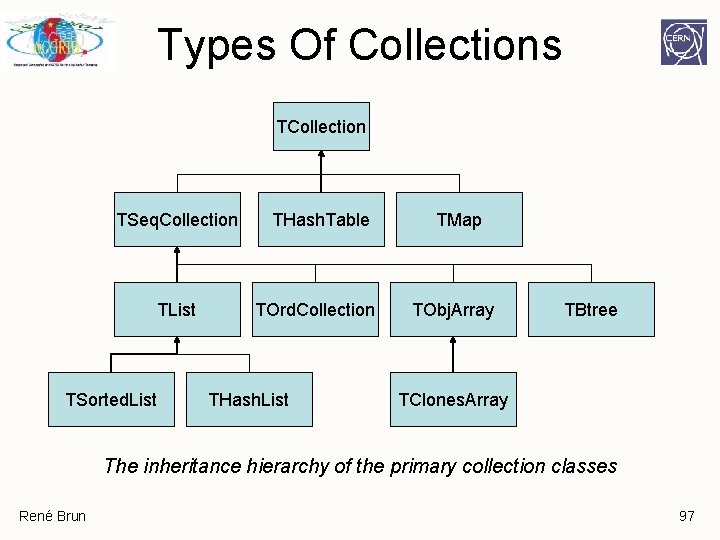
Types Of Collections TCollection TSeq. Collection TList TSorted. List THash. Table TOrd. Collection THash. List TMap TObj. Array TBtree TClones. Array The inheritance hierarchy of the primary collection classes René Brun 97
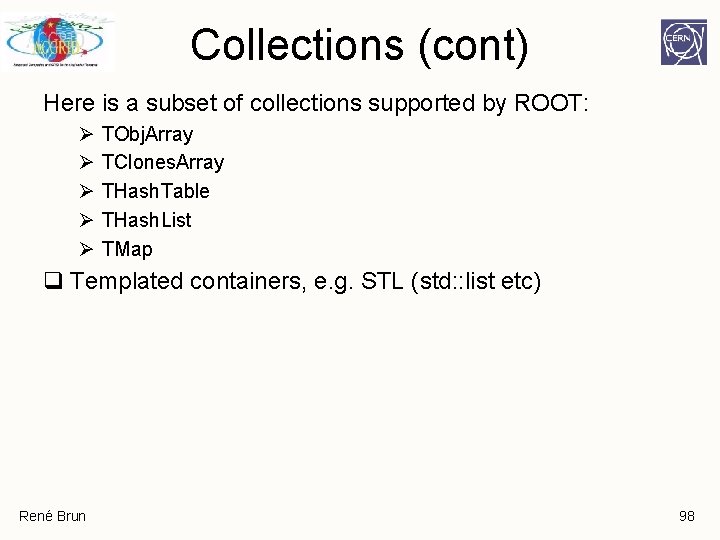
Collections (cont) Here is a subset of collections supported by ROOT: Ø Ø Ø TObj. Array TClones. Array THash. Table THash. List TMap q Templated containers, e. g. STL (std: : list etc) René Brun 98
TObj. Array q A TObj. Array is a collection which supports traditional array semantics via the overloading of operator[]. q Objects can be directly accessed via an index. q The array expands automatically when objects are added. René Brun 99
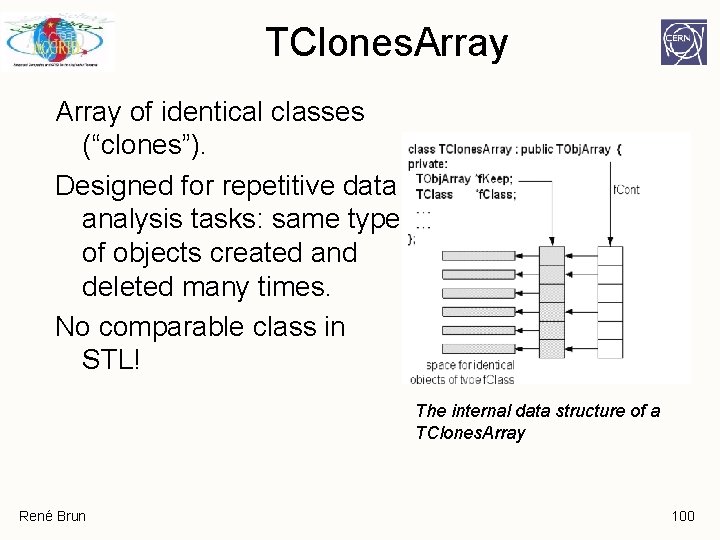
TClones. Array of identical classes (“clones”). Designed for repetitive data analysis tasks: same type of objects created and deleted many times. No comparable class in STL! The internal data structure of a TClones. Array René Brun 100
Traditional Arrays Very large number of new and delete calls in large loops like this (N(100000) x N(10000) times new/delete): N(100000) TObj. Array a(10000); while (TEvent *ev = (TEvent *)next()) { for (int i = 0; i < ev->Ntracks; ++i) { a[i] = new TTrack(x, y, z, . . . ); . . . }. . . a. Delete(); N(10000) } René Brun 101
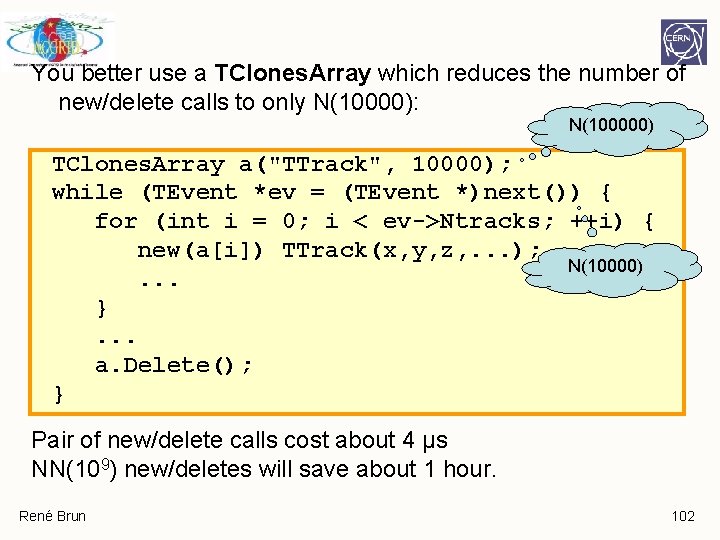
You better use a TClones. Array which reduces the number of new/delete calls to only N(10000): N(100000) TClones. Array a("TTrack", 10000); while (TEvent *ev = (TEvent *)next()) { for (int i = 0; i < ev->Ntracks; ++i) { new(a[i]) TTrack(x, y, z, . . . ); N(10000). . . }. . . a. Delete(); } Pair of new/delete calls cost about 4 μs NN(109) new/deletes will save about 1 hour. René Brun 102
THash. Table - THash. List THash. Table puts objects in one of several of its short lists. Which list to pick is defined by TObject: : Hash(). Access much faster than map or list, but no order defined. Nothing similar in STL. THash. List consists of a THash. Table for fast access plus a TList to define an order of the objects. René Brun 103
TMap implements an associative array of (key, value) pairs using a THash. Table for efficient retrieval (therefore TMap does not conserve the order of the entries). René Brun 104
ROOT Trees René Brun
Why Trees ? q As seen previously, any object deriving from TObject can be written to a file with an associated key with object. Write() q However each key has an overhead in the directory structure in memory (up to 160 bytes). Thus, Object. Write() is very convenient for simple objects like histograms, but not for saving one object per event. q Using TTrees, the overhead in memory is in general less than 4 bytes per entry! René Brun 106
Why Trees ? q Extremely efficient write once, read many ("WORM") q Designed to store >109 (HEP events) with same data structure q Load just a subset of the objects to optimize memory usage q Trees allow fast direct and random access to any entry (sequential access is the best) René Brun 107
Building ROOT Trees Overview of ØTrees ØBranches 5 steps to build a TTree René Brun 108
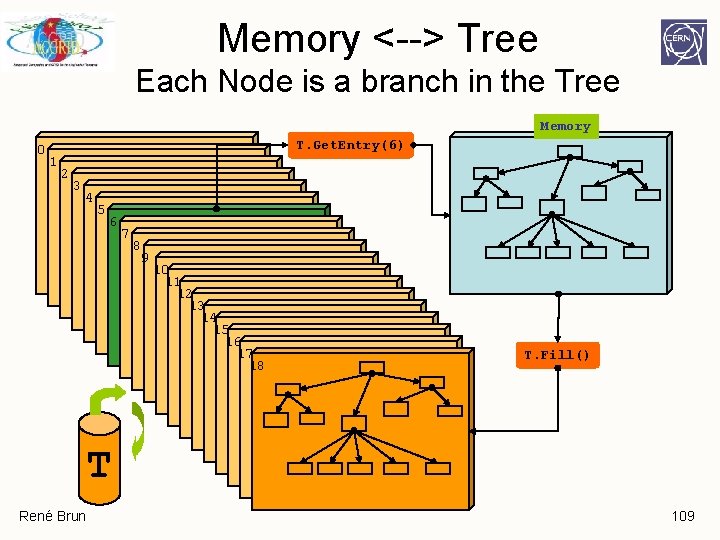
Memory <--> Tree Each Node is a branch in the Tree Memory 0 T. Get. Entry(6) 1 2 3 4 5 6 7 8 9 10 11 12 13 14 15 16 17 18 T. Fill() T René Brun 109
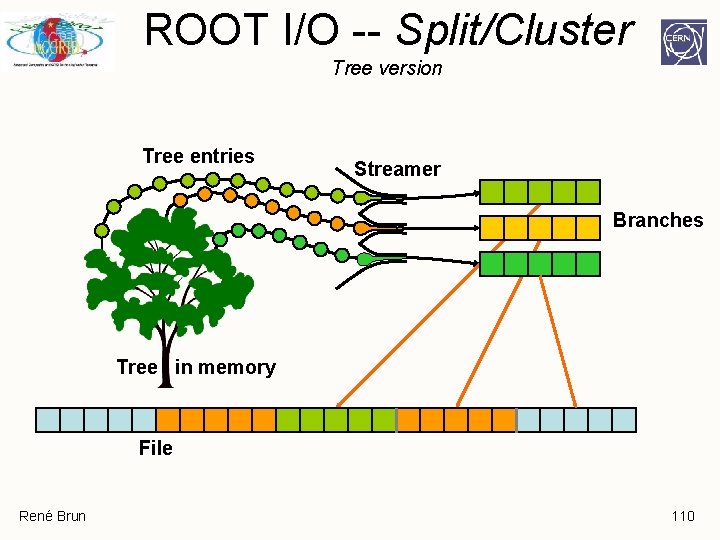
ROOT I/O -- Split/Cluster Tree version Tree entries Streamer Branches Tree in memory File René Brun 110
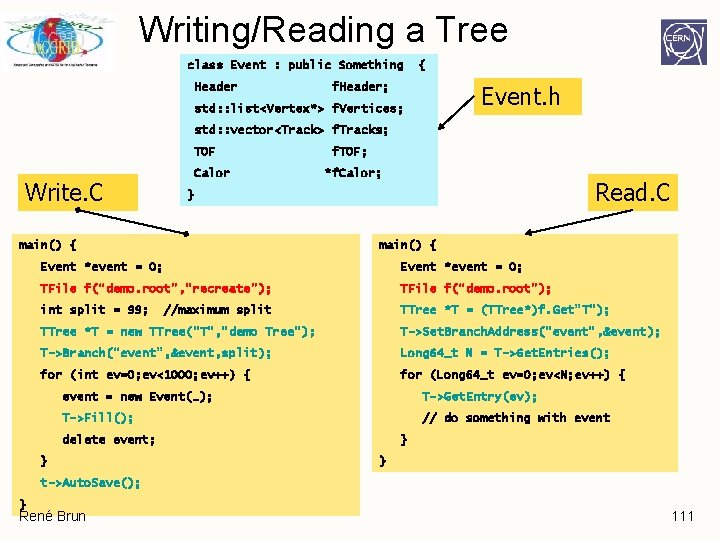
Writing/Reading a Tree class Event : public Something Header { f. Header; Event. h std: : list<Vertex*> f. Vertices; std: : vector<Track> f. Tracks; TOF Calor Write. C f. TOF; *f. Calor; Read. C } main() { Event *event = 0; TFile f(“demo. root”, ”recreate”); TFile f(“demo. root”); int split = 99; TTree *T = (TTree*)f. Get”T”); //maximum split TTree *T = new TTree(“T”, ”demo Tree”); T->Set. Branch. Address(“event”, &event); T->Branch(“event”, &event, split); Long 64_t N = T->Get. Entries(); for (int ev=0; ev<1000; ev++) { for (Long 64_t ev=0; ev<N; ev++) { event = new Event(…); T->Get. Entry(ev); T->Fill(); // do something with event delete event; } } } t->Auto. Save(); } René Brun 111
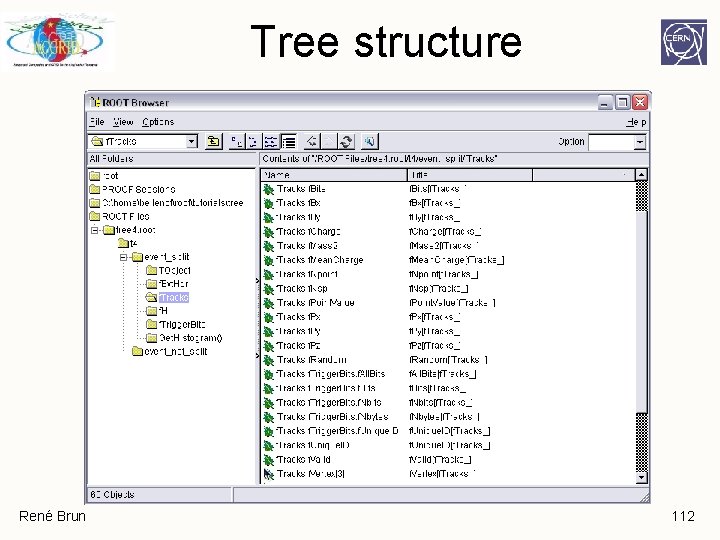
Tree structure René Brun 112
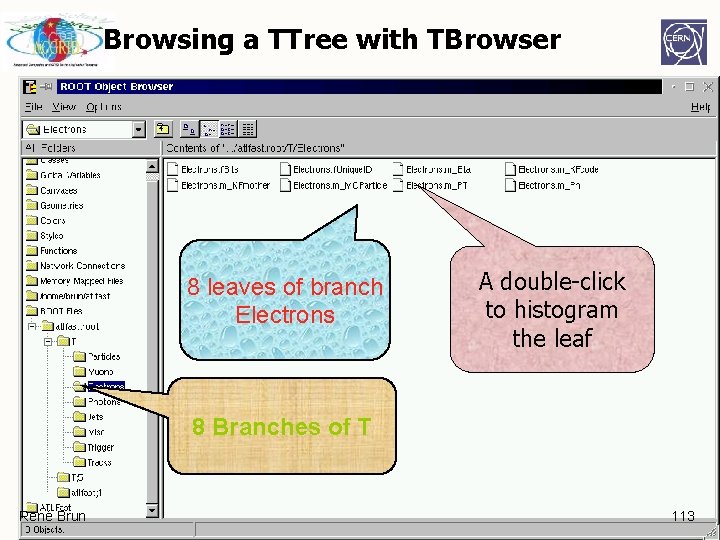
Browsing a TTree with TBrowser 8 leaves of branch Electrons A double-click to histogram the leaf 8 Branches of T René Brun 113
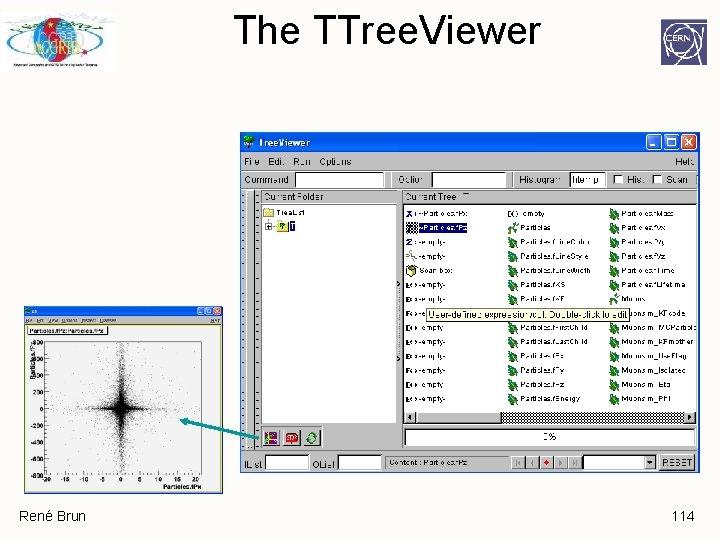
The TTree. Viewer René Brun 114
Tree structure q Branches: directories q Leaves: data containers q Can read a subset of all branches – speeds up considerably the data analysis processes q Tree layout can be optimized for data analysis q The class for a branch is called TBranch q Variables on TBranch are called leaf (yes TLeaf) q Branches of the same TTree can be written to separate files René Brun 115
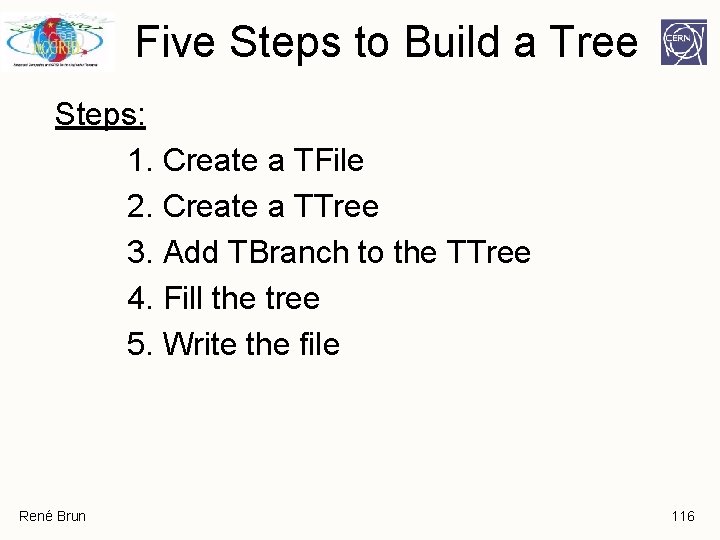
Five Steps to Build a Tree Steps: 1. Create a TFile 2. Create a TTree 3. Add TBranch to the TTree 4. Fill the tree 5. Write the file René Brun 116
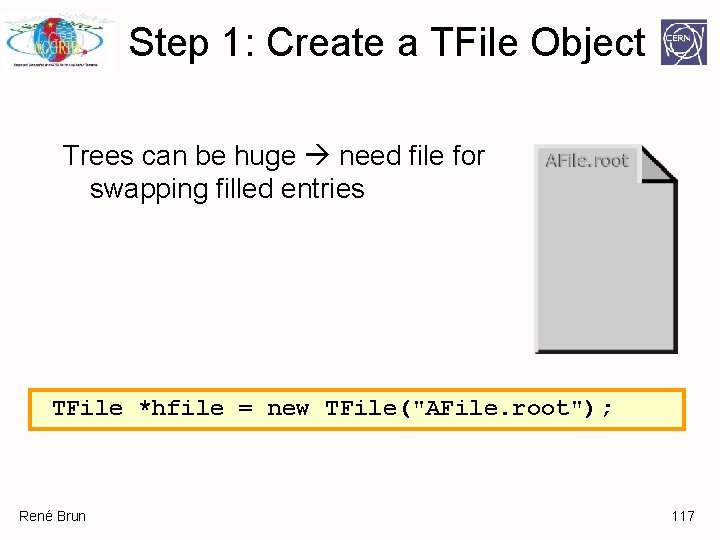
Step 1: Create a TFile Object Trees can be huge need file for swapping filled entries TFile *hfile = new TFile("AFile. root"); René Brun 117
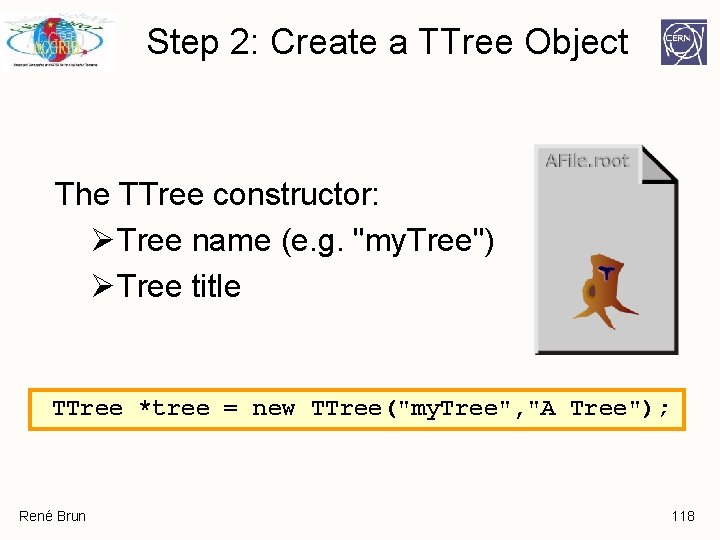
Step 2: Create a TTree Object The TTree constructor: ØTree name (e. g. "my. Tree") ØTree title TTree *tree = new TTree("my. Tree", "A Tree"); René Brun 118
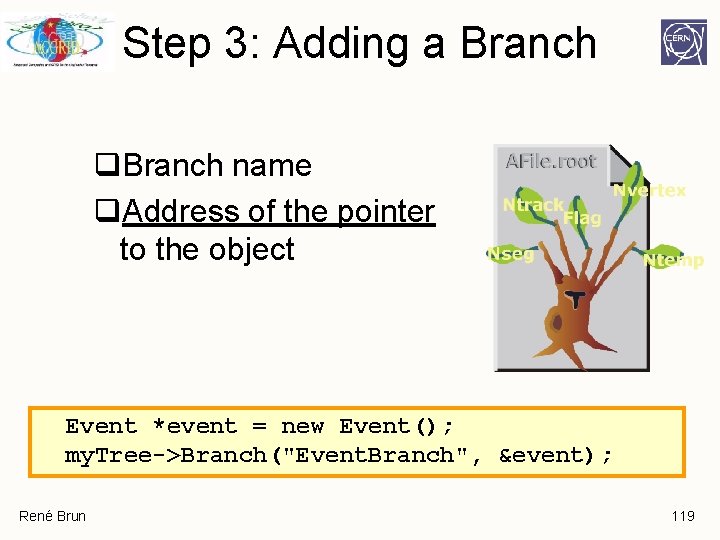
Step 3: Adding a Branch q. Branch name q. Address of the pointer to the object Event *event = new Event(); my. Tree->Branch("Event. Branch", &event); René Brun 119
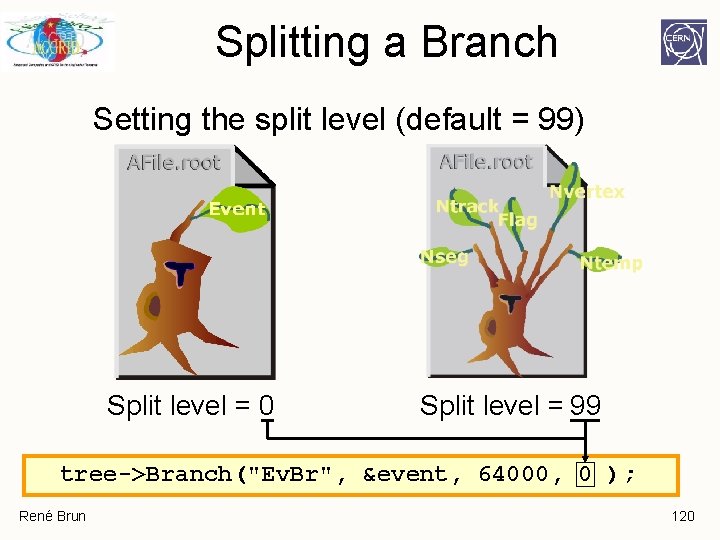
Splitting a Branch Setting the split level (default = 99) Split level = 0 Split level = 99 tree->Branch("Ev. Br", &event, 64000, 0 ); René Brun 120
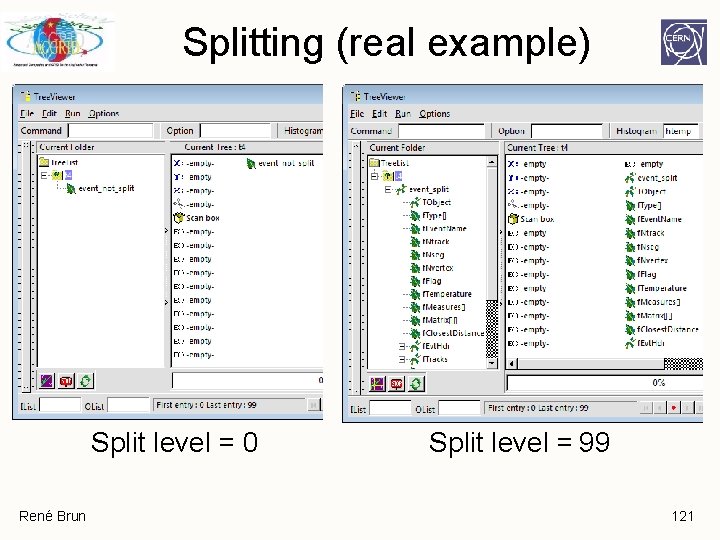
Splitting (real example) Split level = 0 René Brun Split level = 99 121
Splitting q Creates one branch per member – recursively q Allows to browse objects that are stored in trees, even without their library q Makes same members consecutive, e. g. for object with position in X, Y, Z, and energy E, all X are consecutive, then come Y, then Z, then E. A lot higher zip efficiency! q Fine grained branches allow fain-grained I/O - read only members that are needed, instead of full object q Supports STL containers, too! René Brun 122
Performance Considerations A split branch is: q Faster to read - the type does not have to be read each time q Slower to write due to the large number of buffers René Brun 123
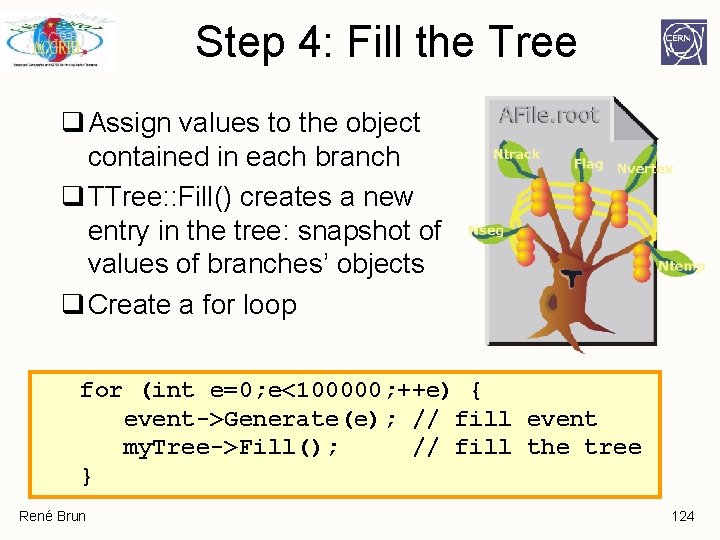
Step 4: Fill the Tree q Assign values to the object contained in each branch q TTree: : Fill() creates a new entry in the tree: snapshot of values of branches’ objects q Create a for loop for (int e=0; e<100000; ++e) { event->Generate(e); // fill event my. Tree->Fill(); // fill the tree } René Brun 124
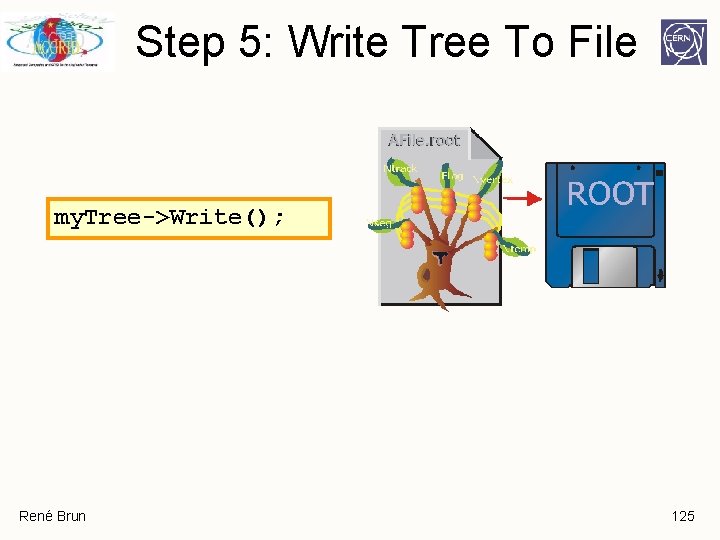
Step 5: Write Tree To File my. Tree->Write(); René Brun 125
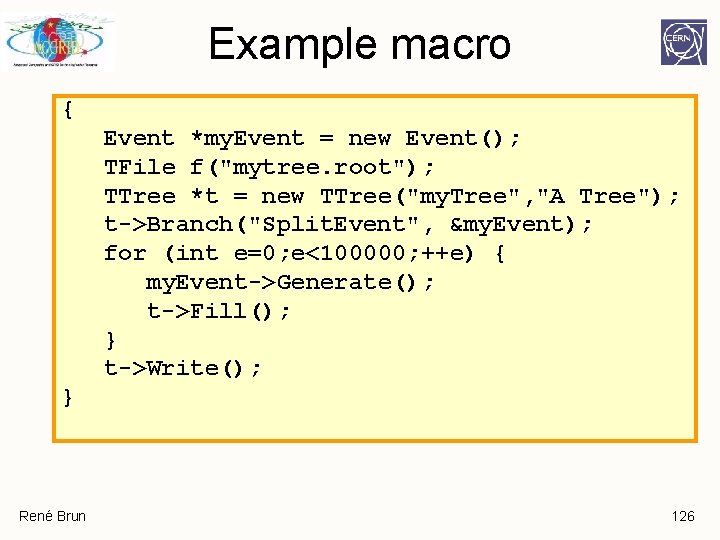
Example macro { Event *my. Event = new Event(); TFile f("mytree. root"); TTree *t = new TTree("my. Tree", "A Tree"); t->Branch("Split. Event", &my. Event); for (int e=0; e<100000; ++e) { my. Event->Generate(); t->Fill(); } t->Write(); } René Brun 126
Reading a TTree q. Looking at a tree q. How to read a tree q. Trees, friends and chains René Brun 127
Looking at the Tree TTree: : Print() shows the data layout root [] TFile f("AFile. root") root [] my. Tree->Print(); *************************************** *Tree : my. Tree : A ROOT tree * *Entries : 10 : Total = 867935 bytes File Size = 390138 * * : : Tree compression factor = 2. 72 * *************************************** *Branch : Event. Branch * *Entries : 10 : Branch. Element (see below) * *. . . . . * *Br 0 : f. Unique. ID : * *Entries : 10 : Total Size= 698 bytes One basket in memory * *Baskets : 0 : Basket Size= 64000 bytes Compression= 1. 00 * *. . . . . * … … René Brun 128
Looking at the Tree TTree: : Scan("leaf: …. ") shows the values root [] my. Tree->Scan("f. Nseg: f. Ntrack"); > scan. txt root [] my. Tree->Scan("f. Evt. Hdr. f. Date: f. Ntrack: f. Px: f. Py", "colsize=13 precision=3 col=13: 7: : 15. 10"); *************************************** * Row * Instance * f. Evt. Hdr. f. Date * f. Ntrack * f. Px * f. Py * *************************************** * 0 * 960312 * 594 * 2. 07 * 1. 459911346 * * 0 * 1 * 960312 * 594 * 0. 903 * -0. 4093382061 * * 0 * 2 * 960312 * 594 * 0. 696 * 0. 3913401663 * * 0 * 3 * 960312 * 594 * -0. 638 * 1. 244356871 * * 0 * 4 * 960312 * 594 * -0. 556 * -0. 7361358404 * * 0 * 5 * 960312 * 594 * -1. 57 * -0. 3049036264 * * 0 * 6 * 960312 * 594 * 0. 0425 * -1. 006743073 * * 0 * 7 * 960312 * 594 * -0. 6 * -1. 895804524 * René Brun 129
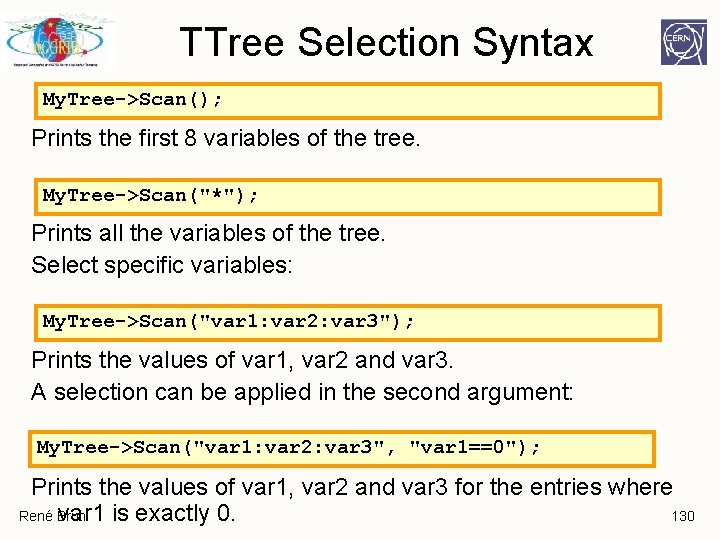
TTree Selection Syntax My. Tree->Scan(); Prints the first 8 variables of the tree. My. Tree->Scan("*"); Prints all the variables of the tree. Select specific variables: My. Tree->Scan("var 1: var 2: var 3"); Prints the values of var 1, var 2 and var 3. A selection can be applied in the second argument: My. Tree->Scan("var 1: var 2: var 3", "var 1==0"); Prints the values of var 1, var 2 and var 3 for the entries where var 1 is exactly 0. René Brun 130
Looking at the Tree TTree: : Show(entry_number) shows the values for one entry root [] my. Tree->Show(0); ======> EVENT: 0 Event. Branch = NULL f. Unique. ID = 0 f. Bits = 50331648 [. . . ] f. Ntrack = 594 f. Nseg = 5964 [. . . ] f. Evt. Hdr. f. Run = 200 [. . . ] f. Tracks. f. Px = 2. 066806, 0. 903484, 0. 695610, 0. 637773, . . . f. Tracks. f. Py = 1. 459911, -0. 409338, 0. 391340, 1. 244357, . . . René Brun 131
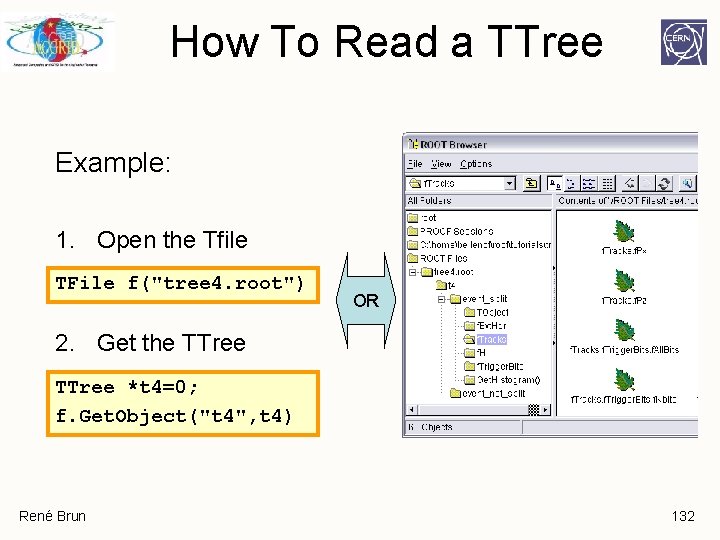
How To Read a TTree Example: 1. Open the Tfile TFile f("tree 4. root") OR 2. Get the TTree *t 4=0; f. Get. Object("t 4", t 4) René Brun 132
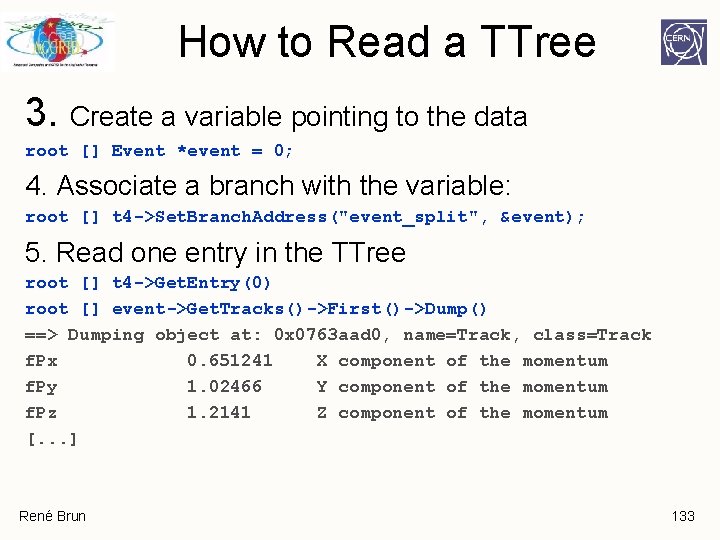
How to Read a TTree 3. Create a variable pointing to the data root [] Event *event = 0; 4. Associate a branch with the variable: root [] t 4 ->Set. Branch. Address("event_split", &event); 5. Read one entry in the TTree root [] t 4 ->Get. Entry(0) root [] event->Get. Tracks()->First()->Dump() ==> Dumping object at: 0 x 0763 aad 0, name=Track, class=Track f. Px 0. 651241 X component of the momentum f. Py 1. 02466 Y component of the momentum f. Pz 1. 2141 Z component of the momentum [. . . ] René Brun 133
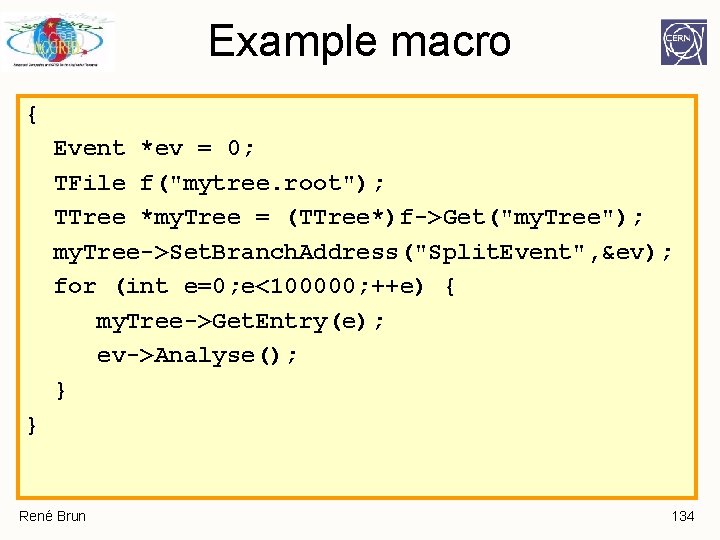
Example macro { Event *ev = 0; TFile f("mytree. root"); TTree *my. Tree = (TTree*)f->Get("my. Tree"); my. Tree->Set. Branch. Address("Split. Event", &ev); for (int e=0; e<100000; ++e) { my. Tree->Get. Entry(e); ev->Analyse(); } } René Brun 134
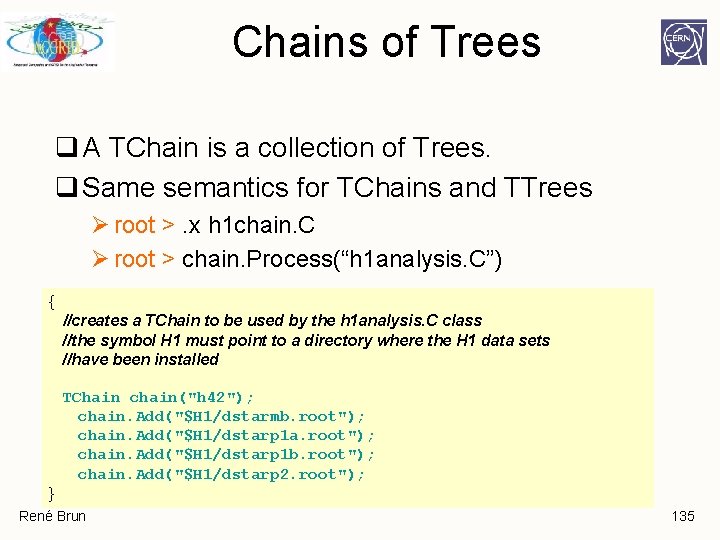
Chains of Trees q A TChain is a collection of Trees. q Same semantics for TChains and TTrees Ø root >. x h 1 chain. C Ø root > chain. Process(“h 1 analysis. C”) { //creates a TChain to be used by the h 1 analysis. C class //the symbol H 1 must point to a directory where the H 1 data sets //have been installed TChain chain("h 42"); chain. Add("$H 1/dstarmb. root"); chain. Add("$H 1/dstarp 1 a. root"); chain. Add("$H 1/dstarp 1 b. root"); chain. Add("$H 1/dstarp 2. root"); } René Brun 135
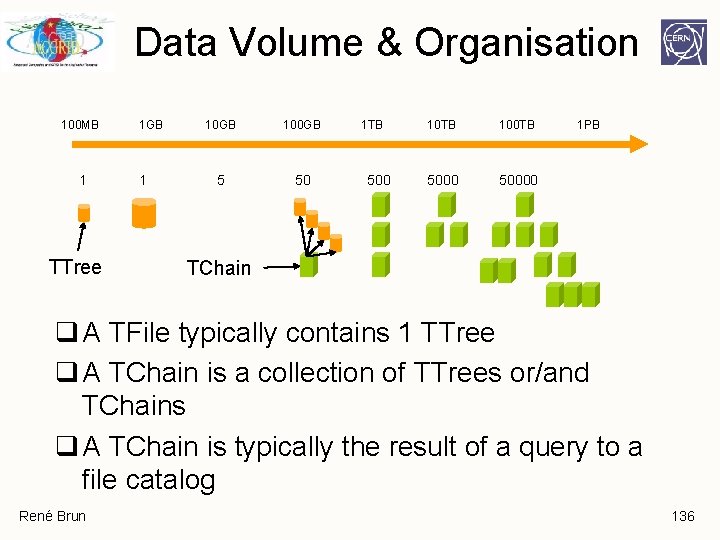
Data Volume & Organisation 100 MB 1 TTree 1 GB 1 10 GB 100 GB 5 50 1 TB 500 10 TB 100 TB 50000 1 PB TChain q A TFile typically contains 1 TTree q A TChain is a collection of TTrees or/and TChains q A TChain is typically the result of a query to a file catalog René Brun 136
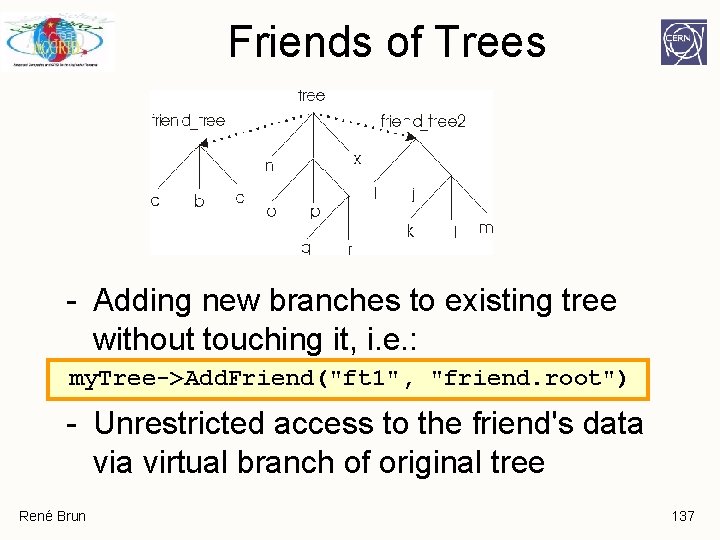
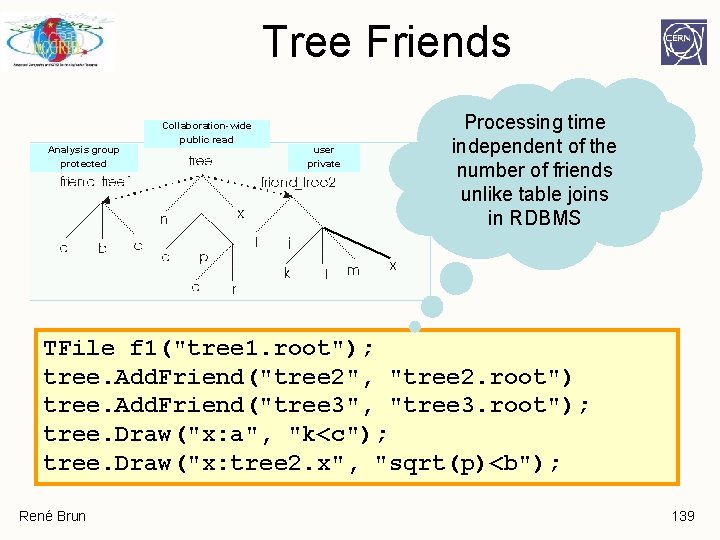
Friends of Trees - Adding new branches to existing tree without touching it, i. e. : my. Tree->Add. Friend("ft 1", "friend. root") - Unrestricted access to the friend's data virtual branch of original tree René Brun 137
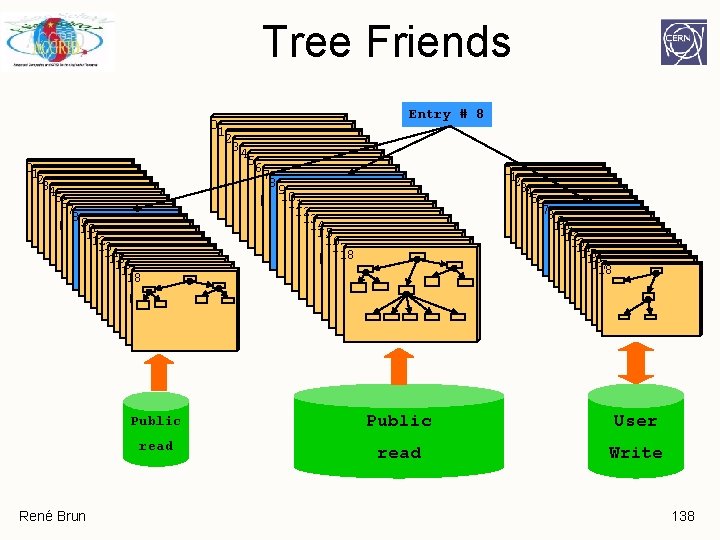
Tree Friends 01 23 45 67 89 10 11 12 13 14 15 16 17 18 René Brun 0 1 2 3 4 5 6 7 8 Entry # 8 01 23 45 67 89 10 11 12 13 14 15 16 17 18 Public User read Write 138
Tree Friends Analysis group protected Collaboration-wide public read Processing time independent of the number of friends unlike table joins in RDBMS user private x TFile f 1("tree 1. root"); tree. Add. Friend("tree 2", "tree 2. root") tree. Add. Friend("tree 3", "tree 3. root"); tree. Draw("x: a", "k<c"); tree. Draw("x: tree 2. x", "sqrt(p)<b"); René Brun 139
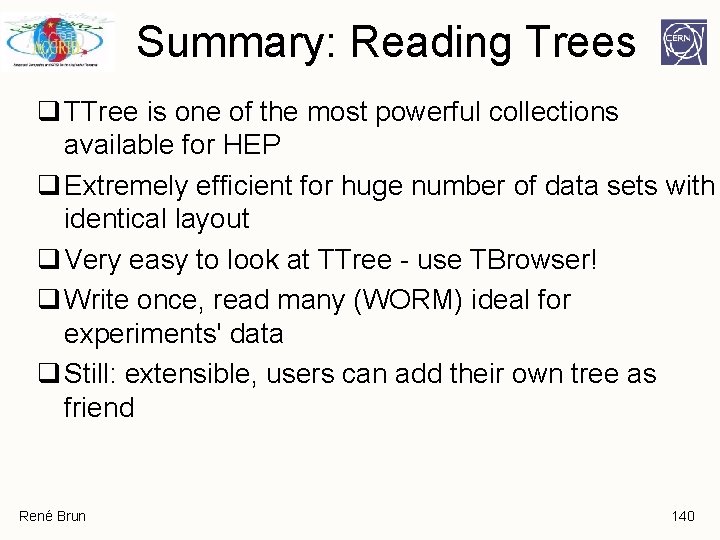
Summary: Reading Trees q TTree is one of the most powerful collections available for HEP q Extremely efficient for huge number of data sets with identical layout q Very easy to look at TTree - use TBrowser! q Write once, read many (WORM) ideal for experiments' data q Still: extensible, users can add their own tree as friend René Brun 140
Analyzing Trees Selectors, Proxies, PROOF René Brun 141
Recap TTree efficient storage and access for huge amounts of structured data Allows selective access of data TTree knows its layout Almost all HEP analyses based on TTree René Brun 142
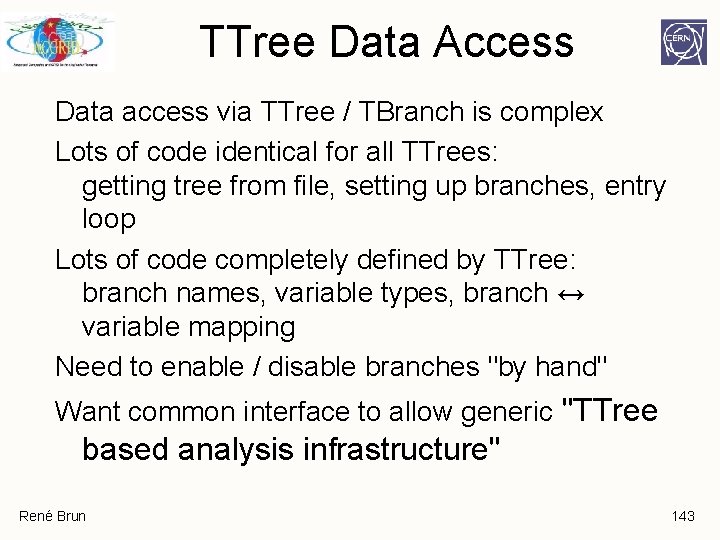
TTree Data Access Data access via TTree / TBranch is complex Lots of code identical for all TTrees: getting tree from file, setting up branches, entry loop Lots of code completely defined by TTree: branch names, variable types, branch ↔ variable mapping Need to enable / disable branches "by hand" Want common interface to allow generic "TTree based analysis infrastructure" René Brun 143
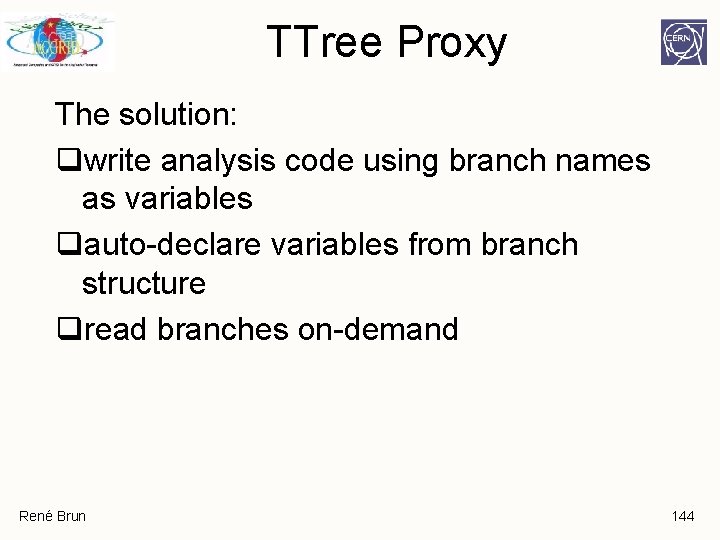
TTree Proxy The solution: qwrite analysis code using branch names as variables qauto-declare variables from branch structure qread branches on-demand René Brun 144
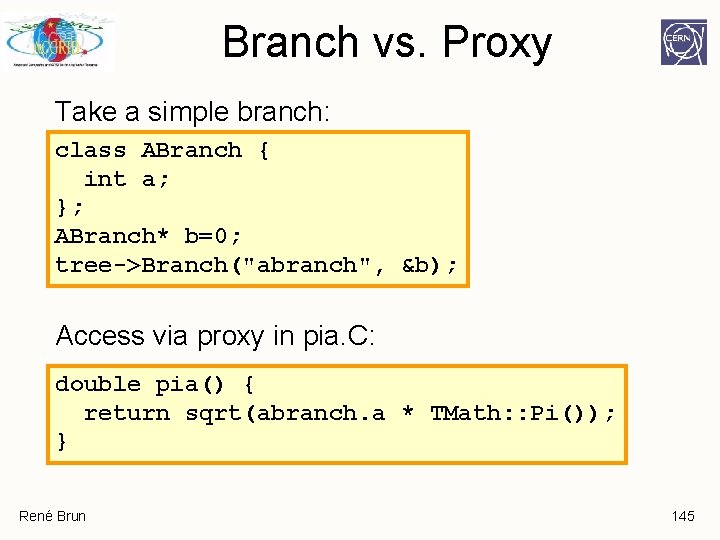
Branch vs. Proxy Take a simple branch: class ABranch { int a; }; ABranch* b=0; tree->Branch("abranch", &b); Access via proxy in pia. C: double pia() { return sqrt(abranch. a * TMath: : Pi()); } René Brun 145
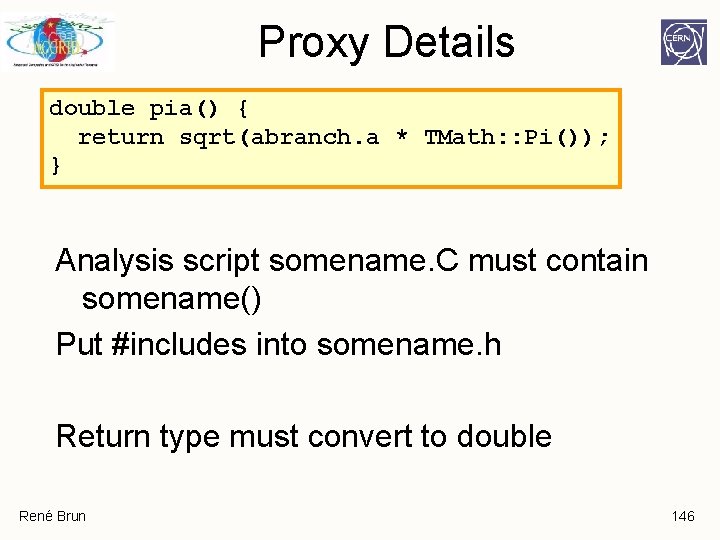
Proxy Details double pia() { return sqrt(abranch. a * TMath: : Pi()); } Analysis script somename. C must contain somename() Put #includes into somename. h Return type must convert to double René Brun 146
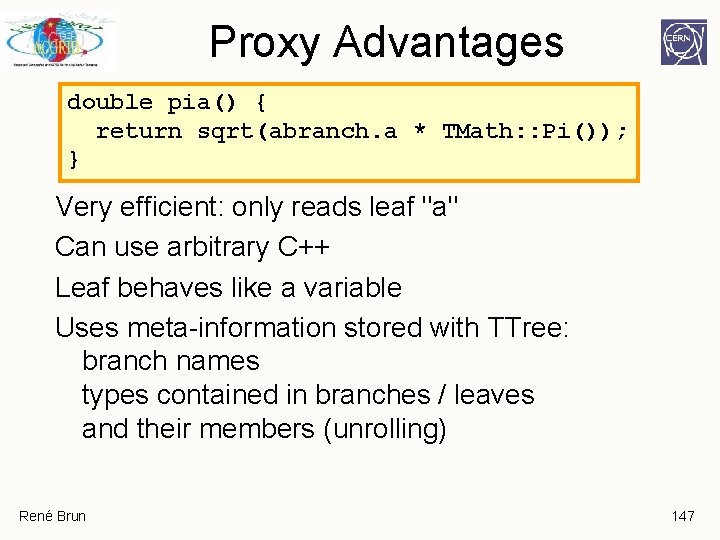
Proxy Advantages double pia() { return sqrt(abranch. a * TMath: : Pi()); } Very efficient: only reads leaf "a" Can use arbitrary C++ Leaf behaves like a variable Uses meta-information stored with TTree: branch names types contained in branches / leaves and their members (unrolling) René Brun 147
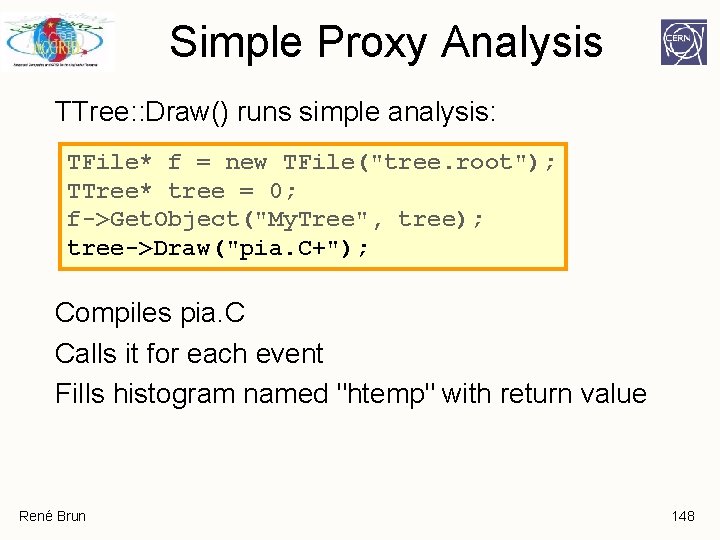
Simple Proxy Analysis TTree: : Draw() runs simple analysis: TFile* f = new TFile("tree. root"); TTree* tree = 0; f->Get. Object("My. Tree", tree); tree->Draw("pia. C+"); Compiles pia. C Calls it for each event Fills histogram named "htemp" with return value René Brun 148
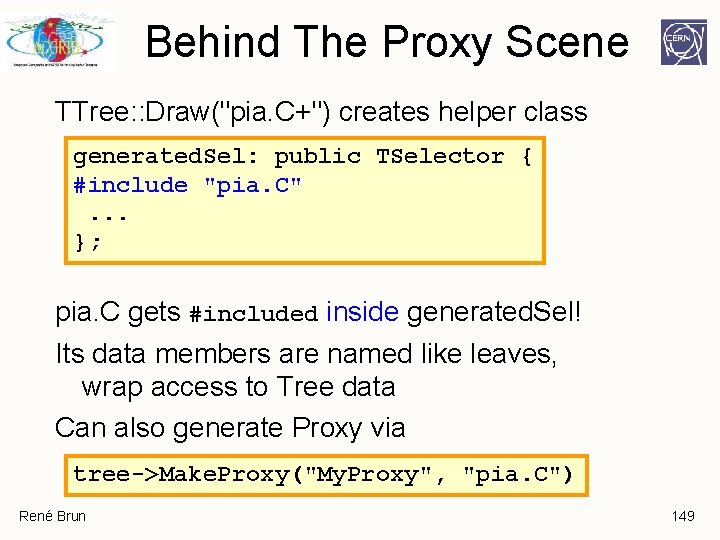
Behind The Proxy Scene TTree: : Draw("pia. C+") creates helper class generated. Sel: public TSelector { #include "pia. C". . . }; pia. C gets #included inside generated. Sel! Its data members are named like leaves, wrap access to Tree data Can also generate Proxy via tree->Make. Proxy("My. Proxy", "pia. C") René Brun 149
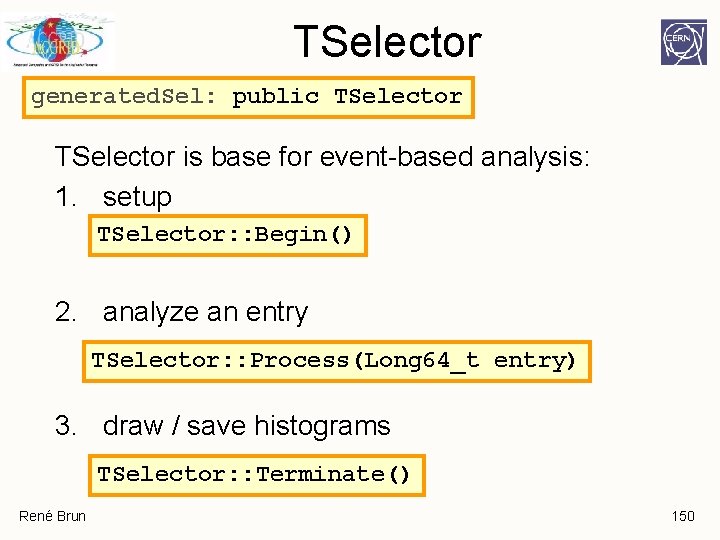
TSelector generated. Sel: public TSelector is base for event-based analysis: 1. setup TSelector: : Begin() 2. analyze an entry TSelector: : Process(Long 64_t entry) 3. draw / save histograms TSelector: : Terminate() René Brun 150
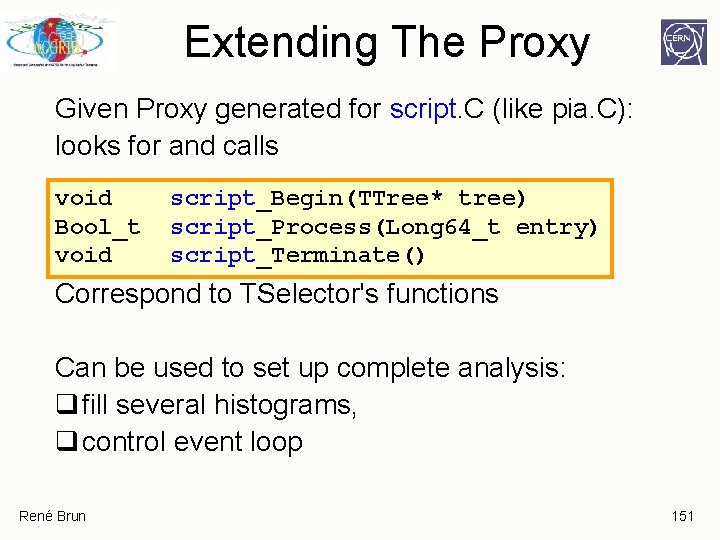
Extending The Proxy Given Proxy generated for script. C (like pia. C): looks for and calls void Bool_t void script_Begin(TTree* tree) script_Process(Long 64_t entry) script_Terminate() Correspond to TSelector's functions Can be used to set up complete analysis: q fill several histograms, q control event loop René Brun 151
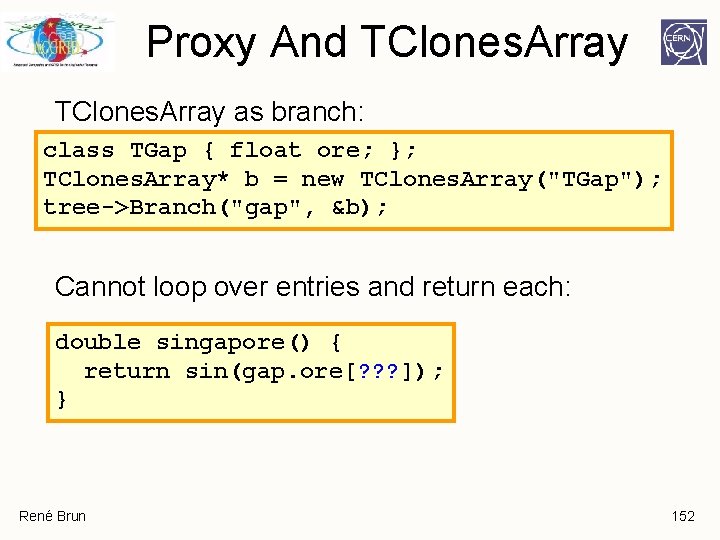
Proxy And TClones. Array as branch: class TGap { float ore; }; TClones. Array* b = new TClones. Array("TGap"); tree->Branch("gap", &b); Cannot loop over entries and return each: double singapore() { return sin(gap. ore[? ? ? ]); } René Brun 152
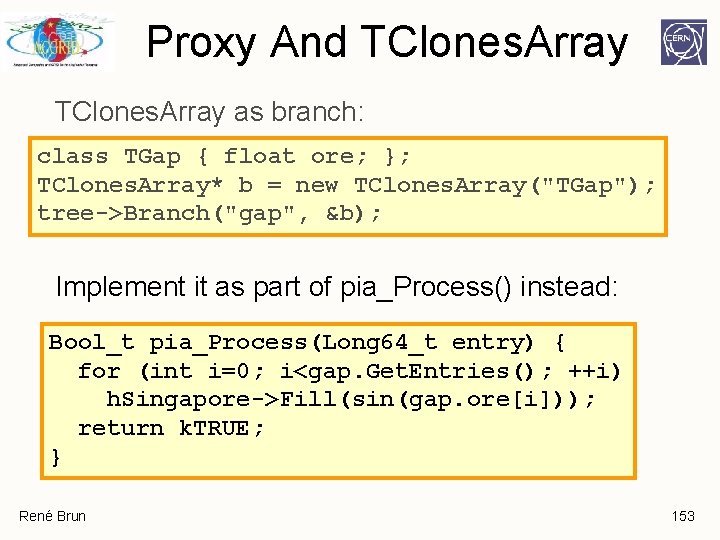
Proxy And TClones. Array as branch: class TGap { float ore; }; TClones. Array* b = new TClones. Array("TGap"); tree->Branch("gap", &b); Implement it as part of pia_Process() instead: Bool_t pia_Process(Long 64_t entry) { for (int i=0; i<gap. Get. Entries(); ++i) h. Singapore->Fill(sin(gap. ore[i])); return k. TRUE; } René Brun 153
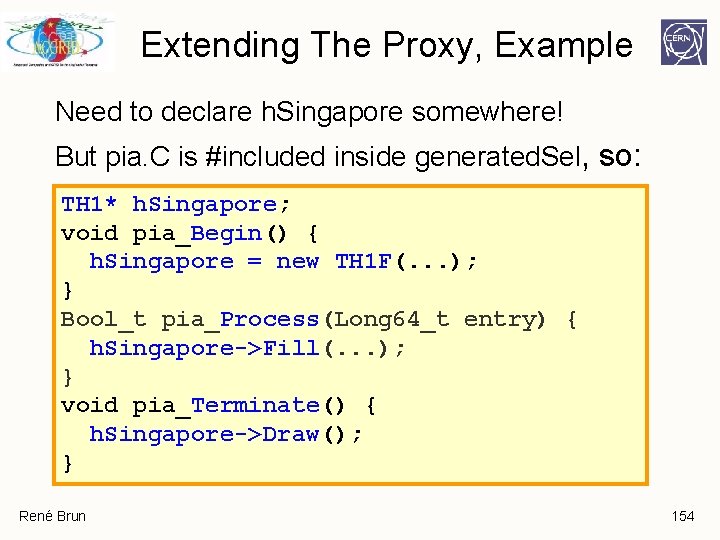
Extending The Proxy, Example Need to declare h. Singapore somewhere! But pia. C is #included inside generated. Sel, so: TH 1* h. Singapore; void pia_Begin() { h. Singapore = new TH 1 F(. . . ); } Bool_t pia_Process(Long 64_t entry) { h. Singapore->Fill(. . . ); } void pia_Terminate() { h. Singapore->Draw(); } René Brun 154
ROOT on the GRID(s) Many ways to use ROOT on a GRID Single laptop Multi-Core desktop Local area cluster Cluster on a GRID center Clusters on GRID(s) René Brun
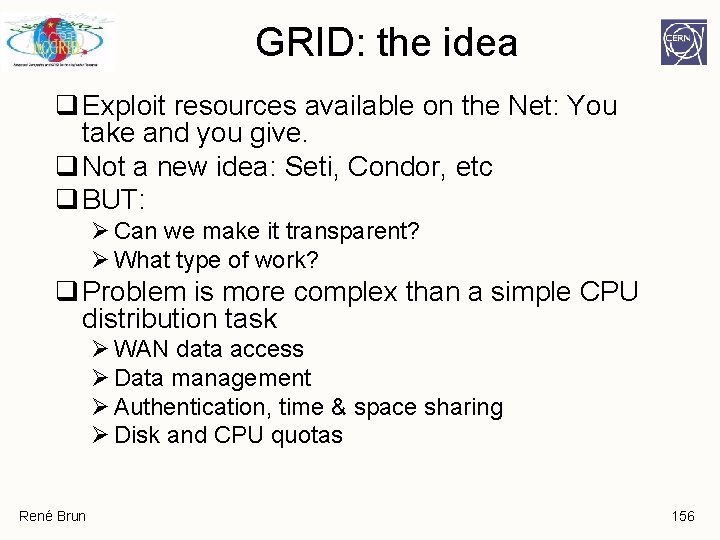
GRID: the idea q Exploit resources available on the Net: You take and you give. q Not a new idea: Seti, Condor, etc q BUT: Ø Can we make it transparent? Ø What type of work? q Problem is more complex than a simple CPU distribution task Ø WAN data access Ø Data management Ø Authentication, time & space sharing Ø Disk and CPU quotas René Brun 156
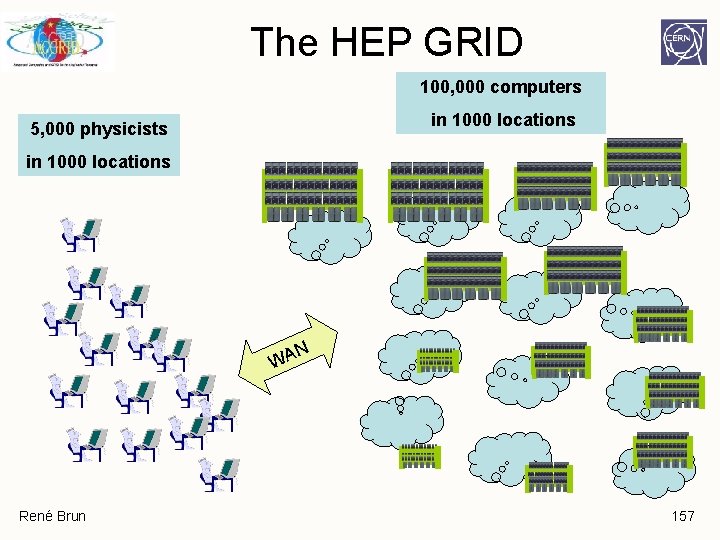
The HEP GRID 100, 000 computers in 1000 locations 5, 000 physicists in 1000 locations N WA René Brun 157
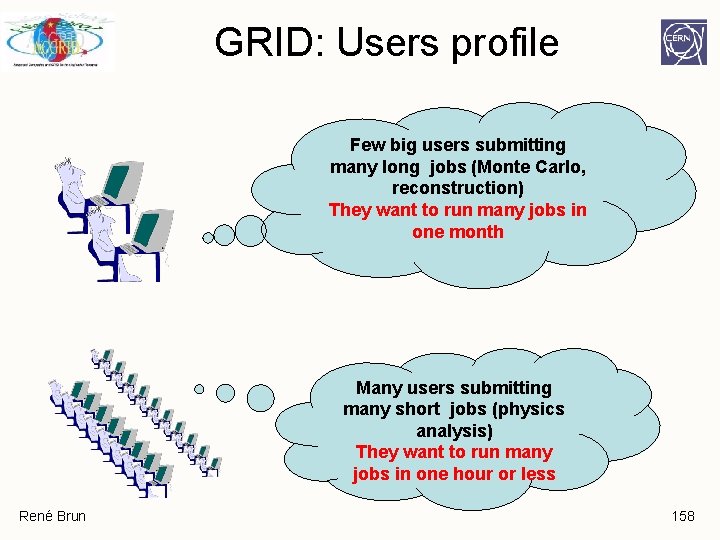
GRID: Users profile Few big users submitting many long jobs (Monte Carlo, reconstruction) They want to run many jobs in one month Many users submitting many short jobs (physics analysis) They want to run many jobs in one hour or less René Brun 158
Big Users q Monte Carlo jobs (one hour one day) Ø Each job generates one file (1 Giga. Byte) q Reconstruction job (10 minutes -> one hour) Ø Input from the MC job or copied from a storage center Ø Output (< input) is staged back to a storage center q Success rate (90%). If the job fails you resubmit it. q For several years, GRID projects focused effort on big users. René Brun 159
Small Users q Scenario 1: submit one batch job to the GRID. It runs somewhere with varying response times. q Scenario 2: Use a splitter to submit many batch jobs to process many data sets (eg CRAB, Ganga, Alien). Output data sets are merged automatically. Success rate < 90%. You see the final results only when the last job has been received and all results merged. q Scenario 3: Use PROOF (automatic splitter and merger). Success rate close to 100%. You can see intermediate feedback objects like histograms. You run from an interactive ROOT session. René Brun 160
Scenario 1 & 2: PROS q. Job level parallelism. Conventional model. Nothing to change in user program. ØInitialisation phase ØLoop on events ØTermination q. Same job can run on laptop or on a GRID job. René Brun 161
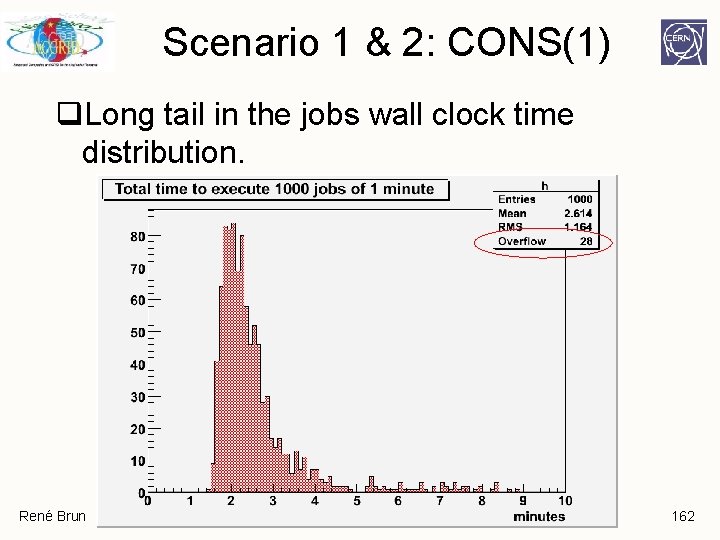
Scenario 1 & 2: CONS(1) q. Long tail in the jobs wall clock time distribution. René Brun 162
Scenario 1 & 2: CONS(2) q. Can only merge output after a timecut. q. More data movement (input & output) q. Cannot have interactive feedback q. Two consecutive queries will produce different results (problem with rare events) q. Will use only one core on a multicore laptop or GRID node. q. Hard to control priorities and quotas. René Brun 163
Scenario 3: PROS q. Predictive response. Event level parallelism. Workers terminate at the same time q. Process moved to data as much as possible, otherwise use network. q. Interactive feedback q. Can view running queries in different ROOT sessions. q. Can take advantage of multicore cpus René Brun 164
Scenario 3: CONS q. Event level parallelism. User code must follow a template: the TSelector API. q. Good for a local area cluster. More difficult to put in place in a GRID collection of local area clusters. q. Interactive schedulers, priority managers must be put in place. q. Debugging a problem slightly more difficult. René Brun 165
GRID & Parallelism: 1 q. The user application splits the problem in N subtasks. Each task is submitted to a GRID node (minimal input, minimal output). q. The GRID task can run synchronously or asynchronously. If the task fails or timeout, it can be resubmitted to another node. q. One of the first and simplest use of the GRID, but not many applications in HEP. René Brun 166
GRID & Parallelism: 2 q The typical case of Monte Carlo or reconstruction in HEP. q It requires massive data transfers between the main computing centers. q This activity has concentrated so far a very large fraction of the GRID projects and budgets. q It has been an essential step to foster coordination between hundreds of sites, improve international network bandwidths and robustness. René Brun 167
GRID & Parallelism: 3 q Distributed data analysis will be a major challenge for the coming experiments. q This is the area with thousands of people running many different styles of queries, most of the time in a chaotic way. q The main challenges: Ø Access to millions of data sets (eg 500 Tera. Bytes) Ø Best match between execution and data location Ø Distributing/compiling/linking users code(a few thousand lines) with experiment large libraries (a few million lines of code). Ø Simplicity of use Ø Real time response Ø Robustness. René Brun 168
GRID & Parallelism: 3 a q. Currently 2 different & competing directions for distributed data analysis. ØBatch solution using the existing GRID infrastructure for Monte Carlo and reconstruction programs. A front-end program partitions the problem to analyze ND data sets on NP processors. ØInteractive solution PROOF. Each query is parallelized with an optimum match of execution and data location. René Brun 169
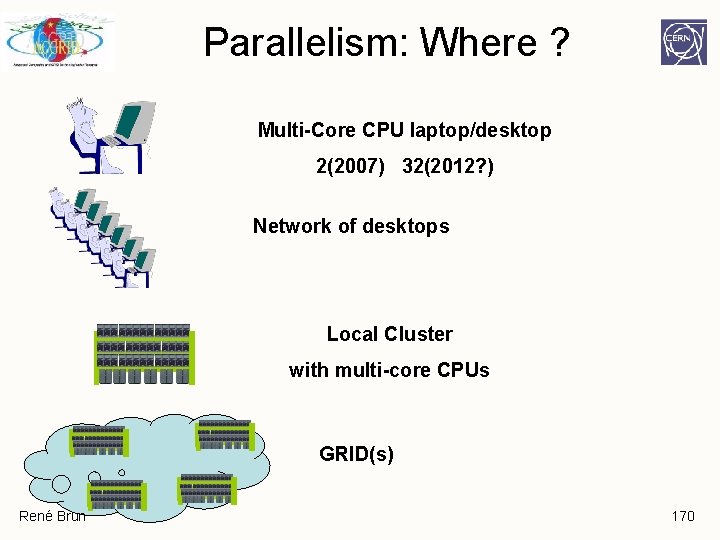
Parallelism: Where ? Multi-Core CPU laptop/desktop 2(2007) 32(2012? ) Network of desktops Local Cluster with multi-core CPUs GRID(s) René Brun 170