
NXCALS Deep Dive 3 Marcin Sobieszek Piotr Sowinski
NXCALS Deep Dive 3 Marcin Sobieszek Piotr Sowinski Nikolay Tsvetkov Jakub Wozniak Wiktor Jurasz Kristina Satara
Agenda • • Git + Gitlab + code reviews Gradle for building Java, Javascript & Python Ansible for deployment Jenkins Pipelines for CI/CD orchestration Openstack for environments Big Picture of NXCALS Software Engineering Process Monitoring using: – – – Monit Prometheus Alertmanager Grafana Elasticsearch (from IT) Grok for browsing logs 10/24/2020 CERN - BE/CO 2
Git + Gitlab = Code Reviews 10/24/2020 CERN - BE/CO 3
Gitlab • Moved to gitlab. cern. ch since beginning 2017 – Very happy with the service (security, browser, overall experience) – Merge request helps with code reviews at all stages of the feature development – Very good tool to discuss code changes – Integrates very well with Intelli. J Idea IDE • Locally we use git-flow (to standardize process) – develop / master branches – release-x, feature-x, hotfix-x 10/24/2020 CERN - BE/CO 4
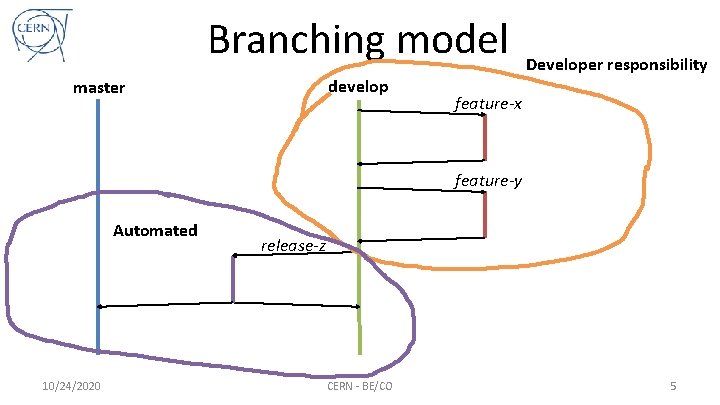
Branching model develop master Developer responsibility feature-x feature-y Automated 10/24/2020 release-z CERN - BE/CO 5
Gitlab demo 10/24/2020 CERN - BE/CO 6
Gradle 10/24/2020 CERN - BE/CO 7
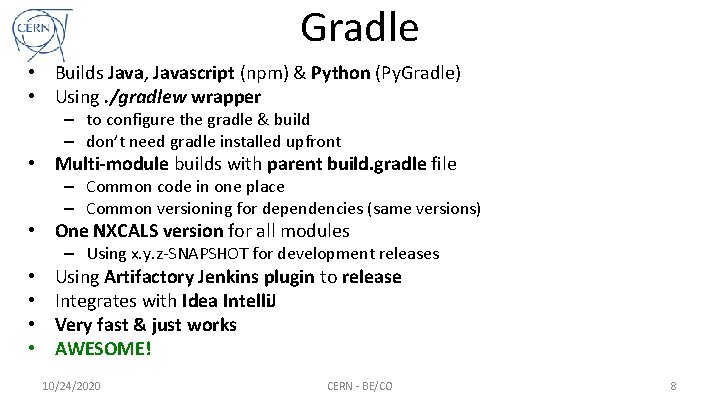
Gradle • Builds Java, Javascript (npm) & Python (Py. Gradle) • Using. /gradlew wrapper – to configure the gradle & build – don’t need gradle installed upfront • Multi-module builds with parent build. gradle file – Common code in one place – Common versioning for dependencies (same versions) • One NXCALS version for all modules – Using x. y. z-SNAPSHOT for development releases • • Using Artifactory Jenkins plugin to release Integrates with Idea Intelli. J Very fast & just works AWESOME! 10/24/2020 CERN - BE/CO 8
Gradle Demo 10/24/2020 CERN - BE/CO 9
Ansible 10/24/2020 CERN - BE/CO 10
Configuration & Deployment? • Where to put environment specific configuration files? • How to package the software? – Configuration together with artefacts, startup scripts, monitoring scripts, hadoop env jars, etc in one jar or zip file? • Well, NO…, you most likely should not! • NXCALS modules are environment agnostic – Easy to port to other environments, not CO specific – First prerequisite to open-source your projects 10/24/2020 CERN - BE/CO 11
Ansible • Ansible is a radically simple IT automation engine that automates cloud provisioning, configuration management, application deployment, intra-service orchestration, and many other IT needs. Ok, but what it really is? • Well, it’s a yaml script that describes a sequence of tasks executed on multiple hosts (i. e in parallel) • Some Ansible definitons: – – • • Inventory – a set of hosts on which the tasks are executed Task – a particular action on the host ( like shell : unzip my. Soft. zip ) Variable – a variable ; ) - we keep environment specific settings as variables Role – like a procedure, set of tasks Ansible-vault – a way to store passwords securely encoded (DB, kerberos, etc) NXCALS deployment – executes 1174 tasks in 25 minutes 10/24/2020 CERN - BE/CO 12
Ansible Demo 10/24/2020 CERN - BE/CO 13
Jenkins 10/24/2020 CERN - BE/CO 14
Jenkins • A tool to automate software builds (like Bamboo) • Many plugins, very easy to set-up, support for git, gradle, etc. • Jenkins Pipeline DSL language (or just Groovy) – very flexible to build what you really want – you want CI/CD (Continuous Integration & Delivery)! • Artifactory Plugin + gradle to build & push/promote artifacts to Artifactory • How we use it? – CALS builds, rolling updates – NXCALS – full automation of builds & deployments 10/24/2020 CERN - BE/CO 15
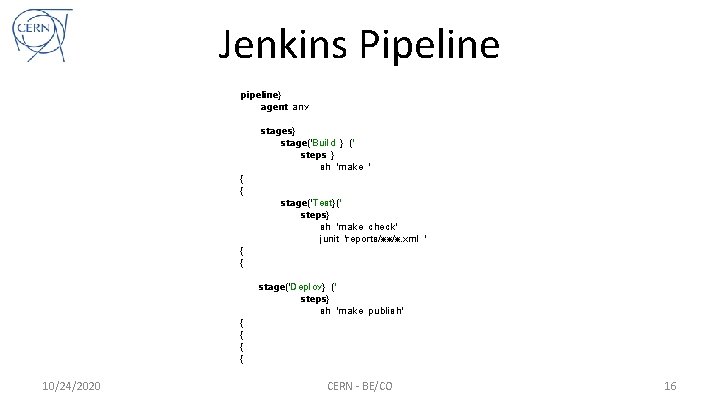
Jenkins Pipeline pipeline} agent any { { { { 10/24/2020 stages} stage('Build } (' steps } sh 'make ' stage('Test}(' steps} sh 'make check' junit 'reports/**/*. xml ' stage('Deploy} (' steps} sh 'make publish' CERN - BE/CO 16
Jenkins Demo 10/24/2020 CERN - BE/CO 17
Openstack 10/24/2020 CERN - BE/CO 18
Hardware. Missing. Exception • NXCALS development requires multiple environments for dev, test, staging, production, etc • Openstack to the rescue! – Virtual machines available in the cloud – Create/destroy/start/stop on demand with different images • NXCALS has 28 dedicated machines • Each developer can have up to 5 for local dev. – You can have it too, just subscribe to e-group! • Very easy to ask for CPU/RAM resources from IT for your project 10/24/2020 CERN - BE/CO 19
Openstack Demo 10/24/2020 CERN - BE/CO 20
Big Picture The Process 10/24/2020 CERN - BE/CO 21
Software Engineering Process • Drive developer’s focus towards development! – Branch features from develop, code, test, code, repeat… – Merge features to develop branch after code review (and you can enforce that, we don’t) • Jenkins+Gradle+Ansible will do the rest… – But how exactly? 10/24/2020 CERN - BE/CO 22
CI/CD Pipeline Developer’s Part • Let’s develop some cool feature! • Code & test locally in IDE • Build & deploy to your dev Openstack environment –. /ansible-local-install. sh • Check alarms in Prometheus / Alertmanager – Check your e-mails, go to Prometheus web page or… –. /check-alerts. sh • Check Grafana or ELK, run integration test, etc. • Ok, works fine! Go via a merge request code review! • Finished – merge code to develop (you are done!) 10/24/2020 CERN - BE/CO 23
CI/CD Pipeline Automation 1 • Jenkins TEST plan picks it up and follows steps: – – – – Checks out Git repo (uses develop branch) Builds the entire system Runs it via quality gates (like tests, coverage, etc) Puts the artifacts in ds-development-local repo (Artifactory plugin) Deploys to TEST Openstack environment using Ansible Does that continuously for every commit to warn early about failures This does not get released, just produces SNAPSHOTs 10/24/2020 CERN - BE/CO 24
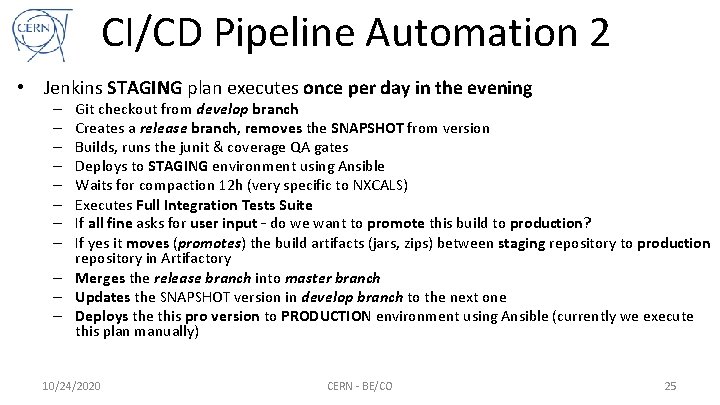
CI/CD Pipeline Automation 2 • Jenkins STAGING plan executes once per day in the evening Git checkout from develop branch Creates a release branch, removes the SNAPSHOT from version Builds, runs the junit & coverage QA gates Deploys to STAGING environment using Ansible Waits for compaction 12 h (very specific to NXCALS) Executes Full Integration Tests Suite If all fine asks for user input – do we want to promote this build to production? If yes it moves (promotes) the build artifacts (jars, zips) between staging repository to production repository in Artifactory – Merges the release branch into master branch – Updates the SNAPSHOT version in develop branch to the next one – Deploys the this pro version to PRODUCTION environment using Ansible (currently we execute this plan manually) – – – – 10/24/2020 CERN - BE/CO 25
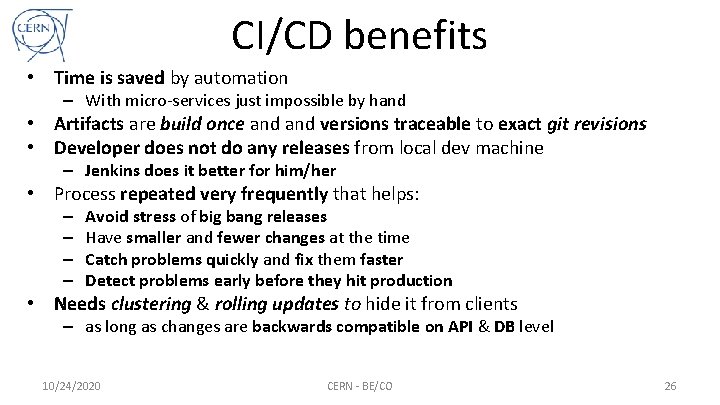
CI/CD benefits • Time is saved by automation – With micro-services just impossible by hand • Artifacts are build once and versions traceable to exact git revisions • Developer does not do any releases from local dev machine – Jenkins does it better for him/her • Process repeated very frequently that helps: – – Avoid stress of big bang releases Have smaller and fewer changes at the time Catch problems quickly and fix them faster Detect problems early before they hit production • Needs clustering & rolling updates to hide it from clients – as long as changes are backwards compatible on API & DB level 10/24/2020 CERN - BE/CO 26
Monitoring 10/24/2020 CERN - BE/CO 27
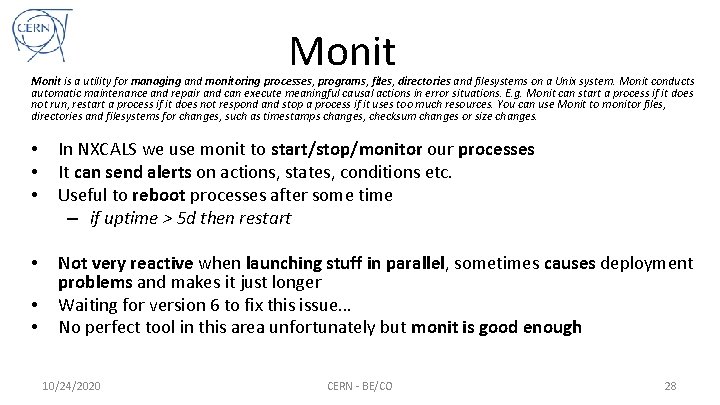
Monit is a utility for managing and monitoring processes, programs, files, directories and filesystems on a Unix system. Monit conducts automatic maintenance and repair and can execute meaningful causal actions in error situations. E. g. Monit can start a process if it does not run, restart a process if it does not respond and stop a process if it uses too much resources. You can use Monit to monitor files, directories and filesystems for changes, such as timestamps changes, checksum changes or size changes. • • • In NXCALS we use monit to start/stop/monitor our processes It can send alerts on actions, states, conditions etc. Useful to reboot processes after some time – if uptime > 5 d then restart • Not very reactive when launching stuff in parallel, sometimes causes deployment problems and makes it just longer Waiting for version 6 to fix this issue… No perfect tool in this area unfortunately but monit is good enough • • 10/24/2020 CERN - BE/CO 28
Prometheus • • • Ingests ALL the metrics by PULLing the targets via web end point Non-intrusive with provided java JMX exporter Metrics in easy, text format Metrics have dimensions (“labels”) Rule engine with many useful functions – rate( total_rec_count { process=“ds-lhc” } [1 s] ) – Derived metrics easily defined • Alert engine based on signals -> Alertmanager • Simple, easy to use yet extremely powerful! • Well, just AWESOME! 10/24/2020 CERN - BE/CO 29
Alertmanager • Receives alerts from Prometheus (or other source) • Processes them by: – Grouping by configurable types – Deduplication – Throttling (avoid spamming) – Sending to predefined “sinks” (email, sms, etc) • Simple yet powerful again 10/24/2020 CERN - BE/CO 30
Grafana • Dashboard visualization application • Gets data from: – Prometheus – Elastic. Search • • Very easy to define new dashboards NXCALS generates dashboards using Ansible Indispensable in problems tracking / debugging AWESOME! (again…) 10/24/2020 CERN - BE/CO 31
Elastic. Search from IT • NXCALS 14 micro-services x 6 machines x 4 envs – Difficult if you need to search for logs every time! • ELK to the rescue - we have our own instance in IT • Sending all the logs there using filebeats • Very handy tool that avoids logging into different machines over and over again… - just again saves time! • Browsing the logs from Grafana • IT ELK is not super stable unfortunately (but improving) 10/24/2020 CERN - BE/CO 32
Grok • Problem: count ERRORs or expose fields from logs (as Prometheus metrics) • Solution: Grok – publicly available ones can trace only one file at the time – unfortunately had to write our own using Apache Tailer • A little process that greps the log files and searches for patterns • Exposes them via JMX • Than it is easy with JMX Prometheus exporter 10/24/2020 CERN - BE/CO 33
Monitoring Demo 10/24/2020 CERN - BE/CO 34
Thanks for your attention! Any questions? 10/24/2020 CERN - BE/CO 35
- Slides: 35