Deploying Device User Interfaces Prasun Dewan Department of
- Slides: 185
Deploying Device User Interfaces Prasun Dewan Department of Computer Science University of North Carolina dewan@unc. edu 1
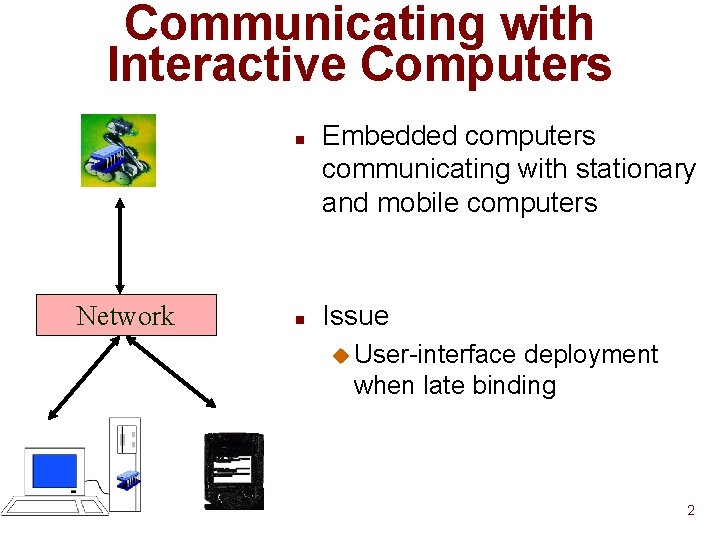
Communicating with Interactive Computers n Network n Embedded computers communicating with stationary and mobile computers Issue u User-interface deployment when late binding 2
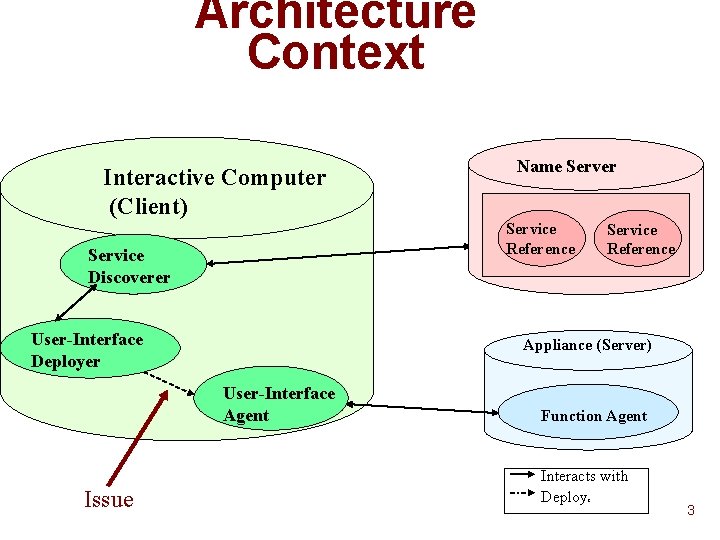
Architecture Context Interactive Computer (Client) Service Reference Service Discoverer User-Interface Deployer Service Reference Appliance (Server) User-Interface Agent Issue Name Server Function Agent Interacts with Deploy s 3
Deploying Remote User Interfaces n Run preloaded client user-interface program xmh u netscape u n n Because of late binding, client UI program may not exist Implies dynamic userinterface deployment 4
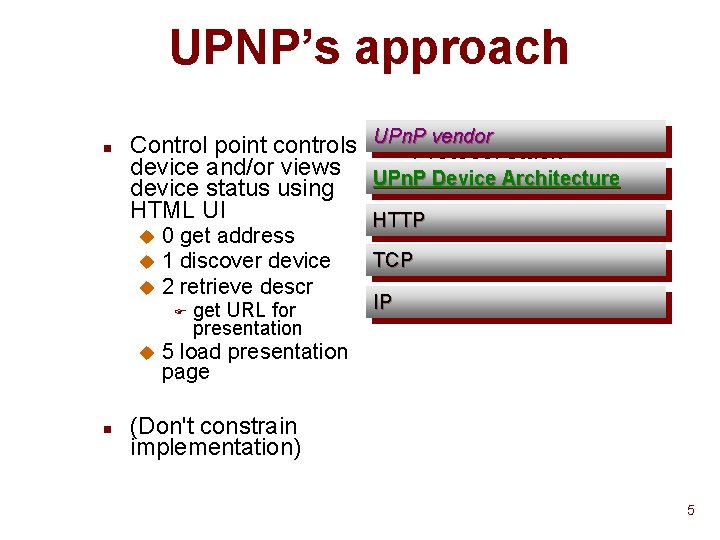
UPNP’s approach n vendor Control point controls UPn. P n Protocol stack device and/or views UPn. P Device Architecture device status using HTML UI HTTP u u u 0 get address 1 discover device 2 retrieve descr F u n get URL for presentation TCP IP 5 load presentation page (Don't constrain implementation) 5
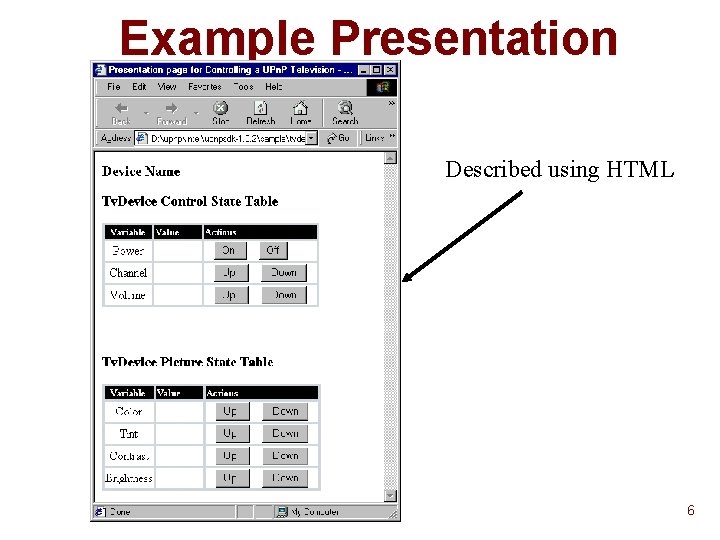
Example Presentation Described using HTML 6
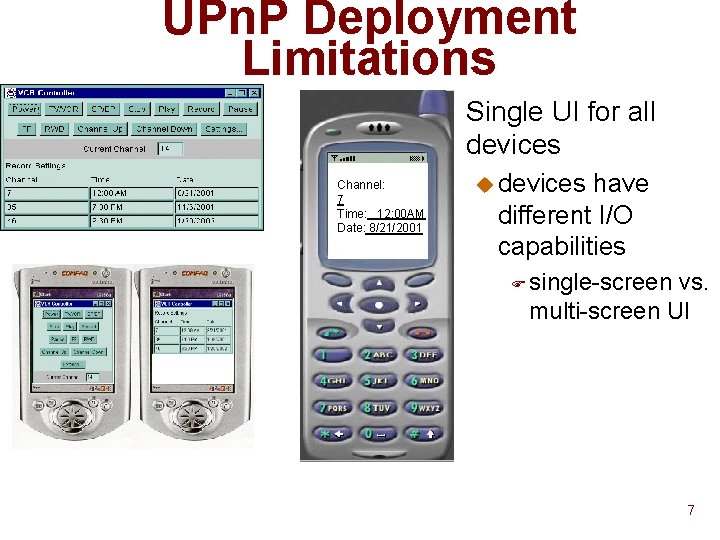
UPn. P Deployment Limitations n Channel: 7 Time: 12: 00 AM Date: 8/21/2001 Single UI for all devices u devices have different I/O capabilities F single-screen vs. multi-screen UI 7
UPn. P Deployment Limitations n HTML inappropriate for small devices u May not run efficiently u Designed for laptops and desktops 8
WAP (Wireless Application Protocol) Approach n Special language for wireless handsets u n WML Two user-interfaces per appliance In HTML and WML u Clients probably use same URL for both u WAP gateways (proxies) choose (and store? ) the WML UI u n Web browsers for different devices interpret WML differently u late binding of UI 9
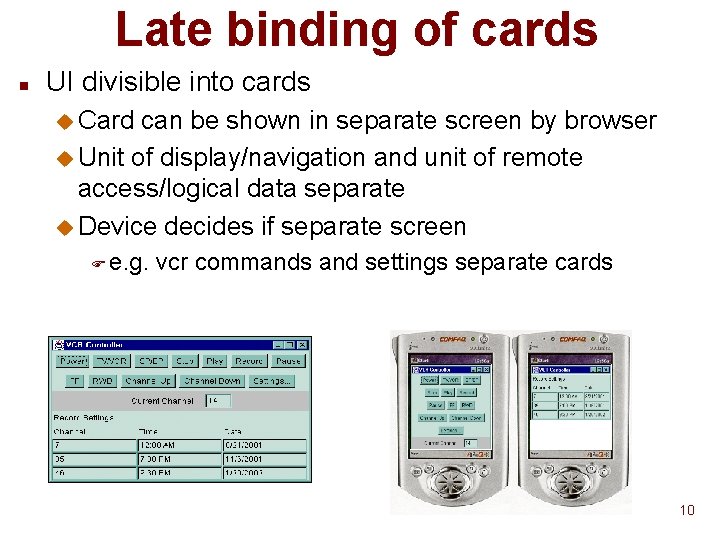
Late binding of cards n UI divisible into cards u Card can be shown in separate screen by browser u Unit of display/navigation and unit of remote access/logical data separate u Device decides if separate screen F e. g. vcr commands and settings separate cards 10
Late binding of widgets n Device-specific widgets u Web page can contain “do items” for invoking navigation commands u List of widget types listed with do item F soft key - key outside view port F system menu outside browser view port F inline • vendor-specific type – e. g. Swing Panel vs. AWT Panel u Browser chooses first supported widget type u If empty list, supports device-specific default type 11
Late binding of labels n Dynamic truncation of widget labels u Web page author can indicate minimum length u Device decides how truncated F partial character clipping F whole character clipping F while word clipping 12
Lightweight WML n WML subset of full HTML u for running on lightweight devices u not clear what criteria used for removing features 13
WML Widget Selection Limitations n Widget type selection based on availability and order of alternatives F “best UI” may depend on device or user • voice for cell phone, buttons for laptops 14
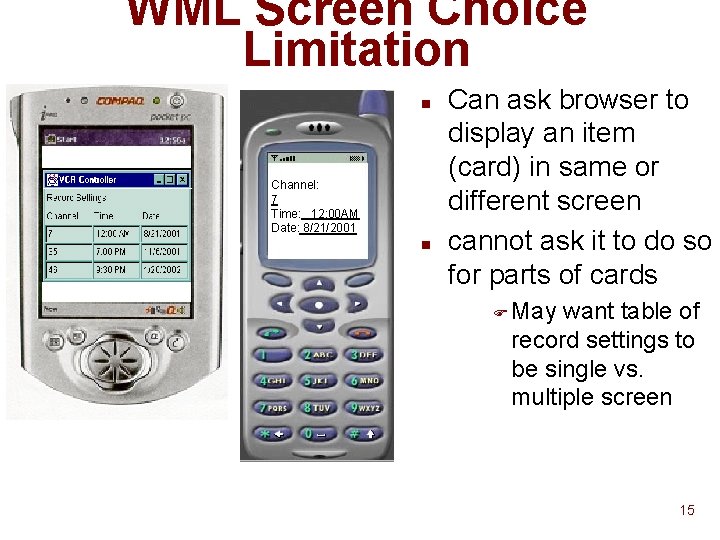
WML Screen Choice Limitation n Channel: 7 Time: 12: 00 AM Date: 8/21/2001 n Can ask browser to display an item (card) in same or different screen cannot ask it to do so for parts of cards F May want table of record settings to be single vs. multiple screen 15
WML UI Specification Limitation n Two UI kinds targeted u Laptop/handheld u cell phones u May need multiple UIs for multiple classes 16
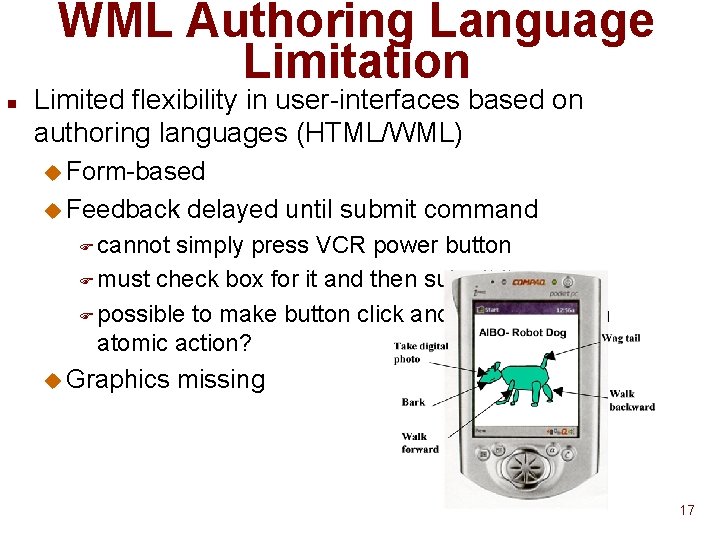
WML Authoring Language Limitation n Limited flexibility in user-interfaces based on authoring languages (HTML/WML) u Form-based u Feedback delayed until submit command F cannot simply press VCR power button F must check box for it and then submit it F possible to make button click and submission an atomic action? u Graphics missing 17
Jini Service. UI Approach n n n Limited flexibility in user-interfaces based on authoring languages (HTML/WML) Two UI agents per service Widget type selection based on availability and order of alternatives n Allow UI agent to be arbitrary code u n In context of web browser, arbitrary applet Allow multiple UI agents per service u UI agent selection? F User gives URL? • User must search u n UI agent selection based on its properties u n UI discovery a la service discovery Device, name, class, function (Admin, normal), screen size, … Instead of UI agent a factory for it discovered u Factory initializes UI agent 18
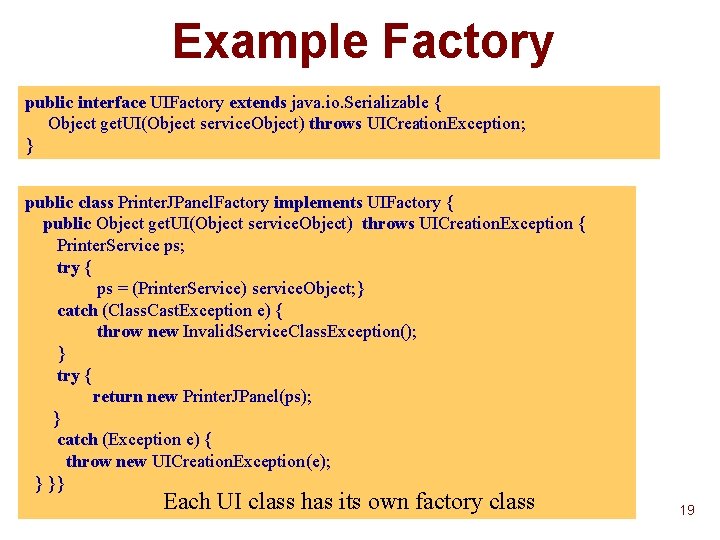
Example Factory public interface UIFactory extends java. io. Serializable { Object get. UI(Object service. Object) throws UICreation. Exception; } public class Printer. JPanel. Factory implements UIFactory { public Object get. UI(Object service. Object) throws UICreation. Exception { Printer. Service ps; try { ps = (Printer. Service) service. Object; } catch (Class. Cast. Exception e) { throw new Invalid. Service. Class. Exception(); } try { return new Printer. JPanel(ps); } catch (Exception e) { throw new UICreation. Exception(e); } }} Each UI class has its own factory class 19
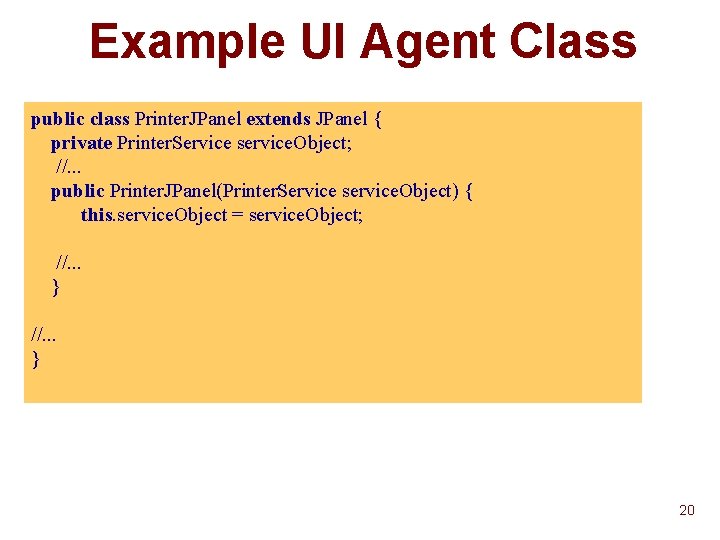
Example UI Agent Class public class Printer. JPanel extends JPanel { private Printer. Service service. Object; //. . . public Printer. JPanel(Printer. Service service. Object) { this. service. Object = service. Object; //. . . } 20
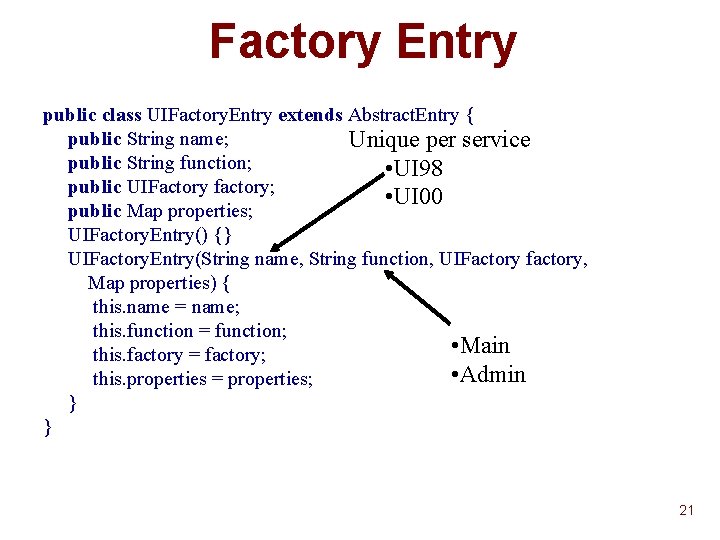
Factory Entry public class UIFactory. Entry extends Abstract. Entry { public String name; Unique per service public String function; • UI 98 public UIFactory factory; • UI 00 public Map properties; UIFactory. Entry() {} UIFactory. Entry(String name, String function, UIFactory factory, Map properties) { this. name = name; this. function = function; • Main this. factory = factory; • Admin this. properties = properties; } } 21
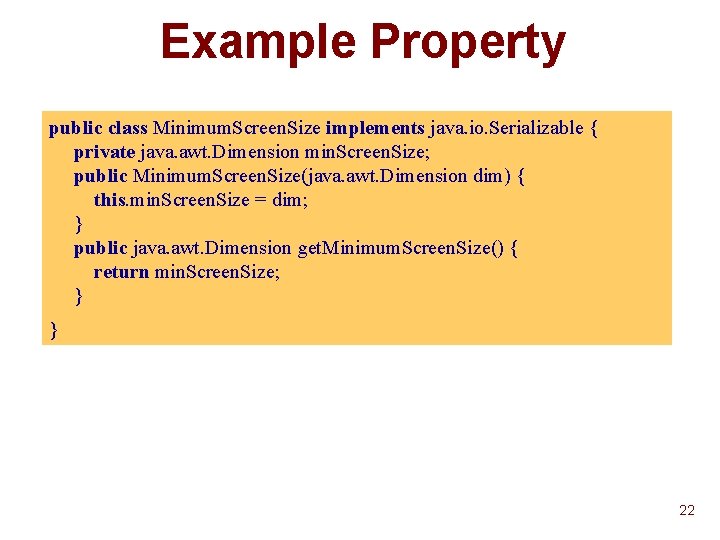
Example Property public class Minimum. Screen. Size implements java. io. Serializable { private java. awt. Dimension min. Screen. Size; public Minimum. Screen. Size(java. awt. Dimension dim) { this. min. Screen. Size = dim; } public java. awt. Dimension get. Minimum. Screen. Size() { return min. Screen. Size; } } 22
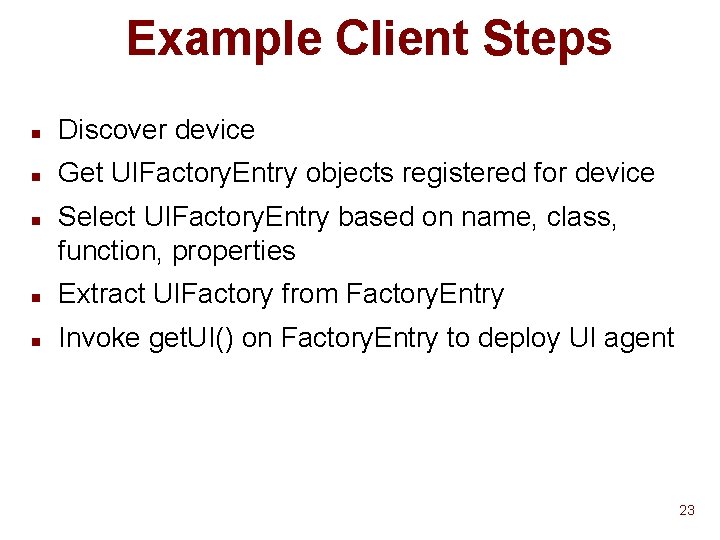
Example Client Steps n Discover device n Get UIFactory. Entry objects registered for device n Select UIFactory. Entry based on name, class, function, properties n Extract UIFactory from Factory. Entry n Invoke get. UI() on Factory. Entry to deploy UI agent 23
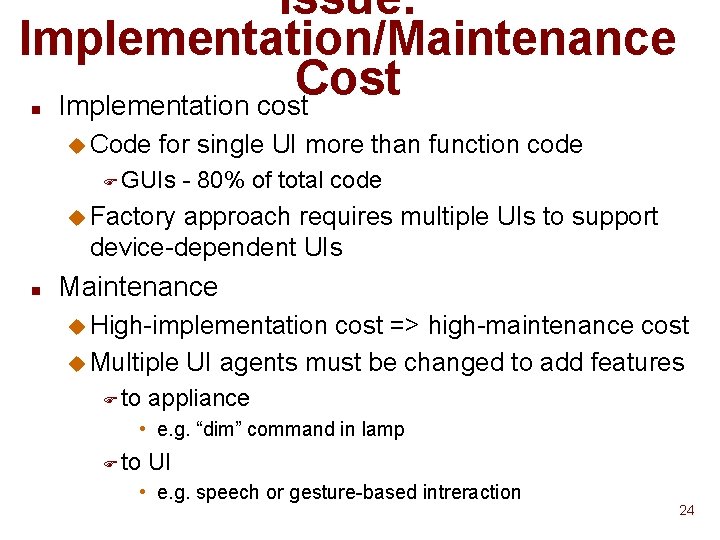
Issue: Implementation/Maintenance Cost Implementation cost n u Code for single UI more than function code F GUIs - 80% of total code u Factory approach requires multiple UIs to support device-dependent UIs n Maintenance u High-implementation cost => high-maintenance cost u Multiple UI agents must be changed to add features F to appliance • e. g. “dim” command in lamp F to UI • e. g. speech or gesture-based intreraction 24
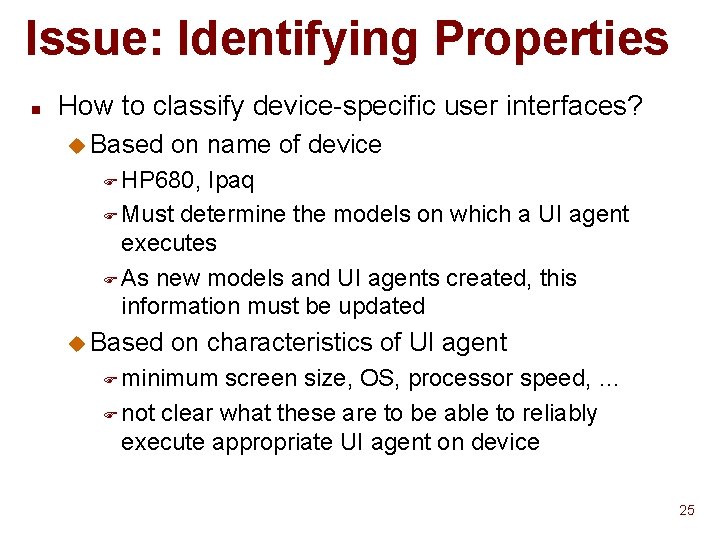
Issue: Identifying Properties n How to classify device-specific user interfaces? u Based on name of device F HP 680, Ipaq F Must determine the models on which a UI agent executes F As new models and UI agents created, this information must be updated u Based on characteristics of UI agent F minimum screen size, OS, processor speed, … F not clear what these are to be able to reliably execute appropriate UI agent on device 25
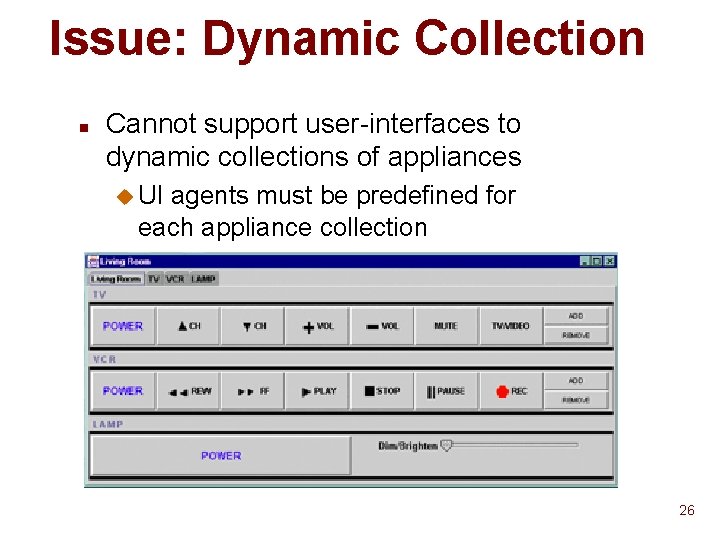
Issue: Dynamic Collection n Cannot support user-interfaces to dynamic collections of appliances u UI agents must be predefined for each appliance collection 26
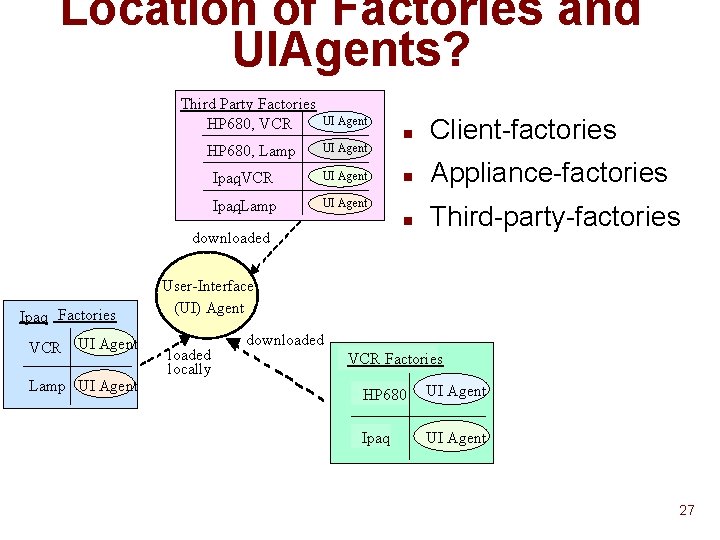
Location of Factories and UIAgents? Third Party Factories HP 680, VCR UI Agent HP 680, Lamp UI Agent Ipaq , VCR UI Agent Ipaq , Lamp UI Agent n Client-factories n Appliance-factories n Third-party-factories downloaded Ipaq Factories VCR UI Agent Lamp UI Agent User-Interface (UI) Agent loaded locally downloaded VCR Factories HP 680 UI Agent Ipaq UI Agent 27
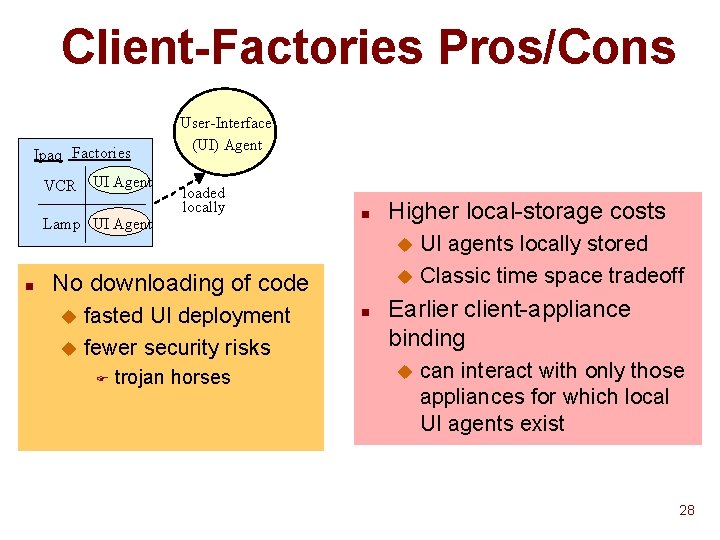
Client-Factories Pros/Cons Ipaq Factories VCR UI Agent Lamp UI Agent User-Interface (UI) Agent loaded locally n Higher local-storage costs UI agents locally stored u Classic time space tradeoff u n No downloading of code fasted UI deployment u fewer security risks u F trojan horses n Earlier client-appliance binding u can interact with only those appliances for which local UI agents exist 28
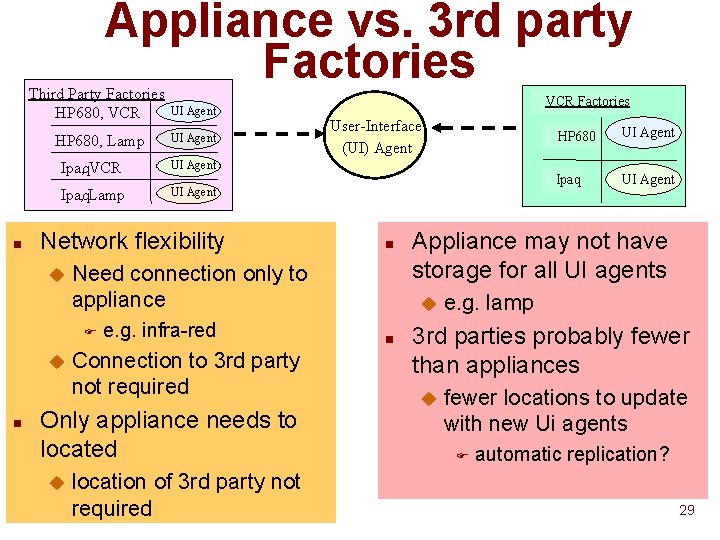
Appliance vs. 3 rd party Factories n Third Party Factories HP 680, VCR UI Agent HP 680, Lamp UI Agent Ipaq , VCR UI Agent Ipaq , Lamp UI Agent Network flexibility u n e. g. infra-red Connection to 3 rd party not required Only appliance needs to located u User-Interface (UI) Agent n Need connection only to appliance F u VCR Factories location of 3 rd party not required UI Agent Ipaq UI Agent Appliance may not have storage for all UI agents u n HP 680 e. g. lamp 3 rd parties probably fewer than appliances u fewer locations to update with new Ui agents F automatic replication? 29
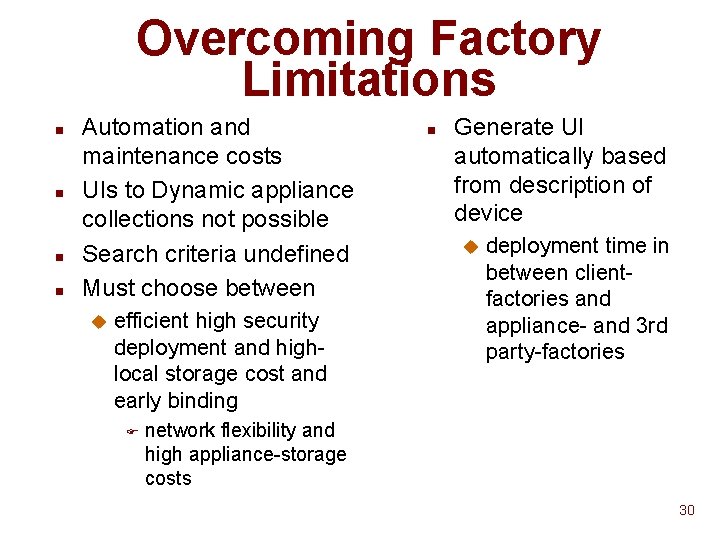
Overcoming Factory Limitations n n Automation and maintenance costs UIs to Dynamic appliance collections not possible Search criteria undefined Must choose between u efficient high security deployment and highlocal storage cost and early binding F n Generate UI automatically based from description of device u deployment time in between clientfactories and appliance- and 3 rd party-factories network flexibility and high appliance-storage costs 30
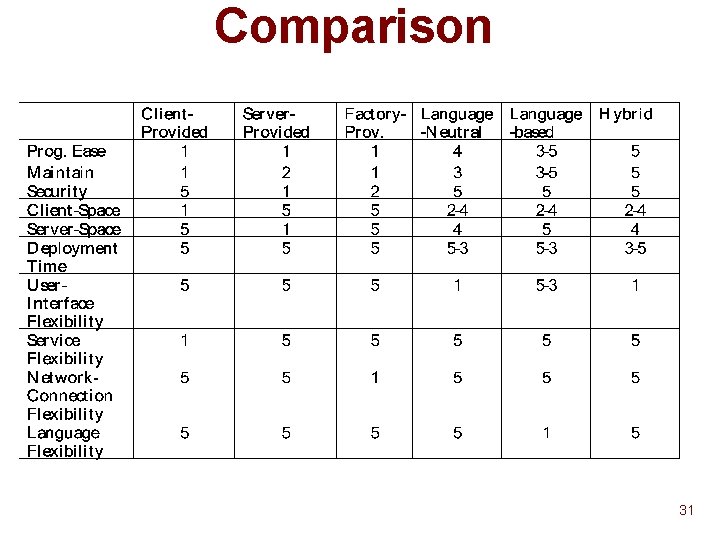
Comparison 31
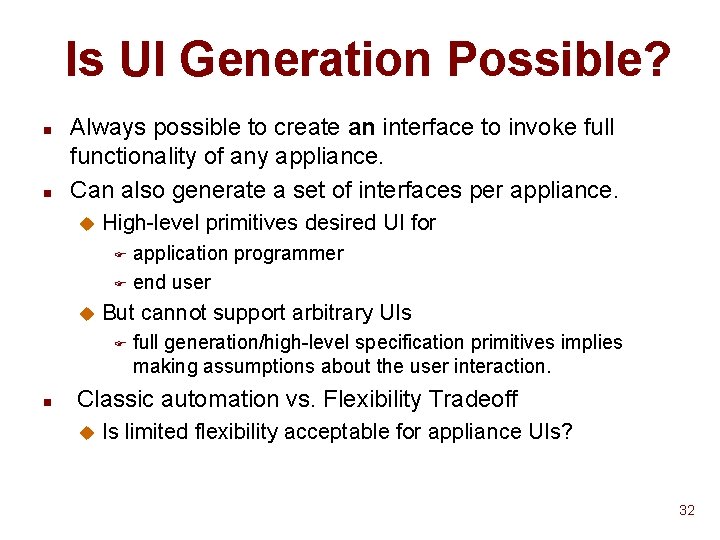
Is UI Generation Possible? n n Always possible to create an interface to invoke full functionality of any appliance. Can also generate a set of interfaces per appliance. u High-level primitives desired UI for application programmer F end user F u But cannot support arbitrary UIs F n full generation/high-level specification primitives implies making assumptions about the user interaction. Classic automation vs. Flexibility Tradeoff u Is limited flexibility acceptable for appliance UIs? 32
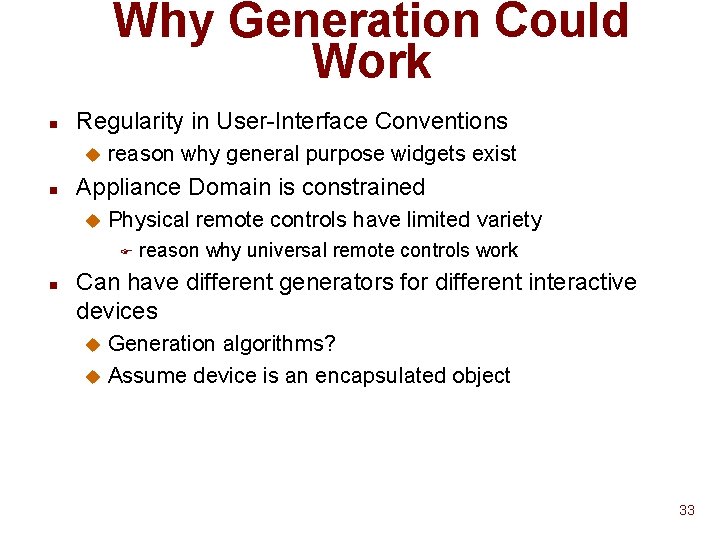
Why Generation Could Work n Regularity in User-Interface Conventions u n reason why general purpose widgets exist Appliance Domain is constrained u Physical remote controls have limited variety F n reason why universal remote controls work Can have different generators for different interactive devices Generation algorithms? u Assume device is an encapsulated object u 33
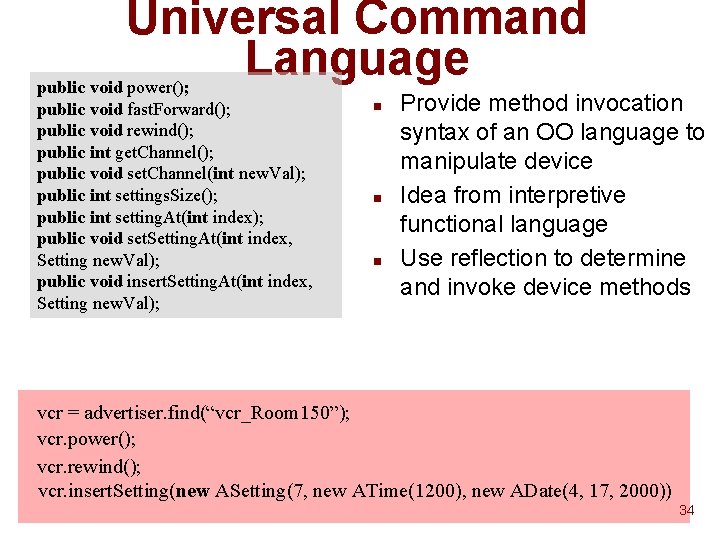
Universal Command Language public void power(); public void fast. Forward(); public void rewind(); public int get. Channel(); public void set. Channel(int new. Val); public int settings. Size(); public int setting. At(int index); public void set. Setting. At(int index, Setting new. Val); public void insert. Setting. At(int index, Setting new. Val); n n n Provide method invocation syntax of an OO language to manipulate device Idea from interpretive functional language Use reflection to determine and invoke device methods vcr = advertiser. find(“vcr_Room 150”); vcr. power(); vcr. rewind(); vcr. insert. Setting(new ASetting(7, new ATime(1200), new ADate(4, 17, 2000)) 34
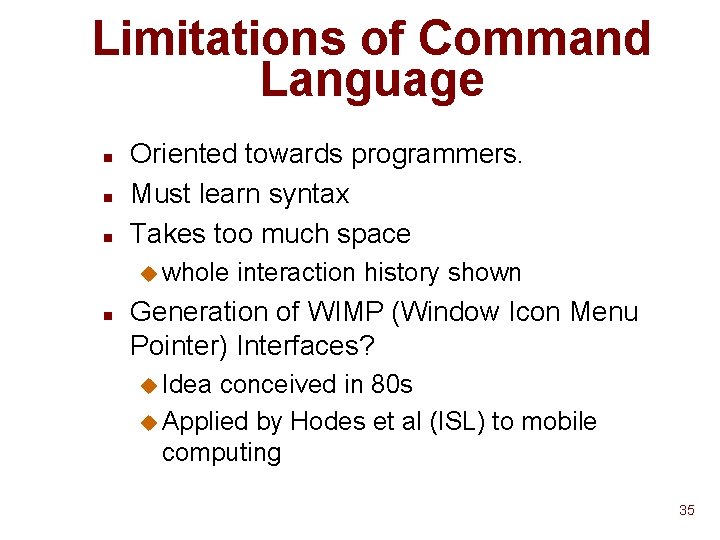
Limitations of Command Language n n n Oriented towards programmers. Must learn syntax Takes too much space u whole n interaction history shown Generation of WIMP (Window Icon Menu Pointer) Interfaces? u Idea conceived in 80 s u Applied by Hodes et al (ISL) to mobile computing 35
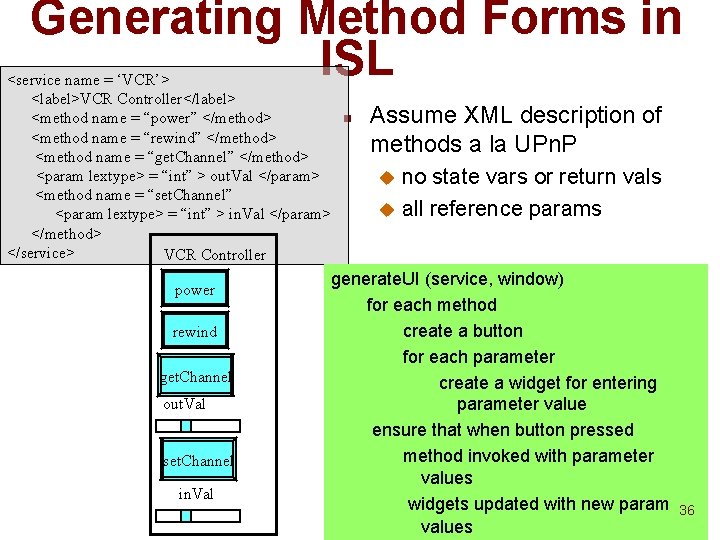
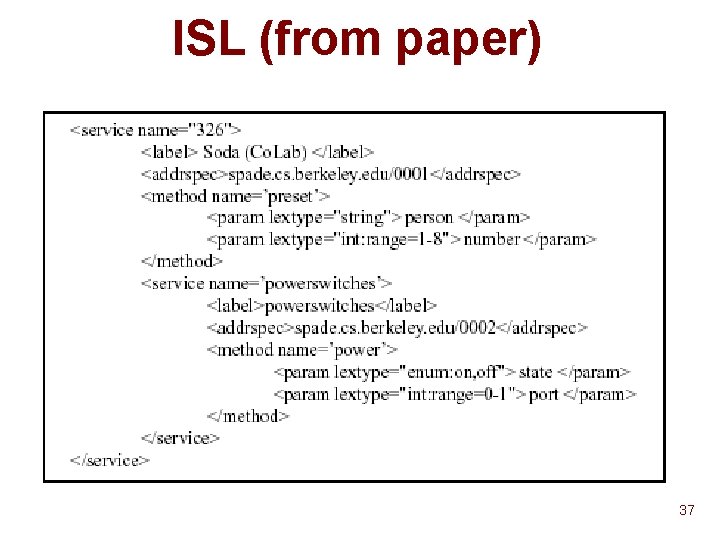
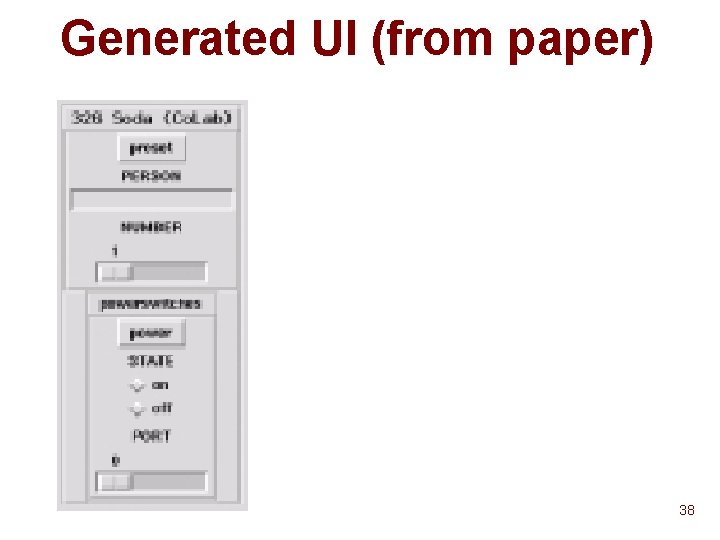
Generating Method Forms in ISL <service name = ‘VCR’> <label>VCR Controller</label> <method name = “power” </method> <method name = “rewind” </method> <method name = “get. Channel” </method> <param lextype> = “int” > out. Val </param> <method name = “set. Channel” <param lextype> = “int” > in. Val </param> </method> </service> VCR Controller power rewind get. Channel out. Val set. Channel in. Val n Assume XML description of methods a la UPn. P no state vars or return vals u all reference params u generate. UI (service, window) for each method create a button for each parameter create a widget for entering parameter value ensure that when button pressed method invoked with parameter values widgets updated with new param values 36
ISL (from paper) 37
Generated UI (from paper) 38
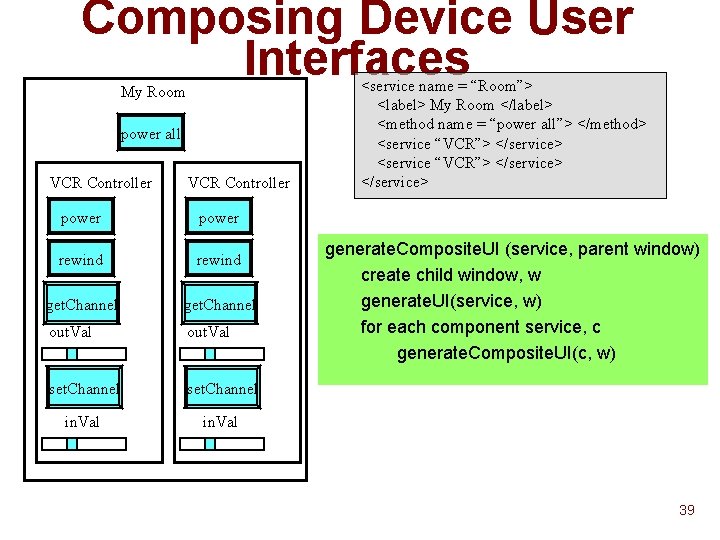
Composing Device User Interfaces My Room power all VCR Controller power rewind get. Channel out. Val set. Channel in. Val <service name = “Room”> <label> My Room </label> <method name = “power all”> </method> <service “VCR”> </service> generate. Composite. UI (service, parent window) create child window, w generate. UI(service, w) for each component service, c generate. Composite. UI(c, w) 39
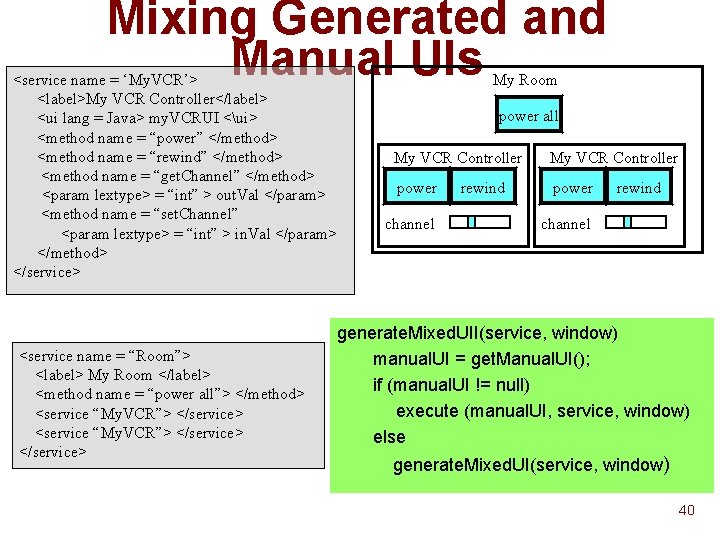
Mixing Generated and Manual UIs <service name = ‘My. VCR’> <label>My VCR Controller</label> <ui lang = Java> my. VCRUI <ui> <method name = “power” </method> <method name = “rewind” </method> <method name = “get. Channel” </method> <param lextype> = “int” > out. Val </param> <method name = “set. Channel” <param lextype> = “int” > in. Val </param> </method> </service> <service name = “Room”> <label> My Room </label> <method name = “power all”> </method> <service “My. VCR”> </service> My Room power all My VCR Controller power channel rewind channel generate. Mixed. UII(service, window) manual. UI = get. Manual. UI(); if (manual. UI != null) execute (manual. UI, service, window) else generate. Mixed. UI(service, window) 40
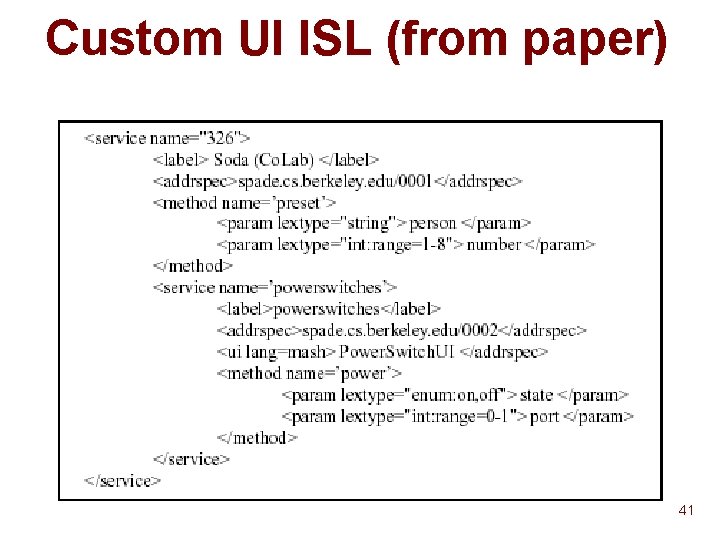
Custom UI ISL (from paper) 41
Custom UI (from paper) 42
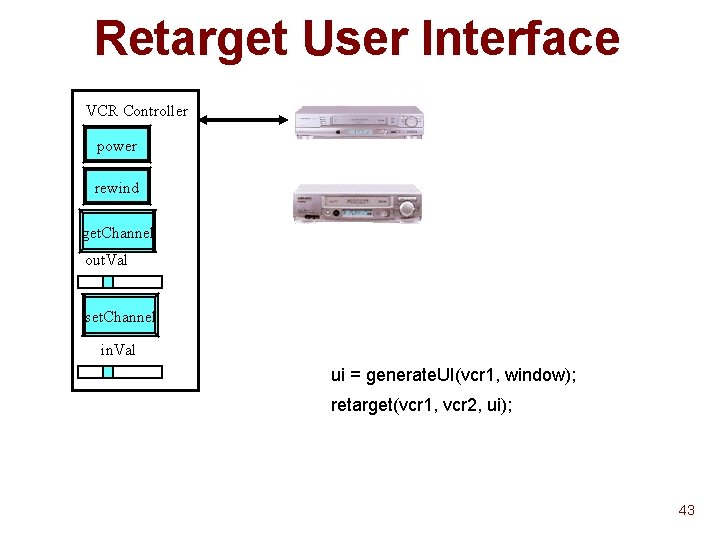
Retarget User Interface VCR Controller power rewind get. Channel out. Val set. Channel in. Val ui = generate. UI(vcr 1, window); retarget(vcr 1, vcr 2, ui); 43
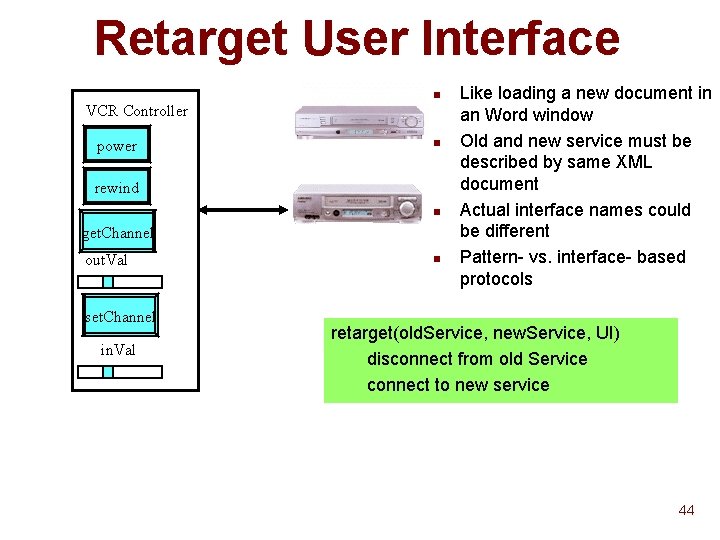
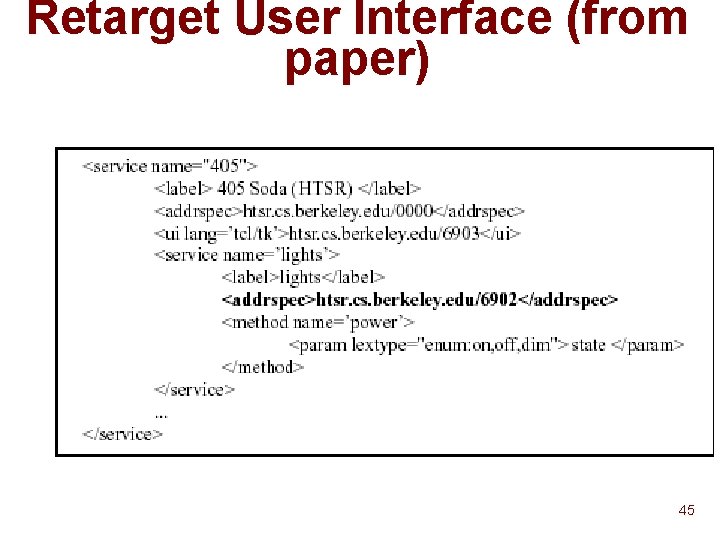
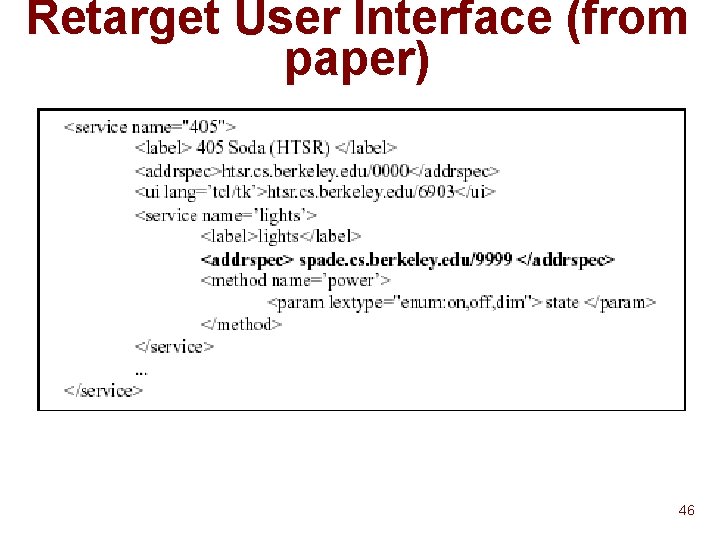
Retarget User Interface n VCR Controller power n rewind n get. Channel out. Val set. Channel in. Val n Like loading a new document in an Word window Old and new service must be described by same XML document Actual interface names could be different Pattern- vs. interface- based protocols retarget(old. Service, new. Service, UI) disconnect from old Service connect to new service 44
Retarget User Interface (from paper) 45
Retarget User Interface (from paper) 46
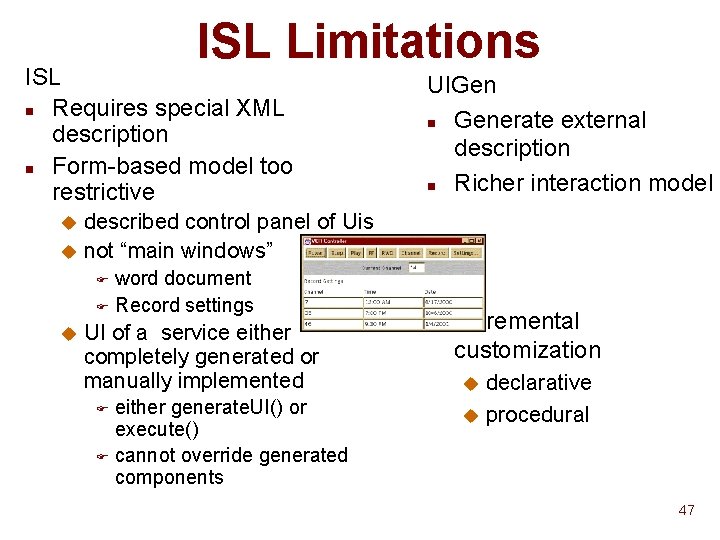
ISL Limitations ISL n Requires special XML description n Form-based model too restrictive UIGen n Generate external description n Richer interaction model described control panel of Uis u not “main windows” u word document F Record settings F u UI of a service either completely generated or manually implemented either generate. UI() or execute() F cannot override generated components F n Incremental customization declarative u procedural u 47
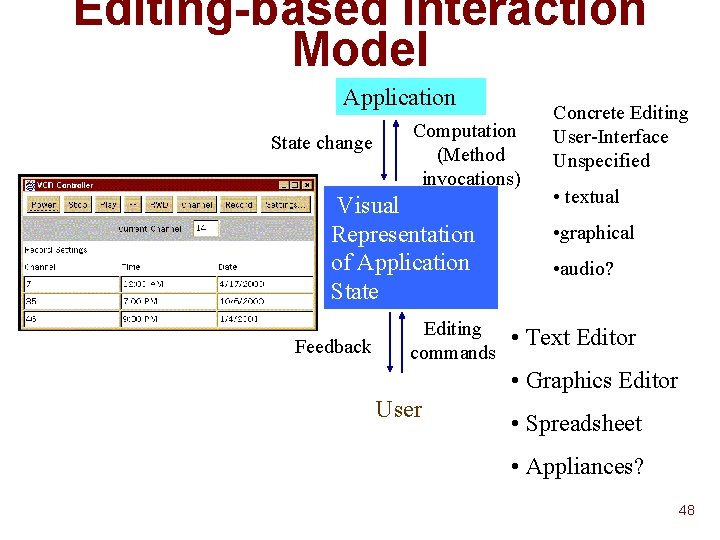
Editing-based Interaction Model Application State change Computation (Method invocations) Visual Representation of Application State Feedback Editing commands Concrete Editing User-Interface Unspecified • textual • graphical • audio? • Text Editor • Graphics Editor User • Spreadsheet • Appliances? 48
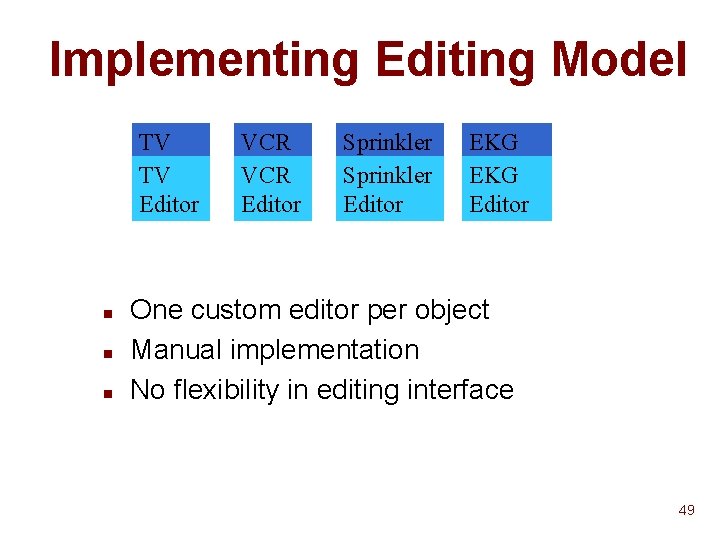
Implementing Editing Model TV TV Editor n n n VCR Editor Sprinkler Editor EKG Editor One custom editor per object Manual implementation No flexibility in editing interface 49
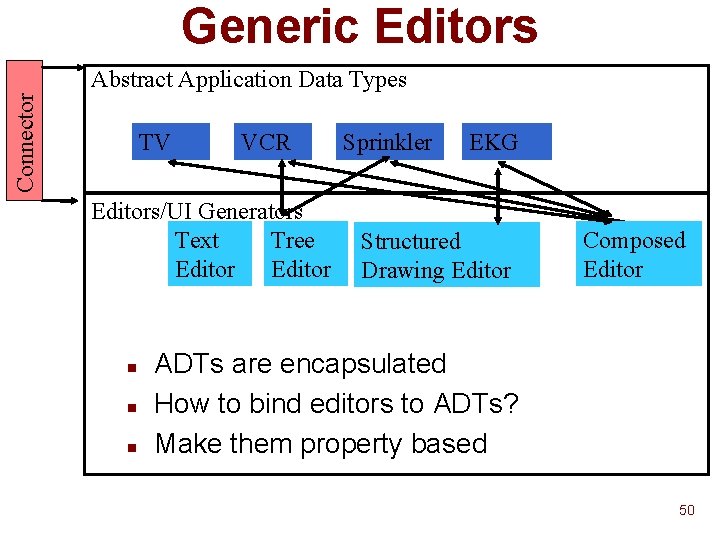
Generic Editors Connector Abstract Application Data Types TV VCR Editors/UI Generators Text Tree Editor n n n Sprinkler EKG Structured Drawing Editor Composed Editor ADTs are encapsulated How to bind editors to ADTs? Make them property based 50
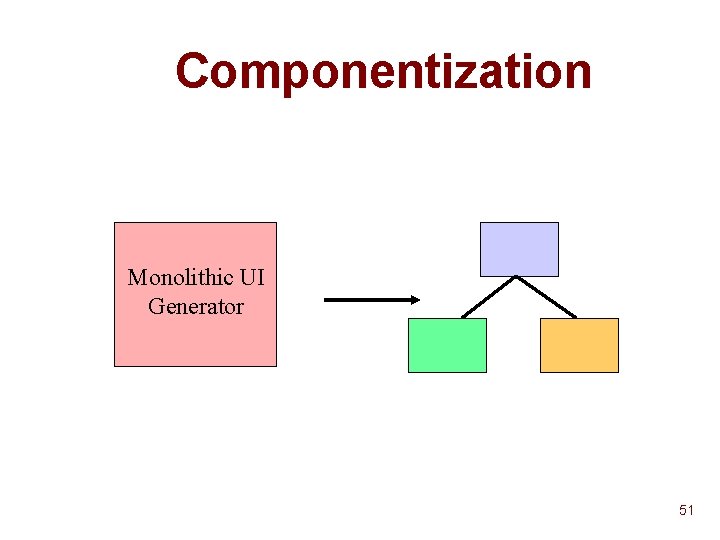
Componentization Monolithic UI Generator 51
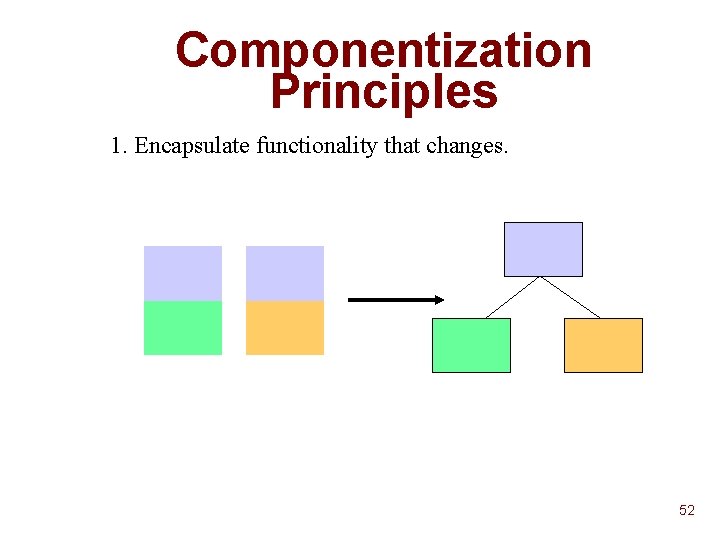
Componentization Principles 1. Encapsulate functionality that changes. 52
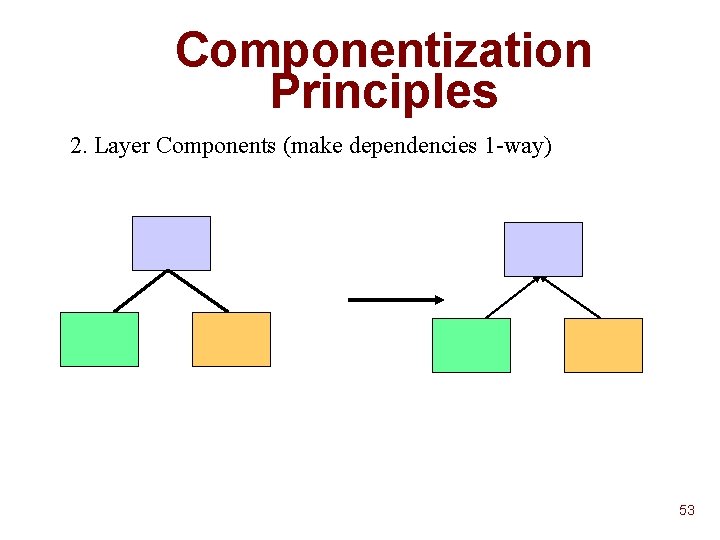
Componentization Principles 2. Layer Components (make dependencies 1 -way) 53
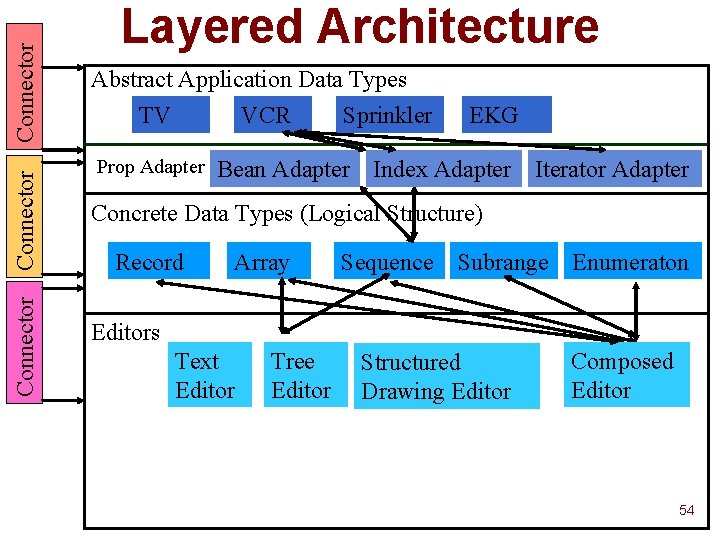
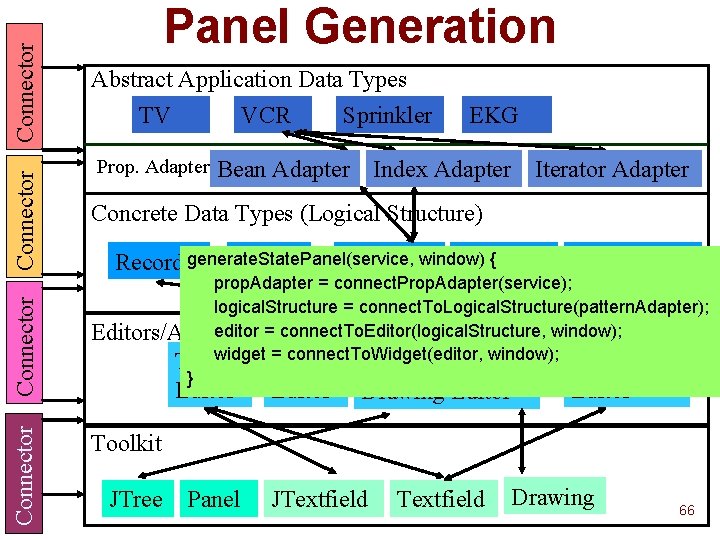
Connector Layered Architecture Abstract Application Data Types TV VCR Sprinkler Prop Adapter EKG Bean Adapter Index Adapter Iterator Adapter Concrete Data Types (Logical Structure) Record Array Sequence Subrange Enumeraton Editors Text Editor Tree Editor Structured Drawing Editor Composed Editor 54
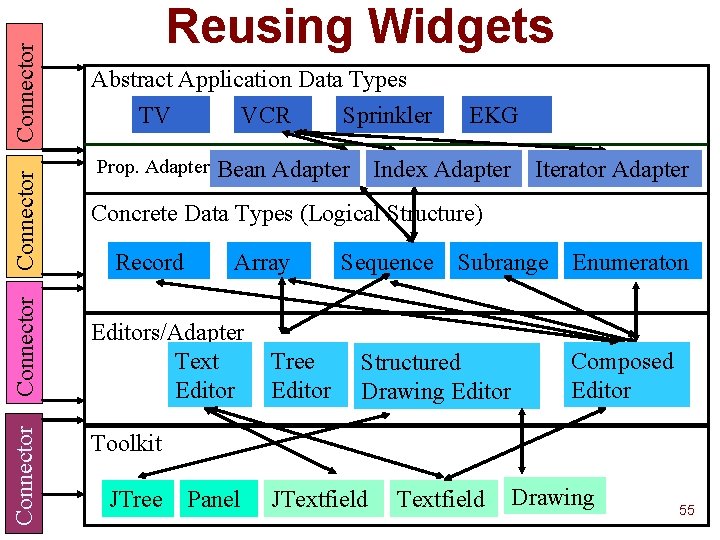
Connector Reusing Widgets Abstract Application Data Types TV VCR Sprinkler Prop. Adapter EKG Bean Adapter Index Adapter Iterator Adapter Concrete Data Types (Logical Structure) Record Array Editors/Adapter Text Editor Tree Editor Sequence Subrange Enumeraton Structured Drawing Editor Composed Editor Toolkit JTree Panel JTextfield Drawing 55
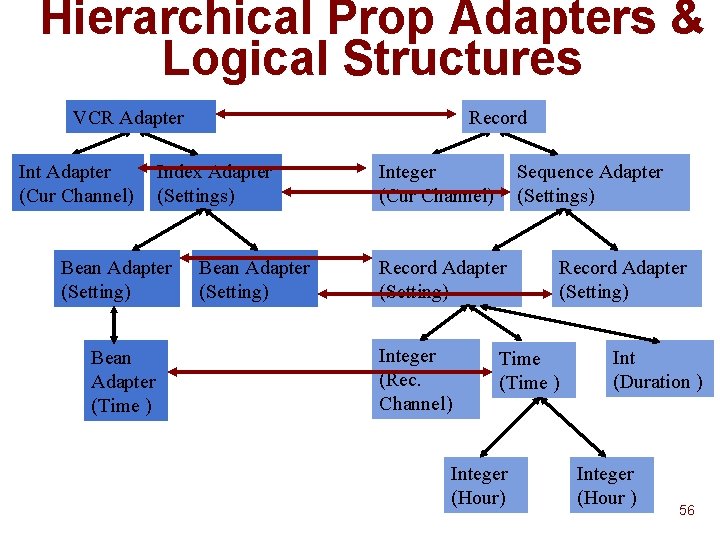
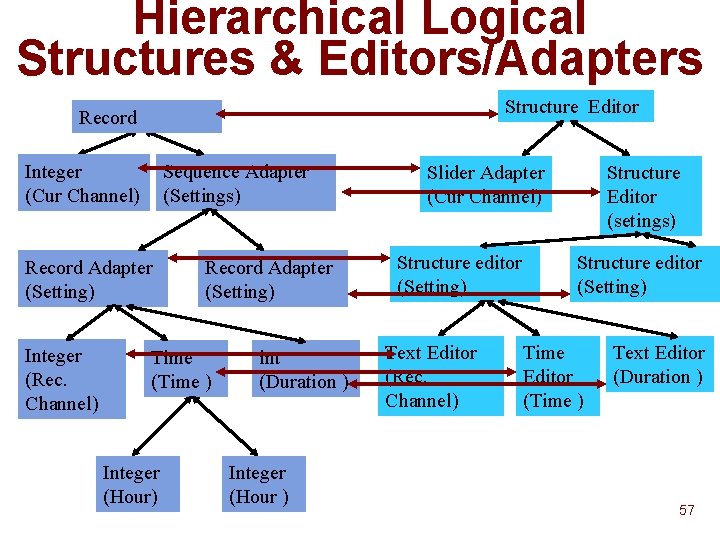
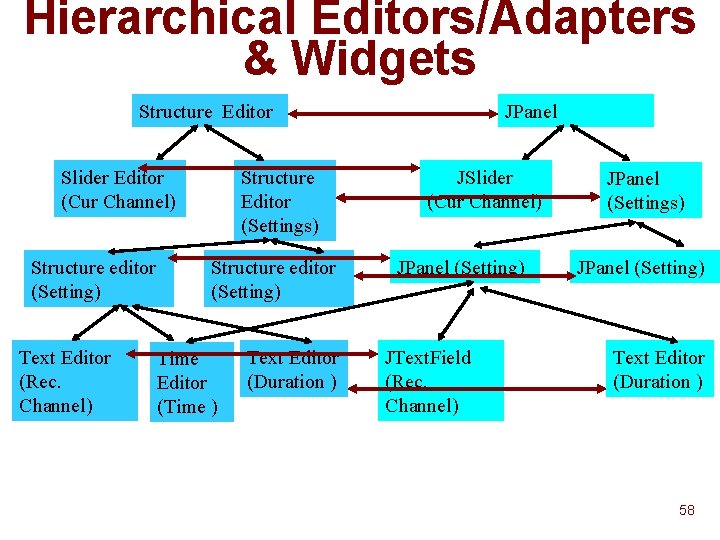
Hierarchical Prop Adapters & Logical Structures VCR Adapter Int Adapter (Cur Channel) Index Adapter (Settings) Bean Adapter (Setting) Bean Adapter (Time ) Record Bean Adapter (Setting) Integer (Cur Channel) Sequence Adapter (Settings) Record Adapter (Setting) Integer (Rec. Channel) Record Adapter (Setting) Time (Time ) Integer (Hour) Int (Duration ) Integer (Hour ) 56
Hierarchical Logical Structures & Editors/Adapters Structure Editor Record Integer (Cur Channel) Sequence Adapter (Settings) Record Adapter (Setting) Integer (Rec. Channel) Record Adapter (Setting) Time (Time ) Integer (Hour) int (Duration ) Integer (Hour ) Slider Adapter (Cur Channel) Structure editor (Setting) Text Editor (Rec. Channel) Structure Editor (setings) Structure editor (Setting) Time Editor (Time ) Text Editor (Duration ) 57
Hierarchical Editors/Adapters & Widgets Structure Editor Slider Editor (Cur Channel) Structure editor (Setting) Text Editor (Rec. Channel) Structure Editor (Settings) Structure editor (Setting) Time Editor (Time ) Text Editor (Duration ) JPanel JSlider (Cur Channel) JPanel (Setting) JText. Field (Rec. Channel) JPanel (Settings) JPanel (Setting) Text Editor (Duration ) 58
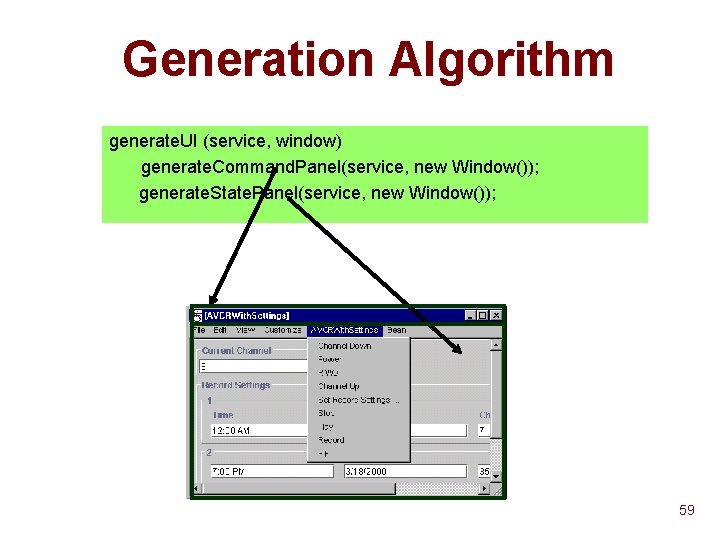
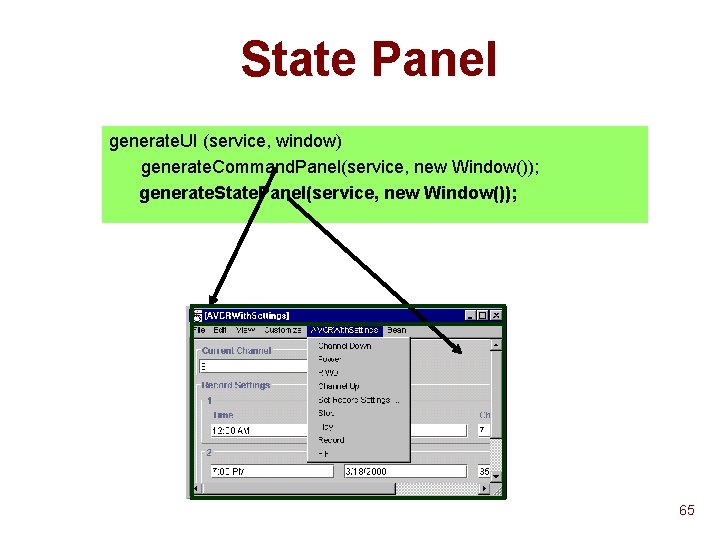
Generation Algorithm generate. UI (service, window) generate. Command. Panel(service, new Window()); generate. State. Panel(service, new Window()); 59
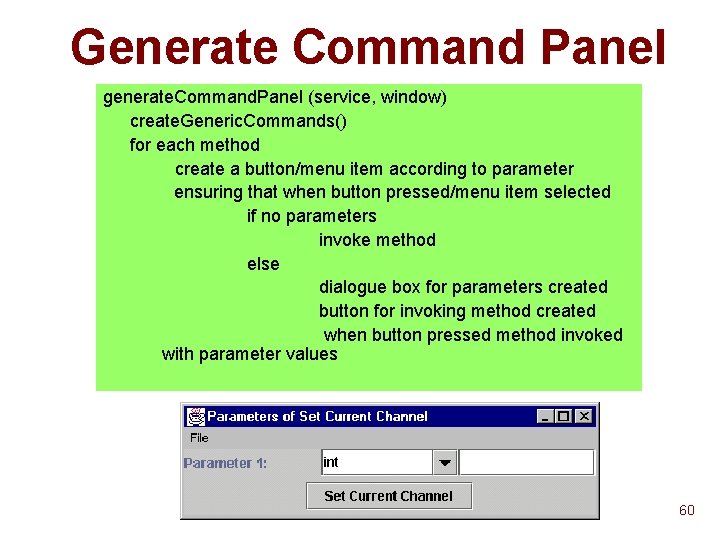
Generate Command Panel generate. Command. Panel (service, window) create. Generic. Commands() for each method create a button/menu item according to parameter ensuring that when button pressed/menu item selected if no parameters invoke method else dialogue box for parameters created button for invoking method created when button pressed method invoked with parameter values 60
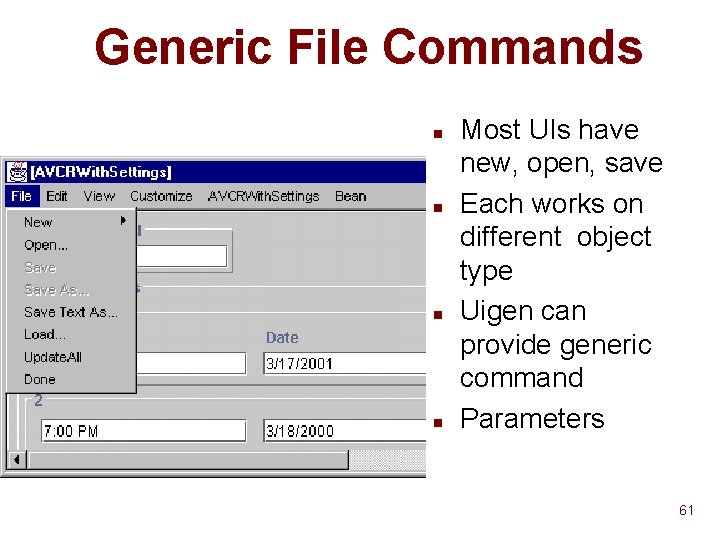
Generic File Commands n n Most UIs have new, open, save Each works on different object type Uigen can provide generic command Parameters 61
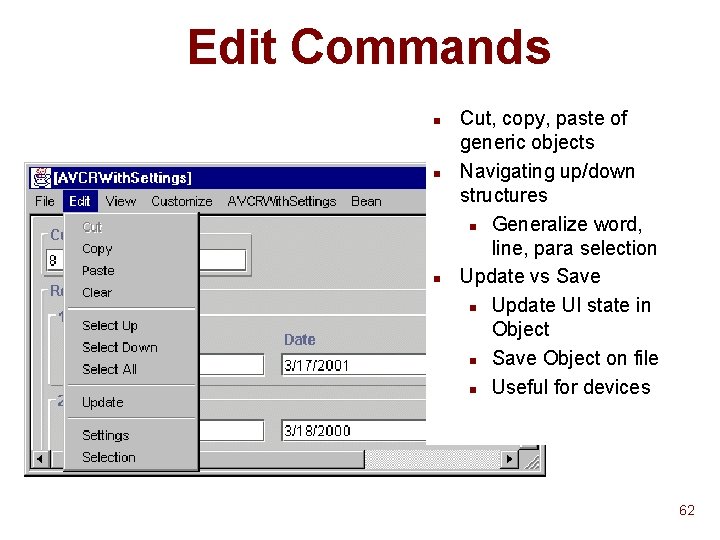
Edit Commands n n n Cut, copy, paste of generic objects Navigating up/down structures n Generalize word, line, para selection Update vs Save n Update UI state in Object n Save Object on file n Useful for devices 62
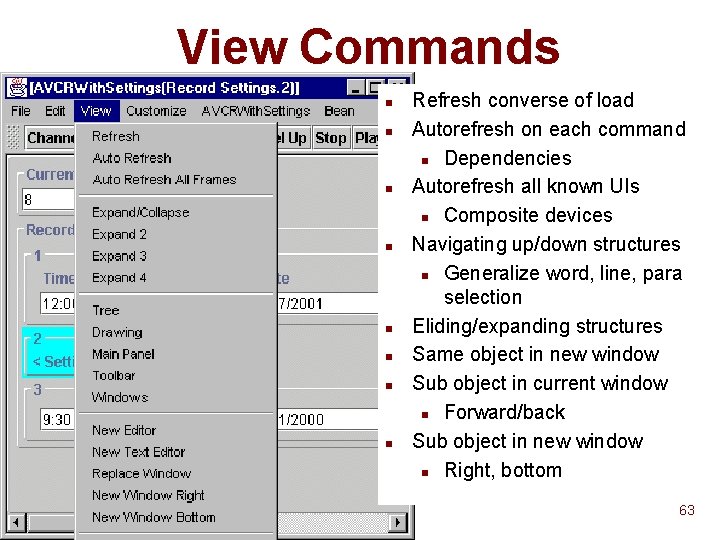
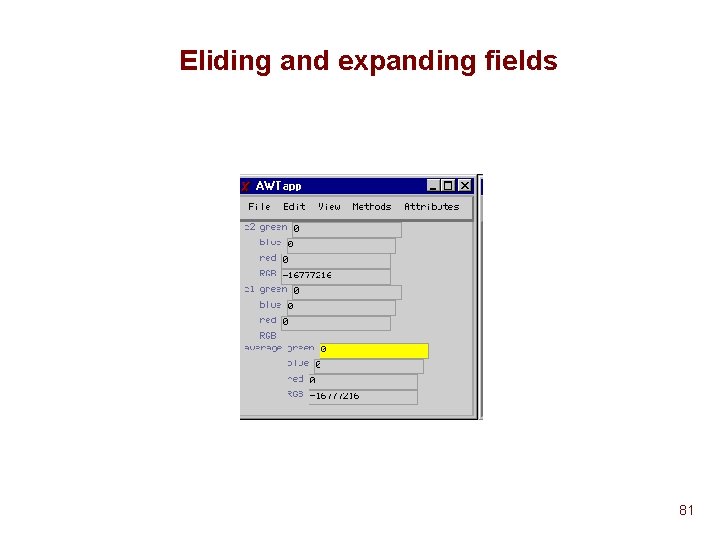
View Commands n n n n Refresh converse of load Autorefresh on each command n Dependencies Autorefresh all known UIs n Composite devices Navigating up/down structures n Generalize word, line, para selection Eliding/expanding structures Same object in new window Sub object in current window n Forward/back Sub object in new window n Right, bottom 63
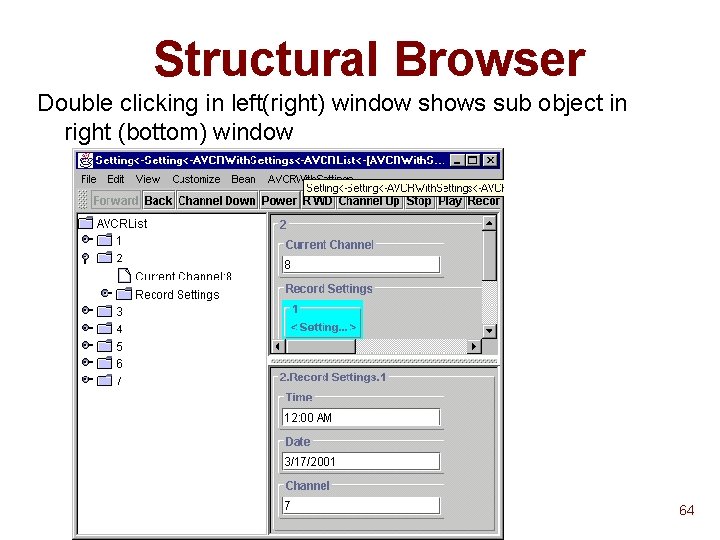
Structural Browser Double clicking in left(right) window shows sub object in right (bottom) window 64
State Panel generate. UI (service, window) generate. Command. Panel(service, new Window()); generate. State. Panel(service, new Window()); 65
Connector Panel Generation Abstract Application Data Types TV VCR Sprinkler Prop. Adapter EKG Bean Adapter Index Adapter Iterator Adapter Concrete Data Types (Logical Structure) window) { Record generate. State. Panel(service, Array Sequence Subrange Enumeraton prop. Adapter = connect. Prop. Adapter(service); logical. Structure = connect. To. Logical. Structure(pattern. Adapter); editor = connect. To. Editor(logical. Structure, window); Editors/Adapter = connect. To. Widget(editor, window); Composed Textwidget Tree Structured } Editor Drawing Editor Toolkit JTree Panel JTextfield Drawing 66
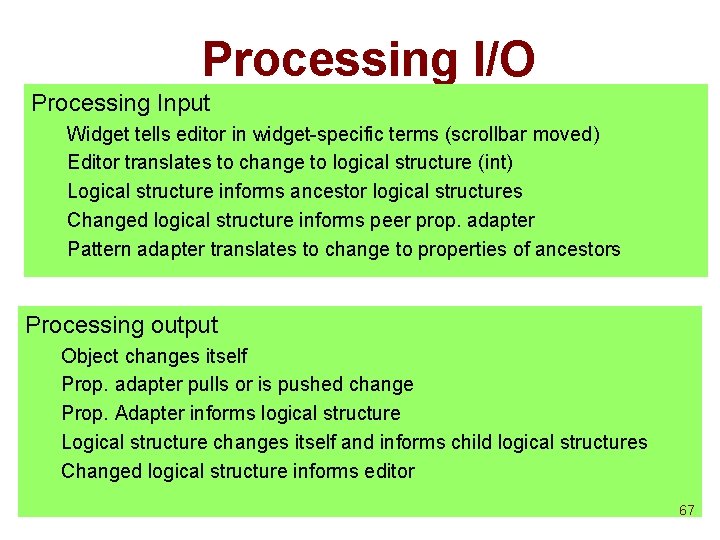
Processing I/O Processing Input Widget tells editor in widget-specific terms (scrollbar moved) Editor translates to change to logical structure (int) Logical structure informs ancestor logical structures Changed logical structure informs peer prop. adapter Pattern adapter translates to change to properties of ancestors Processing output Object changes itself Prop. adapter pulls or is pushed change Prop. Adapter informs logical structure Logical structure changes itself and informs child logical structures Changed logical structure informs editor 67
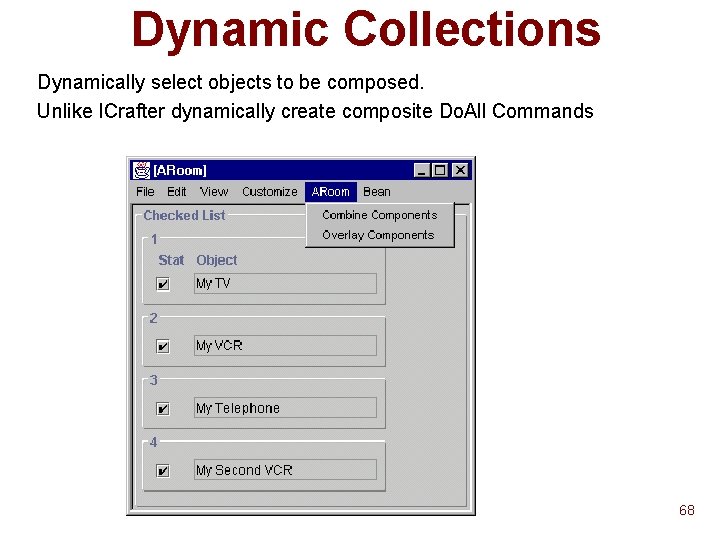
Dynamic Collections Dynamically select objects to be composed. Unlike ICrafter dynamically create composite Do. All Commands 68
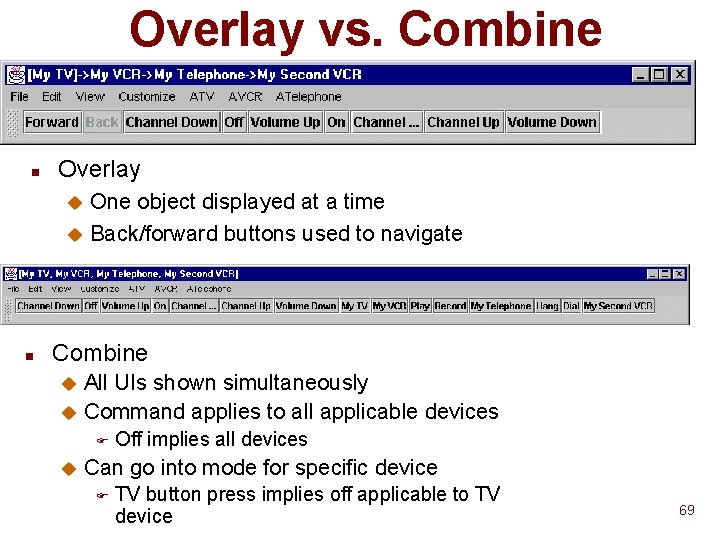
Overlay vs. Combine n Overlay One object displayed at a time u Back/forward buttons used to navigate u n Combine All UIs shown simultaneously u Command applies to all applicable devices u F u Off implies all devices Can go into mode for specific device F TV button press implies off applicable to TV device 69
Parameterized Algorithms n Connectors and editors parameterized u alignment u labels u… n Inheritance of parameters u parameters specified for all instances of class u all children of a logical structure n Parameters can be set by developer and stored as code linked to class 70
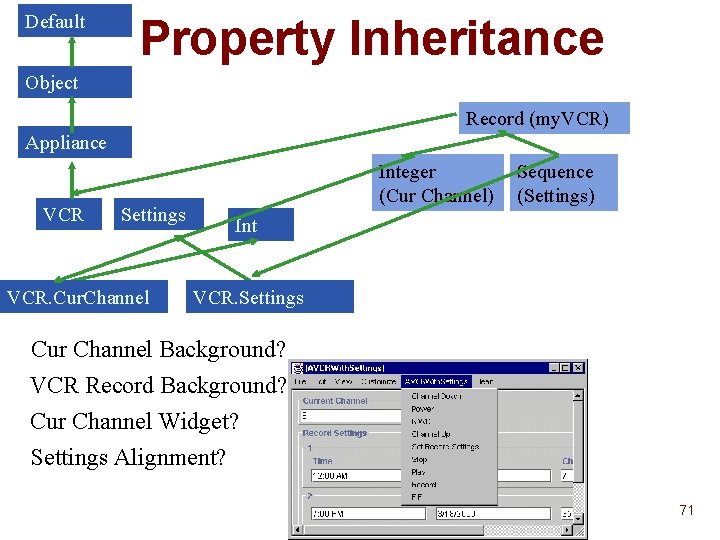
Default Property Inheritance Object Record (my. VCR) Appliance VCR Settings VCR. Cur. Channel Integer (Cur Channel) Sequence (Settings) Int VCR. Settings Cur Channel Background? VCR Record Background? Cur Channel Widget? Settings Alignment? 71
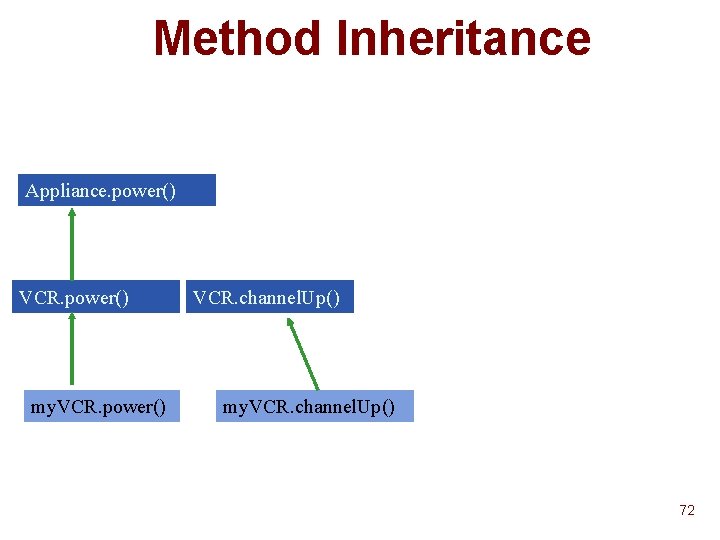
Method Inheritance Appliance. power() VCR. power() my. VCR. power() VCR. channel. Up() my. VCR. channel. Up() 72
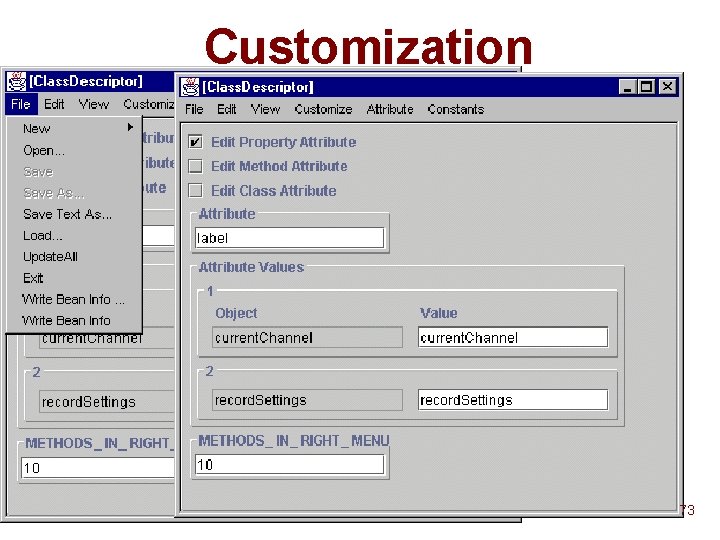
Customization 73
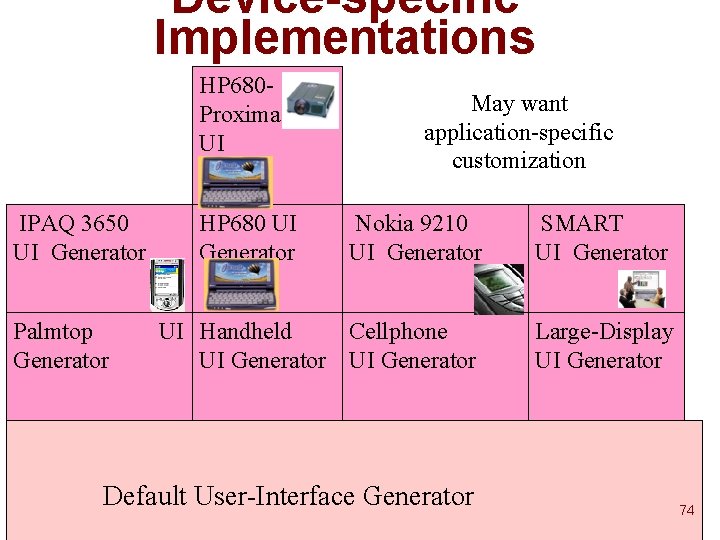
Device-specific Implementations HP 680 Proxima 6250 UI IPAQ 3650 UI Generator Palmtop Generator HP 680 UI Generator May want application-specific customization Nokia 9210 UI Generator SMART UI Generator UI Handheld Cellphone UI Generator Large-Display UI Generator Default User-Interface Generator 74
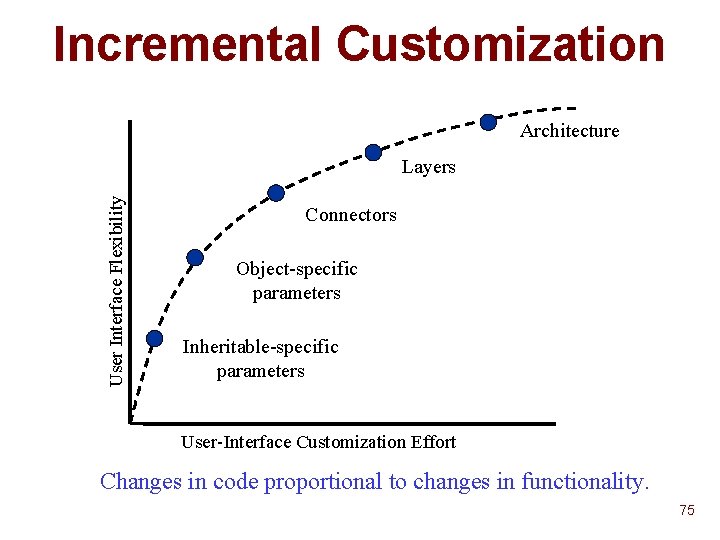
Incremental Customization Architecture User Interface Flexibility Layers Connectors Object-specific parameters Inheritable-specific parameters User-Interface Customization Effort Changes in code proportional to changes in functionality. 75
Incremental user interface generation for Java John A Konglathu Colab Group UNC Chapel Hill 76
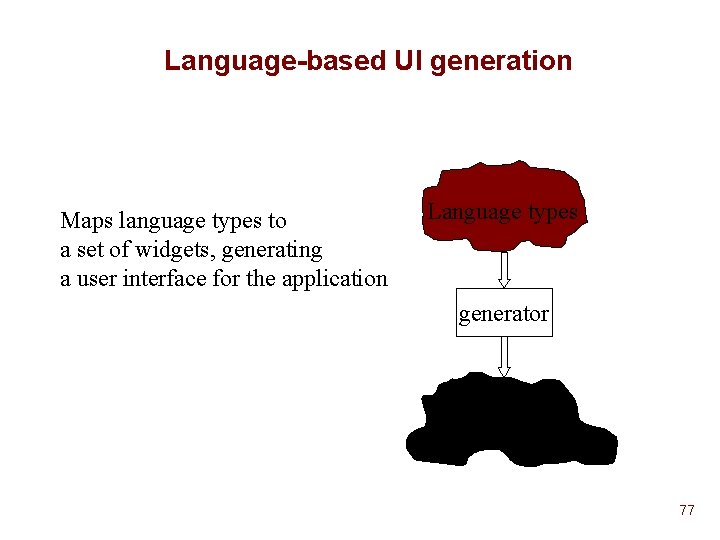
Language-based UI generation Maps language types to a set of widgets, generating a user interface for the application Language types generator widget set 77
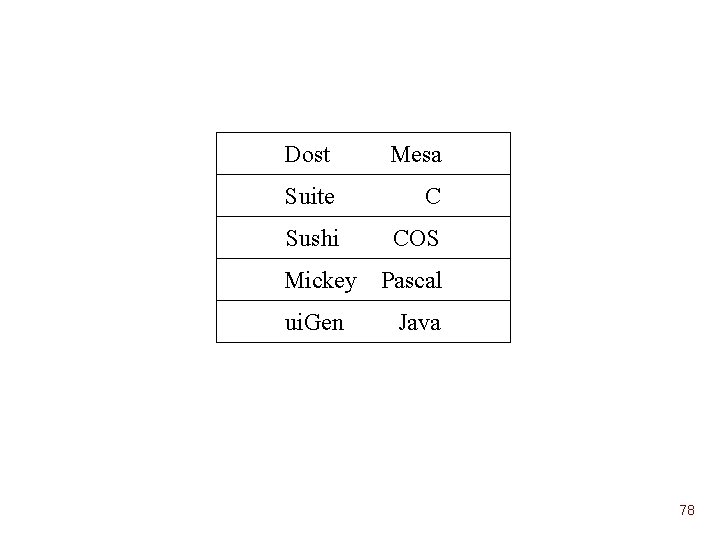
Dost Mesa Suite C Sushi COS Mickey ui. Gen Pascal Java 78
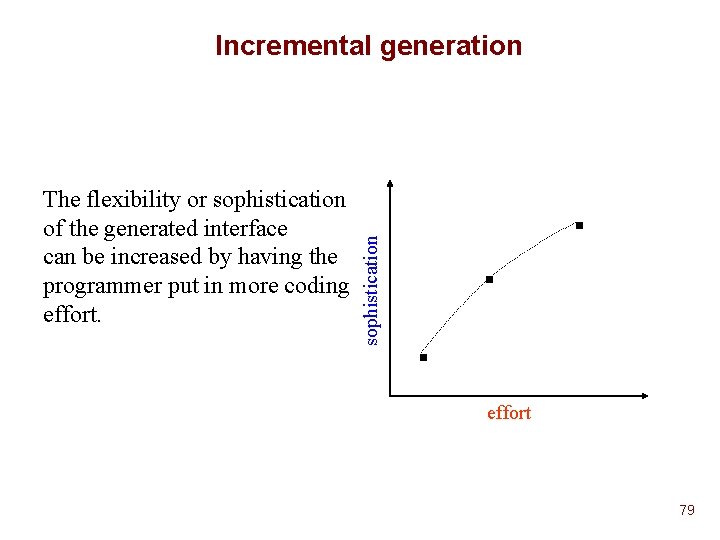
The flexibility or sophistication of the generated interface can be increased by having the programmer put in more coding effort. sophistication Incremental generation effort 79
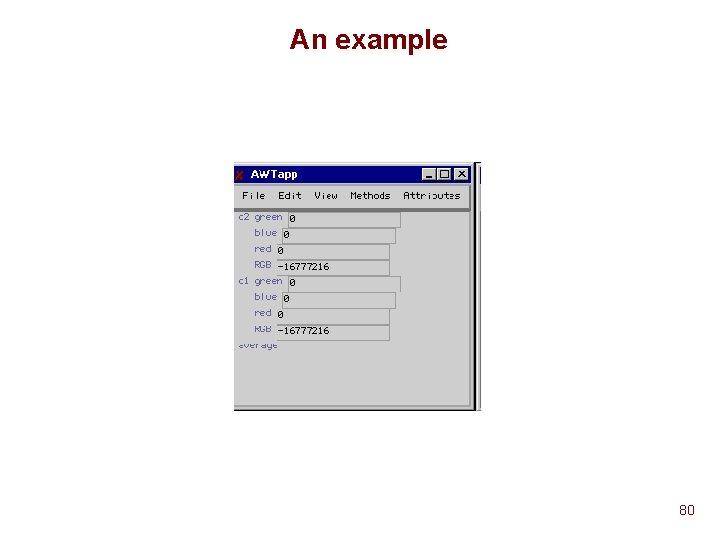
An example 80
Eliding and expanding fields 81
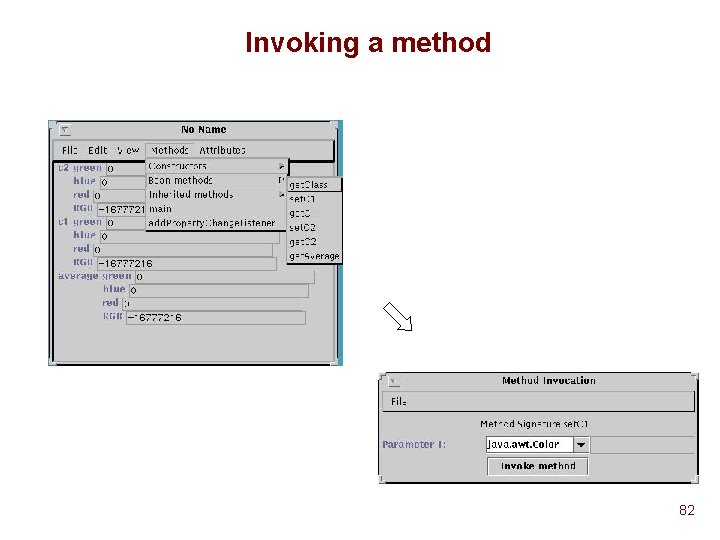
Invoking a method 82
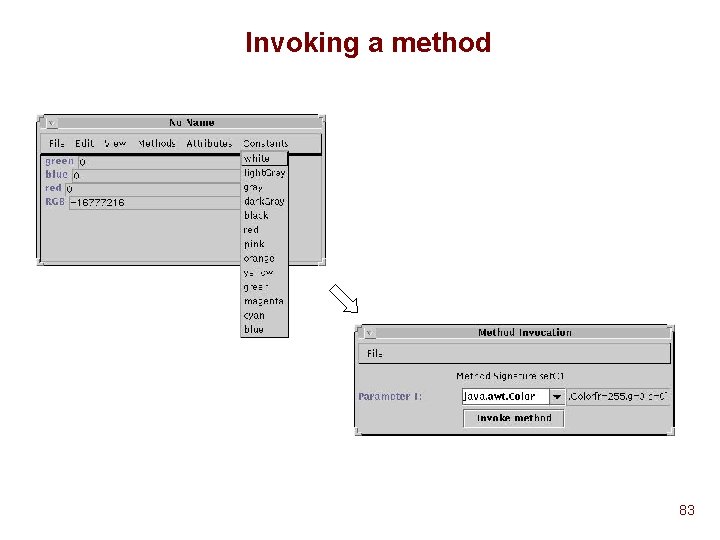
Invoking a method 83
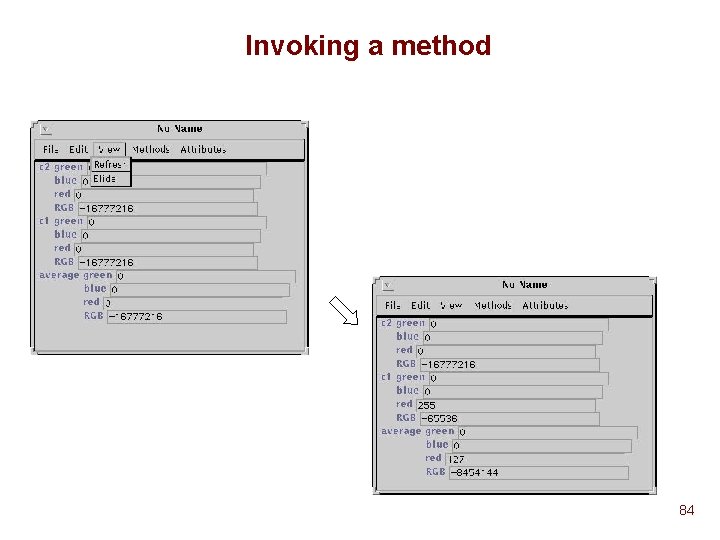
Invoking a method 84
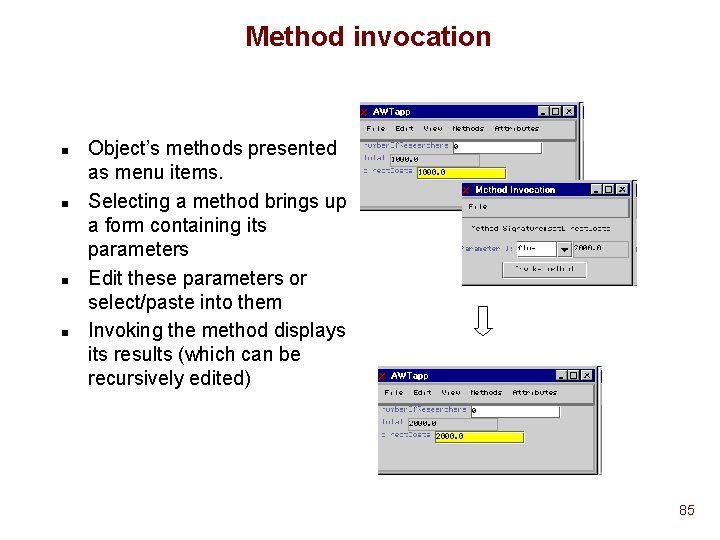
Method invocation n n Object’s methods presented as menu items. Selecting a method brings up a form containing its parameters Edit these parameters or select/paste into them Invoking the method displays its results (which can be recursively edited) 85
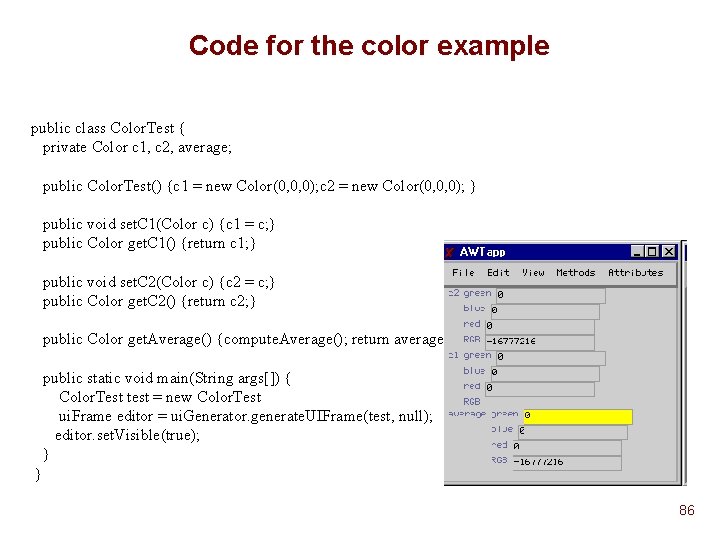
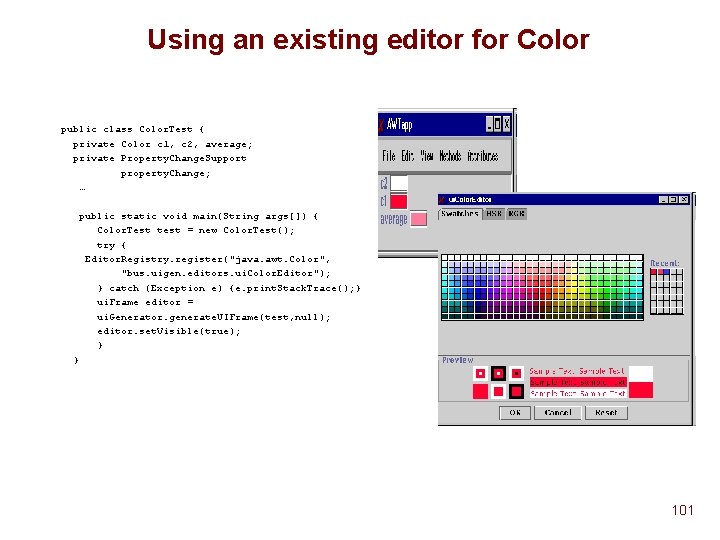
Code for the color example public class Color. Test { private Color c 1, c 2, average; public Color. Test() {c 1 = new Color(0, 0, 0); c 2 = new Color(0, 0, 0); } public void set. C 1(Color c) {c 1 = c; } public Color get. C 1() {return c 1; } public void set. C 2(Color c) {c 2 = c; } public Color get. C 2() {return c 2; } public Color get. Average() {compute. Average(); return average; } public static void main(String args[]) { Color. Test test = new Color. Test ui. Frame editor = ui. Generator. generate. UIFrame(test, null); editor. set. Visible(true); } } 86
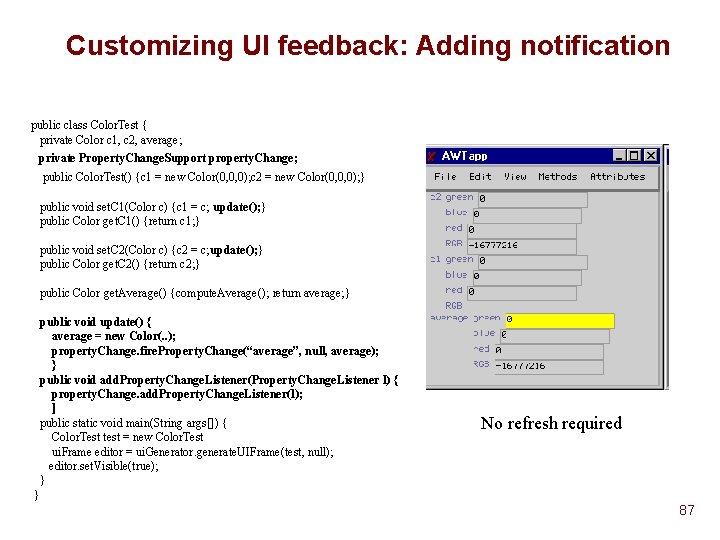
Customizing UI feedback: Adding notification public class Color. Test { private Color c 1, c 2, average; private Property. Change. Support property. Change; public Color. Test() {c 1 = new Color(0, 0, 0); c 2 = new Color(0, 0, 0); } public void set. C 1(Color c) {c 1 = c; update(); } public Color get. C 1() {return c 1; } public void set. C 2(Color c) {c 2 = c; update(); } public Color get. C 2() {return c 2; } public Color get. Average() {compute. Average(); return average; } public void update() { average = new Color(. . ); property. Change. fire. Property. Change(“average”, null, average); } public void add. Property. Change. Listener(Property. Change. Listener l) { property. Change. add. Property. Change. Listener(l); ] public static void main(String args[]) { Color. Test test = new Color. Test ui. Frame editor = ui. Generator. generate. UIFrame(test, null); editor. set. Visible(true); } No refresh required } 87
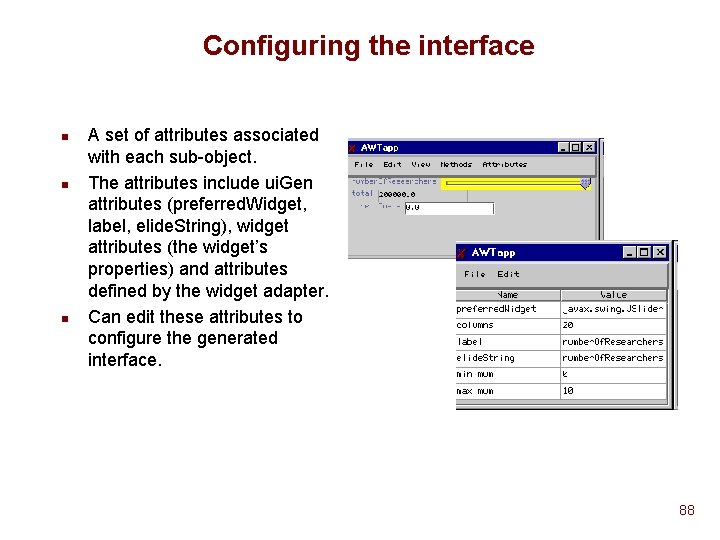
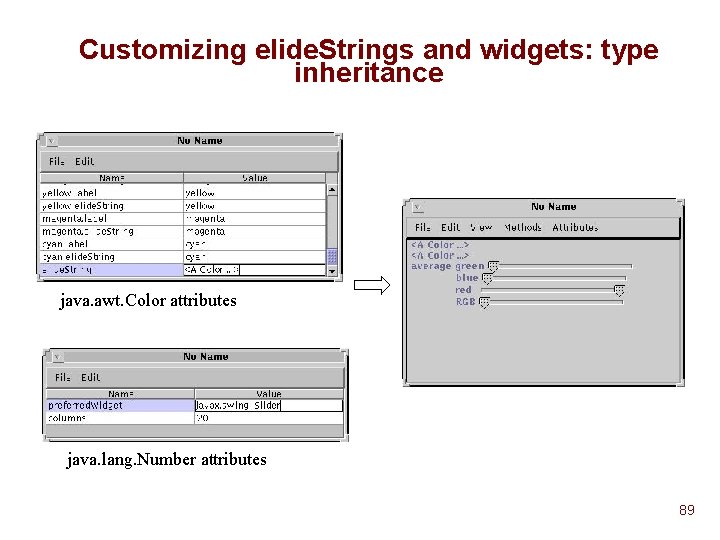
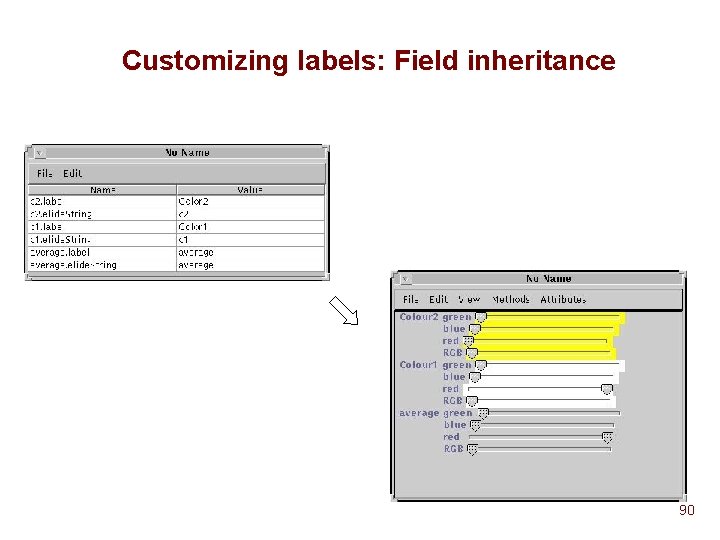
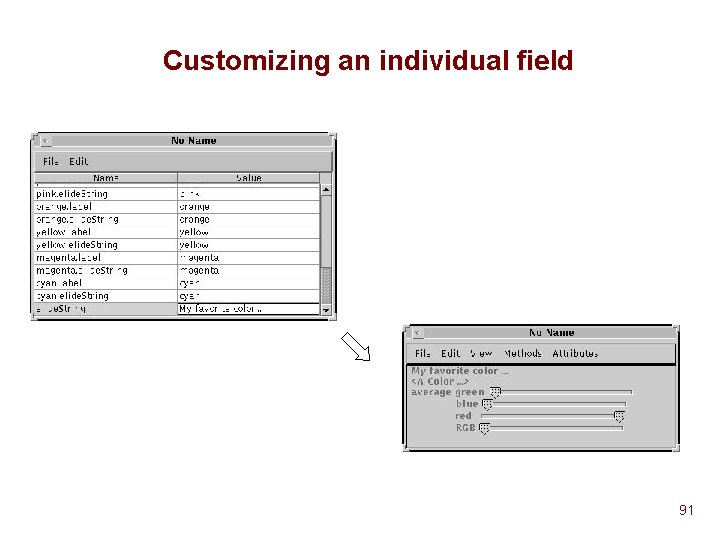
Configuring the interface n n n A set of attributes associated with each sub-object. The attributes include ui. Gen attributes (preferred. Widget, label, elide. String), widget attributes (the widget’s properties) and attributes defined by the widget adapter. Can edit these attributes to configure the generated interface. 88
Customizing elide. Strings and widgets: type inheritance java. awt. Color attributes java. lang. Number attributes 89
Customizing labels: Field inheritance 90
Customizing an individual field 91
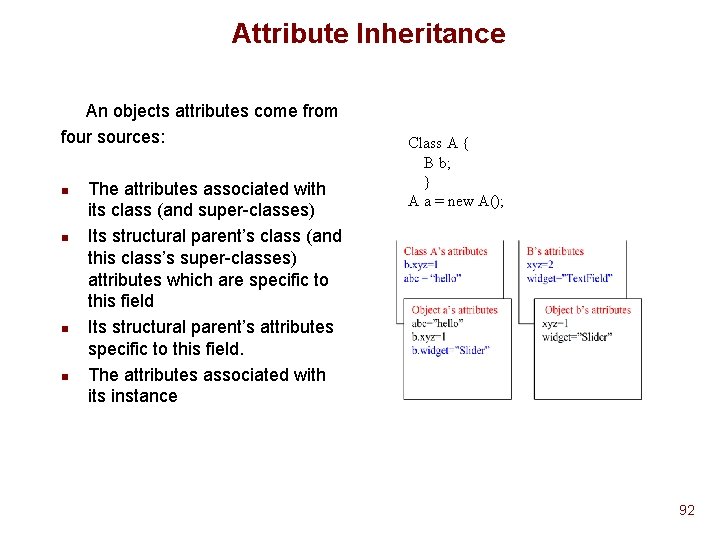
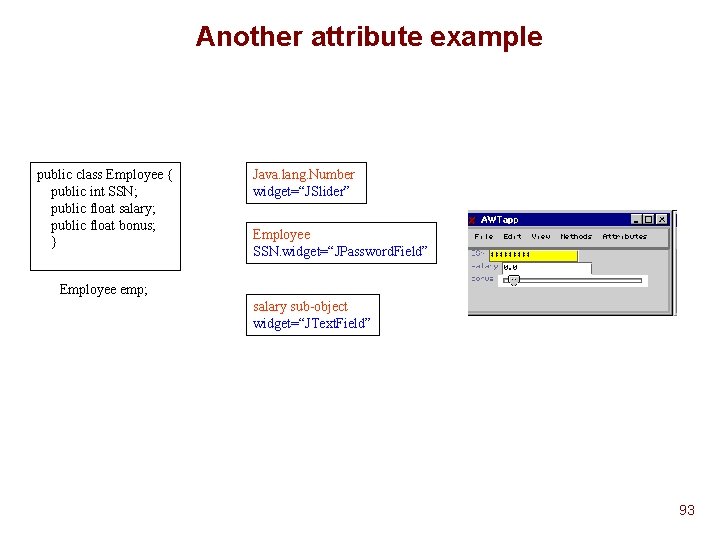
Attribute Inheritance An objects attributes come from four sources: n n The attributes associated with its class (and super-classes) Its structural parent’s class (and this class’s super-classes) attributes which are specific to this field Its structural parent’s attributes specific to this field. The attributes associated with its instance Class A { B b; } A a = new A(); 92
Another attribute example public class Employee { public int SSN; public float salary; public float bonus; } Java. lang. Number widget=“JSlider” Employee SSN. widget=“JPassword. Field” Employee emp; salary sub-object widget=“JText. Field” 93
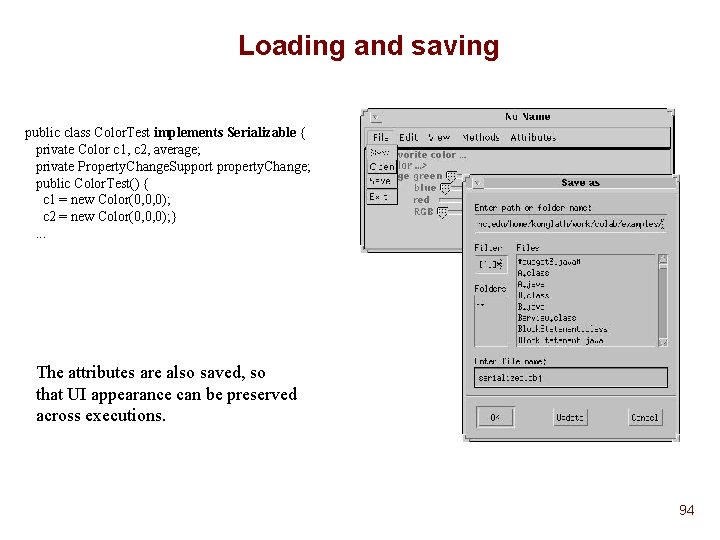
Loading and saving public class Color. Test implements Serializable { private Color c 1, c 2, average; private Property. Change. Support property. Change; public Color. Test() { c 1 = new Color(0, 0, 0); c 2 = new Color(0, 0, 0); }. . . The attributes are also saved, so that UI appearance can be preserved across executions. 94
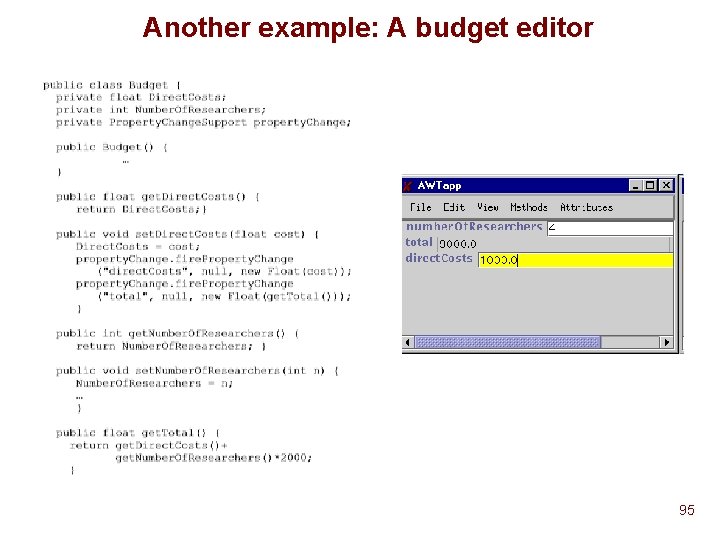
Another example: A budget editor 95
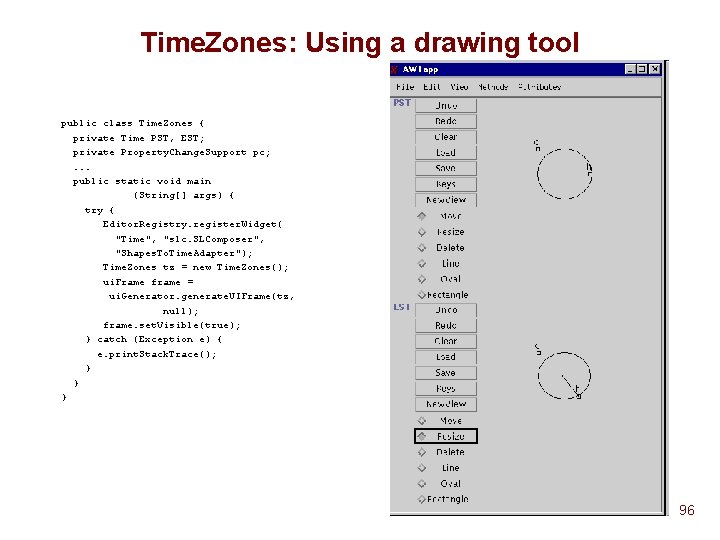
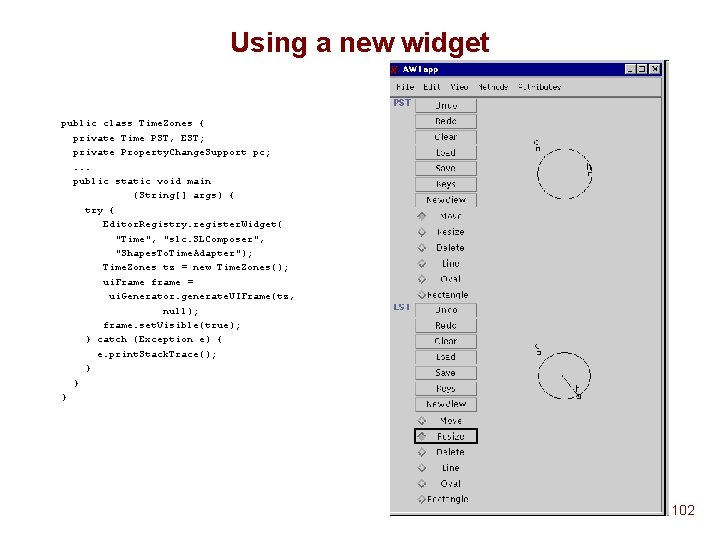
Time. Zones: Using a drawing tool public class Time. Zones { private Time PST, EST; private Property. Change. Support pc; . . . public static void main (String[] args) { try { Editor. Registry. register. Widget( "Time", "slc. SLComposer", "Shapes. To. Time. Adapter"); Time. Zones tz = new Time. Zones(); ui. Frame frame = ui. Generator. generate. UIFrame(tz, null); frame. set. Visible(true); } catch (Exception e) { e. print. Stack. Trace(); } } } 96
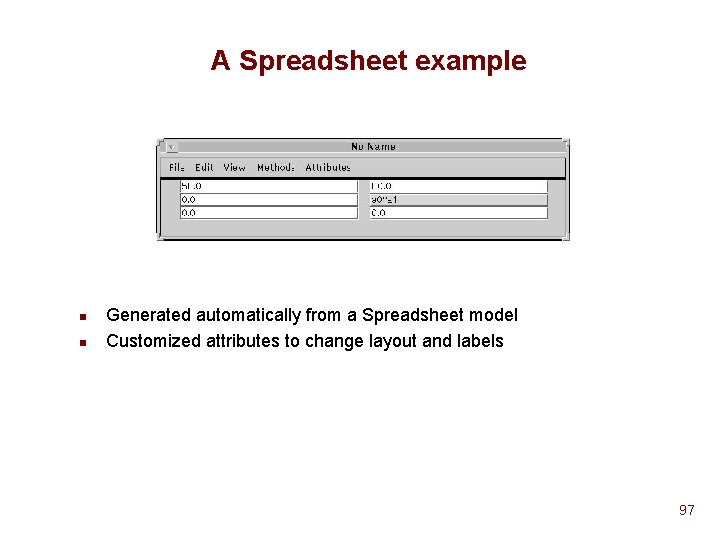
A Spreadsheet example n n Generated automatically from a Spreadsheet model Customized attributes to change layout and labels 97
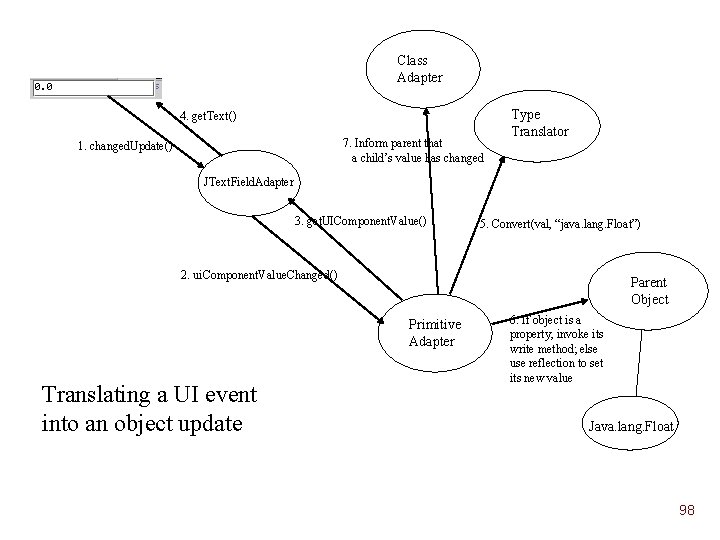
Class Adapter 4. get. Text() 7. Inform parent that a child’s value has changed 1. changed. Update() Type Translator JText. Field. Adapter 3. get. UIComponent. Value() 5. Convert(val, “java. lang. Float”) 2. ui. Component. Value. Changed() Parent Object Primitive Adapter Translating a UI event into an object update 6. If object is a property, invoke its write method; else use reflection to set its new value Java. lang. Float 98
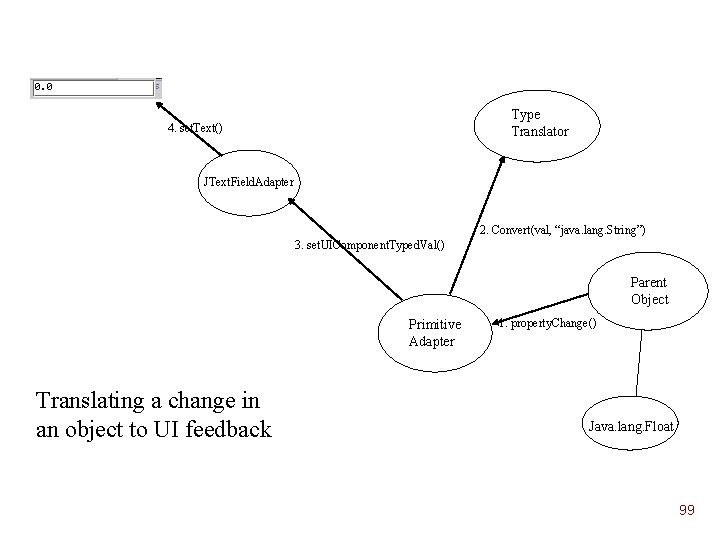
Type Translator 4. set. Text() JText. Field. Adapter 2. Convert(val, “java. lang. String”) 3. set. UIComponent. Typed. Val() Parent Object Primitive Adapter Translating a change in an object to UI feedback 1. property. Change() Java. lang. Float 99
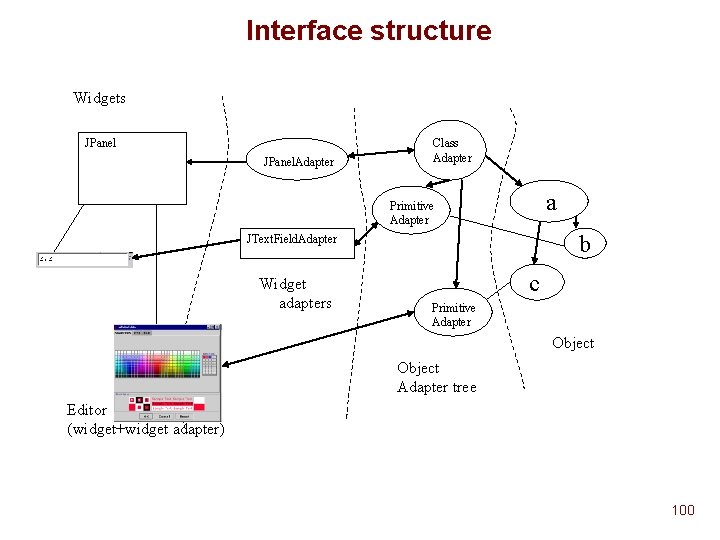
Interface structure Widgets JPanel. Adapter Class Adapter a Primitive Adapter b JText. Field. Adapter Widget adapters c Primitive Adapter Object Adapter tree Editor (widget+widget adapter) 100
Using an existing editor for Color public class Color. Test { private Color c 1, c 2, average; private Property. Change. Support property. Change; … public static void main(String args[]) { Color. Test test = new Color. Test(); try { Editor. Registry. register("java. awt. Color", "bus. uigen. editors. ui. Color. Editor"); } catch (Exception e) {e. print. Stack. Trace(); } ui. Frame editor = ui. Generator. generate. UIFrame(test, null); editor. set. Visible(true); } } 101
Using a new widget public class Time. Zones { private Time PST, EST; private Property. Change. Support pc; . . . public static void main (String[] args) { try { Editor. Registry. register. Widget( "Time", "slc. SLComposer", "Shapes. To. Time. Adapter"); Time. Zones tz = new Time. Zones(); ui. Frame frame = ui. Generator. generate. UIFrame(tz, null); frame. set. Visible(true); } catch (Exception e) { e. print. Stack. Trace(); } } } 102
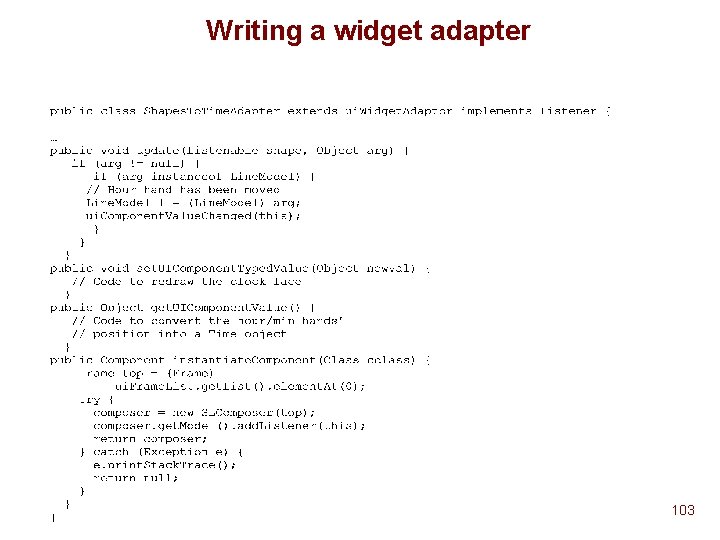
Writing a widget adapter 103
Summary n n Written for Java. Handles primitive types, vectors, hashtables and objects/beans composed of these types. Uses Reflection/Introspection to inspect a Java object’s data structure. Do not need to change the language or instrument code. The generated interface is configurable and the widget set is extensible Incremental flexibility: Hints from programmer lead to a better interface 104
n n n Using reflection, we inspect the Java object and build a parallel structure of object adapters. These adapters are responsible for transferring updates between the object and the interface. They also maintain attributes relevant to its sub-object. Each object adapter has a reference to an Editor or a widget (through a widget adapter) which represents it in the user interface. Primitive types are represented by any of a set of widgets, vectors by a panel, hashtables by a table, and methods and constants as menu items. 105
Conclusions n n Can generate a wide variety of user interfaces from Java objects Can do this generation incrementally u Use public data fields u Make these read/write or read-only properties u Make these properties listenable u Customize attributes u Use a custom widget/editor for a type 106
Experience n n Can generate better interfaces with more information provided by the user. Can generate some interfaces that Suite couldn’t. Generation is not really as fast as we would like it to be. This is probably be due to reflection. 107
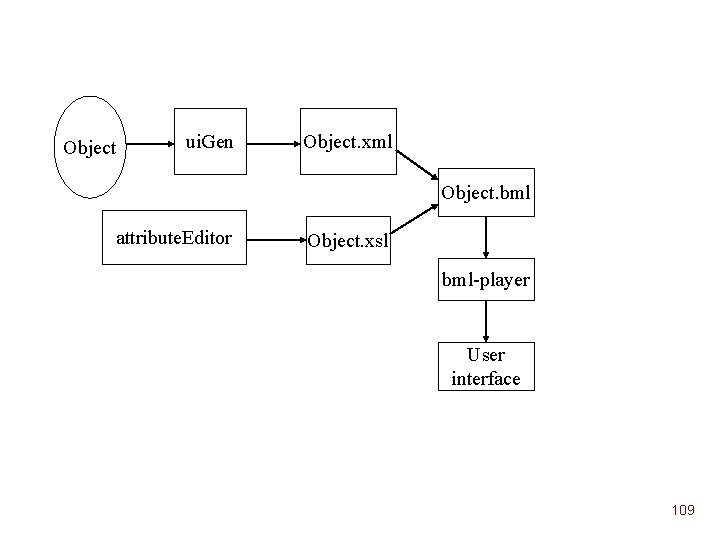
Future work n n Can probably speed up the generation process, by writing out some description of the object and referring to this instead of using reflection every time. BML could fit here. Have to investigate how dynamic structures will be handled in this model Can formalise mapping from language types to widgets using xsl stylesheets. 108
Object ui. Gen Object. xml Object. bml attribute. Editor Object. xsl bml-player User interface 109
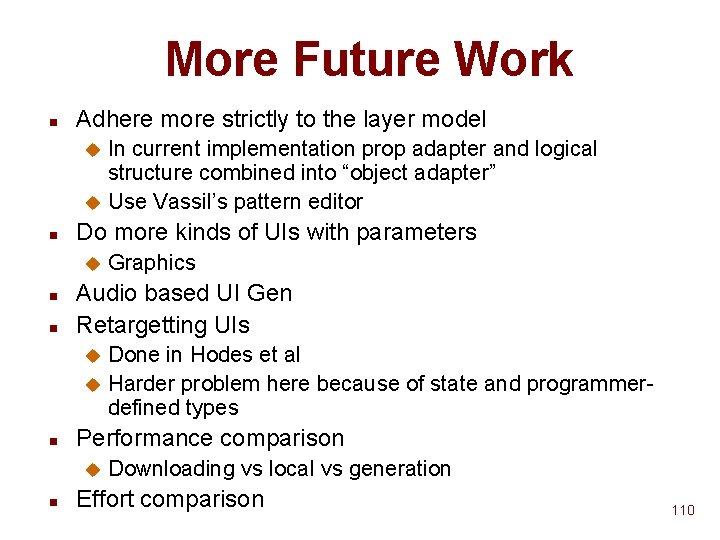
More Future Work n Adhere more strictly to the layer model In current implementation prop adapter and logical structure combined into “object adapter” u Use Vassil’s pattern editor u n Do more kinds of UIs with parameters u n n Graphics Audio based UI Gen Retargetting UIs Done in Hodes et al u Harder problem here because of state and programmerdefined types u n Performance comparison u n Downloading vs local vs generation Effort comparison 110
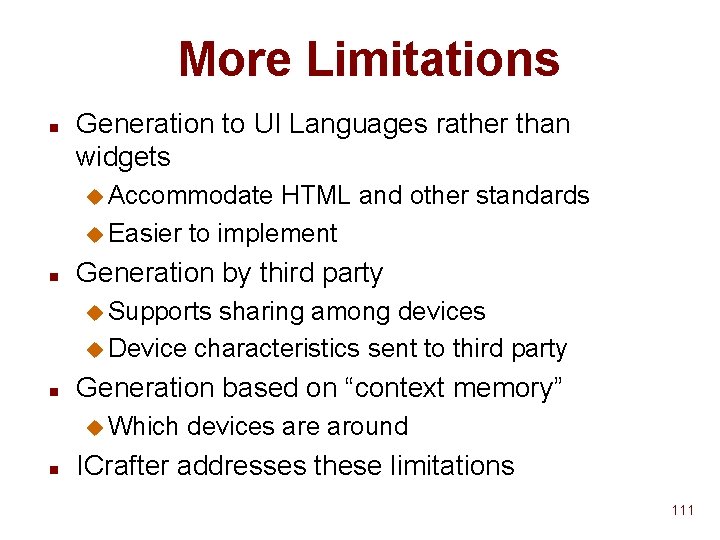
More Limitations n Generation to UI Languages rather than widgets u Accommodate HTML and other standards u Easier to implement n Generation by third party u Supports sharing among devices u Device characteristics sent to third party n Generation based on “context memory” u Which n devices are around ICrafter addresses these limitations 111
Service Framework for Ubiquitous Computing Environments Shankar Ponnekanti, Brian Lee, Armando Fox, Pat Hanrahan, Terry Winograd (Stanford Univ. ) 112
Outline n What Example u Model and Terminology u n Why Challenges u Contributions u n How Architecture u Techniques u 113
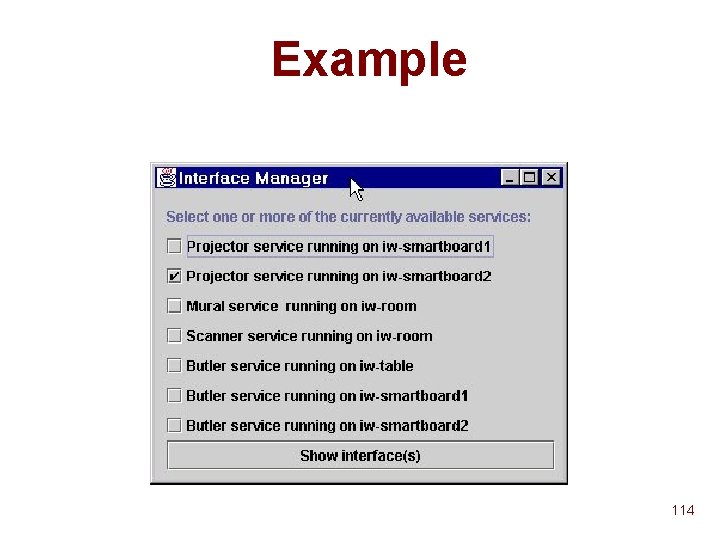
Example 114
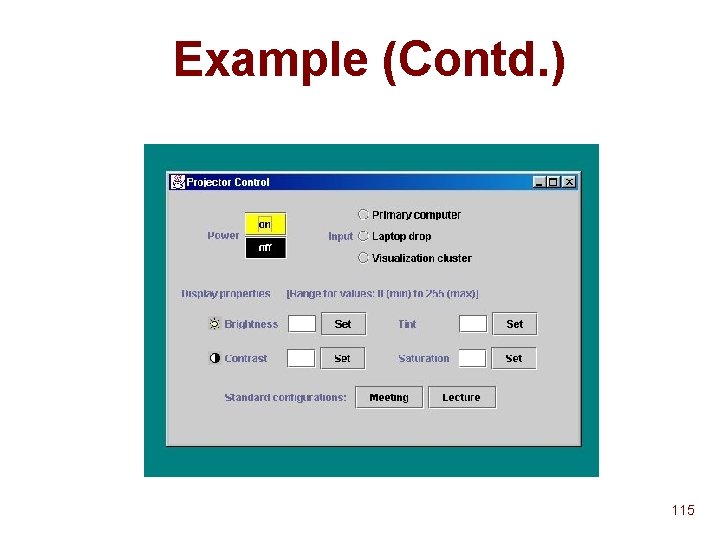
Example (Contd. ) 115
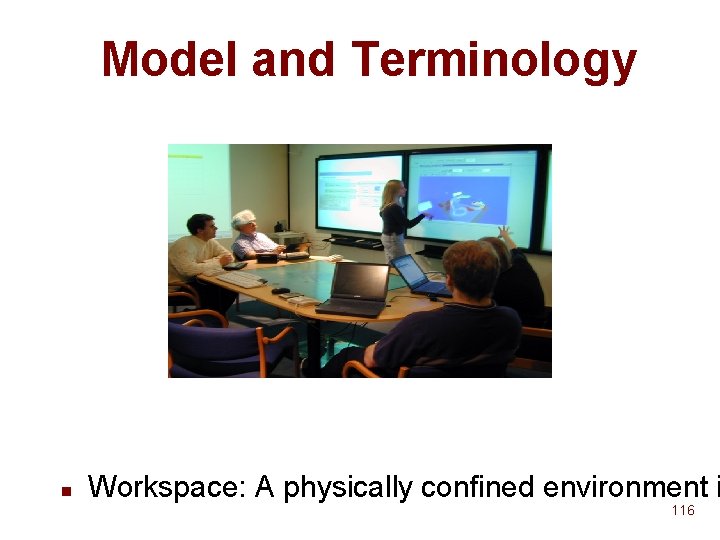
Model and Terminology n Workspace: A physically confined environment i 116
Model and Terminology (contd. ) n Service A h/w or s/w resource u Provides a useful function to end-users u Example: Light, projector, browser, ppt u n Appliance Facility used for interaction with services u Example: Laptop, PDA u n SUIML u Swing UI Markup Language 117
Outline n n What? Why? u Challenges u Contributions n How? 118
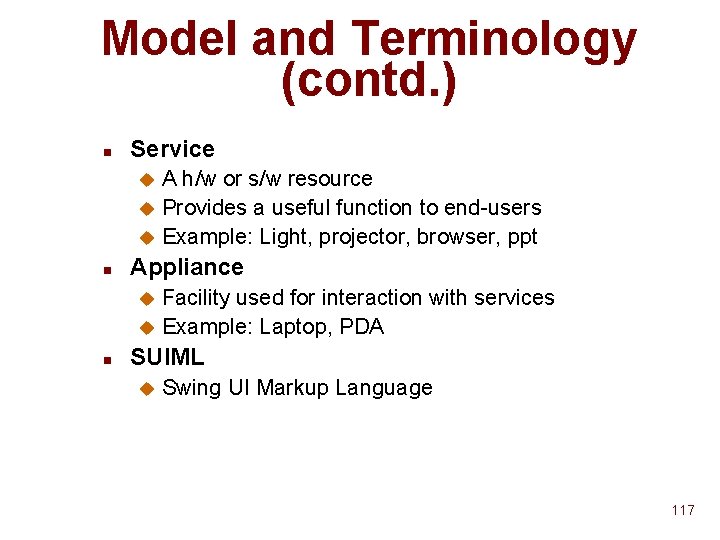
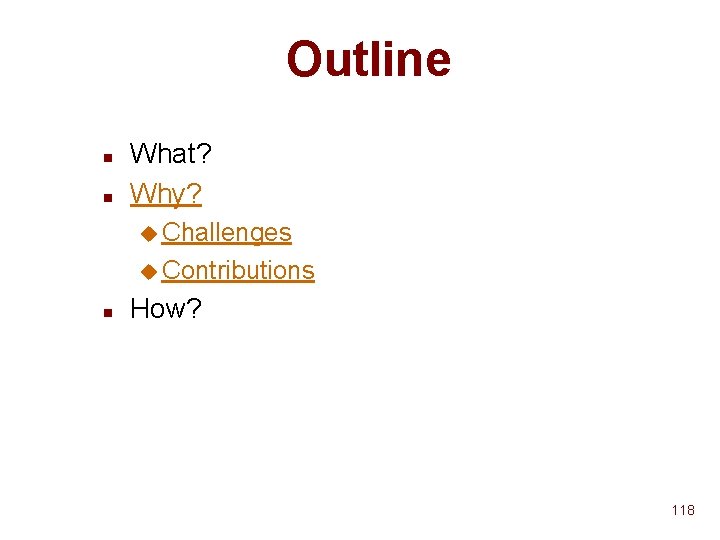
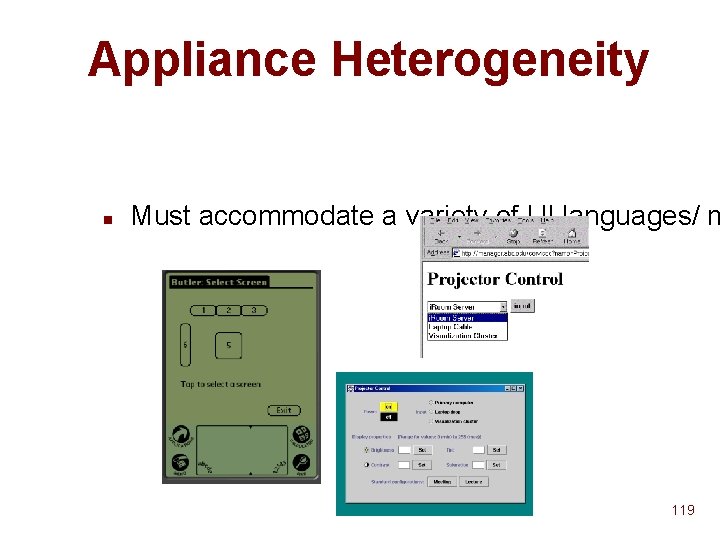
Appliance Heterogeneity n Must accommodate a variety of UI languages/ m 119
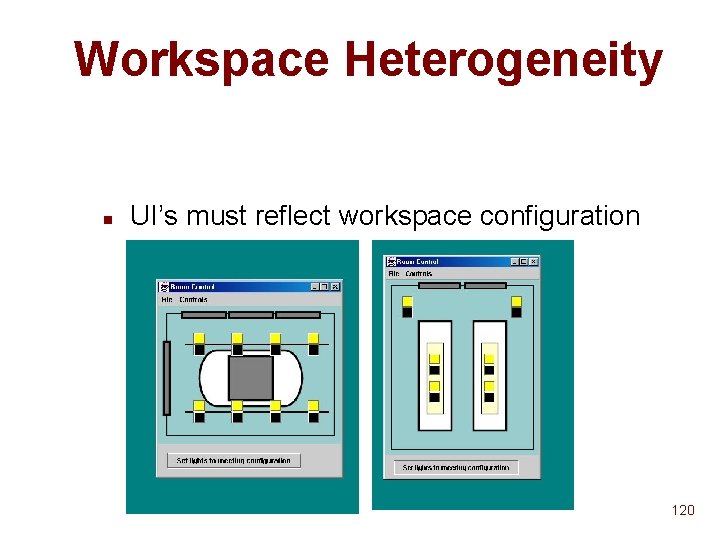
Workspace Heterogeneity n UI’s must reflect workspace configuration 120
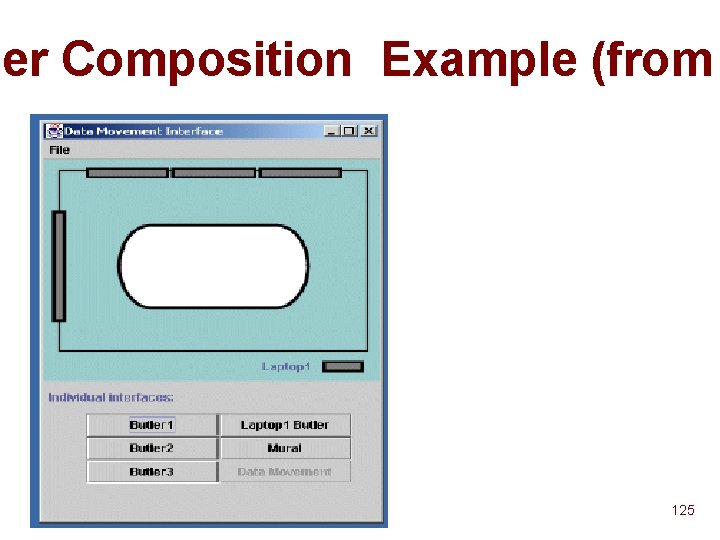
Aggregation n May seem individual UI’s can be combined. However …. 121
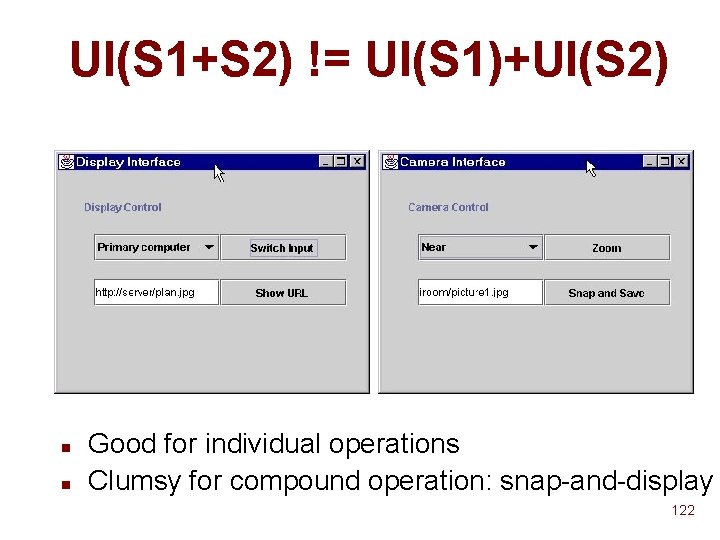
UI(S 1+S 2) != UI(S 1)+UI(S 2) n n Good for individual operations Clumsy for compound operation: snap-and-display 122
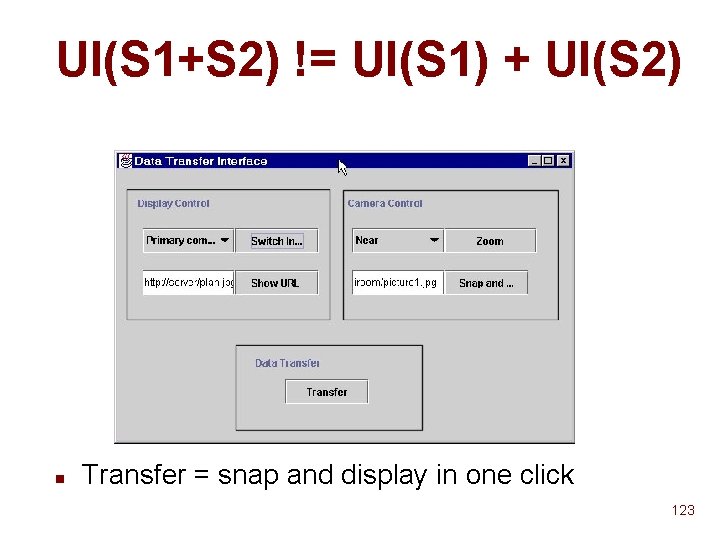
UI(S 1+S 2) != UI(S 1) + UI(S 2) n Transfer = snap and display in one click 123
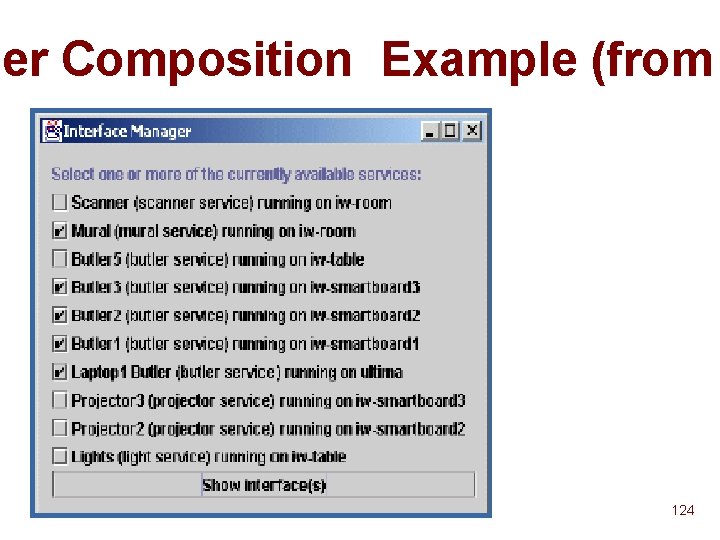
her Composition Example (from 124
her Composition Example (from 125
Where We Stand n Suppose n services, m appliances and w workspaces u O( F(n) × m × w ) UI’s u F(n) is some combinatorial function of n n n Existing ad-hoc interaction systems: Jini, UPn. P, Hodes et al (Mobicom 97, USITS 99), Roman et al (WMCSA 00) Mostly focus on appliance heterogeneity 126
Results n n Offload UI selection to third-party (i. e, non-service, non-appliance) Generalize existing approaches to appliance heterogeneity Frameworks for handling workspace heterogeneity and Techniques for aggregation 127
Outline n n n What? Why? How? u Architecture u Techniques 128
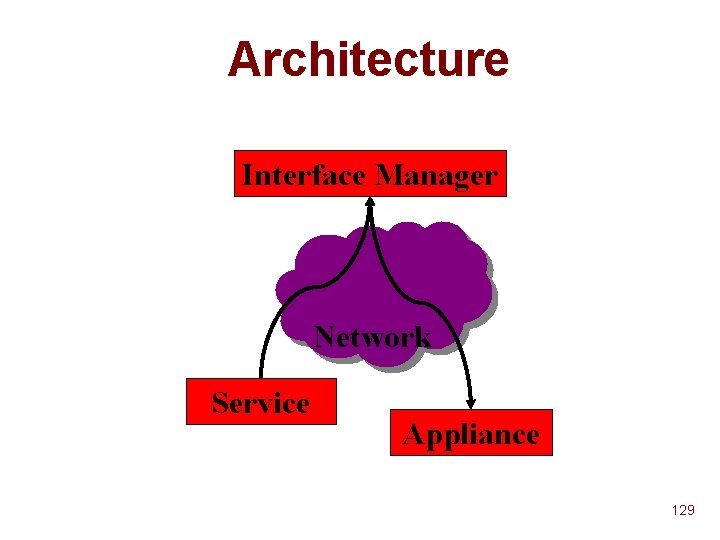
Architecture Interface Manager Network Service Appliance 129
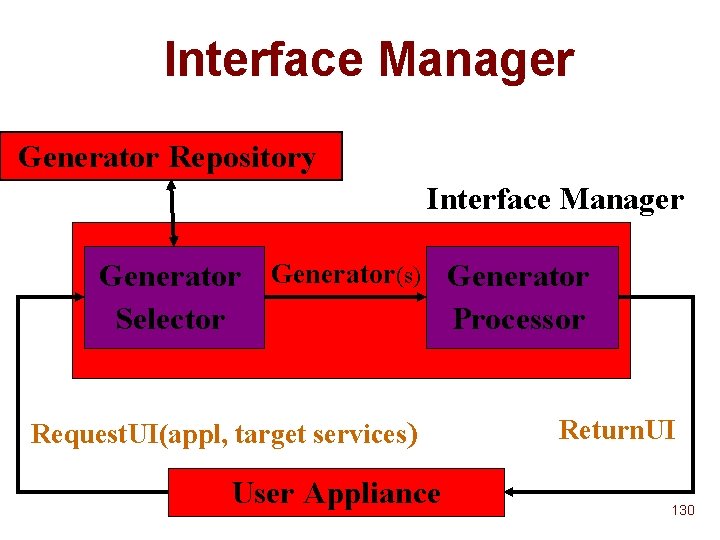
Interface Manager Generator Repository Interface Manager Generator(s) Generator Selector Processor Request. UI(appl, target services) User Appliance Return. UI 130
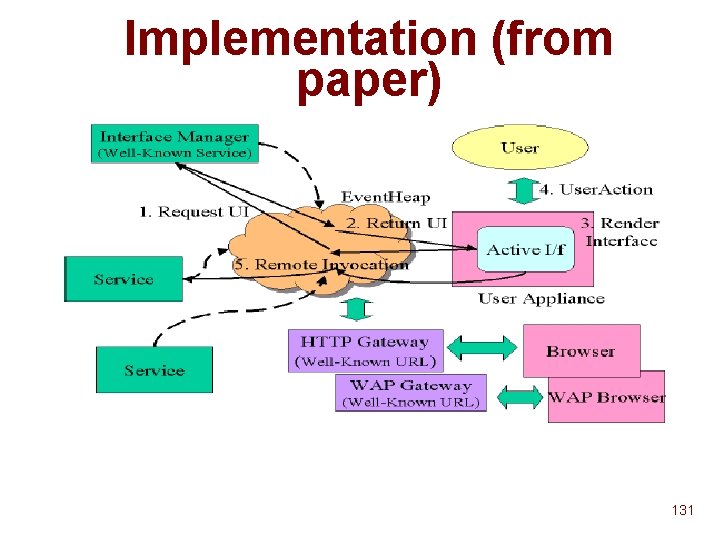
Implementation (from paper) 131
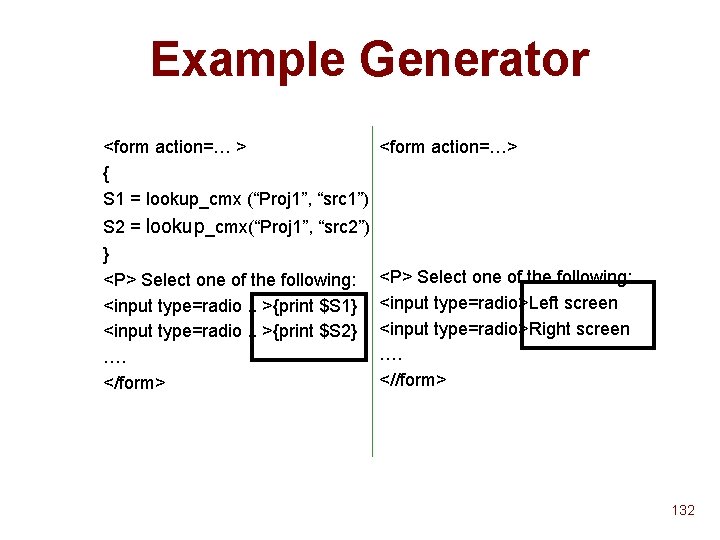
Example Generator <form action=… > <form action=…> { S 1 = lookup_cmx (“Proj 1”, “src 1”) S 2 = lookup_cmx(“Proj 1”, “src 2”) } <P> Select one of the following: <input type=radio. . >{print $S 1} <input type=radio. . >{print $S 2} …. </form> <P> Select one of the following: <input type=radio>Left screen <input type=radio>Right screen …. <//form> 132
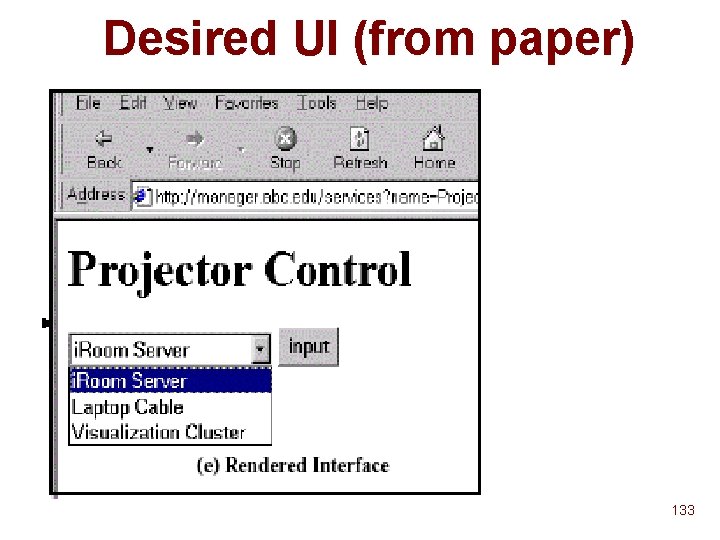
Desired UI (from paper) 133
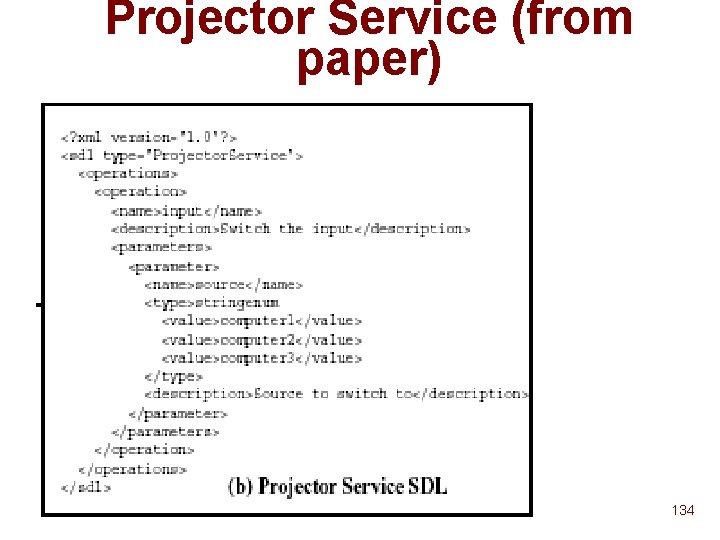
Projector Service (from paper) 134
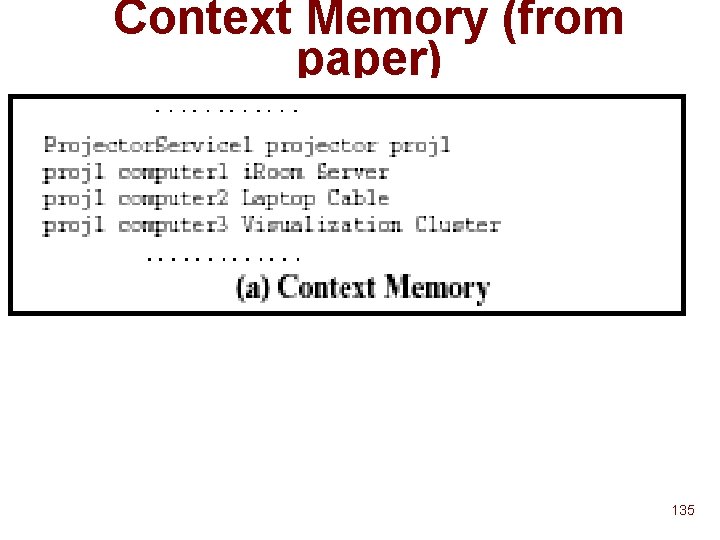
Context Memory (from paper) 135
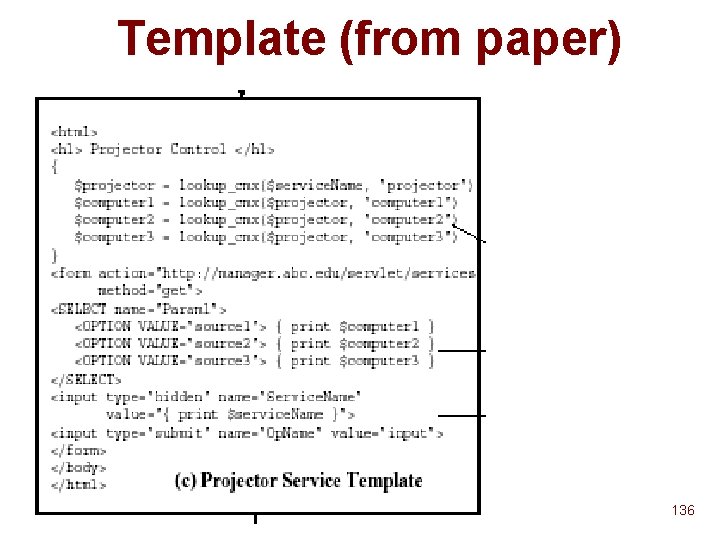
Template (from paper) 136
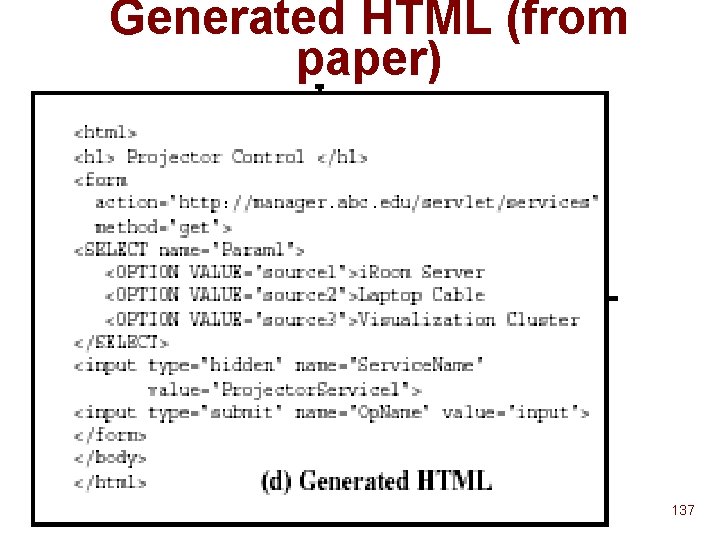
Generated HTML (from paper) 137
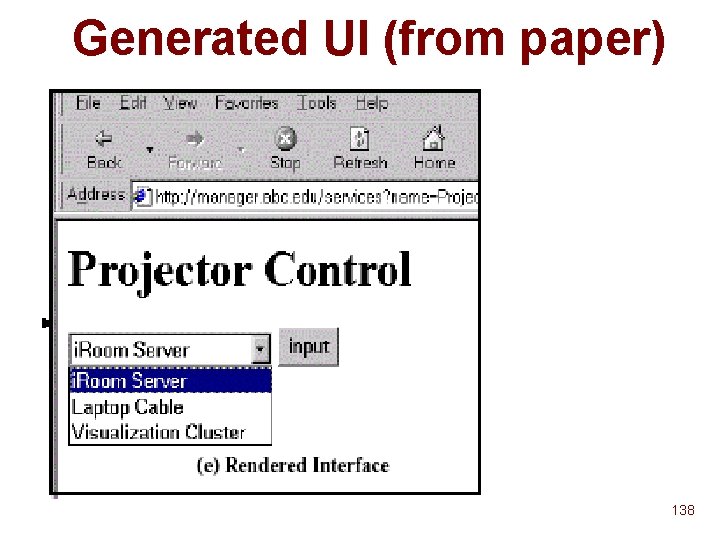
Generated UI (from paper) 138
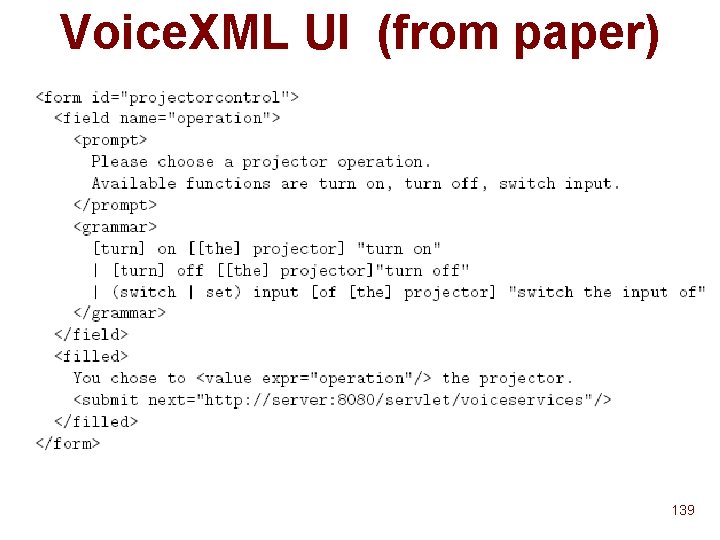
Voice. XML UI (from paper) 139
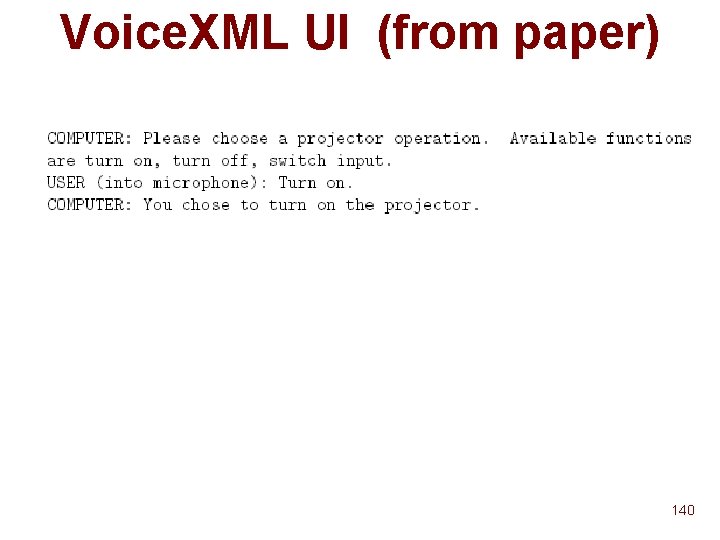
Voice. XML UI (from paper) 140
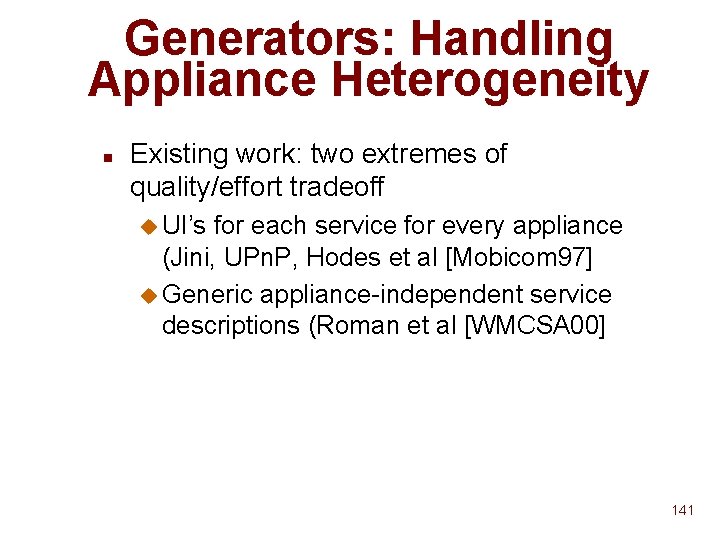
Generators: Handling Appliance Heterogeneity n Existing work: two extremes of quality/effort tradeoff u UI’s for each service for every appliance (Jini, UPn. P, Hodes et al [Mobicom 97] u Generic appliance-independent service descriptions (Roman et al [WMCSA 00] 141
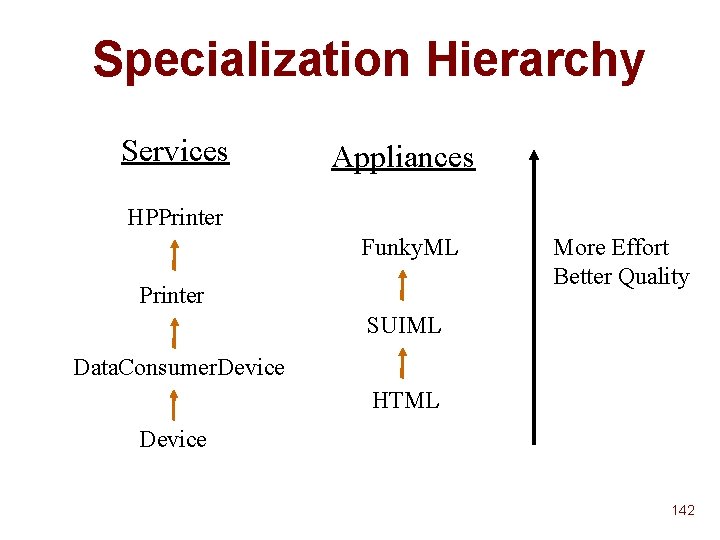
Specialization Hierarchy Services Appliances HPPrinter Funky. ML Printer More Effort Better Quality SUIML Data. Consumer. Device HTML Device 142
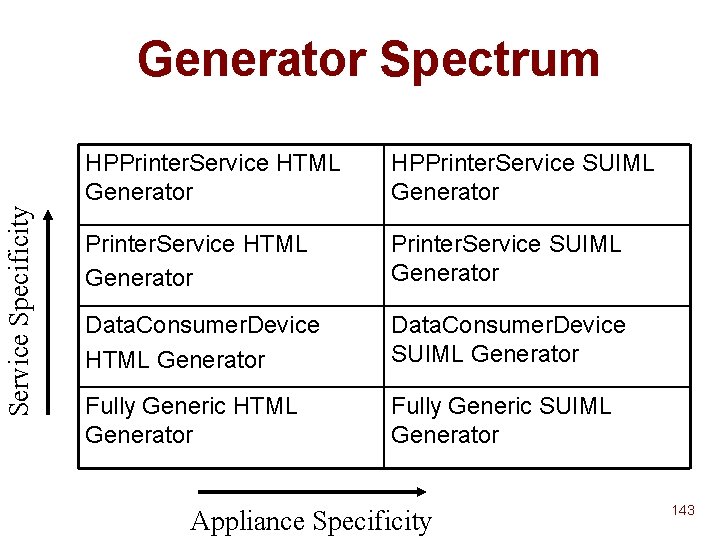
Service Specificity Generator Spectrum HPPrinter. Service HTML Generator HPPrinter. Service SUIML Generator Printer. Service HTML Generator Printer. Service SUIML Generator Data. Consumer. Device HTML Generator Data. Consumer. Device SUIML Generator Fully Generic HTML Generator Fully Generic SUIML Generator Appliance Specificity 143
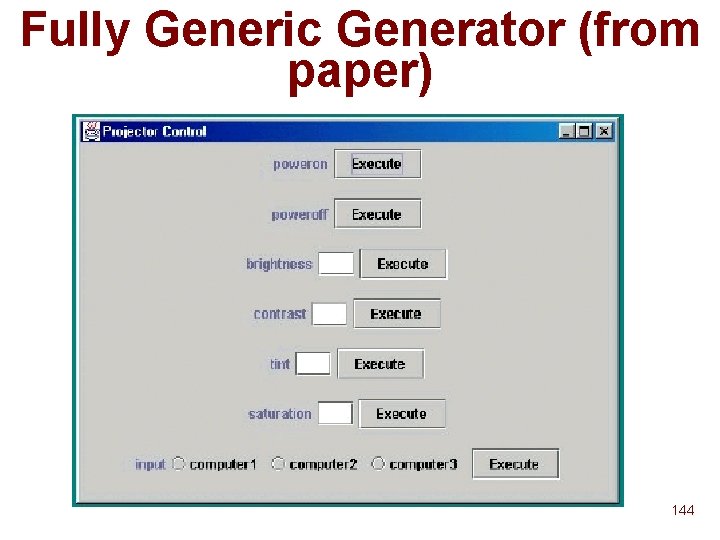
Fully Generic Generator (from paper) 144
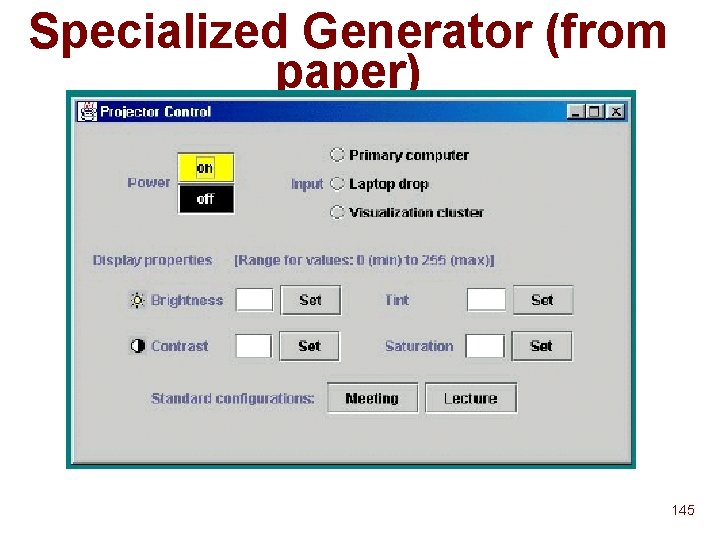
Specialized Generator (from paper) 145
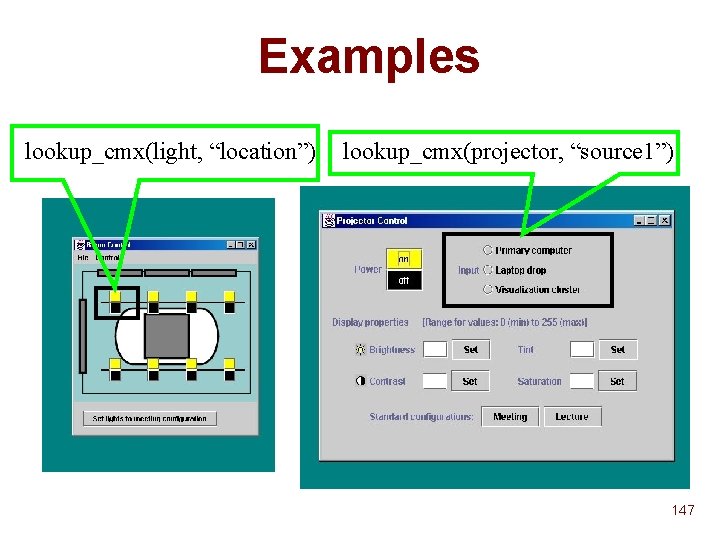
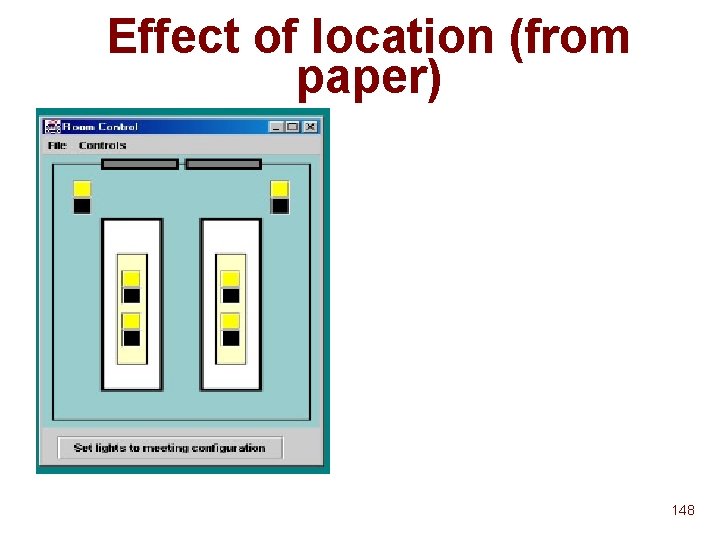
Generators: Workspace Heterogeneity n n All workspace configuration stored in a centralized "context memory" (Winograd, HCI ’ 01) Generators access configuration information using fixed APIs u n lookup_cmx(service, configuration property) Advantages of centralized configuration easier to administer u flexible, powerful queries u 146
Examples lookup_cmx(light, “location”) lookup_cmx(projector, “source 1”) 147
Effect of location (from paper) 148
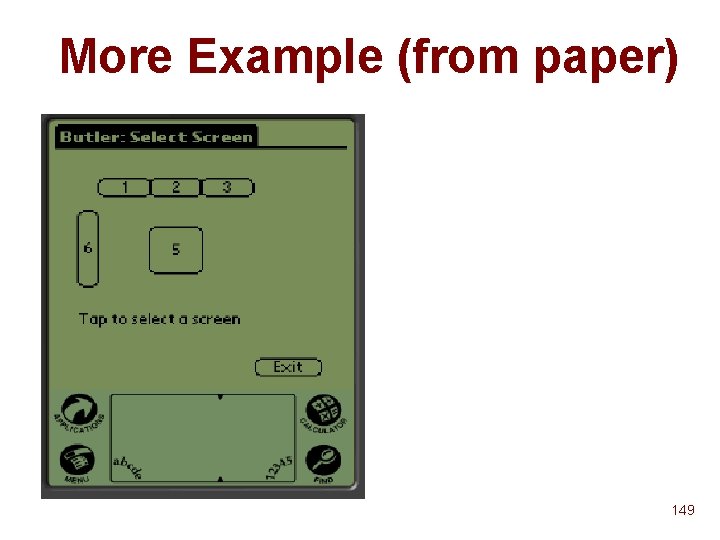
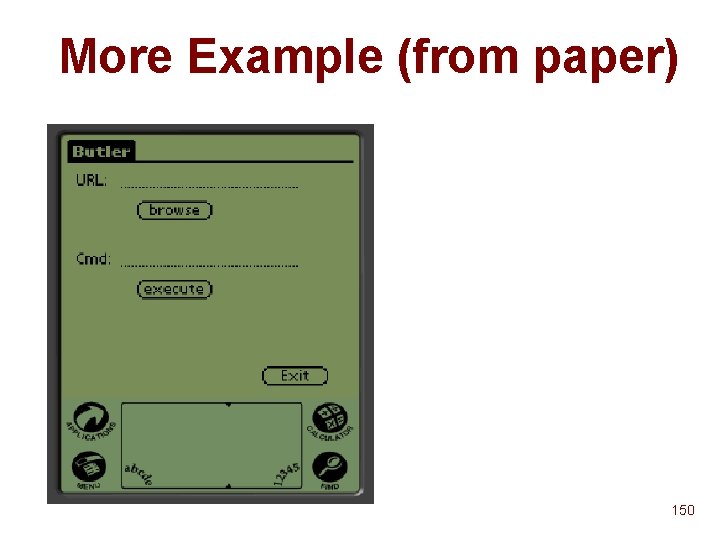
More Example (from paper) 149
More Example (from paper) 150
Generators: Handling Aggregation n Generators for multiple services u Eg. {Camera, Display}, {Camera, Display} n Generators for service patterns u Eg. n {Camera, Display+}, {Projector* } Generators for service interface patterns u Eg. {Data. Producer, Data. Displayer+} 151
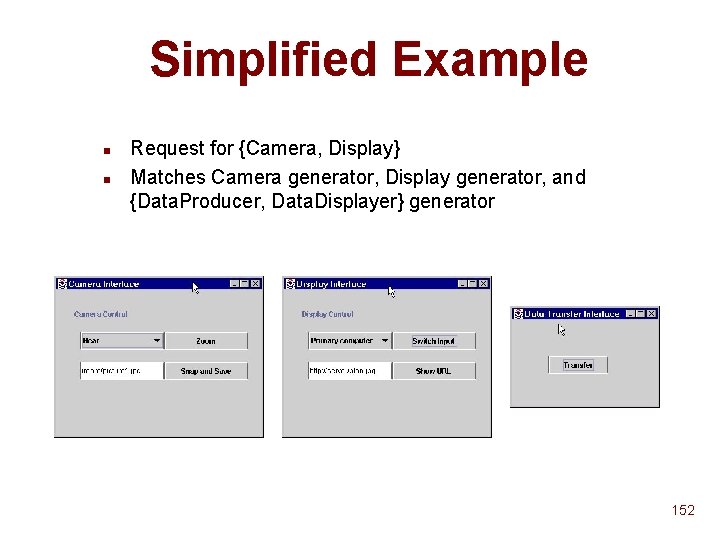
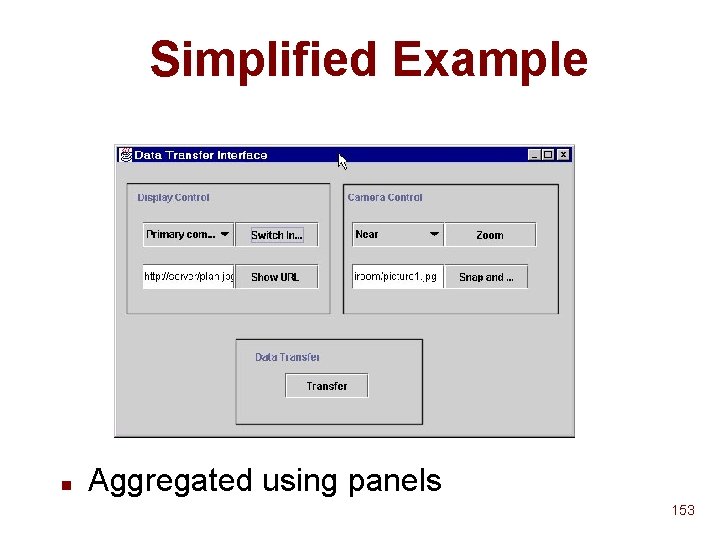
Simplified Example n n Request for {Camera, Display} Matches Camera generator, Display generator, and {Data. Producer, Data. Displayer} generator 152
Simplified Example n Aggregated using panels 153
Outline n n n What? Why? How? 154
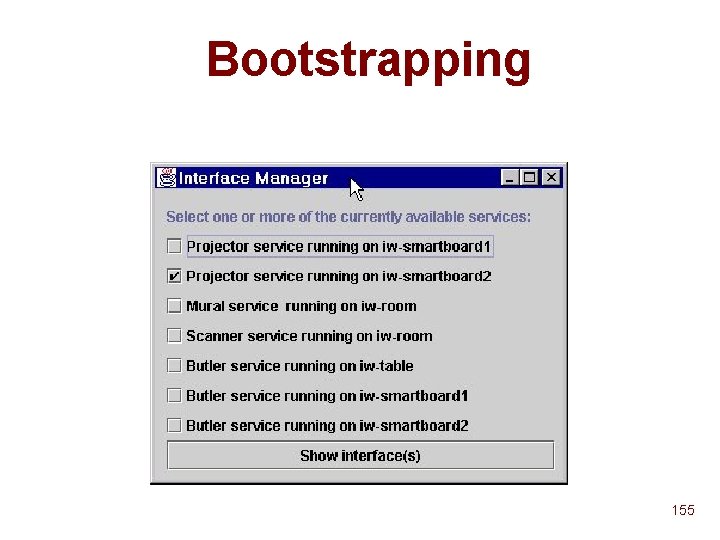
Bootstrapping 155
Future Work n n Authentication and synchronization Aggregation: more intelligent generator set selection: u Eg. Eliminate a {Data. Producer, Data. Displayer} generator if a {Camera, Display} generator exists 156
Interactive Workspaces Project Info n n n Some software already available Major release (including ICrafter) due this month For software and other info: http: //iwork. stanford. edu/ 157
Mobile Device User Interfaces and Usability CS 444 N Mobile Computing © 2001 Armando Fox fox@cs. stanford. edu 158
Outline n Fundamental usability issues …from weakly-connectedness u …from small-glass u Usability != UI u n Making the most of minimal input affordances Exploiting context u Designing for single-purpose appliances u n Two possible approaches Service composition u Appliance computing u n A preview of technology choices for projects 159
Weak Connectivity n n What are the transient vs fundamental UI issues? Consistency u How to present to the user u How to present to the application writer! u Why did Coda face a hard set of choices? n n Latency of access Fidelity 160
Wideband vs. Narrowband n Wideband here & there vs. Narrowband everywhere u n Does narrowband everywhere == always-on? Depends what you want to do… How could you exploit “pockets” of wideband? Info. Stations u Adaptive email u Adaptive information browsing u n What is enabled by “narrowband everywhere”? Notifications u Not document delivery u 161
Small Glass Devices n n n Fundamental difference between a large screen and a small screen? …between any kind of screen and voice-based systems? Note, “user experience” != “user interface”! Mapping a UI into VXML or WAP is not that hard u Coming up with a defensible UE seems much harder u n Some examples to follow… 162
To Speak Or Not To Speak… Myth: perfect voice recognition will solve all HCI problems related to phone-based services Reality of voice interfaces: n Inherently sequential n User must remember context and choices n Big problem with recognizing commands vs. data n User is usually distracted because they’re doing something else! (Otherwise they’d use a data service) n Moral: Use voice where it’s the most natural interaction (e. g. to leave a message) n 163
HCI Issues: Network Speed Myth: fast, widely-available, >3 G networks will solve usability problems for wireless apps. Reality: n How much data can you stream to a cell phone? Is “talking head” videoconferencing that compelling? n Most real limitations are unrelated to network speed n Limited screen size u Limited data-input capability u Technologies have been developed that are pretty effective at working around slow networks! u Slow networks hamper some apps, but are not likely to be the main “dealbreaker” for today’s apps. 164
HCI Issues Summary n Technology breakthroughs will not provide “magic bullet” Convenience of doing task is critical: minimize number of clicks u Compare to Palm Pilot! u n How can you exploit task context to do this? Location of the phone u Stored information about user in their profile u Other sources of context? u Remember: things that are easy on a desktop Web browser become awkward on a smaller device. Wireless experience must be carefully designed-not retrofitted from the Web experience n 165
What Can We Do About It? (take 1) n Use context aggressively Time u Location u Stored user profile u “Triggers” selected by user combined from these u n Think in terms of activities rather than tasks Activity may comprise many discrete tasks u Tasks may be partially automatable, and might be able to “inherit” context from each other u Need a way to represent what this context is u Need a framework for treating a composition of services as a single service, with a simpler UI u 166
Context as Separate Layer n n n Can context be used to automatically narrow choices for existing Web services? Example: “Is my next flight on time? ” Example: “Find me somewhere to have dinner in an hour” What context is required to know what the user means, and to answer the question? u What existing services can be harnessed? u What context items can be supplied to those services automatically? u What context items are produced by some services that can be passed to others? u n Leads to a desire for general service composition… 167
Composing Autonomous Services n Autonomous services Standalone applications, usually hosted separately u Examples: Common destination Web sites u n Services from building blocks Can think of a particular destination Web site as providing one or more autonomous “building block” u Map. Quest: given a pair of addresses, return directions and map u Amazon: given keywords, return listing and price info for matching books u IMDB: given movie title or other keywords, return movie reviews and production info u 168
Programming Via Service Composition n Remote invocation of several services in real time u n Example: “Find the most highly reviewed James Bond movie and locate the best price for it” Observations Typically services aren’t designed to be composed, and may have do quite different tasks u “Compositor” only does remote invocation--not mobile code u Potential for good fault isolation u Potential for high availability through redundancy u Can compose “meta-services” into higher-level ones u management/heterogeneity issues in dealing with a collection of autonomous services u 169
Building a Prototype n Step 1: A composition framework Service described by declarative spec u Provide mechanics for submit-and-scrape invocation that uses these specs to communicate with existing servers u Execution engine oversees execution and passes parameters between stages u Manual specification of compositions u n Step 2: Semantic mapping to facilitate automated composition Example: IMDB vs. Net. Flix u A lot more to say on this topic! u 170
We. SCo. S, a Web Service Composition System n n Prototype of Step 1 - a general composition framework Same specification for basic or composite services Self-contained service specifications u Includes identifier, input/output schemas, and execute node u n Execute node all HTTP invocation information u composition execution steps u XPL: e. Xtensible Programming Language u n Compositions currently manually specified 171
Specification and Invocation n Specification: Input and output “schemas” u Argument names (strings, ints, or non-nested sets of these) u Only characterizes input/output behavior of a service in terms of named arguments u n Execution: “Fat URL”, form submission, or Web. L used for actual invocation u Simple LR scanner for scraping results u n Composition: invocation, result collection, iteration 172
Exploiting Composition How can we take advantage of composition? n Building Ad Hoc applications u Application n Templates Providing more sophisticated Web Services u Customized services (e. g. , comparison shopping with user-specified services and products, or “here is my profile, plan my evening”) u Subscription services (e. g. , “let me know when a historian presents his/her new book in Downtown SF”) u Smart services (e. g. , guess intelligent compositions of random services put in a basket by the user) 173
We. SCo. S Summary n n n A general composition framework Allows developers to add services and define composition requests Relies on compact, descriptive XML service specification Same interface used for composite and atomic services (transparent to the caller) Once a specification is loaded into We. SCo. S, requests are automatically executed by the system 174
Prototype Evaluation + Ease of service creation + Ease of composition + Simple system implementation and deployment Document exchange => easy, modular upgrade of the composition system - Naïve (and slow) implementation - “Increasingly stable” 175
What Can We Do About It? (take 2) n n Focus on simple “appliances” Think in terms of one or a few uses Digital camera u Handheld scanner u Set-top box u n n Harness Web-based services to “power” the appliances To make the UE defensible, we can exploit… What users already know about using the device u Users’ mental model of the device and the task it’s used for u Avoid “artificial” abstractions (e. g. making users worry about file formats, etc. for digital photos) u 176
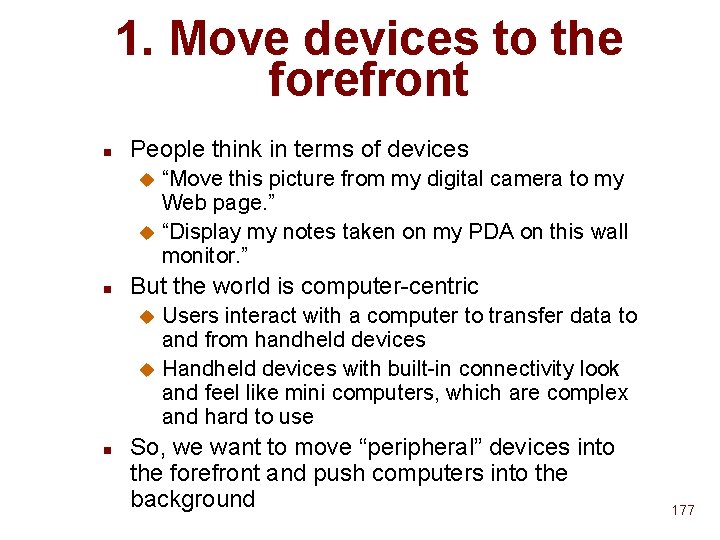
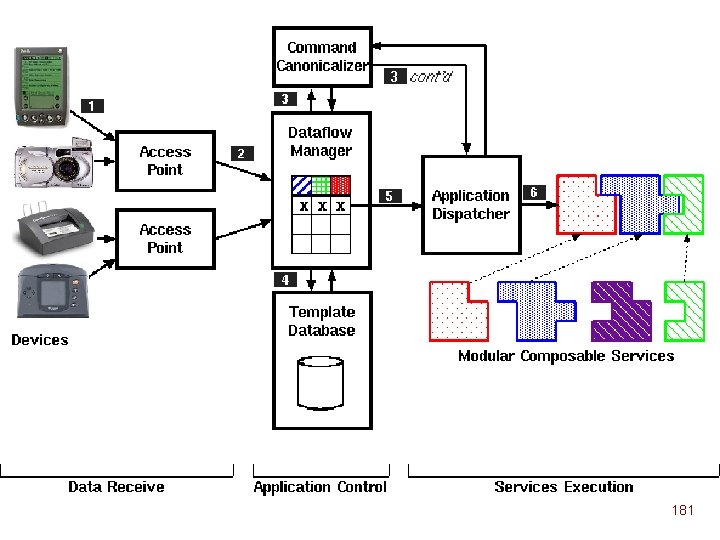
1. Move devices to the forefront n People think in terms of devices “Move this picture from my digital camera to my Web page. ” u “Display my notes taken on my PDA on this wall monitor. ” u n But the world is computer-centric Users interact with a computer to transfer data to and from handheld devices u Handheld devices with built-in connectivity look and feel like mini computers, which are complex and hard to use u n So, we want to move “peripheral” devices into the forefront and push computers into the background 177
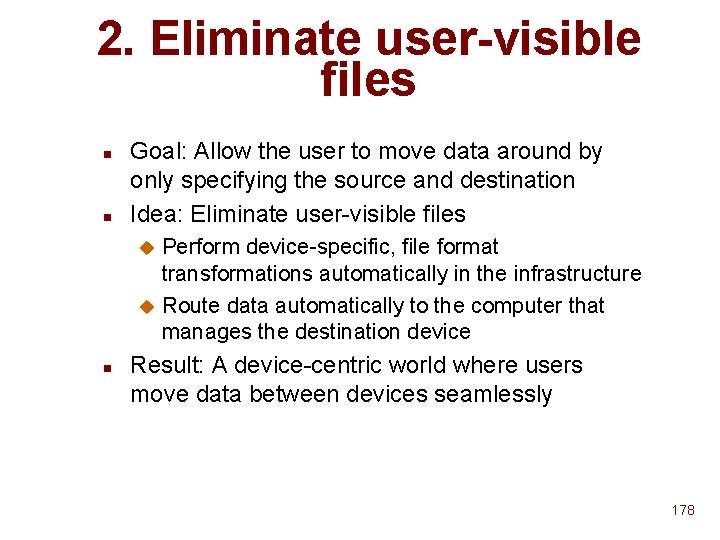
2. Eliminate user-visible files n n Goal: Allow the user to move data around by only specifying the source and destination Idea: Eliminate user-visible files Perform device-specific, file format transformations automatically in the infrastructure u Route data automatically to the computer that manages the destination device u n Result: A device-centric world where users move data between devices seamlessly 178
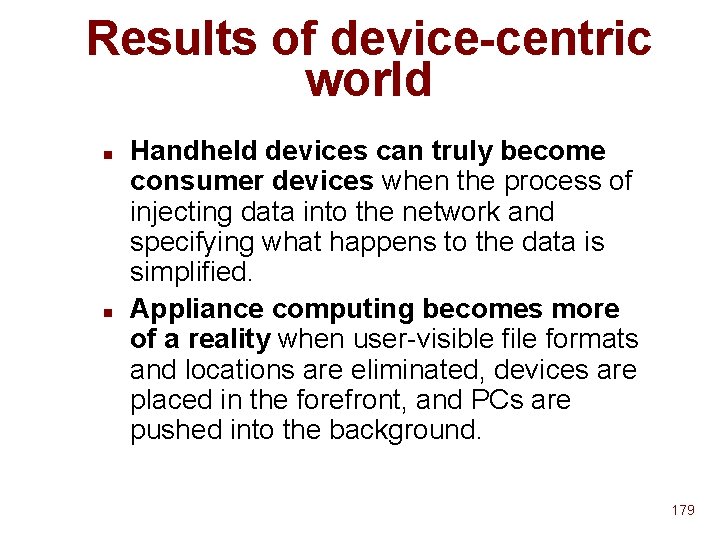
Results of device-centric world n n Handheld devices can truly become consumer devices when the process of injecting data into the network and specifying what happens to the data is simplified. Appliance computing becomes more of a reality when user-visible file formats and locations are eliminated, devices are placed in the forefront, and PCs are pushed into the background. 179
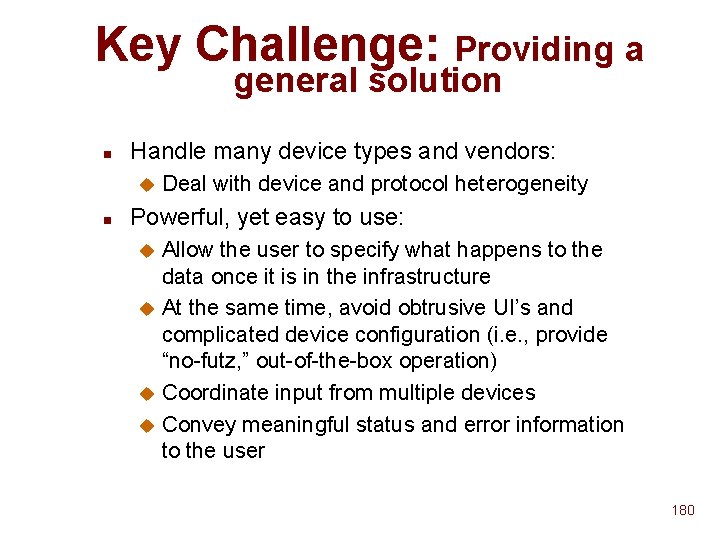
Key Challenge: Providing a general solution n Handle many device types and vendors: u n Deal with device and protocol heterogeneity Powerful, yet easy to use: Allow the user to specify what happens to the data once it is in the infrastructure u At the same time, avoid obtrusive UI’s and complicated device configuration (i. e. , provide “no-futz, ” out-of-the-box operation) u Coordinate input from multiple devices u Convey meaningful status and error information to the user u 180
181
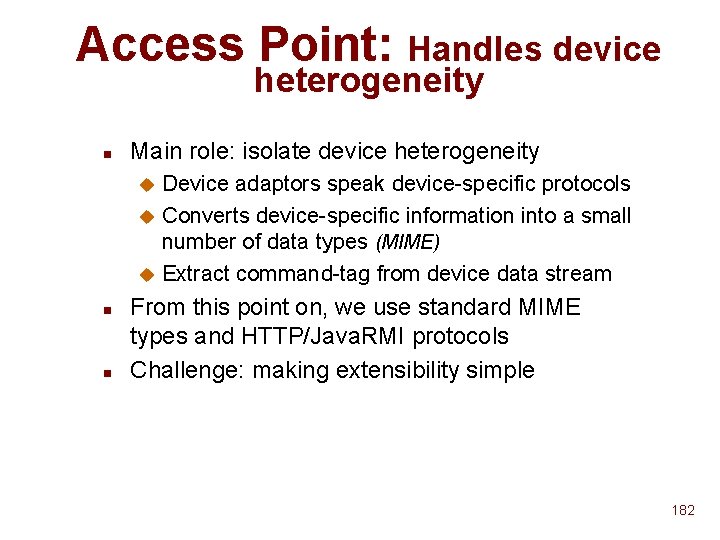
Access Point: Handles device heterogeneity n Main role: isolate device heterogeneity Device adaptors speak device-specific protocols u Converts device-specific information into a small number of data types (MIME) u Extract command-tag from device data stream u n n From this point on, we use standard MIME types and HTTP/Java. RMI protocols Challenge: making extensibility simple 182
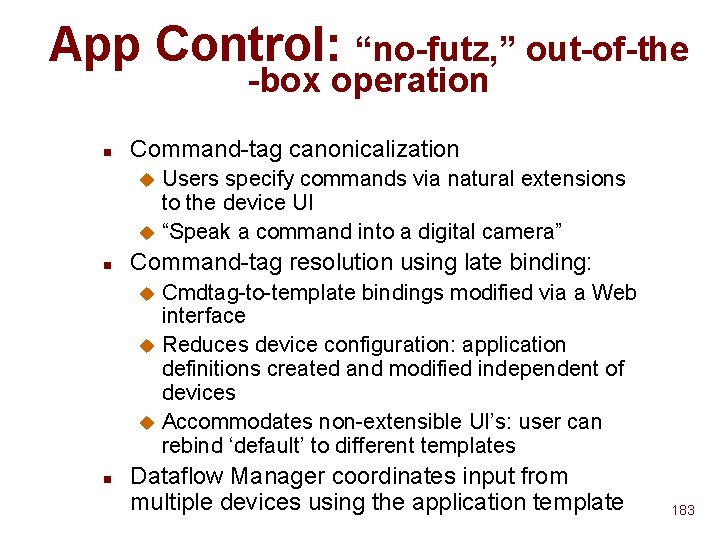
App Control: “no-futz, ” out-of-the -box operation n Command-tag canonicalization Users specify commands via natural extensions to the device UI u “Speak a command into a digital camera” u n Command-tag resolution using late binding: Cmdtag-to-template bindings modified via a Web interface u Reduces device configuration: application definitions created and modified independent of devices u Accommodates non-extensible UI’s: user can rebind ‘default’ to different templates u n Dataflow Manager coordinates input from multiple devices using the application template 183
Appliance Computing Summary n n Try to accommodate users’ existing metaphors of how devices work Work around limited device UI’s Late binding of “commands” to application templates (scripts) u Command canonicalization u “Default” template for UI-less appliances u n n Exploit existing infrastructure (Web) services Prototype implementation… HP Jet. Send-compatible cameras, Palm Pilots, etc. u Command canonicalization including voice rec u 184
A Preview of Technology Tools n n n Voice. XML WAP/WML and Oracle. Mobile Appliance Data Services framework We. SCo. S framework Usability designers and specialists! 185