NIKE CHEMISTRY TRAINING GUIDE LOGIN REGISTRATION 2 1
- Slides: 2
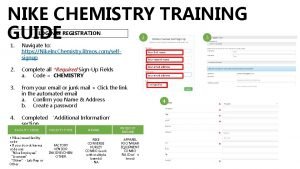
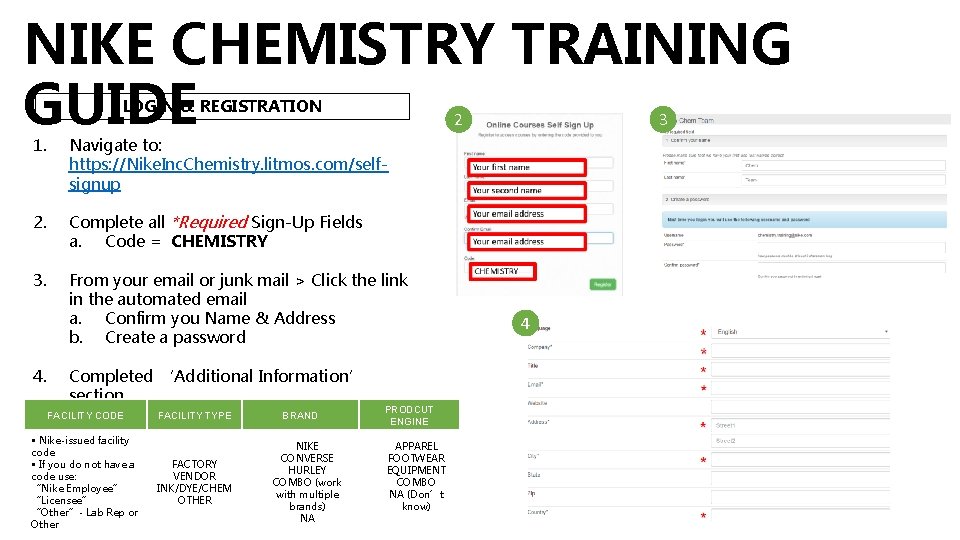
NIKE CHEMISTRY TRAINING GUIDE LOGIN & REGISTRATION 2 1. Navigate to: https: //Nike. Inc. Chemistry. litmos. com/selfsignup 2. Complete all *Required Sign-Up Fields a. Code = CHEMISTRY 3. From your email or junk mail > Click the link in the automated email a. Confirm you Name & Address b. Create a password 4. Completed ‘Additional Information’ section *Required MSITYPE Credit FACILITY CODE to receive FACILITY • Nike-issued facility code • If you do not have a code use: “Nike Employee” “Licensee” “Other”- Lab Rep or Other FACTORY VENDOR INK/DYE/CHEM OTHER BRAND NIKE CONVERSE HURLEY COMBO (work with multiple brands) NA PRODCUT ENGINE APPAREL FOOTWEAR EQUIPMENT COMBO NA (Don’t know) 3 4
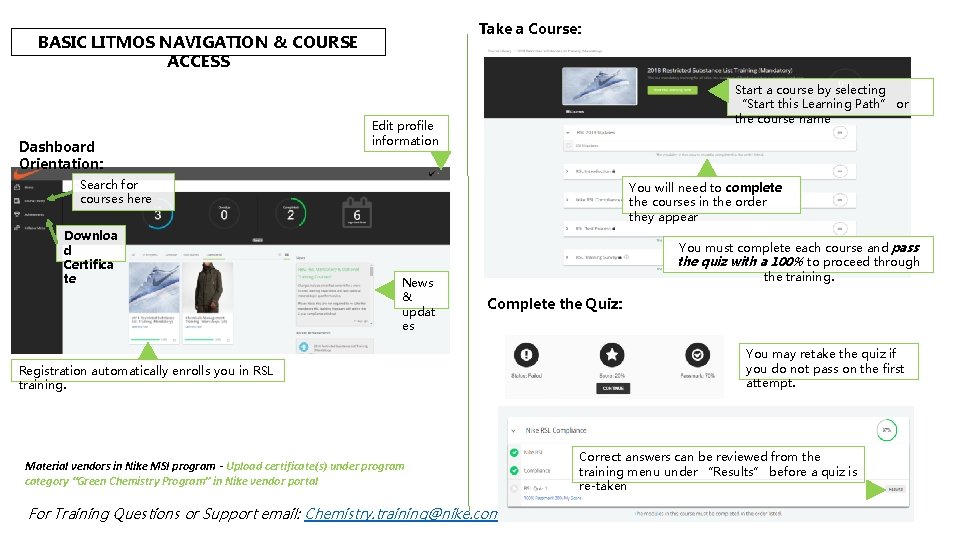
Take a Course: BASIC LITMOS NAVIGATION & COURSE ACCESS Dashboard Orientation: Start a course by selecting “Start this Learning Path” or the course name Edit profile information Search for courses here Downloa d Certifica te You will need to complete the courses in the order they appear News & updat es You must complete each course and pass the quiz with a 100% to proceed through the training. Complete the Quiz: Registration automatically enrolls you in RSL training. Material vendors in Nike MSI program - Upload certificate(s) under program category “Green Chemistry Program” in Nike vendor portal For Training Questions or Support email: Chemistry. training@nike. com You may retake the quiz if you do not pass on the first attempt. Correct answers can be reviewed from the training menu under “Results” before a quiz is re-taken