HCID USER INTERFACE DESIGN PROTOTYPING EVALUATION Heuristic Evaluation



![Severity Ratings Example 1. [H 1 -4 Consistency] [Severity 3][Fix 0] The interface used](https://slidetodoc.com/presentation_image_h/ac70fef4ac0e76007a7bd70415df9cb9/image-41.jpg "Severity Ratings Example 1. [H 1 -4 Consistency] [Severity 3][Fix 0] The interface used")
![Results of Using HE • Discount: benefit-cost ratio of 48 [Nielsen 94] – cost](https://slidetodoc.com/presentation_image_h/ac70fef4ac0e76007a7bd70415df9cb9/image-43.jpg "Results of Using HE • Discount: benefit-cost ratio of 48 [Nielsen 94] – cost")
- Slides: 47
HCI+D: USER INTERFACE DESIGN + PROTOTYPING + EVALUATION Heuristic Evaluation Prof. James A. Landay Computer Science Department Stanford University Autumn 2014 October 30, 2014
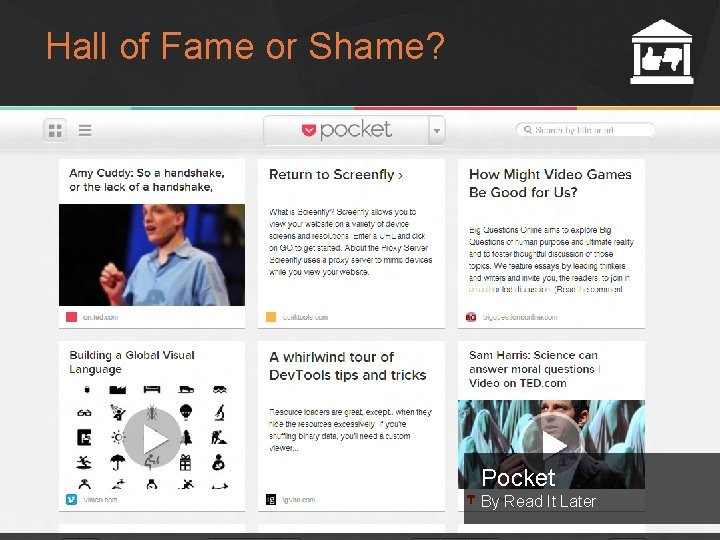
Hall of Fame or Shame? Pocket By Read It Later Autumn 2014 HCI+D: User Interface Design, Prototyping, & Evaluation 2
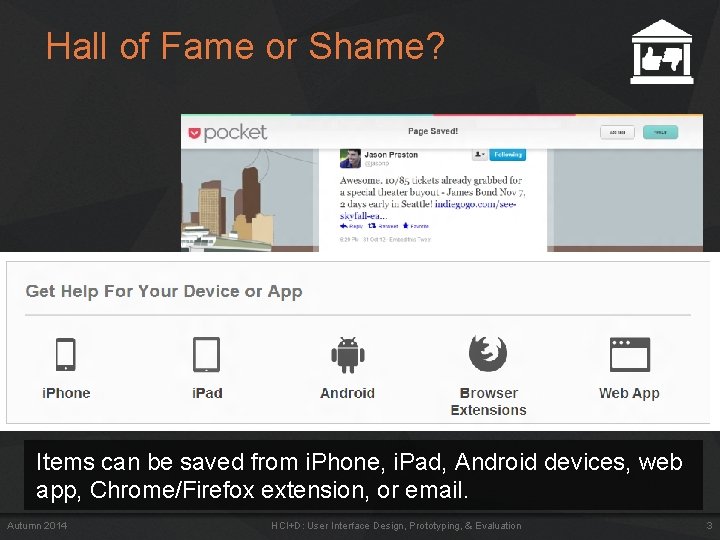
Hall of Fame or Shame? Items can be saved from i. Phone, i. Pad, Android devices, web app, Chrome/Firefox extension, or email. Autumn 2014 HCI+D: User Interface Design, Prototyping, & Evaluation 3
Hall of Fame or Shame? Autumn 2014 HCI+D: User Interface Design, Prototyping, & Evaluation 4
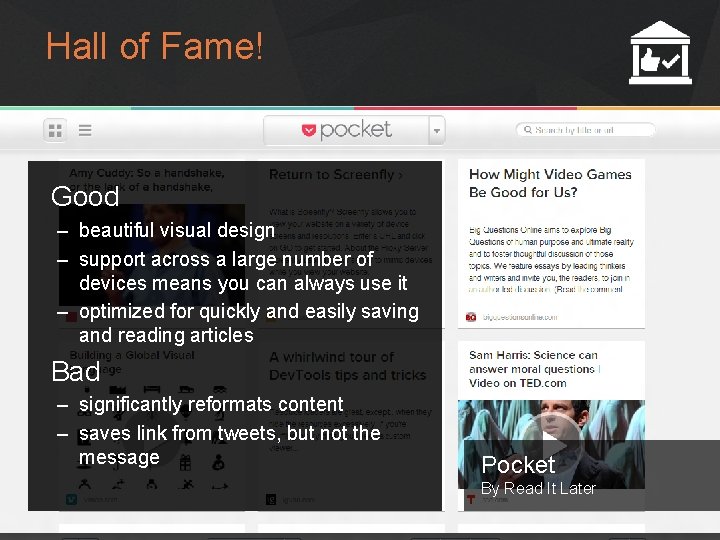
Hall of Fame! Good – beautiful visual design – support across a large number of devices means you can always use it – optimized for quickly and easily saving and reading articles Bad – significantly reformats content – saves link from tweets, but not the message Pocket By Read It Later Autumn 2014 HCI+D: User Interface Design, Prototyping, & Evaluation 5
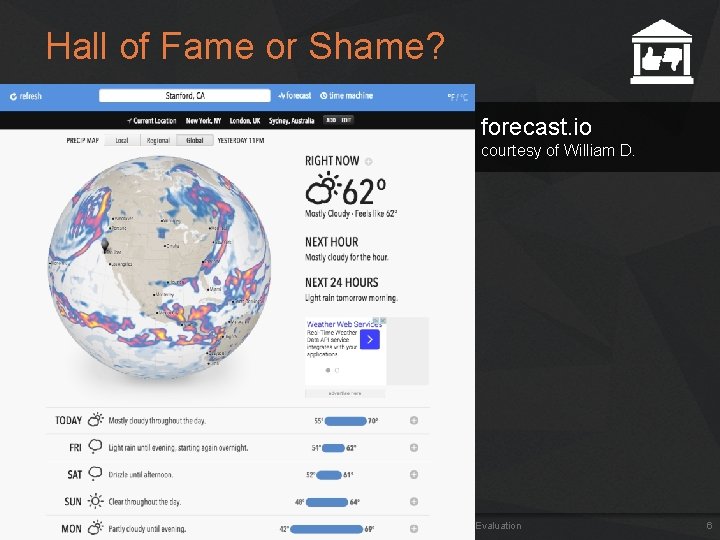
Hall of Fame or Shame? forecast. io courtesy of William D. Autumn 2014 HCI+D: User Interface Design, Prototyping, & Evaluation 6
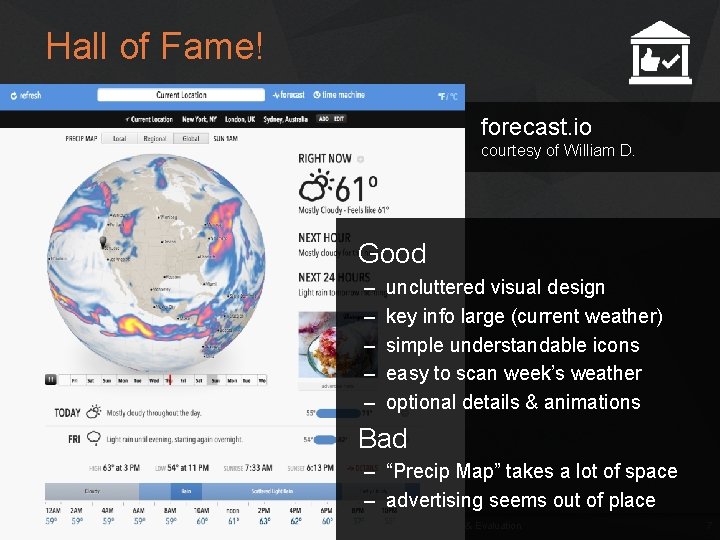
Hall of Fame! forecast. io courtesy of William D. Good – – – uncluttered visual design key info large (current weather) simple understandable icons easy to scan week’s weather optional details & animations Bad – “Precip Map” takes a lot of space – advertising seems out of place Autumn 2014 HCI+D: User Interface Design, Prototyping, & Evaluation 7
HCI+D: USER INTERFACE DESIGN + PROTOTYPING + EVALUATION Heuristic Evaluation Prof. James A. Landay Computer Science Department Stanford University Autumn 2014 October 30, 2014
Outline • • • Autumn 2014 Visual Design Review HE Process Overview The Heuristics Team Break How to Perform Heuristic Evaluation vs. Usability Testing HCI+D: User Interface Design, Prototyping, & Evaluation 9
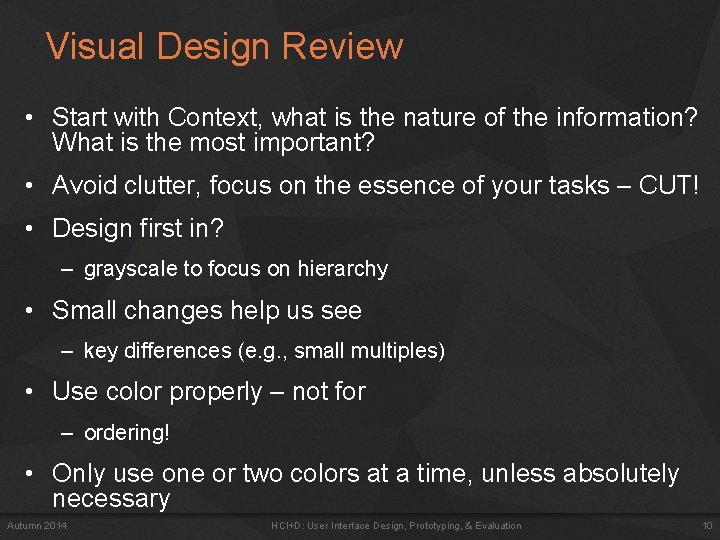
Visual Design Review • Start with Context, what is the nature of the information? What is the most important? • Avoid clutter, focus on the essence of your tasks – CUT! • Design first in? – grayscale to focus on hierarchy • Small changes help us see – key differences (e. g. , small multiples) • Use color properly – not for – ordering! • Only use one or two colors at a time, unless absolutely necessary Autumn 2014 HCI+D: User Interface Design, Prototyping, & Evaluation 10
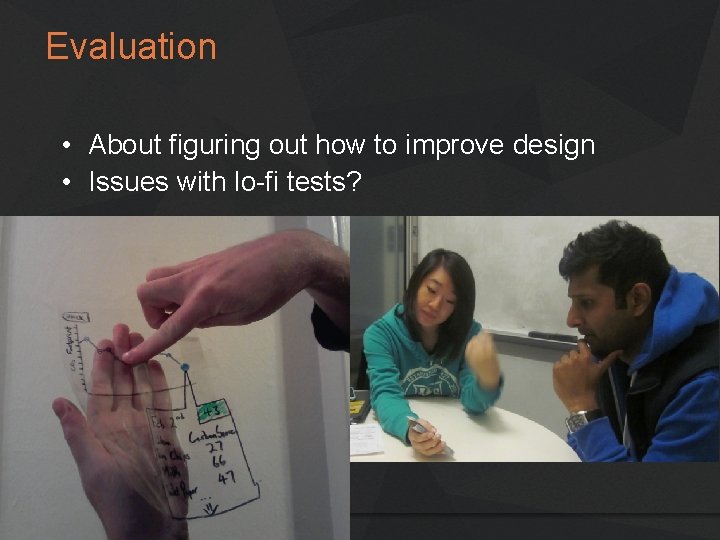
Evaluation • About figuring out how to improve design • Issues with lo-fi tests? Autumn 2014
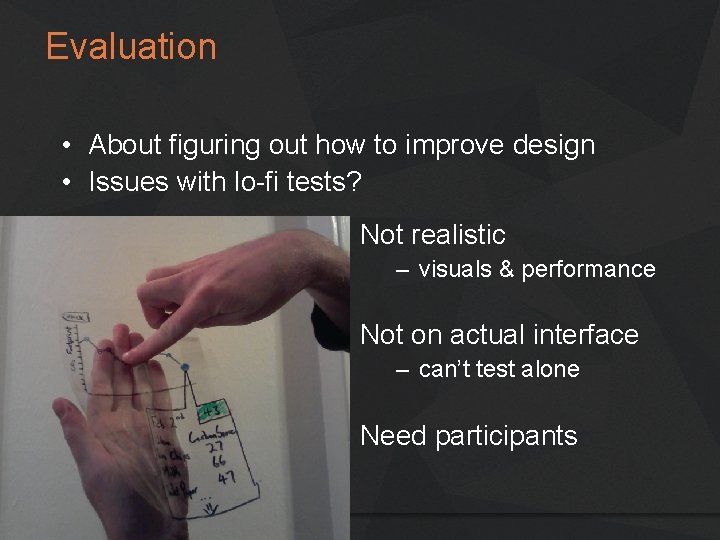
Evaluation • About figuring out how to improve design • Issues with lo-fi tests? Not realistic – visuals & performance Not on actual interface – can’t test alone Need participants Autumn 2014
Heuristic Evaluation • Developed by Jakob Nielsen • Helps find usability problems in a UI design • Small set (3 -5) of evaluators examine UI – independently check for compliance with usability principles (“heuristics”) – 3 -5 evaluators because? • different evaluators will find different problems – evaluators only communicate afterwards • findings are then aggregated • Can perform on working UI or on sketches Autumn 2014 HCI+D: User Interface Design, Prototyping, & Evaluation 13
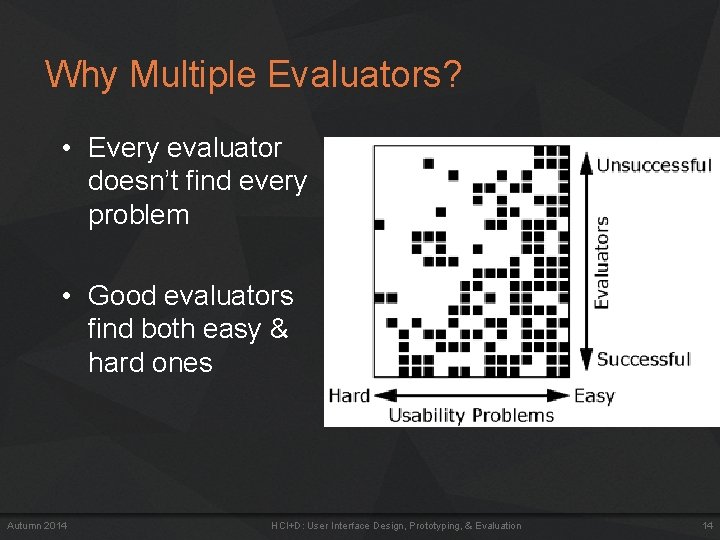
Why Multiple Evaluators? • Every evaluator doesn’t find every problem • Good evaluators find both easy & hard ones Autumn 2014 HCI+D: User Interface Design, Prototyping, & Evaluation 14
Heuristic Evaluation Process • Evaluators go through UI several times – inspect various dialogue elements – compare with list of usability principles – consider other principles/results that come to mind • Usability principles – Nielsen’s “heuristics” – supplementary list of category-specific heuristics • competitive analysis & user testing of existing products • Use violations to redesign/fix problems Autumn 2014 HCI+D: User Interface Design, Prototyping, & Evaluation 15
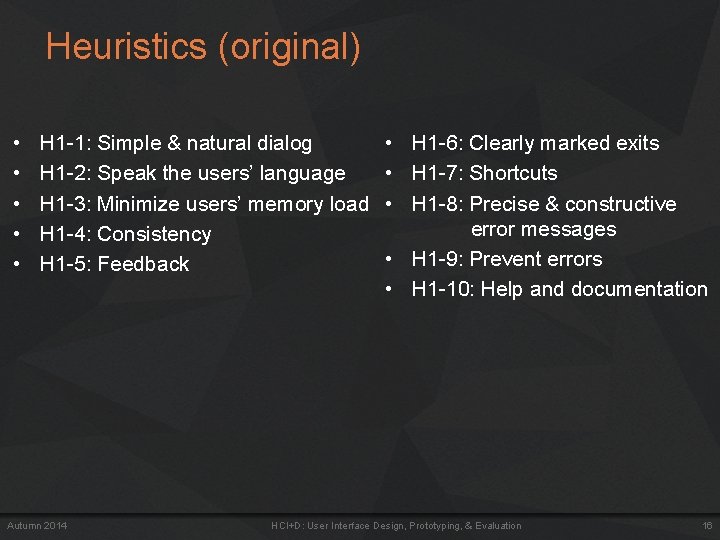
Heuristics (original) • • • H 1 -1: Simple & natural dialog H 1 -2: Speak the users’ language H 1 -3: Minimize users’ memory load H 1 -4: Consistency H 1 -5: Feedback Autumn 2014 • H 1 -6: Clearly marked exits • H 1 -7: Shortcuts • H 1 -8: Precise & constructive error messages • H 1 -9: Prevent errors • H 1 -10: Help and documentation HCI+D: User Interface Design, Prototyping, & Evaluation 16
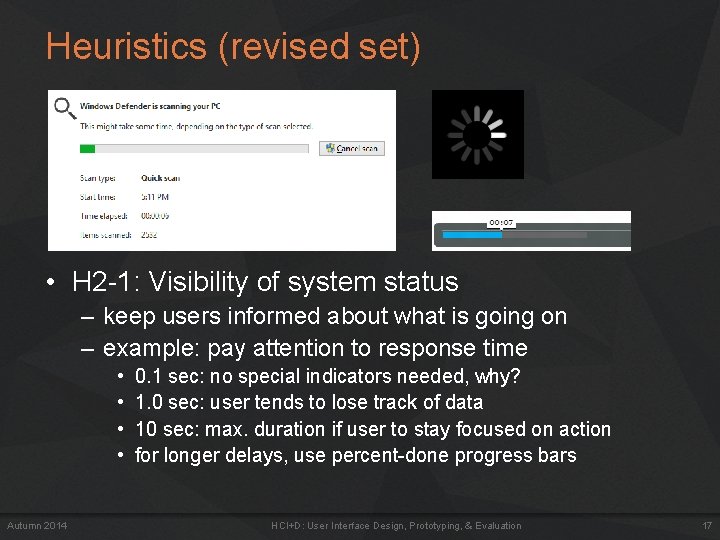
Heuristics (revised set) • H 2 -1: Visibility of system status – keep users informed about what is going on – example: pay attention to response time • • Autumn 2014 0. 1 sec: no special indicators needed, why? 1. 0 sec: user tends to lose track of data 10 sec: max. duration if user to stay focused on action for longer delays, use percent-done progress bars HCI+D: User Interface Design, Prototyping, & Evaluation 17
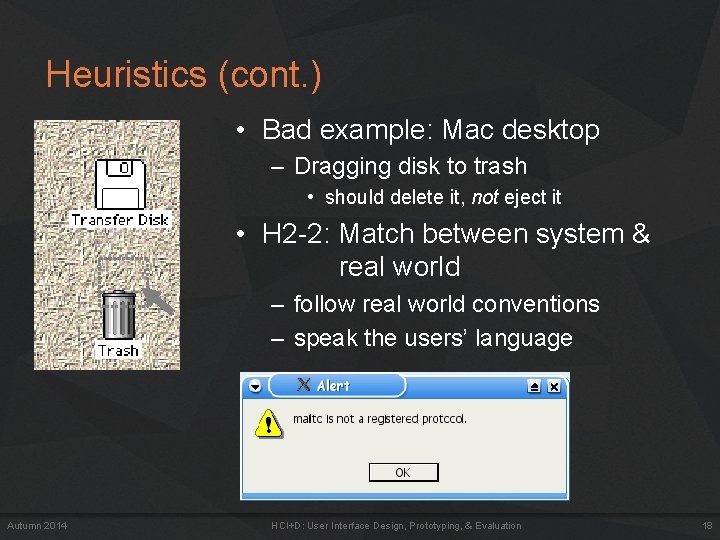
Heuristics (cont. ) • Bad example: Mac desktop – Dragging disk to trash • should delete it, not eject it • H 2 -2: Match between system & real world – follow real world conventions – speak the users’ language Autumn 2014 HCI+D: User Interface Design, Prototyping, & Evaluation 18
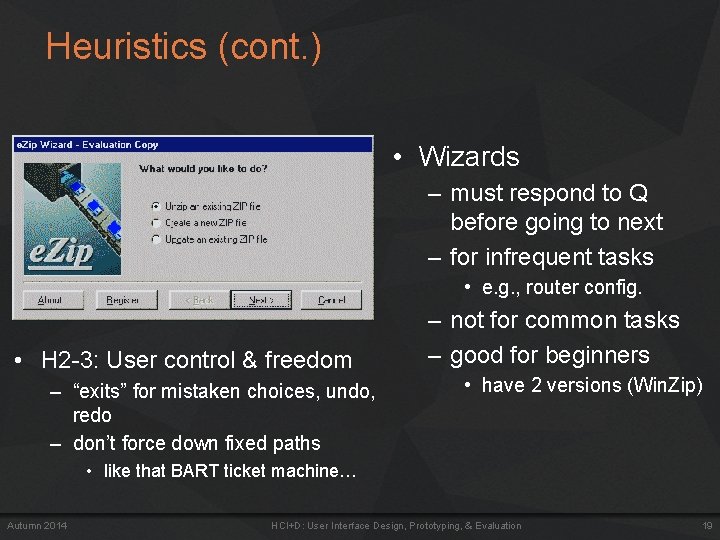
Heuristics (cont. ) • Wizards – must respond to Q before going to next – for infrequent tasks • e. g. , router config. • H 2 -3: User control & freedom – “exits” for mistaken choices, undo, redo – don’t force down fixed paths – not for common tasks – good for beginners • have 2 versions (Win. Zip) • like that BART ticket machine… Autumn 2014 HCI+D: User Interface Design, Prototyping, & Evaluation 19
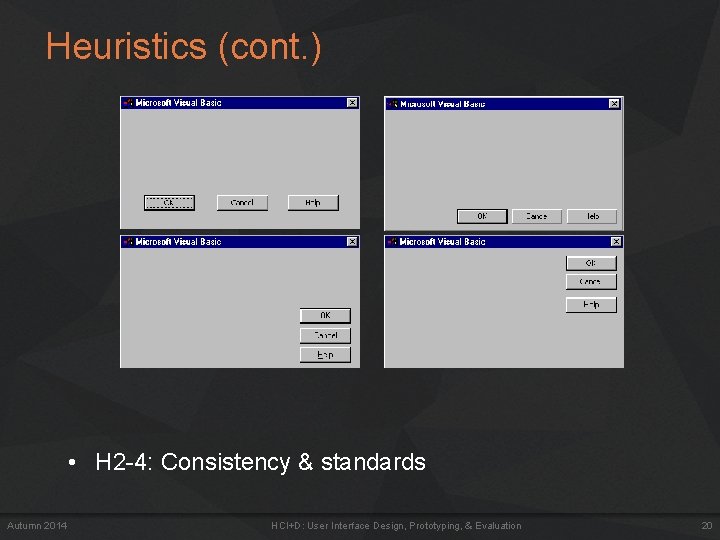
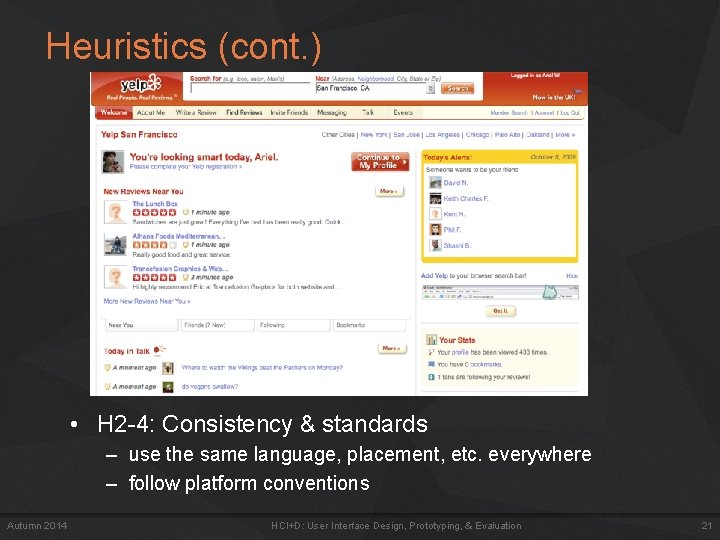
Heuristics (cont. ) • H 2 -4: Consistency & standards Autumn 2014 HCI+D: User Interface Design, Prototyping, & Evaluation 20
Heuristics (cont. ) • H 2 -4: Consistency & standards • Autumn 2014 – use the same language, placement, etc. everywhere H 2 -4: Consistency & standards – follow platform conventions HCI+D: User Interface Design, Prototyping, & Evaluation 21
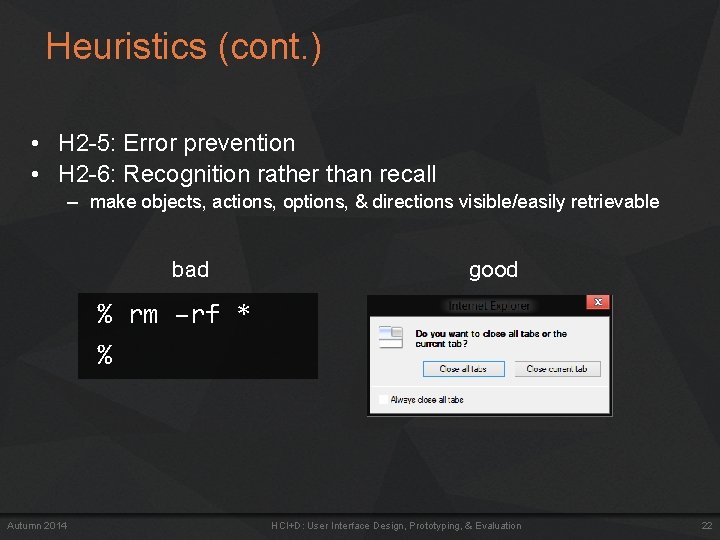
Heuristics (cont. ) • H 2 -5: Error prevention • H 2 -6: Recognition rather than recall – make objects, actions, options, & directions visible/easily retrievable bad good % rm –rf * % Autumn 2014 HCI+D: User Interface Design, Prototyping, & Evaluation 22
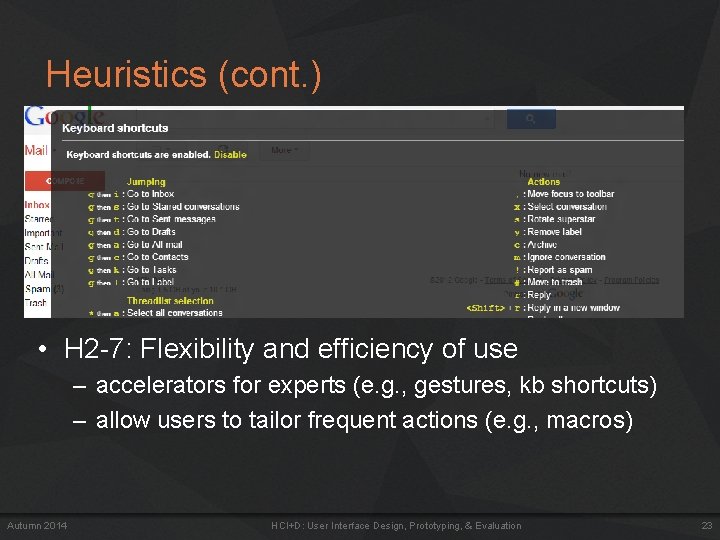
Heuristics (cont. ) • H 2 -7: Flexibility and efficiency of use – accelerators for experts (e. g. , gestures, kb shortcuts) – allow users to tailor frequent actions (e. g. , macros) Autumn 2014 HCI+D: User Interface Design, Prototyping, & Evaluation 23
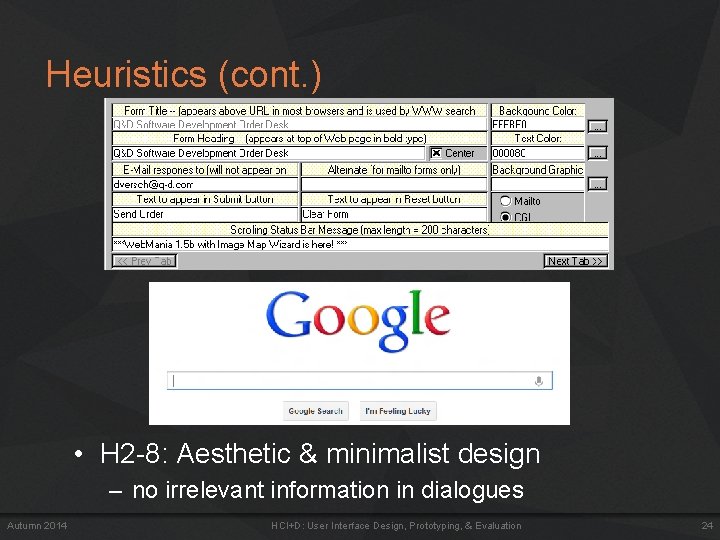
Heuristics (cont. ) • H 2 -8: Aesthetic & minimalist design – no irrelevant information in dialogues Autumn 2014 HCI+D: User Interface Design, Prototyping, & Evaluation 24
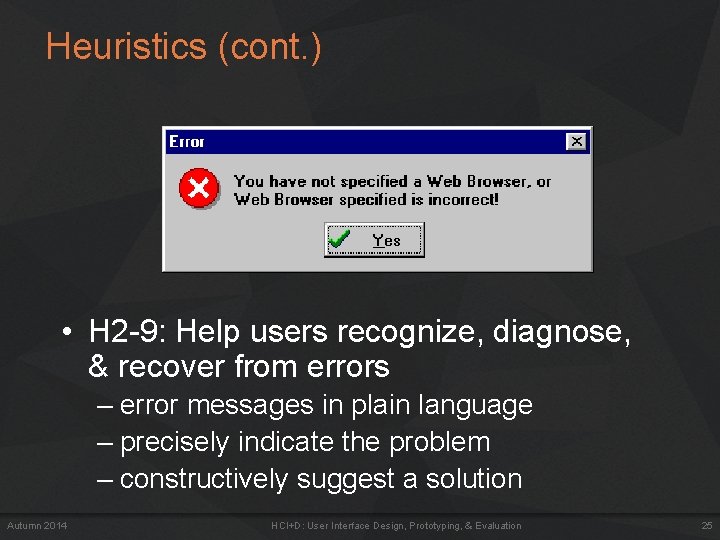
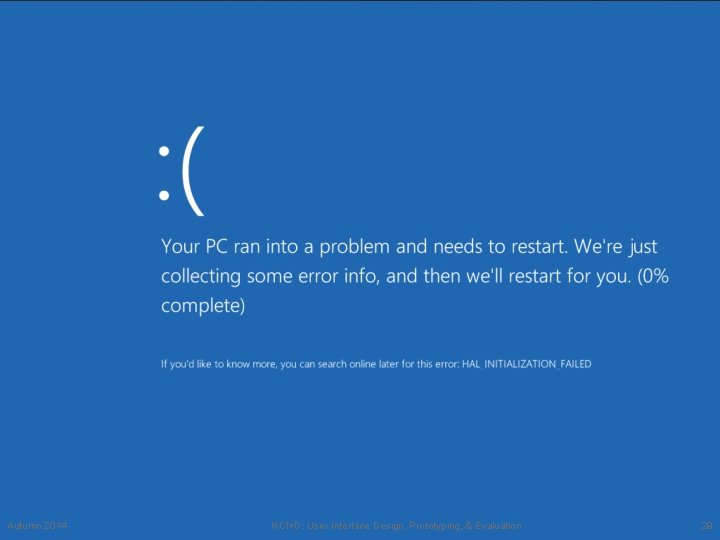
Heuristics (cont. ) • H 2 -9: Help users recognize, diagnose, & recover from errors – error messages in plain language – precisely indicate the problem – constructively suggest a solution Autumn 2014 HCI+D: User Interface Design, Prototyping, & Evaluation 25
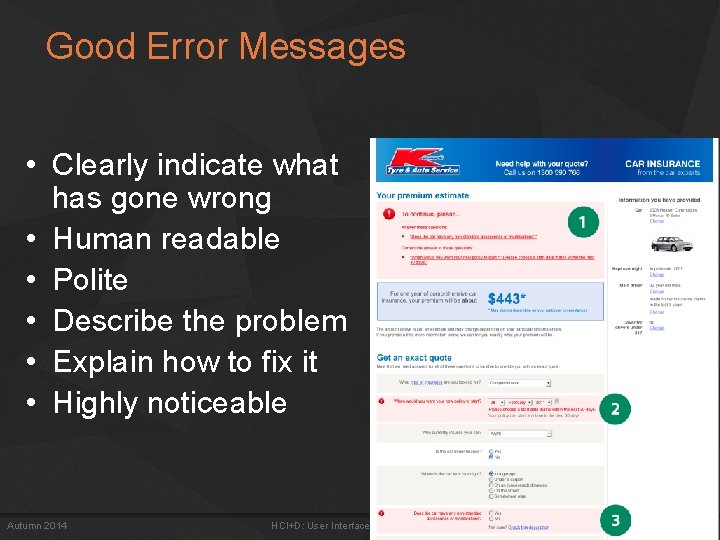
Good Error Messages • Clearly indicate what has gone wrong • Human readable • Polite • Describe the problem • Explain how to fix it • Highly noticeable Autumn 2014 HCI+D: User Interface Design, Prototyping, & Evaluation 26
Heuristics (cont. ) • H 2 -10: Help and documentation – easy to search – focused on the user’s task – list concrete steps to carry out – not too large Autumn 2014 HCI+D: User Interface Design, Prototyping, & Evaluation 27
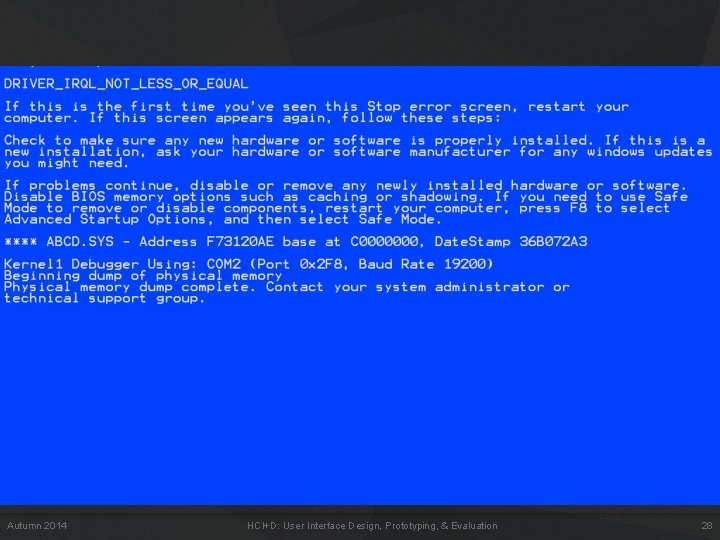
Autumn 2014 HCI+D: User Interface Design, Prototyping, & Evaluation 28
Autumn 2014 HCI+D: User Interface Design, Prototyping, & Evaluation 29
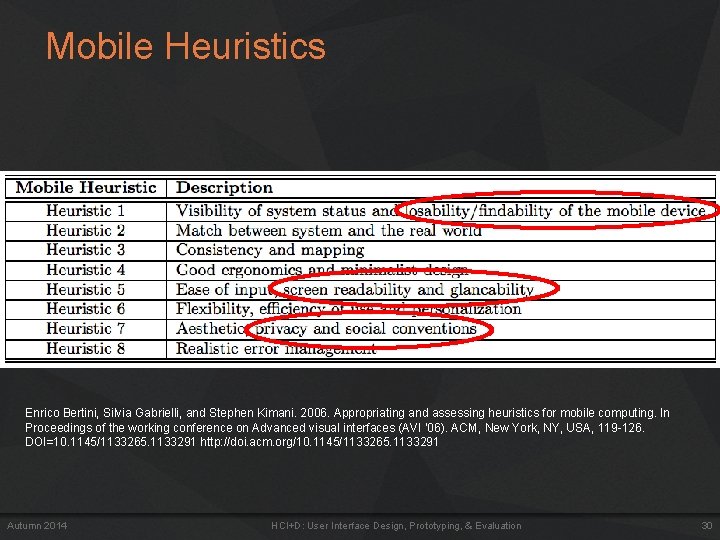
Mobile Heuristics Enrico Bertini, Silvia Gabrielli, and Stephen Kimani. 2006. Appropriating and assessing heuristics for mobile computing. In Proceedings of the working conference on Advanced visual interfaces (AVI '06). ACM, New York, NY, USA, 119 -126. DOI=10. 1145/1133265. 1133291 http: //doi. acm. org/10. 1145/1133265. 1133291 Autumn 2014 HCI+D: User Interface Design, Prototyping, & Evaluation 30
QUIZ Autumn 2014 HCI+D: User Interface Design, Prototyping, and Evaluation 31
URL ONLY AVAILBLE IN CLASS Autumn 2014 HCI+D: User Interface Design, Prototyping, and Evaluation 32
TEAM BREAK (20 MINUTES) Autumn 2014 HCI+D: User Interface Design, Prototyping, & Evaluation 33
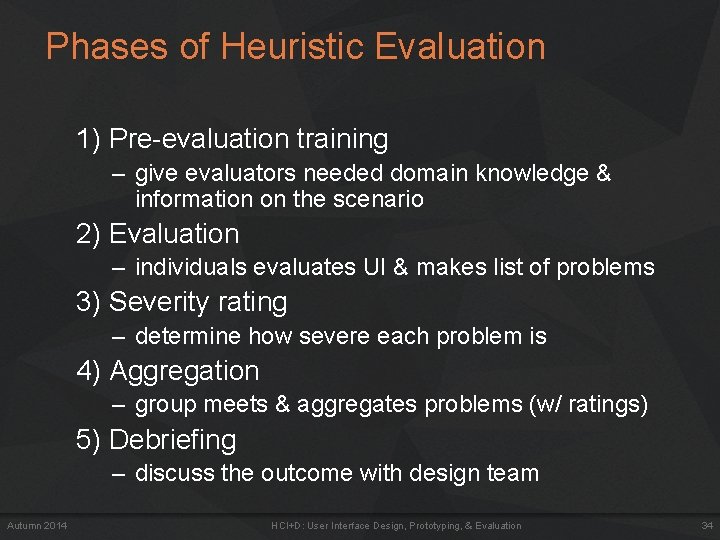
Phases of Heuristic Evaluation 1) Pre-evaluation training – give evaluators needed domain knowledge & information on the scenario 2) Evaluation – individuals evaluates UI & makes list of problems 3) Severity rating – determine how severe each problem is 4) Aggregation – group meets & aggregates problems (w/ ratings) 5) Debriefing – discuss the outcome with design team Autumn 2014 HCI+D: User Interface Design, Prototyping, & Evaluation 34
How to Perform Evaluation • At least two passes for each evaluator – first to get feel for flow and scope of system – second to focus on specific elements • If system is walk-up-and-use or evaluators are domain experts, no assistance needed – otherwise might supply evaluators with scenarios • Each evaluator produces list of problems – explain why with reference to heuristic or other information – be specific & list each problem separately Autumn 2014 HCI+D: User Interface Design, Prototyping, & Evaluation 35
Examples • Can’t copy info from one window to another – Violates “Minimize the users’ memory load” (H 1 -3) – fix: allow copying • Typography uses different fonts in 3 dialog boxes – – Autumn 2014 Violates “Consistency and standards” (H 2 -4) slows users down probably wouldn’t be found by user testing fix: pick a single format for entire interface HCI+D: User Interface Design, Prototyping, & Evaluation 36
How to Perform Heuristic Evaluation • Why separate listings for each violation? – risk of repeating problematic aspect – may not be possible to fix all problems • Where problems may be found – – single location in UI two or more locations that need to be compared problem with overall structure of UI something that is missing • common problem with paper prototypes • note: sometimes features are implied by design docs and just haven’t been “implemented” – relax on those Autumn 2014 HCI+D: User Interface Design, Prototyping, & Evaluation 37
Severity Rating • Used to allocate resources to fix problems • Estimates of need for more usability efforts • Combination of – frequency – impact – persistence (one time or repeating) • Should be calculated after all evals. are in • Should be done independently by all judges Autumn 2014 HCI+D: User Interface Design, Prototyping, & Evaluation 38
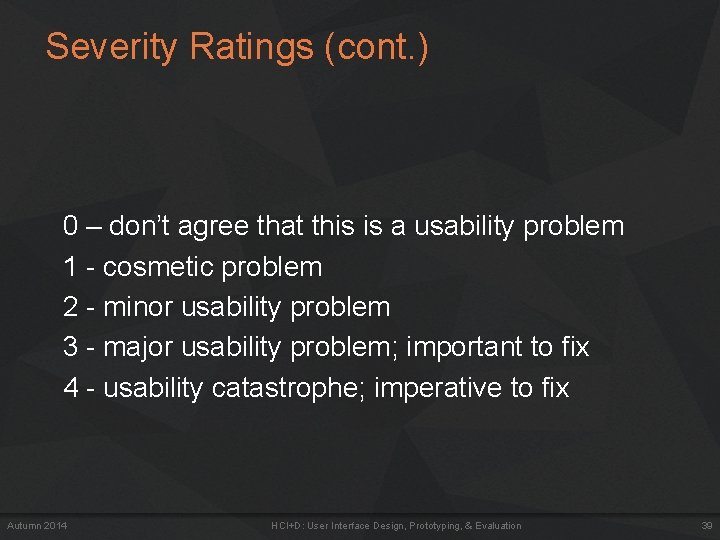
Severity Ratings (cont. ) 0 – don’t agree that this is a usability problem 1 - cosmetic problem 2 - minor usability problem 3 - major usability problem; important to fix 4 - usability catastrophe; imperative to fix Autumn 2014 HCI+D: User Interface Design, Prototyping, & Evaluation 39
Debriefing • Conduct with evaluators, observers, and development team members • Discuss general characteristics of UI • Suggest potential improvements to address major usability problems • Dev. team rates how hard things are to fix • Make it a brainstorming session – little criticism until end of session Autumn 2014 HCI+D: User Interface Design, Prototyping, & Evaluation 40
Severity Ratings Example 1. [H 1 -4 Consistency] [Severity 3][Fix 0] The interface used the string “Save” on the first screen for saving the user's file, but used the string “Write file” on the second screen. Users may be confused by this different terminology for the same function. Autumn 2014 HCI+D: User Interface Design, Prototyping, & Evaluation 41
HE vs. User Testing • HE is much faster – 1 -2 hours each evaluator vs. days-weeks • HE doesn’t require interpreting user’s actions • User testing is far more accurate (by def. ) – takes into account actual users and tasks – HE may miss problems & find “false positives” • Good to alternate between HE & user testing – find different problems – don’t waste participants Autumn 2014 HCI+D: User Interface Design, Prototyping, & Evaluation 42
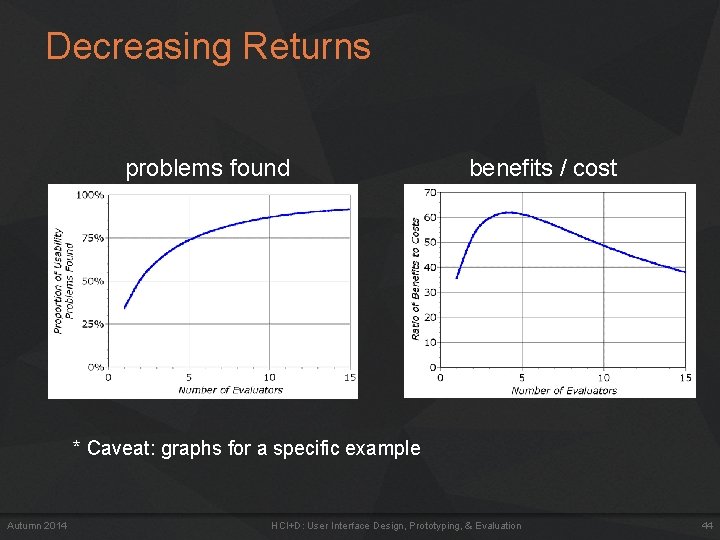
Results of Using HE • Discount: benefit-cost ratio of 48 [Nielsen 94] – cost was $10, 500 for benefit of $500, 000 – value of each problem ~15 K (Nielsen & Landauer) – how might we calculate this value? • in-house productivity; open market sales • Correlation between severity & finding w/ HE • Single evaluator achieves poor results – only finds 35% of usability problems – 5 evaluators find ~ 75% of usability problems – why not more evaluators? ? 10? 20? • adding evaluators costs more & won’t find more probs Autumn 2014 HCI+D: User Interface Design, Prototyping, & Evaluation 43
Decreasing Returns problems found benefits / cost * Caveat: graphs for a specific example Autumn 2014 HCI+D: User Interface Design, Prototyping, & Evaluation 44
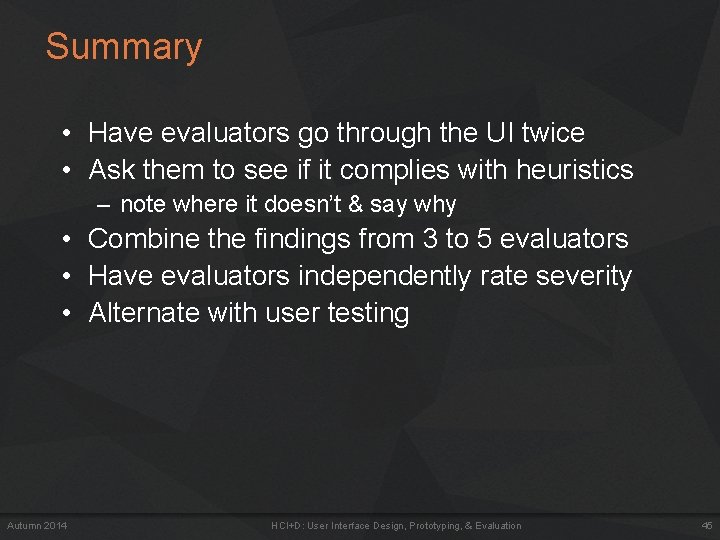
Summary • Have evaluators go through the UI twice • Ask them to see if it complies with heuristics – note where it doesn’t & say why • Combine the findings from 3 to 5 evaluators • Have evaluators independently rate severity • Alternate with user testing Autumn 2014 HCI+D: User Interface Design, Prototyping, & Evaluation 45
Further Reading Evaluation • Books – Usability Engineering, by Nielsen, 1994 • Web Sites & mailing lists – http: //www. nngroup. com/articles/ Autumn 2014 HCI+D: User Interface Design, Prototyping, & Evaluation 46
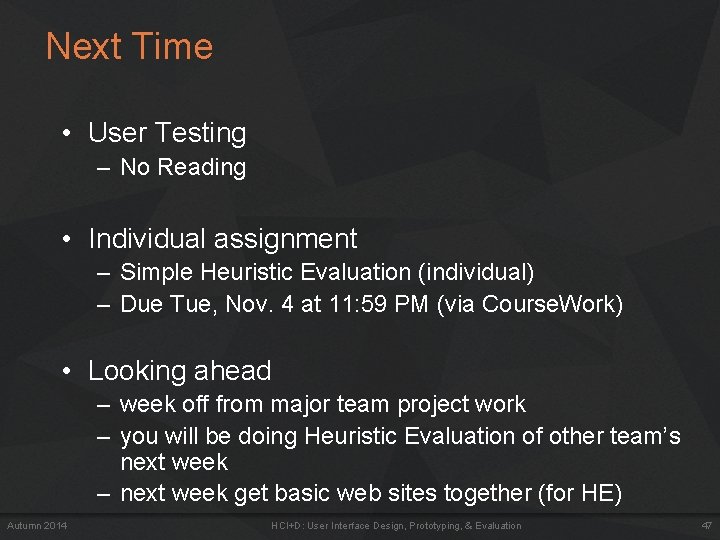
Next Time • User Testing – No Reading • Individual assignment – Simple Heuristic Evaluation (individual) – Due Tue, Nov. 4 at 11: 59 PM (via Course. Work) • Looking ahead – week off from major team project work – you will be doing Heuristic Evaluation of other team’s next week – next week get basic web sites together (for HE) Autumn 2014 HCI+D: User Interface Design, Prototyping, & Evaluation 47