User interface design l Designing effective interfaces for
- Slides: 100
User interface design l Designing effective interfaces for software systems ©Ian Sommerville 2000 Software Engineering, 6 th edition. Chapter 15 Slide 1
Objectives l l l To suggest some general design principles for user interface design To explain different interaction styles To introduce styles of information presentation To describe the user support which should be built -in to user interfaces To introduce usability attributes and system approaches to system evaluation ©Ian Sommerville 2000 Software Engineering, 6 th edition. Chapter 15 Slide 2
Topics covered l l l 15. 1 User interface design principles 15. 2 User interaction 15. 3 Information presentation 15. 4 User support 15. 5 Interface evaluation ©Ian Sommerville 2000 Software Engineering, 6 th edition. Chapter 15 Slide 3
The user interface l l System users often judge a system by its interface rather than its functionality A poorly designed interface can cause a user to make catastrophic errors Poor user interface design is the reason why so many software systems are never used Software engineers generally must do interface design ©Ian Sommerville 2000 Software Engineering, 6 th edition. Chapter 15 Slide 4
Importance of User Interface l l “Most important part of any computer system” • “Interface is the system for most users” Increasingly important • • • l l GUIs a big improvement over previous approaches Platforms (e. g. Mac/ Microsoft) have style guides 50% of code devoted to interface Interface should “disappear” – users can focus on their task, not the interface Biggest enemy of good interface design is time Galitz ©Ian Sommerville 2000 Software Engineering, 6 th edition. Chapter 15 Slide 5
Benefits of Good Design l Small improvements can be worth big $$$ • Book e. g. if users work 1 sec slower on each of 4. 8 million screens per year, need almost an extra person • Book e. g. s Redesigns have improved productivity 20%, 25%, 40%, 50% … • IBM - $1 invested in usability returns $10 -$100 l Interface problems are treated as bugs • Pressman - $1 fix during design, $10 fix during development, $100 fix after release l Big Improvements can establish new products, companies, markets … • the browser was a UI idea – before it, search using gopher etc was tedious. • AOL was successful because it was more user friendly than early leader Compu. Serve. Galitz ©Ian Sommerville 2000 Software Engineering, 6 th edition. Chapter 15 Slide 6
Graphical user interfaces l Most users of business systems interact with these systems through graphical interfaces although, in some cases, legacy text-based interfaces are still used ©Ian Sommerville 2000 Software Engineering, 6 th edition. Chapter 15 Slide 7
GUI characteristics • Windows • Icons • Menus • Pointing • Graphics ©Ian Sommerville 2000 Software Engineering, 6 th edition. Chapter 15 Slide 8
GUI advantages l l l They are easy to learn and use. The user may switch quickly from one task to another and can interact with several different applications. Fast, full-screen interaction is possible with immediate access to anywhere on the screen ©Ian Sommerville 2000 Software Engineering, 6 th edition. Chapter 15 Slide 9
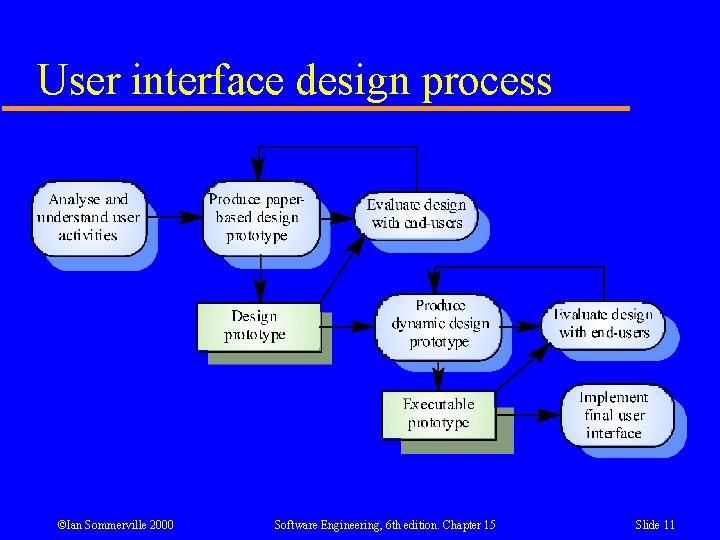
User-centred design l l l The aim of this chapter is to sensitise software engineers to key issues underlying the design rather than the implementation of user interfaces User-centred design is an approach to UI design where the needs of the user are paramount and where the user is involved in the design process UI design always involves the development of prototype interfaces ©Ian Sommerville 2000 Software Engineering, 6 th edition. Chapter 15 Slide 10
User interface design process ©Ian Sommerville 2000 Software Engineering, 6 th edition. Chapter 15 Slide 11
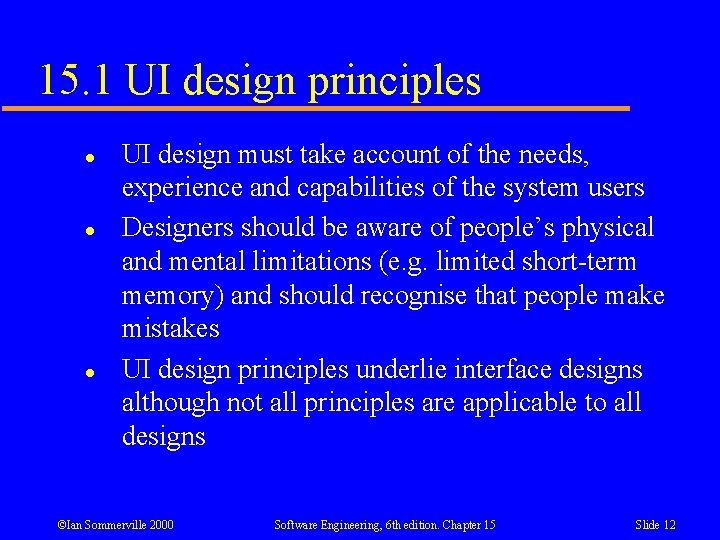
15. 1 UI design principles l l l UI design must take account of the needs, experience and capabilities of the system users Designers should be aware of people’s physical and mental limitations (e. g. limited short-term memory) and should recognise that people make mistakes UI design principles underlie interface designs although not all principles are applicable to all designs ©Ian Sommerville 2000 Software Engineering, 6 th edition. Chapter 15 Slide 12
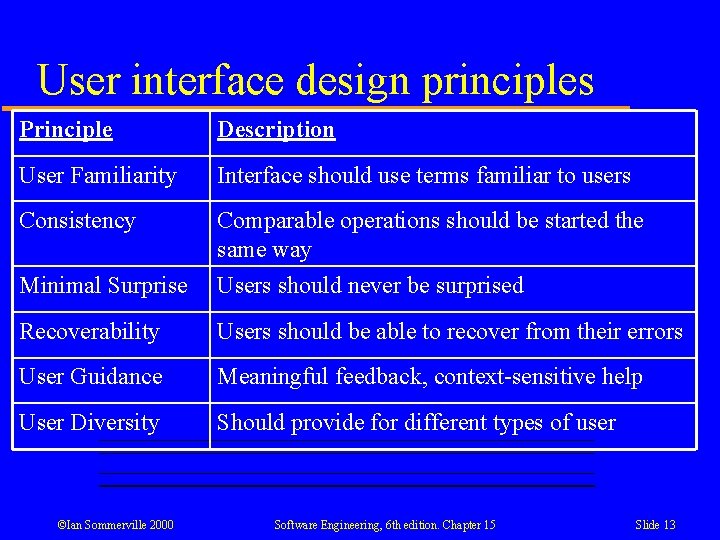
User interface design principles Principle Description User Familiarity Interface should use terms familiar to users Consistency Minimal Surprise Comparable operations should be started the same way Users should never be surprised Recoverability Users should be able to recover from their errors User Guidance Meaningful feedback, context-sensitive help User Diversity Should provide for different types of user ©Ian Sommerville 2000 Software Engineering, 6 th edition. Chapter 15 Slide 13
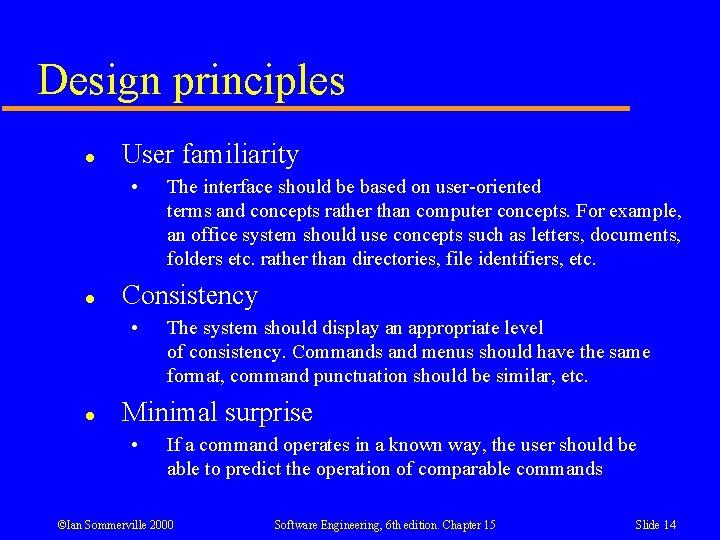
Design principles l User familiarity • l Consistency • l The interface should be based on user-oriented terms and concepts rather than computer concepts. For example, an office system should use concepts such as letters, documents, folders etc. rather than directories, file identifiers, etc. The system should display an appropriate level of consistency. Commands and menus should have the same format, command punctuation should be similar, etc. Minimal surprise • If a command operates in a known way, the user should be able to predict the operation of comparable commands ©Ian Sommerville 2000 Software Engineering, 6 th edition. Chapter 15 Slide 14
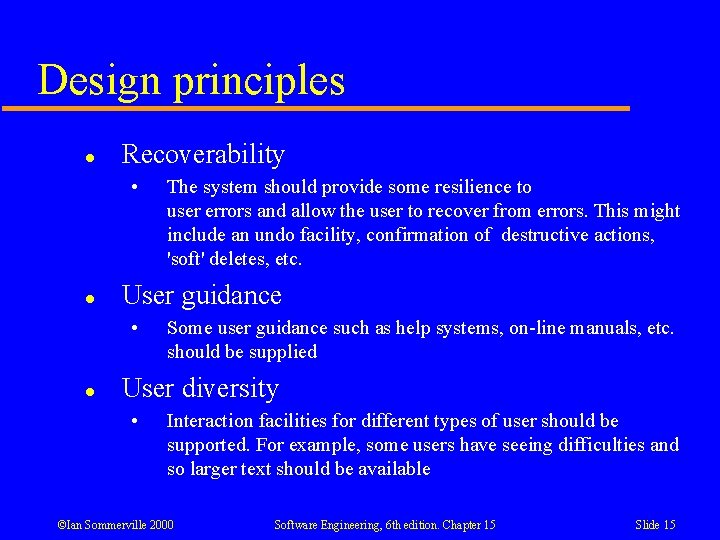
Design principles l Recoverability • l User guidance • l The system should provide some resilience to user errors and allow the user to recover from errors. This might include an undo facility, confirmation of destructive actions, 'soft' deletes, etc. Some user guidance such as help systems, on-line manuals, etc. should be supplied User diversity • Interaction facilities for different types of user should be supported. For example, some users have seeing difficulties and so larger text should be available ©Ian Sommerville 2000 Software Engineering, 6 th edition. Chapter 15 Slide 15
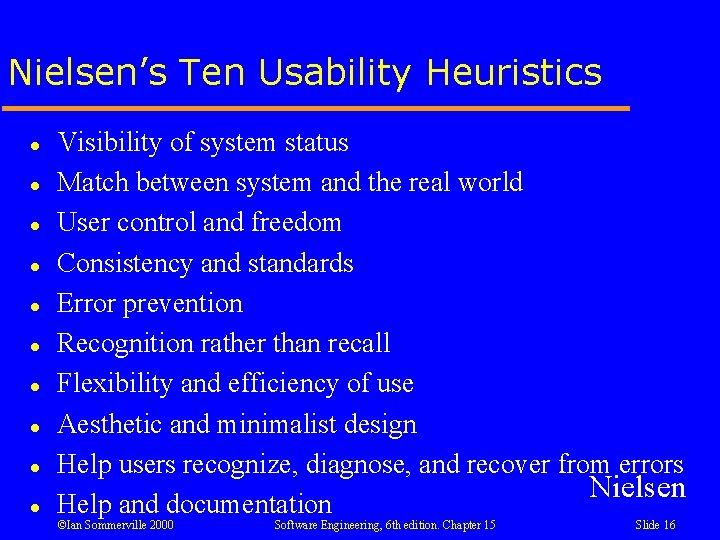
Nielsen’s Ten Usability Heuristics l l l l l Visibility of system status Match between system and the real world User control and freedom Consistency and standards Error prevention Recognition rather than recall Flexibility and efficiency of use Aesthetic and minimalist design Help users recognize, diagnose, and recover from errors Nielsen Help and documentation ©Ian Sommerville 2000 Software Engineering, 6 th edition. Chapter 15 Slide 16
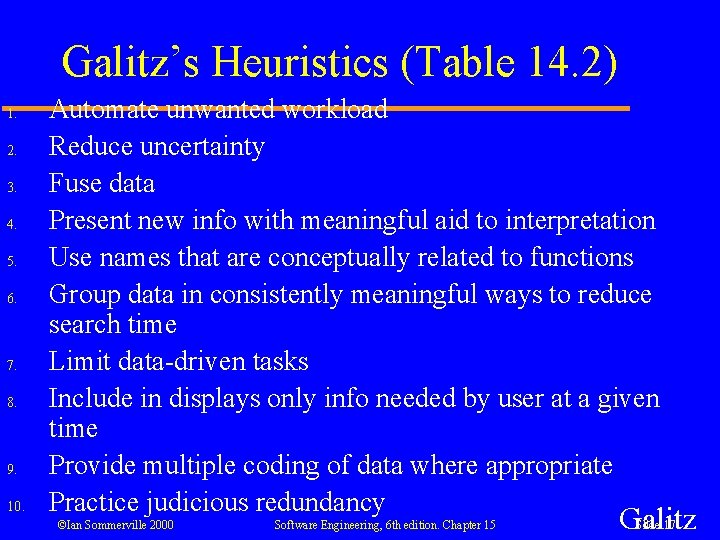
Galitz’s Heuristics (Table 14. 2) 1. 2. 3. 4. 5. 6. 7. 8. 9. 10. Automate unwanted workload Reduce uncertainty Fuse data Present new info with meaningful aid to interpretation Use names that are conceptually related to functions Group data in consistently meaningful ways to reduce search time Limit data-driven tasks Include in displays only info needed by user at a given time Provide multiple coding of data where appropriate Practice judicious redundancy ©Ian Sommerville 2000 Software Engineering, 6 th edition. Chapter 15 Galitz Slide 17
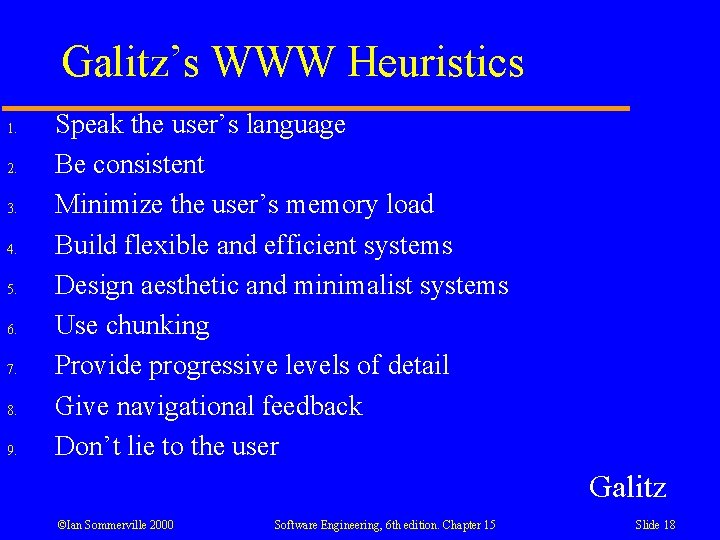
Galitz’s WWW Heuristics 1. 2. 3. 4. 5. 6. 7. 8. 9. Speak the user’s language Be consistent Minimize the user’s memory load Build flexible and efficient systems Design aesthetic and minimalist systems Use chunking Provide progressive levels of detail Give navigational feedback Don’t lie to the user Galitz ©Ian Sommerville 2000 Software Engineering, 6 th edition. Chapter 15 Slide 18
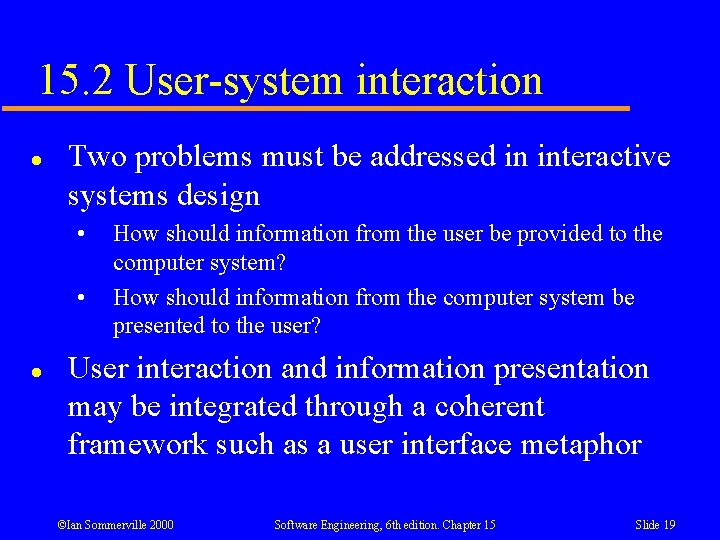
15. 2 User-system interaction l Two problems must be addressed in interactive systems design • • l How should information from the user be provided to the computer system? How should information from the computer system be presented to the user? User interaction and information presentation may be integrated through a coherent framework such as a user interface metaphor ©Ian Sommerville 2000 Software Engineering, 6 th edition. Chapter 15 Slide 19
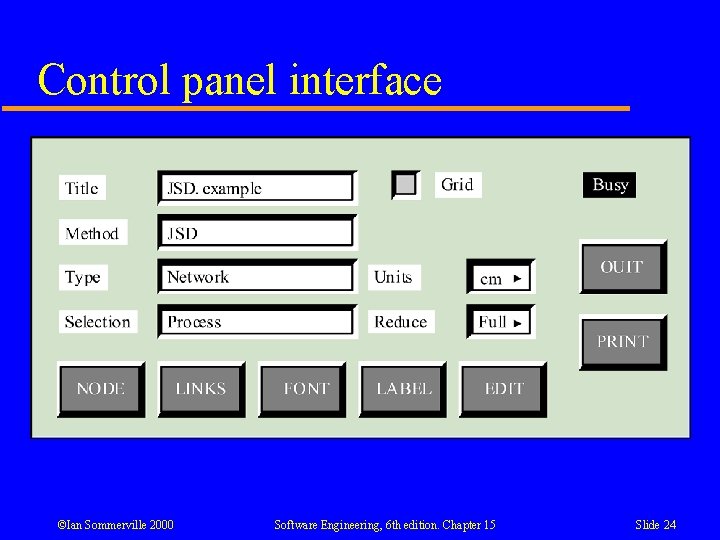
Interaction styles l l l Direct manipulation Menu selection Form fill-in Command language Natural language ©Ian Sommerville 2000 Software Engineering, 6 th edition. Chapter 15 Slide 20
Direct manipulation advantages l l Users feel in control of the computer and are less likely to be intimidated by it Fast and intuitive interaction User learning time is relatively short Users get immediate feedback on their actions so mistakes can be quickly detected and corrected ©Ian Sommerville 2000 Software Engineering, 6 th edition. Chapter 15 Slide 21
Direct manipulation problems l l l The creation of an appropriate information space model (metaphor) for real world tasks and objects can be very difficult Given that users have a large information space, what facilities for navigating around that space should be provided? Direct manipulation interfaces can be complex to program and make heavy demands on the computer system ©Ian Sommerville 2000 Software Engineering, 6 th edition. Chapter 15 Slide 22
Direct Manipulation Applications l l l Games CAD systems Files and Folders ©Ian Sommerville 2000 Software Engineering, 6 th edition. Chapter 15 Slide 23
Control panel interface ©Ian Sommerville 2000 Software Engineering, 6 th edition. Chapter 15 Slide 24
Menu systems l l l Users make a selection from a list of possibilities presented to them by the system The selection may be made by pointing and clicking with a mouse, using cursor keys or by typing the name of the selection May make use of simple-to-use terminals such as touchscreens ©Ian Sommerville 2000 Software Engineering, 6 th edition. Chapter 15 Slide 25
Advantages of menu systems l l Users need not remember command names as they are always presented with a list of valid commands Typing effort is minimal User errors are trapped by the interface Context-dependent help can be provided. The user’s context is indicated by the current menu selection ©Ian Sommerville 2000 Software Engineering, 6 th edition. Chapter 15 Slide 26
Problems with menu systems l l l Actions which involve logical conjunction (and) or disjunction (or) are awkward to represent Menu systems are best suited to presenting a small number of choices. If there are many choices, some menu structuring facility must be used Experienced users find menus slower than command language ©Ian Sommerville 2000 Software Engineering, 6 th edition. Chapter 15 Slide 27
Menu System Applications l Most general purpose systems ©Ian Sommerville 2000 Software Engineering, 6 th edition. Chapter 15 Slide 28
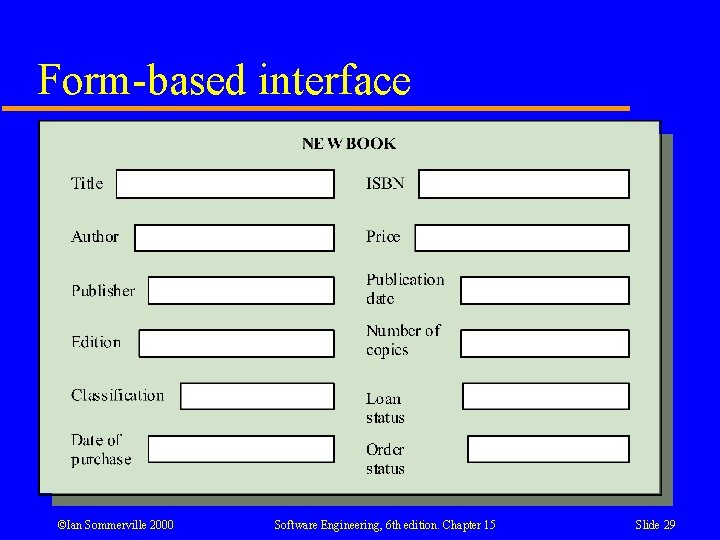
Form-based interface ©Ian Sommerville 2000 Software Engineering, 6 th edition. Chapter 15 Slide 29
Forms-based Systems Advantages l l Simple data entry Easy to learn ©Ian Sommerville 2000 Software Engineering, 6 th edition. Chapter 15 Slide 30
Forms-based Systems Disadvantages l Takes up a lot of screen space ©Ian Sommerville 2000 Software Engineering, 6 th edition. Chapter 15 Slide 31
Forms-based Systems Applications l Most systems involving significant data entry ©Ian Sommerville 2000 Software Engineering, 6 th edition. Chapter 15 Slide 32
Command interfaces l l User types commands to give instructions to the system e. g. UNIX, DOS Advantages: • • Powerful and flexible – good for experts Easy to process using compiler techniques Commands of arbitrary complexity can be created by command combination Concise interfaces requiring minimal typing can be created ©Ian Sommerville 2000 Software Engineering, 6 th edition. Chapter 15 Slide 33
Problems with command interfaces l l l Users have to learn and remember a command language. Command interfaces are therefore unsuitable for occasional users Users make errors in command. An error detection and recovery system is required System interaction is through a keyboard so typing ability is required ©Ian Sommerville 2000 Software Engineering, 6 th edition. Chapter 15 Slide 34
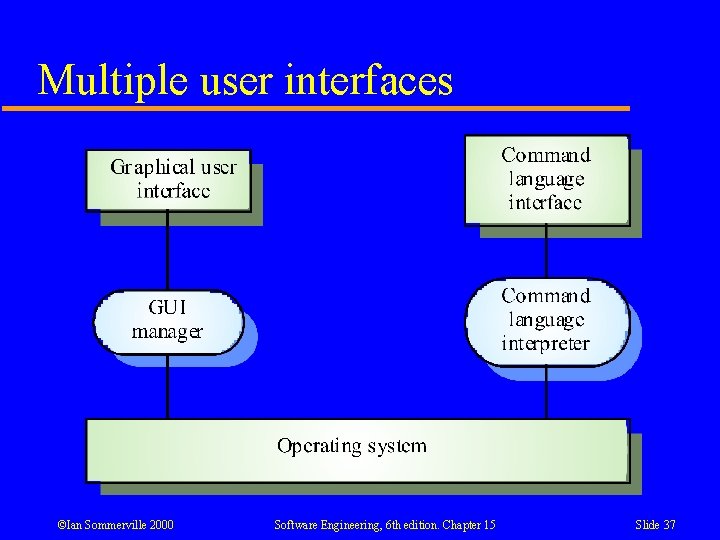
Command languages l l l Often preferred by experienced users because they allow for faster interaction with the system Not suitable for casual or inexperienced users May be provided as an alternative to menu commands (keyboard shortcuts). In some cases, a command language interface and a menu-based interface are supported at the same time ©Ian Sommerville 2000 Software Engineering, 6 th edition. Chapter 15 Slide 35
Natural language interfaces l l The user types a command in a natural language. Generally, the vocabulary is limited and these systems are confined to specific application domains (e. g. timetable enquiries) NL processing technology is now good enough to make these interfaces effective for casual users but experienced users find that they require too much typing ©Ian Sommerville 2000 Software Engineering, 6 th edition. Chapter 15 Slide 36
Multiple user interfaces ©Ian Sommerville 2000 Software Engineering, 6 th edition. Chapter 15 Slide 37
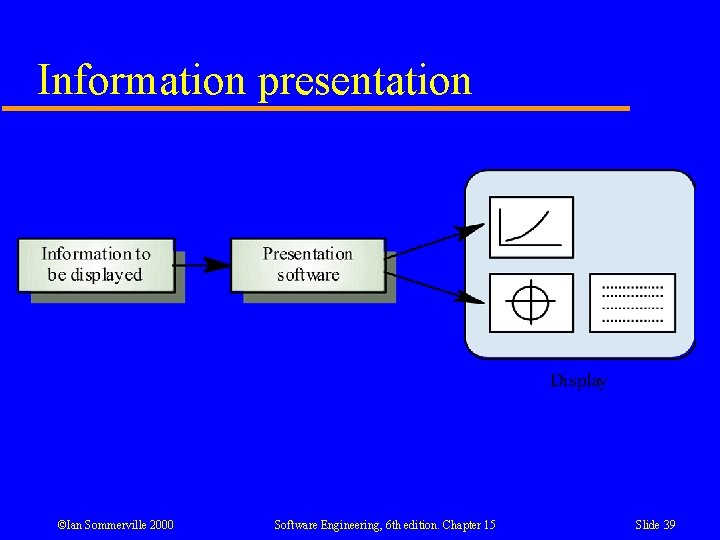
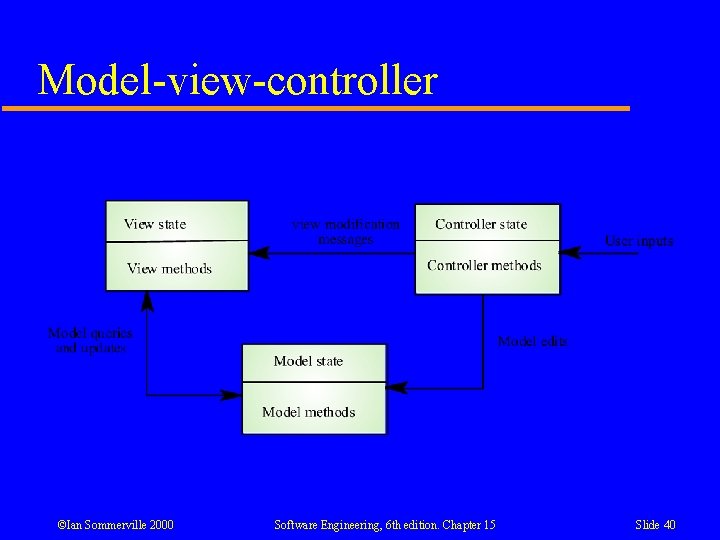
15. 3 Information presentation l l l Information presentation is concerned with presenting system information to system users The information may be presented directly (e. g. text in a word processor) or may be transformed in some way for presentation (e. g. in some graphical form) The Model-View-Controller approach is a way of supporting multiple presentations of data ©Ian Sommerville 2000 Software Engineering, 6 th edition. Chapter 15 Slide 38
Information presentation ©Ian Sommerville 2000 Software Engineering, 6 th edition. Chapter 15 Slide 39
Model-view-controller ©Ian Sommerville 2000 Software Engineering, 6 th edition. Chapter 15 Slide 40
Information presentation l Static information • • l Initialised at the beginning of a session. It does not change during the session May be either numeric or textual Dynamic information • • Changes during a session and the changes must be communicated to the system user May be either numeric or textual ©Ian Sommerville 2000 Software Engineering, 6 th edition. Chapter 15 Slide 41
Information display factors l l l Is the user interested in precise information or data relationships? How quickly do information values change? Must the change be indicated immediately? Must the user take some action in response to a change? Does the user need to interact with the displayed info via a direct manipulation interface? Is the information textual or numeric? Are relative values important? ©Ian Sommerville 2000 Software Engineering, 6 th edition. Chapter 15 Slide 42
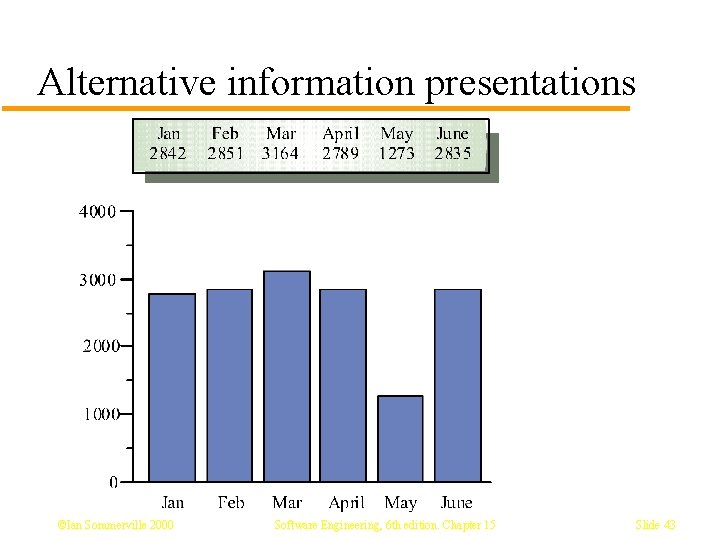
Alternative information presentations ©Ian Sommerville 2000 Software Engineering, 6 th edition. Chapter 15 Slide 43
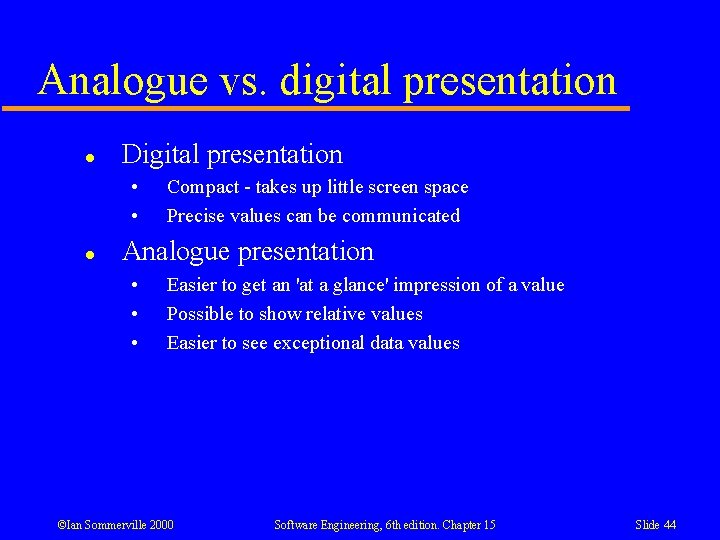
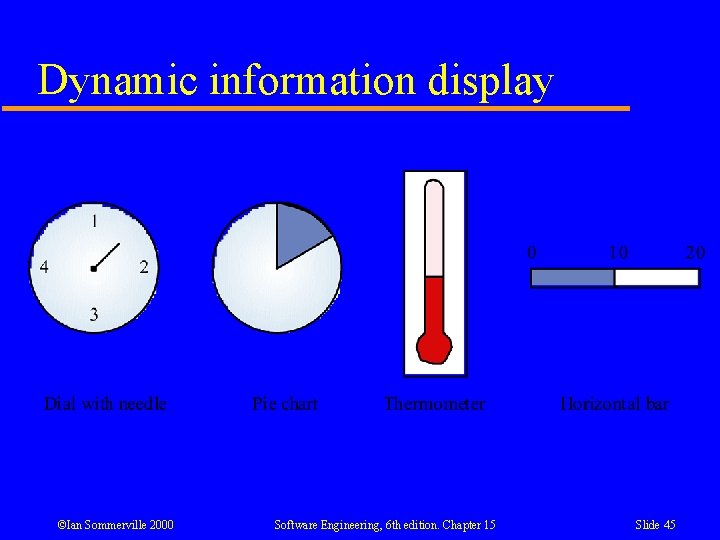
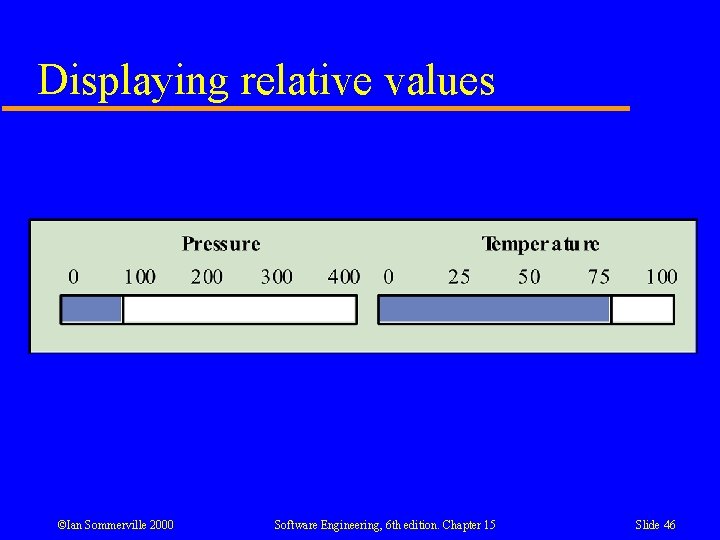
Analogue vs. digital presentation l Digital presentation • • l Compact - takes up little screen space Precise values can be communicated Analogue presentation • • • Easier to get an 'at a glance' impression of a value Possible to show relative values Easier to see exceptional data values ©Ian Sommerville 2000 Software Engineering, 6 th edition. Chapter 15 Slide 44
Dynamic information display ©Ian Sommerville 2000 Software Engineering, 6 th edition. Chapter 15 Slide 45
Displaying relative values ©Ian Sommerville 2000 Software Engineering, 6 th edition. Chapter 15 Slide 46
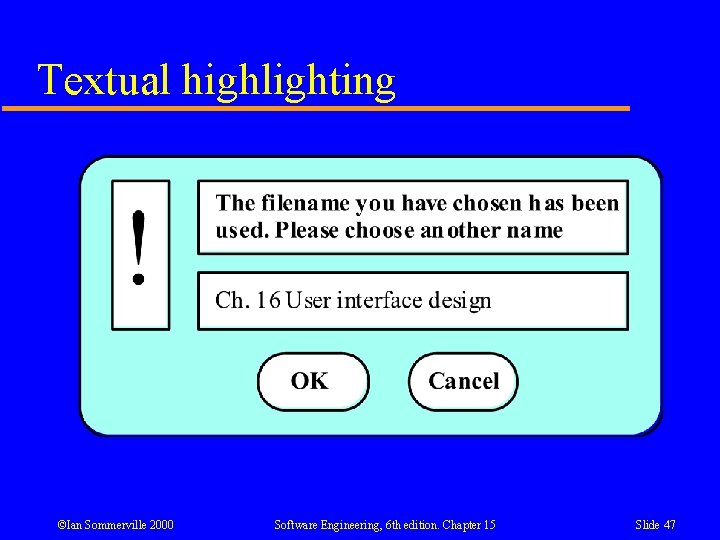
Textual highlighting ©Ian Sommerville 2000 Software Engineering, 6 th edition. Chapter 15 Slide 47
Data visualisation l l Concerned with techniques for displaying large amounts of information Visualisation can reveal relationships between entities and trends in the data ©Ian Sommerville 2000 Software Engineering, 6 th edition. Chapter 15 Slide 48
15. 3. 1 Color displays l l l Colour adds an extra dimension to an interface and can help the user understand complex information structures Can be used to highlight exceptional events Common mistakes in the use of colour in interface design include over-use of colour in the display ©Ian Sommerville 2000 Software Engineering, 6 th edition. Chapter 15 Slide 49
Color use guidelines l l l l Don't use too many colours Use colour coding to support user tasks Allow users to control colour coding Design for monochrome then add colour Use colour coding consistently Avoid colour pairings which clash Use colour change to show status change Be aware that colour displays are usually lower resolution ©Ian Sommerville 2000 Software Engineering, 6 th edition. Chapter 15 Slide 50
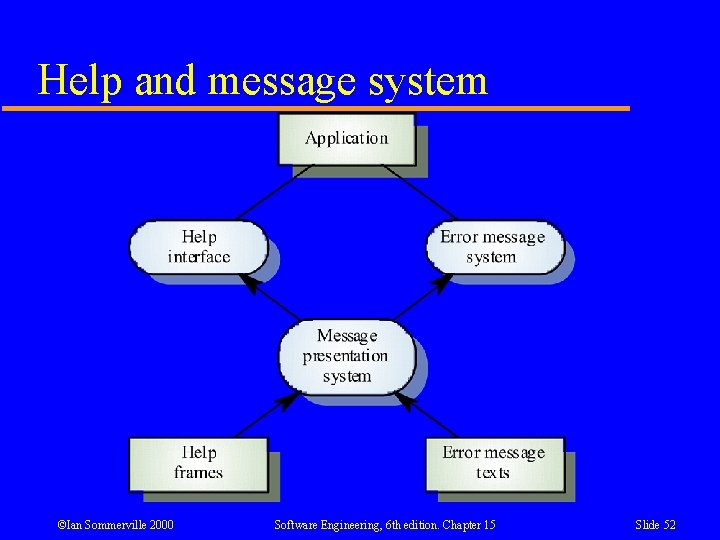
15. 4 User support l l l User guidance covers all system facilities to support users including on-line help, error messages, manuals etc. The user guidance system should be integrated with the user interface to help users when they need information about the system or when they make some kind of error The help and message system should, if possible, be integrated ©Ian Sommerville 2000 Software Engineering, 6 th edition. Chapter 15 Slide 51
Help and message system ©Ian Sommerville 2000 Software Engineering, 6 th edition. Chapter 15 Slide 52
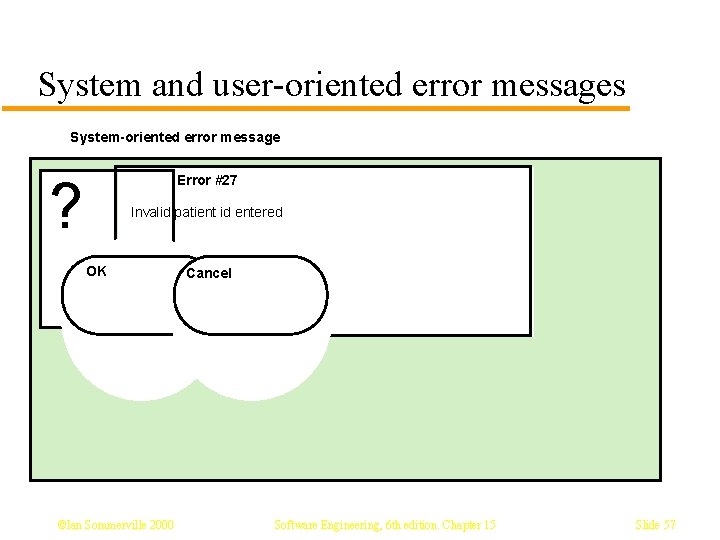
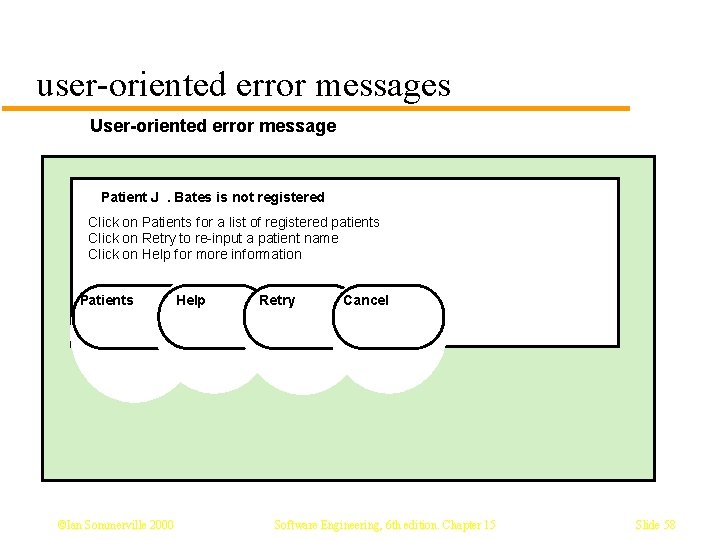
Error messages l l l Error message design is critically important. Poor error messages can mean that a user rejects rather than accepts a system Messages should be polite, concise, consistent and constructive The background and experience of users should be the determining factor in message design ©Ian Sommerville 2000 Software Engineering, 6 th edition. Chapter 15 Slide 53
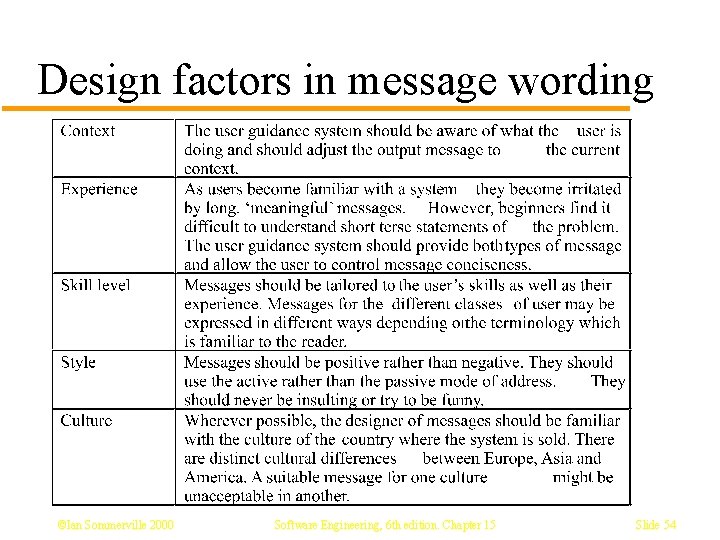
Design factors in message wording ©Ian Sommerville 2000 Software Engineering, 6 th edition. Chapter 15 Slide 54
Design factors in message wording l l l Context Experience Skill Level Style Culture ©Ian Sommerville 2000 Software Engineering, 6 th edition. Chapter 15 Slide 55
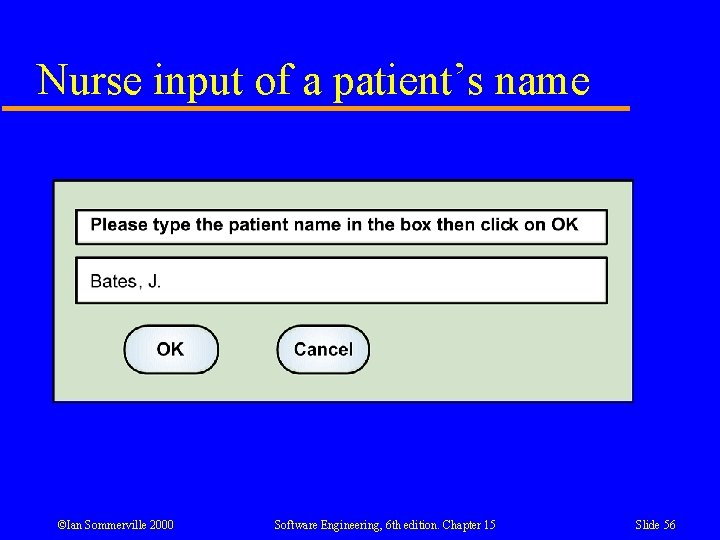
Nurse input of a patient’s name ©Ian Sommerville 2000 Software Engineering, 6 th edition. Chapter 15 Slide 56
System and user-oriented error messages System-oriented error message ? Error #27 Invalid patient id entered OK ©Ian Sommerville 2000 Cancel Software Engineering, 6 th edition. Chapter 15 Slide 57
user-oriented error messages User-oriented error message Patient J. Bates is not registered Click on Patients for a list of registered patients Click on Retry to re-input a patient name Click on Help for more information Patients ©Ian Sommerville 2000 Help Retry Cancel Software Engineering, 6 th edition. Chapter 15 Slide 58
Help system design l l Help? means ‘help I want information” Help! means “HELP. I'm in trouble” Both of these requirements have to be taken into account in help system design Different facilities in the help system may be required ©Ian Sommerville 2000 Software Engineering, 6 th edition. Chapter 15 Slide 59
Help information l l l Should not simply be an on-line manual Screens or windows don't map well onto paper pages. The dynamic characteristics of the display can improve information presentation. People are not as good at reading screen as they are paper text. Content should be prepared with help of application specialists Content should not be too large – don’t overwhelm user ©Ian Sommerville 2000 Software Engineering, 6 th edition. Chapter 15 Slide 60
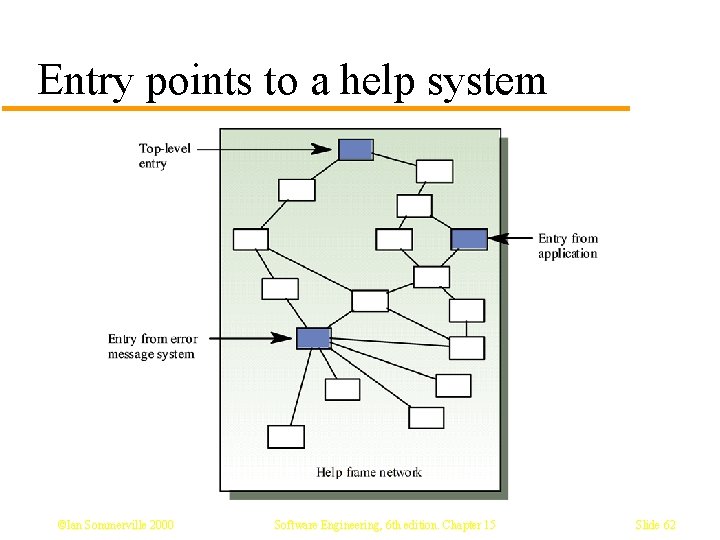
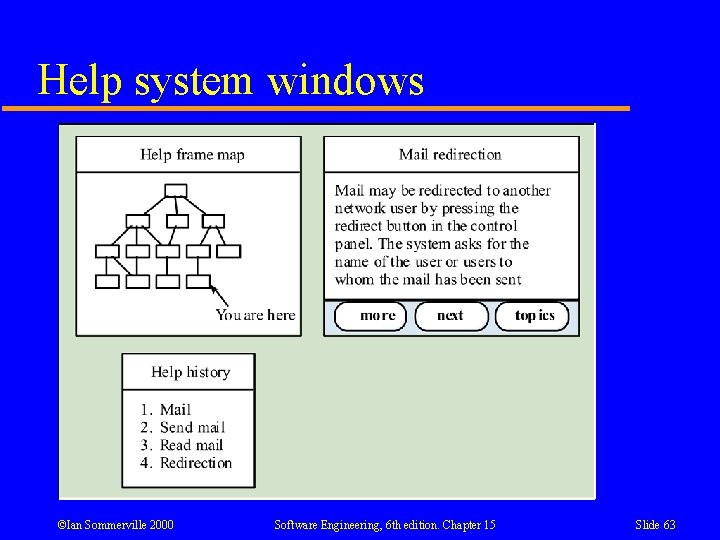
Help system use l l Multiple entry points should be provided so that the user can get into the help system from different places. Some indication of where the user is positioned in the help system is valuable. Facilities should be provided to allow the user to navigate and traverse the help system. Index, TOC, and Search should be provided ©Ian Sommerville 2000 Software Engineering, 6 th edition. Chapter 15 Slide 61
Entry points to a help system ©Ian Sommerville 2000 Software Engineering, 6 th edition. Chapter 15 Slide 62
Help system windows ©Ian Sommerville 2000 Software Engineering, 6 th edition. Chapter 15 Slide 63
Help on WWW l l l Easy to implement Easy for users to use Difficult to link to applications themselves • users may need to make extra effort to get to help • Help doesn’t know context where you needed help – cannot provide context sensitive help ©Ian Sommerville 2000 Software Engineering, 6 th edition. Chapter 15 Slide 64
5. 4. 3 User documentation l l l As well as on-line information, paper documentation should be supplied with a system Documentation should be designed for a range of users from inexperienced to experienced As well as manuals, other easy-to-use documentation such as a quick reference card may be provided ©Ian Sommerville 2000 Software Engineering, 6 th edition. Chapter 15 Slide 65
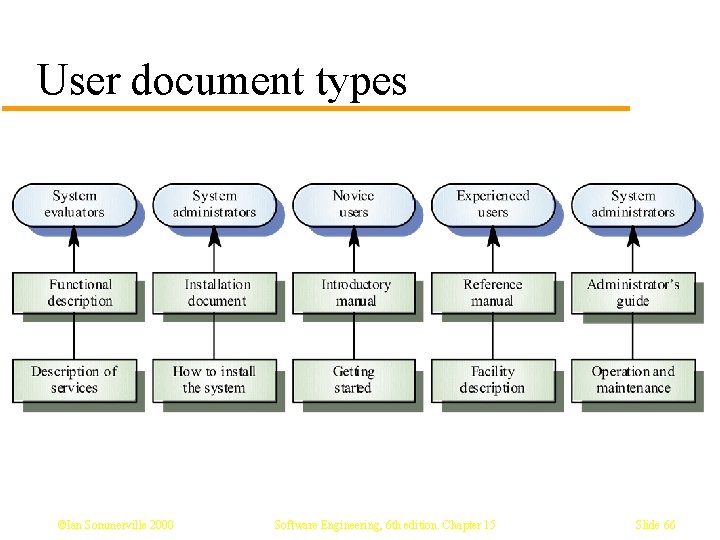
User document types ©Ian Sommerville 2000 Software Engineering, 6 th edition. Chapter 15 Slide 66
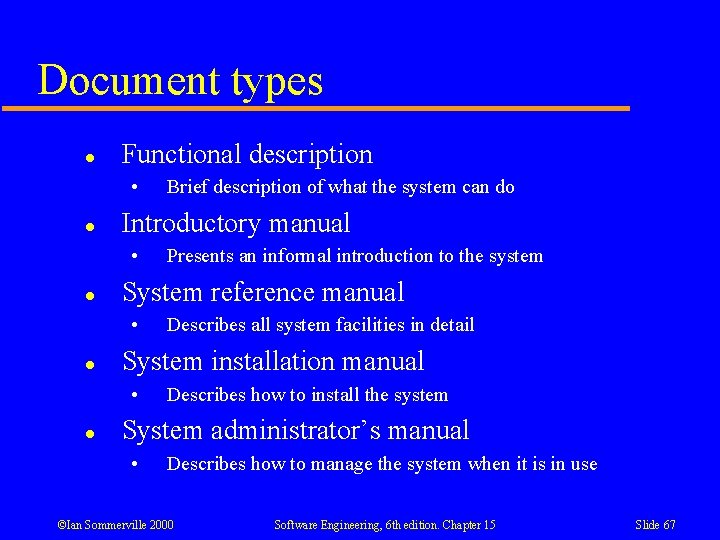
Document types l Functional description • l Introductory manual • l Describes all system facilities in detail System installation manual • l Presents an informal introduction to the system System reference manual • l Brief description of what the system can do Describes how to install the system System administrator’s manual • Describes how to manage the system when it is in use ©Ian Sommerville 2000 Software Engineering, 6 th edition. Chapter 15 Slide 67
15. 5 User interface evaluation l l l Some evaluation of a user interface design should be carried out to assess its suitability Full scale evaluation is very expensive and impractical for most systems Ideally, an interface should be evaluated against a usability specification. However, it is rare for such specifications to be produced ©Ian Sommerville 2000 Software Engineering, 6 th edition. Chapter 15 Slide 68
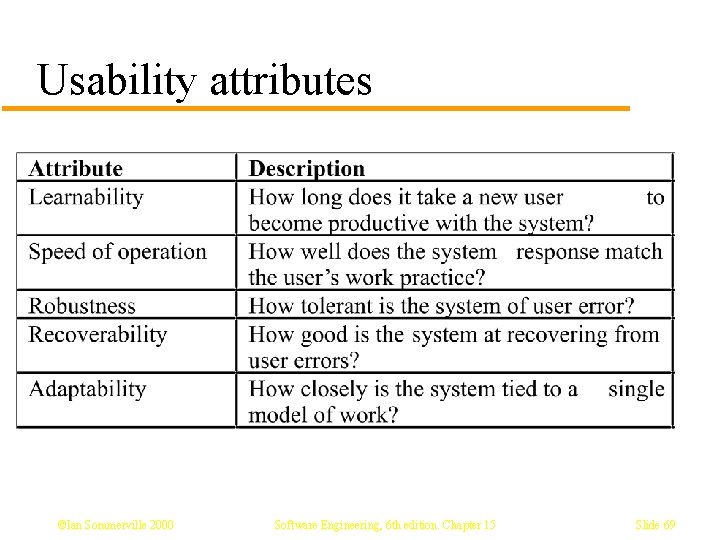
Usability attributes ©Ian Sommerville 2000 Software Engineering, 6 th edition. Chapter 15 Slide 69
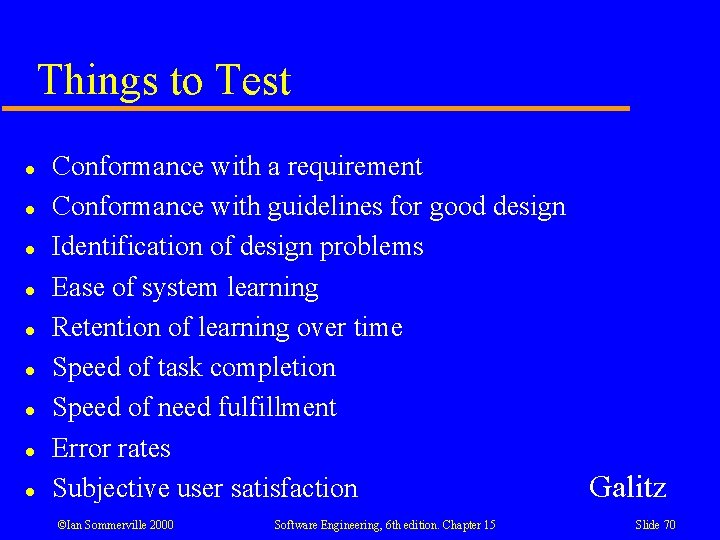
Things to Test l l l l l Conformance with a requirement Conformance with guidelines for good design Identification of design problems Ease of system learning Retention of learning over time Speed of task completion Speed of need fulfillment Error rates Galitz Subjective user satisfaction ©Ian Sommerville 2000 Software Engineering, 6 th edition. Chapter 15 Slide 70
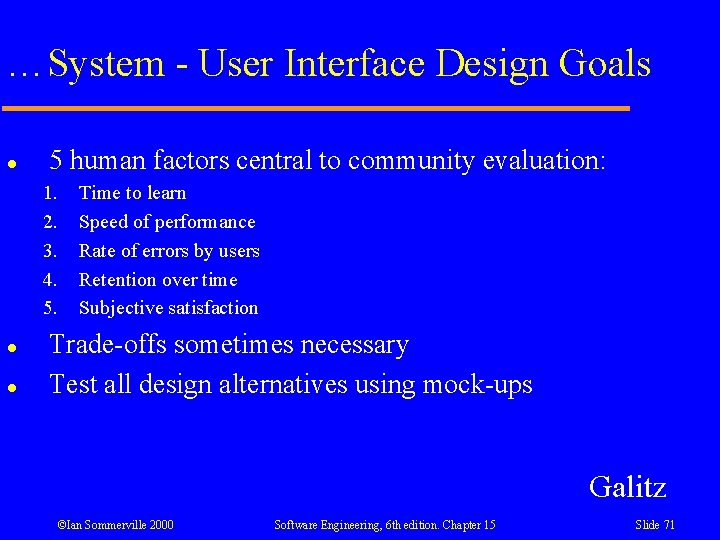
…System - User Interface Design Goals l 5 human factors central to community evaluation: 1. 2. 3. 4. 5. l l Time to learn Speed of performance Rate of errors by users Retention over time Subjective satisfaction Trade-offs sometimes necessary Test all design alternatives using mock-ups Galitz ©Ian Sommerville 2000 Software Engineering, 6 th edition. Chapter 15 Slide 71
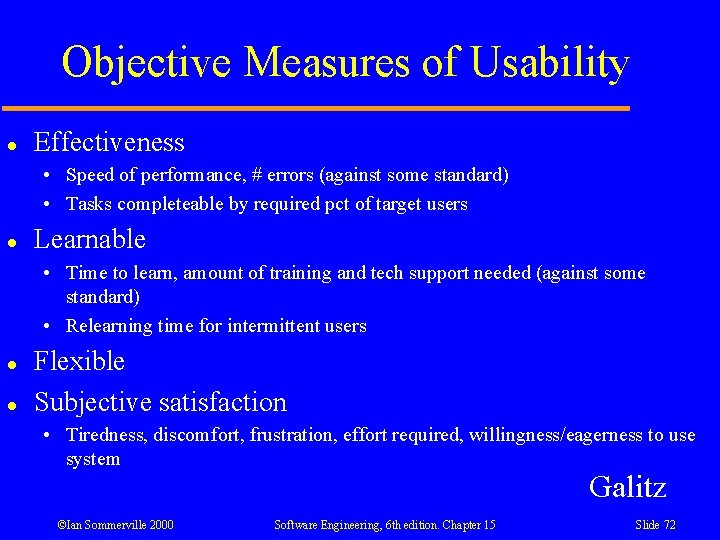
Objective Measures of Usability l Effectiveness • Speed of performance, # errors (against some standard) • Tasks completeable by required pct of target users l Learnable • Time to learn, amount of training and tech support needed (against some standard) • Relearning time for intermittent users l l Flexible Subjective satisfaction • Tiredness, discomfort, frustration, effort required, willingness/eagerness to use system Galitz ©Ian Sommerville 2000 Software Engineering, 6 th edition. Chapter 15 Slide 72
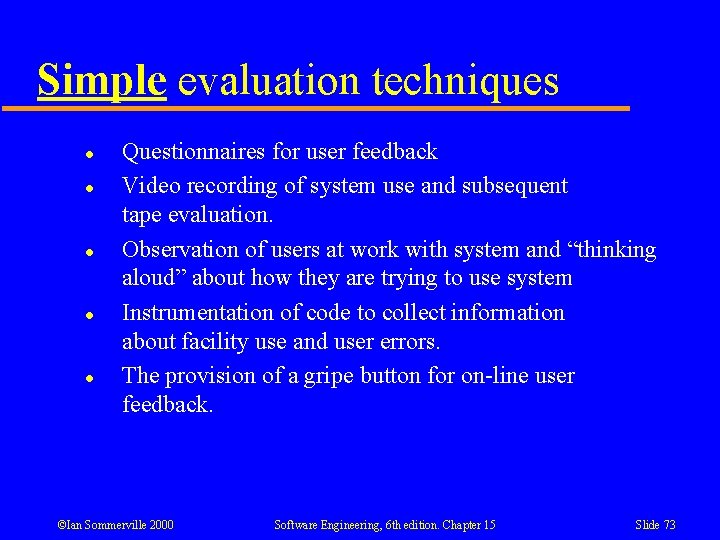
Simple evaluation techniques l l l Questionnaires for user feedback Video recording of system use and subsequent tape evaluation. Observation of users at work with system and “thinking aloud” about how they are trying to use system Instrumentation of code to collect information about facility use and user errors. The provision of a gripe button for on-line user feedback. ©Ian Sommerville 2000 Software Engineering, 6 th edition. Chapter 15 Slide 73
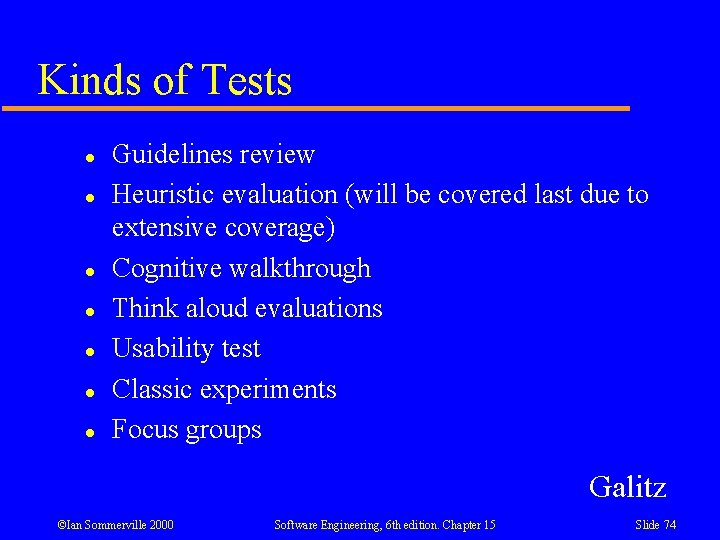
Kinds of Tests l l l l Guidelines review Heuristic evaluation (will be covered last due to extensive coverage) Cognitive walkthrough Think aloud evaluations Usability test Classic experiments Focus groups Galitz ©Ian Sommerville 2000 Software Engineering, 6 th edition. Chapter 15 Slide 74
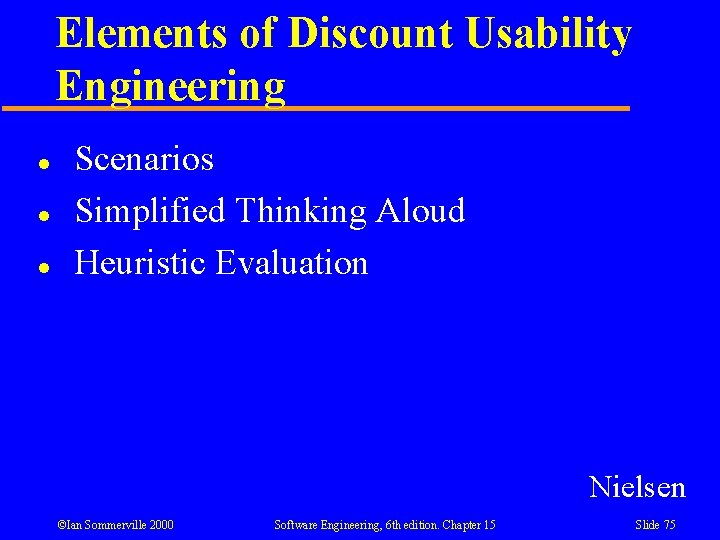
Elements of Discount Usability Engineering l l l Scenarios Simplified Thinking Aloud Heuristic Evaluation Nielsen ©Ian Sommerville 2000 Software Engineering, 6 th edition. Chapter 15 Slide 75
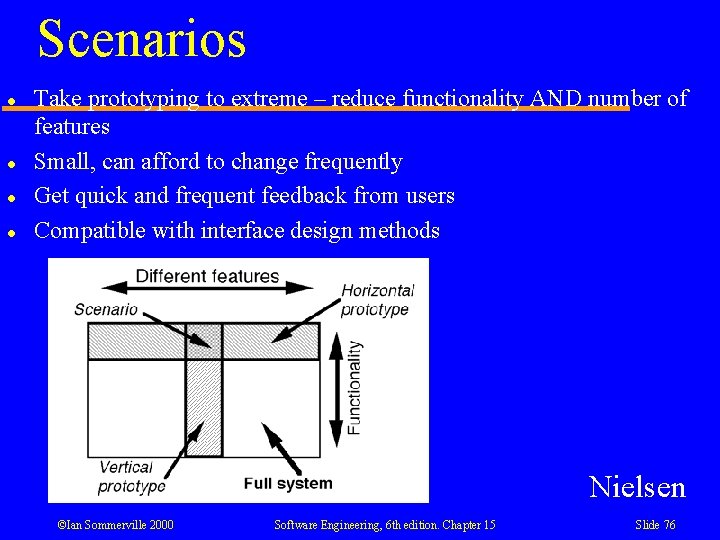
Scenarios l l Take prototyping to extreme – reduce functionality AND number of features Small, can afford to change frequently Get quick and frequent feedback from users Compatible with interface design methods Nielsen ©Ian Sommerville 2000 Software Engineering, 6 th edition. Chapter 15 Slide 76
Simplified Thinking Aloud l l Bring in some users, give them tasks, have them think out loud Fewer users in user testing Nielsen ©Ian Sommerville 2000 Software Engineering, 6 th edition. Chapter 15 Slide 77
Heuristic Evaluation l l Context – part of iterative design Goal – find usability problems Who – small set of evaluators How – study interface in detail, compare to small set of principles Nielsen ©Ian Sommerville 2000 Software Engineering, 6 th edition. Chapter 15 Slide 78
How to Conduct a Heuristic Evaluation l l l l More than one evaluator to be effective. Each evaluator inspects the interface by themselves General heuristics may be supplemented Results can be oral or written Evaluator spends 1 -2 hours with interface Evaluator goes through interface > 1 time Evaluators may follow typical usage scenarios Interface can be paper Nielsen ©Ian Sommerville 2000 Software Engineering, 6 th edition. Chapter 15 Slide 79
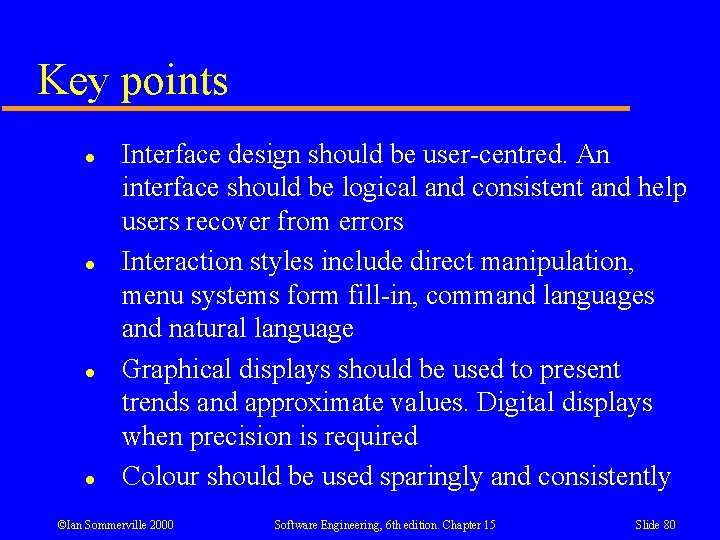
Key points l l Interface design should be user-centred. An interface should be logical and consistent and help users recover from errors Interaction styles include direct manipulation, menu systems form fill-in, command languages and natural language Graphical displays should be used to present trends and approximate values. Digital displays when precision is required Colour should be used sparingly and consistently ©Ian Sommerville 2000 Software Engineering, 6 th edition. Chapter 15 Slide 80
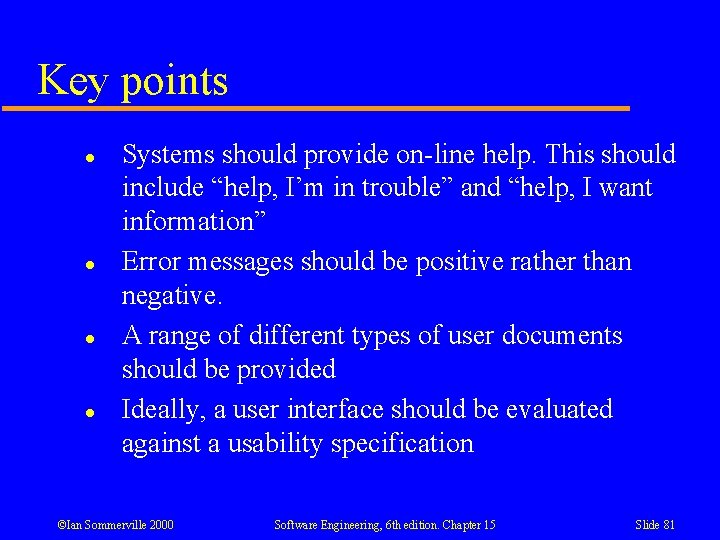
Key points l l Systems should provide on-line help. This should include “help, I’m in trouble” and “help, I want information” Error messages should be positive rather than negative. A range of different types of user documents should be provided Ideally, a user interface should be evaluated against a usability specification ©Ian Sommerville 2000 Software Engineering, 6 th edition. Chapter 15 Slide 81
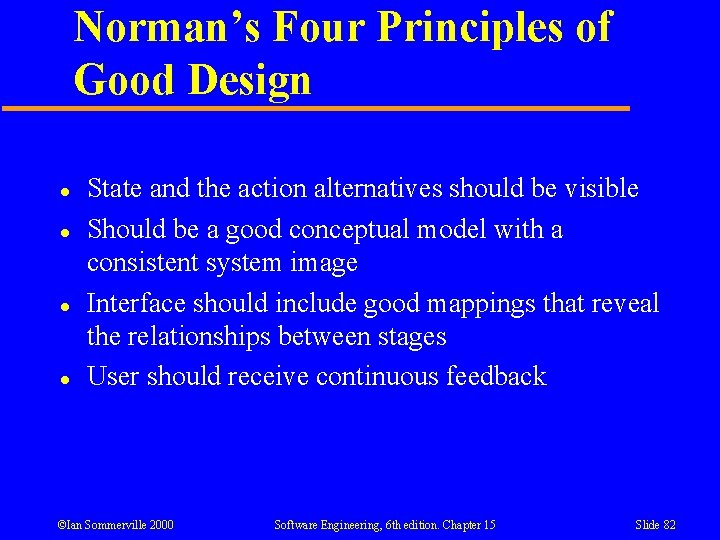
Norman’s Four Principles of Good Design l l State and the action alternatives should be visible Should be a good conceptual model with a consistent system image Interface should include good mappings that reveal the relationships between stages User should receive continuous feedback ©Ian Sommerville 2000 Software Engineering, 6 th edition. Chapter 15 Slide 82
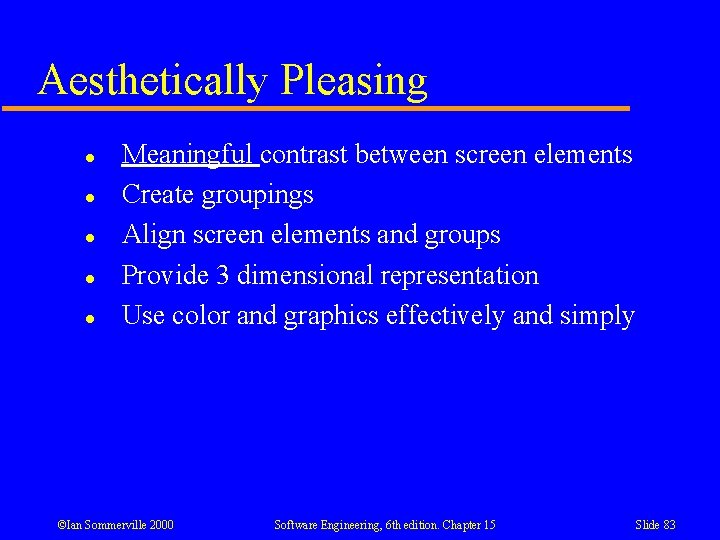
Aesthetically Pleasing l l l Meaningful contrast between screen elements Create groupings Align screen elements and groups Provide 3 dimensional representation Use color and graphics effectively and simply ©Ian Sommerville 2000 Software Engineering, 6 th edition. Chapter 15 Slide 83
Clarity l l Visual elements Functions Metaphors Words and text ©Ian Sommerville 2000 Software Engineering, 6 th edition. Chapter 15 Slide 84
Compatible l l l With the user With the task and job With the product (past systems) ©Ian Sommerville 2000 Software Engineering, 6 th edition. Chapter 15 Slide 85
Comprehensibility l User should easily be able to determine: • • • What to look at What to do When to do it Where to do it Why to do it How to do it ©Ian Sommerville 2000 Software Engineering, 6 th edition. Chapter 15 Slide 86
Configurability l l Users should be able to set preferences Good Default Settings should be provided for non -tinkerers ©Ian Sommerville 2000 Software Engineering, 6 th edition. Chapter 15 Slide 87
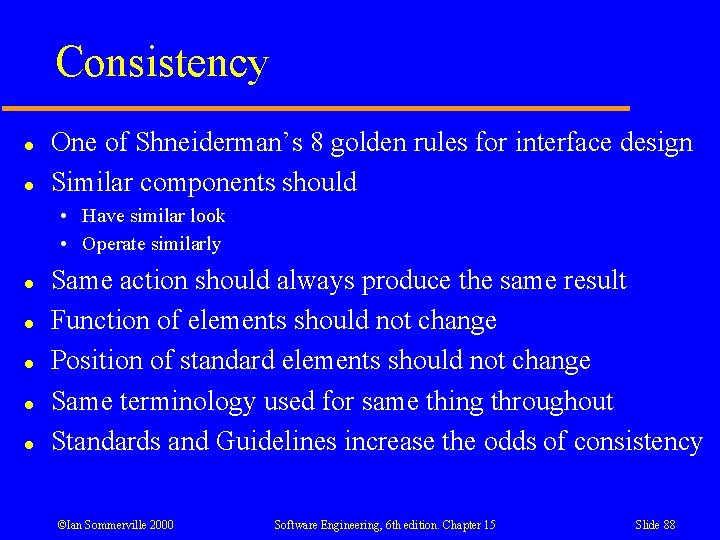
Consistency l l One of Shneiderman’s 8 golden rules for interface design Similar components should • Have similar look • Operate similarly l l l Same action should always produce the same result Function of elements should not change Position of standard elements should not change Same terminology used for same thing throughout Standards and Guidelines increase the odds of consistency ©Ian Sommerville 2000 Software Engineering, 6 th edition. Chapter 15 Slide 88
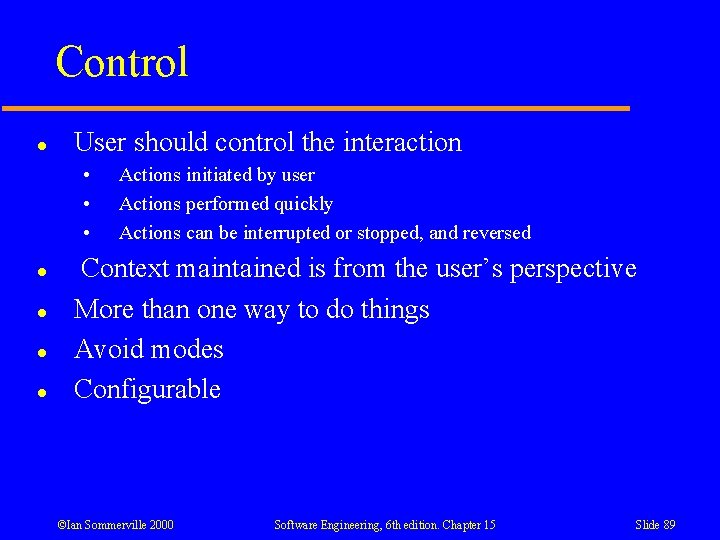
Control l User should control the interaction • • • l l Actions initiated by user Actions performed quickly Actions can be interrupted or stopped, and reversed Context maintained is from the user’s perspective More than one way to do things Avoid modes Configurable ©Ian Sommerville 2000 Software Engineering, 6 th edition. Chapter 15 Slide 89
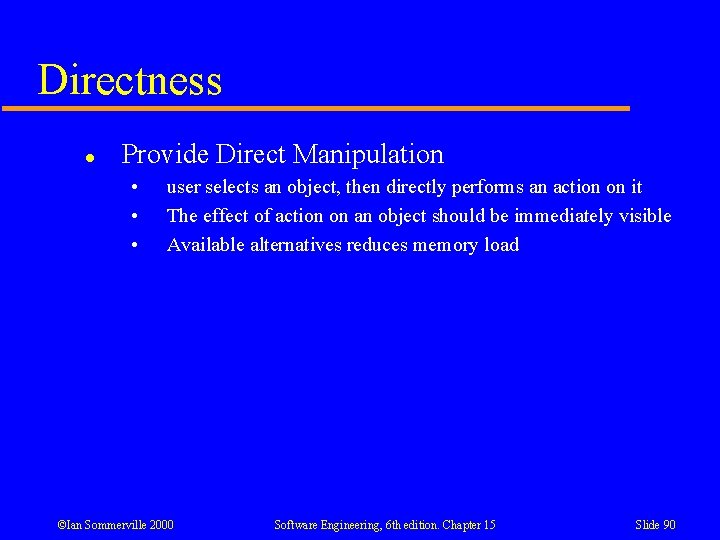
Directness l Provide Direct Manipulation • • • user selects an object, then directly performs an action on it The effect of action on an object should be immediately visible Available alternatives reduces memory load ©Ian Sommerville 2000 Software Engineering, 6 th edition. Chapter 15 Slide 90
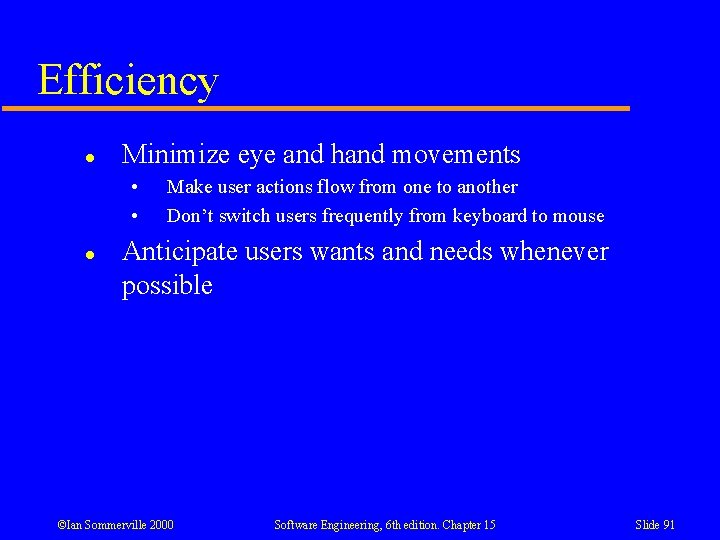
Efficiency l Minimize eye and hand movements • • l Make user actions flow from one to another Don’t switch users frequently from keyboard to mouse Anticipate users wants and needs whenever possible ©Ian Sommerville 2000 Software Engineering, 6 th edition. Chapter 15 Slide 91
Familiarity l l l Use language and concepts familiar to the user Keep the interface natural Use real world metaphors ©Ian Sommerville 2000 Software Engineering, 6 th edition. Chapter 15 Slide 92
Flexibility l l compatible with the user’s “skills, experience, habits, and preferences, and current conditions” Danger: more flexibility increases complexity of system ©Ian Sommerville 2000 Software Engineering, 6 th edition. Chapter 15 Slide 93
Forgiveness l l Prevent errors from occurring when possible Tolerate and forgive common and unavoidable human errors When an error occurs, provide constructive error messages Protect against catastrophic errors ©Ian Sommerville 2000 Software Engineering, 6 th edition. Chapter 15 Slide 94
Predictability l l User should be able to anticipate the flow of the task Expectations should be fulfilled ©Ian Sommerville 2000 Software Engineering, 6 th edition. Chapter 15 Slide 95
Recovery l System should permit: • • l Commands or actions to be abolished or reversed Immediate return to a certain point if difficulties arise Users should never lose work due to: • • An error on their part Hardware, software, or communication problems ©Ian Sommerville 2000 Software Engineering, 6 th edition. Chapter 15 Slide 96
Responsiveness l l l Respond rapidly to user requests Provide acknowledgement of user actions Beginners need more / more informative feedback than experts do ©Ian Sommerville 2000 Software Engineering, 6 th edition. Chapter 15 Slide 97
Simplicity l Provide as simple an interface as possible • • • Progressive disclosure Defaults Minimize screen alignment points Make common actions simple Provide consistency ©Ian Sommerville 2000 Software Engineering, 6 th edition. Chapter 15 Slide 98
Transparency l Allow user to focus on the task, not the interface • • • Basic principle of direct manipulation Use user’s task vocabulary Design interface based on task analysis ©Ian Sommerville 2000 Software Engineering, 6 th edition. Chapter 15 Slide 99
Trade-offs l l Final Design will always represent a series of trade-offs People’s requirements always take precedence over technical requirements ©Ian Sommerville 2000 Software Engineering, 6 th edition. Chapter 15 Slide 100