
CLASS A Class represents a template for several

![class Main. Room { public static void main(String [] args) { Hall. Room hr](https://slidetodoc.com/presentation_image_h/82f8d17df9591abb4a99beceb4067b86/image-66.jpg "class Main. Room { public static void main(String [] args) { Hall. Room hr")
![class Main. Room { public static void main(String [] args) { Hall. Room hr](https://slidetodoc.com/presentation_image_h/82f8d17df9591abb4a99beceb4067b86/image-80.jpg "class Main. Room { public static void main(String [] args) { Hall. Room hr")
![class Interface 2 { public static void main(String args[]) { C d = new](https://slidetodoc.com/presentation_image_h/82f8d17df9591abb4a99beceb4067b86/image-102.jpg "class Interface 2 { public static void main(String args[]) { C d = new")
![class Mul. Interface { public static void main(String args[]) { C derived = new](https://slidetodoc.com/presentation_image_h/82f8d17df9591abb4a99beceb4067b86/image-104.jpg "class Mul. Interface { public static void main(String args[]) { C derived = new")
![class Interface 5 { public static void main(String args[]) { Derived d = new](https://slidetodoc.com/presentation_image_h/82f8d17df9591abb4a99beceb4067b86/image-107.jpg "class Interface 5 { public static void main(String args[]) { Derived d = new")
![class Inner. Outer { public static void main(String args[]) { int c; Outer o](https://slidetodoc.com/presentation_image_h/82f8d17df9591abb4a99beceb4067b86/image-116.jpg "class Inner. Outer { public static void main(String args[]) { int c; Outer o")
![class Local. Inner { public static void main(String args[]) { Outer o = new](https://slidetodoc.com/presentation_image_h/82f8d17df9591abb4a99beceb4067b86/image-118.jpg "class Local. Inner { public static void main(String args[]) { Outer o = new")
![class Anonymous. Class { public static void main(String args[]) { Outer o = new](https://slidetodoc.com/presentation_image_h/82f8d17df9591abb4a99beceb4067b86/image-120.jpg "class Anonymous. Class { public static void main(String args[]) { Outer o = new")
- Slides: 130
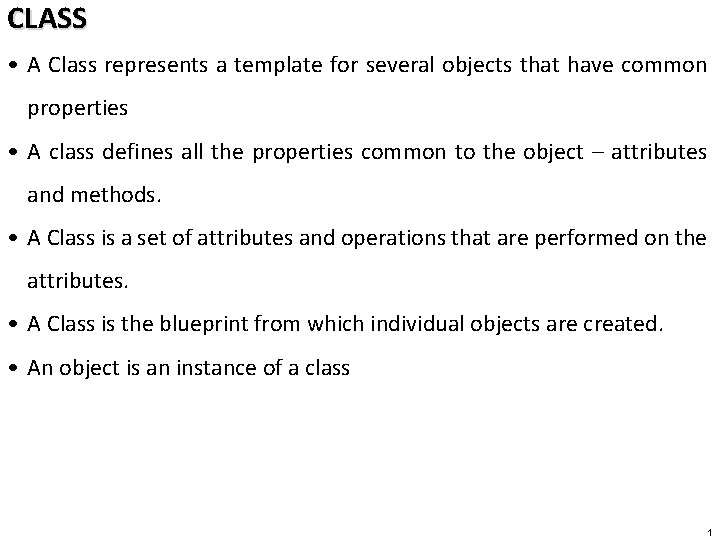
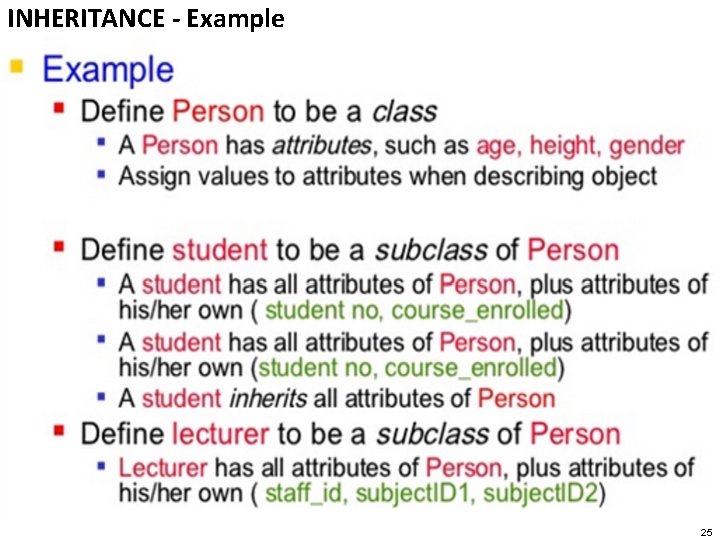
CLASS • A Class represents a template for several objects that have common properties • A class defines all the properties common to the object – attributes and methods. • A Class is a set of attributes and operations that are performed on the attributes. • A Class is the blueprint from which individual objects are created. • An object is an instance of a class 1
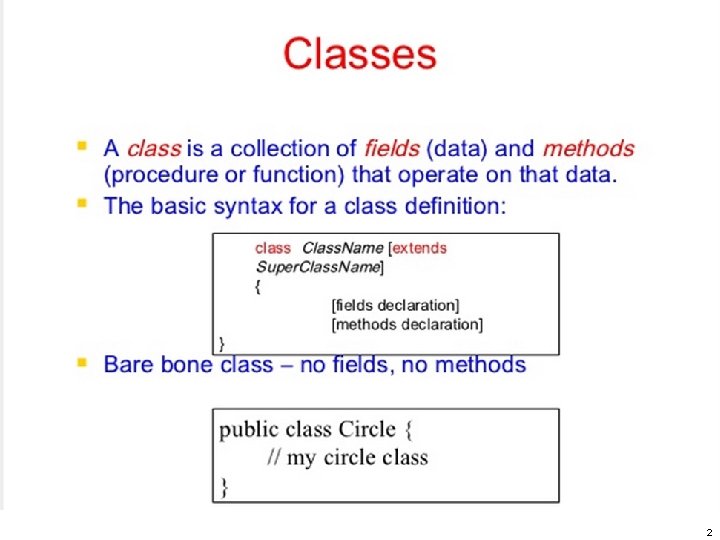
2
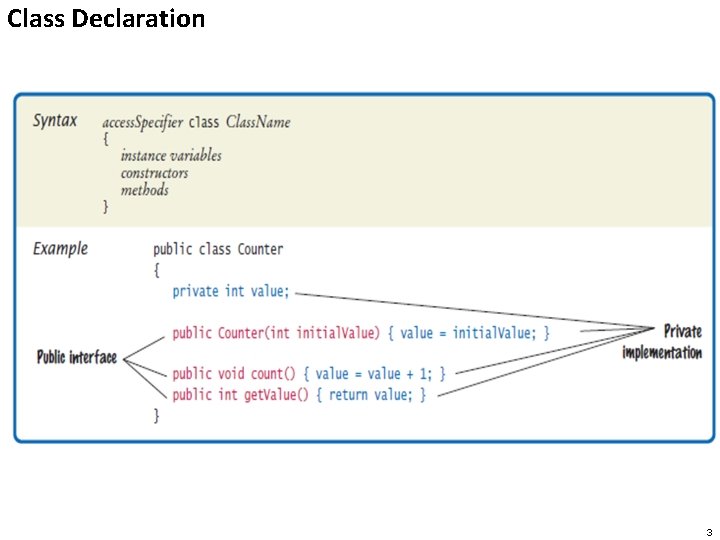
Class Declaration 3
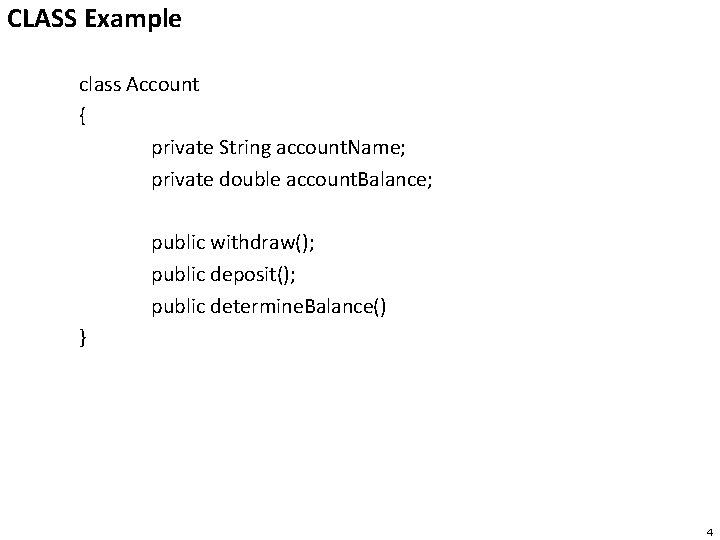
CLASS Example class Account { private String account. Name; private double account. Balance; public withdraw(); public deposit(); public determine. Balance() } 4
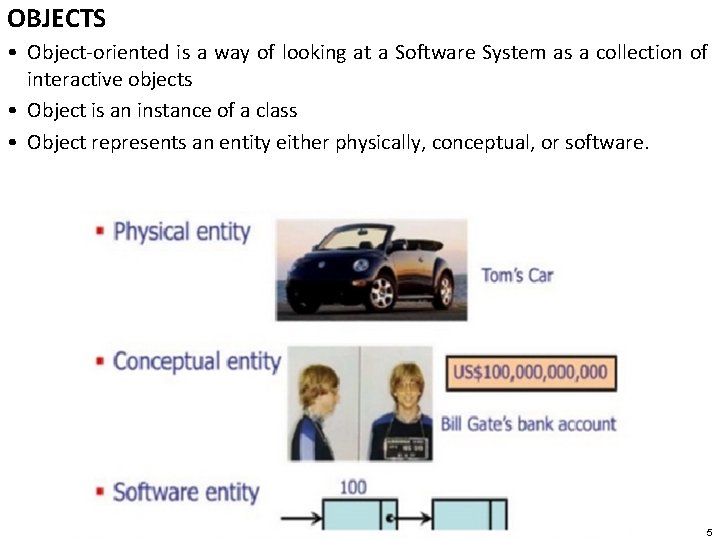
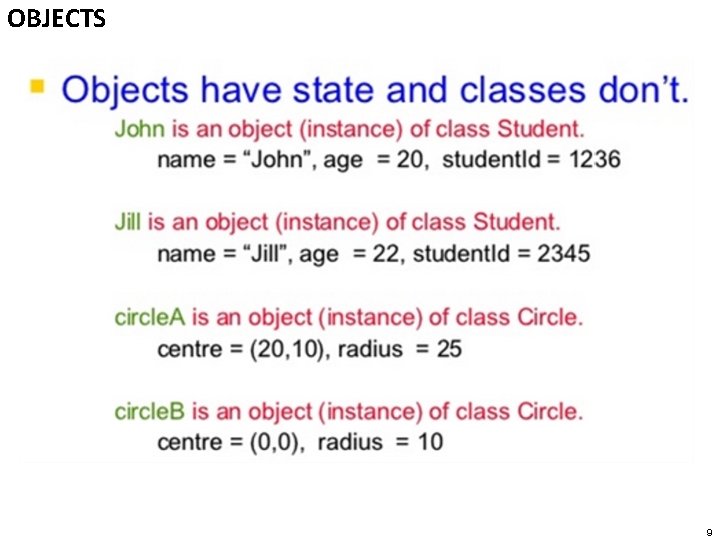
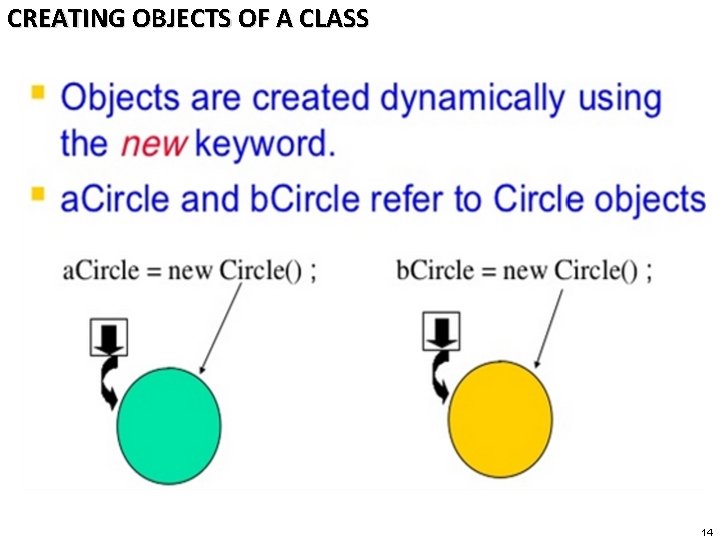
OBJECTS • Object-oriented is a way of looking at a Software System as a collection of interactive objects • Object is an instance of a class • Object represents an entity either physically, conceptual, or software. 5
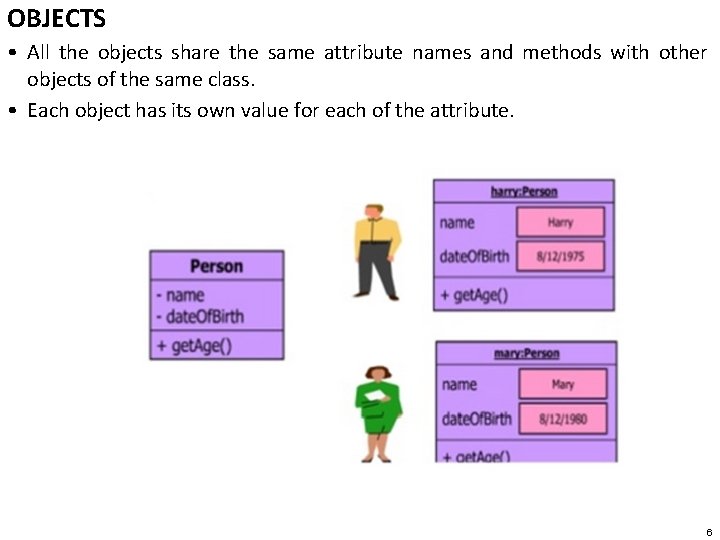
OBJECTS • All the objects share the same attribute names and methods with other objects of the same class. • Each object has its own value for each of the attribute. 6
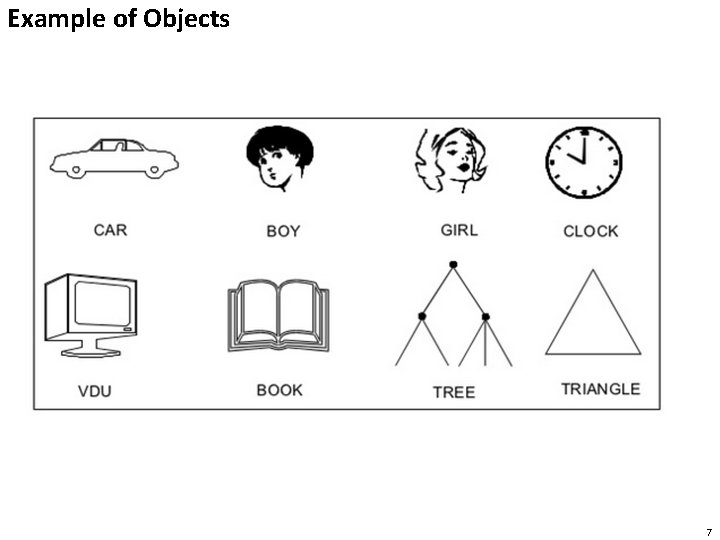
Example of Objects 7
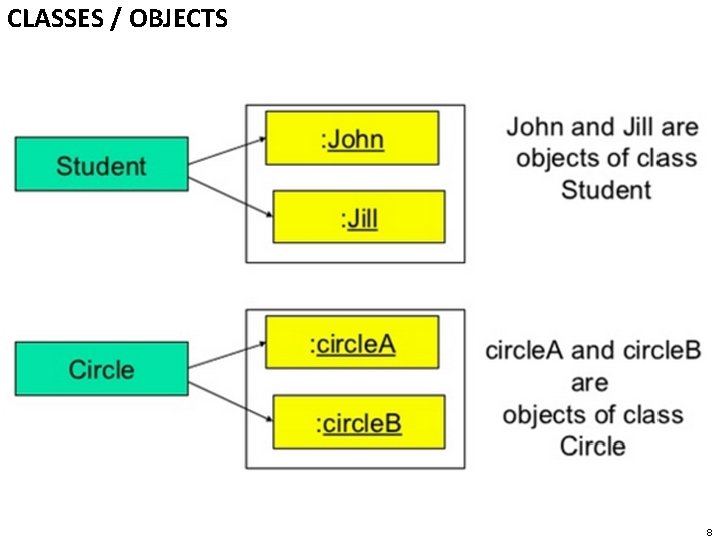
CLASSES / OBJECTS 8
OBJECTS 9
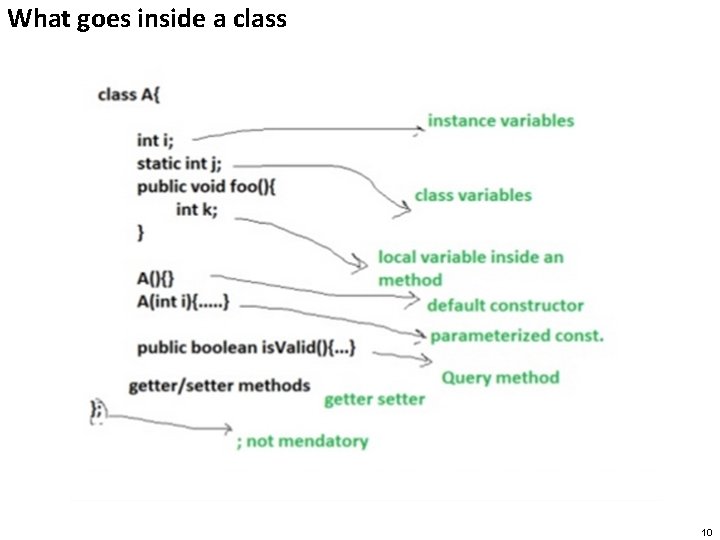
What goes inside a class 10
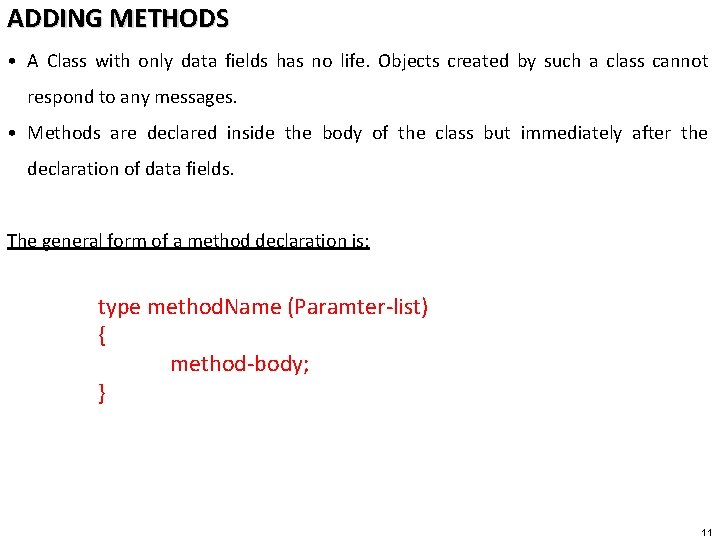
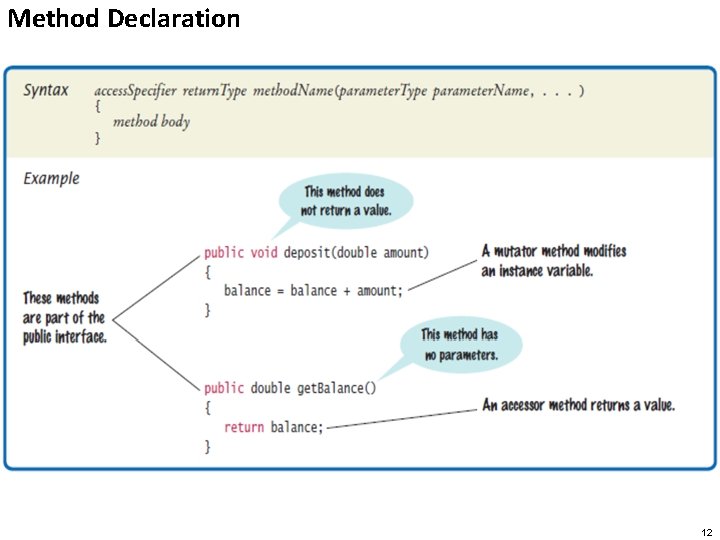
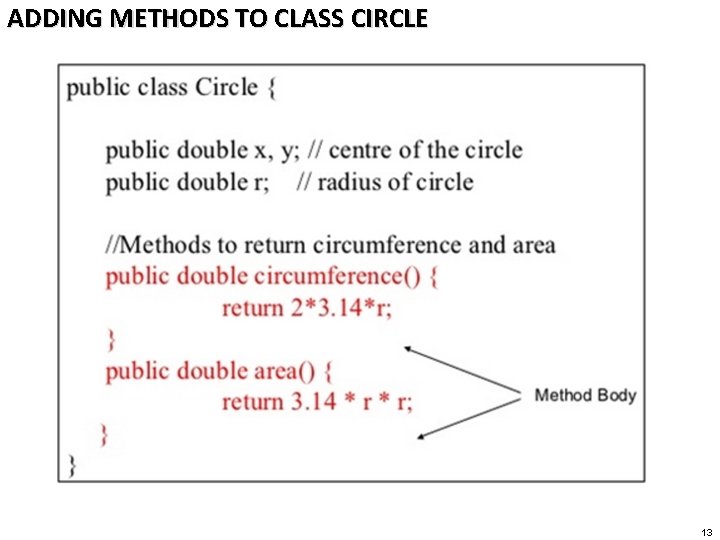
ADDING METHODS • A Class with only data fields has no life. Objects created by such a class cannot respond to any messages. • Methods are declared inside the body of the class but immediately after the declaration of data fields. The general form of a method declaration is: type method. Name (Paramter-list) { method-body; } 11
Method Declaration 12
ADDING METHODS TO CLASS CIRCLE 13
CREATING OBJECTS OF A CLASS 14
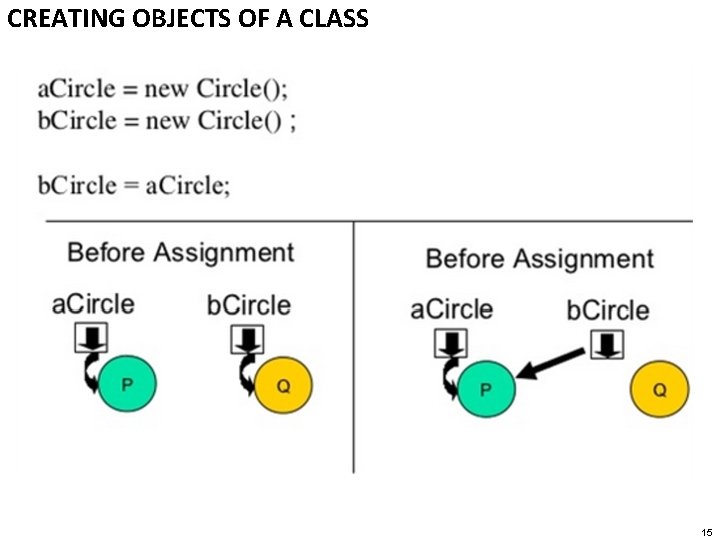
CREATING OBJECTS OF A CLASS 15
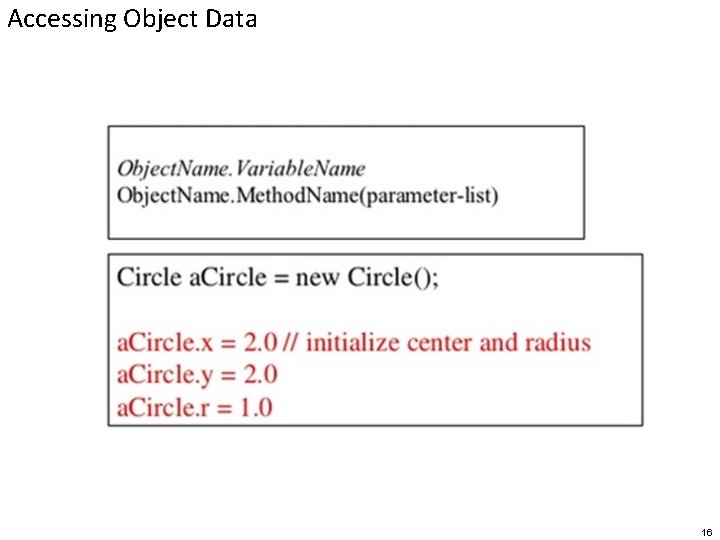
Accessing Object Data 16
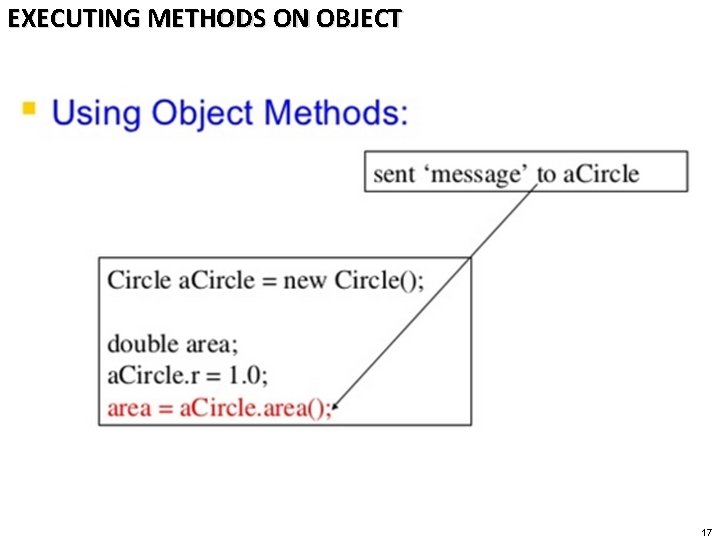
EXECUTING METHODS ON OBJECT 17
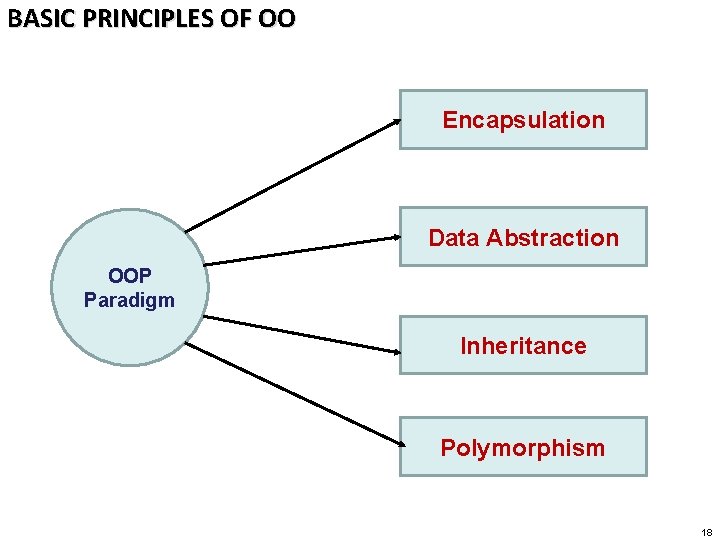
BASIC PRINCIPLES OF OO Encapsulation Data Abstraction OOP Paradigm Inheritance Polymorphism 18
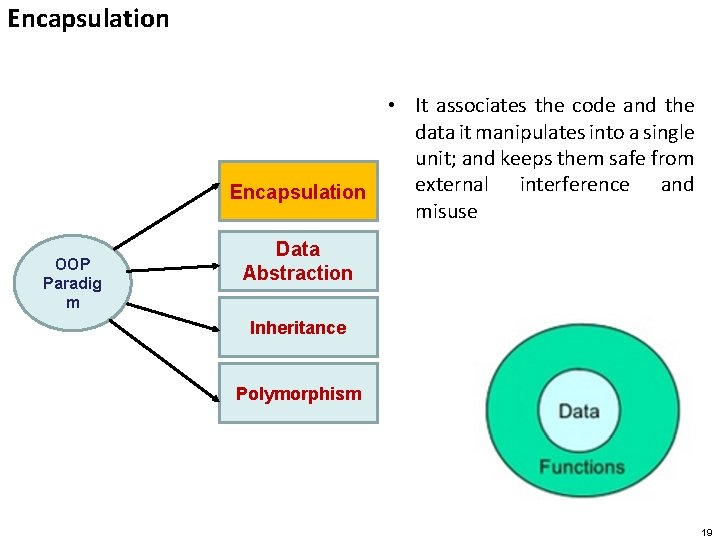
Encapsulation • It associates the code and the data it manipulates into a single unit; and keeps them safe from external interference and Encapsulation misuse OOP Paradig m Data Abstraction Inheritance Polymorphism 19
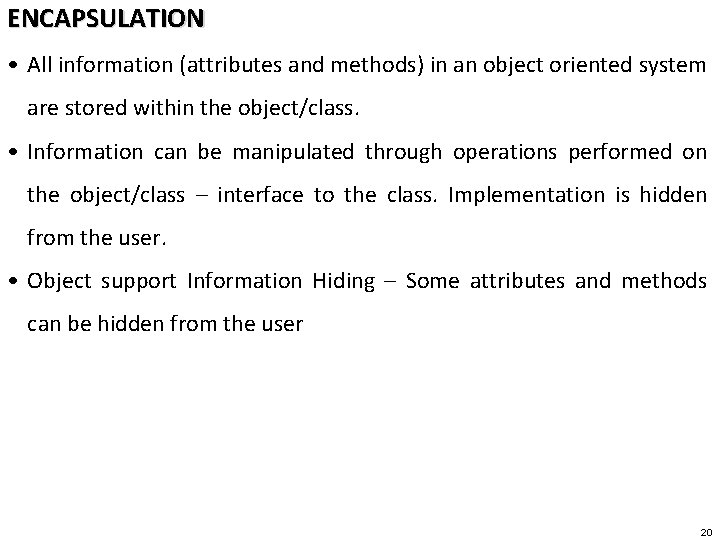
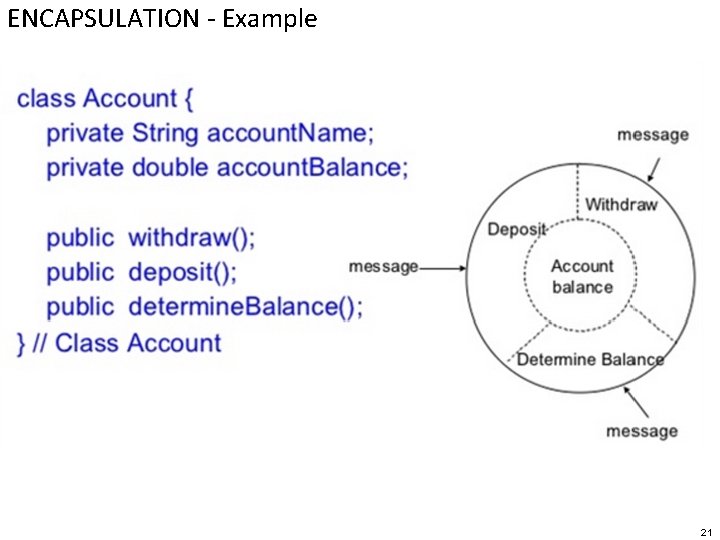
ENCAPSULATION • All information (attributes and methods) in an object oriented system are stored within the object/class. • Information can be manipulated through operations performed on the object/class – interface to the class. Implementation is hidden from the user. • Object support Information Hiding – Some attributes and methods can be hidden from the user 20
ENCAPSULATION - Example 21
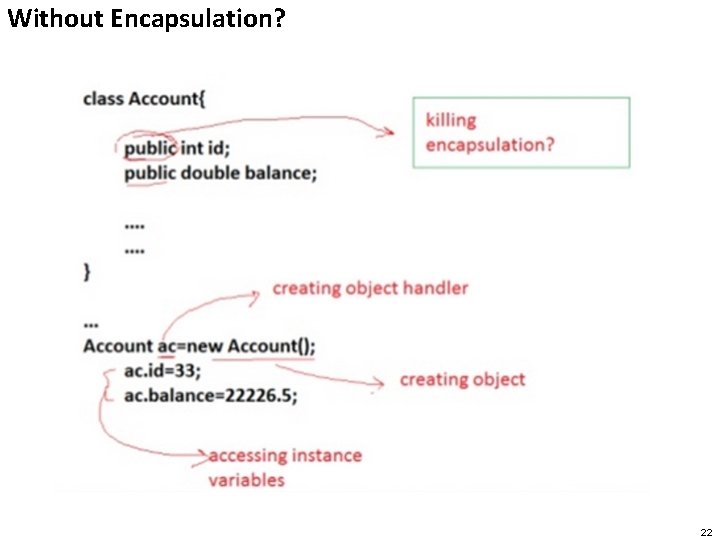
Without Encapsulation? 22
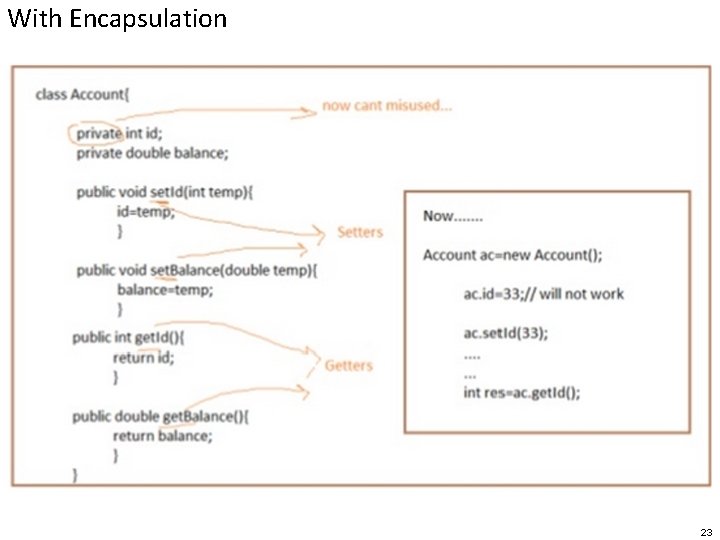
With Encapsulation 23
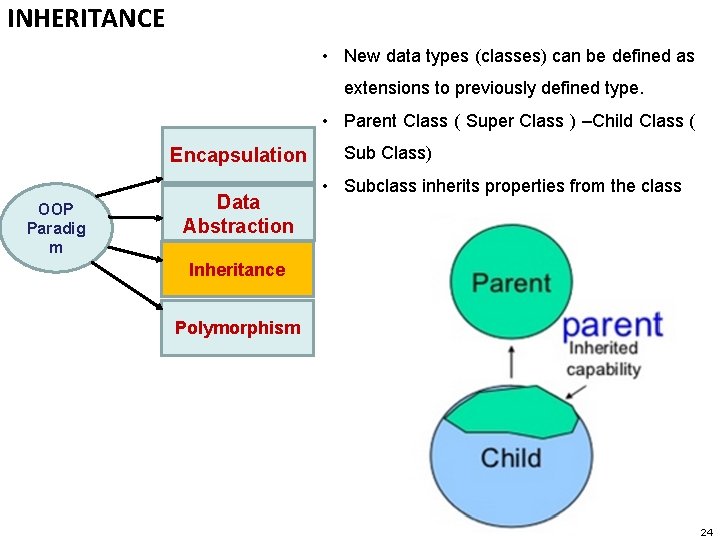
INHERITANCE • New data types (classes) can be defined as extensions to previously defined type. • Parent Class ( Super Class ) –Child Class ( Encapsulation OOP Paradig m Data Abstraction Sub Class) • Subclass inherits properties from the class Inheritance Polymorphism 24
INHERITANCE - Example 25
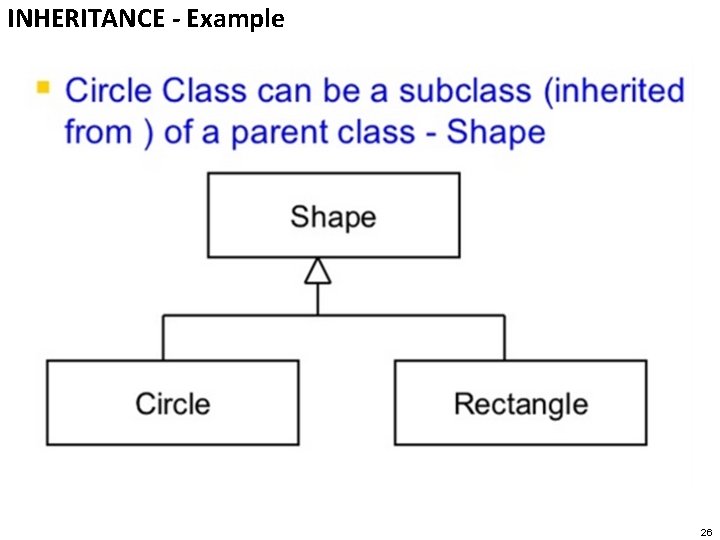
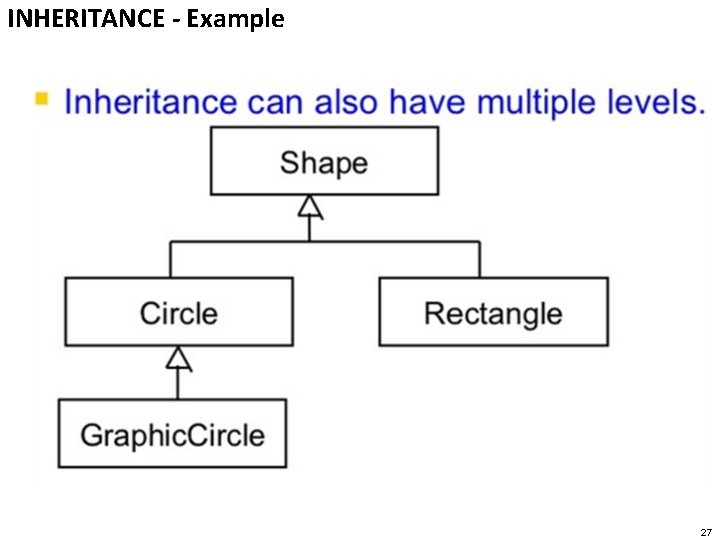
INHERITANCE - Example 26
INHERITANCE - Example 27
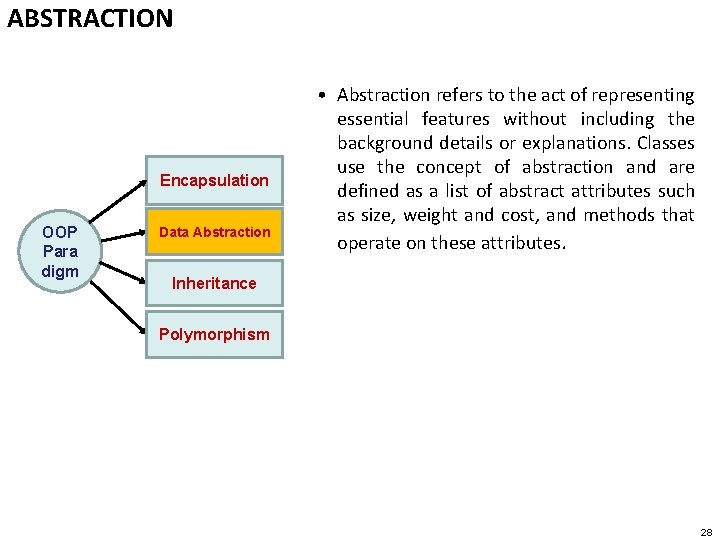
ABSTRACTION Encapsulation OOP Para digm Data Abstraction • Abstraction refers to the act of representing essential features without including the background details or explanations. Classes use the concept of abstraction and are defined as a list of abstract attributes such as size, weight and cost, and methods that operate on these attributes. Inheritance Polymorphism 28
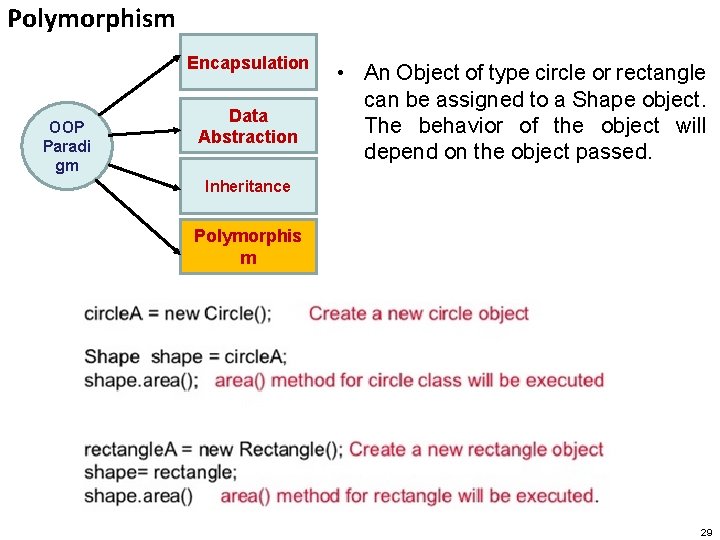
Polymorphism Encapsulation OOP Paradi gm Data Abstraction • An Object of type circle or rectangle can be assigned to a Shape object. The behavior of the object will depend on the object passed. Inheritance Polymorphis m 29
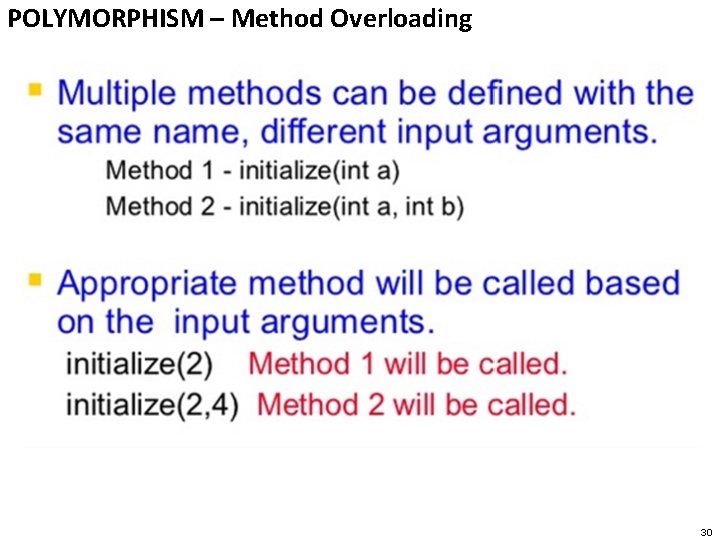
POLYMORPHISM – Method Overloading 30
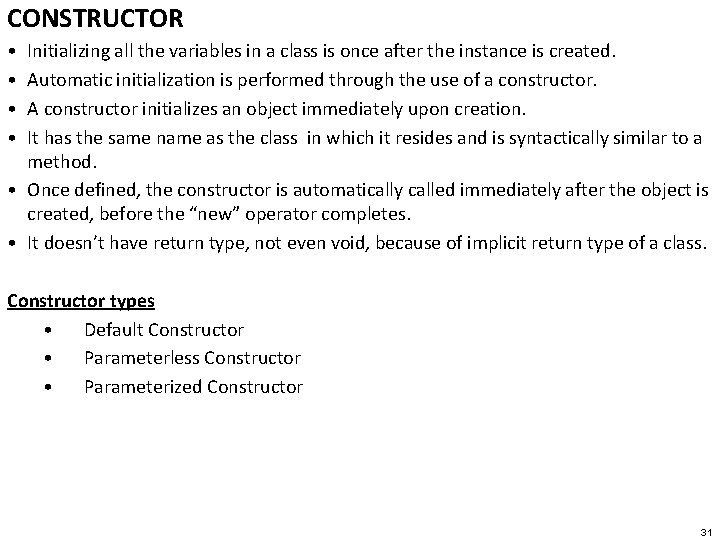
CONSTRUCTOR • • Initializing all the variables in a class is once after the instance is created. Automatic initialization is performed through the use of a constructor. A constructor initializes an object immediately upon creation. It has the same name as the class in which it resides and is syntactically similar to a method. • Once defined, the constructor is automatically called immediately after the object is created, before the “new” operator completes. • It doesn’t have return type, not even void, because of implicit return type of a class. Constructor types • Default Constructor • Parameterless Constructor • Parameterized Constructor 31
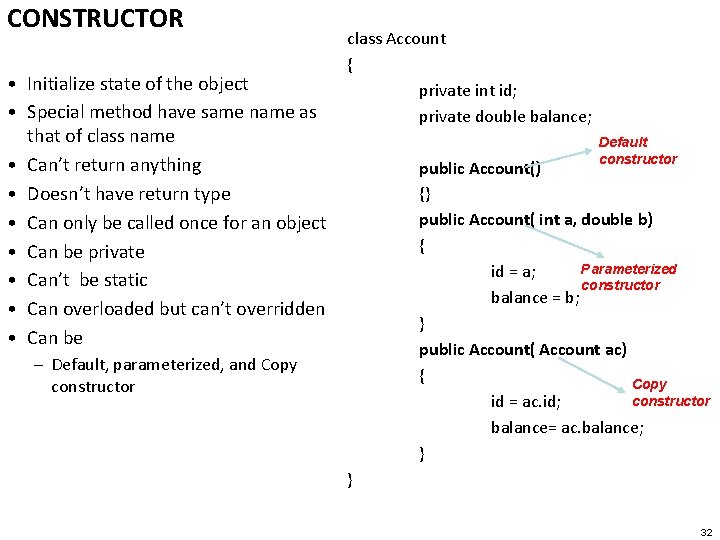
CONSTRUCTOR • Initialize state of the object • Special method have same name as that of class name • Can’t return anything • Doesn’t have return type • Can only be called once for an object • Can be private • Can’t be static • Can overloaded but can’t overridden • Can be – Default, parameterized, and Copy constructor class Account { private int id; private double balance; Default constructor public Account() {} public Account( int a, double b) { Parameterized id = a; constructor balance = b; } public Account( Account ac) { Copy constructor id = ac. id; balance= ac. balance; } } 32
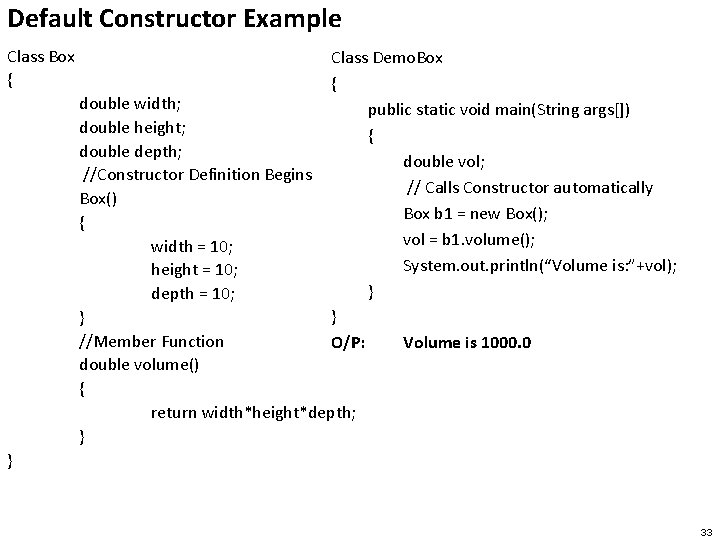
Default Constructor Example Class Box { Class Demo. Box { public static void main(String args[]) { double vol; // Calls Constructor automatically Box b 1 = new Box(); vol = b 1. volume(); System. out. println(“Volume is: ”+vol); } } O/P: Volume is 1000. 0 double width; double height; double depth; //Constructor Definition Begins Box() { width = 10; height = 10; depth = 10; } //Member Function double volume() { return width*height*depth; } } 33
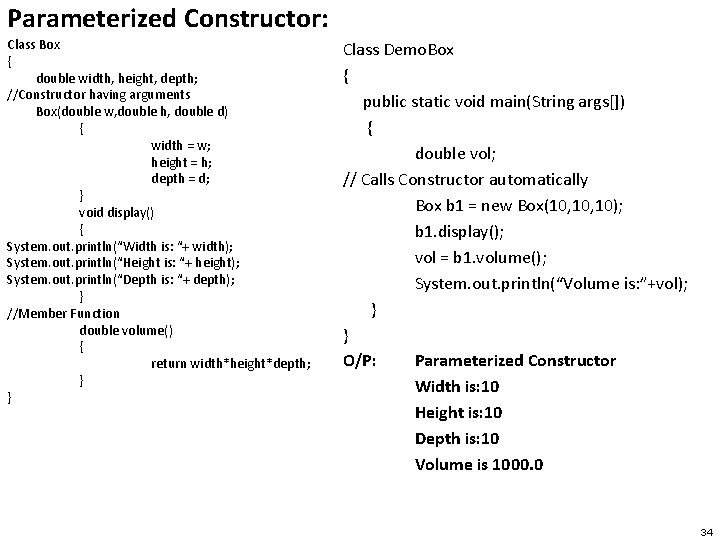
Parameterized Constructor: Class Box { double width, height, depth; //Constructor having arguments Box(double w, double h, double d) { width = w; height = h; depth = d; } void display() { System. out. println(“Width is: “+ width); System. out. println(“Height is: “+ height); System. out. println(“Depth is: “+ depth); } //Member Function double volume() { return width*height*depth; } } Class Demo. Box { public static void main(String args[]) { double vol; // Calls Constructor automatically Box b 1 = new Box(10, 10); b 1. display(); vol = b 1. volume(); System. out. println(“Volume is: ”+vol); } } O/P: Parameterized Constructor Width is: 10 Height is: 10 Depth is: 10 Volume is 1000. 0 34
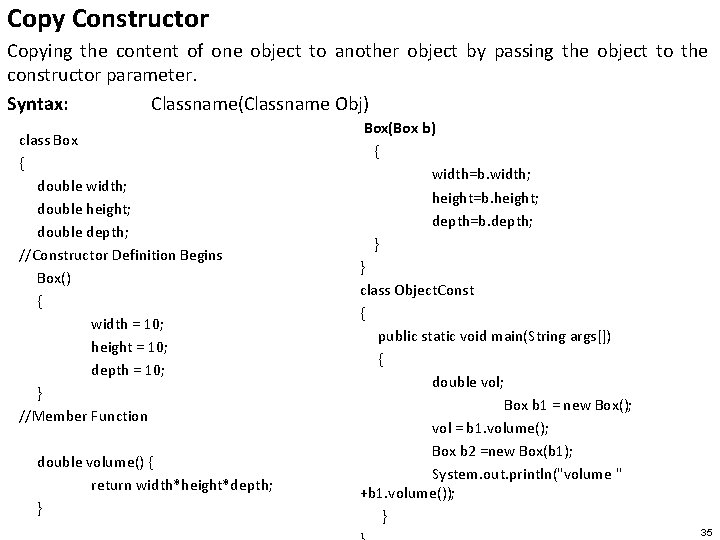
Copy Constructor Copying the content of one object to another object by passing the object to the constructor parameter. Syntax: Classname(Classname Obj) class Box { double width; double height; double depth; //Constructor Definition Begins Box() { width = 10; height = 10; depth = 10; } //Member Function double volume() { return width*height*depth; } Box(Box b) { width=b. width; height=b. height; depth=b. depth; } } class Object. Const { public static void main(String args[]) { double vol; Box b 1 = new Box(); vol = b 1. volume(); Box b 2 =new Box(b 1); System. out. println("volume " +b 1. volume()); } 35
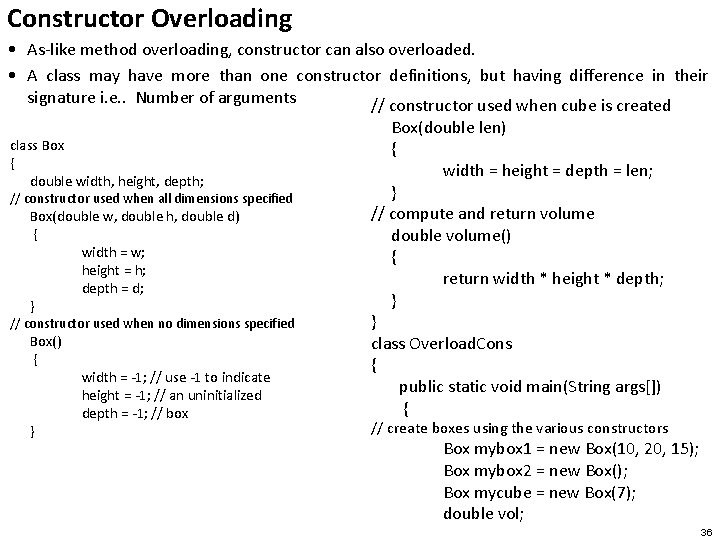
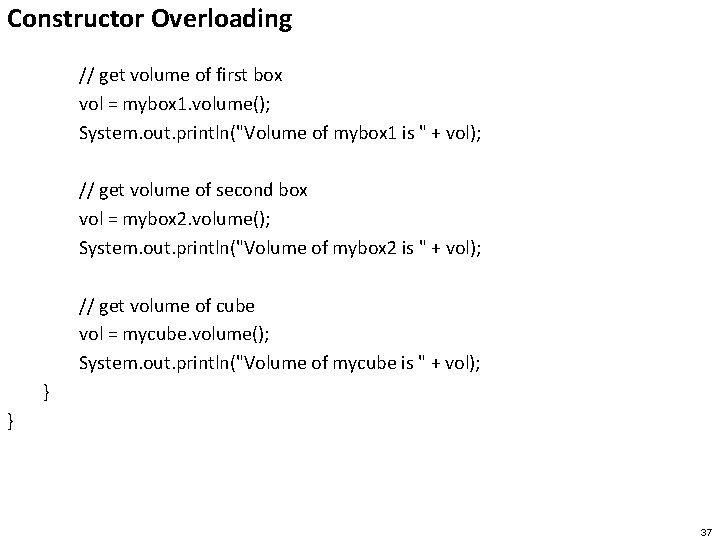
Constructor Overloading • As-like method overloading, constructor can also overloaded. • A class may have more than one constructor definitions, but having difference in their signature i. e. . Number of arguments // constructor used when cube is created class Box { double width, height, depth; // constructor used when all dimensions specified Box(double w, double h, double d) { width = w; height = h; depth = d; } // constructor used when no dimensions specified Box() { } width = -1; // use -1 to indicate height = -1; // an uninitialized depth = -1; // box Box(double len) { width = height = depth = len; } // compute and return volume double volume() { return width * height * depth; } } class Overload. Cons { public static void main(String args[]) { // create boxes using the various constructors Box mybox 1 = new Box(10, 20, 15); Box mybox 2 = new Box(); Box mycube = new Box(7); double vol; 36
Constructor Overloading // get volume of first box vol = mybox 1. volume(); System. out. println("Volume of mybox 1 is " + vol); // get volume of second box vol = mybox 2. volume(); System. out. println("Volume of mybox 2 is " + vol); // get volume of cube vol = mycube. volume(); System. out. println("Volume of mycube is " + vol); } } 37
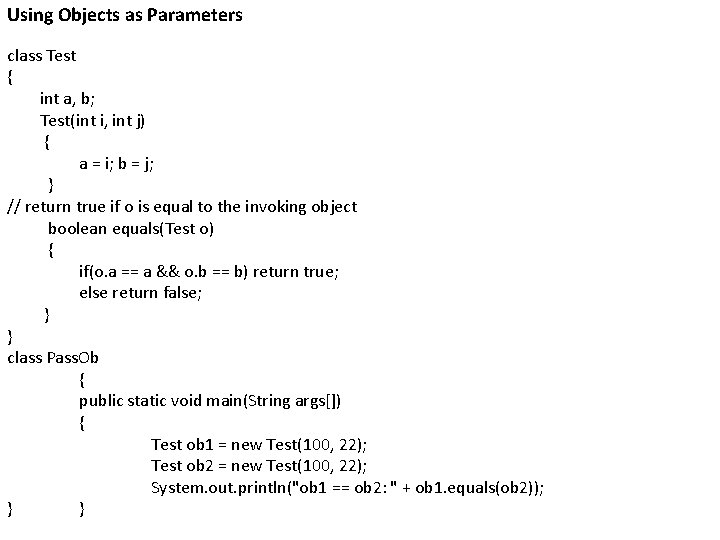
Using Objects as Parameters class Test { int a, b; Test(int i, int j) { a = i; b = j; } // return true if o is equal to the invoking object boolean equals(Test o) { if(o. a == a && o. b == b) return true; else return false; } } class Pass. Ob { public static void main(String args[]) { Test ob 1 = new Test(100, 22); Test ob 2 = new Test(100, 22); System. out. println("ob 1 == ob 2: " + ob 1. equals(ob 2)); } }
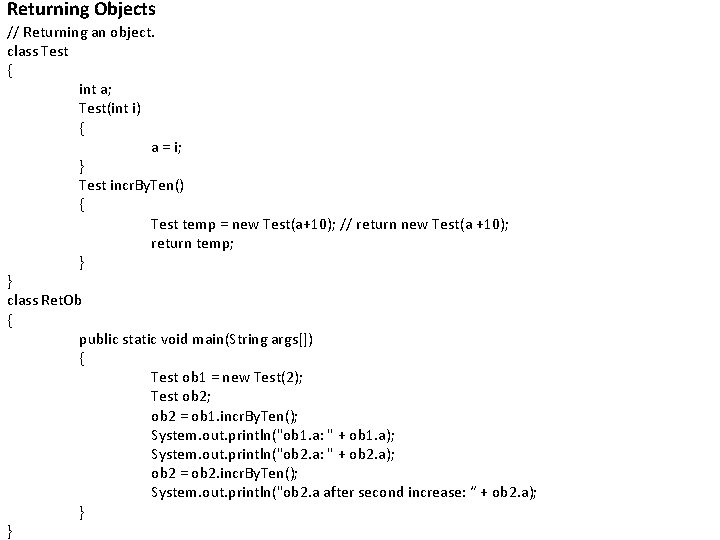
Returning Objects // Returning an object. class Test { int a; Test(int i) { a = i; } Test incr. By. Ten() { Test temp = new Test(a+10); // return new Test(a +10); return temp; } } class Ret. Ob { public static void main(String args[]) { Test ob 1 = new Test(2); Test ob 2; ob 2 = ob 1. incr. By. Ten(); System. out. println("ob 1. a: " + ob 1. a); System. out. println("ob 2. a: " + ob 2. a); ob 2 = ob 2. incr. By. Ten(); System. out. println("ob 2. a after second increase: “ + ob 2. a); } }
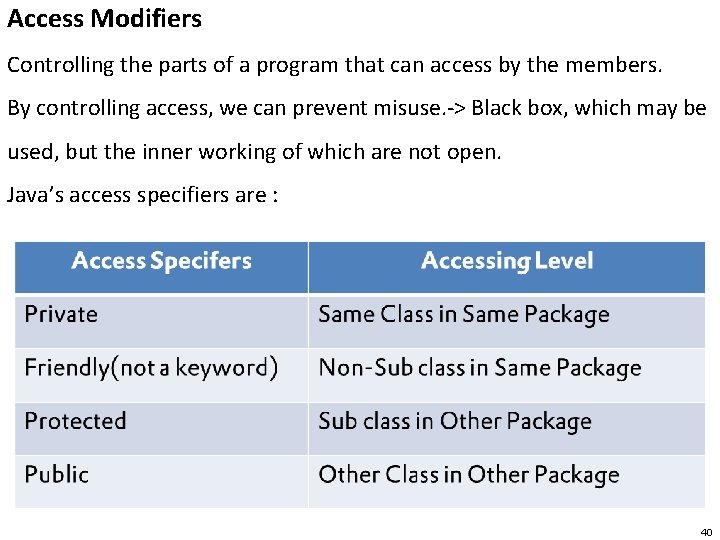
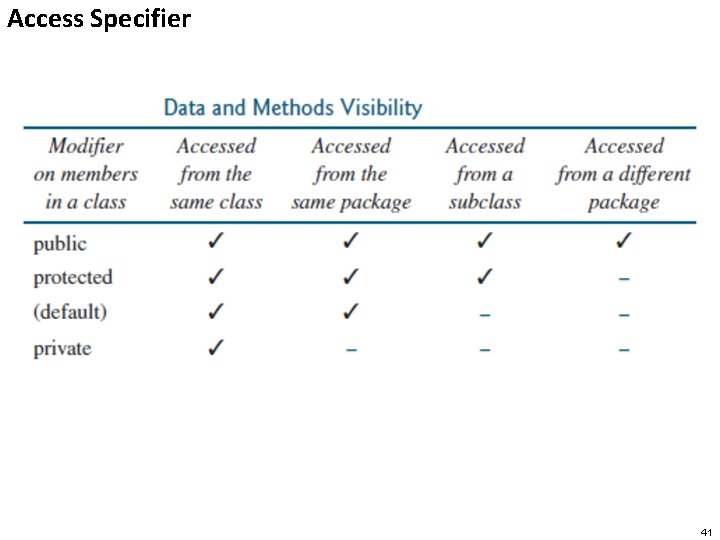
Access Modifiers Controlling the parts of a program that can access by the members. By controlling access, we can prevent misuse. -> Black box, which may be used, but the inner working of which are not open. Java’s access specifiers are : 40
Access Specifier 41
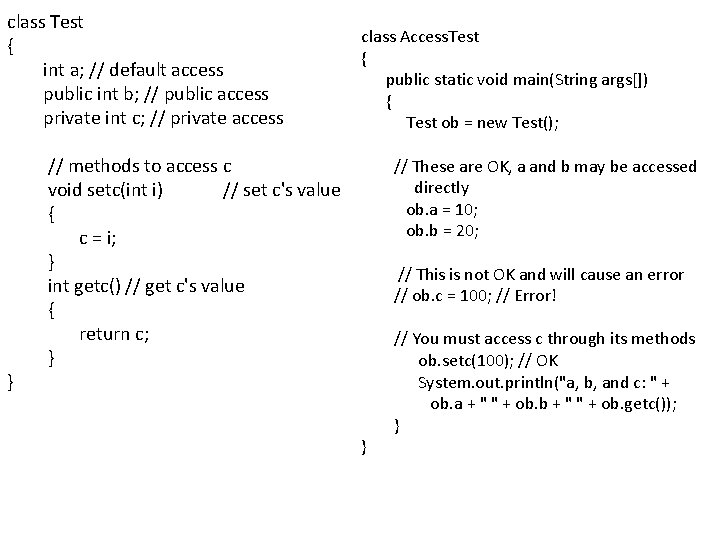
class Test { int a; // default access public int b; // public access private int c; // private access // methods to access c void setc(int i) // set c's value { c = i; } int getc() // get c's value { return c; } } class Access. Test { public static void main(String args[]) { Test ob = new Test(); // These are OK, a and b may be accessed directly ob. a = 10; ob. b = 20; // This is not OK and will cause an error // ob. c = 100; // Error! // You must access c through its methods ob. setc(100); // OK System. out. println("a, b, and c: " + ob. a + " " + ob. b + " " + ob. getc()); } }
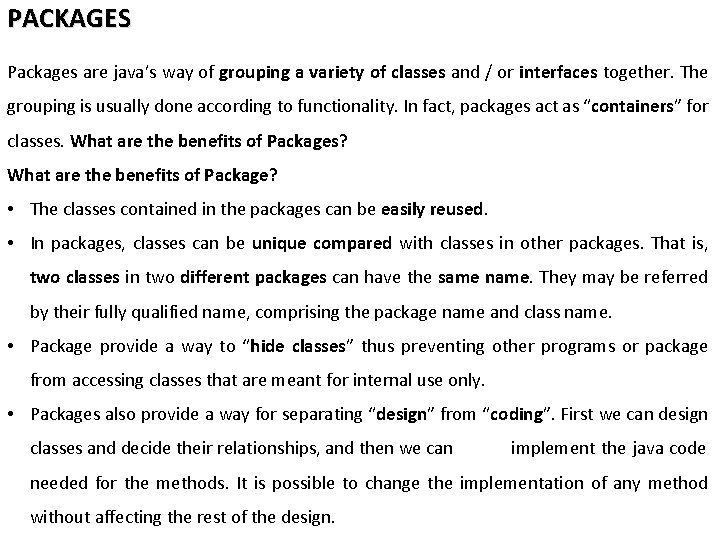
PACKAGES Packages are java’s way of grouping a variety of classes and / or interfaces together. The grouping is usually done according to functionality. In fact, packages act as “containers” for classes. What are the benefits of Packages? What are the benefits of Package? • The classes contained in the packages can be easily reused. • In packages, classes can be unique compared with classes in other packages. That is, two classes in two different packages can have the same name. They may be referred by their fully qualified name, comprising the package name and class name. • Package provide a way to “hide classes” thus preventing other programs or package from accessing classes that are meant for internal use only. • Packages also provide a way for separating “design” from “coding”. First we can design classes and decide their relationships, and then we can implement the java code needed for the methods. It is possible to change the implementation of any method without affecting the rest of the design.
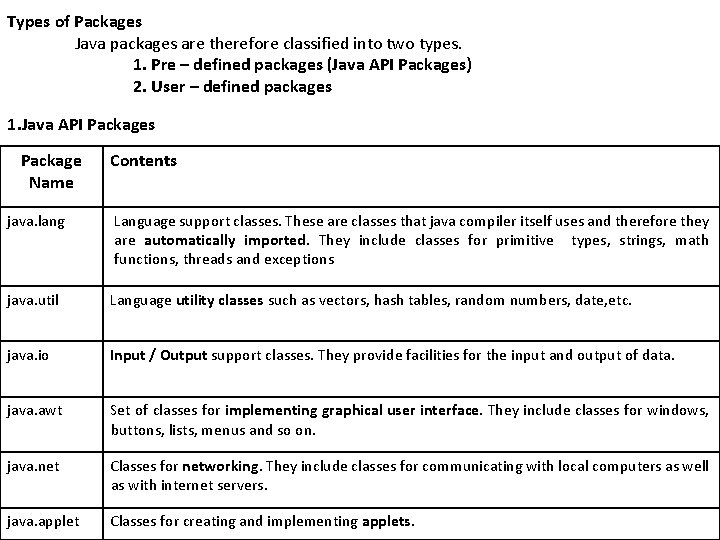
Types of Packages Java packages are therefore classified into two types. 1. Pre – defined packages (Java API Packages) 2. User – defined packages 1. Java API Packages Package Name Contents java. lang Language support classes. These are classes that java compiler itself uses and therefore they are automatically imported. They include classes for primitive types, strings, math functions, threads and exceptions java. util Language utility classes such as vectors, hash tables, random numbers, date, etc. java. io Input / Output support classes. They provide facilities for the input and output of data. java. awt Set of classes for implementing graphical user interface. They include classes for windows, buttons, lists, menus and so on. java. net Classes for networking. They include classes for communicating with local computers as well as with internet servers. java. applet Classes for creating and implementing applets.
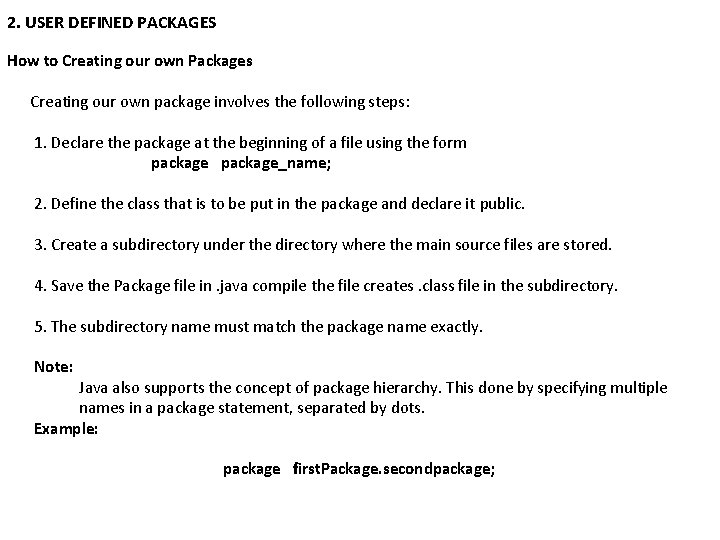
2. USER DEFINED PACKAGES How to Creating our own Packages Creating our own package involves the following steps: 1. Declare the package at the beginning of a file using the form package_name; 2. Define the class that is to be put in the package and declare it public. 3. Create a subdirectory under the directory where the main source files are stored. 4. Save the Package file in. java compile the file creates. class file in the subdirectory. 5. The subdirectory name must match the package name exactly. Note: Java also supports the concept of package hierarchy. This done by specifying multiple names in a package statement, separated by dots. Example: package first. Package. secondpackage;
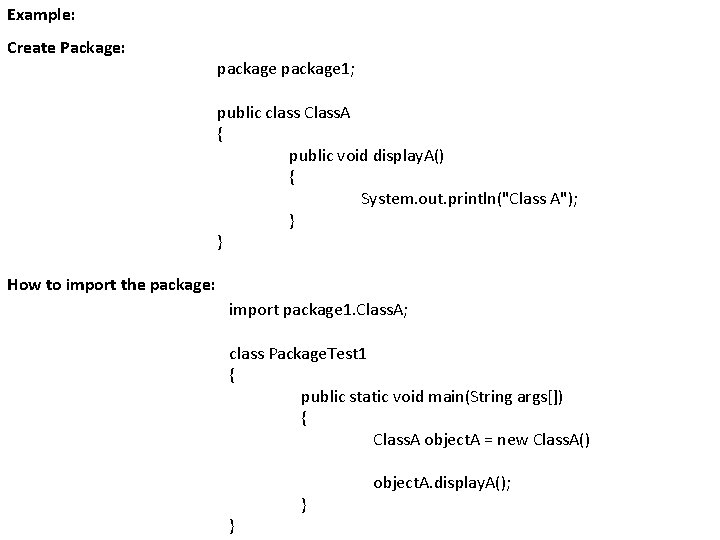
Example: Create Package: package 1; public class Class. A { public void display. A() { System. out. println("Class A"); } } How to import the package: import package 1. Class. A; class Package. Test 1 { public static void main(String args[]) { Class. A object. A = new Class. A() object. A. display. A(); } }
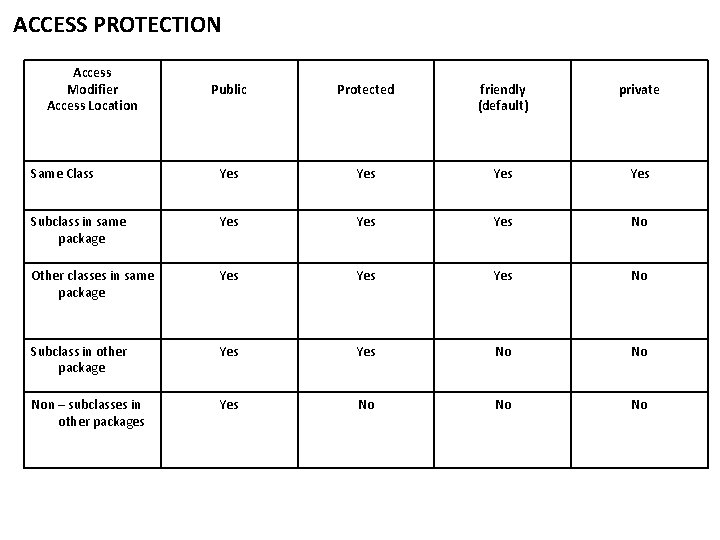
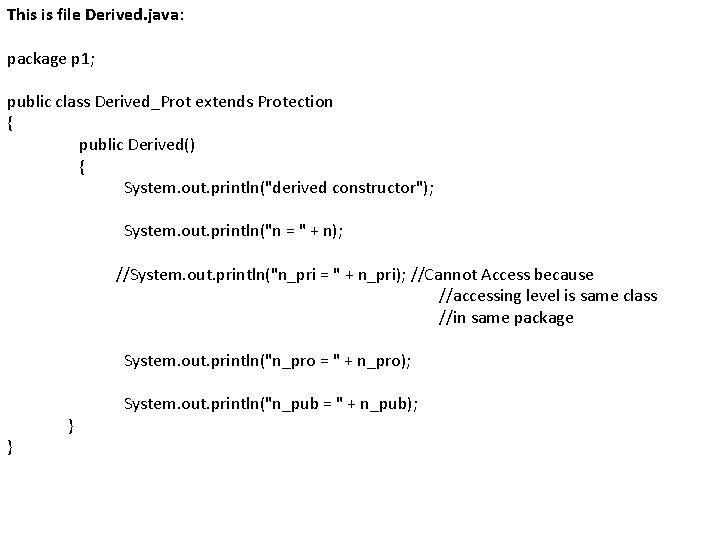
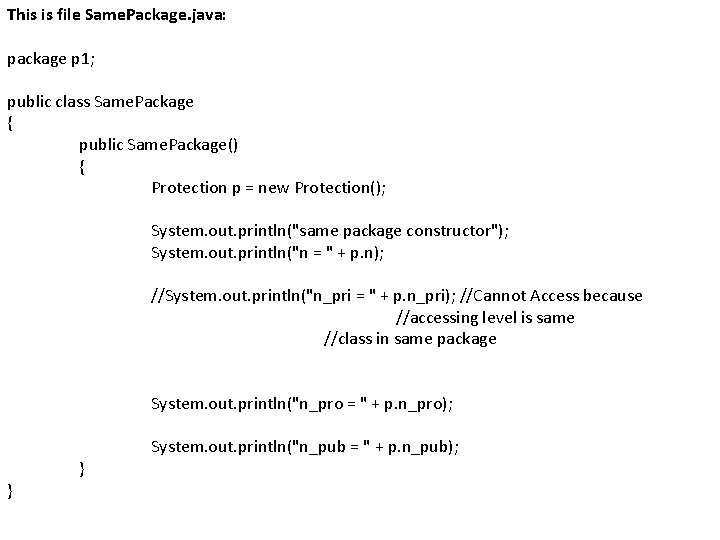
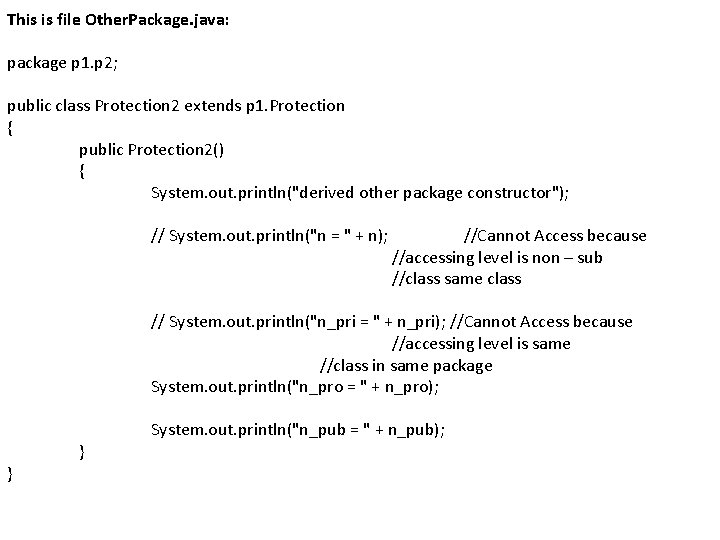
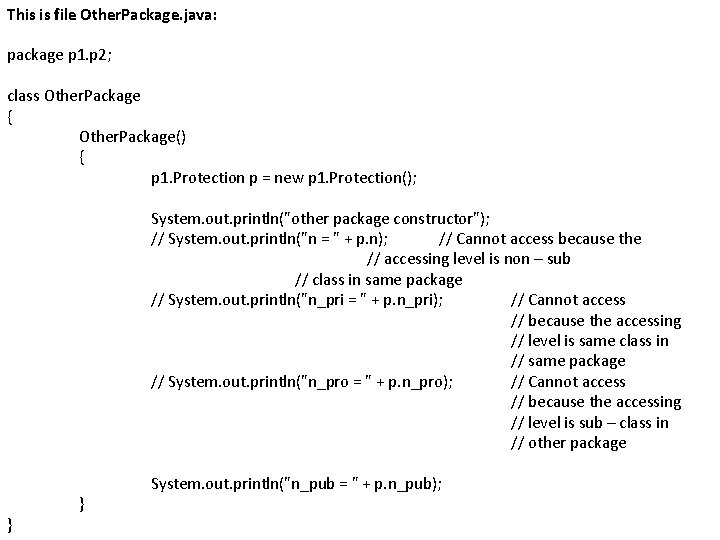
ACCESS PROTECTION Access Modifier Access Location Public Protected friendly (default) private Same Class Yes Yes Subclass in same package Yes Yes No Other classes in same package Yes Yes No Subclass in other package Yes No No Non – subclasses in other packages Yes No No No
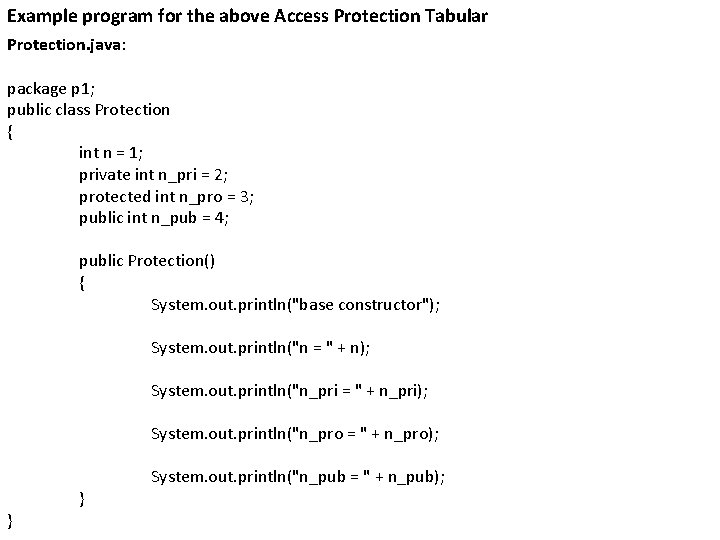
Example program for the above Access Protection Tabular Protection. java: package p 1; public class Protection { int n = 1; private int n_pri = 2; protected int n_pro = 3; public int n_pub = 4; public Protection() { System. out. println("base constructor"); System. out. println("n = " + n); System. out. println("n_pri = " + n_pri); System. out. println("n_pro = " + n_pro); } } System. out. println("n_pub = " + n_pub);
This is file Derived. java: package p 1; public class Derived_Prot extends Protection { public Derived() { System. out. println("derived constructor"); System. out. println("n = " + n); } } //System. out. println("n_pri = " + n_pri); //Cannot Access because //accessing level is same class //in same package System. out. println("n_pro = " + n_pro); System. out. println("n_pub = " + n_pub);
This is file Same. Package. java: package p 1; public class Same. Package { public Same. Package() { Protection p = new Protection(); System. out. println("same package constructor"); System. out. println("n = " + p. n); //System. out. println("n_pri = " + p. n_pri); //Cannot Access because //accessing level is same //class in same package System. out. println("n_pro = " + p. n_pro); } } System. out. println("n_pub = " + p. n_pub);
This is file Other. Package. java: package p 1. p 2; public class Protection 2 extends p 1. Protection { public Protection 2() { System. out. println("derived other package constructor"); // System. out. println("n = " + n); //Cannot Access because //accessing level is non – sub //class same class } } // System. out. println("n_pri = " + n_pri); //Cannot Access because //accessing level is same //class in same package System. out. println("n_pro = " + n_pro); System. out. println("n_pub = " + n_pub);
This is file Other. Package. java: package p 1. p 2; class Other. Package { Other. Package() { p 1. Protection p = new p 1. Protection(); System. out. println("other package constructor"); // System. out. println("n = " + p. n); // Cannot access because the // accessing level is non – sub // class in same package // System. out. println("n_pri = " + p. n_pri); // Cannot access // because the accessing // level is same class in // same package // System. out. println("n_pro = " + p. n_pro); // Cannot access // because the accessing // level is sub – class in // other package } } System. out. println("n_pub = " + p. n_pub);
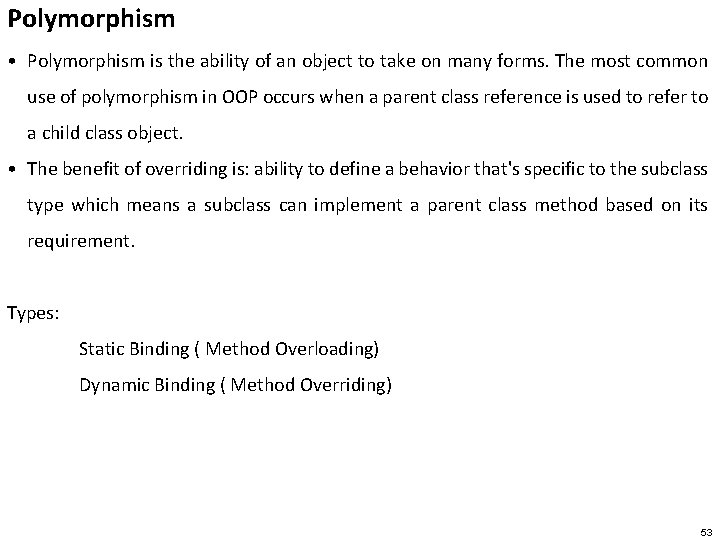
Polymorphism • Polymorphism is the ability of an object to take on many forms. The most common use of polymorphism in OOP occurs when a parent class reference is used to refer to a child class object. • The benefit of overriding is: ability to define a behavior that's specific to the subclass type which means a subclass can implement a parent class method based on its requirement. Types: Static Binding ( Method Overloading) Dynamic Binding ( Method Overriding) 53
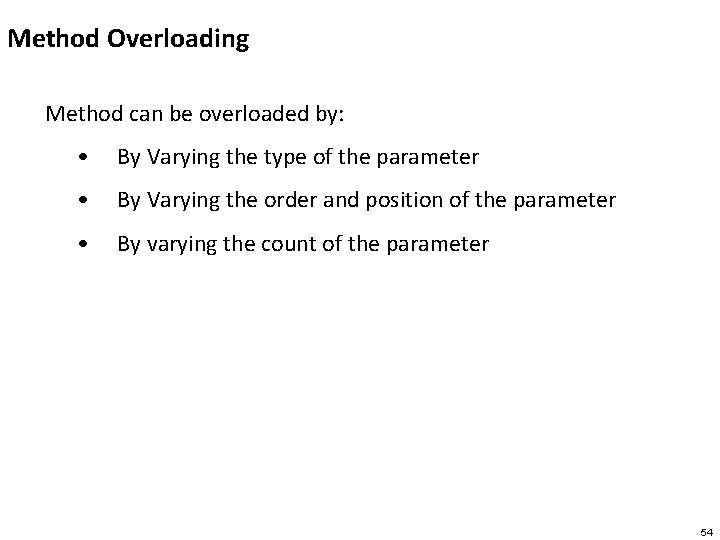
Method Overloading Method can be overloaded by: • By Varying the type of the parameter • By Varying the order and position of the parameter • By varying the count of the parameter 54
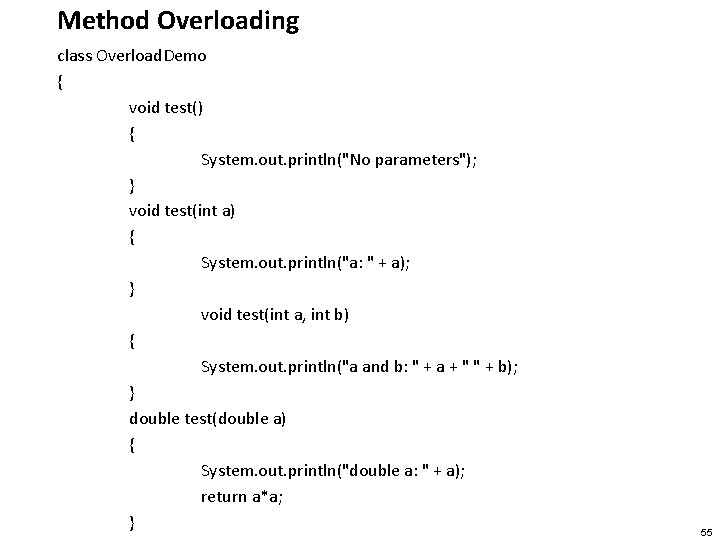
Method Overloading class Overload. Demo { void test() { System. out. println("No parameters"); } void test(int a) { System. out. println("a: " + a); } void test(int a, int b) { System. out. println("a and b: " + a + " " + b); } double test(double a) { System. out. println("double a: " + a); return a*a; } 55
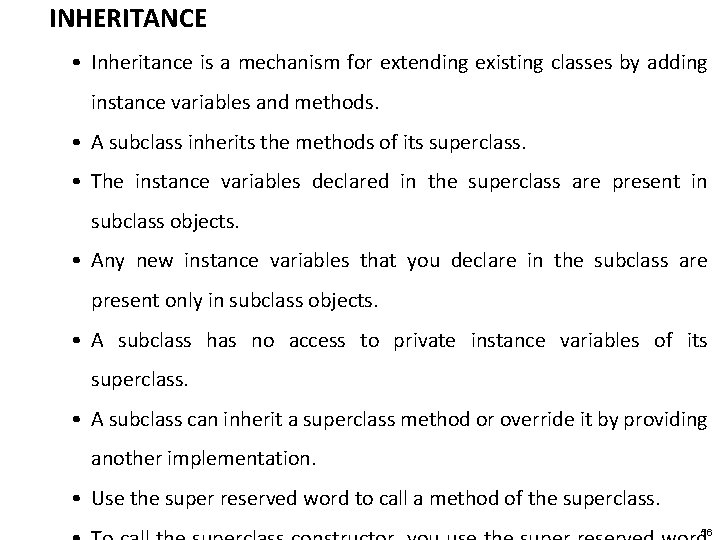
INHERITANCE • Inheritance is a mechanism for extending existing classes by adding instance variables and methods. • A subclass inherits the methods of its superclass. • The instance variables declared in the superclass are present in subclass objects. • Any new instance variables that you declare in the subclass are present only in subclass objects. • A subclass has no access to private instance variables of its superclass. • A subclass can inherit a superclass method or override it by providing another implementation. • Use the super reserved word to call a method of the superclass. 56
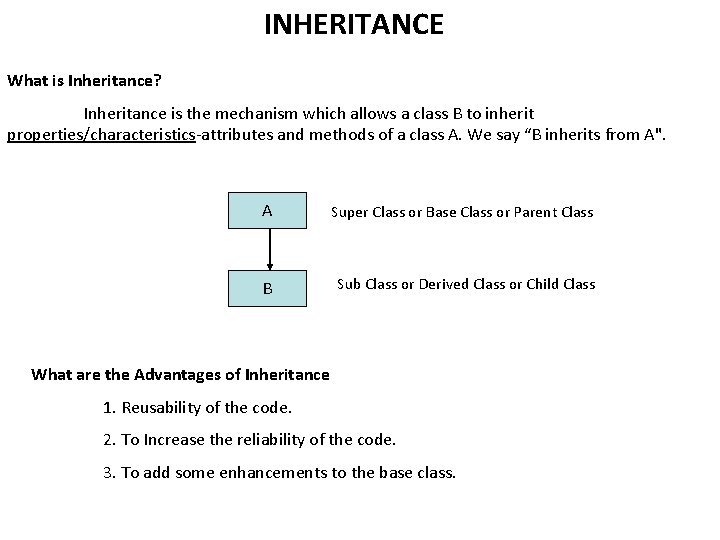
INHERITANCE What is Inheritance? Inheritance is the mechanism which allows a class B to inherit properties/characteristics-attributes and methods of a class A. We say “B inherits from A". A Super Class or Base Class or Parent Class B Sub Class or Derived Class or Child Class What are the Advantages of Inheritance 1. Reusability of the code. 2. To Increase the reliability of the code. 3. To add some enhancements to the base class.
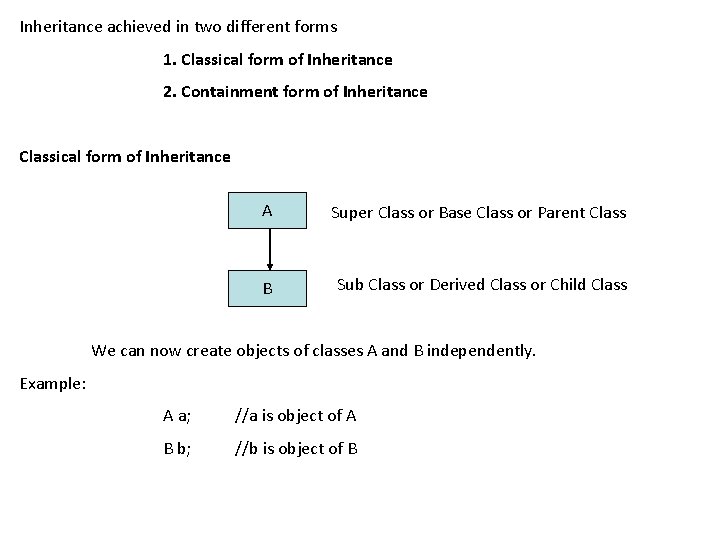
Inheritance achieved in two different forms 1. Classical form of Inheritance 2. Containment form of Inheritance Classical form of Inheritance A Super Class or Base Class or Parent Class B Sub Class or Derived Class or Child Class We can now create objects of classes A and B independently. Example: A a; //a is object of A B b; //b is object of B
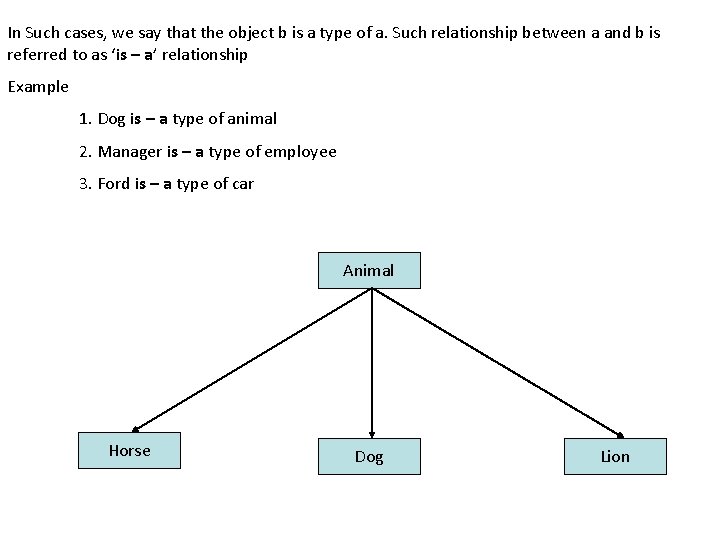
In Such cases, we say that the object b is a type of a. Such relationship between a and b is referred to as ‘is – a’ relationship Example 1. Dog is – a type of animal 2. Manager is – a type of employee 3. Ford is – a type of car Animal Horse Dog Lion
INHERITANCE 60
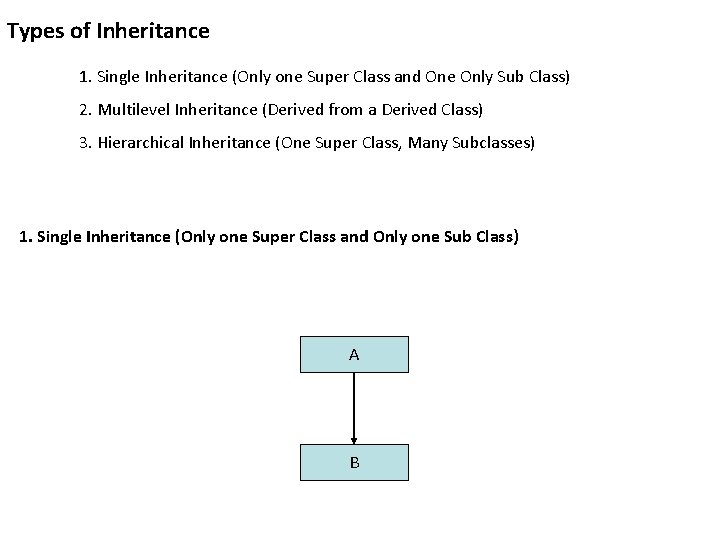
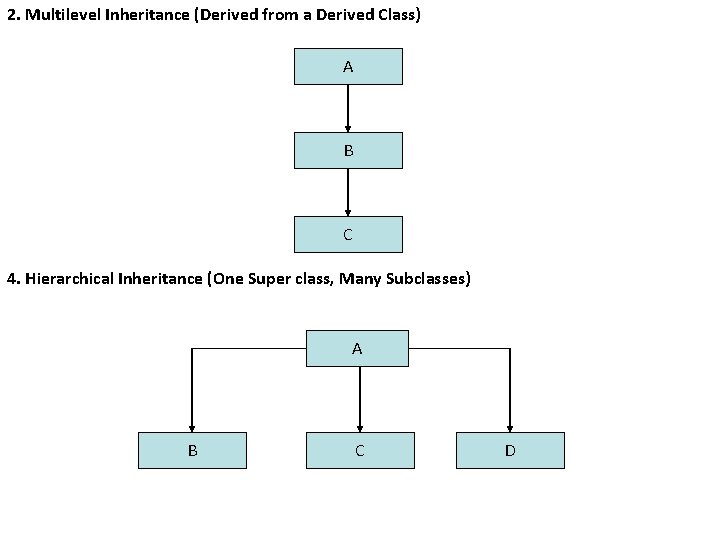
Types of Inheritance 1. Single Inheritance (Only one Super Class and One Only Sub Class) 2. Multilevel Inheritance (Derived from a Derived Class) 3. Hierarchical Inheritance (One Super Class, Many Subclasses) 1. Single Inheritance (Only one Super Class and Only one Sub Class) A B
2. Multilevel Inheritance (Derived from a Derived Class) A B C 4. Hierarchical Inheritance (One Super class, Many Subclasses) A B C D
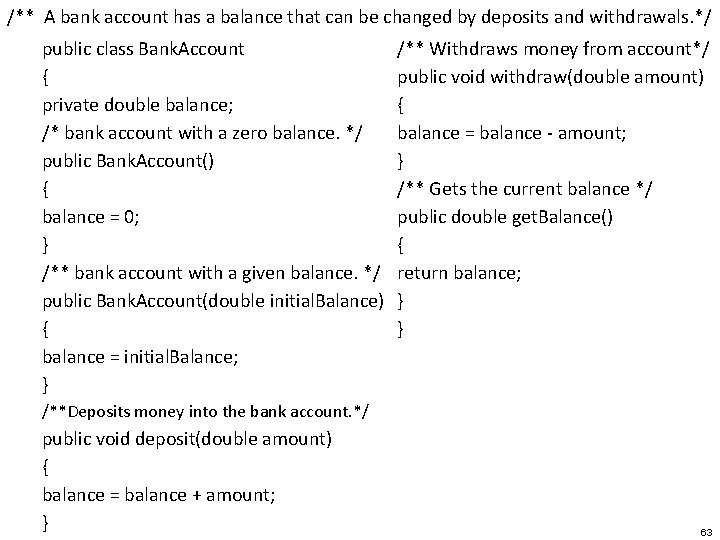
/** A bank account has a balance that can be changed by deposits and withdrawals. */ public class Bank. Account { private double balance; /* bank account with a zero balance. */ public Bank. Account() { balance = 0; } /** bank account with a given balance. */ public Bank. Account(double initial. Balance) { balance = initial. Balance; } /** Withdraws money from account*/ public void withdraw(double amount) { balance = balance - amount; } /** Gets the current balance */ public double get. Balance() { return balance; } } /**Deposits money into the bank account. */ public void deposit(double amount) { balance = balance + amount; } 63
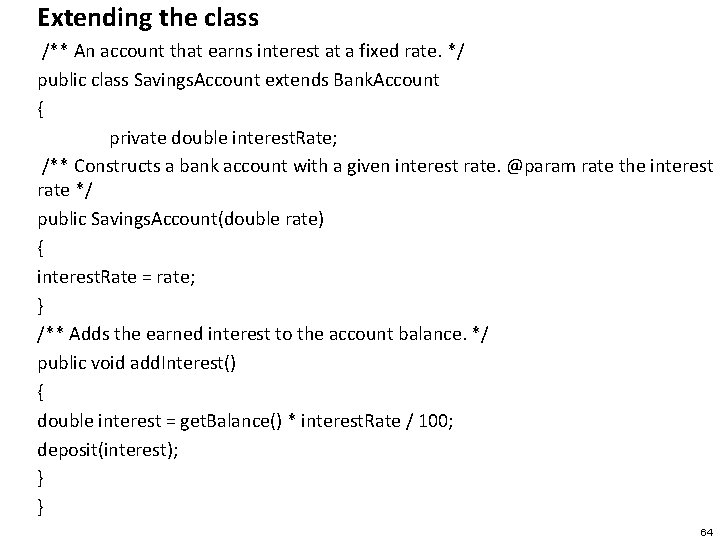
Extending the class /** An account that earns interest at a fixed rate. */ public class Savings. Account extends Bank. Account { private double interest. Rate; /** Constructs a bank account with a given interest rate. @param rate the interest rate */ public Savings. Account(double rate) { interest. Rate = rate; } /** Adds the earned interest to the account balance. */ public void add. Interest() { double interest = get. Balance() * interest. Rate / 100; deposit(interest); } } 64
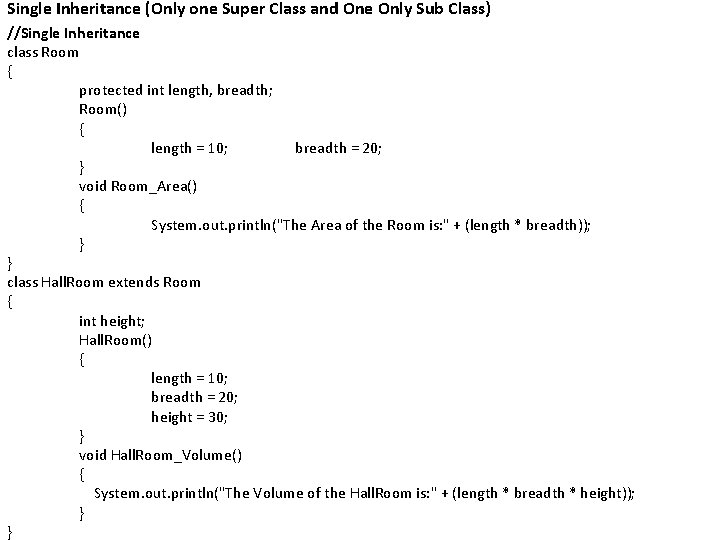
Single Inheritance (Only one Super Class and One Only Sub Class) //Single Inheritance class Room { protected int length, breadth; Room() { length = 10; breadth = 20; } void Room_Area() { System. out. println("The Area of the Room is: " + (length * breadth)); } } class Hall. Room extends Room { int height; Hall. Room() { length = 10; breadth = 20; height = 30; } void Hall. Room_Volume() { System. out. println("The Volume of the Hall. Room is: " + (length * breadth * height)); } }
class Main. Room { public static void main(String [] args) { Hall. Room hr = new Hall. Room(); } } hr. Room_Area(); hr. Hall. Room_Volume();
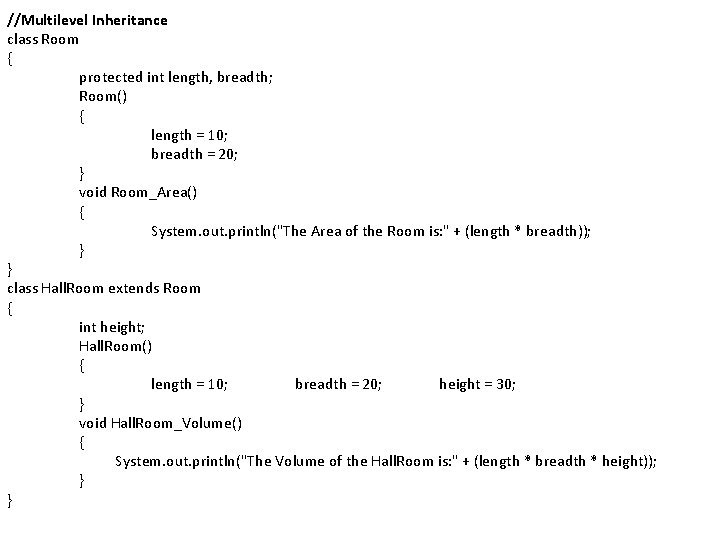
//Multilevel Inheritance class Room { protected int length, breadth; Room() { length = 10; breadth = 20; } void Room_Area() { System. out. println("The Area of the Room is: " + (length * breadth)); } } class Hall. Room extends Room { int height; Hall. Room() { length = 10; breadth = 20; height = 30; } void Hall. Room_Volume() { System. out. println("The Volume of the Hall. Room is: " + (length * breadth * height)); } }
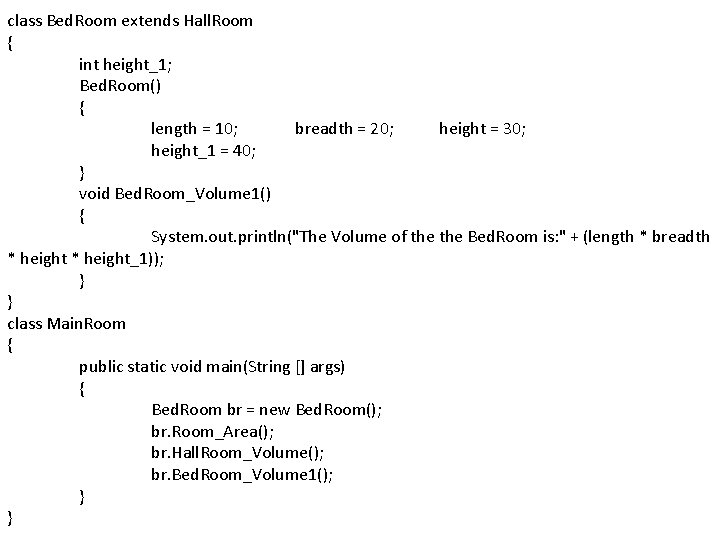
class Bed. Room extends Hall. Room { int height_1; Bed. Room() { length = 10; breadth = 20; height = 30; height_1 = 40; } void Bed. Room_Volume 1() { System. out. println("The Volume of the Bed. Room is: " + (length * breadth * height_1)); } } class Main. Room { public static void main(String [] args) { Bed. Room br = new Bed. Room(); br. Room_Area(); br. Hall. Room_Volume(); br. Bed. Room_Volume 1(); } }
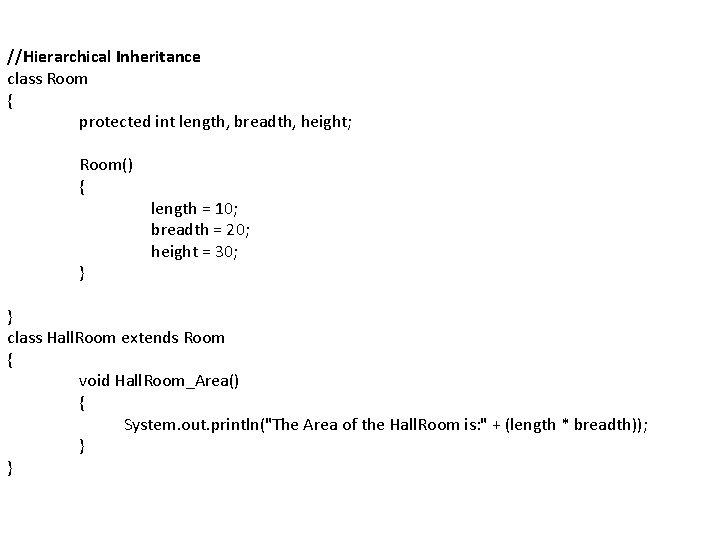
//Hierarchical Inheritance class Room { protected int length, breadth, height; Room() { } length = 10; breadth = 20; height = 30; } class Hall. Room extends Room { void Hall. Room_Area() { System. out. println("The Area of the Hall. Room is: " + (length * breadth)); } }
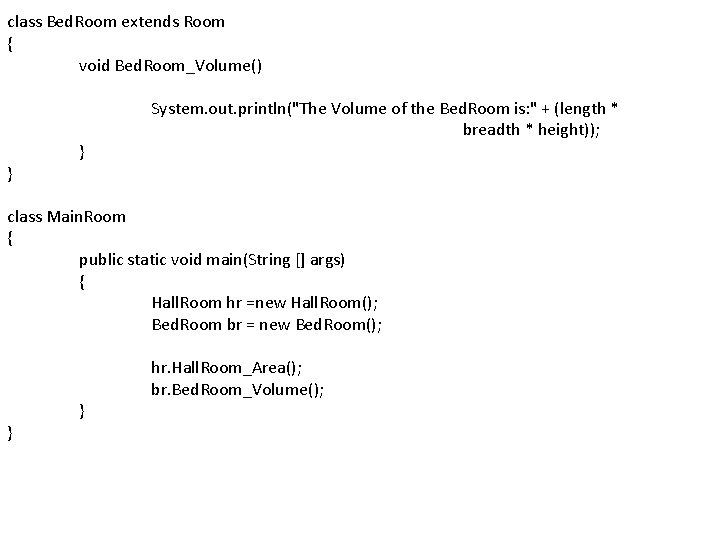
class Bed. Room extends Room { void Bed. Room_Volume() System. out. println("The Volume of the Bed. Room is: " + (length * breadth * height)); } } class Main. Room { public static void main(String [] args) { Hall. Room hr =new Hall. Room(); Bed. Room br = new Bed. Room(); } } hr. Hall. Room_Area(); br. Bed. Room_Volume();
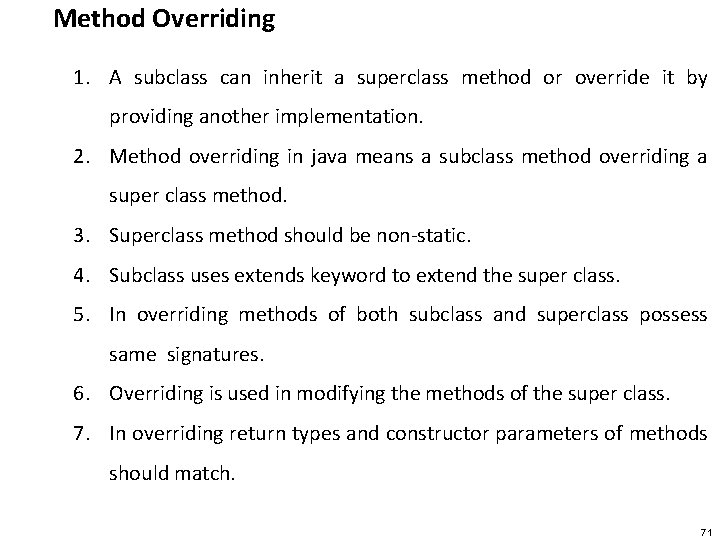
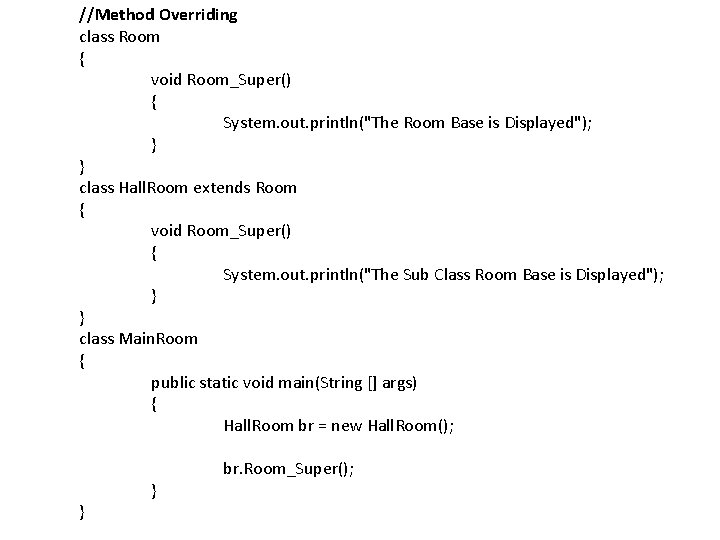
Method Overriding 1. A subclass can inherit a superclass method or override it by providing another implementation. 2. Method overriding in java means a subclass method overriding a super class method. 3. Superclass method should be non-static. 4. Subclass uses extends keyword to extend the super class. 5. In overriding methods of both subclass and superclass possess same signatures. 6. Overriding is used in modifying the methods of the super class. 7. In overriding return types and constructor parameters of methods should match. 71
//Method Overriding class Room { void Room_Super() { System. out. println("The Room Base is Displayed"); } } class Hall. Room extends Room { void Room_Super() { System. out. println("The Sub Class Room Base is Displayed"); } } class Main. Room { public static void main(String [] args) { Hall. Room br = new Hall. Room(); } } br. Room_Super();
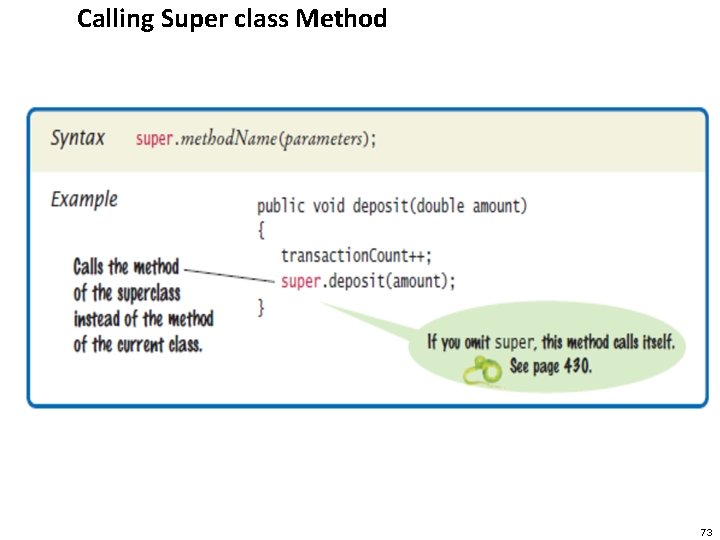
Calling Super class Method 73
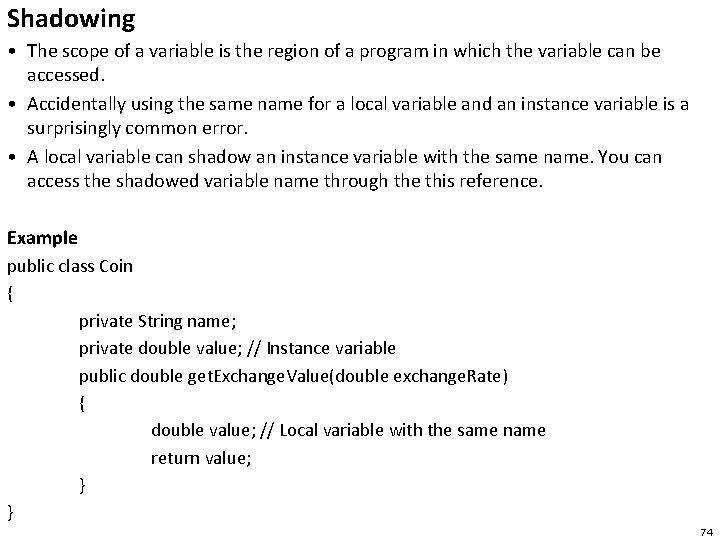
Shadowing • The scope of a variable is the region of a program in which the variable can be accessed. • Accidentally using the same name for a local variable and an instance variable is a surprisingly common error. • A local variable can shadow an instance variable with the same name. You can access the shadowed variable name through the this reference. Example public class Coin { private String name; private double value; // Instance variable public double get. Exchange. Value(double exchange. Rate) { double value; // Local variable with the same name return value; } } 74
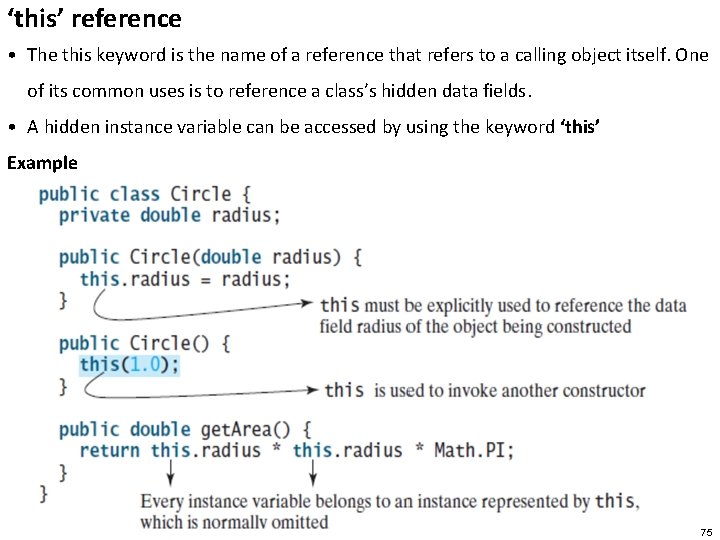
‘this’ reference • The this keyword is the name of a reference that refers to a calling object itself. One of its common uses is to reference a class’s hidden data fields. • A hidden instance variable can be accessed by using the keyword ‘this’ Example 75
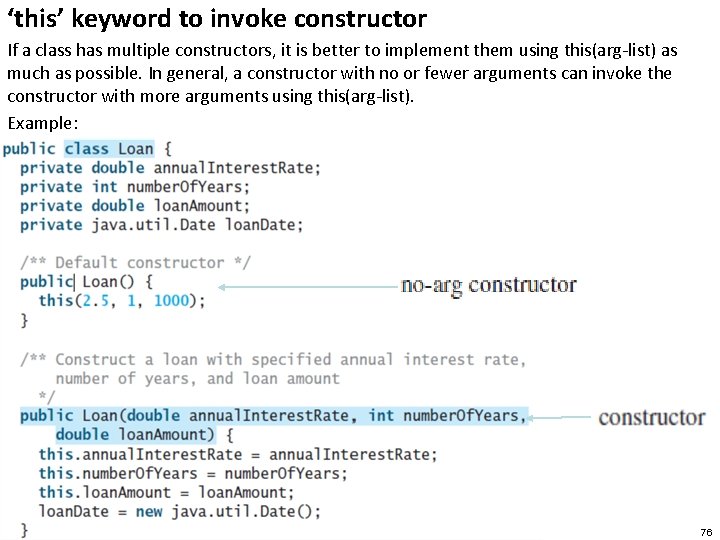
‘this’ keyword to invoke constructor If a class has multiple constructors, it is better to implement them using this(arg-list) as much as possible. In general, a constructor with no or fewer arguments can invoke the constructor with more arguments using this(arg-list). Example: 76
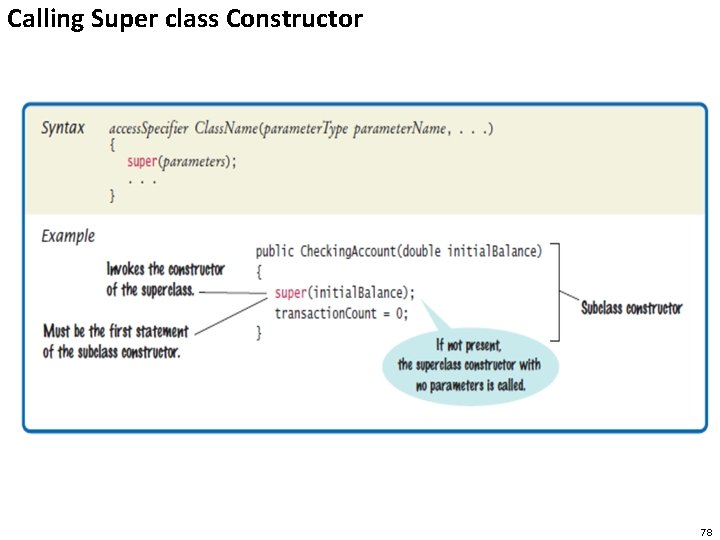
Super Keyword in Inheritance The purpose of the ‘super’ keyword: 1. Using super to call Superclass Constructors 2. Using super to call Superclass Methods 1. Using super to Call Superclass Constructor A Subclass can call a constructor method defined by its superclass by use of the following form of super: super (parameter – list) Here, parameter – list specifies any parameter needed by the constructor in the superclass, super() must always be the first statement executed inside a subclass constructor. Restriction of the Subclass constructor 1. super may only be used within a subclass constructor method. 2. The call to superclass constructor must appear as the first statement within the subclass constructor 3. The parameters in the super call must match the order and type of the instance variable declared in the superclass.
Calling Super class Constructor 78
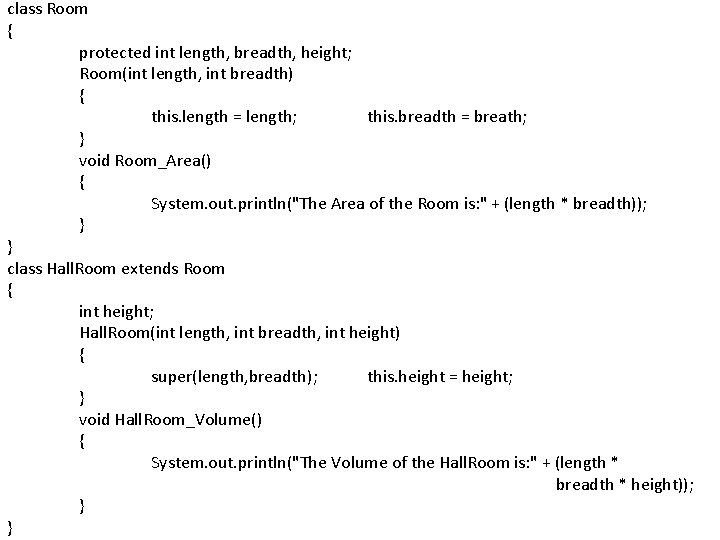
class Room { protected int length, breadth, height; Room(int length, int breadth) { this. length = length; this. breadth = breath; } void Room_Area() { System. out. println("The Area of the Room is: " + (length * breadth)); } } class Hall. Room extends Room { int height; Hall. Room(int length, int breadth, int height) { super(length, breadth); this. height = height; } void Hall. Room_Volume() { System. out. println("The Volume of the Hall. Room is: " + (length * breadth * height)); } }
class Main. Room { public static void main(String [] args) { Hall. Room hr =new Hall. Room(10, 20, 30); hr. Room_Area(); hr. Hall. Room_Volume(); } }
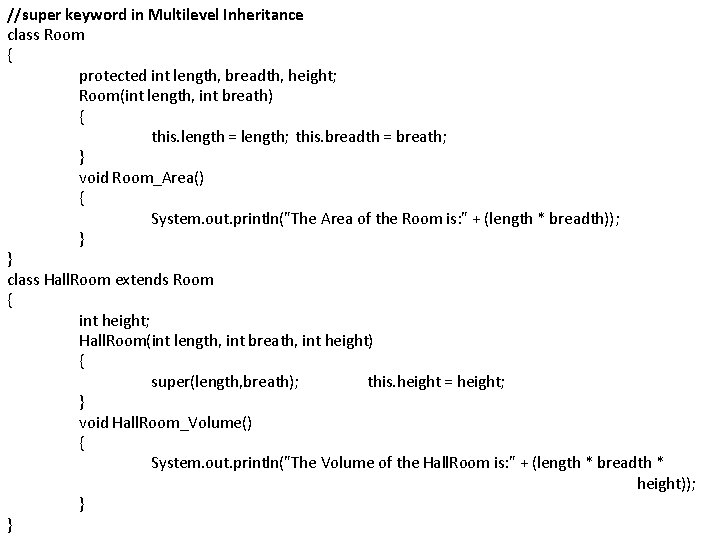
//super keyword in Multilevel Inheritance class Room { protected int length, breadth, height; Room(int length, int breath) { this. length = length; this. breadth = breath; } void Room_Area() { System. out. println("The Area of the Room is: " + (length * breadth)); } } class Hall. Room extends Room { int height; Hall. Room(int length, int breath, int height) { super(length, breath); this. height = height; } void Hall. Room_Volume() { System. out. println("The Volume of the Hall. Room is: " + (length * breadth * height)); } }
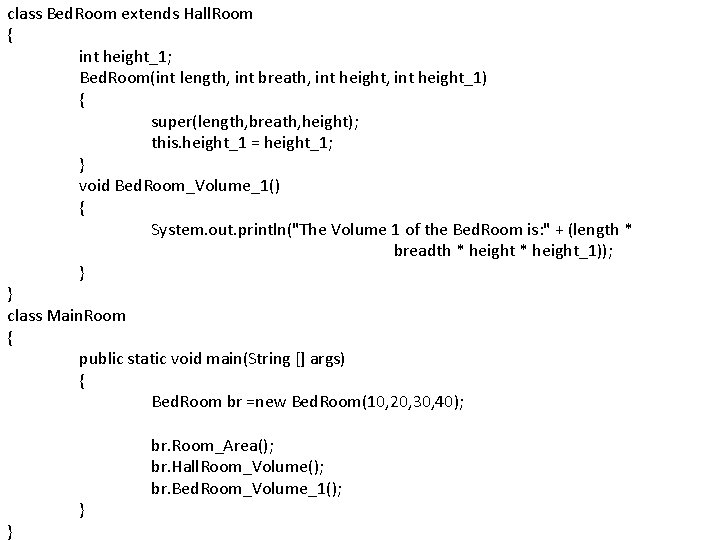
class Bed. Room extends Hall. Room { int height_1; Bed. Room(int length, int breath, int height_1) { super(length, breath, height); this. height_1 = height_1; } void Bed. Room_Volume_1() { System. out. println("The Volume 1 of the Bed. Room is: " + (length * breadth * height_1)); } } class Main. Room { public static void main(String [] args) { Bed. Room br =new Bed. Room(10, 20, 30, 40); } } br. Room_Area(); br. Hall. Room_Volume(); br. Bed. Room_Volume_1();
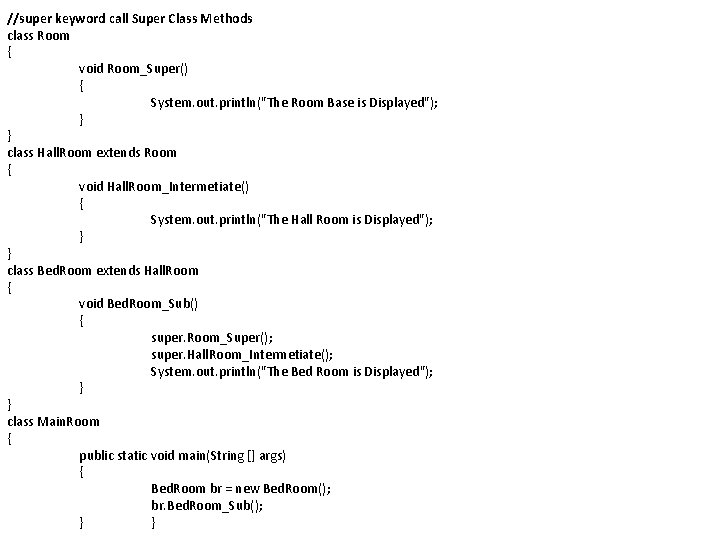
//super keyword call Super Class Methods class Room { void Room_Super() { System. out. println("The Room Base is Displayed"); } } class Hall. Room extends Room { void Hall. Room_Intermetiate() { System. out. println("The Hall Room is Displayed"); } } class Bed. Room extends Hall. Room { void Bed. Room_Sub() { super. Room_Super(); super. Hall. Room_Intermetiate(); System. out. println("The Bed Room is Displayed"); } } class Main. Room { public static void main(String [] args) { Bed. Room br = new Bed. Room(); br. Bed. Room_Sub(); } }
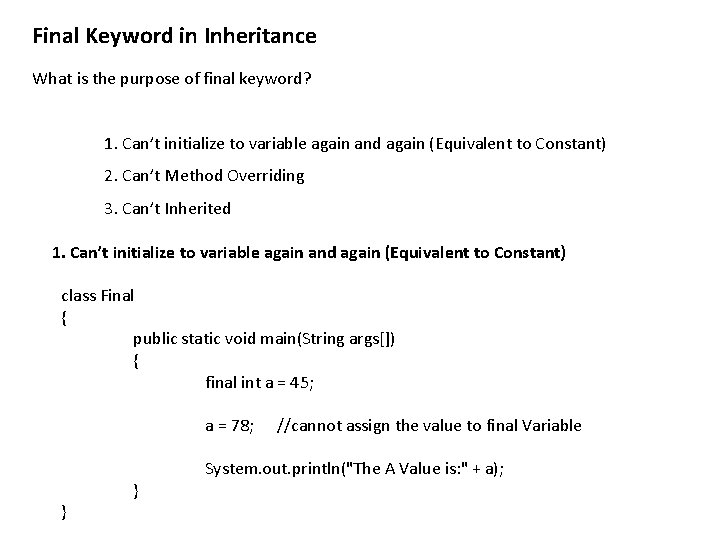
Final Keyword in Inheritance What is the purpose of final keyword? 1. Can’t initialize to variable again and again (Equivalent to Constant) 2. Can’t Method Overriding 3. Can’t Inherited 1. Can’t initialize to variable again and again (Equivalent to Constant) class Final { public static void main(String args[]) { final int a = 45; a = 78; } } //cannot assign the value to final Variable System. out. println("The A Value is: " + a);
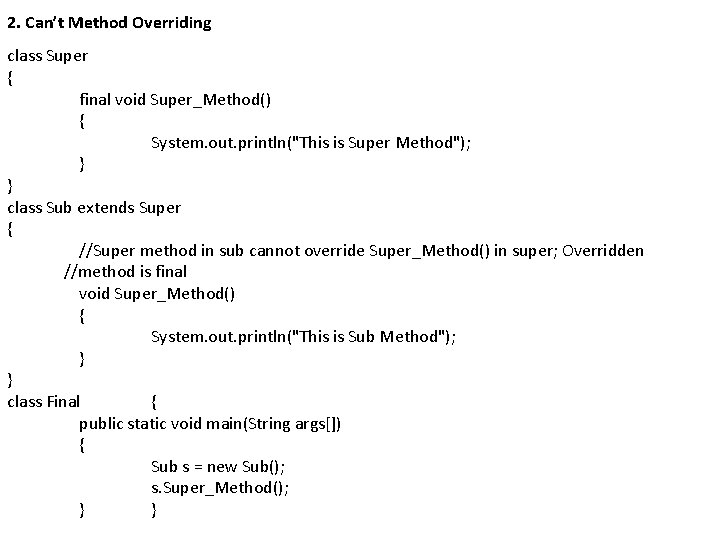
2. Can’t Method Overriding class Super { final void Super_Method() { System. out. println("This is Super Method"); } } class Sub extends Super { //Super method in sub cannot override Super_Method() in super; Overridden //method is final void Super_Method() { System. out. println("This is Sub Method"); } } class Final { public static void main(String args[]) { Sub s = new Sub(); s. Super_Method(); } }
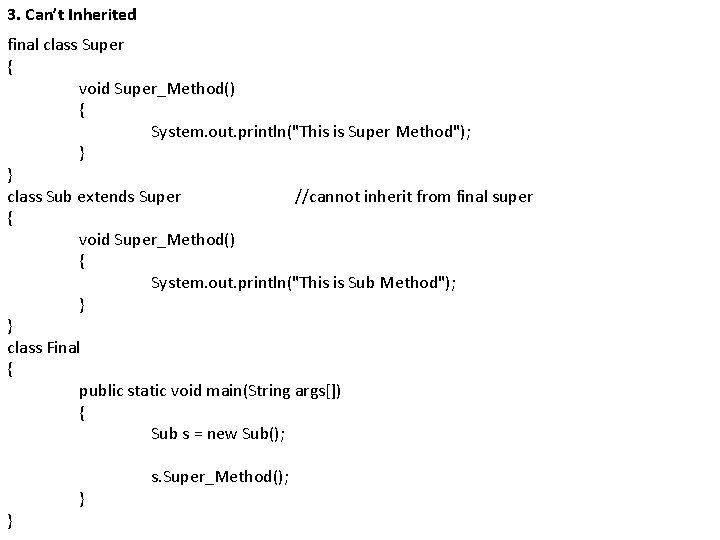
3. Can’t Inherited final class Super { void Super_Method() { System. out. println("This is Super Method"); } } class Sub extends Super //cannot inherit from final super { void Super_Method() { System. out. println("This is Sub Method"); } } class Final { public static void main(String args[]) { Sub s = new Sub(); } } s. Super_Method();
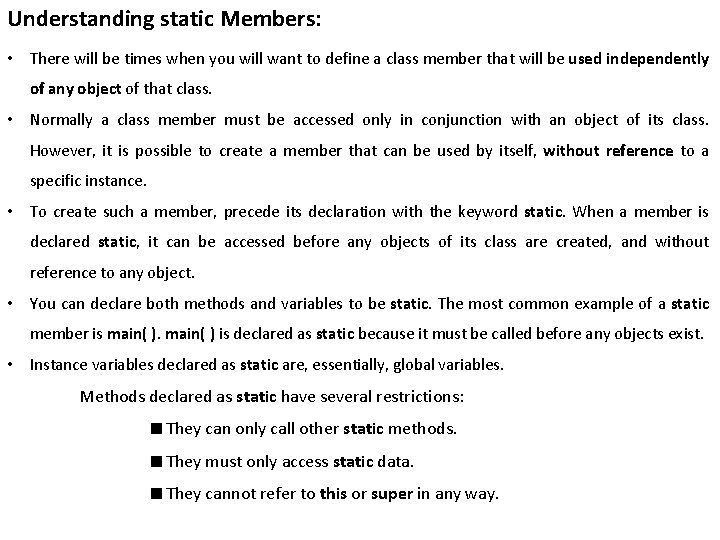
Understanding static Members: • There will be times when you will want to define a class member that will be used independently of any object of that class. • Normally a class member must be accessed only in conjunction with an object of its class. However, it is possible to create a member that can be used by itself, without reference to a specific instance. • To create such a member, precede its declaration with the keyword static. When a member is declared static, it can be accessed before any objects of its class are created, and without reference to any object. • You can declare both methods and variables to be static. The most common example of a static member is main( ) is declared as static because it must be called before any objects exist. • Instance variables declared as static are, essentially, global variables. Methods declared as static have several restrictions: ■ They can only call other static methods. ■ They must only access static data. ■ They cannot refer to this or super in any way.
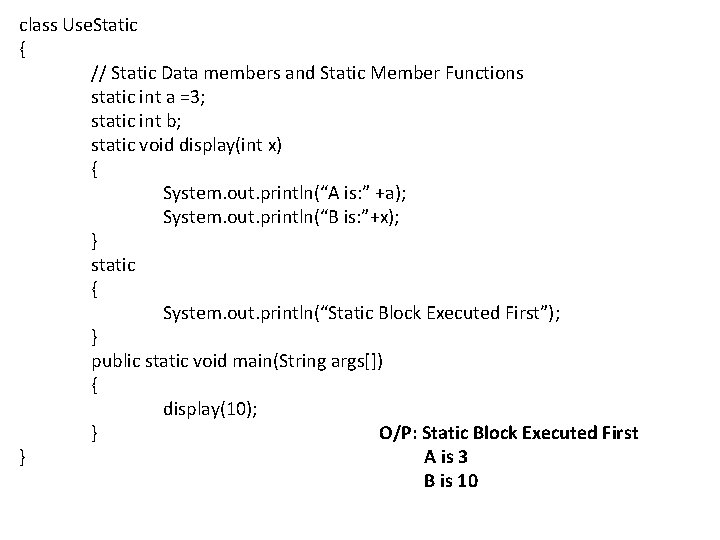
class Use. Static { // Static Data members and Static Member Functions static int a =3; static int b; static void display(int x) { System. out. println(“A is: ” +a); System. out. println(“B is: ”+x); } static { System. out. println(“Static Block Executed First”); } public static void main(String args[]) { display(10); } O/P: Static Block Executed First } A is 3 B is 10
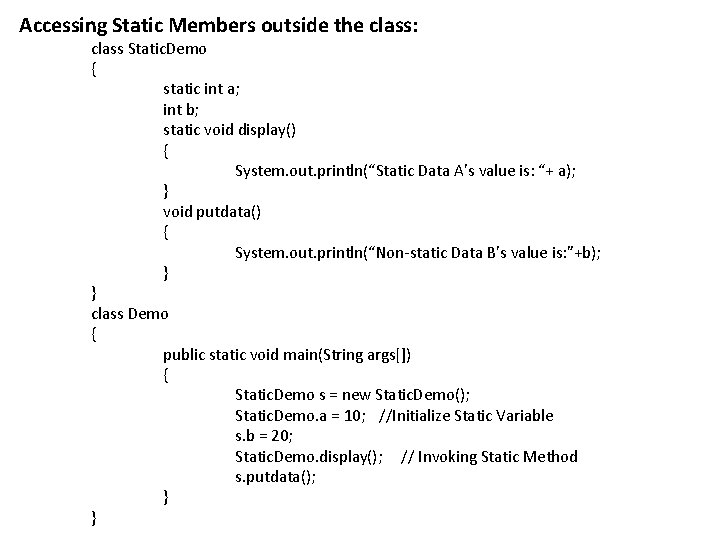
Accessing Static Members outside the class: class Static. Demo { static int a; int b; static void display() { System. out. println(“Static Data A’s value is: “+ a); } void putdata() { System. out. println(“Non-static Data B’s value is: ”+b); } } class Demo { public static void main(String args[]) { Static. Demo s = new Static. Demo(); Static. Demo. a = 10; //Initialize Static Variable s. b = 20; Static. Demo. display(); // Invoking Static Method s. putdata(); } }
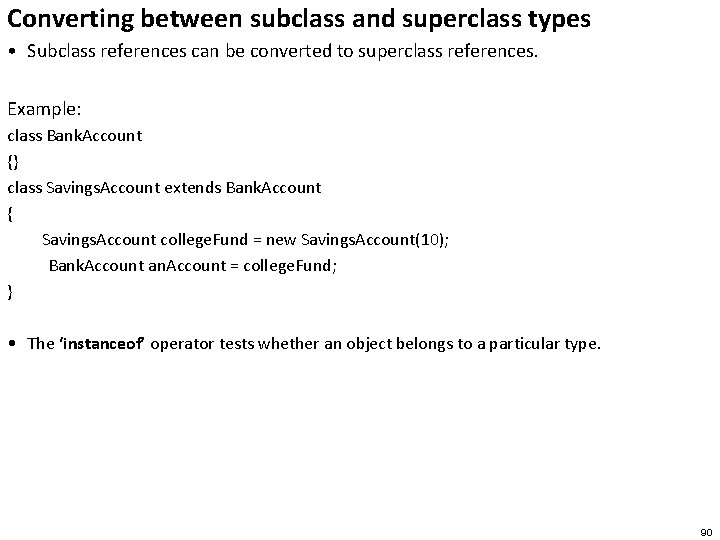
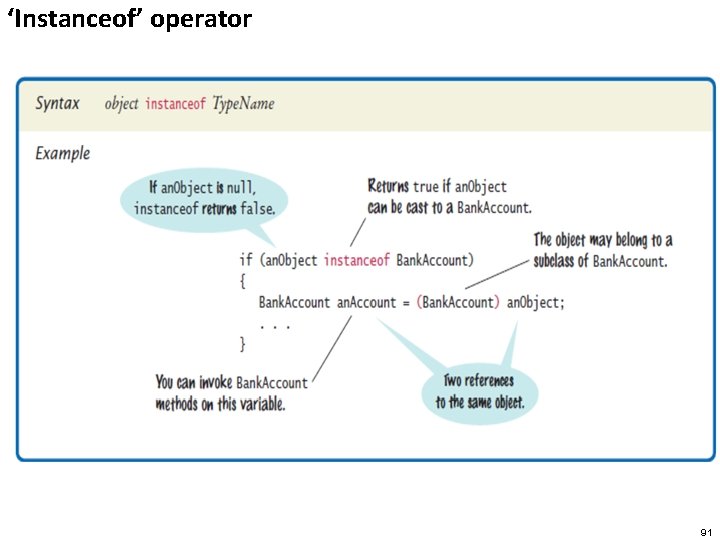
Converting between subclass and superclass types • Subclass references can be converted to superclass references. Example: class Bank. Account {} class Savings. Account extends Bank. Account { Savings. Account college. Fund = new Savings. Account(10); Bank. Account an. Account = college. Fund; } • The ‘instanceof’ operator tests whether an object belongs to a particular type. 90
‘Instanceof’ operator 91
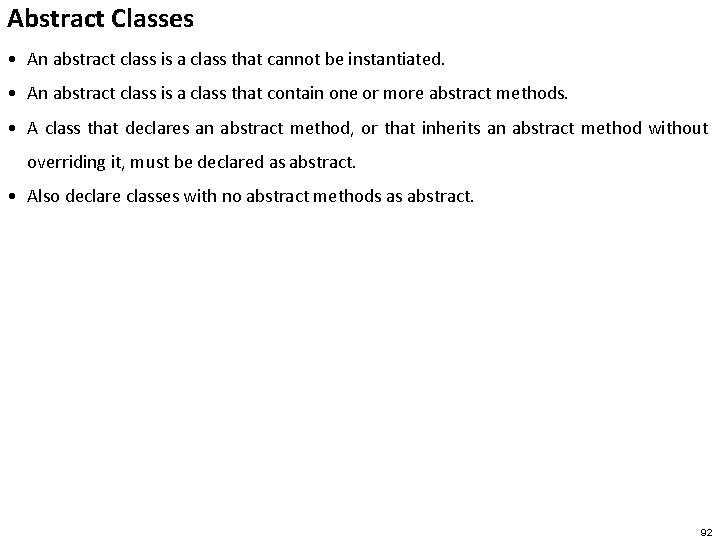
Abstract Classes • An abstract class is a class that cannot be instantiated. • An abstract class is a class that contain one or more abstract methods. • A class that declares an abstract method, or that inherits an abstract method without overriding it, must be declared as abstract. • Also declare classes with no abstract methods as abstract. 92
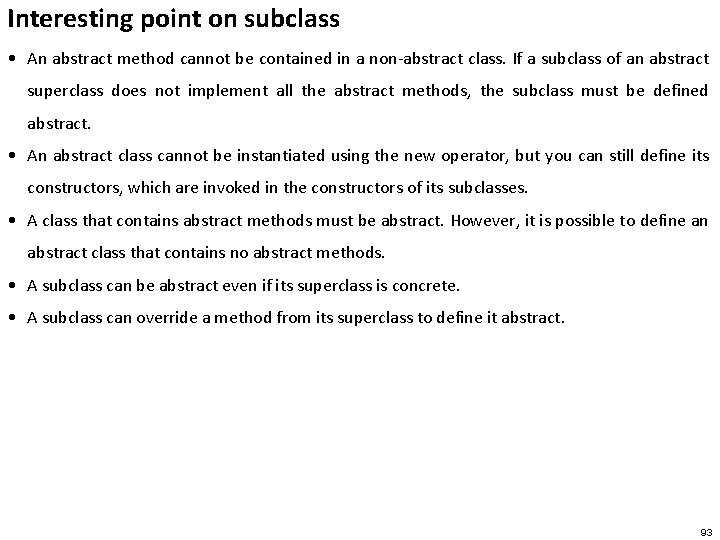
Interesting point on subclass • An abstract method cannot be contained in a non-abstract class. If a subclass of an abstract superclass does not implement all the abstract methods, the subclass must be defined abstract. • An abstract class cannot be instantiated using the new operator, but you can still define its constructors, which are invoked in the constructors of its subclasses. • A class that contains abstract methods must be abstract. However, it is possible to define an abstract class that contains no abstract methods. • A subclass can be abstract even if its superclass is concrete. • A subclass can override a method from its superclass to define it abstract. 93
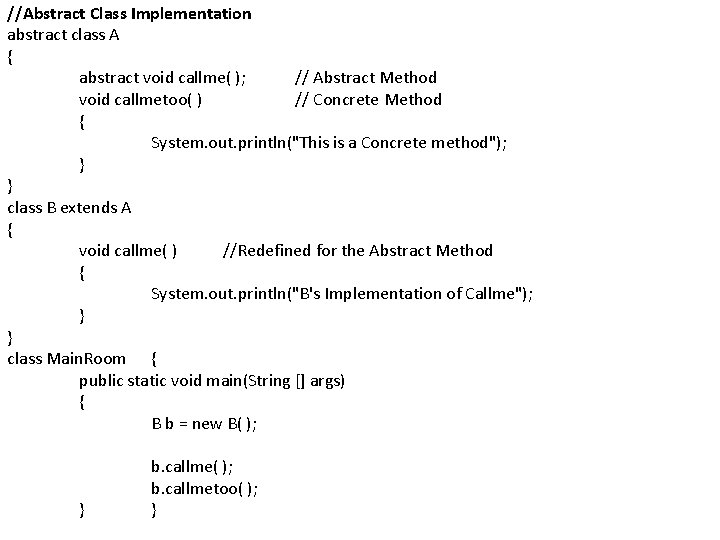
//Abstract Class Implementation abstract class A { abstract void callme( ); // Abstract Method void callmetoo( ) // Concrete Method { System. out. println("This is a Concrete method"); } } class B extends A { void callme( ) //Redefined for the Abstract Method { System. out. println("B's Implementation of Callme"); } } class Main. Room { public static void main(String [] args) { B b = new B( ); } b. callme( ); b. callmetoo( ); }
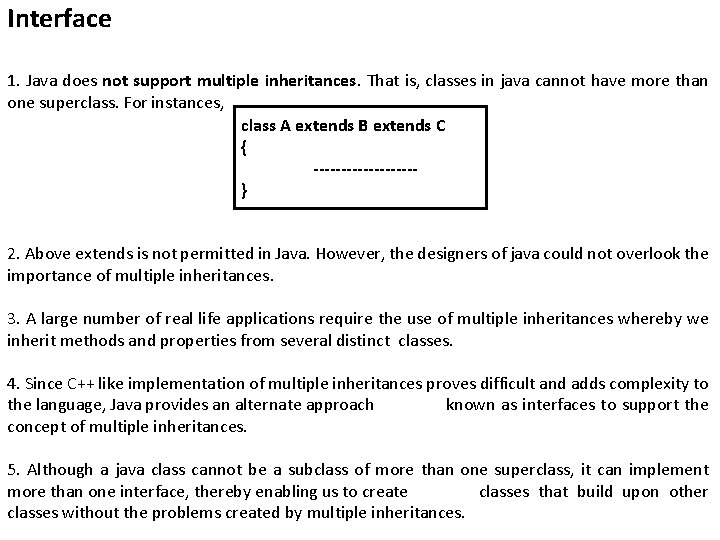
Interface 1. Java does not support multiple inheritances. That is, classes in java cannot have more than one superclass. For instances, class A extends B extends C { ---------} 2. Above extends is not permitted in Java. However, the designers of java could not overlook the importance of multiple inheritances. 3. A large number of real life applications require the use of multiple inheritances whereby we inherit methods and properties from several distinct classes. 4. Since C++ like implementation of multiple inheritances proves difficult and adds complexity to the language, Java provides an alternate approach known as interfaces to support the concept of multiple inheritances. 5. Although a java class cannot be a subclass of more than one superclass, it can implement more than one interface, thereby enabling us to create classes that build upon other classes without the problems created by multiple inheritances.
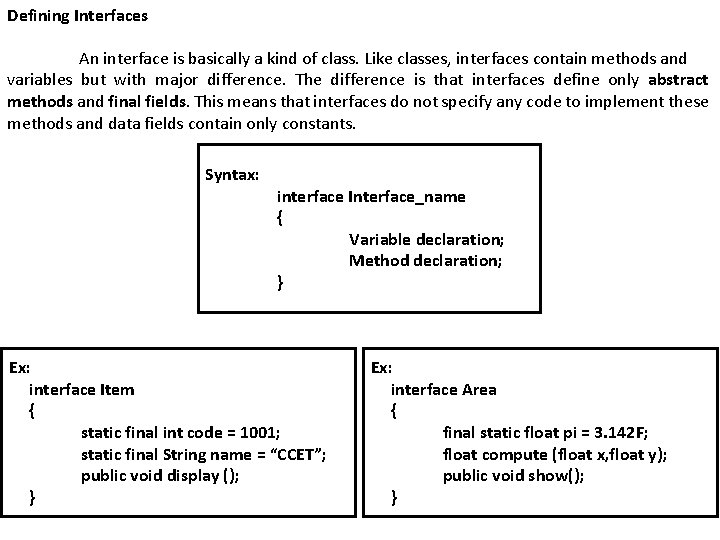
Defining Interfaces An interface is basically a kind of class. Like classes, interfaces contain methods and variables but with major difference. The difference is that interfaces define only abstract methods and final fields. This means that interfaces do not specify any code to implement these methods and data fields contain only constants. Syntax: interface Interface_name { Variable declaration; Method declaration; } Ex: interface Item { static final int code = 1001; static final String name = “CCET”; public void display (); } Ex: interface Area { final static float pi = 3. 142 F; float compute (float x, float y); public void show(); }
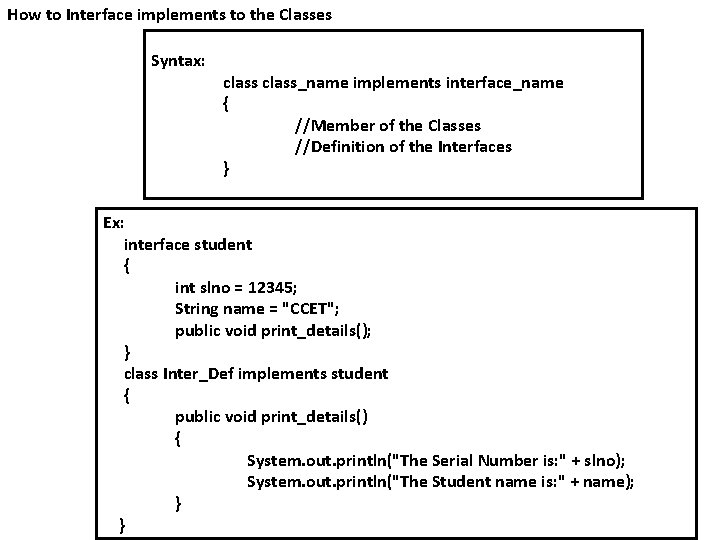
How to Interface implements to the Classes Syntax: class_name implements interface_name { //Member of the Classes //Definition of the Interfaces } Ex: interface student { int slno = 12345; String name = "CCET"; public void print_details(); } class Inter_Def implements student { public void print_details() { System. out. println("The Serial Number is: " + slno); System. out. println("The Student name is: " + name); } }
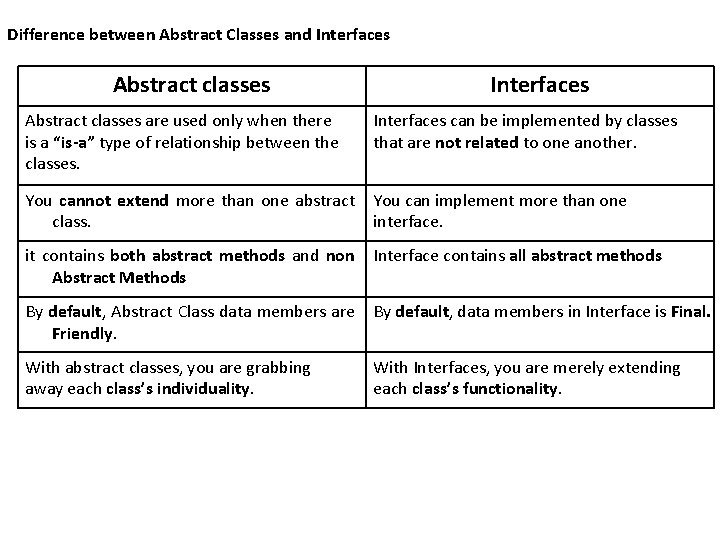
Difference between Abstract Classes and Interfaces Abstract classes are used only when there is a “is-a” type of relationship between the classes. Interfaces can be implemented by classes that are not related to one another. You cannot extend more than one abstract You can implement more than one class. interface. it contains both abstract methods and non Abstract Methods Interface contains all abstract methods By default, Abstract Class data members are By default, data members in Interface is Final. Friendly. With abstract classes, you are grabbing away each class’s individuality. With Interfaces, you are merely extending each class’s functionality.
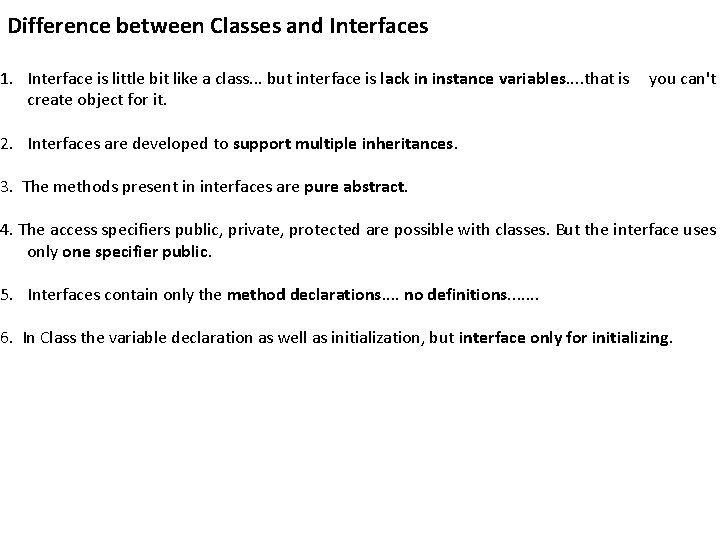
Difference between Classes and Interfaces 1. Interface is little bit like a class. . . but interface is lack in instance variables. . that is you can't create object for it. 2. Interfaces are developed to support multiple inheritances. 3. The methods present in interfaces are pure abstract. 4. The access specifiers public, private, protected are possible with classes. But the interface uses only one specifier public. 5. Interfaces contain only the method declarations. . no definitions. . . . 6. In Class the variable declaration as well as initialization, but interface only for initializing.
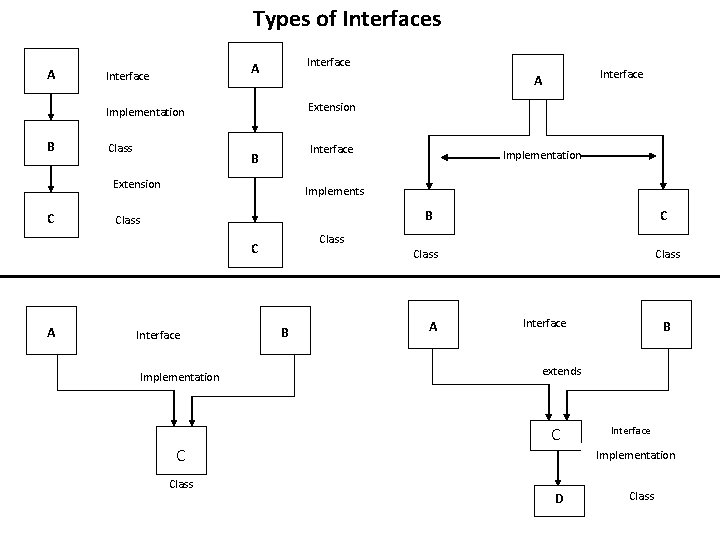
Types of Interfaces A Interface Extension Implementation B Class Interface B Extension C Implementation Implements B Class Interface Implementation C Class C A Interface A Class B A Class Interface B extends C Interface Implementation D Class
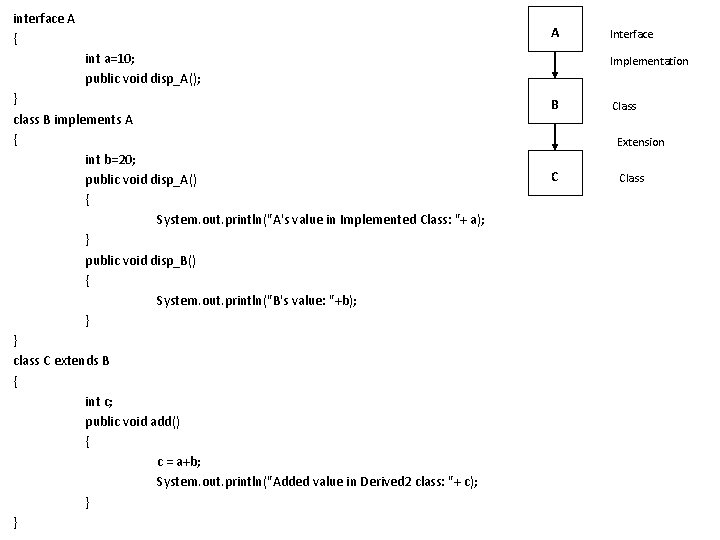
interface A { A int a=10; public void disp_A(); } class B implements A { int b=20; public void disp_A() { System. out. println("A's value in Implemented Class: "+ a); } public void disp_B() { System. out. println("B's value: "+b); } } class C extends B { int c; public void add() { c = a+b; System. out. println("Added value in Derived 2 class: "+ c); } } Interface Implementation B Class Extension C Class
class Interface 2 { public static void main(String args[]) { C d = new C(); d. disp_A(); d. disp_B(); d. add(); } } Output: A's value in Implemented Class: 10 B's value: 20 Added value in Derived 2 class: 30
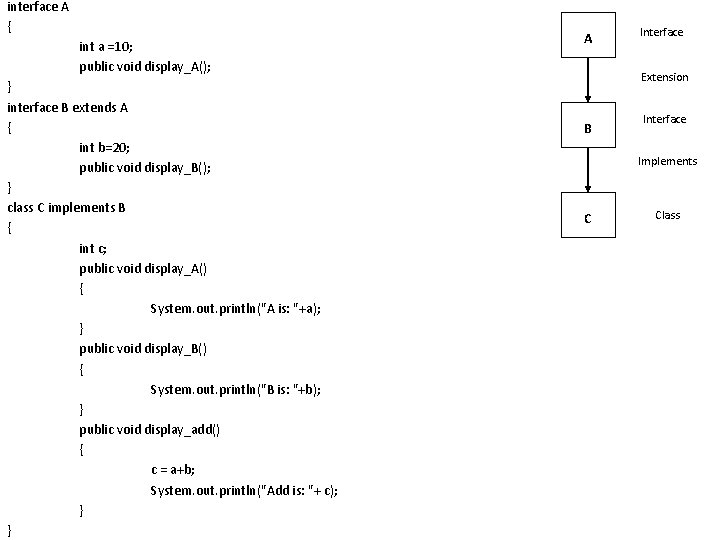
interface A { int a =10; public void display_A(); } interface B extends A { int b=20; public void display_B(); } class C implements B { int c; public void display_A() { System. out. println("A is: "+a); } public void display_B() { System. out. println("B is: "+b); } public void display_add() { c = a+b; System. out. println("Add is: "+ c); } } A Interface Extension B Interface Implements C Class
class Mul. Interface { public static void main(String args[]) { C derived = new C(); derived. display_A(); derived. display_B(); derived. display_add(); } } Output: A is: 10 B is: 20 Add is: 30
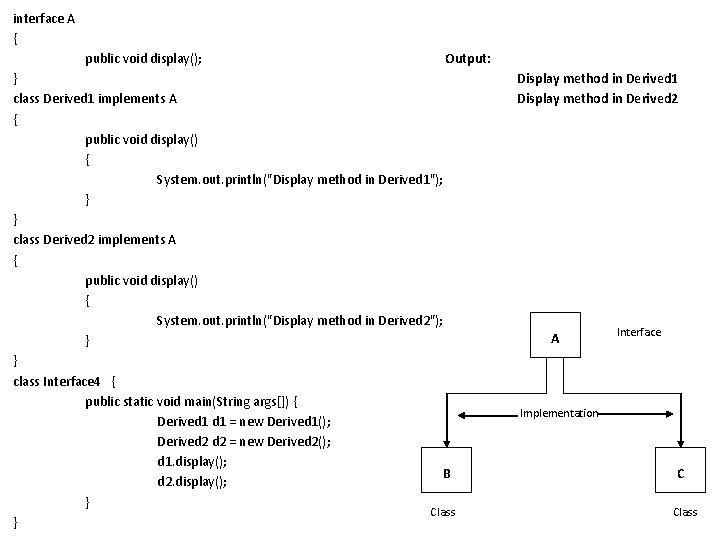
interface A { public void display(); Output: } class Derived 1 implements A { public void display() { System. out. println("Display method in Derived 1"); } } class Derived 2 implements A { public void display() { System. out. println("Display method in Derived 2"); } } class Interface 4 { public static void main(String args[]) { Derived 1 = new Derived 1(); Derived 2 = new Derived 2(); d 1. display(); B d 2. display(); } Class } Display method in Derived 1 Display method in Derived 2 A Interface Implementation C Class
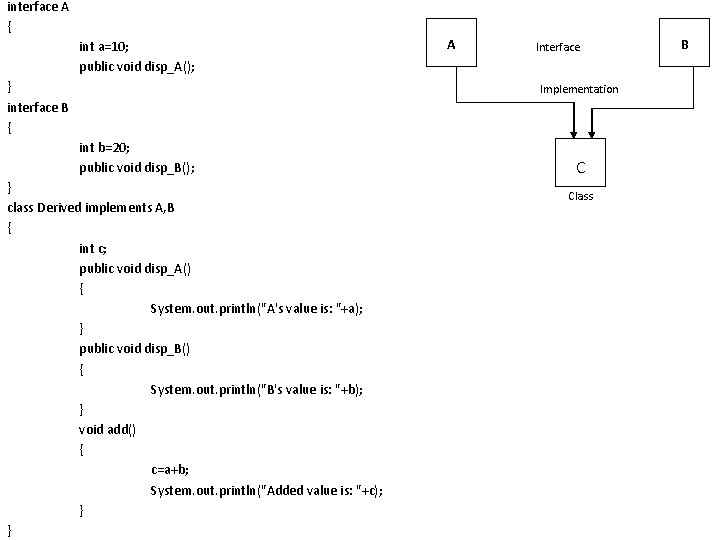
interface A { int a=10; public void disp_A(); } interface B { A Interface Implementation int b=20; public void disp_B(); } class Derived implements A, B { int c; public void disp_A() { System. out. println("A's value is: "+a); } public void disp_B() { System. out. println("B's value is: "+b); } void add() { c=a+b; System. out. println("Added value is: "+c); } } C Class B
class Interface 5 { public static void main(String args[]) { Derived d = new Derived(); d. disp_A(); d. disp_B(); d. add(); } } Output: A's value is: 10 B's value is: 20 Added value is: 30
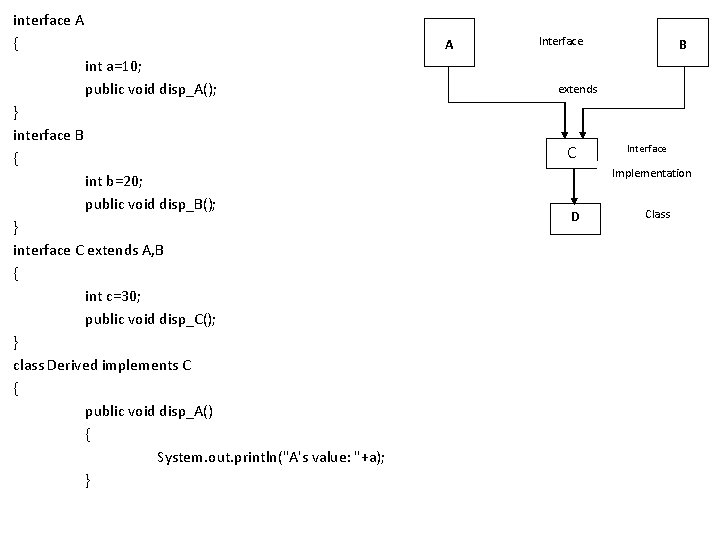
interface A { A int a=10; public void disp_A(); } interface B { Interface extends C int b=20; public void disp_B(); } interface C extends A, B { int c=30; public void disp_C(); } class Derived implements C { public void disp_A() { System. out. println("A's value: "+a); } B Interface Implementation D Class
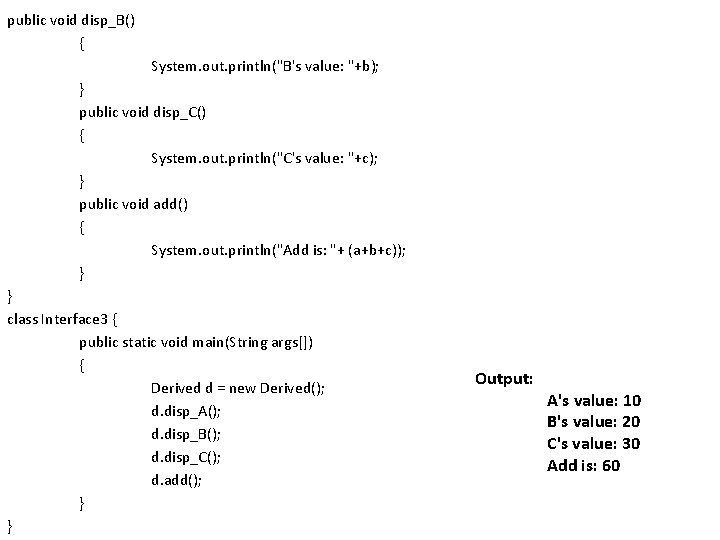
public void disp_B() { System. out. println("B's value: "+b); } public void disp_C() { System. out. println("C's value: "+c); } public void add() { System. out. println("Add is: "+ (a+b+c)); } } class Interface 3 { public static void main(String args[]) { Derived d = new Derived(); d. disp_A(); d. disp_B(); d. disp_C(); d. add(); } } Output: A's value: 10 B's value: 20 C's value: 30 Add is: 60
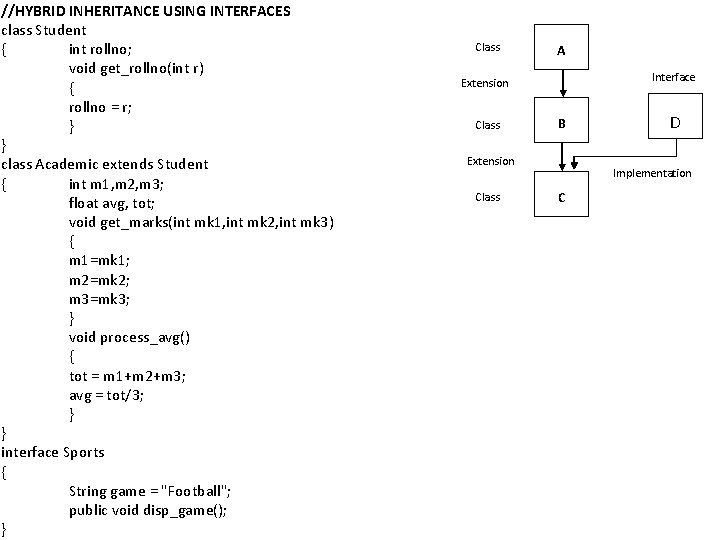
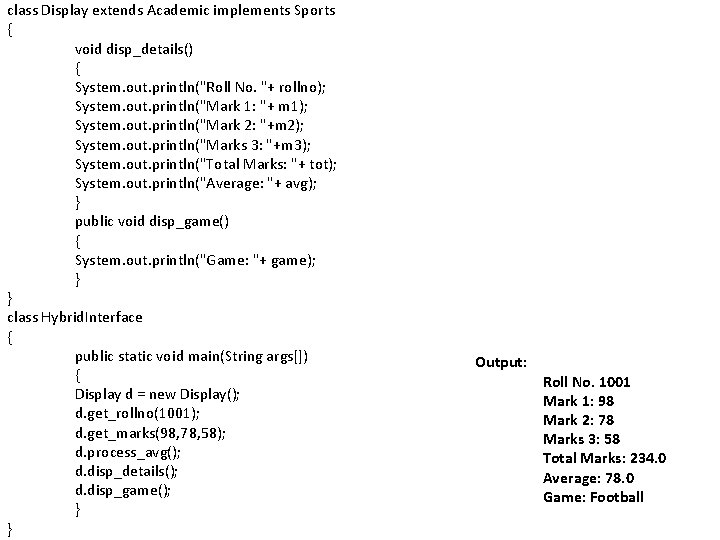
//HYBRID INHERITANCE USING INTERFACES class Student { int rollno; void get_rollno(int r) { rollno = r; } } class Academic extends Student { int m 1, m 2, m 3; float avg, tot; void get_marks(int mk 1, int mk 2, int mk 3) { m 1=mk 1; m 2=mk 2; m 3=mk 3; } void process_avg() { tot = m 1+m 2+m 3; avg = tot/3; } } interface Sports { String game = "Football"; public void disp_game(); } Class A Interface Extension Class B Extension Class D Implementation C
class Display extends Academic implements Sports { void disp_details() { System. out. println("Roll No. "+ rollno); System. out. println("Mark 1: "+ m 1); System. out. println("Mark 2: "+m 2); System. out. println("Marks 3: "+m 3); System. out. println("Total Marks: "+ tot); System. out. println("Average: "+ avg); } public void disp_game() { System. out. println("Game: "+ game); } } class Hybrid. Interface { public static void main(String args[]) { Display d = new Display(); d. get_rollno(1001); d. get_marks(98, 78, 58); d. process_avg(); d. disp_details(); d. disp_game(); } } Output: Roll No. 1001 Mark 1: 98 Mark 2: 78 Marks 3: 58 Total Marks: 234. 0 Average: 78. 0 Game: Football
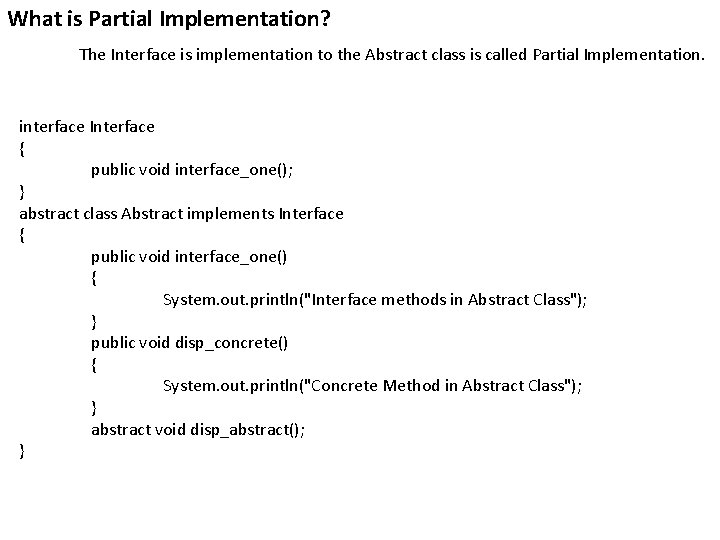
What is Partial Implementation? The Interface is implementation to the Abstract class is called Partial Implementation. interface Interface { public void interface_one(); } abstract class Abstract implements Interface { public void interface_one() { System. out. println("Interface methods in Abstract Class"); } public void disp_concrete() { System. out. println("Concrete Method in Abstract Class"); } abstract void disp_abstract(); }
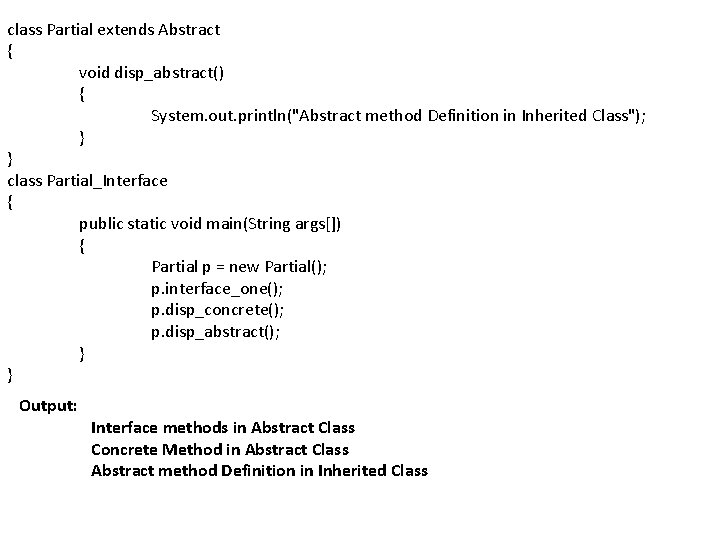
class Partial extends Abstract { void disp_abstract() { System. out. println("Abstract method Definition in Inherited Class"); } } class Partial_Interface { public static void main(String args[]) { Partial p = new Partial(); p. interface_one(); p. disp_concrete(); p. disp_abstract(); } } Output: Interface methods in Abstract Class Concrete Method in Abstract Class Abstract method Definition in Inherited Class
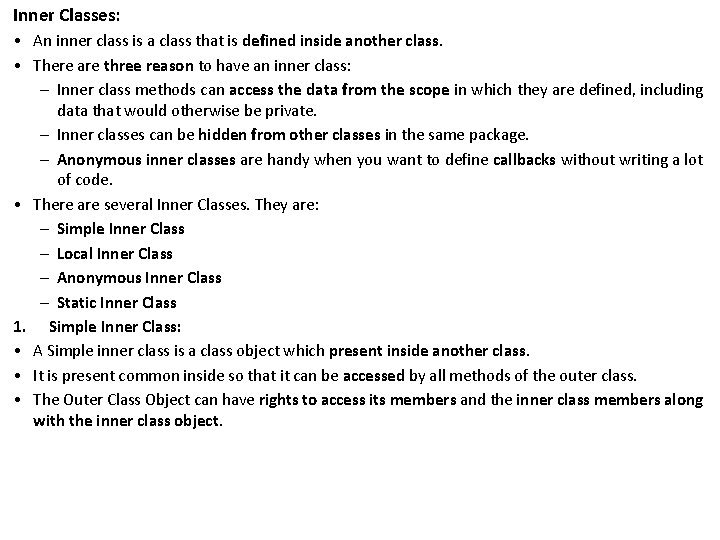
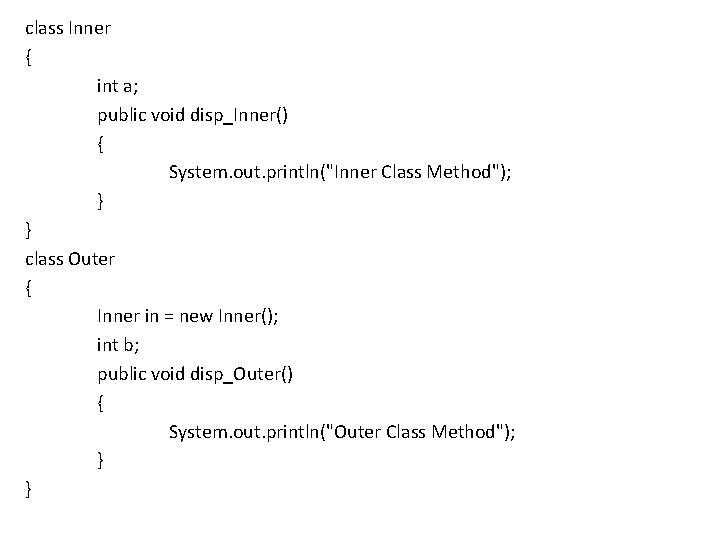
Inner Classes: • An inner class is a class that is defined inside another class. • There are three reason to have an inner class: – Inner class methods can access the data from the scope in which they are defined, including data that would otherwise be private. – Inner classes can be hidden from other classes in the same package. – Anonymous inner classes are handy when you want to define callbacks without writing a lot of code. • There are several Inner Classes. They are: – Simple Inner Class – Local Inner Class – Anonymous Inner Class – Static Inner Class 1. Simple Inner Class: • A Simple inner class is a class object which present inside another class. • It is present common inside so that it can be accessed by all methods of the outer class. • The Outer Class Object can have rights to access its members and the inner class members along with the inner class object.
class Inner { int a; public void disp_Inner() { System. out. println("Inner Class Method"); } } class Outer { Inner in = new Inner(); int b; public void disp_Outer() { System. out. println("Outer Class Method"); } }
class Inner. Outer { public static void main(String args[]) { int c; Outer o = new Outer(); o. b = 20; o. disp_Outer(); o. in. a = 10; o. in. disp_Inner(); c = o. b + o. in. a; System. out. println("Added Value: "+c); } } Output: Outer Class Method Inner Class Method Added Value: 30
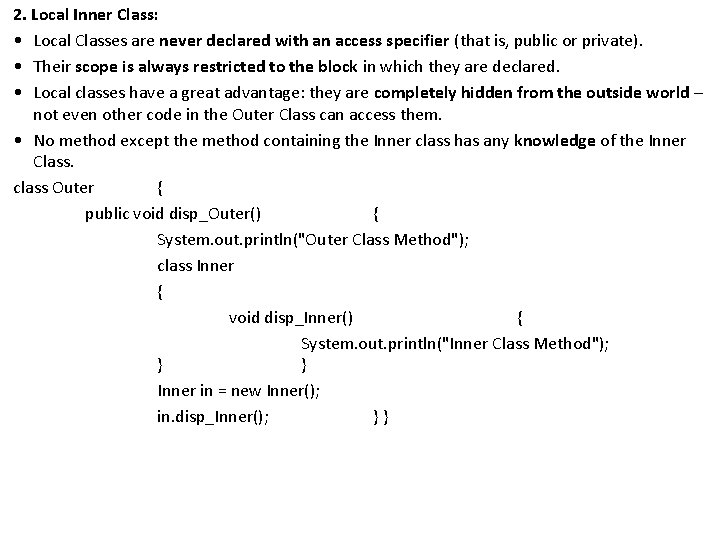
2. Local Inner Class: • Local Classes are never declared with an access specifier (that is, public or private). • Their scope is always restricted to the block in which they are declared. • Local classes have a great advantage: they are completely hidden from the outside world – not even other code in the Outer Class can access them. • No method except the method containing the Inner class has any knowledge of the Inner Class. class Outer { public void disp_Outer() { System. out. println("Outer Class Method"); class Inner { void disp_Inner() { System. out. println("Inner Class Method"); } } Inner in = new Inner(); in. disp_Inner(); } }
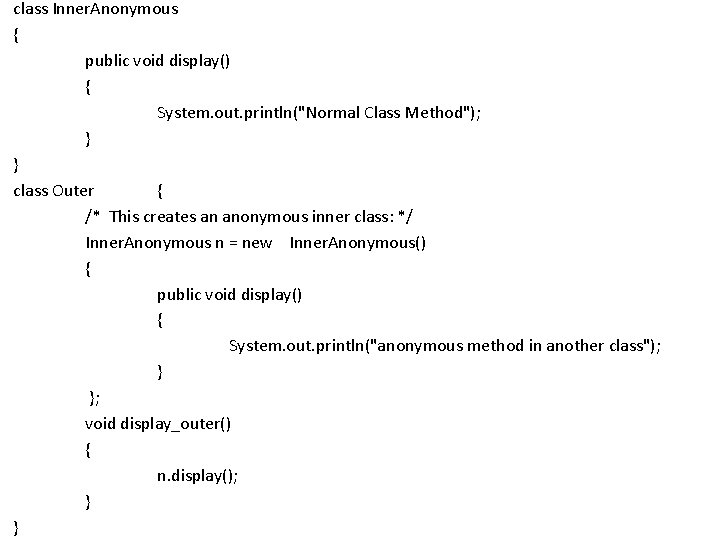
class Local. Inner { public static void main(String args[]) { Outer o = new Outer(); o. disp_Outer(); } } Output: Outer Class Method Inner Class Method 3. Anonymous Inner Class: • Anonymous classes in Java are more accurately known as anonymous inner classes – there’s no such thing as anonymous classes without the “inner”. Syntax: /*Pay attention to the opening curly braces and the fact that there's a semicolon at the very end, once the anonymous class is created: */ Anonymous obj = new Anonymous() { //code here. . . };
class Inner. Anonymous { public void display() { System. out. println("Normal Class Method"); } } class Outer { /* This creates an anonymous inner class: */ Inner. Anonymous n = new Inner. Anonymous() { public void display() { System. out. println("anonymous method in another class"); } }; void display_outer() { n. display(); } }
class Anonymous. Class { public static void main(String args[]) { Outer o = new Outer(); o. display_outer(); //Normal Class object Inner. Anonymous in = new Inner. Anonymous() ; in. display(); } } Output: Anonymous method in another class Normal Class Method • An anonymous inner class is an inner class that is declared without using a class name at all – and that of course is why it’s called an anonymous class.
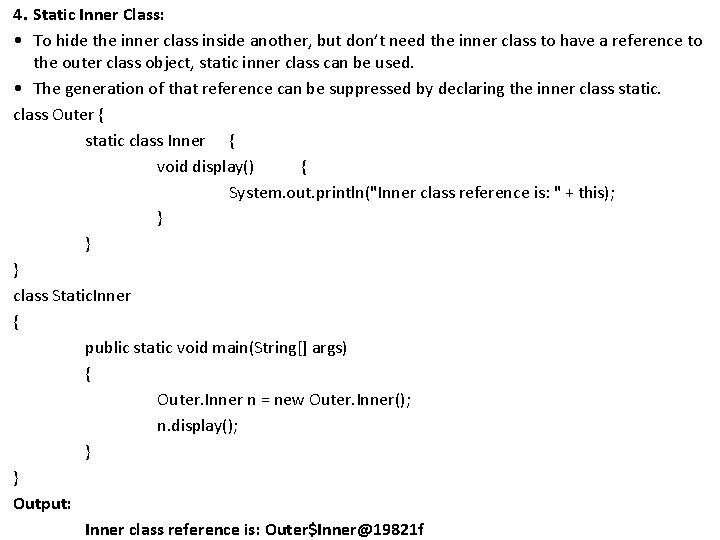
4. Static Inner Class: • To hide the inner class inside another, but don’t need the inner class to have a reference to the outer class object, static inner class can be used. • The generation of that reference can be suppressed by declaring the inner class static. class Outer { static class Inner { void display() { System. out. println("Inner class reference is: " + this); } } } class Static. Inner { public static void main(String[] args) { Outer. Inner n = new Outer. Inner(); n. display(); } } Output: Inner class reference is: Outer$Inner@19821 f
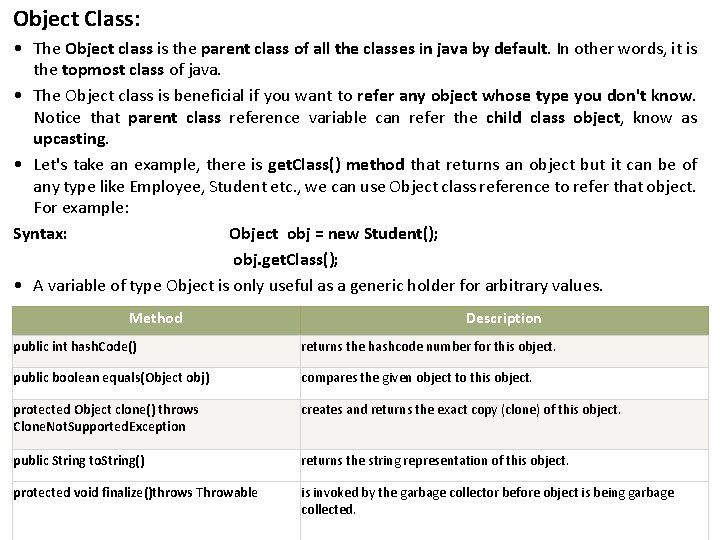
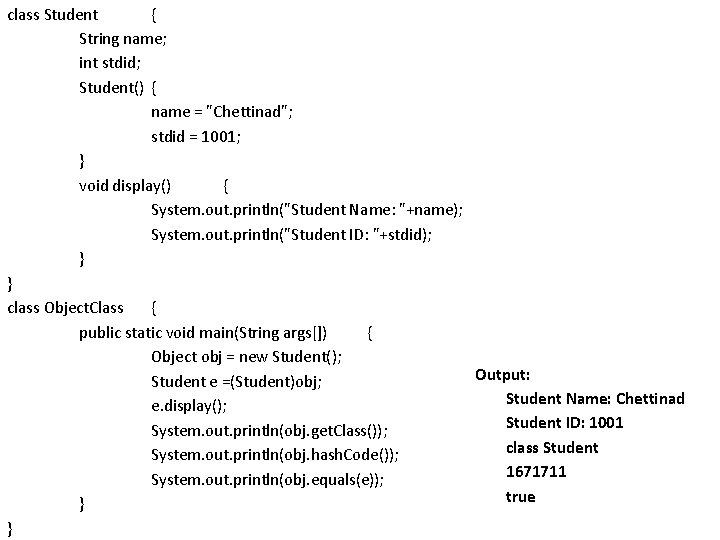
Object Class: • The Object class is the parent class of all the classes in java by default. In other words, it is the topmost class of java. • The Object class is beneficial if you want to refer any object whose type you don't know. Notice that parent class reference variable can refer the child class object, know as upcasting. • Let's take an example, there is get. Class() method that returns an object but it can be of any type like Employee, Student etc. , we can use Object class reference to refer that object. For example: Syntax: Object obj = new Student(); obj. get. Class(); • A variable of type Object is only useful as a generic holder for arbitrary values. Method Description public int hash. Code() returns the hashcode number for this object. public boolean equals(Object obj) compares the given object to this object. protected Object clone() throws Clone. Not. Supported. Exception creates and returns the exact copy (clone) of this object. public String to. String() returns the string representation of this object. protected void finalize()throws Throwable is invoked by the garbage collector before object is being garbage collected.
class Student { String name; int stdid; Student() { name = "Chettinad"; stdid = 1001; } void display() { System. out. println("Student Name: "+name); System. out. println("Student ID: "+stdid); } } class Object. Class { public static void main(String args[]) { Object obj = new Student(); Output: Student e =(Student)obj; Student Name: Chettinad e. display(); Student ID: 1001 System. out. println(obj. get. Class()); class Student System. out. println(obj. hash. Code()); 1671711 System. out. println(obj. equals(e)); true } }
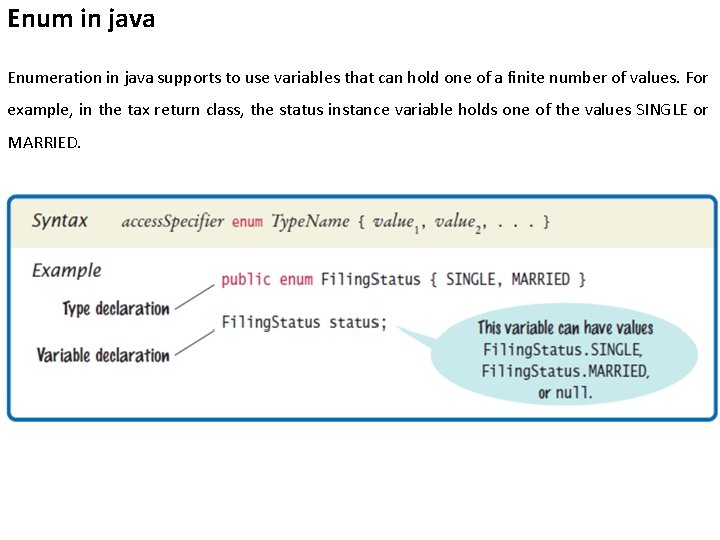
Enum in java Enumeration in java supports to use variables that can hold one of a finite number of values. For example, in the tax return class, the status instance variable holds one of the values SINGLE or MARRIED.
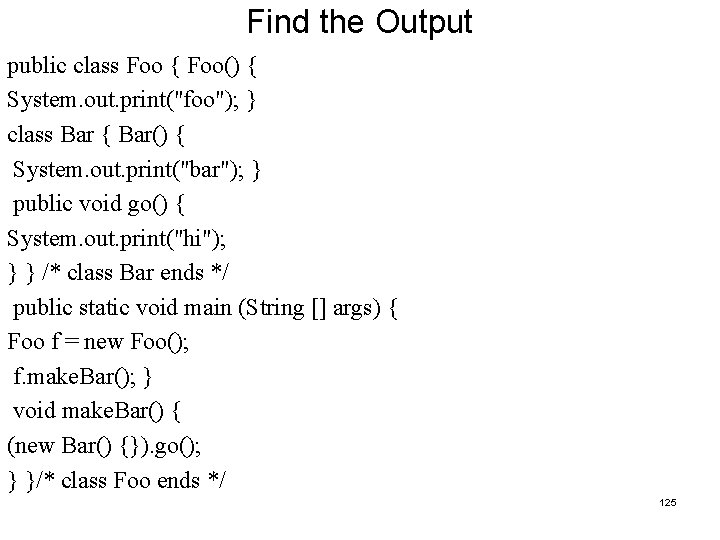
Find the Output public class Foo { Foo() { System. out. print("foo"); } class Bar { Bar() { System. out. print("bar"); } public void go() { System. out. print("hi"); } } /* class Bar ends */ public static void main (String [] args) { Foo f = new Foo(); f. make. Bar(); } void make. Bar() { (new Bar() {}). go(); } }/* class Foo ends */ 125
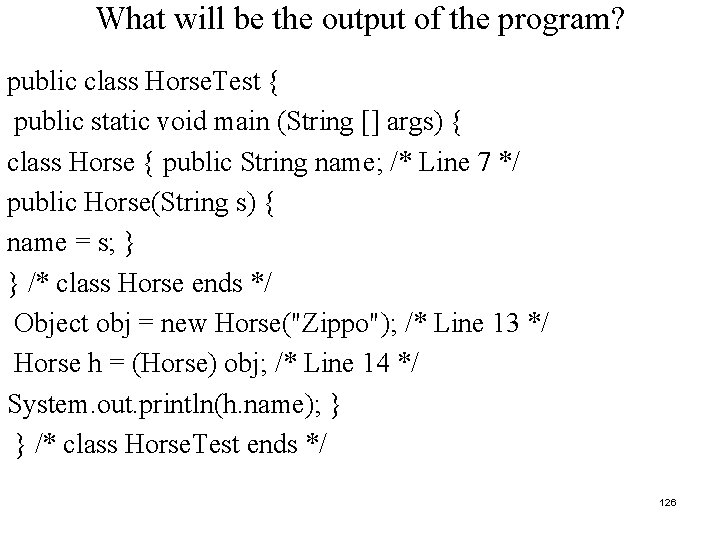
What will be the output of the program? public class Horse. Test { public static void main (String [] args) { class Horse { public String name; /* Line 7 */ public Horse(String s) { name = s; } } /* class Horse ends */ Object obj = new Horse("Zippo"); /* Line 13 */ Horse h = (Horse) obj; /* Line 14 */ System. out. println(h. name); } } /* class Horse. Test ends */ 126
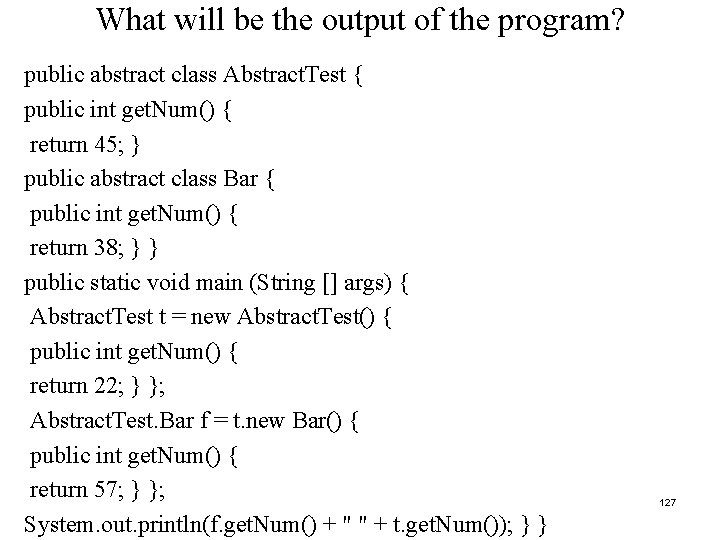
What will be the output of the program? public abstract class Abstract. Test { public int get. Num() { return 45; } public abstract class Bar { public int get. Num() { return 38; } } public static void main (String [] args) { Abstract. Test t = new Abstract. Test() { public int get. Num() { return 22; } }; Abstract. Test. Bar f = t. new Bar() { public int get. Num() { return 57; } }; System. out. println(f. get. Num() + " " + t. get. Num()); } } 127
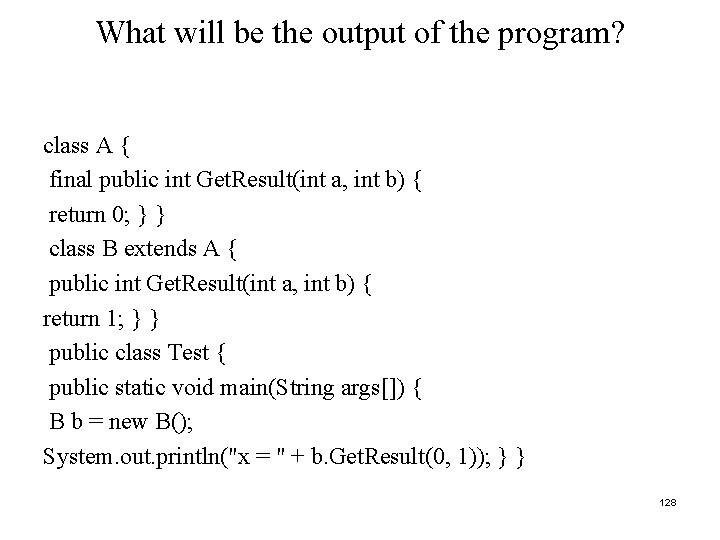
What will be the output of the program? class A { final public int Get. Result(int a, int b) { return 0; } } class B extends A { public int Get. Result(int a, int b) { return 1; } } public class Test { public static void main(String args[]) { B b = new B(); System. out. println("x = " + b. Get. Result(0, 1)); } } 128
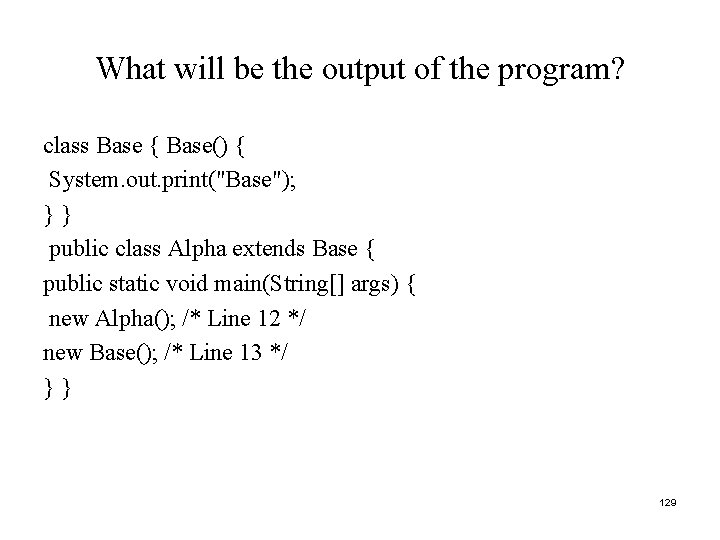
What will be the output of the program? class Base { Base() { System. out. print("Base"); }} public class Alpha extends Base { public static void main(String[] args) { new Alpha(); /* Line 12 */ new Base(); /* Line 13 */ }} 129
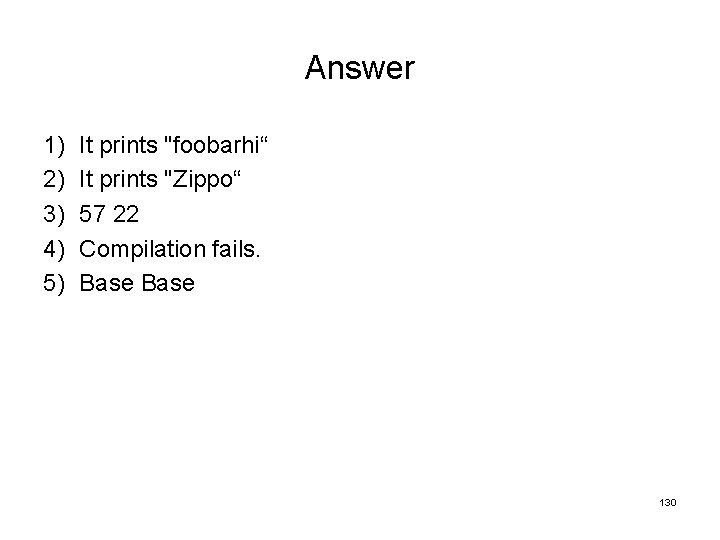
Answer 1) 2) 3) 4) 5) It prints "foobarhi“ It prints "Zippo“ 57 22 Compilation fails. Base 130