Introduction to EPF Agenda The EPF Project Open
- Slides: 102
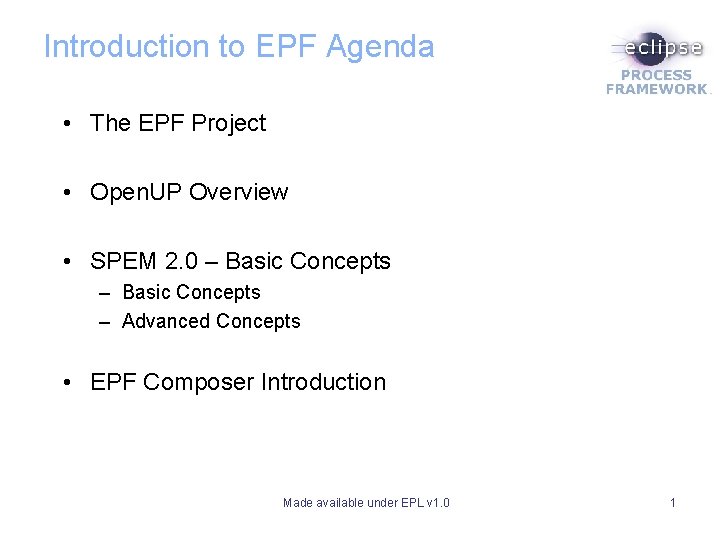
Introduction to EPF Agenda • The EPF Project • Open. UP Overview • SPEM 2. 0 – Basic Concepts – Advanced Concepts • EPF Composer Introduction Made available under EPL v 1. 0 1
Introduction to the Eclipse Process Framework Made available under EPL v 1. 0 2
The EPF Project Made available under EPL v 1. 0 3
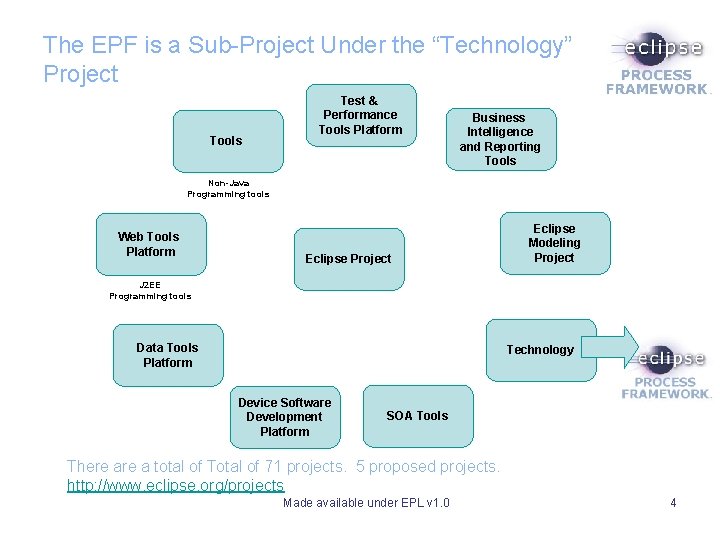
The EPF is a Sub-Project Under the “Technology” Project Tools Test & Performance Tools Platform Business Intelligence and Reporting Tools Non-Java Programming tools Web Tools Platform Eclipse Project Eclipse Modeling Project J 2 EE Programming tools Data Tools Platform Technology Device Software Development Platform SOA Tools There a total of Total of 71 projects. 5 proposed projects. http: //www. eclipse. org/projects Made available under EPL v 1. 0 4
The EPF Project: Overview • EPF is an Open Source project within the Eclipse Foundation • The goals of EPF are to provide: – An extensible framework and tooling for authoring, configuring and publishing processes – Exemplary processes - first delivered is Open. UP • EPF Project initiated in January 2006. • EPF is NOT: – Only applicable for Eclipse Java development. – Intended to create the “perfect process” Made available under EPL v 1. 0 5
The EPF Project: Two Audiences • Process Authors and Coaches (Process Management Team) – Tooling for creating and publishing processes – Foundational process for starting point – Libraries of additional content that can be plugged-in • Process Consumers (Project Team) – Published website of process content for simple browsing – Guidance in the form of checklists, concepts, guidelines – Browse the content adapted to your experience level Made available under EPL v 1. 0 6
Open. UP Introduction Made available under EPL v 1. 0 7
What is Open. UP • “An Agile Inspired process with its roots in the UP” • An iterative software development process that is minimal, complete, and extensible – Minimal - Contains vital roles, tasks and guidance – Complete - Complete for small co-located teams – Extensible - Serves as a foundation that can be extended and tailored Made available under EPL v 1. 0 8
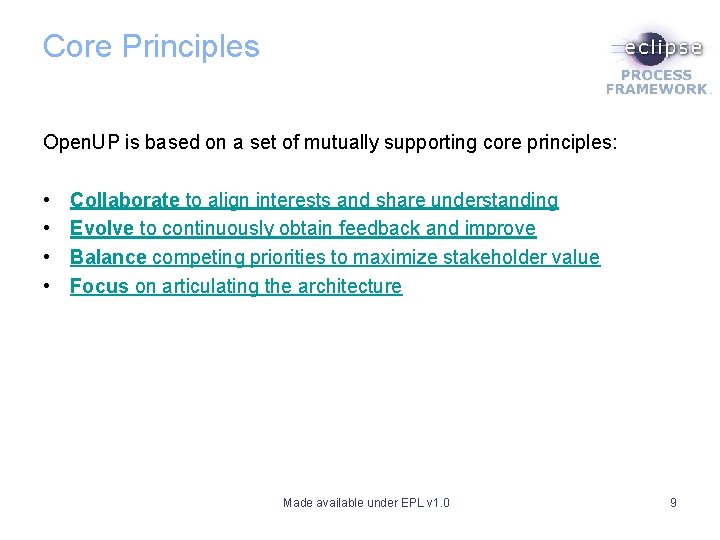
Core Principles Open. UP is based on a set of mutually supporting core principles: • • Collaborate to align interests and share understanding Evolve to continuously obtain feedback and improve Balance competing priorities to maximize stakeholder value Focus on articulating the architecture Made available under EPL v 1. 0 9
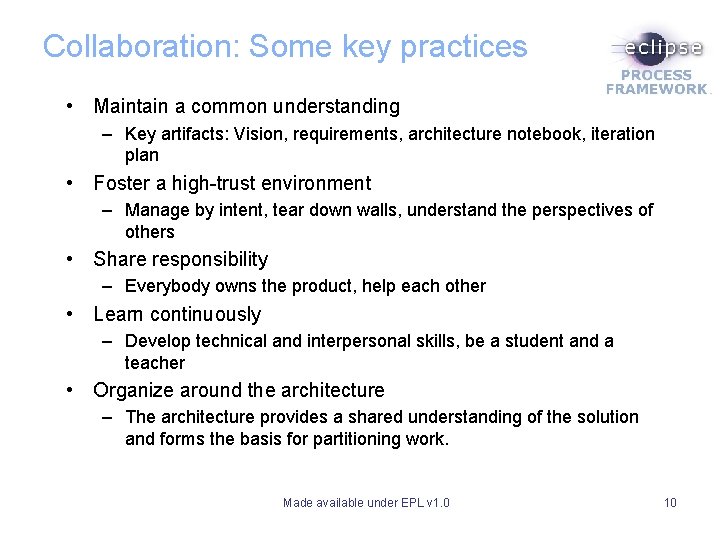
Collaboration: Some key practices • Maintain a common understanding – Key artifacts: Vision, requirements, architecture notebook, iteration plan • Foster a high-trust environment – Manage by intent, tear down walls, understand the perspectives of others • Share responsibility – Everybody owns the product, help each other • Learn continuously – Develop technical and interpersonal skills, be a student and a teacher • Organize around the architecture – The architecture provides a shared understanding of the solution and forms the basis for partitioning work. Made available under EPL v 1. 0 10
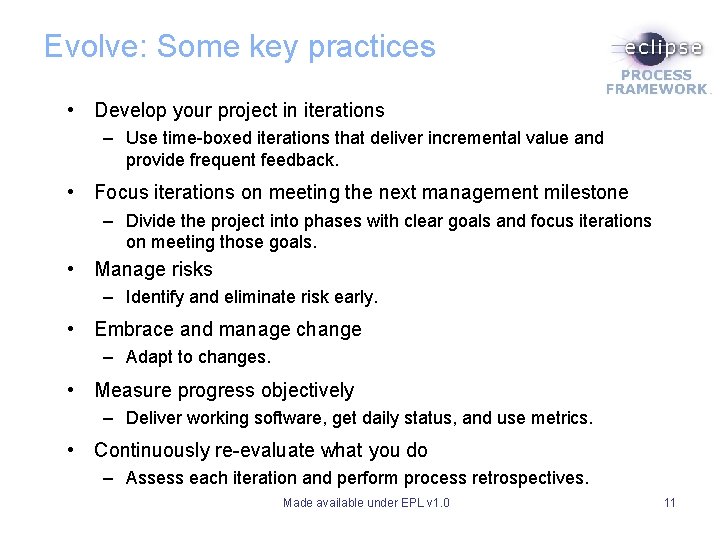
Evolve: Some key practices • Develop your project in iterations – Use time-boxed iterations that deliver incremental value and provide frequent feedback. • Focus iterations on meeting the next management milestone – Divide the project into phases with clear goals and focus iterations on meeting those goals. • Manage risks – Identify and eliminate risk early. • Embrace and manage change – Adapt to changes. • Measure progress objectively – Deliver working software, get daily status, and use metrics. • Continuously re-evaluate what you do – Assess each iteration and perform process retrospectives. Made available under EPL v 1. 0 11
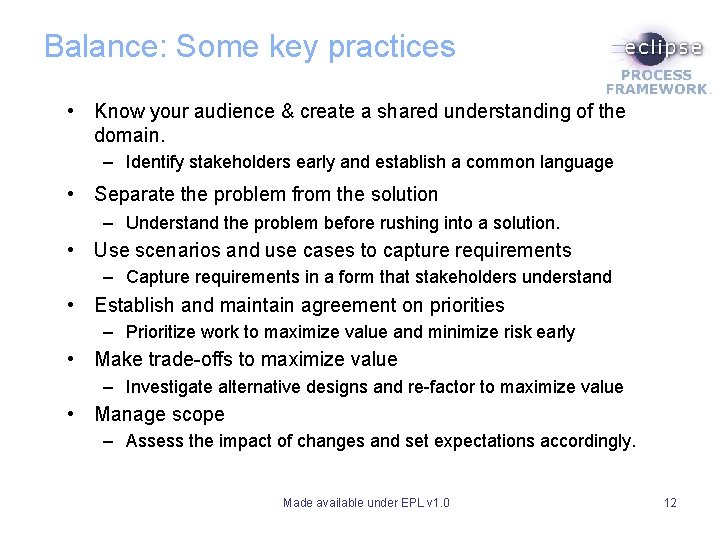
Balance: Some key practices • Know your audience & create a shared understanding of the domain. – Identify stakeholders early and establish a common language • Separate the problem from the solution – Understand the problem before rushing into a solution. • Use scenarios and use cases to capture requirements – Capture requirements in a form that stakeholders understand • Establish and maintain agreement on priorities – Prioritize work to maximize value and minimize risk early • Make trade-offs to maximize value – Investigate alternative designs and re-factor to maximize value • Manage scope – Assess the impact of changes and set expectations accordingly. Made available under EPL v 1. 0 12
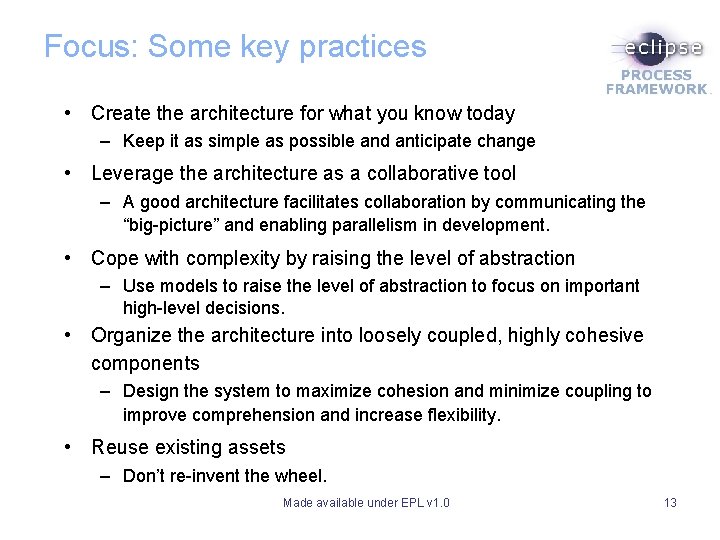
Focus: Some key practices • Create the architecture for what you know today – Keep it as simple as possible and anticipate change • Leverage the architecture as a collaborative tool – A good architecture facilitates collaboration by communicating the “big-picture” and enabling parallelism in development. • Cope with complexity by raising the level of abstraction – Use models to raise the level of abstraction to focus on important high-level decisions. • Organize the architecture into loosely coupled, highly cohesive components – Design the system to maximize cohesion and minimize coupling to improve comprehension and increase flexibility. • Reuse existing assets – Don’t re-invent the wheel. Made available under EPL v 1. 0 13
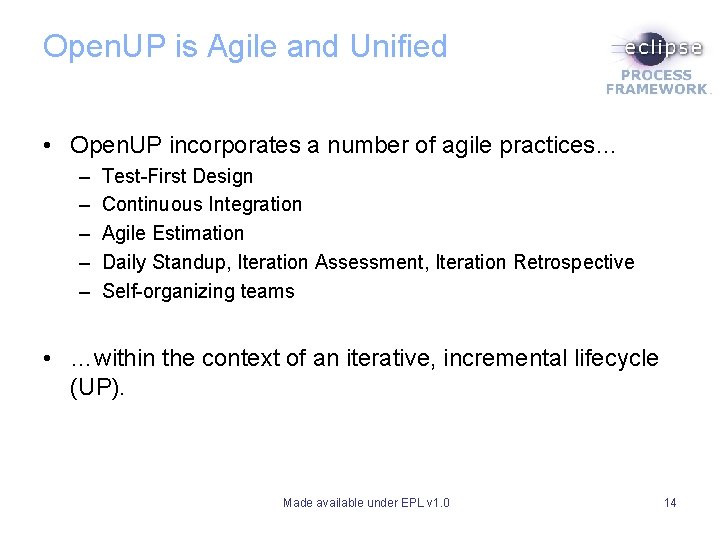
Open. UP is Agile and Unified • Open. UP incorporates a number of agile practices… – – – Test-First Design Continuous Integration Agile Estimation Daily Standup, Iteration Assessment, Iteration Retrospective Self-organizing teams • …within the context of an iterative, incremental lifecycle (UP). Made available under EPL v 1. 0 14
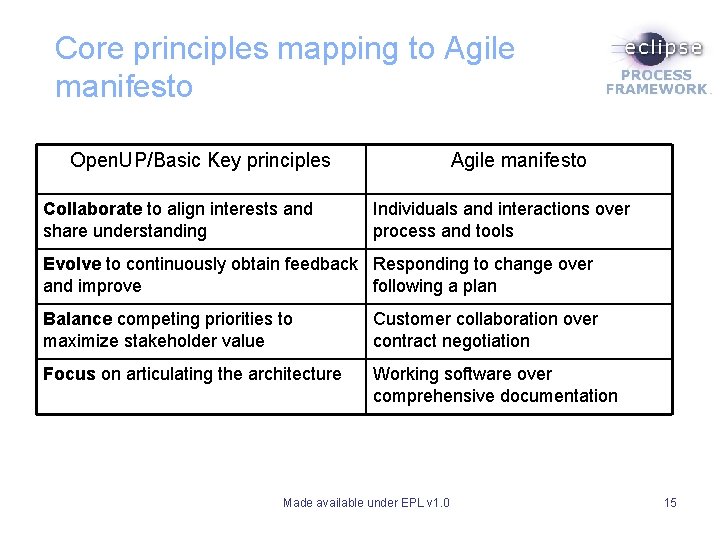
Core principles mapping to Agile manifesto Open. UP/Basic Key principles Collaborate to align interests and share understanding Agile manifesto Individuals and interactions over process and tools Evolve to continuously obtain feedback Responding to change over and improve following a plan Balance competing priorities to maximize stakeholder value Customer collaboration over contract negotiation Focus on articulating the architecture Working software over comprehensive documentation Made available under EPL v 1. 0 15
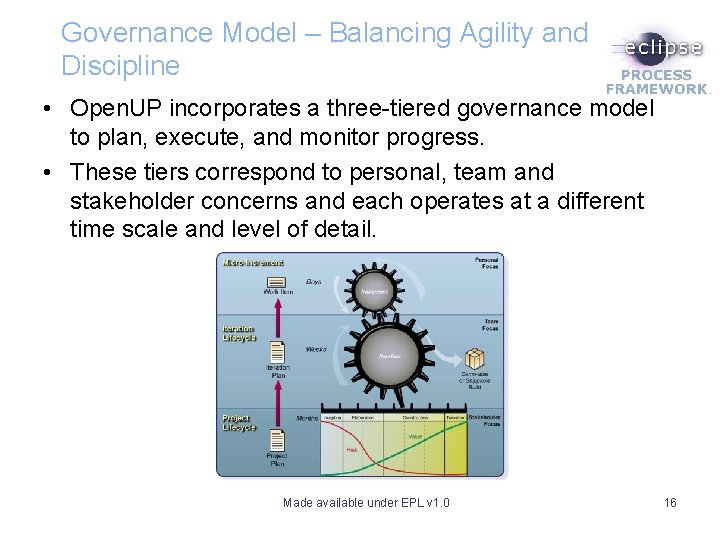
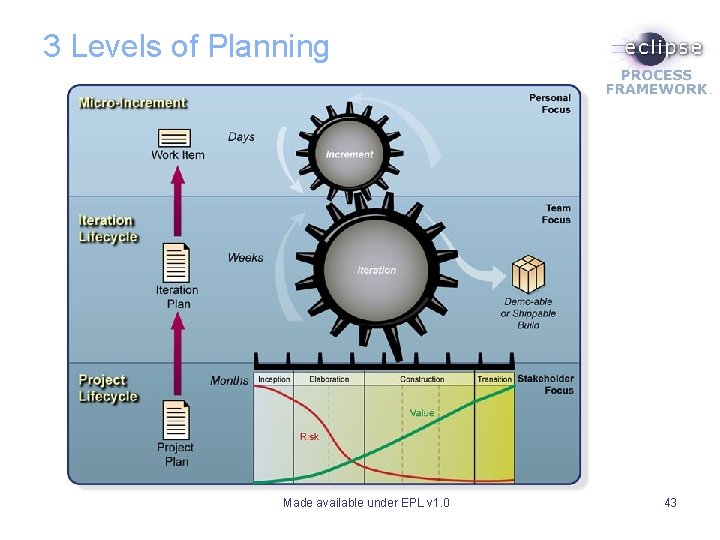
Governance Model – Balancing Agility and Discipline • Open. UP incorporates a three-tiered governance model to plan, execute, and monitor progress. • These tiers correspond to personal, team and stakeholder concerns and each operates at a different time scale and level of detail. Made available under EPL v 1. 0 16
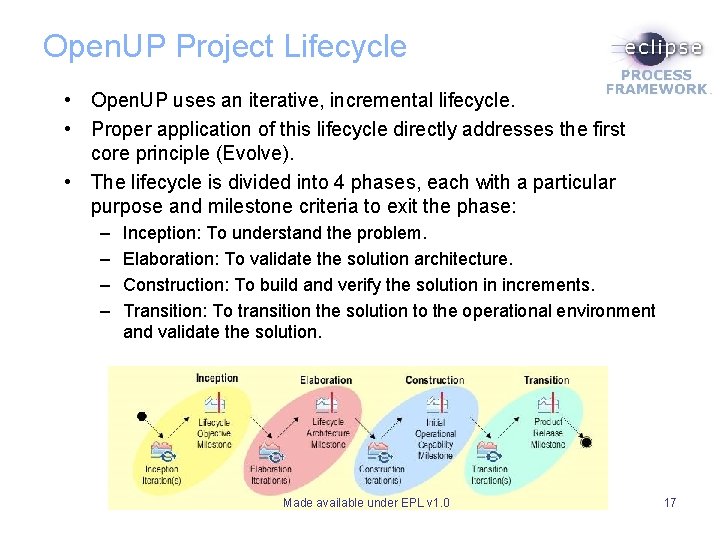
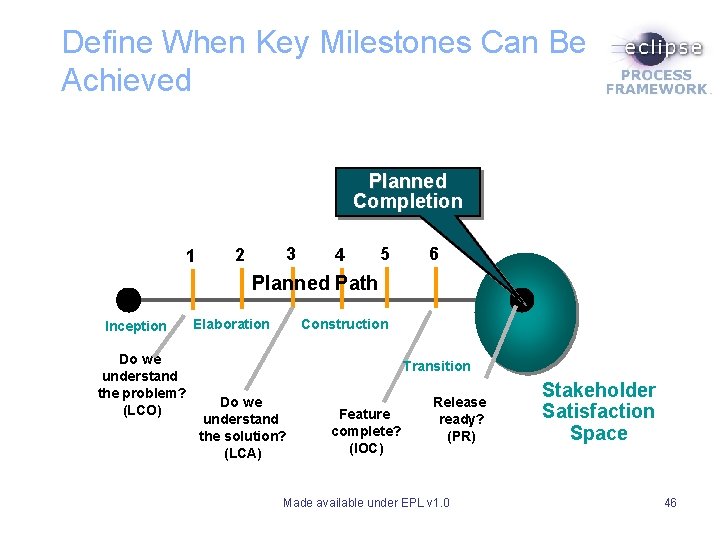
Open. UP Project Lifecycle • Open. UP uses an iterative, incremental lifecycle. • Proper application of this lifecycle directly addresses the first core principle (Evolve). • The lifecycle is divided into 4 phases, each with a particular purpose and milestone criteria to exit the phase: – – Inception: To understand the problem. Elaboration: To validate the solution architecture. Construction: To build and verify the solution in increments. Transition: To transition the solution to the operational environment and validate the solution. Made available under EPL v 1. 0 17
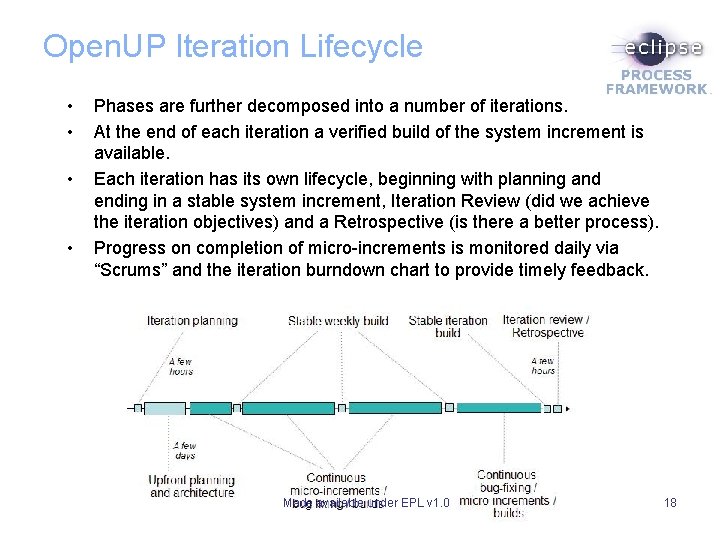
Open. UP Iteration Lifecycle • • Phases are further decomposed into a number of iterations. At the end of each iteration a verified build of the system increment is available. Each iteration has its own lifecycle, beginning with planning and ending in a stable system increment, Iteration Review (did we achieve the iteration objectives) and a Retrospective (is there a better process). Progress on completion of micro-increments is monitored daily via “Scrums” and the iteration burndown chart to provide timely feedback. Made available under EPL v 1. 0 18
Micro-Increments • Micro-increments are small steps towards the goals of the iteration. • Should be small enough to be completed in a day or two – Identify Stakeholders is a micro-increment (one step of a task). – Determine Technical Approach for Persistency is a microincrement (a task with a specific focus) – Develop Solution Increment for UC 1 Main Flow is a microincrement (a task with a specific focus) • Micro-increments are defined and tracked via the work items list. • Work items reference requirements and process tasks as needed to provide required inputs to complete the microincrement. Made available under EPL v 1. 0 19
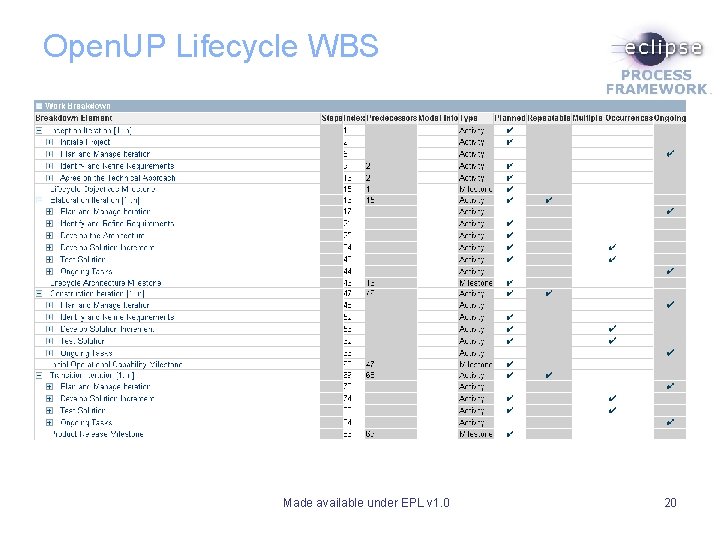
Open. UP Lifecycle WBS Made available under EPL v 1. 0 20
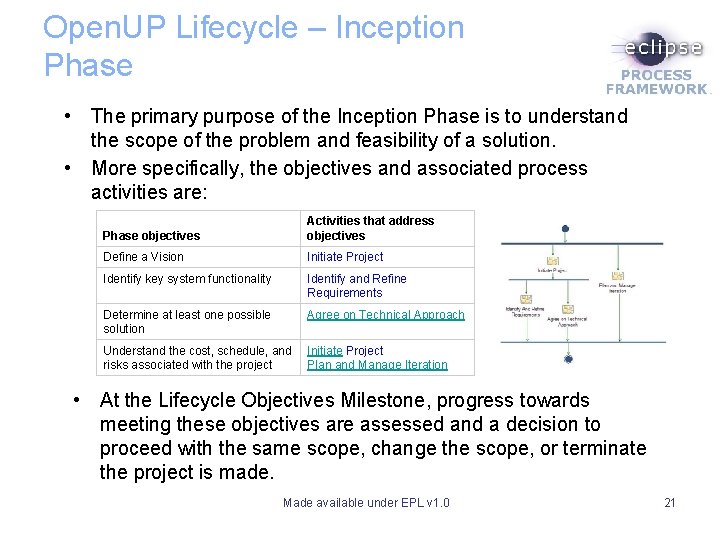
Open. UP Lifecycle – Inception Phase • The primary purpose of the Inception Phase is to understand the scope of the problem and feasibility of a solution. • More specifically, the objectives and associated process activities are: Phase objectives Activities that address objectives Define a Vision Initiate Project Identify key system functionality Identify and Refine Requirements Determine at least one possible solution Agree on Technical Approach Understand the cost, schedule, and risks associated with the project Initiate Project Plan and Manage Iteration • At the Lifecycle Objectives Milestone, progress towards meeting these objectives are assessed and a decision to proceed with the same scope, change the scope, or terminate the project is made. Made available under EPL v 1. 0 21
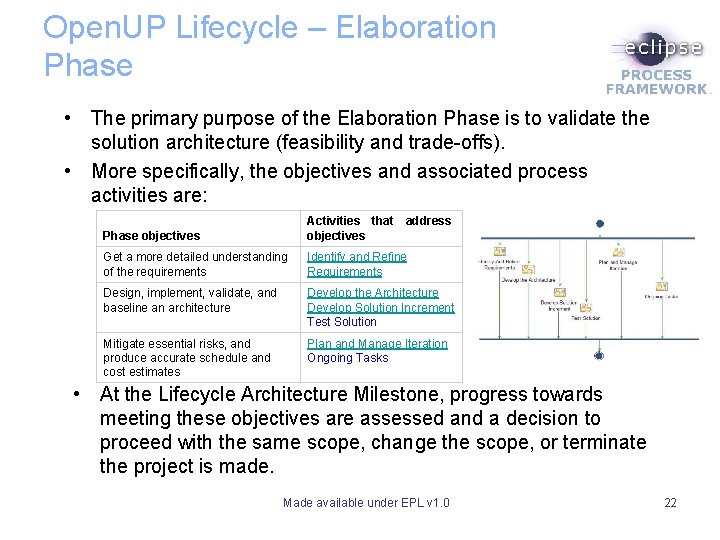
Open. UP Lifecycle – Elaboration Phase • The primary purpose of the Elaboration Phase is to validate the solution architecture (feasibility and trade-offs). • More specifically, the objectives and associated process activities are: Phase objectives Activities that address objectives Get a more detailed understanding of the requirements Identify and Refine Requirements Design, implement, validate, and baseline an architecture Develop the Architecture Develop Solution Increment Test Solution Mitigate essential risks, and produce accurate schedule and cost estimates Plan and Manage Iteration Ongoing Tasks • At the Lifecycle Architecture Milestone, progress towards meeting these objectives are assessed and a decision to proceed with the same scope, change the scope, or terminate the project is made. Made available under EPL v 1. 0 22
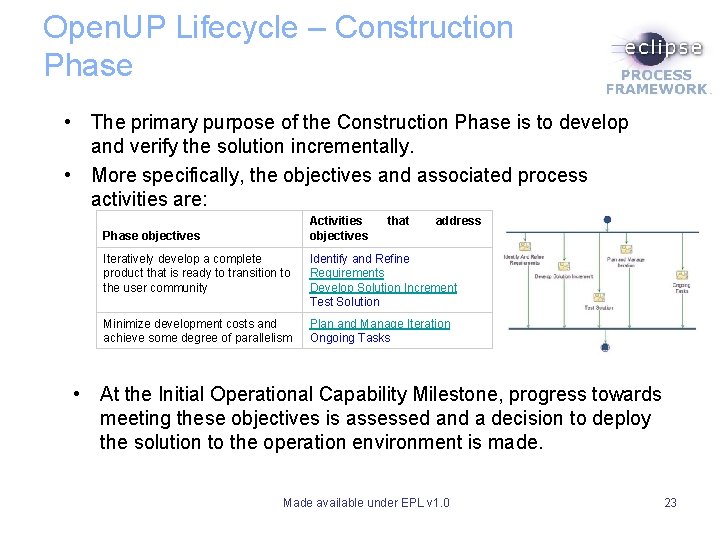
Open. UP Lifecycle – Construction Phase • The primary purpose of the Construction Phase is to develop and verify the solution incrementally. • More specifically, the objectives and associated process activities are: Activities objectives Phase objectives that address Iteratively develop a complete product that is ready to transition to the user community Identify and Refine Requirements Develop Solution Increment Test Solution Minimize development costs and achieve some degree of parallelism Plan and Manage Iteration Ongoing Tasks • At the Initial Operational Capability Milestone, progress towards meeting these objectives is assessed and a decision to deploy the solution to the operation environment is made. Made available under EPL v 1. 0 23
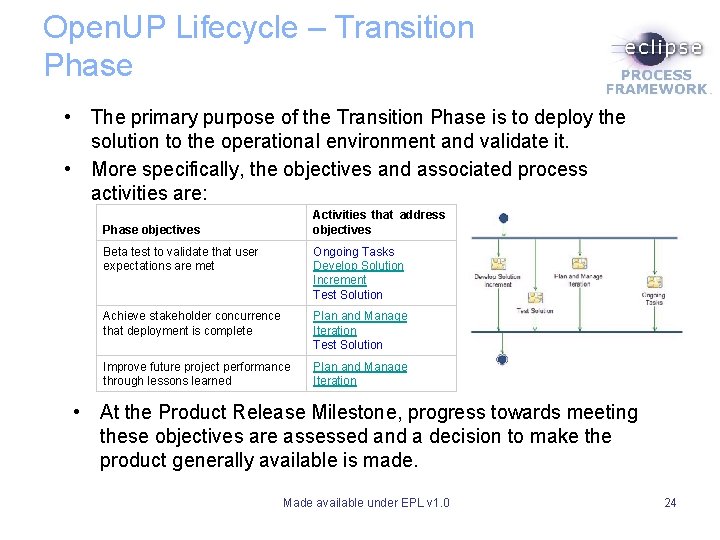
Open. UP Lifecycle – Transition Phase • The primary purpose of the Transition Phase is to deploy the solution to the operational environment and validate it. • More specifically, the objectives and associated process activities are: Activities that address objectives Phase objectives Beta test to validate that user expectations are met Ongoing Tasks Develop Solution Increment Test Solution Achieve stakeholder concurrence that deployment is complete Plan and Manage Iteration Test Solution Improve future project performance through lessons learned Plan and Manage Iteration • At the Product Release Milestone, progress towards meeting these objectives are assessed and a decision to make the product generally available is made. Made available under EPL v 1. 0 24
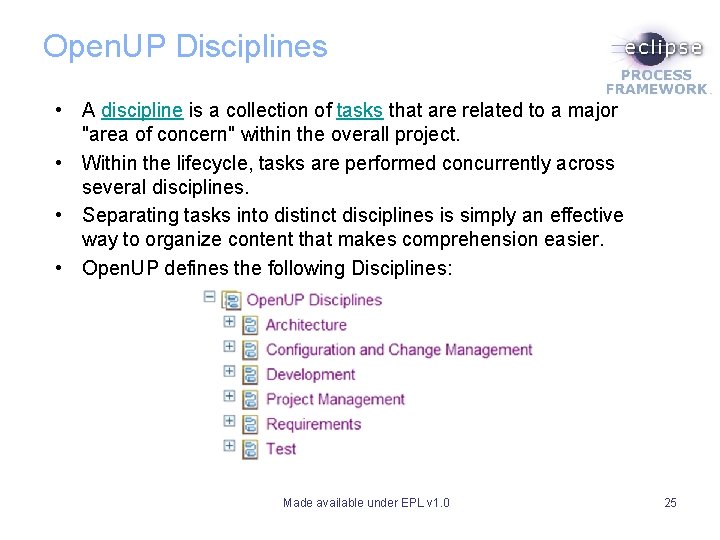
Open. UP Disciplines • A discipline is a collection of tasks that are related to a major "area of concern" within the overall project. • Within the lifecycle, tasks are performed concurrently across several disciplines. • Separating tasks into distinct disciplines is simply an effective way to organize content that makes comprehension easier. • Open. UP defines the following Disciplines: Made available under EPL v 1. 0 25
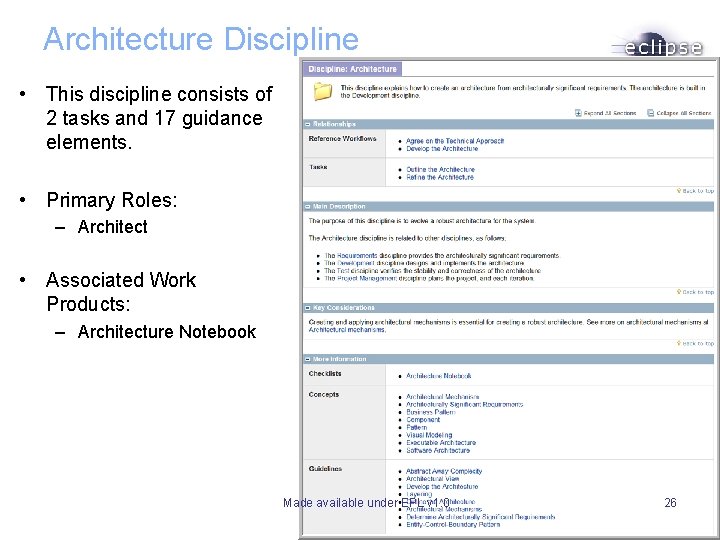
Architecture Discipline • This discipline consists of 2 tasks and 17 guidance elements. • Primary Roles: – Architect • Associated Work Products: – Architecture Notebook Made available under EPL v 1. 0 26
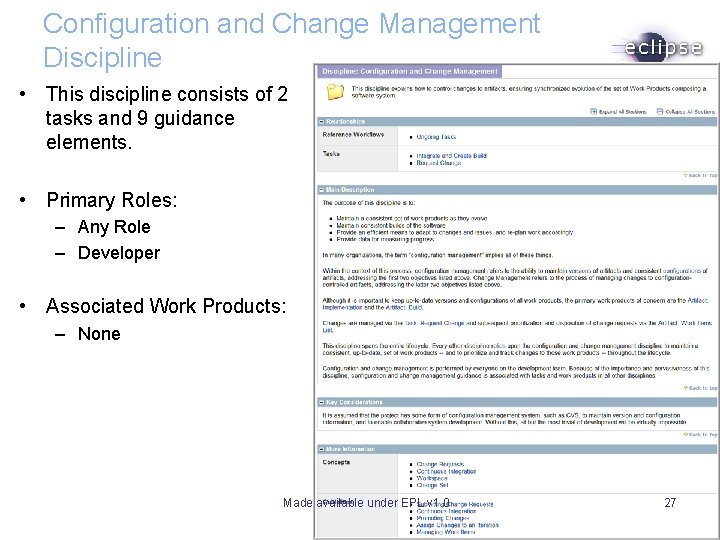
Configuration and Change Management Discipline • This discipline consists of 2 tasks and 9 guidance elements. • Primary Roles: – Any Role – Developer • Associated Work Products: – None Made available under EPL v 1. 0 27
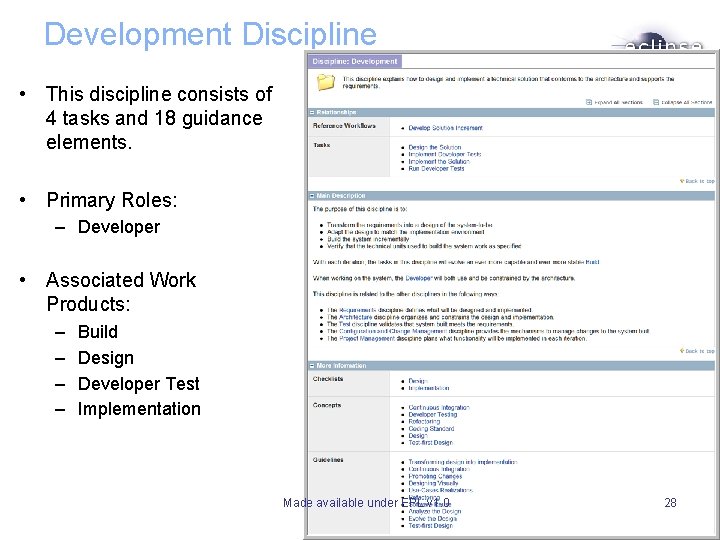
Development Discipline • This discipline consists of 4 tasks and 18 guidance elements. • Primary Roles: – Developer • Associated Work Products: – – Build Design Developer Test Implementation Made available under EPL v 1. 0 28
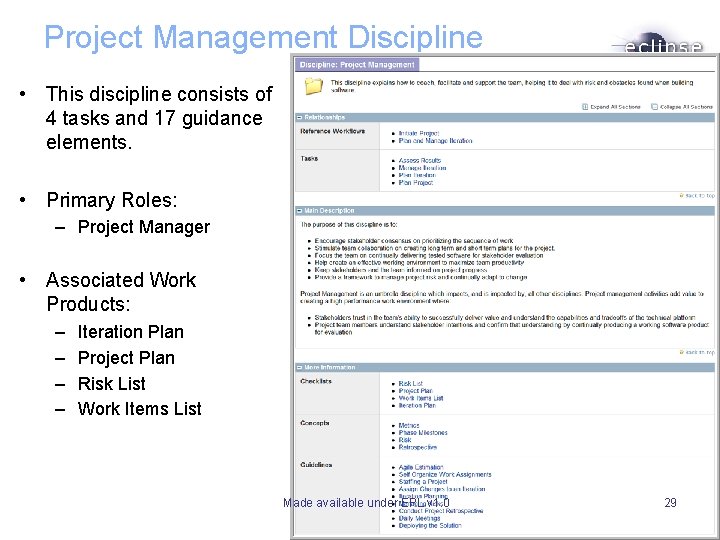
Project Management Discipline • This discipline consists of 4 tasks and 17 guidance elements. • Primary Roles: – Project Manager • Associated Work Products: – – Iteration Plan Project Plan Risk List Work Items List Made available under EPL v 1. 0 29
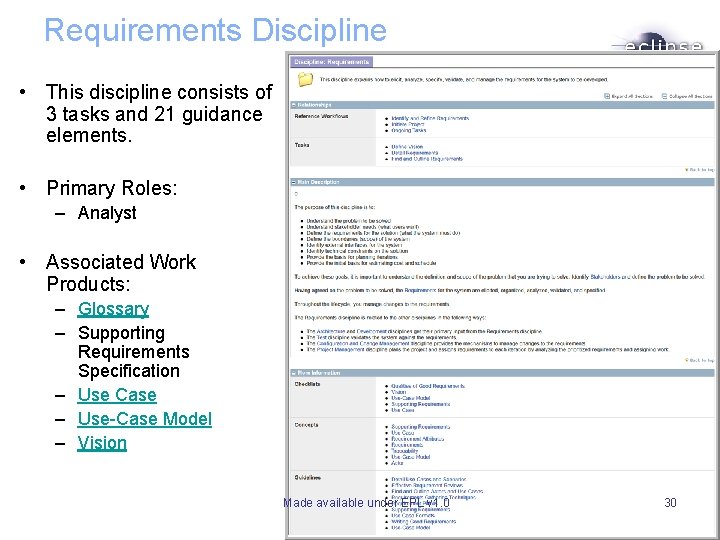
Requirements Discipline • This discipline consists of 3 tasks and 21 guidance elements. • Primary Roles: – Analyst • Associated Work Products: – Glossary – Supporting Requirements Specification – Use Case – Use-Case Model – Vision Made available under EPL v 1. 0 30
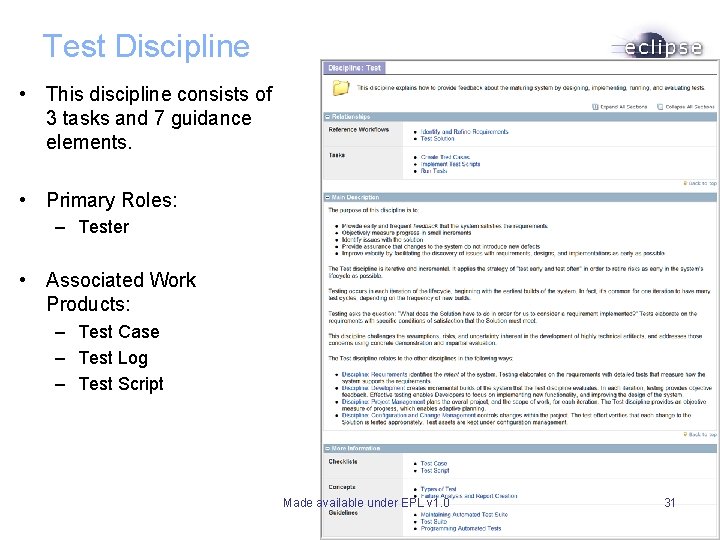
Test Discipline • This discipline consists of 3 tasks and 7 guidance elements. • Primary Roles: – Tester • Associated Work Products: – Test Case – Test Log – Test Script Made available under EPL v 1. 0 31
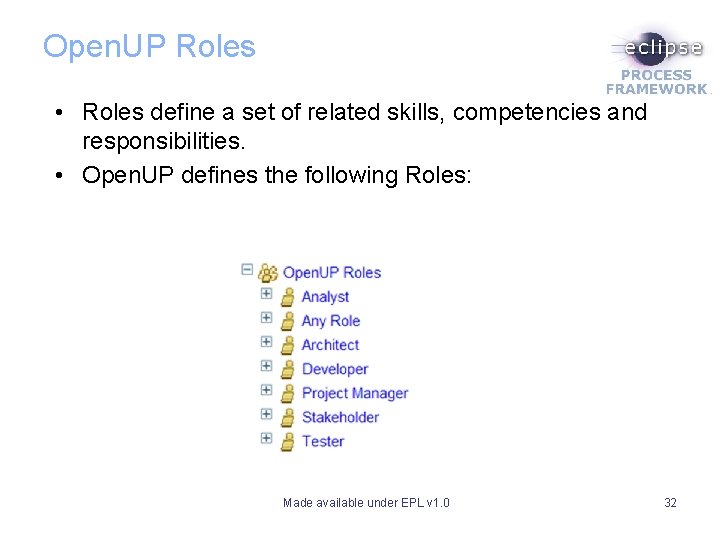
Open. UP Roles • Roles define a set of related skills, competencies and responsibilities. • Open. UP defines the following Roles: Made available under EPL v 1. 0 32
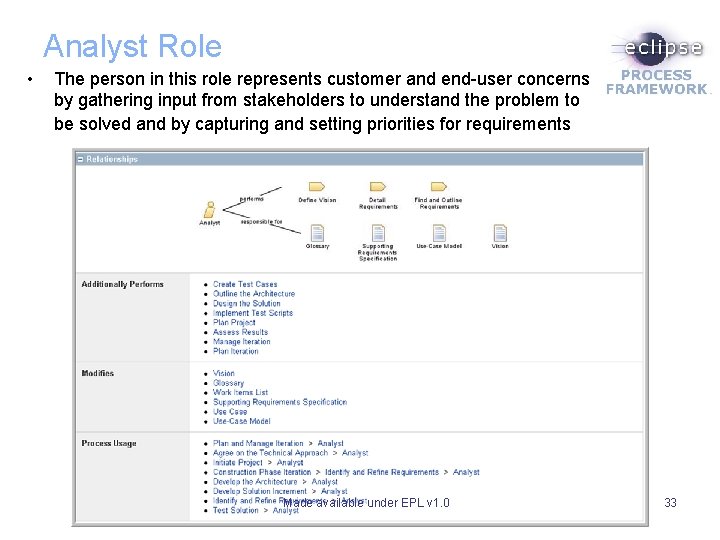
Analyst Role • The person in this role represents customer and end-user concerns by gathering input from stakeholders to understand the problem to be solved and by capturing and setting priorities for requirements Made available under EPL v 1. 0 33
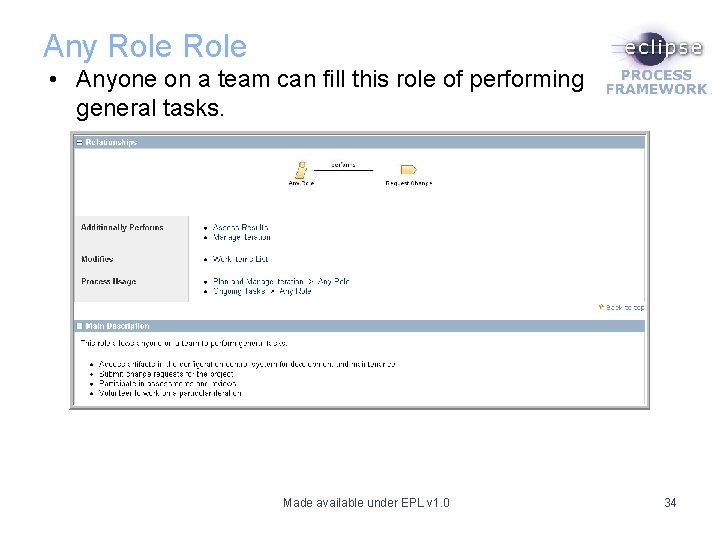
Any Role • Anyone on a team can fill this role of performing general tasks. Made available under EPL v 1. 0 34
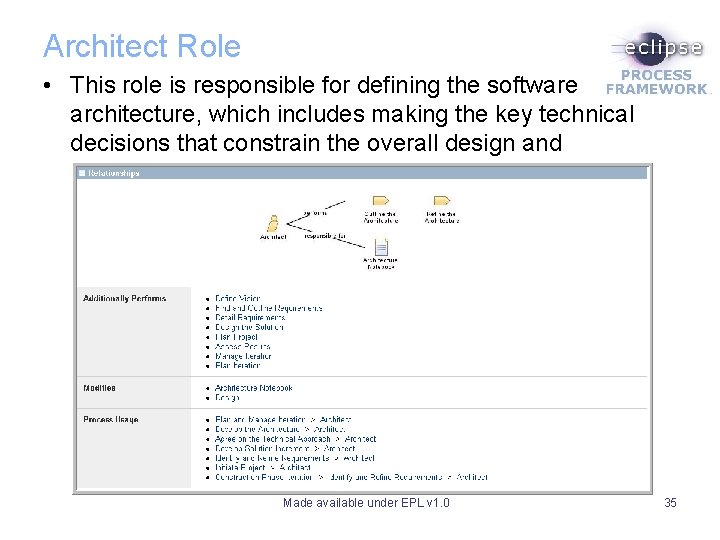
Architect Role • This role is responsible for defining the software architecture, which includes making the key technical decisions that constrain the overall design and implementation of the project. Made available under EPL v 1. 0 35
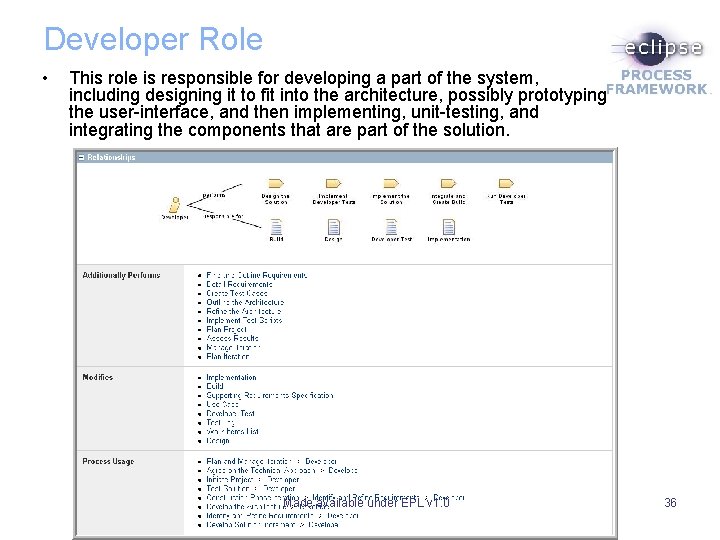
Developer Role • This role is responsible for developing a part of the system, including designing it to fit into the architecture, possibly prototyping the user-interface, and then implementing, unit-testing, and integrating the components that are part of the solution. Made available under EPL v 1. 0 36
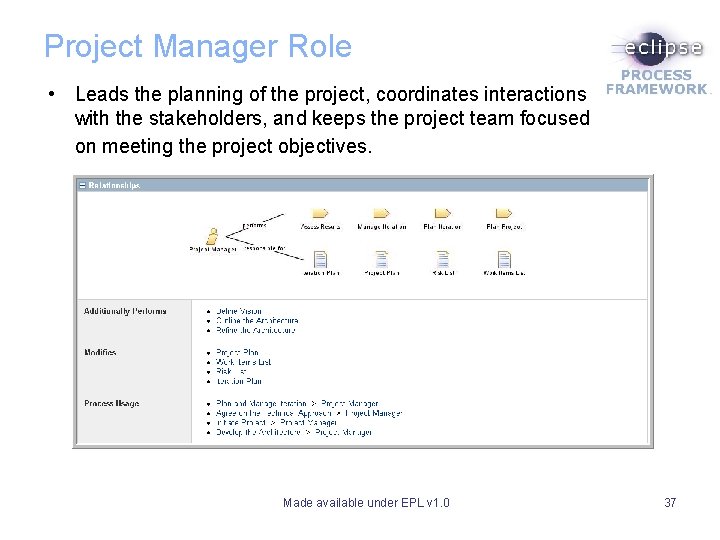
Project Manager Role • Leads the planning of the project, coordinates interactions with the stakeholders, and keeps the project team focused on meeting the project objectives. Made available under EPL v 1. 0 37
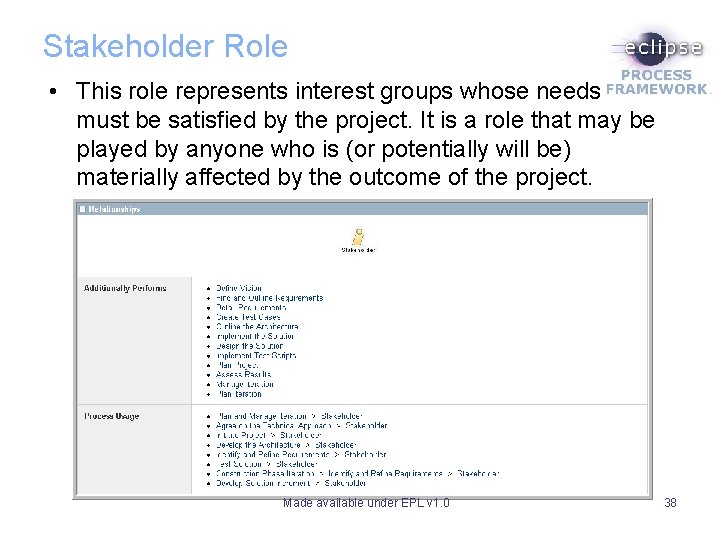
Stakeholder Role • This role represents interest groups whose needs must be satisfied by the project. It is a role that may be played by anyone who is (or potentially will be) materially affected by the outcome of the project. Made available under EPL v 1. 0 38
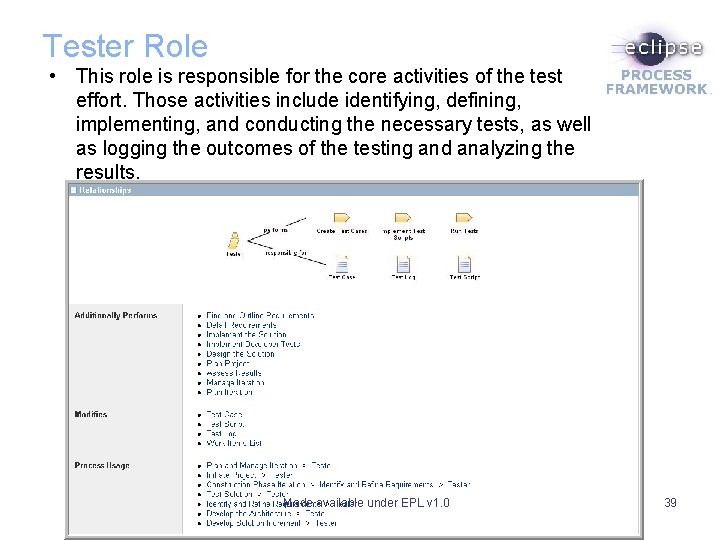
Tester Role • This role is responsible for the core activities of the test effort. Those activities include identifying, defining, implementing, and conducting the necessary tests, as well as logging the outcomes of the testing and analyzing the results. Made available under EPL v 1. 0 39
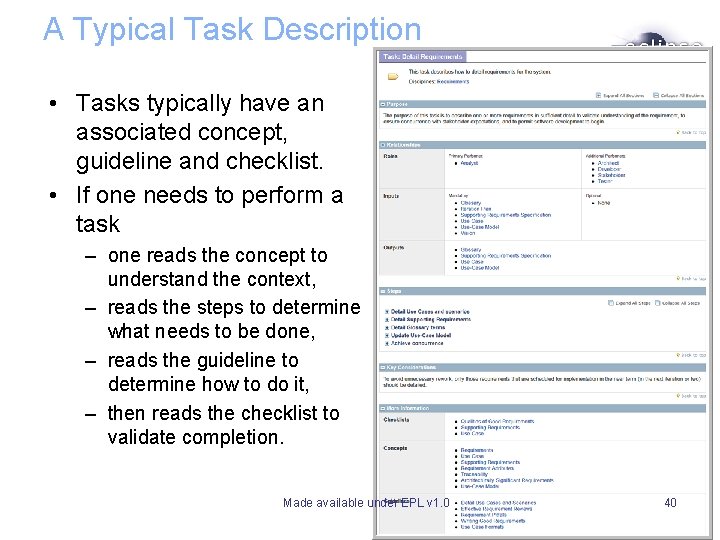
A Typical Task Description • Tasks typically have an associated concept, guideline and checklist. • If one needs to perform a task – one reads the concept to understand the context, – reads the steps to determine what needs to be done, – reads the guideline to determine how to do it, – then reads the checklist to validate completion. Made available under EPL v 1. 0 40
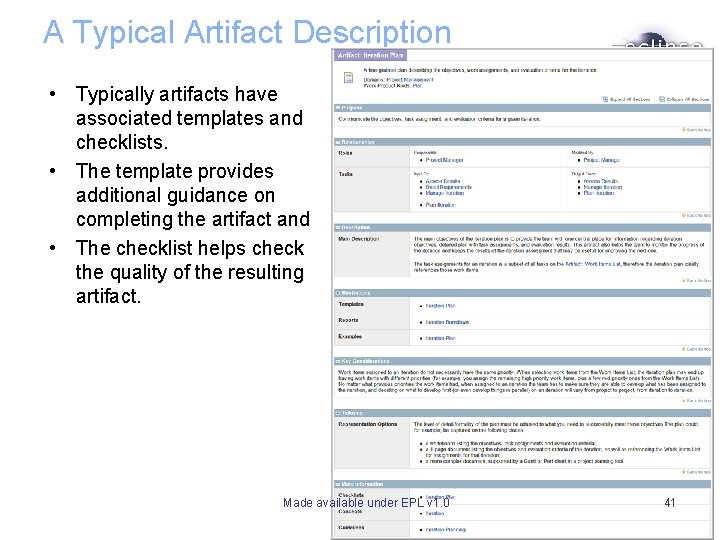
A Typical Artifact Description • Typically artifacts have associated templates and checklists. • The template provides additional guidance on completing the artifact and • The checklist helps check the quality of the resulting artifact. Made available under EPL v 1. 0 41
Some Key Practices from Open. UP Made available under EPL v 1. 0 42
3 Levels of Planning Made available under EPL v 1. 0 43
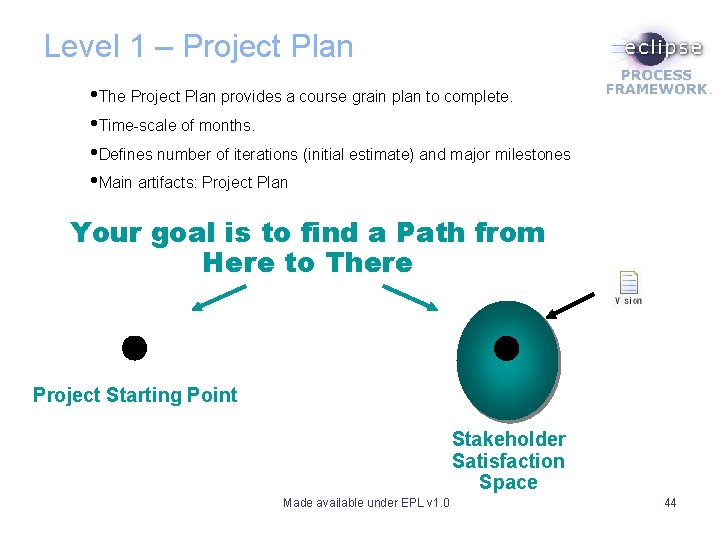
Level 1 – Project Plan • The Project Plan provides a course grain plan to complete. • Time-scale of months. • Defines number of iterations (initial estimate) and major milestones • Main artifacts: Project Plan Your goal is to find a Path from Here to There Project Starting Point Stakeholder Satisfaction Space Made available under EPL v 1. 0 44
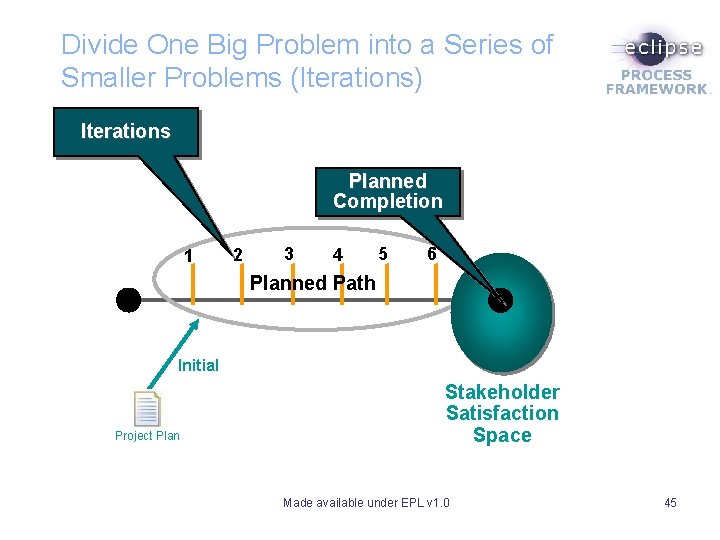
Divide One Big Problem into a Series of Smaller Problems (Iterations) Iterations Planned Completion 1 2 3 4 5 6 Planned Path Initial Project Plan Stakeholder Satisfaction Space Made available under EPL v 1. 0 45
Define When Key Milestones Can Be Achieved Planned Completion 1 3 2 4 5 6 Planned Path Inception Do we understand the problem? (LCO) Elaboration Construction Transition Do we understand the solution? (LCA) Feature complete? (IOC) Release ready? (PR) Made available under EPL v 1. 0 Stakeholder Satisfaction Space 46
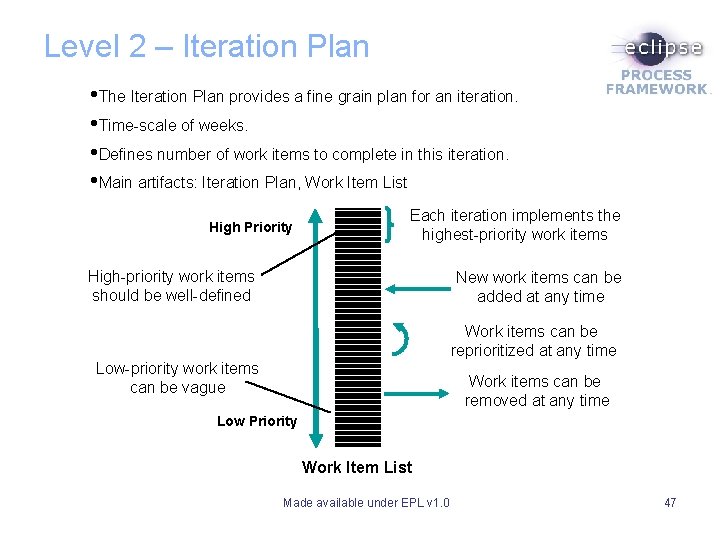
Level 2 – Iteration Plan • The Iteration Plan provides a fine grain plan for an iteration. • Time-scale of weeks. • Defines number of work items to complete in this iteration. • Main artifacts: Iteration Plan, Work Item List High Priority Each iteration implements the highest-priority work items High-priority work items should be well-defined New work items can be added at any time Work items can be reprioritized at any time Low-priority work items can be vague Work items can be removed at any time Low Priority Work Item List Made available under EPL v 1. 0 47
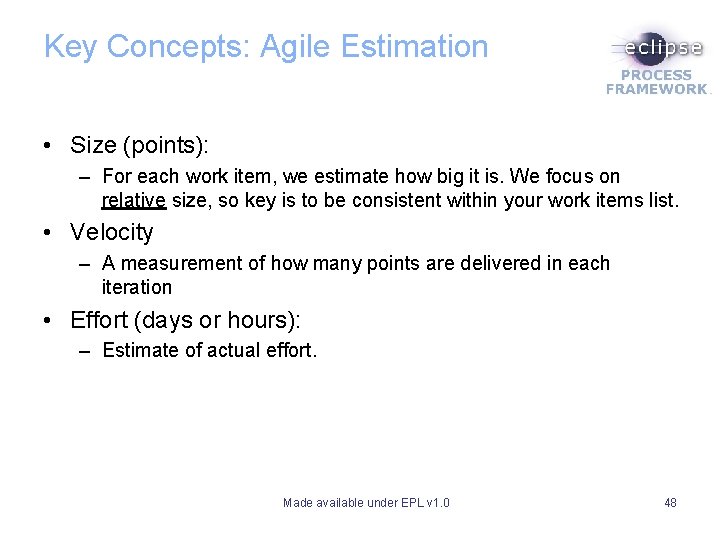
Key Concepts: Agile Estimation • Size (points): – For each work item, we estimate how big it is. We focus on relative size, so key is to be consistent within your work items list. • Velocity – A measurement of how many points are delivered in each iteration • Effort (days or hours): – Estimate of actual effort. Made available under EPL v 1. 0 48
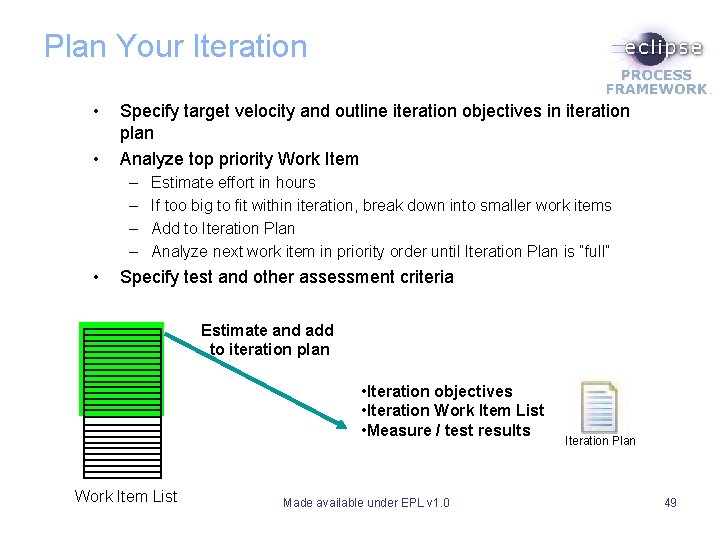
Plan Your Iteration • • Specify target velocity and outline iteration objectives in iteration plan Analyze top priority Work Item – – • Estimate effort in hours If too big to fit within iteration, break down into smaller work items Add to Iteration Plan Analyze next work item in priority order until Iteration Plan is “full” Specify test and other assessment criteria Estimate and add to iteration plan • Iteration objectives • Iteration Work Item List • Measure / test results Work Item List Made available under EPL v 1. 0 Iteration Plan 49
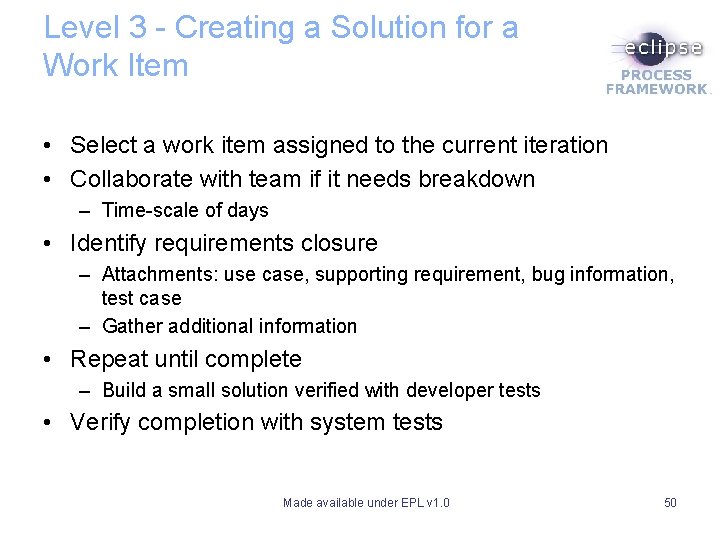
Level 3 - Creating a Solution for a Work Item • Select a work item assigned to the current iteration • Collaborate with team if it needs breakdown – Time-scale of days • Identify requirements closure – Attachments: use case, supporting requirement, bug information, test case – Gather additional information • Repeat until complete – Build a small solution verified with developer tests • Verify completion with system tests Made available under EPL v 1. 0 50
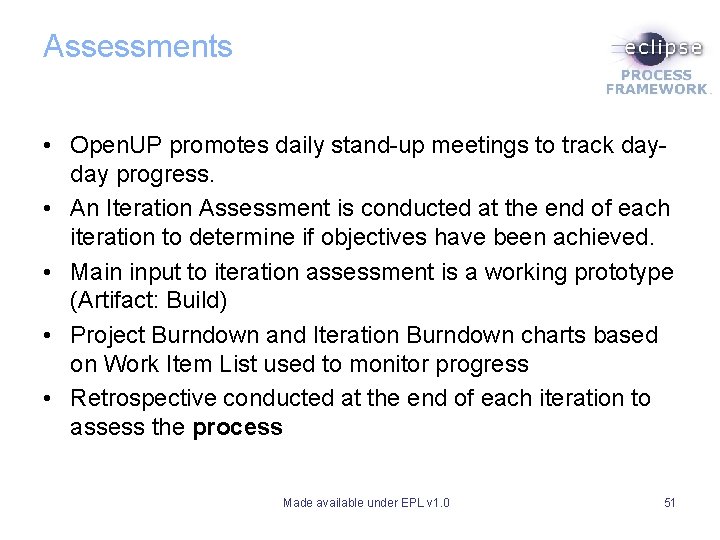
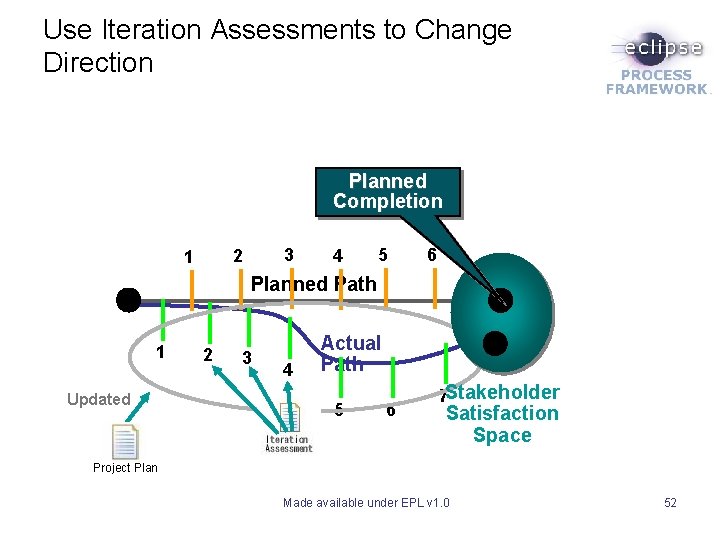
Assessments • Open. UP promotes daily stand-up meetings to track dayday progress. • An Iteration Assessment is conducted at the end of each iteration to determine if objectives have been achieved. • Main input to iteration assessment is a working prototype (Artifact: Build) • Project Burndown and Iteration Burndown charts based on Work Item List used to monitor progress • Retrospective conducted at the end of each iteration to assess the process Made available under EPL v 1. 0 51
Use Iteration Assessments to Change Direction Planned Completion 3 2 1 4 5 6 Planned Path 1 Updated 2 3 4 Actual Path 5 6 7 Stakeholder Satisfaction Space Project Plan Made available under EPL v 1. 0 52
Forms of Requirements • Vision defines stakeholder’s view of product • Use Cases define user scenarios – Any scenario-based requirements would do – Defines consistent set of requirements for an increment of the system • Supporting Requirements cover technical and other nonusage issues • Work Items reference requirement work products for more detail Made available under EPL v 1. 0 53
Iterative Requirements Development • • Vision defines product Use-case identification scopes release Use-case detail drives work in an iteration Supporting requirements are managed across the lifecycle • Open. UP promotes a breadth-before-depth, approach to requirements development: – – – Identify use cases (name and brief desc only). Prioritize use cases Detail main scenario of high priority use case Implement and verify Detail alternate scenarios of same use case or main scenario of another use case • This is accomplished by iterative application of tasks Find and Outline Requirements and Detail Requirements for each increment. Made available under EPL v 1. 0 54
Test Cases • Test Case – Aligned with requirements – Specifies the conditions to be validated – Outlines necessary data • Contrasted with Test Script – – Aligned with Test Cases Explicit step-by-step instructions Supplemented by test data Best if automated • Test Cases are a form of Test First Design (TFD) Made available under EPL v 1. 0 55
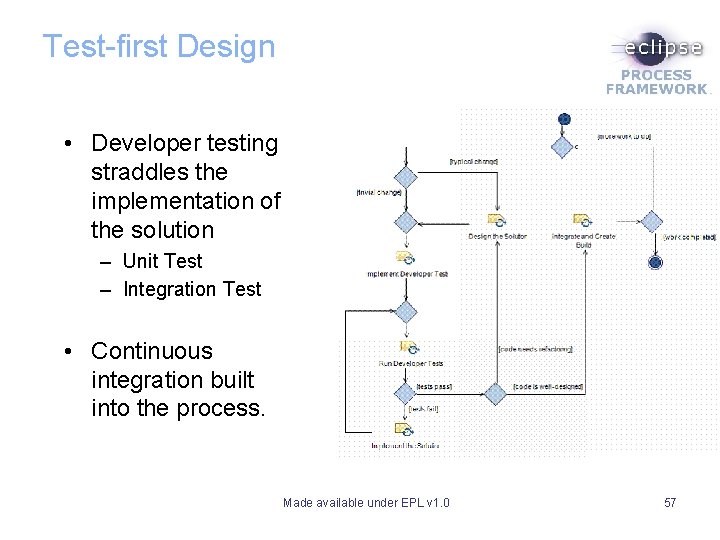
Test-first Design • Developer testing straddles the implementation of the solution – Unit Test – Integration Test • Continuous integration built into the process. Made available under EPL v 1. 0 57
Continuous Integration • Team members integrate their work with completed Change Sets from other developers, and test the application, before making their work available to others. • This results in early detection of errors, while the work is still fresh in the minds of developers. • Open. UP incorporates Continuous integration into the process and provides guidance that describe CI, outline the benefits, and provide tips for effective CI. • For more information see: – Concept: Continuous Integration – Guideline: Continuous Integration • A very good description of CI may be found at: – http: //www. martinfowler. com/articles/continuous. Integration. html Made available under EPL v 1. 0 58
SPEM 2. 0 “. . . by relieving the brain of all unnecessary work, a good notation sets it free to concentrate on more advanced problems, and in effect, increases the mental power of the race. ” Alfred North Whitehead British mathematician, logician and philosopher Made available under EPL v 1. 0 59
EPF uses SPEM 2. 0 • SPEM = Software Process Engineering Meta-model • Although the title implies Software Processes, any process can be represented using SPEM. Made available under EPL v 1. 0 60
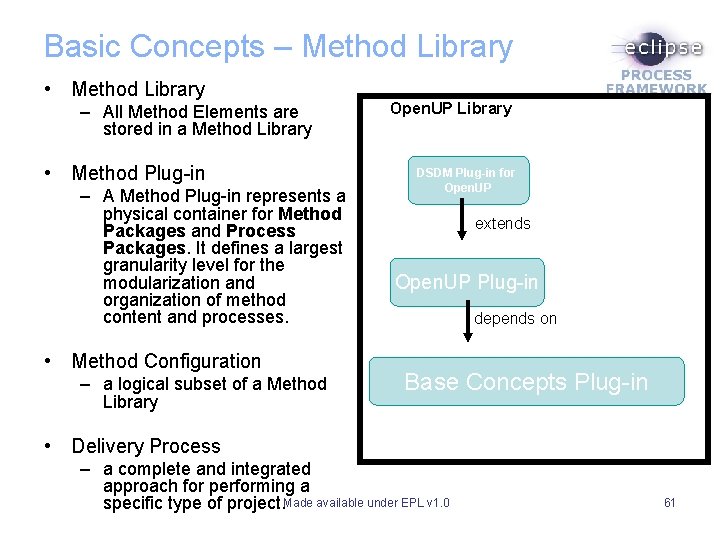
Basic Concepts – Method Library • Method Library – All Method Elements are stored in a Method Library • Method Plug-in – A Method Plug-in represents a physical container for Method Packages and Process Packages. It defines a largest granularity level for the modularization and organization of method content and processes. • Method Configuration – a logical subset of a Method Library Open. UP Library DSDM Plug-in for Open. UP extends Open. UP Plug-in depends on Base Concepts Plug-in • Delivery Process – a complete and integrated approach for performing a specific type of project. Made available under EPL v 1. 0 61
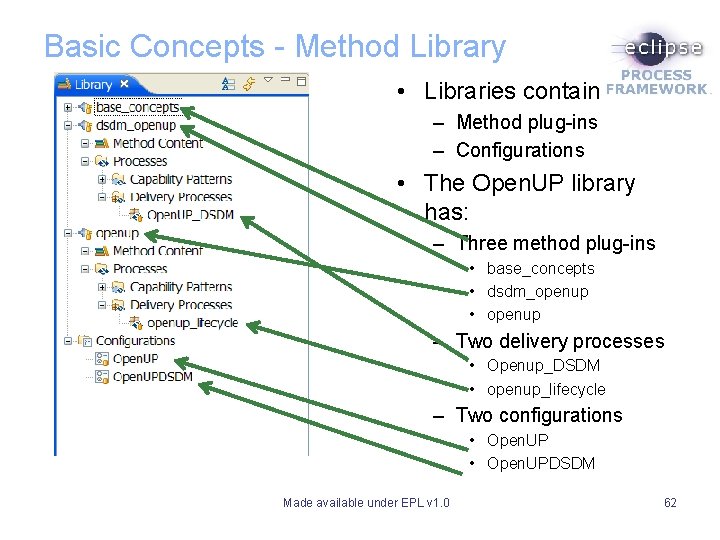
Basic Concepts - Method Library • Libraries contain – Method plug-ins – Configurations • The Open. UP library has: – Three method plug-ins • base_concepts • dsdm_openup • openup – Two delivery processes • Openup_DSDM • openup_lifecycle – Two configurations • Open. UPDSDM Made available under EPL v 1. 0 62
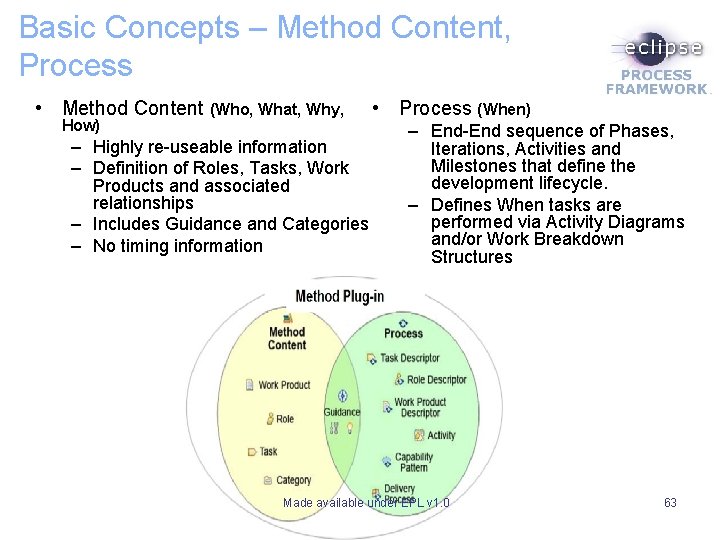
Basic Concepts – Method Content, Process • Method Content (Who, What, Why, How) – Highly re-useable information – Definition of Roles, Tasks, Work Products and associated relationships – Includes Guidance and Categories – No timing information • Process (When) – End-End sequence of Phases, Iterations, Activities and Milestones that define the development lifecycle. – Defines When tasks are performed via Activity Diagrams and/or Work Breakdown Structures Made available under EPL v 1. 0 63
SPEM 2. 0 Method Content Made available under EPL v 1. 0 64
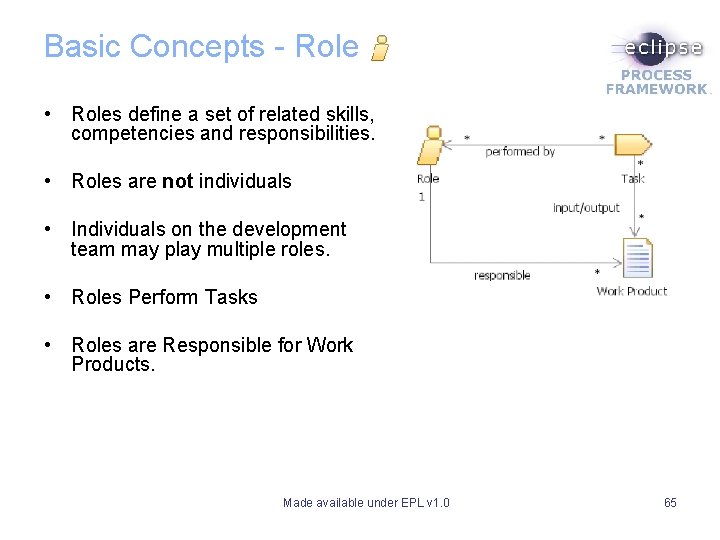
Basic Concepts - Role • Roles define a set of related skills, competencies and responsibilities. • Roles are not individuals • Individuals on the development team may play multiple roles. • Roles Perform Tasks • Roles are Responsible for Work Products. Made available under EPL v 1. 0 65
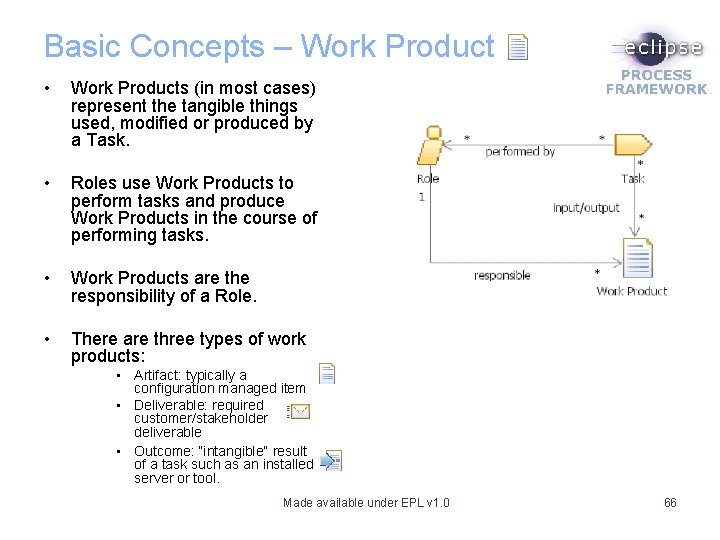
Basic Concepts – Work Product • Work Products (in most cases) represent the tangible things used, modified or produced by a Task. • Roles use Work Products to perform tasks and produce Work Products in the course of performing tasks. • Work Products are the responsibility of a Role. • There are three types of work products: • Artifact: typically a configuration managed item • Deliverable: required customer/stakeholder deliverable • Outcome: “intangible” result of a task such as an installed server or tool. Made available under EPL v 1. 0 66
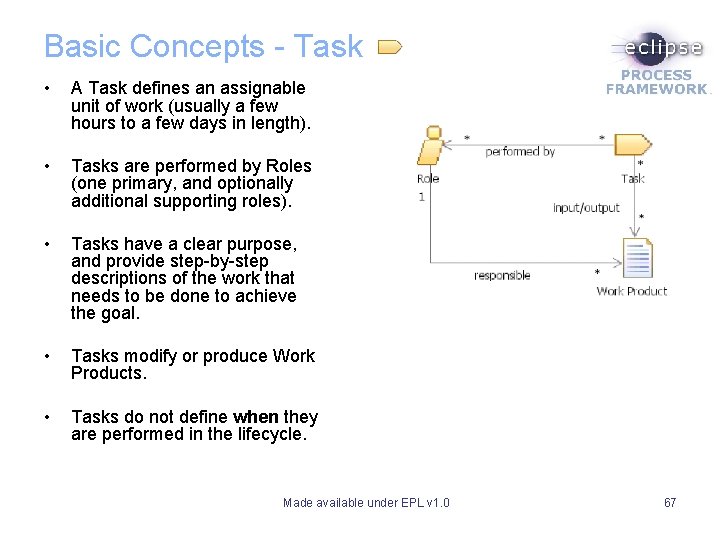
Basic Concepts - Task • A Task defines an assignable unit of work (usually a few hours to a few days in length). • Tasks are performed by Roles (one primary, and optionally additional supporting roles). • Tasks have a clear purpose, and provide step-by-step descriptions of the work that needs to be done to achieve the goal. • Tasks modify or produce Work Products. • Tasks do not define when they are performed in the lifecycle. Made available under EPL v 1. 0 67
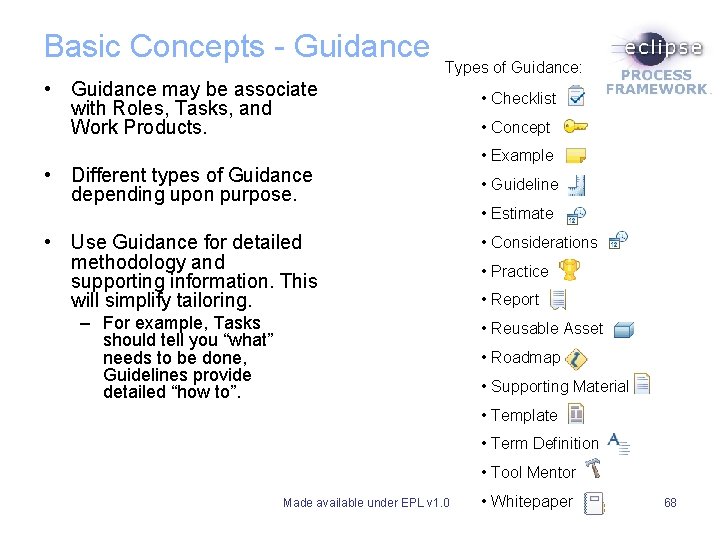
Basic Concepts - Guidance Types of Guidance: • Guidance may be associate with Roles, Tasks, and Work Products. • Different types of Guidance depending upon purpose. • Use Guidance for detailed methodology and supporting information. This will simplify tailoring. – For example, Tasks should tell you “what” needs to be done, Guidelines provide detailed “how to”. • Checklist • Concept • Example • Guideline • Estimate • Considerations • Practice • Report • Reusable Asset • Roadmap • Supporting Material • Template • Term Definition • Tool Mentor Made available under EPL v 1. 0 • Whitepaper 68
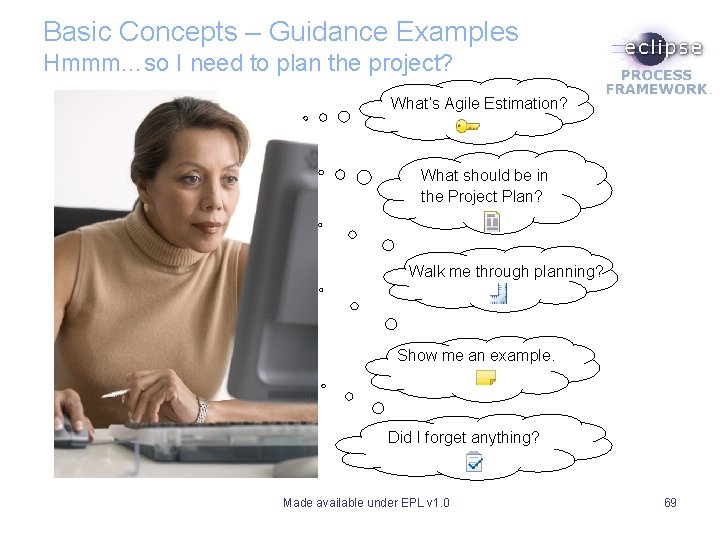
Basic Concepts – Guidance Examples Hmmm…so I need to plan the project? What’s Agile Estimation? What should be in the Project Plan? Walk me through planning? Show me an example. Did I forget anything? Made available under EPL v 1. 0 69
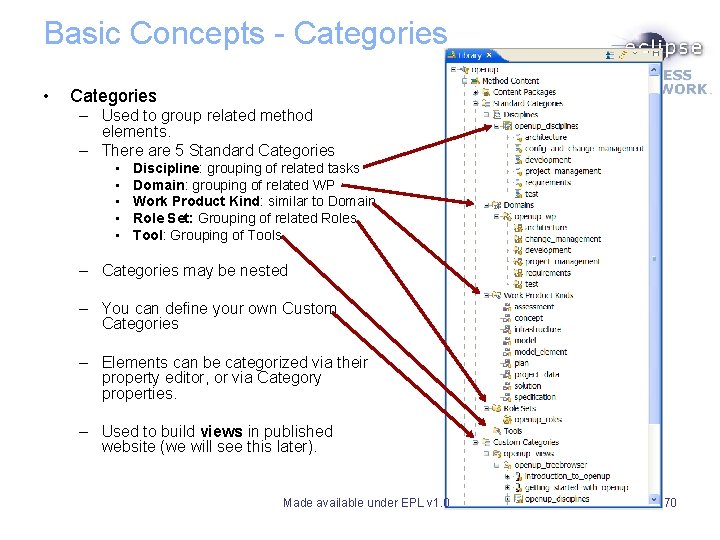
Basic Concepts - Categories • Categories – Used to group related method elements. – There are 5 Standard Categories • • • Discipline: grouping of related tasks Domain: grouping of related WP Work Product Kind: similar to Domain Role Set: Grouping of related Roles Tool: Grouping of Tools – Categories may be nested – You can define your own Custom Categories – Elements can be categorized via their property editor, or via Category properties. – Used to build views in published website (we will see this later). Made available under EPL v 1. 0 70
SPEM 2. 0 Process Content Made available under EPL v 1. 0 71
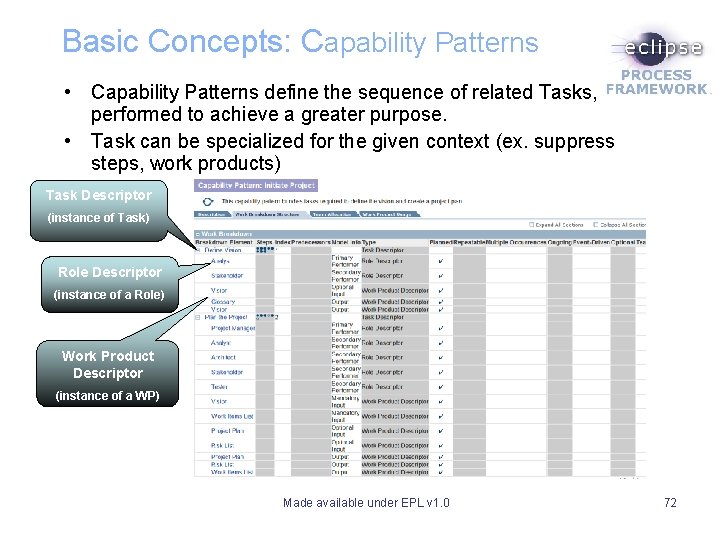
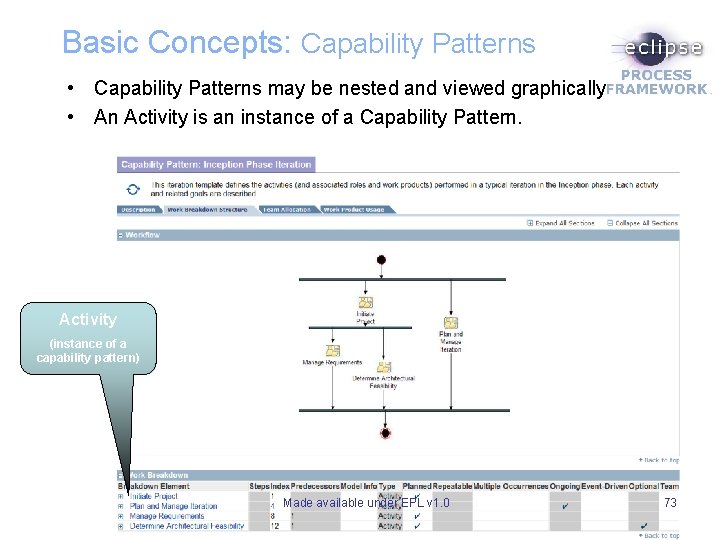
Basic Concepts: Capability Patterns • Capability Patterns define the sequence of related Tasks, performed to achieve a greater purpose. • Task can be specialized for the given context (ex. suppress steps, work products) Task Descriptor (instance of Task) Role Descriptor (instance of a Role) Work Product Descriptor (instance of a WP) Made available under EPL v 1. 0 72
Basic Concepts: Capability Patterns • Capability Patterns may be nested and viewed graphically • An Activity is an instance of a Capability Pattern. Activity (instance of a capability pattern) Made available under EPL v 1. 0 73
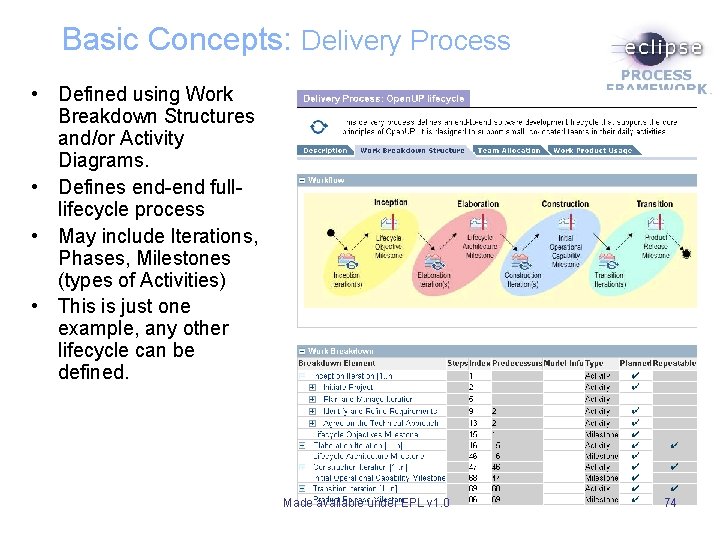
Basic Concepts: Delivery Process • Defined using Work Breakdown Structures and/or Activity Diagrams. • Defines end-end fulllifecycle process • May include Iterations, Phases, Milestones (types of Activities) • This is just one example, any other lifecycle can be defined. Made available under EPL v 1. 0 74
Advanced Concepts: Method Variability • Mechanism that allows you to customize method content without directly modifying the original content. • Similar to inheritance in OO programming. – Permits re-use with specialization. • For example, if plug-in B that extends elements in plug-in A: – Original elements in plug-in A are intact - all the changes are defined in your plug-in B • Content variability is useful, for example: – To change the description of an existing role – To add steps to an existing task – To add guidance to an existing task, and so on. Made available under EPL v 1. 0 75
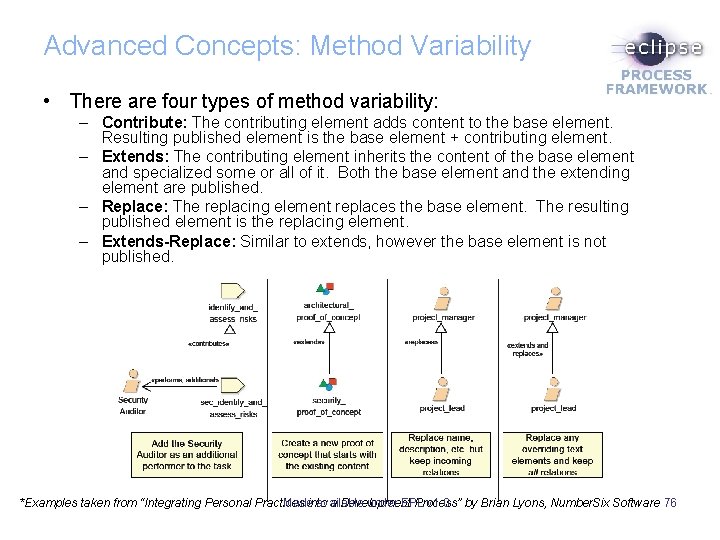
Advanced Concepts: Method Variability • There are four types of method variability: – Contribute: The contributing element adds content to the base element. Resulting published element is the base element + contributing element. – Extends: The contributing element inherits the content of the base element and specialized some or all of it. Both the base element and the extending element are published. – Replace: The replacing element replaces the base element. The resulting published element is the replacing element. – Extends-Replace: Similar to extends, however the base element is not published. Made available under EPL v 1. 0 *Examples taken from “Integrating Personal Practices into a Development Process” by Brian Lyons, Number. Six Software 76
Advanced Concepts Process Variability • Similar re-use mechanism are available for Process content as well. • In addition, Activities may also be created from CPs in the following ways: – Extends: The activity inherits the properties of the capability pattern. Updates to the capability pattern are automatically reflected in the activity (Green colour in WBS in EPF Composer). – Copy: An activity is created based on the capability pattern. It is not synchronized with the capability pattern (Black colour in WBS). – Deep Copy: Similar to copy, but applied recursively to activities. – Local Variability: When a capability pattern is defined (either by Extends or Copy) local variability may be done (ex. Suppress steps in a task descriptor, change performing role, etc. ). Made available under EPL v 1. 0 77
EPF Composer Introduction Made available under EPL v 1. 0 78
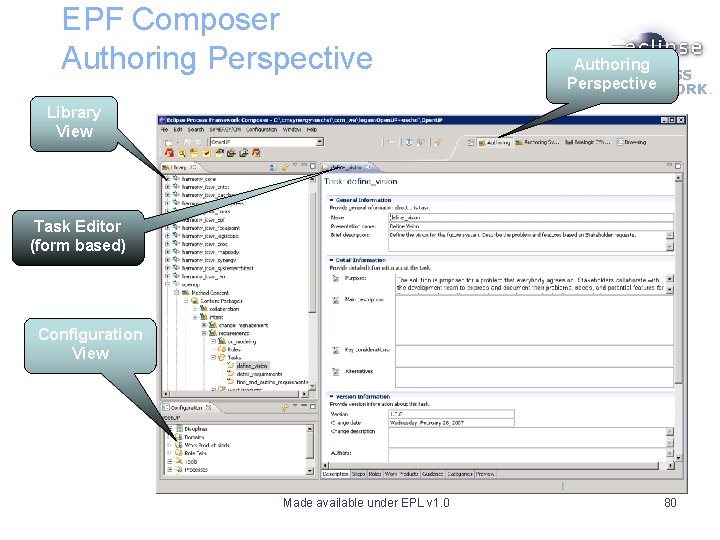
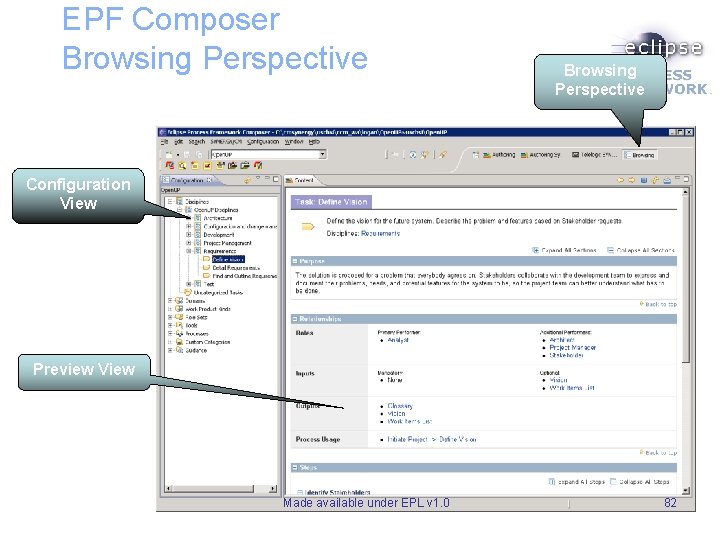
EPF Composer • EPF Composer is built upon the Eclipse platform • Supports many of the Eclipse plug-ins – For example, Mylar • Different Views present specific information – For example, Library view shows plug-ins and their content • Perspectives group related views to support a workflow • Standard Perspectives are: – Authoring: for editing method content – Browsing: for previewing published elements Made available under EPL v 1. 0 79
EPF Composer Authoring Perspective Library View Task Editor (form based) Configuration View Made available under EPL v 1. 0 80
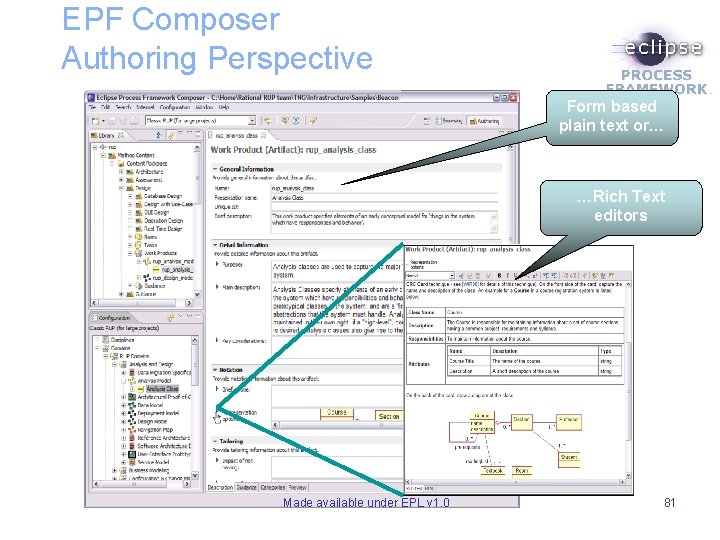
EPF Composer Authoring Perspective Form based plain text or… …Rich Text editors Made available under EPL v 1. 0 81
EPF Composer Browsing Perspective Configuration View Preview View Made available under EPL v 1. 0 82
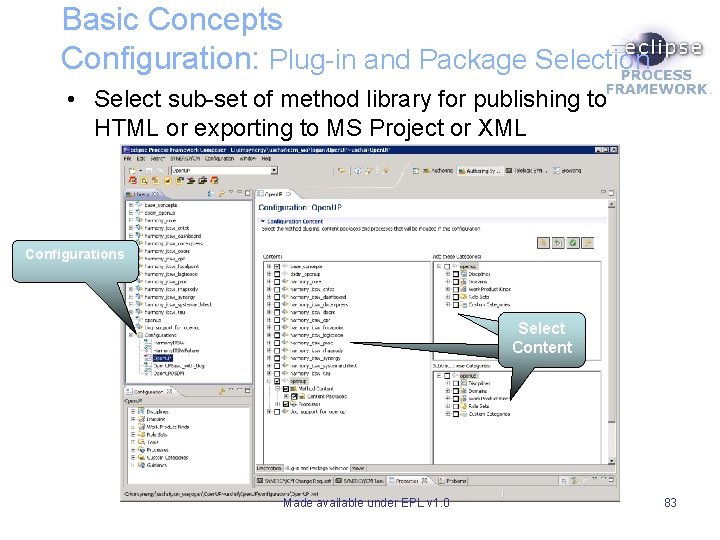
Basic Concepts Configuration: Plug-in and Package Selection • Select sub-set of method library for publishing to HTML or exporting to MS Project or XML Configurations Select Content Made available under EPL v 1. 0 83
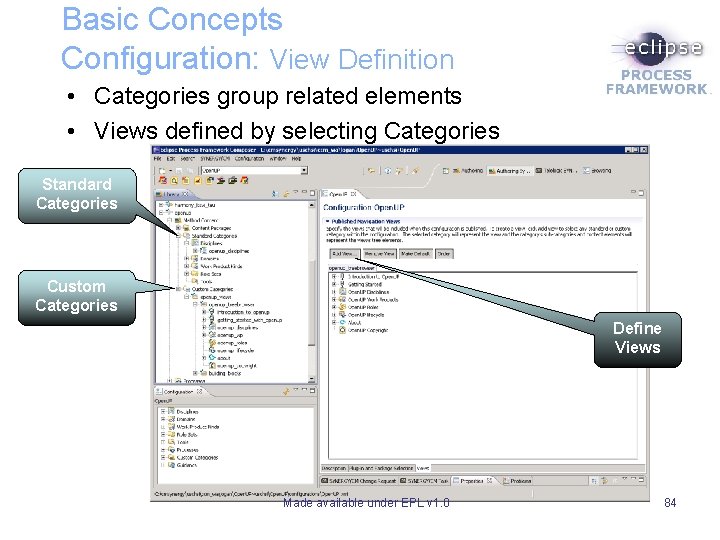
Basic Concepts Configuration: View Definition • Categories group related elements • Views defined by selecting Categories Standard Categories Custom Categories Define Views Made available under EPL v 1. 0 84
Customization Scenario A • In this scenario, you are going to leverage the existing content without major customizations. • You have reviewed the Open. UP content and feel that it would meet your needs with a minor change to remove the visual modeling aspects of the process. • You are going to create a new configuration – based on an existing one - then pick and choose content packages that make sense for your team. • Let’s try it: Note: These are examples of customization scenarios. Not all possibilities have been explored due to lack of time for this tutorial. Made available under EPL v 1. 0 85
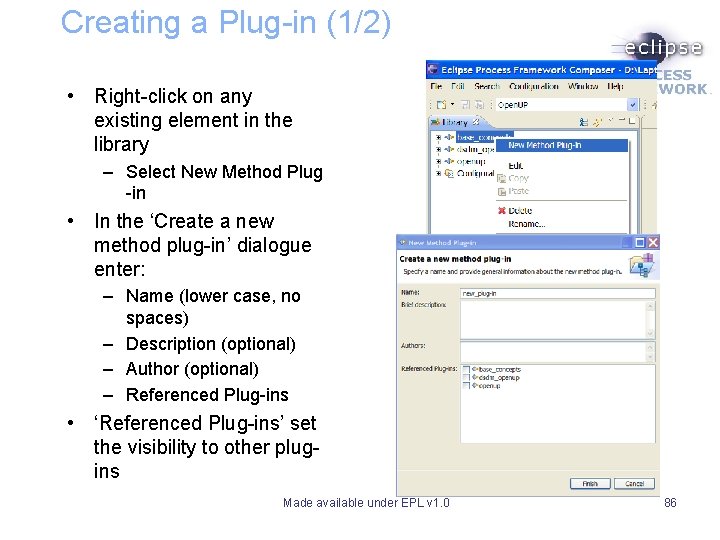
Creating a Plug-in (1/2) • Right-click on any existing element in the library – Select New Method Plug -in • In the ‘Create a new method plug-in’ dialogue enter: – Name (lower case, no spaces) – Description (optional) – Author (optional) – Referenced Plug-ins • ‘Referenced Plug-ins’ set the visibility to other plugins Made available under EPL v 1. 0 86
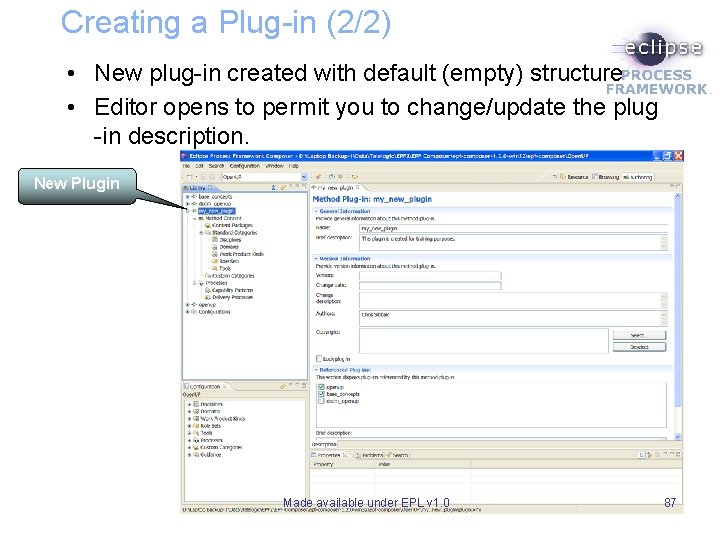
Creating a Plug-in (2/2) • New plug-in created with default (empty) structure • Editor opens to permit you to change/update the plug -in description. New Plugin Made available under EPL v 1. 0 87
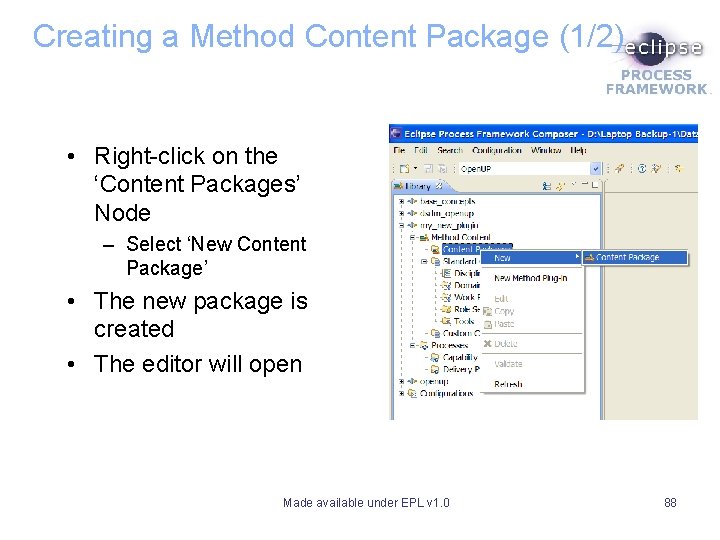
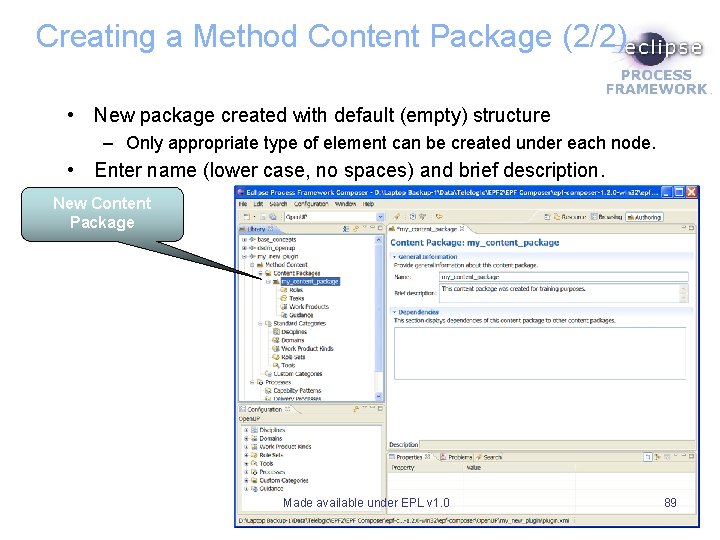
Creating a Method Content Package (1/2) • Right-click on the ‘Content Packages’ Node – Select ‘New Content Package’ • The new package is created • The editor will open Made available under EPL v 1. 0 88
Creating a Method Content Package (2/2) • New package created with default (empty) structure – Only appropriate type of element can be created under each node. • Enter name (lower case, no spaces) and brief description. New Content Package Made available under EPL v 1. 0 89
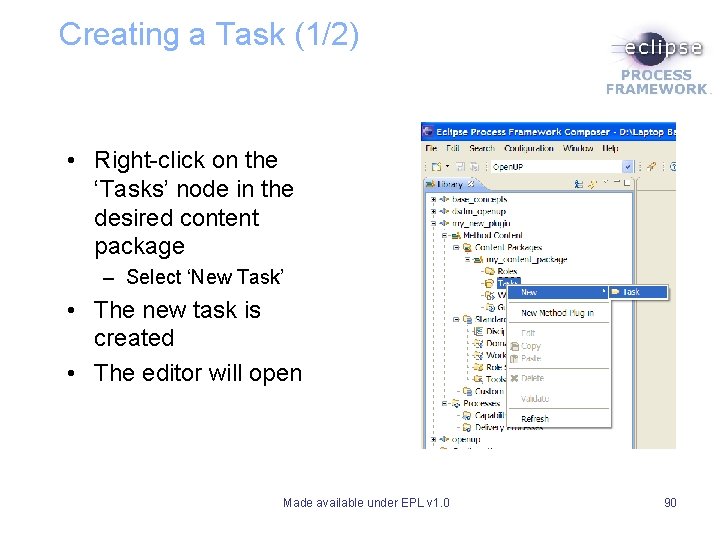
Creating a Task (1/2) • Right-click on the ‘Tasks’ node in the desired content package – Select ‘New Task’ • The new task is created • The editor will open Made available under EPL v 1. 0 90
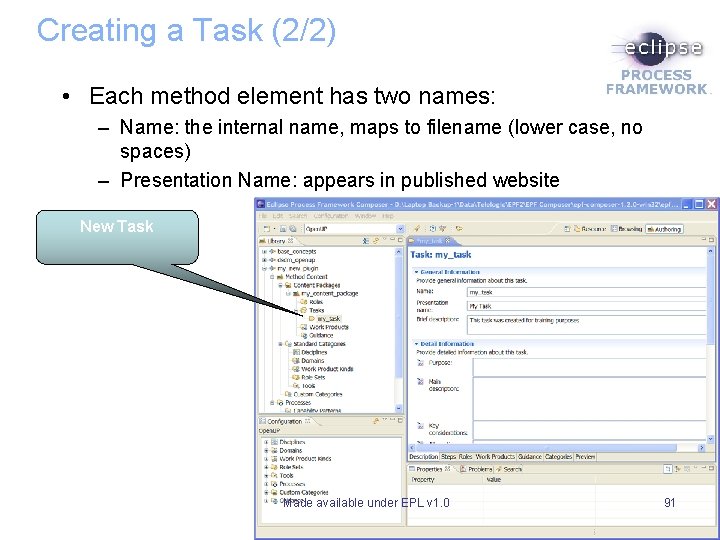
Creating a Task (2/2) • Each method element has two names: – Name: the internal name, maps to filename (lower case, no spaces) – Presentation Name: appears in published website New Task Made available under EPL v 1. 0 91
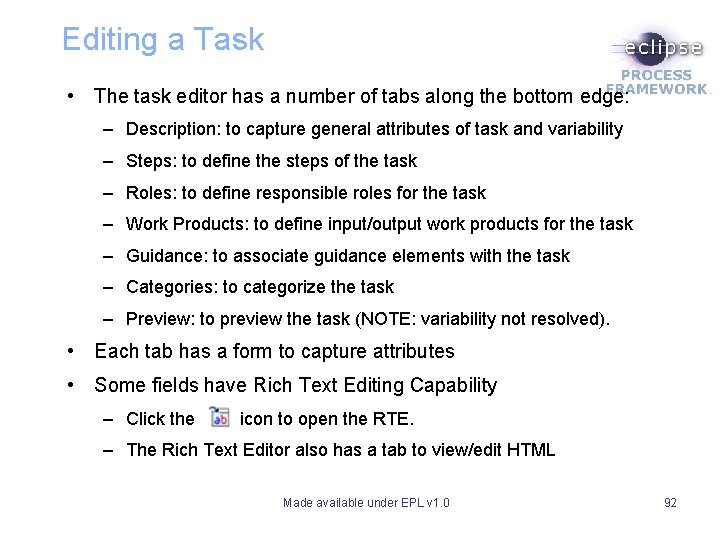
Editing a Task • The task editor has a number of tabs along the bottom edge: – Description: to capture general attributes of task and variability – Steps: to define the steps of the task – Roles: to define responsible roles for the task – Work Products: to define input/output work products for the task – Guidance: to associate guidance elements with the task – Categories: to categorize the task – Preview: to preview the task (NOTE: variability not resolved). • Each tab has a form to capture attributes • Some fields have Rich Text Editing Capability – Click the icon to open the RTE. – The Rich Text Editor also has a tab to view/edit HTML Made available under EPL v 1. 0 92
Customization Scenario B • In this scenario, you are going to add guidance for your team that is not part of the OOTB content. • Your team wants to apply the CRC cards technique for representing design. • You are going to create a new plug-in, create a contributing task (using the content variability concept introduced above) and add guidance on Class Responsibility Collaboration (CRC) cards technique. • Let’s try it: Note: These are examples of customization scenarios. Not all possibilities have been explored due to lack of time for this tutorial. Made available under EPL v 1. 0 93
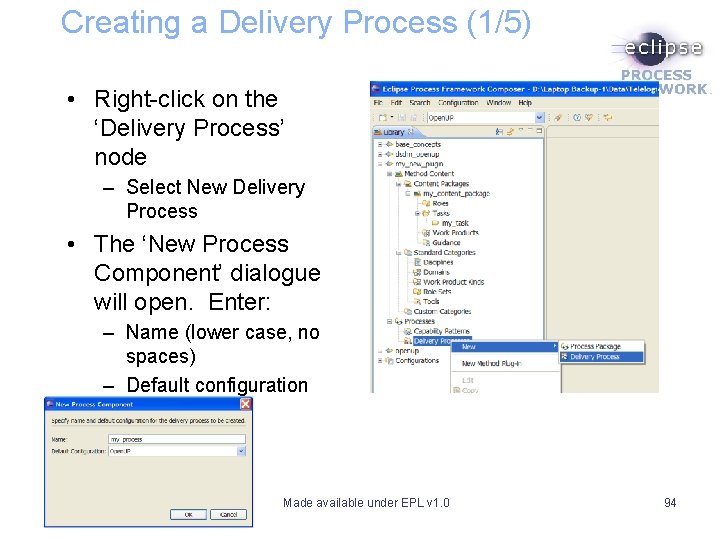
Creating a Delivery Process (1/5) • Right-click on the ‘Delivery Process’ node – Select New Delivery Process • The ‘New Process Component’ dialogue will open. Enter: – Name (lower case, no spaces) – Default configuration Made available under EPL v 1. 0 94
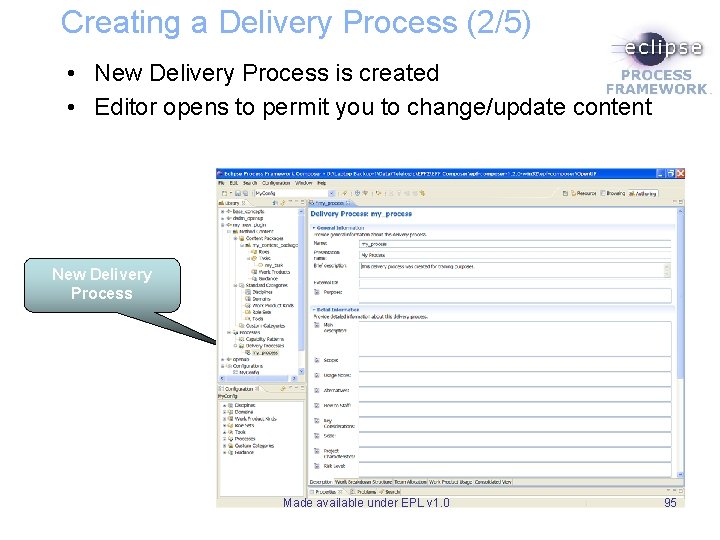
Creating a Delivery Process (2/5) • New Delivery Process is created • Editor opens to permit you to change/update content New Delivery Process Made available under EPL v 1. 0 95
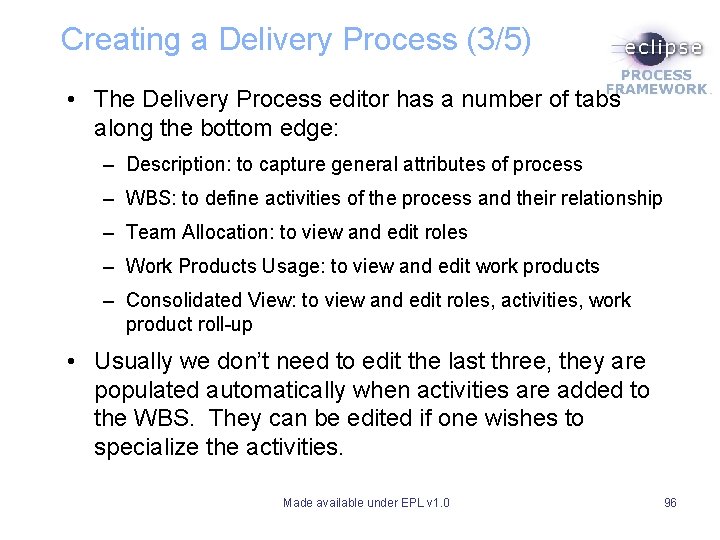
Creating a Delivery Process (3/5) • The Delivery Process editor has a number of tabs along the bottom edge: – Description: to capture general attributes of process – WBS: to define activities of the process and their relationship – Team Allocation: to view and edit roles – Work Products Usage: to view and edit work products – Consolidated View: to view and edit roles, activities, work product roll-up • Usually we don’t need to edit the last three, they are populated automatically when activities are added to the WBS. They can be edited if one wishes to specialize the activities. Made available under EPL v 1. 0 96
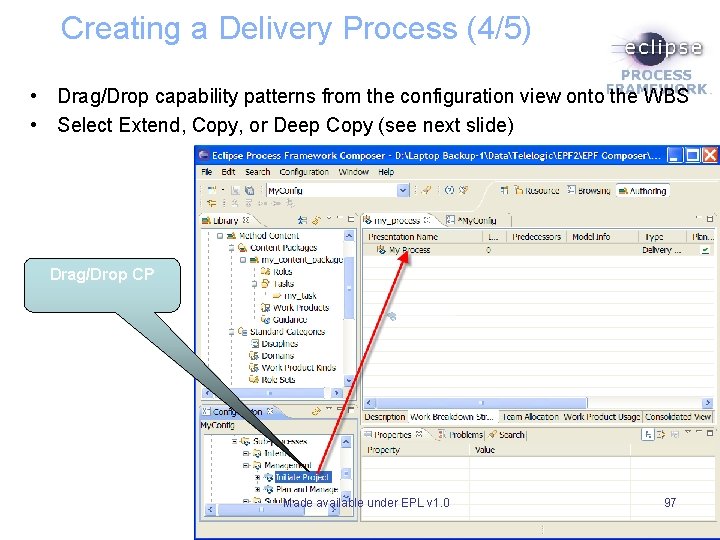
Creating a Delivery Process (4/5) • Drag/Drop capability patterns from the configuration view onto the WBS • Select Extend, Copy, or Deep Copy (see next slide) Drag/Drop CP Made available under EPL v 1. 0 97
Creating a Delivery Process (5/5) • When adding a capability pattern to a delivery process you can: – Extend: This will maintain a link to the CP so that any updates to the CP will be reflected in your delivery process. – Copy: this will make a local copy of the CP. It will not be linked to the original CP. – Deep Copy: This is similar to copy, but applied recursively to sub-capability patterns. • The most common is Extend. Copy and Deep Copy will increase maintenance overhead as updates must be made manually. Made available under EPL v 1. 0 98
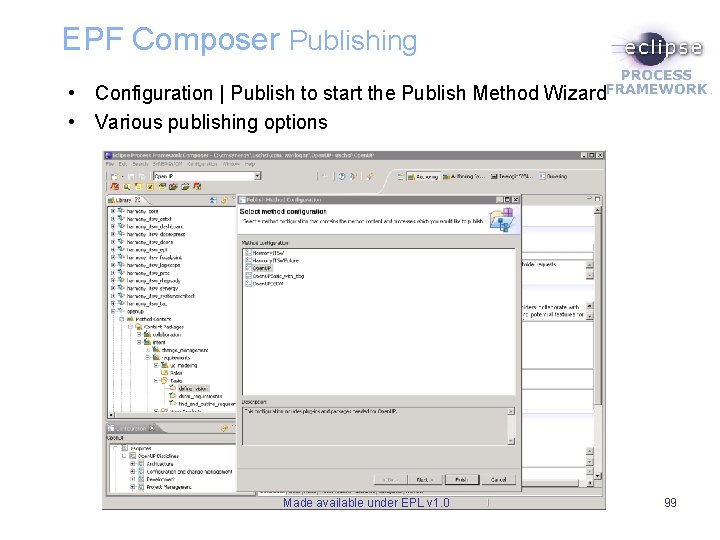
EPF Composer Publishing • Configuration | Publish to start the Publish Method Wizard • Various publishing options Made available under EPL v 1. 0 99
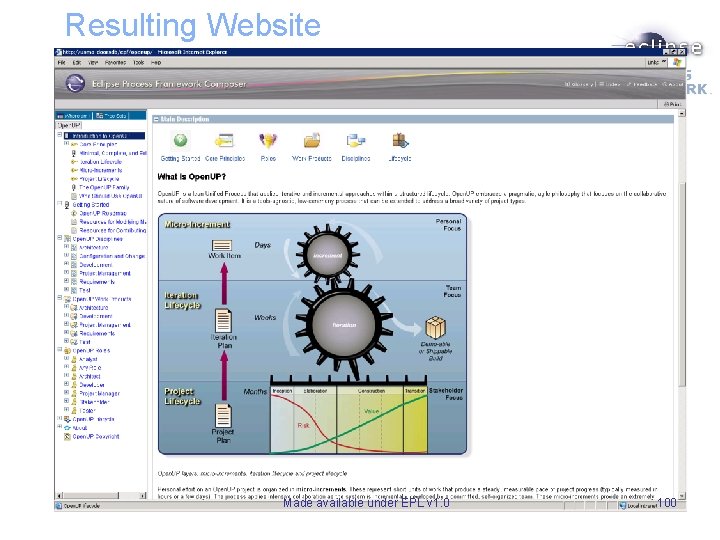
Resulting Website Made available under EPL v 1. 0 100
Customization Scenario C • In this scenario, you will create a new delivery process for your software development lifecycle. • You have reviewed the Open. UP delivery process and would rather follow a process that is more like the Scrum lifecycle. • You realize that you can reuse existing method and process content from Open. UP plug-in and simply redefine the lifecycle. • Let’s try it: Note: These are examples of customization scenarios. Not all possibilities have been explored due to lack of time for this tutorial. Made available under EPL v 1. 0 101
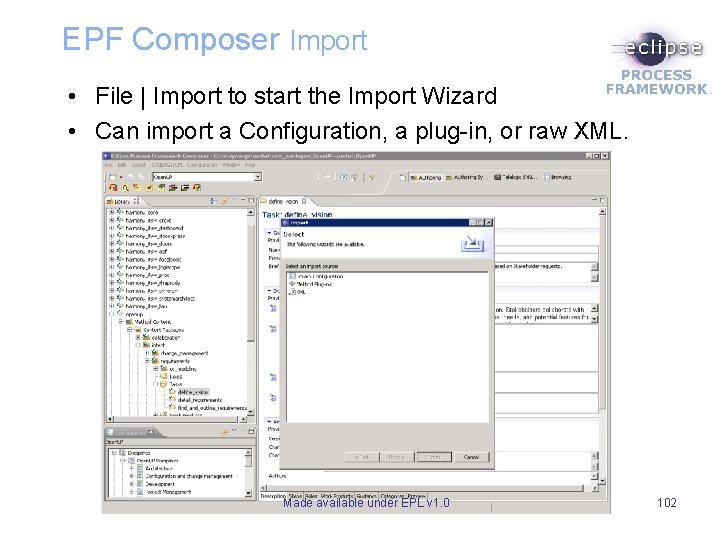
EPF Composer Import • File | Import to start the Import Wizard • Can import a Configuration, a plug-in, or raw XML. Made available under EPL v 1. 0 102
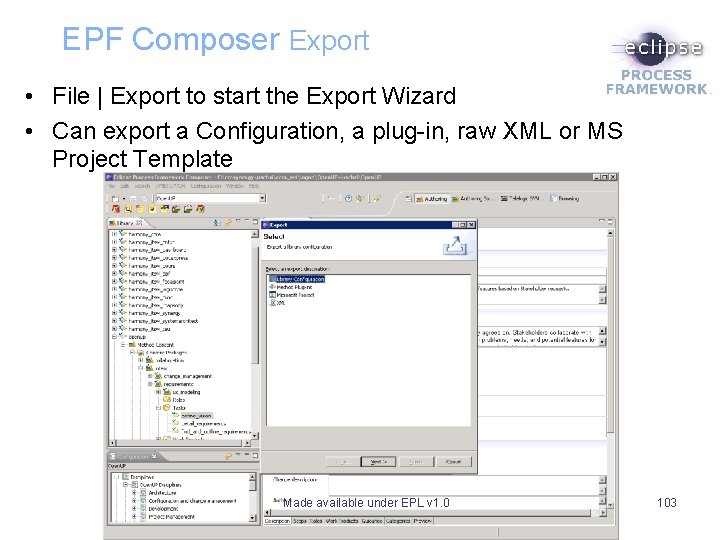
EPF Composer Export • File | Export to start the Export Wizard • Can export a Configuration, a plug-in, raw XML or MS Project Template Made available under EPL v 1. 0 103