Image Classification Image Classification The process of sorting

- Slides: 89
Image Classification
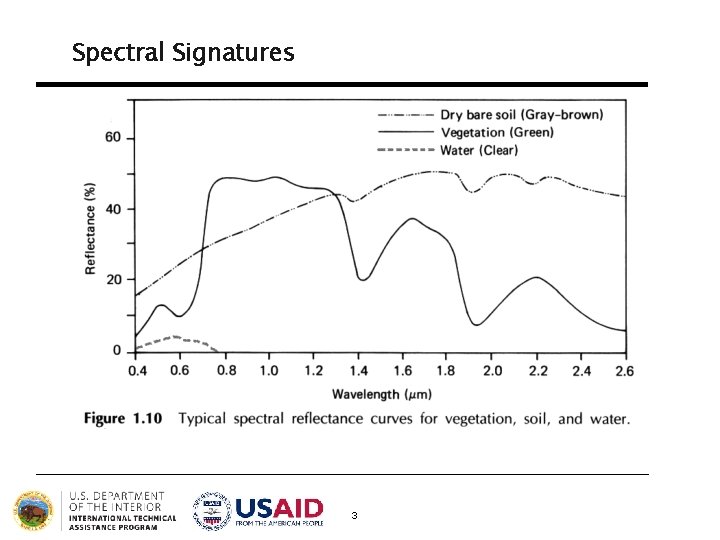
Image Classification The process of sorting pixels into a finite number of individual classes, or categories of data, based on their spectral response (the measured brightness of a pixel across the image bands, as reflected by the pixel’s spectral signature). 2
Spectral Signatures 3
Image Classification The underlying assumption of image classification is that spectral response of a particular feature (i. e. , land-cover class) will be relatively consistent throughout the image. 4
General Approaches to Image Classification 1. Unsupervised 2. Supervised 5
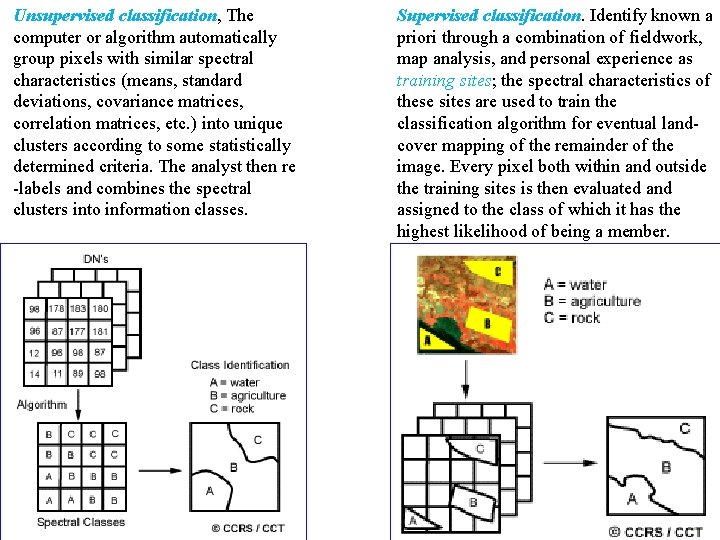
Unsupervised Classification • Unsupervised classification (a. k. a. , “clustering”) identifies groups of pixels that exhibit a similar spectral response • These spectral classes are then assigned “meaning” by the analyst (e. g. , assigned to land-cover categories) 6
Supervised Classification Supervised classification uses image pixels representing regions of known, homogenous surface composition -- training areas -- to classify unknown pixels. 7
Unsupervised vs. Supervised Classification Unsupervised: bulk of analyst’s work comes after the classification process Supervised: bulk of analyst’s work comes before the classification process 8
Advantages and Disadvantages of Unsupervised Classification? Advantages § No prior knowledge of the image area is required § Human error is minimized § Unique spectral classes are produced § Relatively fast and easy to perform 9
Disadvantages of Unsupervised Classification § Spectral classes do not represent features on the ground § Does not consider spatial relationships in the data § Can be very time consuming to interpret spectral classes § Spectral properties vary over time, across images 10
Process of Unsupervised Classification 1. Determine a general classification scheme 2. Assign pixels to spectral classes (ISODATA) 3. Assign spectral classes to informational classes 11
Process of Unsupervised Classification 1. Determine a general classification scheme • Depends upon the purpose of the classification • With unsupervised classification, the scheme does not need to be very specific 2. Assign pixels to spectral classes (ISODATA) 3. Assign spectral classes to informational classes 12
Process of Unsupervised Classification 1. Determine a general classification scheme 2. Assign pixels to spectral classes (ISODATA) • Group pixels into groups of similar values based on pixel value relationships in multi-dimensional feature space (clustering) • Iterative ISODATA technique is the most common 3. Assign spectral classes to informational classes 13
Feature Space • Multi-dimensional relationship of the pixel values of multiple image bands across the radiometric range of the image • Allows software to examine the statistical relationship between image bands 14
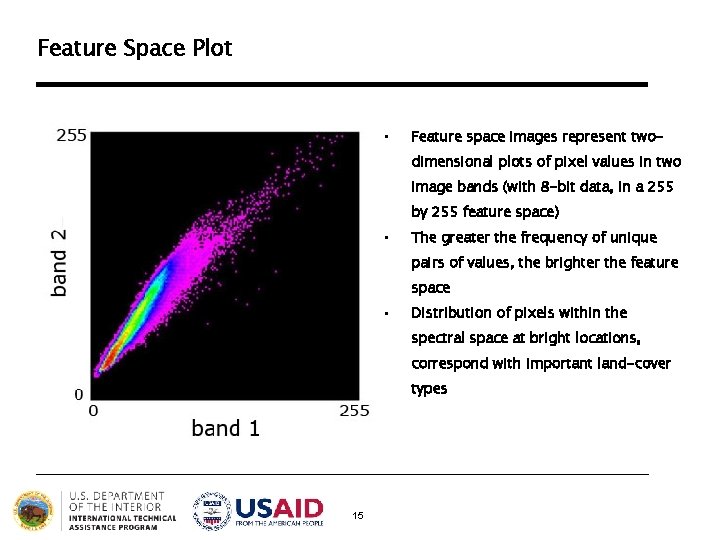
Feature Space Plot • Feature space images represent twodimensional plots of pixel values in two image bands (with 8 -bit data, in a 255 by 255 feature space) • The greater the frequency of unique pairs of values, the brighter the feature space • Distribution of pixels within the spectral space at bright locations, correspond with important land-cover types 15
ISODATA • “Iterative Self-Organizing Data Analysis Technique” • Uses “spectral distance” between image pixels in feature space to classify pixels into a specified number of unique spectral groups (or “clusters”) 16
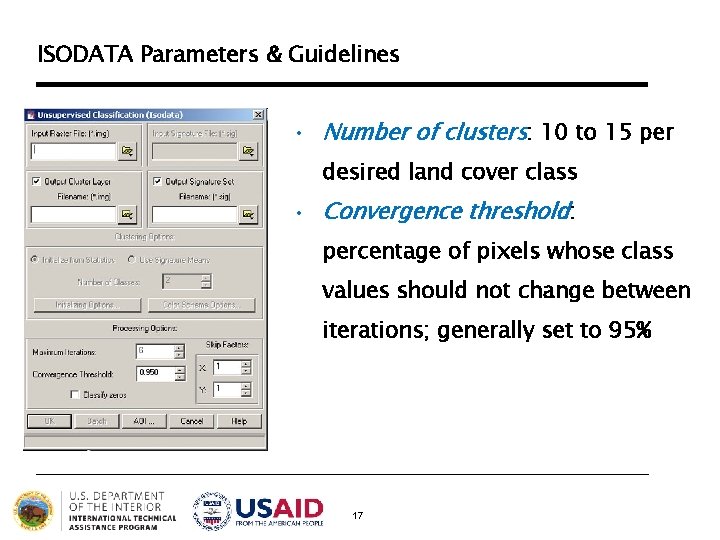
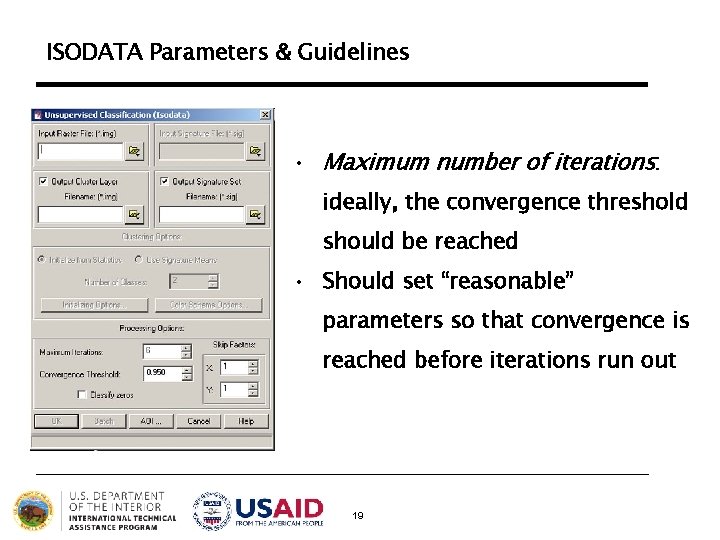
ISODATA Parameters & Guidelines • Number of clusters: 10 to 15 per desired land cover class • Convergence threshold: percentage of pixels whose class values should not change between iterations; generally set to 95% 17
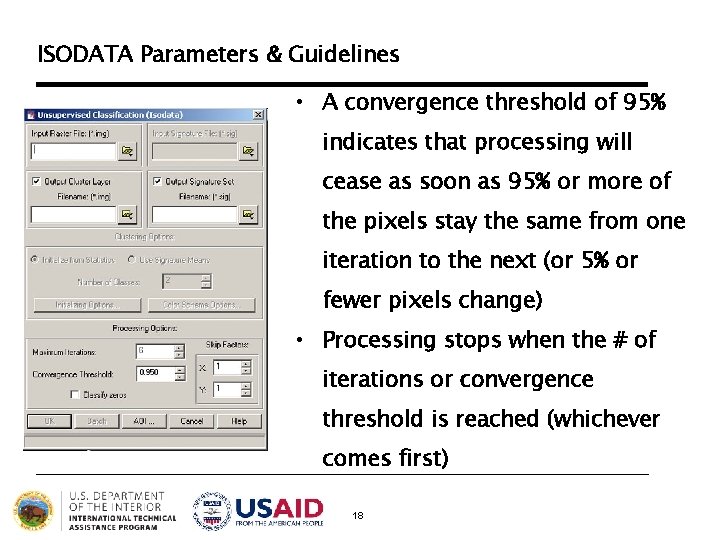
ISODATA Parameters & Guidelines • A convergence threshold of 95% indicates that processing will cease as soon as 95% or more of the pixels stay the same from one iteration to the next (or 5% or fewer pixels change) • Processing stops when the # of iterations or convergence threshold is reached (whichever comes first) 18
ISODATA Parameters & Guidelines • Maximum number of iterations: ideally, the convergence threshold should be reached • Should set “reasonable” parameters so that convergence is reached before iterations run out 19
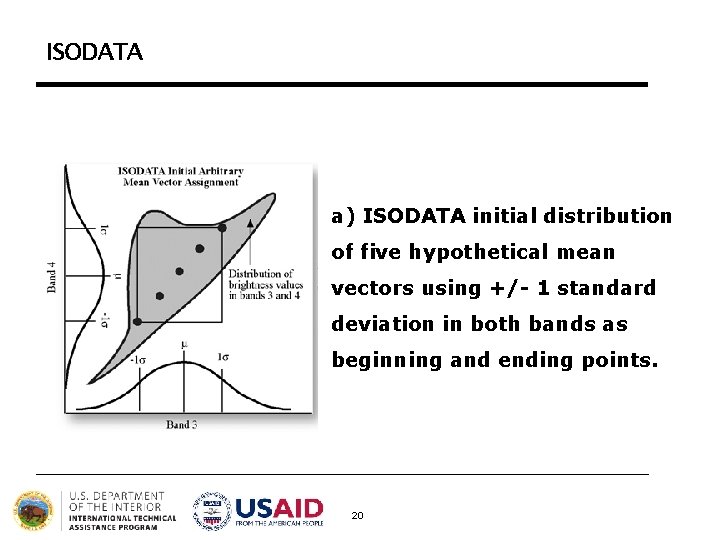
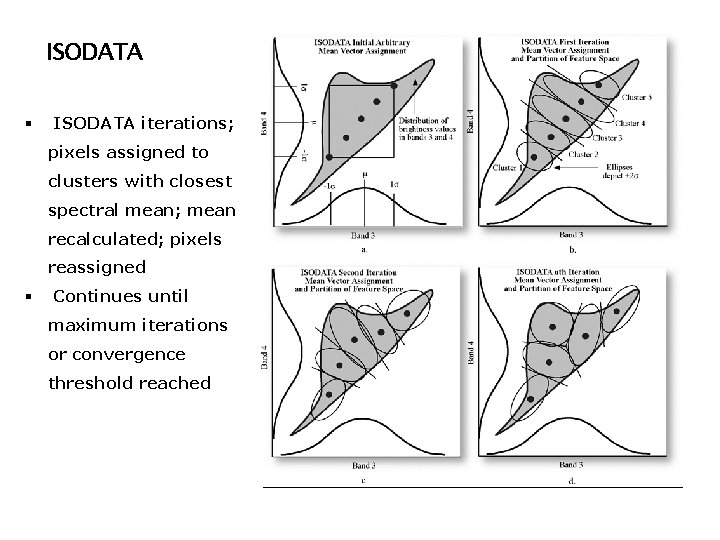
ISODATA a) ISODATA initial distribution of five hypothetical mean vectors using +/- 1 standard deviation in both bands as beginning and ending points. 20
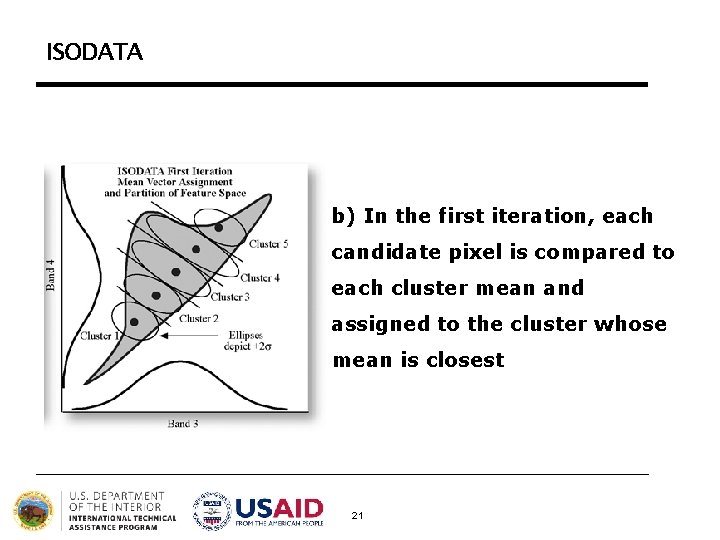
ISODATA b) In the first iteration, each candidate pixel is compared to each cluster mean and assigned to the cluster whose mean is closest 21
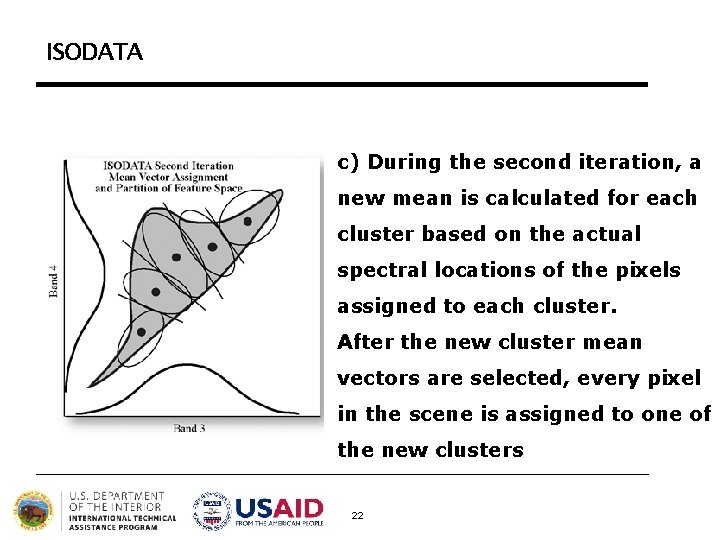
ISODATA c) During the second iteration, a new mean is calculated for each cluster based on the actual spectral locations of the pixels assigned to each cluster. After the new cluster mean vectors are selected, every pixel in the scene is assigned to one of the new clusters 22
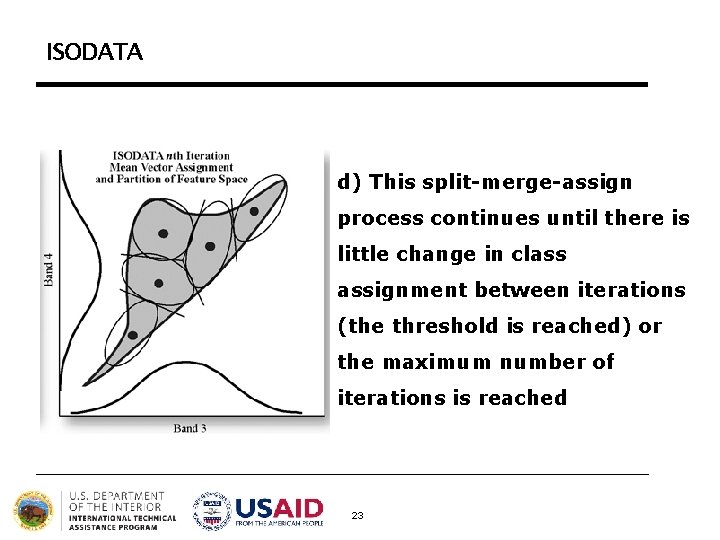
ISODATA d) This split-merge-assign process continues until there is little change in class assignment between iterations (the threshold is reached) or the maximum number of iterations is reached 23
ISODATA § ISODATA iterations; pixels assigned to clusters with closest spectral mean; mean recalculated; pixels reassigned § Continues until maximum iterations or convergence threshold reached
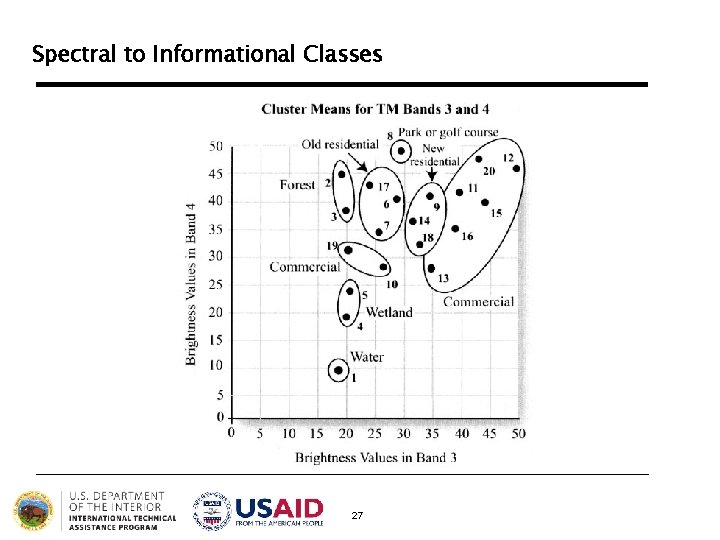
Process of Unsupervised Classification 1. Determine a general classification scheme 2. Assign pixels to spectral classes (ISODATA) 3. Assign spectral classes to informational classes § Once the spectral clusters in the image are identified, the analyst must assign them to the “informational” classes of the classification scheme (i. e. , land cover) 25
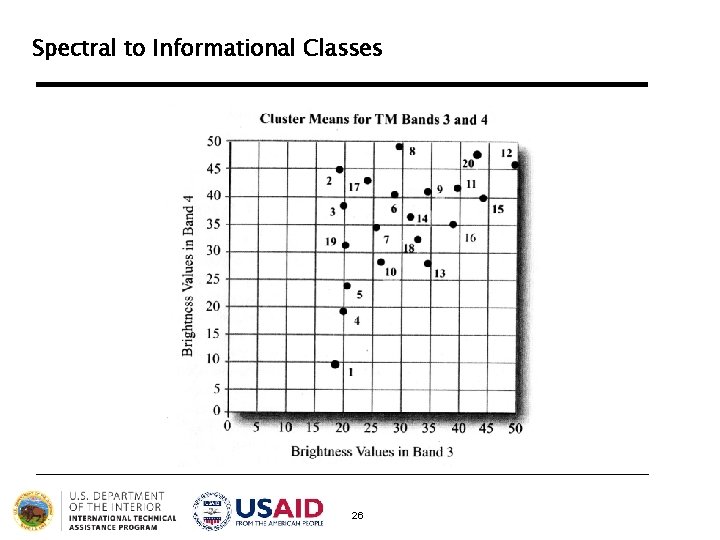
Spectral to Informational Classes 26
Spectral to Informational Classes 27
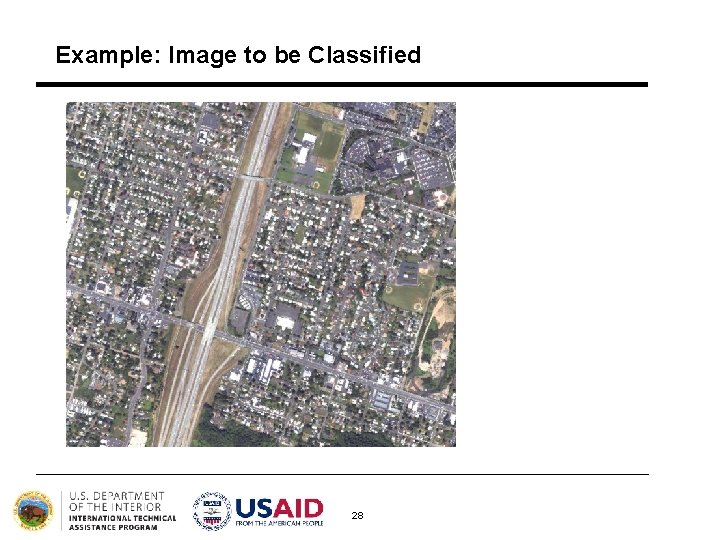
Example: Image to be Classified 28
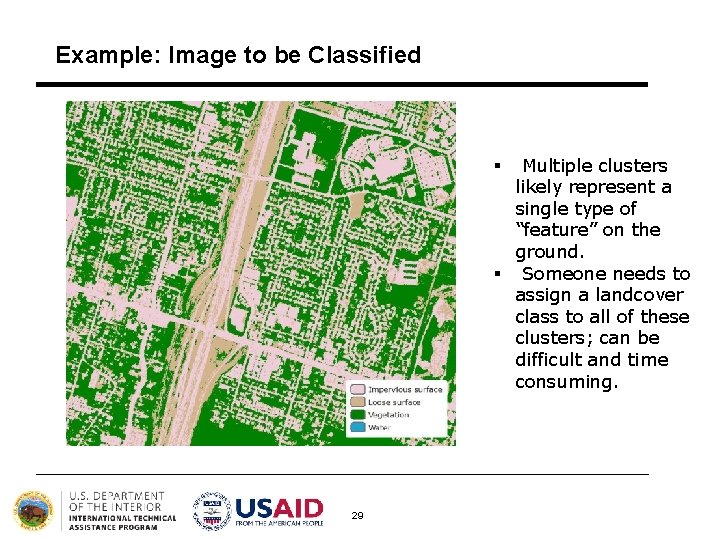
Example: Image to be Classified Multiple clusters likely represent a single type of “feature” on the ground. § Someone needs to assign a landcover class to all of these clusters; can be difficult and time consuming. § 29
General Approaches to Image Classification 1. Unsupervised 2. Supervised 30
Supervised Classification Supervised classification uses image pixels representing regions of known, homogenous surface composition -- training areas -- to classify unknown pixels. 31
Supervised Classification The underlying assumption is that spectral response of a particular feature (i. e. , land-cover class) will be relatively consistent throughout the image. 32
Advantages §Generates informational classes representing features on the ground § Training areas are reusable (assuming they do not change; e. g. roads) 33
Disadvantages § Information classes may not match spectral classes (e. g. , a supervised classification of “forest” may mask the unique spectral properties of pine and oak stands that comprise that forest) § Homogeneity of information classes varies § Difficulty and cost of selecting training sites § Training areas may not encompass unique spectral classes 34
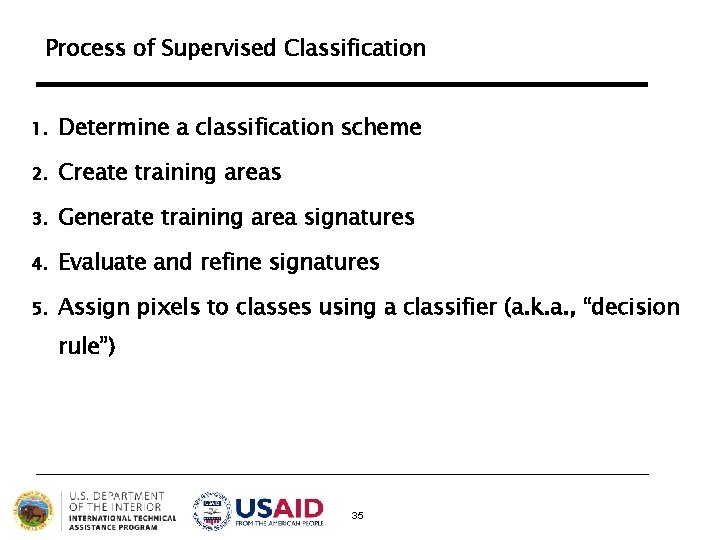
Process of Supervised Classification 1. Determine a classification scheme 2. Create training areas 3. Generate training area signatures 4. Evaluate and refine signatures 5. Assign pixels to classes using a classifier (a. k. a. , “decision rule”) 35
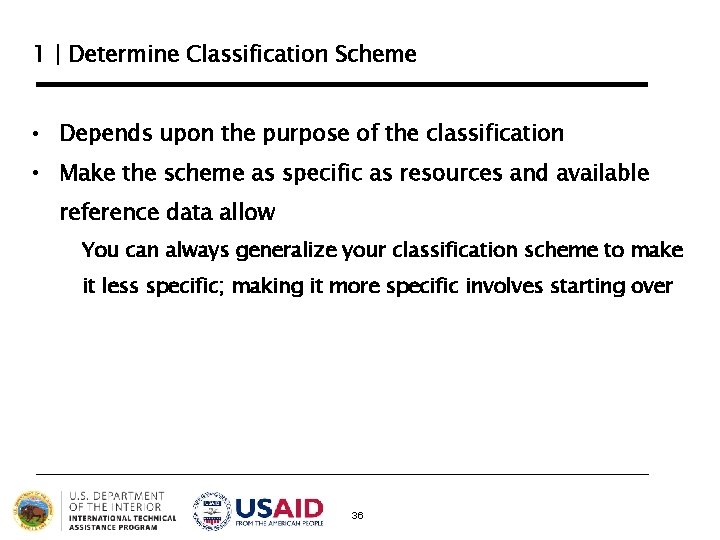
1 | Determine Classification Scheme • Depends upon the purpose of the classification • Make the scheme as specific as resources and available reference data allow You can always generalize your classification scheme to make it less specific; making it more specific involves starting over 36
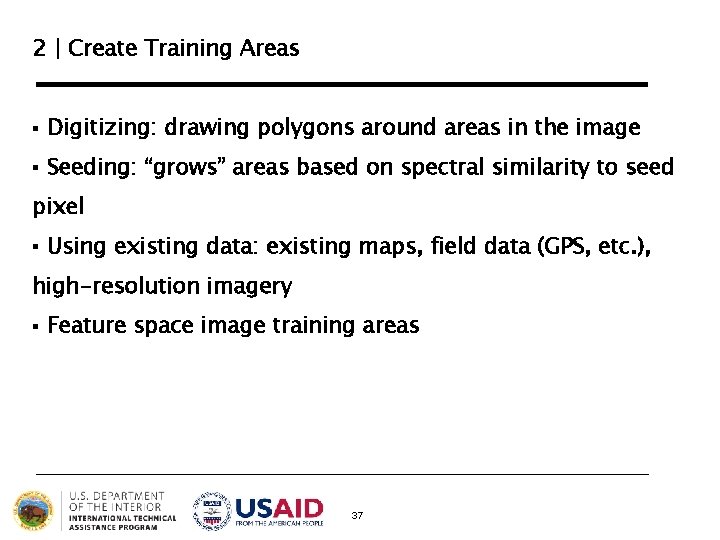
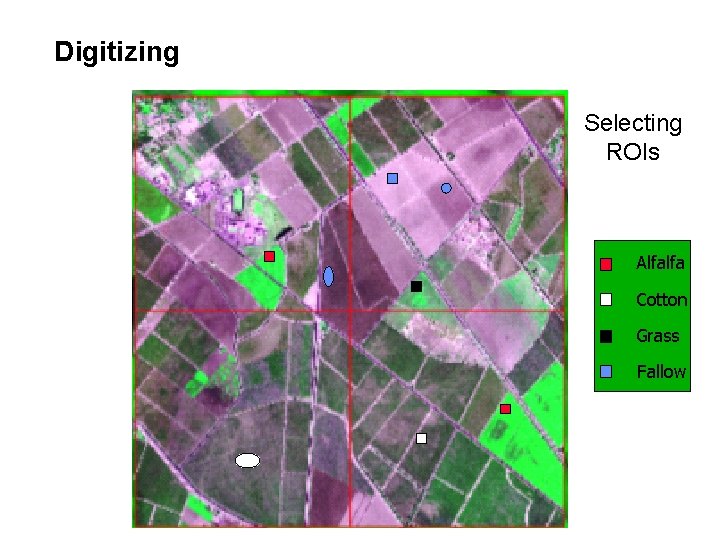
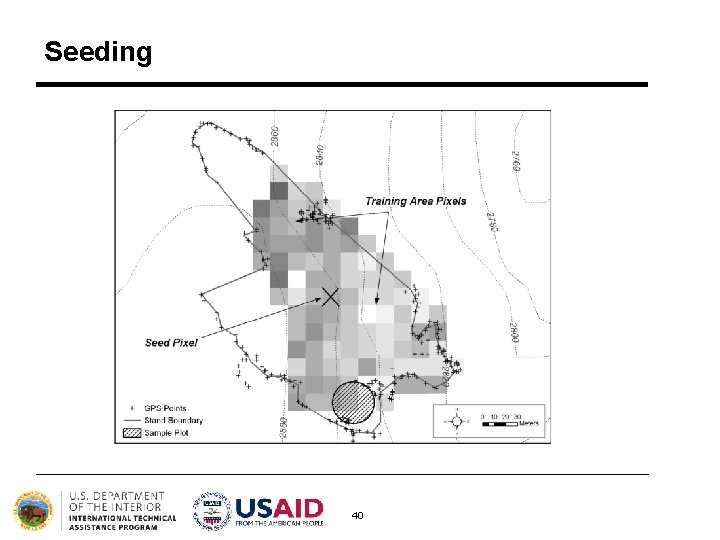
2 | Create Training Areas § Digitizing: drawing polygons around areas in the image § Seeding: “grows” areas based on spectral similarity to seed pixel § Using existing data: existing maps, field data (GPS, etc. ), high-resolution imagery § Feature space image training areas 37
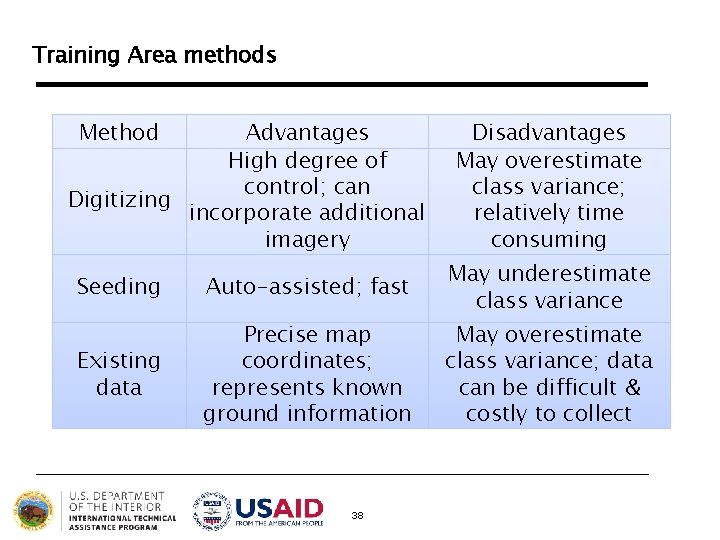
Training Area methods Method Advantages High degree of control; can Digitizing incorporate additional imagery Disadvantages May overestimate class variance; relatively time consuming Seeding Auto-assisted; fast May underestimate class variance Existing data Precise map coordinates; represents known ground information May overestimate class variance; data can be difficult & costly to collect 38
Digitizing Selecting ROIs Alfalfa Cotton Grass Fallow
Seeding 40
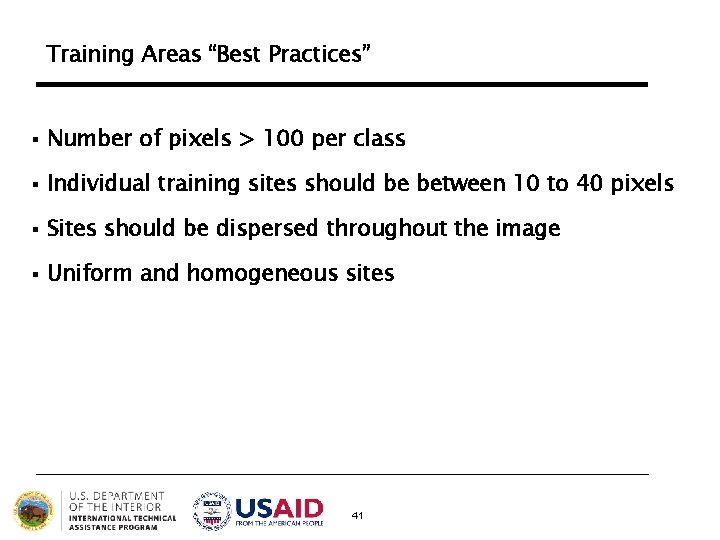
Training Areas “Best Practices” § Number of pixels > 100 per class § Individual training sites should be between 10 to 40 pixels § Sites should be dispersed throughout the image § Uniform and homogeneous sites 41
3 | Generate Training Areas Signatures • Signatures represent the collective spectral properties of all the training areas defined for a particular class • the most important step in supervised classification 42
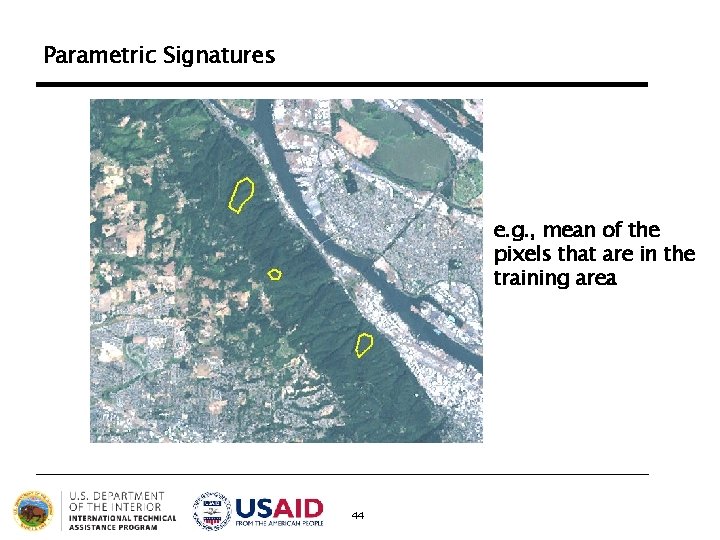
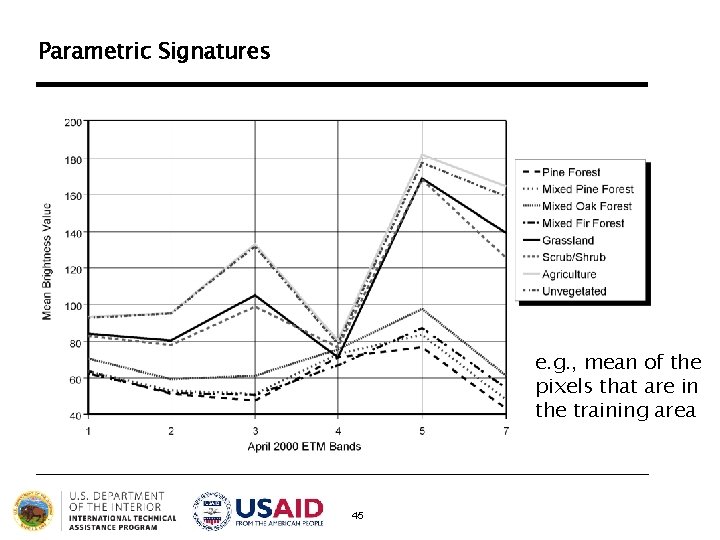
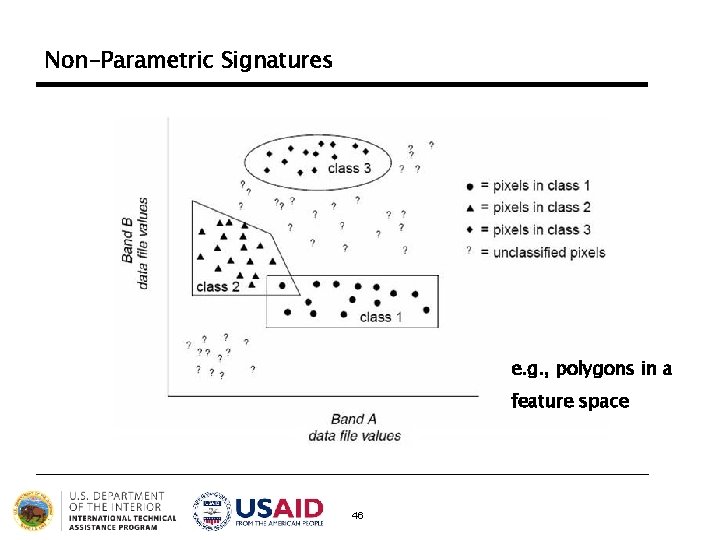
Types of Signatures 1. Parametric: signature that is based on statistical parameters (e. g. , mean) of the pixels that are in the training area (normal distribution assumption) 2. Non-parametric: signature that is not based on statistics, but on discrete objects (polygons or rectangles) in a feature space image 43
Parametric Signatures e. g. , mean of the pixels that are in the training area 44
Parametric Signatures e. g. , mean of the pixels that are in the training area 45
Non-Parametric Signatures e. g. , polygons in a feature space 46
4 | Evaluate and Refine Signatures • Attempt to reduce or eliminate overlapping, nonhomogeneous, non-representative signatures • Signatures should be as “spectrally distinct” as possible 47
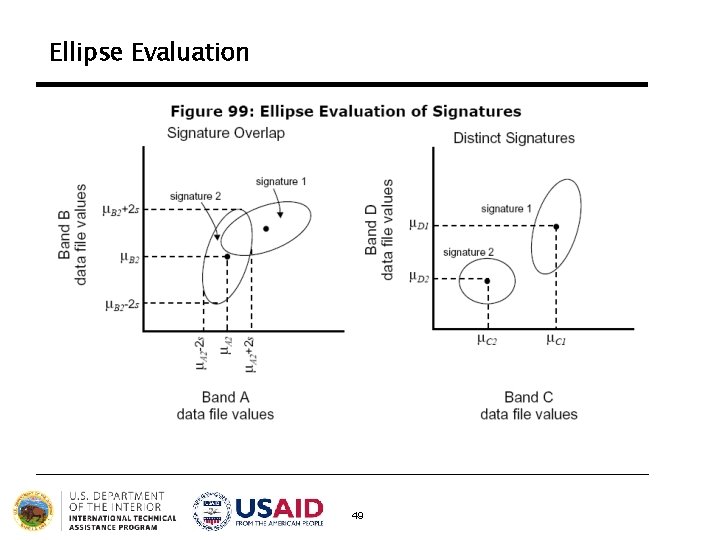
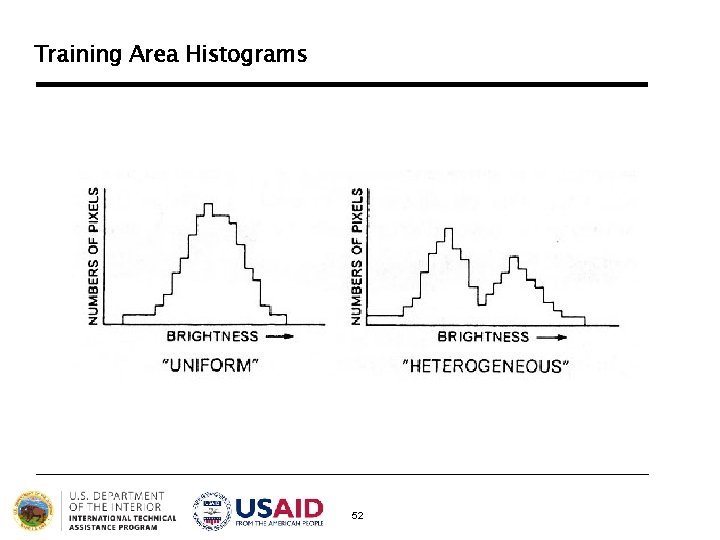
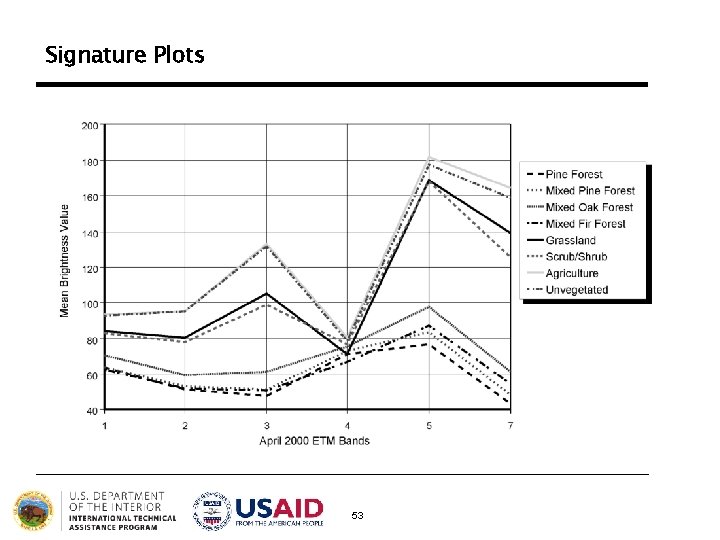
Some Signature Evaluation Methods § Ellipse evaluation (feature space) § Contingency matrices § Training area histograms § Signature plots 48
Ellipse Evaluation 49
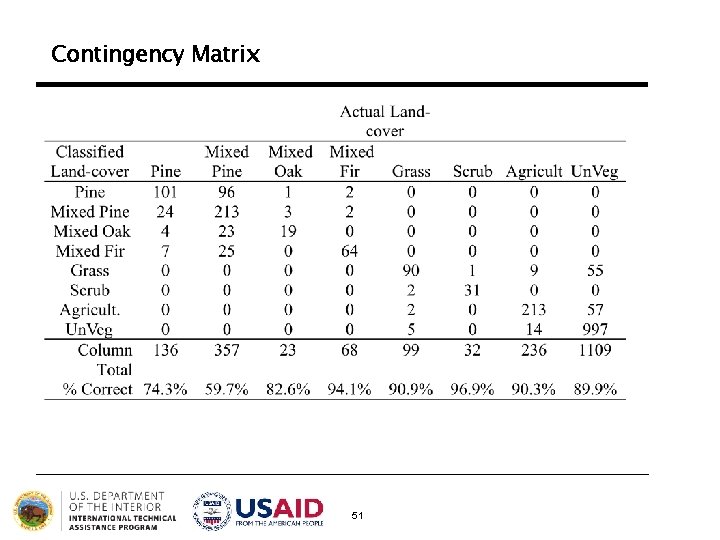
Contingency Matrix Contingency analysis produces a matrix showing the percentage of pixels that are classified correctly in a preliminary image classification of only the training areas Ø It assumes that most of the training area pixels should be assigned to their respective land-cover class Ø If a significant percentage of training pixels are classified as another land-cover, it indicates that the spectral signatures are not distinct enough to produce an accurate classification of the entire image 50
Contingency Matrix 51
Training Area Histograms 52
Signature Plots 53
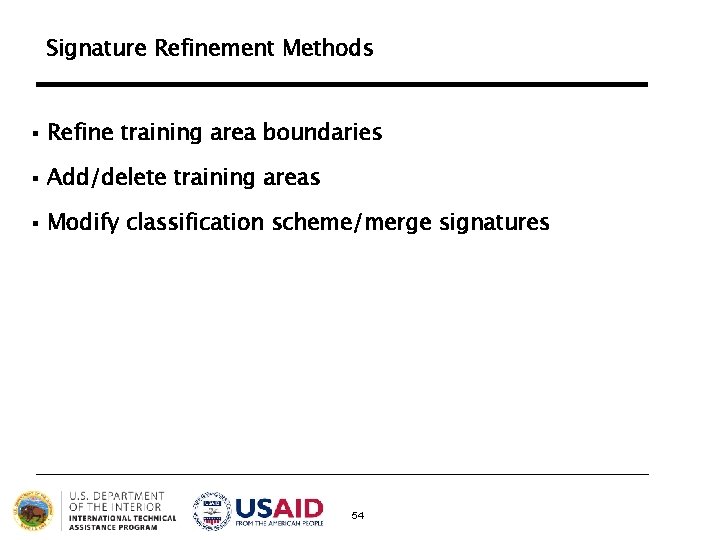
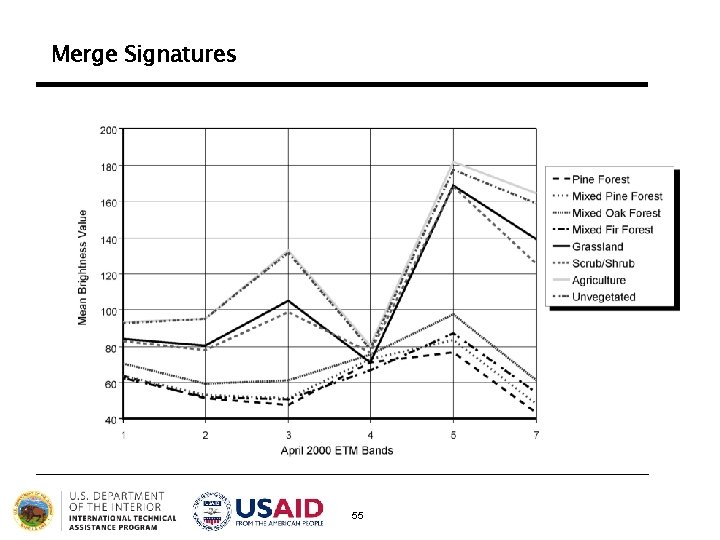
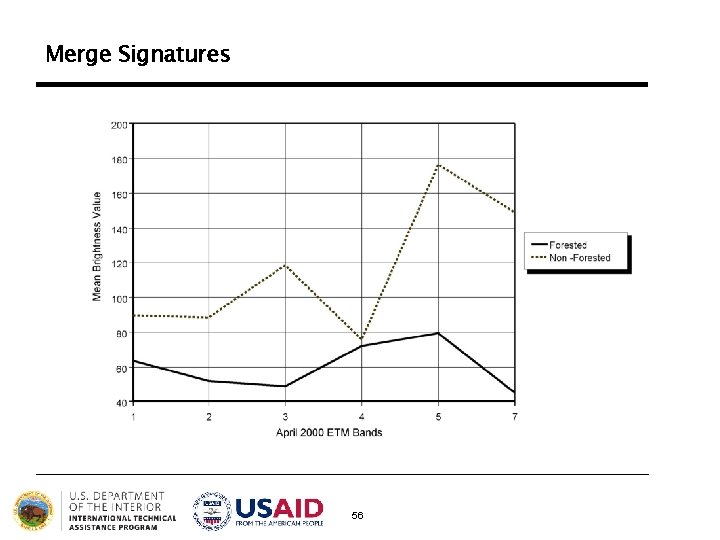
Signature Refinement Methods § Refine training area boundaries § Add/delete training areas § Modify classification scheme/merge signatures 54
Merge Signatures 55
Merge Signatures 56
5 | Assign Pixels to Classes • Each pixel is independently compared to each signature relative to the selected classification criteria, or “decision rule” • Pixels that satisfy the criteria for a class signature assigned to that class 57
Classification “Decision Rules” § Parametric: image is classified based on a statistical representation of the data derived from the training area signatures; all image pixels are classified Parametric classifiers are “comprehensive”; they assign every pixel in an image to a class (regardless of how well that pixel fits into the classification scheme) § Non-parametric: pixels are classified as objects in feature space; only those pixels within the feature space object are classified 58
Non-Parametric “Decision Rules” § Parallelepiped § Feature space 59
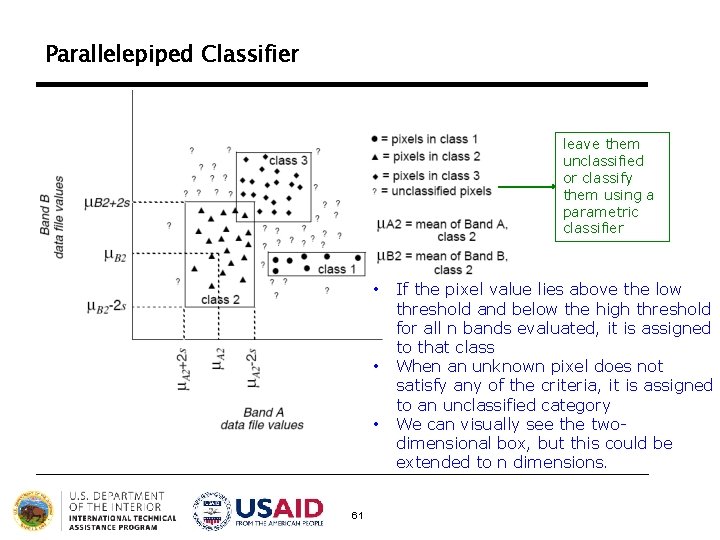
Parallelepiped Classifier The pixels values are compared to upper and lower limits of each signature class (i. e. , the min/max pixel values in each band, or the mean of each band +/- 2 standard deviations) 60
Parallelepiped Classifier leave them unclassified or classify them using a parametric classifier • • • 61 If the pixel value lies above the low threshold and below the high threshold for all n bands evaluated, it is assigned to that class When an unknown pixel does not satisfy any of the criteria, it is assigned to an unclassified category We can visually see the twodimensional box, but this could be extended to n dimensions.
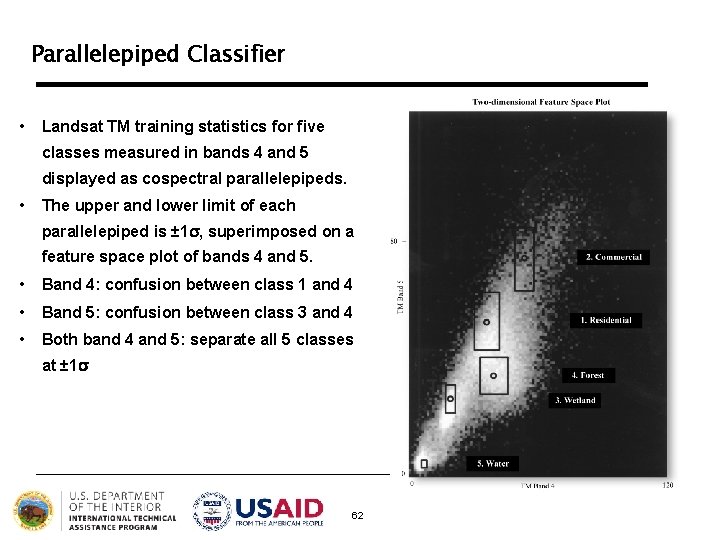
Parallelepiped Classifier • Landsat TM training statistics for five classes measured in bands 4 and 5 displayed as cospectral parallelepipeds. • The upper and lower limit of each parallelepiped is ± 1 s, superimposed on a feature space plot of bands 4 and 5. • Band 4: confusion between class 1 and 4 • Band 5: confusion between class 3 and 4 • Both band 4 and 5: separate all 5 classes at ± 1 s 62
Parallelepiped Classifier § Advantages: fast; good for non-normal distributions; can limit classification to specific land cover § Disadvantages: classes can include pixels spectrally distant from the signature mean; does not incorporate variability; not all pixels are classified; allows class overlap 63
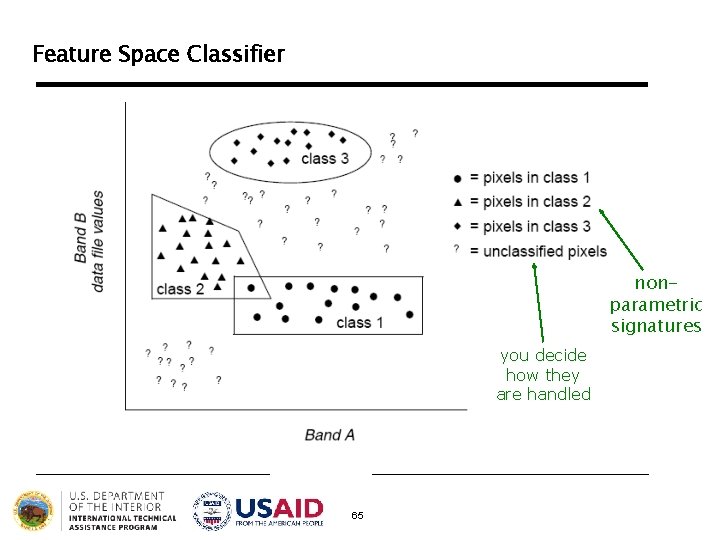
Feature Space Classifier Classifies pixels that fall within non-parametric signatures identified in the feature space image not used very often because it is difficult to accurately create and evaluate nonparametric signatures 64
Feature Space Classifier nonparametric signatures you decide how they are handled 65
Feature Space Classifier § Advantages: good for non-normal distributions and multimodal signatures (that include many land cover features) § Disadvantages: feature space images are difficult to interpret; allows class overlap 66
Parametric “Decision Rules” § Minimum distance § Maximum likelihood 67
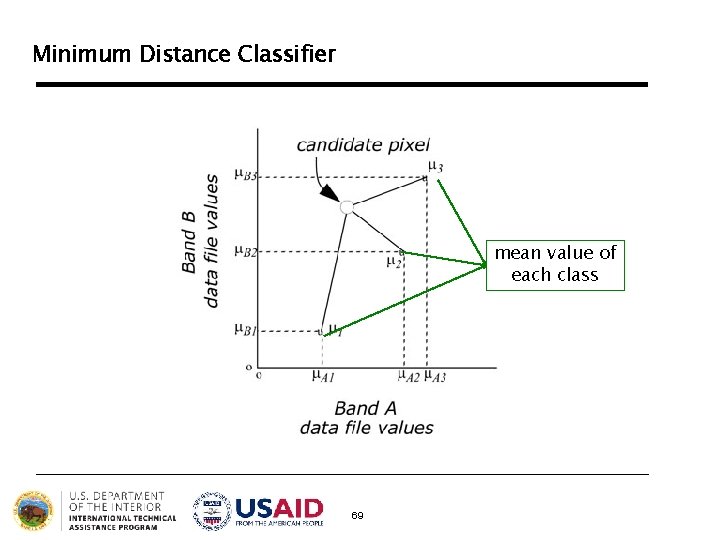
Minimum Distance Classifier Classifies pixels based on the spectral distance between the candidate pixel and the mean value of each signature (class) in each image band 68
Minimum Distance Classifier mean value of each class 69
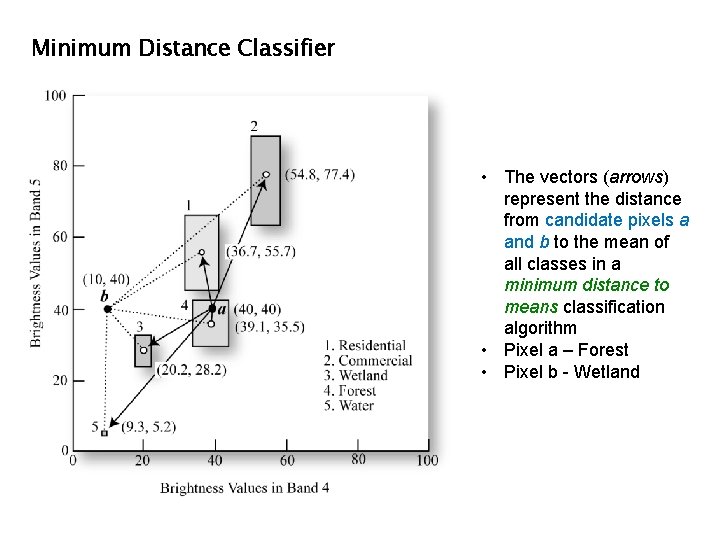
Minimum Distance Classifier • The vectors (arrows) represent the distance from candidate pixels a and b to the mean of all classes in a minimum distance to means classification algorithm • Pixel a – Forest • Pixel b - Wetland
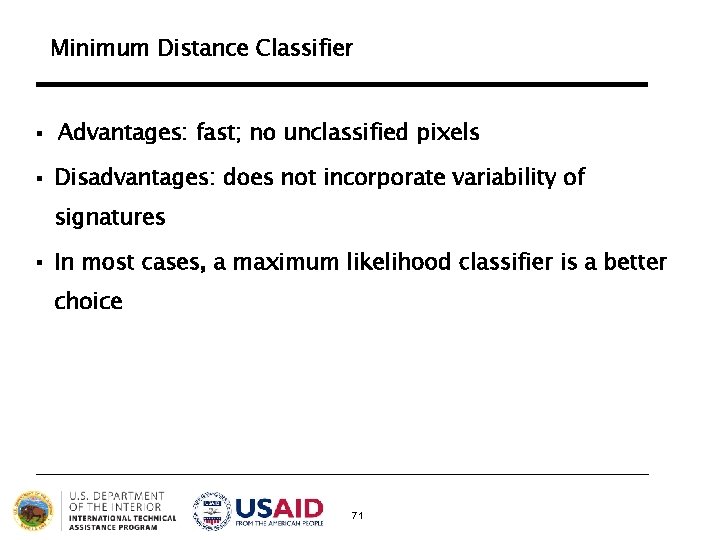
Minimum Distance Classifier § Advantages: fast; no unclassified pixels § Disadvantages: does not incorporate variability of signatures § In most cases, a maximum likelihood classifier is a better choice 71
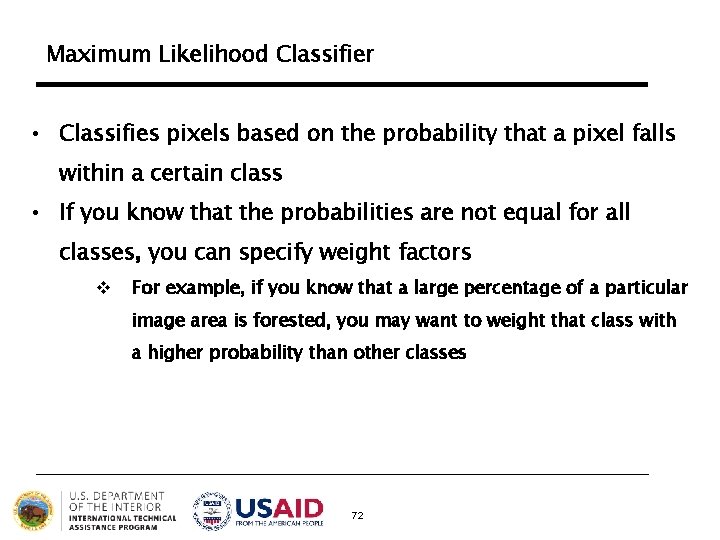
Maximum Likelihood Classifier • Classifies pixels based on the probability that a pixel falls within a certain class • If you know that the probabilities are not equal for all classes, you can specify weight factors v For example, if you know that a large percentage of a particular image area is forested, you may want to weight that class with a higher probability than other classes 72
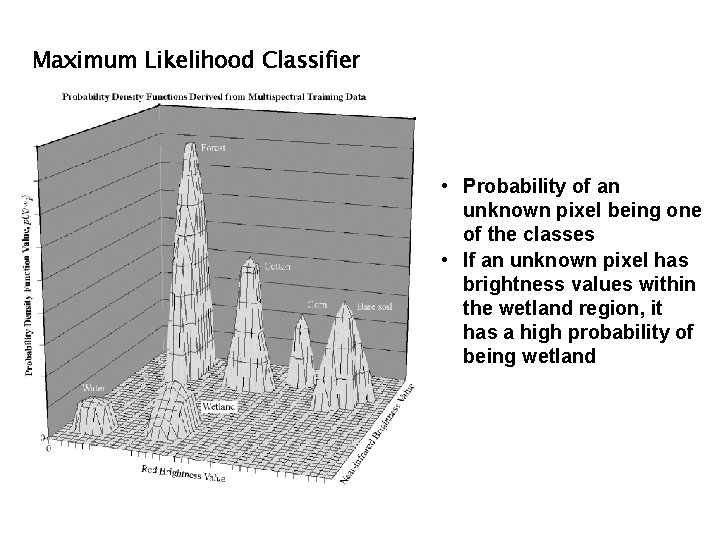
Maximum Likelihood Classifier • Probability of an unknown pixel being one of the classes • If an unknown pixel has brightness values within the wetland region, it has a high probability of being wetland
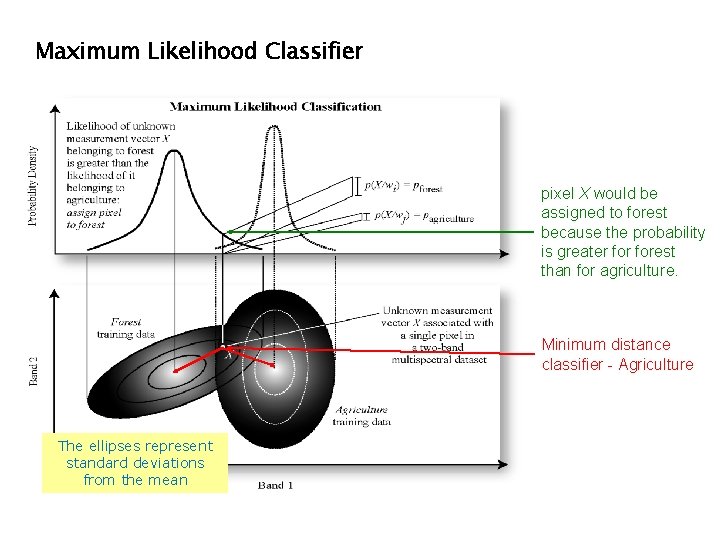
Maximum Likelihood Classifier pixel X would be assigned to forest because the probability is greater forest than for agriculture. Minimum distance classifier - Agriculture The ellipses represent standard deviations from the mean
Maximum Likelihood Classifier § Advantages: most accurate; considers variability § Disadvantages: slow; relies heavily on normally distributed signatures 75
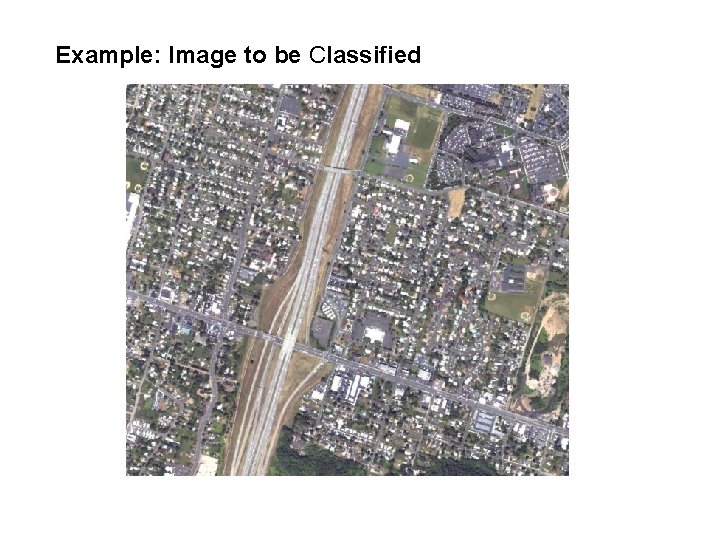
Example: Image to be Classified
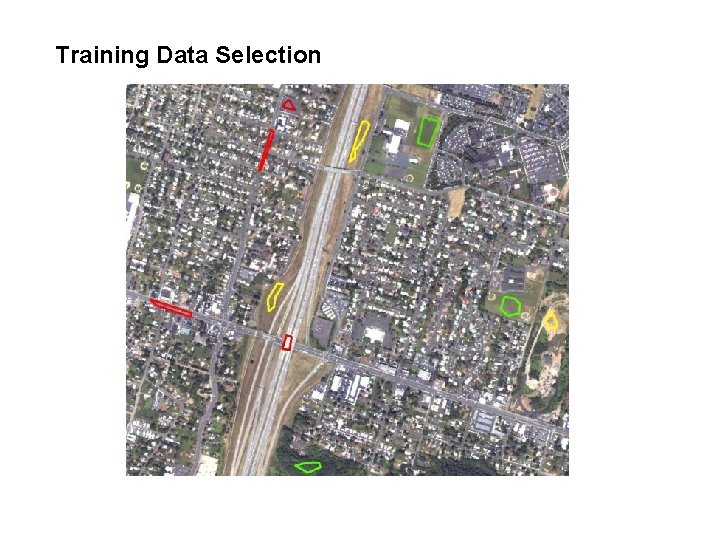
Training Data Selection
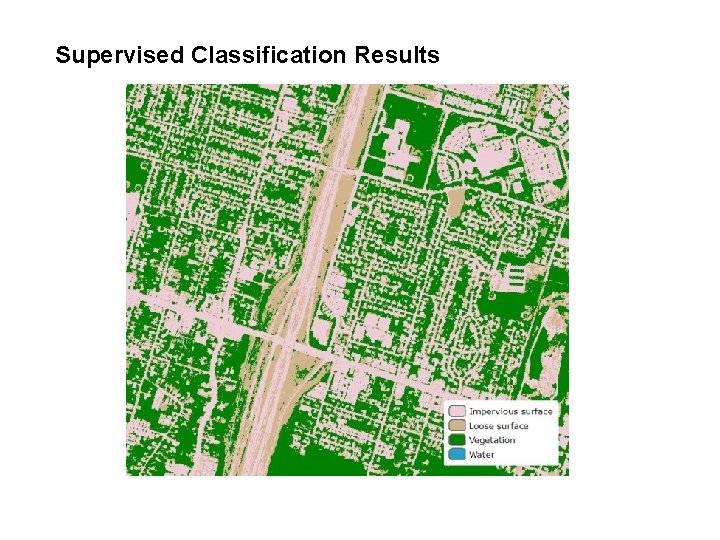
Supervised Classification Results
Unsupervised classification, The computer or algorithm automatically group pixels with similar spectral characteristics (means, standard deviations, covariance matrices, correlation matrices, etc. ) into unique clusters according to some statistically determined criteria. The analyst then re -labels and combines the spectral clusters into information classes. Supervised classification. Identify known a priori through a combination of fieldwork, map analysis, and personal experience as training sites; the spectral characteristics of these sites are used to train the classification algorithm for eventual landcover mapping of the remainder of the image. Every pixel both within and outside the training sites is then evaluated and assigned to the class of which it has the highest likelihood of being a member.
Final Thoughts on Supervised Classification § Accuracy vs. Precision § Land cover vs. land use 80
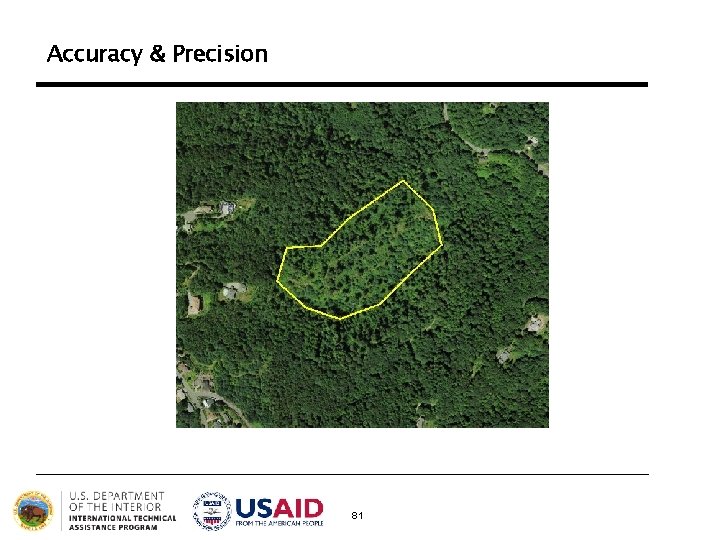
Accuracy & Precision 81
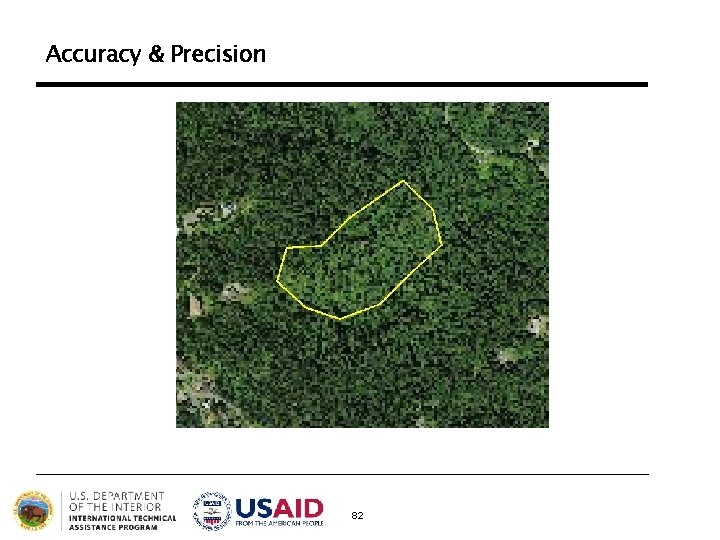
Accuracy & Precision 82
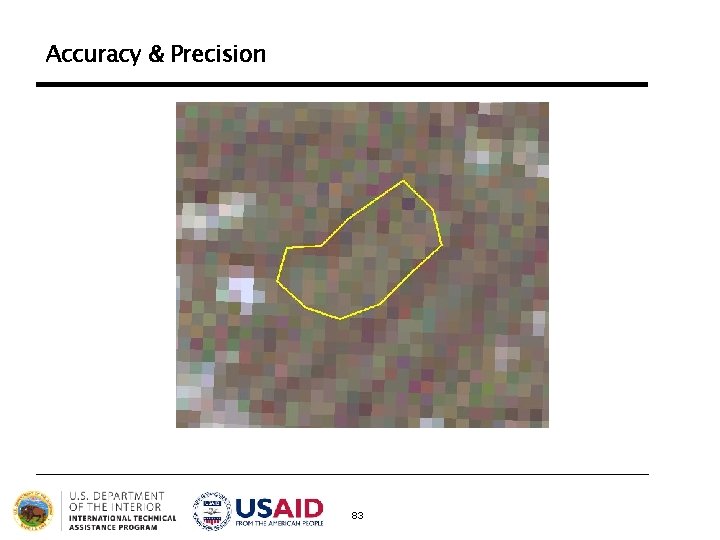
Accuracy & Precision 83
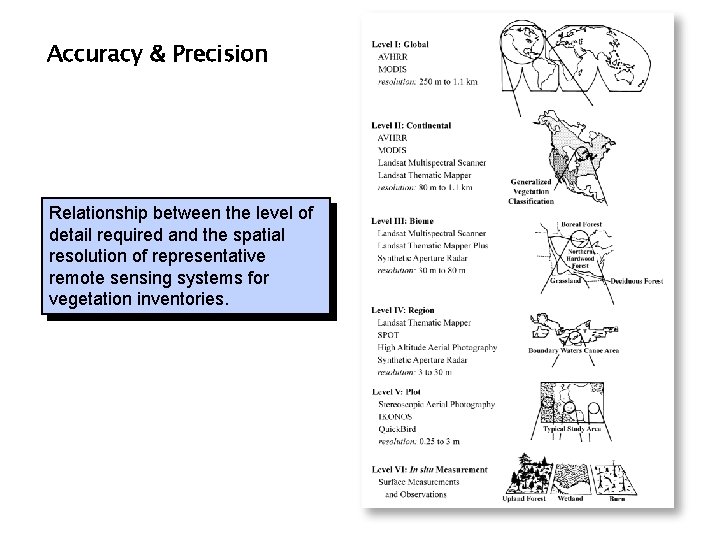
Accuracy & Precision Relationship between the level of detail required and the spatial resolution of representative remote sensing systems for vegetation inventories.
Land Cover vs. Land Use • Land cover refers to the type of material present on the landscape (e. g. , water, sand, crops, forest, wetland, human-made materials such as asphalt). • Land use refers to what people do on the land surface (e. g. , agriculture, commerce, settlement). 85
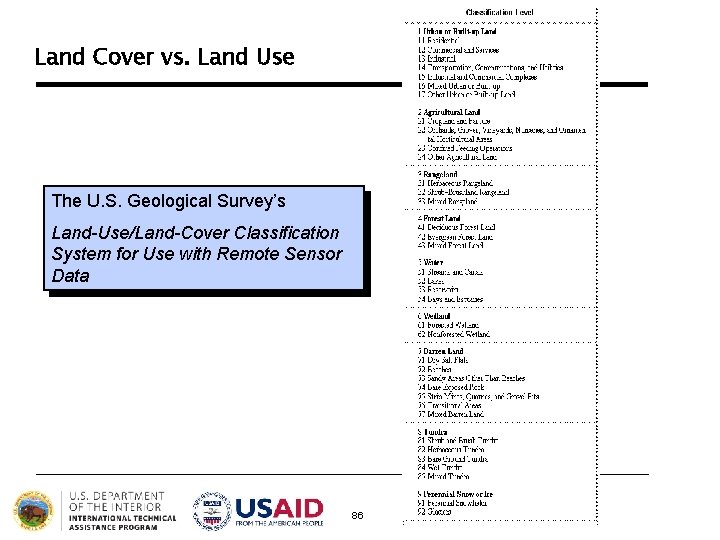
Land Cover vs. Land Use The U. S. Geological Survey’s Land-Use/Land-Cover Classification System for Use with Remote Sensor Data 86
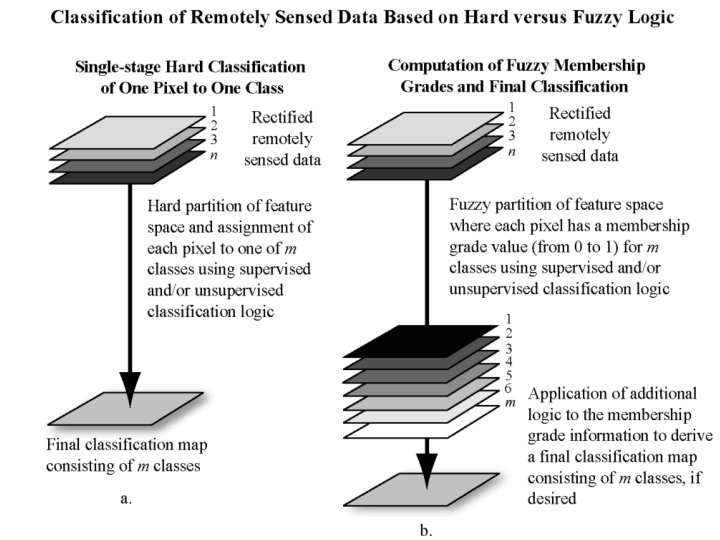
Hard vs. Fuzzy Classification l Supervised and unsupervised classification algorithms typically use hard classification logic to produce a classification map that consists of hard, discrete categories (e. g. , forest, agriculture). l Fuzzy classification logic, takes into account the heterogeneous and imprecise nature (mix pixels) of the real world. Proportion of the m classes within a pixel (e. g. , 10% bare soil, 10% shrub, 80% forest). Fuzzy classification schemes are not currently standardized. 87
Pixel-based vs. Object-oriented Classification l Processing the entire scene pixel by pixel. This is commonly referred to as per-pixel (pixel-based) classification. l Object-oriented classification techniques allow the analyst to decompose the scene into many relatively homogenous image objects (referred to as patches or segments) using a multiresolution image segmentation process l Object-oriented classification based on image segmentation is often used for the analysis of high-spatial-resolution imagery (e. g. , 1 1 m Space Imaging IKONOS and 0. 61 m Digital Globe Quick. Bird) 89