Statistics for Managers Using Microsoft Excel 4 th
- Slides: 76
Statistics for Managers Using Microsoft® Excel 4 th Edition Chapter 17 Statistical Applications in Quality and Productivity Management Statistics for Managers Using Microsoft Excel, 4 e © 2004 Prentice-Hall, Inc. Chap 17 -1
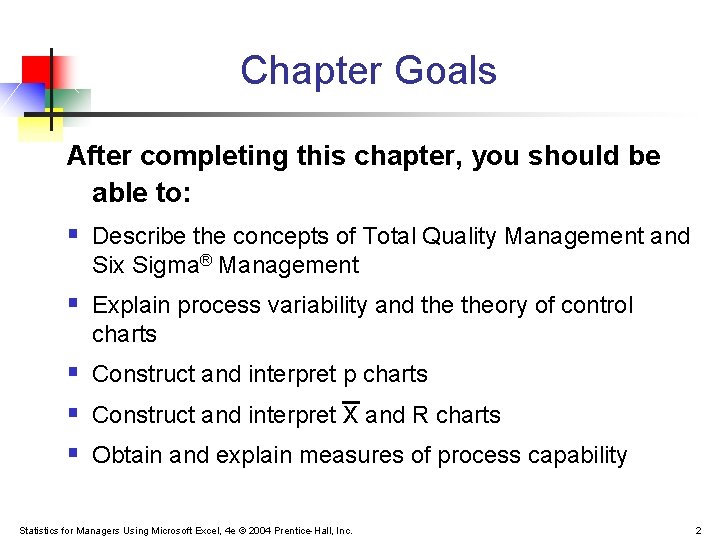
Chapter Goals After completing this chapter, you should be able to: § Describe the concepts of Total Quality Management and Six Sigma® Management § Explain process variability and theory of control charts § Construct and interpret p charts § Construct and interpret X and R charts § Obtain and explain measures of process capability Statistics for Managers Using Microsoft Excel, 4 e © 2004 Prentice-Hall, Inc. 2
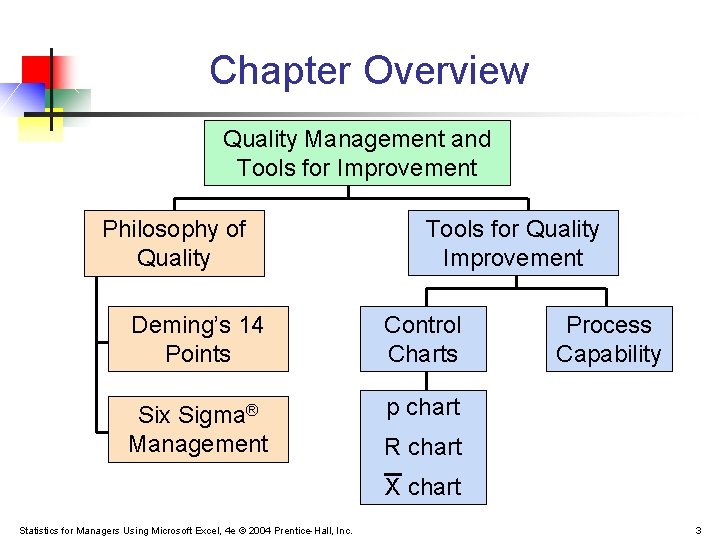
Chapter Overview Quality Management and Tools for Improvement Philosophy of Quality Tools for Quality Improvement Deming’s 14 Points Control Charts Six Sigma® Management p chart Process Capability R chart X chart Statistics for Managers Using Microsoft Excel, 4 e © 2004 Prentice-Hall, Inc. 3
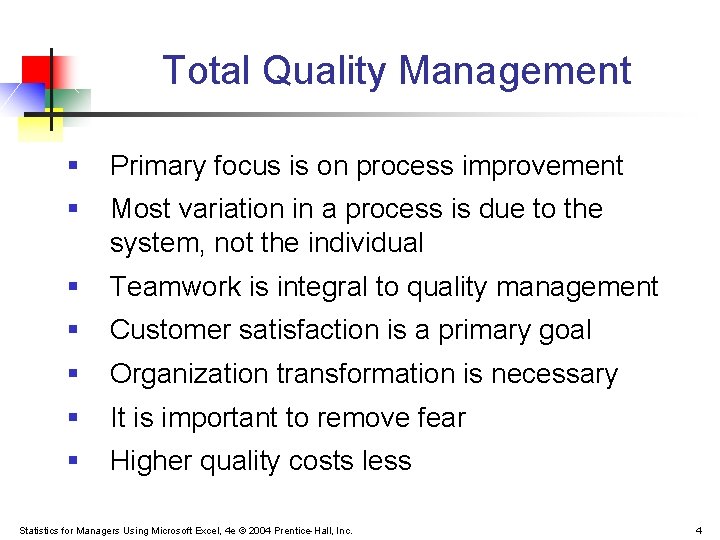
Total Quality Management § Primary focus is on process improvement § Most variation in a process is due to the system, not the individual § Teamwork is integral to quality management § Customer satisfaction is a primary goal § Organization transformation is necessary § It is important to remove fear § Higher quality costs less Statistics for Managers Using Microsoft Excel, 4 e © 2004 Prentice-Hall, Inc. 4
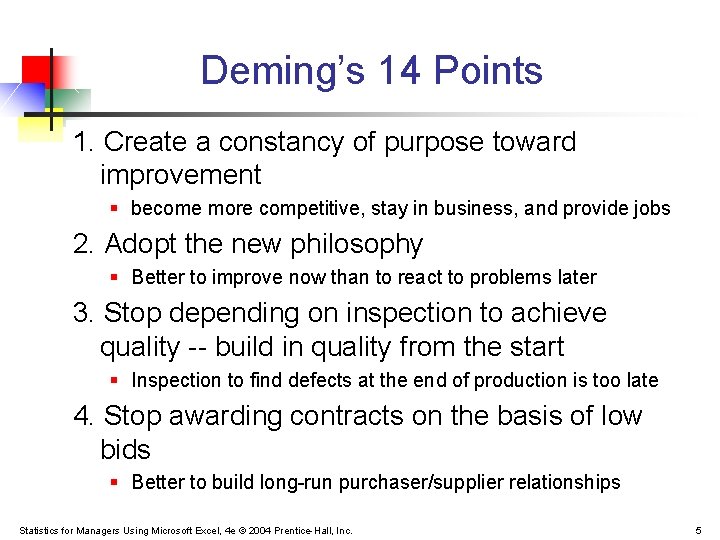
Deming’s 14 Points 1. Create a constancy of purpose toward improvement § become more competitive, stay in business, and provide jobs 2. Adopt the new philosophy § Better to improve now than to react to problems later 3. Stop depending on inspection to achieve quality -- build in quality from the start § Inspection to find defects at the end of production is too late 4. Stop awarding contracts on the basis of low bids § Better to build long-run purchaser/supplier relationships Statistics for Managers Using Microsoft Excel, 4 e © 2004 Prentice-Hall, Inc. 5
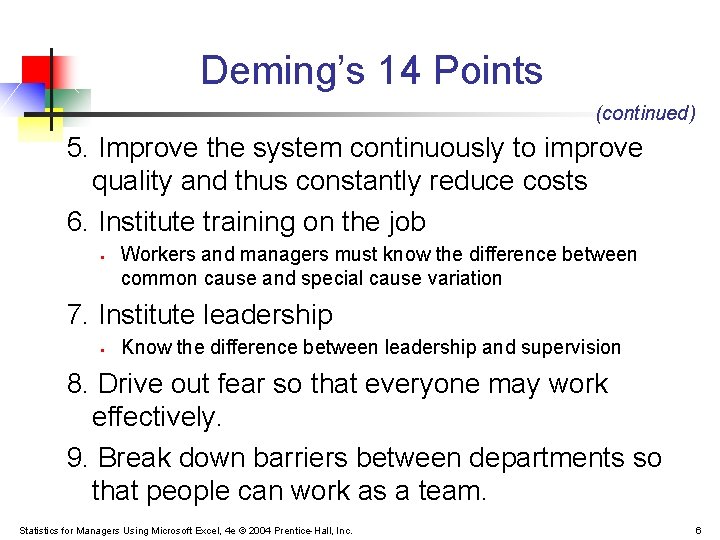
Deming’s 14 Points (continued) 5. Improve the system continuously to improve quality and thus constantly reduce costs 6. Institute training on the job § Workers and managers must know the difference between common cause and special cause variation 7. Institute leadership § Know the difference between leadership and supervision 8. Drive out fear so that everyone may work effectively. 9. Break down barriers between departments so that people can work as a team. Statistics for Managers Using Microsoft Excel, 4 e © 2004 Prentice-Hall, Inc. 6
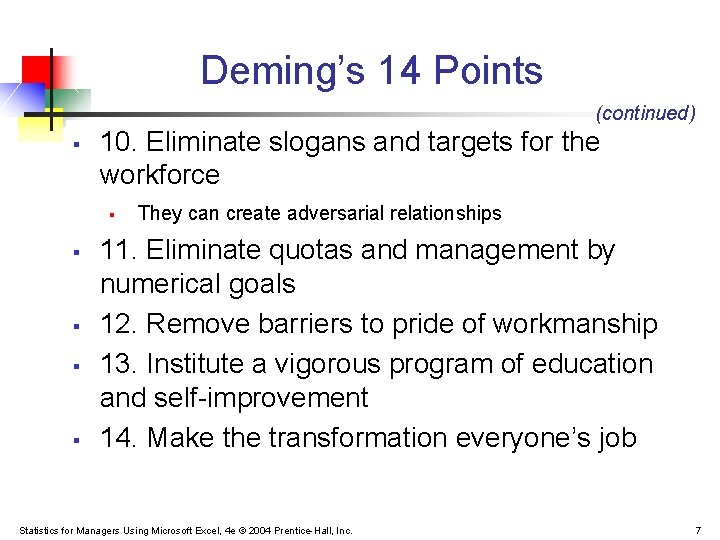
Deming’s 14 Points (continued) § 10. Eliminate slogans and targets for the workforce § § § They can create adversarial relationships 11. Eliminate quotas and management by numerical goals 12. Remove barriers to pride of workmanship 13. Institute a vigorous program of education and self-improvement 14. Make the transformation everyone’s job Statistics for Managers Using Microsoft Excel, 4 e © 2004 Prentice-Hall, Inc. 7
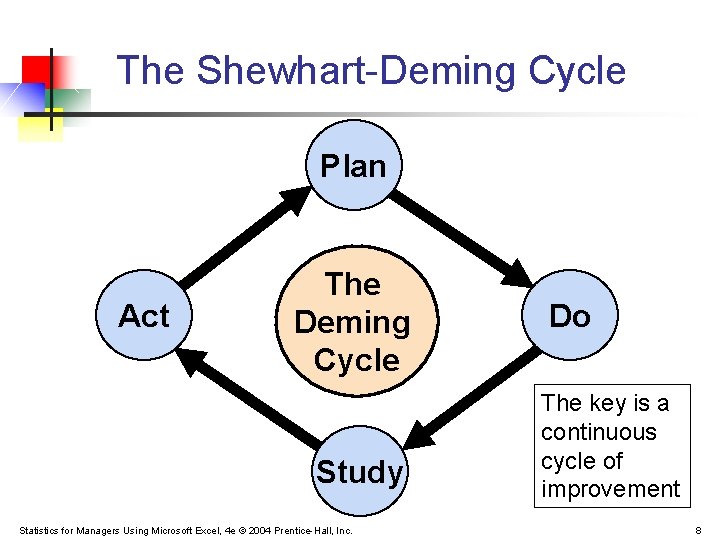
The Shewhart-Deming Cycle Plan Act The Deming Cycle Study Statistics for Managers Using Microsoft Excel, 4 e © 2004 Prentice-Hall, Inc. Do The key is a continuous cycle of improvement 8
Six Sigma® Management A method for breaking a process into a series of steps: § The goal is to reduce defects and produce near perfect results § The Six Sigma® approach allows for a shift of as much as 1. 5 standard deviations, so is essentially a ± 4. 5 standard deviation goal § The mean of a normal distribution ± 4. 5 standard deviations includes all but 3. 4 out of a million Statistics for Managers Using Microsoft Excel, 4 e © 2004 Prentice-Hall, Inc. 9
The Six Sigma® DMAIC Model DMAIC represents § § § Define -- define the problem to be solved; list costs, benefits, and impact to customer Measure – need consistent measurements for each Critical-to-Quality characteristic Analyze – find the root causes of defects Improve – use experiments to determine importance of each Critical-to-Quality variable Control – maintain gains that have been made Statistics for Managers Using Microsoft Excel, 4 e © 2004 Prentice-Hall, Inc. 10
Theory of Control Charts § § § A process is a repeatable series of steps leading to a specific goal Control Charts are used to monitor variation in a measured value from a process Inherent variation refers to process variation that exists naturally. This variation can be reduced but not eliminated Statistics for Managers Using Microsoft Excel, 4 e © 2004 Prentice-Hall, Inc. 11
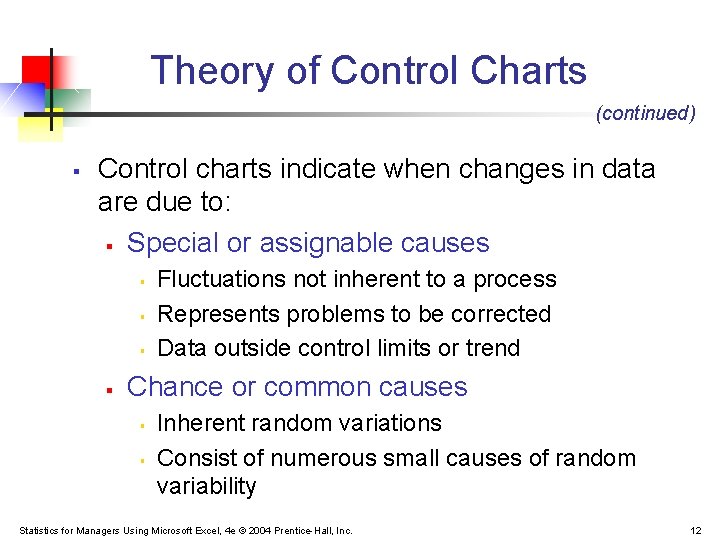
Theory of Control Charts (continued) § Control charts indicate when changes in data are due to: § Special or assignable causes § § Fluctuations not inherent to a process Represents problems to be corrected Data outside control limits or trend Chance or common causes § § Inherent random variations Consist of numerous small causes of random variability Statistics for Managers Using Microsoft Excel, 4 e © 2004 Prentice-Hall, Inc. 12
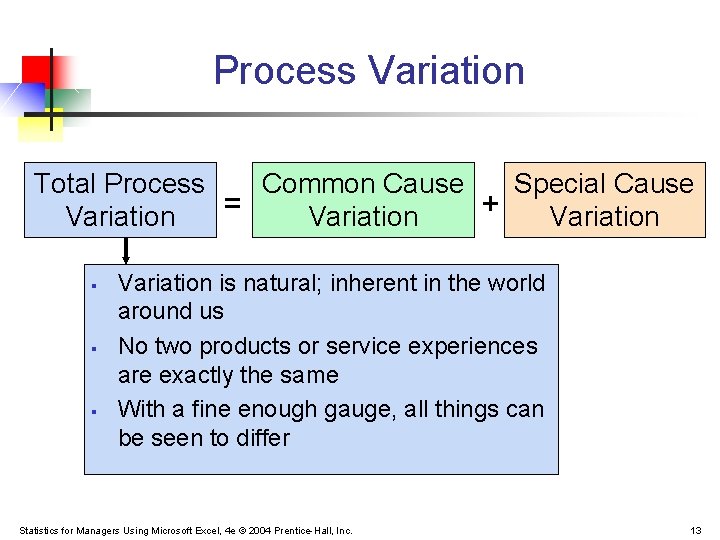
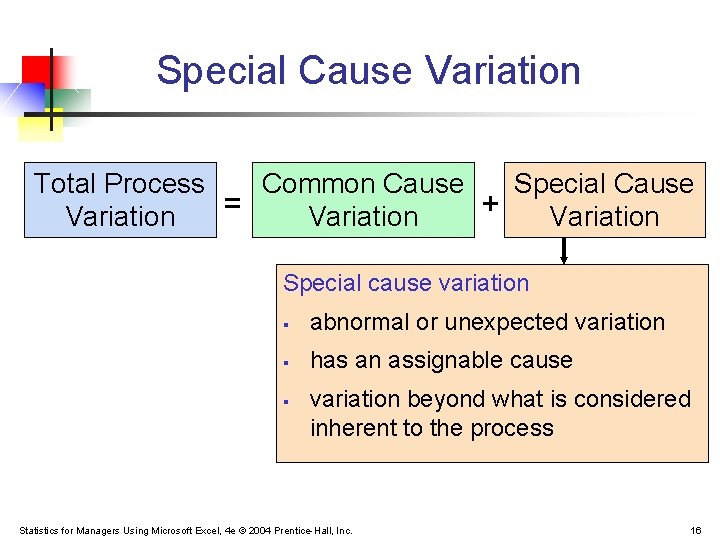
Process Variation Total Process Common Cause Special Cause = + Variation § § § Variation is natural; inherent in the world around us No two products or service experiences are exactly the same With a fine enough gauge, all things can be seen to differ Statistics for Managers Using Microsoft Excel, 4 e © 2004 Prentice-Hall, Inc. 13
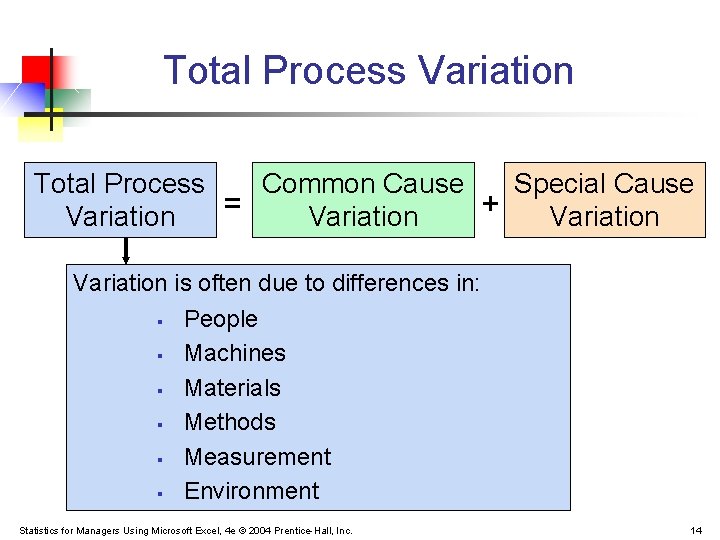
Total Process Variation Total Process Common Cause Special Cause = + Variation is often due to differences in: § People § Machines § Materials § Methods § Measurement § Environment Statistics for Managers Using Microsoft Excel, 4 e © 2004 Prentice-Hall, Inc. 14
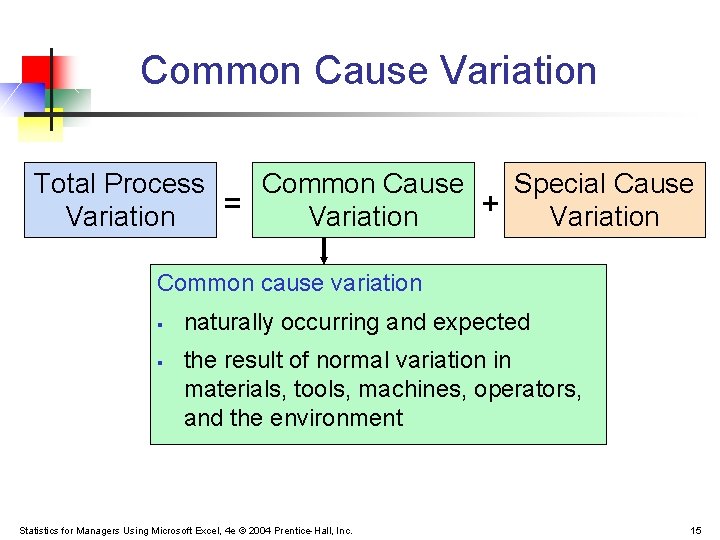
Common Cause Variation Total Process Common Cause Special Cause = + Variation Common cause variation § § naturally occurring and expected the result of normal variation in materials, tools, machines, operators, and the environment Statistics for Managers Using Microsoft Excel, 4 e © 2004 Prentice-Hall, Inc. 15
Special Cause Variation Total Process Common Cause Special Cause = + Variation Special cause variation § abnormal or unexpected variation § has an assignable cause § variation beyond what is considered inherent to the process Statistics for Managers Using Microsoft Excel, 4 e © 2004 Prentice-Hall, Inc. 16
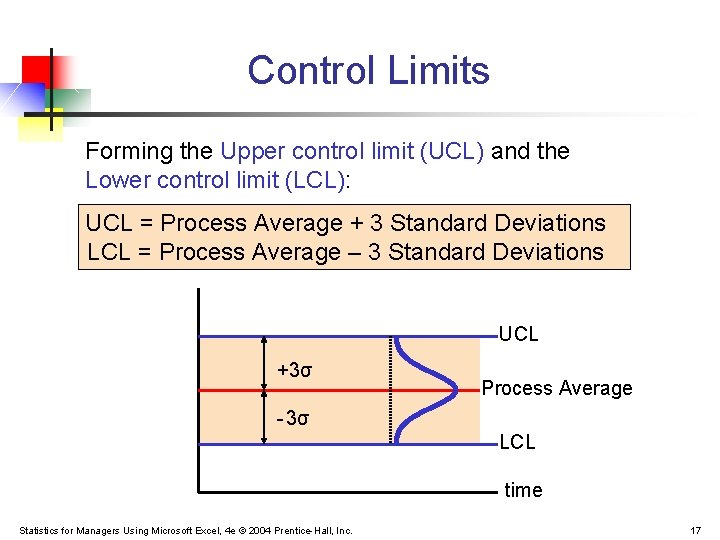
Control Limits Forming the Upper control limit (UCL) and the Lower control limit (LCL): UCL = Process Average + 3 Standard Deviations LCL = Process Average – 3 Standard Deviations UCL +3σ Process Average - 3σ LCL time Statistics for Managers Using Microsoft Excel, 4 e © 2004 Prentice-Hall, Inc. 17
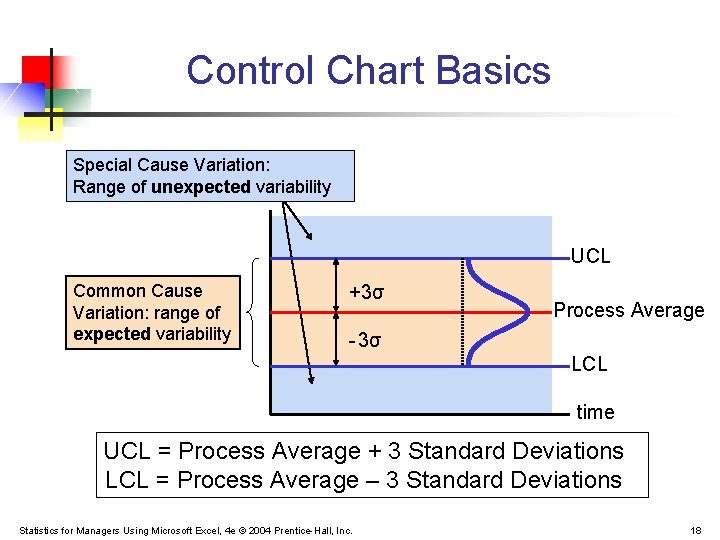
Control Chart Basics Special Cause Variation: Range of unexpected variability UCL Common Cause Variation: range of expected variability +3σ Process Average - 3σ LCL time UCL = Process Average + 3 Standard Deviations LCL = Process Average – 3 Standard Deviations Statistics for Managers Using Microsoft Excel, 4 e © 2004 Prentice-Hall, Inc. 18
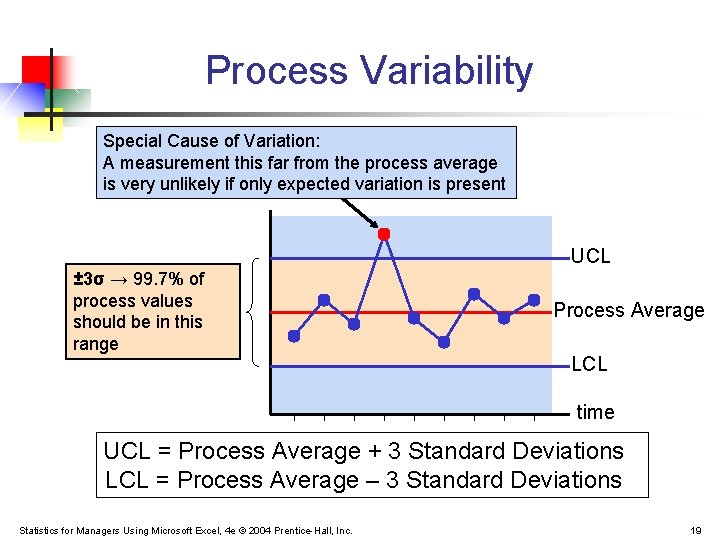
Process Variability Special Cause of Variation: A measurement this far from the process average is very unlikely if only expected variation is present UCL ± 3σ → 99. 7% of process values should be in this range Process Average LCL time UCL = Process Average + 3 Standard Deviations LCL = Process Average – 3 Standard Deviations Statistics for Managers Using Microsoft Excel, 4 e © 2004 Prentice-Hall, Inc. 19
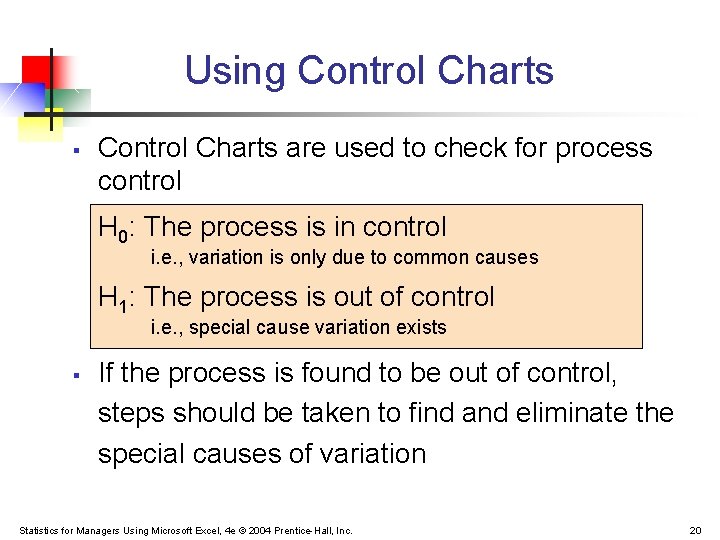
Using Control Charts § Control Charts are used to check for process control H 0: The process is in control i. e. , variation is only due to common causes H 1: The process is out of control i. e. , special cause variation exists § If the process is found to be out of control, steps should be taken to find and eliminate the special causes of variation Statistics for Managers Using Microsoft Excel, 4 e © 2004 Prentice-Hall, Inc. 20
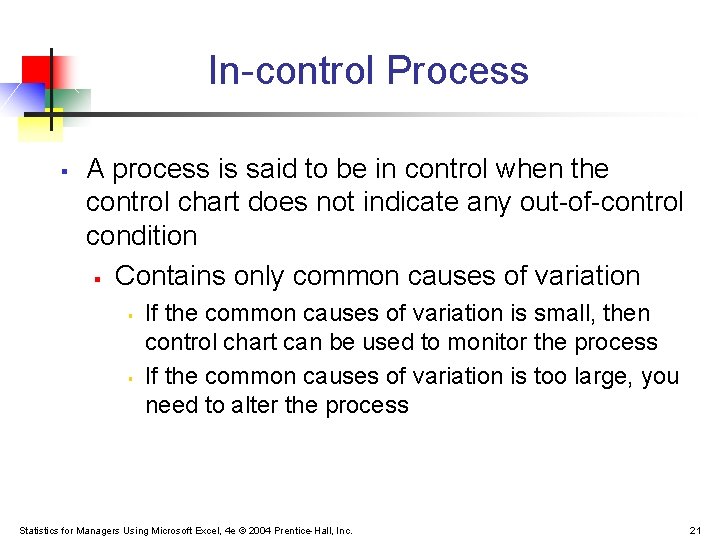
In-control Process § A process is said to be in control when the control chart does not indicate any out-of-control condition § Contains only common causes of variation § § If the common causes of variation is small, then control chart can be used to monitor the process If the common causes of variation is too large, you need to alter the process Statistics for Managers Using Microsoft Excel, 4 e © 2004 Prentice-Hall, Inc. 21
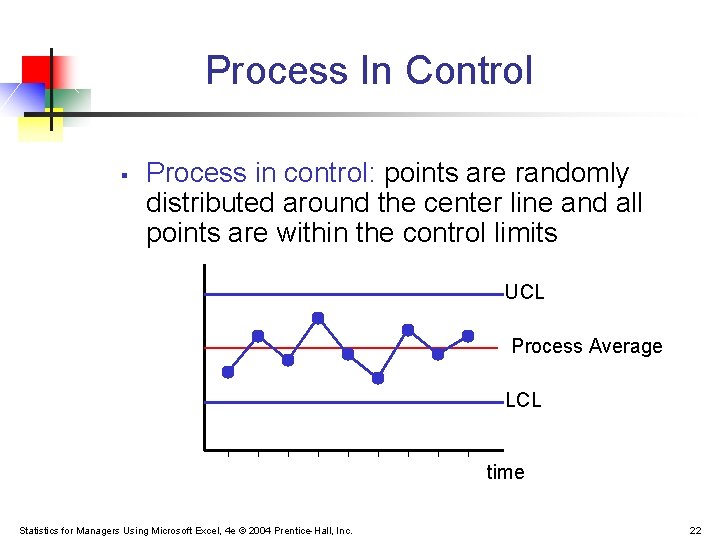
Process In Control § Process in control: points are randomly distributed around the center line and all points are within the control limits UCL Process Average LCL time Statistics for Managers Using Microsoft Excel, 4 e © 2004 Prentice-Hall, Inc. 22
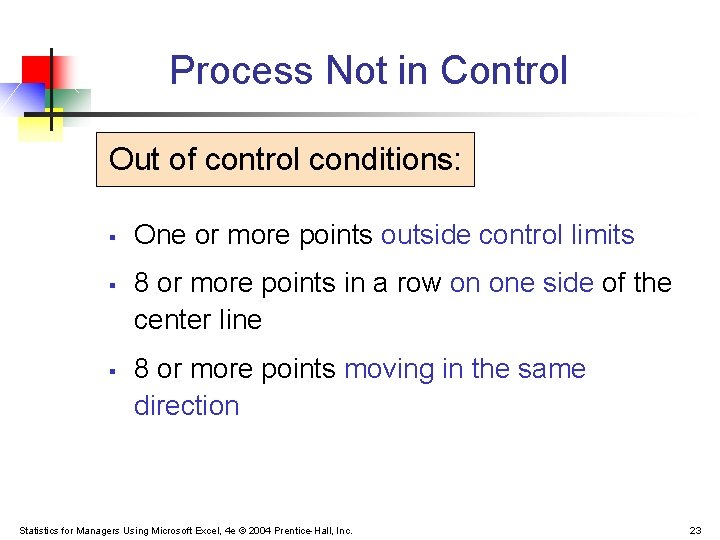
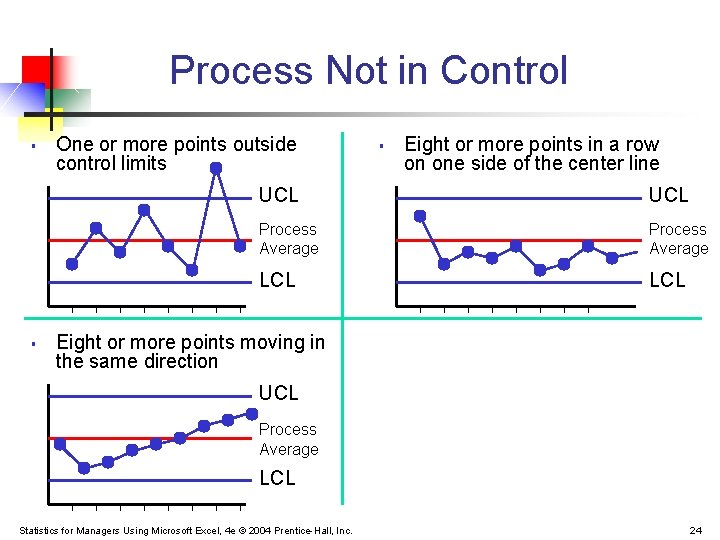
Process Not in Control Out of control conditions: § § § One or more points outside control limits 8 or more points in a row on one side of the center line 8 or more points moving in the same direction Statistics for Managers Using Microsoft Excel, 4 e © 2004 Prentice-Hall, Inc. 23
Process Not in Control § § One or more points outside control limits § Eight or more points in a row on one side of the center line UCL Process Average LCL Eight or more points moving in the same direction UCL Process Average LCL Statistics for Managers Using Microsoft Excel, 4 e © 2004 Prentice-Hall, Inc. 24
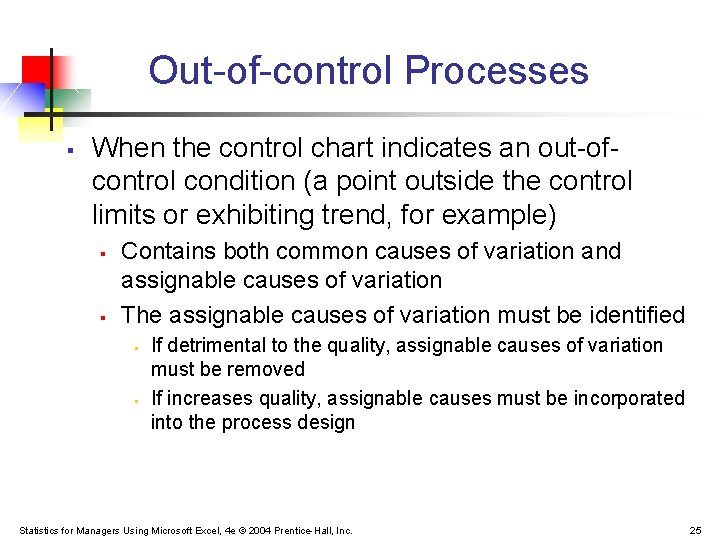
Out-of-control Processes § When the control chart indicates an out-ofcontrol condition (a point outside the control limits or exhibiting trend, for example) § § Contains both common causes of variation and assignable causes of variation The assignable causes of variation must be identified § § If detrimental to the quality, assignable causes of variation must be removed If increases quality, assignable causes must be incorporated into the process design Statistics for Managers Using Microsoft Excel, 4 e © 2004 Prentice-Hall, Inc. 25
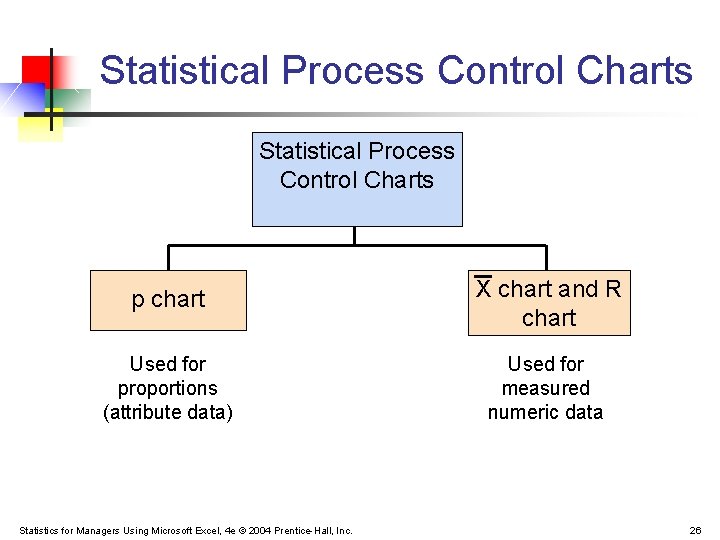
Statistical Process Control Charts p chart X chart and R chart Used for proportions (attribute data) Used for measured numeric data Statistics for Managers Using Microsoft Excel, 4 e © 2004 Prentice-Hall, Inc. 26
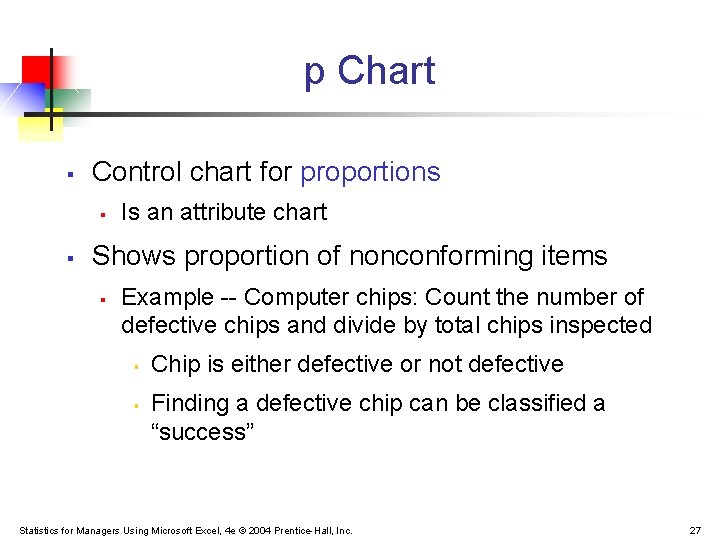
p Chart § Control chart for proportions § § Is an attribute chart Shows proportion of nonconforming items § Example -- Computer chips: Count the number of defective chips and divide by total chips inspected § § Chip is either defective or not defective Finding a defective chip can be classified a “success” Statistics for Managers Using Microsoft Excel, 4 e © 2004 Prentice-Hall, Inc. 27
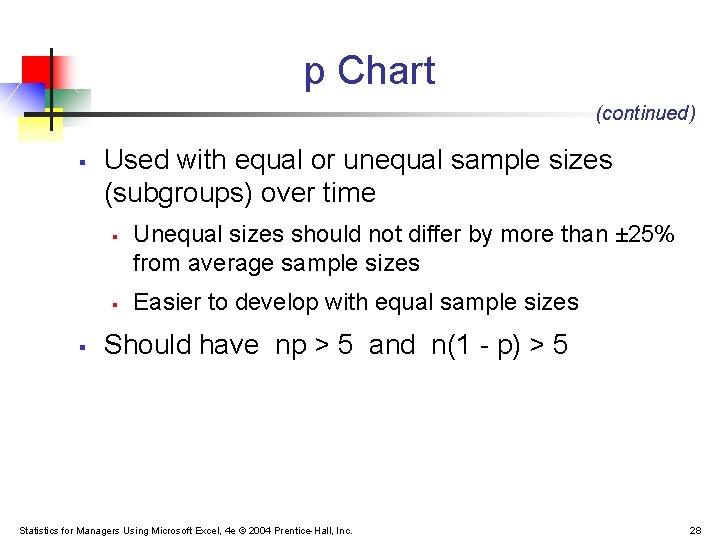
p Chart (continued) § Used with equal or unequal sample sizes (subgroups) over time § § § Unequal sizes should not differ by more than ± 25% from average sample sizes Easier to develop with equal sample sizes Should have np > 5 and n(1 - p) > 5 Statistics for Managers Using Microsoft Excel, 4 e © 2004 Prentice-Hall, Inc. 28
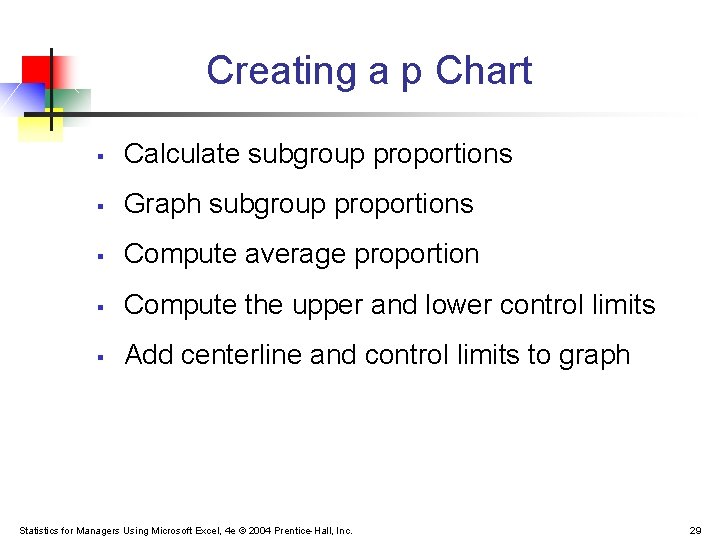
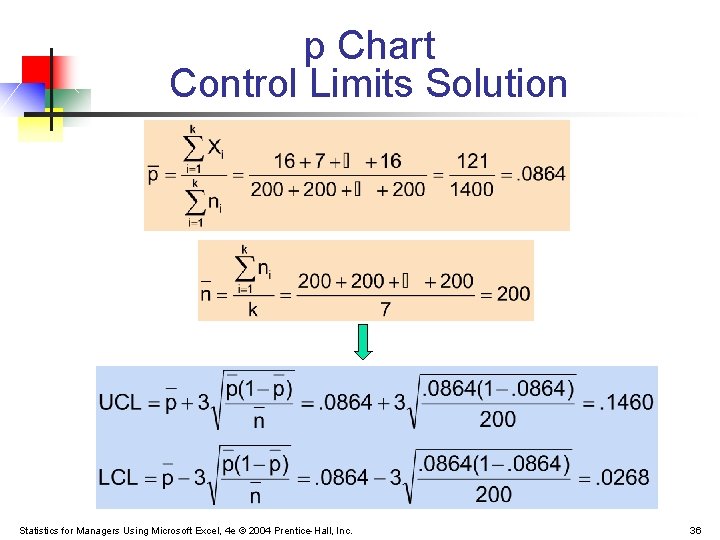
Creating a p Chart § Calculate subgroup proportions § Graph subgroup proportions § Compute average proportion § Compute the upper and lower control limits § Add centerline and control limits to graph Statistics for Managers Using Microsoft Excel, 4 e © 2004 Prentice-Hall, Inc. 29
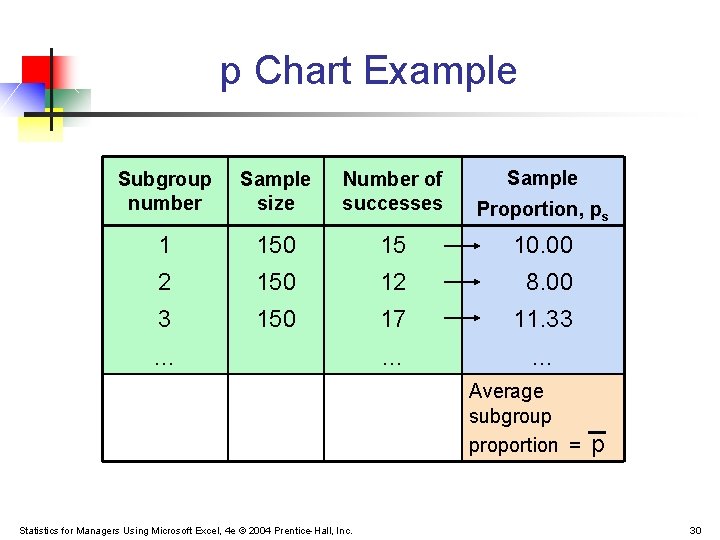
p Chart Example Subgroup number Sample size Number of successes Proportion, ps 1 150 15 10. 00 2 150 12 8. 00 3 150 17 11. 33 … … … Average subgroup proportion = Statistics for Managers Using Microsoft Excel, 4 e © 2004 Prentice-Hall, Inc. p 30
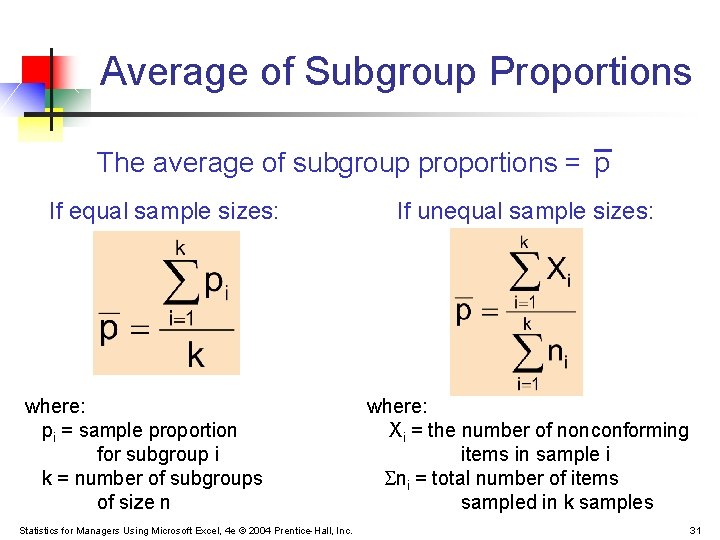
Average of Subgroup Proportions The average of subgroup proportions = p If equal sample sizes: where: pi = sample proportion for subgroup i k = number of subgroups of size n Statistics for Managers Using Microsoft Excel, 4 e © 2004 Prentice-Hall, Inc. If unequal sample sizes: where: Xi = the number of nonconforming items in sample i ni = total number of items sampled in k samples 31
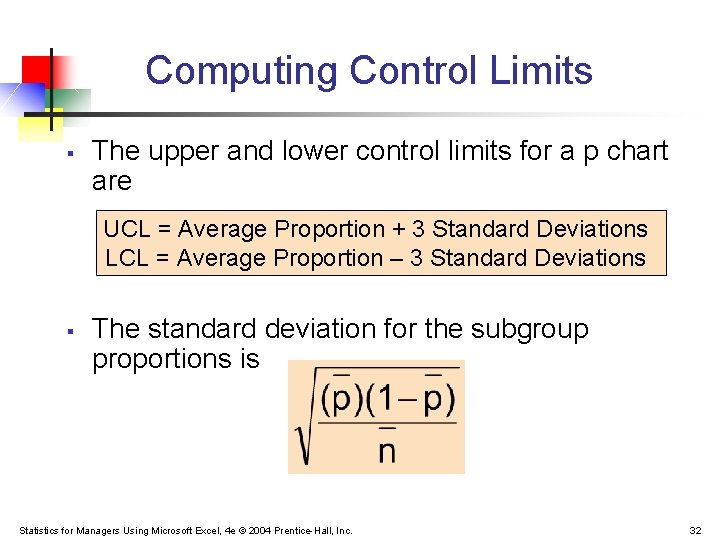
Computing Control Limits § The upper and lower control limits for a p chart are UCL = Average Proportion + 3 Standard Deviations LCL = Average Proportion – 3 Standard Deviations § The standard deviation for the subgroup proportions is Statistics for Managers Using Microsoft Excel, 4 e © 2004 Prentice-Hall, Inc. 32
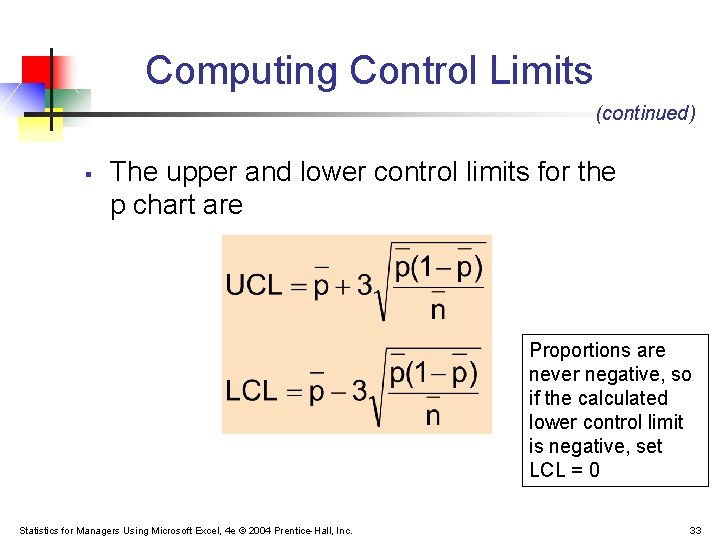
Computing Control Limits (continued) § The upper and lower control limits for the p chart are Proportions are never negative, so if the calculated lower control limit is negative, set LCL = 0 Statistics for Managers Using Microsoft Excel, 4 e © 2004 Prentice-Hall, Inc. 33
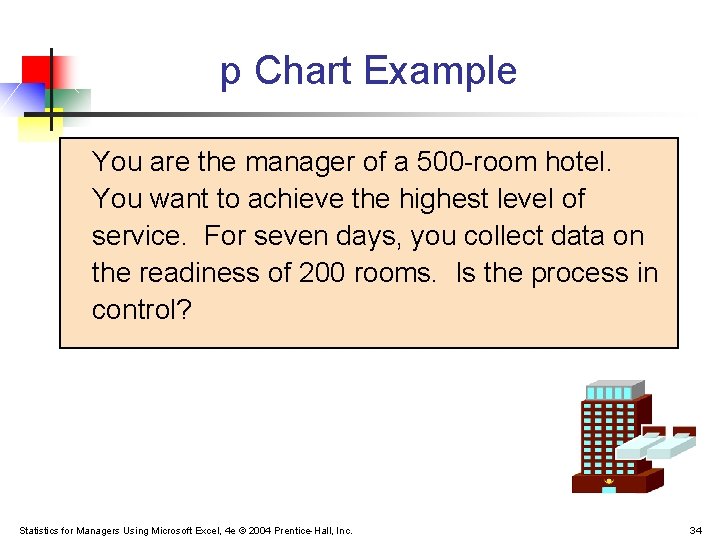
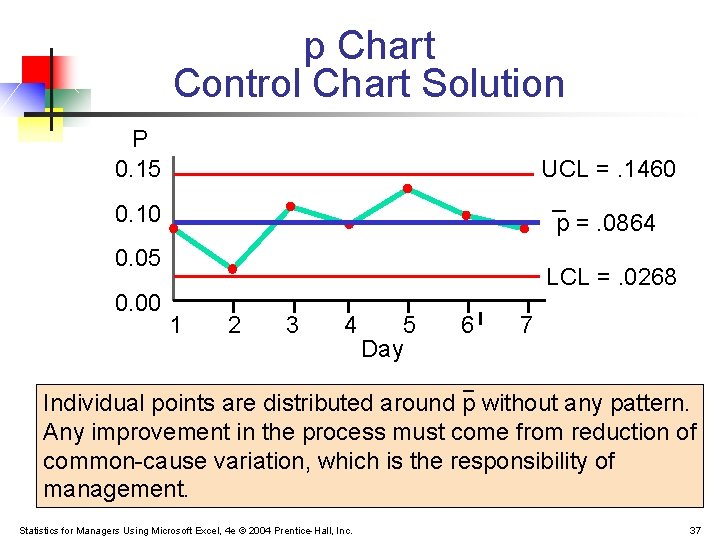
p Chart Example You are the manager of a 500 -room hotel. You want to achieve the highest level of service. For seven days, you collect data on the readiness of 200 rooms. Is the process in control? Statistics for Managers Using Microsoft Excel, 4 e © 2004 Prentice-Hall, Inc. 34
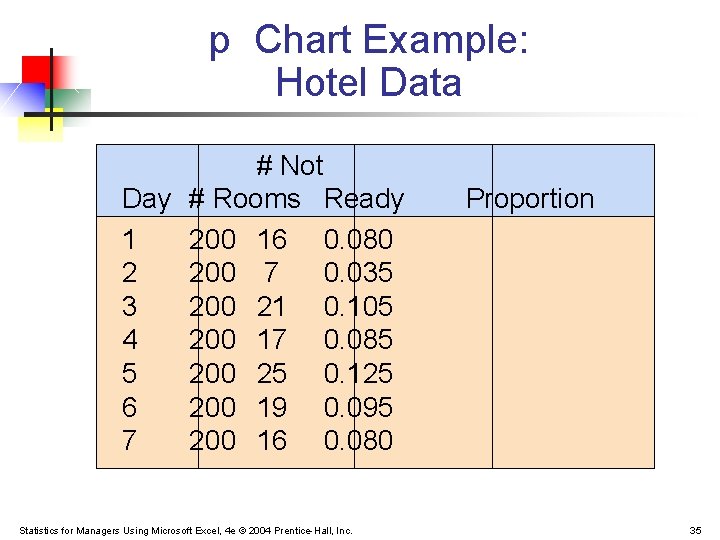
p Chart Example: Hotel Data # Not Day # Rooms Ready 1 200 16 0. 080 2 200 7 0. 035 3 200 21 0. 105 4 200 17 0. 085 5 200 25 0. 125 6 200 19 0. 095 7 200 16 0. 080 Statistics for Managers Using Microsoft Excel, 4 e © 2004 Prentice-Hall, Inc. Proportion 35
p Chart Control Limits Solution Statistics for Managers Using Microsoft Excel, 4 e © 2004 Prentice-Hall, Inc. 36
p Chart Control Chart Solution P 0. 15 UCL =. 1460 _ p =. 0864 0. 10 0. 05 0. 00 LCL =. 0268 1 2 3 4 5 Day 6 7 _ Individual points are distributed around p without any pattern. Any improvement in the process must come from reduction of common-cause variation, which is the responsibility of management. Statistics for Managers Using Microsoft Excel, 4 e © 2004 Prentice-Hall, Inc. 37
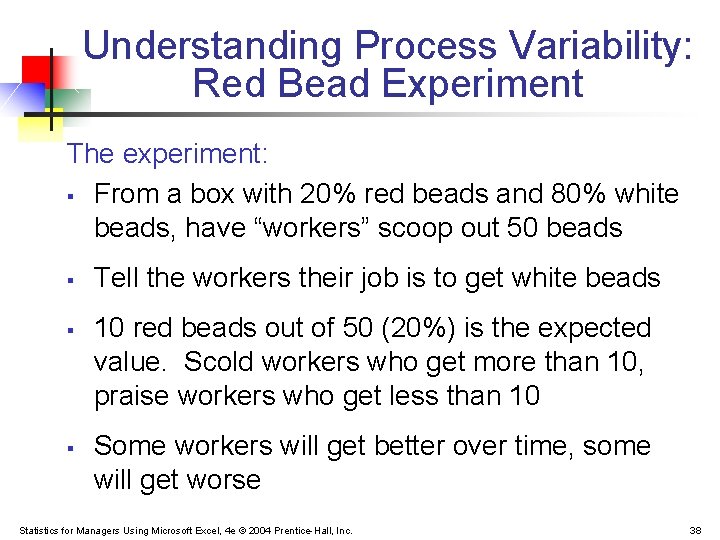
Understanding Process Variability: Red Bead Experiment The experiment: § From a box with 20% red beads and 80% white beads, have “workers” scoop out 50 beads § § § Tell the workers their job is to get white beads 10 red beads out of 50 (20%) is the expected value. Scold workers who get more than 10, praise workers who get less than 10 Some workers will get better over time, some will get worse Statistics for Managers Using Microsoft Excel, 4 e © 2004 Prentice-Hall, Inc. 38
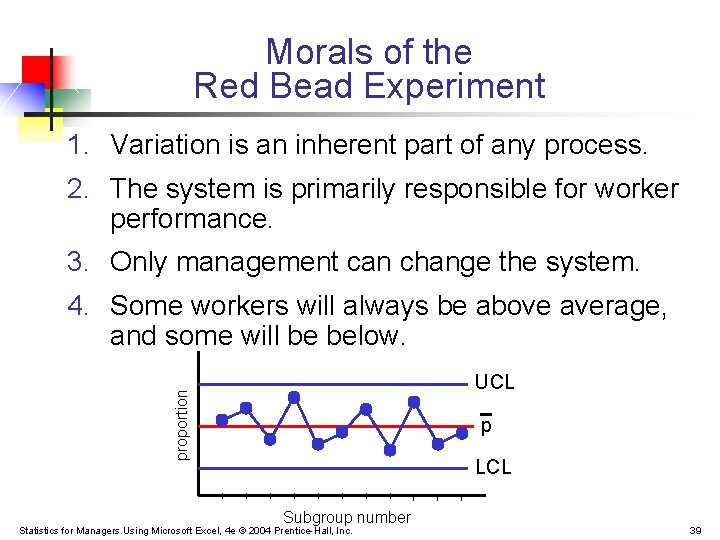
Morals of the Red Bead Experiment 1. Variation is an inherent part of any process. 2. The system is primarily responsible for worker performance. 3. Only management can change the system. 4. Some workers will always be above average, and some will be below. proportion UCL p LCL Subgroup number Statistics for Managers Using Microsoft Excel, 4 e © 2004 Prentice-Hall, Inc. 39
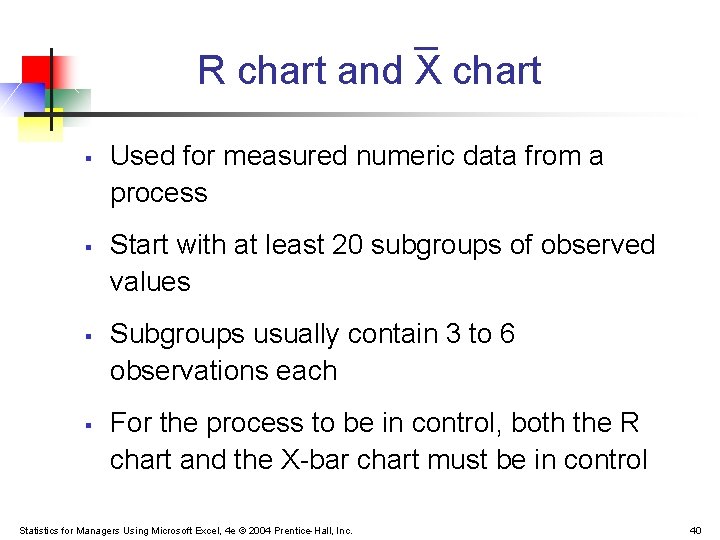
R chart and X chart § § Used for measured numeric data from a process Start with at least 20 subgroups of observed values Subgroups usually contain 3 to 6 observations each For the process to be in control, both the R chart and the X-bar chart must be in control Statistics for Managers Using Microsoft Excel, 4 e © 2004 Prentice-Hall, Inc. 40
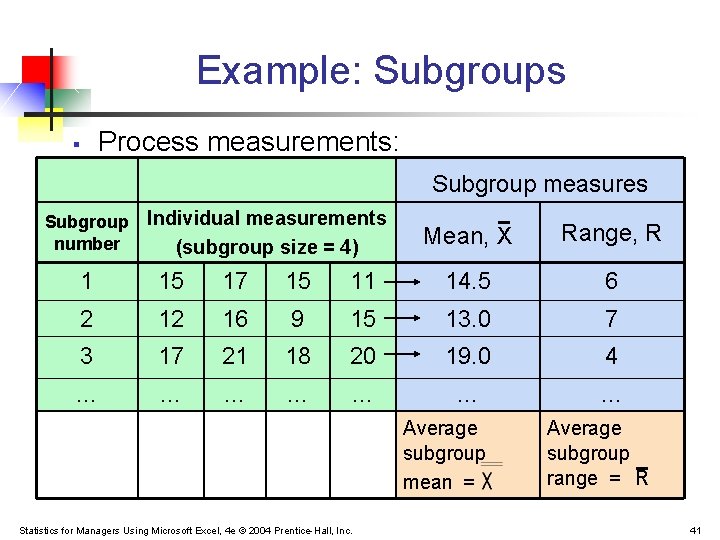
Example: Subgroups § Process measurements: Subgroup measures Subgroup Individual measurements number (subgroup size = 4) Mean, X Range, R 1 15 17 15 11 14. 5 6 2 12 16 9 15 13. 0 7 3 17 21 18 20 19. 0 4 … … … … Average subgroup mean = Statistics for Managers Using Microsoft Excel, 4 e © 2004 Prentice-Hall, Inc. Average subgroup range = R 41
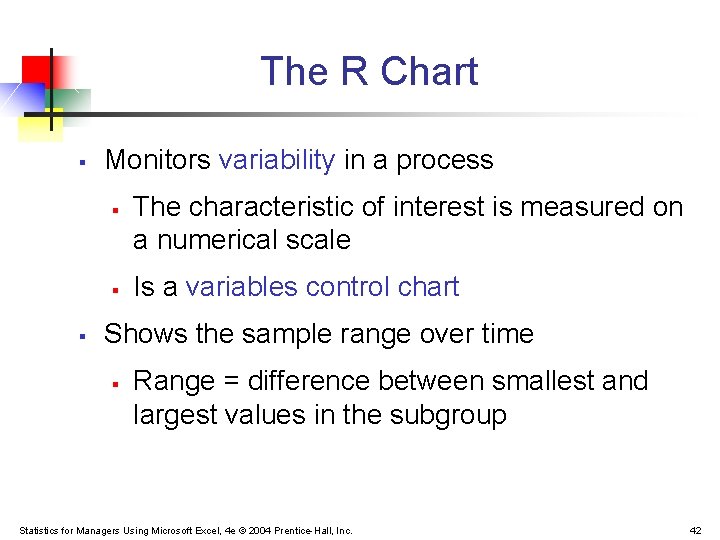
The R Chart § Monitors variability in a process § § § The characteristic of interest is measured on a numerical scale Is a variables control chart Shows the sample range over time § Range = difference between smallest and largest values in the subgroup Statistics for Managers Using Microsoft Excel, 4 e © 2004 Prentice-Hall, Inc. 42
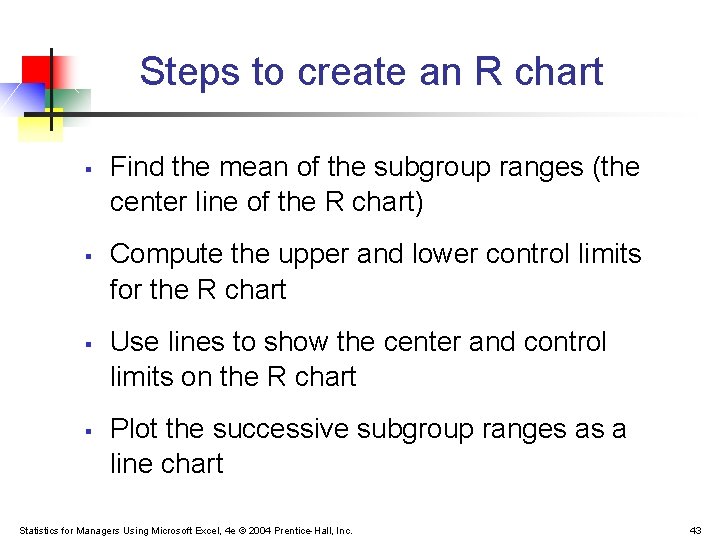
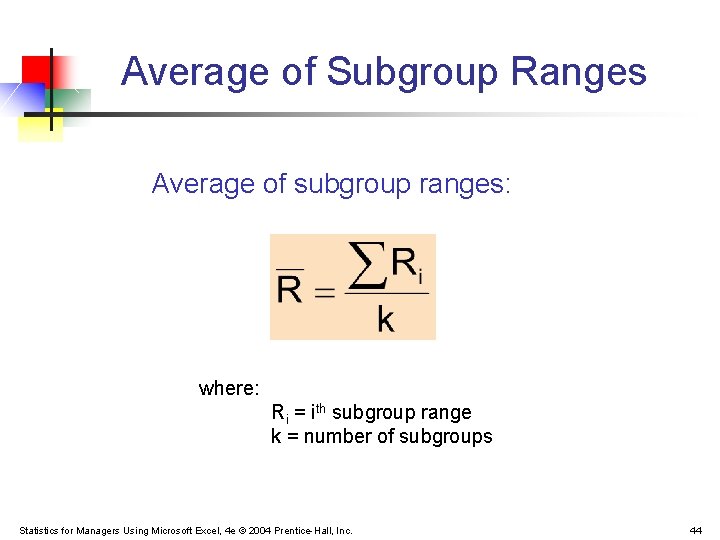
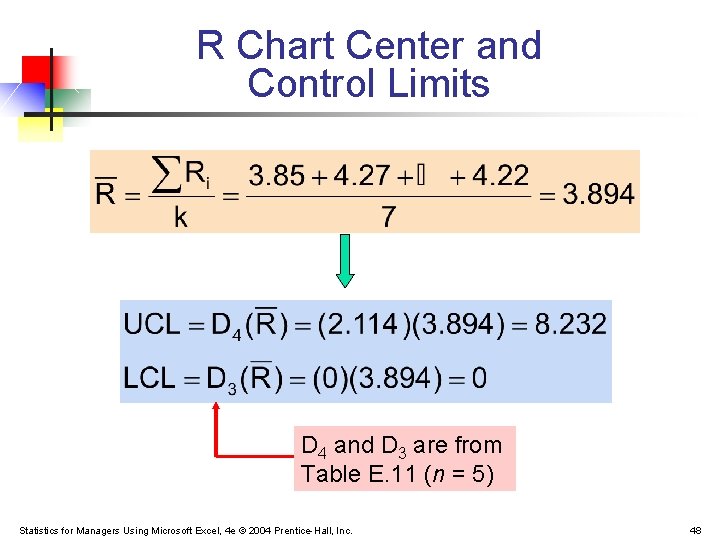
Steps to create an R chart § § Find the mean of the subgroup ranges (the center line of the R chart) Compute the upper and lower control limits for the R chart Use lines to show the center and control limits on the R chart Plot the successive subgroup ranges as a line chart Statistics for Managers Using Microsoft Excel, 4 e © 2004 Prentice-Hall, Inc. 43
Average of Subgroup Ranges Average of subgroup ranges: where: Ri = ith subgroup range k = number of subgroups Statistics for Managers Using Microsoft Excel, 4 e © 2004 Prentice-Hall, Inc. 44
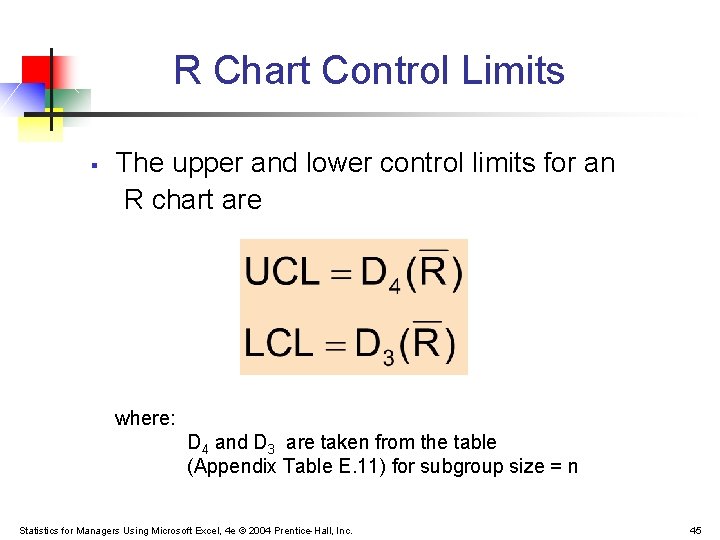
R Chart Control Limits § The upper and lower control limits for an R chart are where: D 4 and D 3 are taken from the table (Appendix Table E. 11) for subgroup size = n Statistics for Managers Using Microsoft Excel, 4 e © 2004 Prentice-Hall, Inc. 45
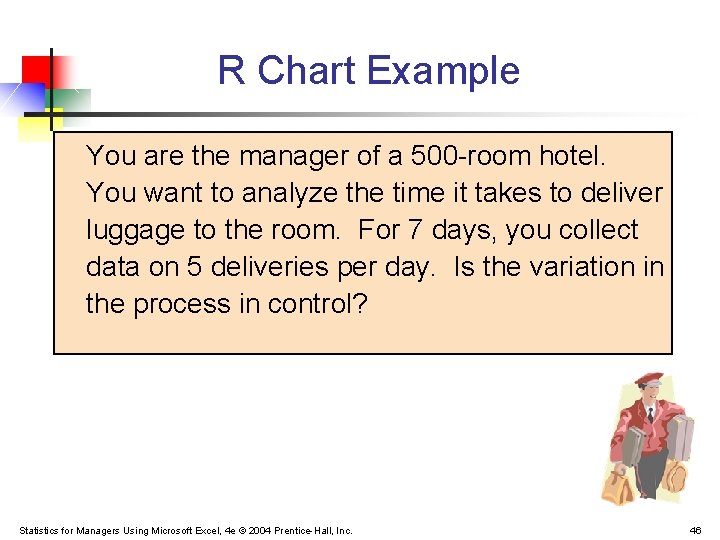
R Chart Example You are the manager of a 500 -room hotel. You want to analyze the time it takes to deliver luggage to the room. For 7 days, you collect data on 5 deliveries per day. Is the variation in the process in control? Statistics for Managers Using Microsoft Excel, 4 e © 2004 Prentice-Hall, Inc. 46
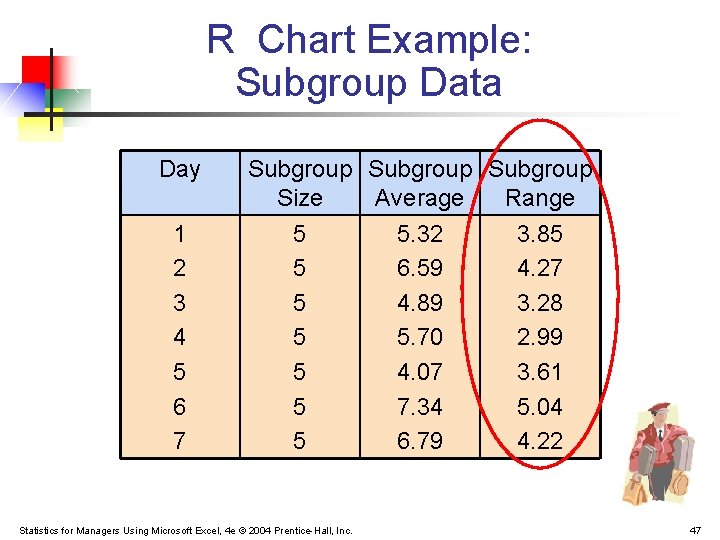
R Chart Example: Subgroup Data Day 1 2 3 4 5 6 7 Subgroup Size Average Range 5 5 5 5 Statistics for Managers Using Microsoft Excel, 4 e © 2004 Prentice-Hall, Inc. 5. 32 6. 59 4. 89 5. 70 4. 07 7. 34 6. 79 3. 85 4. 27 3. 28 2. 99 3. 61 5. 04 4. 22 47
R Chart Center and Control Limits D 4 and D 3 are from Table E. 11 (n = 5) Statistics for Managers Using Microsoft Excel, 4 e © 2004 Prentice-Hall, Inc. 48
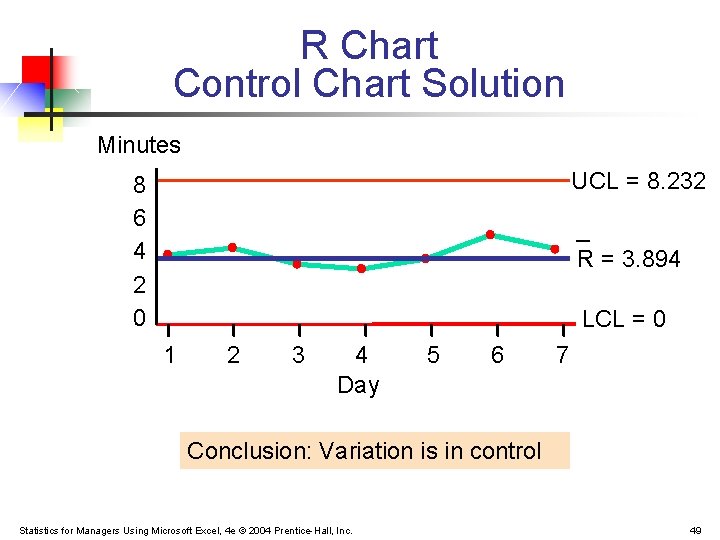
R Chart Control Chart Solution Minutes UCL = 8. 232 8 6 4 2 0 _ R = 3. 894 LCL = 0 1 2 3 4 Day 5 6 7 Conclusion: Variation is in control Statistics for Managers Using Microsoft Excel, 4 e © 2004 Prentice-Hall, Inc. 49
The X Chart § § § Shows the means of successive subgroups over time Monitors process average Must be preceded by examination of the R chart to make sure that the variation in the process is in control Statistics for Managers Using Microsoft Excel, 4 e © 2004 Prentice-Hall, Inc. 50
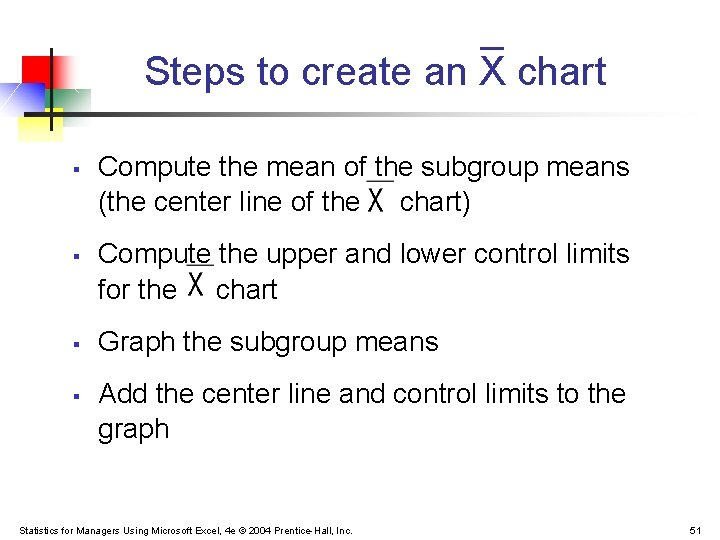
Steps to create an X chart § § Compute the mean of the subgroup means (the center line of the chart) Compute the upper and lower control limits for the chart Graph the subgroup means Add the center line and control limits to the graph Statistics for Managers Using Microsoft Excel, 4 e © 2004 Prentice-Hall, Inc. 51
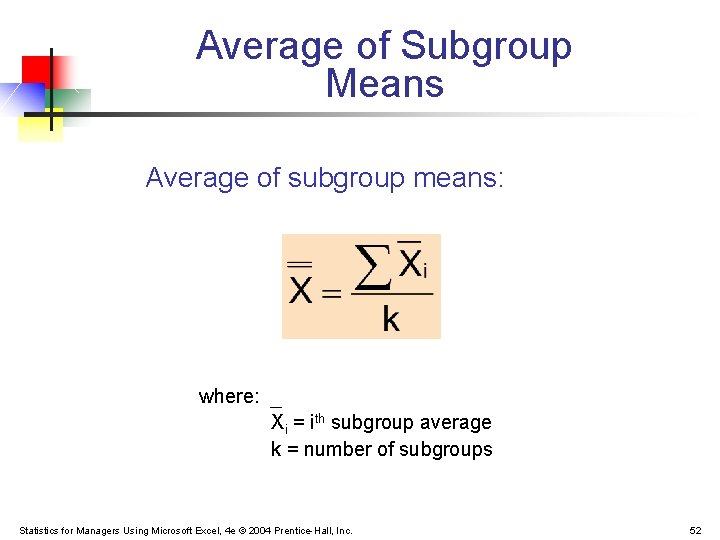
Average of Subgroup Means Average of subgroup means: where: Xi = ith subgroup average k = number of subgroups Statistics for Managers Using Microsoft Excel, 4 e © 2004 Prentice-Hall, Inc. 52
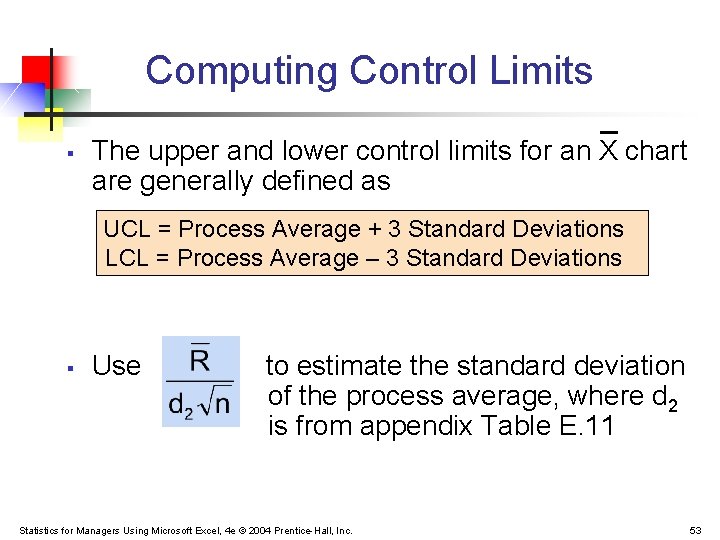
Computing Control Limits § The upper and lower control limits for an X chart are generally defined as UCL = Process Average + 3 Standard Deviations LCL = Process Average – 3 Standard Deviations § Use to estimate the standard deviation of the process average, where d 2 is from appendix Table E. 11 Statistics for Managers Using Microsoft Excel, 4 e © 2004 Prentice-Hall, Inc. 53
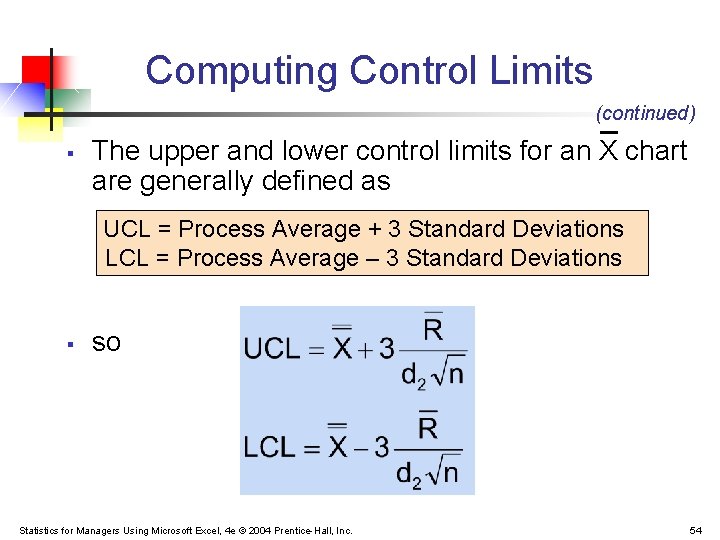
Computing Control Limits (continued) § The upper and lower control limits for an X chart are generally defined as UCL = Process Average + 3 Standard Deviations LCL = Process Average – 3 Standard Deviations § so Statistics for Managers Using Microsoft Excel, 4 e © 2004 Prentice-Hall, Inc. 54
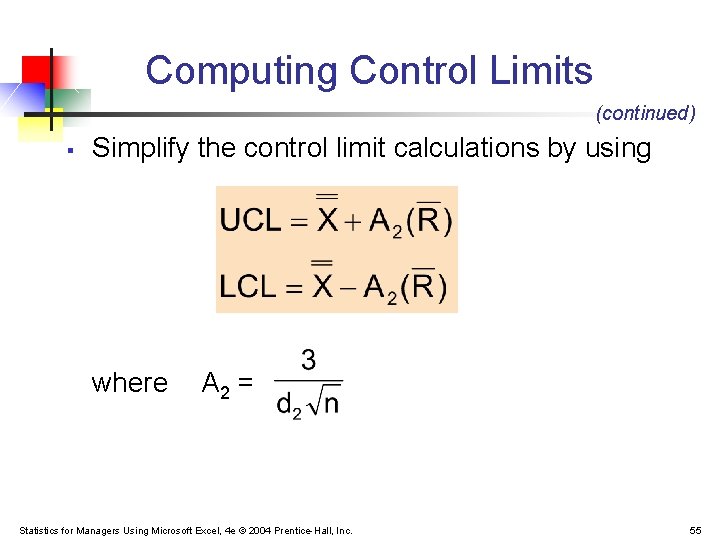
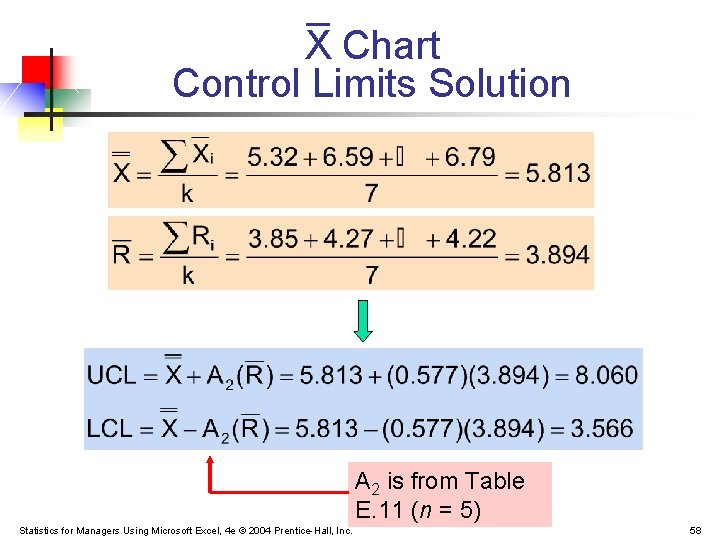
Computing Control Limits (continued) § Simplify the control limit calculations by using where A 2 = Statistics for Managers Using Microsoft Excel, 4 e © 2004 Prentice-Hall, Inc. 55
X Chart Example You are the manager of a 500 -room hotel. You want to analyze the time it takes to deliver luggage to the room. For seven days, you collect data on five deliveries per day. Is the process average in control? Statistics for Managers Using Microsoft Excel, 4 e © 2004 Prentice-Hall, Inc. 56
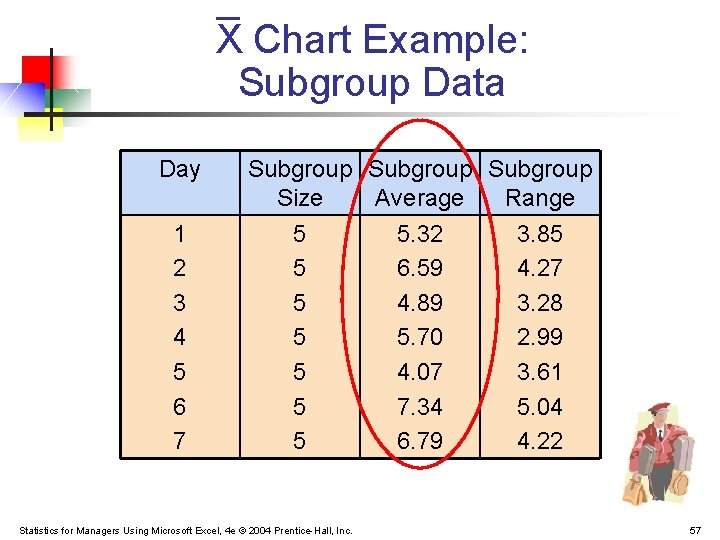
X Chart Example: Subgroup Data Day 1 2 3 4 5 6 7 Subgroup Size Average Range 5 5 5 5 Statistics for Managers Using Microsoft Excel, 4 e © 2004 Prentice-Hall, Inc. 5. 32 6. 59 4. 89 5. 70 4. 07 7. 34 6. 79 3. 85 4. 27 3. 28 2. 99 3. 61 5. 04 4. 22 57
X Chart Control Limits Solution A 2 is from Table E. 11 (n = 5) Statistics for Managers Using Microsoft Excel, 4 e © 2004 Prentice-Hall, Inc. 58
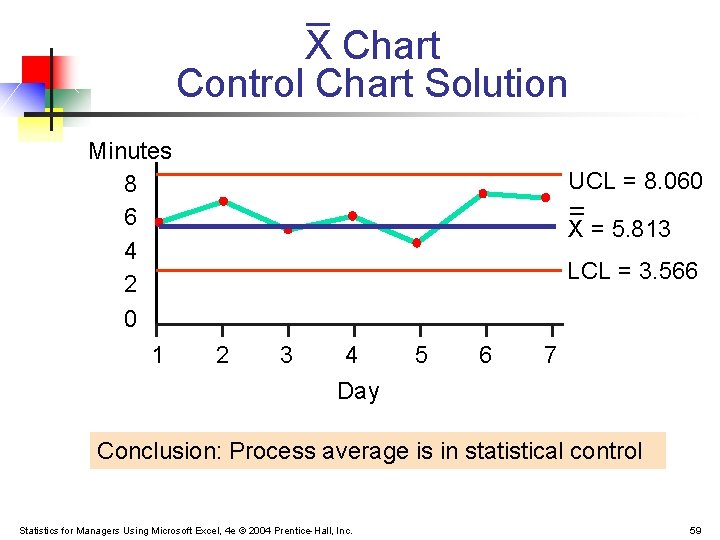
X Chart Control Chart Solution Minutes 8 6 4 2 0 1 UCL = 8. 060 _ _ X = 5. 813 LCL = 3. 566 2 3 4 Day 5 6 7 Conclusion: Process average is in statistical control Statistics for Managers Using Microsoft Excel, 4 e © 2004 Prentice-Hall, Inc. 59
Control Charts in PHStat Use: § PHStat | control charts | p chart … § PHStat | control charts | R & XBar charts … Statistics for Managers Using Microsoft Excel, 4 e © 2004 Prentice-Hall, Inc. 60
Process Capability § § Process capability is the ability of a process to consistently meet specified customer-driven requirements Specification limits are set by management in response to customers’ expectations The upper specification limit (USL) is the largest value that can be obtained and still conform to customers’ expectations The lower specification limit (LSL) is the smallest value that is still conforming Statistics for Managers Using Microsoft Excel, 4 e © 2004 Prentice-Hall, Inc. 61
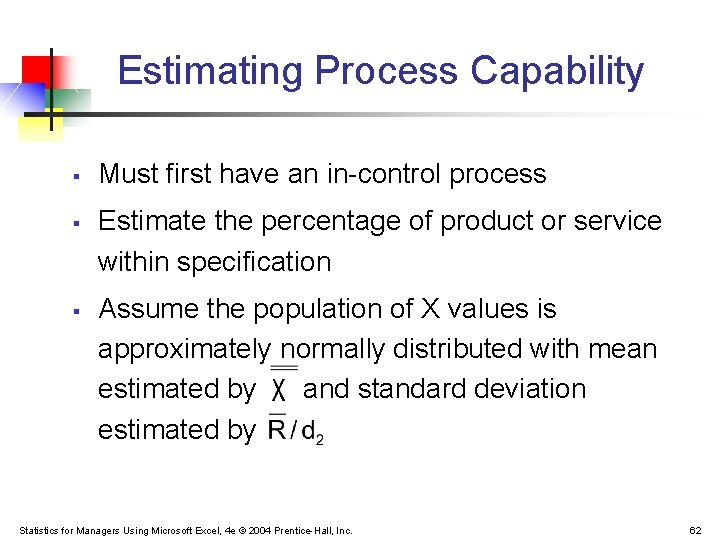
Estimating Process Capability § § § Must first have an in-control process Estimate the percentage of product or service within specification Assume the population of X values is approximately normally distributed with mean estimated by and standard deviation estimated by Statistics for Managers Using Microsoft Excel, 4 e © 2004 Prentice-Hall, Inc. 62
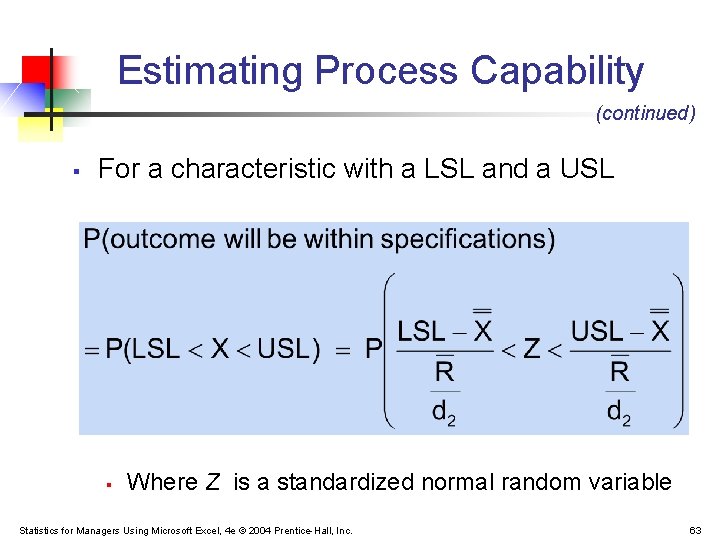
Estimating Process Capability (continued) § For a characteristic with a LSL and a USL § Where Z is a standardized normal random variable Statistics for Managers Using Microsoft Excel, 4 e © 2004 Prentice-Hall, Inc. 63
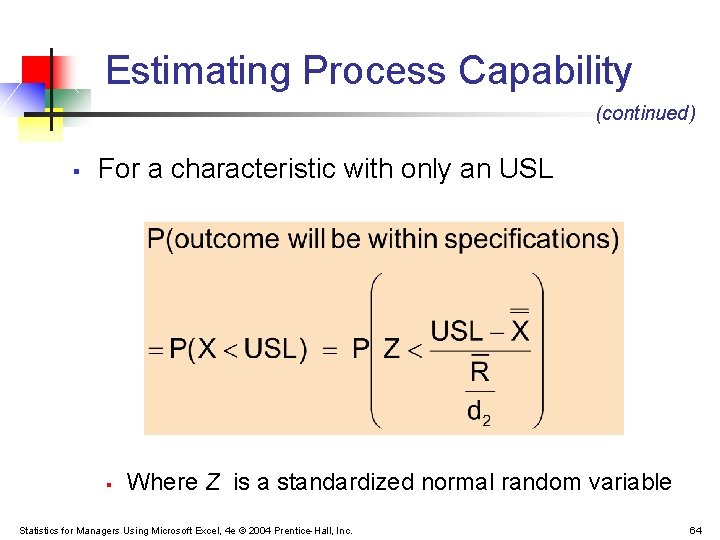
Estimating Process Capability (continued) § For a characteristic with only an USL § Where Z is a standardized normal random variable Statistics for Managers Using Microsoft Excel, 4 e © 2004 Prentice-Hall, Inc. 64
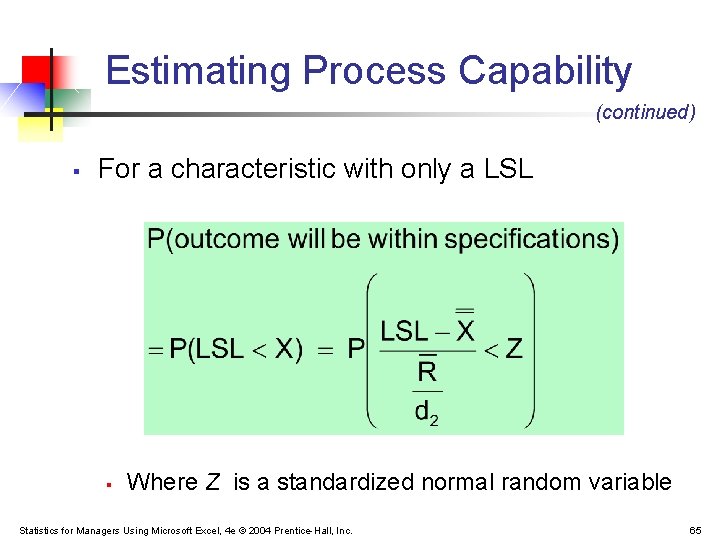
Estimating Process Capability (continued) § For a characteristic with only a LSL § Where Z is a standardized normal random variable Statistics for Managers Using Microsoft Excel, 4 e © 2004 Prentice-Hall, Inc. 65
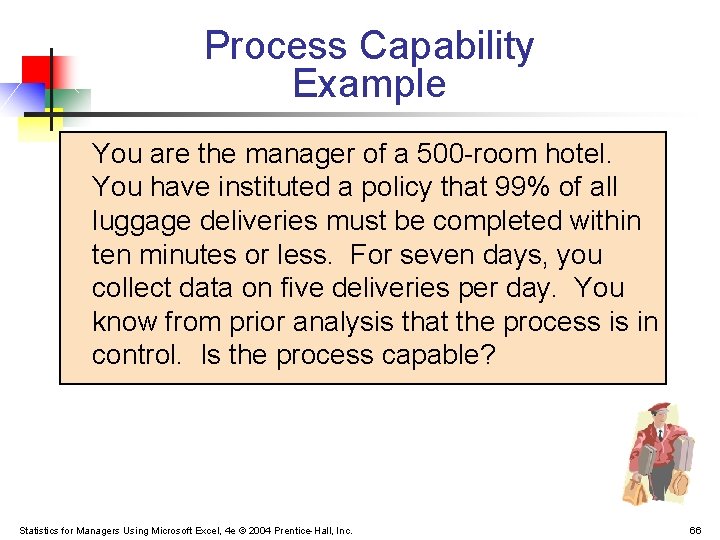
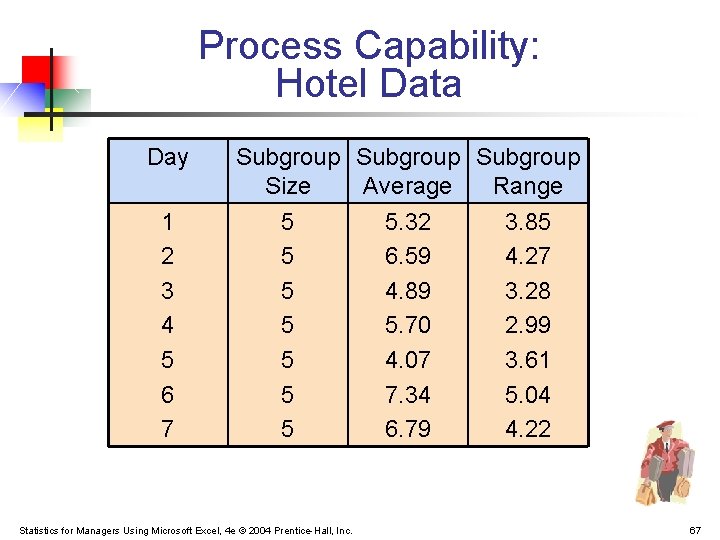
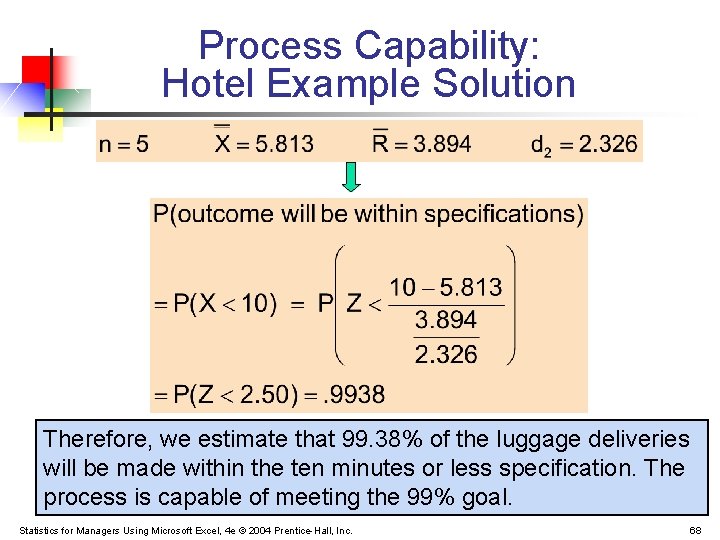
Process Capability Example You are the manager of a 500 -room hotel. You have instituted a policy that 99% of all luggage deliveries must be completed within ten minutes or less. For seven days, you collect data on five deliveries per day. You know from prior analysis that the process is in control. Is the process capable? Statistics for Managers Using Microsoft Excel, 4 e © 2004 Prentice-Hall, Inc. 66
Process Capability: Hotel Data Day 1 2 3 4 5 6 7 Subgroup Size Average Range 5 5 5 5 Statistics for Managers Using Microsoft Excel, 4 e © 2004 Prentice-Hall, Inc. 5. 32 6. 59 4. 89 5. 70 4. 07 7. 34 6. 79 3. 85 4. 27 3. 28 2. 99 3. 61 5. 04 4. 22 67
Process Capability: Hotel Example Solution Therefore, we estimate that 99. 38% of the luggage deliveries will be made within the ten minutes or less specification. The process is capable of meeting the 99% goal. Statistics for Managers Using Microsoft Excel, 4 e © 2004 Prentice-Hall, Inc. 68
Capability Indices § § A process capability index is an aggregate measure of a process’s ability to meet specification limits The larger the value, the more capable a process is of meeting requirements Statistics for Managers Using Microsoft Excel, 4 e © 2004 Prentice-Hall, Inc. 69
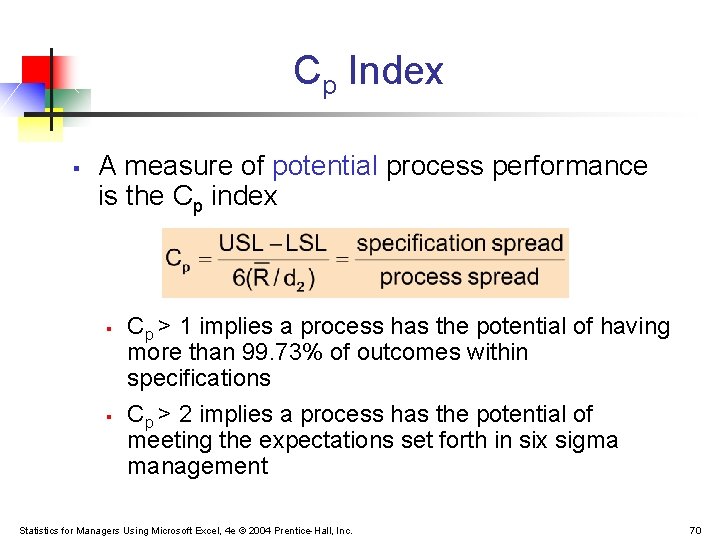
Cp Index § A measure of potential process performance is the Cp index § § Cp > 1 implies a process has the potential of having more than 99. 73% of outcomes within specifications Cp > 2 implies a process has the potential of meeting the expectations set forth in six sigma management Statistics for Managers Using Microsoft Excel, 4 e © 2004 Prentice-Hall, Inc. 70
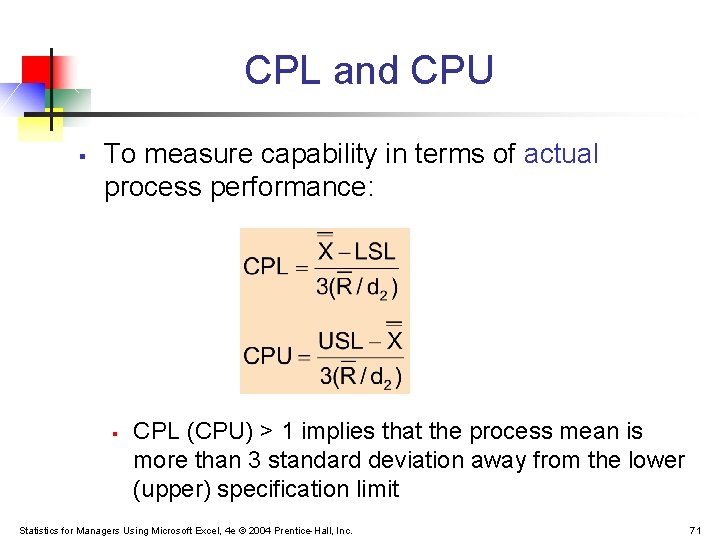
CPL and CPU § To measure capability in terms of actual process performance: § CPL (CPU) > 1 implies that the process mean is more than 3 standard deviation away from the lower (upper) specification limit Statistics for Managers Using Microsoft Excel, 4 e © 2004 Prentice-Hall, Inc. 71
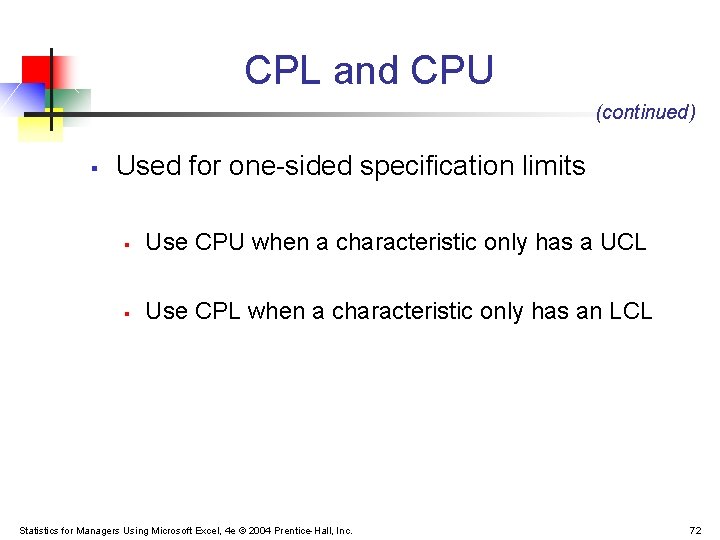
CPL and CPU (continued) § Used for one-sided specification limits § Use CPU when a characteristic only has a UCL § Use CPL when a characteristic only has an LCL Statistics for Managers Using Microsoft Excel, 4 e © 2004 Prentice-Hall, Inc. 72
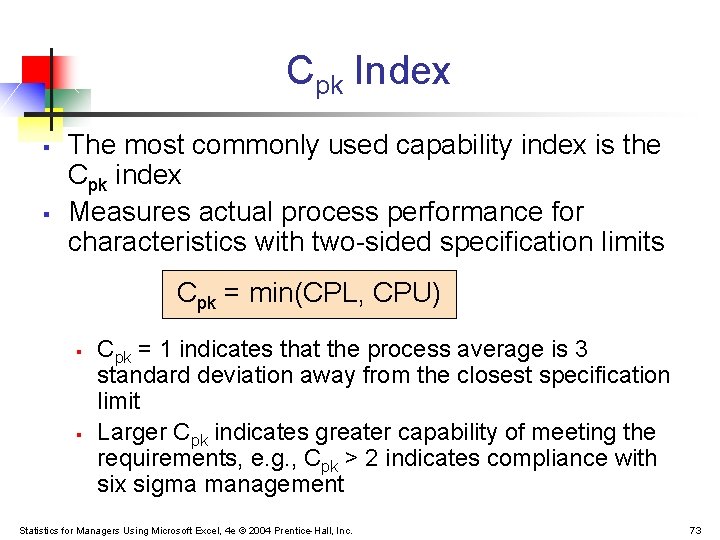
Cpk Index § § The most commonly used capability index is the Cpk index Measures actual process performance for characteristics with two-sided specification limits Cpk = min(CPL, CPU) § § Cpk = 1 indicates that the process average is 3 standard deviation away from the closest specification limit Larger Cpk indicates greater capability of meeting the requirements, e. g. , Cpk > 2 indicates compliance with six sigma management Statistics for Managers Using Microsoft Excel, 4 e © 2004 Prentice-Hall, Inc. 73
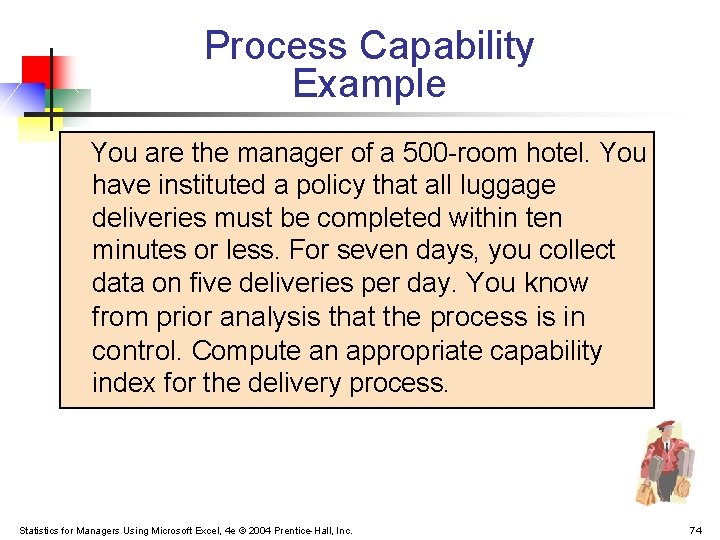
Process Capability Example You are the manager of a 500 -room hotel. You have instituted a policy that all luggage deliveries must be completed within ten minutes or less. For seven days, you collect data on five deliveries per day. You know from prior analysis that the process is in control. Compute an appropriate capability index for the delivery process. Statistics for Managers Using Microsoft Excel, 4 e © 2004 Prentice-Hall, Inc. 74
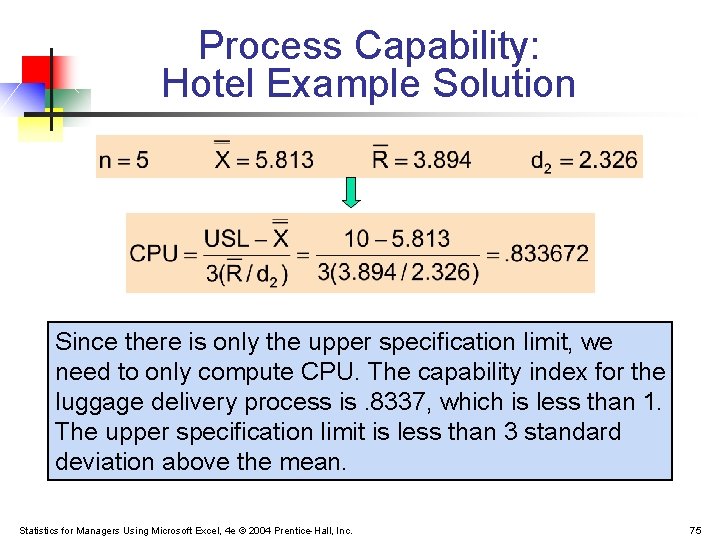
Process Capability: Hotel Example Solution Since there is only the upper specification limit, we need to only compute CPU. The capability index for the luggage delivery process is. 8337, which is less than 1. The upper specification limit is less than 3 standard deviation above the mean. Statistics for Managers Using Microsoft Excel, 4 e © 2004 Prentice-Hall, Inc. 75
Chapter Summary § Reviewed the philosophy of quality management § Deming’s 14 points § Discussed Six Sigma® Management § Reduce defects to no more than 3. 4 per million § Uses DMAIC model for process improvement § Discussed theory of control charts § Common cause variation vs. special cause variation § Constructed and interpreted p charts § Constructed and interpreted X and R charts § Obtained and interpreted process capability measures Statistics for Managers Using Microsoft Excel, 4 e © 2004 Prentice-Hall, Inc. 76