Now Playing Pilot The Notwist from Neon Golden

- Slides: 61
Now Playing: Pilot The Notwist from Neon Golden Released February 25, 2003
Movie: Boundin’ Pixar, 2003
Ray Tracing II Rick Skarbez, Instructor COMP 575 November 1, 2007
Announcements • Assignment 3 (texture mapping and ray tracing) is out, due Thursday by the end of class • Also due on Thursday is your project proposal • Make sure you meet with me if you haven’t already • Programming Assignment 4 (Ray tracer) is out today, due Tuesday 11/20 by 11: 59 pm
Assignment 3 • Homework 3 is due next time • • Texture mapping Ray generation Ray-object intersection Refraction • Any questions?
Programming Assignment 4 • Build a ray tracer • Components: • • • Handle file output • You will be storing your images to disk Generate ray casted images Generate ray traced images
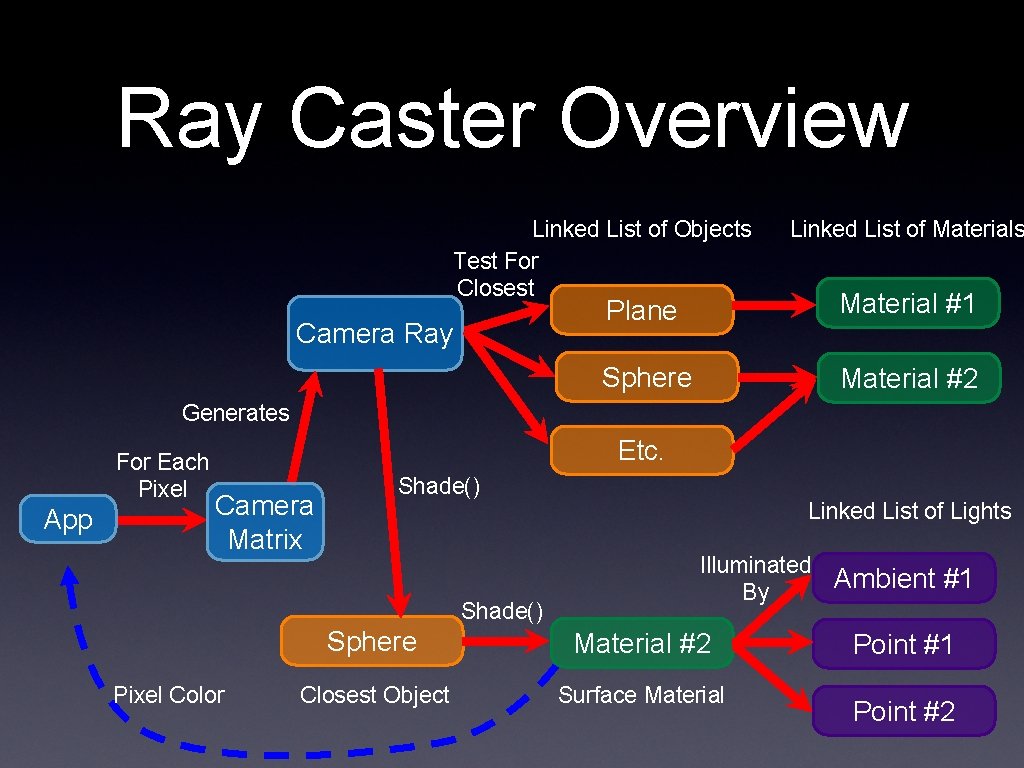
Ray Caster Overview Linked List of Objects Test For Closest Camera Ray Linked List of Materials Plane Material #1 Sphere Material #2 Generates For Each Pixel App Etc. Camera Matrix Shade() Pixel Color Linked List of Lights Illuminated By Sphere Material #2 Closest Object Surface Material Ambient #1 Point #2
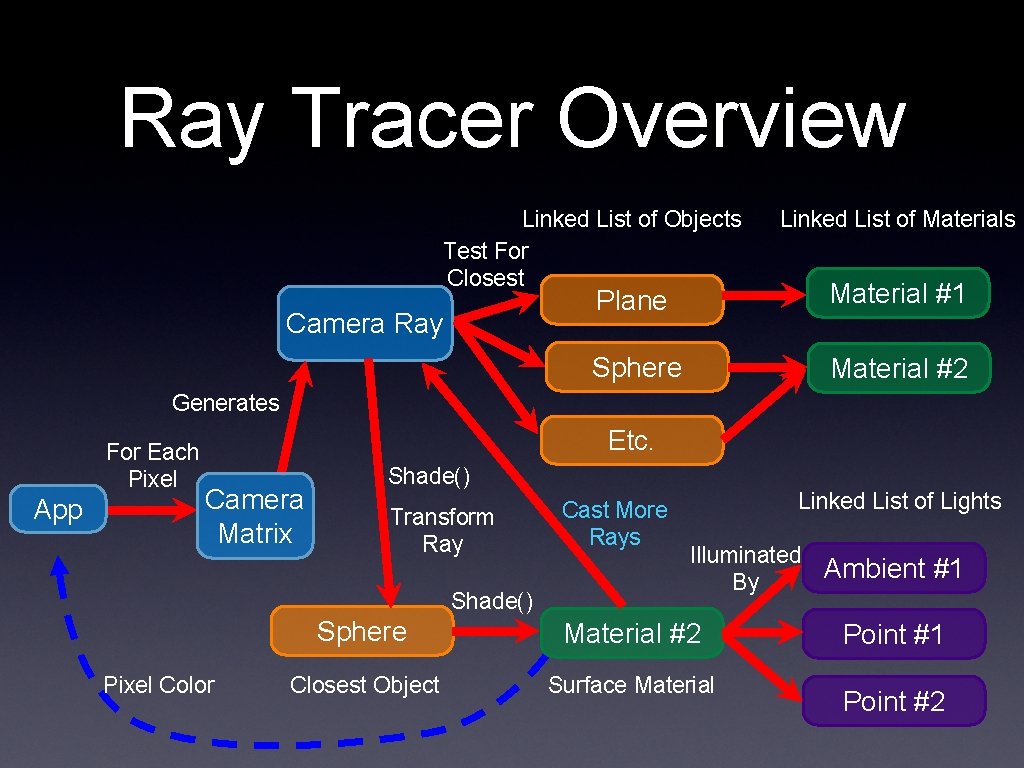
Ray Tracer Overview Linked List of Objects Test For Closest Camera Ray Linked List of Materials Plane Material #1 Sphere Material #2 Generates For Each Pixel App Etc. Camera Matrix Shade() Transform Ray Shade() Pixel Color Cast More Rays Linked List of Lights Illuminated By Sphere Material #2 Closest Object Surface Material Ambient #1 Point #2
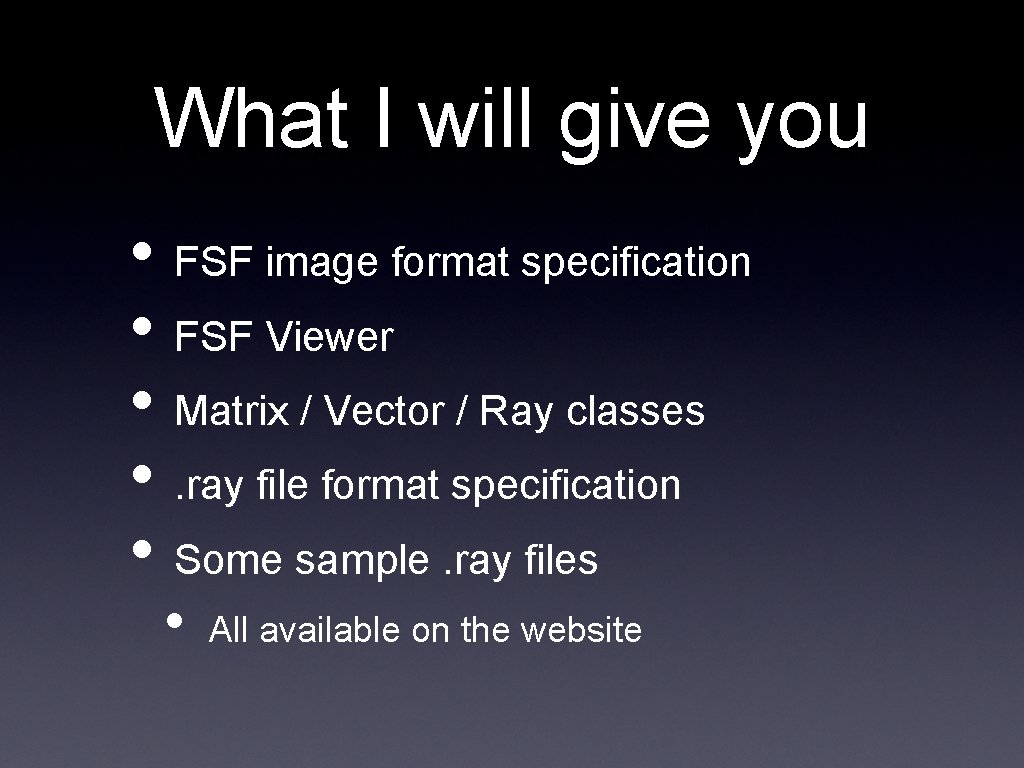
What I will give you • FSF image format specification • FSF Viewer • Matrix / Vector / Ray classes • . ray file format specification • Some sample. ray files • All available on the website
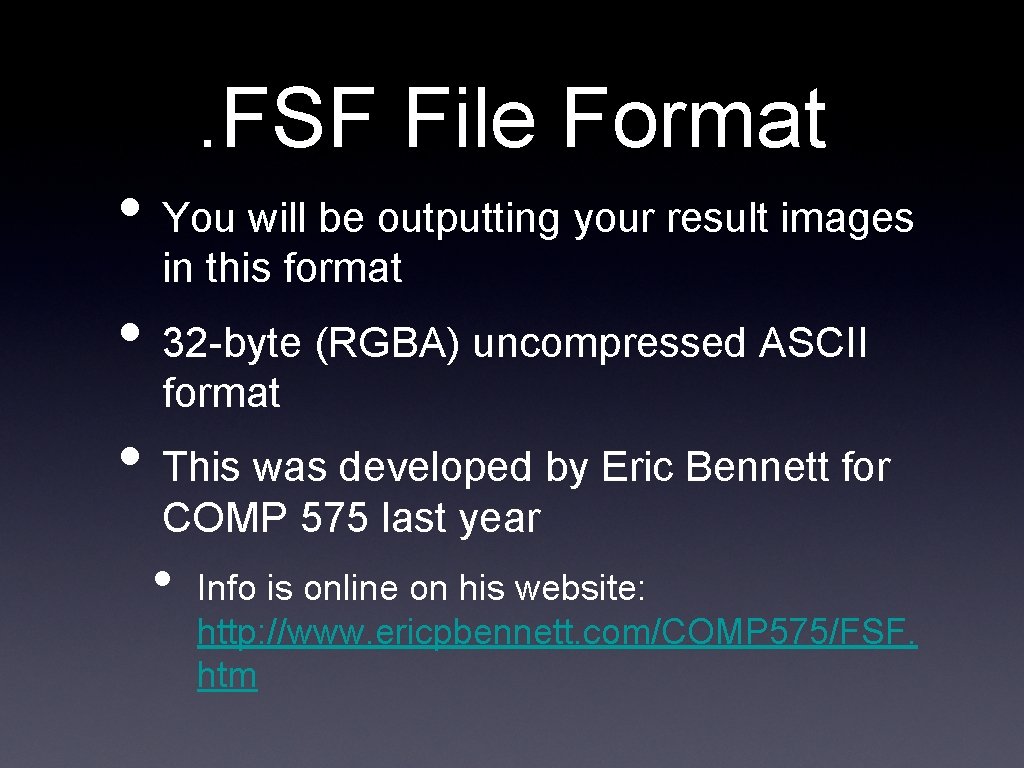
. FSF File Format • You will be outputting your result images in this format • 32 -byte (RGBA) uncompressed ASCII format • This was developed by Eric Bennett for COMP 575 last year • Info is online on his website: http: //www. ericpbennett. com/COMP 575/FSF. htm
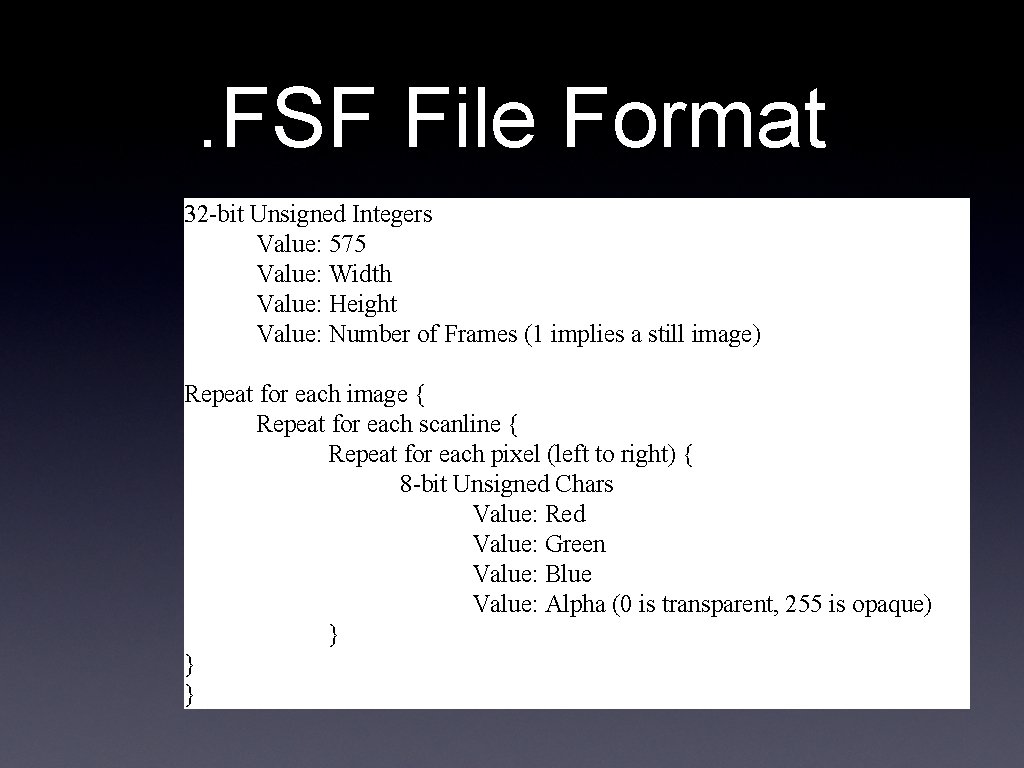
. FSF File Format 32 -bit Unsigned Integers Value: 575 Value: Width Value: Height Value: Number of Frames (1 implies a still image) Repeat for each image { Repeat for each scanline { Repeat for each pixel (left to right) { 8 -bit Unsigned Chars Value: Red Value: Green Value: Blue Value: Alpha (0 is transparent, 255 is opaque) } } }
. RAY File Format • Adapted from the scene descriptions used by Prof. Leonard Mc. Millan and Eric Bennett • A plain text file specifying the scene • Each line is a command
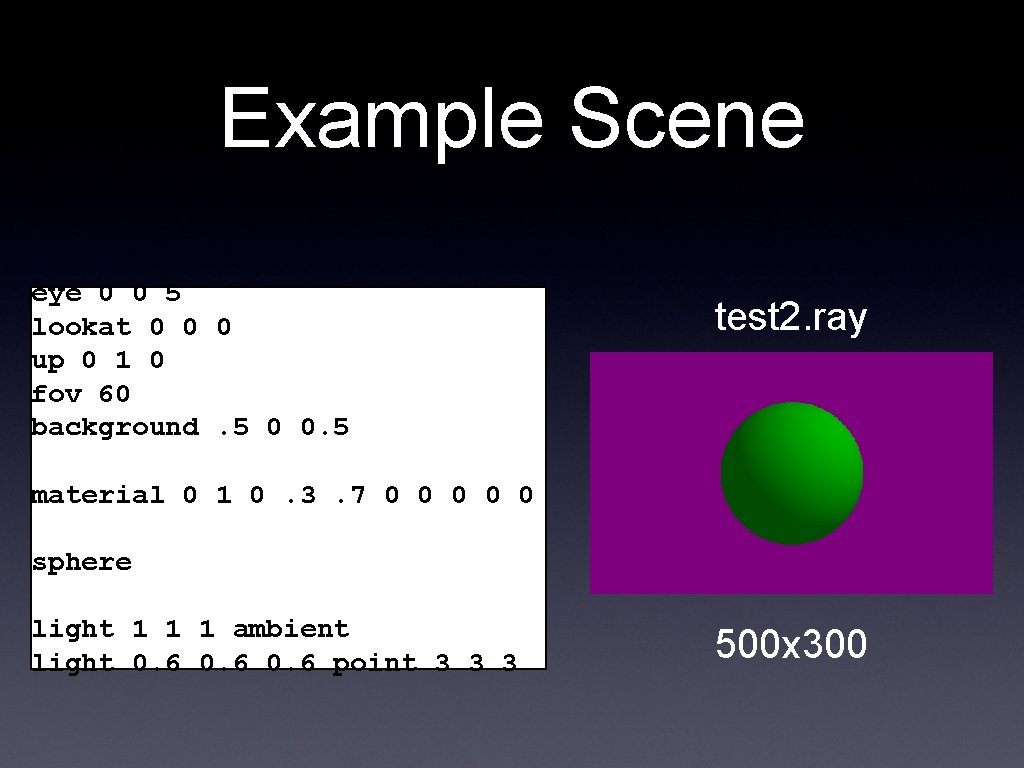
Example Scene eye 0 0 5 lookat 0 0 0 up 0 1 0 fov 60 background. 5 0 0. 5 test 2. ray material 0 1 0. 3. 7 0 0 0 sphere light 1 1 1 ambient light 0. 6 point 3 3 3 500 x 300
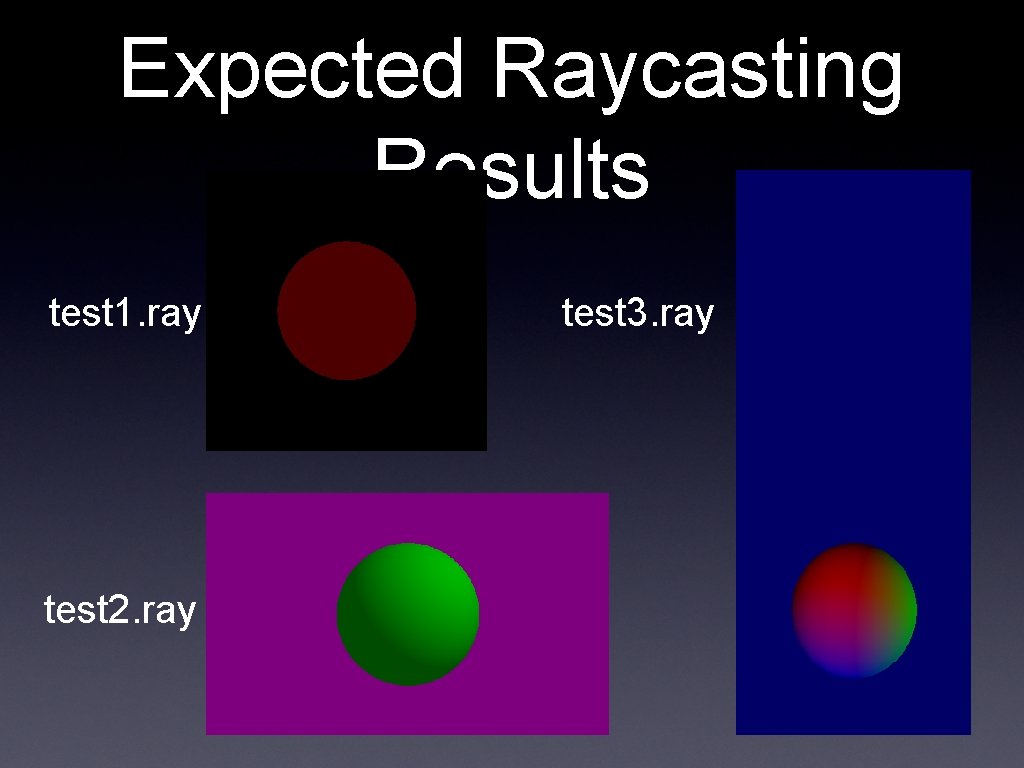
Expected Raycasting Results test 1. ray test 2. ray test 3. ray
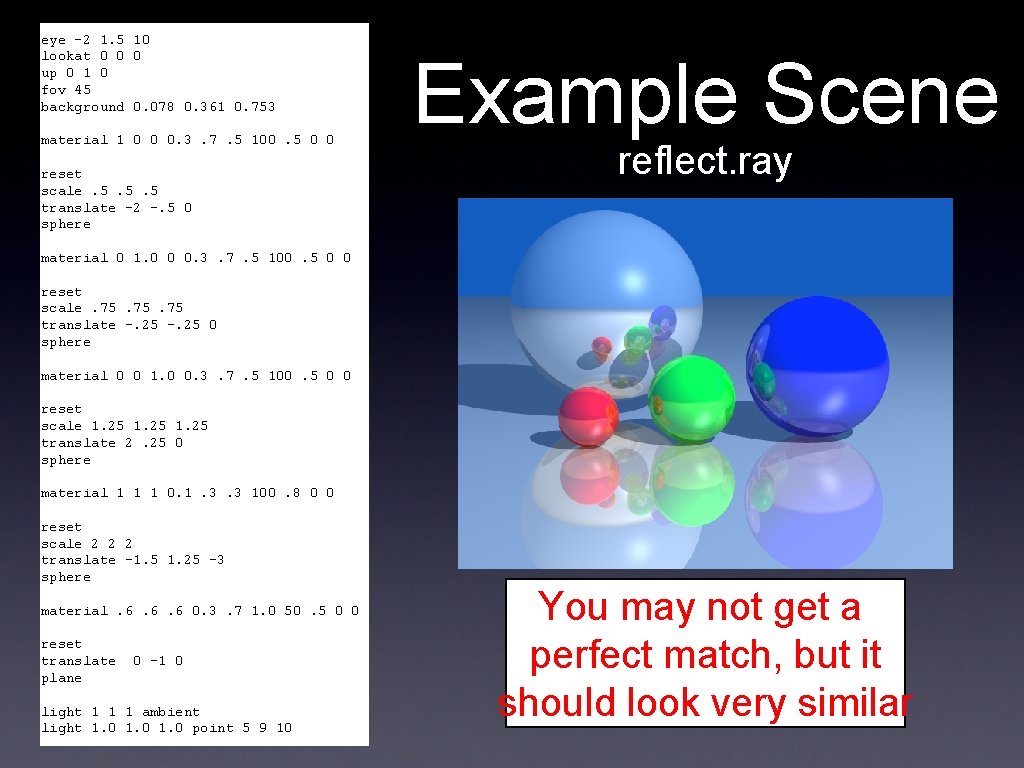
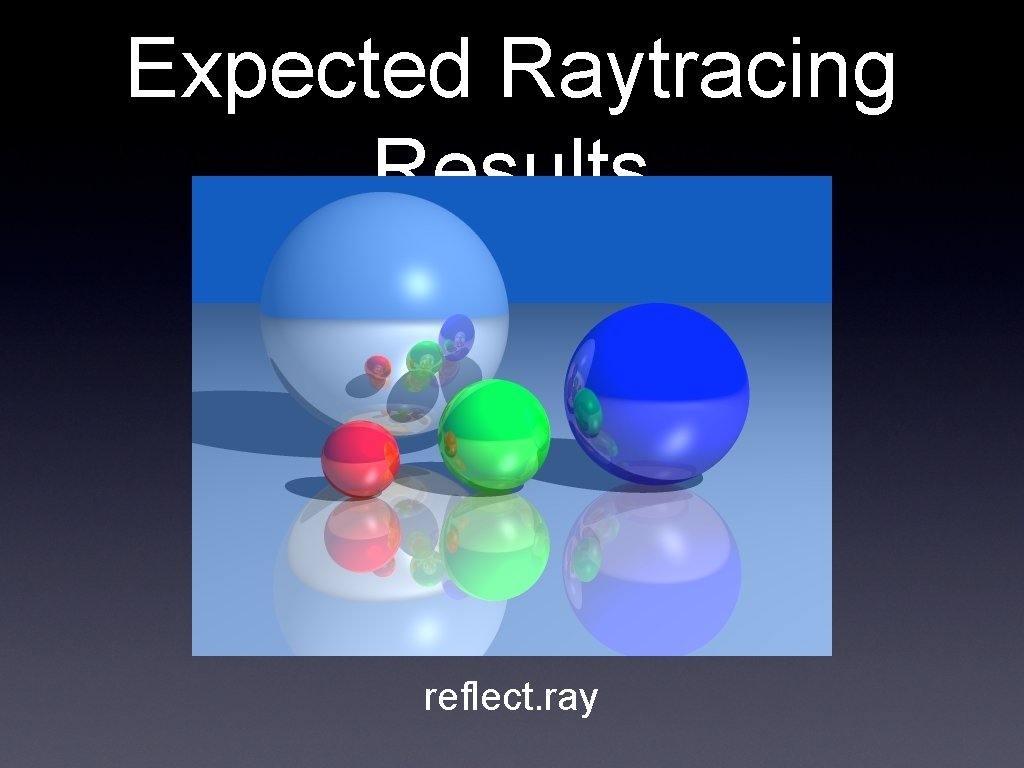
eye -2 1. 5 10 lookat 0 0 0 up 0 1 0 fov 45 background 0. 078 0. 361 0. 753 material 1 0 0 0. 3. 7. 5 100. 5 0 0 reset scale. 5. 5. 5 translate -2 -. 5 0 sphere Example Scene reflect. ray material 0 1. 0 0 0. 3. 7. 5 100. 5 0 0 reset scale. 75. 75 translate -. 25 0 sphere material 0 0 1. 0 0. 3. 7. 5 100. 5 0 0 reset scale 1. 25 translate 2. 25 0 sphere material 1 1 1 0. 1. 3. 3 100. 8 0 0 reset scale 2 2 2 translate -1. 5 1. 25 -3 sphere material. 6. 6. 6 0. 3. 7 1. 0 50. 5 0 0 reset translate plane 0 -1 0 light 1 1 1 ambient light 1. 0 point 5 9 10 You may not get a perfect match, but it should look very similar
Expected Raytracing Results reflect. ray
Last Time • Discussed how to implement • • • Shadows Reflection Refraction
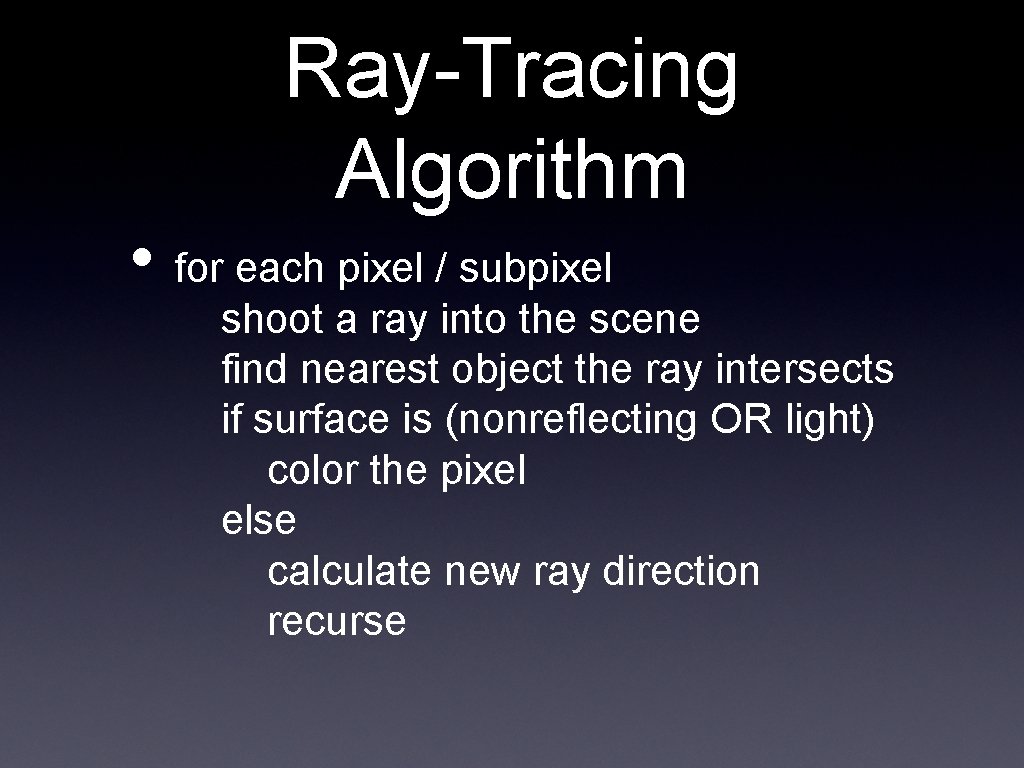
Ray-Tracing Algorithm • for each pixel / subpixel shoot a ray into the scene find nearest object the ray intersects if surface is (nonreflecting OR light) color the pixel else calculate new ray direction recurse
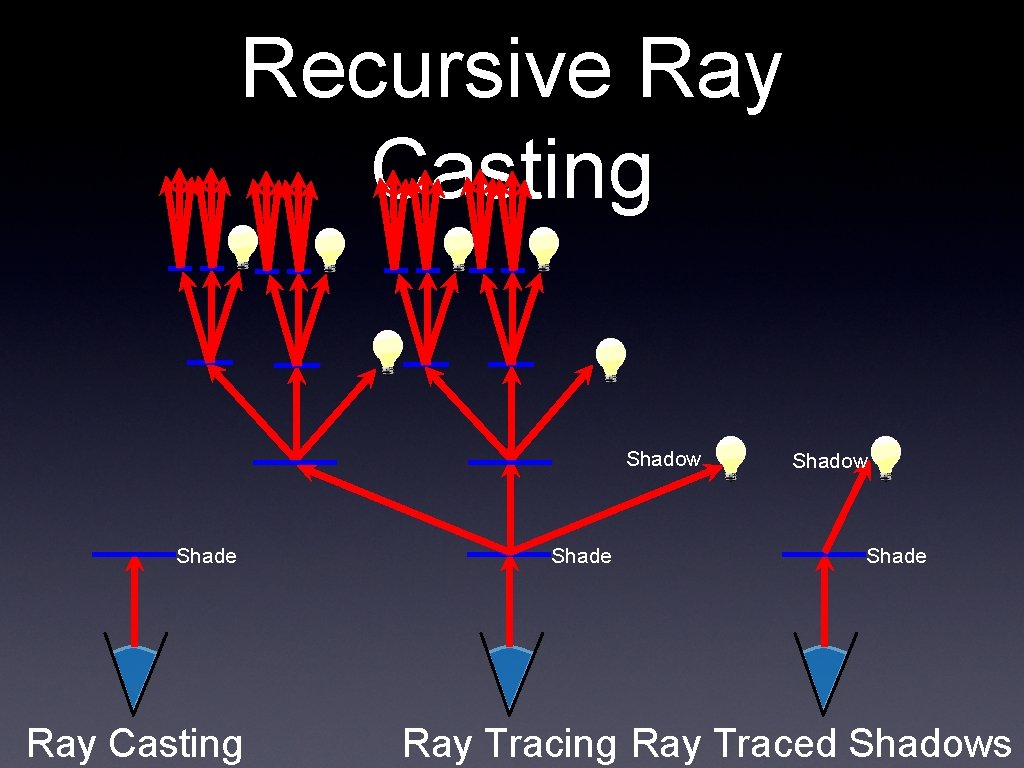
Recursive Ray Casting Shadow Shade Ray Casting Shade Shadow Shade Ray Tracing Ray Traced Shadows
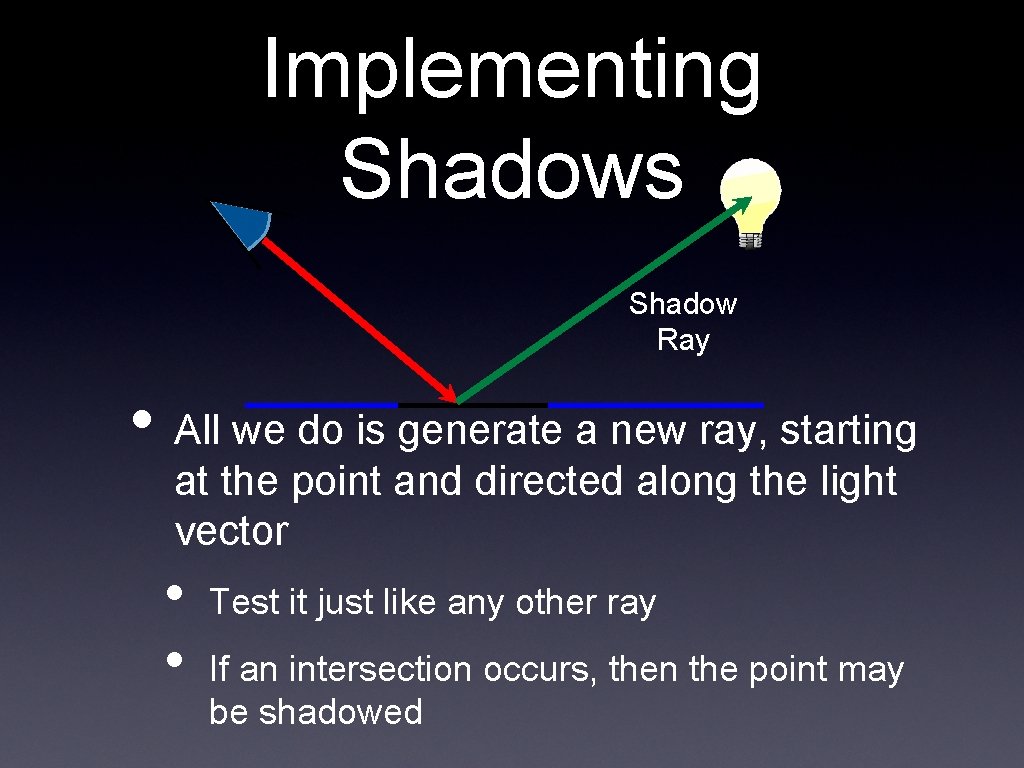
Implementing Shadows Shadow Ray • All we do is generate a new ray, starting at the point and directed along the light vector • • Test it just like any other ray If an intersection occurs, then the point may be shadowed
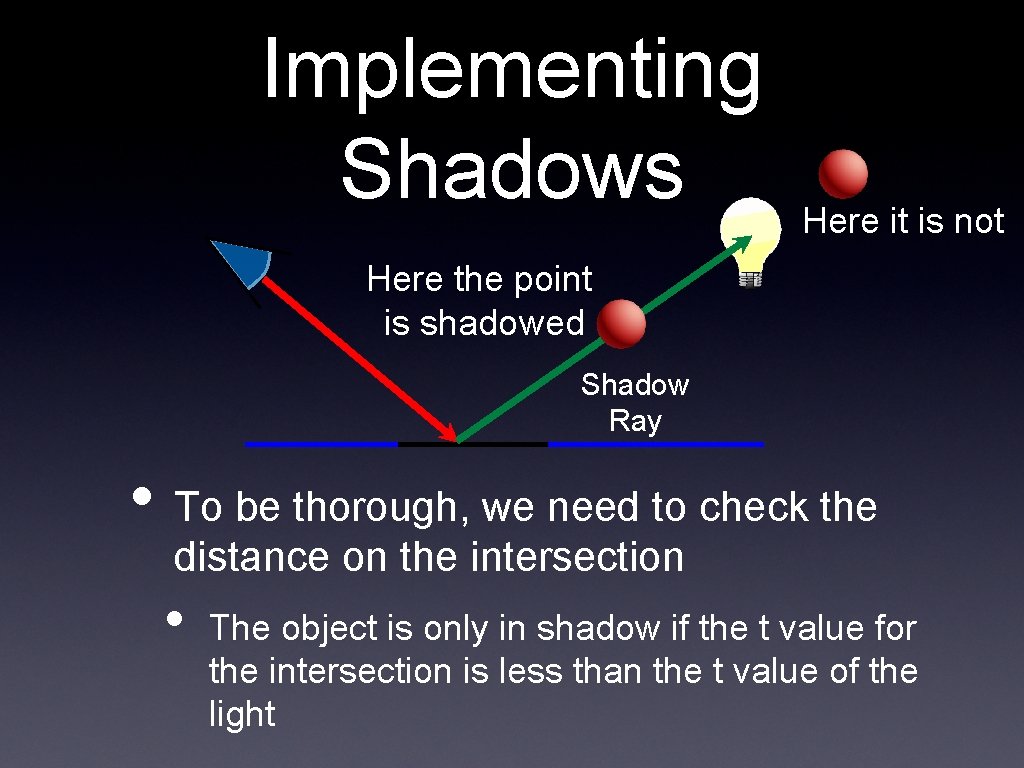
Implementing Shadows Here it is not Here the point is shadowed Shadow Ray • To be thorough, we need to check the distance on the intersection • The object is only in shadow if the t value for the intersection is less than the t value of the light
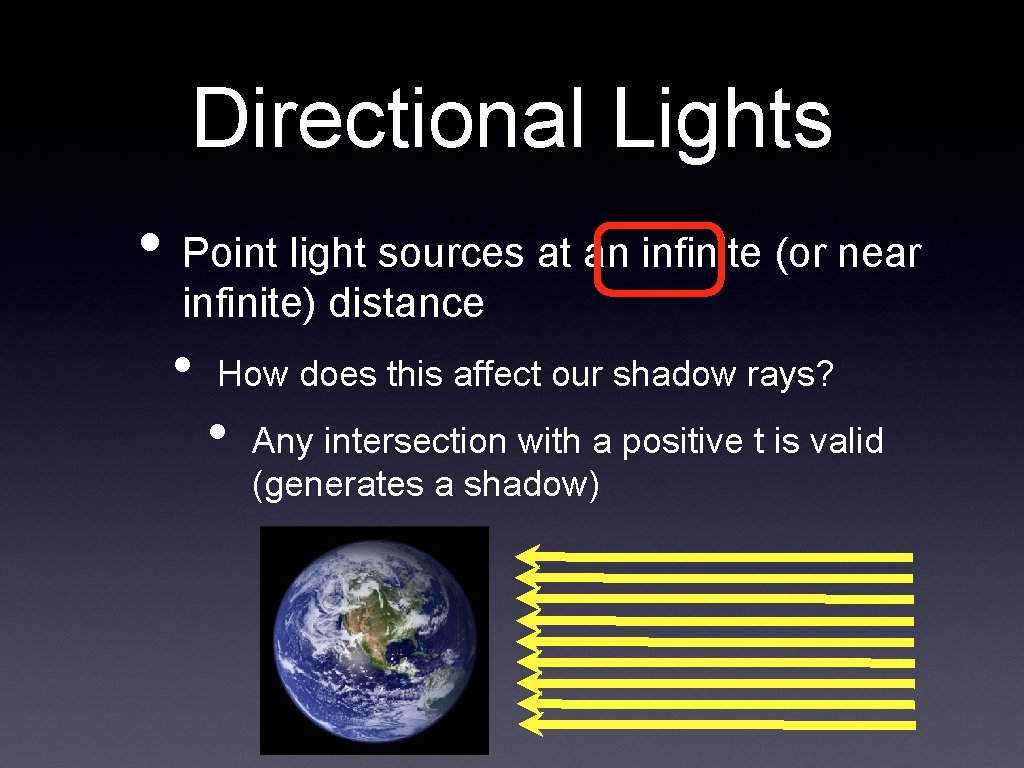
Directional Lights • Point light sources at an infinite (or near infinite) distance • How does this affect our shadow rays? • Any intersection with a positive t is valid (generates a shadow)
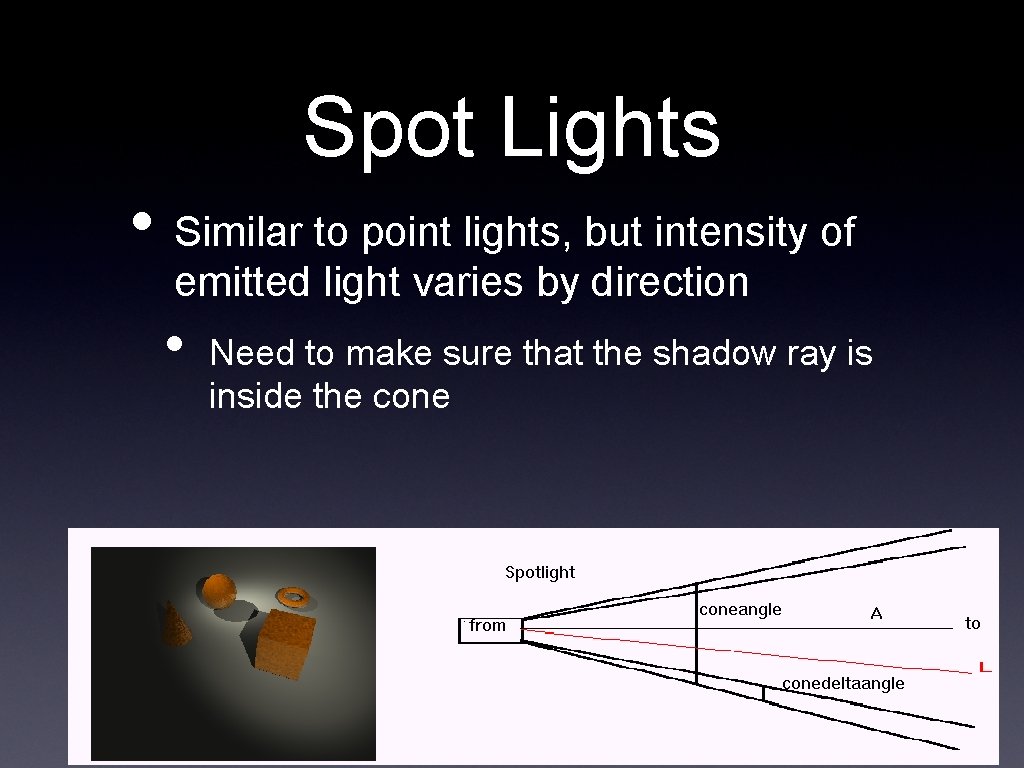
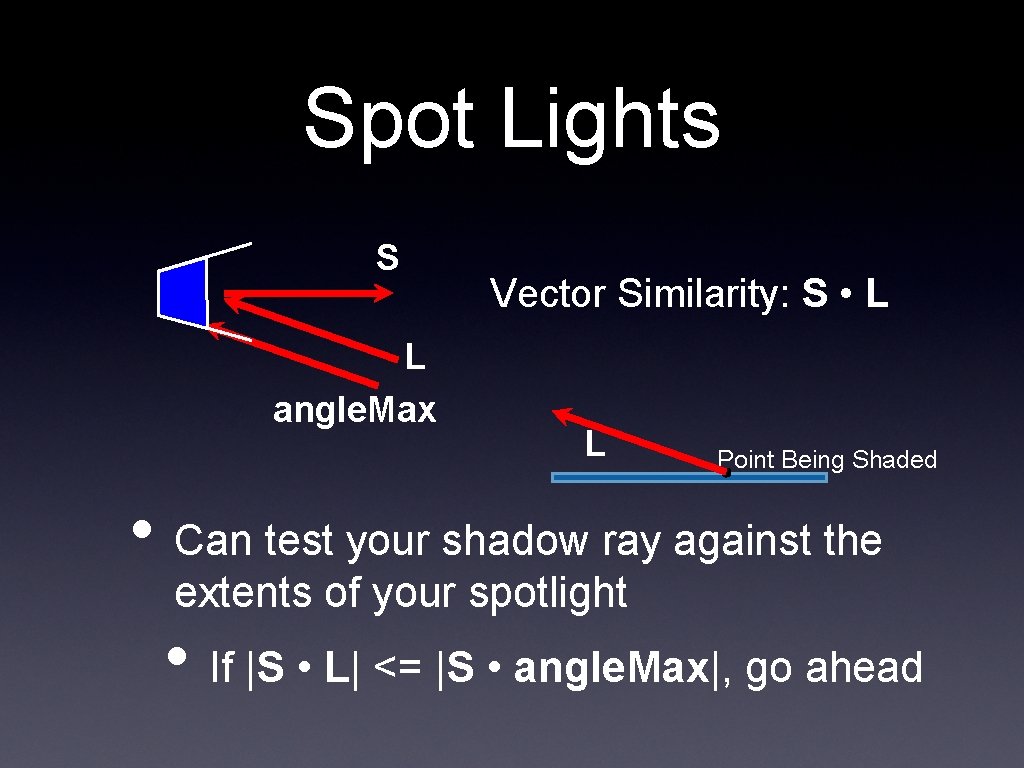
Spot Lights • Similar to point lights, but intensity of emitted light varies by direction • Need to make sure that the shadow ray is inside the cone
Spot Lights S L angle. Max Vector Similarity: S • L L Point Being Shaded • Can test your shadow ray against the extents of your spotlight • If |S • L| <= |S • angle. Max|, go ahead
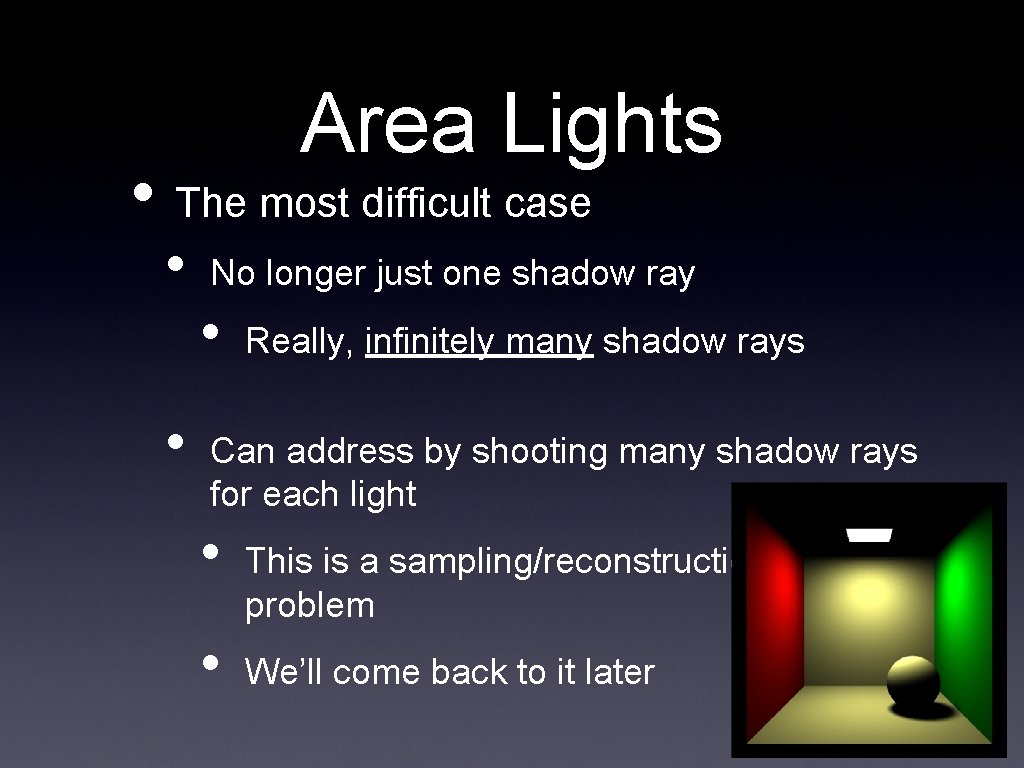
Area Lights • The most difficult case • • No longer just one shadow ray • Really, infinitely many shadow rays Can address by shooting many shadow rays for each light • • This is a sampling/reconstruction problem We’ll come back to it later
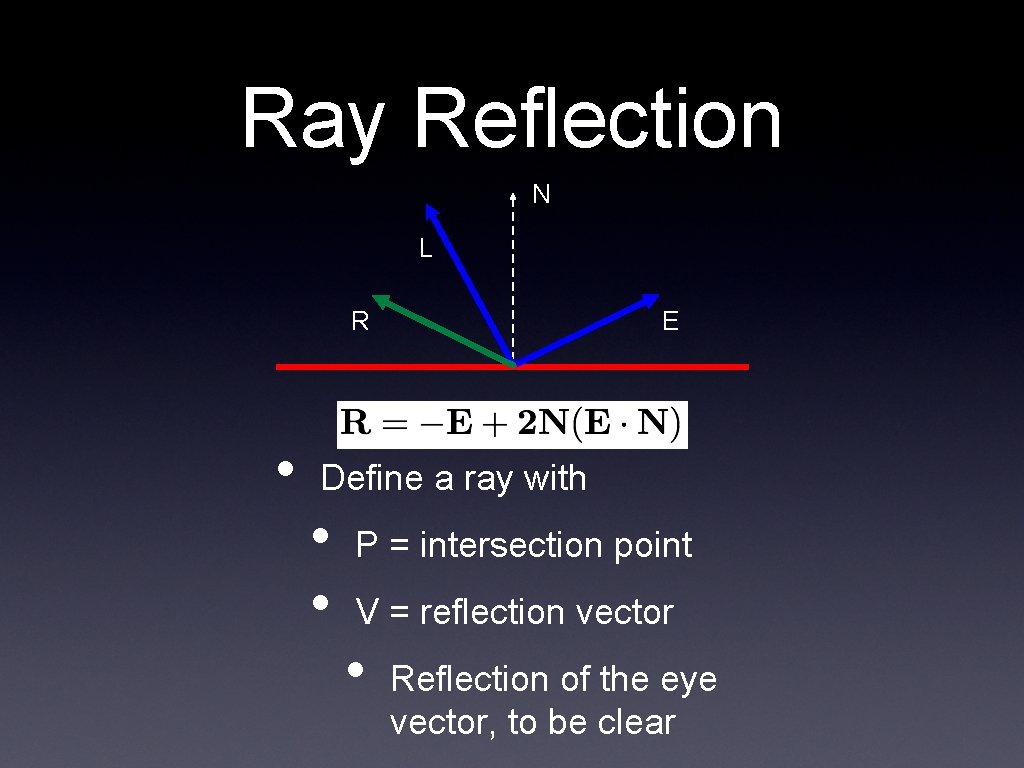
Ray Reflection N L R • E Define a ray with • • P = intersection point V = reflection vector • Reflection of the eye vector, to be clear
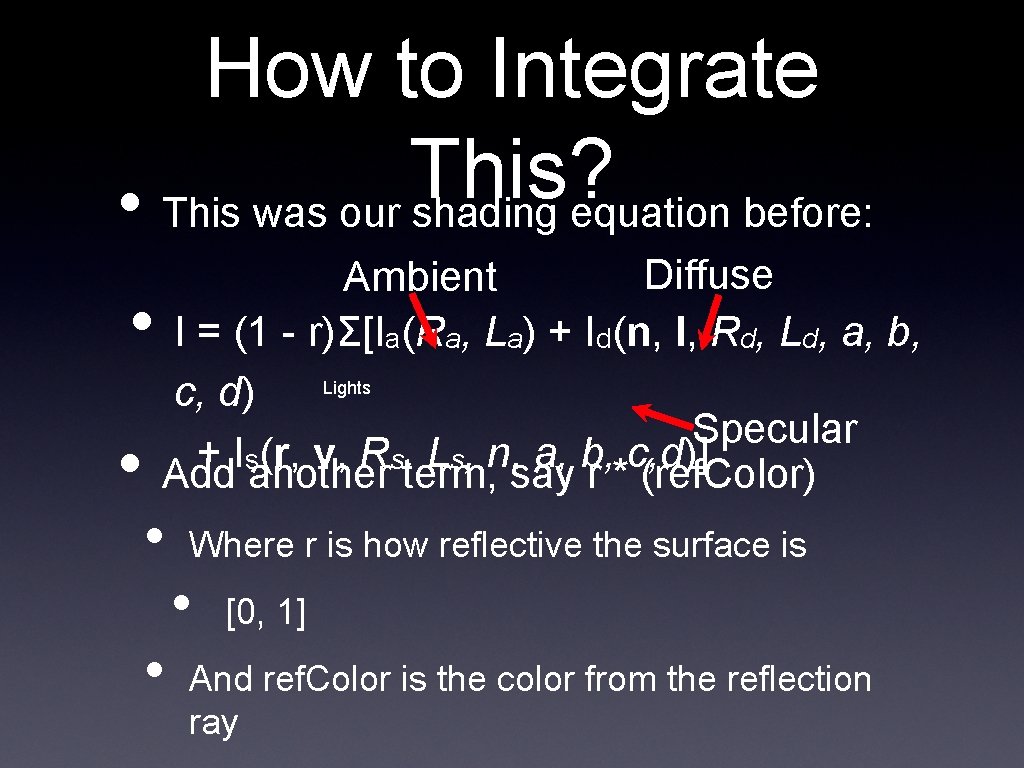
How to Integrate This? • This was our shading equation before: • • Diffuse Ambient I = (1 - r)Σ[Ia(Ra, La) + Id(n, l, Rd, Ld, a, b, c, d) Lights Specular + Is(r, v, Rs, Ls, n, a, b, c, d)] Add another term, say r * (ref. Color) • • Where r is how reflective the surface is • [0, 1] And ref. Color is the color from the reflection ray
Refraction • Refraction works just like reflection • When a ray hits a surface • • Shade as normal Figure out if you need to cast a refraction ray • If so, calculate the new ray • Shade it as normal, and add it as yet another term to our shading equation
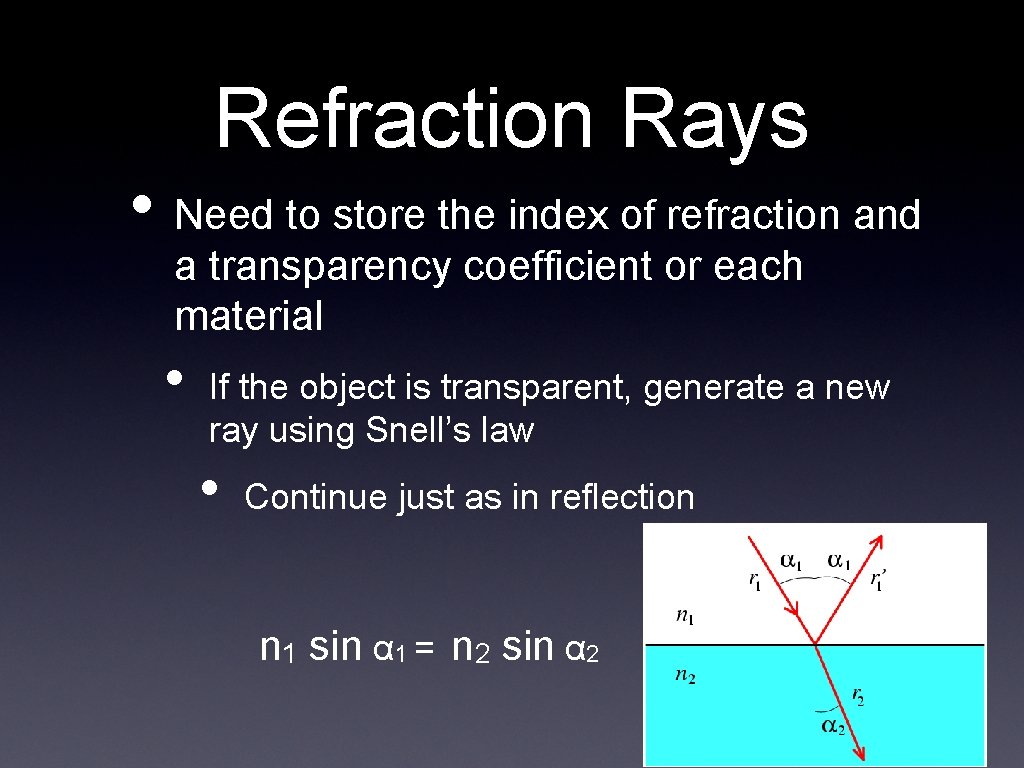
Refraction Rays • Need to store the index of refraction and a transparency coefficient or each material • If the object is transparent, generate a new ray using Snell’s law • Continue just as in reflection n 1 sin α 1 = n 2 sin α 2
Review Over • Any questions?
Today • Cover “the rest” of our ray tracer • • Talk about instantiation of multiple objects Address some potential problems Talk about data structures Talk about optimizations
Instantiation • We know how to handle canonical versions of objects • • Say, a unit sphere centered at the origin Or an infinite plane at y = 0 • How do we handle multiple objects? • Or objects with different sizes/shapes? • These are all part of instantiation
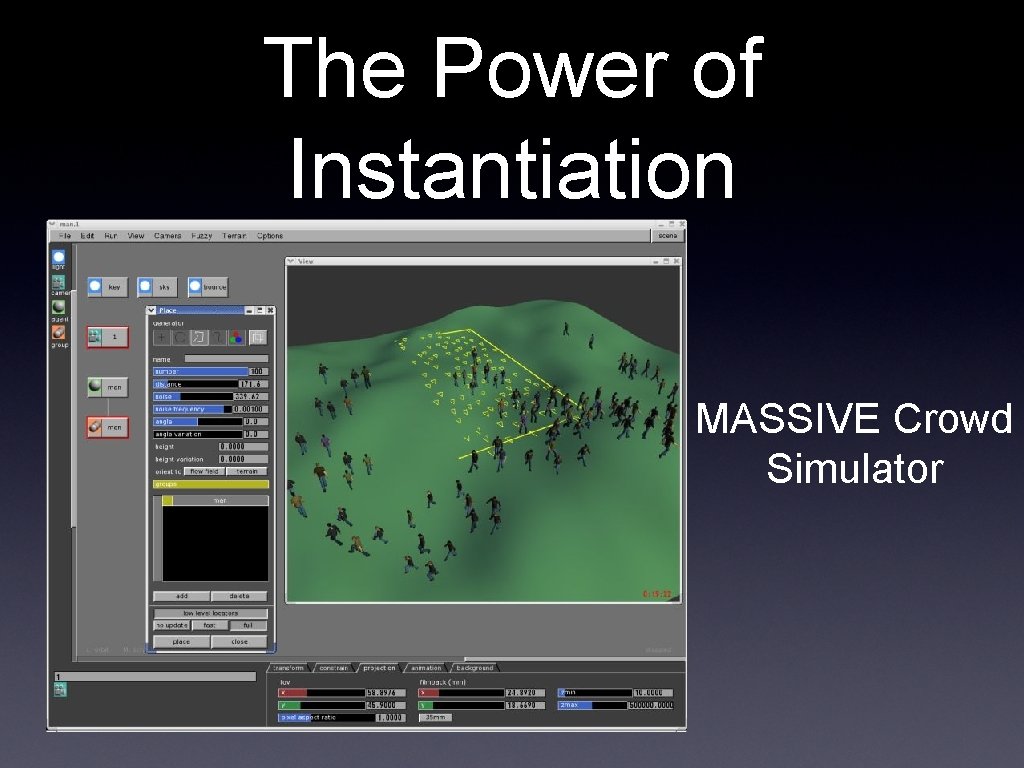
The Power of Instantiation MASSIVE Crowd Simulator
Bonus Movie: Carlton Draught’s “Big Ad” George Patterson & Partners, 2005
Transforming Objects • We talked extensively about transforms earlier in the class • • • Translation Rotation Scaling • We’re going to be using them here, but now we have to build the matrices ourselves • Let’s review
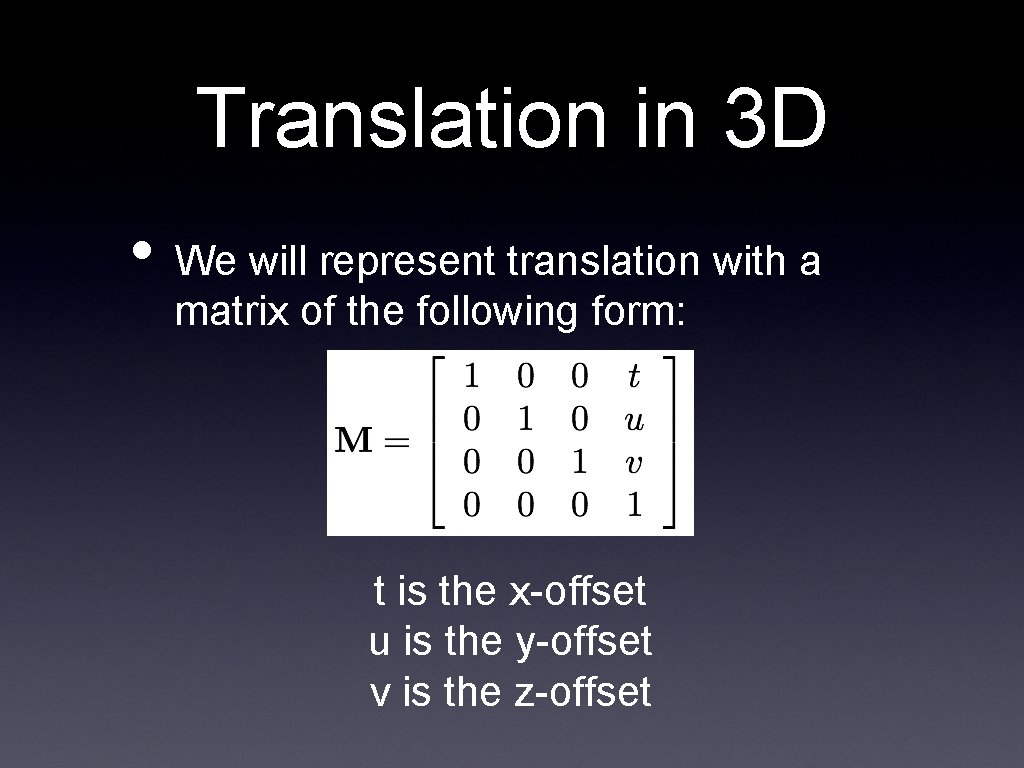
Translation in 3 D • We will represent translation with a matrix of the following form: t is the x-offset u is the y-offset v is the z-offset
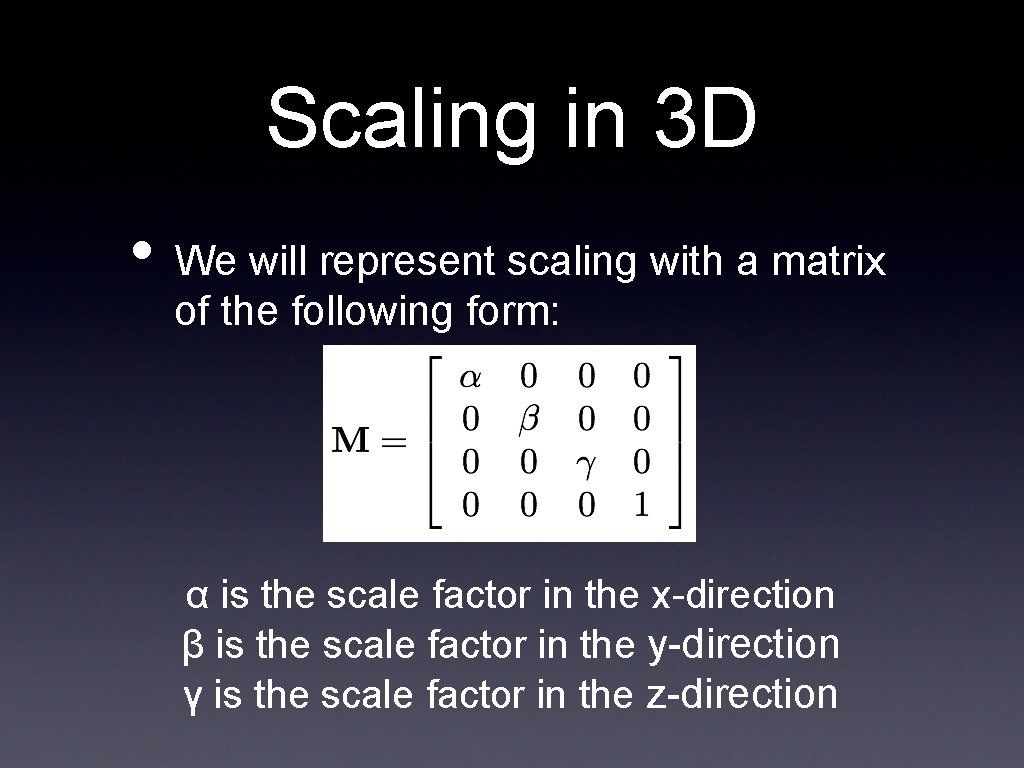
Scaling in 3 D • We will represent scaling with a matrix of the following form: α is the scale factor in the x-direction β is the scale factor in the y-direction γ is the scale factor in the z-direction
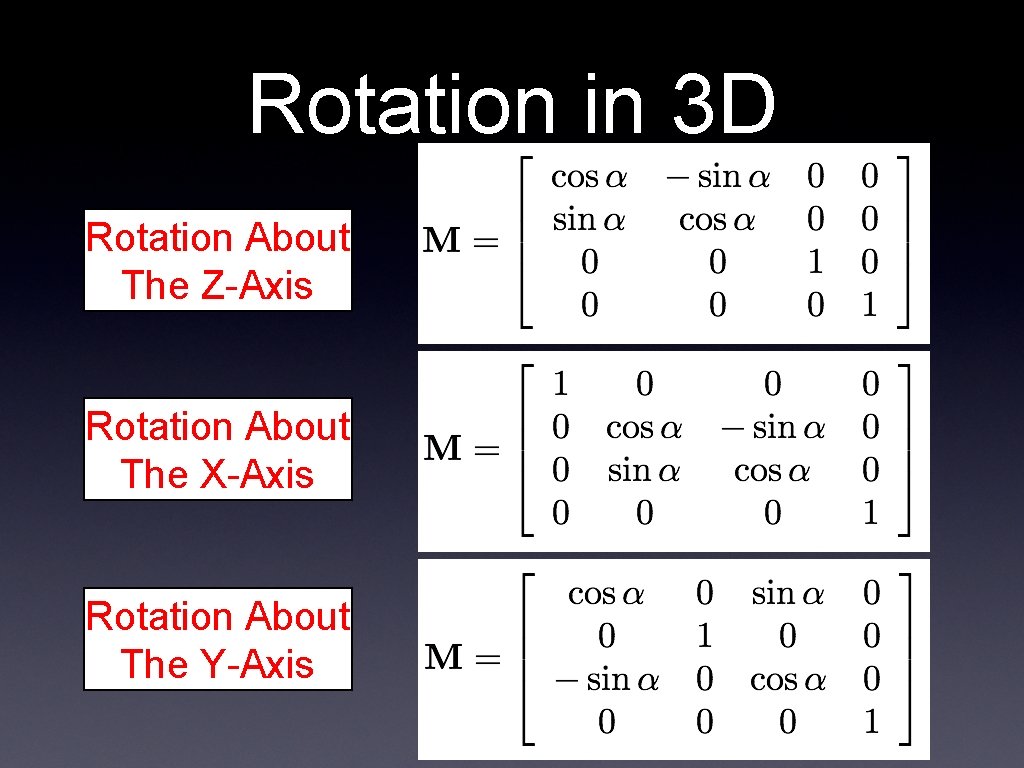
Rotation in 3 D Rotation About The Z-Axis Rotation About The X-Axis Rotation About The Y-Axis
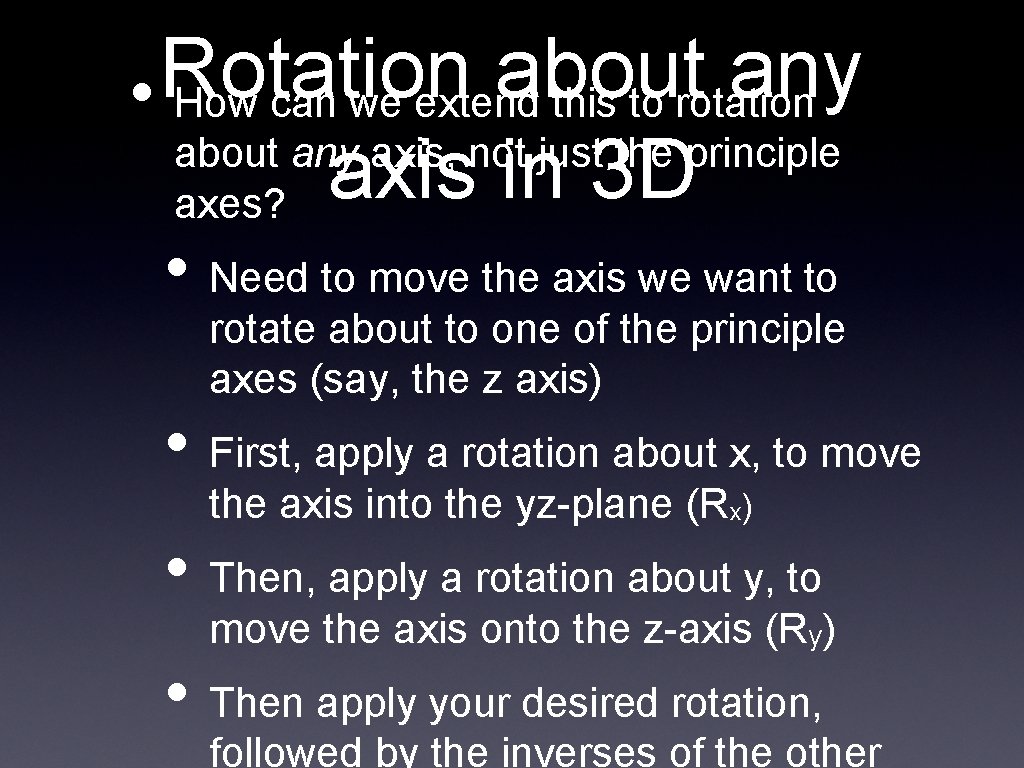
Rotation about any • How can we extend this to rotation about any axis, not just the principle axis in 3 D axes? • Need to move the axis we want to rotate about to one of the principle axes (say, the z axis) • First, apply a rotation about x, to move the axis into the yz-plane (Rx) • Then, apply a rotation about y, to move the axis onto the z-axis (Ry) • Then apply your desired rotation, followed by the inverses of the other
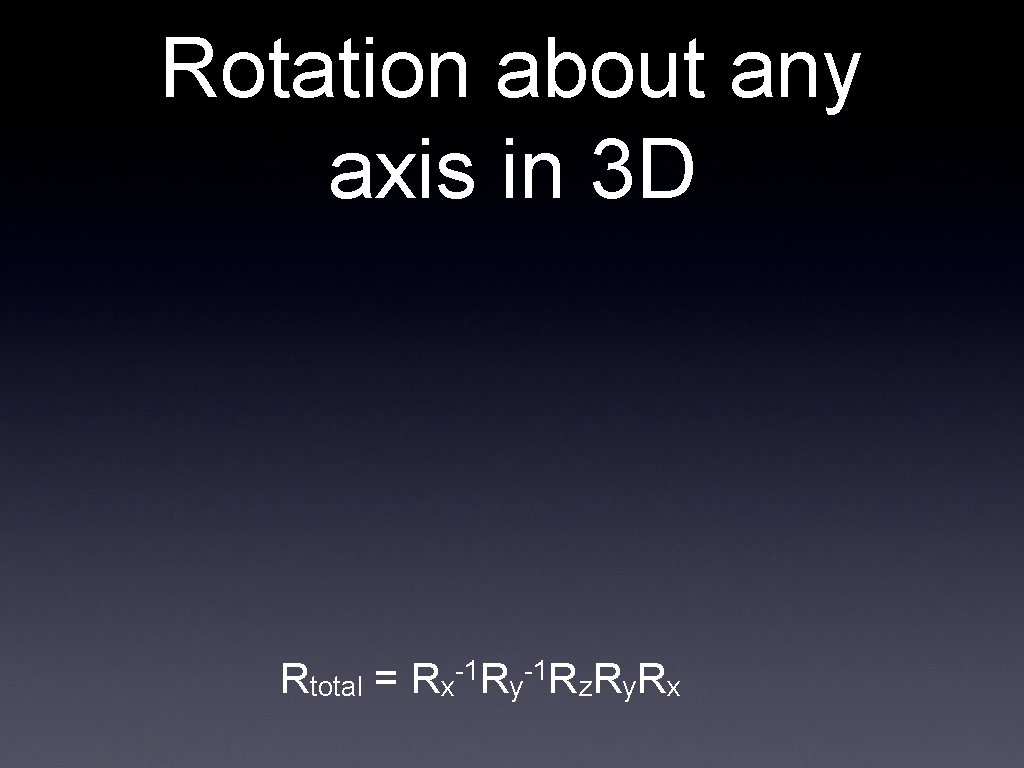
Rotation about any axis in 3 D -1 -1 Rtotal = Rx Ry Rz. Ry. Rx
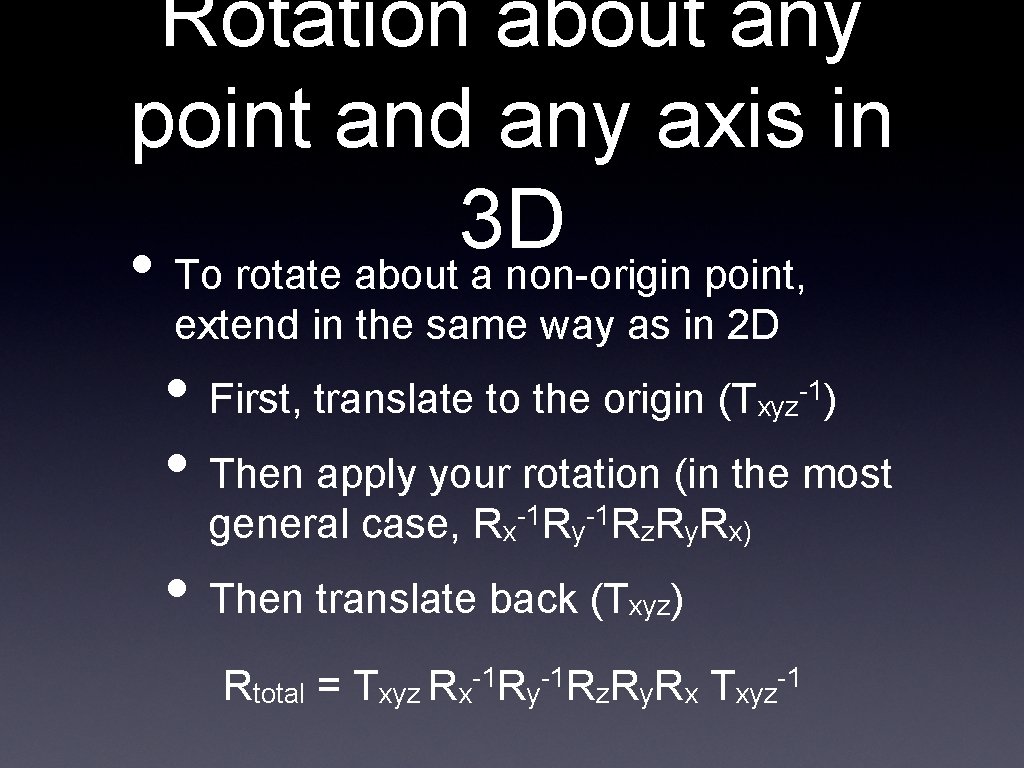
Rotation about any point and any axis in 3 D • To rotate about a non-origin point, extend in the same way as in 2 D • First, translate to the origin (T • Then apply your rotation (in the most xyz -1) general case, Rx-1 Ry-1 Rz. Ry. Rx) • Then translate back (T xyz) -1 -1 -1 Rtotal = Txyz Rx Ry Rz. Ry. Rx Txyz
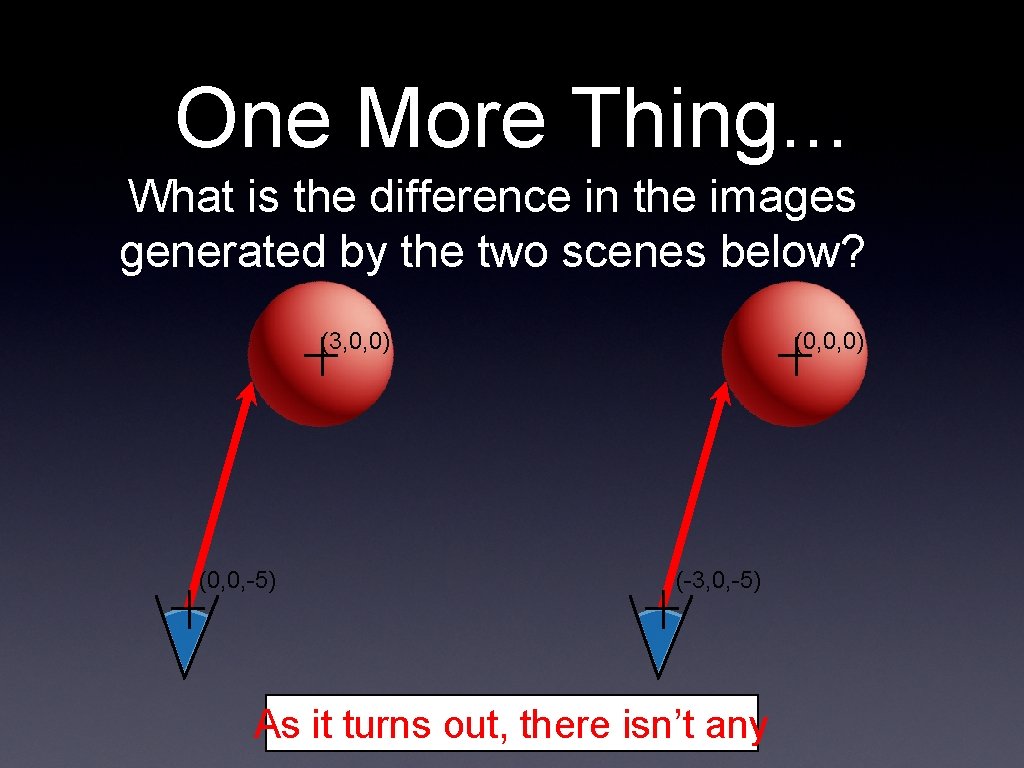
One More Thing. . . What is the difference in the images generated by the two scenes below? (3, 0, 0) (0, 0, -5) (0, 0, 0) (-3, 0, -5) As it turns out, there isn’t any
Remember This? • We talked about how applying a transformation to the world is the same as applying the inverse transformation to the camera • Why might this be useful?
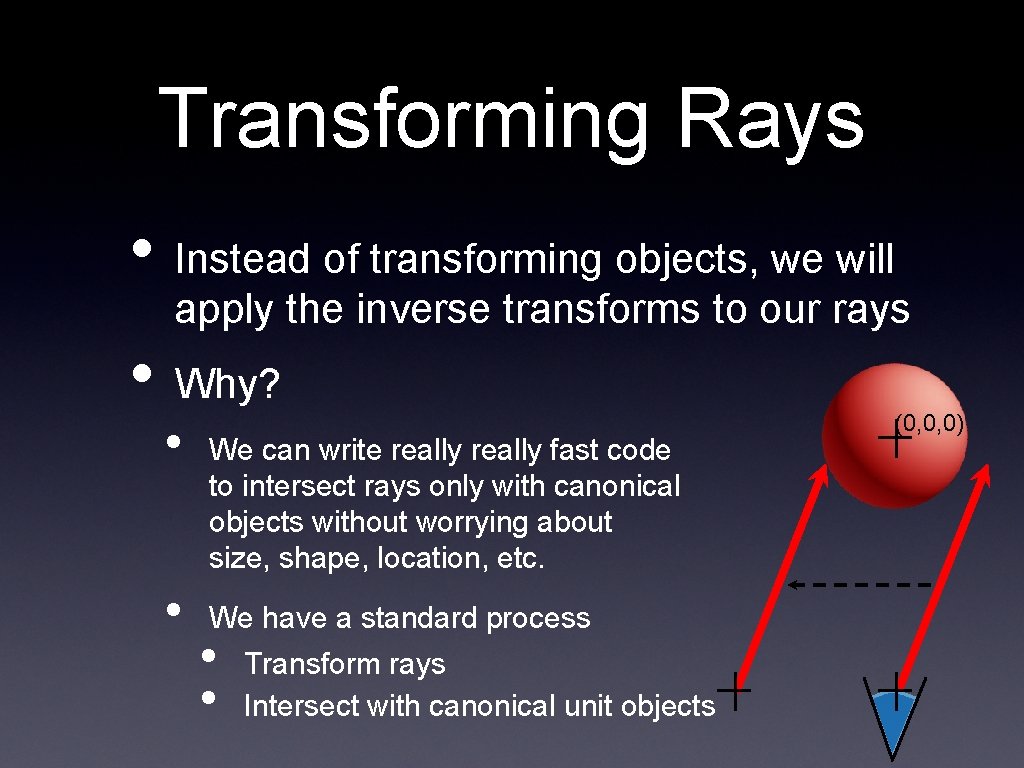
Transforming Rays • Instead of transforming objects, we will apply the inverse transforms to our rays • Why? • • We can write really fast code to intersect rays only with canonical objects without worrying about size, shape, location, etc. We have a standard process • • Transform rays Intersect with canonical unit objects (0, 0, 0)
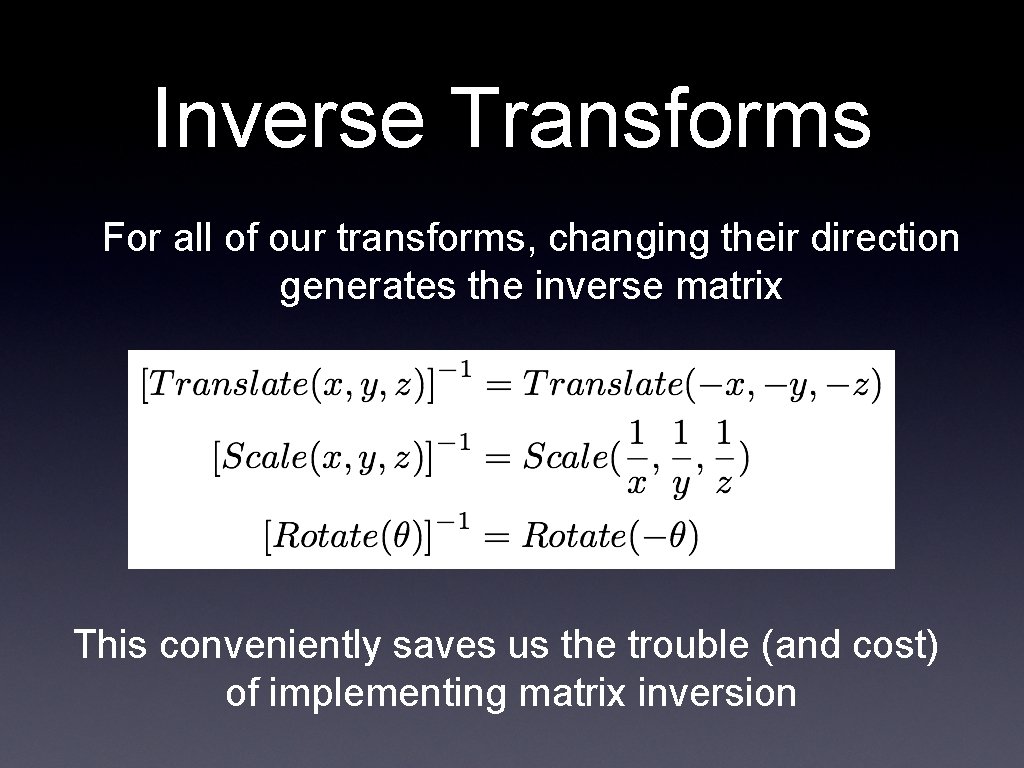
Inverse Transforms For all of our transforms, changing their direction generates the inverse matrix This conveniently saves us the trouble (and cost) of implementing matrix inversion
Inverting Composed Transforms • Remember that one of the benefits of using matrices for transforms was that we could compose many transforms into one matrix • Can we easily get the inverse of this composed matrix?
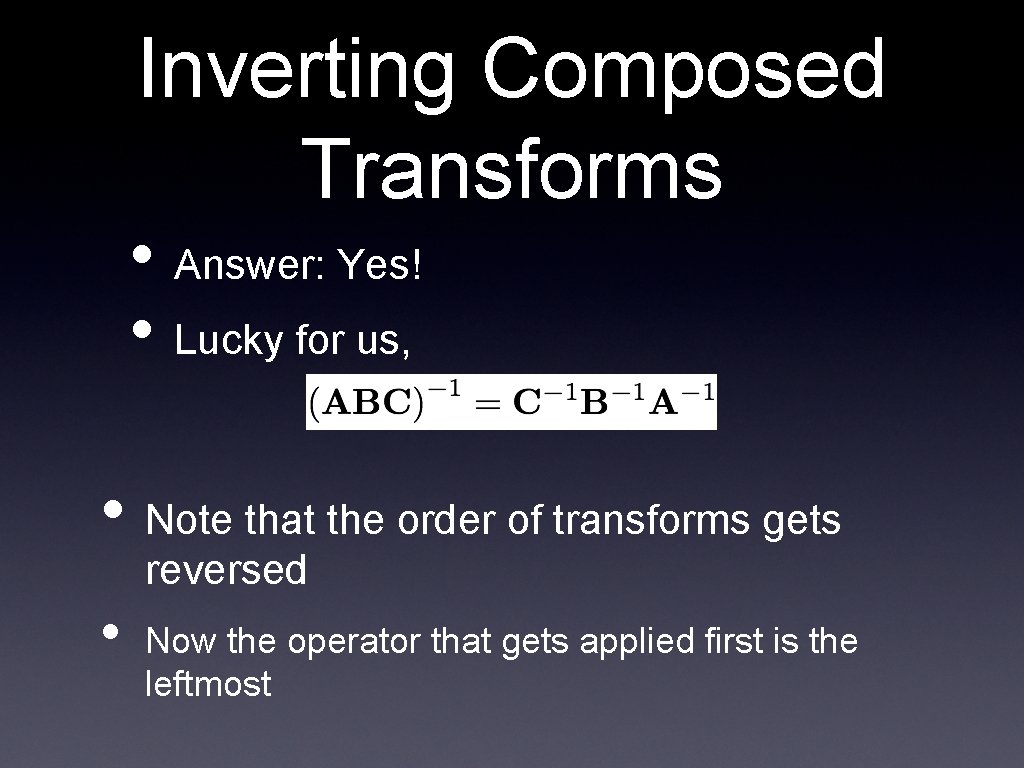
Inverting Composed Transforms • Answer: Yes! • Lucky for us, • Note that the order of transforms gets reversed • Now the operator that gets applied first is the leftmost
Transforming Rays • So, now we know how to invert our transforms • And we know that we can use these to transform the camera • But how do these affect our rays? • Remember: A ray is a point and a vector • • • The point is affected by translation The ray is affected by rotation Both are affected by scaling
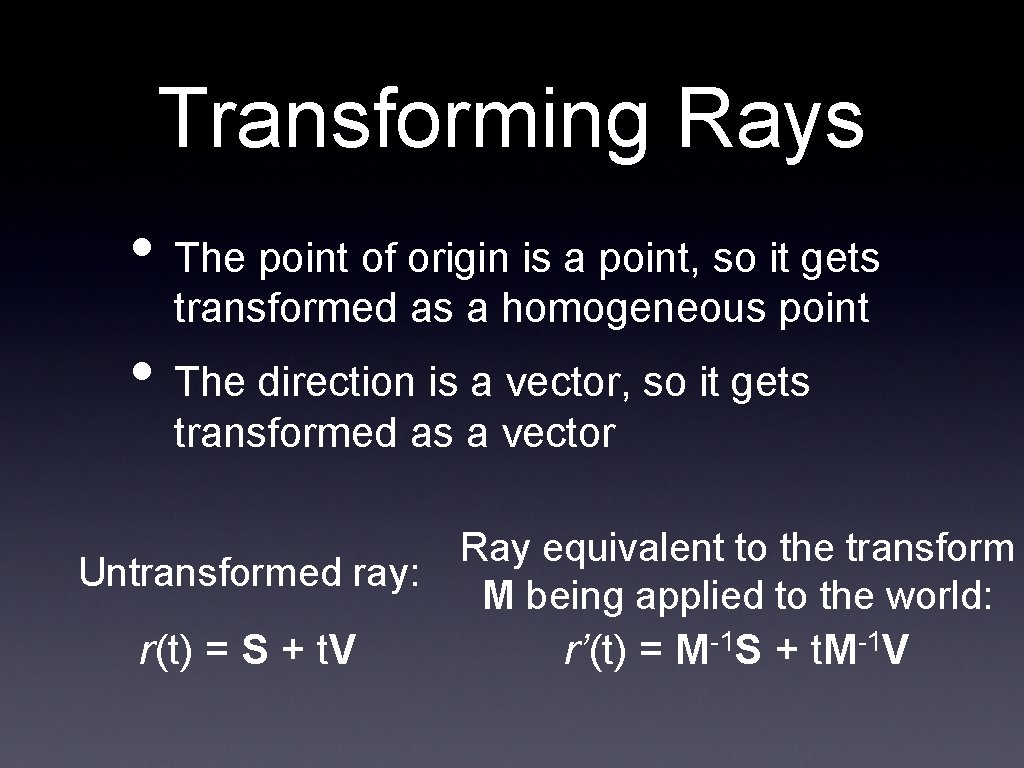
Transforming Rays • The point of origin is a point, so it gets transformed as a homogeneous point • The direction is a vector, so it gets transformed as a vector Untransformed ray: Ray equivalent to the transform M being applied to the world: r(t) = S + t. V -1 -1 r’(t) = M S + t. M V
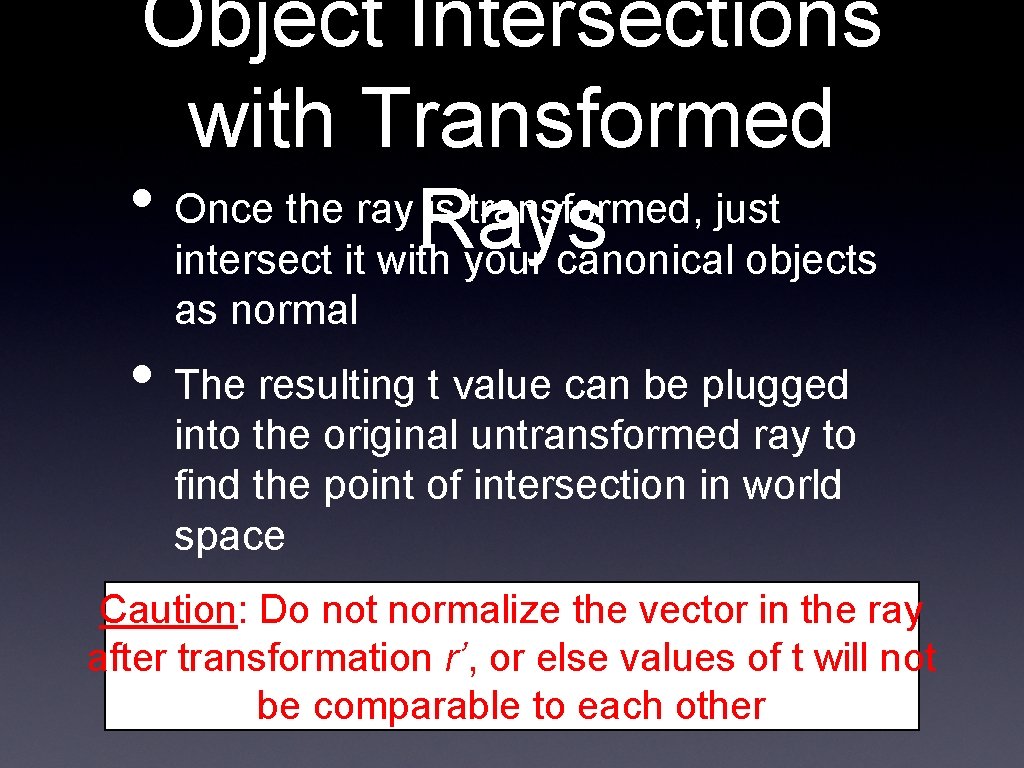
Object Intersections with Transformed • Once the ray is transformed, just Rays intersect it with your canonical objects as normal • The resulting t value can be plugged into the original untransformed ray to find the point of intersection in world space Caution: Do not normalize the vector in the ray after transformation r’, or else values of t will not be comparable to each other
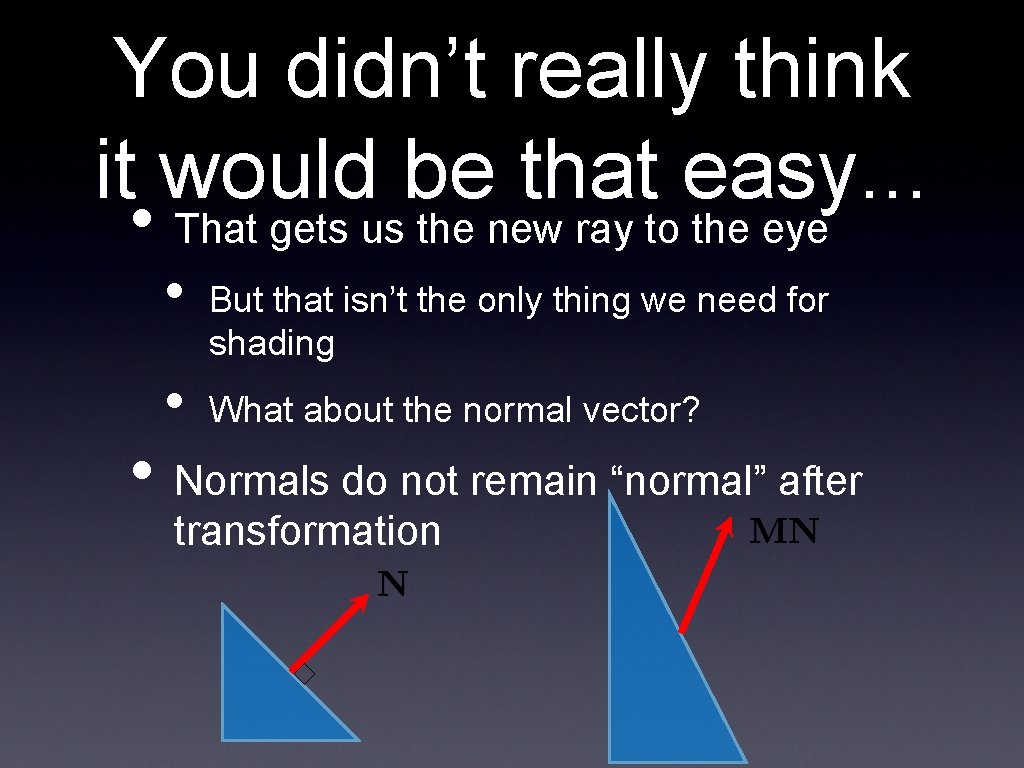
You didn’t really think it would be that easy. . . • That gets us the new ray to the eye • • But that isn’t the only thing we need for shading What about the normal vector? • Normals do not remain “normal” after transformation
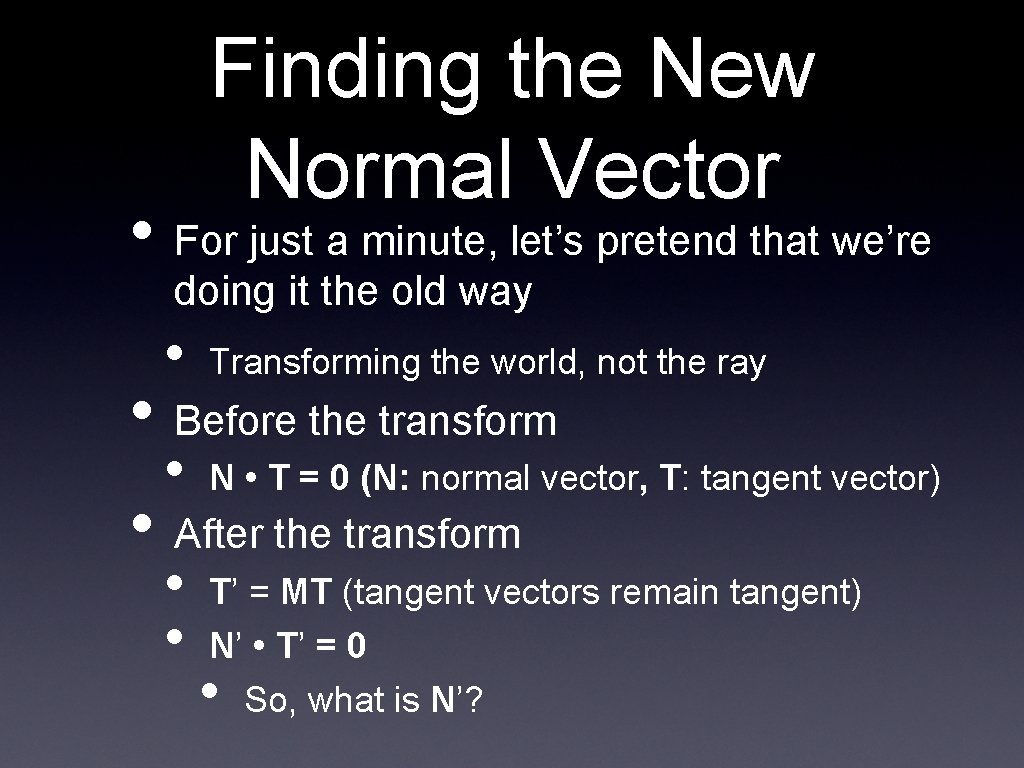
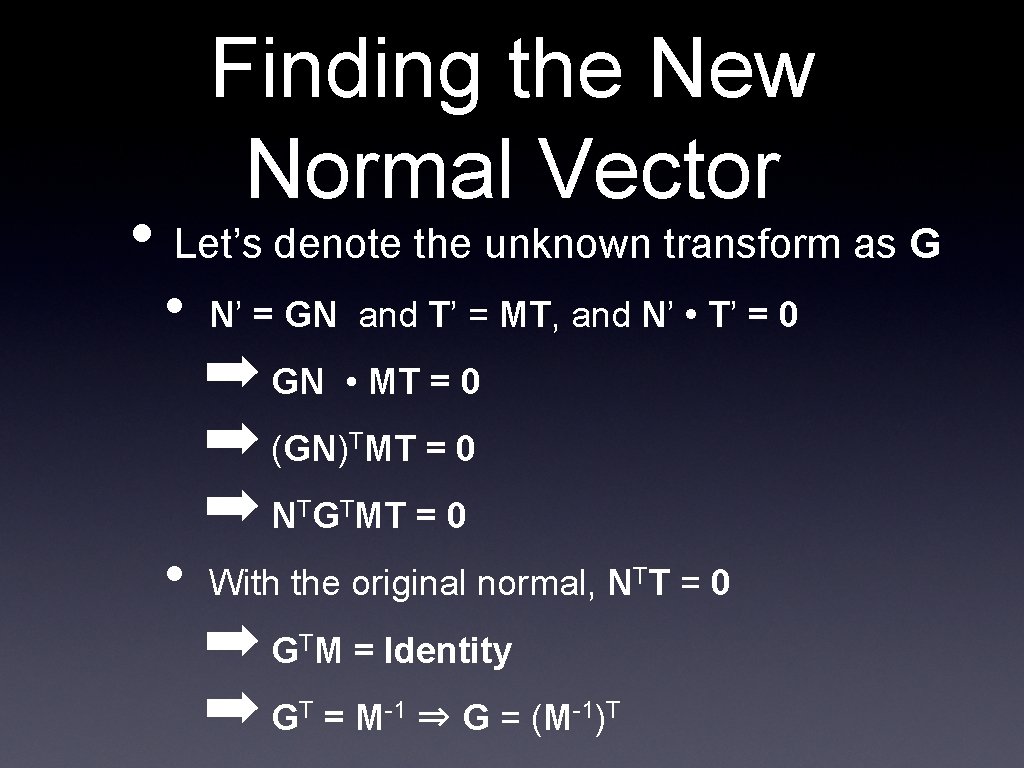
Finding the New Normal Vector • For just a minute, let’s pretend that we’re doing it the old way • Transforming the world, not the ray • N • T = 0 (N: normal vector, T: tangent vector) • Before the transform • After the transform • • T’ = MT (tangent vectors remain tangent) N’ • T’ = 0 • So, what is N’?
Finding the New Normal Vector • Let’s denote the unknown transform as G • N’ = GN and T’ = MT, and N’ • T’ = 0 ➡ GN • MT = 0 ➡ (GN) MT = 0 ➡ N G MT = 0 T T • T With the original normal, NTT = 0 ➡ G M = Identity ➡ G = M ⇒ G = (M T T -1 -1)T
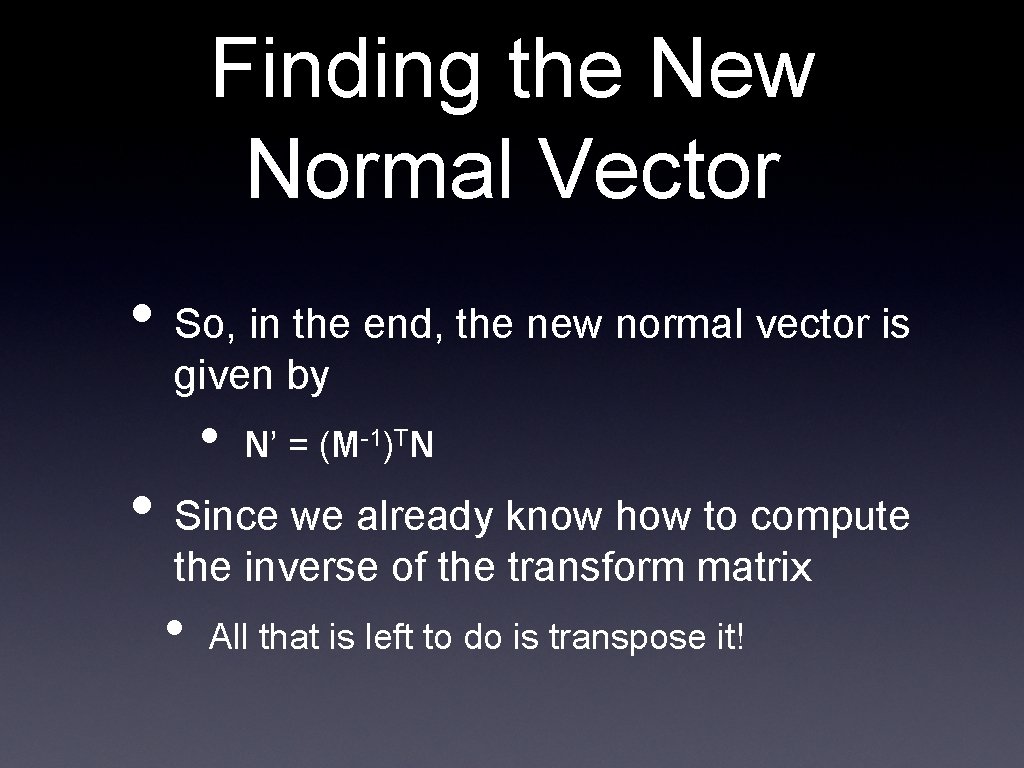
Finding the New Normal Vector • So, in the end, the new normal vector is given by • N’ = (M-1)TN • Since we already know how to compute the inverse of the transform matrix • All that is left to do is transpose it!
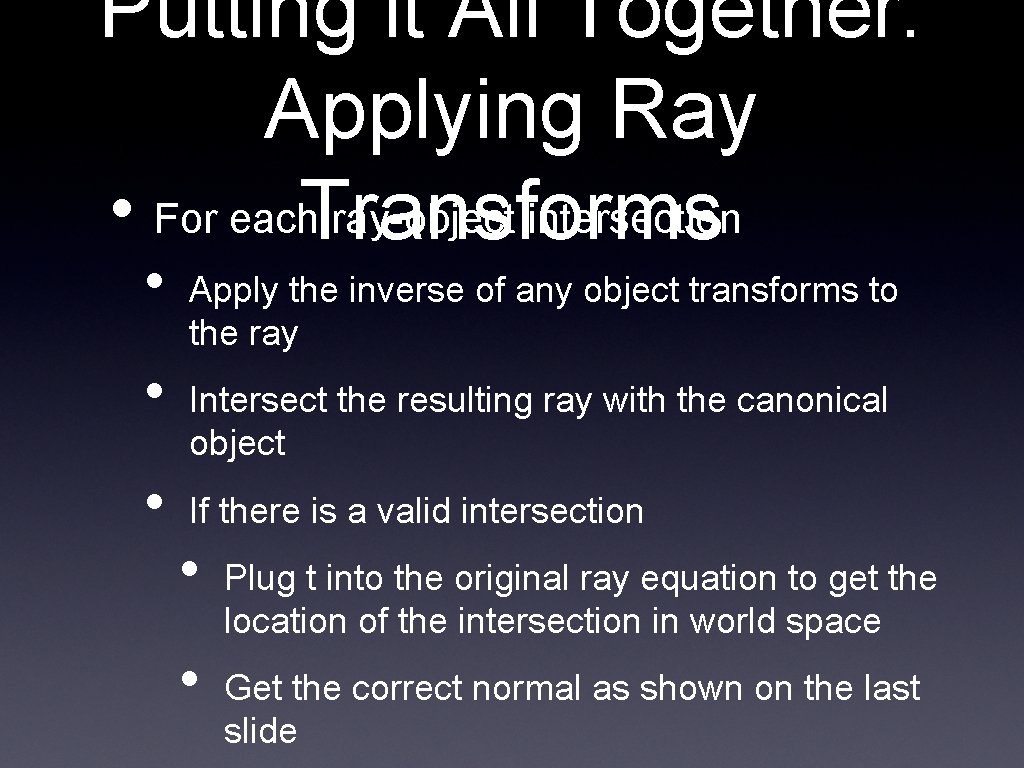
Putting it All Together: Applying Ray • For each ray-object intersection Transforms • • • Apply the inverse of any object transforms to the ray Intersect the resulting ray with the canonical object If there is a valid intersection • • Plug t into the original ray equation to get the location of the intersection in world space Get the correct normal as shown on the last slide
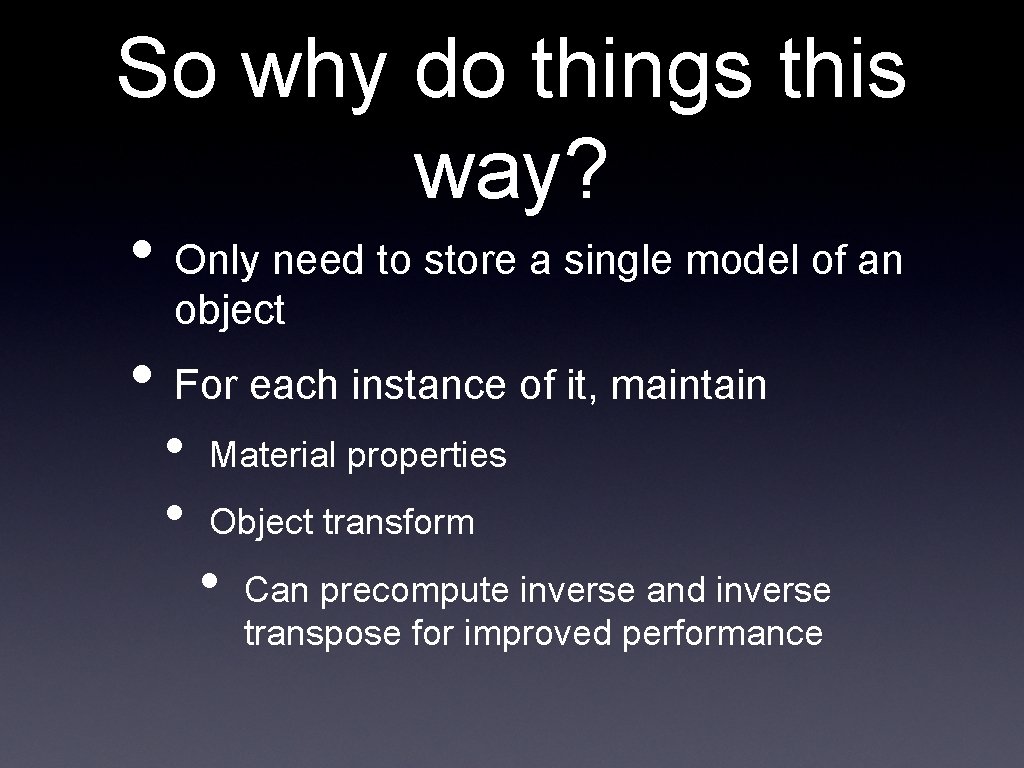
So why do things this way? • Only need to store a single model of an object • For each instance of it, maintain • • Material properties Object transform • Can precompute inverse and inverse transpose for improved performance
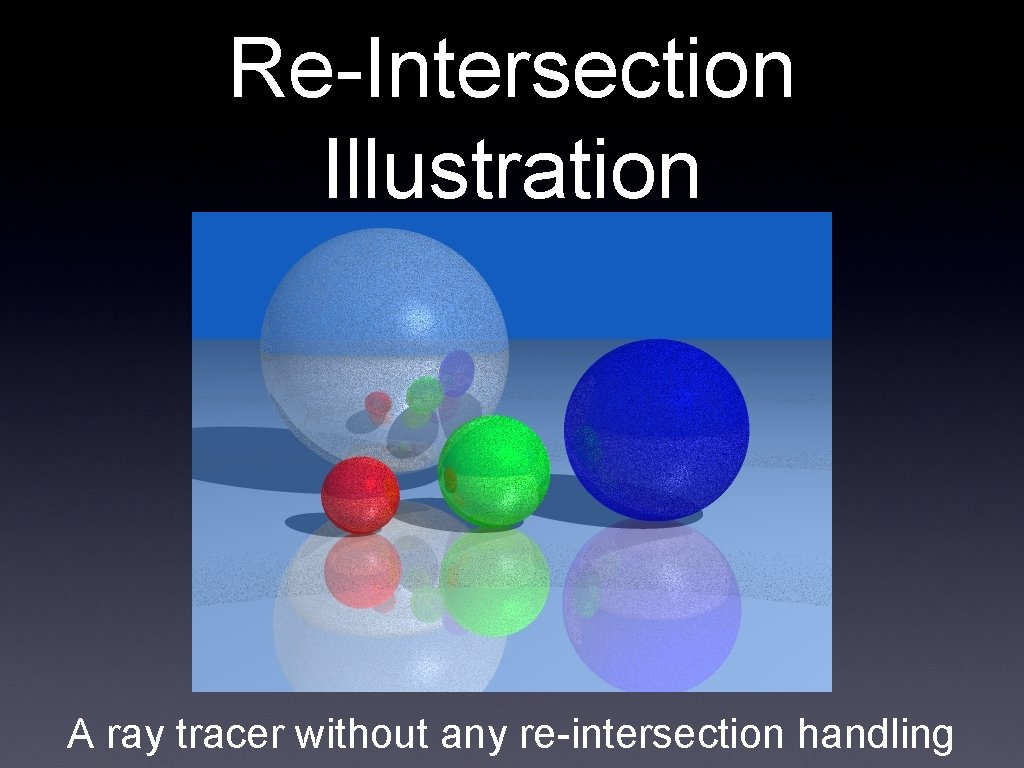
Potential Problem: Re-Intersection • This could be a tricky problem • Consider this situation: • • • We intersect a ray with a mirrored sphere We find the reflection ray We intersect that ray with all objects • It, by definition, intersects the sphere at the exact same point!
Re-Intersection Illustration A ray tracer without any re-intersection handling
Why does this happen? • Short answer: numerical precision issues • Sequences of floating point multiplies (accumulated in our transforms) result in small inaccuracies • It is essentially random whether a ray from any given point will work correctly (because the point is at t=0 or just behind it) or fail (because the point is at t>0) • Note that this is a problem for shadow rays too
Solutions • Solution #1 • Simply do not allow intersections for values of t < ε • Where ε is a very small number, like. 0001 • Solution #2 • When a new ray is generated, offset it’s origin point by ε in the direction of the surface normal
Next Time • Covering whatever raytracer implementation details we didn’t get through today • Discussing some advanced raytracer functionality • • Acceleration data structures Monte Carlo sampling for various effects