Informix SQL Performance Tuning Mike Walker Phone 1

![Optimizing the Query: Explain Output n In IDS 9. 4… onmode –Y <sid> [0|1]](https://slidetodoc.com/presentation_image_h/a53045afeeddcd2edbb48fc564e6ccf0/image-13.jpg "Optimizing the Query: Explain Output n In IDS 9. 4… onmode –Y <sid> [0|1]")












- Slides: 149
Informix SQL Performance Tuning Mike Walker Phone: 1 -888 -UCI FOR U 1 -888 -824 -3678 Fax: 1 -609 -654 -0957 e-mail: mwalker@uci-consulting. com
Overview: n Discuss steps for optimizing n Discuss the output of the Set Explain command n Finding Slow Running SQL n Discuss Indexing Schemes n Data Access Methods n Optimizer Directives n Discuss optimization techniques and examples n XTREE command n Correlated Sub-Queries
What will not be covered: n Engine & Database Tuning: n Onconfig settings n Disk/Table Layouts n Fragmentation, etc
Steps for Optimizing
Optimization Goal: Increase Performance n Reduce I/O n n n reduce I/O performed by the engine reduce I/O between the back-end and the front -end (reduce number of database operations) Reduce processing time
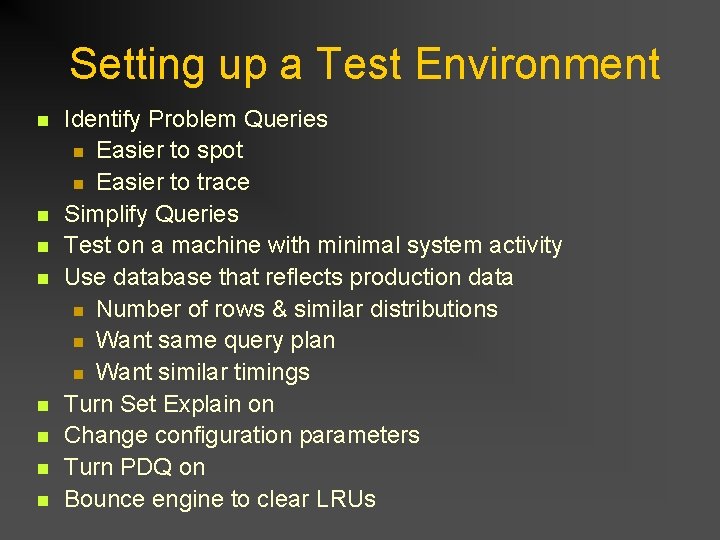
Setting up a Test Environment n n n n Identify Problem Queries n Easier to spot n Easier to trace Simplify Queries Test on a machine with minimal system activity Use database that reflects production data n Number of rows & similar distributions n Want same query plan n Want similar timings Turn Set Explain on Change configuration parameters Turn PDQ on Bounce engine to clear LRUs
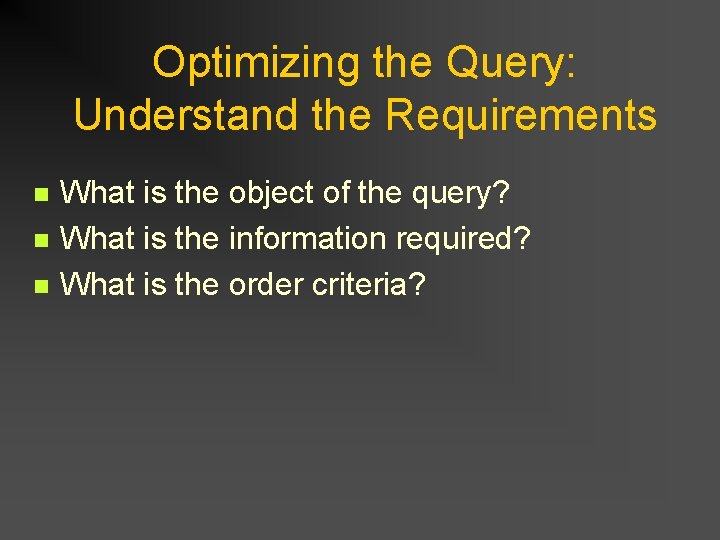
Optimizing the Query: Understand the Requirements n n n What is the object of the query? What is the information required? What is the order criteria?
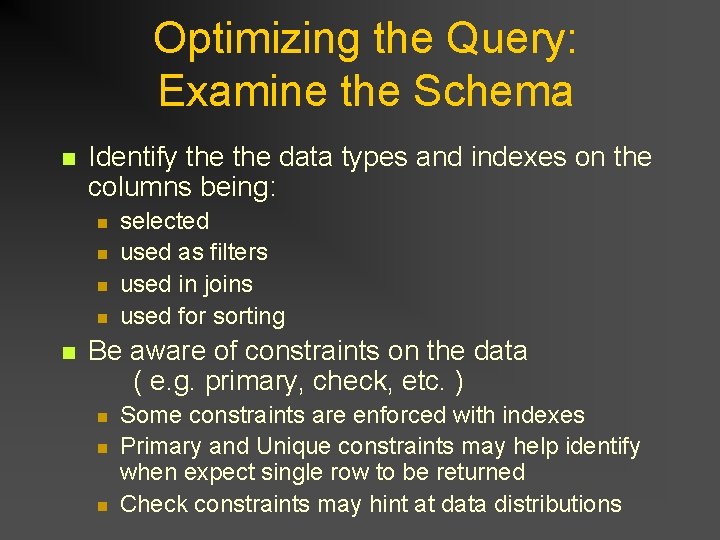
Optimizing the Query: Examine the Schema n Identify the data types and indexes on the columns being: n n n selected used as filters used in joins used for sorting Be aware of constraints on the data ( e. g. primary, check, etc. ) n n n Some constraints are enforced with indexes Primary and Unique constraints may help identify when expect single row to be returned Check constraints may hint at data distributions
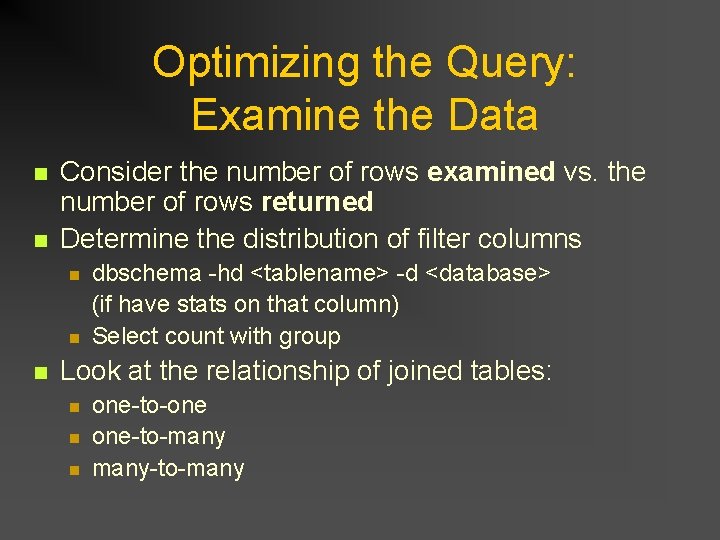
Optimizing the Query: Examine the Data n n Consider the number of rows examined vs. the number of rows returned Determine the distribution of filter columns n n n dbschema -hd <tablename> -d <database> (if have stats on that column) Select count with group Look at the relationship of joined tables: n n n one-to-one one-to-many-to-many
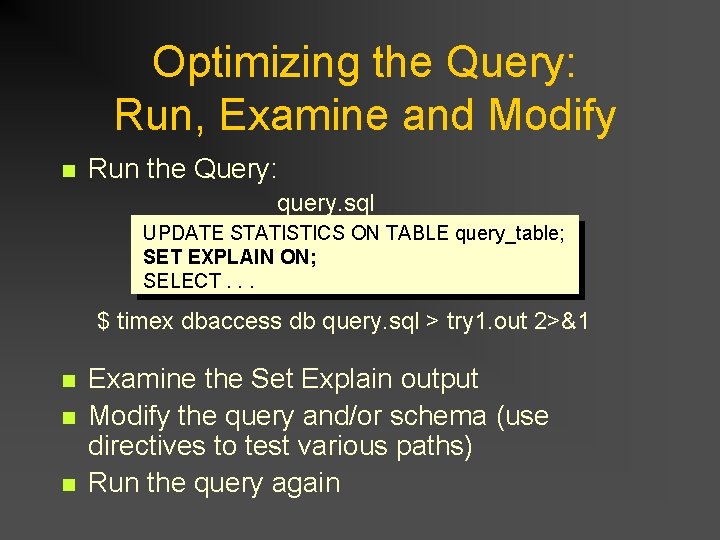
Optimizing the Query: Run, Examine and Modify n Run the Query: query. sql UPDATE STATISTICS ON TABLE query_table; SET EXPLAIN ON; SELECT. . . $ timex dbaccess db query. sql > try 1. out 2>&1 n n n Examine the Set Explain output Modify the query and/or schema (use directives to test various paths) Run the query again
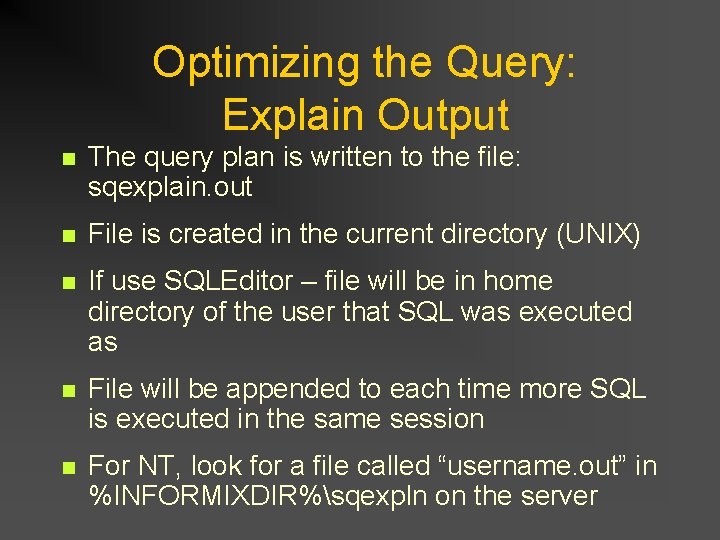
Optimizing the Query: Explain Output n The query plan is written to the file: sqexplain. out n File is created in the current directory (UNIX) n If use SQLEditor – file will be in home directory of the user that SQL was executed as n File will be appended to each time more SQL is executed in the same session n For NT, look for a file called “username. out” in %INFORMIXDIR%sqexpln on the server
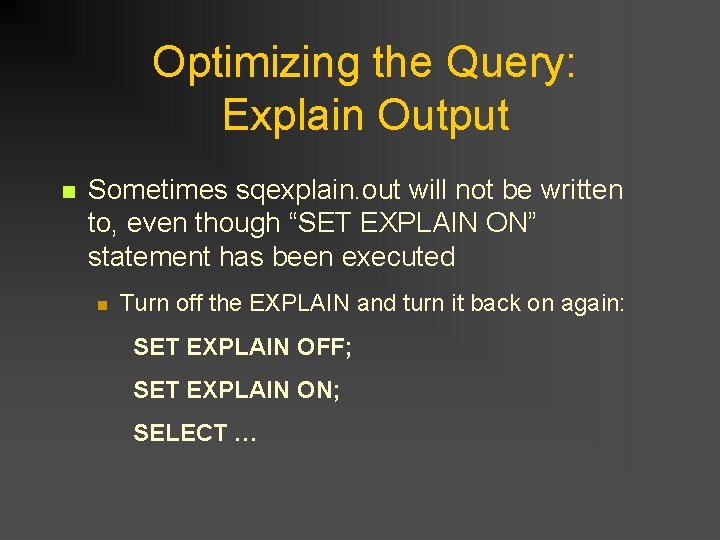
Optimizing the Query: Explain Output n Sometimes sqexplain. out will not be written to, even though “SET EXPLAIN ON” statement has been executed n Turn off the EXPLAIN and turn it back on again: SET EXPLAIN OFF; SET EXPLAIN ON; SELECT …
Optimizing the Query: Explain Output n In IDS 9. 4… onmode –Y <sid> [0|1] Set or unset dynamic explain Creates file called: sqexplain. out. sid May have “issues”…
Set Explain Output
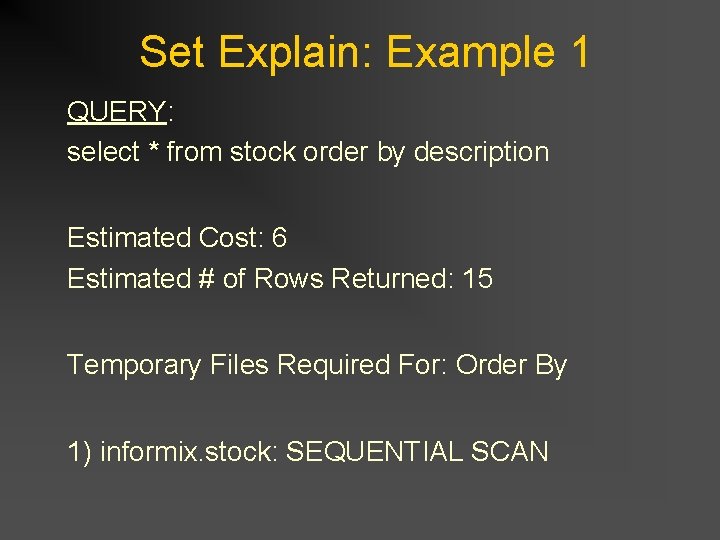
Set Explain: Example 1 QUERY: select * from stock order by description Estimated Cost: 6 Estimated # of Rows Returned: 15 Temporary Files Required For: Order By 1) informix. stock: SEQUENTIAL SCAN
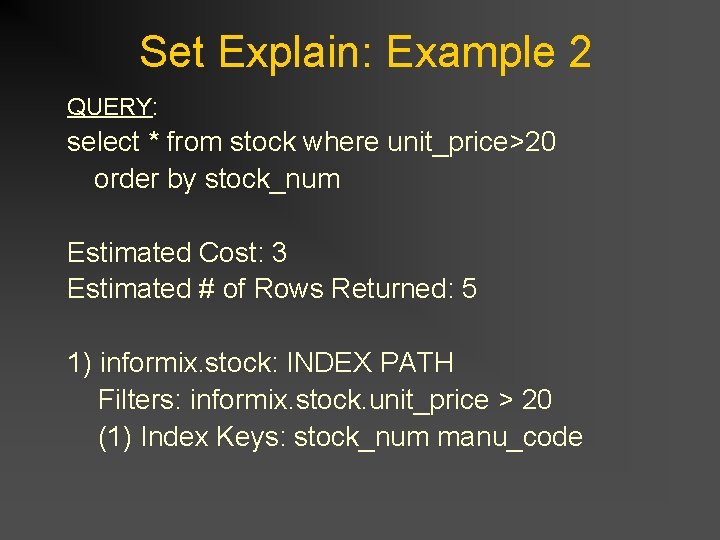
Set Explain: Example 2 QUERY: select * from stock where unit_price>20 order by stock_num Estimated Cost: 3 Estimated # of Rows Returned: 5 1) informix. stock: INDEX PATH Filters: informix. stock. unit_price > 20 (1) Index Keys: stock_num manu_code
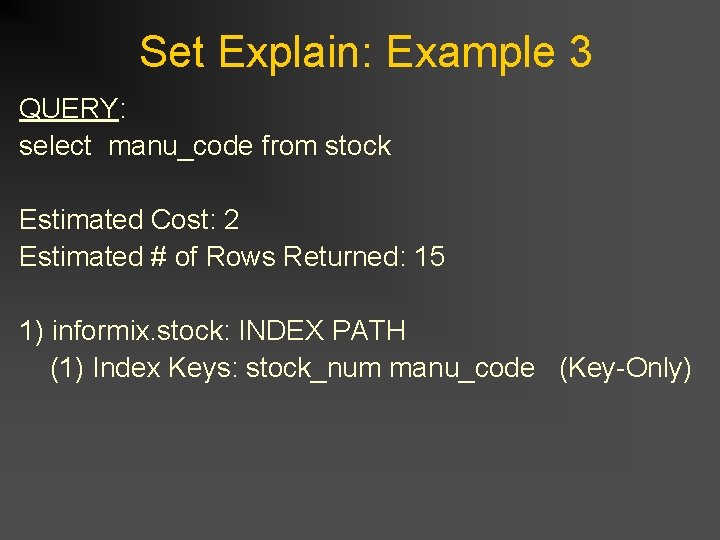
Set Explain: Example 3 QUERY: select manu_code from stock Estimated Cost: 2 Estimated # of Rows Returned: 15 1) informix. stock: INDEX PATH (1) Index Keys: stock_num manu_code (Key-Only)
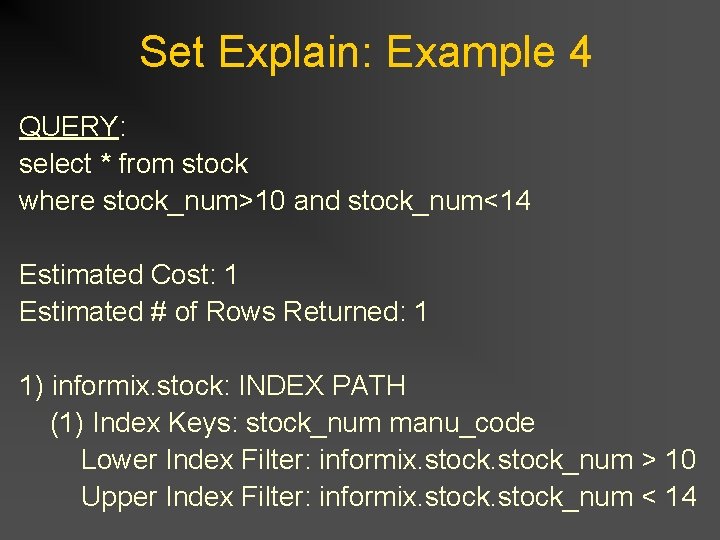
Set Explain: Example 4 QUERY: select * from stock where stock_num>10 and stock_num<14 Estimated Cost: 1 Estimated # of Rows Returned: 1 1) informix. stock: INDEX PATH (1) Index Keys: stock_num manu_code Lower Index Filter: informix. stock_num > 10 Upper Index Filter: informix. stock_num < 14
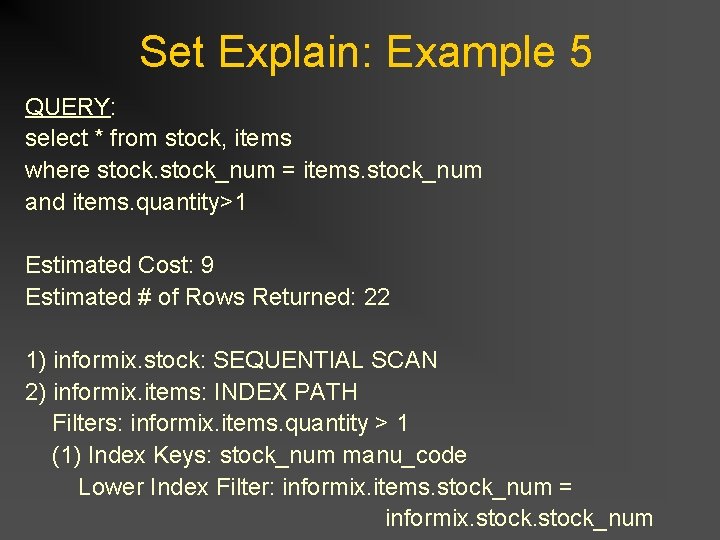
Set Explain: Example 5 QUERY: select * from stock, items where stock_num = items. stock_num and items. quantity>1 Estimated Cost: 9 Estimated # of Rows Returned: 22 1) informix. stock: SEQUENTIAL SCAN 2) informix. items: INDEX PATH Filters: informix. items. quantity > 1 (1) Index Keys: stock_num manu_code Lower Index Filter: informix. items. stock_num = informix. stock_num
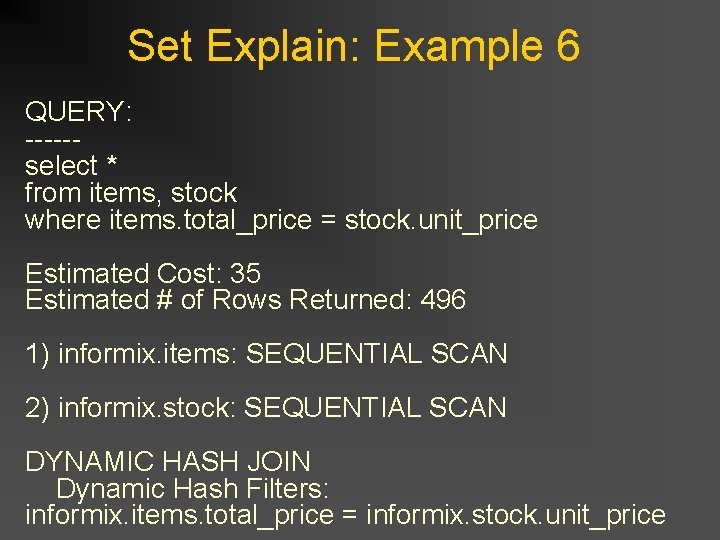
Set Explain: Example 6 QUERY: -----select * from items, stock where items. total_price = stock. unit_price Estimated Cost: 35 Estimated # of Rows Returned: 496 1) informix. items: SEQUENTIAL SCAN 2) informix. stock: SEQUENTIAL SCAN DYNAMIC HASH JOIN Dynamic Hash Filters: informix. items. total_price = informix. stock. unit_price
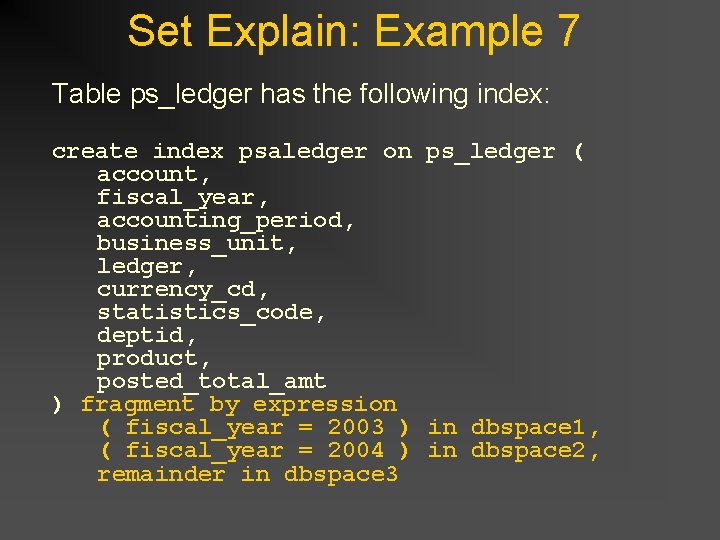
Set Explain: Example 7 Table ps_ledger has the following index: create index psaledger on ps_ledger ( account, fiscal_year, accounting_period, business_unit, ledger, currency_cd, statistics_code, deptid, product, posted_total_amt ) fragment by expression ( fiscal_year = 2003 ) in dbspace 1, ( fiscal_year = 2004 ) in dbspace 2, remainder in dbspace 3
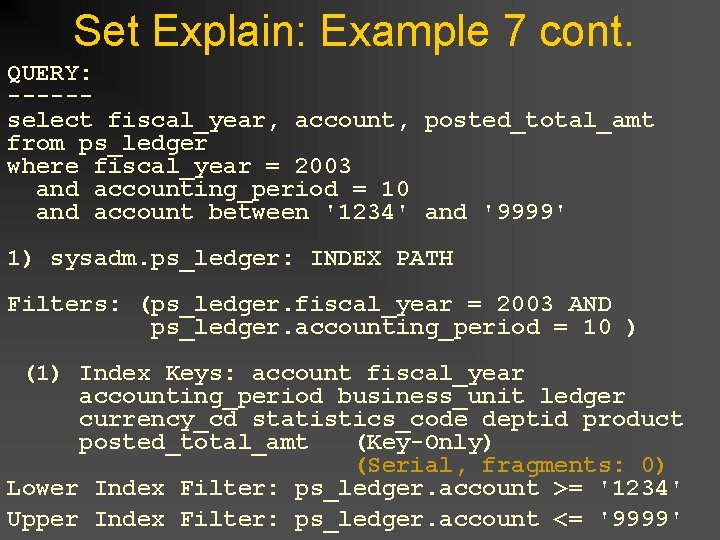
Set Explain: Example 7 cont. QUERY: -----select fiscal_year, account, posted_total_amt from ps_ledger where fiscal_year = 2003 and accounting_period = 10 and account between '1234' and '9999' 1) sysadm. ps_ledger: INDEX PATH Filters: (ps_ledger. fiscal_year = 2003 AND ps_ledger. accounting_period = 10 ) (1) Index Keys: account fiscal_year accounting_period business_unit ledger currency_cd statistics_code deptid product posted_total_amt (Key-Only) (Serial, fragments: 0) Lower Index Filter: ps_ledger. account >= '1234' Upper Index Filter: ps_ledger. account <= '9999'
Any Questions?
Finding Slow SQL
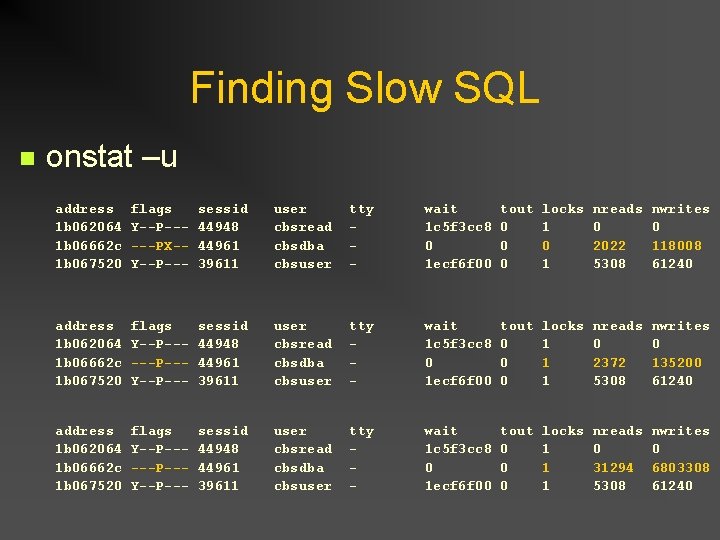
Finding Slow SQL n onstat –u address flags sessid user tty wait tout locks nreads nwrites 1 b 062064 Y--P--- 44948 cbsread - 1 c 5 f 3 cc 8 0 1 0 0 1 b 06662 c ---PX-- 44961 cbsdba - 0 0 0 2022 118008 1 b 067520 Y--P--- 39611 cbsuser - 1 ecf 6 f 00 0 1 5308 61240 address flags sessid user tty wait tout locks nreads nwrites 1 b 062064 Y--P--- 44948 cbsread - 1 c 5 f 3 cc 8 0 1 0 0 1 b 06662 c ---P--- 44961 cbsdba - 0 0 1 2372 135200 1 b 067520 Y--P--- 39611 cbsuser - 1 ecf 6 f 00 0 1 5308 61240 address flags sessid user tty wait tout locks nreads nwrites 1 b 062064 Y--P--- 44948 cbsread - 1 c 5 f 3 cc 8 0 1 0 0 1 b 06662 c ---P--- 44961 cbsdba - 0 0 1 31294 6803308 1 b 067520 Y--P--- 39611 cbsuser - 1 ecf 6 f 00 0 1 5308 61240
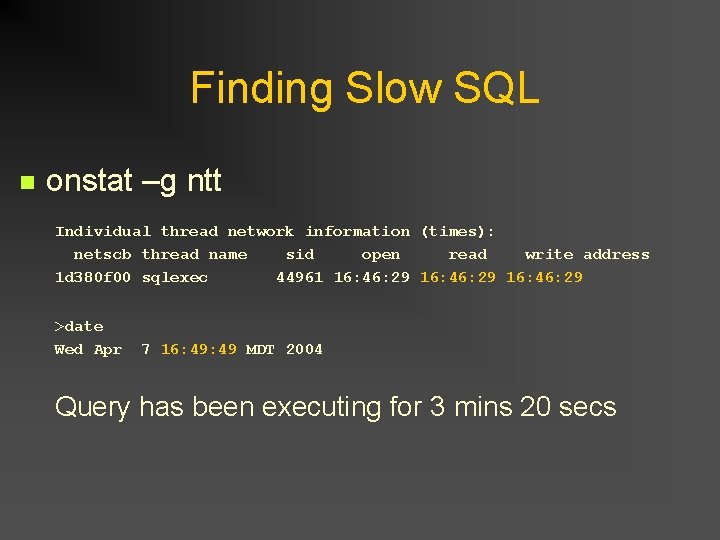
Finding Slow SQL n onstat –g ntt Individual thread network information (times): netscb thread name sid open read write address 1 d 380 f 00 sqlexec 44961 16: 46: 29 >date Wed Apr 7 16: 49 MDT 2004 Query has been executing for 3 mins 20 secs
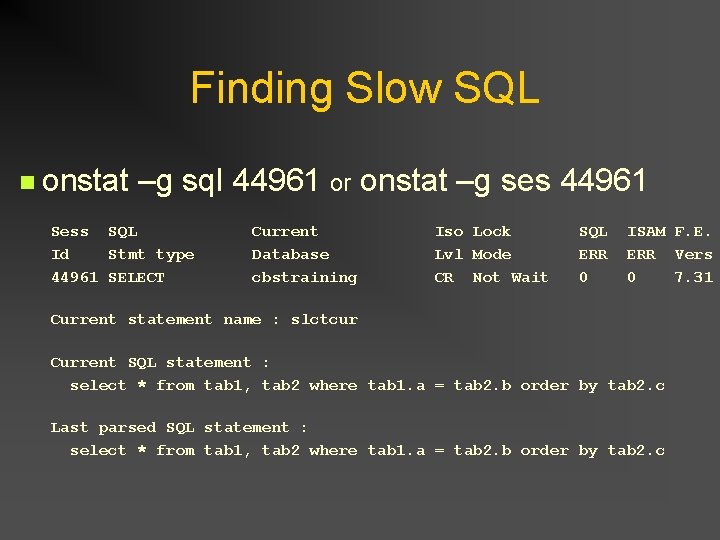
Finding Slow SQL n onstat –g sql 44961 or onstat –g ses 44961 Sess SQL Current Iso Lock SQL ISAM F. E. Id Stmt type Database Lvl Mode ERR Vers 44961 SELECT cbstraining CR Not Wait 0 0 7. 31 Current statement name : slctcur Current SQL statement : select * from tab 1, tab 2 where tab 1. a = tab 2. b order by tab 2. c Last parsed SQL statement : select * from tab 1, tab 2 where tab 1. a = tab 2. b order by tab 2. c
Finding Slow SQL These Informix “onstat” commands are easily “scriptable”!! Create a “suite” of performance monitoring scripts
Indexing Schemes
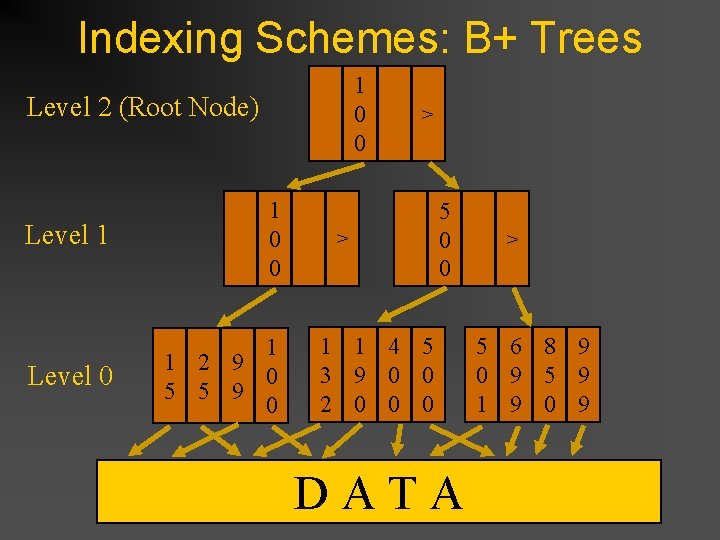
Indexing Schemes: B+ Trees 1 0 0 Level 2 (Root Node) Level 1 1 0 0 Level 0 1 1 2 9 0 5 5 9 0 > > 5 0 0 1 1 4 5 3 9 0 0 2 0 0 0 DATA > 5 6 8 9 0 9 5 9 1 9 0 9
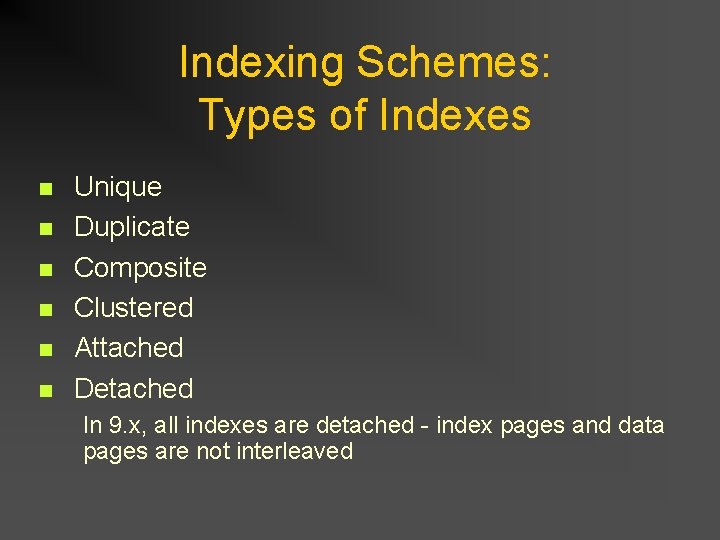
Indexing Schemes: Types of Indexes n n n Unique Duplicate Composite Clustered Attached Detached In 9. x, all indexes are detached - index pages and data pages are not interleaved
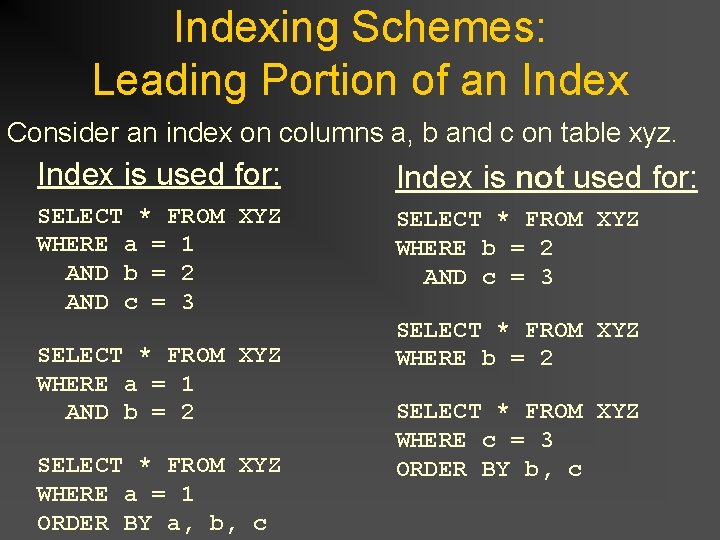
Indexing Schemes: Leading Portion of an Index Consider an index on columns a, b and c on table xyz. Index is used for: Index is not used for: SELECT * FROM XYZ WHERE a = 1 AND b = 2 AND c = 3 SELECT * FROM XYZ WHERE a = 1 AND b = 2 SELECT * FROM XYZ WHERE a = 1 ORDER BY a, b, c SELECT * FROM XYZ WHERE b = 2 SELECT * FROM XYZ WHERE c = 3 ORDER BY b, c
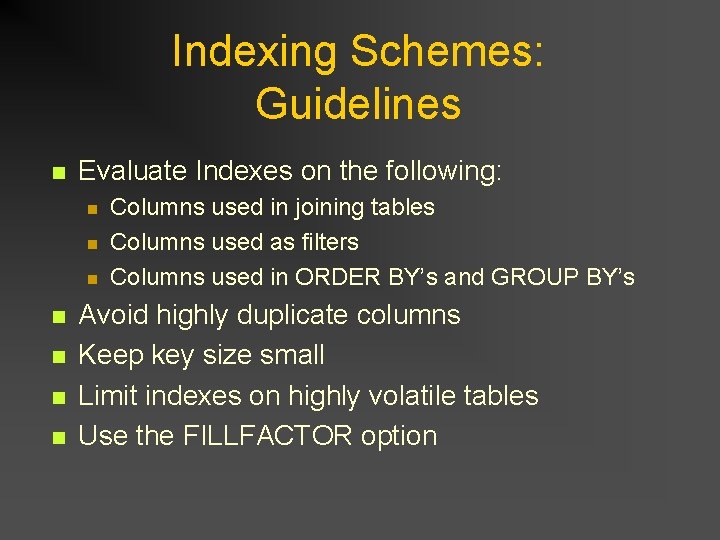
Indexing Schemes: Guidelines n Evaluate Indexes on the following: n n n n Columns used in joining tables Columns used as filters Columns used in ORDER BY’s and GROUP BY’s Avoid highly duplicate columns Keep key size small Limit indexes on highly volatile tables Use the FILLFACTOR option
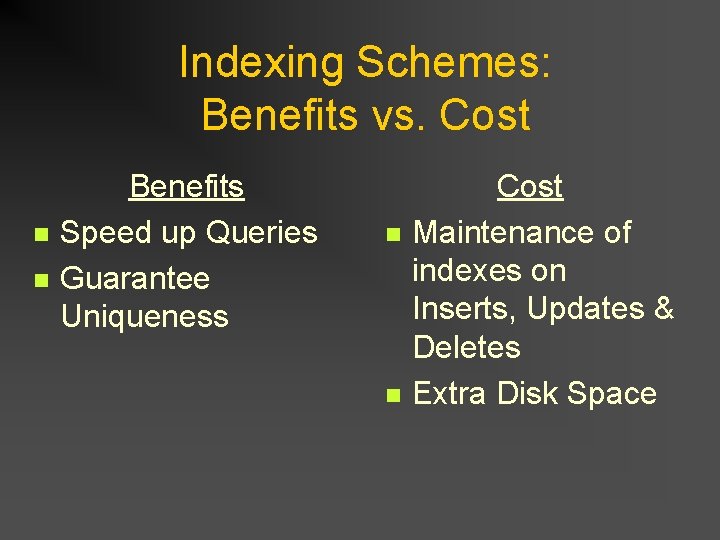
Indexing Schemes: Benefits vs. Cost n n Benefits Speed up Queries Guarantee Uniqueness n n Cost Maintenance of indexes on Inserts, Updates & Deletes Extra Disk Space
Any Questions?
How Data is Accessed
Data Access Methods n n n Sequential Scan Index Auto Index
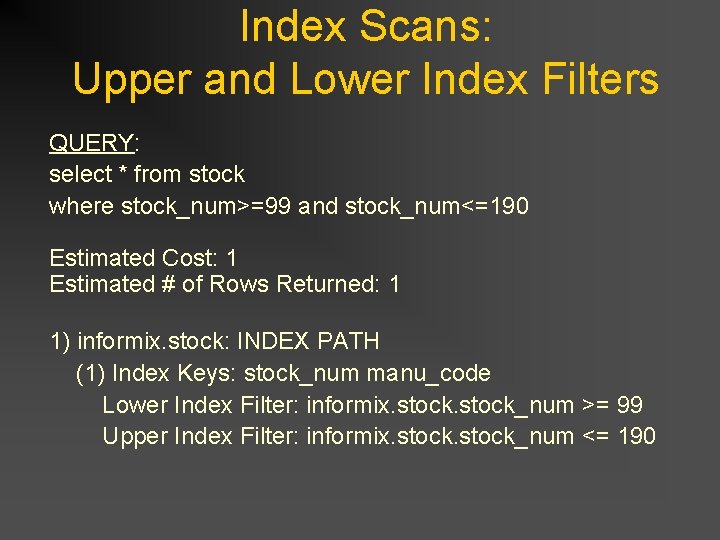
Index Scans: Upper and Lower Index Filters QUERY: select * from stock where stock_num>=99 and stock_num<=190 Estimated Cost: 1 Estimated # of Rows Returned: 1 1) informix. stock: INDEX PATH (1) Index Keys: stock_num manu_code Lower Index Filter: informix. stock_num >= 99 Upper Index Filter: informix. stock_num <= 190
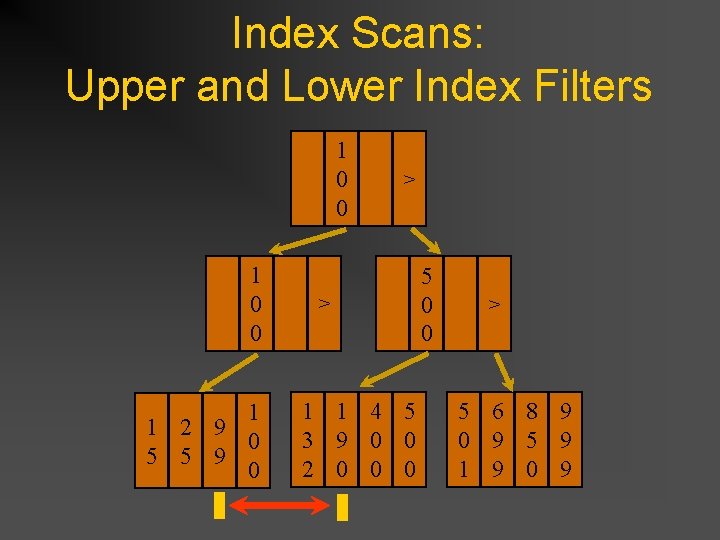
Index Scans: Upper and Lower Index Filters 1 0 0 1 1 2 9 0 5 5 9 0 > > 1 1 4 5 3 9 0 0 2 0 0 0 5 0 0 > 5 6 8 9 0 9 5 9 1 9 0 9
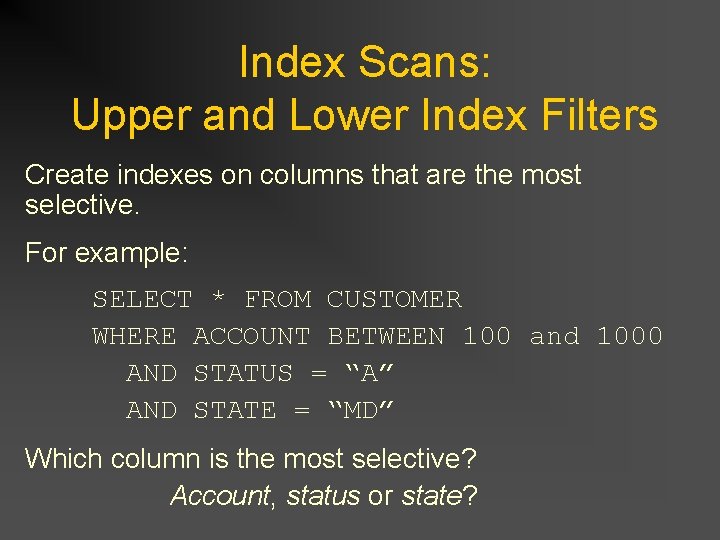
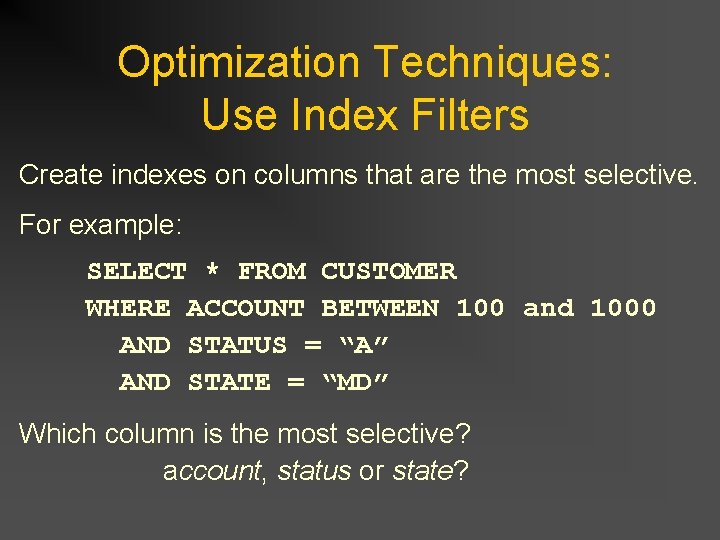
Index Scans: Upper and Lower Index Filters Create indexes on columns that are the most selective. For example: SELECT * FROM CUSTOMER WHERE ACCOUNT BETWEEN 100 and 1000 AND STATUS = “A” AND STATE = “MD” Which column is the most selective? Account, status or state?
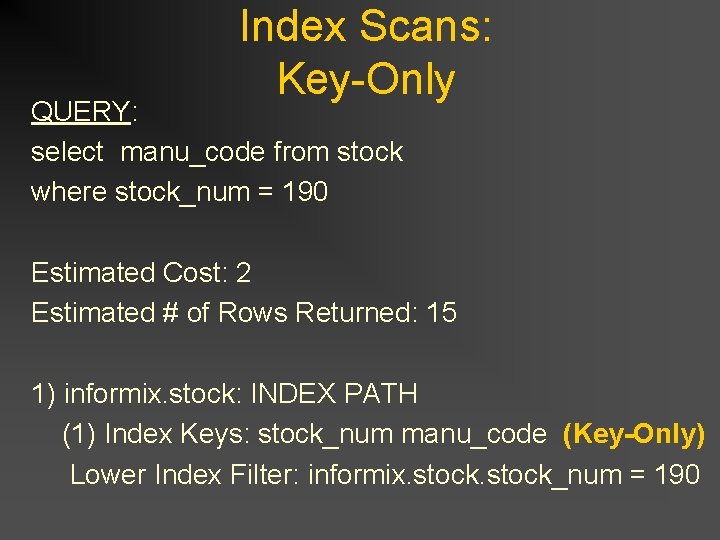
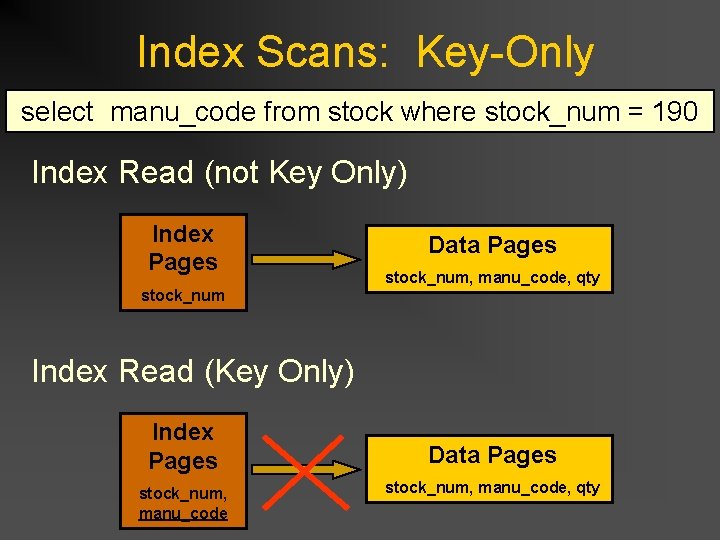
Index Scans: Key-Only QUERY: select manu_code from stock where stock_num = 190 Estimated Cost: 2 Estimated # of Rows Returned: 15 1) informix. stock: INDEX PATH (1) Index Keys: stock_num manu_code (Key-Only) Lower Index Filter: informix. stock_num = 190
Index Scans: Key-Only select manu_code from stock where stock_num = 190 Index Read (not Key Only) Index Pages stock_num Data Pages stock_num, manu_code, qty Index Read (Key Only) Index Pages stock_num, manu_code Data Pages stock_num, manu_code, qty
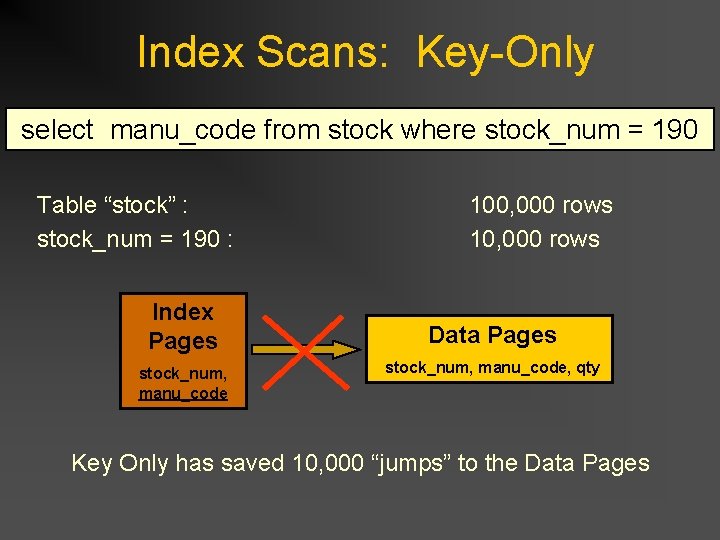
Index Scans: Key-Only select manu_code from stock where stock_num = 190 Table “stock” : stock_num = 190 : Index Pages stock_num, manu_code 100, 000 rows 10, 000 rows Data Pages stock_num, manu_code, qty Key Only has saved 10, 000 “jumps” to the Data Pages
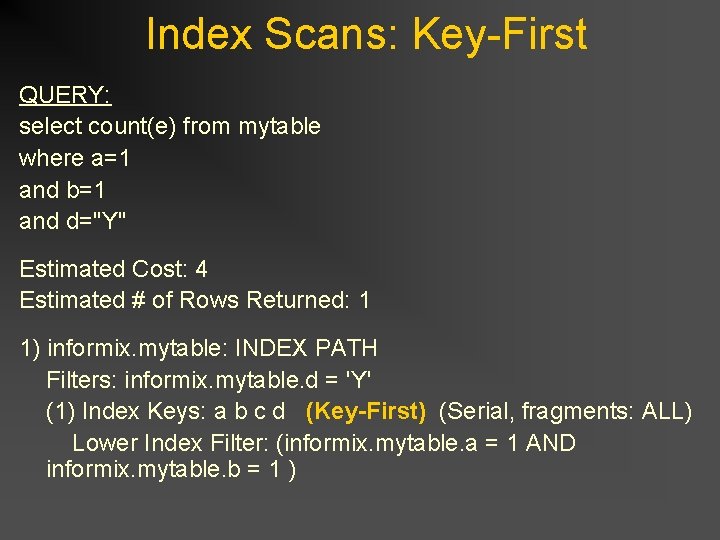
Index Scans: Key-First QUERY: select count(e) from mytable where a=1 and b=1 and d="Y" Estimated Cost: 4 Estimated # of Rows Returned: 1 1) informix. mytable: INDEX PATH Filters: informix. mytable. d = 'Y' (1) Index Keys: a b c d (Key-First) (Serial, fragments: ALL) Lower Index Filter: (informix. mytable. a = 1 AND informix. mytable. b = 1 )
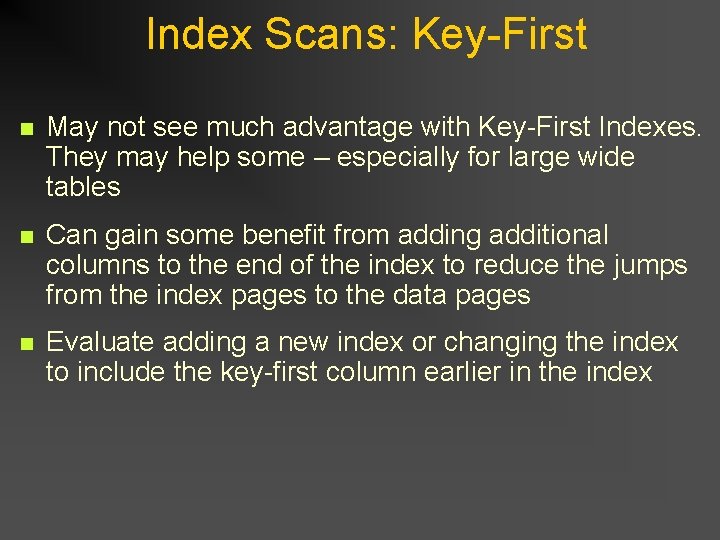
Index Scans: Key-First n May not see much advantage with Key-First Indexes. They may help some – especially for large wide tables n Can gain some benefit from adding additional columns to the end of the index to reduce the jumps from the index pages to the data pages n Evaluate adding a new index or changing the index to include the key-first column earlier in the index
Any Questions?
Table Joins
Joining Tables: Join Methods Nested Loop Join n Dynamic Hash Join n Sort Merge Join n
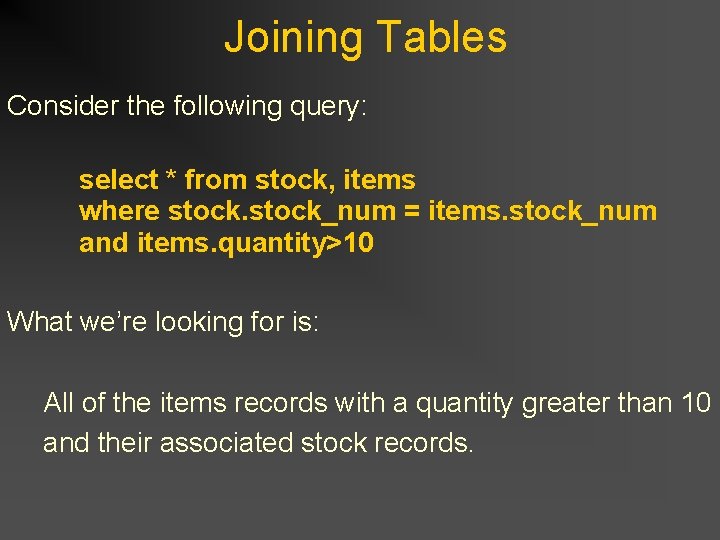
Joining Tables Consider the following query: select * from stock, items where stock_num = items. stock_num and items. quantity>10 What we’re looking for is: All of the items records with a quantity greater than 10 and their associated stock records.
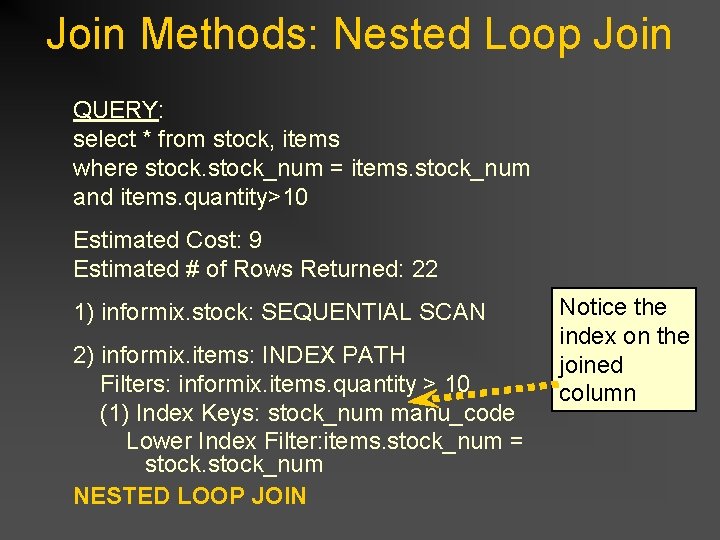
Join Methods: Nested Loop Join QUERY: select * from stock, items where stock_num = items. stock_num and items. quantity>10 Estimated Cost: 9 Estimated # of Rows Returned: 22 1) informix. stock: SEQUENTIAL SCAN 2) informix. items: INDEX PATH Filters: informix. items. quantity > 10 (1) Index Keys: stock_num manu_code Lower Index Filter: items. stock_num = stock_num NESTED LOOP JOIN Notice the index on the joined column
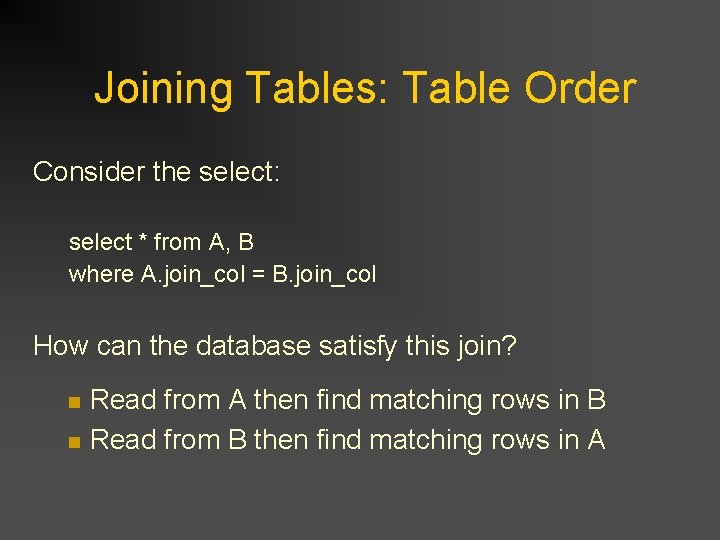
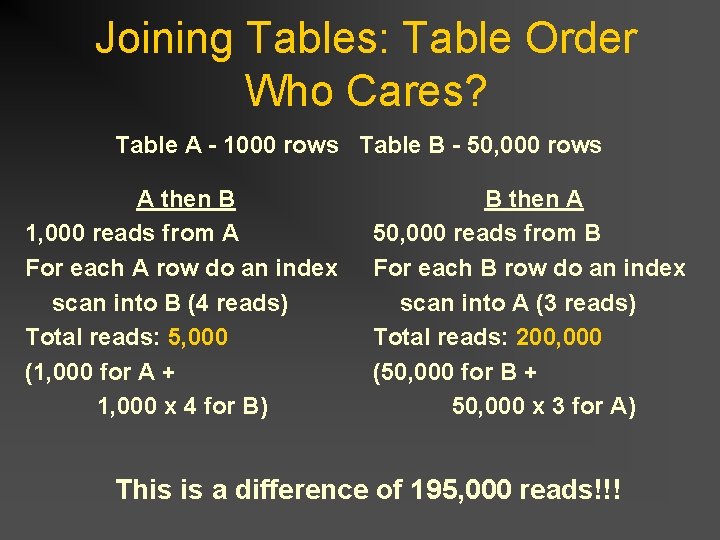
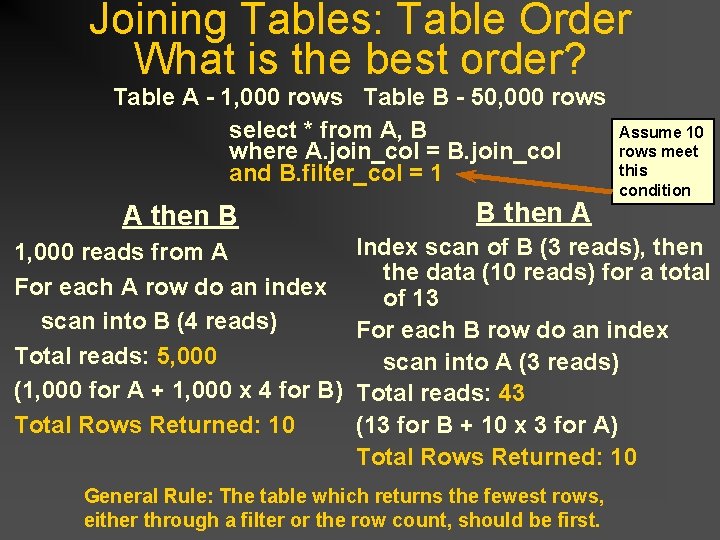
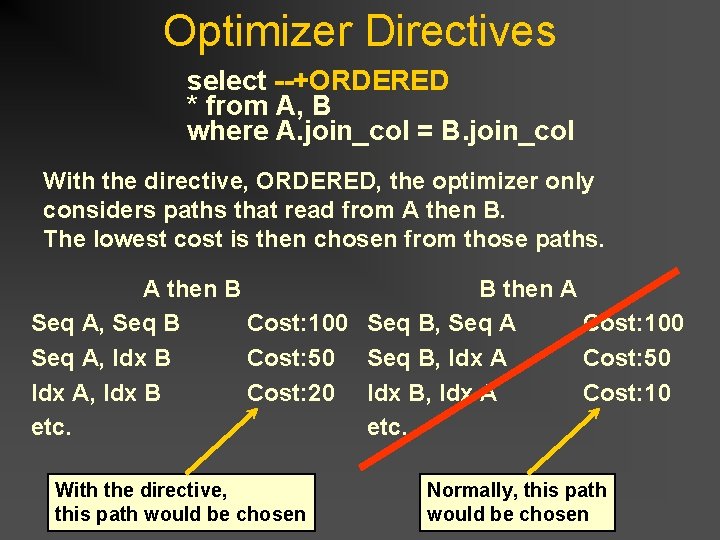
Joining Tables: Table Order Consider the select: select * from A, B where A. join_col = B. join_col How can the database satisfy this join? n n Read from A then find matching rows in B Read from B then find matching rows in A
Joining Tables: Table Order Who Cares? Table A - 1000 rows Table B - 50, 000 rows A then B 1, 000 reads from A For each A row do an index scan into B (4 reads) Total reads: 5, 000 (1, 000 for A + 1, 000 x 4 for B) B then A 50, 000 reads from B For each B row do an index scan into A (3 reads) Total reads: 200, 000 (50, 000 for B + 50, 000 x 3 for A) This is a difference of 195, 000 reads!!!
Joining Tables: Table Order What is the best order? Table A - 1, 000 rows Table B - 50, 000 rows select * from A, B where A. join_col = B. join_col and B. filter_col = 1 Assume 10 rows meet this condition A then B B then A 1, 000 reads from A For each A row do an index scan into B (4 reads) Total reads: 5, 000 (1, 000 for A + 1, 000 x 4 for B) Total Rows Returned: 10 Index scan of B (3 reads), then the data (10 reads) for a total of 13 For each B row do an index scan into A (3 reads) Total reads: 43 (13 for B + 10 x 3 for A) Total Rows Returned: 10 General Rule: The table which returns the fewest rows, either through a filter or the row count, should be first.
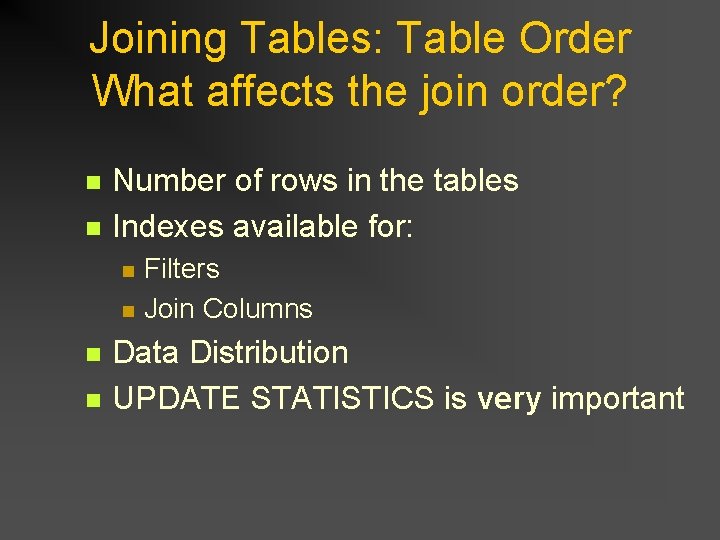
Joining Tables: Table Order What affects the join order? n n Number of rows in the tables Indexes available for: n n Filters Join Columns Data Distribution UPDATE STATISTICS is very important
Any Questions?
Optimizer Directives
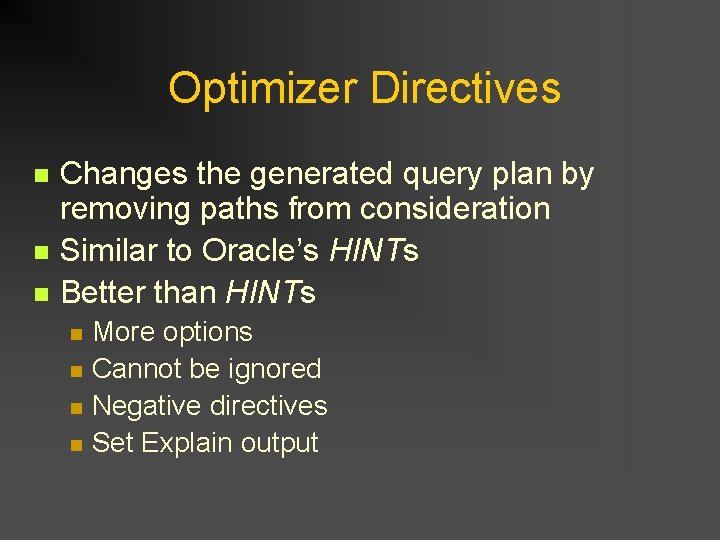
Optimizer Directives n n n Changes the generated query plan by removing paths from consideration Similar to Oracle’s HINTs Better than HINTs n n More options Cannot be ignored Negative directives Set Explain output
Optimizer Directives select --+ORDERED * from A, B where A. join_col = B. join_col With the directive, ORDERED, the optimizer only considers paths that read from A then B. The lowest cost is then chosen from those paths. A then B Seq A, Seq B Cost: 100 Seq A, Idx B Cost: 50 Idx A, Idx B Cost: 20 etc. With the directive, this path would be chosen B then A Seq B, Seq A Cost: 100 Seq B, Idx A Cost: 50 Idx B, Idx A Cost: 10 etc. Normally, this path would be chosen
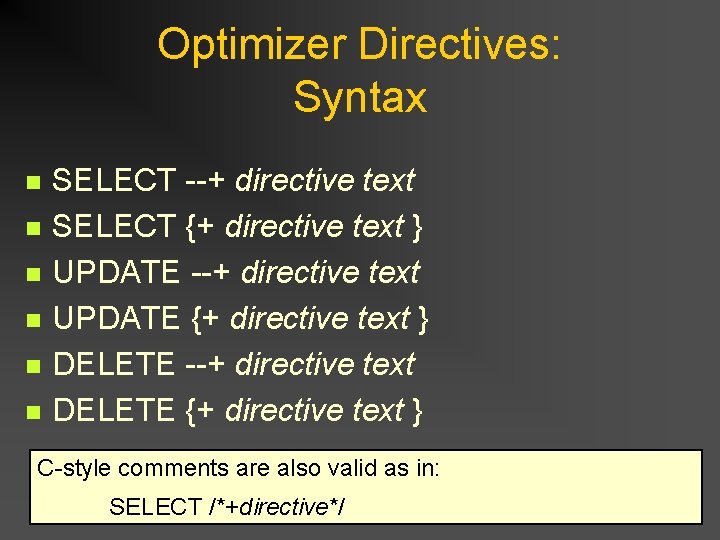
Optimizer Directives: Syntax n n n SELECT --+ directive text SELECT {+ directive text } UPDATE --+ directive text UPDATE {+ directive text } DELETE --+ directive text DELETE {+ directive text } C-style comments are also valid as in: SELECT /*+directive*/
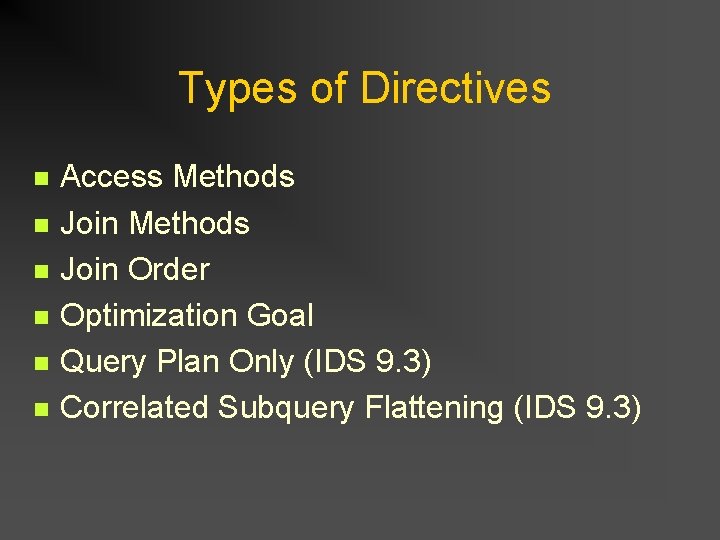
Types of Directives n n n Access Methods Join Order Optimization Goal Query Plan Only (IDS 9. 3) Correlated Subquery Flattening (IDS 9. 3)
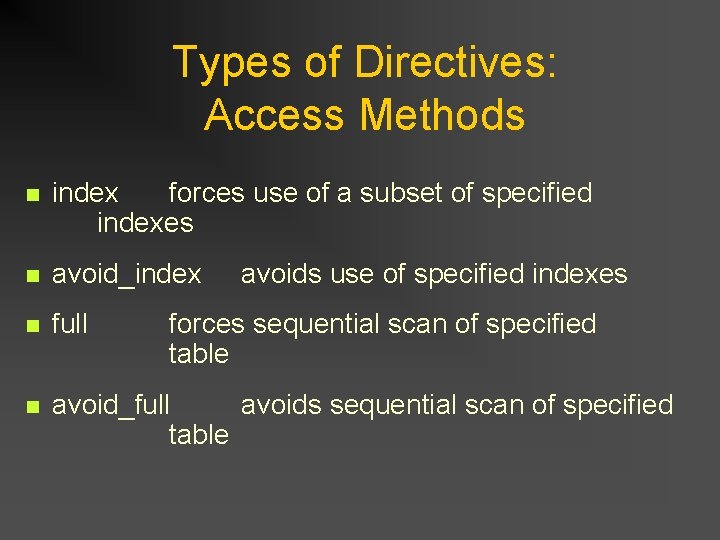
Types of Directives: Access Methods n index forces use of a subset of specified indexes n avoid_index n full n avoid_full avoids sequential scan of specified table avoids use of specified indexes forces sequential scan of specified table
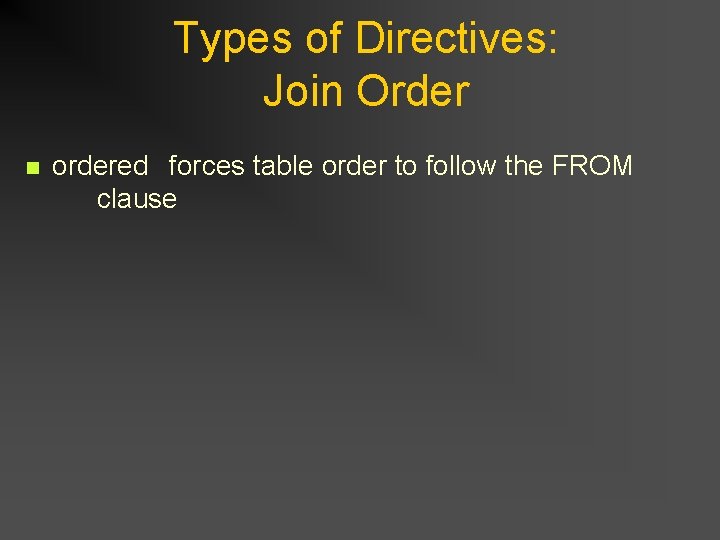
Types of Directives: Join Order n ordered forces table order to follow the FROM clause
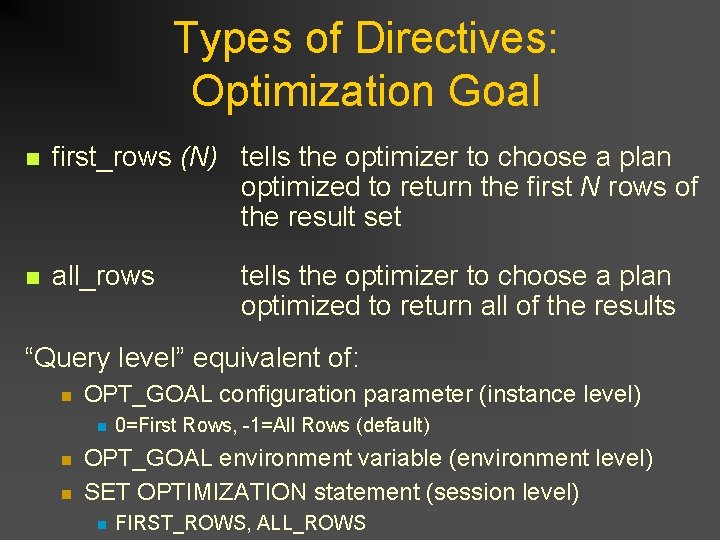
Types of Directives: Optimization Goal n first_rows (N) tells the optimizer to choose a plan optimized to return the first N rows of the result set n all_rows tells the optimizer to choose a plan optimized to return all of the results “Query level” equivalent of: n OPT_GOAL configuration parameter (instance level) n n n 0=First Rows, -1=All Rows (default) OPT_GOAL environment variable (environment level) SET OPTIMIZATION statement (session level) n FIRST_ROWS, ALL_ROWS
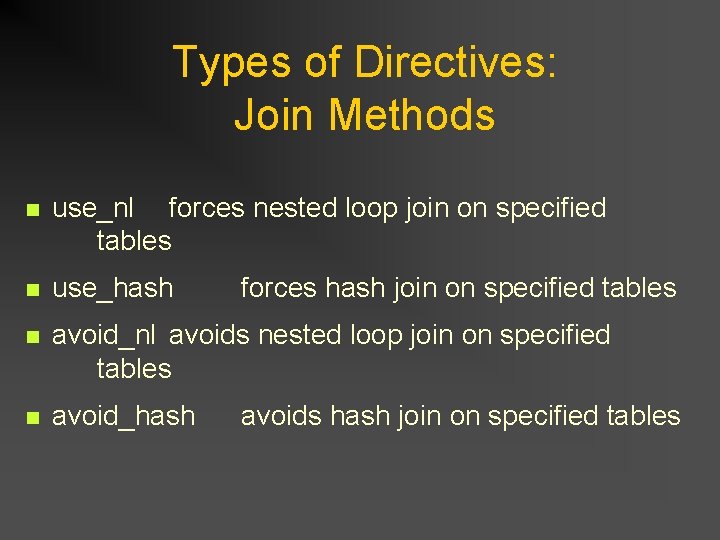
Types of Directives: Join Methods n use_nl forces nested loop join on specified tables n use_hash n avoid_nl avoids nested loop join on specified tables n avoid_hash forces hash join on specified tables avoids hash join on specified tables
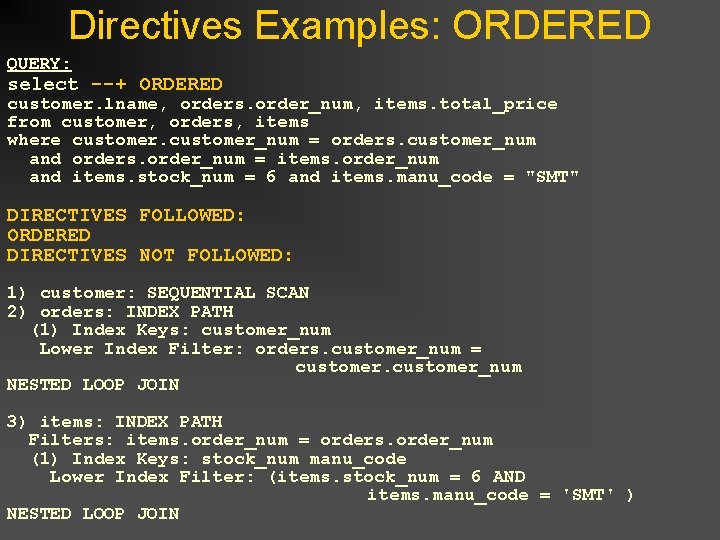
Directives Examples: ORDERED QUERY: select --+ ORDERED customer. lname, orders. order_num, items. total_price from customer, orders, items where customer_num = orders. customer_num and orders. order_num = items. order_num and items. stock_num = 6 and items. manu_code = "SMT" DIRECTIVES FOLLOWED: ORDERED DIRECTIVES NOT FOLLOWED: 1) customer: SEQUENTIAL SCAN 2) orders: INDEX PATH (1) Index Keys: customer_num Lower Index Filter: orders. customer_num = customer_num NESTED LOOP JOIN 3) items: INDEX PATH Filters: items. order_num = orders. order_num (1) Index Keys: stock_num manu_code Lower Index Filter: (items. stock_num = 6 AND items. manu_code = 'SMT' ) NESTED LOOP JOIN
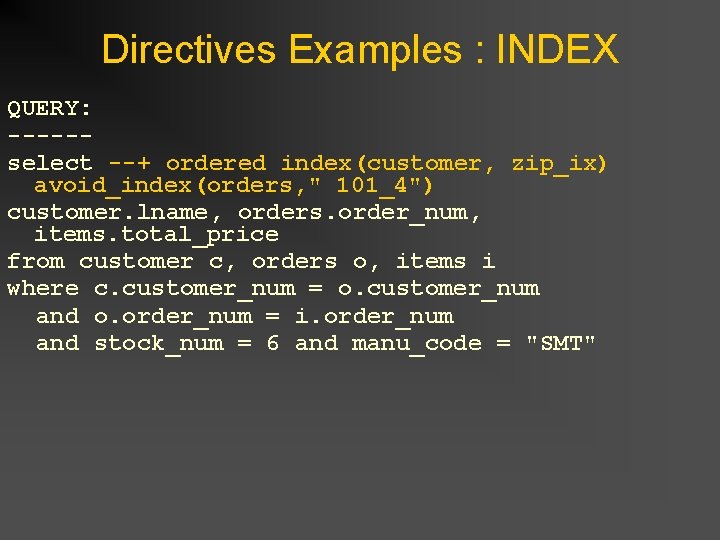
Directives Examples : INDEX QUERY: -----select --+ ordered index(customer, zip_ix) avoid_index(orders, " 101_4") customer. lname, orders. order_num, items. total_price from customer c, orders o, items i where c. customer_num = o. customer_num and o. order_num = i. order_num and stock_num = 6 and manu_code = "SMT"
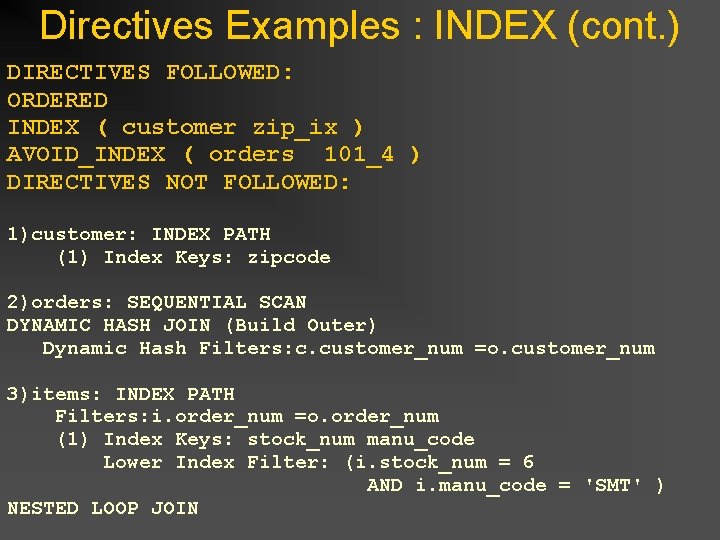
Directives Examples : INDEX (cont. ) DIRECTIVES FOLLOWED: ORDERED INDEX ( customer zip_ix ) AVOID_INDEX ( orders 101_4 ) DIRECTIVES NOT FOLLOWED: 1)customer: INDEX PATH (1) Index Keys: zipcode 2)orders: SEQUENTIAL SCAN DYNAMIC HASH JOIN (Build Outer) Dynamic Hash Filters: c. customer_num =o. customer_num 3)items: INDEX PATH Filters: i. order_num =o. order_num (1) Index Keys: stock_num manu_code Lower Index Filter: (i. stock_num = 6 AND i. manu_code = 'SMT' ) NESTED LOOP JOIN
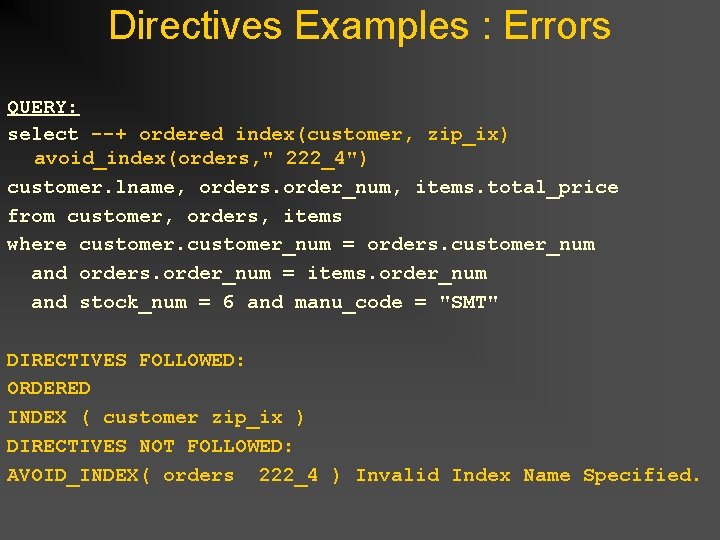
Directives Examples : Errors QUERY: select --+ ordered index(customer, zip_ix) avoid_index(orders, " 222_4") customer. lname, orders. order_num, items. total_price from customer, orders, items where customer_num = orders. customer_num and orders. order_num = items. order_num and stock_num = 6 and manu_code = "SMT" DIRECTIVES FOLLOWED: ORDERED INDEX ( customer zip_ix ) DIRECTIVES NOT FOLLOWED: AVOID_INDEX( orders 222_4 ) Invalid Index Name Specified.
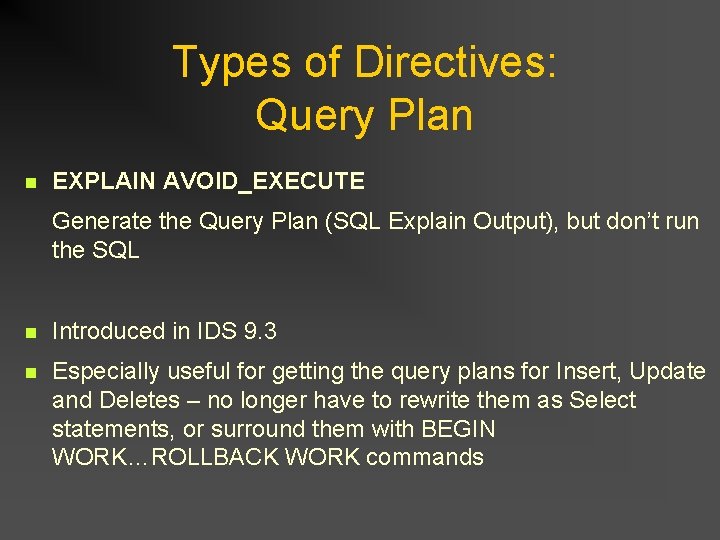
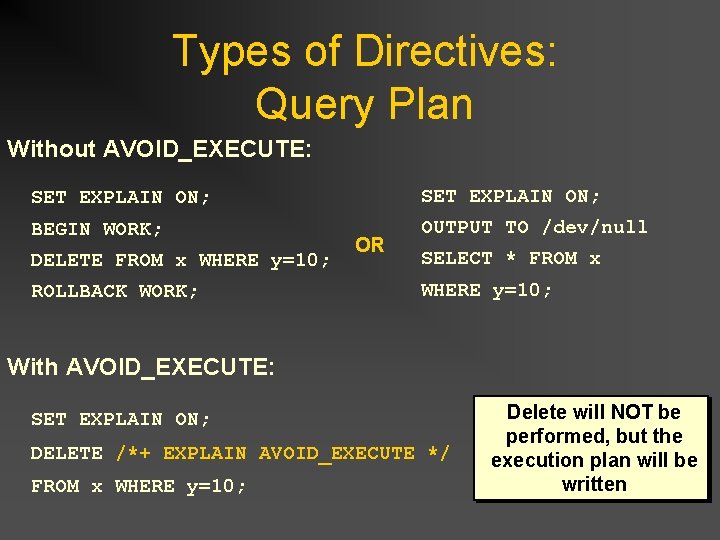
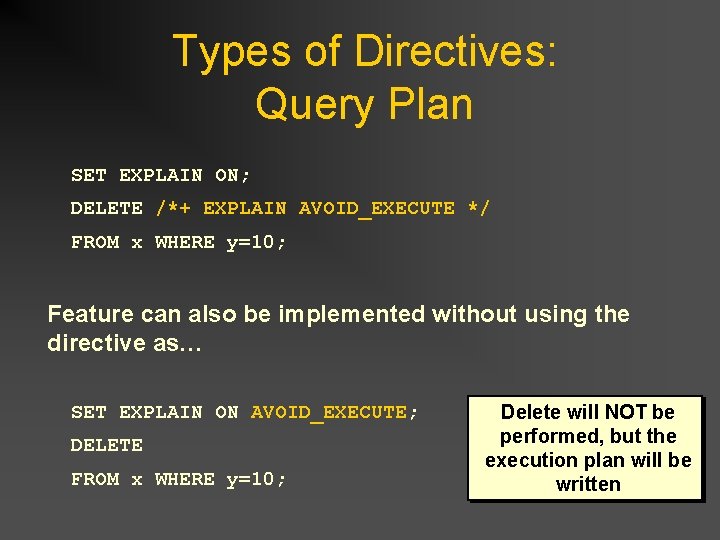
Types of Directives: Query Plan n EXPLAIN AVOID_EXECUTE Generate the Query Plan (SQL Explain Output), but don’t run the SQL n Introduced in IDS 9. 3 n Especially useful for getting the query plans for Insert, Update and Deletes – no longer have to rewrite them as Select statements, or surround them with BEGIN WORK…ROLLBACK WORK commands
Types of Directives: Query Plan Without AVOID_EXECUTE: SET EXPLAIN ON; BEGIN WORK; OUTPUT TO /dev/null DELETE FROM x WHERE y=10; ROLLBACK WORK; OR SELECT * FROM x WHERE y=10; With AVOID_EXECUTE: SET EXPLAIN ON; DELETE /*+ EXPLAIN AVOID_EXECUTE */ FROM x WHERE y=10; Delete will NOT be performed, but the execution plan will be written
Types of Directives: Query Plan SET EXPLAIN ON; DELETE /*+ EXPLAIN AVOID_EXECUTE */ FROM x WHERE y=10; Feature can also be implemented without using the directive as… SET EXPLAIN ON AVOID_EXECUTE; DELETE FROM x WHERE y=10; Delete will NOT be performed, but the execution plan will be written
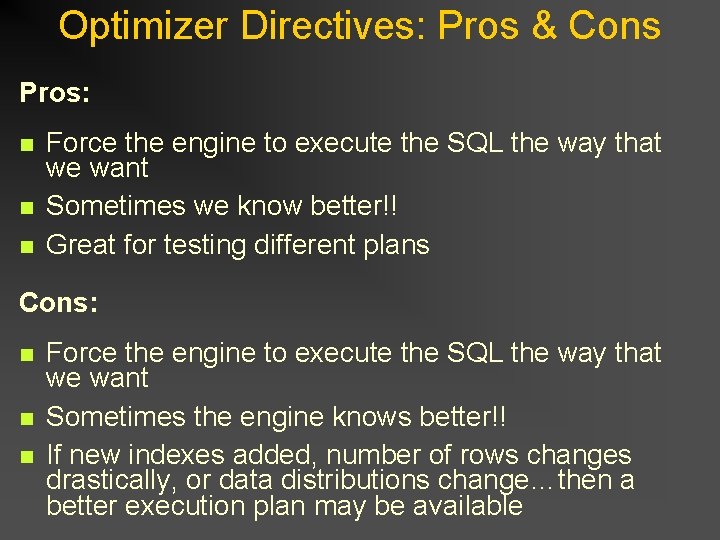
Optimizer Directives: Pros & Cons Pros: n n n Force the engine to execute the SQL the way that we want Sometimes we know better!! Great for testing different plans Cons: n n n Force the engine to execute the SQL the way that we want Sometimes the engine knows better!! If new indexes added, number of rows changes drastically, or data distributions change…then a better execution plan may be available
Any Questions?
Optimization Techniques
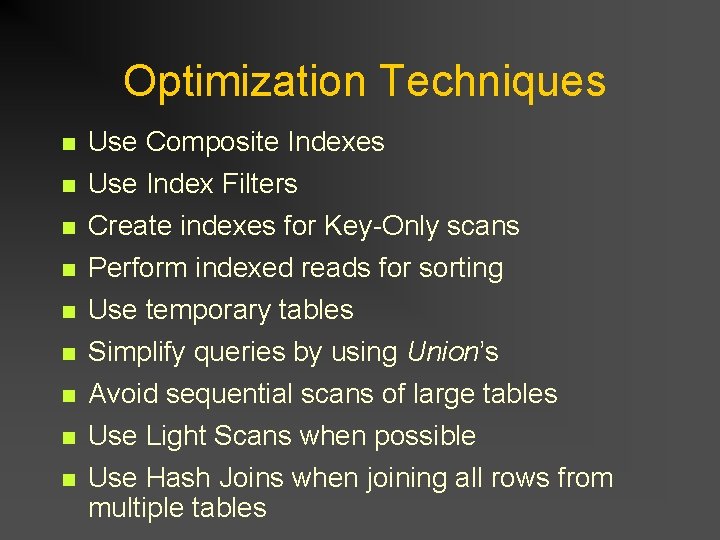
Optimization Techniques n Use Composite Indexes n Use Index Filters n Create indexes for Key-Only scans Perform indexed reads for sorting Use temporary tables Simplify queries by using Union’s n n n Avoid sequential scans of large tables Use Light Scans when possible Use Hash Joins when joining all rows from multiple tables
Optimization Techniques (cont. ) n Use the CASE/DECODE statements to combine multiple selects n Drop and recreate indexes for large modifications n Use Non Logging Tables n Use OUTER JOINS n Prepare and Execute statements
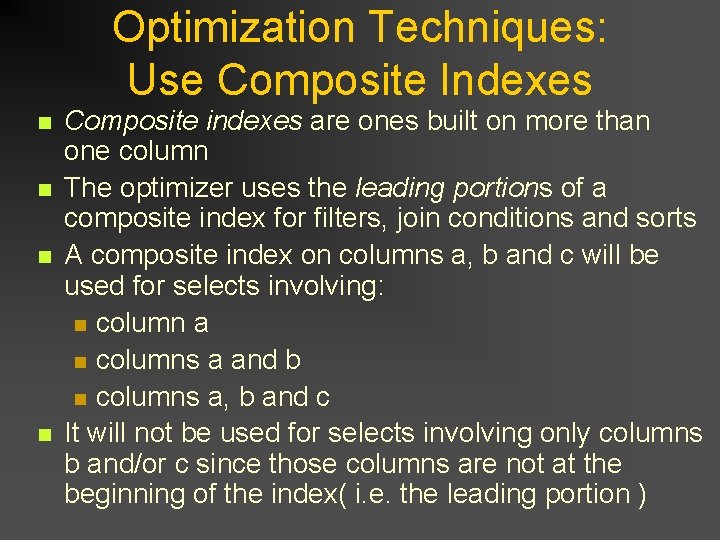
Optimization Techniques: Use Composite Indexes n n Composite indexes are ones built on more than one column The optimizer uses the leading portions of a composite index for filters, join conditions and sorts A composite index on columns a, b and c will be used for selects involving: n column a n columns a and b n columns a, b and c It will not be used for selects involving only columns b and/or c since those columns are not at the beginning of the index( i. e. the leading portion )
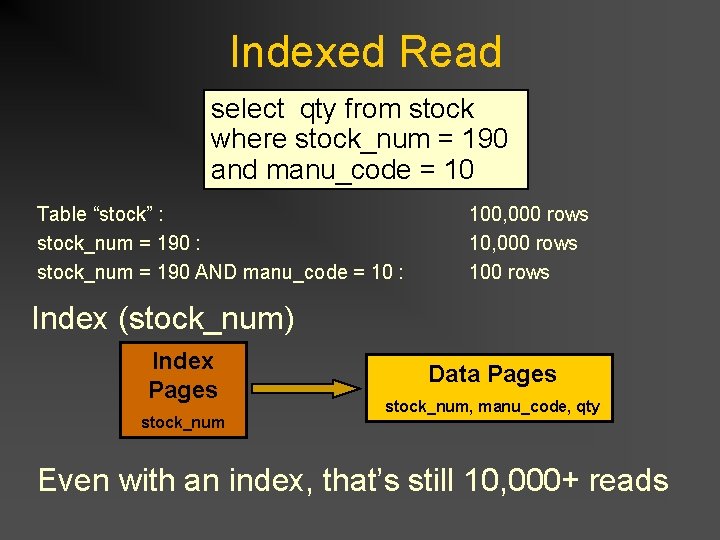
Indexed Read select qty from stock where stock_num = 190 and manu_code = 10 Table “stock” : stock_num = 190 : stock_num = 190 AND manu_code = 10 : 100, 000 rows 100 rows Index (stock_num) Index Pages stock_num Data Pages stock_num, manu_code, qty Even with an index, that’s still 10, 000+ reads
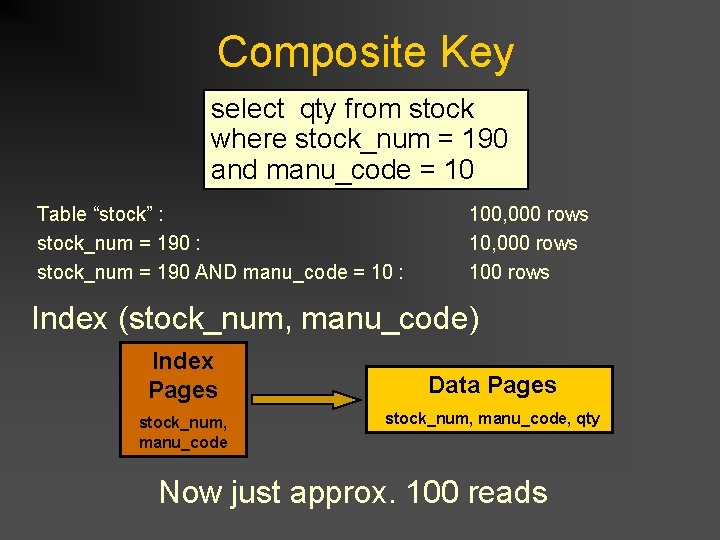
Composite Key select qty from stock where stock_num = 190 and manu_code = 10 Table “stock” : stock_num = 190 : stock_num = 190 AND manu_code = 10 : 100, 000 rows 100 rows Index (stock_num, manu_code) Index Pages stock_num, manu_code Data Pages stock_num, manu_code, qty Now just approx. 100 reads
Optimization Techniques: Use Index Filters Create indexes on columns that are the most selective. For example: SELECT * FROM CUSTOMER WHERE ACCOUNT BETWEEN 100 and 1000 AND STATUS = “A” AND STATE = “MD” Which column is the most selective? account, status or state?
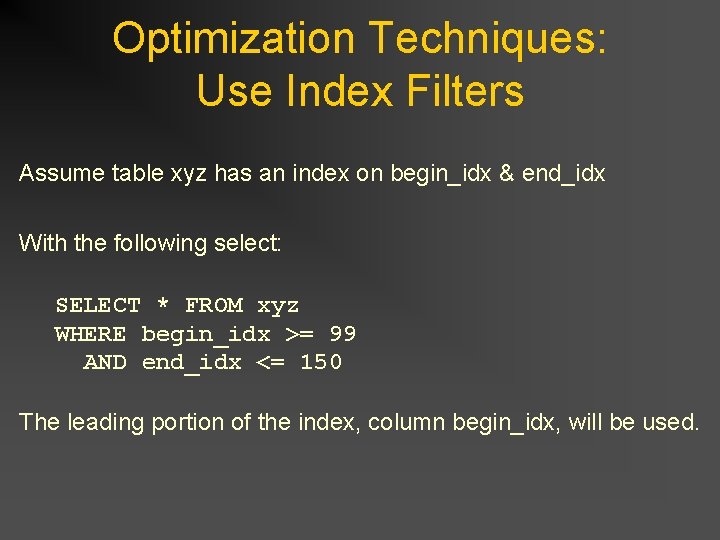
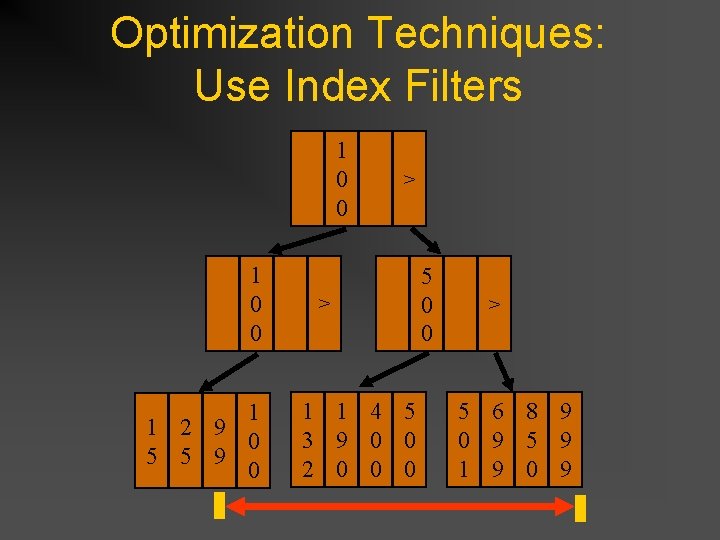
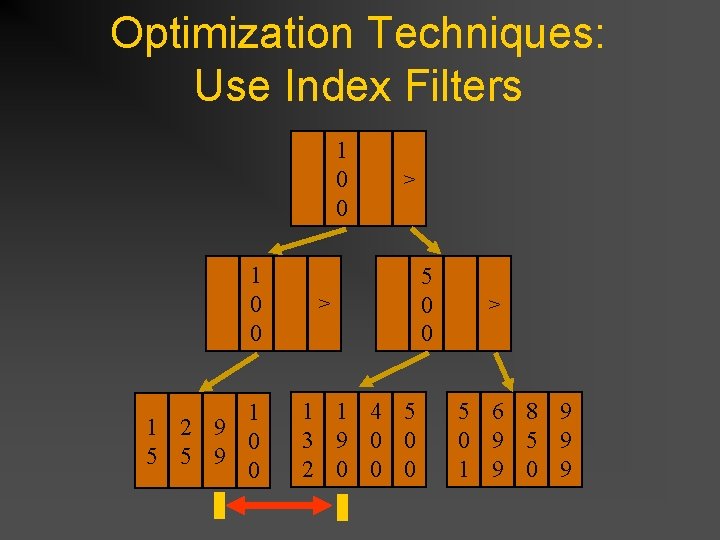
Optimization Techniques: Use Index Filters Assume table xyz has an index on begin_idx & end_idx With the following select: SELECT * FROM xyz WHERE begin_idx >= 99 AND end_idx <= 150 The leading portion of the index, column begin_idx, will be used.
Optimization Techniques: Use Index Filters 1 0 0 1 1 2 9 0 5 5 9 0 > > 1 1 4 5 3 9 0 0 2 0 0 0 5 0 0 > 5 6 8 9 0 9 5 9 1 9 0 9
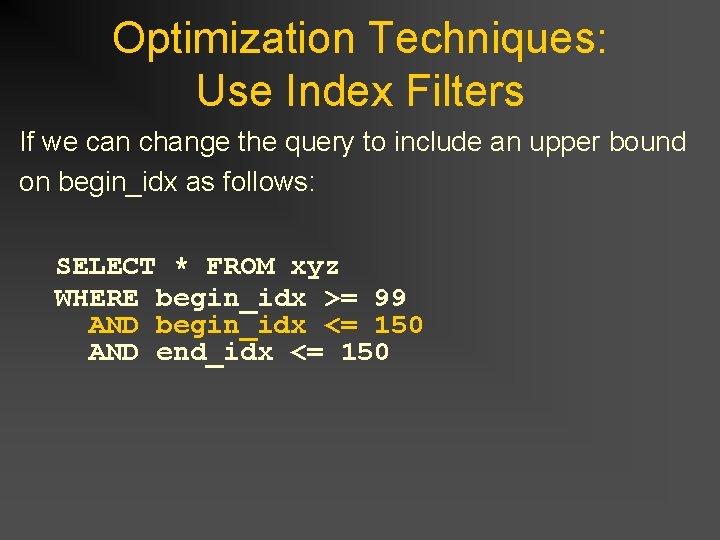
Optimization Techniques: Use Index Filters If we can change the query to include an upper bound on begin_idx as follows: SELECT * FROM xyz WHERE begin_idx >= 99 AND begin_idx <= 150 AND end_idx <= 150
Optimization Techniques: Use Index Filters 1 0 0 1 1 2 9 0 5 5 9 0 > > 1 1 4 5 3 9 0 0 2 0 0 0 5 0 0 > 5 6 8 9 0 9 5 9 1 9 0 9
Optimization Techniques: Key-Only Scans n Data for the select list is read from the index key -- No read of the data page is needed n Useful for inner tables of nested-loop joins n Useful for creating a “sub-table” for very wide tables
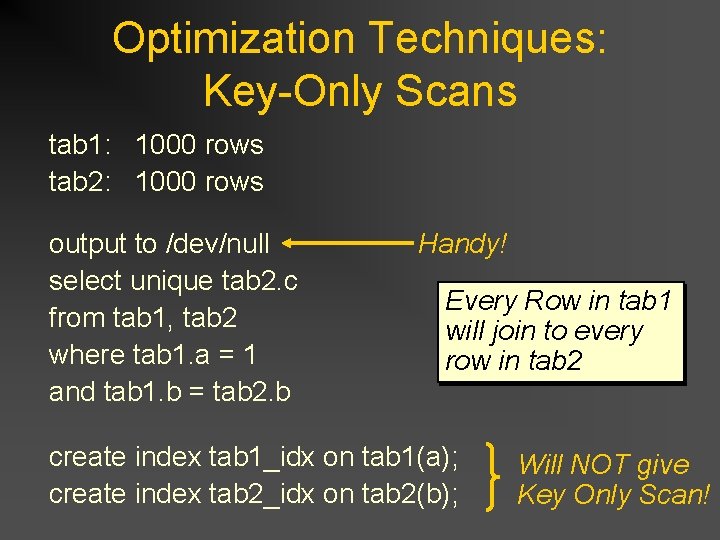
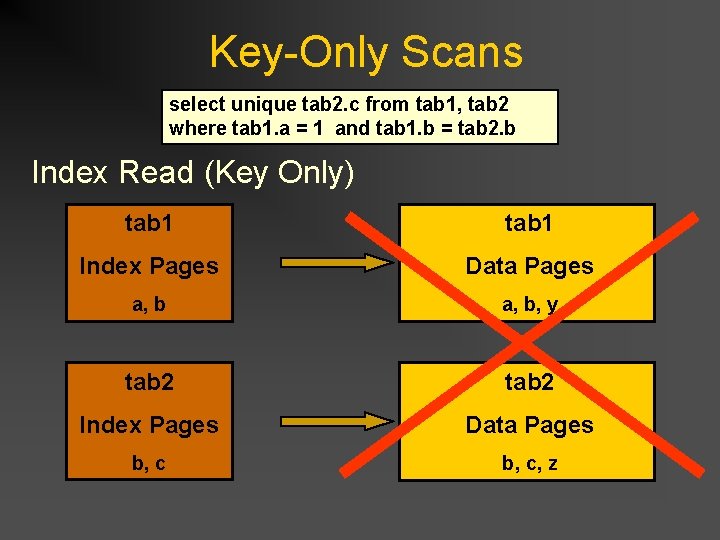
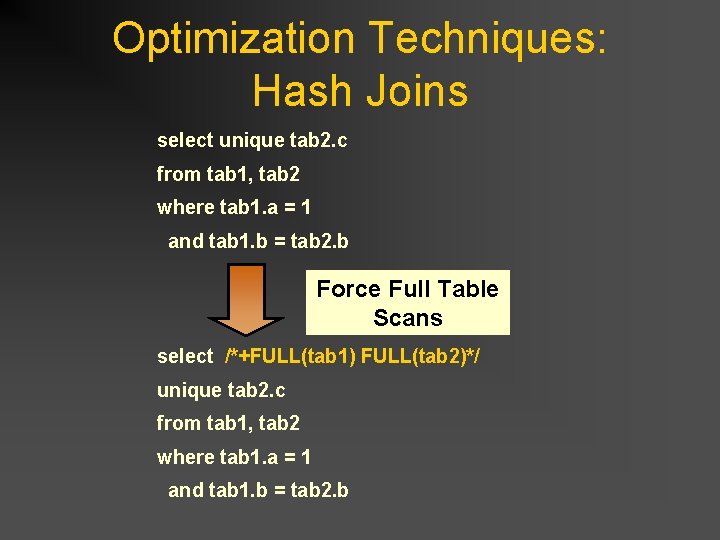
Optimization Techniques: Key-Only Scans tab 1: 1000 rows tab 2: 1000 rows output to /dev/null Handy! select unique tab 2. c Every Row in tab 1 from tab 1, tab 2 will join to every where tab 1. a = 1 row in tab 2 and tab 1. b = tab 2. b create index tab 1_idx on tab 1(a); create index tab 2_idx on tab 2(b); Will NOT give Key Only Scan!
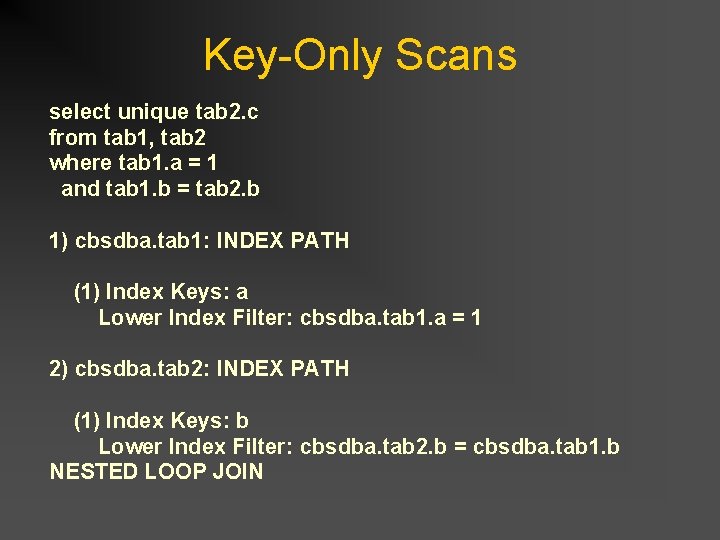
Key-Only Scans select unique tab 2. c from tab 1, tab 2 where tab 1. a = 1 and tab 1. b = tab 2. b 1) cbsdba. tab 1: INDEX PATH (1) Index Keys: a Lower Index Filter: cbsdba. tab 1. a = 1 2) cbsdba. tab 2: INDEX PATH (1) Index Keys: b Lower Index Filter: cbsdba. tab 2. b = cbsdba. tab 1. b NESTED LOOP JOIN
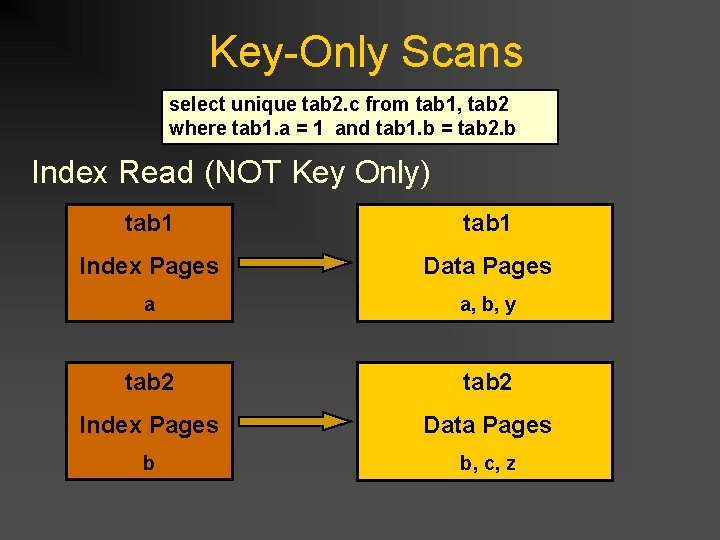
Key-Only Scans select unique tab 2. c from tab 1, tab 2 where tab 1. a = 1 and tab 1. b = tab 2. b Index Read (NOT Key Only) tab 1 Index Pages Data Pages a a, b, y tab 2 Index Pages Data Pages b b, c, z
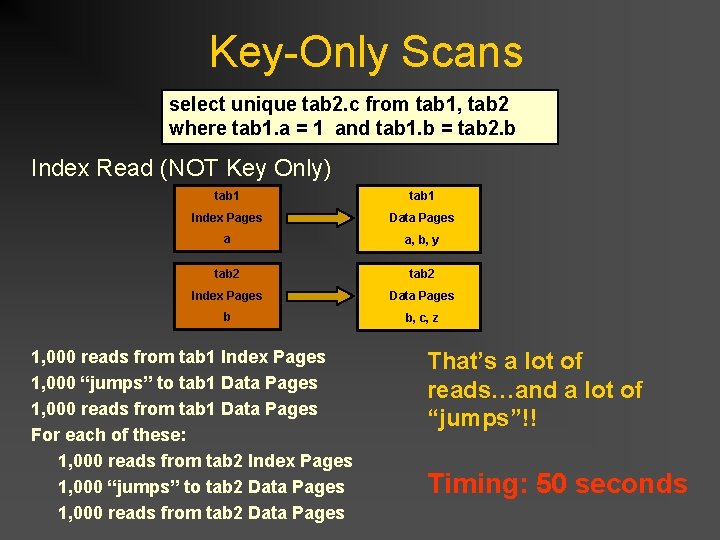
Key-Only Scans select unique tab 2. c from tab 1, tab 2 where tab 1. a = 1 and tab 1. b = tab 2. b Index Read (NOT Key Only) tab 1 Index Pages Data Pages a a, b, y tab 2 Index Pages Data Pages b b, c, z 1, 000 reads from tab 1 Index Pages 1, 000 “jumps” to tab 1 Data Pages 1, 000 reads from tab 1 Data Pages For each of these: 1, 000 reads from tab 2 Index Pages 1, 000 “jumps” to tab 2 Data Pages 1, 000 reads from tab 2 Data Pages That’s a lot of reads…and a lot of “jumps”!! Timing: 50 seconds
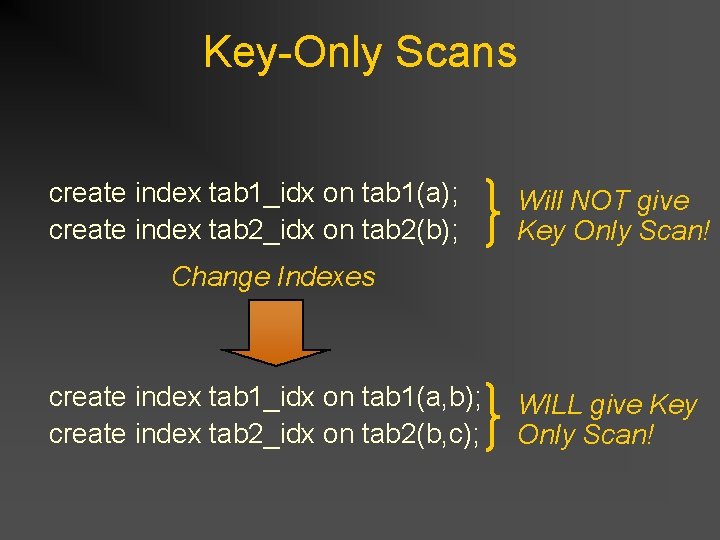
Key-Only Scans create index tab 1_idx on tab 1(a); create index tab 2_idx on tab 2(b); Will NOT give Key Only Scan! Change Indexes create index tab 1_idx on tab 1(a, b); create index tab 2_idx on tab 2(b, c); WILL give Key Only Scan!
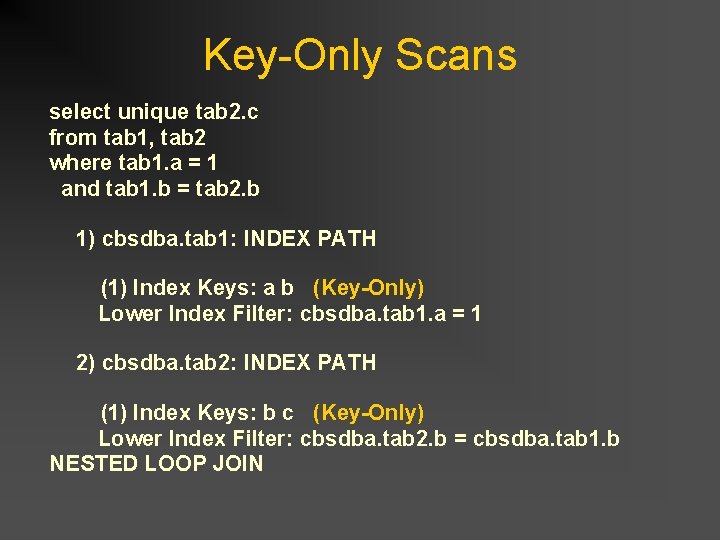
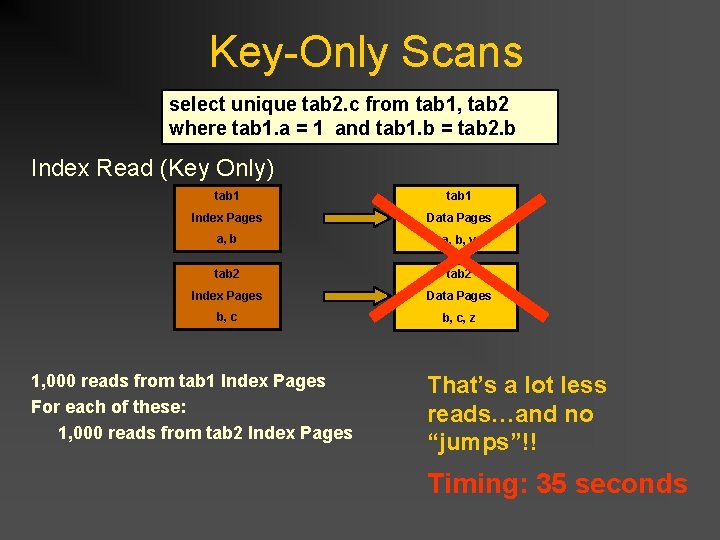
Key-Only Scans select unique tab 2. c from tab 1, tab 2 where tab 1. a = 1 and tab 1. b = tab 2. b 1) cbsdba. tab 1: INDEX PATH (1) Index Keys: a b (Key-Only) Lower Index Filter: cbsdba. tab 1. a = 1 2) cbsdba. tab 2: INDEX PATH (1) Index Keys: b c (Key-Only) Lower Index Filter: cbsdba. tab 2. b = cbsdba. tab 1. b NESTED LOOP JOIN
Key-Only Scans select unique tab 2. c from tab 1, tab 2 where tab 1. a = 1 and tab 1. b = tab 2. b Index Read (Key Only) tab 1 Index Pages Data Pages a, b, y tab 2 Index Pages Data Pages b, c, z
Key-Only Scans select unique tab 2. c from tab 1, tab 2 where tab 1. a = 1 and tab 1. b = tab 2. b Index Read (Key Only) tab 1 Index Pages Data Pages a, b, y tab 2 Index Pages Data Pages b, c, z 1, 000 reads from tab 1 Index Pages For each of these: 1, 000 reads from tab 2 Index Pages That’s a lot less reads…and no “jumps”!! Timing: 35 seconds
Optimization Techniques: Indexed Reads for Sorting n Indexed reads cause rows to be read in the order of the indexed columns n Higher priority is given to indexes on columns used as filters n Reasons why an index will not be used to perform a sort: n n n Columns in the sort criteria are not in the index Columns in the sort criteria are in a different order than the index Columns in the sort criteria are from different tables
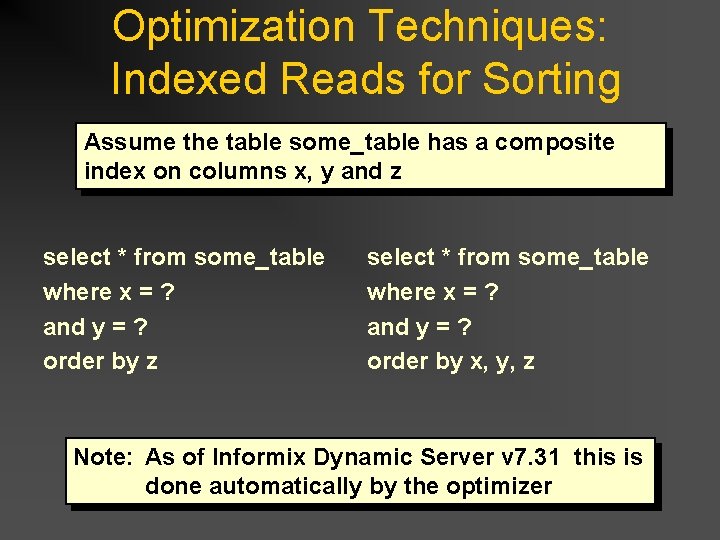
Optimization Techniques: Indexed Reads for Sorting Assume the table some_table has a composite index on columns x, y and z select * from some_table where x = ? and y = ? order by x, y, z Note: As of Informix Dynamic Server v 7. 31 this is done automatically by the optimizer
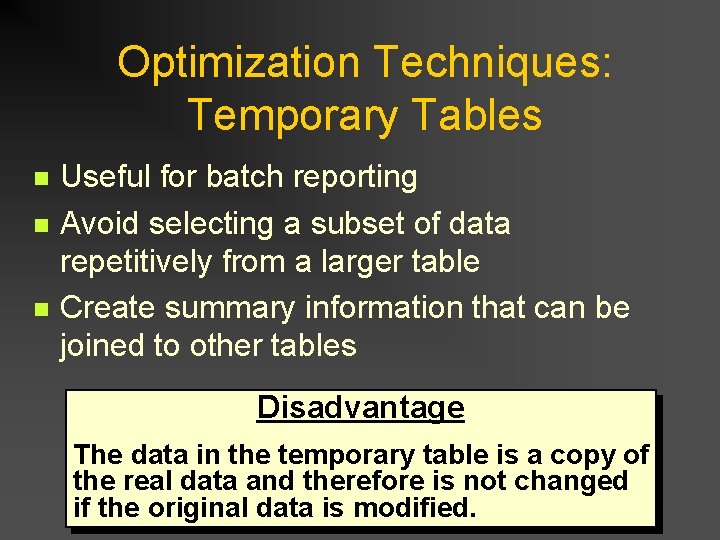
Optimization Techniques: Temporary Tables n n n Useful for batch reporting Avoid selecting a subset of data repetitively from a larger table Create summary information that can be joined to other tables Disadvantage The data in the temporary table is a copy of the real data and therefore is not changed if the original data is modified.
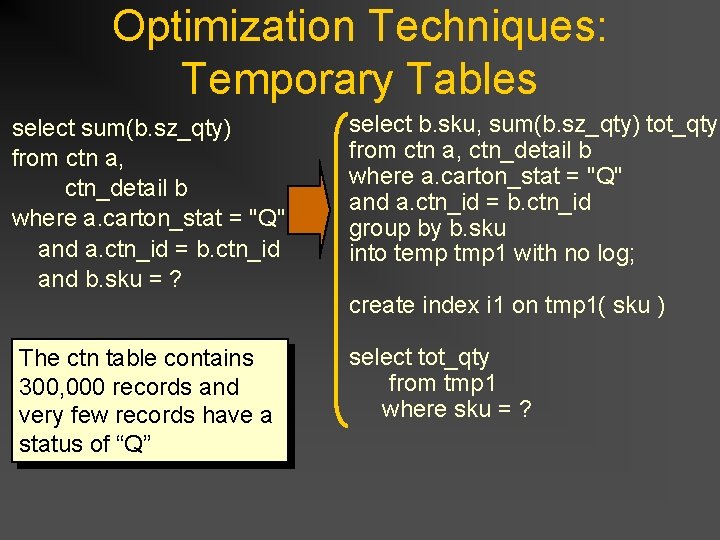
Optimization Techniques: Temporary Tables select sum(b. sz_qty) from ctn a, ctn_detail b where a. carton_stat = "Q" and a. ctn_id = b. ctn_id and b. sku = ? The ctn table contains 300, 000 records and very few records have a status of “Q” select b. sku, sum(b. sz_qty) tot_qty from ctn a, ctn_detail b where a. carton_stat = "Q" and a. ctn_id = b. ctn_id group by b. sku into temp tmp 1 with no log; create index i 1 on tmp 1( sku ) select tot_qty from tmp 1 where sku = ?
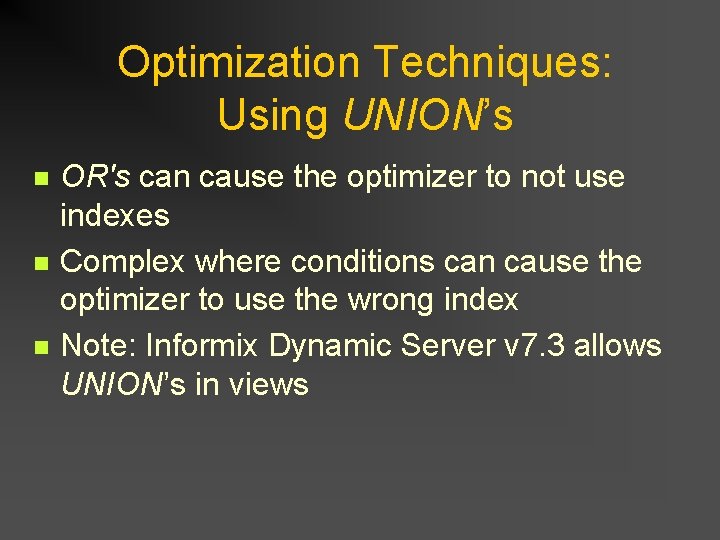
Optimization Techniques: Using UNION’s n n n OR's can cause the optimizer to not use indexes Complex where conditions can cause the optimizer to use the wrong index Note: Informix Dynamic Server v 7. 3 allows UNION’s in views
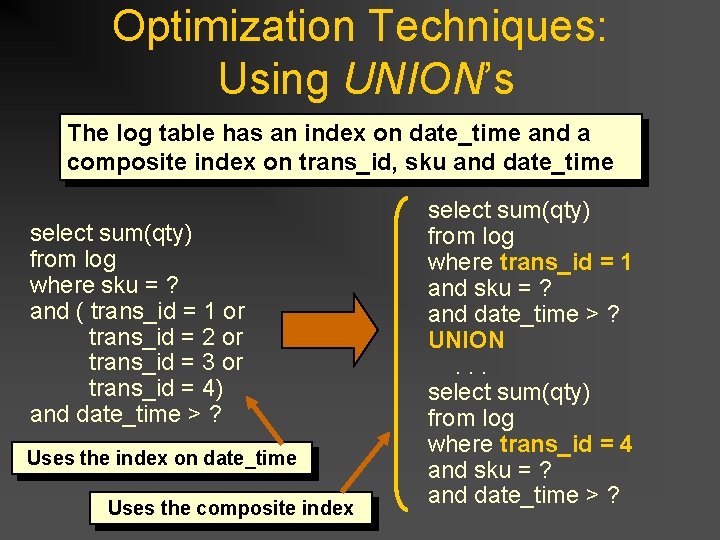
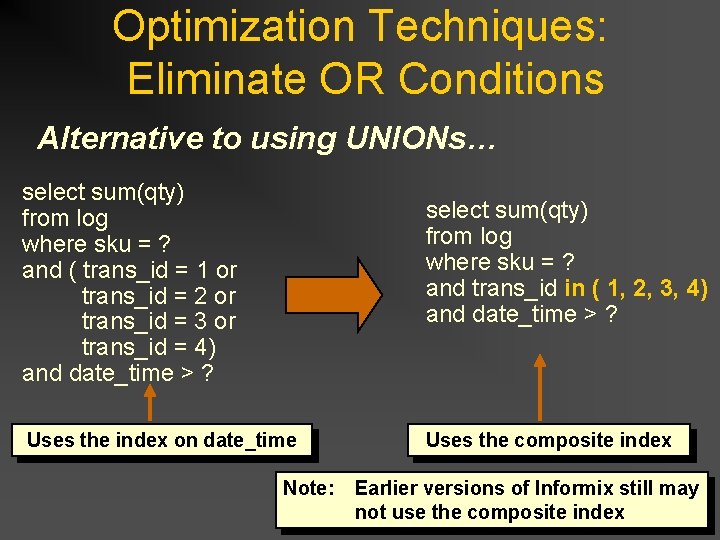
Optimization Techniques: Using UNION’s The log table has an index on date_time and a composite index on trans_id, sku and date_time select sum(qty) from log where sku = ? and ( trans_id = 1 or trans_id = 2 or trans_id = 3 or trans_id = 4) and date_time > ? Uses the index on date_time Uses the composite index select sum(qty) from log where trans_id = 1 and sku = ? and date_time > ? UNION. . . select sum(qty) from log where trans_id = 4 and sku = ? and date_time > ?
Optimization Techniques: Eliminate OR Conditions Alternative to using UNIONs… select sum(qty) from log where sku = ? and ( trans_id = 1 or trans_id = 2 or trans_id = 3 or trans_id = 4) and date_time > ? select sum(qty) from log where sku = ? and trans_id in ( 1, 2, 3, 4) and date_time > ? Uses the index on date_time Uses the composite index Note: Earlier versions of Informix still may not use the composite index
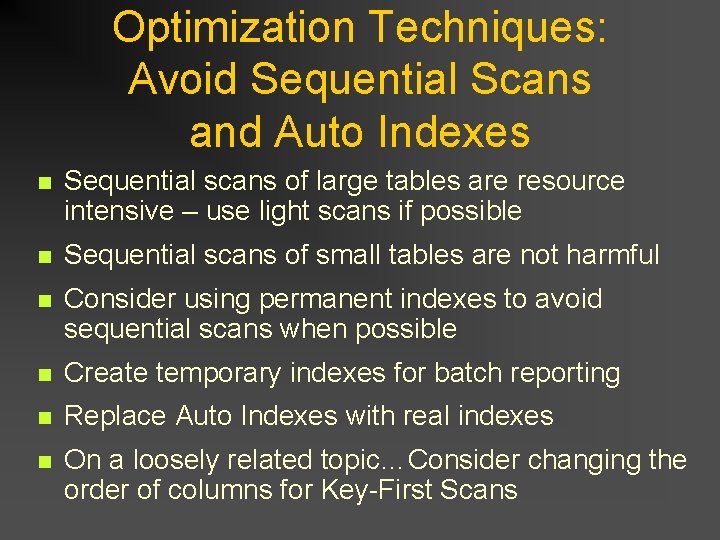
Optimization Techniques: Avoid Sequential Scans and Auto Indexes n Sequential scans of large tables are resource intensive – use light scans if possible n Sequential scans of small tables are not harmful n Consider using permanent indexes to avoid sequential scans when possible n Create temporary indexes for batch reporting n Replace Auto Indexes with real indexes n On a loosely related topic…Consider changing the order of columns for Key-First Scans
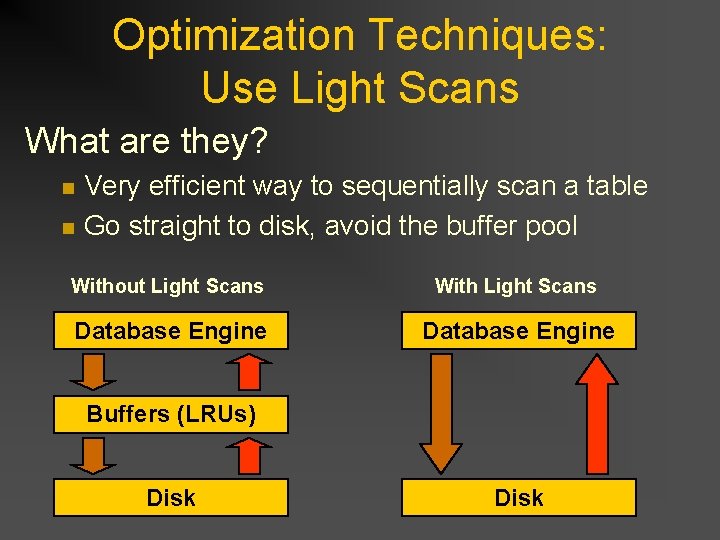
Optimization Techniques: Use Light Scans What are they? n n Very efficient way to sequentially scan a table Go straight to disk, avoid the buffer pool Without Light Scans With Light Scans Database Engine Buffers (LRUs) Disk
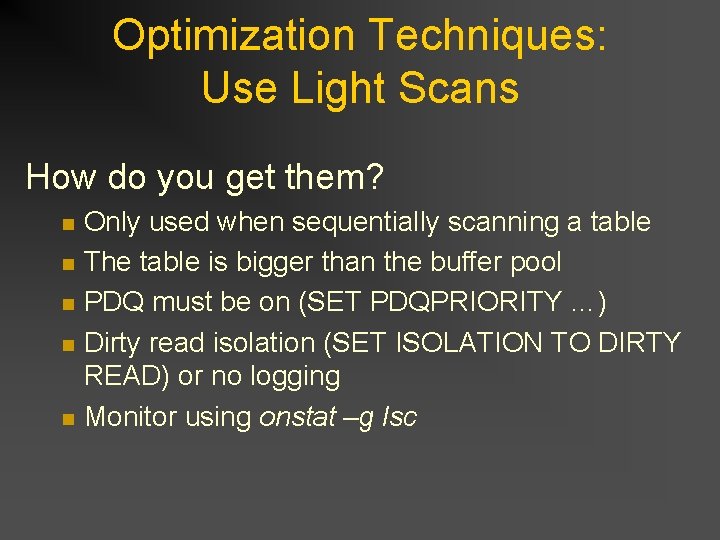
Optimization Techniques: Use Light Scans How do you get them? n n n Only used when sequentially scanning a table The table is bigger than the buffer pool PDQ must be on (SET PDQPRIORITY …) Dirty read isolation (SET ISOLATION TO DIRTY READ) or no logging Monitor using onstat –g lsc
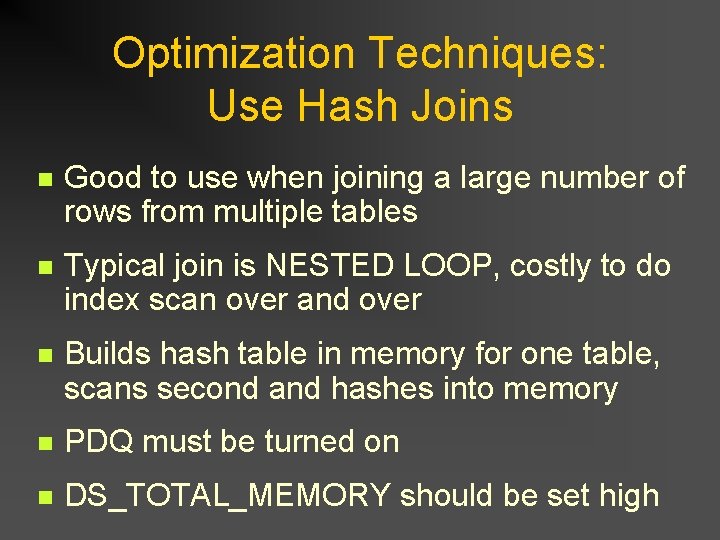
Optimization Techniques: Use Hash Joins n Good to use when joining a large number of rows from multiple tables n Typical join is NESTED LOOP, costly to do index scan over and over n Builds hash table in memory for one table, scans second and hashes into memory n PDQ must be turned on n DS_TOTAL_MEMORY should be set high
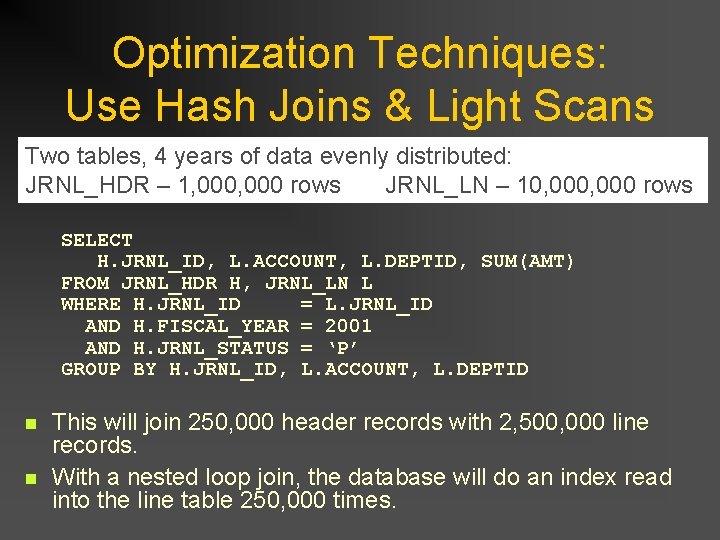
Optimization Techniques: Use Hash Joins & Light Scans Two tables, 4 years of data evenly distributed: JRNL_HDR – 1, 000 rows JRNL_LN – 10, 000 rows SELECT H. JRNL_ID, L. ACCOUNT, L. DEPTID, SUM(AMT) FROM JRNL_HDR H, JRNL_LN L WHERE H. JRNL_ID = L. JRNL_ID AND H. FISCAL_YEAR = 2001 AND H. JRNL_STATUS = ‘P’ GROUP BY H. JRNL_ID, L. ACCOUNT, L. DEPTID n n This will join 250, 000 header records with 2, 500, 000 line records. With a nested loop join, the database will do an index read into the line table 250, 000 times.
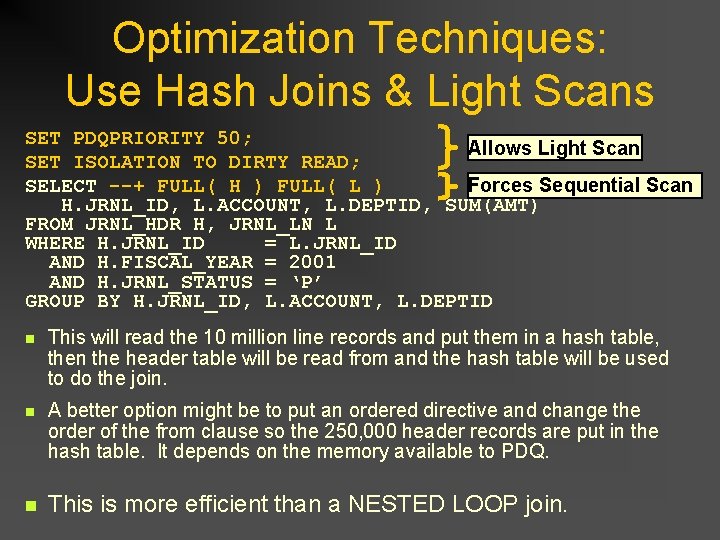
Optimization Techniques: Use Hash Joins & Light Scans SET PDQPRIORITY 50; Allows Light Scan SET ISOLATION TO DIRTY READ; SELECT --+ FULL( H ) FULL( L ) Forces Sequential Scan H. JRNL_ID, L. ACCOUNT, L. DEPTID, SUM(AMT) FROM JRNL_HDR H, JRNL_LN L WHERE H. JRNL_ID = L. JRNL_ID AND H. FISCAL_YEAR = 2001 AND H. JRNL_STATUS = ‘P’ GROUP BY H. JRNL_ID, L. ACCOUNT, L. DEPTID n This will read the 10 million line records and put them in a hash table, then the header table will be read from and the hash table will be used to do the join. n A better option might be to put an ordered directive and change the order of the from clause so the 250, 000 header records are put in the hash table. It depends on the memory available to PDQ. n This is more efficient than a NESTED LOOP join.
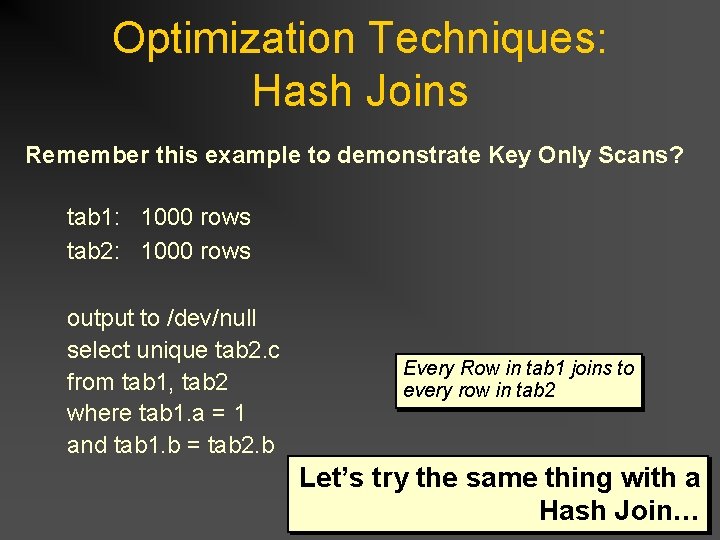
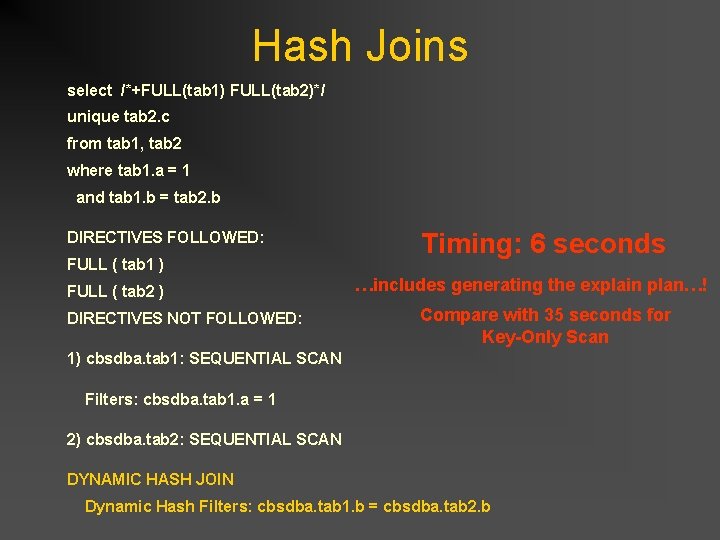
Optimization Techniques: Hash Joins Remember this example to demonstrate Key Only Scans? tab 1: 1000 rows tab 2: 1000 rows output to /dev/null select unique tab 2. c from tab 1, tab 2 where tab 1. a = 1 and tab 1. b = tab 2. b Every Row in tab 1 joins to every row in tab 2 Let’s try the same thing with a Hash Join…
Optimization Techniques: Hash Joins select unique tab 2. c from tab 1, tab 2 where tab 1. a = 1 and tab 1. b = tab 2. b Force Full Table Scans select /*+FULL(tab 1) FULL(tab 2)*/ unique tab 2. c from tab 1, tab 2 where tab 1. a = 1 and tab 1. b = tab 2. b
Hash Joins select /*+FULL(tab 1) FULL(tab 2)*/ unique tab 2. c from tab 1, tab 2 where tab 1. a = 1 and tab 1. b = tab 2. b DIRECTIVES FOLLOWED: FULL ( tab 1 ) FULL ( tab 2 ) DIRECTIVES NOT FOLLOWED: Timing: 6 seconds …includes generating the explain plan…! Compare with 35 seconds for Key-Only Scan 1) cbsdba. tab 1: SEQUENTIAL SCAN Filters: cbsdba. tab 1. a = 1 2) cbsdba. tab 2: SEQUENTIAL SCAN DYNAMIC HASH JOIN Dynamic Hash Filters: cbsdba. tab 1. b = cbsdba. tab 2. b
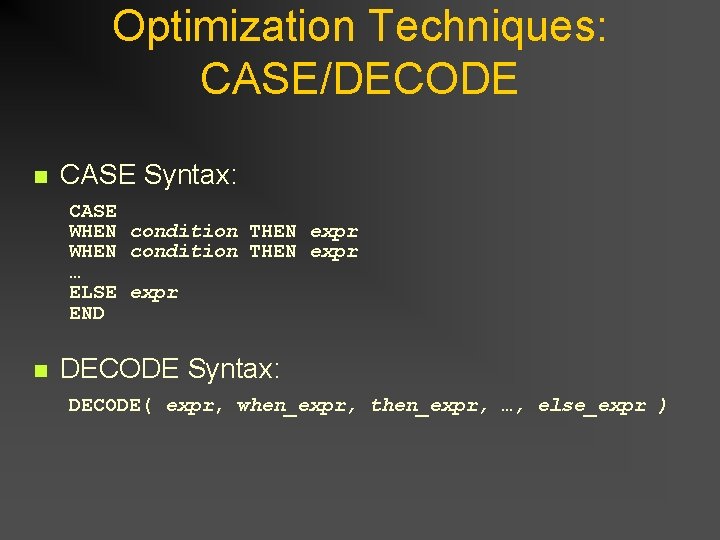
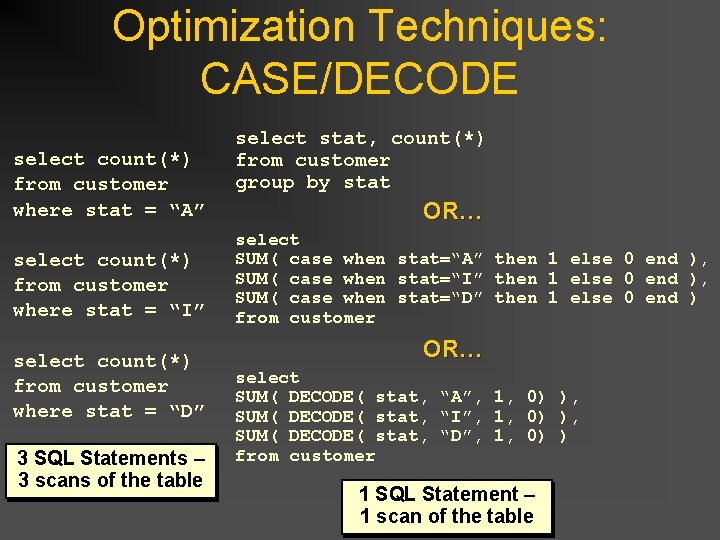
Optimization Techniques: CASE/DECODE n CASE Syntax: CASE WHEN condition THEN expr … ELSE expr END n DECODE Syntax: DECODE( expr, when_expr, then_expr, …, else_expr )
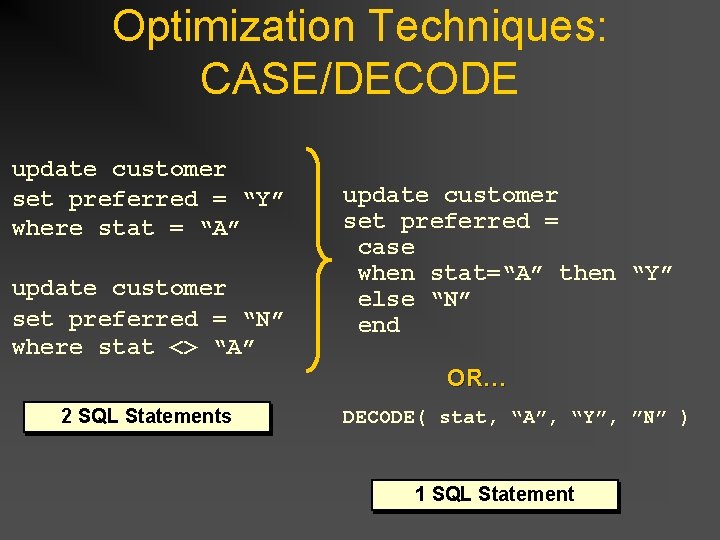
Optimization Techniques: CASE/DECODE update customer set preferred = “Y” where stat = “A” update customer set preferred = “N” where stat <> “A” update customer set preferred = case when stat=“A” then “Y” else “N” end OR… 2 SQL Statements DECODE( stat, “A”, “Y”, ”N” ) 1 SQL Statement
Optimization Techniques: CASE/DECODE select count(*) from customer where stat = “A” select count(*) from customer where stat = “I” select count(*) from customer where stat = “D” 3 SQL Statements – 3 scans of the table select stat, count(*) from customer group by stat OR… select SUM( case when stat=“A” then 1 else 0 end ), SUM( case when stat=“I” then 1 else 0 end ), SUM( case when stat=“D” then 1 else 0 end ) from customer OR… select SUM( DECODE( stat, “A”, 1, 0) ), SUM( DECODE( stat, “I”, 1, 0) ), SUM( DECODE( stat, “D”, 1, 0) ) from customer 1 SQL Statement – 1 scan of the table
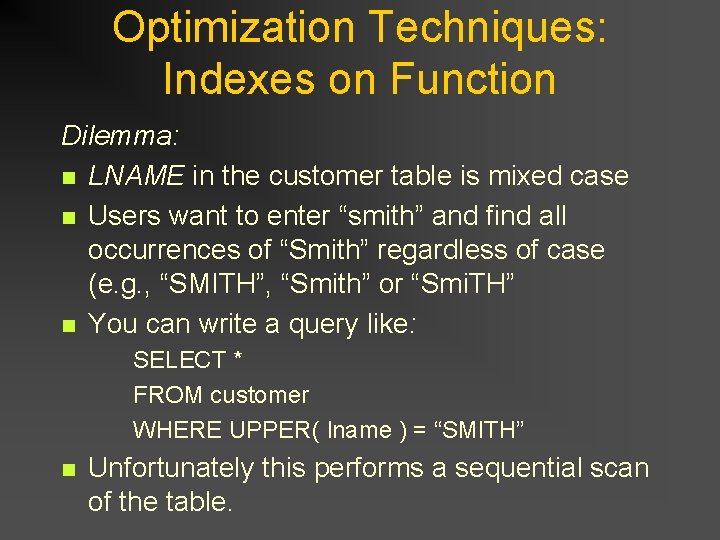
Optimization Techniques: Indexes on Function Dilemma: n LNAME in the customer table is mixed case n Users want to enter “smith” and find all occurrences of “Smith” regardless of case (e. g. , “SMITH”, “Smith” or “Smi. TH” n You can write a query like: SELECT * FROM customer WHERE UPPER( lname ) = “SMITH” n Unfortunately this performs a sequential scan of the table.
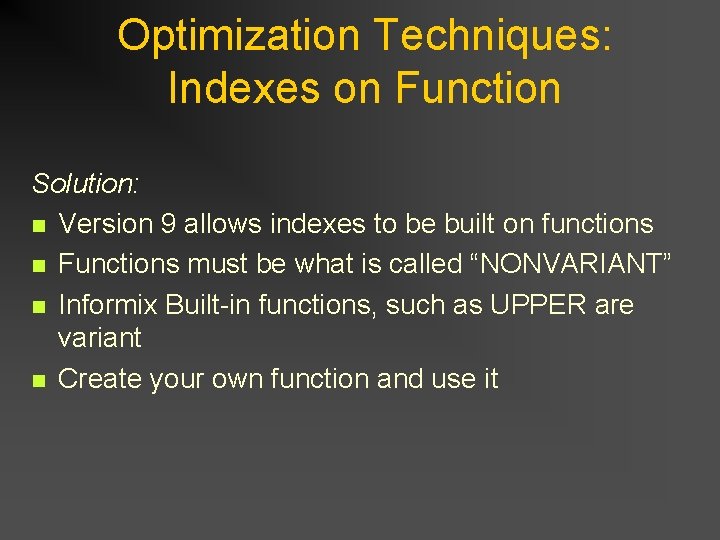
Optimization Techniques: Indexes on Function Solution: n Version 9 allows indexes to be built on functions n Functions must be what is called “NONVARIANT” n Informix Built-in functions, such as UPPER are variant n Create your own function and use it
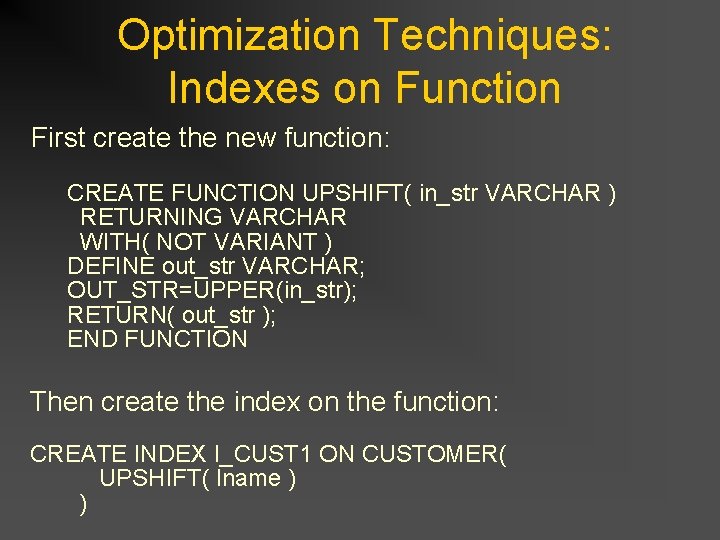
Optimization Techniques: Indexes on Function First create the new function: CREATE FUNCTION UPSHIFT( in_str VARCHAR ) RETURNING VARCHAR WITH( NOT VARIANT ) DEFINE out_str VARCHAR; OUT_STR=UPPER(in_str); RETURN( out_str ); END FUNCTION Then create the index on the function: CREATE INDEX I_CUST 1 ON CUSTOMER( UPSHIFT( lname ) )
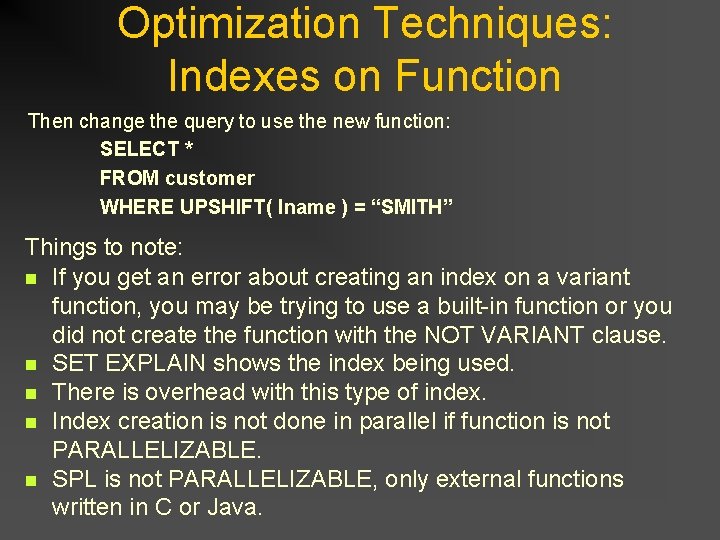
Optimization Techniques: Indexes on Function Then change the query to use the new function: SELECT * FROM customer WHERE UPSHIFT( lname ) = “SMITH” Things to note: n If you get an error about creating an index on a variant function, you may be trying to use a built-in function or you did not create the function with the NOT VARIANT clause. n SET EXPLAIN shows the index being used. n There is overhead with this type of index. n Index creation is not done in parallel if function is not PARALLELIZABLE. n SPL is not PARALLELIZABLE, only external functions written in C or Java.
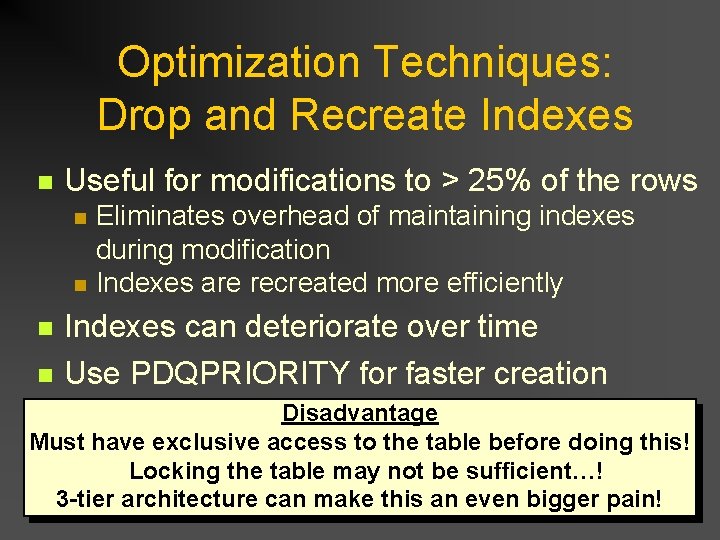
Optimization Techniques: Drop and Recreate Indexes n Useful for modifications to > 25% of the rows n n Eliminates overhead of maintaining indexes during modification Indexes are recreated more efficiently Indexes can deteriorate over time Use PDQPRIORITY for faster creation Disadvantage Must have exclusive access to the table before doing this! Locking the table may not be sufficient…! 3 -tier architecture can make this an even bigger pain!
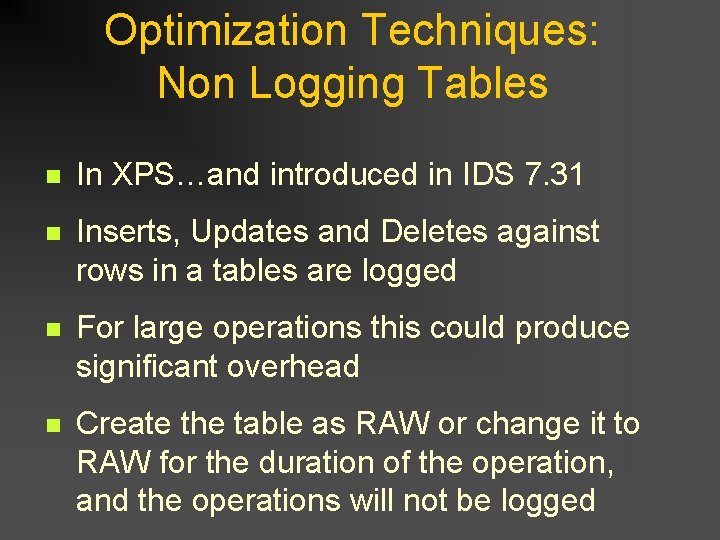
Optimization Techniques: Non Logging Tables n In XPS…and introduced in IDS 7. 31 n Inserts, Updates and Deletes against rows in a tables are logged n For large operations this could produce significant overhead n Create the table as RAW or change it to RAW for the duration of the operation, and the operations will not be logged
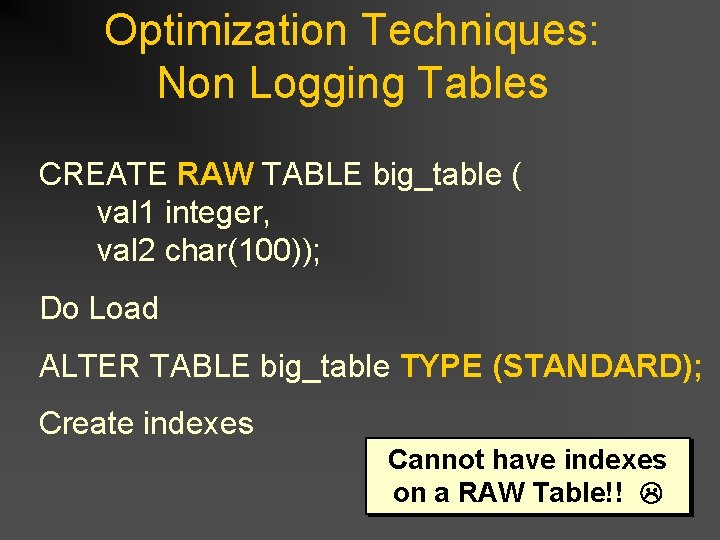
Optimization Techniques: Non Logging Tables CREATE RAW TABLE big_table ( val 1 integer, val 2 char(100)); Do Load ALTER TABLE big_table TYPE (STANDARD); Create indexes Cannot have indexes on a RAW Table!!
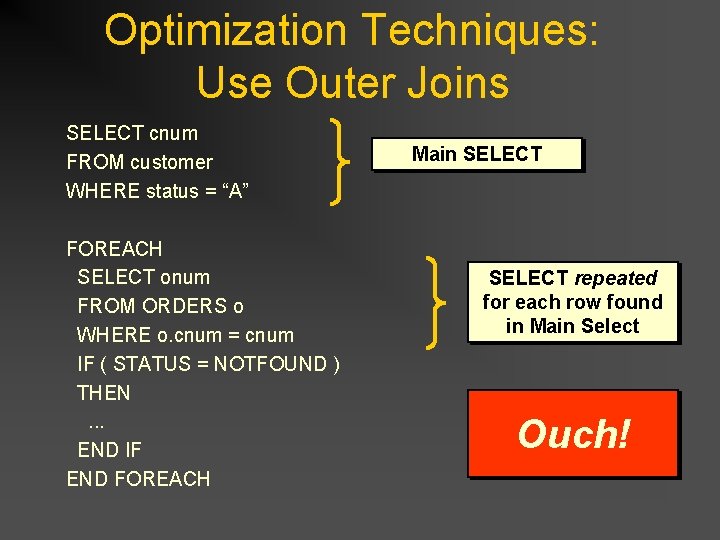
Optimization Techniques: Use Outer Joins SELECT cnum FROM customer WHERE status = “A” FOREACH SELECT onum FROM ORDERS o WHERE o. cnum = cnum IF ( STATUS = NOTFOUND ) THEN . . . END IF END FOREACH Main SELECT repeated for each row found in Main Select Ouch!
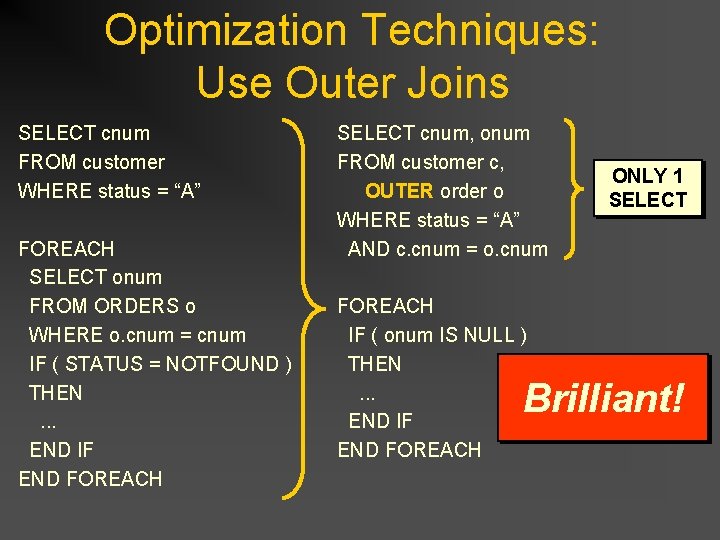
Optimization Techniques: Use Outer Joins SELECT cnum FROM customer WHERE status = “A” FOREACH SELECT onum FROM ORDERS o WHERE o. cnum = cnum IF ( STATUS = NOTFOUND ) THEN . . . END IF END FOREACH SELECT cnum, onum FROM customer c, OUTER order o WHERE status = “A” AND c. cnum = o. cnum FOREACH IF ( onum IS NULL ) THEN . . . END IF END FOREACH ONLY 1 SELECT Brilliant!
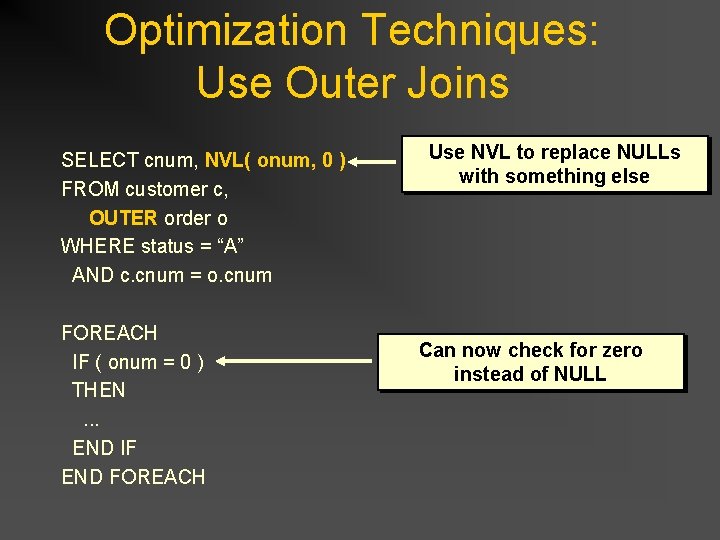
Optimization Techniques: Use Outer Joins SELECT cnum, NVL( onum, 0 ) FROM customer c, OUTER order o WHERE status = “A” AND c. cnum = o. cnum FOREACH IF ( onum = 0 ) THEN . . . END IF END FOREACH Use NVL to replace NULLs with something else Can now check for zero instead of NULL
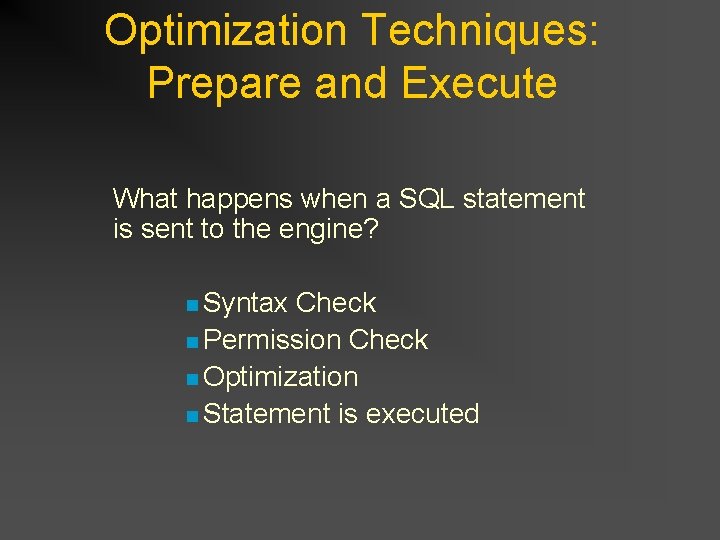
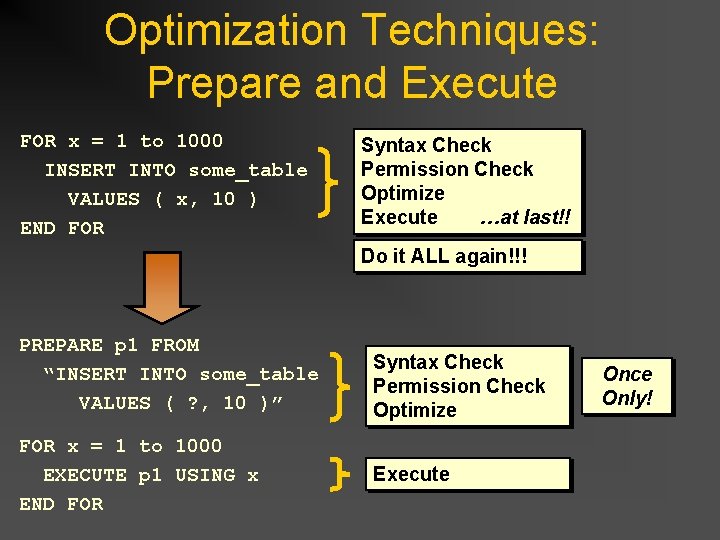
Optimization Techniques: Prepare and Execute What happens when a SQL statement is sent to the engine? n Syntax Check n Permission Check n Optimization n Statement is executed
Optimization Techniques: Prepare and Execute FOR x = 1 to 1000 INSERT INTO some_table VALUES ( x, 10 ) END FOR Syntax Check Permission Check Optimize …at last!! Execute Do it ALL again!!! PREPARE p 1 FROM “INSERT INTO some_table VALUES ( ? , 10 )” FOR x = 1 to 1000 EXECUTE p 1 USING x END FOR Syntax Check Permission Check Optimize Execute Once Only!
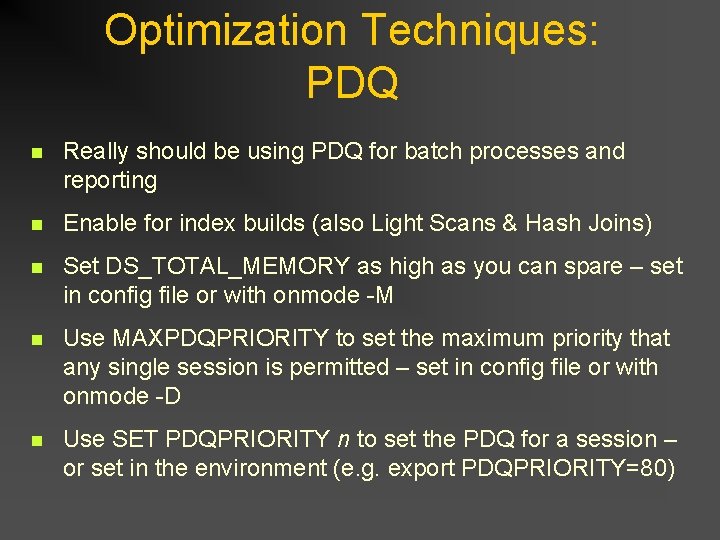
Optimization Techniques: PDQ n Really should be using PDQ for batch processes and reporting n Enable for index builds (also Light Scans & Hash Joins) n Set DS_TOTAL_MEMORY as high as you can spare – set in config file or with onmode -M n Use MAXPDQPRIORITY to set the maximum priority that any single session is permitted – set in config file or with onmode -D n Use SET PDQPRIORITY n to set the PDQ for a session – or set in the environment (e. g. export PDQPRIORITY=80)
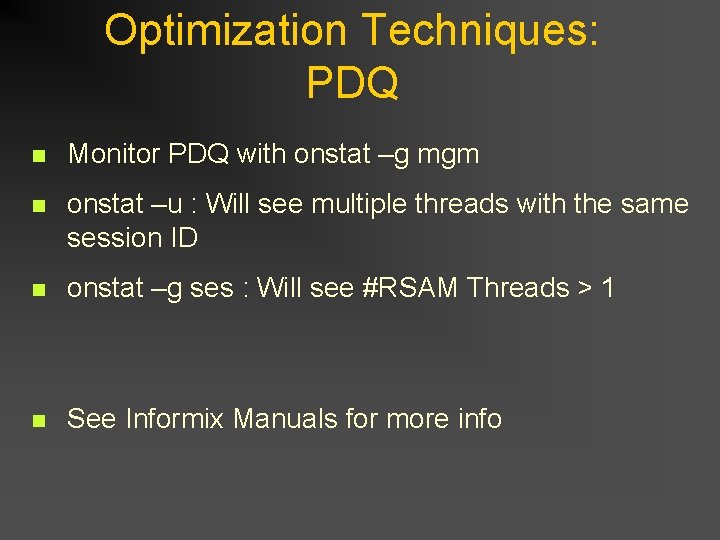
Optimization Techniques: PDQ n Monitor PDQ with onstat –g mgm n onstat –u : Will see multiple threads with the same session ID n onstat –g ses : Will see #RSAM Threads > 1 n See Informix Manuals for more info
Any Questions?
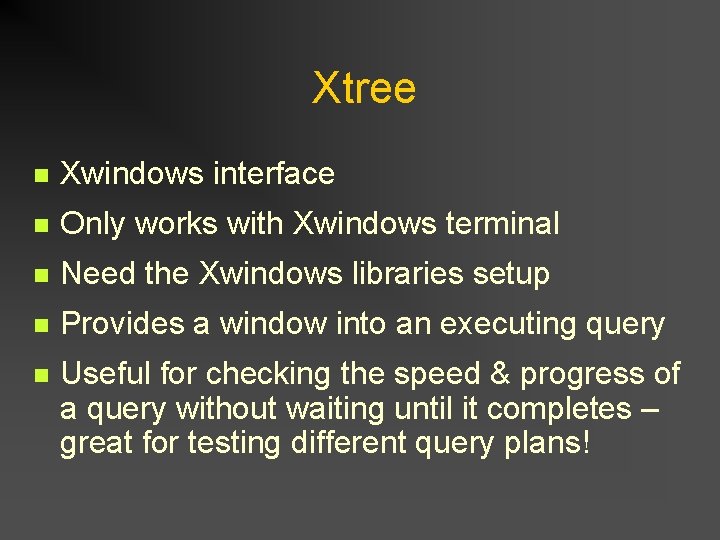
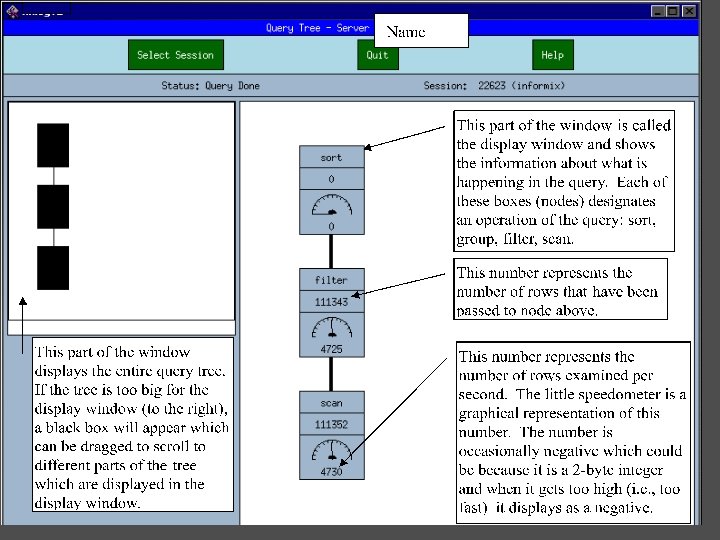
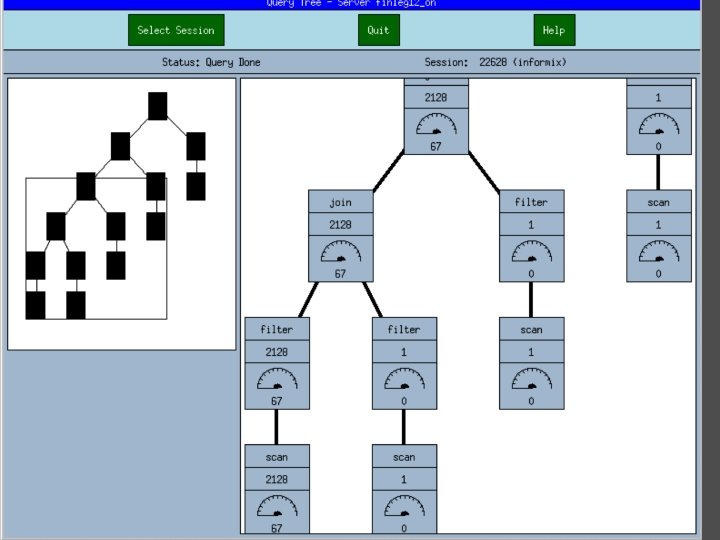
Xtree n Xwindows interface n Only works with Xwindows terminal n Need the Xwindows libraries setup n Provides a window into an executing query n Useful for checking the speed & progress of a query without waiting until it completes – great for testing different query plans!
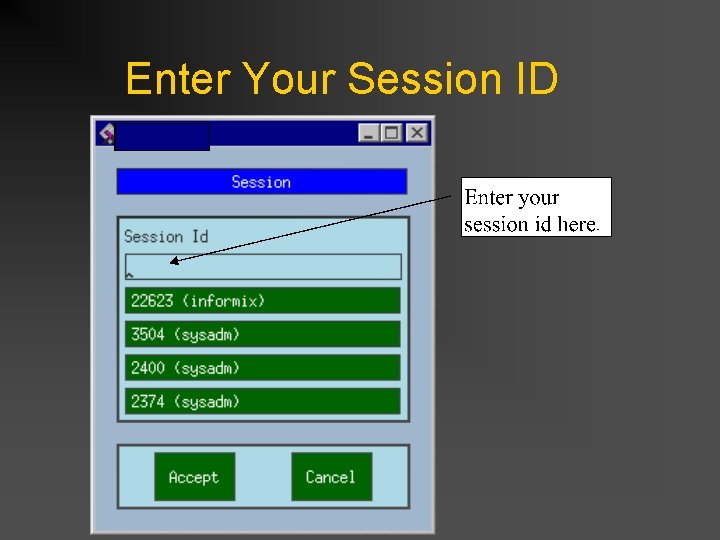
Enter Your Session ID
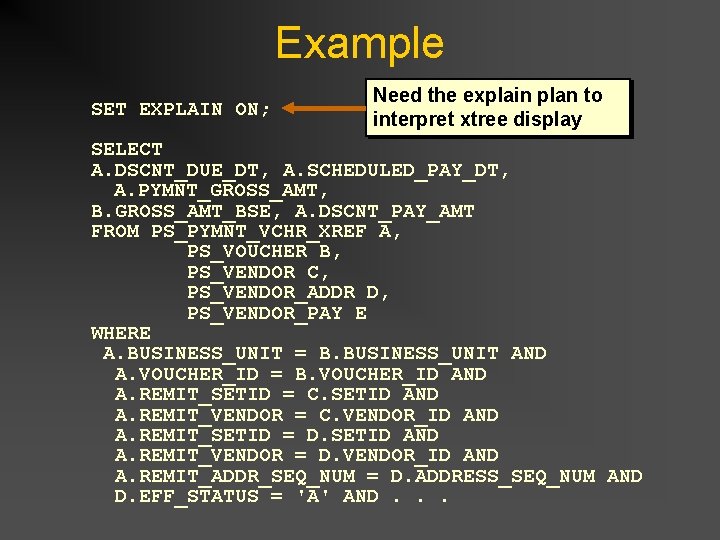
Example SET EXPLAIN ON; Need the explain plan to interpret xtree display SELECT A. DSCNT_DUE_DT, A. SCHEDULED_PAY_DT, A. PYMNT_GROSS_AMT, B. GROSS_AMT_BSE, A. DSCNT_PAY_AMT FROM PS_PYMNT_VCHR_XREF A, PS_VOUCHER B, PS_VENDOR C, PS_VENDOR_ADDR D, PS_VENDOR_PAY E WHERE A. BUSINESS_UNIT = B. BUSINESS_UNIT AND A. VOUCHER_ID = B. VOUCHER_ID AND A. REMIT_SETID = C. SETID AND A. REMIT_VENDOR = C. VENDOR_ID AND A. REMIT_SETID = D. SETID AND A. REMIT_VENDOR = D. VENDOR_ID AND A. REMIT_ADDR_SEQ_NUM = D. ADDRESS_SEQ_NUM AND D. EFF_STATUS = 'A' AND. . .
Correlated Sub-Queries
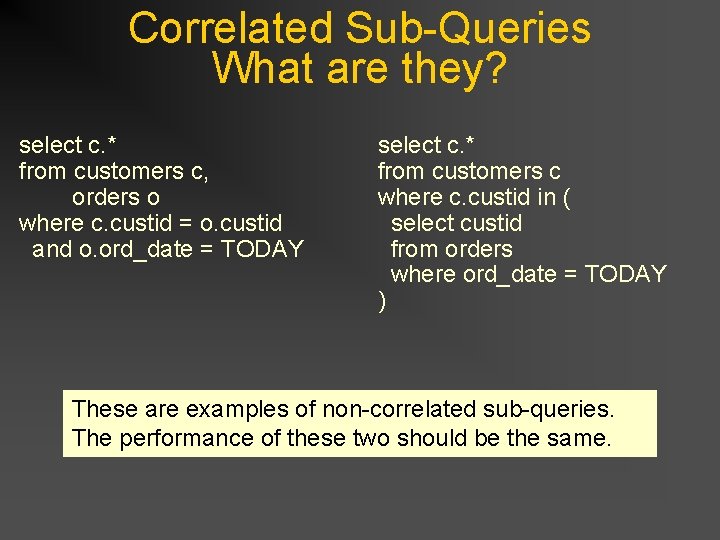
Correlated Sub-Queries What are they? select c. * from customers c, orders o where c. custid = o. custid and o. ord_date = TODAY select c. * from customers c where c. custid in ( select custid from orders where ord_date = TODAY ) These are examples of non-correlated sub-queries. The performance of these two should be the same.
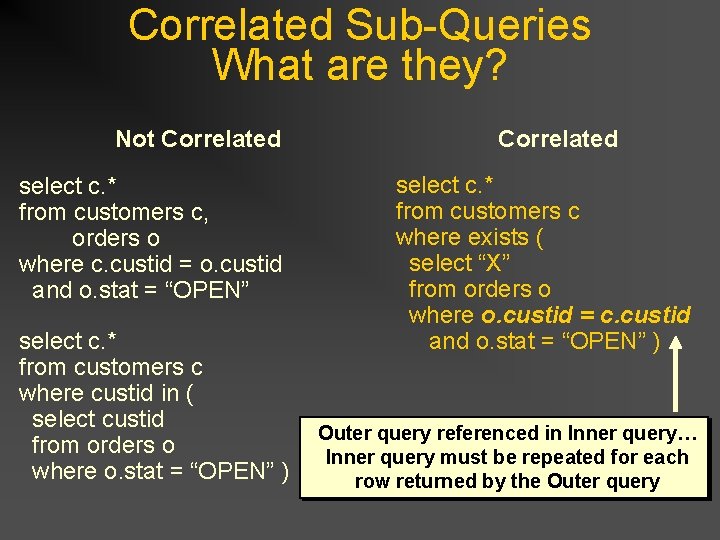
Correlated Sub-Queries What are they? Not Correlated select c. * from customers c, orders o where c. custid = o. custid and o. stat = “OPEN” select c. * from customers c where custid in ( select custid from orders o where o. stat = “OPEN” ) Correlated select c. * from customers c where exists ( select “X” from orders o where o. custid = c. custid and o. stat = “OPEN” ) Outer query referenced in Inner query… Inner query must be repeated for each row returned by the Outer query
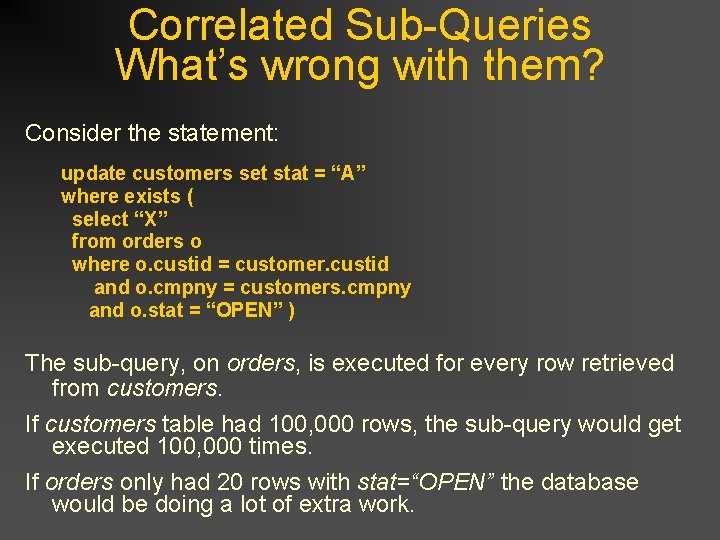
Correlated Sub-Queries What’s wrong with them? Consider the statement: update customers set stat = “A” where exists ( select “X” from orders o where o. custid = customer. custid and o. cmpny = customers. cmpny and o. stat = “OPEN” ) The sub-query, on orders, is executed for every row retrieved from customers. If customers table had 100, 000 rows, the sub-query would get executed 100, 000 times. If orders only had 20 rows with stat=“OPEN” the database would be doing a lot of extra work.
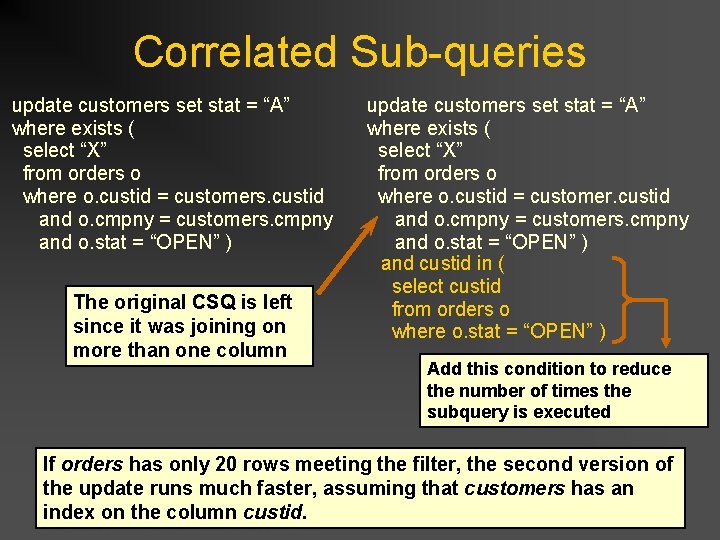
Correlated Sub-queries update customers set stat = “A” where exists ( select “X” from orders o where o. custid = customers. custid and o. cmpny = customers. cmpny and o. stat = “OPEN” ) The original CSQ is left since it was joining on more than one column update customers set stat = “A” where exists ( select “X” from orders o where o. custid = customer. custid and o. cmpny = customers. cmpny and o. stat = “OPEN” ) and custid in ( select custid from orders o where o. stat = “OPEN” ) Add this condition to reduce the number of times the subquery is executed If orders has only 20 rows meeting the filter, the second version of the update runs much faster, assuming that customers has an index on the column custid.
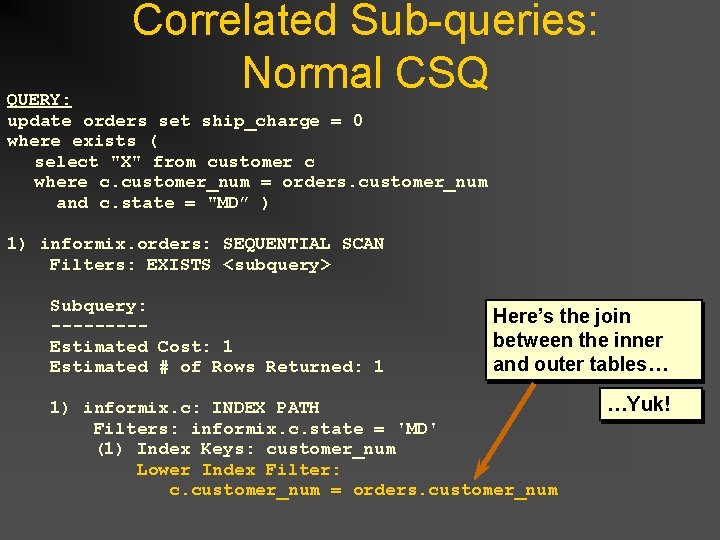
Correlated Sub-queries: Normal CSQ QUERY: update orders set ship_charge = 0 where exists ( select "X" from customer c where c. customer_num = orders. customer_num and c. state = "MD” ) 1) informix. orders: SEQUENTIAL SCAN Filters: EXISTS <subquery> Subquery: ---- Estimated Cost: 1 Estimated # of Rows Returned: 1 Here’s the join between the inner and outer tables… 1) informix. c: INDEX PATH Filters: informix. c. state = 'MD' (1) Index Keys: customer_num Lower Index Filter: c. customer_num = orders. customer_num …Yuk!
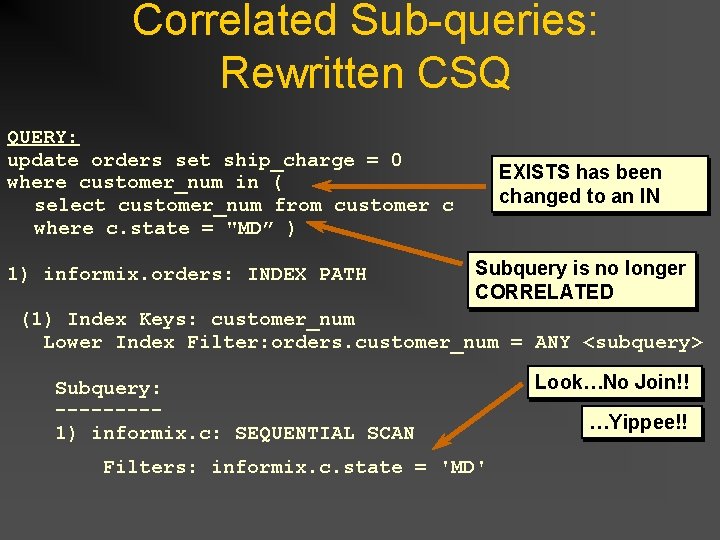
Correlated Sub-queries: Rewritten CSQ QUERY: update orders set ship_charge = 0 where customer_num in ( select customer_num from customer c where c. state = "MD” ) 1) informix. orders: INDEX PATH EXISTS has been changed to an IN Subquery is no longer CORRELATED (1) Index Keys: customer_num Lower Index Filter: orders. customer_num = ANY <subquery> Look…No Join!! Subquery: ---- 1) informix. c: SEQUENTIAL SCAN Filters: informix. c. state = 'MD' …Yippee!!
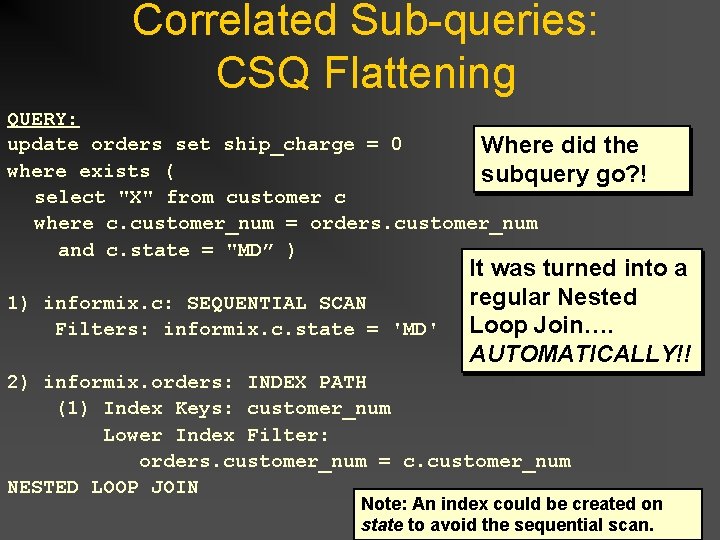
Correlated Sub-queries: CSQ Flattening QUERY: update orders set ship_charge = 0 Where did the where exists ( subquery go? ! select "X" from customer c where c. customer_num = orders. customer_num and c. state = "MD” ) It was turned into a regular Nested 1) informix. c: SEQUENTIAL SCAN Filters: informix. c. state = 'MD' Loop Join…. AUTOMATICALLY!! 2) informix. orders: INDEX PATH (1) Index Keys: customer_num Lower Index Filter: orders. customer_num = c. customer_num NESTED LOOP JOIN Note: An index could be created on state to avoid the sequential scan.
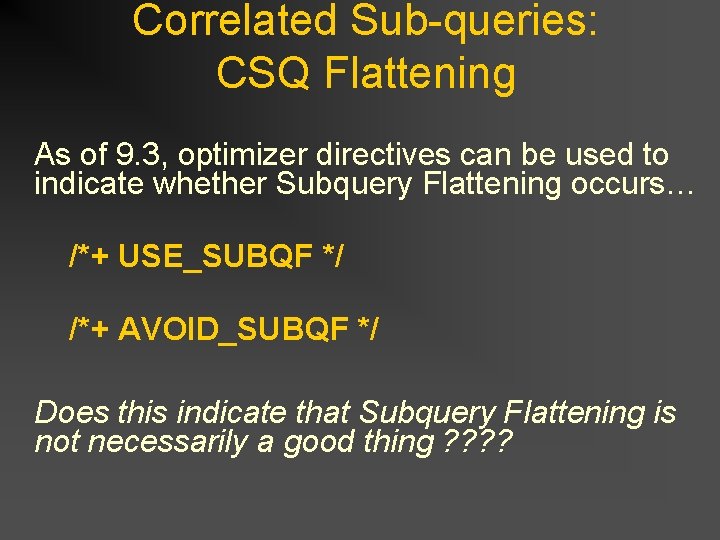
Correlated Sub-queries: CSQ Flattening As of 9. 3, optimizer directives can be used to indicate whether Subquery Flattening occurs… /*+ USE_SUBQF */ /*+ AVOID_SUBQF */ Does this indicate that Subquery Flattening is not necessarily a good thing ? ?
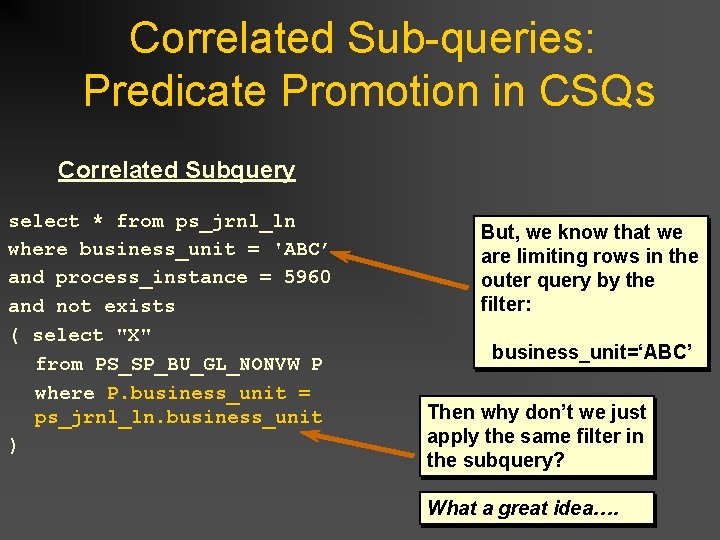
Correlated Sub-queries: Predicate Promotion in CSQs Correlated Subquery select * from ps_jrnl_ln where business_unit = 'ABC’ and process_instance = 5960 and not exists ( select "X" from PS_SP_BU_GL_NONVW P where P. business_unit = ps_jrnl_ln. business_unit ) But, we know that we are limiting rows in the outer query by the filter: business_unit=‘ABC’ Then why don’t we just apply the same filter in the subquery? What a great idea….
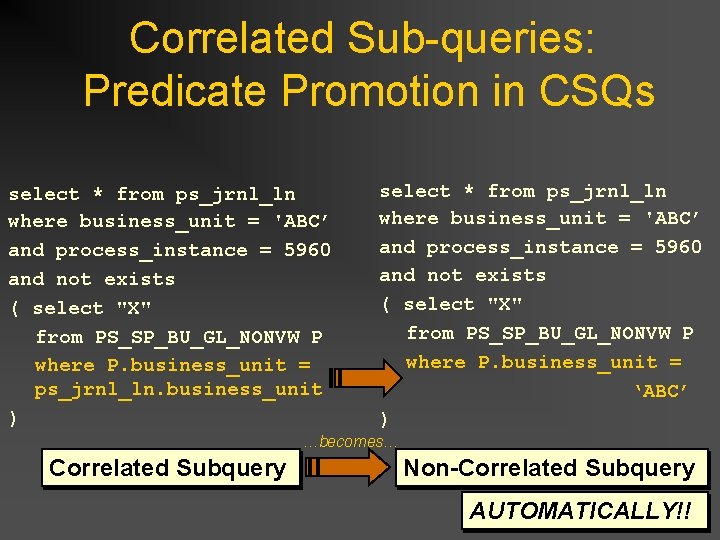
Correlated Sub-queries: Predicate Promotion in CSQs select * from ps_jrnl_ln where business_unit = 'ABC’ and process_instance = 5960 and not exists ( select "X" from PS_SP_BU_GL_NONVW P where P. business_unit = ps_jrnl_ln. business_unit ) select * from ps_jrnl_ln where business_unit = 'ABC’ and process_instance = 5960 and not exists ( select "X" from PS_SP_BU_GL_NONVW P where P. business_unit = ‘ABC’ ) …becomes… Correlated Subquery Non-Correlated Subquery AUTOMATICALLY!!
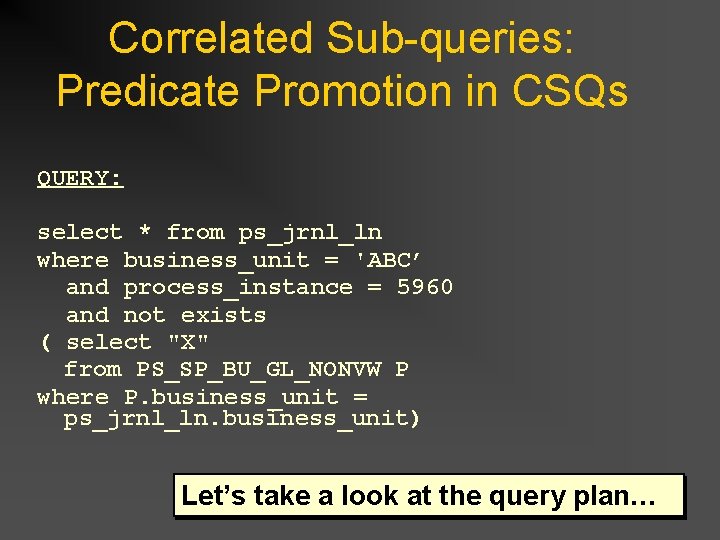
Correlated Sub-queries: Predicate Promotion in CSQs QUERY: select * from ps_jrnl_ln where business_unit = 'ABC’ and process_instance = 5960 and not exists ( select "X" from PS_SP_BU_GL_NONVW P where P. business_unit = ps_jrnl_ln. business_unit) Let’s take a look at the query plan…
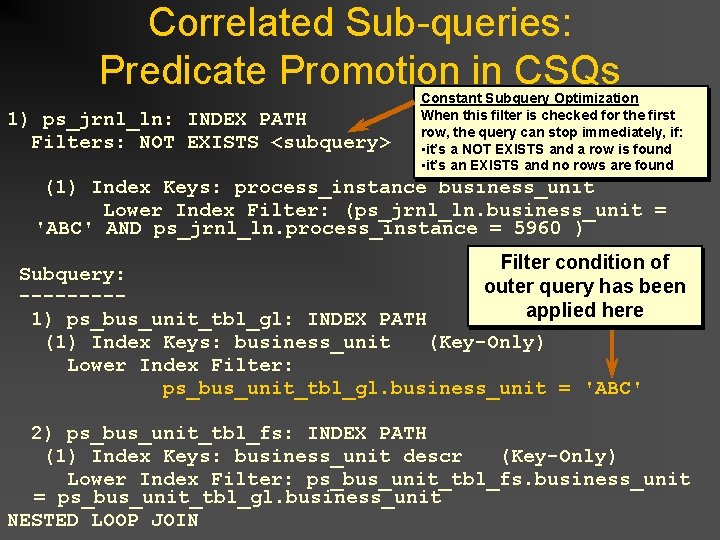
Correlated Sub-queries: Predicate Promotion in CSQs 1) ps_jrnl_ln: INDEX PATH Filters: NOT EXISTS <subquery> Constant Subquery Optimization When this filter is checked for the first row, the query can stop immediately, if: • it’s a NOT EXISTS and a row is found • it’s an EXISTS and no rows are found (1) Index Keys: process_instance business_unit Lower Index Filter: (ps_jrnl_ln. business_unit = 'ABC' AND ps_jrnl_ln. process_instance = 5960 ) Filter condition of Subquery: outer query has been ----applied here 1) ps_bus_unit_tbl_gl: INDEX PATH (1) Index Keys: business_unit (Key-Only) Lower Index Filter: ps_bus_unit_tbl_gl. business_unit = 'ABC' 2) ps_bus_unit_tbl_fs: INDEX PATH (1) Index Keys: business_unit descr (Key-Only) Lower Index Filter: ps_bus_unit_tbl_fs. business_unit = ps_bus_unit_tbl_gl. business_unit NESTED LOOP JOIN
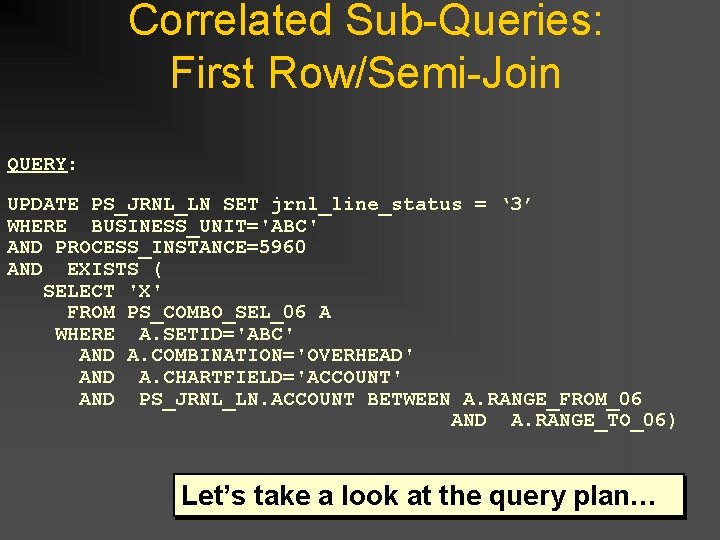
Correlated Sub-Queries: First Row/Semi-Join QUERY: UPDATE PS_JRNL_LN SET jrnl_line_status = ‘ 3’ WHERE BUSINESS_UNIT='ABC' AND PROCESS_INSTANCE=5960 AND EXISTS ( SELECT 'X' FROM PS_COMBO_SEL_06 A WHERE A. SETID='ABC' AND A. COMBINATION='OVERHEAD' AND A. CHARTFIELD='ACCOUNT' AND PS_JRNL_LN. ACCOUNT BETWEEN A. RANGE_FROM_06 AND A. RANGE_TO_06) Let’s take a look at the query plan…
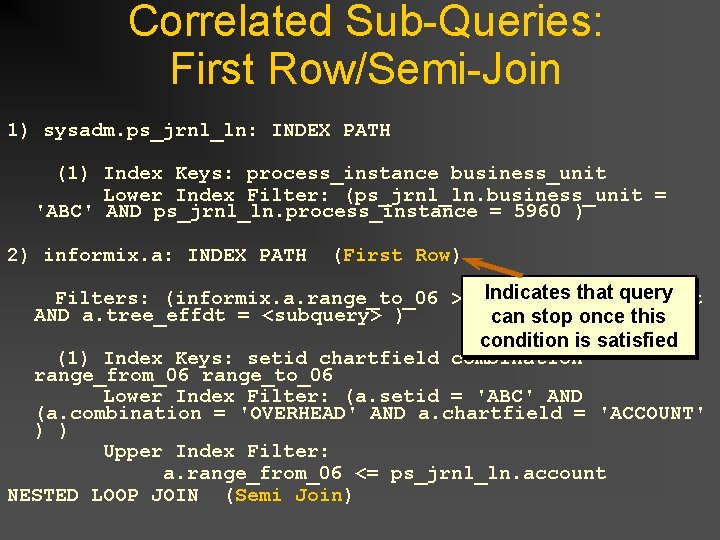
Correlated Sub-Queries: First Row/Semi-Join 1) sysadm. ps_jrnl_ln: INDEX PATH (1) Index Keys: process_instance business_unit Lower Index Filter: (ps_jrnl_ln. business_unit = 'ABC' AND ps_jrnl_ln. process_instance = 5960 ) 2) informix. a: INDEX PATH (First Row) Indicates that query Filters: (informix. a. range_to_06 >= ps_jrnl_ln. account AND a. tree_effdt = <subquery> ) can stop once this condition is satisfied (1) Index Keys: setid chartfield combination range_from_06 range_to_06 Lower Index Filter: (a. setid = 'ABC' AND (a. combination = 'OVERHEAD' AND a. chartfield = 'ACCOUNT' ) ) Upper Index Filter: a. range_from_06 <= ps_jrnl_ln. account NESTED LOOP JOIN (Semi Join)
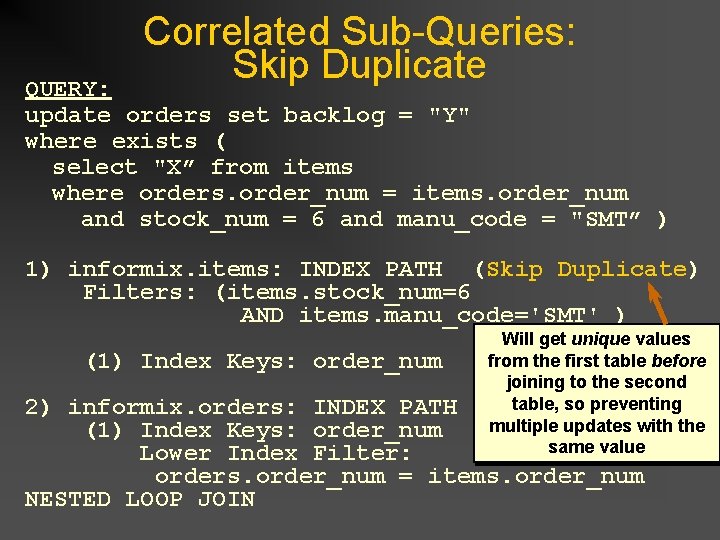
Correlated Sub-Queries: Skip Duplicate QUERY: update orders set backlog = "Y" where exists ( select "X” from items where orders. order_num = items. order_num and stock_num = 6 and manu_code = "SMT” ) 1) informix. items: INDEX PATH (Skip Duplicate) Filters: (items. stock_num=6 AND items. manu_code='SMT' ) (1) Index Keys: order_num Will get unique values from the first table before joining to the second table, so preventing multiple updates with the same value 2) informix. orders: INDEX PATH (1) Index Keys: order_num Lower Index Filter: orders. order_num = items. order_num NESTED LOOP JOIN
Any Questions?