Informix User Forum 2005 Explaining SQLEXPLAIN John F

- Slides: 28
® Informix User Forum 2005 Explaining SQLEXPLAIN John F. Miller III © IBM Corporation 2005
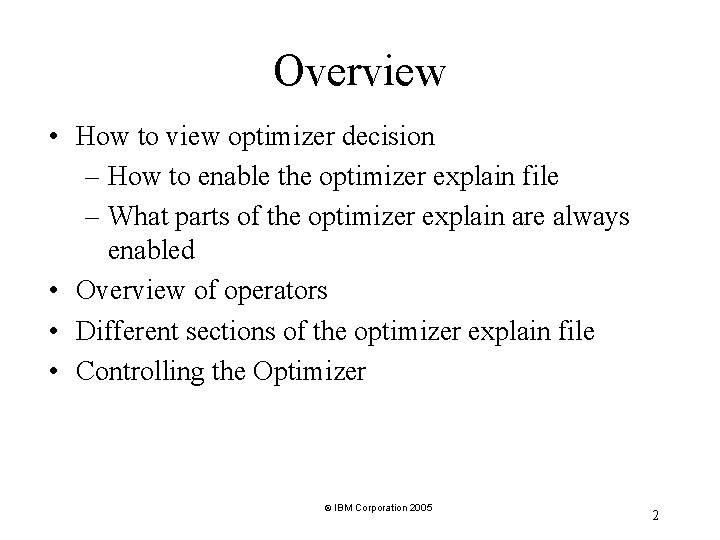
Overview • How to view optimizer decision – How to enable the optimizer explain file – What parts of the optimizer explain are always enabled • Overview of operators • Different sections of the optimizer explain file • Controlling the Optimizer © IBM Corporation 2005 2
How to Enable the Optimizer Explain • Enabling and Disabling the Optimizer Explain file – Turning on in application – Dynamically enabling – Enabling statistics © IBM Corporation 2005 3
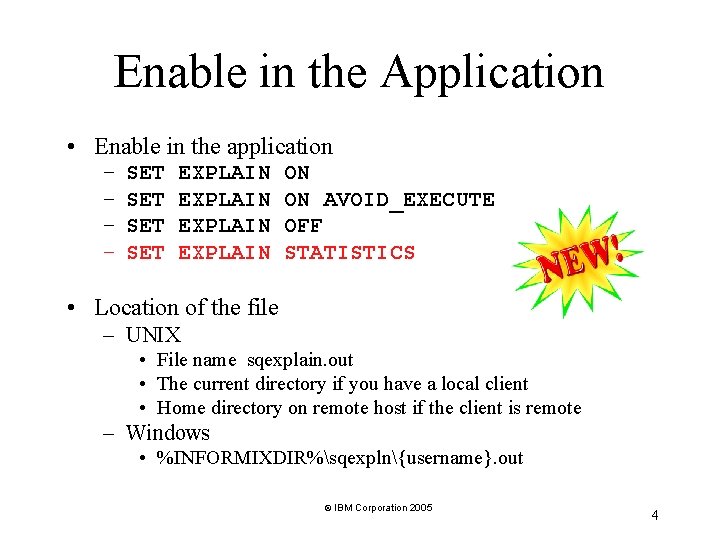
Enable in the Application • Enable in the application – – SET SET EXPLAIN ON ON AVOID_EXECUTE OFF STATISTICS • Location of the file – UNIX • File name sqexplain. out • The current directory if you have a local client • Home directory on remote host if the client is remote – Windows • %INFORMIXDIR%sqexpln{username}. out © IBM Corporation 2005 4
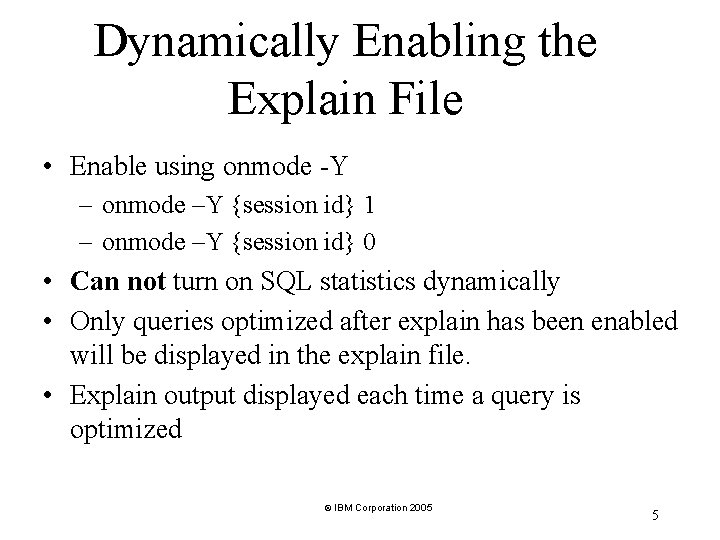
Dynamically Enabling the Explain File • Enable using onmode -Y – onmode –Y {session id} 1 – onmode –Y {session id} 0 • Can not turn on SQL statistics dynamically • Only queries optimized after explain has been enabled will be displayed in the explain file. • Explain output displayed each time a query is optimized © IBM Corporation 2005 5
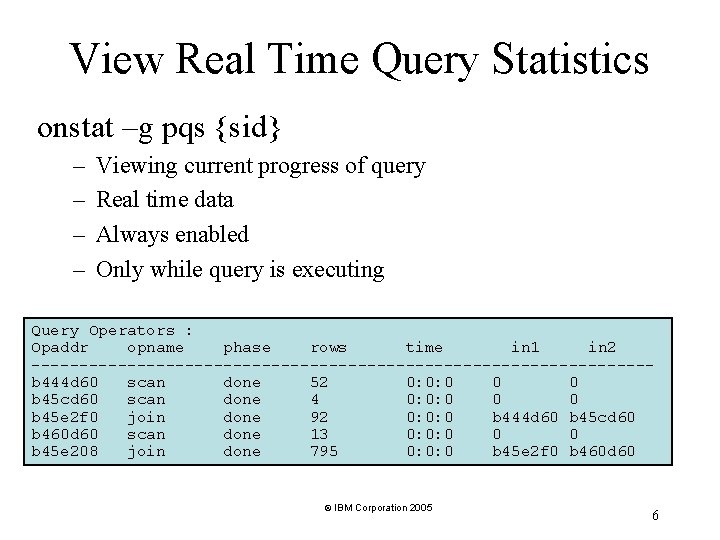
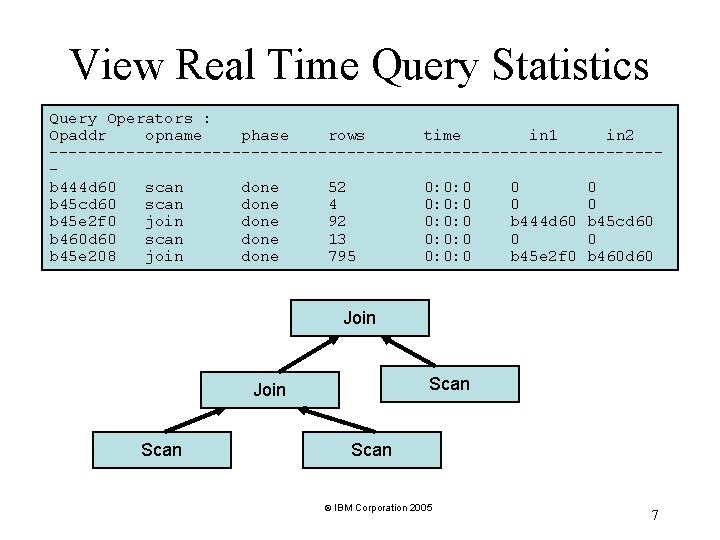
View Real Time Query Statistics onstat –g pqs {sid} – – Viewing current progress of query Real time data Always enabled Only while query is executing Query Operators : Opaddr opname phase rows time in 1 in 2 --------------------------------b 444 d 60 scan done 52 0: 0: 0 0 0 b 45 cd 60 scan done 4 0: 0: 0 0 0 b 45 e 2 f 0 join done 92 0: 0: 0 b 444 d 60 b 45 cd 60 b 460 d 60 scan done 13 0: 0: 0 0 0 b 45 e 208 join done 795 0: 0: 0 b 45 e 2 f 0 b 460 d 60 © IBM Corporation 2005 6
View Real Time Query Statistics Query Operators : Opaddr opname phase rows time in 1 in 2 --------------------------------b 444 d 60 scan done 52 0: 0: 0 0 0 b 45 cd 60 scan done 4 0: 0: 0 0 0 b 45 e 2 f 0 join done 92 0: 0: 0 b 444 d 60 b 45 cd 60 b 460 d 60 scan done 13 0: 0: 0 0 0 b 45 e 208 join done 795 0: 0: 0 b 45 e 2 f 0 b 460 d 60 Join Scan © IBM Corporation 2005 7
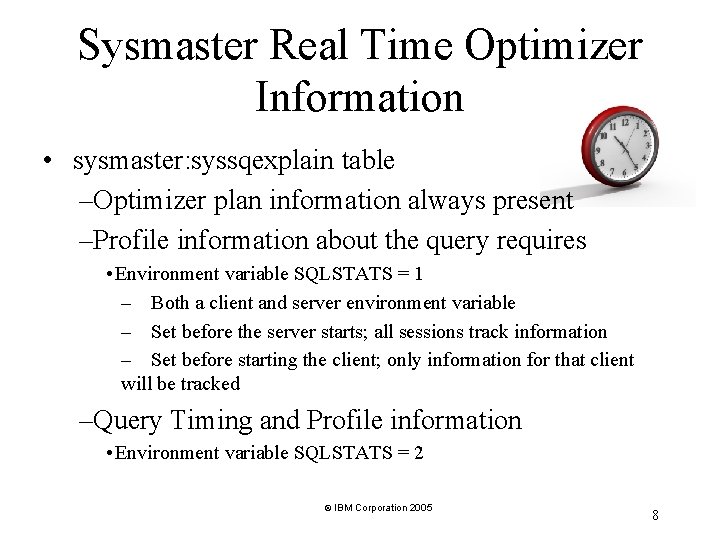
Sysmaster Real Time Optimizer Information • sysmaster: syssqexplain table –Optimizer plan information always present –Profile information about the query requires • Environment variable SQLSTATS = 1 – Both a client and server environment variable – Set before the server starts; all sessions track information – Set before starting the client; only information for that client will be tracked –Query Timing and Profile information • Environment variable SQLSTATS = 2 © IBM Corporation 2005 8
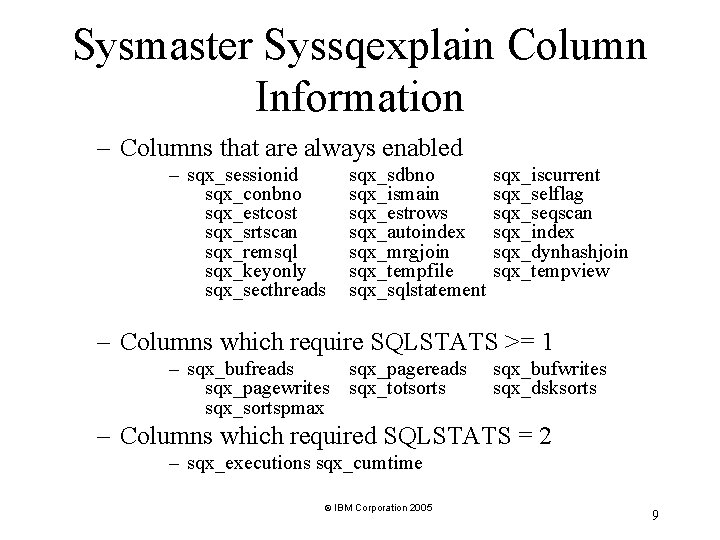
Sysmaster Syssqexplain Column Information – Columns that are always enabled – sqx_sessionid sqx_conbno sqx_estcost sqx_srtscan sqx_remsql sqx_keyonly sqx_secthreads sqx_sdbno sqx_ismain sqx_estrows sqx_autoindex sqx_mrgjoin sqx_tempfile sqx_sqlstatement sqx_iscurrent sqx_selflag sqx_seqscan sqx_index sqx_dynhashjoin sqx_tempview – Columns which require SQLSTATS >= 1 – sqx_bufreads sqx_pagewrites sqx_totsorts sqx_sortspmax sqx_bufwrites sqx_dsksorts – Columns which required SQLSTATS = 2 – sqx_executions sqx_cumtime © IBM Corporation 2005 9
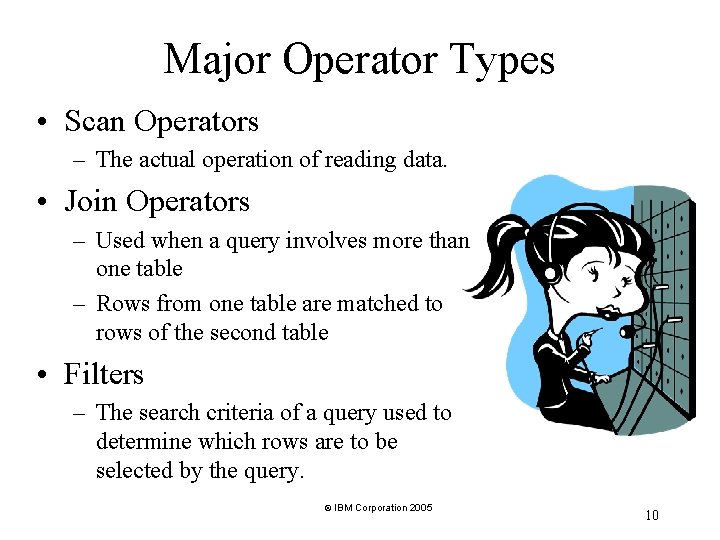
Major Operator Types • Scan Operators – The actual operation of reading data. • Join Operators – Used when a query involves more than one table – Rows from one table are matched to rows of the second table • Filters – The search criteria of a query used to determine which rows are to be selected by the query. © IBM Corporation 2005 10
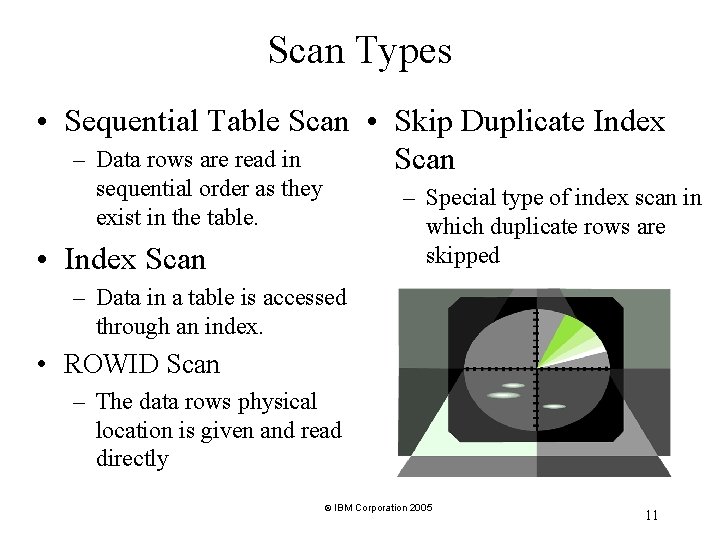
Scan Types • Sequential Table Scan • Skip Duplicate Index – Data rows are read in Scan sequential order as they exist in the table. – Special type of index scan in which duplicate rows are skipped • Index Scan – Data in a table is accessed through an index. • ROWID Scan – The data rows physical location is given and read directly © IBM Corporation 2005 11
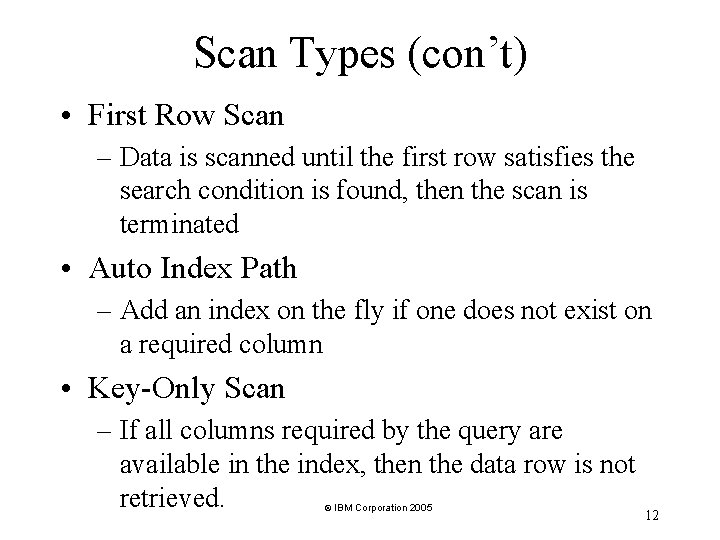
Scan Types (con’t) • First Row Scan – Data is scanned until the first row satisfies the search condition is found, then the scan is terminated • Auto Index Path – Add an index on the fly if one does not exist on a required column • Key-Only Scan – If all columns required by the query are available in the index, then the data row is not retrieved. © IBM Corporation 2005 12
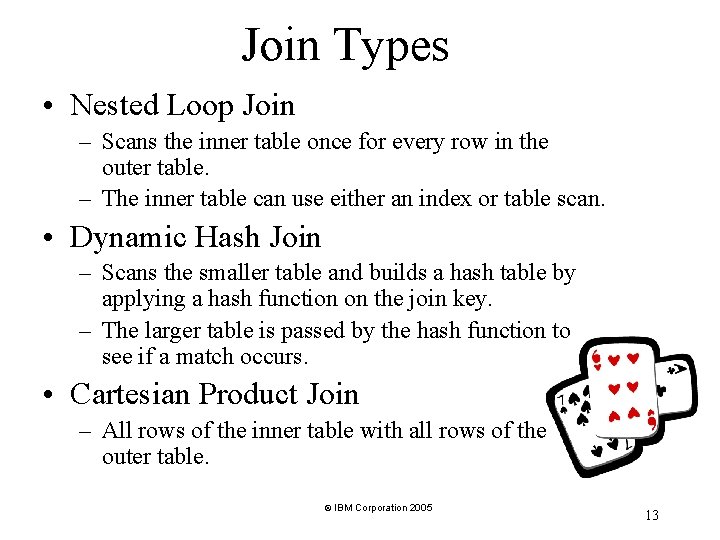
Join Types • Nested Loop Join – Scans the inner table once for every row in the outer table. – The inner table can use either an index or table scan. • Dynamic Hash Join – Scans the smaller table and builds a hash table by applying a hash function on the join key. – The larger table is passed by the hash function to see if a match occurs. • Cartesian Product Join – All rows of the inner table with all rows of the outer table. © IBM Corporation 2005 13
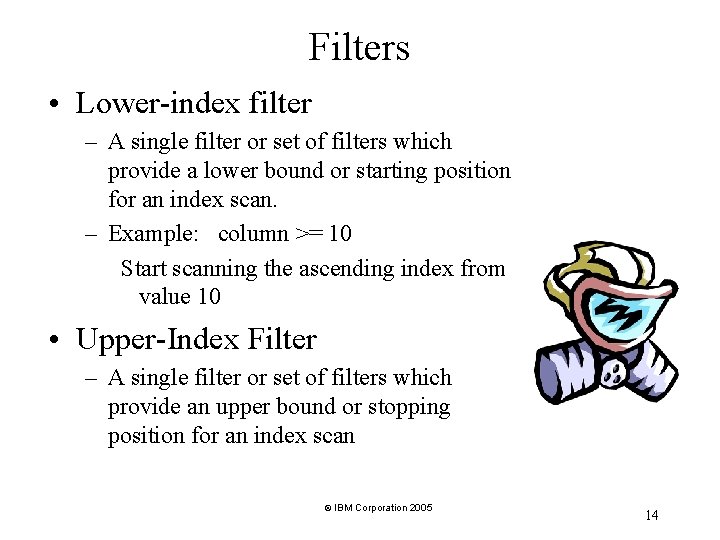
Filters • Lower-index filter – A single filter or set of filters which provide a lower bound or starting position for an index scan. – Example: column >= 10 Start scanning the ascending index from value 10 • Upper-Index Filter – A single filter or set of filters which provide an upper bound or stopping position for an index scan © IBM Corporation 2005 14
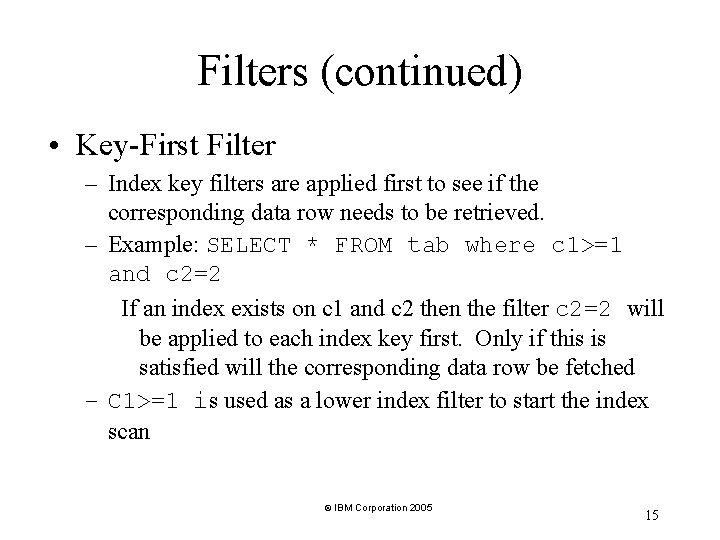
Filters (continued) • Key-First Filter – Index key filters are applied first to see if the corresponding data row needs to be retrieved. – Example: SELECT * FROM tab where c 1>=1 and c 2=2 If an index exists on c 1 and c 2 then the filter c 2=2 will be applied to each index key first. Only if this is satisfied will the corresponding data row be fetched – C 1>=1 is used as a lower index filter to start the index scan © IBM Corporation 2005 15
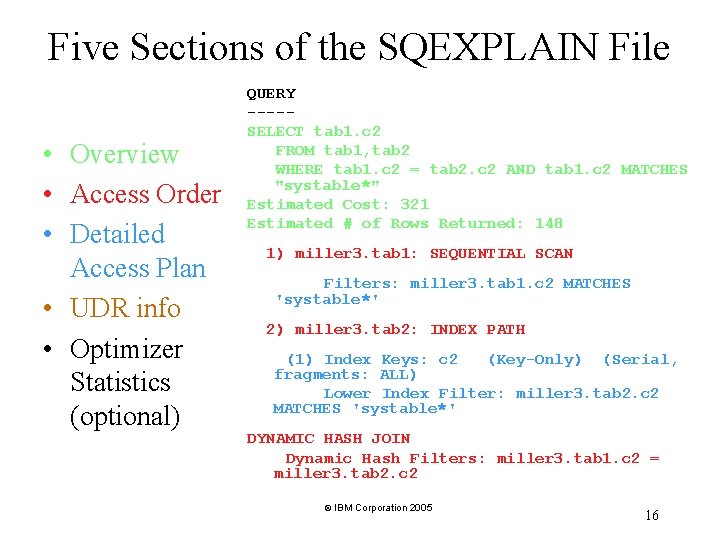
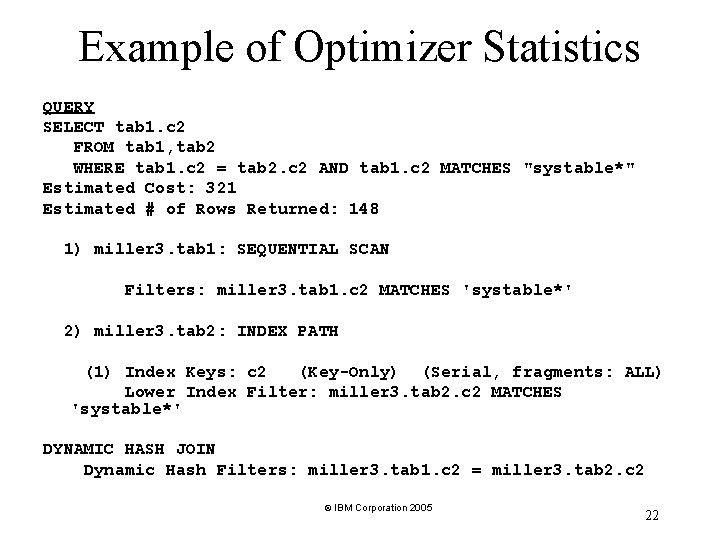
Five Sections of the SQEXPLAIN File • Overview • Access Order • Detailed Access Plan • UDR info • Optimizer Statistics (optional) QUERY ----SELECT tab 1. c 2 FROM tab 1, tab 2 WHERE tab 1. c 2 = tab 2. c 2 AND tab 1. c 2 MATCHES "systable*" Estimated Cost: 321 Estimated # of Rows Returned: 148 1) miller 3. tab 1: SEQUENTIAL SCAN Filters: miller 3. tab 1. c 2 MATCHES 'systable*' 2) miller 3. tab 2: INDEX PATH (1) Index Keys: c 2 (Key-Only) (Serial, fragments: ALL) Lower Index Filter: miller 3. tab 2. c 2 MATCHES 'systable*' DYNAMIC HASH JOIN Dynamic Hash Filters: miller 3. tab 1. c 2 = miller 3. tab 2. c 2 © IBM Corporation 2005 16
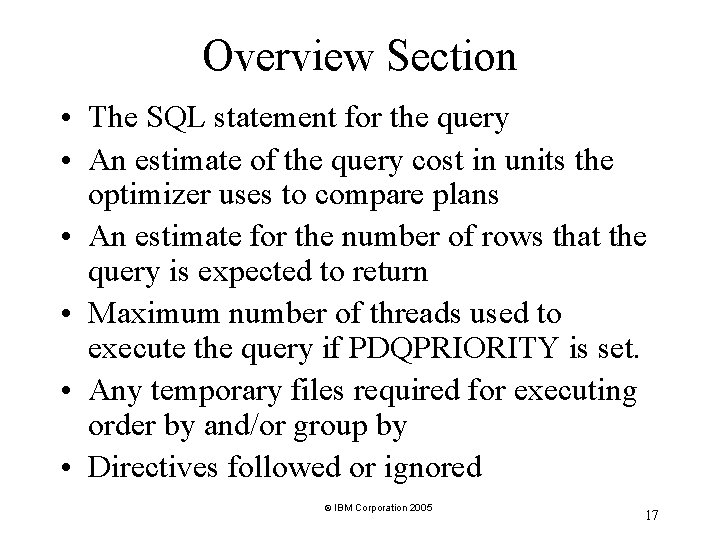
Overview Section • The SQL statement for the query • An estimate of the query cost in units the optimizer uses to compare plans • An estimate for the number of rows that the query is expected to return • Maximum number of threads used to execute the query if PDQPRIORITY is set. • Any temporary files required for executing order by and/or group by • Directives followed or ignored © IBM Corporation 2005 17
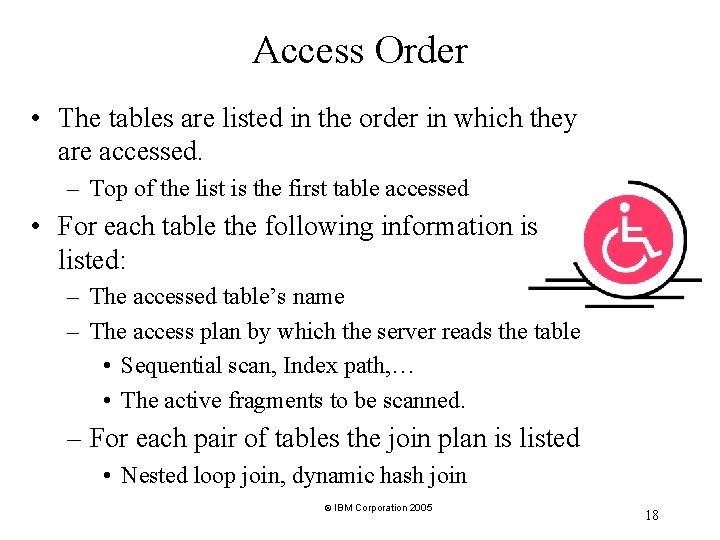
Access Order • The tables are listed in the order in which they are accessed. – Top of the list is the first table accessed • For each table the following information is listed: – The accessed table’s name – The access plan by which the server reads the table • Sequential scan, Index path, … • The active fragments to be scanned. – For each pair of tables the join plan is listed • Nested loop join, dynamic hash join © IBM Corporation 2005 18
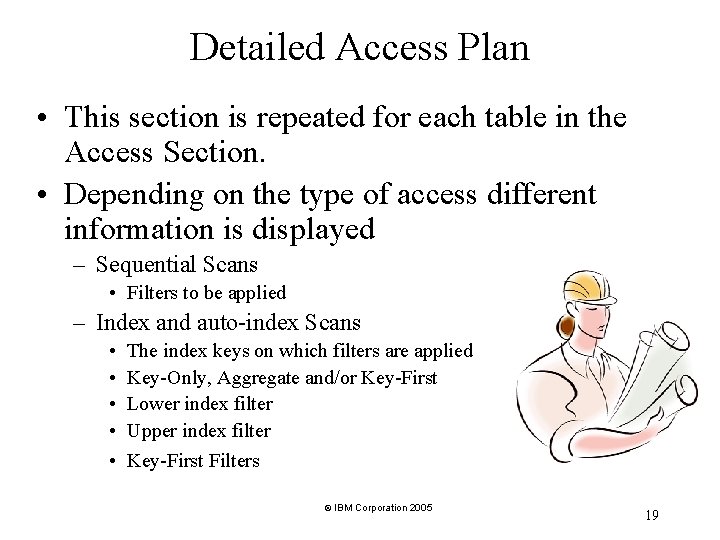
Detailed Access Plan • This section is repeated for each table in the Access Section. • Depending on the type of access different information is displayed – Sequential Scans • Filters to be applied – Index and auto-index Scans • • The index keys on which filters are applied Key-Only, Aggregate and/or Key-First Lower index filter Upper index filter • Key-First Filters © IBM Corporation 2005 19
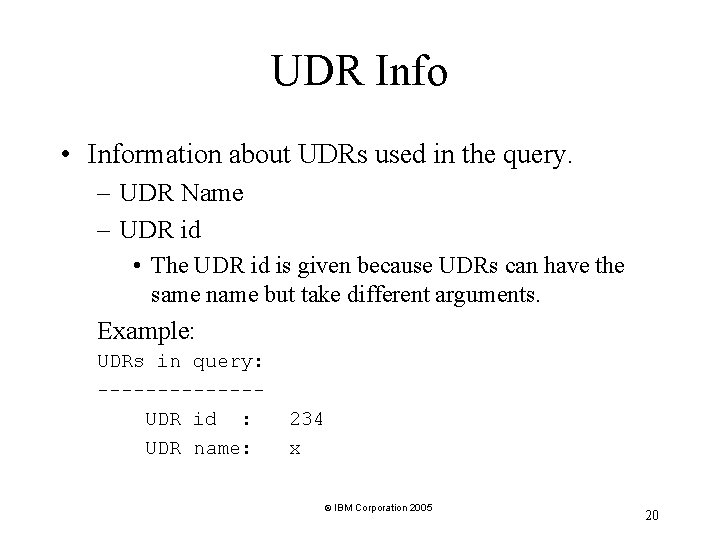
UDR Info • Information about UDRs used in the query. – UDR Name – UDR id • The UDR id is given because UDRs can have the same name but take different arguments. Example: UDRs in query: -------UDR id : UDR name: 234 x © IBM Corporation 2005 20
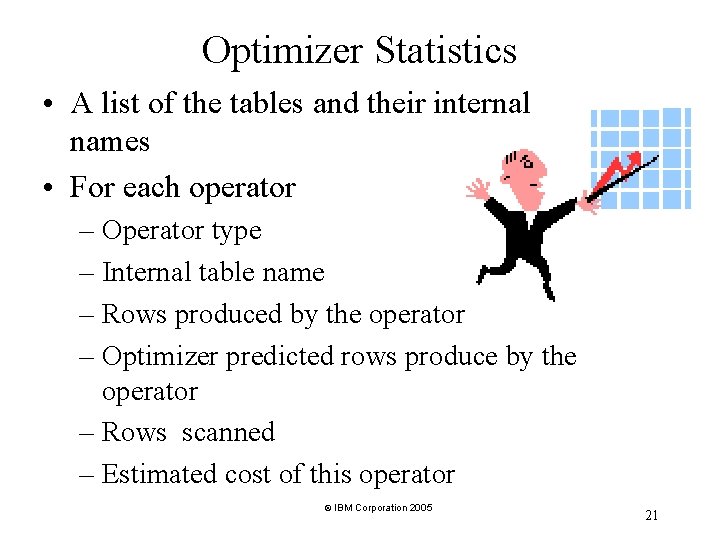
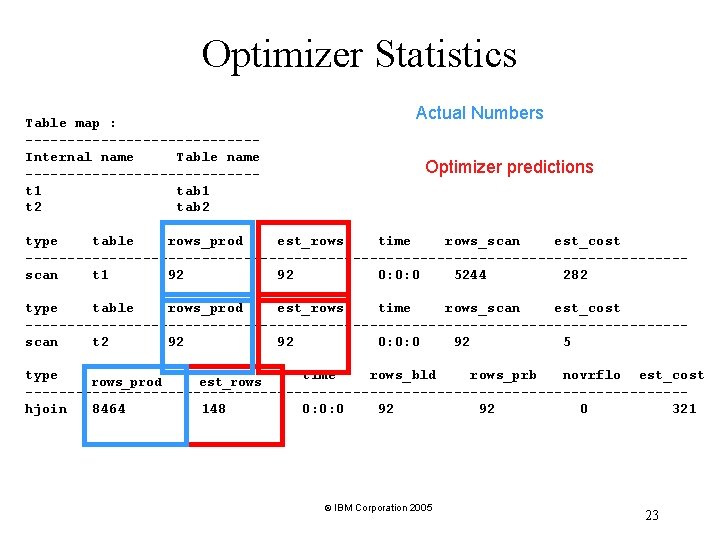
Optimizer Statistics • A list of the tables and their internal names • For each operator – Operator type – Internal table name – Rows produced by the operator – Optimizer predicted rows produce by the operator – Rows scanned – Estimated cost of this operator © IBM Corporation 2005 21
Example of Optimizer Statistics QUERY SELECT tab 1. c 2 FROM tab 1, tab 2 WHERE tab 1. c 2 = tab 2. c 2 AND tab 1. c 2 MATCHES "systable*" Estimated Cost: 321 Estimated # of Rows Returned: 148 1) miller 3. tab 1: SEQUENTIAL SCAN Filters: miller 3. tab 1. c 2 MATCHES 'systable*' 2) miller 3. tab 2: INDEX PATH (1) Index Keys: c 2 (Key-Only) (Serial, fragments: ALL) Lower Index Filter: miller 3. tab 2. c 2 MATCHES 'systable*' DYNAMIC HASH JOIN Dynamic Hash Filters: miller 3. tab 1. c 2 = miller 3. tab 2. c 2 © IBM Corporation 2005 22
Optimizer Statistics Table map : --------------Internal name Table name --------------t 1 tab 1 t 2 tab 2 Actual Numbers Optimizer predictions type table rows_prod est_rows time rows_scan est_cost ---------------------------------------scan t 1 92 92 0: 0: 0 5244 282 type table rows_prod est_rows time rows_scan est_cost ---------------------------------------scan t 2 92 92 0: 0: 0 92 5 type time rows_bld rows_prb novrflo est_cost rows_prod est_rows ---------------------------------------hjoin 8464 148 0: 0: 0 92 92 0 321 © IBM Corporation 2005 23
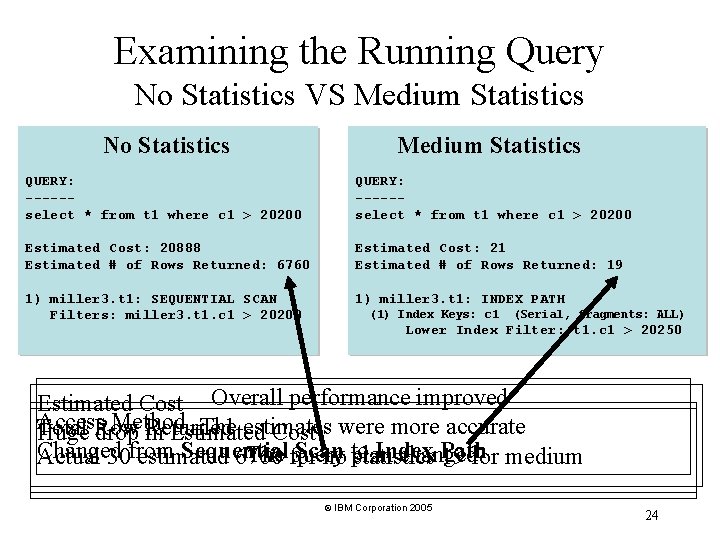
Examining the Running Query No Statistics VS Medium Statistics No Statistics Medium Statistics QUERY: -----select * from t 1 where c 1 > 20200 Estimated Cost: 20888 Estimated # of Rows Returned: 6760 Estimated Cost: 21 Estimated # of Rows Returned: 19 1) miller 3. t 1: SEQUENTIAL SCAN Filters: miller 3. t 1. c 1 > 20200 1) miller 3. t 1: INDEX PATH (1) Index Keys: c 1 (Serial, fragments: ALL) Lower Index Filter: t 1. c 1 > 20250 Estimated Cost Overall performance improved Access Method The estimates Total Returned Huge Row drop in Estimated Cost were more accurate Changed Sequential Scan Index Path The for query plan changed Actual 30 from estimated 6760 no to statistics 19 for medium © IBM Corporation 2005 24
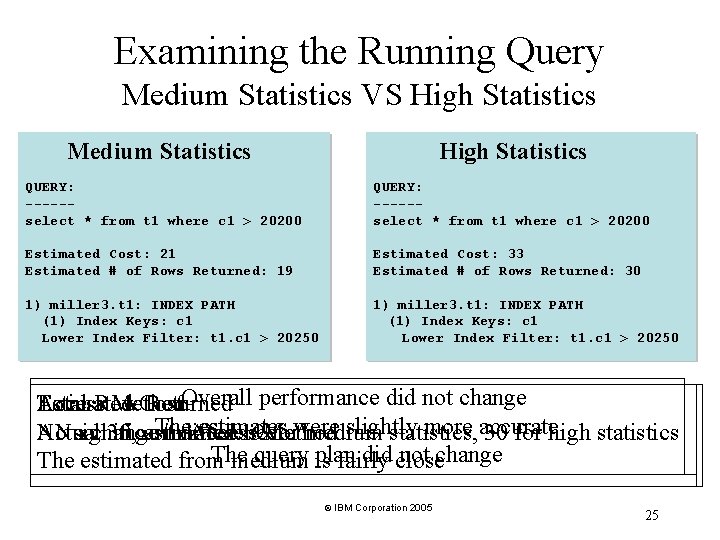
Examining the Running Query Medium Statistics VS High Statistics Medium Statistics High Statistics QUERY: -----select * from t 1 where c 1 > 20200 Estimated Cost: 21 Estimated # of Rows Returned: 19 Estimated Cost: 33 Estimated # of Rows Returned: 30 1) miller 3. t 1: INDEX PATH (1) Index Keys: c 1 Lower Index Filter: t 1. c 1 > 20250 Overall performance did not change Estimated Total Access Row Method Cost Returned The estimates slightly more accurate Actual No Nosignificant change 30, estimated indifference Access 19 Method forwere medium statistics, 30 for high statistics The query plan did close not change The estimated from medium is fairly © IBM Corporation 2005 25
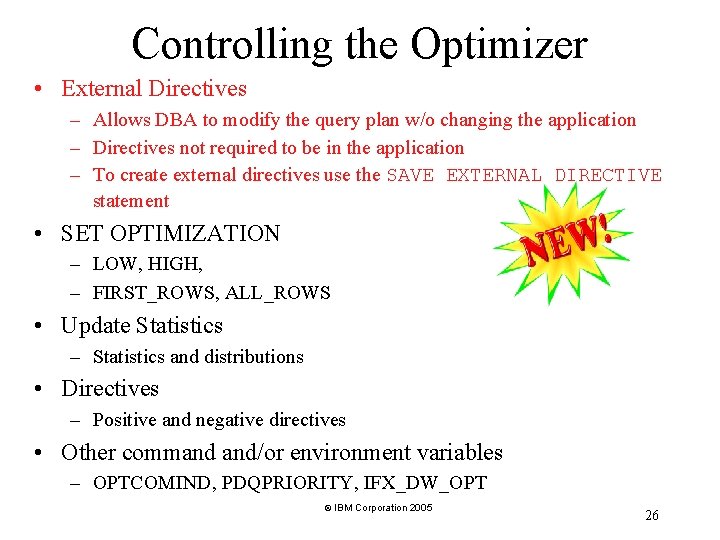
Controlling the Optimizer • External Directives – Allows DBA to modify the query plan w/o changing the application – Directives not required to be in the application – To create external directives use the SAVE EXTERNAL DIRECTIVE statement • SET OPTIMIZATION – LOW, HIGH, – FIRST_ROWS, ALL_ROWS • Update Statistics – Statistics and distributions • Directives – Positive and negative directives • Other command and/or environment variables – OPTCOMIND, PDQPRIORITY, IFX_DW_OPT © IBM Corporation 2005 26
Other Information • An Overview of the IBM Informix Dynamic Server Optimizer – http: //www. ibm. com/developerworks/db 2/zones/informix/library/techarticle/0211 desai/021 1 desai. html • Understanding and Tuning Update Statistics – http: //www. ibm. com/developerworks/db 2/zones/informix/library/techarticle/miller/0203 miller. html • Predicate Inference in Informix Dynamic Server – http: //www. ibm. com/developerworks/db 2/zones/informix/library/techarticle/0206 goswami/ 0206 goswami. html • IBM Informix Performance Manual • IBM Informix SQL Reference Manual © IBM Corporation 2005 27
Questions © IBM Corporation 2005 28