e Med NY Health Insurance Premium Payments HIPP
- Slides: 181
e. Med. NY Health Insurance Premium Payments (HIPP) and Medicare Insurance Premium Payments (MIPP)
Agenda • Review HIPP/MIPP Policy • Functions/Capabilities – e. Med. NY – User • The HIPP Process • The MIPP Process • MOBIUS Reports
Agenda • Review Reimbursement of Health Insurance Premiums Policy • Review HIPP/MIPP Policy • e. Med. NY Functions • User Roles • The HIPP Process • The MIPP Process • MOBIUS Reports
Reporting of Health Insurance • Access NY Application and Renewal Form both contain important information about availability of other health insurance – Currently enrolled in or eligible for Medicare? – Currently enrolled in Commercial Health Insurance? • Employer Sponsored • Absent Spouse/Parent – Eligible to enroll in Employer Sponsored Health Insurance?
Eligible to Enroll in Medicare • Enrollment is a condition of eligibility for individuals who are fully eligible for Medicaid – Must enroll in Part B – Must enroll in Part A if free or if LDSS pays premium on A/R’s behalf • Payment/reimbursement made through MSP or MIPP depending on eligibility
Enrolled in Medicare • Medicare premium must be verified • Medicare coverage must be active in e. Med. NY • LDSS determines if A/R is eligible for payment/reimbursement through: – Medicare Savings Program (QMB, SLIMB, Q-I) – MIPP
Enrolled in Commercial Insurance • A/R must provide information needed to determine if insurance is cost effective – Who is covered by the insurance – Cost of insurance – Scope of benefits • LDSS must enter insurance information into e. Med. NY – To cost avoid claims that would otherwise be covered by Medicaid
Enrolled in Commercial Insurance, cont’d. • LDSS determines cost effectiveness using HIPP Program – If insurance is cost effective and A/R is fully eligible for Medicaid, premium payment is made through HIPP – If insurance is cost effective and premium is used as a deduction in MBL budget to reduce net income, partial reimbursement of premium is made through HIPP
Eligible to Enroll in TPHI • Individuals having access to Third Party Health Insurance (TPHI) must pursue and enroll in TPHI that is free or cost effective as a condition of Medicaid eligibility • Policy applies at application or renewal • A/R must provide information needed to determine if insurance is cost effective
Eligible to Enroll in TPHI, cont’d. • If enrollment is cost effective, the A/R may be required to enroll – A/R has 30 days to enroll – Special enrollment opportunities may apply – Failure to cooperate in pursuing and enrolling in cost effective TPHI may result in discontinuance or denial of benefits for the A/R who is also the policy holder
HIPP/MIPP Policy • The implementation of the e. Med. NY HIPP cost analysis: – Standardizes the cost effectiveness calculations for Medicaid and COBRA programs – Discontinues the use of the HICED calculator – Changes the payment process/use of BICS
HIPP/MIPP Policy, cont'd. • e. Med. NY HIPP/MIPP cost analysis must be used for: – Evaluations of health insurance cost analysis calculations for Medicaid and COBRA Coverage Continuation Program – Payments related to health insurance for recipients
HIPP/MIPP Policy, cont'd. • HIPP may consist of full premium payments, partial premium payments, or partial premium reimbursements – Payments for HIPP can be made to the: carrier, employer, recipient’s representative, or policy holder if other than recipient
HIPP/MIPP Policy, cont'd. • MIPP may consist of full Medicare premium reimbursements or partial premium reimbursements – Payments for MIPP are made to the recipient
HIPP/MIPP Policy, cont'd. • Insurance must be cost effective: – Medicaid • Premium reimbursements are available for policies determined cost effective For guidance, please see GIS 13 MA/012. – COBRA (Consolidated Omnibus Budgeting Reconciliation Act) Continuation Program
HIPP/MIPP Policy, cont'd. • Insurance must be cost effective for: – Medicaid eligible premium reimbursements – Includes COBRA premiums – COBRA Continuation Coverage Program – Not Medicaid eligible – Only eligible for payment/reimbursement of premium – 91 ADM-53
HIPP/MIPP Policy, cont'd. • No cost effectiveness requirement for: – AHIP (AIDS Health Insurance Program) (93 ADM-28) – Medicare (MIPP)
HIPP/MIPP Policy, cont'd. • No cost effectiveness requirement for: – AIDS Health Insurance Program (AHIP) • 93 ADM-28 – Medicare (MIPP)
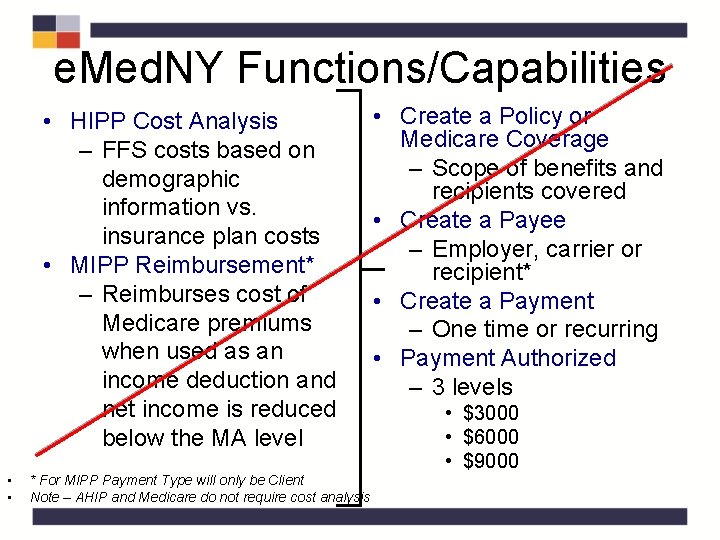
e. Med. NY Functions/Capabilities • HIPP Cost Analysis – FFS costs based on demographic information vs. insurance plan costs • MIPP Reimbursement* – Reimburses cost of Medicare premiums when used as an income deduction and net income is reduced below the MA level • • * For MIPP Payment Type will only be Client Note – AHIP and Medicare do not require cost analysis • Create a Policy or Medicare Coverage – Scope of benefits and recipients covered • Create a Payee – Employer, carrier or recipient* • Create a Payment – One time or recurring • Payment Authorized – 3 levels • $3000 • $6000 • $9000
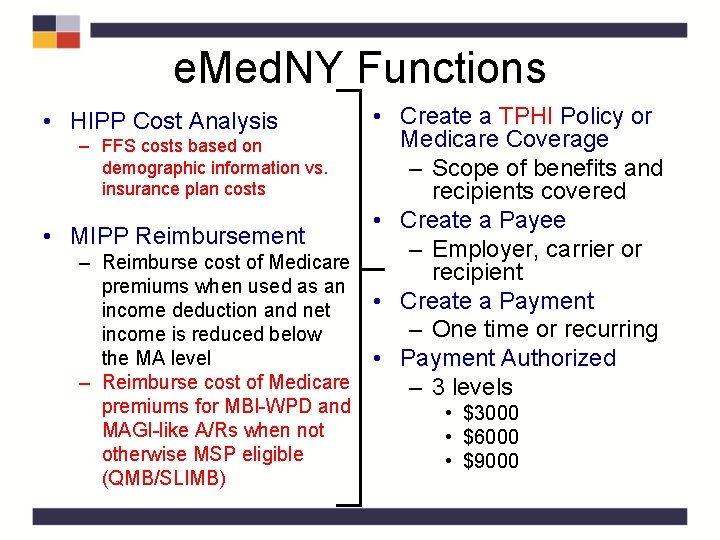
e. Med. NY Functions • Create a TPHI Policy or Medicare Coverage – FFS costs based on demographic information vs. – Scope of benefits and insurance plan costs recipients covered • Create a Payee • MIPP Reimbursement – Employer, carrier or – Reimburse cost of Medicare recipient premiums when used as an • Create a Payment income deduction and net – One time or recurring income is reduced below the MA level • Payment Authorized – Reimburse cost of Medicare – 3 levels • HIPP Cost Analysis premiums for MBI-WPD and MAGI-like A/Rs when not otherwise MSP eligible (QMB/SLIMB) • $3000 • $6000 • $9000
User Functions/Capabilities • HIPP Calculation & Notes Updater – Can use the HIPP Cost Analysis page as ‘Scratchpad’ • Can save scratchpad calculations (may be saved with CIN or Demographic Data) – View all saved cost analyses, policies, and payees
User Roles • HIPP Calculation & Notes Updater – Use the HIPP Cost Analysis page as ‘Scratchpad’ • Can save scratchpad calculations • May be saved with CIN or Demographic Data – View all saved cost analyses, policies, and payees
User Functions/Capabilities, cont'd. • Payee Creator – Create and modify HIPP/MIPP Payees – Payee Creators have the same access as HIPP Calculation & Notes Updater
User Roles, cont’d. • Payee Creator – Same access as HIPP Calculation & Notes Updater, plus – Create and modify HIPP/MIPP Payees
User Functions/Capabilities, cont'd. • Payment Creator – Use the HIPP Cost Analysis page as ‘Scratchpad’ – Create and modify: • HIPP cost analysis • Policies • Payments within their county of fiscal responsibility
User Roles, cont’d . • Payment Creator – Same access as HIPP Calculation & Notes Updater and Payee Creator, plus – Create and modify: • HIPP cost analysis • Policies • Payments within their county of fiscal responsibility
User Functions/Capabilities, cont'd. • HIPP/MIPP Payment Authorizer – Approve/reject pending HIPP/MIPP payments for counties of fiscal responsibility
User Roles, cont’d. • HIPP/MIPP Payment Authorizer – Same access as HIPP Calculation & Notes Updater, Payee Creator and Payment Creator, plus – Approve/reject pending HIPP/MIPP payments for counties of fiscal responsibility • Cannot approve/reject payments they created
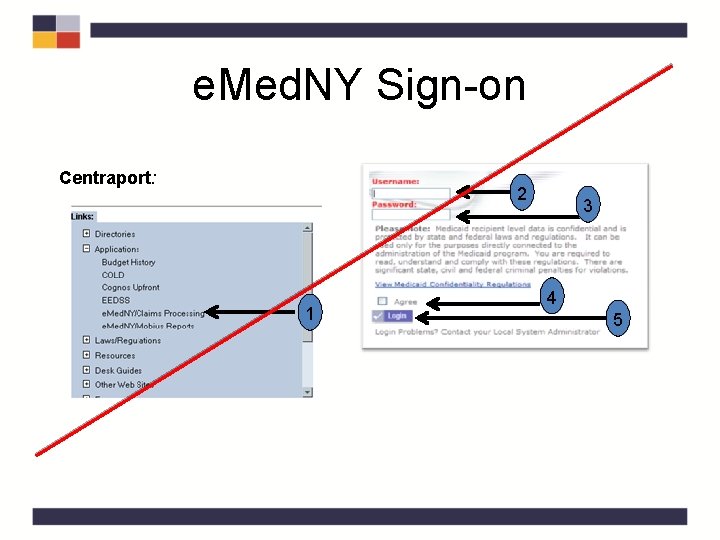
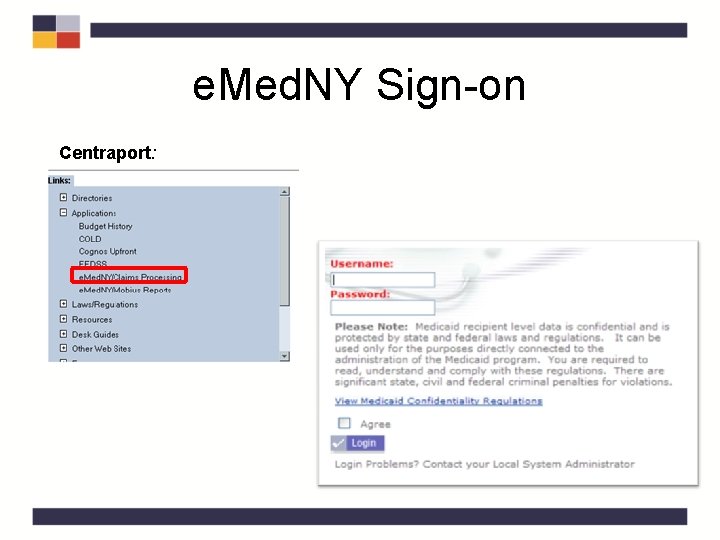
e. Med. NY Sign-on Centraport: 2 1 3 4 5
e. Med. NY Sign-on Centraport:
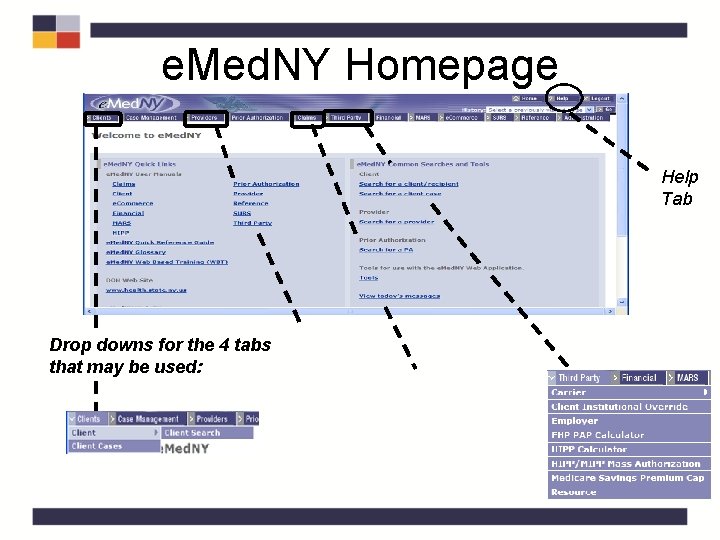
e. Med. NY Homepage Help Tab Drop downs for the 4 tabs that may be used:
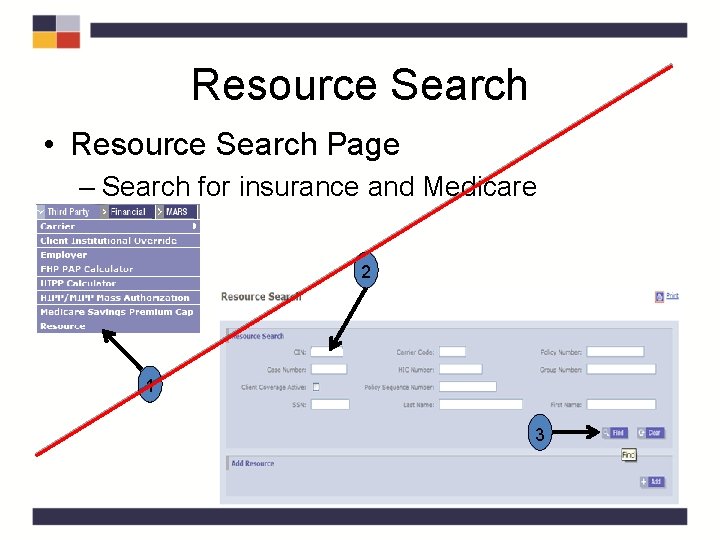
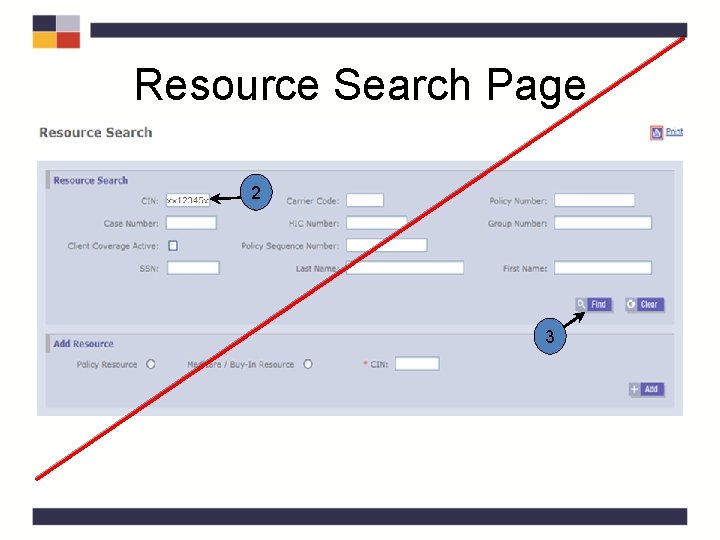
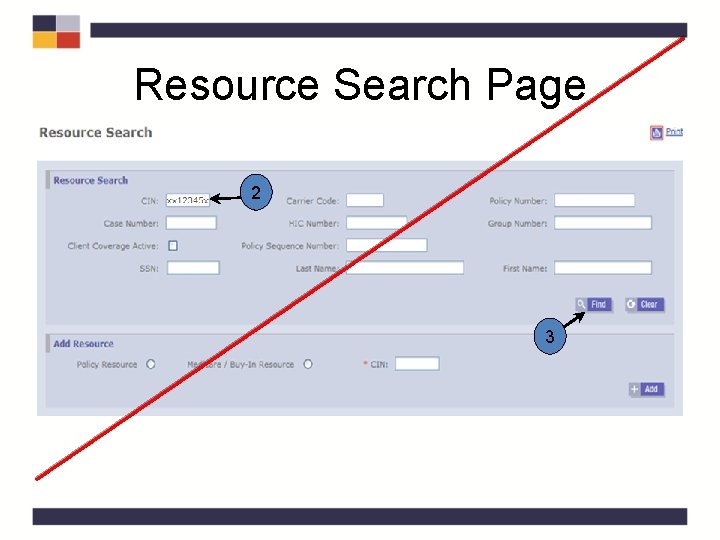
Resource Search • Resource Search Page – Search for insurance and Medicare 2 1 3
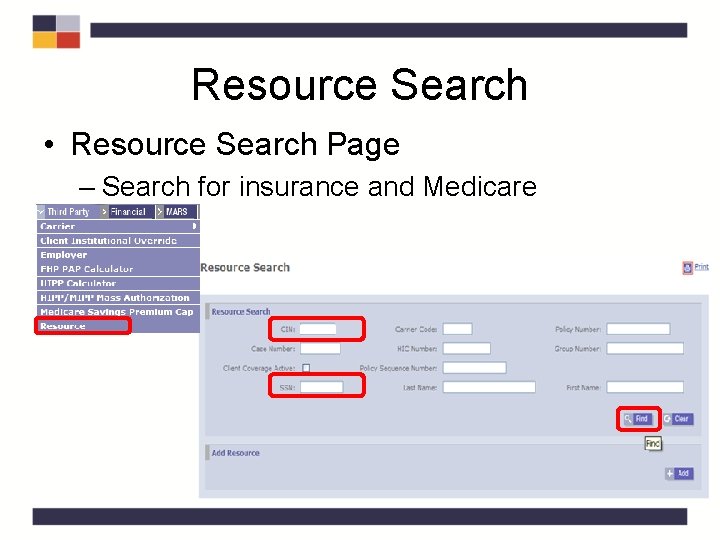
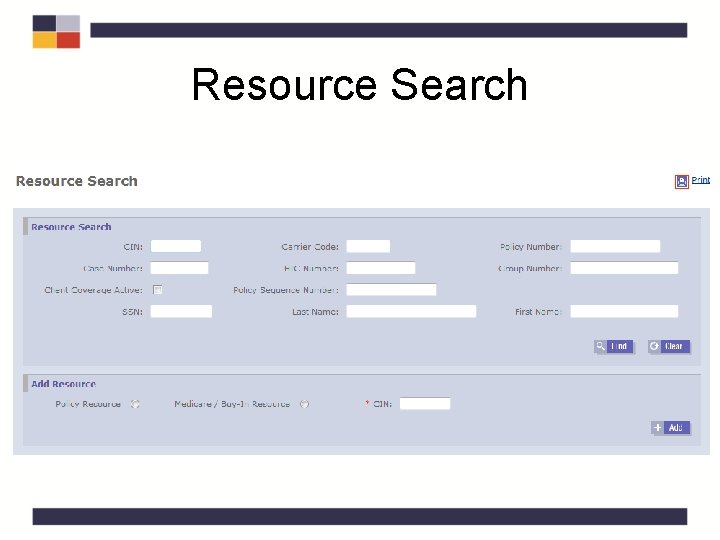
Resource Search • Resource Search Page – Search for insurance and Medicare
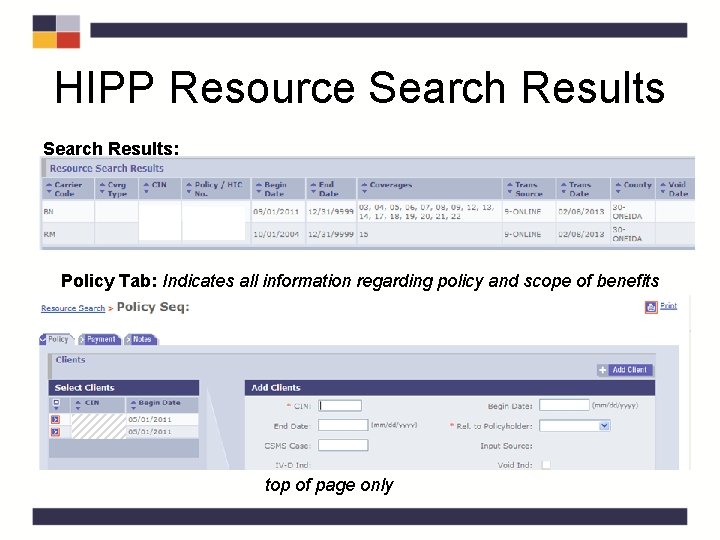
HIPP Resource Search Results: Policy Tab: Indicates all information regarding policy and scope of benefits top of page only
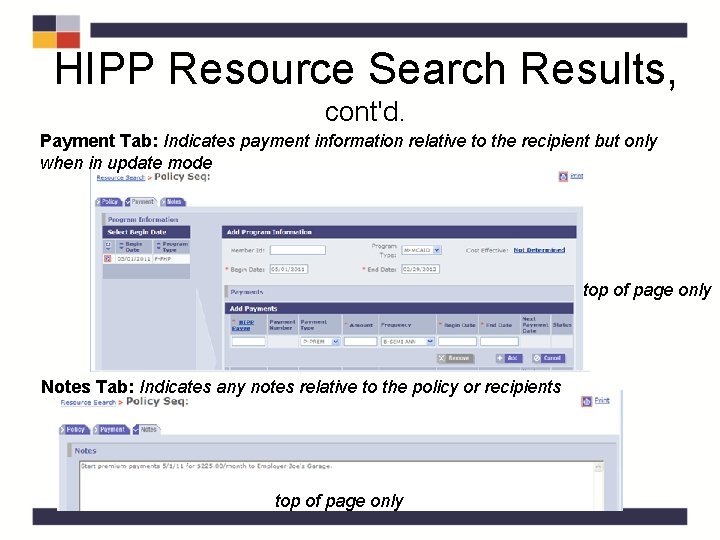
HIPP Resource Search Results, cont'd. Payment Tab: Indicates payment information relative to the recipient but only when in update mode top of page only Notes Tab: Indicates any notes relative to the policy or recipients top of page only
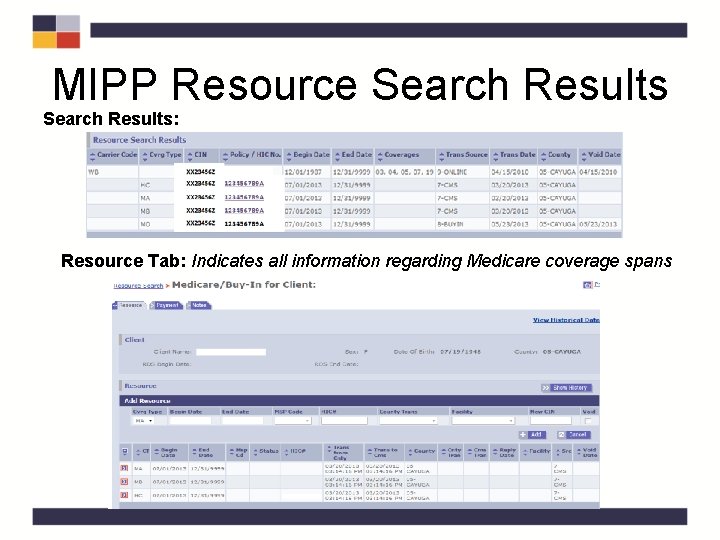
MIPP Resource Search Results: Resource Tab: Indicates all information regarding Medicare coverage spans
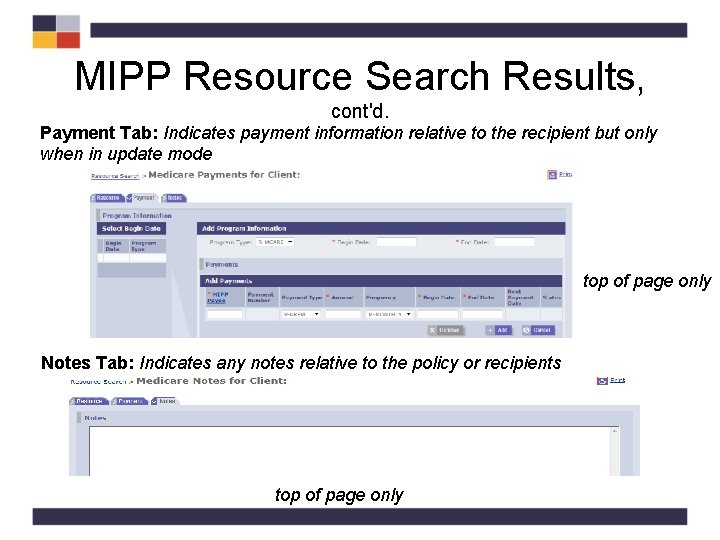
MIPP Resource Search Results, cont'd. Payment Tab: Indicates payment information relative to the recipient but only when in update mode top of page only Notes Tab: Indicates any notes relative to the policy or recipients top of page only
HIPP/MIPP Payee • A HIPP/MIPP Payee must exist and be active or be created in order to receive payments • Payee should only be created after LDSS has determined that policy is cost effective and A/R is eligible for payment/reimbursement of the premium
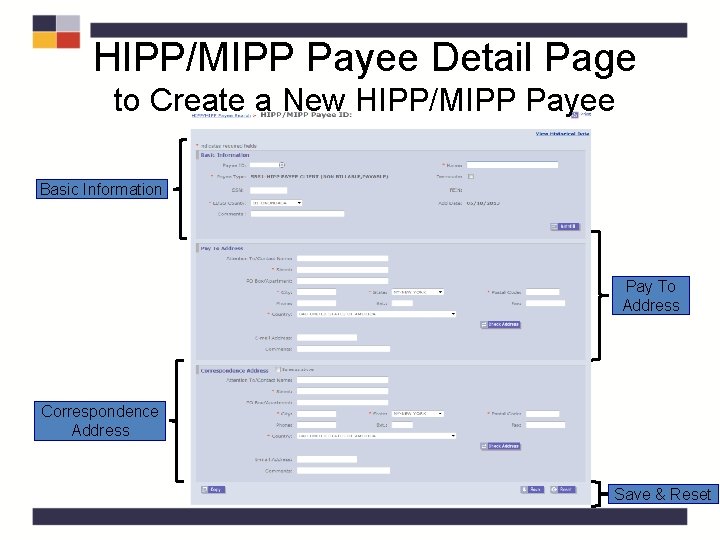
HIPP/MIPP Payee, cont’d. • HIPP/MIPP* Payees may be: – Insurance Carriers – Clients* – Policy Holders (i. e. : recipient is other than policy holder) – Employers – Other Entities (i. e. : representatives) – Unions • Users with the HIPP/MIPP Payee Creator security role can create a valid HIPP/MIPP Payee using the Payee pages
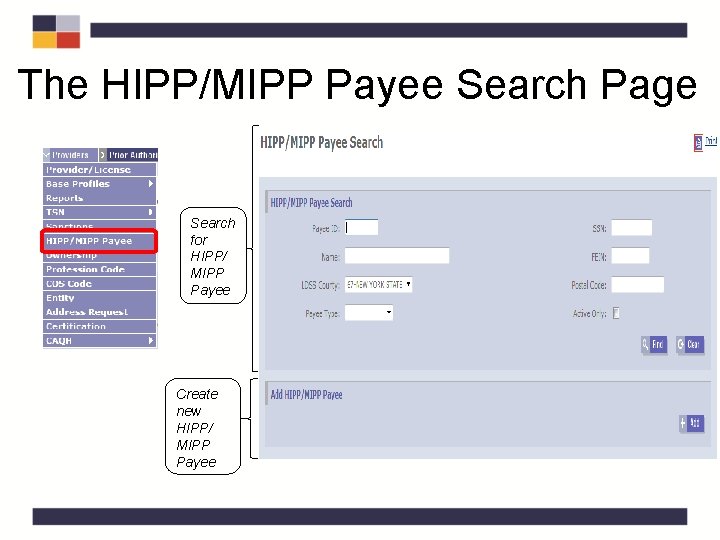
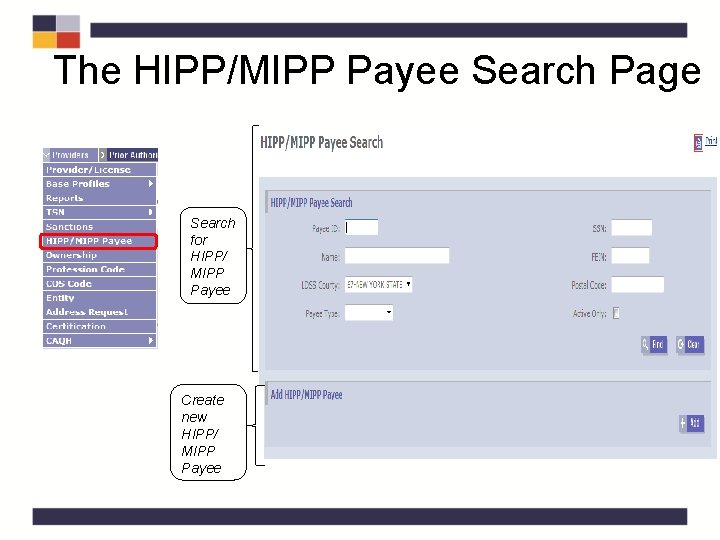
The HIPP/MIPP Payee Search Page Search for HIPP/ MIPP Payee Create new HIPP/ MIPP Payee
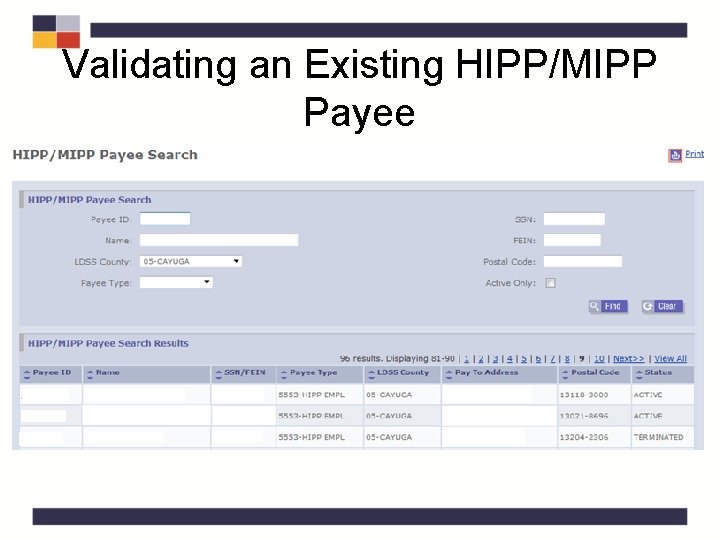
Validating an Existing HIPP/MIPP Payee
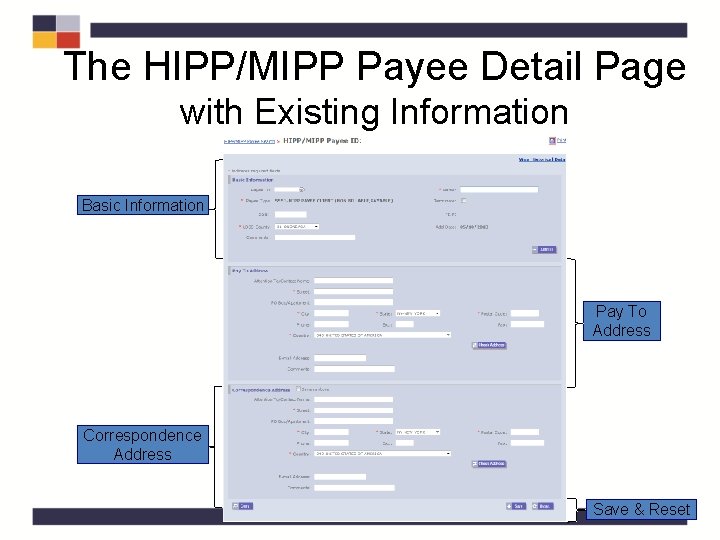
The HIPP/MIPP Payee Detail Page with Existing Information Basic Information Pay To Address Correspondence Address Save & Reset
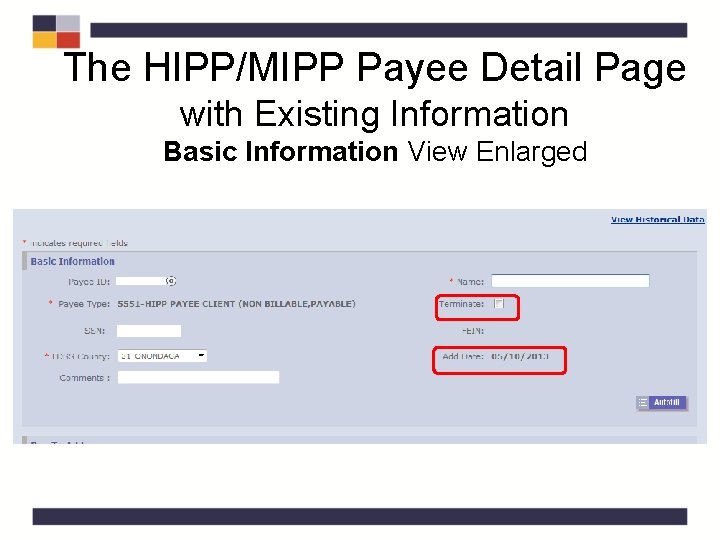
The HIPP/MIPP Payee Detail Page with Existing Information Basic Information View Enlarged
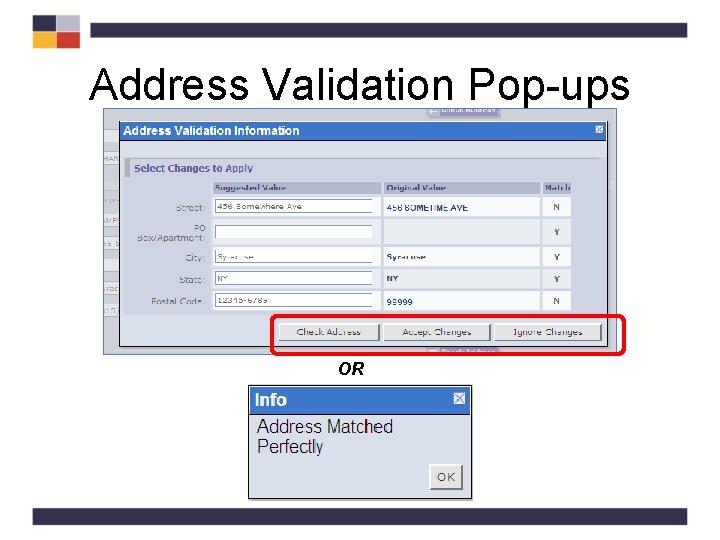
Address Validation Pop-ups OR
The HIPP/MIPP Payee Search Page Search for HIPP/ MIPP Payee 2 3 Create new HIPP/ MIPP Payee
HIPP/MIPP Payee Detail Page to Create a New HIPP/MIPP Payee Basic Information Pay To Address Correspondence Address Save & Reset
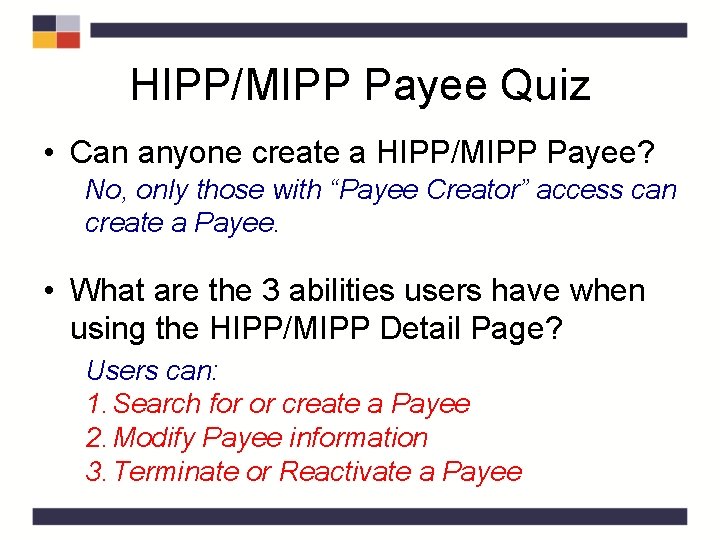
HIPP/MIPP Payee Quiz • Can anyone create a HIPP/MIPP Payee? No, only those with “Payee Creator” access can create a Payee. • What are the 3 abilities users have when using the HIPP/MIPP Detail Page? Users can: 1. Search for or create a Payee 2. Modify Payee information 3. Terminate or Reactivate a Payee
HIPP/MIPP Payee QRG – Tab 2
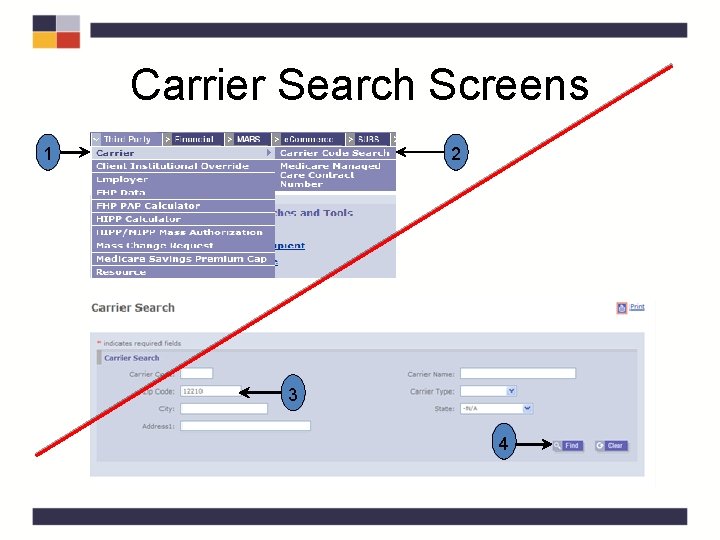
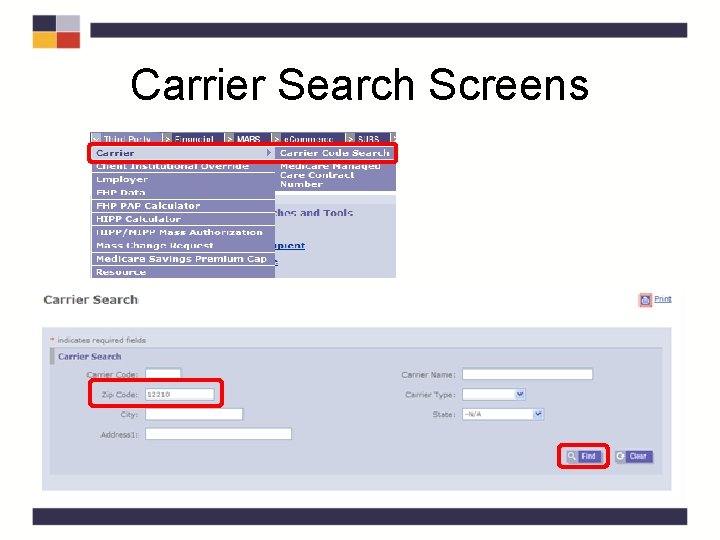
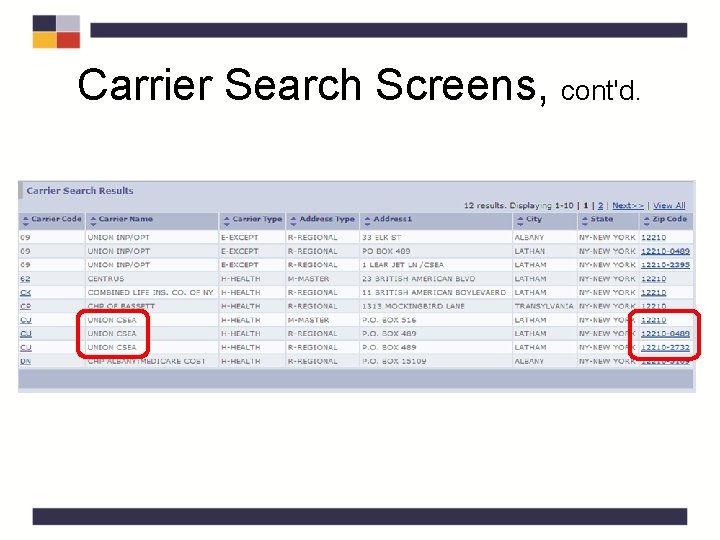
Carrier Search • For new policies and cost analysis it would be advantageous to search for the carrier code and the carrier’s correct zip code prior to conducting a cost analysis or creating a policy • If you are not aware of the information when conducting the cost analysis it may be added later
Carrier Search • Carrier Code and carrier’s zip code are needed when creating a new policy and a cost analysis – It is advantageous to search for this information prior to conducting a cost analysis or creating a policy – If you are not aware of the information when conducting the cost analysis it may be added later
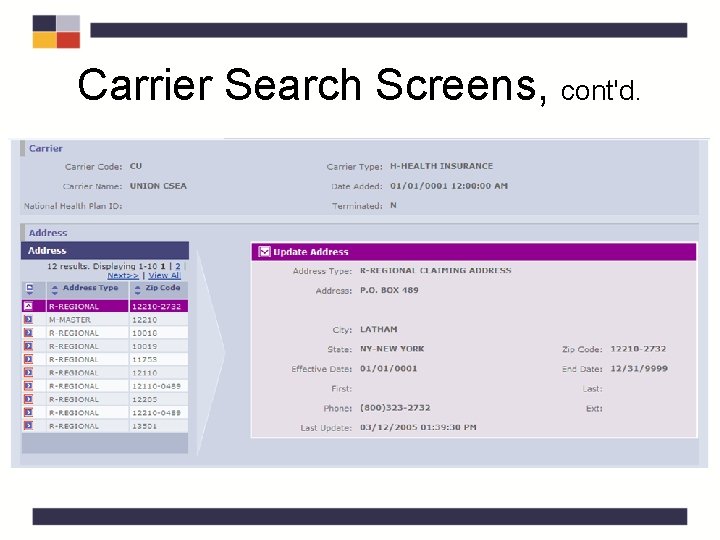
Carrier Search Screens 1 2 3 4
Carrier Search Screens
Carrier Search Screens, cont'd.
Carrier Search Screens, cont'd.
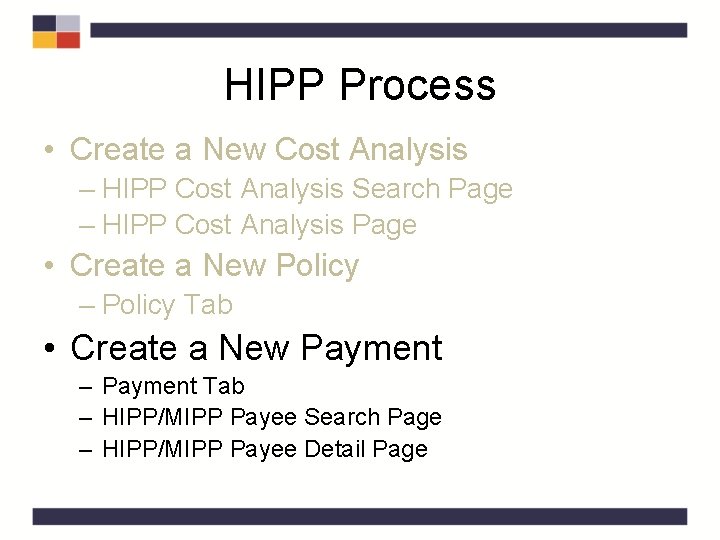
The HIPP Process • Create a New Cost Analysis – HIPP Cost Analysis Search Page – HIPP Cost Analysis Page • Create a New Policy – Policy Tab • Create a New Payment – Payment Tab – HIPP/MIPP Payee Search Page – HIPP/MIPP Payee Detail Page
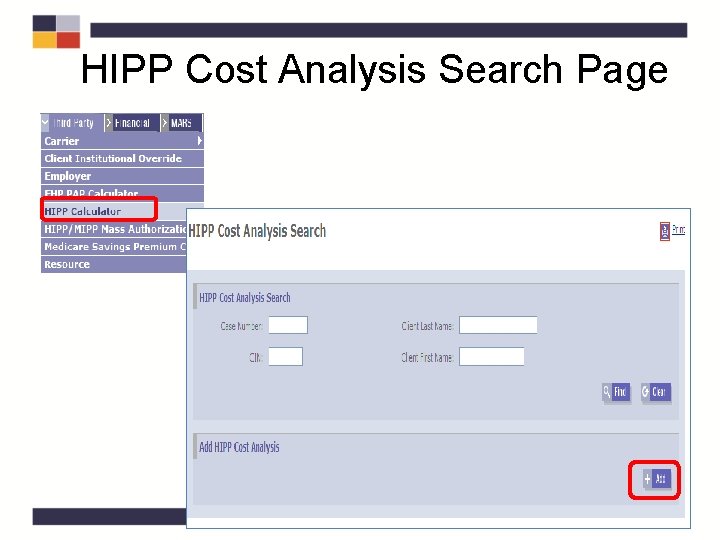
HIPP Cost Analysis Search Page
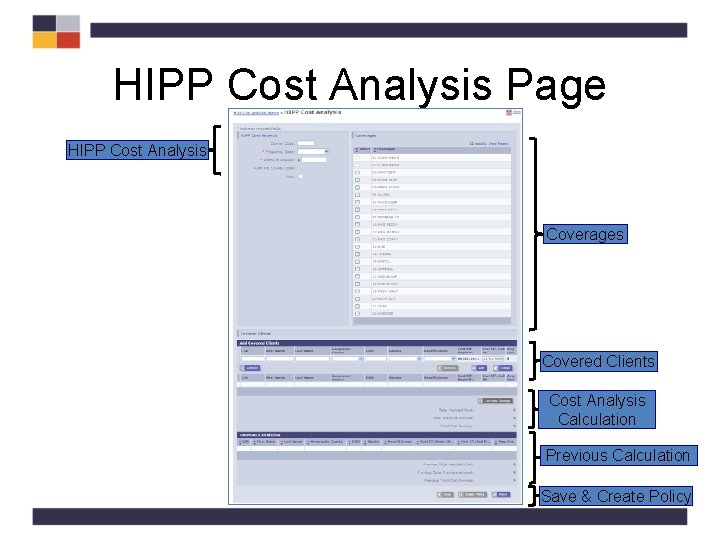
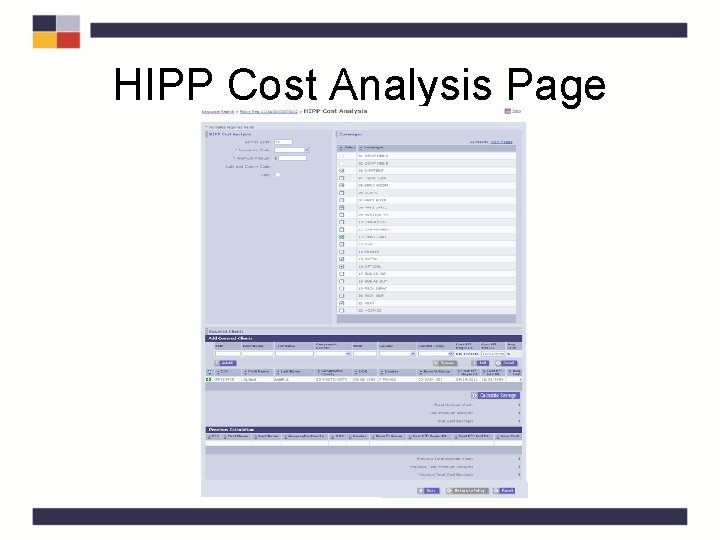
HIPP Cost Analysis Page HIPP Cost Analysis Coverages Covered Clients Cost Analysis Calculation Previous Calculation Save & Create Policy
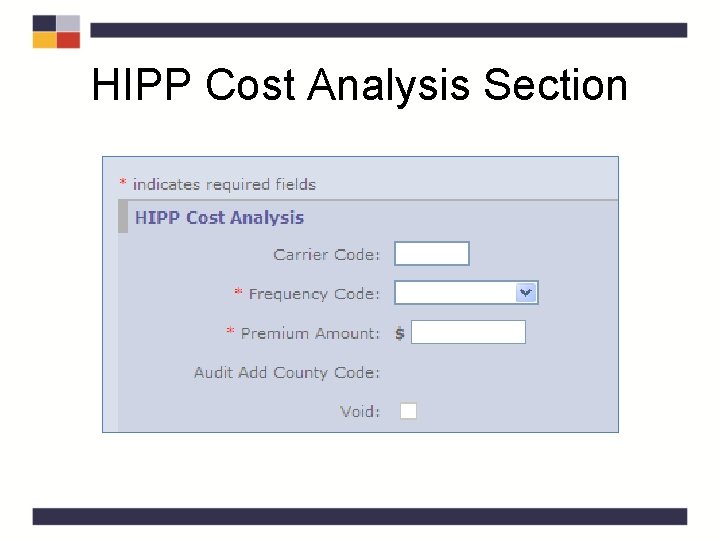
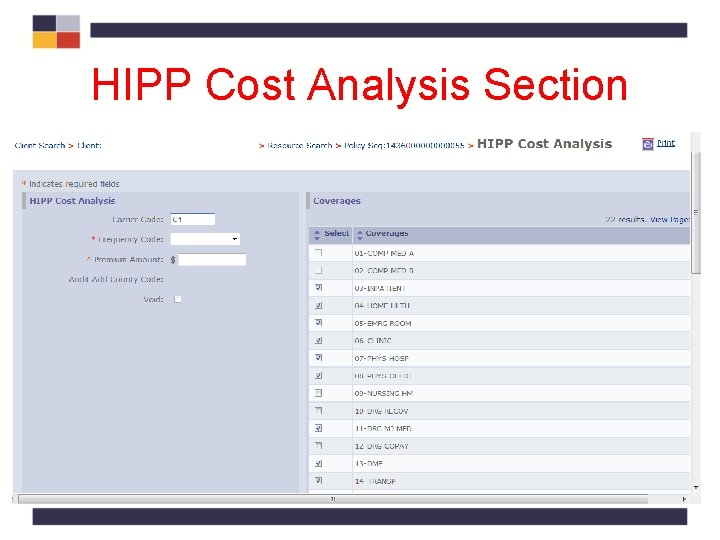
HIPP Cost Analysis Section
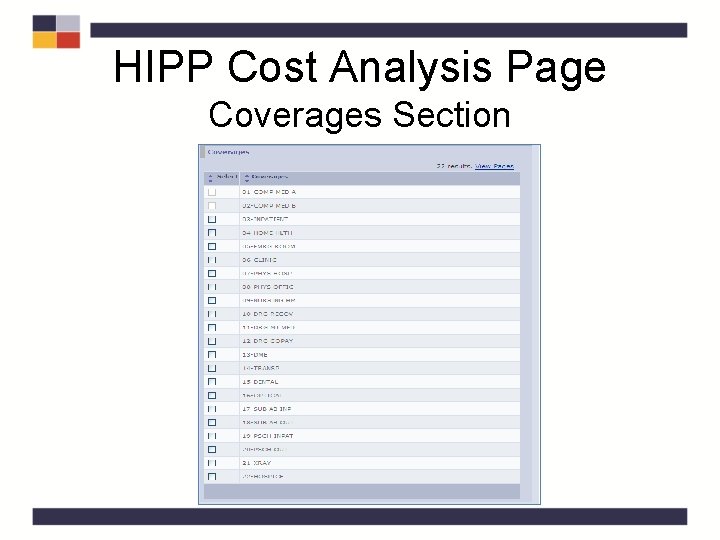
HIPP Cost Analysis Page Coverages Section
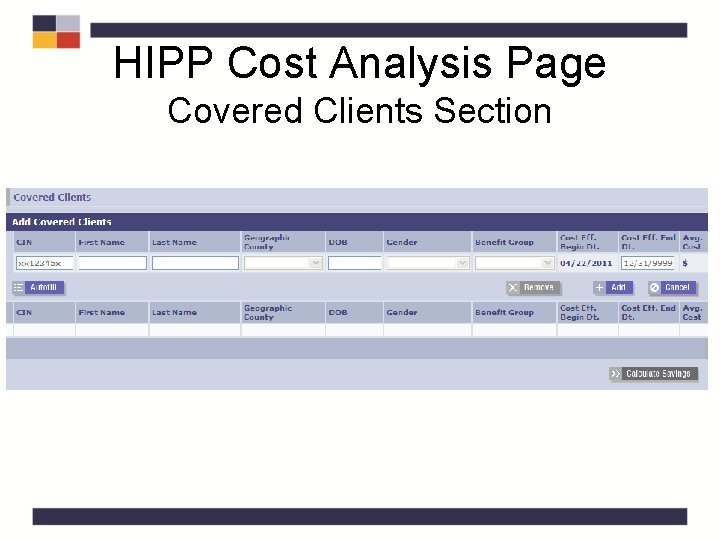
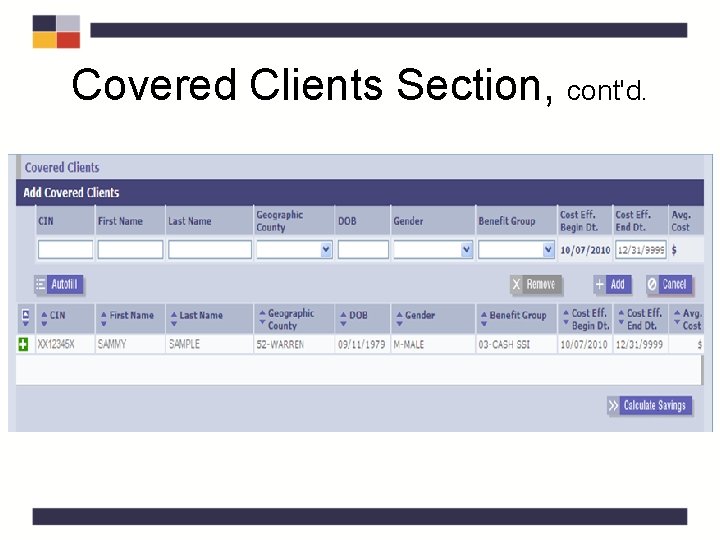
HIPP Cost Analysis Page Covered Clients Section
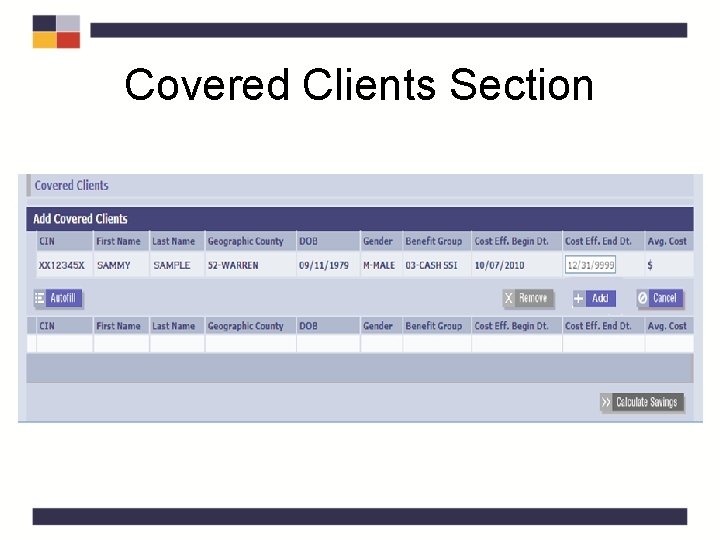
Covered Clients Section
Covered Clients Section, cont'd.
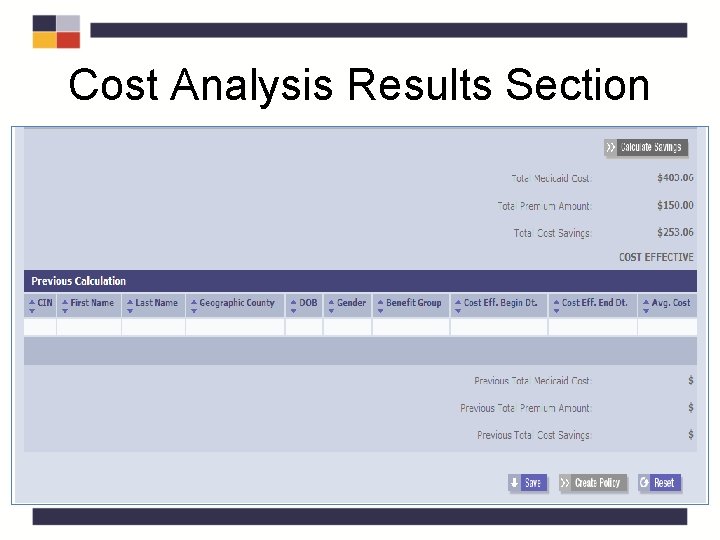
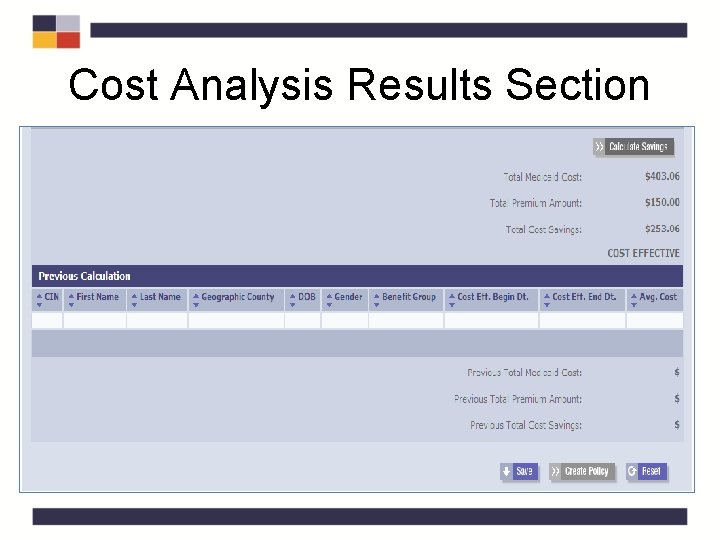
Cost Analysis Results Section
Cost Analysis Results Section
HIPP Cost Analysis Quiz • How many clients have to be added to the calculation? At least one client must be entered. • How can you proceed with a calculation if you do not have a CIN? Enter the demographic information in a Scratchpad Cost Analysis.
HIPP Cost Analysis QRG – Tab 3
HIPP Process • Create a New Cost Analysis – HIPP Cost Analysis Search Page – HIPP Cost Analysis Page • Create a New Policy – Policy Tab • Create a New Payment – Payment Tab – HIPP/MIPP Payee Search Page – HIPP/MIPP Payee Detail Page
HIPP Policy Numbers • Policy Numbers – When entering a policy number for a given coverage type, it must be a unique policy number. Duplicate policy numbers for different coverages will result in errors attempting to write pay lines. – If entering different coverages with the same policy number, combine them under the medical coverage
HIPP Policy Numbers • Policy Numbers – When entering a policy number for a given coverage type it must be a unique policy number if not included in the medical policy – Example: separate policies for dental, vision, prescription, etc. – Duplicate policy numbers for different coverages will result in errors when attempting to write pay lines – If entering different coverages that have the same policy number, combine them under the medical coverage
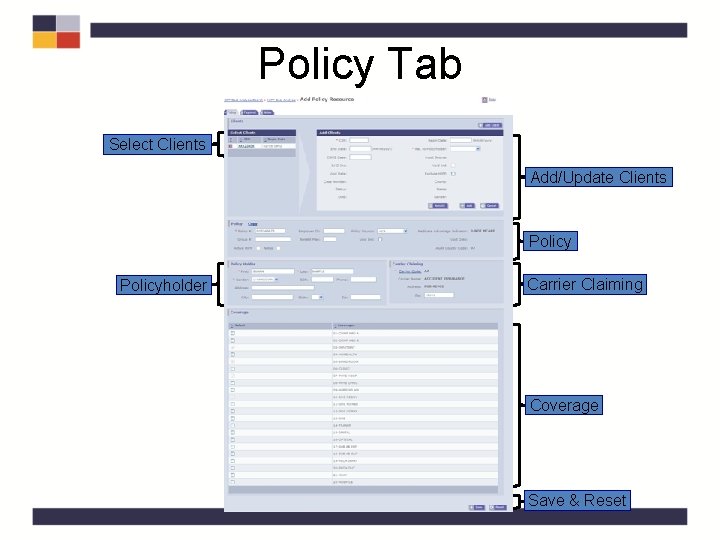
Policy Tab Select Clients Add/Update Clients Policyholder Carrier Claiming Coverage Save & Reset
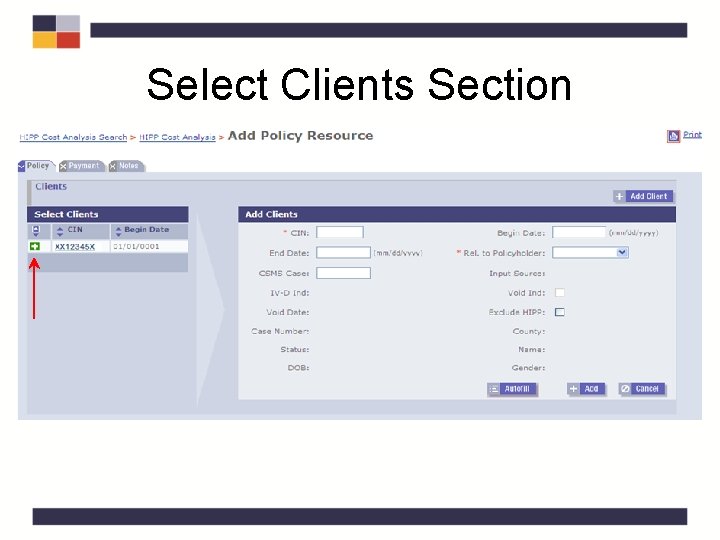
Select Clients Section
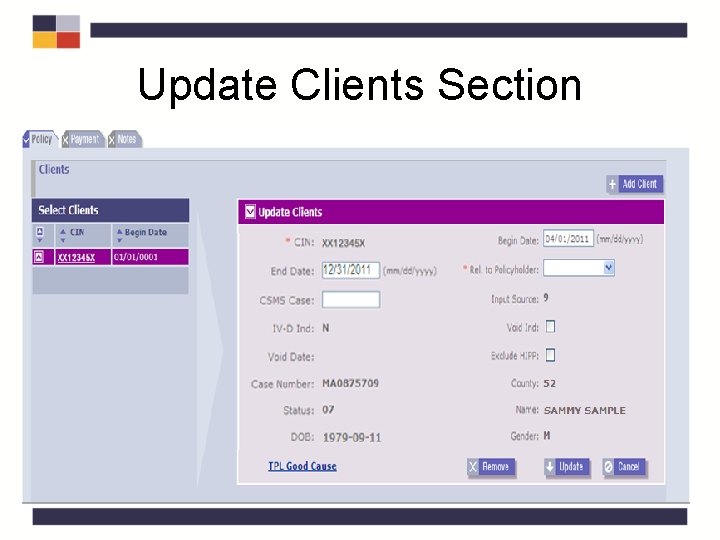
Update Clients Section
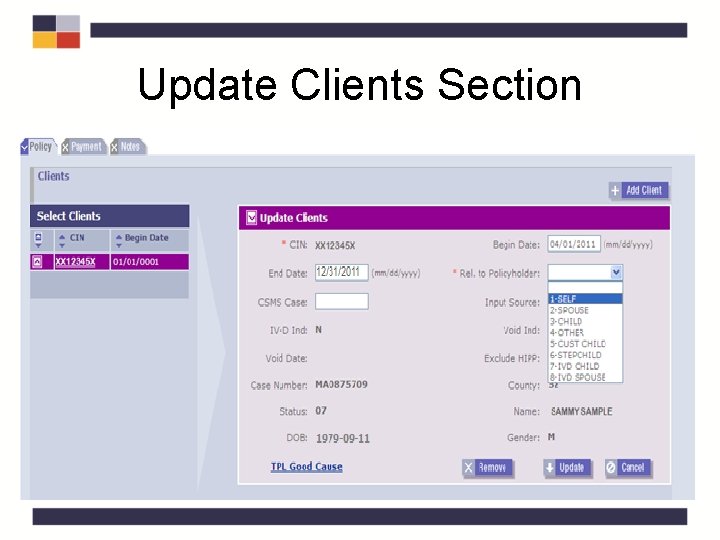
Update Clients Section
Update Clients Section
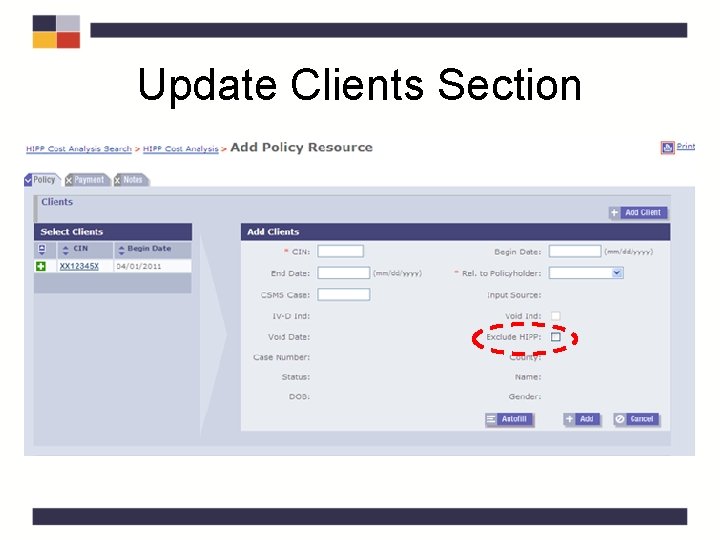
Medicare and TPHI Coverage • Individuals covered by Medicare and TPHI should have the “Exclude HIPP” box checked and should not be included in the cost effective calculation as Medicare is their primary insurance.
Policy and Policyholder Sections
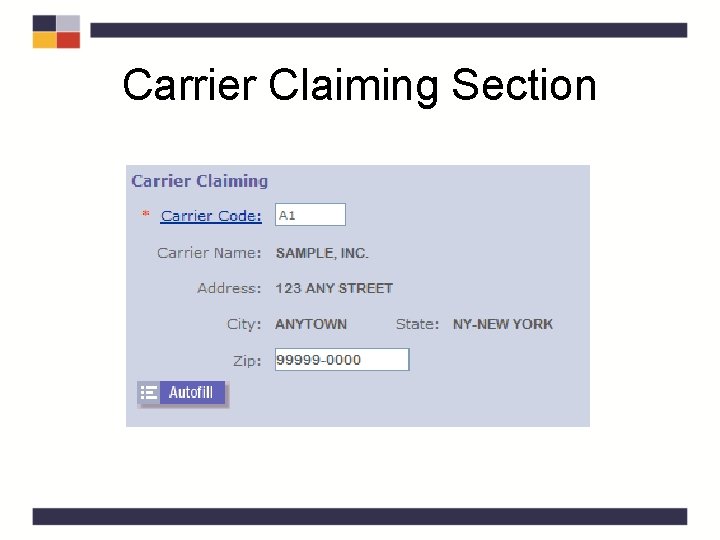
Carrier Claiming Section
Carrier Claiming Section
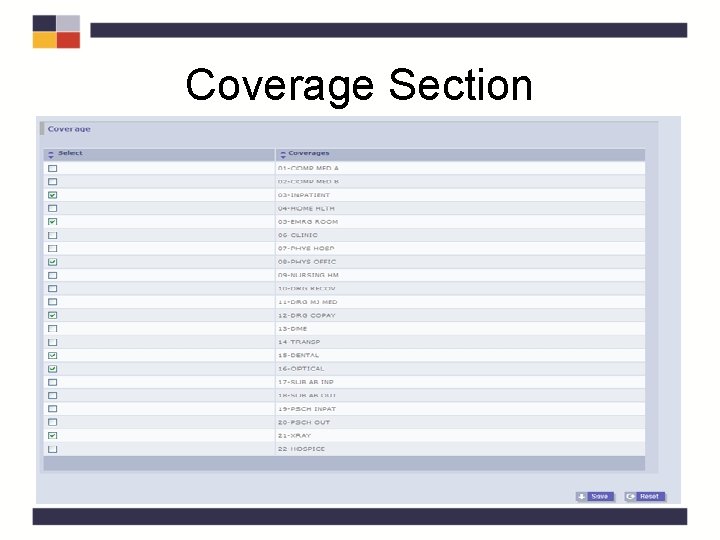
Coverage Section
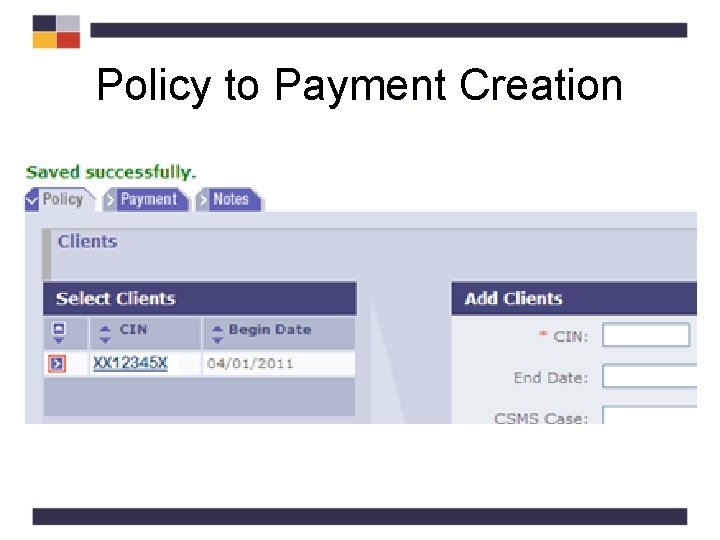
Policy to Payment Creation
Policy Tab Quiz • How can you find the Carrier Code from the Policy tab? Click on the Carrier Code hyperlink, or go to the Carrier Code Search in the Third Party Drop Down. • What information is automatically populated from the HIPP Cost Analysis Page? All of the policy information and coverages which have been entered.
HIPP Policy QRG – Tab 4
HIPP Process • Create a New Cost Analysis – HIPP Cost Analysis Search Page – HIPP Cost Analysis Page • Create a New Policy – Policy Tab • Create a New Payment – Payment Tab – HIPP/MIPP Payee Search Page – HIPP/MIPP Payee Detail Page
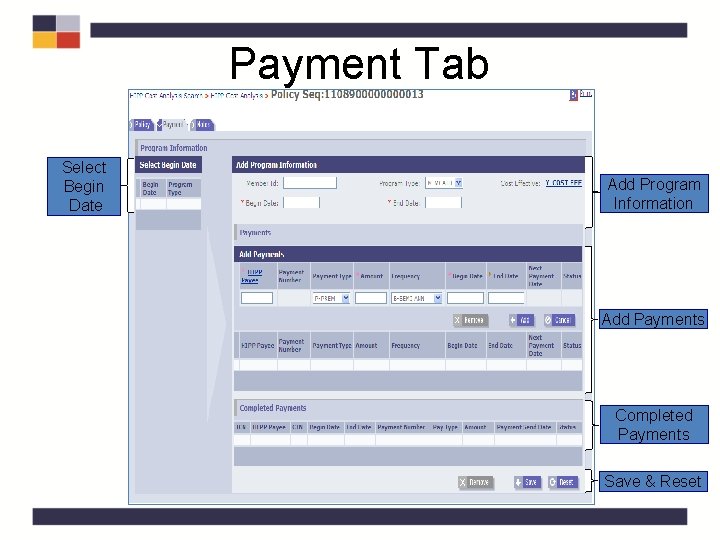
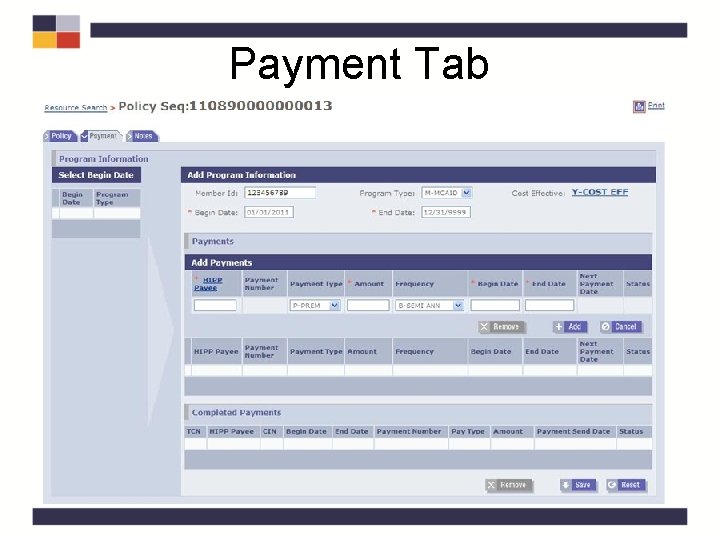
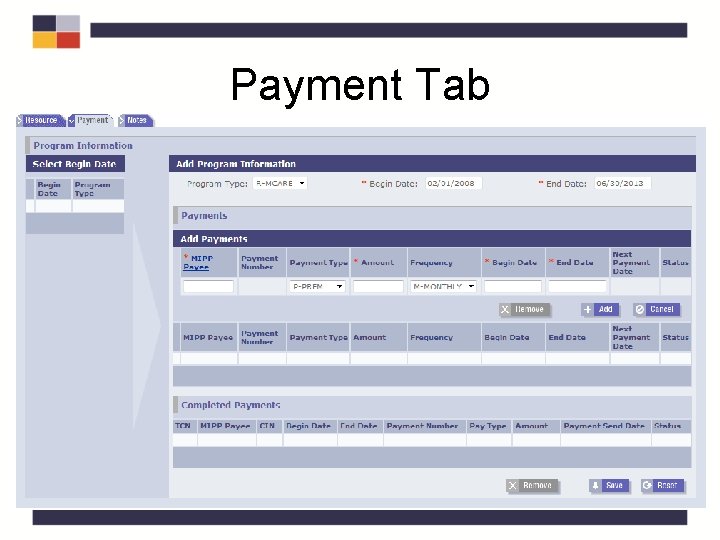
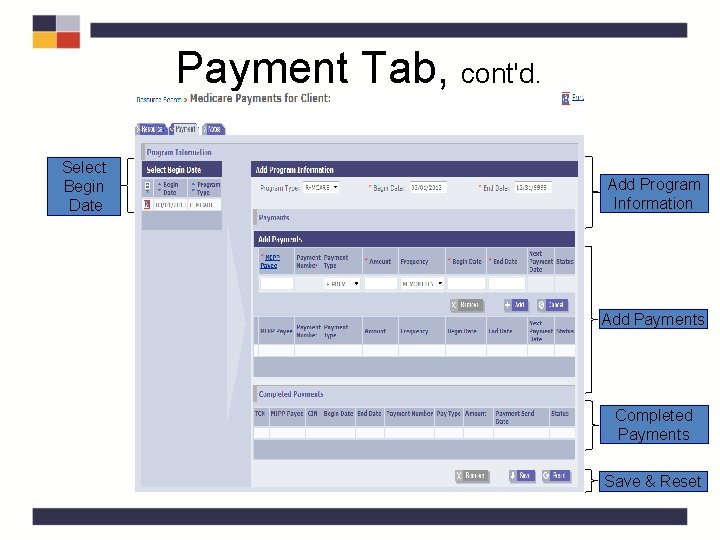
Payment Tab Select Begin Date Add Program Information Add Payments Completed Payments Save & Reset
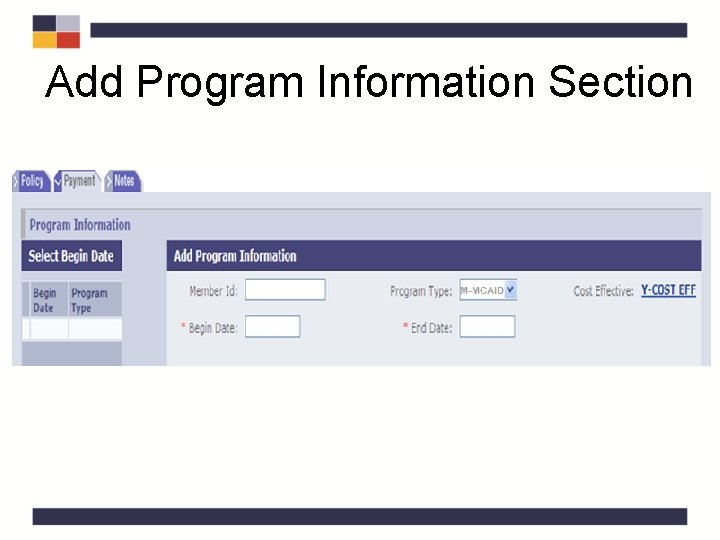
Add Program Information Section
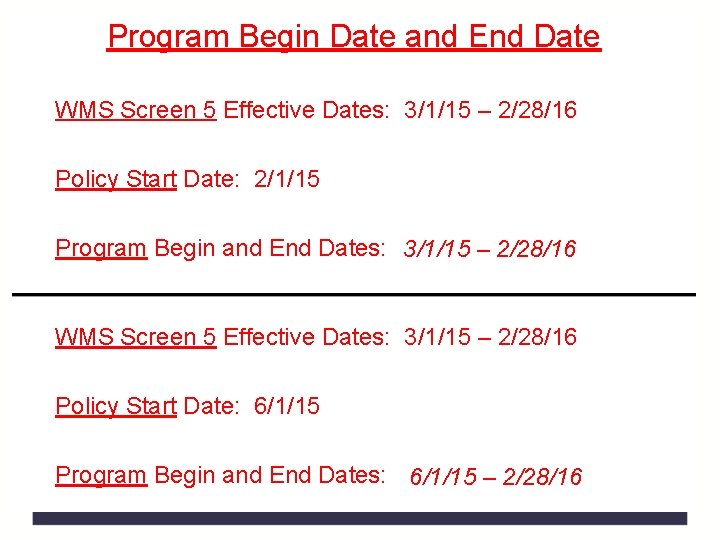
Program Begin Date and End Date WMS Screen 5 Effective Dates: 3/1/15 – 2/28/16 Policy Start Date: 2/1/15 Program Begin and End Dates: 3/1/15 – 2/28/16 WMS Screen 5 Effective Dates: 3/1/15 – 2/28/16 Policy Start Date: 6/1/15 Program Begin and End Dates: 6/1/15 – 2/28/16
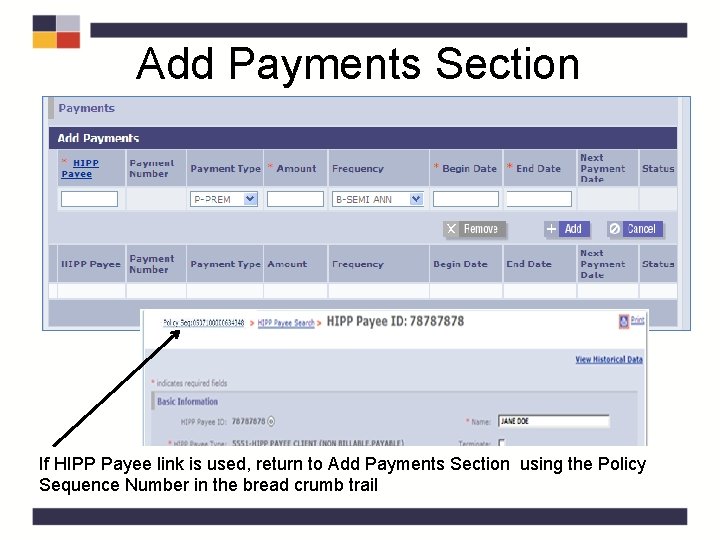
Add Payments Section If HIPP Payee link is used, return to Add Payments Section using the Policy Sequence Number in the bread crumb trail
Payment Tab
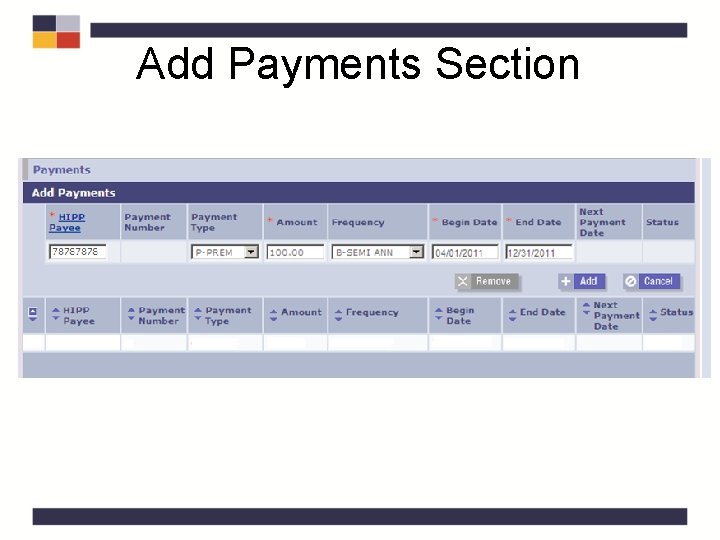
Add Payments Section
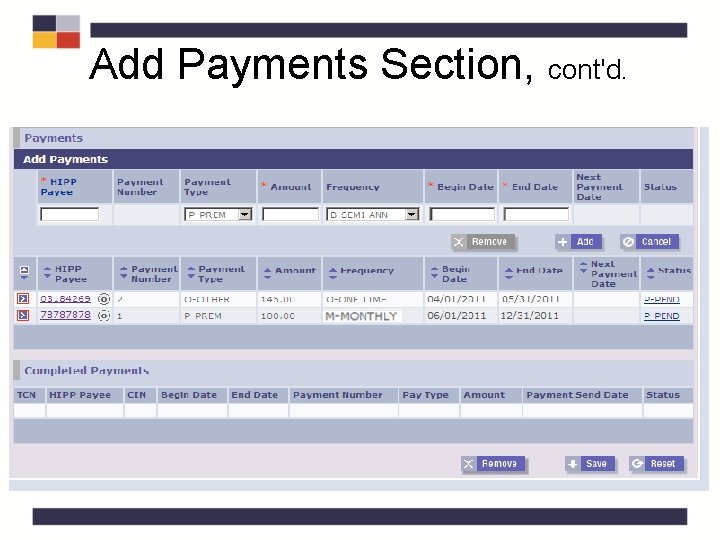
Add Payments Section, cont'd.
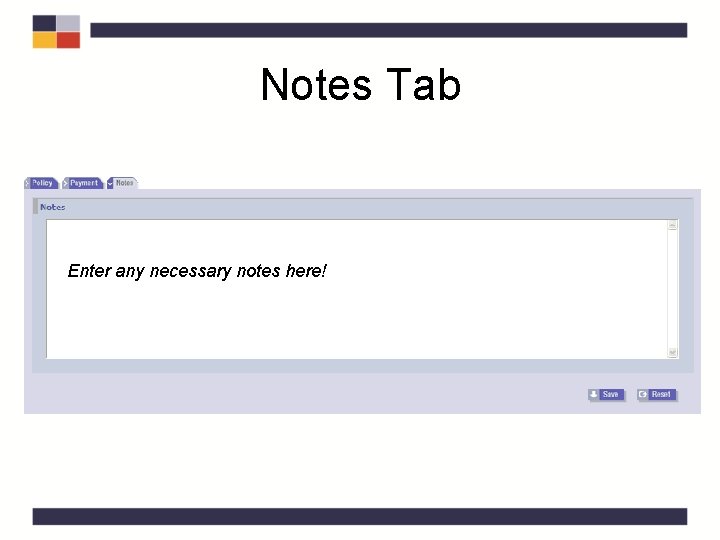
Notes Tab Enter any necessary notes here!
Payment Tab Quiz • What happens when you click Save? Can no longer view the payment. It can be viewed on the HIPP Mass Authorization page. • What edit exists for the payment end date? You are not able to extend a payment beyond the authorization end date. • What edit exists for the payment begin date? Payment cannot start prior to the creation of the HIPP Payee or the Cost Effective Analysis.
Payment Tab QRG – Tab 5
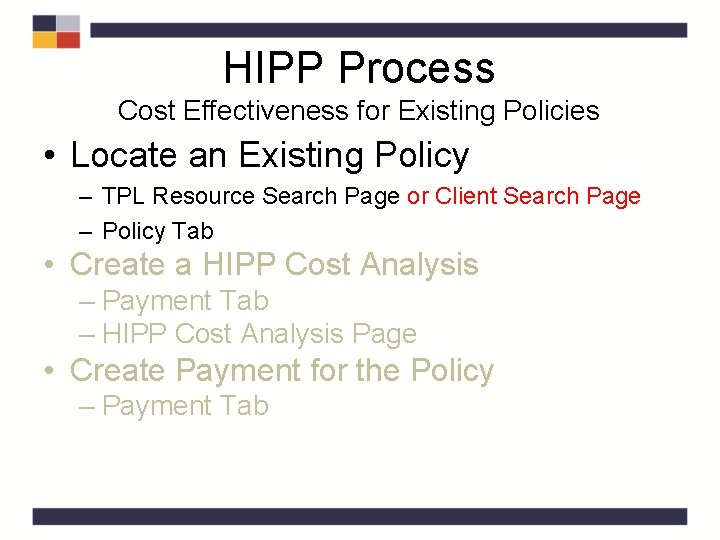
HIPP Process Cost Effectiveness for Existing Policies • Locate an Existing Policy – TPL Resource Search Page or Client Search Page – Policy Tab • Create a HIPP Cost Analysis – Payment Tab – HIPP Cost Analysis Page • Create Payment for the Policy – Payment Tab
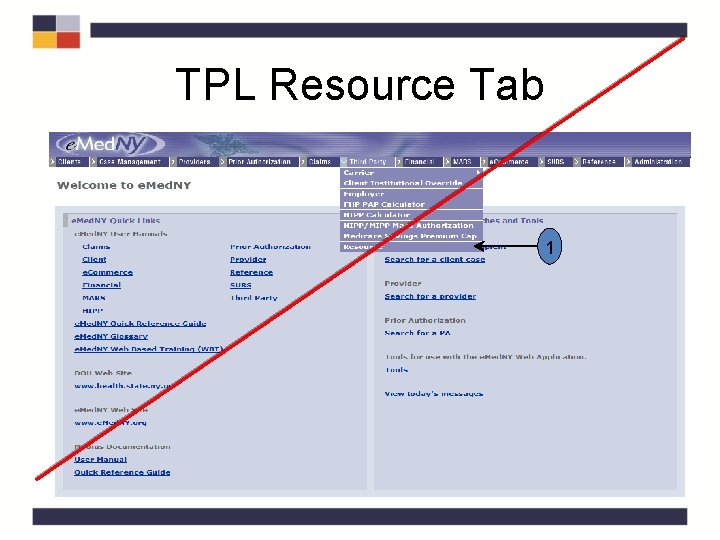
TPL Resource Tab 1
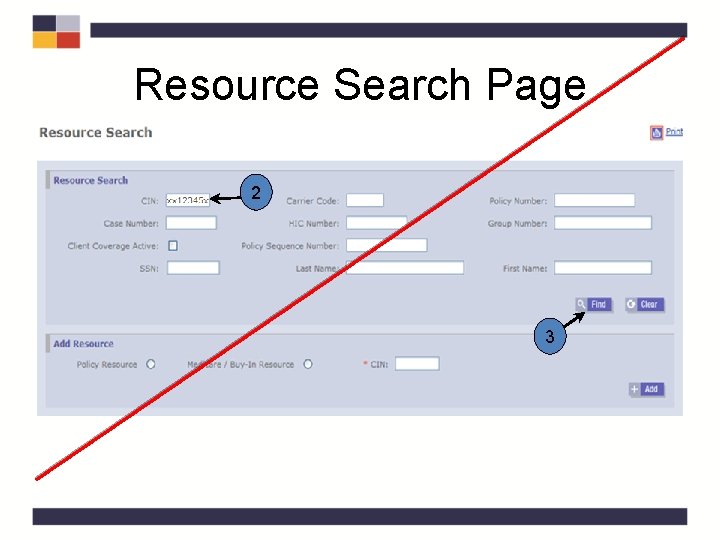
Resource Search Page 2 3
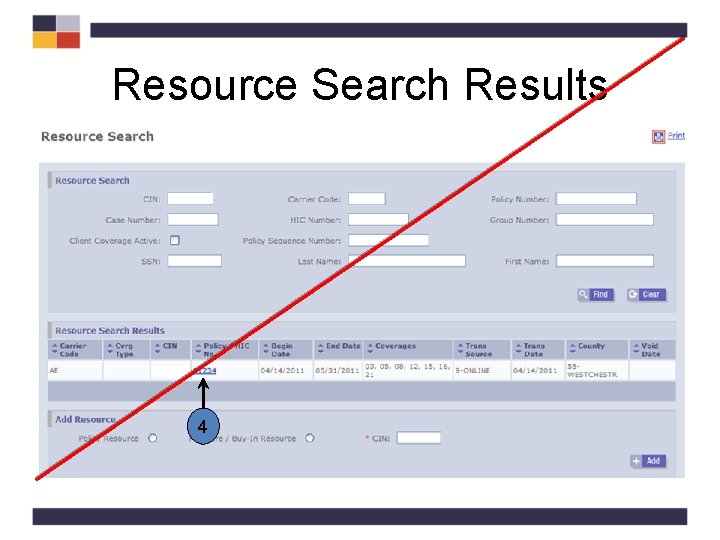
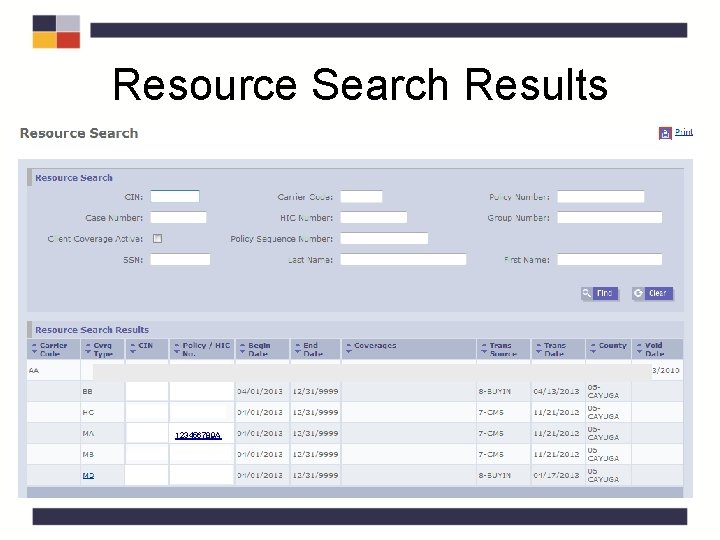
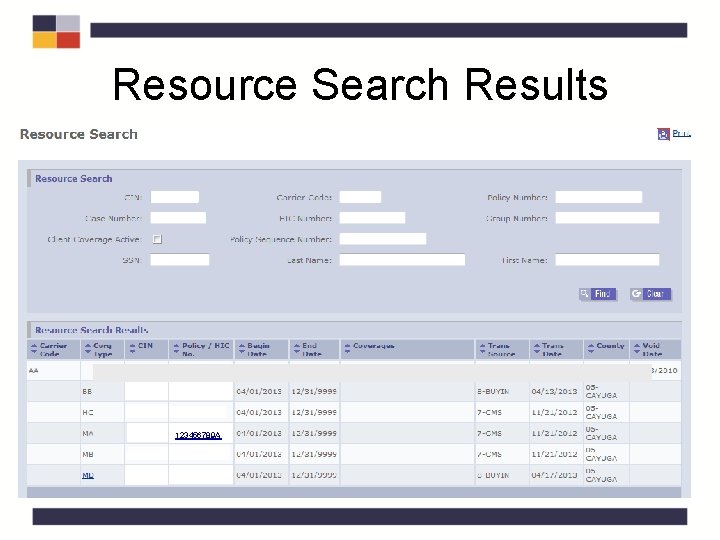
Resource Search Results 4
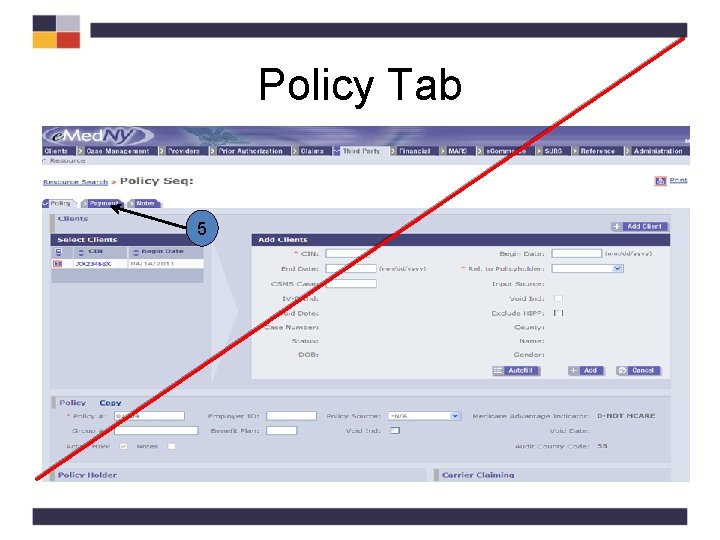
Policy Tab 5
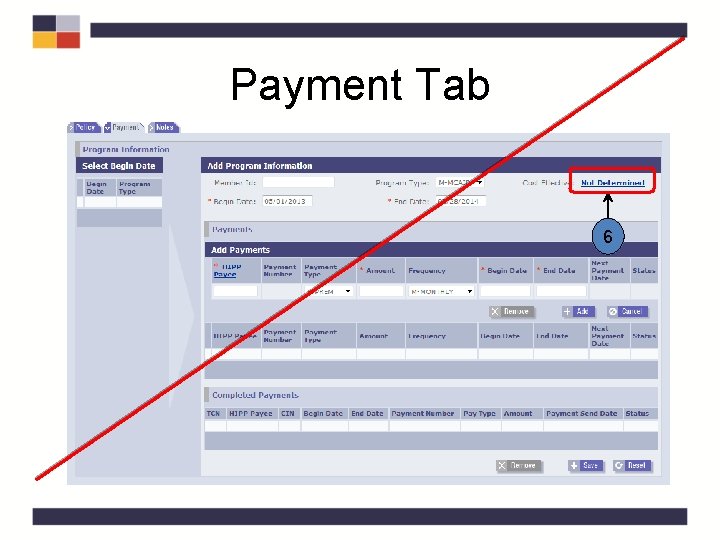
Payment Tab 6
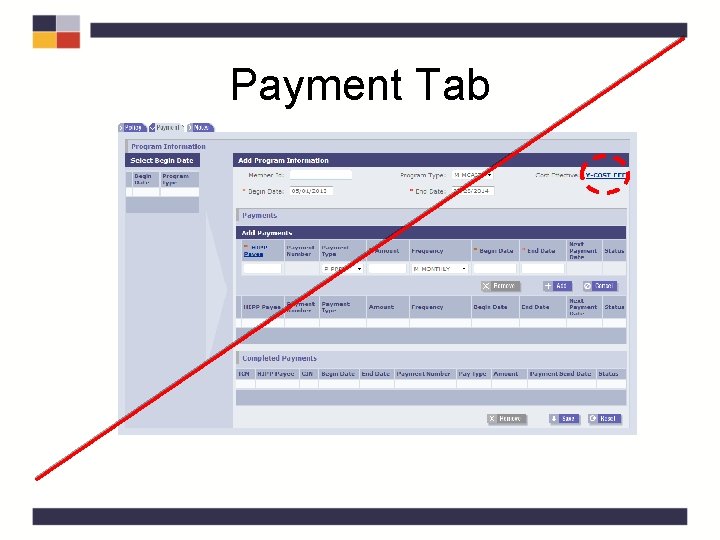
Payment Tab
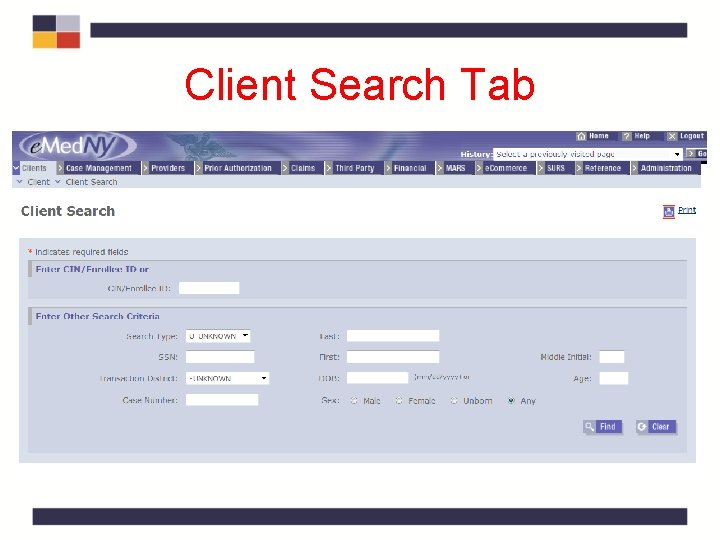
Client Search Tab
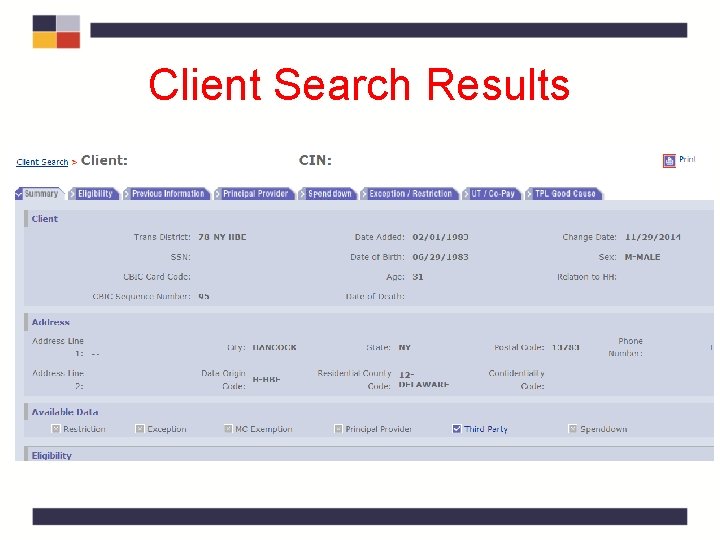
Client Search Results
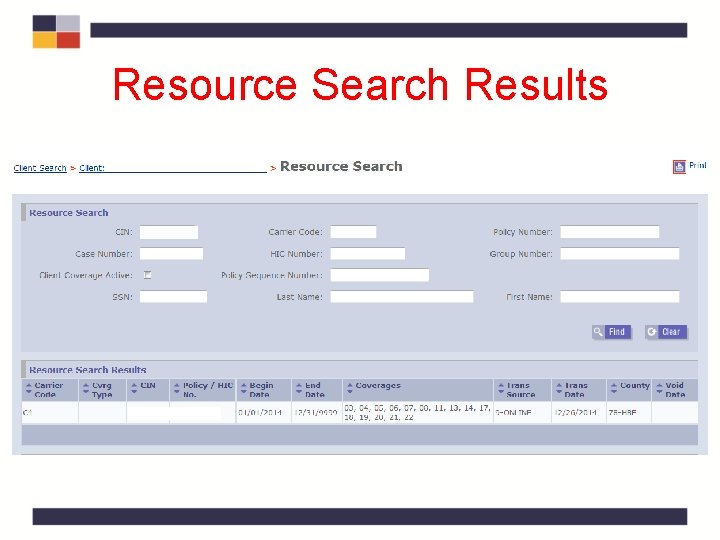
Resource Search Results
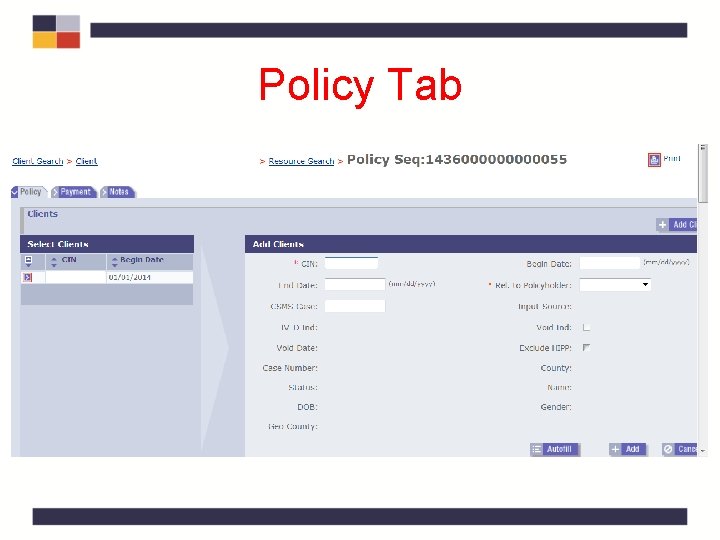
Policy Tab
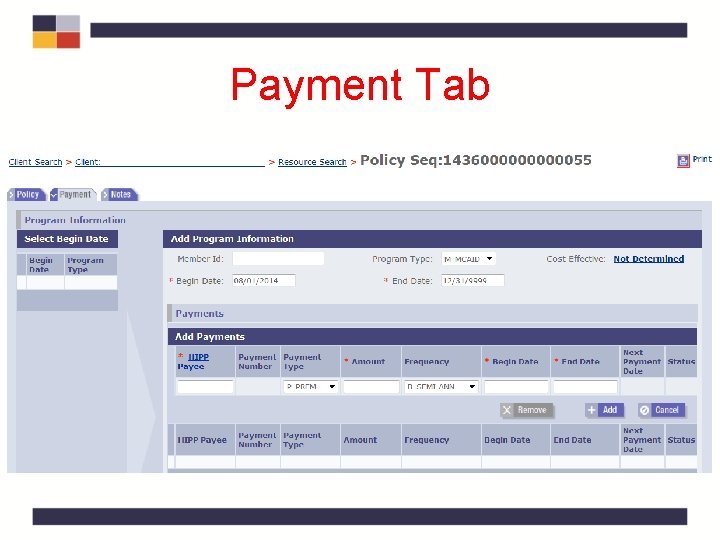
Payment Tab
HIPP Cost Analysis Page
HIPP Cost Analysis Section
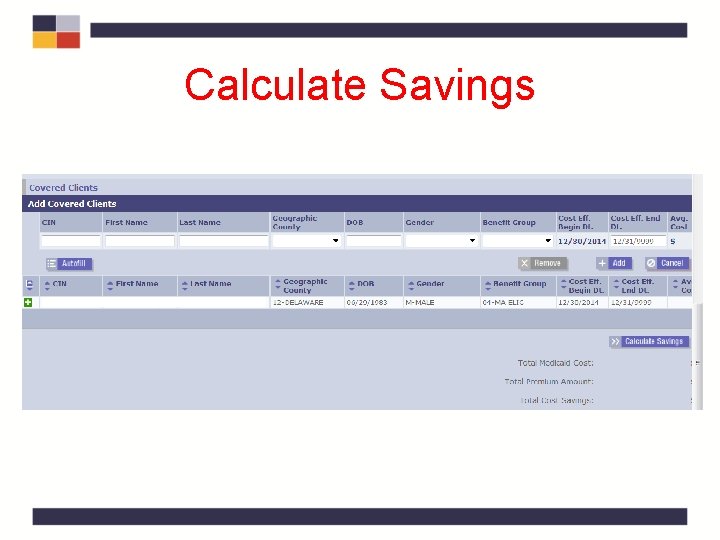
Calculate Savings .
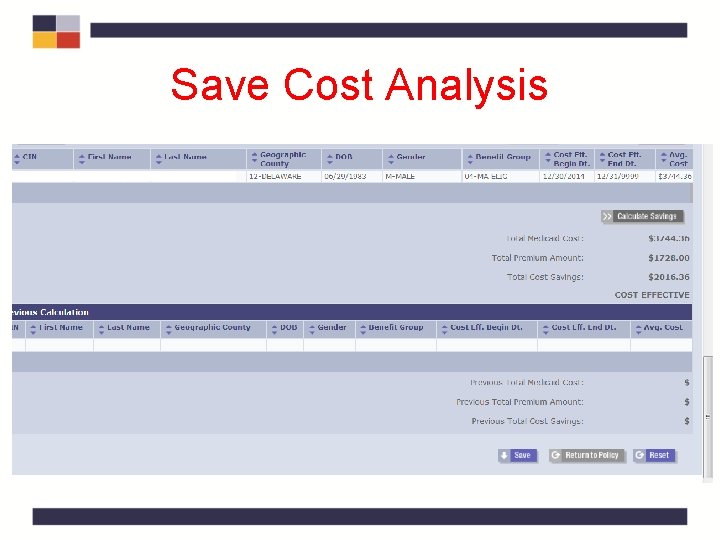
Save Cost Analysis.
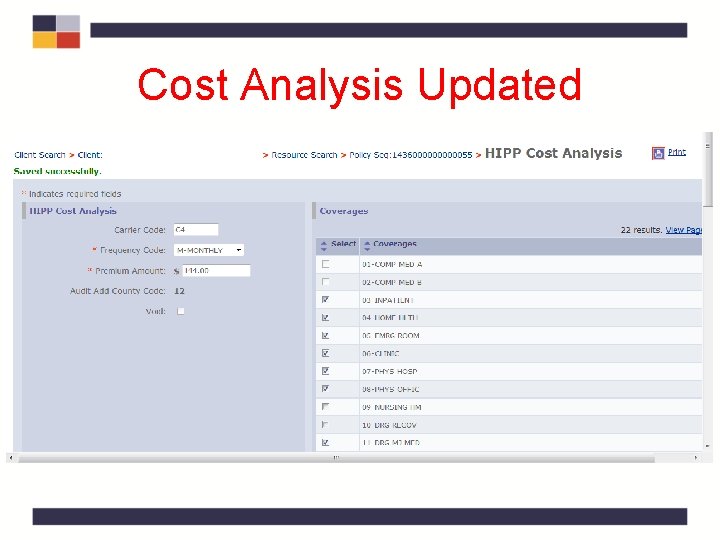
Cost Analysis Updated.
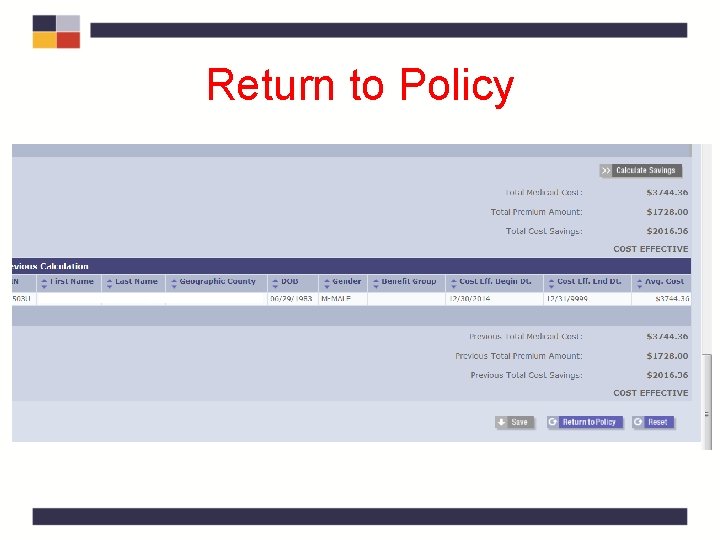
Return to Policy .
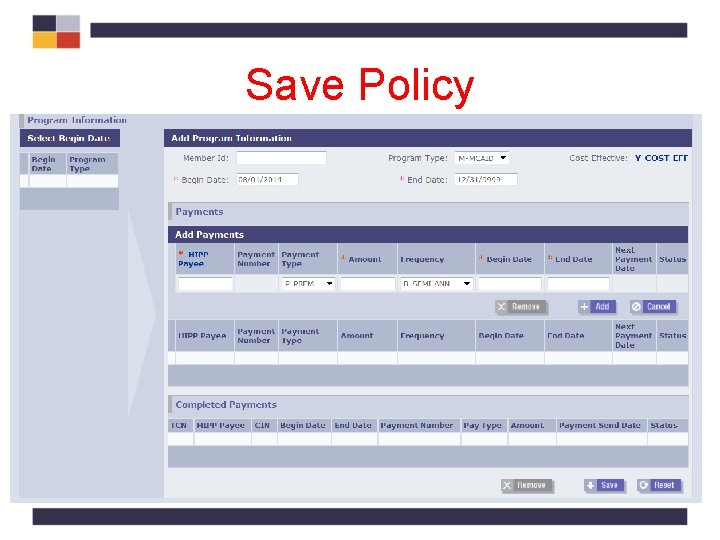
Save Policy
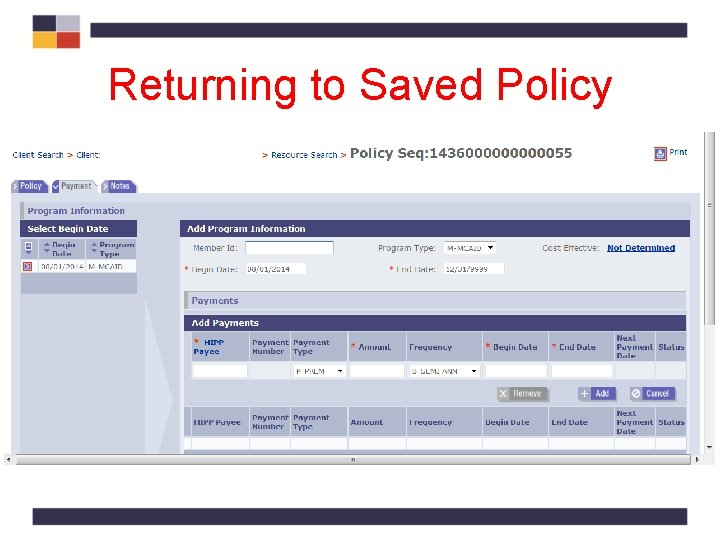
Returning to Saved Policy.
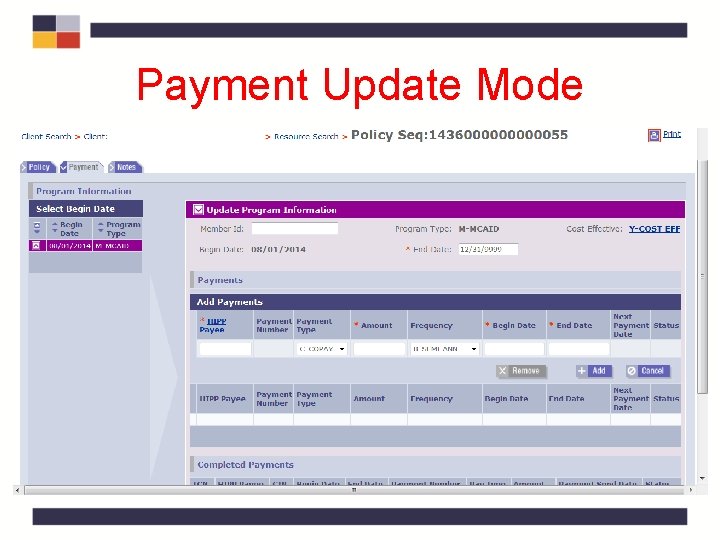
Payment Update Mode.
High Deductible Health Plans • High Deductible Health Plans (HDHP) are not cost effective • $1300/single and $2600/family for 2015 • No cost analysis required • Denial sent based on high deductible amount • Plans with a Health Savings Account (HSA) are HDHPs and are also not cost effective
Cost Analysis Quiz • How do you get to the Calculator page from the Policy? Click on the payment tab. Click on Not Determined Link. • Complete this sentence: Click the Not Determined link in the ______ tab to create a HIPP cost analysis. A. Payment, B. Policy, C. TPL. A. Payment
Cost Analysis Quiz • Complete this sentence: Click the Not Determined link in the ______ tab to create a HIPP cost analysis. A. Payment, B. Policy, C. TPL. A. Payment • True or False: High Deductible Health Plans are cost effective. False
HIPP Payments Policy Review • Cost analysis of health insurance: – AHIP – no cost effectiveness requirement – COBRA Continuation Program - MUST be cost effective – Medicaid – must be cost effective
HIPP Payments Policy Review • Cost analysis of health insurance – TPHI must be for cost effective for premium reimbursement for individuals eligible under: • Medicaid • COBRA Continuation Coverage Program – No cost effectiveness requirement for: • AHIP
The MIPP Process • Payment Determination • Entering Medicare Coverage – Resources Tab • Create a New Payment – Payment Tab – HIPP/MIPP Payee Search Page – HIPP/MIPP Payee Detail Page
MIPP Eligibility • Unearned income deduction 21 present in MBL Budget • Net income falls below Medicaid income level • Reimbursement cannot exceed the total amount of the premium cost • Medicare eligibility spans are present in e. Med. NY
MIPP Eligibility • Medicare premium used in MBL budget to reduce Net Income • Unearned Income Exemption Code “ 21” present in MBL Budget • Must be fully eligible for Medicaid • A/R fully eligible for Medicaid under MAGILike or MBI-WPD budget • Determine MSP eligibility first • QMB or SLIMB eligible - enroll in MSP • Not QMB or SLIMB – reimburse using MIPP
MIPP Eligibility, cont’d. • Reimbursement cannot exceed the total amount of the premium paid by A/R • Medicare eligibility spans must be present in e. Med. NY
The MIPP Process • Payment Determination • Entering Medicare Coverage – Resources Tab • Create a New Payment – Payment Tab – HIPP/MIPP Payee Search Page – HIPP/MIPP Payee Detail Page
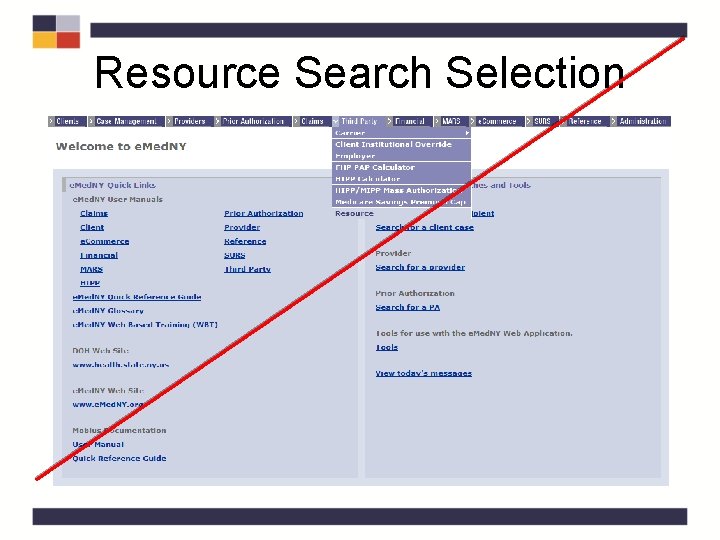
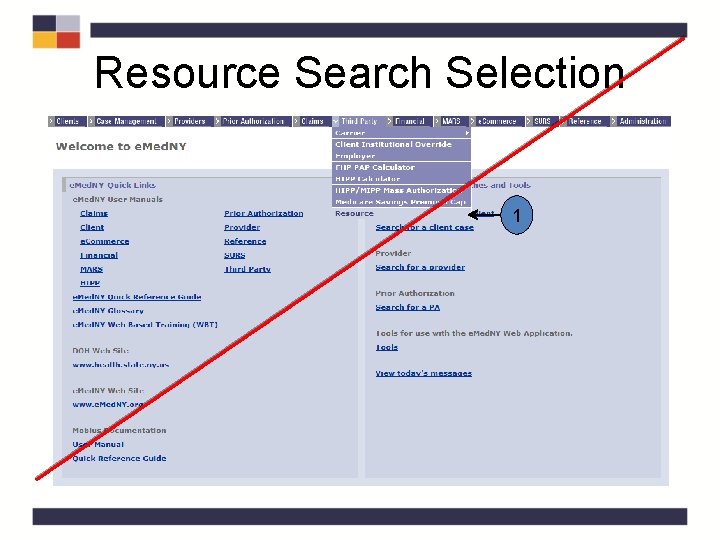
Resource Search Selection
Resource Search Page 2 3
Resource Search Results 123456789 A
Resource Search
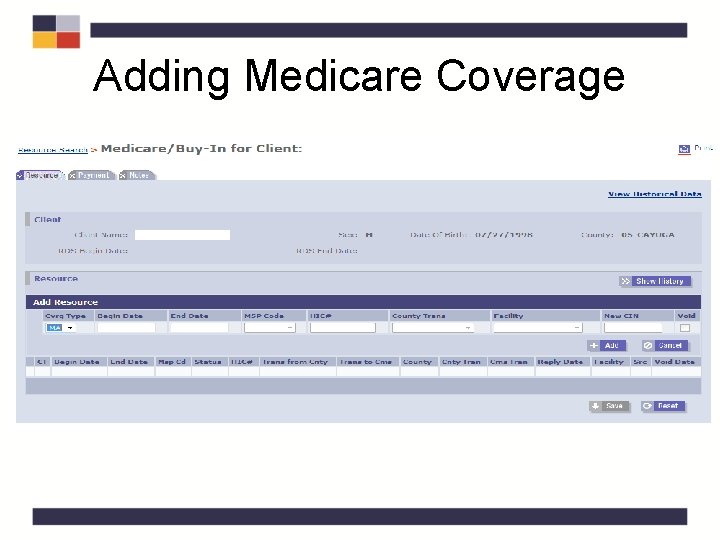
Adding Medicare Coverage
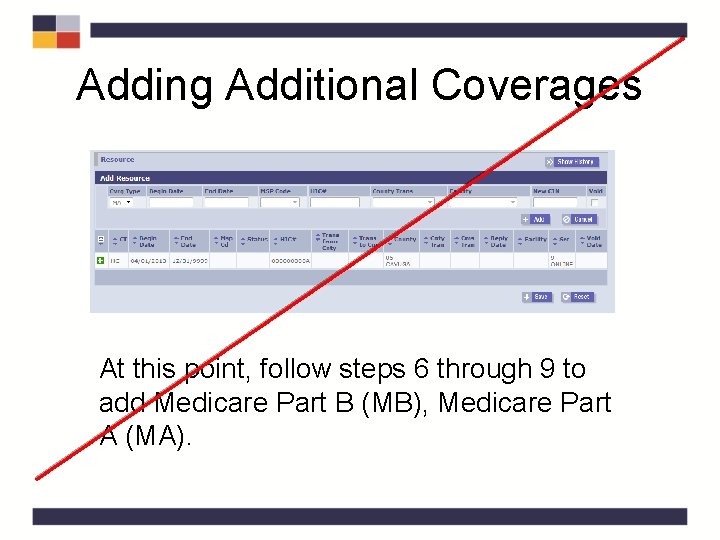
Adding Additional Coverages At this point, follow steps 6 through 9 to add Medicare Part B (MB), Medicare Part A (MA).
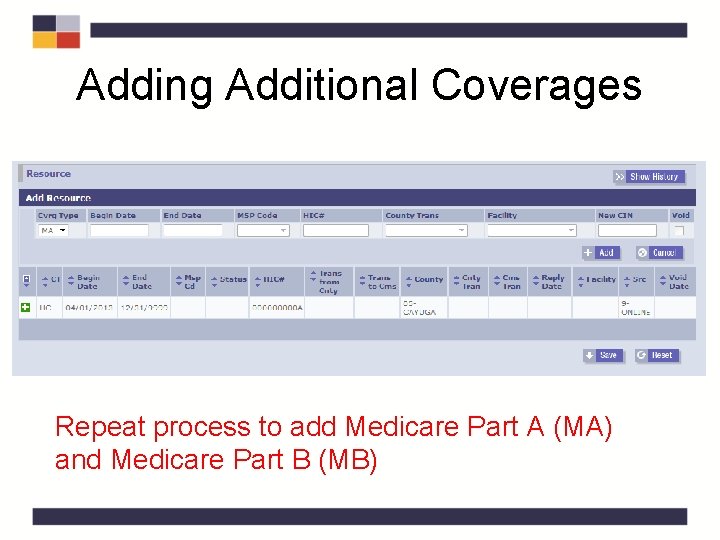
Adding Additional Coverages Repeat process to add Medicare Part A (MA) and Medicare Part B (MB)
The MIPP Process • Payment Determination • Entering Medicare Coverage – Resources Tab • Create a New Payment – Payment Tab – HIPP/MIPP Payee Search Page – HIPP/MIPP Payee Detail Page
Resource Search Selection 1
Resource Search Page 2 3
Resource Search Results 123456789 A
Payment Tab
Payment Tab, cont'd. Select Begin Date Add Program Information Add Payments Completed Payments Save & Reset
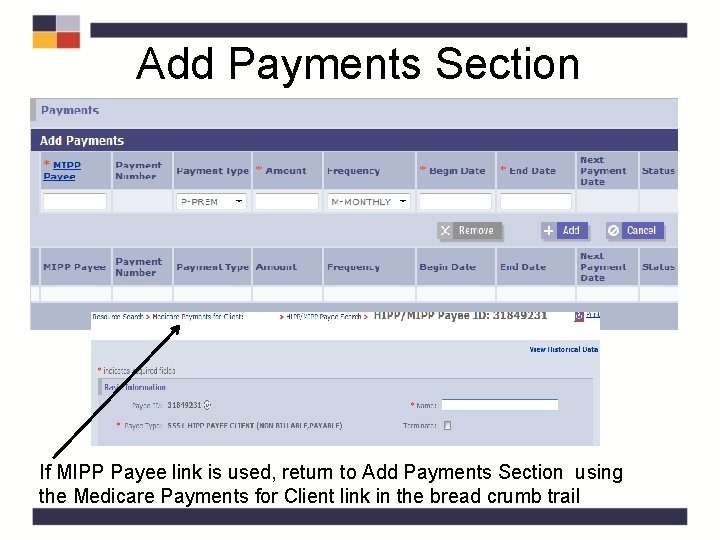
Add Payments Section If MIPP Payee link is used, return to Add Payments Section using the Medicare Payments for Client link in the bread crumb trail
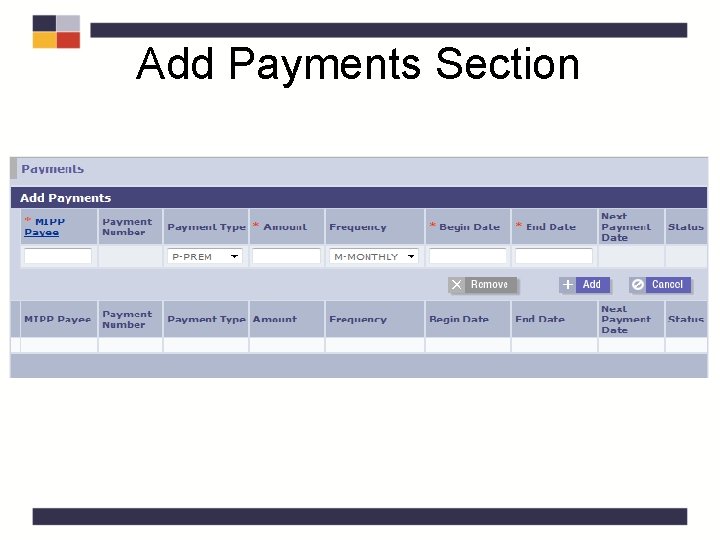
Add Payments Section
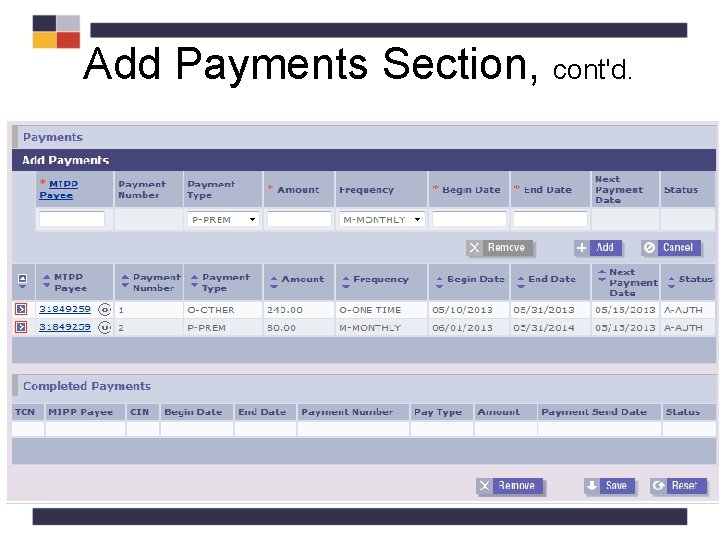
Add Payments Section, cont'd.
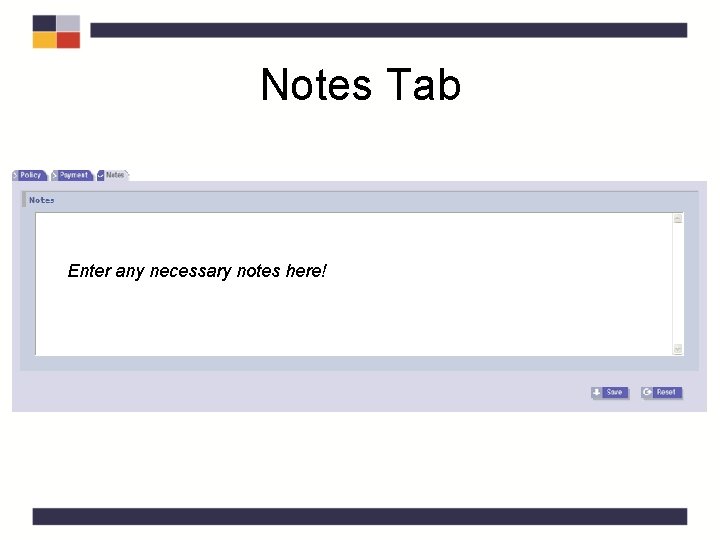
Notes Tab Enter any necessary notes here!
Medicare Supplemental Plans • Premium payment for Medigap policies or policies to supplement Medicare is generally not cost effective as these policies do not pay for Medicare noncovered services.
Medicare Advantage Plans • Medicare Advantage Plans are cost effective – Known as Medicare Part C – Cost analysis not required – Payment made through MIPP • Only Part C premium can be reimbursed • Do not pay Part D portion of the premium
MIPP Quiz • Is a cost effective calculation necessary for MIPP? No. Eligibility is based on MBL Budget. • What is the maximum reimbursement for a Medicare premium? Current Year Premium • True or False: The recipient must have active Medicaid and Medicare coverage for the premium payment period? True
MIPP Coverage QRG – Tab 6
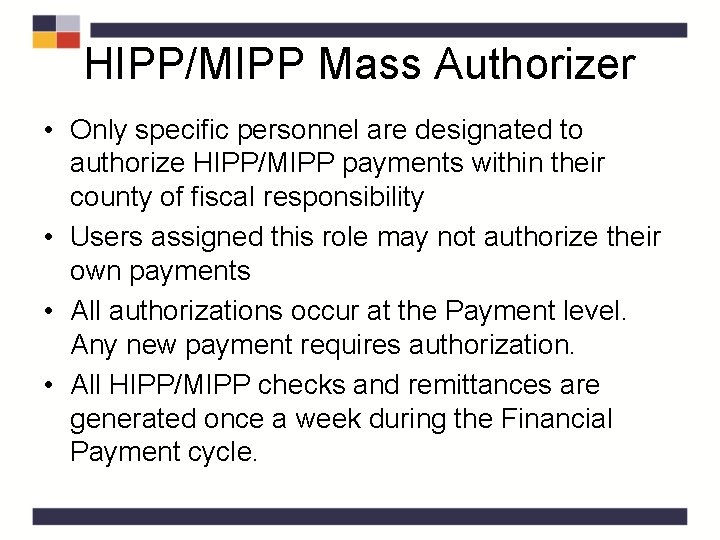
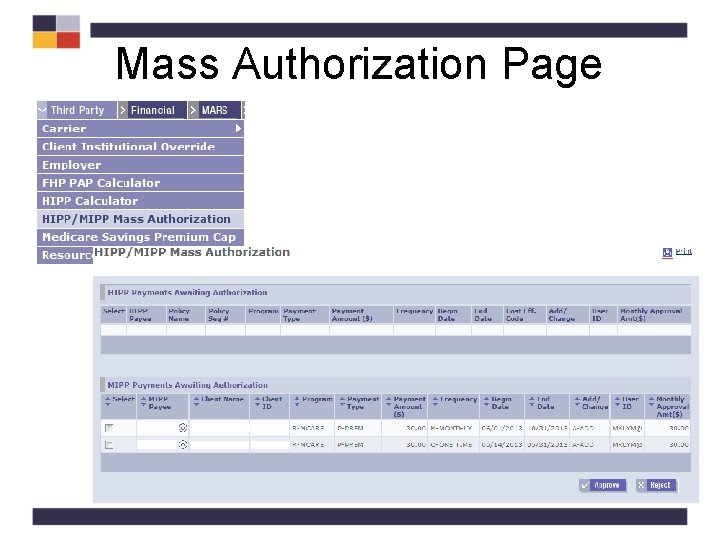
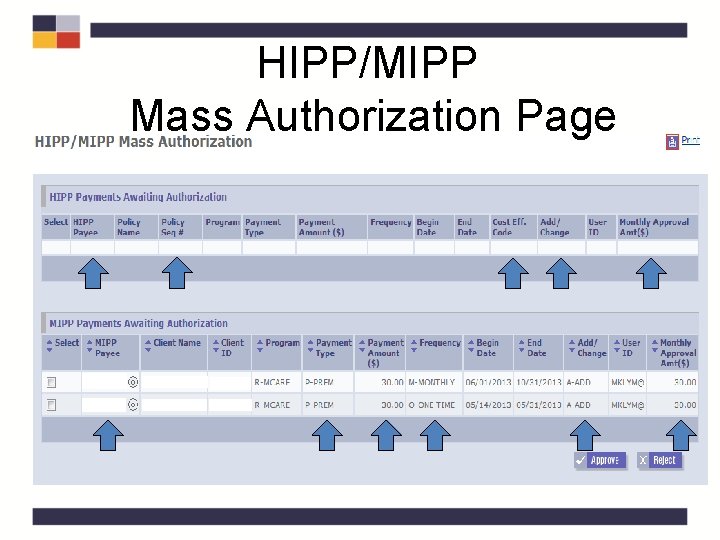
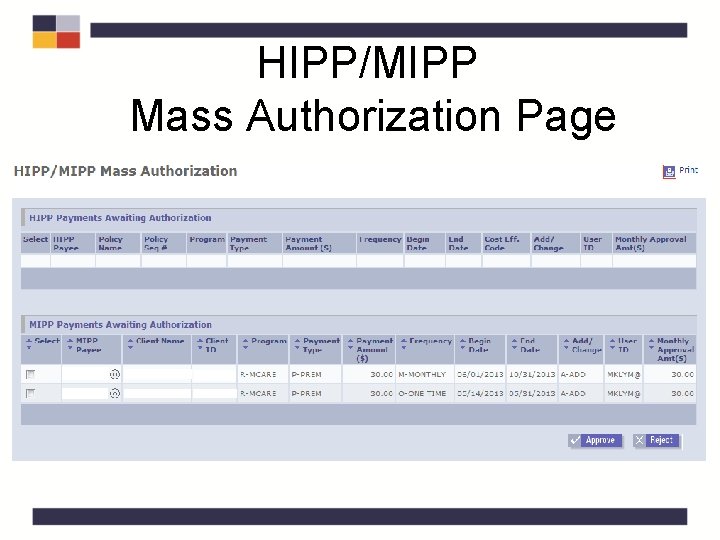
HIPP/MIPP Mass Authorizer • Only specific personnel are designated to authorize HIPP/MIPP payments within their county of fiscal responsibility • Users assigned this role may not authorize their own payments • All authorizations occur at the Payment level. Any new payment requires authorization. • All HIPP/MIPP checks and remittances are generated once a week during the Financial Payment cycle.
Mass Authorization Page
HIPP/MIPP Mass Authorization Page
HIPP/MIPP Mass Authorization Page
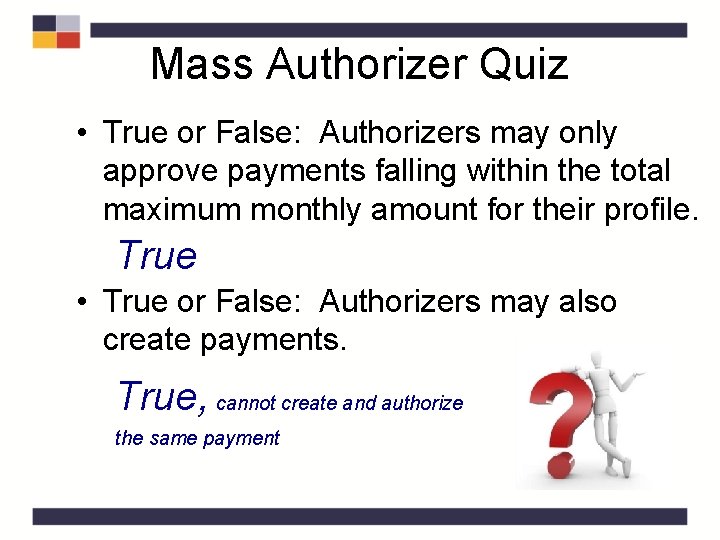
Mass Authorizer Quiz • True or False: Authorizers may only approve payments falling within the total maximum monthly amount for their profile. True • True or False: Authorizers may also create payments. True, cannot create and authorize the same payment
Payment Authorizer and MOBIUS Reports QRG – Tab 7
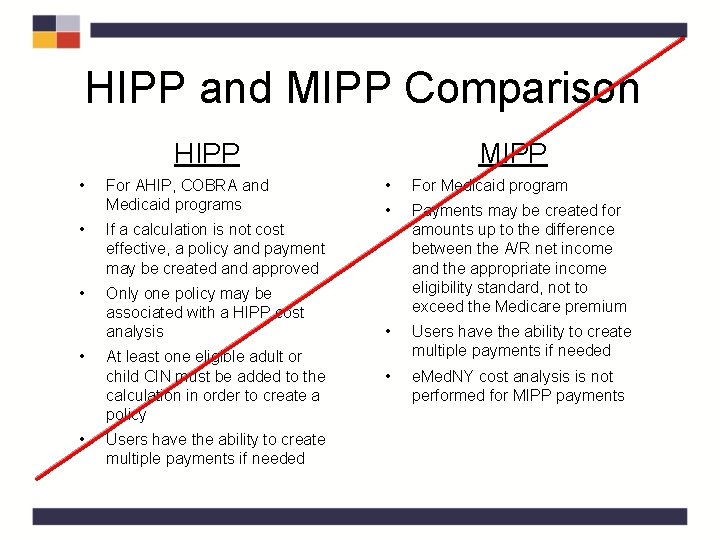
HIPP and MIPP Comparison HIPP • For AHIP, COBRA and Medicaid programs • If a calculation is not cost effective, a policy and payment may be created and approved • Only one policy may be associated with a HIPP cost analysis • • At least one eligible adult or child CIN must be added to the calculation in order to create a policy Users have the ability to create multiple payments if needed MIPP • For Medicaid program • Payments may be created for amounts up to the difference between the A/R net income and the appropriate income eligibility standard, not to exceed the Medicare premium • Users have the ability to create multiple payments if needed • e. Med. NY cost analysis is not performed for MIPP payments
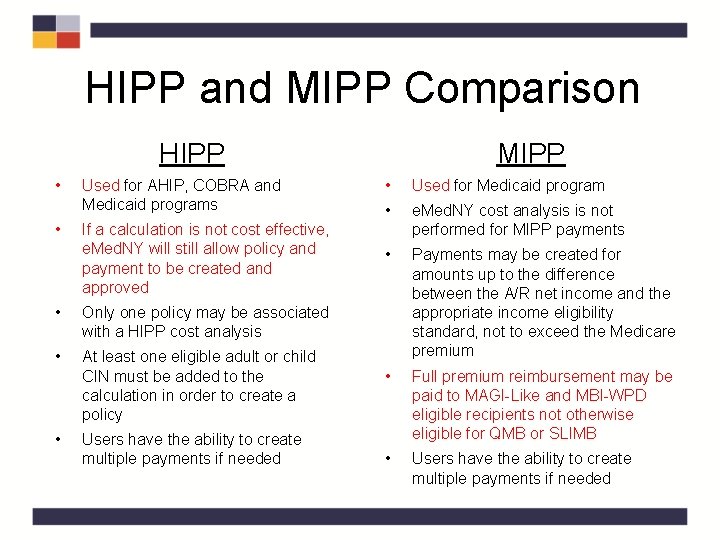
HIPP and MIPP Comparison HIPP • • Used for AHIP, COBRA and Medicaid programs If a calculation is not cost effective, e. Med. NY will still allow policy and payment to be created and approved • Only one policy may be associated with a HIPP cost analysis • At least one eligible adult or child CIN must be added to the calculation in order to create a policy • Users have the ability to create multiple payments if needed MIPP • Used for Medicaid program • e. Med. NY cost analysis is not performed for MIPP payments • Payments may be created for amounts up to the difference between the A/R net income and the appropriate income eligibility standard, not to exceed the Medicare premium • Full premium reimbursement may be paid to MAGI-Like and MBI-WPD eligible recipients not otherwise eligible for QMB or SLIMB • Users have the ability to create multiple payments if needed
Renewal/Change Information • A cost analysis for HIPP must be completed at renewal and whenever a change is reported (for all programs requiring a cost analysis) – Changes to policies, payments and programs must be made as appropriate • Change in coverages for policies: – Services cannot be changed for a current active policy • Users must end date the current policy and create a new one with the correct coverages
Renewal/Change Information, cont'd. • MIPP Payments – At renewal • • Verify cost of premium (may use SOLQ) Enter premium amount as an Unearned Income Exemption 21 Recalculate MBL budget Complete a new MIPP pay line – When a change in premium cost is reported • • • Re-verify cost of premium (may use SOLQ) Enter premium amount as an Unearned Income Exemption 21 Recalculate MBL budget End current pay line Complete a new MIPP pay line
Additional Information • A cost analysis is automatically completed on a monthly basis for anyone receiving HIPP payments – If the determination is “Not Cost Effective” the MOBIUS report (TMMP 0004 – HIPP) will reflect the change.
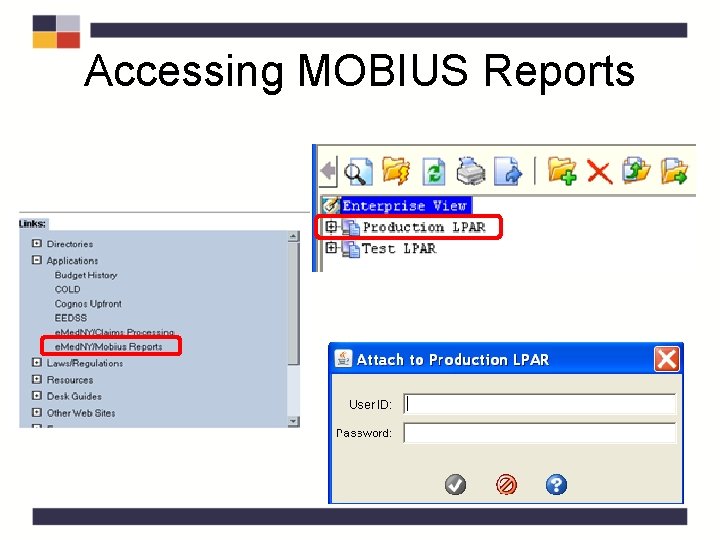
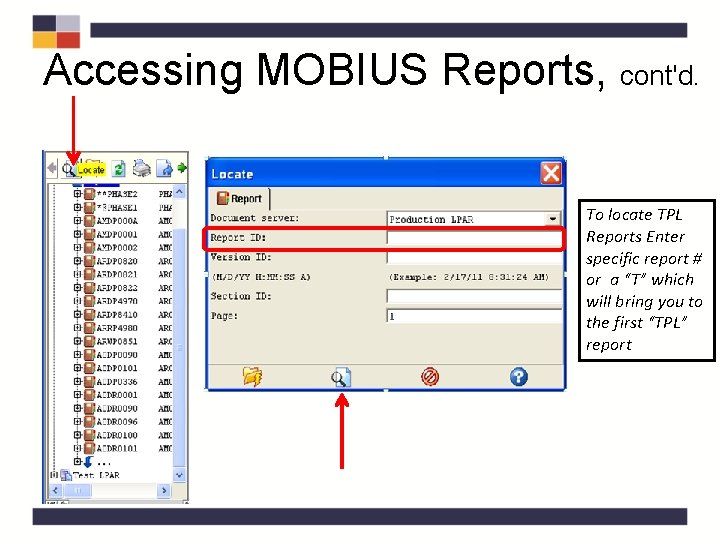
Accessing MOBIUS Reports
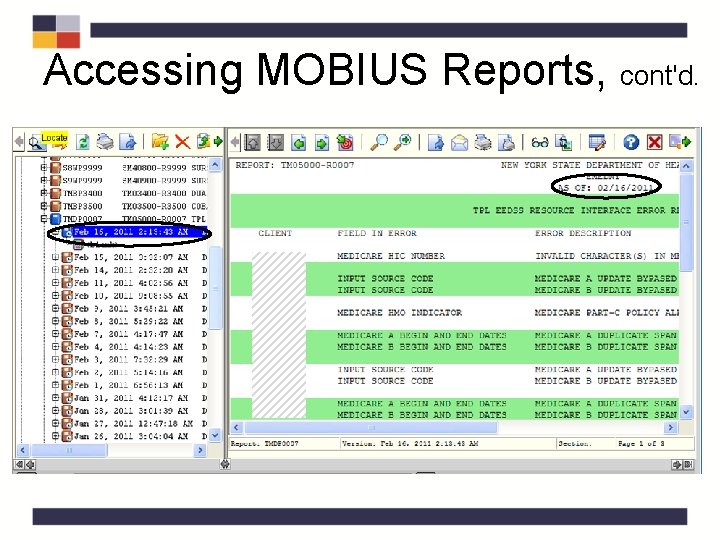
Accessing MOBIUS Reports, cont'd. To locate TPL Reports Enter specific report # or a “T” which will bring you to the first “TPL” report
Accessing MOBIUS Reports, cont'd.
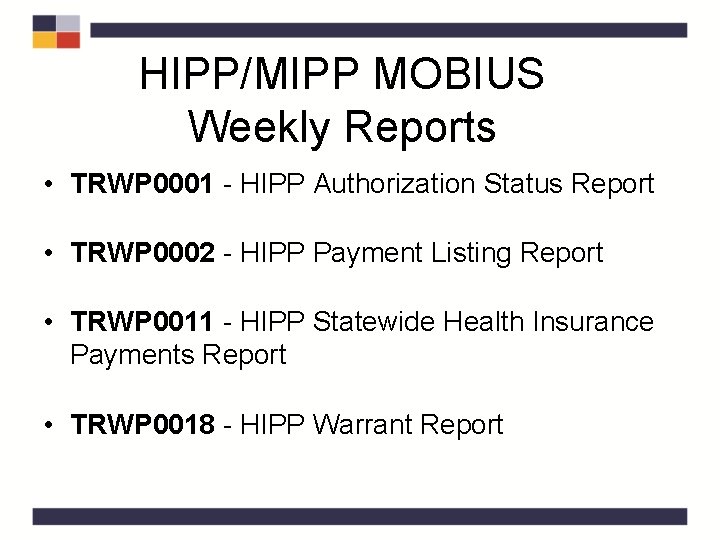
HIPP/MIPP MOBIUS Weekly Reports • TRWP 0001 - HIPP Authorization Status Report • TRWP 0002 - HIPP Payment Listing Report • TRWP 0011 - HIPP Statewide Health Insurance Payments Report • TRWP 0018 - HIPP Warrant Report
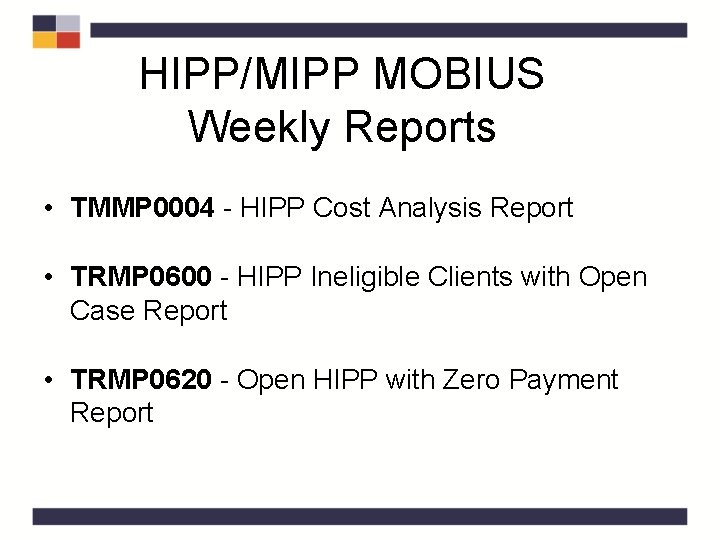
HIPP/MIPP MOBIUS Weekly Reports • TMMP 0004 - HIPP Cost Analysis Report • TRMP 0600 - HIPP Ineligible Clients with Open Case Report • TRMP 0620 - Open HIPP with Zero Payment Report
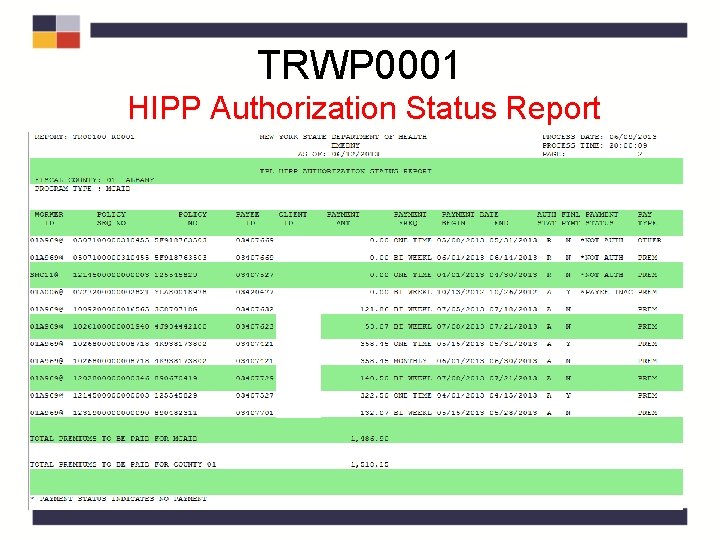
MOBIUS Weekly Reports • TRWP 0001 – HIPP Authorization Status Report: Lists the authorization status (reject, pend, approved) of created HIPP and MIPP payments along with payment type, frequency, and whether it is a final payment for the policy – Separated by county and program type – Rejects should be identified, investigated and appropriate action should be taken – Pends should be identified, investigated and authorized or rejected as appropriate • If authorized in a different payment cycle check will be a week later – Zero (0. 00) payments should be evaluated based on payment status and appropriate action taken
TRWP 0001 HIPP Authorization Status Report
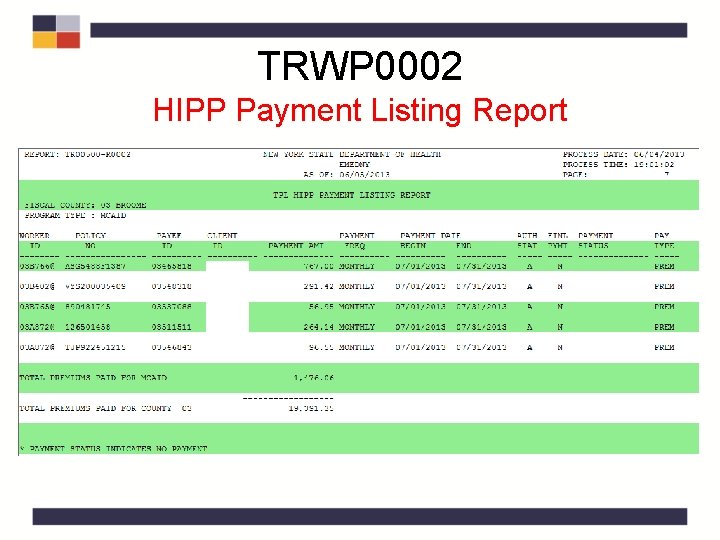
MOBIUS Weekly Reports, cont'd. • TRWP 0002 – HIPP PAYMENT Listing Report: Lists information on all HIPP and MIPP payments that were made in the weekly payment cycle – Separated by county and program type – Similar to the TRWP 001 however it only lists payments that were made and it does not contain the Policy Sequence Number – May be reviewed by the LDSS to acquire information regarding payments made during the payment cycle
TRWP 0002 HIPP Payment Listing Report
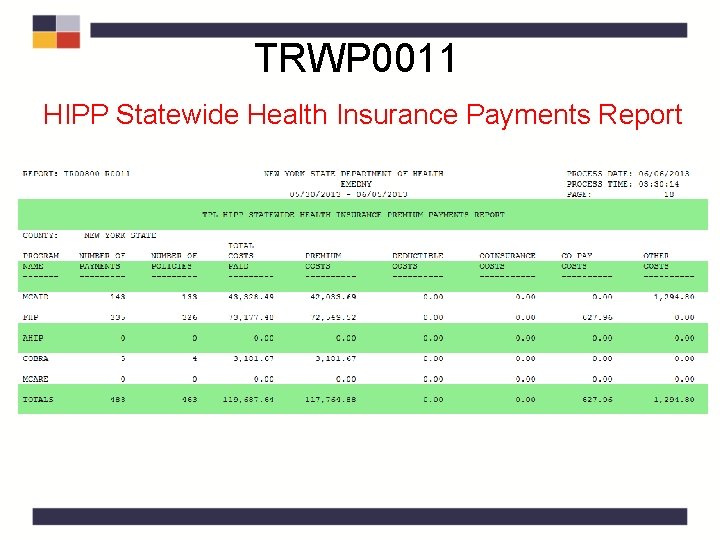
MOBIUS Weekly Reports, cont'd. • TRWP 0011 – HIPP Statewide Health Insurance Payments Report: Statewide and county reports listing total MIPP payments and HIPP payments for each program type (Medicaid, AHIP, COBRA) by the corresponding payment type (Premium, Deductible, Co-insurance, & Co-Payment, One time Payment and Other payments) – – – Separated by county and program type Counties will only be able to view their own counties information State will be able to view overall Statewide totals For Administrative use and reporting purposes (ie: AHIP reporting) Analysis of increase or decrease in HIPP and MIPP payments for programs
TRWP 0011 HIPP Statewide Health Insurance Payments Report
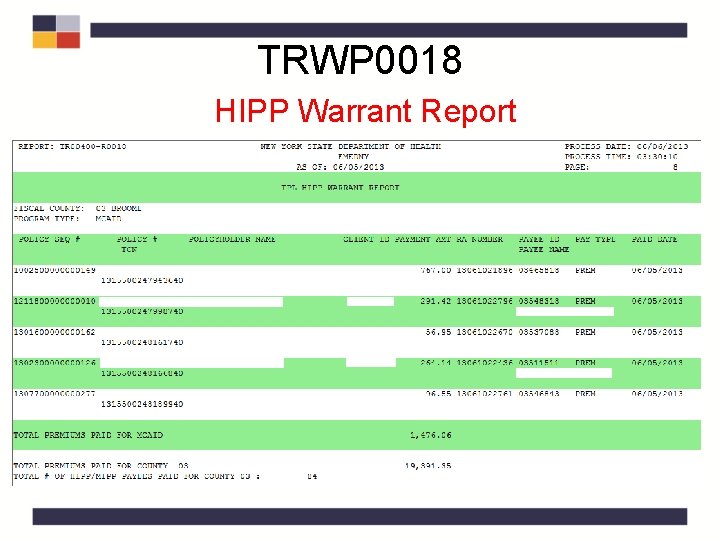
MOBIUS Weekly Reports, cont'd. • TRWP 0018 – HIPP Warrant Report: Lists information, including Remittance Advice Numbers, on all HIPP and MIPP payments within the payment cycle for LDSS accounting – Separated by county and program type – For Accounting use when there is a problem with payments – Payments/Remittances can be investigated
TRWP 0018 HIPP Warrant Report
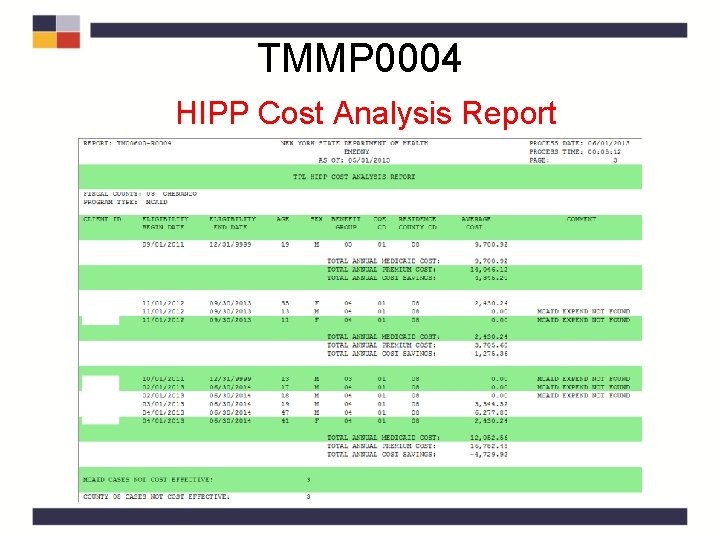
MOBIUS Monthly Reports • TMMP 0004 – HIPP Cost Analysis Report: Lists HIPP payments determined no longer cost effective. – Separated by county and program type – For Medicaid and COBRA programs • AHIP has no cost effectiveness requirement – Cost analysis automatically runs monthly – Should be evaluated to determine if the C/A should be overridden or if the case should be closed
TMMP 0004 HIPP Cost Analysis Report
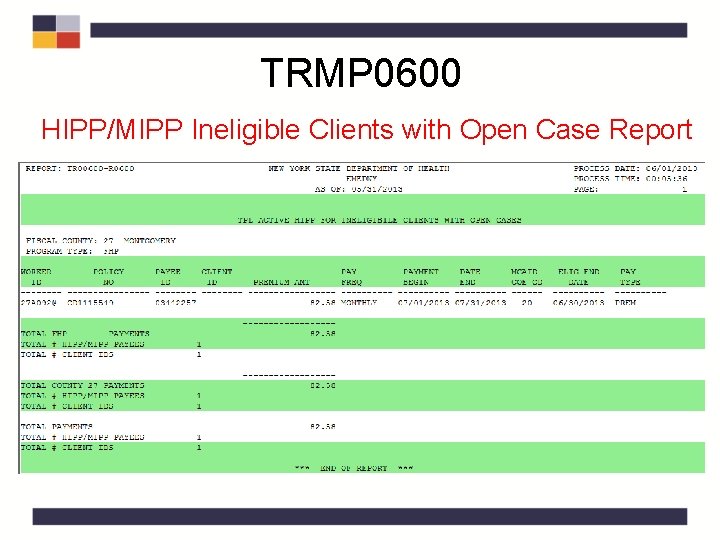
MOBIUS Monthly Reports, cont'd. • TRMP 0600 – HIPP/MIPP Ineligible Clients with Open Case Report: Lists information for clients with an active HIPP policy or Medicare Coverage where the eligibility for all clients on the policy or coverage has ended but the payment(s) are still active. – Separated by County, Program Type, and Audit User ID – No closing code is present on case – Payments continue through the payment End Date as recipient has to be notified if payments are ending – Should be evaluated to determine if case should be closed, payments terminated and recipient notified
TRMP 0600 HIPP/MIPP Ineligible Clients with Open Case Report
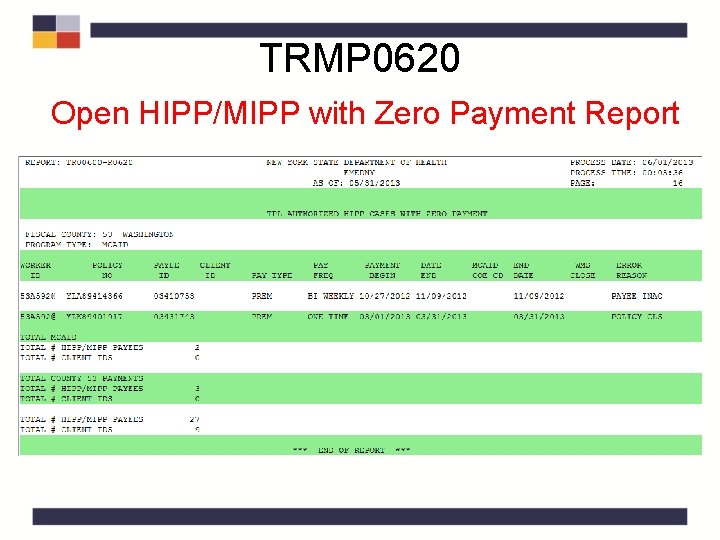
MOBIUS Monthly Reports, cont'd. • TRMP 0620 – Open HIPP/MIPP with Zero Payment Report: Lists information for authorized HIPP and MIPP cases not eligible for payments. – Separated by County Code Program Type, Audit User ID, Policy Sequence Number, Policy Number, and Payee ID – Similar to the weekly Authorization Status Report, however it only lists those payments that were zero payments – Indicates WMS closing code if one exists – Should be evaluated based on Error Reason and appropriate action taken
TRMP 0620 Open HIPP/MIPP with Zero Payment Report
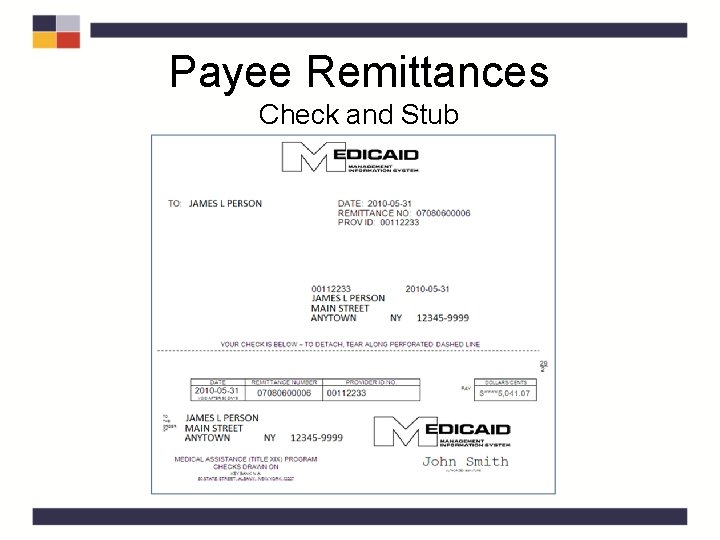
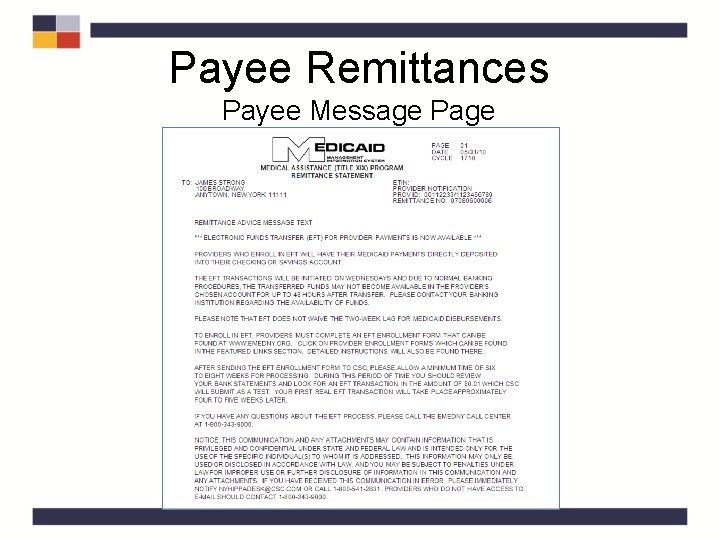
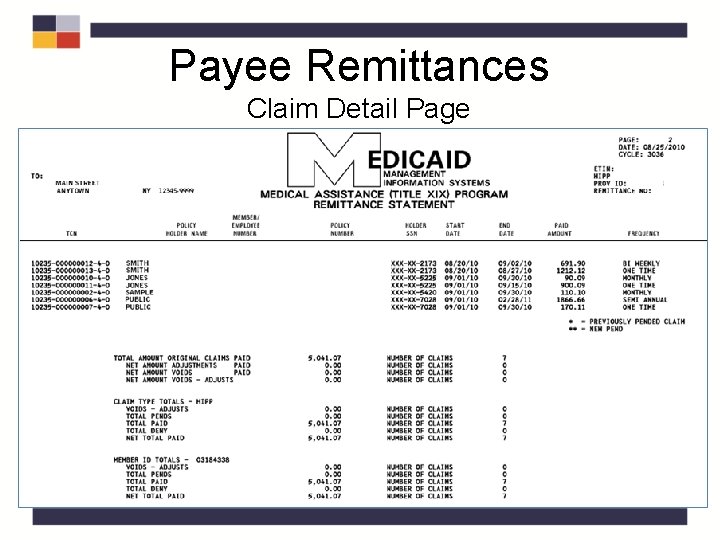
Payee Remittances • Remittances are generated once a week • HIPP/MIPP payment must be authorized by Tuesday at 6: 00 p. m. • 3. 5 weeks after cycle cut-off, Payees receive a Paper Remittance with: – Check – Message – Claim detail statement
Payee Remittances Check and Stub
Payee Remittances Payee Message Page
Payee Remittances Claim Detail Page
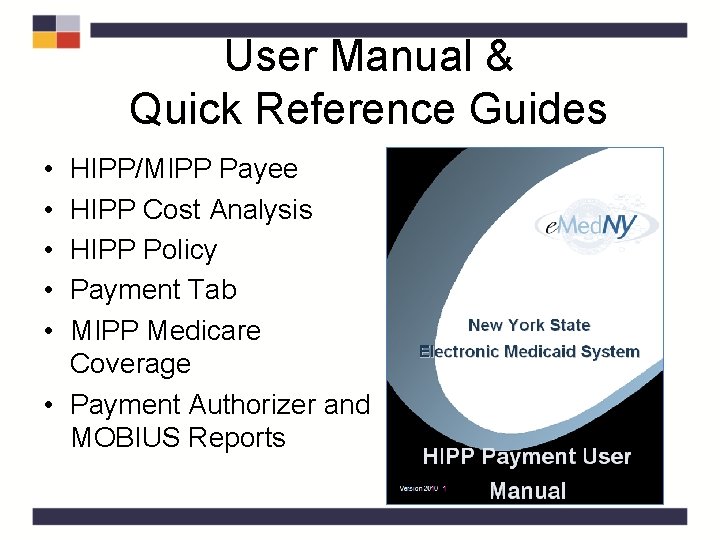
User Manual & Quick Reference Guides • • • HIPP/MIPP Payee HIPP Cost Analysis HIPP Policy Payment Tab MIPP Medicare Coverage • Payment Authorizer and MOBIUS Reports
HIPP Triage Unit • The HIPP/MIPP Triage Unit • The Triage Unit’s responsibilities include: • Working with the LDSS with any questions, research, track and recoup the desired funds; • Researching all returned checks entered in the HIPP Issue Tracking System; • Researching and forwarding all Stopped/Voided/Re-issued requests to the e. Med. NY Program Accounting Department. • Call 518 -473 -5330 to reach the Triage Unit. Scott Cioffi Phone: 518 -408 -4805 E-mail: smc 11@health. state. ny. gov