
e Med NY Health Insurance Premium Payments HIPP
- Slides: 154
e. Med. NY Health Insurance Premium Payments (HIPP) and Medicare Insurance Premium Payments (MIPP)
Agenda • Review Reimbursement of Health Insurance Premiums Policy • Review HIPP/MIPP Policy • e. Med. NY Functions • User Roles • The HIPP Process • The MIPP Process • MOBIUS Reports 2
Reporting of Health Insurance • Access NY Application and Renewal Form both contain important information about availability of other health insurance – Currently enrolled in or eligible for Medicare? – Currently enrolled in Commercial Health Insurance? • Employer Sponsored • Absent Spouse/Parent – Eligible to enroll in Employer Sponsored Health Insurance? 3
Eligible to Enroll in Medicare • Enrollment is a condition of eligibility for individuals who are fully eligible for Medicaid – Must enroll in Part B – Must enroll in Part A if free or if LDSS pays premium on A/R’s behalf • Payment/reimbursement made through MSP or MIPP depending on eligibility 4
Enrolled in Medicare • Medicare premium must be verified • Medicare coverage must be active in e. Med. NY • LDSS determines if A/R is eligible for payment/reimbursement through: – Medicare Savings Program (QMB, SLIMB, Q-I) – MIPP 5
Enrolled in Commercial Insurance • A/R must provide information needed to determine if insurance is qualified and cost effective – Who is covered by the insurance – Cost of insurance – Scope of benefits • LDSS must enter insurance information into e. Med. NY – To cost avoid claims that would otherwise be covered by Medicaid 6
Enrolled in Commercial Insurance, cont’d. • LDSS determines cost effectiveness using HIPP Program – If insurance is qualified and cost effective and A/R is fully eligible for Medicaid, premium payment is made through HIPP – If insurance is qualified and cost effective and premium is used as a deduction in MBL budget to reduce net income, partial reimbursement of premium is made through HIPP 7
Eligible to Enroll in TPHI • Individuals having access to Third Party Health Insurance (TPHI) must pursue and enroll in TPHI that is free or cost effective as a condition of Medicaid eligibility • Policy applies at application or renewal • A/R must provide information needed to determine if insurance is cost effective 8
Eligible to Enroll in TPHI, cont’d. • If enrollment is cost effective, the A/R may be required to enroll – A/R has 30 days to enroll – Special enrollment opportunities may apply – Failure to cooperate in pursuing and enrolling in cost effective TPHI may result in discontinuance or denial of benefits for the A/R who is also the policy holder 9
HIPP/MIPP Policy • The implementation of the e. Med. NY HIPP cost analysis: – Standardizes the cost effectiveness calculations for Medicaid and COBRA programs – Changes the payment process/use of BICS 10
HIPP/MIPP Policy, cont'd. • e. Med. NY HIPP/MIPP must be used for: – Evaluations of health insurance cost analysis calculations for Medicaid and COBRA Coverage Continuation Program – Payments related to health insurance for recipients 11
HIPP/MIPP Policy, cont'd. • HIPP may consist of full premium payments, partial premium payments, or partial premium reimbursements – Payments for HIPP can be made to the: carrier, employer, recipient’s representative, or policy holder if other than recipient 12
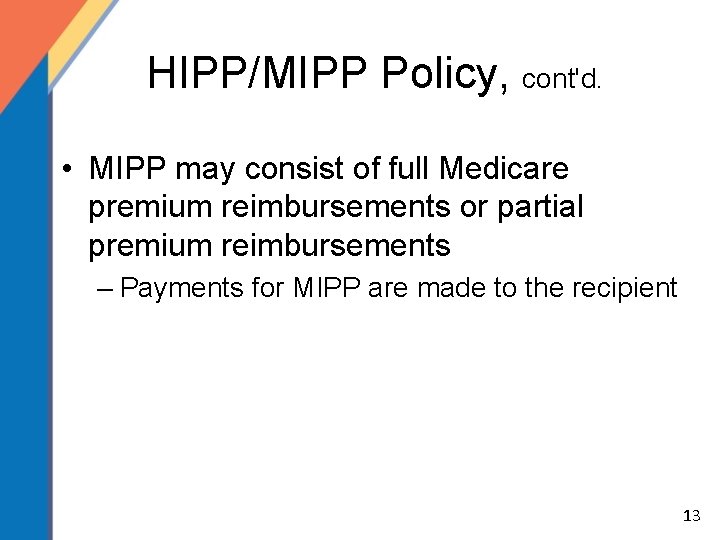
HIPP/MIPP Policy, cont'd. • MIPP may consist of full Medicare premium reimbursements or partial premium reimbursements – Payments for MIPP are made to the recipient 13
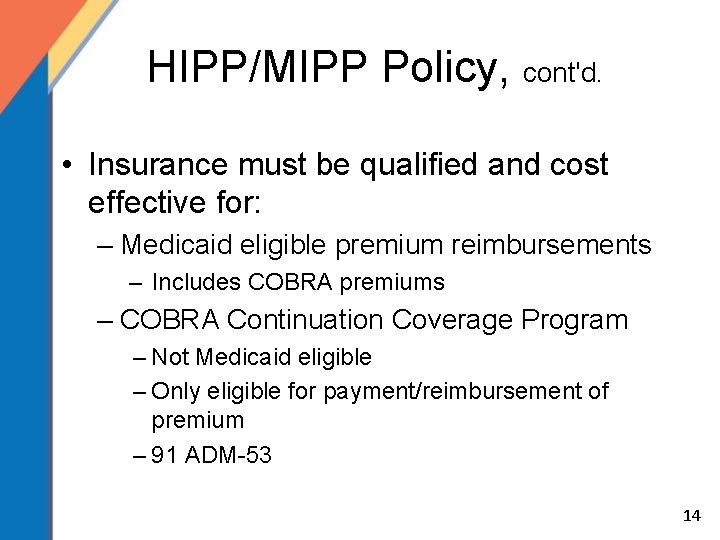
HIPP/MIPP Policy, cont'd. • Insurance must be qualified and cost effective for: – Medicaid eligible premium reimbursements – Includes COBRA premiums – COBRA Continuation Coverage Program – Not Medicaid eligible – Only eligible for payment/reimbursement of premium – 91 ADM-53 14
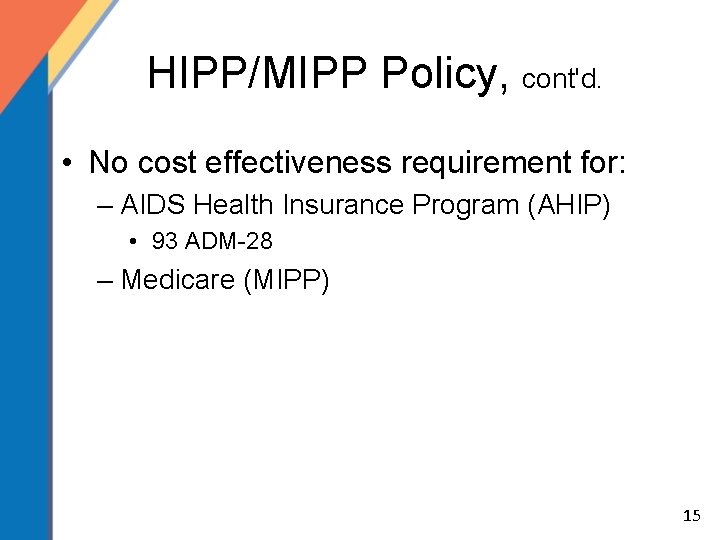
HIPP/MIPP Policy, cont'd. • No cost effectiveness requirement for: – AIDS Health Insurance Program (AHIP) • 93 ADM-28 – Medicare (MIPP) 15
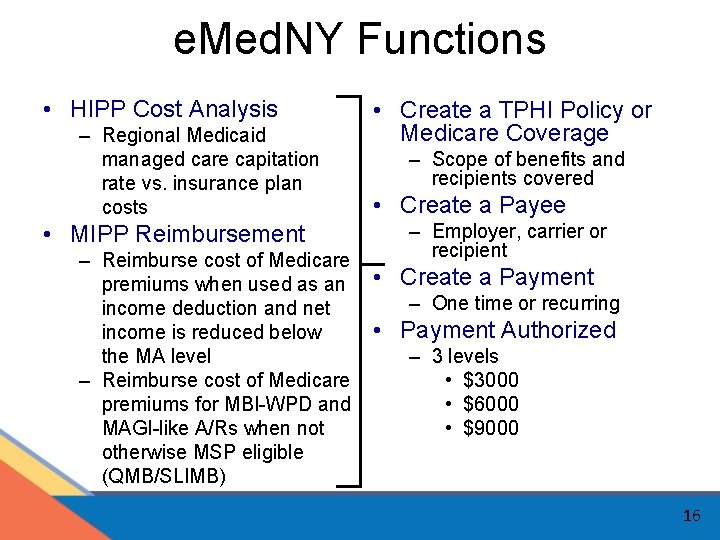
e. Med. NY Functions • HIPP Cost Analysis – Regional Medicaid managed care capitation rate vs. insurance plan costs • MIPP Reimbursement – Reimburse cost of Medicare premiums when used as an income deduction and net income is reduced below the MA level – Reimburse cost of Medicare premiums for MBI-WPD and MAGI-like A/Rs when not otherwise MSP eligible (QMB/SLIMB) • Create a TPHI Policy or Medicare Coverage – Scope of benefits and recipients covered • Create a Payee – Employer, carrier or recipient • Create a Payment – One time or recurring • Payment Authorized – 3 levels • $3000 • $6000 • $9000 16
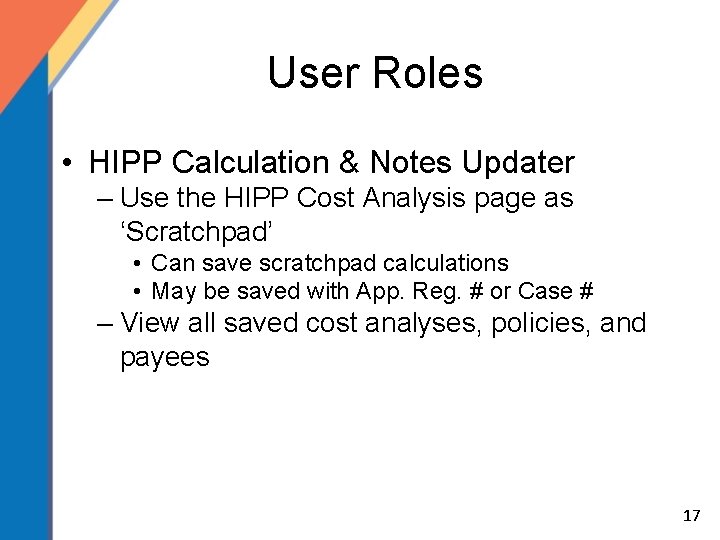
User Roles • HIPP Calculation & Notes Updater – Use the HIPP Cost Analysis page as ‘Scratchpad’ • Can save scratchpad calculations • May be saved with App. Reg. # or Case # – View all saved cost analyses, policies, and payees 17
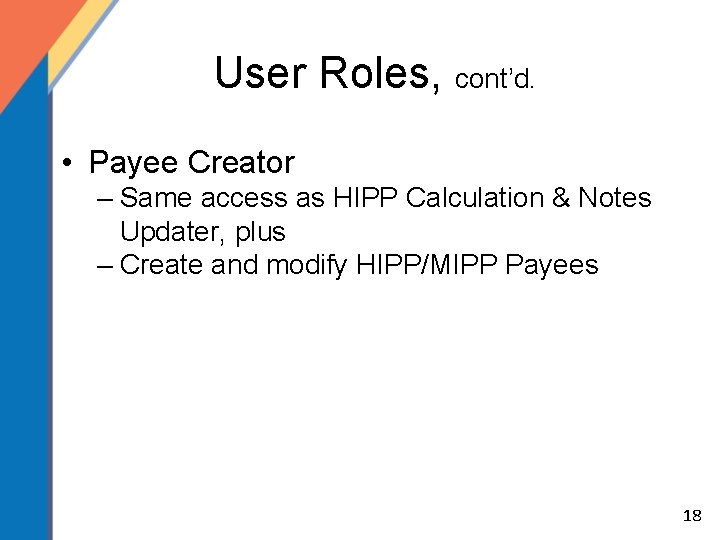
User Roles, cont’d. • Payee Creator – Same access as HIPP Calculation & Notes Updater, plus – Create and modify HIPP/MIPP Payees 18
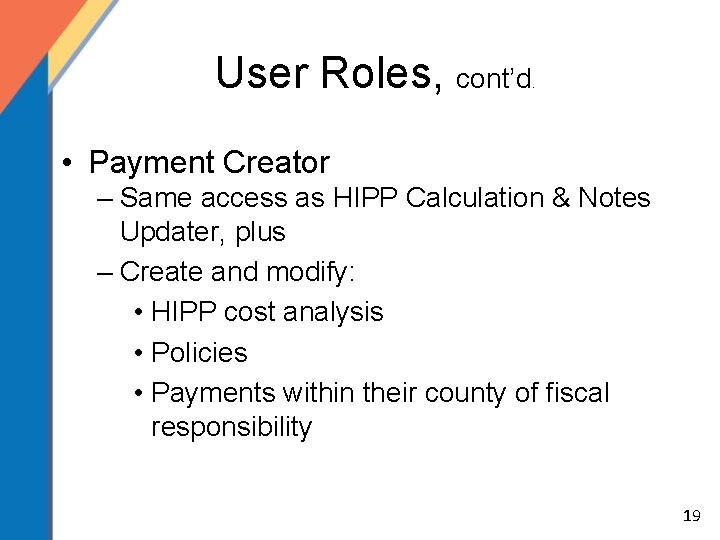
User Roles, cont’d . • Payment Creator – Same access as HIPP Calculation & Notes Updater, plus – Create and modify: • HIPP cost analysis • Policies • Payments within their county of fiscal responsibility 19
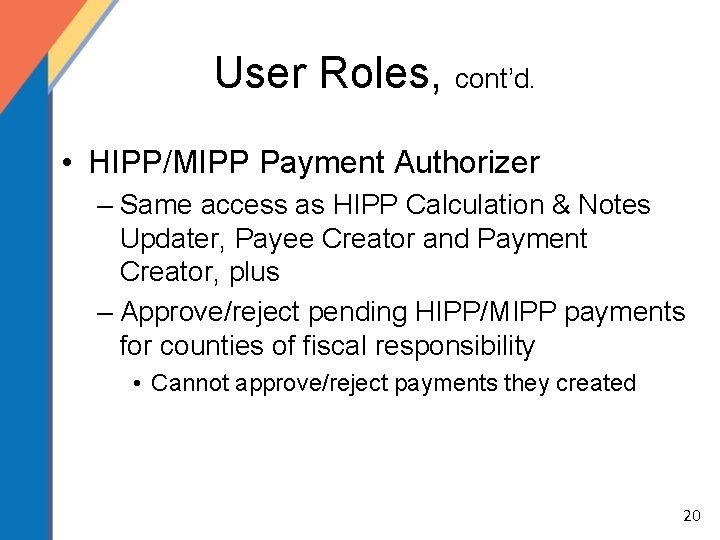
User Roles, cont’d. • HIPP/MIPP Payment Authorizer – Same access as HIPP Calculation & Notes Updater, Payee Creator and Payment Creator, plus – Approve/reject pending HIPP/MIPP payments for counties of fiscal responsibility • Cannot approve/reject payments they created 20
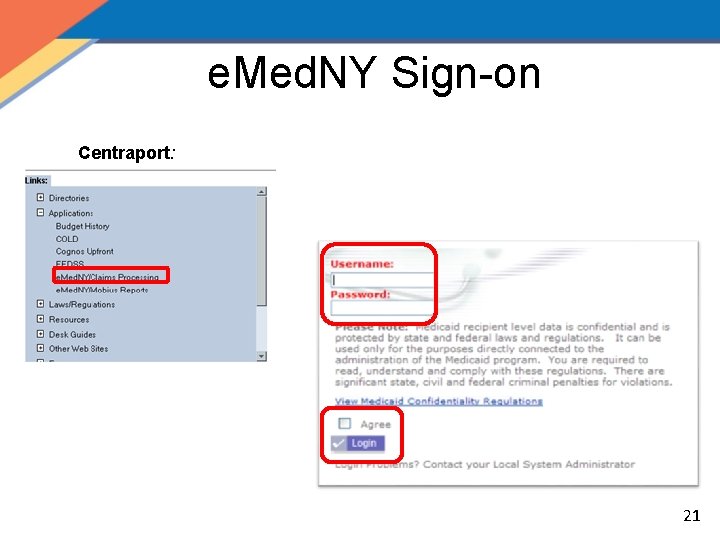
e. Med. NY Sign-on Centraport: 21
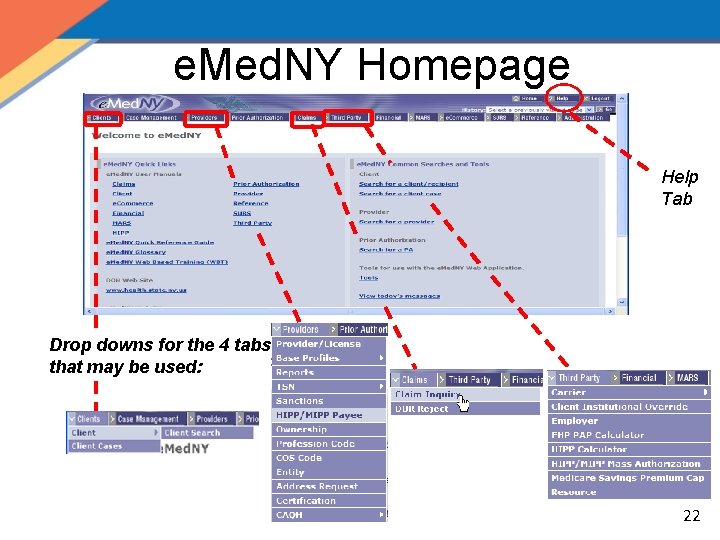
e. Med. NY Homepage Help Tab Drop downs for the 4 tabs that may be used: 22
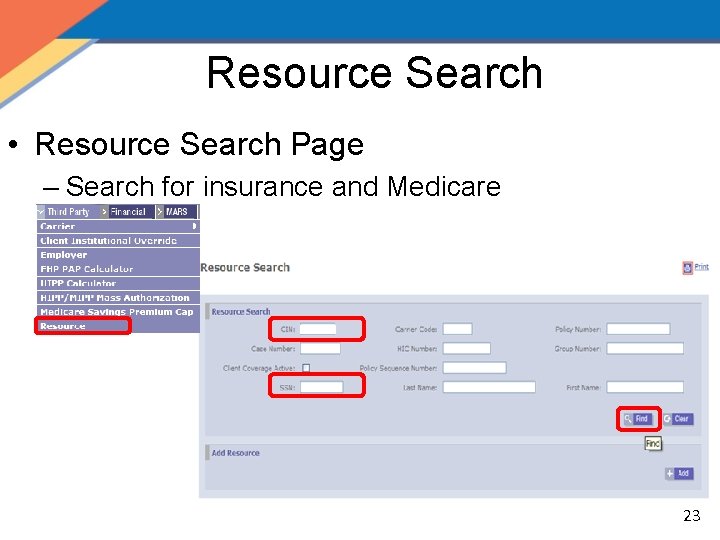
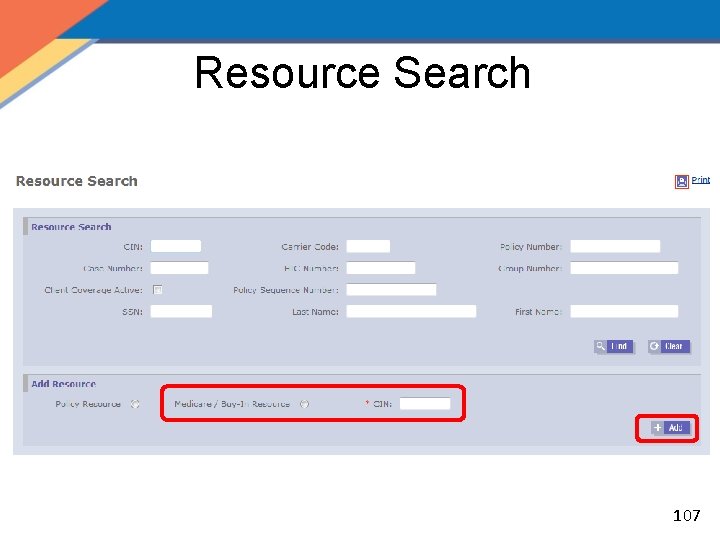
Resource Search • Resource Search Page – Search for insurance and Medicare 23
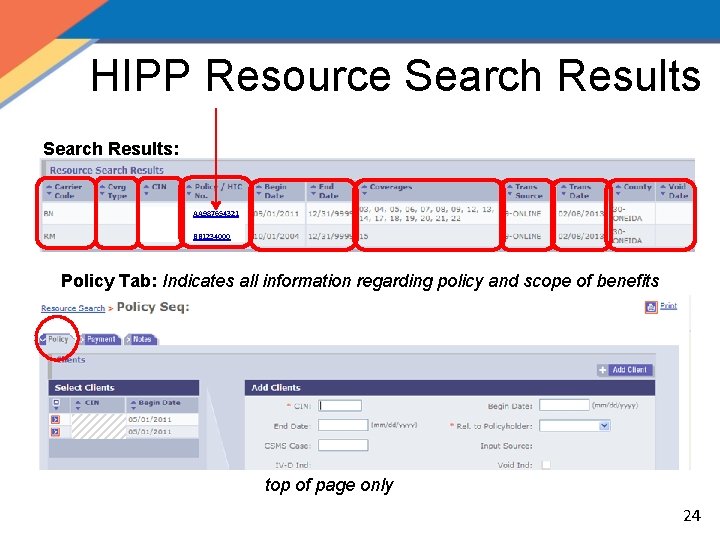
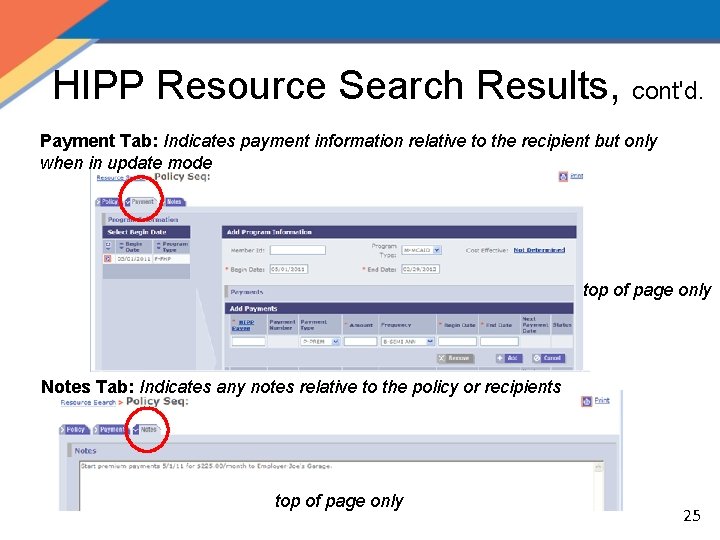
HIPP Resource Search Results: AA 987654321 BB 1234000 Policy Tab: Indicates all information regarding policy and scope of benefits top of page only 24
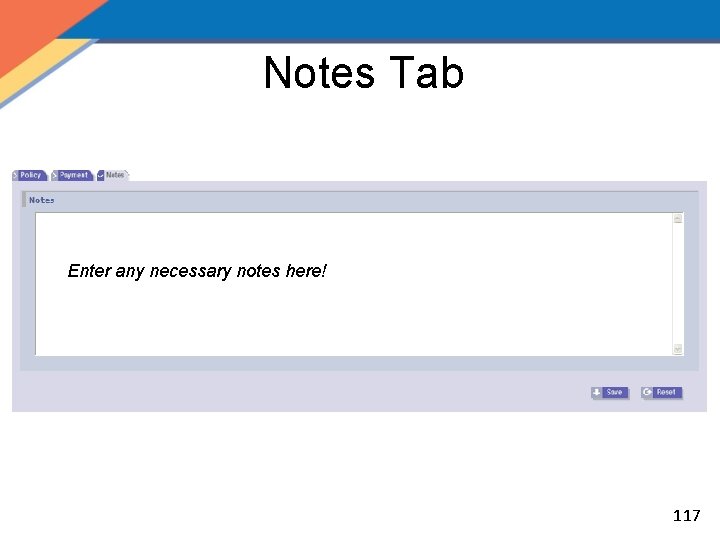
HIPP Resource Search Results, cont'd. Payment Tab: Indicates payment information relative to the recipient but only when in update mode top of page only Notes Tab: Indicates any notes relative to the policy or recipients top of page only 25
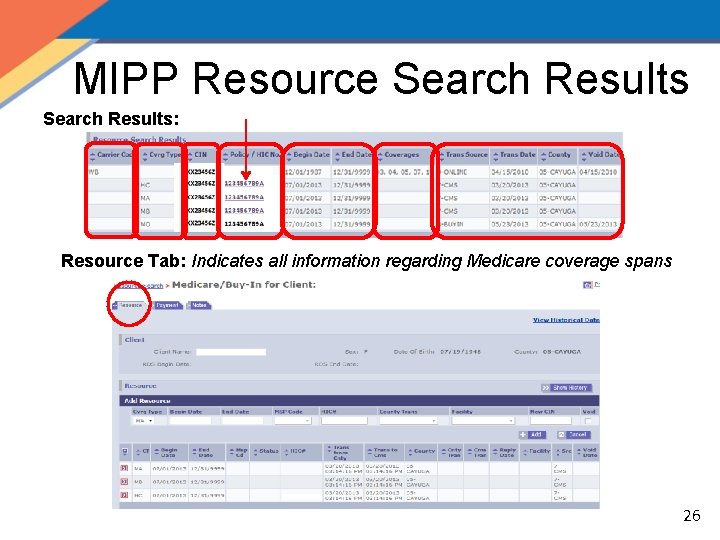
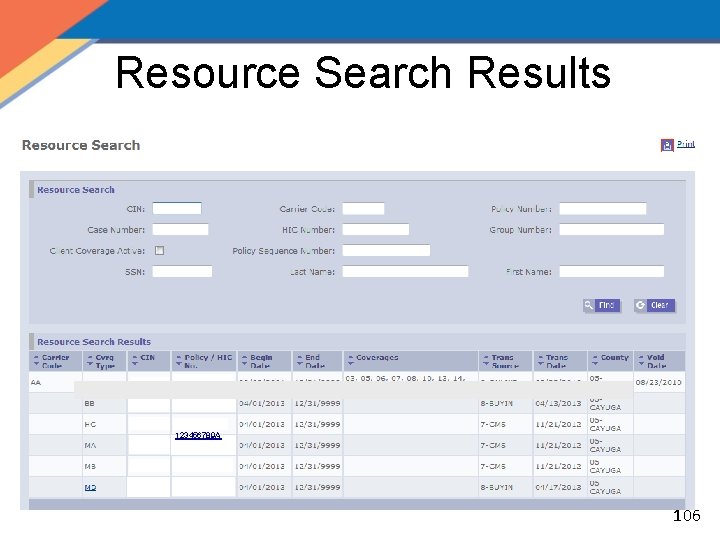
MIPP Resource Search Results: Resource Tab: Indicates all information regarding Medicare coverage spans 26
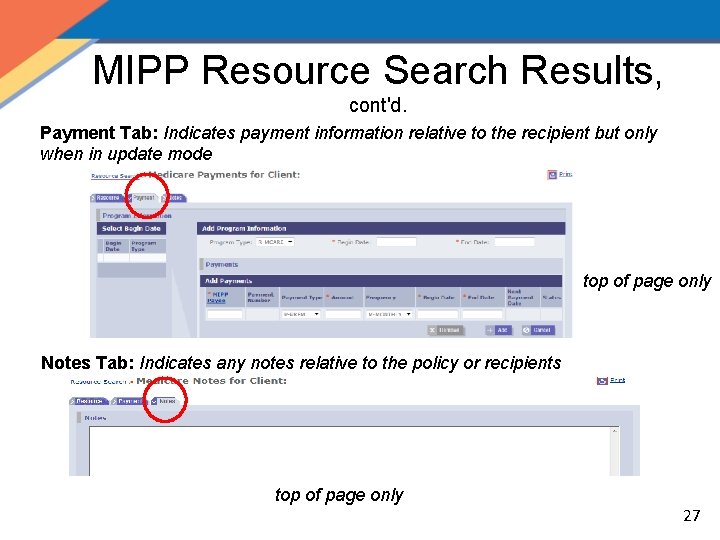
MIPP Resource Search Results, cont'd. Payment Tab: Indicates payment information relative to the recipient but only when in update mode top of page only Notes Tab: Indicates any notes relative to the policy or recipients top of page only 27
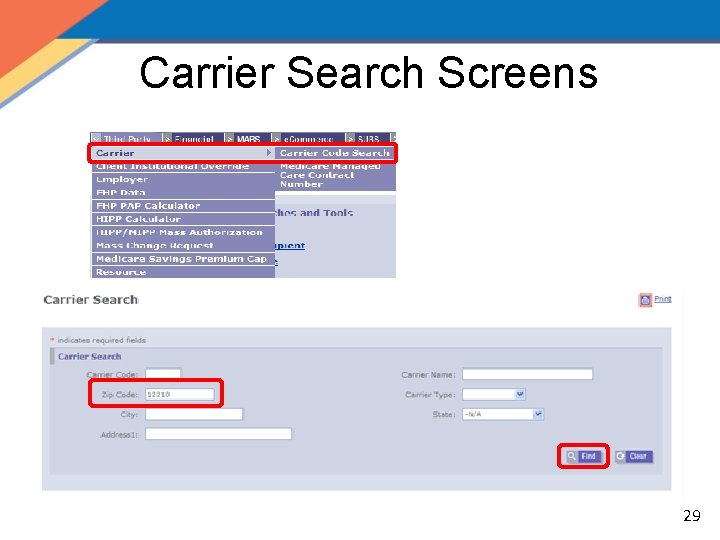
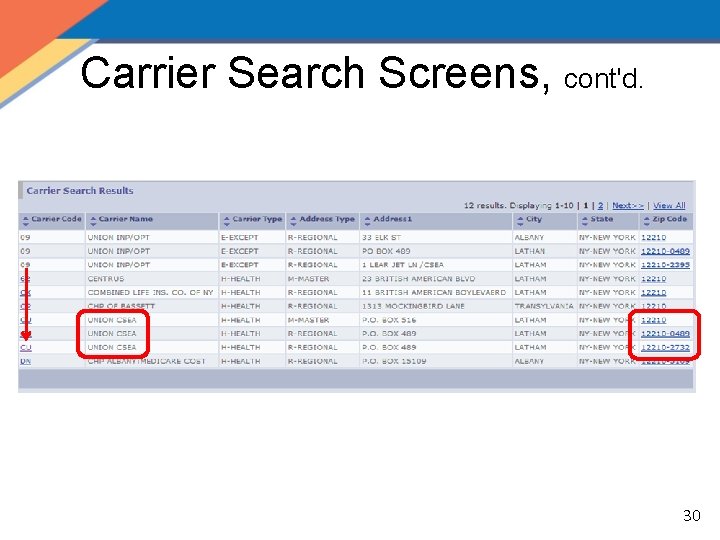
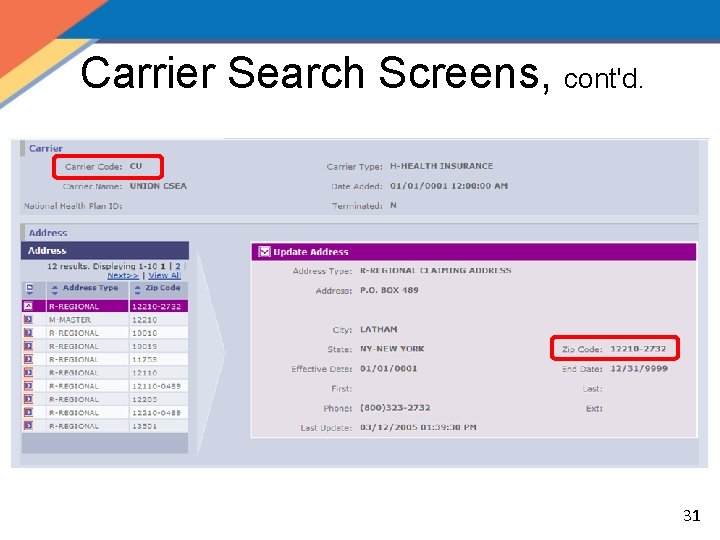
Carrier Search • Carrier Code and carrier’s zip code are needed when creating a new policy and a cost analysis – It is advantageous to search for this information prior to conducting a cost analysis or creating a policy – If you are not aware of the information when conducting the cost analysis it may be added later 28
Carrier Search Screens 29
Carrier Search Screens, cont'd. 30
Carrier Search Screens, cont'd. 31
The HIPP Process • Create a New Cost Analysis – HIPP Calculator Search Page – HIPP Calculator Page • Create a New Policy – Policy Tab • Create a New Payment – Payment Tab – HIPP/MIPP Payee Search Page – HIPP/MIPP Payee Detail Page 32
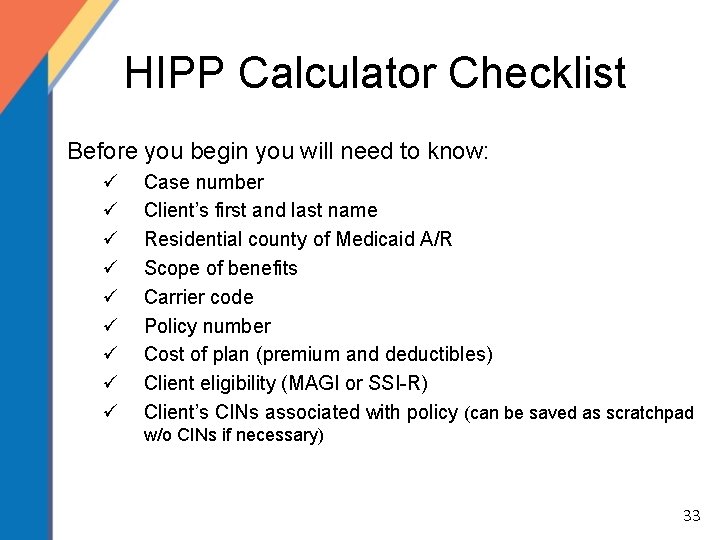
HIPP Calculator Checklist Before you begin you will need to know: ü ü ü ü ü Case number Client’s first and last name Residential county of Medicaid A/R Scope of benefits Carrier code Policy number Cost of plan (premium and deductibles) Client eligibility (MAGI or SSI-R) Client’s CINs associated with policy (can be saved as scratchpad w/o CINs if necessary) 33
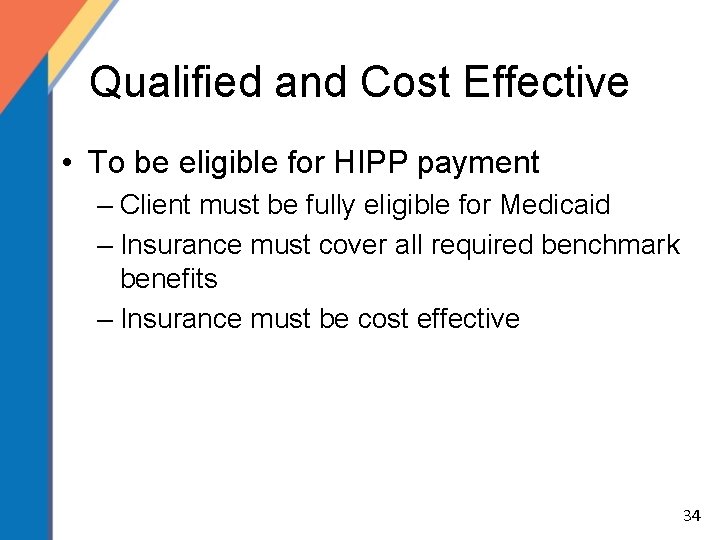
Qualified and Cost Effective • To be eligible for HIPP payment – Client must be fully eligible for Medicaid – Insurance must cover all required benchmark benefits – Insurance must be cost effective 34
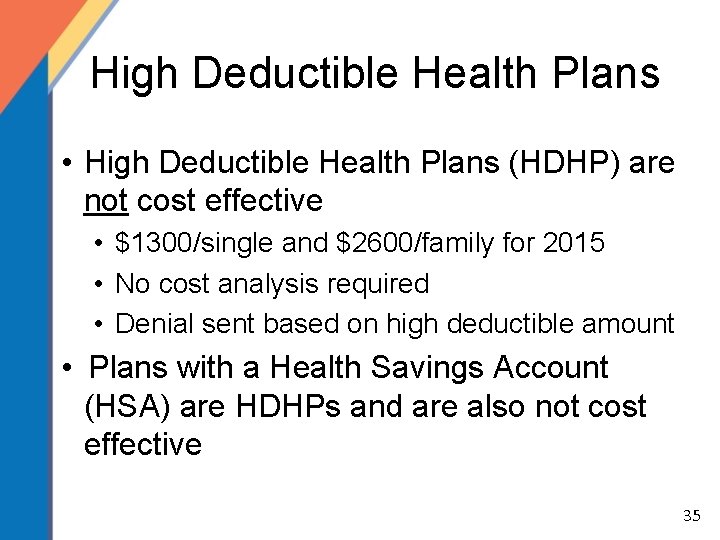
High Deductible Health Plans • High Deductible Health Plans (HDHP) are not cost effective • $1300/single and $2600/family for 2015 • No cost analysis required • Denial sent based on high deductible amount • Plans with a Health Savings Account (HSA) are HDHPs and are also not cost effective 35
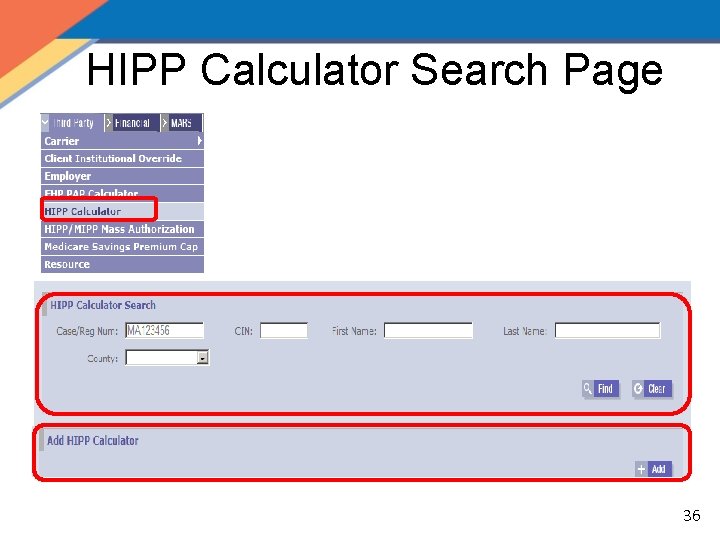
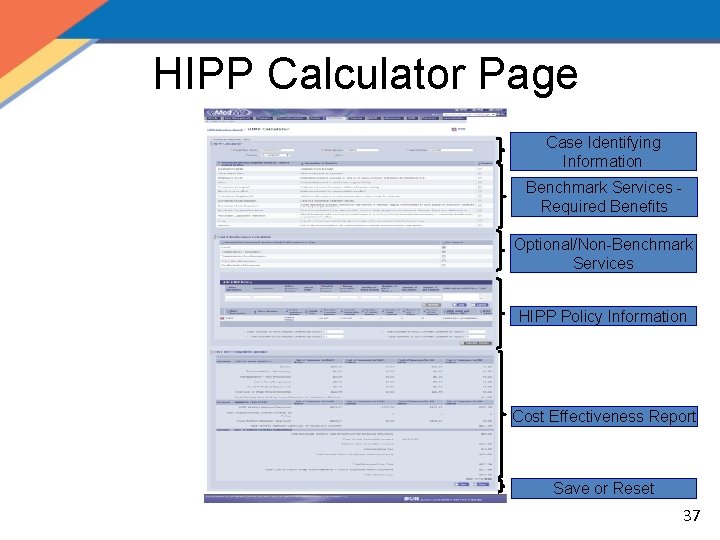
HIPP Calculator Search Page 36
HIPP Calculator Page Case Identifying Information Benchmark Services Required Benefits Optional/Non-Benchmark Services HIPP Policy Information Cost Effectiveness Report Save or Reset 37
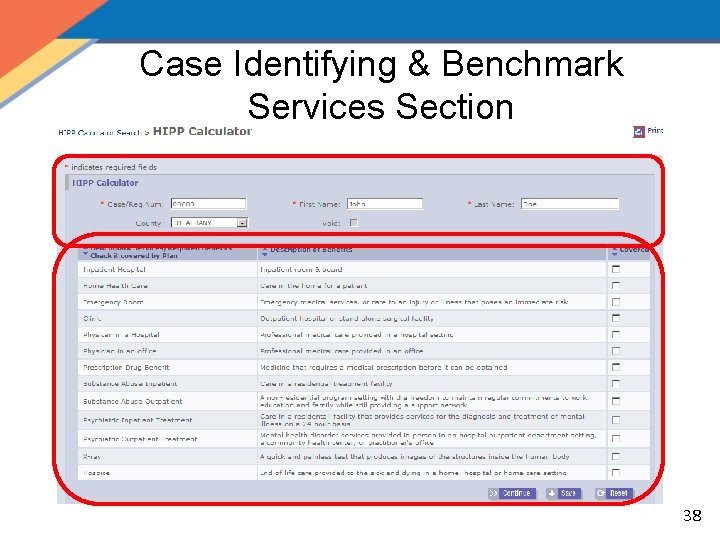
Case Identifying & Benchmark Services Section 38
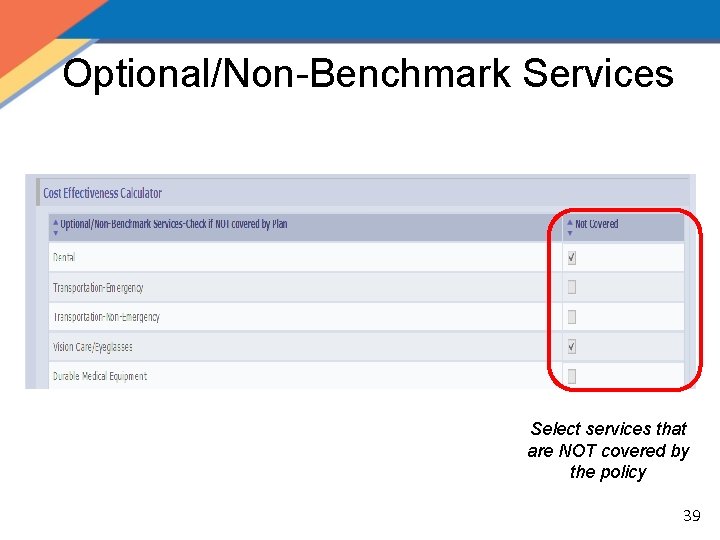
Optional/Non-Benchmark Services Select services that are NOT covered by the policy 39
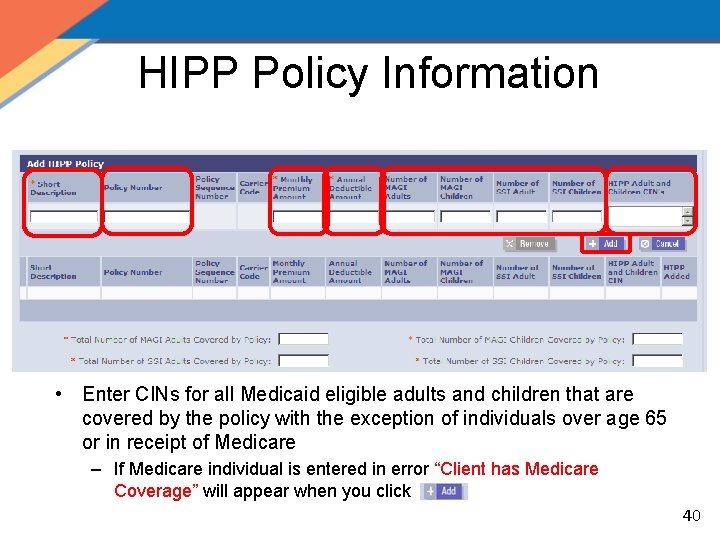
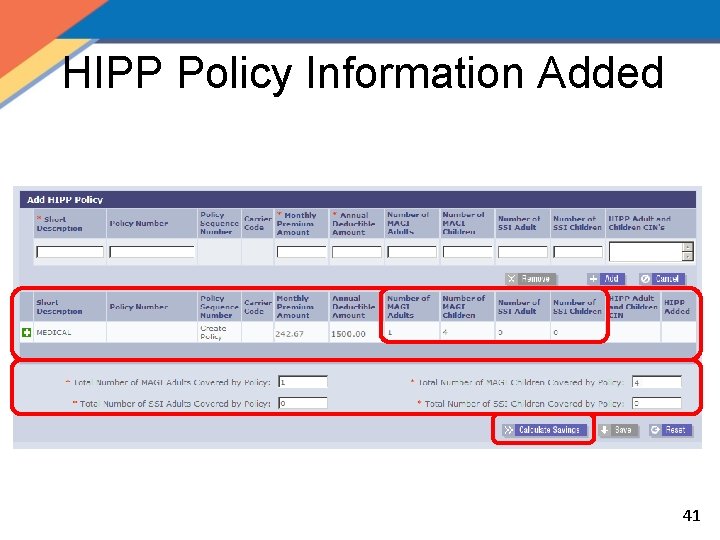
HIPP Policy Information • Enter CINs for all Medicaid eligible adults and children that are covered by the policy with the exception of individuals over age 65 or in receipt of Medicare – If Medicare individual is entered in error “Client has Medicare Coverage” will appear when you click 40
HIPP Policy Information Added 41
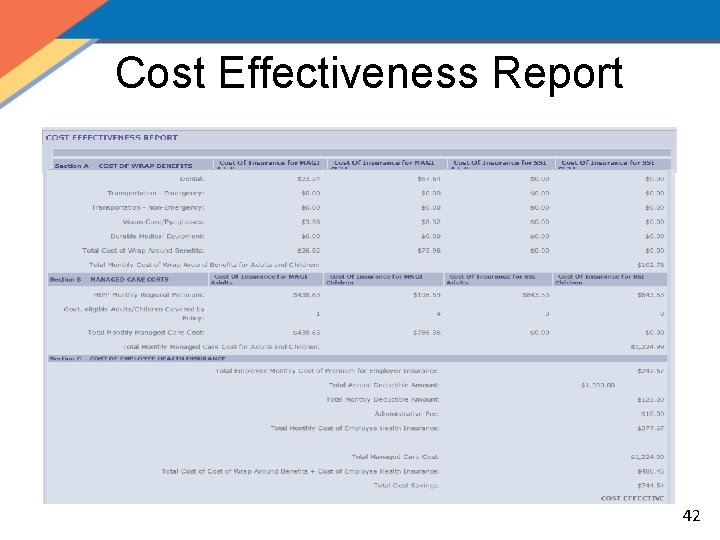
Cost Effectiveness Report 42
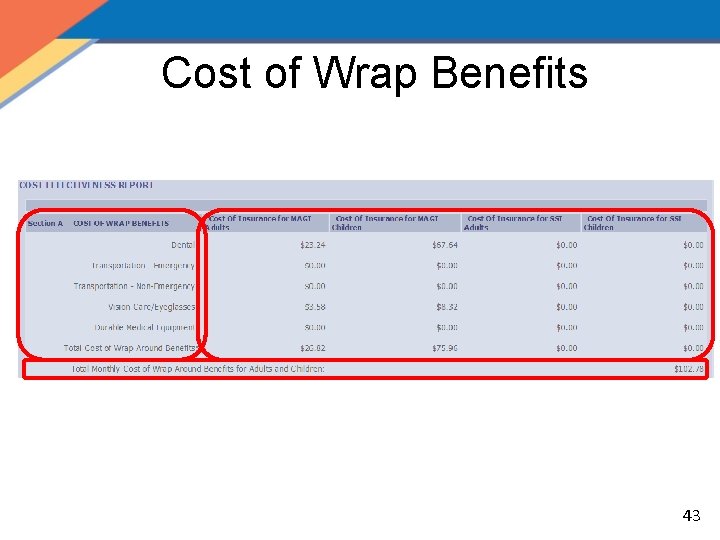
Cost of Wrap Benefits 43
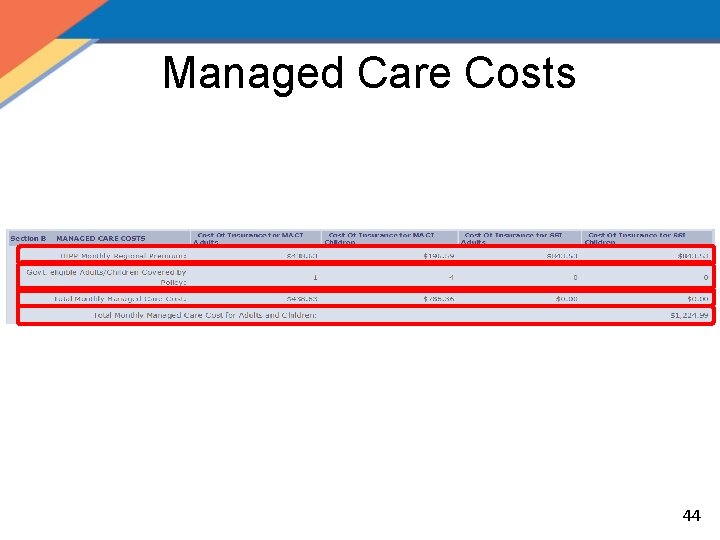
Managed Care Costs 44
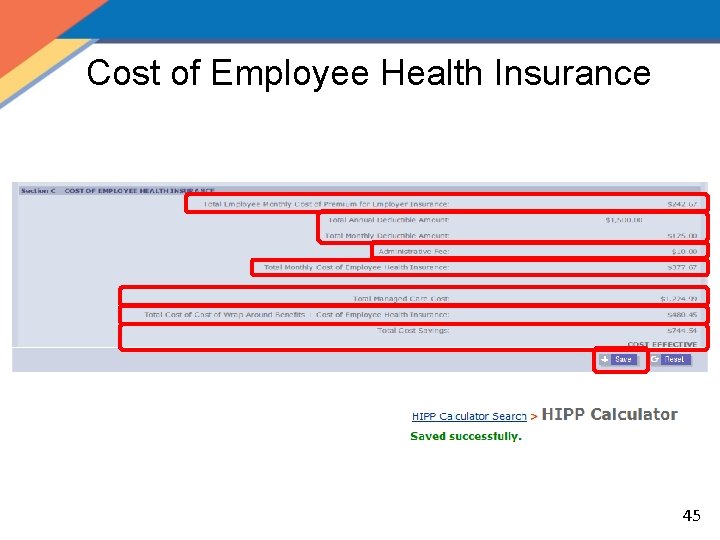
Cost of Employee Health Insurance 45
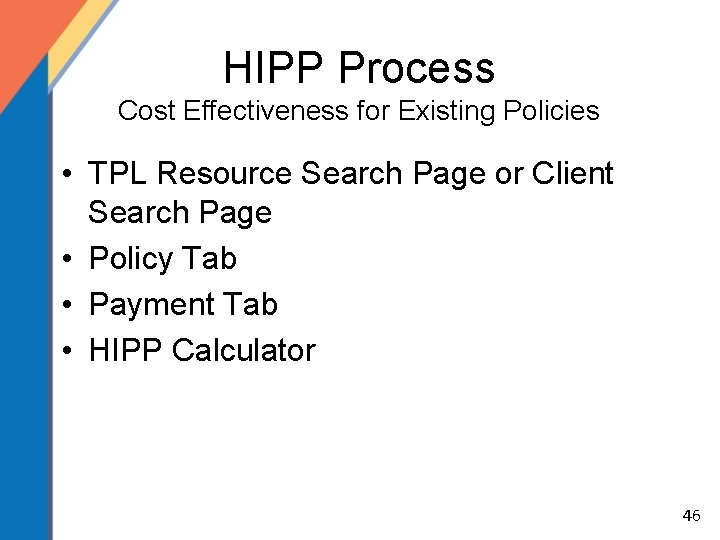
HIPP Process Cost Effectiveness for Existing Policies • TPL Resource Search Page or Client Search Page • Policy Tab • Payment Tab • HIPP Calculator 46
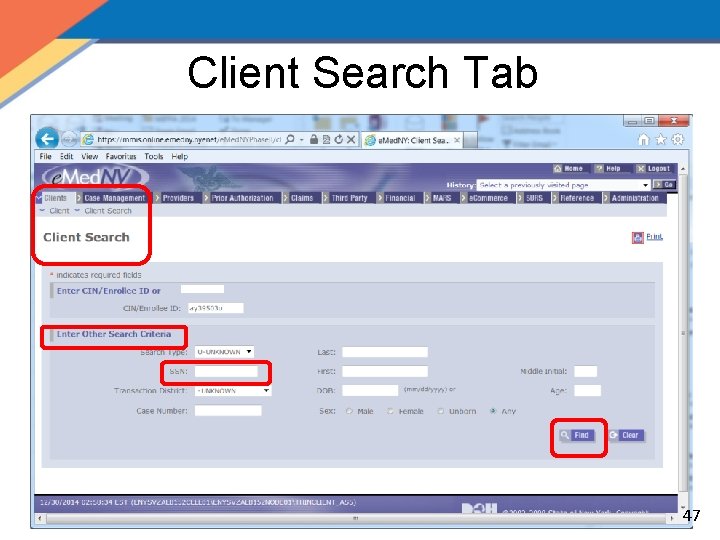
Client Search Tab 47
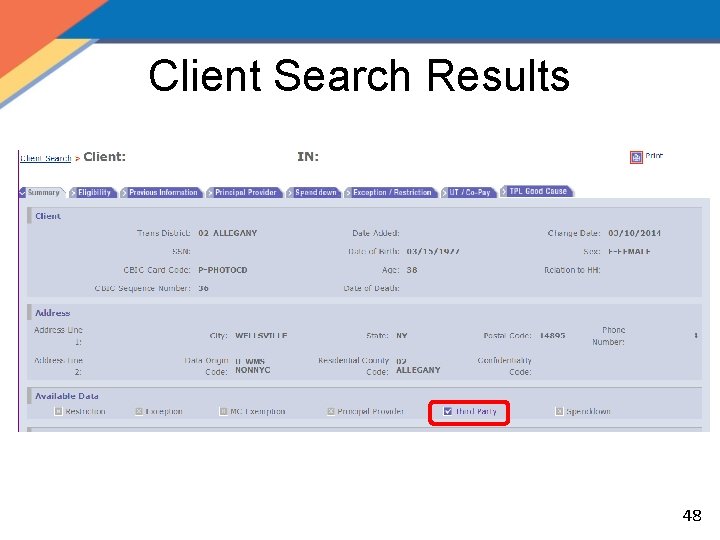
Client Search Results 48
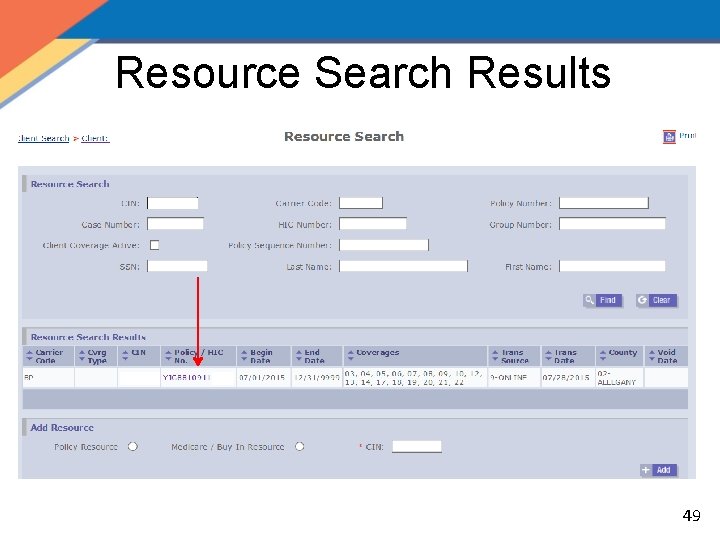
Resource Search Results 49
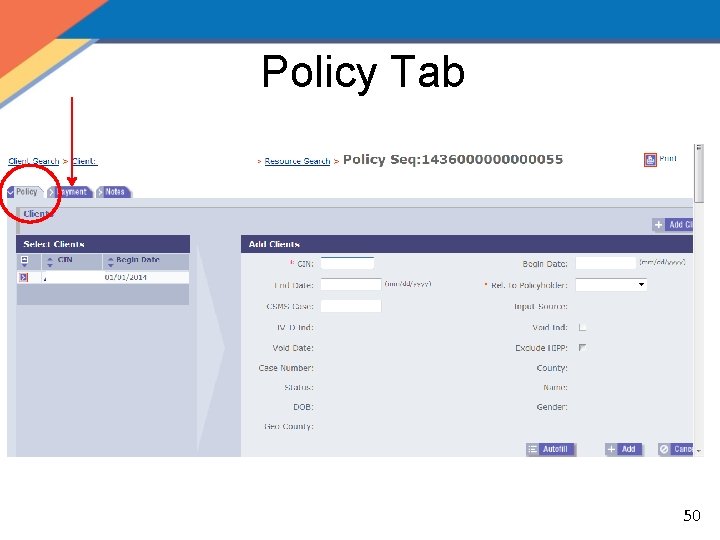
Policy Tab 50
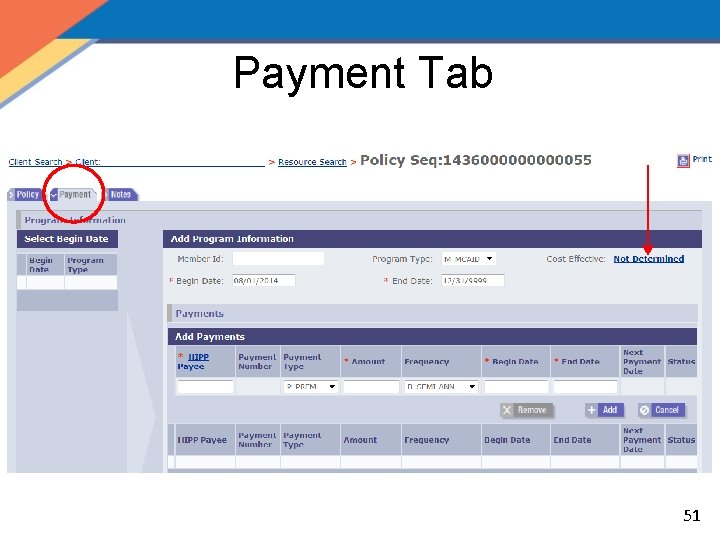
Payment Tab 51
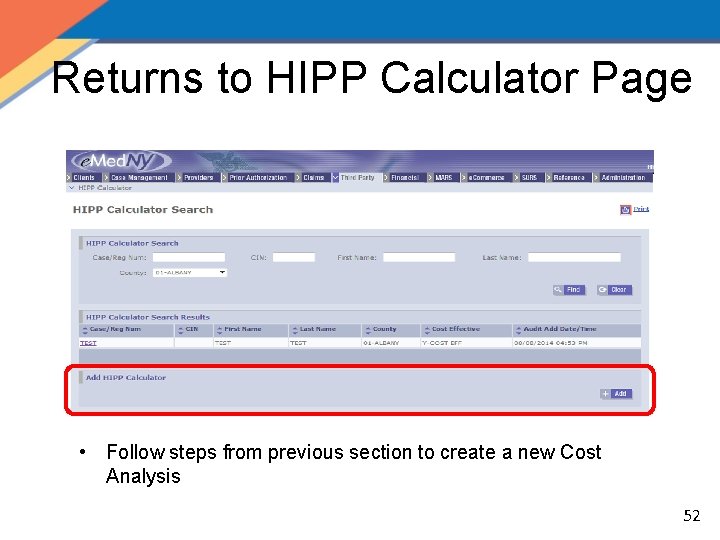
Returns to HIPP Calculator Page • Follow steps from previous section to create a new Cost Analysis 52
HIPP Cost Analysis Quiz • How many clients have to be added to the calculation? All Medicaid eligible adults and children that are covered by the policy excluding individuals over age 65 or in receipt of Medicare • How can you proceed with a calculation if you do not have a CIN? A Scratchpad Cost Analysis can be saved with the Registry or Case Number 53
HIPP Cost Analysis QRG – Tab 3 54
HIPP Process • Create a New Cost Analysis – HIPP Calculator Search Page – HIPP Calculator Page • Create a New Policy – Policy Tab • Create a New Payment – Payment Tab – HIPP/MIPP Payee Search Page – HIPP/MIPP Payee Detail Page 55
HIPP Policy Numbers • Policy Numbers – When entering a policy number for a given coverage type it must be a unique policy number if not included in the medical policy – Example: separate policies for dental, vision, prescription, etc. – Duplicate policy numbers for different coverages will result in errors when attempting to write pay lines – If entering different coverages that have the same policy number, combine them under the medical coverage 56
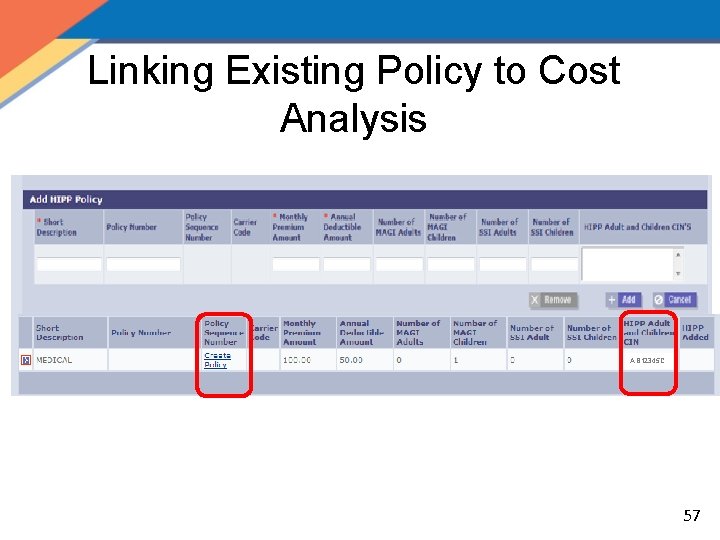
Linking Existing Policy to Cost Analysis AB 12345 C 57
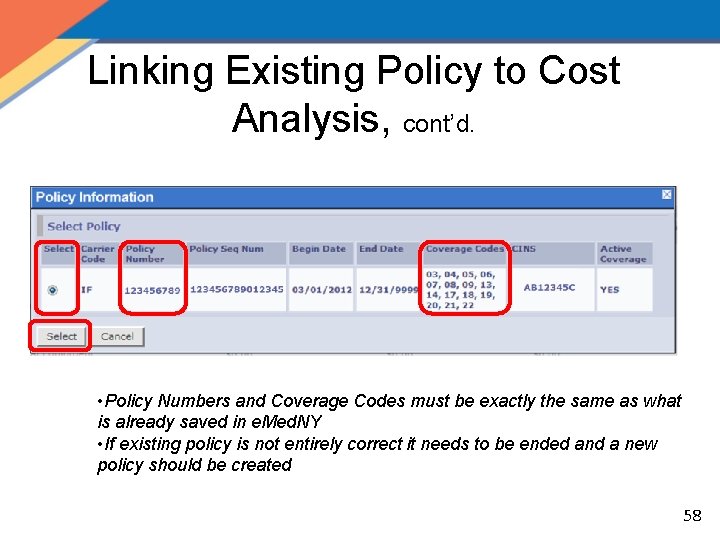
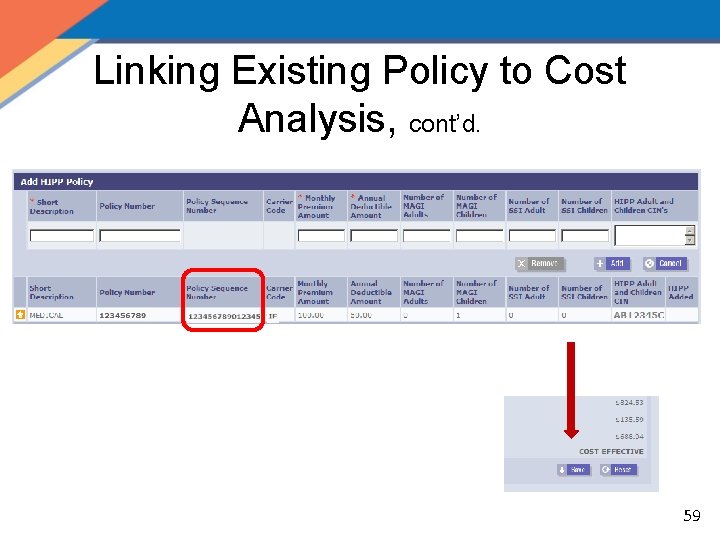
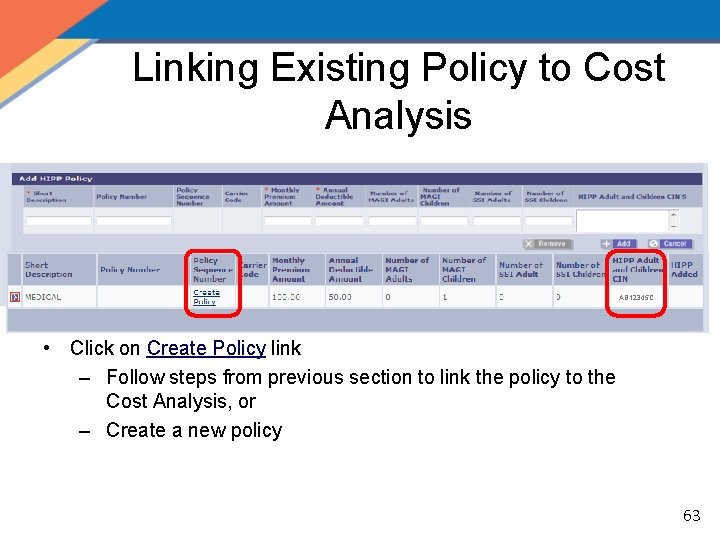
Linking Existing Policy to Cost Analysis, cont’d. • Policy Numbers and Coverage Codes must be exactly the same as what is already saved in e. Med. NY • If existing policy is not entirely correct it needs to be ended and a new policy should be created 58
Linking Existing Policy to Cost Analysis, cont’d. 59
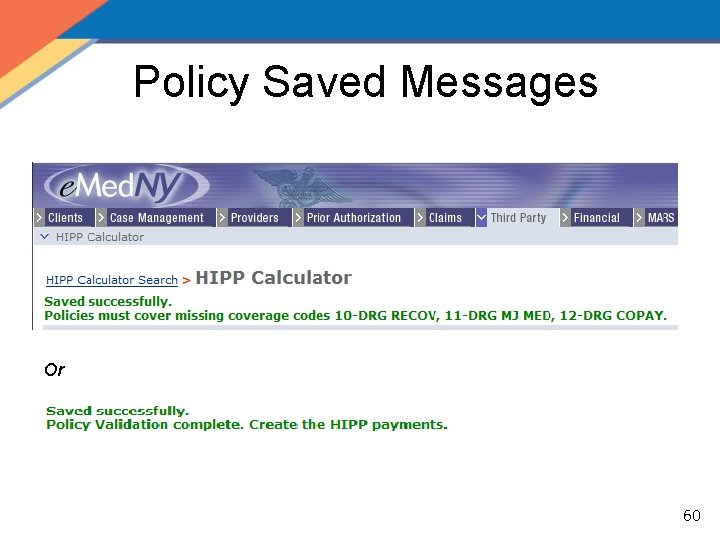
Policy Saved Messages Or 60
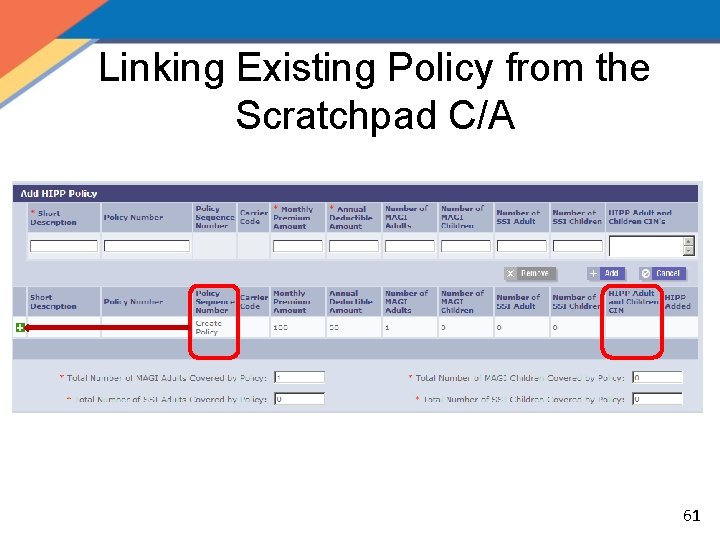
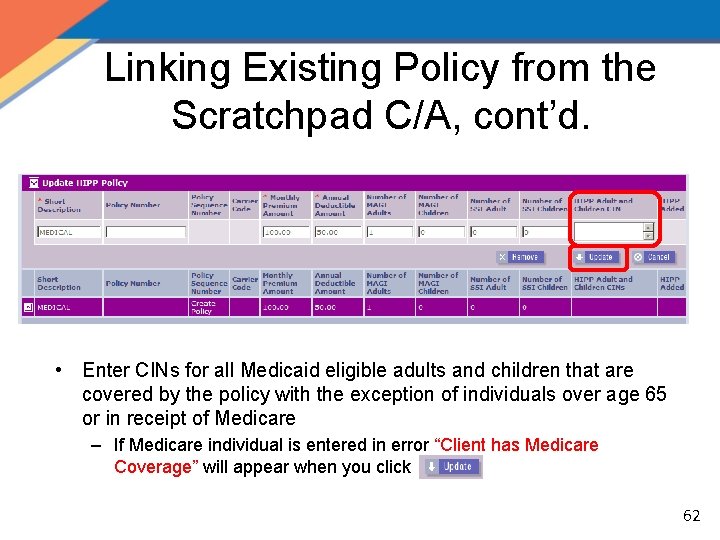
Linking Existing Policy from the Scratchpad C/A 61
Linking Existing Policy from the Scratchpad C/A, cont’d. • Enter CINs for all Medicaid eligible adults and children that are covered by the policy with the exception of individuals over age 65 or in receipt of Medicare – If Medicare individual is entered in error “Client has Medicare Coverage” will appear when you click 62
Linking Existing Policy to Cost Analysis AB 12345 C • Click on Create Policy link ‒ Follow steps from previous section to link the policy to the Cost Analysis, or ‒ Create a new policy 63
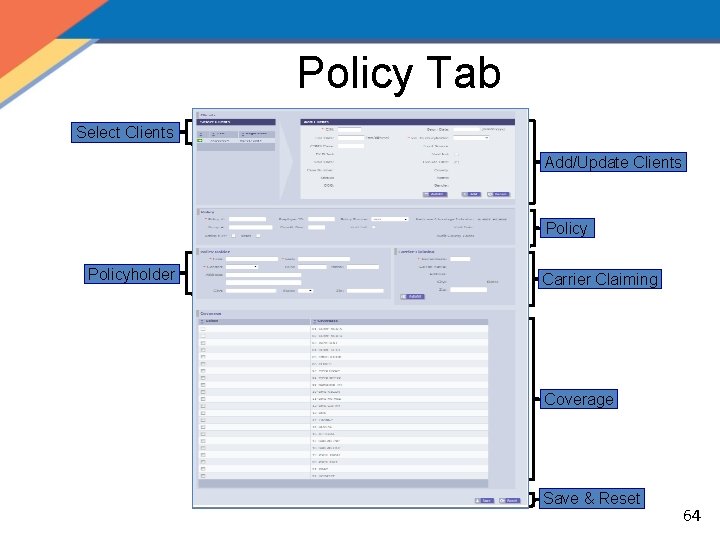
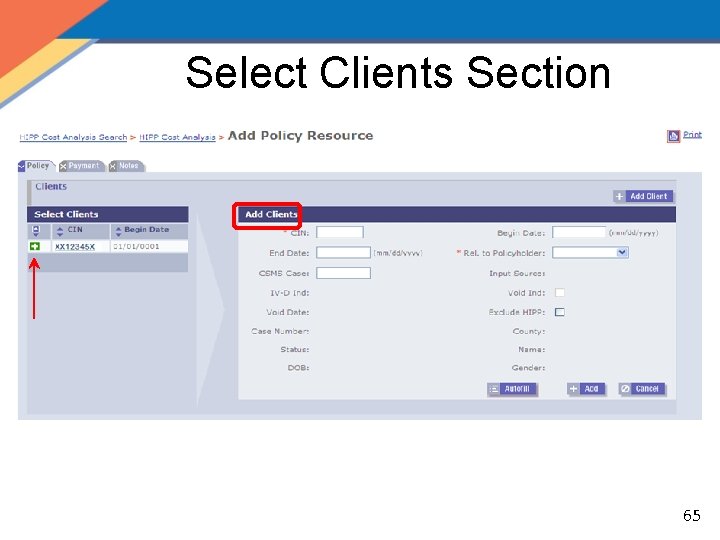
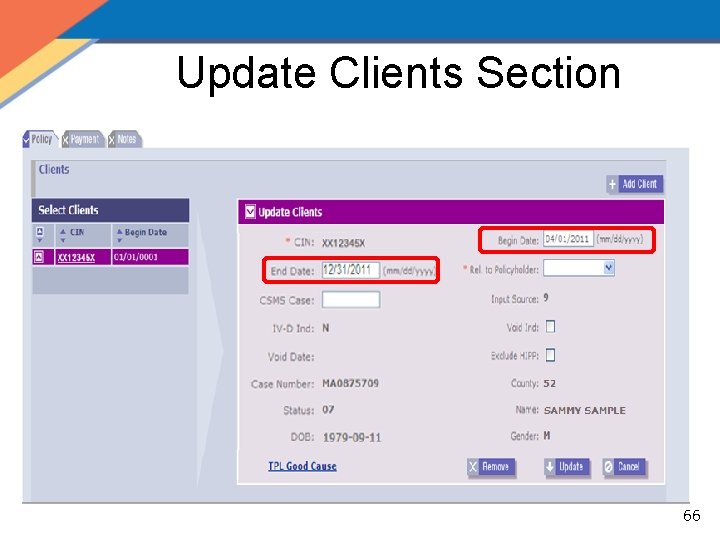
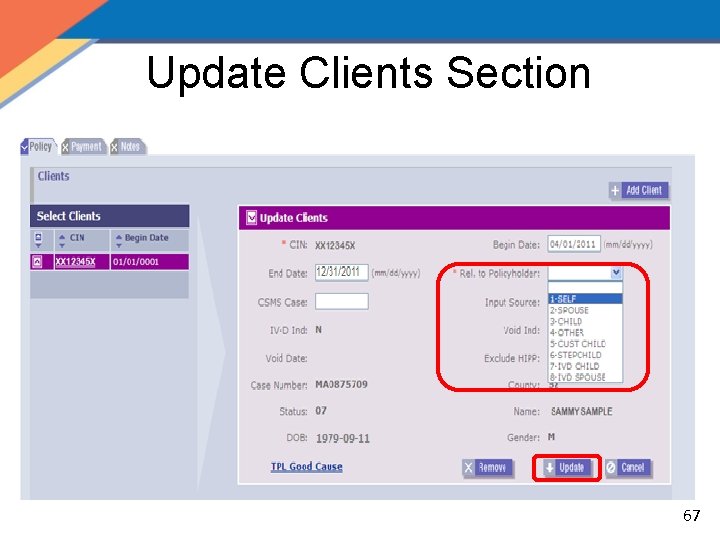
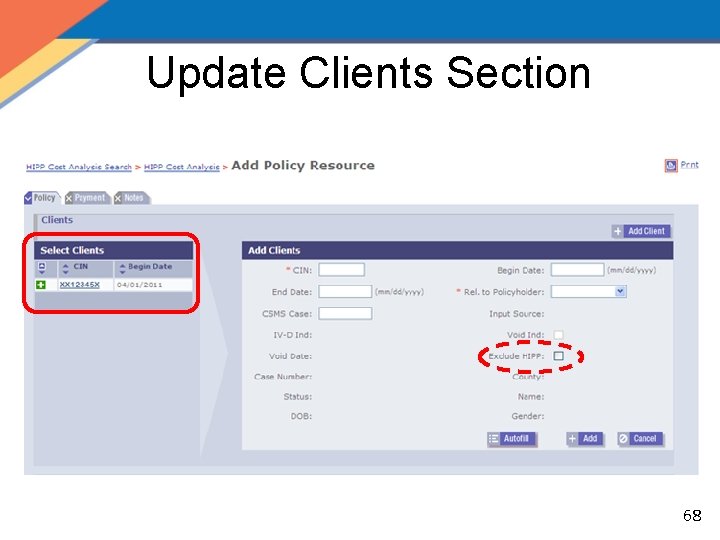
Policy Tab Select Clients Add/Update Clients Policyholder Carrier Claiming Coverage Save & Reset 64
Select Clients Section 65
Update Clients Section 66
Update Clients Section 67
Update Clients Section 68
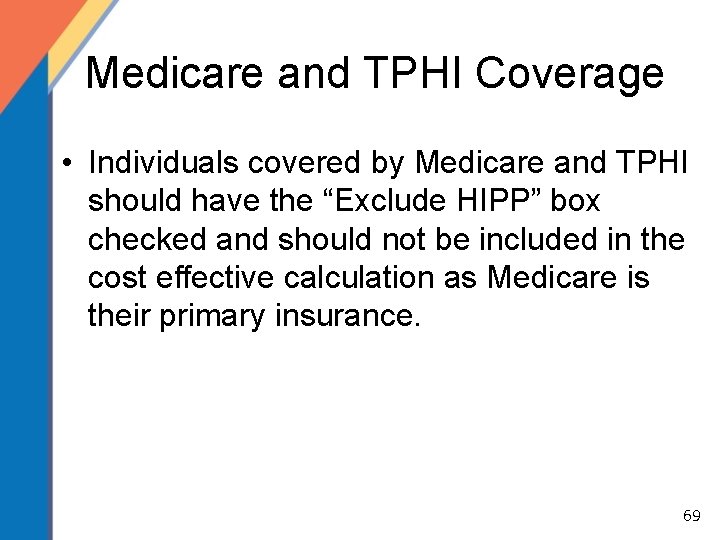
Medicare and TPHI Coverage • Individuals covered by Medicare and TPHI should have the “Exclude HIPP” box checked and should not be included in the cost effective calculation as Medicare is their primary insurance. 69
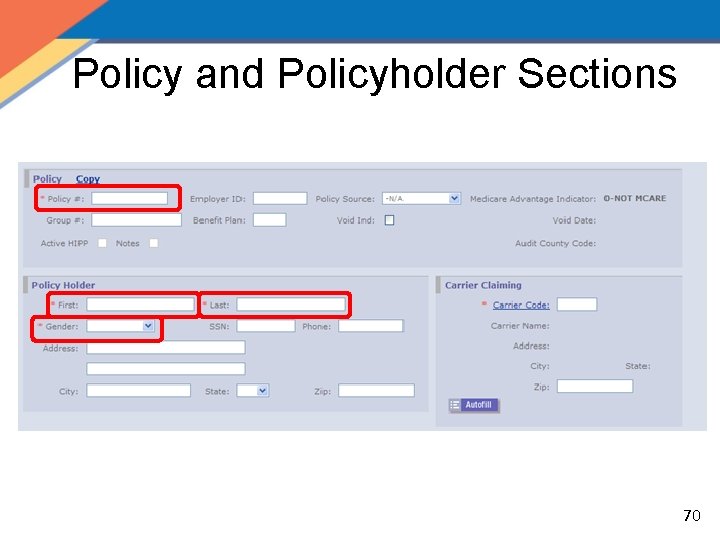
Policy and Policyholder Sections 70
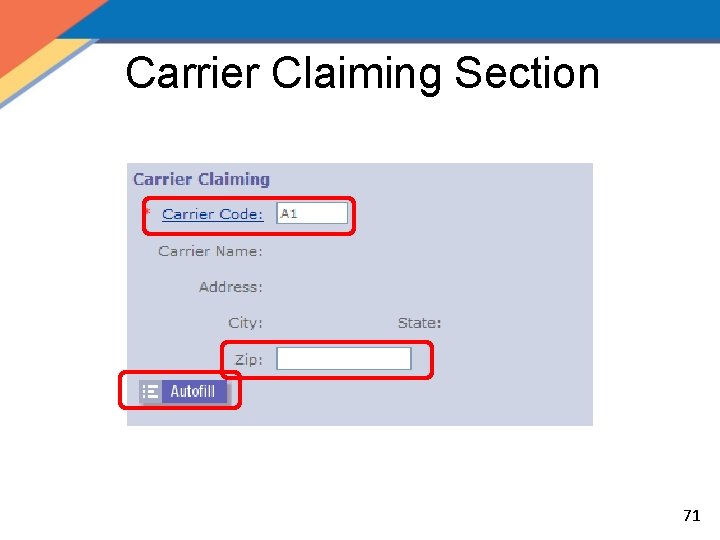
Carrier Claiming Section 71
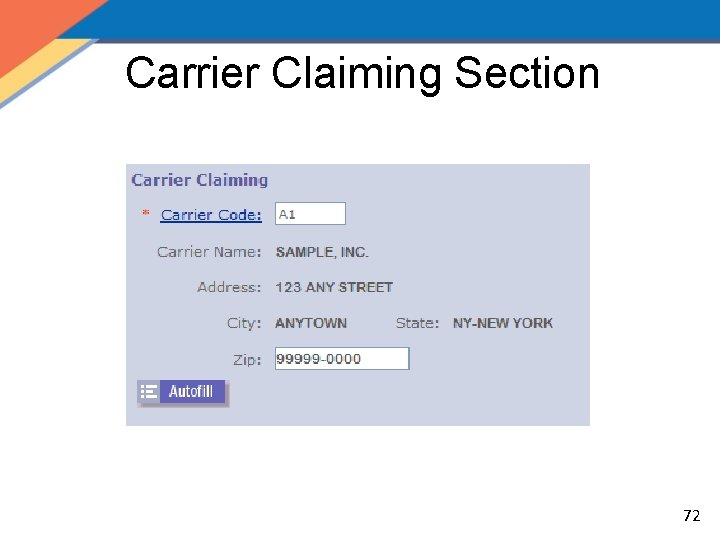
Carrier Claiming Section 72
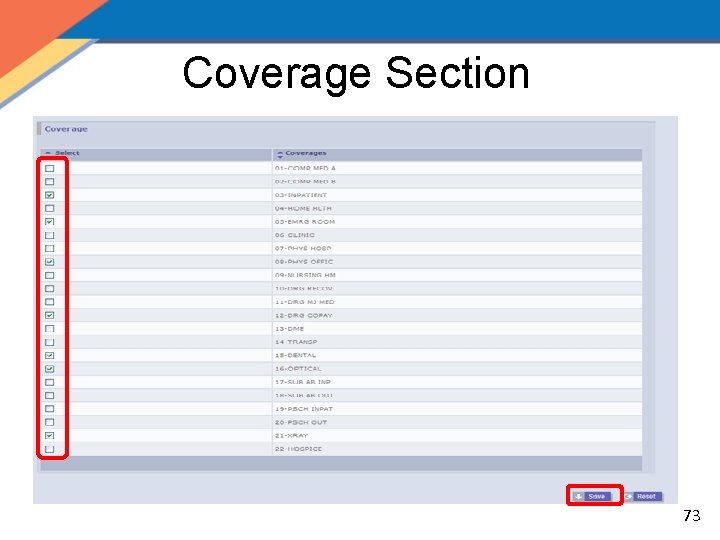
Coverage Section 73
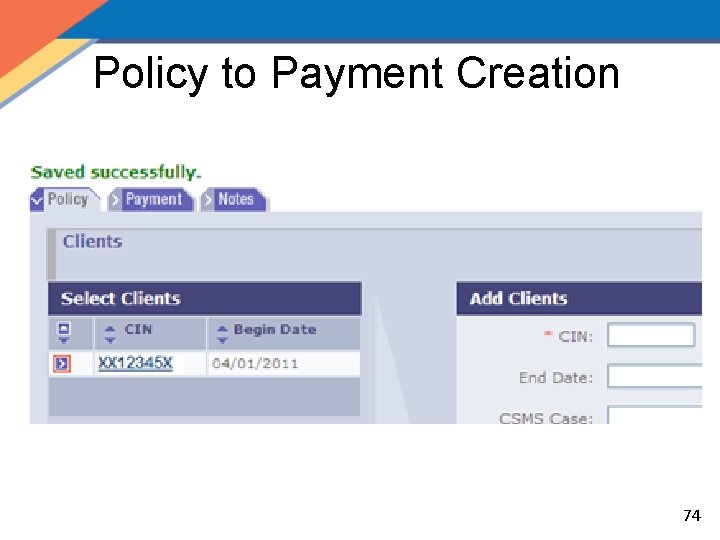
Policy to Payment Creation 74
Policy Tab Quiz • How can you find the Carrier Code from the Policy tab? Click on the Carrier Code hyperlink, or go to the Carrier Code Search in the Third Party Drop Down. • What information is automatically populated from the HIPP Calculator Page? All CINs added during the calculation process and the policy number will be auto-populated. 75
HIPP Policy QRG – Tab 4 76
HIPP/MIPP Payee • A HIPP/MIPP Payee must exist and be active or be created in order to receive payments • Payee should only be created after LDSS has determined that policy is qualified and cost effective and A/R is eligible for payment/reimbursement of the premium 77
HIPP/MIPP Payee, cont’d. • HIPP/MIPP* Payees may be: – Insurance Carriers – Clients* – Policy Holders (i. e. : recipient is other than policy holder) – Employers – Other Entities (i. e. : representatives) – Unions • Users with the HIPP/MIPP Payee Creator security role can create a valid HIPP/MIPP 78 Payee using the Payee pages
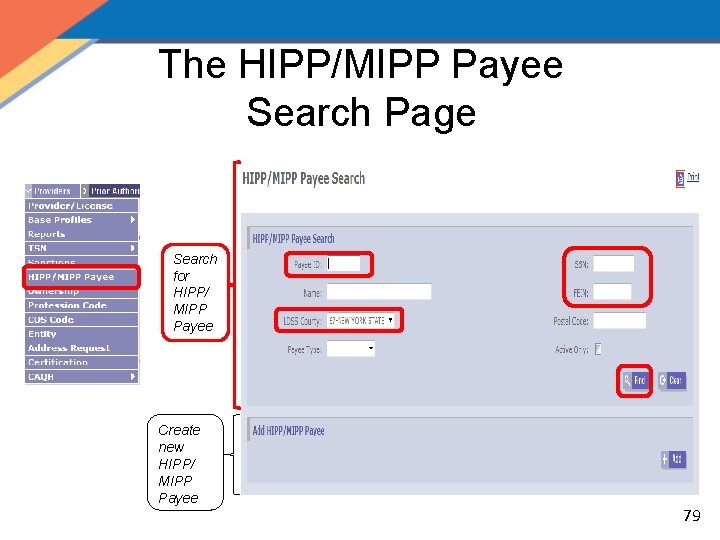
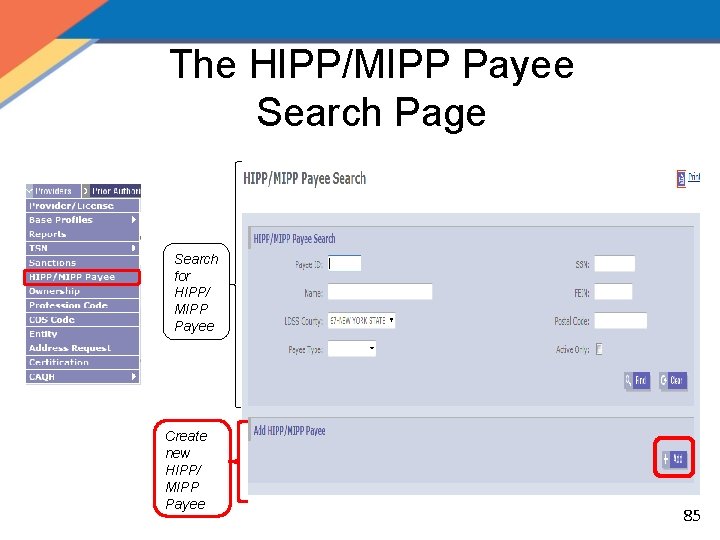
The HIPP/MIPP Payee Search Page Search for HIPP/ MIPP Payee Create new HIPP/ MIPP Payee 79
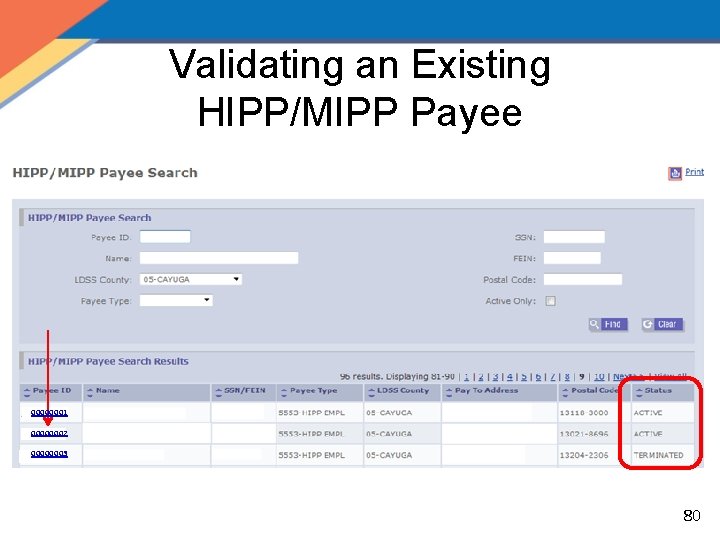
Validating an Existing HIPP/MIPP Payee 00000001 00000002 00000003 80
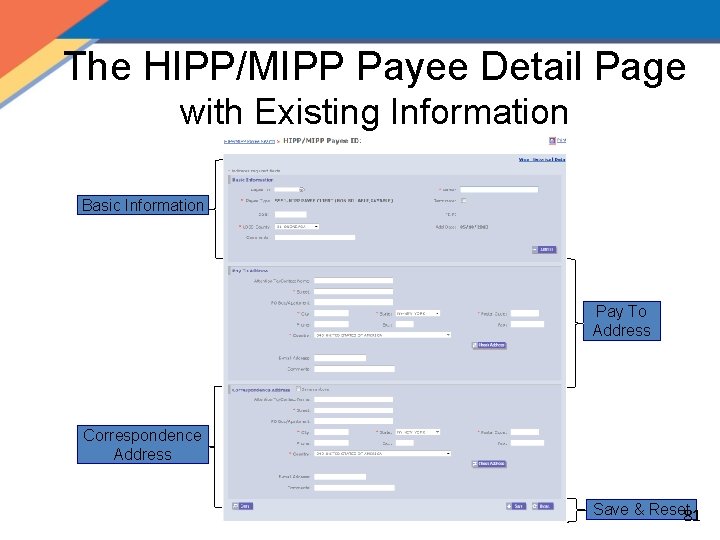
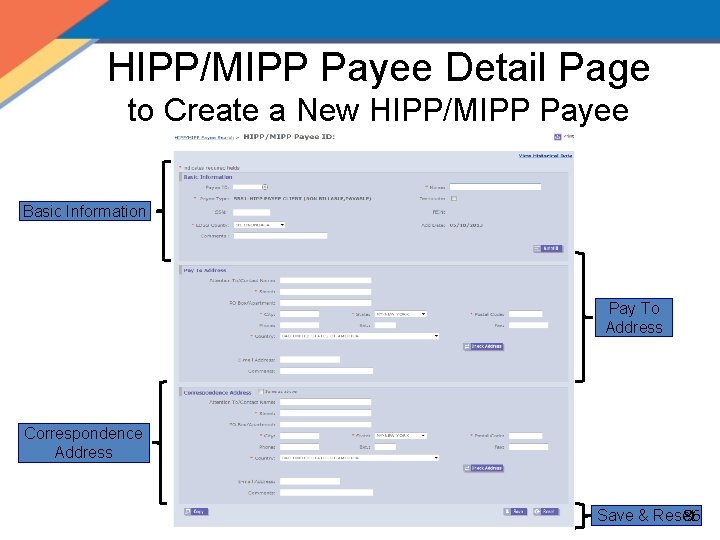
The HIPP/MIPP Payee Detail Page with Existing Information Basic Information Pay To Address Correspondence Address Save & Reset 81
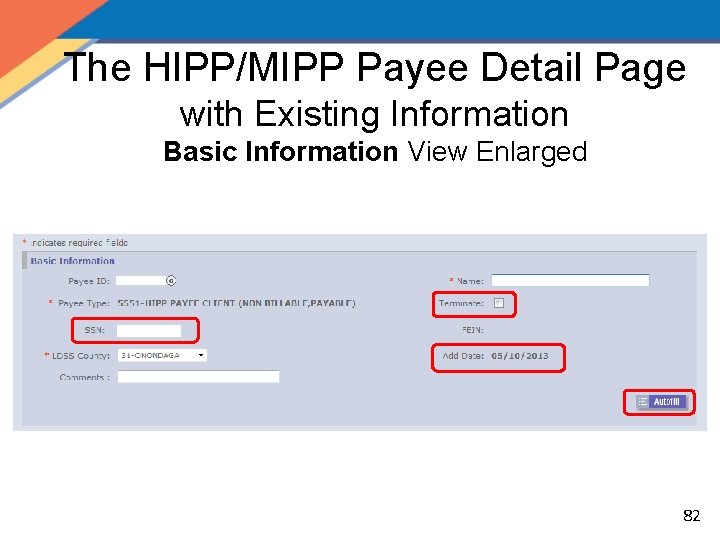
The HIPP/MIPP Payee Detail Page with Existing Information Basic Information View Enlarged 82
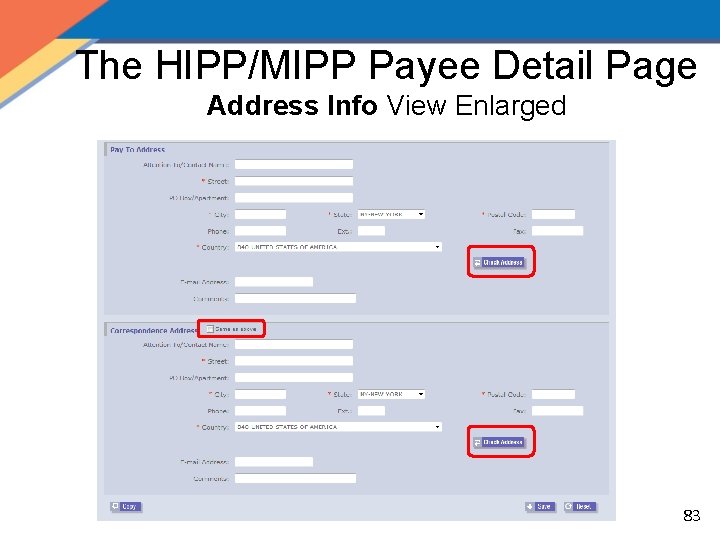
The HIPP/MIPP Payee Detail Page Address Info View Enlarged 83
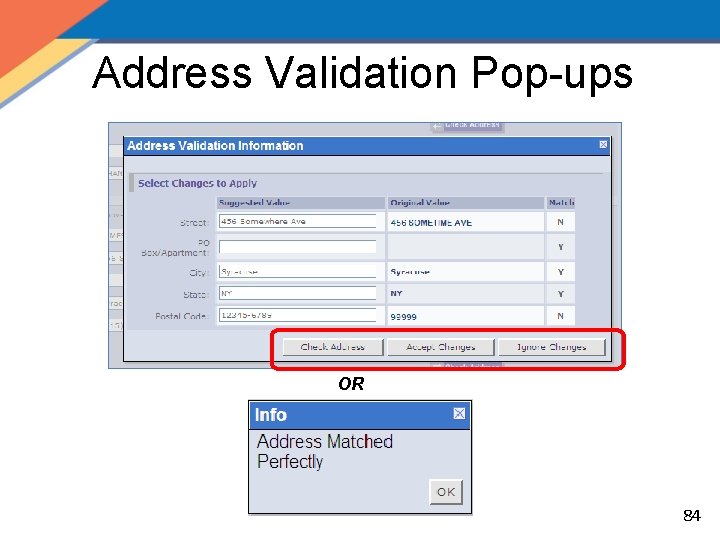
Address Validation Pop-ups OR 84
The HIPP/MIPP Payee Search Page Search for HIPP/ MIPP Payee 2 3 Create new HIPP/ MIPP Payee 85
HIPP/MIPP Payee Detail Page to Create a New HIPP/MIPP Payee Basic Information Pay To Address Correspondence Address 86 Save & Reset
HIPP/MIPP Payee Quiz • Can anyone create a HIPP/MIPP Payee? No, only those with “Payee Creator” access can create a Payee. • What are the 3 abilities users have when using the HIPP/MIPP Detail Page? Users can: 1. Search for or create a Payee 2. Modify Payee information 3. Terminate or Reactivate a Payee 87
HIPP/MIPP Payee QRG – Tab 2 88
HIPP Process • Create a New Cost Analysis – HIPP Calculator Search Page – HIPP Calculator Page • Create a New Policy – Policy Tab • Create a New Payment – Payment Tab – HIPP/MIPP Payee Search Page – HIPP/MIPP Payee Detail Page 89
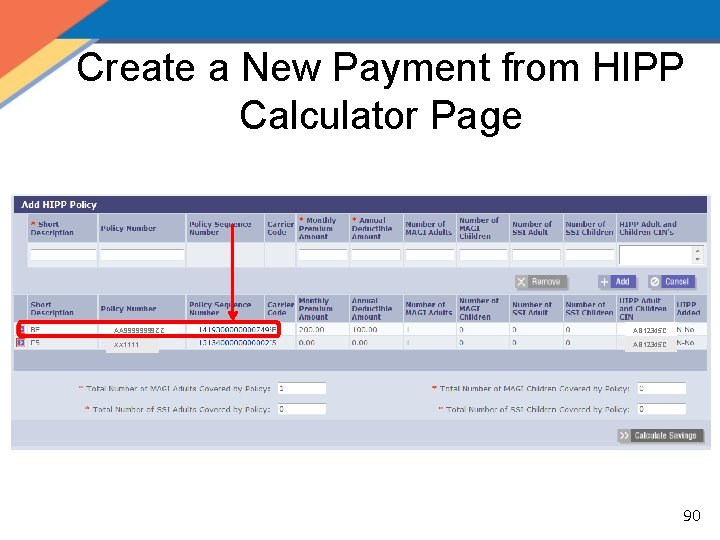
Create a New Payment from HIPP Calculator Page AA 9999 ZZ AB 12345 C XX 1111 AB 12345 C 90
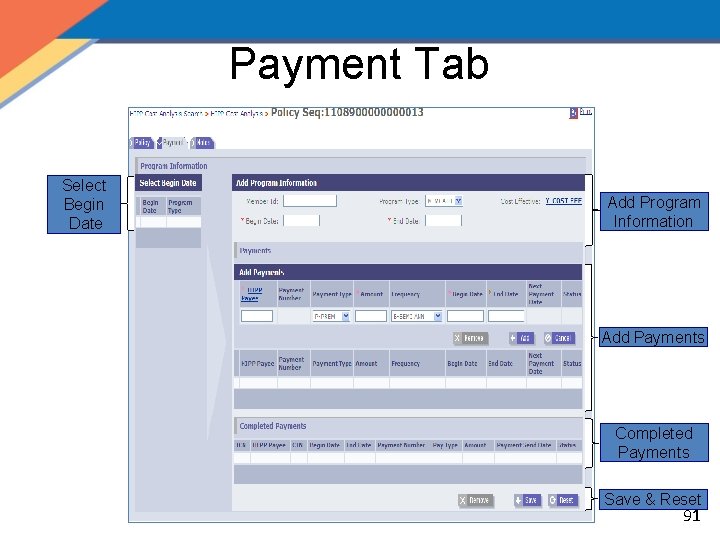
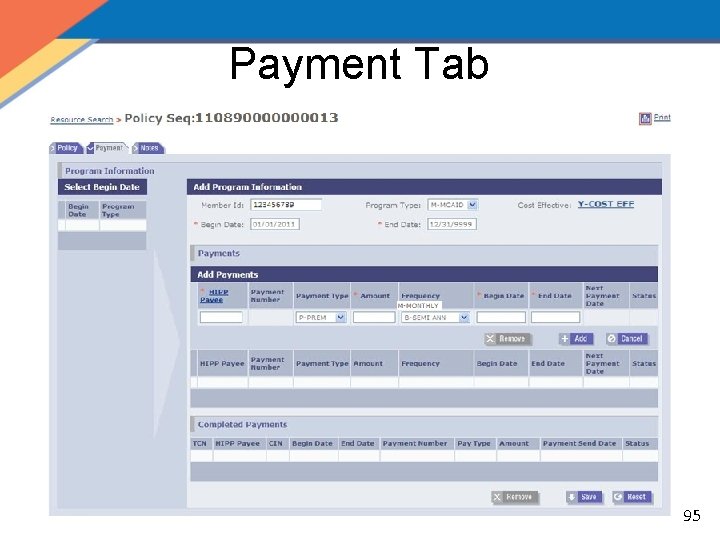
Payment Tab Select Begin Date Add Program Information Add Payments Completed Payments Save & Reset 91
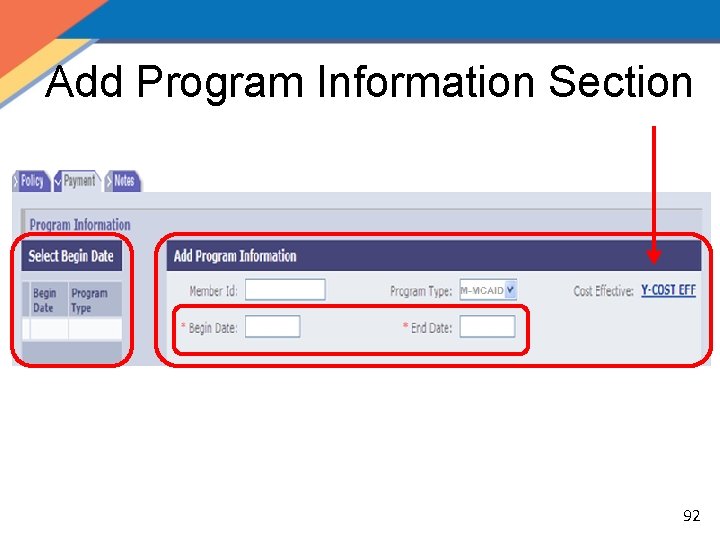
Add Program Information Section 92
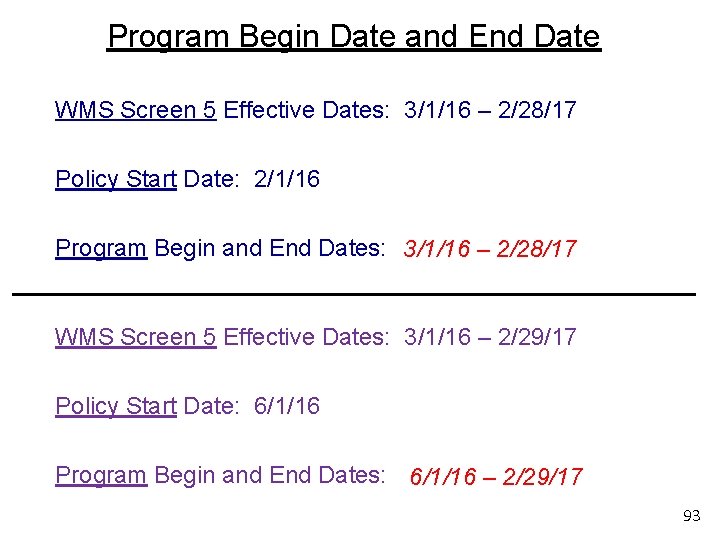
Program Begin Date and End Date WMS Screen 5 Effective Dates: 3/1/16 – 2/28/17 Policy Start Date: 2/1/16 Program Begin and End Dates: 3/1/16 – 2/28/17 WMS Screen 5 Effective Dates: 3/1/16 – 2/29/17 Policy Start Date: 6/1/16 Program Begin and End Dates: 6/1/16 – 2/29/17 93
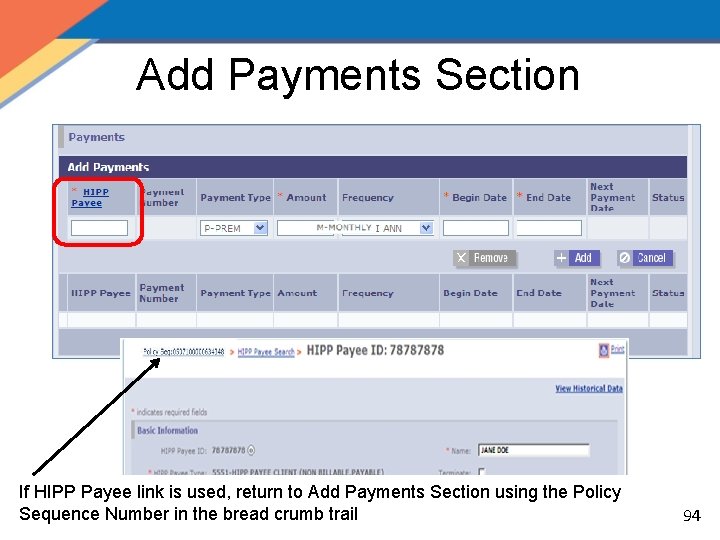
Add Payments Section If HIPP Payee link is used, return to Add Payments Section using the Policy Sequence Number in the bread crumb trail 94
Payment Tab 95
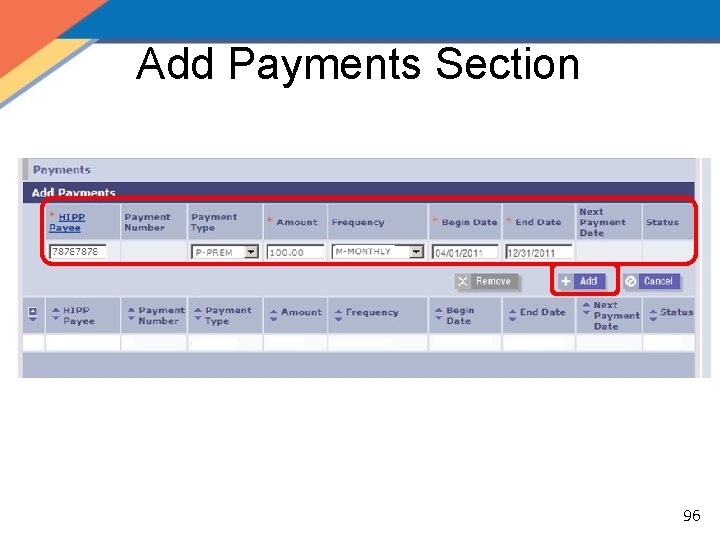
Add Payments Section 96
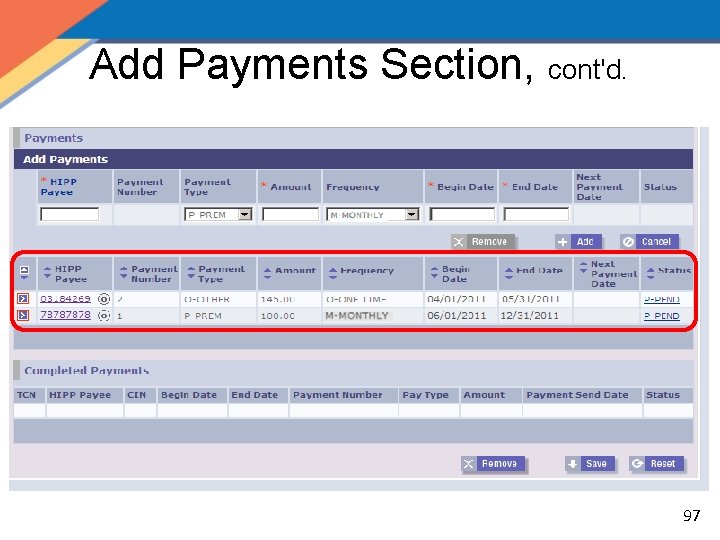
Add Payments Section, cont'd. 97
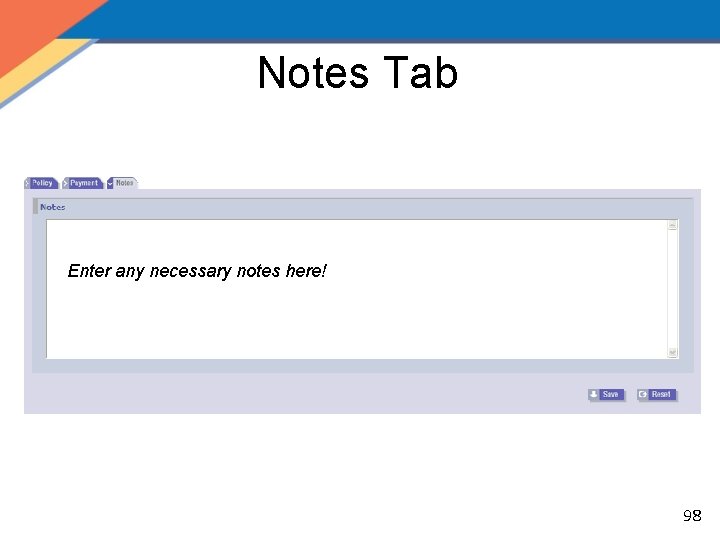
Notes Tab Enter any necessary notes here! 98
Payment Tab Quiz • What happens when you click Save? The payment disappears. It can be viewed on the HIPP Mass Authorization page or by clicking the arrow on the Program Information section. • What edit exists for the payment end date? You are not able to extend a payment beyond the authorization end date. • What edit exists for the payment begin date? Payment cannot start prior to the creation of the HIPP Payee or the Cost Effective Analysis. 99
Payment Tab QRG – Tab 5 100
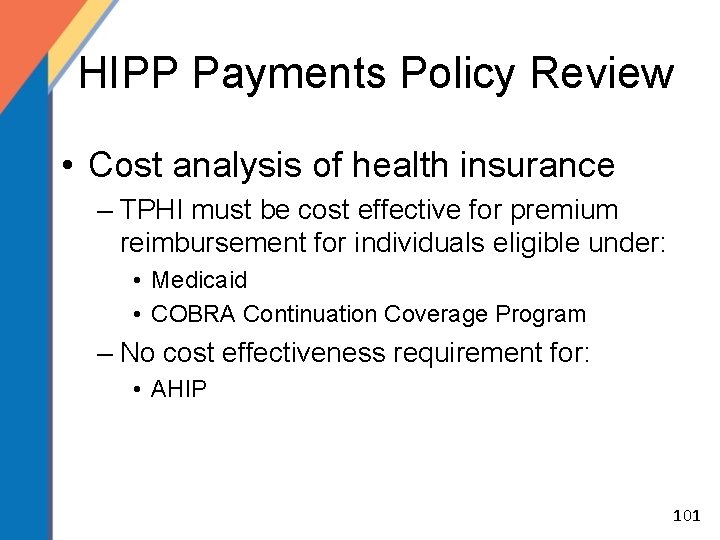
HIPP Payments Policy Review • Cost analysis of health insurance – TPHI must be cost effective for premium reimbursement for individuals eligible under: • Medicaid • COBRA Continuation Coverage Program – No cost effectiveness requirement for: • AHIP 101
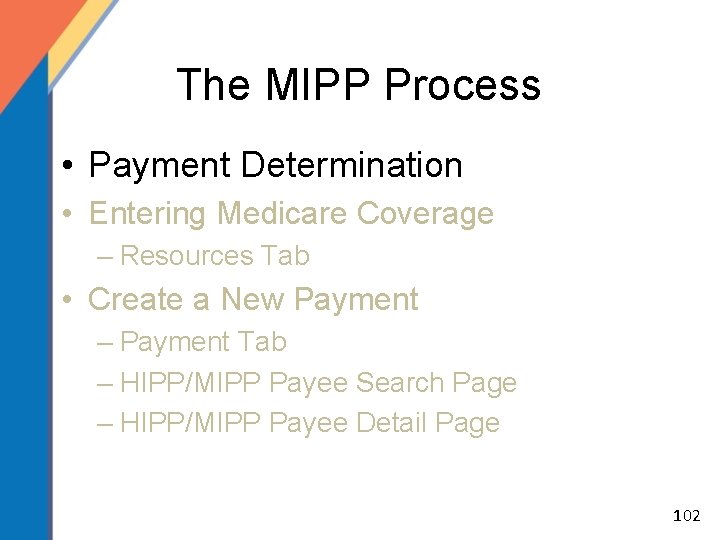
The MIPP Process • Payment Determination • Entering Medicare Coverage – Resources Tab • Create a New Payment – Payment Tab – HIPP/MIPP Payee Search Page – HIPP/MIPP Payee Detail Page 102
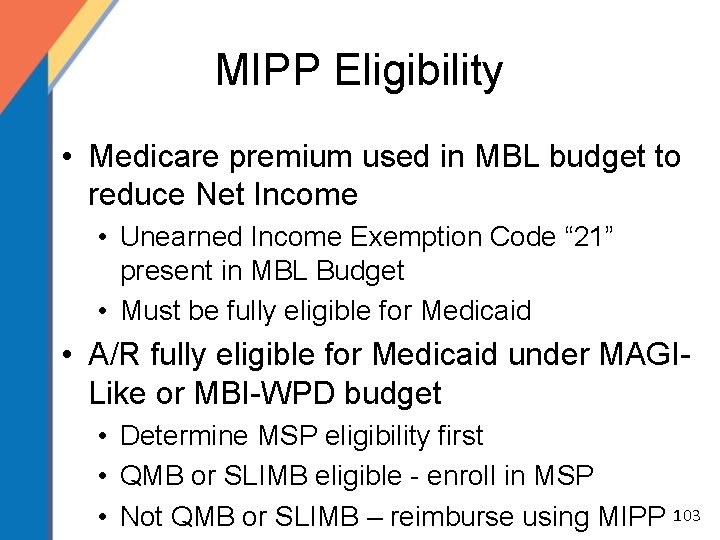
MIPP Eligibility • Medicare premium used in MBL budget to reduce Net Income • Unearned Income Exemption Code “ 21” present in MBL Budget • Must be fully eligible for Medicaid • A/R fully eligible for Medicaid under MAGILike or MBI-WPD budget • Determine MSP eligibility first • QMB or SLIMB eligible - enroll in MSP • Not QMB or SLIMB – reimburse using MIPP 103
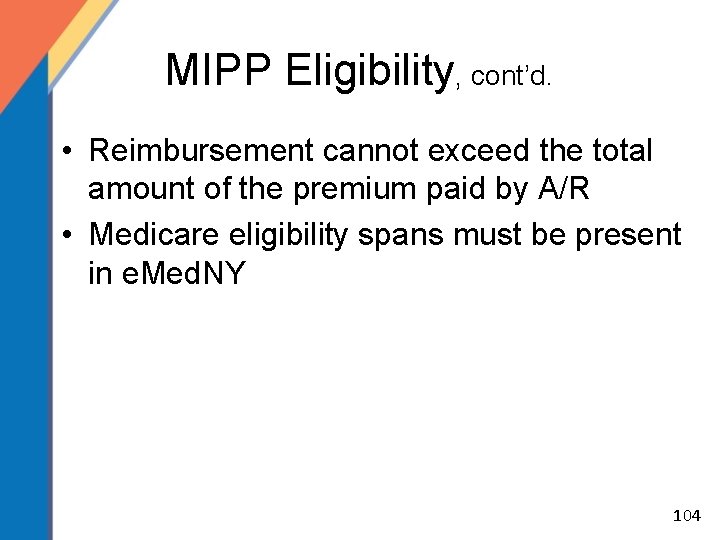
MIPP Eligibility, cont’d. • Reimbursement cannot exceed the total amount of the premium paid by A/R • Medicare eligibility spans must be present in e. Med. NY 104
The MIPP Process • Payment Determination • Entering Medicare Coverage – Resources Tab • Create a New Payment – Payment Tab – HIPP/MIPP Payee Search Page – HIPP/MIPP Payee Detail Page 105
Resource Search Results 123456789 A 106
Resource Search 107
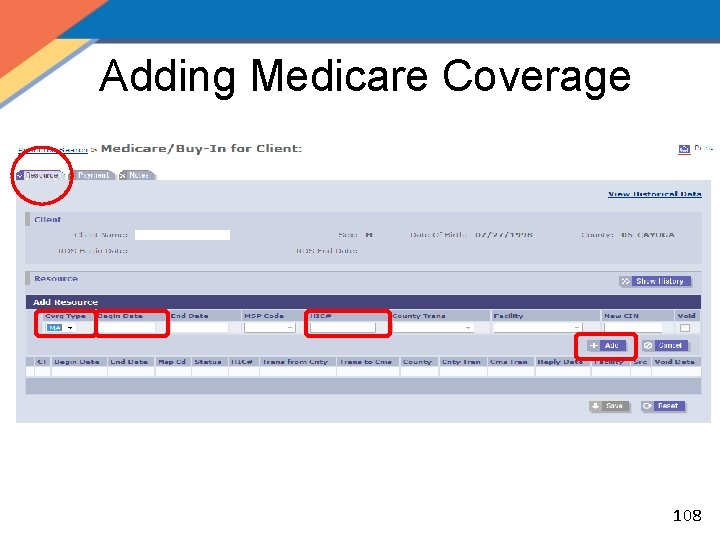
Adding Medicare Coverage 108
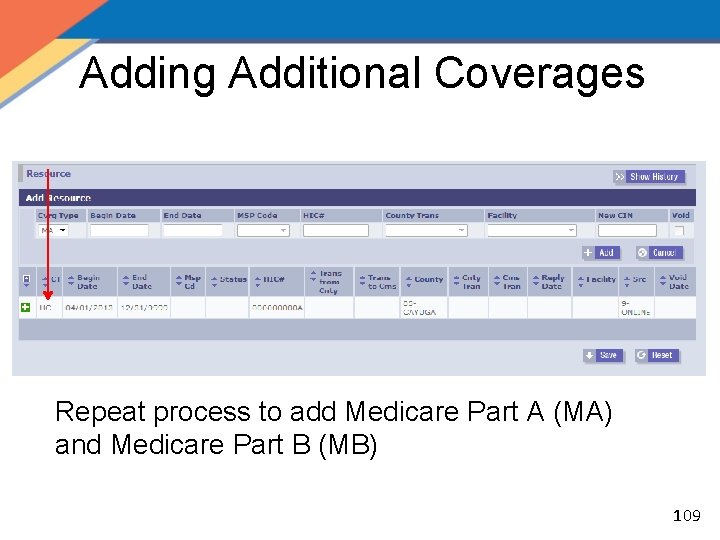
Adding Additional Coverages Repeat process to add Medicare Part A (MA) and Medicare Part B (MB) 109
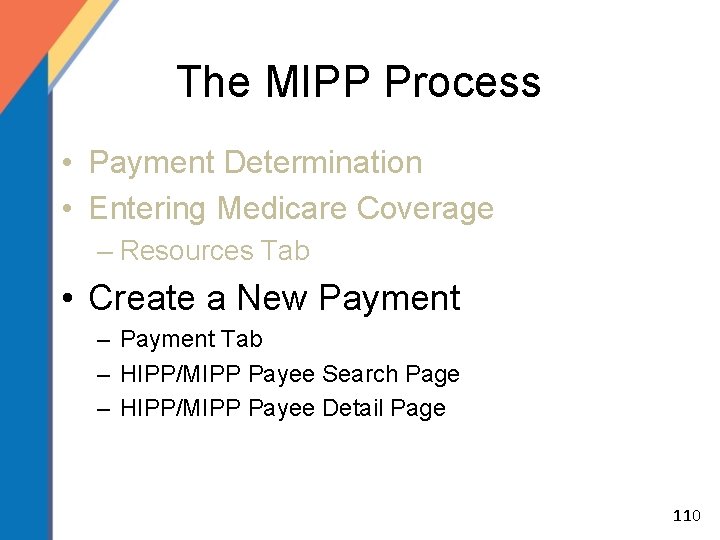
The MIPP Process • Payment Determination • Entering Medicare Coverage – Resources Tab • Create a New Payment – Payment Tab – HIPP/MIPP Payee Search Page – HIPP/MIPP Payee Detail Page 110
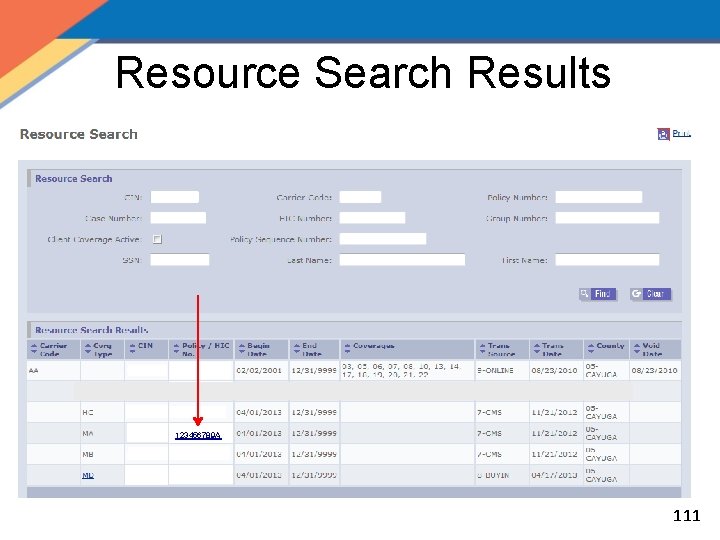
Resource Search Results 123456789 A 111
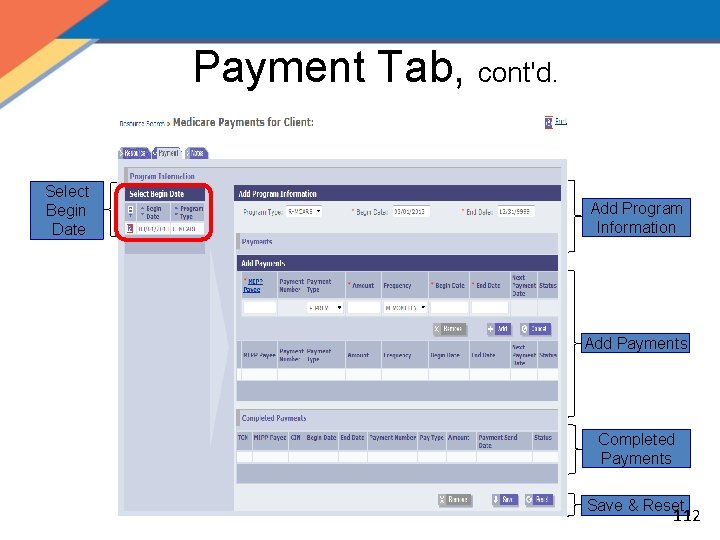
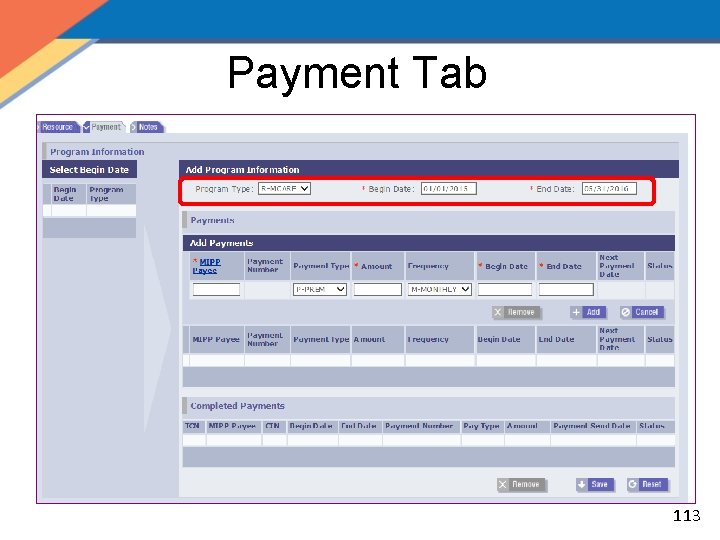
Payment Tab, cont'd. Select Begin Date Add Program Information Add Payments Completed Payments Save & Reset 112
Payment Tab 113
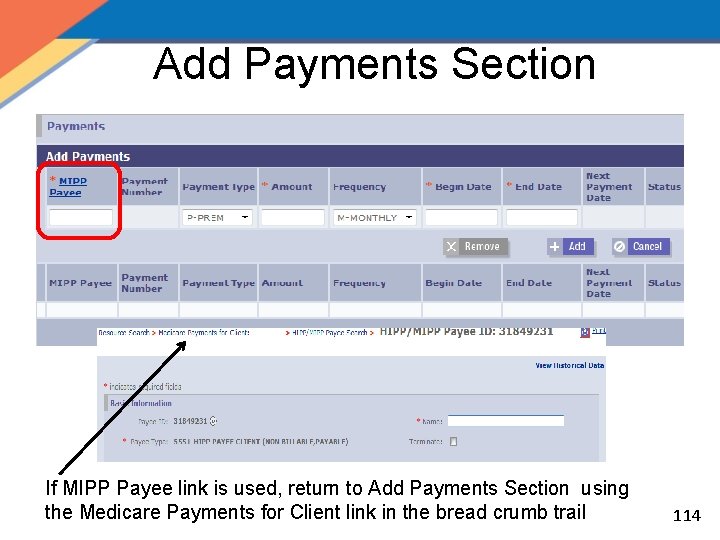
Add Payments Section If MIPP Payee link is used, return to Add Payments Section using the Medicare Payments for Client link in the bread crumb trail 114
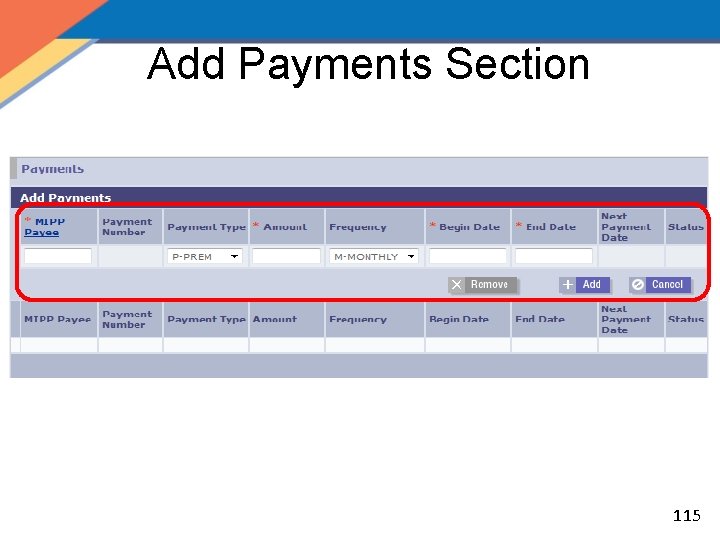
Add Payments Section 115
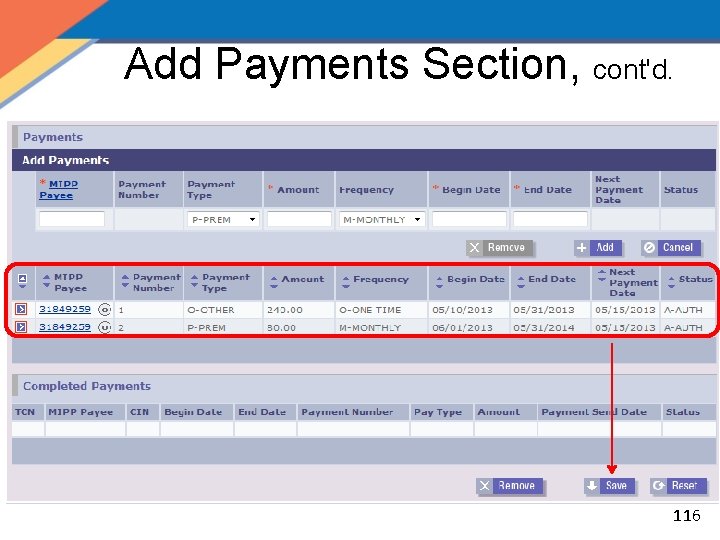
Add Payments Section, cont'd. 116
Notes Tab Enter any necessary notes here! 117
Medicare Supplemental Plans • Premium payment for Medigap policies or policies to supplement Medicare not cost effective as these policies do not pay for Medicare non-covered services. 118
Medicare Advantage Plans • Medicare Advantage Plans may be cost effective – Known as Medicare Part C – Must be cost effective – Payment made through MIPP • Only Part C premium can be reimbursed • Do not pay Part D portion of the premium 119
MIPP Quiz • Is a cost effective calculation necessary for MIPP? No. Eligibility is based on MBL Budget. • What is the maximum reimbursement for a Medicare premium? A/R’s Current Year Premium • True or False: The recipient must have active Medicaid and Medicare coverage for the premium payment period? True 120
MIPP Coverage QRG – Tab 6 121
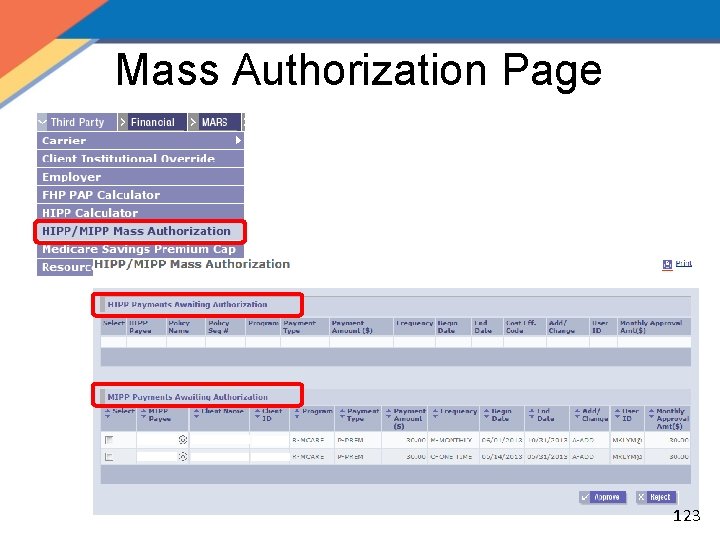
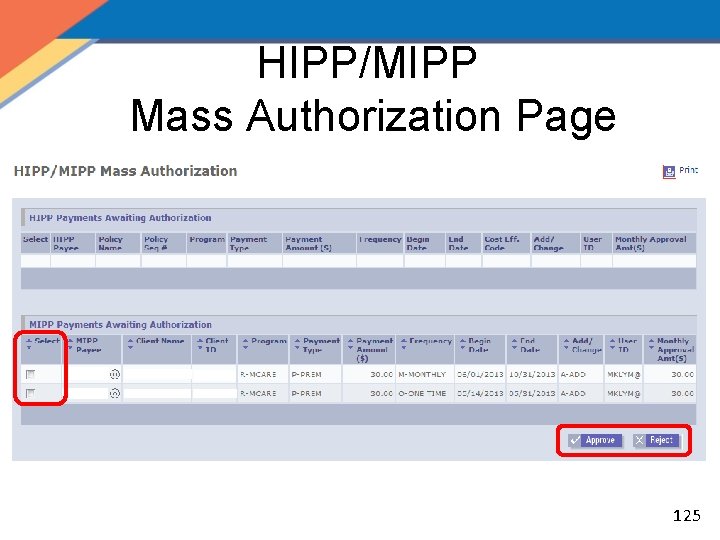
HIPP/MIPP Mass Authorizer • Only specific personnel are designated to authorize HIPP/MIPP payments within their county of fiscal responsibility • Users assigned this role may not authorize their own payments • All authorizations occur at the Payment level • Any new payment requires authorization • All HIPP/MIPP checks and remittances are generated once a week during the Financial Payment cycle 122
Mass Authorization Page 123
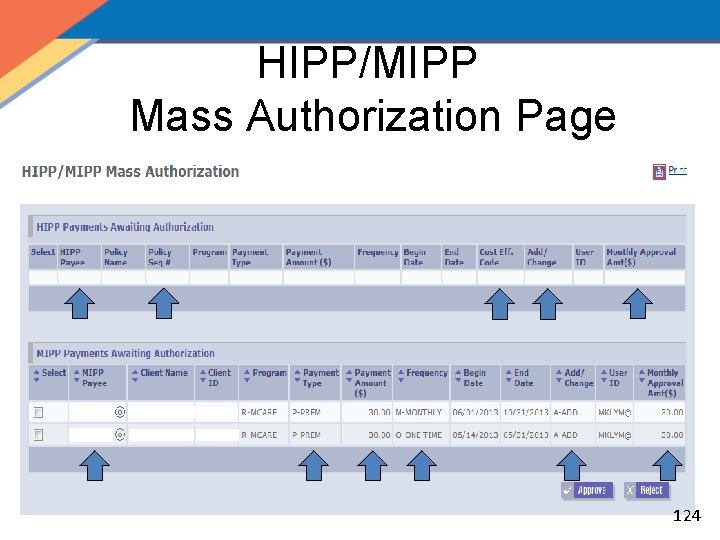
HIPP/MIPP Mass Authorization Page 124
HIPP/MIPP Mass Authorization Page 125
Mass Authorizer Quiz • True or False: Authorizers may only approve payments falling within the total maximum monthly amount for their profile. True • True or False: Authorizers may also create payments. True, cannot create and authorize the same payment 126
Payment Authorizer and MOBIUS Reports QRG – Tab 7 127
HIPP and MIPP Comparison HIPP • • Used for AHIP, COBRA and Medicaid programs If a calculation is not cost effective, e. Med. NY will still allow policy and payment to be created and approved • All active policies are used in the calculation, however, payments are made on the Medical policy • At least one eligible adult or child CIN must be added to the calculation in order to create a policy • Users have the ability to create multiple payments if needed MIPP • Used for Medicaid program • e. Med. NY cost analysis is not performed for MIPP payments • Payments may be created for amounts up to the difference between the A/R net income and the appropriate income eligibility standard, not to exceed the Medicare premium • Full premium reimbursement may be paid to MAGI-Like and MBI-WPD eligible recipients not otherwise eligible for QMB or SLIMB • Users have the ability to create multiple payments if needed 128
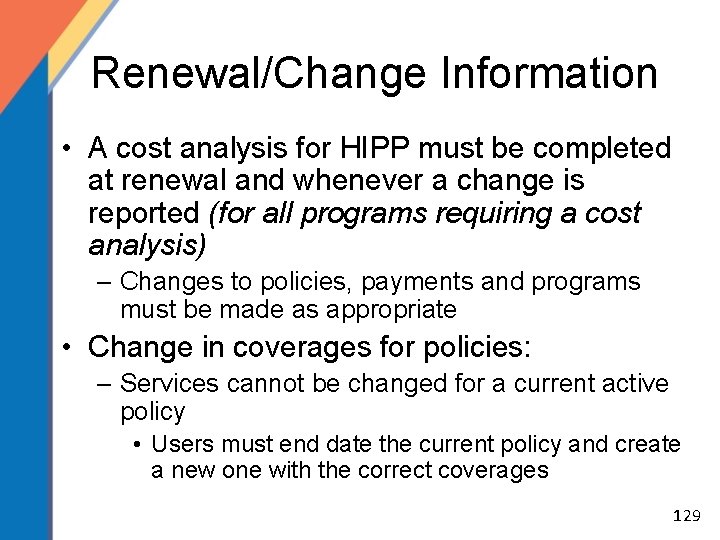
Renewal/Change Information • A cost analysis for HIPP must be completed at renewal and whenever a change is reported (for all programs requiring a cost analysis) – Changes to policies, payments and programs must be made as appropriate • Change in coverages for policies: – Services cannot be changed for a current active policy • Users must end date the current policy and create a new one with the correct coverages 129
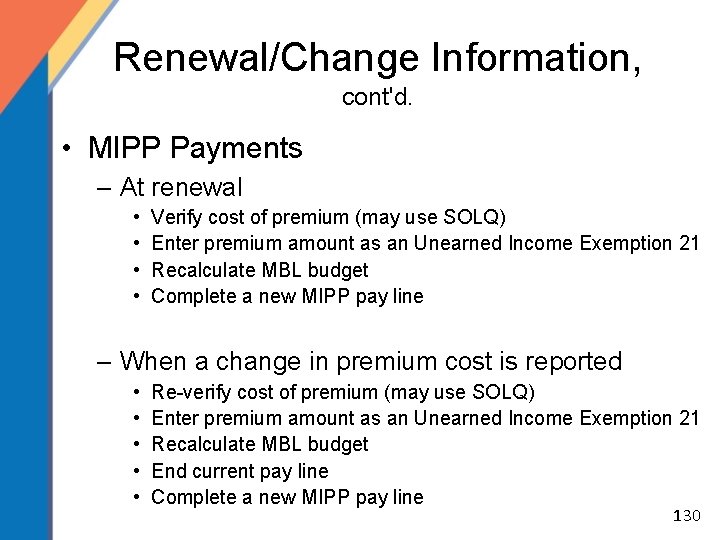
Renewal/Change Information, cont'd. • MIPP Payments – At renewal • • Verify cost of premium (may use SOLQ) Enter premium amount as an Unearned Income Exemption 21 Recalculate MBL budget Complete a new MIPP pay line – When a change in premium cost is reported • • • Re-verify cost of premium (may use SOLQ) Enter premium amount as an Unearned Income Exemption 21 Recalculate MBL budget End current pay line Complete a new MIPP pay line 130
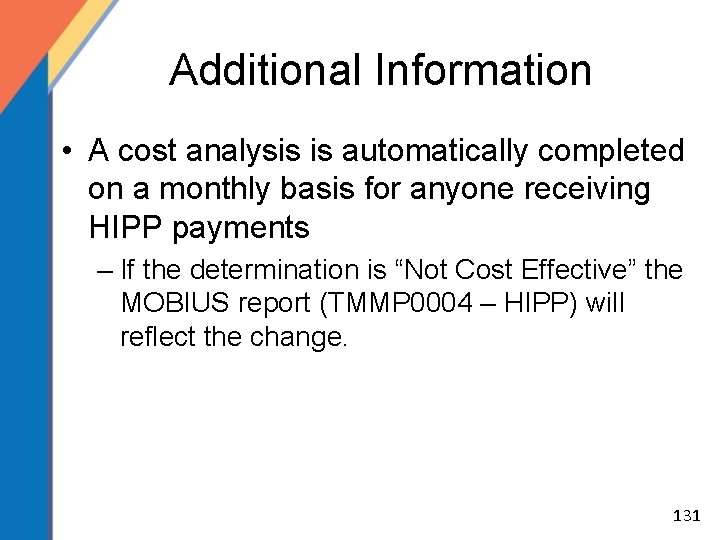
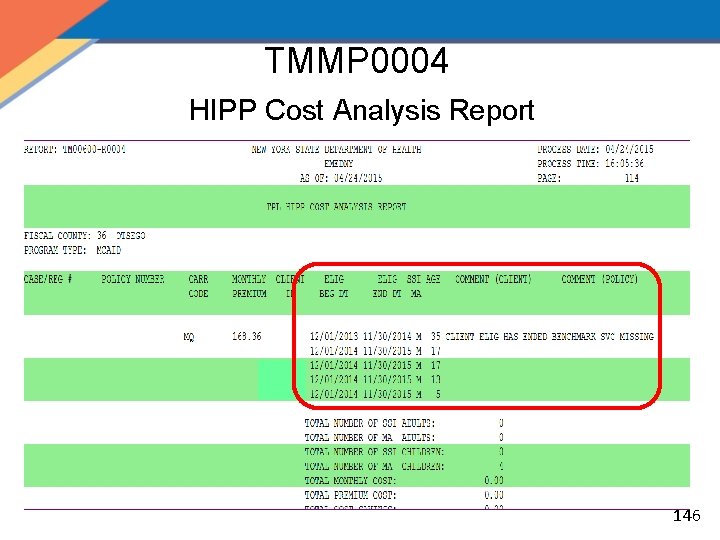
Additional Information • A cost analysis is automatically completed on a monthly basis for anyone receiving HIPP payments – If the determination is “Not Cost Effective” the MOBIUS report (TMMP 0004 – HIPP) will reflect the change. 131
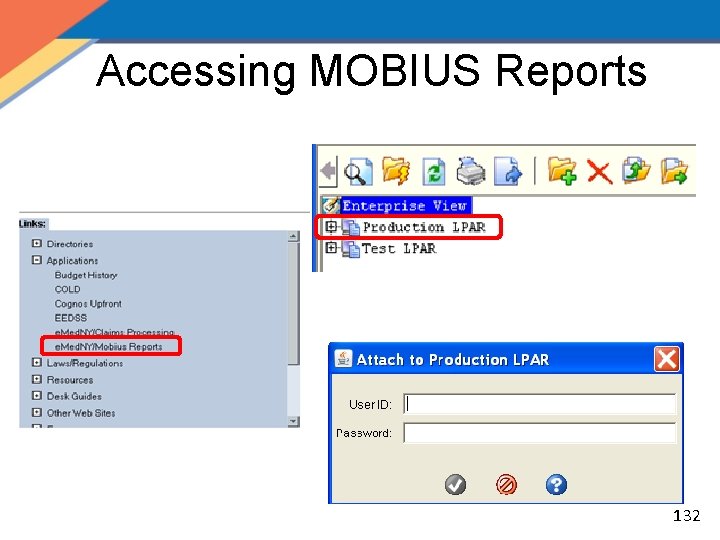
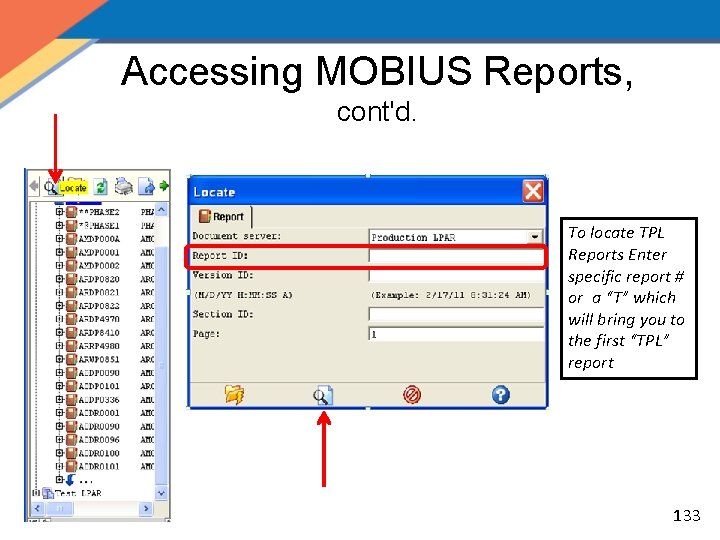
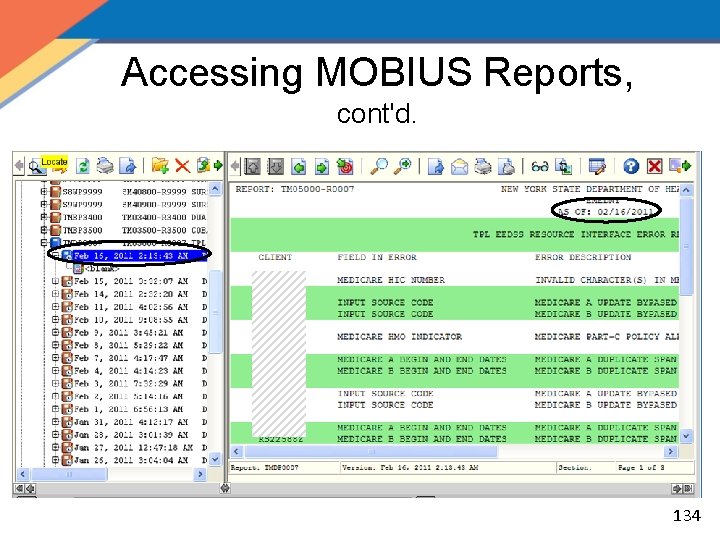
Accessing MOBIUS Reports 132
Accessing MOBIUS Reports, cont'd. To locate TPL Reports Enter specific report # or a “T” which will bring you to the first “TPL” report 133
Accessing MOBIUS Reports, cont'd. 134
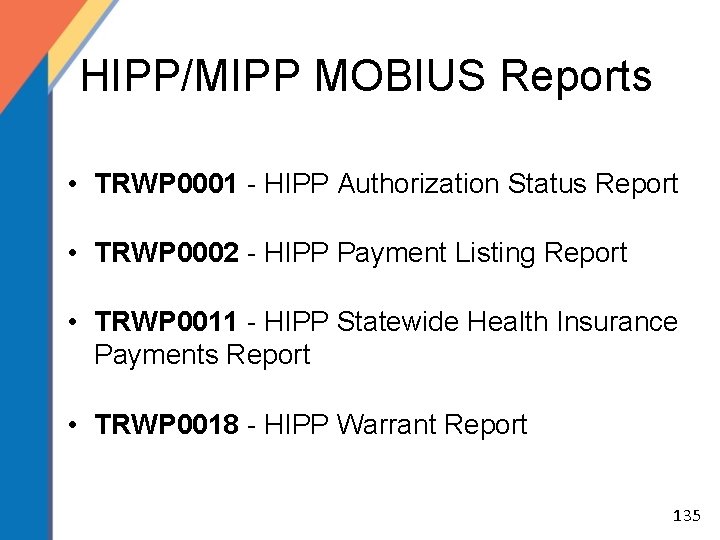
HIPP/MIPP MOBIUS Reports • TRWP 0001 - HIPP Authorization Status Report • TRWP 0002 - HIPP Payment Listing Report • TRWP 0011 - HIPP Statewide Health Insurance Payments Report • TRWP 0018 - HIPP Warrant Report 135
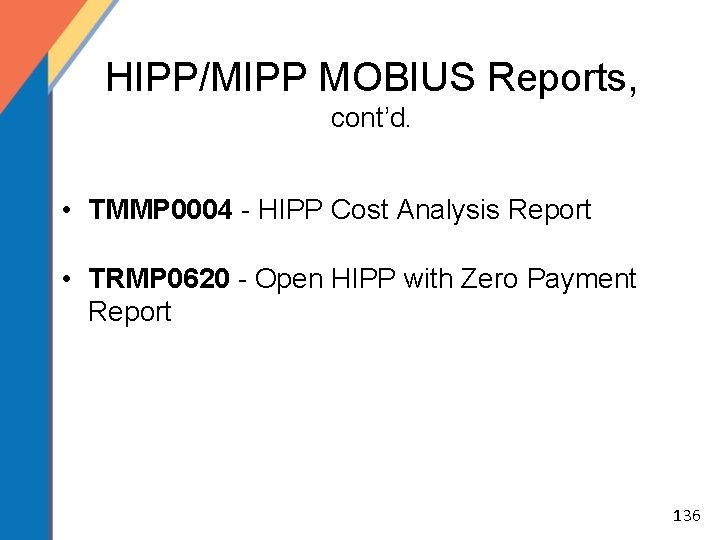
HIPP/MIPP MOBIUS Reports, cont’d. • TMMP 0004 - HIPP Cost Analysis Report • TRMP 0620 - Open HIPP with Zero Payment Report 136
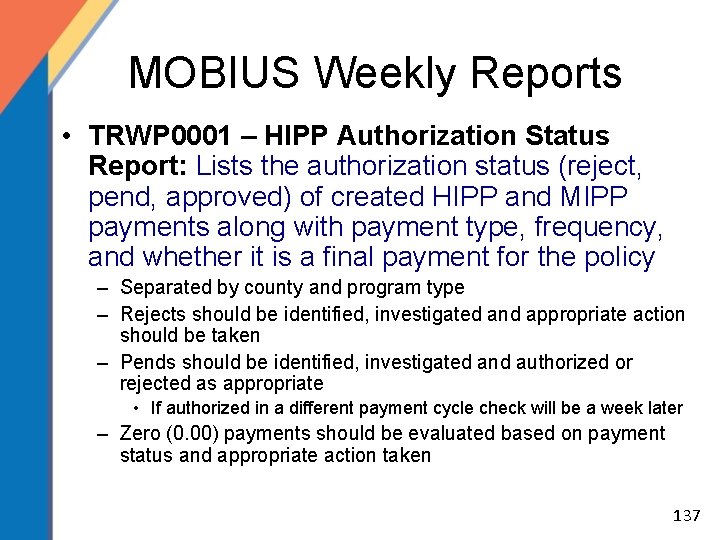
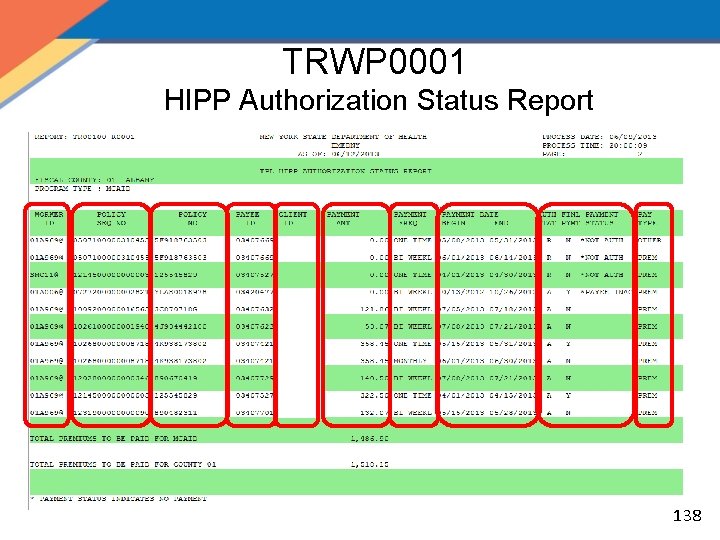
MOBIUS Weekly Reports • TRWP 0001 – HIPP Authorization Status Report: Lists the authorization status (reject, pend, approved) of created HIPP and MIPP payments along with payment type, frequency, and whether it is a final payment for the policy – Separated by county and program type – Rejects should be identified, investigated and appropriate action should be taken – Pends should be identified, investigated and authorized or rejected as appropriate • If authorized in a different payment cycle check will be a week later – Zero (0. 00) payments should be evaluated based on payment status and appropriate action taken 137
TRWP 0001 HIPP Authorization Status Report 138
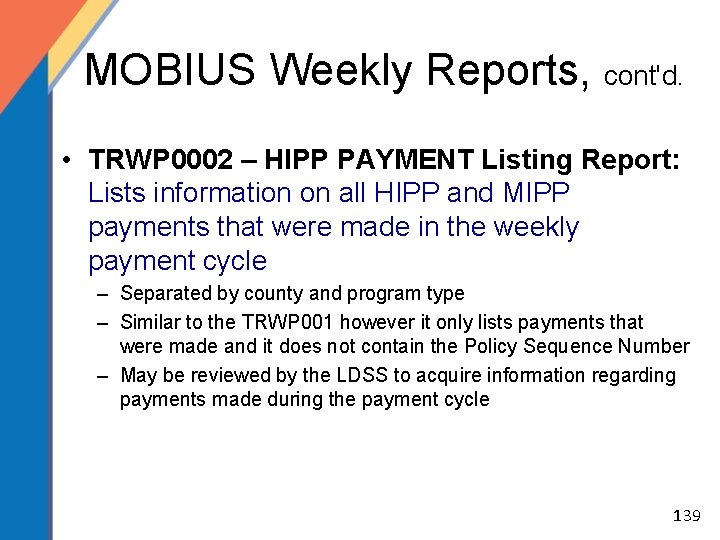
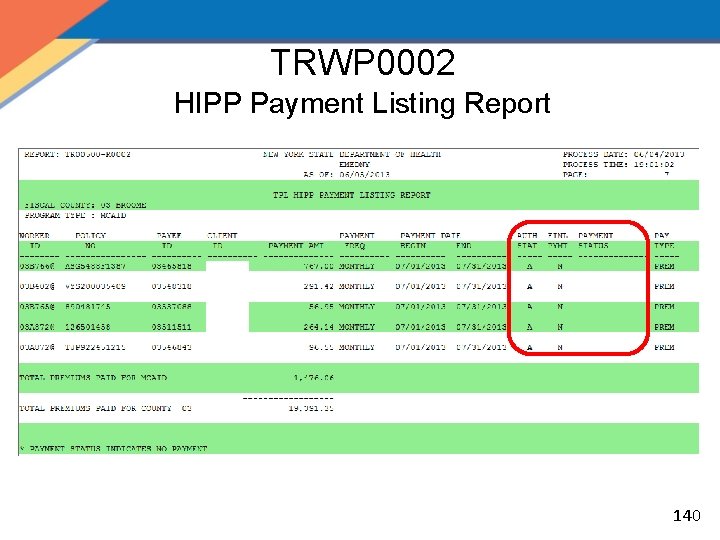
MOBIUS Weekly Reports, cont'd. • TRWP 0002 – HIPP PAYMENT Listing Report: Lists information on all HIPP and MIPP payments that were made in the weekly payment cycle – Separated by county and program type – Similar to the TRWP 001 however it only lists payments that were made and it does not contain the Policy Sequence Number – May be reviewed by the LDSS to acquire information regarding payments made during the payment cycle 139
TRWP 0002 HIPP Payment Listing Report 140
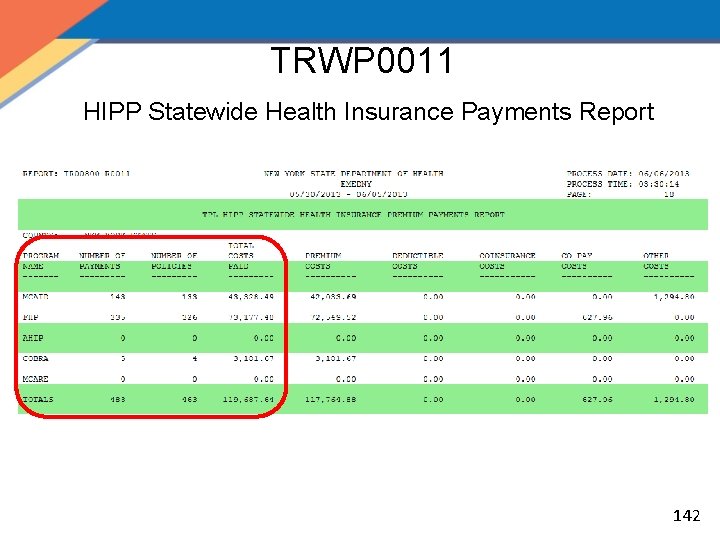
MOBIUS Weekly Reports, cont'd. • TRWP 0011 – HIPP Statewide Health Insurance Payments Report: Statewide and county reports listing total MIPP payments and HIPP payments for each program type (Medicaid, AHIP, COBRA) by the corresponding payment type (Premium, Deductible, Co-insurance, & Co-Payment, One time Payment and Other payments) – – – Separated by county and program type Counties will only be able to view their own counties information State will be able to view overall Statewide totals For Administrative use and reporting purposes (ie: AHIP reporting) Analysis of increase or decrease in HIPP and MIPP payments for programs 141
TRWP 0011 HIPP Statewide Health Insurance Payments Report 142
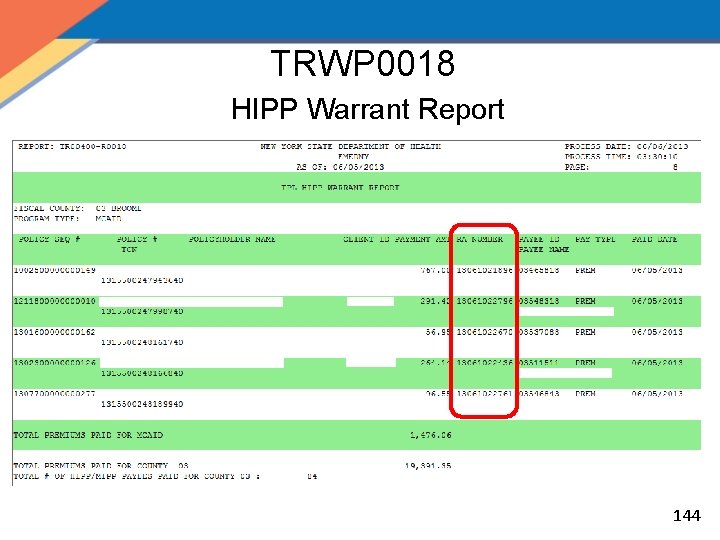
MOBIUS Weekly Reports, cont'd. • TRWP 0018 – HIPP Warrant Report: Lists information, including Remittance Advice Numbers, on all HIPP and MIPP payments within the payment cycle for LDSS accounting – Separated by county and program type – For Accounting use when there is a problem with payments – Payments/Remittances can be investigated 143
TRWP 0018 HIPP Warrant Report 144
MOBIUS Monthly Reports • TMMP 0004 – HIPP Cost Analysis Report: Lists HIPP payments determined no longer cost effective. – Separated by county and program type – For Medicaid and COBRA programs • AHIP has no cost effectiveness requirement – Cost analysis automatically runs monthly – Should be evaluated to determine if the C/A should be overridden or if the case should be closed 145
TMMP 0004 HIPP Cost Analysis Report 146
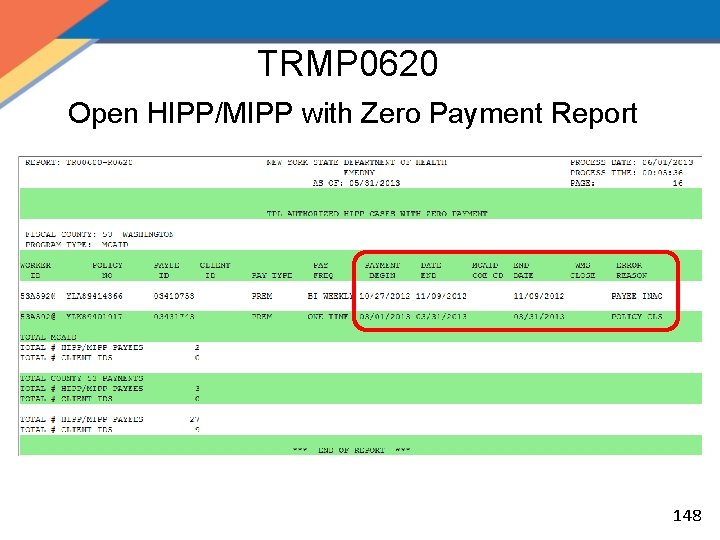
MOBIUS Monthly Reports, cont'd. • TRMP 0620 – Open HIPP/MIPP with Zero Payment Report: Lists information for authorized HIPP and MIPP cases not eligible for payments. – Separated by County Code Program Type, Audit User ID, Policy Sequence Number, Policy Number, and Payee ID – Similar to the weekly Authorization Status Report, however it only lists those payments that were zero payments – Indicates WMS closing code if one exists – Should be evaluated based on Error Reason and appropriate action taken 147
TRMP 0620 Open HIPP/MIPP with Zero Payment Report 148
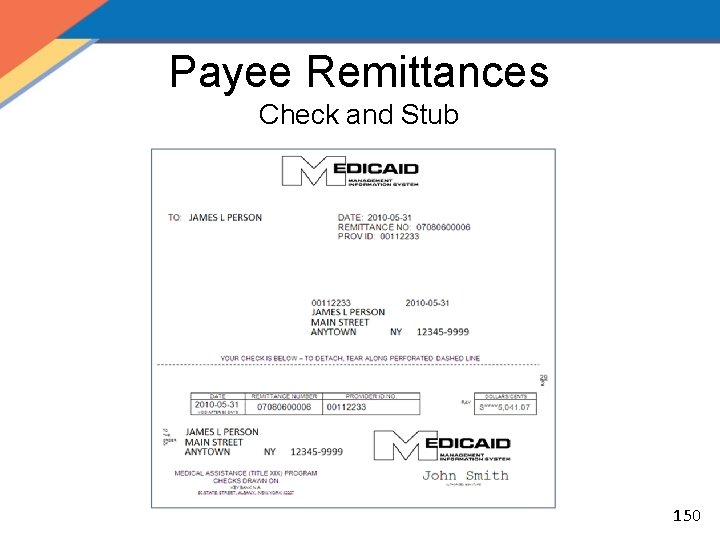
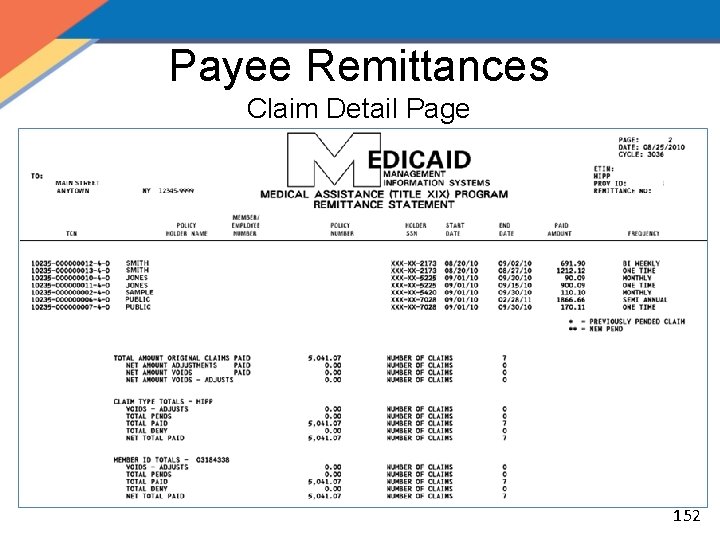
Payee Remittances • Remittances are generated once a week • HIPP/MIPP payment must be authorized by Tuesday at 6: 00 p. m. • 3. 5 weeks after cycle cut-off, Payees receive a Paper Remittance with: – Check – Message – Claim detail statement 149
Payee Remittances Check and Stub 150
Payee Remittances Payee Message Page 151
Payee Remittances Claim Detail Page 152
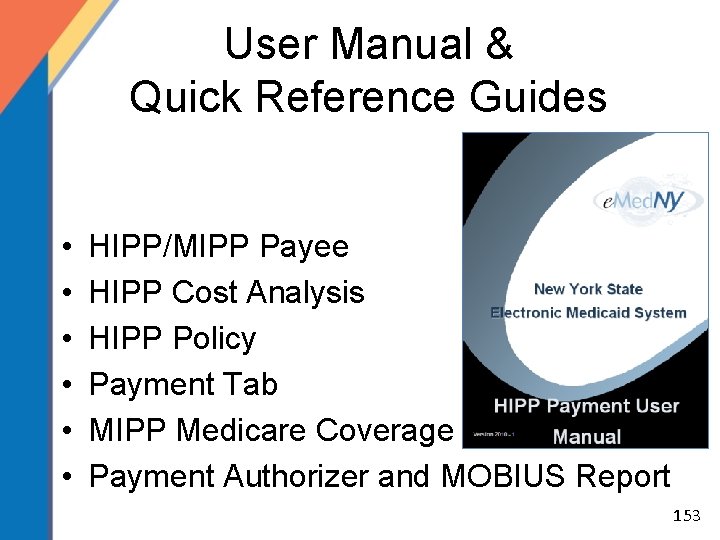
User Manual & Quick Reference Guides • • • HIPP/MIPP Payee HIPP Cost Analysis HIPP Policy Payment Tab MIPP Medicare Coverage Payment Authorizer and MOBIUS Report 153
HIPP Triage Unit • The HIPP/MIPP Triage Unit • The Triage Unit’s responsibilities include: ‒ Working with the LDSS with any questions, research, track and recoup the desired funds; ‒ Researching all returned checks entered in the HIPP Issue Tracking System; ‒ Researching and forwarding all Stopped/Voided/Reissued requests to the e. Med. NY Program Accounting Department. • Call 518 -473 -5330 to reach the Triage Unit Scott Cioffi Phone: 518 -408 -4805 E-mail: scott. cioffi@health. ny. gov 154