Introduction to Supercomputers Architectures and High Performance Computing
![MPI Example #2 #include "mpi. h” int main(argc, argv) int argc; char *argv[]; {](https://slidetodoc.com/presentation_image/4115f0c5ed54e79450b3e755bd0c16c7/image-78.jpg "MPI Example #2 #include \"mpi. h” int main(argc, argv) int argc; char *argv[]; {")

- Slides: 114
Introduction to Supercomputers, Architectures and High Performance Computing Amit Majumdar Scientific Computing Applications Group SDSC Many others: Tim Kaiser, Dmitry Pekurovsky, Mahidhar Tatineni, Ross Walker
Topics 1. 2. 3. 4. 5. 6. 7. Intro to Parallel Computing Parallel Machines Programming Parallel Computers Supercomputer Centers and Rankings SDSC Parallel Machines Allocations on NSF Supercomputers One Application Example – Turbulence 2
First Topic – Intro to Parallel Computing • • • What is parallel computing Why do parallel computing Real life scenario Types of parallelism Limits of parallel computing When do you do parallel computing 3
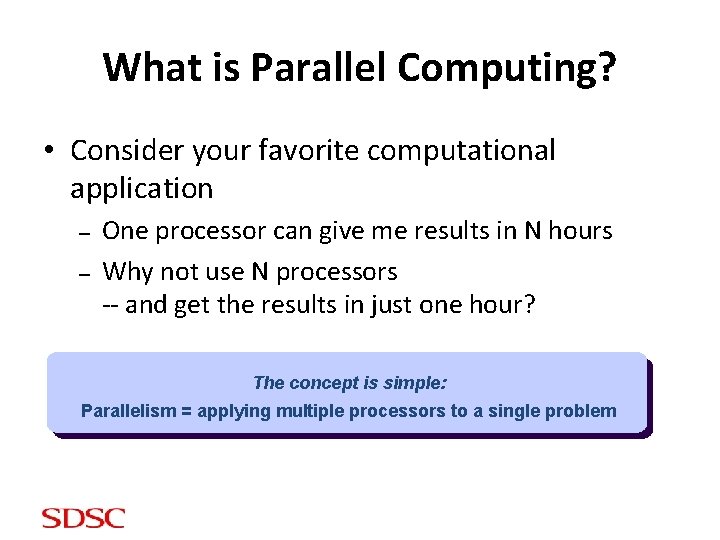
What is Parallel Computing? • Consider your favorite computational application – – One processor can give me results in N hours Why not use N processors -- and get the results in just one hour? The concept is simple: Parallelism = applying multiple processors to a single problem
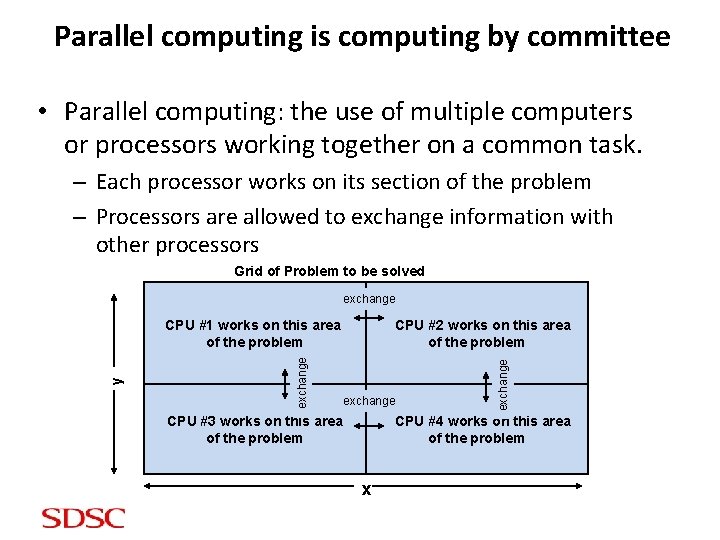
Parallel computing is computing by committee • Parallel computing: the use of multiple computers or processors working together on a common task. – Each processor works on its section of the problem – Processors are allowed to exchange information with other processors Grid of Problem to be solved exchange CPU #2 works on this area of the problem exchange CPU #3 works on this area of the problem exchange y CPU #1 works on this area of the problem CPU #4 works on this area of the problem x
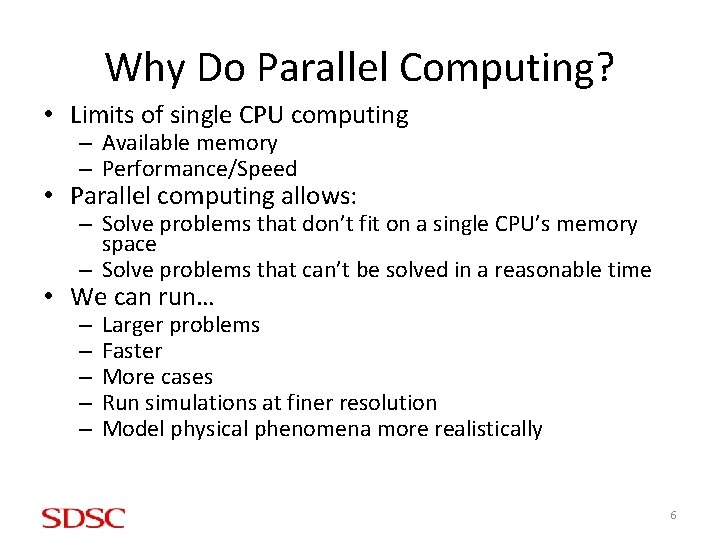
Why Do Parallel Computing? • Limits of single CPU computing – Available memory – Performance/Speed • Parallel computing allows: – Solve problems that don’t fit on a single CPU’s memory space – Solve problems that can’t be solved in a reasonable time • We can run… – – – Larger problems Faster More cases Run simulations at finer resolution Model physical phenomena more realistically 6
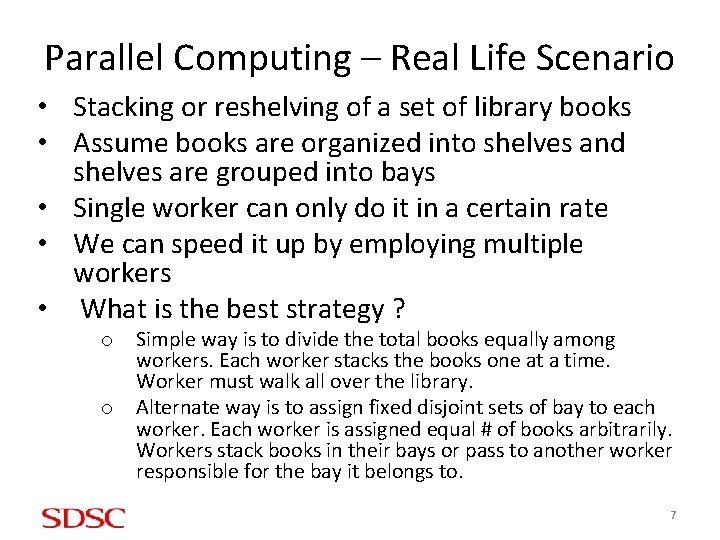
Parallel Computing – Real Life Scenario • Stacking or reshelving of a set of library books • Assume books are organized into shelves and shelves are grouped into bays • Single worker can only do it in a certain rate • We can speed it up by employing multiple workers • What is the best strategy ? o o Simple way is to divide the total books equally among workers. Each worker stacks the books one at a time. Worker must walk all over the library. Alternate way is to assign fixed disjoint sets of bay to each worker. Each worker is assigned equal # of books arbitrarily. Workers stack books in their bays or pass to another worker responsible for the bay it belongs to. 7
Parallel Computing – Real Life Scenario • Parallel processing allows to accomplish a task faster by dividing the work into a set of substacks assigned to multiple workers. • Assigning a set of books to workers is task partitioning. Passing of books to each other is an example of communication between subtasks. • Some problems may be completely serial; e. g. digging a post hole. Poorly suited to parallel processing. • All problems are not equally amenable to parallel processing. 8
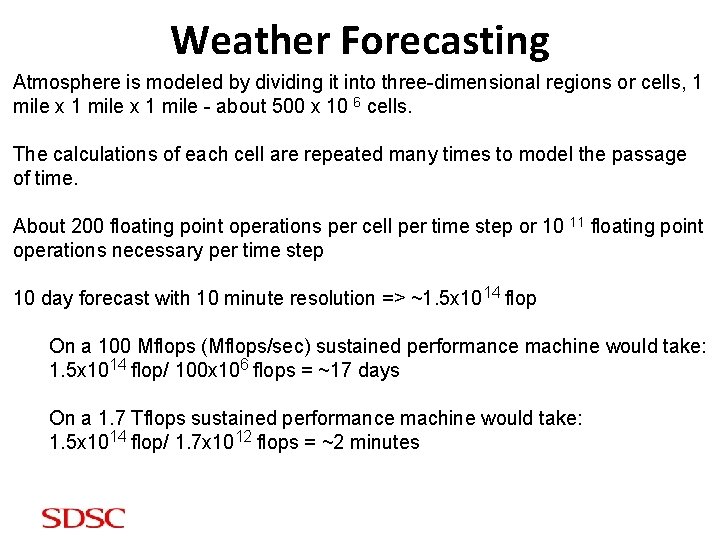
Weather Forecasting Atmosphere is modeled by dividing it into three-dimensional regions or cells, 1 mile x 1 mile - about 500 x 10 6 cells. The calculations of each cell are repeated many times to model the passage of time. About 200 floating point operations per cell per time step or 10 11 floating point operations necessary per time step 10 day forecast with 10 minute resolution => ~1. 5 x 10¹⁴ flop On a 100 Mflops (Mflops/sec) sustained performance machine would take: 1. 5 x 10¹⁴ flop/ 100 x 106 flops = ~17 days On a 1. 7 Tflops sustained performance machine would take: 1. 5 x 10¹⁴ flop/ 1. 7 x 10¹² flops = ~2 minutes
Other Examples • • • • • Vehicle design and dynamics Analysis of protein structures Human genome work Quantum chromodynamics Astrophysics Earthquake wave propagation Molecular dynamics Climate, ocean modeling CFD Imaging and Rendering Petroleum exploration Nuclear reactor, weapon design Database query Ozone layer monitoring Natural language understanding Study of chemical phenomena And many other scientific and industrial simulations 10
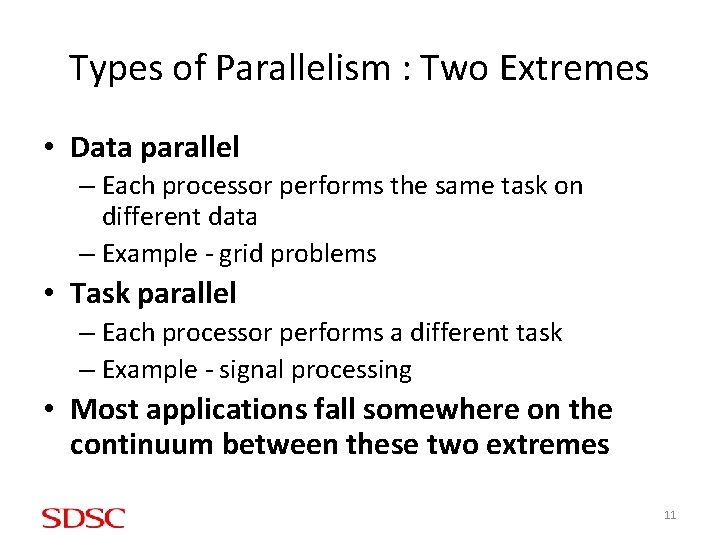
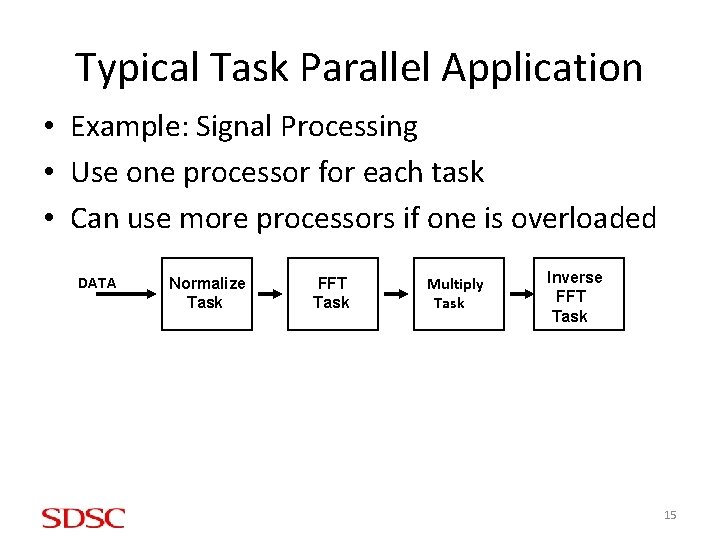
Types of Parallelism : Two Extremes • Data parallel – Each processor performs the same task on different data – Example - grid problems • Task parallel – Each processor performs a different task – Example - signal processing • Most applications fall somewhere on the continuum between these two extremes 11
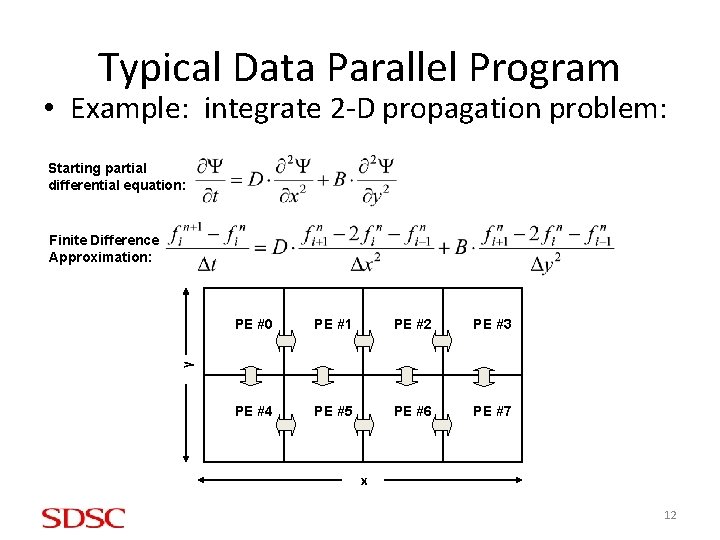
Typical Data Parallel Program • Example: integrate 2 -D propagation problem: Starting partial differential equation: Finite Difference Approximation: PE #1 PE #2 PE #3 PE #4 PE #5 PE #6 PE #7 y PE #0 x 12
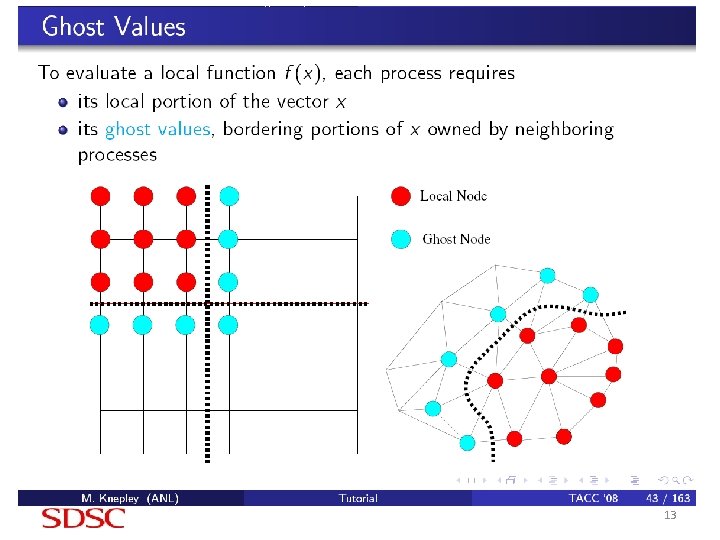
13
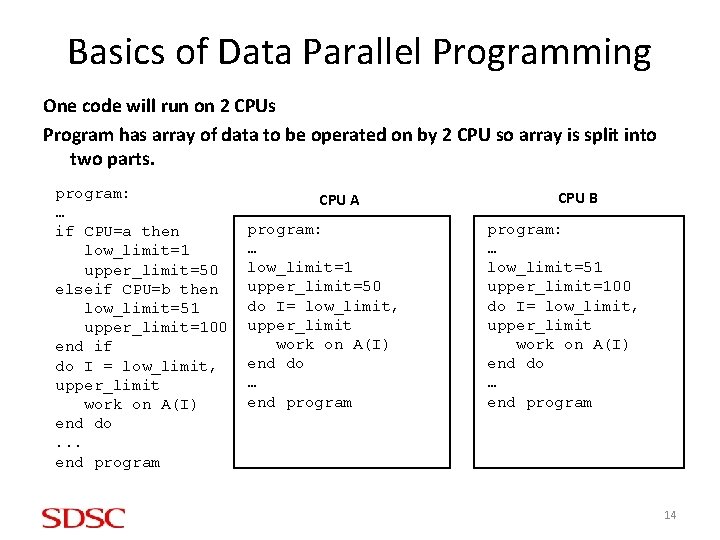
Basics of Data Parallel Programming One code will run on 2 CPUs Program has array of data to be operated on by 2 CPU so array is split into two parts. program: … if CPU=a then low_limit=1 upper_limit=50 elseif CPU=b then low_limit=51 upper_limit=100 end if do I = low_limit, upper_limit work on A(I) end do. . . end program CPU A program: … low_limit=1 upper_limit=50 do I= low_limit, upper_limit work on A(I) end do … end program CPU B program: … low_limit=51 upper_limit=100 do I= low_limit, upper_limit work on A(I) end do … end program 14
Typical Task Parallel Application • Example: Signal Processing • Use one processor for each task • Can use more processors if one is overloaded DATA Normalize Task FFT Task Multiply Task Inverse FFT Task 15
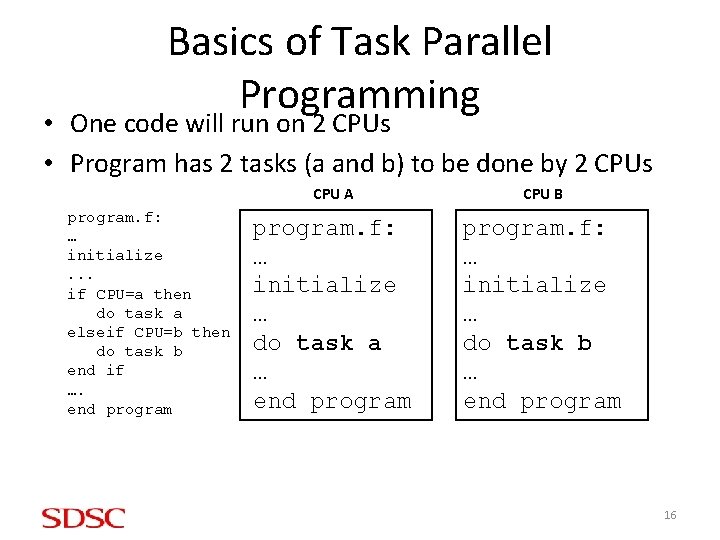
Basics of Task Parallel Programming • One code will run on 2 CPUs • Program has 2 tasks (a and b) to be done by 2 CPUs program. f: … initialize. . . if CPU=a then do task a elseif CPU=b then do task b end if …. end program CPU A CPU B program. f: … initialize … do task a … end program. f: … initialize … do task b … end program 16
How Your Problem Affects Parallelism • The nature of your problem constrains how successful parallelization can be • Consider your problem in terms of – When data is used, and how – How much computation is involved, and when • Importance of problem architectures – Perfectly parallel – Fully synchronous
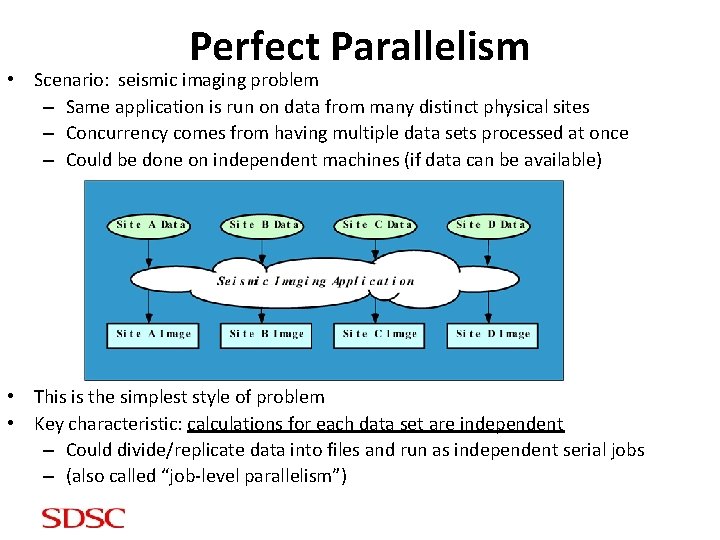
Perfect Parallelism • Scenario: seismic imaging problem – Same application is run on data from many distinct physical sites – Concurrency comes from having multiple data sets processed at once – Could be done on independent machines (if data can be available) • This is the simplest style of problem • Key characteristic: calculations for each data set are independent – Could divide/replicate data into files and run as independent serial jobs – (also called “job-level parallelism”)
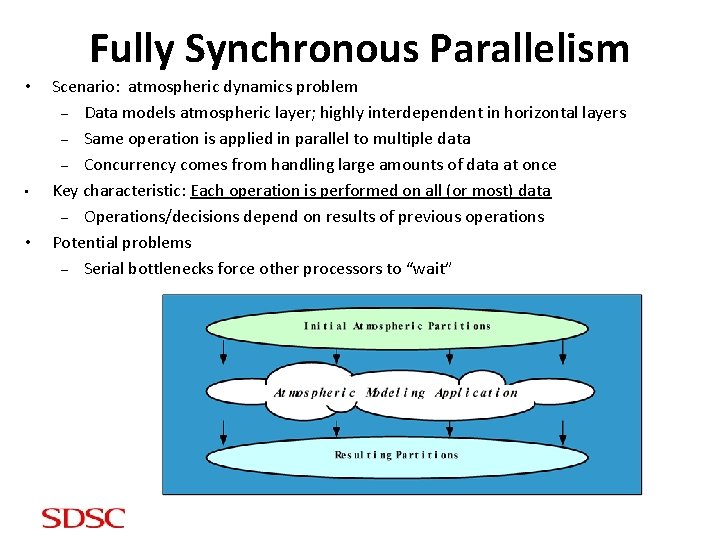
Fully Synchronous Parallelism • • • Scenario: atmospheric dynamics problem – Data models atmospheric layer; highly interdependent in horizontal layers – Same operation is applied in parallel to multiple data – Concurrency comes from handling large amounts of data at once Key characteristic: Each operation is performed on all (or most) data – Operations/decisions depend on results of previous operations Potential problems – Serial bottlenecks force other processors to “wait”
Limits of Parallel Computing • Theoretical Upper Limits – Amdahl’s Law • Practical Limits – Load balancing – Non-computational sections (I/O, system ops etc. ) • Other Considerations – time to re-write code 20
Theoretical Upper Limits to Performance • All parallel programs contain: – Serial sections – Parallel sections • Serial sections – when work is duplicated or no useful work done (waiting for others) - limit the parallel effectiveness • Lot of serial computation gives bad speedup • No serial work “allows” perfect speedup • Speedup is the ratio of the time required to run a code on one processor to the time required to run the same code on multiple (N) processors - Amdahl’s Law states this formally 21
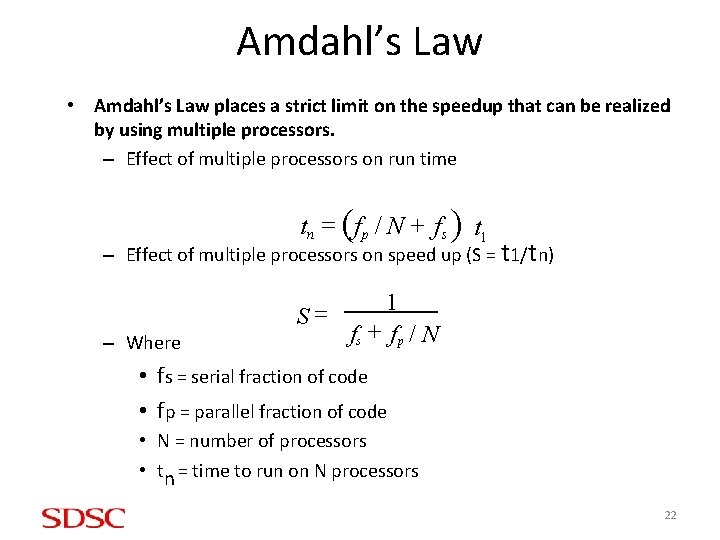
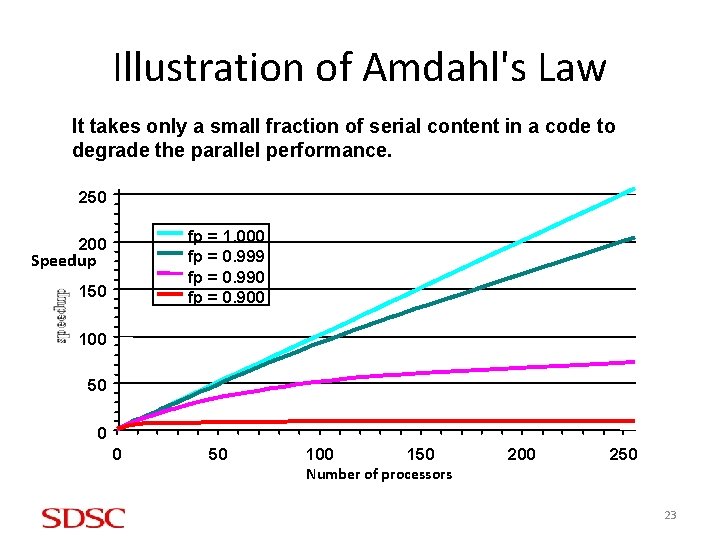
Amdahl’s Law • Amdahl’s Law places a strict limit on the speedup that can be realized by using multiple processors. – Effect of multiple processors on run time tn = (f p / N + f s ) t 1 – Effect of multiple processors on speed up (S = t 1/tn) S= – Where 1 fs + f p / N • fs = serial fraction of code • fp = parallel fraction of code • N = number of processors • tn = time to run on N processors 22
Illustration of Amdahl's Law It takes only a small fraction of serial content in a code to degrade the parallel performance. 250 fp = 1. 000 fp = 0. 999 fp = 0. 990 fp = 0. 900 200 Speedup 150 100 50 0 0 50 100 150 200 250 Number of processors 23
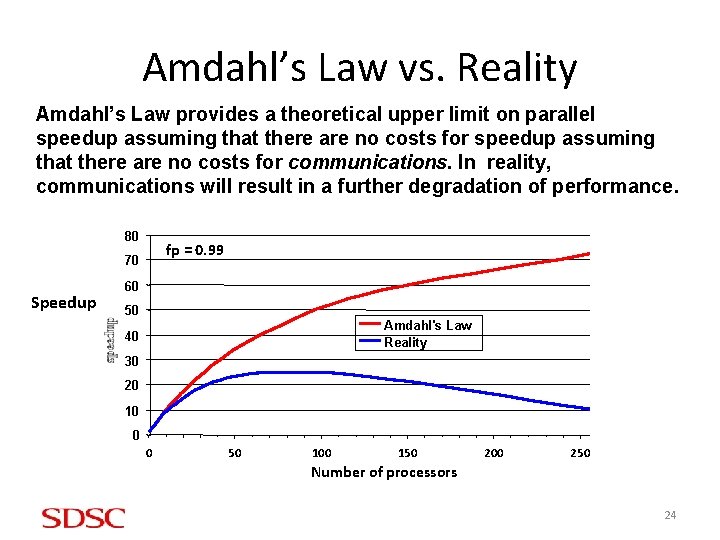
Amdahl’s Law vs. Reality Amdahl’s Law provides a theoretical upper limit on parallel speedup assuming that there are no costs for communications. In reality, communications will result in a further degradation of performance. 80 fp = 0. 99 70 Speedup 60 50 Amdahl's Law Reality 40 30 20 10 0 0 50 100 150 200 250 Number of processors 24
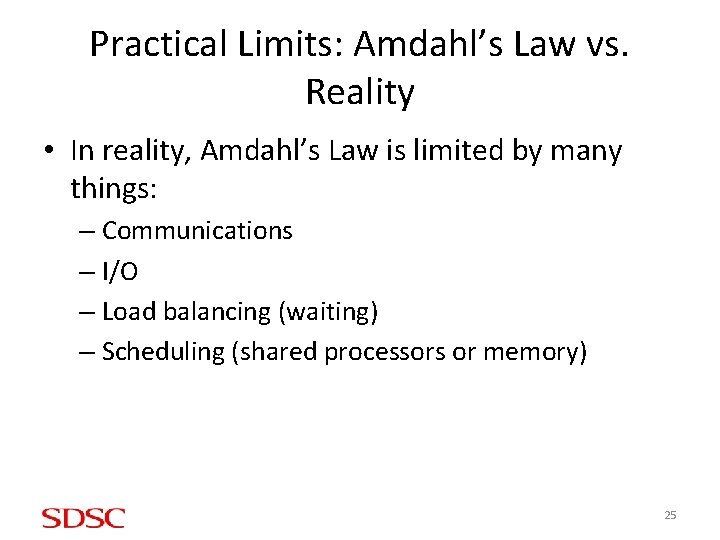
Practical Limits: Amdahl’s Law vs. Reality • In reality, Amdahl’s Law is limited by many things: – Communications – I/O – Load balancing (waiting) – Scheduling (shared processors or memory) 25
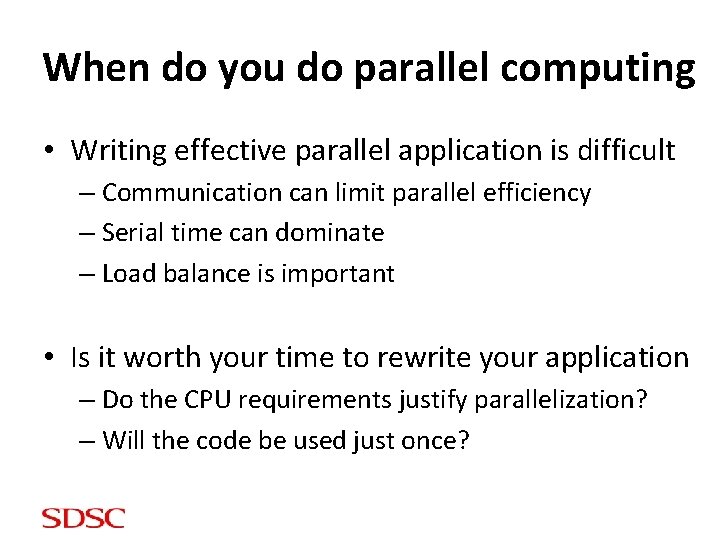
When do you do parallel computing • Writing effective parallel application is difficult – Communication can limit parallel efficiency – Serial time can dominate – Load balance is important • Is it worth your time to rewrite your application – Do the CPU requirements justify parallelization? – Will the code be used just once?
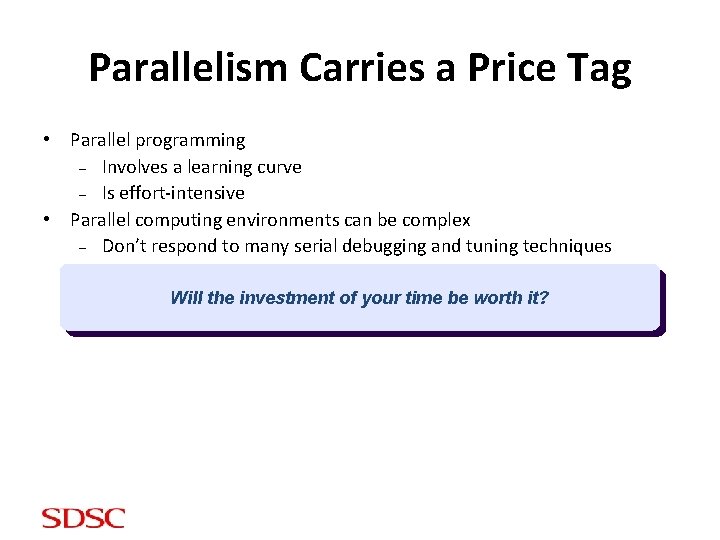
Parallelism Carries a Price Tag • Parallel programming – Involves a learning curve – Is effort-intensive • Parallel computing environments can be complex – Don’t respond to many serial debugging and tuning techniques Will the investment of your time be worth it?
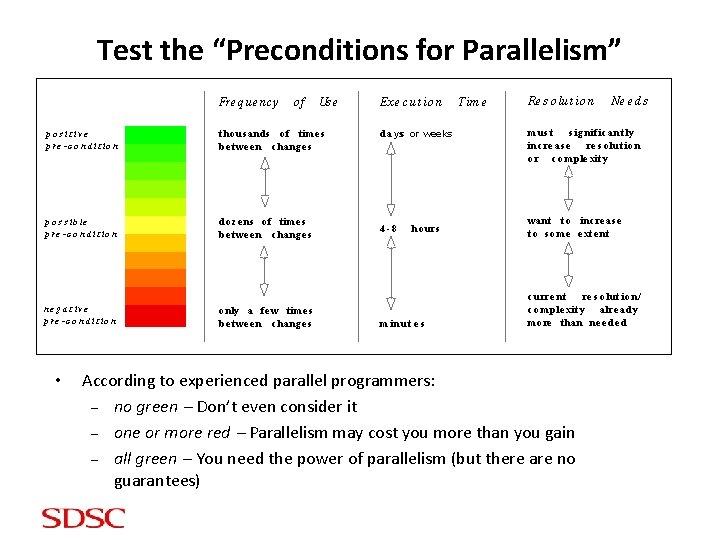
Test the “Preconditions for Parallelism” Fre q ue nc y of Us e p o s it iv e p r e - c o n d it io n t ho us ands o f t ime s be t we e n c hang e s p o s s i b le p r e - c o n d it io n do z e ns o f t ime s be t we e n c hang e s n e g a t iv e p r e - c o n d it io n o nly a fe w t ime s be t we e n c hang e s • Ex e c ut io n d a yss or weeks 4 -8 ho urs m in u t e s Tim e Re s o lut io n Ne e d s m us t s ig nif ic a nt ly inc re as e re s o lut io n o r c o mple xit y want t o inc re a s e t o s o me e xt e nt c u rre n t re s o lu t io n/ c o m p le xit y a lre a dy mo re t han ne e de d According to experienced parallel programmers: – no green Don’t even consider it – one or more red Parallelism may cost you more than you gain – all green You need the power of parallelism (but there are no guarantees)
Second Topic – Parallel Machines • • Simplistic architecture Types of parallel machines Network topology Parallel computing terminology 29
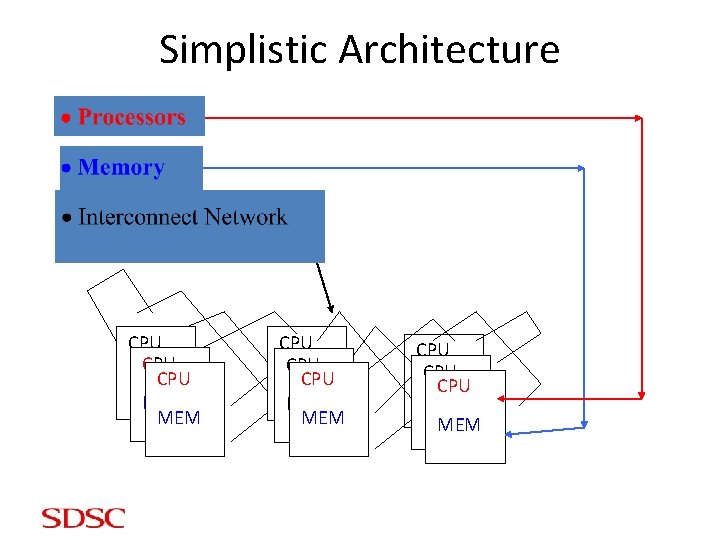
Simplistic Architecture CPU CPU CPU MEM MEM MEM CPU CPU MEM MEM
Processor Related Terms • RISC: Reduced Instruction Set Computers • PIPELINE : Technique where multiple instructions are overlapped in execution • SUPERSCALAR: Multiple instructions per clock period
Network Interconnect Related Terms • LATENCY : How long does it take to start sending a "message"? Units are generally microseconds now a days. • BANDWIDTH : What data rate can be sustained once the message is started? Units are bytes/sec, Mbytes/sec, Gbytes/sec etc. • TOPLOGY: What is the actual ‘shape’ of the interconnect? Are the nodes connect by a 2 D mesh? A ring? Something more elaborate?
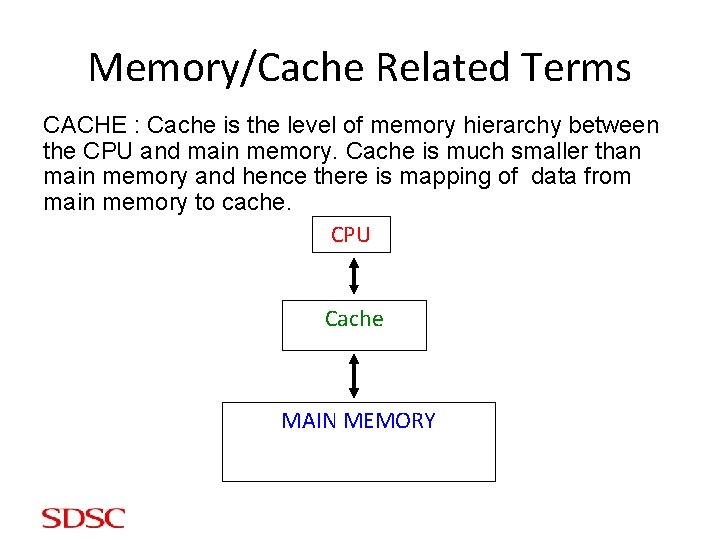
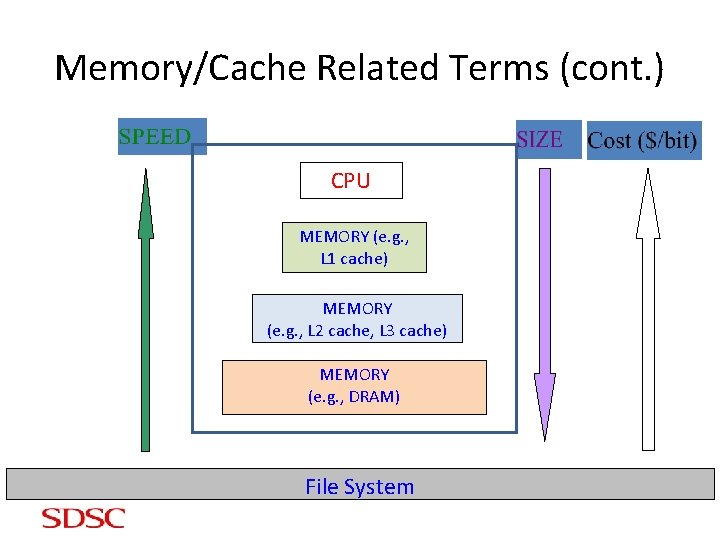
Memory/Cache Related Terms CACHE : Cache is the level of memory hierarchy between the CPU and main memory. Cache is much smaller than main memory and hence there is mapping of data from main memory to cache. CPU Cache MAIN MEMORY
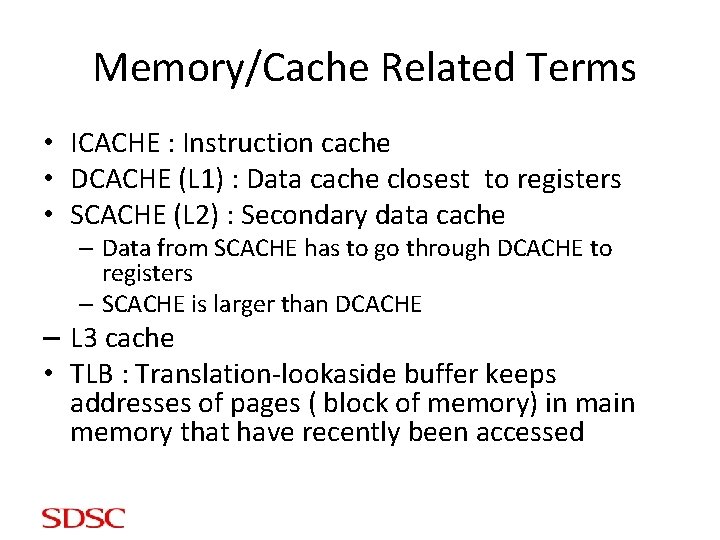
Memory/Cache Related Terms • ICACHE : Instruction cache • DCACHE (L 1) : Data cache closest to registers • SCACHE (L 2) : Secondary data cache – Data from SCACHE has to go through DCACHE to registers – SCACHE is larger than DCACHE – L 3 cache • TLB : Translation-lookaside buffer keeps addresses of pages ( block of memory) in main memory that have recently been accessed
Memory/Cache Related Terms (cont. ) CPU MEMORY (e. g. , L 1 cache) MEMORY (e. g. , L 2 cache, L 3 cache) MEMORY (e. g. , DRAM) File System
Memory/Cache Related Terms (cont. ) • The data cache was designed with two key concepts in mind – Spatial Locality • When an element is referenced its neighbors will be referenced too • Cache lines are fetched together • Work on consecutive data elements in the same cache line – Temporal Locality • When an element is referenced, it might be referenced again soon • Arrange code so that date in cache is reused as often as possible
Types of Parallel Machines • Flynn's taxonomy has been commonly use to classify parallel computers into one of four basic types: – Single instruction, single data (SISD): single scalar processor – Single instruction, multiple data (SIMD): Thinking machines CM-2 – Multiple instruction, single data (MISD): various special purpose machines – Multiple instruction, multiple data (MIMD): Nearly all parallel machines • Since the MIMD model “won”, a much more useful way to classify modern parallel computers is by their memory model – Shared memory – Distributed memory
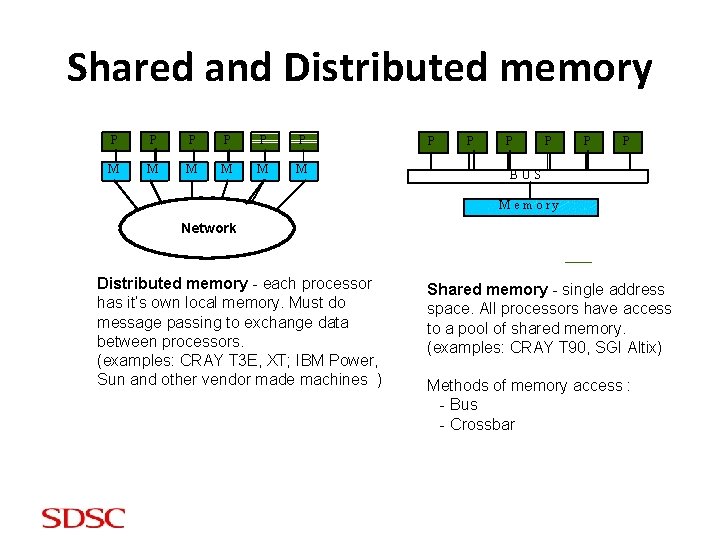
Shared and Distributed memory P P P M M M P P P BUS M e m o ry Network Distributed memory - each processor has it’s own local memory. Must do message passing to exchange data between processors. (examples: CRAY T 3 E, XT; IBM Power, Sun and other vendor made machines ) Shared memory - single address space. All processors have access to a pool of shared memory. (examples: CRAY T 90, SGI Altix) Methods of memory access : - Bus - Crossbar
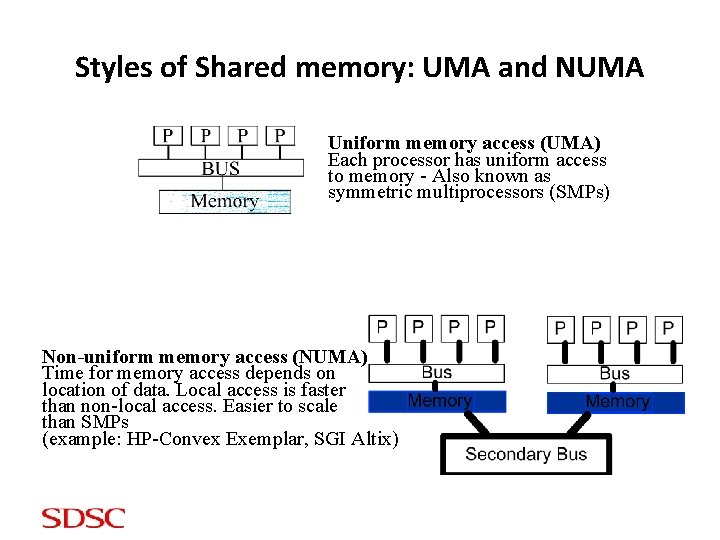
Styles of Shared memory: UMA and NUMA Uniform memory access (UMA) Each processor has uniform access to memory - Also known as symmetric multiprocessors (SMPs) Non-uniform memory access (NUMA) Time for memory access depends on location of data. Local access is faster than non-local access. Easier to scale than SMPs (example: HP-Convex Exemplar, SGI Altix)
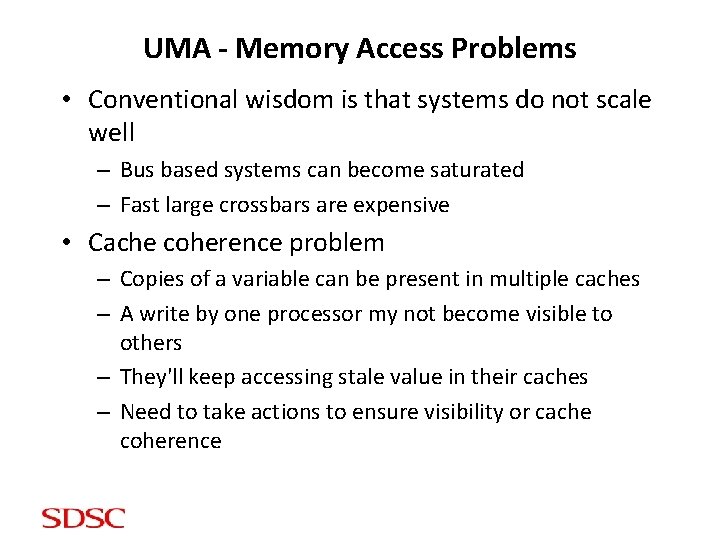
UMA - Memory Access Problems • Conventional wisdom is that systems do not scale well – Bus based systems can become saturated – Fast large crossbars are expensive • Cache coherence problem – Copies of a variable can be present in multiple caches – A write by one processor my not become visible to others – They'll keep accessing stale value in their caches – Need to take actions to ensure visibility or cache coherence
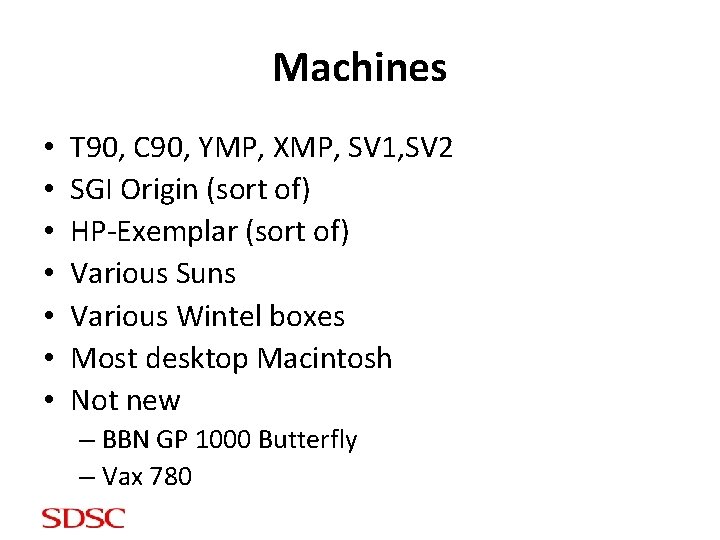
Machines • • T 90, C 90, YMP, XMP, SV 1, SV 2 SGI Origin (sort of) HP-Exemplar (sort of) Various Suns Various Wintel boxes Most desktop Macintosh Not new – BBN GP 1000 Butterfly – Vax 780
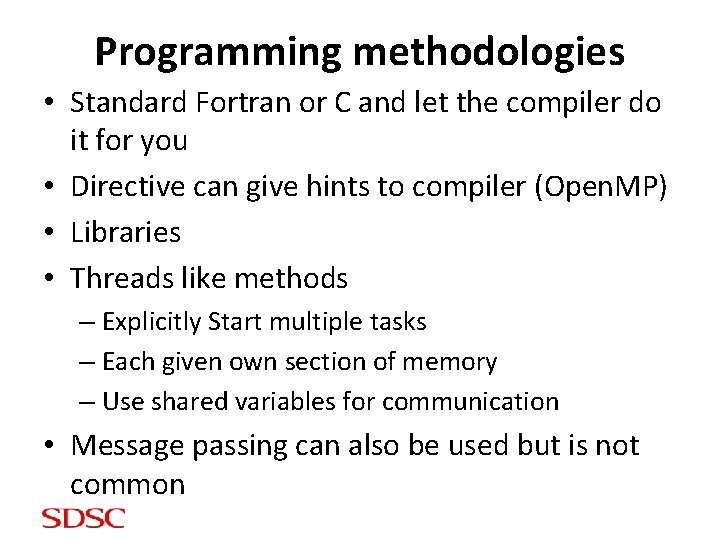
Programming methodologies • Standard Fortran or C and let the compiler do it for you • Directive can give hints to compiler (Open. MP) • Libraries • Threads like methods – Explicitly Start multiple tasks – Each given own section of memory – Use shared variables for communication • Message passing can also be used but is not common
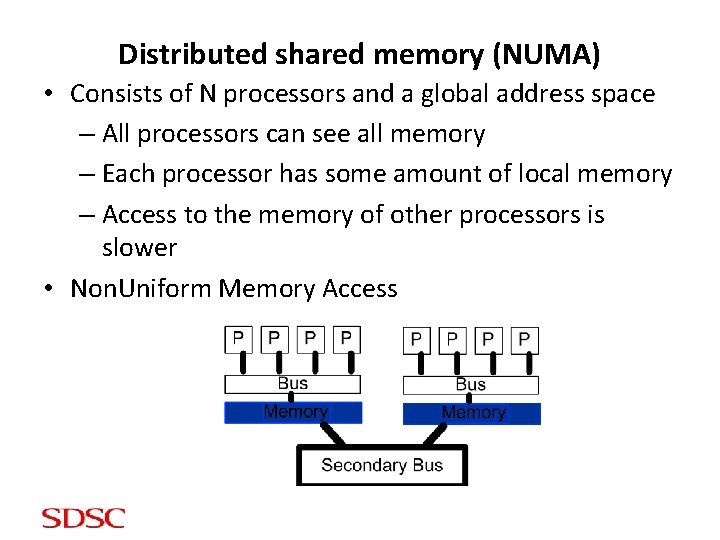
Distributed shared memory (NUMA) • Consists of N processors and a global address space – All processors can see all memory – Each processor has some amount of local memory – Access to the memory of other processors is slower • Non. Uniform Memory Access
Memory • Easier to build because of slower access to remote memory • Similar cache problems • Code writers should be aware of data distribution – Load balance – Minimize access of "far" memory
Programming methodologies • Same as shared memory • Standard Fortran or C and let the compiler do it for you • Directive can give hints to compiler (Open. MP) • Libraries • Threads like methods – Explicitly Start multiple tasks – Each given own section of memory – Use shared variables for communication • Message passing can also be used
Machines • SGI Origin, Altix • HP-Exemplar
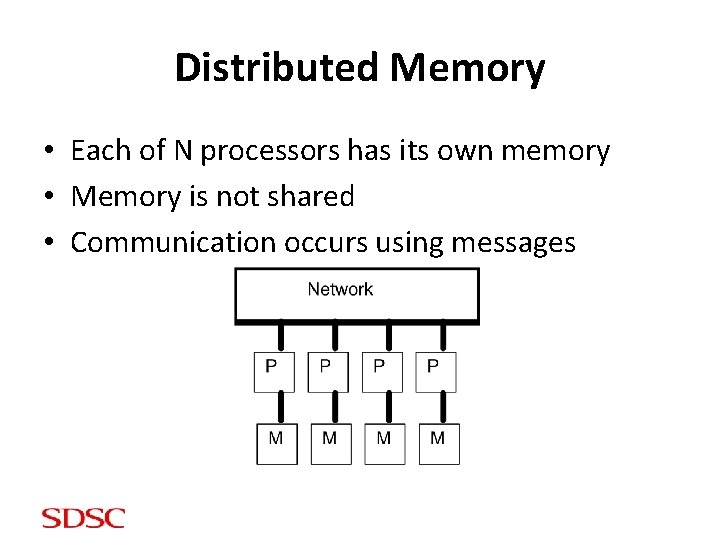
Distributed Memory • Each of N processors has its own memory • Memory is not shared • Communication occurs using messages
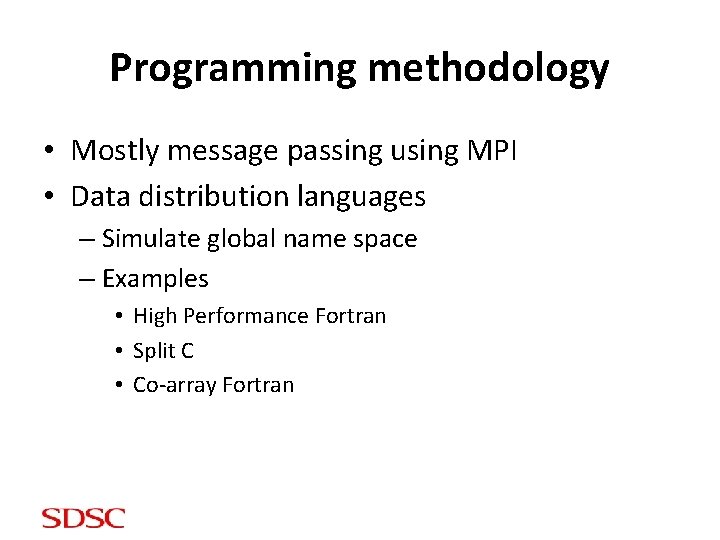
Programming methodology • Mostly message passing using MPI • Data distribution languages – Simulate global name space – Examples • High Performance Fortran • Split C • Co-array Fortran
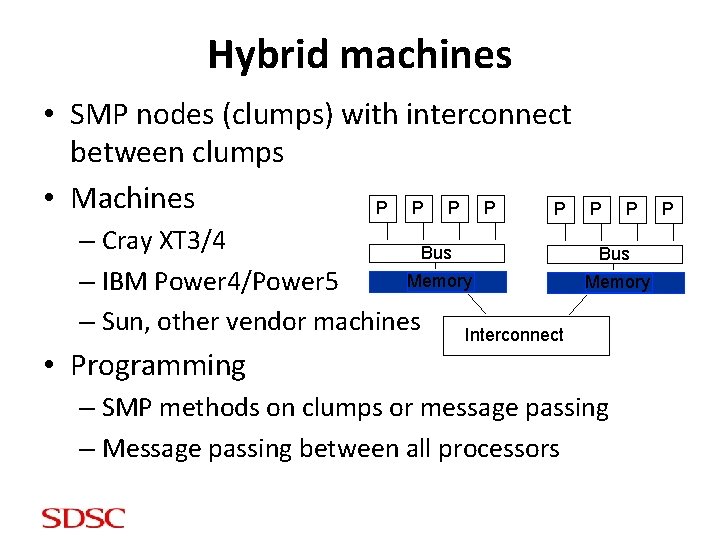
Hybrid machines • SMP nodes (clumps) with interconnect between clumps • Machines P P P – Cray XT 3/4 Bus Memory – IBM Power 4/Power 5 – Sun, other vendor machines Interconnect P P Bus Memory • Programming – SMP methods on clumps or message passing – Message passing between all processors P
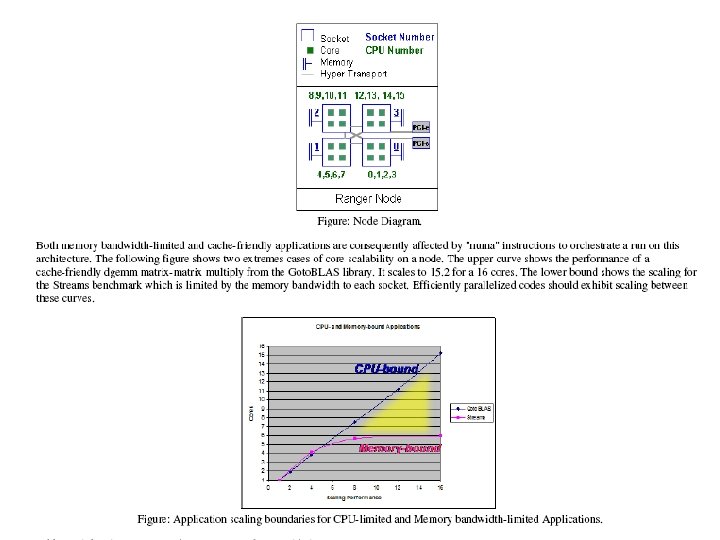
Currently Multi-socket Multi-core 50
51
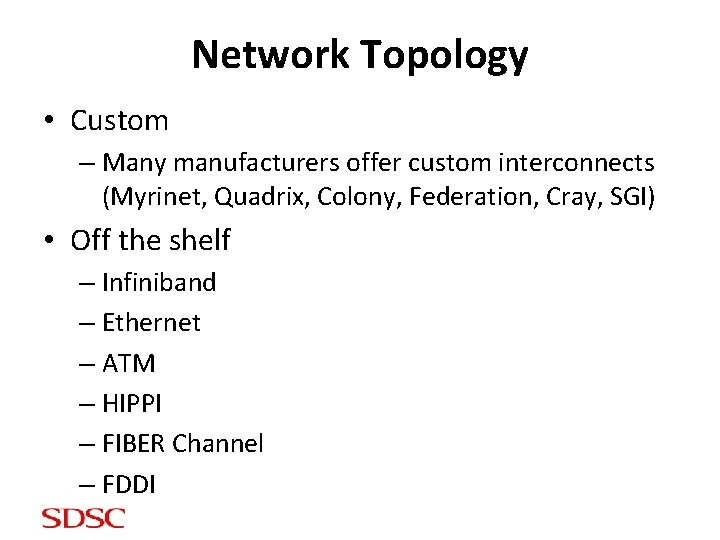
Network Topology • Custom – Many manufacturers offer custom interconnects (Myrinet, Quadrix, Colony, Federation, Cray, SGI) • Off the shelf – Infiniband – Ethernet – ATM – HIPPI – FIBER Channel – FDDI
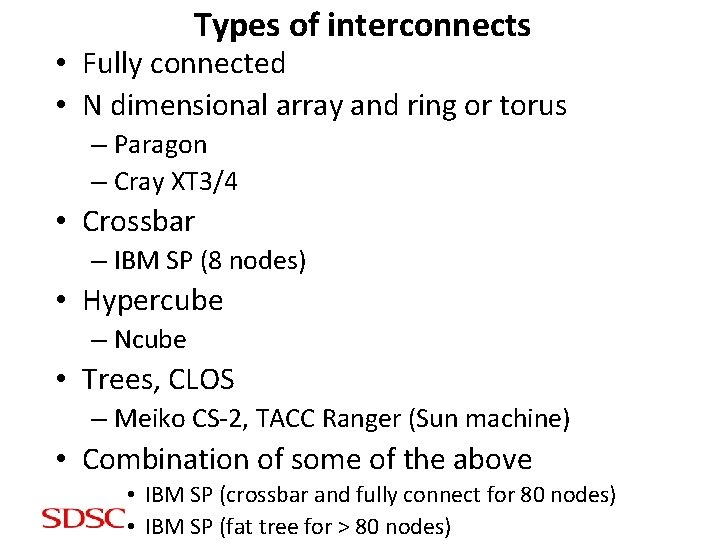
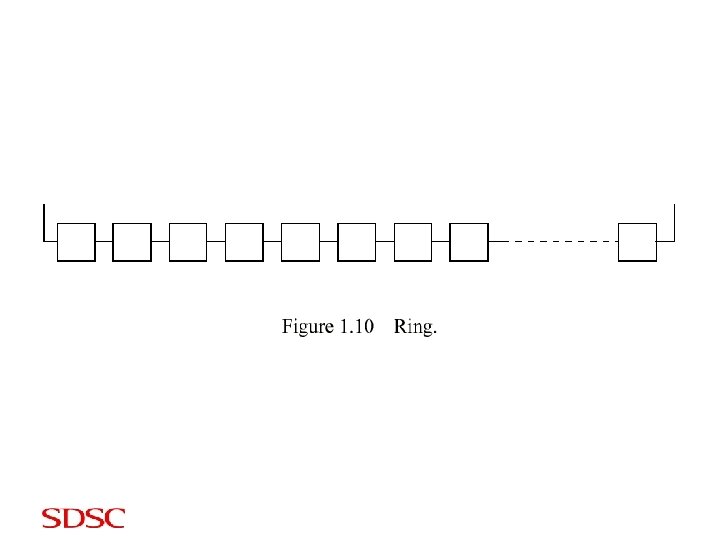
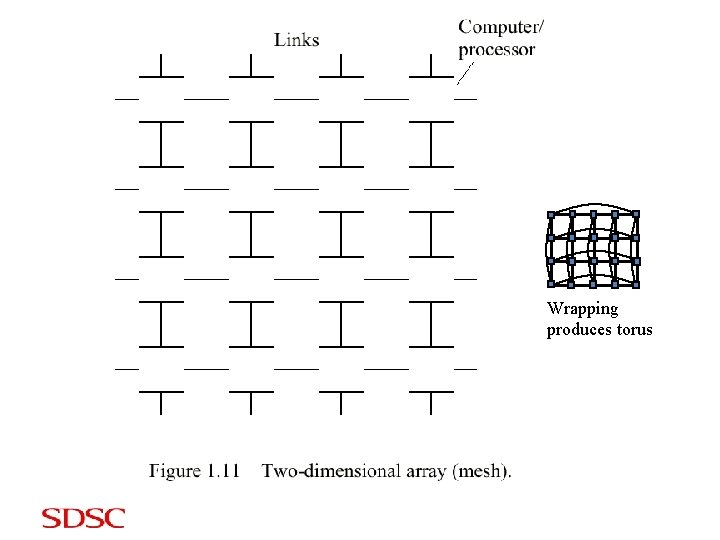
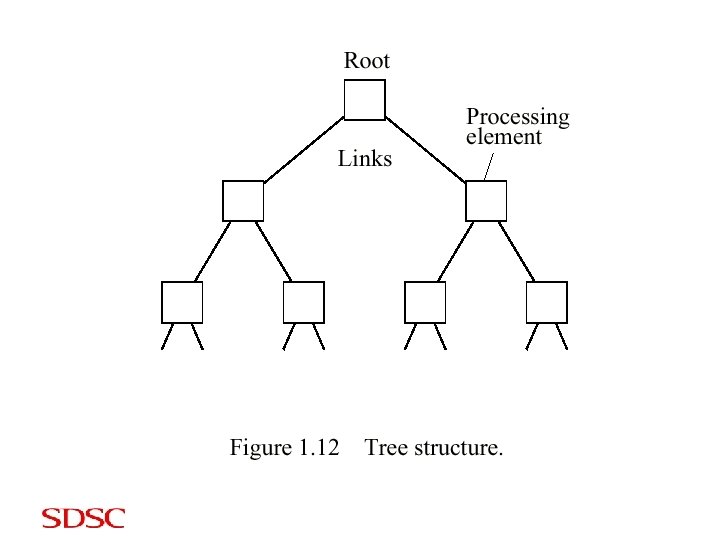
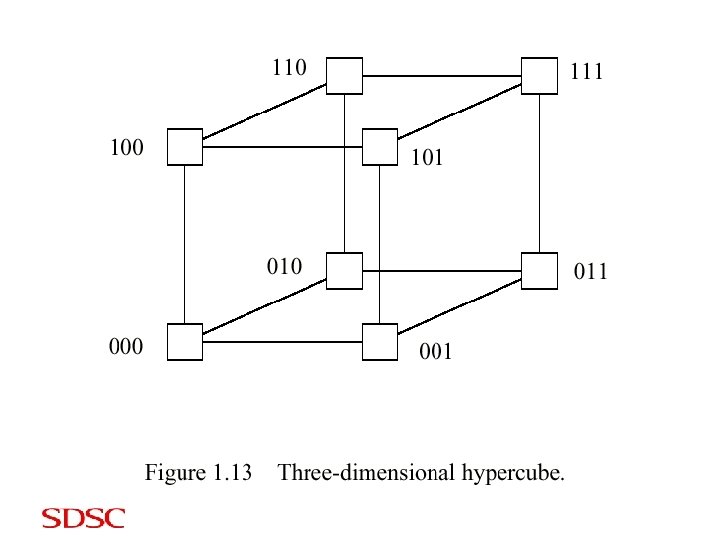
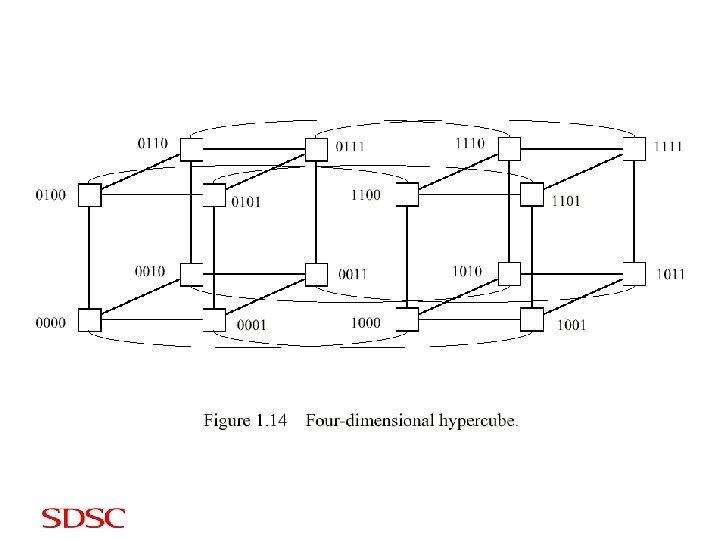
Types of interconnects • Fully connected • N dimensional array and ring or torus – Paragon – Cray XT 3/4 • Crossbar – IBM SP (8 nodes) • Hypercube – Ncube • Trees, CLOS – Meiko CS-2, TACC Ranger (Sun machine) • Combination of some of the above • IBM SP (crossbar and fully connect for 80 nodes) • IBM SP (fat tree for > 80 nodes)
Wrapping produces torus
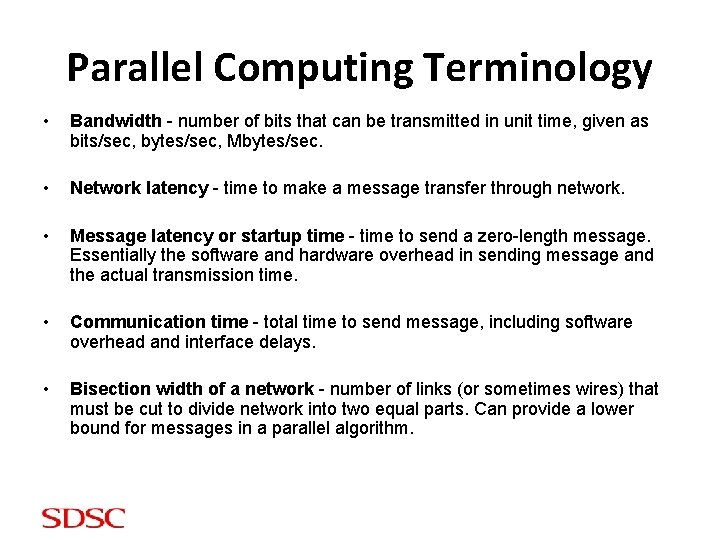
Parallel Computing Terminology • Bandwidth - number of bits that can be transmitted in unit time, given as bits/sec, bytes/sec, Mbytes/sec. • Network latency - time to make a message transfer through network. • Message latency or startup time - time to send a zero-length message. Essentially the software and hardware overhead in sending message and the actual transmission time. • Communication time - total time to send message, including software overhead and interface delays. • Bisection width of a network - number of links (or sometimes wires) that must be cut to divide network into two equal parts. Can provide a lower bound for messages in a parallel algorithm.
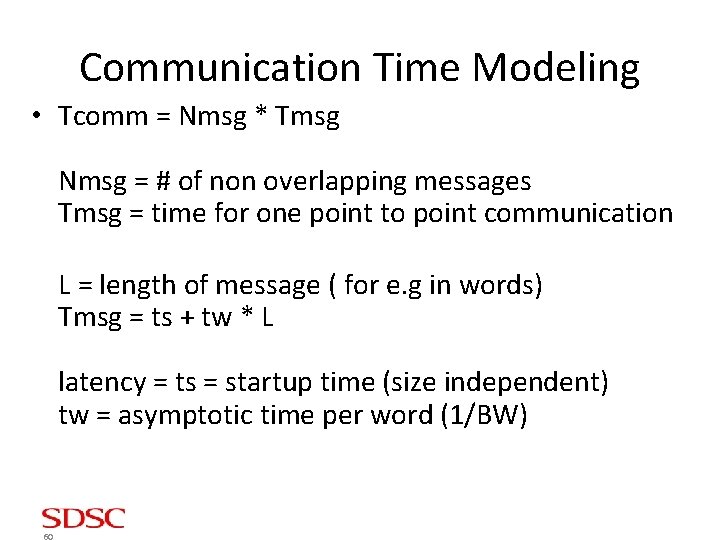
Communication Time Modeling • Tcomm = Nmsg * Tmsg Nmsg = # of non overlapping messages Tmsg = time for one point to point communication L = length of message ( for e. g in words) Tmsg = ts + tw * L latency = ts = startup time (size independent) tw = asymptotic time per word (1/BW) 60
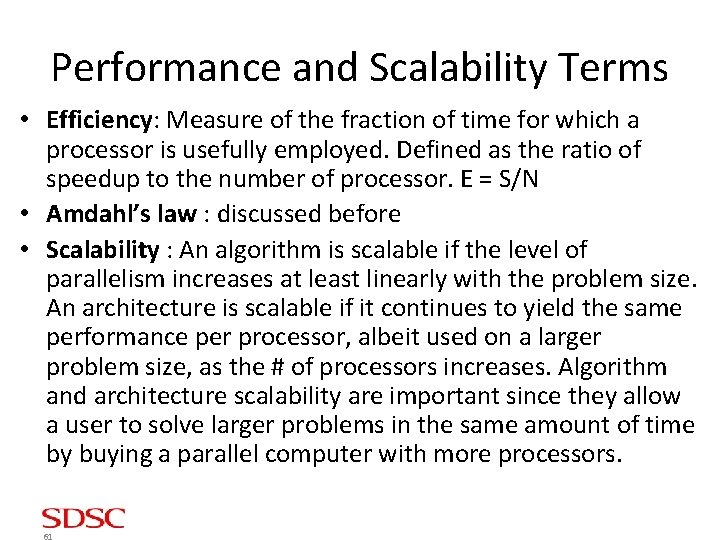
Performance and Scalability Terms • Efficiency: Measure of the fraction of time for which a processor is usefully employed. Defined as the ratio of speedup to the number of processor. E = S/N • Amdahl’s law : discussed before • Scalability : An algorithm is scalable if the level of parallelism increases at least linearly with the problem size. An architecture is scalable if it continues to yield the same performance per processor, albeit used on a larger problem size, as the # of processors increases. Algorithm and architecture scalability are important since they allow a user to solve larger problems in the same amount of time by buying a parallel computer with more processors. 61
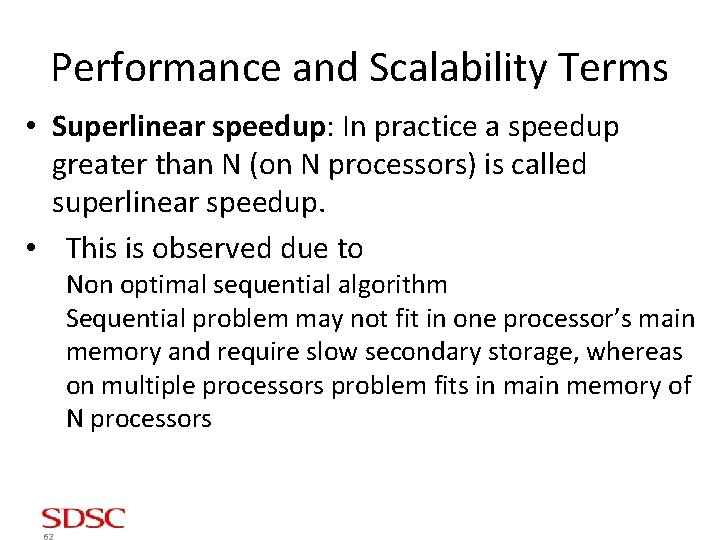
Performance and Scalability Terms • Superlinear speedup: In practice a speedup greater than N (on N processors) is called superlinear speedup. • This is observed due to Non optimal sequential algorithm Sequential problem may not fit in one processor’s main memory and require slow secondary storage, whereas on multiple processors problem fits in main memory of N processors 62
Sources of Parallel Overhead • Interprocessor communication: Time to transfer data between processors is usually the most significant source of parallel processing overhead. • Load imbalance: In some parallel applications it is impossible to equally distribute the subtask workload to each processor. So at some point all but one processor might be done and waiting for one processor to complete. • Extra computation: Sometime the best sequential algorithm is not easily parallelizable and one is forced to use a parallel algorithm based on a poorer but easily parallelizable sequential algorithm. Sometimes repetitive work is done on each of the N processors instead of send/recv, which leads to extra computation. 63
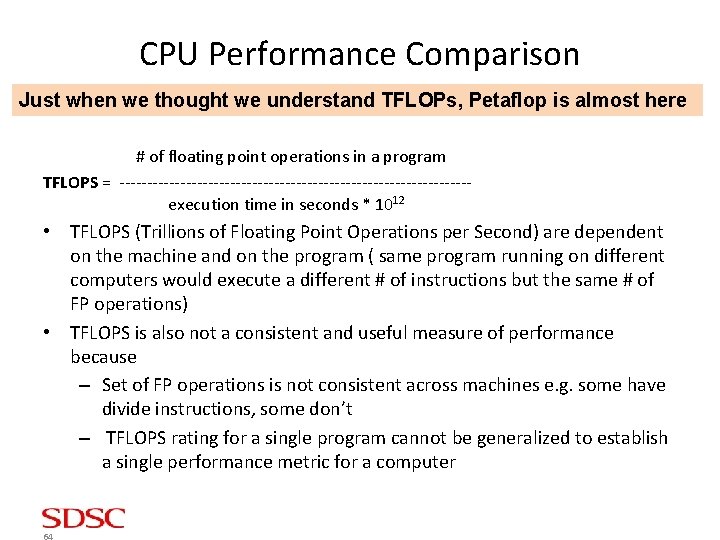
CPU Performance Comparison Just when we thought we understand TFLOPs, Petaflop is almost here # of floating point operations in a program TFLOPS = --------------------------------execution time in seconds * 1012 • TFLOPS (Trillions of Floating Point Operations per Second) are dependent on the machine and on the program ( same program running on different computers would execute a different # of instructions but the same # of FP operations) • TFLOPS is also not a consistent and useful measure of performance because – Set of FP operations is not consistent across machines e. g. some have divide instructions, some don’t – TFLOPS rating for a single program cannot be generalized to establish a single performance metric for a computer 64
CPU Performance Comparison • Execution time is the principle measure of performance • Unlike execution time, it is tempting to characterize a machine with a single MIPS, or MFLOPS rating without naming the program, specifying I/O, or describing the version of OS and compilers 65
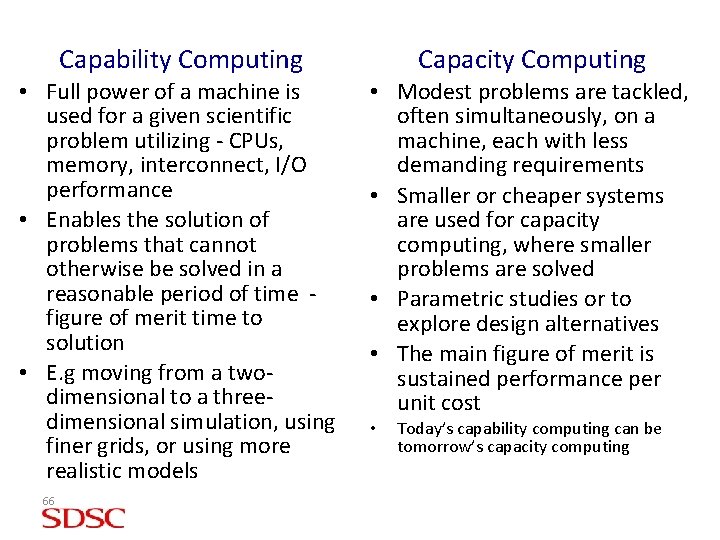
Capability Computing Capacity Computing • Full power of a machine is used for a given scientific problem utilizing - CPUs, memory, interconnect, I/O performance • Enables the solution of problems that cannot otherwise be solved in a reasonable period of time figure of merit time to solution • E. g moving from a twodimensional to a threedimensional simulation, using finer grids, or using more realistic models • Modest problems are tackled, often simultaneously, on a machine, each with less demanding requirements • Smaller or cheaper systems are used for capacity computing, where smaller problems are solved • Parametric studies or to explore design alternatives • The main figure of merit is sustained performance per unit cost 66 • Today’s capability computing can be tomorrow’s capacity computing
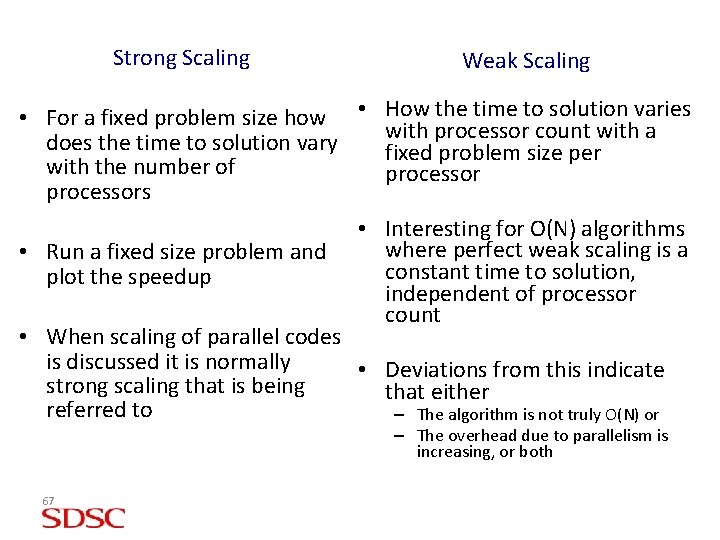
Strong Scaling Weak Scaling • For a fixed problem size how • How the time to solution varies with processor count with a does the time to solution vary fixed problem size per with the number of processors • Run a fixed size problem and plot the speedup • Interesting for O(N) algorithms where perfect weak scaling is a constant time to solution, independent of processor count • When scaling of parallel codes is discussed it is normally • Deviations from this indicate strong scaling that is being that either referred to – The algorithm is not truly O(N) or – The overhead due to parallelism is increasing, or both 67
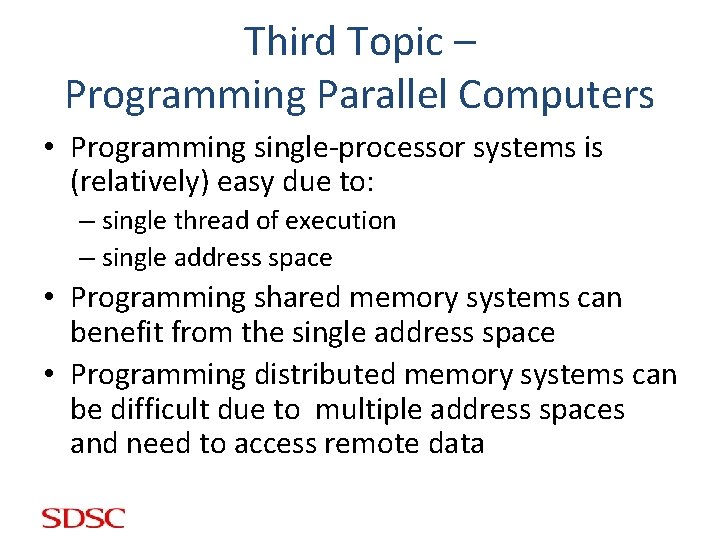
Third Topic – Programming Parallel Computers • Programming single-processor systems is (relatively) easy due to: – single thread of execution – single address space • Programming shared memory systems can benefit from the single address space • Programming distributed memory systems can be difficult due to multiple address spaces and need to access remote data
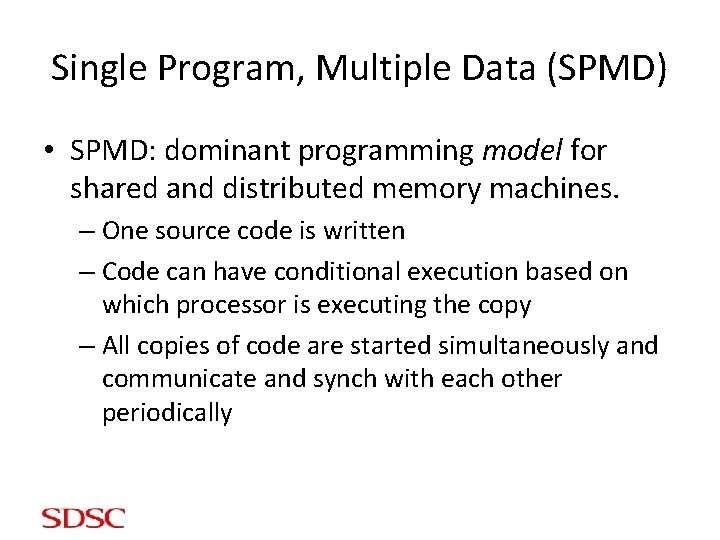
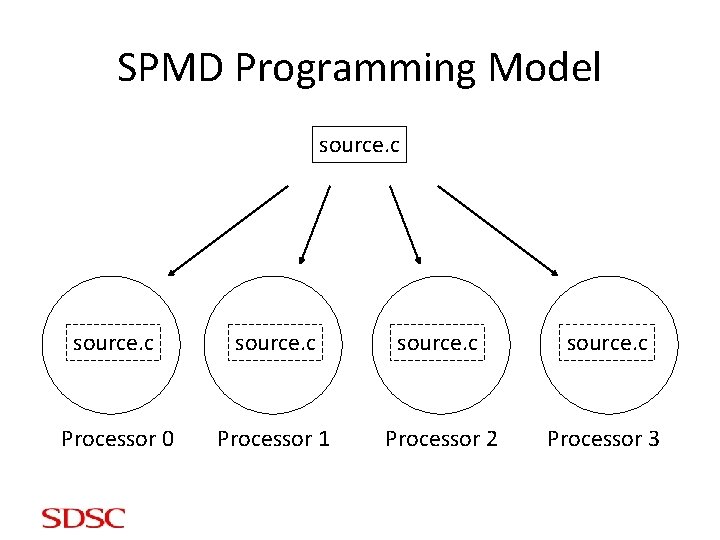
Single Program, Multiple Data (SPMD) • SPMD: dominant programming model for shared and distributed memory machines. – One source code is written – Code can have conditional execution based on which processor is executing the copy – All copies of code are started simultaneously and communicate and synch with each other periodically
SPMD Programming Model source. c Processor 0 Processor 1 Processor 2 Processor 3
Shared Memory vs. Distributed Memory • Tools can be developed to make any system appear to look like a different kind of system – distributed memory systems can be programmed as if they have shared memory, and vice versa – such tools do not produce the most efficient code, but might enable portability • HOWEVER, the most natural way to program any machine is to use tools & languages that express the algorithm explicitly for the architecture.
Shared Memory Programming: Open. MP • Shared memory systems (SMPs, cc-NUMAs) have a single address space: – applications can be developed in which loop iterations (with no dependencies) are executed by different processors – shared memory codes are mostly data parallel, ‘SIMD’ kinds of codes – Open. MP is a good standard for shared memory programming (compiler directives) – Vendors offer native compiler directives
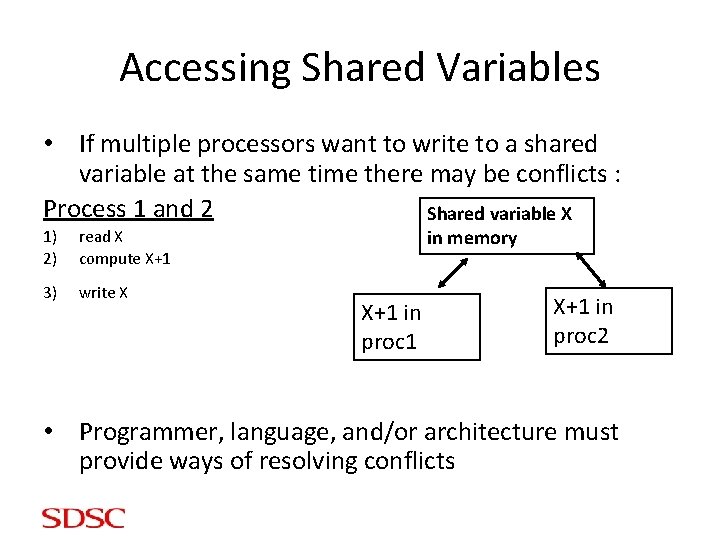
Accessing Shared Variables • If multiple processors want to write to a shared variable at the same time there may be conflicts : Process 1 and 2 Shared variable X 1) 2) read X compute X+1 3) write X in memory X+1 in proc 1 X+1 in proc 2 • Programmer, language, and/or architecture must provide ways of resolving conflicts
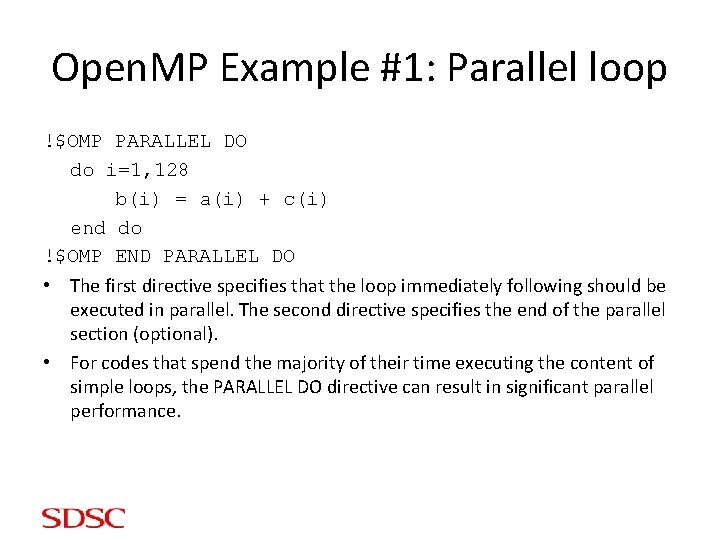
Open. MP Example #1: Parallel loop !$OMP PARALLEL DO do i=1, 128 b(i) = a(i) + c(i) end do !$OMP END PARALLEL DO • The first directive specifies that the loop immediately following should be executed in parallel. The second directive specifies the end of the parallel section (optional). • For codes that spend the majority of their time executing the content of simple loops, the PARALLEL DO directive can result in significant parallel performance.
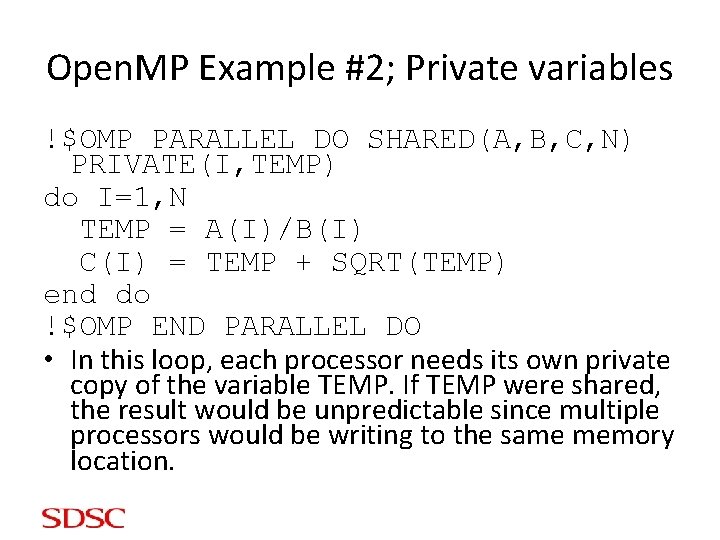
Open. MP Example #2; Private variables !$OMP PARALLEL DO SHARED(A, B, C, N) PRIVATE(I, TEMP) do I=1, N TEMP = A(I)/B(I) C(I) = TEMP + SQRT(TEMP) end do !$OMP END PARALLEL DO • In this loop, each processor needs its own private copy of the variable TEMP. If TEMP were shared, the result would be unpredictable since multiple processors would be writing to the same memory location.
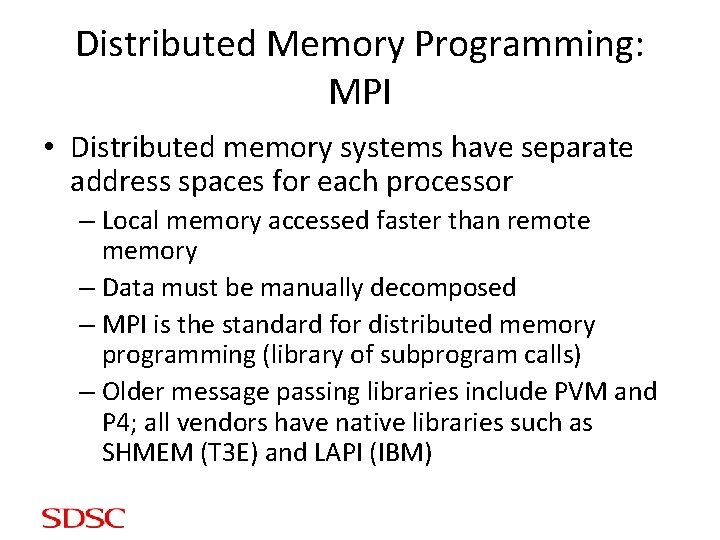
Distributed Memory Programming: MPI • Distributed memory systems have separate address spaces for each processor – Local memory accessed faster than remote memory – Data must be manually decomposed – MPI is the standard for distributed memory programming (library of subprogram calls) – Older message passing libraries include PVM and P 4; all vendors have native libraries such as SHMEM (T 3 E) and LAPI (IBM)
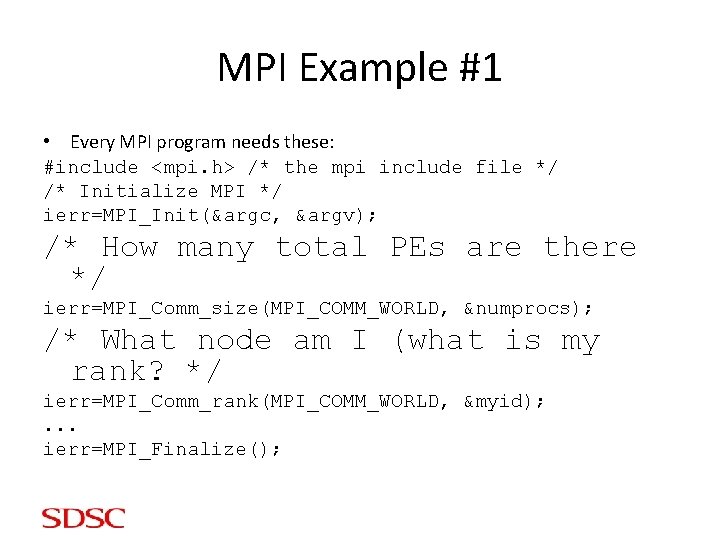
MPI Example #1 • Every MPI program needs these: #include <mpi. h> /* the mpi include file */ /* Initialize MPI */ ierr=MPI_Init(&argc, &argv); /* How many total PEs are there */ ierr=MPI_Comm_size(MPI_COMM_WORLD, &numprocs); /* What node am I (what is my rank? */ ierr=MPI_Comm_rank(MPI_COMM_WORLD, &myid); . . . ierr=MPI_Finalize();
MPI Example #2 #include "mpi. h” int main(argc, argv) int argc; char *argv[]; { int myid, numprocs; MPI_Init(&argc, &argv); MPI_Comm_size(MPI_COMM_WORLD, &numprocs); MPI_Comm_rank(MPI_COMM_WORLD, &myid); /* print out my rank and this run's PE size*/ printf("Hello from %dn", myid); printf("Numprocs is %dn", numprocs); MPI_Finalize(); }
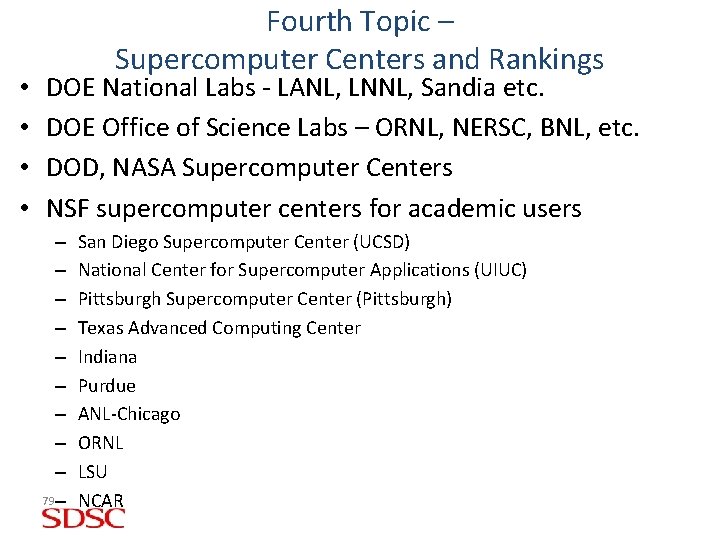
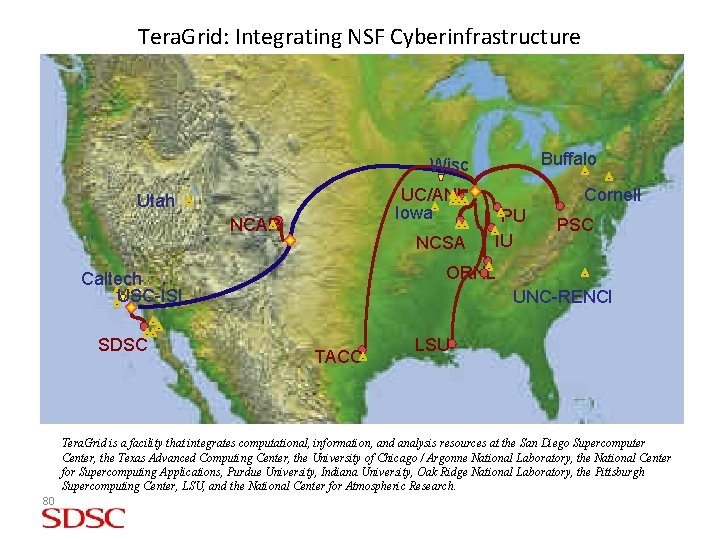
• • Fourth Topic – Supercomputer Centers and Rankings DOE National Labs - LANL, LNNL, Sandia etc. DOE Office of Science Labs – ORNL, NERSC, BNL, etc. DOD, NASA Supercomputer Centers NSF supercomputer centers for academic users – – – – – 79– San Diego Supercomputer Center (UCSD) National Center for Supercomputer Applications (UIUC) Pittsburgh Supercomputer Center (Pittsburgh) Texas Advanced Computing Center Indiana Purdue ANL-Chicago ORNL LSU NCAR
Tera. Grid: Integrating NSF Cyberinfrastructure Buffalo Wisc UC/ANL Iowa Utah NCAR NCSA PU IU PSC ORNL Caltech USC-ISI SDSC Cornell UNC-RENCI TACC LSU Tera. Grid is a facility that integrates computational, information, and analysis resources at the San Diego Supercomputer Center, the Texas Advanced Computing Center, the University of Chicago / Argonne National Laboratory, the National Center for Supercomputing Applications, Purdue University, Indiana University, Oak Ridge National Laboratory, the Pittsburgh Supercomputing Center, LSU, and the National Center for Atmospheric Research. 80
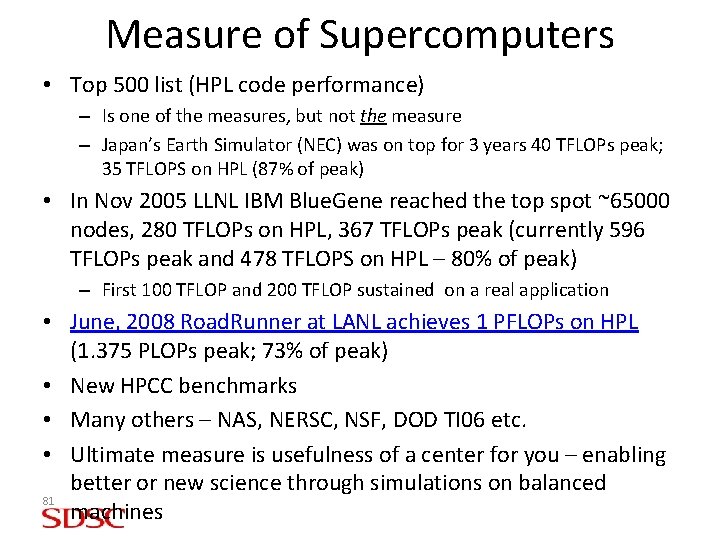
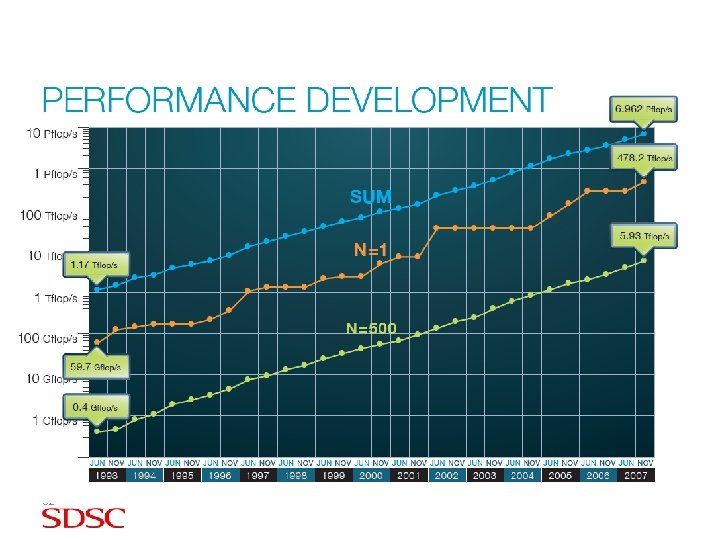
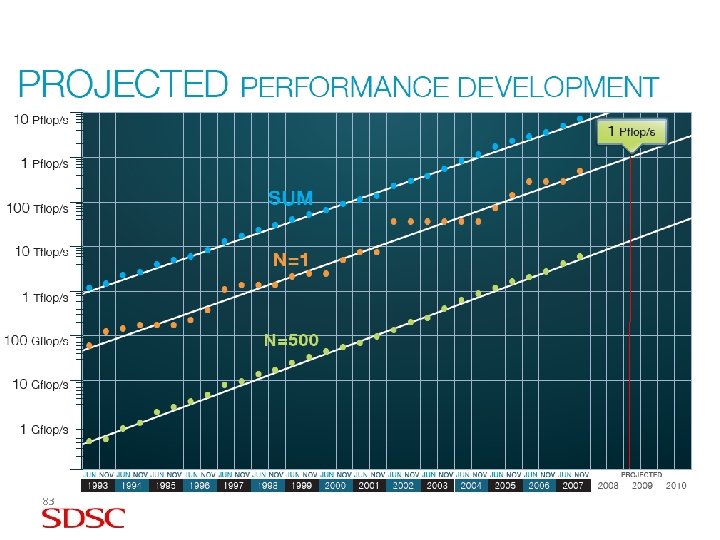
Measure of Supercomputers • Top 500 list (HPL code performance) – Is one of the measures, but not the measure – Japan’s Earth Simulator (NEC) was on top for 3 years 40 TFLOPs peak; 35 TFLOPS on HPL (87% of peak) • In Nov 2005 LLNL IBM Blue. Gene reached the top spot ~65000 nodes, 280 TFLOPs on HPL, 367 TFLOPs peak (currently 596 TFLOPs peak and 478 TFLOPS on HPL – 80% of peak) – First 100 TFLOP and 200 TFLOP sustained on a real application • June, 2008 Road. Runner at LANL achieves 1 PFLOPs on HPL (1. 375 PLOPs peak; 73% of peak) • New HPCC benchmarks • Many others – NAS, NERSC, NSF, DOD TI 06 etc. • Ultimate measure is usefulness of a center for you – enabling better or new science through simulations on balanced 81 machines
82
83
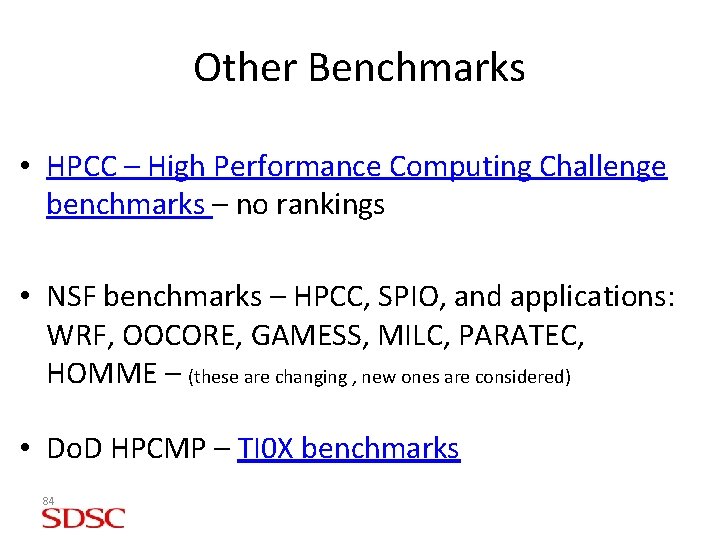
Other Benchmarks • HPCC – High Performance Computing Challenge benchmarks – no rankings • NSF benchmarks – HPCC, SPIO, and applications: WRF, OOCORE, GAMESS, MILC, PARATEC, HOMME – (these are changing , new ones are considered) • Do. D HPCMP – TI 0 X benchmarks 84
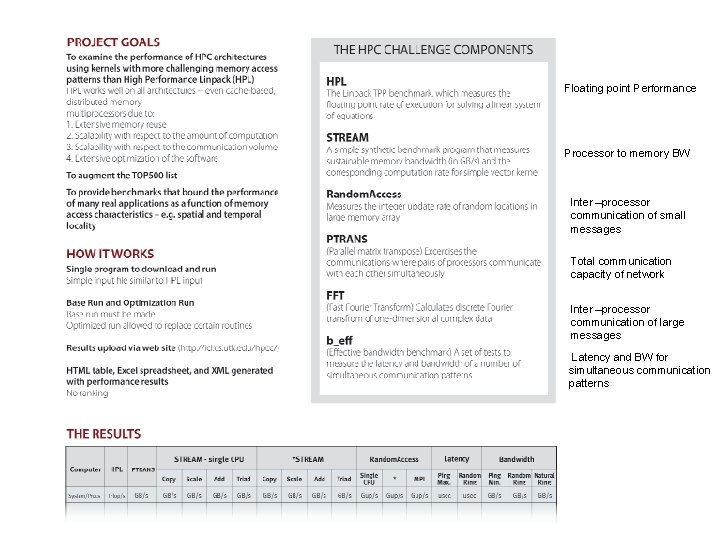
Floating point Performance Processor to memory BW Inter –processor communication of small messages Total communication capacity of network Inter –processor communication of large messages Latency and BW for simultaneous communication patterns 85
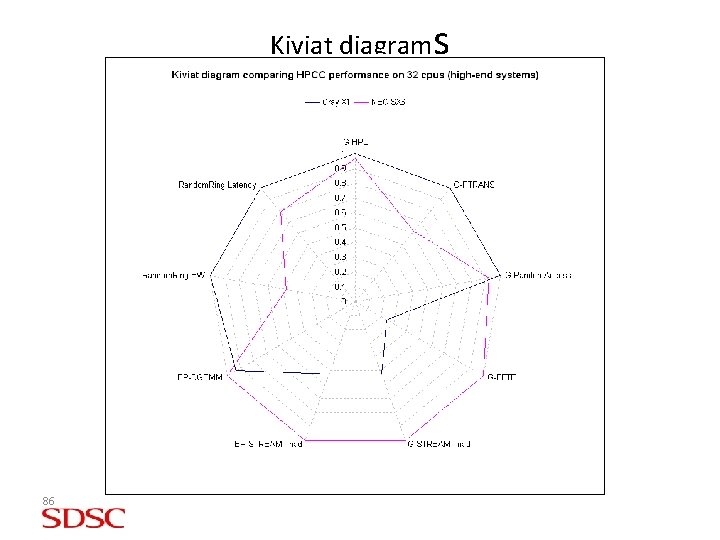
Kiviat diagrams 86
Fifth Topic – SDSC Parallel Machines 87
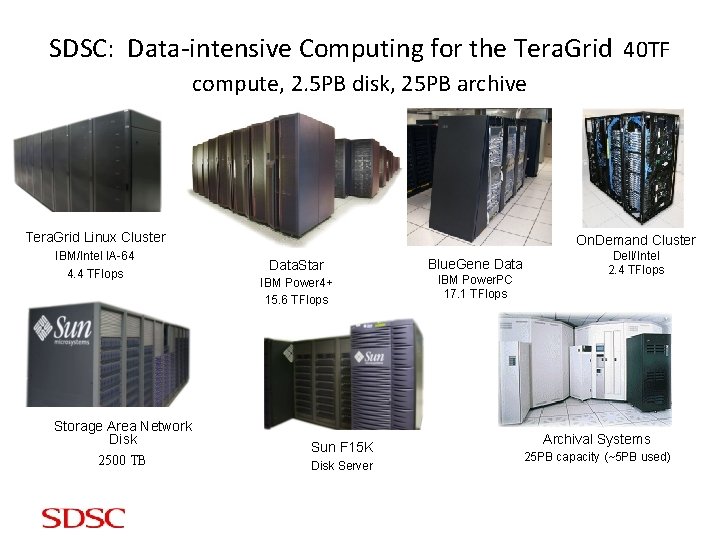
SDSC: Data-intensive Computing for the Tera. Grid 40 TF compute, 2. 5 PB disk, 25 PB archive Tera. Grid Linux Cluster IBM/Intel IA-64 4. 4 TFlops Storage Area Network Disk 2500 TB On. Demand Cluster Data. Star IBM Power 4+ 15. 6 TFlops Sun F 15 K Disk Server Blue. Gene Data IBM Power. PC 17. 1 TFlops Dell/Intel 2. 4 TFlops Archival Systems 25 PB capacity (~5 PB used)
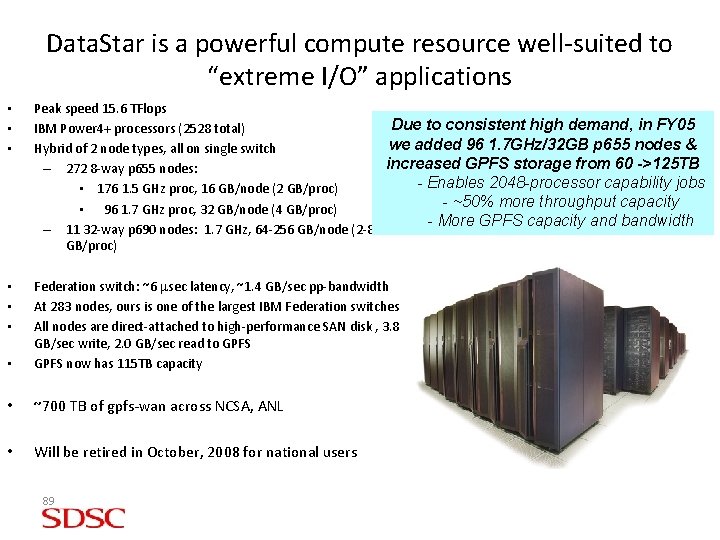
Data. Star is a powerful compute resource well-suited to “extreme I/O” applications • • • Peak speed 15. 6 TFlops Due to consistent high demand, in FY 05 IBM Power 4+ processors (2528 total) we added 96 1. 7 GHz/32 GB p 655 nodes & Hybrid of 2 node types, all on single switch increased GPFS storage from 60 ->125 TB – 272 8 -way p 655 nodes: - Enables 2048 -processor capability jobs • 176 1. 5 GHz proc, 16 GB/node (2 GB/proc) - ~50% more throughput capacity • 96 1. 7 GHz proc, 32 GB/node (4 GB/proc) - More GPFS capacity and bandwidth – 11 32 -way p 690 nodes: 1. 7 GHz, 64 -256 GB/node (2 -8 GB/proc) • • Federation switch: ~6 msec latency, ~1. 4 GB/sec pp-bandwidth At 283 nodes, ours is one of the largest IBM Federation switches All nodes are direct-attached to high-performance SAN disk , 3. 8 GB/sec write, 2. 0 GB/sec read to GPFS now has 115 TB capacity • ~700 TB of gpfs-wan across NCSA, ANL • Will be retired in October, 2008 for national users 89
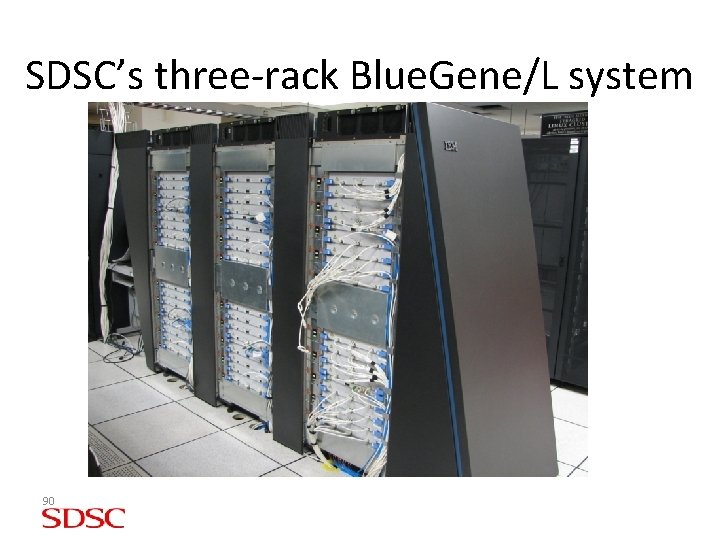
SDSC’s three-rack Blue. Gene/L system 90
BG/L System Overview: Novel, massively parallel system from IBM • Full system installed at LLNL from 4 Q 04 to 3 Q 05; addition in 2007 – – – – 106, 496 nodes (212992 cores) Each node being two low-power Power. PC processors + memory Compact footprint with very high processor density Slow processors & modest memory per processor Very high peak speed of 596 Tflop/s #1 in top 500 until June 2008 - Linpack speed of 478 Tflop/s Two applications have run at over 100 (2005) and 200+ (2006) Tflop/s • Many BG/L Systems at US and outside • Now there are BG/P machines – ranked #3, #6, and #9 on top 500 • Need to select apps carefully – Must scale (at least weakly) to many processors (because they’re slow) – Must fit in limited memory 91
SDSC was first academic institution with an IBM Blue Gene system SDSC procured 1 -rack system 12/04. Used initially for code evaluation and benchmarking; production 10/05. Now SDSC has 3 racks (LLNL system initially had 64 racks. ) SDSC rack has maximum ratio of I/O to compute nodes at 1: 8 (LLNL’s is 1: 64). Each of 128 I/O nodes in rack has 1 Gbps Ethernet connection => 16 GBps/rack potential. 92
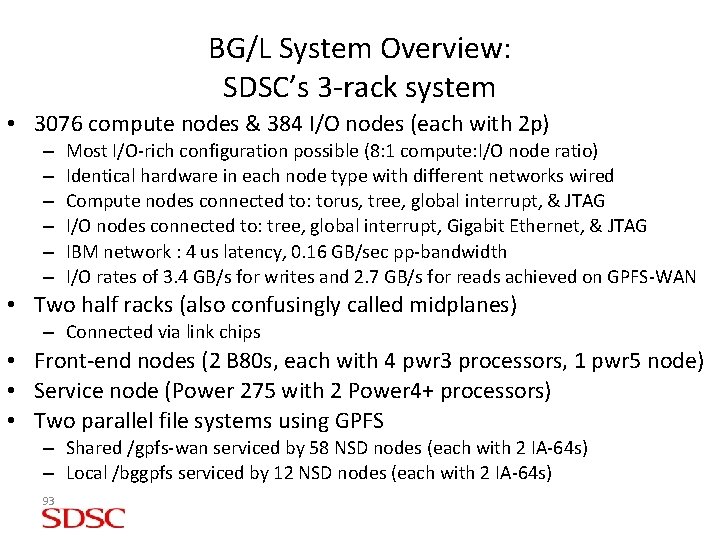
BG/L System Overview: SDSC’s 3 -rack system • 3076 compute nodes & 384 I/O nodes (each with 2 p) – – – Most I/O-rich configuration possible (8: 1 compute: I/O node ratio) Identical hardware in each node type with different networks wired Compute nodes connected to: torus, tree, global interrupt, & JTAG I/O nodes connected to: tree, global interrupt, Gigabit Ethernet, & JTAG IBM network : 4 us latency, 0. 16 GB/sec pp-bandwidth I/O rates of 3. 4 GB/s for writes and 2. 7 GB/s for reads achieved on GPFS-WAN • Two half racks (also confusingly called midplanes) – Connected via link chips • Front-end nodes (2 B 80 s, each with 4 pwr 3 processors, 1 pwr 5 node) • Service node (Power 275 with 2 Power 4+ processors) • Two parallel file systems using GPFS – Shared /gpfs-wan serviced by 58 NSD nodes (each with 2 IA-64 s) – Local /bggpfs serviced by 12 NSD nodes (each with 2 IA-64 s) 93
BG System Overview: Processor Chip (1) 94
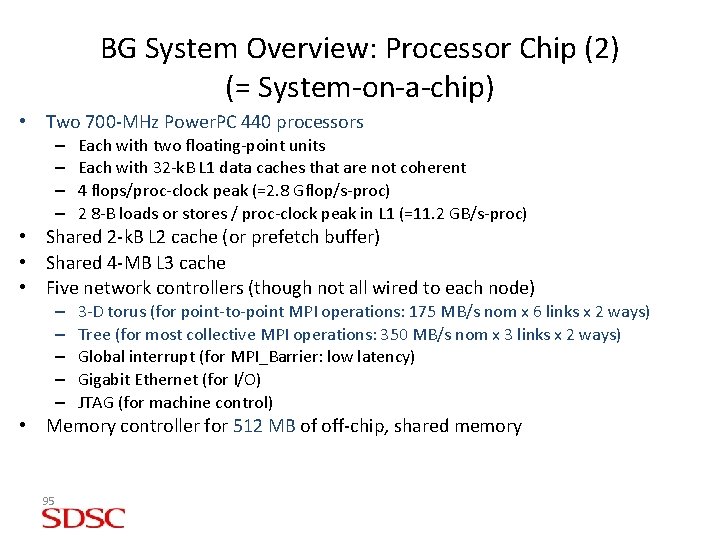
BG System Overview: Processor Chip (2) (= System-on-a-chip) • Two 700 -MHz Power. PC 440 processors – – Each with two floating-point units Each with 32 -k. B L 1 data caches that are not coherent 4 flops/proc-clock peak (=2. 8 Gflop/s-proc) 2 8 -B loads or stores / proc-clock peak in L 1 (=11. 2 GB/s-proc) • Shared 2 -k. B L 2 cache (or prefetch buffer) • Shared 4 -MB L 3 cache • Five network controllers (though not all wired to each node) – – – 3 -D torus (for point-to-point MPI operations: 175 MB/s nom x 6 links x 2 ways) Tree (for most collective MPI operations: 350 MB/s nom x 3 links x 2 ways) Global interrupt (for MPI_Barrier: low latency) Gigabit Ethernet (for I/O) JTAG (for machine control) • Memory controller for 512 MB of off-chip, shared memory 95
Sixth Topic – Allocations on NSF Supercomputer Centers • http: //www. teragrid. org/userinfo/getting_started. php? level=new_to_teragrid • Development Allocation Committee (DAC) awards up to 30, 000 CPU-hours and/or some TBs of disk (these amounts are going up) • Larger allocations awarded through meritreview of proposals by panel of computational scientists • UC Academic Associates • Special program for UC campuses • www. sdsc. edu/user_services/aap 96
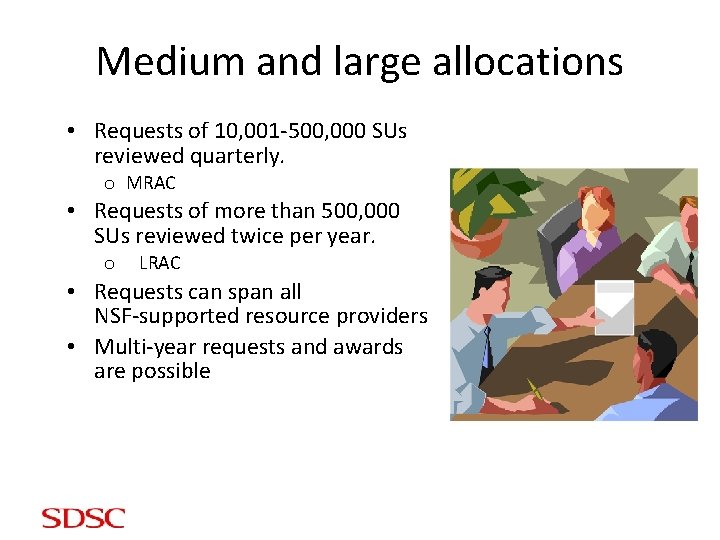
Medium and large allocations • Requests of 10, 001 -500, 000 SUs reviewed quarterly. o MRAC • Requests of more than 500, 000 SUs reviewed twice per year. o LRAC • Requests can span all NSF-supported resource providers • Multi-year requests and awards are possible
New: Storage Allocations • SDSC now making disk storage and database resources available via the merit-review process – SDSC Collections Disk Space • >200 TB of network-accessible disk for data collections • Tera. Grid GPFS-WAN • Many 100 s of TB parallel file system attached to TG computers • Portion available for long-term storage allocations • SDSC Database • Dedicated disk/hardware for high-performance databases – Oracle, DB 2, My. SQL
And all this will cost you… …absolutely nothing. $0 plus the time to write your proposal
Seventh Topic – One Application Example – Turbulence 100
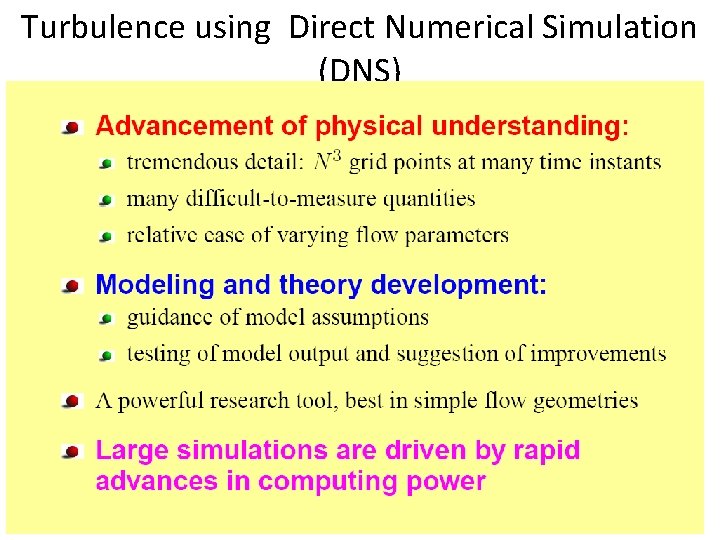
Turbulence using Direct Numerical Simulation (DNS) 101
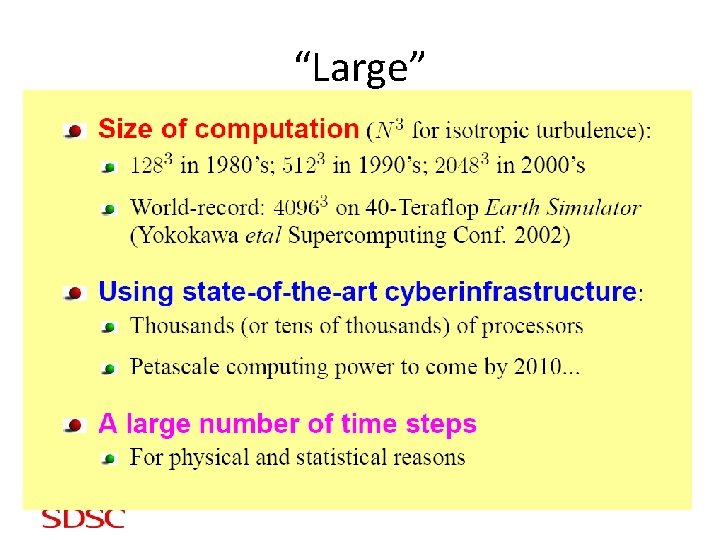
“Large” 102
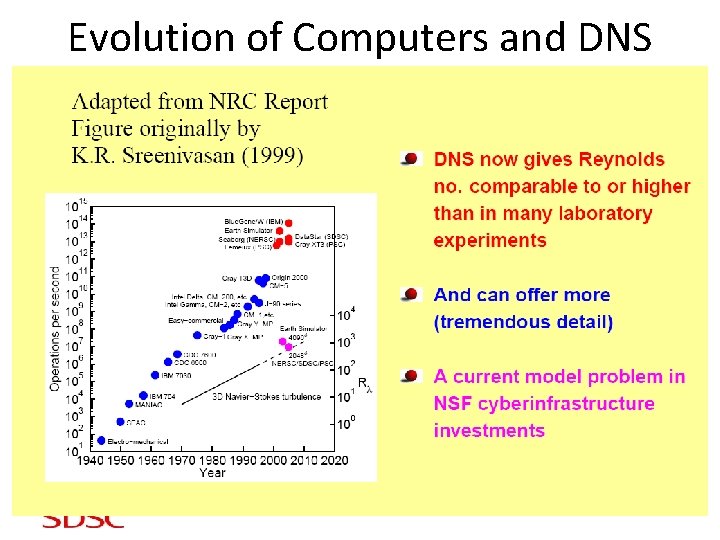
Evolution of Computers and DNS 103
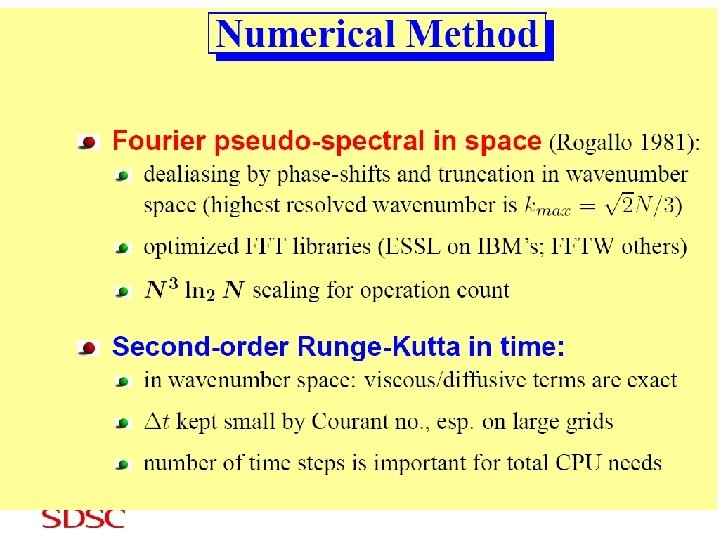
104
105
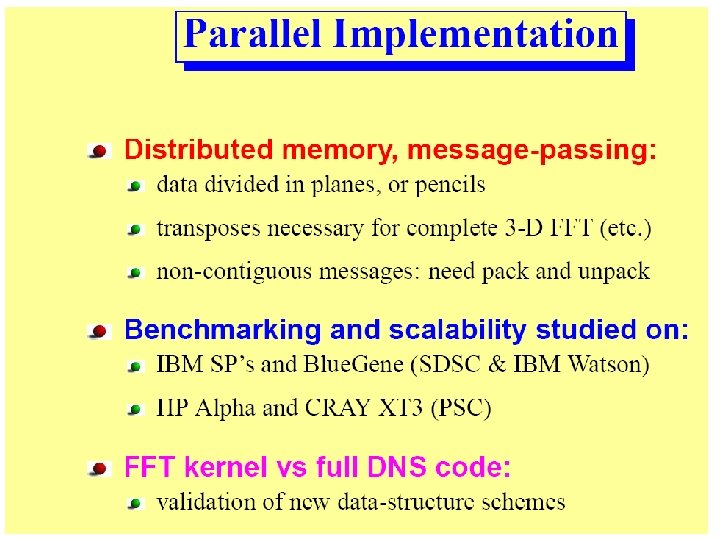
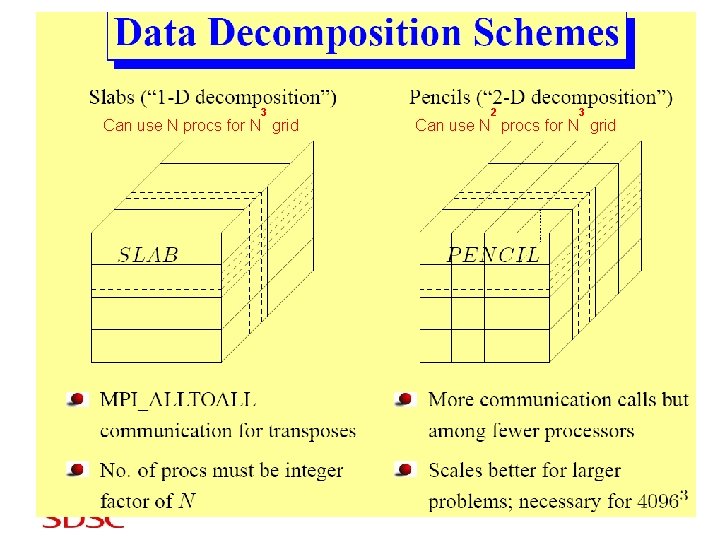
3 Can use N procs for N grid 106 2 3 Can use N procs for N grid
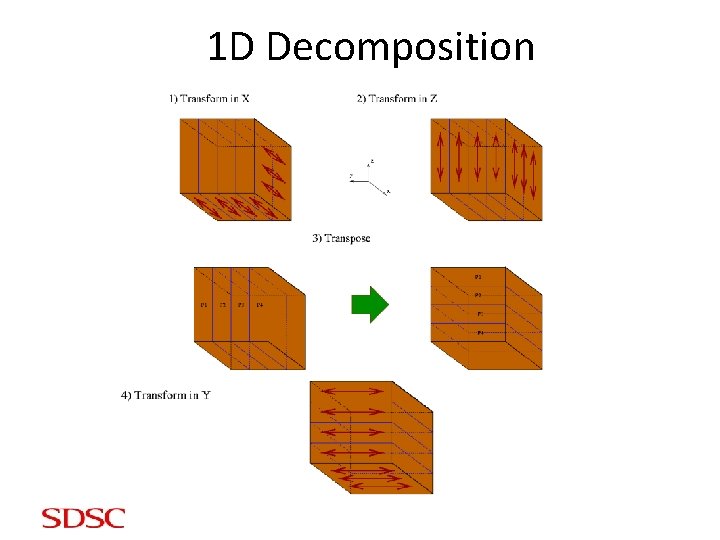
1 D Decomposition
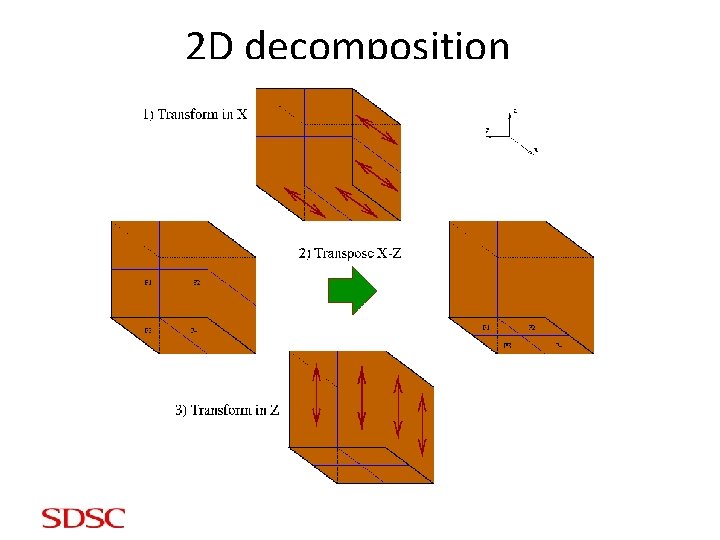
2 D decomposition
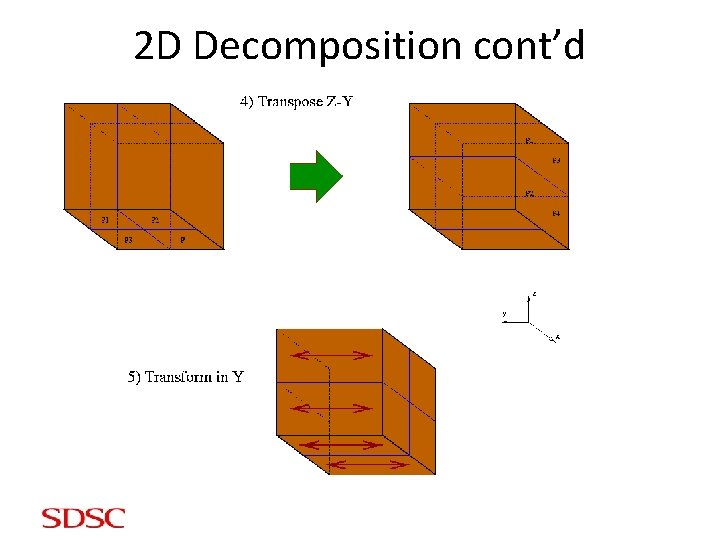
2 D Decomposition cont’d
Communication Global communication: traditionally, a serious challenge for scaling applications to large node counts. • 1 D decomposition: 1 all-to-all exchange involving P processors • 2 D decomposition: 2 all-to-all exchanges within p 1 groups of p 2 processors each (p 1 x p 2 = P) • Which is better? Most of the time 1 D wins. But again: it can’t be scaled beyond P=N. Crucial parameter is bisection bandwidth
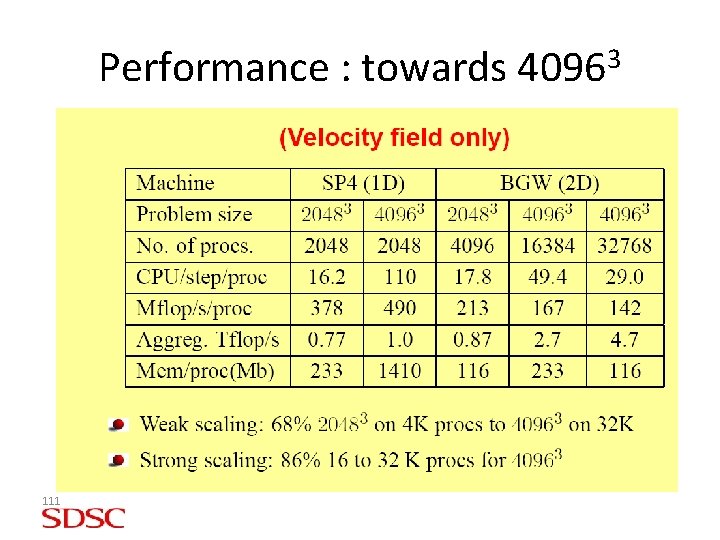
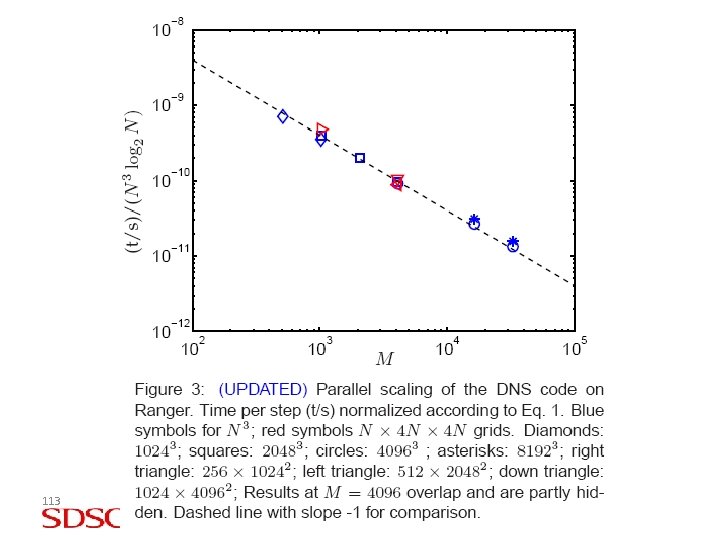
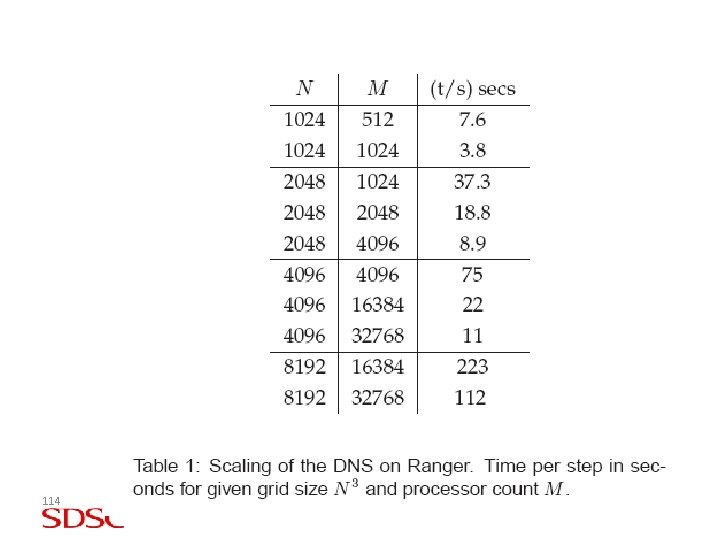
Performance : towards 40963 111
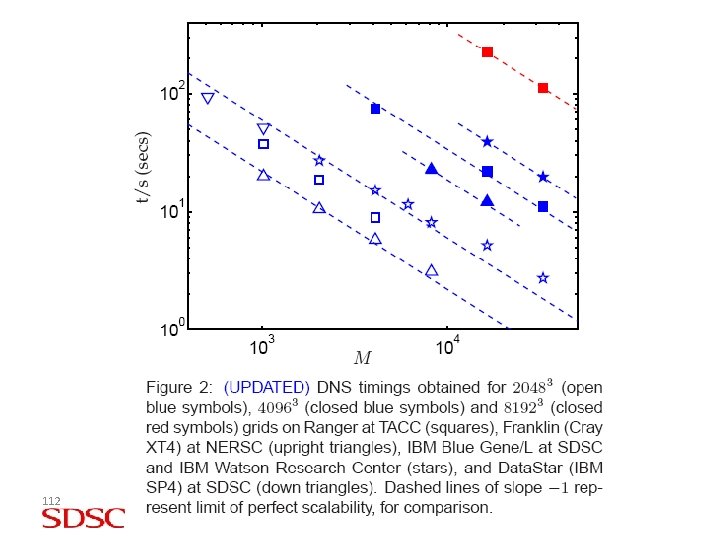
112
113
114