
Scalable Internet Architectures George Schlossnagle Theo Schlossnagle georgeomniti

Scalable Internet Architectures George Schlossnagle Theo Schlossnagle <george@omniti. com> <theo@omniti. com>
Agenda 1. Some Server Tuning Tips 2. Application-Integrated Caching 3. HA/LB Theory 4. Local Load-Balancing 5. Global Load-Balancing 6. Distributed Logging
Scaling Apache 1. 3 Some Low-Hanging Fruit
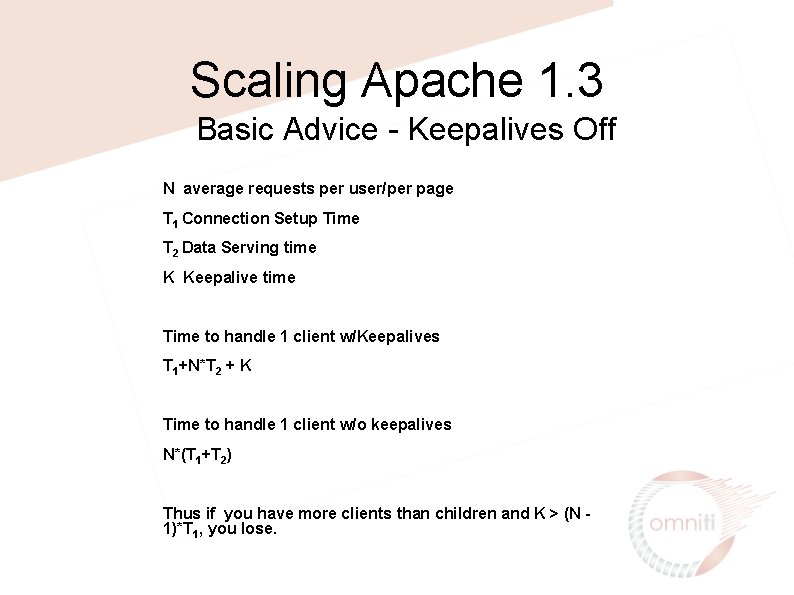
Scaling Apache 1. 3 Basic Advice - Keepalives Off N average requests per user/per page T 1 Connection Setup Time T 2 Data Serving time K Keepalive time Time to handle 1 client w/Keepalives T 1+N*T 2 + K Time to handle 1 client w/o keepalives N*(T 1+T 2) Thus if you have more clients than children and K > (N 1)*T 1, you lose.
Scaling Apache Basic Advice - Minimize network write latency effects • Set Send. Buffer. Size to your maximal page size Page write is handed off completely to the OS for transmission, apache does not need to pause for individual writes to complete. • Use a reverse-proxy setup
Scaling Apache Basic Advice - use Compression Transfer. Encoding Bandwidth is often the most expensive part of a large configuration • • Mod_gzip Mod_deflate Php’s ob_gz_handler A mod_perl gzip handler
Scaling Apache 1. 3 Architectural Changes Up until now we have tried to maximize our performance with a single instance of a single tool.
Scaling Apache Low Effort - Don’t Use Apache for Static Files Pre-fork multi-process model inefficient for serving static content • • • Apache 2 Thttpd Tux
Scaling Apache Low Effort - lingerd for hand-off of socket closing The close() system call can induce post-response lulls as apache must wait for a FIN packet from the remote client. Handing this effort off to an exterior process can let apache get back to work quicker.
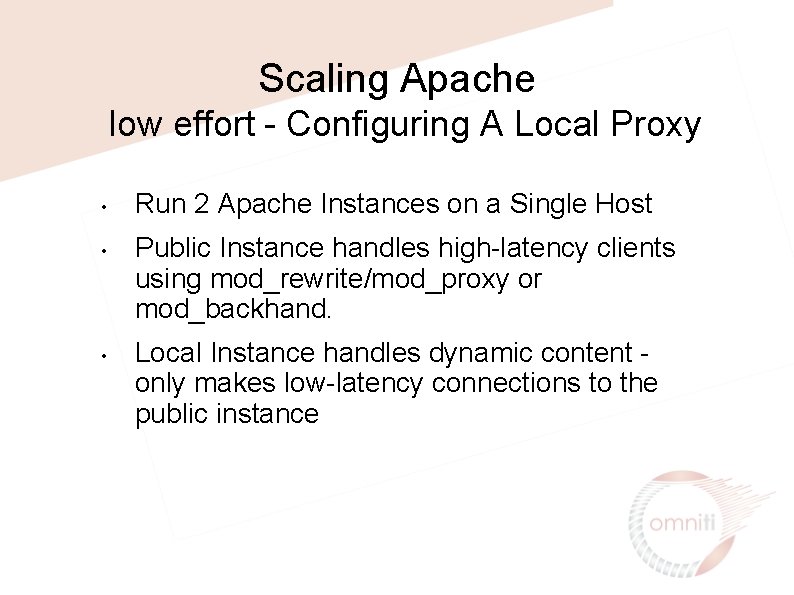
Scaling Apache low effort - Configuring A Local Proxy • • • Run 2 Apache Instances on a Single Host Public Instance handles high-latency clients using mod_rewrite/mod_proxy or mod_backhand. Local Instance handles dynamic content only makes low-latency connections to the public instance
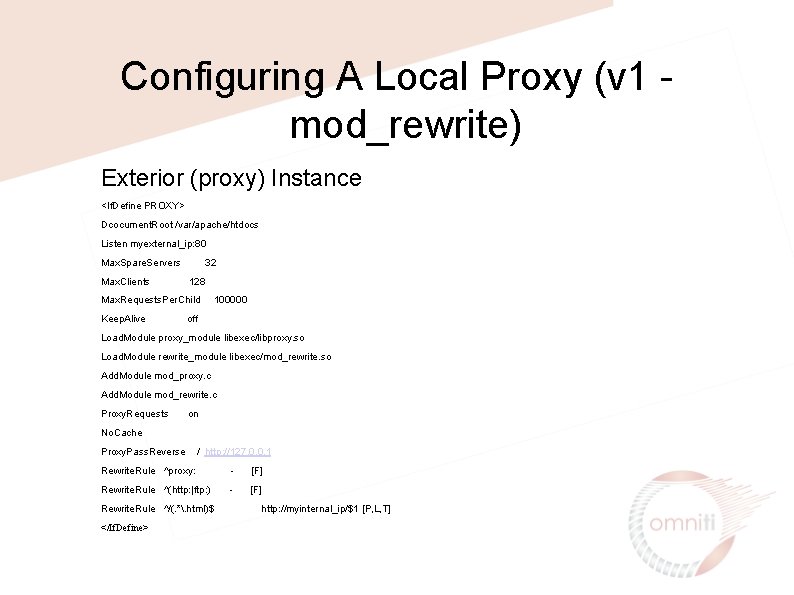
Configuring A Local Proxy (v 1 mod_rewrite) Exterior (proxy) Instance <If. Define PROXY> Dcocument. Root /var/apache/htdocs Listen myexternal_ip: 80 Max. Spare. Servers Max. Clients 32 128 Max. Requests. Per. Child Keep. Alive 100000 off Load. Module proxy_module libexec/libproxy. so Load. Module rewrite_module libexec/mod_rewrite. so Add. Module mod_proxy. c Add. Module mod_rewrite. c Proxy. Requests on No. Cache Proxy. Pass. Reverse / http: //127. 0. 0. 1 Rewrite. Rule ^proxy: - [F] Rewrite. Rule ^(http: |ftp: ) - [F] Rewrite. Rule ^/(. *. html)$ </If. Define> http: //myinternal_ip/$1 [P, L, T]
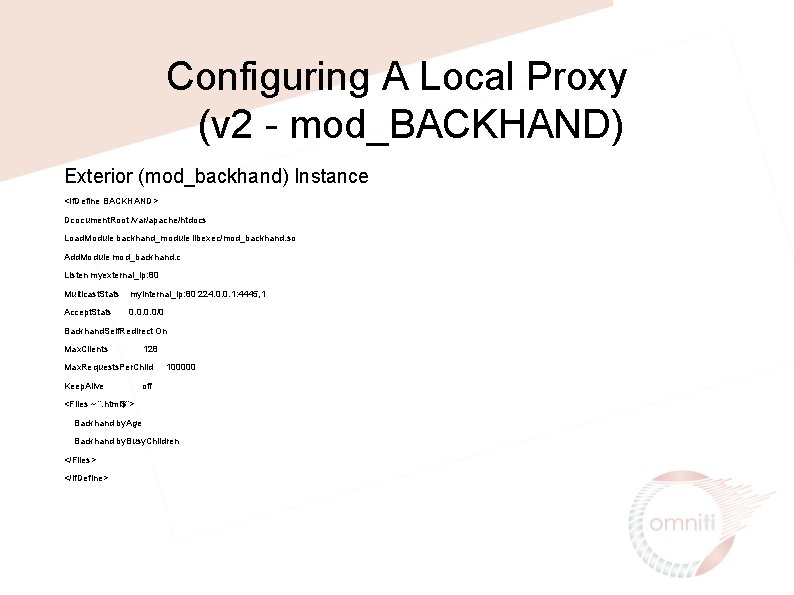
Configuring A Local Proxy (v 2 - mod_BACKHAND) Exterior (mod_backhand) Instance <If. Define BACKHAND> Dcocument. Root /var/apache/htdocs Load. Module backhand_module libexec/mod_backhand. so Add. Module mod_backhand. c Listen myexternal_ip: 80 Multicast. Stats myinternal_ip: 80 224. 0. 0. 1: 4445, 1 Accept. Stats 0. 0/0 Backhand. Self. Redirect On Max. Clients 128 Max. Requests. Per. Child Keep. Alive 100000 off <Files ~ “. html$”> Backhand by. Age Backhand by. Busy. Children </Files> </If. Define>
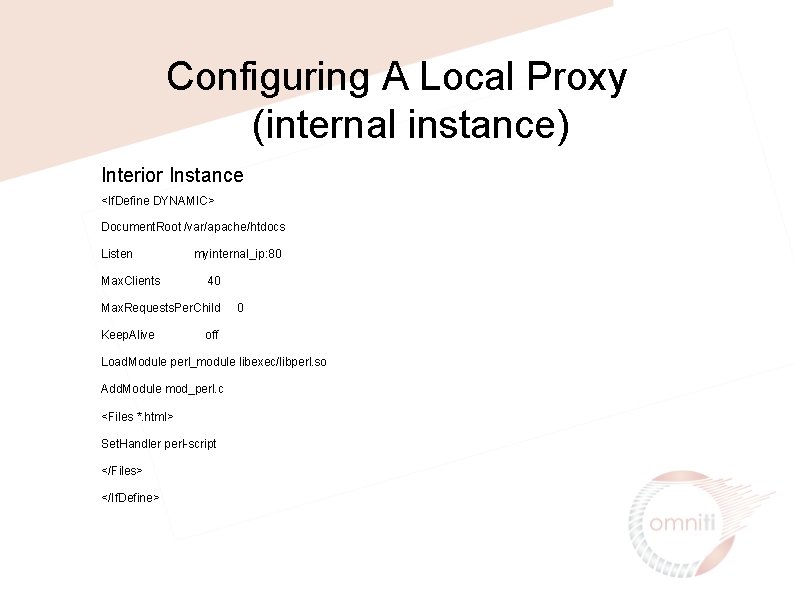
Configuring A Local Proxy (internal instance) Interior Instance <If. Define DYNAMIC> Document. Root /var/apache/htdocs Listen Max. Clients myinternal_ip: 80 40 Max. Requests. Per. Child Keep. Alive 0 off Load. Module perl_module libexec/libperl. so Add. Module mod_perl. c <Files *. html> Set. Handler perl-script </Files> </If. Define>
Application Caching • Dynamic calls are expensive • Caching can help you avoid unnecessary dynamicism • Many different caching techiniques available to you, so choose the one that fits your needs
Application Caching: Caching Web Objects How well does your data match the original design goals of any commercial products being considered? • • Is the data static? • Is the data static for a short period of time? • • Is the data static for a short period of time for each client? Does the data contain components which are static for each client for a short period of time?
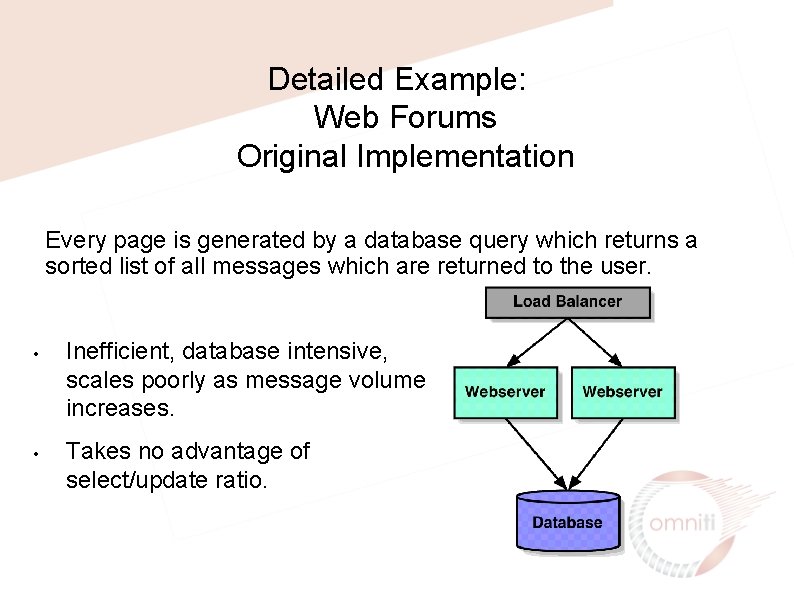
Detailed Example: Web Forums Original Implementation Every page is generated by a database query which returns a sorted list of all messages which are returned to the user. • • Inefficient, database intensive, scales poorly as message volume increases. Takes no advantage of select/update ratio.
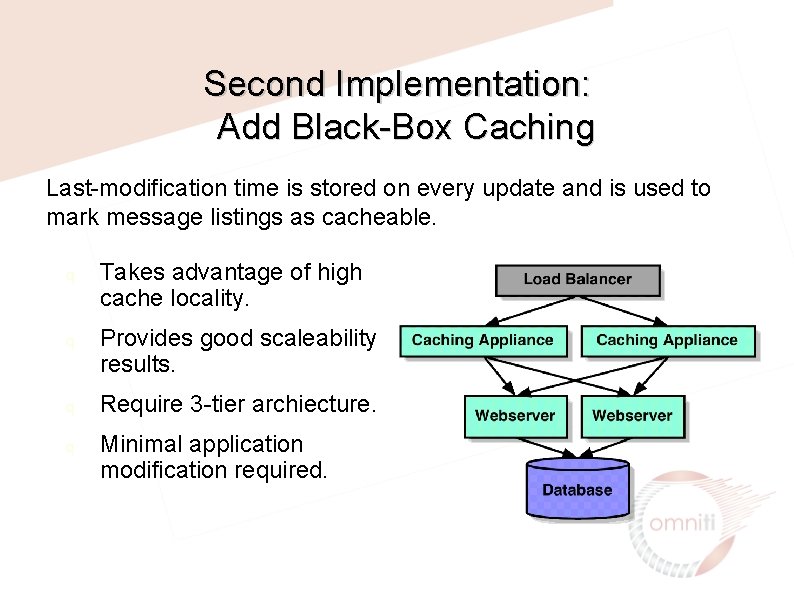
Second Implementation: Add Black-Box Caching Last-modification time is stored on every update and is used to mark message listings as cacheable. q q Takes advantage of high cache locality. Provides good scaleability results. Require 3 -tier archiecture. Minimal application modification required.
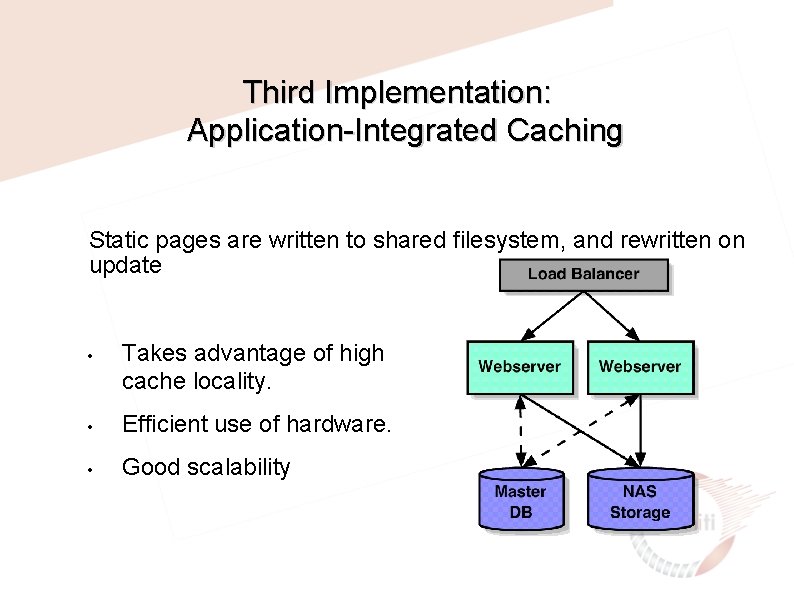
Third Implementation: Application-Integrated Caching Static pages are written to shared filesystem, and rewritten on update • Takes advantage of high cache locality. • Efficient use of hardware. • Good scalability
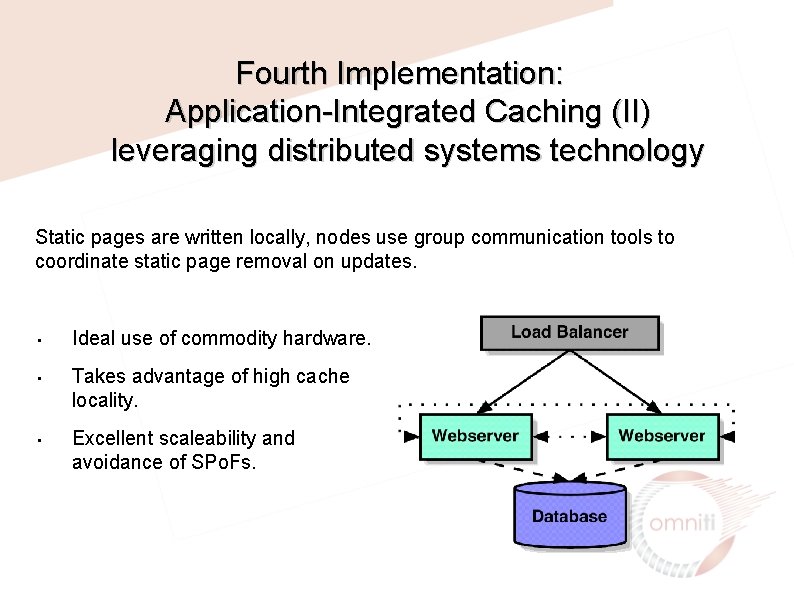
Fourth Implementation: Application-Integrated Caching (II) leveraging distributed systems technology Static pages are written locally, nodes use group communication tools to coordinate static page removal on updates. • • • Ideal use of commodity hardware. Takes advantage of high cache locality. Excellent scaleability and avoidance of SPo. Fs.
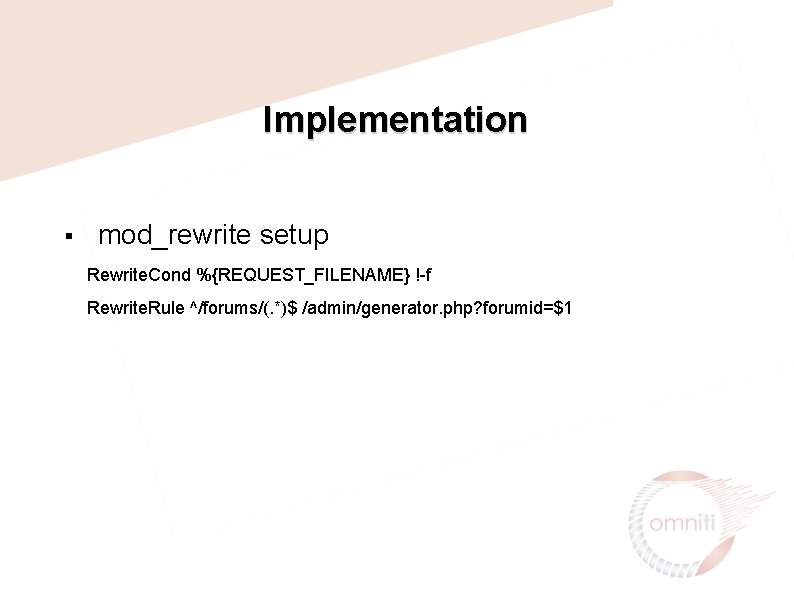
Implementation § mod_rewrite setup Rewrite. Cond %{REQUEST_FILENAME} !-f Rewrite. Rule ^/forums/(. *)$ /admin/generator. php? forumid=$1
![Implementation generator. php <? php $forumid = $_GET[’forumid']; if(!$uri) { return_error(); } ob_start(); if(generate_page($forumid))](http://slidetodoc.com/presentation_image_h/0a314b6176a2ae742542e3f9d19153df/image-21.jpg "Implementation generator. php <? php $forumid = $_GET[’forumid']; if(!$uri) { return_error(); } ob_start(); if(generate_page($forumid))")
Implementation generator. php <? php $forumid = $_GET[’forumid']; if(!$uri) { return_error(); } ob_start(); if(generate_page($forumid)) { $content = ob_get_contents(); $fp = fopen($SERVER['DOCUMENT_ROOT']. $uri, "w"); fwrite($fp, $content); ob_flush(); } ob_clean(); return_error(); ? >
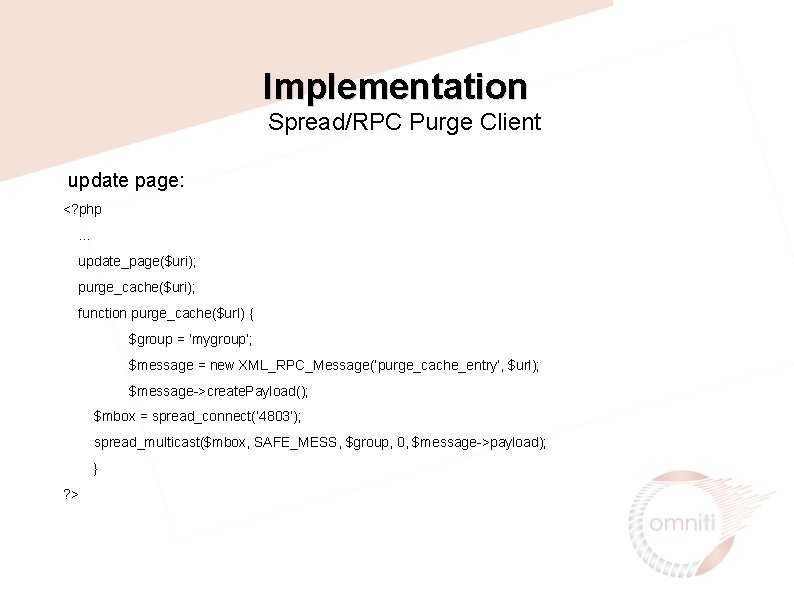
Implementation Spread/RPC Purge Client update page: <? php … update_page($uri); purge_cache($uri); function purge_cache($url) { $group = ‘mygroup’; $message = new XML_RPC_Message(‘purge_cache_entry’, $url); $message->create. Payload(); $mbox = spread_connect(‘ 4803’); spread_multicast($mbox, SAFE_MESS, $group, 0, $message->payload); } ? >
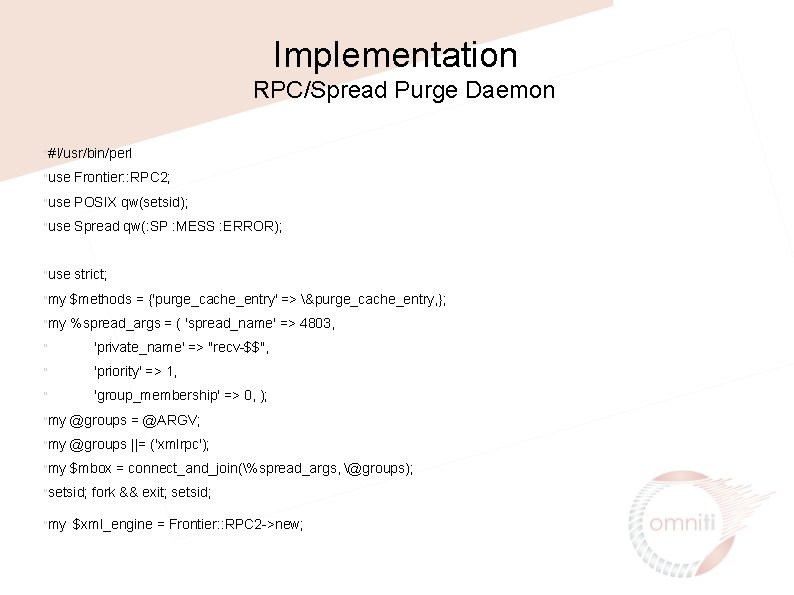
Implementation RPC/Spread Purge Daemon "#!/usr/bin/perl "use Frontier: : RPC 2; "use POSIX qw(setsid); "use Spread qw(: SP : MESS : ERROR); "use strict; "my $methods = {'purge_cache_entry' => &purge_cache_entry, }; "my %spread_args = ( 'spread_name' => 4803, " 'private_name' => "recv-$$", " 'priority' => 1, " 'group_membership' => 0, ); "my @groups = @ARGV; "my @groups ||= ('xmlrpc'); "my $mbox = connect_and_join(%spread_args, @groups); "setsid; "my fork && exit; setsid; $xml_engine = Frontier: : RPC 2 ->new;
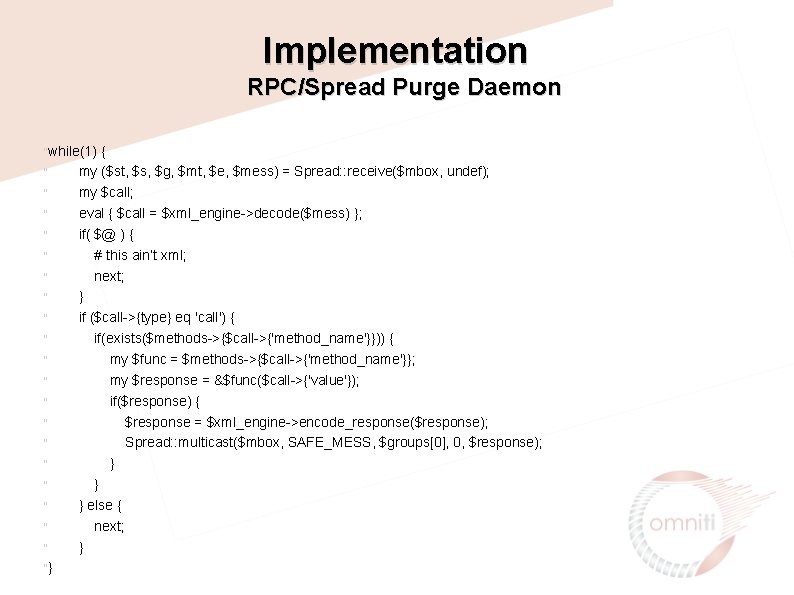
Implementation RPC/Spread Purge Daemon "while(1) " " " " "} { my ($st, $s, $g, $mt, $e, $mess) = Spread: : receive($mbox, undef); my $call; eval { $call = $xml_engine->decode($mess) }; if( $@ ) { # this ain’t xml; next; } if ($call->{type} eq 'call') { if(exists($methods->{$call->{'method_name'}})) { my $func = $methods->{$call->{'method_name'}}; my $response = &$func($call->{'value'}); if($response) { $response = $xml_engine->encode_response($response); Spread: : multicast($mbox, SAFE_MESS, $groups[0], 0, $response); } } } else { next; }
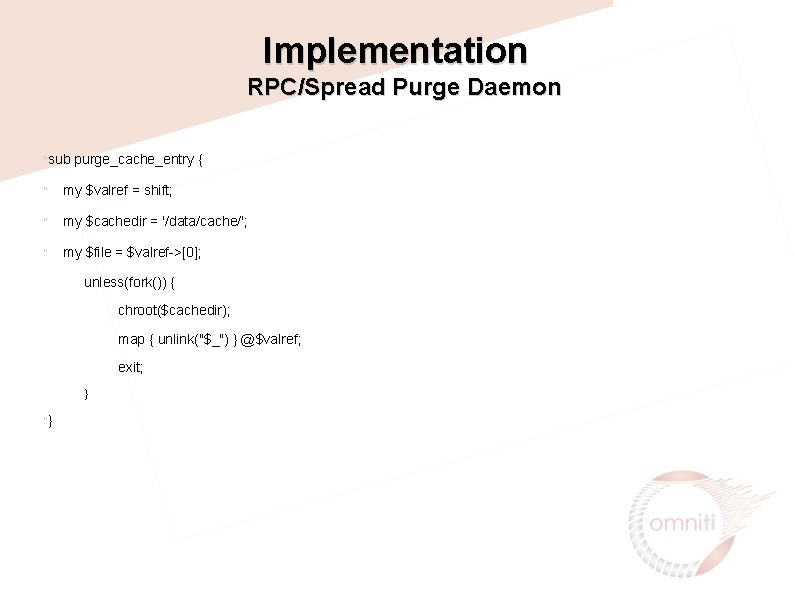
Implementation RPC/Spread Purge Daemon "sub purge_cache_entry { " my $valref = shift; " my $cachedir = '/data/cache/'; " my $file = $valref->[0]; unless(fork()) { chroot($cachedir); map { unlink("$_") } @$valref; exit; } "}
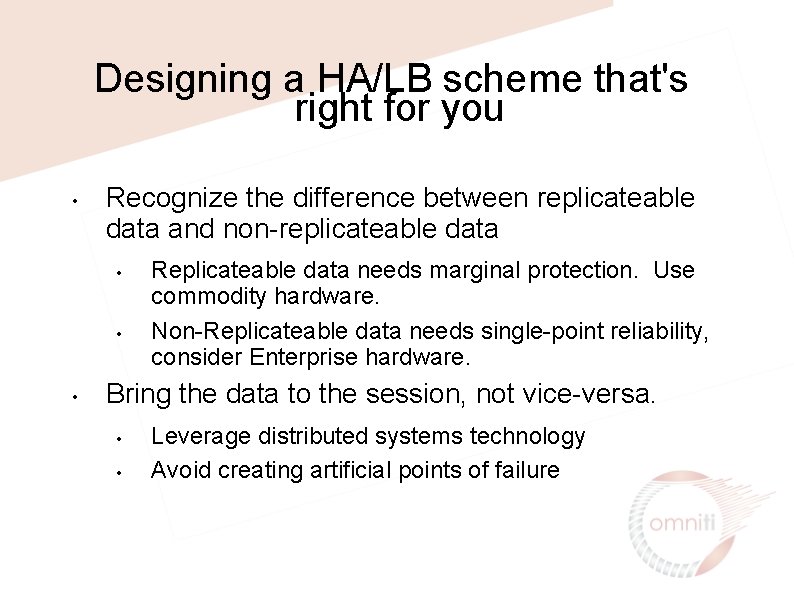
Designing a HA/LB scheme that's right for you • Recognize the difference between replicateable data and non-replicateable data • • • Replicateable data needs marginal protection. Use commodity hardware. Non-Replicateable data needs single-point reliability, consider Enterprise hardware. Bring the data to the session, not vice-versa. • • Leverage distributed systems technology Avoid creating artificial points of failure
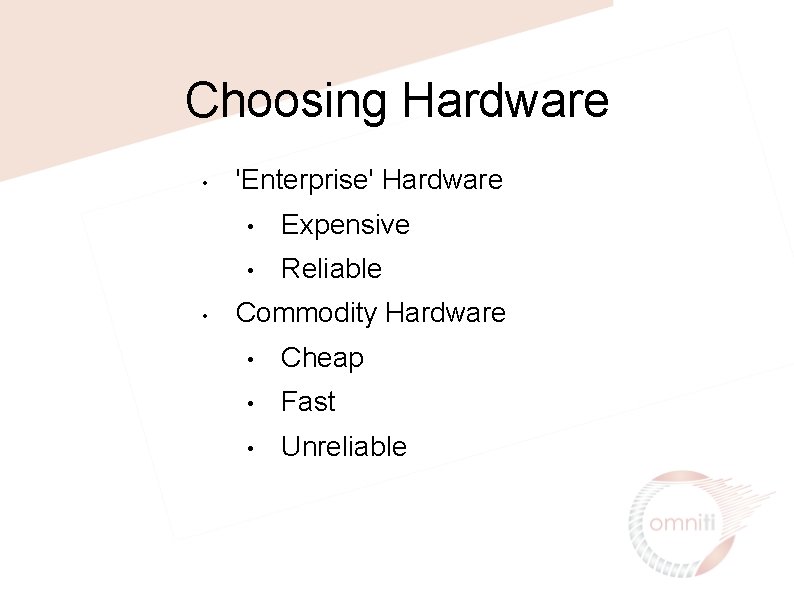
Choosing Hardware • • 'Enterprise' Hardware • Expensive • Reliable Commodity Hardware • Cheap • Fast • Unreliable
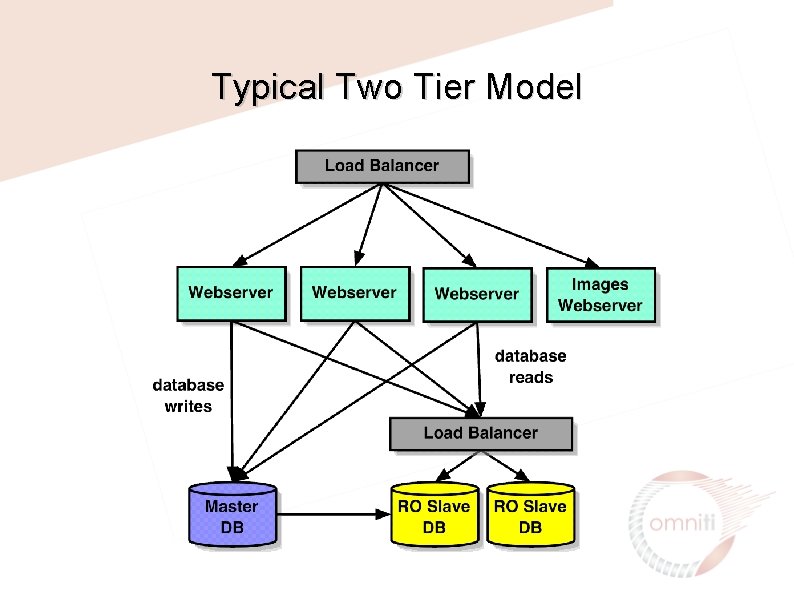
Typical Two Tier Model
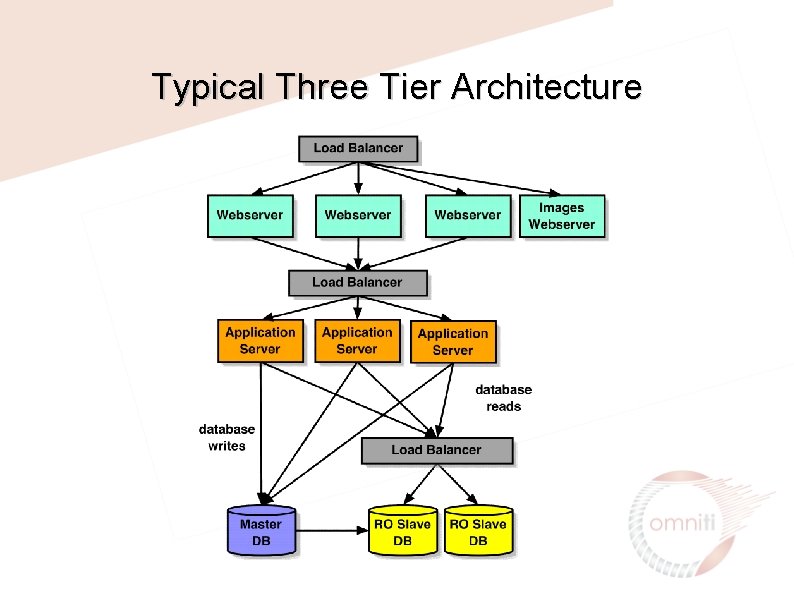
Typical Three Tier Architecture
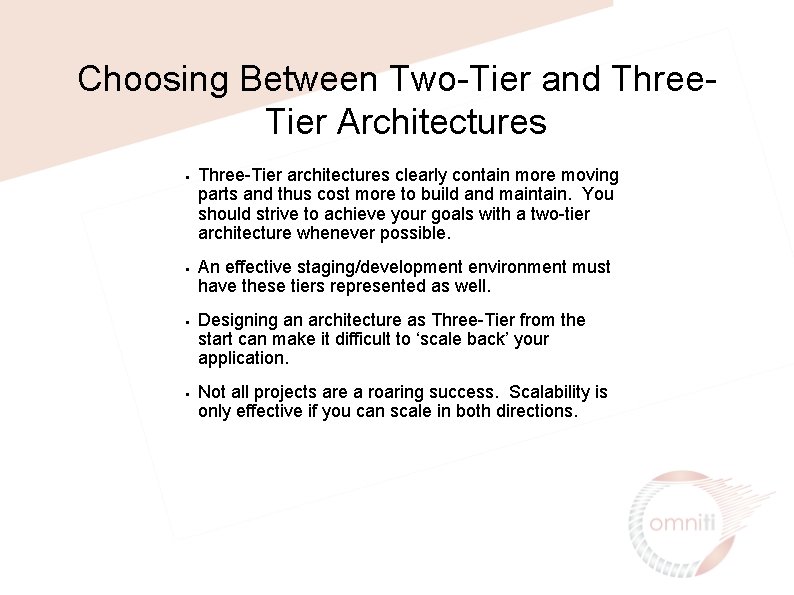
Choosing Between Two-Tier and Three. Tier Architectures • • Three-Tier architectures clearly contain more moving parts and thus cost more to build and maintain. You should strive to achieve your goals with a two-tier architecture whenever possible. An effective staging/development environment must have these tiers represented as well. Designing an architecture as Three-Tier from the start can make it difficult to ‘scale back’ your application. Not all projects are a roaring success. Scalability is only effective if you can scale in both directions.
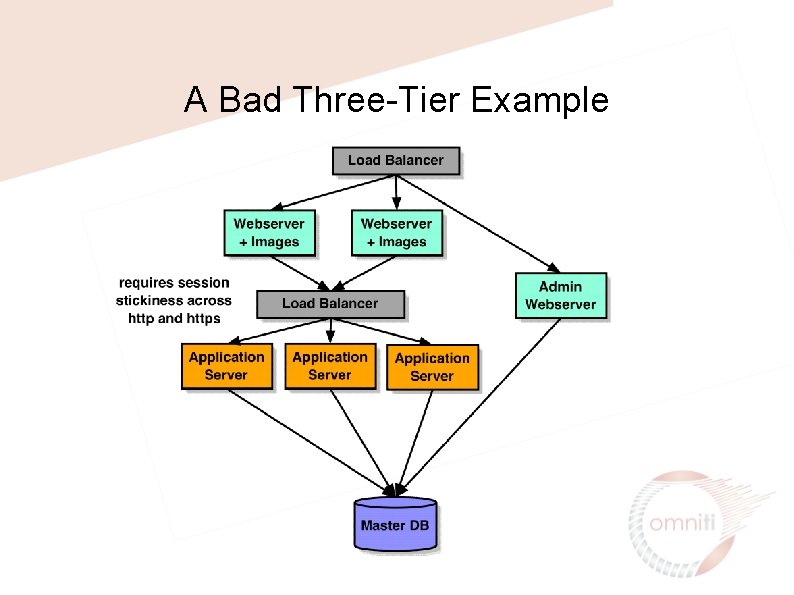
A Bad Three-Tier Example
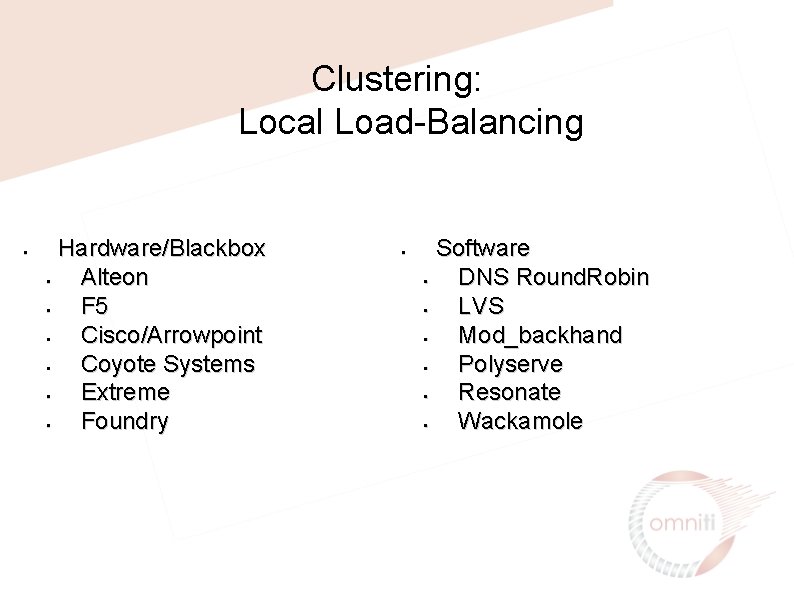
Clustering: Local Load-Balancing • Hardware/Blackbox • Alteon • F 5 • Cisco/Arrowpoint • Coyote Systems • Extreme • Foundry • Software • DNS Round. Robin • LVS • Mod_backhand • Polyserve • Resonate • Wackamole
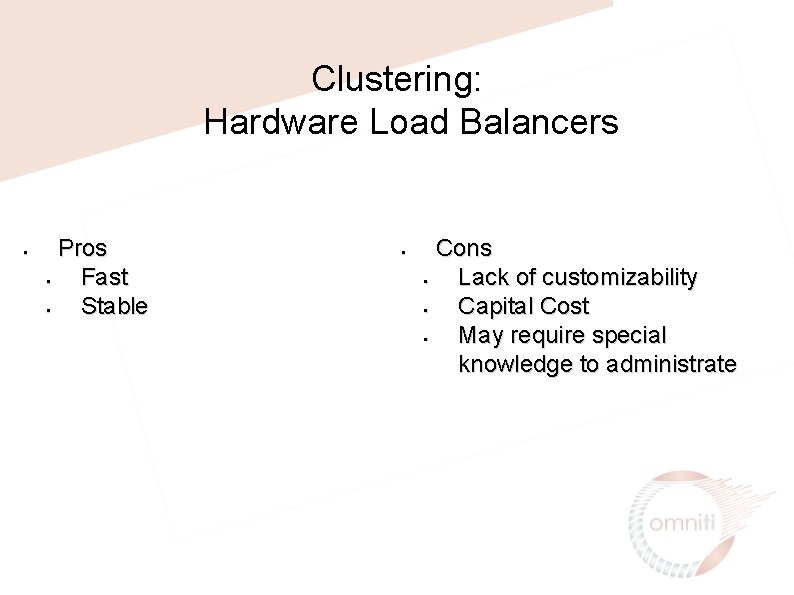
Clustering: Hardware Load Balancers • Pros • Fast • Stable • Cons • Lack of customizability • Capital Cost • May require special knowledge to administrate
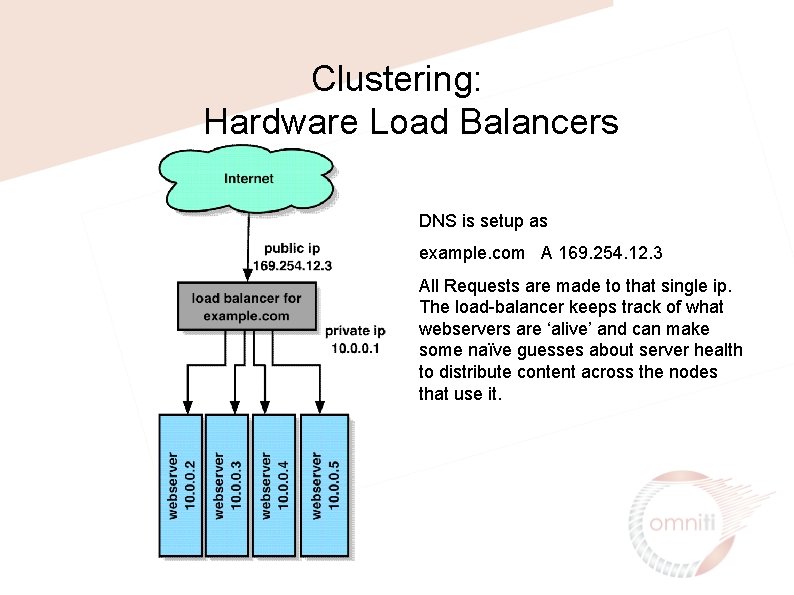
Clustering: Hardware Load Balancers DNS is setup as example. com A 169. 254. 12. 3 All Requests are made to that single ip. The load-balancer keeps track of what webservers are ‘alive’ and can make some naïve guesses about server health to distribute content across the nodes that use it.
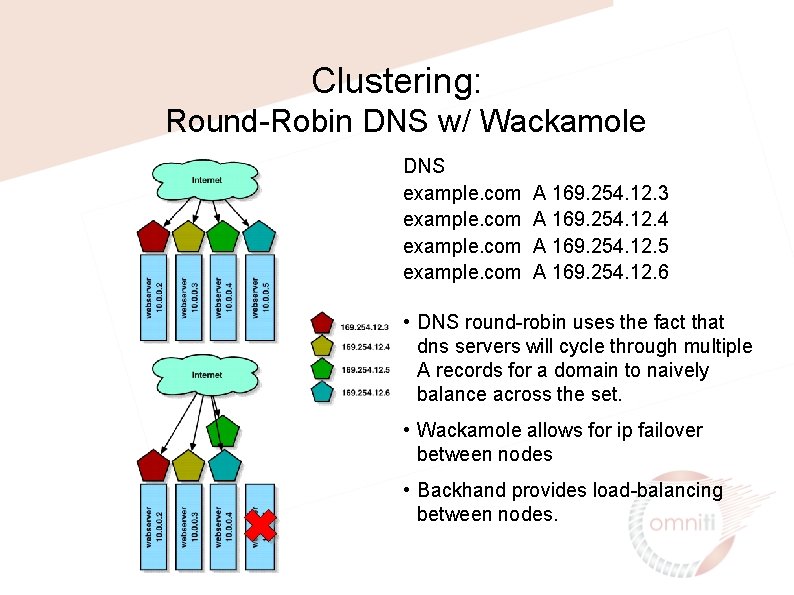
Clustering: Round-Robin DNS w/ Wackamole DNS example. com A 169. 254. 12. 3 A 169. 254. 12. 4 A 169. 254. 12. 5 A 169. 254. 12. 6 • DNS round-robin uses the fact that dns servers will cycle through multiple A records for a domain to naively balance across the set. • Wackamole allows for ip failover between nodes • Backhand provides load-balancing between nodes.
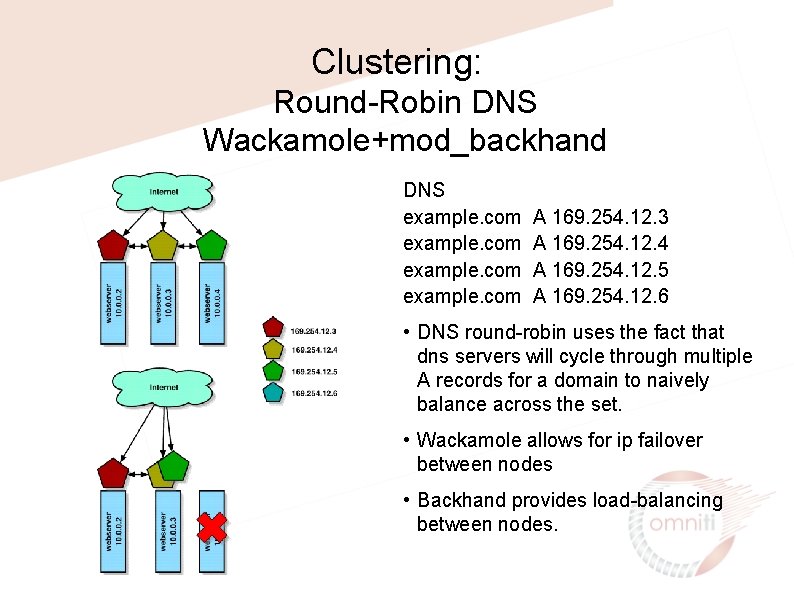
Clustering: Round-Robin DNS Wackamole+mod_backhand DNS example. com A 169. 254. 12. 3 A 169. 254. 12. 4 A 169. 254. 12. 5 A 169. 254. 12. 6 • DNS round-robin uses the fact that dns servers will cycle through multiple A records for a domain to naively balance across the set. • Wackamole allows for ip failover between nodes • Backhand provides load-balancing between nodes.
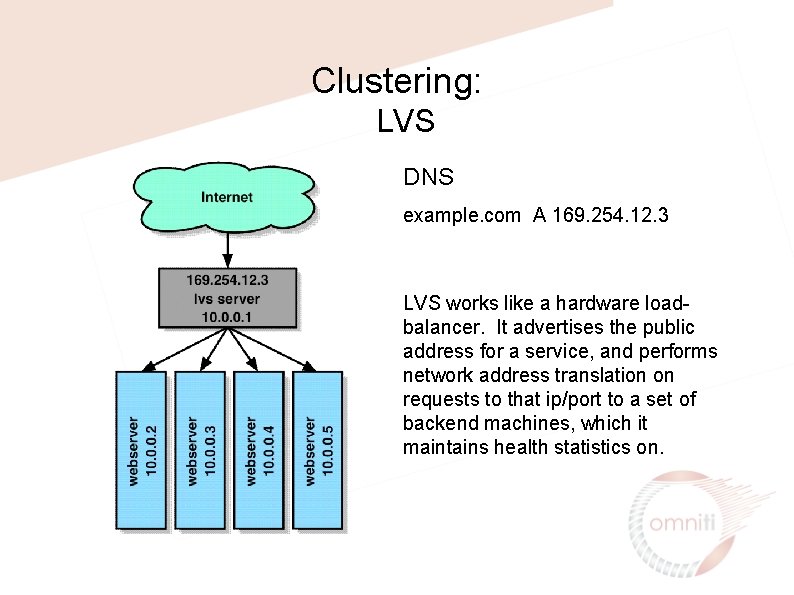
Clustering: LVS DNS example. com A 169. 254. 12. 3 LVS works like a hardware loadbalancer. It advertises the public address for a service, and performs network address translation on requests to that ip/port to a set of backend machines, which it maintains health statistics on.
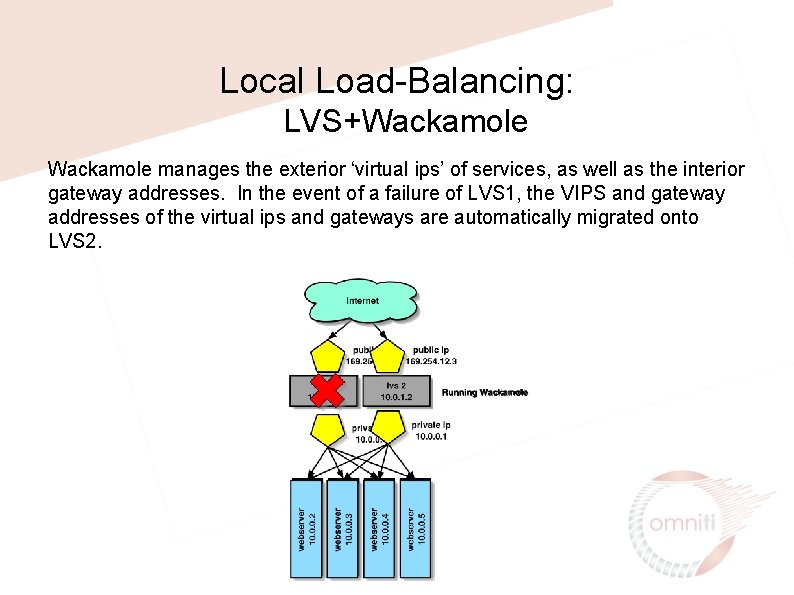
Local Load-Balancing: LVS+Wackamole manages the exterior ‘virtual ips’ of services, as well as the interior gateway addresses. In the event of a failure of LVS 1, the VIPS and gateway addresses of the virtual ips and gateways are automatically migrated onto LVS 2.
Clustering: Global Load-Balancing • Hardware/Blackbox • Cisco/Arrowpoint • Foundry (serveriron) • F 5 (3 dns) • Software • Eddieware • Mod_backhand • Shared ip • Ultradns. net • Walrus
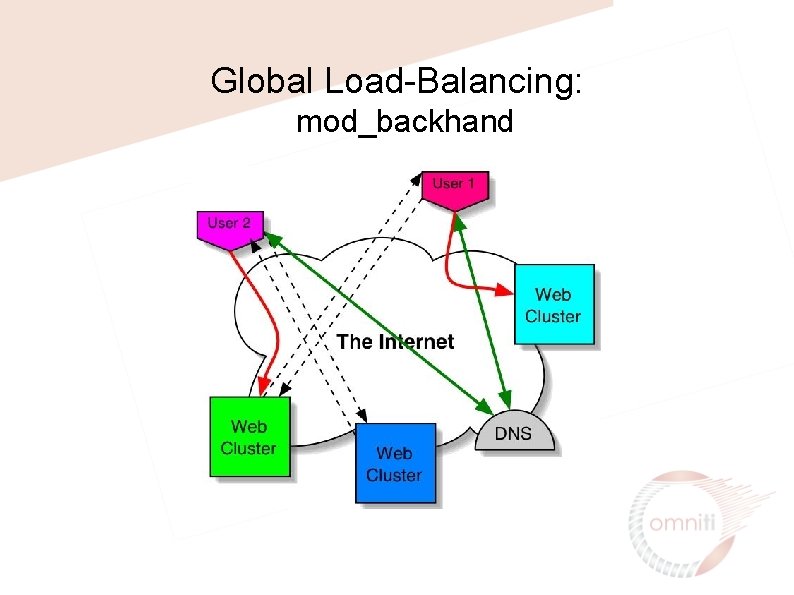
Global Load-Balancing: mod_backhand
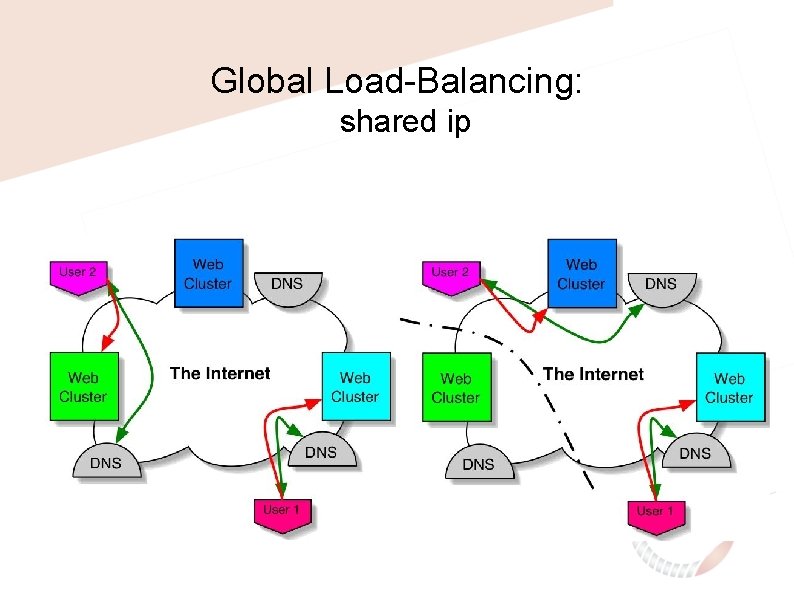
Global Load-Balancing: shared ip
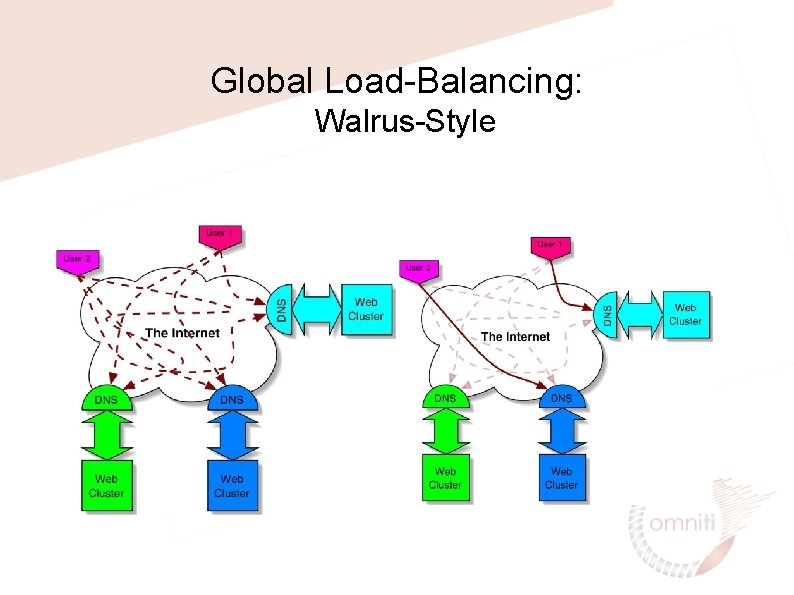
Global Load-Balancing: Walrus-Style
Clustering: Distributed Logging Web Logs need to be consolidated for internal processing, transfer to thirdparties and for realtime processing Solutions: • Manual log consolidation • Syslog logging • Database Logging • Mod_log_spread
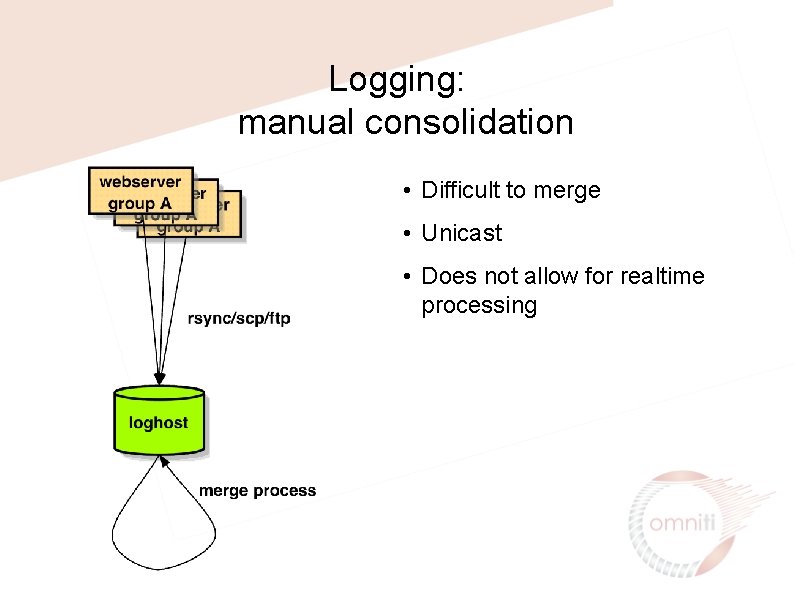
Logging: manual consolidation • Difficult to merge • Unicast • Does not allow for realtime processing
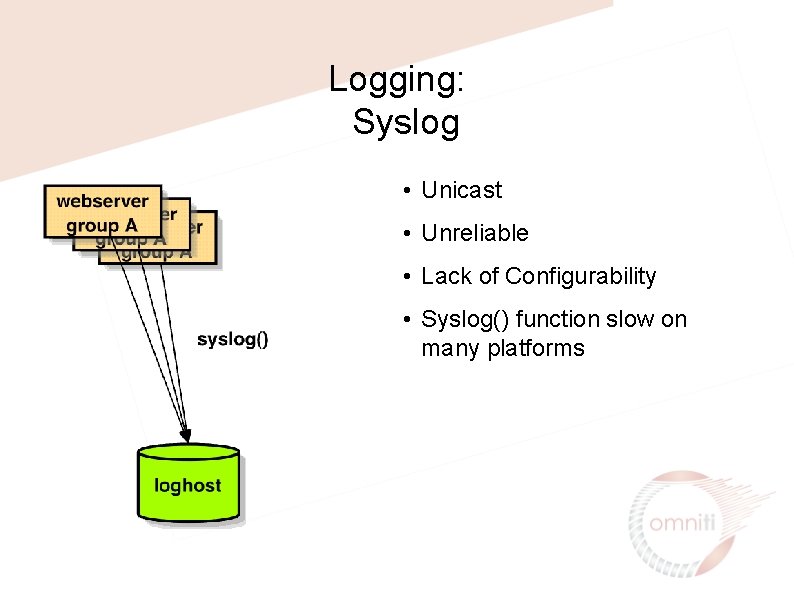
Logging: Syslog • Unicast • Unreliable • Lack of Configurability • Syslog() function slow on many platforms
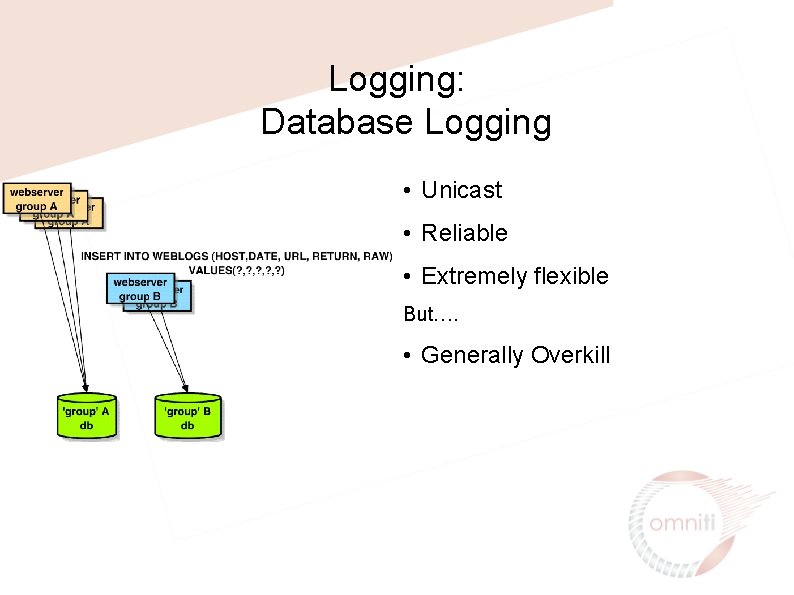
Logging: Database Logging • Unicast • Reliable • Extremely flexible But…. • Generally Overkill
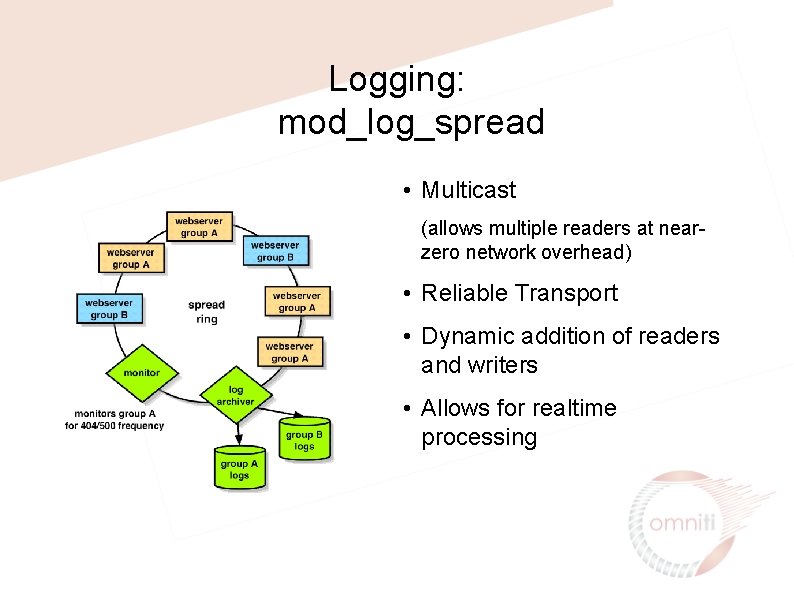
Logging: mod_log_spread • Multicast (allows multiple readers at nearzero network overhead) • Reliable Transport • Dynamic addition of readers and writers • Allows for realtime processing

Thanks! All slides available at http: //www. omniti. com/~george/talks/
- Slides: 48