WRF Tutorial For Version 3 0 1 1

![# RGF additions [abridged] setenv RIP_ROOT /home/fovell/RIP 4 setenv GADDIR /home/fovell/lib/grads setenv GASCRP /home/fovell/gradslib](https://slidetodoc.com/presentation_image_h/9306aeed9e06020f807bf677acf30f04/image-11.jpg "# RGF additions [abridged] setenv RIP_ROOT /home/fovell/RIP 4 setenv GADDIR /home/fovell/lib/grads setenv GASCRP /home/fovell/gradslib")
![namelist. input (cont. ) &dynamics w_damping = 0, diff_opt [subgrid turbulence] = 1, km_opt](https://slidetodoc.com/presentation_image_h/9306aeed9e06020f807bf677acf30f04/image-32.jpg "namelist. input (cont. ) &dynamics w_damping = 0, diff_opt [subgrid turbulence] = 1, km_opt")
![Running Gr. ADS > gradsnc -l [Gr. ADS graphics output window opens] ga-> open](https://slidetodoc.com/presentation_image_h/9306aeed9e06020f807bf677acf30f04/image-50.jpg "Running Gr. ADS > gradsnc -l [Gr. ADS graphics output window opens] ga-> open")
- Slides: 56
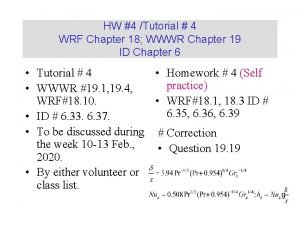
WRF Tutorial For Version 3. 0. 1. 1 / Synoptic Lab January, 2009 Robert Fovell rfovell@ucla. edu http: //www. atmos. ucla. edu/~fovell/WRF/wrf_tutorial_2009. ppt. htm
Background on WRF model • “Weather Research and Forecasting” • Co-developed by research and operational communities – ARW core “Advanced Research WRF” – NMM core “Nonhydrostatic Mesoscale Model” • Supercedes MM 5 and Eta models • Current version 3. 0. 1. 1 • Platforms include Linux and Mac OS X
WRF advantages • Better numerics than MM 5 – Arakawa C grid, R-K scheme, odd order advection w/ implicit diffusion – Much less diffusive, larger effective resolution, permits longer time steps • Better handling of topography than Eta (original NAM) – NAM model is now WRF-NMM • Fortran 95 and C (MM 5 was F 77) • Net. CDF, GRIB 1 and GRIB 2
Further advantages • MPI from the ground up • Allows real data and idealized simulations in same framework • Plug-in architecture (different groups will supply WRF “cores”) • Recently added: moving nests and nudging • Net. CDF output - many great tools such as Net. CDF operators: http: //nco. sourceforge. net/ • GRIB 2 output now possible as well
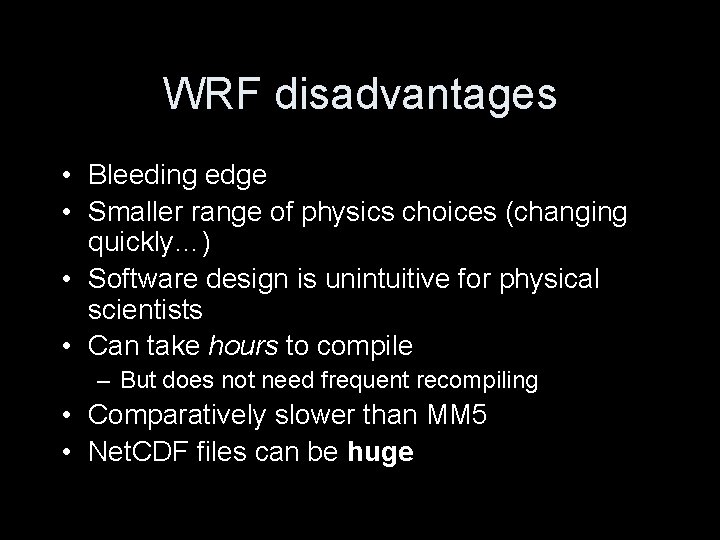
WRF disadvantages • Bleeding edge • Smaller range of physics choices (changing quickly…) • Software design is unintuitive for physical scientists • Can take hours to compile – But does not need frequent recompiling • Comparatively slower than MM 5 • Net. CDF files can be huge
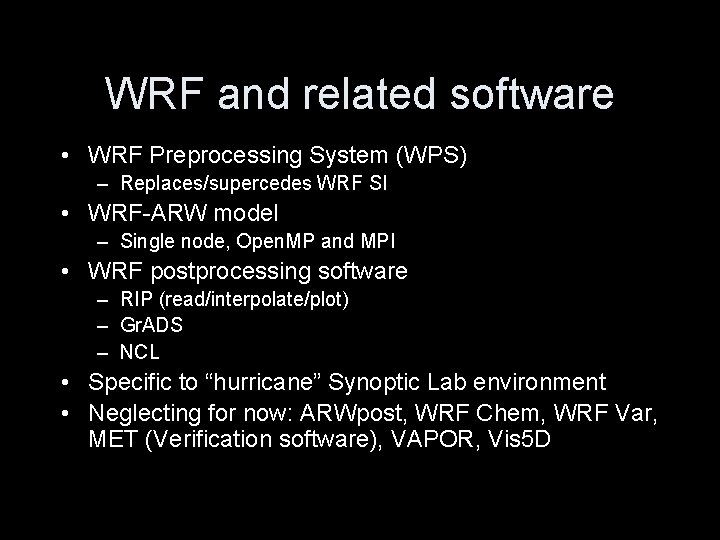
WRF and related software • WRF Preprocessing System (WPS) – Replaces/supercedes WRF SI • WRF-ARW model – Single node, Open. MP and MPI • WRF postprocessing software – RIP (read/interpolate/plot) – Gr. ADS – NCL • Specific to “hurricane” Synoptic Lab environment • Neglecting for now: ARWpost, WRF Chem, WRF Var, MET (Verification software), VAPOR, Vis 5 D
Web resources • WRF model users site http: //www. mmm. ucar. edu/wrf/users • ARW users’ guide http: //www. mmm. ucar. edu/wrf/users/docs/user_guide/contents. html • WRF-ARW/WPS online tutorial http: //www. mmm. ucar. edu/wrf/users/docs/user_guide_V 3/conte nts. html • WRF namelist description http: //www. mmm. ucar. edu/wrf/users/docs/user_guide_V 3/users _guide_chap 5. htm#_Description_of_Namelist • Tutorial presentations http: //www. mmm. ucar. edu/wrf/users/supports/tutorial. html
My resources • This presentation (PPT format) http: //www. atmos. ucla. edu/~fovell/WRF/wrf_tutori al_2009. ppt • WRF on Mac OS X http: //macwrf. blogspot. com
Setup on “hurricane” machines Presumed: • tcsh environment • Intel Fortran compiler (64 -bit) • my environment setup employed • precompiled versions of WRF, WPS, RIP and wrf_to_grads
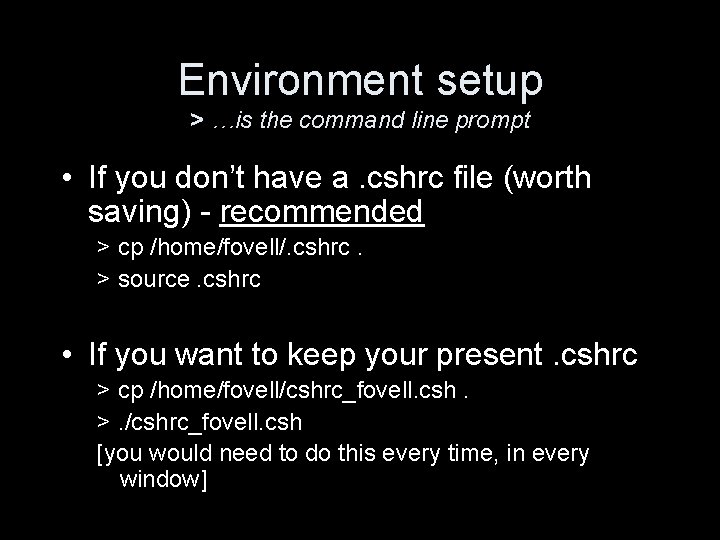
Environment setup > …is the command line prompt • If you don’t have a. cshrc file (worth saving) - recommended > cp /home/fovell/. cshrc. > source. cshrc • If you want to keep your present. cshrc > cp /home/fovell/cshrc_fovell. csh. >. /cshrc_fovell. csh [you would need to do this every time, in every window]
# RGF additions [abridged] setenv RIP_ROOT /home/fovell/RIP 4 setenv GADDIR /home/fovell/lib/grads setenv GASCRP /home/fovell/gradslib # alias lsm 'ls -alt | more' alias rm 'rm -i' alias cp 'cp -i' alias mv 'mv -i' alias trsl ' tail -f rsl. out. 0000' alias mpirun 'nohup time /home/fovell/mpich-1. 2. 7 p 1/bin/mpirun' alias w 2 g '/home/fovell/WRF 2 Gr. ADS/wrf_to_grads' setenv P 4_GLOBMEMSIZE 4096000 setenv P 4_SOCKBUFSIZE 65536 unlimit coredumpsize 0 This environment uses my versions of netcdf, mpich, grads, RIP
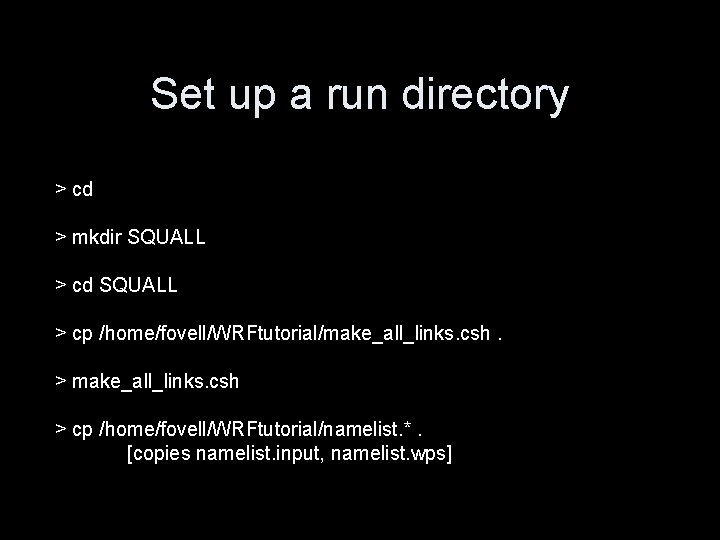
Set up a run directory > cd > mkdir SQUALL > cd SQUALL > cp /home/fovell/WRFtutorial/make_all_links. csh. > make_all_links. csh > cp /home/fovell/WRFtutorial/namelist. *. [copies namelist. input, namelist. wps]
WRF for real-data run A 2006 squall-line [This example uses data that may not remain online]
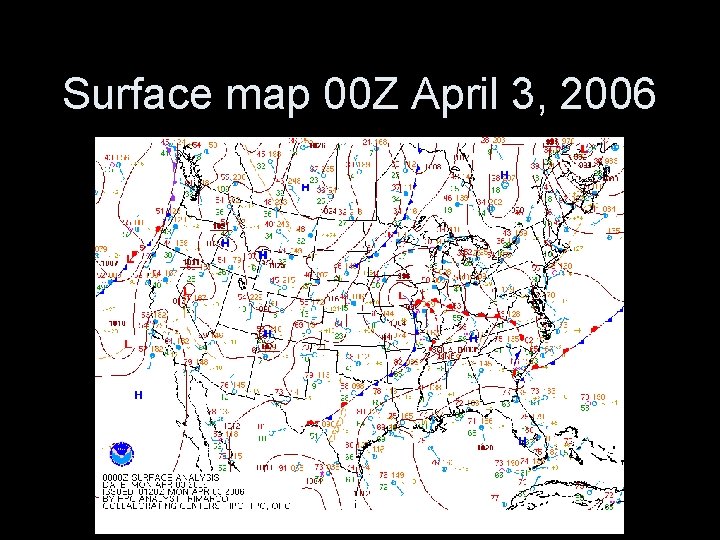
Surface map 00 Z April 3, 2006
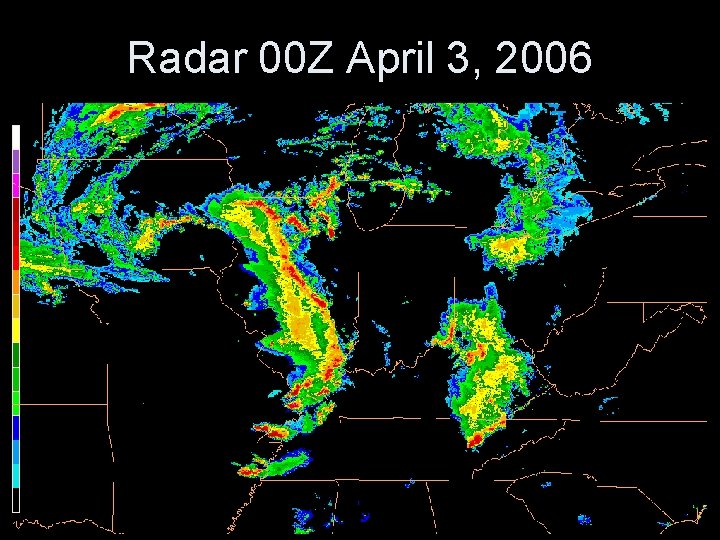
Radar 00 Z April 3, 2006
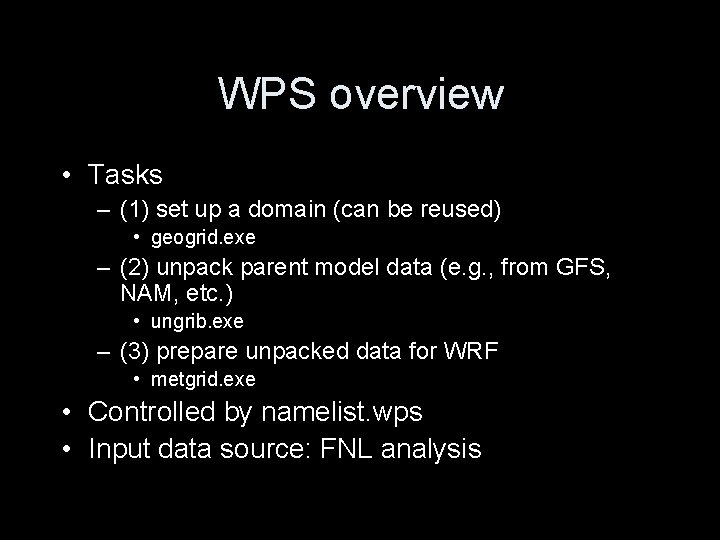
WPS overview • Tasks – (1) set up a domain (can be reused) • geogrid. exe – (2) unpack parent model data (e. g. , from GFS, NAM, etc. ) • ungrib. exe – (3) prepare unpacked data for WRF • metgrid. exe • Controlled by namelist. wps • Input data source: FNL analysis
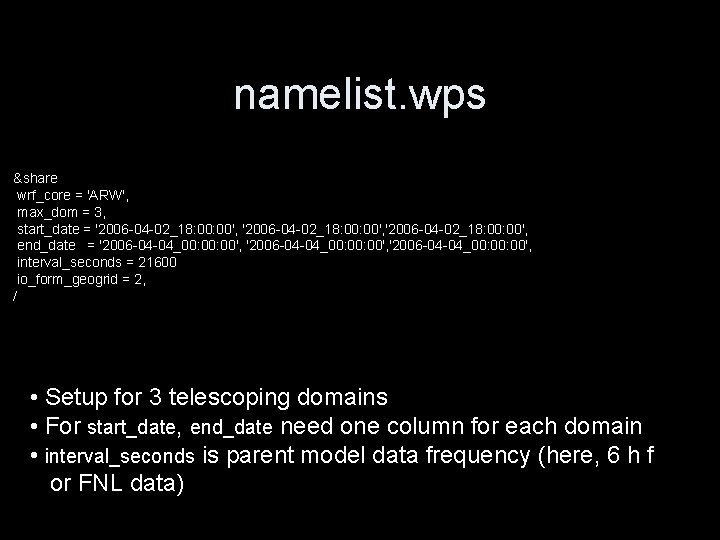
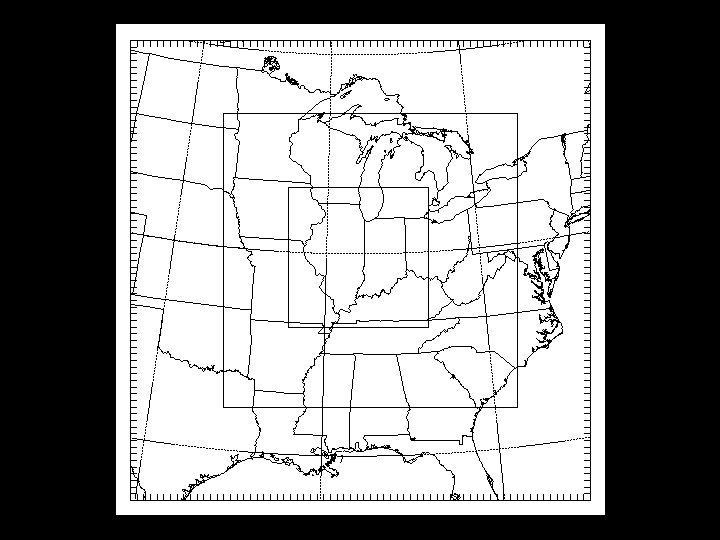
namelist. wps &share wrf_core = 'ARW', max_dom = 3, start_date = '2006 -04 -02_18: 00: 00', '2006 -04 -02_18: 00', end_date = '2006 -04 -04_00: 00: 00', '2006 -04 -04_00: 00', interval_seconds = 21600 io_form_geogrid = 2, / • Setup for 3 telescoping domains • For start_date, end_date need one column for each domain • interval_seconds is parent model data frequency (here, 6 h f or FNL data)
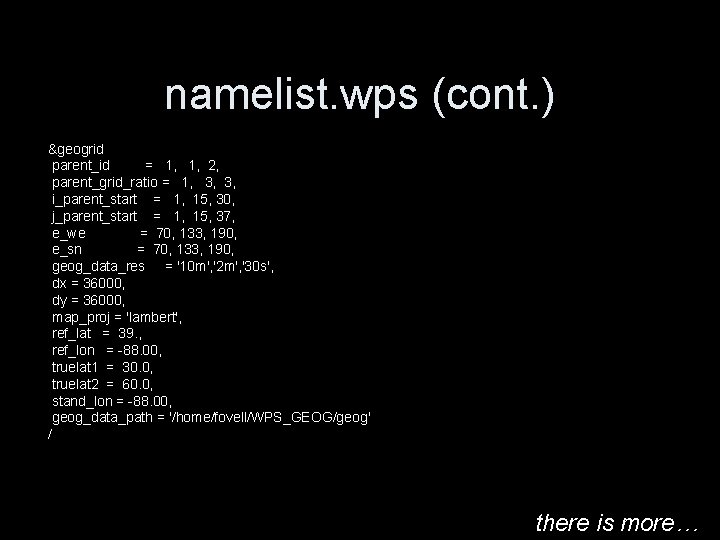
namelist. wps (cont. ) &geogrid parent_id = 1, 1, 2, parent_grid_ratio = 1, 3, 3, i_parent_start = 1, 15, 30, j_parent_start = 1, 15, 37, e_we = 70, 133, 190, e_sn = 70, 133, 190, geog_data_res = '10 m', '2 m', '30 s', dx = 36000, dy = 36000, map_proj = 'lambert', ref_lat = 39. , ref_lon = -88. 00, truelat 1 = 30. 0, truelat 2 = 60. 0, stand_lon = -88. 00, geog_data_path = '/home/fovell/WPS_GEOG/geog' / there is more…
geogrid - create domain > geogrid. exe * creates geo_em. d 0*. nc (a Net. CDF file) * look for “Successful completion of geogrid. ” > plotgrids. exe * creates gmeta > idt gmeta * uses NCAR graphics tool to view domain
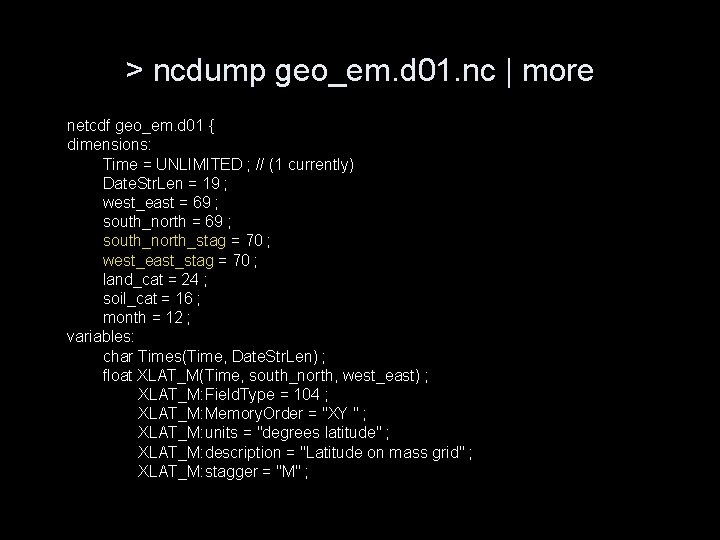
> ncdump geo_em. d 01. nc | more netcdf geo_em. d 01 { dimensions: Time = UNLIMITED ; // (1 currently) Date. Str. Len = 19 ; west_east = 69 ; south_north_stag = 70 ; west_east_stag = 70 ; land_cat = 24 ; soil_cat = 16 ; month = 12 ; variables: char Times(Time, Date. Str. Len) ; float XLAT_M(Time, south_north, west_east) ; XLAT_M: Field. Type = 104 ; XLAT_M: Memory. Order = "XY " ; XLAT_M: units = "degrees latitude" ; XLAT_M: description = "Latitude on mass grid" ; XLAT_M: stagger = "M" ;
Parent model data issues • Sources include GFS, FNL, NAM, RUC, NARR and NNRP reanalysis data, etc. • Need a different Vtable (variable table) for each source – e. g. , Vtable. GFS, Vtable. NAM, Vtable. NARR, etc. – Look in /home/fovell/WRFtutorial
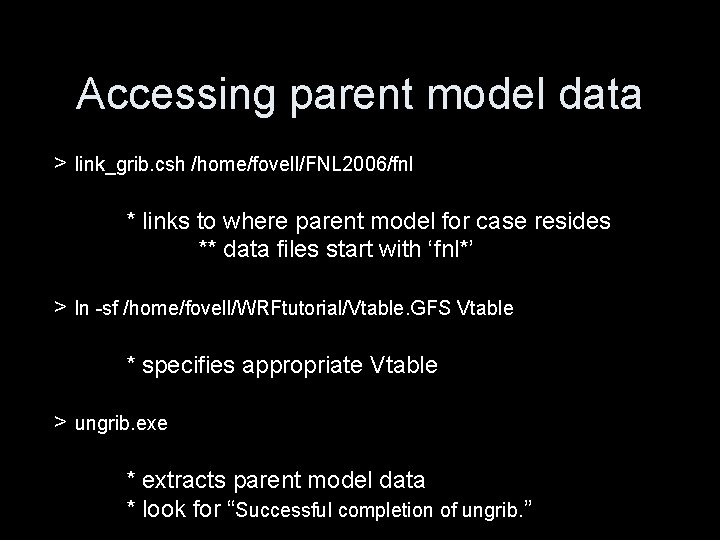
Accessing parent model data > link_grib. csh /home/fovell/FNL 2006/fnl * links to where parent model for case resides ** data files start with ‘fnl*’ > ln -sf /home/fovell/WRFtutorial/Vtable. GFS Vtable * specifies appropriate Vtable > ungrib. exe * extracts parent model data * look for “Successful completion of ungrib. ”
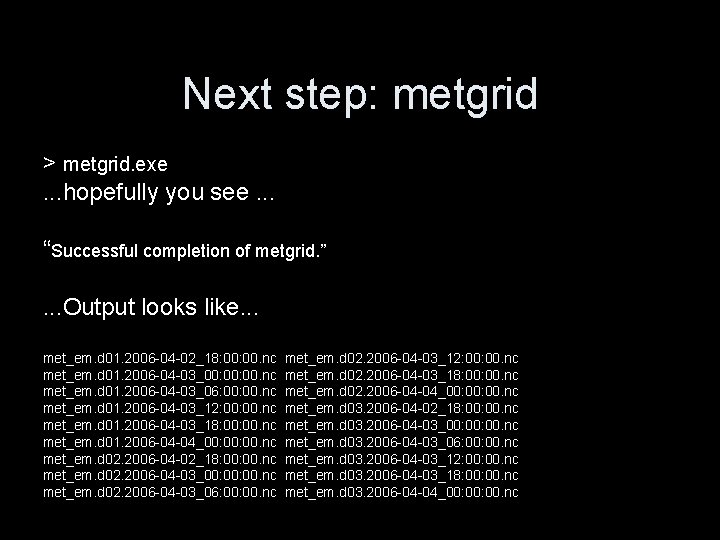
Next step: metgrid > metgrid. exe. . . hopefully you see. . . “Successful completion of metgrid. ”. . . Output looks like. . . met_em. d 01. 2006 -04 -02_18: 00. nc met_em. d 01. 2006 -04 -03_00: 00. nc met_em. d 01. 2006 -04 -03_06: 00. nc met_em. d 01. 2006 -04 -03_12: 00. nc met_em. d 01. 2006 -04 -03_18: 00. nc met_em. d 01. 2006 -04 -04_00: 00. nc met_em. d 02. 2006 -04 -02_18: 00. nc met_em. d 02. 2006 -04 -03_00: 00. nc met_em. d 02. 2006 -04 -03_06: 00. nc met_em. d 02. 2006 -04 -03_12: 00. nc met_em. d 02. 2006 -04 -03_18: 00. nc met_em. d 02. 2006 -04 -04_00: 00. nc met_em. d 03. 2006 -04 -02_18: 00. nc met_em. d 03. 2006 -04 -03_00: 00. nc met_em. d 03. 2006 -04 -03_06: 00. nc met_em. d 03. 2006 -04 -03_12: 00. nc met_em. d 03. 2006 -04 -03_18: 00. nc met_em. d 03. 2006 -04 -04_00: 00. nc
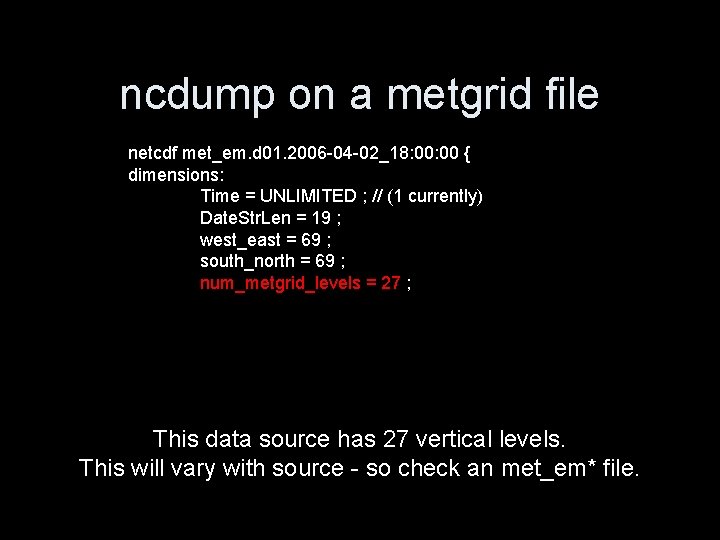
ncdump on a metgrid file netcdf met_em. d 01. 2006 -04 -02_18: 00 { dimensions: Time = UNLIMITED ; // (1 currently) Date. Str. Len = 19 ; west_east = 69 ; south_north = 69 ; num_metgrid_levels = 27 ; This data source has 27 vertical levels. This will vary with source - so check an met_em* file.
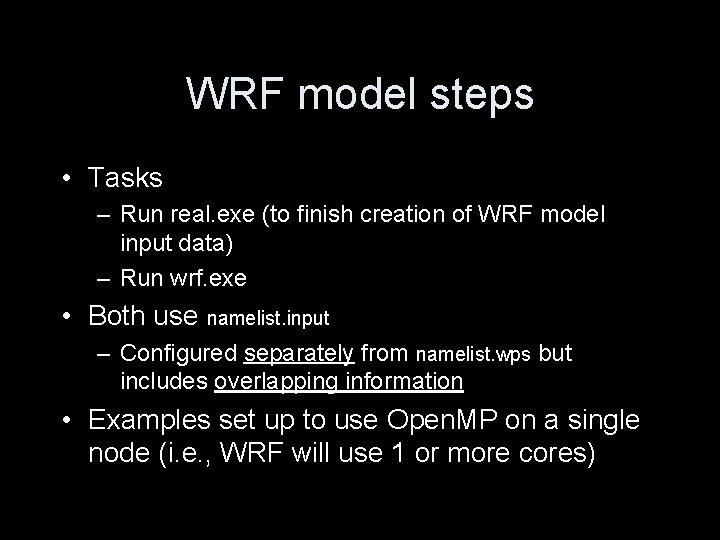
WRF model steps • Tasks – Run real. exe (to finish creation of WRF model input data) – Run wrf. exe • Both use namelist. input – Configured separately from namelist. wps but includes overlapping information • Examples set up to use Open. MP on a single node (i. e. , WRF will use 1 or more cores)
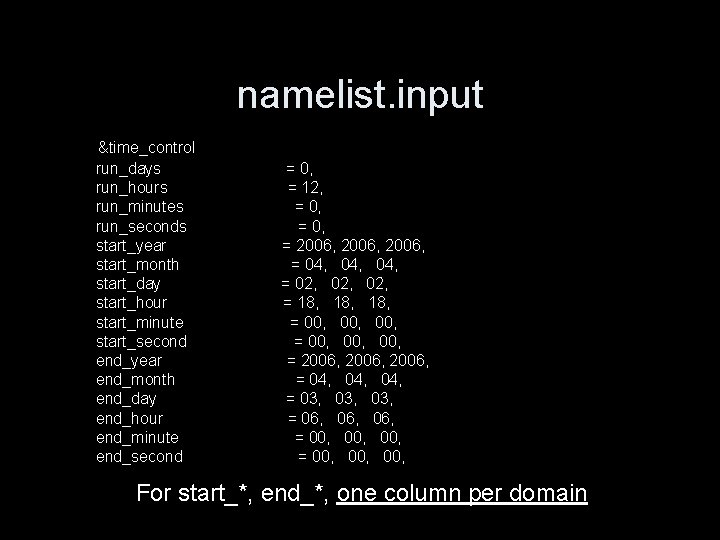
namelist. input &time_control run_days run_hours run_minutes run_seconds start_year start_month start_day start_hour start_minute start_second end_year end_month end_day end_hour end_minute end_second = 0, = 12, = 0, = 2006, = 04, 04, = 02, 02, = 18, 18, = 00, 00, 00, = 2006, = 04, 04, = 03, 03, = 06, 06, = 00, 00, 00, For start_*, end_*, one column per domain
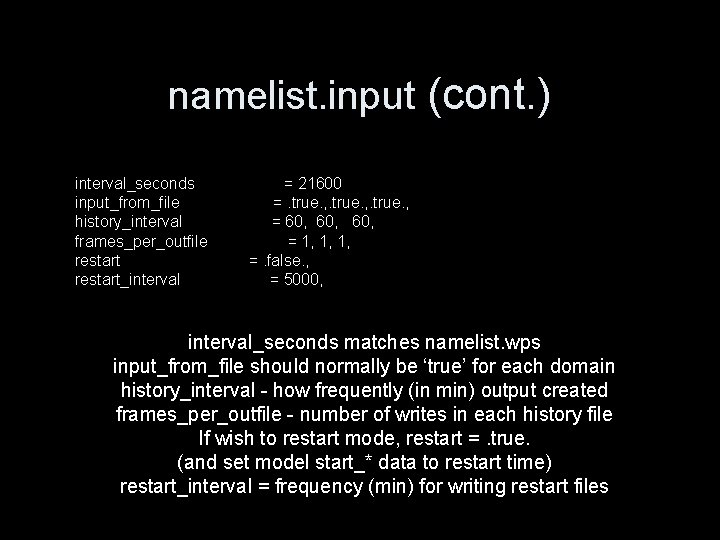
namelist. input (cont. ) interval_seconds input_from_file history_interval frames_per_outfile restart_interval = 21600 =. true. , = 60, 60, = 1, 1, 1, =. false. , = 5000, interval_seconds matches namelist. wps input_from_file should normally be ‘true’ for each domain history_interval - how frequently (in min) output created frames_per_outfile - number of writes in each history file If wish to restart mode, restart =. true. (and set model start_* data to restart time) restart_interval = frequency (min) for writing restart files
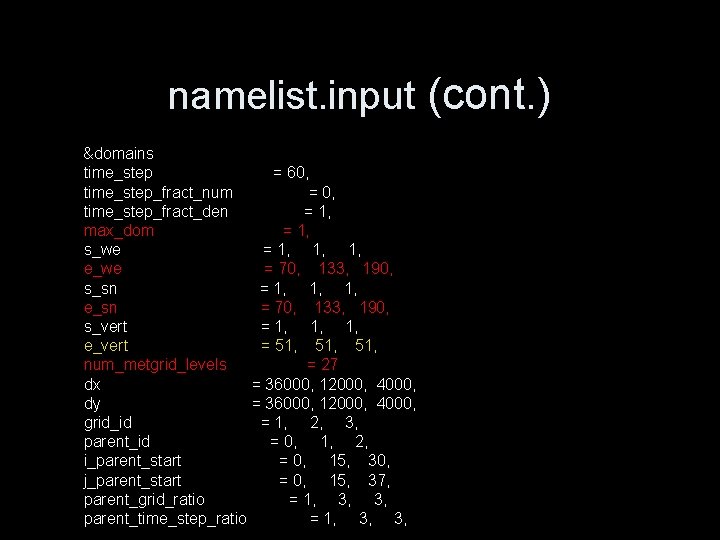
namelist. input (cont. ) &domains time_step = 60, time_step_fract_num = 0, time_step_fract_den = 1, max_dom = 1, s_we = 1, 1, 1, e_we = 70, 133, 190, s_sn = 1, 1, 1, e_sn = 70, 133, 190, s_vert = 1, 1, 1, e_vert = 51, 51, num_metgrid_levels = 27 dx = 36000, 12000, 4000, dy = 36000, 12000, 4000, grid_id = 1, 2, 3, parent_id = 0, 1, 2, i_parent_start = 0, 15, 30, j_parent_start = 0, 15, 37, parent_grid_ratio = 1, 3, 3, parent_time_step_ratio = 1, 3, 3,
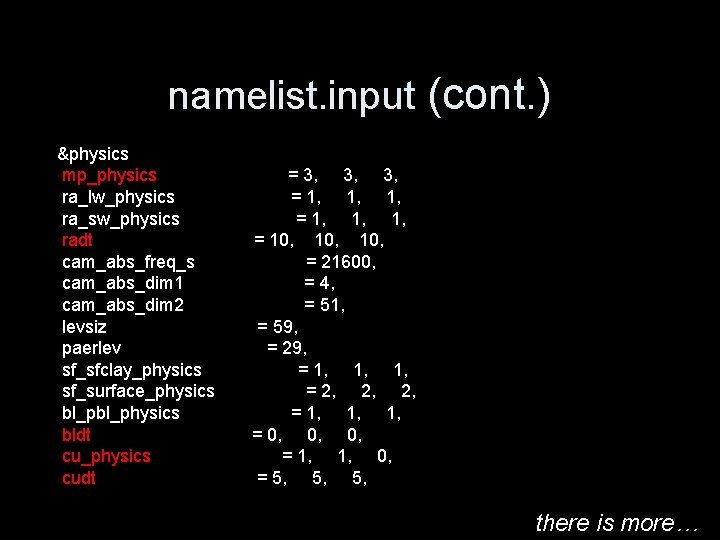
namelist. input (cont. ) &physics mp_physics ra_lw_physics ra_sw_physics radt cam_abs_freq_s cam_abs_dim 1 cam_abs_dim 2 levsiz paerlev sf_sfclay_physics sf_surface_physics bl_physics bldt cu_physics cudt = 3, 3, 3, = 1, 1, 1, = 10, 10, = 21600, = 4, = 51, = 59, = 29, = 1, 1, 1, = 2, 2, 2, = 1, 1, 1, = 0, 0, 0, = 1, 1, 0, = 5, 5, 5, there is more…
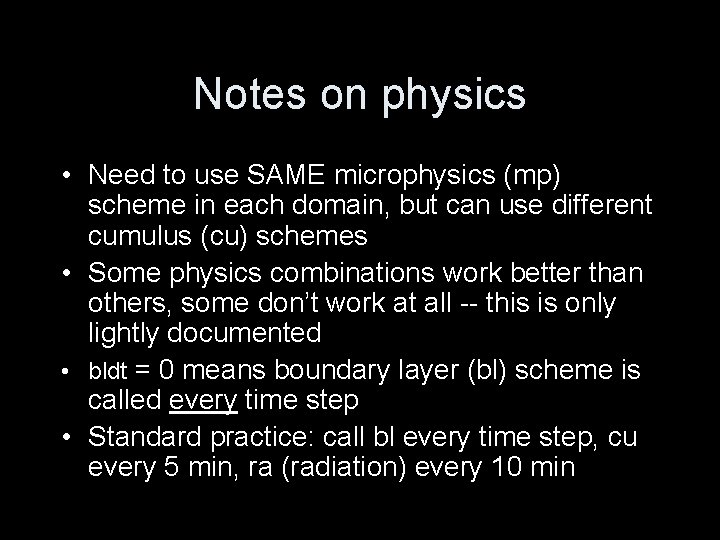
Notes on physics • Need to use SAME microphysics (mp) scheme in each domain, but can use different cumulus (cu) schemes • Some physics combinations work better than others, some don’t work at all -- this is only lightly documented • bldt = 0 means boundary layer (bl) scheme is called every time step • Standard practice: call bl every time step, cu every 5 min, ra (radiation) every 10 min
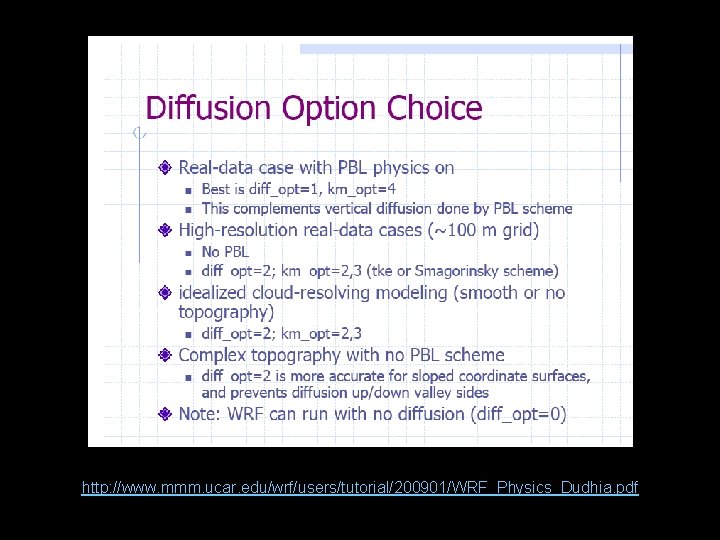
namelist. input (cont. ) &dynamics w_damping = 0, diff_opt [subgrid turbulence] = 1, km_opt [ “ ] = 4, diff_6 th_opt [numerical smoothing] = 0, diff_6 th_factor [ “ ] = 0. 12, base_temp = 290. damp_opt = 0, zdamp = 5000. , dampcoef = 0. 01, 0. 01 khdif = 0, 0, 0, kvdif = 0, 0, 0, Only some diff_opt/km_opt combinations make sense, and choices are resolution-dependent. More info: http: //www. mmm. ucar. edu/wrf/users/supports/tutorial. html
http: //www. mmm. ucar. edu/wrf/users/tutorial/200901/WRF_Physics_Dudhia. pdf
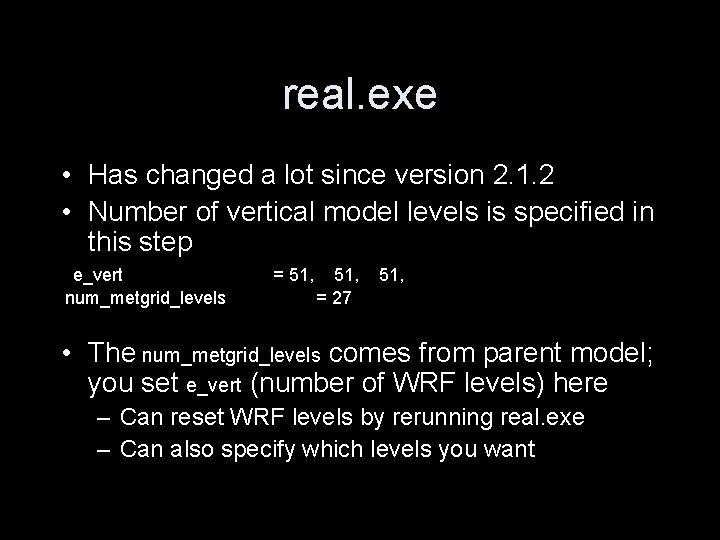
real. exe • Has changed a lot since version 2. 1. 2 • Number of vertical model levels is specified in this step e_vert num_metgrid_levels = 51, = 27 51, • The num_metgrid_levels comes from parent model; you set e_vert (number of WRF levels) here – Can reset WRF levels by rerunning real. exe – Can also specify which levels you want
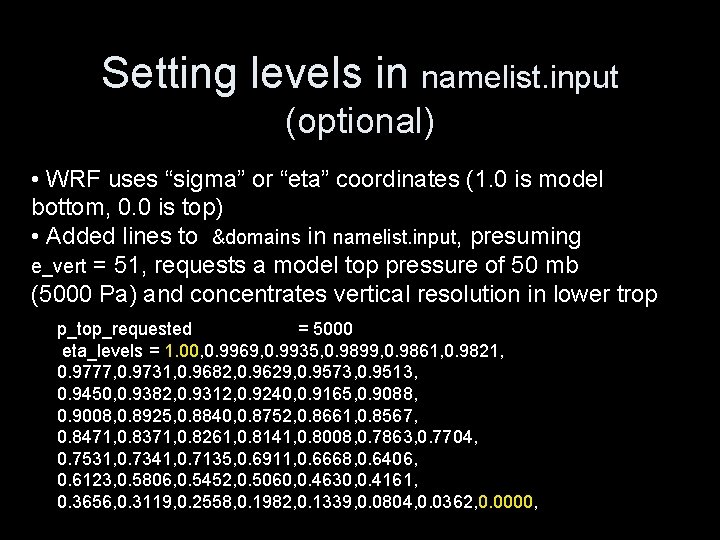
Setting levels in namelist. input (optional) • WRF uses “sigma” or “eta” coordinates (1. 0 is model bottom, 0. 0 is top) • Added lines to &domains in namelist. input, presuming e_vert = 51, requests a model top pressure of 50 mb (5000 Pa) and concentrates vertical resolution in lower trop p_top_requested = 5000 eta_levels = 1. 00, 0. 9969, 0. 9935, 0. 9899, 0. 9861, 0. 9821, 0. 9777, 0. 9731, 0. 9682, 0. 9629, 0. 9573, 0. 9513, 0. 9450, 0. 9382, 0. 9312, 0. 9240, 0. 9165, 0. 9088, 0. 9008, 0. 8925, 0. 8840, 0. 8752, 0. 8661, 0. 8567, 0. 8471, 0. 8371, 0. 8261, 0. 8141, 0. 8008, 0. 7863, 0. 7704, 0. 7531, 0. 7341, 0. 7135, 0. 6911, 0. 6668, 0. 6406, 0. 6123, 0. 5806, 0. 5452, 0. 5060, 0. 4630, 0. 4161, 0. 3656, 0. 3119, 0. 2558, 0. 1982, 0. 1339, 0. 0804, 0. 0362, 0. 0000,
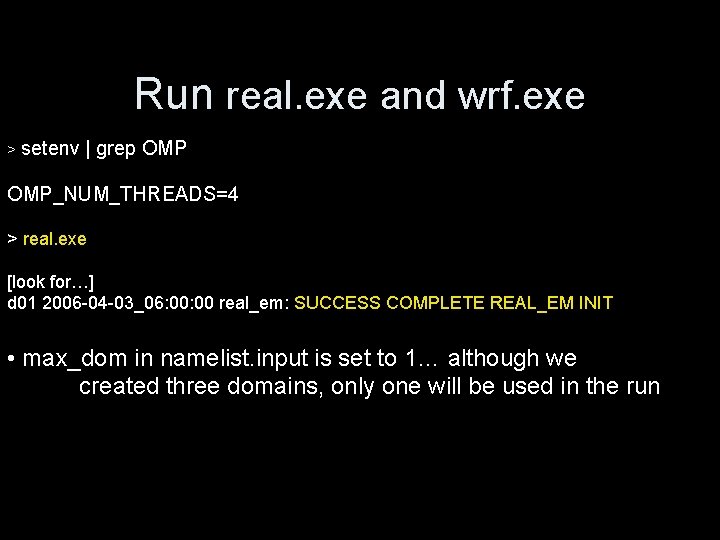
Run real. exe and wrf. exe > setenv | grep OMP_NUM_THREADS=4 > real. exe [look for…] d 01 2006 -04 -03_06: 00 real_em: SUCCESS COMPLETE REAL_EM INIT • max_dom in namelist. input is set to 1… although we created three domains, only one will be used in the run
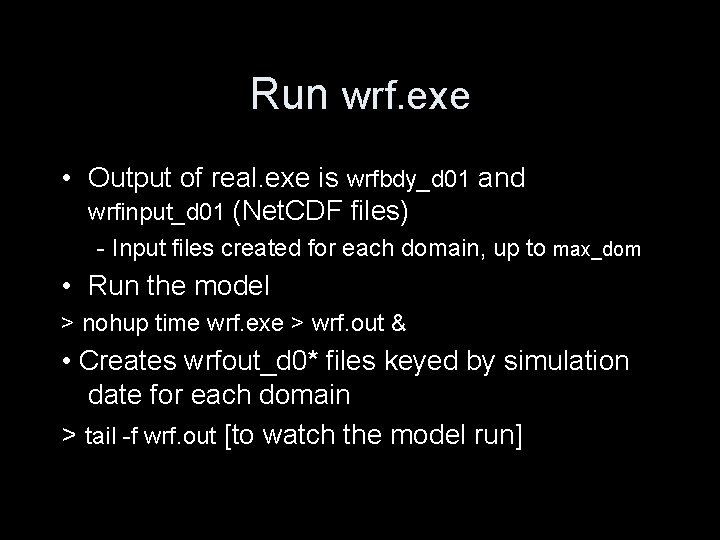
Run wrf. exe • Output of real. exe is wrfbdy_d 01 and wrfinput_d 01 (Net. CDF files) - Input files created for each domain, up to max_dom • Run the model > nohup time wrf. exe > wrf. out & • Creates wrfout_d 0* files keyed by simulation date for each domain > tail -f wrf. out [to watch the model run]
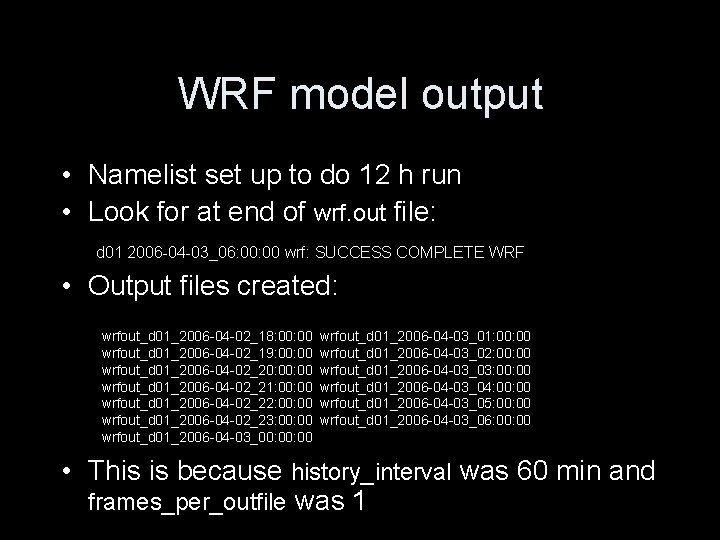
WRF model output • Namelist set up to do 12 h run • Look for at end of wrf. out file: d 01 2006 -04 -03_06: 00 wrf: SUCCESS COMPLETE WRF • Output files created: wrfout_d 01_2006 -04 -02_18: 00 wrfout_d 01_2006 -04 -02_19: 00 wrfout_d 01_2006 -04 -02_20: 00 wrfout_d 01_2006 -04 -02_21: 00 wrfout_d 01_2006 -04 -02_22: 00 wrfout_d 01_2006 -04 -02_23: 00 wrfout_d 01_2006 -04 -03_00: 00 wrfout_d 01_2006 -04 -03_01: 00 wrfout_d 01_2006 -04 -03_02: 00 wrfout_d 01_2006 -04 -03_03: 00 wrfout_d 01_2006 -04 -03_04: 00 wrfout_d 01_2006 -04 -03_05: 00 wrfout_d 01_2006 -04 -03_06: 00 • This is because history_interval was 60 min and frames_per_outfile was 1
Postprocessing WRF output: RIP and Gr. ADS (Vis 5 D, ARWpost and VAPOR also exist)
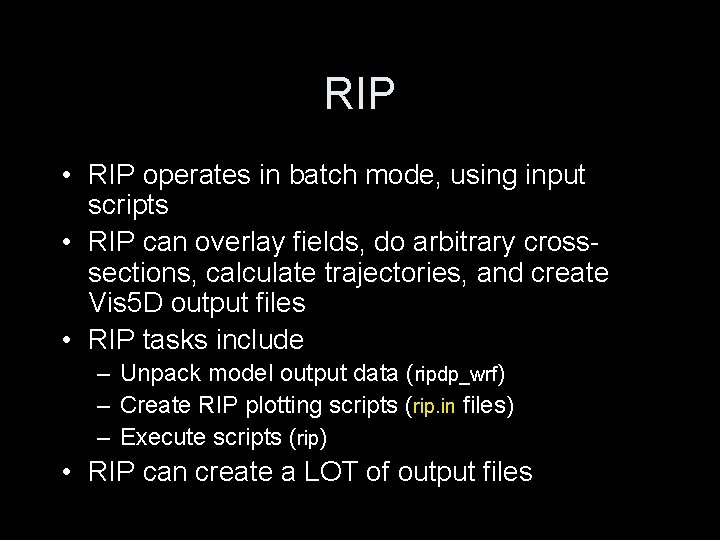
RIP • RIP operates in batch mode, using input scripts • RIP can overlay fields, do arbitrary crosssections, calculate trajectories, and create Vis 5 D output files • RIP tasks include – Unpack model output data (ripdp_wrf) – Create RIP plotting scripts (rip. in files) – Execute scripts (rip) • RIP can create a LOT of output files
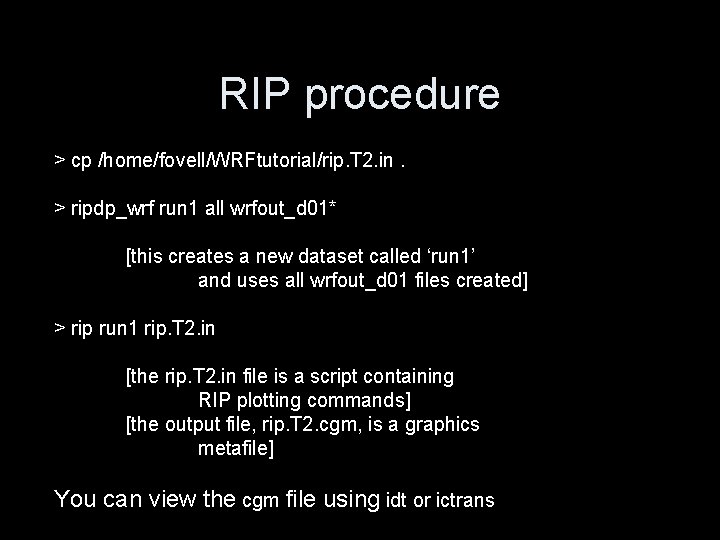
RIP procedure > cp /home/fovell/WRFtutorial/rip. T 2. in. > ripdp_wrf run 1 all wrfout_d 01* [this creates a new dataset called ‘run 1’ and uses all wrfout_d 01 files created] > rip run 1 rip. T 2. in [the rip. T 2. in file is a script containing RIP plotting commands] [the output file, rip. T 2. cgm, is a graphics metafile] You can view the cgm file using idt or ictrans
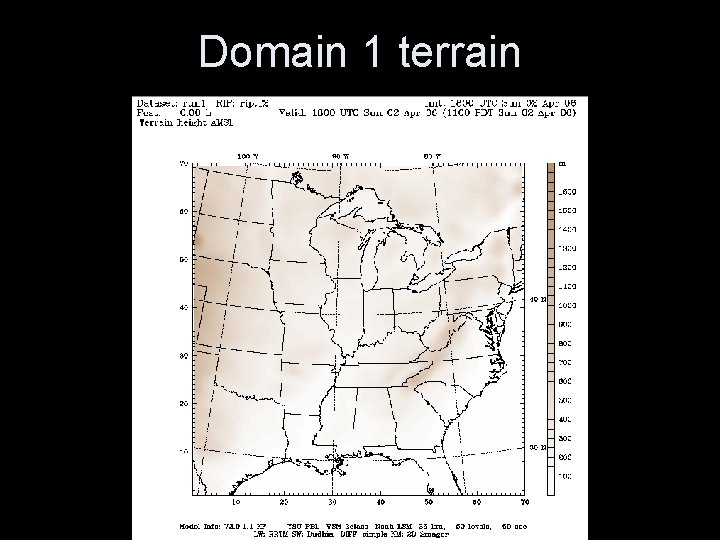
Domain 1 terrain
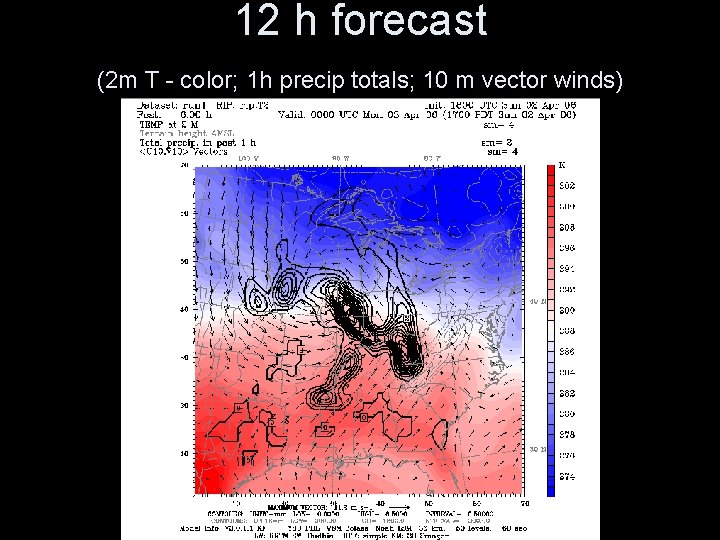
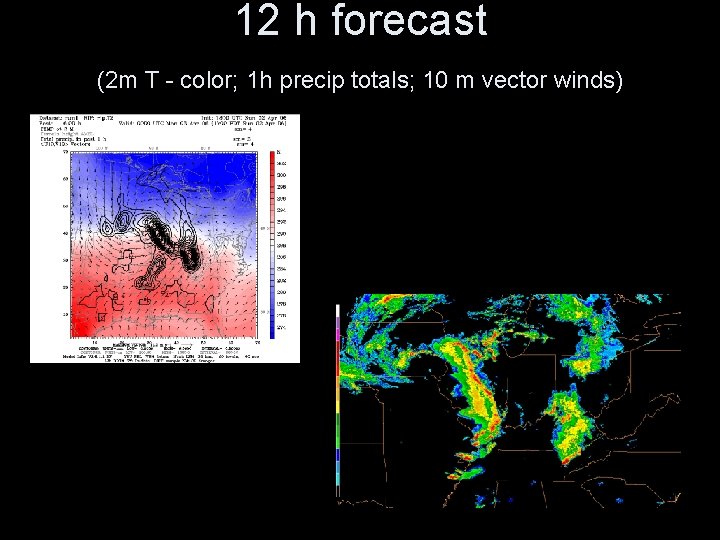
12 h forecast (2 m T - color; 1 h precip totals; 10 m vector winds)
12 h forecast (2 m T - color; 1 h precip totals; 10 m vector winds)
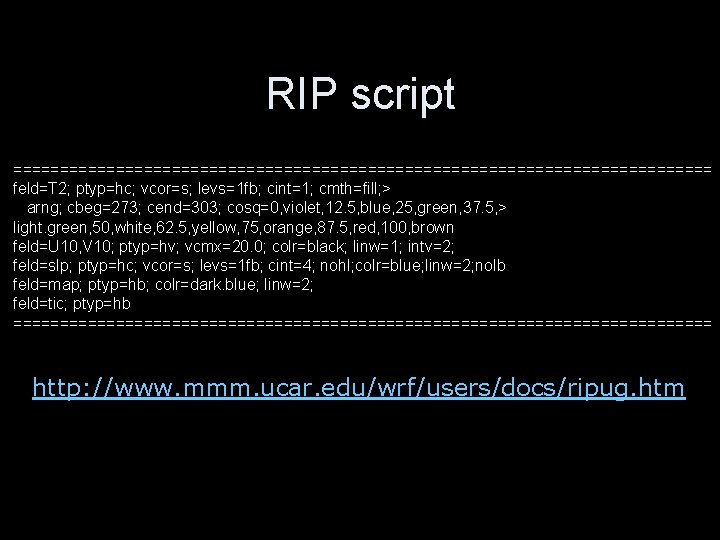
RIP script ====================================== feld=T 2; ptyp=hc; vcor=s; levs=1 fb; cint=1; cmth=fill; > arng; cbeg=273; cend=303; cosq=0, violet, 12. 5, blue, 25, green, 37. 5, > light. green, 50, white, 62. 5, yellow, 75, orange, 87. 5, red, 100, brown feld=U 10, V 10; ptyp=hv; vcmx=20. 0; colr=black; linw=1; intv=2; feld=slp; ptyp=hc; vcor=s; levs=1 fb; cint=4; nohl; colr=blue; linw=2; nolb feld=map; ptyp=hb; colr=dark. blue; linw=2; feld=tic; ptyp=hb ====================================== http: //www. mmm. ucar. edu/wrf/users/docs/ripug. htm
Gr. ADS and wrf_to_grads • Gr. ADS produces beautiful graphics • Batch scriptable AND interactive • Interactive: good for overlaying different datasets, computing difference fields [can also be done in RIP] • Doesn’t create huge numbers of intermediate files like RIP • Arbitrary cross-sections are difficult to construct
Gr. ADS procedure • Copy control_file from /home/fovell/WRFtutorial and edit • Select variables desired and define wrfout files to be accessed (next slide) • w 2 g control_file run 1 g • Creates run 1 g. ctl, run 1 g. dat http: //grads. iges. org/grads/head. html
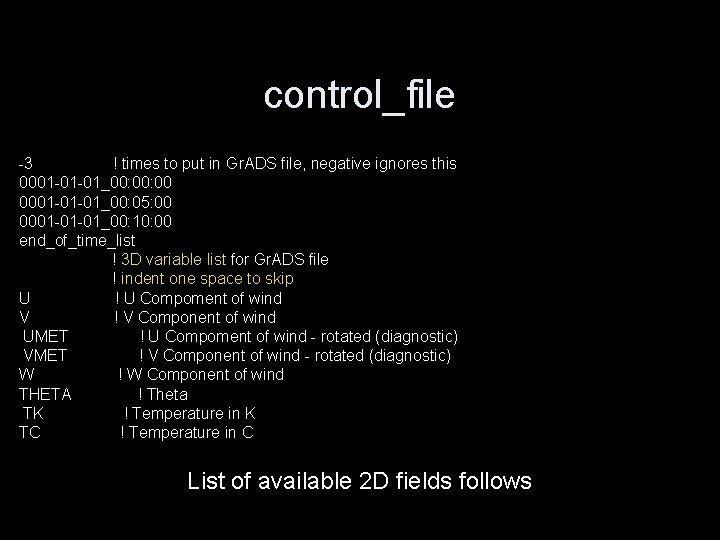
control_file -3 ! times to put in Gr. ADS file, negative ignores this 0001 -01 -01_00: 00 0001 -01 -01_00: 05: 00 0001 -01 -01_00: 10: 00 end_of_time_list ! 3 D variable list for Gr. ADS file ! indent one space to skip U ! U Compoment of wind V ! V Component of wind UMET ! U Compoment of wind - rotated (diagnostic) VMET ! V Component of wind - rotated (diagnostic) W ! W Component of wind THETA ! Theta TK ! Temperature in K TC ! Temperature in C List of available 2 D fields follows
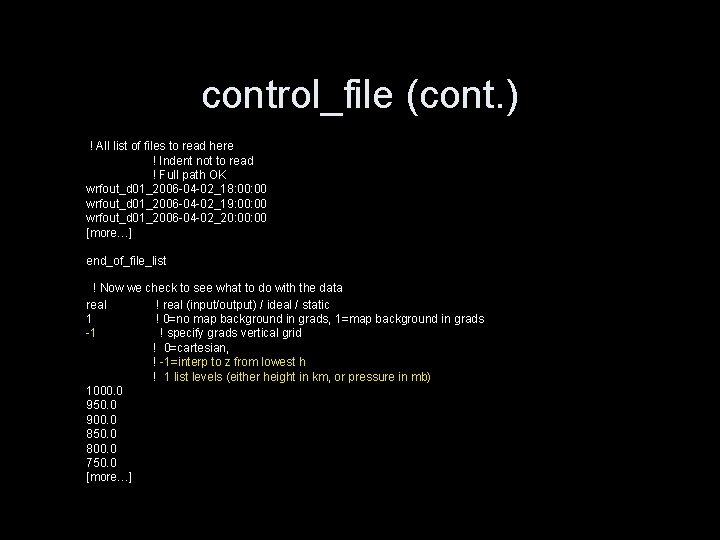
control_file (cont. ) ! All list of files to read here ! Indent not to read ! Full path OK wrfout_d 01_2006 -04 -02_18: 00 wrfout_d 01_2006 -04 -02_19: 00 wrfout_d 01_2006 -04 -02_20: 00 [more…] end_of_file_list ! Now we check to see what to do with the data real ! real (input/output) / ideal / static 1 ! 0=no map background in grads, 1=map background in grads -1 ! specify grads vertical grid ! 0=cartesian, ! -1=interp to z from lowest h ! 1 list levels (either height in km, or pressure in mb) 1000. 0 950. 0 900. 0 850. 0 800. 0 750. 0 [more…]
Running Gr. ADS > gradsnc -l [Gr. ADS graphics output window opens] ga-> open run 1 g [ga-> is Gr. ADS environment prompt] ga-> /home/fovell/WRFtutorial/T 2_movie. gs [executes this Gr. ADS script; hit return to advance a frame] ga-> quit [to exit]
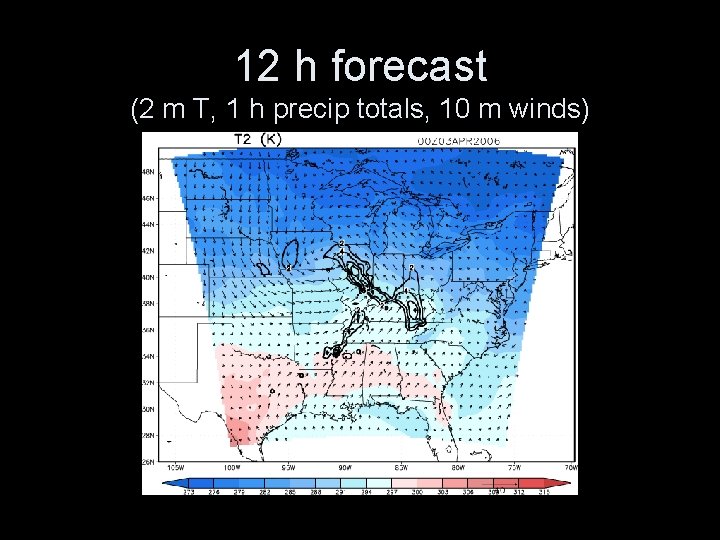
12 h forecast (2 m T, 1 h precip totals, 10 m winds)
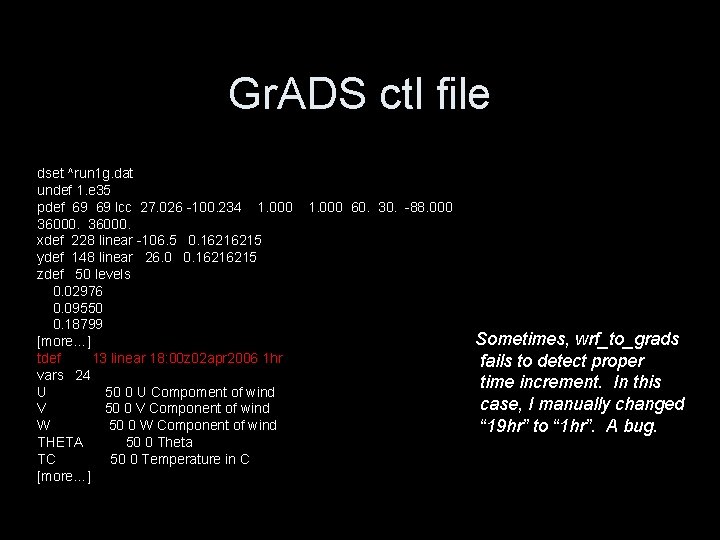
Gr. ADS ctl file dset ^run 1 g. dat undef 1. e 35 pdef 69 69 lcc 27. 026 -100. 234 1. 000 36000. xdef 228 linear -106. 5 0. 16216215 ydef 148 linear 26. 0 0. 16216215 zdef 50 levels 0. 02976 0. 09550 0. 18799 [more…] tdef 13 linear 18: 00 z 02 apr 2006 1 hr vars 24 U 50 0 U Compoment of wind V 50 0 V Component of wind W 50 0 W Component of wind THETA 50 0 Theta TC 50 0 Temperature in C [more…] 1. 000 60. 30. -88. 000 Sometimes, wrf_to_grads fails to detect proper time increment. In this case, I manually changed “ 19 hr” to “ 1 hr”. A bug.
WRF for idealized cases
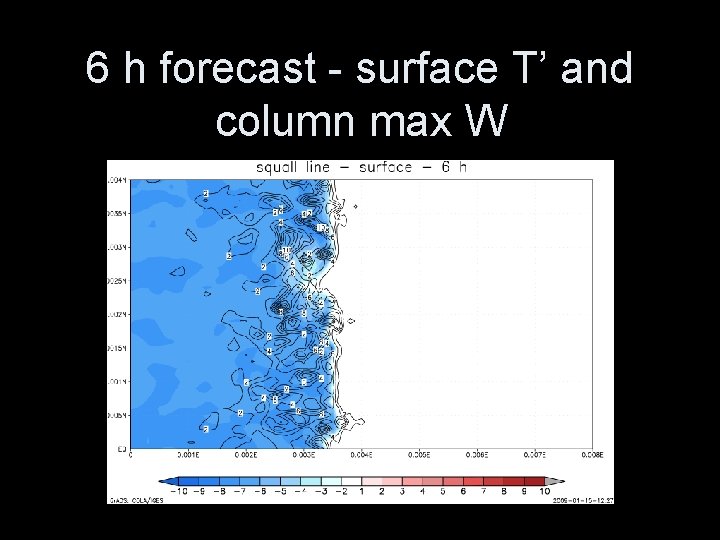
Idealized cases • WRF comes with “pre-packaged” idealized case examples (2 D squall line, 2 D seabreeze, 3 D supercell, mountain wave, etc. ) • Type compile to see list of cases • 2 D examples cannot use MPI or Open. MP • Can be modified – Next example: modified 3 D supercell to do 3 D squall line initialized with a line thermal w/ random perturbations
6 h forecast - surface T’ and column max W
= end =