Why Is DDo S Hard to Solve 1

- Slides: 96
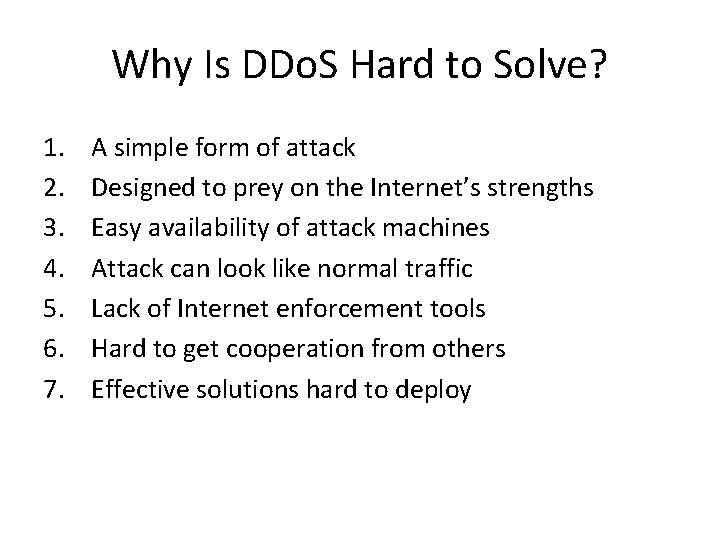
Why Is DDo. S Hard to Solve? 1. 2. 3. 4. 5. 6. 7. A simple form of attack Designed to prey on the Internet’s strengths Easy availability of attack machines Attack can look like normal traffic Lack of Internet enforcement tools Hard to get cooperation from others Effective solutions hard to deploy
1. Simplicity Of Attack • Basically, just send someone a lot of traffic • More complicated versions can add refinements, but that’s the crux of it • No need to find new vulnerabilities • No need to worry about timing, tracing, etc. • Toolkits are readily available to allow the novice to perform DDo. S • Even distributed parts are very simple
2. Preys On Internet’s Strengths • The Internet was designed to deliver lots of traffic – From lots of places, to lots of places • DDo. S attackers want to deliver lots of traffic from lots of places to one place • Any individual packet can look proper to the Internet • Without sophisticated analysis, even the entire flow can appear proper
Internet Resource Utilization • Internet was not designed to monitor resource utilization – Most of it follows first come, first served model • Many network services work the same way • And many key underlying mechanisms do, too • Thus, if a villain can get to the important resources first, he can often deny them to good users
3. Availability Of Attack Machines • DDo. S is feasible because attackers can enlist many machines • Attackers can enlist many machines because many machines are readily vulnerable • Not hard to find 1, 000 crackable machines on the Internet – Particularly if you don’t care which 1, 000 • Botnets numbering hundreds of thousands of hosts have been discovered
Can’t We Fix These Vulnerabilities? • DDo. S attacks don’t really harm the attacking machines • Many people don’t protect their machines even when the attacks can harm them • Why will they start protecting their machines just to help others? • Altruism has not yet proven to be a compelling argument for network security
4. Attacks Resemble Normal Traffic • A DDo. S attack can consist of vast number of requests for a web server’s home page • No need for attacker to use particular packets or packet contents • So neat filtering/signature tools may not help • Attacker can be arbitrarily sophisticated at mirroring legitimate traffic – – In principle Not often done because dumb attacks work so well
5. Lack Of Enforcement Tools • DDo. S attackers have never been caught by tracing or observing attack • Only by old-fashioned detective work – Really, only when they’re dumb enough to boast about their success • The Internet offers no help in tracing a single attack stream, much less multiple ones • Even if you trace them, a clever attacker leaves no clues of his identity on those machines
What Is the Internet Lacking? • No validation of IP source address • No enforcement of amount of resources used • No method of tracking attack flows – Or those controlling attack flows • No method of assigning responsibility for bad packets or packet streams • No mechanism or tools for determining who corrupted a machine
6. Poor Cooperation In the Internet • It’s hard to get anyone to help you stop or trace or prevent an attack • Even your ISP might not be too cooperative • Anyone upstream of your ISP is less likely to be cooperative – ISPs more likely to cooperate with each other, though • Even if cooperation occurs, it occurs at human timescales – The attack might be over by the time you figure out who to call
7. Effective Solutions Hard To Deploy • The easiest place to deploy defensive systems is near your own machine – Defenses there might not work well (firewall example) • There are effective solutions under research – – But they require deployment near attackers or in the Internet core Or, worse, in many places • A working solution is useless without deployment – Hard to get anything deployed if deploying site gets no direct advantage
Resource Limitations • Don’t allow an individual attack machine to use many of a target’s resources • Requires: – – Authentication, or Making the sender do special work (puzzles) • Authentication schemes are often expensive for the receiver • Existing legitimate senders largely not set up to handle doing special work • Can still be overcome with a large enough army of zombies
Hiding From the Attacker • Make it hard for anyone but legitimate clients to deliver messages at all • E. g. , keep your machine’s identity obscure • A possible solution for some potential targets – But not for others, like public web servers • To the extent that approach relies on secrecy, it’s fragile – Some such approaches don’t require secrecy
Resource Multiplication • • • As attacker demands more resources, supply them Essentially, never allow resources to be depleted Not always possible, usually expensive Not clear that defender can keep ahead of the attacker But still a good step against limited attacks More advanced versions might use Akamai-like techniques
Trace and Stop Attacks • Figure out which machines attacks come from • Go to those machines (or near them) and stop the attacks • Tracing is trivial if IP source addresses aren’t spoofed – Tracing may be possible even if they are spoofed • May not have ability/authority to do anything once you’ve found the attack machines • Not too helpful if attacker has a vast supply of machines
Filtering Attack Streams • The basis for most defensive approaches • Addresses the core of the problem by limiting the amount of work presented to target • Key question is: – What do you drop? • Good solutions drop all (and only) attack traffic • Less good solutions drop some (or all) of everything
Filtering Vs. Rate Limiting • Filtering drops packets with particular characteristics – – If you get the characteristics right, you do little collateral damage At odds with the desire to drop all attack traffic • Rate limiting drops packets on basis of amount of traffic – – Can thus assure target is not overwhelmed But may drop some good traffic • You can combine them (drop traffic for which you are sure is suspicious, rate-limit the rest) but you gain a little
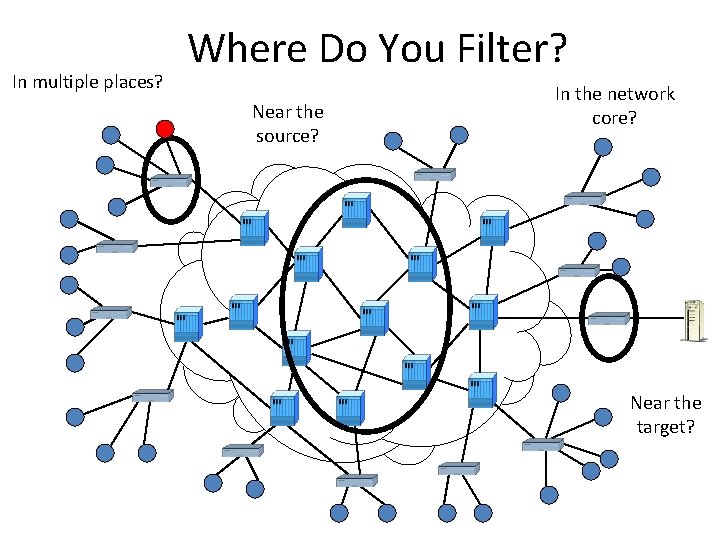
In multiple places? Where Do You Filter? Near the source? In the network core? Near the target?
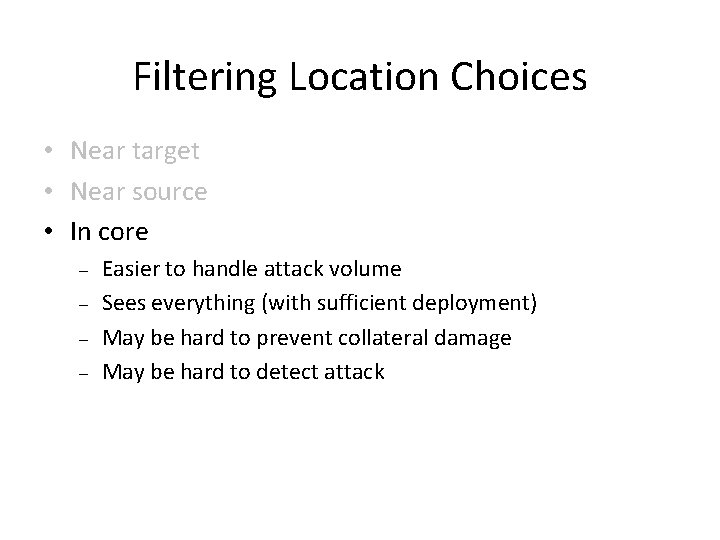
Filtering Location Choices • Near target • Near source • In core
Filtering Location Choices • Near target – – Easier to detect attack Sees everything May be hard to prevent collateral damage May be hard to handle attack volume • Near source • In core
Filtering Location Choices • Near target • Near source – – May be hard to detect attack Doesn’t see everything Easier to prevent collateral damage Easier to handle attack volume • In core
Filtering Location Choices • Near target • Near source • In core – – Easier to handle attack volume Sees everything (with sufficient deployment) May be hard to prevent collateral damage May be hard to detect attack
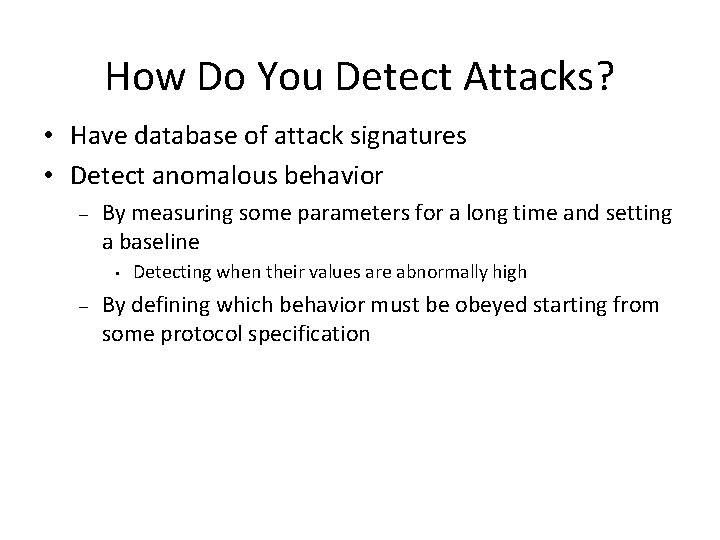
How Do You Detect Attacks? • Have database of attack signatures • Detect anomalous behavior – By measuring some parameters for a long time and setting a baseline • – Detecting when their values are abnormally high By defining which behavior must be obeyed starting from some protocol specification
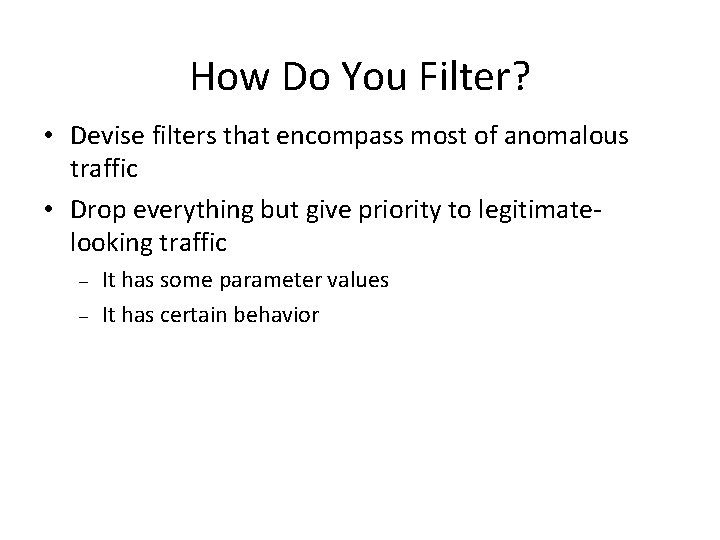
How Do You Filter? • Devise filters that encompass most of anomalous traffic • Drop everything but give priority to legitimatelooking traffic – – It has some parameter values It has certain behavior
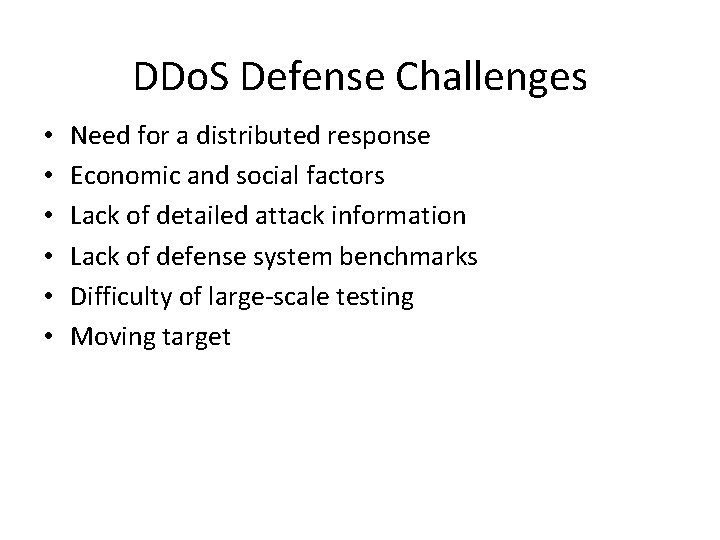
DDo. S Defense Challenges • • • Need for a distributed response Economic and social factors Lack of detailed attack information Lack of defense system benchmarks Difficulty of large-scale testing Moving target
TCP SYN Flood • Attacker sends lots of TCP SYN packets – Victim sends an ack, allocates space in memory – Attacker never replies – Goal is to fill up memory before entries time out and get deleted • Usually spoofed traffic – Otherwise patterns may be used for filtering – OS at the attacker or spoofed address may send RST and free up memory
TCP SYN Cookies • Effective defense against TCP SYN flood – Victim encodes connection information and time in ACK number – Must be hard to craft values that get encoded into the same ACK number – use crypto for encoding – Memory is only reserved when final ACK comes • Only the server must change – But TCP options are not supported – And lost SYN ACKs are not repeated
Small-Packet Floods • Overwhelm routers – Create a lot of pps – Exhaust CPU – Most routers can’t handle full bandwidth’s load of small packets • No real solution, must filter packets somehow to reduce router load
Shrew Attack • Periodically slam the victim with short, high-volume pulses – – Lead to congestion drops on client’s TCP traffic TCP backs off If loss is large back off to 1 MSS per RTT Attacker slams again after a few RTTs • Solution requires TCP protocol changes – Tough to implement since clients must be changed
Flash-Crowd Attack • Generate legitimate application traffic to the victim – – E. g. , DNS requests, Web requests Usually not spoofed If enough bots are used no client appears too aggressive Really hard to filter since both traffic and client behavior seem identical between attackers and legitimate users
Reflector Attack • Generate service requests to public servers spoofing the victim’s IP – Servers reply back to the victim overwhelming it – Usually done for UDP and ICMP traffic (TCP SYN flood would only overwhelm CPU if huge number of packets is generated) – Often takes advantage of amplification effect – some service requests lead to huge replies; this lets attacker amplify his attack
Sample Research Defenses • • • Pushback Traceback SOS Proof-of-work systems Human behavior modeling
Pushback 1 1”Controlling high bandwidth aggregates in the network, ” Mahajan, Bellovin, Floyd, Paxson, Shenker, ACM CCR, July 2002 • Goal: Preferentially drop attack traffic to relieve congestion • Local ACC: Enable core routers to respond to congestion locally by: – – – Profiling traffic dropped by RED Identifying high-bandwidth aggregates Preferentially dropping aggregate traffic to enforce desired bandwidth limit • Pushback: A router identifies the upstream neighbors that forward the aggregate traffic to it, requests that they deploy rate-limit
Can it Work? • Even a few core routers are able to control highvolume attacks • Separation of traffic aggregates improves current situation – – Only traffic for the victim is dropped Drops affect a portion containing the attack traffic • Likely to successfully control the attack, relieving congestion in the Internet • Will inflict collateral damage on legitimate traffic
Advantages and Limitations + Routers can handle high traffic volumes + Deployment at a few core routers can affect many traffic flows, due to core topology + Simple operation, no overhead for routers + Pushback minimizes collateral damage by placing response close to the sources – Pushback only works in contiguous deployment – Collateral damage is inflicted by response, whenever attack is not clearly separable – Requires modification of existing core routers 35
Traceback 1 1“Practical network support for IP Traceback, ” Savage, Wetherall, Karlin, Anderson, ACM SIGCOMM 2000 • Goal: locate the agent machines • Each packet header may carry a mark, containing: – – Edge. ID (IP addresses of the routers) specifying an edge it has traversed The distance from the edge • Routers mark packets probabilistically • If a router detects half-marked packet (containing only one IP address) it will complete the mark • Victim under attack reconstructs the path from the marked packets
Traceback and IP Spoofing • Traceback does nothing to stop DDo. S attacks • It only identifies attackers’ true locations – Comes to a vicinity of attacker • If IP spoofing were not possible in the Internet, traceback would not be necessary • There are other approaches to filter out spoofed traffic
Can it Work? • Incrementally deployable, a few disjoint routers can provide beneficial information • Moderate router overhead (packet modification) • A few thousand packets are needed even for long path reconstruction • Does not work well for highly distributed attacks • Path reassembly is computationally demanding, and is not 100% accurate: – – Path information cannot be used for legal purposes Routers close to the sources can efficiently block attack traffic, minimizing collateral damage
Advantages and Limitations + Incrementally deployable + Effective for non-distributed attacks and for highly overlapping attack paths + Facilitates locating routers close to the sources – Packet marking incurs overhead at routers, must be performed at slow path – Path reassembly is complex and prone to errors – Reassembly of distributed attack paths is prohibitively expensive
SOS 1“ 1 SOS: Secure Overlay Services, ” Keromytis, Misra, Rubensteain, ACM SIGCOMM 2002 • Goal: route only “verified user” traffic to the server, drop everything else • Clients use overlay network to reach the server • Clients are authenticated at the overlay entrance, their packets are routed to proxies • Small set of proxies are “approved” to reach the server, all other traffic is heavily filtered out 40
SOS • User first contacts nodes that can check its legitimacy and let him access the overlay – access points • An overlay node uses Chord overlay routing protocol to send user’s packets to a beacon • Beacon sends packets to a secret servlet • Secret servlets tunnel packets to the firewall • Firewall only lets through packets with an IP of a secret servlet – – Secret servlet’s identity has to be hidden, because their source address is a passport for the realm beyond the firewall Beacons are nodes that know the identity of secret servlets • If a node fails, other nodes can take its role 41
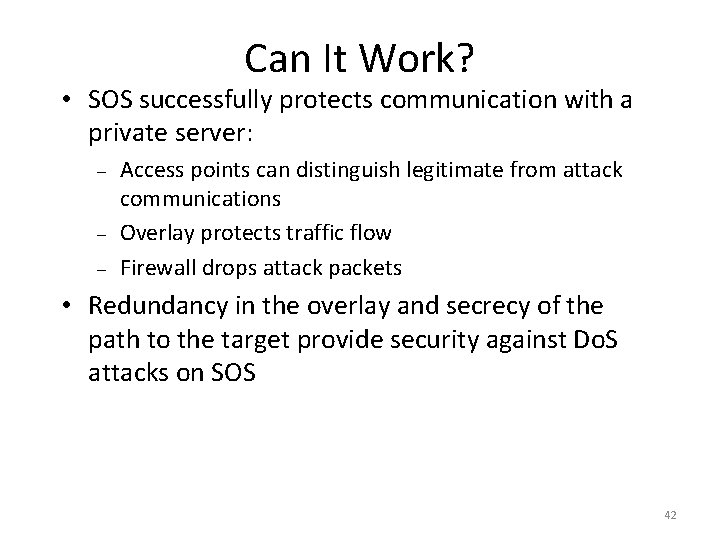
Can It Work? • SOS successfully protects communication with a private server: – – – Access points can distinguish legitimate from attack communications Overlay protects traffic flow Firewall drops attack packets • Redundancy in the overlay and secrecy of the path to the target provide security against Do. S attacks on SOS 42
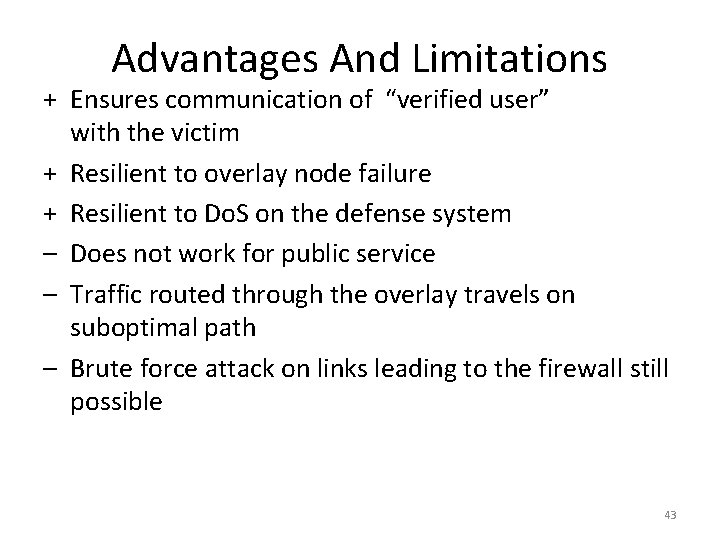
Advantages And Limitations + Ensures communication of “verified user” with the victim + Resilient to overlay node failure + Resilient to Do. S on the defense system – Does not work for public service – Traffic routed through the overlay travels on suboptimal path – Brute force attack on links leading to the firewall still possible 43
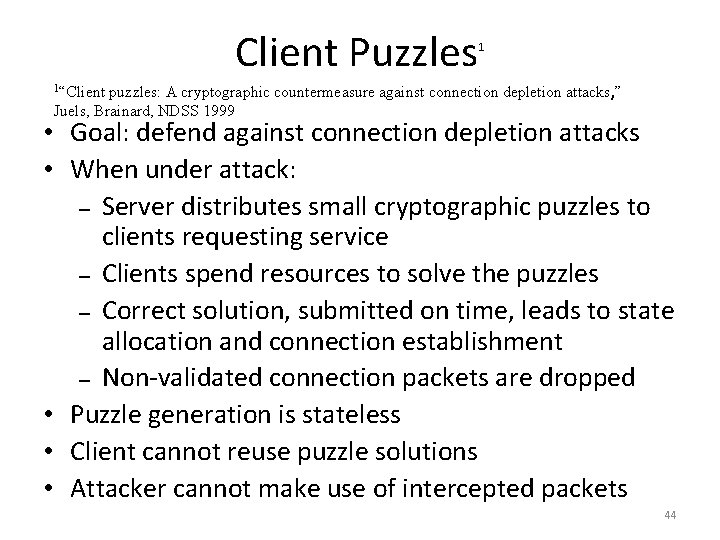
Client Puzzles 1 1“Client puzzles: A cryptographic countermeasure against connection depletion attacks, ” Juels, Brainard, NDSS 1999 • Goal: defend against connection depletion attacks • When under attack: – Server distributes small cryptographic puzzles to clients requesting service – Clients spend resources to solve the puzzles – Correct solution, submitted on time, leads to state allocation and connection establishment – Non-validated connection packets are dropped • Puzzle generation is stateless • Client cannot reuse puzzle solutions • Attacker cannot make use of intercepted packets 44
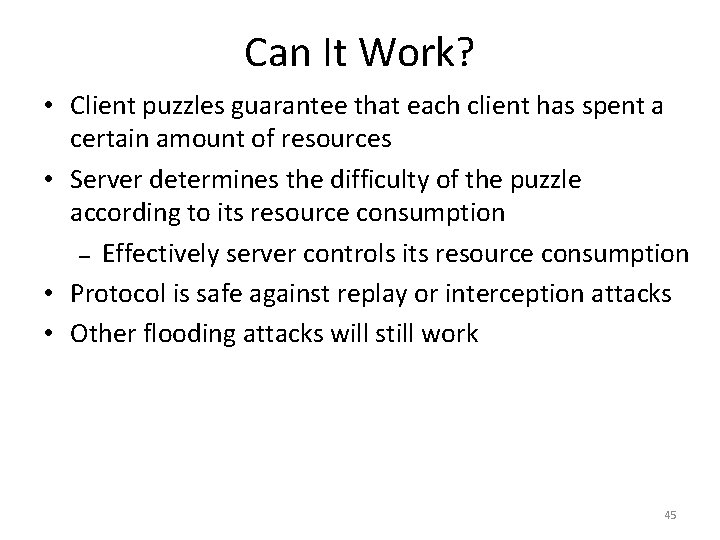
Can It Work? • Client puzzles guarantee that each client has spent a certain amount of resources • Server determines the difficulty of the puzzle according to its resource consumption – Effectively server controls its resource consumption • Protocol is safe against replay or interception attacks • Other flooding attacks will still work 45
Advantages And Limitations + Forces the attacker to spend resources, protects server resources from depletion + Attacker can only generate a certain number of successful connections from one agent machine + Low overhead on server – Requires client modification – Will not work against highly distributed attacks – Will not work against bandwidth consumption attacks (Defense By Offense paper changes this) 46
Human Behavior Modeling 1“Modeling 1 Human Behavior for Defense Against Flash Crowd Attacks”, Oikonomou, Mirkovic 2009. • Goal: defend against flash-crowd attacks on Web servers • Model human behavior along three dimensions – Dynamics of interaction with server (trained) • – Semantics of interaction with server (trained) • – Detect aggressive clients as attackers Detect clients that browse unpopular content or use unpopular paths as attackers Processing of visual and textual cues • Detect clients that click on invisible or uninteresting links as attackers 47
Can It Work? • Attackers can bypass detection if they – Act non-aggressively – Use each bot for just a few requests, then replace it • But this forces attacker to use many bots – Tens to hundreds of thousands – Beyond reach of most attackers • Other flooding attacks will still work 48
Advantages And Limitations + + – – Transparent to users Low false positives and false negatives Requires server modification Server must store data about each client Will not work against other flooding attacks May not protect services where humans do not generate traffic, e. g. , DNS 49
Worms 50
Viruses vs. Worms • Viruses don’t break into your computer – they are invited by you – – – They cannot spread unless you run infected application or click on infected attachment Early viruses spread onto different applications on your computer Contemporary viruses spread as attachments through E-mail, they will mail themselves to people from your addressbook • Worms break into your computer using some vulnerability, install malicious code and move on to other machines – You don’t have to do anything to make them spread 51
What is a Worm? • A program that: – – Scans network for vulnerable machines Breaks into machines by exploiting the vulnerability Installs some piece of malicious code – backdoor, DDo. S tool Moves on • Unlike viruses – – Worms don’t need any user action to spread – they spread silently and on their own Worms don’t attach themselves onto other programs – they exist as a separate code in memory • Sometimes you may not even know your machine has been infected by a worm 52
Why Are Worms Dangerous? • • • They spread extremely fast They are silent Once they are out, they cannot be recalled They usually install malicious code They clog the network 53
First Worm Ever – Morris Worm • Robert Morris, a Ph. D student at Cornell, was interested in network security • He created the first worm with a goal to have a program live on the Internet in Nov. 1988 – – – Worm was supposed only to spread, fairly slowly It was supposed to take just a little bit of resources so not to draw attention to itself But things went wrong … • Worm was supposed to avoid duplicate copies by asking a computer whether it is infected – – To avoid false “yes” answers, it was programmed to duplicate itself every 7 th time it received “yes” answer This turned out to be too much 54
First Worm Ever – Morris Worm • It exploited four vulnerabilities to break in – – A bug in sendmail A bug in finger deamon A trusted hosts feature (/etc/. rhosts) Password guessing • Worm was replicating at a much faster rate than anticipated • At that time Internet was small and homogeneous (SUN and VAX workstations running BSD UNIX) • It infected around 6, 000 computers, one tenth of then-Internet, in a day 55
First Worm Ever – Morris Worm • People quickly devised patches and distributed them (Internet was small then) • A week later all systems were patched and worm code was removed from most of them • No lasting damage was caused • Robert Morris paid $10, 000 fine, was placed on probation and did some community work • Worm exposed not only vulnerabilities in UNIX but moreover in Internet organization • Users didn’t know who to contact and report infection or where to look for patches 56
First Worm Ever – Morris Worm • In response to Morris Worm DARPA formed CERT (Computer Emergency Response Team) in November 1988 – – – Users report incidents and get help in handling them from CERT publishes security advisory notes informing users of new vulnerabilities that need to be patched and how to patch them CERT facilitates security discussions and advocates better system management practices 57
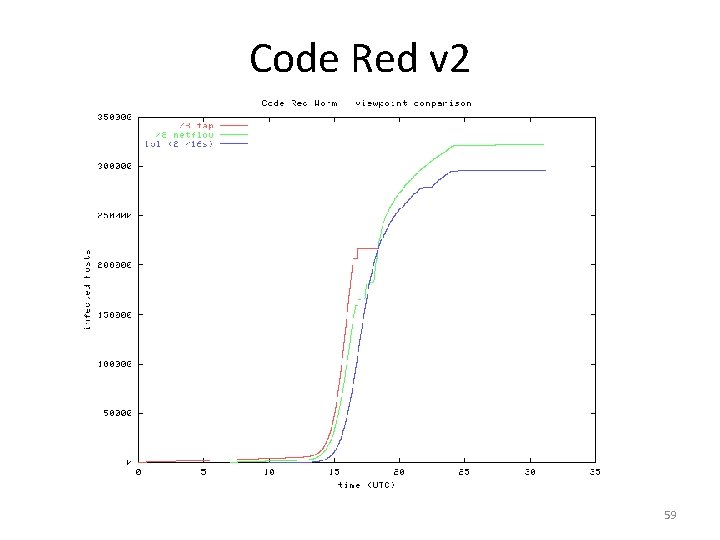
Code Red • Spread on July 12 and 19, 2001 • Exploited a vulnerability in Microsoft Internet Information Server that allows attacker to get full access to the machine (turned on by default) • Two variants – both probed random machines, one with static seed for RNG, another with random seed for RNG (CRv 2) • CRv 2 infected more than 359, 000 computers in less than 14 hours – – It doubled in size every 37 minutes At the peak of infection more than 2, 000 hosts were infected each minute 58
Code Red v 2 59
Code Red v 2 • 43% of infected machines were in US • 47% of infected machines were home computers • Worm was programmed to stop spreading at midnight, then attack www 1. whitehouse. gov – It had hardcoded IP address so White House was able to thwart the attack by simply changing the IP address-to-name mapping • Estimated damage ~2. 6 billion 60
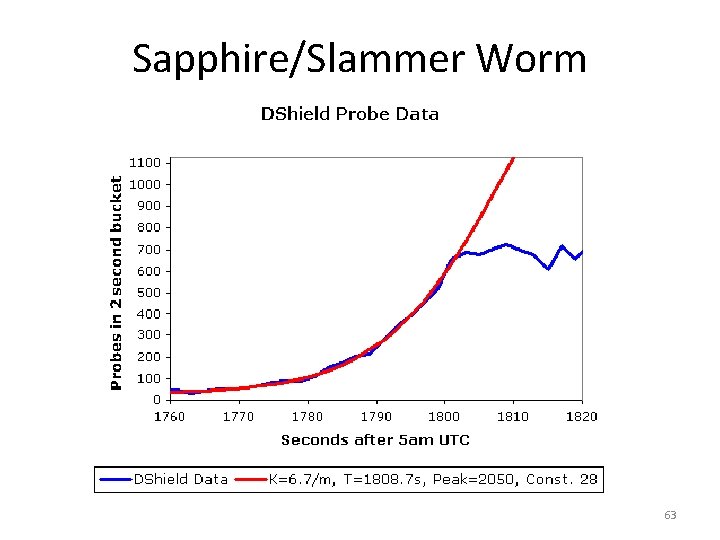
Sapphire/Slammer Worm • Spread on January 25, 2003 • The fastest computer worm in history – – – It doubled in size every 8. 5 seconds. It infected more than 90% of vulnerable hosts within 10 minutes It infected 75, 000 hosts overall • Exploited buffer overflow vulnerability in Microsoft SQL server, discovered 6 months earlier 61
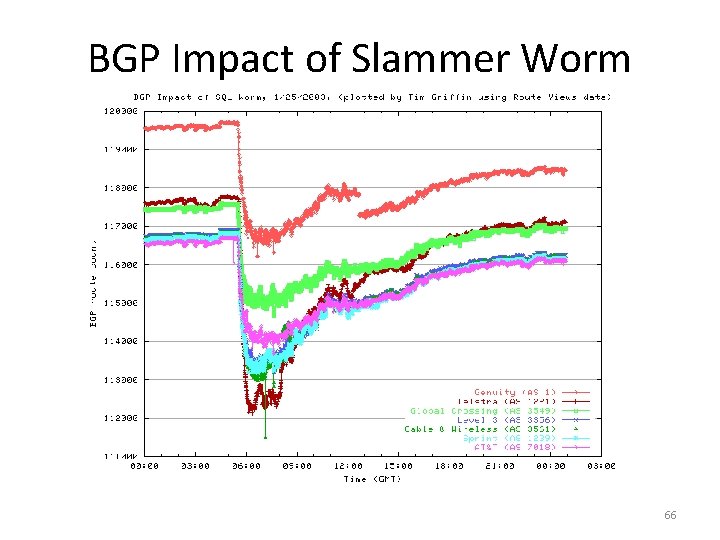
Sapphire/Slammer Worm • No malicious payload • The aggressive spread had severe consequences – – Created Do. S effect It disrupted backbone operation Airline flights were canceled Some ATM machines failed 62
Sapphire/Slammer Worm 63
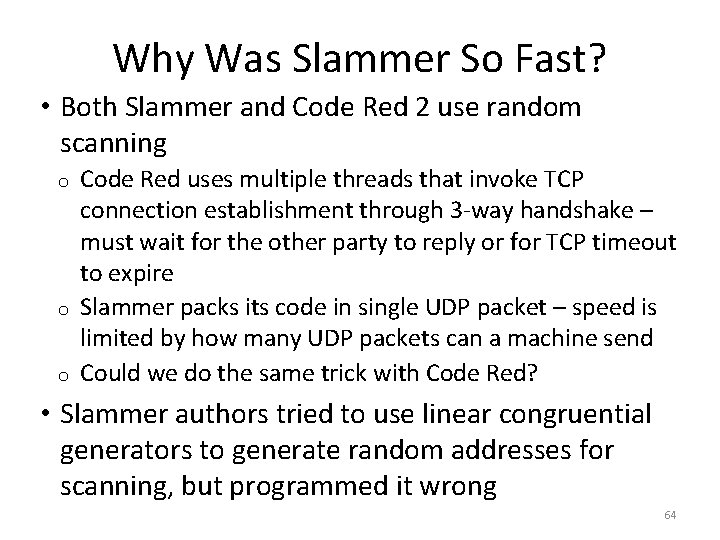
Why Was Slammer So Fast? • Both Slammer and Code Red 2 use random scanning o o o Code Red uses multiple threads that invoke TCP connection establishment through 3 -way handshake – must wait for the other party to reply or for TCP timeout to expire Slammer packs its code in single UDP packet – speed is limited by how many UDP packets can a machine send Could we do the same trick with Code Red? • Slammer authors tried to use linear congruential generators to generate random addresses for scanning, but programmed it wrong 64
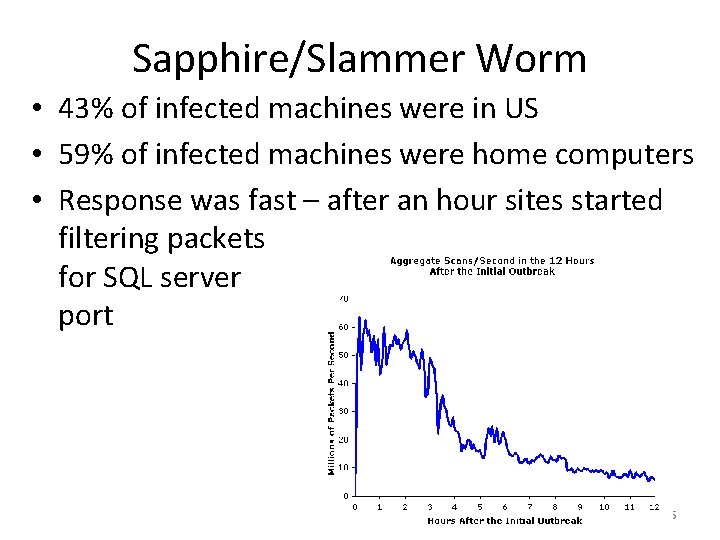
Sapphire/Slammer Worm • 43% of infected machines were in US • 59% of infected machines were home computers • Response was fast – after an hour sites started filtering packets for SQL server port 65
BGP Impact of Slammer Worm 66
Stuxnet Worm • Discovered in June/July 2010 • Targets industrial equipment • Uses Windows vulnerabilities (known and new) to break in • Installs PLC (Programmable Logic Controller) rootkit and reprograms PLC – Without physical schematic it is impossible to tell what’s the ultimate effect • Spread via USB drives • Updates itself either by reporting to server or by exchanging code with new copy of the worm 67
Scanning Strategies • Many worms use random scanning • This works well only if machines have very good RNGs with different seeds • Getting large initial population represents a problem – – Then the infection rate skyrockets The infection eventually reaches saturation since all machines are probing same addresses “Warhol Worms: The Potential for Very Fast Internet Plagues”, Nicholas C Weaver 68
Random Scanning 69
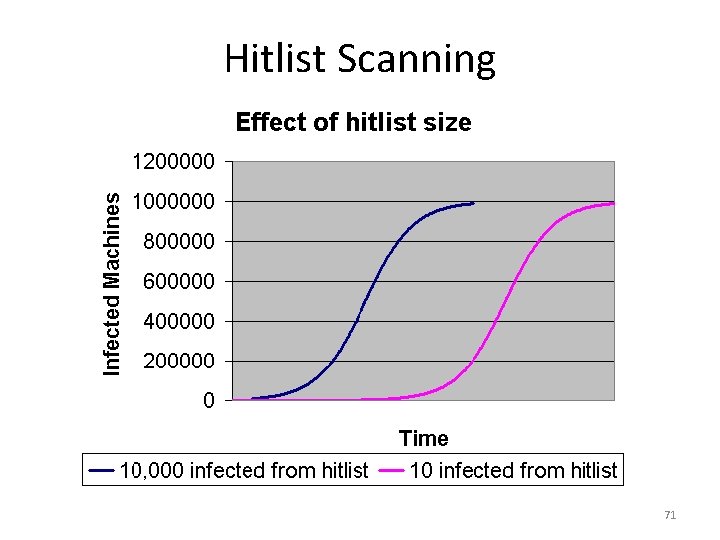
Scanning Strategies • Worm can get large initial population with hitlist scanning • Assemble a list of potentially vulnerable machines prior to releasing the worm – a hitlist – E. g. , through a slow scan • When the scan finds a vulnerable machine, hitlist is divided in half and one half is communicated to this machine upon infection – This guarantees very fast spread – under one minute! 70
Hitlist Scanning 71
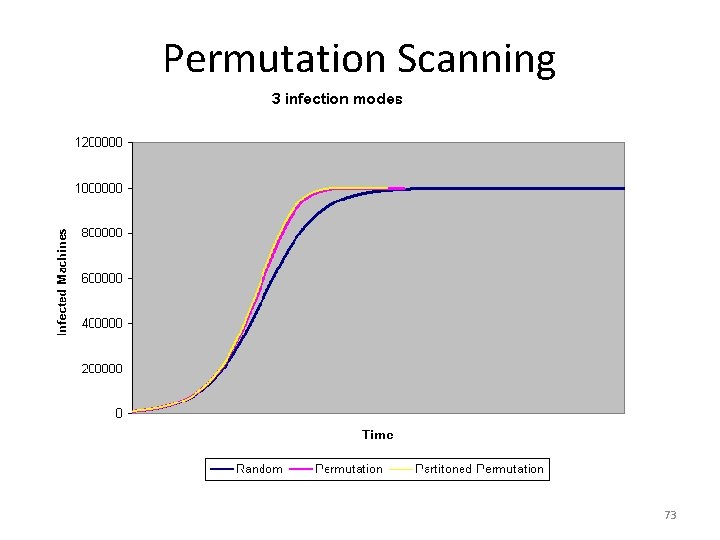
Scanning Strategies • Worm can get prevent die-out in the end with permutation scanning • All machines share a common pseudorandom permutation of IP address space • Machines that are infected continue scanning just after their point in the permutation – If they encounter already infected machine they will continue from a random point • Partitioned permutation is the combination of permutation and hitlist scanning – In the beginning permutation space is halved, later scanning is simple permutation scan 72
Permutation Scanning 73
Scanning Strategies • Worm can get behind the firewall, or notice the die-out and then switch to subnet scanning • Goes sequentially through subnet address space, trying every address 74
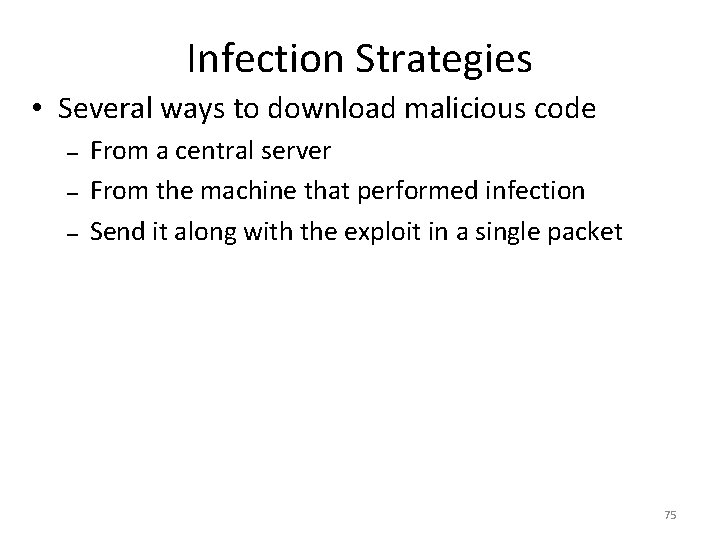
Infection Strategies • Several ways to download malicious code – – – From a central server From the machine that performed infection Send it along with the exploit in a single packet 75
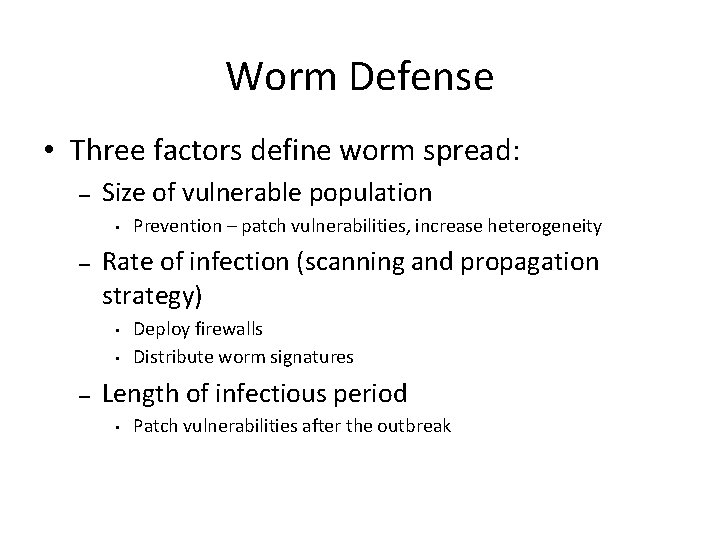
Worm Defense • Three factors define worm spread: – Size of vulnerable population • – Rate of infection (scanning and propagation strategy) • • – Prevention – patch vulnerabilities, increase heterogeneity Deploy firewalls Distribute worm signatures Length of infectious period • Patch vulnerabilities after the outbreak
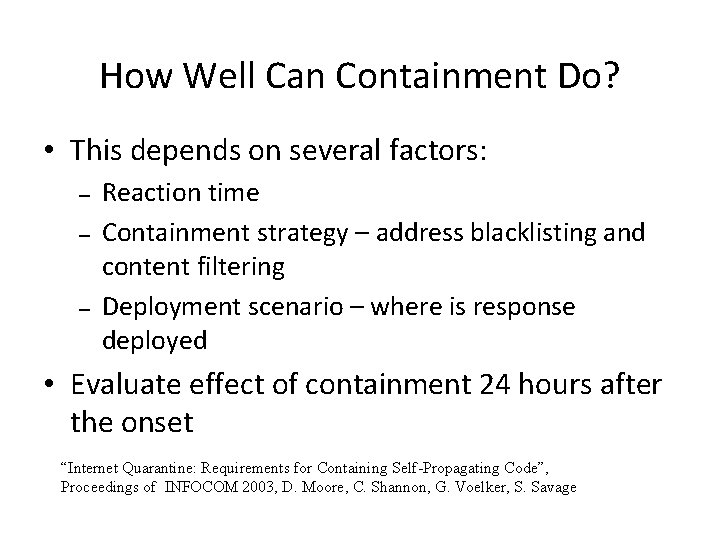
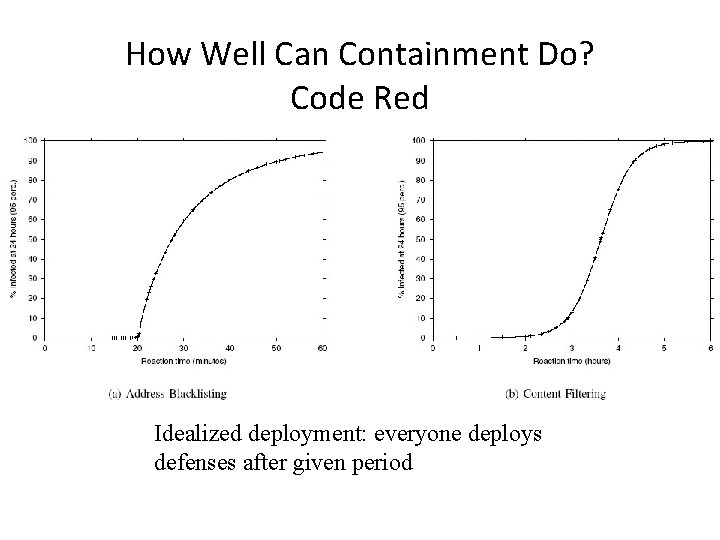
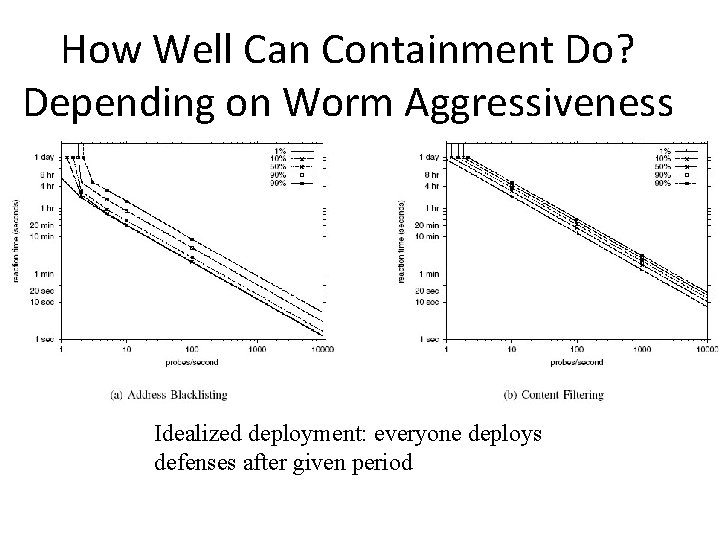
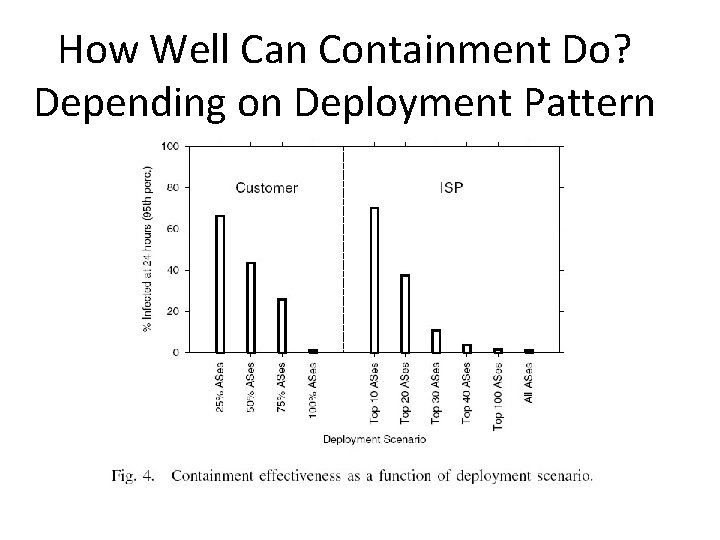
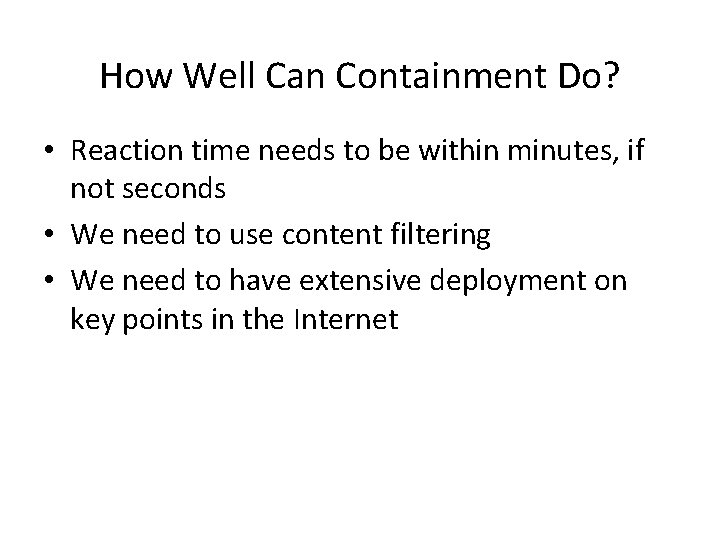
How Well Can Containment Do? • This depends on several factors: – – – Reaction time Containment strategy – address blacklisting and content filtering Deployment scenario – where is response deployed • Evaluate effect of containment 24 hours after the onset “Internet Quarantine: Requirements for Containing Self-Propagating Code”, Proceedings of INFOCOM 2003, D. Moore, C. Shannon, G. Voelker, S. Savage
How Well Can Containment Do? Code Red Idealized deployment: everyone deploys defenses after given period
How Well Can Containment Do? Depending on Worm Aggressiveness Idealized deployment: everyone deploys defenses after given period
How Well Can Containment Do? Depending on Deployment Pattern
How Well Can Containment Do? • Reaction time needs to be within minutes, if not seconds • We need to use content filtering • We need to have extensive deployment on key points in the Internet
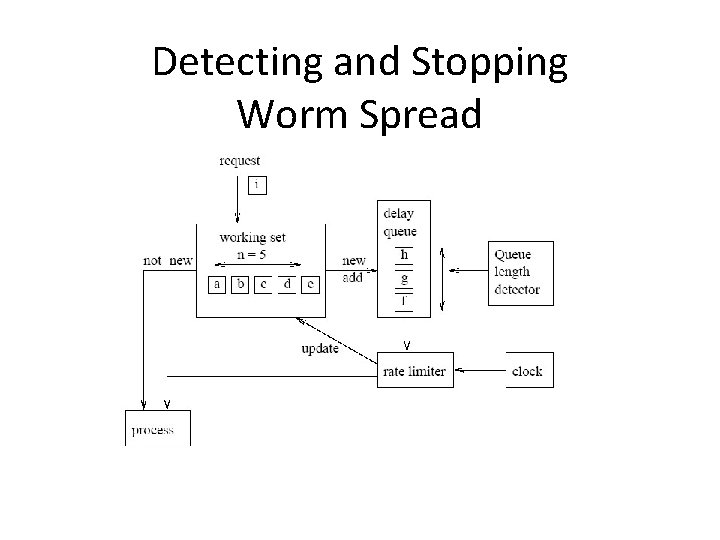
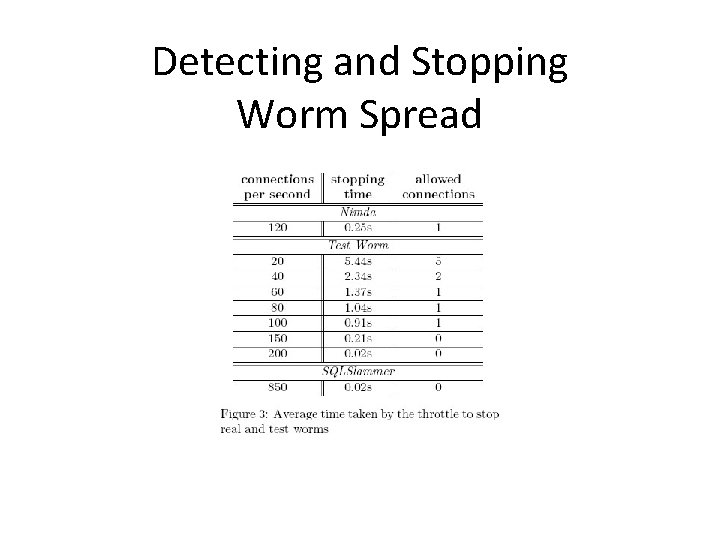
Detecting and Stopping Worm Spread • Monitor outgoing connection attempts to new hosts • When rate exceeds 5 per second, put the remaining requests in a queue • When number of requests in a queue exceeds 100 stop all communication “Implementing and testing a virus throttle”, Proceedings of Usenix Security Symposium 2003, J. Twycross, M. Williamson
Detecting and Stopping Worm Spread
Detecting and Stopping Worm Spread
Cooperative Strategies for Worm Defense • Organizations share alerts and worm signatures with their “friends” – – Severity of alerts is increased as more infection attempts are detected Each host has a severity threshold after which it deploys response • Alerts spread just like worm does – – Must be faster to overtake worm spread After some time of no new infection detections, alerts will be removed “Cooperative Response Strategies for Large-Scale Attack Mitigation”, Proceedings of DISCEX 2003, D. Norjiri, J. Rowe, K. Levitt
Cooperative Strategies for Worm Defense • As number of friends increases, response is faster • Propagating false alarms is a problem
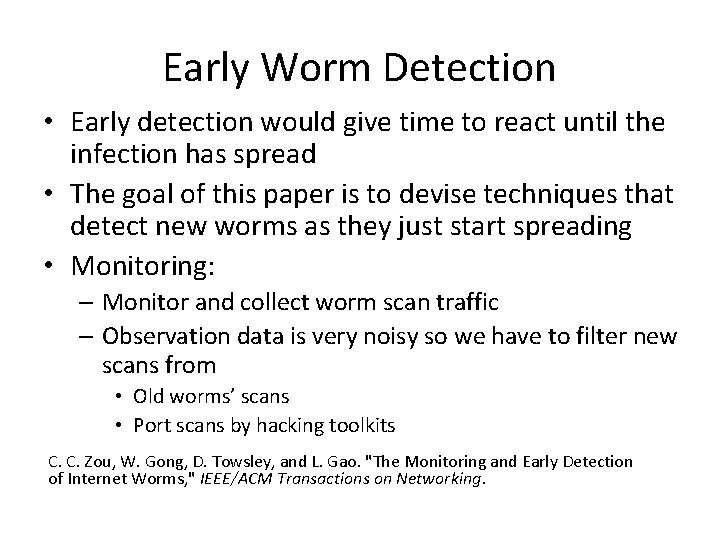
Early Worm Detection • Early detection would give time to react until the infection has spread • The goal of this paper is to devise techniques that detect new worms as they just start spreading • Monitoring: – Monitor and collect worm scan traffic – Observation data is very noisy so we have to filter new scans from • Old worms’ scans • Port scans by hacking toolkits C. C. Zou, W. Gong, D. Towsley, and L. Gao. "The Monitoring and Early Detection of Internet Worms, " IEEE/ACM Transactions on Networking.
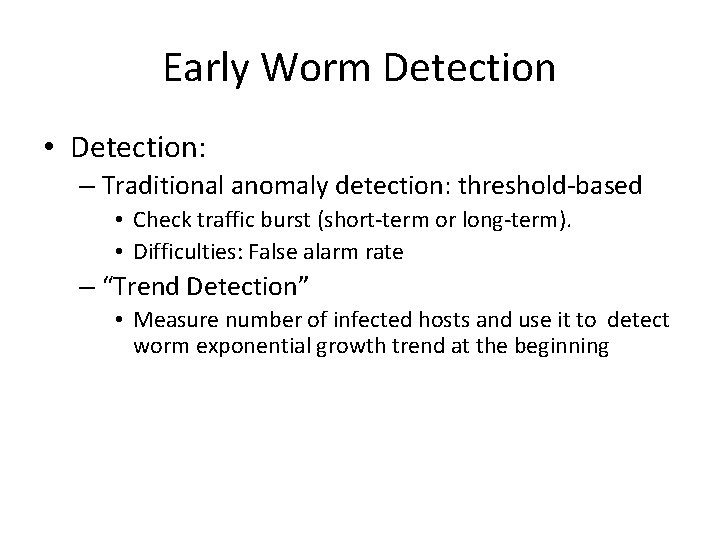
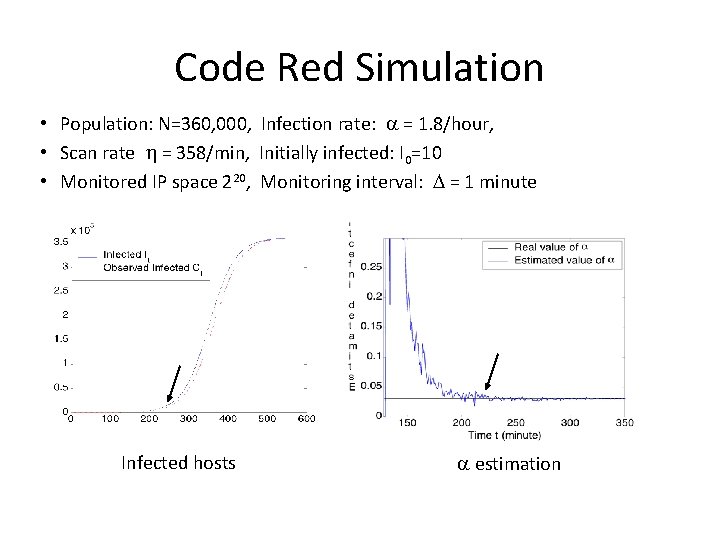
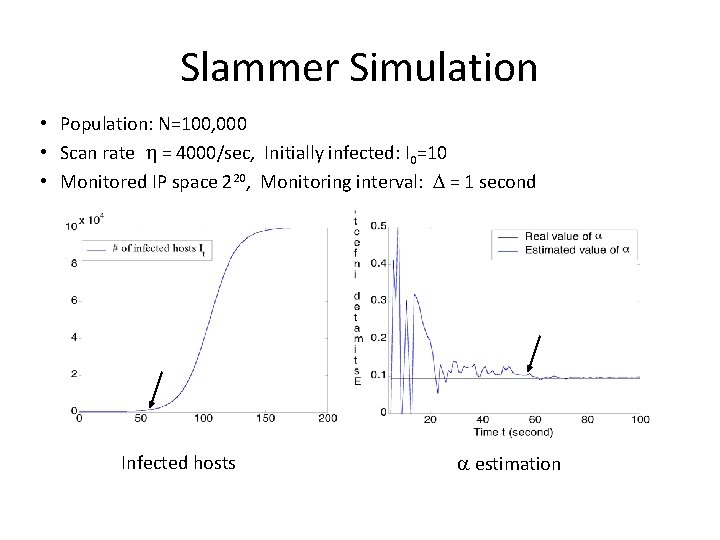
Early Worm Detection • Detection: – Traditional anomaly detection: threshold-based • Check traffic burst (short-term or long-term). • Difficulties: False alarm rate – “Trend Detection” • Measure number of infected hosts and use it to detect worm exponential growth trend at the beginning
Assumptions • Worms uniformly scan the Internet – No hitlists but subnet scanning is allowed • Address space scanned is IPv 4
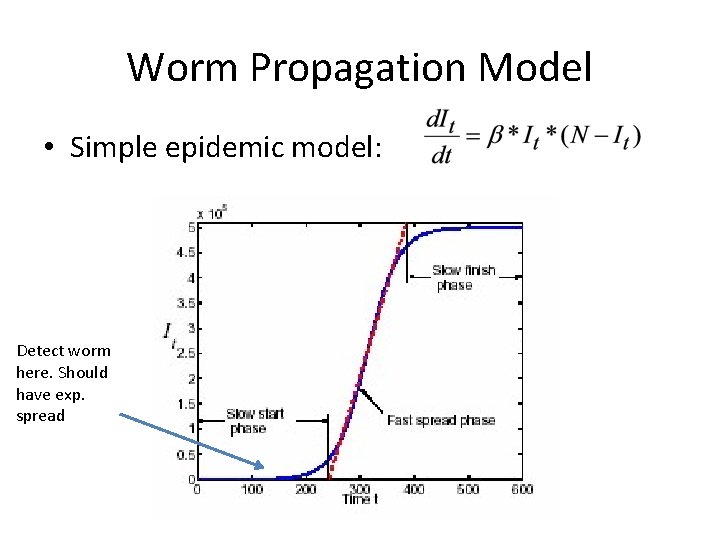
Worm Propagation Model • Simple epidemic model: Detect worm here. Should have exp. spread
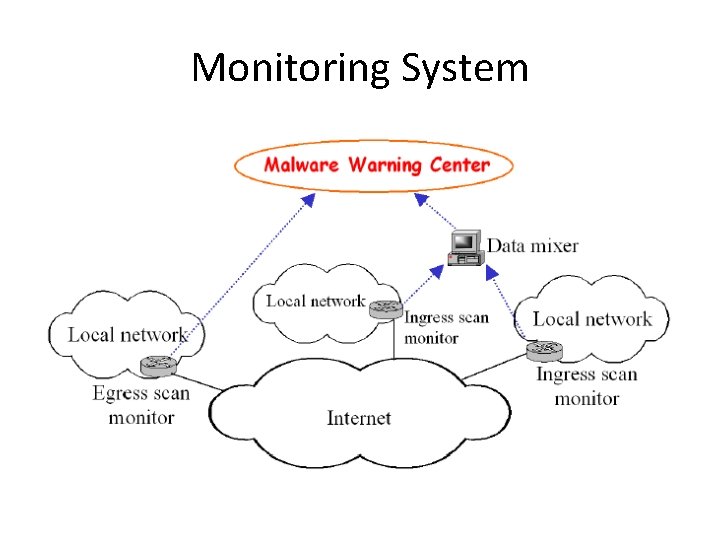
Monitoring System
Monitoring System • Provides comprehensive observation data on a worm’s activities for the early detection of the worm • Consists of : – Malware Warning Center (MWC) – Distributed monitors • Ingress scan monitors – monitor incoming traffic going to unused addresses • Egress scan monitors – monitor outgoing traffic
Monitoring System • Ingress monitors collect: – Number of scans received in an interval – IP addresses of infected hosts that have sent scans to the monitors • Egress monitors collect: – Average worm scan rate • Malware Warning Center (MWC) monitors: – Worm’s average scan rate – Total number of scans monitored – Number of infected hosts observed
Worm Detection • MWC collects and aggregates reports from distributed monitors • If total number of scans is over a threshold for several consecutive intervals, MWC activates the Kalman filter and begins to test the hypothesis that the number of infected hosts follows exponential distribution
Code Red Simulation • Population: N=360, 000, Infection rate: = 1. 8/hour, • Scan rate = 358/min, Initially infected: I 0=10 • Monitored IP space 220, Monitoring interval: = 1 minute Infected hosts estimation
Slammer Simulation • Population: N=100, 000 • Scan rate = 4000/sec, Initially infected: I 0=10 • Monitored IP space 220, Monitoring interval: = 1 second Infected hosts estimation