Developing Hadoop Applications in Java A Hortonworks University

![Defining a Raw. Comparator public int compare(byte[] b 1, int s 1, int l](https://slidetodoc.com/presentation_image_h2/5ba9c65514ab4f3a3ec97f7608fde069/image-87.jpg "Defining a Raw. Comparator public int compare(byte[] b 1, int s 1, int l")



![Inserting Data into an HBase Table byte [] row. Key = Bytes. to. Bytes(65);](https://slidetodoc.com/presentation_image_h2/5ba9c65514ab4f3a3ec97f7608fde069/image-131.jpg "Inserting Data into an HBase Table byte [] row. Key = Bytes. to. Bytes(65);")
![Retrieving Data from an HBase Table byte [] row. Key = Bytes. to. Bytes(65);](https://slidetodoc.com/presentation_image_h2/5ba9c65514ab4f3a3ec97f7608fde069/image-132.jpg "Retrieving Data from an HBase Table byte [] row. Key = Bytes. to. Bytes(65);")
- Slides: 167
Developing Hadoop Applications in Java A Hortonworks University Hadoop Training Course for Developers © Hortonworks Inc. 2012
Course Introduction © Hortonworks Inc. 2012
Introductions • • Your name Job responsibilities Previous Hadoop experience (if any) What brought you here © Hortonworks Inc. 2012
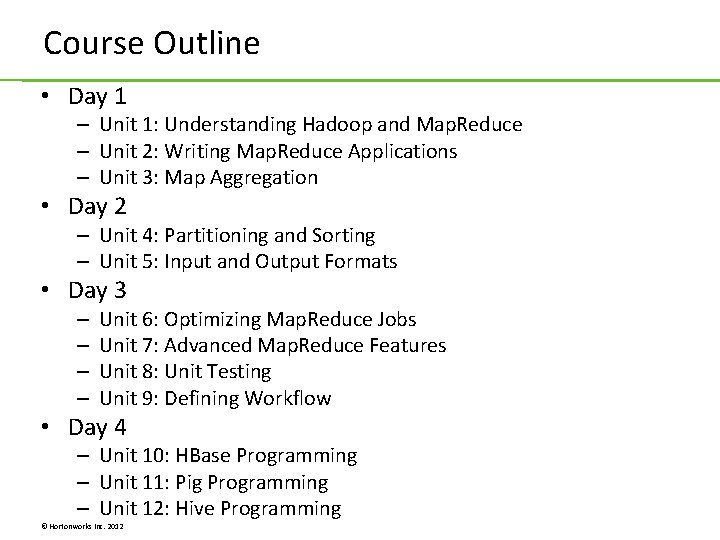
Course Outline • Day 1 – Unit 1: Understanding Hadoop and Map. Reduce – Unit 2: Writing Map. Reduce Applications – Unit 3: Map Aggregation • Day 2 – Unit 4: Partitioning and Sorting – Unit 5: Input and Output Formats • Day 3 – – Unit 6: Optimizing Map. Reduce Jobs Unit 7: Advanced Map. Reduce Features Unit 8: Unit Testing Unit 9: Defining Workflow • Day 4 – Unit 10: HBase Programming – Unit 11: Pig Programming – Unit 12: Hive Programming © Hortonworks Inc. 2012
Who is Hortonworks? © Hortonworks Inc. 2012
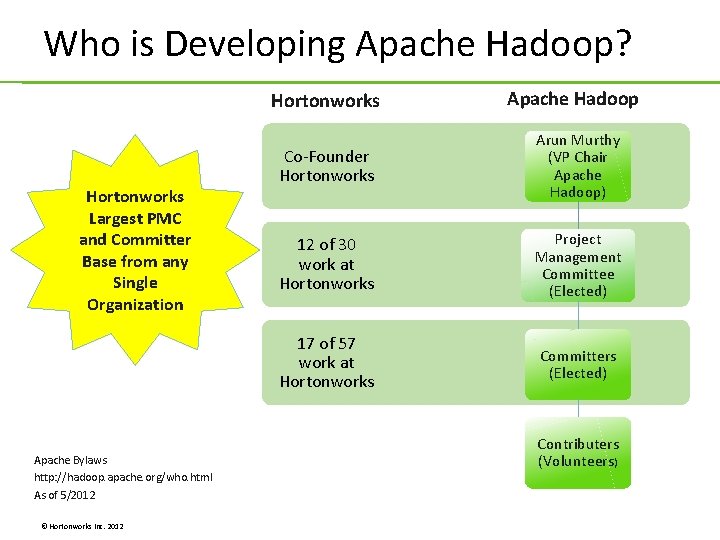
Who is Developing Apache Hadoop? Hortonworks Largest PMC and Committer Base from any Single Organization Apache Bylaws http: //hadoop. apache. org/who. html As of 5/2012 © Hortonworks Inc. 2012 Apache Hadoop Co-Founder Hortonworks Arun Murthy (VP Chair Apache Hadoop) 12 of 30 work at Hortonworks Project Management Committee (Elected) 17 of 57 work at Hortonworks Committers (Elected) Contributers (Volunteers)
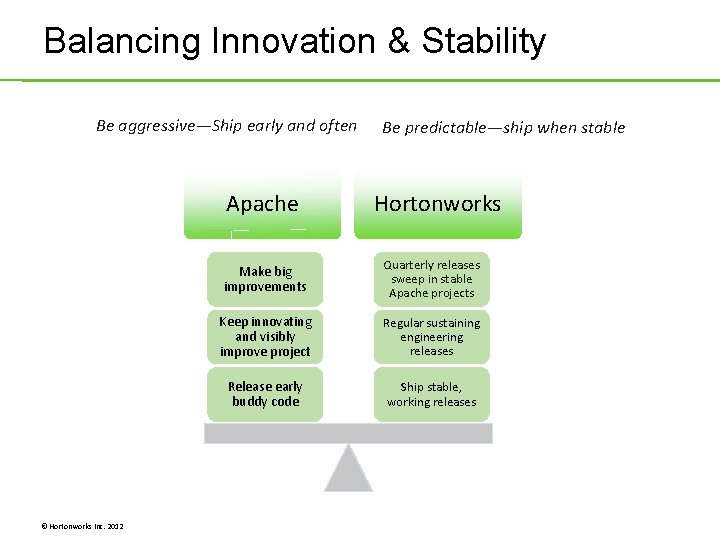
Balancing Innovation & Stability Be aggressive—Ship early and often Apache © Hortonworks Inc. 2012 Be predictable—ship when stable Hortonworks Make big improvements Quarterly releases sweep in stable Apache projects Keep innovating and visibly improve project Regular sustaining engineering releases Release early buddy code Ship stable, working releases
Unit 1: Understanding Hadoop and Map. Reduce © Hortonworks Inc. 2012
What is Hadoop? © Hortonworks Inc. 2012
Features of Hadoop = HDFS + Map. Reduce + Hive + Pig + HBase + HCatalog, Mahout, Zoo. Keeper, etc. © Hortonworks Inc. 2012
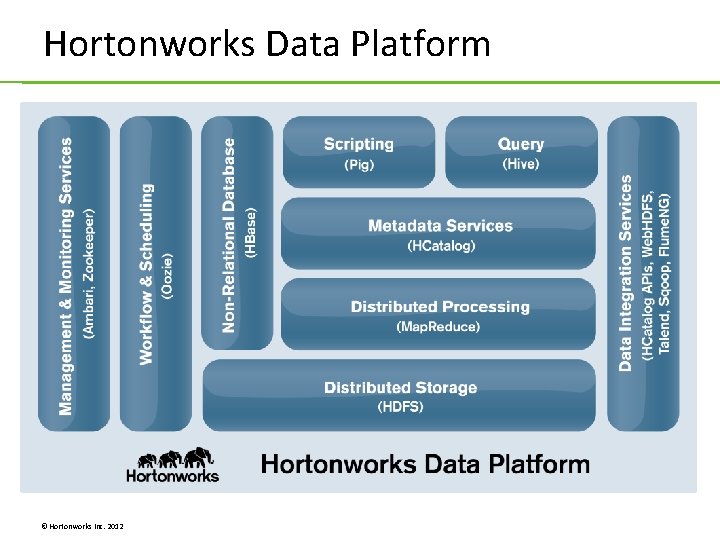
Hortonworks Data Platform © Hortonworks Inc. 2012
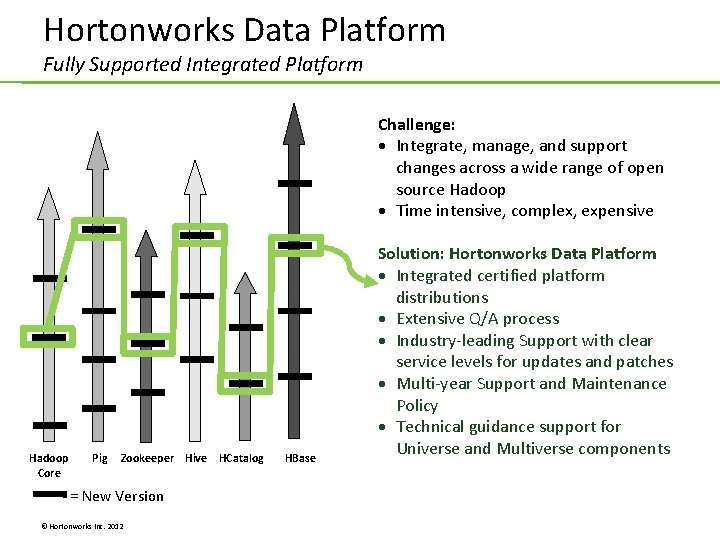
Hortonworks Data Platform Fully Supported Integrated Platform Challenge: Integrate, manage, and support changes across a wide range of open source Hadoop Time intensive, complex, expensive Hadoop Core Pig Zookeeper Hive HCatalog = New Version © Hortonworks Inc. 2012 HBase Solution: Hortonworks Data Platform Integrated certified platform distributions Extensive Q/A process Industry-leading Support with clear service levels for updates and patches Multi-year Support and Maintenance Policy Technical guidance support for Universe and Multiverse components
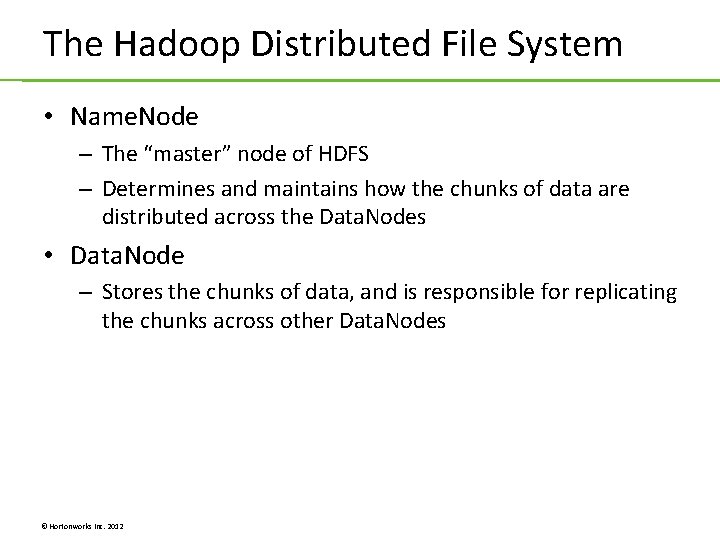
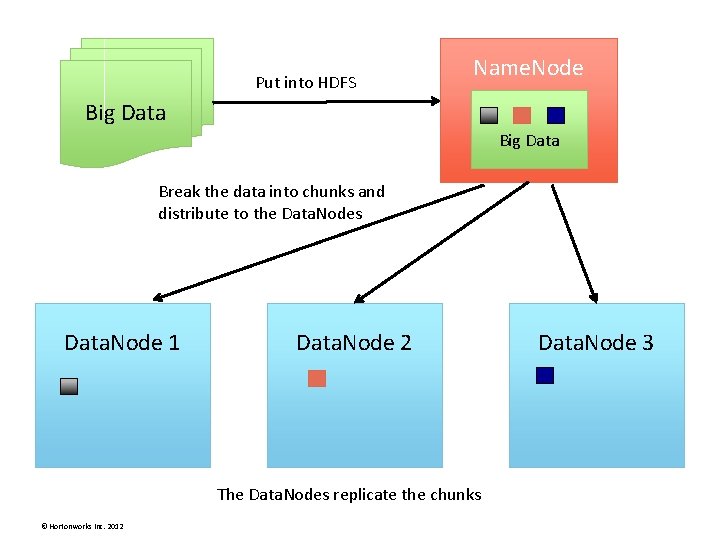
The Hadoop Distributed File System • Name. Node – The “master” node of HDFS – Determines and maintains how the chunks of data are distributed across the Data. Nodes • Data. Node – Stores the chunks of data, and is responsible for replicating the chunks across other Data. Nodes © Hortonworks Inc. 2012
Put into HDFS Name. Node Big Data Break the data into chunks and distribute to the Data. Nodes Data. Node 1 Data. Node 2 The Data. Nodes replicate the chunks © Hortonworks Inc. 2012 Data. Node 3
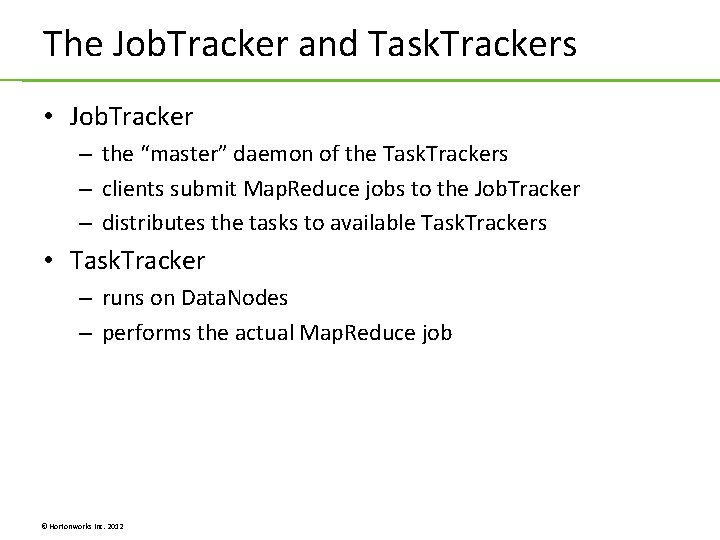
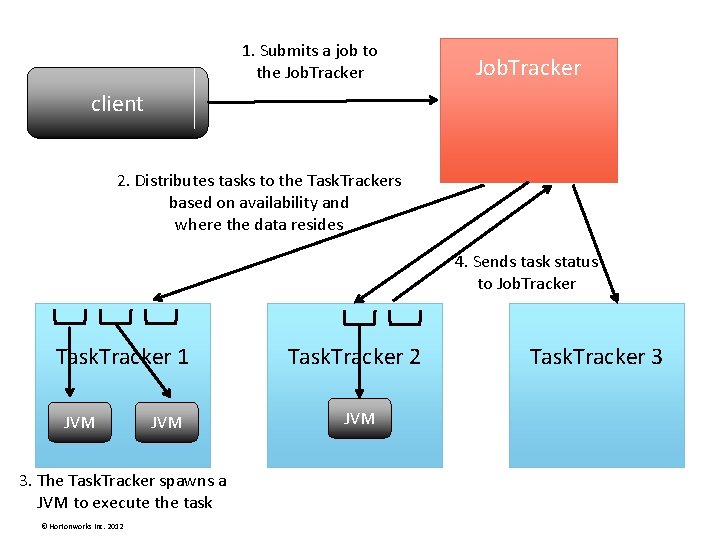
The Job. Tracker and Task. Trackers • Job. Tracker – the “master” daemon of the Task. Trackers – clients submit Map. Reduce jobs to the Job. Tracker – distributes the tasks to available Task. Trackers • Task. Tracker – runs on Data. Nodes – performs the actual Map. Reduce job © Hortonworks Inc. 2012
1. Submits a job to the Job. Tracker client 2. Distributes tasks to the Task. Trackers based on availability and where the data resides 4. Sends task status to Job. Tracker Task. Tracker 1 JVM 3. The Task. Tracker spawns a JVM to execute the task © Hortonworks Inc. 2012 Task. Tracker 2 JVM Task. Tracker 3
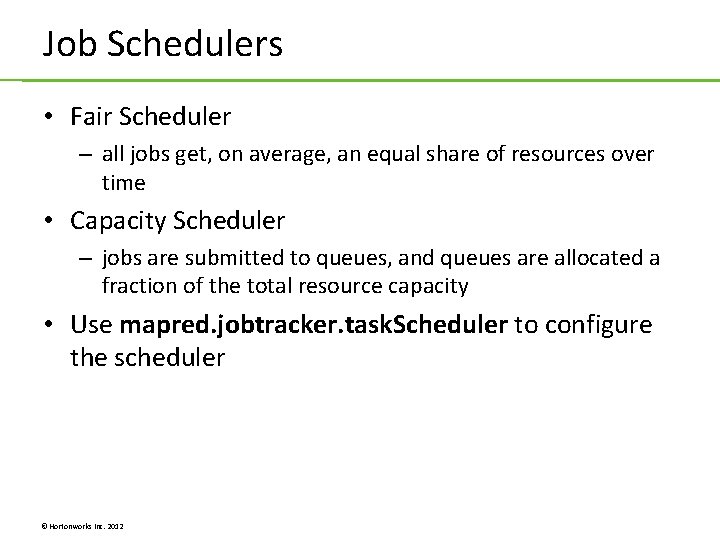
Job Schedulers • Fair Scheduler – all jobs get, on average, an equal share of resources over time • Capacity Scheduler – jobs are submitted to queues, and queues are allocated a fraction of the total resource capacity • Use mapred. jobtracker. task. Scheduler to configure the scheduler © Hortonworks Inc. 2012
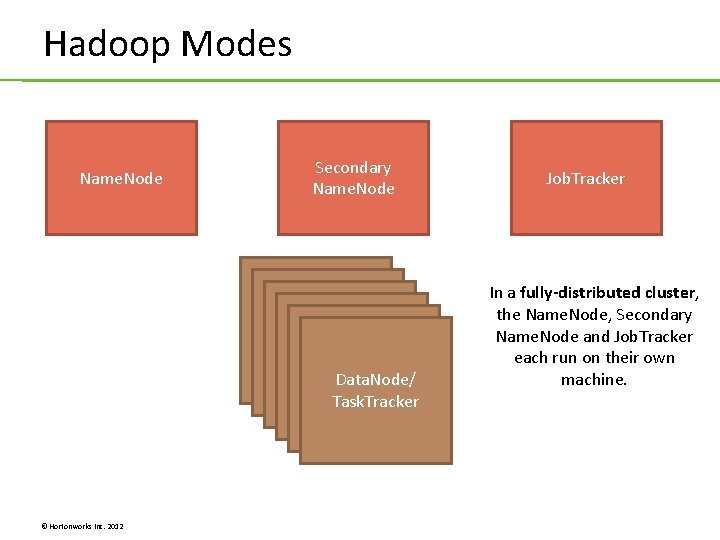
Hadoop Modes Name. Node Secondary Name. Node Data. Node/ Task. Tracer Task. Tracker © Hortonworks Inc. 2012 Job. Tracker In a fully-distributed cluster, the Name. Node, Secondary Name. Node and Job. Tracker each run on their own machine.
Installing HDP © Hortonworks Inc. 2012
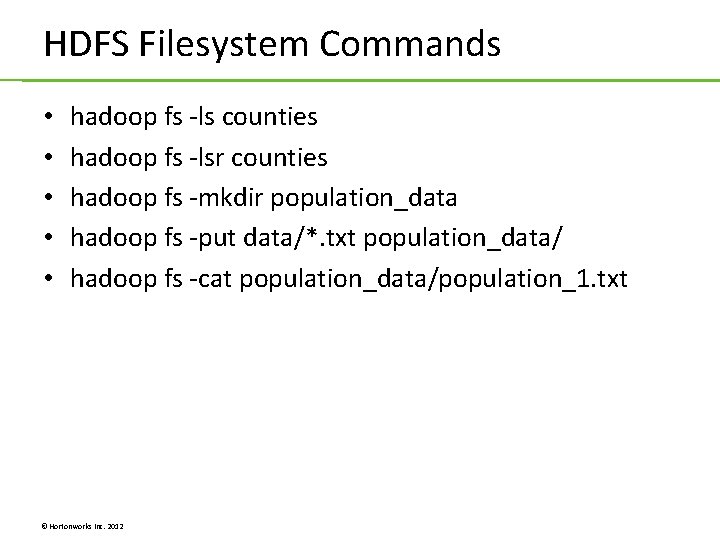
HDFS Filesystem Commands • • • hadoop fs -ls counties hadoop fs -lsr counties hadoop fs -mkdir population_data hadoop fs -put data/*. txt population_data/ hadoop fs -cat population_data/population_1. txt © Hortonworks Inc. 2012
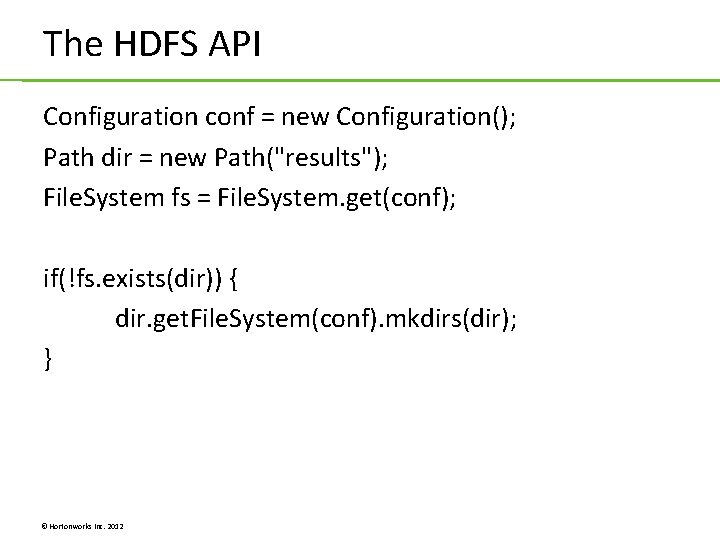
The HDFS API Configuration conf = new Configuration(); Path dir = new Path("results"); File. System fs = File. System. get(conf); if(!fs. exists(dir)) { dir. get. File. System(conf). mkdirs(dir); } © Hortonworks Inc. 2012
Lab 1. 1: Configuring a Hadoop Development Environment Lab 1. 2: Putting Files in HDFS with Java © Hortonworks Inc. 2012
Unit 2: Writing Map. Reduce Applications © Hortonworks Inc. 2012
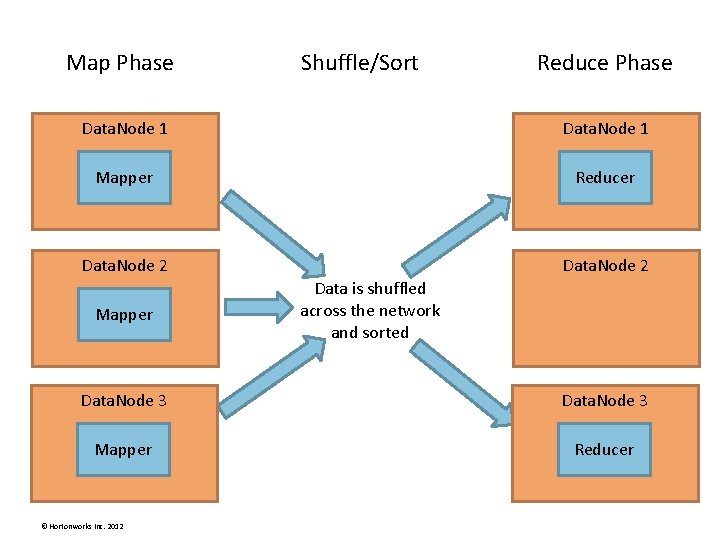
Map Phase Shuffle/Sort Reduce Phase Data. Node 1 Mapper Reducer Data. Node 2 Mapper Data is shuffled across the network and sorted Data. Node 3 Mapper Reducer © Hortonworks Inc. 2012
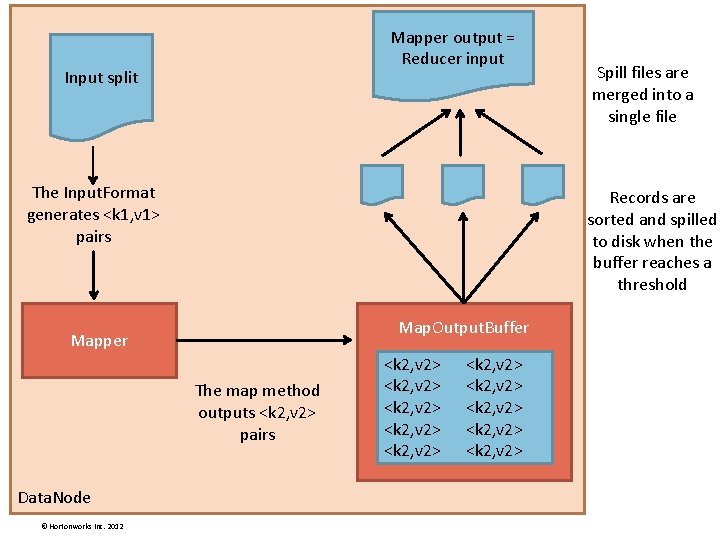
Mapper output = Reducer input Input split The Input. Format generates <k 1, v 1> pairs Records are sorted and spilled to disk when the buffer reaches a threshold Map. Output. Buffer Mapper The map method outputs <k 2, v 2> pairs Data. Node © Hortonworks Inc. 2012 Spill files are merged into a single file <k 2, v 2> <k 2, v 2> <k 2, v 2>
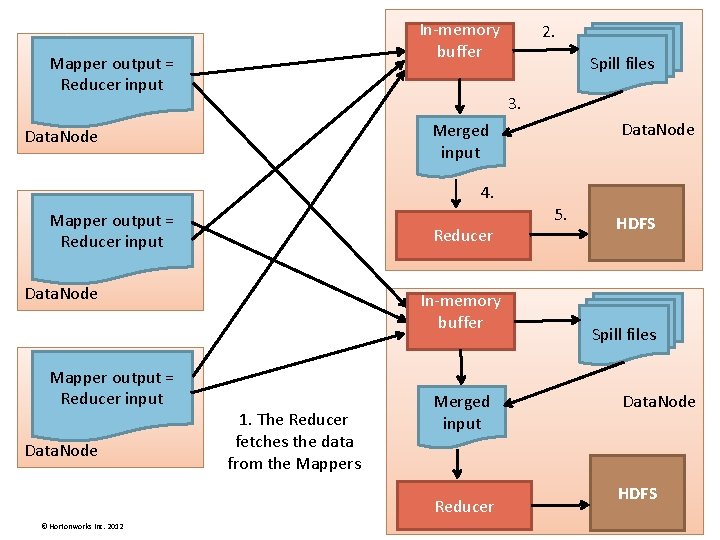
In-memory buffer Mapper output = Reducer input 2. Spill files 3. Data. Node Merged input Data. Node 4. Mapper output = Reducer input Reducer Data. Node Mapper output = Reducer input Data. Node In-memory buffer 1. The Reducer fetches the data from the Mappers Merged input Reducer © Hortonworks Inc. 2012 5. HDFS Spill files Data. Node HDFS
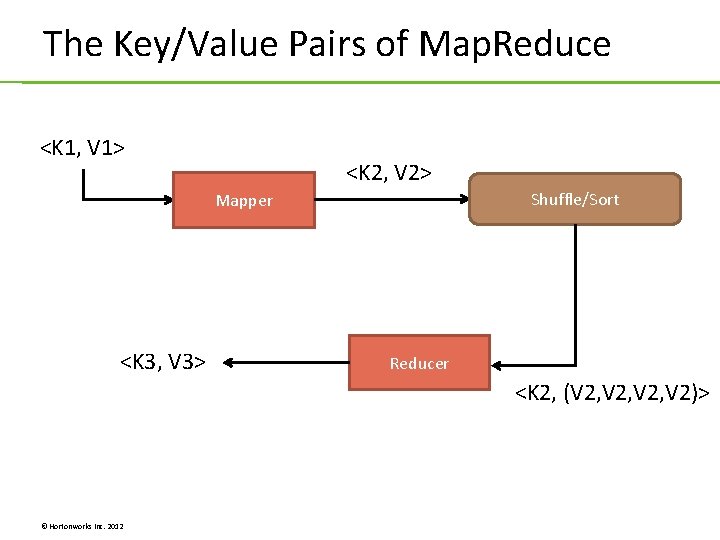
The Key/Value Pairs of Map. Reduce <K 1, V 1> <K 2, V 2> Shuffle/Sort Mapper <K 3, V 3> Reducer <K 2, (V 2, V 2)> © Hortonworks Inc. 2012
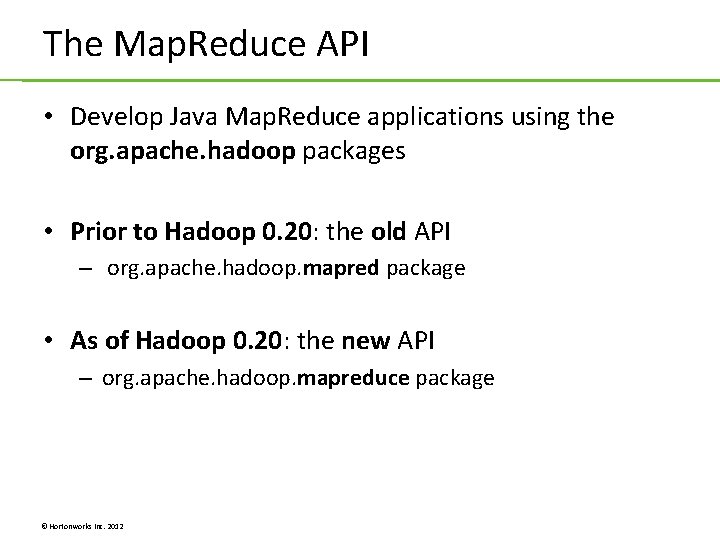
The Map. Reduce API • Develop Java Map. Reduce applications using the org. apache. hadoop packages • Prior to Hadoop 0. 20: the old API – org. apache. hadoop. mapred package • As of Hadoop 0. 20: the new API – org. apache. hadoop. mapreduce package © Hortonworks Inc. 2012
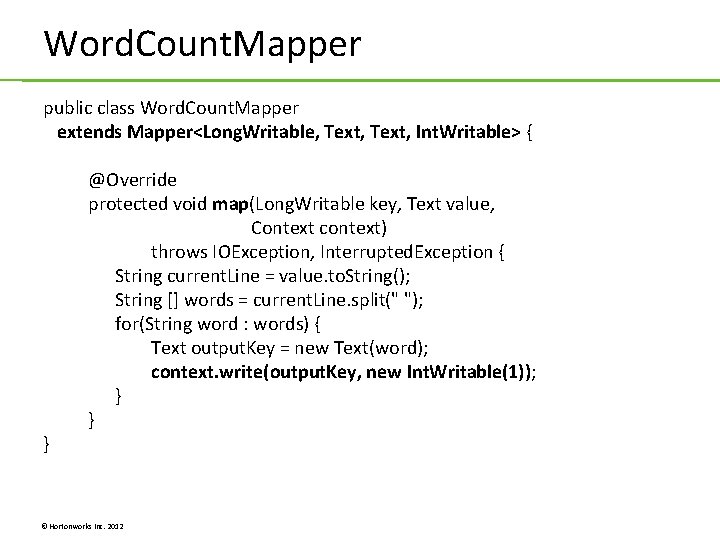
Word. Count. Mapper public class Word. Count. Mapper extends Mapper<Long. Writable, Text, Int. Writable> { } @Override protected void map(Long. Writable key, Text value, Context context) throws IOException, Interrupted. Exception { String current. Line = value. to. String(); String [] words = current. Line. split(" "); for(String word : words) { Text output. Key = new Text(word); context. write(output. Key, new Int. Writable(1)); } } © Hortonworks Inc. 2012
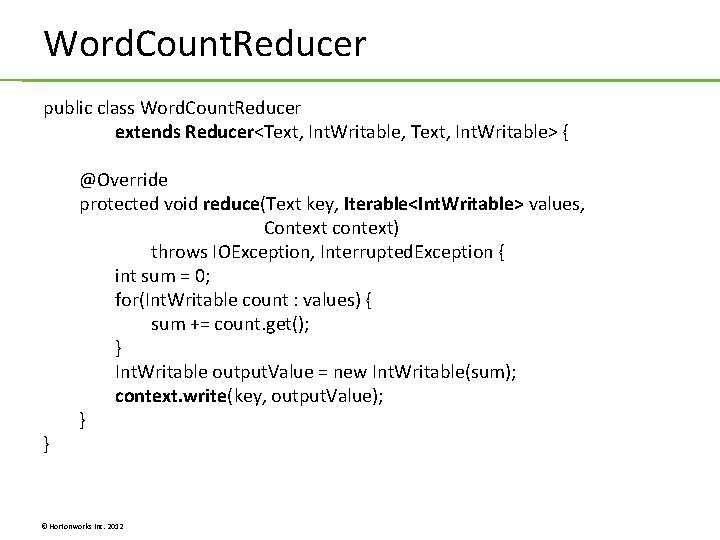
Word. Count. Reducer public class Word. Count. Reducer extends Reducer<Text, Int. Writable, Text, Int. Writable> { } @Override protected void reduce(Text key, Iterable<Int. Writable> values, Context context) throws IOException, Interrupted. Exception { int sum = 0; for(Int. Writable count : values) { sum += count. get(); } Int. Writable output. Value = new Int. Writable(sum); context. write(key, output. Value); } © Hortonworks Inc. 2012
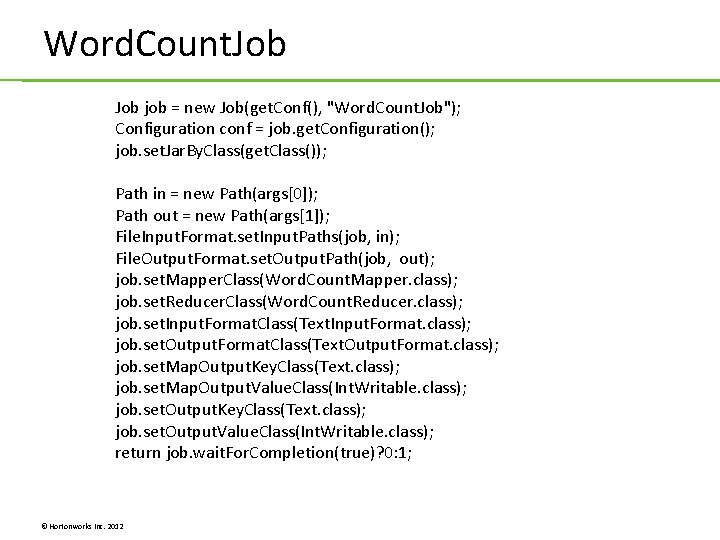
Word. Count. Job job = new Job(get. Conf(), "Word. Count. Job"); Configuration conf = job. get. Configuration(); job. set. Jar. By. Class(get. Class()); Path in = new Path(args[0]); Path out = new Path(args[1]); File. Input. Format. set. Input. Paths(job, in); File. Output. Format. set. Output. Path(job, out); job. set. Mapper. Class(Word. Count. Mapper. class); job. set. Reducer. Class(Word. Count. Reducer. class); job. set. Input. Format. Class(Text. Input. Format. class); job. set. Output. Format. Class(Text. Output. Format. class); job. set. Map. Output. Key. Class(Text. class); job. set. Map. Output. Value. Class(Int. Writable. class); job. set. Output. Key. Class(Text. class); job. set. Output. Value. Class(Int. Writable. class); return job. wait. For. Completion(true)? 0: 1; © Hortonworks Inc. 2012
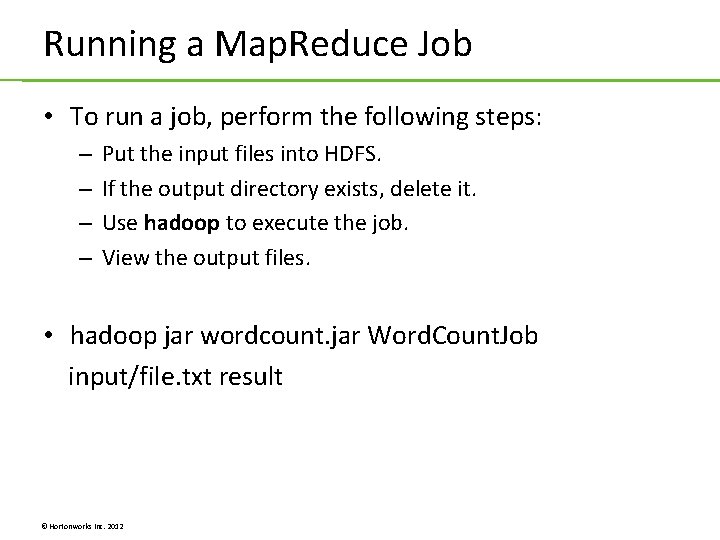
Running a Map. Reduce Job • To run a job, perform the following steps: – – Put the input files into HDFS. If the output directory exists, delete it. Use hadoop to execute the job. View the output files. • hadoop jar wordcount. jar Word. Count. Job input/file. txt result © Hortonworks Inc. 2012
Lab 2. 1: Word Count Lab 2. 2: Distributed Grep Lab 2. 3: Inverted Index © Hortonworks Inc. 2012
Unit 3: Map Aggregation © Hortonworks Inc. 2012
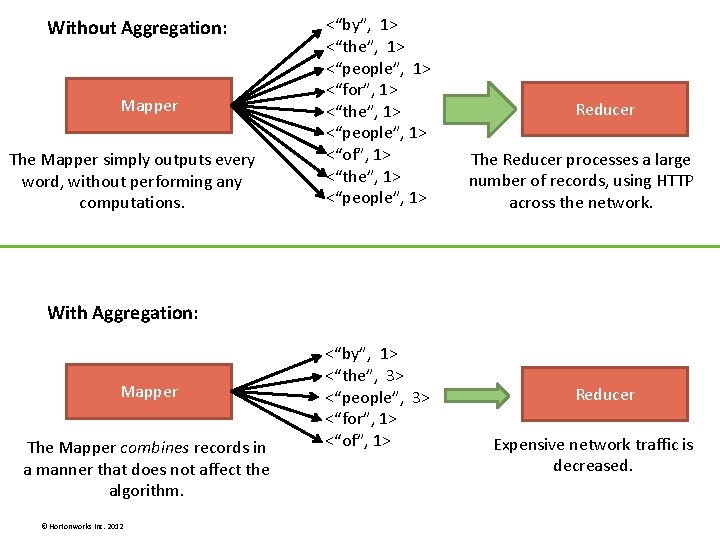
Without Aggregation: Mapper The Mapper simply outputs every word, without performing any computations. <“by”, 1> <“the”, 1> <“people”, 1> <“for”, 1> <“the”, 1> <“people”, 1> <“of”, 1> <“the”, 1> <“people”, 1> Reducer The Reducer processes a large number of records, using HTTP across the network. With Aggregation: Mapper The Mapper combines records in a manner that does not affect the algorithm. © Hortonworks Inc. 2012 <“by”, 1> <“the”, 3> <“people”, 3> <“for”, 1> <“of”, 1> Reducer Expensive network traffic is decreased.
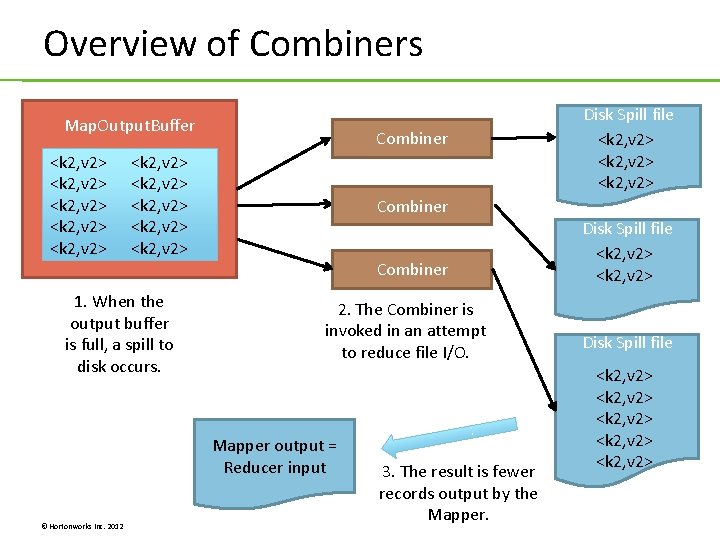
Overview of Combiners Map. Output. Buffer <k 2, v 2> <k 2, v 2> Combiner <k 2, v 2> <k 2, v 2> 1. When the output buffer is full, a spill to disk occurs. Combiner 2. The Combiner is invoked in an attempt to reduce file I/O. Mapper output = Reducer input © Hortonworks Inc. 2012 Disk Spill file <k 2, v 2> 3. The result is fewer records output by the Mapper. Disk Spill file <k 2, v 2> <k 2, v 2>
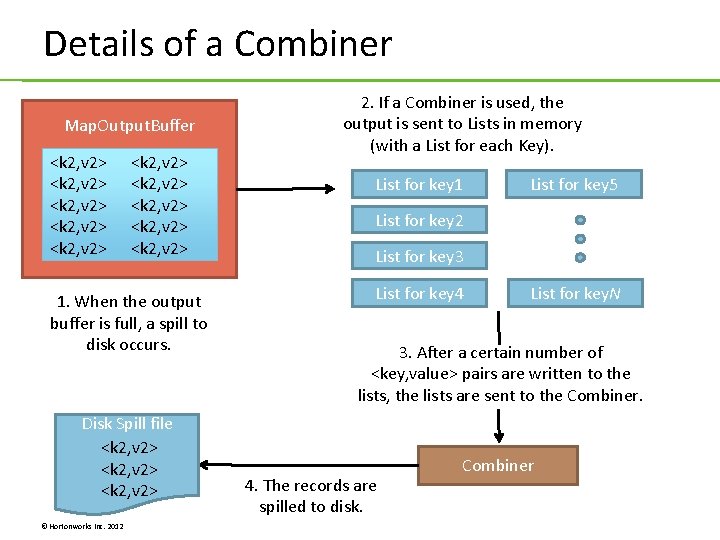
Details of a Combiner Map. Output. Buffer <k 2, v 2> <k 2, v 2> <k 2, v 2> 1. When the output buffer is full, a spill to disk occurs. Disk Spill file <k 2, v 2> © Hortonworks Inc. 2012 2. If a Combiner is used, the output is sent to Lists in memory (with a List for each Key). List for key 1 List for key 5 List for key 2 List for key 3 List for key 4 List for key. N 3. After a certain number of <key, value> pairs are written to the lists, the lists are sent to the Combiner. 4. The records are spilled to disk. Combiner
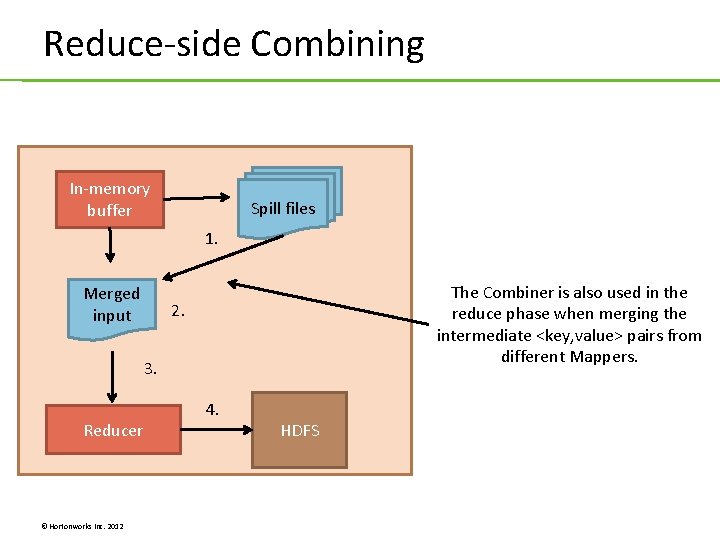
Reduce-side Combining In-memory buffer Spill files 1. Merged input The Combiner is also used in the reduce phase when merging the intermediate <key, value> pairs from different Mappers. 2. 3. Reducer © Hortonworks Inc. 2012 4. HDFS
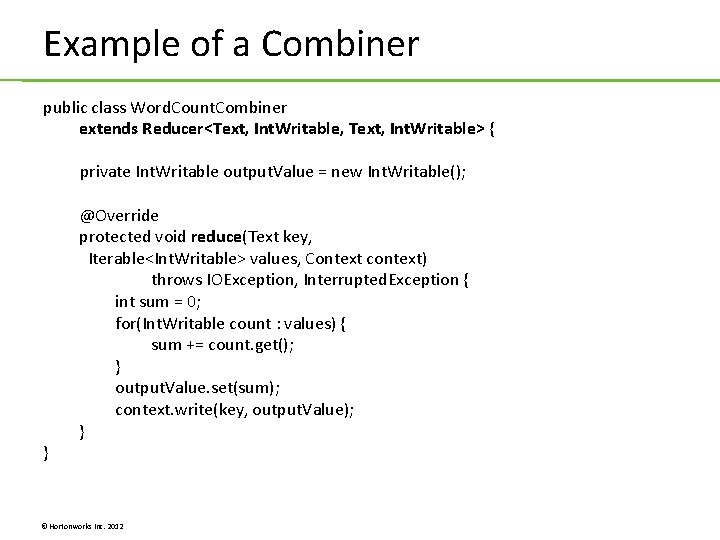
Example of a Combiner public class Word. Count. Combiner extends Reducer<Text, Int. Writable, Text, Int. Writable> { private Int. Writable output. Value = new Int. Writable(); } @Override protected void reduce(Text key, Iterable<Int. Writable> values, Context context) throws IOException, Interrupted. Exception { int sum = 0; for(Int. Writable count : values) { sum += count. get(); } output. Value. set(sum); context. write(key, output. Value); } © Hortonworks Inc. 2012
In-Map Aggregation • The Mapper combines records as they are being processed • The Mapper stores records in memory • If you have a lot of records and storing in memory is prohibitive, then in-map aggregation may not work for you © Hortonworks Inc. 2012
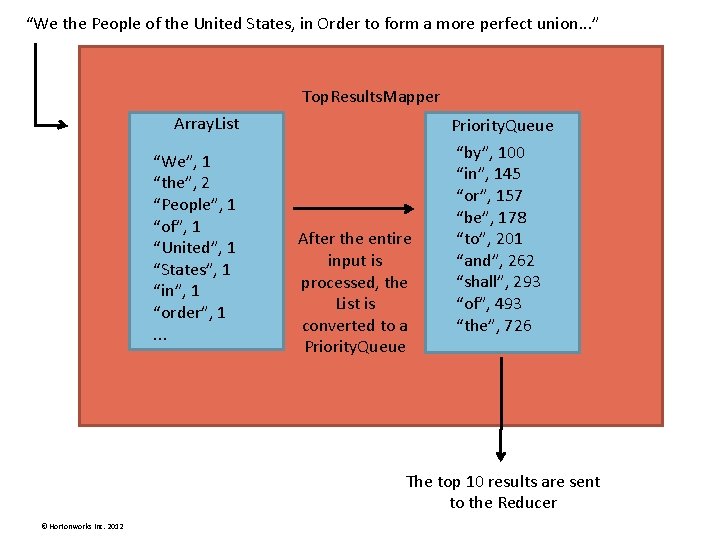
“We the People of the United States, in Order to form a more perfect union. . . ” Top. Results. Mapper Array. List “We”, 1 “the”, 2 “People”, 1 “of”, 1 “United”, 1 “States”, 1 “in”, 1 “order”, 1. . . Priority. Queue After the entire input is processed, the List is converted to a Priority. Queue “by”, 100 “in”, 145 “or”, 157 “be”, 178 “to”, 201 “and”, 262 “shall”, 293 “of”, 493 “the”, 726 The top 10 results are sent to the Reducer © Hortonworks Inc. 2012
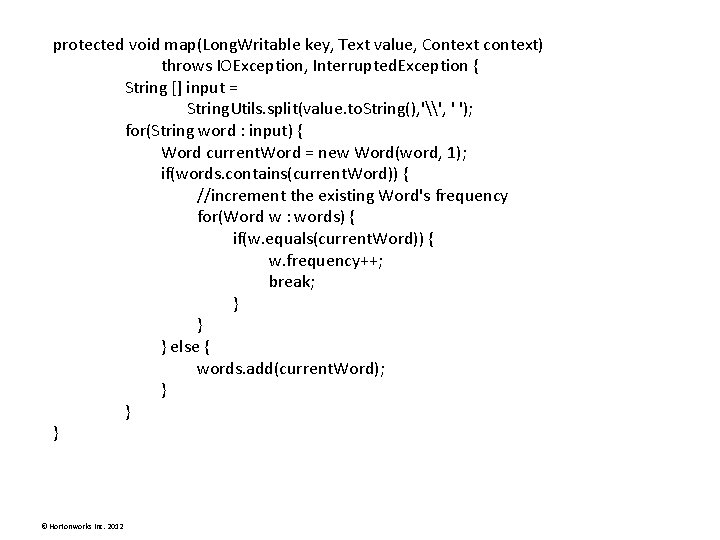
protected void map(Long. Writable key, Text value, Context context) throws IOException, Interrupted. Exception { String [] input = String. Utils. split(value. to. String(), '\', ' '); for(String word : input) { Word current. Word = new Word(word, 1); if(words. contains(current. Word)) { //increment the existing Word's frequency for(Word w : words) { if(w. equals(current. Word)) { w. frequency++; break; } } } else { words. add(current. Word); } } } © Hortonworks Inc. 2012
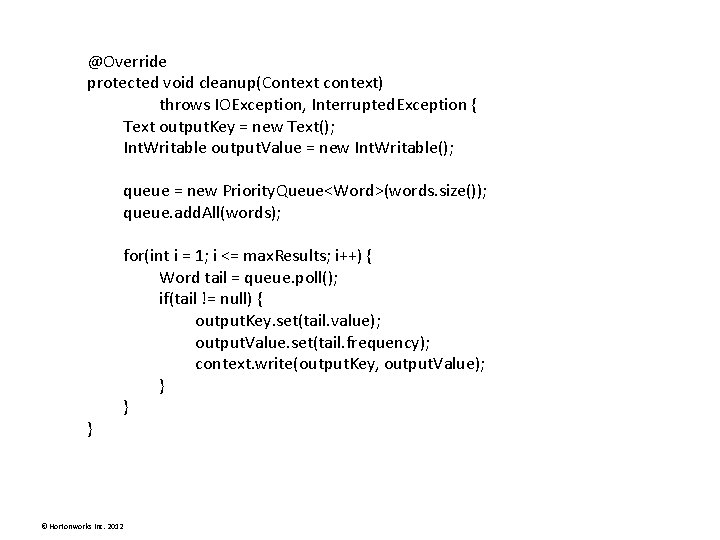
@Override protected void cleanup(Context context) throws IOException, Interrupted. Exception { Text output. Key = new Text(); Int. Writable output. Value = new Int. Writable(); queue = new Priority. Queue<Word>(words. size()); queue. add. All(words); } © Hortonworks Inc. 2012 for(int i = 1; i <= max. Results; i++) { Word tail = queue. poll(); if(tail != null) { output. Key. set(tail. value); output. Value. set(tail. frequency); context. write(output. Key, output. Value); } }
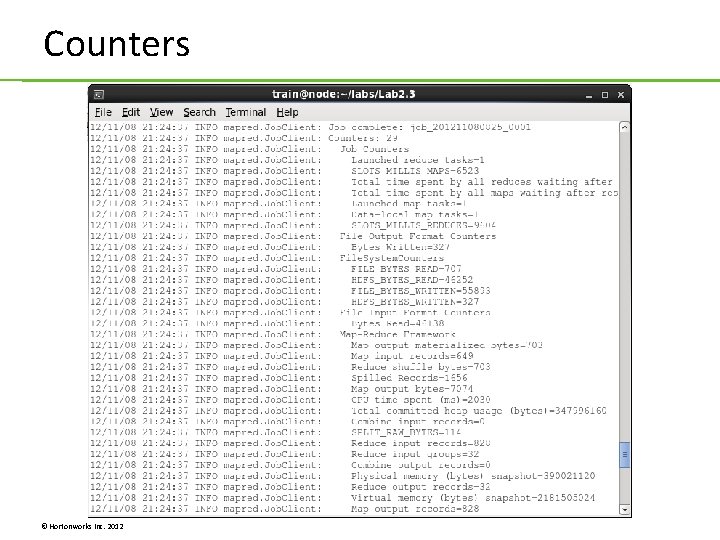
Counters © Hortonworks Inc. 2012
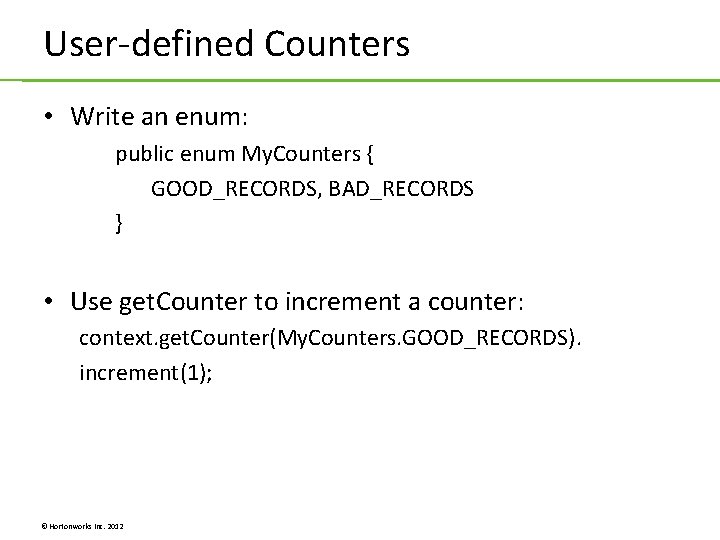
User-defined Counters • Write an enum: public enum My. Counters { GOOD_RECORDS, BAD_RECORDS } • Use get. Counter to increment a counter: context. get. Counter(My. Counters. GOOD_RECORDS). increment(1); © Hortonworks Inc. 2012
Lab 3. 1: Using a Combiner Lab 3. 2: Computing an Average © Hortonworks Inc. 2012
Unit 4: Partitioning and Sorting © Hortonworks Inc. 2012
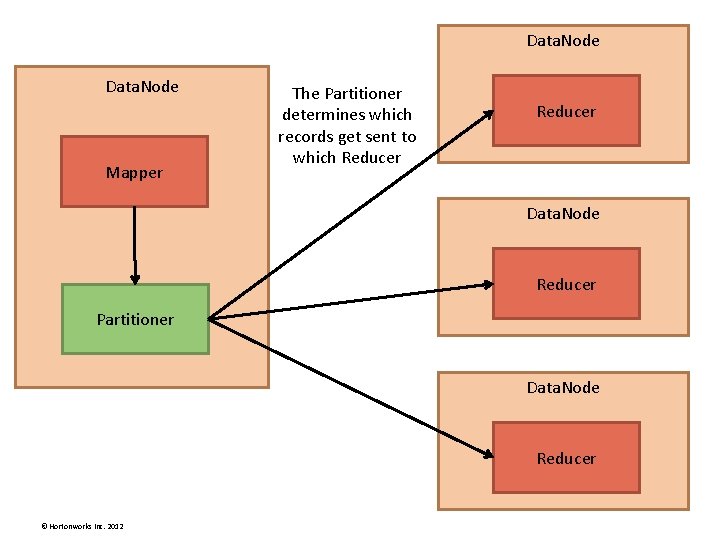
Data. Node Mapper The Partitioner determines which records get sent to which Reducer Data. Node Reducer Partitioner Data. Node Reducer © Hortonworks Inc. 2012
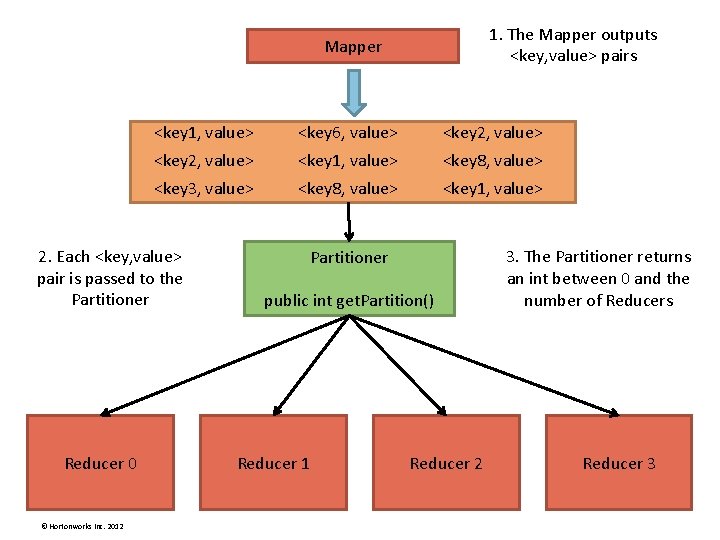
1. The Mapper outputs <key, value> pairs Mapper <key 1, value> <key 6, value> <key 2, value> <key 1, value> <key 8, value> <key 3, value> <key 8, value> <key 1, value> 2. Each <key, value> pair is passed to the Partitioner Reducer 0 © Hortonworks Inc. 2012 Partitioner public int get. Partition() Reducer 1 Reducer 2 3. The Partitioner returns an int between 0 and the number of Reducers Reducer 3
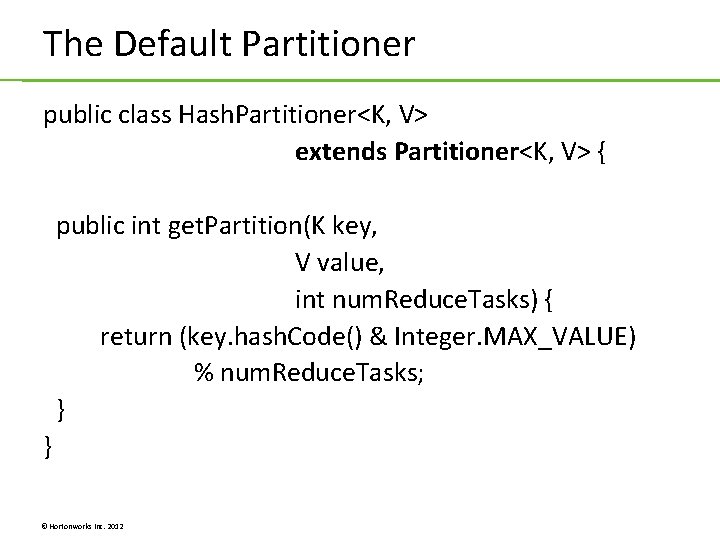
The Default Partitioner public class Hash. Partitioner<K, V> extends Partitioner<K, V> { public int get. Partition(K key, V value, int num. Reduce. Tasks) { return (key. hash. Code() & Integer. MAX_VALUE) % num. Reduce. Tasks; } } © Hortonworks Inc. 2012
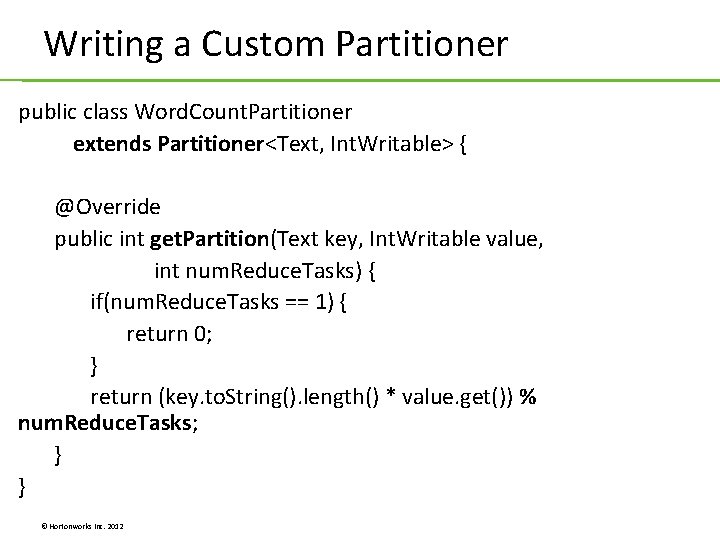
Writing a Custom Partitioner public class Word. Count. Partitioner extends Partitioner<Text, Int. Writable> { @Override public int get. Partition(Text key, Int. Writable value, int num. Reduce. Tasks) { if(num. Reduce. Tasks == 1) { return 0; } return (key. to. String(). length() * value. get()) % num. Reduce. Tasks; } } © Hortonworks Inc. 2012
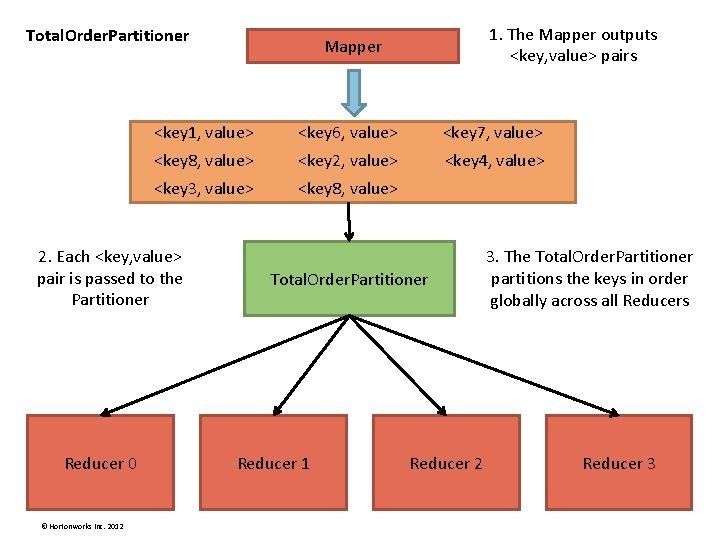
Total. Order. Partitioner © Hortonworks Inc. 2012 Mapper <key 1, value> <key 6, value> <key 7, value> <key 8, value> <key 2, value> <key 4, value> <key 3, value> <key 8, value> 2. Each <key, value> pair is passed to the Partitioner Reducer 0 1. The Mapper outputs <key, value> pairs Total. Order. Partitioner Reducer 1 Reducer 2 3. The Total. Order. Partitioner partitions the keys in order globally across all Reducers Reducer 3
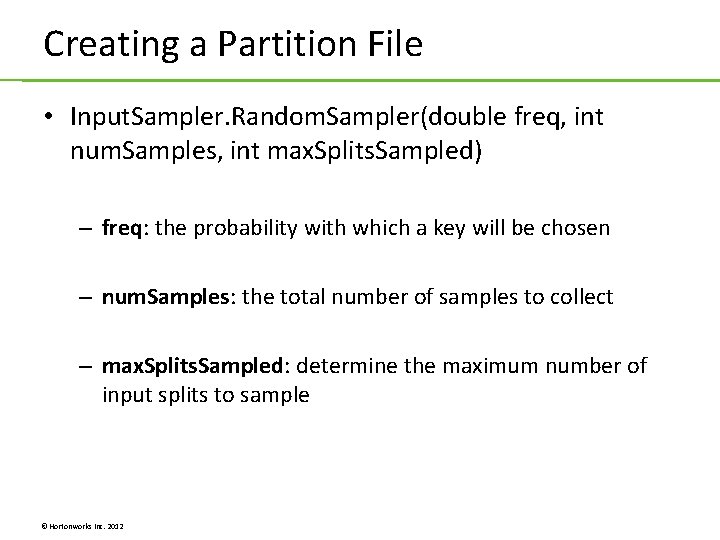
Creating a Partition File • Input. Sampler. Random. Sampler(double freq, int num. Samples, int max. Splits. Sampled) – freq: the probability with which a key will be chosen – num. Samples: the total number of samples to collect – max. Splits. Sampled: determine the maximum number of input splits to sample © Hortonworks Inc. 2012
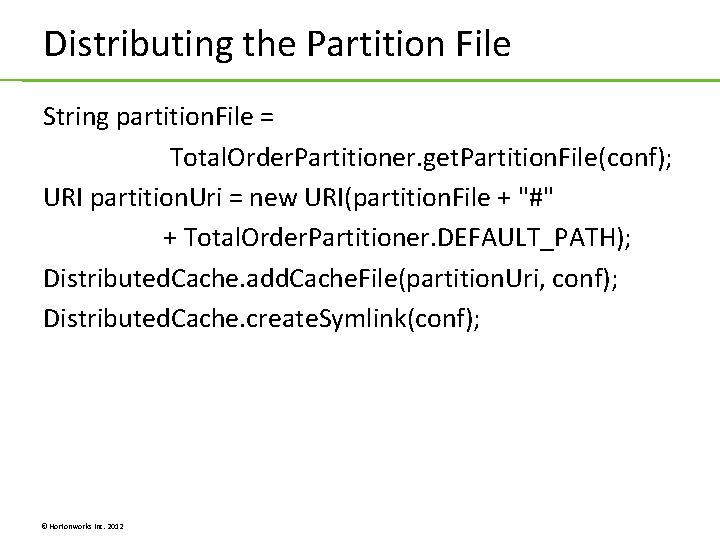
Distributing the Partition File String partition. File = Total. Order. Partitioner. get. Partition. File(conf); URI partition. Uri = new URI(partition. File + "#" + Total. Order. Partitioner. DEFAULT_PATH); Distributed. Cache. add. Cache. File(partition. Uri, conf); Distributed. Cache. create. Symlink(conf); © Hortonworks Inc. 2012
Lab 4. 1: Writing a Custom Partitioner Lab 4. 2: Using Total. Order. Partitioner © Hortonworks Inc. 2012
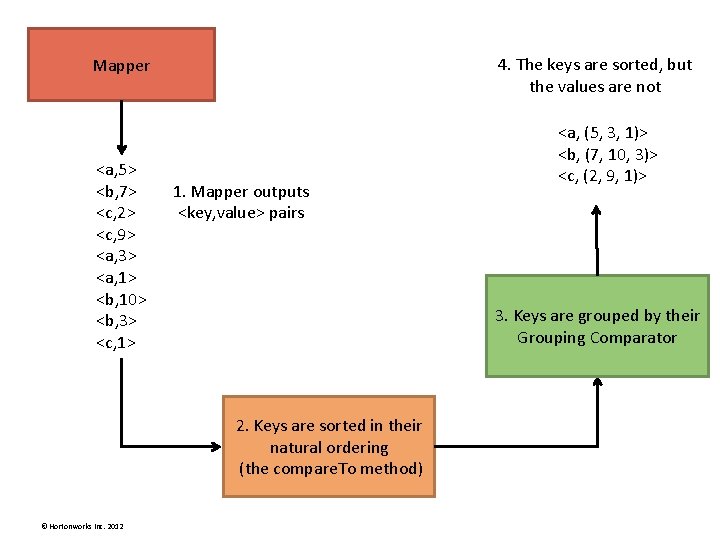
4. The keys are sorted, but the values are not Mapper <a, 5> <b, 7> <c, 2> <c, 9> <a, 3> <a, 1> <b, 10> <b, 3> <c, 1> 1. Mapper outputs <key, value> pairs 3. Keys are grouped by their Grouping Comparator 2. Keys are sorted in their natural ordering (the compare. To method) © Hortonworks Inc. 2012 <a, (5, 3, 1)> <b, (7, 10, 3)> <c, (2, 9, 1)>
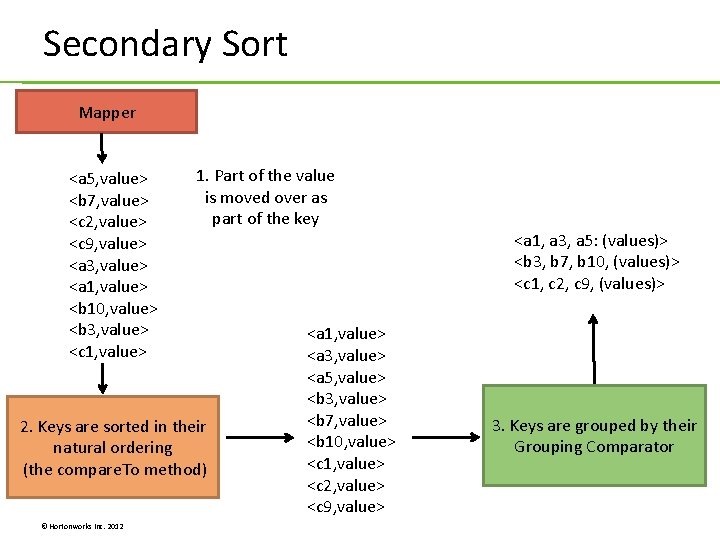
Secondary Sort Mapper <a 5, value> <b 7, value> <c 2, value> <c 9, value> <a 3, value> <a 1, value> <b 10, value> <b 3, value> <c 1, value> 1. Part of the value is moved over as part of the key 2. Keys are sorted in their natural ordering (the compare. To method) © Hortonworks Inc. 2012 <a 1, value> <a 3, value> <a 5, value> <b 3, value> <b 7, value> <b 10, value> <c 1, value> <c 2, value> <c 9, value> <a 1, a 3, a 5: (values)> <b 3, b 7, b 10, (values)> <c 1, c 2, c 9, (values)> 3. Keys are grouped by their Grouping Comparator
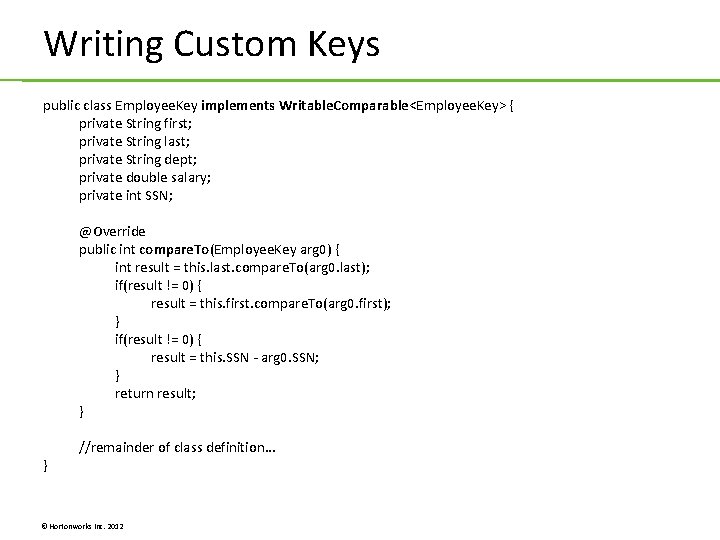
Writing Custom Keys public class Employee. Key implements Writable. Comparable<Employee. Key> { private String first; private String last; private String dept; private double salary; private int SSN; @Override public int compare. To(Employee. Key arg 0) { int result = this. last. compare. To(arg 0. last); if(result != 0) { result = this. first. compare. To(arg 0. first); } if(result != 0) { result = this. SSN - arg 0. SSN; } return result; } } //remainder of class definition. . . © Hortonworks Inc. 2012
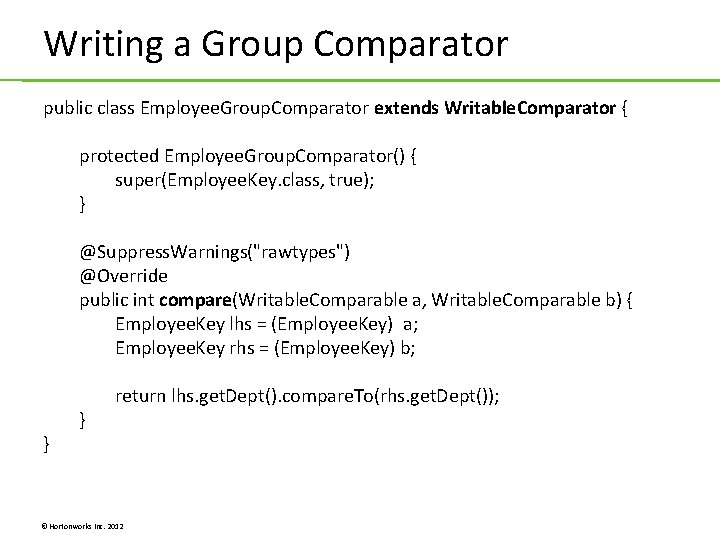
Writing a Group Comparator public class Employee. Group. Comparator extends Writable. Comparator { protected Employee. Group. Comparator() { super(Employee. Key. class, true); } @Suppress. Warnings("rawtypes") @Override public int compare(Writable. Comparable a, Writable. Comparable b) { Employee. Key lhs = (Employee. Key) a; Employee. Key rhs = (Employee. Key) b; } } return lhs. get. Dept(). compare. To(rhs. get. Dept()); © Hortonworks Inc. 2012
Lab 4. 3: Custom Sorting © Hortonworks Inc. 2012
Unit 5: Input and Output Formats © Hortonworks Inc. 2012
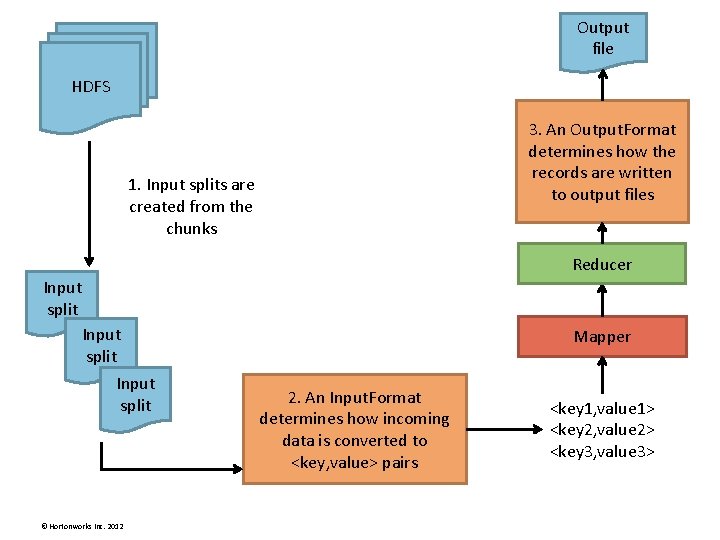
Output file HDFS 3. An Output. Format determines how the records are written to output files 1. Input splits are created from the chunks Reducer Input split © Hortonworks Inc. 2012 Mapper 2. An Input. Format determines how incoming data is converted to <key, value> pairs <key 1, value 1> <key 2, value 2> <key 3, value 3>
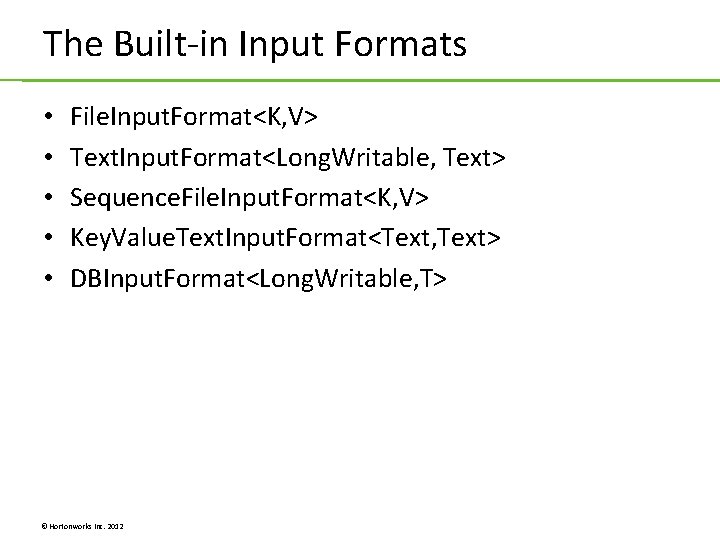
The Built-in Input Formats • • • File. Input. Format<K, V> Text. Input. Format<Long. Writable, Text> Sequence. File. Input. Format<K, V> Key. Value. Text. Input. Format<Text, Text> DBInput. Format<Long. Writable, T> © Hortonworks Inc. 2012
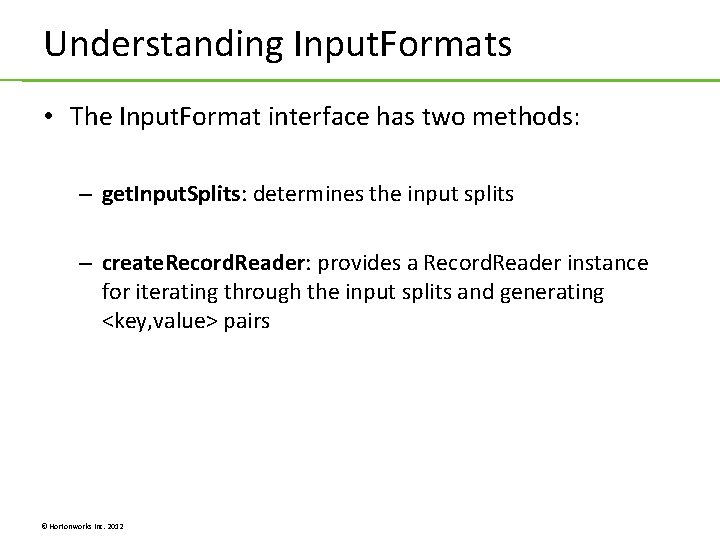
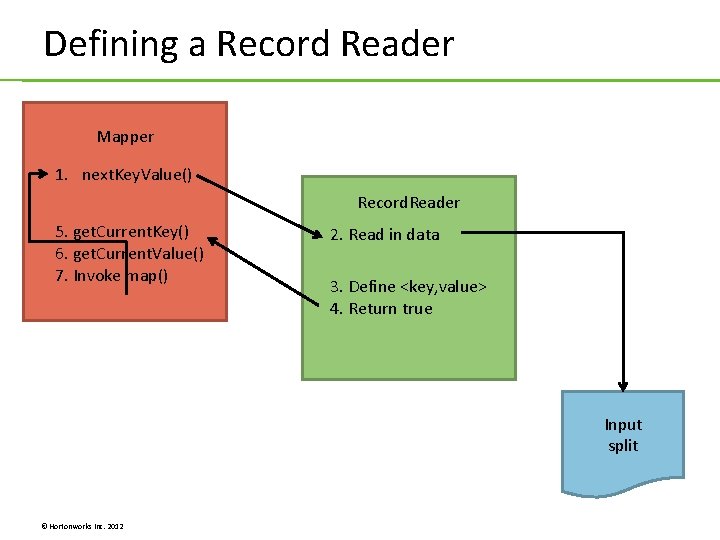
Understanding Input. Formats • The Input. Format interface has two methods: – get. Input. Splits: determines the input splits – create. Record. Reader: provides a Record. Reader instance for iterating through the input splits and generating <key, value> pairs © Hortonworks Inc. 2012
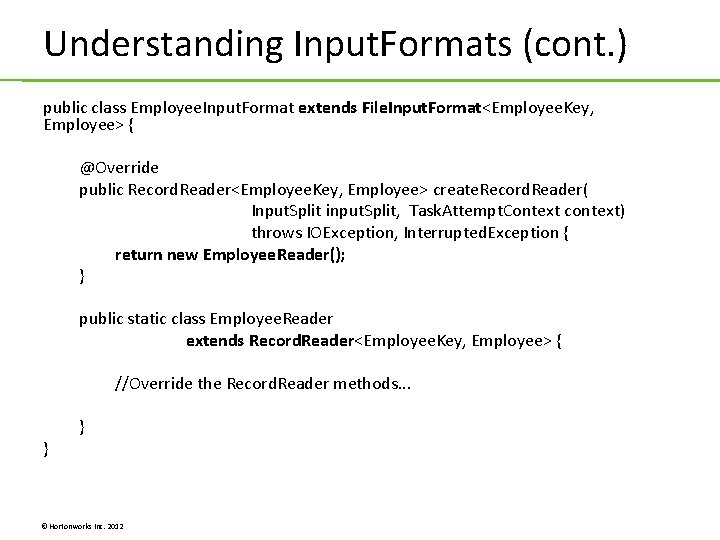
Understanding Input. Formats (cont. ) public class Employee. Input. Format extends File. Input. Format<Employee. Key, Employee> { @Override public Record. Reader<Employee. Key, Employee> create. Record. Reader( Input. Split input. Split, Task. Attempt. Context context) throws IOException, Interrupted. Exception { return new Employee. Reader(); } public static class Employee. Reader extends Record. Reader<Employee. Key, Employee> { //Override the Record. Reader methods. . . } } © Hortonworks Inc. 2012
Defining a Record Reader Mapper 1. next. Key. Value() Record. Reader 5. get. Current. Key() 6. get. Current. Value() 7. Invoke map() 2. Read in data 3. Define <key, value> 4. Return true Input split © Hortonworks Inc. 2012
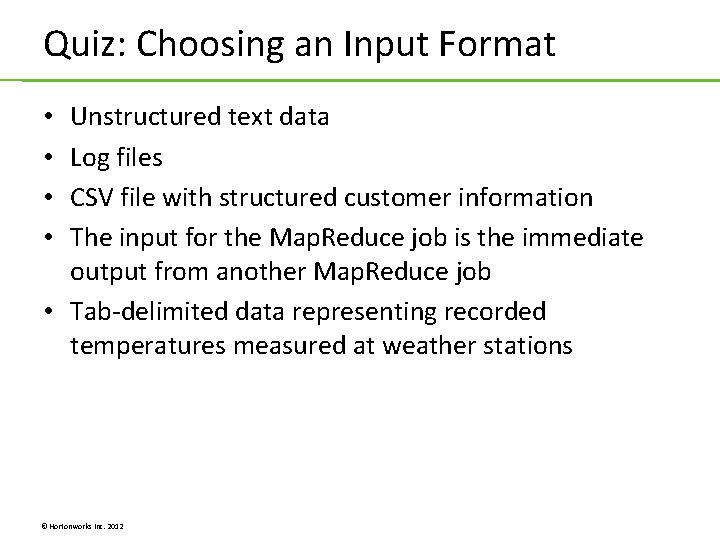
Quiz: Choosing an Input Format Unstructured text data Log files CSV file with structured customer information The input for the Map. Reduce job is the immediate output from another Map. Reduce job • Tab-delimited data representing recorded temperatures measured at weather stations • • © Hortonworks Inc. 2012
Lab 5. 1: Writing a Custom Input. Format © Hortonworks Inc. 2012
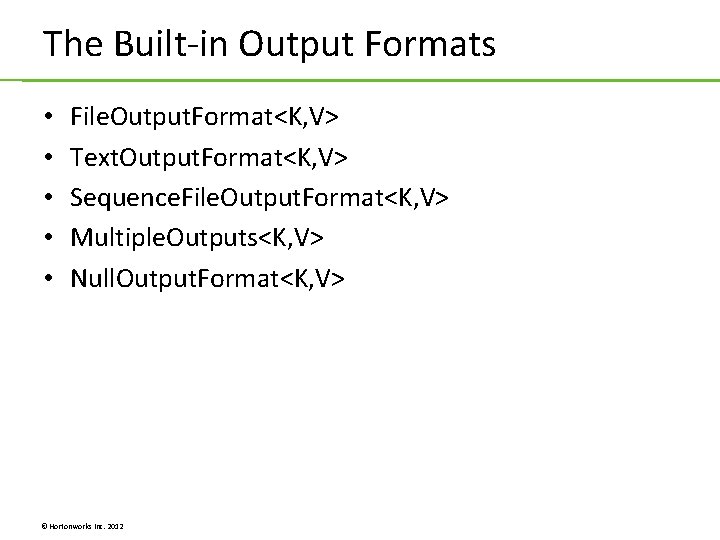
The Built-in Output Formats • • • File. Output. Format<K, V> Text. Output. Format<K, V> Sequence. File. Output. Format<K, V> Multiple. Outputs<K, V> Null. Output. Format<K, V> © Hortonworks Inc. 2012
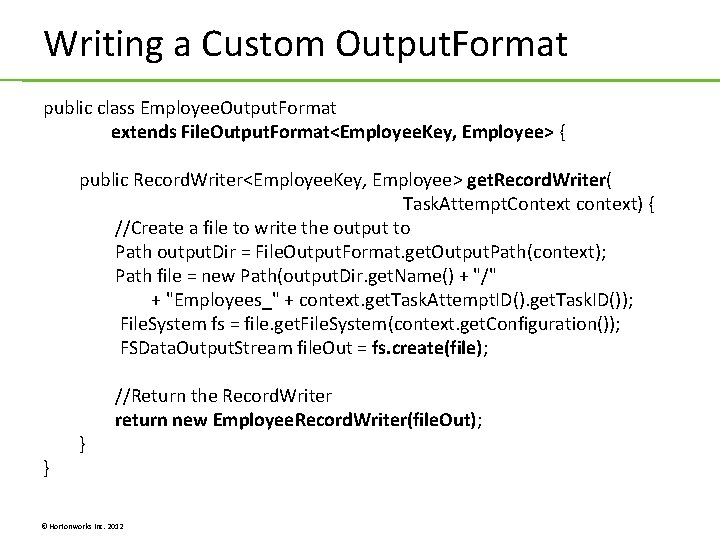
Writing a Custom Output. Format public class Employee. Output. Format extends File. Output. Format<Employee. Key, Employee> { public Record. Writer<Employee. Key, Employee> get. Record. Writer( Task. Attempt. Context context) { //Create a file to write the output to Path output. Dir = File. Output. Format. get. Output. Path(context); Path file = new Path(output. Dir. get. Name() + "/" + "Employees_" + context. get. Task. Attempt. ID(). get. Task. ID()); File. System fs = file. get. File. System(context. get. Configuration()); FSData. Output. Stream file. Out = fs. create(file); } } //Return the Record. Writer return new Employee. Record. Writer(file. Out); © Hortonworks Inc. 2012
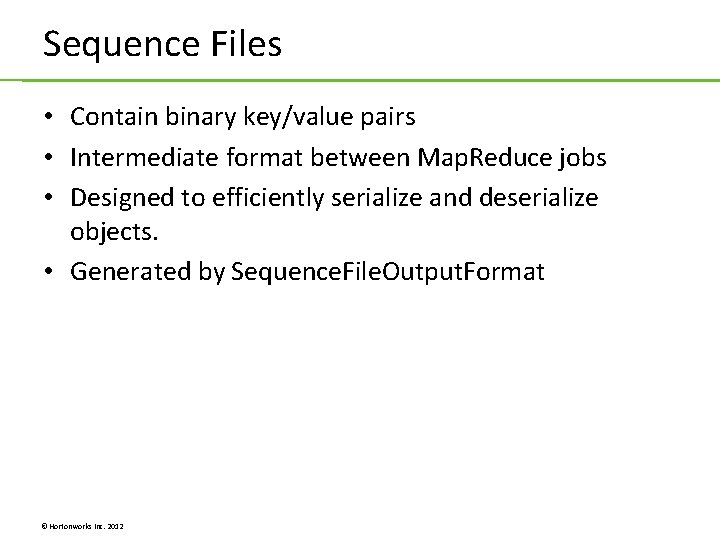
Sequence Files • Contain binary key/value pairs • Intermediate format between Map. Reduce jobs • Designed to efficiently serialize and deserialize objects. • Generated by Sequence. File. Output. Format © Hortonworks Inc. 2012
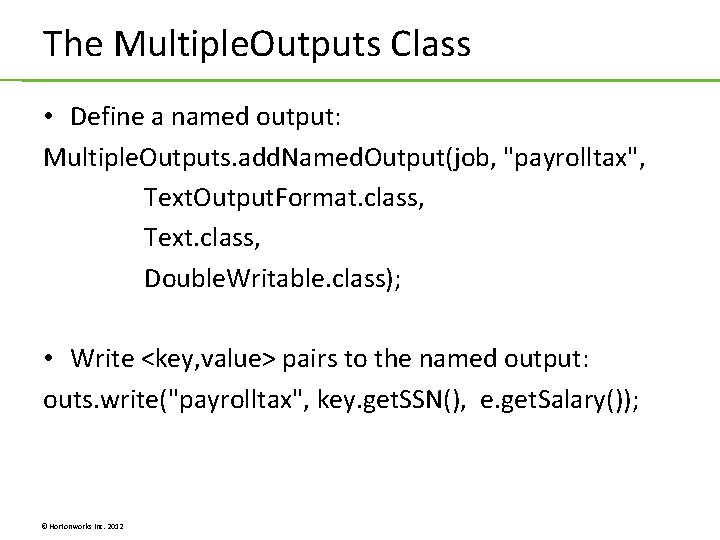
The Multiple. Outputs Class • Define a named output: Multiple. Outputs. add. Named. Output(job, "payrolltax", Text. Output. Format. class, Text. class, Double. Writable. class); • Write <key, value> pairs to the named output: outs. write("payrolltax", key. get. SSN(), e. get. Salary()); © Hortonworks Inc. 2012
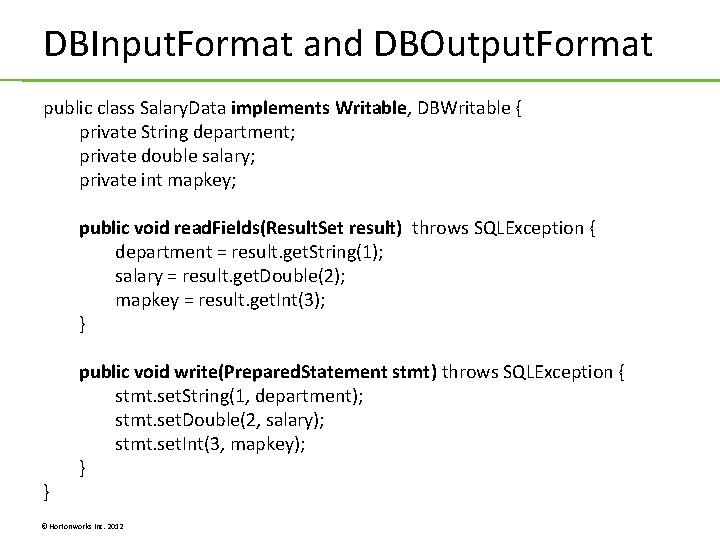
DBInput. Format and DBOutput. Format public class Salary. Data implements Writable, DBWritable { private String department; private double salary; private int mapkey; public void read. Fields(Result. Set result) throws SQLException { department = result. get. String(1); salary = result. get. Double(2); mapkey = result. get. Int(3); } } public void write(Prepared. Statement stmt) throws SQLException { stmt. set. String(1, department); stmt. set. Double(2, salary); stmt. set. Int(3, mapkey); } © Hortonworks Inc. 2012
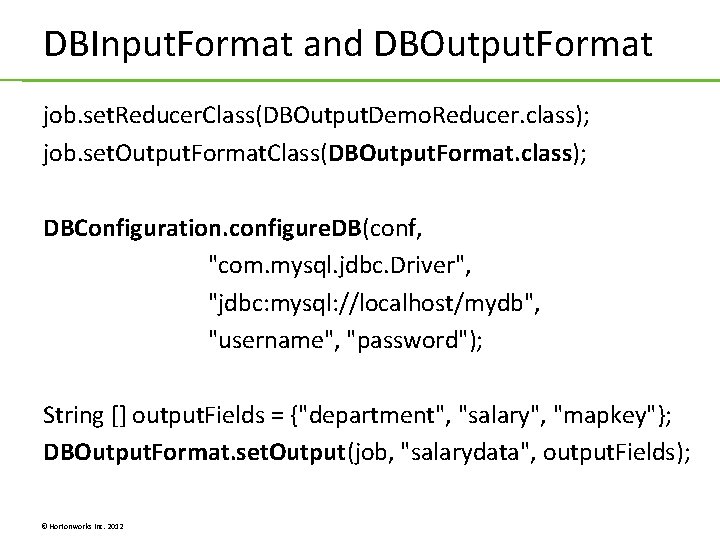
DBInput. Format and DBOutput. Format job. set. Reducer. Class(DBOutput. Demo. Reducer. class); job. set. Output. Format. Class(DBOutput. Format. class); DBConfiguration. configure. DB(conf, "com. mysql. jdbc. Driver", "jdbc: mysql: //localhost/mydb", "username", "password"); String [] output. Fields = {"department", "salary", "mapkey"}; DBOutput. Format. set. Output(job, "salarydata", output. Fields); © Hortonworks Inc. 2012
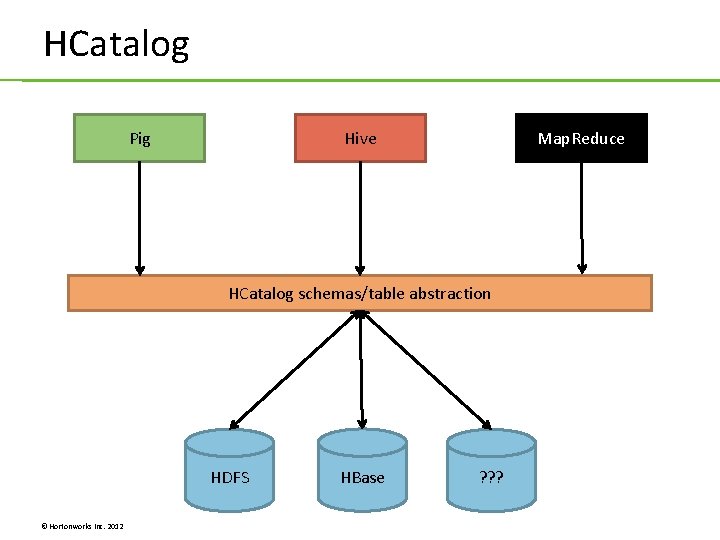
HCatalog Pig Hive Map. Reduce HCatalog schemas/table abstraction HDFS © Hortonworks Inc. 2012 HBase ? ? ?
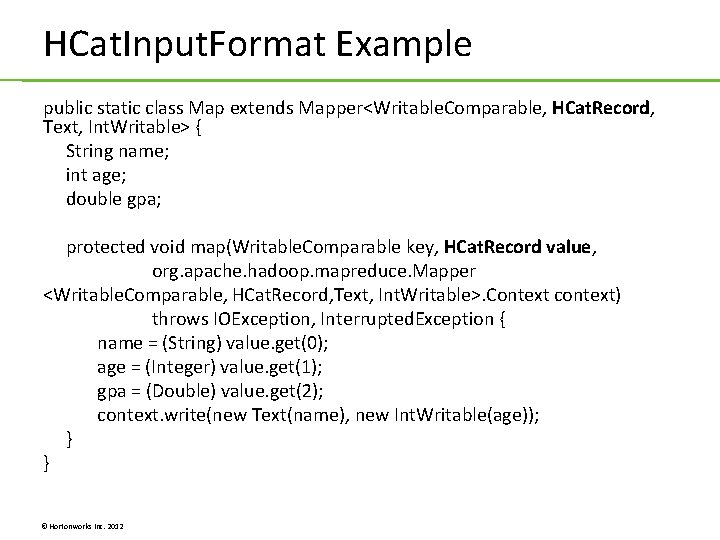
HCat. Input. Format Example public static class Map extends Mapper<Writable. Comparable, HCat. Record, Text, Int. Writable> { String name; int age; double gpa; protected void map(Writable. Comparable key, HCat. Record value, org. apache. hadoop. mapreduce. Mapper <Writable. Comparable, HCat. Record, Text, Int. Writable>. Context context) throws IOException, Interrupted. Exception { name = (String) value. get(0); age = (Integer) value. get(1); gpa = (Double) value. get(2); context. write(new Text(name), new Int. Writable(age)); } } © Hortonworks Inc. 2012
Lab 5. 2: Customizing Output Lab 5. 3: Simple Moving Average © Hortonworks Inc. 2012
Unit 6: Optimizing Map. Reduce Jobs © Hortonworks Inc. 2012
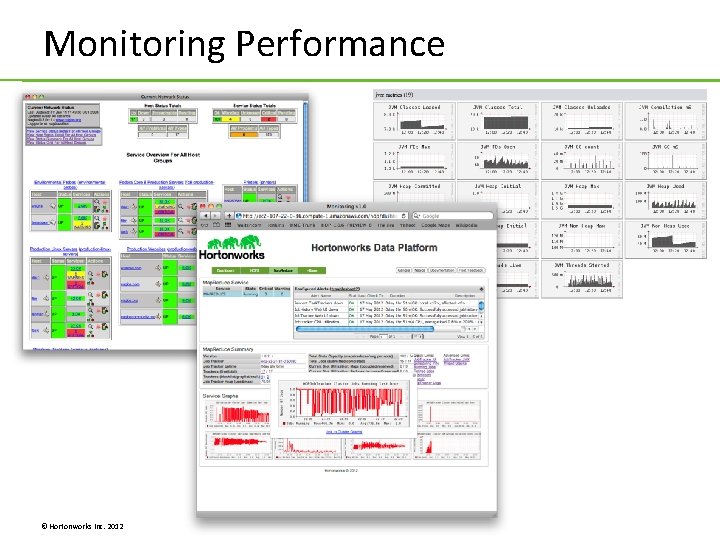
Monitoring Performance © Hortonworks Inc. 2012
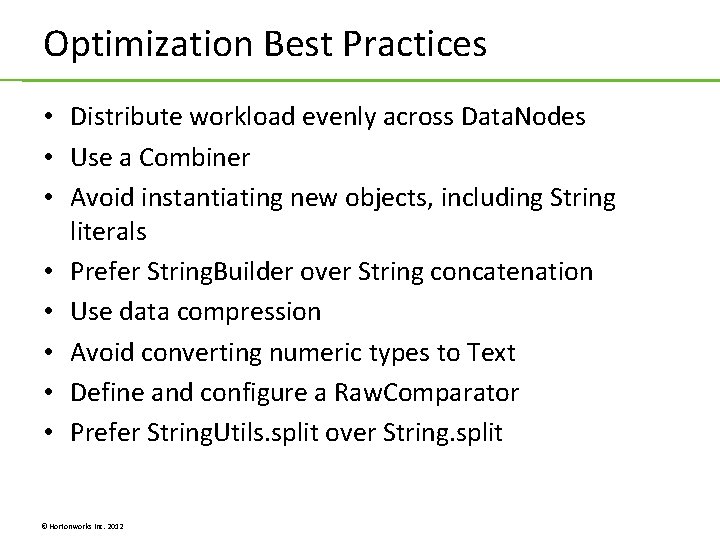
Optimization Best Practices • Distribute workload evenly across Data. Nodes • Use a Combiner • Avoid instantiating new objects, including String literals • Prefer String. Builder over String concatenation • Use data compression • Avoid converting numeric types to Text • Define and configure a Raw. Comparator • Prefer String. Utils. split over String. split © Hortonworks Inc. 2012
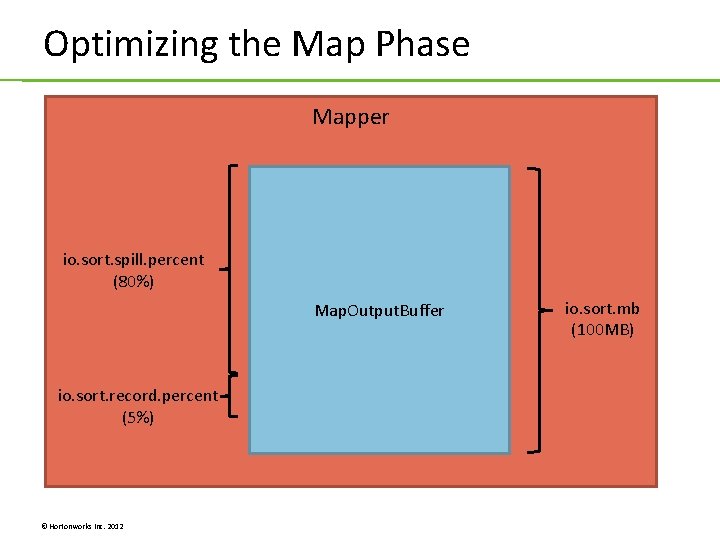
Optimizing the Map Phase Mapper io. sort. spill. percent (80%) Map. Output. Buffer io. sort. record. percent (5%) © Hortonworks Inc. 2012 io. sort. mb (100 MB)
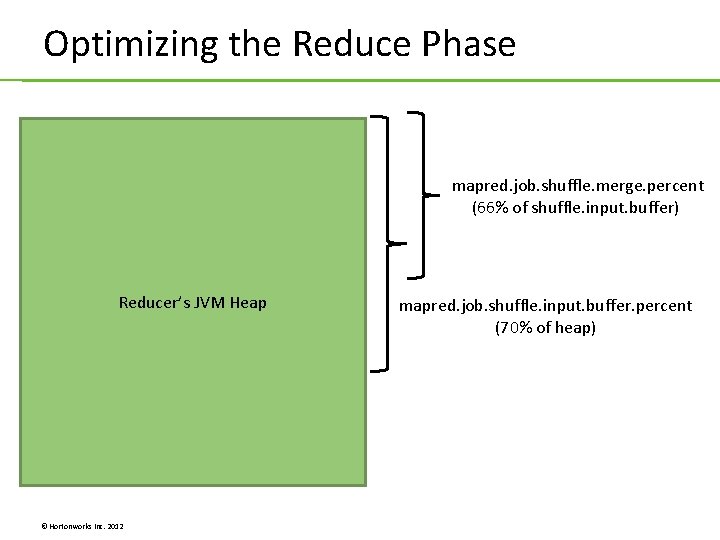
Optimizing the Reduce Phase mapred. job. shuffle. merge. percent (66% of shuffle. input. buffer) Reducer’s JVM Heap © Hortonworks Inc. 2012 mapred. job. shuffle. input. buffer. percent (70% of heap)
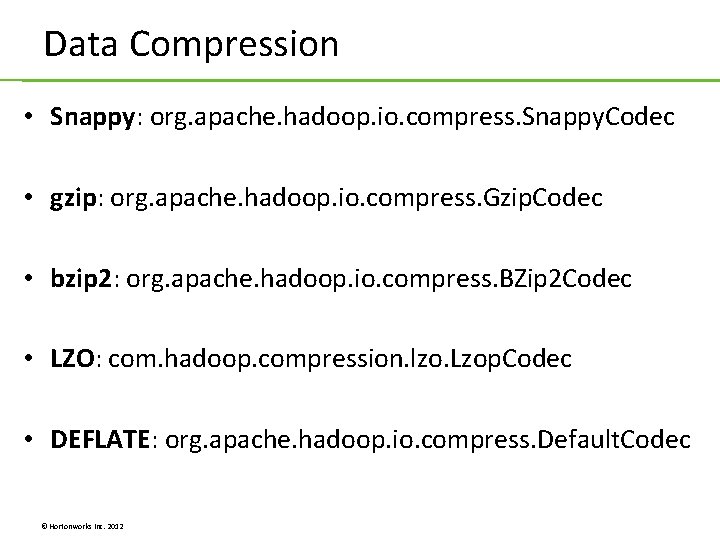
Data Compression • Snappy: org. apache. hadoop. io. compress. Snappy. Codec • gzip: org. apache. hadoop. io. compress. Gzip. Codec • bzip 2: org. apache. hadoop. io. compress. BZip 2 Codec • LZO: com. hadoop. compression. lzo. Lzop. Codec • DEFLATE: org. apache. hadoop. io. compress. Default. Codec © Hortonworks Inc. 2012
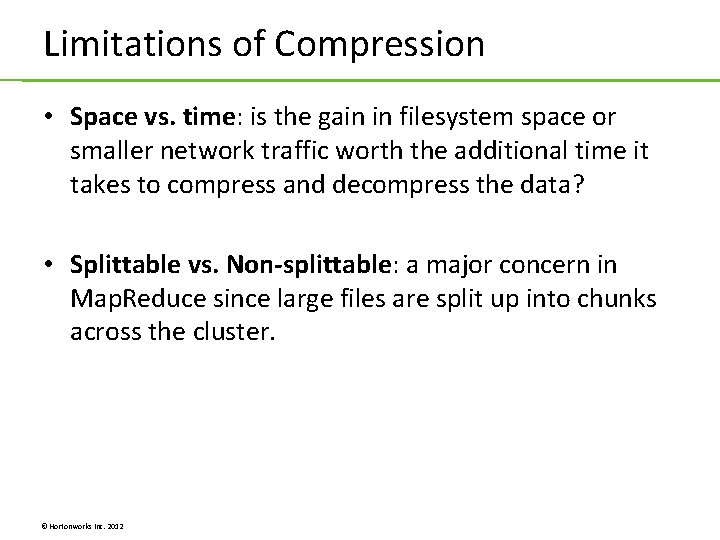
Limitations of Compression • Space vs. time: is the gain in filesystem space or smaller network traffic worth the additional time it takes to compress and decompress the data? • Splittable vs. Non-splittable: a major concern in Map. Reduce since large files are split up into chunks across the cluster. © Hortonworks Inc. 2012
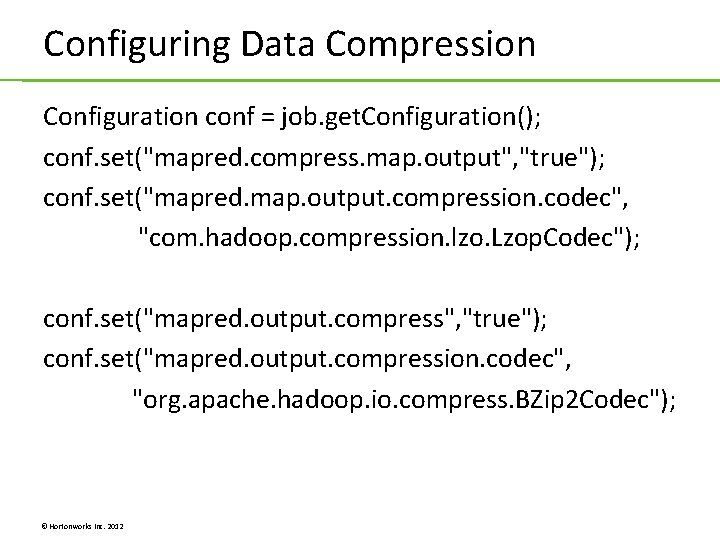
Configuring Data Compression Configuration conf = job. get. Configuration(); conf. set("mapred. compress. map. output", "true"); conf. set("mapred. map. output. compression. codec", "com. hadoop. compression. lzo. Lzop. Codec"); conf. set("mapred. output. compress", "true"); conf. set("mapred. output. compression. codec", "org. apache. hadoop. io. compress. BZip 2 Codec"); © Hortonworks Inc. 2012
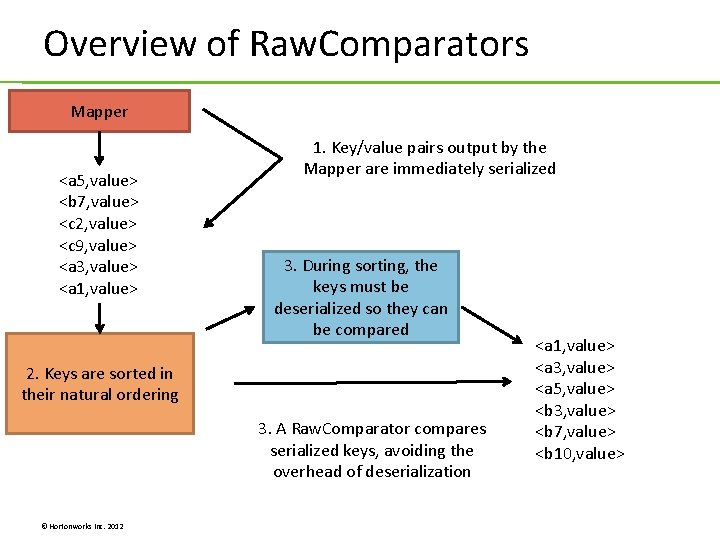
Overview of Raw. Comparators Mapper <a 5, value> <b 7, value> <c 2, value> <c 9, value> <a 3, value> <a 1, value> 1. Key/value pairs output by the Mapper are immediately serialized 3. During sorting, the keys must be deserialized so they can be compared 2. Keys are sorted in their natural ordering 3. A Raw. Comparator compares serialized keys, avoiding the overhead of deserialization © Hortonworks Inc. 2012 <a 1, value> <a 3, value> <a 5, value> <b 3, value> <b 7, value> <b 10, value>
Defining a Raw. Comparator public int compare(byte[] b 1, int s 1, int l 1, byte[] b 2, int s 2, int l 2) { int str. Length 1 = 0; int str. Length 2 = 0; try { str. Length 1 = Writable. Utils. decode. VInt. Size(b 1[s 1]) + read. VInt(b 1, s 1); str. Length 2 = Writable. Utils. decode. VInt. Size(b 2[s 2]) + read. VInt(b 2, s 2); } catch (IOException e) { e. print. Stack. Trace(); } int response = TEXTCOMPARATOR. compare(b 1, str. Length 1, b 2, str. Length 2); if(response == 0) { long date 1 = super. read. Long(b 1, s 1 + 2 + str. Length 1); long date 2 = super. read. Long(b 2, s 2 + str. Length 2); long diff = date 2 - date 1; if(diff > 0) { response = -1; } else if (diff < 0) { response = 1; } } return response; } } © Hortonworks Inc. 2012
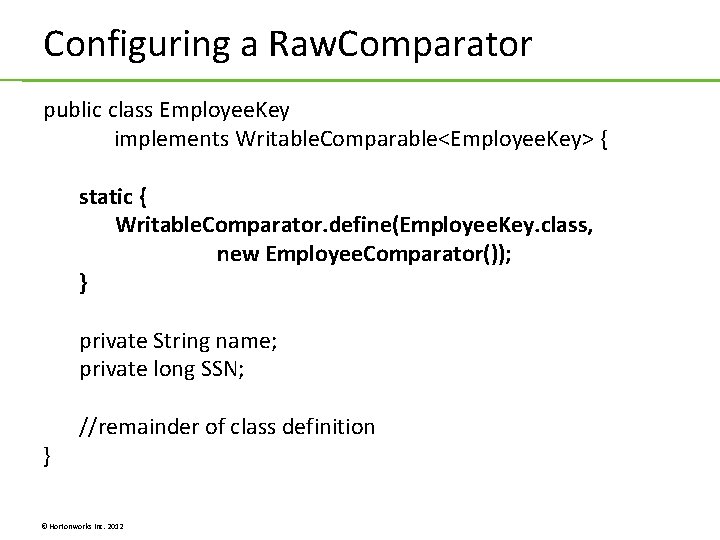
Configuring a Raw. Comparator public class Employee. Key implements Writable. Comparable<Employee. Key> { static { Writable. Comparator. define(Employee. Key. class, new Employee. Comparator()); } private String name; private long SSN; } //remainder of class definition © Hortonworks Inc. 2012
Lab 6. 1: Using Data Compression Lab 6. 2: Defining a Raw. Comparator © Hortonworks Inc. 2012
Unit 7: Advanced Map. Reduce Features © Hortonworks Inc. 2012
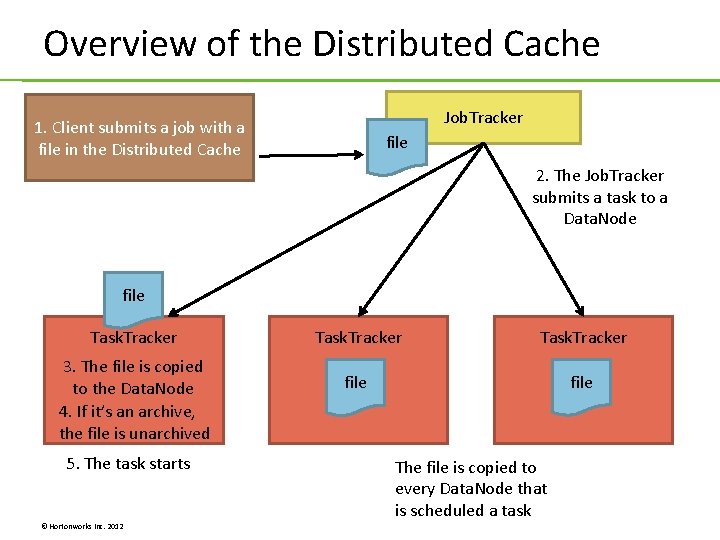
Overview of the Distributed Cache Job. Tracker 1. Client submits a job with a file in the Distributed Cache file 2. The Job. Tracker submits a task to a Data. Node file Task. Tracker 3. The file is copied to the Data. Node 4. If it’s an archive, the file is unarchived 5. The task starts © Hortonworks Inc. 2012 Task. Tracker file The file is copied to every Data. Node that is scheduled a task
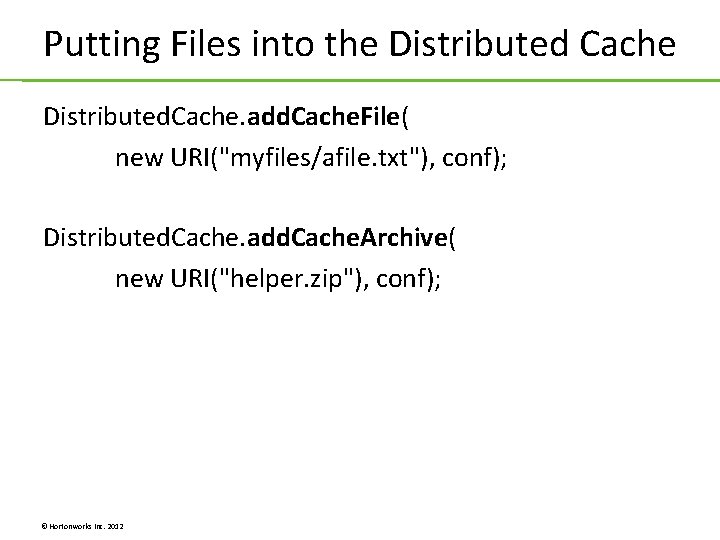
Putting Files into the Distributed Cache Distributed. Cache. add. Cache. File( new URI("myfiles/afile. txt"), conf); Distributed. Cache. add. Cache. Archive( new URI("helper. zip"), conf); © Hortonworks Inc. 2012
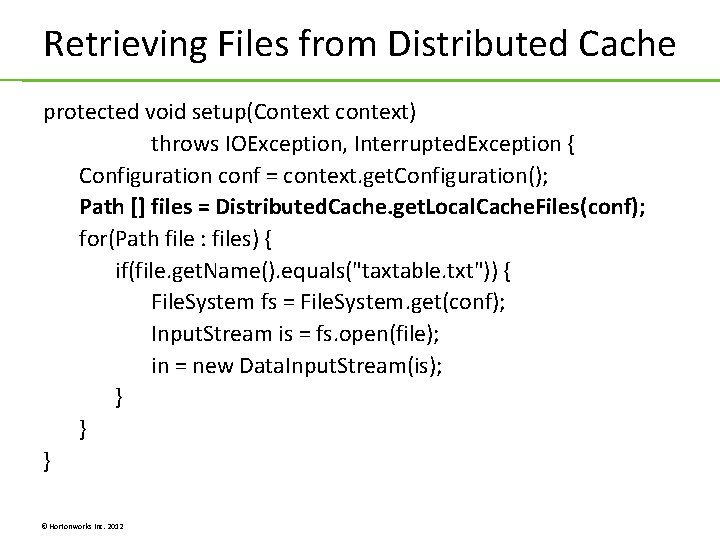
Retrieving Files from Distributed Cache protected void setup(Context context) throws IOException, Interrupted. Exception { Configuration conf = context. get. Configuration(); Path [] files = Distributed. Cache. get. Local. Cache. Files(conf); for(Path file : files) { if(file. get. Name(). equals("taxtable. txt")) { File. System fs = File. System. get(conf); Input. Stream is = fs. open(file); in = new Data. Input. Stream(is); } } } © Hortonworks Inc. 2012
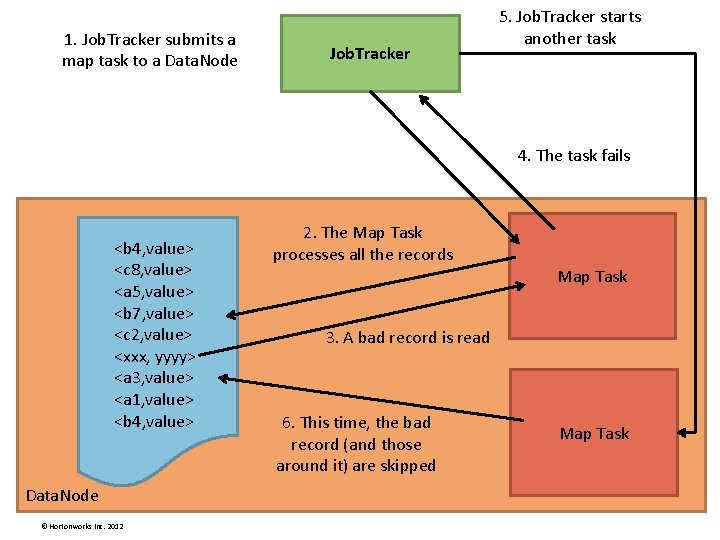
1. Job. Tracker submits a map task to a Data. Node Job. Tracker 5. Job. Tracker starts another task 4. The task fails <b 4, value> <c 8, value> <a 5, value> <b 7, value> <c 2, value> <xxx, yyyy> <a 3, value> <a 1, value> <b 4, value> Data. Node © Hortonworks Inc. 2012 2. The Map Task processes all the records Map Task 3. A bad record is read 6. This time, the bad record (and those around it) are skipped Map Task
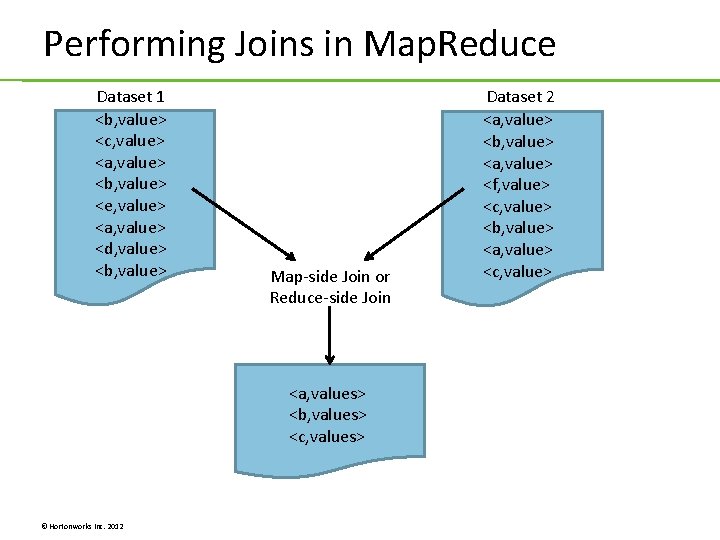
Performing Joins in Map. Reduce Dataset 1 <b, value> <c, value> <a, value> <b, value> <e, value> <a, value> <d, value> <b, value> Map-side Join or Reduce-side Join <a, values> <b, values> <c, values> © Hortonworks Inc. 2012 Dataset 2 <a, value> <b, value> <a, value> <f, value> <c, value> <b, value> <a, value> <c, value>
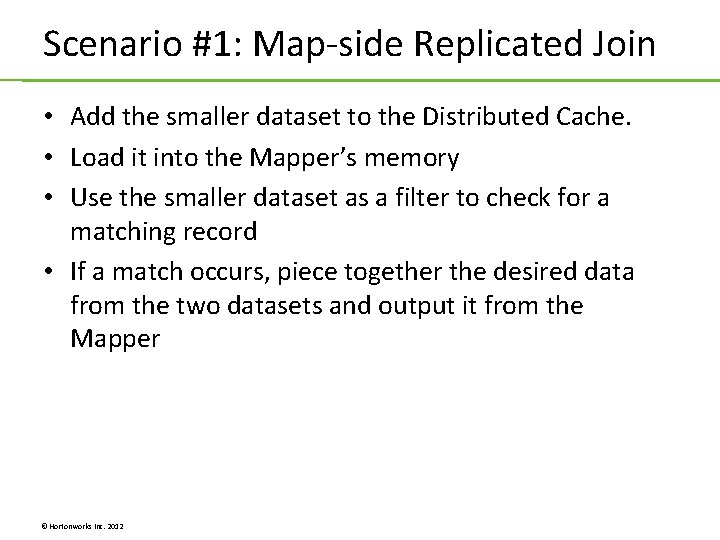
Scenario #1: Map-side Replicated Join • Add the smaller dataset to the Distributed Cache. • Load it into the Mapper’s memory • Use the smaller dataset as a filter to check for a matching record • If a match occurs, piece together the desired data from the two datasets and output it from the Mapper © Hortonworks Inc. 2012
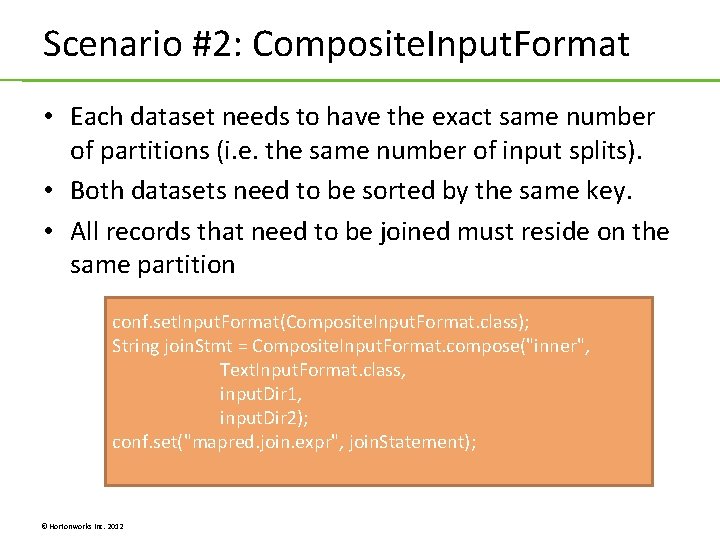
Scenario #2: Composite. Input. Format • Each dataset needs to have the exact same number of partitions (i. e. the same number of input splits). • Both datasets need to be sorted by the same key. • All records that need to be joined must reside on the same partition conf. set. Input. Format(Composite. Input. Format. class); String join. Stmt = Composite. Input. Format. compose("inner", Text. Input. Format. class, input. Dir 1, input. Dir 2); conf. set("mapred. join. expr", join. Statement); © Hortonworks Inc. 2012
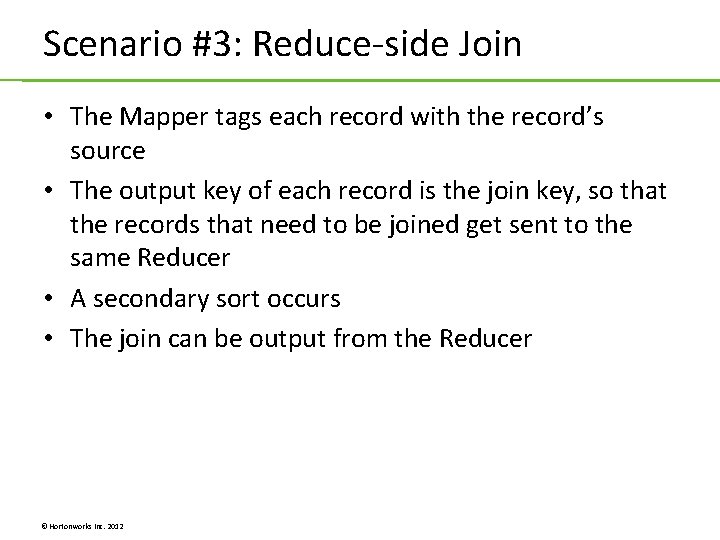
Scenario #3: Reduce-side Join • The Mapper tags each record with the record’s source • The output key of each record is the join key, so that the records that need to be joined get sent to the same Reducer • A secondary sort occurs • The join can be output from the Reducer © Hortonworks Inc. 2012
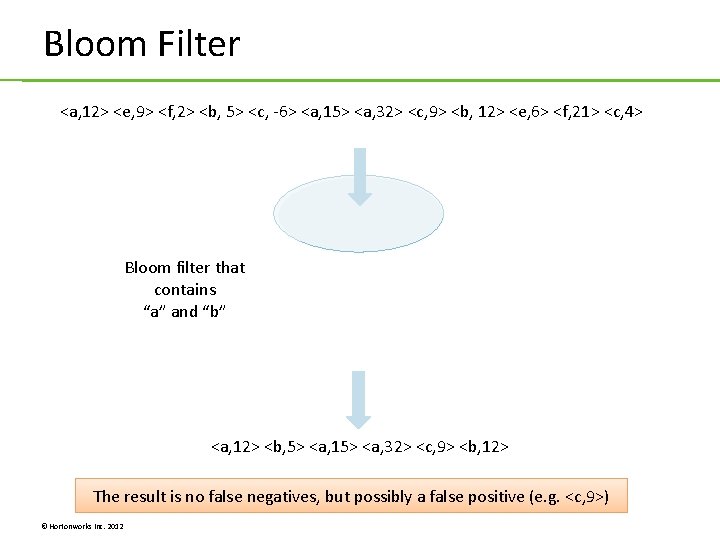
Bloom Filter <a, 12> <e, 9> <f, 2> <b, 5> <c, -6> <a, 15> <a, 32> <c, 9> <b, 12> <e, 6> <f, 21> <c, 4> Bloom filter that contains “a” and “b” <a, 12> <b, 5> <a, 15> <a, 32> <c, 9> <b, 12> The result is no false negatives, but possibly a false positive (e. g. <c, 9>) © Hortonworks Inc. 2012
Lab 7. 1: Performing a Map-Side Join Lab 7. 2: Using a Bloom Filter © Hortonworks Inc. 2012
Unit 8: Unit Testing © Hortonworks Inc. 2012
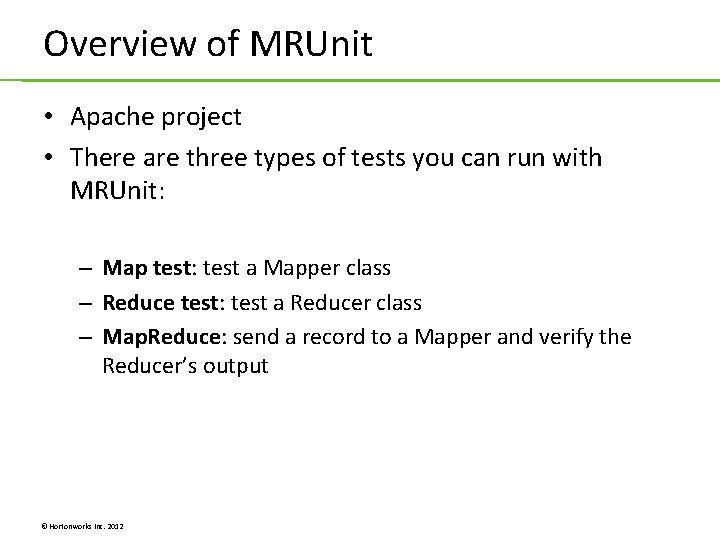
Overview of MRUnit • Apache project • There are three types of tests you can run with MRUnit: – Map test: test a Mapper class – Reduce test: test a Reducer class – Map. Reduce: send a record to a Mapper and verify the Reducer’s output © Hortonworks Inc. 2012
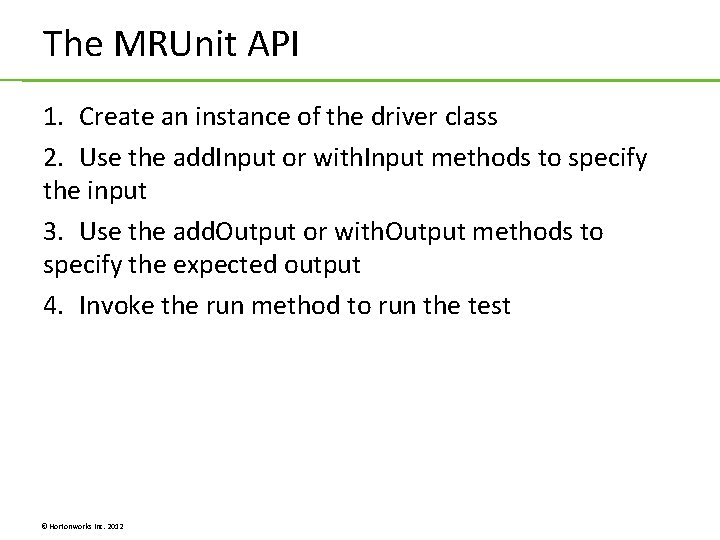
The MRUnit API 1. Create an instance of the driver class 2. Use the add. Input or with. Input methods to specify the input 3. Use the add. Output or with. Output methods to specify the expected output 4. Invoke the run method to run the test © Hortonworks Inc. 2012
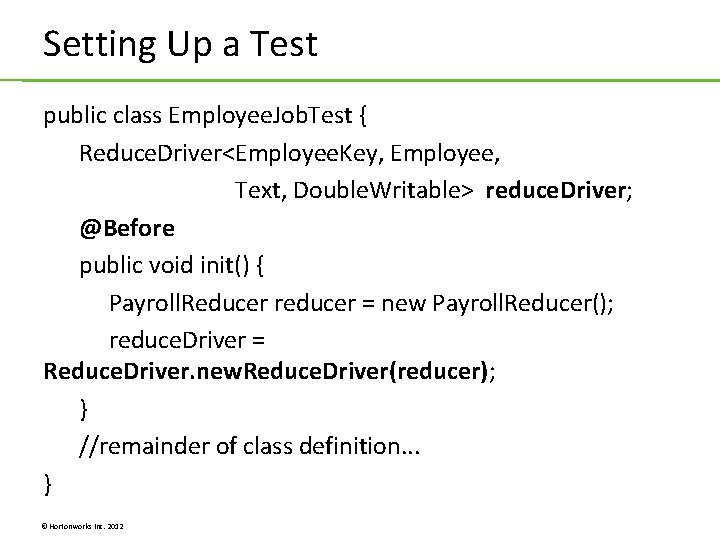
Setting Up a Test public class Employee. Job. Test { Reduce. Driver<Employee. Key, Employee, Text, Double. Writable> reduce. Driver; @Before public void init() { Payroll. Reducer reducer = new Payroll. Reducer(); reduce. Driver = Reduce. Driver. new. Reduce. Driver(reducer); } //remainder of class definition. . . } © Hortonworks Inc. 2012
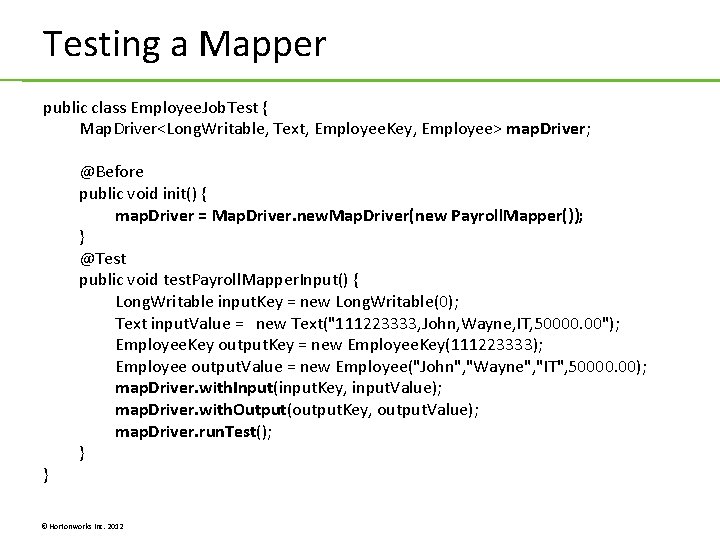
Testing a Mapper public class Employee. Job. Test { Map. Driver<Long. Writable, Text, Employee. Key, Employee> map. Driver; } @Before public void init() { map. Driver = Map. Driver. new. Map. Driver(new Payroll. Mapper()); } @Test public void test. Payroll. Mapper. Input() { Long. Writable input. Key = new Long. Writable(0); Text input. Value = new Text("111223333, John, Wayne, IT, 50000. 00"); Employee. Key output. Key = new Employee. Key(111223333); Employee output. Value = new Employee("John", "Wayne", "IT", 50000. 00); map. Driver. with. Input(input. Key, input. Value); map. Driver. with. Output(output. Key, output. Value); map. Driver. run. Test(); } © Hortonworks Inc. 2012
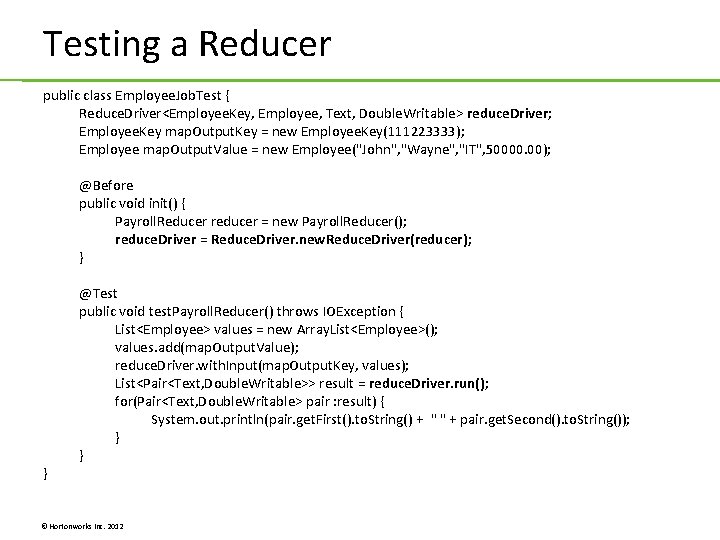
Testing a Reducer public class Employee. Job. Test { Reduce. Driver<Employee. Key, Employee, Text, Double. Writable> reduce. Driver; Employee. Key map. Output. Key = new Employee. Key(111223333); Employee map. Output. Value = new Employee("John", "Wayne", "IT", 50000. 00); @Before public void init() { Payroll. Reducer reducer = new Payroll. Reducer(); reduce. Driver = Reduce. Driver. new. Reduce. Driver(reducer); } } @Test public void test. Payroll. Reducer() throws IOException { List<Employee> values = new Array. List<Employee>(); values. add(map. Output. Value); reduce. Driver. with. Input(map. Output. Key, values); List<Pair<Text, Double. Writable>> result = reduce. Driver. run(); for(Pair<Text, Double. Writable> pair : result) { System. out. println(pair. get. First(). to. String() + " " + pair. get. Second(). to. String()); } } © Hortonworks Inc. 2012
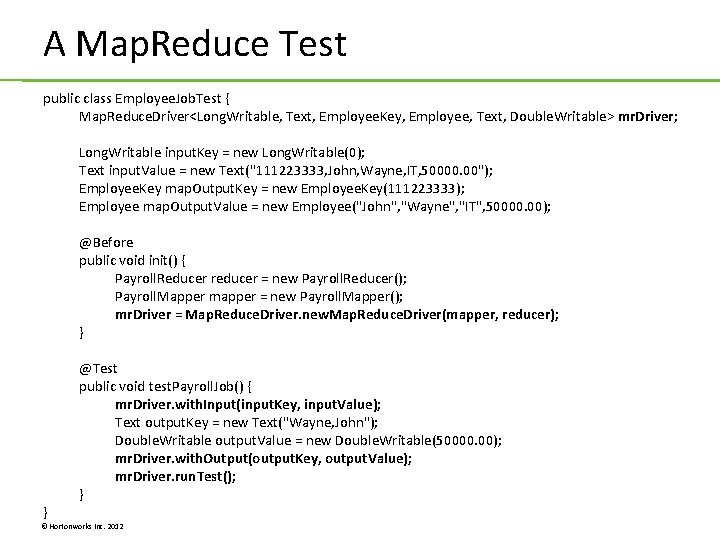
A Map. Reduce Test public class Employee. Job. Test { Map. Reduce. Driver<Long. Writable, Text, Employee. Key, Employee, Text, Double. Writable> mr. Driver; Long. Writable input. Key = new Long. Writable(0); Text input. Value = new Text("111223333, John, Wayne, IT, 50000. 00"); Employee. Key map. Output. Key = new Employee. Key(111223333); Employee map. Output. Value = new Employee("John", "Wayne", "IT", 50000. 00); @Before public void init() { Payroll. Reducer reducer = new Payroll. Reducer(); Payroll. Mapper mapper = new Payroll. Mapper(); mr. Driver = Map. Reduce. Driver. new. Map. Reduce. Driver(mapper, reducer); } } @Test public void test. Payroll. Job() { mr. Driver. with. Input(input. Key, input. Value); Text output. Key = new Text("Wayne, John"); Double. Writable output. Value = new Double. Writable(50000. 00); mr. Driver. with. Output(output. Key, output. Value); mr. Driver. run. Test(); } © Hortonworks Inc. 2012
Lab 8. 1: Unit Testing a Map. Reduce Job © Hortonworks Inc. 2012
Unit 9: Defining Workflow © Hortonworks Inc. 2012
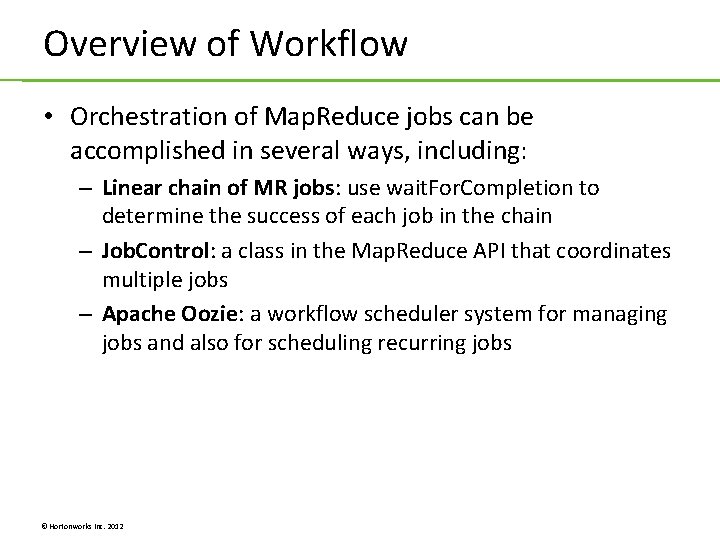
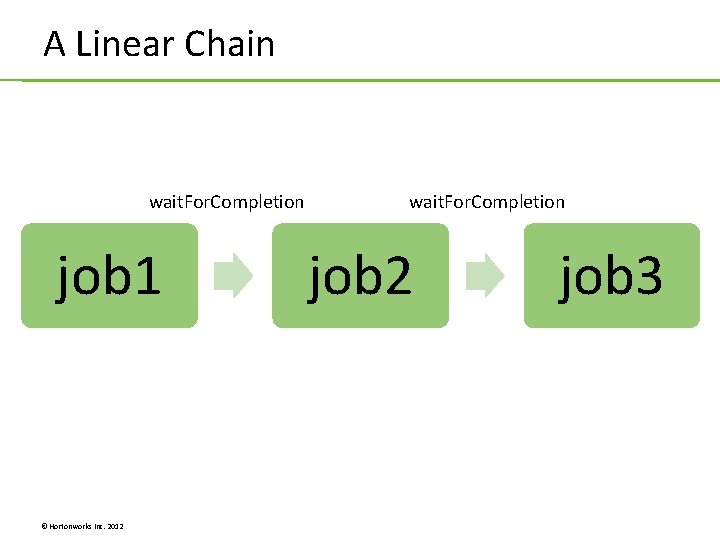
Overview of Workflow • Orchestration of Map. Reduce jobs can be accomplished in several ways, including: – Linear chain of MR jobs: use wait. For. Completion to determine the success of each job in the chain – Job. Control: a class in the Map. Reduce API that coordinates multiple jobs – Apache Oozie: a workflow scheduler system for managing jobs and also for scheduling recurring jobs © Hortonworks Inc. 2012
A Linear Chain wait. For. Completion job 1 © Hortonworks Inc. 2012 wait. For. Completion job 2 job 3
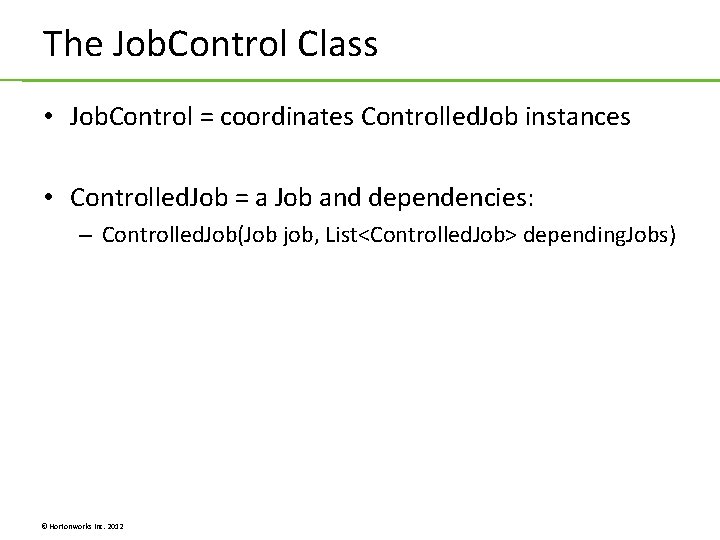
The Job. Control Class • Job. Control = coordinates Controlled. Job instances • Controlled. Job = a Job and dependencies: – Controlled. Job(Job job, List<Controlled. Job> depending. Jobs) © Hortonworks Inc. 2012
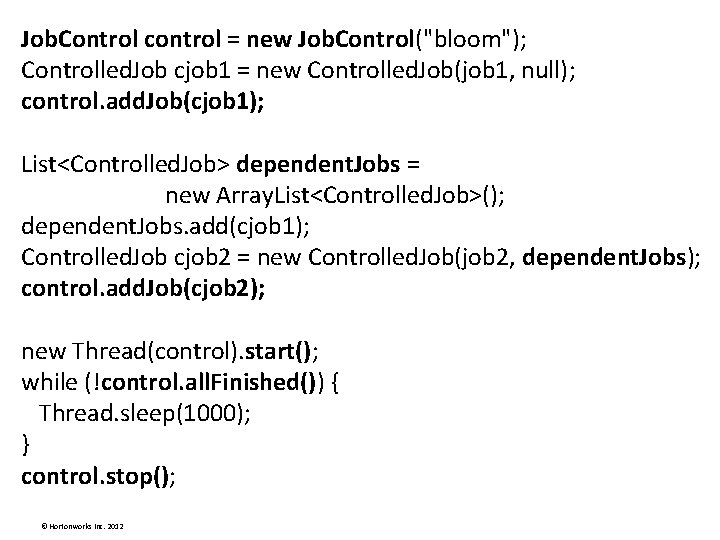
Job. Control control = new Job. Control("bloom"); Controlled. Job cjob 1 = new Controlled. Job(job 1, null); control. add. Job(cjob 1); List<Controlled. Job> dependent. Jobs = new Array. List<Controlled. Job>(); dependent. Jobs. add(cjob 1); Controlled. Job cjob 2 = new Controlled. Job(job 2, dependent. Jobs); control. add. Job(cjob 2); new Thread(control). start(); while (!control. all. Finished()) { Thread. sleep(1000); } control. stop(); © Hortonworks Inc. 2012
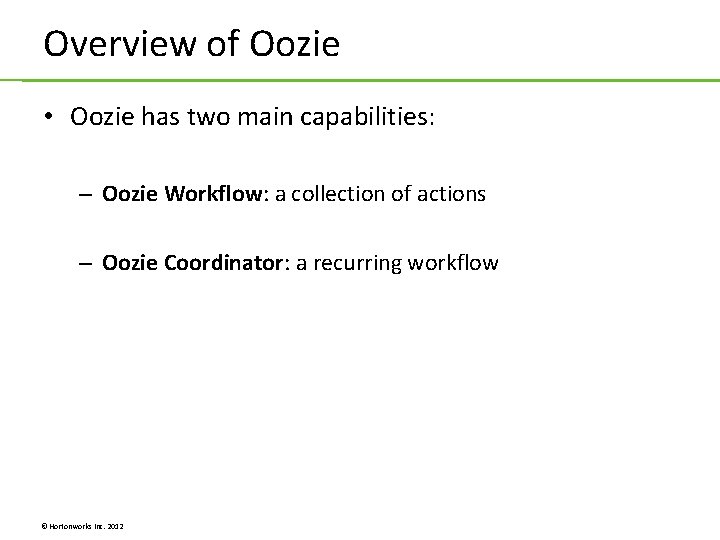
Overview of Oozie • Oozie has two main capabilities: – Oozie Workflow: a collection of actions – Oozie Coordinator: a recurring workflow © Hortonworks Inc. 2012
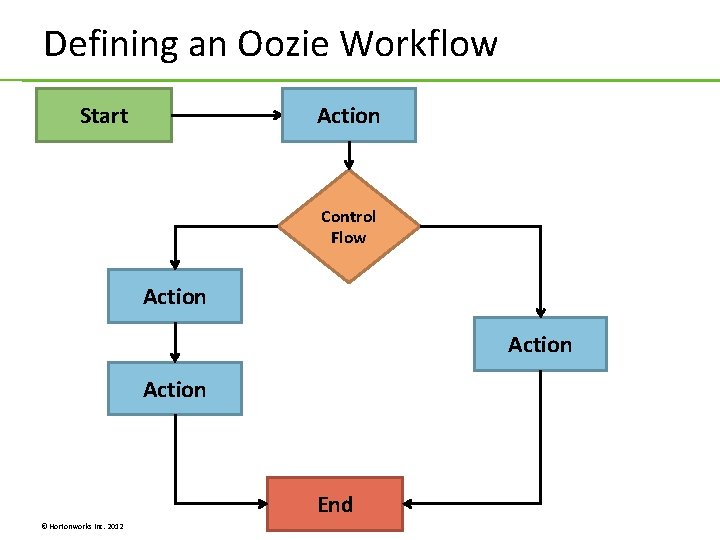
Defining an Oozie Workflow Start Action Control Flow Action End © Hortonworks Inc. 2012
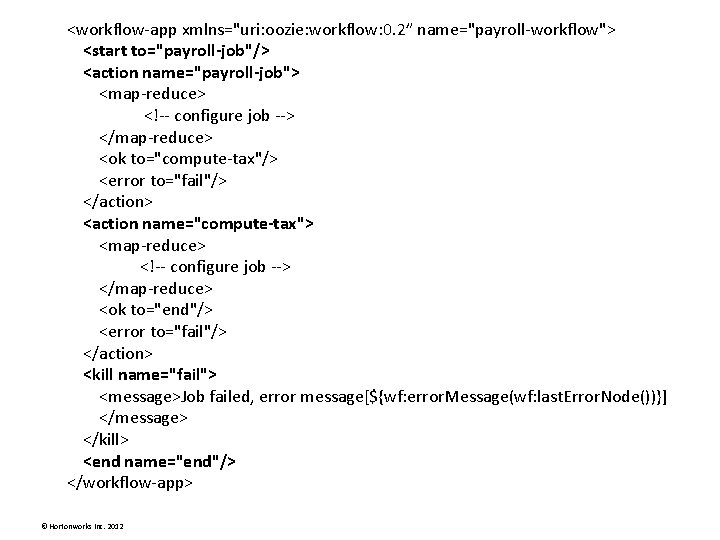
<workflow-app xmlns="uri: oozie: workflow: 0. 2” name="payroll-workflow"> <start to="payroll-job"/> <action name="payroll-job"> <map-reduce> <!-- configure job --> </map-reduce> <ok to="compute-tax"/> <error to="fail"/> </action> <action name="compute-tax"> <map-reduce> <!-- configure job --> </map-reduce> <ok to="end"/> <error to="fail"/> </action> <kill name="fail"> <message>Job failed, error message[${wf: error. Message(wf: last. Error. Node())}] </message> </kill> <end name="end"/> </workflow-app> © Hortonworks Inc. 2012
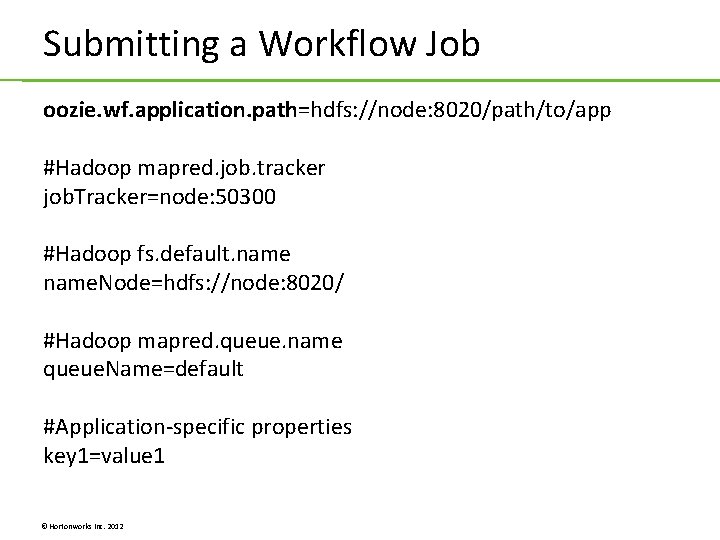
Submitting a Workflow Job oozie. wf. application. path=hdfs: //node: 8020/path/to/app #Hadoop mapred. job. tracker job. Tracker=node: 50300 #Hadoop fs. default. name. Node=hdfs: //node: 8020/ #Hadoop mapred. queue. name queue. Name=default #Application-specific properties key 1=value 1 © Hortonworks Inc. 2012
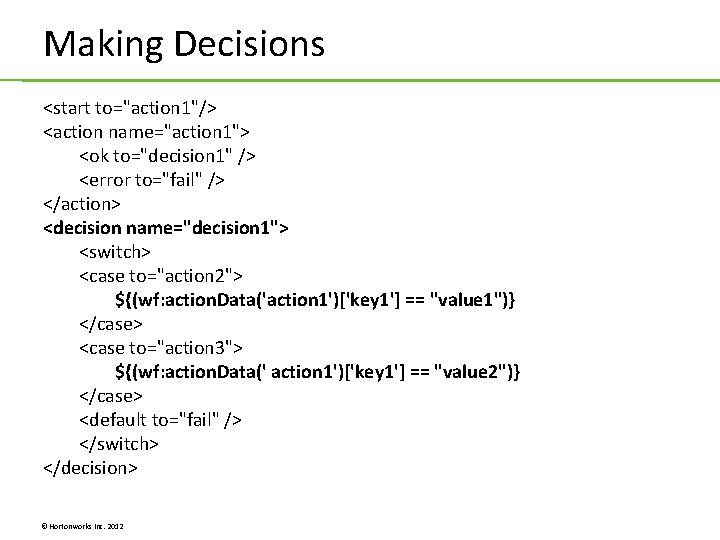
Making Decisions <start to="action 1"/> <action name="action 1"> <ok to="decision 1" /> <error to="fail" /> </action> <decision name="decision 1"> <switch> <case to="action 2"> ${(wf: action. Data('action 1')['key 1'] == "value 1")} </case> <case to="action 3"> ${(wf: action. Data(' action 1')['key 1'] == "value 2")} </case> <default to="fail" /> </switch> </decision> © Hortonworks Inc. 2012
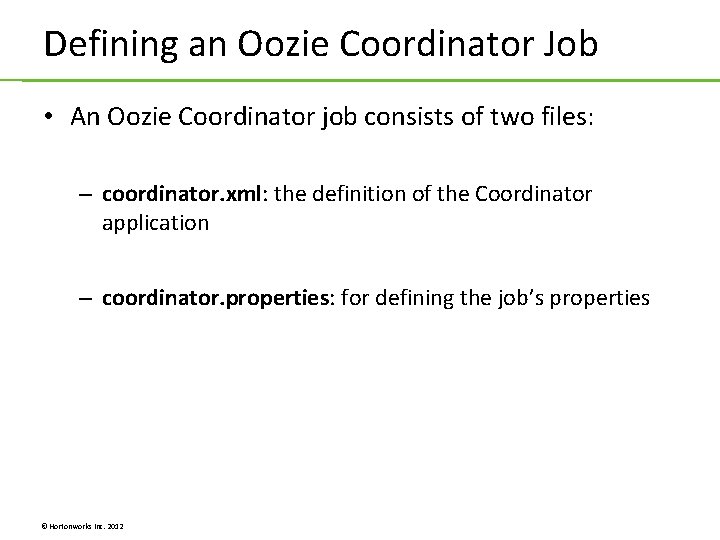
Defining an Oozie Coordinator Job • An Oozie Coordinator job consists of two files: – coordinator. xml: the definition of the Coordinator application – coordinator. properties: for defining the job’s properties © Hortonworks Inc. 2012
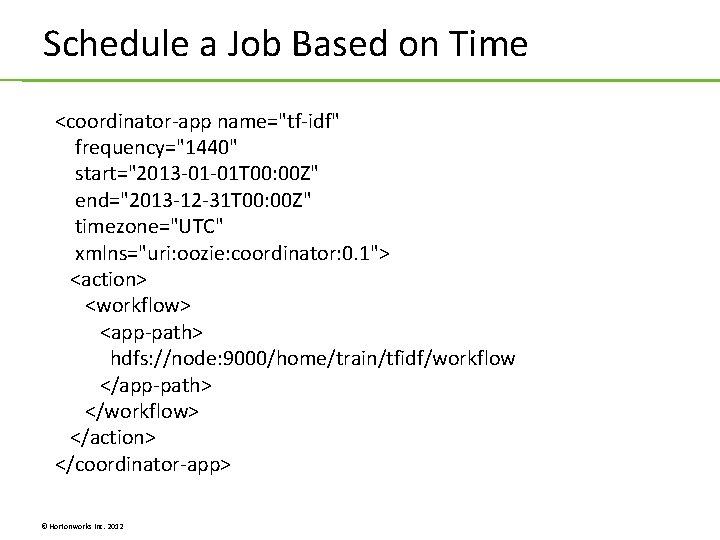
Schedule a Job Based on Time <coordinator-app name="tf-idf" frequency="1440" start="2013 -01 -01 T 00: 00 Z" end="2013 -12 -31 T 00: 00 Z" timezone="UTC" xmlns="uri: oozie: coordinator: 0. 1"> <action> <workflow> <app-path> hdfs: //node: 9000/home/train/tfidf/workflow </app-path> </workflow> </action> </coordinator-app> © Hortonworks Inc. 2012
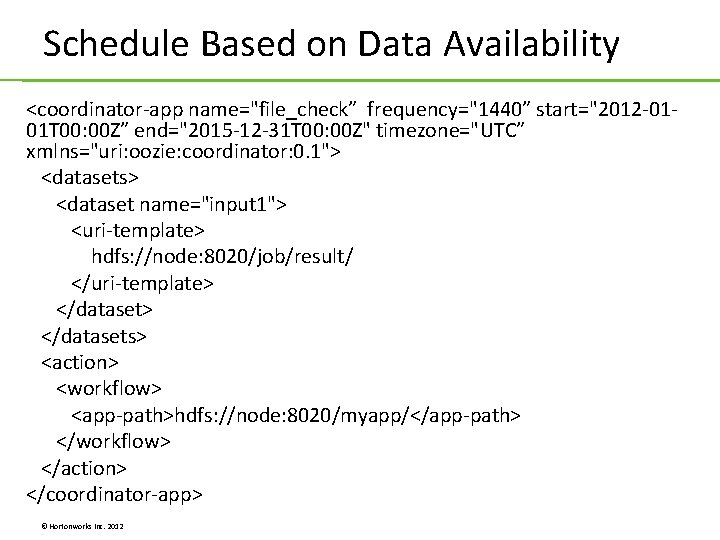
Schedule Based on Data Availability <coordinator-app name="file_check” frequency="1440” start="2012 -0101 T 00: 00 Z” end="2015 -12 -31 T 00: 00 Z" timezone="UTC” xmlns="uri: oozie: coordinator: 0. 1"> <datasets> <dataset name="input 1"> <uri-template> hdfs: //node: 8020/job/result/ </uri-template> </datasets> <action> <workflow> <app-path>hdfs: //node: 8020/myapp/</app-path> </workflow> </action> </coordinator-app> © Hortonworks Inc. 2012
Lab 9. 1: Defining an Oozie Workflow Lab 9. 2: TF-IDF and the Job. Control Class © Hortonworks Inc. 2012
Unit 10: HBase Programming © Hortonworks Inc. 2012
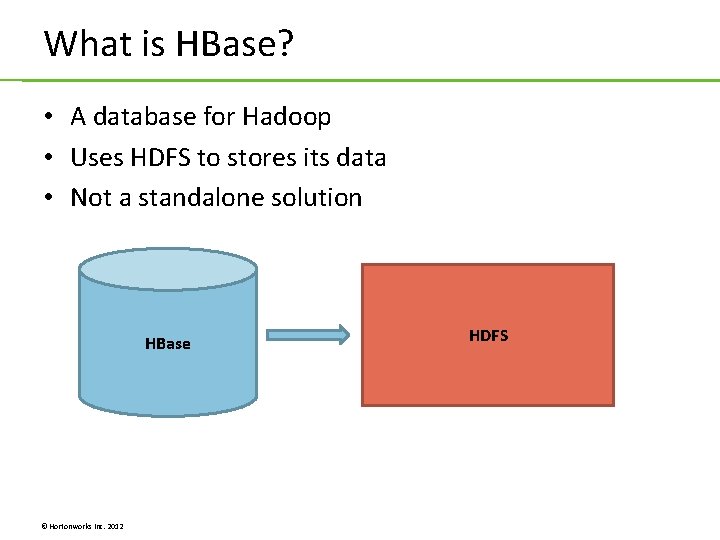
What is HBase? • A database for Hadoop • Uses HDFS to stores its data • Not a standalone solution HBase © Hortonworks Inc. 2012 HDFS
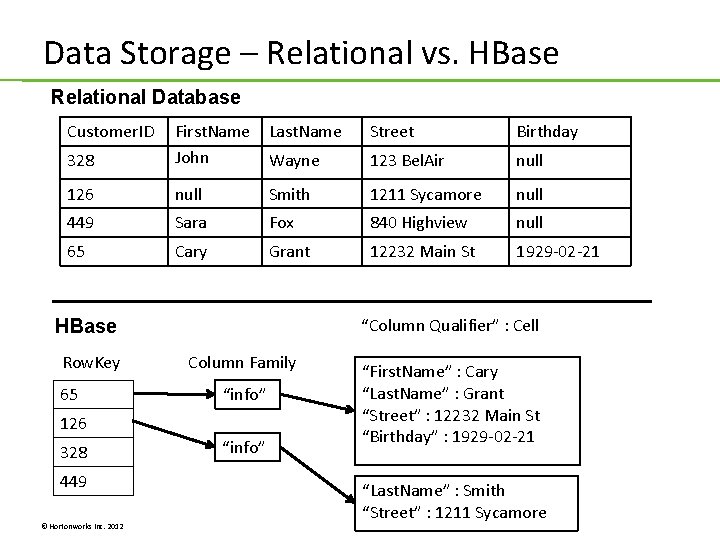
Data Storage – Relational vs. HBase Relational Database Customer. ID Last. Name Street Birthday 328 First. Name John Wayne 123 Bel. Air null 126 null Smith 1211 Sycamore null 449 Sara Fox 840 Highview null 65 Cary Grant 12232 Main St 1929 -02 -21 “Column Qualifier” : Cell HBase Row. Key 65 Column Family “info” 126 328 449 © Hortonworks Inc. 2012 “info” “First. Name” : Cary “Last. Name” : Grant “Street” : 12232 Main St “Birthday” : 1929 -02 -21 “Last. Name” : Smith “Street” : 1211 Sycamore
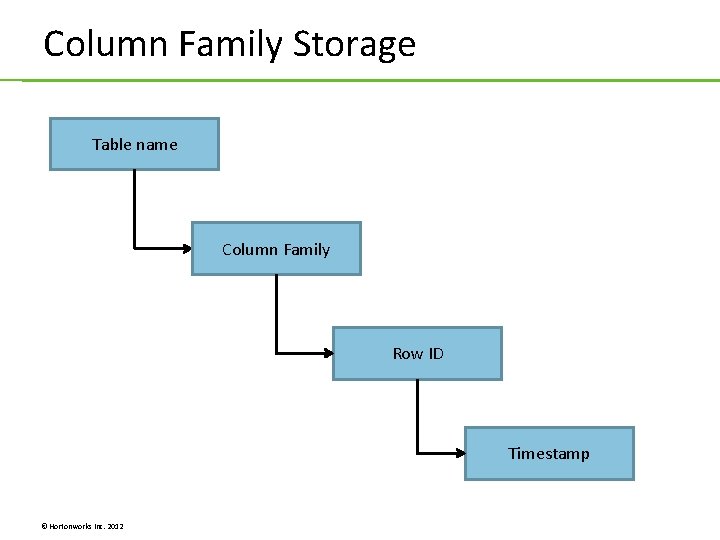
Column Family Storage Table name Column Family Row ID Timestamp © Hortonworks Inc. 2012
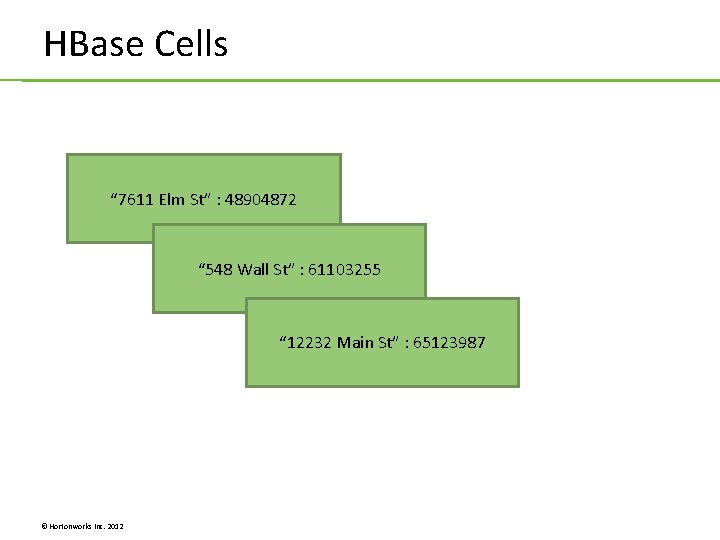
HBase Cells “ 7611 Elm St” : 48904872 “ 548 Wall St” : 61103255 “ 12232 Main St” : 65123987 © Hortonworks Inc. 2012
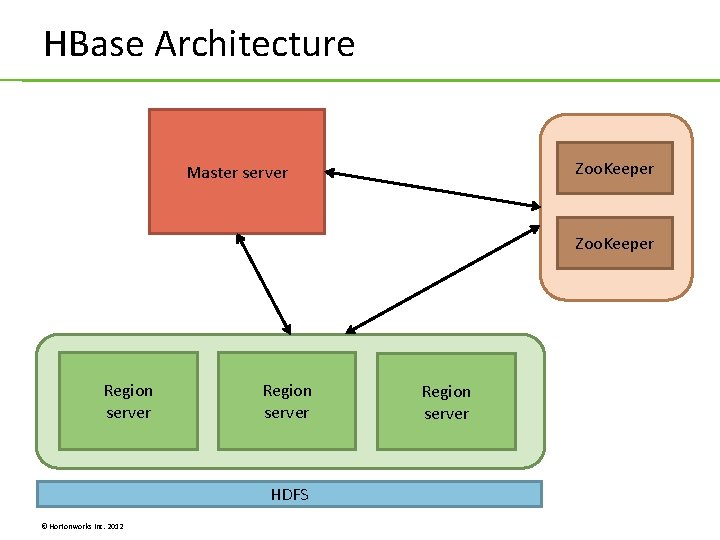
HBase Architecture Zoo. Keeper Master server Zoo. Keeper Region server HDFS © Hortonworks Inc. 2012 Region server
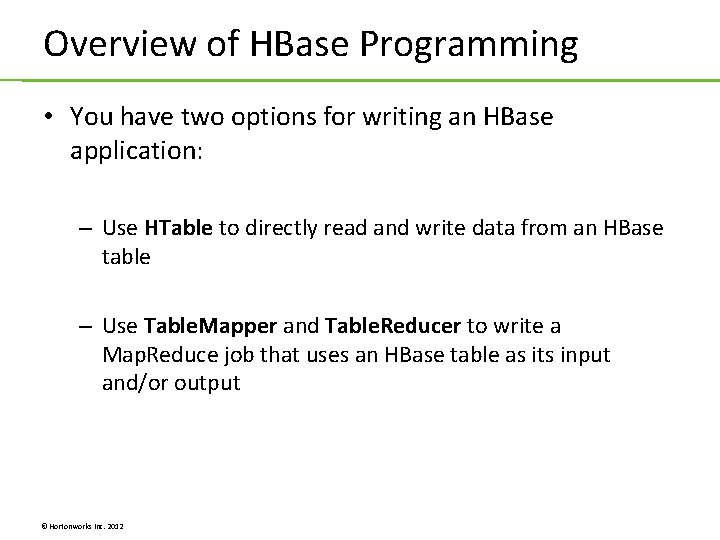
Overview of HBase Programming • You have two options for writing an HBase application: – Use HTable to directly read and write data from an HBase table – Use Table. Mapper and Table. Reducer to write a Map. Reduce job that uses an HBase table as its input and/or output © Hortonworks Inc. 2012
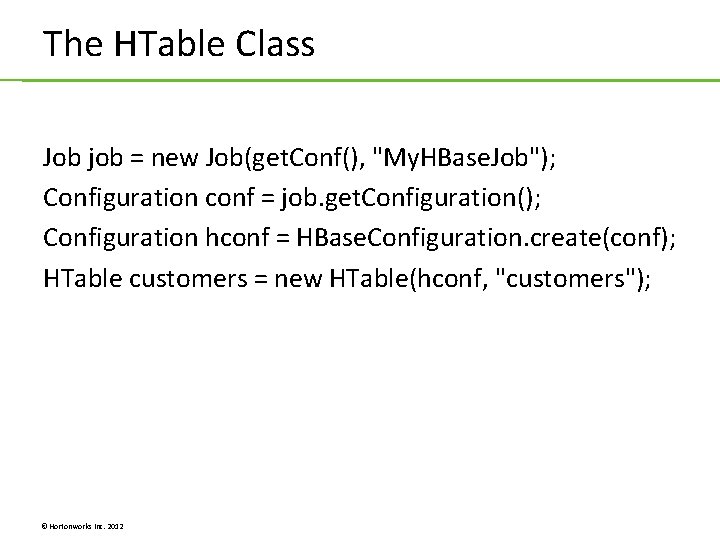
The HTable Class Job job = new Job(get. Conf(), "My. HBase. Job"); Configuration conf = job. get. Configuration(); Configuration hconf = HBase. Configuration. create(conf); HTable customers = new HTable(hconf, "customers"); © Hortonworks Inc. 2012
Inserting Data into an HBase Table byte [] row. Key = Bytes. to. Bytes(65); Put put = new Put(row. Key); put. add("info". get. Bytes(), "First. Name". get. Bytes(), "Cary". get. Bytes()); put. add("info". get. Bytes(), "Last. Name". get. Bytes(), "Grant". get. Bytes()); put. add("preferences". get. Bytes(), "background". get. Bytes(), "blue". get. Bytes()); customers. put(put); © Hortonworks Inc. 2012
Retrieving Data from an HBase Table byte [] row. Key = Bytes. to. Bytes(65); Get get = new Get(row. Key); Result all. Columns = customers. get(get); get. add. Family("info". get. Bytes()); Result info. Cells = customers. get(get); get. add. Column("info". get. Bytes(), "Street". get. Bytes()); Result streets = customers. get(get); © Hortonworks Inc. 2012
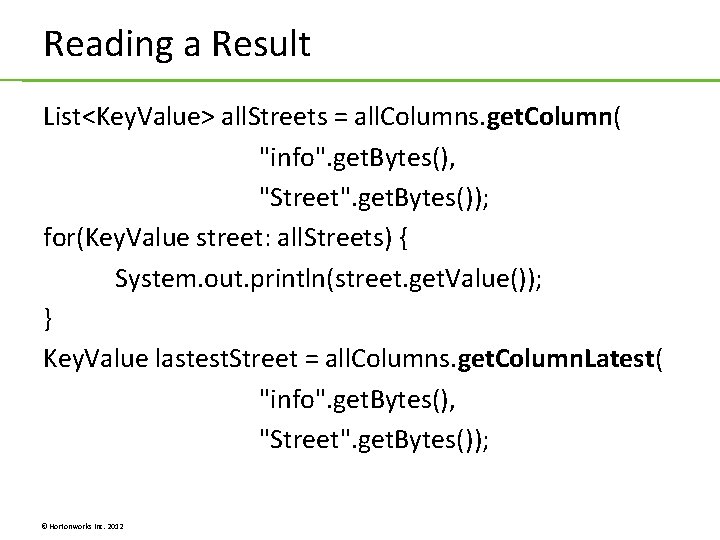
Reading a Result List<Key. Value> all. Streets = all. Columns. get. Column( "info". get. Bytes(), "Street". get. Bytes()); for(Key. Value street: all. Streets) { System. out. println(street. get. Value()); } Key. Value lastest. Street = all. Columns. get. Column. Latest( "info". get. Bytes(), "Street". get. Bytes()); © Hortonworks Inc. 2012
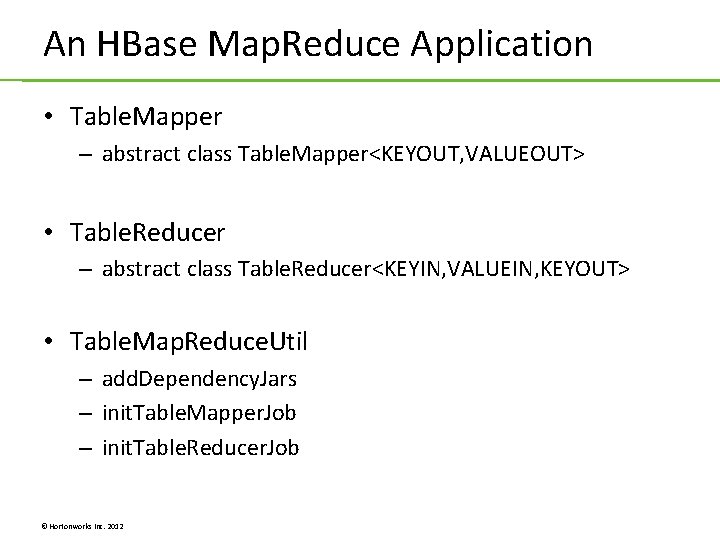
An HBase Map. Reduce Application • Table. Mapper – abstract class Table. Mapper<KEYOUT, VALUEOUT> • Table. Reducer – abstract class Table. Reducer<KEYIN, VALUEIN, KEYOUT> • Table. Map. Reduce. Util – add. Dependency. Jars – init. Table. Mapper. Job – init. Table. Reducer. Job © Hortonworks Inc. 2012
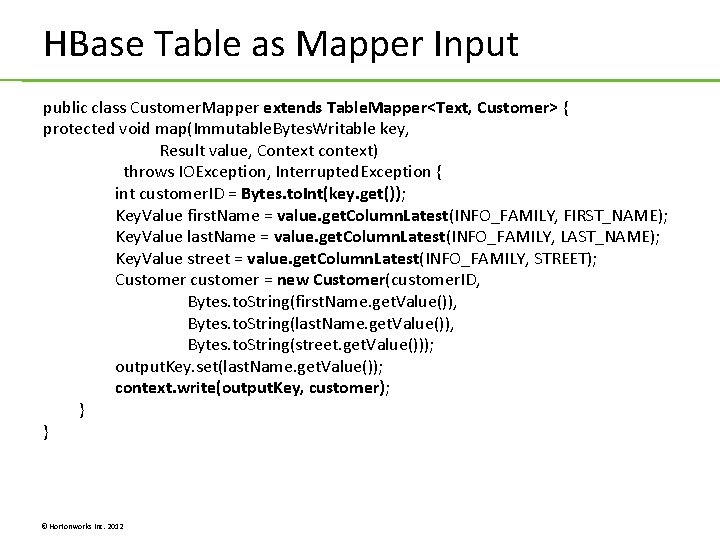
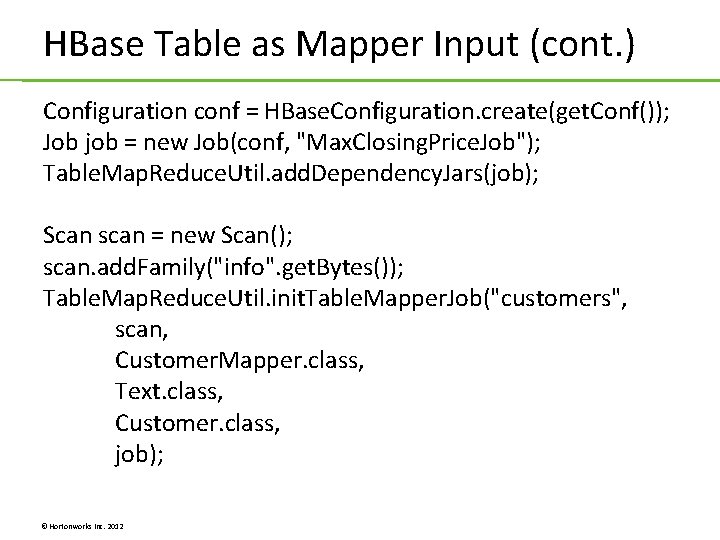
HBase Table as Mapper Input public class Customer. Mapper extends Table. Mapper<Text, Customer> { protected void map(Immutable. Bytes. Writable key, Result value, Context context) throws IOException, Interrupted. Exception { int customer. ID = Bytes. to. Int(key. get()); Key. Value first. Name = value. get. Column. Latest(INFO_FAMILY, FIRST_NAME); Key. Value last. Name = value. get. Column. Latest(INFO_FAMILY, LAST_NAME); Key. Value street = value. get. Column. Latest(INFO_FAMILY, STREET); Customer customer = new Customer(customer. ID, Bytes. to. String(first. Name. get. Value()), Bytes. to. String(last. Name. get. Value()), Bytes. to. String(street. get. Value())); output. Key. set(last. Name. get. Value()); context. write(output. Key, customer); } } © Hortonworks Inc. 2012
HBase Table as Mapper Input (cont. ) Configuration conf = HBase. Configuration. create(get. Conf()); Job job = new Job(conf, "Max. Closing. Price. Job"); Table. Map. Reduce. Util. add. Dependency. Jars(job); Scan scan = new Scan(); scan. add. Family("info". get. Bytes()); Table. Map. Reduce. Util. init. Table. Mapper. Job("customers", scan, Customer. Mapper. class, Text. class, Customer. class, job); © Hortonworks Inc. 2012
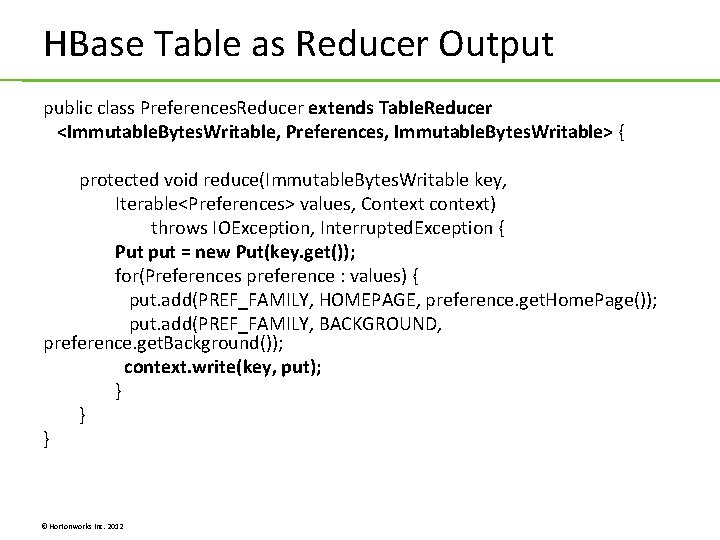
HBase Table as Reducer Output public class Preferences. Reducer extends Table. Reducer <Immutable. Bytes. Writable, Preferences, Immutable. Bytes. Writable> { protected void reduce(Immutable. Bytes. Writable key, Iterable<Preferences> values, Context context) throws IOException, Interrupted. Exception { Put put = new Put(key. get()); for(Preferences preference : values) { put. add(PREF_FAMILY, HOMEPAGE, preference. get. Home. Page()); put. add(PREF_FAMILY, BACKGROUND, preference. get. Background()); context. write(key, put); } } } © Hortonworks Inc. 2012
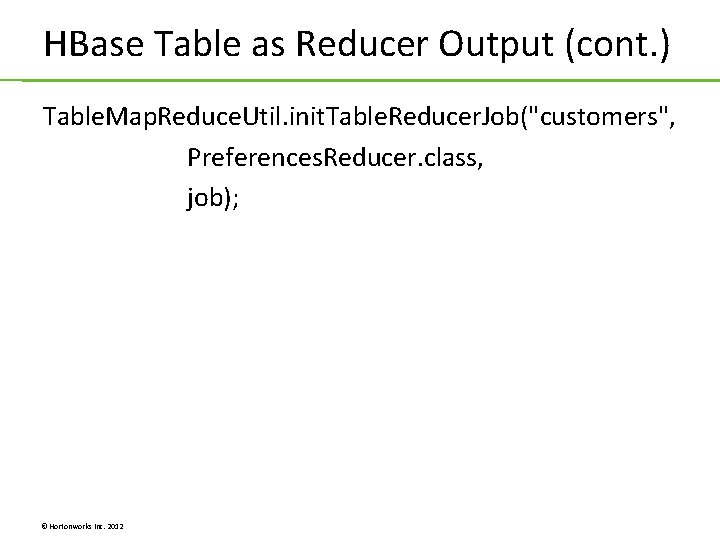
HBase Table as Reducer Output (cont. ) Table. Map. Reduce. Util. init. Table. Reducer. Job("customers", Preferences. Reducer. class, job); © Hortonworks Inc. 2012
Lab 10. 1: Importing Data to HBase Lab 10. 2: An HBase Map. Reduce Job © Hortonworks Inc. 2012
Unit 11: Pig Programming © Hortonworks Inc. 2012
What is Pig? © Hortonworks Inc. 2012
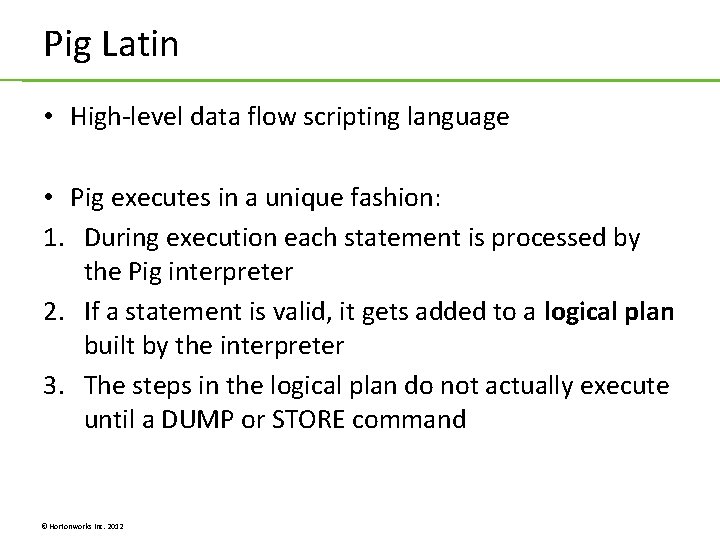
Pig Latin • High-level data flow scripting language • Pig executes in a unique fashion: 1. During execution each statement is processed by the Pig interpreter 2. If a statement is valid, it gets added to a logical plan built by the interpreter 3. The steps in the logical plan do not actually execute until a DUMP or STORE command © Hortonworks Inc. 2012
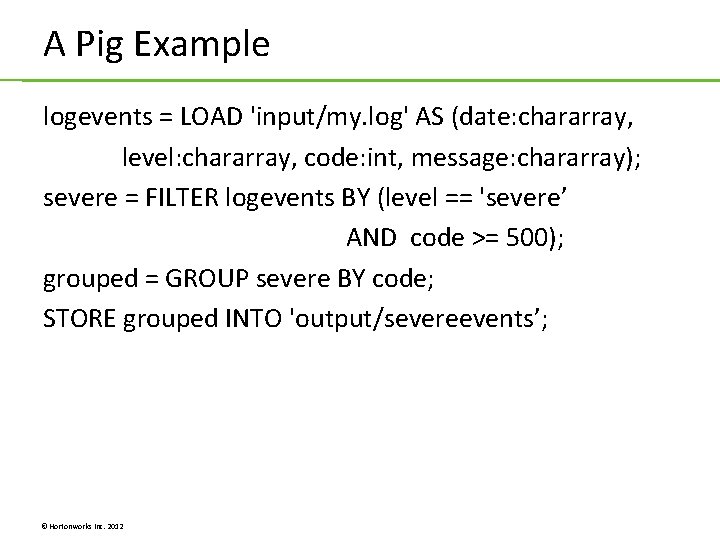
A Pig Example logevents = LOAD 'input/my. log' AS (date: chararray, level: chararray, code: int, message: chararray); severe = FILTER logevents BY (level == 'severe’ AND code >= 500); grouped = GROUP severe BY code; STORE grouped INTO 'output/severeevents’; © Hortonworks Inc. 2012
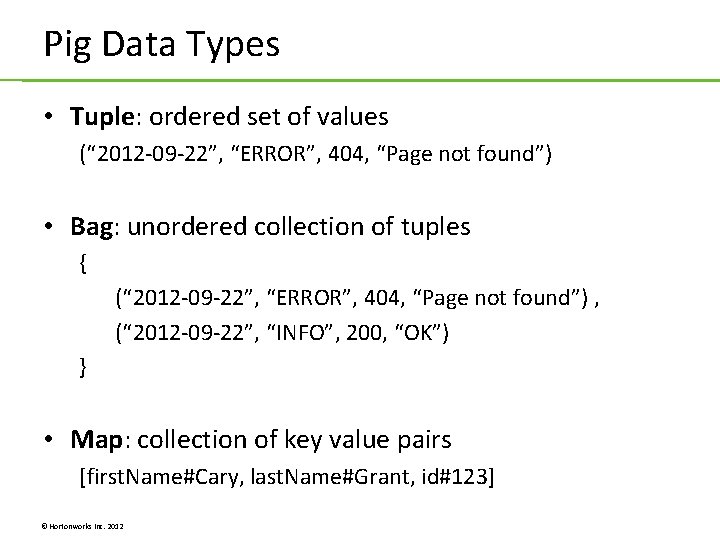
Pig Data Types • Tuple: ordered set of values (“ 2012 -09 -22”, “ERROR”, 404, “Page not found”) • Bag: unordered collection of tuples { (“ 2012 -09 -22”, “ERROR”, 404, “Page not found”) , (“ 2012 -09 -22”, “INFO”, 200, “OK”) } • Map: collection of key value pairs [first. Name#Cary, last. Name#Grant, id#123] © Hortonworks Inc. 2012
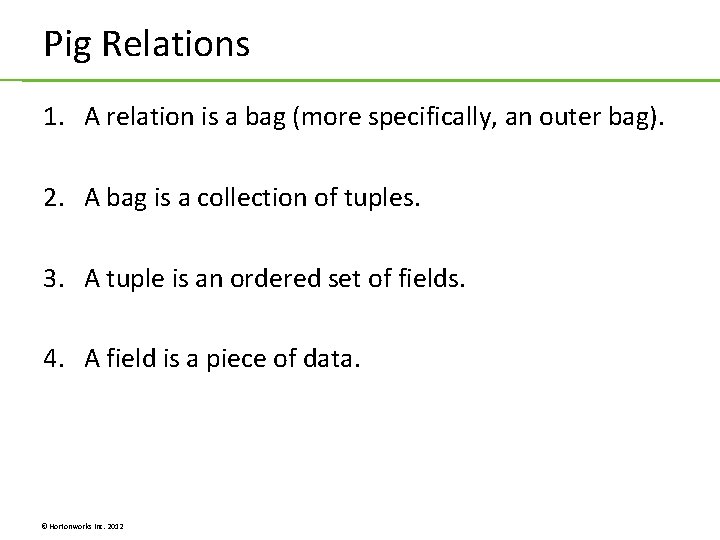
Pig Relations 1. A relation is a bag (more specifically, an outer bag). 2. A bag is a collection of tuples. 3. A tuple is an ordered set of fields. 4. A field is a piece of data. © Hortonworks Inc. 2012
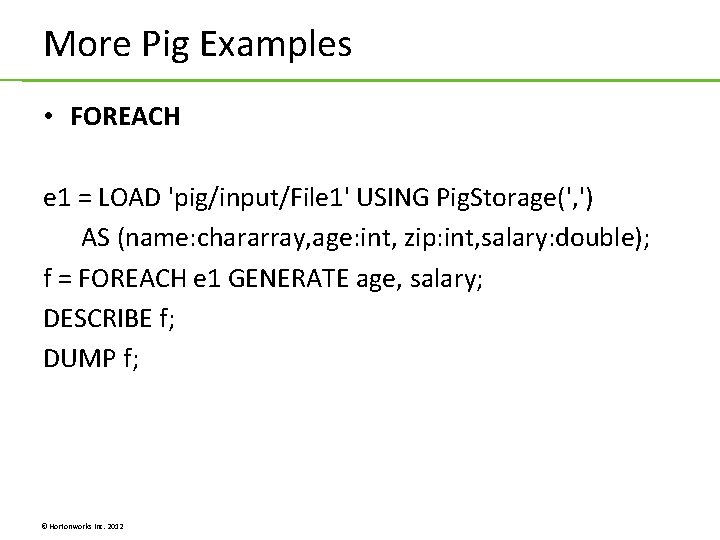
More Pig Examples • FOREACH e 1 = LOAD 'pig/input/File 1' USING Pig. Storage(', ') AS (name: chararray, age: int, zip: int, salary: double); f = FOREACH e 1 GENERATE age, salary; DESCRIBE f; DUMP f; © Hortonworks Inc. 2012
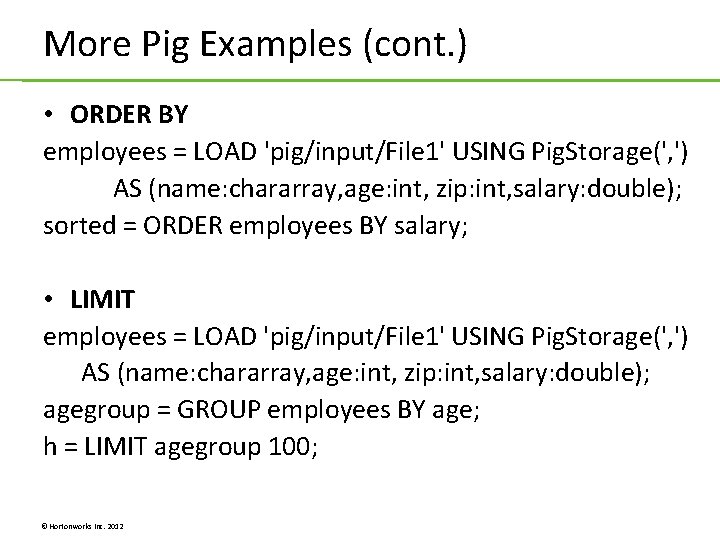
More Pig Examples (cont. ) • ORDER BY employees = LOAD 'pig/input/File 1' USING Pig. Storage(', ') AS (name: chararray, age: int, zip: int, salary: double); sorted = ORDER employees BY salary; • LIMIT employees = LOAD 'pig/input/File 1' USING Pig. Storage(', ') AS (name: chararray, age: int, zip: int, salary: double); agegroup = GROUP employees BY age; h = LIMIT agegroup 100; © Hortonworks Inc. 2012
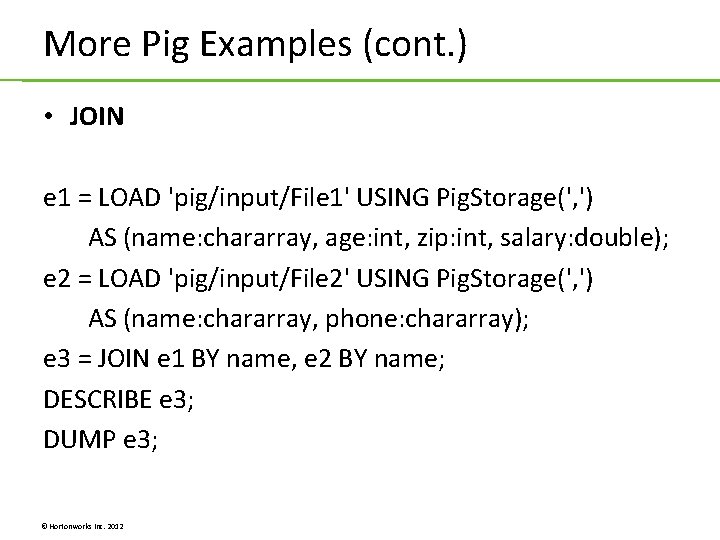
More Pig Examples (cont. ) • JOIN e 1 = LOAD 'pig/input/File 1' USING Pig. Storage(', ') AS (name: chararray, age: int, zip: int, salary: double); e 2 = LOAD 'pig/input/File 2' USING Pig. Storage(', ') AS (name: chararray, phone: chararray); e 3 = JOIN e 1 BY name, e 2 BY name; DESCRIBE e 3; DUMP e 3; © Hortonworks Inc. 2012
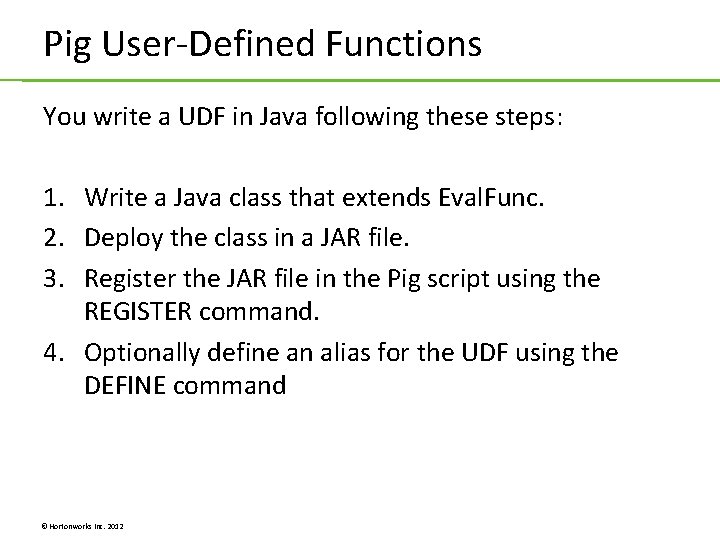
Pig User-Defined Functions You write a UDF in Java following these steps: 1. Write a Java class that extends Eval. Func. 2. Deploy the class in a JAR file. 3. Register the JAR file in the Pig script using the REGISTER command. 4. Optionally define an alias for the UDF using the DEFINE command © Hortonworks Inc. 2012
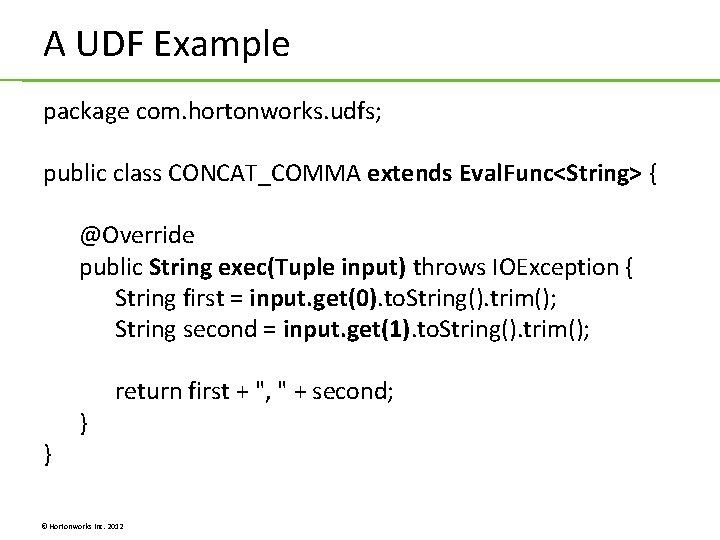
A UDF Example package com. hortonworks. udfs; public class CONCAT_COMMA extends Eval. Func<String> { @Override public String exec(Tuple input) throws IOException { String first = input. get(0). to. String(). trim(); String second = input. get(1). to. String(). trim(); } } return first + ", " + second; © Hortonworks Inc. 2012
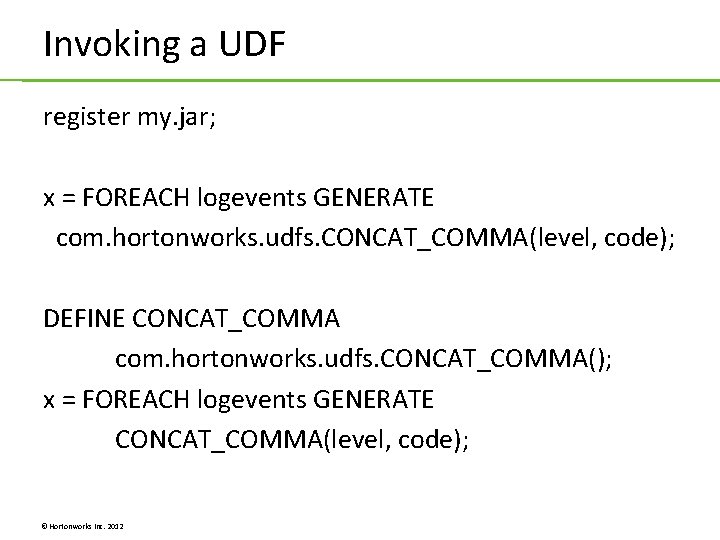
Invoking a UDF register my. jar; x = FOREACH logevents GENERATE com. hortonworks. udfs. CONCAT_COMMA(level, code); DEFINE CONCAT_COMMA com. hortonworks. udfs. CONCAT_COMMA(); x = FOREACH logevents GENERATE CONCAT_COMMA(level, code); © Hortonworks Inc. 2012
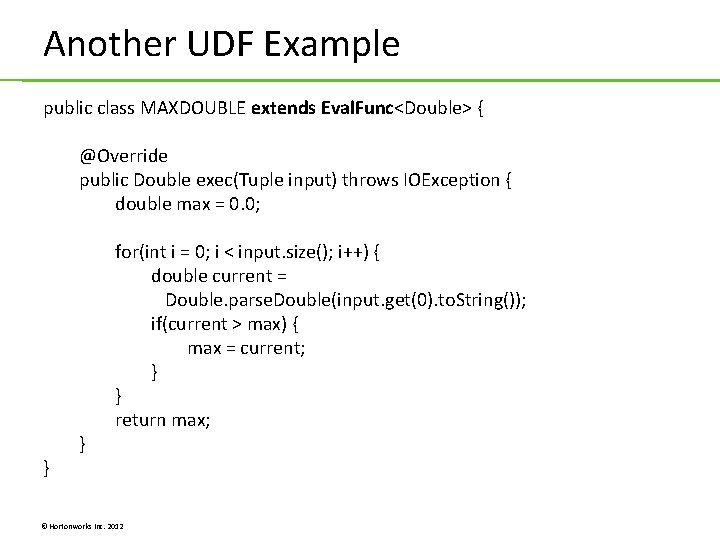
Another UDF Example public class MAXDOUBLE extends Eval. Func<Double> { @Override public Double exec(Tuple input) throws IOException { double max = 0. 0; } } for(int i = 0; i < input. size(); i++) { double current = Double. parse. Double(input. get(0). to. String()); if(current > max) { max = current; } } return max; © Hortonworks Inc. 2012
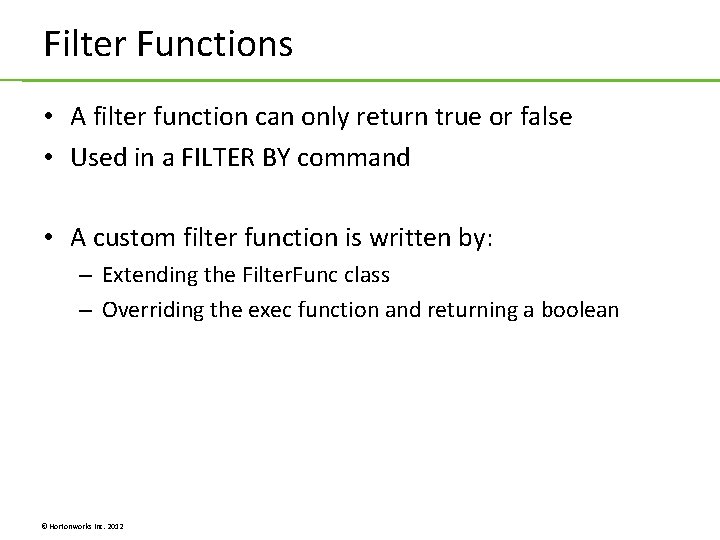
Filter Functions • A filter function can only return true or false • Used in a FILTER BY command • A custom filter function is written by: – Extending the Filter. Func class – Overriding the exec function and returning a boolean © Hortonworks Inc. 2012
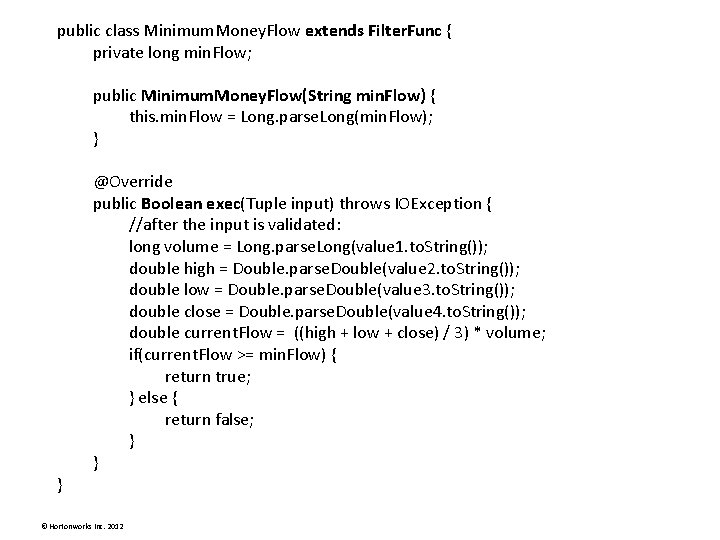
public class Minimum. Money. Flow extends Filter. Func { private long min. Flow; public Minimum. Money. Flow(String min. Flow) { this. min. Flow = Long. parse. Long(min. Flow); } } @Override public Boolean exec(Tuple input) throws IOException { //after the input is validated: long volume = Long. parse. Long(value 1. to. String()); double high = Double. parse. Double(value 2. to. String()); double low = Double. parse. Double(value 3. to. String()); double close = Double. parse. Double(value 4. to. String()); double current. Flow = ((high + low + close) / 3) * volume; if(current. Flow >= min. Flow) { return true; } else { return false; } } © Hortonworks Inc. 2012
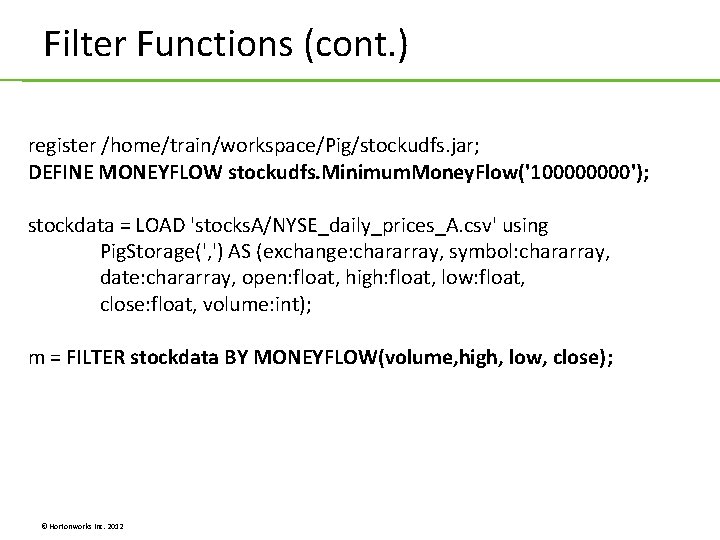
Filter Functions (cont. ) register /home/train/workspace/Pig/stockudfs. jar; DEFINE MONEYFLOW stockudfs. Minimum. Money. Flow('10000'); stockdata = LOAD 'stocks. A/NYSE_daily_prices_A. csv' using Pig. Storage(', ') AS (exchange: chararray, symbol: chararray, date: chararray, open: float, high: float, low: float, close: float, volume: int); m = FILTER stockdata BY MONEYFLOW(volume, high, low, close); © Hortonworks Inc. 2012
Lab 11. 1: Writing a Pig UDF © Hortonworks Inc. 2012
Unit 12: Hive Programming © Hortonworks Inc. 2012
What is Hive? © Hortonworks Inc. 2012
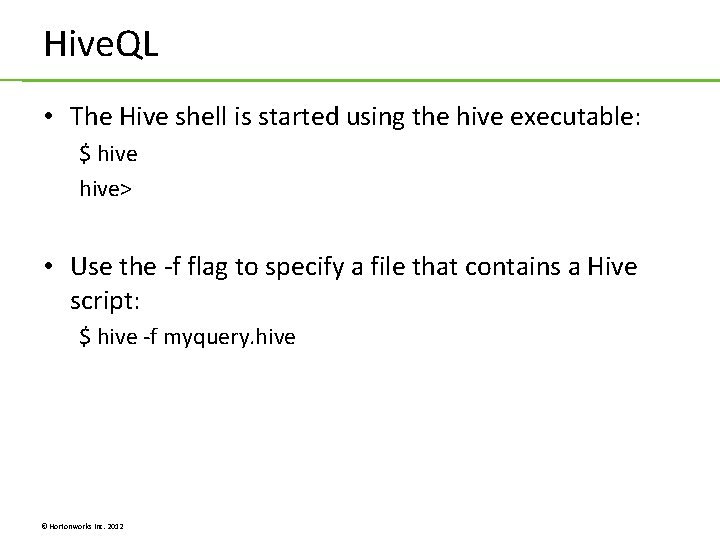
What is Hive? (cont. ) • Data warehouse system for Hadoop • Maintains metadata information about your Big Data stored on HDFS • Treat your Big Data as tables • Perform SQL-like operations on the data using a scripting language called Hive. QL © Hortonworks Inc. 2012
Hive. QL • The Hive shell is started using the hive executable: $ hive> • Use the -f flag to specify a file that contains a Hive script: $ hive -f myquery. hive © Hortonworks Inc. 2012
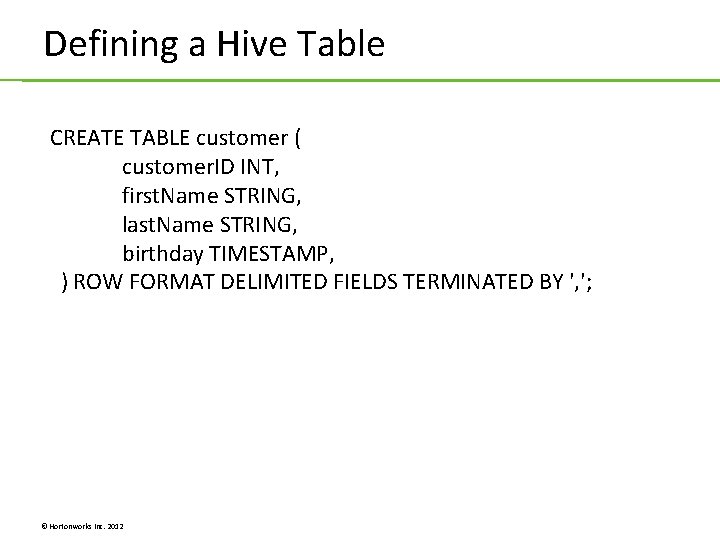
Defining a Hive Table CREATE TABLE customer ( customer. ID INT, first. Name STRING, last. Name STRING, birthday TIMESTAMP, ) ROW FORMAT DELIMITED FIELDS TERMINATED BY ', '; © Hortonworks Inc. 2012
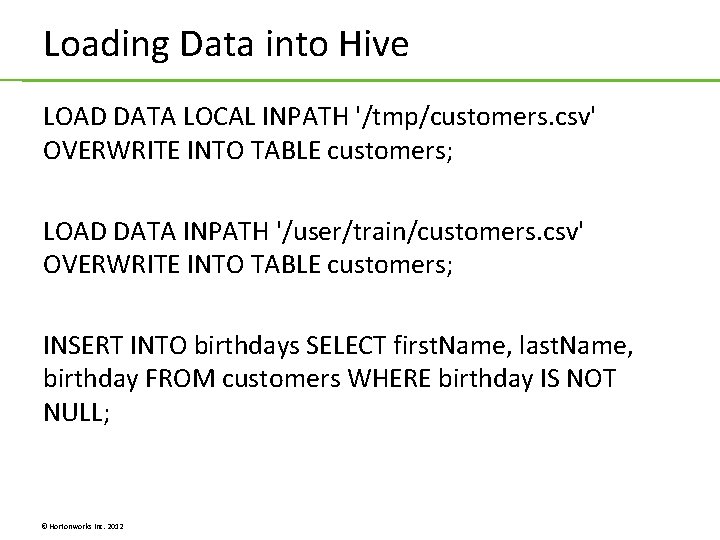
Loading Data into Hive LOAD DATA LOCAL INPATH '/tmp/customers. csv' OVERWRITE INTO TABLE customers; LOAD DATA INPATH '/user/train/customers. csv' OVERWRITE INTO TABLE customers; INSERT INTO birthdays SELECT first. Name, last. Name, birthday FROM customers WHERE birthday IS NOT NULL; © Hortonworks Inc. 2012
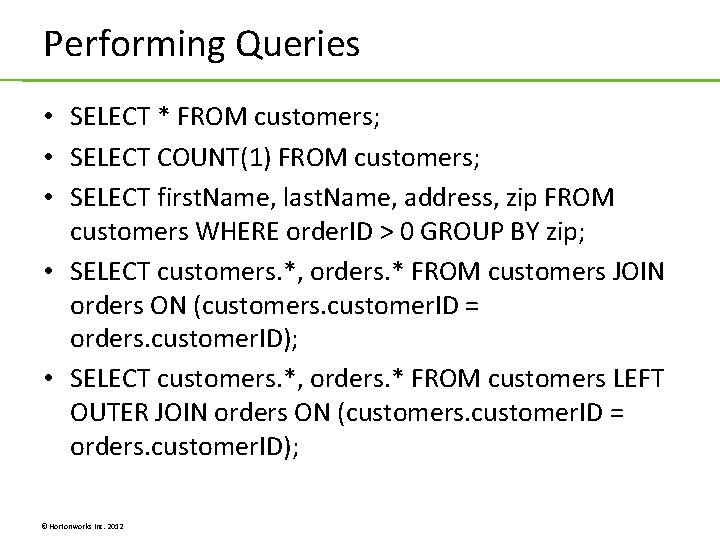
Performing Queries • SELECT * FROM customers; • SELECT COUNT(1) FROM customers; • SELECT first. Name, last. Name, address, zip FROM customers WHERE order. ID > 0 GROUP BY zip; • SELECT customers. *, orders. * FROM customers JOIN orders ON (customers. customer. ID = orders. customer. ID); • SELECT customers. *, orders. * FROM customers LEFT OUTER JOIN orders ON (customers. customer. ID = orders. customer. ID); © Hortonworks Inc. 2012
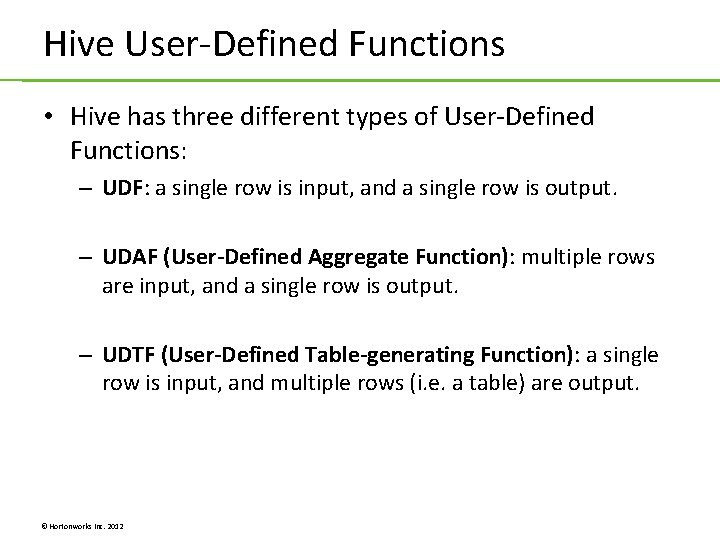
Hive User-Defined Functions • Hive has three different types of User-Defined Functions: – UDF: a single row is input, and a single row is output. – UDAF (User-Defined Aggregate Function): multiple rows are input, and a single row is output. – UDTF (User-Defined Table-generating Function): a single row is input, and multiple rows (i. e. a table) are output. © Hortonworks Inc. 2012
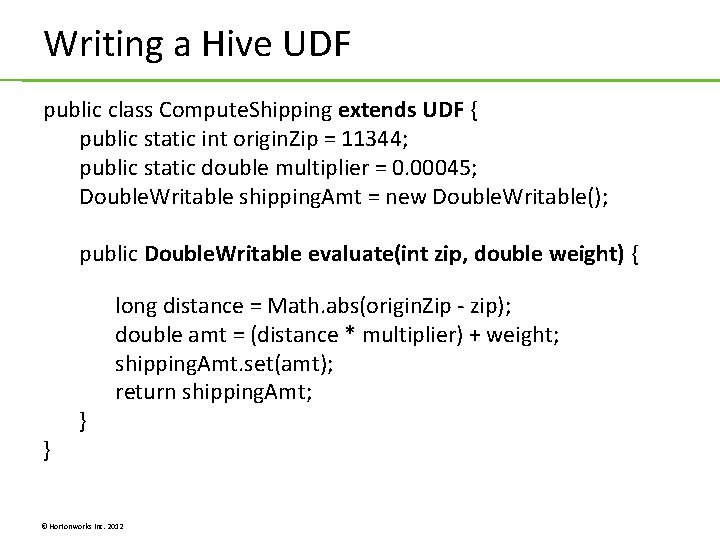
Writing a Hive UDF public class Compute. Shipping extends UDF { public static int origin. Zip = 11344; public static double multiplier = 0. 00045; Double. Writable shipping. Amt = new Double. Writable(); public Double. Writable evaluate(int zip, double weight) { } } long distance = Math. abs(origin. Zip - zip); double amt = (distance * multiplier) + weight; shipping. Amt. set(amt); return shipping. Amt; © Hortonworks Inc. 2012
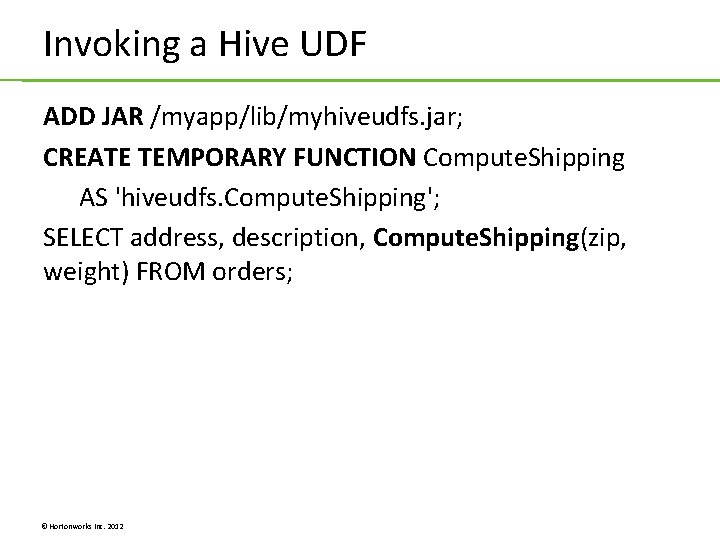
Invoking a Hive UDF ADD JAR /myapp/lib/myhiveudfs. jar; CREATE TEMPORARY FUNCTION Compute. Shipping AS 'hiveudfs. Compute. Shipping'; SELECT address, description, Compute. Shipping(zip, weight) FROM orders; © Hortonworks Inc. 2012
Lab 12. 1: Writing a Hive UDF © Hortonworks Inc. 2012