
Whats the Hadoopla about Strata Data 2018 New
What’s the Hadoop-la about Strata Data 2018, New York, CA
Today’s Speakers Anant Chintamaneni Nanda Vijaydev @Anant. Cman @Nanda. Vijaydev Vice President of Products Blue. Data Software Sr. Director of Solutions Blue. Data Software
Agenda • • • Market Dynamics What is Kubernetes – Why should you care? Key gaps in Kubernetes for running Hadoop What will it take to go from here to there Introducing Kube. Director Q&A
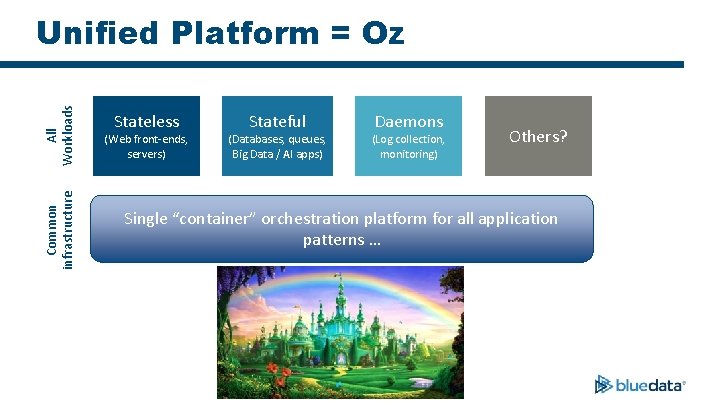
Common infrastructure All Workloads Unified Platform = Oz Stateless (Web front-ends, servers) Stateful (Databases, queues, Big Data / AI apps) Daemons (Log collection, monitoring) Others? Single “container” orchestration platform for all application patterns …
What is Kubernetes (K 8 s? ) • Open source “platform” for container orchestration • Platform building blocks vs. turnkey platform – https: //kubernetes. io/docs/concepts/overview/what-is-kubernetes/#what-kubernetes-is-not • Top use case is stateless / microservices deployments • Evolving for stateful applications
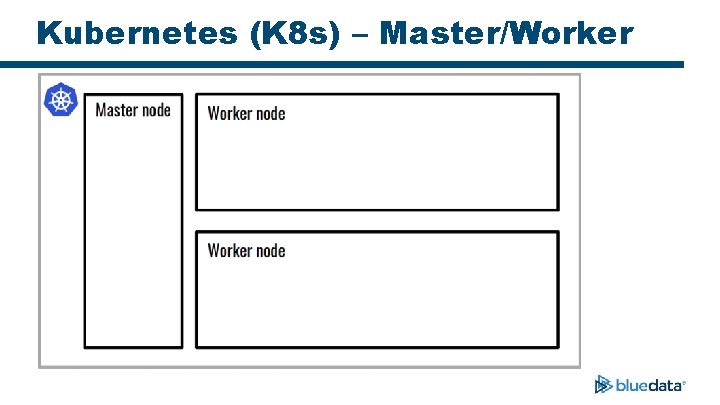
Kubernetes (K 8 s) – Master/Worker
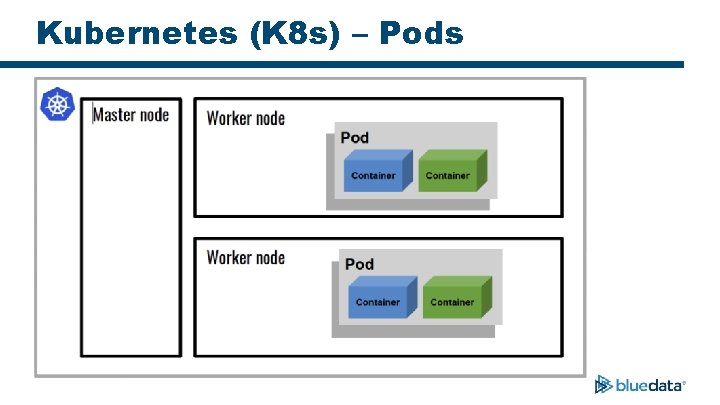
Kubernetes (K 8 s) – Pods
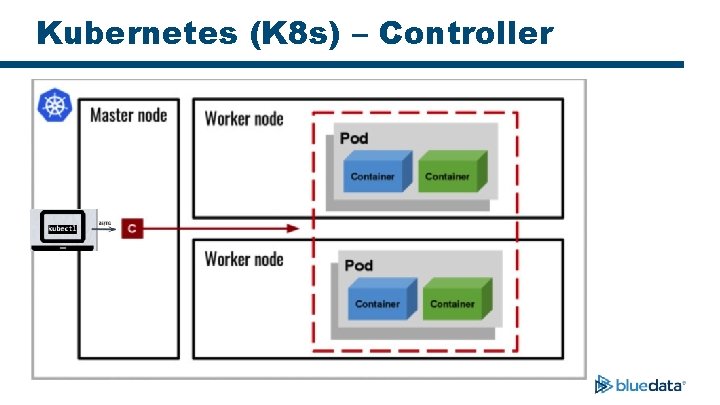
Kubernetes (K 8 s) – Controller
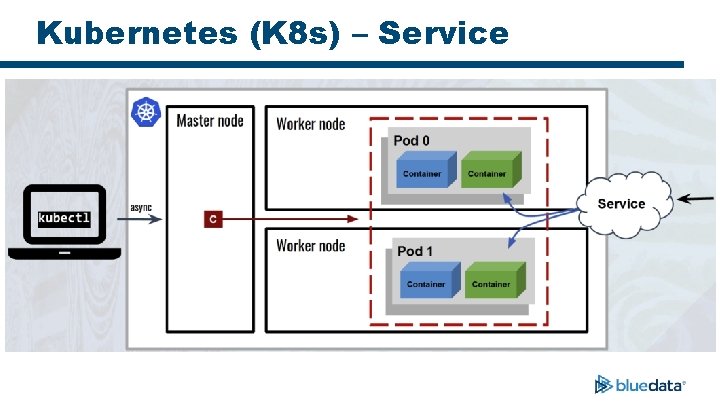
Kubernetes (K 8 s) – Service
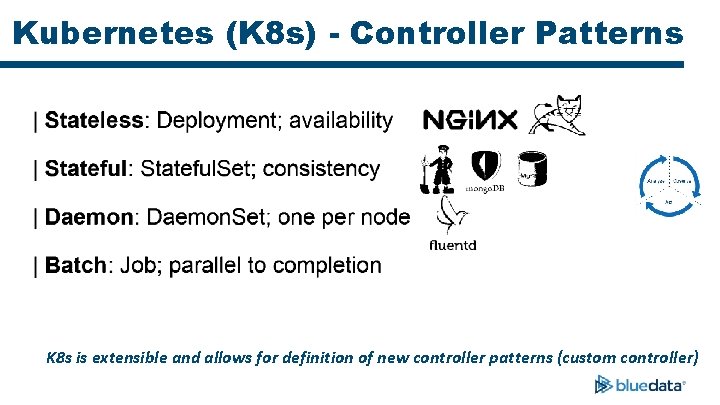
Kubernetes (K 8 s) - Controller Patterns K 8 s is extensible and allows for definition of new controller patterns (custom controller)

Reality Check!
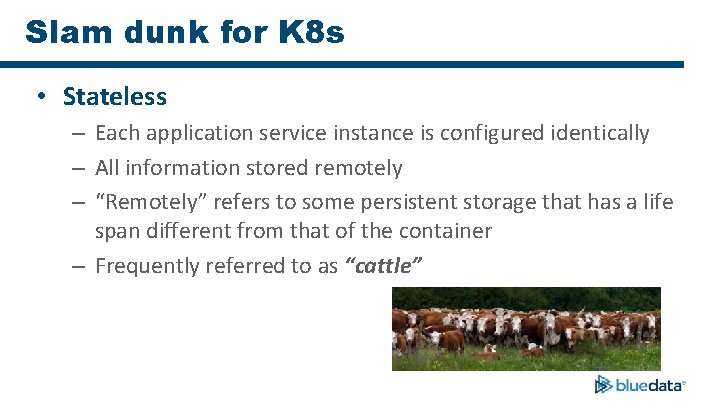
Slam dunk for K 8 s • Stateless – Each application service instance is configured identically – All information stored remotely – “Remotely” refers to some persistent storage that has a life span different from that of the container – Frequently referred to as “cattle”
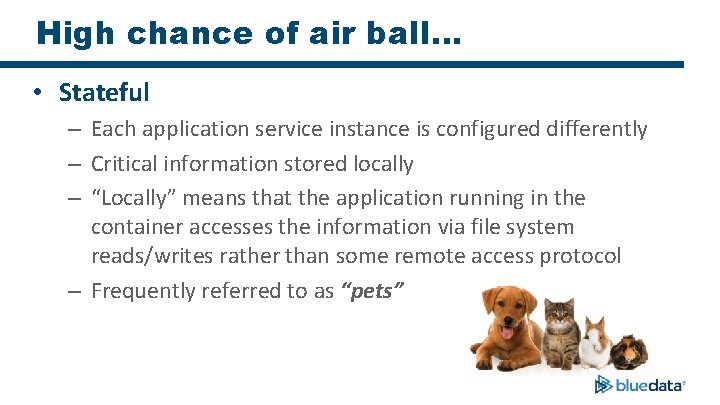
High chance of air ball… • Stateful – Each application service instance is configured differently – Critical information stored locally – “Locally” means that the application running in the container accesses the information via file system reads/writes rather than some remote access protocol – Frequently referred to as “pets”
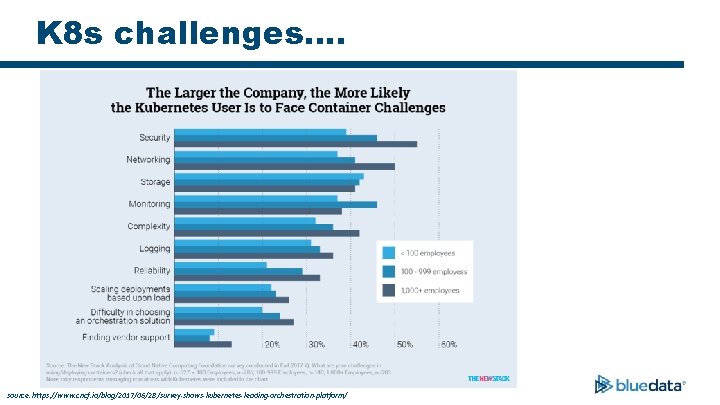
K 8 s challenges…. source: https: //www. cncf. io/blog/2017/06/28/survey-shows-kubernetes-leading-orchestration-platform/
Hadoop & Ecosystem on Containers
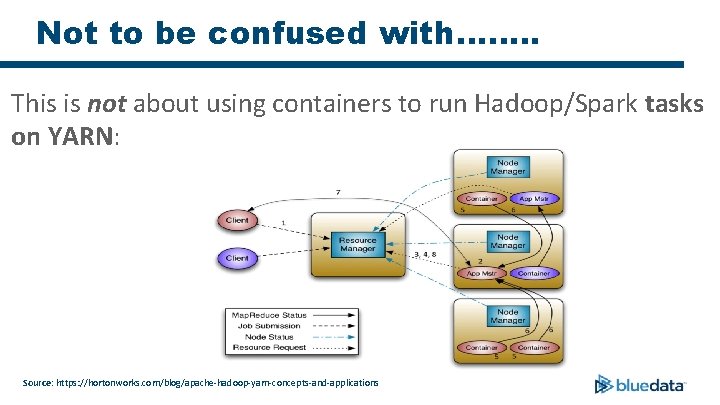
Not to be confused with……. . This is not about using containers to run Hadoop/Spark tasks on YARN: Source: https: //hortonworks. com/blog/apache-hadoop-yarn-concepts-and-applications
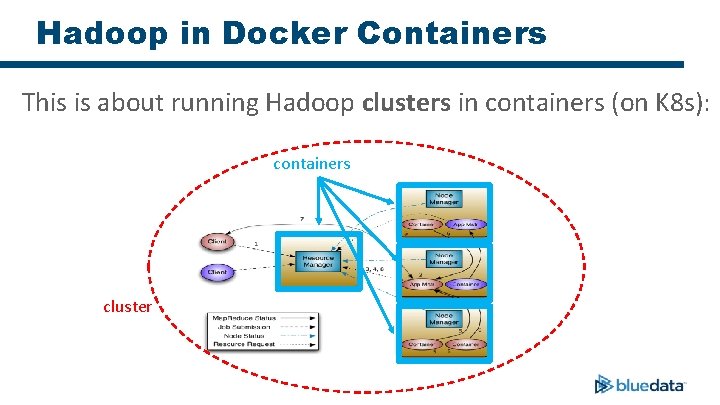
Hadoop in Docker Containers This is about running Hadoop clusters in containers (on K 8 s): containers cluster
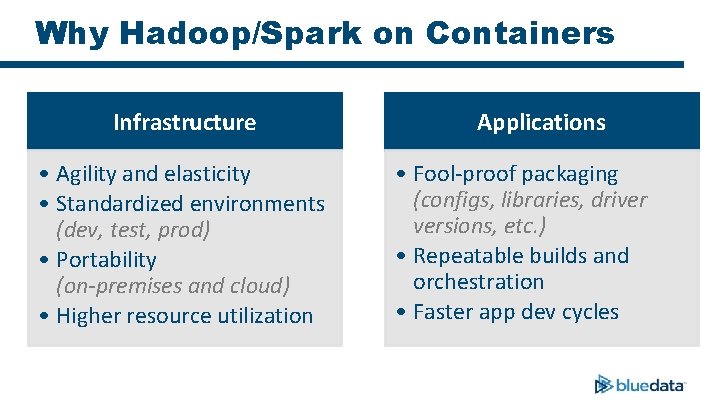
Why Hadoop/Spark on Containers Infrastructure • Agility and elasticity • Standardized environments (dev, test, prod) • Portability (on-premises and cloud) • Higher resource utilization Applications • Fool-proof packaging (configs, libraries, driver versions, etc. ) • Repeatable builds and orchestration • Faster app dev cycles
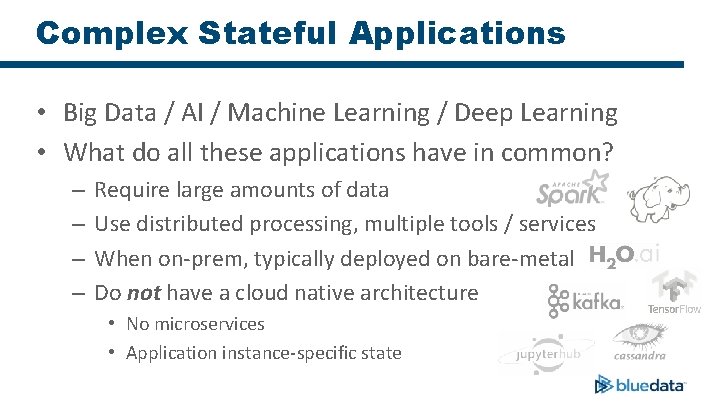
Complex Stateful Applications • Big Data / AI / Machine Learning / Deep Learning • What do all these applications have in common? – – Require large amounts of data Use distributed processing, multiple tools / services When on-prem, typically deployed on bare-metal Do not have a cloud native architecture • No microservices • Application instance-specific state
So is it possible to run complex stateful apps (e. g. Hadoop) on Kubernetes (K 8 s)?
Complex Stateful Apps on Kubernetes • Pods, Stateful. Sets, and Persistent. Volumes are necessary • Helm Charts and Operators provide some promise But are they sufficient in order to run complex stateful applications in an enterprise environment?
Kubernetes – Specific Challenges • Complex Stateful Applications Source: http: //astrorhysy. blogspot. com/2016/04/perfectly-wrong-or-necessary-but-not. html
Kubernetes – Pod • Ideally: Each application service could be deployed in its own container running in a Pod (microservices architecture) • Current reality: All services of each node for a complex stateful application must run in the same container – The Pod ordering feature does not help in the ordering of services (which is key for complex stateful apps)
Kubernetes Stateful Set & Persistent Volume • Hey! If I can mount an external file system at “/” (root) in my container, I can save its full storage state. Right? – Not so fast. • Docker containers do not allow remount of “/” (root) • Many configuration files of stateful apps are typically stored in “/etc” and “/usr” – The remounting of these directories may cause the loss of other essential container artifacts
Kubernetes – Helm • Helm is designed for managing dependencies between services – Post configuration changes (e. g. injecting security certs) are a challenge – Authentication and Authorization of individual apps/services may not be native* * Tiller does the authorization; Scheduled to be dropped in next release of Helm.
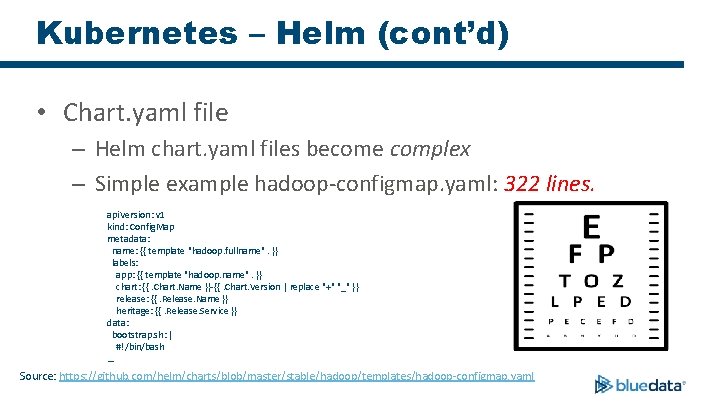
Kubernetes – Helm (cont’d) • Chart. yaml file – Helm chart. yaml files become complex – Simple example hadoop-configmap. yaml: 322 lines. api. Version: v 1 kind: Config. Map metadata: name: {{ template "hadoop. fullname". }} labels: app: {{ template "hadoop. name". }} chart: {{. Chart. Name }}-{{. Chart. Version | replace "+" "_" }} release: {{. Release. Name }} heritage: {{. Release. Service }} data: bootstrap. sh: | #!/bin/bash … Source: https: //github. com/helm/charts/blob/master/stable/hadoop/templates/hadoop-configmap. yaml
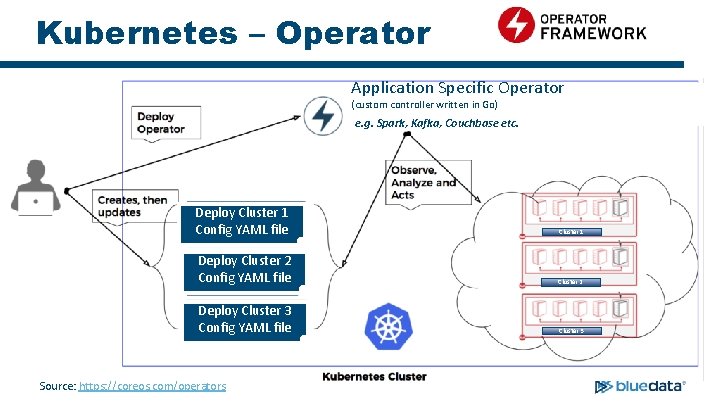
Kubernetes – Operator Application Specific Operator (custom controller written in Go) e. g. Spark, Kafka, Couchbase etc. Deploy Cluster 1 Config YAML file Cluster 1 Deploy Cluster 2 Config YAML file Cluster 2 Deploy Cluster 3 Config YAML file Cluster 3 Source: https: //coreos. com/operators
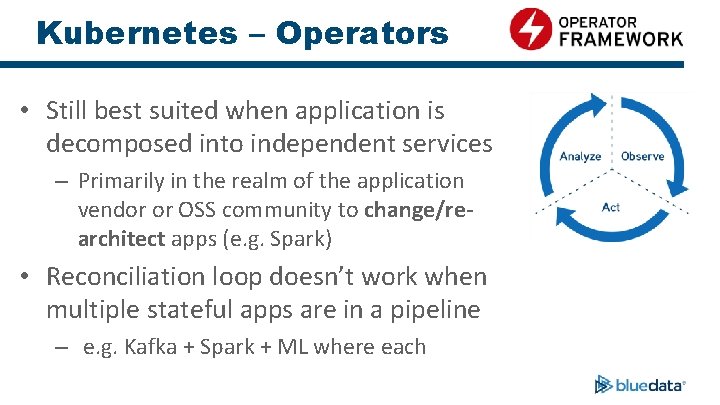
Kubernetes – Operators • Still best suited when application is decomposed into independent services – Primarily in the realm of the application vendor or OSS community to change/rearchitect apps (e. g. Spark) • Reconciliation loop doesn’t work when multiple stateful apps are in a pipeline – e. g. Kafka + Spark + ML where each

What to Do? • There needs to be an easier way to deploy and manage clusters running complex stateful applications
Blue. Data EPIC Enterprise – Available Now!

Blue. Data EPIC Software Platform Data Scientists Developers Data Engineers Data Analysts Blue. Data EPIC™ Software Platform Big Data Tools ML / DL Tools Data Science Tools BI/Analytics Tools Elastic. Plane™ – Self-service, multi-tenant clusters IOBoost™ – Extreme performance and scalability Data. Tap™ – In-place access to data on-prem or in the cloud Compute CPUs GPUs Storage NFS HDFS On-Premises Public Cloud Bring-Your-Own
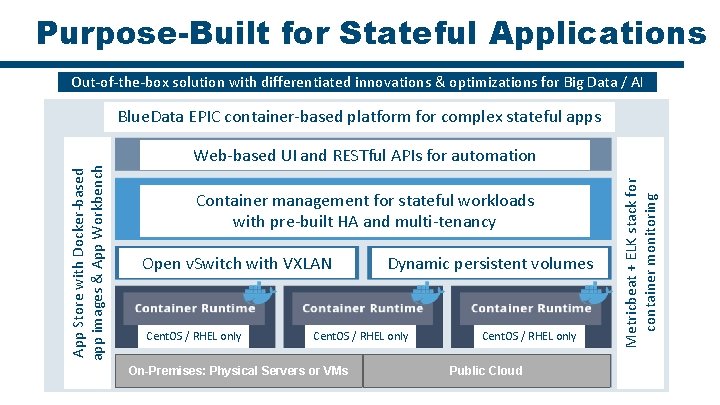
Purpose-Built for Stateful Applications Out-of-the-box solution with differentiated innovations & optimizations for Big Data / AI Web-based UI and RESTful APIs for automation Container management for stateful workloads with pre-built HA and multi-tenancy Open v. Switch with VXLAN Cent. OS / RHEL only Dynamic persistent volumes Cent. OS / RHEL only On-Premises: Physical Servers or VMs Cent. OS / RHEL only Public Cloud Metricbeat + ELK stack for container monitoring App Store with Docker-based app images & App Workbench Out-of-the-box solution with differentiated Big Data & optimizations Blue. Data EPIC container-based platform forinnovations complex stateful apps

So what will it take to address these gaps and run complex stateful apps (a’la Hadoop) on K 8 s?
Here’s How • Blue. Data is using its expertise in deploying and managing complex stateful applications in containers to drive Kubernetes development – Blue. Data recently joined CNCF* and introduced a new “Blue. K 8 s” open source initiative to contribute to Kubernetes * CNCF = Cloud Native Computing Foundation (i. e. the organization behind Kubernetes) https: //www. cncf. io
Application vs Service vs Instance • For example, “Hadoop” is an application • “Collection of Services” - Node. Manager, Data. Node, Resource. Manager are application services • The Resource. Manager Service running on node host 1. example. com is an application service instance
Attributes of Hadoop Clusters • Not exactly monolithic applications, but close • Multiple, co-operating services with dynamic APIs – Service start-up / tear-down ordering requirements – Different sets of services running on different hosts (nodes) – Tricky service interdependencies impact scalability • Lots of configuration (aka state) – Host name, IP address, ports, etc. – Big meta-data: Hadoop and Spark service-specific configurations
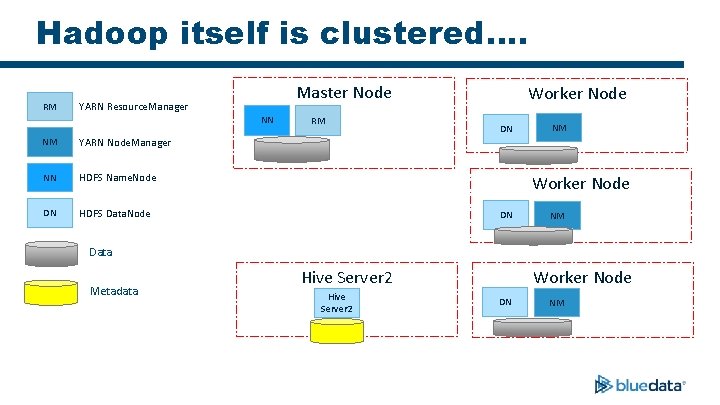
Hadoop itself is clustered…. RM Master Node YARN Resource. Manager NN NM YARN Node. Manager NN HDFS Name. Node DN HDFS Data. Node RM Worker Node DN NM Data Metadata Hive Server 2 Worker Node DN NM
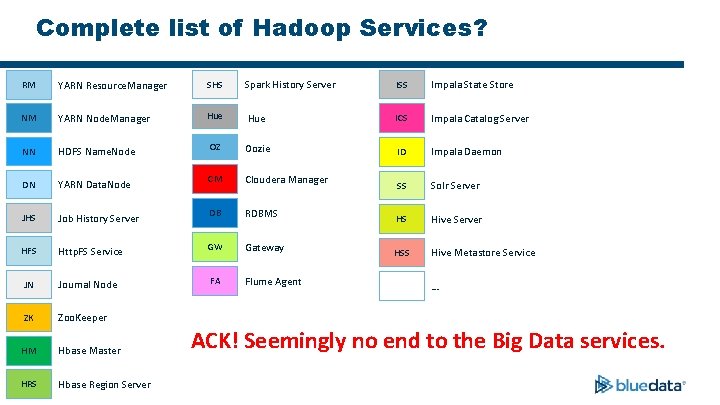
Complete list of Hadoop Services? RM YARN Resource. Manager SHS Spark History Server ISS Impala State Store NM YARN Node. Manager Hue ICS Impala Catalog Server NN HDFS Name. Node OZ Oozie ID Impala Daemon DN YARN Data. Node CM Cloudera Manager SS Solr Server JHS Job History Server DB RDBMS HS Hive Server HFS Http. FS Service GW Gateway HSS Hive Metastore Service JN Journal Node FA Flume Agent ZK Zoo. Keeper HM Hbase Master HRS Hbase Region Server … ACK! Seemingly no end to the Big Data services.
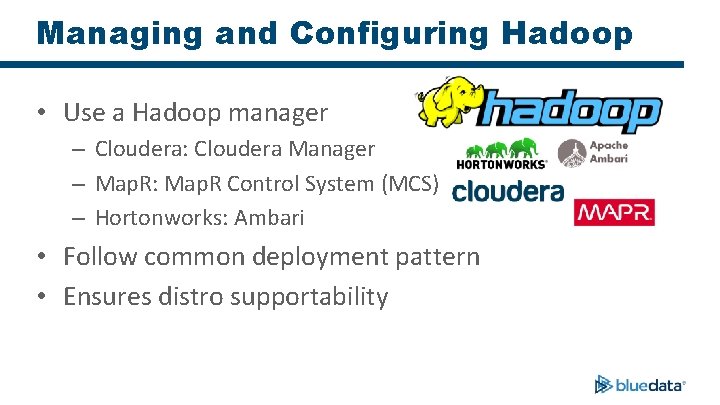
Managing and Configuring Hadoop • Use a Hadoop manager – Cloudera: Cloudera Manager – Map. R: Map. R Control System (MCS) – Hortonworks: Ambari • Follow common deployment pattern • Ensures distro supportability
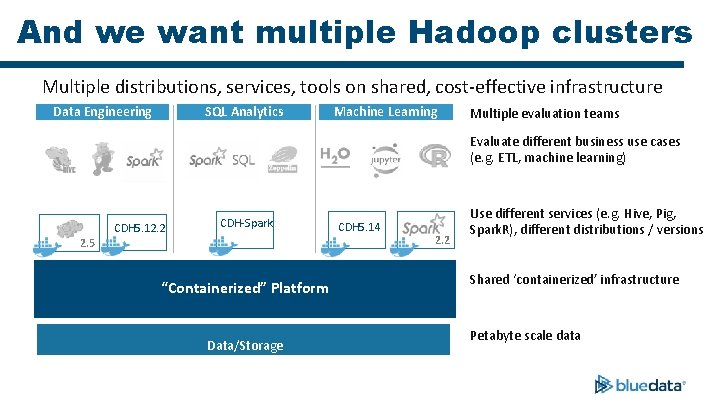
And we want multiple Hadoop clusters Multiple distributions, services, tools on shared, cost-effective infrastructure Data Engineering SQL Analytics Machine Learning Multiple evaluation teams Evaluate different business use cases (e. g. ETL, machine learning) CDH 5. 12. 2 CDH-Spark 2. 5 “Containerized” Platform Data/Storage CDH 5. 14 2. 2 Use different services (e. g. Hive, Pig, Spark. R), different distributions / versions Shared ‘containerized’ infrastructure Petabyte scale data
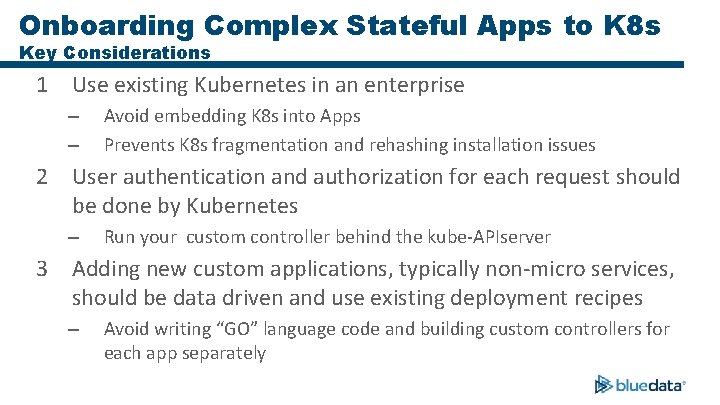
Onboarding Complex Stateful Apps to K 8 s Key Considerations 1 Use existing Kubernetes in an enterprise – – Avoid embedding K 8 s into Apps Prevents K 8 s fragmentation and rehashing installation issues 2 User authentication and authorization for each request should be done by Kubernetes – Run your custom controller behind the kube-APIserver 3 Adding new custom applications, typically non-micro services, should be data driven and use existing deployment recipes – Avoid writing “GO” language code and building custom controllers for each app separately
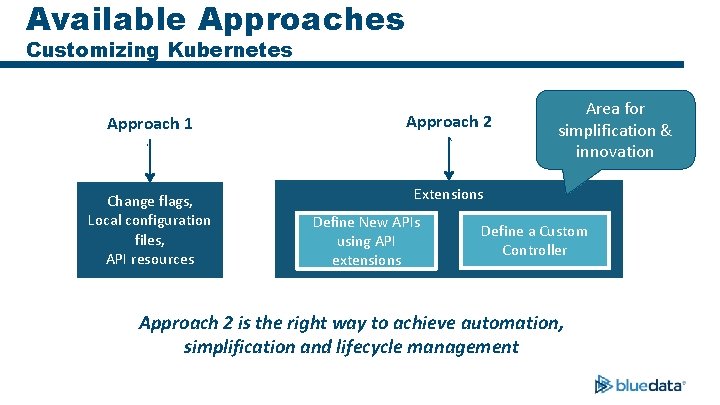
Available Approaches Customizing Kubernetes Approach 1 Approach 2 Change flags, Local configuration files, API resources Extensions Define New APIs using API extensions Area for simplification & innovation Define a Custom Controller Approach 2 is the right way to achieve automation, simplification and lifecycle management
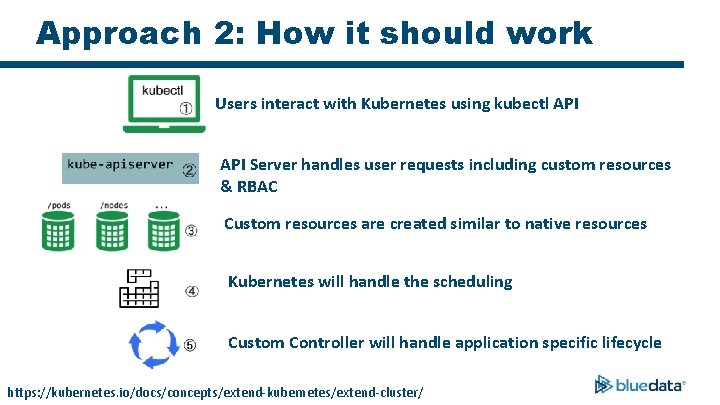
Approach 2: How it should work Users interact with Kubernetes using kubectl API Server handles user requests including custom resources & RBAC Custom resources are created similar to native resources Kubernetes will handle the scheduling Custom Controller will handle application specific lifecycle https: //kubernetes. io/docs/concepts/extend-kubernetes/extend-cluster/
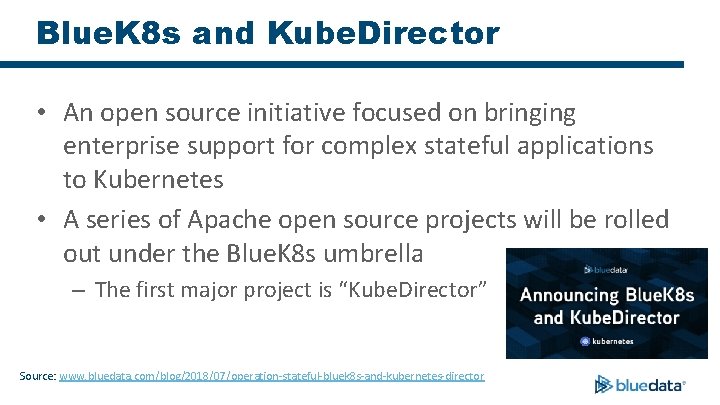
Blue. K 8 s and Kube. Director • An open source initiative focused on bringing enterprise support for complex stateful applications to Kubernetes • A series of Apache open source projects will be rolled out under the Blue. K 8 s umbrella – The first major project is “Kube. Director” Source: www. bluedata. com/blog/2018/07/operation-stateful-bluek 8 s-and-kubernetes-director
Blue. K 8 s and Kube. Director • Kube. Director is a Kubernetes “custom controller” – Will address the limitations/complexities found in existing approaches • Watches for custom resources to appear/change • Creates/modifies standard Kubernetes resources (Stateful. Sets, etc. ) in response, to implement specifications from custom resources
Blue. K 8 s and Kube. Director (cont’d) • Differs from the typical Kubernetes Operator pattern: – No application-specific logic in Kube. Director code – App deployment is data-driven from external “catalog” – Can model interactions between different applications
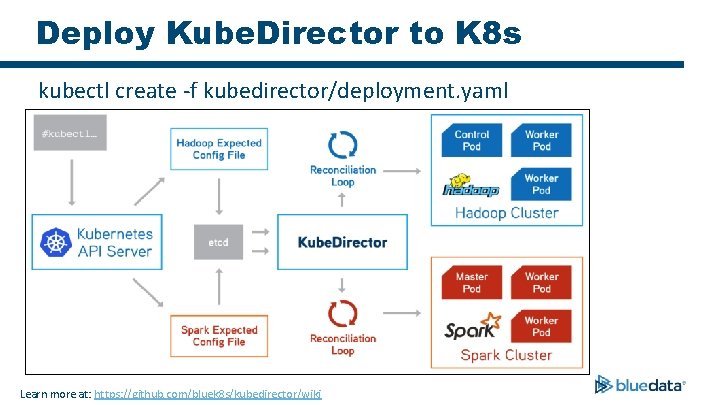
Deploy Kube. Director to K 8 s kubectl create -f kubedirector/deployment. yaml Learn more at: https: //github. com/bluek 8 s/kubedirector/wiki
Our ‘Kube. Director’ Approach. . • Launch statefulsets for defined roles • Configure and start services in the right sequence • Make the services available to end users – Network and port mapping • Secure the services with existing enterprise policies (e. g. LDAP / AD) • Maintain Big Data performance goals
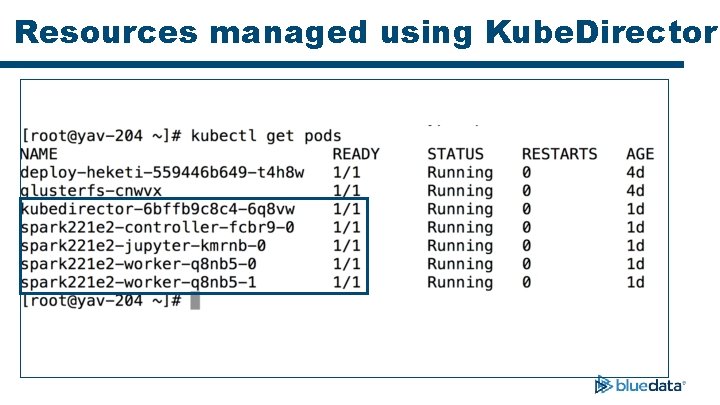
Resources managed using Kube. Director
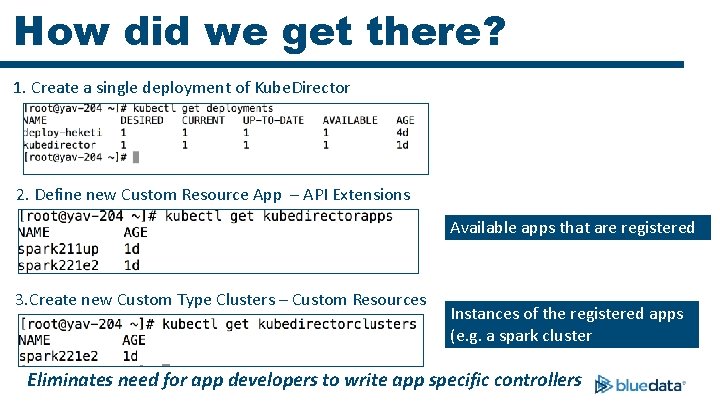
How did we get there? 1. Create a single deployment of Kube. Director 2. Define new Custom Resource App – API Extensions Available apps that are registered 3. Create new Custom Type Clusters – Custom Resources Instances of the registered apps (e. g. a spark cluster Eliminates need for app developers to write app specific controllers
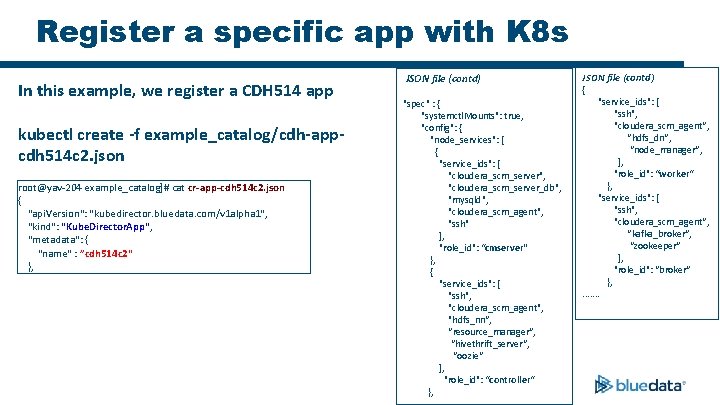
Register a specific app with K 8 s In this example, we register a CDH 514 app kubectl create -f example_catalog/cdh-appcdh 514 c 2. json root@yav-204 example_catalog]# cat cr-app-cdh 514 c 2. json { "api. Version": "kubedirector. bluedata. com/v 1 alpha 1", "kind": "Kube. Director. App", "metadata": { "name" : ”cdh 514 c 2" }, JSON file (contd) "spec" : { "systemctl. Mounts": true, "config": { "node_services": [ { "service_ids": [ "cloudera_scm_server", "cloudera_scm_server_db", "mysqld", "cloudera_scm_agent", "ssh" ], "role_id": “cmserver" }, { "service_ids": [ "ssh", "cloudera_scm_agent", "hdfs_nn“, “resource_manager“, “hivethrift_server“, “oozie“ ], "role_id": “controller“ }, JSON file (contd) { "service_ids": [ "ssh", "cloudera_scm_agent“, “hdfs_dn“, “node_manager“, ], "role_id": “worker“ }, "service_ids": [ "ssh", "cloudera_scm_agent“, “kafka_broker“, “zookeeper“ ], "role_id": “broker“ }, . . . .
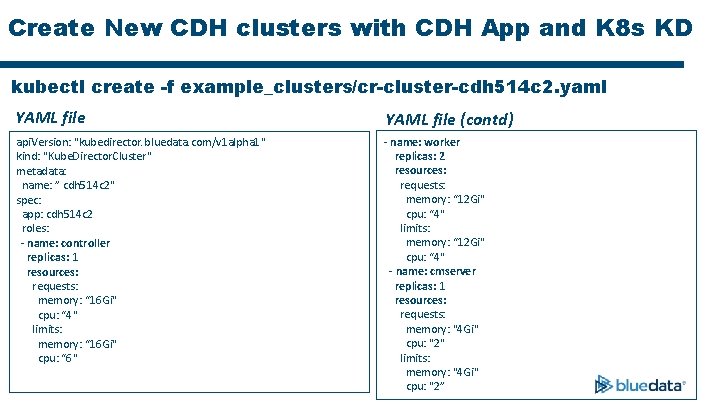
Create New CDH clusters with CDH App and K 8 s KD kubectl create -f example_clusters/cr-cluster-cdh 514 c 2. yaml YAML file (contd) api. Version: "kubedirector. bluedata. com/v 1 alpha 1" kind: "Kube. Director. Cluster" metadata: name: ” cdh 514 c 2" spec: app: cdh 514 c 2 roles: - name: controller replicas: 1 resources: requests: memory: “ 16 Gi" cpu: “ 4" limits: memory: “ 16 Gi" cpu: “ 6" - name: worker replicas: 2 resources: requests: memory: “ 12 Gi" cpu: “ 4" limits: memory: “ 12 Gi" cpu: “ 4" - name: cmserver replicas: 1 resources: requests: memory: "4 Gi" cpu: "2" limits: memory: "4 Gi" cpu: "2”
Kube. Director Functionality • Watch on instances of objects with type defined in “CRD” • Example: Create CDH cluster with Hive, and Oozie • Runs scripts and services to coordinate activities between different pods for clusters • Example: Start HDFS, Start Hive. Server 2 • Any modifications, and scaling logic can be applied using Kube. Director watch events • Example: Expand shrink cluster • Same controller handles requests for multiple instances of custom object • Example: Create and monitor multiple CDH clusters
Key Takeaways • Kubernetes is still best suited for stateless services • Complex stateful services like Hadoop requires significant work • Statefulsets is a key enabler – necessary, but not sufficient Kube. Director will simplify onboarding of Hadoop products and complex stateful apps to K 8 s https: //github. com/bluek 8 s
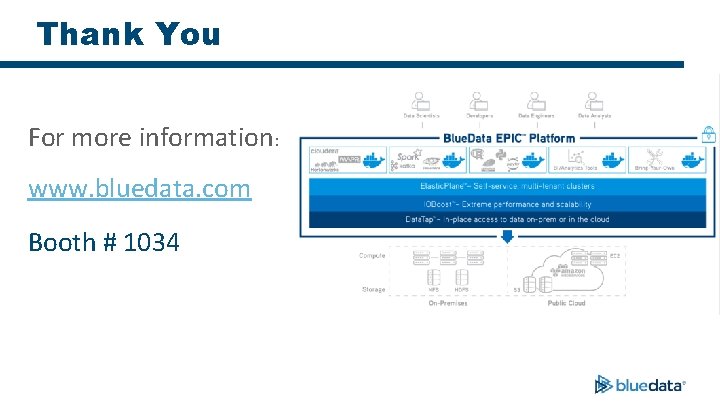
Thank You For more information: www. bluedata. com Booth # 1034
- Slides: 56