CSI 3140 WWW Structures Techniques and Standards Markup
- Slides: 156
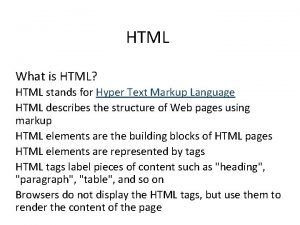
CSI 3140 WWW Structures, Techniques and Standards Markup Languages: XHTML 1. 0
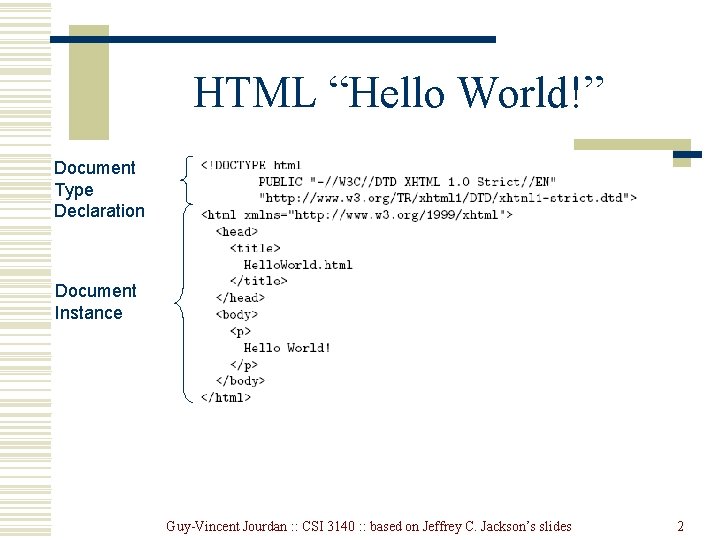
HTML “Hello World!” Document Type Declaration Document Instance Guy-Vincent Jourdan : : CSI 3140 : : based on Jeffrey C. Jackson’s slides 2
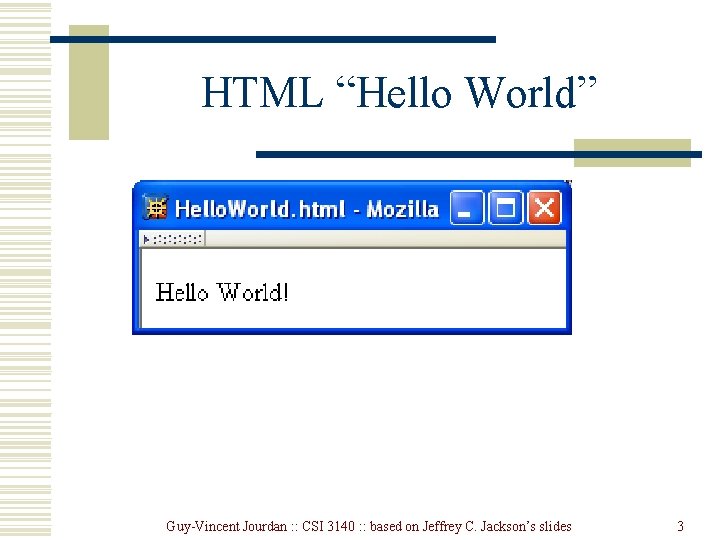
HTML “Hello World” Guy-Vincent Jourdan : : CSI 3140 : : based on Jeffrey C. Jackson’s slides 3
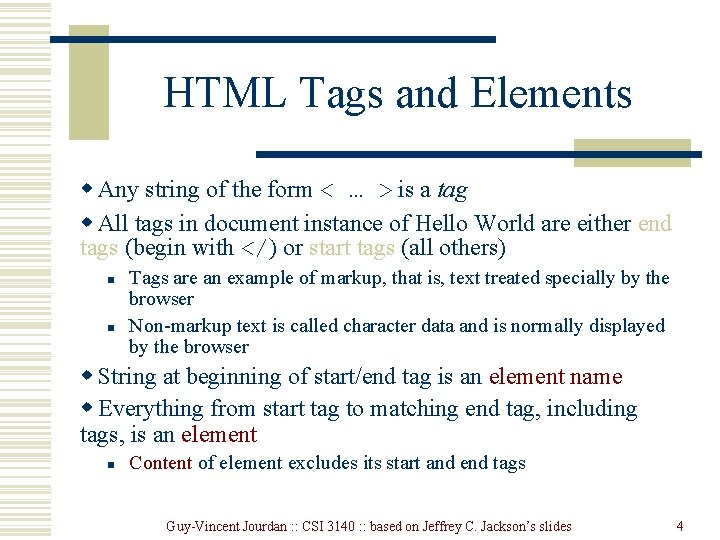
HTML Tags and Elements w Any string of the form < … > is a tag w All tags in document instance of Hello World are either end tags (begin with </) or start tags (all others) n n Tags are an example of markup, that is, text treated specially by the browser Non-markup text is called character data and is normally displayed by the browser w String at beginning of start/end tag is an element name w Everything from start tag to matching end tag, including tags, is an element n Content of element excludes its start and end tags Guy-Vincent Jourdan : : CSI 3140 : : based on Jeffrey C. Jackson’s slides 4
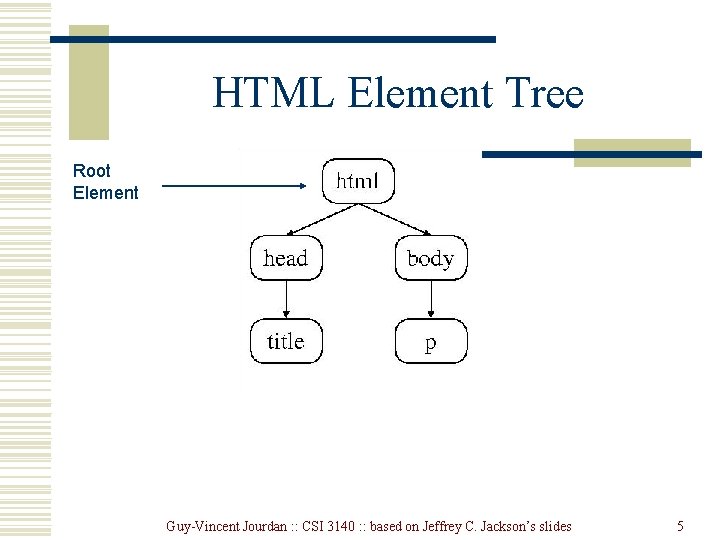
HTML Element Tree Root Element Guy-Vincent Jourdan : : CSI 3140 : : based on Jeffrey C. Jackson’s slides 5
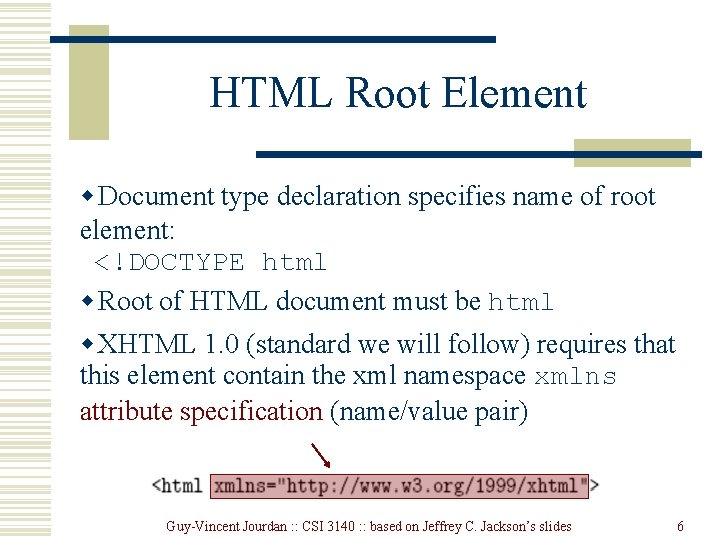
HTML Root Element w Document type declaration specifies name of root element: <!DOCTYPE html w Root of HTML document must be html w XHTML 1. 0 (standard we will follow) requires that this element contain the xml namespace xmlns attribute specification (name/value pair) Guy-Vincent Jourdan : : CSI 3140 : : based on Jeffrey C. Jackson’s slides 6
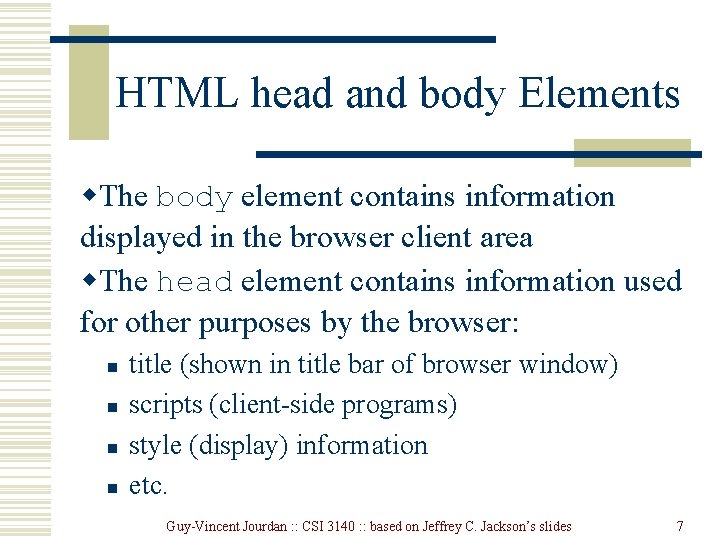
HTML head and body Elements w. The body element contains information displayed in the browser client area w. The head element contains information used for other purposes by the browser: n n title (shown in title bar of browser window) scripts (client-side programs) style (display) information etc. Guy-Vincent Jourdan : : CSI 3140 : : based on Jeffrey C. Jackson’s slides 7
HTML History w 1990: HTML invented by Tim Berners-Lee w 1993: Mosaic browser adds support for images, sound, video to HTML w 1994 -~1997: “Browser wars” between Netscape and Microsoft, HTML defined operationally by browser support w~1997 -present: Increasingly, World-Wide Web Consortium (W 3 C) recommendations define HTML Guy-Vincent Jourdan : : CSI 3140 : : based on Jeffrey C. Jackson’s slides 8
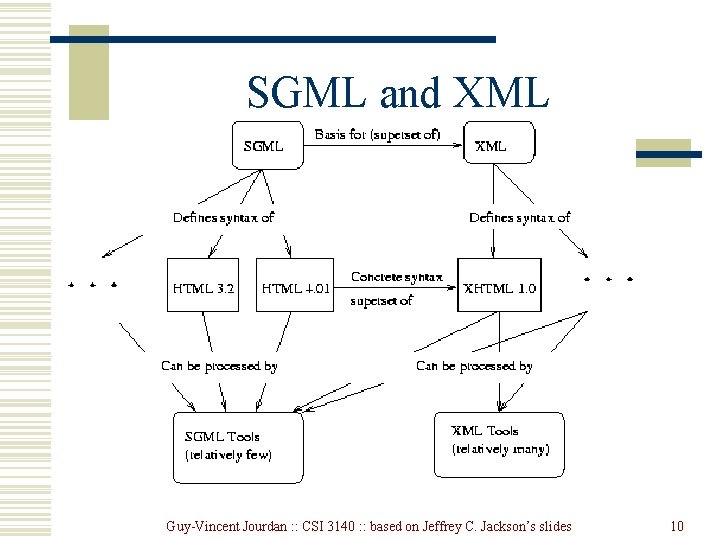
HTML Versions w HTML 4. 01 (Dec 1999) syntax defined using Standard Generalized Markup Language (SGML) w XHTML 1. 0 (Jan 2000) syntax defined using Extensible Markup Language (XML) w Primary differences: n n n HTML allows some tag omissions (e. g. , end tags) XHTML element and attribute names are lower case (HTML names are case-insensitive) XHTML requires that attribute values be quoted Guy-Vincent Jourdan : : CSI 3140 : : based on Jeffrey C. Jackson’s slides 9
SGML and XML Guy-Vincent Jourdan : : CSI 3140 : : based on Jeffrey C. Jackson’s slides 10
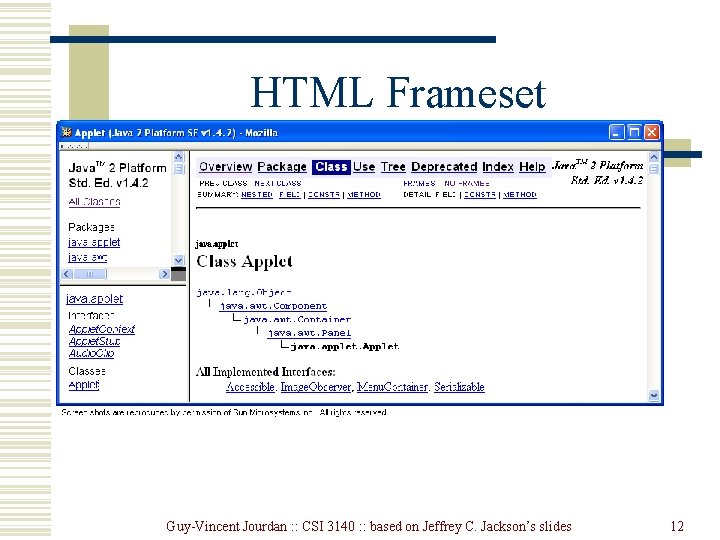
HTML “Flavors” w. For HTML 4. 01 and XHTML 1. 0, the document type declaration can be used to select one of three “flavors”: n n n Strict: W 3 C ideal Transitional: Includes deprecated elements and attributes (W 3 C recommends use of style sheets instead) Frameset: Supports frames (subwindows within the client area) Guy-Vincent Jourdan : : CSI 3140 : : based on Jeffrey C. Jackson’s slides 11
HTML Frameset Guy-Vincent Jourdan : : CSI 3140 : : based on Jeffrey C. Jackson’s slides 12
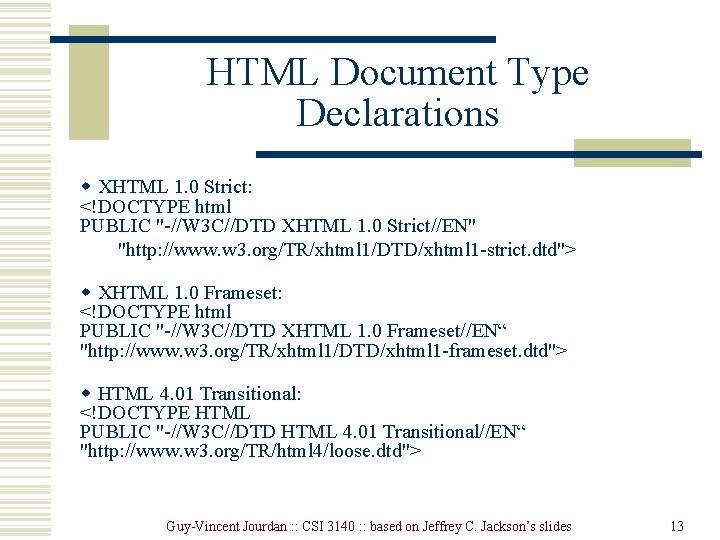
HTML Document Type Declarations w XHTML 1. 0 Strict: <!DOCTYPE html PUBLIC "-//W 3 C//DTD XHTML 1. 0 Strict//EN" "http: //www. w 3. org/TR/xhtml 1/DTD/xhtml 1 -strict. dtd"> w XHTML 1. 0 Frameset: <!DOCTYPE html PUBLIC "-//W 3 C//DTD XHTML 1. 0 Frameset//EN“ "http: //www. w 3. org/TR/xhtml 1/DTD/xhtml 1 -frameset. dtd"> w HTML 4. 01 Transitional: <!DOCTYPE HTML PUBLIC "-//W 3 C//DTD HTML 4. 01 Transitional//EN“ "http: //www. w 3. org/TR/html 4/loose. dtd"> Guy-Vincent Jourdan : : CSI 3140 : : based on Jeffrey C. Jackson’s slides 13
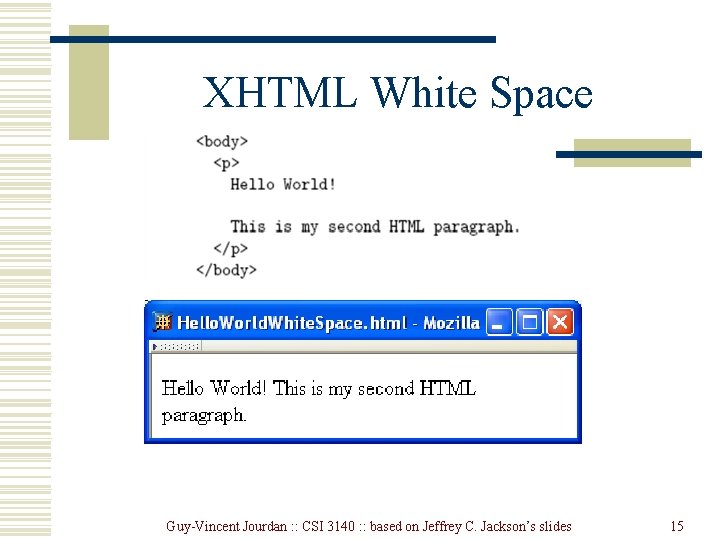
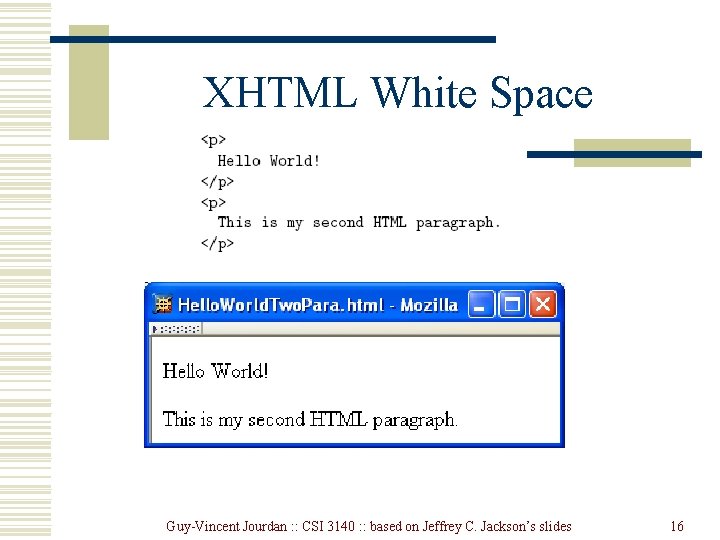
XHTML White Space w. Four white space characters: carriage return, line feed, space, horizontal tab w. Normally, character data is normalized: n n n All white space is converted to space characters Leading and trailing spaces are trimmed Multiple consecutive space characters are replaced by a single space character Guy-Vincent Jourdan : : CSI 3140 : : based on Jeffrey C. Jackson’s slides 14
XHTML White Space Guy-Vincent Jourdan : : CSI 3140 : : based on Jeffrey C. Jackson’s slides 15
XHTML White Space Guy-Vincent Jourdan : : CSI 3140 : : based on Jeffrey C. Jackson’s slides 16
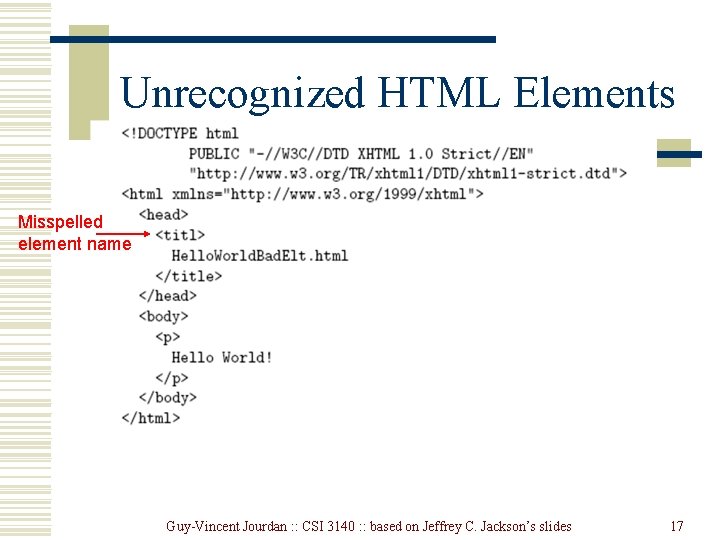
Unrecognized HTML Elements Misspelled element name Guy-Vincent Jourdan : : CSI 3140 : : based on Jeffrey C. Jackson’s slides 17
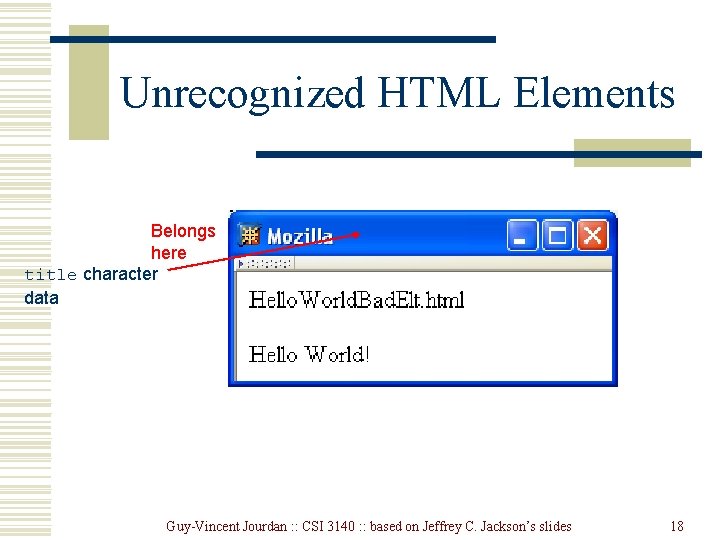
Unrecognized HTML Elements Belongs here title character data Guy-Vincent Jourdan : : CSI 3140 : : based on Jeffrey C. Jackson’s slides 18
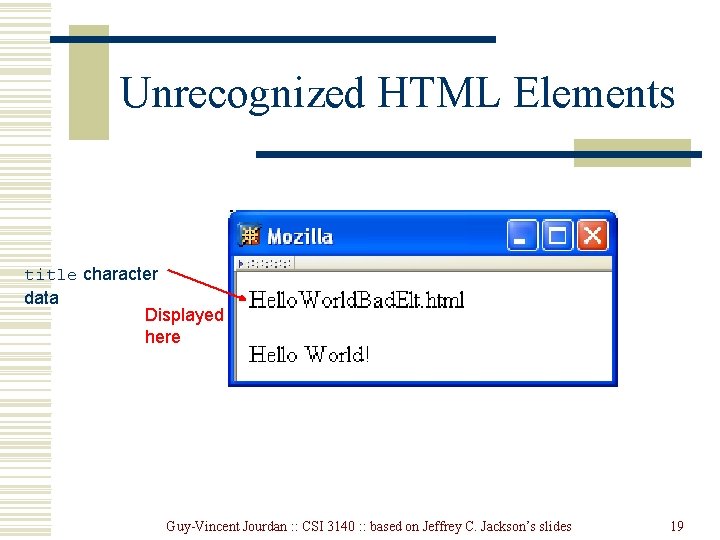
Unrecognized HTML Elements title character data Displayed here Guy-Vincent Jourdan : : CSI 3140 : : based on Jeffrey C. Jackson’s slides 19
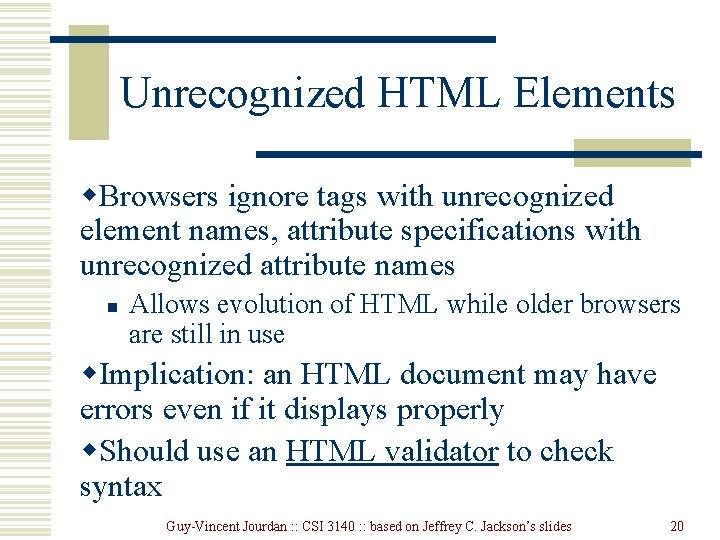
Unrecognized HTML Elements w. Browsers ignore tags with unrecognized element names, attribute specifications with unrecognized attribute names n Allows evolution of HTML while older browsers are still in use w. Implication: an HTML document may have errors even if it displays properly w. Should use an HTML validator to check syntax Guy-Vincent Jourdan : : CSI 3140 : : based on Jeffrey C. Jackson’s slides 20
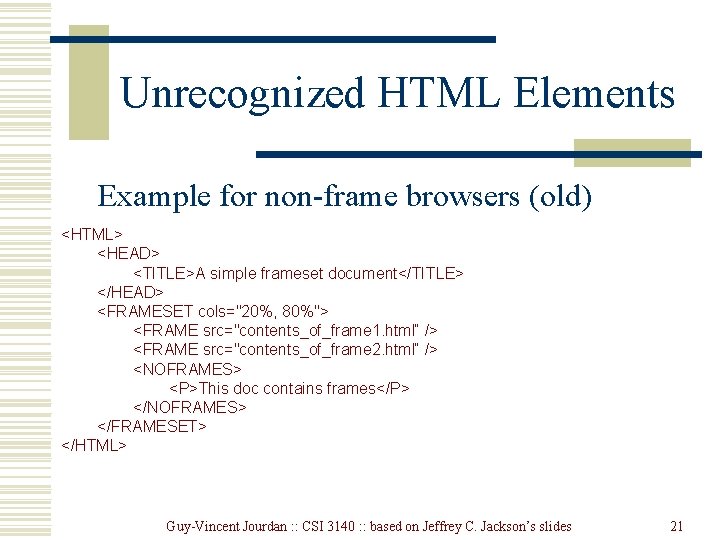
Unrecognized HTML Elements Example for non-frame browsers (old) <HTML> <HEAD> <TITLE>A simple frameset document</TITLE> </HEAD> <FRAMESET cols="20%, 80%"> <FRAME src="contents_of_frame 1. html“ /> <FRAME src="contents_of_frame 2. html“ /> <NOFRAMES> <P>This doc contains frames</P> </NOFRAMES> </FRAMESET> </HTML> Guy-Vincent Jourdan : : CSI 3140 : : based on Jeffrey C. Jackson’s slides 21
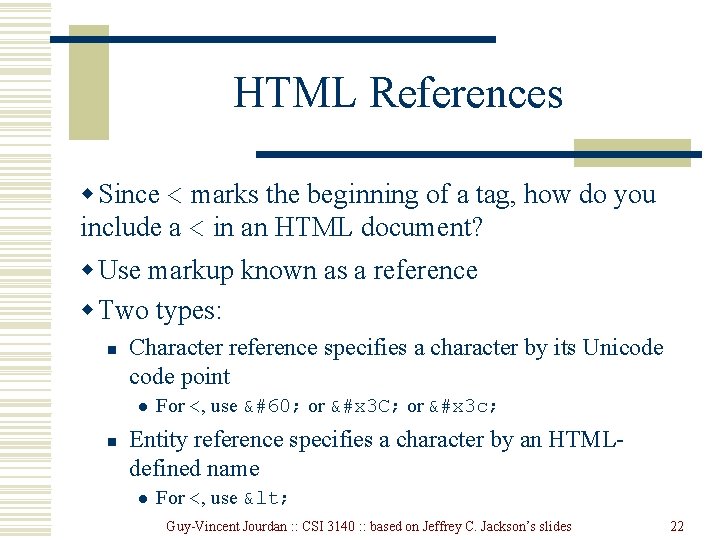
HTML References w Since < marks the beginning of a tag, how do you include a < in an HTML document? w Use markup known as a reference w Two types: n Character reference specifies a character by its Unicode point l n For <, use < or &#x 3 C; or &#x 3 c; Entity reference specifies a character by an HTMLdefined name l For <, use < Guy-Vincent Jourdan : : CSI 3140 : : based on Jeffrey C. Jackson’s slides 22
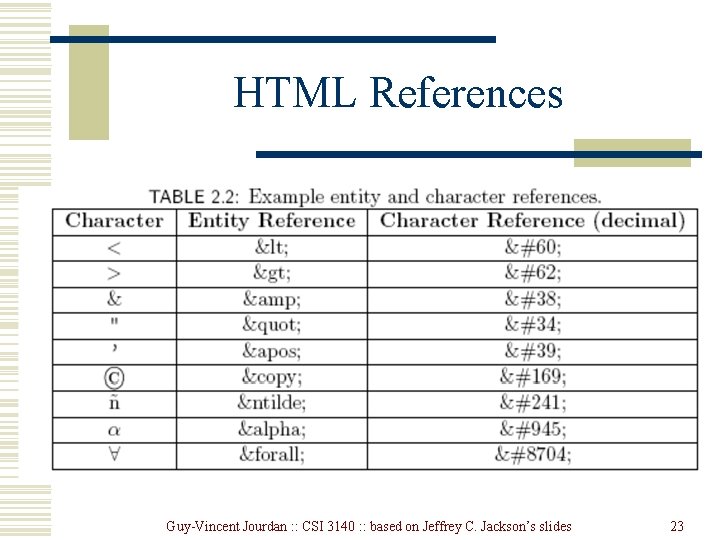
HTML References Guy-Vincent Jourdan : : CSI 3140 : : based on Jeffrey C. Jackson’s slides 23
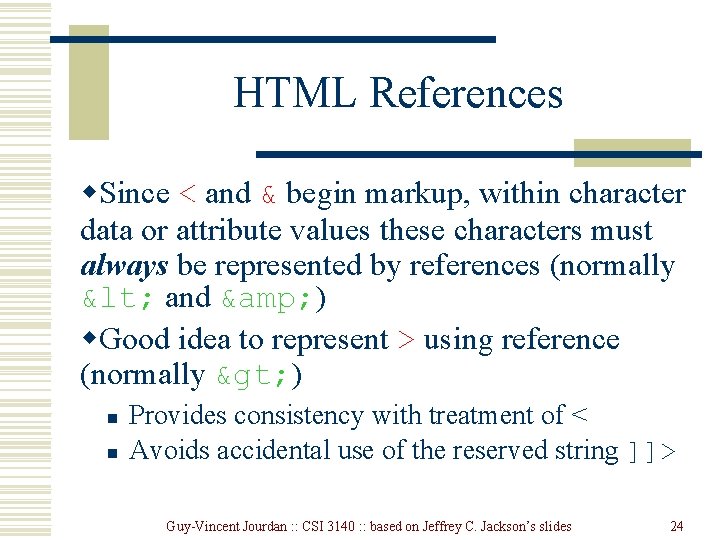
HTML References w. Since < and & begin markup, within character data or attribute values these characters must always be represented by references (normally < and & ) w. Good idea to represent > using reference (normally > ) n n Provides consistency with treatment of < Avoids accidental use of the reserved string ]]> Guy-Vincent Jourdan : : CSI 3140 : : based on Jeffrey C. Jackson’s slides 24
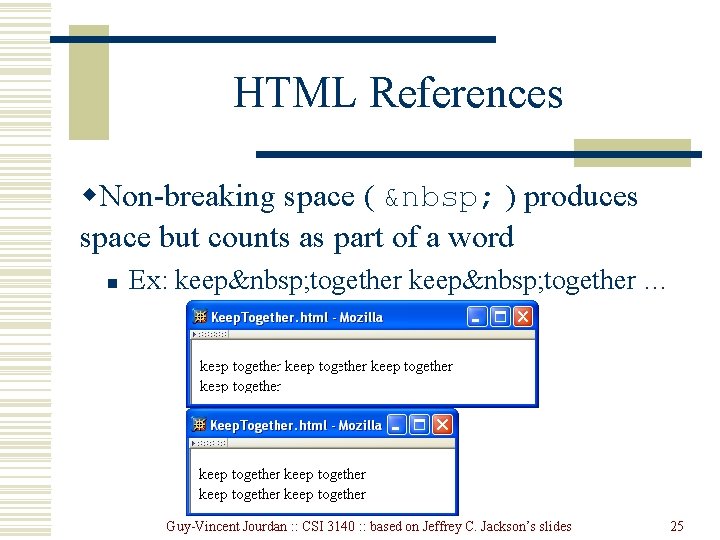
HTML References w. Non-breaking space ( ) produces space but counts as part of a word n Ex: keep together … Guy-Vincent Jourdan : : CSI 3140 : : based on Jeffrey C. Jackson’s slides 25
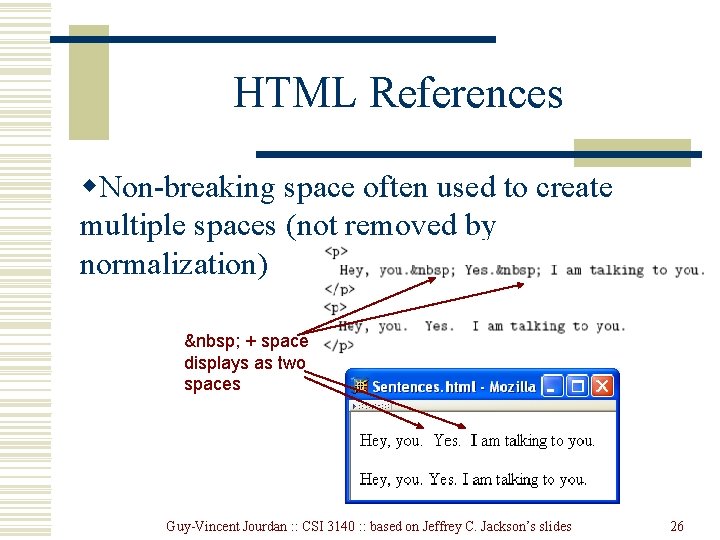
HTML References w. Non-breaking space often used to create multiple spaces (not removed by normalization) + space displays as two spaces Guy-Vincent Jourdan : : CSI 3140 : : based on Jeffrey C. Jackson’s slides 26
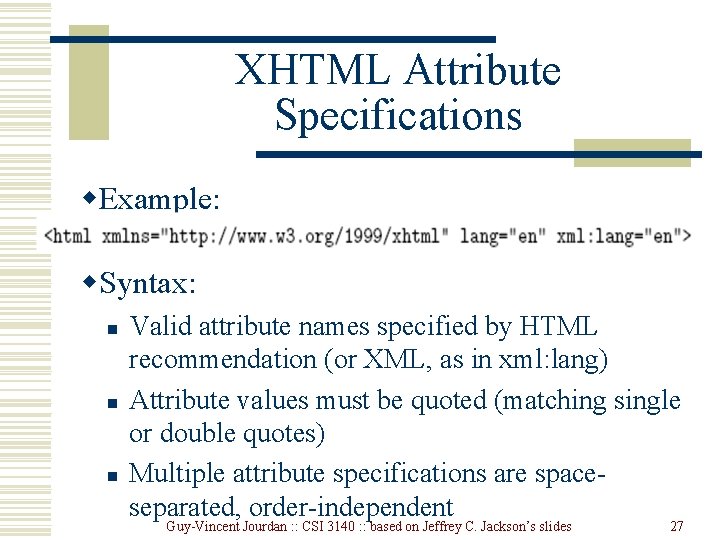
XHTML Attribute Specifications w. Example: w. Syntax: n n n Valid attribute names specified by HTML recommendation (or XML, as in xml: lang) Attribute values must be quoted (matching single or double quotes) Multiple attribute specifications are spaceseparated, order-independent Guy-Vincent Jourdan : : CSI 3140 : : based on Jeffrey C. Jackson’s slides 27
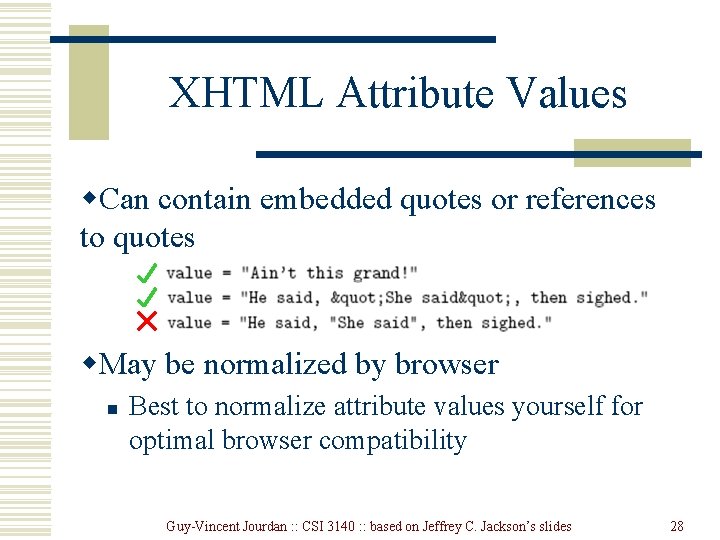
XHTML Attribute Values w. Can contain embedded quotes or references to quotes w. May be normalized by browser n Best to normalize attribute values yourself for optimal browser compatibility Guy-Vincent Jourdan : : CSI 3140 : : based on Jeffrey C. Jackson’s slides 28
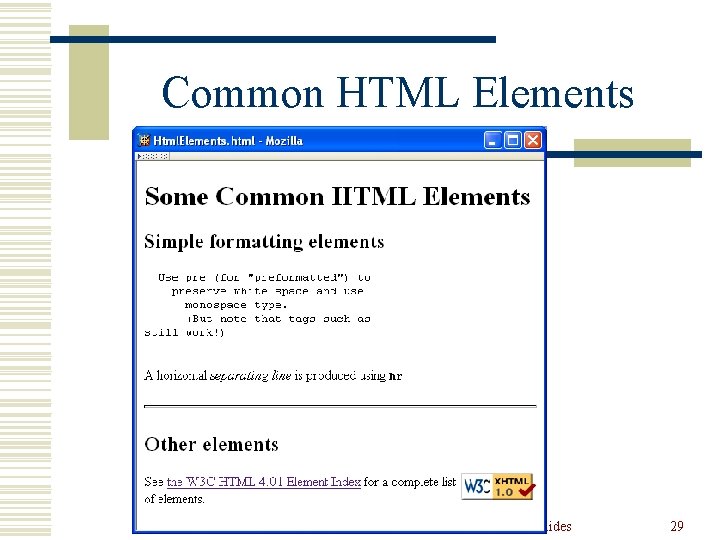
Common HTML Elements Guy-Vincent Jourdan : : CSI 3140 : : based on Jeffrey C. Jackson’s slides 29
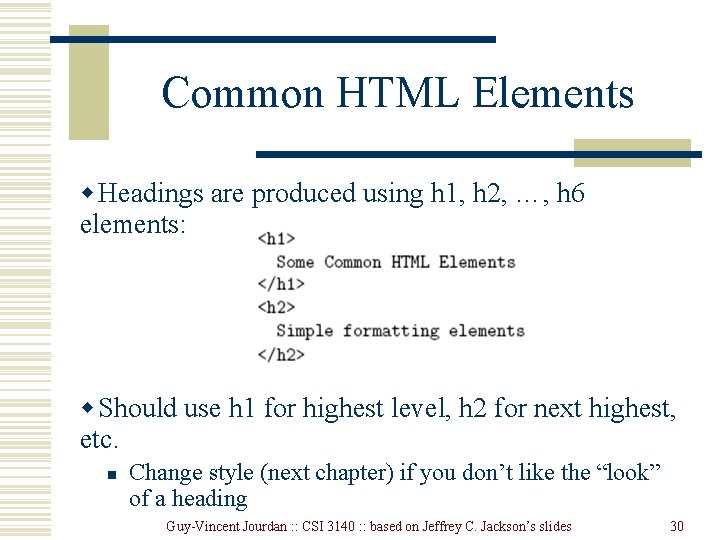
Common HTML Elements w Headings are produced using h 1, h 2, …, h 6 elements: w Should use h 1 for highest level, h 2 for next highest, etc. n Change style (next chapter) if you don’t like the “look” of a heading Guy-Vincent Jourdan : : CSI 3140 : : based on Jeffrey C. Jackson’s slides 30
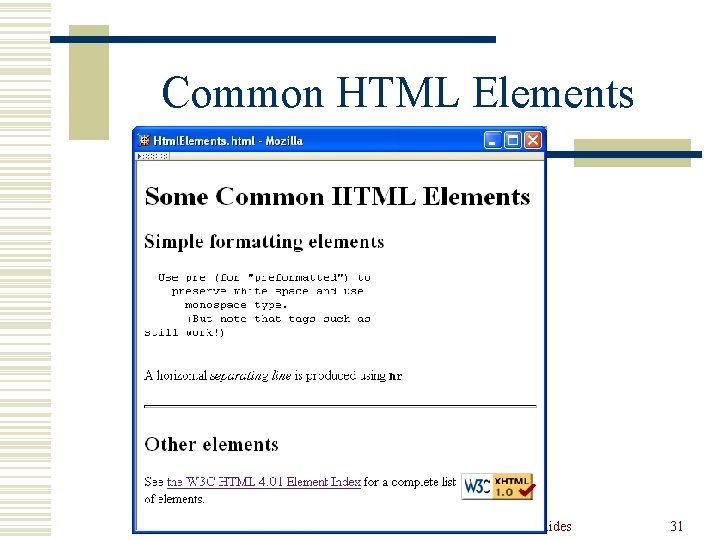
Common HTML Elements Guy-Vincent Jourdan : : CSI 3140 : : based on Jeffrey C. Jackson’s slides 31
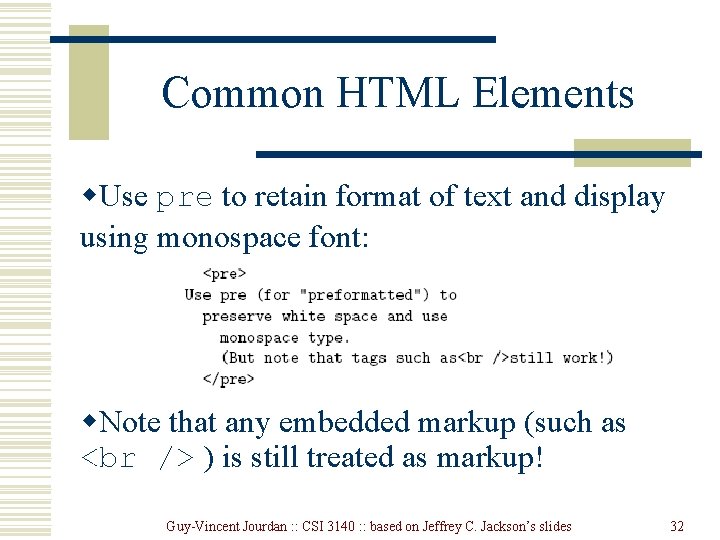
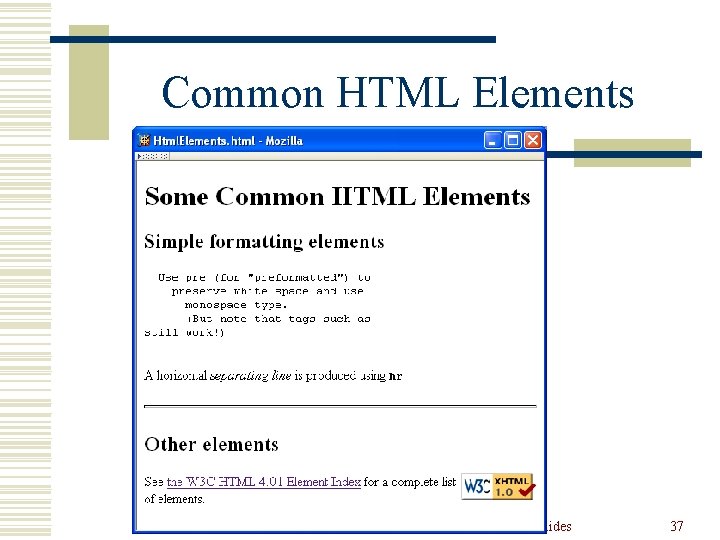
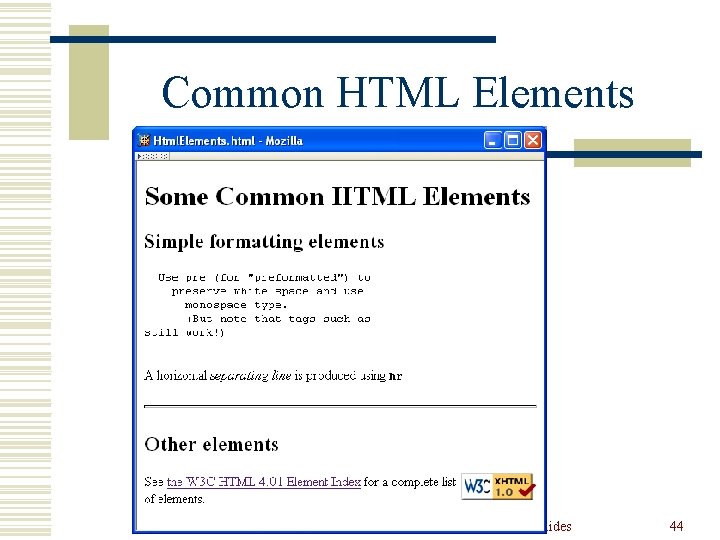
Common HTML Elements w. Use pre to retain format of text and display using monospace font: w. Note that any embedded markup (such as ) is still treated as markup! Guy-Vincent Jourdan : : CSI 3140 : : based on Jeffrey C. Jackson’s slides 32
Common HTML Elements w br element represents line break w br is example of an empty element, i. e. , element that is not allowed to have content w XML allows two syntactic representations of empty elements n n Empty tag syntax is recommended for browser compatibility XML parsers also recognize syntax </br> (start tag followed immediately by end tag), but many browsers do not understand this for empty elements Guy-Vincent Jourdan : : CSI 3140 : : based on Jeffrey C. Jackson’s slides 33
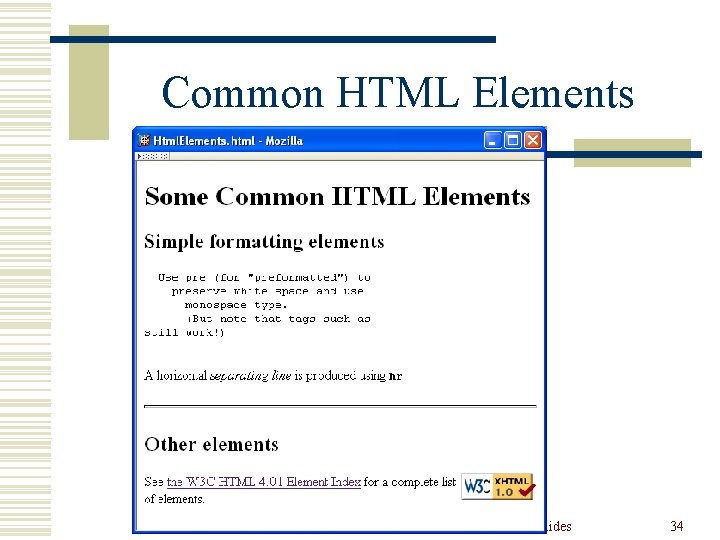
Common HTML Elements Guy-Vincent Jourdan : : CSI 3140 : : based on Jeffrey C. Jackson’s slides 34
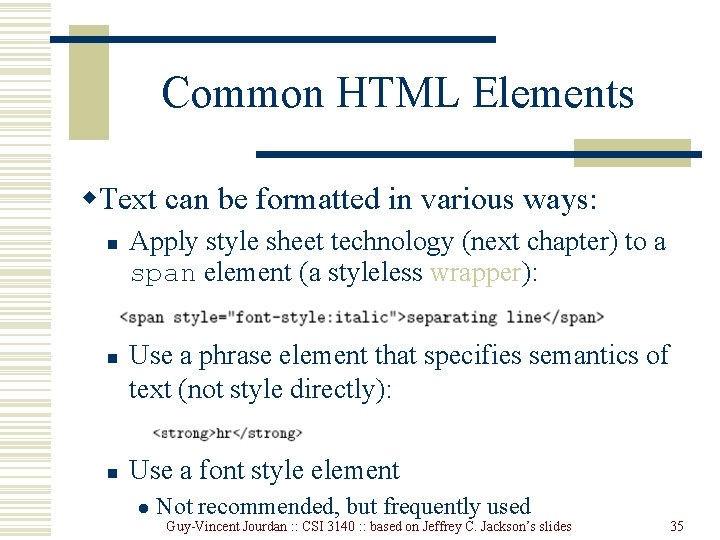
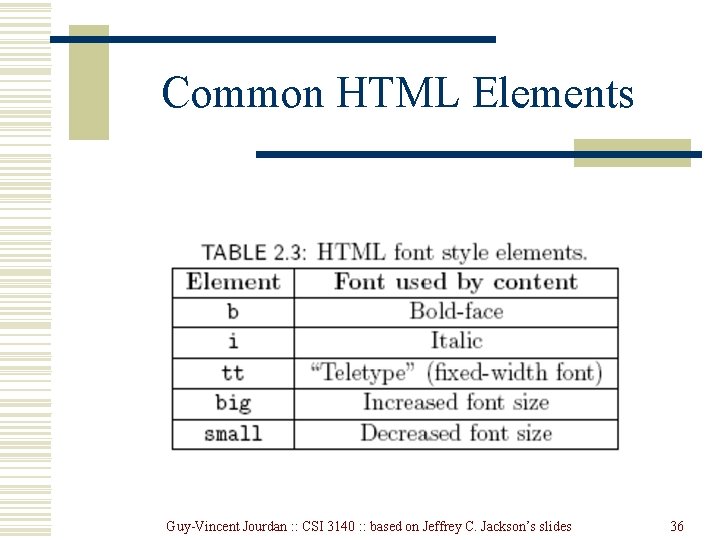
Common HTML Elements w. Text can be formatted in various ways: n n n Apply style sheet technology (next chapter) to a span element (a styleless wrapper): Use a phrase element that specifies semantics of text (not style directly): Use a font style element l Not recommended, but frequently used Guy-Vincent Jourdan : : CSI 3140 : : based on Jeffrey C. Jackson’s slides 35
Common HTML Elements Guy-Vincent Jourdan : : CSI 3140 : : based on Jeffrey C. Jackson’s slides 36
Common HTML Elements Guy-Vincent Jourdan : : CSI 3140 : : based on Jeffrey C. Jackson’s slides 37
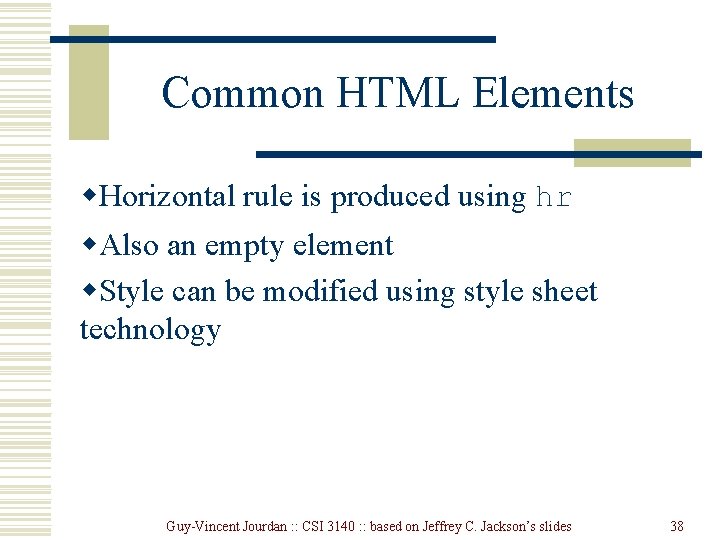
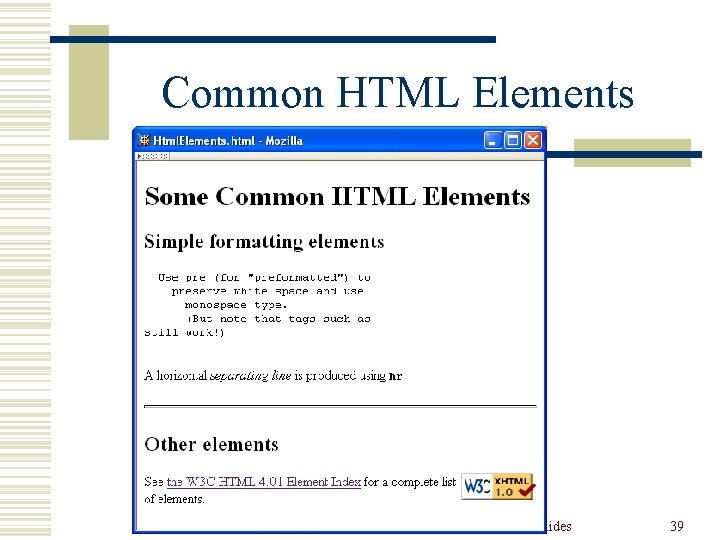
Common HTML Elements w. Horizontal rule is produced using hr w. Also an empty element w. Style can be modified using style sheet technology Guy-Vincent Jourdan : : CSI 3140 : : based on Jeffrey C. Jackson’s slides 38
Common HTML Elements Guy-Vincent Jourdan : : CSI 3140 : : based on Jeffrey C. Jackson’s slides 39
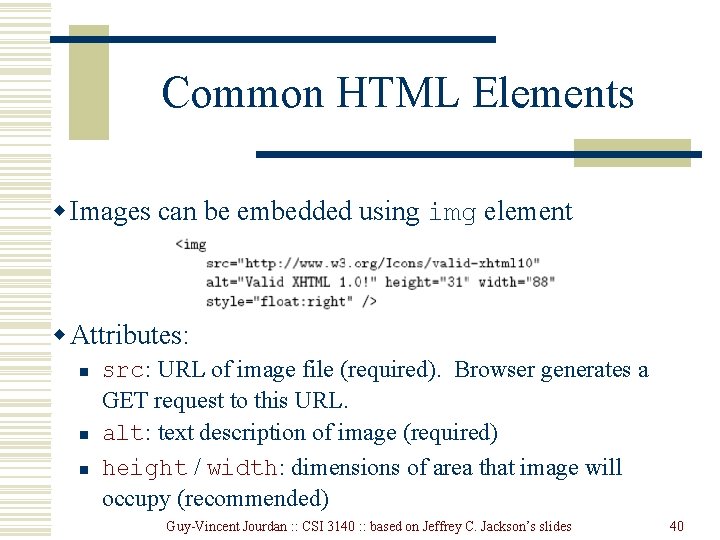
Common HTML Elements w Images can be embedded using img element w Attributes: n n n src: URL of image file (required). Browser generates a GET request to this URL. alt: text description of image (required) height / width: dimensions of area that image will occupy (recommended) Guy-Vincent Jourdan : : CSI 3140 : : based on Jeffrey C. Jackson’s slides 40
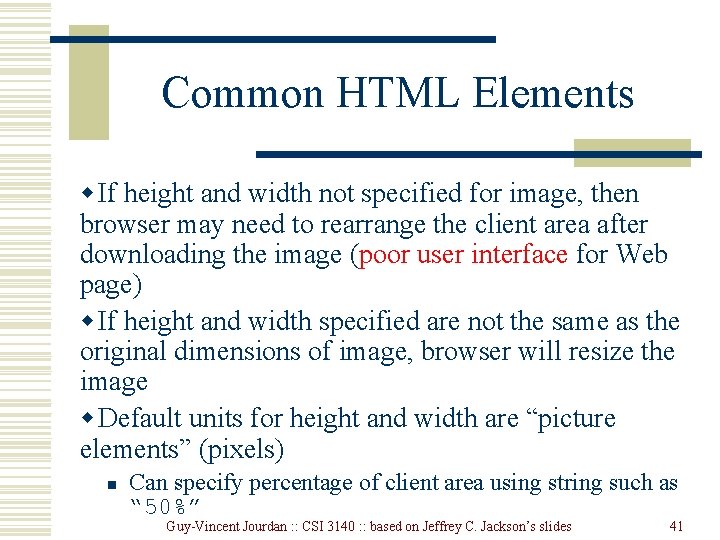
Common HTML Elements w If height and width not specified for image, then browser may need to rearrange the client area after downloading the image (poor user interface for Web page) w If height and width specified are not the same as the original dimensions of image, browser will resize the image w Default units for height and width are “picture elements” (pixels) n Can specify percentage of client area using string such as “ 50%” Guy-Vincent Jourdan : : CSI 3140 : : based on Jeffrey C. Jackson’s slides 41
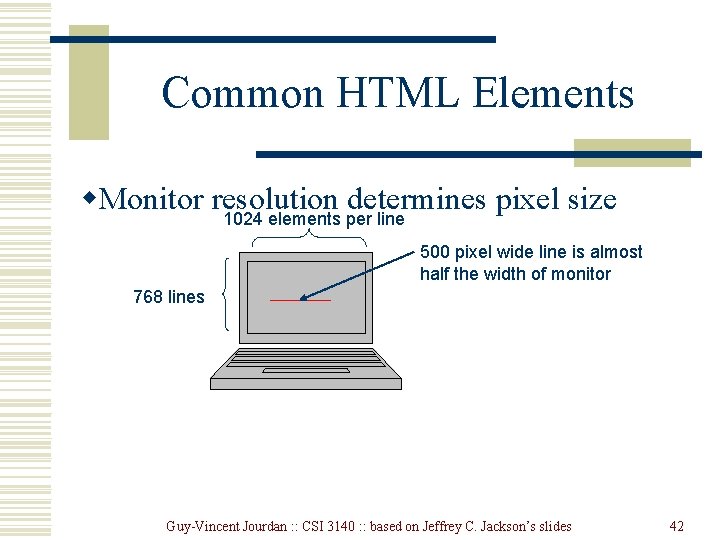
Common HTML Elements w. Monitor resolution determines pixel size 1024 elements per line 500 pixel wide line is almost half the width of monitor 768 lines Guy-Vincent Jourdan : : CSI 3140 : : based on Jeffrey C. Jackson’s slides 42
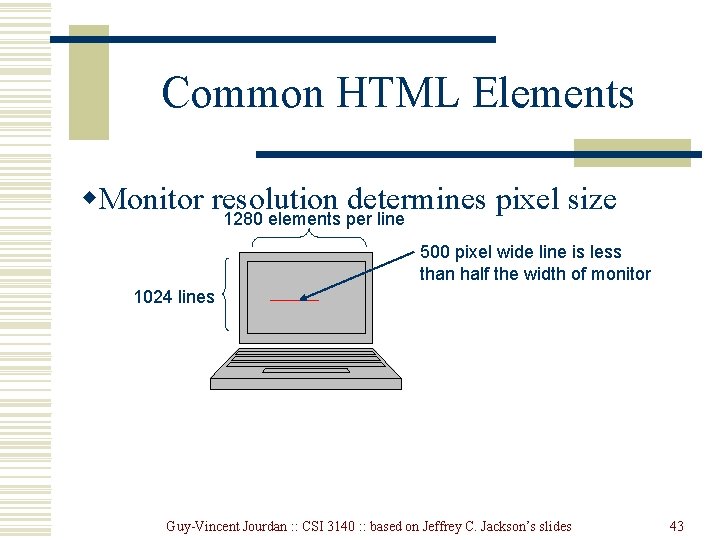
Common HTML Elements w. Monitor resolution determines pixel size 1280 elements per line 500 pixel wide line is less than half the width of monitor 1024 lines Guy-Vincent Jourdan : : CSI 3140 : : based on Jeffrey C. Jackson’s slides 43
Common HTML Elements Guy-Vincent Jourdan : : CSI 3140 : : based on Jeffrey C. Jackson’s slides 44
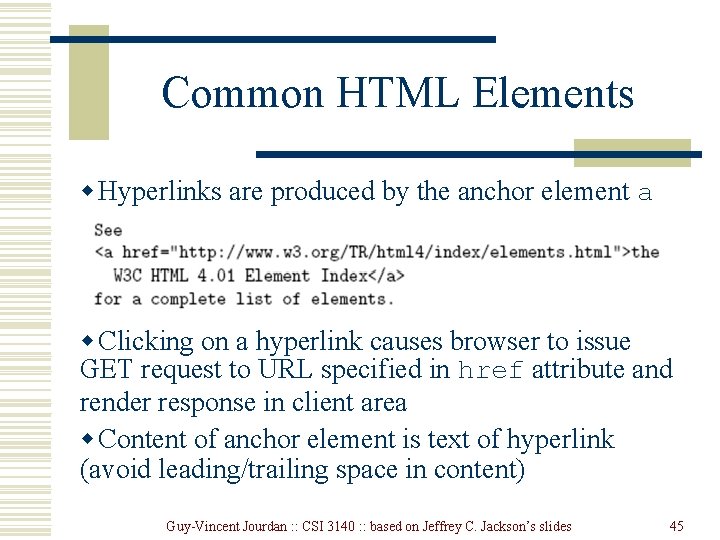
Common HTML Elements w Hyperlinks are produced by the anchor element a w Clicking on a hyperlink causes browser to issue GET request to URL specified in href attribute and render response in client area w Content of anchor element is text of hyperlink (avoid leading/trailing space in content) Guy-Vincent Jourdan : : CSI 3140 : : based on Jeffrey C. Jackson’s slides 45
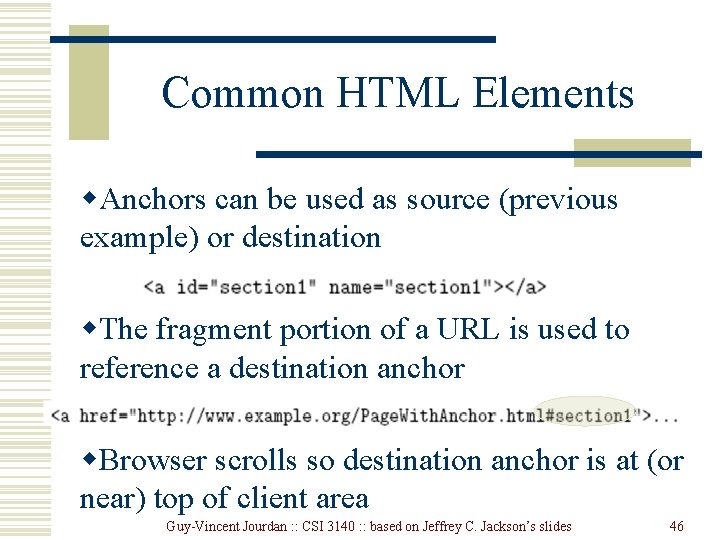
Common HTML Elements w. Anchors can be used as source (previous example) or destination w. The fragment portion of a URL is used to reference a destination anchor w. Browser scrolls so destination anchor is at (or near) top of client area Guy-Vincent Jourdan : : CSI 3140 : : based on Jeffrey C. Jackson’s slides 46
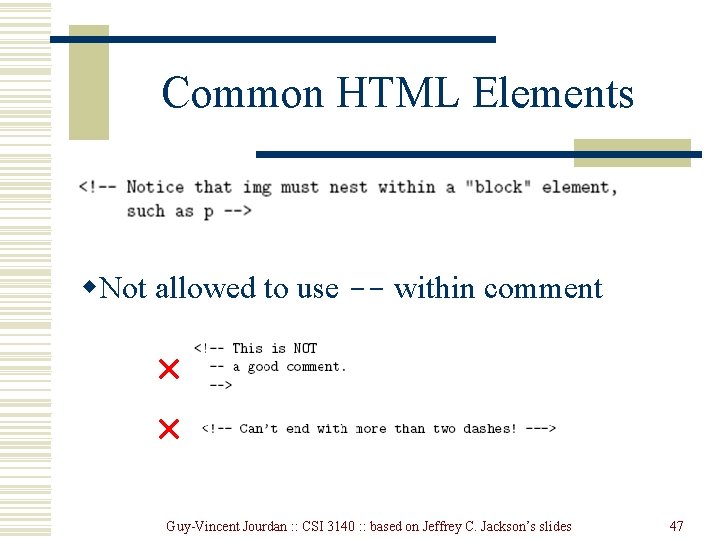
Common HTML Elements w. Comments are a special form of tag w. Not allowed to use -- within comment Guy-Vincent Jourdan : : CSI 3140 : : based on Jeffrey C. Jackson’s slides 47
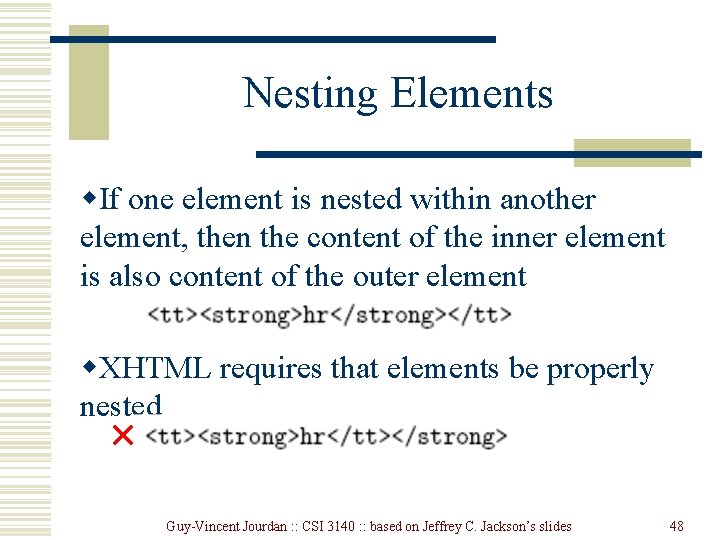
Nesting Elements w. If one element is nested within another element, then the content of the inner element is also content of the outer element w. XHTML requires that elements be properly nested Guy-Vincent Jourdan : : CSI 3140 : : based on Jeffrey C. Jackson’s slides 48
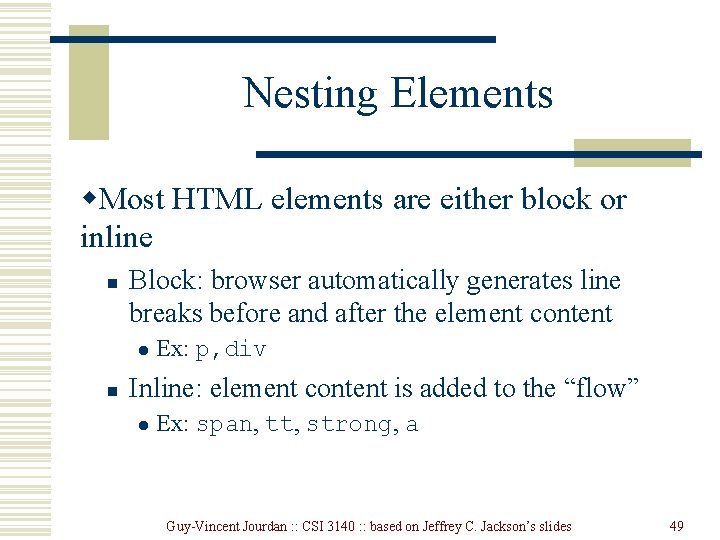
Nesting Elements w. Most HTML elements are either block or inline n Block: browser automatically generates line breaks before and after the element content l n Ex: p, div Inline: element content is added to the “flow” l Ex: span, tt, strong, a Guy-Vincent Jourdan : : CSI 3140 : : based on Jeffrey C. Jackson’s slides 49
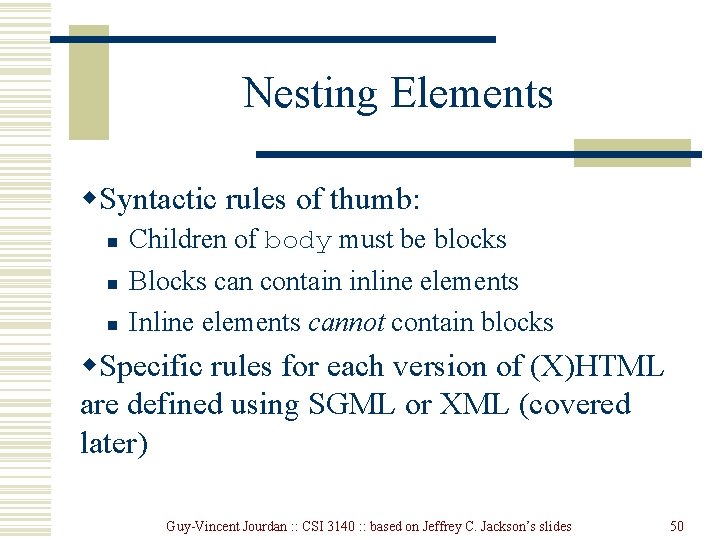
Nesting Elements w. Syntactic rules of thumb: n n n Children of body must be blocks Blocks can contain inline elements Inline elements cannot contain blocks w. Specific rules for each version of (X)HTML are defined using SGML or XML (covered later) Guy-Vincent Jourdan : : CSI 3140 : : based on Jeffrey C. Jackson’s slides 50
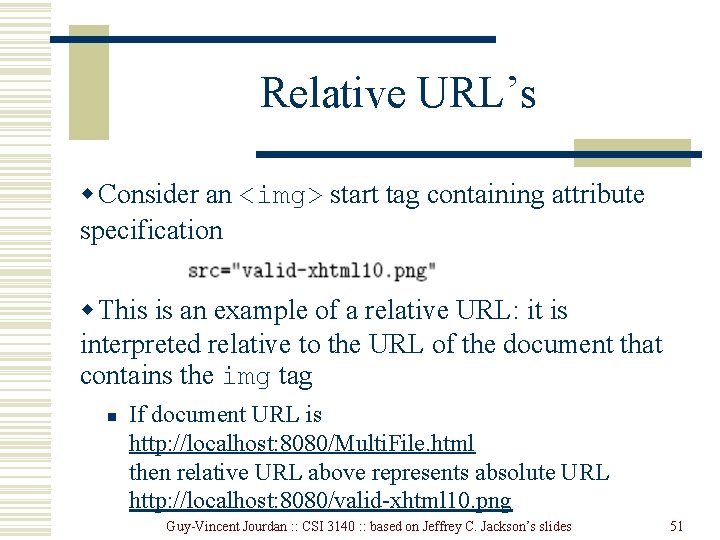
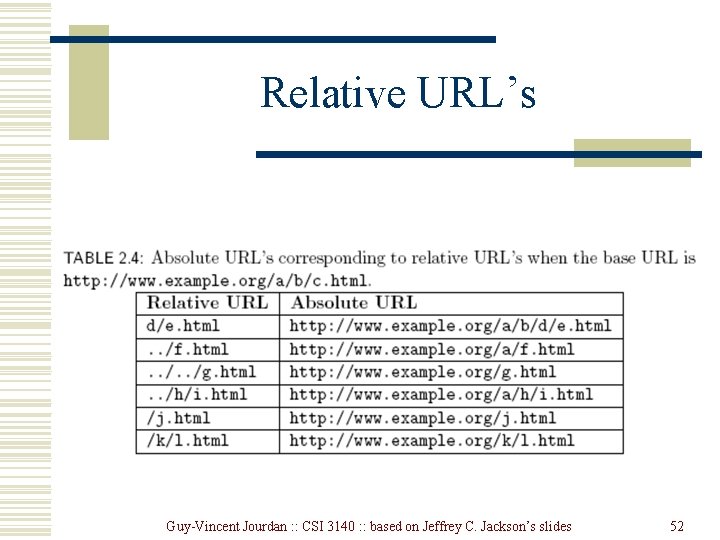
Relative URL’s w Consider an <img> start tag containing attribute specification w This is an example of a relative URL: it is interpreted relative to the URL of the document that contains the img tag n If document URL is http: //localhost: 8080/Multi. File. html then relative URL above represents absolute URL http: //localhost: 8080/valid-xhtml 10. png Guy-Vincent Jourdan : : CSI 3140 : : based on Jeffrey C. Jackson’s slides 51
Relative URL’s Guy-Vincent Jourdan : : CSI 3140 : : based on Jeffrey C. Jackson’s slides 52
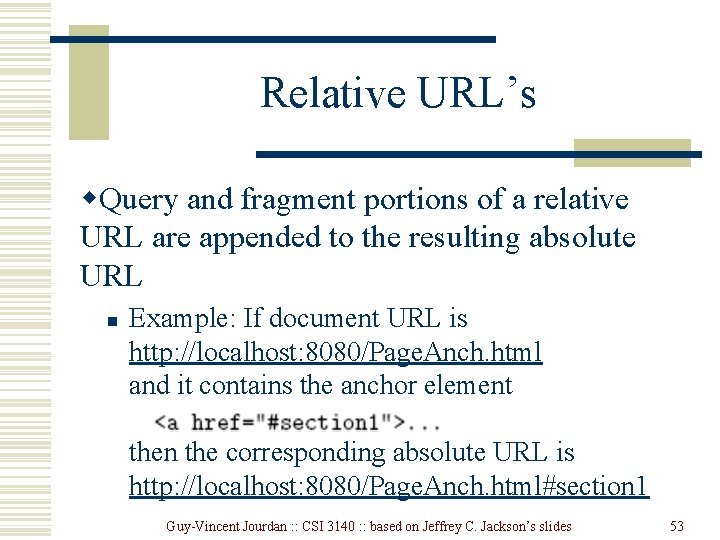
Relative URL’s w. Query and fragment portions of a relative URL are appended to the resulting absolute URL n Example: If document URL is http: //localhost: 8080/Page. Anch. html and it contains the anchor element then the corresponding absolute URL is http: //localhost: 8080/Page. Anch. html#section 1 Guy-Vincent Jourdan : : CSI 3140 : : based on Jeffrey C. Jackson’s slides 53
Relative URL’s w. Advantages: n n Shorter than absolute URL’s Primary: can change the URL of a document (e. g. , move document to a different directory or rename the server host) without needing to change URL’s within the document w. Should use relative URL’s whenever possible Guy-Vincent Jourdan : : CSI 3140 : : based on Jeffrey C. Jackson’s slides 54
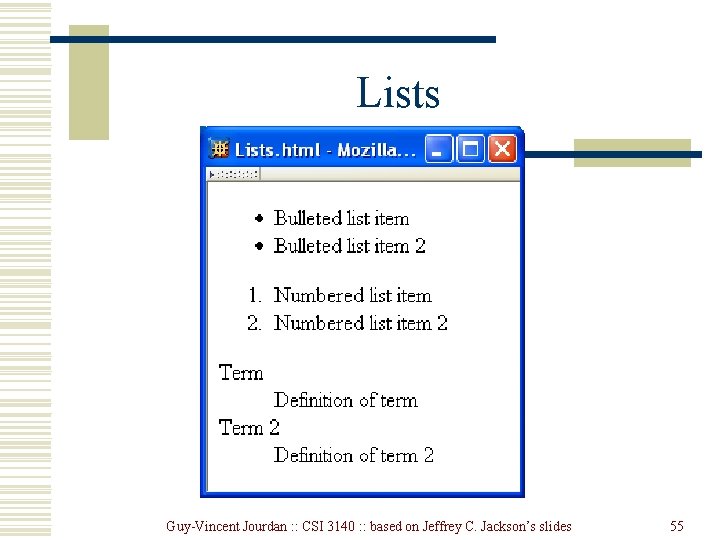
Lists Guy-Vincent Jourdan : : CSI 3140 : : based on Jeffrey C. Jackson’s slides 55
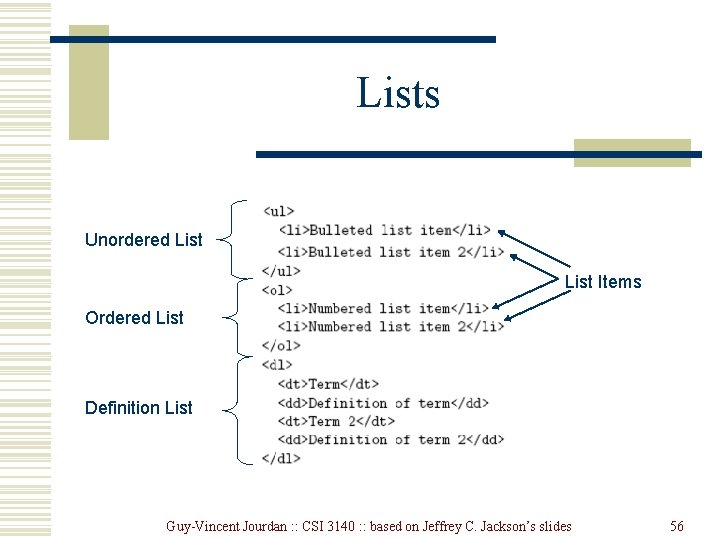
Lists Unordered List Items Ordered List Definition List Guy-Vincent Jourdan : : CSI 3140 : : based on Jeffrey C. Jackson’s slides 56
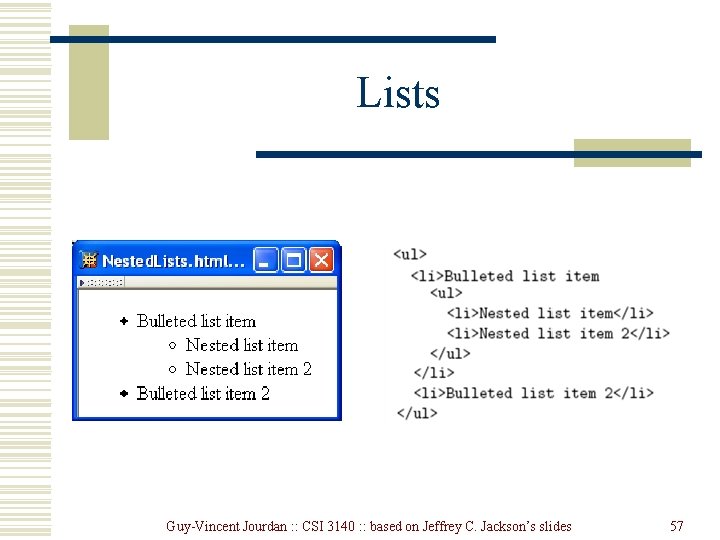
Lists Guy-Vincent Jourdan : : CSI 3140 : : based on Jeffrey C. Jackson’s slides 57
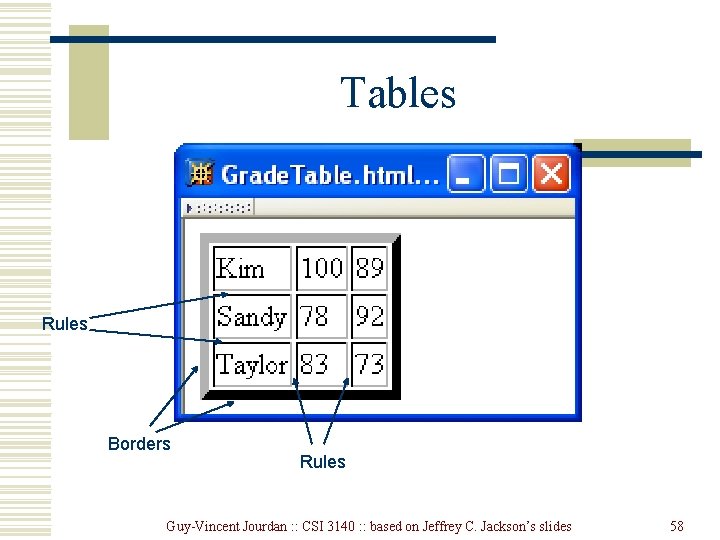
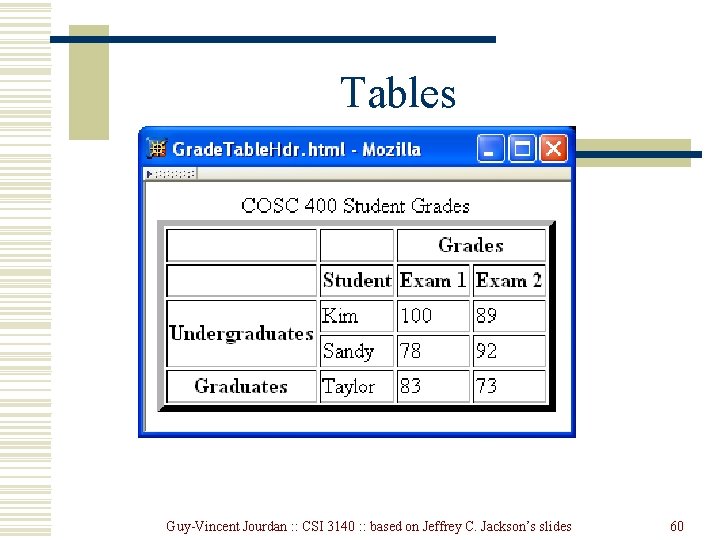
Tables Rules Borders Rules Guy-Vincent Jourdan : : CSI 3140 : : based on Jeffrey C. Jackson’s slides 58
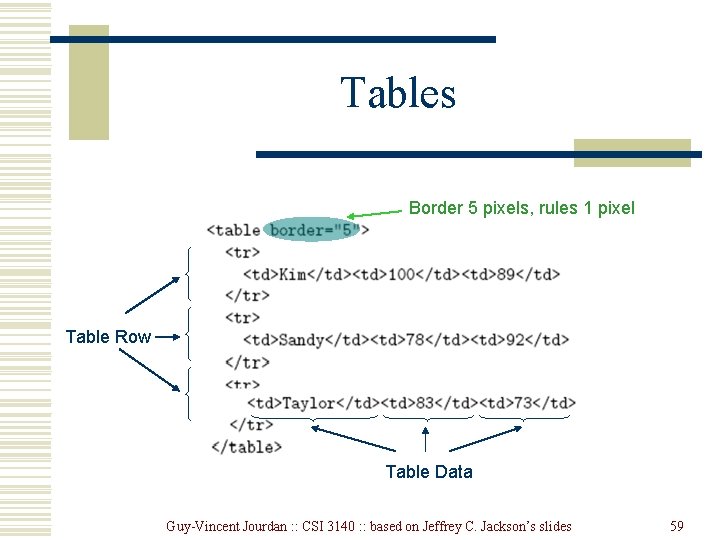
Tables Border 5 pixels, rules 1 pixel Table Row Table Data Guy-Vincent Jourdan : : CSI 3140 : : based on Jeffrey C. Jackson’s slides 59
Tables Guy-Vincent Jourdan : : CSI 3140 : : based on Jeffrey C. Jackson’s slides 60
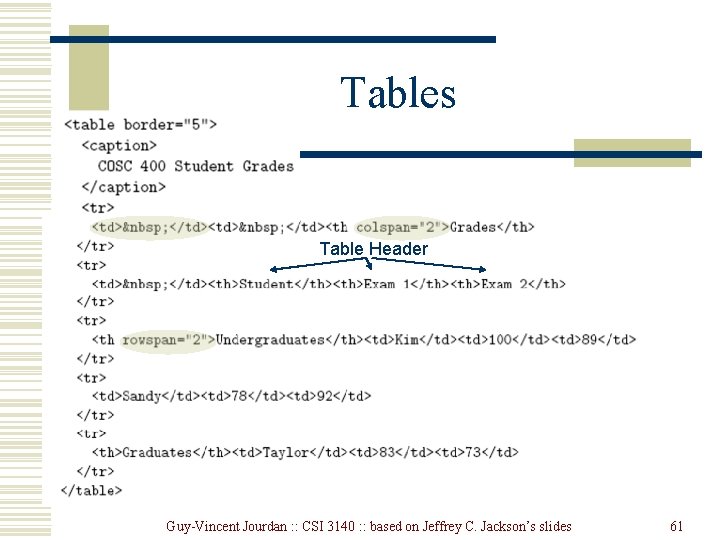
Tables Table Header Guy-Vincent Jourdan : : CSI 3140 : : based on Jeffrey C. Jackson’s slides 61
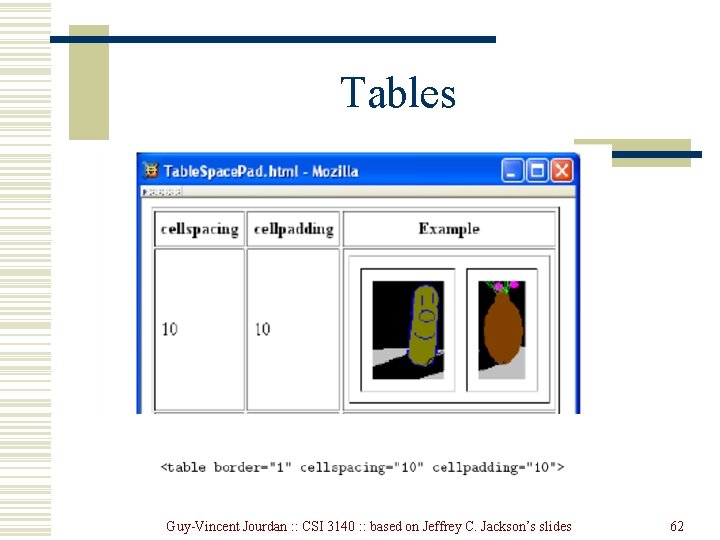
Tables Guy-Vincent Jourdan : : CSI 3140 : : based on Jeffrey C. Jackson’s slides 62
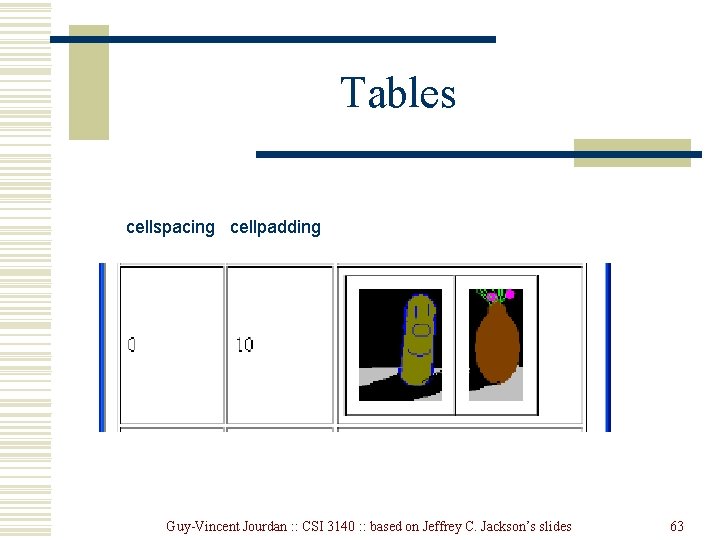
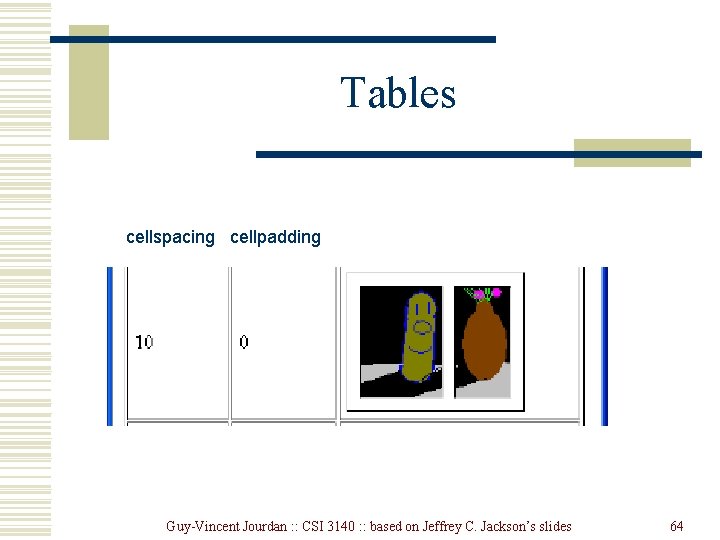
Tables cellspacing cellpadding Guy-Vincent Jourdan : : CSI 3140 : : based on Jeffrey C. Jackson’s slides 63
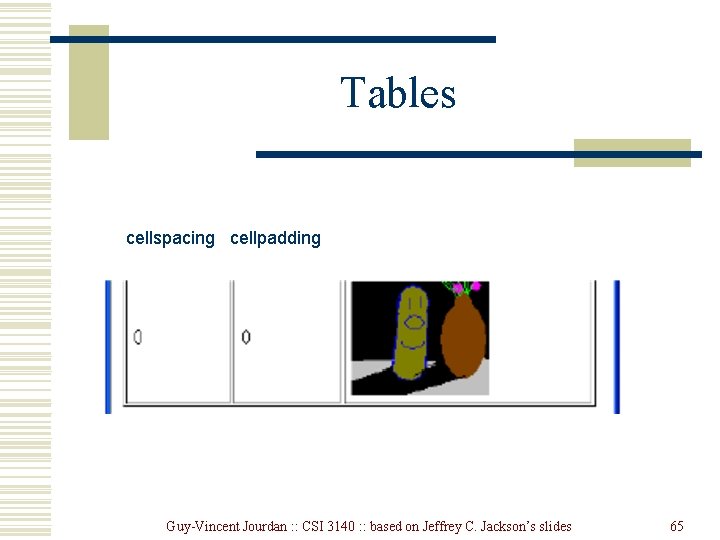
Tables cellspacing cellpadding Guy-Vincent Jourdan : : CSI 3140 : : based on Jeffrey C. Jackson’s slides 64
Tables cellspacing cellpadding Guy-Vincent Jourdan : : CSI 3140 : : based on Jeffrey C. Jackson’s slides 65
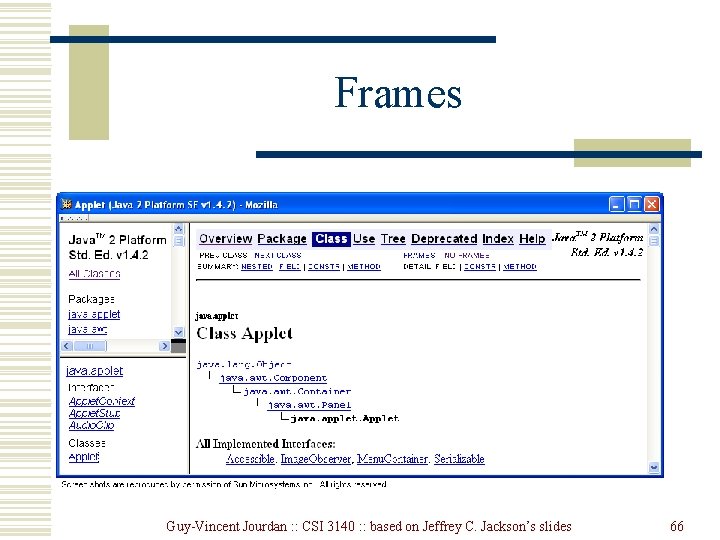
Frames Guy-Vincent Jourdan : : CSI 3140 : : based on Jeffrey C. Jackson’s slides 66
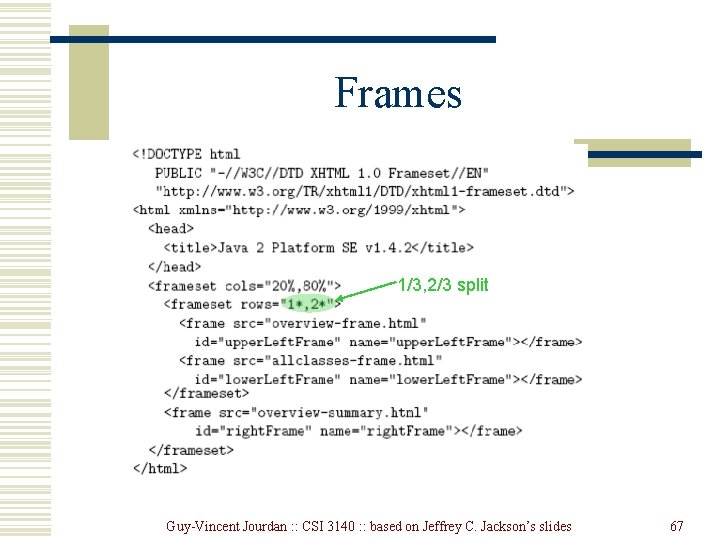
Frames 1/3, 2/3 split Guy-Vincent Jourdan : : CSI 3140 : : based on Jeffrey C. Jackson’s slides 67
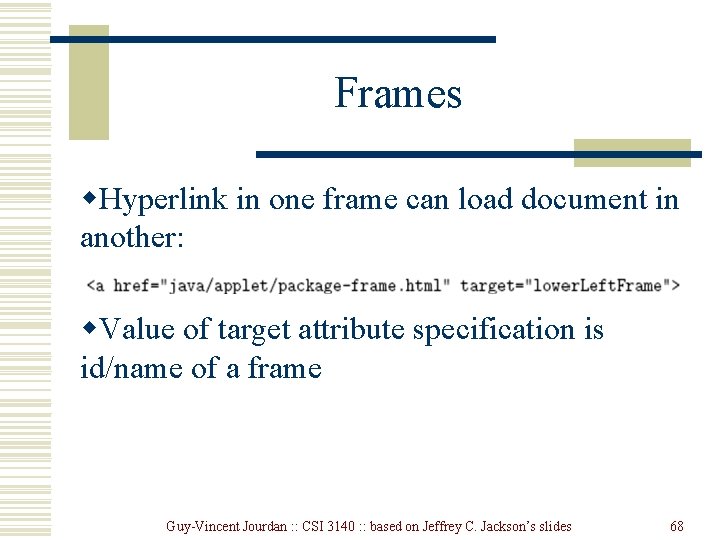
Frames w. Hyperlink in one frame can load document in another: w. Value of target attribute specification is id/name of a frame Guy-Vincent Jourdan : : CSI 3140 : : based on Jeffrey C. Jackson’s slides 68
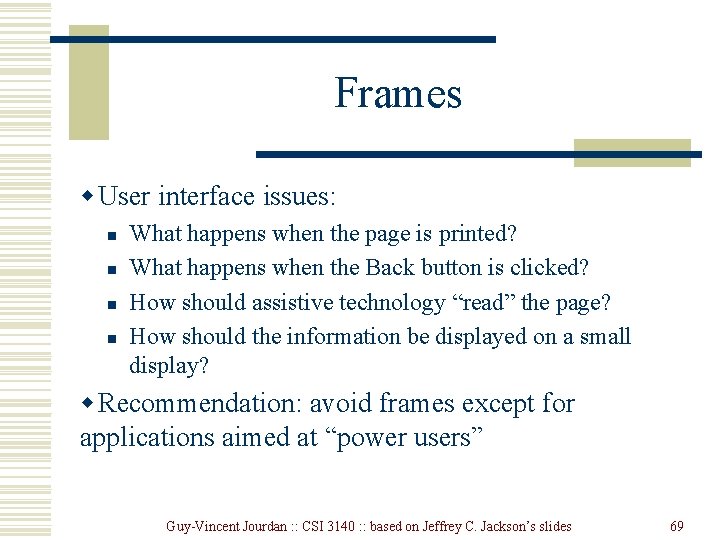
Frames w User interface issues: n n What happens when the page is printed? What happens when the Back button is clicked? How should assistive technology “read” the page? How should the information be displayed on a small display? w Recommendation: avoid frames except for applications aimed at “power users” Guy-Vincent Jourdan : : CSI 3140 : : based on Jeffrey C. Jackson’s slides 69
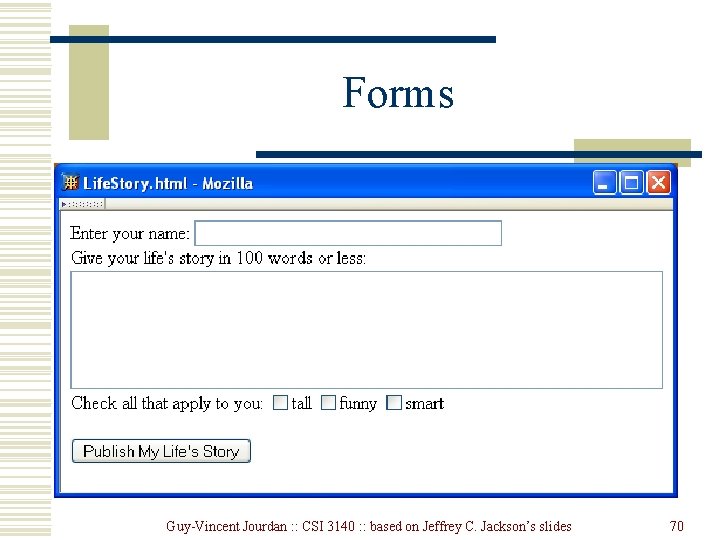
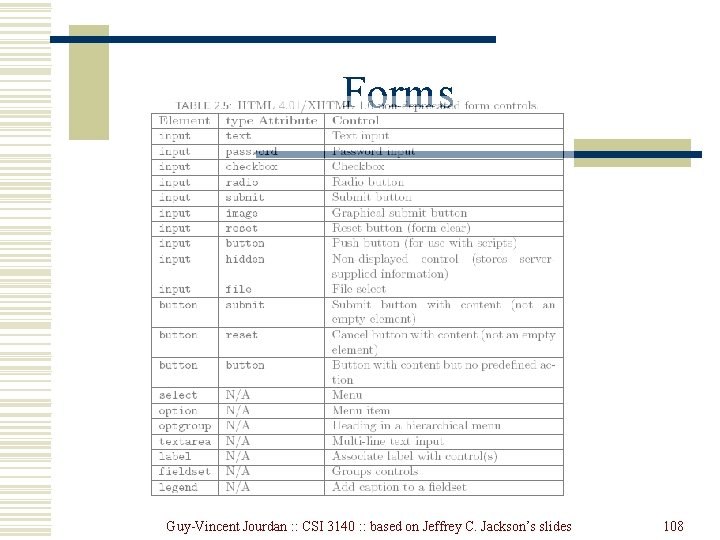
Forms Guy-Vincent Jourdan : : CSI 3140 : : based on Jeffrey C. Jackson’s slides 70
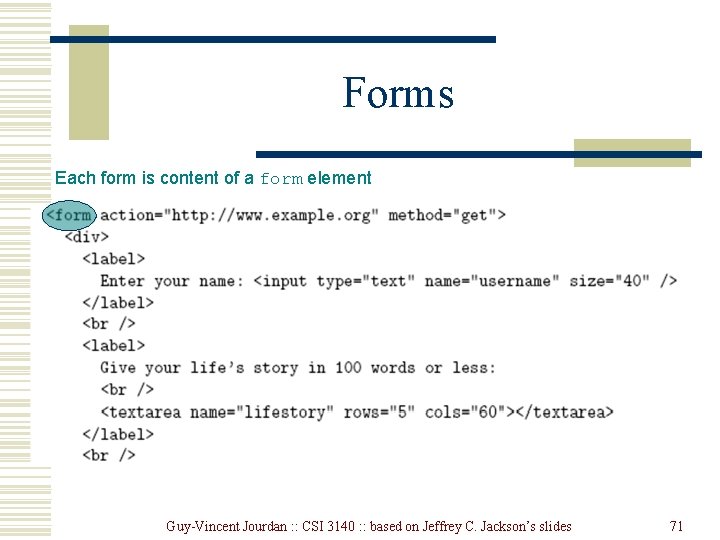
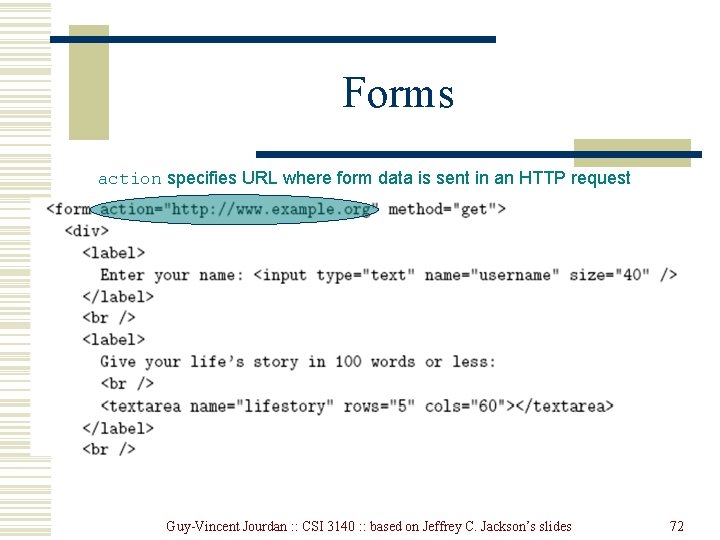
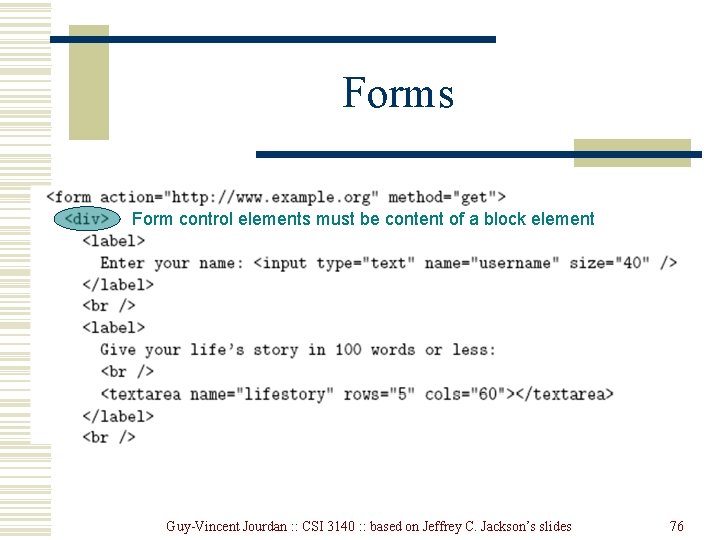
Forms Each form is content of a form element Guy-Vincent Jourdan : : CSI 3140 : : based on Jeffrey C. Jackson’s slides 71
Forms action specifies URL where form data is sent in an HTTP request Guy-Vincent Jourdan : : CSI 3140 : : based on Jeffrey C. Jackson’s slides 72
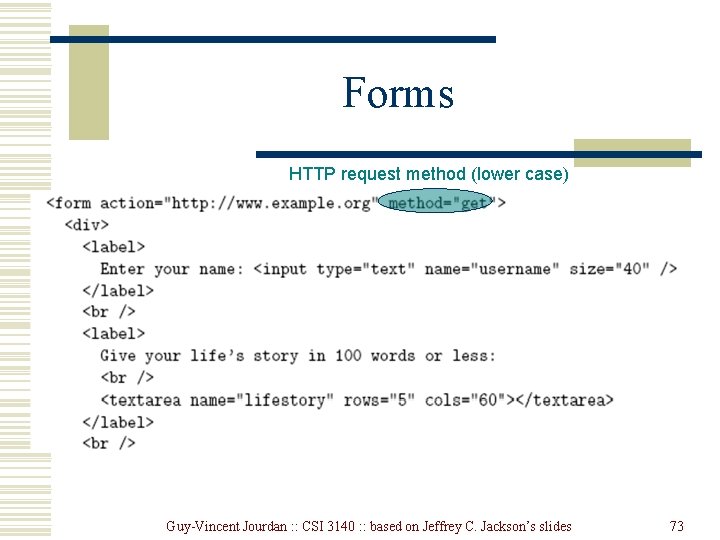
Forms HTTP request method (lower case) Guy-Vincent Jourdan : : CSI 3140 : : based on Jeffrey C. Jackson’s slides 73
Forms w. The XHTML grammar require any child of the form element to be a block w. Many form elements are actually inline, so including a block element on top such a div or a table is a simple way to be compliant with the grammar Guy-Vincent Jourdan : : CSI 3140 : : based on Jeffrey C. Jackson’s slides 74
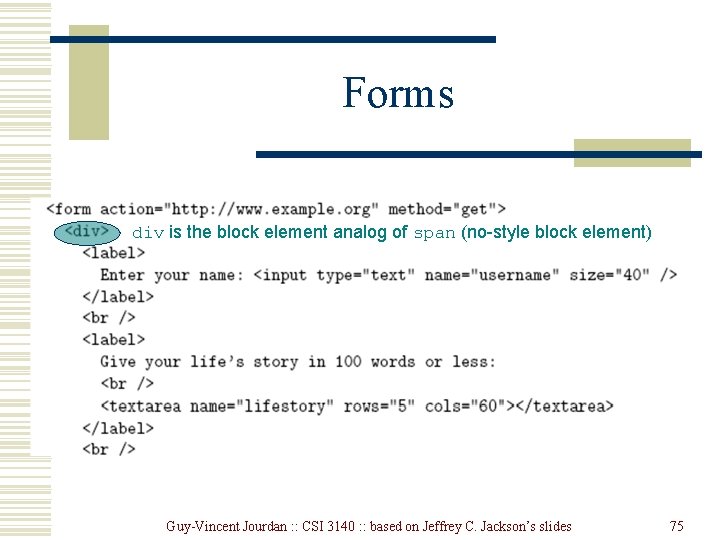
Forms div is the block element analog of span (no-style block element) Guy-Vincent Jourdan : : CSI 3140 : : based on Jeffrey C. Jackson’s slides 75
Forms Form control elements must be content of a block element Guy-Vincent Jourdan : : CSI 3140 : : based on Jeffrey C. Jackson’s slides 76
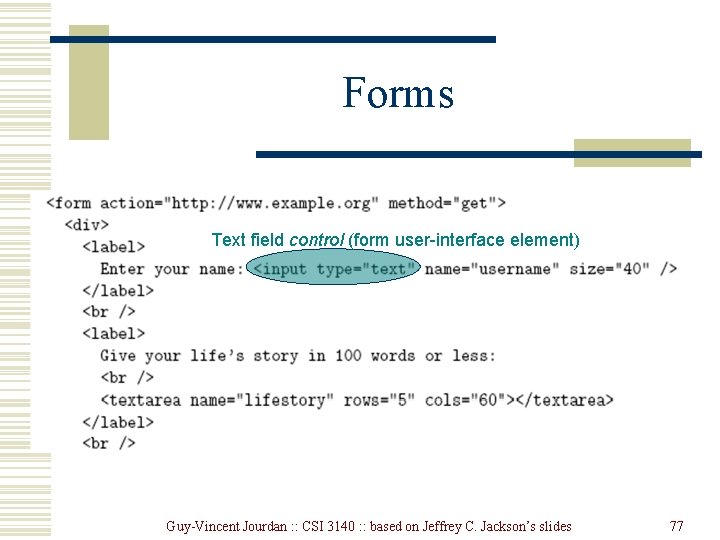
Forms Text field control (form user-interface element) Guy-Vincent Jourdan : : CSI 3140 : : based on Jeffrey C. Jackson’s slides 77
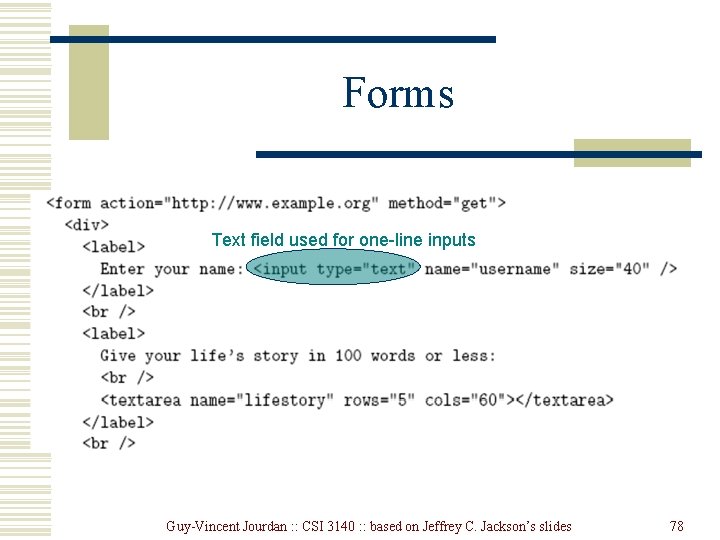
Forms Text field used for one-line inputs Guy-Vincent Jourdan : : CSI 3140 : : based on Jeffrey C. Jackson’s slides 78
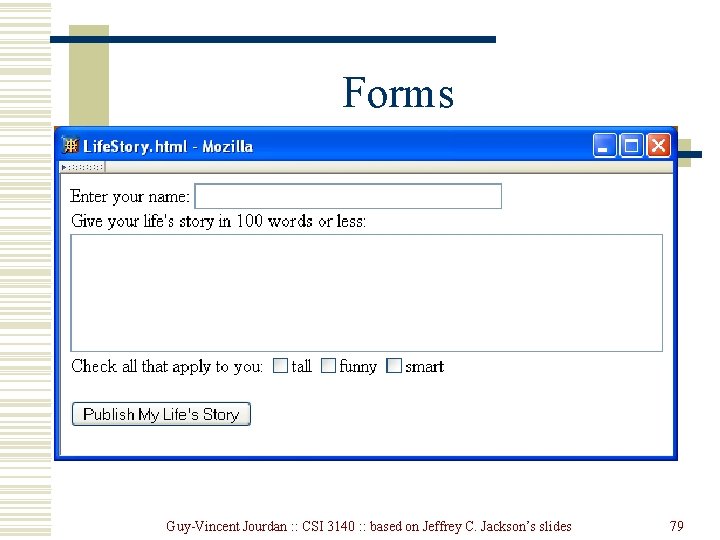
Forms Guy-Vincent Jourdan : : CSI 3140 : : based on Jeffrey C. Jackson’s slides 79
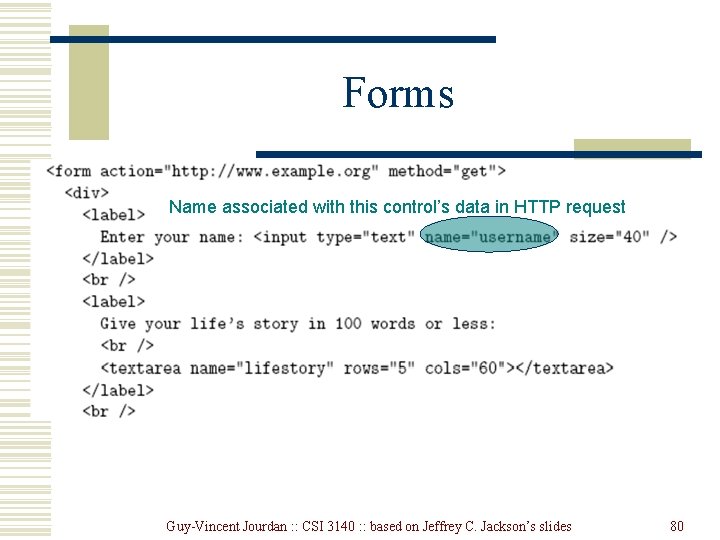
Forms Name associated with this control’s data in HTTP request Guy-Vincent Jourdan : : CSI 3140 : : based on Jeffrey C. Jackson’s slides 80
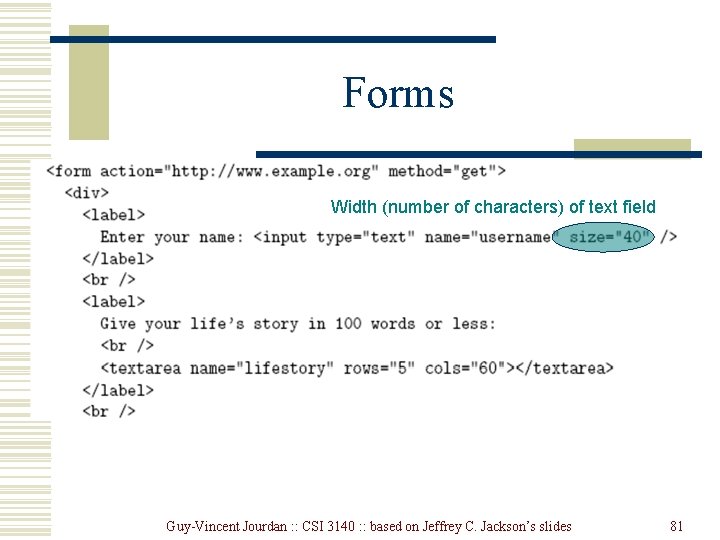
Forms Width (number of characters) of text field Guy-Vincent Jourdan : : CSI 3140 : : based on Jeffrey C. Jackson’s slides 81
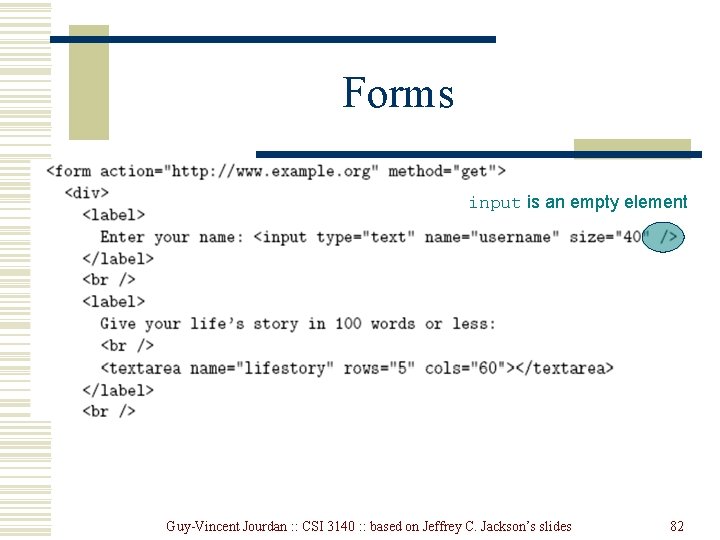
Forms input is an empty element Guy-Vincent Jourdan : : CSI 3140 : : based on Jeffrey C. Jackson’s slides 82
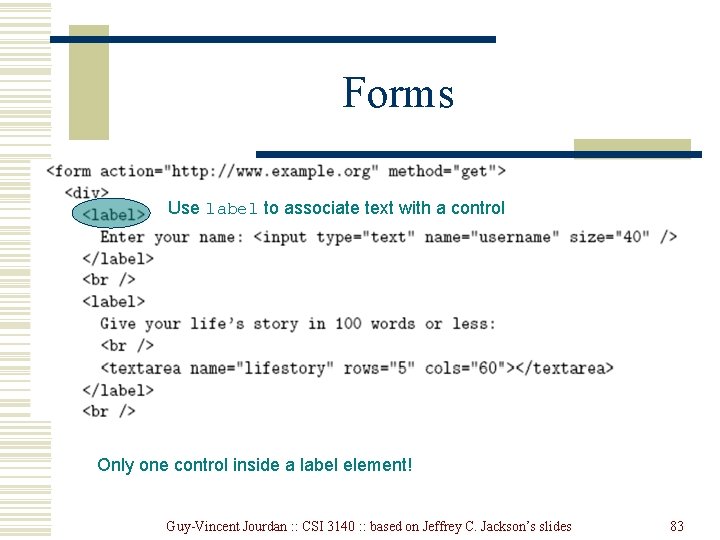
Forms Use label to associate text with a control Only one control inside a label element! Guy-Vincent Jourdan : : CSI 3140 : : based on Jeffrey C. Jackson’s slides 83
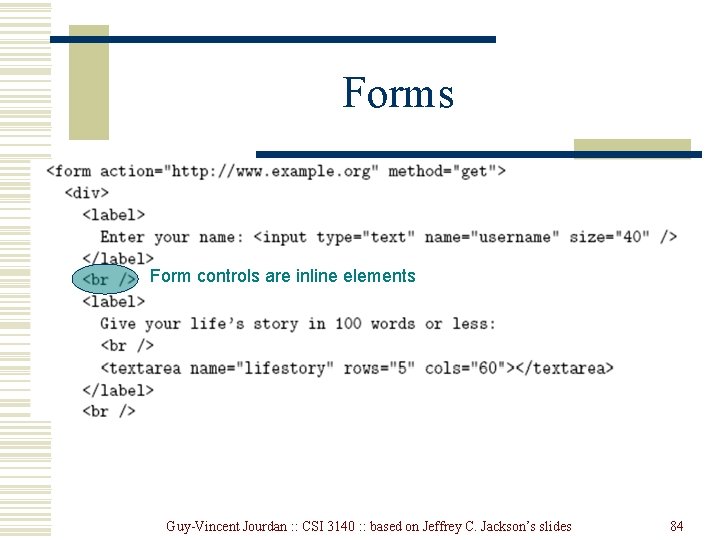
Forms Form controls are inline elements Guy-Vincent Jourdan : : CSI 3140 : : based on Jeffrey C. Jackson’s slides 84
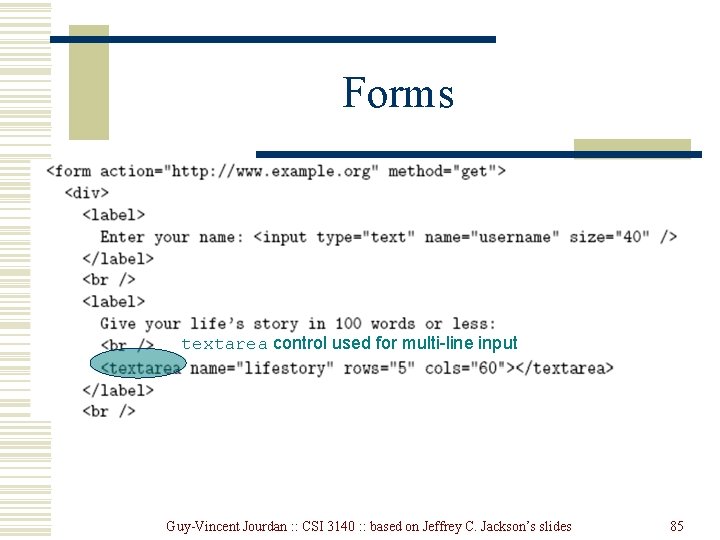
Forms textarea control used for multi-line input Guy-Vincent Jourdan : : CSI 3140 : : based on Jeffrey C. Jackson’s slides 85
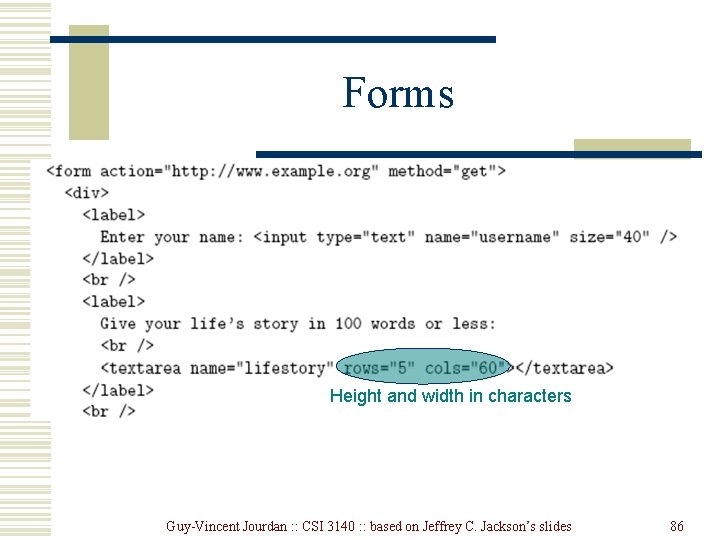
Forms Height and width in characters Guy-Vincent Jourdan : : CSI 3140 : : based on Jeffrey C. Jackson’s slides 86
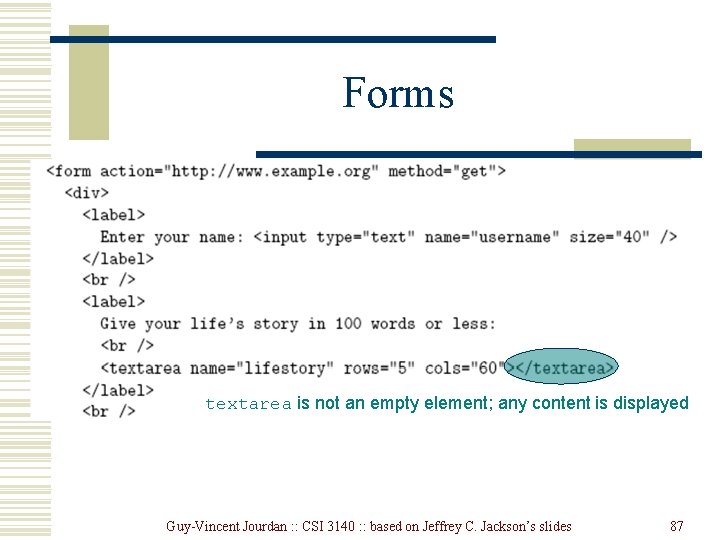
Forms textarea is not an empty element; any content is displayed Guy-Vincent Jourdan : : CSI 3140 : : based on Jeffrey C. Jackson’s slides 87
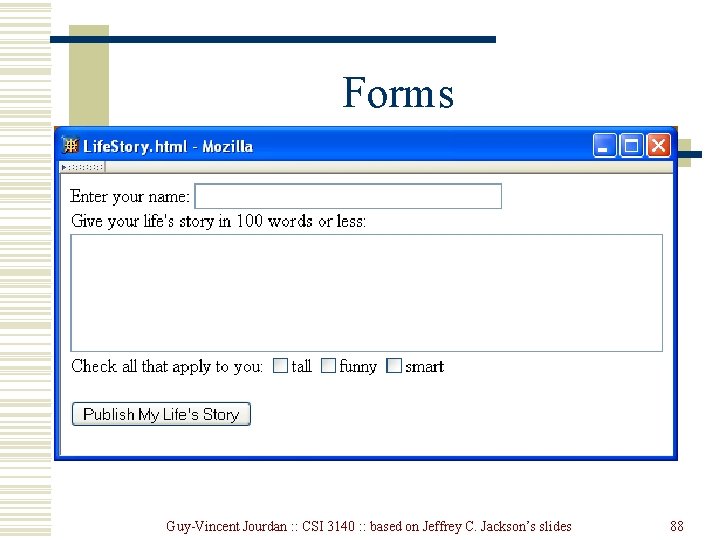
Forms Guy-Vincent Jourdan : : CSI 3140 : : based on Jeffrey C. Jackson’s slides 88
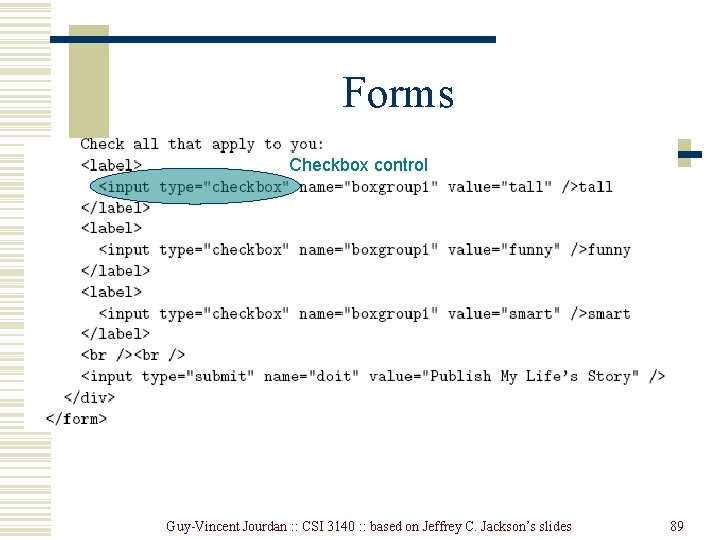
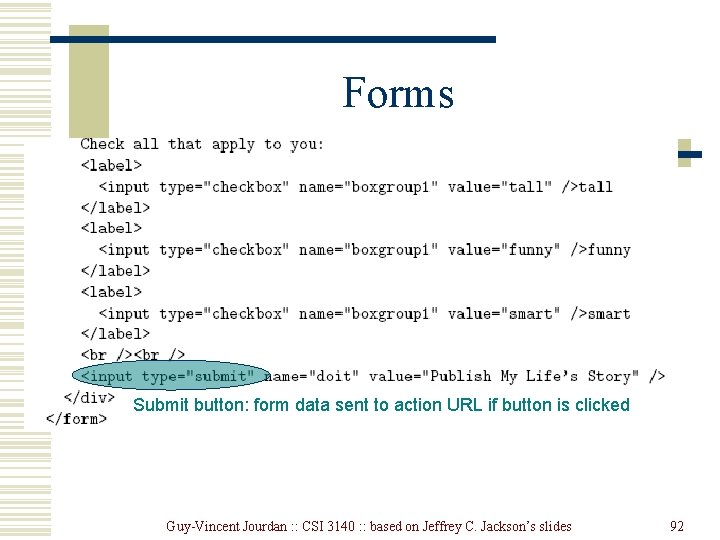
Forms Checkbox control Guy-Vincent Jourdan : : CSI 3140 : : based on Jeffrey C. Jackson’s slides 89
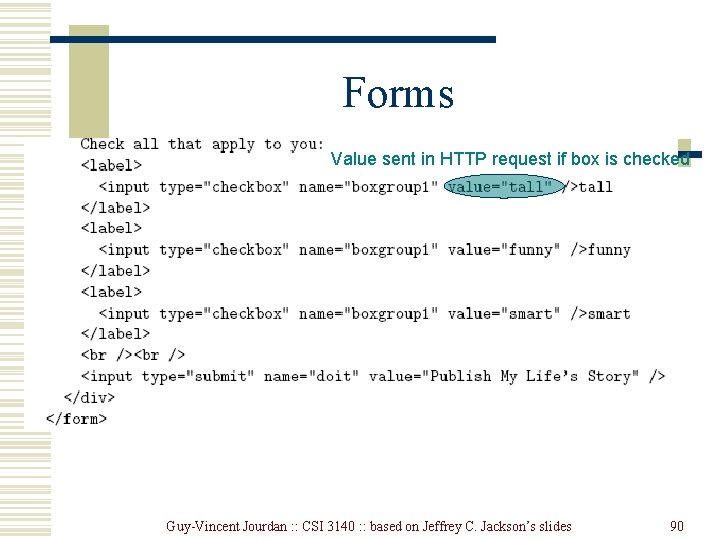
Forms Value sent in HTTP request if box is checked Guy-Vincent Jourdan : : CSI 3140 : : based on Jeffrey C. Jackson’s slides 90
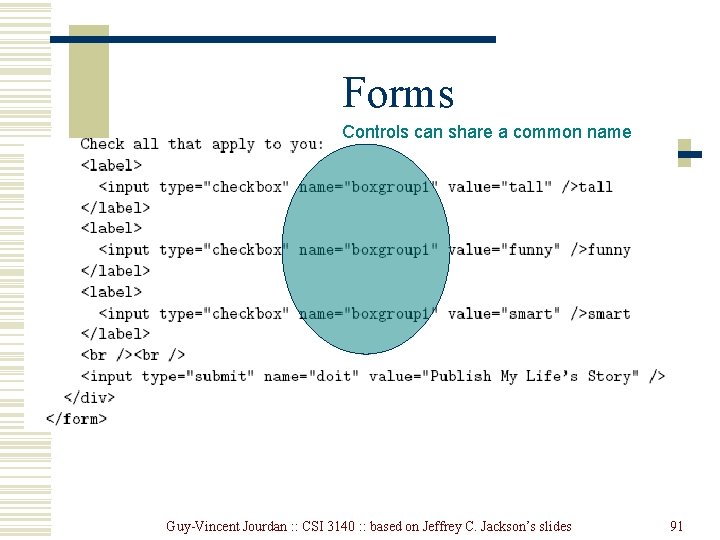
Forms Controls can share a common name Guy-Vincent Jourdan : : CSI 3140 : : based on Jeffrey C. Jackson’s slides 91
Forms Submit button: form data sent to action URL if button is clicked Guy-Vincent Jourdan : : CSI 3140 : : based on Jeffrey C. Jackson’s slides 92
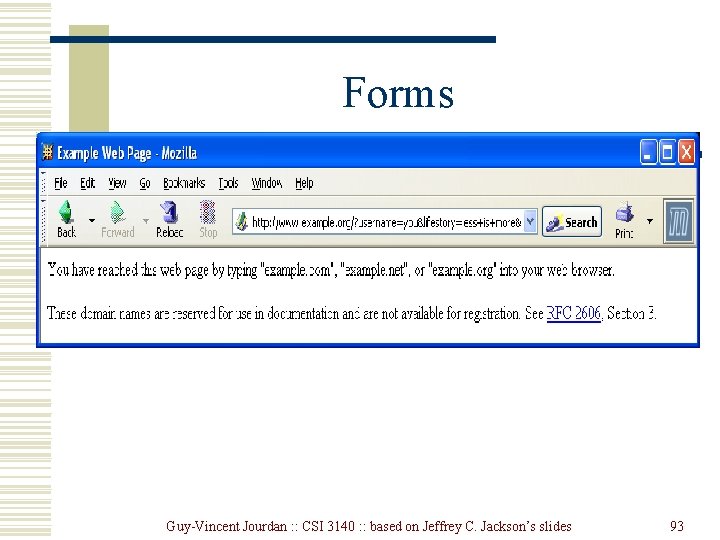
Forms Guy-Vincent Jourdan : : CSI 3140 : : based on Jeffrey C. Jackson’s slides 93
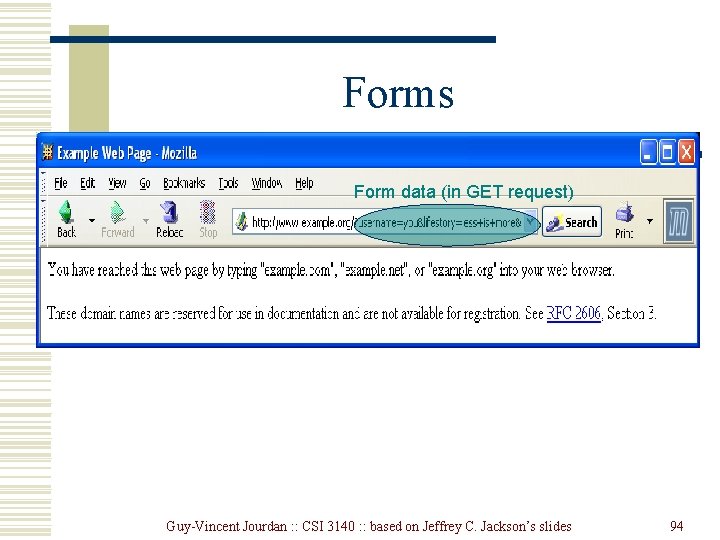
Forms Form data (in GET request) Guy-Vincent Jourdan : : CSI 3140 : : based on Jeffrey C. Jackson’s slides 94
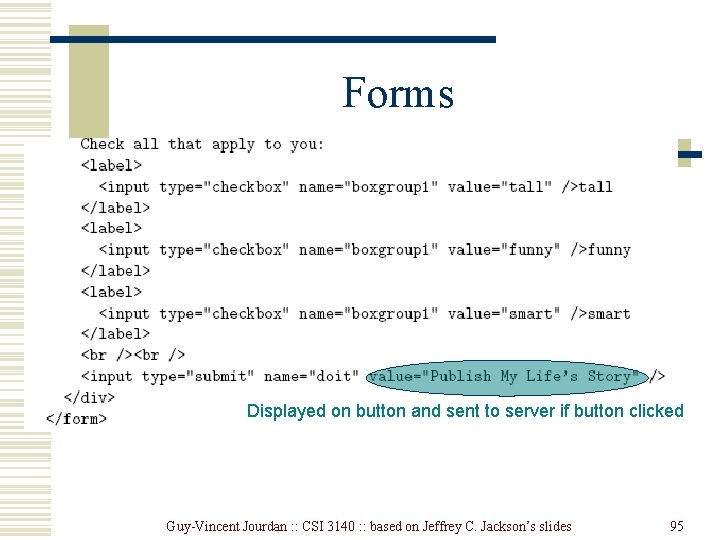
Forms Displayed on button and sent to server if button clicked Guy-Vincent Jourdan : : CSI 3140 : : based on Jeffrey C. Jackson’s slides 95
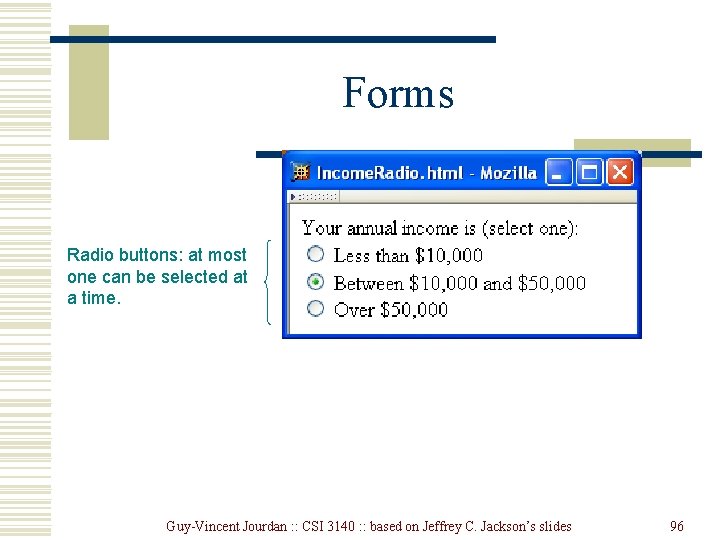
Forms Radio buttons: at most one can be selected at a time. Guy-Vincent Jourdan : : CSI 3140 : : based on Jeffrey C. Jackson’s slides 96
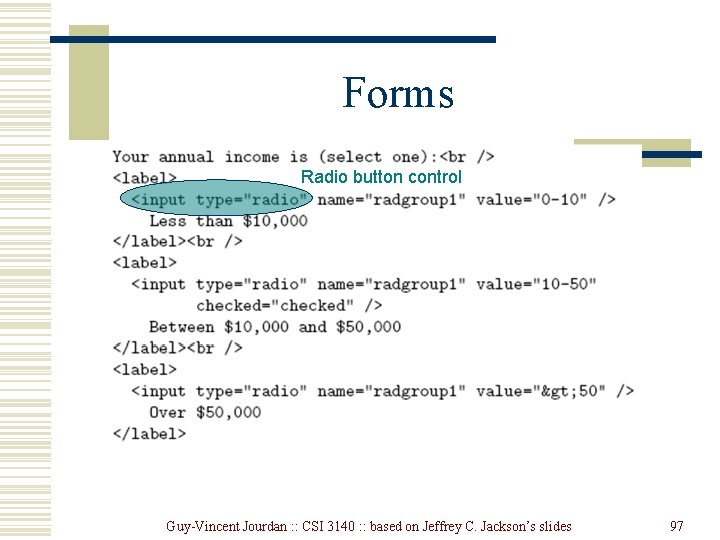
Forms Radio button control Guy-Vincent Jourdan : : CSI 3140 : : based on Jeffrey C. Jackson’s slides 97
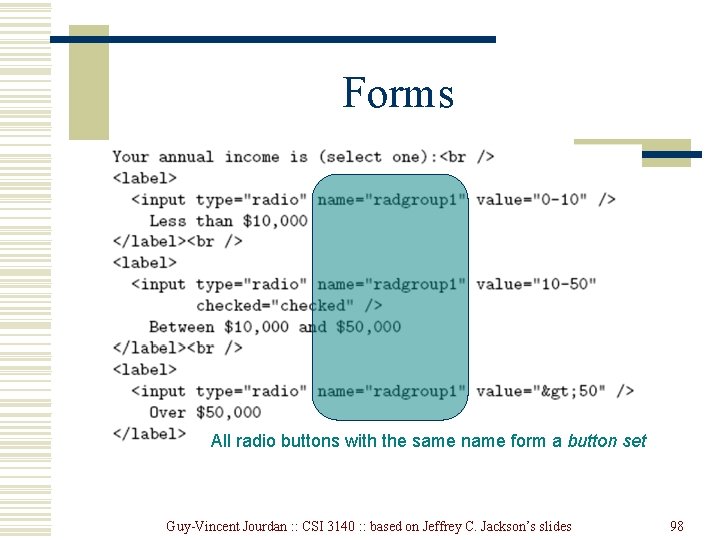
Forms All radio buttons with the same name form a button set Guy-Vincent Jourdan : : CSI 3140 : : based on Jeffrey C. Jackson’s slides 98
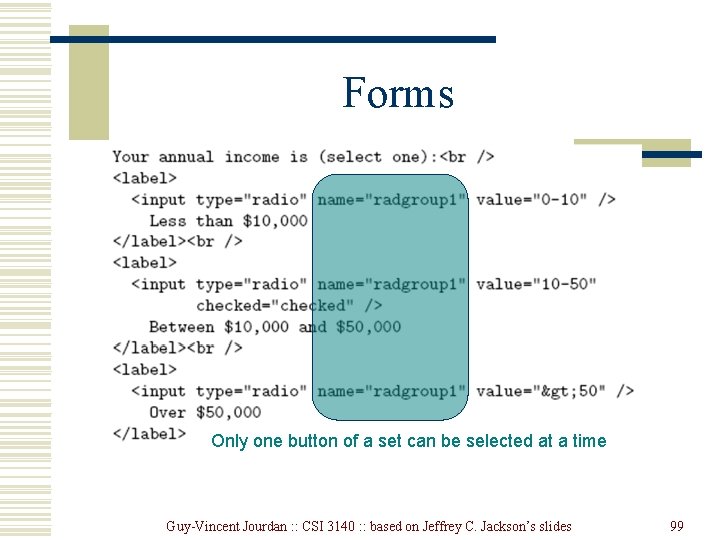
Forms Only one button of a set can be selected at a time Guy-Vincent Jourdan : : CSI 3140 : : based on Jeffrey C. Jackson’s slides 99
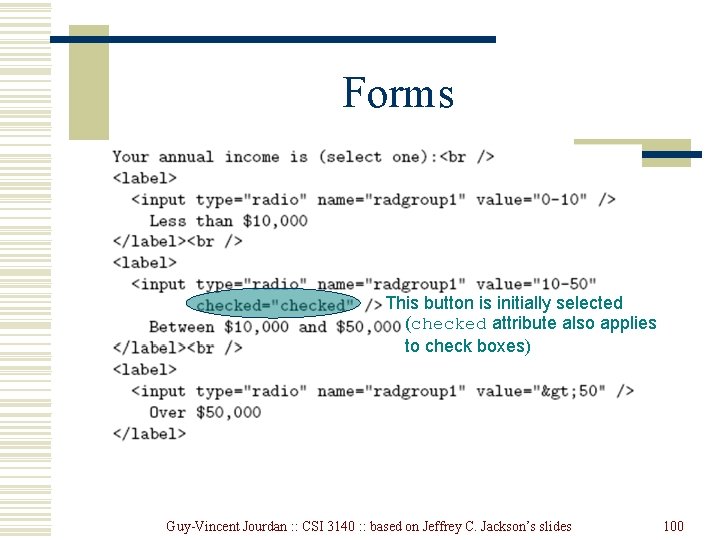
Forms This button is initially selected (checked attribute also applies to check boxes) Guy-Vincent Jourdan : : CSI 3140 : : based on Jeffrey C. Jackson’s slides 100
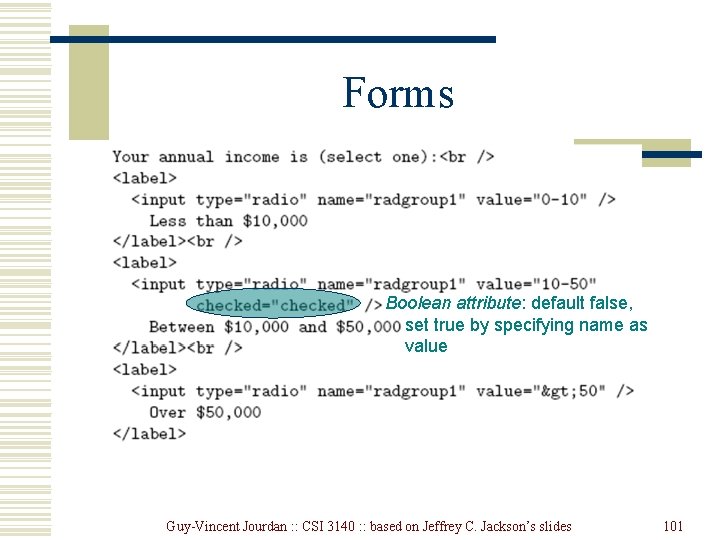
Forms Boolean attribute: default false, set true by specifying name as value Guy-Vincent Jourdan : : CSI 3140 : : based on Jeffrey C. Jackson’s slides 101
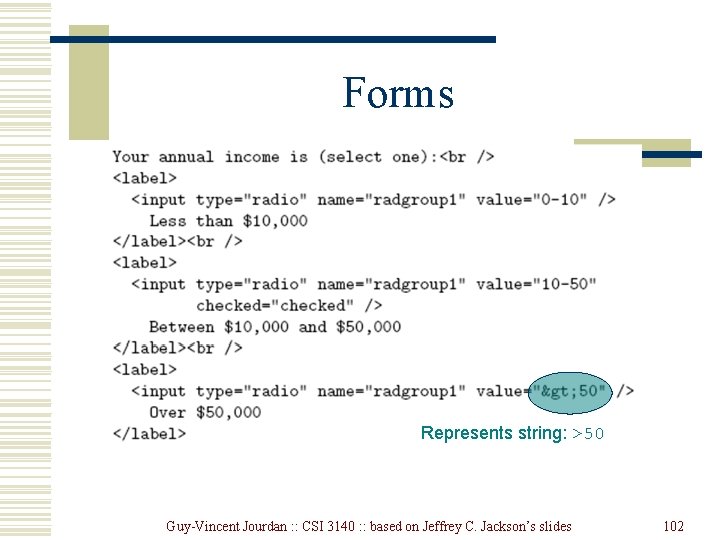
Forms Represents string: >50 Guy-Vincent Jourdan : : CSI 3140 : : based on Jeffrey C. Jackson’s slides 102
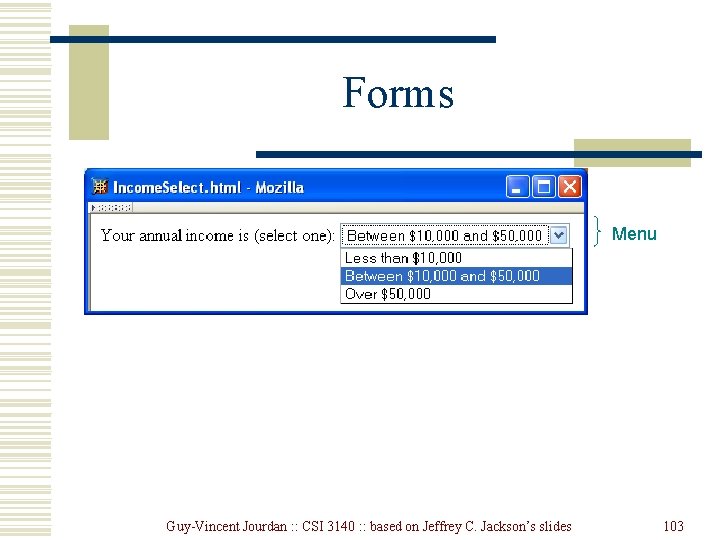
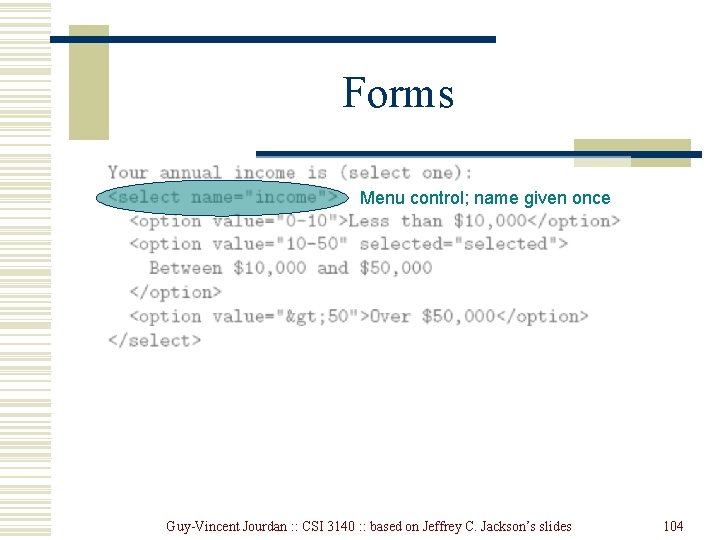
Forms Menu Guy-Vincent Jourdan : : CSI 3140 : : based on Jeffrey C. Jackson’s slides 103
Forms Menu control; name given once Guy-Vincent Jourdan : : CSI 3140 : : based on Jeffrey C. Jackson’s slides 104
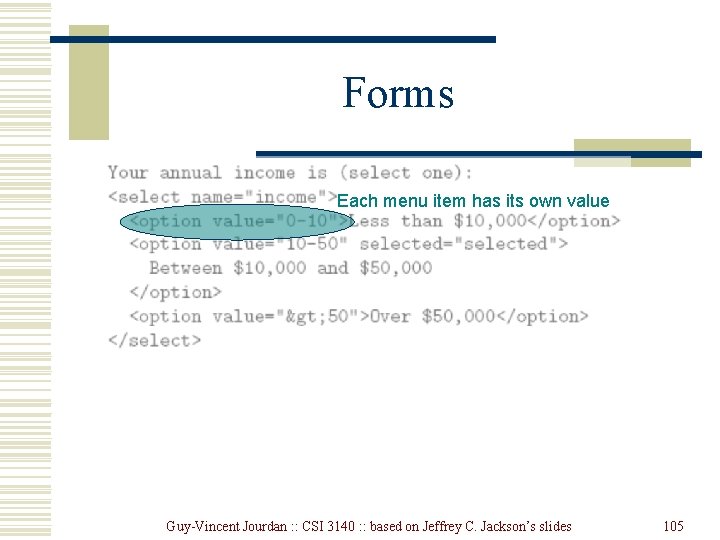
Forms Each menu item has its own value Guy-Vincent Jourdan : : CSI 3140 : : based on Jeffrey C. Jackson’s slides 105
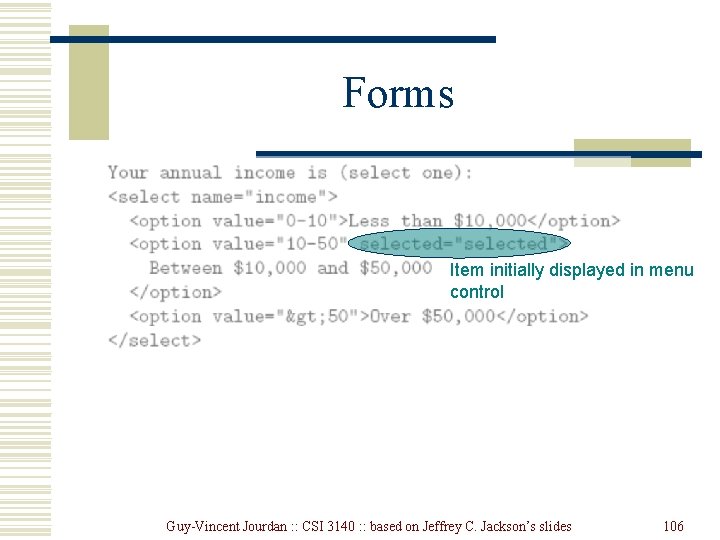
Forms Item initially displayed in menu control Guy-Vincent Jourdan : : CSI 3140 : : based on Jeffrey C. Jackson’s slides 106
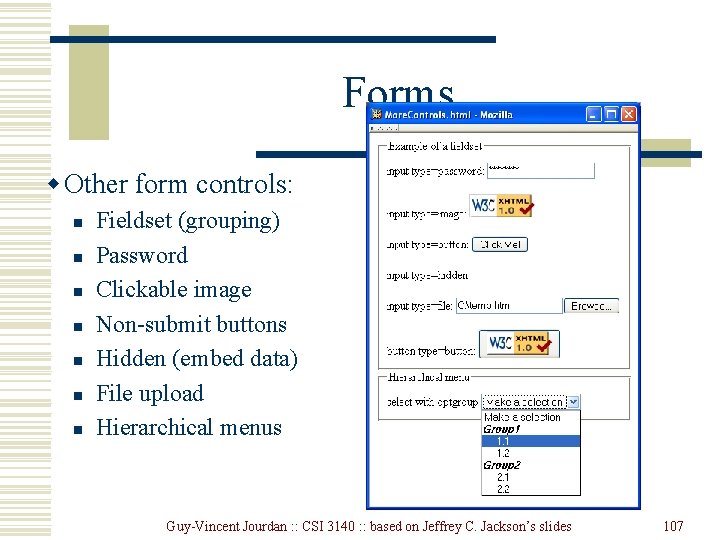
Forms w Other form controls: n n n n Fieldset (grouping) Password Clickable image Non-submit buttons Hidden (embed data) File upload Hierarchical menus Guy-Vincent Jourdan : : CSI 3140 : : based on Jeffrey C. Jackson’s slides 107
Forms Guy-Vincent Jourdan : : CSI 3140 : : based on Jeffrey C. Jackson’s slides 108
XML DTD w. Recall that XML is used to define the syntax of XHTML w. Set of XML files that define a language are known as the document type definition (DTD) w. DTD primarily consists of declarations: n n n Element type: name and content of elements Attribute list: attributes of an element Entity: define meaning of, e. g. , > Guy-Vincent Jourdan : : CSI 3140 : : based on Jeffrey C. Jackson’s slides 109
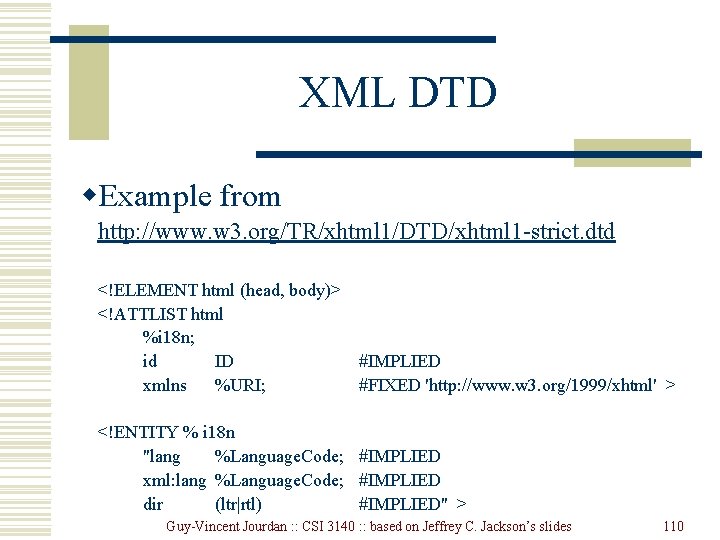
XML DTD w. Example from http: //www. w 3. org/TR/xhtml 1/DTD/xhtml 1 -strict. dtd <!ELEMENT html (head, body)> <!ATTLIST html %i 18 n; id ID #IMPLIED xmlns %URI; #FIXED 'http: //www. w 3. org/1999/xhtml' > <!ENTITY % i 18 n "lang %Language. Code; #IMPLIED xml: lang %Language. Code; #IMPLIED dir (ltr|rtl) #IMPLIED" > Guy-Vincent Jourdan : : CSI 3140 : : based on Jeffrey C. Jackson’s slides 110
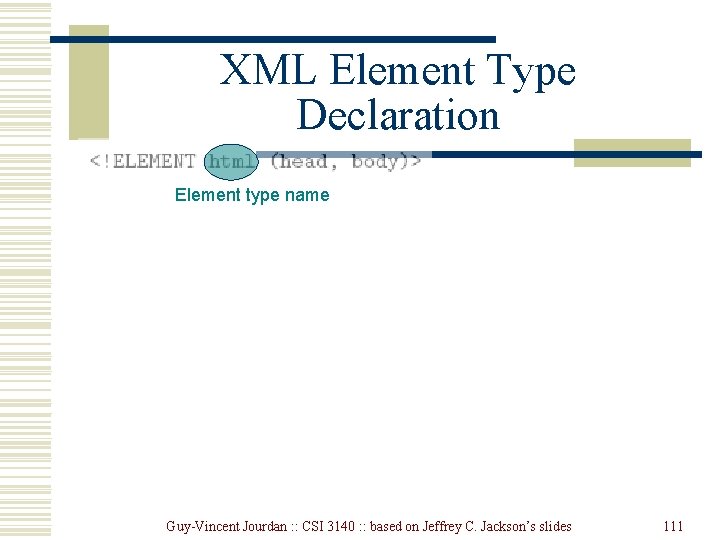
XML Element Type Declaration Element type name Guy-Vincent Jourdan : : CSI 3140 : : based on Jeffrey C. Jackson’s slides 111
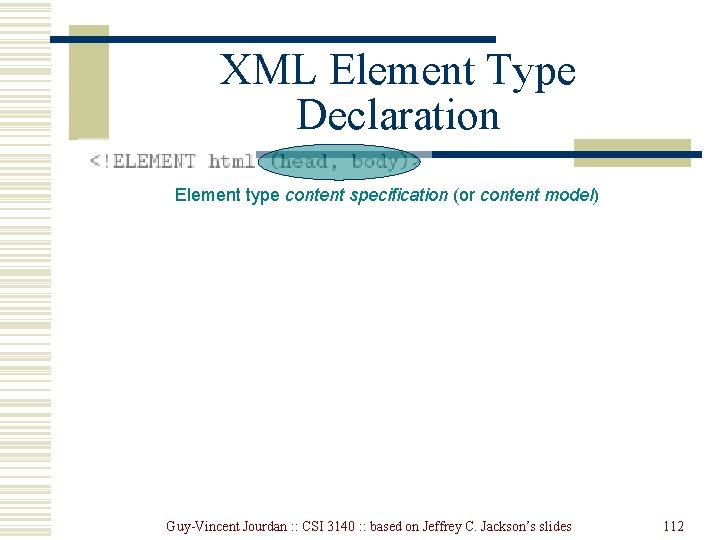
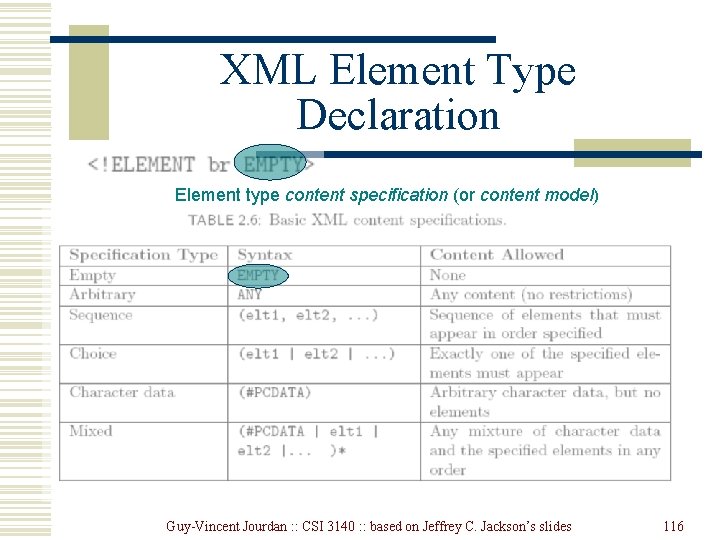
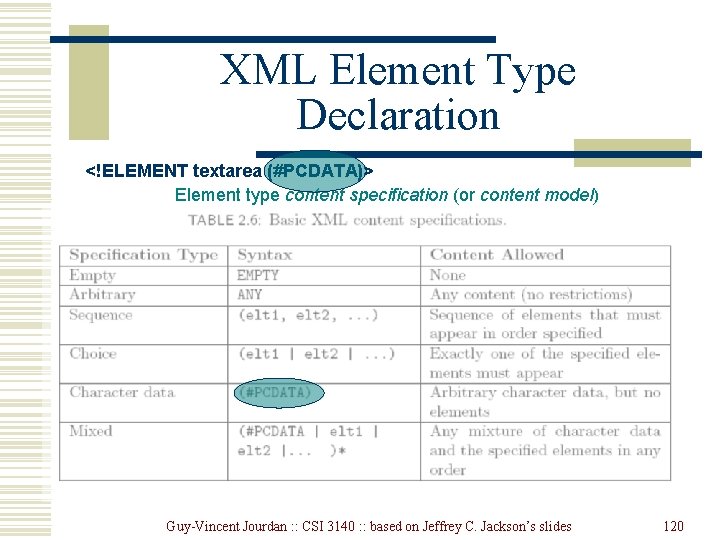
XML Element Type Declaration Element type content specification (or content model) Guy-Vincent Jourdan : : CSI 3140 : : based on Jeffrey C. Jackson’s slides 112
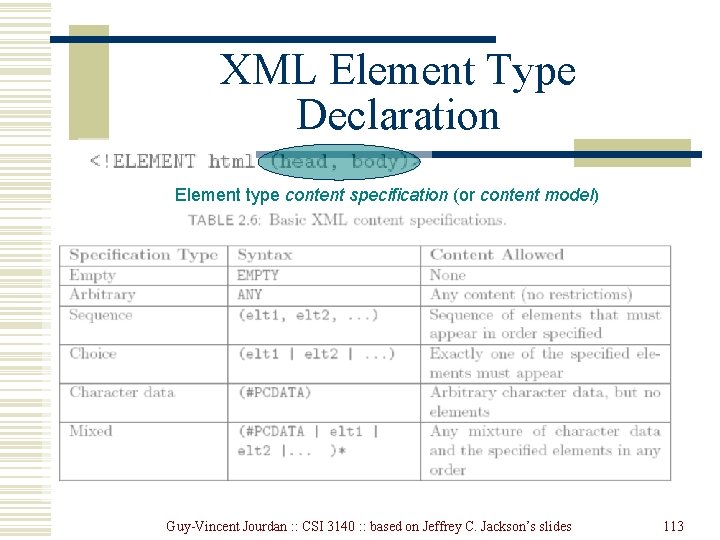
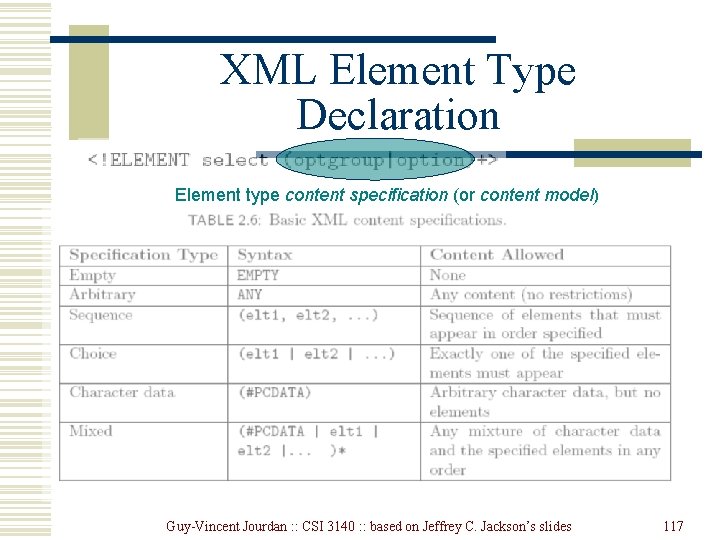
XML Element Type Declaration Element type content specification (or content model) Guy-Vincent Jourdan : : CSI 3140 : : based on Jeffrey C. Jackson’s slides 113
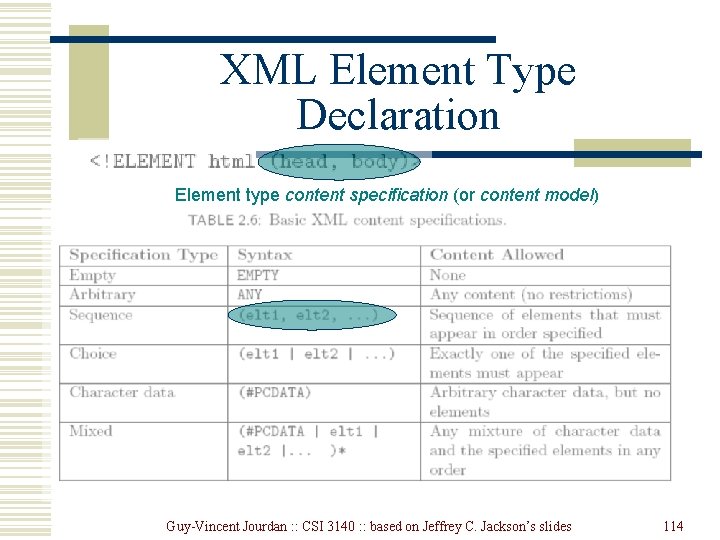
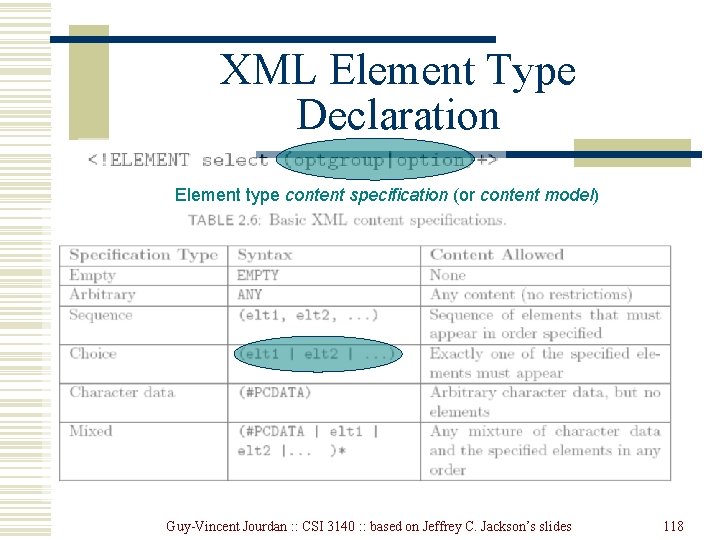
XML Element Type Declaration Element type content specification (or content model) Guy-Vincent Jourdan : : CSI 3140 : : based on Jeffrey C. Jackson’s slides 114
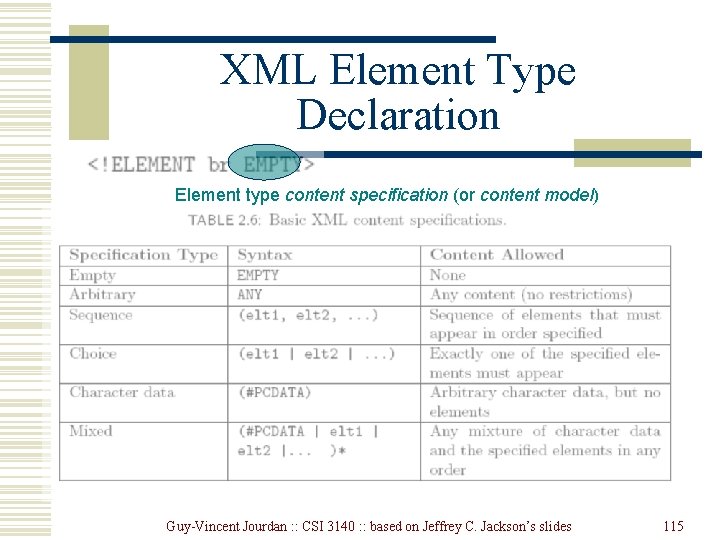
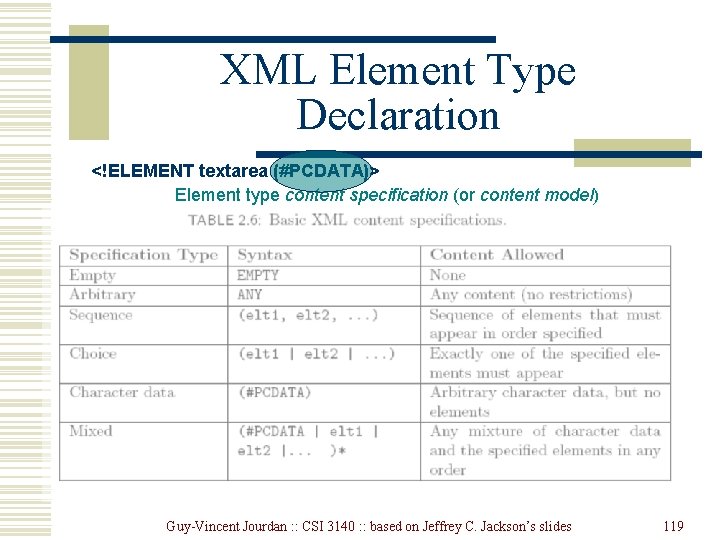
XML Element Type Declaration Element type content specification (or content model) Guy-Vincent Jourdan : : CSI 3140 : : based on Jeffrey C. Jackson’s slides 115
XML Element Type Declaration Element type content specification (or content model) Guy-Vincent Jourdan : : CSI 3140 : : based on Jeffrey C. Jackson’s slides 116
XML Element Type Declaration Element type content specification (or content model) Guy-Vincent Jourdan : : CSI 3140 : : based on Jeffrey C. Jackson’s slides 117
XML Element Type Declaration Element type content specification (or content model) Guy-Vincent Jourdan : : CSI 3140 : : based on Jeffrey C. Jackson’s slides 118
XML Element Type Declaration <!ELEMENT textarea (#PCDATA)> Element type content specification (or content model) Guy-Vincent Jourdan : : CSI 3140 : : based on Jeffrey C. Jackson’s slides 119
XML Element Type Declaration <!ELEMENT textarea (#PCDATA)> Element type content specification (or content model) Guy-Vincent Jourdan : : CSI 3140 : : based on Jeffrey C. Jackson’s slides 120
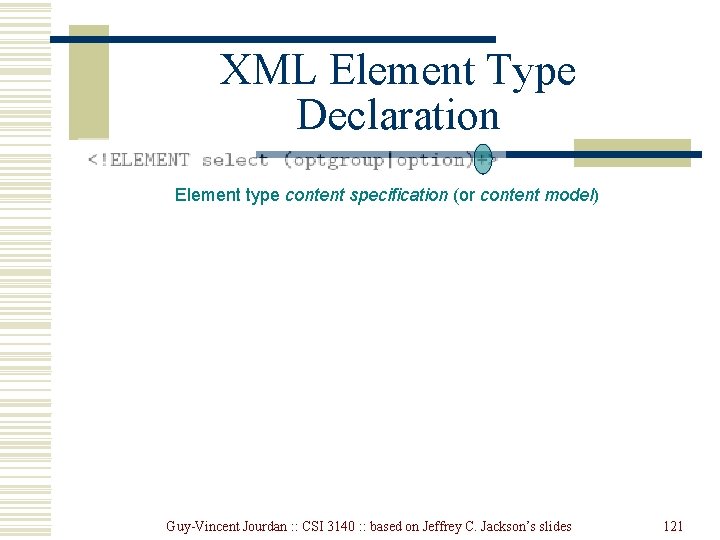
XML Element Type Declaration Element type content specification (or content model) Guy-Vincent Jourdan : : CSI 3140 : : based on Jeffrey C. Jackson’s slides 121
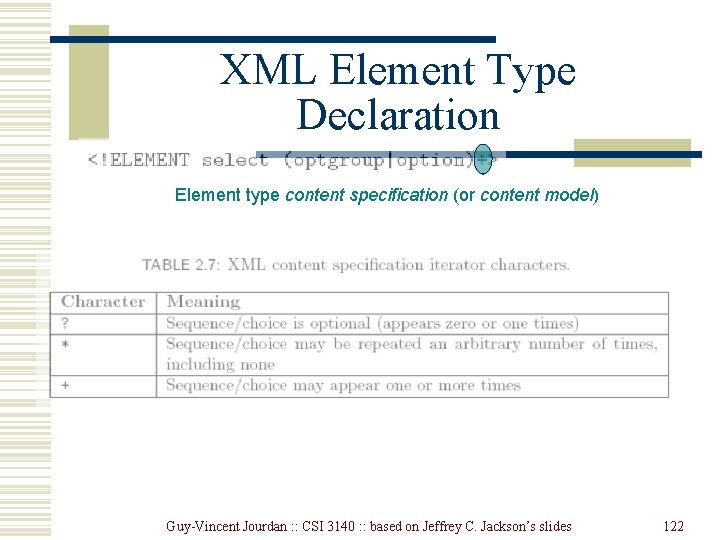
XML Element Type Declaration Element type content specification (or content model) Guy-Vincent Jourdan : : CSI 3140 : : based on Jeffrey C. Jackson’s slides 122
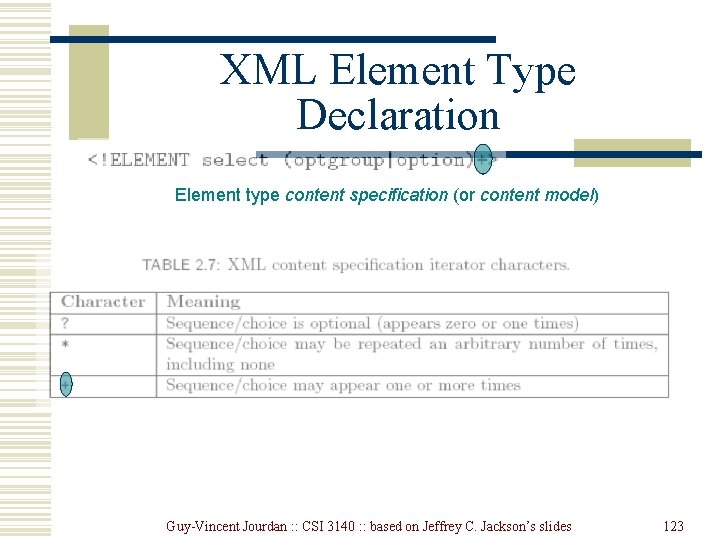
XML Element Type Declaration Element type content specification (or content model) Guy-Vincent Jourdan : : CSI 3140 : : based on Jeffrey C. Jackson’s slides 123
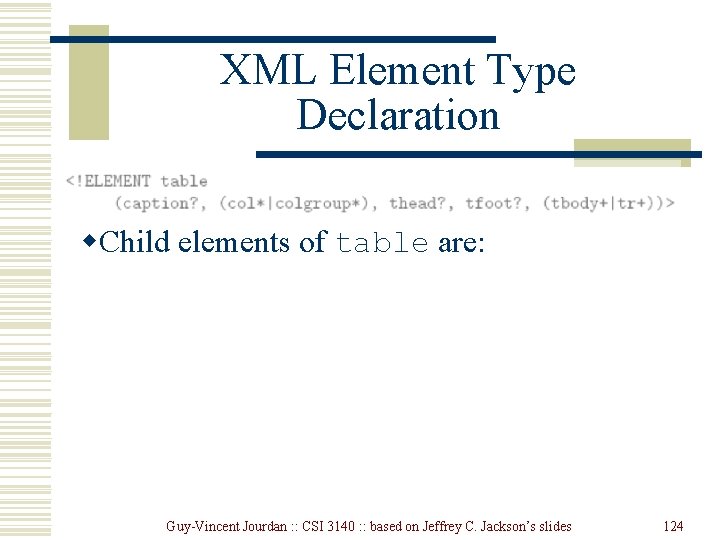
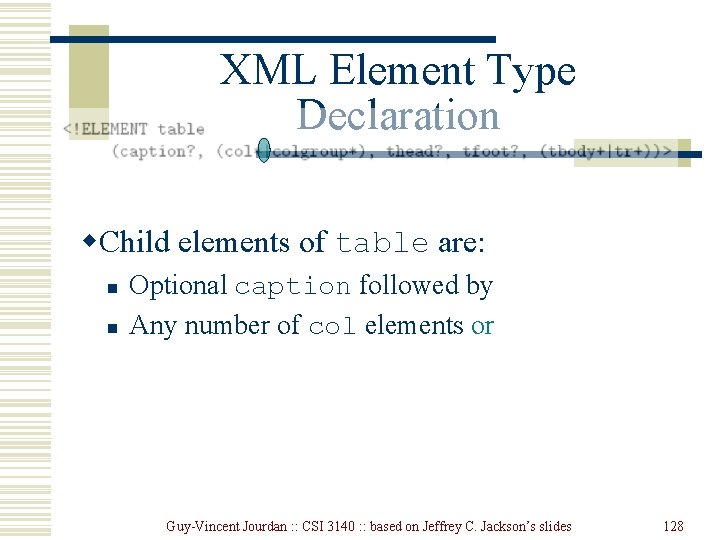
XML Element Type Declaration w. Child elements of table are: Guy-Vincent Jourdan : : CSI 3140 : : based on Jeffrey C. Jackson’s slides 124
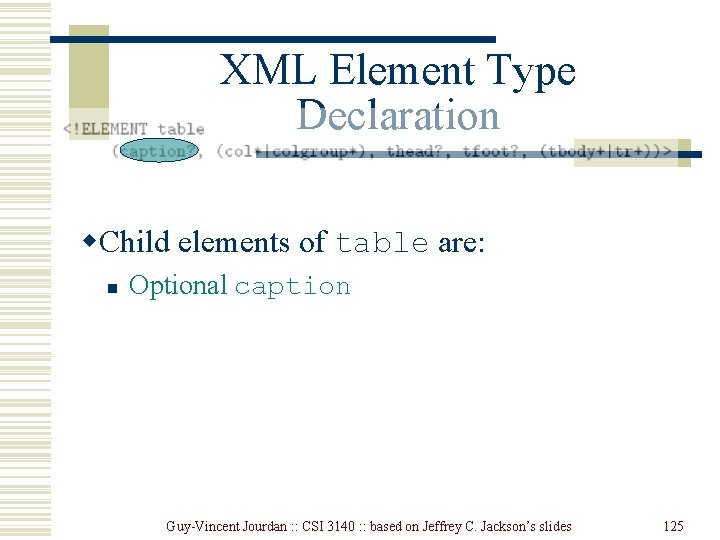
XML Element Type Declaration w. Child elements of table are: n Optional caption Guy-Vincent Jourdan : : CSI 3140 : : based on Jeffrey C. Jackson’s slides 125
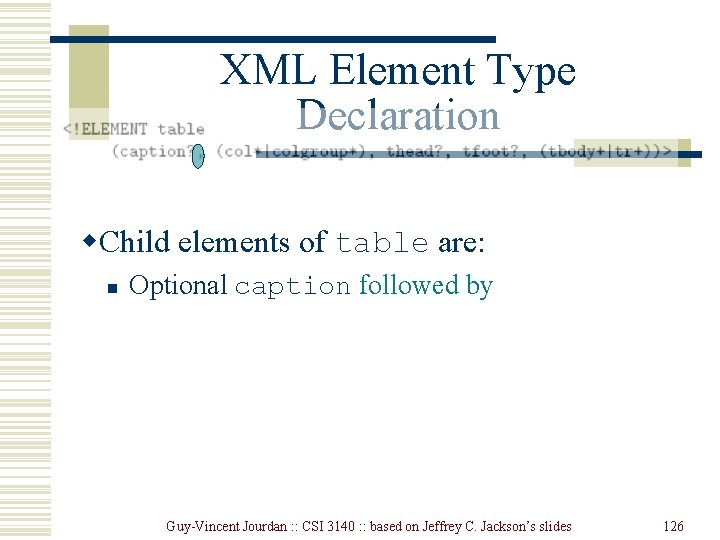
XML Element Type Declaration w. Child elements of table are: n Optional caption followed by Guy-Vincent Jourdan : : CSI 3140 : : based on Jeffrey C. Jackson’s slides 126
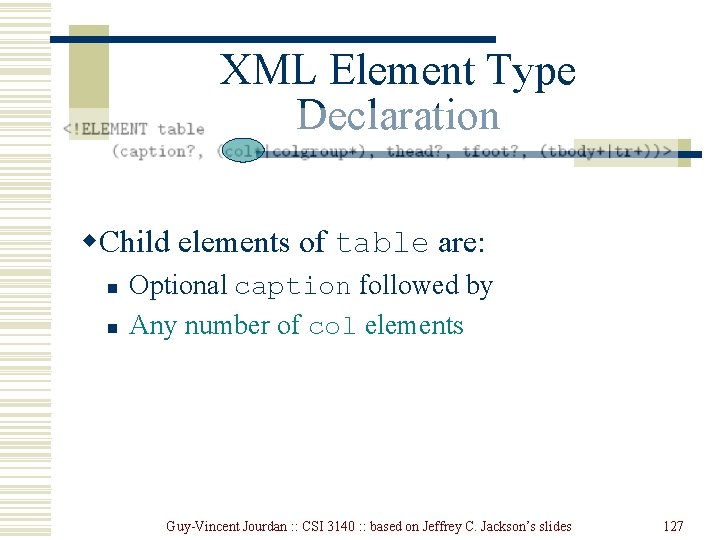
XML Element Type Declaration w. Child elements of table are: n n Optional caption followed by Any number of col elements Guy-Vincent Jourdan : : CSI 3140 : : based on Jeffrey C. Jackson’s slides 127
XML Element Type Declaration w. Child elements of table are: n n Optional caption followed by Any number of col elements or Guy-Vincent Jourdan : : CSI 3140 : : based on Jeffrey C. Jackson’s slides 128
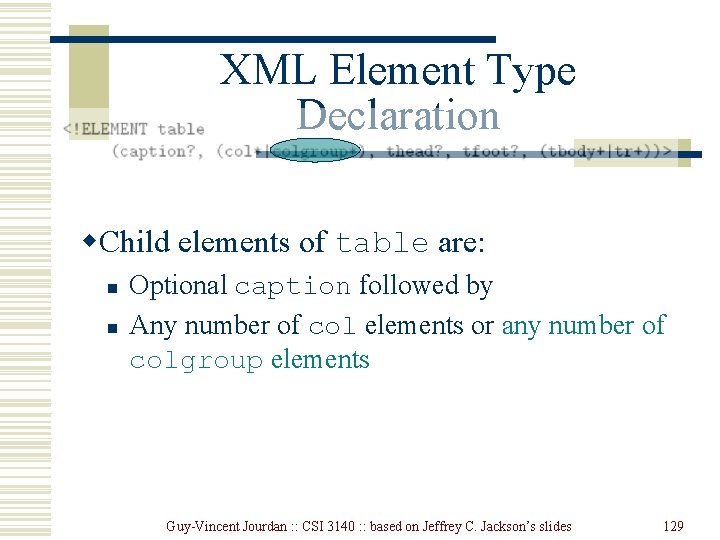
XML Element Type Declaration w. Child elements of table are: n n Optional caption followed by Any number of col elements or any number of colgroup elements Guy-Vincent Jourdan : : CSI 3140 : : based on Jeffrey C. Jackson’s slides 129
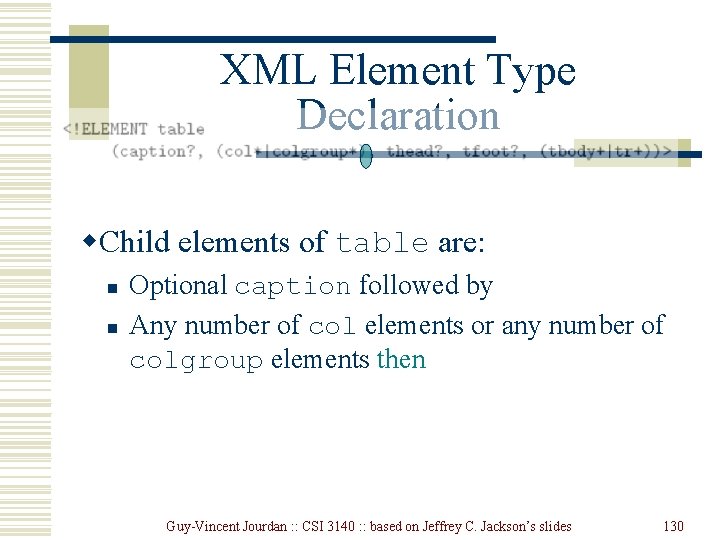
XML Element Type Declaration w. Child elements of table are: n n Optional caption followed by Any number of col elements or any number of colgroup elements then Guy-Vincent Jourdan : : CSI 3140 : : based on Jeffrey C. Jackson’s slides 130
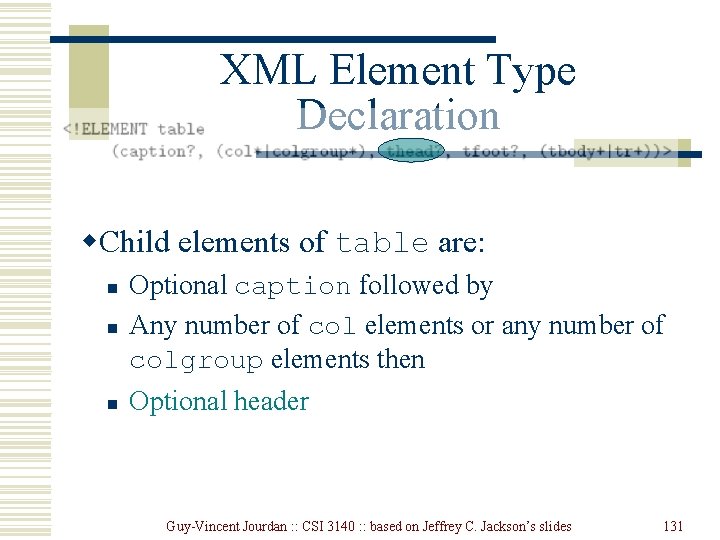
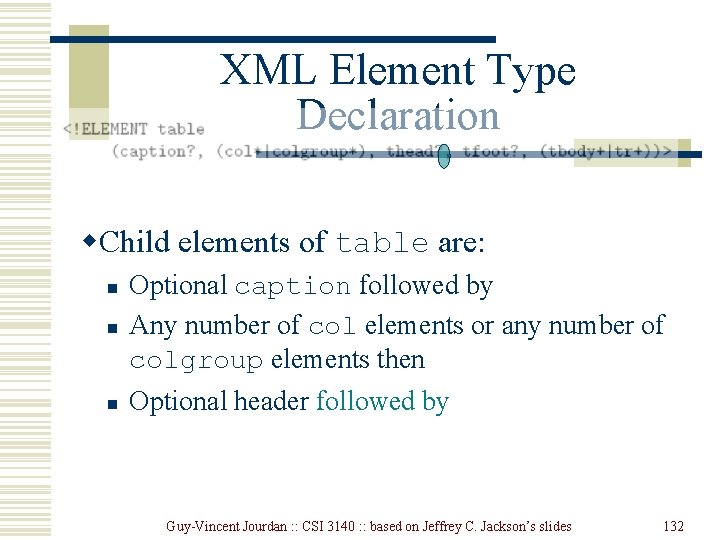
XML Element Type Declaration w. Child elements of table are: n Optional caption followed by Any number of col elements or any number of colgroup elements then n Optional header n Guy-Vincent Jourdan : : CSI 3140 : : based on Jeffrey C. Jackson’s slides 131
XML Element Type Declaration w. Child elements of table are: n Optional caption followed by Any number of col elements or any number of colgroup elements then n Optional header followed by n Guy-Vincent Jourdan : : CSI 3140 : : based on Jeffrey C. Jackson’s slides 132
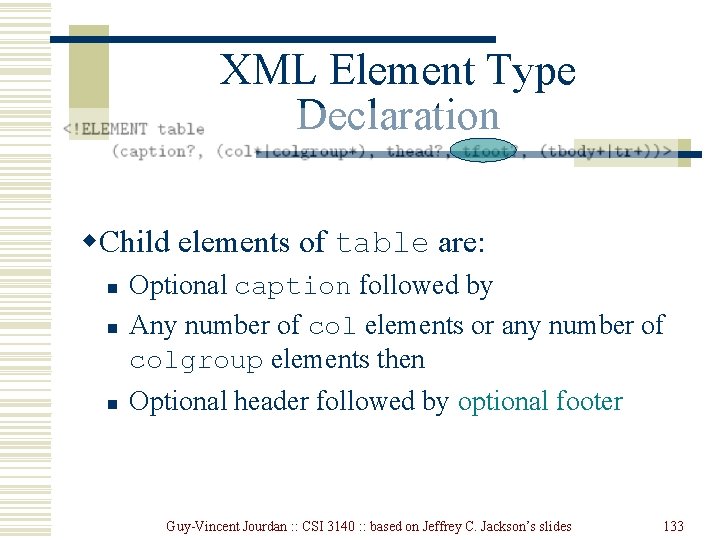
XML Element Type Declaration w. Child elements of table are: n Optional caption followed by Any number of col elements or any number of colgroup elements then n Optional header followed by optional footer n Guy-Vincent Jourdan : : CSI 3140 : : based on Jeffrey C. Jackson’s slides 133
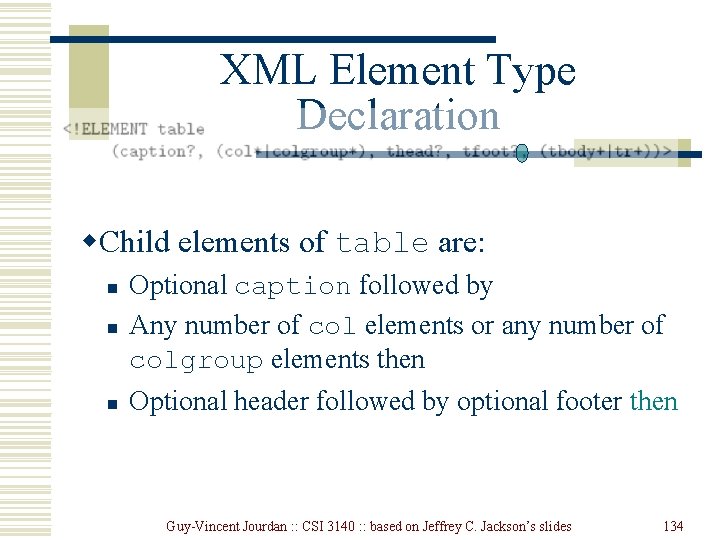
XML Element Type Declaration w. Child elements of table are: n Optional caption followed by Any number of col elements or any number of colgroup elements then n Optional header followed by optional footer then n Guy-Vincent Jourdan : : CSI 3140 : : based on Jeffrey C. Jackson’s slides 134
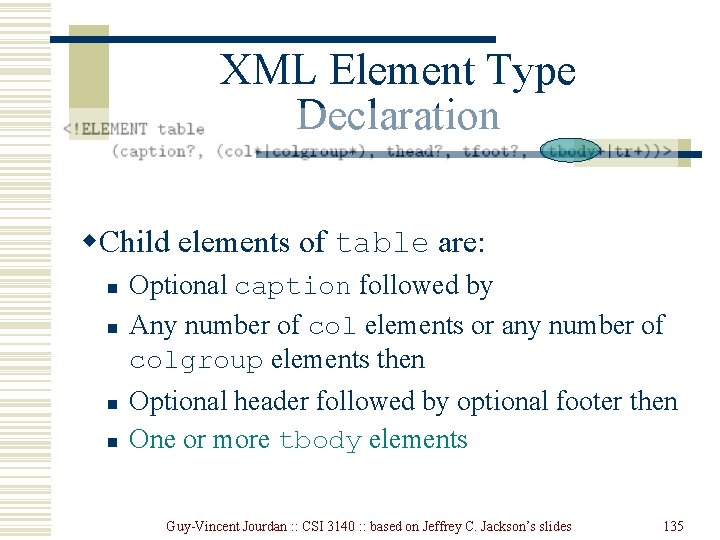
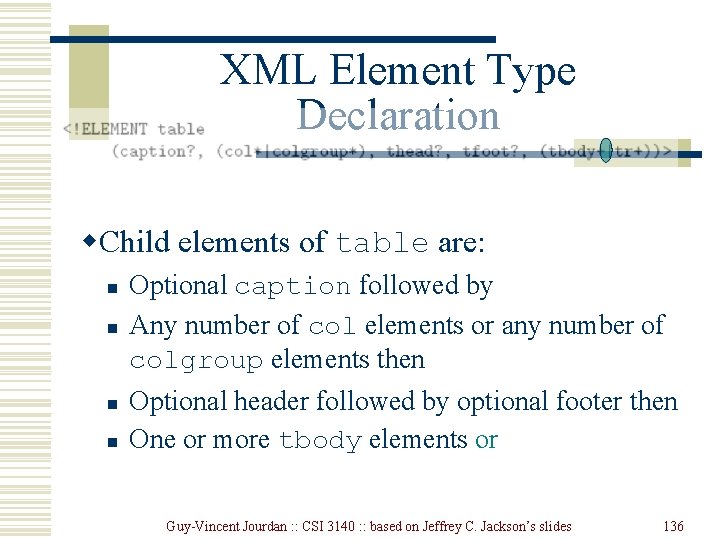
XML Element Type Declaration w. Child elements of table are: n n Optional caption followed by Any number of col elements or any number of colgroup elements then Optional header followed by optional footer then One or more tbody elements Guy-Vincent Jourdan : : CSI 3140 : : based on Jeffrey C. Jackson’s slides 135
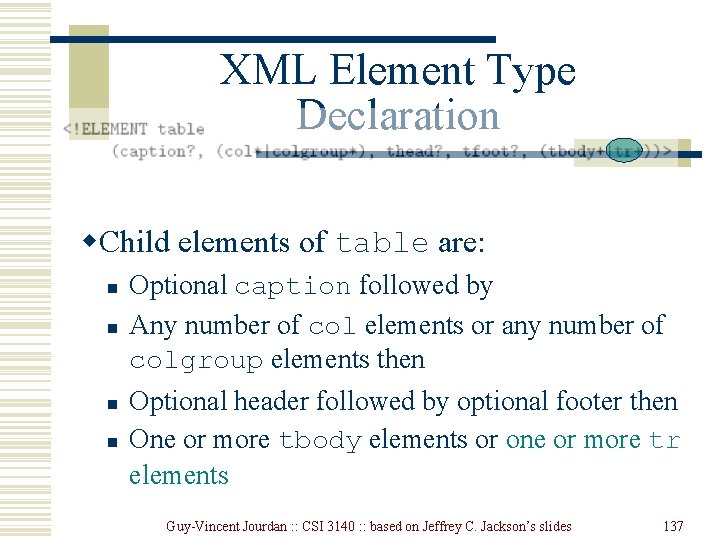
XML Element Type Declaration w. Child elements of table are: n n Optional caption followed by Any number of col elements or any number of colgroup elements then Optional header followed by optional footer then One or more tbody elements or Guy-Vincent Jourdan : : CSI 3140 : : based on Jeffrey C. Jackson’s slides 136
XML Element Type Declaration w. Child elements of table are: n n Optional caption followed by Any number of col elements or any number of colgroup elements then Optional header followed by optional footer then One or more tbody elements or one or more tr elements Guy-Vincent Jourdan : : CSI 3140 : : based on Jeffrey C. Jackson’s slides 137
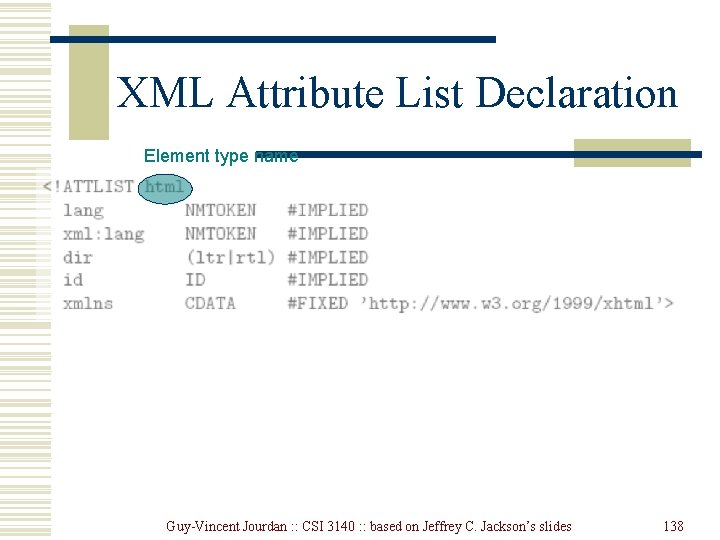
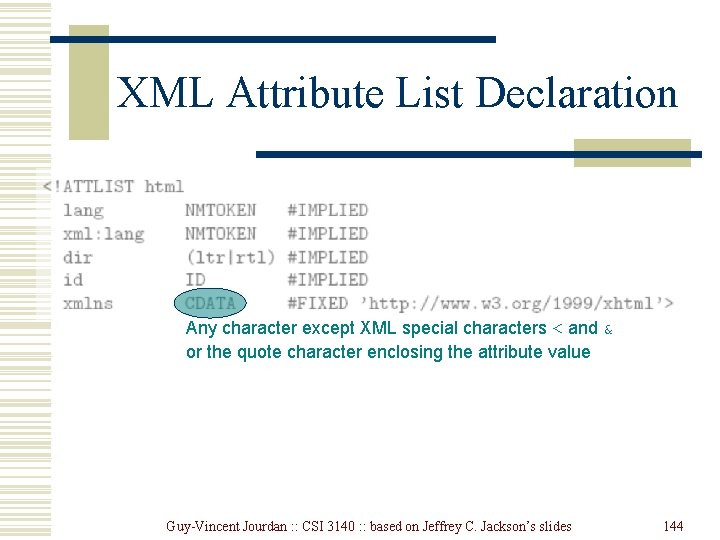
XML Attribute List Declaration Element type name Guy-Vincent Jourdan : : CSI 3140 : : based on Jeffrey C. Jackson’s slides 138
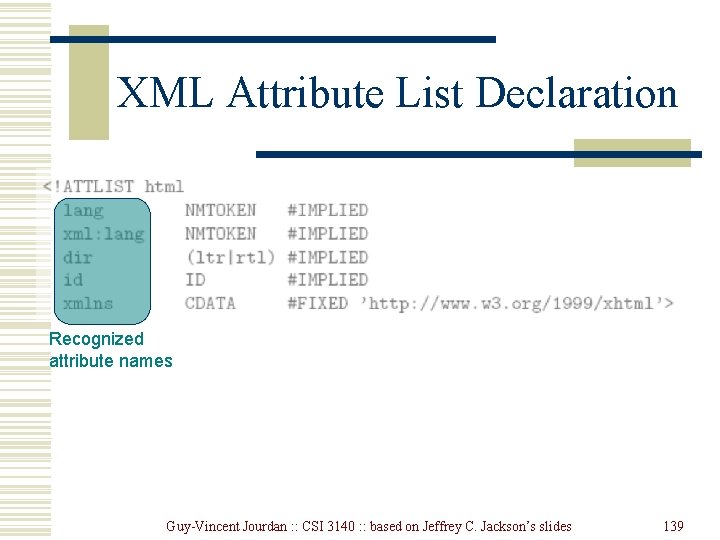
XML Attribute List Declaration Recognized attribute names Guy-Vincent Jourdan : : CSI 3140 : : based on Jeffrey C. Jackson’s slides 139
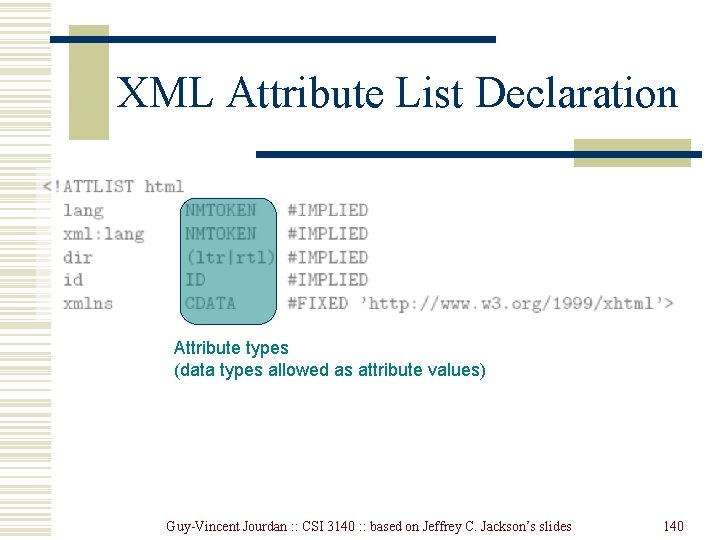
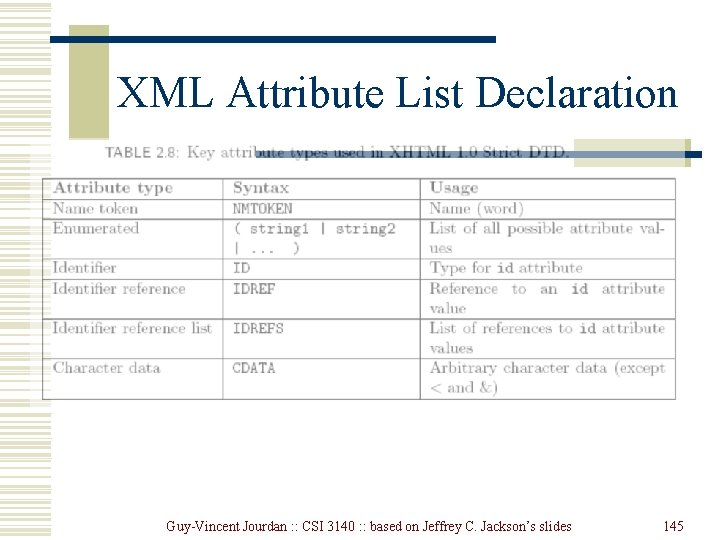
XML Attribute List Declaration Attribute types (data types allowed as attribute values) Guy-Vincent Jourdan : : CSI 3140 : : based on Jeffrey C. Jackson’s slides 140
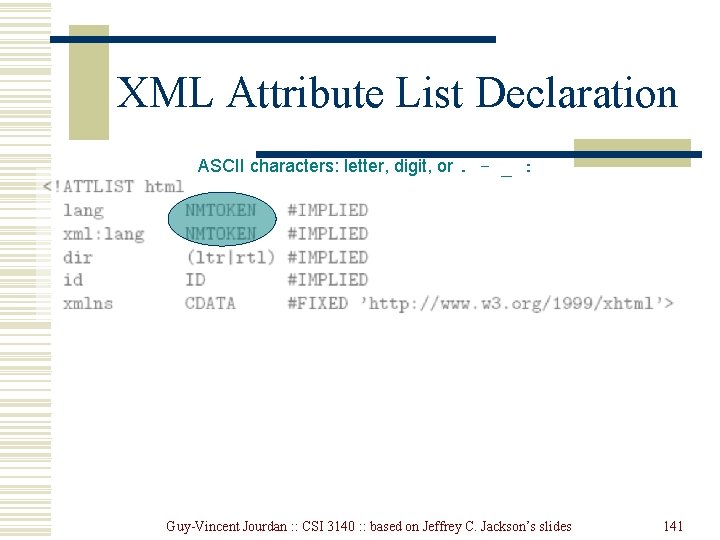
XML Attribute List Declaration ASCII characters: letter, digit, or. - _ : Guy-Vincent Jourdan : : CSI 3140 : : based on Jeffrey C. Jackson’s slides 141
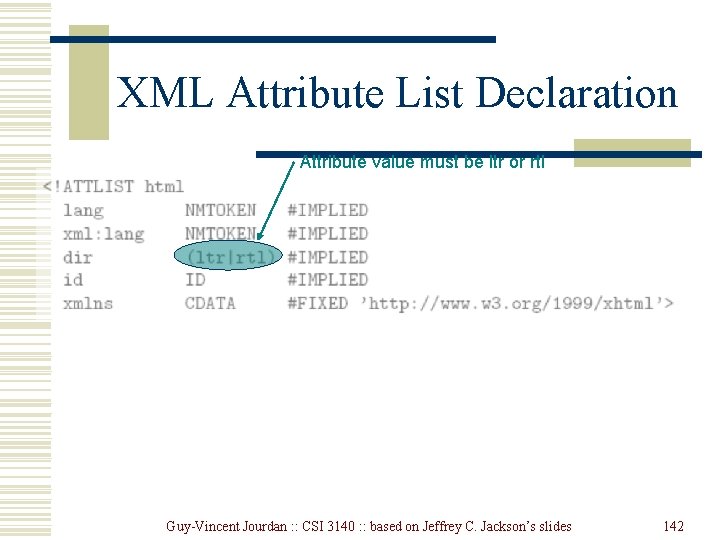
XML Attribute List Declaration Attribute value must be ltr or rtl Guy-Vincent Jourdan : : CSI 3140 : : based on Jeffrey C. Jackson’s slides 142
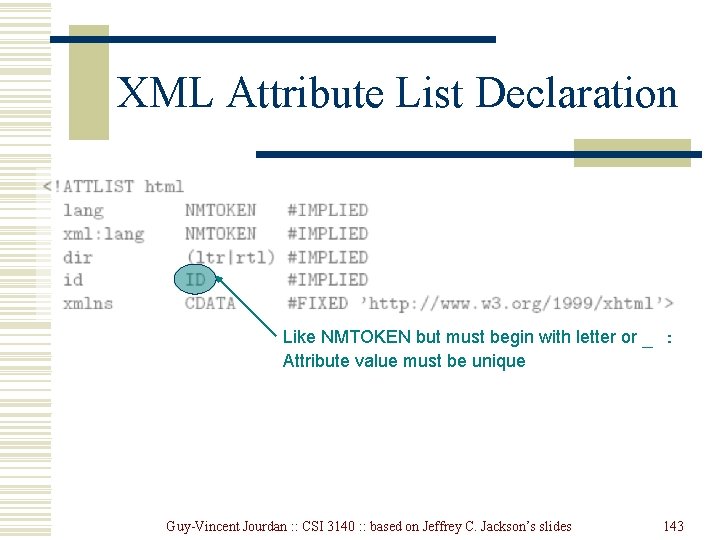
XML Attribute List Declaration Like NMTOKEN but must begin with letter or _ : Attribute value must be unique Guy-Vincent Jourdan : : CSI 3140 : : based on Jeffrey C. Jackson’s slides 143
XML Attribute List Declaration Any character except XML special characters < and & or the quote character enclosing the attribute value Guy-Vincent Jourdan : : CSI 3140 : : based on Jeffrey C. Jackson’s slides 144
XML Attribute List Declaration Guy-Vincent Jourdan : : CSI 3140 : : based on Jeffrey C. Jackson’s slides 145
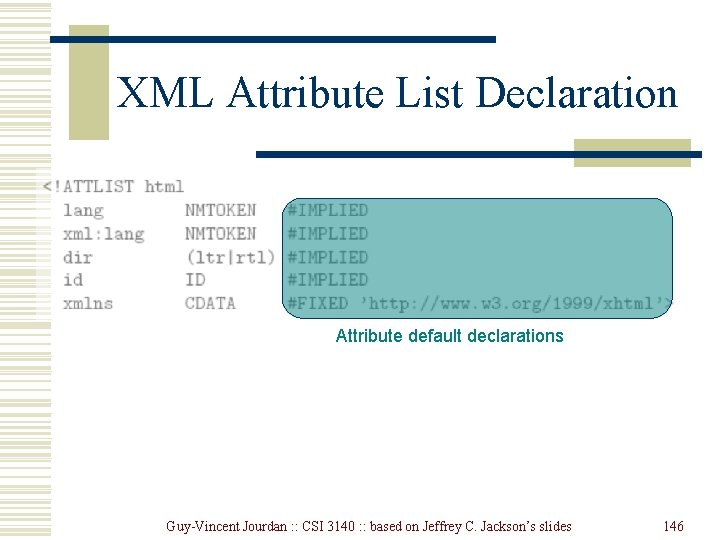
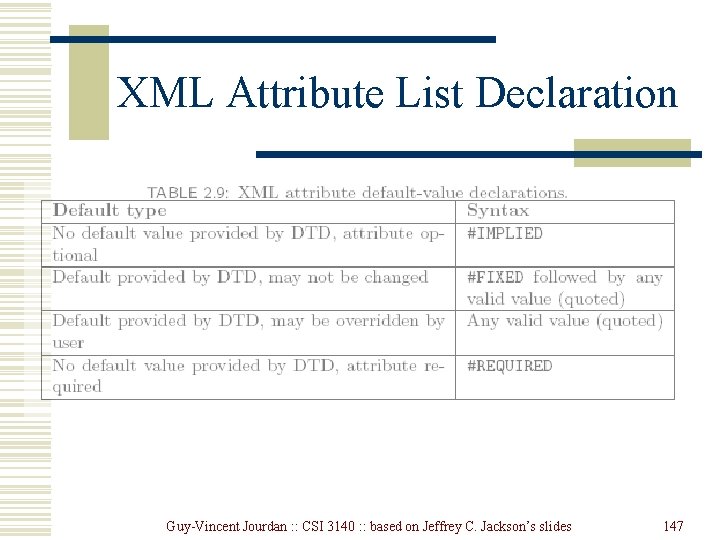
XML Attribute List Declaration Attribute default declarations Guy-Vincent Jourdan : : CSI 3140 : : based on Jeffrey C. Jackson’s slides 146
XML Attribute List Declaration Guy-Vincent Jourdan : : CSI 3140 : : based on Jeffrey C. Jackson’s slides 147
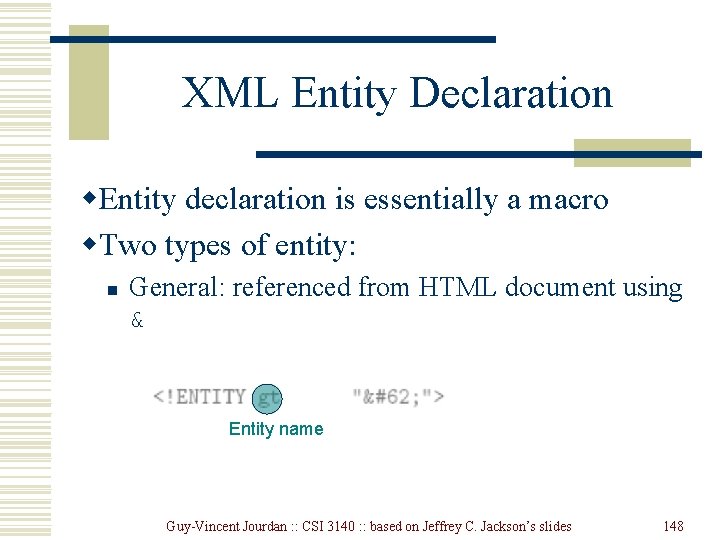
XML Entity Declaration w. Entity declaration is essentially a macro w. Two types of entity: n General: referenced from HTML document using & Entity name Guy-Vincent Jourdan : : CSI 3140 : : based on Jeffrey C. Jackson’s slides 148
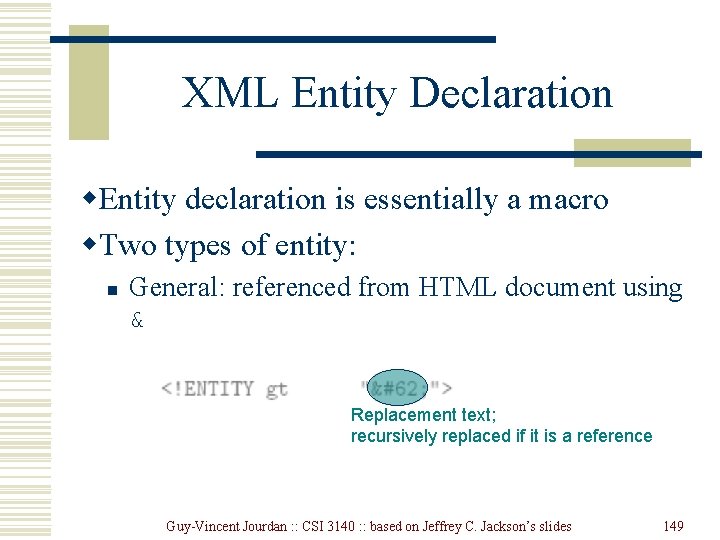
XML Entity Declaration w. Entity declaration is essentially a macro w. Two types of entity: n General: referenced from HTML document using & Replacement text; recursively replaced if it is a reference Guy-Vincent Jourdan : : CSI 3140 : : based on Jeffrey C. Jackson’s slides 149
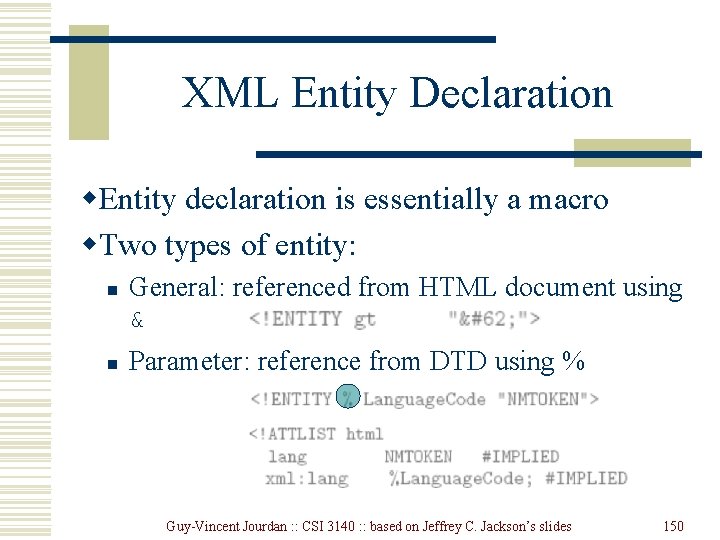
XML Entity Declaration w. Entity declaration is essentially a macro w. Two types of entity: n n General: referenced from HTML document using & Parameter: reference from DTD using % Guy-Vincent Jourdan : : CSI 3140 : : based on Jeffrey C. Jackson’s slides 150
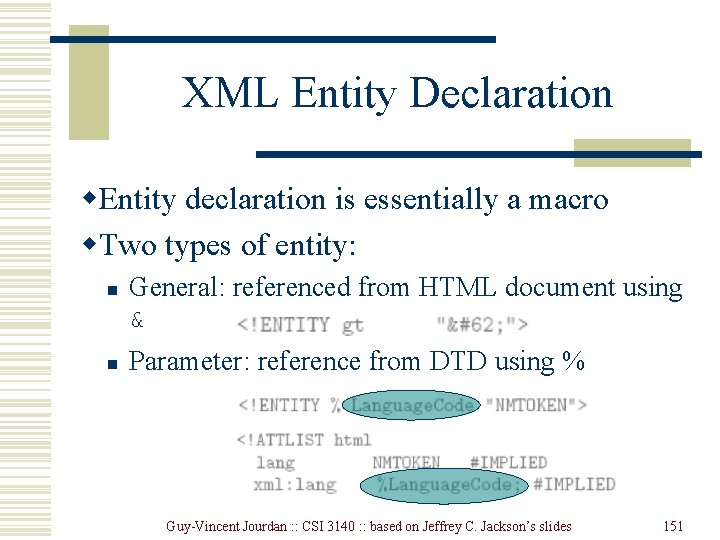
XML Entity Declaration w. Entity declaration is essentially a macro w. Two types of entity: n n General: referenced from HTML document using & Parameter: reference from DTD using % Guy-Vincent Jourdan : : CSI 3140 : : based on Jeffrey C. Jackson’s slides 151
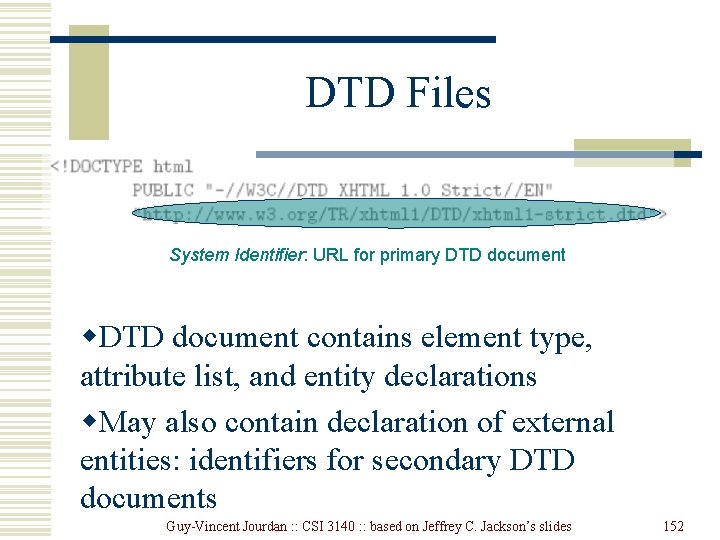
DTD Files System Identifier: URL for primary DTD document w. DTD document contains element type, attribute list, and entity declarations w. May also contain declaration of external entities: identifiers for secondary DTD documents Guy-Vincent Jourdan : : CSI 3140 : : based on Jeffrey C. Jackson’s slides 152
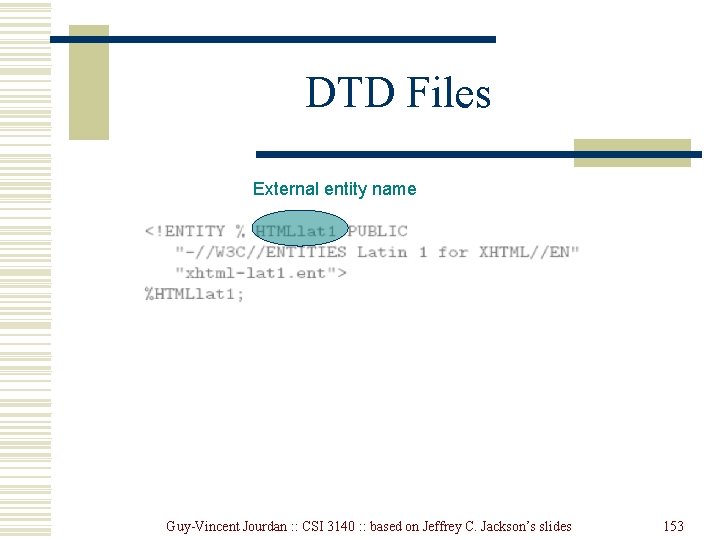
DTD Files External entity name Guy-Vincent Jourdan : : CSI 3140 : : based on Jeffrey C. Jackson’s slides 153
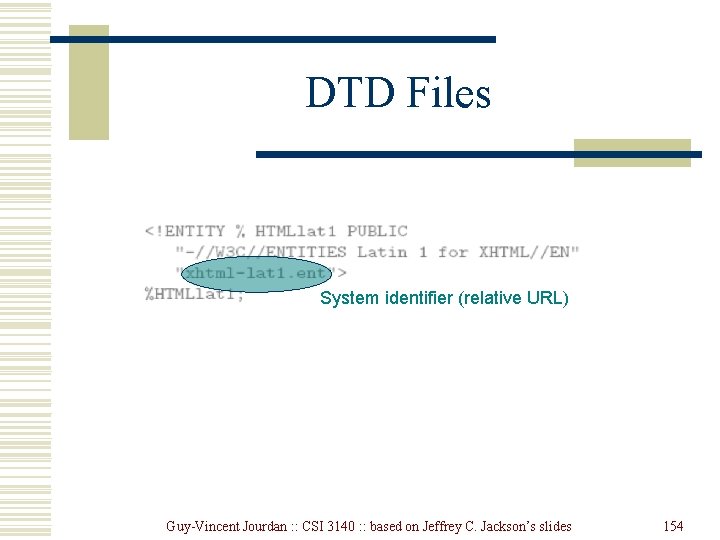
DTD Files System identifier (relative URL) Guy-Vincent Jourdan : : CSI 3140 : : based on Jeffrey C. Jackson’s slides 154
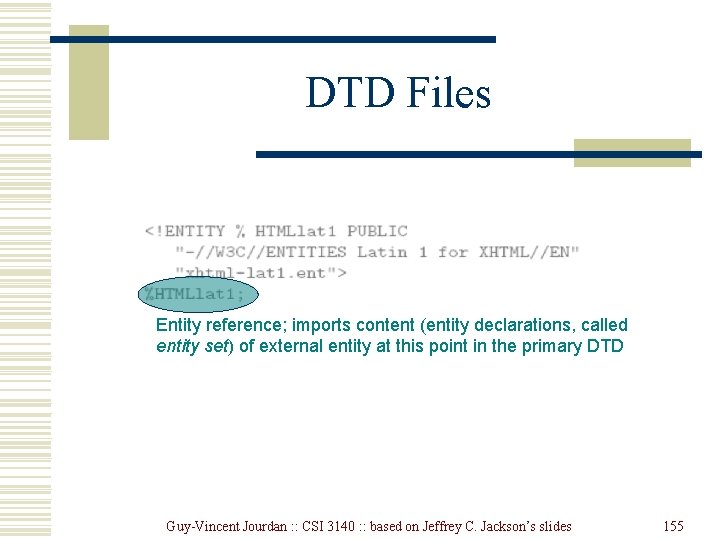
DTD Files Entity reference; imports content (entity declarations, called entity set) of external entity at this point in the primary DTD Guy-Vincent Jourdan : : CSI 3140 : : based on Jeffrey C. Jackson’s slides 155
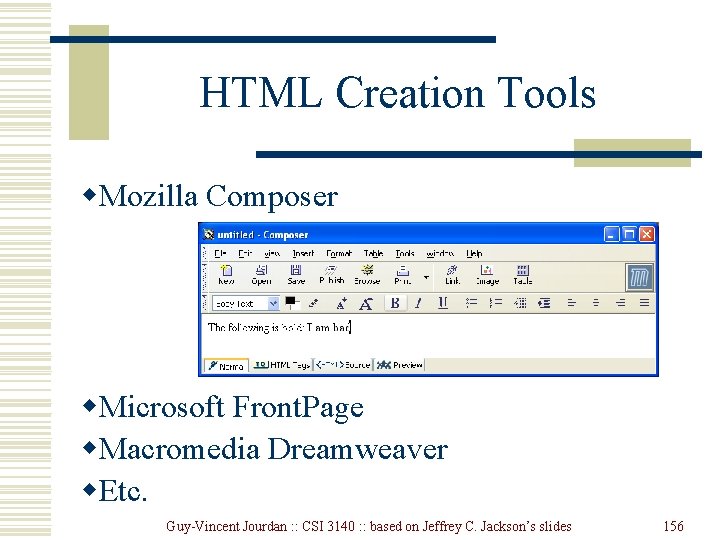
HTML Creation Tools w. Mozilla Composer w. Microsoft Front. Page w. Macromedia Dreamweaver w. Etc. Guy-Vincent Jourdan : : CSI 3140 : : based on Jeffrey C. Jackson’s slides 156