
California Solar Initiative Introduction Workshop The slides for








- Slides: 144
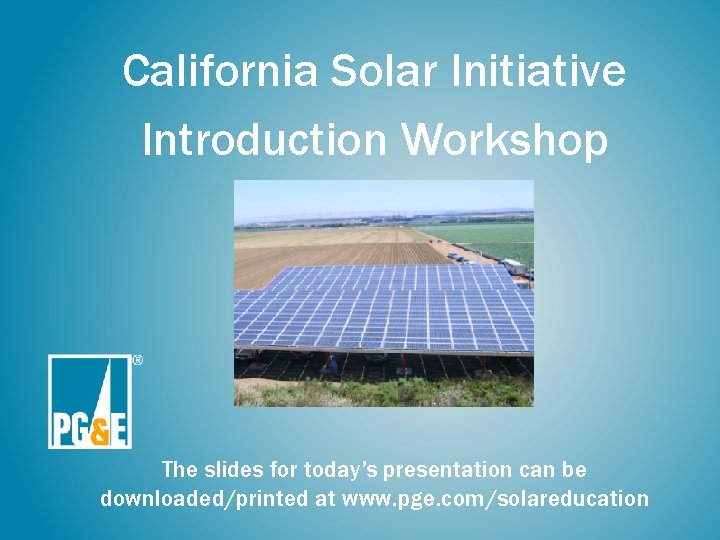
California Solar Initiative Introduction Workshop The slides for today’s presentation can be downloaded/printed at www. pge. com/solareducation
Content • Introduction • Overview of Energy Efficiency and Climate Smart • Overview of California Solar Initiative (CSI) • EPBB Calculator • CSI Application Process • CSI Field Inspections • CSI Metering and Monitoring • Other Solar Electric Generating Technologies • Generation Interconnection Services (GIS) • Billing and Rates • Appendix • Other Solar Incentive Programs • Other Renewables Programs • Q&A Session 2
Ground Rules • Act in a safe manner and follow all safety guidelines • Respect the presenter and fellow participants by limiting side conversations • Do not interrupt the person talking, there is only one speaker at a time • Ask only relevant questions or wait until the breaks if not related to the topic • Silence cell phones or step out to make/take a call
Objective The purpose of this workshop is to provide a thorough understanding of the California Solar Initiative and its requirements. We will take you step by step through the application process and also give an overview of several related programs and services PG&E offers. **Please note: This is not an instructional class on how to install solar** If you are interested in learning to install solar or getting into the solar industry, please visit the following websites for information: Interstate Renewable Energy Council-Renewable Energy Training Catalog: • http: //irecusa. org/training. Catalog/ The North American Board of Certified Energy Practitioners (NABCEP): • http: //www. nabcep. org/certificates/entry-level-certificate-program/for-students Grid Alternative (non-profit providing hands-on training for volunteers) • www. gridalternatives. org Also check with local community colleges and universities
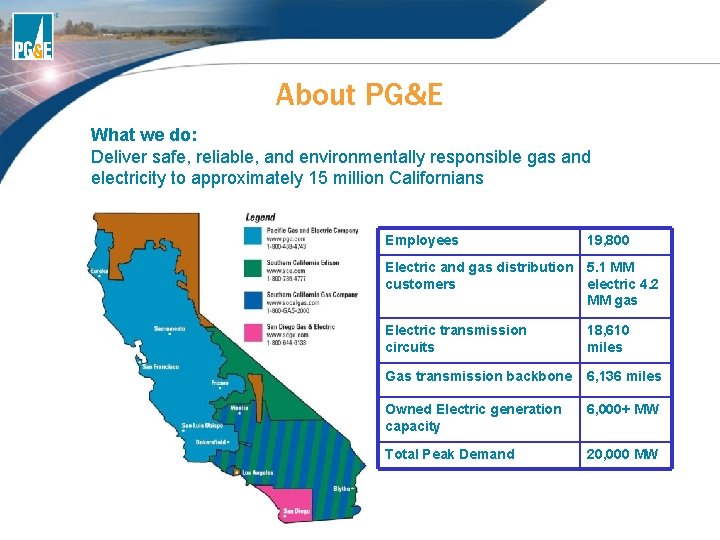
About PG&E What we do: Deliver safe, reliable, and environmentally responsible gas and electricity to approximately 15 million Californians Employees 19, 800 Electric and gas distribution 5. 1 MM customers electric 4. 2 MM gas Electric transmission circuits 18, 610 miles Gas transmission backbone 6, 136 miles Owned Electric generation capacity 6, 000+ MW Total Peak Demand 20, 000 MW
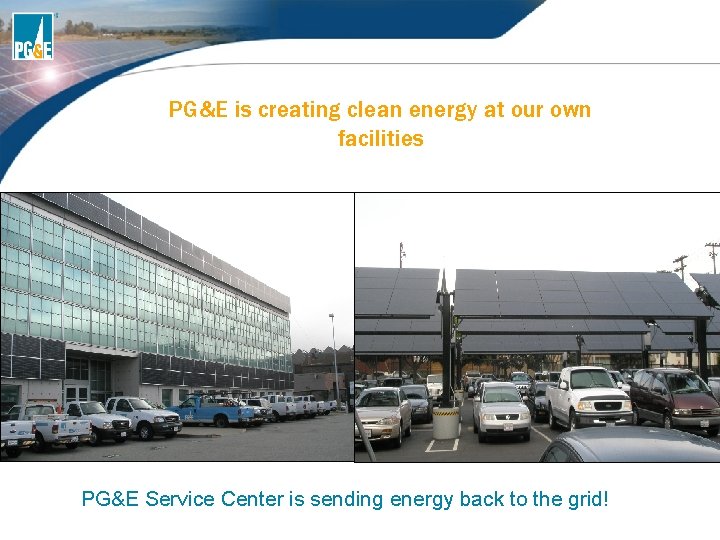
PG&E is creating clean energy at our own facilities PG&E Service Center is sending energy back to the grid!
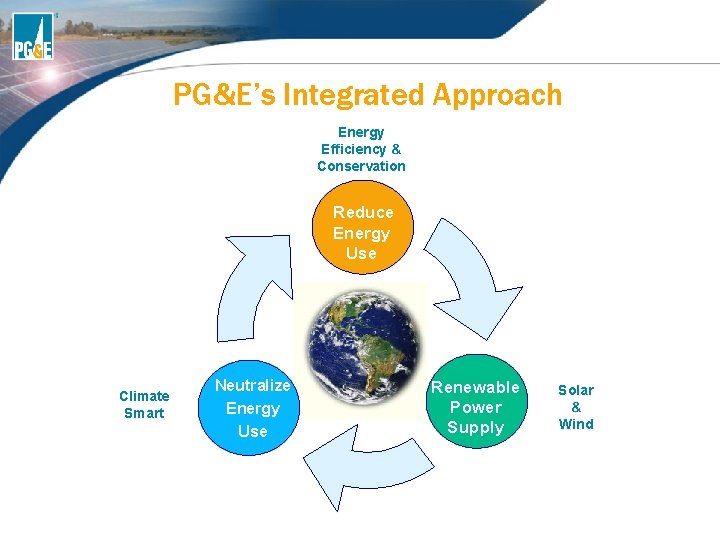
PG&E’s Integrated Approach Energy Efficiency & Conservation Reduce Energy Use Climate Smart Neutralize Energy Use Renewable Power Supply Solar & Wind
Overview of Energy Efficiency and Climate Smart
Before installing solar… Start with Energy Efficiency and Demand Management • It is more cost effective to make your home more energy efficient before installing solar • Educate yourself and your customers • Analyze current energy usage • Learn what to do by completing an audit • Explore rate options and other PG&E programs • Encourage Customers to Take Action to be Efficient – Saves energy and money in 2 ways • Less usage = smaller energy bills • Reduced load = smaller solar system = lower cost
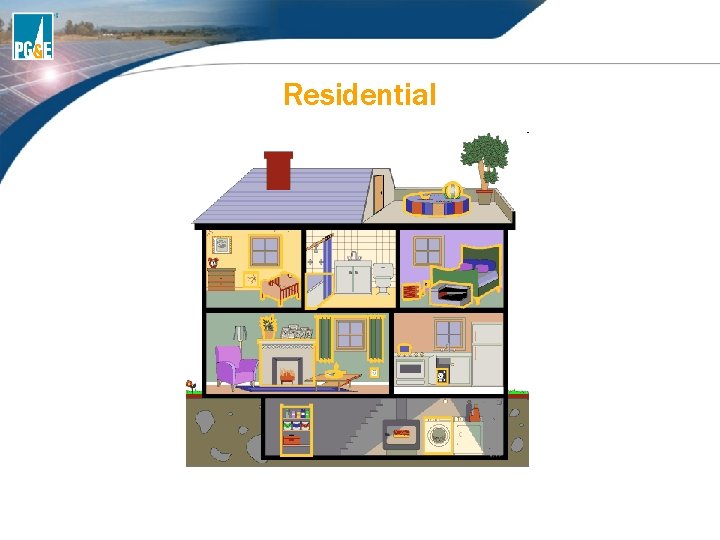
Residential
PG&E Offers a Variety of Rebates • Available on electric and gas residential single family homes and multifamily properties: • High-Efficiency Clothes Washers • Cool Roof – Low/Steep Slope • ENERGY STAR Dishwashers • Whole House Fan • ENERGY STAR Room Air Conditioner • 92% & 94% AFUE Central Natural Gas Furnace • Electric Storage Water Heaters • Variable Speed Motor (VSM) Air Handler System • Natural Gas Storage Water Heater • Attic and Wall Insulation • Variable and 2 -Speed Swimming Pool Pump and Motor
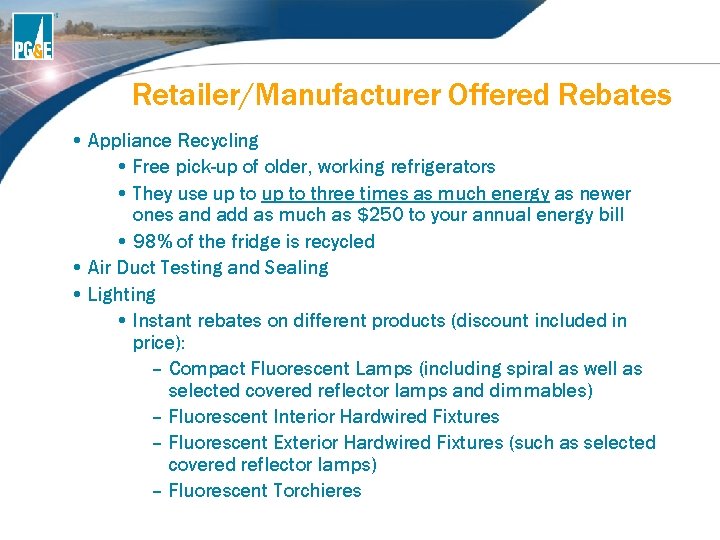
Retailer/Manufacturer Offered Rebates • Appliance Recycling • Free pick-up of older, working refrigerators • They use up to three times as much energy as newer ones and add as much as $250 to your annual energy bill • 98% of the fridge is recycled • Air Duct Testing and Sealing • Lighting • Instant rebates on different products (discount included in price): – Compact Fluorescent Lamps (including spiral as well as selected covered reflector lamps and dimmables) – Fluorescent Interior Hardwired Fixtures – Fluorescent Exterior Hardwired Fixtures (such as selected covered reflector lamps) – Fluorescent Torchieres
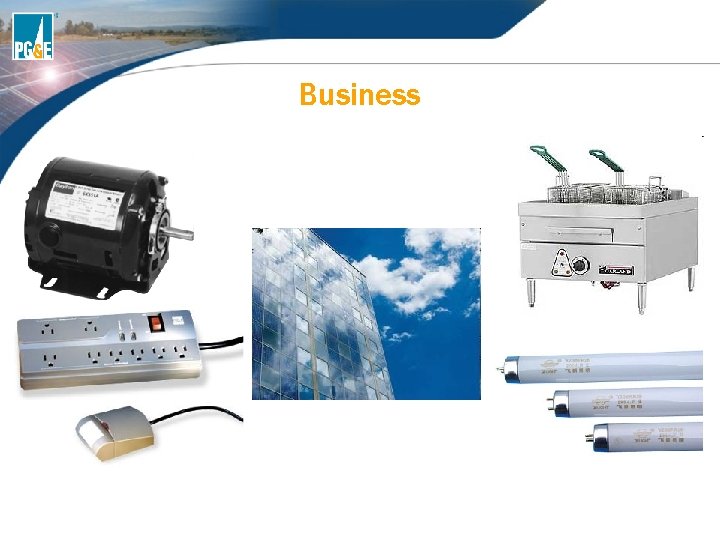
Business
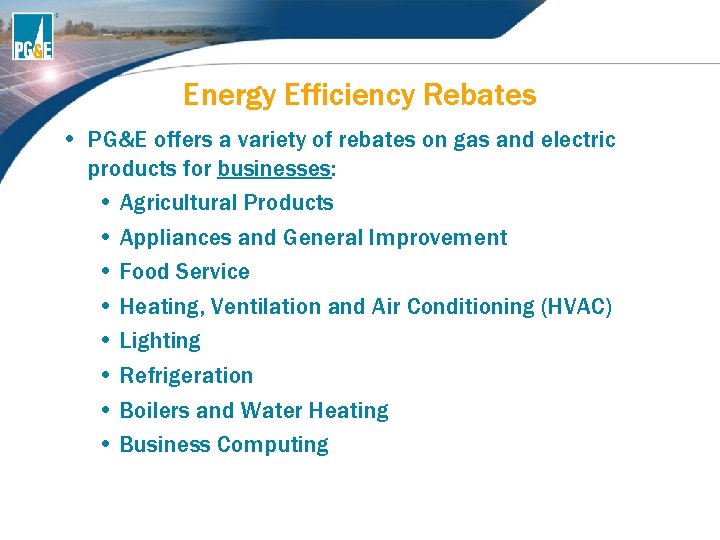
Energy Efficiency Rebates • PG&E offers a variety of rebates on gas and electric products for businesses: • Agricultural Products • Appliances and General Improvement • Food Service • Heating, Ventilation and Air Conditioning (HVAC) • Lighting • Refrigeration • Boilers and Water Heating • Business Computing
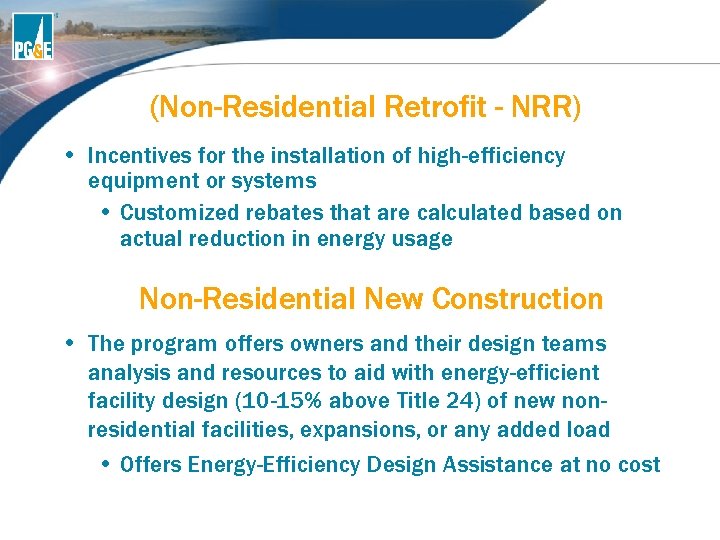
(Non-Residential Retrofit - NRR) • Incentives for the installation of high-efficiency equipment or systems • Customized rebates that are calculated based on actual reduction in energy usage Non-Residential New Construction • The program offers owners and their design teams analysis and resources to aid with energy-efficient facility design (10 -15% above Title 24) of new nonresidential facilities, expansions, or any added load • Offers Energy-Efficiency Design Assistance at no cost
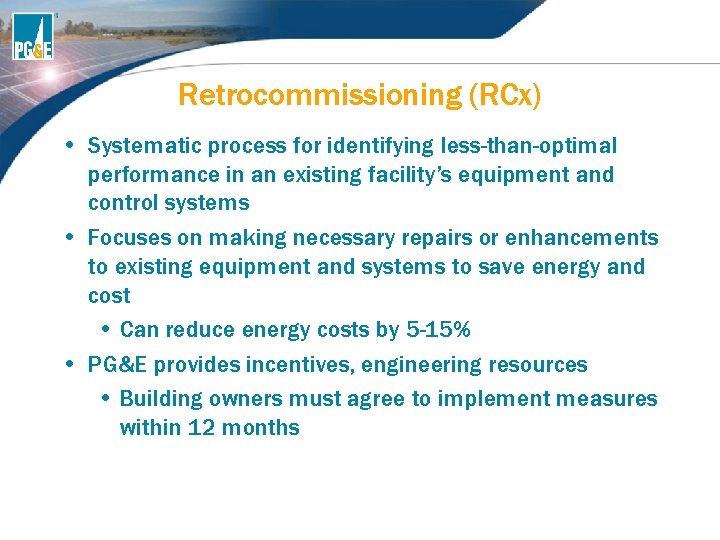
Retrocommissioning (RCx) • Systematic process for identifying less-than-optimal performance in an existing facility’s equipment and control systems • Focuses on making necessary repairs or enhancements to existing equipment and systems to save energy and cost • Can reduce energy costs by 5 -15% • PG&E provides incentives, engineering resources • Building owners must agree to implement measures within 12 months
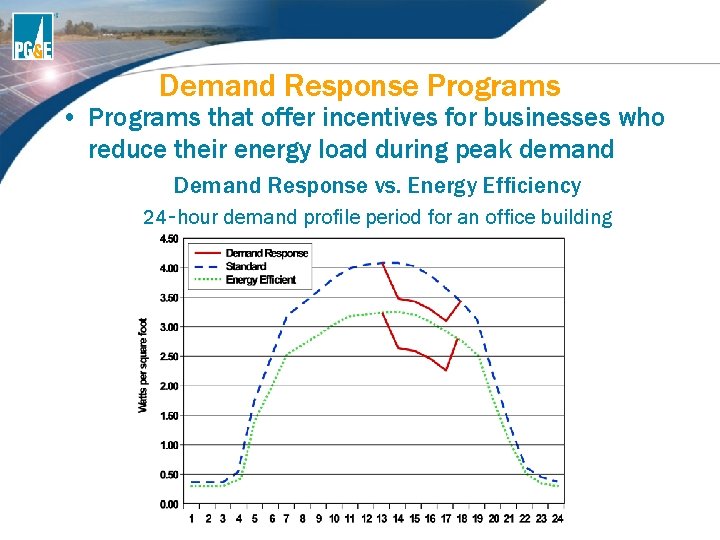
Demand Response Programs • Programs that offer incentives for businesses who reduce their energy load during peak demand Demand Response vs. Energy Efficiency 24‑hour demand profile period for an office building
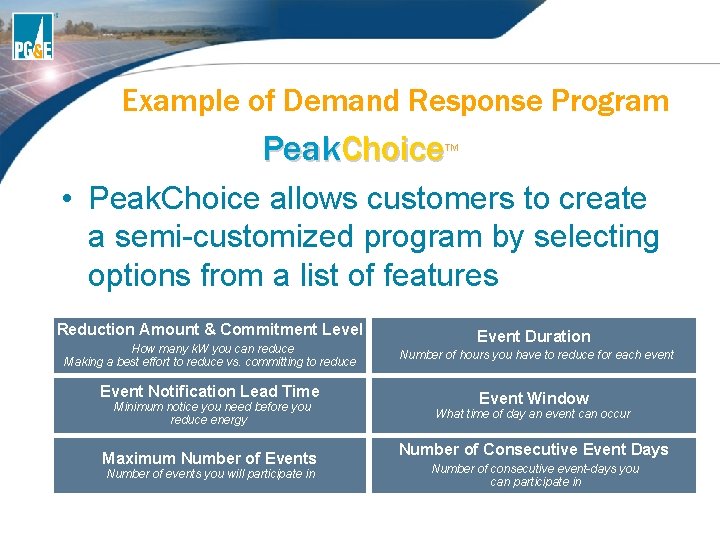
Example of Demand Response Program Peak. Choice TM • Peak. Choice allows customers to create a semi-customized program by selecting options from a list of features Reduction Amount & Commitment Level How many k. W you can reduce Making a best effort to reduce vs. committing to reduce Event Notification Lead Time Minimum notice you need before you reduce energy Maximum Number of Events Number of events you will participate in Event Duration Number of hours you have to reduce for each event Event Window What time of day an event can occur Number of Consecutive Event Days Number of consecutive event-days you can participate in
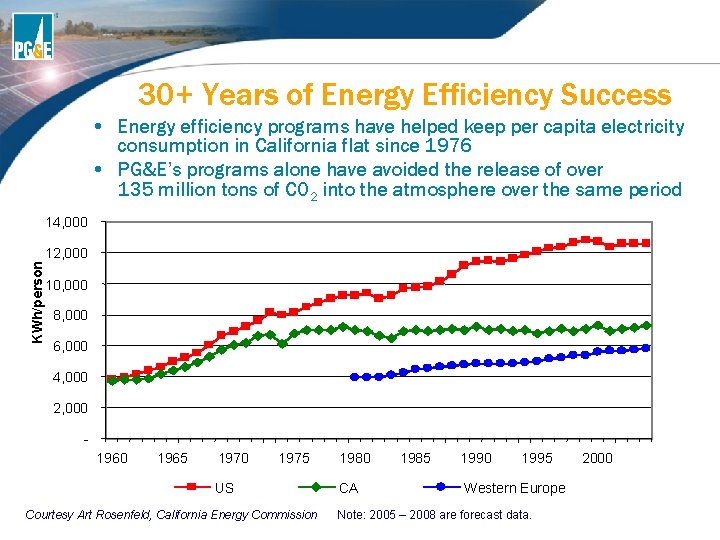
30+ Years of Energy Efficiency Success • Energy efficiency programs have helped keep per capita electricity consumption in California flat since 1976 • PG&E’s programs alone have avoided the release of over 135 million tons of CO 2 into the atmosphere over the same period KWh/person 14, 000 12, 000 10, 000 8, 000 6, 000 4, 000 2, 000 1965 1970 1975 US Courtesy Art Rosenfeld, California Energy Commission 1980 CA 1985 1990 1995 Western Europe Note: 2005 – 2008 are forecast data. 2000
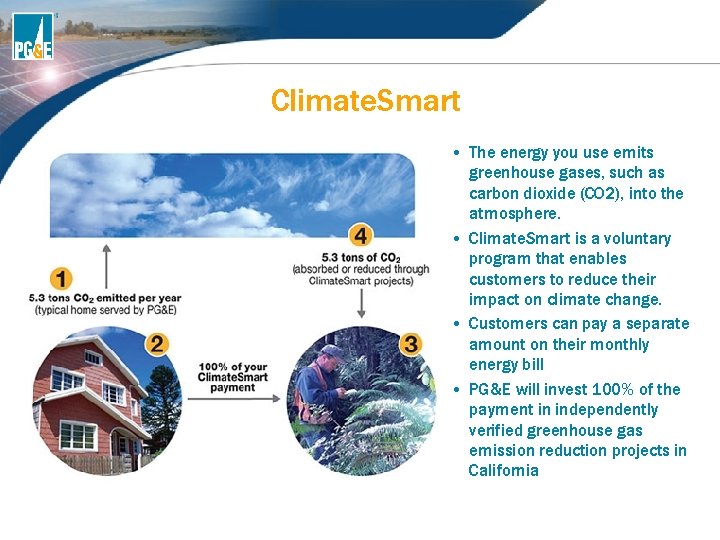
Climate. Smart • The energy you use emits greenhouse gases, such as carbon dioxide (CO 2), into the atmosphere. • Climate. Smart is a voluntary program that enables customers to reduce their impact on climate change. • Customers can pay a separate amount on their monthly energy bill • PG&E will invest 100% of the payment in independently verified greenhouse gas emission reduction projects in California
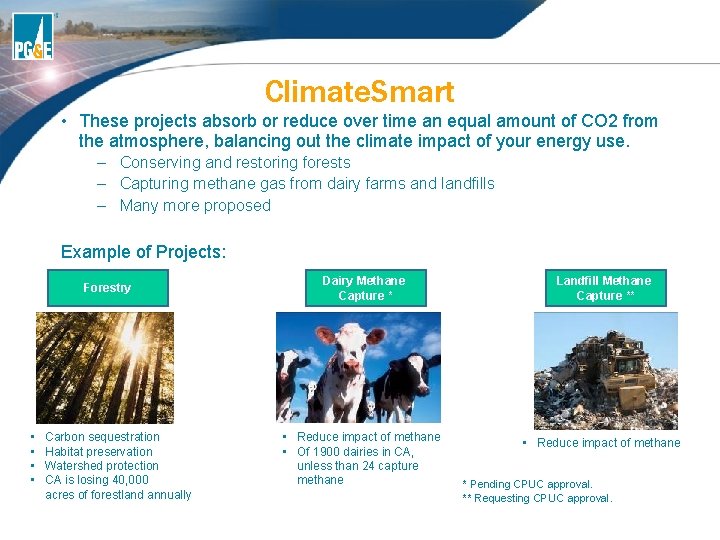
Climate. Smart • These projects absorb or reduce over time an equal amount of CO 2 from the atmosphere, balancing out the climate impact of your energy use. – Conserving and restoring forests – Capturing methane gas from dairy farms and landfills – Many more proposed Example of Projects: Forestry • • Carbon sequestration Habitat preservation Watershed protection CA is losing 40, 000 acres of forestland annually Dairy Methane Capture * Landfill Methane Capture ** • Reduce impact of methane • Of 1900 dairies in CA, unless than 24 capture methane • Reduce impact of methane * Pending CPUC approval. ** Requesting CPUC approval.
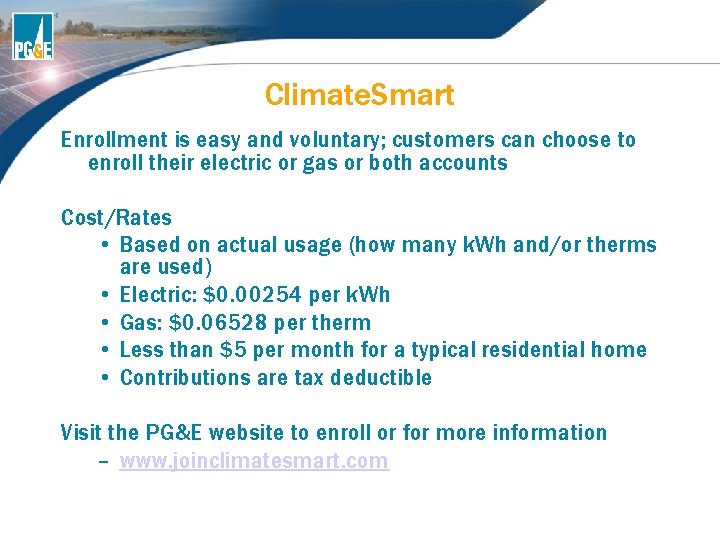
Climate. Smart Enrollment is easy and voluntary; customers can choose to enroll their electric or gas or both accounts Cost/Rates • Based on actual usage (how many k. Wh and/or therms are used) • Electric: $0. 00254 per k. Wh • Gas: $0. 06528 per therm • Less than $5 per month for a typical residential home • Contributions are tax deductible Visit the PG&E website to enroll or for more information – www. joinclimatesmart. com
Resources For more info and other programs, contact PG&E’s Energy Efficiency Lines Residential: Smarter Energy Line www. pge. com/myhome/sa veenergymoney or 1 -800 -933 -9555 Small/Medium Commercial: Business Customer Center www. pge. com/mybusiness/ene rgysavingsrebates or 1 -800 -468 -4743 Large Commercial: Contact your assigned PG&E Account Manger or Representative 24
BONUS: What are three parts of PG&E’s Integrated Approach?
Overview of the California Solar Initiative (CSI)
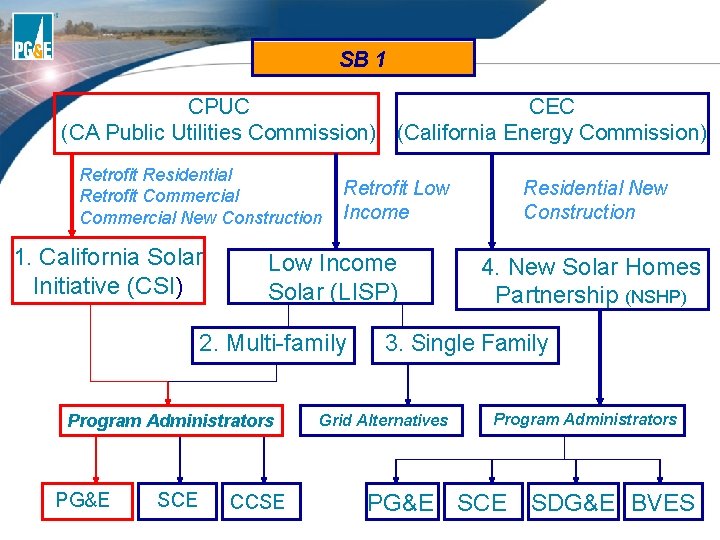
SB 1 CPUC CEC (CA Public Utilities Commission) (California Energy Commission) Retrofit Residential Retrofit Commercial New Construction 1. California Solar Initiative (CSI) Retrofit Low Income Solar (LISP) 2. Multi-family Program Administrators PG&E SCE CCSE Residential New Construction 4. New Solar Homes Partnership (NSHP) 3. Single Family Grid Alternatives Program Administrators PG&E SCE SDG&E BVES
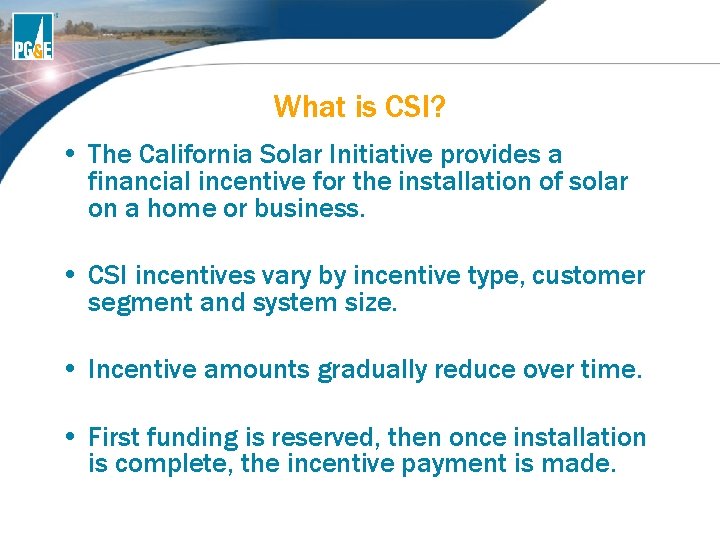
What is CSI? • The California Solar Initiative provides a financial incentive for the installation of solar on a home or business. • CSI incentives vary by incentive type, customer segment and system size. • Incentive amounts gradually reduce over time. • First funding is reserved, then once installation is complete, the incentive payment is made.
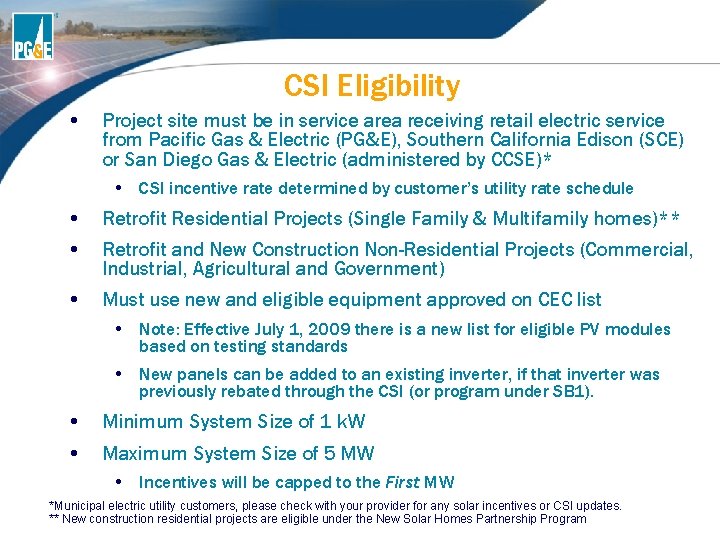
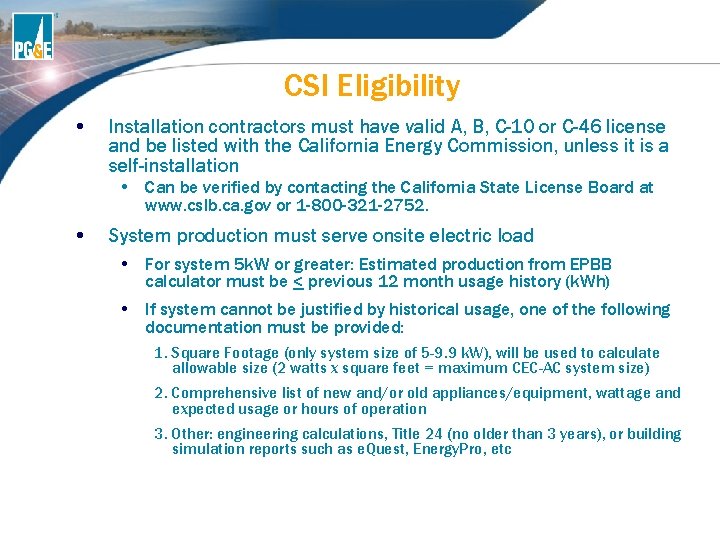
CSI Eligibility • Project site must be in service area receiving retail electric service from Pacific Gas & Electric (PG&E), Southern California Edison (SCE) or San Diego Gas & Electric (administered by CCSE)* • CSI incentive rate determined by customer’s utility rate schedule • Retrofit Residential Projects (Single Family & Multifamily homes)** • Retrofit and New Construction Non-Residential Projects (Commercial, Industrial, Agricultural and Government) • Must use new and eligible equipment approved on CEC list • Note: Effective July 1, 2009 there is a new list for eligible PV modules based on testing standards • New panels can be added to an existing inverter, if that inverter was previously rebated through the CSI (or program under SB 1). • Minimum System Size of 1 k. W • Maximum System Size of 5 MW • Incentives will be capped to the First MW *Municipal electric utility customers, please check with your provider for any solar incentives or CSI updates. ** New construction residential projects are eligible under the New Solar Homes Partnership Program
CSI Eligibility • Installation contractors must have valid A, B, C-10 or C-46 license and be listed with the California Energy Commission, unless it is a self-installation • Can be verified by contacting the California State License Board at www. cslb. ca. gov or 1 -800 -321 -2752. • System production must serve onsite electric load • For system 5 k. W or greater: Estimated production from EPBB calculator must be < previous 12 month usage history (k. Wh) • If system cannot be justified by historical usage, one of the following documentation must be provided: 1. Square Footage (only system size of 5 -9. 9 k. W), will be used to calculate allowable size (2 watts x square feet = maximum CEC-AC system size) 2. Comprehensive list of new and/or old appliances/equipment, wattage and expected usage or hours of operation 3. Other: engineering calculations, Title 24 (no older than 3 years), or building simulation reports such as e. Quest, Energy. Pro, etc
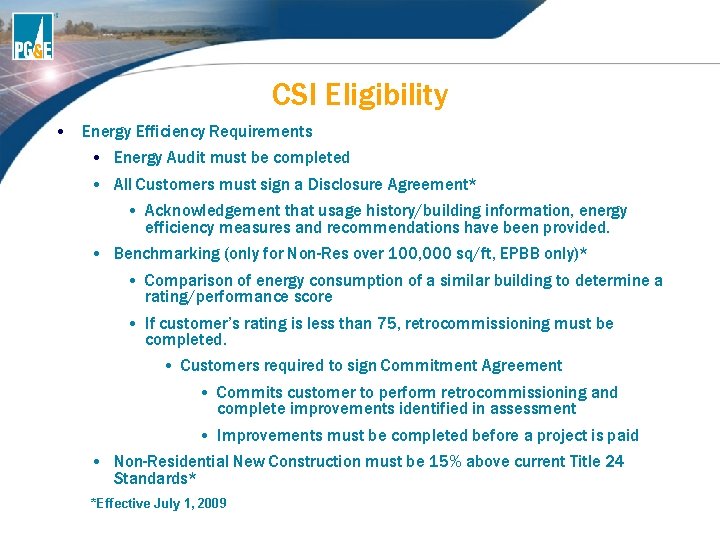
CSI Eligibility • Energy Efficiency Requirements • Energy Audit must be completed • All Customers must sign a Disclosure Agreement* • Acknowledgement that usage history/building information, energy efficiency measures and recommendations have been provided. • Benchmarking (only for Non-Res over 100, 000 sq/ft, EPBB only)* • Comparison of energy consumption of a similar building to determine a rating/performance score • If customer’s rating is less than 75, retrocommissioning must be completed. • Customers required to sign Commitment Agreement • Commits customer to perform retrocommissioning and complete improvements identified in assessment • Improvements must be completed before a project is paid • Non-Residential New Construction must be 15% above current Title 24 Standards* *Effective July 1, 2009
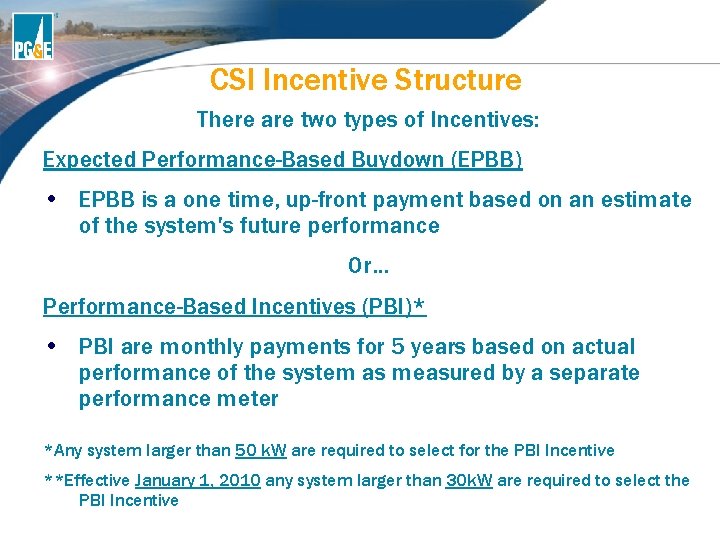
CSI Incentive Structure There are two types of Incentives: Expected Performance-Based Buydown (EPBB) • EPBB is a one time, up-front payment based on an estimate of the system's future performance Or… Performance-Based Incentives (PBI)* • PBI are monthly payments for 5 years based on actual performance of the system as measured by a separate performance meter *Any system larger than 50 k. W are required to select for the PBI Incentive **Effective January 1, 2010 any system larger than 30 k. W are required to select the PBI Incentive
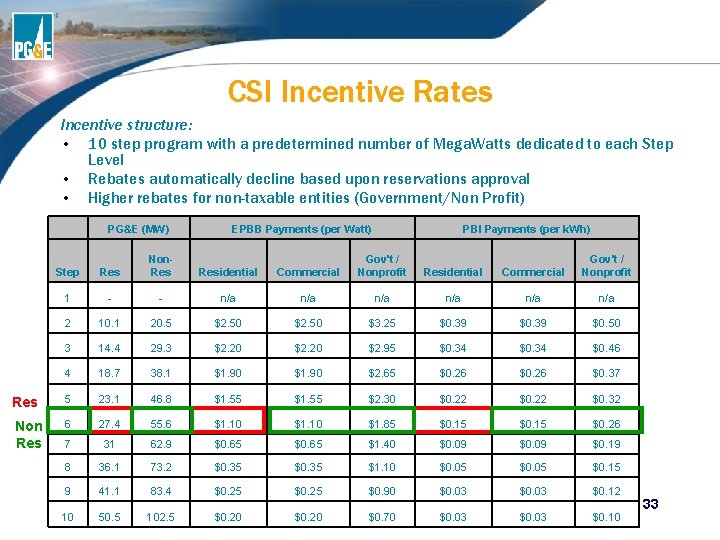
CSI Incentive Rates Incentive structure: • 10 step program with a predetermined number of Mega. Watts dedicated to each Step Level • Rebates automatically decline based upon reservations approval • Higher rebates for non-taxable entities (Government/Non Profit) PG&E (MW) Res Non Res EPBB Payments (per Watt) PBI Payments (per k. Wh) Step Res Non. Residential Commercial Gov't / Nonprofit 1 - - n/a n/a n/a 2 10. 1 20. 5 $2. 50 $3. 25 $0. 39 $0. 50 3 14. 4 29. 3 $2. 20 $2. 95 $0. 34 $0. 46 4 18. 7 38. 1 $1. 90 $2. 65 $0. 26 $0. 37 5 23. 1 46. 8 $1. 55 $2. 30 $0. 22 $0. 32 6 27. 4 55. 6 $1. 10 $1. 85 $0. 15 $0. 26 7 31 62. 9 $0. 65 $1. 40 $0. 09 $0. 19 8 36. 1 73. 2 $0. 35 $1. 10 $0. 05 $0. 15 9 41. 1 83. 4 $0. 25 $0. 90 $0. 03 $0. 12 10 50. 5 102. 5 $0. 20 $0. 70 $0. 03 $0. 10 33
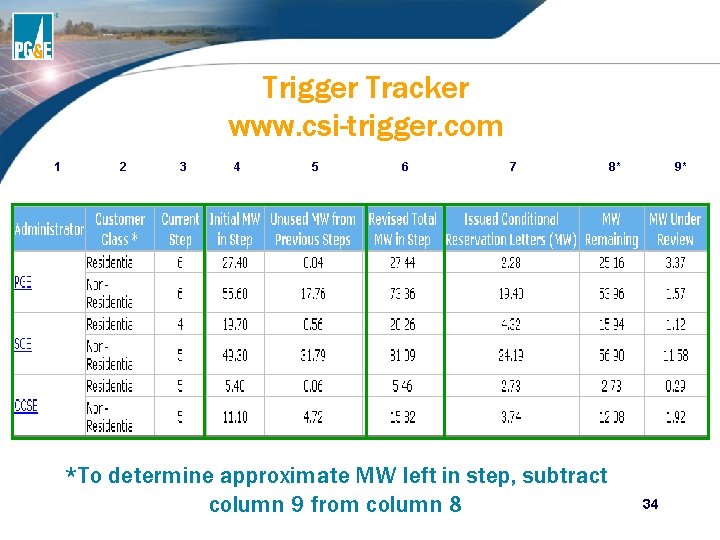
Trigger Tracker www. csi-trigger. com 1 2 3 4 5 6 7 *To determine approximate MW left in step, subtract column 9 from column 8 8* 9* 34
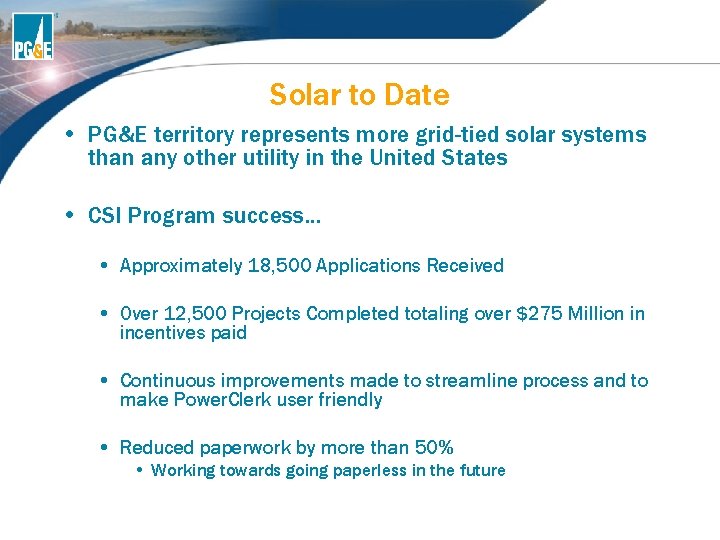
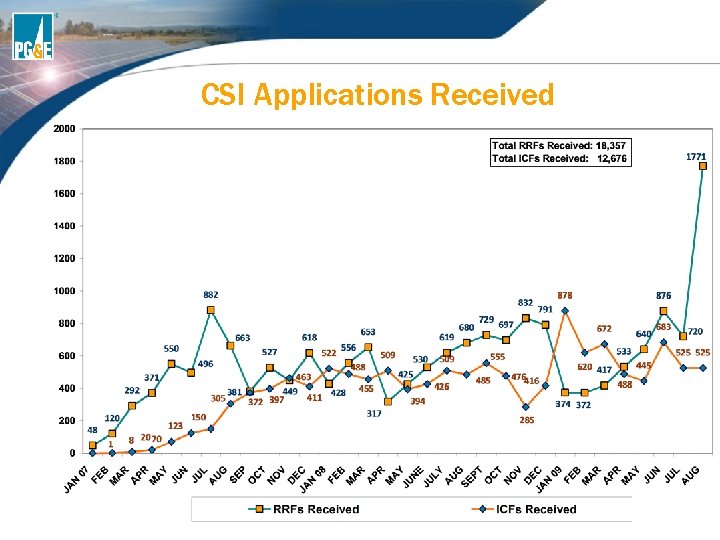
Solar to Date • PG&E territory represents more grid-tied solar systems than any other utility in the United States • CSI Program success… • Approximately 18, 500 Applications Received • Over 12, 500 Projects Completed totaling over $275 Million in incentives paid • Continuous improvements made to streamline process and to make Power. Clerk user friendly • Reduced paperwork by more than 50% • Working towards going paperless in the future
BONUS: What is the maximum and minimum system size to be eligible for a CSI incentive?
EPBB Calculator
EPBB Calculator • Online tool that estimates the expected production of the system and is used to determine the CSI incentive amount • Takes into consideration equipment, location, orientation, tilt, shading effects and standoff height • Measures the proposed system against an optimal system • Derates the proposed system by a certain percentage (0 -100%), referred to as the Design Factor, for any factors affecting the expected performance.
Filling Out the EPBB Calculator • Required Field Measurements • Standoff Height • Shading • Tilt • True Azimuth
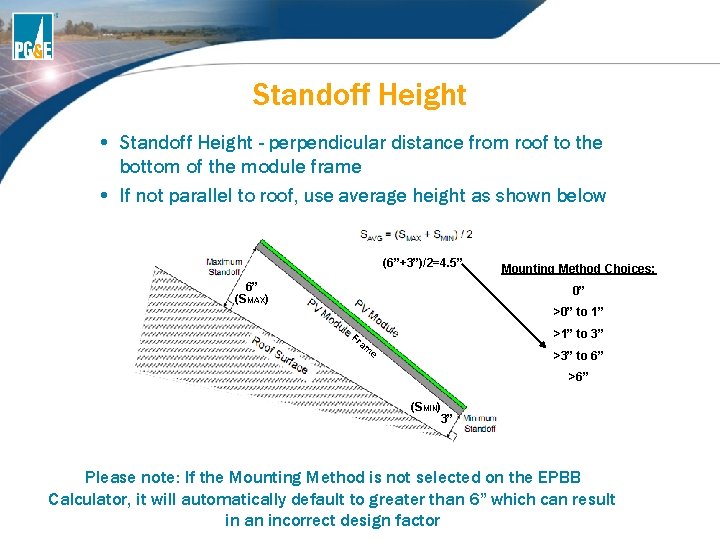
Standoff Height • Standoff Height - perpendicular distance from roof to the bottom of the module frame • If not parallel to roof, use average height as shown below (6”+3”)/2=4. 5” 6” (SMAX) Mounting Method Choices: 0” >0” to 1” >1” to 3” Fr am e >3” to 6” >6” (SMIN) 3” Please note: If the Mounting Method is not selected on the EPBB Calculator, it will automatically default to greater than 6” which can result in an incorrect design factor
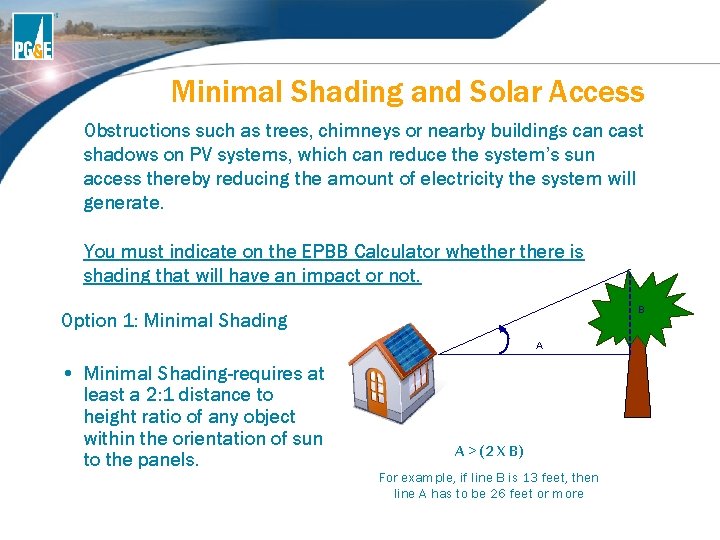
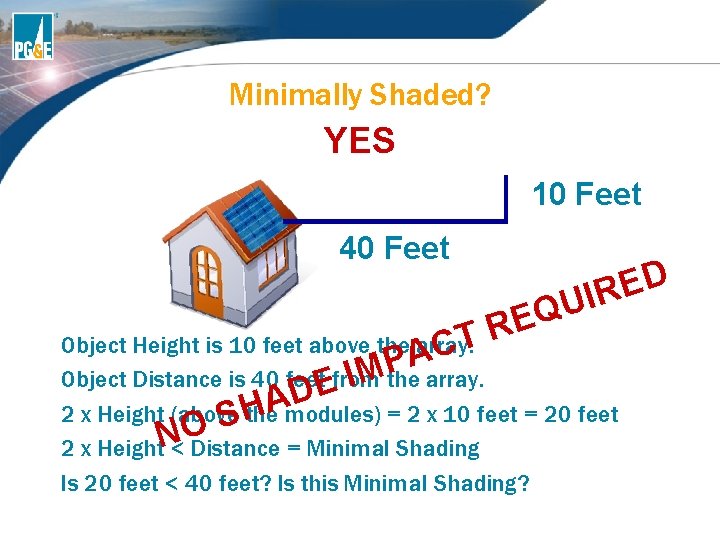
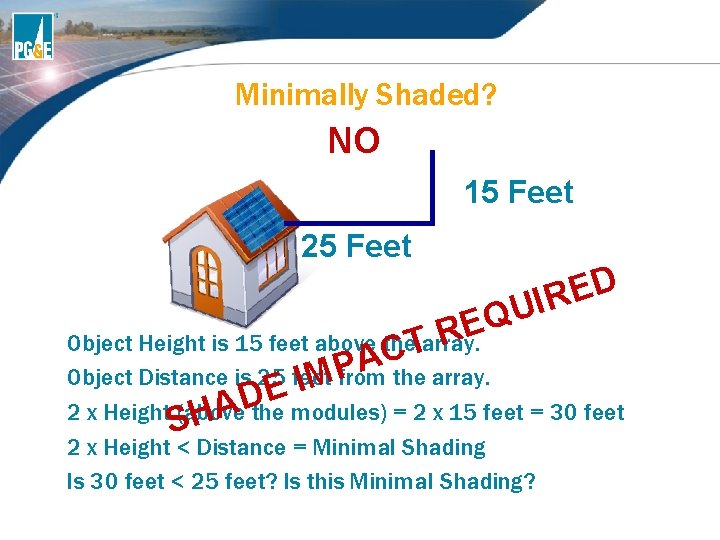
Minimal Shading and Solar Access Obstructions such as trees, chimneys or nearby buildings can cast shadows on PV systems, which can reduce the system’s sun access thereby reducing the amount of electricity the system will generate. You must indicate on the EPBB Calculator whethere is shading that will have an impact or not. B Option 1: Minimal Shading A • Minimal Shading-requires at least a 2: 1 distance to height ratio of any object within the orientation of sun to the panels. A > (2 X B) For example, if line B is 13 feet, then line A has to be 26 feet or more
Minimally Shaded? YES 10 Feet 40 Feet U Q RE D E IR T Object Height is 10 feet above the array. C A P IMthe array. Object Distance is 40 feet. Efrom D A H 2 x Height (above the modules) = 2 x 10 feet = 20 feet S O N 2 x Height < Distance = Minimal Shading Is 20 feet < 40 feet? Is this Minimal Shading?
Minimally Shaded? NO 15 Feet 25 Feet D E R I U Q E R Object Height is 15 feet above the. Tarray. C A P Object Distance is 25 feet from the array. M I E D A 2 x Height (above the modules) = 2 x 15 feet = 30 feet H S 2 x Height < Distance = Minimal Shading Is 30 feet < 25 feet? Is this Minimal Shading?
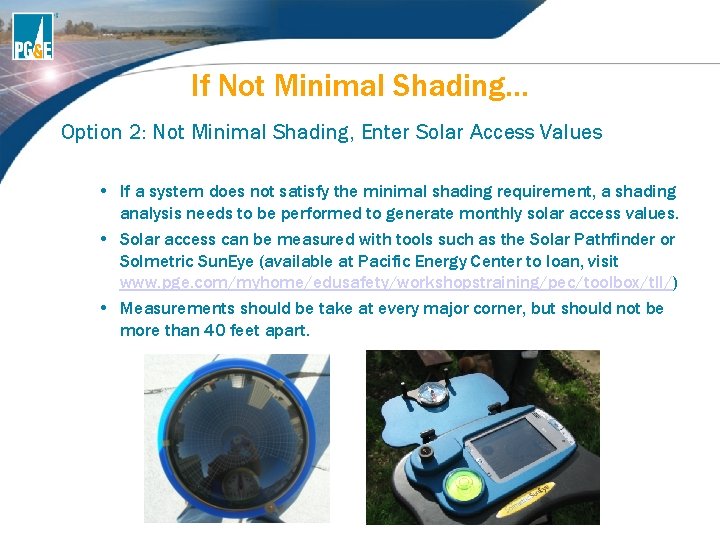
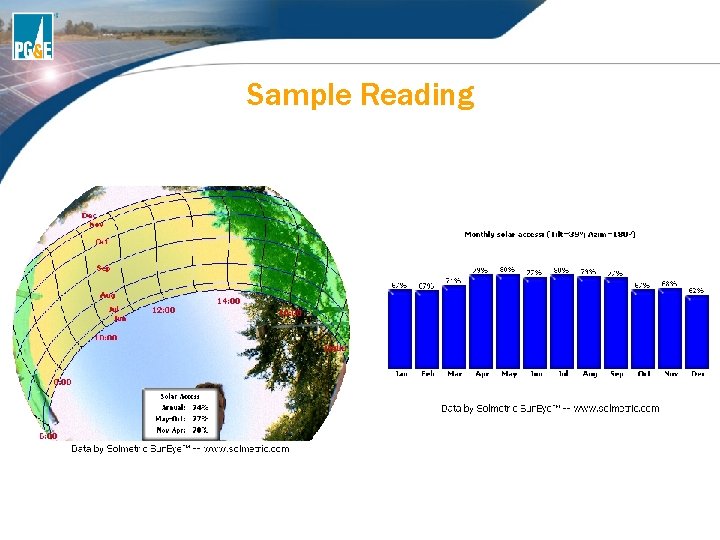
If Not Minimal Shading… Option 2: Not Minimal Shading, Enter Solar Access Values • If a system does not satisfy the minimal shading requirement, a shading analysis needs to be performed to generate monthly solar access values. • Solar access can be measured with tools such as the Solar Pathfinder or Solmetric Sun. Eye (available at Pacific Energy Center to loan, visit www. pge. com/myhome/edusafety/workshopstraining/pec/toolbox/tll/) • Measurements should be take at every major corner, but should not be more than 40 feet apart.
Sample Reading
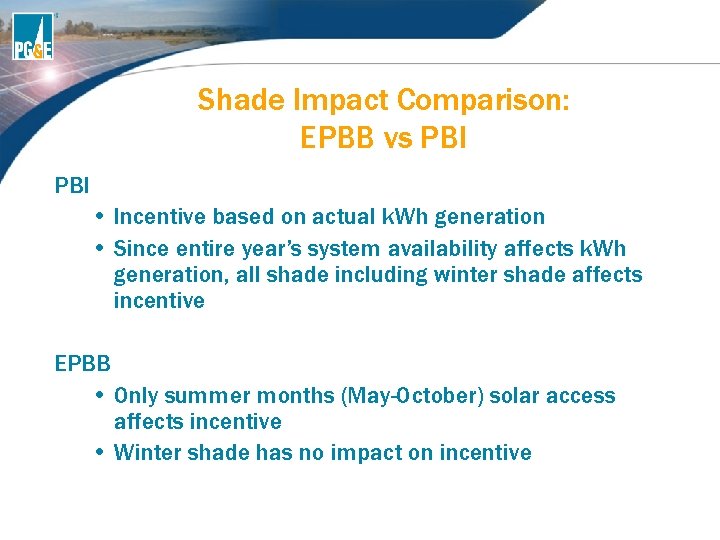
Shade Impact Comparison: EPBB vs PBI • Incentive based on actual k. Wh generation • Since entire year’s system availability affects k. Wh generation, all shade including winter shade affects incentive EPBB • Only summer months (May-October) solar access affects incentive • Winter shade has no impact on incentive
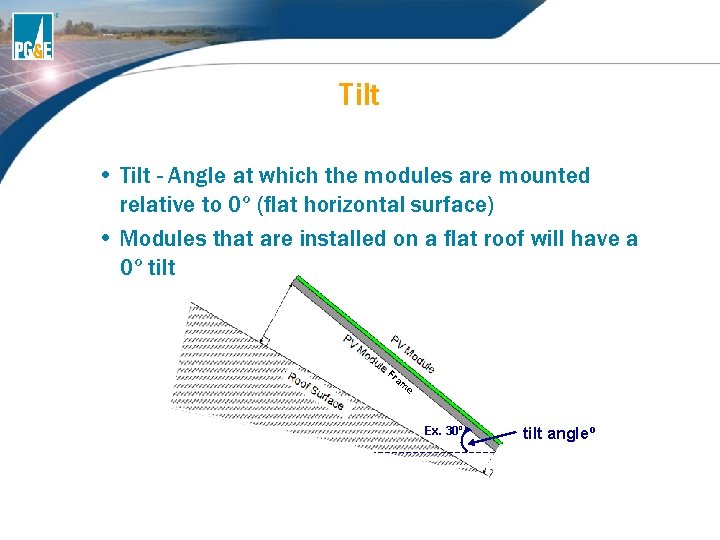
Tilt • Tilt - Angle at which the modules are mounted relative to 0º (flat horizontal surface) • Modules that are installed on a flat roof will have a 0º tilt Fr am e Ex. 30º tilt angleº
What is True Azimuth? True Azimuth – the angle, usually measured in degrees(°), between a reference point (True North Point 0°) and the direction of interest (direction panels are facing) • The magnetic azimuth is measured using a compass, which does not represent the true north point because of the Earth’s magnetic fields • Therefore, the magnetic azimuth must be corrected by adding (in Western U. S. ) the magnetic declination of a specific location to give true azimuth Magnetic Declination Magnetic North on a Compass 48
Magnetic Declination Correction • Look up magnetic declination for specific location at: (http: //www. ngdc. noaa. gov/geomagmodels/Declination. jsp) • Enter in zip code, and it will calculate the magnetic declination for that location. For example: If you are in San Francisco and your compass shows you a reading of 180°, you would look up the zip code (e. g. 94105) and add the given correction for magnetic declination of 14° to get a true azimuth of 194° On EPBB Calculator, enter the azimuth as 194°
Tips for Determining Azimuth • Try to stay 10 -15 ft away from metal, motors, rooftop package units or magnets • Store compasses away from cell phones and magnets • Do not place compass directly on module or racking in case there any magnetic fields present • Check reading against tools like Google. Earth. There is no azimuth function, but it can be used to provide sanity check for azimuth.
EPBB Tool Demonstration www. csi-epbb. com We will show to input a sample system EPBB Tool explanation sheet can be found online at www. pge. com/solareducation
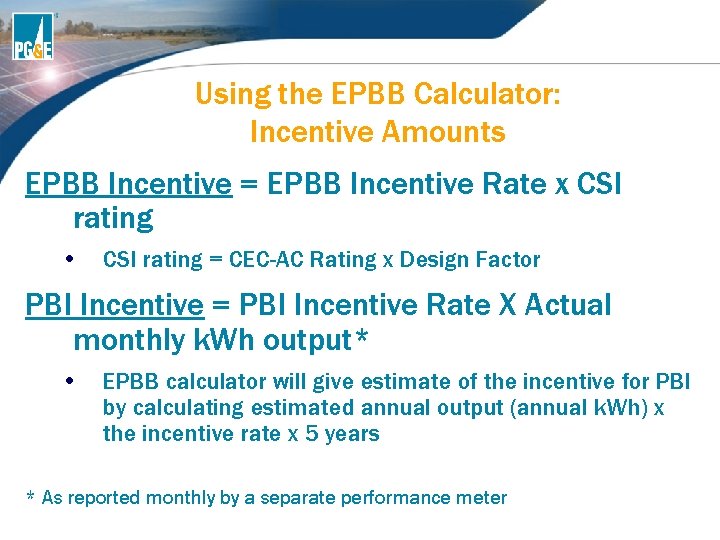
Using the EPBB Calculator: Incentive Amounts EPBB Incentive = EPBB Incentive Rate x CSI rating • CSI rating = CEC-AC Rating x Design Factor PBI Incentive = PBI Incentive Rate X Actual monthly k. Wh output* • EPBB calculator will give estimate of the incentive for PBI by calculating estimated annual output (annual k. Wh) x the incentive rate x 5 years * As reported monthly by a separate performance meter
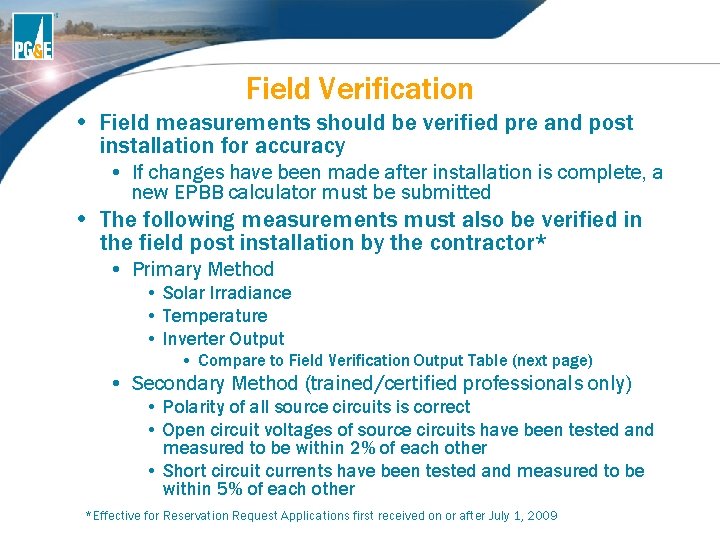
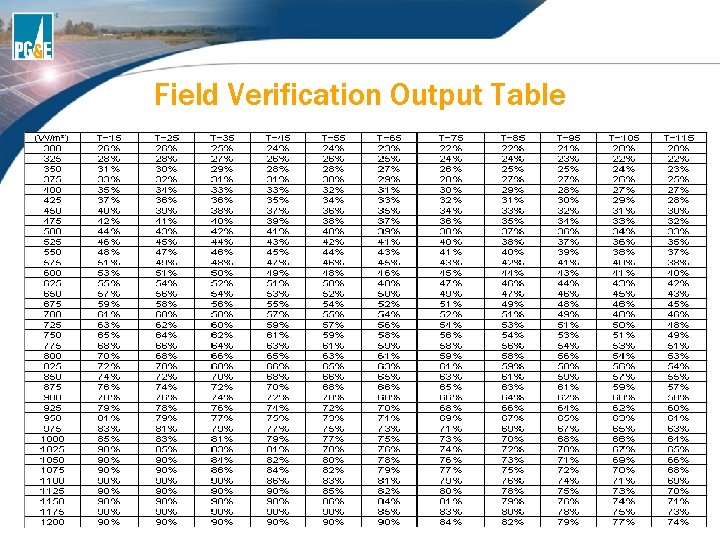
Field Verification • Field measurements should be verified pre and post installation for accuracy • If changes have been made after installation is complete, a new EPBB calculator must be submitted • The following measurements must also be verified in the field post installation by the contractor* • Primary Method • Solar Irradiance • Temperature • Inverter Output • Compare to Field Verification Output Table (next page) • Secondary Method (trained/certified professionals only) • Polarity of all source circuits is correct • Open circuit voltages of source circuits have been tested and measured to be within 2% of each other • Short circuit currents have been tested and measured to be within 5% of each other *Effective for Reservation Request Applications first received on or after July 1, 2009
Field Verification Output Table
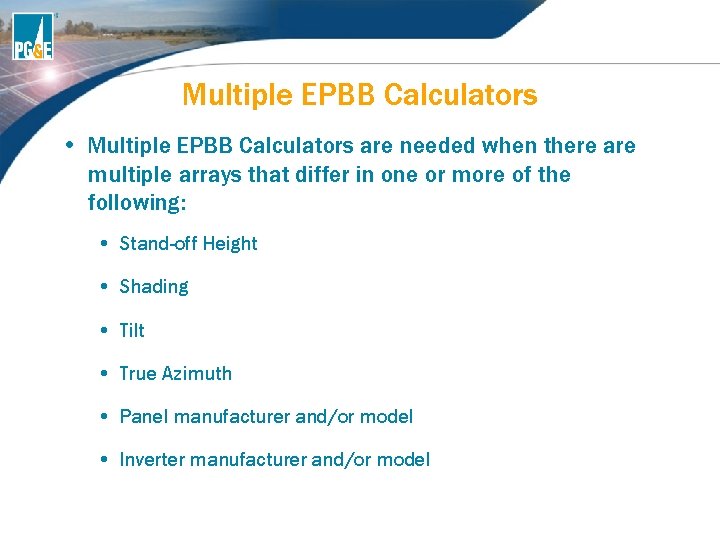
Multiple EPBB Calculators • Multiple EPBB Calculators are needed when there are multiple arrays that differ in one or more of the following: • Stand-off Height • Shading • Tilt • True Azimuth • Panel manufacturer and/or model • Inverter manufacturer and/or model
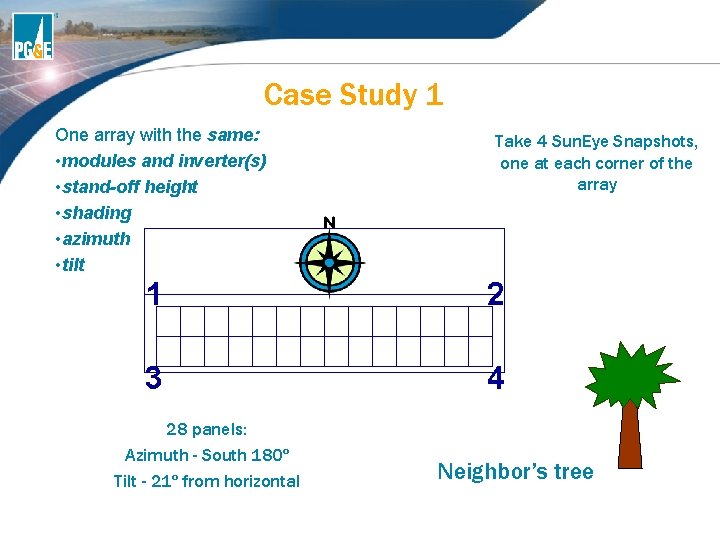
Case Study 1 One array with the same: • modules and inverter(s) • stand-off height • shading • azimuth • tilt Take 4 Sun. Eye Snapshots, one at each corner of the array 1 2 3 4 28 panels: Azimuth - South 180º Tilt - 21º from horizontal Neighbor’s tree
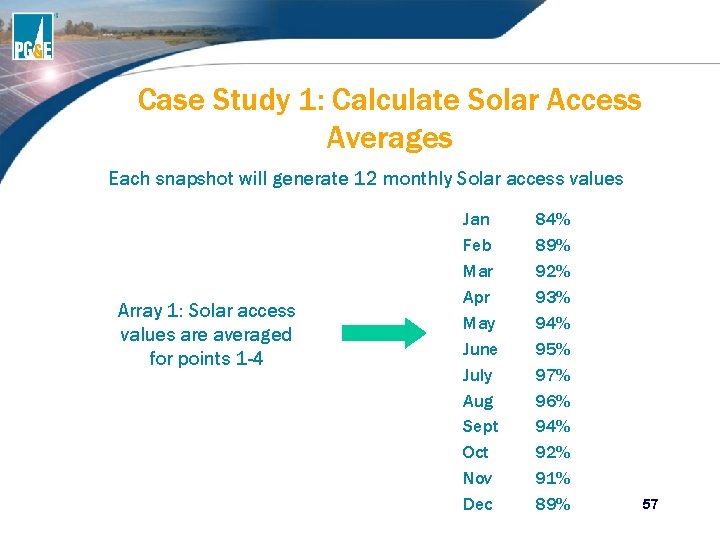
Case Study 1: Calculate Solar Access Averages Each snapshot will generate 12 monthly Solar access values Array 1: Solar access values are averaged for points 1 -4 Jan Feb Mar Apr May June July Aug Sept Oct Nov Dec 84% 89% 92% 93% 94% 95% 97% 96% 94% 92% 91% 89% 57
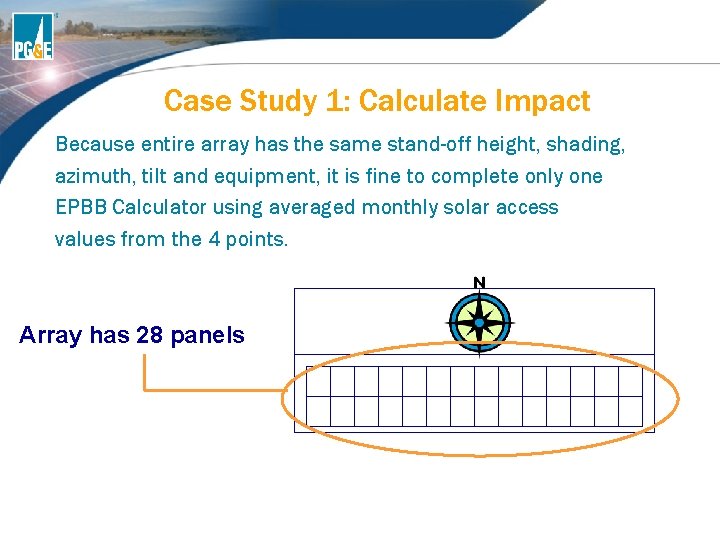
Case Study 1: Calculate Impact Because entire array has the same stand-off height, shading, azimuth, tilt and equipment, it is fine to complete only one EPBB Calculator using averaged monthly solar access values from the 4 points. Array has 28 panels
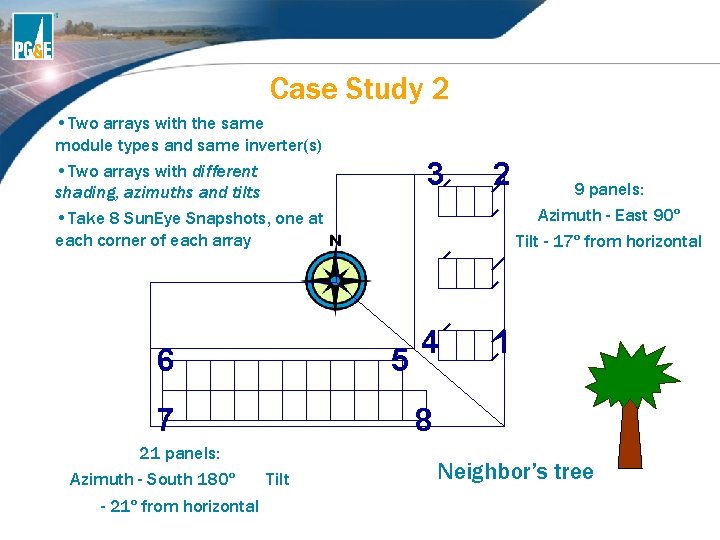
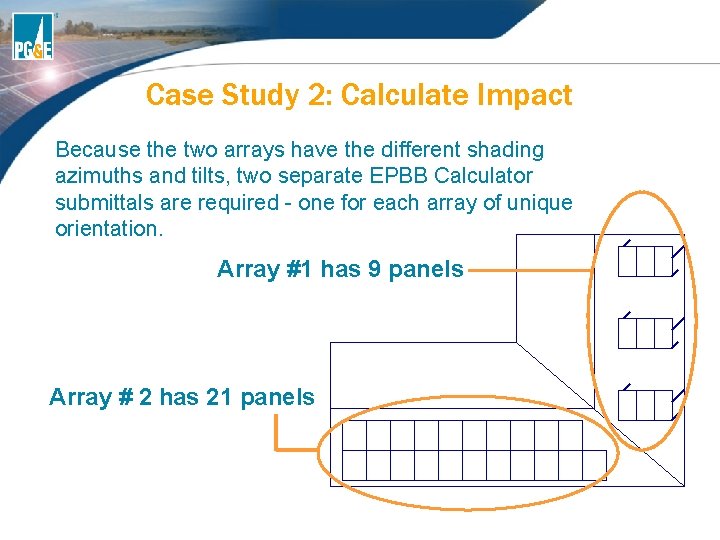
Case Study 2 • Two arrays with the same module types and same inverter(s) • Two arrays with different shading, azimuths and tilts • Take 8 Sun. Eye Snapshots, one at each corner of each array 6 5 7 21 panels: Azimuth - South 180º - 21º from horizontal 3 2 4 1 9 panels: Azimuth - East 90º Tilt - 17º from horizontal 8 Tilt Neighbor’s tree
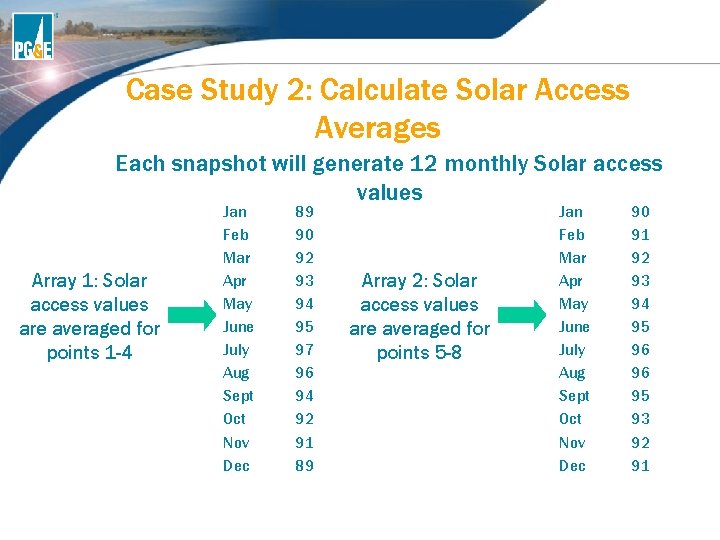
Case Study 2: Calculate Solar Access Averages Each snapshot will generate 12 monthly Solar access values Array 1: Solar access values are averaged for points 1 -4 Jan Feb Mar Apr May June July Aug Sept Oct Nov Dec 89 90 92 93 94 95 97 96 94 92 91 89 Array 2: Solar access values are averaged for points 5 -8 Jan Feb Mar Apr May June July Aug Sept Oct Nov Dec 90 91 92 93 94 95 96 96 95 93 92 91
Case Study 2: Calculate Impact Because the two arrays have the different shading azimuths and tilts, two separate EPBB Calculator submittals are required - one for each array of unique orientation. Array #1 has 9 panels Array # 2 has 21 panels
BONUS: What is the current incentive rate for EPBB and PBI for both Residential and Commercial?
CSI Application Process 63
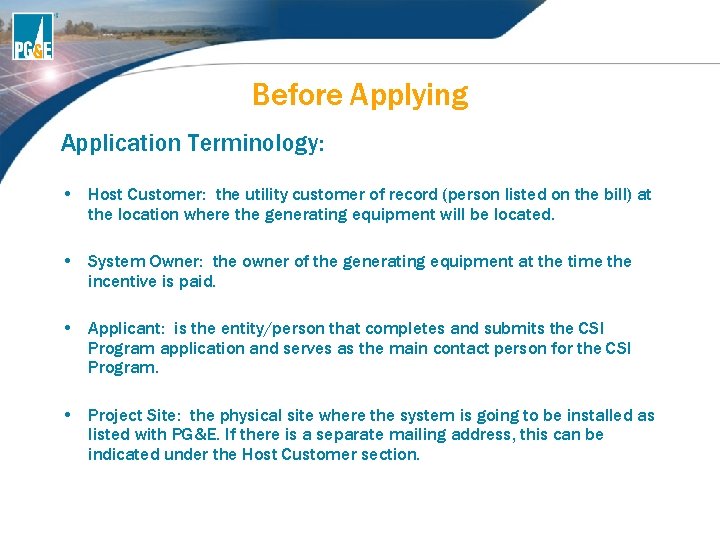
Before Applying Application Terminology: • Host Customer: the utility customer of record (person listed on the bill) at the location where the generating equipment will be located. • System Owner: the owner of the generating equipment at the time the incentive is paid. • Applicant: is the entity/person that completes and submits the CSI Program application and serves as the main contact person for the CSI Program. • Project Site: the physical site where the system is going to be installed as listed with PG&E. If there is a separate mailing address, this can be indicated under the Host Customer section.
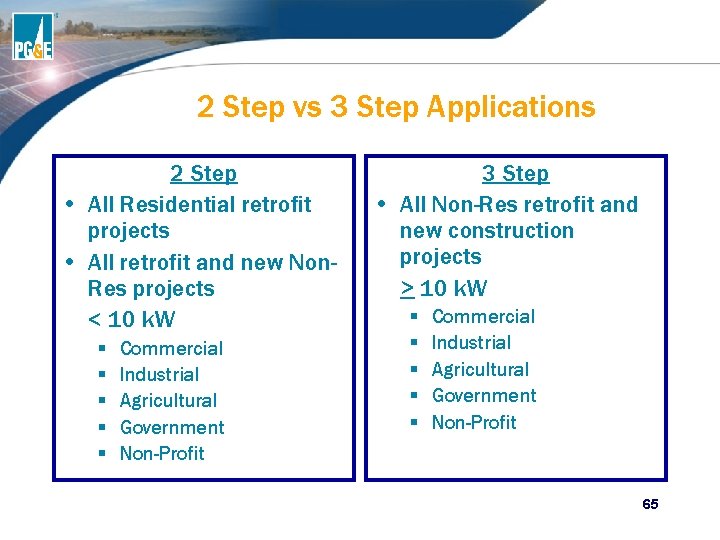
2 Step vs 3 Step Applications 2 Step • All Residential retrofit projects • All retrofit and new Non. Res projects < 10 k. W § § § Commercial Industrial Agricultural Government Non-Profit 3 Step • All Non-Res retrofit and new construction projects > 10 k. W § § § Commercial Industrial Agricultural Government Non-Profit 65
2 Step Application Process
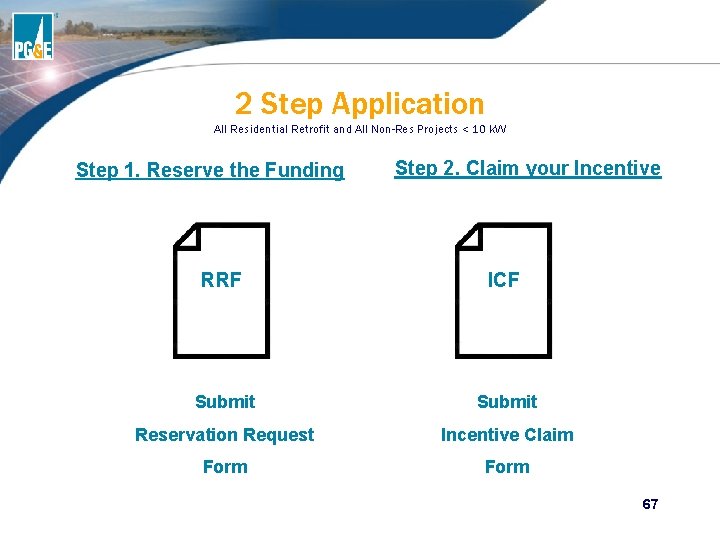
2 Step Application All Residential Retrofit and All Non-Res Projects < 10 k. W Step 1. Reserve the Funding Step 2. Claim your Incentive RRF ICF Submit Reservation Request Incentive Claim Form 67
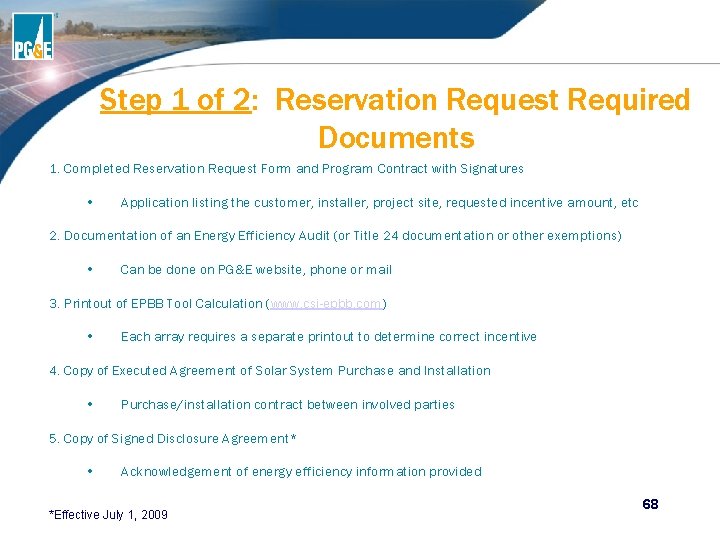
Step 1 of 2: Reservation Request Required Documents 1. Completed Reservation Request Form and Program Contract with Signatures • Application listing the customer, installer, project site, requested incentive amount, etc 2. Documentation of an Energy Efficiency Audit (or Title 24 documentation or other exemptions) • Can be done on PG&E website, phone or mail 3. Printout of EPBB Tool Calculation (www. csi-epbb. com) • Each array requires a separate printout to determine correct incentive 4. Copy of Executed Agreement of Solar System Purchase and Installation • Purchase/installation contract between involved parties 5. Copy of Signed Disclosure Agreement* • Acknowledgement of energy efficiency information provided *Effective July 1, 2009 68
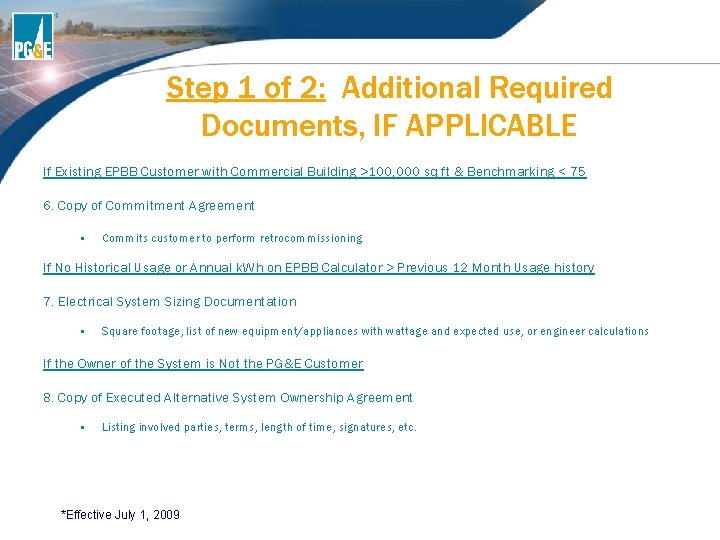
Step 1 of 2: Additional Required Documents, IF APPLICABLE If Existing EPBB Customer with Commercial Building >100, 000 sq ft & Benchmarking < 75 6. Copy of Commitment Agreement • Commits customer to perform retrocommissioning If No Historical Usage or Annual k. Wh on EPBB Calculator > Previous 12 Month Usage history 7. Electrical System Sizing Documentation • Square footage, list of new equipment/appliances with wattage and expected use, or engineer calculations If the Owner of the System is Not the PG&E Customer 8. Copy of Executed Alternative System Ownership Agreement • Listing involved parties, terms, length of time, signatures, etc. *Effective July 1, 2009
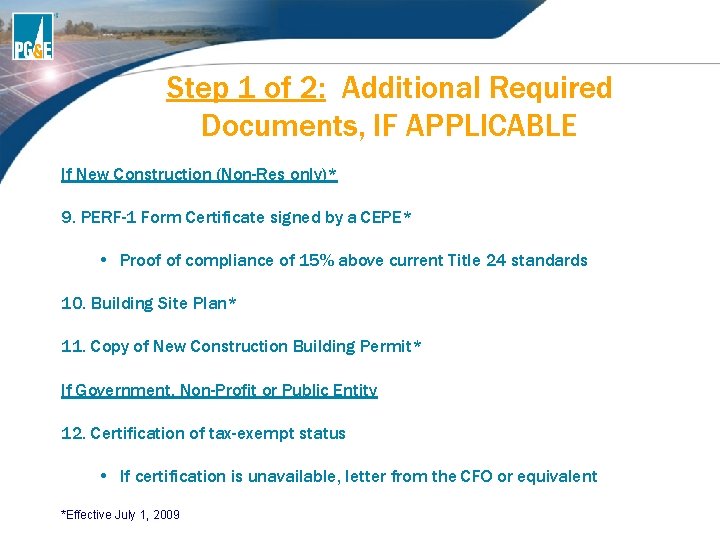
Step 1 of 2: Additional Required Documents, IF APPLICABLE If New Construction (Non-Res only)* 9. PERF-1 Form Certificate signed by a CEPE* • Proof of compliance of 15% above current Title 24 standards 10. Building Site Plan* 11. Copy of New Construction Building Permit* If Government, Non-Profit or Public Entity 12. Certification of tax-exempt status • If certification is unavailable, letter from the CFO or equivalent *Effective July 1, 2009
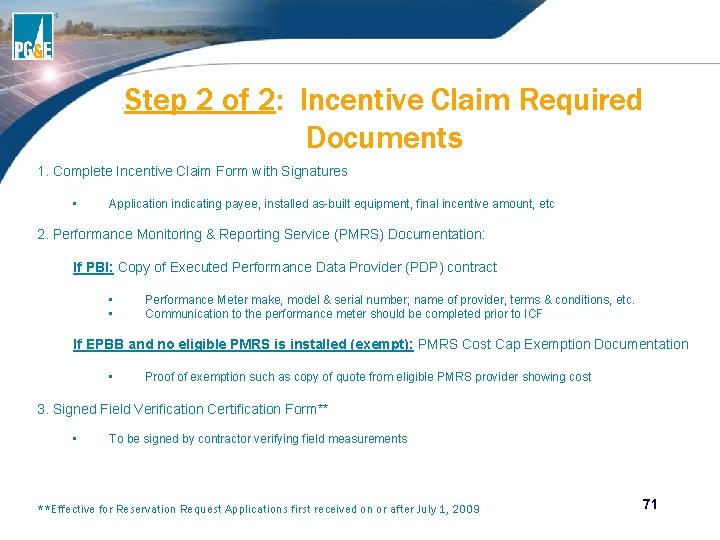
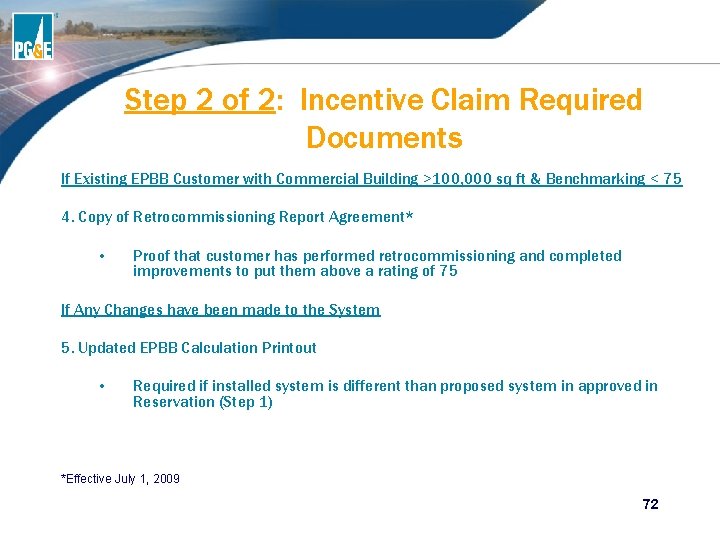
Step 2 of 2: Incentive Claim Required Documents 1. Complete Incentive Claim Form with Signatures • Application indicating payee, installed as-built equipment, final incentive amount, etc 2. Performance Monitoring & Reporting Service (PMRS) Documentation: If PBI: Copy of Executed Performance Data Provider (PDP) contract • • Performance Meter make, model & serial number; name of provider, terms & conditions, etc. Communication to the performance meter should be completed prior to ICF If EPBB and no eligible PMRS is installed (exempt): PMRS Cost Cap Exemption Documentation • Proof of exemption such as copy of quote from eligible PMRS provider showing cost 3. Signed Field Verification Certification Form** • To be signed by contractor verifying field measurements **Effective for Reservation Request Applications first received on or after July 1, 2009 71
Step 2 of 2: Incentive Claim Required Documents If Existing EPBB Customer with Commercial Building >100, 000 sq ft & Benchmarking < 75 4. Copy of Retrocommissioning Report Agreement* • Proof that customer has performed retrocommissioning and completed improvements to put them above a rating of 75 If Any Changes have been made to the System 5. Updated EPBB Calculation Printout • Required if installed system is different than proposed system in approved in Reservation (Step 1) *Effective July 1, 2009 72
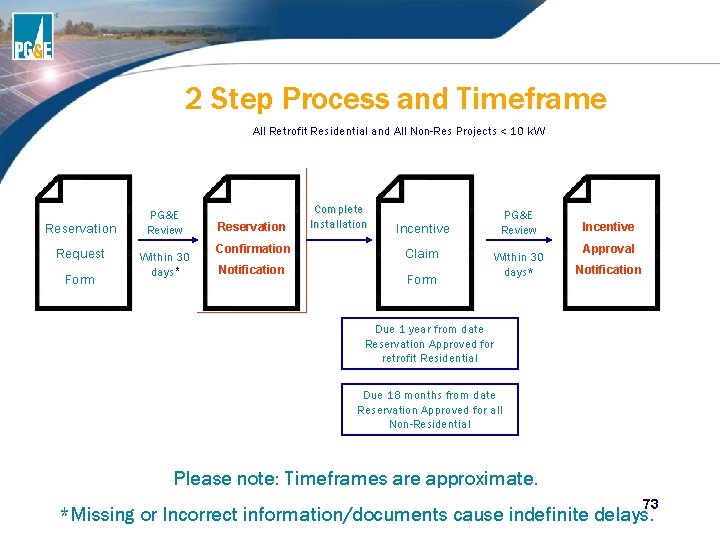
2 Step Process and Timeframe All Retrofit Residential and All Non-Res Projects < 10 k. W Reservation Request Form PG&E Review Within 30 days* Reservation Confirmation Notification Complete Installation PG&E Review Incentive Claim Form Within 30 days* Incentive Approval Notification Due 1 year from date Reservation Approved for retrofit Residential Due 18 months from date Reservation Approved for all Non-Residential Please note: Timeframes are approximate. 73 *Missing or Incorrect information/documents cause indefinite delays.
3 Step Application Process
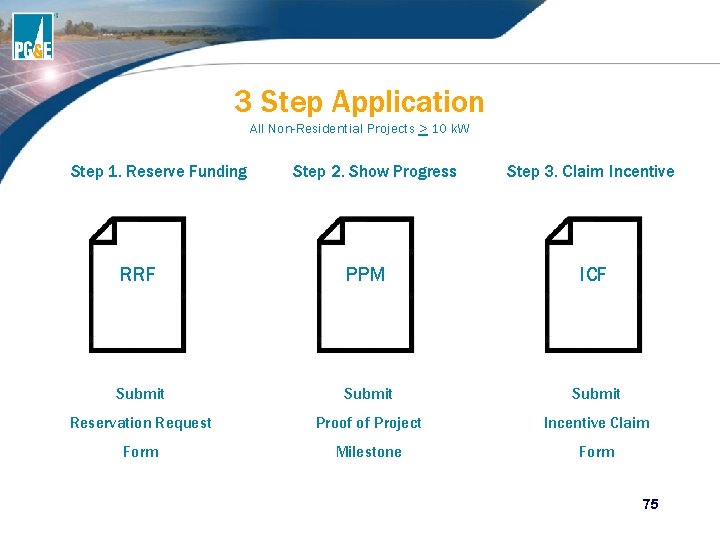
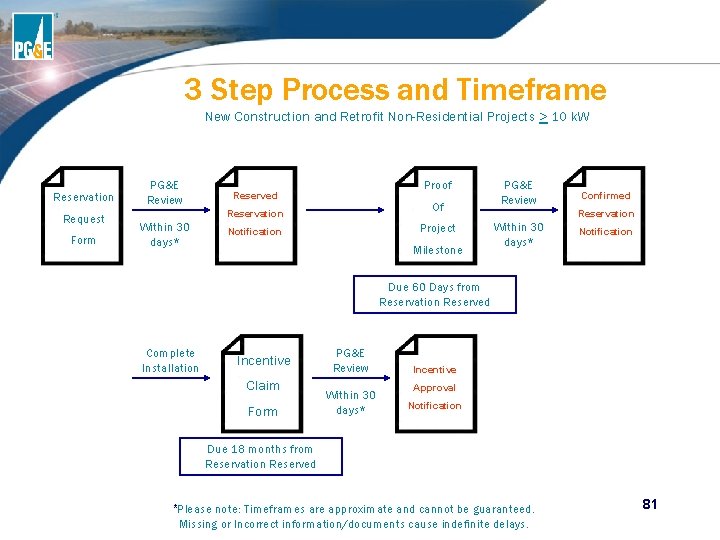
3 Step Application All Non-Residential Projects > 10 k. W Step 1. Reserve Funding Step 2. Show Progress Step 3. Claim Incentive RRF PPM ICF Submit Reservation Request Proof of Project Incentive Claim Form Milestone Form 75
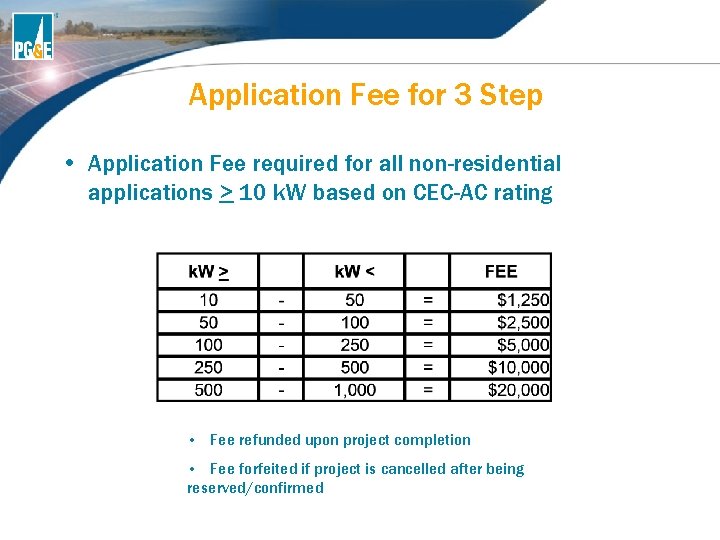
Application Fee for 3 Step • Application Fee required for all non-residential applications > 10 k. W based on CEC-AC rating • Fee refunded upon project completion • Fee forfeited if project is cancelled after being reserved/confirmed
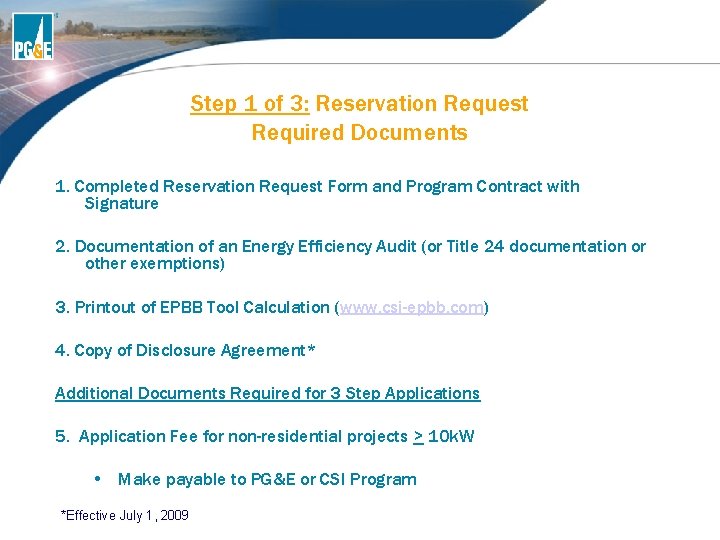
Step 1 of 3: Reservation Request Required Documents 1. Completed Reservation Request Form and Program Contract with Signature 2. Documentation of an Energy Efficiency Audit (or Title 24 documentation or other exemptions) 3. Printout of EPBB Tool Calculation (www. csi-epbb. com) 4. Copy of Disclosure Agreement* Additional Documents Required for 3 Step Applications 5. Application Fee for non-residential projects > 10 k. W • Make payable to PG&E or CSI Program *Effective July 1, 2009
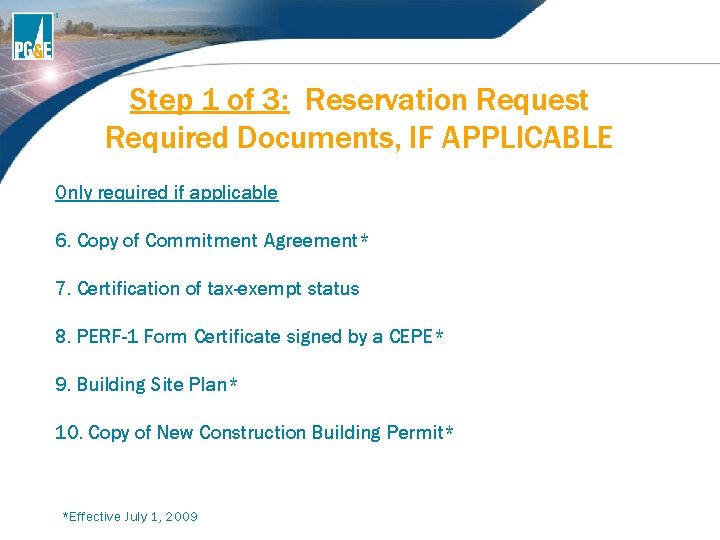
Step 1 of 3: Reservation Request Required Documents, IF APPLICABLE Only required if applicable 6. Copy of Commitment Agreement* 7. Certification of tax-exempt status 8. PERF-1 Form Certificate signed by a CEPE* 9. Building Site Plan* 10. Copy of New Construction Building Permit* *Effective July 1, 2009
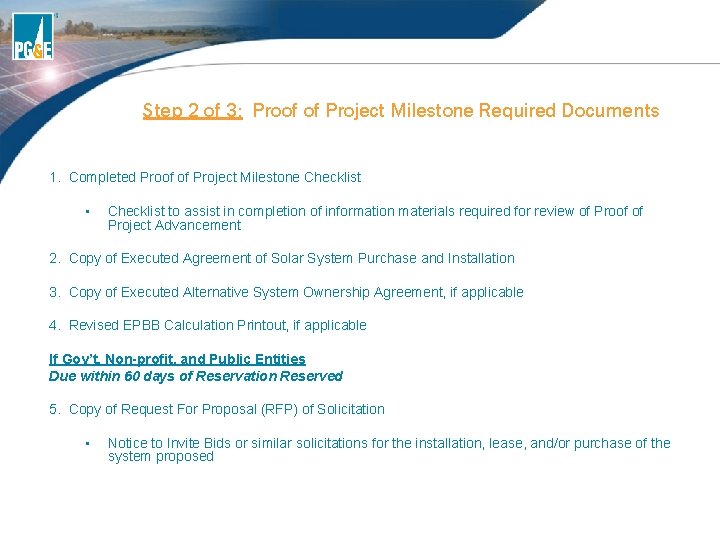
Step 2 of 3: Proof of Project Milestone Required Documents 1. Completed Proof of Project Milestone Checklist • Checklist to assist in completion of information materials required for review of Proof of Project Advancement 2. Copy of Executed Agreement of Solar System Purchase and Installation 3. Copy of Executed Alternative System Ownership Agreement, if applicable 4. Revised EPBB Calculation Printout, if applicable If Gov’t, Non-profit, and Public Entities Due within 60 days of Reservation Reserved 5. Copy of Request For Proposal (RFP) of Solicitation • Notice to Invite Bids or similar solicitations for the installation, lease, and/or purchase of the system proposed
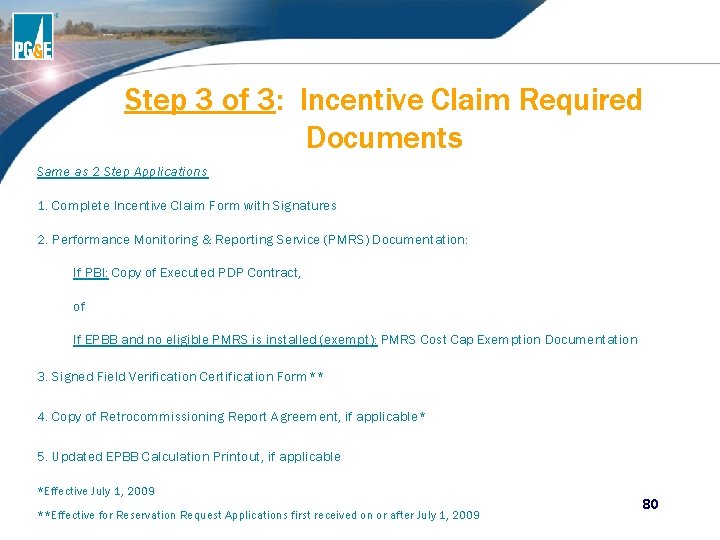
Step 3 of 3: Incentive Claim Required Documents Same as 2 Step Applications 1. Complete Incentive Claim Form with Signatures 2. Performance Monitoring & Reporting Service (PMRS) Documentation: If PBI: Copy of Executed PDP Contract, of If EPBB and no eligible PMRS is installed (exempt): PMRS Cost Cap Exemption Documentation 3. Signed Field Verification Certification Form** 4. Copy of Retrocommissioning Report Agreement, if applicable* 5. Updated EPBB Calculation Printout, if applicable *Effective July 1, 2009 **Effective for Reservation Request Applications first received on or after July 1, 2009 80
3 Step Process and Timeframe New Construction and Retrofit Non-Residential Projects > 10 k. W Reservation Request Form PG&E Review Proof Reserved Of Reservation Within 30 days* Project Notification Milestone PG&E Review Confirmed Reservation Within 30 days* Notification Due 60 Days from Reservation Reserved Complete Installation Incentive Claim Form PG&E Review Within 30 days* Incentive Approval Notification Due 18 months from Reservation Reserved *Please note: Timeframes are approximate and cannot be guaranteed. Missing or Incorrect information/documents cause indefinite delays. 81
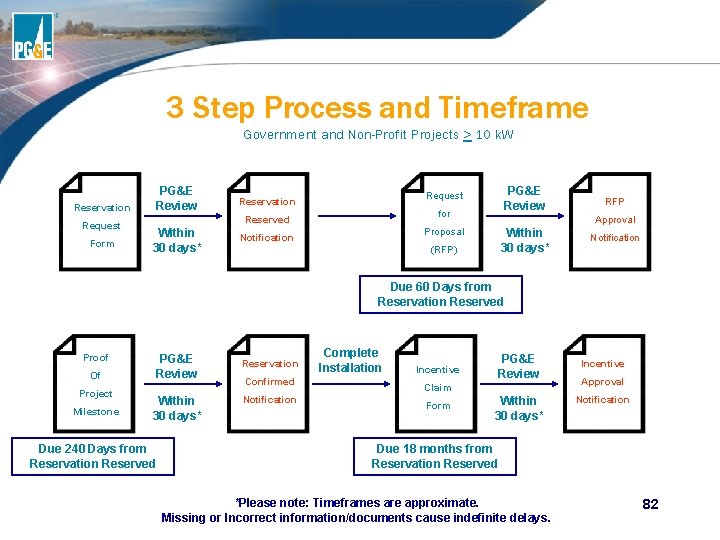
3 Step Process and Timeframe Government and Non-Profit Projects > 10 k. W PG&E Review Reservation Request Form for Reserved Within 30 days* PG&E Review Request Reservation Approval Proposal Notification RFP Within 30 days* (RFP) Notification Due 60 Days from Reservation Reserved Proof PG&E Review Of Project Milestone Within 30 days* Due 240 Days from Reservation Reserved Reservation Confirmed Notification Complete Installation PG&E Review Incentive Claim Form Within 30 days* Incentive Approval Notification Due 18 months from Reservation Reserved *Please note: Timeframes are approximate. Missing or Incorrect information/documents cause indefinite delays. 82
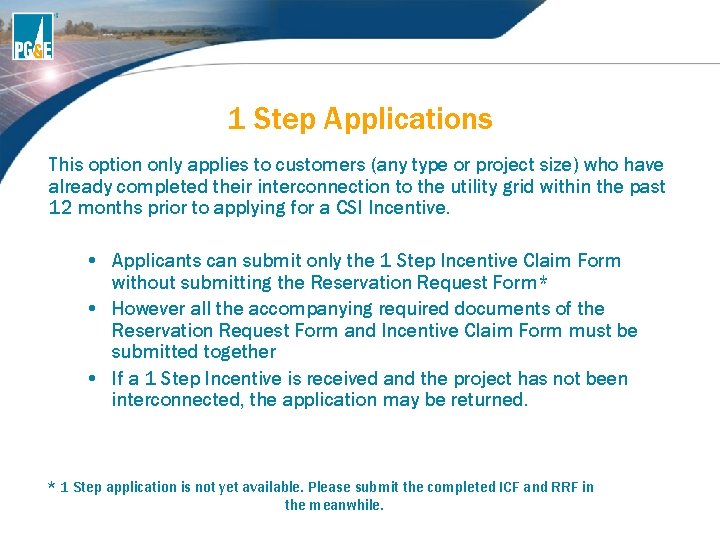
1 Step Applications This option only applies to customers (any type or project size) who have already completed their interconnection to the utility grid within the past 12 months prior to applying for a CSI Incentive. • Applicants can submit only the 1 Step Incentive Claim Form without submitting the Reservation Request Form* • However all the accompanying required documents of the Reservation Request Form and Incentive Claim Form must be submitted together • If a 1 Step Incentive is received and the project has not been interconnected, the application may be returned. * 1 Step application is not yet available. Please submit the completed ICF and RRF in the meanwhile.
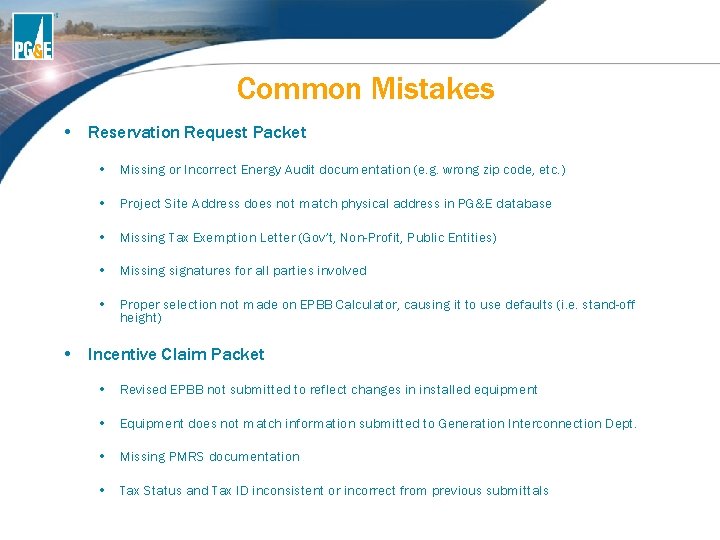
Common Mistakes • Reservation Request Packet • Missing or Incorrect Energy Audit documentation (e. g. wrong zip code, etc. ) • Project Site Address does not match physical address in PG&E database • Missing Tax Exemption Letter (Gov’t, Non-Profit, Public Entities) • Missing signatures for all parties involved • Proper selection not made on EPBB Calculator, causing it to use defaults (i. e. stand-off height) • Incentive Claim Packet • Revised EPBB not submitted to reflect changes in installed equipment • Equipment does not match information submitted to Generation Interconnection Dept. • Missing PMRS documentation • Tax Status and Tax ID inconsistent or incorrect from previous submittals
CSI Applications Received
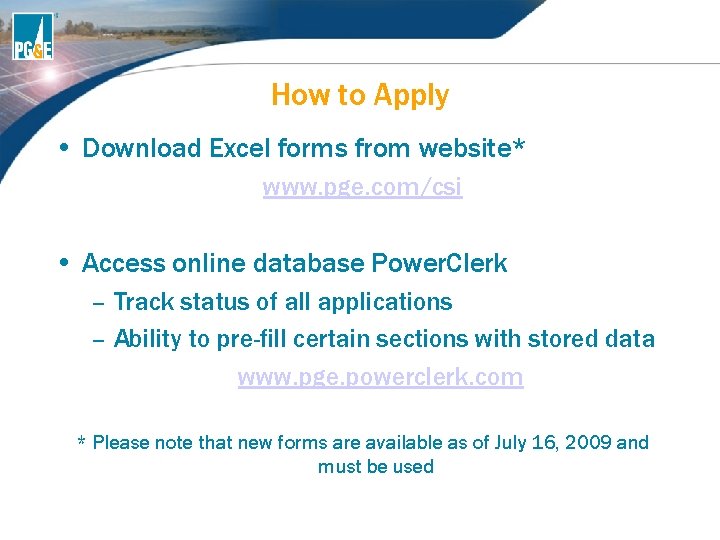
How to Apply • Download Excel forms from website* www. pge. com/csi • Access online database Power. Clerk – Track status of all applications – Ability to pre-fill certain sections with stored data www. pge. powerclerk. com * Please note that new forms are available as of July 16, 2009 and must be used
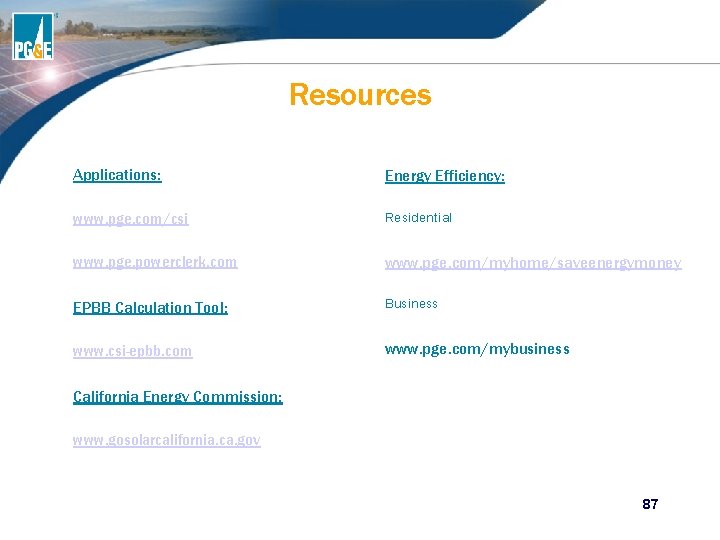
Resources Applications: Energy Efficiency: www. pge. com/csi Residential www. pge. powerclerk. com www. pge. com/myhome/saveenergymoney EPBB Calculation Tool: Business www. csi-epbb. com www. pge. com/mybusiness California Energy Commission: www. gosolarcalifornia. ca. gov 87
BONUS: What is the criteria for minimal shading according to the CSI Program?
CSI Field Inspection Process
CSI Field Verification Inspections Purpose • To verify that the project is installed as represented in the Incentive Claim Form, is operational, is interconnected and meets the eligibility criteria of the CSI Program.
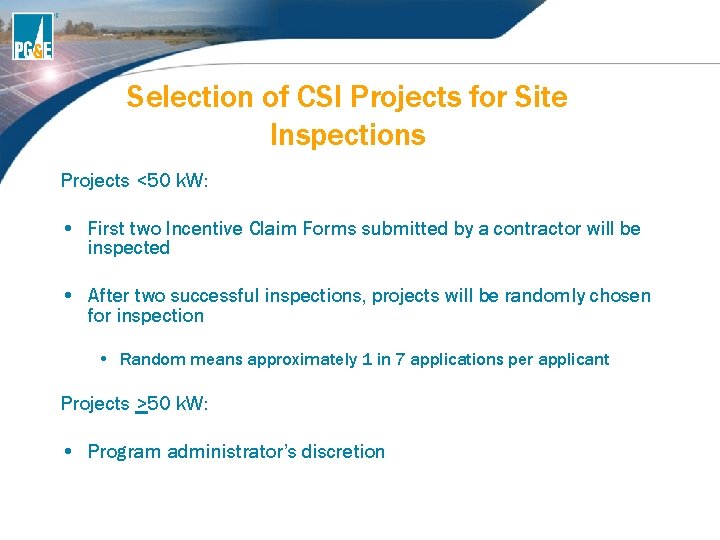
Selection of CSI Projects for Site Inspections Projects <50 k. W: • First two Incentive Claim Forms submitted by a contractor will be inspected • After two successful inspections, projects will be randomly chosen for inspection • Random means approximately 1 in 7 applications per applicant Projects >50 k. W: • Program administrator’s discretion
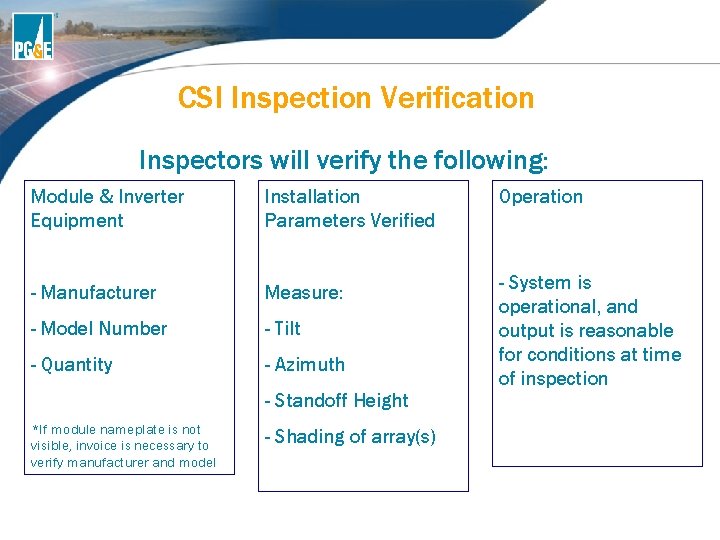
CSI Inspection Verification Inspectors will verify the following: Module & Inverter Equipment Installation Parameters Verified Operation - Manufacturer Measure: - Model Number - Tilt - Quantity - Azimuth - System is operational, and output is reasonable for conditions at time of inspection - Standoff Height *If module nameplate is not visible, invoice is necessary to verify manufacturer and model - Shading of array(s)
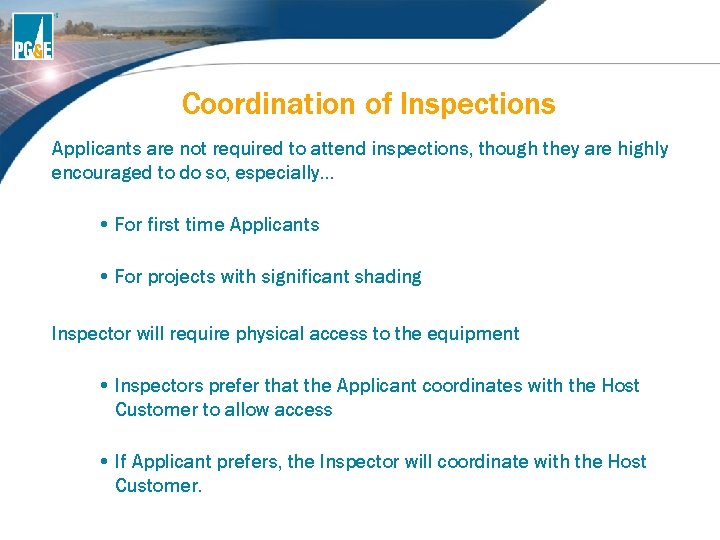
Coordination of Inspections Applicants are not required to attend inspections, though they are highly encouraged to do so, especially… • For first time Applicants • For projects with significant shading Inspector will require physical access to the equipment • Inspectors prefer that the Applicant coordinates with the Host Customer to allow access • If Applicant prefers, the Inspector will coordinate with the Host Customer.
Access Issues to Modules If issues exist that prohibit access, such as • Weather conditions that may render it unsafe to mount roof • Roof that are too steep or have other structural issues, etc. We will require assistance from Applicant by • Providing Inspector shading analysis for EPBB Calculator • Providing Inspector invoice indicating the module manufacturer, model and quantity Inspector will still verify if the system output from the inverter is reasonable given the conditions during the inspection
Inspection Results • Inspector will verify measurements are within the following tolerances: • Tilt +/- 3º • Azimuth +/- 5º • Shading +/- 5% • If inspection results fall within tolerances • Inspector will accept EPBB calculator as submitted with the Incentive Claim Form and send report to PG&E • PG&E will pay incentive as requested in the Incentive Claim Form • If inspection results fall outside of tolerances • Inspector will communicate discrepancies to Applicant onsite, if present during inspection • Inspector will run a new EPBB calculator to get a revised CSI rating and incentive amount • Inspector will send it along with the report to PG&E for further evaluation
Inspection Results Cont’d • PG&E will compare recalculated incentive to submitted incentive amount in Incentive Claim Form/EPBB Calc. • If incentive amount discrepancy is within 5% • PG&E will pay revised incentive amount based on new EPBB Calculator from inspection • If incentive amount discrepancy is 5% or more • PG&E will issue a failure • If a failure is issued, the following two options will be communicated to the Applicant and Host Customer and a decision must be made within 30 days: 1. Applicant can accept new recalculated incentive amount 2. Applicant can dispute the accuracy of results/measurements • If installed equipment is different (manuf/model or quantity) than that submitted in the ICF/EPBB Calc, new EPBB calculator will be run if it effects CSI rating/incentive
Failed Inspections • Low volume Installer (< 200 systems per year Statewide) • 1 failure = warning • 2 failures = 100% inspection for Applicant’s projects • 3 failures = Disqualification for 1 year from CSI Program • High volume Installer (> 200 systems per year Statewide) • 4 failures = 100% inspection • 5 failures = Disqualification for 1 year • All failures removed after good standing for 1 year of last failure
How to Prevent Failed Inspections • Make sure Incentive Claim Form and EPBB Calculator accurately reflect “as-built” system • If any changes occur, send updated EPBB Calculator to Program Administrator before the inspection occurs • Revised EPBB Calculators will not be accepted by Inspectors on-site • Attend the inspection to familiarize yourself with the inspection process and program requirements
BONUS: What is the two customer criteria that distinguishes a project as 3 step?
CSI Performance Metering and Monitoring
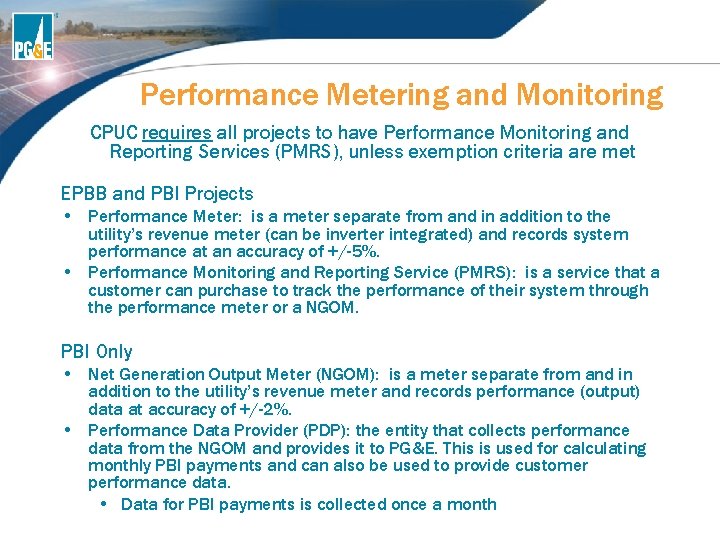
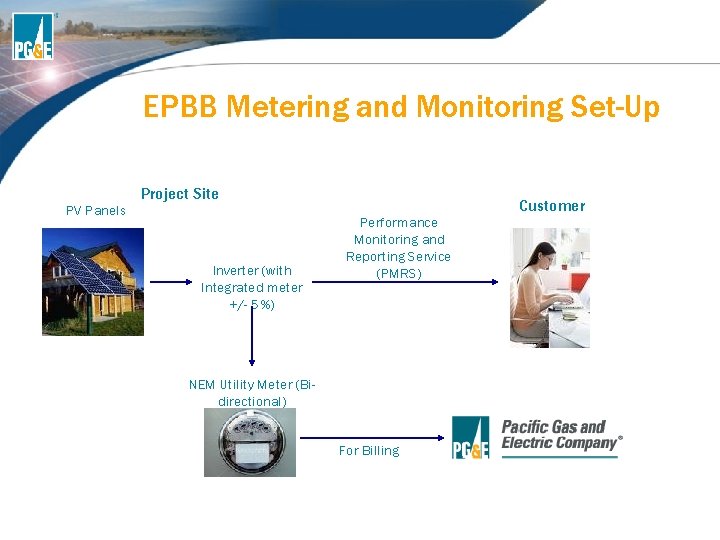
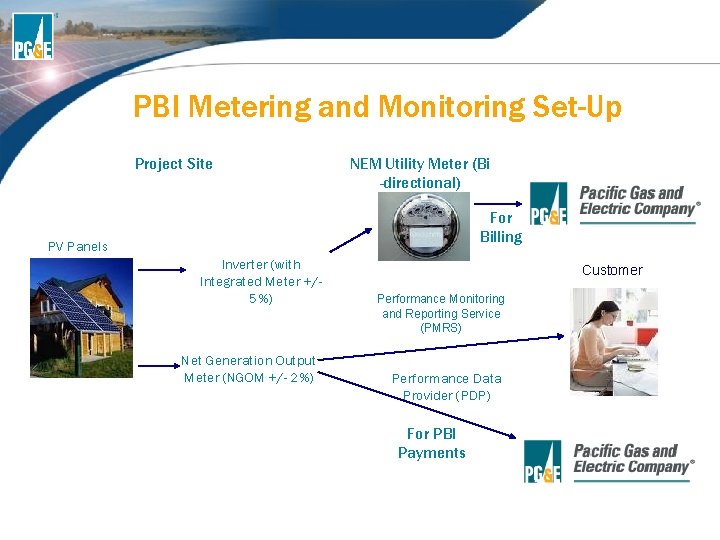
Performance Metering and Monitoring CPUC requires all projects to have Performance Monitoring and Reporting Services (PMRS), unless exemption criteria are met EPBB and PBI Projects • Performance Meter: is a meter separate from and in addition to the utility’s revenue meter (can be inverter integrated) and records system performance at an accuracy of +/-5%. • Performance Monitoring and Reporting Service (PMRS): is a service that a customer can purchase to track the performance of their system through the performance meter or a NGOM. PBI Only • Net Generation Output Meter (NGOM): is a meter separate from and in addition to the utility’s revenue meter and records performance (output) data at accuracy of +/-2%. • Performance Data Provider (PDP): the entity that collects performance data from the NGOM and provides it to PG&E. This is used for calculating monthly PBI payments and can also be used to provide customer performance data. • Data for PBI payments is collected once a month
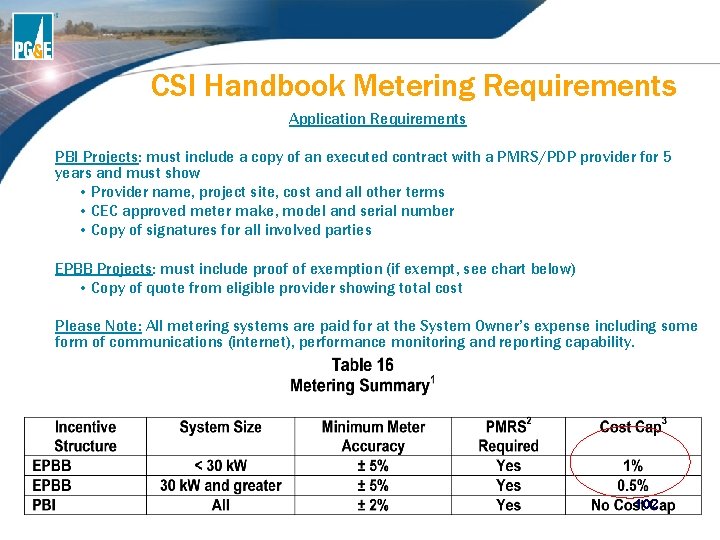
CSI Handbook Metering Requirements Application Requirements PBI Projects: must include a copy of an executed contract with a PMRS/PDP provider for 5 years and must show • Provider name, project site, cost and all other terms • CEC approved meter make, model and serial number • Copy of signatures for all involved parties EPBB Projects: must include proof of exemption (if exempt, see chart below) • Copy of quote from eligible provider showing total cost Please Note: All metering systems are paid for at the System Owner’s expense including some form of communications (internet), performance monitoring and reporting capability. 102
EPBB Metering and Monitoring Set-Up PV Panels Project Site Inverter (with Integrated meter +/- 5%) Performance Monitoring and Reporting Service (PMRS) NEM Utility Meter (Bidirectional) For Billing Customer
PBI Metering and Monitoring Set-Up Project Site NEM Utility Meter (Bi -directional) For Billing PV Panels Inverter (with Integrated Meter +/5%) Net Generation Output Meter (NGOM +/- 2%) Customer Performance Monitoring and Reporting Service (PMRS) Performance Data Provider (PDP) For PBI Payments
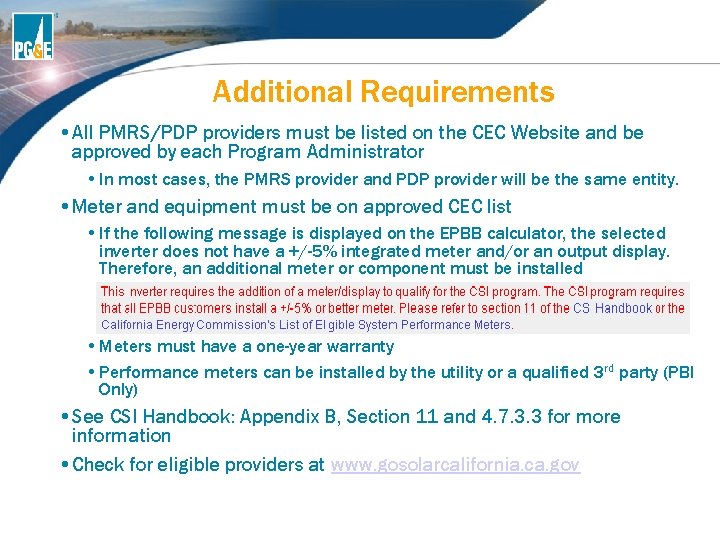
Additional Requirements • All PMRS/PDP providers must be listed on the CEC Website and be approved by each Program Administrator • In most cases, the PMRS provider and PDP provider will be the same entity. • Meter and equipment must be on approved CEC list • If the following message is displayed on the EPBB calculator, the selected inverter does not have a +/-5% integrated meter and/or an output display. Therefore, an additional meter or component must be installed • Meters must have a one-year warranty • Performance meters can be installed by the utility or a qualified 3 rd party (PBI Only) • See CSI Handbook: Appendix B, Section 11 and 4. 7. 3. 3 for more information • Check for eligible providers at www. gosolarcalifornia. ca. gov
BONUS: What are the four field measurements we verify during an inspection?
Other Solar Electric Generating Technologies (Non-PV)
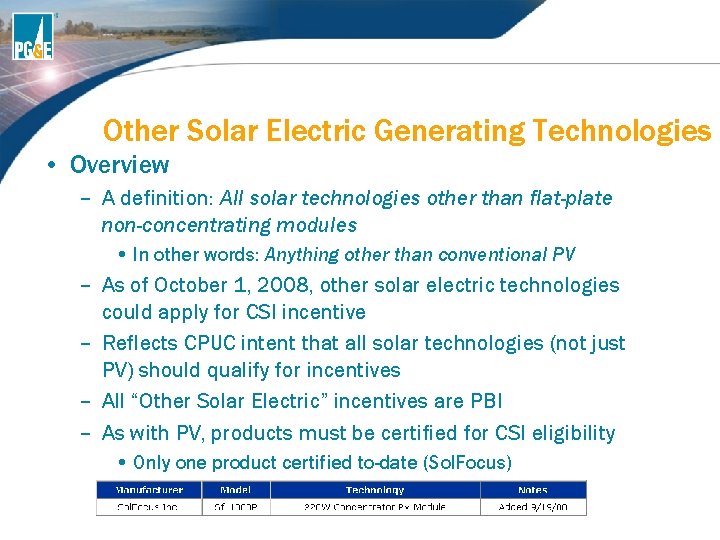
Other Solar Electric Generating Technologies • Overview – A definition: All solar technologies other than flat-plate non-concentrating modules • In other words: Anything other than conventional PV – As of October 1, 2008, other solar electric technologies could apply for CSI incentive – Reflects CPUC intent that all solar technologies (not just PV) should qualify for incentives – All “Other Solar Electric” incentives are PBI – As with PV, products must be certified for CSI eligibility • Only one product certified to-date (Sol. Focus)
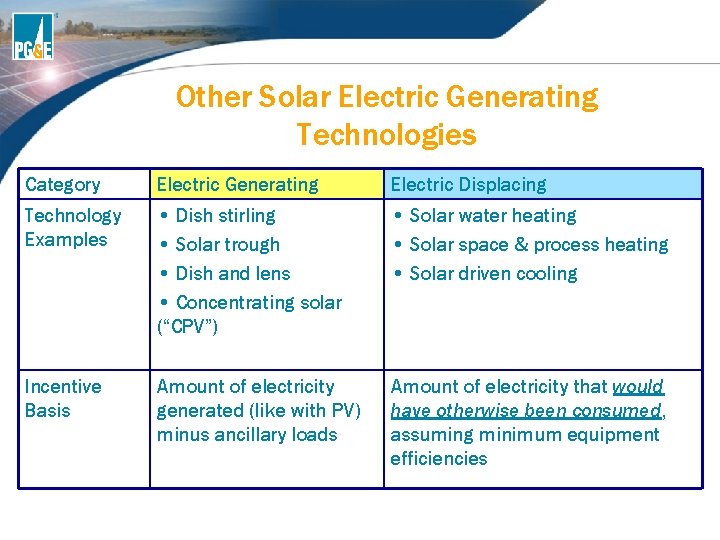
Other Solar Electric Generating Technologies Category Electric Generating Electric Displacing Technology Examples • Dish stirling • Solar trough • Dish and lens • Concentrating solar (“CPV”) • Solar water heating • Solar space & process heating • Solar driven cooling Incentive Basis Amount of electricity generated (like with PV) minus ancillary loads Amount of electricity that would have otherwise been consumed, assuming minimum equipment efficiencies
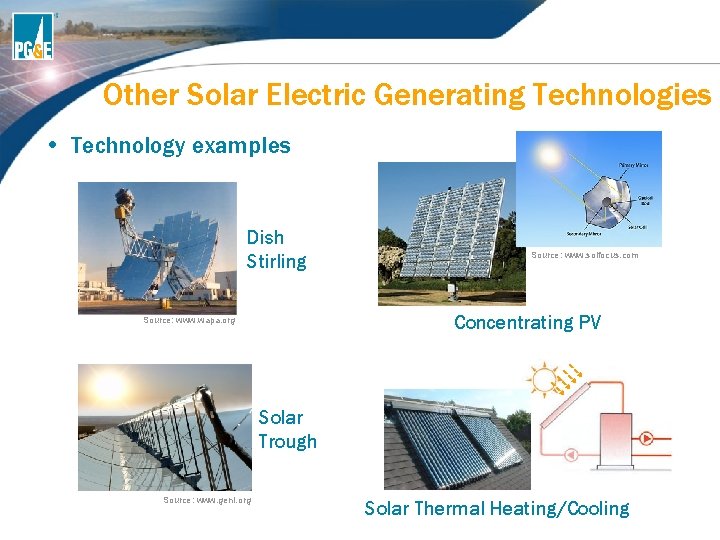
Other Solar Electric Generating Technologies • Technology examples Dish Stirling Source: www. solfocus. com Concentrating PV Source: www. wapa. org Solar Trough Source: www. geni. org Solar Thermal Heating/Cooling
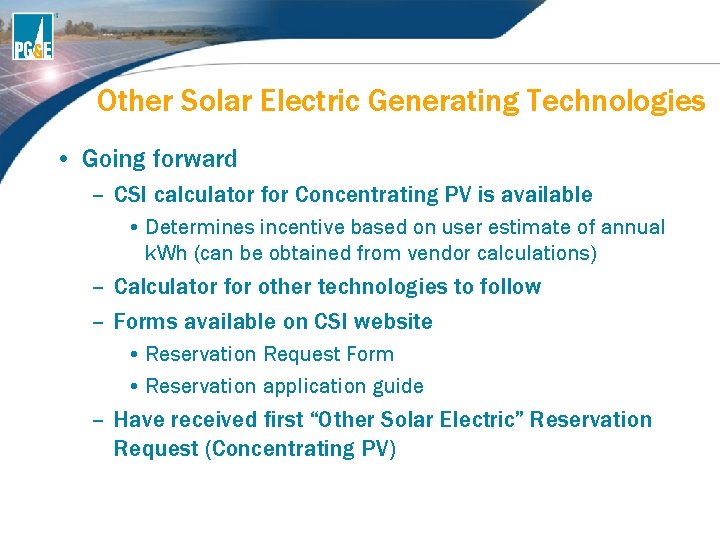
Other Solar Electric Generating Technologies • Going forward – CSI calculator for Concentrating PV is available • Determines incentive based on user estimate of annual k. Wh (can be obtained from vendor calculations) – Calculator for other technologies to follow – Forms available on CSI website • Reservation Request Form • Reservation application guide – Have received first “Other Solar Electric” Reservation Request (Concentrating PV)
BONUS: What is the cost cap exemption for a 35 k. W PBI system?
Generation Interconnection Services (GIS)
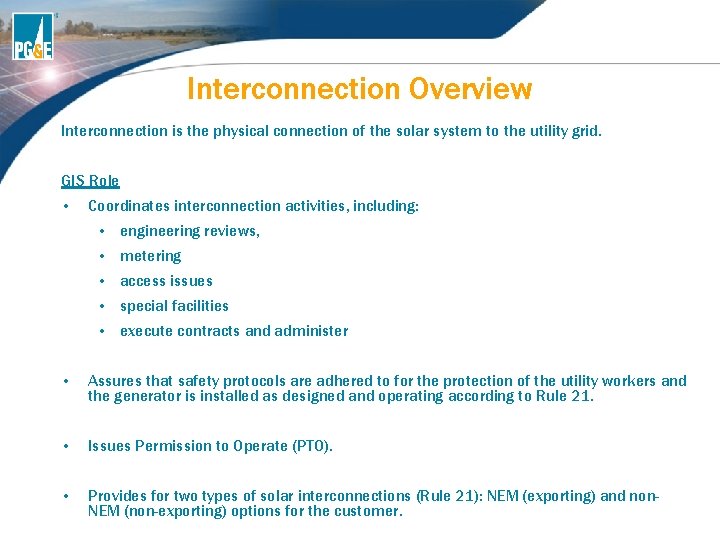
Interconnection Overview Interconnection is the physical connection of the solar system to the utility grid. GIS Role • Coordinates interconnection activities, including: • engineering reviews, • metering • access issues • special facilities • execute contracts and administer • Assures that safety protocols are adhered to for the protection of the utility workers and the generator is installed as designed and operating according to Rule 21. • Issues Permission to Operate (PTO). • Provides for two types of solar interconnections (Rule 21): NEM (exporting) and non. NEM (non-exporting) options for the customer.
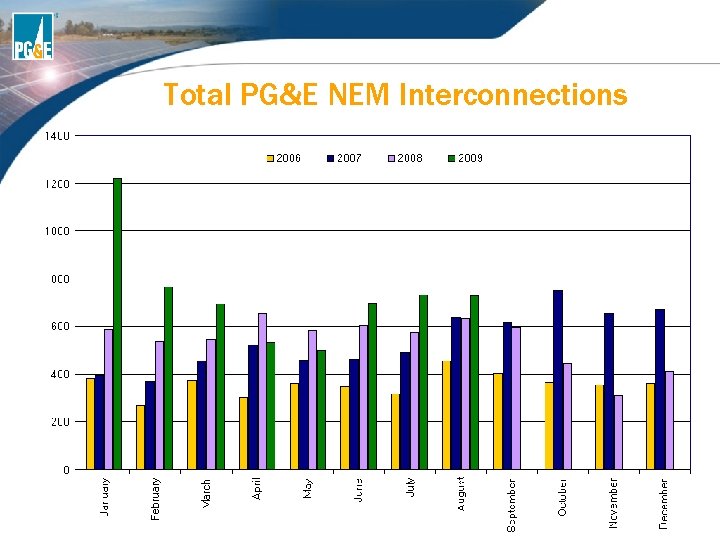
Total PG&E NEM Interconnections
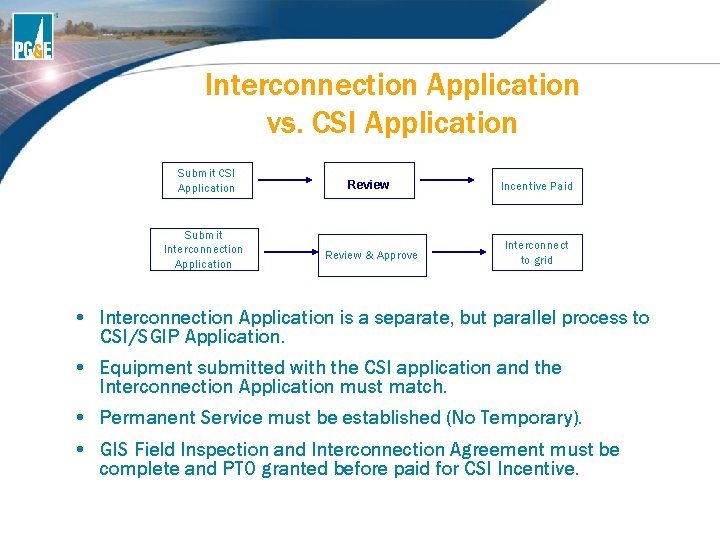
Interconnection Application vs. CSI Application Submit CSI Application Review Incentive Paid Submit Interconnection Application Review & Approve Interconnect to grid • Interconnection Application is a separate, but parallel process to CSI/SGIP Application. • Equipment submitted with the CSI application and the Interconnection Application must match. • Permanent Service must be established (No Temporary). • GIS Field Inspection and Interconnection Agreement must be complete and PTO granted before paid for CSI Incentive.
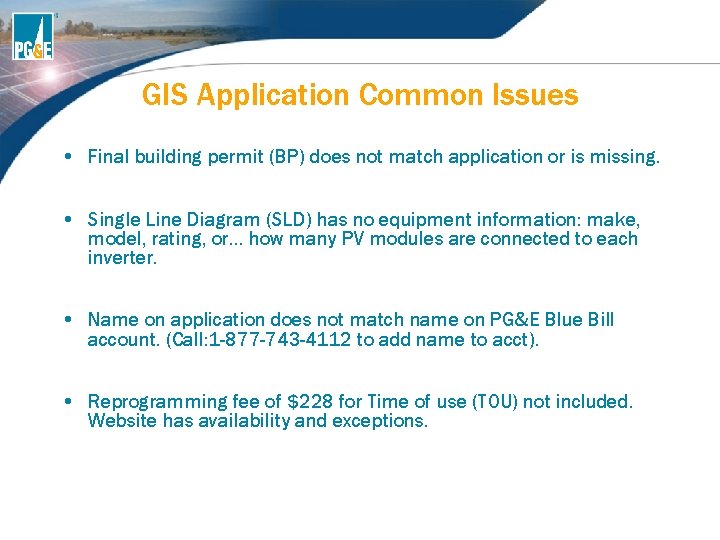
GIS Application Common Issues • Final building permit (BP) does not match application or is missing. • Single Line Diagram (SLD) has no equipment information: make, model, rating, or… how many PV modules are connected to each inverter. • Name on application does not match name on PG&E Blue Bill account. (Call: 1 -877 -743 -4112 to add name to acct). • Reprogramming fee of $228 for Time of use (TOU) not included. Website has availability and exceptions.
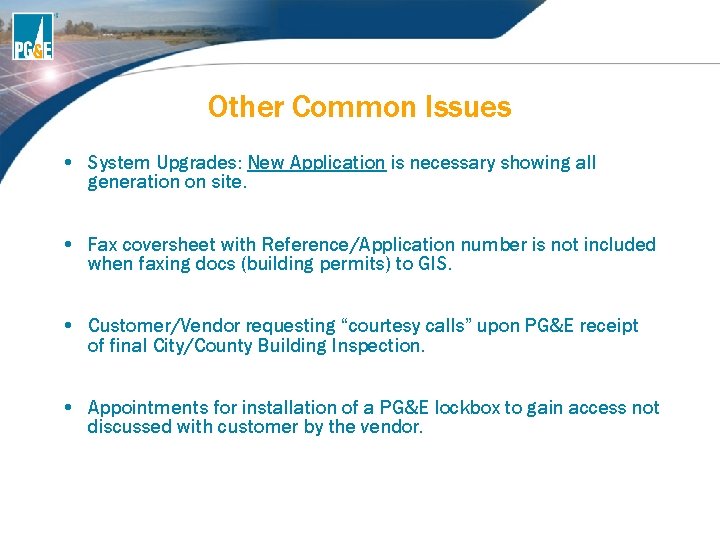
Other Common Issues • System Upgrades: New Application is necessary showing all generation on site. • Fax coversheet with Reference/Application number is not included when faxing docs (building permits) to GIS. • Customer/Vendor requesting “courtesy calls” upon PG&E receipt of final City/County Building Inspection. • Appointments for installation of a PG&E lockbox to gain access not discussed with customer by the vendor.
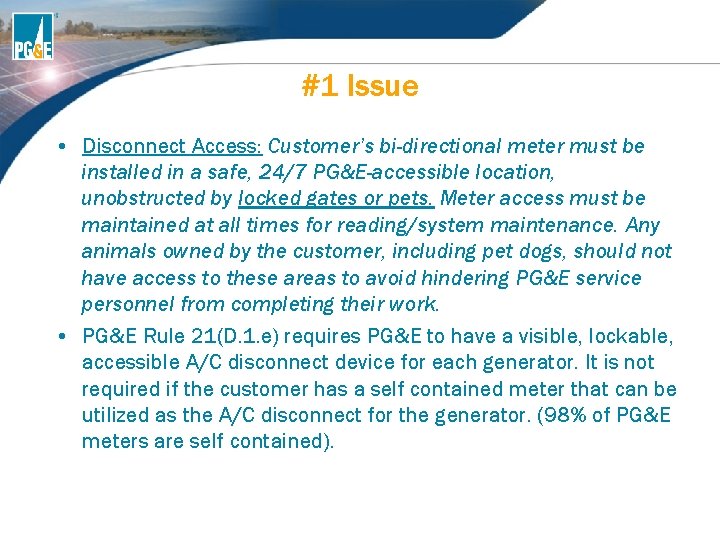
#1 Issue • Disconnect Access: Customer’s bi-directional meter must be installed in a safe, 24/7 PG&E-accessible location, unobstructed by locked gates or pets. Meter access must be maintained at all times for reading/system maintenance. Any animals owned by the customer, including pet dogs, should not have access to these areas to avoid hindering PG&E service personnel from completing their work. • PG&E Rule 21(D. 1. e) requires PG&E to have a visible, lockable, accessible A/C disconnect device for each generator. It is not required if the customer has a self contained meter that can be utilized as the A/C disconnect for the generator. (98% of PG&E meters are self contained).
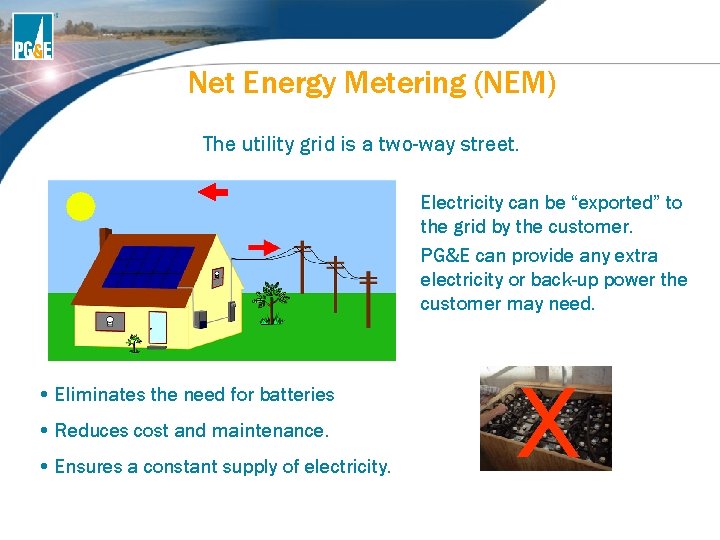
Net Energy Metering (NEM) The utility grid is a two-way street. Electricity can be “exported” to the grid by the customer. PG&E can provide any extra electricity or back-up power the customer may need. • Eliminates the need for batteries • Reduces cost and maintenance. • Ensures a constant supply of electricity. X
Net Energy Metering (NEM) • The intent of the NEM program is that the generation is primarily to offset part or all of the customer’s own electrical requirements. • The electric grid acts as a "battery" for the customer and their meter measures the net usage ("spins backwards" when the customer is exporting electricity to the grid). • In California, systems up to 1 MW can participate in the program; other states typically have a lower size limit.
Resources… GIS Contact Information • Website: www. pge. com/gen • E-Mail: gen@pge. com • Phone: 415 -972 -5676 • Fax: 415 -973 -3050 Jack Mc. Dermott Senior Program Manager • Email: JAMb@pge. com • Phone: 415 -973 -5142
BONUS: What are the two types of interconnections options (Rule 21) for customers?
Billing and Rates
How NEM Billing Works • Meter runs forwards/backwards and only records “net energy” • PG&E will not pay cash or issue a check for exporting to the grid • Customer receives a monthly charge or credit based on electric rate schedule • Charges/credits carry over each month for 12 months, referred to as “True-Up Period”
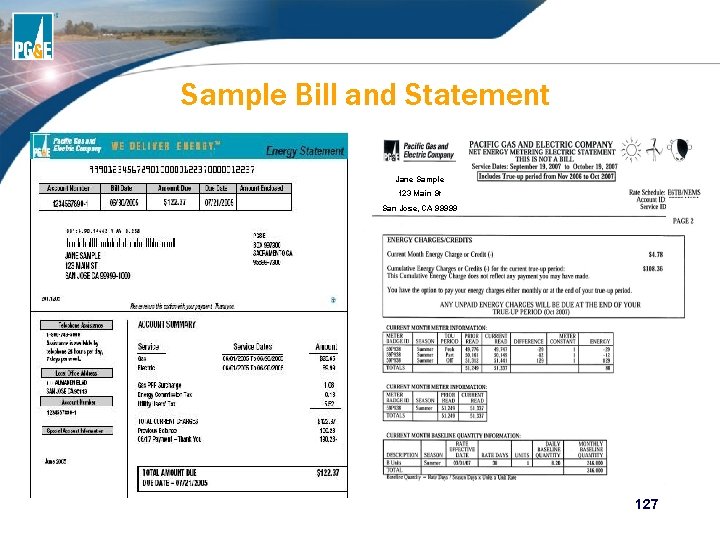
NEM Billing continued • True-Up Period starts on date of interconnection and ends each anniversary • At end of 12 month period, customer will receive True-Up bill, reconciling all the accumulated charges and credits • Customer will still receive a monthly bill for minimum charge and if applicable, for gas • Customer also receive a separate monthly NEM statement detailing reads and charges/credits to be owed at the end of the True-Up Period
Sample Bill and Statement Jane Sample 123 Main St San Jose, CA 99999 127
NEM Not for Everyone • Not every customer will benefit from participating in NEM • Reasons: • Will never export • Demand charges are not eliminated • 12 month billing cycle may be difficult for accounting or budgets • Should be evaluated on a case by case basis
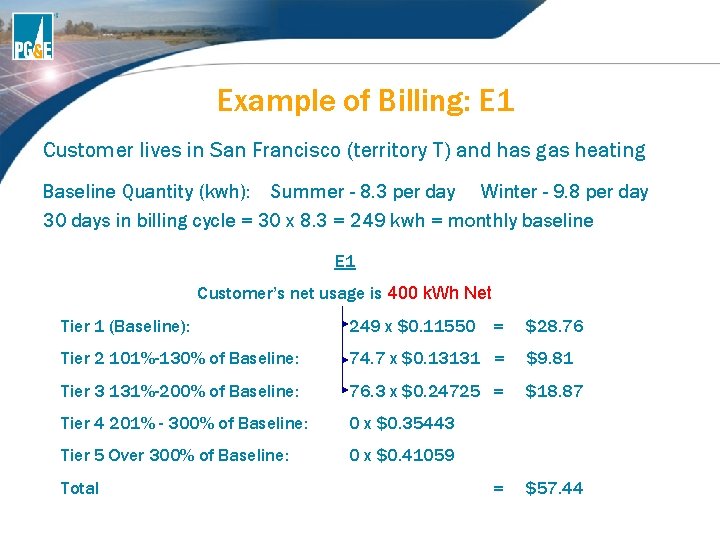
Residential Electric Rates • Customers are billed on a tiered pricing structure. • The 1 st Tier represents the essential amount of electricity called “baseline” • Baseline amount is set by legislature and is based on: • Geographic location (Territory) • Season (Winter/Summer) • Permanent Heating Source (Gas/Electric)
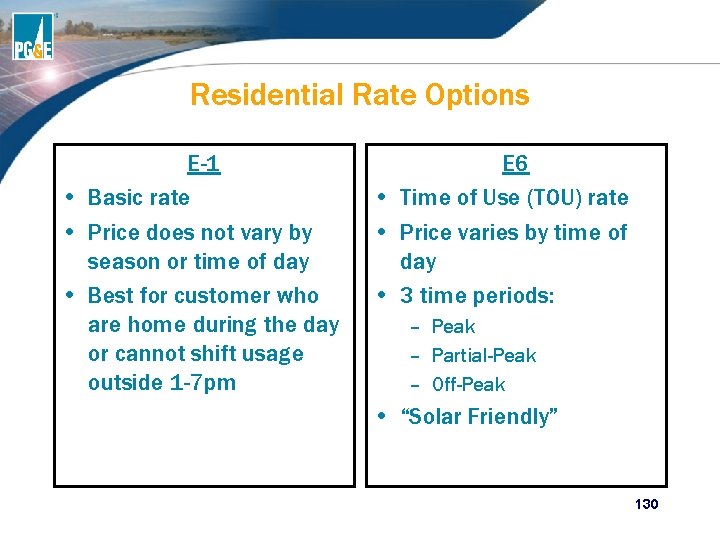
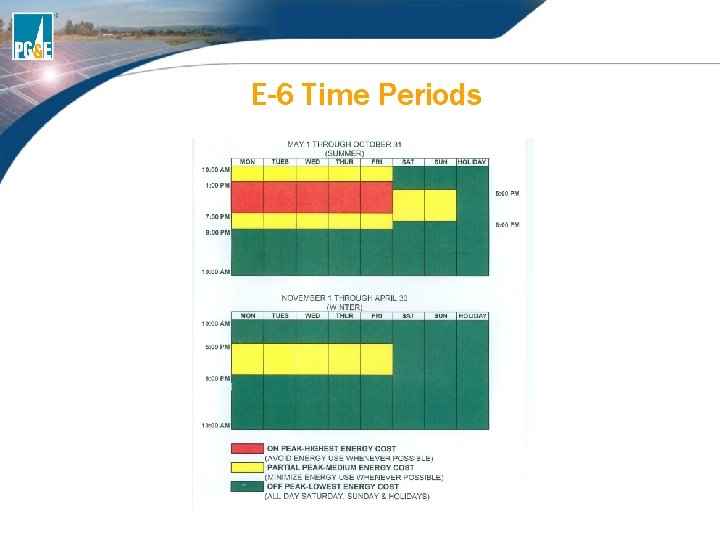
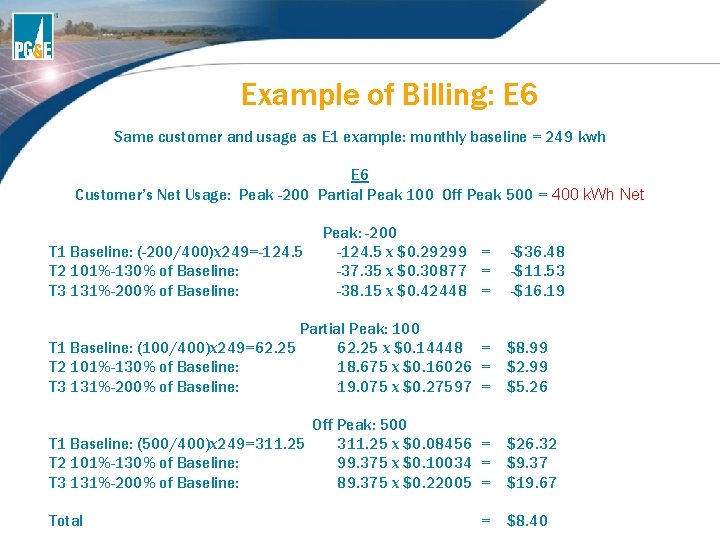
Residential Rate Options E-1 • Basic rate • Price does not vary by season or time of day • Best for customer who are home during the day or cannot shift usage outside 1 -7 pm E 6 • Time of Use (TOU) rate • Price varies by time of day • 3 time periods: – Peak – Partial-Peak – Off-Peak • “Solar Friendly” 130
E-6 Time Periods
Example of Billing: E 1 Customer lives in San Francisco (territory T) and has gas heating Baseline Quantity (kwh): Summer - 8. 3 per day Winter - 9. 8 per day 30 days in billing cycle = 30 x 8. 3 = 249 kwh = monthly baseline E 1 Customer’s net usage is 400 k. Wh Net Tier 1 (Baseline): 249 x $0. 11550 = $28. 76 Tier 2 101%-130% of Baseline: 74. 7 x $0. 13131 = $9. 81 Tier 3 131%-200% of Baseline: 76. 3 x $0. 24725 = $18. 87 Tier 4 201% - 300% of Baseline: 0 x $0. 35443 Tier 5 Over 300% of Baseline: 0 x $0. 41059 Total = $57. 44
Example of Billing: E 6 Same customer and usage as E 1 example: monthly baseline = 249 kwh E 6 Customer’s Net Usage: Peak -200 Partial Peak 100 Off Peak 500 = 400 k. Wh Net T 1 Baseline: (-200/400)x 249=-124. 5 T 2 101%-130% of Baseline: T 3 131%-200% of Baseline: Peak: -200 -124. 5 x $0. 29299 = -37. 35 x $0. 30877 = -38. 15 x $0. 42448 = -$36. 48 -$11. 53 -$16. 19 Partial Peak: 100 T 1 Baseline: (100/400)x 249=62. 25 x $0. 14448 = T 2 101%-130% of Baseline: 18. 675 x $0. 16026 = T 3 131%-200% of Baseline: 19. 075 x $0. 27597 = $8. 99 $2. 99 $5. 26 Off Peak: 500 T 1 Baseline: (500/400)x 249=311. 25 x $0. 08456 = T 2 101%-130% of Baseline: 99. 375 x $0. 10034 = T 3 131%-200% of Baseline: 89. 375 x $0. 22005 = $26. 32 $9. 37 $19. 67 Total $8. 40 =
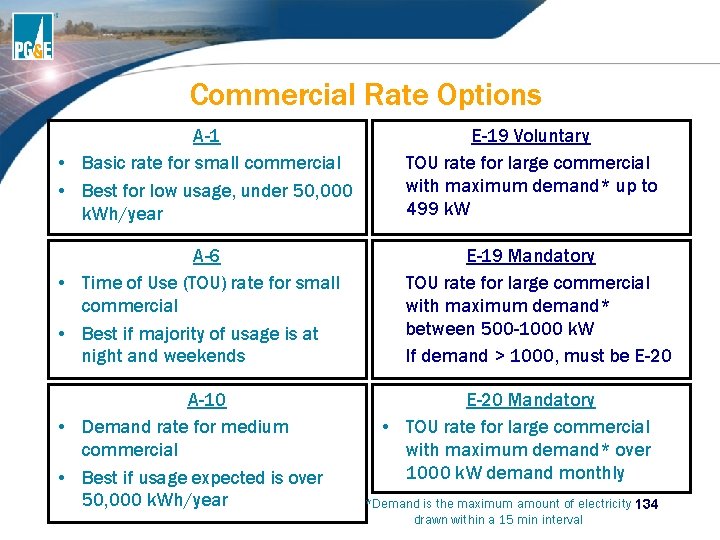
Commercial Rate Options A-1 • Basic rate for small commercial • Best for low usage, under 50, 000 k. Wh/year A-6 • Time of Use (TOU) rate for small commercial • Best if majority of usage is at night and weekends A-10 • Demand rate for medium commercial • Best if usage expected is over 50, 000 k. Wh/year • • • E-19 Voluntary TOU rate for large commercial with maximum demand* up to 499 k. W E-19 Mandatory TOU rate for large commercial with maximum demand* between 500 -1000 k. W If demand > 1000, must be E-20 Mandatory • TOU rate for large commercial with maximum demand* over 1000 k. W demand monthly *Demand is the maximum amount of electricity 134 drawn within a 15 min interval
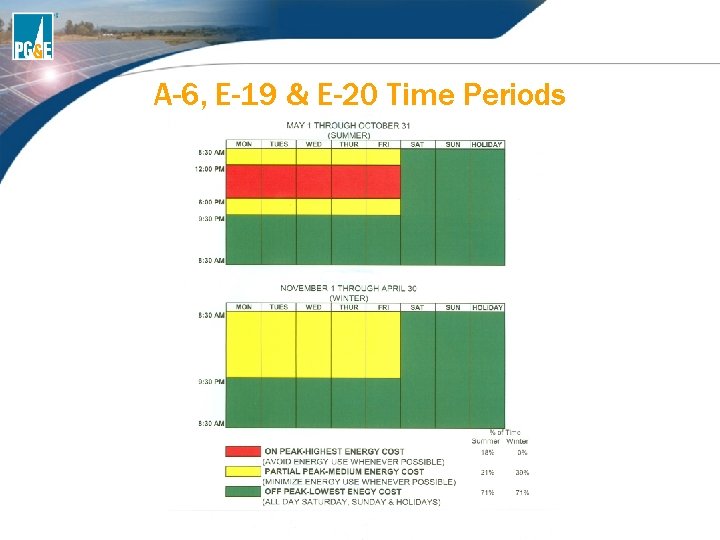
A-6, E-19 & E-20 Time Periods
Resources… Website www. pge. com/tariffs To discuss rates Call the Solar Customer Service Center 1 -877 -743 -4112
BONUS: What are the two current electric rate options for residential customers and two rate options for small commercial?
Appendix 138
Other Solar Incentive Programs New Solar Homes Partnership (NSHP) • Goal is to create a self sustaining market for new homes where builders incorporate high levels of energy efficiency AND high performing solar systems • Provides financial incentives to home builders and developers for installing eligible solar photovoltaic (PV) on new residential homes: • For more information, please visit www. pge. com/nshp Low Income Solar Program • Provides education and incentives for installing solar PV systems in eligible low income structures • There are two distinct programs: • SASH: Single Family Affordable Solar Housing • Administered statewide by GRID Alternatives • MASH: Multifamily Affordable Solar Housing • Administered by PG&E, SCE and CCSE • For more information, visit www. pge. com/lowincomesolar
Other Renewables Programs Feed-in Tariffs • Created in February 2008 to allow eligible renewable generators up to 1. 5 MW to sell back power to PG&E • Customers must sign a power purchase agreement of 10, 15 or 20 years and will be paid based on CPUC determined rate • For more information, visit www. pge. com/feedintariffs Power Procurement/Wholesale Electric • To meet customer load, PG&E purchases wholesale electric energy and capacity from generators and suppliers. • If you are interested in Request for Offers (RFOs), power purchase agreements or Qualifying Facilities (QFs), please visit www. pge. com/b 2 b/energysupply/wholesaleelectricsuppliersolici tation/ http: //www. pge. com/b 2 b/energysupply/qualifyingfacilities/
BONUS: What are the four solar programs under the Senate Bill 1 (SB 1)?
Resources The slides for today’s presentation can be downloaded/printed at: www. pge. com/solareducation Also available are the following supporting documents for the CSI Program: • • • Reservation Request Form Punchlist Incentive Claim Form Punchlist Detailed Explanation of EPBB Calculator Calculating Baseline for NEM Customers Instructions for the Removal of Cookies
Future Webinars/Classes Sat, Sep 12 - Solar Power Basics for Residential Customers (San Francisco) Sat, Sep 12 - California Solar Initiative Workshop (Redwood City) Fri, Sep 18 - California Solar Initiative Workshop (San Francisco) Tue, Sep 22 - Basics of Photovoltaic (PV) Systems for Grid-Tied Applications (San Francisco) Fri, Sep 25 - Integrating Energy Efficiency and Renewables in Home Retrofits (San Francisco) Tue, Oct 6 - Solar Careers and Business Opportunities (San Jose) Please visit our website for a complete list: www. pge. com/solarclasses
Questions