Linked Lists Modified from the slides of Starting
- Slides: 58
Linked Lists Modified from the slides of Starting out with C++ 1 Starting Out with C++, 3 rd Edition
Introduction to the Linked List ADT • A linked list is a series of connected nodes, where each node is a data structure. • A linked list can grow or shrink in size as the program runs 2 Starting Out with C++, 3 rd Edition
Advantages of Linked Lists over Arrays and vectors • A linked list can easily grow or shrink in size. • Insertion and deletion of nodes is quicker with linked lists than with vectors. • Insertion at the front or end of the list is O(1) • Insertion in the middle is O(n) if you need to search for the position to insert. 3 Starting Out with C++, 3 rd Edition
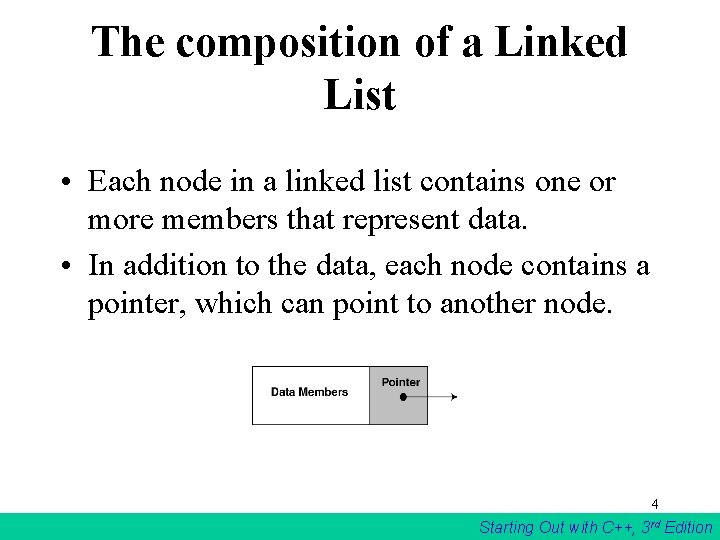
The composition of a Linked List • Each node in a linked list contains one or more members that represent data. • In addition to the data, each node contains a pointer, which can point to another node. 4 Starting Out with C++, 3 rd Edition
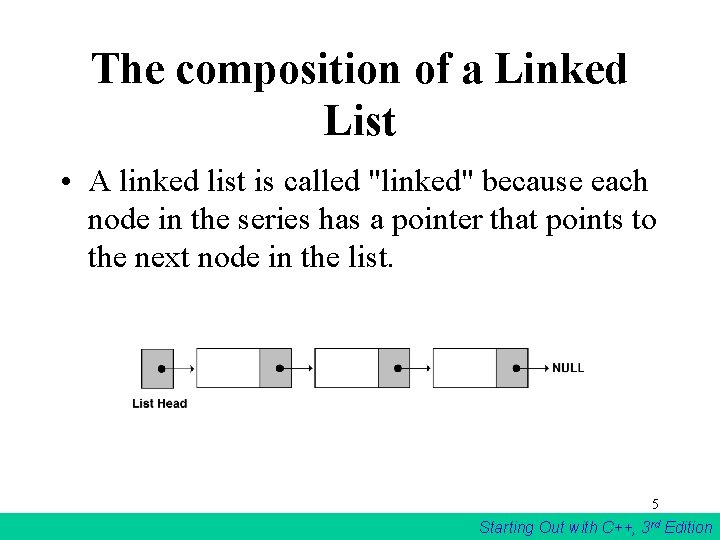
The composition of a Linked List • A linked list is called "linked" because each node in the series has a pointer that points to the next node in the list. 5 Starting Out with C++, 3 rd Edition
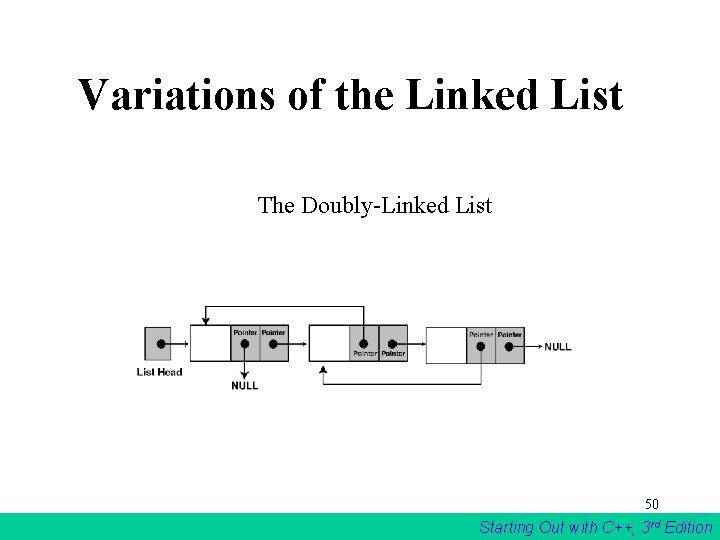
Variations of linked list The linked list discussed below is a basic linked list There are many variations. The list can contain an additional node at the front called a header node or an addition node at the end called the trailer node or both. We also can add a constructor for the Node struct that will simplify much of the coding. We can have single link list and doubly linked list. Single linked list allow you to only traverse forward while doubly linked list allow you to traverse both ways. 6 Starting Out with C++, 3 rd Edition
An Important Suggestion When writing the code for a linked list it is quite necessary for you to draw a diagram during the process. Add you write an instruction modify the diagram showing the result of the execution of that instruction. This will help you not forget a critical operation or relink etc. Writing linked list code without doing this often a disaster. 7 Starting Out with C++, 3 rd Edition
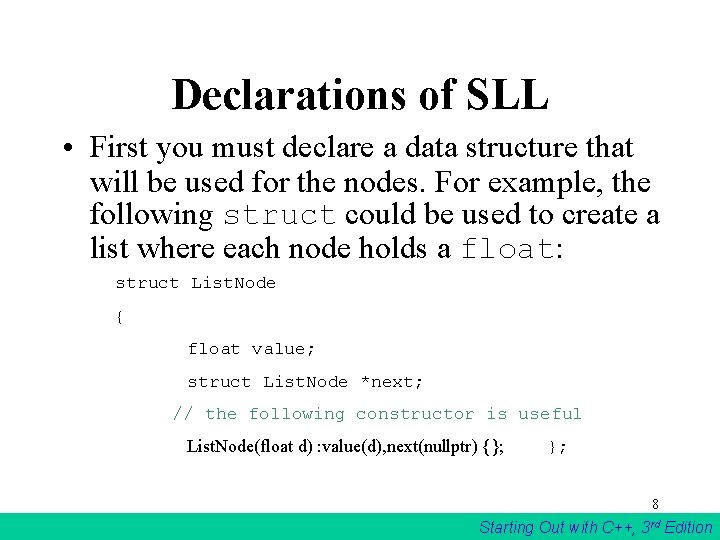
Declarations of SLL • First you must declare a data structure that will be used for the nodes. For example, the following struct could be used to create a list where each node holds a float: struct List. Node { float value; struct List. Node *next; // the following constructor is useful List. Node(float d) : value(d), next(nullptr) {}; }; 8 Starting Out with C++, 3 rd Edition
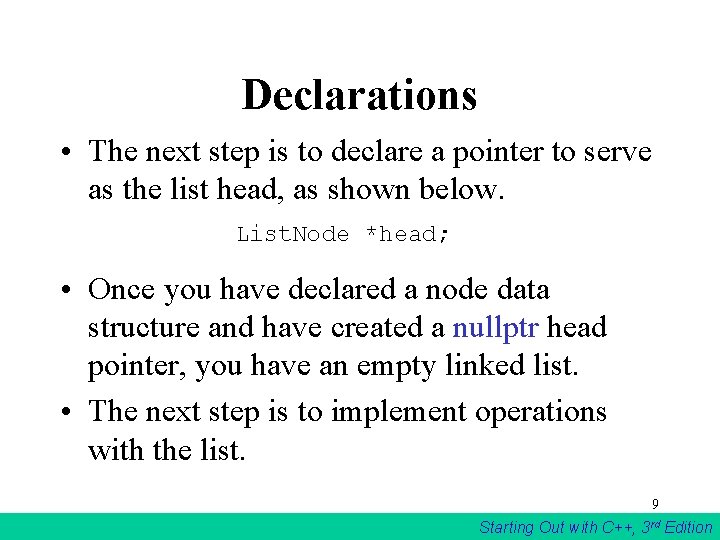
Declarations • The next step is to declare a pointer to serve as the list head, as shown below. List. Node *head; • Once you have declared a node data structure and have created a nullptr head pointer, you have an empty linked list. • The next step is to implement operations with the list. 9 Starting Out with C++, 3 rd Edition
17. 2 Linked List Operations • We will use the following class declaration (on the next slide), which is stored in Float. List. h. 10 Starting Out with C++, 3 rd Edition
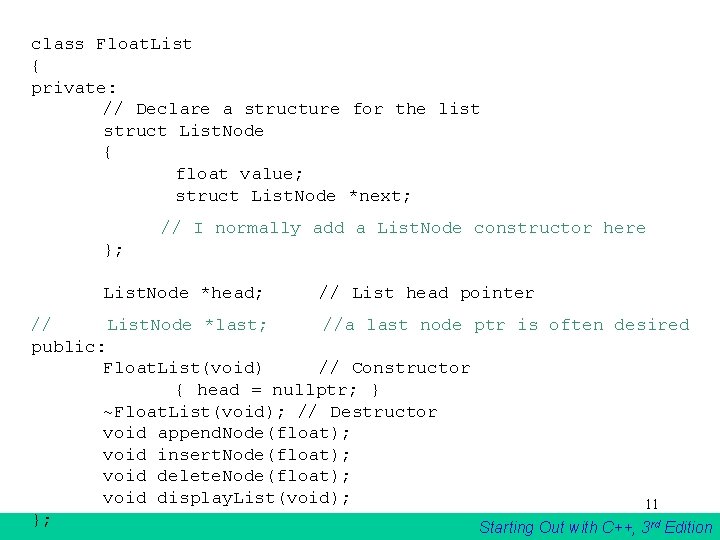
class Float. List { private: // Declare a structure for the list struct List. Node { float value; struct List. Node *next; // I normally add a List. Node constructor here }; List. Node *head; // List head pointer // List. Node *last; //a last node ptr is often desired public: Float. List(void) // Constructor { head = nullptr; } ~Float. List(void); // Destructor void append. Node(float); void insert. Node(float); void delete. Node(float); void display. List(void); 11 }; Starting Out with C++, 3 rd Edition
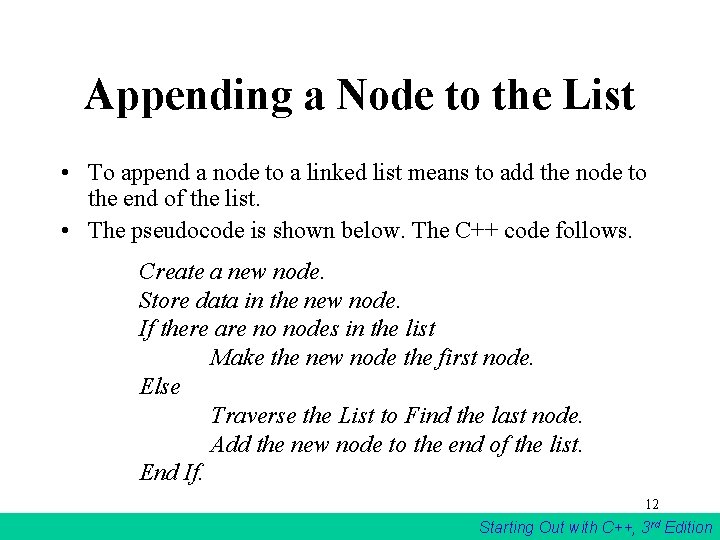
Appending a Node to the List • To append a node to a linked list means to add the node to the end of the list. • The pseudocode is shown below. The C++ code follows. Create a new node. Store data in the new node. If there are no nodes in the list Make the new node the first node. Else Traverse the List to Find the last node. Add the new node to the end of the list. End If. 12 Starting Out with C++, 3 rd Edition
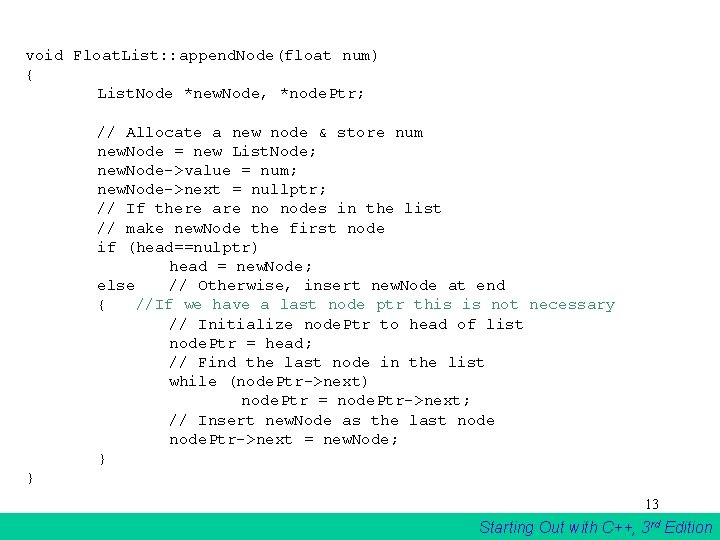
void Float. List: : append. Node(float num) { List. Node *new. Node, *node. Ptr; // Allocate a new node & store num new. Node = new List. Node; new. Node->value = num; new. Node->next = nullptr; // If there are no nodes in the list // make new. Node the first node if (head==nulptr) head = new. Node; else // Otherwise, insert new. Node at end { //If we have a last node ptr this is not necessary // Initialize node. Ptr to head of list node. Ptr = head; // Find the last node in the list while (node. Ptr->next) node. Ptr = node. Ptr->next; // Insert new. Node as the last node. Ptr->next = new. Node; } } 13 Starting Out with C++, 3 rd Edition
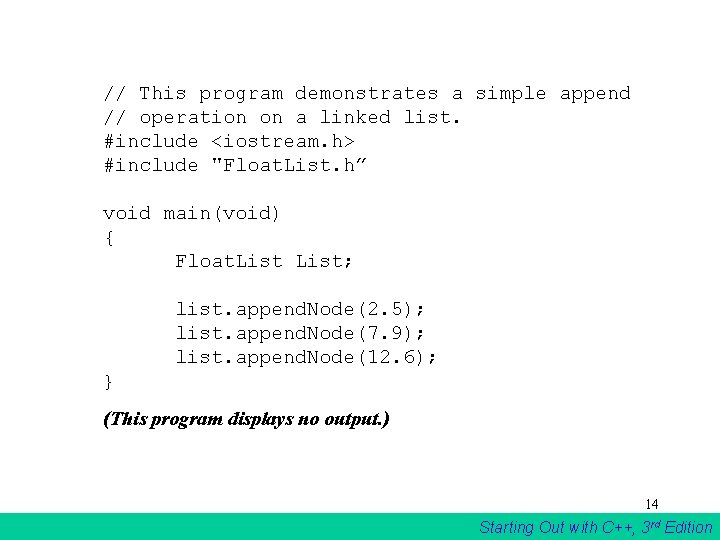
// This program demonstrates a simple append // operation on a linked list. #include <iostream. h> #include "Float. List. h” void main(void) { Float. List; list. append. Node(2. 5); list. append. Node(7. 9); list. append. Node(12. 6); } (This program displays no output. ) 14 Starting Out with C++, 3 rd Edition
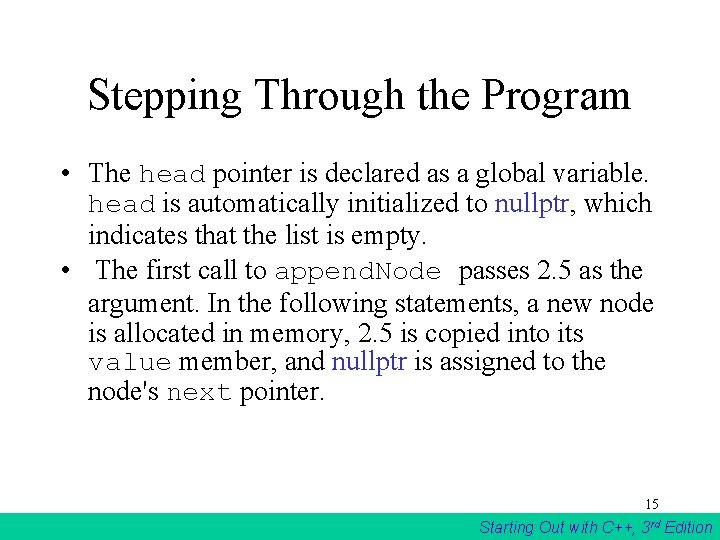
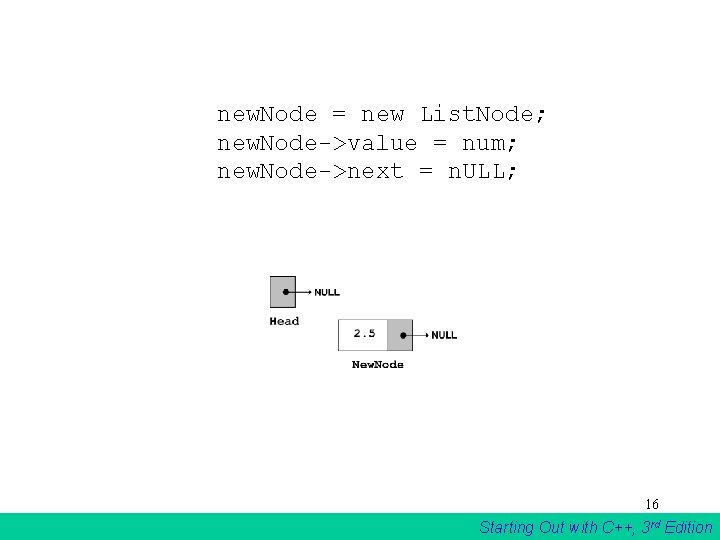
Stepping Through the Program • The head pointer is declared as a global variable. head is automatically initialized to nullptr, which indicates that the list is empty. • The first call to append. Node passes 2. 5 as the argument. In the following statements, a new node is allocated in memory, 2. 5 is copied into its value member, and nullptr is assigned to the node's next pointer. 15 Starting Out with C++, 3 rd Edition
new. Node = new List. Node; new. Node->value = num; new. Node->next = n. ULL; 16 Starting Out with C++, 3 rd Edition
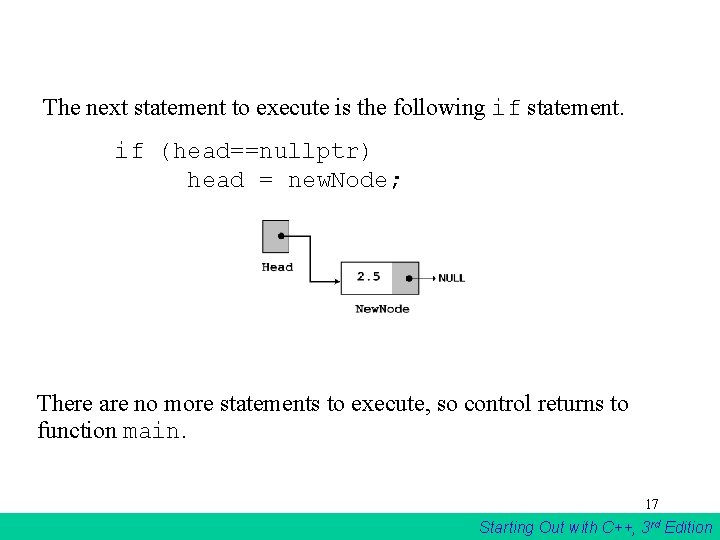
The next statement to execute is the following if statement. if (head==nullptr) head = new. Node; There are no more statements to execute, so control returns to function main. 17 Starting Out with C++, 3 rd Edition
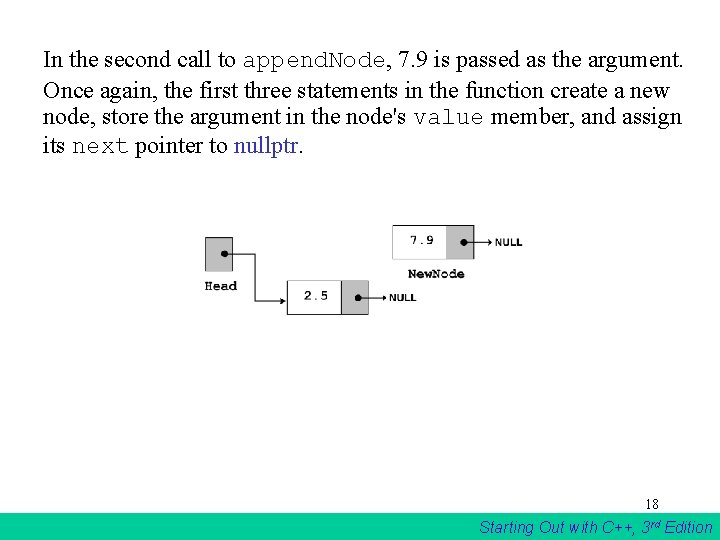
In the second call to append. Node, 7. 9 is passed as the argument. Once again, the first three statements in the function create a new node, store the argument in the node's value member, and assign its next pointer to nullptr. 18 Starting Out with C++, 3 rd Edition
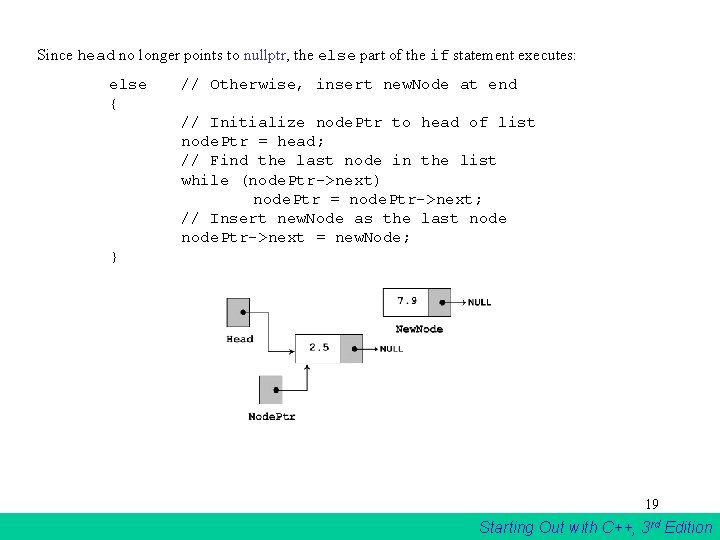
Since head no longer points to nullptr, the else part of the if statement executes: else { // Otherwise, insert new. Node at end // Initialize node. Ptr to head of list node. Ptr = head; // Find the last node in the list while (node. Ptr->next) node. Ptr = node. Ptr->next; // Insert new. Node as the last node. Ptr->next = new. Node; } 19 Starting Out with C++, 3 rd Edition
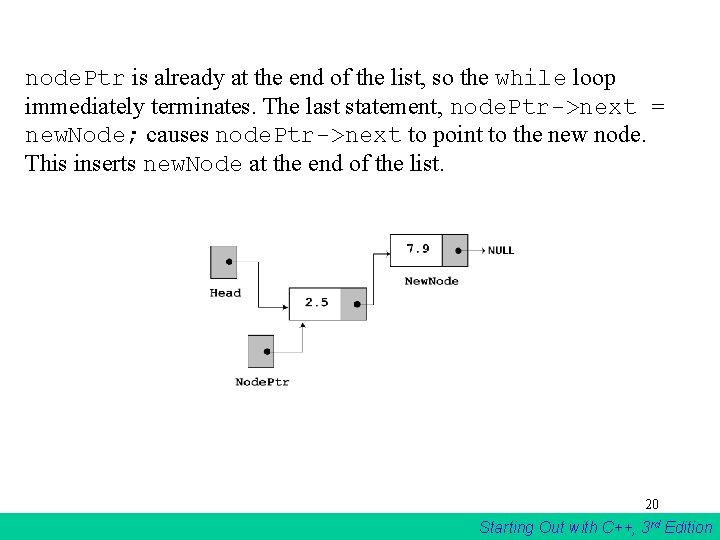
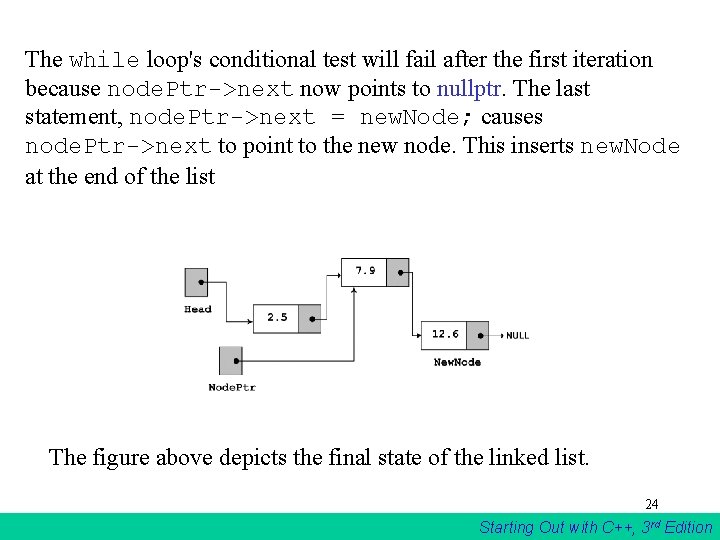
node. Ptr is already at the end of the list, so the while loop immediately terminates. The last statement, node. Ptr->next = new. Node; causes node. Ptr->next to point to the new node. This inserts new. Node at the end of the list. 20 Starting Out with C++, 3 rd Edition
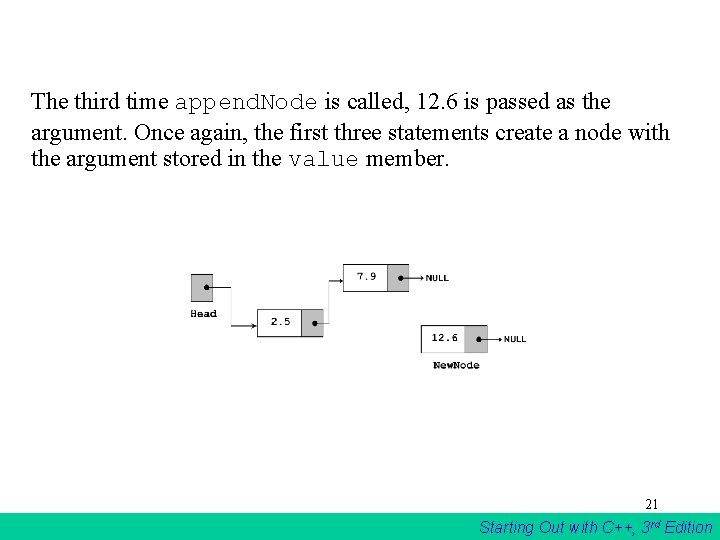
The third time append. Node is called, 12. 6 is passed as the argument. Once again, the first three statements create a node with the argument stored in the value member. 21 Starting Out with C++, 3 rd Edition
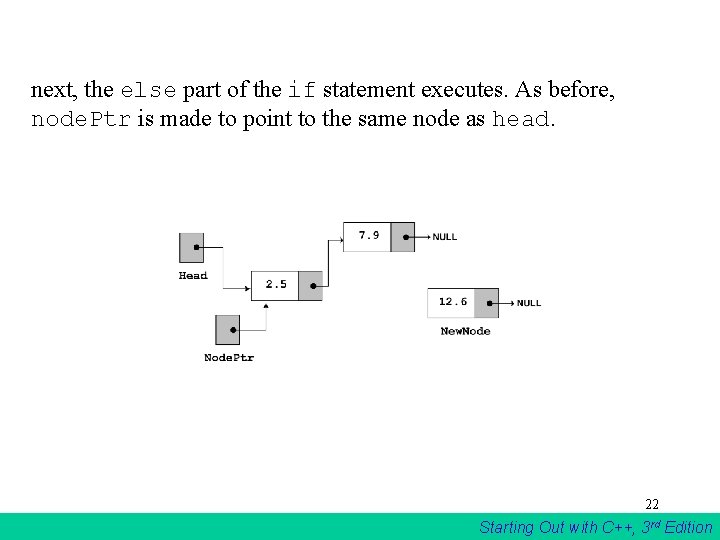
next, the else part of the if statement executes. As before, node. Ptr is made to point to the same node as head. 22 Starting Out with C++, 3 rd Edition
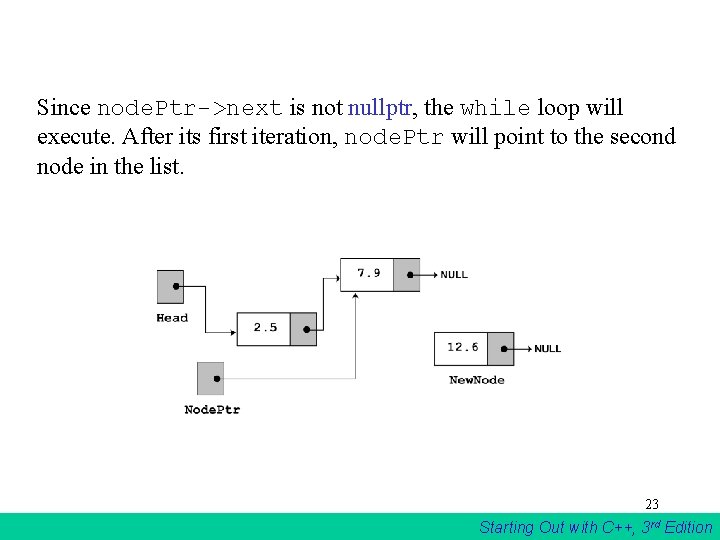
Since node. Ptr->next is not nullptr, the while loop will execute. After its first iteration, node. Ptr will point to the second node in the list. 23 Starting Out with C++, 3 rd Edition
The while loop's conditional test will fail after the first iteration because node. Ptr->next now points to nullptr. The last statement, node. Ptr->next = new. Node; causes node. Ptr->next to point to the new node. This inserts new. Node at the end of the list The figure above depicts the final state of the linked list. 24 Starting Out with C++, 3 rd Edition
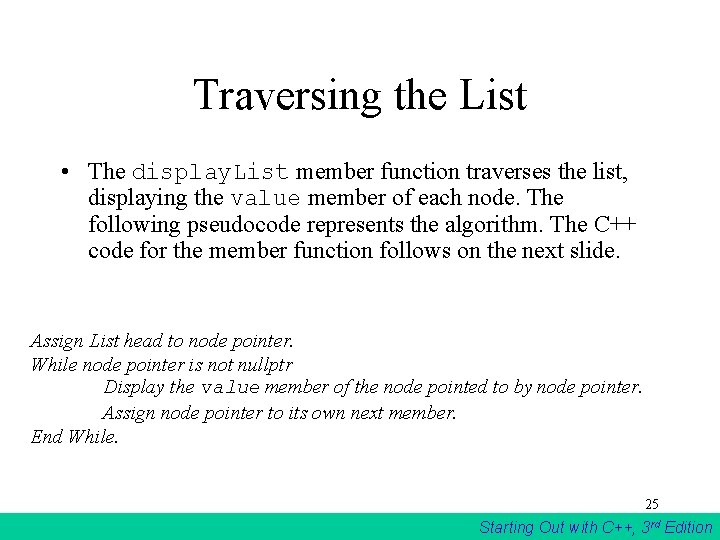
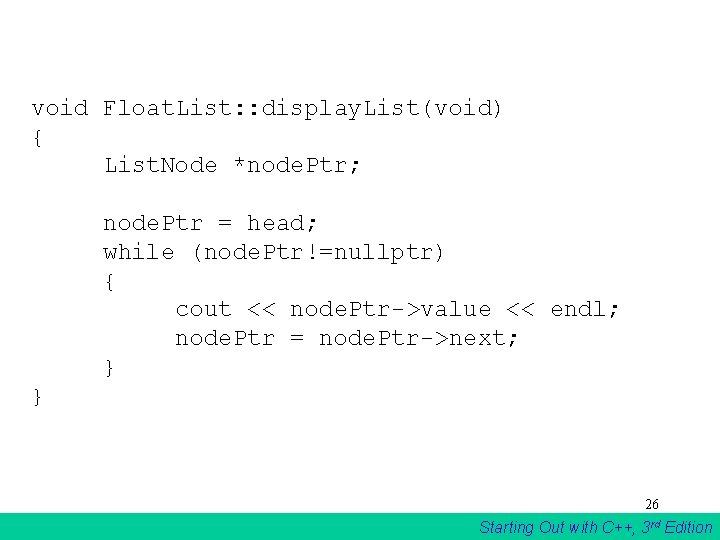
Traversing the List • The display. List member function traverses the list, displaying the value member of each node. The following pseudocode represents the algorithm. The C++ code for the member function follows on the next slide. Assign List head to node pointer. While node pointer is not nullptr Display the value member of the node pointed to by node pointer. Assign node pointer to its own next member. End While. 25 Starting Out with C++, 3 rd Edition
void Float. List: : display. List(void) { List. Node *node. Ptr; node. Ptr = head; while (node. Ptr!=nullptr) { cout << node. Ptr->value << endl; node. Ptr = node. Ptr->next; } } 26 Starting Out with C++, 3 rd Edition
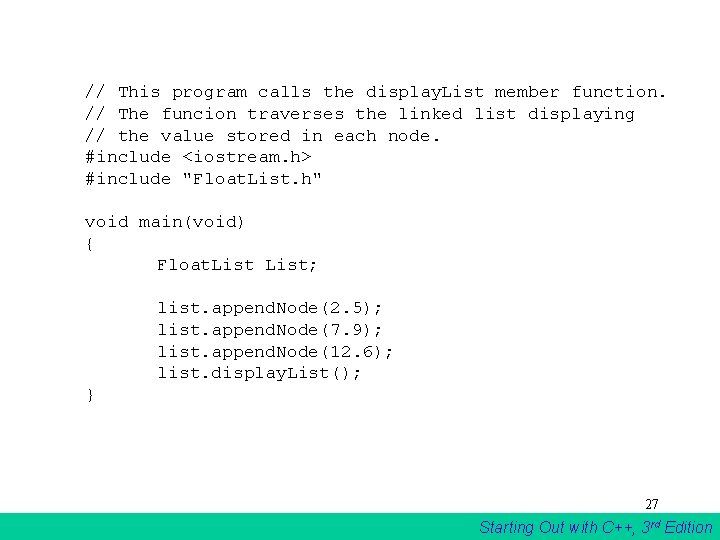
// This program calls the display. List member function. // The funcion traverses the linked list displaying // the value stored in each node. #include <iostream. h> #include "Float. List. h" void main(void) { Float. List; list. append. Node(2. 5); list. append. Node(7. 9); list. append. Node(12. 6); list. display. List(); } 27 Starting Out with C++, 3 rd Edition
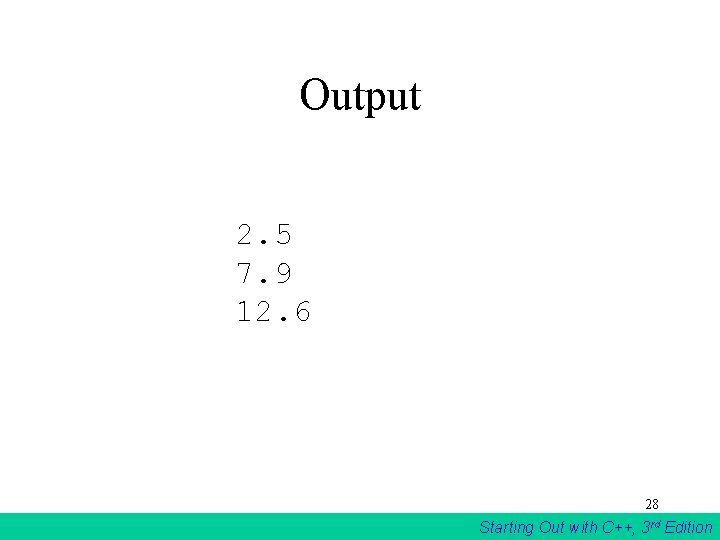
Output 2. 5 7. 9 12. 6 28 Starting Out with C++, 3 rd Edition
Inserting a Node • Using the list. Node structure again, the pseudocode on the next slide shows an algorithm for finding a new node’s proper position in the list and inserting there. • The algorithm assumes the nodes in the list are already in order. 29 Starting Out with C++, 3 rd Edition
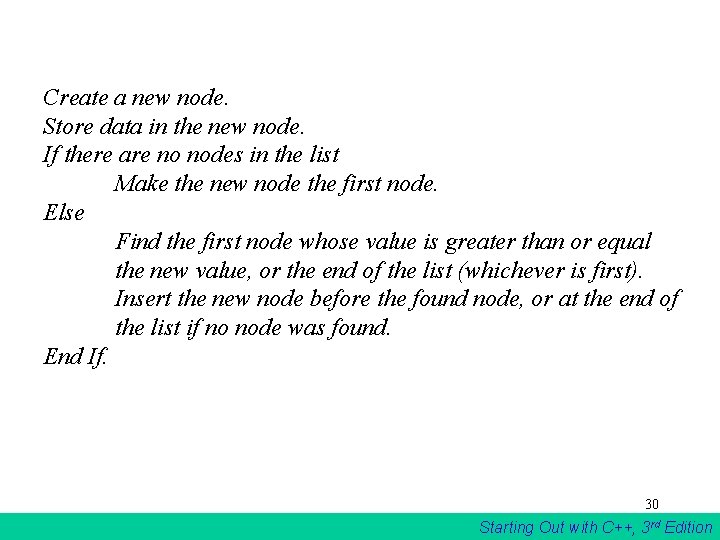
Create a new node. Store data in the new node. If there are no nodes in the list Make the new node the first node. Else Find the first node whose value is greater than or equal the new value, or the end of the list (whichever is first). Insert the new node before the found node, or at the end of the list if no node was found. End If. 30 Starting Out with C++, 3 rd Edition
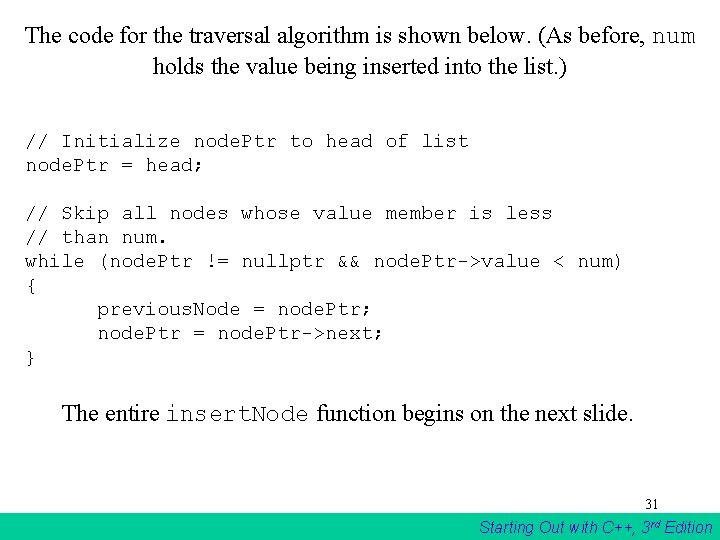
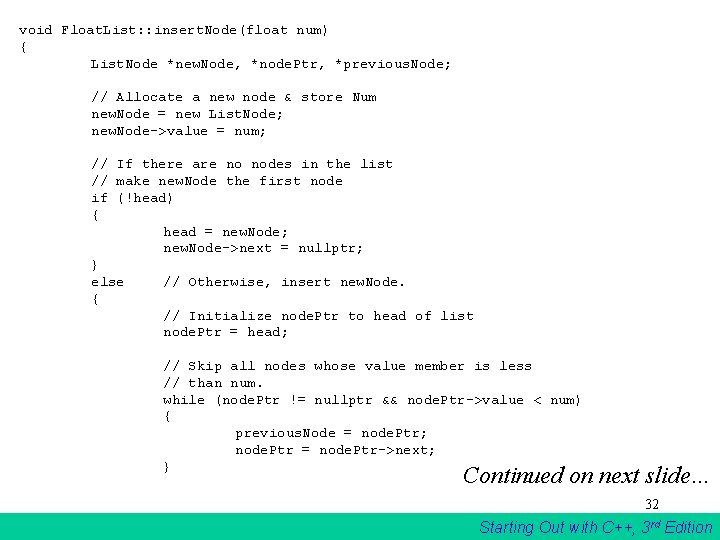
The code for the traversal algorithm is shown below. (As before, num holds the value being inserted into the list. ) // Initialize node. Ptr to head of list node. Ptr = head; // Skip all nodes whose value member is less // than num. while (node. Ptr != nullptr && node. Ptr->value < num) { previous. Node = node. Ptr; node. Ptr = node. Ptr->next; } The entire insert. Node function begins on the next slide. 31 Starting Out with C++, 3 rd Edition
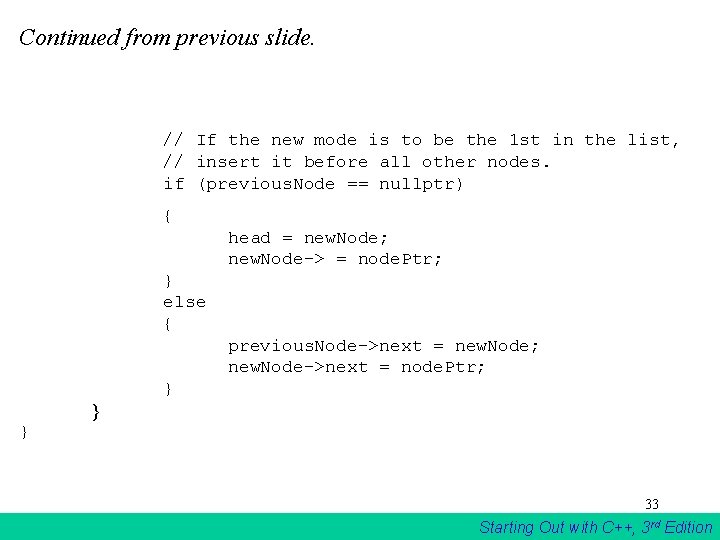
void Float. List: : insert. Node(float num) { List. Node *new. Node, *node. Ptr, *previous. Node; // Allocate a new node & store Num new. Node = new List. Node; new. Node->value = num; // If there are no nodes in the list // make new. Node the first node if (!head) { head = new. Node; new. Node->next = nullptr; } else // Otherwise, insert new. Node. { // Initialize node. Ptr to head of list node. Ptr = head; // Skip all nodes whose value member is less // than num. while (node. Ptr != nullptr && node. Ptr->value < num) { previous. Node = node. Ptr; node. Ptr = node. Ptr->next; } Continued on next slide… 32 Starting Out with C++, 3 rd Edition
Continued from previous slide. // If the new mode is to be the 1 st in the list, // insert it before all other nodes. if (previous. Node == nullptr) { head = new. Node; new. Node-> = node. Ptr; } else { previous. Node->next = new. Node; new. Node->next = node. Ptr; } } } 33 Starting Out with C++, 3 rd Edition
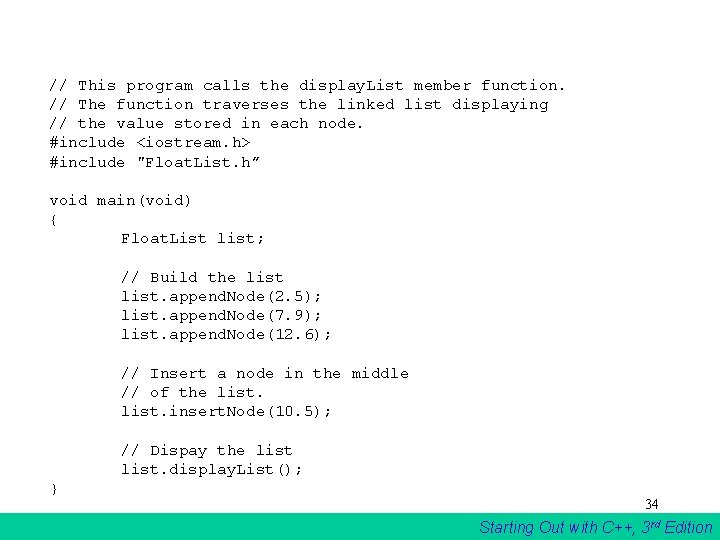
// This program calls the display. List member function. // The function traverses the linked list displaying // the value stored in each node. #include <iostream. h> #include "Float. List. h” void main(void) { Float. List list; // Build the list. append. Node(2. 5); list. append. Node(7. 9); list. append. Node(12. 6); // Insert a node in the middle // of the list. insert. Node(10. 5); // Dispay the list. display. List(); } 34 Starting Out with C++, 3 rd Edition
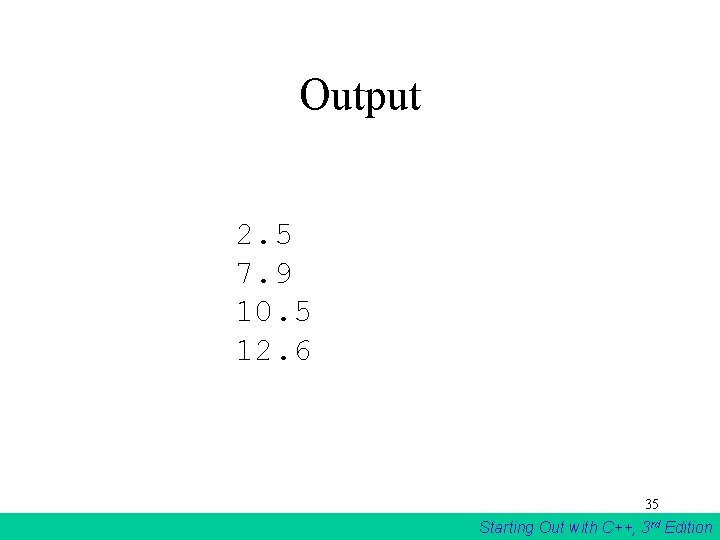
Output 2. 5 7. 9 10. 5 12. 6 35 Starting Out with C++, 3 rd Edition
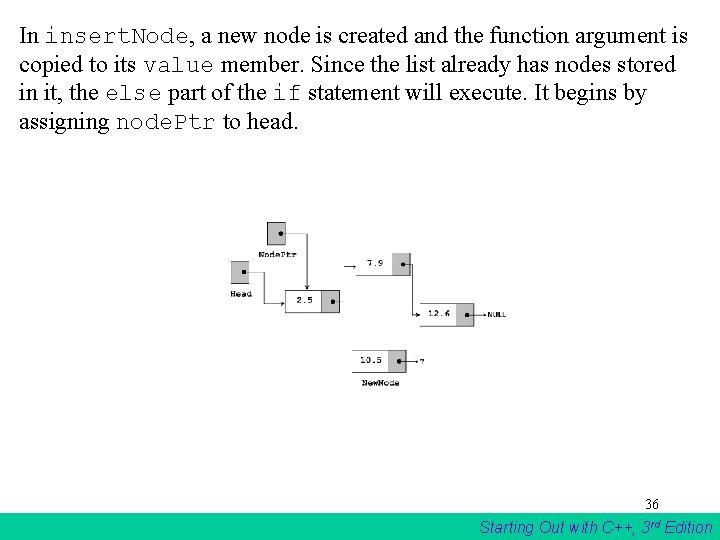
In insert. Node, a new node is created and the function argument is copied to its value member. Since the list already has nodes stored in it, the else part of the if statement will execute. It begins by assigning node. Ptr to head. 36 Starting Out with C++, 3 rd Edition
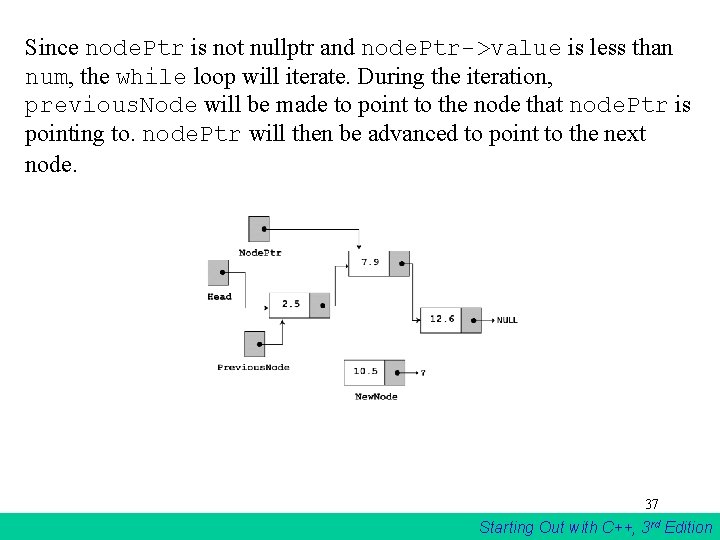
Since node. Ptr is not nullptr and node. Ptr->value is less than num, the while loop will iterate. During the iteration, previous. Node will be made to point to the node that node. Ptr is pointing to. node. Ptr will then be advanced to point to the next node. 37 Starting Out with C++, 3 rd Edition
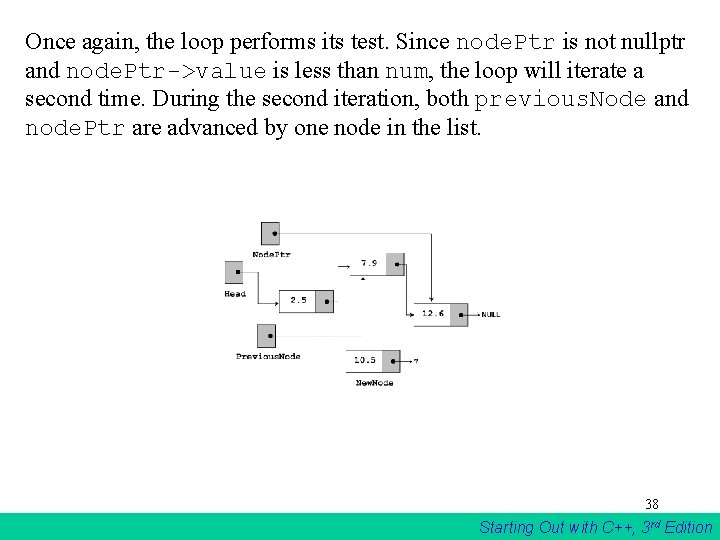
Once again, the loop performs its test. Since node. Ptr is not nullptr and node. Ptr->value is less than num, the loop will iterate a second time. During the second iteration, both previous. Node and node. Ptr are advanced by one node in the list. 38 Starting Out with C++, 3 rd Edition
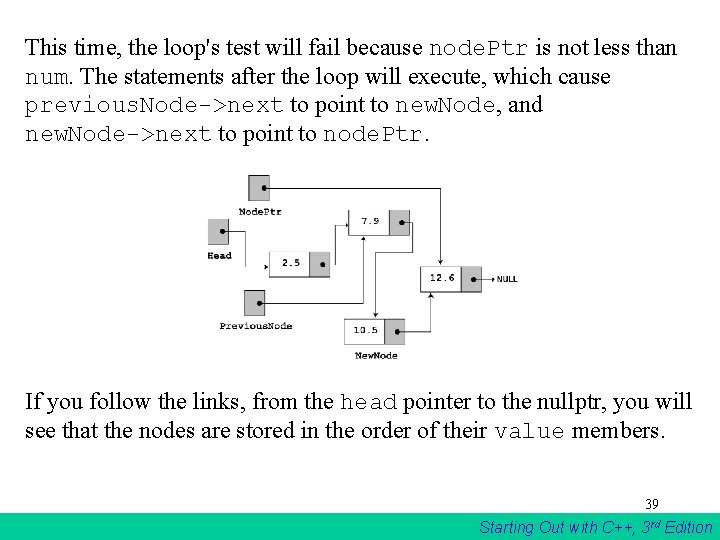
This time, the loop's test will fail because node. Ptr is not less than num. The statements after the loop will execute, which cause previous. Node->next to point to new. Node, and new. Node->next to point to node. Ptr. If you follow the links, from the head pointer to the nullptr, you will see that the nodes are stored in the order of their value members. 39 Starting Out with C++, 3 rd Edition
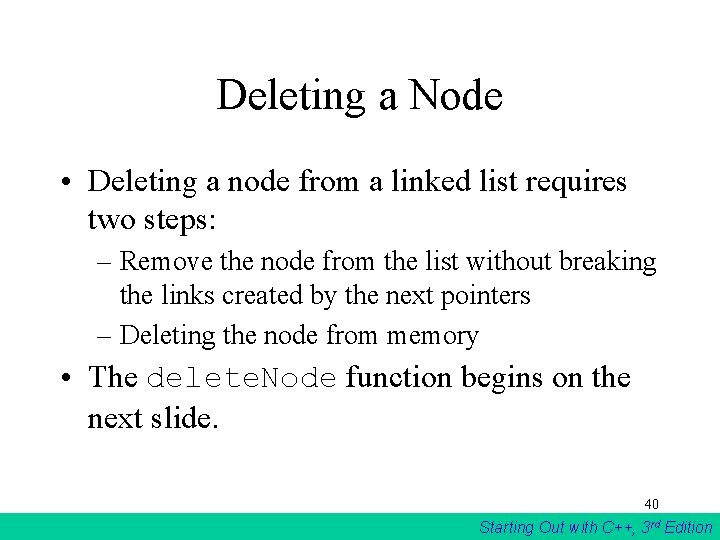
Deleting a Node • Deleting a node from a linked list requires two steps: – Remove the node from the list without breaking the links created by the next pointers – Deleting the node from memory • The delete. Node function begins on the next slide. 40 Starting Out with C++, 3 rd Edition
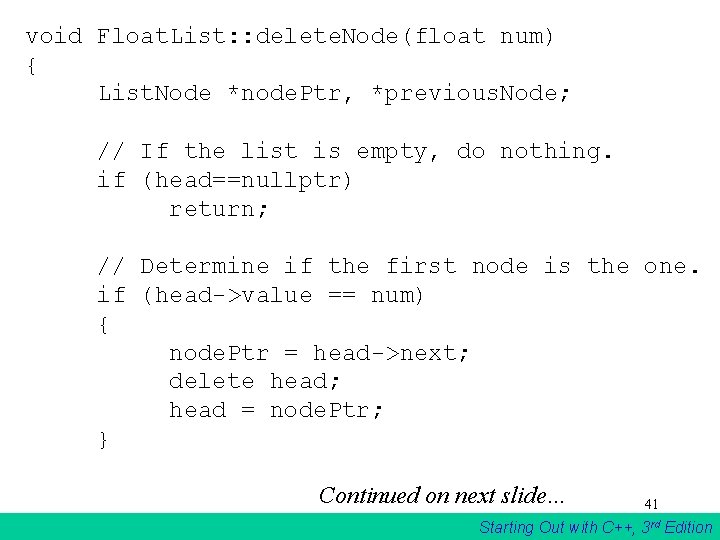
void Float. List: : delete. Node(float num) { List. Node *node. Ptr, *previous. Node; // If the list is empty, do nothing. if (head==nullptr) return; // Determine if the first node is the one. if (head->value == num) { node. Ptr = head->next; delete head; head = node. Ptr; } Continued on next slide… 41 Starting Out with C++, 3 rd Edition
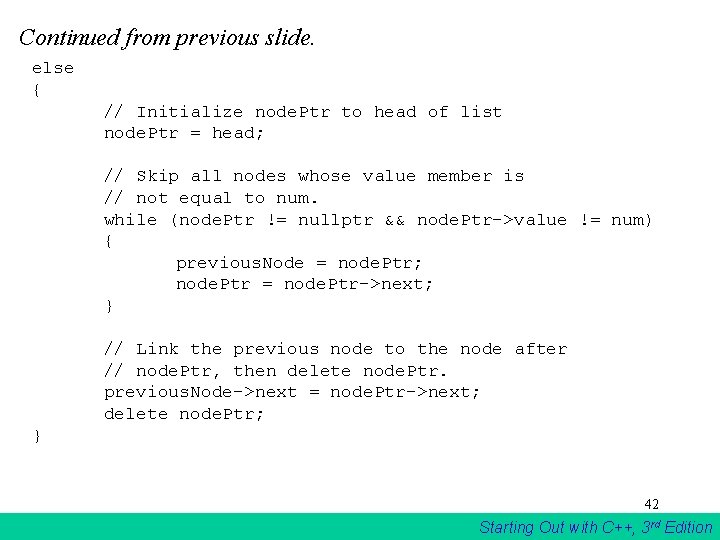
Continued from previous slide. else { // Initialize node. Ptr to head of list node. Ptr = head; // Skip all nodes whose value member is // not equal to num. while (node. Ptr != nullptr && node. Ptr->value != num) { previous. Node = node. Ptr; node. Ptr = node. Ptr->next; } // Link the previous node to the node after // node. Ptr, then delete node. Ptr. previous. Node->next = node. Ptr->next; delete node. Ptr; } 42 Starting Out with C++, 3 rd Edition
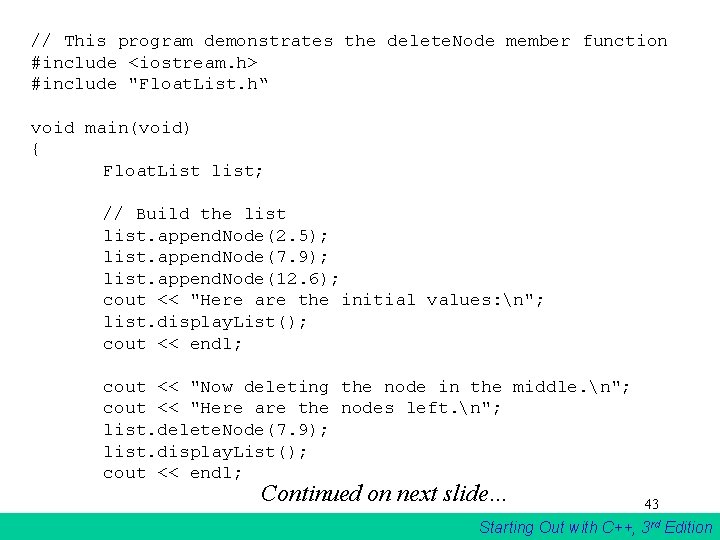
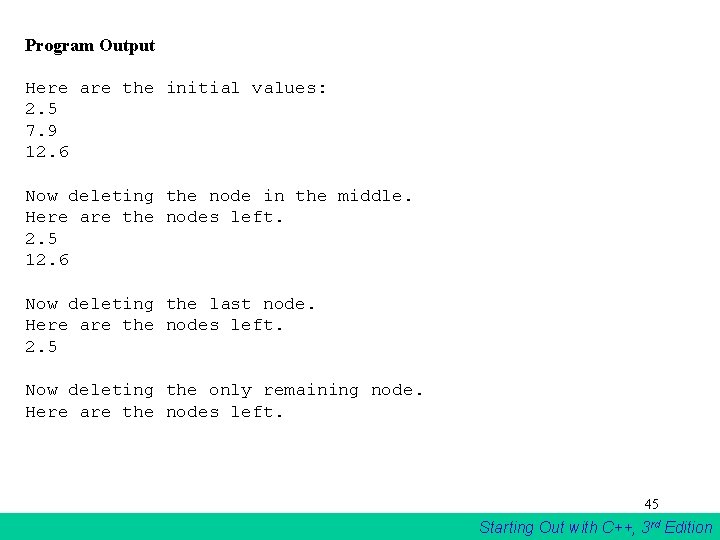
// This program demonstrates the delete. Node member function #include <iostream. h> #include "Float. List. h“ void main(void) { Float. List list; // Build the list. append. Node(2. 5); list. append. Node(7. 9); list. append. Node(12. 6); cout << "Here are the initial values: n"; list. display. List(); cout << endl; cout << "Now deleting the node in the middle. n"; cout << "Here are the nodes left. n"; list. delete. Node(7. 9); list. display. List(); cout << endl; Continued on next slide… 43 Starting Out with C++, 3 rd Edition
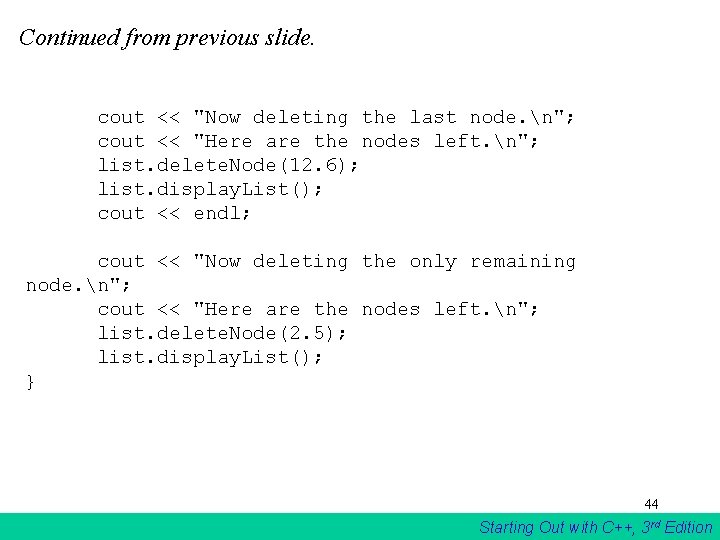
Continued from previous slide. cout << "Now deleting the last node. n"; cout << "Here are the nodes left. n"; list. delete. Node(12. 6); list. display. List(); cout << endl; cout << "Now deleting the only remaining node. n"; cout << "Here are the nodes left. n"; list. delete. Node(2. 5); list. display. List(); } 44 Starting Out with C++, 3 rd Edition
Program Output Here are the initial values: 2. 5 7. 9 12. 6 Now deleting the node in the middle. Here are the nodes left. 2. 5 12. 6 Now deleting the last node. Here are the nodes left. 2. 5 Now deleting the only remaining node. Here are the nodes left. 45 Starting Out with C++, 3 rd Edition
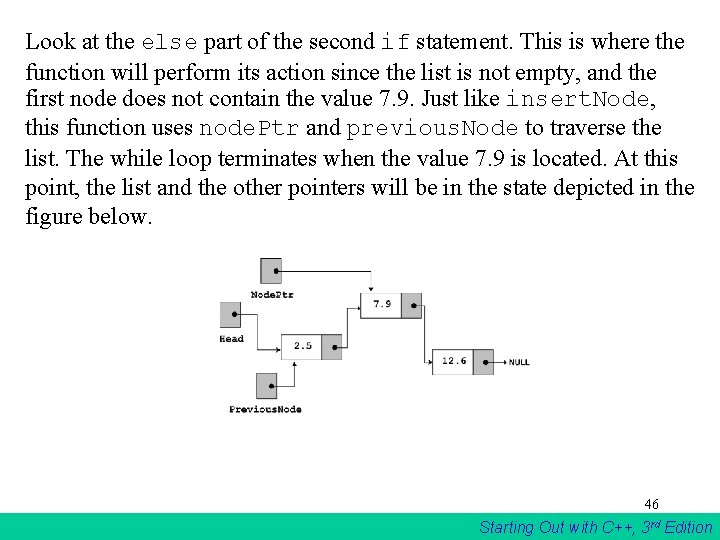
Look at the else part of the second if statement. This is where the function will perform its action since the list is not empty, and the first node does not contain the value 7. 9. Just like insert. Node, this function uses node. Ptr and previous. Node to traverse the list. The while loop terminates when the value 7. 9 is located. At this point, the list and the other pointers will be in the state depicted in the figure below. 46 Starting Out with C++, 3 rd Edition
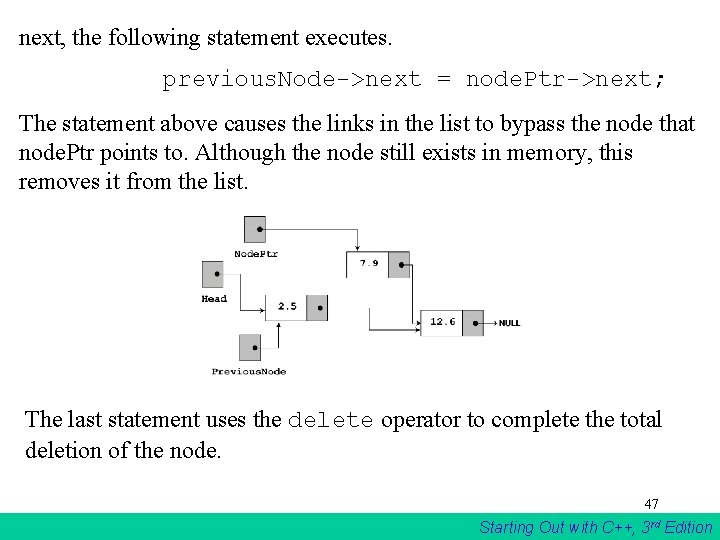
next, the following statement executes. previous. Node->next = node. Ptr->next; The statement above causes the links in the list to bypass the node that node. Ptr points to. Although the node still exists in memory, this removes it from the list. The last statement uses the delete operator to complete the total deletion of the node. 47 Starting Out with C++, 3 rd Edition
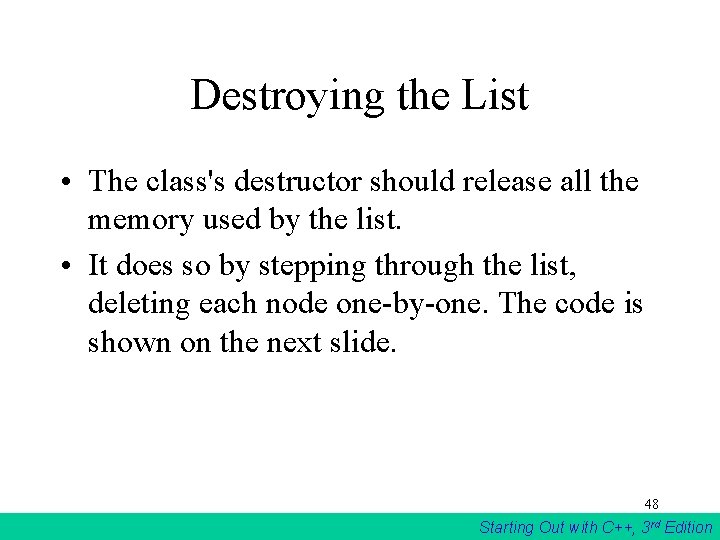
Destroying the List • The class's destructor should release all the memory used by the list. • It does so by stepping through the list, deleting each node one-by-one. The code is shown on the next slide. 48 Starting Out with C++, 3 rd Edition
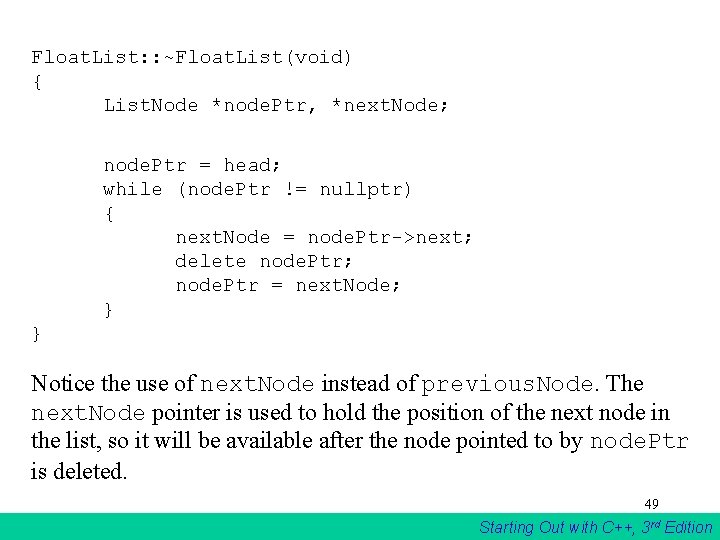
Float. List: : ~Float. List(void) { List. Node *node. Ptr, *next. Node; node. Ptr = head; while (node. Ptr != nullptr) { next. Node = node. Ptr->next; delete node. Ptr; node. Ptr = next. Node; } } Notice the use of next. Node instead of previous. Node. The next. Node pointer is used to hold the position of the next node in the list, so it will be available after the node pointed to by node. Ptr is deleted. 49 Starting Out with C++, 3 rd Edition
Variations of the Linked List The Doubly-Linked List 50 Starting Out with C++, 3 rd Edition
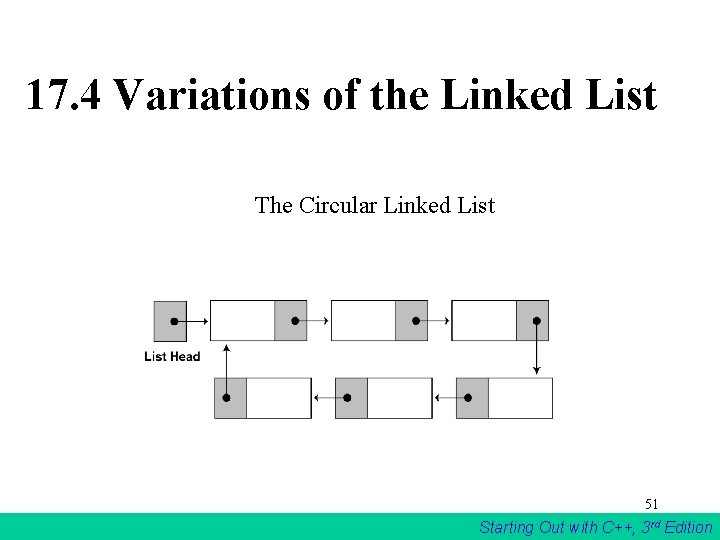
17. 4 Variations of the Linked List The Circular Linked List 51 Starting Out with C++, 3 rd Edition
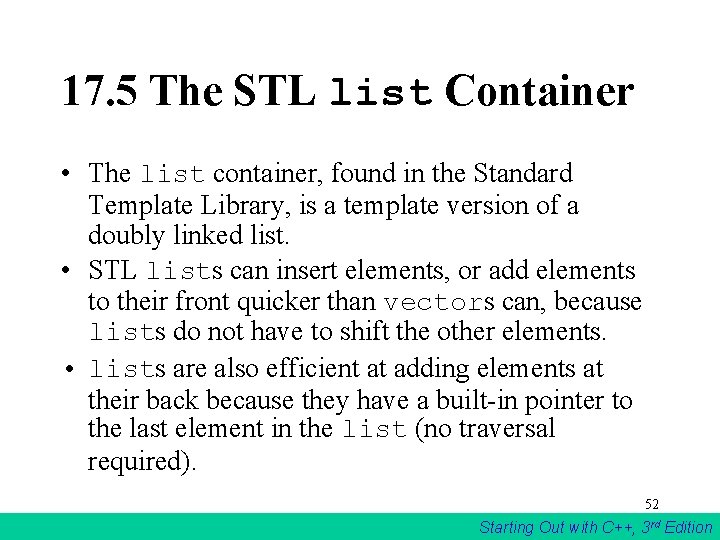
17. 5 The STL list Container • The list container, found in the Standard Template Library, is a template version of a doubly linked list. • STL lists can insert elements, or add elements to their front quicker than vectors can, because lists do not have to shift the other elements. • lists are also efficient at adding elements at their back because they have a built-in pointer to the last element in the list (no traversal required). 52 Starting Out with C++, 3 rd Edition
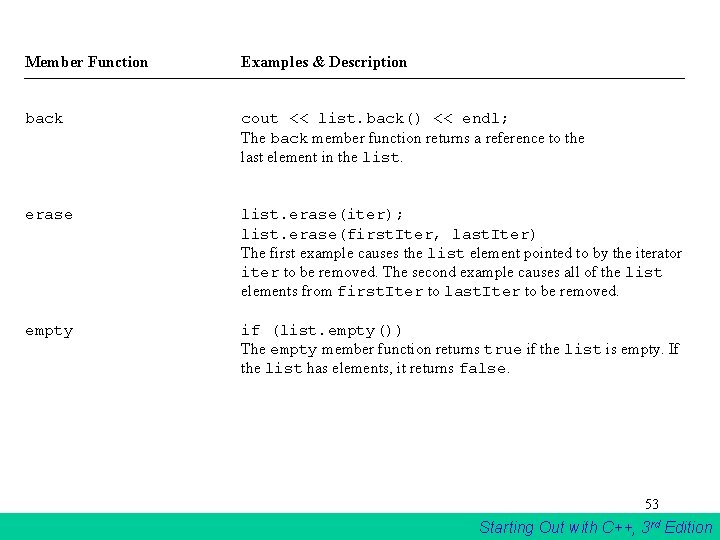
Member Function Examples & Description back cout << list. back() << endl; The back member function returns a reference to the last element in the list. erase(iter); list. erase(first. Iter, last. Iter) The first example causes the list element pointed to by the iterator iter to be removed. The second example causes all of the list elements from first. Iter to last. Iter to be removed. empty if (list. empty()) The empty member function returns true if the list is empty. If the list has elements, it returns false. 53 Starting Out with C++, 3 rd Edition
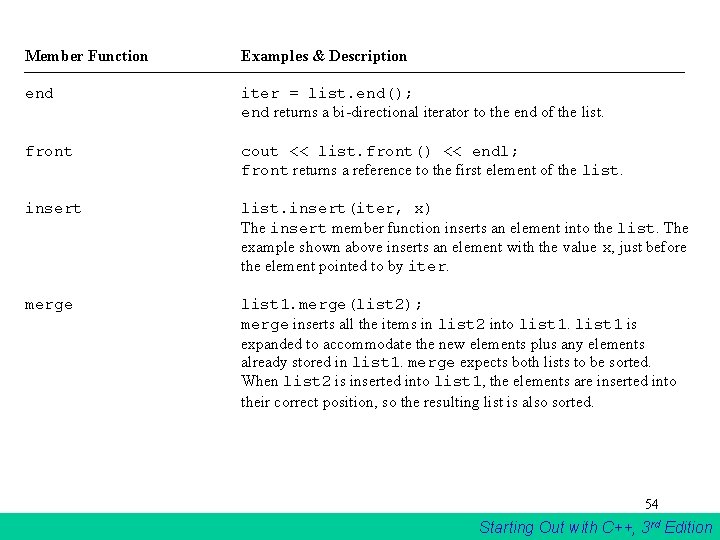
Member Function Examples & Description end iter = list. end(); end returns a bi-directional iterator to the end of the list. front cout << list. front() << endl; front returns a reference to the first element of the list. insert list. insert(iter, x) The insert member function inserts an element into the list. The example shown above inserts an element with the value x, just before the element pointed to by iter. merge list 1. merge(list 2); merge inserts all the items in list 2 into list 1 is expanded to accommodate the new elements plus any elements already stored in list 1. merge expects both lists to be sorted. When list 2 is inserted into list 1, the elements are inserted into their correct position, so the resulting list is also sorted. 54 Starting Out with C++, 3 rd Edition
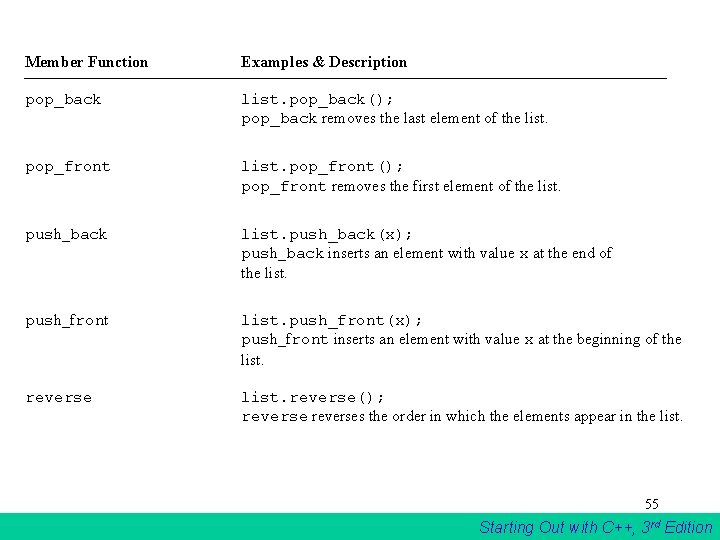
Member Function Examples & Description pop_back list. pop_back(); pop_back removes the last element of the list. pop_front list. pop_front(); pop_front removes the first element of the list. push_back list. push_back(x); push_back inserts an element with value x at the end of the list. push_front list. push_front(x); push_front inserts an element with value x at the beginning of the list. reverse list. reverse(); reverses the order in which the elements appear in the list. 55 Starting Out with C++, 3 rd Edition
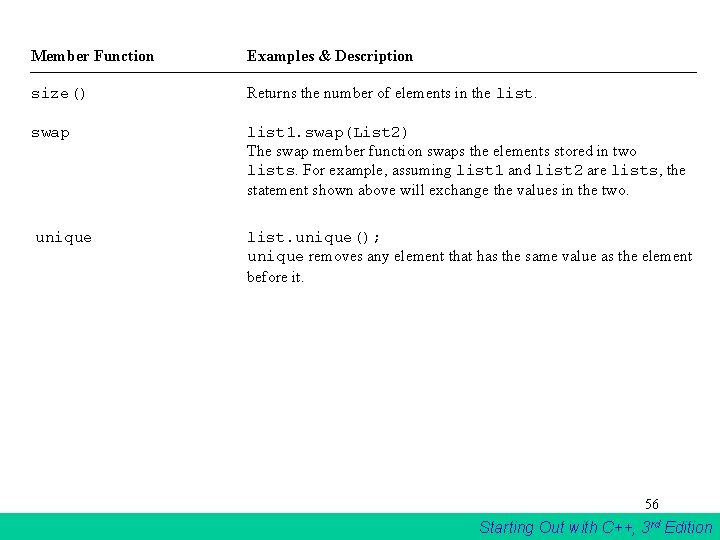
Member Function Examples & Description size() Returns the number of elements in the list. swap list 1. swap(List 2) The swap member function swaps the elements stored in two lists. For example, assuming list 1 and list 2 are lists, the statement shown above will exchange the values in the two. unique list. unique(); unique removes any element that has the same value as the element before it. 56 Starting Out with C++, 3 rd Edition
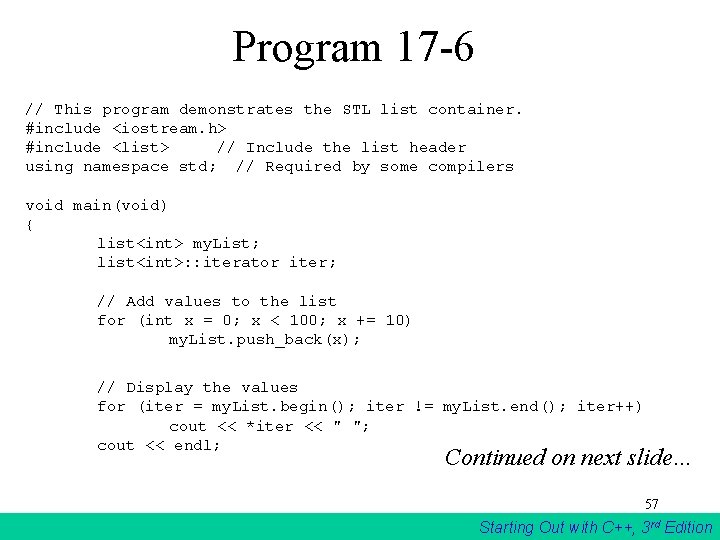
Program 17 -6 // This program demonstrates the STL list container. #include <iostream. h> #include <list> // Include the list header using namespace std; // Required by some compilers void main(void) { list<int> my. List; list<int>: : iterator iter; // Add values to the list for (int x = 0; x < 100; x += 10) my. List. push_back(x); // Display the values for (iter = my. List. begin(); iter != my. List. end(); iter++) cout << *iter << " "; cout << endl; Continued on next slide… 57 Starting Out with C++, 3 rd Edition
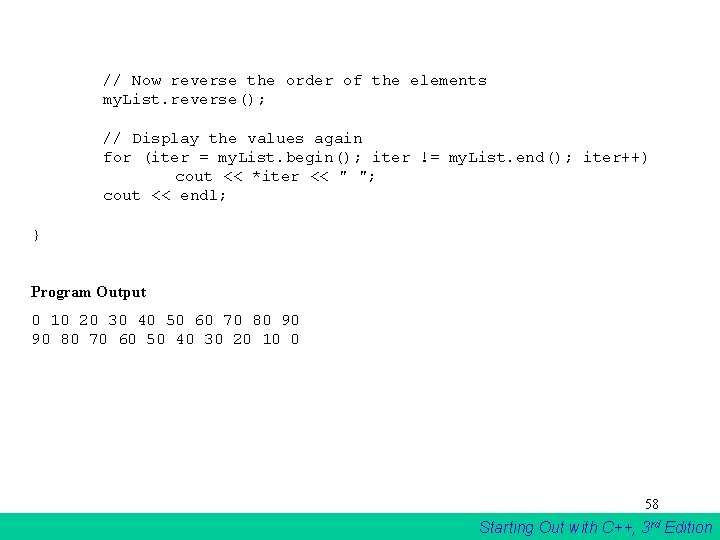
// Now reverse the order of the elements my. List. reverse(); // Display the values again for (iter = my. List. begin(); iter != my. List. end(); iter++) cout << *iter << " "; cout << endl; } Program Output 0 10 20 30 40 50 60 70 80 90 90 80 70 60 50 40 30 20 10 0 58 Starting Out with C++, 3 rd Edition