INTRODUCTION TO C Noornilo Nafees 1 Steps in


![gets() Example #include <stdio. h> #include<conio. h> void main() { char c[80]; clrscr(); printf("Input](https://slidetodoc.com/presentation_image/187b3d69ca1dcb2c2224ad925308812a/image-82.jpg "gets() Example #include <stdio. h> #include<conio. h> void main() { char c[80]; clrscr(); printf(\"Input")
- Slides: 144
INTRODUCTION TO C Noornilo Nafees 1
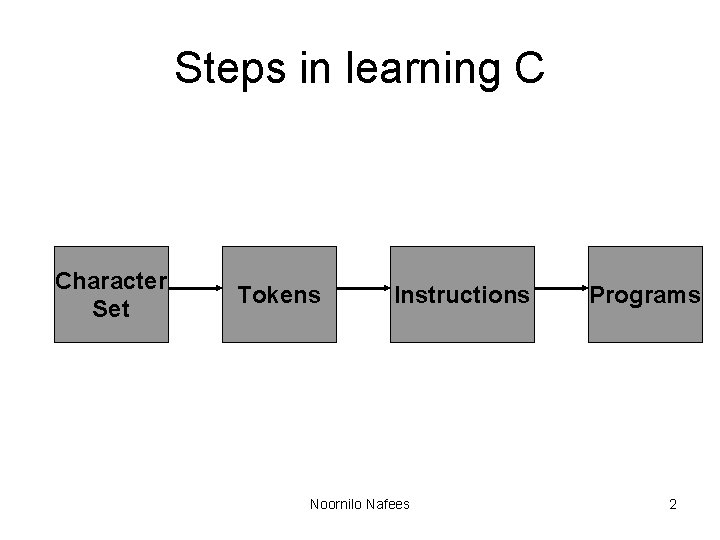
Steps in learning C Character Set Tokens Instructions Noornilo Nafees Programs 2
C Character Set Source Character Set Alphabets Digits Execution Character Set Special White Characters Spaces Noornilo Nafees Escape Sequence 3
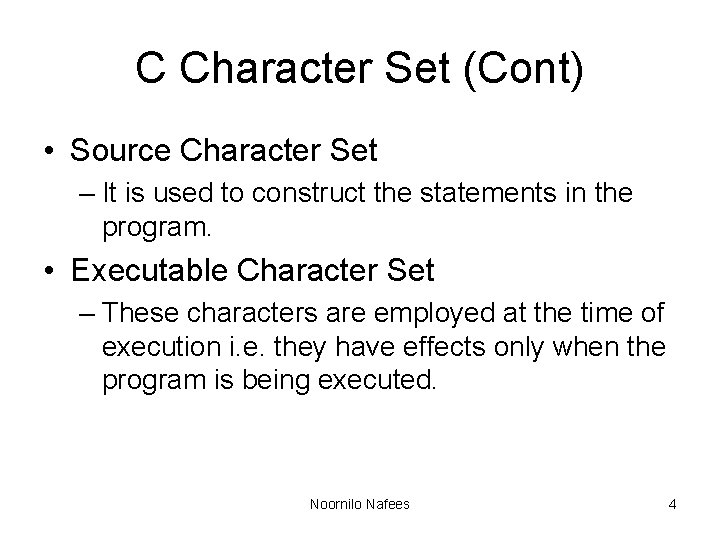
C Character Set (Cont) • Source Character Set – It is used to construct the statements in the program. • Executable Character Set – These characters are employed at the time of execution i. e. they have effects only when the program is being executed. Noornilo Nafees 4
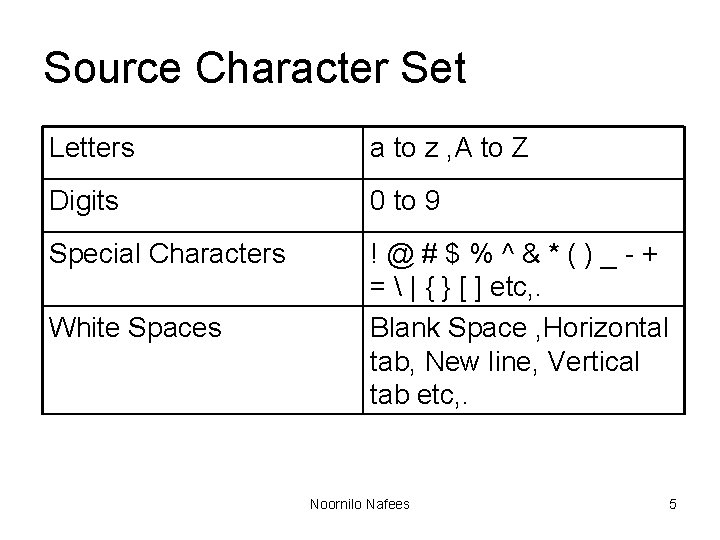
Source Character Set Letters a to z , A to Z Digits 0 to 9 Special Characters !@#$%^&*()_-+ = | { } [ ] etc, . Blank Space , Horizontal tab, New line, Vertical tab etc, . White Spaces Noornilo Nafees 5
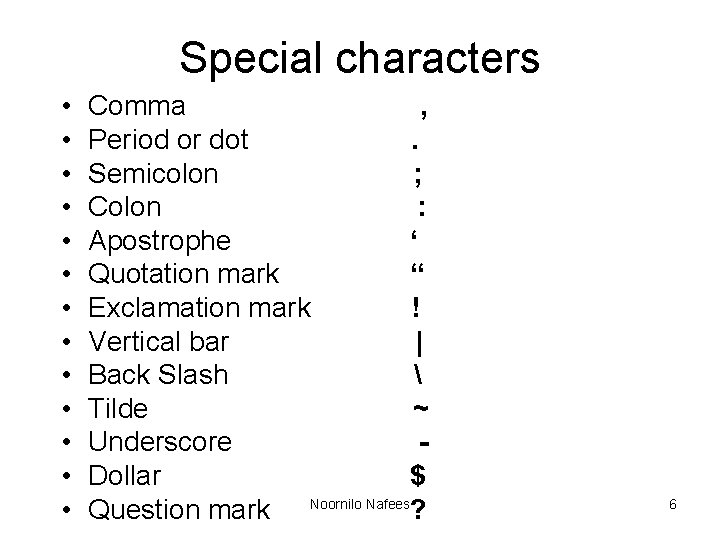
Special characters • • • • Comma , Period or dot. Semicolon ; Colon : Apostrophe ‘ Quotation mark “ Exclamation mark ! Vertical bar | Back Slash Tilde ~ Underscore Dollar $ Question mark Noornilo Nafees? 6
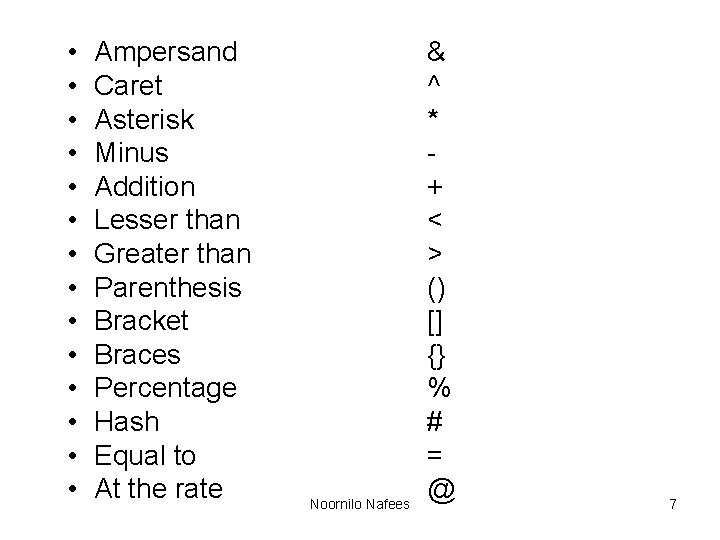
• • • • Ampersand Caret Asterisk Minus Addition Lesser than Greater than Parenthesis Bracket Braces Percentage Hash Equal to At the rate Noornilo Nafees & ^ * + < > () [] {} % # = @ 7
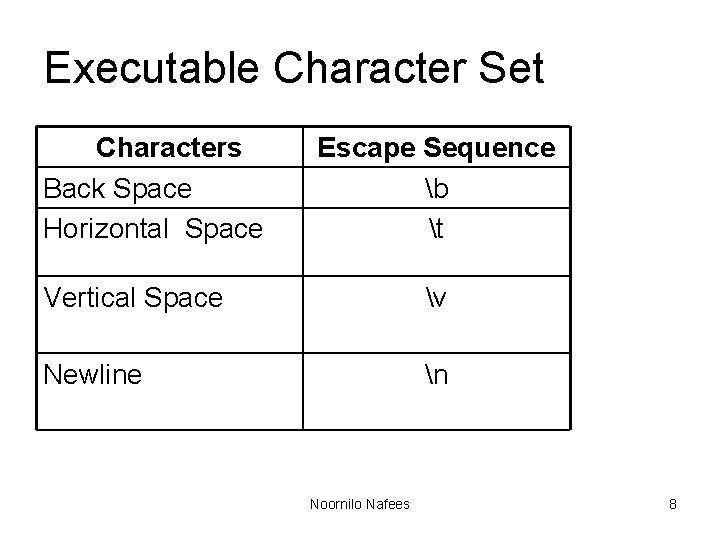
Executable Character Set Characters Back Space Horizontal Space Escape Sequence b t Vertical Space v Newline n Noornilo Nafees 8
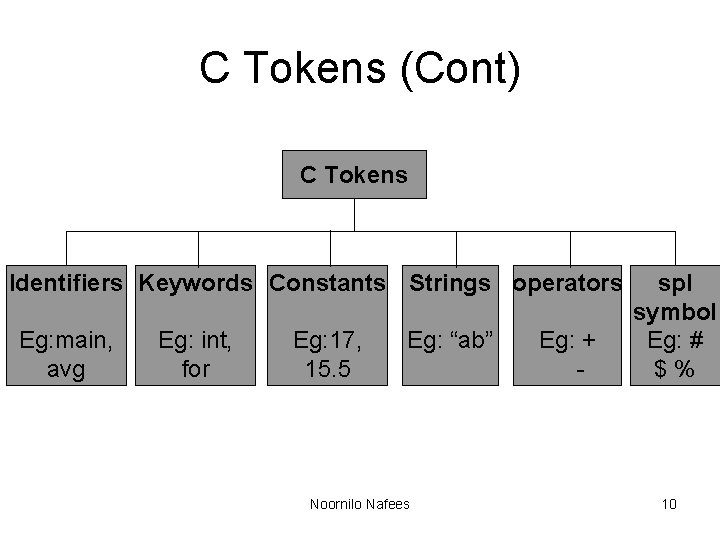
C Tokens • The smallest element in the C language is the token. • It may be a single character or a sequence of characters. Noornilo Nafees 9
C Tokens (Cont) C Tokens Identifiers Keywords Constants Strings operators Eg: main, avg Eg: int, for Eg: 17, 15. 5 Eg: “ab” Noornilo Nafees Eg: + - sp. I symbol Eg: # $% 10
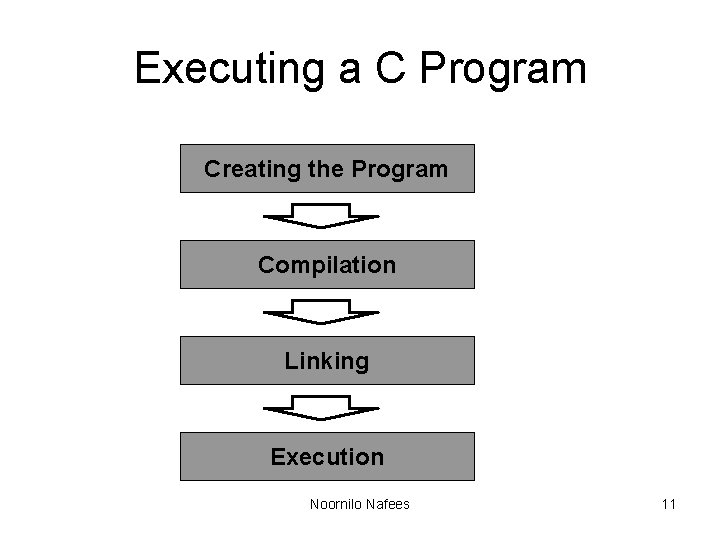
Executing a C Program Creating the Program Compilation Linking Execution Noornilo Nafees 11
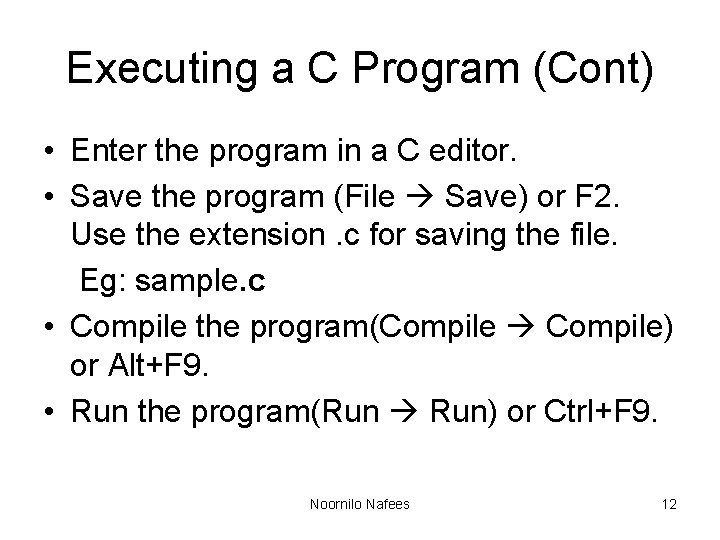
Executing a C Program (Cont) • Enter the program in a C editor. • Save the program (File Save) or F 2. Use the extension. c for saving the file. Eg: sample. c • Compile the program(Compile Compile) or Alt+F 9. • Run the program(Run Run) or Ctrl+F 9. Noornilo Nafees 12
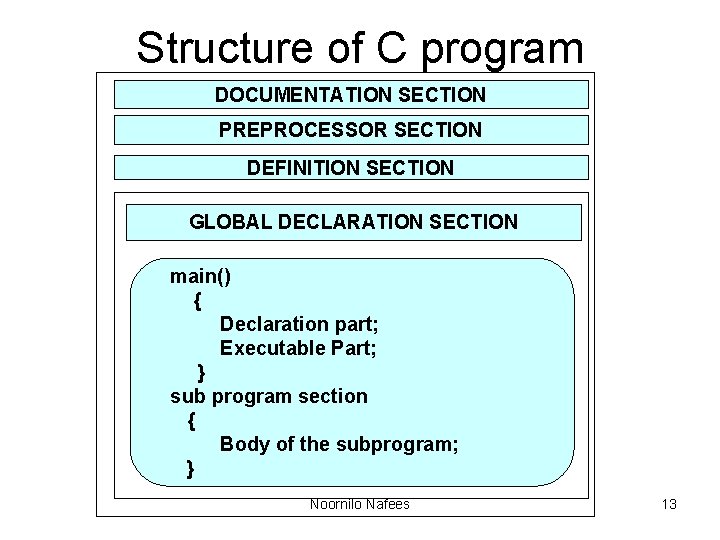
Structure of C program DOCUMENTATION SECTION PREPROCESSOR SECTION DEFINITION SECTION GLOBAL DECLARATION SECTION main() { Declaration part; Executable Part; } sub program section { Body of the subprogram; } Noornilo Nafees 13
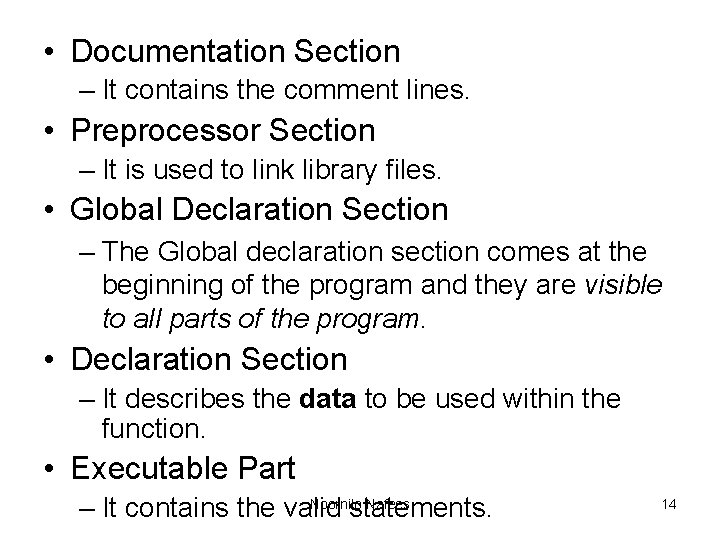
• Documentation Section – It contains the comment lines. • Preprocessor Section – It is used to link library files. • Global Declaration Section – The Global declaration section comes at the beginning of the program and they are visible to all parts of the program. • Declaration Section – It describes the data to be used within the function. • Executable Part Noornilo Nafees – It contains the valid statements. 14
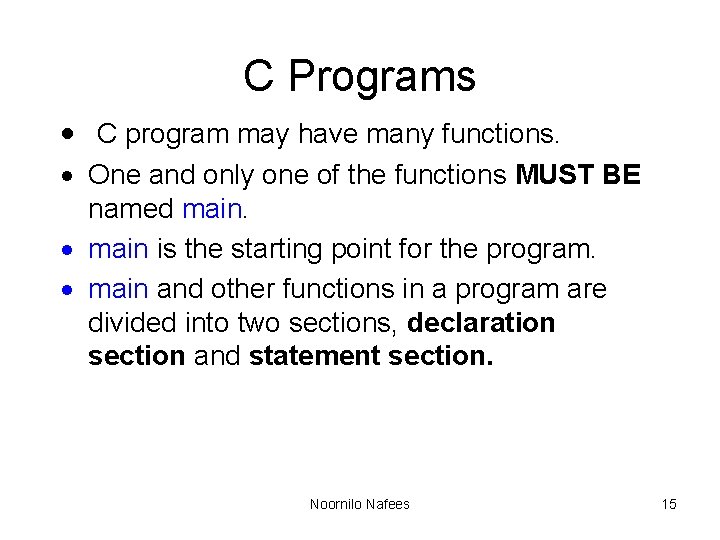
C Programs · C program may have many functions. · One and only one of the functions MUST BE named main. · main is the starting point for the program. · main and other functions in a program are divided into two sections, declaration section and statement section. Noornilo Nafees 15
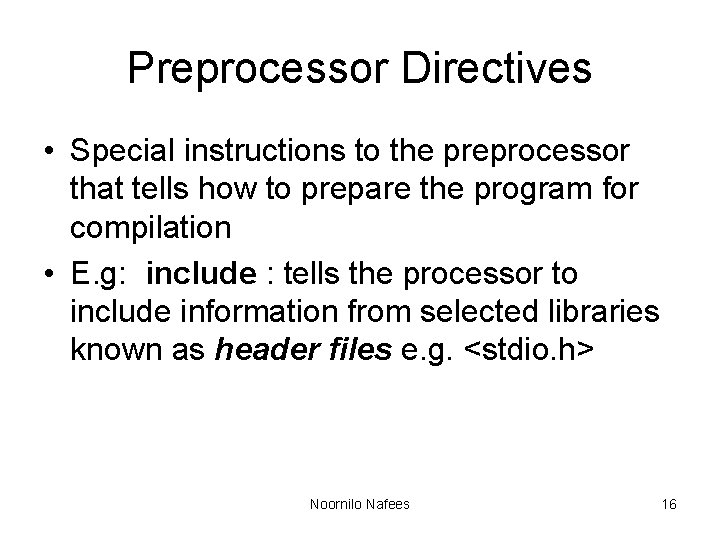
Preprocessor Directives • Special instructions to the preprocessor that tells how to prepare the program for compilation • E. g: include : tells the processor to include information from selected libraries known as header files e. g. <stdio. h> Noornilo Nafees 16
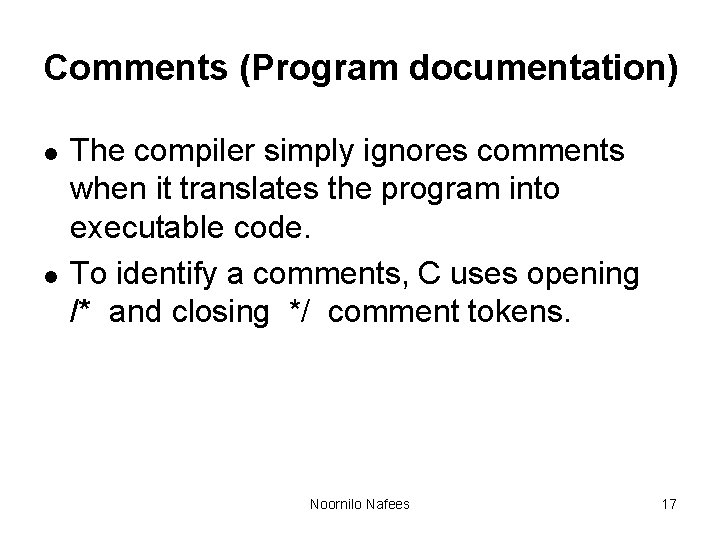
Comments (Program documentation) l l The compiler simply ignores comments when it translates the program into executable code. To identify a comments, C uses opening /* and closing */ comment tokens. Noornilo Nafees 17
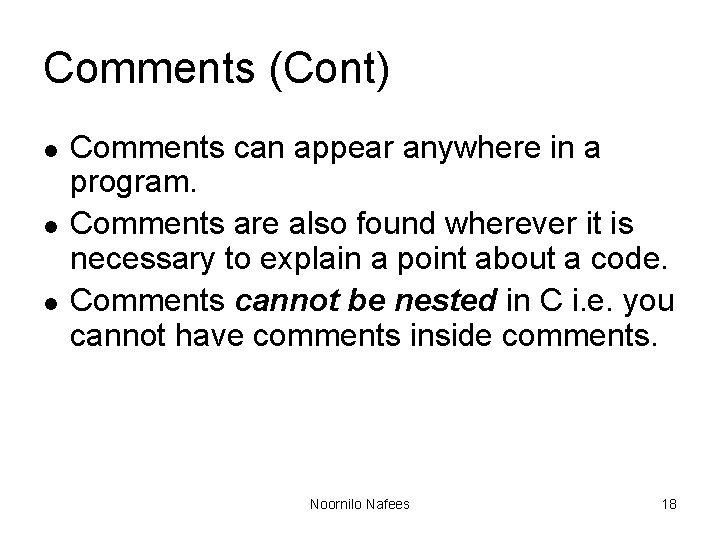
Comments (Cont) l l l Comments can appear anywhere in a program. Comments are also found wherever it is necessary to explain a point about a code. Comments cannot be nested in C i. e. you cannot have comments inside comments. Noornilo Nafees 18
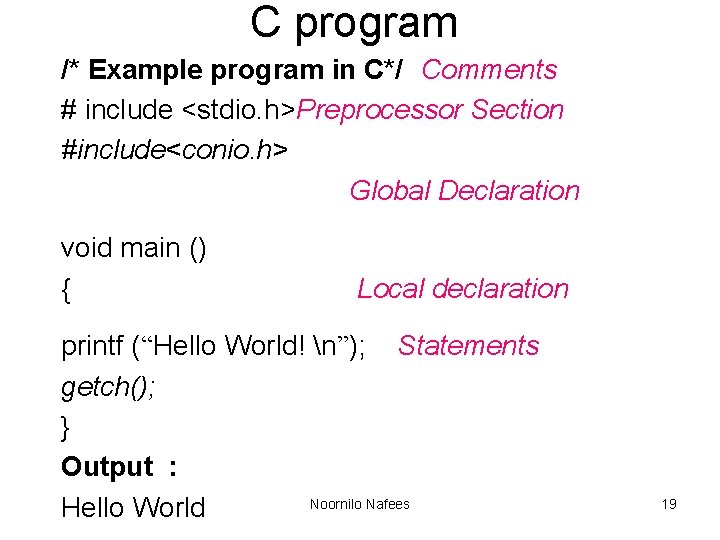
C program /* Example program in C*/ Comments # include <stdio. h>Preprocessor Section #include<conio. h> Global Declaration void main () { Local declaration printf (“Hello World! n”); Statements getch(); } Output : Noornilo Nafees Hello World 19
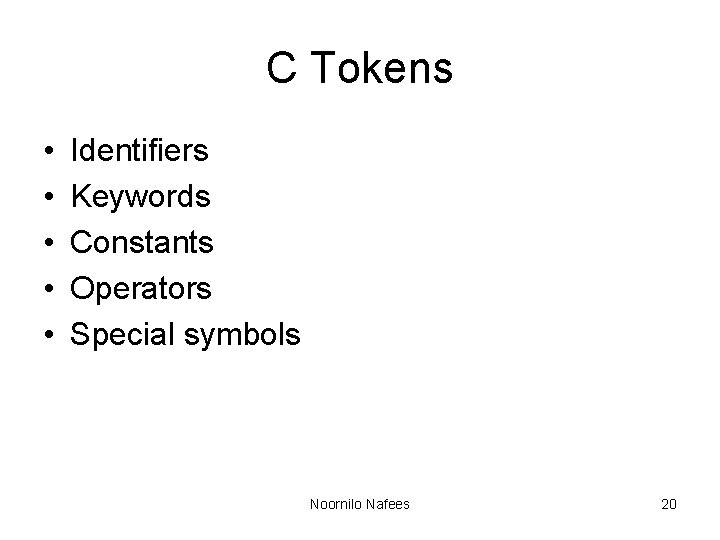
C Tokens • • • Identifiers Keywords Constants Operators Special symbols Noornilo Nafees 20
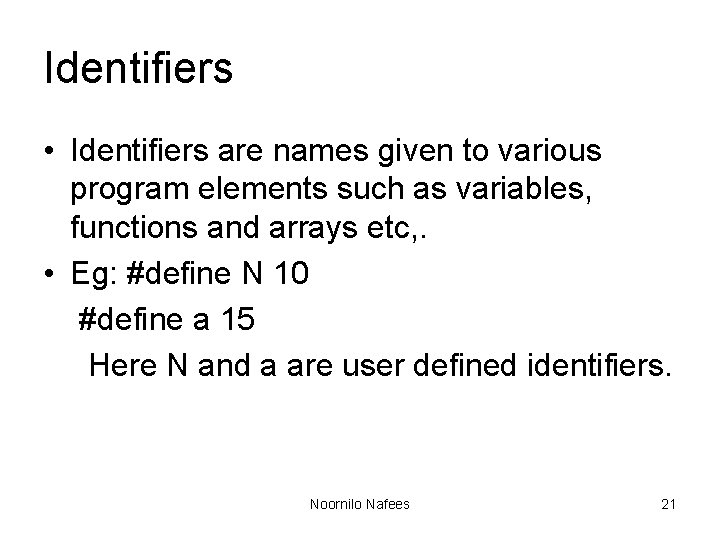
Identifiers • Identifiers are names given to various program elements such as variables, functions and arrays etc, . • Eg: #define N 10 #define a 15 Here N and a are user defined identifiers. Noornilo Nafees 21
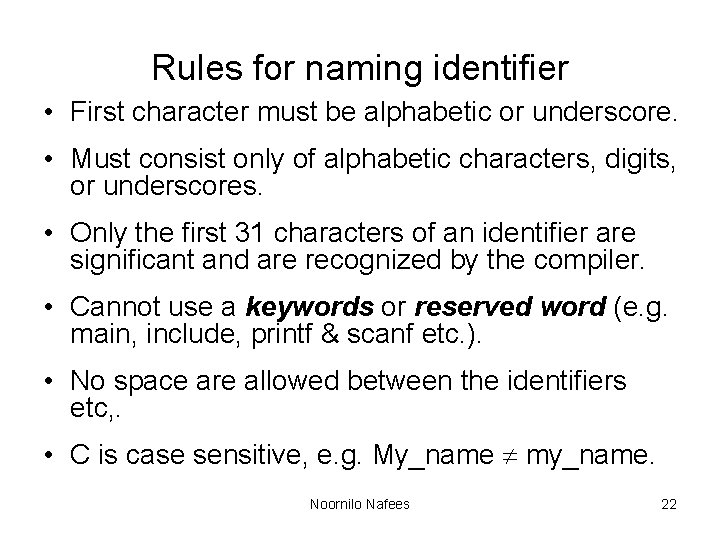
Rules for naming identifier • First character must be alphabetic or underscore. • Must consist only of alphabetic characters, digits, or underscores. • Only the first 31 characters of an identifier are significant and are recognized by the compiler. • Cannot use a keywords or reserved word (e. g. main, include, printf & scanf etc. ). • No space are allowed between the identifiers etc, . • C is case sensitive, e. g. My_name my_name. Noornilo Nafees 22
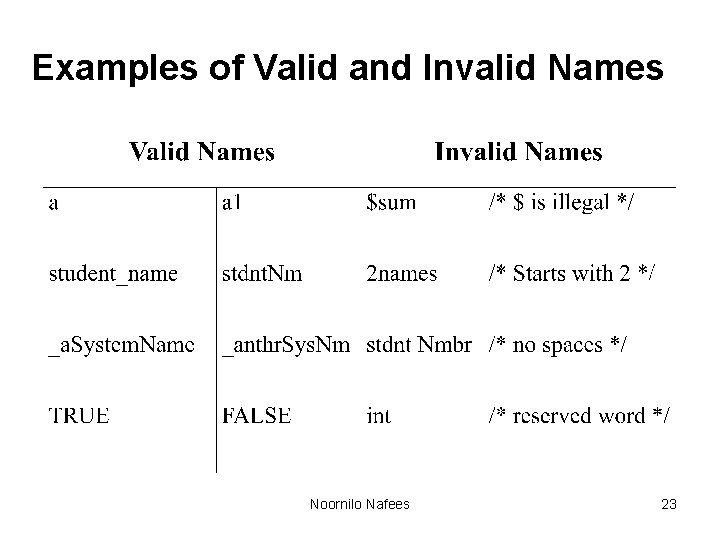
Examples of Valid and Invalid Names Noornilo Nafees 23
Variables • Variable is an identifier that is used to represent some specified type of information. • Eg: x=3 • Here x is variable. Noornilo Nafees 24
Keywords • It is a reserved words. • Cannot be used for anything else. • Examples: – int – while – for etc, . Noornilo Nafees 25
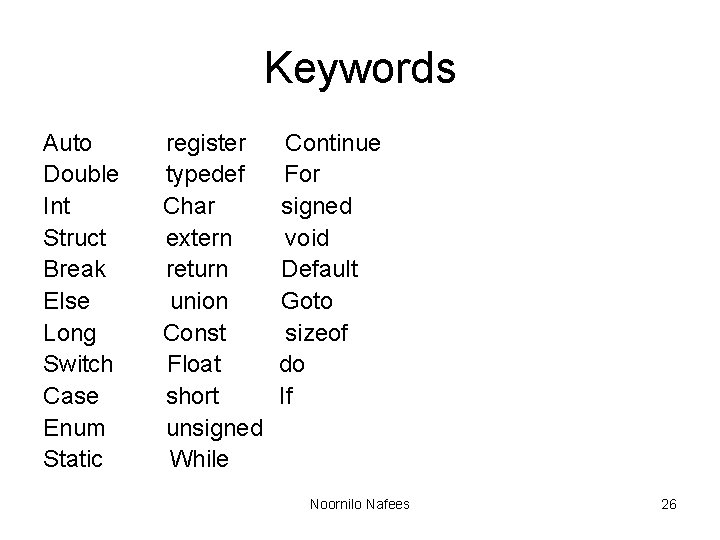
Keywords Auto Double Int Struct Break Else Long Switch Case Enum Static register typedef Char extern return union Const Float short unsigned While Continue For signed void Default Goto sizeof do If Noornilo Nafees 26
Constants • It is an entity whose value does not changes during the execution. • Eg: x=3 • Here 3 is a constant. Noornilo Nafees 27
Types • Numeric constants • Character constant Noornilo Nafees 28
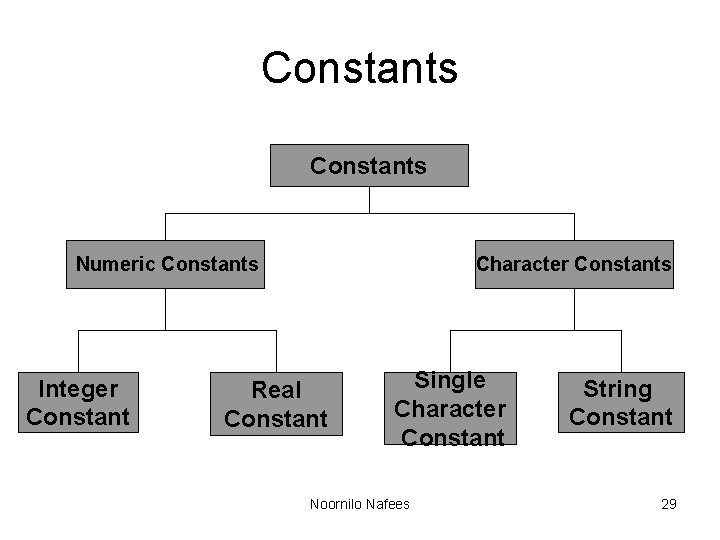
Constants Numeric Constants Integer Constant Character Constants Real Constant Single Character Constant Noornilo Nafees String Constant 29
Numeric constants Integer constants • It is formed using a sequence of digits. Decimal - 0 to 9. Octal - 0 to 7. Hexa - 0 to 9 , A to F Eg: 10, 75 etc. Noornilo Nafees 30
Rules for defining Integer Constant • • It must have atleast one digit. Decimal point are not allowed. No blank space or commas are allowed. It can be either positive or negative. Etc, . Noornilo Nafees 31
Numeric constants Real constants • It is formed using a sequence of digits but it contain decimal point. • length, height, price distance measured in real number Eg: 2. 5, 5. 11, etc. Noornilo Nafees 32
Character constants Single character constant – A character constant is a single character they also represented with single digit or a single special symbol which is enclosed in single quotes. – Eg: ‘a’, ‘ 8’, ’_’etc. Noornilo Nafees 33
Character constants String constants • String constant are sequence of characters enclosed with in double quote. • Eg: “Hello” , ” 444”, ”a” etc, . Noornilo Nafees 34
Operators • An operator is a symbol that specifies an operation to be performed on the operands. • Eg: a + b + is an operator. a, b are operands. Noornilo Nafees 35
Data Types · A Data type is the type of data that are going to access within the program. Noornilo Nafees 36
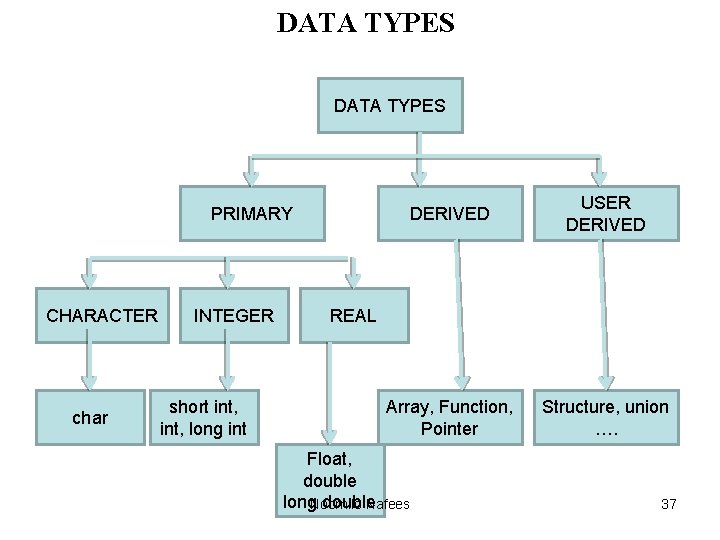
DATA TYPES PRIMARY CHARACTER char INTEGER short int, long int DERIVED USER DERIVED Array, Function, Pointer Structure, union …. REAL Float, double long. Noornilo double Nafees 37
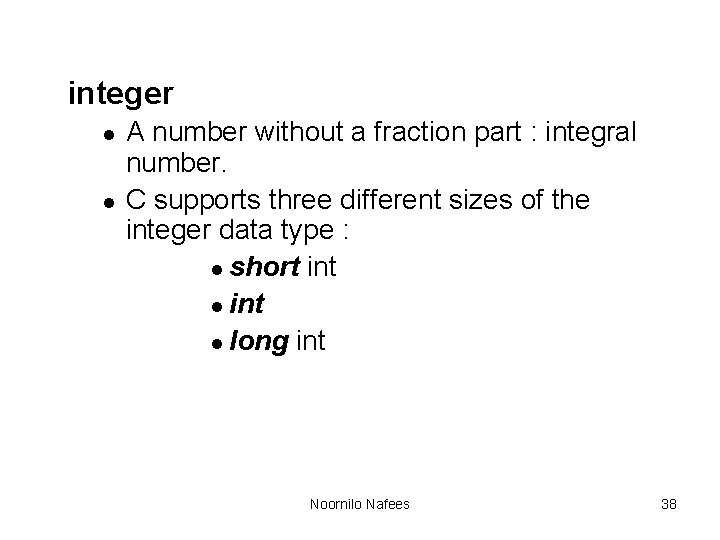
integer l l A number without a fraction part : integral number. C supports three different sizes of the integer data type : l short int l long int Noornilo Nafees 38
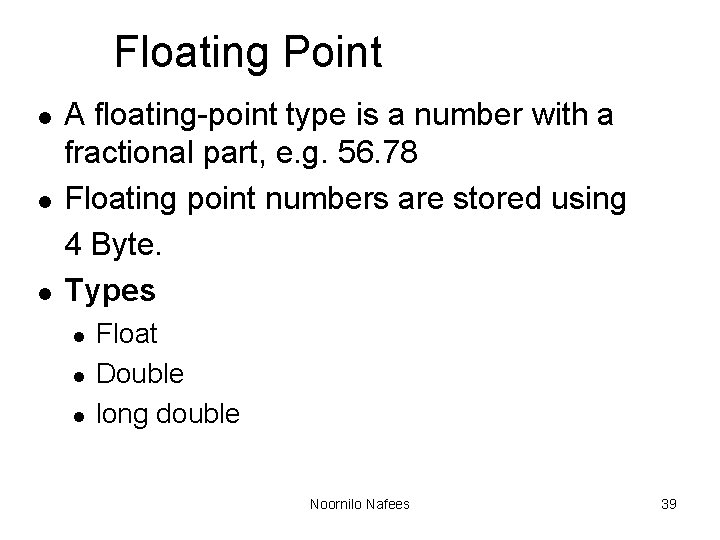
Floating Point l l l A floating-point type is a number with a fractional part, e. g. 56. 78 Floating point numbers are stored using 4 Byte. Types l l l Float Double long double Noornilo Nafees 39
character • Character are generally stored using 8 bits(1 Byte) of the internal storage. Noornilo Nafees 40
void l l The void type has no values and no operations. Both the set of values and the set of operations are empty. Noornilo Nafees 41
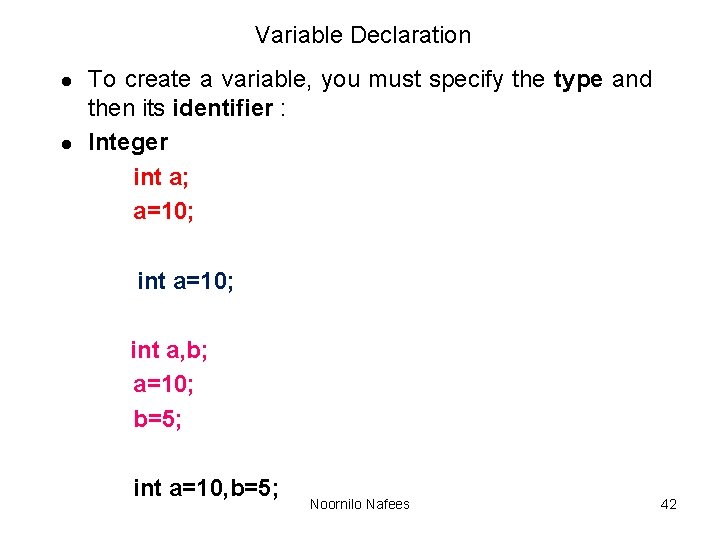
Variable Declaration l l To create a variable, you must specify the type and then its identifier : Integer int a; a=10; int a, b; a=10; b=5; int a=10, b=5; Noornilo Nafees 42
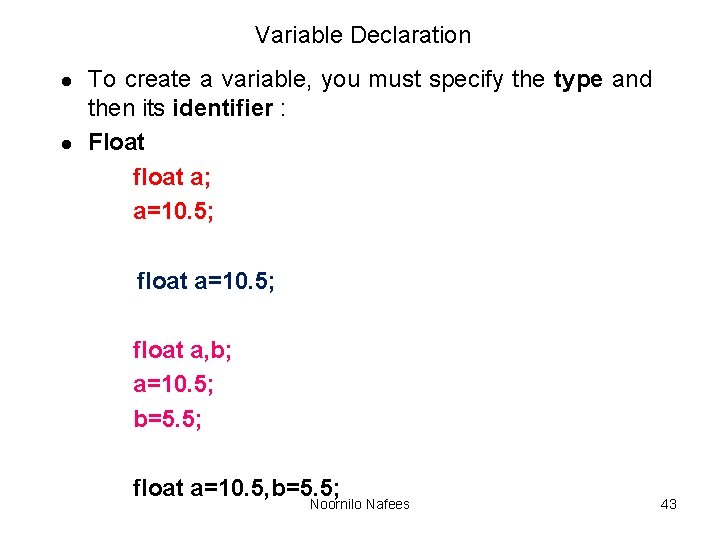
Variable Declaration l l To create a variable, you must specify the type and then its identifier : Float float a; a=10. 5; float a, b; a=10. 5; b=5. 5; float a=10. 5, b=5. 5; Noornilo Nafees 43
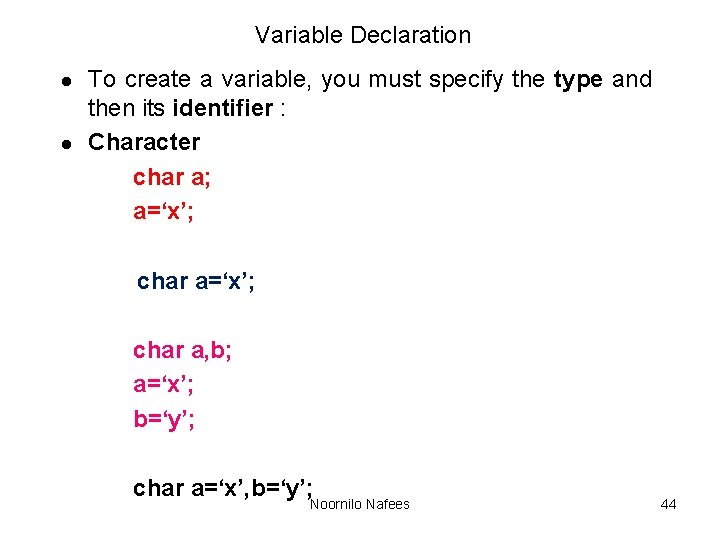
Variable Declaration l l To create a variable, you must specify the type and then its identifier : Character char a; a=‘x’; char a, b; a=‘x’; b=‘y’; char a=‘x’, b=‘y’; Noornilo Nafees 44
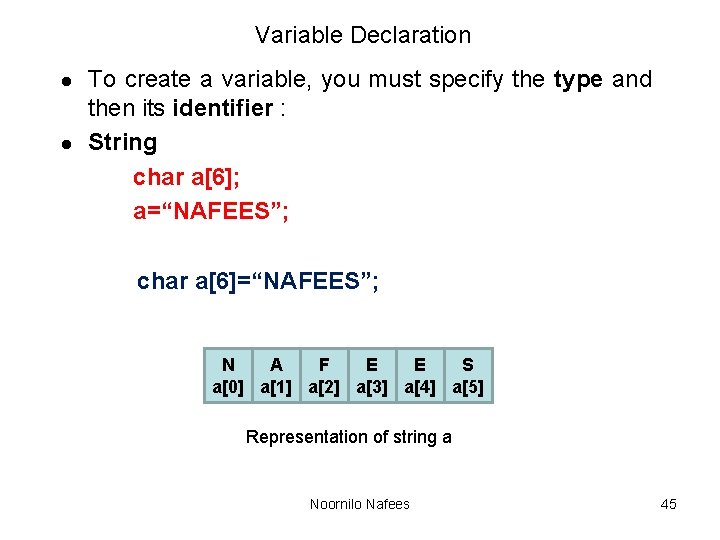
Variable Declaration l l To create a variable, you must specify the type and then its identifier : String char a[6]; a=“NAFEES”; char a[6]=“NAFEES”; N A F E E S a[0] a[1] a[2] a[3] a[4] a[5] Representation of string a Noornilo Nafees 45
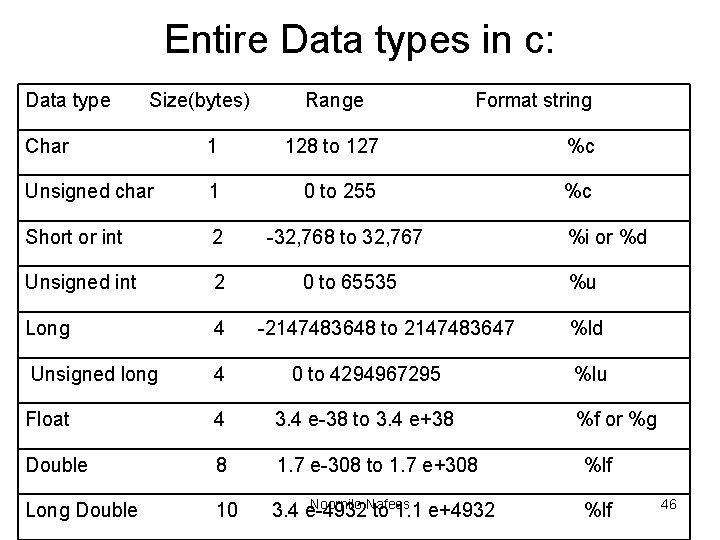
Entire Data types in c: Data type Size(bytes) Range Format string Char 1 128 to 127 %c Unsigned char 1 0 to 255 %c Short or int 2 -32, 768 to 32, 767 Unsigned int 2 0 to 65535 Long 4 Unsigned long 4 0 to 4294967295 Float 4 3. 4 e-38 to 3. 4 e+38 Double 8 1. 7 e-308 to 1. 7 e+308 Long Double 10 -2147483648 to 2147483647 Noornilo Nafees 3. 4 e-4932 to 1. 1 e+4932 %i or %d %u %ld %lu %f or %g %lf 46
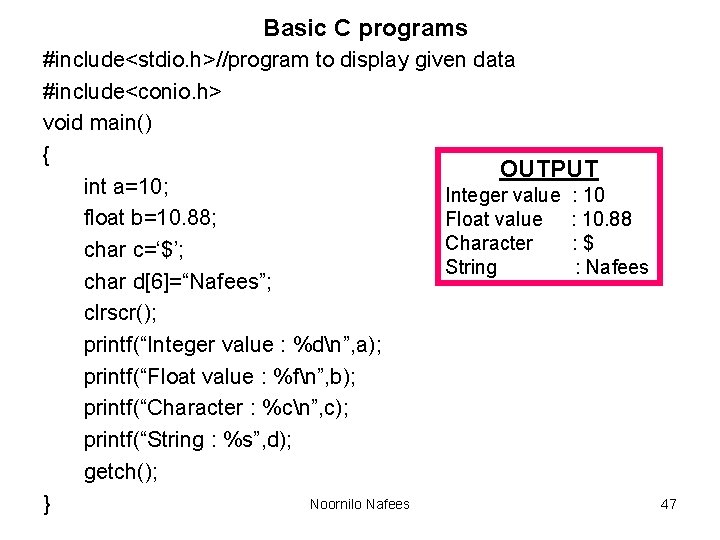
Basic C programs #include<stdio. h>//program to display given data #include<conio. h> void main() { OUTPUT int a=10; Integer value : 10 float b=10. 88; Float value : 10. 88 Character : $ char c=‘$’; String : Nafees char d[6]=“Nafees”; clrscr(); printf(“Integer value : %dn”, a); printf(“Float value : %fn”, b); printf(“Character : %cn”, c); printf(“String : %s”, d); getch(); Noornilo Nafees } 47
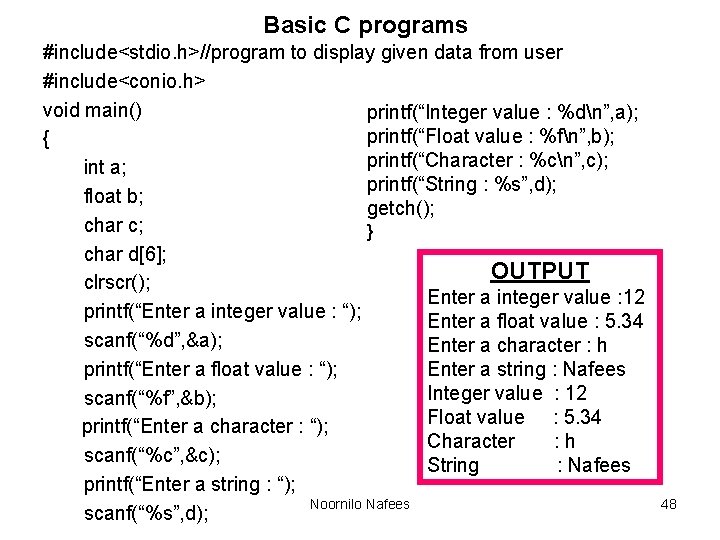
Basic C programs #include<stdio. h>//program to display given data from user #include<conio. h> void main() printf(“Integer value : %dn”, a); printf(“Float value : %fn”, b); { printf(“Character : %cn”, c); int a; printf(“String : %s”, d); float b; getch(); char c; } char d[6]; OUTPUT clrscr(); Enter a integer value : 12 printf(“Enter a integer value : “); Enter a float value : 5. 34 scanf(“%d”, &a); Enter a character : h printf(“Enter a float value : “); Enter a string : Nafees Integer value : 12 scanf(“%f”, &b); Float value : 5. 34 printf(“Enter a character : “); Character : h scanf(“%c”, &c); String : Nafees printf(“Enter a string : “); Noornilo Nafees scanf(“%s”, d); 48
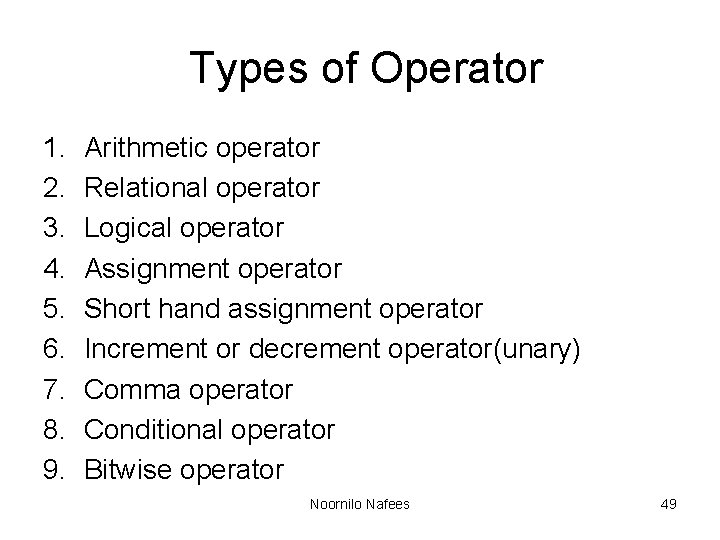
Types of Operator 1. 2. 3. 4. 5. 6. 7. 8. 9. Arithmetic operator Relational operator Logical operator Assignment operator Short hand assignment operator Increment or decrement operator(unary) Comma operator Conditional operator Bitwise operator Noornilo Nafees 49
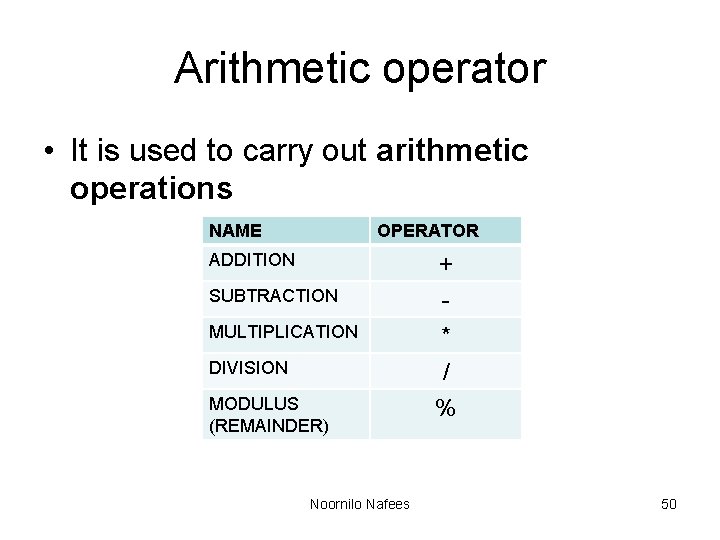
Arithmetic operator • It is used to carry out arithmetic operations NAME OPERATOR ADDITION SUBTRACTION MULTIPLICATION DIVISION MODULUS (REMAINDER) Noornilo Nafees + * / % 50
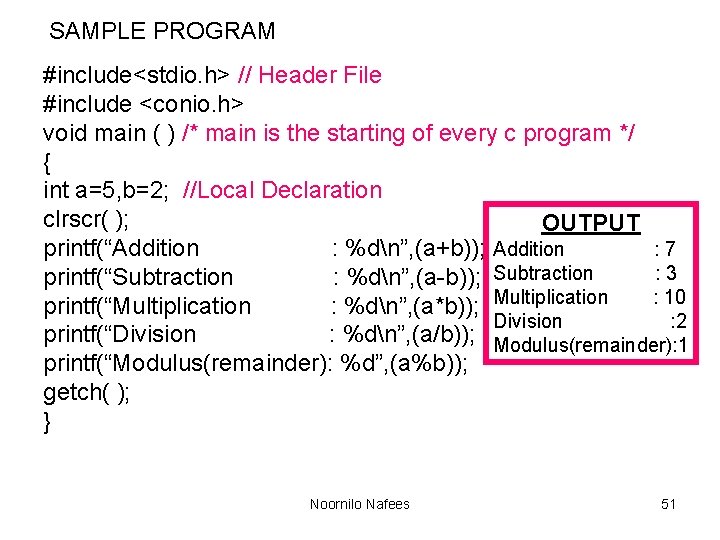
SAMPLE PROGRAM #include<stdio. h> // Header File #include <conio. h> void main ( ) /* main is the starting of every c program */ { int a=5, b=2; //Local Declaration clrscr( ); OUTPUT : 7 printf(“Addition : %dn”, (a+b)); Addition : 3 printf(“Subtraction : %dn”, (a-b)); Subtraction : 10 printf(“Multiplication : %dn”, (a*b)); Multiplication Division : 2 printf(“Division : %dn”, (a/b)); Modulus(remainder): 1 printf(“Modulus(remainder): %d”, (a%b)); getch( ); } Noornilo Nafees 51
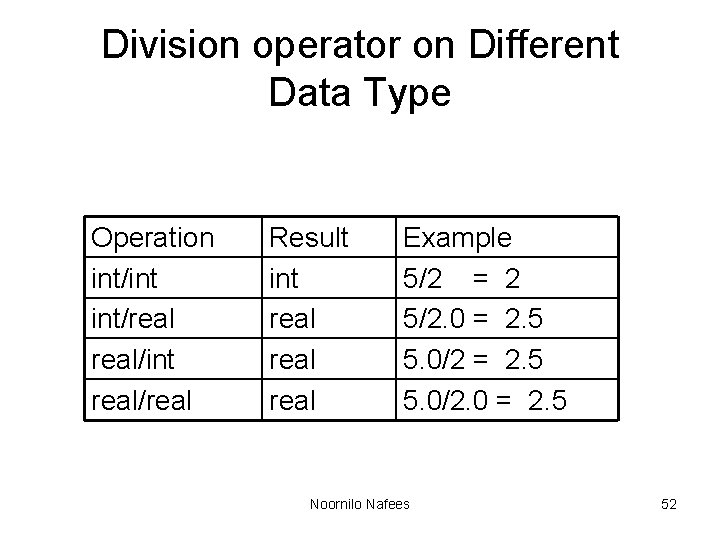
Division operator on Different Data Type Operation int/int int/real/int real/real Result int real Example 5/2 = 2 5/2. 0 = 2. 5 5. 0/2. 0 = 2. 5 Noornilo Nafees 52
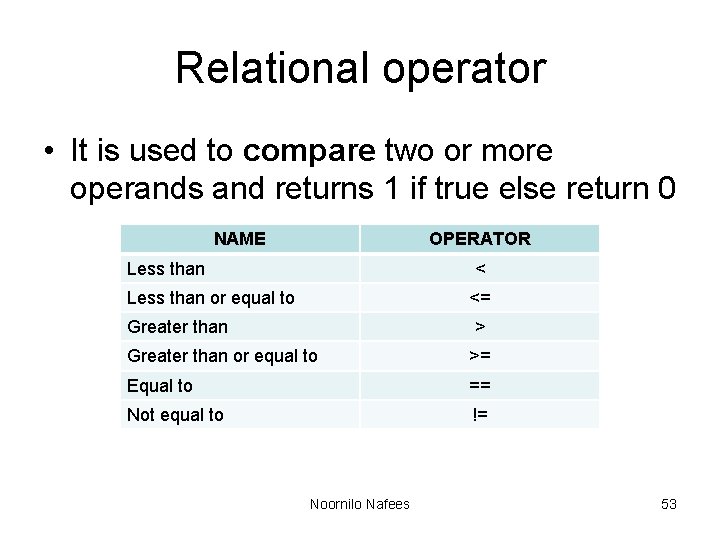
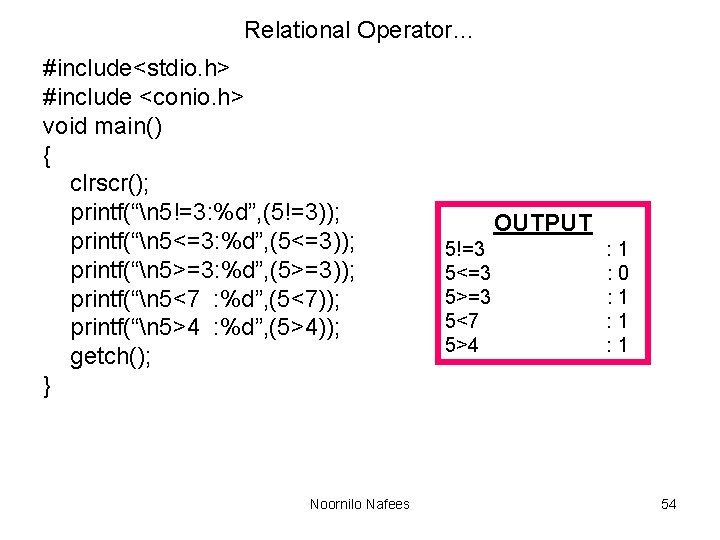
Relational operator • It is used to compare two or more operands and returns 1 if true else return 0 NAME OPERATOR Less than < Less than or equal to <= Greater than > Greater than or equal to >= Equal to == Not equal to != Noornilo Nafees 53
Relational Operator… #include<stdio. h> #include <conio. h> void main() { clrscr(); printf(“n 5!=3: %d”, (5!=3)); printf(“n 5<=3: %d”, (5<=3)); printf(“n 5>=3: %d”, (5>=3)); printf(“n 5<7 : %d”, (5<7)); printf(“n 5>4 : %d”, (5>4)); getch(); } Noornilo Nafees OUTPUT 5!=3 5<=3 5>=3 5<7 5>4 : 1 : 0 : 1 : 1 54
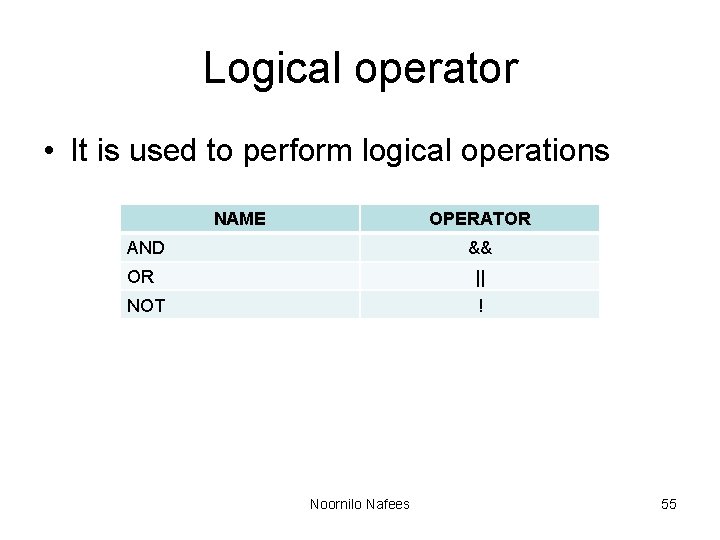
Logical operator • It is used to perform logical operations NAME OPERATOR AND && OR || NOT ! Noornilo Nafees 55
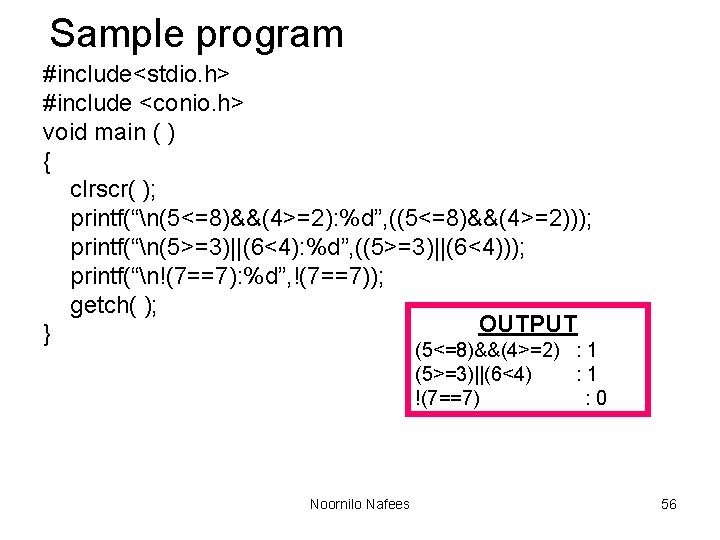
Sample program #include<stdio. h> #include <conio. h> void main ( ) { clrscr( ); printf(“n(5<=8)&&(4>=2): %d”, ((5<=8)&&(4>=2))); printf(“n(5>=3)||(6<4): %d”, ((5>=3)||(6<4))); printf(“n!(7==7): %d”, !(7==7)); getch( ); OUTPUT } (5<=8)&&(4>=2) : 1 (5>=3)||(6<4) : 1 !(7==7) : 0 Noornilo Nafees 56
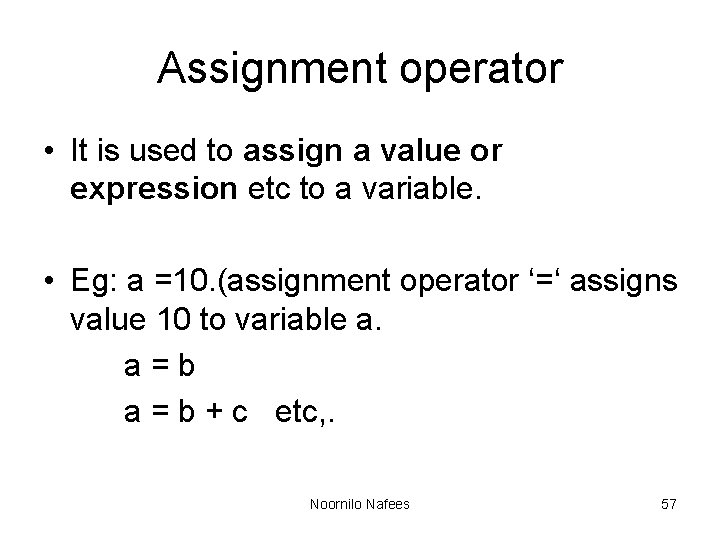
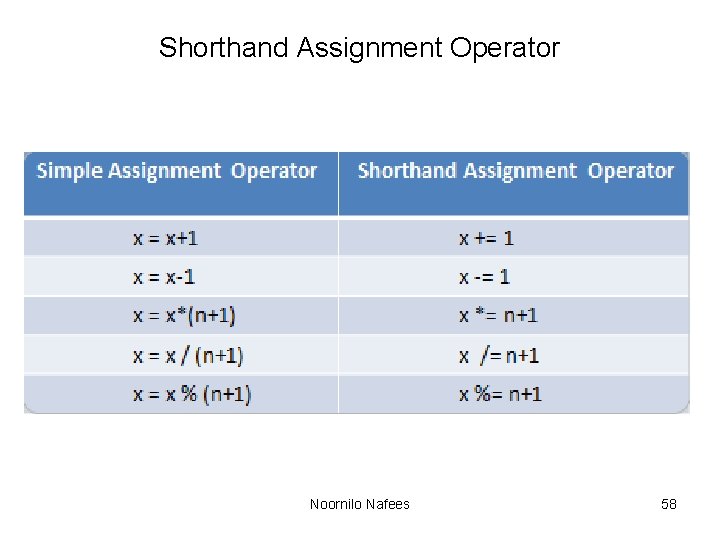
Assignment operator • It is used to assign a value or expression etc to a variable. • Eg: a =10. (assignment operator ‘=‘ assigns value 10 to variable a. a=b a = b + c etc, . Noornilo Nafees 57
Shorthand Assignment Operator Noornilo Nafees 58
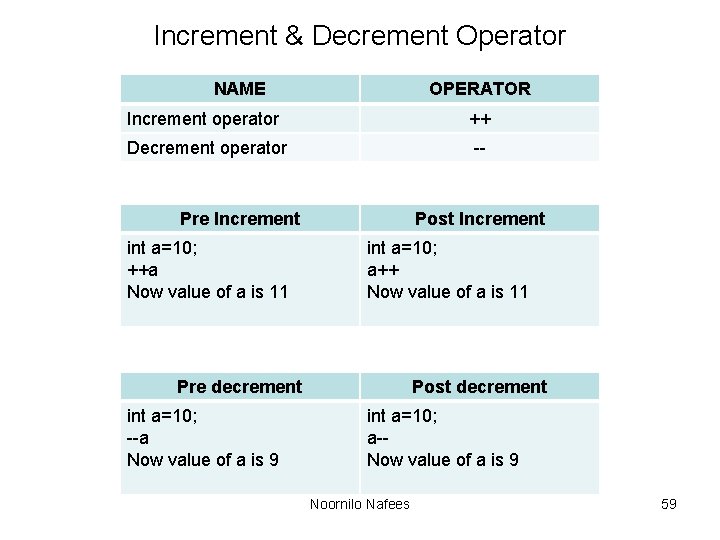
Increment & Decrement Operator NAME OPERATOR Increment operator ++ Decrement operator -- Pre Increment int a=10; ++a Now value of a is 11 Post Increment int a=10; a++ Now value of a is 11 Pre decrement int a=10; --a Now value of a is 9 Post decrement int a=10; a-Now value of a is 9 Noornilo Nafees 59
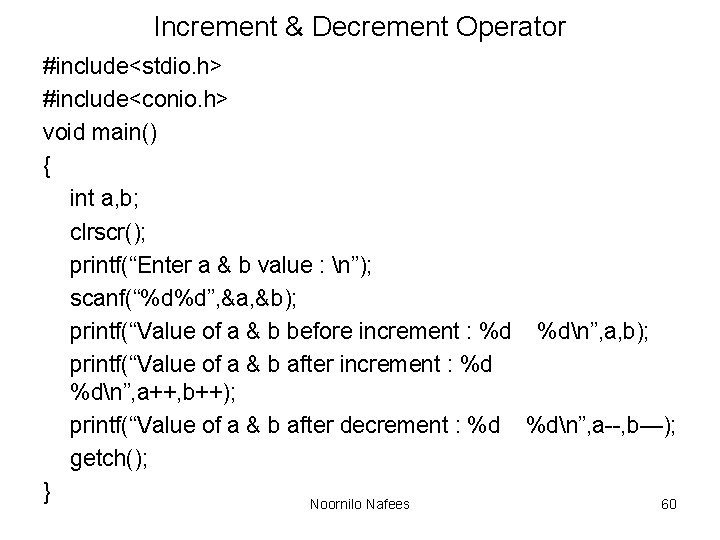
Increment & Decrement Operator #include<stdio. h> #include<conio. h> void main() { int a, b; clrscr(); printf(“Enter a & b value : n”); scanf(“%d%d”, &a, &b); printf(“Value of a & b before increment : %d %dn”, a, b); printf(“Value of a & b after increment : %d %dn”, a++, b++); printf(“Value of a & b after decrement : %d %dn”, a--, b—); getch(); } Noornilo Nafees 60
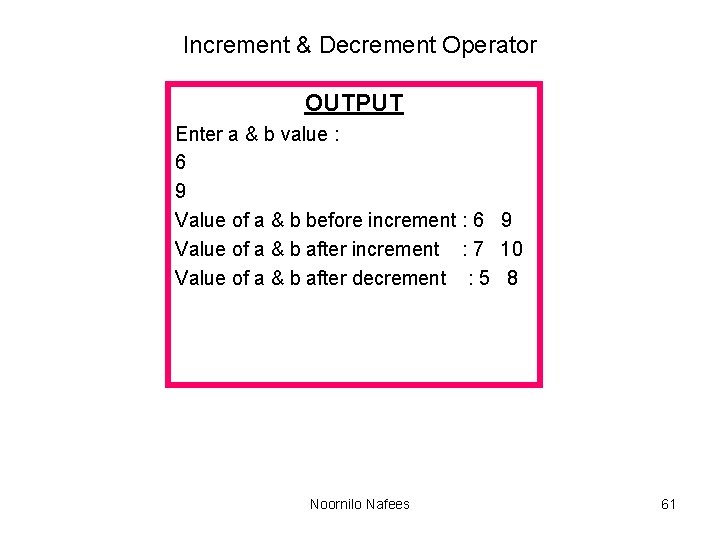
Increment & Decrement Operator OUTPUT Enter a & b value : 6 9 Value of a & b before increment : 6 9 Value of a & b after increment : 7 10 Value of a & b after decrement : 5 8 Noornilo Nafees 61
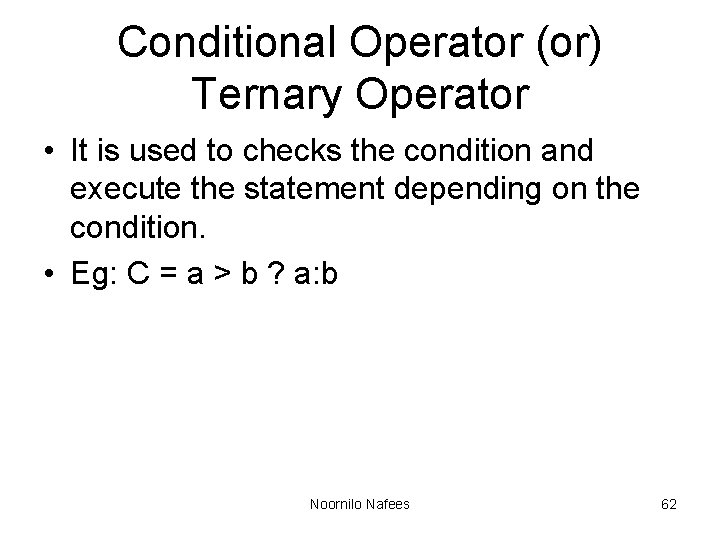
Conditional Operator (or) Ternary Operator • It is used to checks the condition and execute the statement depending on the condition. • Eg: C = a > b ? a: b Noornilo Nafees 62
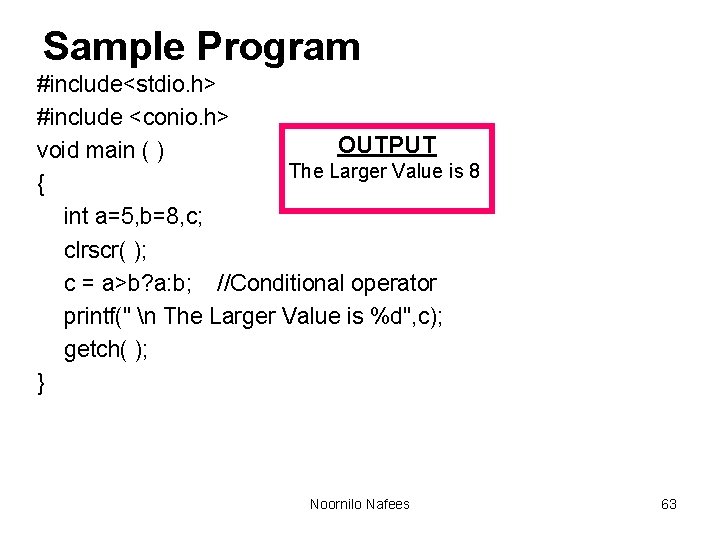
Sample Program #include<stdio. h> #include <conio. h> OUTPUT void main ( ) The Larger Value is 8 { int a=5, b=8, c; clrscr( ); c = a>b? a: b; //Conditional operator printf(" n The Larger Value is %d", c); getch( ); } Noornilo Nafees 63
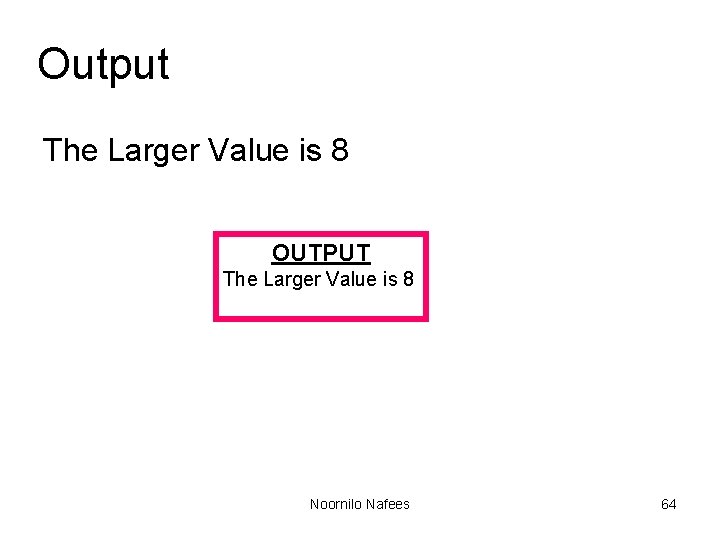
Output The Larger Value is 8 OUTPUT The Larger Value is 8 Noornilo Nafees 64
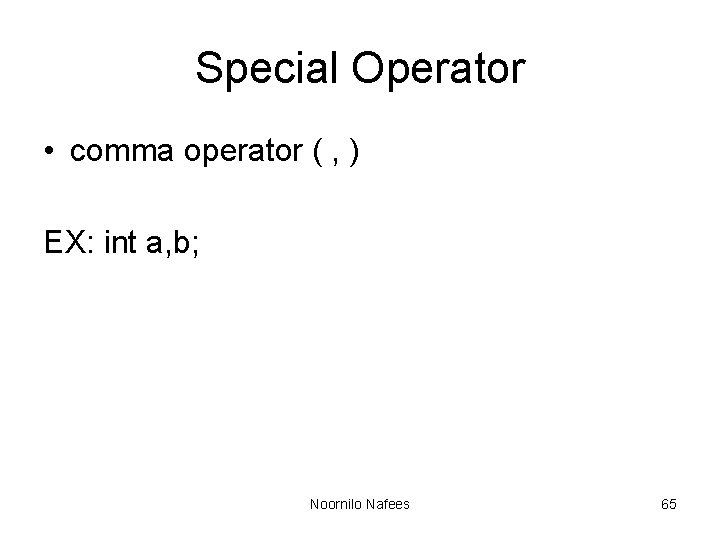
Special Operator • comma operator ( , ) EX: int a, b; Noornilo Nafees 65
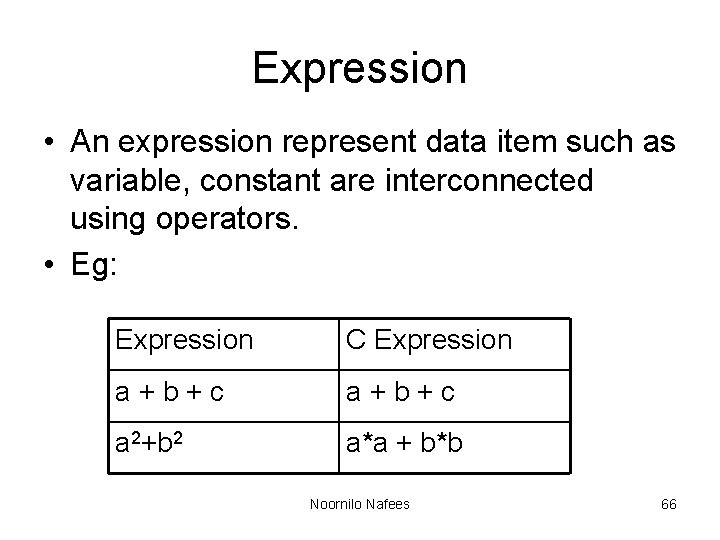
Expression • An expression represent data item such as variable, constant are interconnected using operators. • Eg: Expression C Expression a+b+c a 2+b 2 a*a + b*b Noornilo Nafees 66
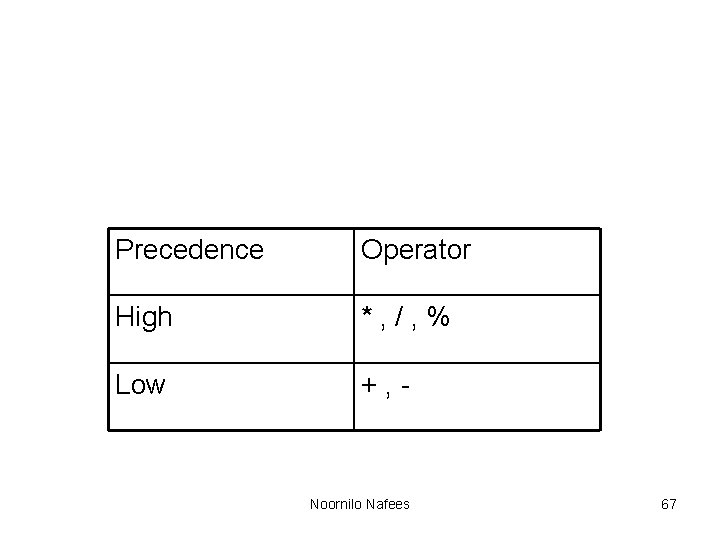
Precedence Operator High *, /, % Low +, - Noornilo Nafees 67
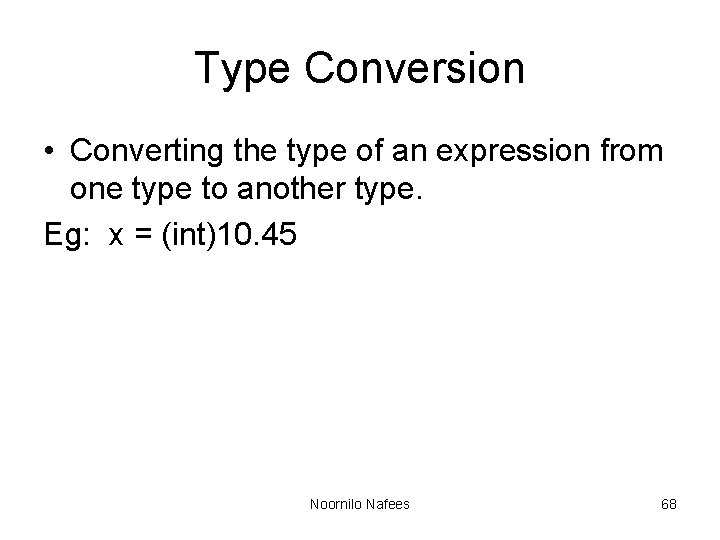
Type Conversion • Converting the type of an expression from one type to another type. Eg: x = (int)10. 45 Noornilo Nafees 68
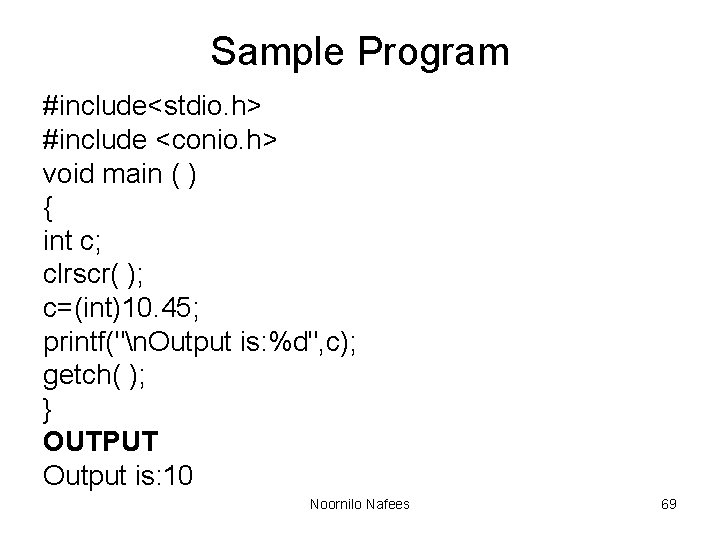
Sample Program #include<stdio. h> #include <conio. h> void main ( ) { int c; clrscr( ); c=(int)10. 45; printf("n. Output is: %d", c); getch( ); } OUTPUT Output is: 10 Noornilo Nafees 69
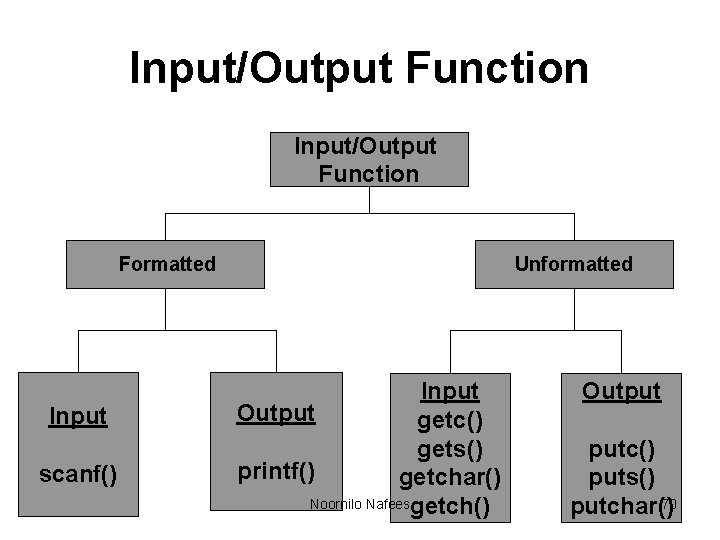
Input/Output Function Formatted Input scanf() Unformatted Input Output getc() gets() printf() getchar() Noornilo Nafeesgetch() Output putc() puts() 70 putchar()
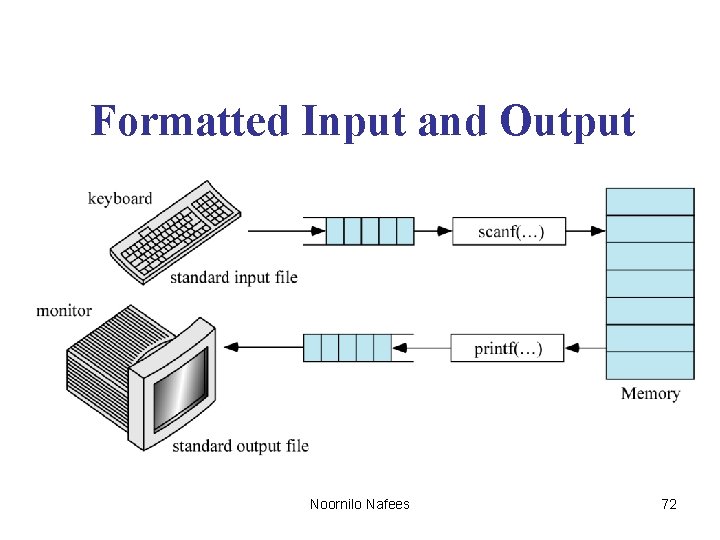
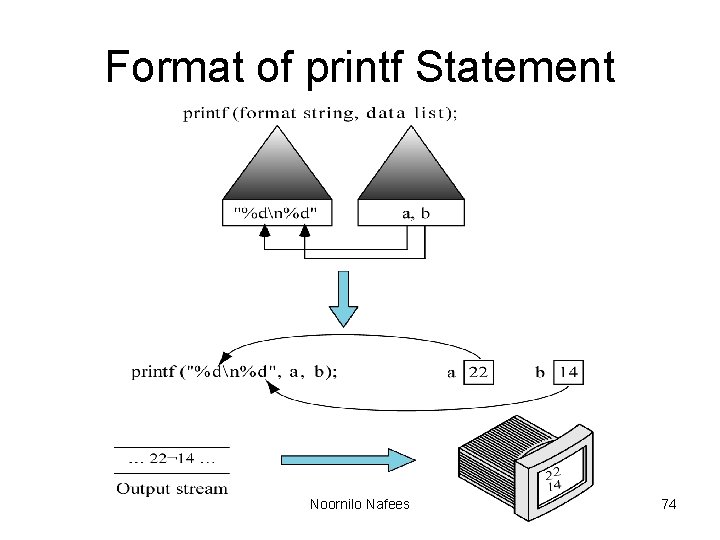
Formatted Input/Output l l l C uses two functions formatted input and output. Formatted input : reads formatted data from the keyboard. Formatted output : writes formatted data to the monitor. Noornilo Nafees 71
Formatted Input and Output Noornilo Nafees 72
Standard Output l The standard output file is the monitor. l Like the keyboard, it is a text file. l When you need to display data that is not text, it must be converted into to the text before it is written to the screen. Noornilo Nafees 73
Format of printf Statement Noornilo Nafees 74
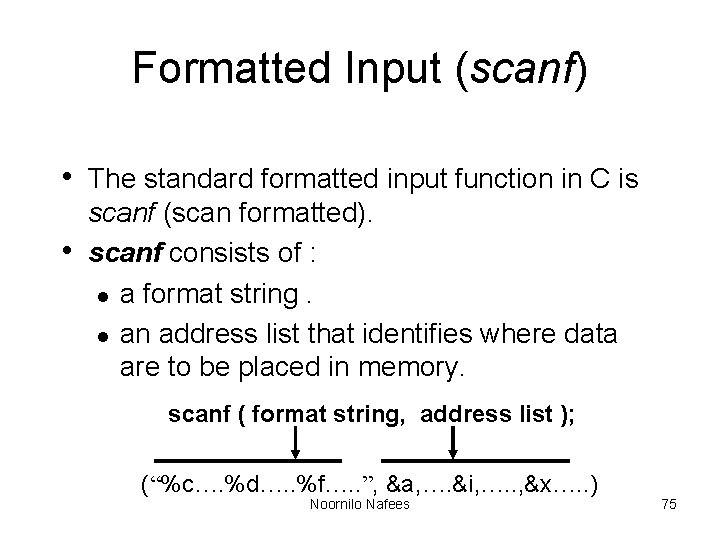
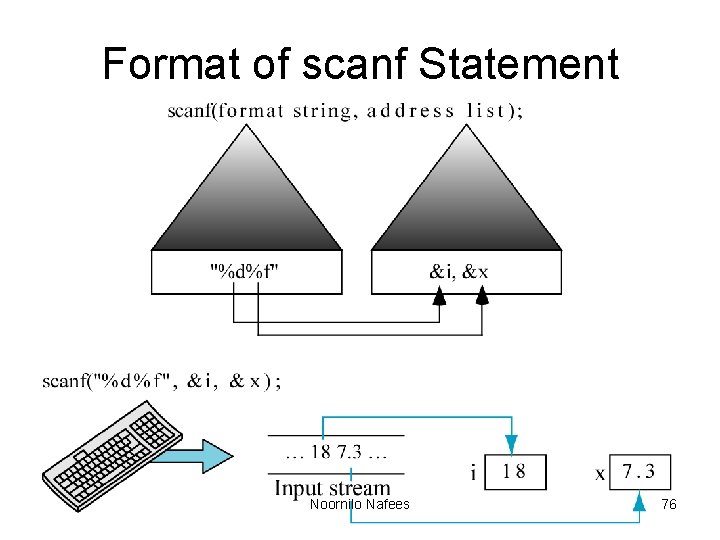
Formatted Input (scanf) • The standard formatted input function in C is • scanf (scan formatted). scanf consists of : l a format string. l an address list that identifies where data are to be placed in memory. scanf ( format string, address list ); (“%c…. %d…. . %f…. . ”, &a, …. &i, …. . , &x…. . ) Noornilo Nafees 75
Format of scanf Statement Noornilo Nafees 76
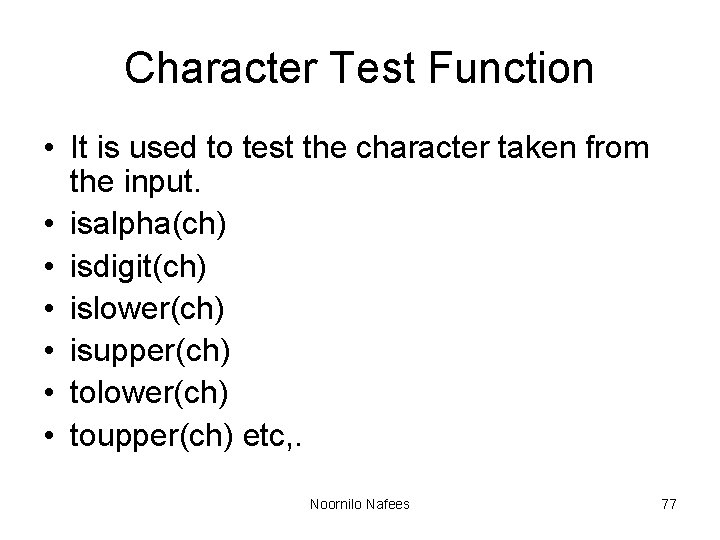
Character Test Function • It is used to test the character taken from the input. • isalpha(ch) • isdigit(ch) • islower(ch) • isupper(ch) • tolower(ch) • toupper(ch) etc, . Noornilo Nafees 77
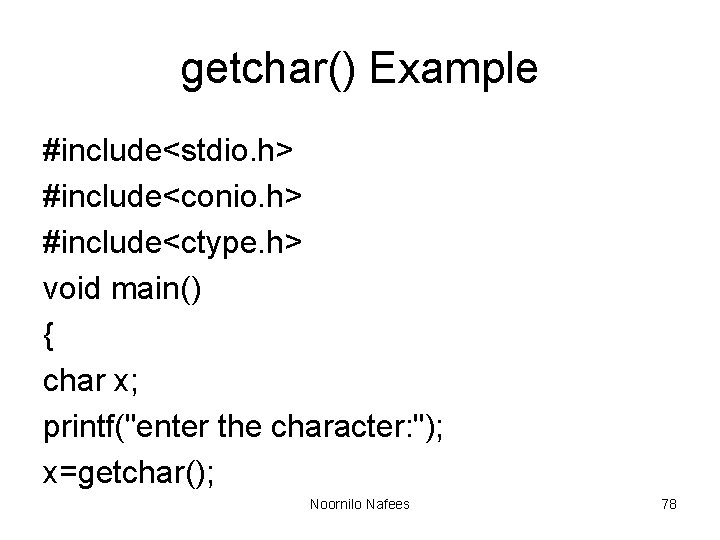
getchar() Example #include<stdio. h> #include<conio. h> #include<ctype. h> void main() { char x; printf("enter the character: "); x=getchar(); Noornilo Nafees 78
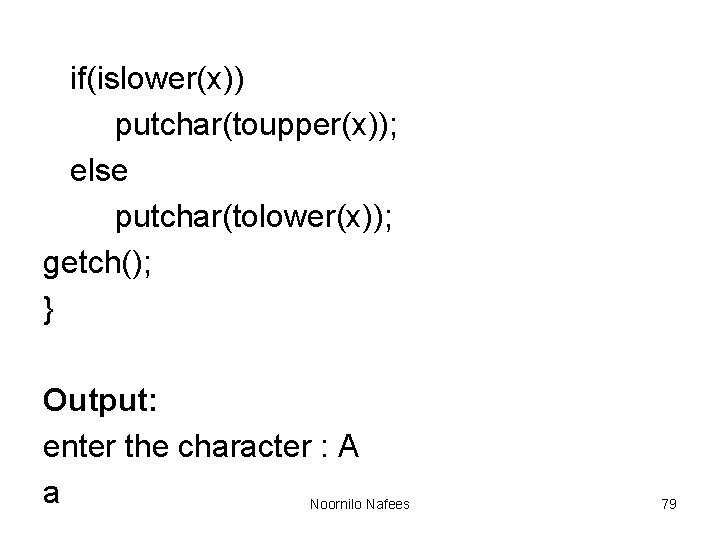
if(islower(x)) putchar(toupper(x)); else putchar(tolower(x)); getch(); } Output: enter the character : A a Noornilo Nafees 79
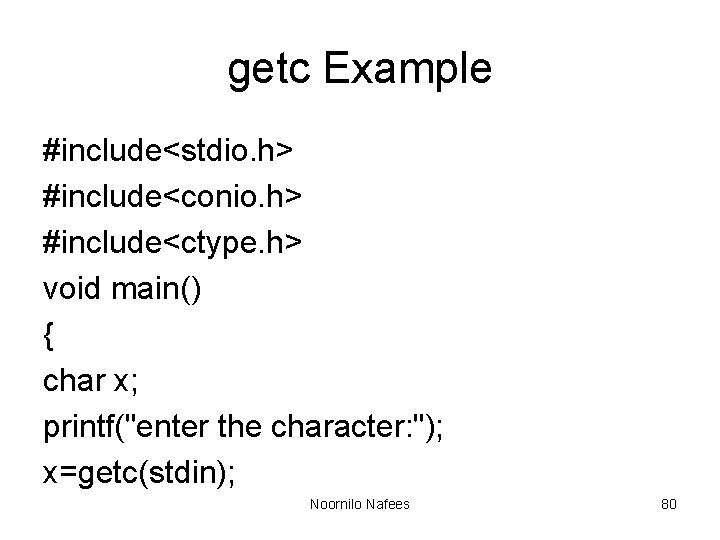
getc Example #include<stdio. h> #include<conio. h> #include<ctype. h> void main() { char x; printf("enter the character: "); x=getc(stdin); Noornilo Nafees 80
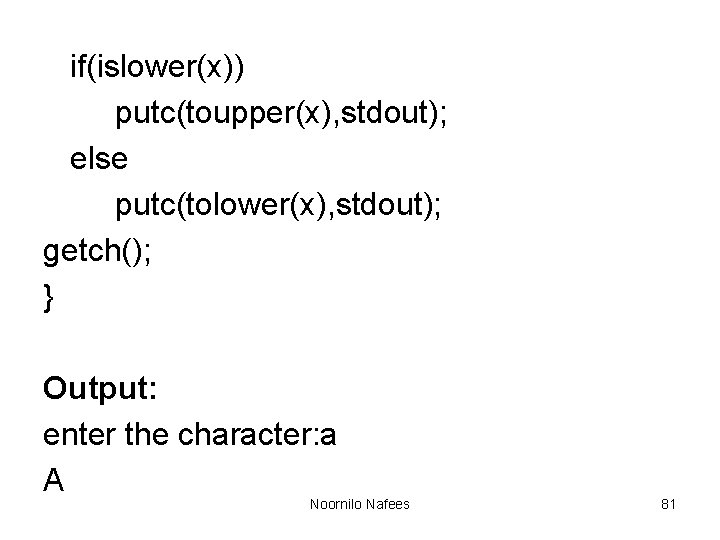
if(islower(x)) putc(toupper(x), stdout); else putc(tolower(x), stdout); getch(); } Output: enter the character: a A Noornilo Nafees 81
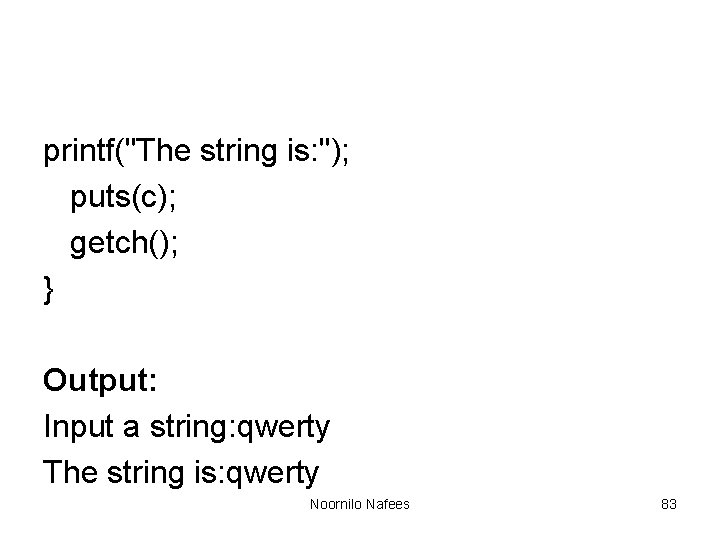
gets() Example #include <stdio. h> #include<conio. h> void main() { char c[80]; clrscr(); printf("Input a string: "); gets(c); Noornilo Nafees 82
printf("The string is: "); puts(c); getch(); } Output: Input a string: qwerty The string is: qwerty Noornilo Nafees 83
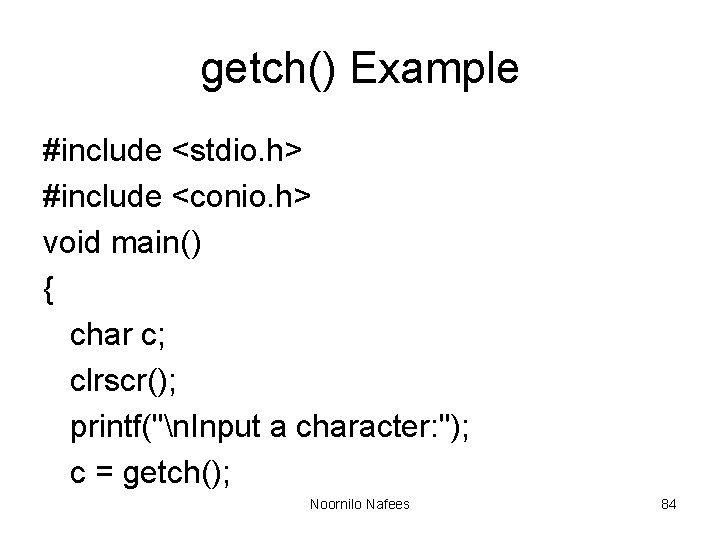
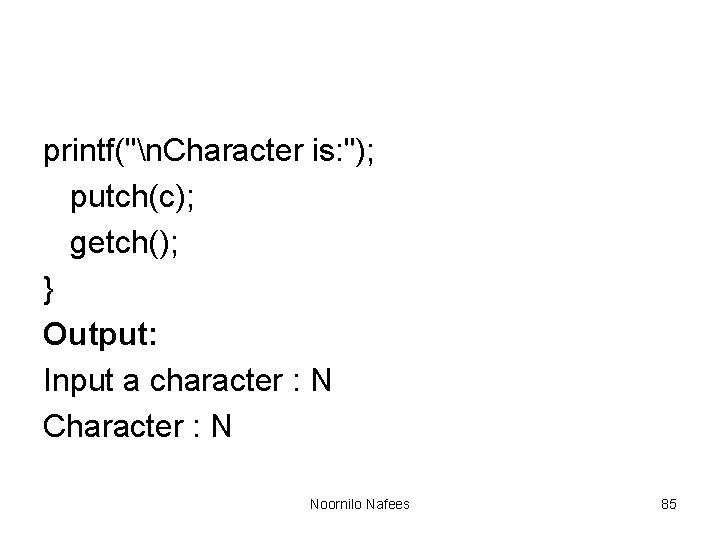
getch() Example #include <stdio. h> #include <conio. h> void main() { char c; clrscr(); printf("n. Input a character: "); c = getch(); Noornilo Nafees 84
printf("n. Character is: "); putch(c); getch(); } Output: Input a character : N Character : N Noornilo Nafees 85
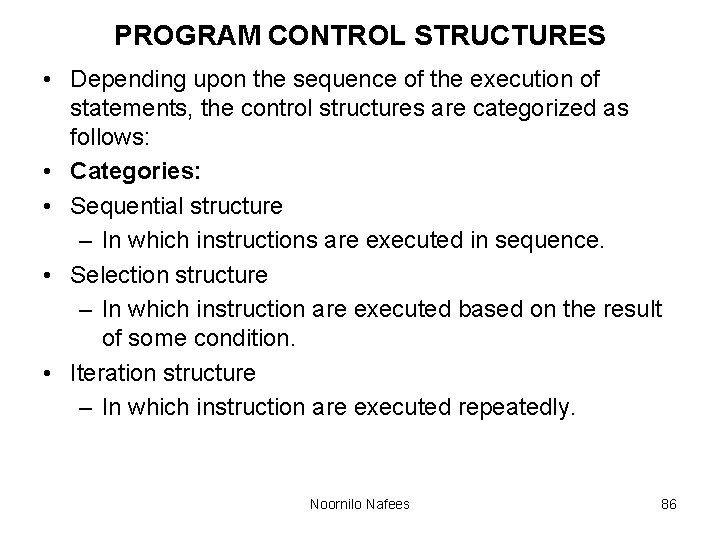
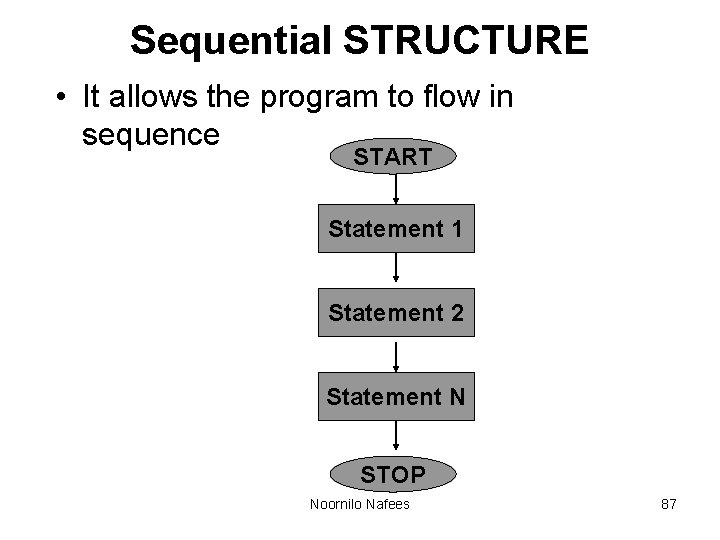
PROGRAM CONTROL STRUCTURES • Depending upon the sequence of the execution of statements, the control structures are categorized as follows: • Categories: • Sequential structure – In which instructions are executed in sequence. • Selection structure – In which instruction are executed based on the result of some condition. • Iteration structure – In which instruction are executed repeatedly. Noornilo Nafees 86
Sequential STRUCTURE • It allows the program to flow in sequence START Statement 1 Statement 2 Statement N STOP Noornilo Nafees 87
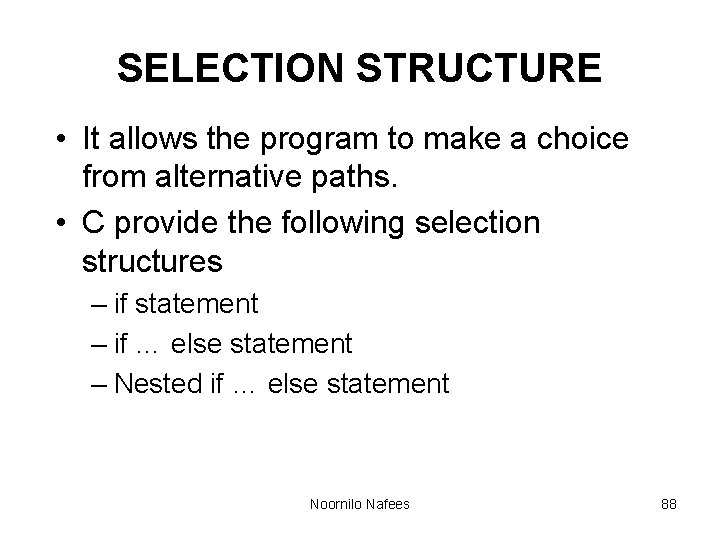
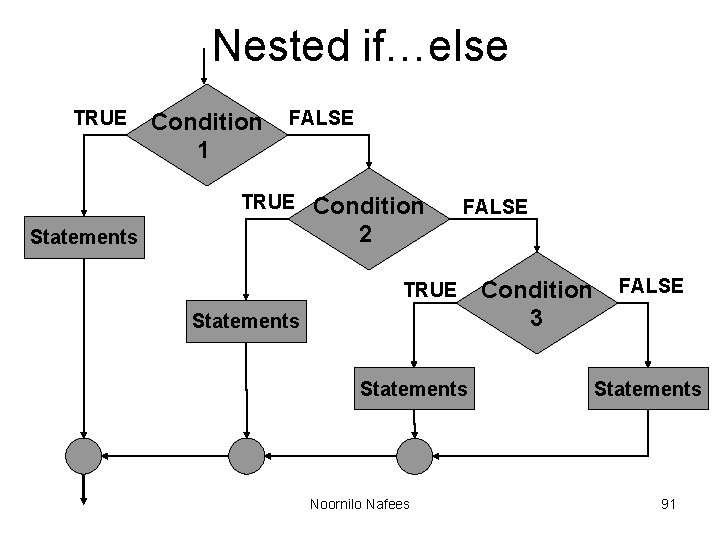
SELECTION STRUCTURE • It allows the program to make a choice from alternative paths. • C provide the following selection structures – if statement – if … else statement – Nested if … else statement Noornilo Nafees 88
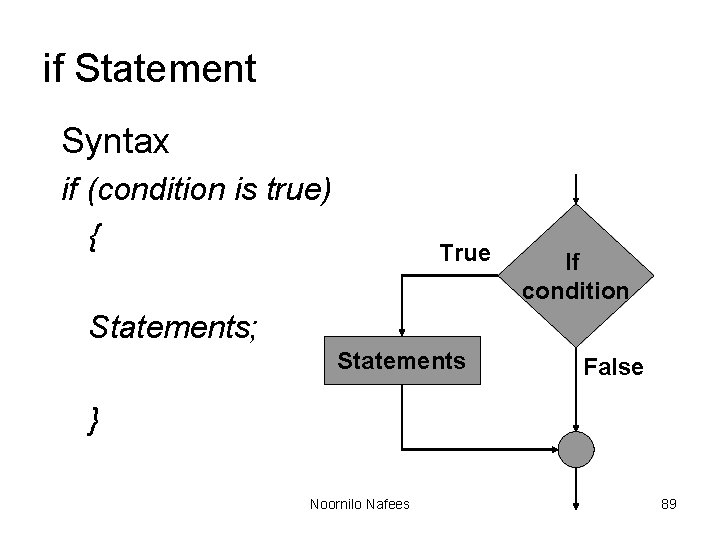
if Statement Syntax if (condition is true) { True If condition Statements; Statements False } Noornilo Nafees 89
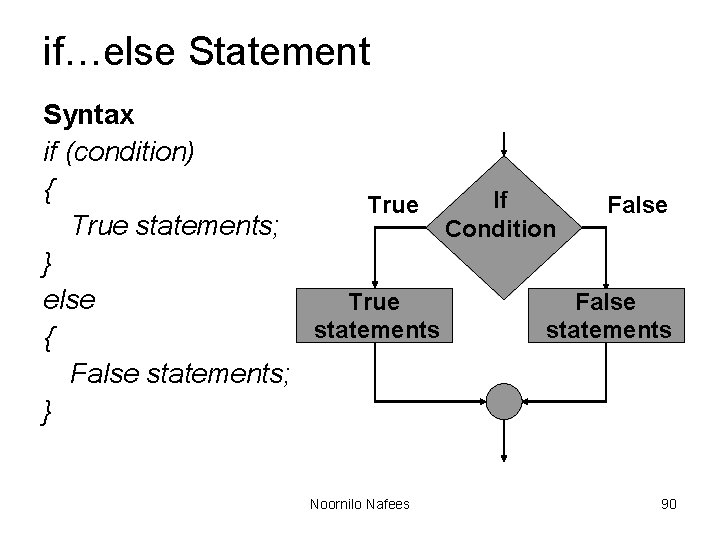
if…else Statement Syntax if (condition) { If True False True statements; Condition } else True False statements { False statements; } Noornilo Nafees 90
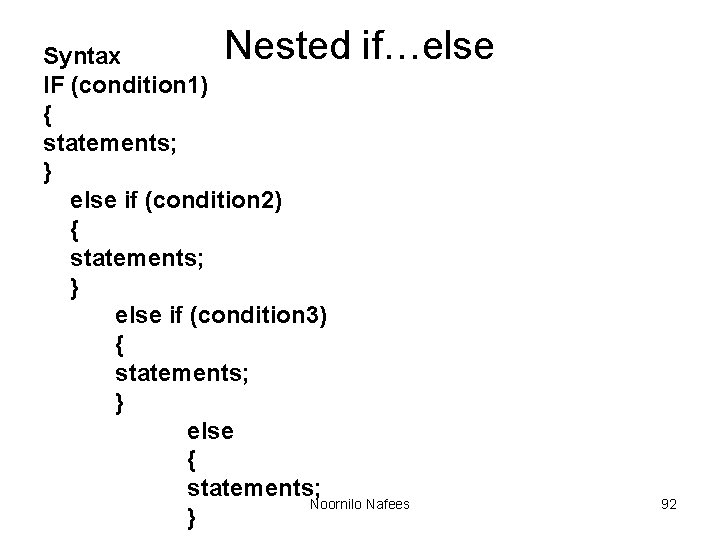
Nested if…else TRUE Condition 1 FALSE TRUE Statements Condition 2 FALSE TRUE Statements Noornilo Nafees Condition 3 FALSE Statements 91
Nested if…else Syntax IF (condition 1) { statements; } else if (condition 2) { statements; } else if (condition 3) { statements; } else { statements; Noornilo Nafees } 92
Iteration structure • It is used to execute some instructions several time based on some condition. – while – do…while – for Noornilo Nafees 93
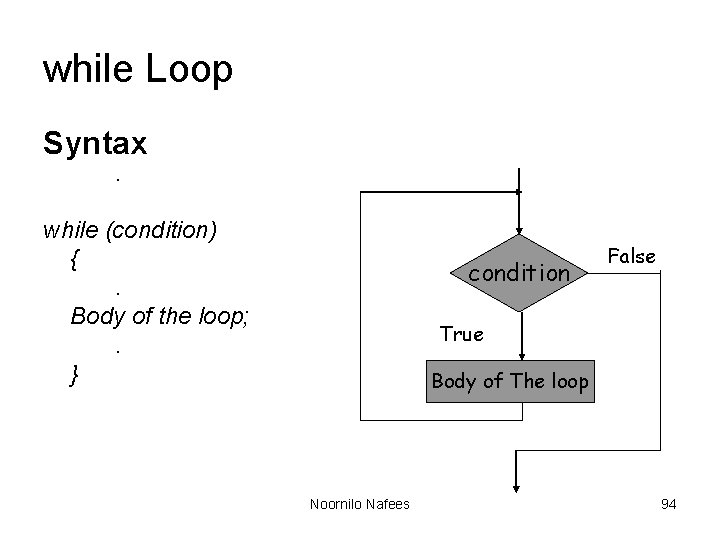
while Loop Syntax. while (condition) {. Body of the loop; . } condition False True Body of The loop Noornilo Nafees 94
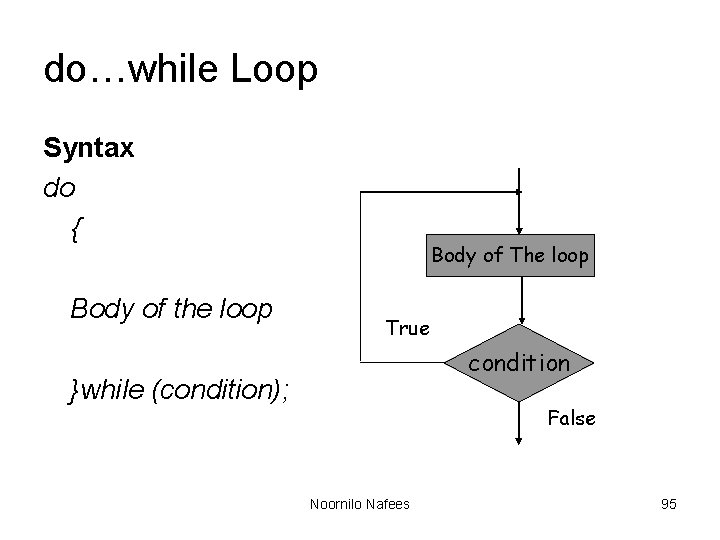
do…while Loop Syntax do { Body of the loop Body of The loop True condition }while (condition); False Noornilo Nafees 95
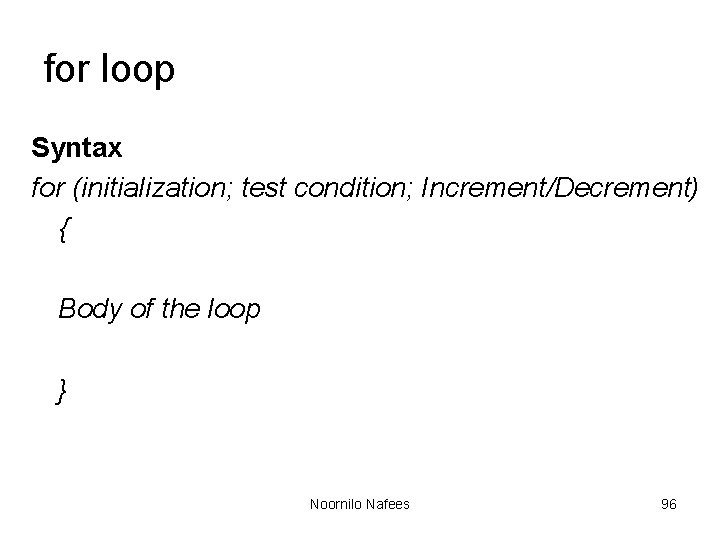
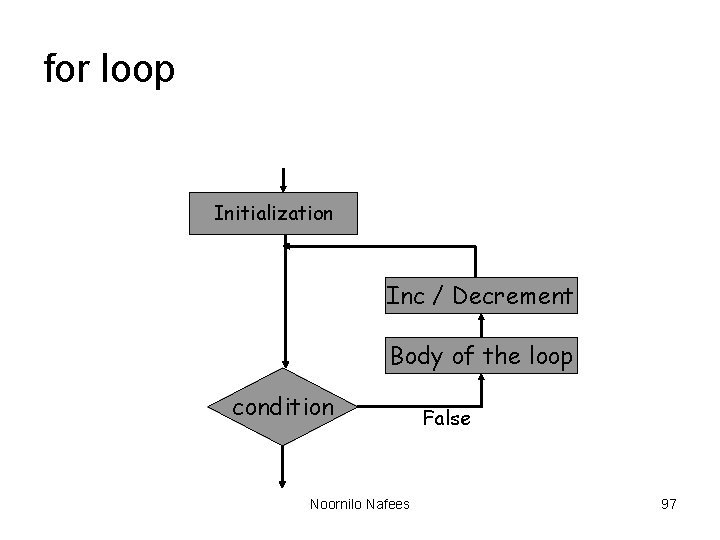
for loop Syntax for (initialization; test condition; Increment/Decrement) { Body of the loop } Noornilo Nafees 96
for loop Initialization Inc / Decrement Body of the loop condition Noornilo Nafees False 97
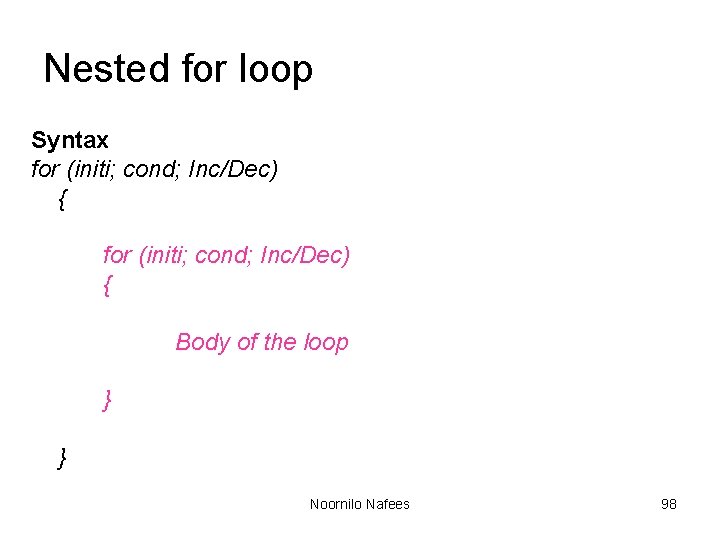
Nested for loop Syntax for (initi; cond; Inc/Dec) { Body of the loop } } Noornilo Nafees 98
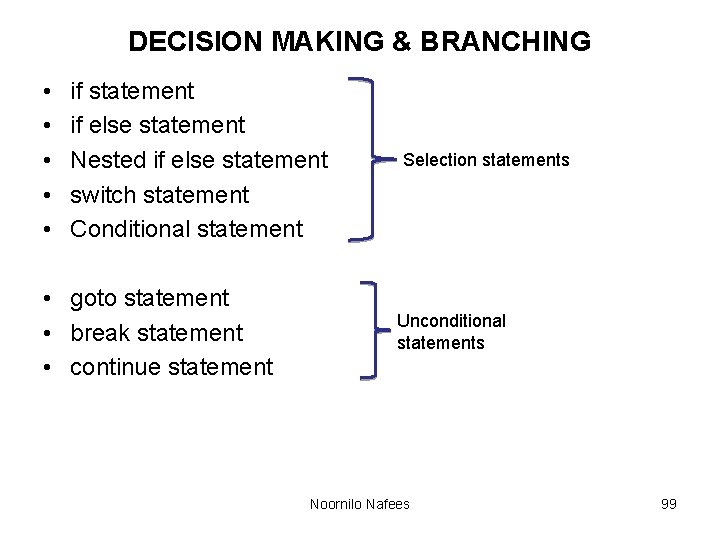
DECISION MAKING & BRANCHING • • • if statement if else statement Nested if else statement switch statement Conditional statement • goto statement • break statement • continue statement Selection statements Unconditional statements Noornilo Nafees 99
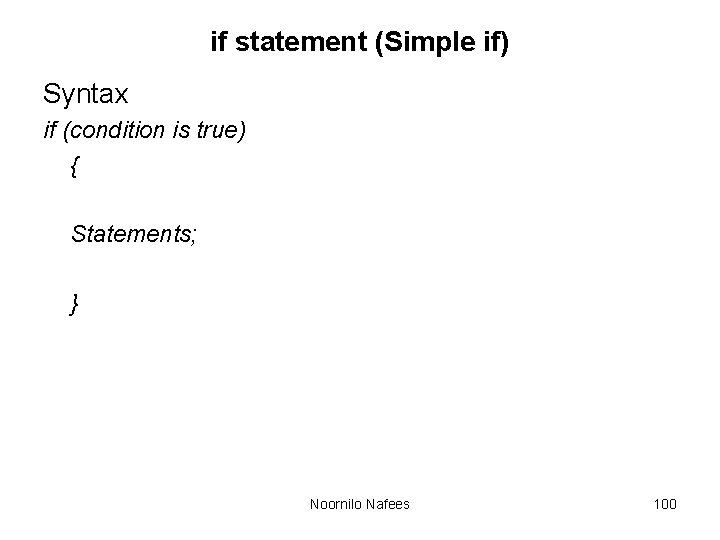
if statement (Simple if) Syntax if (condition is true) { Statements; } Noornilo Nafees 100
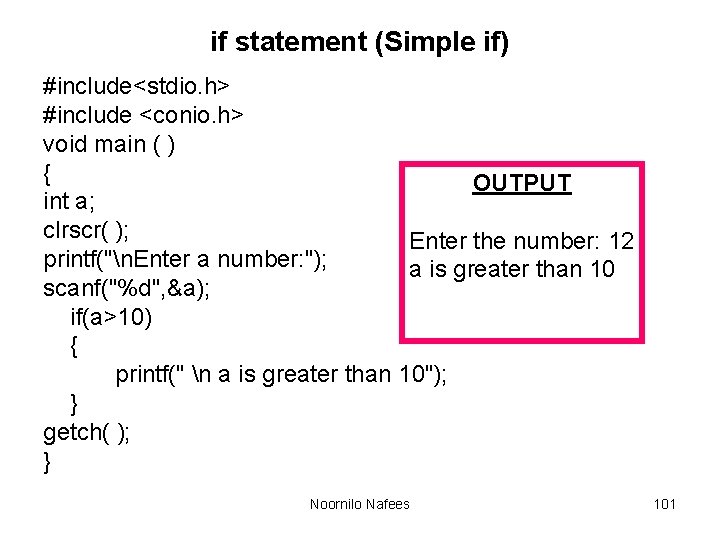
if statement (Simple if) #include<stdio. h> #include <conio. h> void main ( ) { OUTPUT int a; clrscr( ); Enter the number: 12 printf("n. Enter a number: "); a is greater than 10 scanf("%d", &a); if(a>10) { printf(" n a is greater than 10"); } getch( ); } Noornilo Nafees 101
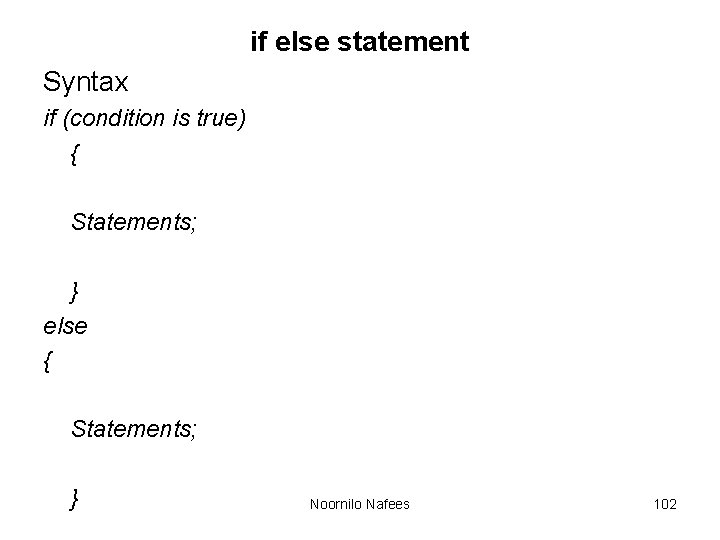
if else statement Syntax if (condition is true) { Statements; } else { Statements; } Noornilo Nafees 102
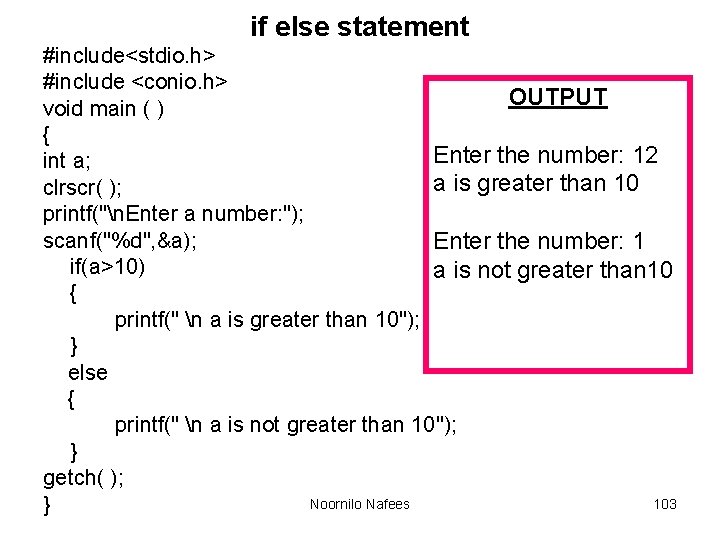
if else statement #include<stdio. h> #include <conio. h> OUTPUT void main ( ) { Enter the number: 12 int a; a is greater than 10 clrscr( ); printf("n. Enter a number: "); scanf("%d", &a); Enter the number: 1 if(a>10) a is not greater than 10 { printf(" n a is greater than 10"); } else { printf(" n a is not greater than 10"); } getch( ); Noornilo Nafees 103 }
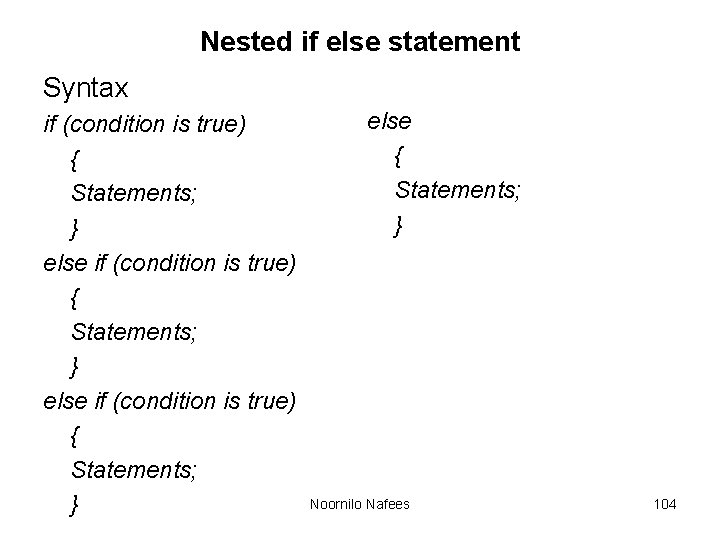
Nested if else statement Syntax if (condition is true) { Statements; } else { Statements; } Noornilo Nafees 104
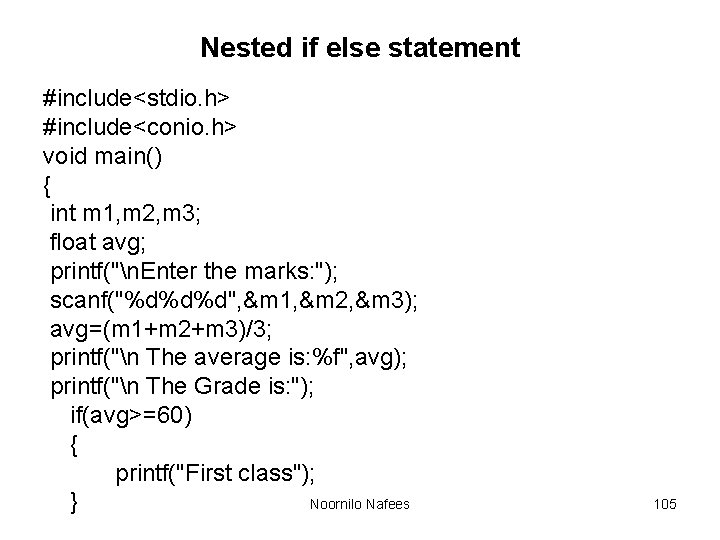
Nested if else statement #include<stdio. h> #include<conio. h> void main() { int m 1, m 2, m 3; float avg; printf("n. Enter the marks: "); scanf("%d%d%d", &m 1, &m 2, &m 3); avg=(m 1+m 2+m 3)/3; printf("n The average is: %f", avg); printf("n The Grade is: "); if(avg>=60) { printf("First class"); Noornilo Nafees } 105
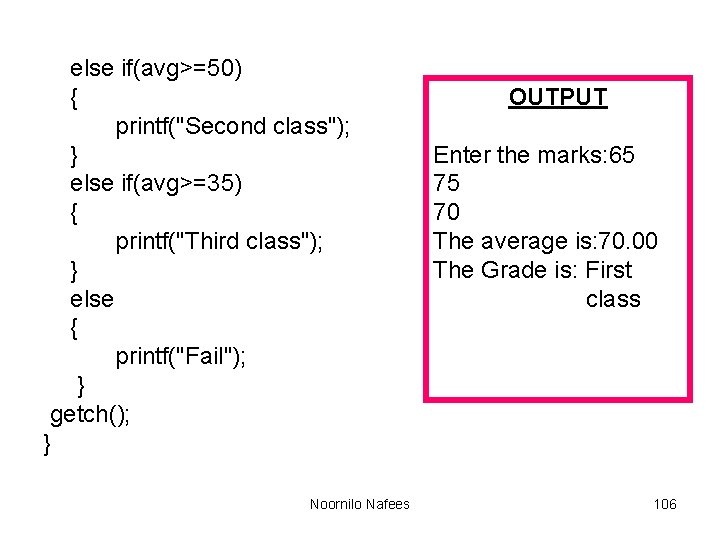
else if(avg>=50) { printf("Second class"); } else if(avg>=35) { printf("Third class"); } else { printf("Fail"); } getch(); } Noornilo Nafees OUTPUT Enter the marks: 65 75 70 The average is: 70. 00 The Grade is: First class 106
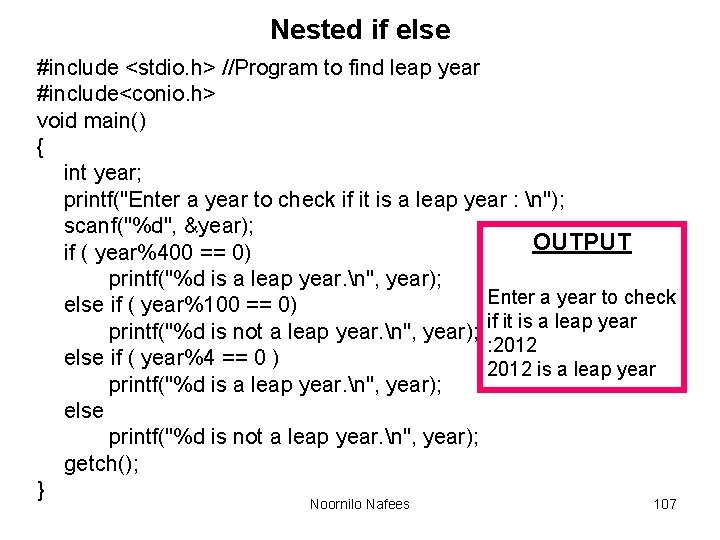
Nested if else #include <stdio. h> //Program to find leap year #include<conio. h> void main() { int year; printf("Enter a year to check if it is a leap year : n"); scanf("%d", &year); OUTPUT if ( year%400 == 0) printf("%d is a leap year. n", year); Enter a year to check else if ( year%100 == 0) printf("%d is not a leap year. n", year); if it is a leap year : 2012 else if ( year%4 == 0 ) 2012 is a leap year printf("%d is a leap year. n", year); else printf("%d is not a leap year. n", year); getch(); } Noornilo Nafees 107
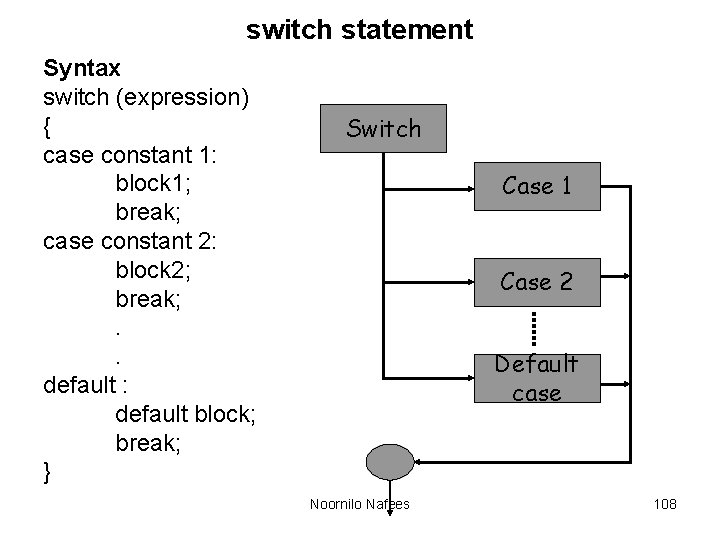
switch statement Syntax switch (expression) { case constant 1: block 1; break; case constant 2: block 2; break; . . default : default block; break; } Switch Case 1 Case 2 Default case Noornilo Nafees 108
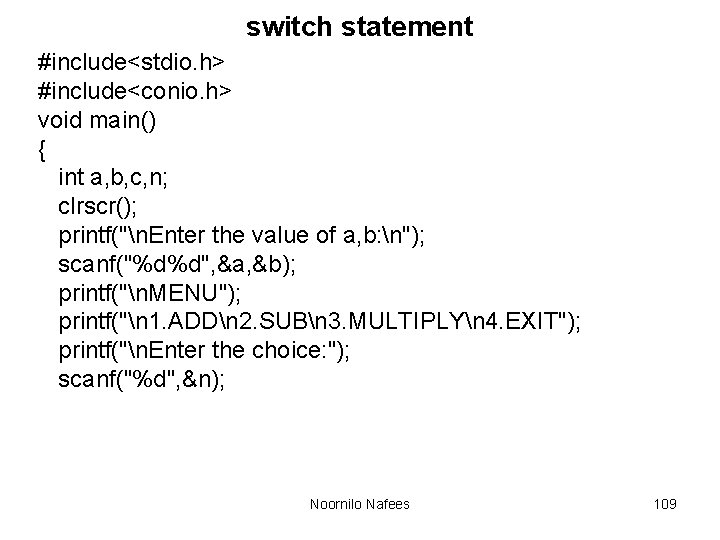
switch statement #include<stdio. h> #include<conio. h> void main() { int a, b, c, n; clrscr(); printf("n. Enter the value of a, b: n"); scanf("%d%d", &a, &b); printf("n. MENU"); printf("n 1. ADDn 2. SUBn 3. MULTIPLYn 4. EXIT"); printf("n. Enter the choice: "); scanf("%d", &n); Noornilo Nafees 109
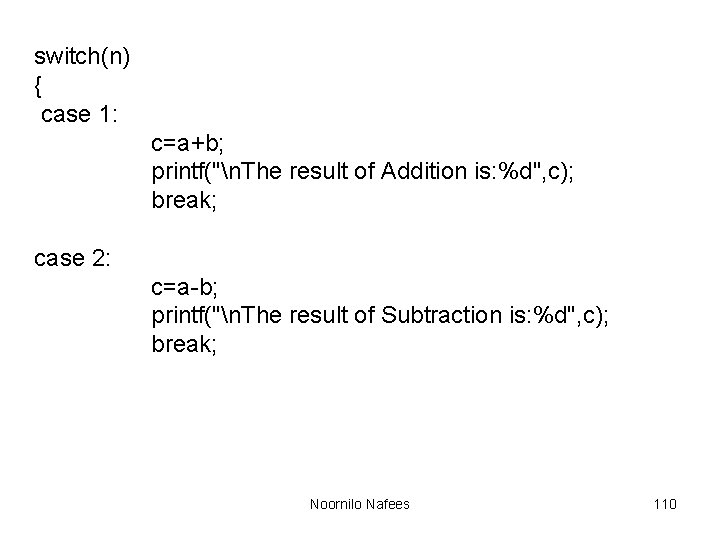
switch(n) { case 1: c=a+b; printf("n. The result of Addition is: %d", c); break; case 2: c=a-b; printf("n. The result of Subtraction is: %d", c); break; Noornilo Nafees 110
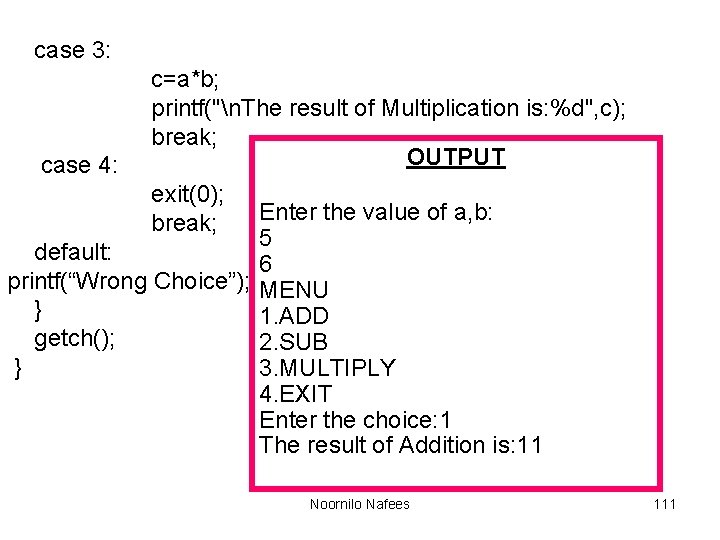
case 3: case 4: c=a*b; printf("n. The result of Multiplication is: %d", c); break; OUTPUT exit(0); break; Enter the value of a, b: 5 default: 6 printf(“Wrong Choice”); MENU } 1. ADD getch(); 2. SUB } 3. MULTIPLY 4. EXIT Enter the choice: 1 The result of Addition is: 11 Noornilo Nafees 111
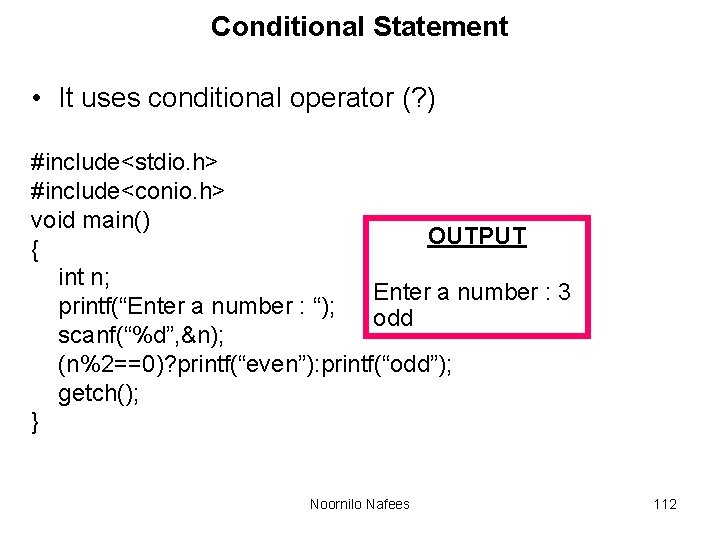
Conditional Statement • It uses conditional operator (? ) #include<stdio. h> #include<conio. h> void main() OUTPUT { int n; Enter a number : 3 printf(“Enter a number : “); odd scanf(“%d”, &n); (n%2==0)? printf(“even”): printf(“odd”); getch(); } Noornilo Nafees 112
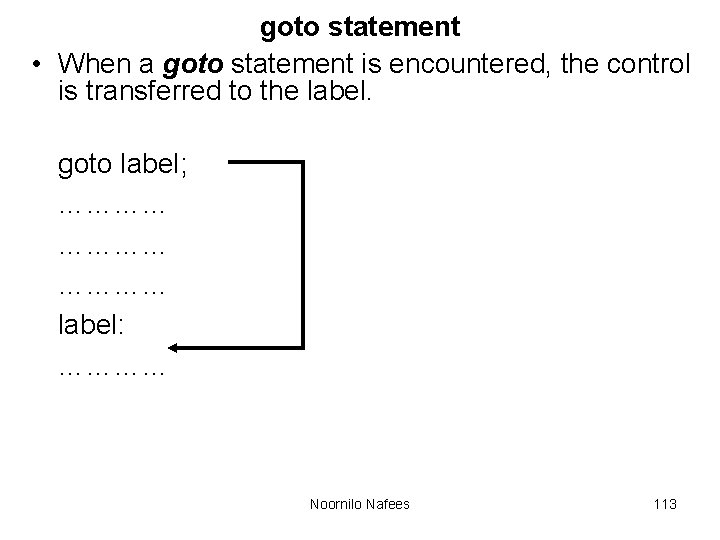
goto statement • When a goto statement is encountered, the control is transferred to the label. goto label; ………… label: ………… Noornilo Nafees 113
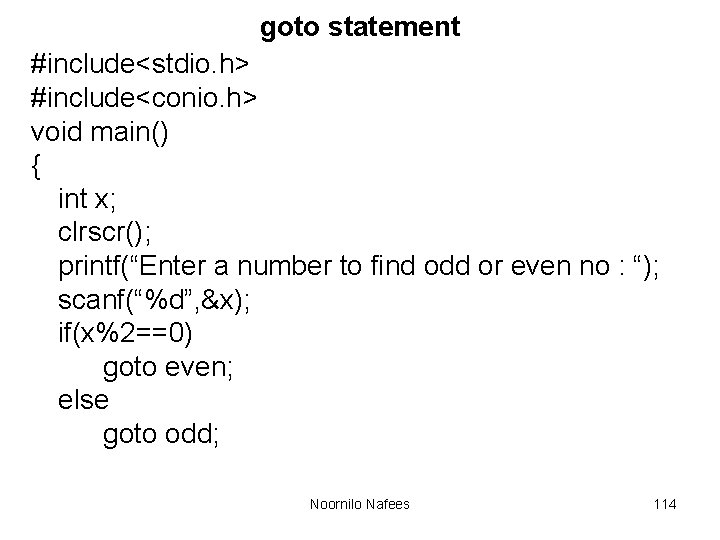
goto statement #include<stdio. h> #include<conio. h> void main() { int x; clrscr(); printf(“Enter a number to find odd or even no : “); scanf(“%d”, &x); if(x%2==0) goto even; else goto odd; Noornilo Nafees 114
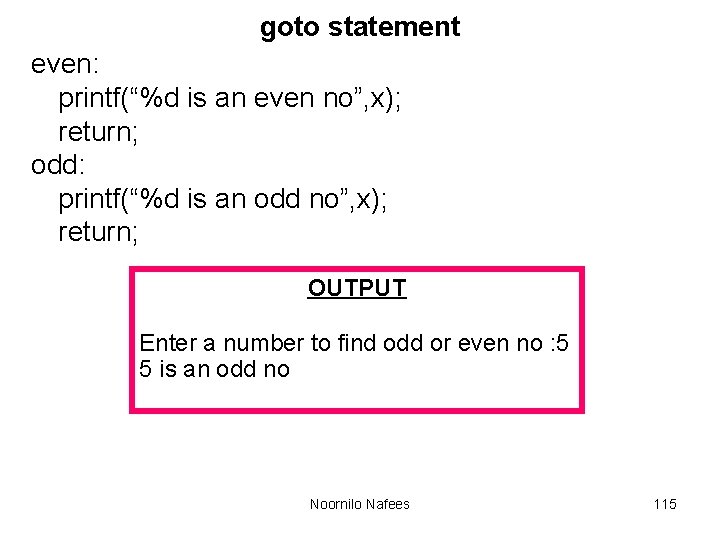
goto statement even: printf(“%d is an even no”, x); return; odd: printf(“%d is an odd no”, x); return; OUTPUT Enter a number to find odd or even no : 5 5 is an odd no Noornilo Nafees 115
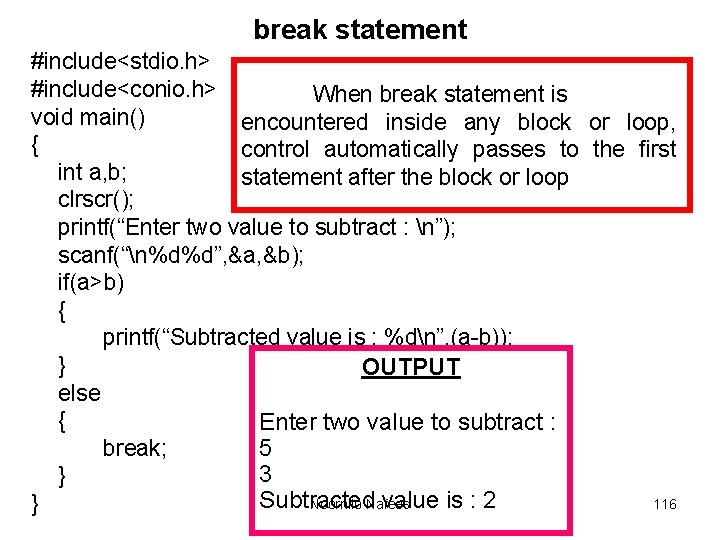
break statement #include<stdio. h> #include<conio. h> When break statement is void main() encountered inside any block or loop, { control automatically passes to the first int a, b; statement after the block or loop clrscr(); printf(“Enter two value to subtract : n”); scanf(“n%d%d”, &a, &b); if(a>b) { printf(“Subtracted value is : %dn”, (a-b)); } OUTPUT else { Enter two value to subtract : break; 5 3 } Subtracted value is : 2 Noornilo Nafees 116 }
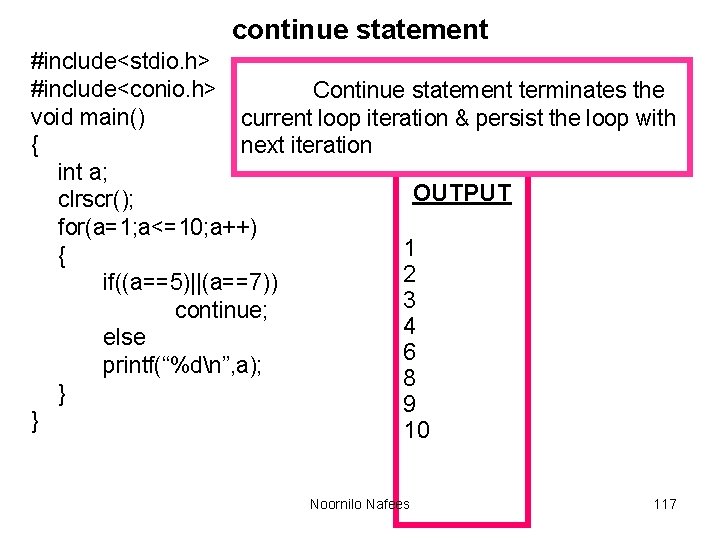
continue statement #include<stdio. h> #include<conio. h> Continue statement terminates the void main() current loop iteration & persist the loop with { next iteration int a; OUTPUT clrscr(); for(a=1; a<=10; a++) 1 { 2 if((a==5)||(a==7)) 3 continue; 4 else 6 printf(“%dn”, a); 8 } 9 } 10 Noornilo Nafees 117
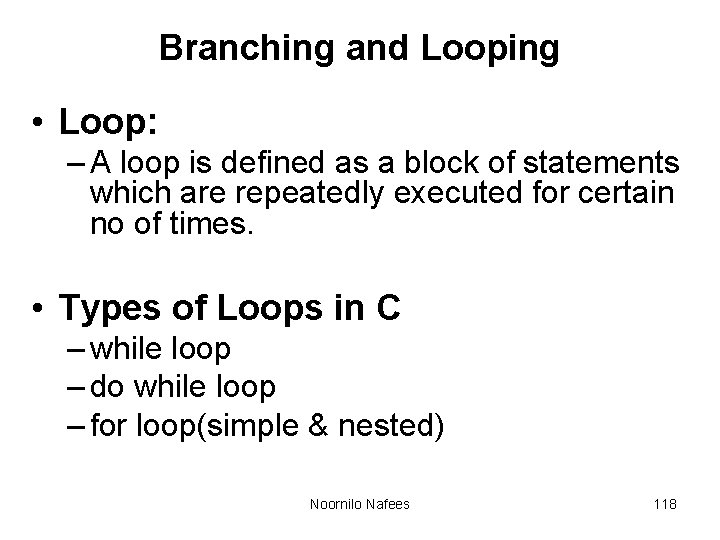
Branching and Looping • Loop: – A loop is defined as a block of statements which are repeatedly executed for certain no of times. • Types of Loops in C – while loop – do while loop – for loop(simple & nested) Noornilo Nafees 118
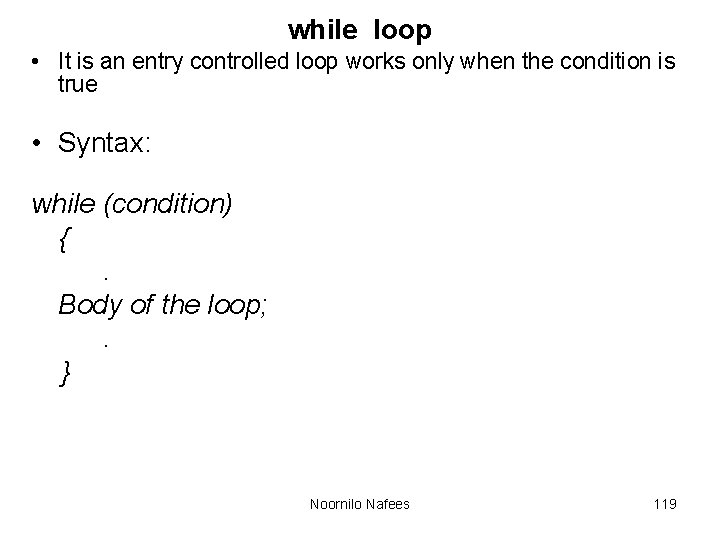
while loop • It is an entry controlled loop works only when the condition is true • Syntax: while (condition) {. Body of the loop; . } Noornilo Nafees 119
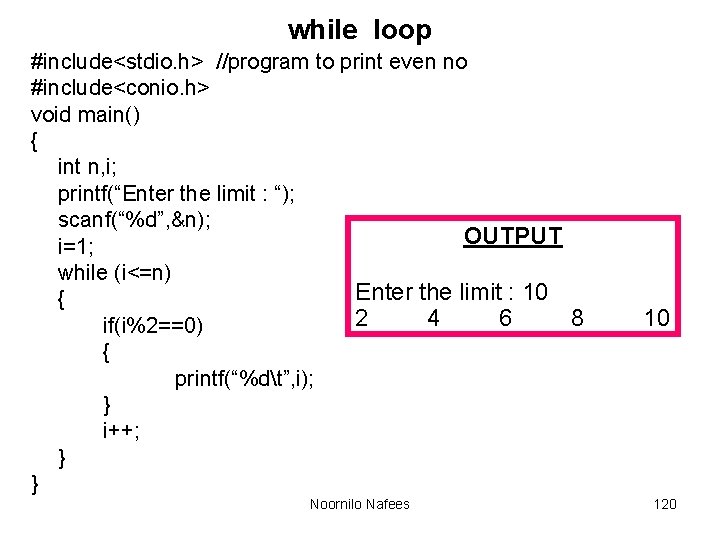
while loop #include<stdio. h> //program to print even no #include<conio. h> void main() { int n, i; printf(“Enter the limit : “); scanf(“%d”, &n); OUTPUT i=1; while (i<=n) Enter the limit : 10 { 2 4 6 8 if(i%2==0) { printf(“%dt”, i); } i++; } } Noornilo Nafees 10 120
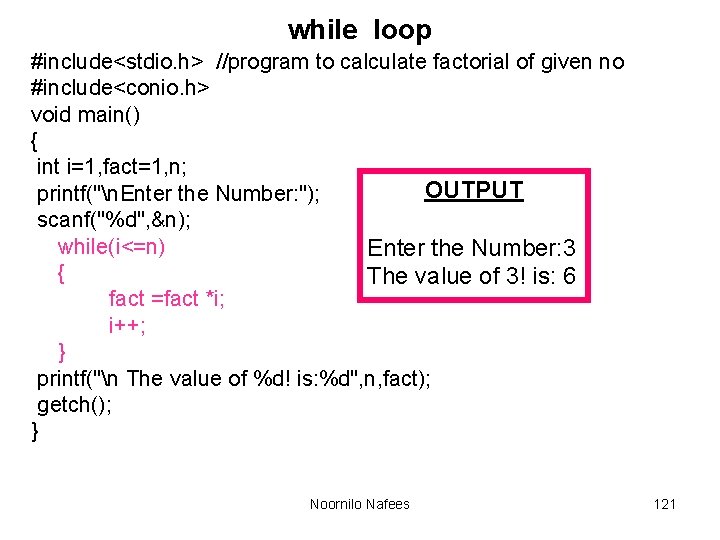
while loop #include<stdio. h> //program to calculate factorial of given no #include<conio. h> void main() { int i=1, fact=1, n; OUTPUT printf("n. Enter the Number: "); scanf("%d", &n); while(i<=n) Enter the Number: 3 { The value of 3! is: 6 fact =fact *i; i++; } printf("n The value of %d! is: %d", n, fact); getch(); } Noornilo Nafees 121
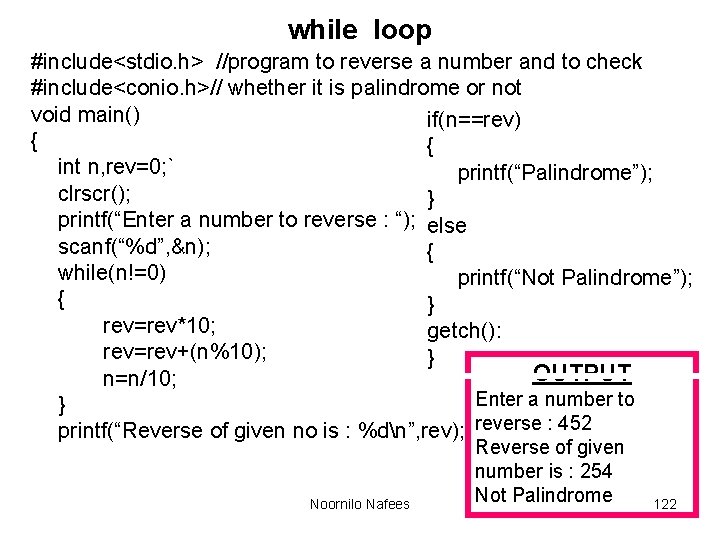
while loop #include<stdio. h> //program to reverse a number and to check #include<conio. h>// whether it is palindrome or not void main() if(n==rev) { { int n, rev=0; ` printf(“Palindrome”); clrscr(); } printf(“Enter a number to reverse : “); else scanf(“%d”, &n); { while(n!=0) printf(“Not Palindrome”); { } rev=rev*10; getch(): rev=rev+(n%10); } OUTPUT n=n/10; Enter a number to } printf(“Reverse of given no is : %dn”, rev); reverse : 452 Noornilo Nafees Reverse of given number is : 254 Not Palindrome 122
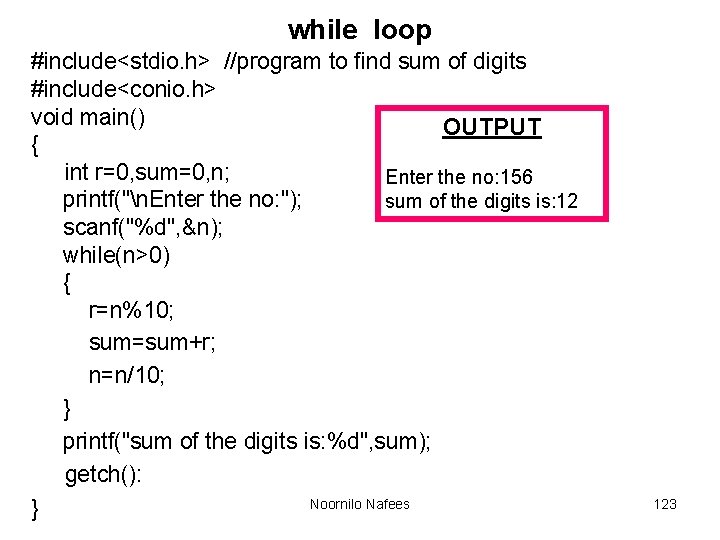
while loop #include<stdio. h> //program to find sum of digits #include<conio. h> void main() OUTPUT { int r=0, sum=0, n; Enter the no: 156 printf("n. Enter the no: "); sum of the digits is: 12 scanf("%d", &n); while(n>0) { r=n%10; sum=sum+r; n=n/10; } printf("sum of the digits is: %d", sum); getch(): Noornilo Nafees } 123
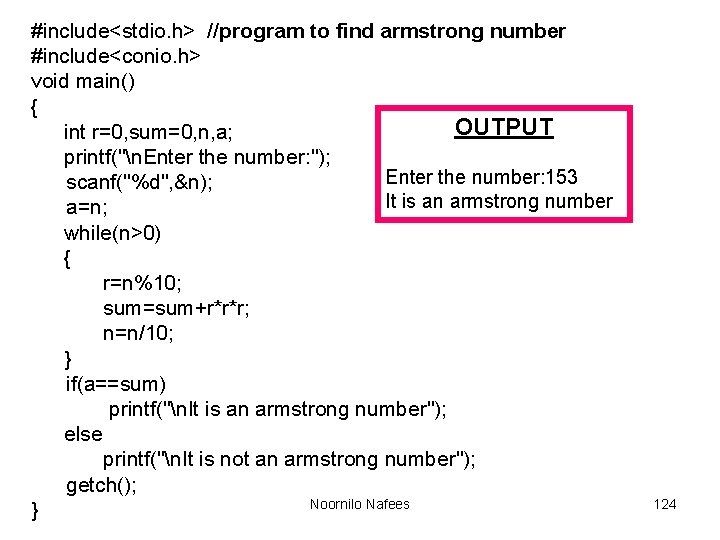
#include<stdio. h> //program to find armstrong number #include<conio. h> void main() { OUTPUT int r=0, sum=0, n, a; printf("n. Enter the number: "); Enter the number: 153 scanf("%d", &n); It is an armstrong number a=n; while(n>0) { r=n%10; sum=sum+r*r*r; n=n/10; } if(a==sum) printf("n. It is an armstrong number"); else printf("n. It is not an armstrong number"); getch(); Noornilo Nafees } 124
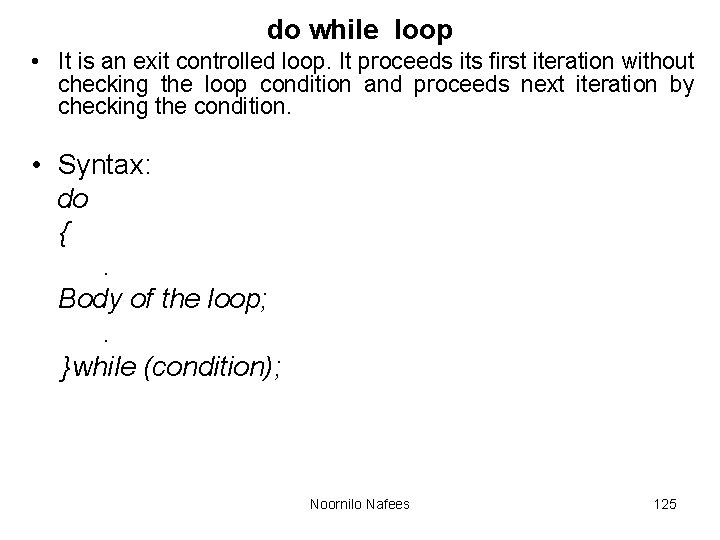
do while loop • It is an exit controlled loop. It proceeds its first iteration without checking the loop condition and proceeds next iteration by checking the condition. • Syntax: do {. Body of the loop; . }while (condition); Noornilo Nafees 125
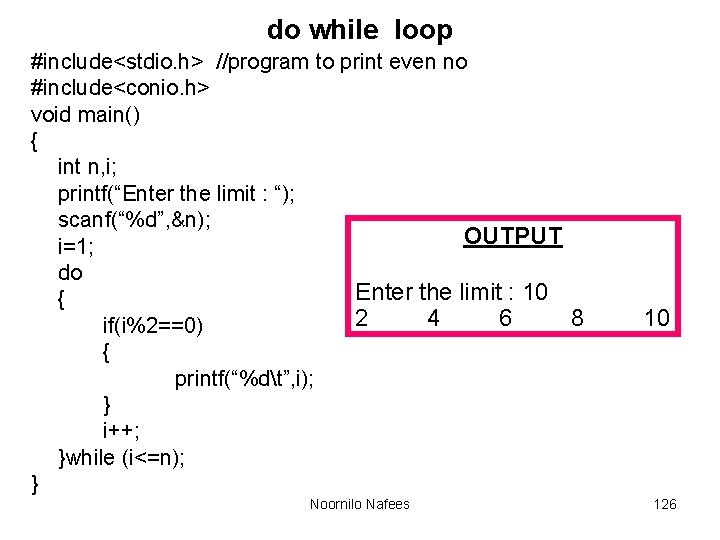
do while loop #include<stdio. h> //program to print even no #include<conio. h> void main() { int n, i; printf(“Enter the limit : “); scanf(“%d”, &n); OUTPUT i=1; do Enter the limit : 10 { 2 4 6 8 if(i%2==0) { printf(“%dt”, i); } i++; }while (i<=n); } Noornilo Nafees 10 126
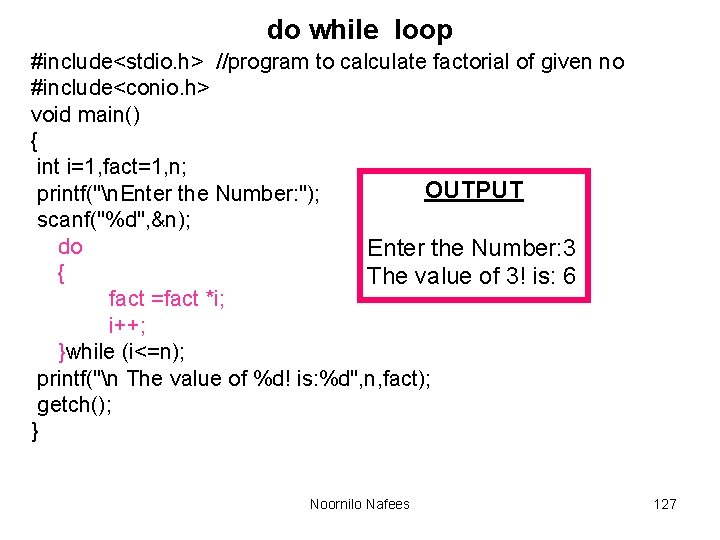
do while loop #include<stdio. h> //program to calculate factorial of given no #include<conio. h> void main() { int i=1, fact=1, n; OUTPUT printf("n. Enter the Number: "); scanf("%d", &n); do Enter the Number: 3 { The value of 3! is: 6 fact =fact *i; i++; }while (i<=n); printf("n The value of %d! is: %d", n, fact); getch(); } Noornilo Nafees 127
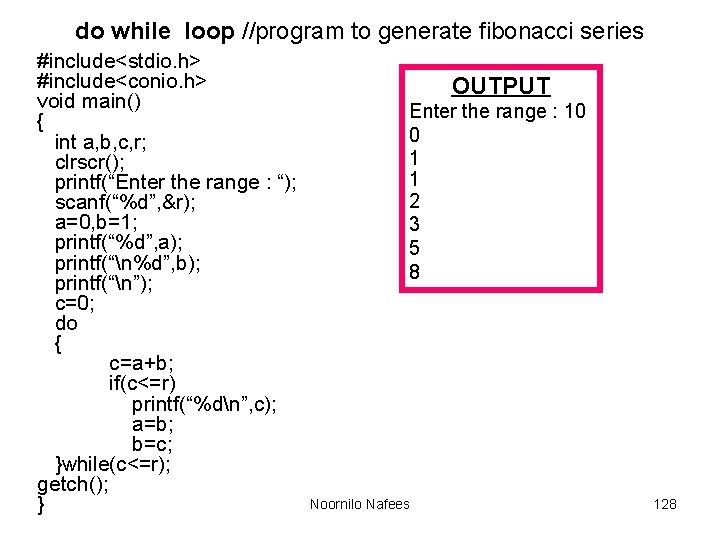
do while loop //program to generate fibonacci series #include<stdio. h> #include<conio. h> void main() { int a, b, c, r; clrscr(); printf(“Enter the range : “); scanf(“%d”, &r); a=0, b=1; printf(“%d”, a); printf(“n%d”, b); printf(“n”); c=0; do { c=a+b; if(c<=r) printf(“%dn”, c); a=b; b=c; }while(c<=r); getch(); } OUTPUT Enter the range : 10 0 1 1 2 3 5 8 Noornilo Nafees 128
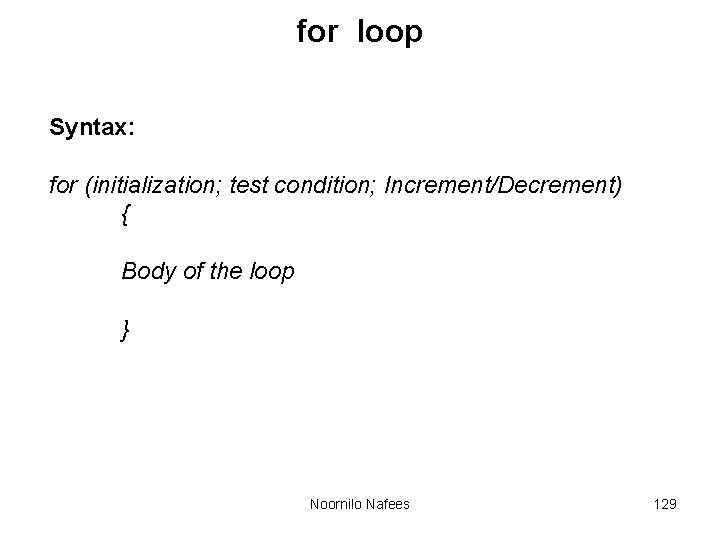
for loop Syntax: for (initialization; test condition; Increment/Decrement) { Body of the loop } Noornilo Nafees 129
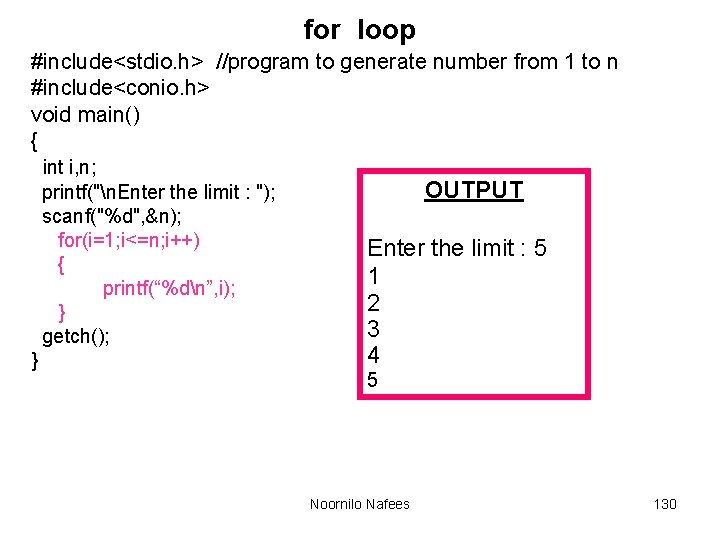
for loop #include<stdio. h> //program to generate number from 1 to n #include<conio. h> void main() { int i, n; printf("n. Enter the limit : "); scanf("%d", &n); for(i=1; i<=n; i++) { printf(“%dn”, i); } getch(); } OUTPUT Enter the limit : 5 1 2 3 4 5 Noornilo Nafees 130
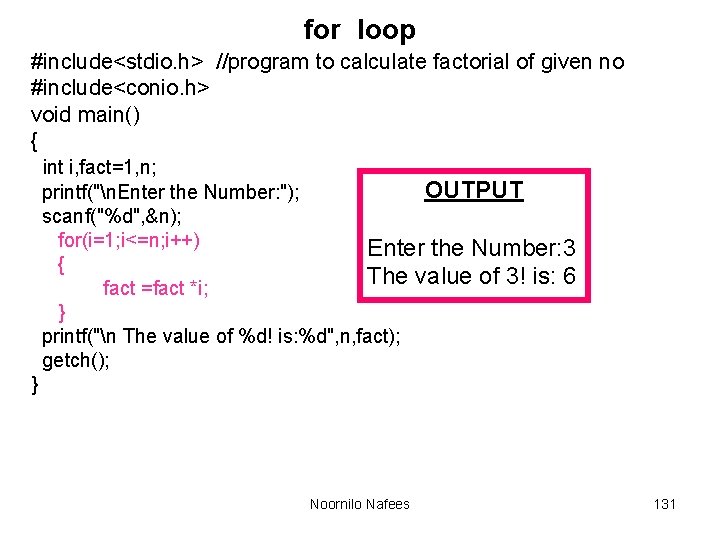
for loop #include<stdio. h> //program to calculate factorial of given no #include<conio. h> void main() { int i, fact=1, n; OUTPUT printf("n. Enter the Number: "); scanf("%d", &n); for(i=1; i<=n; i++) Enter the Number: 3 { The value of 3! is: 6 fact =fact *i; } printf("n The value of %d! is: %d", n, fact); getch(); } Noornilo Nafees 131
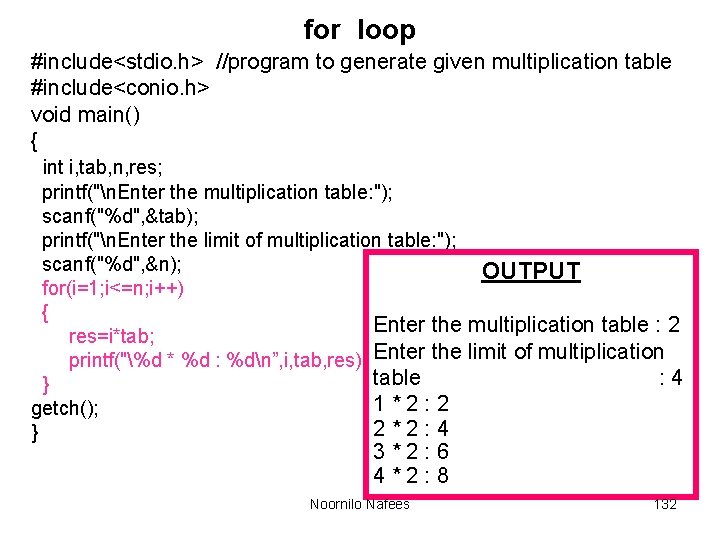
for loop #include<stdio. h> //program to generate given multiplication table #include<conio. h> void main() { int i, tab, n, res; printf("n. Enter the multiplication table: "); scanf("%d", &tab); printf("n. Enter the limit of multiplication table: "); scanf("%d", &n); OUTPUT for(i=1; i<=n; i++) { Enter the multiplication table : 2 res=i*tab; printf("%d * %d : %dn”, i, tab, res); Enter the limit of multiplication table : 4 } 1*2: 2 getch(); 2*2: 4 } 3*2: 6 4*2: 8 Noornilo Nafees 132
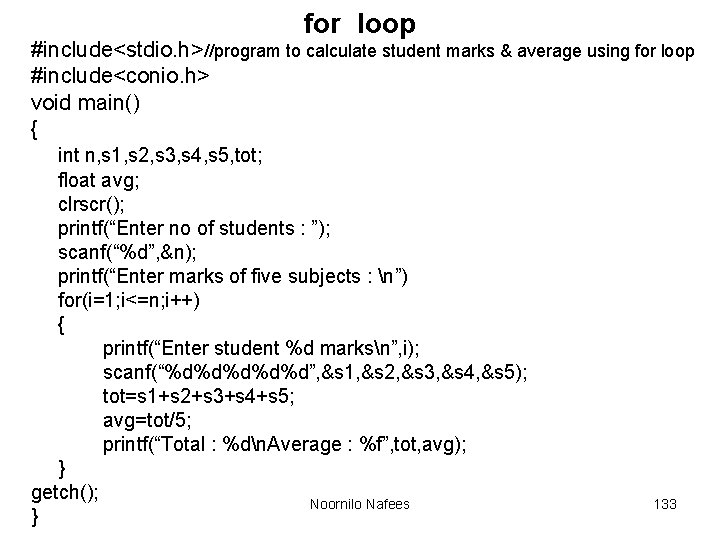
for loop #include<stdio. h>//program to calculate student marks & average using for loop #include<conio. h> void main() { int n, s 1, s 2, s 3, s 4, s 5, tot; float avg; clrscr(); printf(“Enter no of students : ”); scanf(“%d”, &n); printf(“Enter marks of five subjects : n”) for(i=1; i<=n; i++) { printf(“Enter student %d marksn”, i); scanf(“%d%d%d”, &s 1, &s 2, &s 3, &s 4, &s 5); tot=s 1+s 2+s 3+s 4+s 5; avg=tot/5; printf(“Total : %dn. Average : %f”, tot, avg); } getch(); Noornilo Nafees } 133
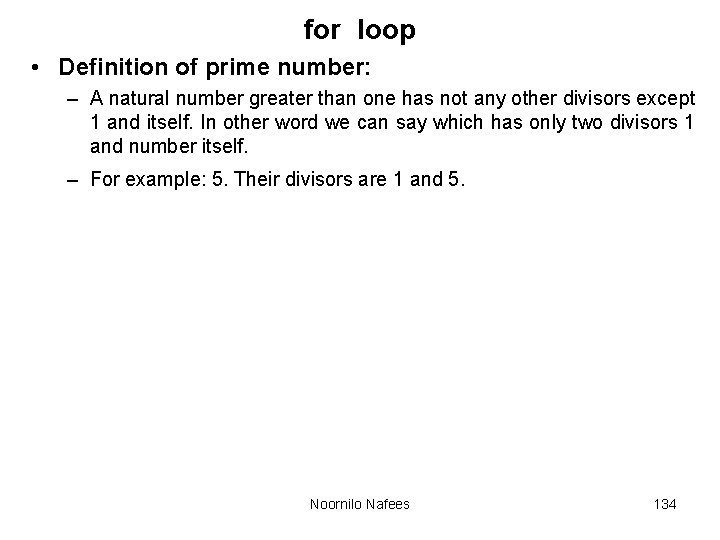
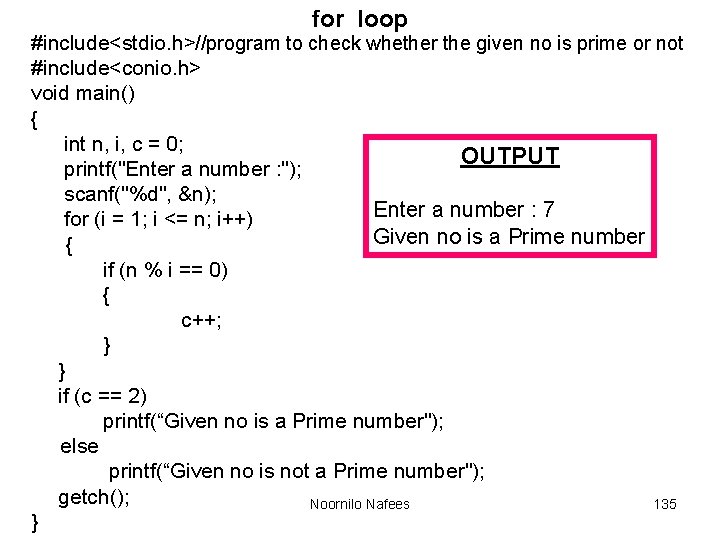
for loop • Definition of prime number: – A natural number greater than one has not any other divisors except 1 and itself. In other word we can say which has only two divisors 1 and number itself. – For example: 5. Their divisors are 1 and 5. Noornilo Nafees 134
for loop #include<stdio. h>//program to check whether the given no is prime or not #include<conio. h> void main() { int n, i, c = 0; OUTPUT printf("Enter a number : "); scanf("%d", &n); Enter a number : 7 for (i = 1; i <= n; i++) Given no is a Prime number { if (n % i == 0) { c++; } } if (c == 2) printf(“Given no is a Prime number"); else printf(“Given no is not a Prime number"); getch(); Noornilo Nafees 135 }
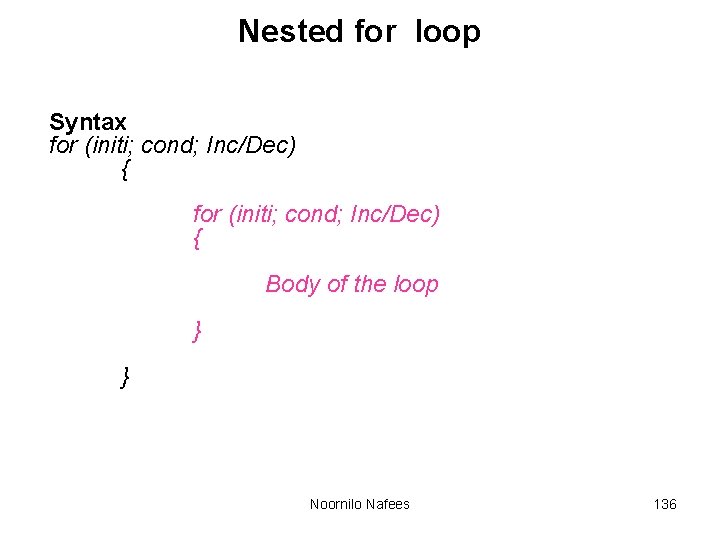
Nested for loop Syntax for (initi; cond; Inc/Dec) { Body of the loop } } Noornilo Nafees 136
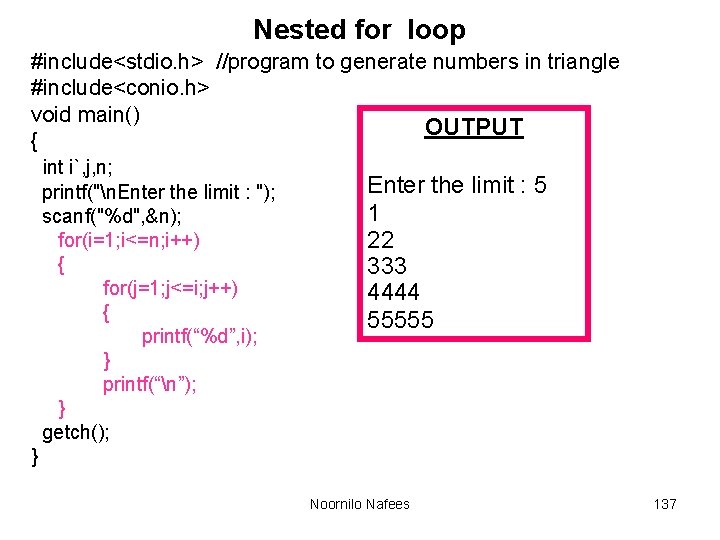
Nested for loop #include<stdio. h> //program to generate numbers in triangle #include<conio. h> void main() OUTPUT { int i`, j, n; printf("n. Enter the limit : "); scanf("%d", &n); for(i=1; i<=n; i++) { for(j=1; j<=i; j++) { printf(“%d”, i); } printf(“n”); } getch(); Enter the limit : 5 1 22 333 4444 55555 } Noornilo Nafees 137
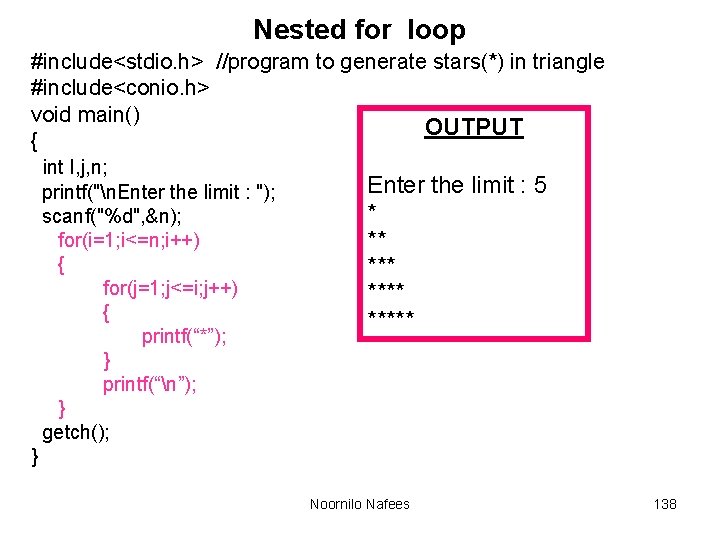
Nested for loop #include<stdio. h> //program to generate stars(*) in triangle #include<conio. h> void main() OUTPUT { int I, j, n; printf("n. Enter the limit : "); scanf("%d", &n); for(i=1; i<=n; i++) { for(j=1; j<=i; j++) { printf(“*”); } printf(“n”); } getch(); Enter the limit : 5 * ** ***** } Noornilo Nafees 138
EXAMPLES Noornilo Nafees 139
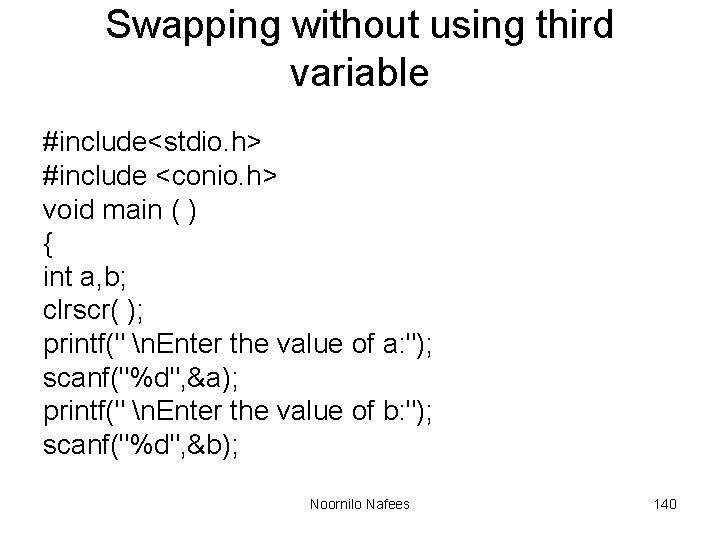
Swapping without using third variable #include<stdio. h> #include <conio. h> void main ( ) { int a, b; clrscr( ); printf(" n. Enter the value of a: "); scanf("%d", &a); printf(" n. Enter the value of b: "); scanf("%d", &b); Noornilo Nafees 140
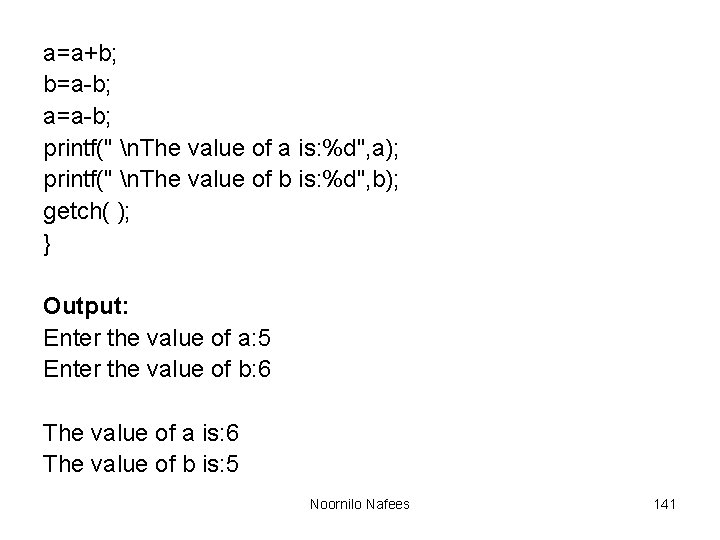
a=a+b; b=a-b; a=a-b; printf(" n. The value of a is: %d", a); printf(" n. The value of b is: %d", b); getch( ); } Output: Enter the value of a: 5 Enter the value of b: 6 The value of a is: 6 The value of b is: 5 Noornilo Nafees 141
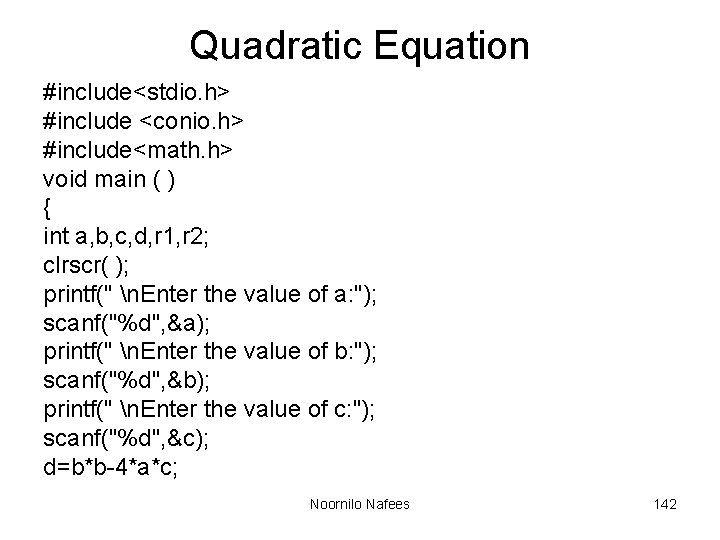
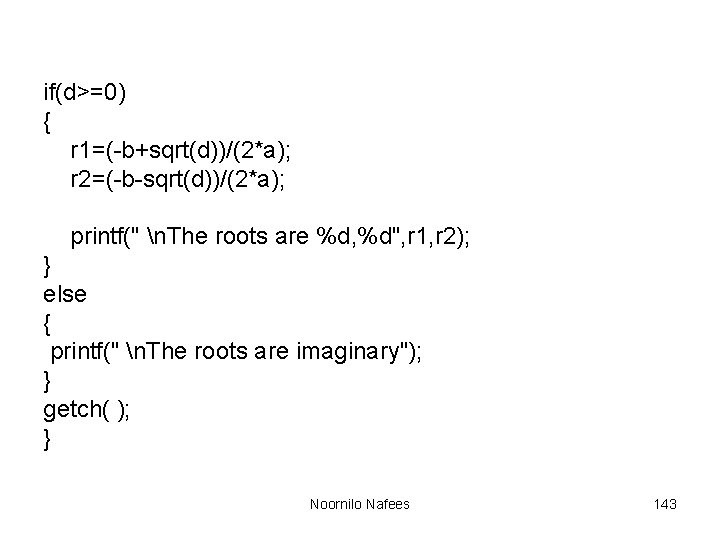
Quadratic Equation #include<stdio. h> #include <conio. h> #include<math. h> void main ( ) { int a, b, c, d, r 1, r 2; clrscr( ); printf(" n. Enter the value of a: "); scanf("%d", &a); printf(" n. Enter the value of b: "); scanf("%d", &b); printf(" n. Enter the value of c: "); scanf("%d", &c); d=b*b-4*a*c; Noornilo Nafees 142
if(d>=0) { r 1=(-b+sqrt(d))/(2*a); r 2=(-b-sqrt(d))/(2*a); printf(" n. The roots are %d, %d", r 1, r 2); } else { printf(" n. The roots are imaginary"); } getch( ); } Noornilo Nafees 143
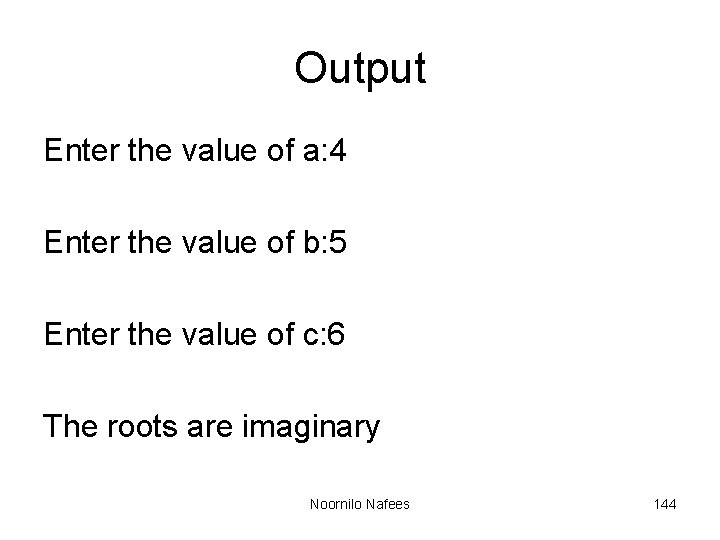
Output Enter the value of a: 4 Enter the value of b: 5 Enter the value of c: 6 The roots are imaginary Noornilo Nafees 144