How to Present a Paper at an Academic
- Slides: 122
How to Present a Paper at an Academic Conference Steve Wallace Proofreading, Editing, Translation Over 20, 000 words! Get 15% Discount. >>> Get free quote now 11/26/2020 Wallace Academic Editing
Speaker Introduction n NCTU, NTHU and ITRI technical writing and conference presentation teacher for Electrical Engineering graduate students Goal as a teacher is help my students publish papers Editing Service: 86 Colleges, Universities and Research Institutes. Over 4, 300 papers total. 11/26/2020 Academic Editing Proofreading Service
Speech Outline n n n How to prepare a convincing technical presentation in English Key sentences for all conference functions Making comments and answering questions Strategies for handling Q&A Connect with other researchers What to include in Power. Point 11/26/2020 Academic Editing Proofreading Service
Why Go to Conferences? n n To get published To meet your reviewers q q q n To meet your editor q q n Stay at the conference hotel Buy coffee Birds of a feather (BOF’s) and Special interest groups (SIG’s) Get invited to submit See what the editor wants To meet coauthors q q Share your research with your field Get feedback that can make your work better 11/26/2020 Academic Editing Proofreading Service
Conference Presentations 11/26/2020 Academic Editing Proofreading Service
Bad Conference Presentations n n You’ve seen poor conference presentations. # 1 complaint of conference attendees 11/26/2020 Academic Editing Proofreading Service
Why Do Smart People Give Poor Talks? n n 11/26/2020 Poor speaking is a reaction to fear. Presentations are not journal articles. They’re a completely different communication, and they require different skills. Academic Editing Proofreading Service
An Effective Talk Must Do Two Things 1. Persuade you audience with evidence 2. Be interesting and entertaining 11/26/2020 Academic Editing Proofreading Service
Principles of Effective Conference Presentations u Talk, instead of reading u Stand up u Move around u Make eye contact with your audience u Don’t only look at one side of the room u Imitate excellent speakers 11/26/2020 Academic Editing Proofreading Service
n n n Talk, instead of reading q Academic writing does not make good speaking. q Speak about the slide instead of reading it. Stand up q This lets people in the back rows see your face and hear you better. Move around q It’s easier to keep focusing on someone who’s moving. q Simply walking from one side of the room to the other every 3 -4 minutes is usually enough. 11/26/2020 Academic Editing Proofreading Service
n Make eye contact with your audience q If this makes you afraid, pretend to make eye contact by looking around the room. q Or, find a few friendly faces at different places and speak to them. n Don’t only look at one side of the room q A projector forces you to stand far to one side or the other. Avoid this by moving from one side of the screen to the other. n Imitate excellent speakers q Watch experienced speakers and copy their presentation style. q Find someone in your field to imitate. Notice not only what they say, but what they do: how they move, how they use their voices, how they look at audience, how they handle timing and questions. 11/26/2020 Academic Editing Proofreading Service
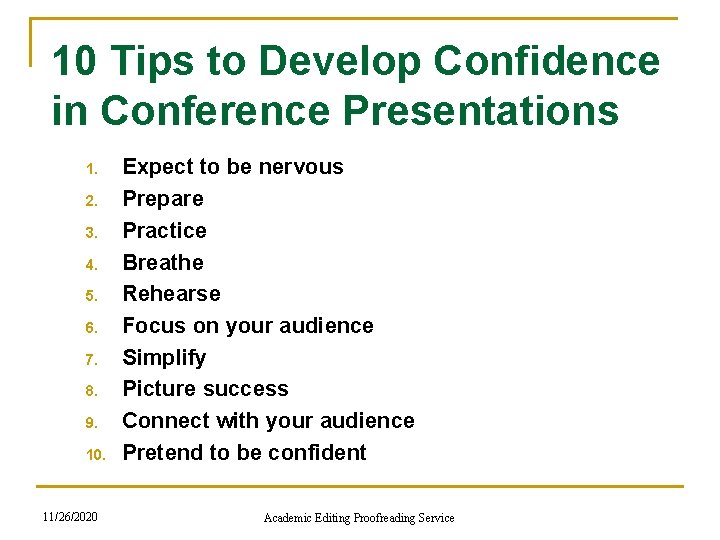
10 Tips to Develop Confidence in Conference Presentations 1. 2. 3. 4. 5. 6. 7. 8. 9. 10. 11/26/2020 Expect to be nervous Prepare Practice Breathe Rehearse Focus on your audience Simplify Picture success Connect with your audience Pretend to be confident Academic Editing Proofreading Service
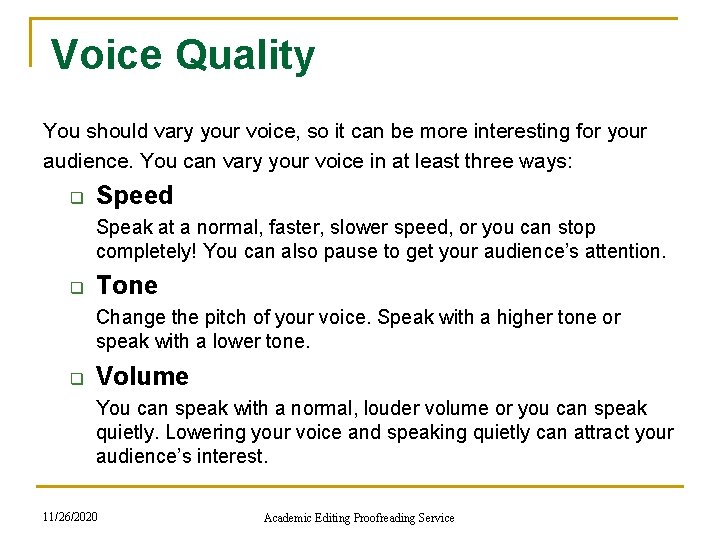
Voice Quality You should vary your voice, so it can be more interesting for your audience. You can vary your voice in at least three ways: q Speed Speak at a normal, faster, slower speed, or you can stop completely! You can also pause to get your audience’s attention. q Tone Change the pitch of your voice. Speak with a higher tone or speak with a lower tone. q Volume You can speak with a normal, louder volume or you can speak quietly. Lowering your voice and speaking quietly can attract your audience’s interest. 11/26/2020 Academic Editing Proofreading Service
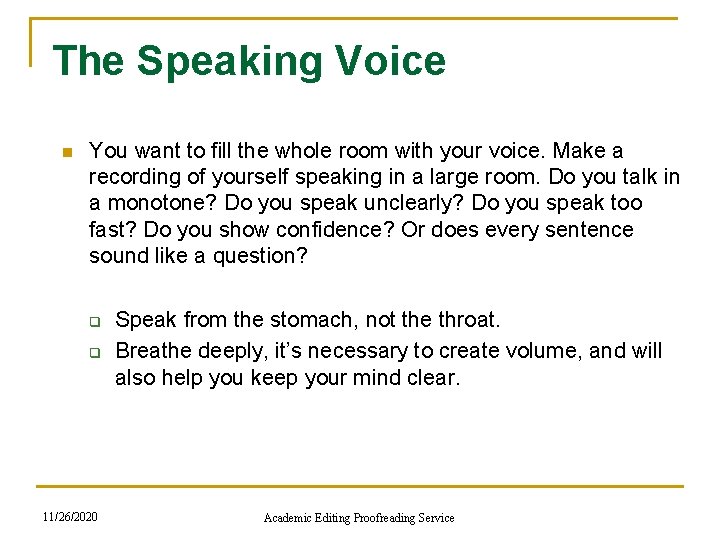
The Speaking Voice n You want to fill the whole room with your voice. Make a recording of yourself speaking in a large room. Do you talk in a monotone? Do you speak unclearly? Do you speak too fast? Do you show confidence? Or does every sentence sound like a question? q q 11/26/2020 Speak from the stomach, not the throat. Breathe deeply, it’s necessary to create volume, and will also help you keep your mind clear. Academic Editing Proofreading Service
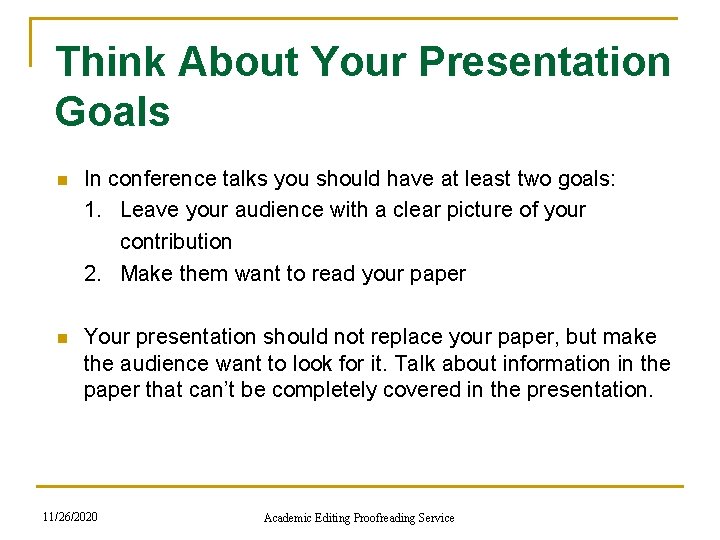
Think About Your Presentation Goals n In conference talks you should have at least two goals: 1. Leave your audience with a clear picture of your contribution 2. Make them want to read your paper n Your presentation should not replace your paper, but make the audience want to look for it. Talk about information in the paper that can’t be completely covered in the presentation. 11/26/2020 Academic Editing Proofreading Service
n Timing issues q The oral presentation of a paper is usually a 12 -minute presentation of your research with an additional 3 minutes for questions. q In conferences, exceeding your time limit is not polite q If you don’t have enough time, just pause and make some adjustments so you can finish on time. For example, skip slides, say less about each slide, or go directly to the conclusion. q If you are waiting to speak and another speaker is using your time, wait a couple of minutes, then politely say something like “I’m sorry, but I’d like to be sure we have enough time for my talk as well. ” n Practice, practice q The only way to be sure your timing is right is to practice your talk: every word of it, exactly as you plan to deliver it. 11/26/2020 Academic Editing Proofreading Service
Have a Timing Device n Use a watch or cell phone with a timing function But these only work if you remember to use the timer, and the numbers are large enough to read easily while you’re talking. n Power. Point’s “Presenter Tools” has a stopwatch The problem is remembering to start the stopwatch at the beginning of your talk. n Develop your sense of timing by always using the same slide format You will know how many minutes. It usually takes you to speak about one slide after a few talks. You can estimate the length of a new talk from the number of slides you have. 11/26/2020 Academic Editing Proofreading Service
n Pretend you have a 20 -minute talk When you’re practicing, mark your notes or slides when you hit the 5 -, 10 -, 15 - and 18 -minute points. n Decide in advance which slides you can skip Make a small mark on slides that are not essential for the presentation. If you are out of time, always skip slides in the middle and jump to the conclusion so you can spend enough time on that. n As a beginning speaker, don’t leave your outline q Don’t try to do something unplanned during a talk. q Practice telling a joke or a story and make your audience to think you just thought of. 11/26/2020 Academic Editing Proofreading Service
A Short Conference Talk Outline n Title/author/university (1 slide) n Abstract (1 slide) - Give the basic problem and answer. n Outline (1 slide) - Give the talk structure. n Background n Motivation and Problem Statement (1 -2 slides) - Why does anyone care? n Related Work (0 -1 slide) - Talk briefly about this, or you can eliminate this section and refer people to your paper. 11/26/2020 Academic Editing Proofreading Service
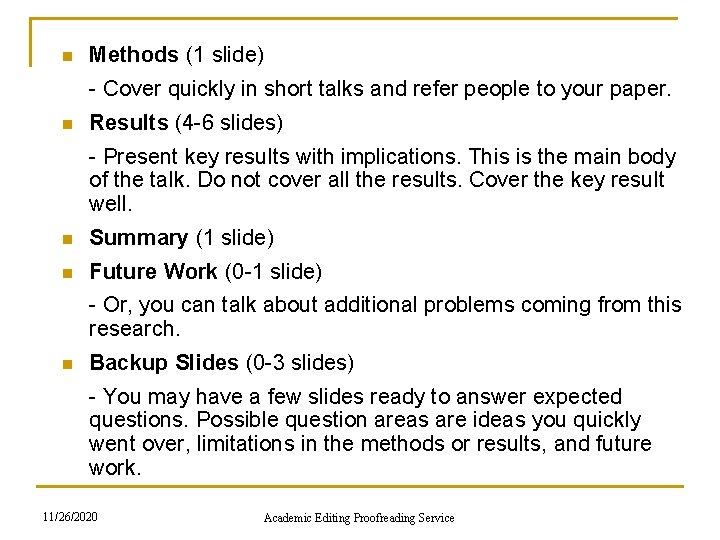
n Methods (1 slide) - Cover quickly in short talks and refer people to your paper. n Results (4 -6 slides) - Present key results with implications. This is the main body of the talk. Do not cover all the results. Cover the key result well. n Summary (1 slide) n Future Work (0 -1 slide) - Or, you can talk about additional problems coming from this research. n Backup Slides (0 -3 slides) - You may have a few slides ready to answer expected questions. Possible question areas are ideas you quickly went over, limitations in the methods or results, and future work. 11/26/2020 Academic Editing Proofreading Service
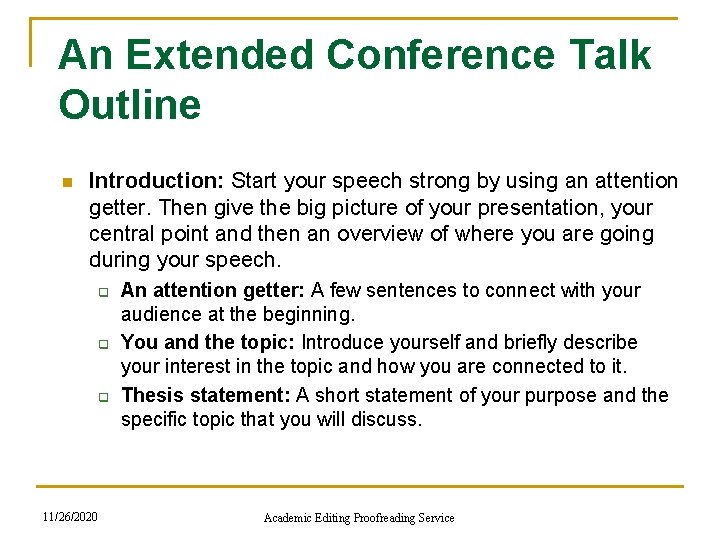
An Extended Conference Talk Outline n Introduction: Start your speech strong by using an attention getter. Then give the big picture of your presentation, your central point and then an overview of where you are going during your speech. q q q 11/26/2020 An attention getter: A few sentences to connect with your audience at the beginning. You and the topic: Introduce yourself and briefly describe your interest in the topic and how you are connected to it. Thesis statement: A short statement of your purpose and the specific topic that you will discuss. Academic Editing Proofreading Service
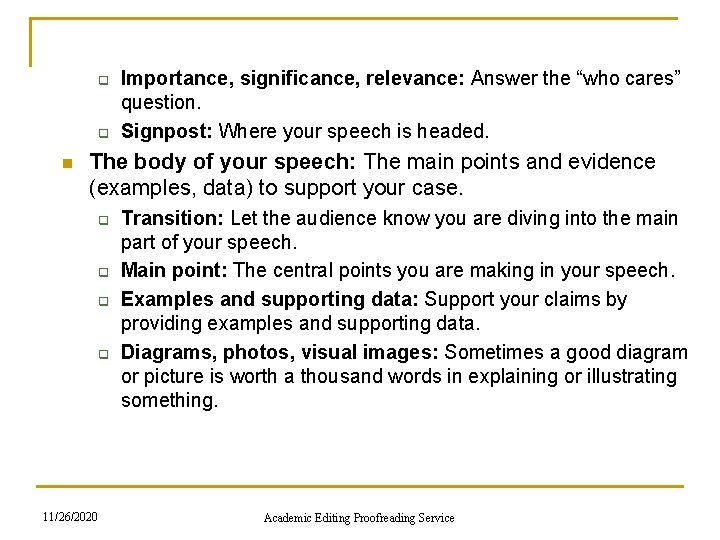
q q n Importance, significance, relevance: Answer the “who cares” question. Signpost: Where your speech is headed. The body of your speech: The main points and evidence (examples, data) to support your case. q q 11/26/2020 Transition: Let the audience know you are diving into the main part of your speech. Main point: The central points you are making in your speech. Examples and supporting data: Support your claims by providing examples and supporting data. Diagrams, photos, visual images: Sometimes a good diagram or picture is worth a thousand words in explaining or illustrating something. Academic Editing Proofreading Service
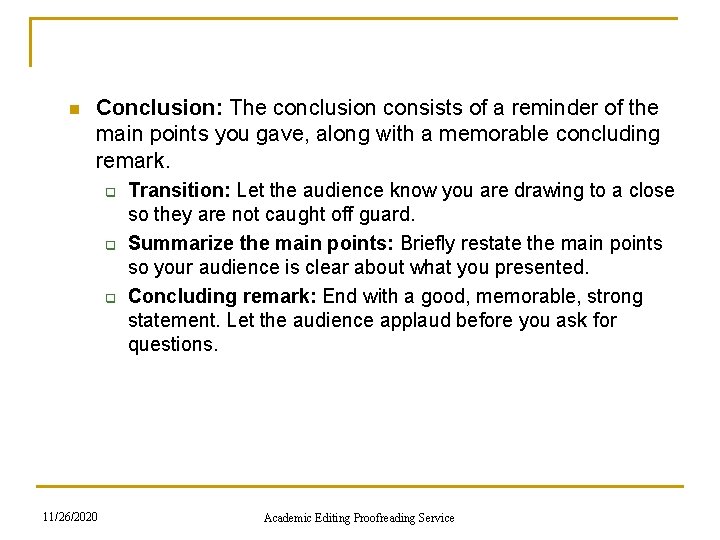
n Conclusion: The conclusion consists of a reminder of the main points you gave, along with a memorable concluding remark. q q q 11/26/2020 Transition: Let the audience know you are drawing to a close so they are not caught off guard. Summarize the main points: Briefly restate the main points so your audience is clear about what you presented. Concluding remark: End with a good, memorable, strong statement. Let the audience applaud before you ask for questions. Academic Editing Proofreading Service
Quoting Others If you quote another source, pause and indicate the quote by saying “Quote. . . end quote. ” q q n n Don’t use long quotes or quote too much material. Your audience wants your ideas, not what you have found from others. If it is necessary to include long quotes, give the audience a handout of quotes which you will be using. Read the speech out loud as you revise. This will help you eliminate unnecessary sentences and phrases. Be careful criticizing other scholars. Be respectful your references might be sitting in the audience. 11/26/2020 Academic Editing Proofreading Service
Conference Speech Introduction How to begin a conference presentation? n n n Step 1: Be familiar with your material and any facts, names or numbers you are planning to use. Step 2: Walk to the stage and smile. Be quiet for at least 3 seconds while looking at your audience and smiling. Step 3: Start with a quote, a story, a number or a fact, preferably something that is surprising or unusual, that the audience hasn’t heard before. Step 4: Think of the speech opening like the beginning of a good movie. Use the first two minutes to build excitement. The best way to do this is by using surprising facts or a story. This will build the base and involve people creating interest in seeing where you will take them. Step 5: Keep related thoughts together and avoid moving to different topics or areas of your speech. 11/26/2020 Academic Editing Proofreading Service
Here are eight techniques to start your presentation and get immediate audience interest. n n n 1. Ask a question q “Is it safe to trust documents from the Internet? ” q “Is there anyone here who has not broken the copyright law? ” 2. Use a story: Many of the best stories are personal. 3. Make a surprising comment (often a statistic) q “According to a national survey reported in the Wall Street Journal 82% of respondents say they access pornography on the Net at work. ” q You can also make a startling statement by using an unanticipated visual aid. 11/26/2020 Academic Editing Proofreading Service
n n n 4. Use a quotation q “Confucius said: ‘What I hear I forget, what I see I remember, what I do I understand. ’ We need to use this method so I planned an interactive class. ” q Choose a quote from movies, speeches, newspapers, reports, official documents or use a quotation book. 5. Create curiosity q “There is a poison in your home. Your children use it and so do you. It kills thousands every year. Yet government does not control it. Here it is—table salt. ” 6. Mention the importance of the topic q “With 400, 000 job openings for computer professionals in the United States, it is important that we train computer professionals now. I have a plan that will do this quickly and with little expense. ” 11/26/2020 Academic Editing Proofreading Service
n n 7. Involve the audience q Ask for participation in a survey. q Show a picture or short video and ask for audience comment. 8. Refer to the occasion q Speeches are often part of a special event for a group, organization or community. Connect any special celebrations to your topic. q These opening techniques can be used individually or in combination. For example, ask a question which creates curiosity, “What is the single biggest problem that students are facing today? ” 11/26/2020 Academic Editing Proofreading Service
Additional Points About the Introduction n The beginning of a speech should take between 5 and 10% of the total speech time. You may spent over half your preparation time on preparing your beginning, since it will be the foundation of your conclusion, too. You want to connect with your audience as soon as possible in your opening. Using Power. Point reduces audience feedback and takes attention from the speaker. Consider Power. Point only for the body of your speech where it can add more value. 11/26/2020 Academic Editing Proofreading Service
How Can You Organize the Main Body of the Conference Talk? The body of the speech is between the beginning and the end. n n n The body is the biggest part of the speech. Organizers are connecting concepts or themes, such as characters, place, size or time. Organizers provide structure to connect your ideas, help you connect with the audience quickly and deliver the speech with minimum notes. When considering different ways to organize the body of the speech, remember the speech body has three to five parts, at most. Audiences can take in a limited amount of information at one time. Speeches are temporary and need to use human’s natural ability to make connections. Give the audience an overview of your organization, along with your goals, in your introduction. 11/26/2020 Academic Editing Proofreading Service
Ideas for Organizing Your Speech Body 1. Acronyms q An informational speech about relieving stress could be organized around R. E. L. A. X. Each letter should represent one of the points in your speech body. 2. Characters q Characters can be actual, made-up, historical or political. q Don’t forget well-known characters from literature, movies or TV shows. 3. Color q It can be used to organize the presentation and connect to visual aids and handouts. It energizes theoretical topics. 11/26/2020 Academic Editing Proofreading Service
4. Cultures q Organizing by culture is similar to organizing by characters, but it is more general and related to group behaviors and values. 5. Issues simplify complex topics. Issues can soften topics where the audience has strong opinions or high emotions. 6. Places and spaces q q People have strong feelings about places and often make general connections with types of landscape: mountains, seashore and desert. Many topics are place-specific such as industries, travel and history. 11/26/2020 Academic Editing Proofreading Service
7. Stories Use a universal story from literature, or children’s books for a technical presentation. q Real stories and life experiences are the most powerful. 8. Points of view q There may be different ways of looking at a problem depending on a person’s age group or generation. 9. Problem and solution q This is flexible because you can have three problems with three solutions or one problem with three solutions. q You can even do the solution first and have an interactive exercise with the audience to identify the problem. 10. Shapes and patterns q To show relationships and how things work. Shapes show unity, connection and importance between things. Emphasize shapes with visual aids so the audience can imagine and see. q 11/26/2020 Academic Editing Proofreading Service
11. Size q q Use with countable topics such as trends, market share or budgets. Visualize using charts, graphs or photographs. Define comparative size, big, medium and small, with visuals or a demonstration. 12. Time q q Choose past, present and future for topics that change over time. Use calendar units, month, decade, year, with project timelines. Show time periods using generations. Emphasize past and future events by specific key dates. Combine reality by comparing historic ages. 11/26/2020 Academic Editing Proofreading Service
How Can You Conclude Your Conference Presentation? q n An energetic ending is critical to a successful presentation it is what the audience remembers best. Meet the objectives of the ending q Create a feeling of closing Similar to how you end conversations q Emphasize the main point What the audience should do or expect next q Make an impact Deliver your message so it is easy to remember q Reconnect emotionally with the audience In both the opening and the conclusion, the presenter should show positive emotions (confidence, eagerness, sincerity, enthusiasm, energy). In contrast, the body of the speech is often relatively unemotional, containing data and analysis. 11/26/2020 Academic Editing Proofreading Service
n Fit the time available q q The ending of a speech should take the same amount of time as the opening, which is no more than 5 to 10% of total speech time. In a 20 minute speech this means 1 to 2 minutes for the ending. Since both the ending and beginning are short, they need the most attention during the preparation stage. 11/26/2020 Academic Editing Proofreading Service
Here Are Simple Techniques to Summarize Your Main Points q Call to action q Refer back to the beginning q Demonstrate how easy it is to apply your speech topic Use a visual aid, role-play or display. q Use a quotation mark to emphasize your ideas q Ask a rhetorical question q Tell a story to illustrate or confirm your main points q Leave a tip or word of wisdom q Repeat your key points 11/26/2020 Academic Editing Proofreading Service
Delivery Tips for the Conclusion n Increase your voice volume so you end a bit louder Avoid adding new points to the ending that you forgot. n Think about whether you need Power. Point for your ending Face-to-face interaction with the audience is the most persuasive and powerful. If you use Power. Point, you may cancel the emotional elements which connect you to the audience. 11/26/2020 Academic Editing Proofreading Service
n Prepare for computer problems q q q Many things can go wrong with the computer, the projector, the software, the connector cables, your USB, or your presentation. Don’t assume that works on a PC will work on a Mac. Don’t assume your host will have the same version of Power. Point that you do. n Bring backup q Begin making backups several days before the talk. q Use a USB, a CD-ROM, or some other common format. q Internet backup isn’t reliable, you can’t be sure you’ll have a connection. n Bring printed notes or outlines q If the computer or the projector dies in the middle of your talk, you’ll have no time to fix it. q Be prepared to deliver your talk without the slides. Bring printed notes. 11/26/2020 Academic Editing Proofreading Service
Other Presentation Problems n Someone asks a question about an issue you plan to discuss later. q n You lose your thought in mid-sentence. q n Answer the question briefly, and say you plan to go into detail later. Smile, say “excuse me” and start again. You plan to go through a handout page by page but people are moving ahead of your speech. q q 11/26/2020 Don’t give handouts until after the presentation is over. Give people a rough idea of where different parts are located, then people are more likely to stay with you. Academic Editing Proofreading Service
n Your throat dries out q Roll a tiny piece of paper into a small ball and place it between your gum and your facial tissue in the back of your mouth. It will stimulate the flow of saliva. n Someone starts a private conversation while you are speaking q First, ask if there are questions. q Second, ask if you can do anything to clarify. q If they will not stop, continue your presentation but move nearer to them. Lower your voice or pause. n Notice your audience and respond to their needs q Notice the feedback. If you don’t know why your audience is responding poorly, ask somebody later and fix the problem next time. q If you’re not sure whether people can see or hear, ask someone in the back directly. 11/26/2020 Academic Editing Proofreading Service
n Take control of the environment q Audience members will sometimes try to help you by turning off the lights and closing the windows when the projector is turned on. q Unless this is necessary, avoid it. Dark rooms make people sleepy. n Distribute copies of your paper q Have copies of a printed version of your paper with research details (about 25 copies) available for distribution, or a sign-up sheet on which interested people can request your paper. q Be sure to indicate on the paper your name, the conference source reference, and whether or not your paper may be quoted. 11/26/2020 Academic Editing Proofreading Service
How Should You Dress for Conferences? n n n Image is everything. Invest in clothes that are functional and contains high quality “basic” items. Pay attention to accessories. Be sure to be clean and groomed. Avoid being too fashionable. Different styles of dress will be required for different audiences. Dress reasonably when away from traditional speaking environments. Check for spots on clothing. Meals, drinks and dirt can easily find final locations on your clothing. 11/26/2020 Academic Editing Proofreading Service
Using Power. Point at Conferences 11/26/2020 Academic Editing Proofreading Service
Don’t Write Everything and Read n Your Power. Point presentation should: q q Clarify ideas Emphasize key points Show relationships Provide visual information to ensure the audience understands your message 11/26/2020 Academic Editing Proofreading Service
Present a Speech Outline n n Have an outline of your talk. A good talk outline makes your audience curious to hear the details. It also helps them follow the structure of your thinking. 11/26/2020 Academic Editing Proofreading Service
Slides Should be Short n n Slides help you, and your audience, follow the flow of the talk. Not too full: 6 lines of text per slide is enough; 9 lines is a lot; 12 lines is unreadable. Bullet points should be a few words, not complete sentences. If you need more space, use more slides. 11/26/2020 Academic Editing Proofreading Service
Use Big Type n n . Change the font size in the Preferences of the browser, when using a web presentation. 11/26/2020 Academic Editing Proofreading Service
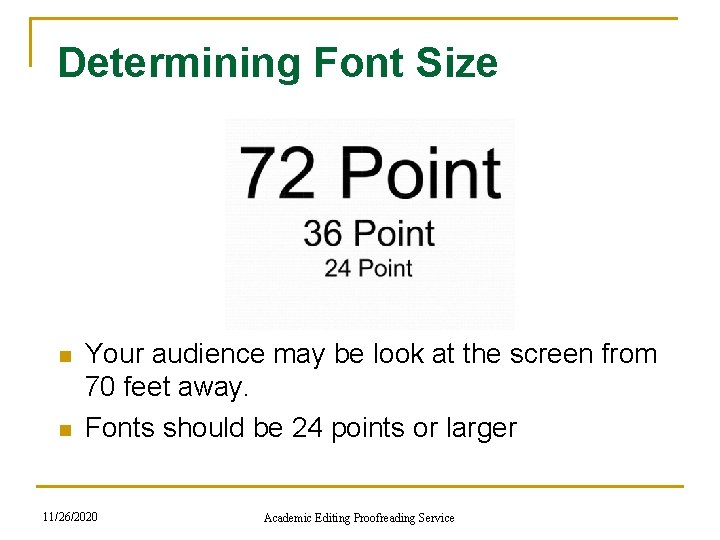
Determining Font Size n n Your audience may be look at the screen from 70 feet away. Fonts should be 24 points or larger 11/26/2020 Academic Editing Proofreading Service
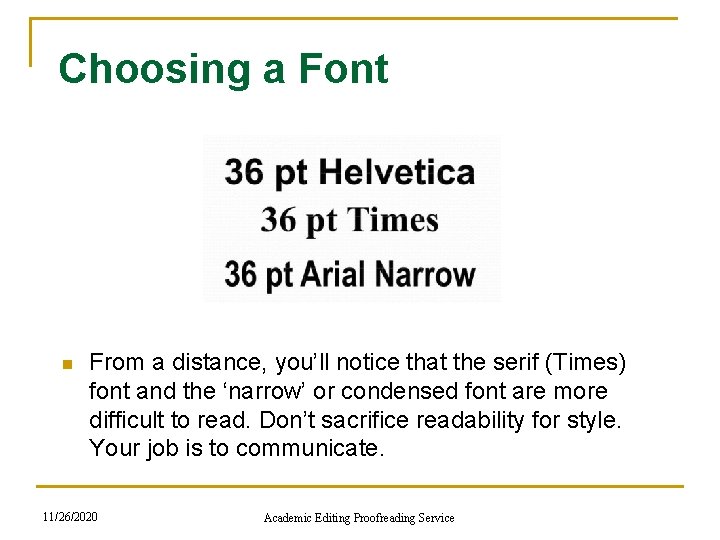
Choosing a Font n From a distance, you’ll notice that the serif (Times) font and the ‘narrow’ or condensed font are more difficult to read. Don’t sacrifice readability for style. Your job is to communicate. 11/26/2020 Academic Editing Proofreading Service
Use the Correct Font for Easy Reading n n For handouts or take-home material, use a serif font. For projecting on a screen, using a slide, overhead or multimedia projector, use a sans serif font. Because serif fonts can look fuzzy when projected. 11/26/2020 Academic Editing Proofreading Service
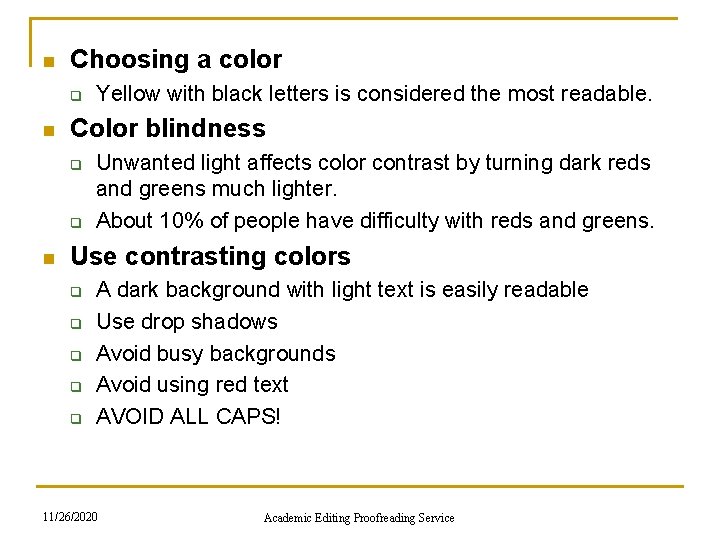
n Choosing a color q n Color blindness q q n Yellow with black letters is considered the most readable. Unwanted light affects color contrast by turning dark reds and greens much lighter. About 10% of people have difficulty with reds and greens. Use contrasting colors q q q A dark background with light text is easily readable Use drop shadows Avoid busy backgrounds Avoid using red text AVOID ALL CAPS! 11/26/2020 Academic Editing Proofreading Service
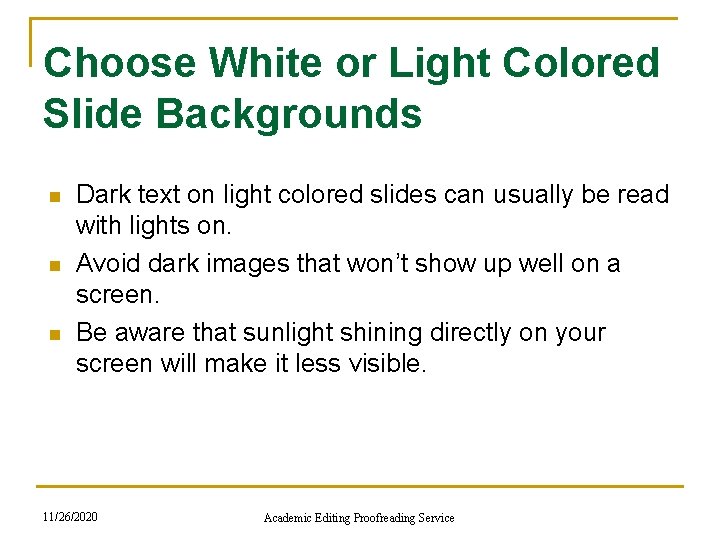
Choose White or Light Colored Slide Backgrounds n n n Dark text on light colored slides can usually be read with lights on. Avoid dark images that won’t show up well on a screen. Be aware that sunlight shining directly on your screen will make it less visible. 11/26/2020 Academic Editing Proofreading Service
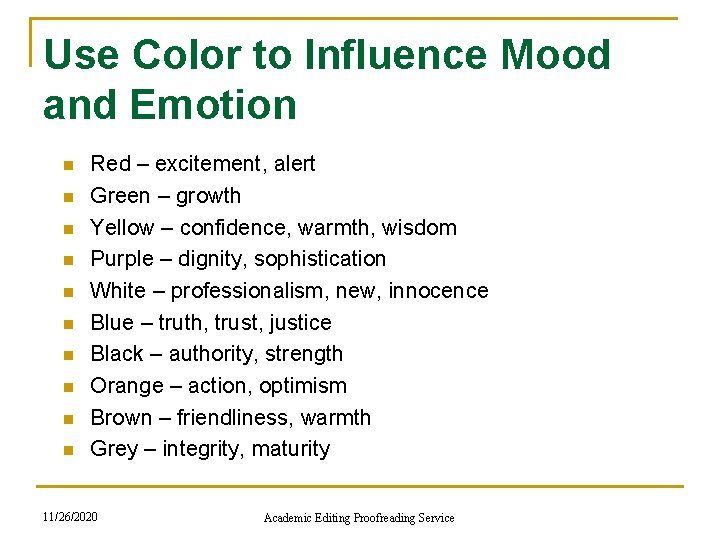
Use Color to Influence Mood and Emotion n n Red – excitement, alert Green – growth Yellow – confidence, warmth, wisdom Purple – dignity, sophistication White – professionalism, new, innocence Blue – truth, trust, justice Black – authority, strength Orange – action, optimism Brown – friendliness, warmth Grey – integrity, maturity 11/26/2020 Academic Editing Proofreading Service
Include Photographs to Make Your Presentation More Real n The more real you make the problem you are presenting, the better your audience will understand it. 11/26/2020 Academic Editing Proofreading Service
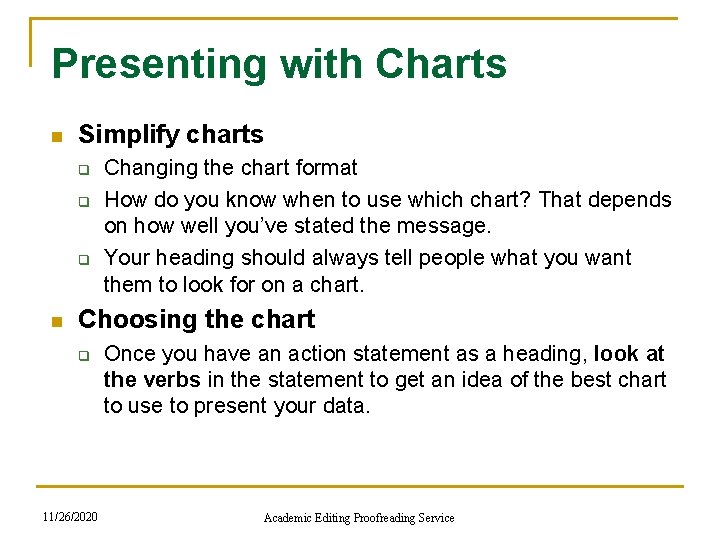
Presenting with Charts n Simplify charts q q q n Changing the chart format How do you know when to use which chart? That depends on how well you’ve stated the message. Your heading should always tell people what you want them to look for on a chart. Choosing the chart q 11/26/2020 Once you have an action statement as a heading, look at the verbs in the statement to get an idea of the best chart to use to present your data. Academic Editing Proofreading Service
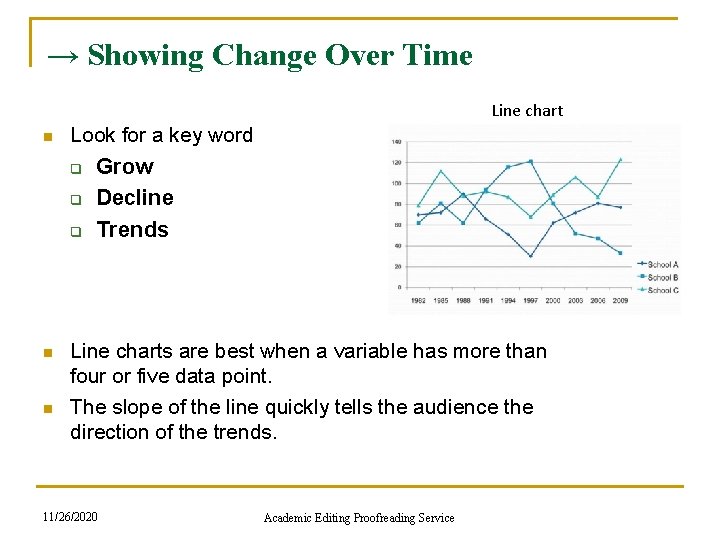
→ Showing Change Over Time Line chart n Look for a key word q Grow q q n n Decline Trends Line charts are best when a variable has more than four or five data point. The slope of the line quickly tells the audience the direction of the trends. 11/26/2020 Academic Editing Proofreading Service
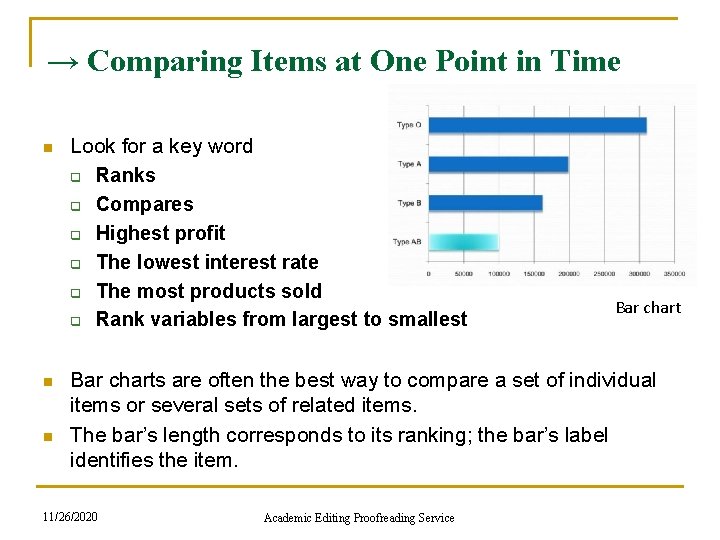
→ Comparing Items at One Point in Time n n n Look for a key word q Ranks q Compares q Highest profit q The lowest interest rate q The most products sold q Rank variables from largest to smallest Bar charts are often the best way to compare a set of individual items or several sets of related items. The bar’s length corresponds to its ranking; the bar’s label identifies the item. 11/26/2020 Academic Editing Proofreading Service
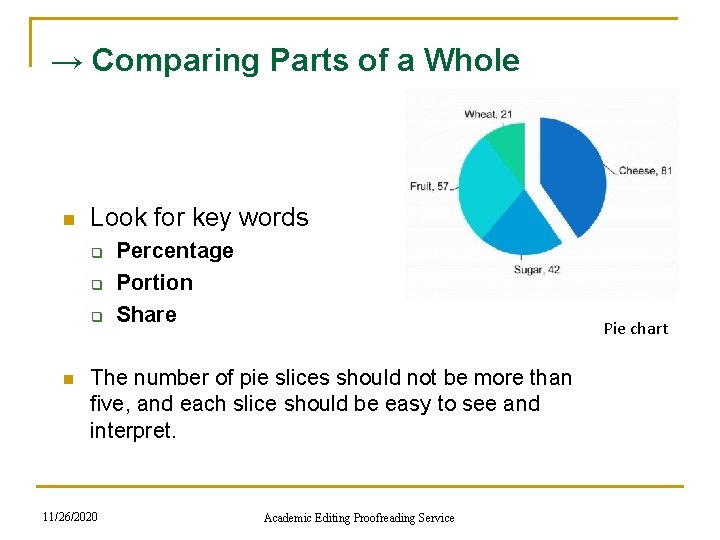
→ Comparing Parts of a Whole n Look for key words q q q n Percentage Portion Share Pie chart The number of pie slices should not be more than five, and each slice should be easy to see and interpret. 11/26/2020 Academic Editing Proofreading Service
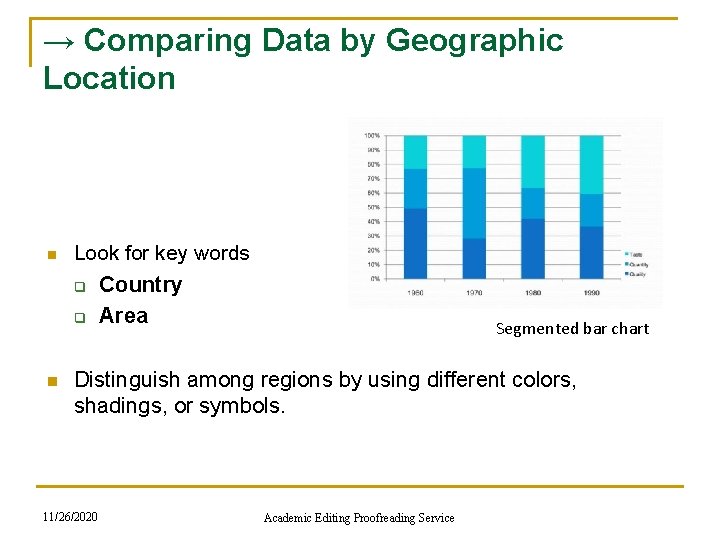
→ Comparing Data by Geographic Location n Look for key words q Country q n Area Segmented bar chart Distinguish among regions by using different colors, shadings, or symbols. 11/26/2020 Academic Editing Proofreading Service
Additional Tips for Graphs and Charts 1. Show one message per chart. Make the message the heading. 2. Make the chart easy to read. Make the most important text largest, the most important data lines or sections darkest. 3. Be accurate. Always start a numerical axis at zero. Compare only like variables. 4. Eliminate all unnecessary details. 5. Use no more than four colors per visual. 6. To focus attention, use color, shading, or images such as arrows to highlight key words or concepts. 7. Write in upper and lower case. Words written in all capitals letters are hard to read. 8. Make bars and columns wider than the spaces between them. 11/26/2020 Academic Editing Proofreading Service
The Speaker Is the Point n n n Don’t use all multimedia options in Power. Point. Don’t put too much information. When using visuals, you want the audience to look at the screen, quickly get the message, and then focus on you. 11/26/2020 Academic Editing Proofreading Service
Avoid Video n For a 45 -minute talk, even one 3 -minute video clip can seem like forever. Video also breaks the flow of the talk and takes time better saved for your presentation. If you really need video for your topic, cut clips to a minimum length. 30 to 40 seconds is a good goal. 11/26/2020 Academic Editing Proofreading Service
Don’t Get too Technical n The more advanced the technology, the more likely there are to be “technical problems. ” Speakers often come in at the last minute and are completely destroyed when their equipment doesn’t work. It creates panic for everyone. Always send a copy of your presentation to the conference office in advance so it can be loaded and tested. 11/26/2020 Academic Editing Proofreading Service
Don’t Apologize for Errors n Don’t apologize for poor English speaking, it wastes time and adds no value to your talk. Don’t comment on spelling, grammatical, or other mechanical errors in your presentation. Most of the audience won’t notice unless you apologize. 11/26/2020 Academic Editing Proofreading Service
Buy a Laser Pointer and Wireless Mouse n They are inexpensive, and are extremely useful. It is helpful to be able to change pages from across the room and point out key graphs and charts. 11/26/2020 Academic Editing Proofreading Service
Use the Microphone n n Even if you talk loudly enough, or it is a small room, use it. The audience can’t hear when you turn toward the Power. Point and away from them. A microphone will make sure that you will always be understandable. Place the microphone correctly. The top of the microphone should directly face your mouth. 11/26/2020 Academic Editing Proofreading Service
The Last Thing on Your Power. Point n At the end of your presentation while answering questions, leave up a contact info slide containing your name, e-mail, address, and website URL related to the talk if you have one. 11/26/2020 Academic Editing Proofreading Service
Handling Q&A 11/26/2020 Academic Editing Proofreading Service
Why Are Questions and Answers Important? n Questions and answers are important for several reasons: q q q n Get attention Create interest Get feedback Make points easy to remember Create audience interaction Promote new thoughts To get comfortable with Q&A sessions and questions, start asking questions throughout your presentations. 11/26/2020 Academic Editing Proofreading Service
Before the Presentation n n Prepare for criticism by telling your ideas to a critical friend. Bring a list of references when answering questions. Take notes of questions and suggestions. Don’t be afraid to say you don’t know the answer to a particular question. If you are using slides, save several slides and use them to answer expected questions. 11/26/2020 Academic Editing Proofreading Service
Beginning the Presentation n n You could ask for questions at the beginning – “What questions would you like me to answer in this presentation? ” Write the questions on a whiteboard and remove them as you answer each question. Start sessions by reminding people, “The only dumb question is the one you didn’t ask. ” 11/26/2020 Academic Editing Proofreading Service
During the Presentation n n Promoting questions during a presentation is usually best with smaller groups and works well with reports, proposals or technical briefings where the audience needs details as the presentation continues. Remember to say at the beginning that questions during the speech are OK. Answer questions quickly so they don’t stop the flow of your ideas. 11/26/2020 Academic Editing Proofreading Service
At the End of the Presentation n There are two endings to a presentation with a final Q&A session. Example: “At this point, I want to get your opinion on this approach. This side of the room first. ” n The second close is after the questions to summarize the main points of your presentation. Example: “As you can see from the questions and comments, this topic is confusing and we don’t have all the answers but here is what you can do for now. . . ” 11/26/2020 Academic Editing Proofreading Service
After the Presentation n Sometimes question time is so exciting that you can’t answer all the questions with the time you have. Tell people ways to contact you and when and how you will respond. Think of ways to share these questions and answers with all members of the audience through an e-mail list or Web site. 11/26/2020 Academic Editing Proofreading Service
12 Ways to Encourage Audience Questions 1. Announce the question session in an open, conversational way. n 2. Design questions into your content and delivery: q Title: Why Knowledge Management? —and Why Now? q Opening: What is the biggest problem facing researchers today? q Content: “My presentation is about four key questions. ” q Ending: Considering these facts, how can you not act? n 11/26/2020 Academic Editing Proofreading Service
n n n 3. Ask a question, pause and then give the answer yourself. 4. Bring up questions you have been asked by other audience. 5. Let the audience know in the beginning there is a Q&A session, and “when” it is and “how long” it is. 6. Provide a seating arrangement where the audience can see each other. 7. List questions in the presentation announcement or brochure. 8. Provide a white board for the audience to write a question at any time. Start your Q&A session by answering these questions. 11/26/2020 Academic Editing Proofreading Service
n n 9. Pass out paper for the audience to submit their questions. They may forget what they were going to ask earlier. This is often used at public meetings and when the audience is large. 10. Don’t ask for feedback and then start to pack up your laptop or your notes. This sends the clear signal that you are done and ready to go. 11. Arrange for someone in the audience to ask the first question to start the process. 12. Ask yourself what questions you hope no one asks and then prepare to answer them. 11/26/2020 Academic Editing Proofreading Service
Why Do People Ask Questions? q q q q Because they want to know the answer Because they want to make a point To impress the audience To see if you know the answer To see how you handle questions and the stress To make you look bad (for example, if they are competing with you for a job) To attack your methodology Some ask questions that are in fact a personal attack (but not often) 11/26/2020 Academic Editing Proofreading Service
Handling the Q&A session n Below are tips to deal with the Q&A session of your presentation effectively. q q q Repeat the question in a large group or arrange for microphones so others can hear the question Make sure you understand the question Angry questions don’t have to be answered 11/26/2020 Academic Editing Proofreading Service
n n n Don’t let an interesting but unrelated question start you on a new speech. Don’t let your presentation continue on thinking the Q&A time is extra time for your presentation. Consider questions as an honor your presentation. Good ideas create questions. Boring presentations make people leave. 11/26/2020 Academic Editing Proofreading Service
3 Step Template for Answering Questions 1. Listen to the entire question before you answer 2. Thank each person for asking the question. 3. Then follow the template below. Repeat→Respond→Review 11/26/2020 Academic Editing Proofreading Service
Additional Tips on Handling Questions n Ask people to stand up when they ask a question. This does two things: 1. It shows you who is asking the question 2. Makes it easier for the audience to hear the question 11/26/2020 Academic Editing Proofreading Service
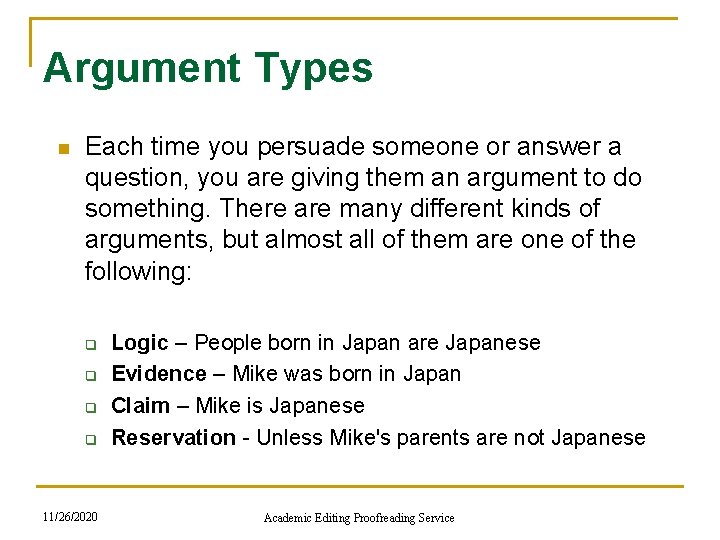
Argument Types n Each time you persuade someone or answer a question, you are giving them an argument to do something. There are many different kinds of arguments, but almost all of them are one of the following: q q 11/26/2020 Logic – People born in Japan are Japanese Evidence – Mike was born in Japan Claim – Mike is Japanese Reservation - Unless Mike's parents are not Japanese Academic Editing Proofreading Service
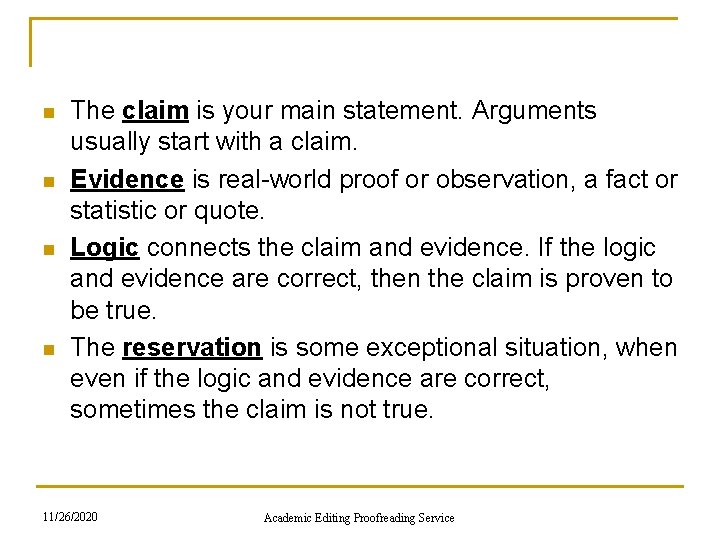
n n The claim is your main statement. Arguments usually start with a claim. Evidence is real-world proof or observation, a fact or statistic or quote. Logic connects the claim and evidence. If the logic and evidence are correct, then the claim is proven to be true. The reservation is some exceptional situation, when even if the logic and evidence are correct, sometimes the claim is not true. 11/26/2020 Academic Editing Proofreading Service
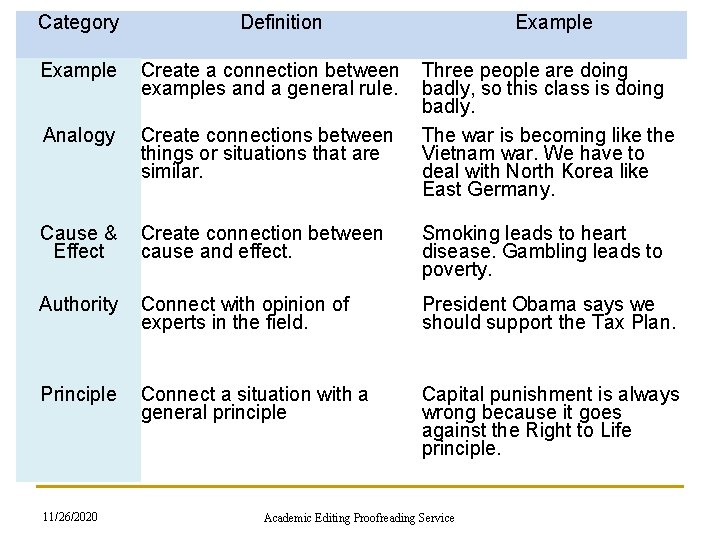
Category Example Analogy Definition Example Create a connection between Three people are doing examples and a general rule. badly, so this class is doing badly. Create connections between The war is becoming like things or situations that are Vietnam war. We have to similar. deal with North Korea like East Germany. Cause & Create connection between Effect cause and effect. Smoking leads to heart disease. Gambling leads to poverty. Authority Connect with opinion of experts in the field. President Obama says we should support the Tax Plan. Principle Connect a situation with a general principle Capital punishment is always wrong because it goes against the Right to Life principle. 11/26/2020 Academic Editing Proofreading Service
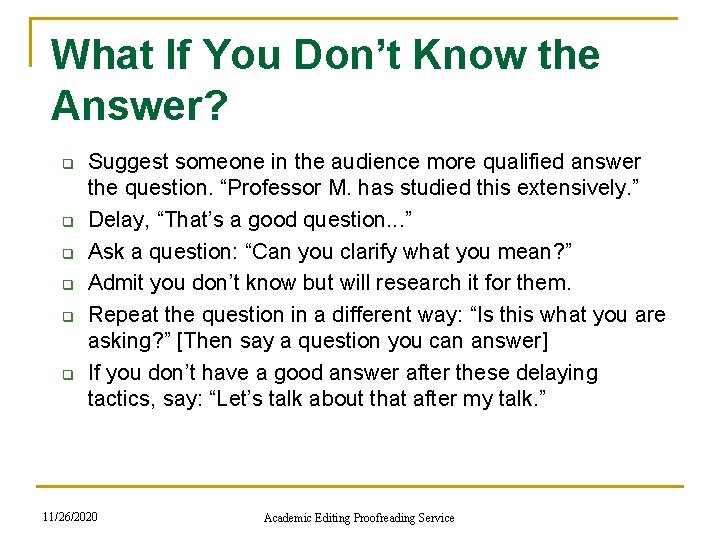
What If You Don’t Know the Answer? q q q Suggest someone in the audience more qualified answer the question. “Professor M. has studied this extensively. ” Delay, “That’s a good question. . . ” Ask a question: “Can you clarify what you mean? ” Admit you don’t know but will research it for them. Repeat the question in a different way: “Is this what you are asking? ” [Then say a question you can answer] If you don’t have a good answer after these delaying tactics, say: “Let’s talk about that after my talk. ” 11/26/2020 Academic Editing Proofreading Service
What If You Can Think of Nothing to Say? 1. Smile: People always like people who smile. 2. Tell a story: Stories take time and you can be thinking about your next point. 3. Change the topic of the question to something you know about. If you don’t know the answer to a question, than answer a different question. 4. Pretend like you’re pausing on purpose. Walk back and forth slowly, as if you’re emphasizing your last point. 11/26/2020 Academic Editing Proofreading Service
What If You Don’t Understand the Question Because of the Speaker’s Poor English? n n n If you don’t understand the English, ask the speaker to repeat the question. If the questioner still asks and you still don’t understand, say, “Great question, but it quite specific to your field and does not concern everyone here, see me after the talk and we can go into more detail about it. ” Quickly move to another question or conclude your session. 11/26/2020 Academic Editing Proofreading Service
What If Someone Keeps Interrupting You While You Are Talking? n n If it’s just a clarifying question and it’s short, answer it and keep speaking. If somebody keeps making long, loud comments, or begins to argue with you in the middle of your talk. This can be very stressful, especially if you are a grad student or new professor. 11/26/2020 Academic Editing Proofreading Service
Don’t Let Your Time Get Wasted n Speech times don’t get extended for time wasted by the audience. You need to develop a strategy for keeping control. The best ways to do this follow. q q 11/26/2020 look at whoever is chairing the conference session, or your sponsor at a job talk. you can wait politely for a pause in the attack, and then say as calmly as possible something like: “Thank you for your comment. I’d like to respond, but if you don’t mind I’d like to wait for the question period. ” Academic Editing Proofreading Service
Your Final Solution to An Attacking Attendee n n You need to say loudly but firmly, as strongly as you can: “Sir, please allow me to finish my talk. ” Then, proceed and ignore further interruptions from that person. 11/26/2020 Academic Editing Proofreading Service
Remain After Your Presentation Session n n Be available to answer additional questions if you can. Make notes about the questions, suggestions, new thoughts you can use these comments to improve a paper for publication and your reviewers may be in the audience. 11/26/2020 Academic Editing Proofreading Service
Networking at Conferences 11/26/2020 Academic Editing Proofreading Service
What Is Networking? n n n Using the formal and informal connections between groups and colleagues to develop your career. Networking allows you to benefit at conferences when you meet other academics. For academics, contacts are useful for collaborative projects, peer review and funding support. 11/26/2020 Academic Editing Proofreading Service
Why Network at a Conference? n Creating networks with others at conferences can help in the following career situations: q q q 11/26/2020 Job opportunities Job interviews or promotion Publishing articles or books Joint research projects Your own social life Academic Editing Proofreading Service
Where Do You Start? n n Conferences are the best way for academics to network with each. If you are presenting a paper, others can see what you are working on, and the informal sections of the conference, like food and drink breaks, encourage conversation and further discussion. 11/26/2020 Academic Editing Proofreading Service
Stay in the Main Conference Hotel n n Most researchers encourage questions related to their presentations, even a couple of days later in the hotel. Staying at the conference hotel has many advantages: q q It is convenient Conference hotel deals are usually good 11/26/2020 Academic Editing Proofreading Service
Scheduling Your Conference Time for Networking n n Prepare a little schedule and note where these talks are and when. Make a list of all the people you want to say hello to, have a meal with or meet. 11/26/2020 Academic Editing Proofreading Service
Dress Professionally n n Think of the conference as a job interview. Bring extra copies of your CV in case you run into any potential graduate school faculty or employers. Be a polite listener during presentations. Try to look smart, frown, nod and take notes. 11/26/2020 Academic Editing Proofreading Service
n Wear a nametag q n Show your name tag so people can see who you are and the school you attend. This will let others who recognize your name come and speak to you. Check nametags but remember you’re important too q q Look at other people’s nametags If you are a young researcher, you are also important to a conference. You remind big scholars of what they used to be. 11/26/2020 Academic Editing Proofreading Service
Give and Get a Business Card n n Make sure your business cards are ready, in a convenient place. It is easy to forget someone’s name and university if they are meeting many new people on the same day. Make sure your cards are current, well presented and professional. Don’t look for a pen and a piece of paper to give contact information. 11/26/2020 Academic Editing Proofreading Service
Begin the Conversation n n If you see someone at a conference whose research you know, say a few sentences about how you liked it or how it influenced your research. You might also talk about your university or theirs, a new job or book, or if either of you have attended that conference before Start a conversation with a compliment. Be ready with a specific point to discuss. Make connections quickly and positively. 11/26/2020 Academic Editing Proofreading Service
What If I am too Shy to Meet People? n n If there is a person you really want to talk to, e-mail them before the conference and try to set up a meeting. Know who might be there and prepare some possible topics of conversation and how your research might interest them. 11/26/2020 Academic Editing Proofreading Service
Being Outgoing Is a Skill You Can Learn n n 11/26/2020 Set goals for learning this skill Warm up and make a friend Walk around first to let the energy out before meeting people Practice Keep trying Academic Editing Proofreading Service
Change Your Social Style for the Conference n n n Play the role of a “networker. ” Be early to sessions and arrive when there are only a couple of people: you will then become part of their group. The good thing about academic conferences is that everyone there just loves to talk about their research. 11/26/2020 Academic Editing Proofreading Service
n Make small talk q q n Sit down at a table with someone and make small talk. A group of local professors is often a good place to start because they will already feel comfortable with each. Talk about where you are from q q Break the ice with questions about local food and drink specialties, places to see, good restaurants, and things to take home as gifts. You can also introduce some special things about Taiwan and invite attendees to visit you if they come. 11/26/2020 Academic Editing Proofreading Service
Look at Journals and Posters n n n Talk to people at poster sessions. You can always talk about the poster that's in front of you. If a group is at a poster, stand near the group and make eye contact and listen and wait for someone to ask your opinion. 11/26/2020 Academic Editing Proofreading Service
Try Being Indirect n n Approach people right after they present a paper, make a positive comment about their paper then talk about what you really want to talk about. If you have a good conversation at a conference panel you can follow up. Get some coffee, walk and talk at the exhibits. 11/26/2020 Academic Editing Proofreading Service
n Don’t stay by yourself q q You might receive an invitation to speak at another conference, or be asked to join a panel at another conference, or be asked to write an article for a special issue of a journal. Ph. D students today will be professors, department chairs, deans and journal editors in the future. • Introduce people to each other – You’ll have a wide network and you’ll always know someone who can introduce you to whomever you want to meet. – If you’re talking with friends or colleagues pull others into the conversation. 11/26/2020 Academic Editing Proofreading Service
Be Specific with Your Networking Goals n n If you have researched someone’s interests, discuss their work. If you are looking for specific help, ask directly. Prepare one and three minute introductions to your research 11/26/2020 Academic Editing Proofreading Service
n Attend the conference sessions q q Even if the location of the conference seems to be more interesting. Poster sessions are an excellent chance to meet new people, including students and faculty from other schools. • Pay attention to those around you – You never know when something important to you will be mentioned. Also, give others the chance to talk. 11/26/2020 Academic Editing Proofreading Service
Lunches, Drinks, Dinners, Organized Receptions, and Business Meetings n n You can learn about trends and circumstances in other departments and across academic fields. Receptions are also a good place to meet old Professors and friends from your own university. If you want to get noticed or serve a subfield, go to a section business meeting. 11/26/2020 Academic Editing Proofreading Service
Get Invited to Go Out and Socialize n n Never miss an opportunity to go out with a group to eat. Recognize that the most important and enjoyable part of conferences is what happens outside of the sessions. Try staying around after a session, join in with groups of people discussing a specific paper or book mentioned by the panelists. 11/26/2020 Academic Editing Proofreading Service
Using Your Contacts After the Conference n The most common career goals of an academic are: q q Undertaking research projects Getting research published Developing your teaching portfolio Moving to a new job 11/26/2020 Academic Editing Proofreading Service
n n n You may network with an editor of a journal or a reviewer for a publisher who can help you get your work published. When applying for and getting a new job, your network might be people who know the university where the job is advertised, be on the interview panel, have recently taken a job with that school or may even know a reason why that job is not as good as you think it is. Be prepared to share your knowledge to your network. 11/26/2020 Academic Editing Proofreading Service
Follow-up n n If you use someone’s name to get a job or use someone’s suggestions in your paper, tell the person. This is especially important if you are working in a small field because the other person will probably be at most conferences you attend. 11/26/2020 Academic Editing Proofreading Service
Following up by E-mail & Phone n n Careful research is more important when writing or calling your network than when networking face to face. Remember to give people enough time to respond before chasing them. 11/26/2020 Academic Editing Proofreading Service
Electronic Networking n n n Online networking sites have a variety of formats, sometimes message boards allow you to post information about conferences or researchers looking for collaborators. Be aware of security issues when giving out your real name, job details, address and academic interests. The benefit of electronic networking is that you do not have to worry about the distance. 11/26/2020 Academic Editing Proofreading Service
When Networking Goes Wrong n n n The worst that can happen is that you spend a long time creating a connection with a person but you lose contact when their situation changes. If your idea is unique and original and you have not fully developed it yet, it is best to keep it secret. Try to be polite at all times when networking. In both face-to-face and electronic networking, try to be positive and present yourself in the best way. 11/26/2020 Academic Editing Proofreading Service
Conclusion 11/26/2020 Academic Editing Proofreading Service
For More Information Handouts available www. editing. tw/en n n Editing and Translation Books How to write and publish an academic paper in 16 weeks How to attend, speak or present a poster at an academic conference www. seminars. tw 11/26/2020 Academic Editing Proofreading Service