starting Hec HMS from scratch and creating a
- Slides: 122
starting Hec. HMS from scratch and creating a small model with SCS methods
This powerpoint can serve as a “quick start” guide for modeling any small watershed. However, data for the example watershed used here may be downloaded, used for practice, or to follow along with this guidance. download location: https: //go. usa. gov/x. X 3 da
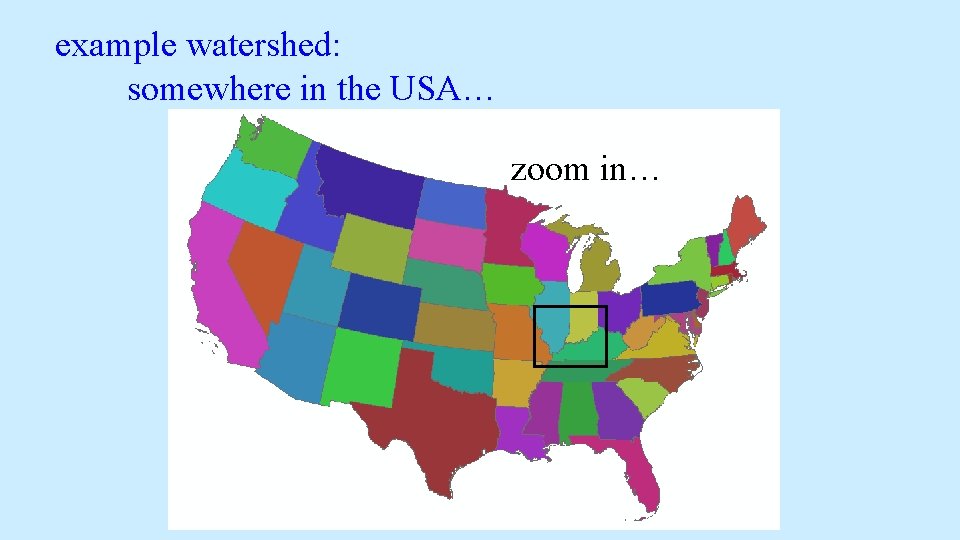
example watershed: somewhere in the USA… zoom in…
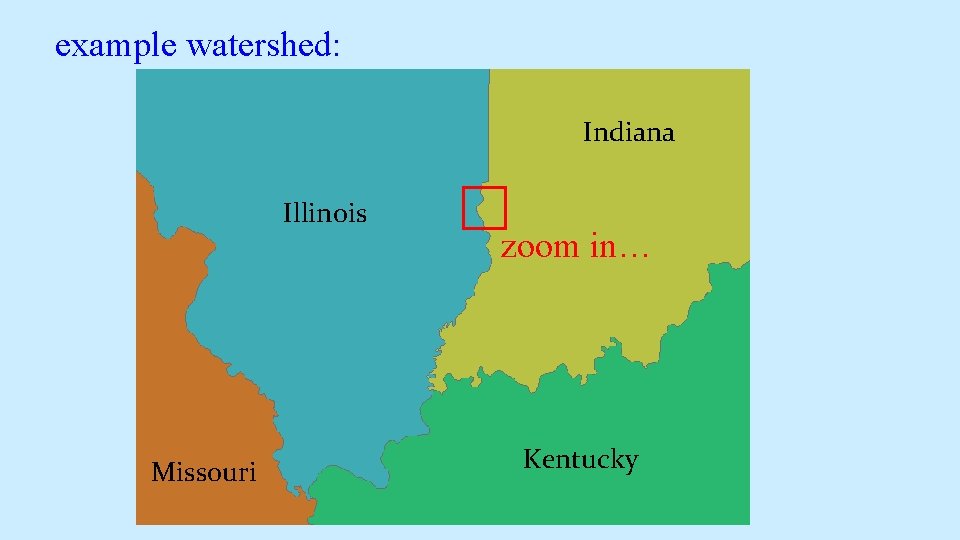
example watershed: Indiana Illinois Missouri zoom in… Kentucky
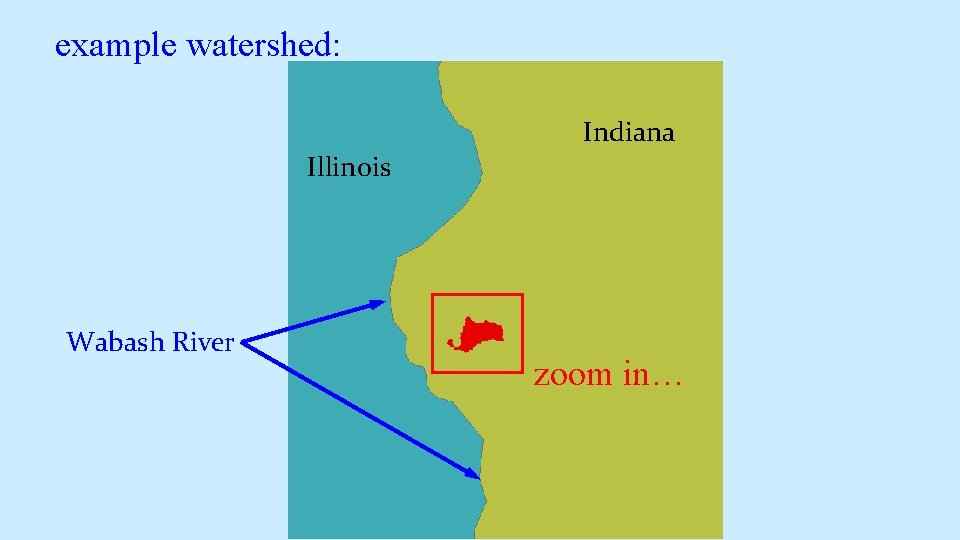
example watershed: Indiana Illinois Wabash River zoom in…
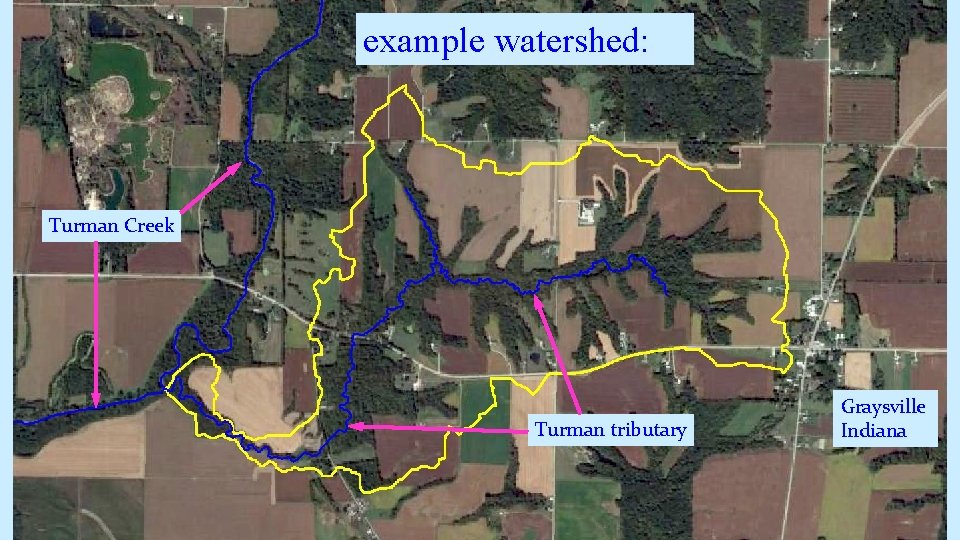
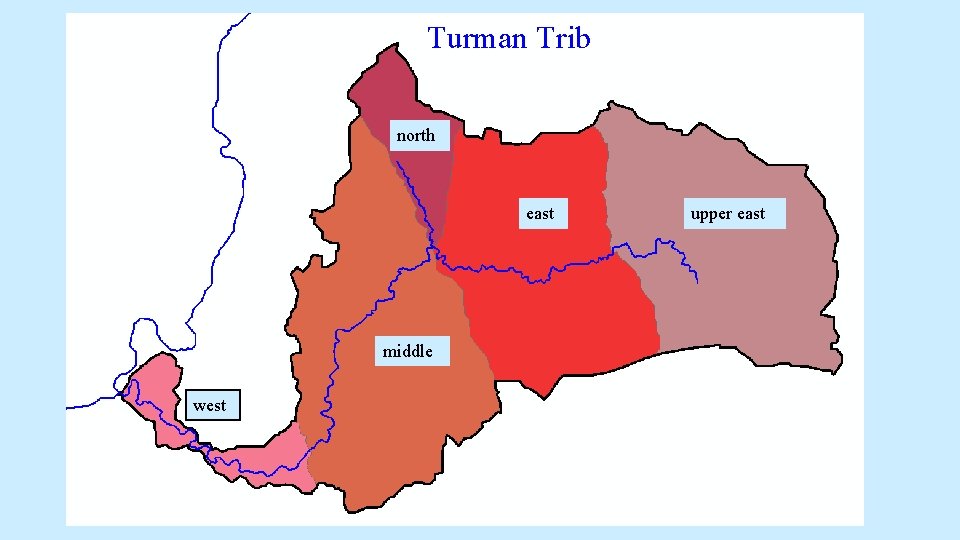
example watershed: Turman Creek Turman tributary Graysville Indiana
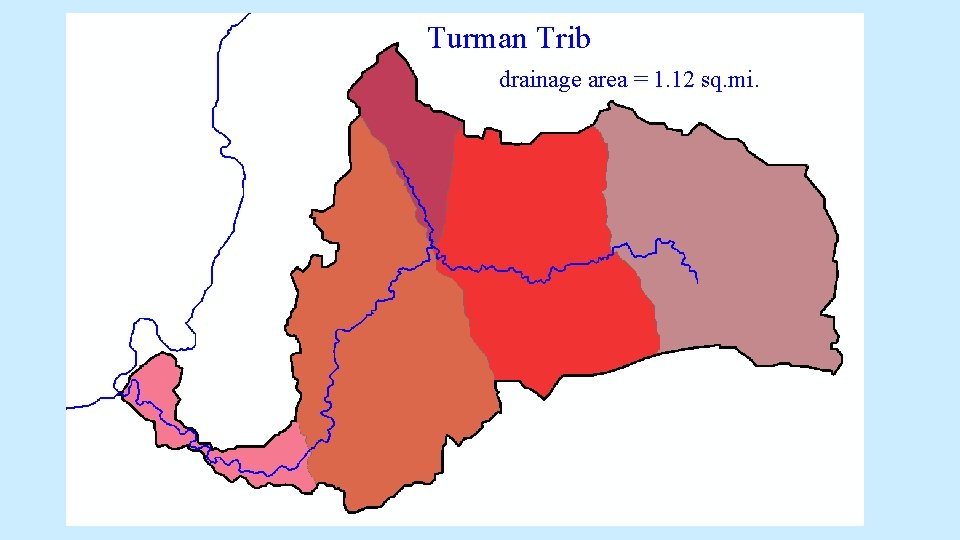
Turman Trib drainage area = 1. 12 sq. mi.
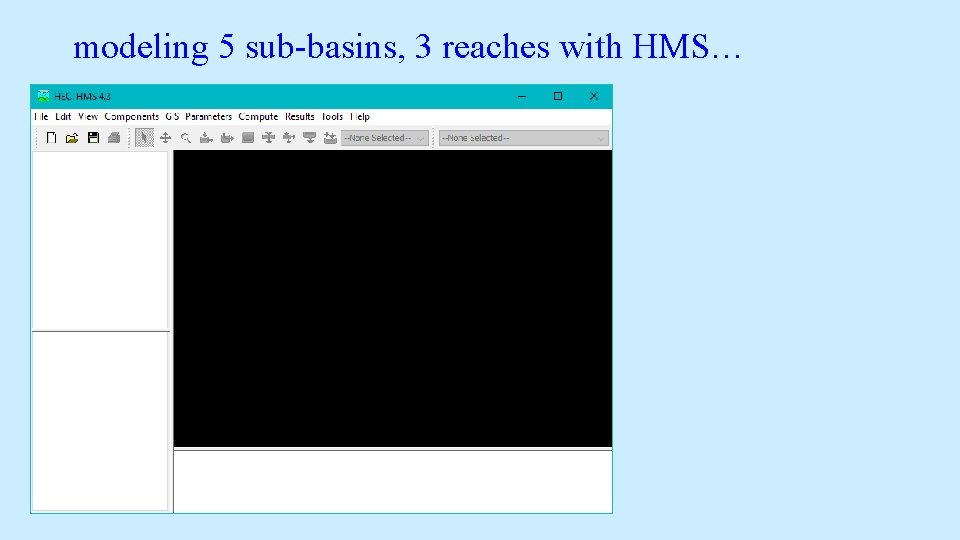
modeling 5 sub-basins, 3 reaches with HMS…
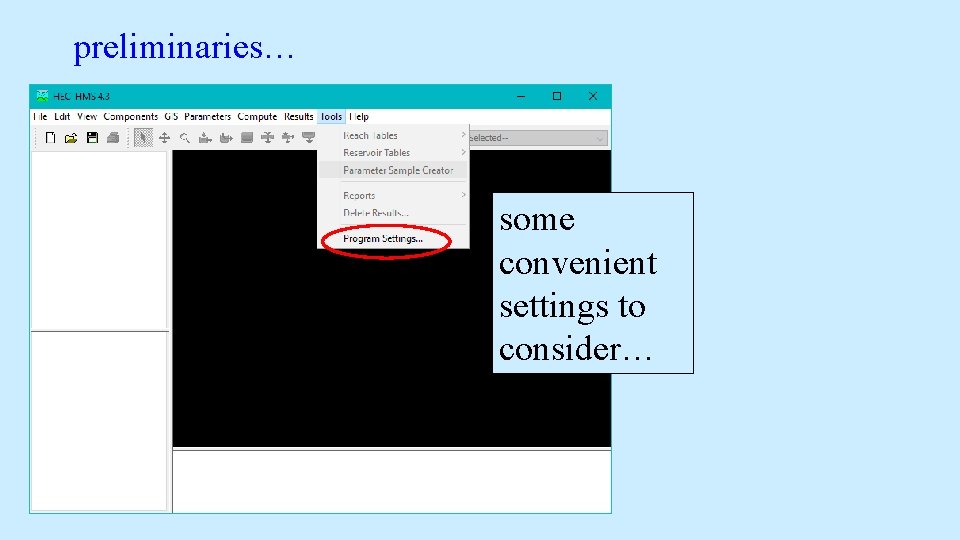
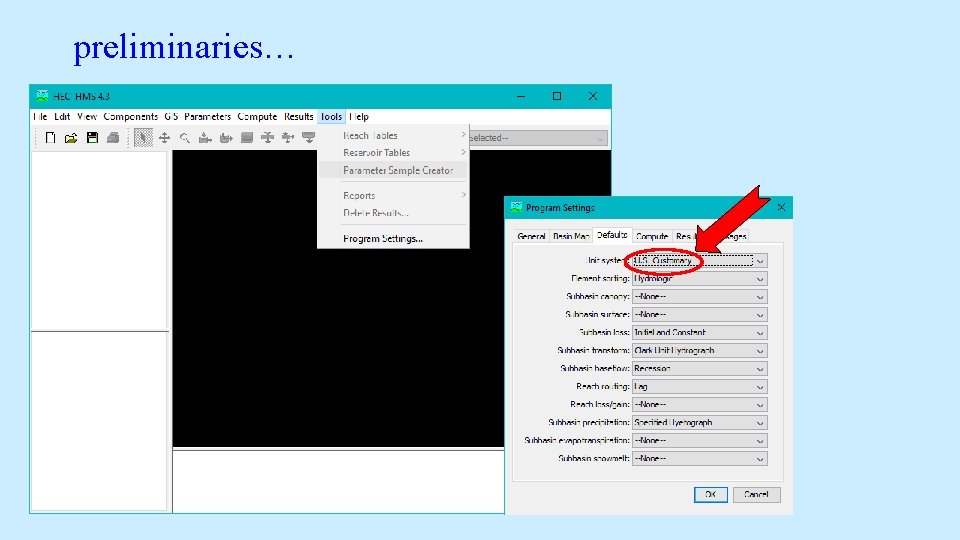
preliminaries… some convenient settings to consider…
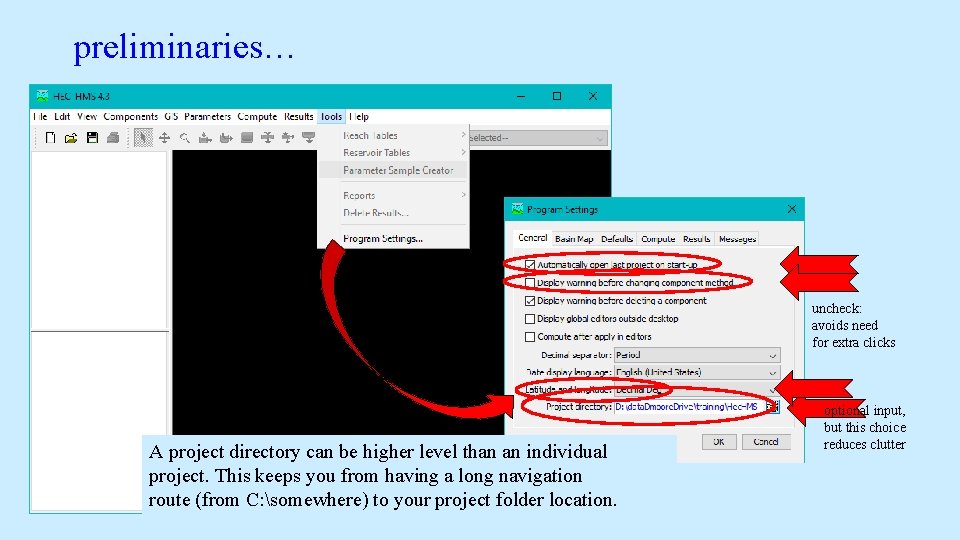
preliminaries… uncheck: avoids need for extra clicks A project directory can be higher level than an individual project. This keeps you from having a long navigation route (from C: somewhere) to your project folder location. optional input, but this choice reduces clutter
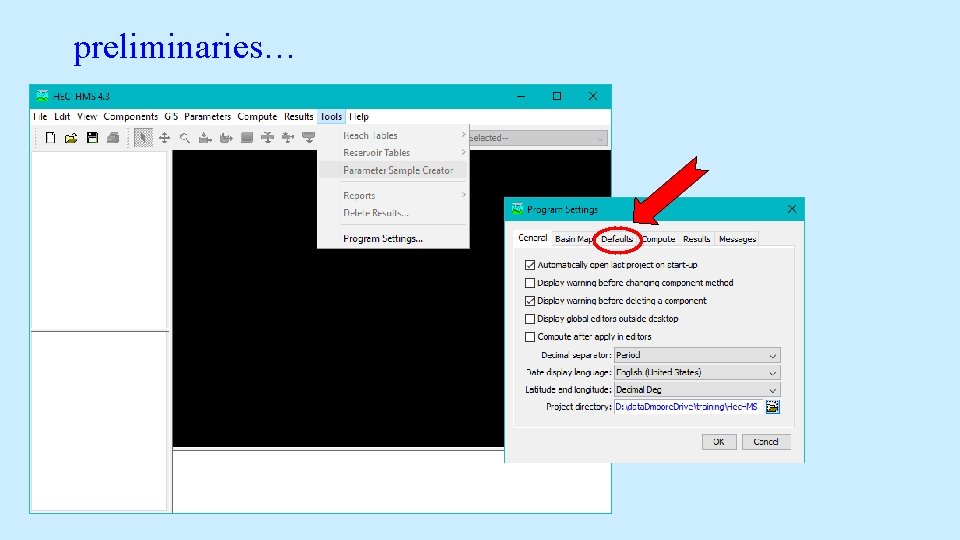
preliminaries…
preliminaries…
preliminaries…
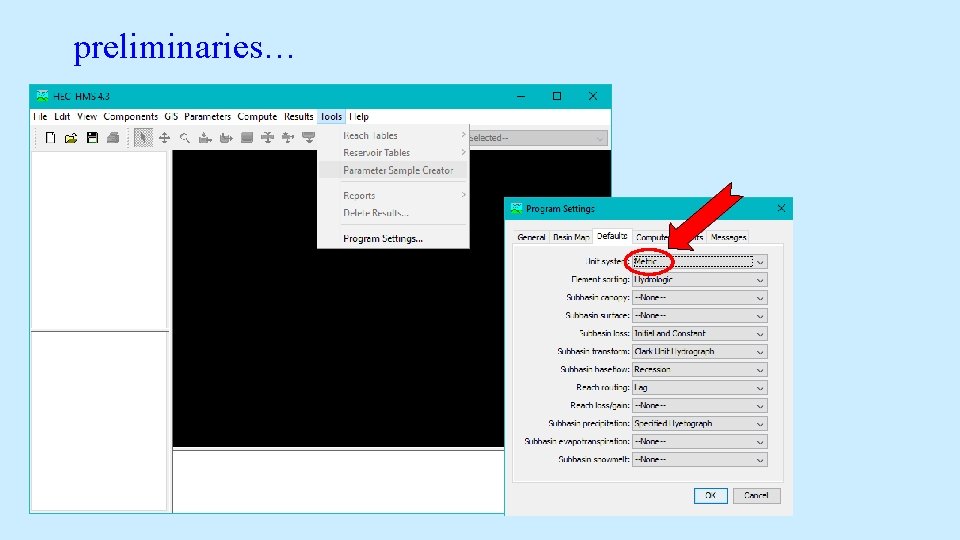
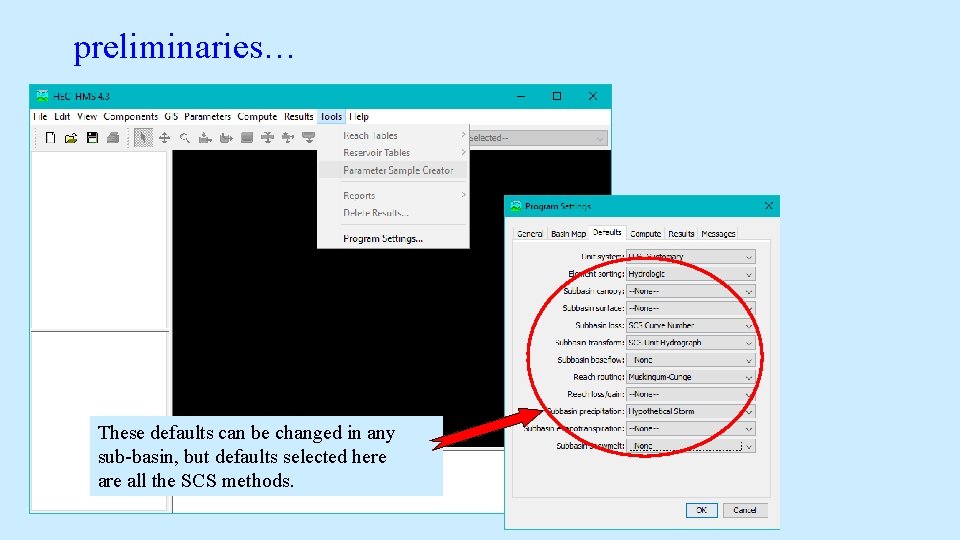
preliminaries… These defaults can be changed in any sub-basin, but defaults selected here all the SCS methods.
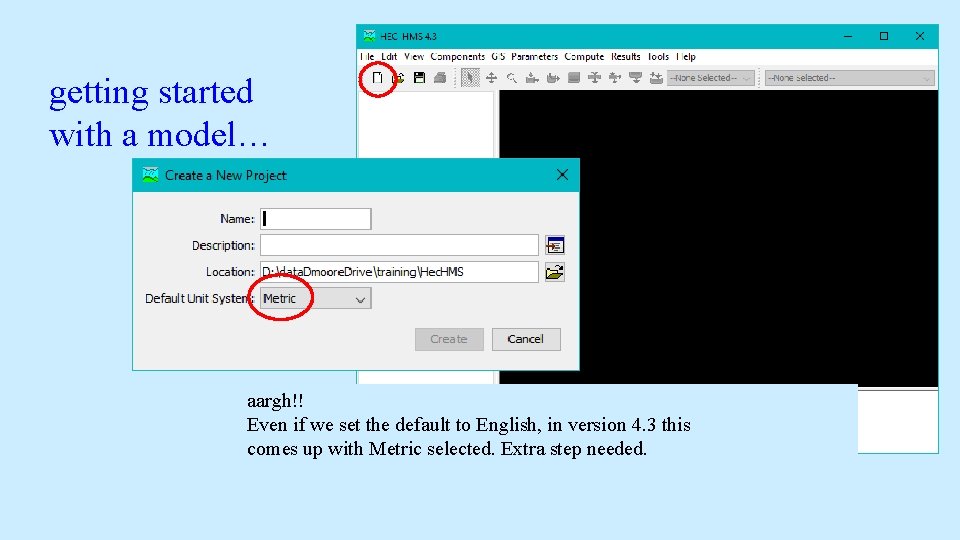
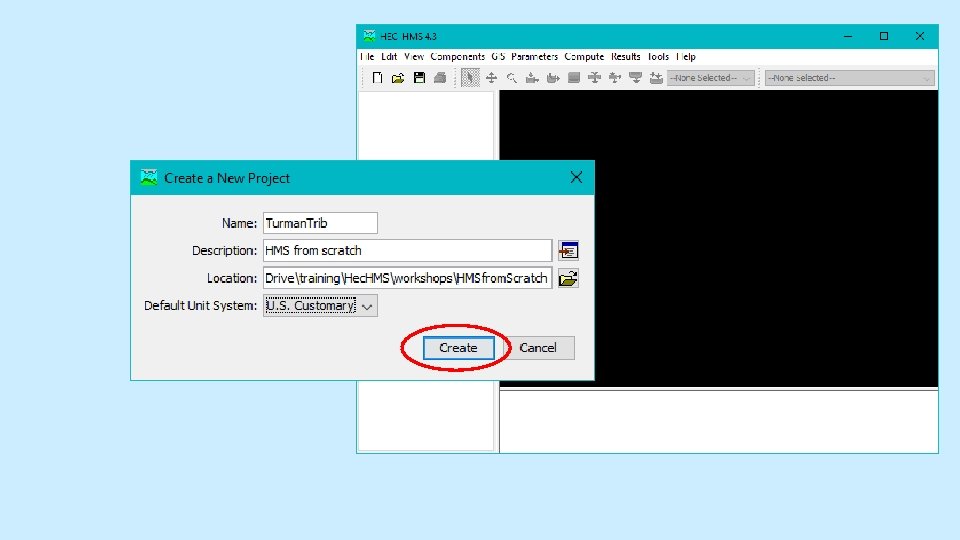
getting started with a model… aargh!! Even if we set the default to English, in version 4. 3 this comes up with Metric selected. Extra step needed.
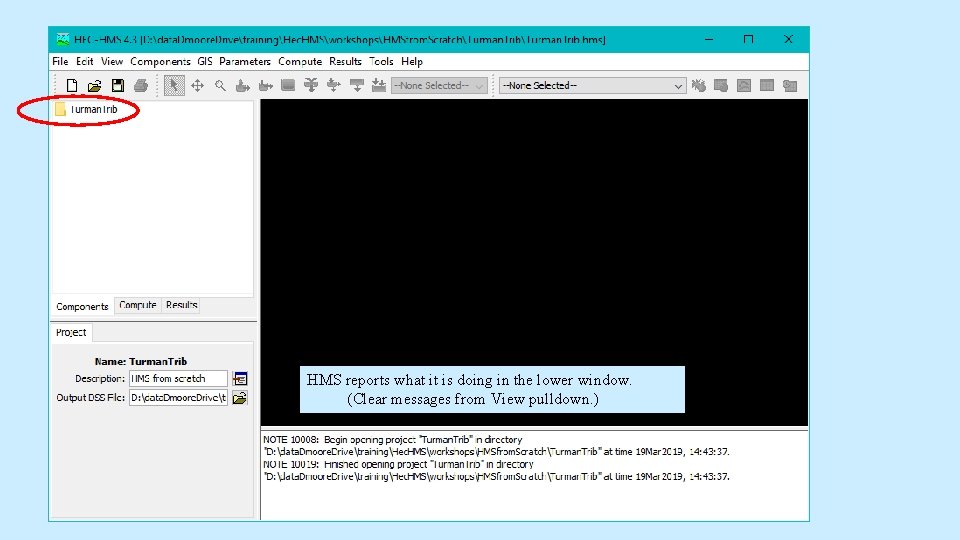
HMS reports what it is doing in the lower window. (Clear messages from View pulldown. )
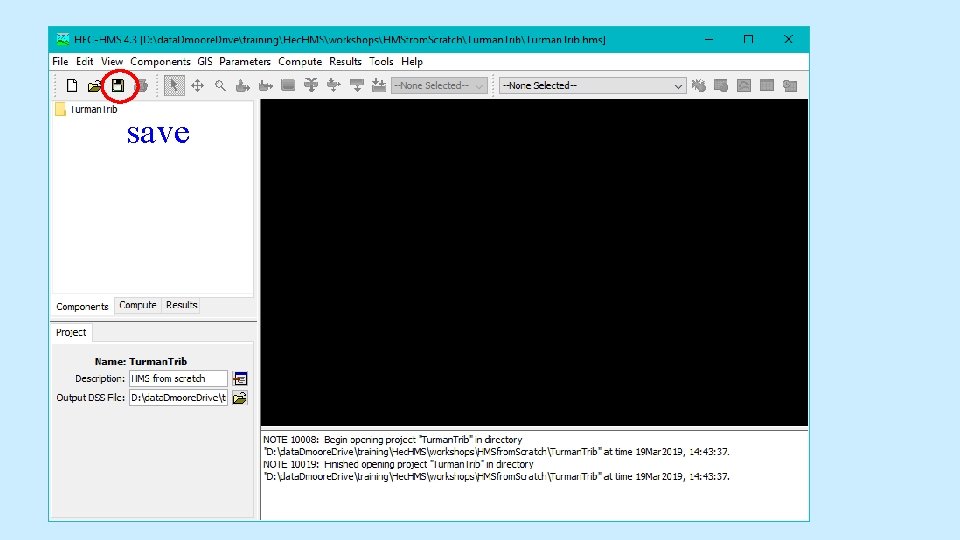
save
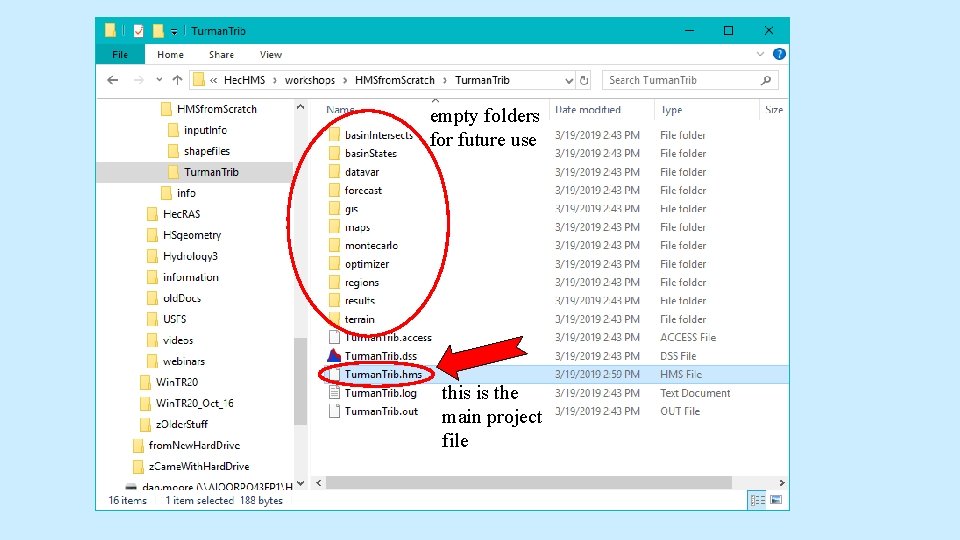
Let’s look at the folder structure HMS creates for every project… (First, save and exit Hec. HMS. )
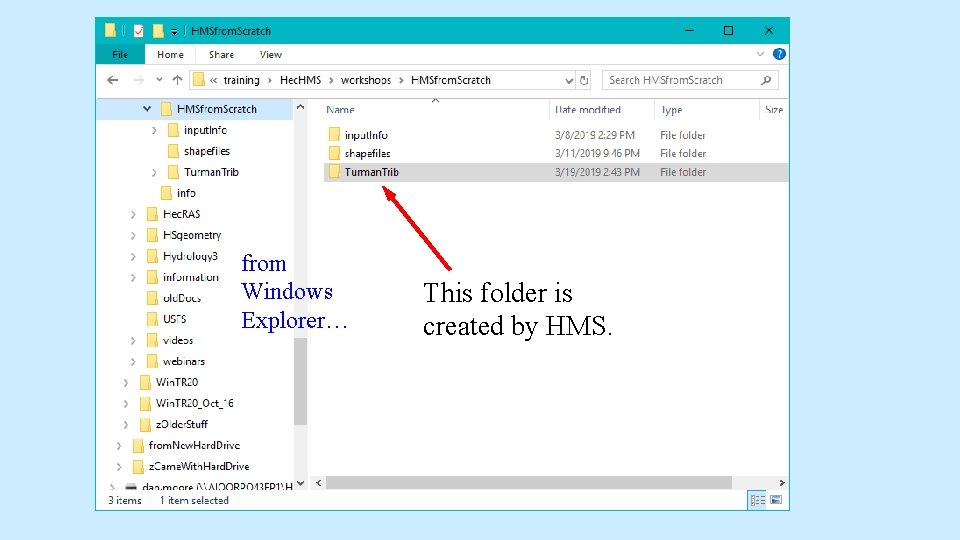
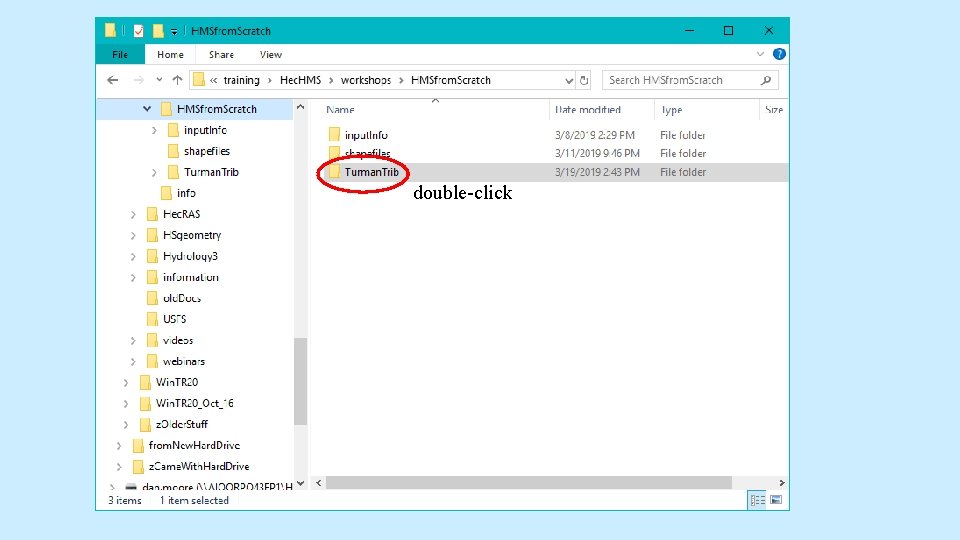
from Windows Explorer… This folder is created by HMS.
double-click
empty folders for future use this is the main project file
re-open Hec. HMS…
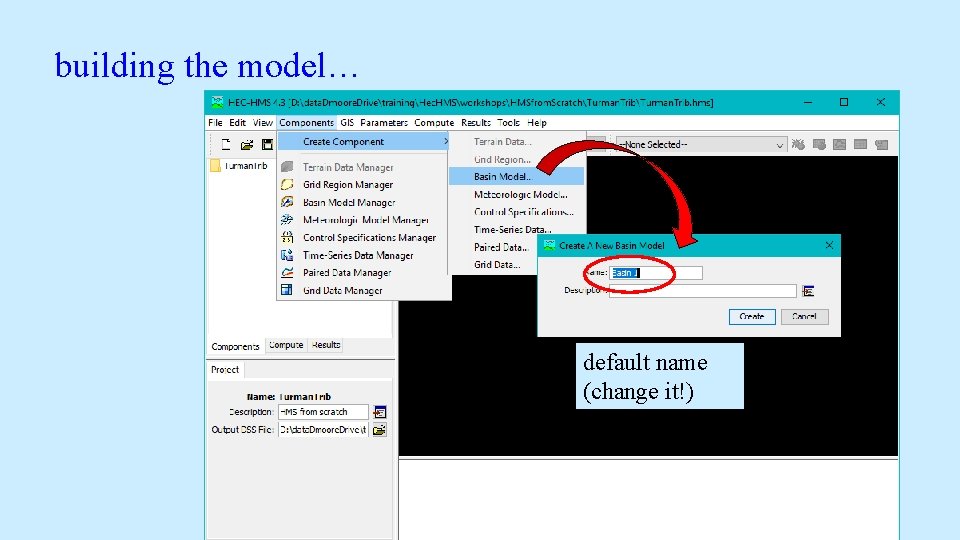
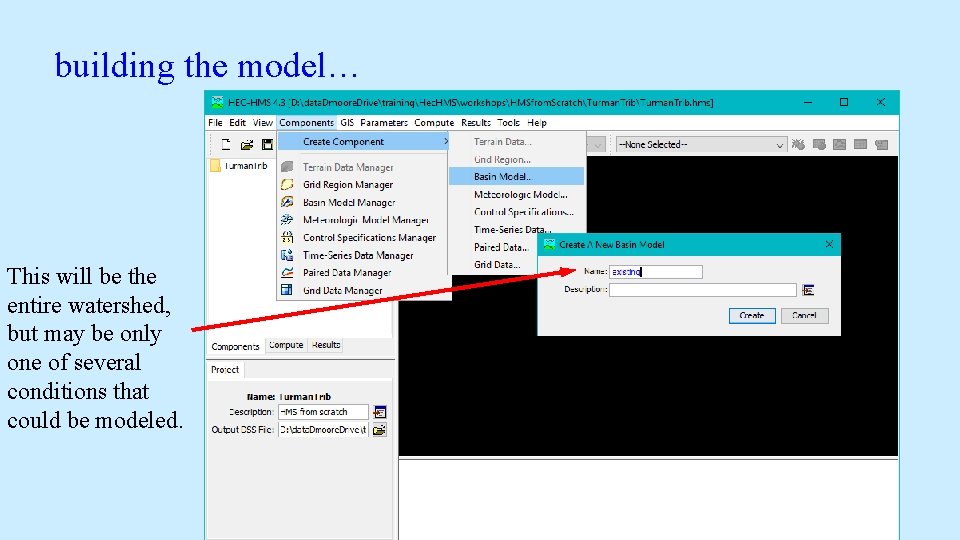
building the model… default name (change it!)
building the model… This will be the entire watershed, but may be only one of several conditions that could be modeled.
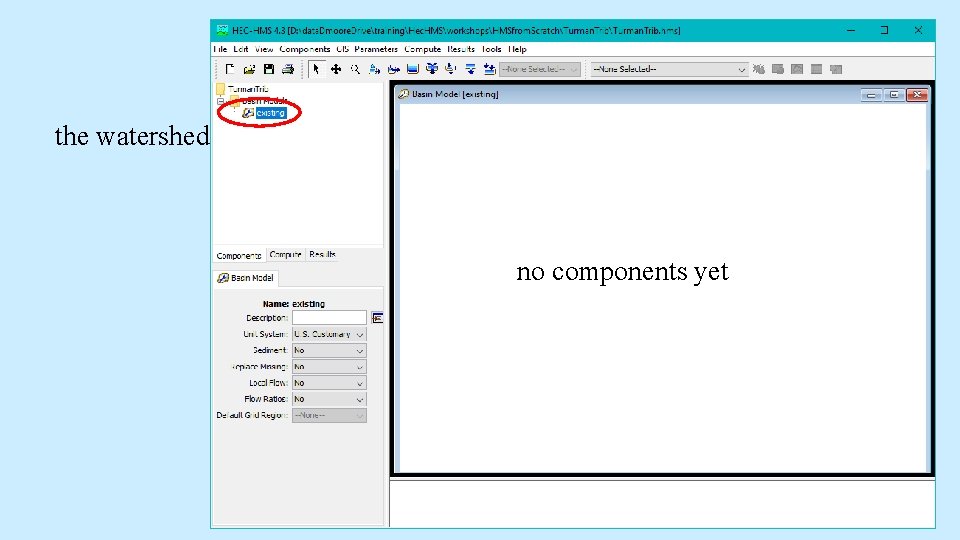
the watershed no components yet
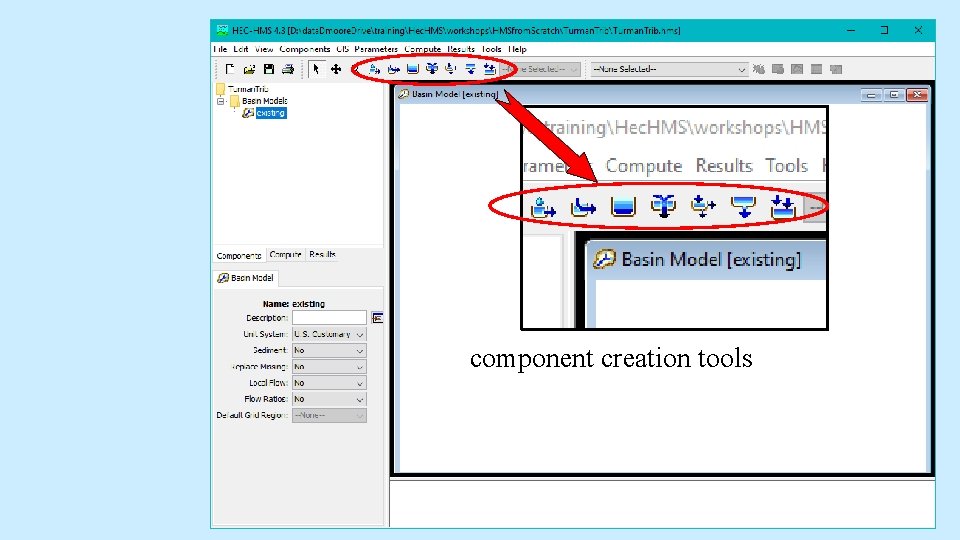
component creation tools
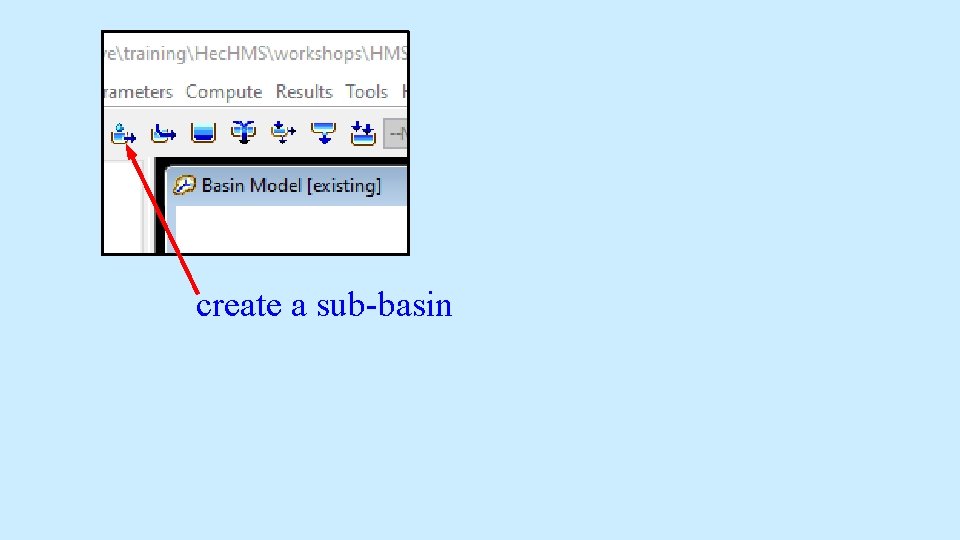
create a sub-basin
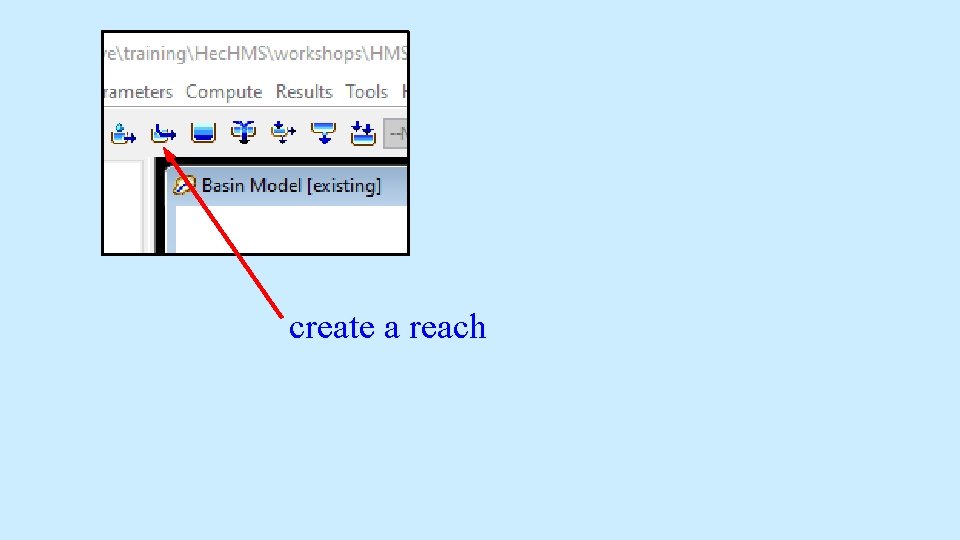
create a reach
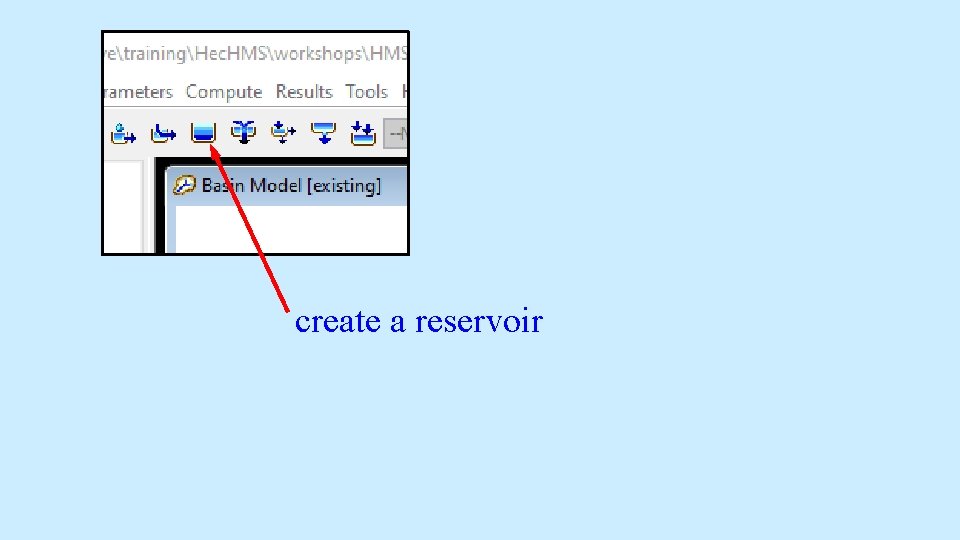
create a reservoir
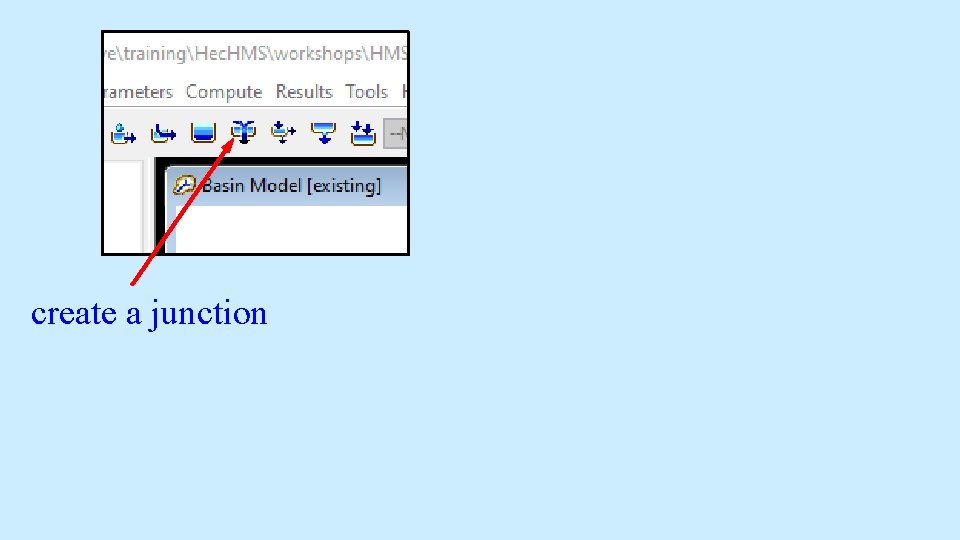
create a junction
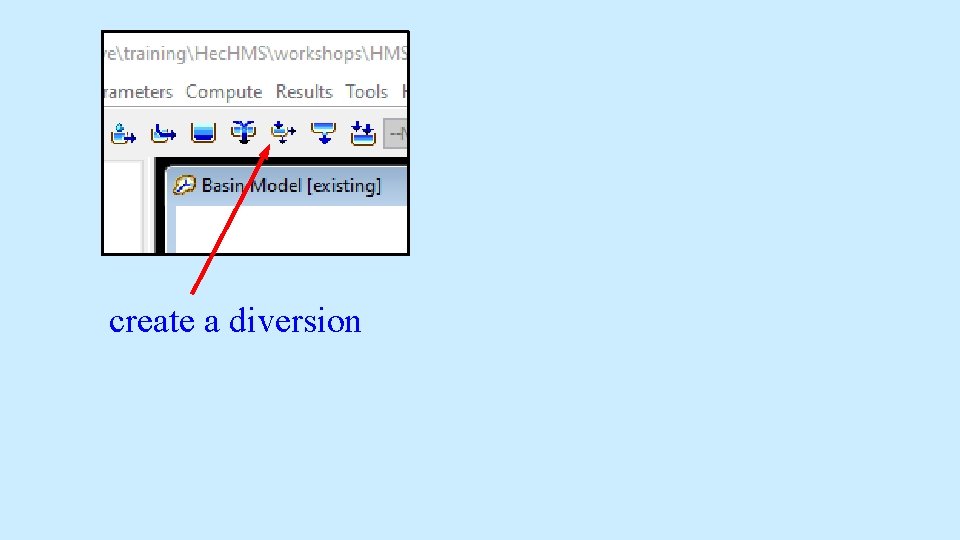
create a diversion
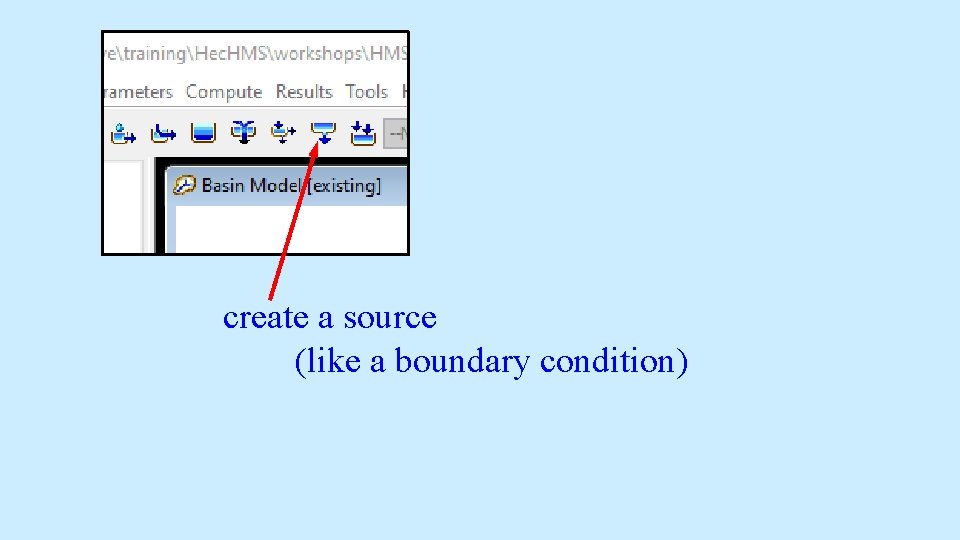
create a source (like a boundary condition)
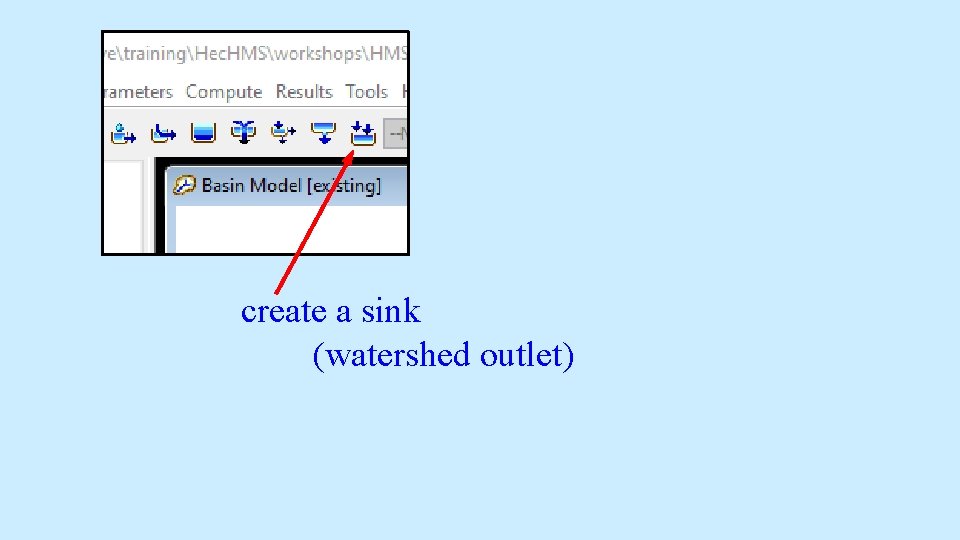
create a sink (watershed outlet)
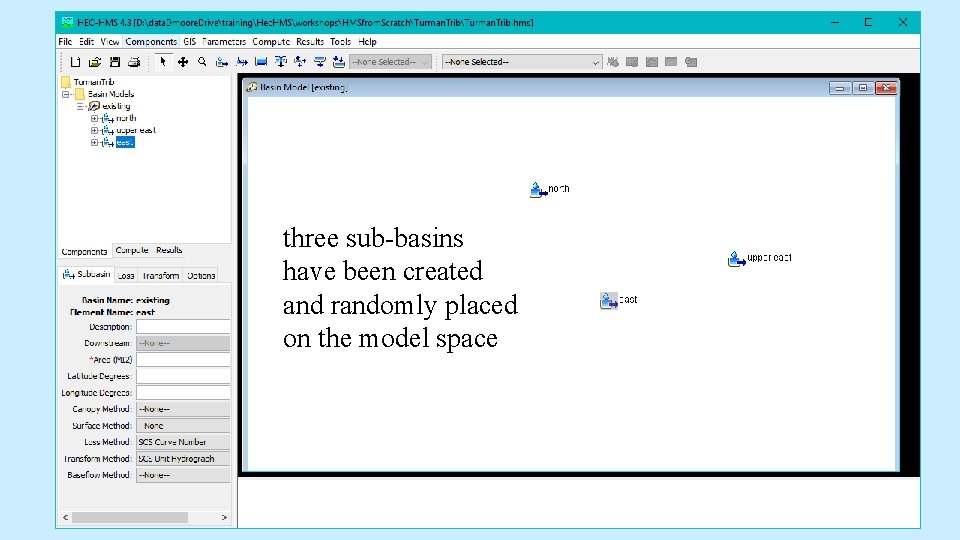
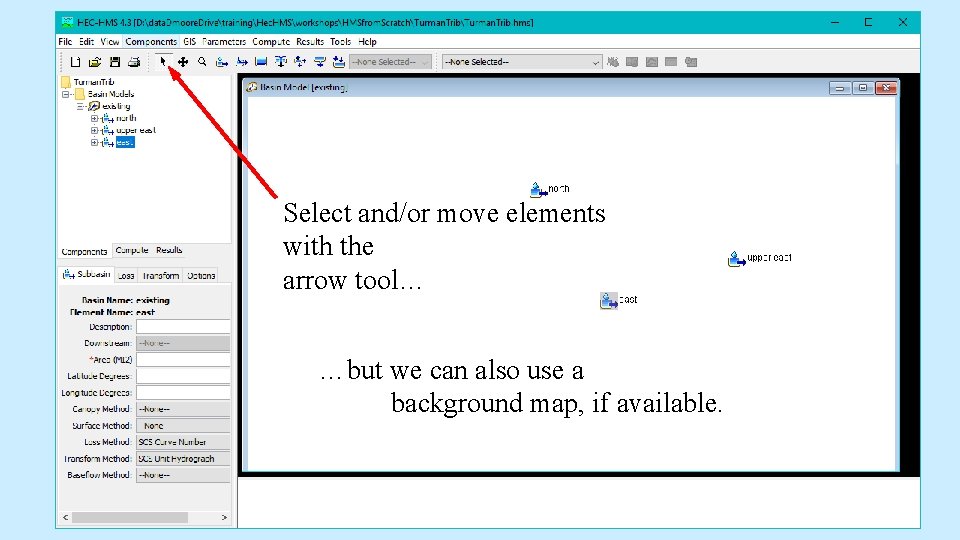
three sub-basins have been created and randomly placed on the model space
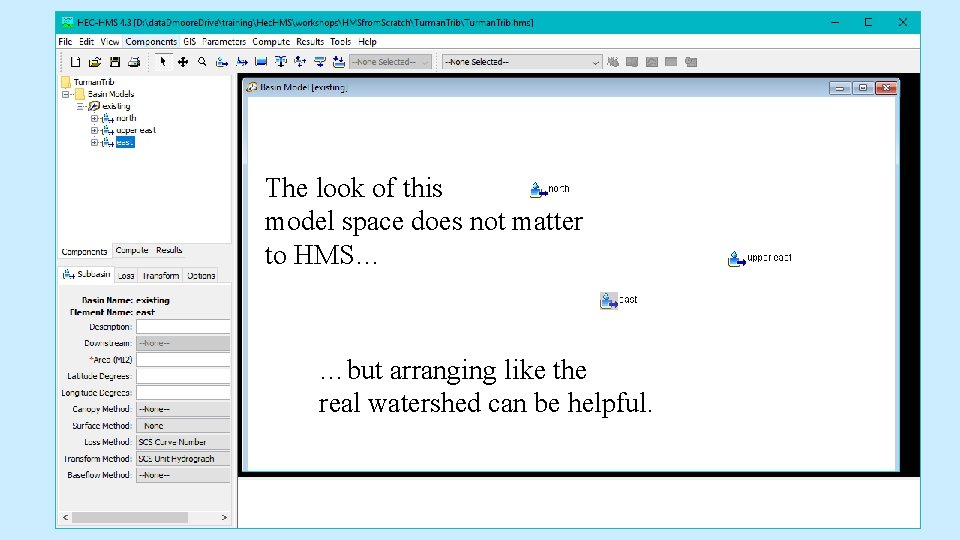
The look of this model space does not matter to HMS… …but arranging like the real watershed can be helpful.
Turman Trib north east middle west upper east
Select and/or move elements with the arrow tool… …but we can also use a background map, if available.
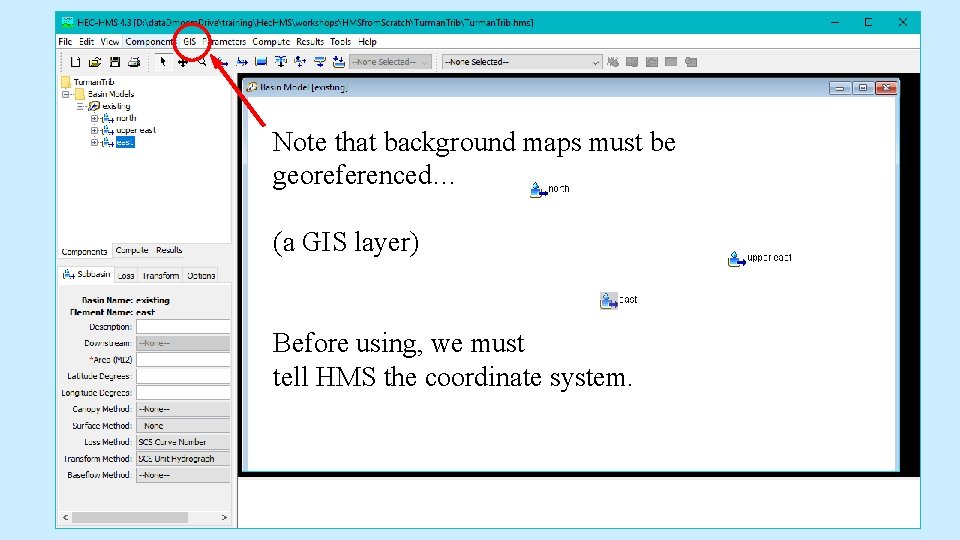
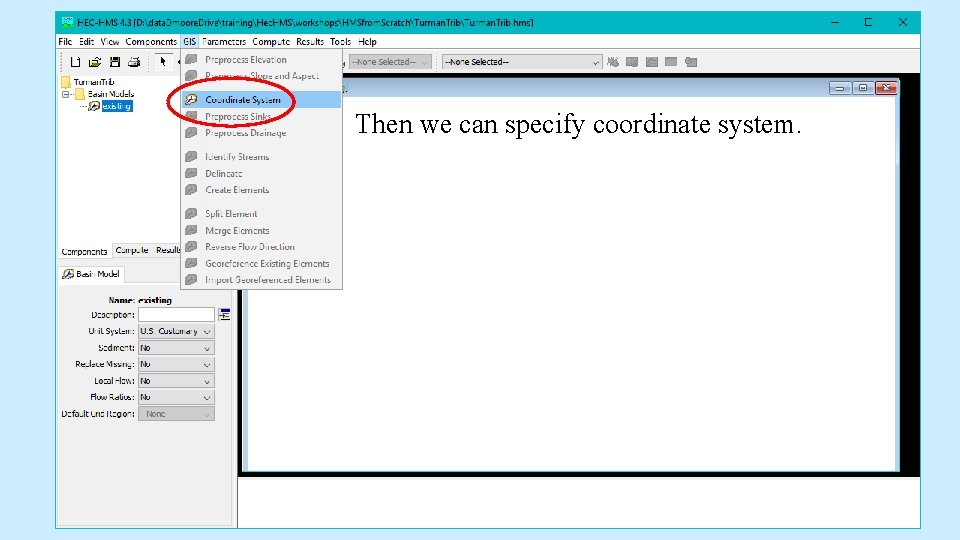
Note that background maps must be georeferenced… (a GIS layer) Before using, we must tell HMS the coordinate system.
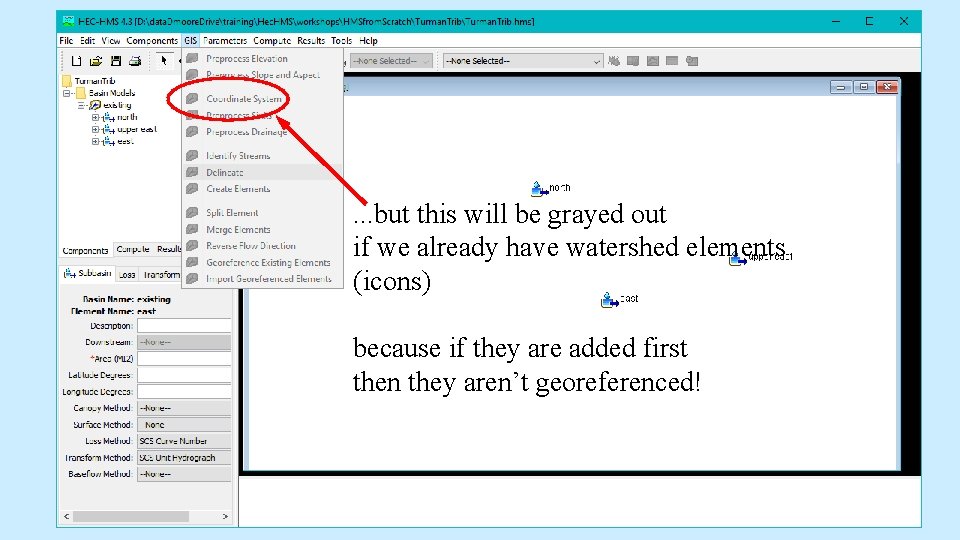
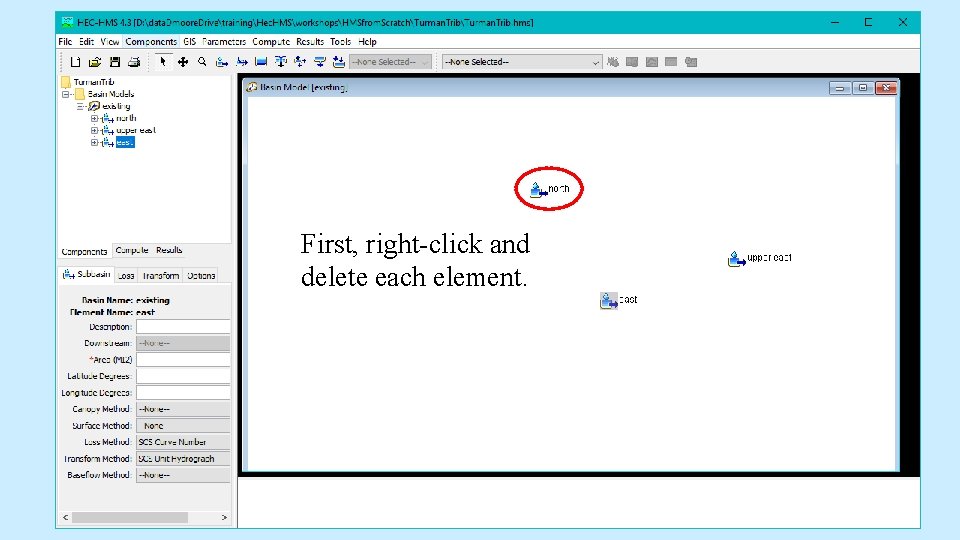
. . . but this will be grayed out if we already have watershed elements (icons) because if they are added first then they aren’t georeferenced!
First, right-click and delete each element.
Then we can specify coordinate system.
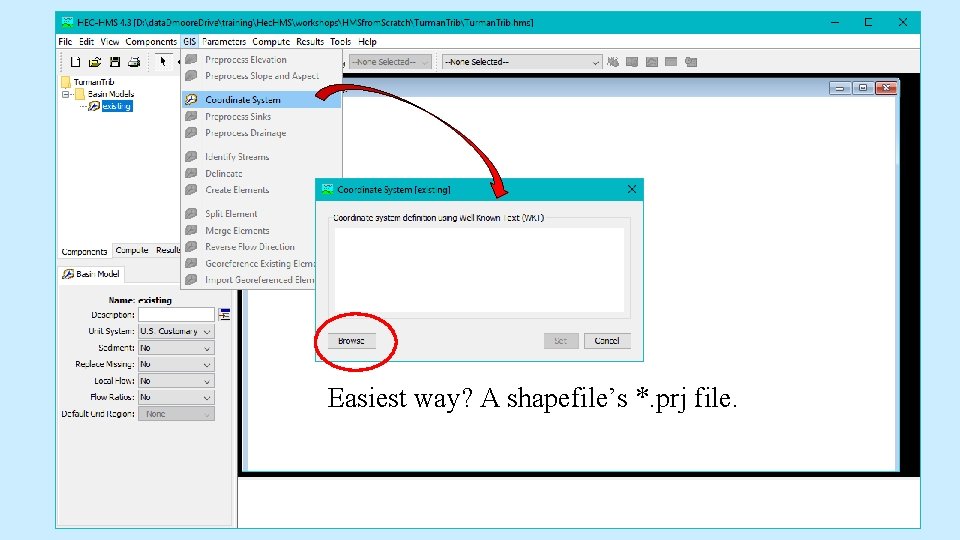
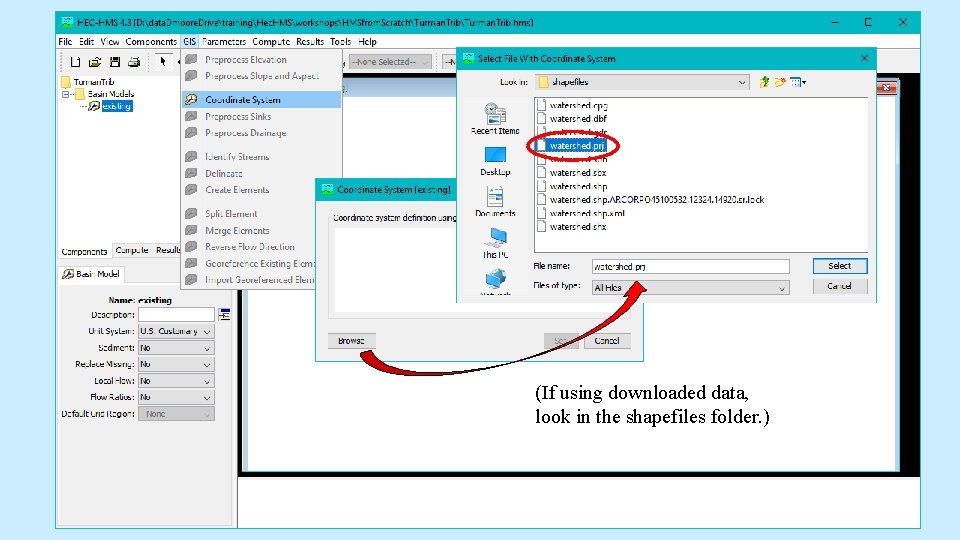
Easiest way? A shapefile’s *. prj file.
(If using downloaded data, look in the shapefiles folder. )
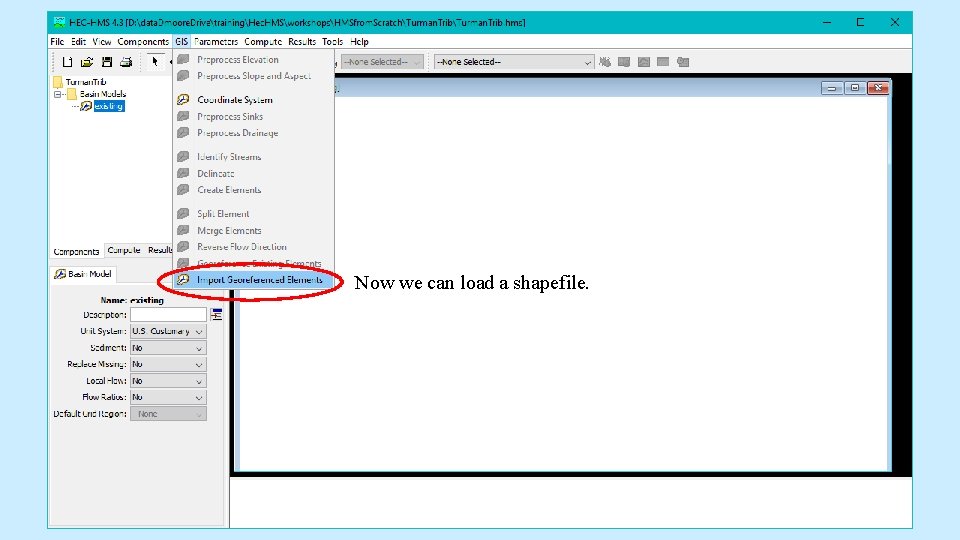
Now we can load a shapefile.
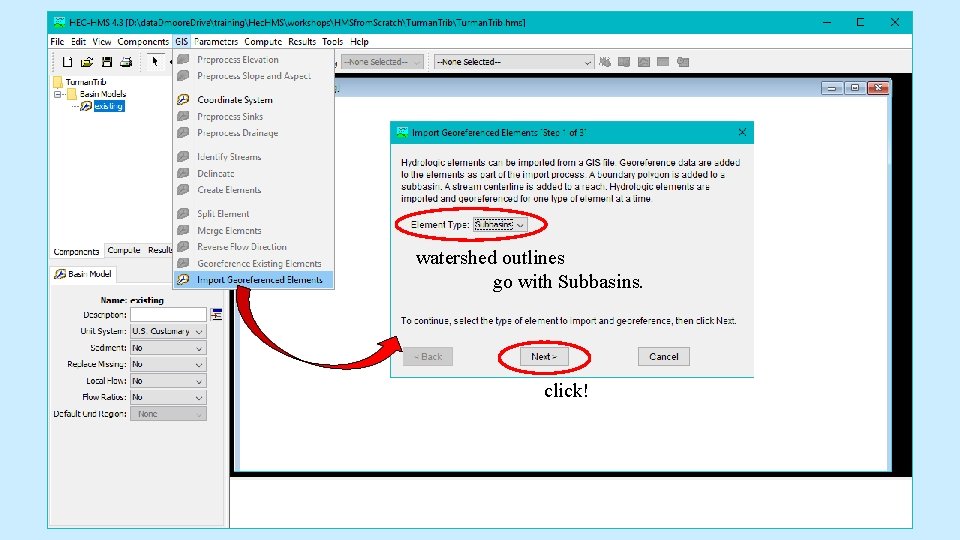
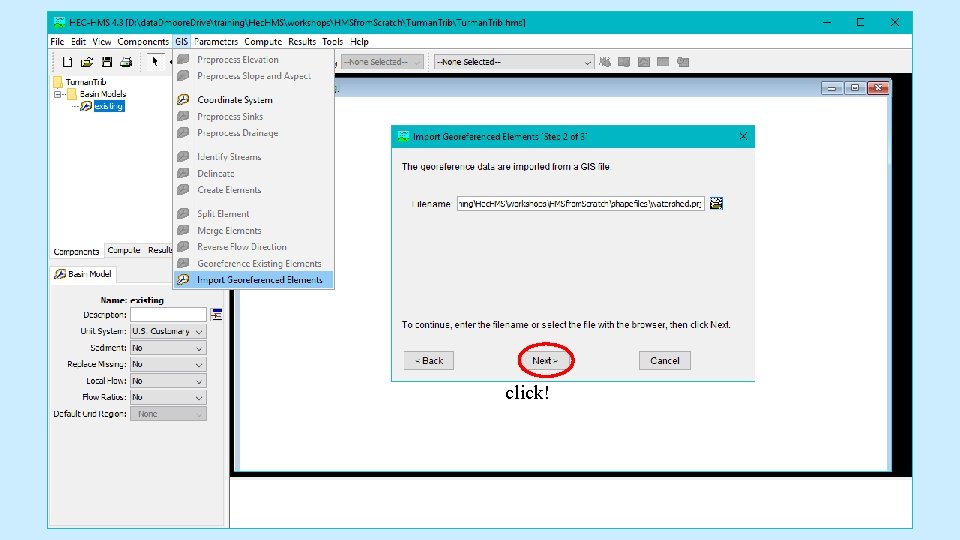
watershed outlines go with Subbasins. click!
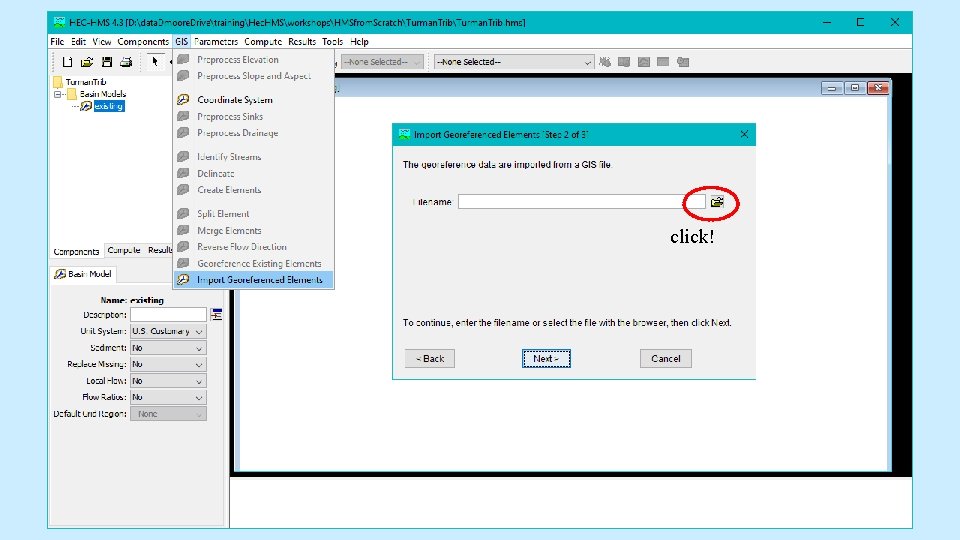
click!
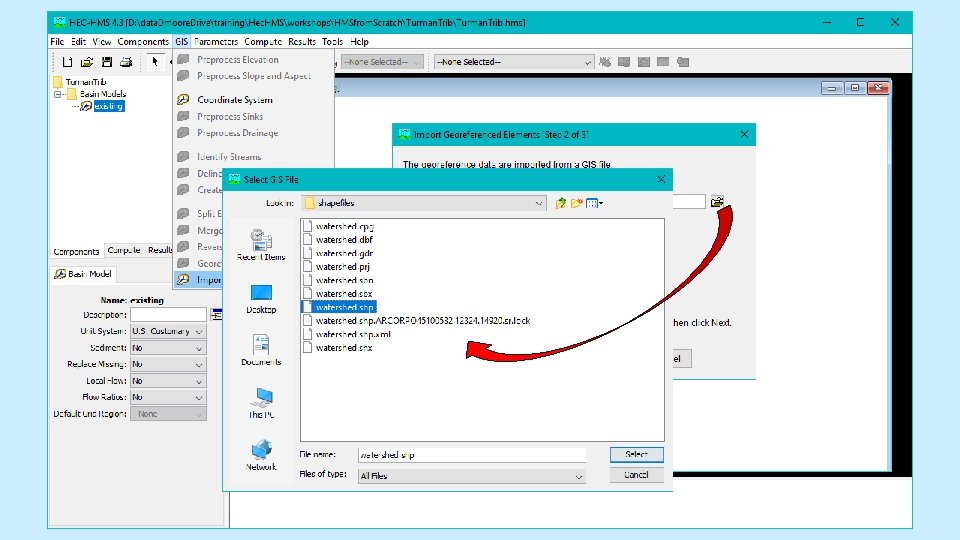
click!
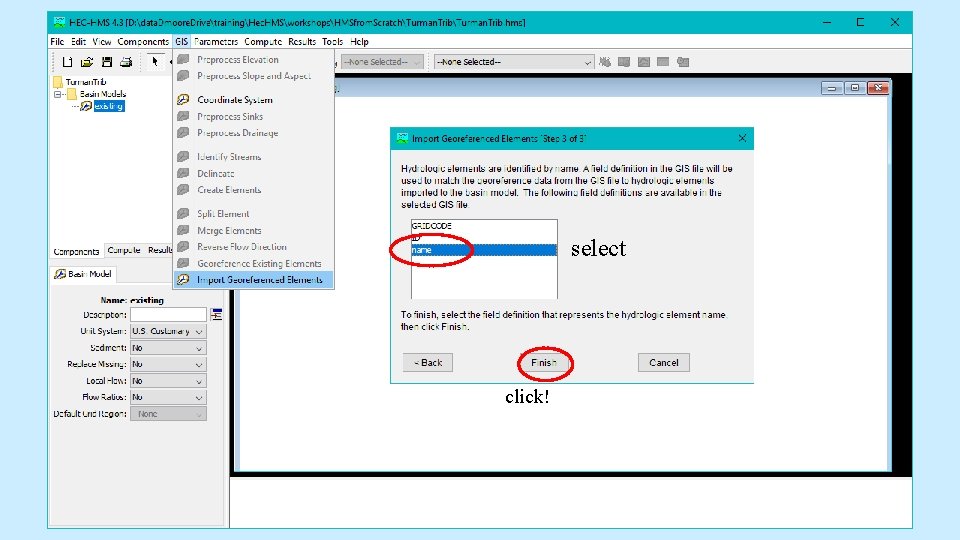
select click!
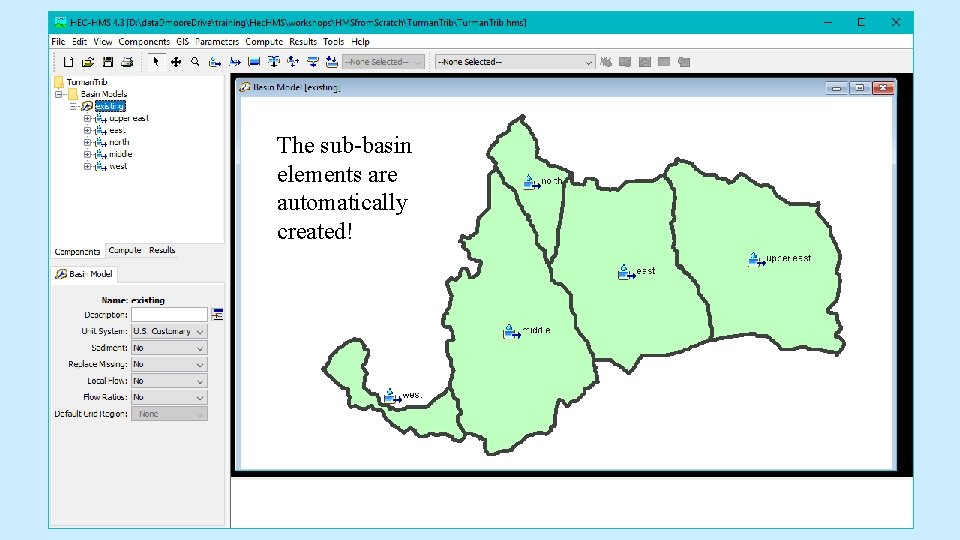
The sub-basin elements are automatically created!
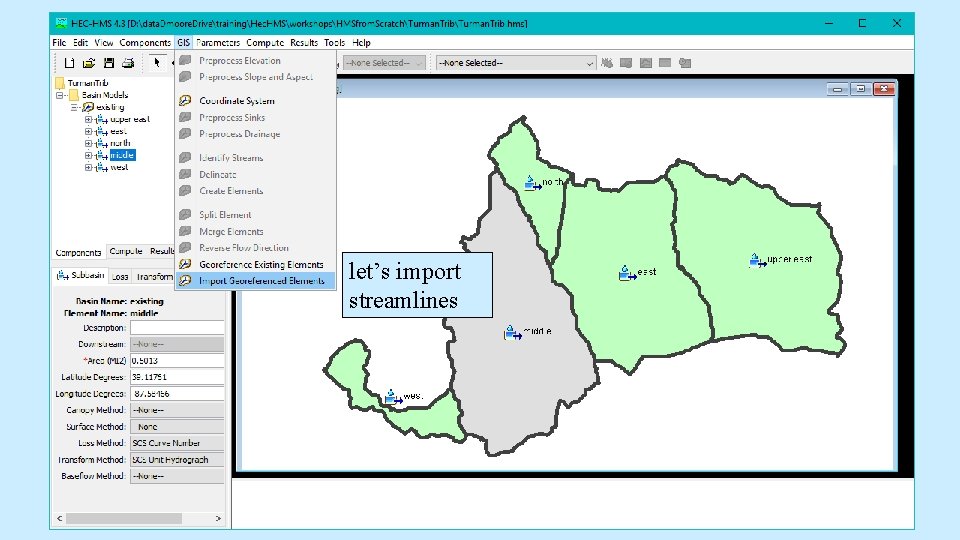
let’s import streamlines
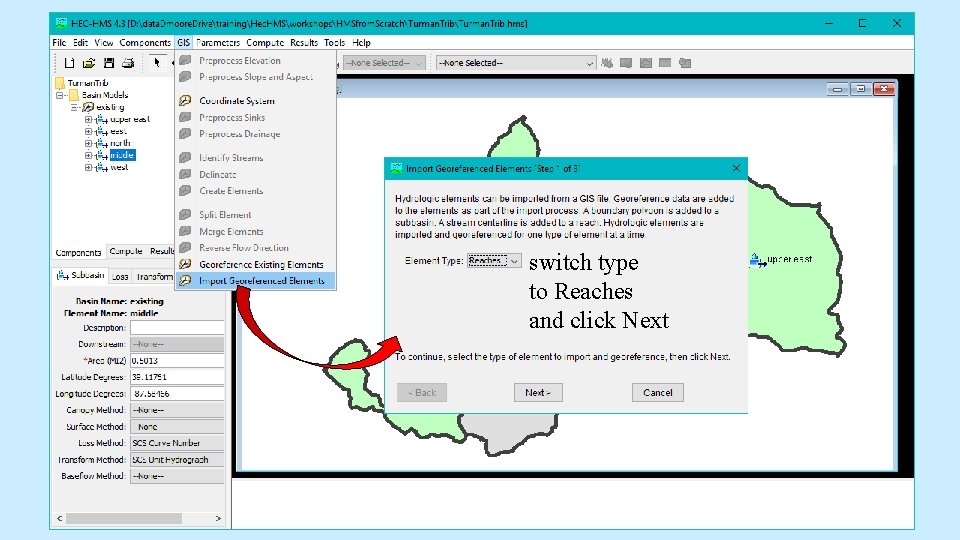
switch type to Reaches and click Next
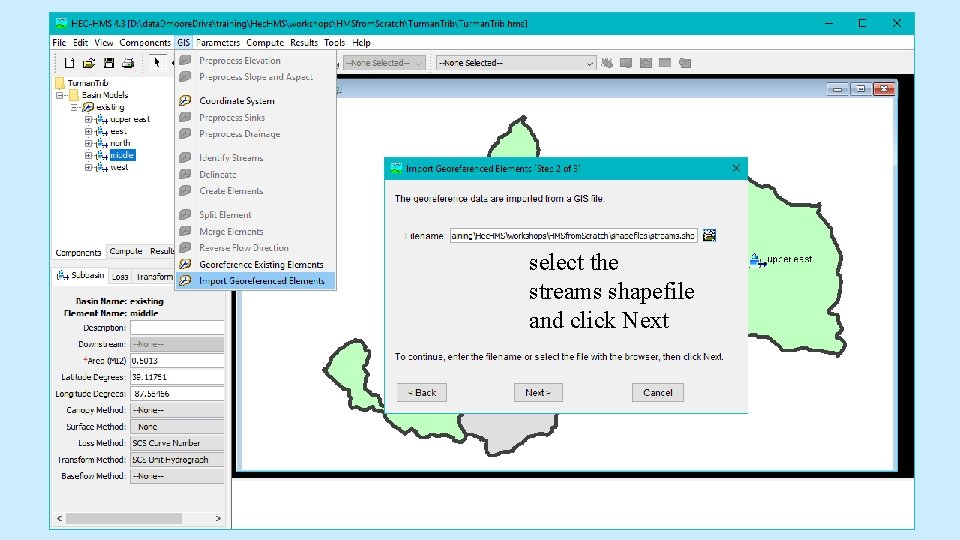
select the streams shapefile and click Next
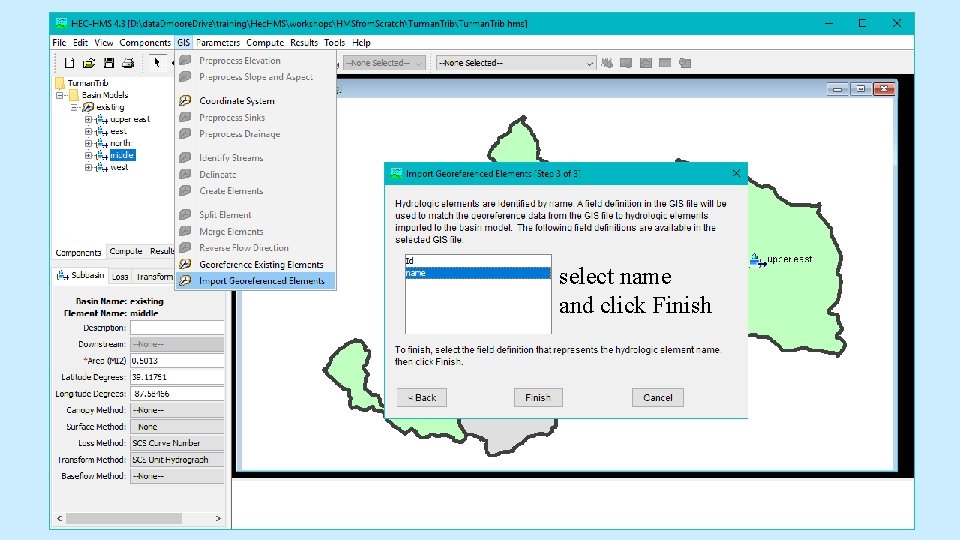
select name and click Finish
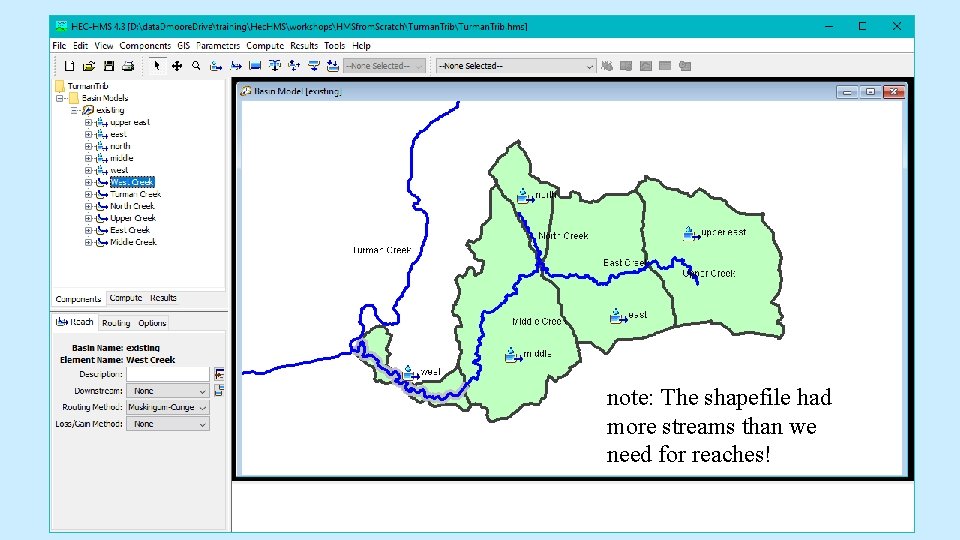
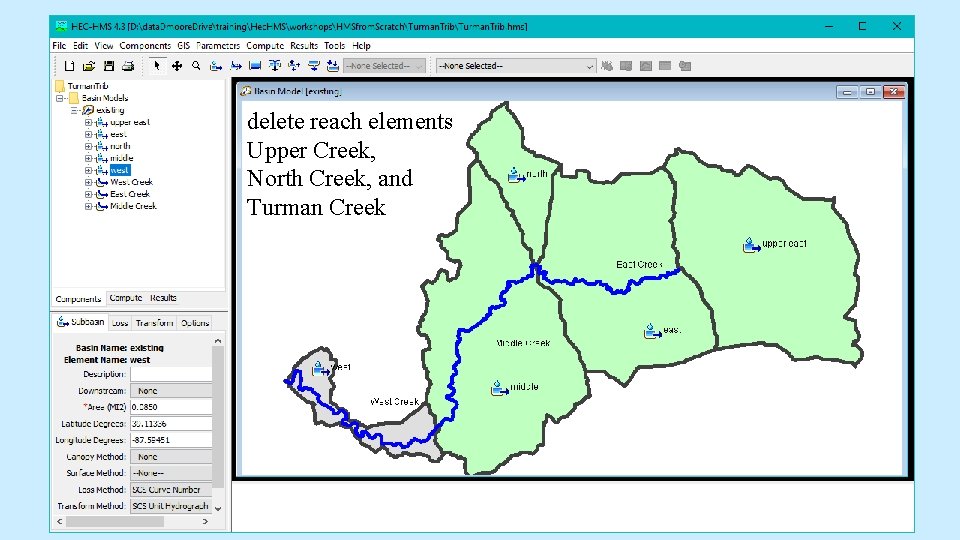
note: The shapefile had more streams than we need for reaches!
delete reach elements Upper Creek, North Creek, and Turman Creek
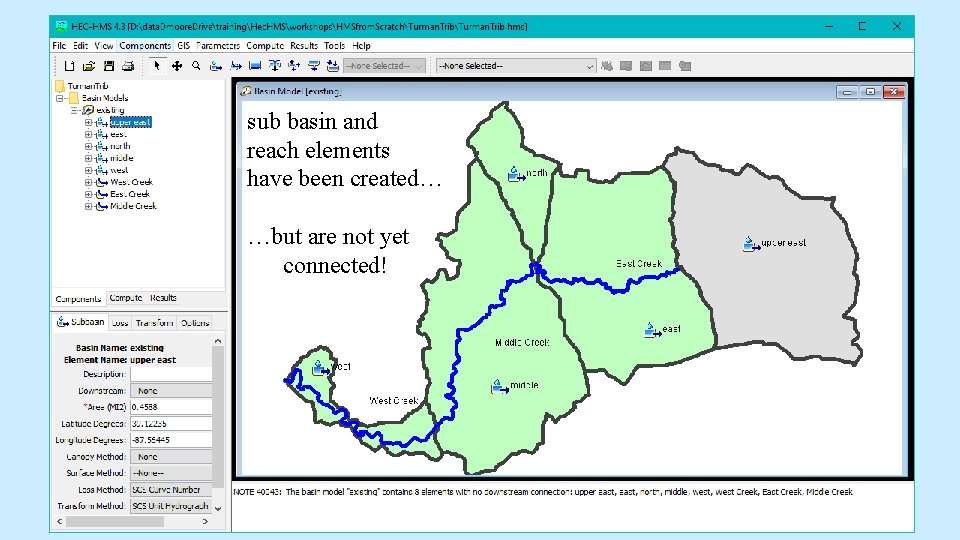
sub basin and reach elements have been created… …but are not yet connected!
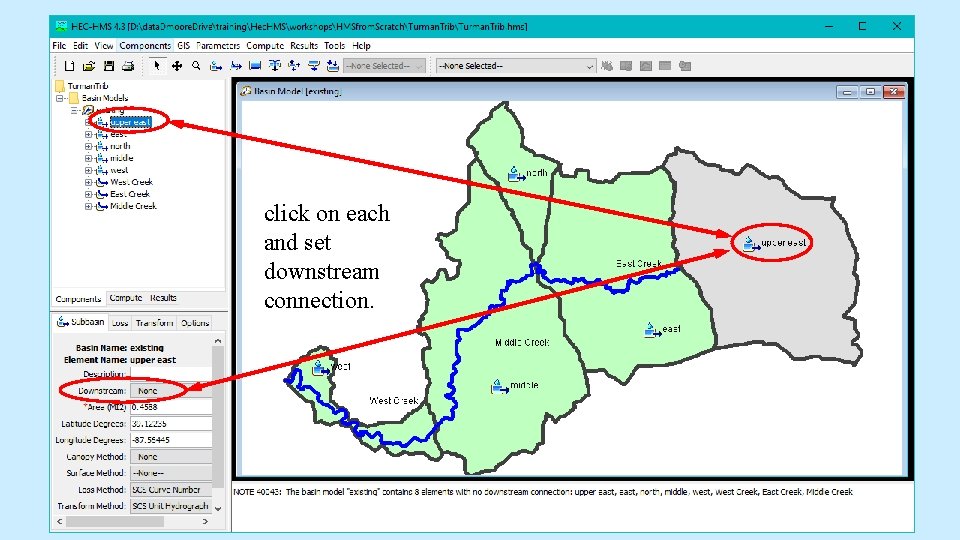
click on each and set downstream connection.
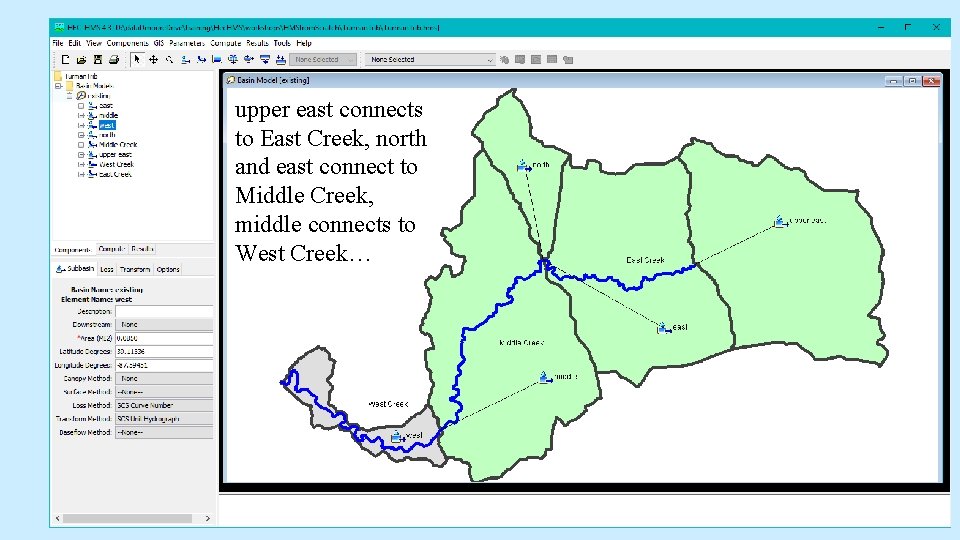
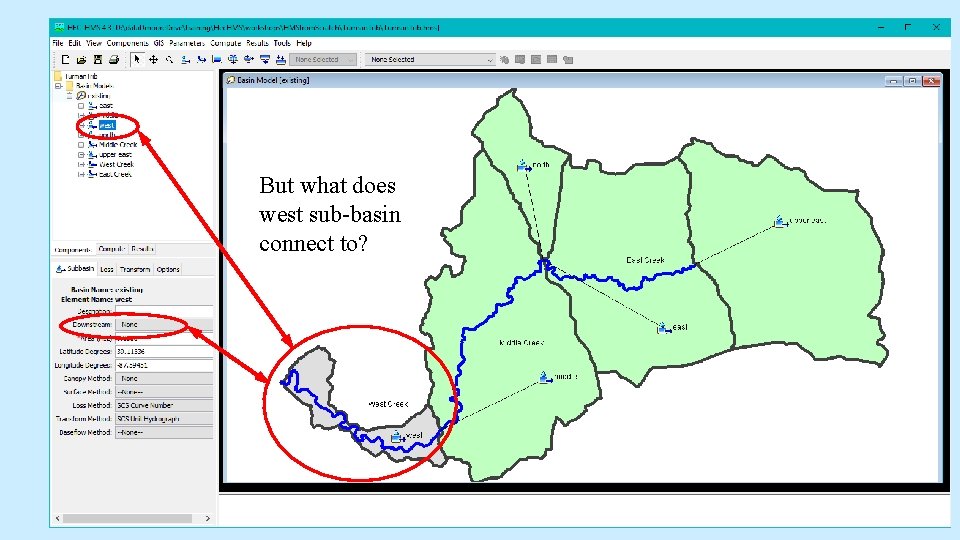
upper east connects to East Creek, north and east connect to Middle Creek, middle connects to West Creek…
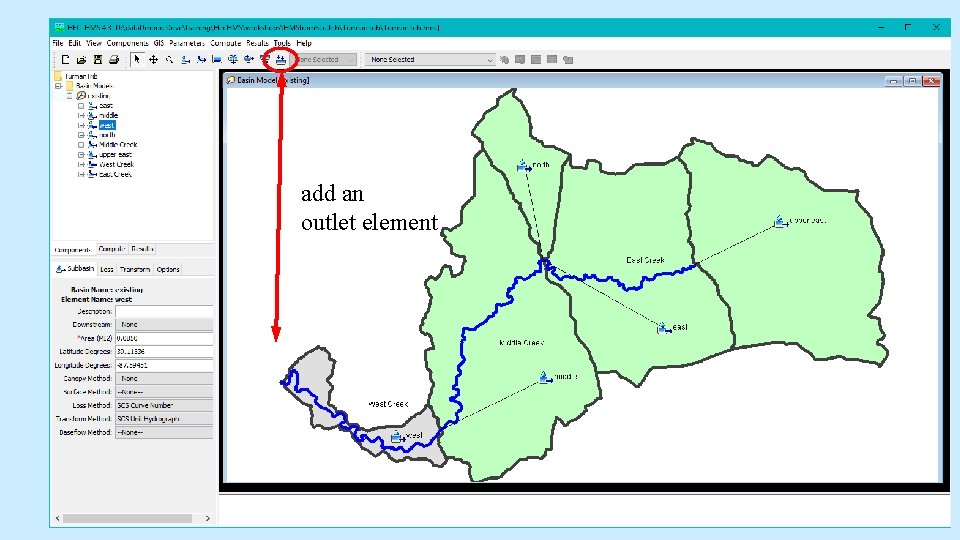
But what does west sub-basin connect to?
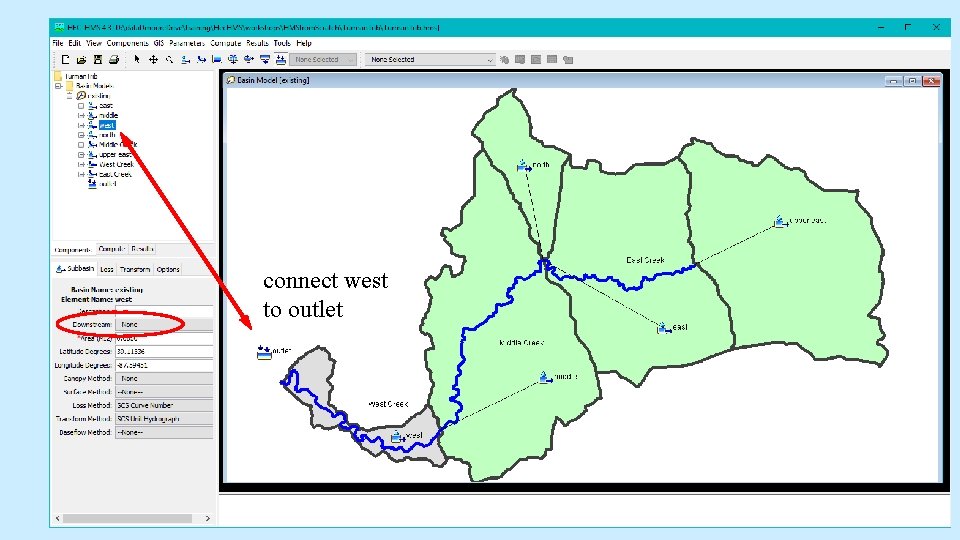
add an outlet element
connect west to outlet
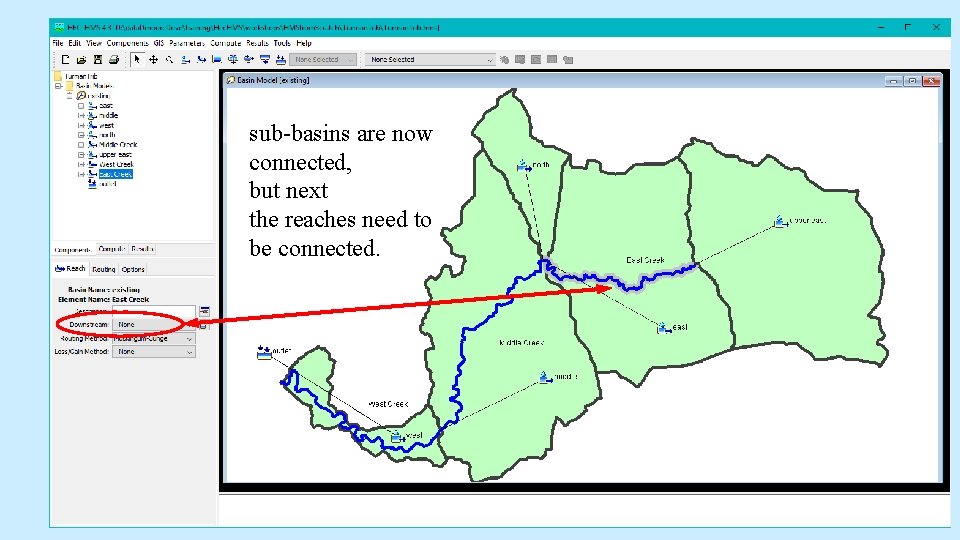
sub-basins are now connected, but next the reaches need to be connected.
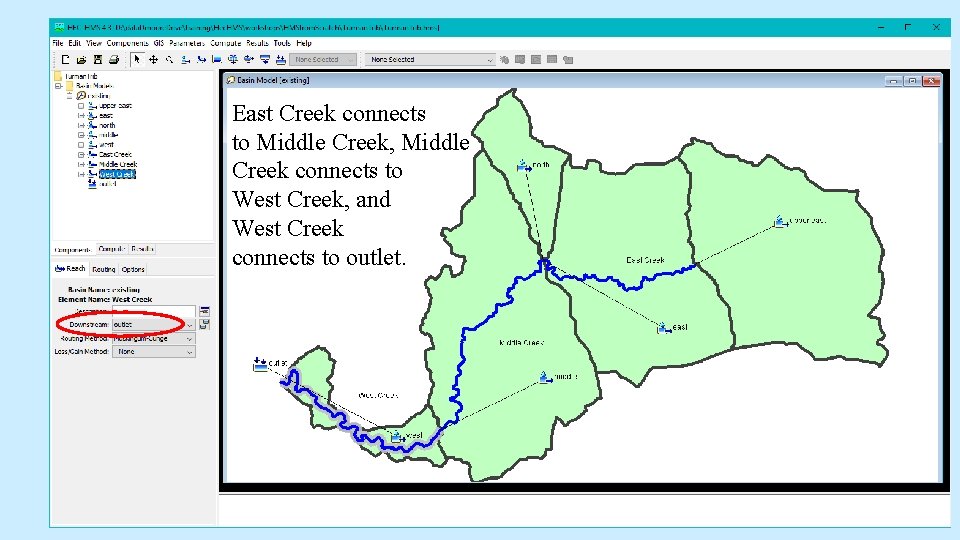
East Creek connects to Middle Creek, Middle Creek connects to West Creek, and West Creek connects to outlet.
basin elements are created and connected What input does Hec. HMS require to model a watershed?
landscape inputs… each sub-basin requires input for: drainage area infiltration losses runoff transformation each requires input for: representative cross-section routing method gain or loss in channel (if following along, modeling Turman Trib, see excel file of inputs in the input. Info folder. )
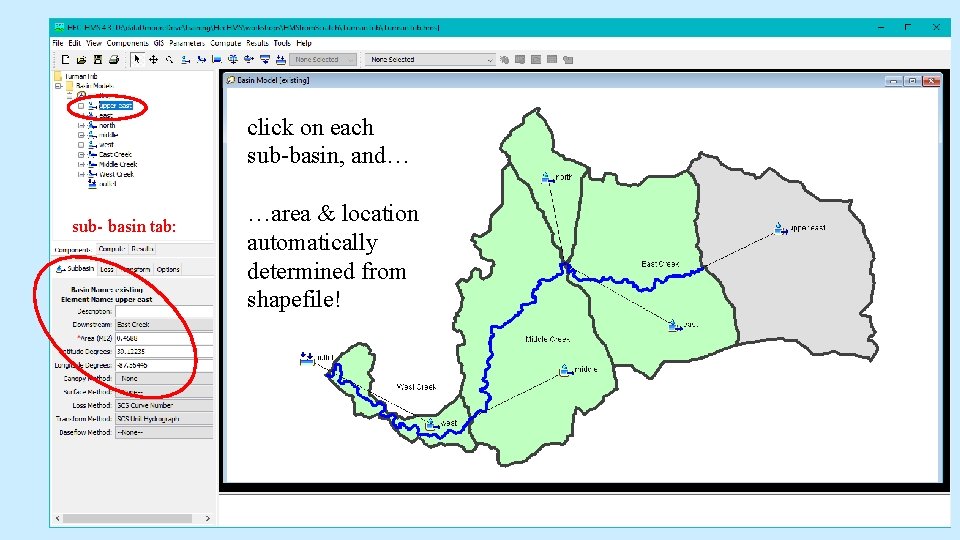
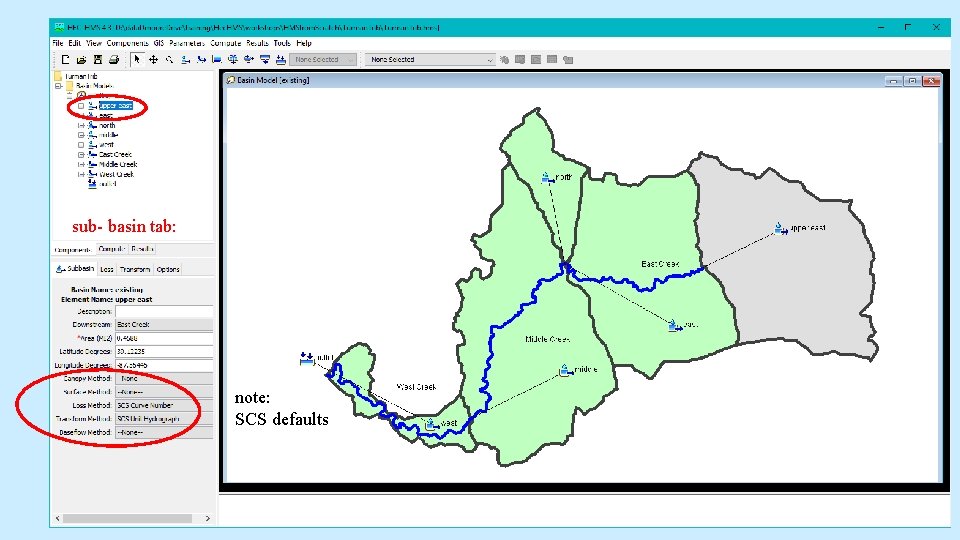
click on each sub-basin, and… sub- basin tab: …area & location automatically determined from shapefile!
sub- basin tab: note: SCS defaults
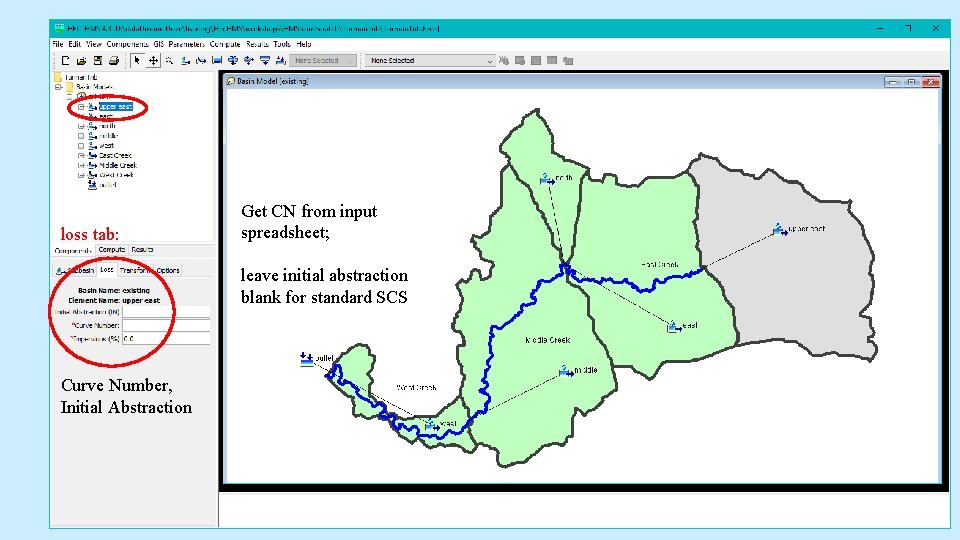
loss tab: Get CN from input spreadsheet; leave initial abstraction blank for standard SCS Curve Number, Initial Abstraction
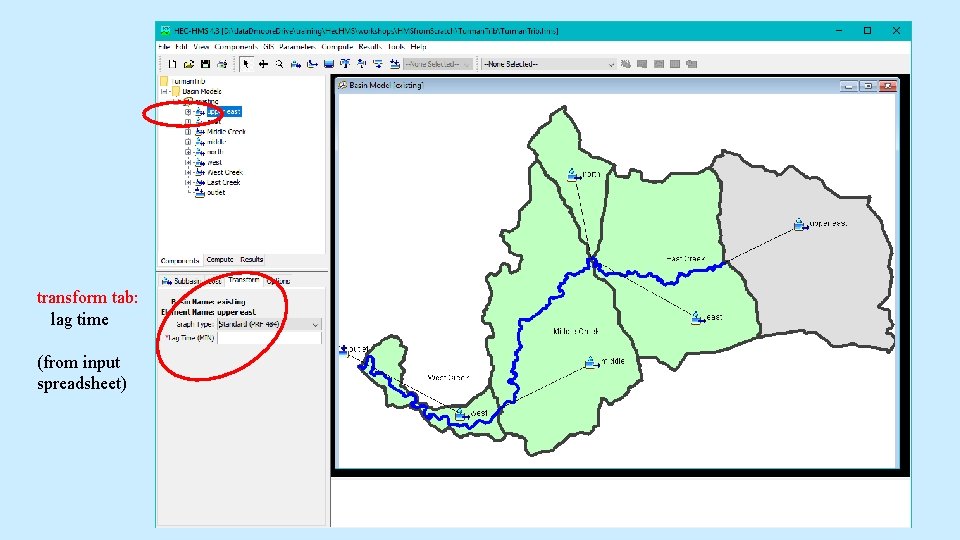
transform tab: lag time (from input spreadsheet)
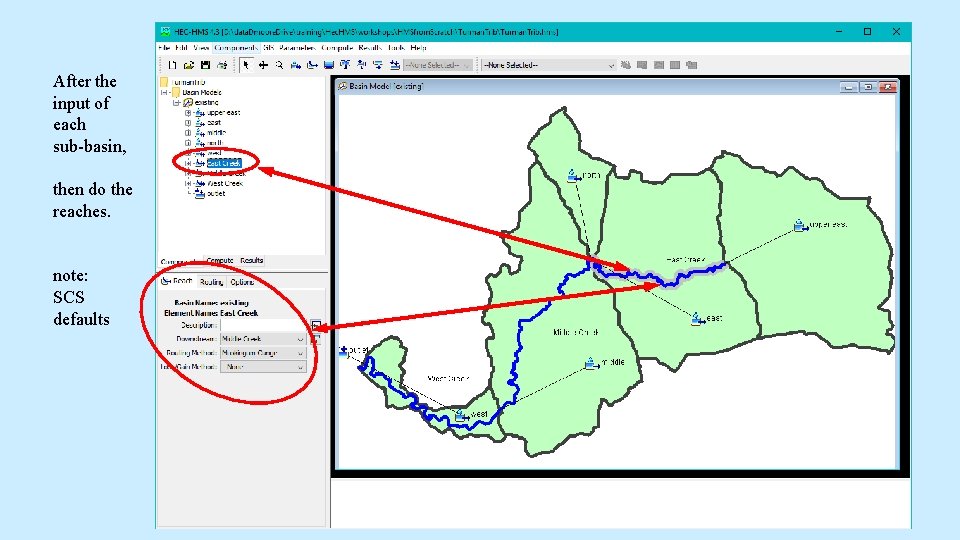
After the input of each sub-basin, then do the reaches. note: SCS defaults
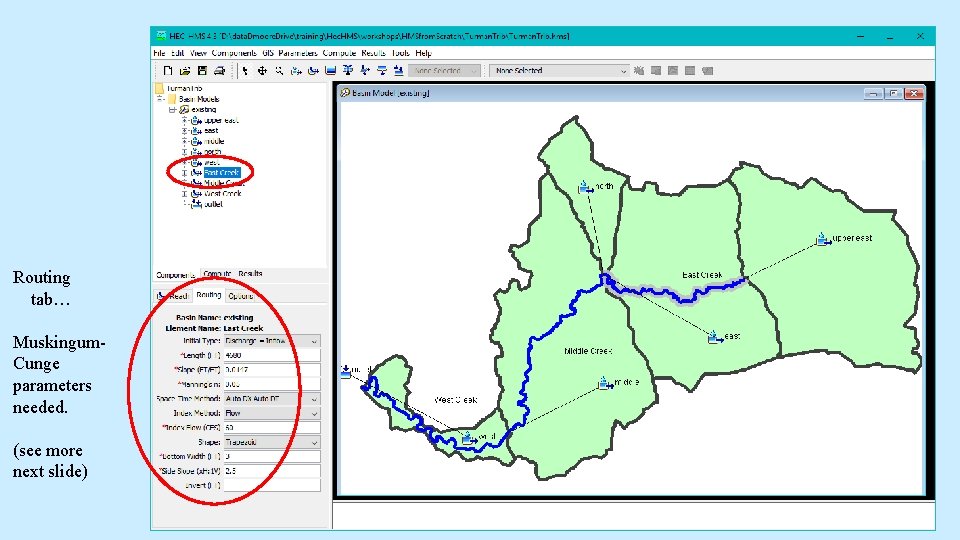
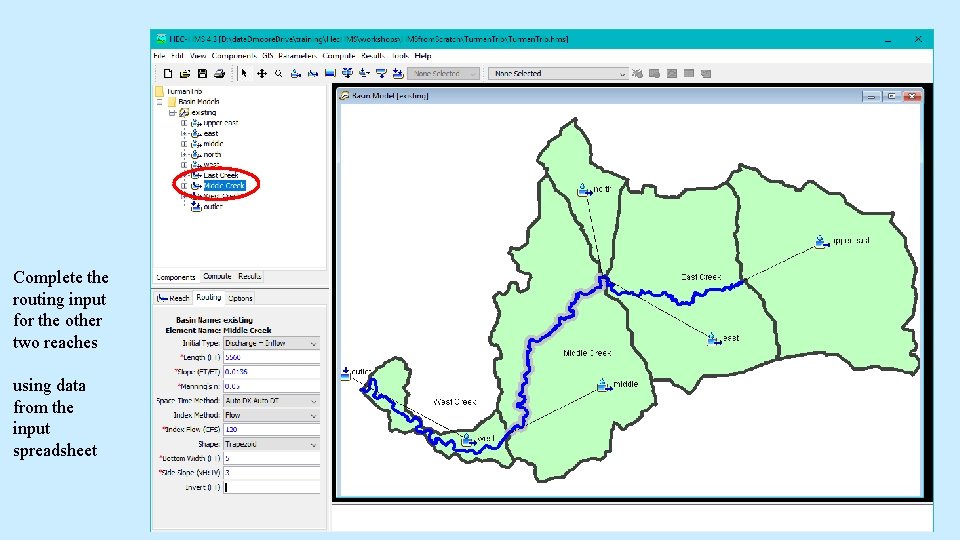
Routing tab… Muskingum. Cunge parameters needed. (see more next slide)
hydrologic channel routing 1) before flow enters a channel… In a watershed model, flow off of the landscape in sub-basins is considered to become channelized at the downstream end of the sub-basin. The model accounts for time and accumulation of these distributed flows using drainage area and lag time.
hydrologic channel routing 2) flow in a channel… In unsteady flow hydraulic modeling, energy and momentum equations are used to determine how a channel hydrograph shape and peak value change over time and distance in the channel. Much geometric data is needed for the channel over its entire length. Hydrologic channel routing simplifies the computations and approximates how hydrograph shape and peak value change over time and distance. The simplification requires less geometric info, at the expense of some sacrifice of computational accuracy.
hydrologic channel routing 3) details on the approximations As discussed in Chapter 8 of the HMS Technical Reference Manual, several approximate methods are available in HMS. Table 19, page 90, offers a guide for which method may be appropriate, given channel characteristics. The SCS method for channel routing is Muskingum-Cunge. This requires a single cross-section (with several shape options) to represent an entire reach of channel through a sub-area. In addition, a single channel slope and Mannings roughness approximate an entire reach.
hydrologic channel routing 4) details on Muskingum-Cunge is an approximation of the full momentum equations which does allow for some peak attenuation in a reach. In addition to using only one representative cross-section for a reach, the method uses a single estimated “Index Flow” to help compute flood wave velocity (celerity) which is applied to an entire hydrograph, for any run using that particular basin model. The user has the option of using a different basin model for each storm (adjusting the index flow for each) but this may not be worth the effort.
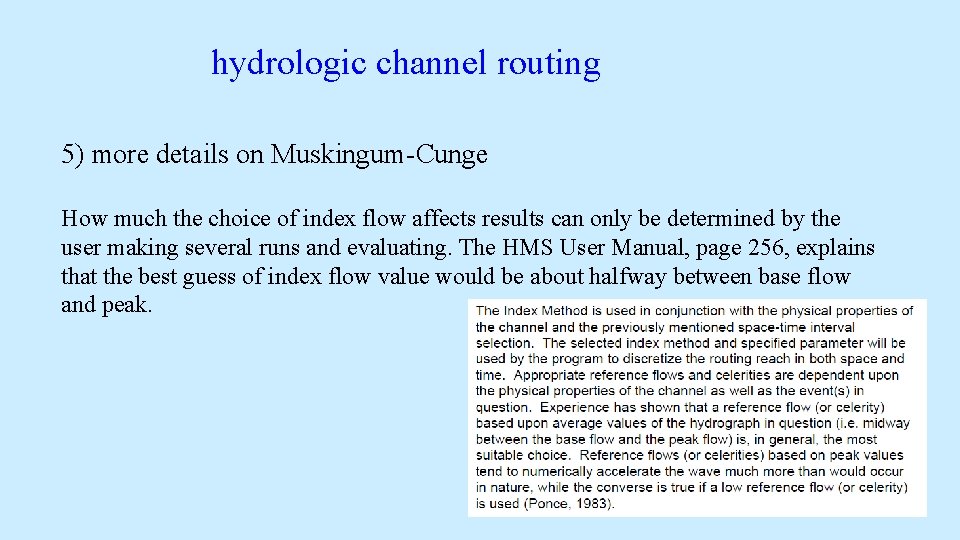
hydrologic channel routing 5) more details on Muskingum-Cunge How much the choice of index flow affects results can only be determined by the user making several runs and evaluating. The HMS User Manual, page 256, explains that the best guess of index flow value would be about halfway between base flow and peak.
Complete the routing input for the other two reaches using data from the input spreadsheet
your basin model is ready to go!
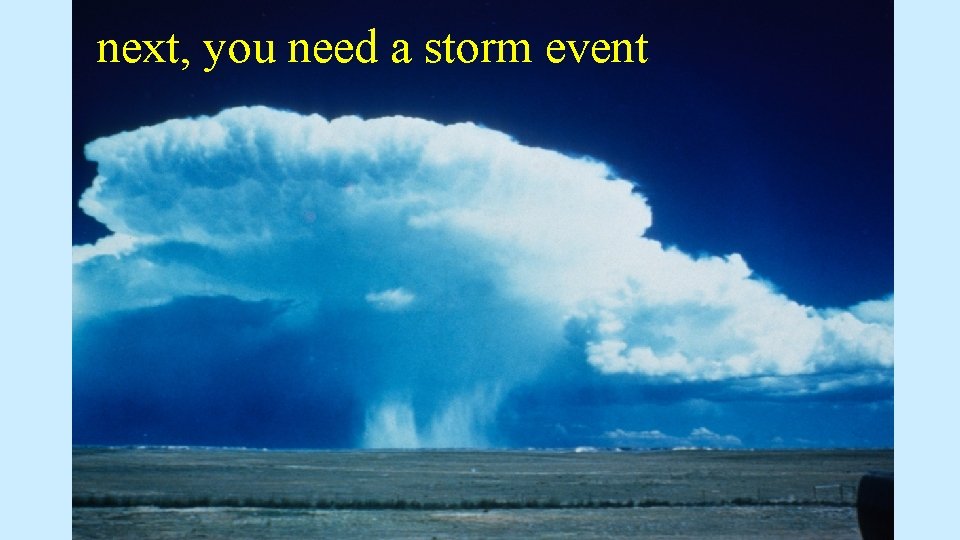
next, you need a storm event
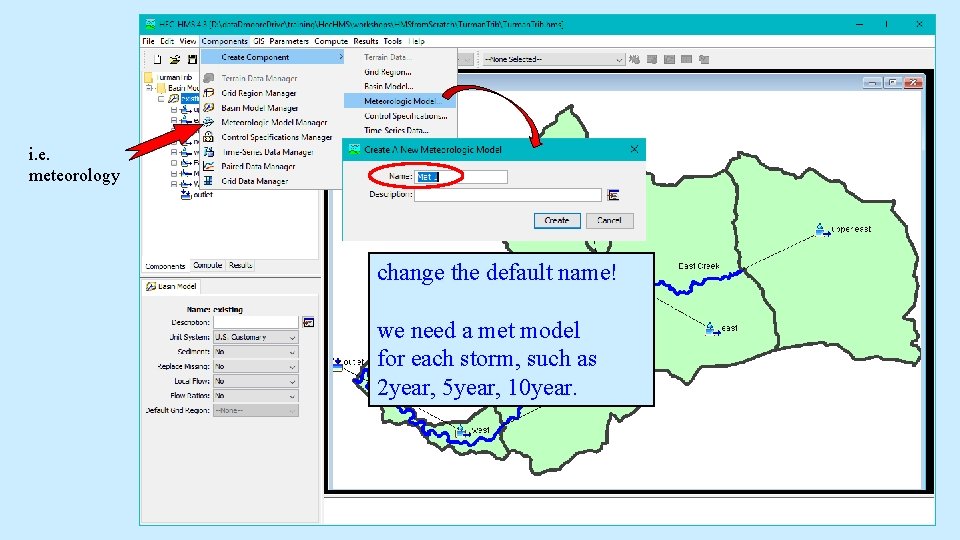
i. e. meteorology change the default name! we need a met model for each storm, such as 2 year, 5 year, 10 year.
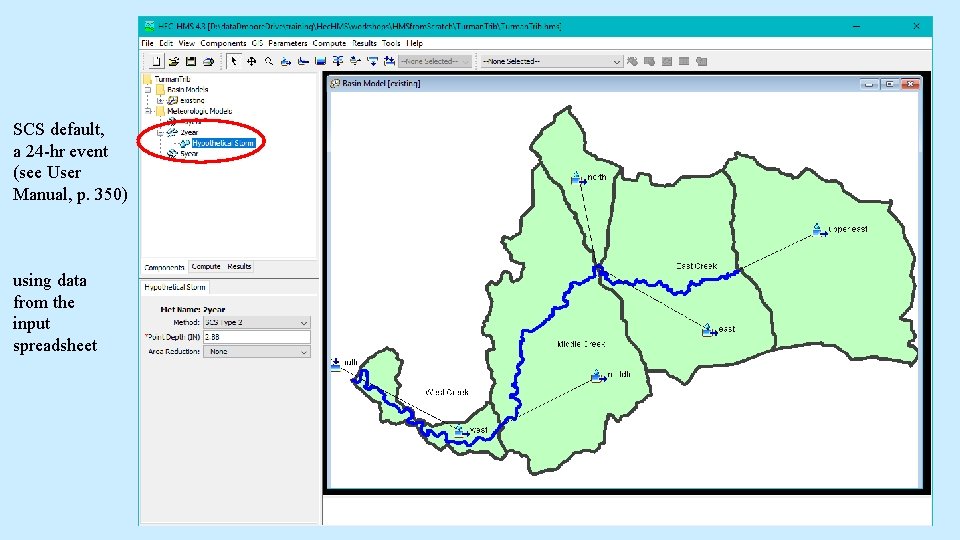
SCS default, a 24 -hr event (see User Manual, p. 350) using data from the input spreadsheet
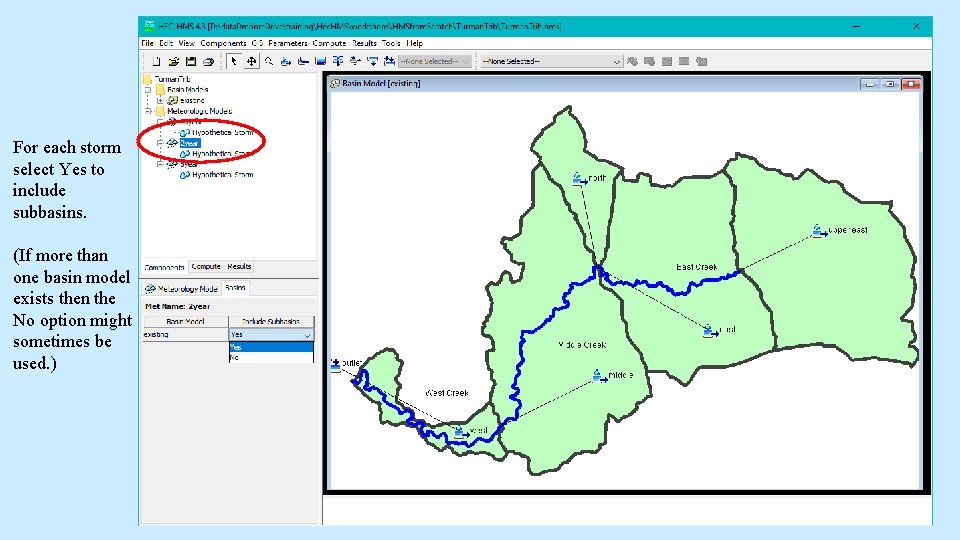
For each storm select Yes to include subbasins. (If more than one basin model exists then the No option might sometimes be used. )
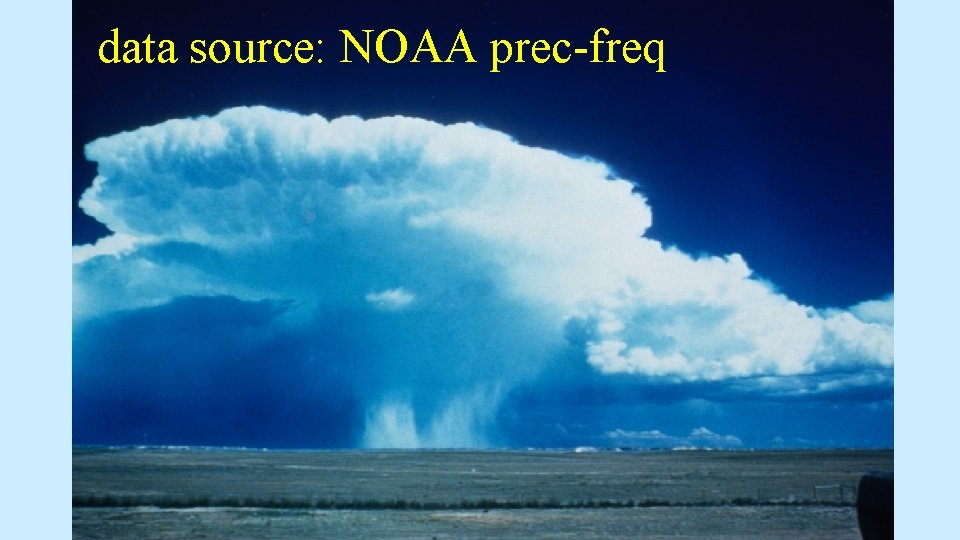
data source: NOAA prec-freq
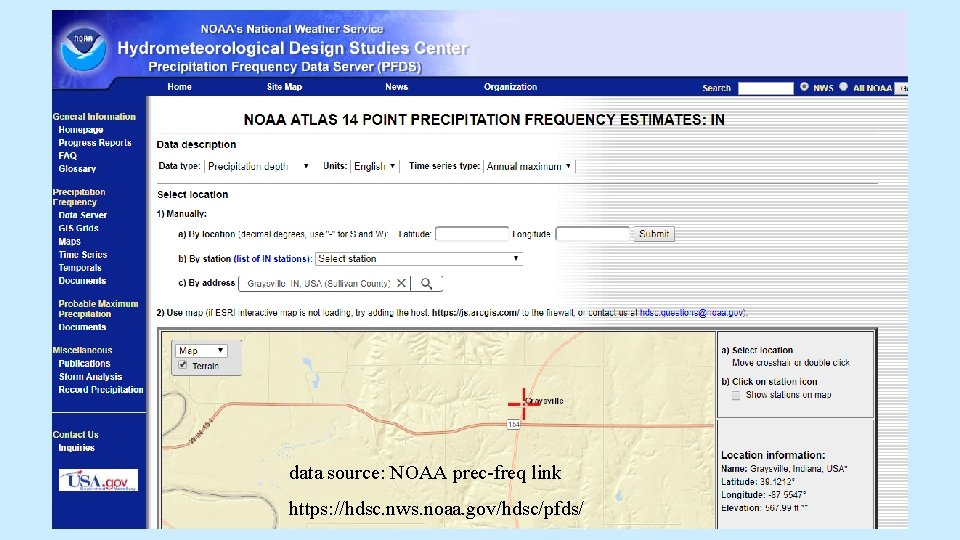
data source: NOAA prec-freq link https: //hdsc. nws. noaa. gov/hdsc/pfds/
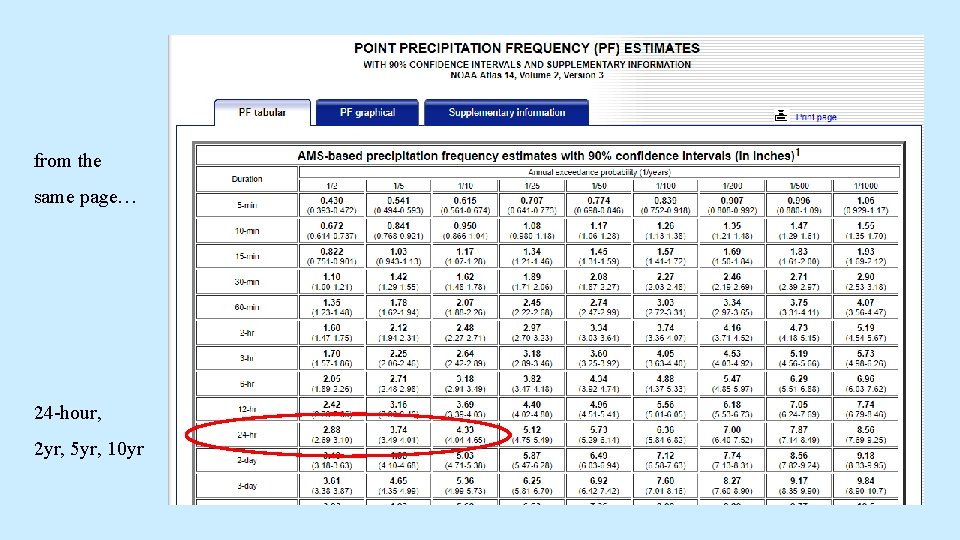
from the same page… 24 -hour, 2 yr, 5 yr, 10 yr
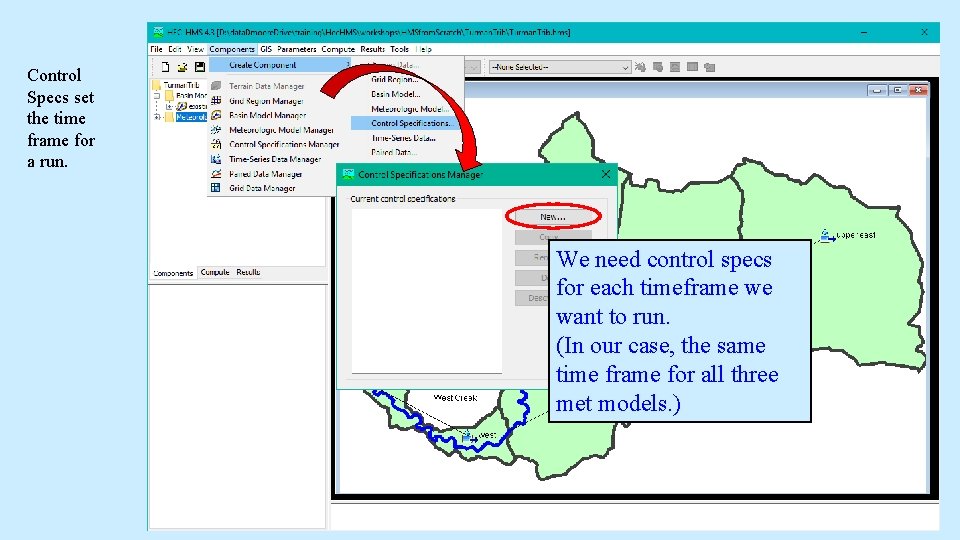
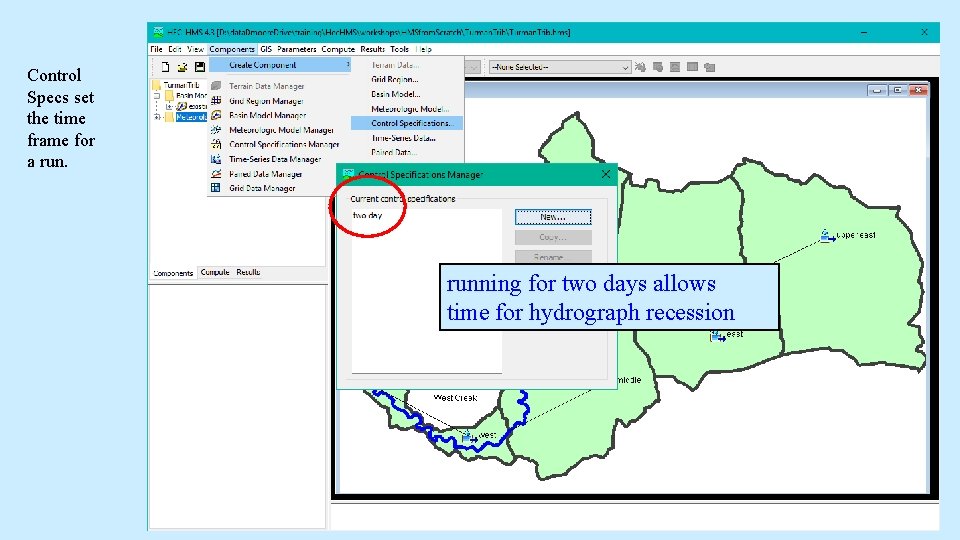
Control Specs set the time frame for a run. We need control specs for each timeframe we want to run. (In our case, the same time frame for all three met models. )
Control Specs set the time frame for a running for two days allows time for hydrograph recession
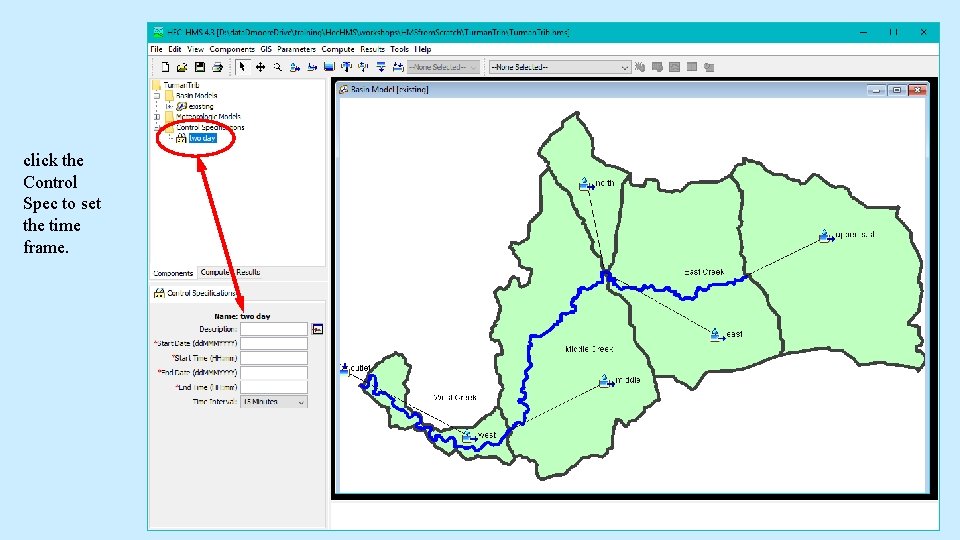
click the Control Spec to set the time frame.
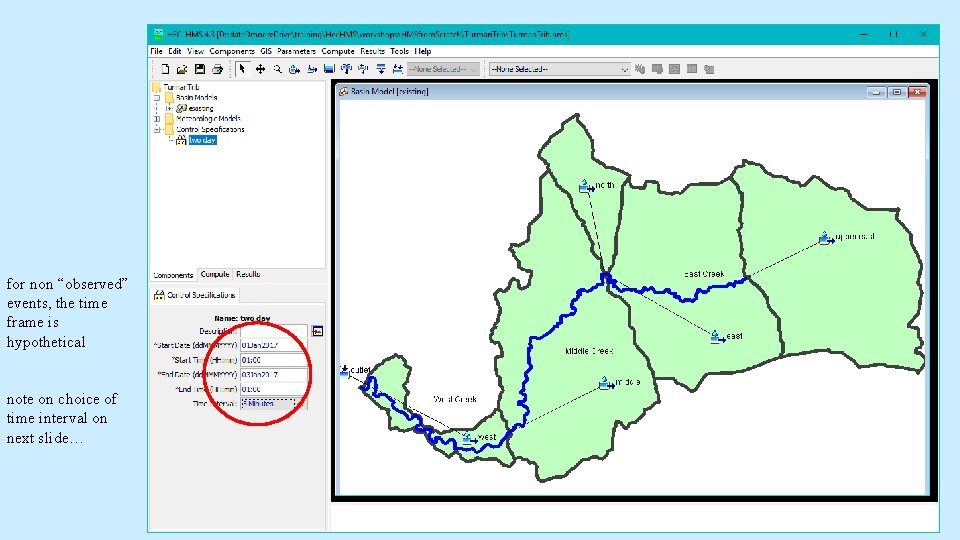
for non “observed” events, the time frame is hypothetical note on choice of time interval on next slide…
computational time interval Refer to User Manual, page 70. The choice of time interval is not generally restrictive. The model will run, using a wide variability of computational time steps. The output will often not vary significantly with varied choice of timestep. However, some input data have parameters that are sensitive to time step. Things to keep in mind: (why smaller is generally better) 1) smaller time steps do not increase runtime 2) output is produced at the same timestep 3) start and end simulation times must be an integer multiple of timestep.
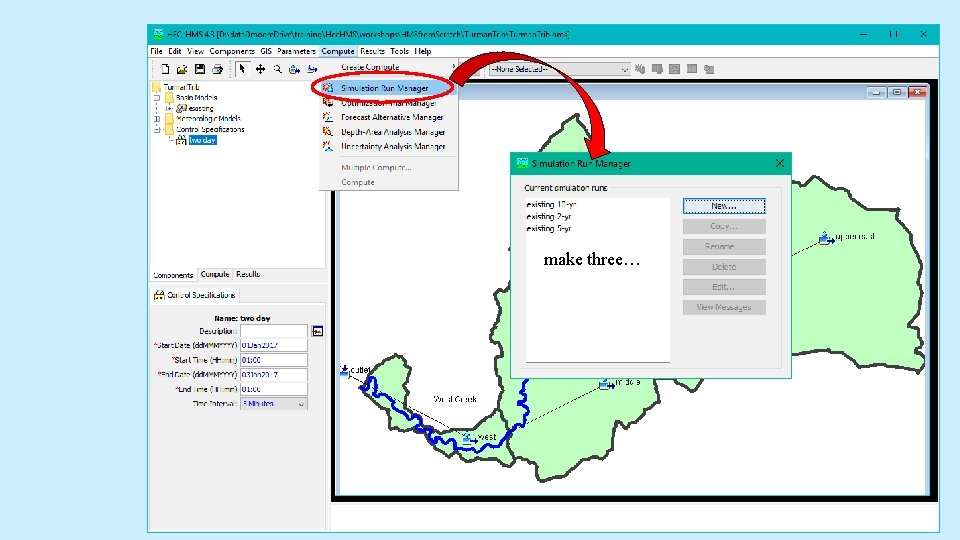
to make a run…
make three…
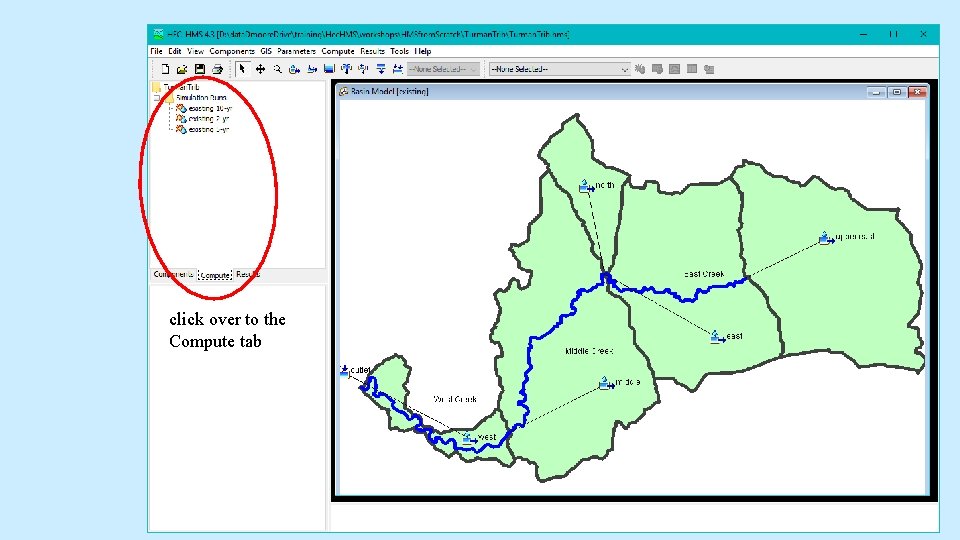
click over to the Compute tab
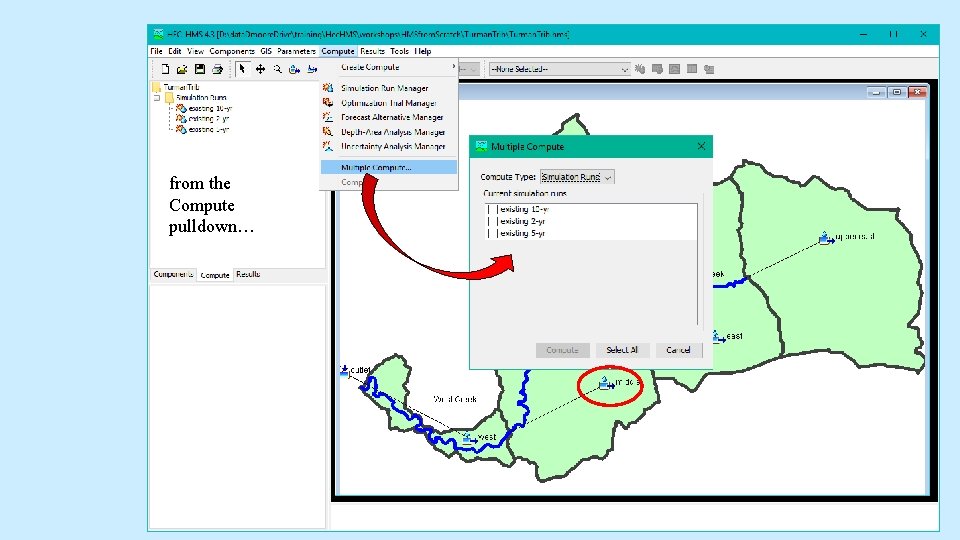
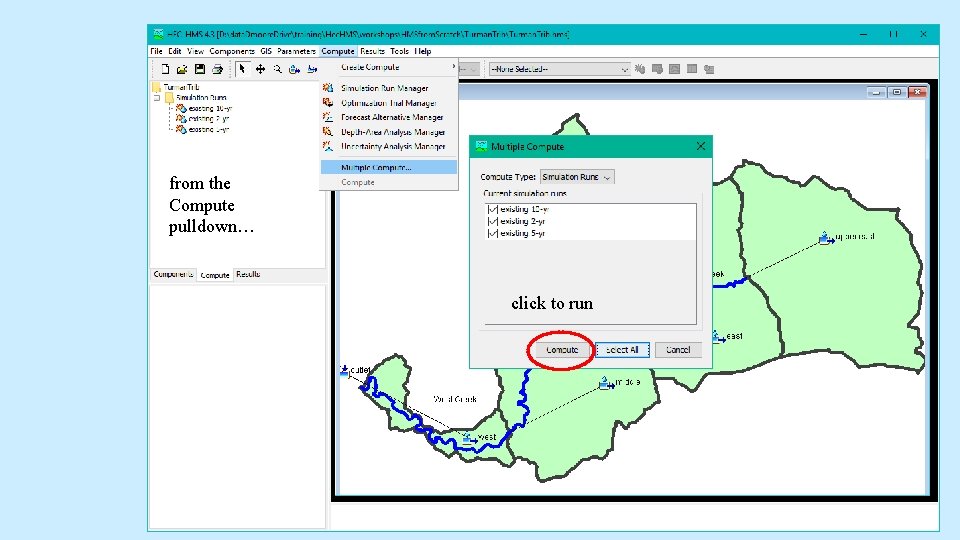
from the Compute pulldown…
from the Compute pulldown… click to run
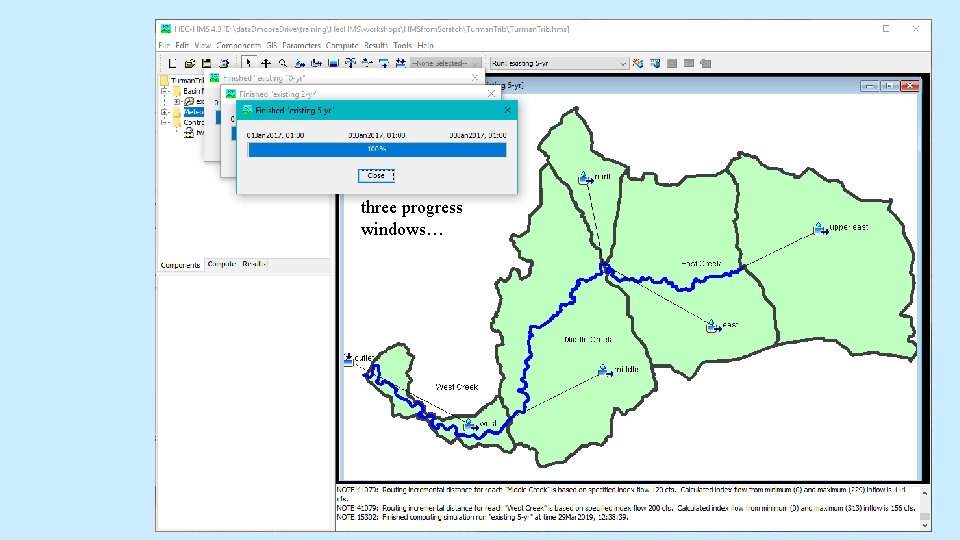
three progress windows…
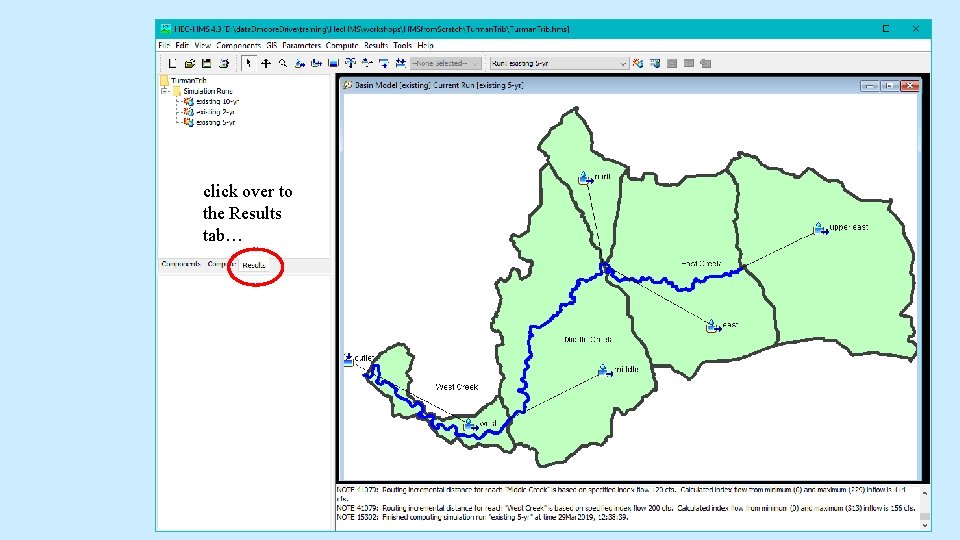
click over to the Results tab…
Viewing Results…
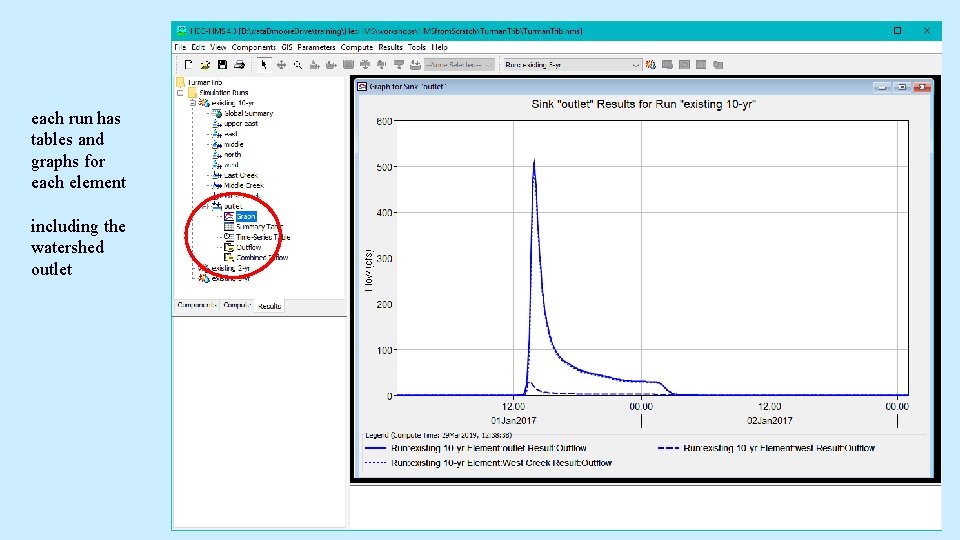
each run has tables and graphs for each element including the watershed outlet
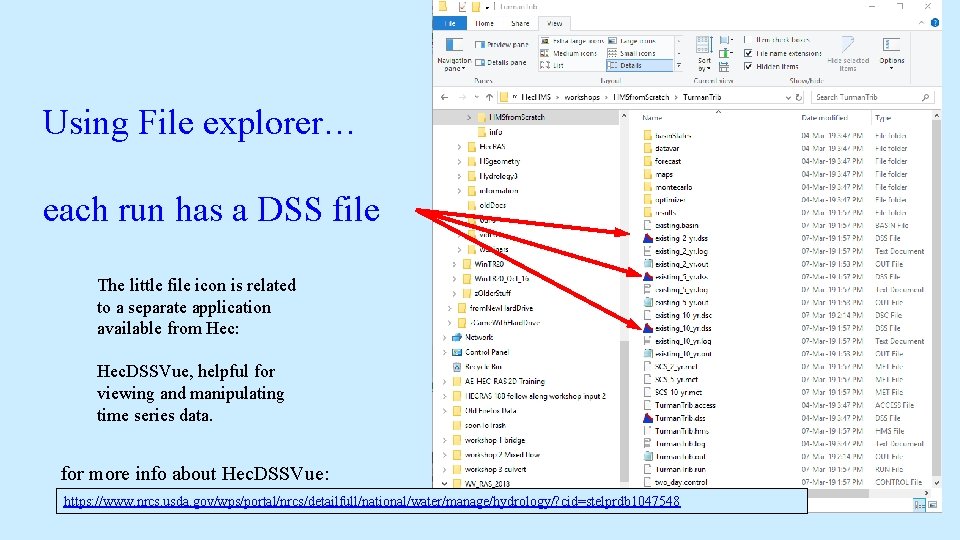
Using File explorer… each run has a DSS file The little file icon is related to a separate application available from Hec: Hec. DSSVue, helpful for viewing and manipulating time series data. for more info about Hec. DSSVue: https: //www. nrcs. usda. gov/wps/portal/nrcs/detailfull/national/water/manage/hydrology/? cid=stelprdb 1047548
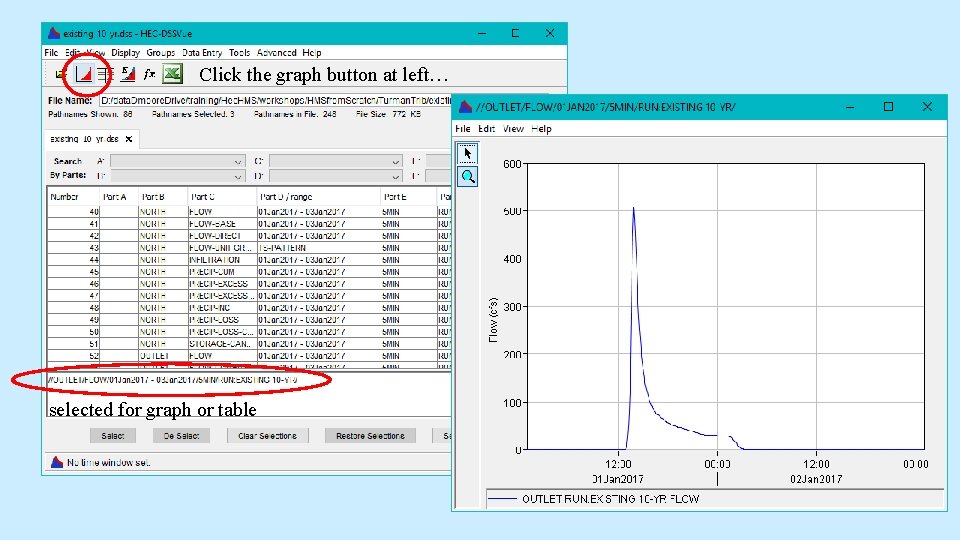
Click the graph button at left… selected for graph or table
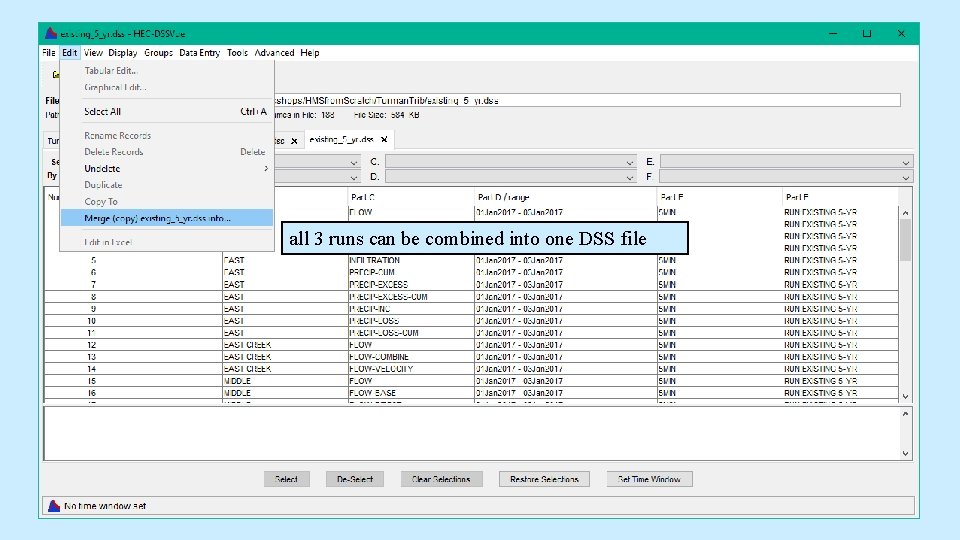
all 3 runs can be combined into one DSS file
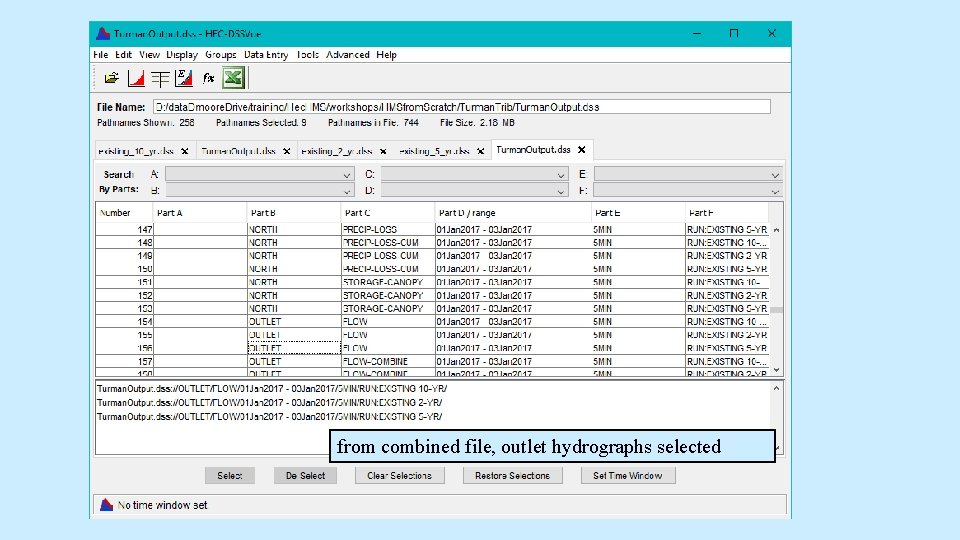
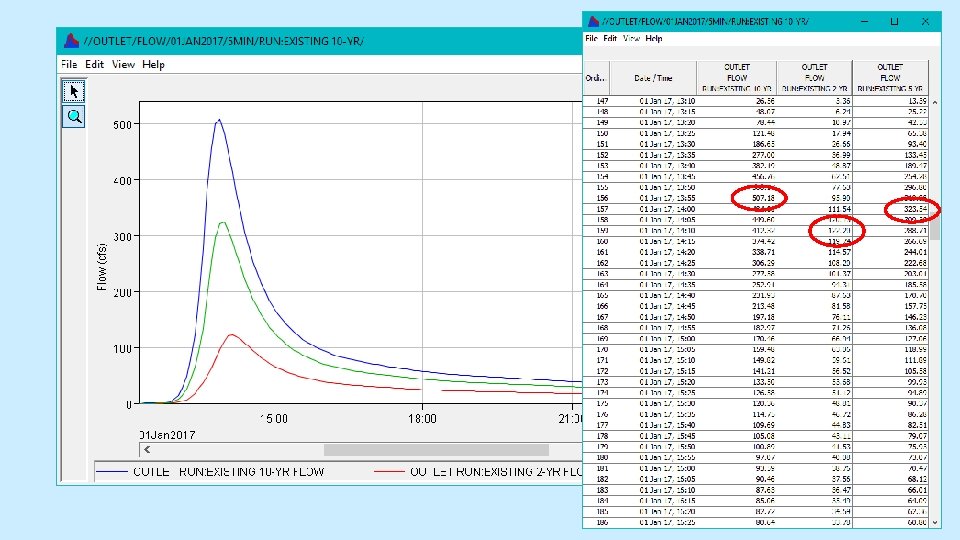
from combined file, outlet hydrographs selected
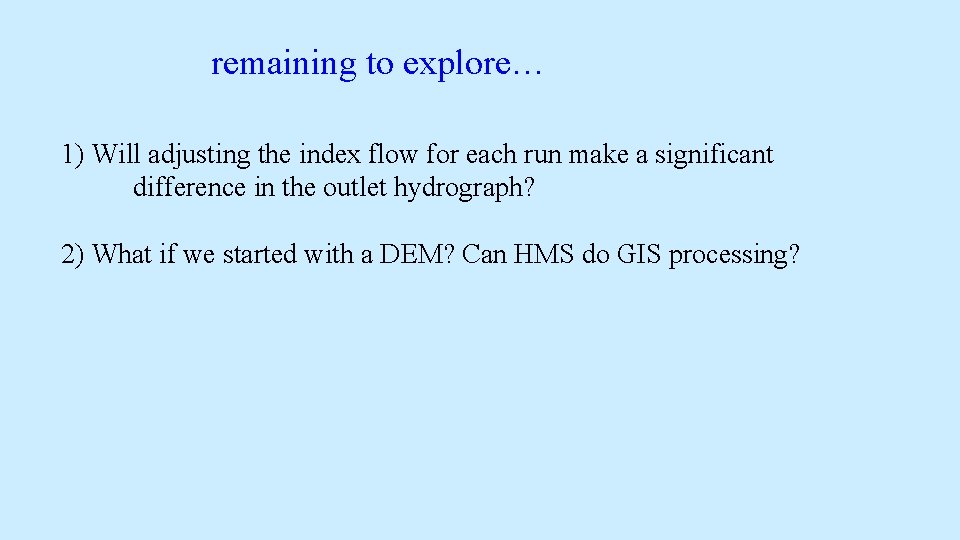
remaining to explore… 1) Will adjusting the index flow for each run make a significant difference in the outlet hydrograph? 2) What if we started with a DEM? Can HMS do GIS processing?
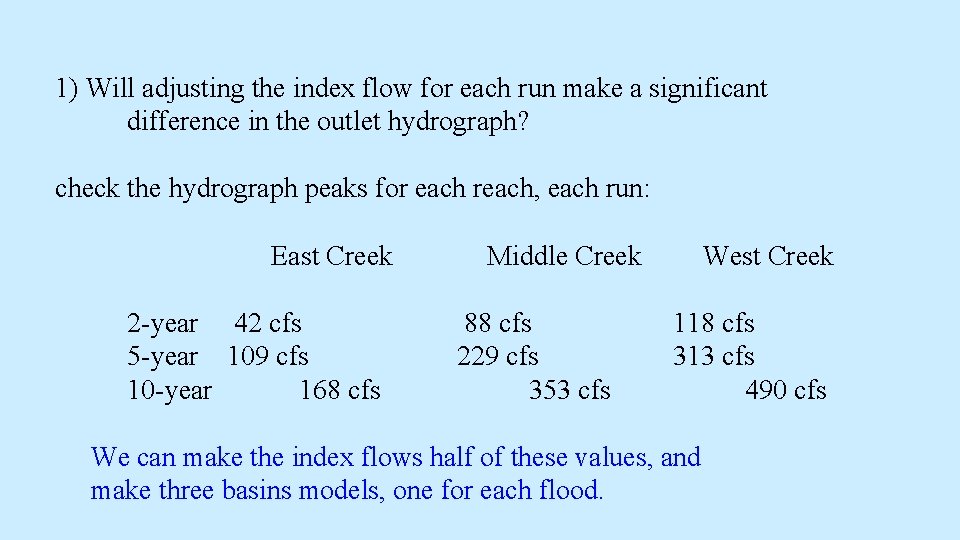
1) Will adjusting the index flow for each run make a significant difference in the outlet hydrograph? check the hydrograph peaks for each reach, each run: East Creek 2 -year 42 cfs 5 -year 109 cfs 10 -year 168 cfs Middle Creek 88 cfs 229 cfs 353 cfs West Creek 118 cfs 313 cfs 490 cfs We can make the index flows half of these values, and make three basins models, one for each flood.
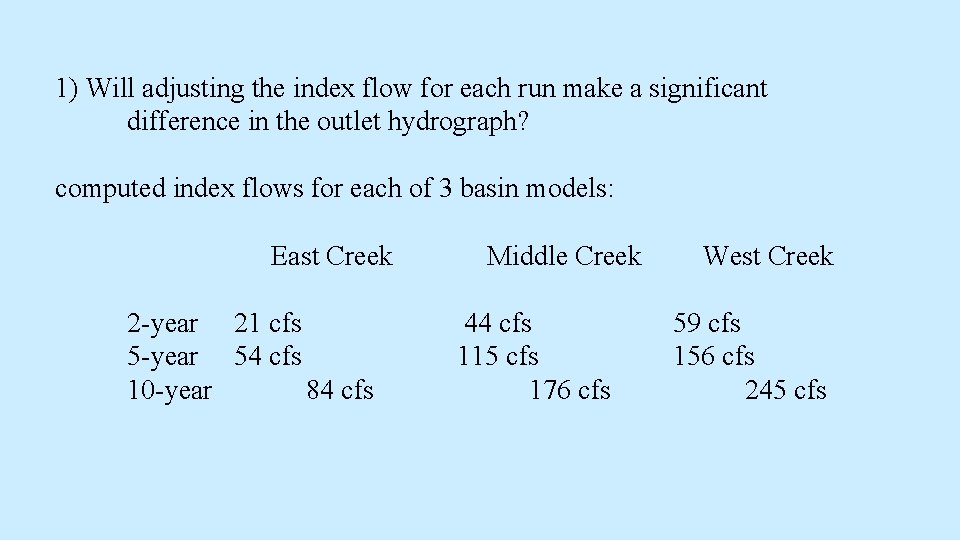
1) Will adjusting the index flow for each run make a significant difference in the outlet hydrograph? computed index flows for each of 3 basin models: East Creek 2 -year 21 cfs 5 -year 54 cfs 10 -year 84 cfs Middle Creek 44 cfs 115 cfs 176 cfs West Creek 59 cfs 156 cfs 245 cfs
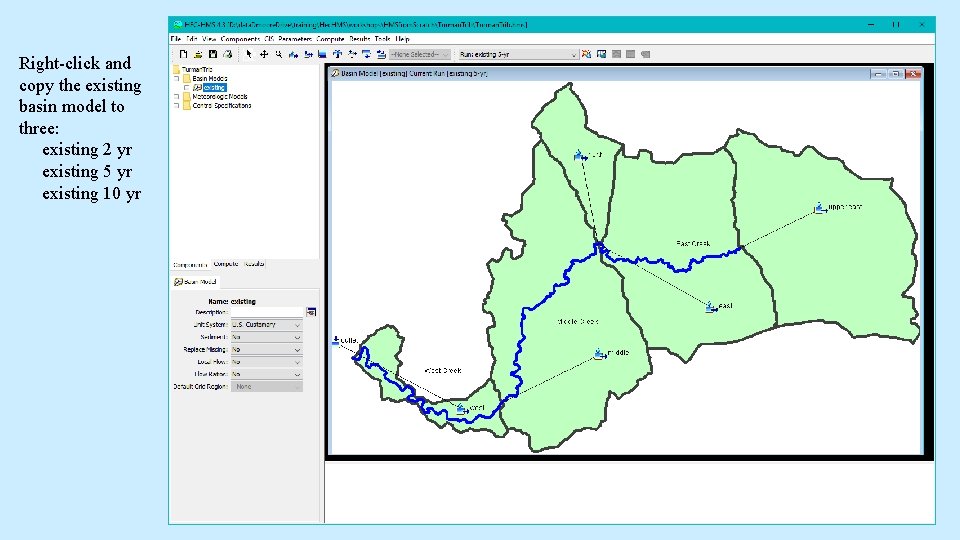
Right-click and copy the existing basin model to three: existing 2 yr existing 5 yr existing 10 yr
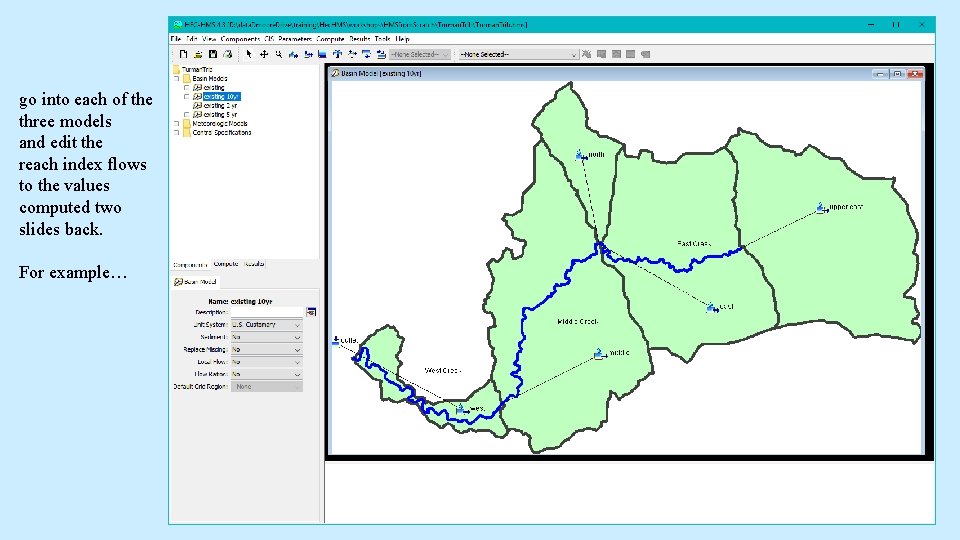
go into each of the three models and edit the reach index flows to the values computed two slides back. For example…
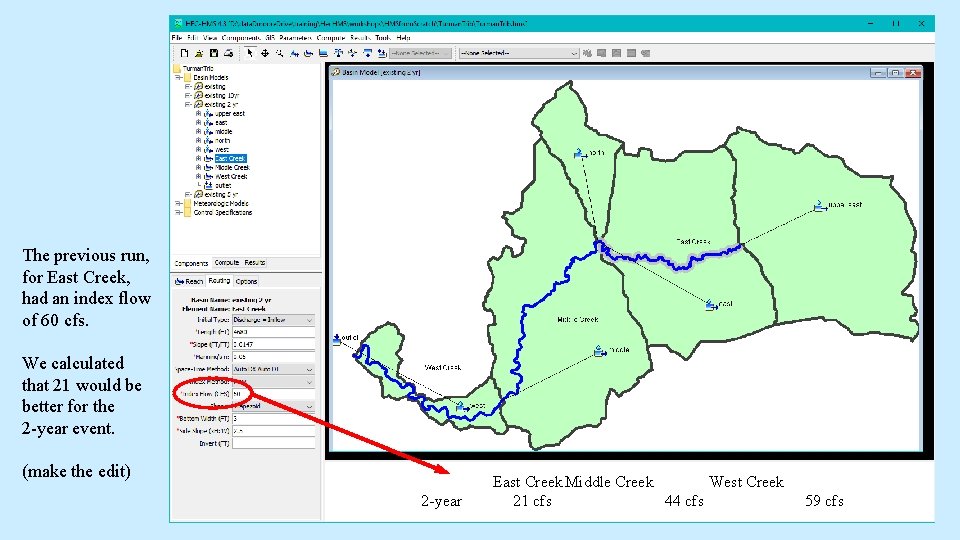
The previous run, for East Creek, had an index flow of 60 cfs. We calculated that 21 would be better for the 2 -year event. (make the edit) 2 -year East Creek Middle Creek West Creek 21 cfs 44 cfs 59 cfs
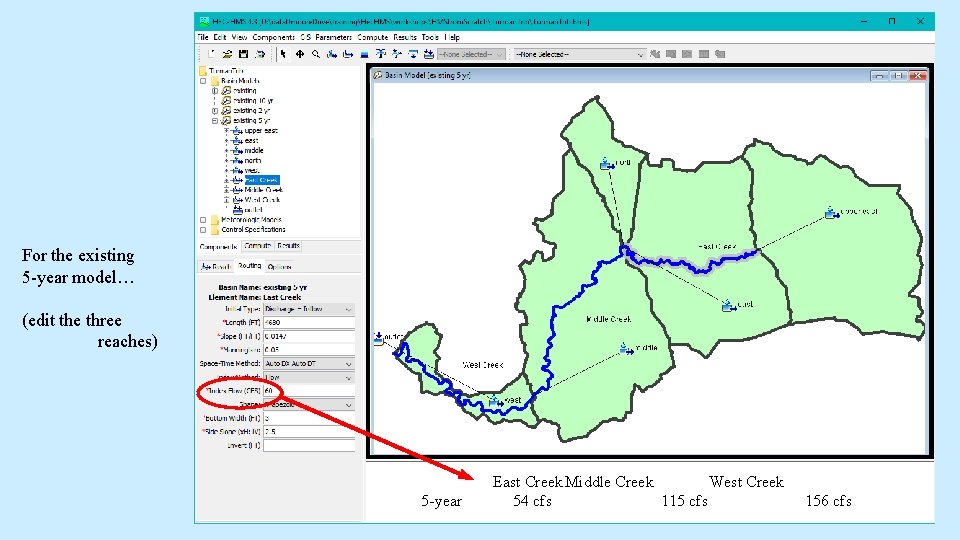
For the existing 5 -year model… (edit the three reaches) 5 -year East Creek Middle Creek West Creek 54 cfs 115 cfs 156 cfs
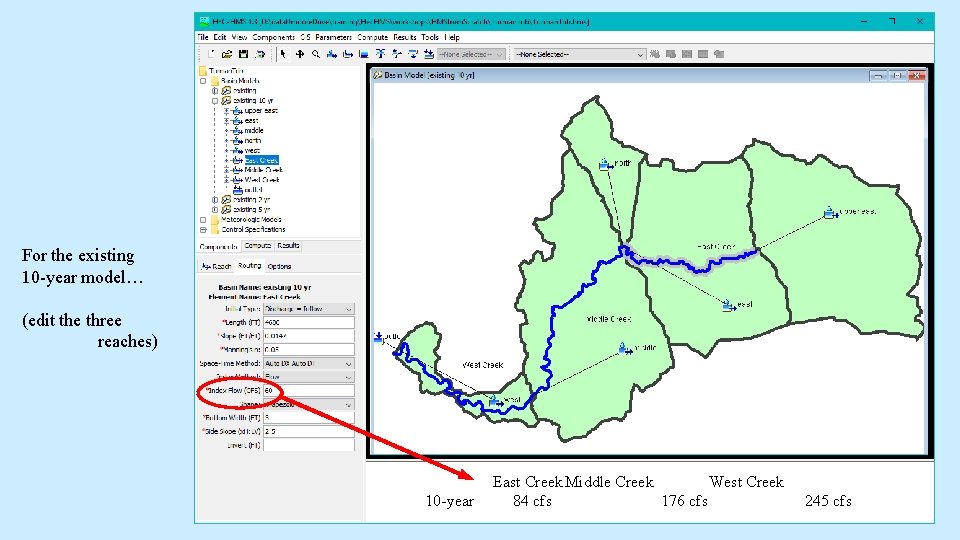
For the existing 10 -year model… (edit the three reaches) 10 -year East Creek Middle Creek West Creek 84 cfs 176 cfs 245 cfs
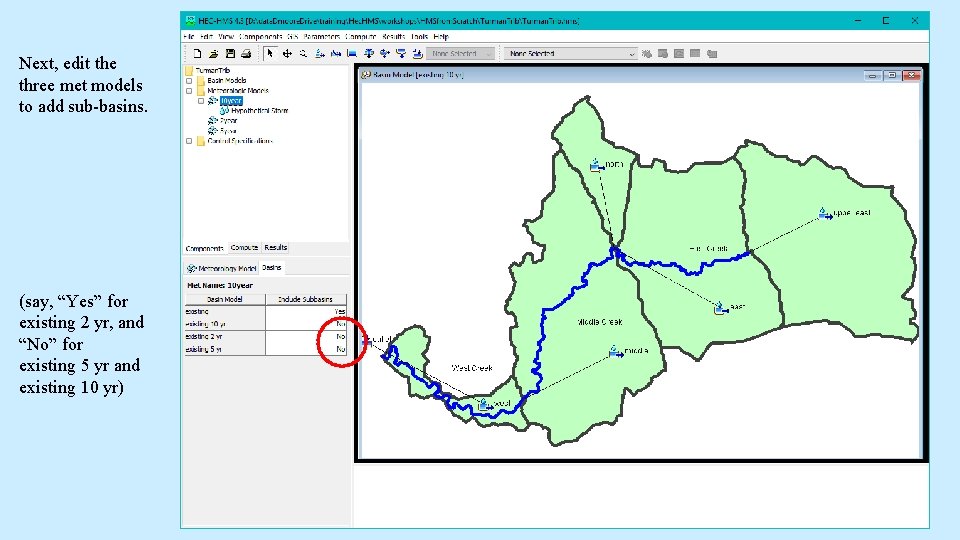
Next, edit the three met models to add sub-basins. (say, “Yes” for existing 2 yr, and “No” for existing 5 yr and existing 10 yr)
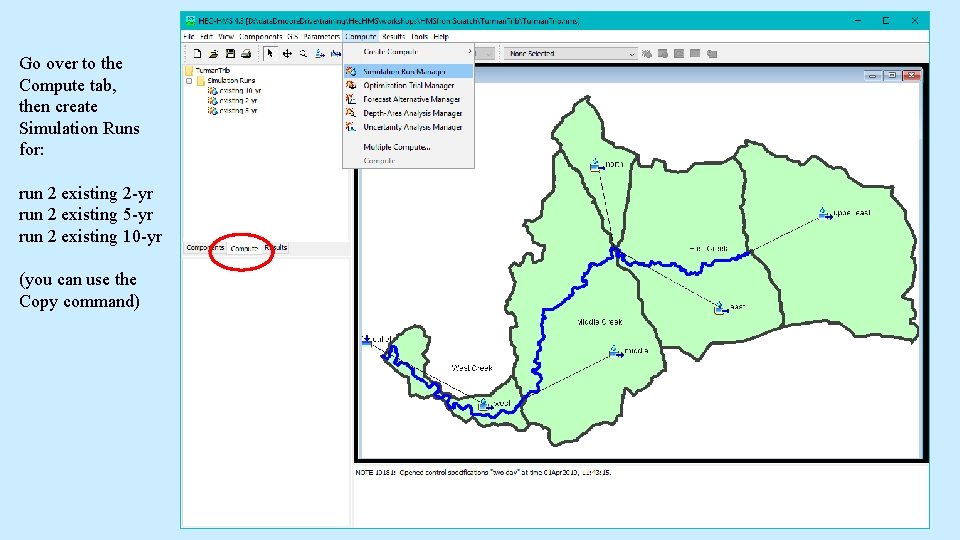
Go over to the Compute tab, then create Simulation Runs for: run 2 existing 2 -yr run 2 existing 5 -yr run 2 existing 10 -yr (you can use the Copy command)
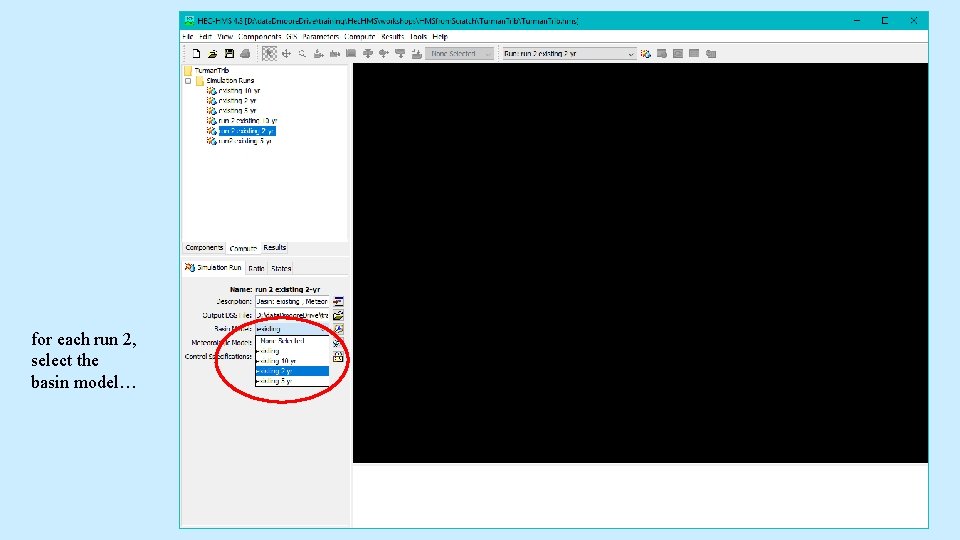
for each run 2, select the basin model…
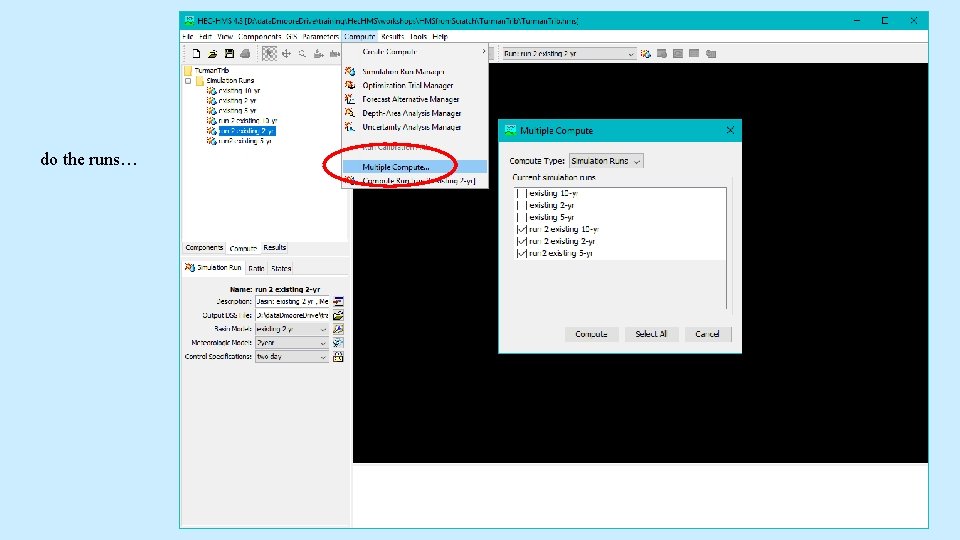
do the runs…
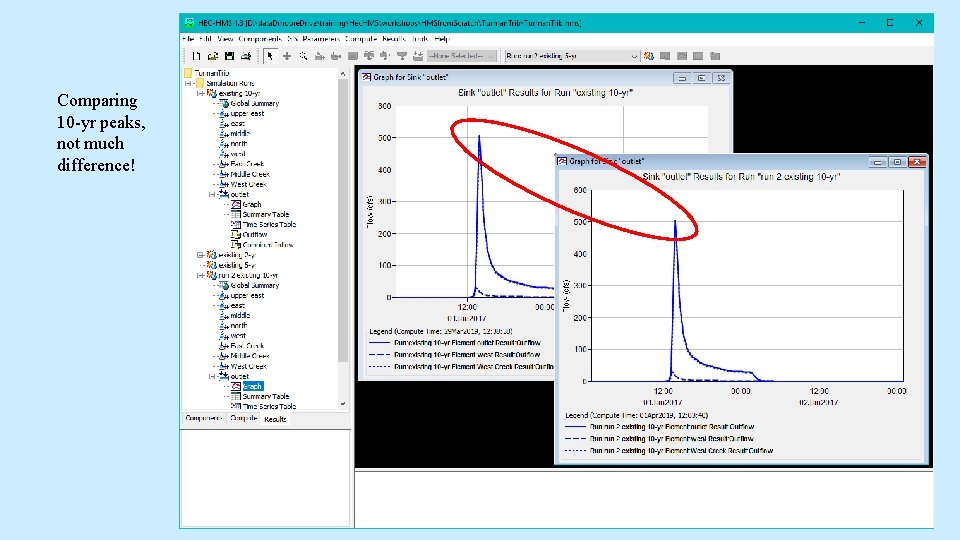
Comparing 10 -yr peaks, not much difference!
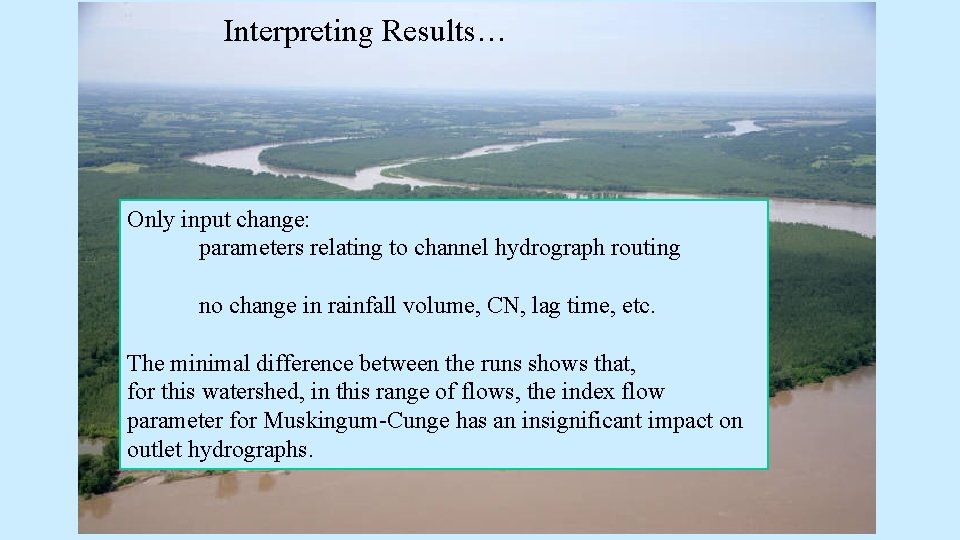
Interpreting Results… Only input change: parameters relating to channel hydrograph routing no change in rainfall volume, CN, lag time, etc. The minimal difference between the runs shows that, for this watershed, in this range of flows, the index flow parameter for Muskingum-Cunge has an insignificant impact on outlet hydrographs.
remaining to explore… 2) What if we started with a DEM? Can HMS do GIS processing? short answer: “No, not yet!” The GIS pulldown menu shows grayed-out functions for elevation layer processing, but HMS cannot yet load a DEM. This stuff will come in version 4. 4!
Go forth and do good modeling!