Practical Implementation of High Dynamic Range Rendering Masaki
- Slides: 73
Practical Implementation of High Dynamic Range Rendering Masaki Kawase BUNKASHA GAMES BUNKASHA PUBLISHING CO. , LTD http: //www. bunkasha-games. com http: //www. daionet. gr. jp/~masa/
Agenda • • What can be done with HDR? HDR rendering topics Implementation on DX 8 hardware Implementation on DX 9 hardware Glare generation Exposure control HDR in games References
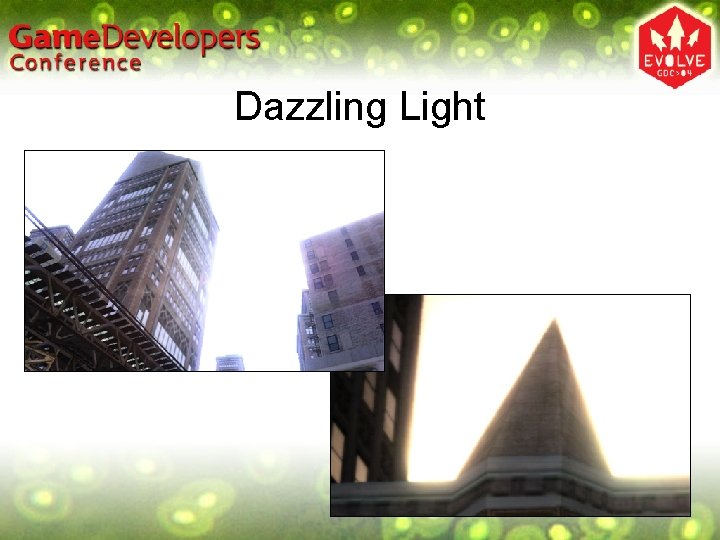
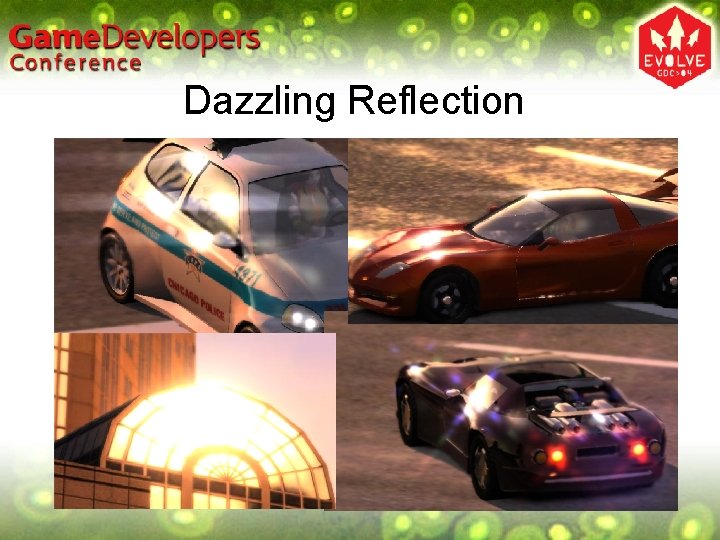
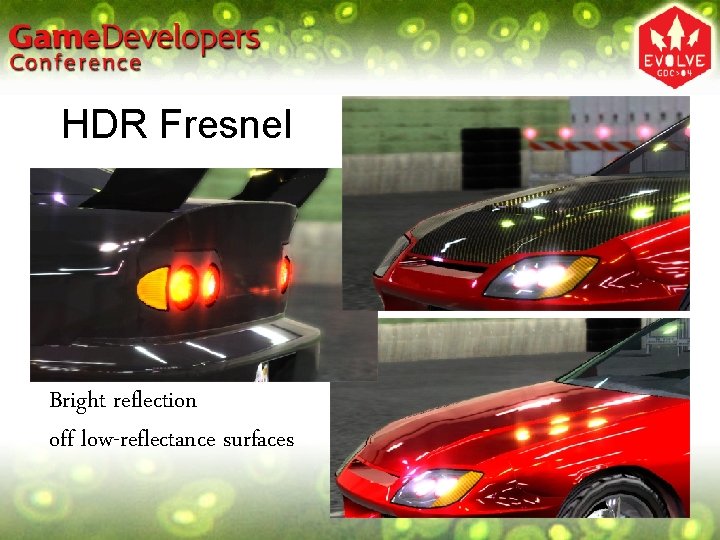
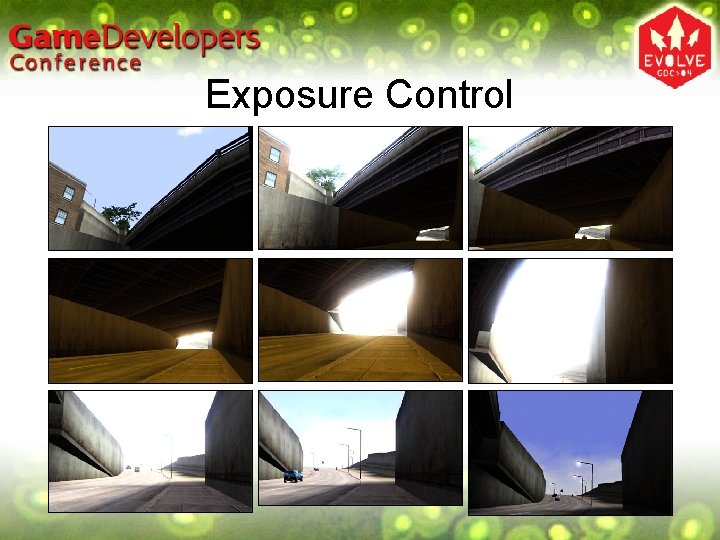
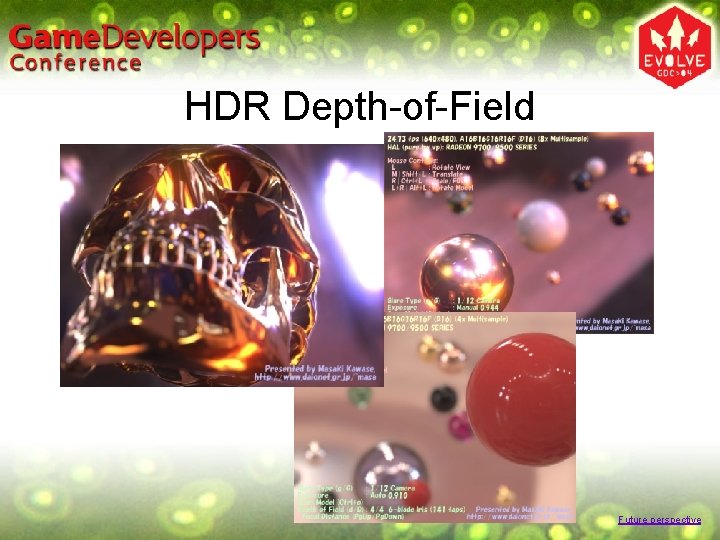
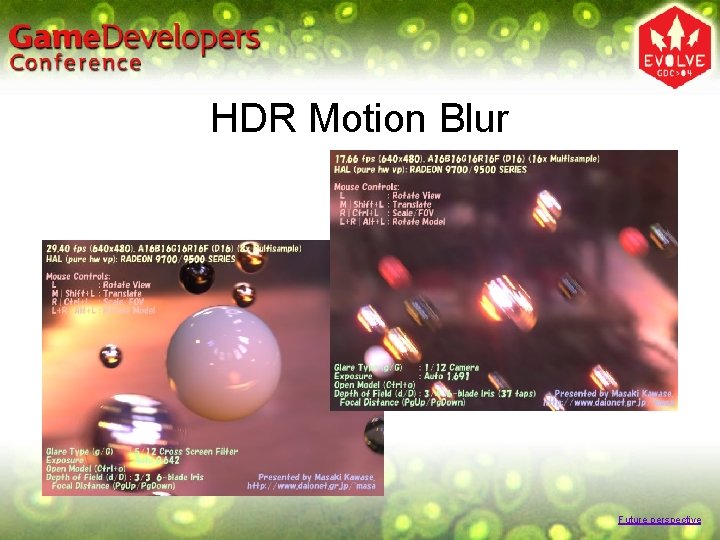
What can be done with HDR? • Dazzling light • Dazzling reflection • Fresnel reflection – bright reflection in the normal direction • Exposure control effects • Realistic depth-of-field effects • Realistic motion blur Agenda
Dazzling Light
Dazzling Reflection
HDR Fresnel Bright reflection off low-reflectance surfaces
Exposure Control
HDR Depth-of-Field Future perspective
HDR Motion Blur Future perspective
HDR Rendering Topics • • • Dynamic range HDR buffers Glare generation Exposure control Tone mapping Agenda
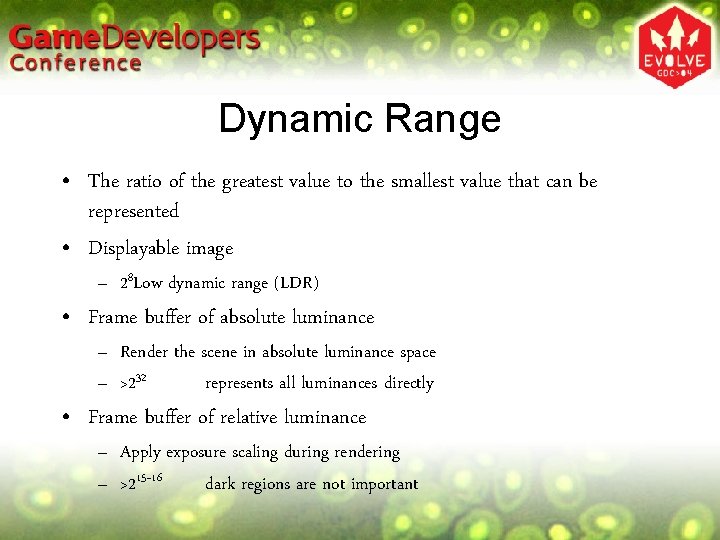
Dynamic Range • The ratio of the greatest value to the smallest value that can be represented • Displayable image – 28 Low dynamic range (LDR) • Frame buffer of absolute luminance – Render the scene in absolute luminance space – >232 represents all luminances directly • Frame buffer of relative luminance – Apply exposure scaling during rendering – >215~16 dark regions are not important
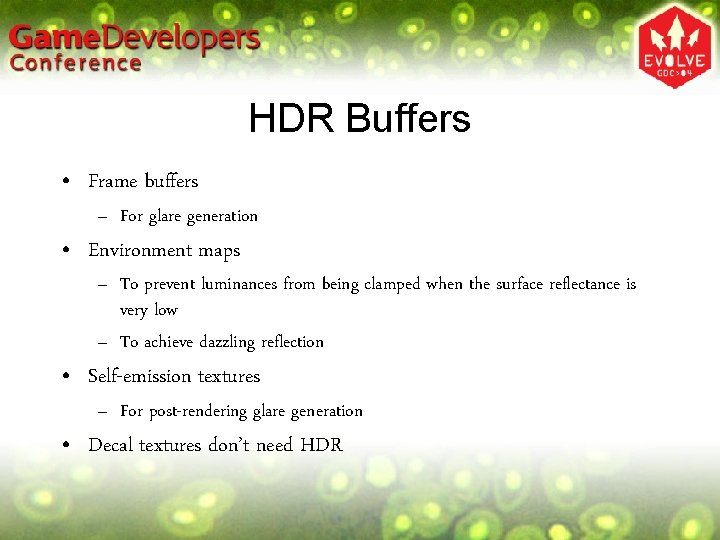
HDR Buffers • Frame buffers – For glare generation • Environment maps – To prevent luminances from being clamped when the surface reflectance is very low – To achieve dazzling reflection • Self-emission textures – For post-rendering glare generation • Decal textures don’t need HDR
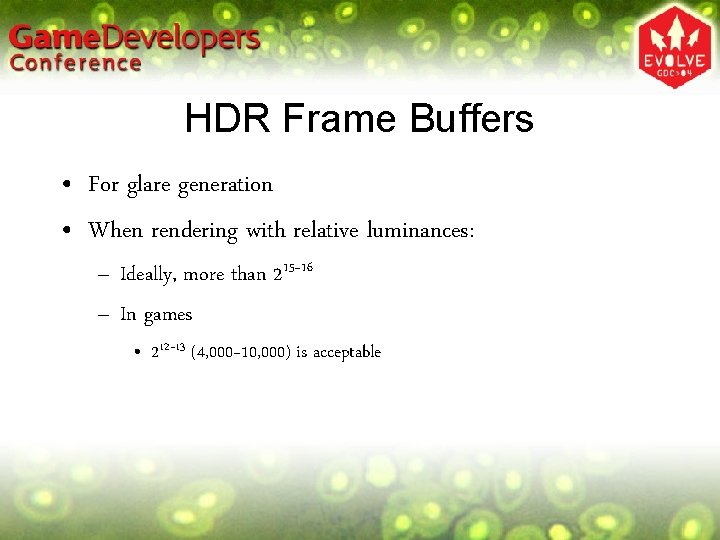
HDR Frame Buffers • For glare generation • When rendering with relative luminances: – Ideally, more than 215~16 – In games • 212~13 (4, 000~10, 000) is acceptable
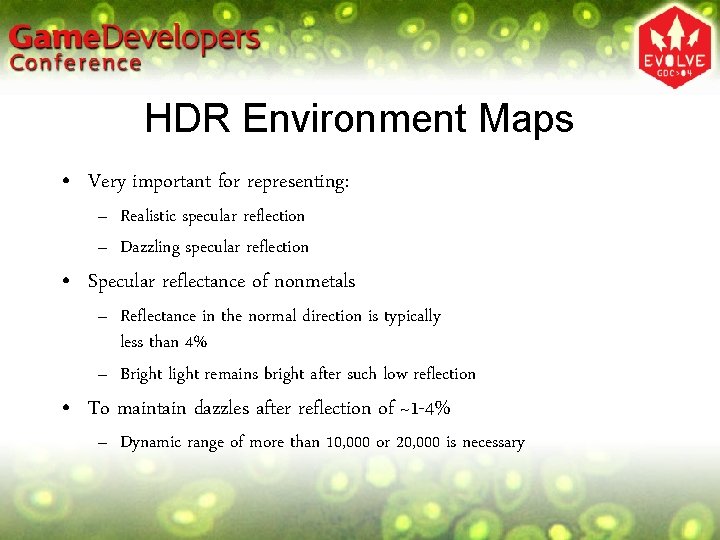
HDR Environment Maps • Very important for representing: – Realistic specular reflection – Dazzling specular reflection • Specular reflectance of nonmetals – Reflectance in the normal direction is typically less than 4% – Bright light remains bright after such low reflection • To maintain dazzles after reflection of ~1 -4% – Dynamic range of more than 10, 000 or 20, 000 is necessary
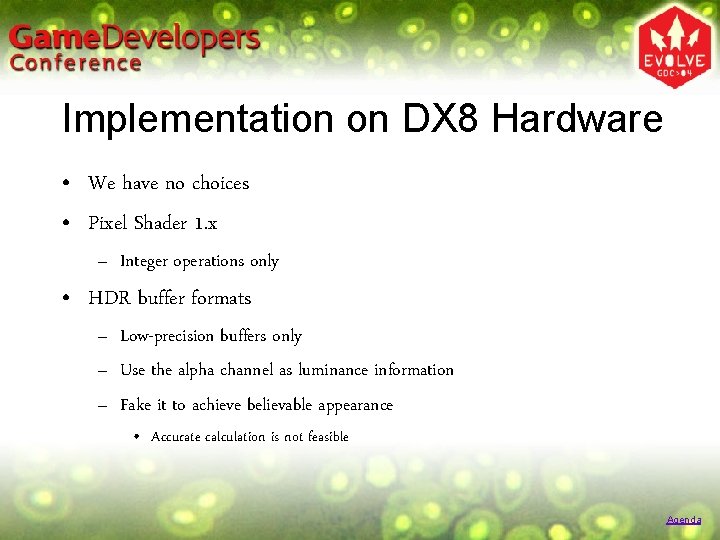
Implementation on DX 8 Hardware • We have no choices • Pixel Shader 1. x – Integer operations only • HDR buffer formats – Low-precision buffers only – Use the alpha channel as luminance information – Fake it to achieve believable appearance • Accurate calculation is not feasible Agenda
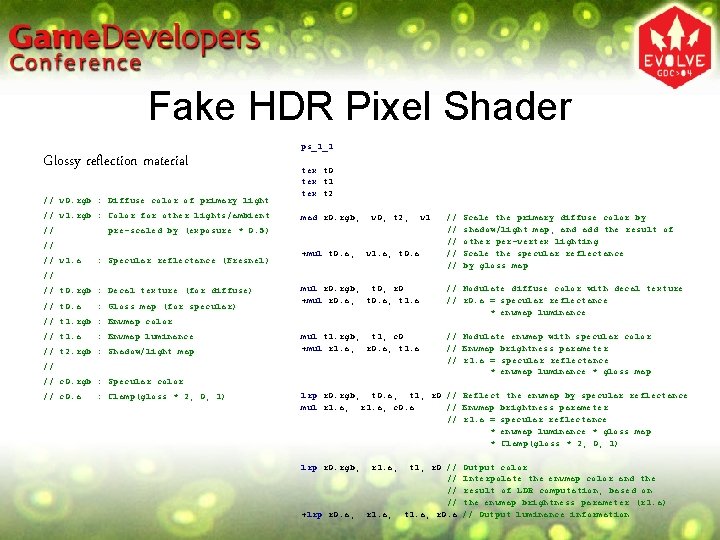
Fake HDR Pixel Shader Glossy reflection material // v 0. rgb : Diffuse color of primary light // v 1. rgb : Color for other lights/ambient // tex t 0 tex t 1 tex t 2 mad r 0. rgb, v 0, t 2, pre-scaled by (exposure * 0. 5) // // v 1. a ps_1_1 : Specular reflectance (Fresnel) +mul t 0. a, v 1. a, t 0. a v 1 // // // Scale the primary diffuse color by shadow/light map, and add the result of other per-vertex lighting Scale the specular reflectance by gloss map // // t 0. rgb : Decal texture (for diffuse) // t 0. a : Gloss map (for specular) mul r 0. rgb, t 0, r 0 +mul r 0. a, t 1. a // Modulate diffuse color with decal texture // r 0. a = specular reflectance * envmap luminance mul t 1. rgb, t 1, c 0 +mul r 1. a, r 0. a, t 1. a // Modulate envmap with specular color // Envmap brightness parameter // r 1. a = specular reflectance * envmap luminance * gloss map // t 1. rgb : Envmap color // t 1. a : Envmap luminance // t 2. rgb : Shadow/light map // // c 0. rgb : Specular color // c 0. a : Clamp(gloss * 2, 0, 1) lrp r 0. rgb, t 0. a, t 1, r 0 // Reflect the envmap by specular reflectance mul r 1. a, c 0. a // Envmap brightness parameter // r 1. a = specular reflectance * envmap luminance * gloss map * Clamp(gloss * 2, 0, 1) lrp r 0. rgb, +lrp r 0. a, r 1. a, t 1, r 0 // // t 1. a, r 0. a Output color Interpolate the envmap color and the result of LDR computation, based on the envmap brightness parameter (r 1. a) // Output luminance information
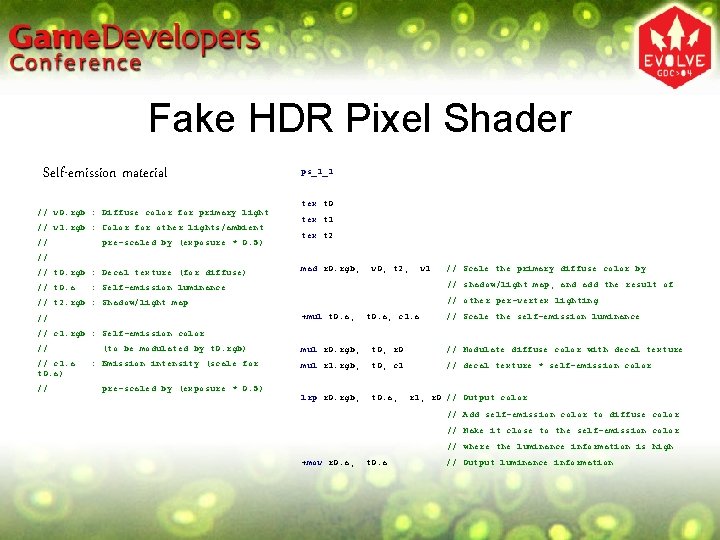
Fake HDR Pixel Shader Self-emission material // v 0. rgb : Diffuse color for primary light // v 1. rgb : Color for other lights/ambient // pre-scaled by (exposure * 0. 5) ps_1_1 tex t 0 tex t 1 tex t 2 // // t 0. rgb : Decal texture (for diffuse) // t 0. a mad r 0. rgb, v 0, t 2, v 1 // shadow/light map, and add the result of : Self-emission luminance // other per-vertex lighting // t 2. rgb : Shadow/light map +mul t 0. a, // // Scale the primary diffuse color by t 0. a, c 1. a // Scale the self-emission luminance // c 1. rgb : Self-emission color // // c 1. a t 0. a) // (to be modulated by t 0. rgb) mul r 0. rgb, t 0, r 0 // Modulate diffuse color with decal texture : Emission intensity (scale for mul r 1. rgb, t 0, c 1 // decal texture * self-emission color lrp r 0. rgb, t 0. a, pre-scaled by (exposure * 0. 5) r 1, r 0 // Output color // Add self-emission color to diffuse color // Make it close to the self-emission color // where the luminance information is high +mov r 0. a, t 0. a // Output luminance information
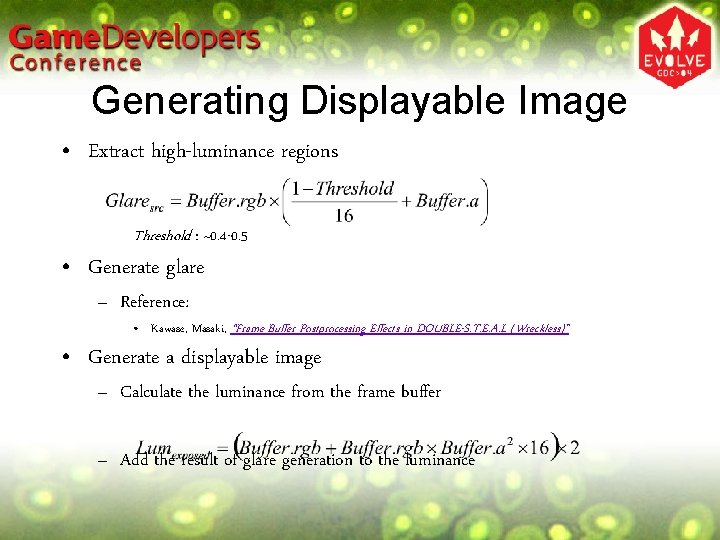
Generating Displayable Image • Extract high-luminance regions Threshold : ~0. 4 -0. 5 • Generate glare – Reference: • Kawase, Masaki, “Frame Buffer Postprocessing Effects in DOUBLE-S. T. E. A. L (Wreckless)” • Generate a displayable image – Calculate the luminance from the frame buffer – Add the result of glare generation to the luminance
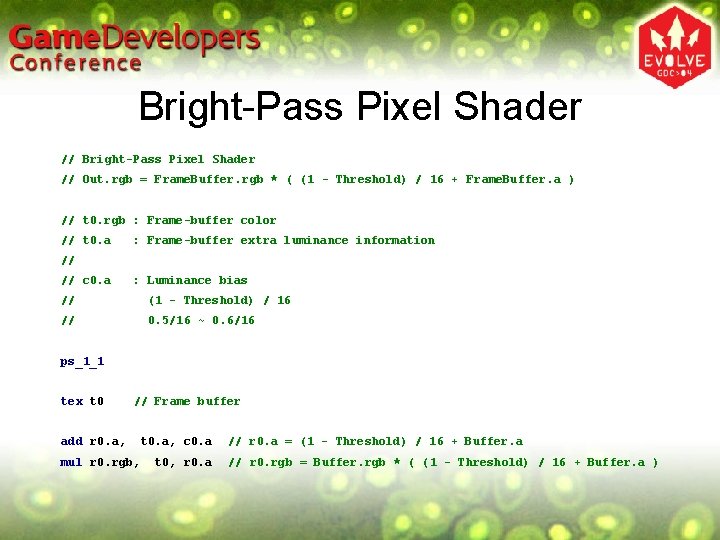
Bright-Pass Pixel Shader // Out. rgb = Frame. Buffer. rgb * ( (1 - Threshold) / 16 + Frame. Buffer. a ) // t 0. rgb : Frame-buffer color // t 0. a : Frame-buffer extra luminance information // // c 0. a : Luminance bias // (1 - Threshold) / 16 // 0. 5/16 ~ 0. 6/16 ps_1_1 tex t 0 // Frame buffer add r 0. a, mul r 0. rgb, t 0. a, c 0. a t 0, r 0. a // r 0. a = (1 - Threshold) / 16 + Buffer. a // r 0. rgb = Buffer. rgb * ( (1 - Threshold) / 16 + Buffer. a )
Glare Generation • Reference – Kawase, Masaki, “Frame Buffer Postprocessing Effects in DOUBLE-S. T. E. A. L (Wreckless)”
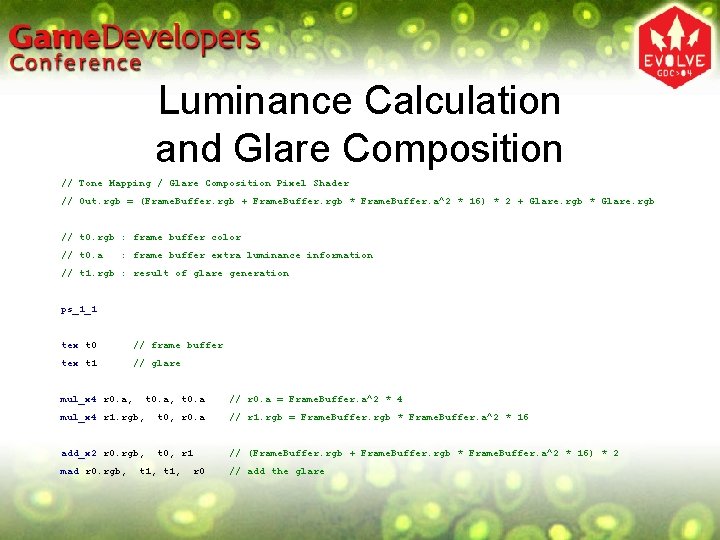
Luminance Calculation and Glare Composition // Tone Mapping / Glare Composition Pixel Shader // Out. rgb = (Frame. Buffer. rgb + Frame. Buffer. rgb * Frame. Buffer. a^2 * 16) * 2 + Glare. rgb * Glare. rgb // t 0. rgb : frame buffer color // t 0. a : frame buffer extra luminance information // t 1. rgb : result of glare generation ps_1_1 tex t 0 // frame buffer tex t 1 // glare mul_x 4 r 0. a, t 0. a, t 0. a // r 0. a = Frame. Buffer. a^2 * 4 mul_x 4 r 1. rgb, t 0, r 0. a // r 1. rgb = Frame. Buffer. rgb * Frame. Buffer. a^2 * 16 add_x 2 r 0. rgb, t 0, r 1 // (Frame. Buffer. rgb + Frame. Buffer. rgb * Frame. Buffer. a^2 * 16) * 2 mad r 0. rgb, t 1, r 0 // add the glare
Notes on DX 8 Implementation • Accurate calculation is not feasible – How to make it believable by faking – Based on appearance rather than theory
Implementation on DX 9 Hardware • There are currently many limitations – Choose implementations accordingly • Pixel Shader – Pixel Shader 2. 0 or later – Pixel Shader 1. x • Buffer formats for HDR – High-precision integer/float buffers – Low-precision integer buffers Agenda
Issues with High-Precision Buffers • Memory usage – A 16 B 16 G 16 R 16 / A 16 B 16 G 16 R 16 F • 64 bpp (bits per pixel) • Twice as much as A 8 R 8 G 8 B 8 – A 32 B 32 G 32 R 32 / A 32 B 32 G 32 R 32 F • 128 bpp • Four times as much as A 8 R 8 G 8 B 8 – At least twice as much memory as the conventional full-color buffer is needed
Issues with High-Precision Buffers • Limitations – Alpha blending cannot be used – Texture filtering cannot be used with floating-point formats • Affects the quality of environment maps and self-emission textures • Some systems don’t support them
Practicability of High-Precision Buffers • Current hardware has many problems • In order to use high-precision buffers: – A 16 B 16 G 16 R 16 / A 16 B 16 G 16 R 16 F • The hardware must support them • Plenty of memory is needed • You don’t use alpha blending • The situation is not good…
Use Low-Precision Buffers • Make use of low-precision buffers – A 8 R 8 G 8 B 8 / A 2 R 10 G 10 B 10 etc. – Low memory consumption – Alpha blending can be used • Operations may be incorrect, but it doesn’t matter very much
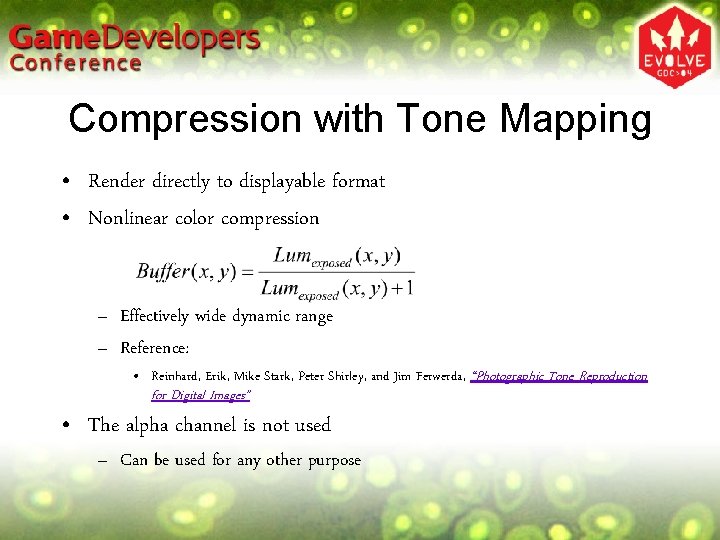
Compression with Tone Mapping • Render directly to displayable format • Nonlinear color compression – Effectively wide dynamic range – Reference: • Reinhard, Erik, Mike Stark, Peter Shirley, and Jim Ferwerda, “Photographic Tone Reproduction for Digital Images” • The alpha channel is not used – Can be used for any other purpose
Low-Precision Buffer Formats • A 8 R 8 G 8 B 8 (8 bits per color channel) – The alpha channel can be used for any other purpose – Works on any system – RGB precision may be insufficient • A 2 B 10 G 10 R 10 A 2 R 10 G 10 B 10 (10 bits per color channel) – The color channels have nearly ideal precision – Few alpha bits • Not suited for storing other information – Many systems do not support it
Environment Map Formats • Ideally… – Dynamic range of more than 10, 000 or 20, 000 – Texture filtering available
Environment Map Formats • Relatively low resolution • Alpha channel/blending is not very important • Use the 16 -bit integer format if enough memory storage is available – Treat it as having an interval of [0, 256] or [0, 512] – Fast encoding/decoding – Texture filtering can be used • In the future – Do it all with A 16 B 16 G 16 R 16 F
Low-Precision Environment Maps • Use them when: – High-precision buffers are not supported, or – Memory storage is limited • If the fill-rate of your system is relatively low – Use the same format as used in DX 8 fake HDR • If the fill-rate is high enough: – Nonlinear color compression • Similar to tone mapping – Store exponents into the alpha channel • More accurate operations are possible • Using it just as a scale factor is not enough – Even the DX 8 fake HDR has a much bigger impact
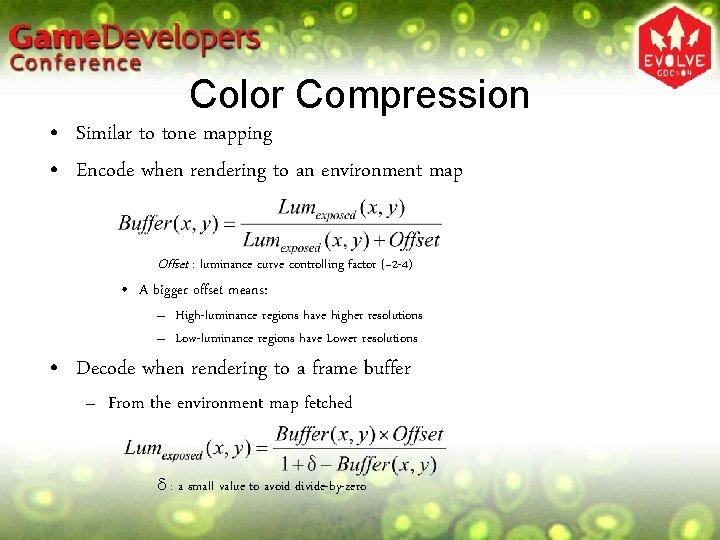
Color Compression • Similar to tone mapping • Encode when rendering to an environment map Offset : luminance curve controlling factor (~2 -4) • A bigger offset means: – High-luminance regions have higher resolutions – Low-luminance regions have Lower resolutions • Decode when rendering to a frame buffer – From the environment map fetched d : a small value to avoid divide-by-zero
Color Compression • Use carefully – Mach banding may become noticeable on reflections of large area light sources • e. g. Light sky
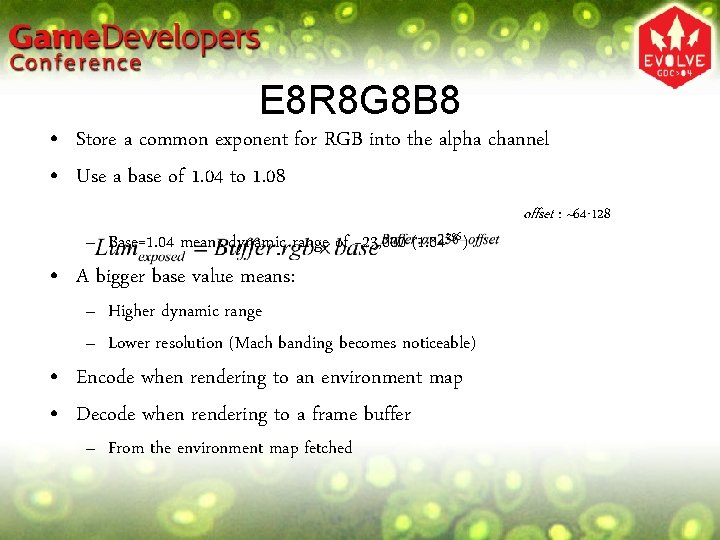
E 8 R 8 G 8 B 8 • Store a common exponent for RGB into the alpha channel • Use a base of 1. 04 to 1. 08 – Base=1. 04 means dynamic range of ~23, 000 (1. 04256) • A bigger base value means: – Higher dynamic range – Lower resolution (Mach banding becomes noticeable) • Encode when rendering to an environment map • Decode when rendering to a frame buffer – From the environment map fetched offset : ~64 -128
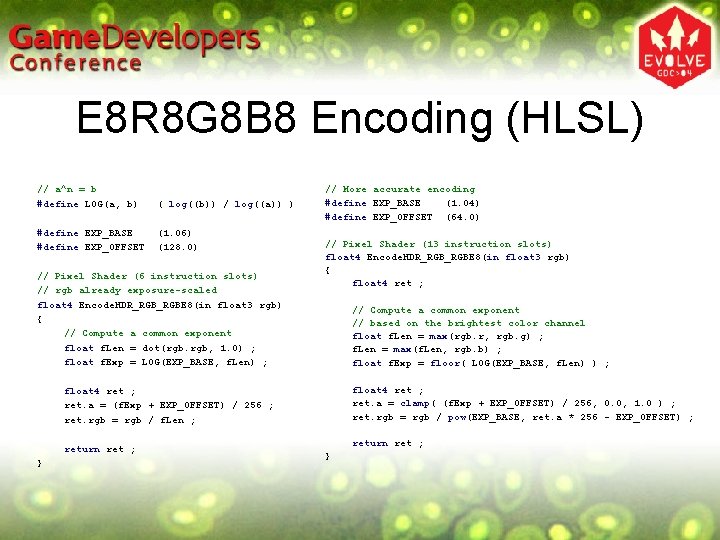
E 8 R 8 G 8 B 8 Encoding (HLSL) // a^n = b #define LOG(a, b) ( log((b)) / log((a)) ) #define EXP_BASE #define EXP_OFFSET (1. 06) (128. 0) // Pixel Shader (6 instruction slots) // rgb already exposure-scaled float 4 Encode. HDR_RGBE 8(in float 3 rgb) { // Compute a common exponent float f. Len = dot(rgb. rgb, 1. 0) ; float f. Exp = LOG(EXP_BASE, f. Len) ; // More accurate encoding #define EXP_BASE (1. 04) #define EXP_OFFSET (64. 0) // Pixel Shader (13 instruction slots) float 4 Encode. HDR_RGBE 8(in float 3 rgb) { float 4 ret ; // Compute a common exponent // based on the brightest color channel float f. Len = max(rgb. r, rgb. g) ; f. Len = max(f. Len, rgb. b) ; float f. Exp = floor( LOG(EXP_BASE, f. Len) ) ; float 4 ret ; ret. a = clamp( (f. Exp + EXP_OFFSET) / 256, 0. 0, 1. 0 ) ; ret. rgb = rgb / pow(EXP_BASE, ret. a * 256 - EXP_OFFSET) ; float 4 ret ; ret. a = (f. Exp + EXP_OFFSET) / 256 ; ret. rgb = rgb / f. Len ; return ret ; }
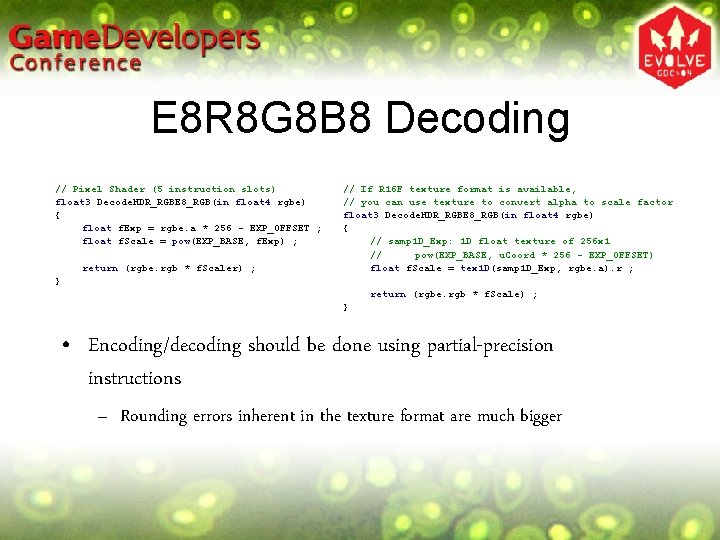
E 8 R 8 G 8 B 8 Decoding // Pixel Shader (5 instruction slots) float 3 Decode. HDR_RGBE 8_RGB(in float 4 rgbe) { float f. Exp = rgbe. a * 256 - EXP_OFFSET ; float f. Scale = pow(EXP_BASE, f. Exp) ; return (rgbe. rgb * f. Scaler) ; // If R 16 F texture format is available, // you can use texture to convert alpha to scale factor float 3 Decode. HDR_RGBE 8_RGB(in float 4 rgbe) { // samp 1 D_Exp: 1 D float texture of 256 x 1 // pow(EXP_BASE, u. Coord * 256 - EXP_OFFSET) float f. Scale = tex 1 D(samp 1 D_Exp, rgbe. a). r ; } return (rgbe. rgb * f. Scale) ; } • Encoding/decoding should be done using partial-precision instructions – Rounding errors inherent in the texture format are much bigger
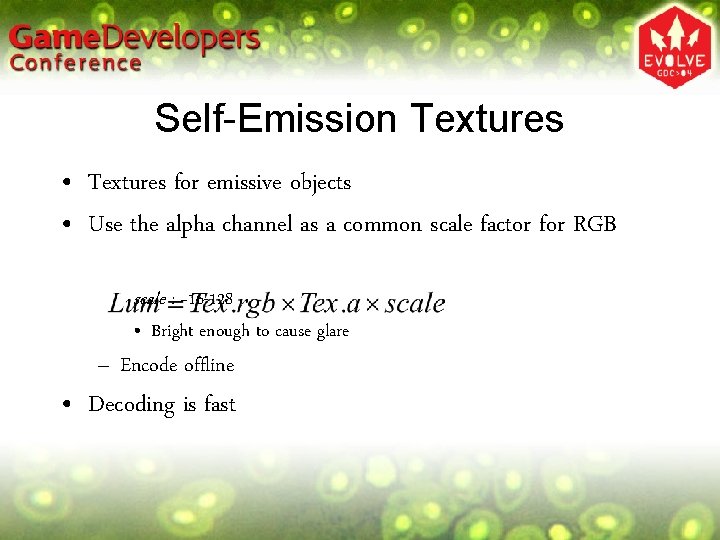
Self-Emission Textures • Textures for emissive objects • Use the alpha channel as a common scale factor for RGB scale : ~16 -128 • Bright enough to cause glare – Encode offline • Decoding is fast
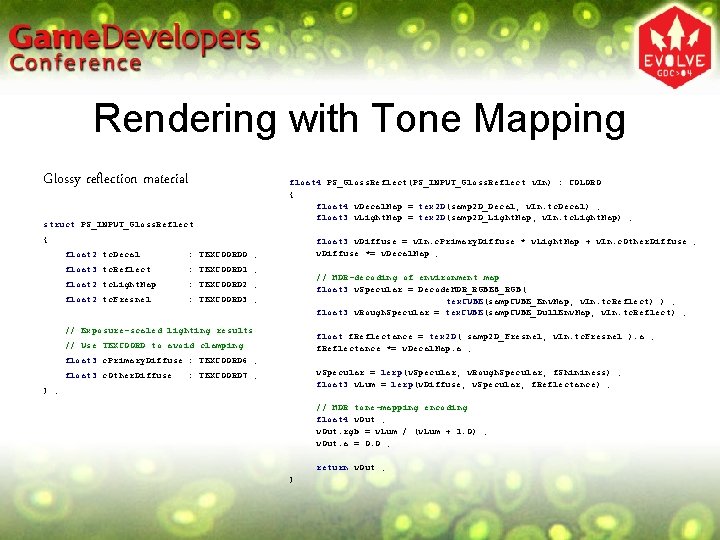
Rendering with Tone Mapping Glossy reflection material struct PS_INPUT_Gloss. Reflect float 4 PS_Gloss. Reflect(PS_INPUT_Gloss. Reflect v. In) : COLOR 0 { float 4 v. Decal. Map = tex 2 D(samp 2 D_Decal, v. In. tc. Decal) ; float 3 v. Light. Map = tex 2 D(samp 2 D_Light. Map, v. In. tc. Light. Map) ; { float 2 tc. Decal : TEXCOORD 0 ; float 3 tc. Reflect : TEXCOORD 1 ; float 2 tc. Light. Map : TEXCOORD 2 ; float 2 tc. Fresnel : TEXCOORD 3 ; float 3 v. Diffuse = v. In. c. Primary. Diffuse * v. Light. Map + v. In. c. Other. Diffuse ; v. Diffuse *= v. Decal. Map ; // HDR-decoding of environment map float 3 v. Specular = Decode. HDR_RGBE 8_RGB( tex. CUBE(samp. CUBE_Env. Map, v. In. tc. Reflect) ) ; float 3 v. Rough. Specular = tex. CUBE(samp. CUBE_Dull. Env. Map, v. In. tc. Reflect) ; // Exposure-scaled lighting results float f. Reflectance = tex 2 D( samp 2 D_Fresnel, v. In. tc. Fresnel ). a ; f. Reflectance *= v. Decal. Map. a ; // Use TEXCOORD to avoid clamping float 3 c. Primary. Diffuse : TEXCOORD 6 ; float 3 c. Other. Diffuse v. Specular = lerp(v. Specular, v. Rough. Specular, f. Shininess) ; float 3 v. Lum = lerp(v. Diffuse, v. Specular, f. Reflectance) ; : TEXCOORD 7 ; } ; // HDR tone-mapping encoding float 4 v. Out ; v. Out. rgb = v. Lum / (v. Lum + 1. 0) ; v. Out. a = 0. 0 ; return v. Out ; }
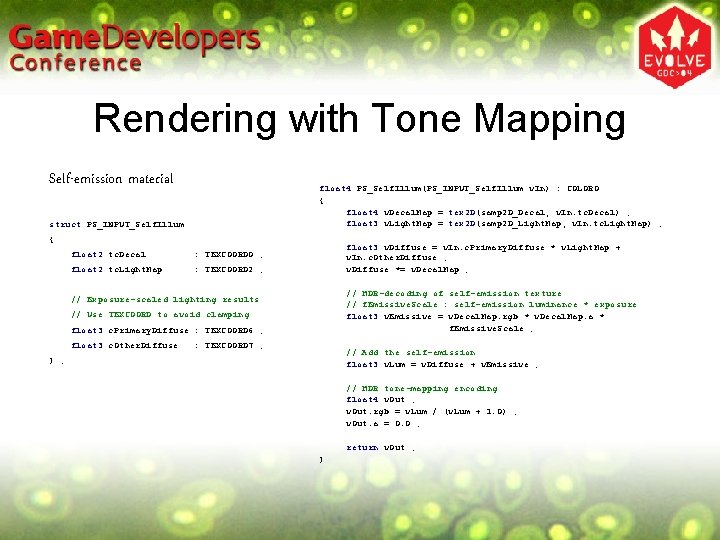
Rendering with Tone Mapping Self-emission material float 4 PS_Self. Illum(PS_INPUT_Self. Illum v. In) : COLOR 0 { float 4 v. Decal. Map = tex 2 D(samp 2 D_Decal, v. In. tc. Decal) ; float 3 v. Light. Map = tex 2 D(samp 2 D_Light. Map, v. In. tc. Light. Map) ; struct PS_INPUT_Self. Illum { float 2 tc. Decal : TEXCOORD 0 ; float 2 tc. Light. Map : TEXCOORD 2 ; float 3 v. Diffuse = v. In. c. Primary. Diffuse * v. Light. Map + v. In. c. Other. Diffuse ; v. Diffuse *= v. Decal. Map ; // HDR-decoding of self-emission texture // f. Emissive. Scale : self-emission luminance * exposure float 3 v. Emissive = v. Decal. Map. rgb * v. Decal. Map. a * f. Emissive. Scale ; // Exposure-scaled lighting results // Use TEXCOORD to avoid clamping float 3 c. Primary. Diffuse : TEXCOORD 6 ; float 3 c. Other. Diffuse : TEXCOORD 7 ; // Add the self-emission float 3 v. Lum = v. Diffuse + v. Emissive ; } ; // HDR tone-mapping encoding float 4 v. Out ; v. Out. rgb = v. Lum / (v. Lum + 1. 0) ; v. Out. a = 0. 0 ; return v. Out ; }
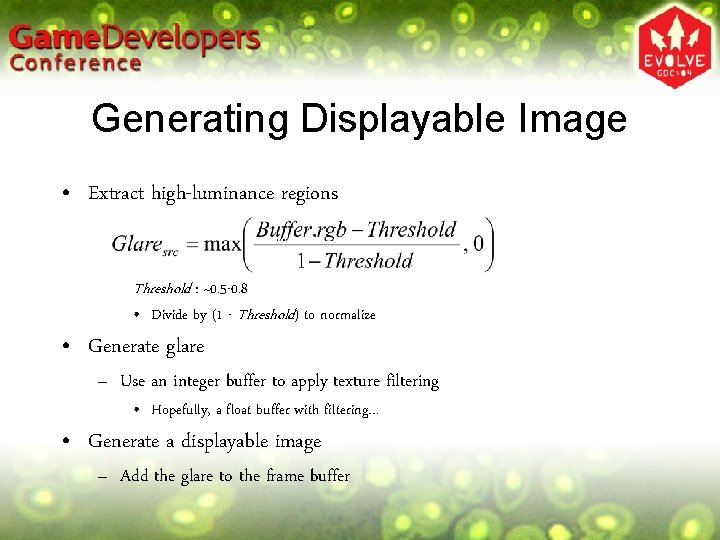
Generating Displayable Image • Extract high-luminance regions Threshold : ~0. 5 -0. 8 • Divide by (1 - Threshold) to normalize • Generate glare – Use an integer buffer to apply texture filtering • Hopefully, a float buffer with filtering… • Generate a displayable image – Add the glare to the frame buffer
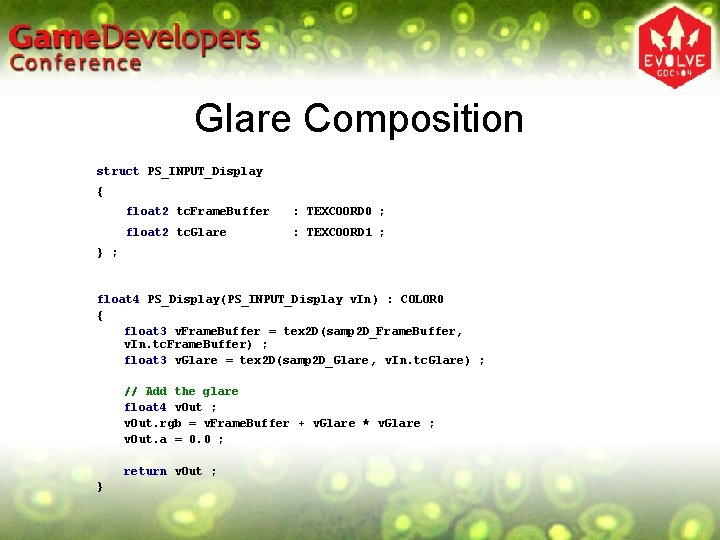
Glare Composition struct PS_INPUT_Display { float 2 tc. Frame. Buffer : TEXCOORD 0 ; float 2 tc. Glare : TEXCOORD 1 ; } ; float 4 PS_Display(PS_INPUT_Display v. In) : COLOR 0 { float 3 v. Frame. Buffer = tex 2 D(samp 2 D_Frame. Buffer, v. In. tc. Frame. Buffer) ; float 3 v. Glare = tex 2 D(samp 2 D_Glare, v. In. tc. Glare) ; // Add the glare float 4 v. Out ; v. Out. rgb = v. Frame. Buffer + v. Glare * v. Glare ; v. Out. a = 0. 0 ; return v. Out ; }
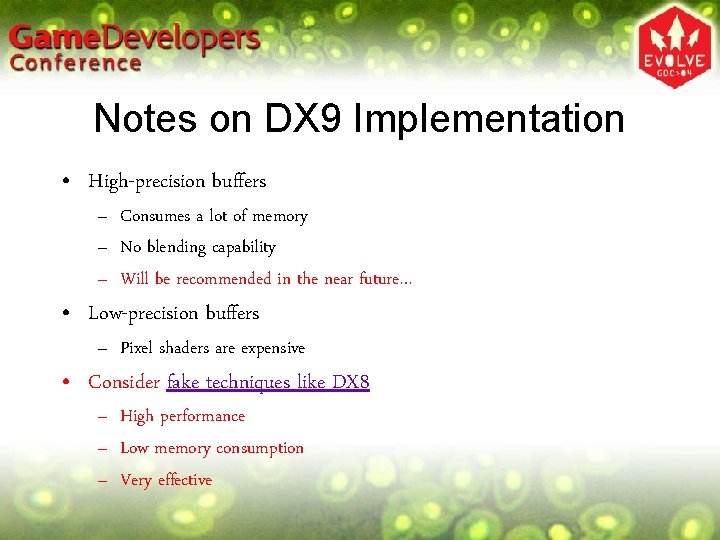
Notes on DX 9 Implementation • High-precision buffers – Consumes a lot of memory – No blending capability – Will be recommended in the near future… • Low-precision buffers – Pixel shaders are expensive • Consider fake techniques like DX 8 – High performance – Low memory consumption – Very effective
Glare Generation • Notes on glare generation • Bloom effects by compositing multiple Gaussian filters • Image processing and sprites Agenda
Notes on Glare Generation • Requires a lot of rendering passes – Beware of precision of integer buffers • Clamping • Rounding errors • 16 -bit integer may be insufficient – Always maintain an appropriate range
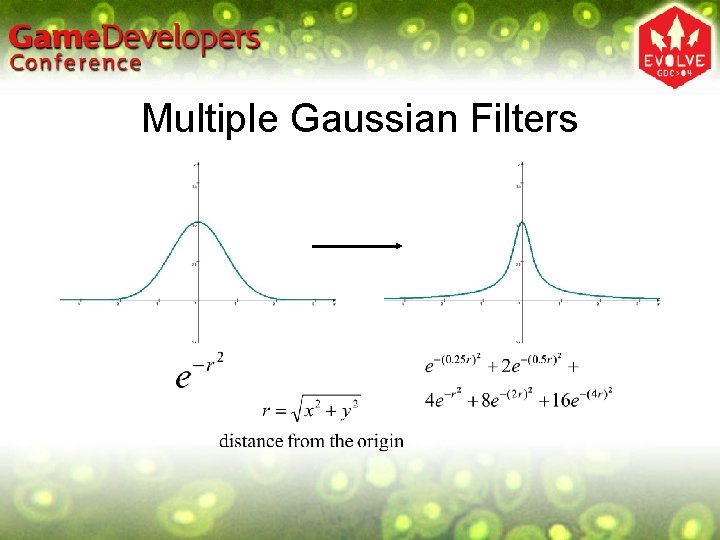
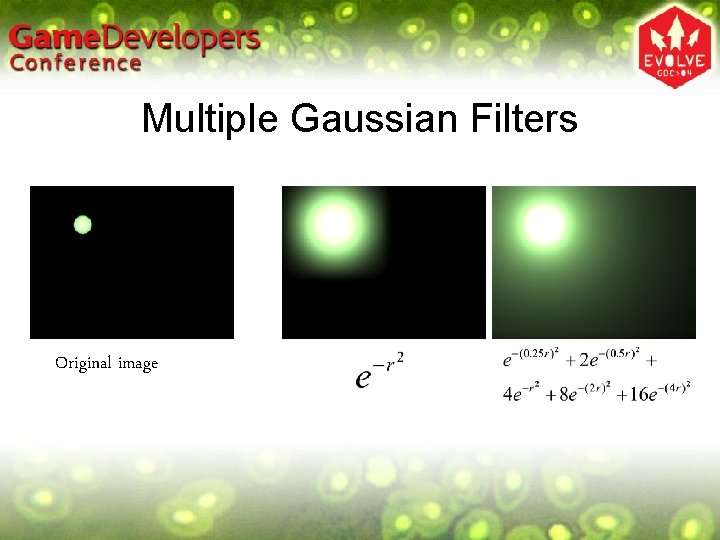
Multiple Gaussian Filters • Bloom generation • A single Gaussian filter does not give very good results – Small effective radius – Not sharp enough around the light position • Composite multiple Gaussian filters – Use Gaussian filters of different radii – Larger but sharper glare becomes possible Agenda
Multiple Gaussian Filters
Multiple Gaussian Filters Original image
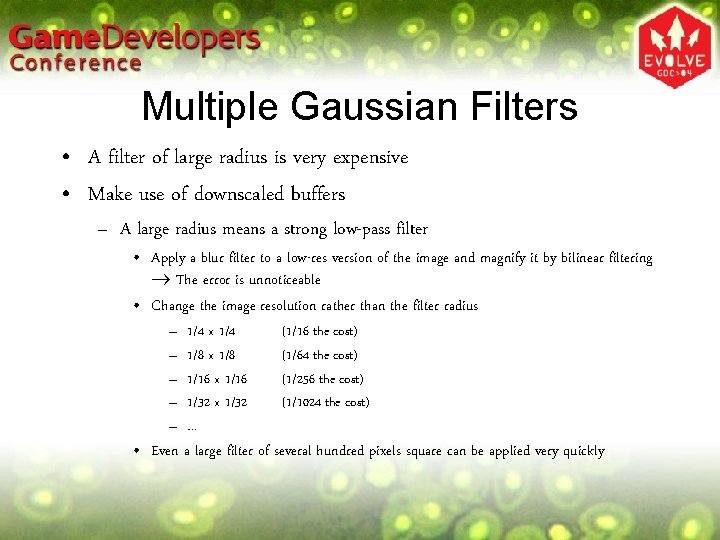
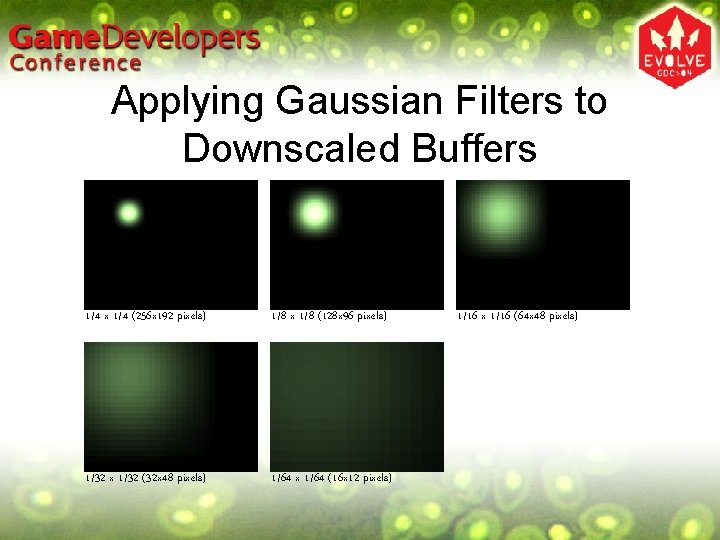
Multiple Gaussian Filters • A filter of large radius is very expensive • Make use of downscaled buffers – A large radius means a strong low-pass filter • Apply a blur filter to a low-res version of the image and magnify it by bilinear filtering The error is unnoticeable • Change the image resolution rather than the filter radius – – – 1/4 x 1/4 1/8 x 1/8 1/16 x 1/16 1/32 x 1/32 … (1/16 the cost) (1/64 the cost) (1/256 the cost) (1/1024 the cost) • Even a large filter of several hundred pixels square can be applied very quickly
Applying Gaussian Filters to Downscaled Buffers 1/4 x 1/4 (256 x 192 pixels) 1/8 x 1/8 (128 x 96 pixels) 1/32 x 1/32 (32 x 48 pixels) 1/64 x 1/64 (16 x 12 pixels) 1/16 x 1/16 (64 x 48 pixels)
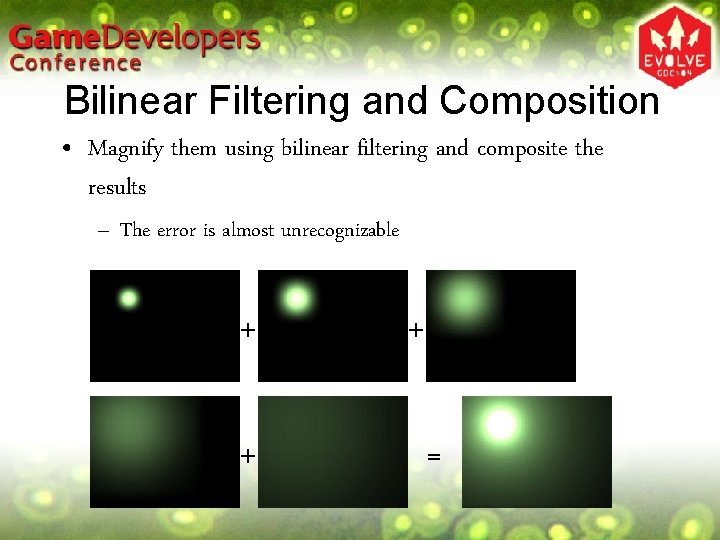
Bilinear Filtering and Composition • Magnify them using bilinear filtering and composite the results – The error is almost unrecognizable + + + =
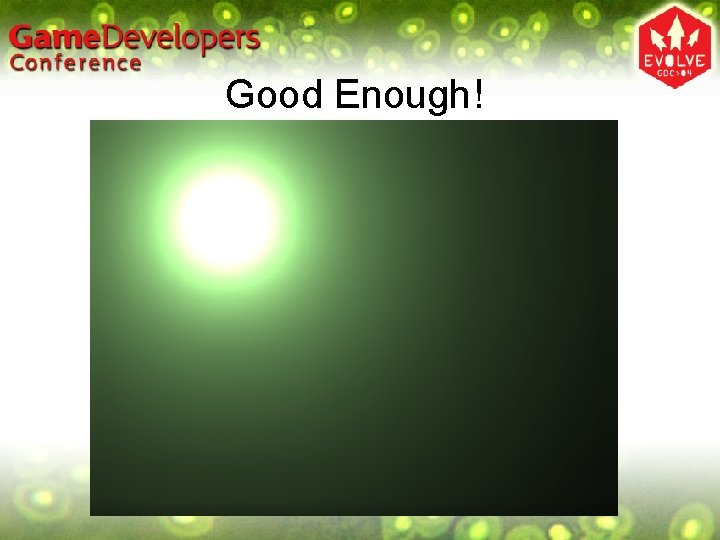
Good Enough!
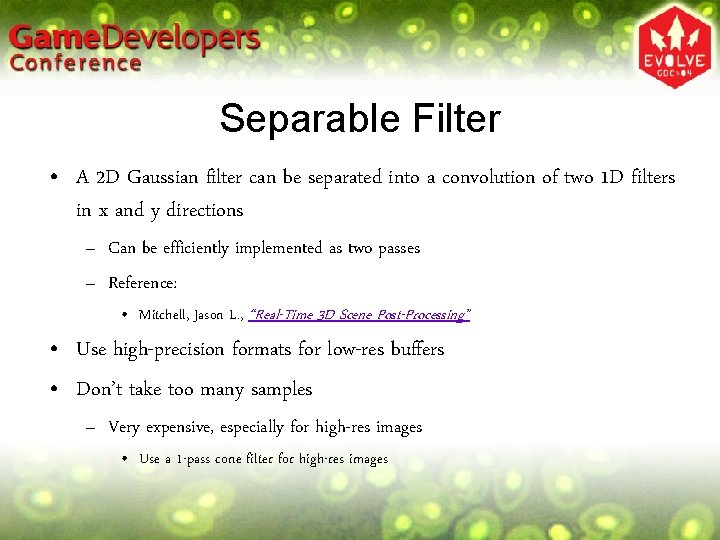
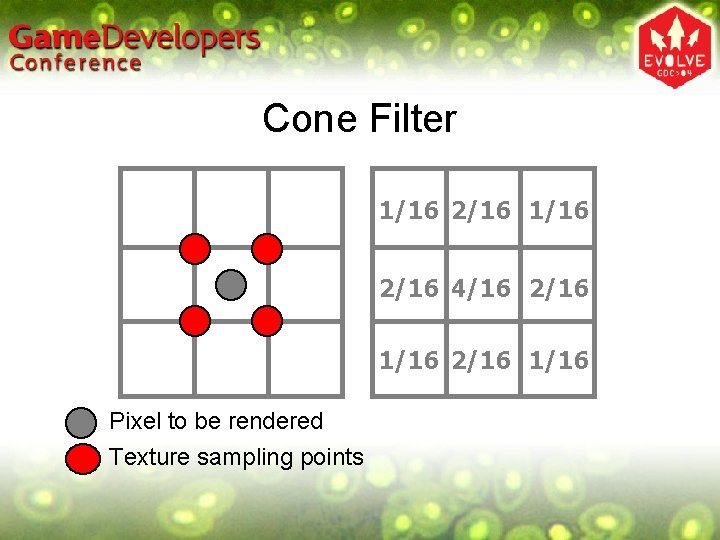
Separable Filter • A 2 D Gaussian filter can be separated into a convolution of two 1 D filters in x and y directions – Can be efficiently implemented as two passes – Reference: • Mitchell, Jason L. , “Real-Time 3 D Scene Post-Processing” • Use high-precision formats for low-res buffers • Don’t take too many samples – Very expensive, especially for high-res images • Use a 1 -pass cone filter for high-res images
Cone Filter 1/16 2/16 4/16 2/16 1/16 Pixel to be rendered Texture sampling points
Other Types of Glare • Afterimage • Stars (light streaks) • Ghosts • Reference: – Kawase, Masaki, “Frame Buffer Postprocessing Effects in DOUBLE-S. T. E. A. L (Wreckless)”
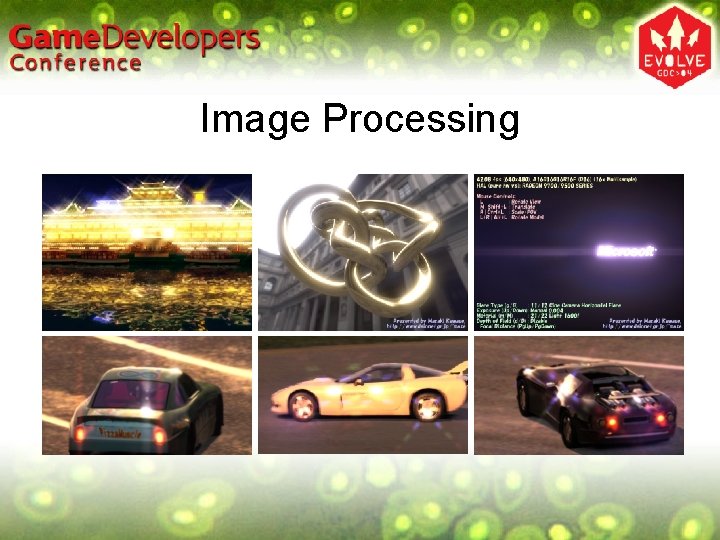
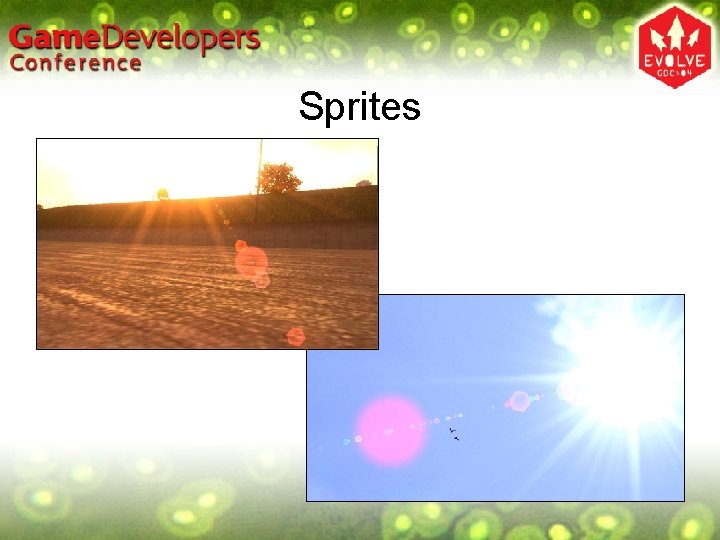
Image Processing and Sprites • Image Processing – Extract high-luminance regions from the HDR frame buffer – Image-based post-processing • Sprites (traditional technique) – Check the visibility of light sources • Based on the geometry information • Use hardware visibility test capability if available – Determine the visibility based on the number of pixels rendered – For each visible light source, draw flare sprites Agenda
Image Processing
Sprites
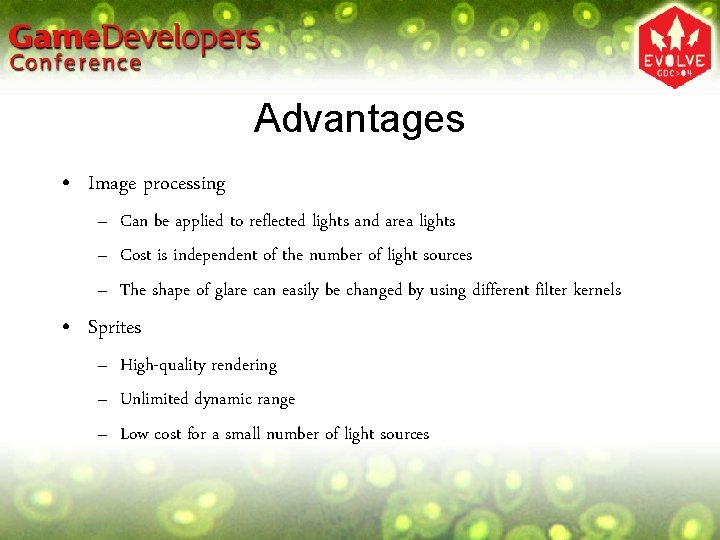
Advantages • Image processing – Can be applied to reflected lights and area lights – Cost is independent of the number of light sources – The shape of glare can easily be changed by using different filter kernels • Sprites – High-quality rendering – Unlimited dynamic range – Low cost for a small number of light sources
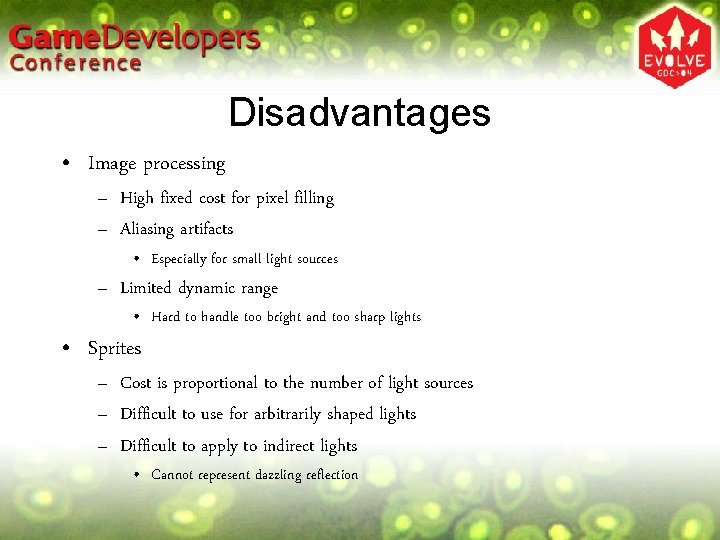
Disadvantages • Image processing – High fixed cost for pixel filling – Aliasing artifacts • Especially for small light sources – Limited dynamic range • Hard to handle too bright and too sharp lights • Sprites – Cost is proportional to the number of light sources – Difficult to use for arbitrarily shaped lights – Difficult to apply to indirect lights • Cannot represent dazzling reflection
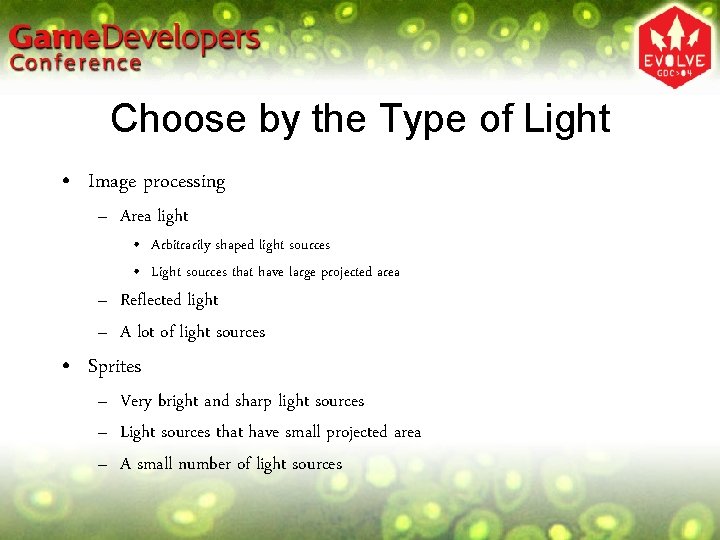
Choose by the Type of Light • Image processing – Area light • Arbitrarily shaped light sources • Light sources that have large projected area – Reflected light – A lot of light sources • Sprites – Very bright and sharp light sources – Light sources that have small projected area – A small number of light sources
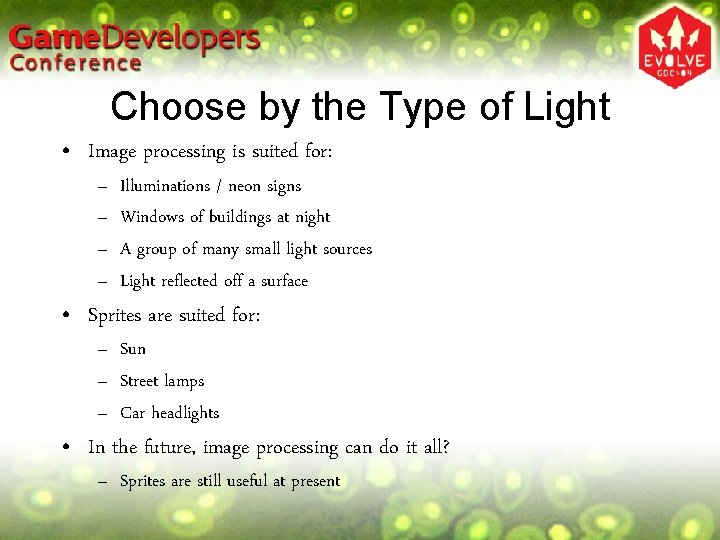
Choose by the Type of Light • Image processing is suited for: – – Illuminations / neon signs Windows of buildings at night A group of many small light sources Light reflected off a surface • Sprites are suited for: – Sun – Street lamps – Car headlights • In the future, image processing can do it all? – Sprites are still useful at present
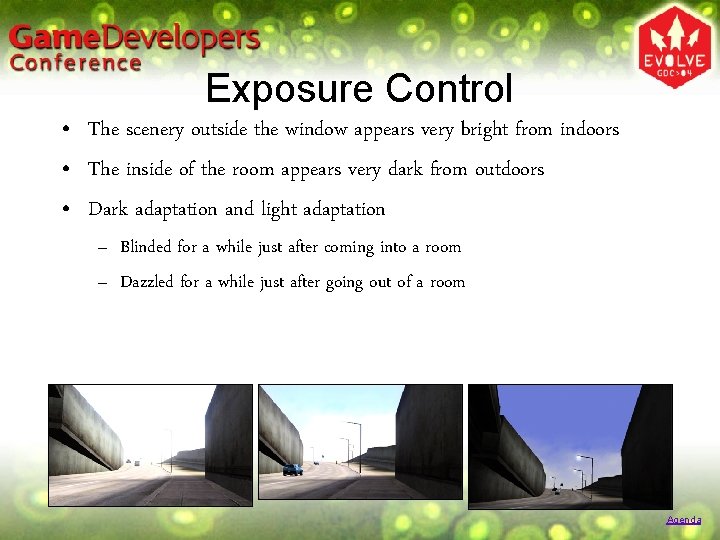
Exposure Control • The scenery outside the window appears very bright from indoors • The inside of the room appears very dark from outdoors • Dark adaptation and light adaptation – Blinded for a while just after coming into a room – Dazzled for a while just after going out of a room Agenda
Process of Exposure Control • Get the average luminance of the scene • Calculate a proper exposure level • Tweak the exposure level
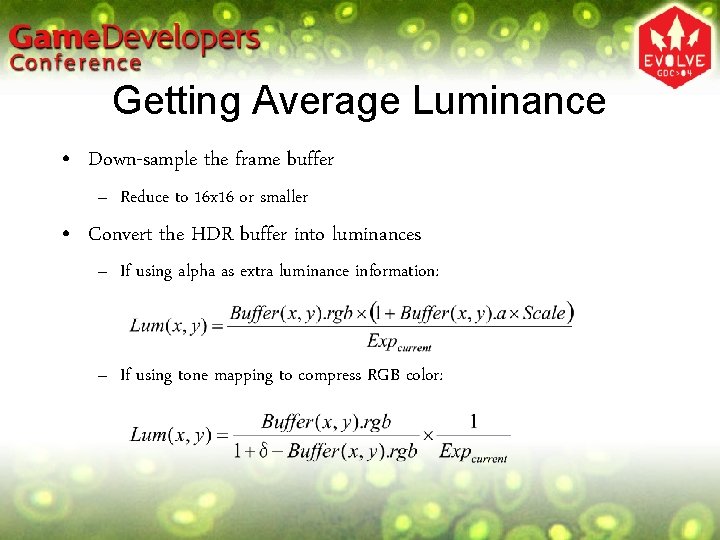
Getting Average Luminance • Down-sample the frame buffer – Reduce to 16 x 16 or smaller • Convert the HDR buffer into luminances – If using alpha as extra luminance information: – If using tone mapping to compress RGB color:
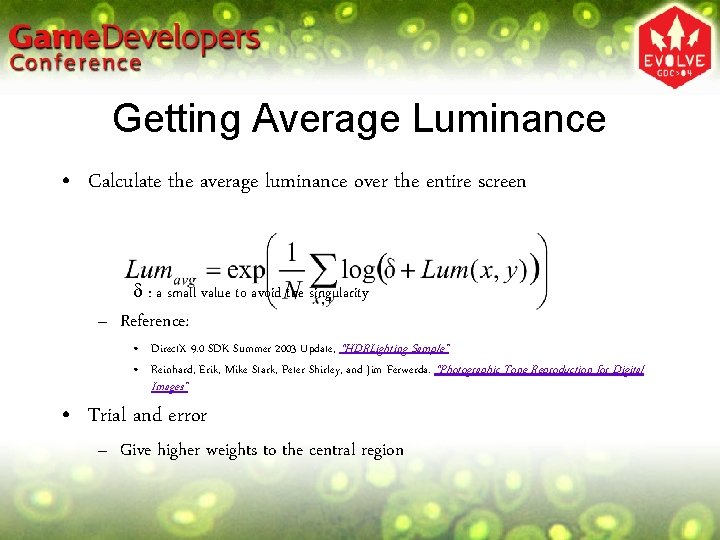
Getting Average Luminance • Calculate the average luminance over the entire screen d : a small value to avoid the singularity – Reference: • Direct. X 9. 0 SDK Summer 2003 Update, “HDRLighting Sample” • Reinhard, Erik, Mike Stark, Peter Shirley, and Jim Ferwerda. “Photographic Tone Reproduction for Digital Images” • Trial and error – Give higher weights to the central region
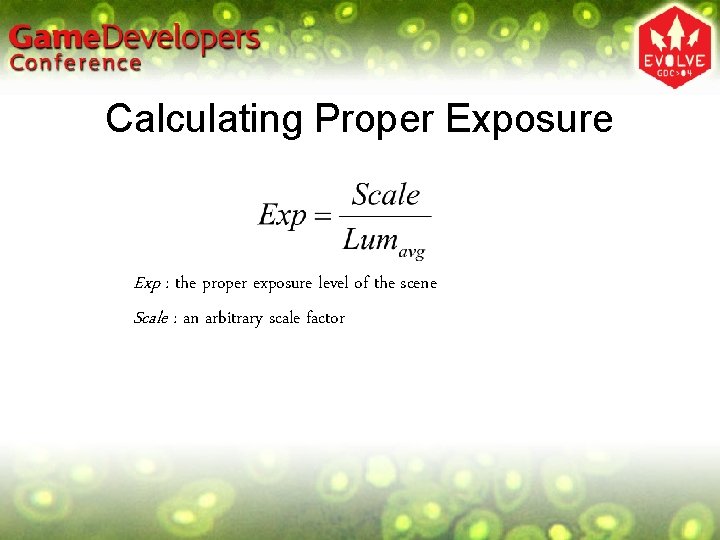
Calculating Proper Exposure Exp : the proper exposure level of the scene Scale : an arbitrary scale factor
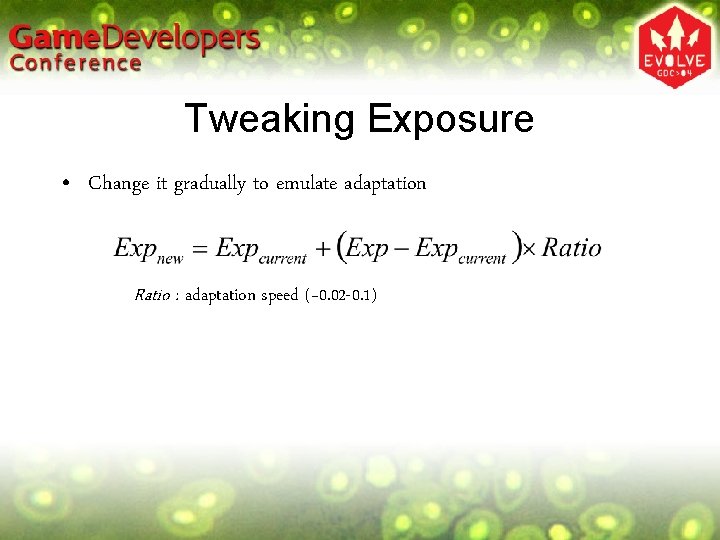
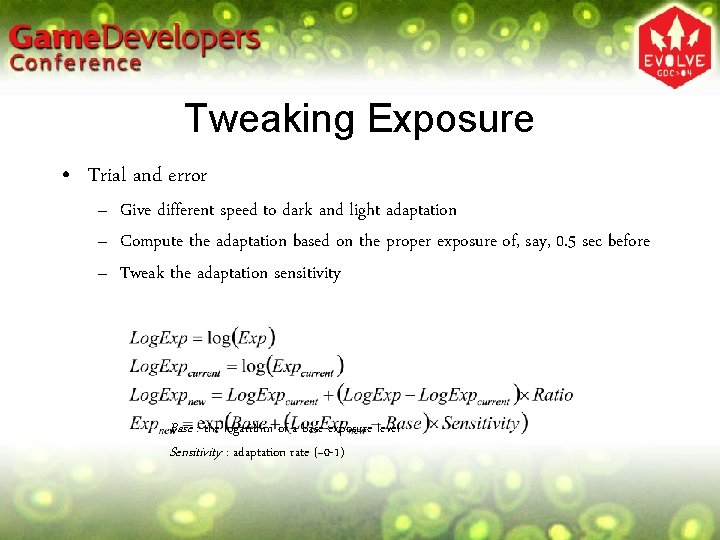
Tweaking Exposure • Change it gradually to emulate adaptation Ratio : adaptation speed (~0. 02 -0. 1)
Tweaking Exposure • Trial and error – Give different speed to dark and light adaptation – Compute the adaptation based on the proper exposure of, say, 0. 5 sec before – Tweak the adaptation sensitivity Base : the logarithm of a base exposure level Sensitivity : adaptation rate (~0 -1)
HDR in Games • Should be appealing rather than accurate – Accuracy is not important for players – Accuracy does not necessarily mean attractiveness – Even an inaccurate scene can be appealing • Cost and performance – The key is to understand the effects of HDR – Devise a fake technique that is fast enough and produces believable results • Accurate HDR rendering is still hard in games – Use HDR only for effects that give a large impact • Use sprites if you want to generate glare only for the sun, which is much faster and gives high quality results Agenda
HDR in Games • Integer formats have very limited dynamic range – Render in relative luminance space – Apply exposure scaling during rendering – High precision is not needed for the dark regions after exposure scaling • As those regions remain dark in the final image – Carefully choose the range to maximize effective precision
HDR in Games • Future perspective – All operations can be done in float • Environment maps / frame buffers / glare generation • Rendering in absolute luminance space • Image-based generation of all the glare – Effective use of HDR • Depth-of-field with the shape of aperture stop • Motion blur with high luminances not clamped
References • Reinhard, Erik, Mike Stark, Peter Shirley, and Jim Ferwerda, “Photographic Tone Reproduction for Digital Images” • Mitchell, Jason L. , “Real-Time 3 D Scene Post-Processing” • Direct. X 9. 0 SDK Summer 2003 Update, “HDRLighting Sample” • Debevec, Paul E. , “Paul Debevec Home Page” • Kawase, Masaki, “Frame Buffer Postprocessing Effects in DOUBLE-S. T. E. A. L (Wreckless)” Top