Illuminating Computer Science CCIT 4 6 Sep http
![Selection If. . Then. . Else If (condition) Then (statement[s]) [Else. If (condition) Then](https://slidetodoc.com/presentation_image_h/c3adcbba1b03e9dd850042be6b6233c2/image-76.jpg "Selection If. . Then. . Else If (condition) Then (statement[s]) [Else. If (condition) Then")
- Slides: 91
Illuminating Computer Science CCIT 4 -6 Sep http: //www. aast. edu/en/colleges/ccit/cs 4 hs/
Introduction to Programming Concepts Visual Basic: an Introduction Illuminating Computer Science CCIT 4 -6 Sep http: //www. aast. edu/en/colleges/ccit/cs 4 hs/
Objectives The audience should be familiar with the Visual Basic Environment. l The audience should be able to build simple Visual Basic Applications. l The audience should learn the precedence rules for writing equations. l The audience should be able to write programs using control structures l Illuminating Computer Science CCIT 4 -6 Sep http: //www. aast. edu/en/colleges/ccit/cs 4 hs/
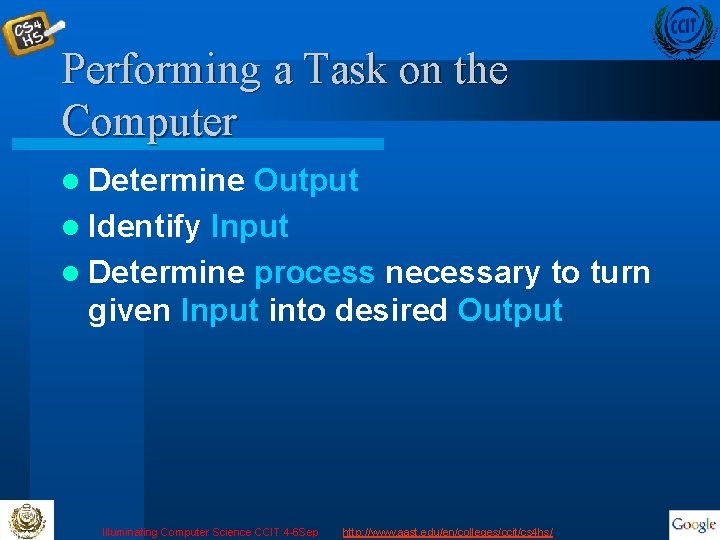
Performing a Task on the Computer l Determine Output l Identify Input l Determine process necessary to turn given Input into desired Output Illuminating Computer Science CCIT 4 -6 Sep http: //www. aast. edu/en/colleges/ccit/cs 4 hs/
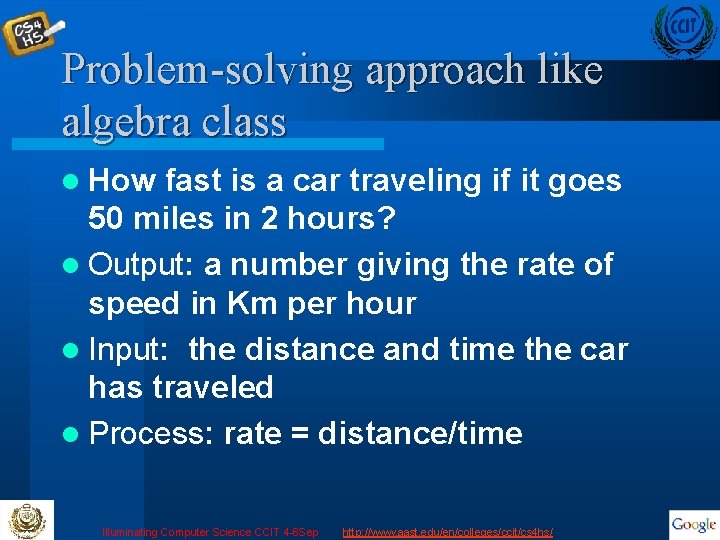
Problem-solving approach like algebra class l How fast is a car traveling if it goes 50 miles in 2 hours? l Output: a number giving the rate of speed in Km per hour l Input: the distance and time the car has traveled l Process: rate = distance/time Illuminating Computer Science CCIT 4 -6 Sep http: //www. aast. edu/en/colleges/ccit/cs 4 hs/
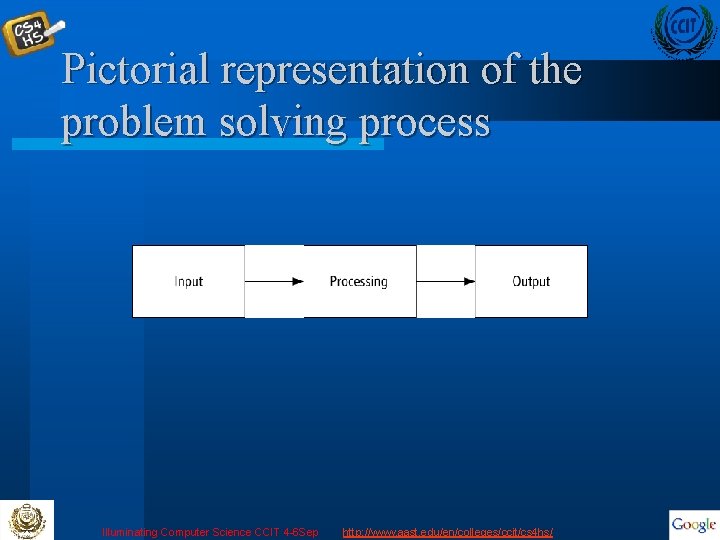
Pictorial representation of the problem solving process Illuminating Computer Science CCIT 4 -6 Sep http: //www. aast. edu/en/colleges/ccit/cs 4 hs/
Program Planning Tips l Always have a plan before trying to write a program l The more complicated the problem, the more complex the plan must be l Planning and testing before coding saves time coding Illuminating Computer Science CCIT 4 -6 Sep http: //www. aast. edu/en/colleges/ccit/cs 4 hs/
Simplified Program development cycle 1. Analyze: Define the problem. 2. Design: Plan the solution to the problem. 3. Choose the interface: Select the objects (text boxes, buttons, etc. ). Illuminating Computer Science CCIT 4 -6 Sep http: //www. aast. edu/en/colleges/ccit/cs 4 hs/
Program development cycle continued 4. Code: Translate the algorithm into a programming language. Try to avoid jumping straight to this step, which can result in a sloppy solution! 5. Test and debug: Locate and remove any errors in the program. 6. Complete the documentation: Organize all the material that describes the program. Illuminating Computer Science CCIT 4 -6 Sep http: //www. aast. edu/en/colleges/ccit/cs 4 hs/
What is Visual Basic? l High Level 4 th Generation Programming Language l Object and Event Driven l Visual - Windows Based l Integrated Development Environment or IDE Illuminating Computer Science CCIT 4 -6 Sep http: //www. aast. edu/en/colleges/ccit/cs 4 hs/
What is VB Used For? l Most Popular Programming Language l Stand alone programs l Applets that can be run on many different kinds of computers l Customized specialized Applications – E- Commerce • Web based shopping forms and inquiries l User friendly Interface to applications Illuminating Computer Science CCIT 4 -6 Sep http: //www. aast. edu/en/colleges/ccit/cs 4 hs/
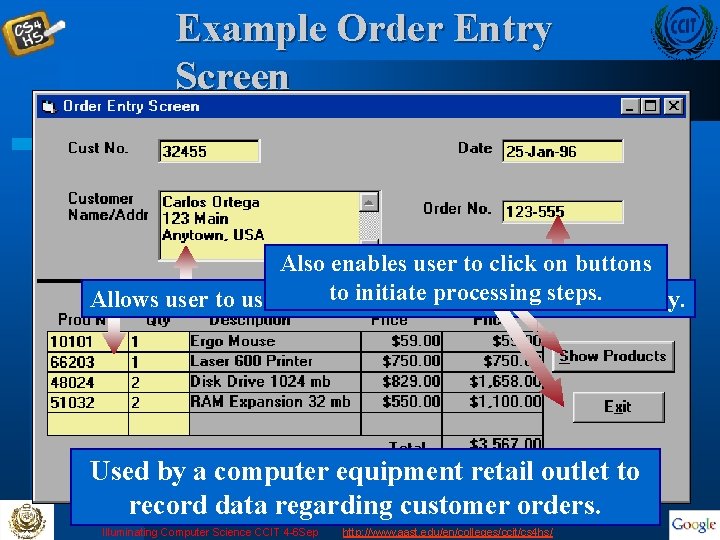
Example Order Entry Screen l l l Also enables user to click on buttons to initiate steps. Allows user to use a mouse to clickprocessing on boxes for text entry. Used by a computer equipment retail outlet to record data regarding customer orders. Illuminating Computer Science CCIT 4 -6 Sep http: //www. aast. edu/en/colleges/ccit/cs 4 hs/
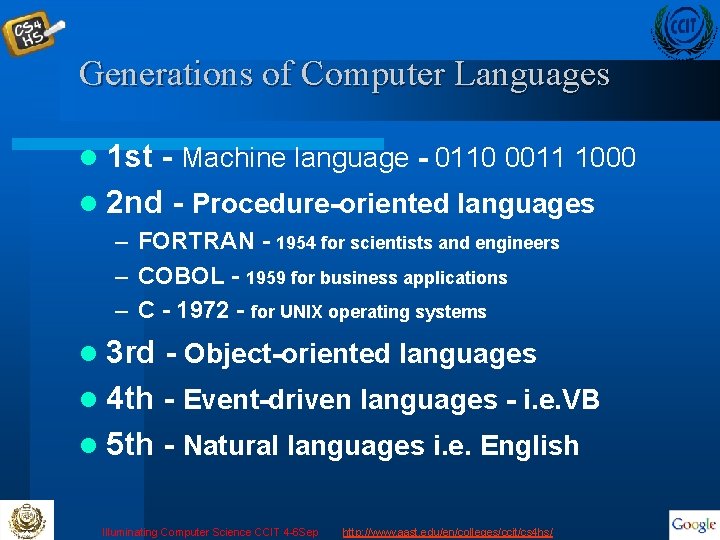
Generations of Computer Languages l 1 st - Machine language - 0110 0011 1000 l 2 nd - Procedure-oriented languages – FORTRAN - 1954 for scientists and engineers – COBOL - 1959 for business applications – C - 1972 - for UNIX operating systems l 3 rd - Object-oriented languages l 4 th - Event-driven languages - i. e. VB l 5 th - Natural languages i. e. English Illuminating Computer Science CCIT 4 -6 Sep http: //www. aast. edu/en/colleges/ccit/cs 4 hs/
Compiler Vs Interpreter l Higher Languages are translated to Machine Language by: – Interpreter • Translates instructions to machine code line -by-line. • BASIC, Quick Basic, Visual Basic – Compiler • Translates the entire program to machine code before running it. • Fortran, C, C++, Visual Basic is also a compiler Illuminating Computer Science CCIT 4 -6 Sep http: //www. aast. edu/en/colleges/ccit/cs 4 hs/
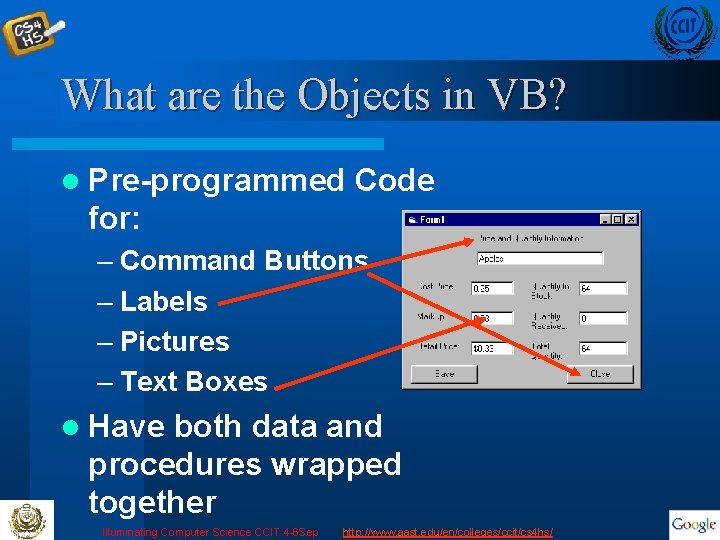
What are the Objects in VB? l Pre-programmed Code for: – Command Buttons – Labels – Pictures – Text Boxes l Have both data and procedures wrapped together Illuminating Computer Science CCIT 4 -6 Sep http: //www. aast. edu/en/colleges/ccit/cs 4 hs/
What are the Events? – Visual Basic “watches” what the user does – A user activity is called an event – Events include mouse clicks and moves, menu selections, button presses, etc. – Sections of code are only executed in response to an event Illuminating Computer Science CCIT 4 -6 Sep http: //www. aast. edu/en/colleges/ccit/cs 4 hs/
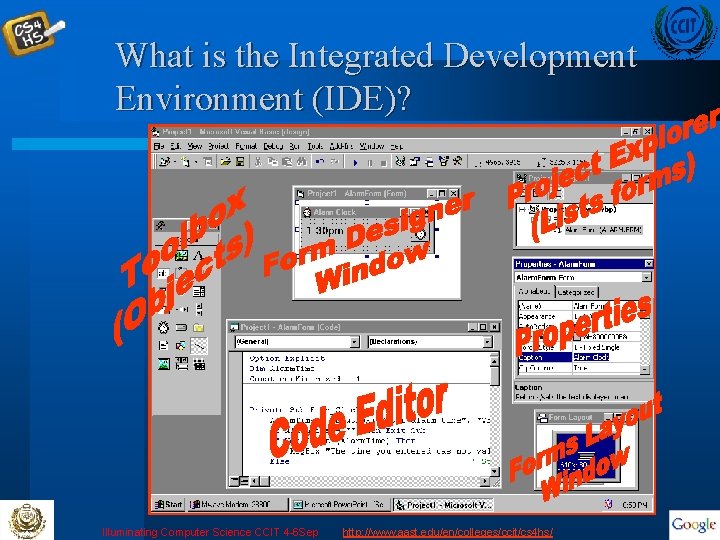
What is the Integrated Development Environment (IDE)? Illuminating Computer Science CCIT 4 -6 Sep http: //www. aast. edu/en/colleges/ccit/cs 4 hs/
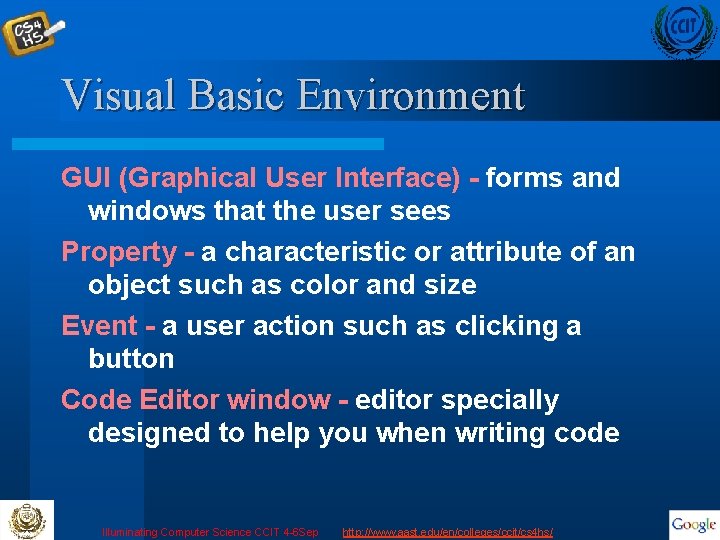
Visual Basic Environment GUI (Graphical User Interface) - forms and windows that the user sees Property - a characteristic or attribute of an object such as color and size Event - a user action such as clicking a button Code Editor window - editor specially designed to help you when writing code Illuminating Computer Science CCIT 4 -6 Sep http: //www. aast. edu/en/colleges/ccit/cs 4 hs/
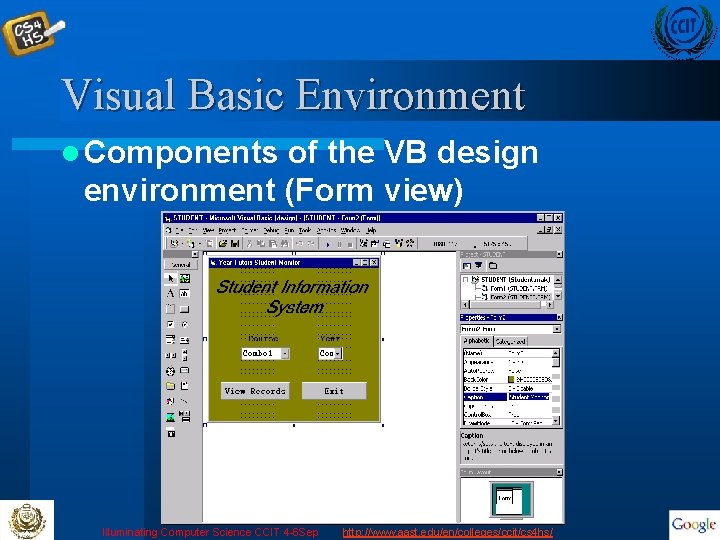
Visual Basic Environment l Components of the VB design environment (Form view) Illuminating Computer Science CCIT 4 -6 Sep http: //www. aast. edu/en/colleges/ccit/cs 4 hs/
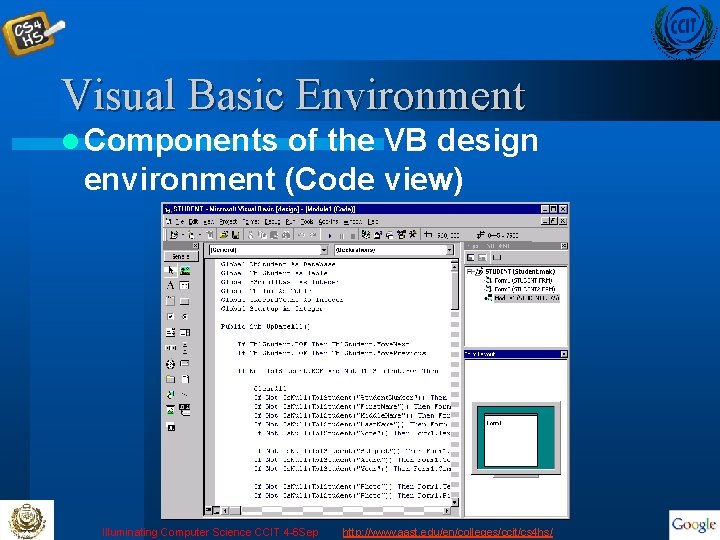
Visual Basic Environment l Components of the VB design environment (Code view) Illuminating Computer Science CCIT 4 -6 Sep http: //www. aast. edu/en/colleges/ccit/cs 4 hs/
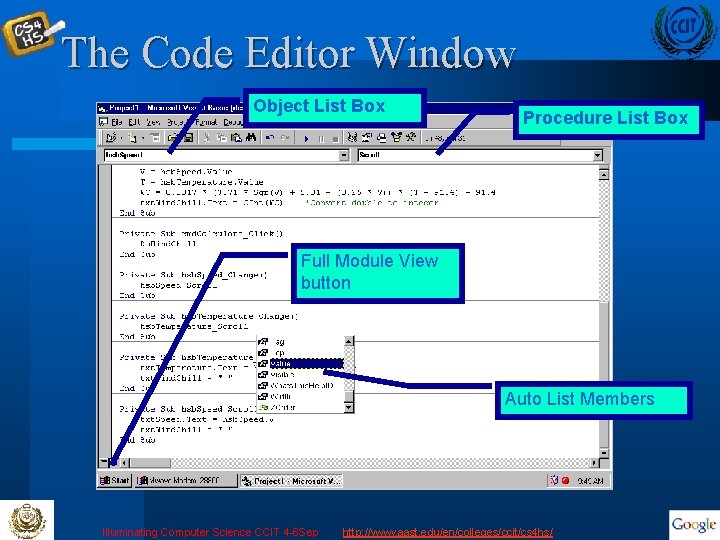
The Code Editor Window Object List Box Procedure List Box Full Module View button Auto List Members Illuminating Computer Science CCIT 4 -6 Sep http: //www. aast. edu/en/colleges/ccit/cs 4 hs/
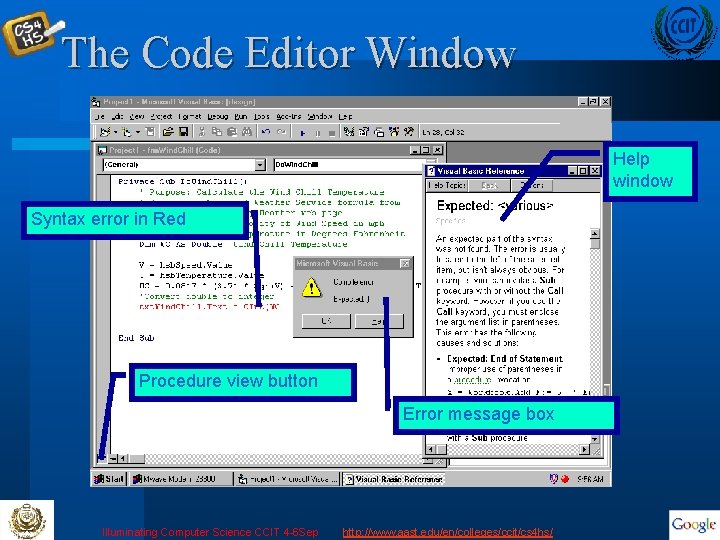
The Code Editor Window Help window Syntax error in Red Procedure view button Error message box Illuminating Computer Science CCIT 4 -6 Sep http: //www. aast. edu/en/colleges/ccit/cs 4 hs/
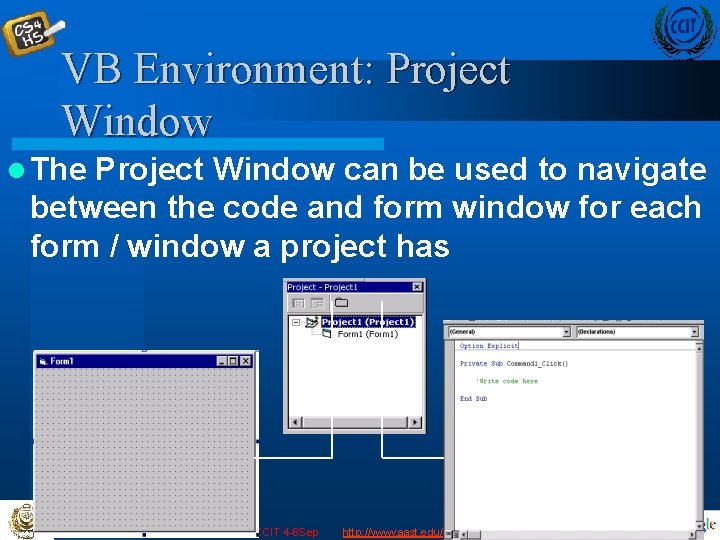
VB Environment: Project Window l The Project Window can be used to navigate between the code and form window for each form / window a project has Illuminating Computer Science CCIT 4 -6 Sep http: //www. aast. edu/en/colleges/ccit/cs 4 hs/
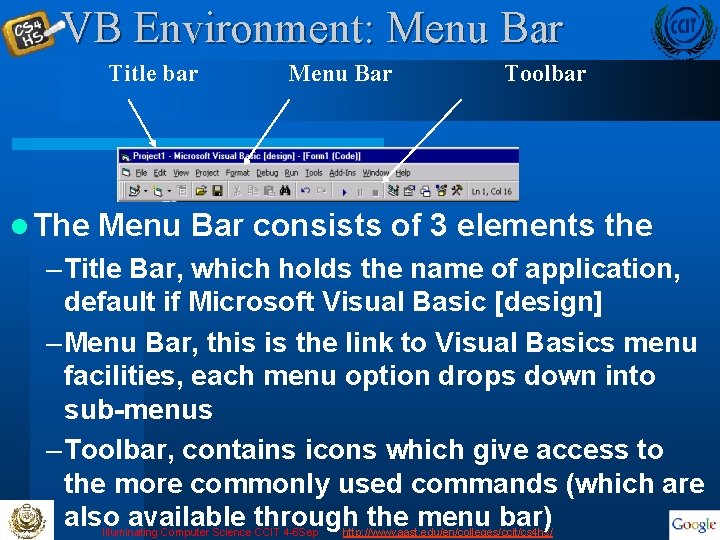
VB Environment: Menu Bar Title bar l The Menu Bar Toolbar Menu Bar consists of 3 elements the – Title Bar, which holds the name of application, default if Microsoft Visual Basic [design] – Menu Bar, this is the link to Visual Basics menu facilities, each menu option drops down into sub-menus – Toolbar, contains icons which give access to the more commonly used commands (which are also available through the menu bar) Illuminating Computer Science CCIT 4 -6 Sep http: //www. aast. edu/en/colleges/ccit/cs 4 hs/
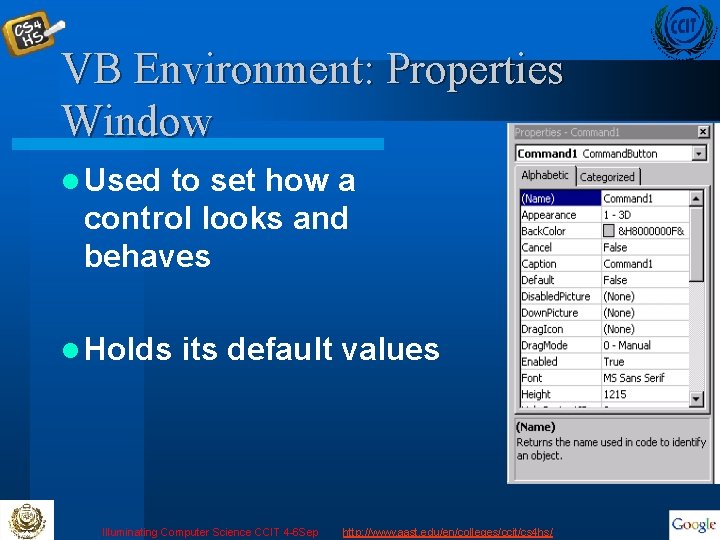
VB Environment: Properties Window l Used to set how a control looks and behaves l Holds its default values Illuminating Computer Science CCIT 4 -6 Sep http: //www. aast. edu/en/colleges/ccit/cs 4 hs/
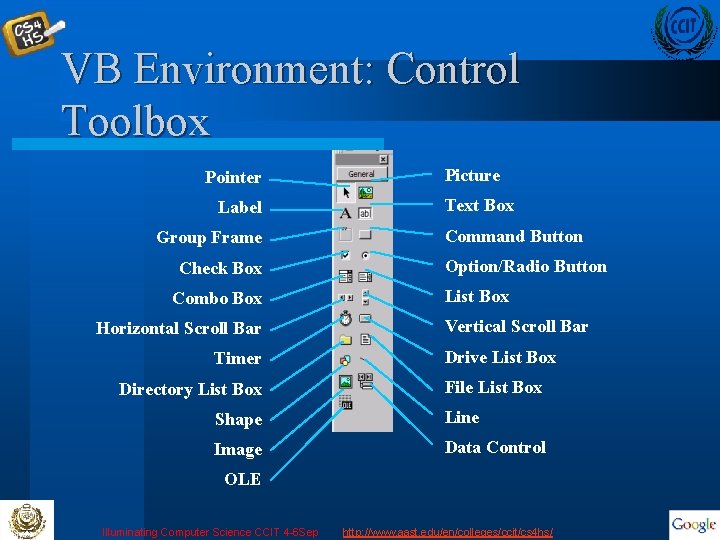
VB Environment: Control Toolbox Pointer Label Group Frame Check Box Combo Box Horizontal Scroll Bar Timer Directory List Box Picture Text Box Command Button Option/Radio Button List Box Vertical Scroll Bar Drive List Box File List Box Shape Line Image Data Control OLE Illuminating Computer Science CCIT 4 -6 Sep http: //www. aast. edu/en/colleges/ccit/cs 4 hs/
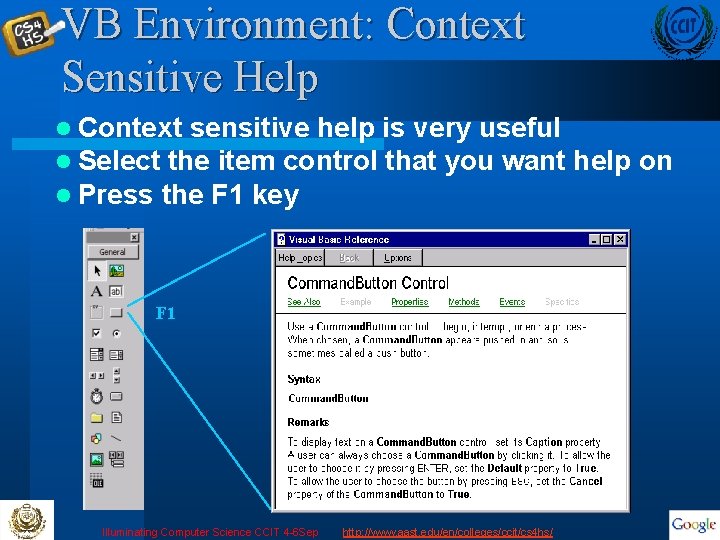
VB Environment: Context Sensitive Help l Context sensitive help is very useful l Select the item control that you want l Press the F 1 key F 1 Illuminating Computer Science CCIT 4 -6 Sep http: //www. aast. edu/en/colleges/ccit/cs 4 hs/ help on
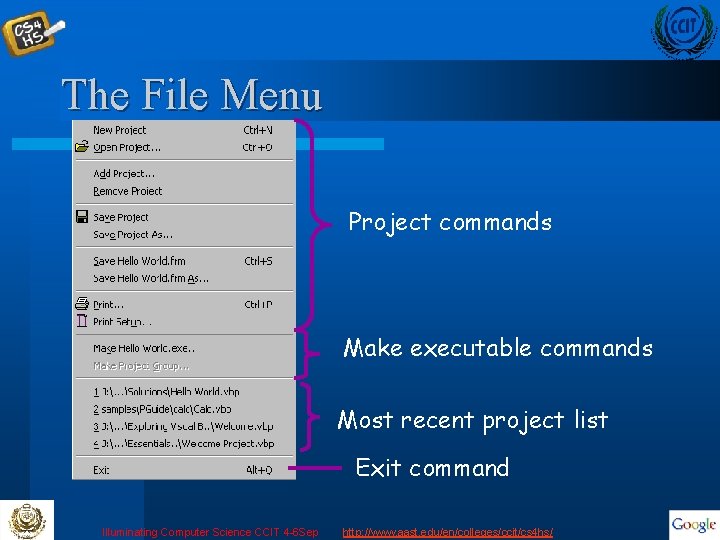
The File Menu Project commands Make executable commands Most recent project list Exit command Illuminating Computer Science CCIT 4 -6 Sep http: //www. aast. edu/en/colleges/ccit/cs 4 hs/
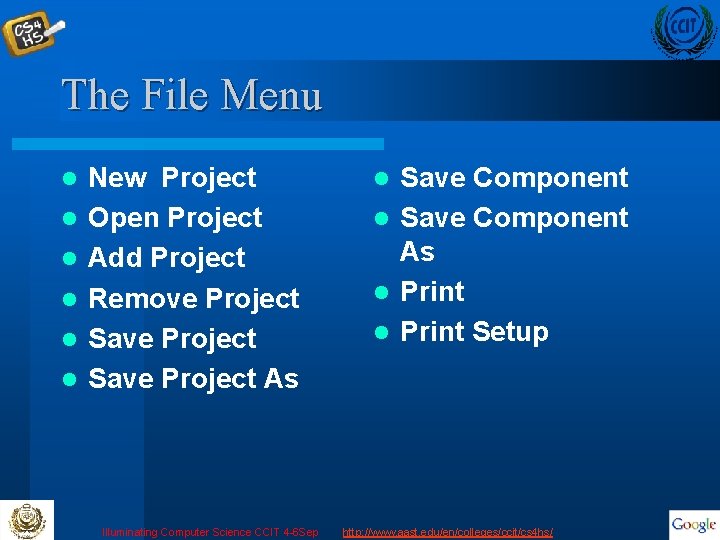
The File Menu l l l New Project Open Project Add Project Remove Project Save Project As Illuminating Computer Science CCIT 4 -6 Sep Save Component l Save Component As l Print Setup l http: //www. aast. edu/en/colleges/ccit/cs 4 hs/
The File Menu Template - particular pattern for a project element; start a project from a template saves time Existing tab - displays VB projects Recent tab - displays most recently accessed projects Project Groups - a collection of several projects Illuminating Computer Science CCIT 4 -6 Sep http: //www. aast. edu/en/colleges/ccit/cs 4 hs/
Building Your First Application l There are three primary steps in building a Visual Project: – Place (or draw) controls on the form. – Assign properties to the controls. – Write event procedures for the controls. Illuminating Computer Science CCIT 4 -6 Sep http: //www. aast. edu/en/colleges/ccit/cs 4 hs/
Project Files vbp extension = Visual Basic Project – file that tracks all components frm extension = Form file – separate file for each form frx extension = Binary form file – cannot be read by humans vbw extension = Visual Basic workspace Illuminating Computer Science CCIT 4 -6 Sep http: //www. aast. edu/en/colleges/ccit/cs 4 hs/
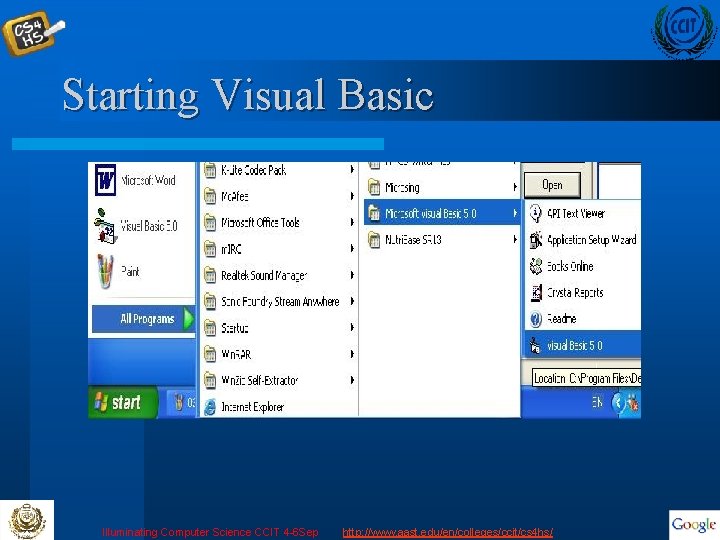
Starting Visual Basic Illuminating Computer Science CCIT 4 -6 Sep http: //www. aast. edu/en/colleges/ccit/cs 4 hs/
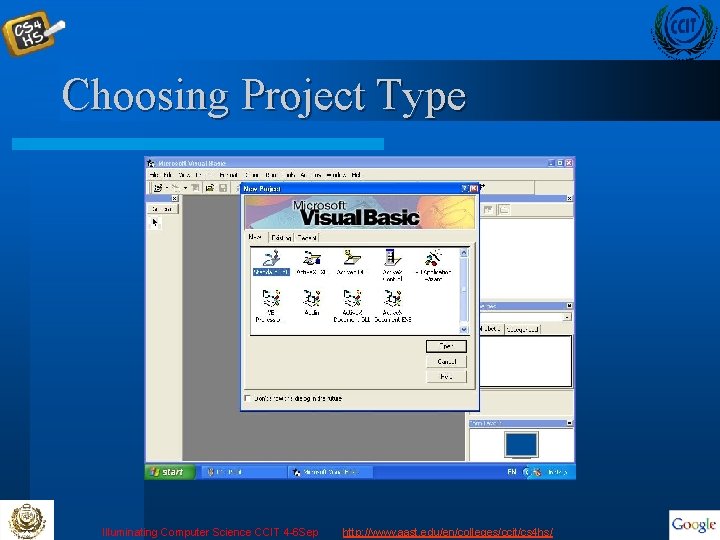
Choosing Project Type Illuminating Computer Science CCIT 4 -6 Sep http: //www. aast. edu/en/colleges/ccit/cs 4 hs/
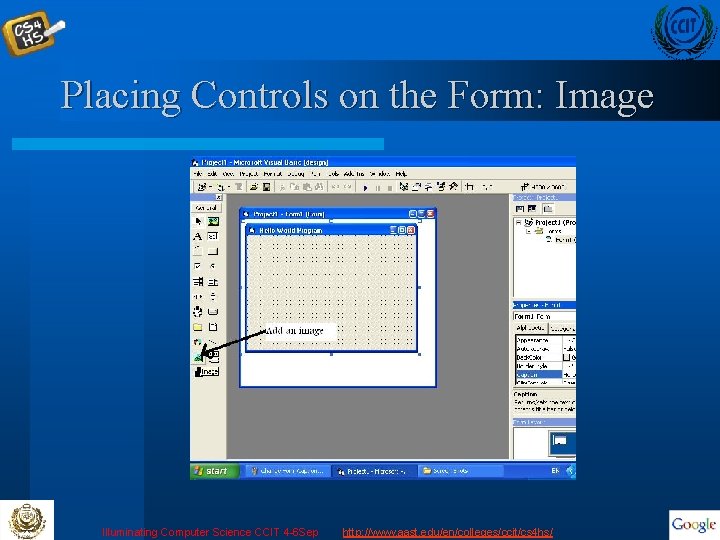
Placing Controls on the Form: Image Illuminating Computer Science CCIT 4 -6 Sep http: //www. aast. edu/en/colleges/ccit/cs 4 hs/
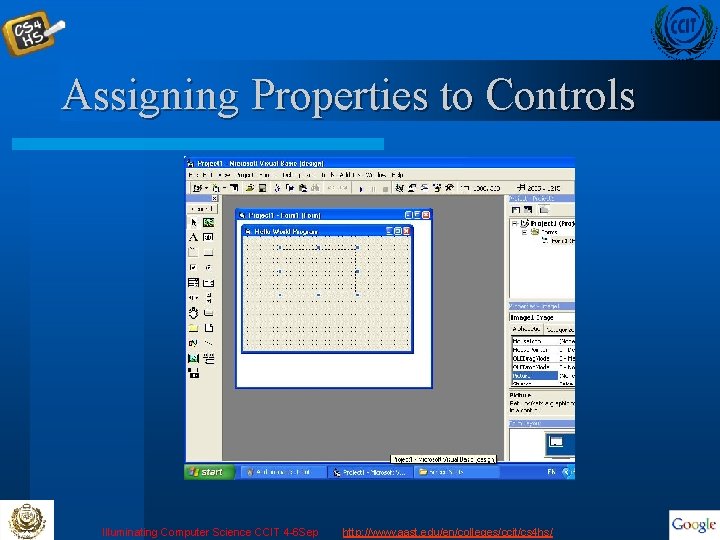
Assigning Properties to Controls Illuminating Computer Science CCIT 4 -6 Sep http: //www. aast. edu/en/colleges/ccit/cs 4 hs/
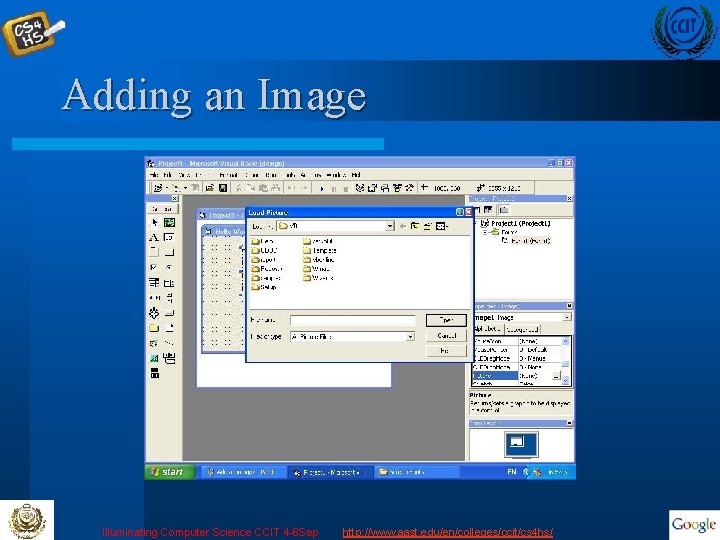
Adding an Image Illuminating Computer Science CCIT 4 -6 Sep http: //www. aast. edu/en/colleges/ccit/cs 4 hs/
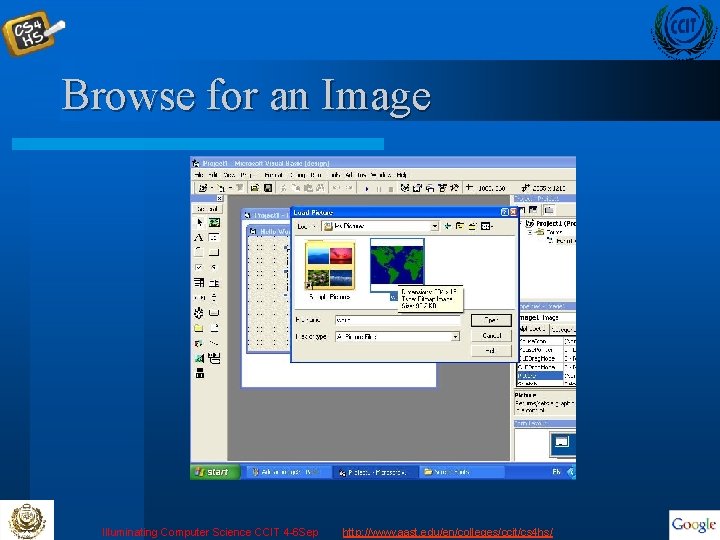
Browse for an Image Illuminating Computer Science CCIT 4 -6 Sep http: //www. aast. edu/en/colleges/ccit/cs 4 hs/
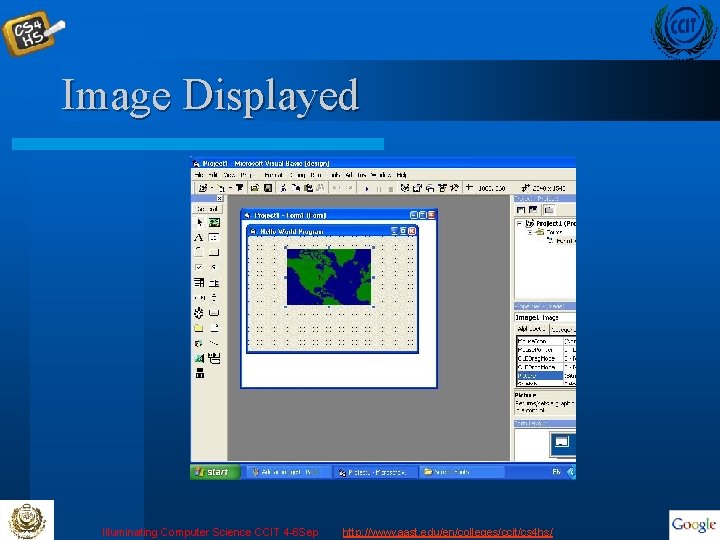
Image Displayed Illuminating Computer Science CCIT 4 -6 Sep http: //www. aast. edu/en/colleges/ccit/cs 4 hs/
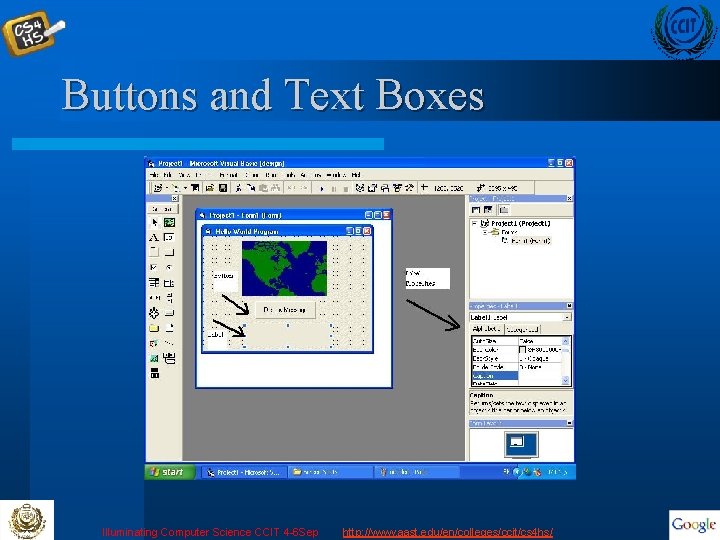
Buttons and Text Boxes Illuminating Computer Science CCIT 4 -6 Sep http: //www. aast. edu/en/colleges/ccit/cs 4 hs/
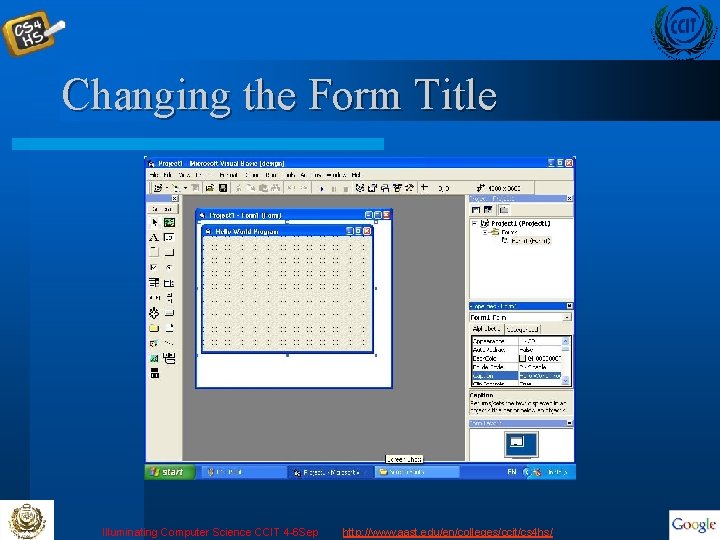
Changing the Form Title Illuminating Computer Science CCIT 4 -6 Sep http: //www. aast. edu/en/colleges/ccit/cs 4 hs/
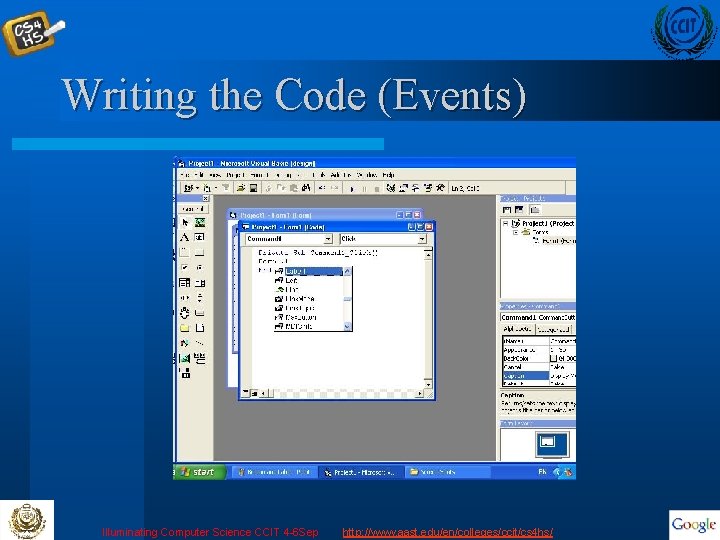
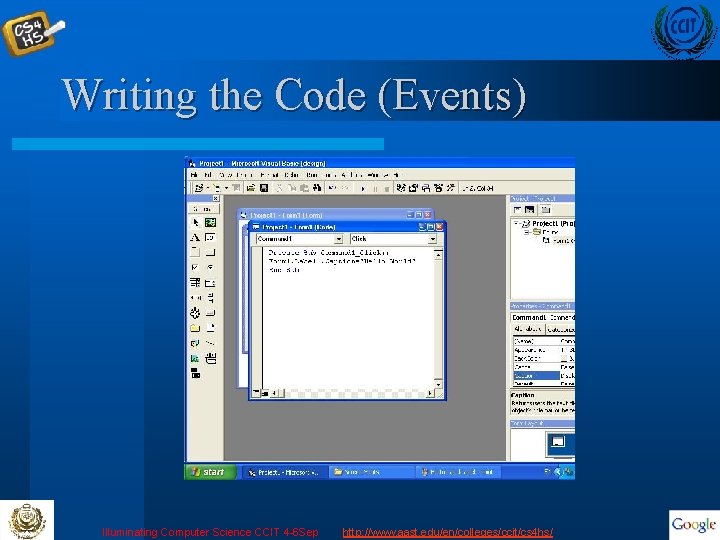
Writing the Code (Events) Illuminating Computer Science CCIT 4 -6 Sep http: //www. aast. edu/en/colleges/ccit/cs 4 hs/
Writing the Code (Events) Illuminating Computer Science CCIT 4 -6 Sep http: //www. aast. edu/en/colleges/ccit/cs 4 hs/
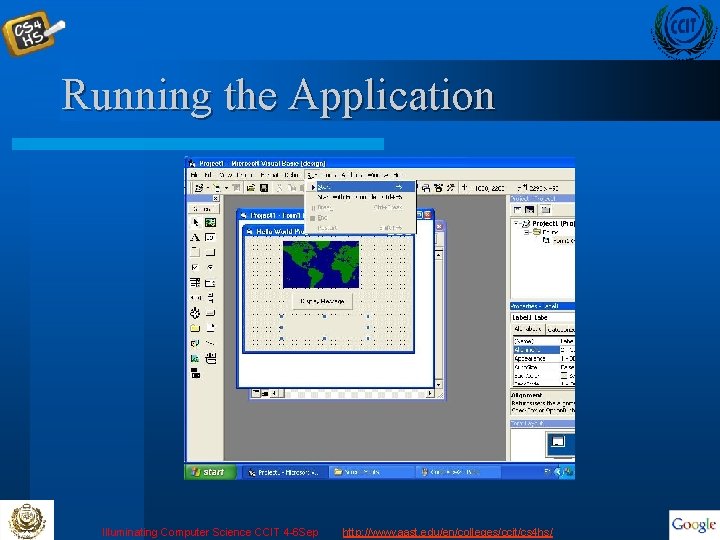
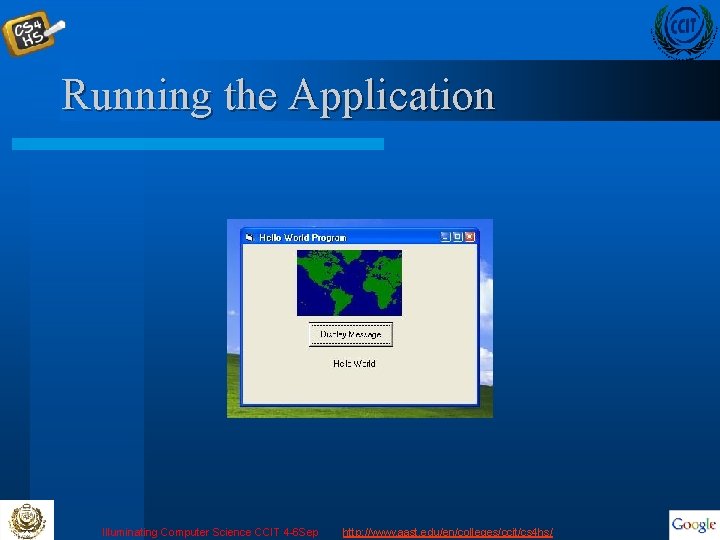
Running the Application Illuminating Computer Science CCIT 4 -6 Sep http: //www. aast. edu/en/colleges/ccit/cs 4 hs/
Running the Application Illuminating Computer Science CCIT 4 -6 Sep http: //www. aast. edu/en/colleges/ccit/cs 4 hs/
More Complex Structures Illuminating Computer Science CCIT 4 -6 Sep http: //www. aast. edu/en/colleges/ccit/cs 4 hs/
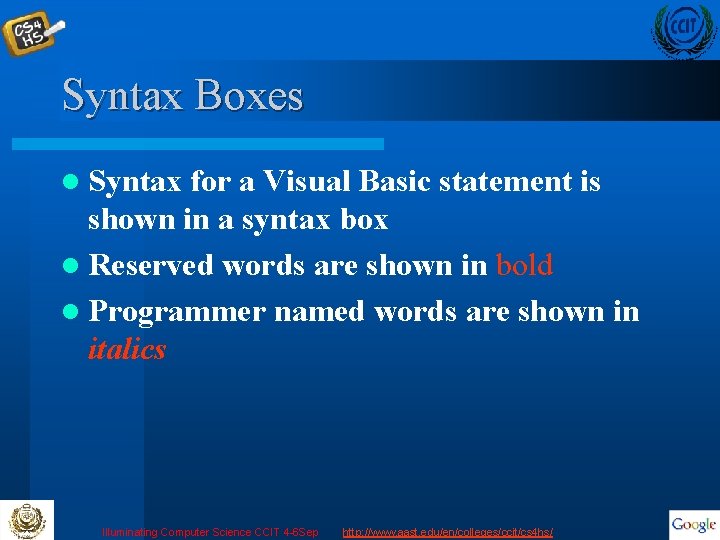
Syntax Boxes l Syntax for a Visual Basic statement is shown in a syntax box l Reserved words are shown in bold l Programmer named words are shown in italics Illuminating Computer Science CCIT 4 -6 Sep http: //www. aast. edu/en/colleges/ccit/cs 4 hs/
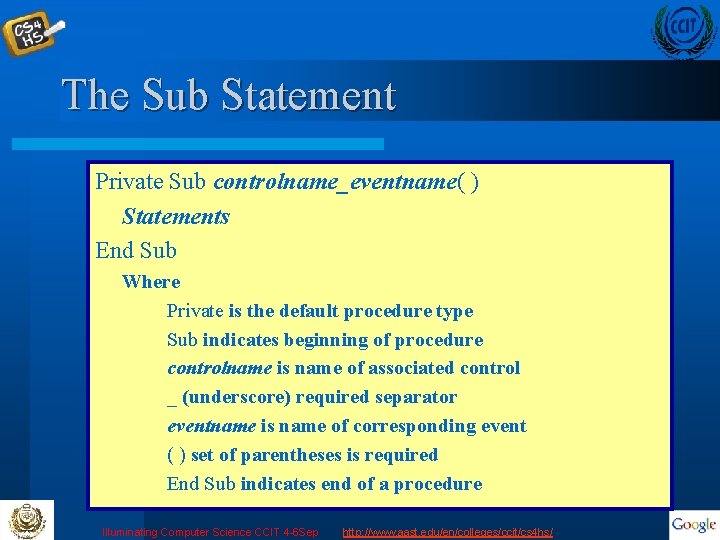
The Sub Statement Private Sub controlname_eventname( ) Statements End Sub Where Private is the default procedure type Sub indicates beginning of procedure controlname is name of associated control _ (underscore) required separator eventname is name of corresponding event ( ) set of parentheses is required End Sub indicates end of a procedure Illuminating Computer Science CCIT 4 -6 Sep http: //www. aast. edu/en/colleges/ccit/cs 4 hs/
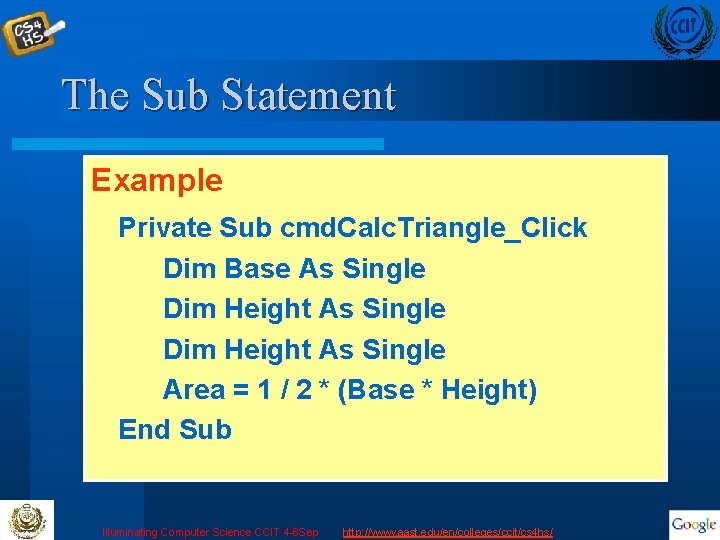
The Sub Statement Example Private Sub cmd. Calc. Triangle_Click Dim Base As Single Dim Height As Single Area = 1 / 2 * (Base * Height) End Sub Illuminating Computer Science CCIT 4 -6 Sep http: //www. aast. edu/en/colleges/ccit/cs 4 hs/
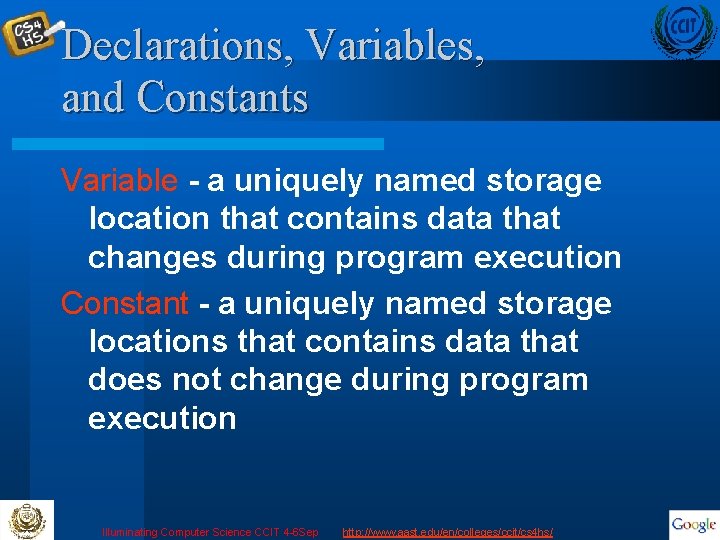
Declarations, Variables, and Constants Variable - a uniquely named storage location that contains data that changes during program execution Constant - a uniquely named storage locations that contains data that does not change during program execution Illuminating Computer Science CCIT 4 -6 Sep http: //www. aast. edu/en/colleges/ccit/cs 4 hs/
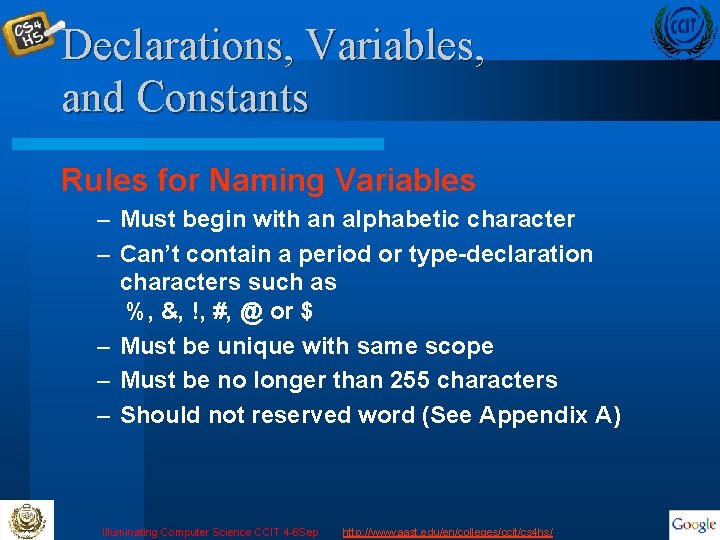
Declarations, Variables, and Constants Rules for Naming Variables – Must begin with an alphabetic character – Can’t contain a period or type-declaration characters such as %, &, !, #, @ or $ – Must be unique with same scope – Must be no longer than 255 characters – Should not reserved word (See Appendix A) Illuminating Computer Science CCIT 4 -6 Sep http: //www. aast. edu/en/colleges/ccit/cs 4 hs/
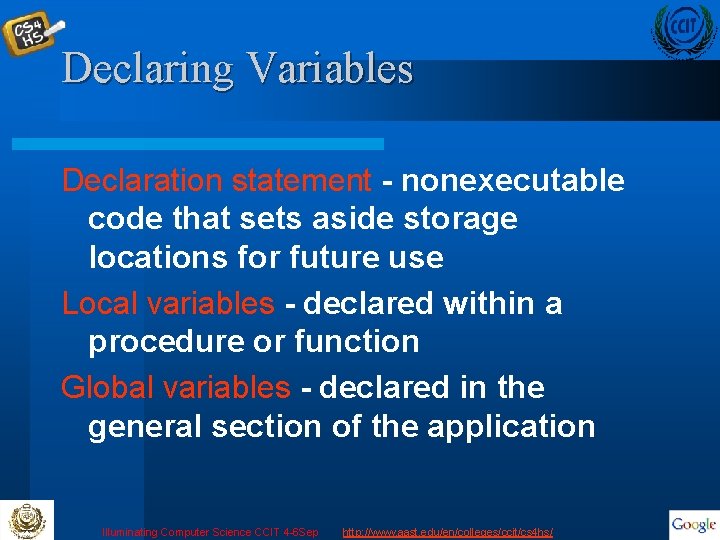
Declaring Variables Declaration statement - nonexecutable code that sets aside storage locations for future use Local variables - declared within a procedure or function Global variables - declared in the general section of the application Illuminating Computer Science CCIT 4 -6 Sep http: //www. aast. edu/en/colleges/ccit/cs 4 hs/
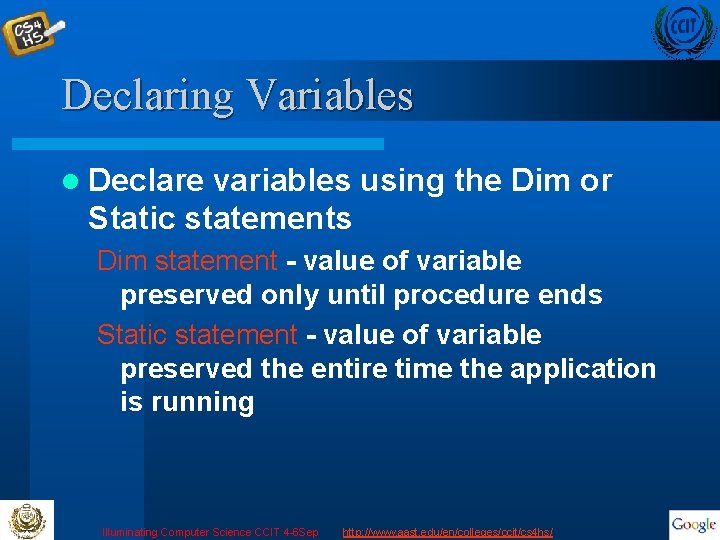
Declaring Variables l Declare variables using the Dim or Static statements Dim statement - value of variable preserved only until procedure ends Static statement - value of variable preserved the entire time the application is running Illuminating Computer Science CCIT 4 -6 Sep http: //www. aast. edu/en/colleges/ccit/cs 4 hs/
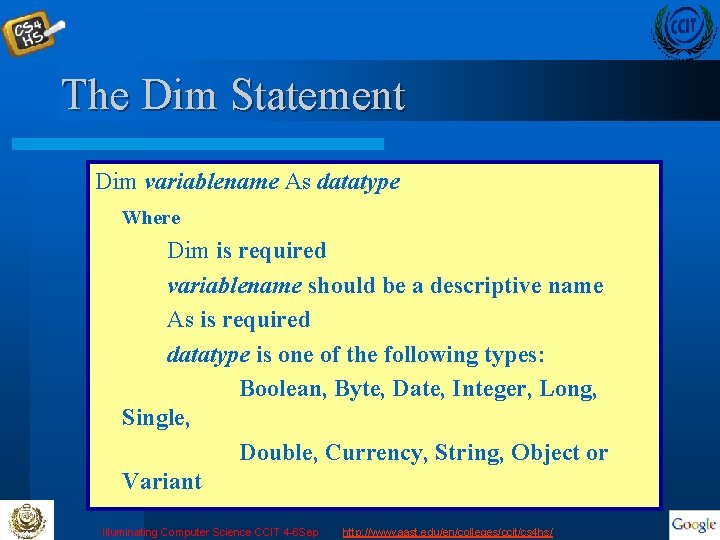
The Dim Statement Dim variablename As datatype Where Dim is required variablename should be a descriptive name As is required datatype is one of the following types: Boolean, Byte, Date, Integer, Long, Single, Double, Currency, String, Object or Variant Illuminating Computer Science CCIT 4 -6 Sep http: //www. aast. edu/en/colleges/ccit/cs 4 hs/
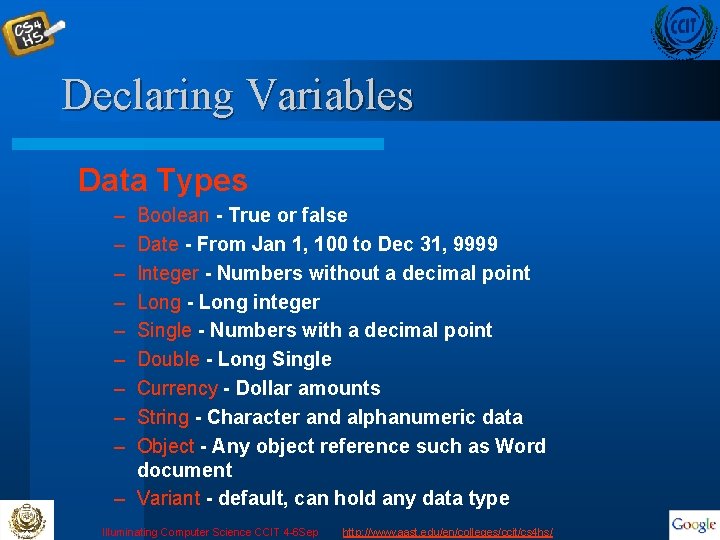
Declaring Variables Data Types – – – – – Boolean - True or false Date - From Jan 1, 100 to Dec 31, 9999 Integer - Numbers without a decimal point Long - Long integer Single - Numbers with a decimal point Double - Long Single Currency - Dollar amounts String - Character and alphanumeric data Object - Any object reference such as Word document – Variant - default, can hold any data type Illuminating Computer Science CCIT 4 -6 Sep http: //www. aast. edu/en/colleges/ccit/cs 4 hs/
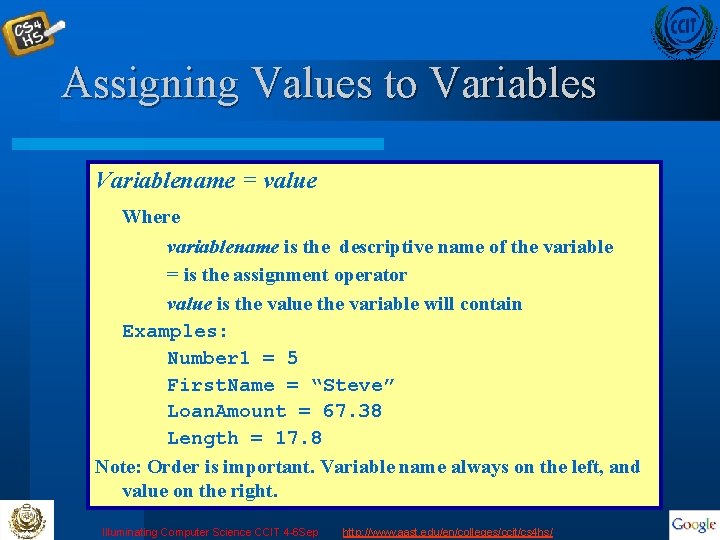
Assigning Values to Variables Variablename = value Where variablename is the descriptive name of the variable = is the assignment operator value is the value the variable will contain Examples: Number 1 = 5 First. Name = “Steve” Loan. Amount = 67. 38 Length = 17. 8 Note: Order is important. Variable name always on the left, and value on the right. Illuminating Computer Science CCIT 4 -6 Sep http: //www. aast. edu/en/colleges/ccit/cs 4 hs/
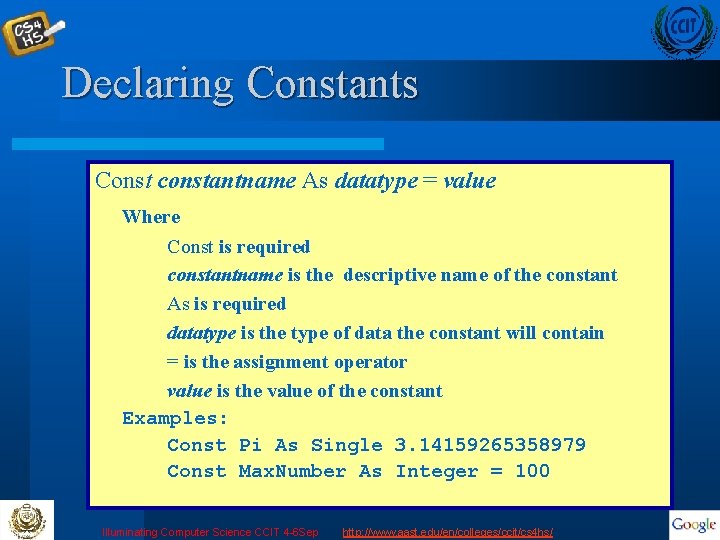
Declaring Constants Const constantname As datatype = value Where Const is required constantname is the descriptive name of the constant As is required datatype is the type of data the constant will contain = is the assignment operator value is the value of the constant Examples: Const Pi As Single 3. 14159265358979 Const Max. Number As Integer = 100 Illuminating Computer Science CCIT 4 -6 Sep http: //www. aast. edu/en/colleges/ccit/cs 4 hs/
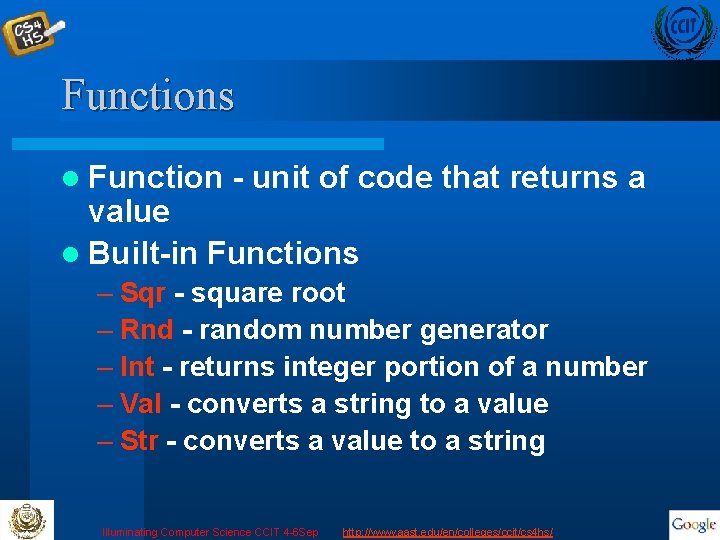
Functions l Function - unit of code that returns a value l Built-in Functions – Sqr - square root – Rnd - random number generator – Int - returns integer portion of a number – Val - converts a string to a value – Str - converts a value to a string Illuminating Computer Science CCIT 4 -6 Sep http: //www. aast. edu/en/colleges/ccit/cs 4 hs/
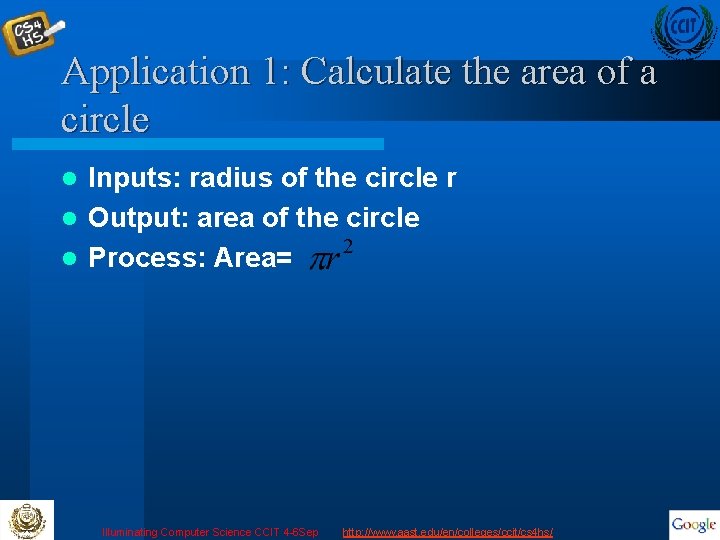
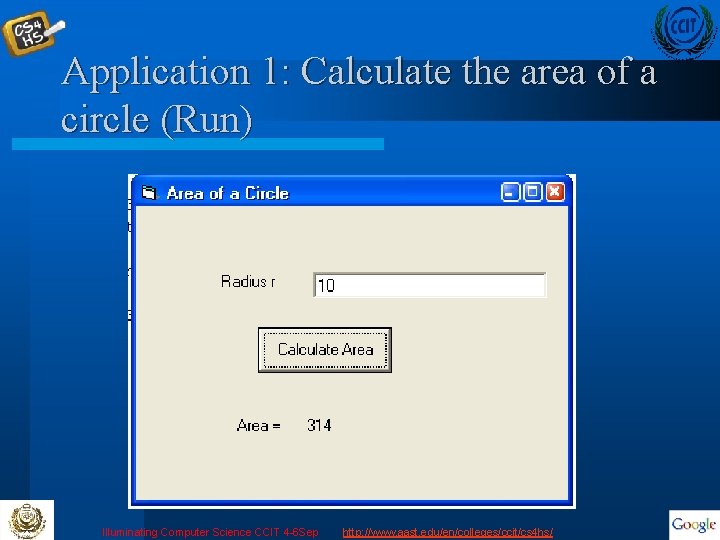
Application 1: Calculate the area of a circle Inputs: radius of the circle r l Output: area of the circle l Process: Area= l Illuminating Computer Science CCIT 4 -6 Sep http: //www. aast. edu/en/colleges/ccit/cs 4 hs/
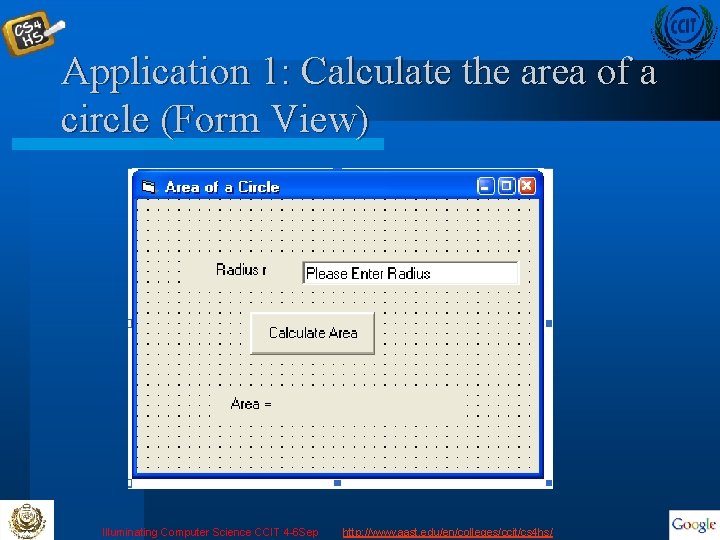
Application 1: Calculate the area of a circle (Form View) Illuminating Computer Science CCIT 4 -6 Sep http: //www. aast. edu/en/colleges/ccit/cs 4 hs/
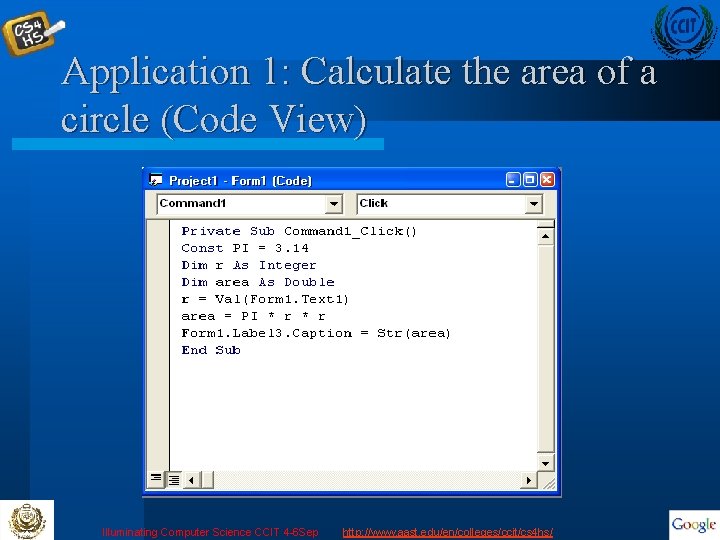
Application 1: Calculate the area of a circle (Code View) Illuminating Computer Science CCIT 4 -6 Sep http: //www. aast. edu/en/colleges/ccit/cs 4 hs/
Application 1: Calculate the area of a circle (Run) Illuminating Computer Science CCIT 4 -6 Sep http: //www. aast. edu/en/colleges/ccit/cs 4 hs/
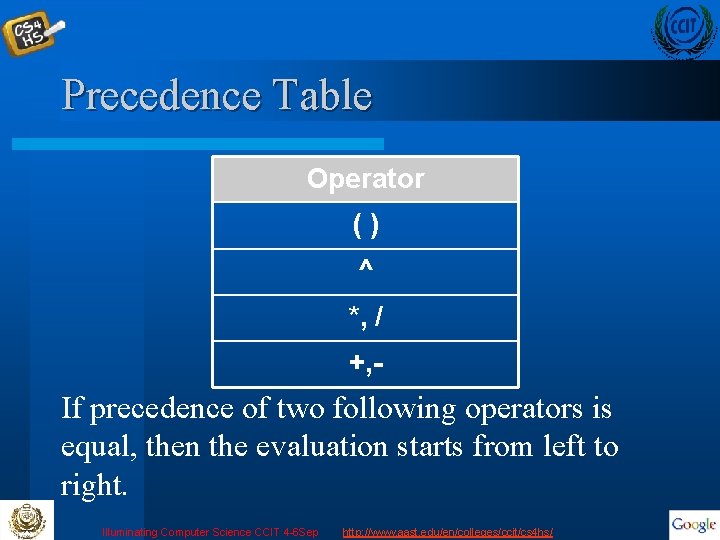
Precedence Table Operator () ^ *, / +, - If precedence of two following operators is equal, then the evaluation starts from left to right. Illuminating Computer Science CCIT 4 -6 Sep http: //www. aast. edu/en/colleges/ccit/cs 4 hs/
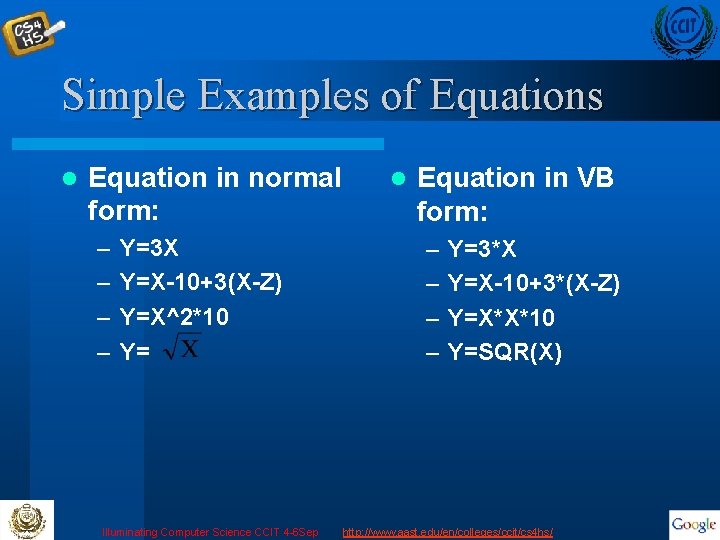
Simple Examples of Equations l Equation in normal form: – – Y=3 X Y=X-10+3(X-Z) Y=X^2*10 Y= Illuminating Computer Science CCIT 4 -6 Sep l Equation in VB form: – – Y=3*X Y=X-10+3*(X-Z) Y=X*X*10 Y=SQR(X) http: //www. aast. edu/en/colleges/ccit/cs 4 hs/
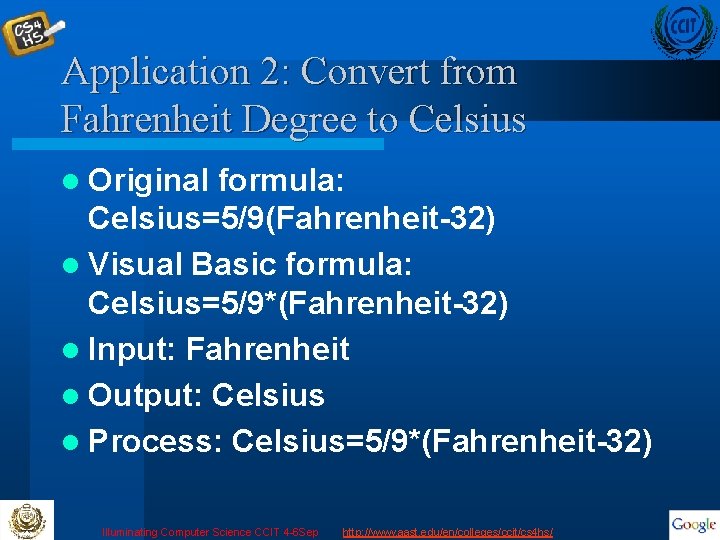
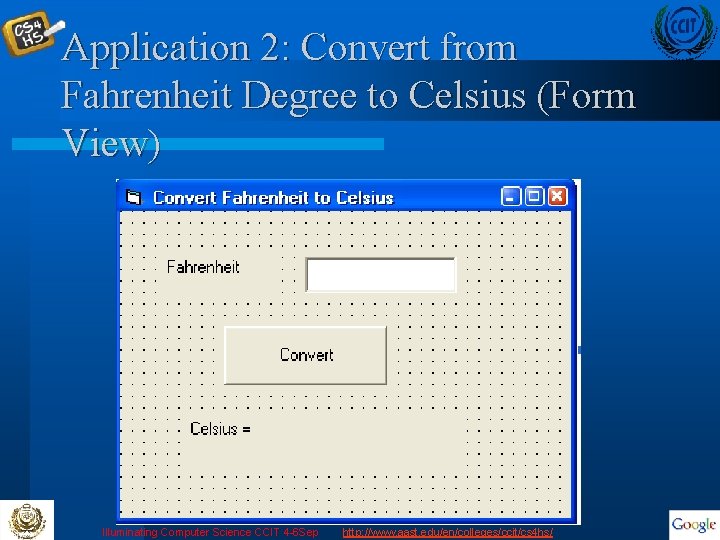
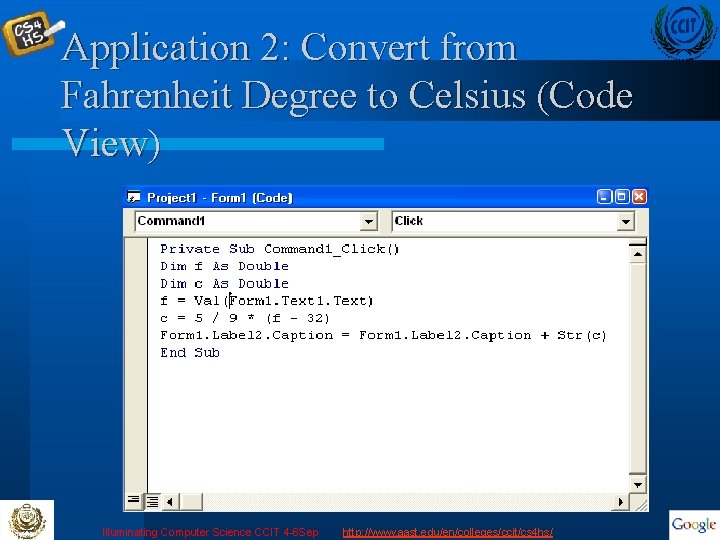
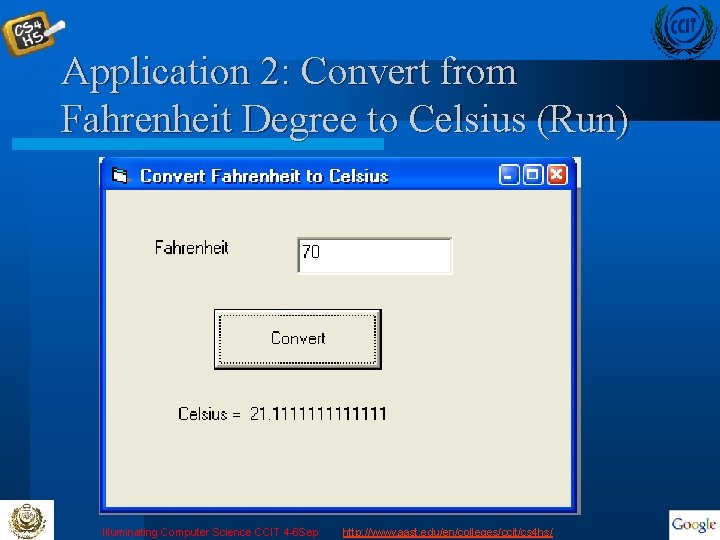
Application 2: Convert from Fahrenheit Degree to Celsius l Original formula: Celsius=5/9(Fahrenheit-32) l Visual Basic formula: Celsius=5/9*(Fahrenheit-32) l Input: Fahrenheit l Output: Celsius l Process: Celsius=5/9*(Fahrenheit-32) Illuminating Computer Science CCIT 4 -6 Sep http: //www. aast. edu/en/colleges/ccit/cs 4 hs/
Application 2: Convert from Fahrenheit Degree to Celsius (Form View) Illuminating Computer Science CCIT 4 -6 Sep http: //www. aast. edu/en/colleges/ccit/cs 4 hs/
Application 2: Convert from Fahrenheit Degree to Celsius (Code View) Illuminating Computer Science CCIT 4 -6 Sep http: //www. aast. edu/en/colleges/ccit/cs 4 hs/
Application 2: Convert from Fahrenheit Degree to Celsius (Run) Illuminating Computer Science CCIT 4 -6 Sep http: //www. aast. edu/en/colleges/ccit/cs 4 hs/
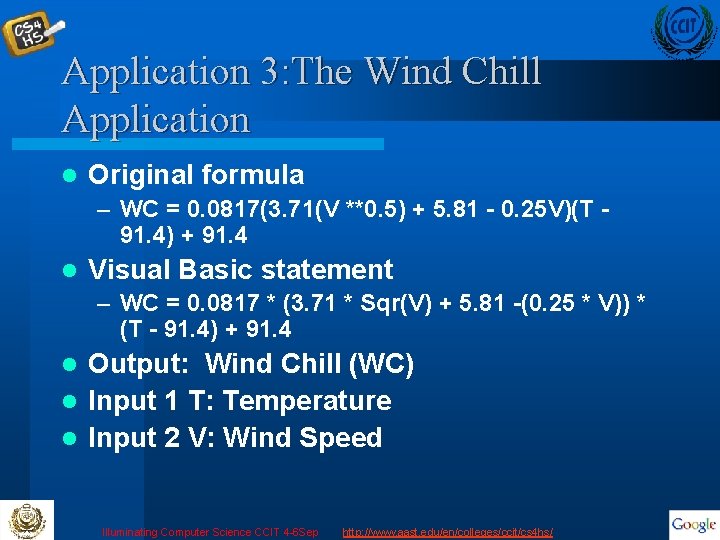
Application 3: The Wind Chill Application l Write a program that calculates the wind chill temperature l Inputs: Wind Speed and Temperature l Outputs: Wind Chill Temperature Illuminating Computer Science CCIT 4 -6 Sep http: //www. aast. edu/en/colleges/ccit/cs 4 hs/
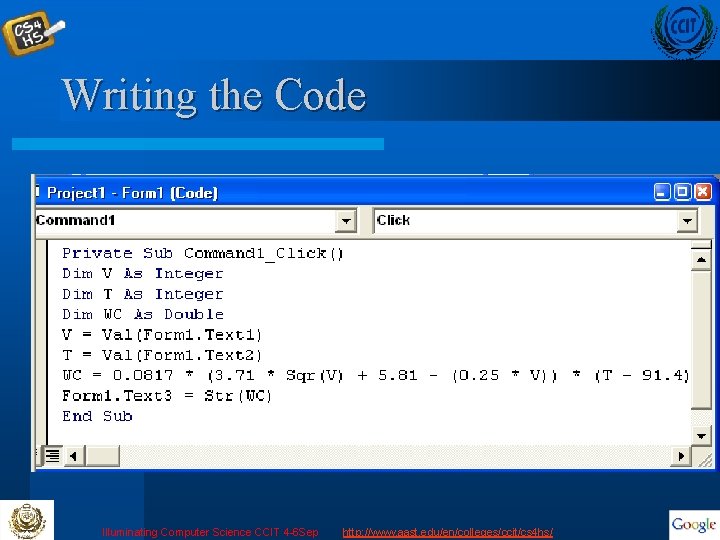
Application 3: The Wind Chill Application l Original formula – WC = 0. 0817(3. 71(V **0. 5) + 5. 81 - 0. 25 V)(T 91. 4) + 91. 4 l Visual Basic statement – WC = 0. 0817 * (3. 71 * Sqr(V) + 5. 81 -(0. 25 * V)) * (T - 91. 4) + 91. 4 Output: Wind Chill (WC) l Input 1 T: Temperature l Input 2 V: Wind Speed l Illuminating Computer Science CCIT 4 -6 Sep http: //www. aast. edu/en/colleges/ccit/cs 4 hs/
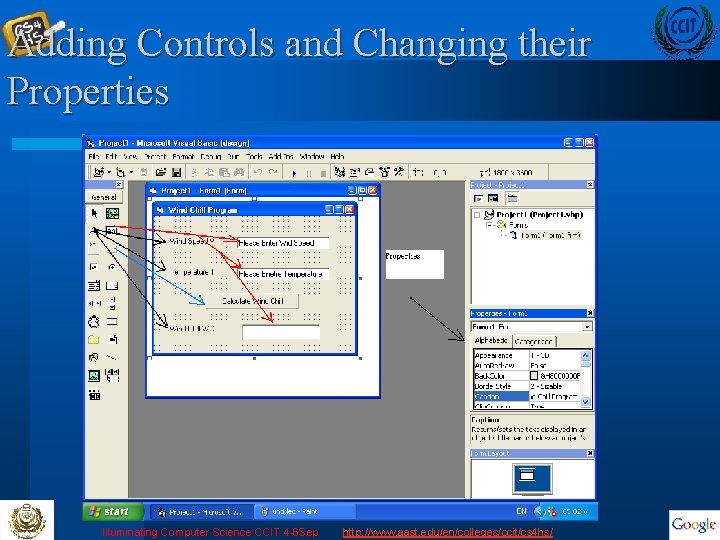
Adding Controls and Changing their Properties Illuminating Computer Science CCIT 4 -6 Sep http: //www. aast. edu/en/colleges/ccit/cs 4 hs/
Writing the Code Illuminating Computer Science CCIT 4 -6 Sep http: //www. aast. edu/en/colleges/ccit/cs 4 hs/
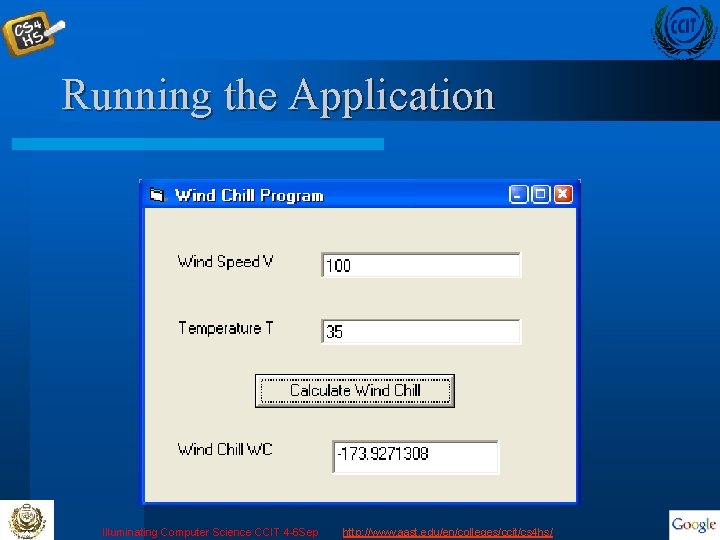
Running the Application Illuminating Computer Science CCIT 4 -6 Sep http: //www. aast. edu/en/colleges/ccit/cs 4 hs/
Control Structures Illuminating Computer Science CCIT 4 -6 Sep http: //www. aast. edu/en/colleges/ccit/cs 4 hs/
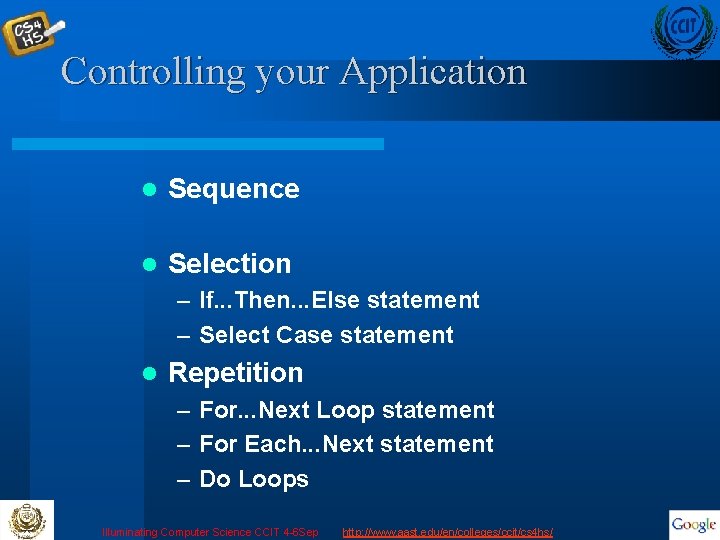
Controlling your Application l Sequence l Selection – If. . . Then. . . Else statement – Select Case statement l Repetition – For. . . Next Loop statement – For Each. . . Next statement – Do Loops Illuminating Computer Science CCIT 4 -6 Sep http: //www. aast. edu/en/colleges/ccit/cs 4 hs/
Selection If. . Then. . Else If (condition) Then (statement[s]) [Else. If (condition) Then (statement[s])] [Else (statement[s])] Illuminating Computer Science CCIT 4 -6 Sep http: //www. aast. edu/en/colleges/ccit/cs 4 hs/
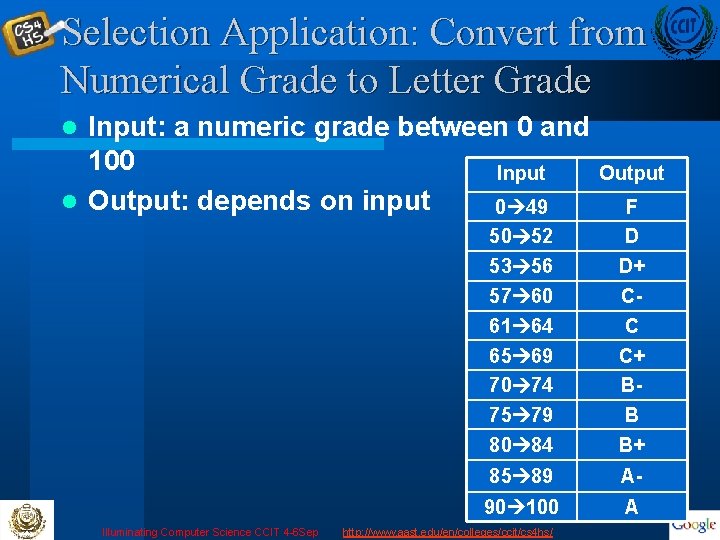
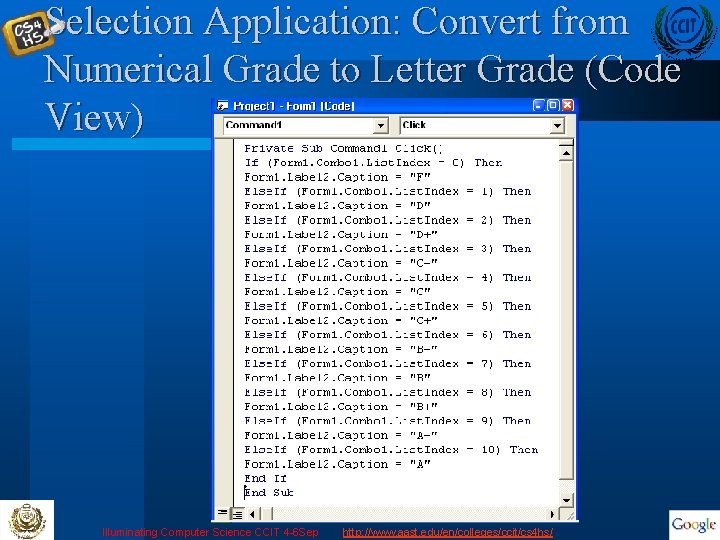
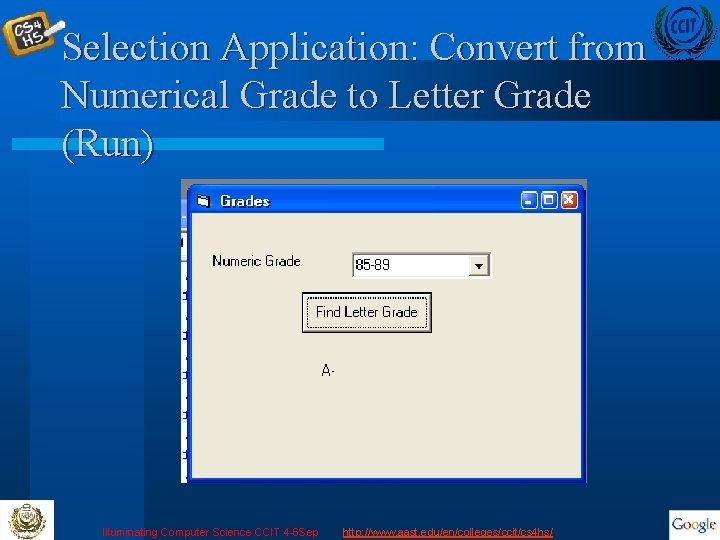
Selection Application: Convert from Numerical Grade to Letter Grade Input: a numeric grade between 0 and 100 Input l Output: depends on input 0 49 l Illuminating Computer Science CCIT 4 -6 Sep Output 50 52 53 56 57 60 F D D+ C- 61 64 65 69 70 74 75 79 80 84 C C+ BB B+ 85 89 A- 90 100 A http: //www. aast. edu/en/colleges/ccit/cs 4 hs/
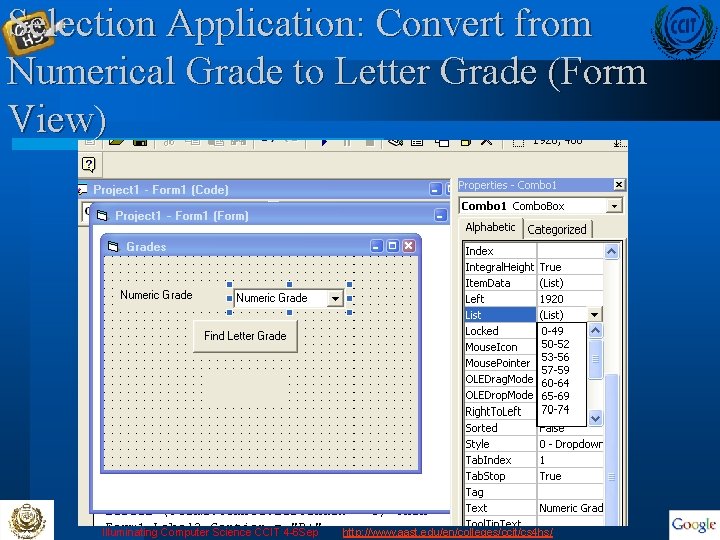
Selection Application: Convert from Numerical Grade to Letter Grade (Form View) Illuminating Computer Science CCIT 4 -6 Sep http: //www. aast. edu/en/colleges/ccit/cs 4 hs/
Selection Application: Convert from Numerical Grade to Letter Grade (Code View) Illuminating Computer Science CCIT 4 -6 Sep http: //www. aast. edu/en/colleges/ccit/cs 4 hs/
Selection Application: Convert from Numerical Grade to Letter Grade (Run) Illuminating Computer Science CCIT 4 -6 Sep http: //www. aast. edu/en/colleges/ccit/cs 4 hs/
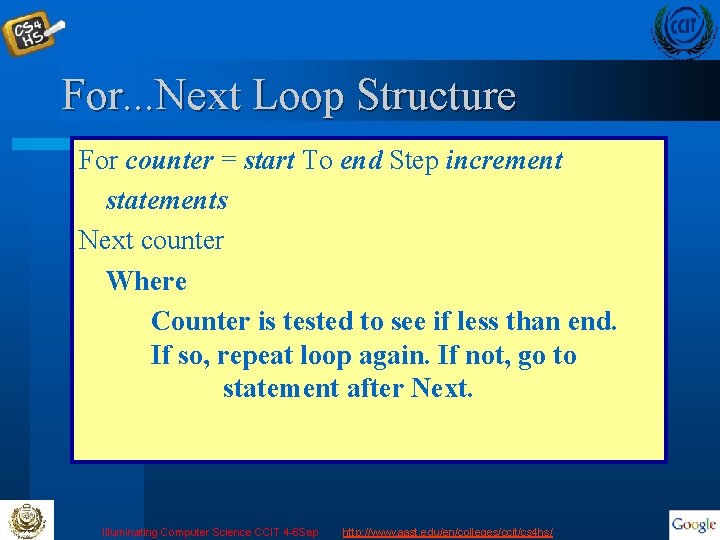
For. . . Next Loop Structure For counter = start To end Step increment statements Next counter Where Counter is tested to see if less than end. If so, repeat loop again. If not, go to statement after Next. Illuminating Computer Science CCIT 4 -6 Sep http: //www. aast. edu/en/colleges/ccit/cs 4 hs/
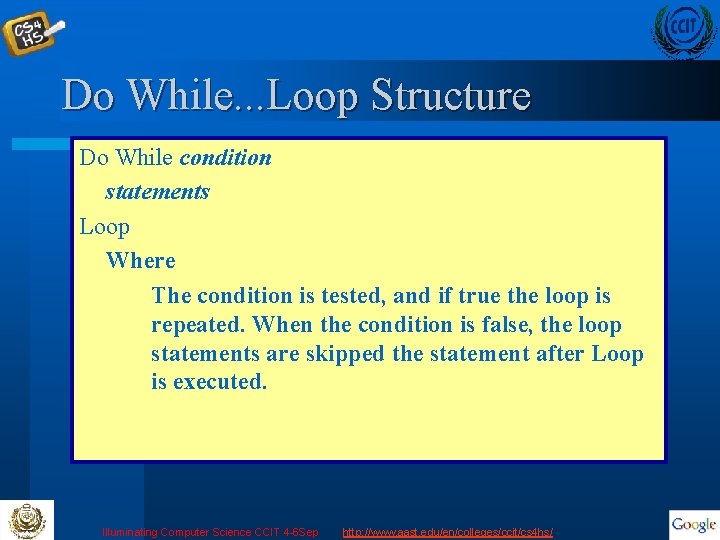
Do While. . . Loop Structure Do While condition statements Loop Where The condition is tested, and if true the loop is repeated. When the condition is false, the loop statements are skipped the statement after Loop is executed. Illuminating Computer Science CCIT 4 -6 Sep http: //www. aast. edu/en/colleges/ccit/cs 4 hs/
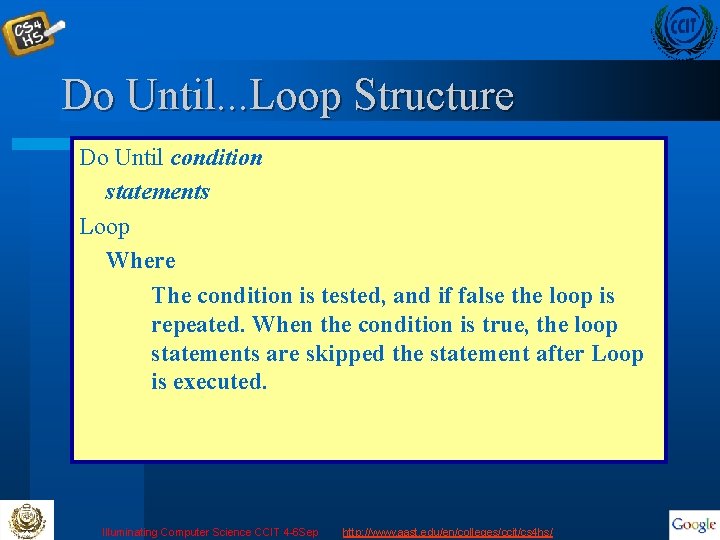
Do Until. . . Loop Structure Do Until condition statements Loop Where The condition is tested, and if false the loop is repeated. When the condition is true, the loop statements are skipped the statement after Loop is executed. Illuminating Computer Science CCIT 4 -6 Sep http: //www. aast. edu/en/colleges/ccit/cs 4 hs/
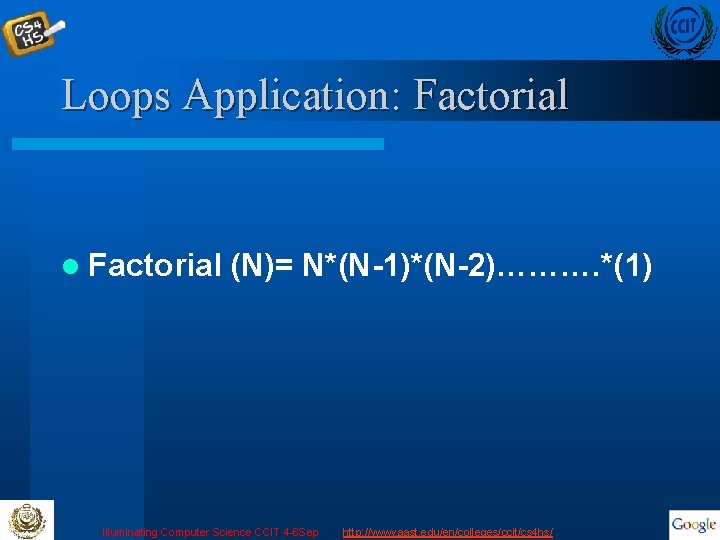
Loops Application: Factorial l Factorial (N)= N*(N-1)*(N-2)………. *(1) Illuminating Computer Science CCIT 4 -6 Sep http: //www. aast. edu/en/colleges/ccit/cs 4 hs/
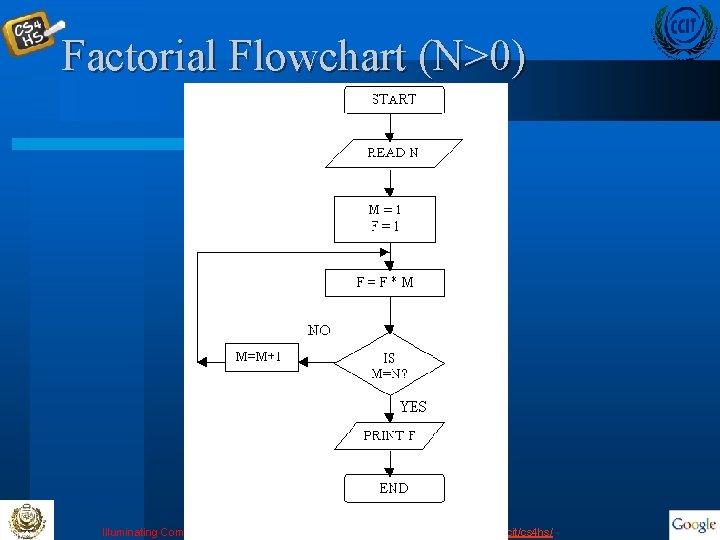
Factorial Flowchart (N>0) Illuminating Computer Science CCIT 4 -6 Sep http: //www. aast. edu/en/colleges/ccit/cs 4 hs/
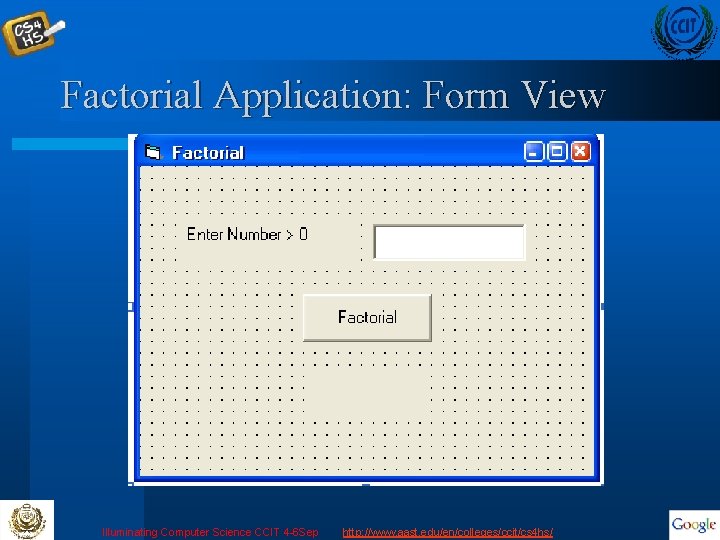
Factorial Application: Form View Illuminating Computer Science CCIT 4 -6 Sep http: //www. aast. edu/en/colleges/ccit/cs 4 hs/
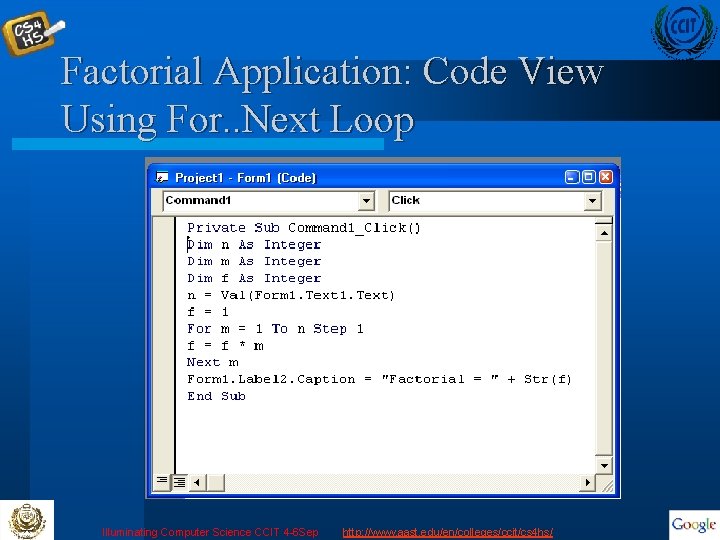
Factorial Application: Code View Using For. . Next Loop Illuminating Computer Science CCIT 4 -6 Sep http: //www. aast. edu/en/colleges/ccit/cs 4 hs/
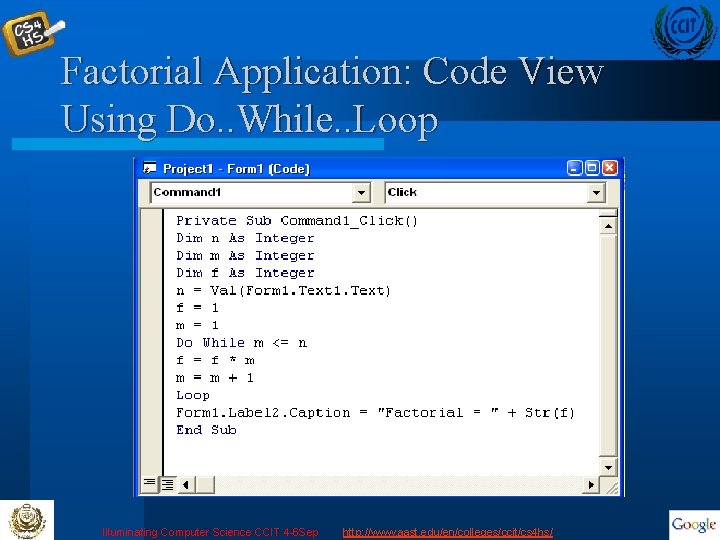
Factorial Application: Code View Using Do. . While. . Loop Illuminating Computer Science CCIT 4 -6 Sep http: //www. aast. edu/en/colleges/ccit/cs 4 hs/
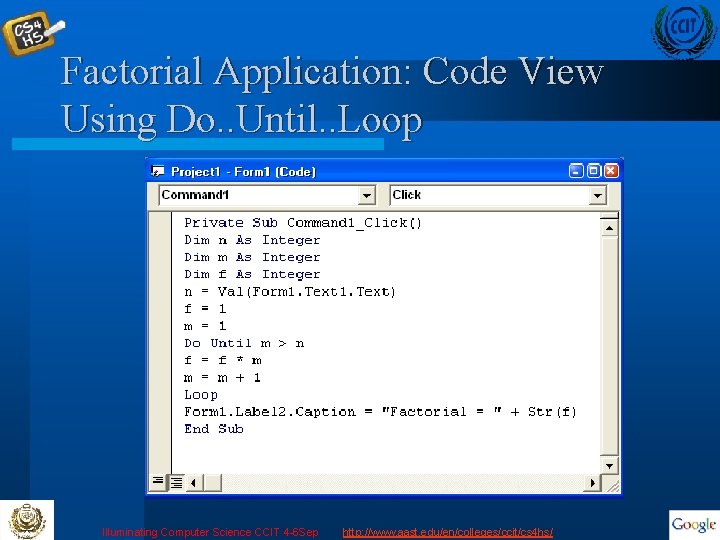
Factorial Application: Code View Using Do. . Until. . Loop Illuminating Computer Science CCIT 4 -6 Sep http: //www. aast. edu/en/colleges/ccit/cs 4 hs/
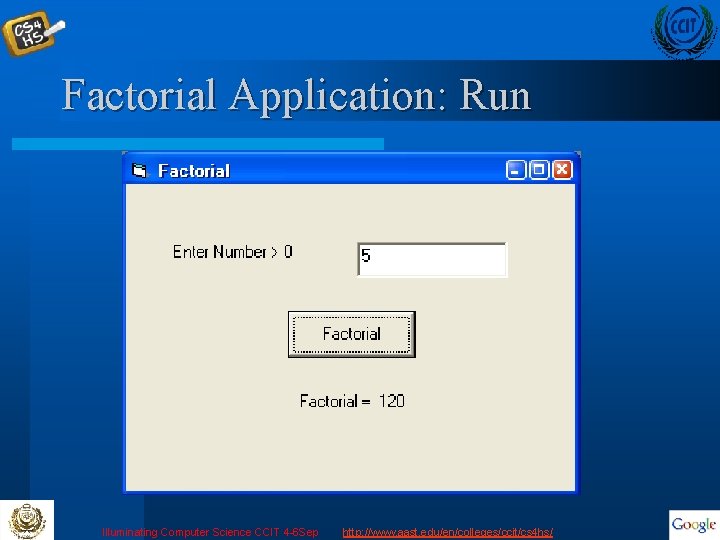
Factorial Application: Run Illuminating Computer Science CCIT 4 -6 Sep http: //www. aast. edu/en/colleges/ccit/cs 4 hs/
Summary l After the completion of this lecture, the audience should be familiar with the visual basic environment and different controls. l The audience should be able to write simple programs and generate simple VB applications. Illuminating Computer Science CCIT 4 -6 Sep http: //www. aast. edu/en/colleges/ccit/cs 4 hs/