
Exemplar candidate work Introduction OCR has produced these
- Slides: 42
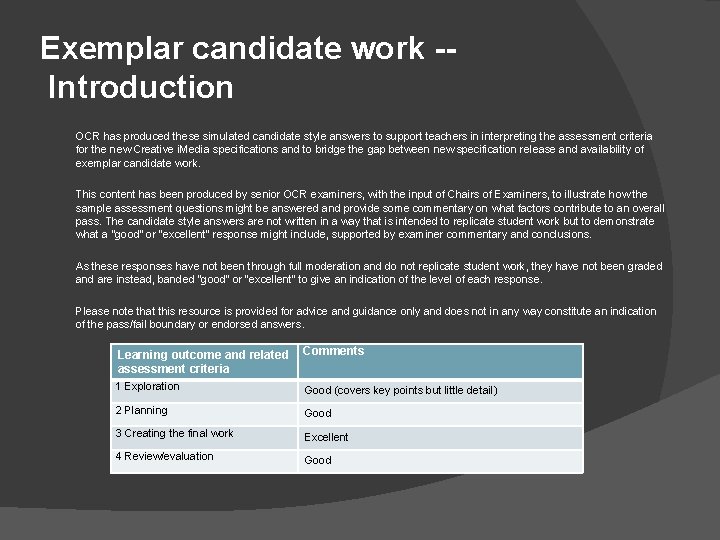
Exemplar candidate work - Introduction OCR has produced these simulated candidate style answers to support teachers in interpreting the assessment criteria for the new Creative i. Media specifications and to bridge the gap between new specification release and availability of exemplar candidate work. This content has been produced by senior OCR examiners, with the input of Chairs of Examiners, to illustrate how the sample assessment questions might be answered and provide some commentary on what factors contribute to an overall pass. The candidate style answers are not written in a way that is intended to replicate student work but to demonstrate what a “good” or “excellent” response might include, supported by examiner commentary and conclusions. As these responses have not been through full moderation and do not replicate student work, they have not been graded and are instead, banded “good” or “excellent” to give an indication of the level of each response. Please note that this resource is provided for advice and guidance only and does not in any way constitute an indication of the pass/fail boundary or endorsed answers. Learning outcome and related Comments assessment criteria 1 Exploration Good (covers key points but little detail) 2 Planning Good 3 Creating the final work Excellent 4 Review/evaluation Good
Digital media skills for asset production UNIT 202
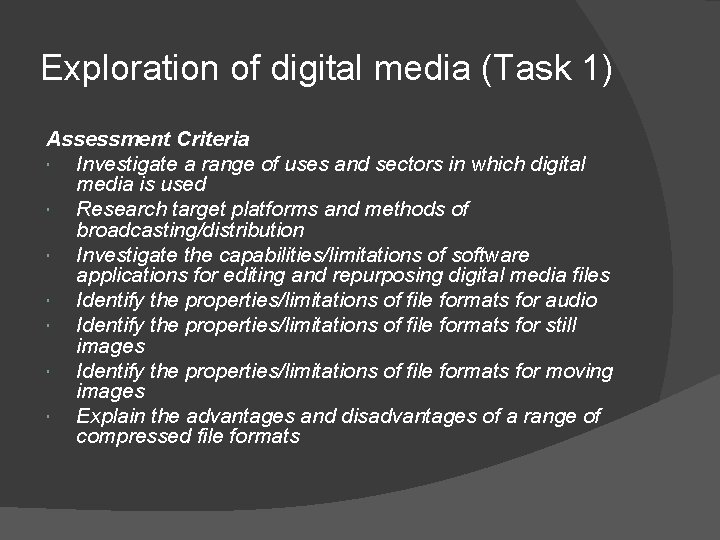
Exploration of digital media (Task 1) Assessment Criteria Investigate a range of uses and sectors in which digital media is used Research target platforms and methods of broadcasting/distribution Investigate the capabilities/limitations of software applications for editing and repurposing digital media files Identify the properties/limitations of file formats for audio Identify the properties/limitations of file formats for still images Identify the properties/limitations of file formats for moving images Explain the advantages and disadvantages of a range of compressed file formats
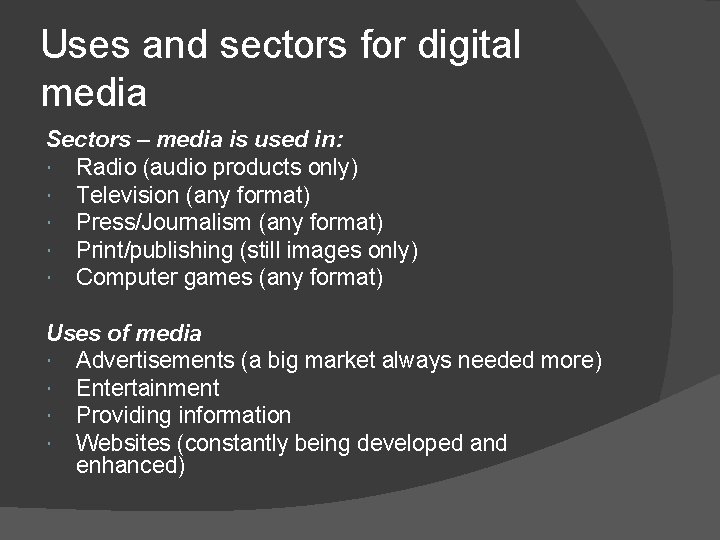
Uses and sectors for digital media Sectors – media is used in: Radio (audio products only) Television (any format) Press/Journalism (any format) Print/publishing (still images only) Computer games (any format) Uses of media Advertisements (a big market always needed more) Entertainment Providing information Websites (constantly being developed and enhanced)
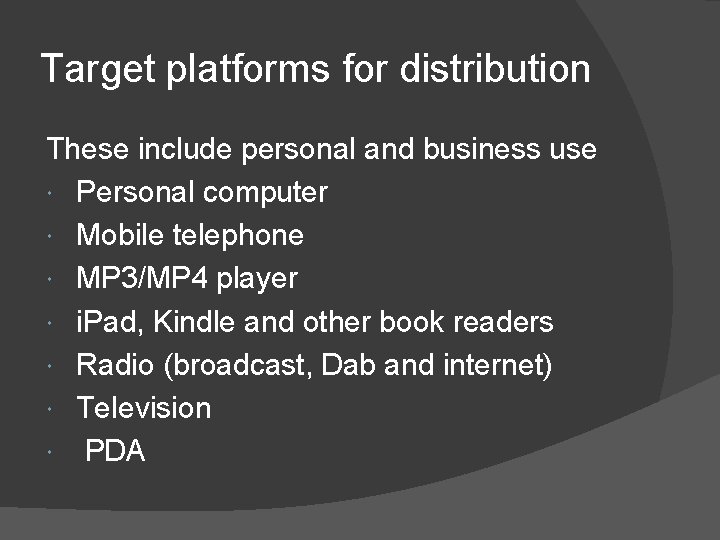
Target platforms for distribution These include personal and business use Personal computer Mobile telephone MP 3/MP 4 player i. Pad, Kindle and other book readers Radio (broadcast, Dab and internet) Television PDA
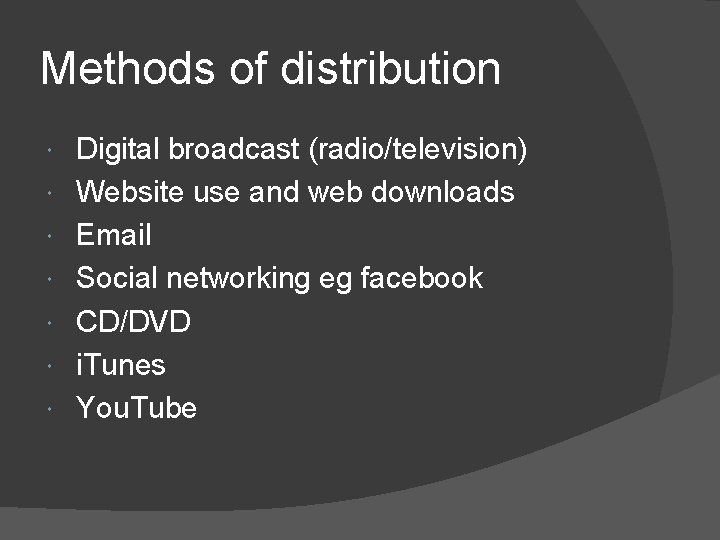
Methods of distribution Digital broadcast (radio/television) Website use and web downloads Email Social networking eg facebook CD/DVD i. Tunes You. Tube
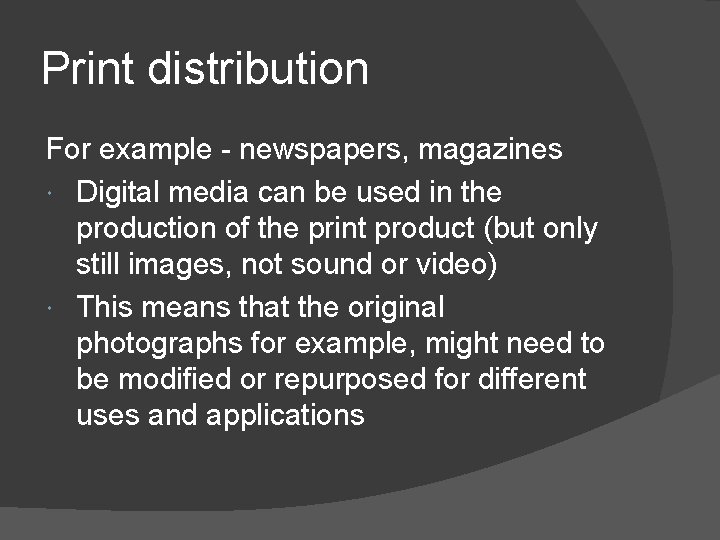
Print distribution For example - newspapers, magazines Digital media can be used in the production of the print product (but only still images, not sound or video) This means that the original photographs for example, might need to be modified or repurposed for different uses and applications
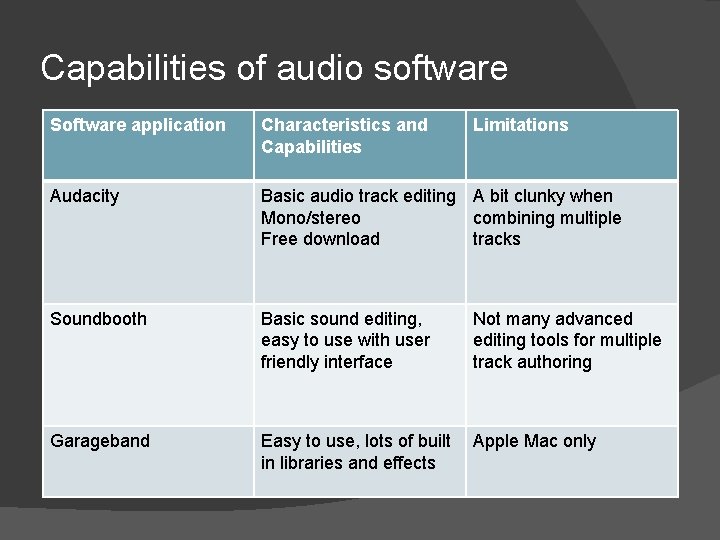
Capabilities of audio software Software application Characteristics and Capabilities Limitations Audacity Basic audio track editing A bit clunky when Mono/stereo combining multiple Free download tracks Soundbooth Basic sound editing, easy to use with user friendly interface Garageband Easy to use, lots of built Apple Mac only in libraries and effects Not many advanced editing tools for multiple track authoring
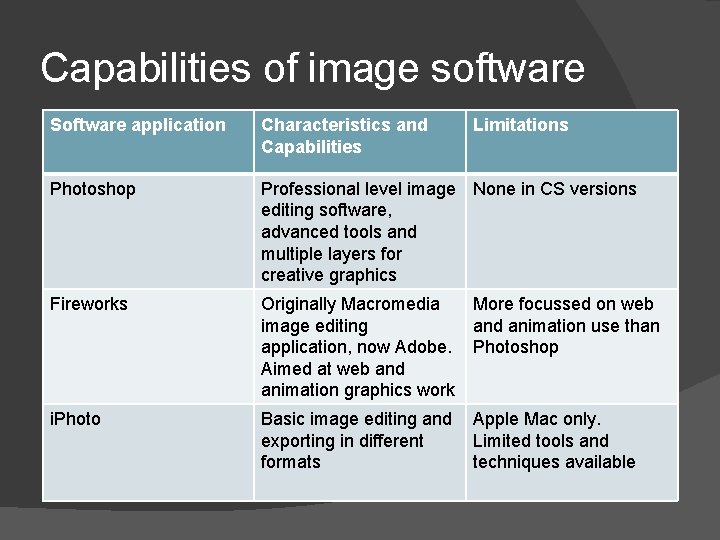
Capabilities of image software Software application Characteristics and Capabilities Limitations Photoshop Professional level image None in CS versions editing software, advanced tools and multiple layers for creative graphics Fireworks Originally Macromedia More focussed on web image editing and animation use than application, now Adobe. Photoshop Aimed at web and animation graphics work i. Photo Basic image editing and Apple Mac only. exporting in different Limited tools and formats techniques available
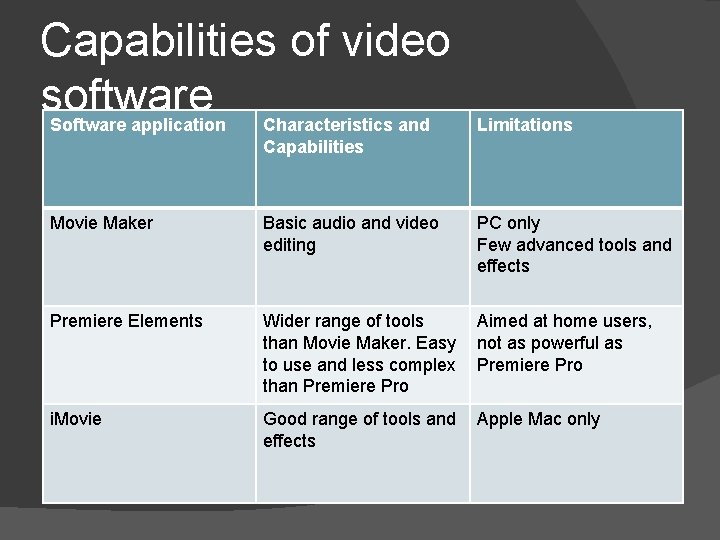
Capabilities of video software Software application Characteristics and Capabilities Limitations Movie Maker Basic audio and video editing PC only Few advanced tools and effects Premiere Elements Wider range of tools Aimed at home users, than Movie Maker. Easy not as powerful as to use and less complex Premiere Pro than Premiere Pro i. Movie Good range of tools and Apple Mac only effects
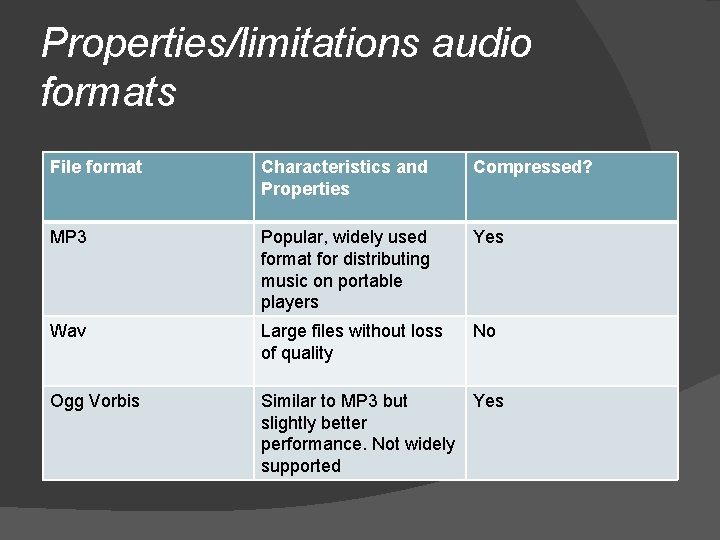
Properties/limitations audio formats File format Characteristics and Properties Compressed? MP 3 Popular, widely used format for distributing music on portable players Yes Wav Large files without loss of quality No Ogg Vorbis Similar to MP 3 but Yes slightly better performance. Not widely supported
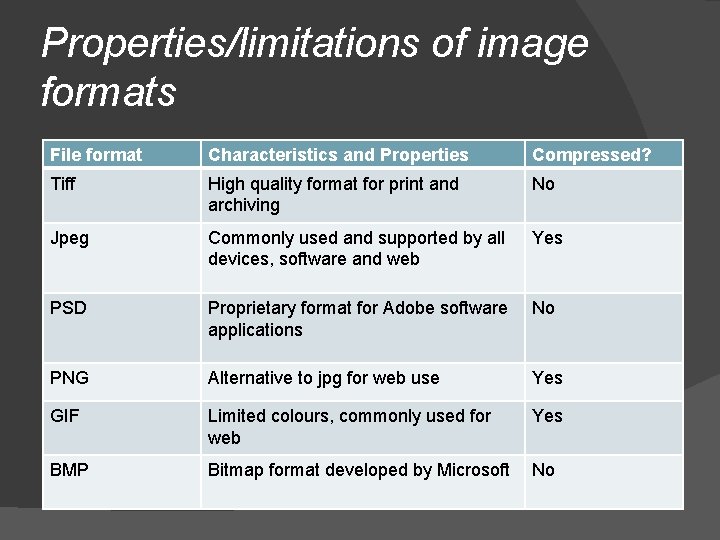
Properties/limitations of image formats File format Characteristics and Properties Compressed? Tiff High quality format for print and archiving No Jpeg Commonly used and supported by all devices, software and web Yes PSD Proprietary format for Adobe software applications No PNG Alternative to jpg for web use Yes GIF Limited colours, commonly used for web Yes BMP Bitmap format developed by Microsoft No
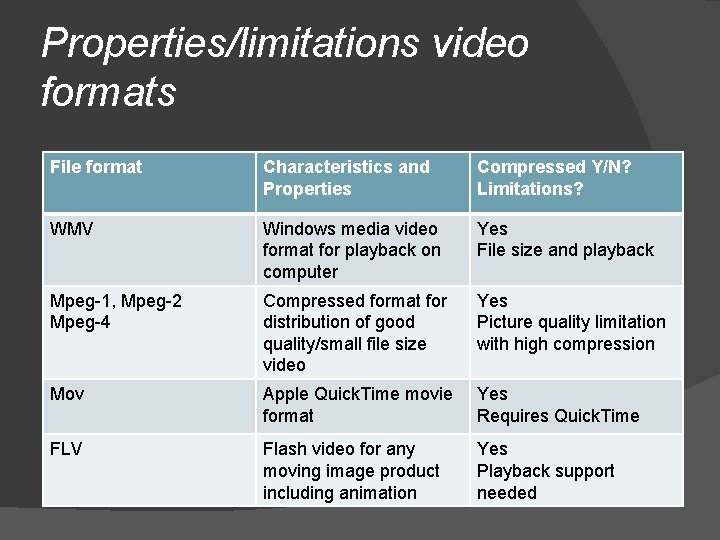
Properties/limitations video formats File format Characteristics and Properties Compressed Y/N? Limitations? WMV Windows media video format for playback on computer Yes File size and playback Mpeg-1, Mpeg-2 Mpeg-4 Compressed format for distribution of good quality/small file size video Yes Picture quality limitation with high compression Mov Apple Quick. Time movie format Yes Requires Quick. Time FLV Flash video for any moving image product including animation Yes Playback support needed
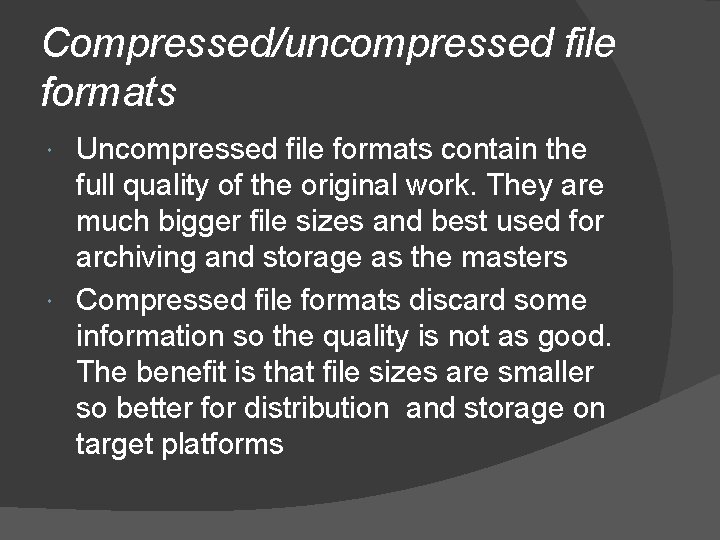
Compressed/uncompressed file formats Uncompressed file formats contain the full quality of the original work. They are much bigger file sizes and best used for archiving and storage as the masters Compressed file formats discard some information so the quality is not as good. The benefit is that file sizes are smaller so better for distribution and storage on target platforms
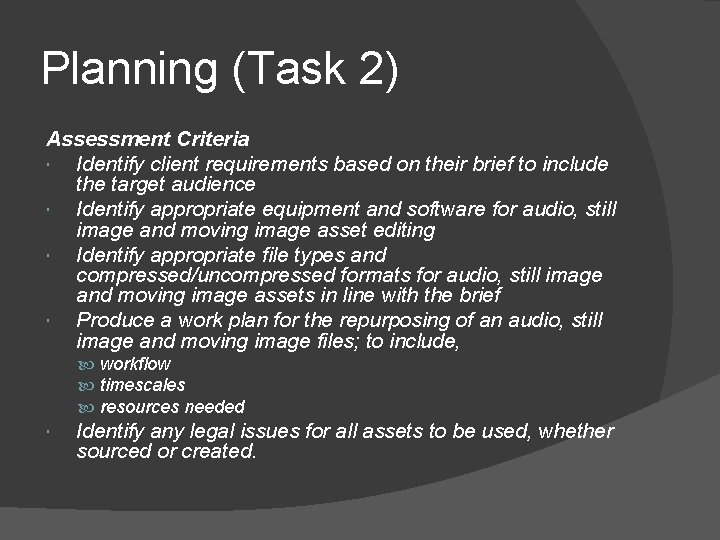
Planning (Task 2) Assessment Criteria Identify client requirements based on their brief to include the target audience Identify appropriate equipment and software for audio, still image and moving image asset editing Identify appropriate file types and compressed/uncompressed formats for audio, still image and moving image assets in line with the brief Produce a work plan for the repurposing of an audio, still image and moving image files; to include, workflow timescales resources needed Identify any legal issues for all assets to be used, whether sourced or created.
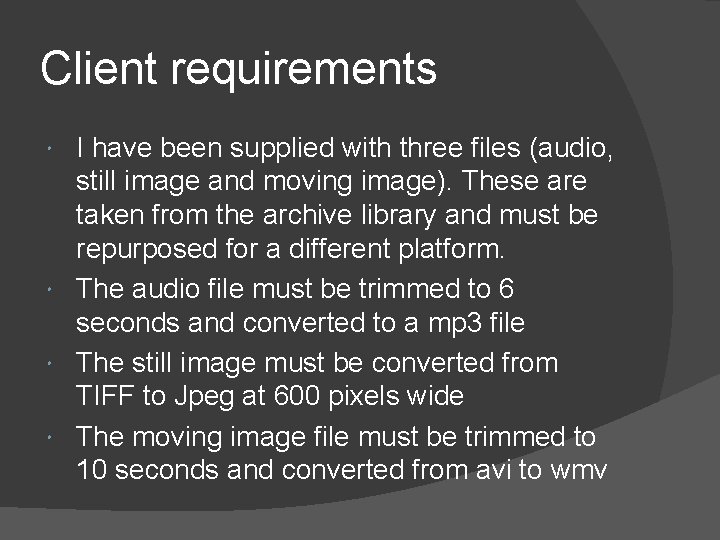
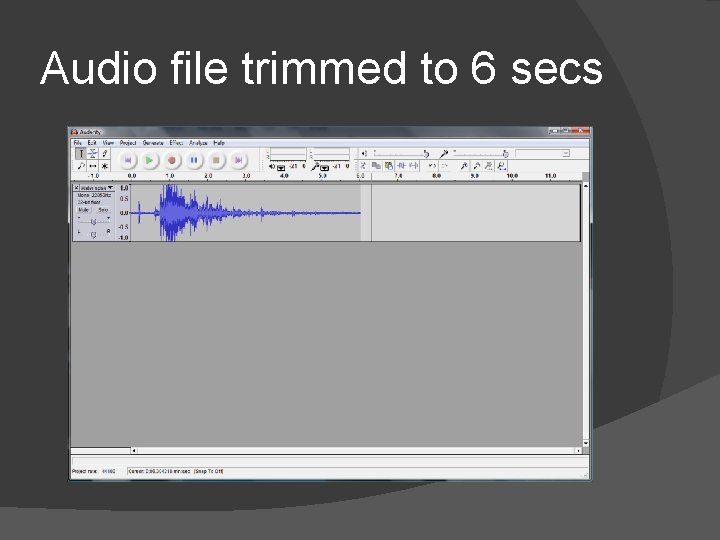
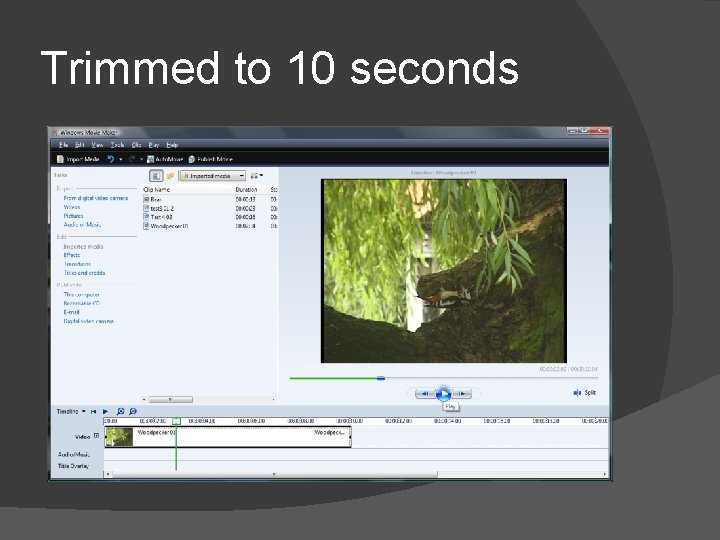
Client requirements I have been supplied with three files (audio, still image and moving image). These are taken from the archive library and must be repurposed for a different platform. The audio file must be trimmed to 6 seconds and converted to a mp 3 file The still image must be converted from TIFF to Jpeg at 600 pixels wide The moving image file must be trimmed to 10 seconds and converted from avi to wmv
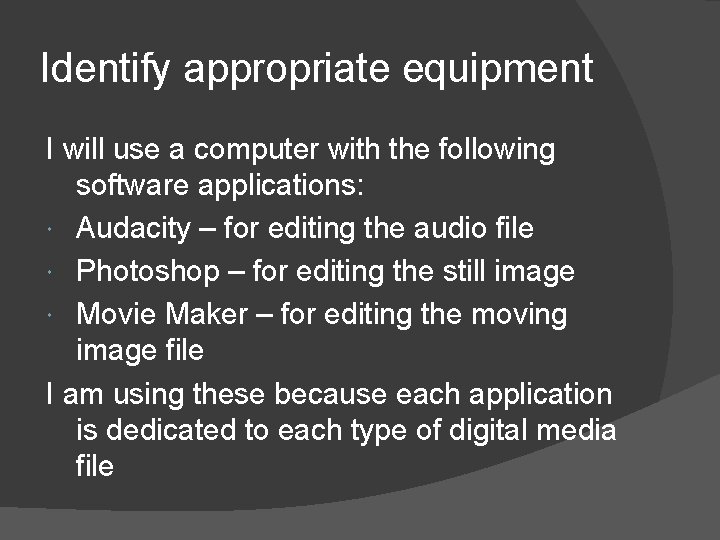
Identify appropriate equipment I will use a computer with the following software applications: Audacity – for editing the audio file Photoshop – for editing the still image Movie Maker – for editing the moving image file I am using these because each application is dedicated to each type of digital media file
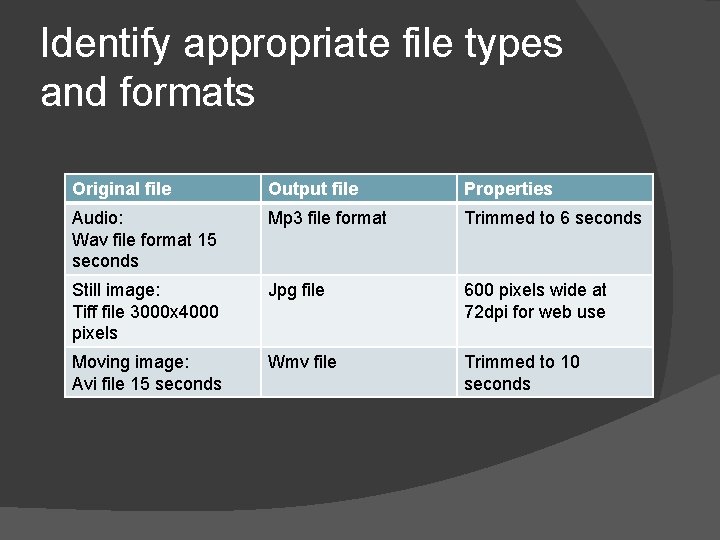
Identify appropriate file types and formats Original file Output file Properties Audio: Wav file format 15 seconds Mp 3 file format Trimmed to 6 seconds Still image: Tiff file 3000 x 4000 pixels Jpg file 600 pixels wide at 72 dpi for web use Moving image: Avi file 15 seconds Wmv file Trimmed to 10 seconds
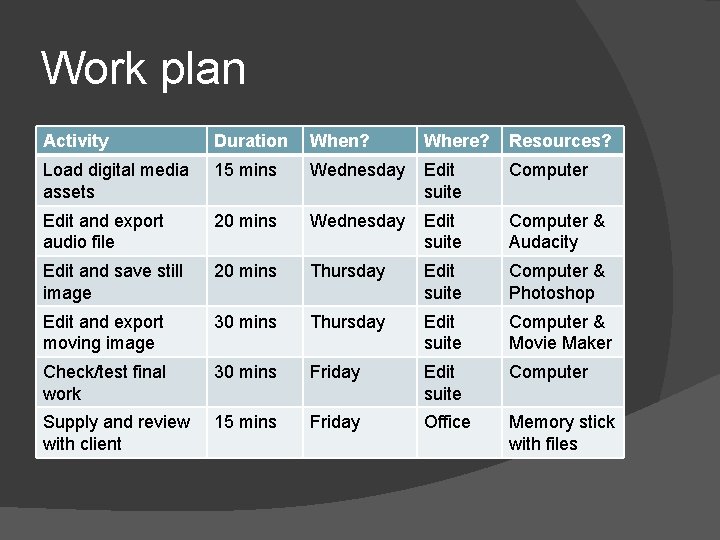
Work plan Activity Duration When? Where? Resources? Load digital media assets 15 mins Wednesday Edit suite Computer Edit and export audio file 20 mins Wednesday Edit suite Computer & Audacity Edit and save still image 20 mins Thursday Edit suite Computer & Photoshop Edit and export moving image 30 mins Thursday Edit suite Computer & Movie Maker Check/test final work 30 mins Friday Edit suite Computer Supply and review with client 15 mins Friday Office Memory stick with files
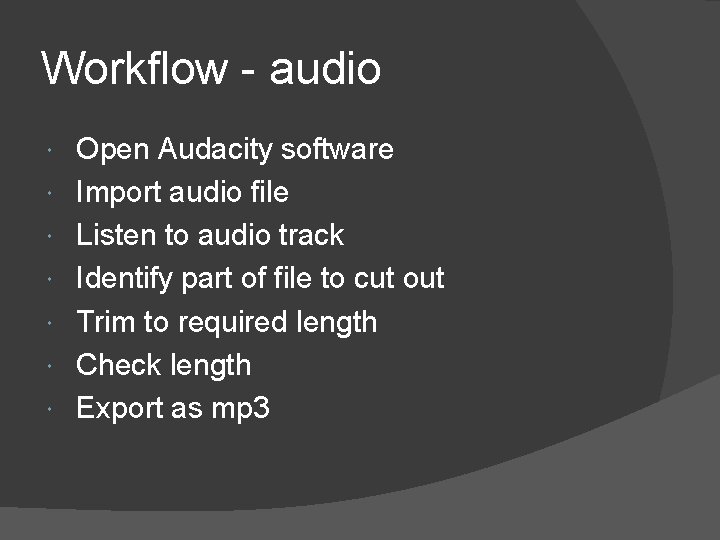
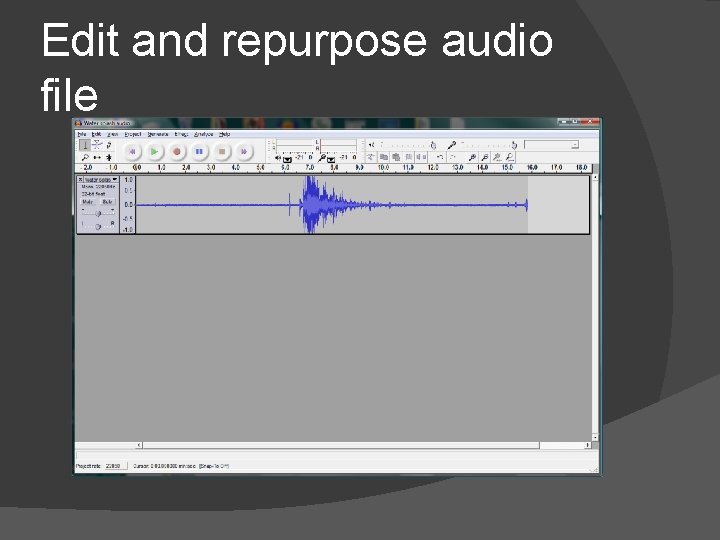
Workflow - audio Open Audacity software Import audio file Listen to audio track Identify part of file to cut out Trim to required length Check length Export as mp 3
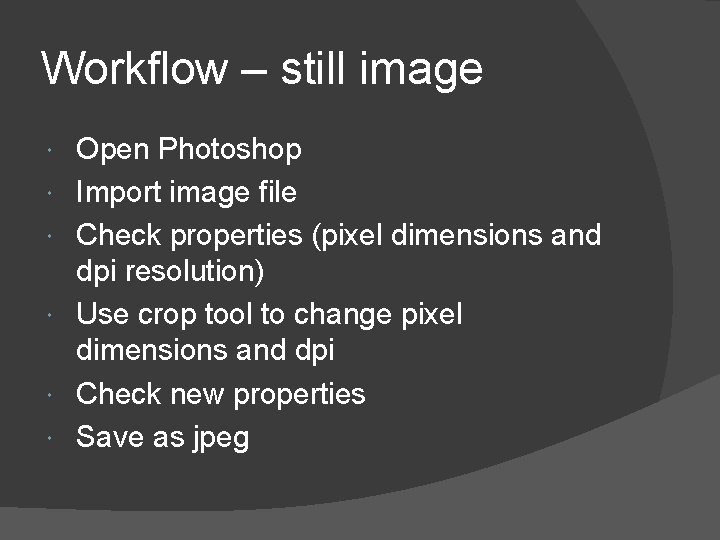
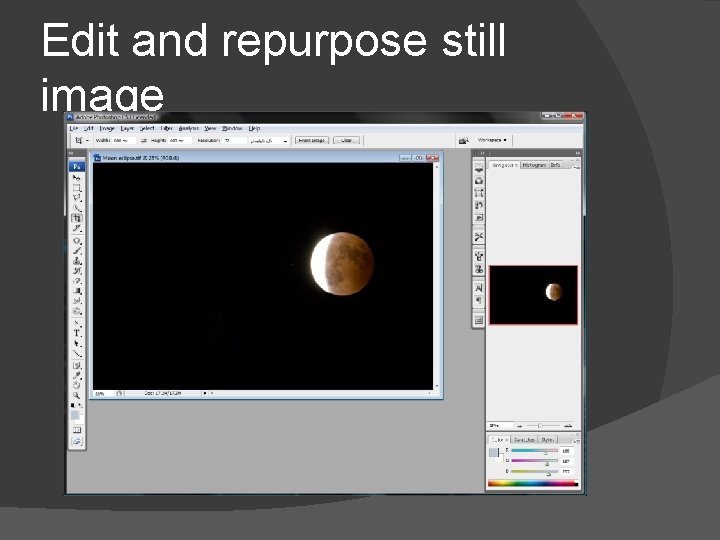
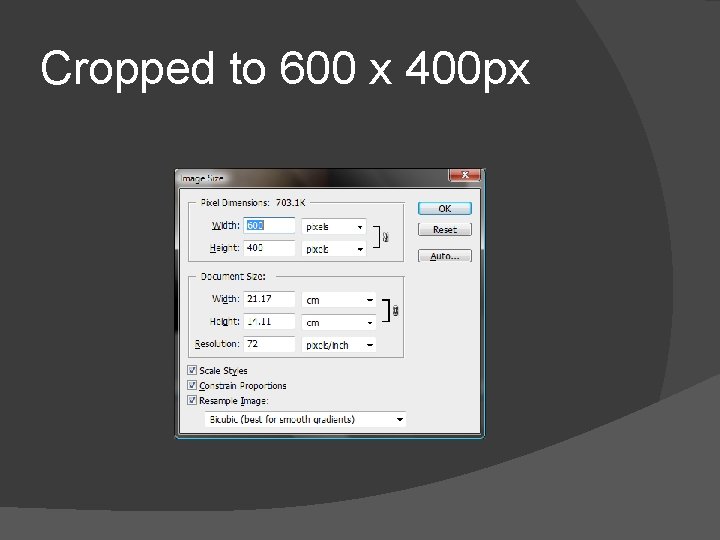
Workflow – still image Open Photoshop Import image file Check properties (pixel dimensions and dpi resolution) Use crop tool to change pixel dimensions and dpi Check new properties Save as jpeg
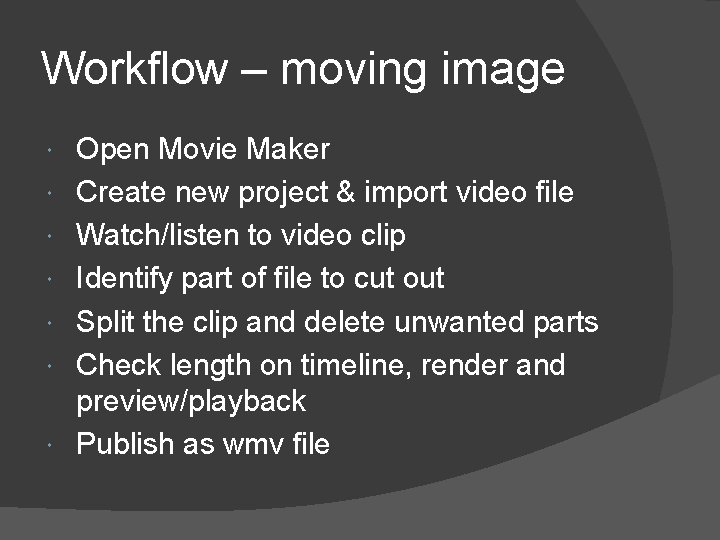
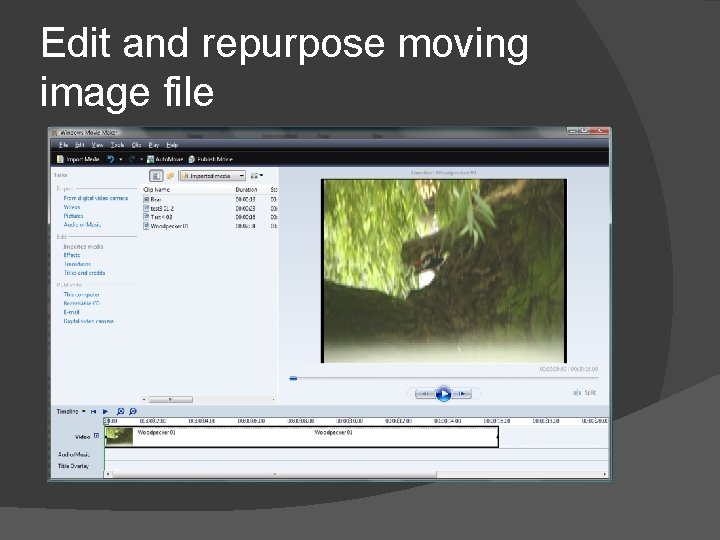
Workflow – moving image Open Movie Maker Create new project & import video file Watch/listen to video clip Identify part of file to cut out Split the clip and delete unwanted parts Check length on timeline, render and preview/playback Publish as wmv file
Legal and ethical issues The files were supplied by the client who will deal with any copyright issues I will check to make sure that the content of each file supplied does not break any laws eg violence, dangerous driving etc. I will also review each file to see if there will be any ethical issues such as discrimination, the environment or anything that is immoral If so I will discuss this with the client before starting my work
Edit and test media files (Task 3) Assessment Criteria Use identified software applications to edit, repurpose and save files in planned formats to meet client requirements from a supplied audio file still image file moving image file Save and export the files in line with the plan Create a list to include file names, types and properties of edited files Develop and use a basic test plan to test the files Correct any identified faults and apply improvement based on the test plan
Edit and repurpose audio file
Audio file trimmed to 6 secs
Edit and repurpose still image
Cropped to 600 x 400 px
Edit and repurpose moving image file
Trimmed to 10 seconds
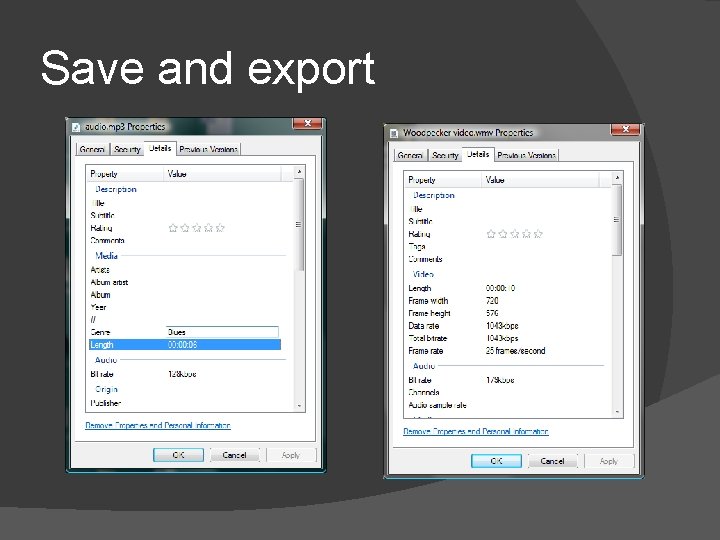
Save and export
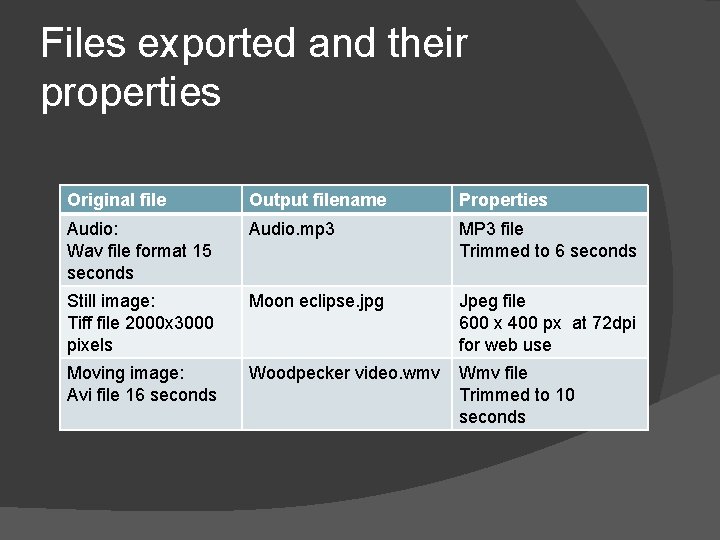
Files exported and their properties Original file Output filename Properties Audio: Wav file format 15 seconds Audio. mp 3 MP 3 file Trimmed to 6 seconds Still image: Tiff file 2000 x 3000 pixels Moon eclipse. jpg Jpeg file 600 x 400 px at 72 dpi for web use Moving image: Avi file 16 seconds Woodpecker video. wmv Wmv file Trimmed to 10 seconds
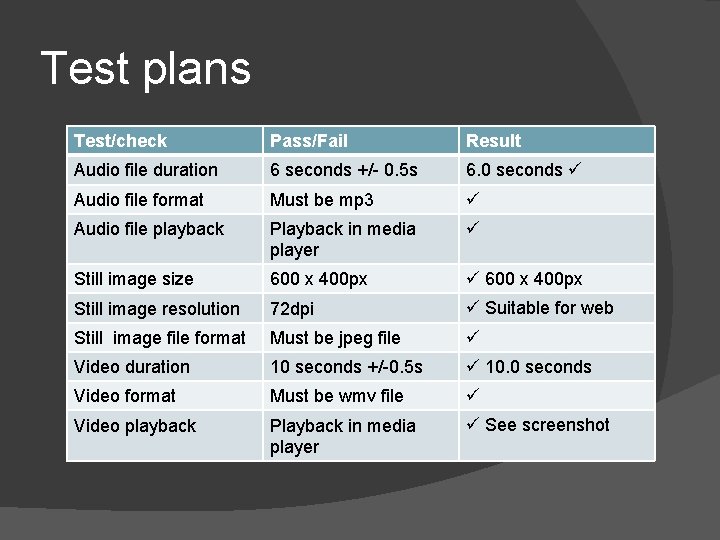
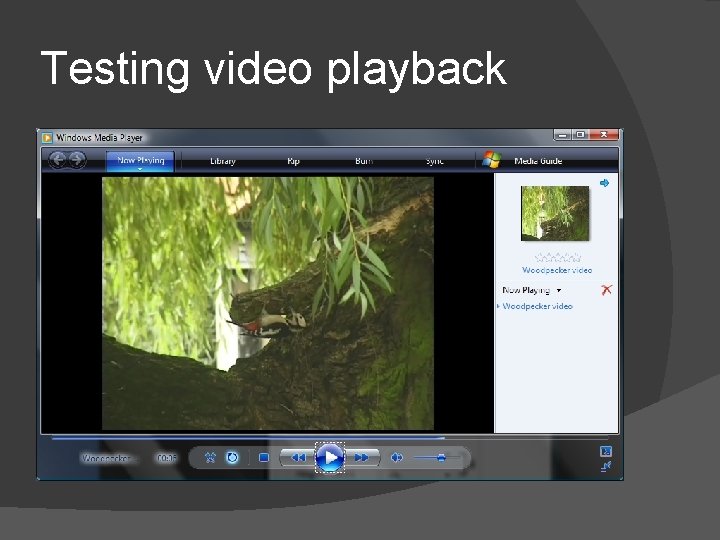
Test plans Test/check Pass/Fail Result Audio file duration 6 seconds +/- 0. 5 s 6. 0 seconds Audio file format Must be mp 3 Audio file playback Playback in media player Still image size 600 x 400 px Still image resolution 72 dpi Suitable for web Still image file format Must be jpeg file Video duration 10 seconds +/-0. 5 s 10. 0 seconds Video format Must be wmv file Video playback Playback in media player See screenshot
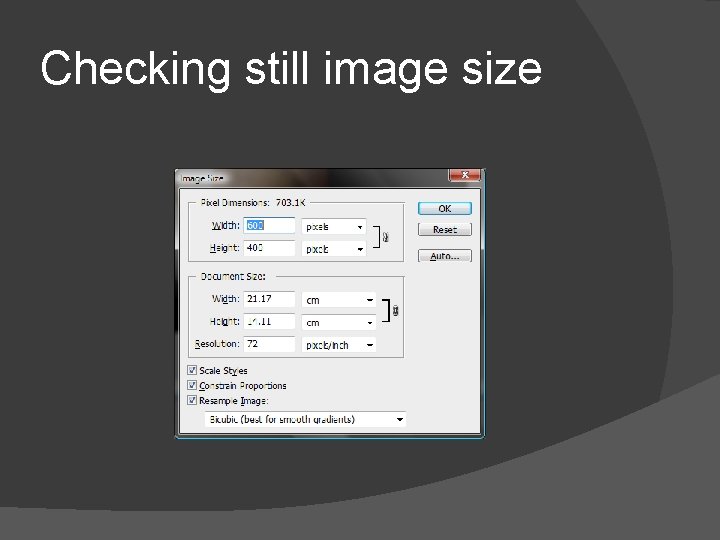
Checking still image size
Testing video playback
Correcting faults and making improvements I did not find any faults as part of the testing although I did notice the image file was cropped wrong at first. This is because I cropped it to 600 x 400 pixels but still at 300 dpi. I corrected this to 72 dpi before saving the jpeg file
Review (Task 4) Assessment Criteria Critically review the finished products with the client and record feedback Describe the quality of the finished products Explain the fitness for purpose of the finished products Identify parameters and constraints that influenced decisions made Produce accurate written records of relevant information about assets obtained such as source ownership, any restrictions on use where they are located, filenames given
Critically review the finished product with the client Each file meets the client requirements as shown in the testing The audio file volume is good and can be heard clearly The still image is a little bit blurry but that is not my problem. The client knows this but doesn’t have a better picture The video shows the bird clearly but more footage would be useful
What areas would you improve and why? The audio file volume level could be adjusted – it is not quite loud enough and needs more gain applied The still image needs sharpening to remove some of the blurriness The video would benefit from changes to the audio track – maybe remove what is there and replace with a natural sound or some music
Why is your finished product fit for the purpose you created it for Because the properties and file format of each file exactly match what was asked for. The sound file is 6. 00 seconds and the video is 10. 00 seconds The still image is saved at 72 dpi so it is suitable for use on the client website
Parameters and constraints that influenced decisions Limited choice of video editing software. I was going to use Premiere Elements but it kept crashing. So I used Movie Maker instead. Originally I didn’t have the lame decoder plug in for Audacity. This was installed by somebody else so that I could export it as mp 3 format. This meant that it took a bit longer to do.
Assets used The client supplied me with the original files and informed me that there are no restrictions on their use The copyright for each file is held by my client