Welcome u Active Directory Site u Active Directory

- Slides: 113
Welcome
本課程假設您已經. . . u 瞭解Active Directory Site的概念 u 熟悉Active Directory的基本操作 u 熟悉Exchange 2000/2003的系統 u 瞭解Public Key 架構與基本管理 u 瞭解Exchange用戶端的基本管理 u 瞭解SMTP、POP 3、IMAP 4協定 課程內容:Level 300
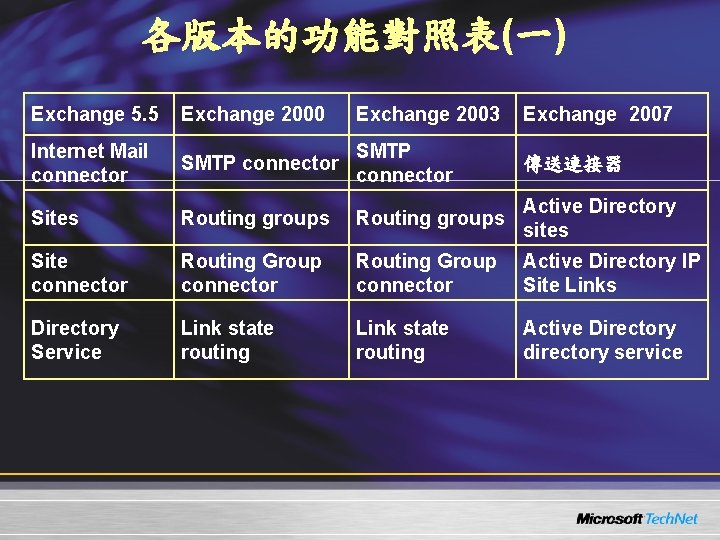
各版本的功能對照表(一) Exchange 5. 5 Exchange 2000 Exchange 2003 Exchange 2007 Internet Mail connector SMTP connector 傳送連接器 Sites Routing groups Active Directory sites Site connector Routing Group connector Active Directory IP Site Links Directory Service Link state routing Active Directory directory service
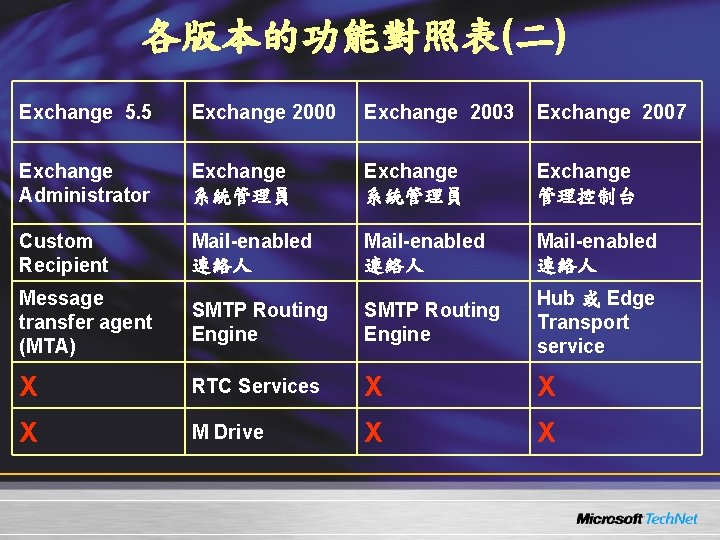
各版本的功能對照表(二) Exchange 5. 5 Exchange 2000 Exchange 2003 Exchange 2007 Exchange Administrator Exchange 系統管理員 Exchange 管理控制台 Custom Recipient Mail-enabled 連絡人 Message transfer agent (MTA) SMTP Routing Engine Hub 或 Edge Transport service X RTC Services X X X M Drive X X
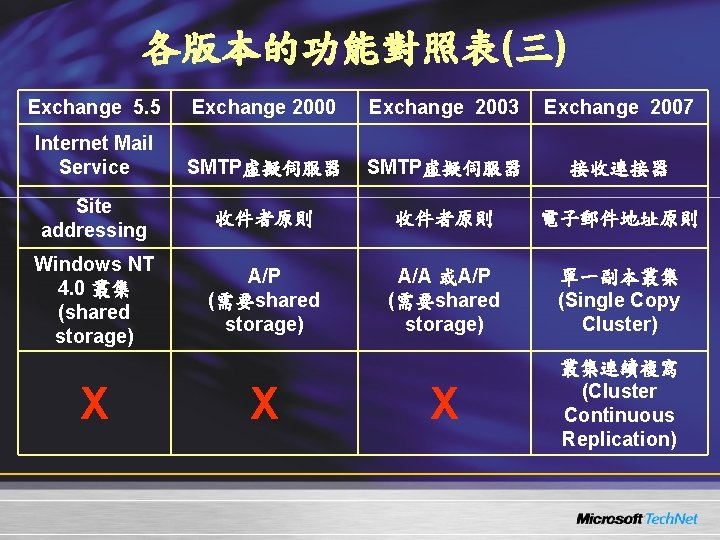
各版本的功能對照表(三) Exchange 5. 5 Exchange 2000 Exchange 2003 Exchange 2007 Internet Mail Service SMTP虛擬伺服器 接收連接器 Site addressing 收件者原則 電子郵件地址原則 Windows NT 4. 0 叢集 (shared storage) A/P (需要shared storage) A/A 或A/P (需要shared storage) 單一副本叢集 (Single Copy Cluster) X 叢集連續複寫 (Cluster Continuous Replication) X X
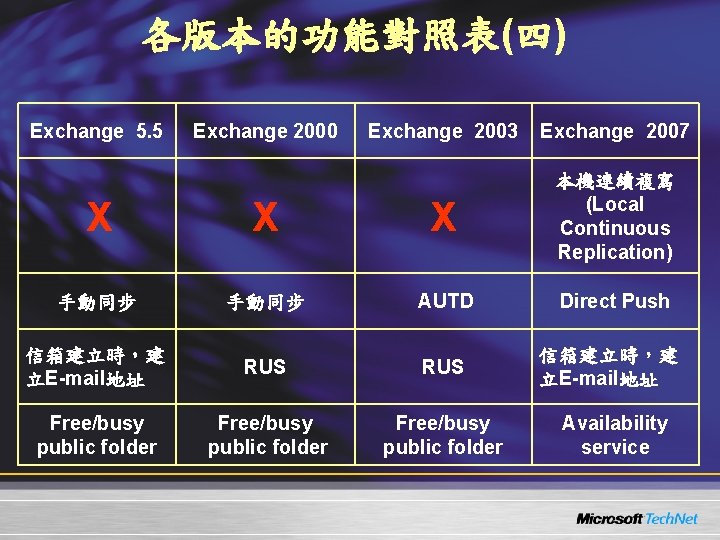
各版本的功能對照表(四) Exchange 5. 5 Exchange 2000 Exchange 2003 Exchange 2007 X X X 本機連續複寫 (Local Continuous Replication) 手動同步 AUTD Direct Push 信箱建立時,建 立E-mail地址 RUS Free/busy public folder 信箱建立時,建 立E-mail地址 Availability service
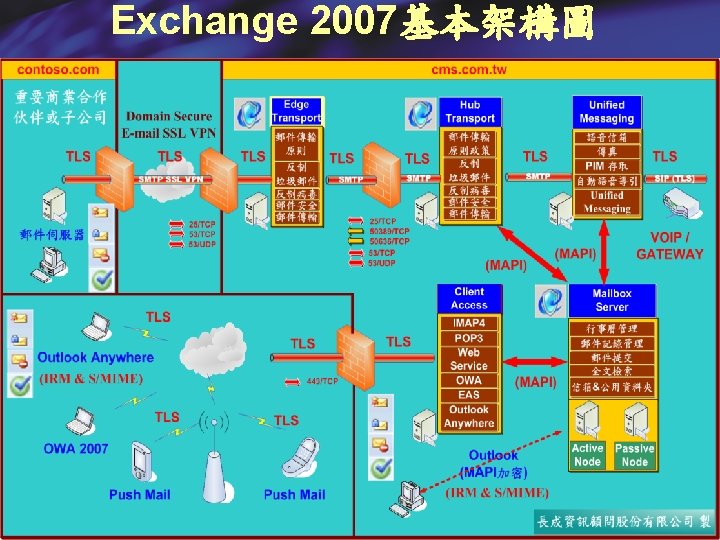
Exchange 2007基本架構圖
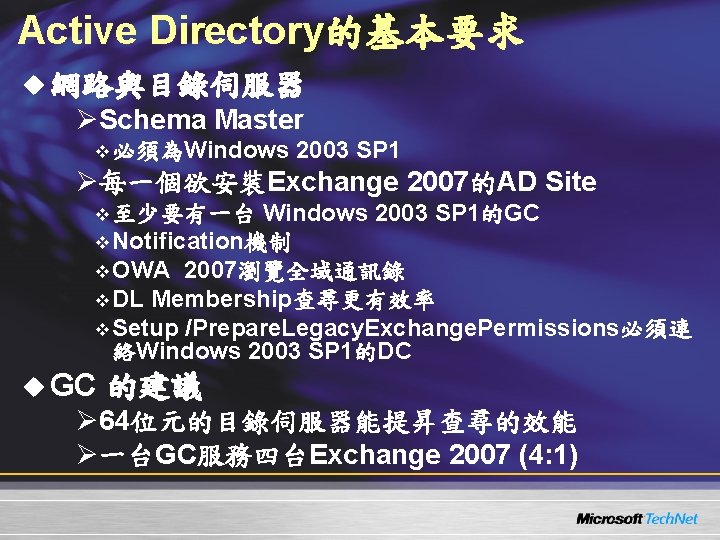
Active Directory的基本要求 u 網路與目錄伺服器 ØSchema Master v 必須為Windows 2003 SP 1 Ø每一個欲安裝Exchange 2007的AD Site v 至少要有一台 Windows 2003 SP 1的GC v Notification機制 v OWA 2007瀏覽全域通訊錄 v DL Membership查尋更有效率 v Setup /Prepare. Legacy. Exchange. Permissions必須連 絡Windows 2003 SP 1的DC u GC 的建議 Ø 64位元的目錄伺服器能提昇查尋的效能 Ø一台GC服務四台Exchange 2007 (4: 1)
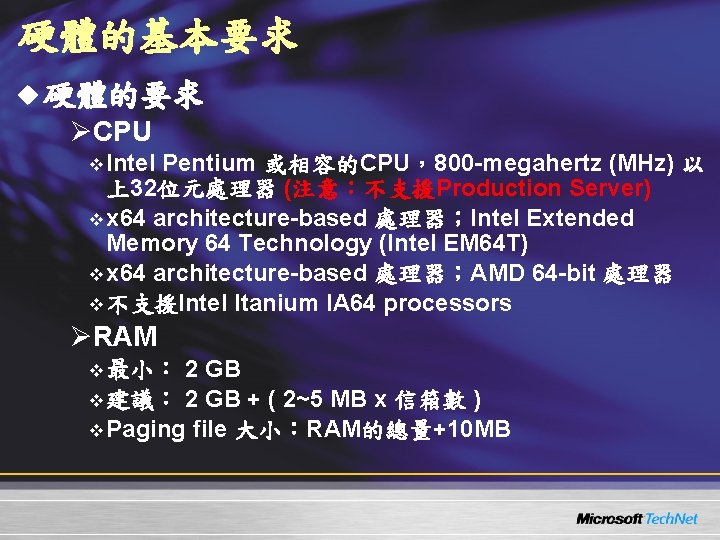
硬體的基本要求 u 硬體的要求 ØCPU v Intel Pentium 或相容的CPU,800 -megahertz (MHz) 以 上32位元處理器 (注意:不支援Production Server) v x 64 architecture-based 處理器;Intel Extended Memory 64 Technology (Intel EM 64 T) v x 64 architecture-based 處理器;AMD 64 -bit 處理器 v 不支援Intel Itanium IA 64 processors ØRAM v 最小: 2 GB v 建議: 2 GB + ( 2~5 MB x 信箱數 ) v Paging file 大小:RAM的總量+10 MB
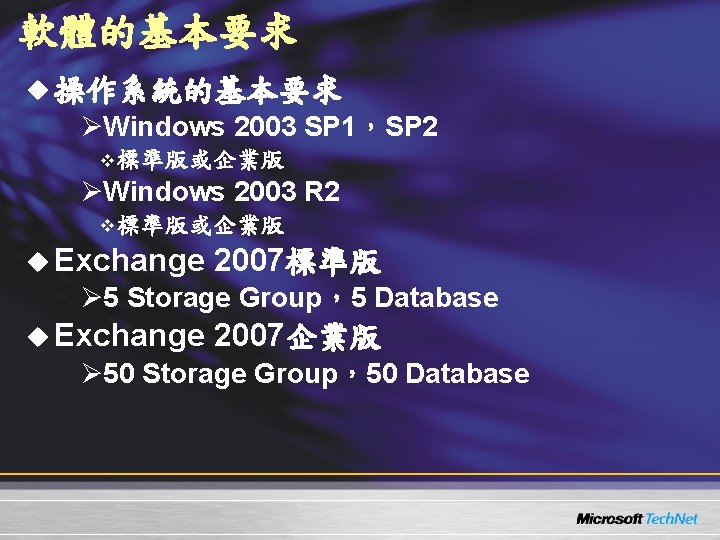
軟體的基本要求 u 操作系統的基本要求 ØWindows 2003 SP 1,SP 2 v 標準版或企業版 ØWindows 2003 R 2 v 標準版或企業版 u Exchange 2007標準版 Ø 5 Storage Group,5 Database u Exchange 2007企業版 Ø 50 Storage Group,50 Database
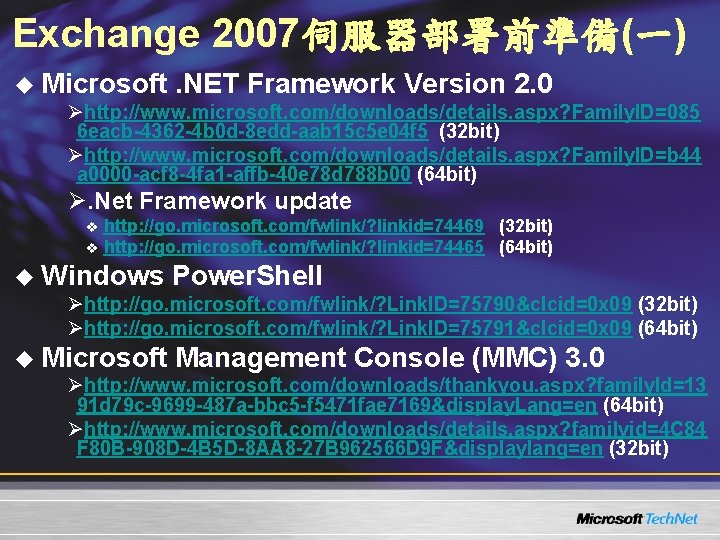
Exchange 2007伺服器部署前準備(一) u Microsoft. NET Framework Version 2. 0 Øhttp: //www. microsoft. com/downloads/details. aspx? Family. ID=085 6 eacb-4362 -4 b 0 d-8 edd-aab 15 c 5 e 04 f 5 (32 bit) Øhttp: //www. microsoft. com/downloads/details. aspx? Family. ID=b 44 a 0000 -acf 8 -4 fa 1 -affb-40 e 78 d 788 b 00 (64 bit) Ø. Net Framework update v v http: //go. microsoft. com/fwlink/? linkid=74469 (32 bit) http: //go. microsoft. com/fwlink/? linkid=74465 (64 bit) u Windows Power. Shell Øhttp: //go. microsoft. com/fwlink/? Link. ID=75790&clcid=0 x 09 (32 bit) Øhttp: //go. microsoft. com/fwlink/? Link. ID=75791&clcid=0 x 09 (64 bit) u Microsoft Management Console (MMC) 3. 0 Øhttp: //www. microsoft. com/downloads/thankyou. aspx? family. Id=13 91 d 79 c-9699 -487 a-bbc 5 -f 5471 fae 7169&display. Lang=en (64 bit) Øhttp: //www. microsoft. com/downloads/details. aspx? familyid=4 C 84 F 80 B-908 D-4 B 5 D-8 AA 8 -27 B 962566 D 9 F&displaylang=en (32 bit)
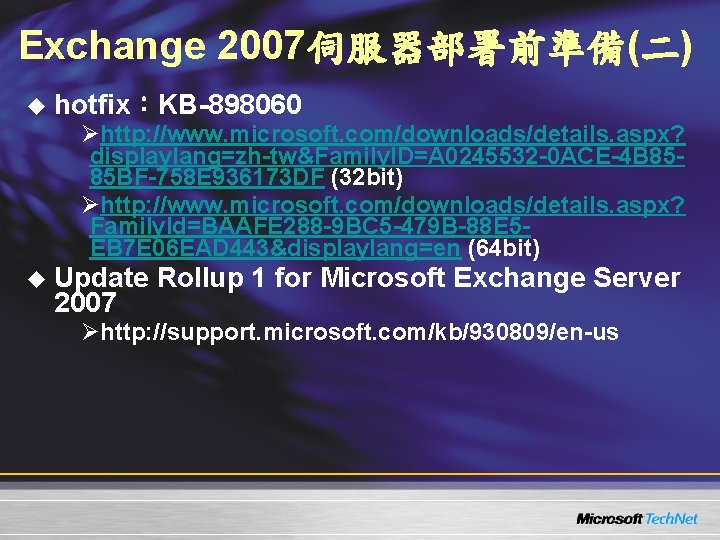
Exchange 2007伺服器部署前準備(二) u hotfix:KB-898060 Øhttp: //www. microsoft. com/downloads/details. aspx? displaylang=zh-tw&Family. ID=A 0245532 -0 ACE-4 B 8585 BF-758 E 936173 DF (32 bit) Øhttp: //www. microsoft. com/downloads/details. aspx? Family. Id=BAAFE 288 -9 BC 5 -479 B-88 E 5 EB 7 E 06 EAD 443&displaylang=en (64 bit) u Update Rollup 1 for Microsoft Exchange Server 2007 Øhttp: //support. microsoft. com/kb/930809/en-us
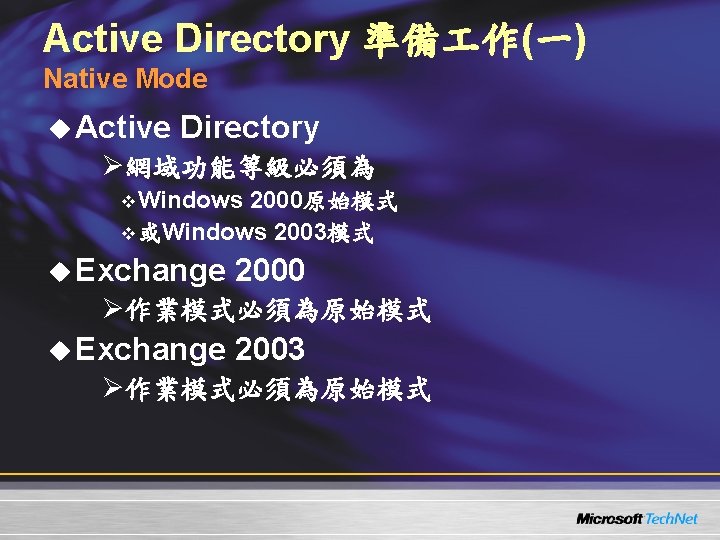
Active Directory 準備 作(一) Native Mode u Active Directory Ø網域功能等級必須為 v Windows 2000原始模式 v 或Windows 2003模式 u Exchange 2000 Ø作業模式必須為原始模式 u Exchange 2003 Ø作業模式必須為原始模式
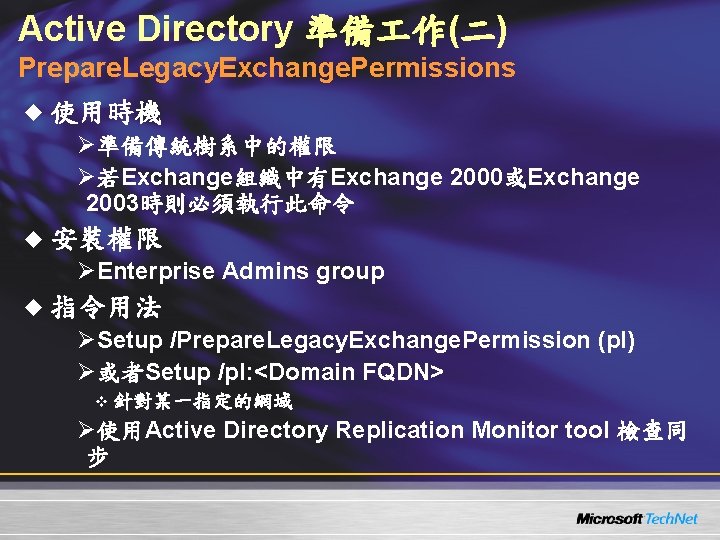
Active Directory 準備 作(二) Prepare. Legacy. Exchange. Permissions u 使用時機 Ø準備傳統樹系中的權限 Ø若Exchange組織中有Exchange 2000或Exchange 2003時則必須執行此命令 u 安裝權限 ØEnterprise Admins group u 指令用法 ØSetup /Prepare. Legacy. Exchange. Permission (pl) Ø或者Setup /pl: <Domain FQDN> v 針對某一指定的網域 Ø使用Active Directory Replication Monitor tool 檢查同 步
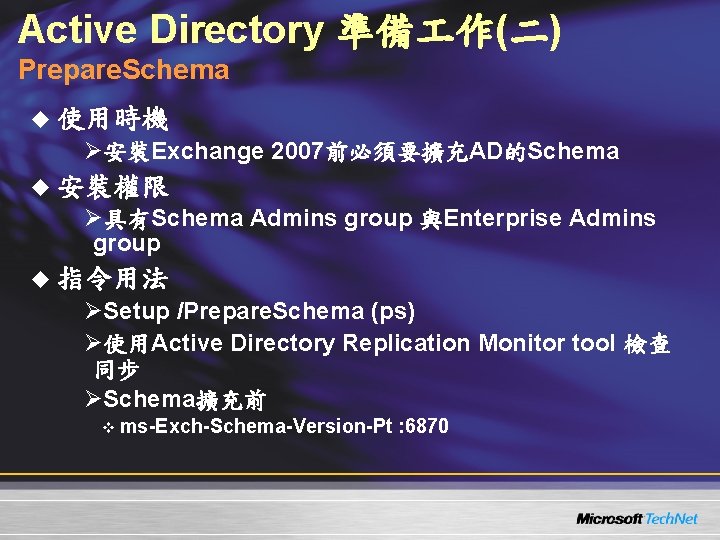
Active Directory 準備 作(二) Prepare. Schema u 使用時機 Ø安裝Exchange 2007前必須要擴充AD的Schema u 安裝權限 Ø具有Schema Admins group 與Enterprise Admins group u 指令用法 ØSetup /Prepare. Schema (ps) Ø使用Active Directory Replication Monitor tool 檢查 同步 ØSchema擴充前 v ms-Exch-Schema-Version-Pt : 6870
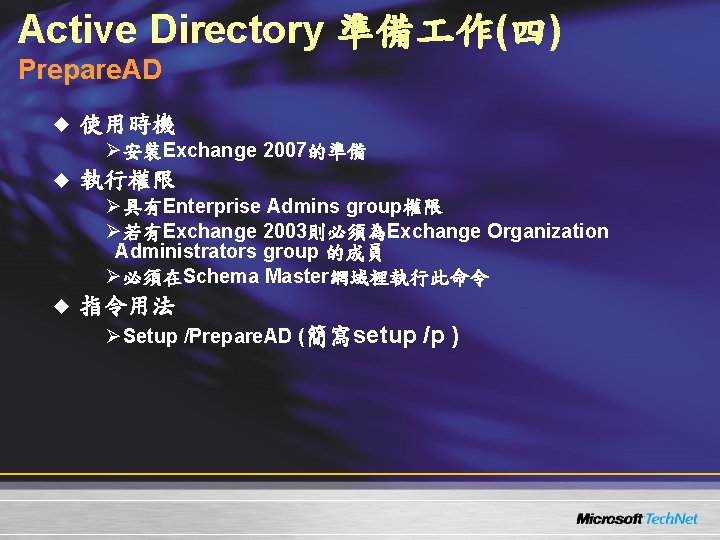
Active Directory 準備 作(四) Prepare. AD u 使用時機 Ø安裝Exchange 2007的準備 u 執行權限 Ø具有Enterprise Admins group權限 Ø若有Exchange 2003則必須為Exchange Organization Administrators group 的成員 Ø必須在Schema Master網域裡執行此命令 u 指令用法 ØSetup /Prepare. AD (簡寫setup /p )
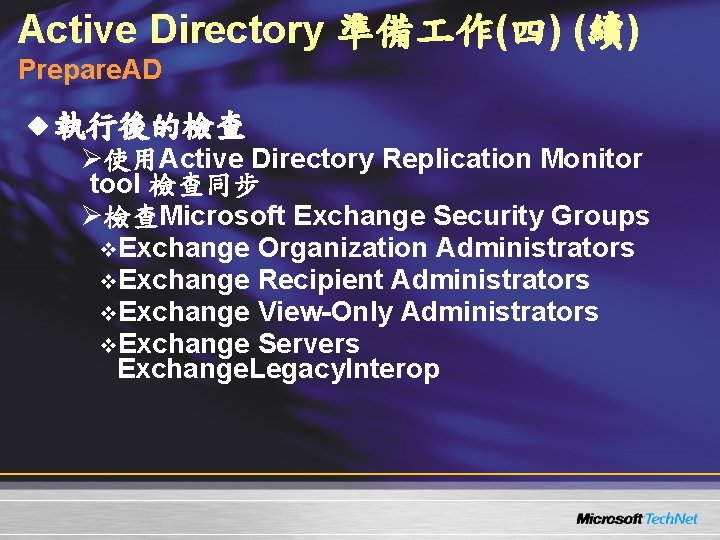
Active Directory 準備 作(四) (續) Prepare. AD u 執行後的檢查 Ø使用Active Directory Replication Monitor tool 檢查同步 Ø檢查Microsoft Exchange Security Groups v. Exchange Organization Administrators v. Exchange Recipient Administrators v. Exchange View-Only Administrators v. Exchange Servers Exchange. Legacy. Interop
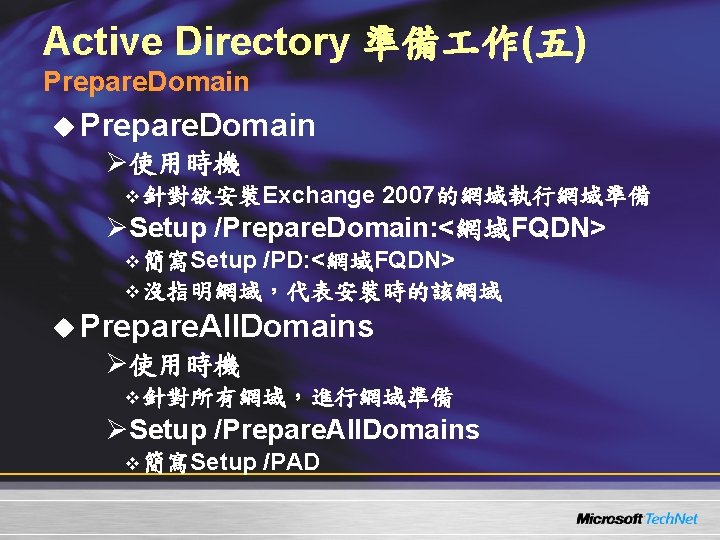
Active Directory 準備 作(五) Prepare. Domain u Prepare. Domain Ø使用時機 v 針對欲安裝Exchange 2007的網域執行網域準備 ØSetup /Prepare. Domain: <網域FQDN> v 簡寫Setup /PD: <網域FQDN> v 沒指明網域,代表安裝時的該網域 u Prepare. All. Domains Ø使用時機 v 針對所有網域,進行網域準備 ØSetup /Prepare. All. Domains v 簡寫Setup /PAD
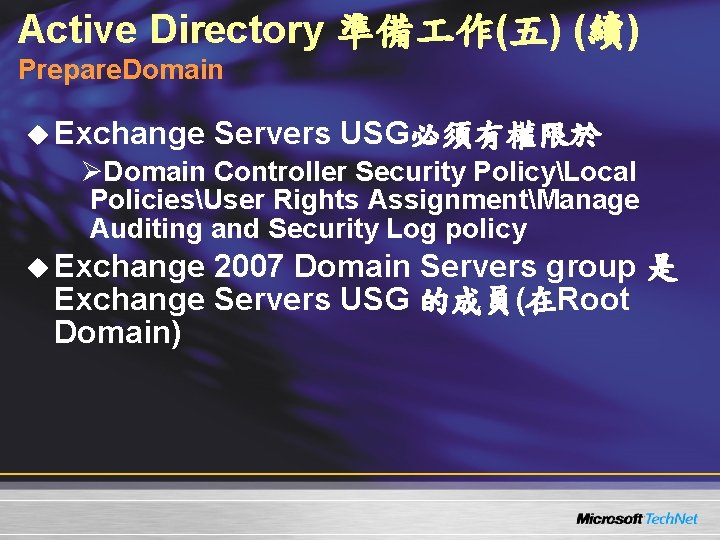
Active Directory 準備 作(五) (續) Prepare. Domain u Exchange Servers USG必須有權限於 ØDomain Controller Security PolicyLocal PoliciesUser Rights AssignmentManage Auditing and Security Log policy u Exchange 2007 Domain Servers group 是 Exchange Servers USG 的成員(在Root Domain)
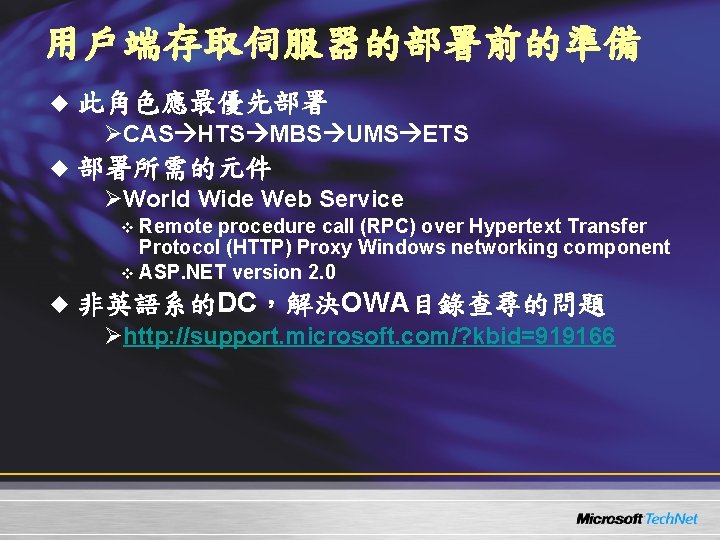
用戶端存取伺服器的部署前的準備 u 此角色應最優先部署 ØCAS HTS MBS UMS ETS u 部署所需的元件 ØWorld Wide Web Service v Remote procedure call (RPC) over Hypertext Transfer Protocol (HTTP) Proxy Windows networking component v ASP. NET version 2. 0 u 非英語系的DC,解決OWA目錄查尋的問題 Øhttp: //support. microsoft. com/? kbid=919166
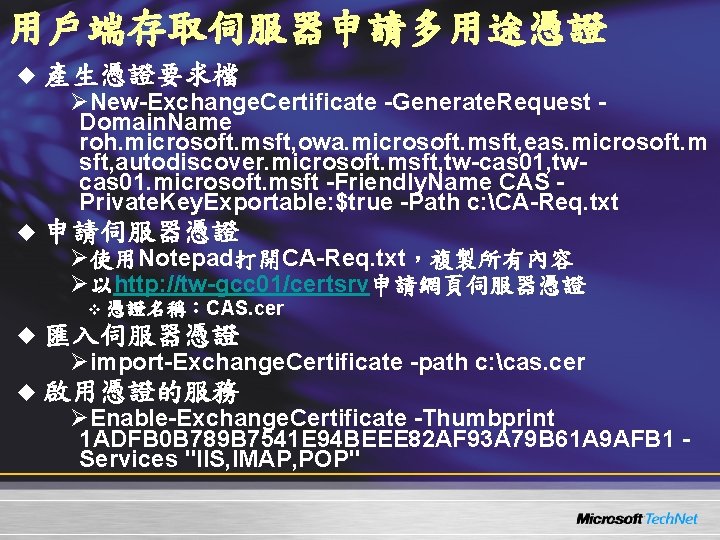
用戶端存取伺服器申請多用途憑證 u 產生憑證要求檔 ØNew-Exchange. Certificate -Generate. Request Domain. Name roh. microsoft. msft, owa. microsoft. msft, eas. microsoft. m sft, autodiscover. microsoft. msft, tw-cas 01, twcas 01. microsoft. msft -Friendly. Name CAS Private. Key. Exportable: $true -Path c: CA-Req. txt u 申請伺服器憑證 Ø使用Notepad打開CA-Req. txt,複製所有內容 Ø以http: //tw-gcc 01/certsrv申請網頁伺服器憑證 v 憑證名稱:CAS. cer u 匯入伺服器憑證 Øimport-Exchange. Certificate -path c: cas. cer u 啟用憑證的服務 ØEnable-Exchange. Certificate -Thumbprint 1 ADFB 0 B 789 B 7541 E 94 BEEE 82 AF 93 A 79 B 61 A 9 AFB 1 Services "IIS, IMAP, POP"
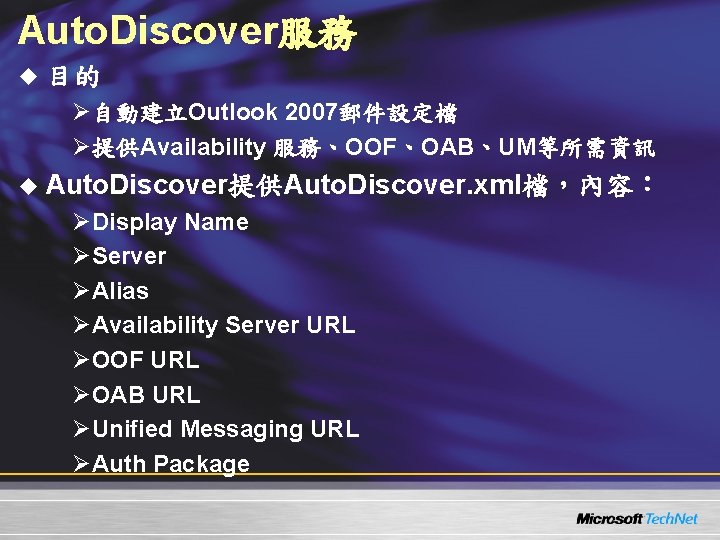
Auto. Discover服務 u 目的 Ø自動建立Outlook 2007郵件設定檔 Ø提供Availability 服務、OOF、OAB、UM等所需資訊 u Auto. Discover提供Auto. Discover. xml檔,內容: ØDisplay Name ØServer ØAlias ØAvailability Server URL ØOOF URL ØOAB URL ØUnified Messaging URL ØAuth Package
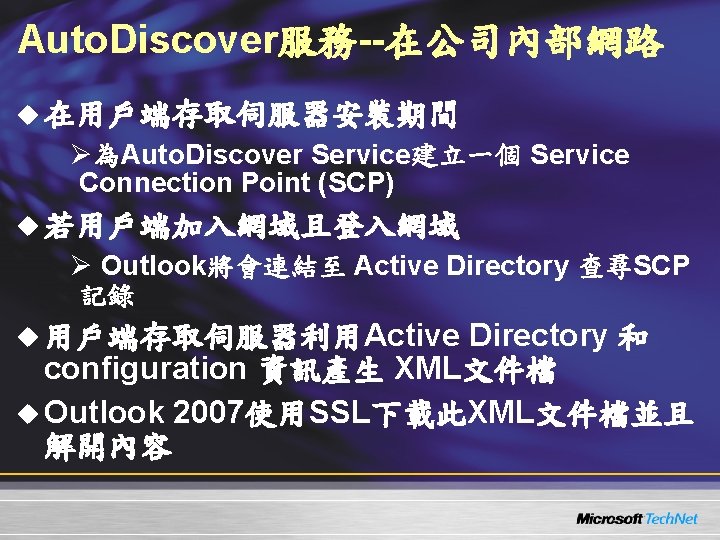
Auto. Discover服務--在公司內部網路 u 在用戶端存取伺服器安裝期間 Ø為Auto. Discover Service建立一個 Service Connection Point (SCP) u 若用戶端加入網域且登入網域 Ø Outlook將會連結至 Active Directory 查尋SCP 記錄 u 用戶端存取伺服器利用Active Directory 和 configuration 資訊產生 XML文件檔 u Outlook 2007使用SSL下載此XML文件檔並且 解開內容
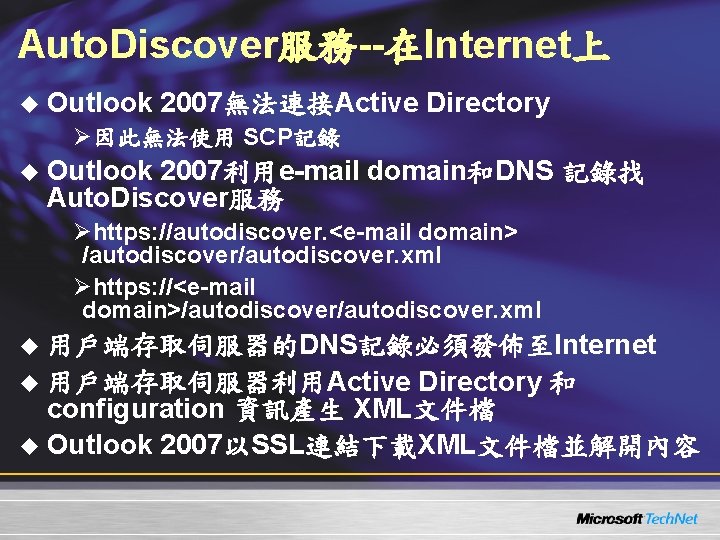
Auto. Discover服務--在Internet上 u Outlook 2007無法連接Active Directory Ø因此無法使用 SCP記錄 u Outlook 2007利用e-mail domain和DNS 記錄找 Auto. Discover服務 Øhttps: //autodiscover. <e-mail domain> /autodiscover. xml Øhttps: //<e-mail domain>/autodiscover. xml u 用戶端存取伺服器的DNS記錄必須發佈至Internet u 用戶端存取伺服器利用Active Directory 和 configuration 資訊產生 XML文件檔 u Outlook 2007以SSL連結下載XML文件檔並解開內容
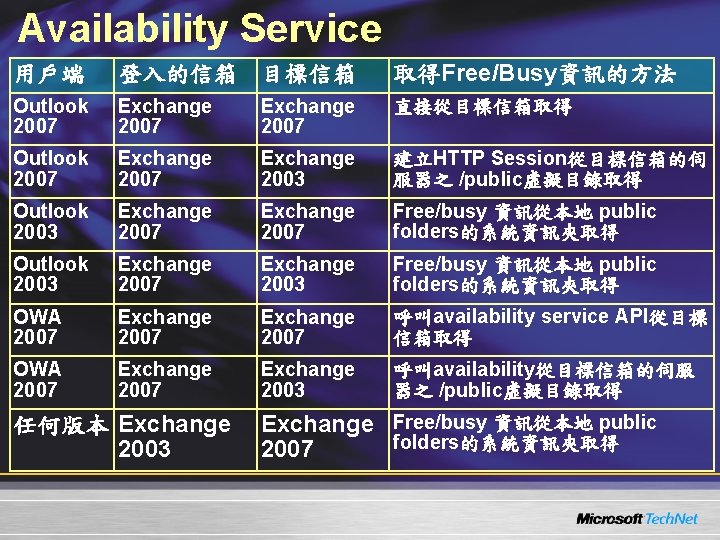
Availability Service 用戶端 登入的信箱 目標信箱 取得Free/Busy資訊的方法 Outlook 2007 Exchange 2007 直接從目標信箱取得 Outlook 2007 Exchange 2003 建立HTTP Session從目標信箱的伺 服器之 /public虛擬目錄取得 Outlook 2003 Exchange 2007 Free/busy 資訊從本地 public folders的系統資訊夾取得 Outlook 2003 Exchange 2007 Exchange 2003 Free/busy 資訊從本地 public folders的系統資訊夾取得 OWA 2007 Exchange 2007 呼叫availability service API從目標 信箱取得 OWA 2007 Exchange 2003 呼叫availability從目標信箱的伺服 器之 /public虛擬目錄取得 任何版本 Exchange Free/busy 資訊從本地 public folders的系統資訊夾取得 2003 2007
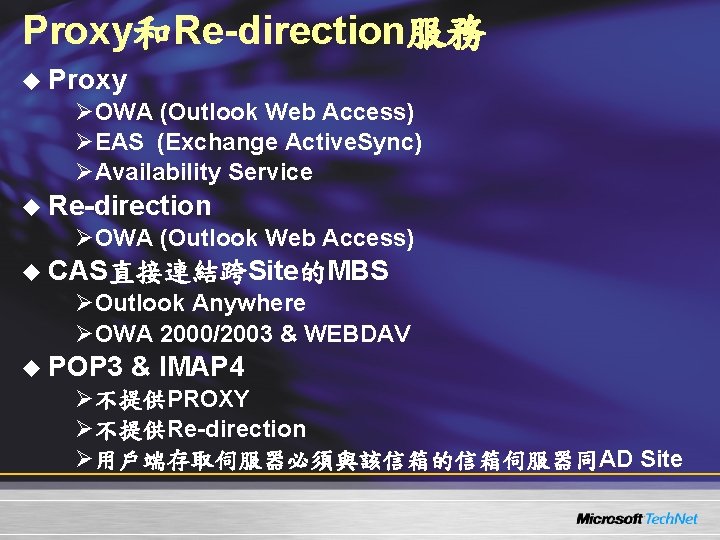
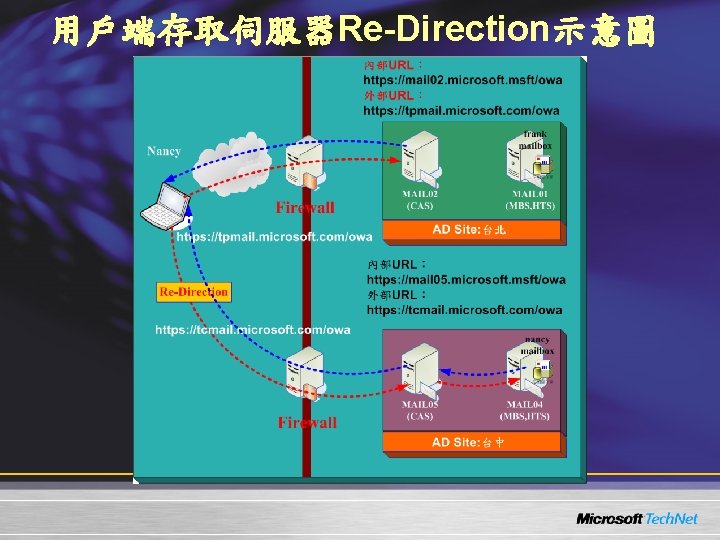
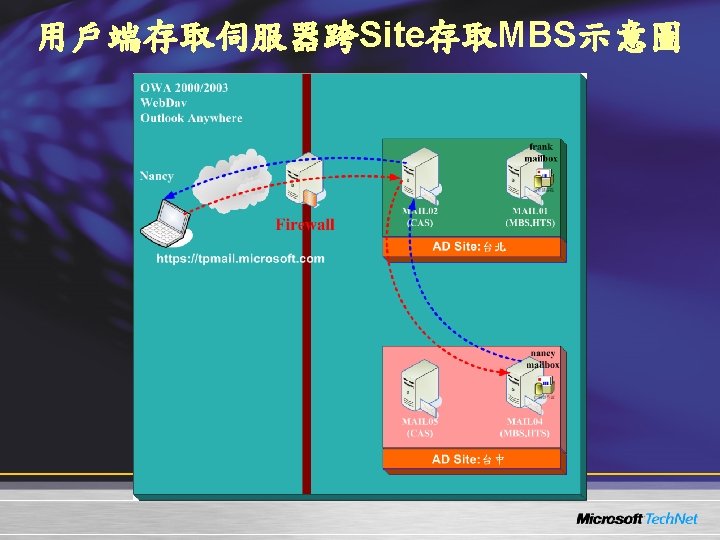
Proxy和Re-direction服務 u Proxy ØOWA (Outlook Web Access) ØEAS (Exchange Active. Sync) ØAvailability Service u Re-direction ØOWA (Outlook Web Access) u CAS直接連結跨Site的MBS ØOutlook Anywhere ØOWA 2000/2003 & WEBDAV u POP 3 & IMAP 4 Ø不提供PROXY Ø不提供Re-direction Ø用戶端存取伺服器必須與該信箱的信箱伺服器同AD Site
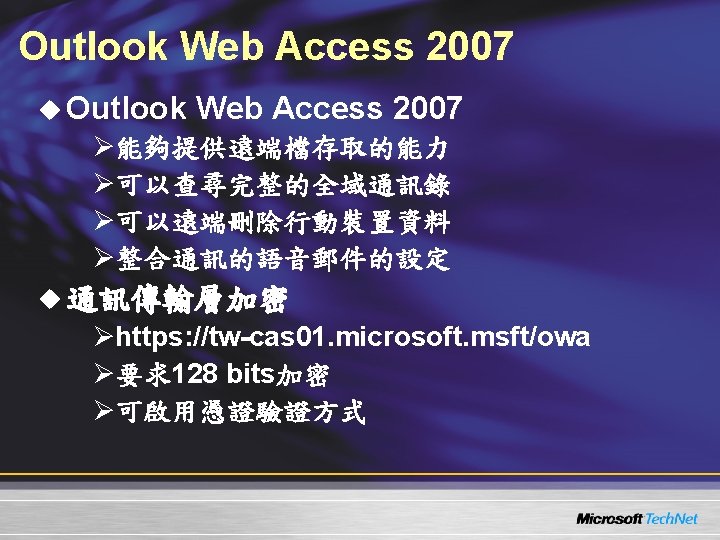
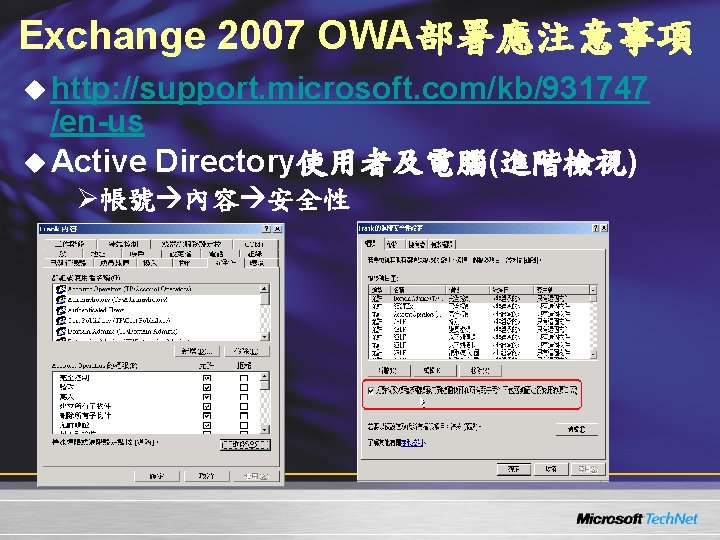
Exchange 2007 OWA部署應注意事項 u http: //support. microsoft. com/kb/931747 /en-us u Active Directory使用者及電腦(進階檢視) Ø帳號 內容 安全性
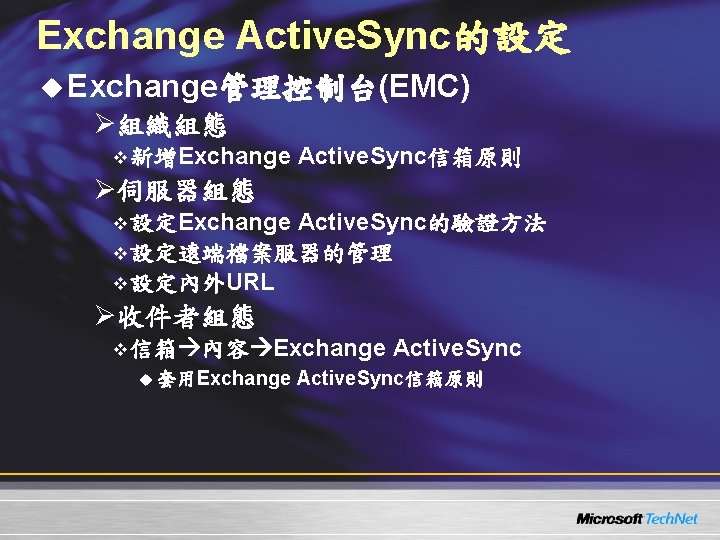
Exchange Active. Sync的設定 u Exchange管理控制台(EMC) Ø組織組態 v 新增Exchange Active. Sync信箱原則 Ø伺服器組態 v 設定Exchange Active. Sync的驗證方法 v 設定遠端檔案服器的管理 v 設定內外URL Ø收件者組態 v 信箱 內容 Exchange Active. Sync u 套用Exchange Active. Sync信箱原則
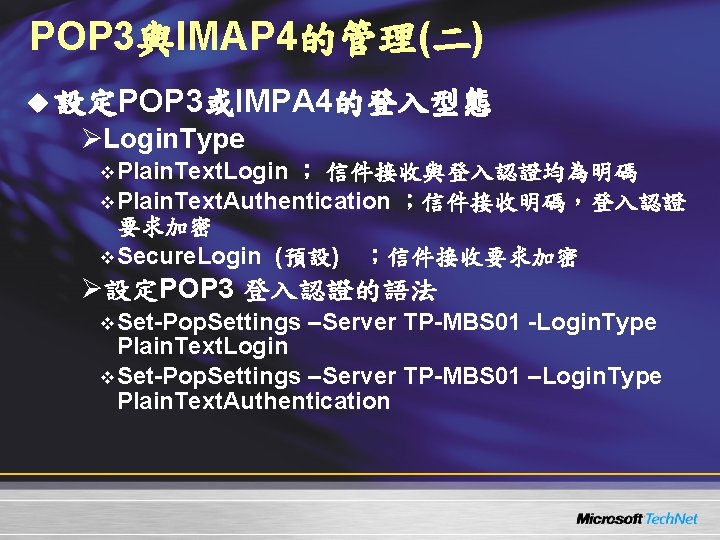
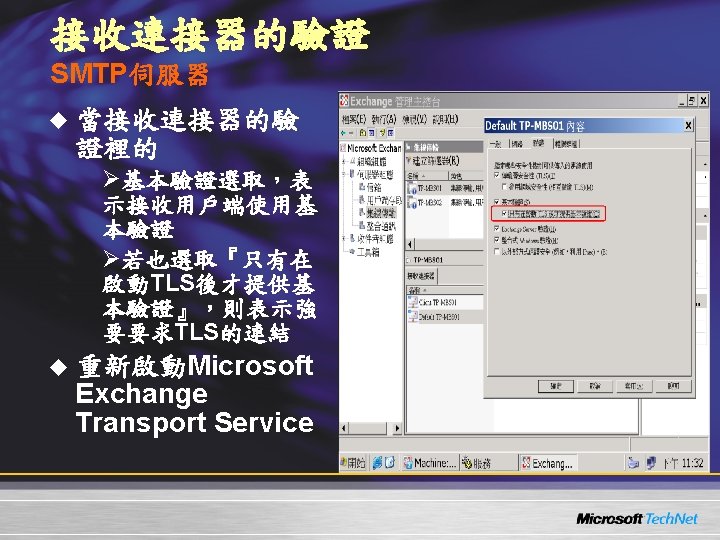
POP 3與IMAP 4的管理(二) u 設定POP 3或IMPA 4的登入型態 ØLogin. Type v Plain. Text. Login ; 信件接收與登入認證均為明碼 v Plain. Text. Authentication ;信件接收明碼,登入認證 要求加密 v Secure. Login (預設) ;信件接收要求加密 Ø設定POP 3 登入認證的語法 v Set-Pop. Settings –Server TP-MBS 01 -Login. Type Plain. Text. Login v Set-Pop. Settings –Server TP-MBS 01 –Login. Type Plain. Text. Authentication
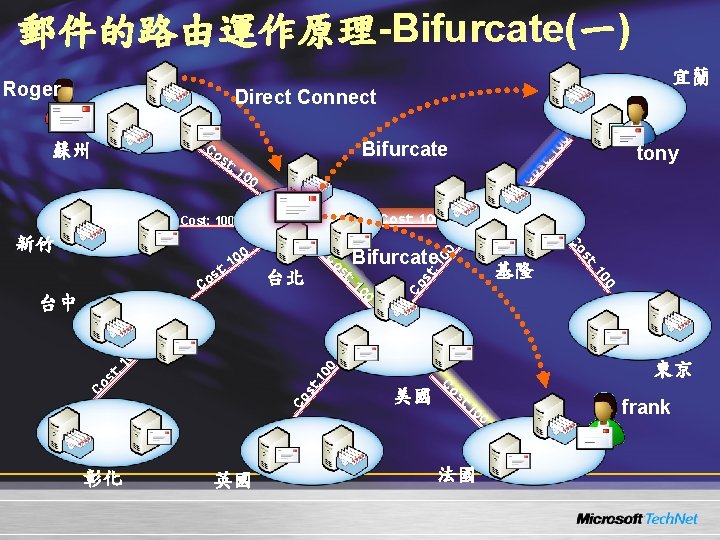
郵件的路由運作原理-Bifurcate(一) Roger 宜蘭 Direct Connect Bifurcate Co 00 Cost: 100 00 東京 : 1 st Co C 00 t: 1 os 美國 C os t: 00 10 0 Co st : 1 基隆 00 : 1 台北 st Bifurcate t os 台中 C 00 1 t: Co 新竹 s Co tony st : 1 00 Co st 蘇州 彰化 英國 法國 frank
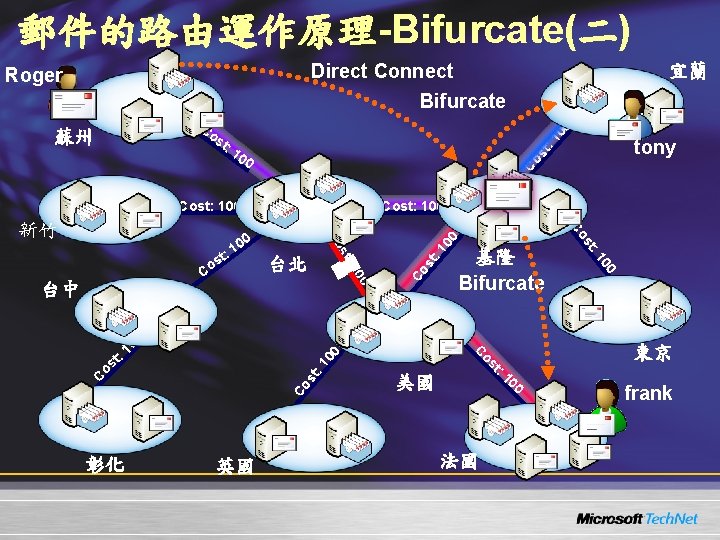
郵件的路由運作原理-Bifurcate(二) Direct Connect Roger 宜蘭 Bifurcate : 1 00 Co st : 1 蘇州 Co Cost: 100 : 1 t: st os 00 : 1 st Co 美國 00 Co C 1 t: 英國 os 彰化 東京 C 00 10 0 基隆 Bifurcate 法國 00 : 1 0 10 台北 st st: 台中 Co 00 1 t: s Co Co 新竹 tony st 00 frank
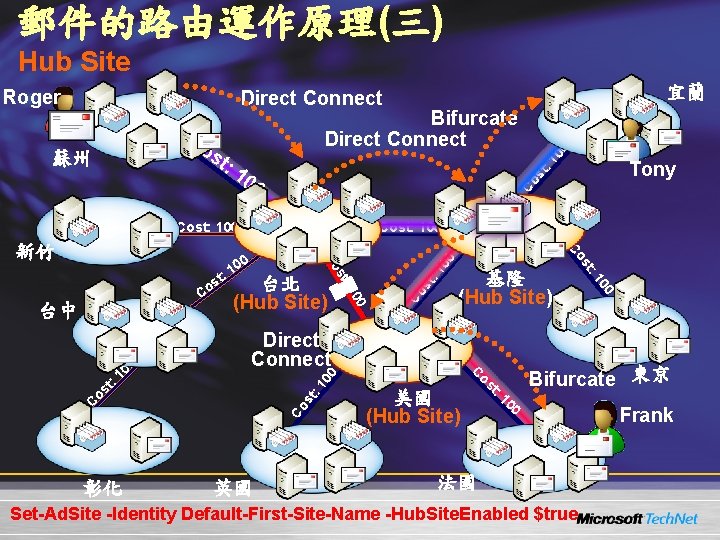
郵件的路由運作原理(三) Hub Site Roger 宜蘭 Direct Connect st st Co Cost: 100 00 : 1 st os t Co C 00 1 t: 美國 (Hub Site) os 英國 Bifurcate 東京 C : 1 00 Direct Connect 0 10 基隆 (Hub Site) : st 0 彰化 10 台中 台北 (Hub Site) st: s Co Co 00 1 t: Co 新竹 Tony : 1 00 Co 蘇州 00 Co Bifurcate Direct Connect 法國 Set-Ad. Site -Identity Default-First-Site-Name -Hub. Site. Enabled $true Frank
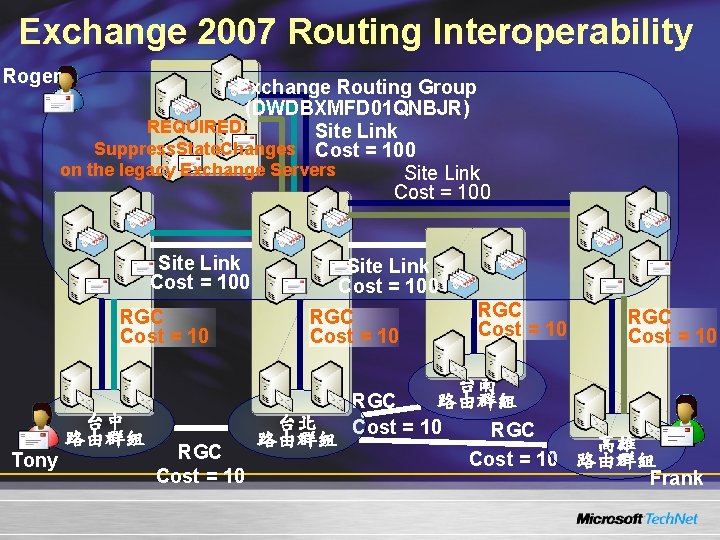
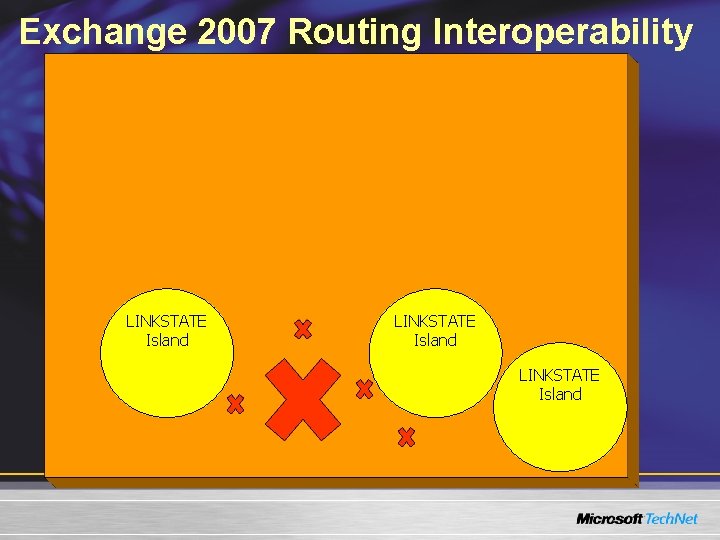
Exchange 2007 Routing Interoperability Roger Exchange Routing Group (DWDBXMFD 01 QNBJR) REQUIRED: Site Link Suppress. State. Changes Cost = 100 on the legacy Exchange Servers Site Link Cost = 100 RGC Cost = 10 台中 路由群組 Tony RGC Cost = 10 Site Link Cost = 100 RGC Cost = 10 台北 路由群組 RGC Cost = 10 台南 路由群組 RGC Cost = 10 高雄 Cost = 10 路由群組 Frank
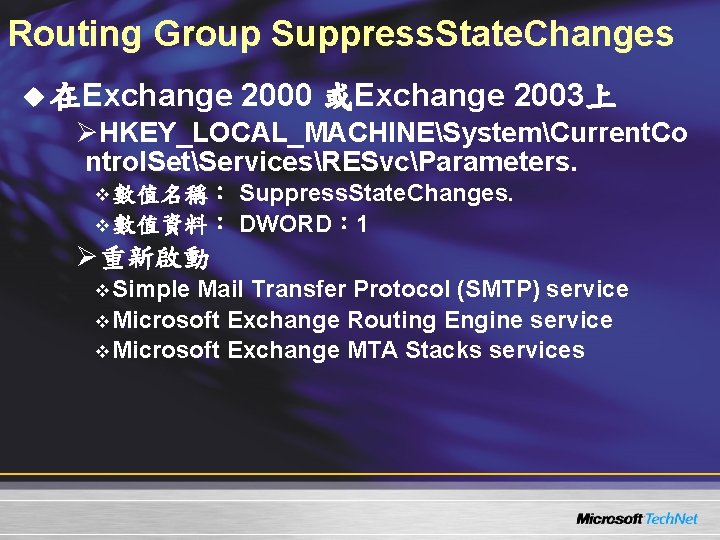
Routing Group Suppress. State. Changes u 在Exchange 2000 或Exchange 2003上 ØHKEY_LOCAL_MACHINESystemCurrent. Co ntrol. SetServicesRESvcParameters. v 數值名稱: Suppress. State. Changes. v 數值資料: DWORD: 1 Ø重新啟動 v Simple Mail Transfer Protocol (SMTP) service v Microsoft Exchange Routing Engine service v Microsoft Exchange MTA Stacks services
Exchange 2007 Routing Interoperability LINKSTATE Island
Exchange 2007 Routing Interoperability
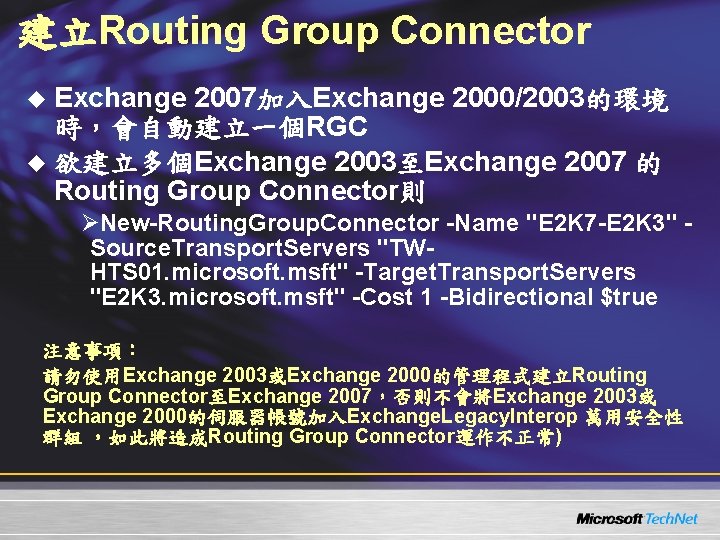
建立Routing Group Connector u Exchange 2007加入Exchange 2000/2003的環境 時,會自動建立一個RGC u 欲建立多個Exchange 2003至Exchange 2007 的 Routing Group Connector則 ØNew-Routing. Group. Connector -Name "E 2 K 7 -E 2 K 3" Source. Transport. Servers "TWHTS 01. microsoft. msft" -Target. Transport. Servers "E 2 K 3. microsoft. msft" -Cost 1 -Bidirectional $true 注意事項: 請勿使用Exchange 2003或Exchange 2000的管理程式建立Routing Group Connector至Exchange 2007,否則不會將Exchange 2003或 Exchange 2000的伺服器帳號加入Exchange. Legacy. Interop 萬用安全性 群組 ,如此將造成Routing Group Connector運作不正常)
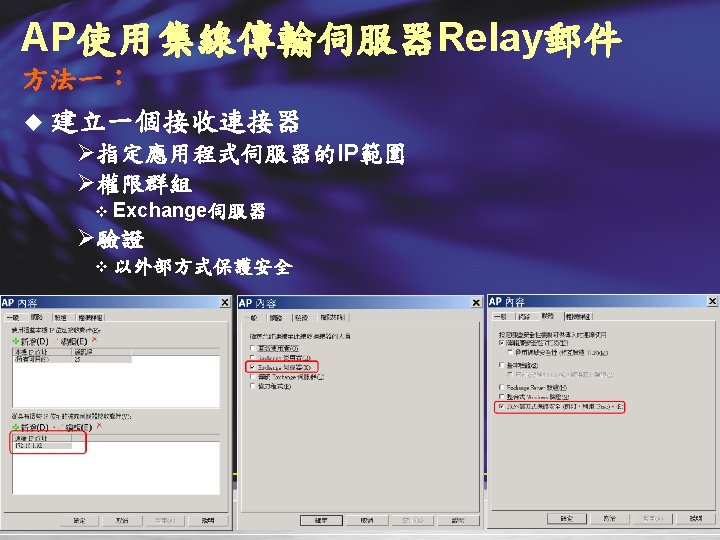
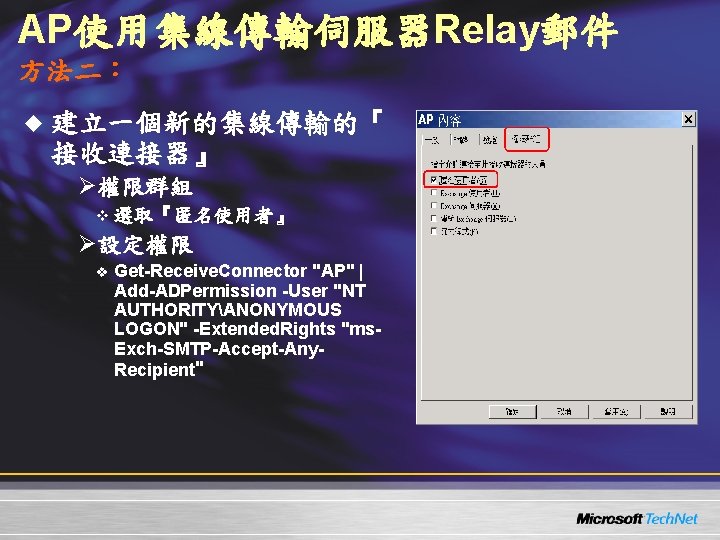
AP使用集線傳輸伺服器Relay郵件 方法二: u 建立一個新的集線傳輸的『 接收連接器』 Ø權限群組 v 選取『匿名使用者』 Ø設定權限 v Get-Receive. Connector "AP" | Add-ADPermission -User "NT AUTHORITYANONYMOUS LOGON" -Extended. Rights "ms. Exch-SMTP-Accept-Any. Recipient"
部署信箱伺服器 u 必須加入的元件 ØEnable network COM+ access ØInternet Information Services v World Wide Web Service u Hotfix: KB 904639 Øhttp: //support. microsoft. com/kb/904639 v http: //www. microsoft. com/downloads/details. as px? familyid=CC 8 EBD 67 -0 C 40 -4362 -A 5 E 93604 D 9 A 34 F 25&displaylang=en
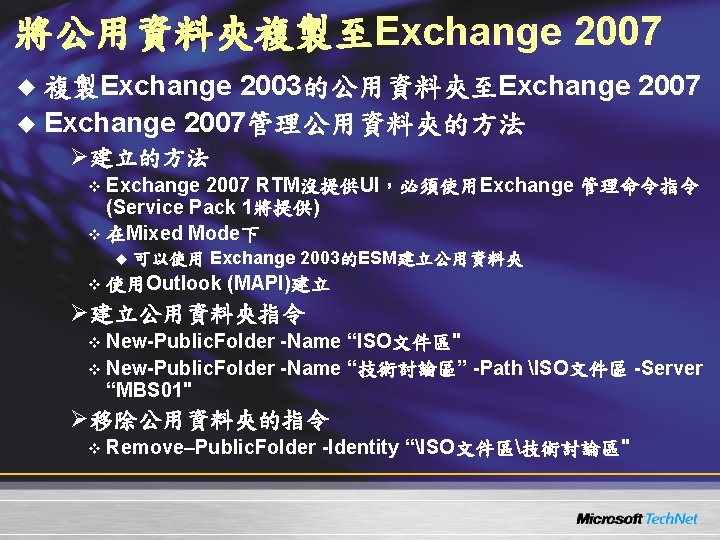
將公用資料夾複製至Exchange 2007 u 複製Exchange 2003的公用資料夾至Exchange 2007 u Exchange 2007管理公用資料夾的方法 Ø建立的方法 v Exchange 2007 RTM沒提供UI,必須使用Exchange 管理命令指令 (Service Pack 1將提供) v 在Mixed Mode下 u 可以使用 Exchange 2003的ESM建立公用資料夾 v 使用Outlook (MAPI)建立 Ø建立公用資料夾指令 v New-Public. Folder -Name “ISO文件區" v New-Public. Folder -Name “技術討論區” -Path ISO文件區 -Server “MBS 01" Ø移除公用資料夾的指令 v Remove–Public. Folder -Identity “ISO文件區技術討論區"
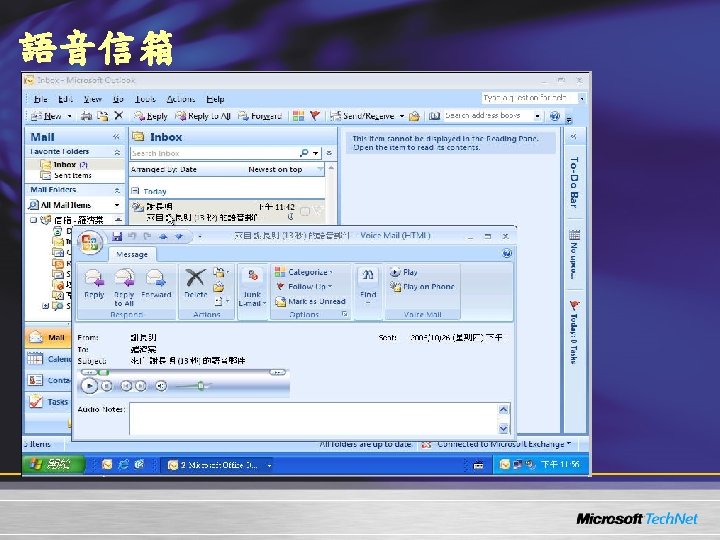
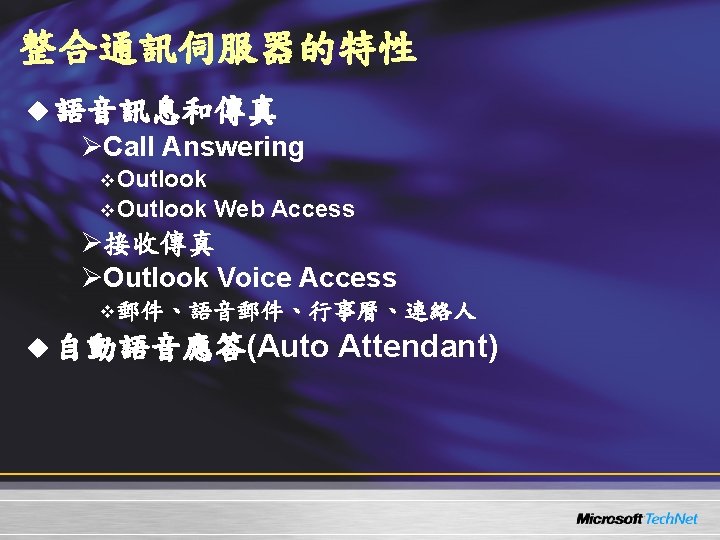
部署整合通訊伺服器 u Unified Messaging Server所需的元件 ØMicrosoft Speech service ØMicrosoft Windows Media® Encoder (X 64) v http: //www. microsoft. com/downloads/details. asp x? familyid=CC 41218 D-7 E 37 -4546 -BF 0 B 1276959 EE 3 EF&displaylang=en ØMicrosoft Windows Media Audio Voice Codec (X 64) v http: //support. microsoft. com/? kbid=917312 ØMicrosoft Core XML Services (MSXML) 6. 0 v http: //www. microsoft. com/downloads/details. asp x? familyid=993 c 0 bcf-3 bcf-4009 -be 2127 e 85 e 1857 b 1&displaylang=en
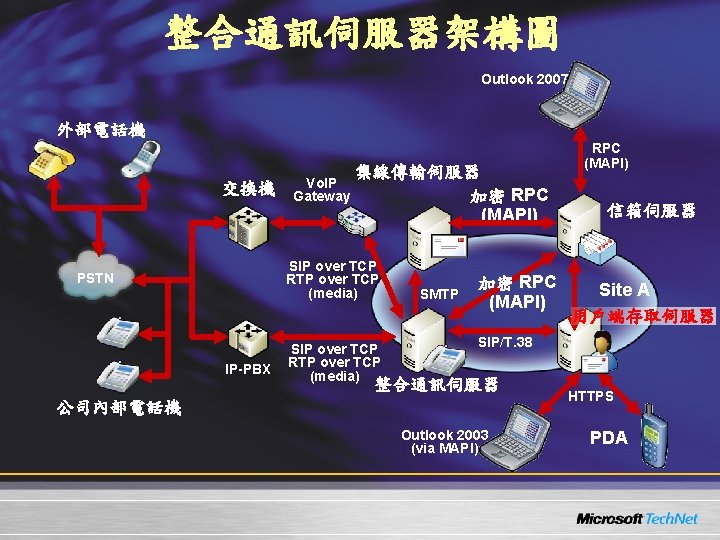
整合通訊伺服器架構圖 Outlook 2007 外部電話機 交換機 Vo. IP Gateway 集線傳輸伺服器 加密 RPC (MAPI) SIP over TCP RTP over TCP (media) PSTN IP-PBX SIP over TCP RTP over TCP (media) SMTP 加密 RPC (MAPI) 信箱伺服器 Site A 用戶端存取伺服器 SIP/T. 38 整合通訊伺服器 公司內部電話機 Outlook 2003 (via MAPI) HTTPS PDA
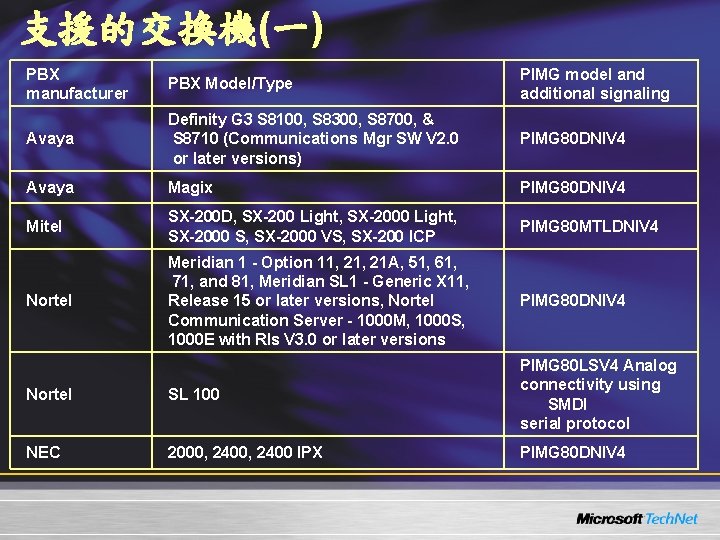
支援的交換機(一) PBX manufacturer PBX Model/Type PIMG model and additional signaling Avaya Definity G 3 S 8100, S 8300, S 8700, & S 8710 (Communications Mgr SW V 2. 0 or later versions) PIMG 80 DNIV 4 Avaya Magix PIMG 80 DNIV 4 Mitel SX-200 D, SX-200 Light, SX-2000 Light, SX-2000 S, SX-2000 VS, SX-200 ICP PIMG 80 MTLDNIV 4 Nortel Meridian 1 - Option 11, 21 A, 51, 61, 71, and 81, Meridian SL 1 - Generic X 11, Release 15 or later versions, Nortel Communication Server - 1000 M, 1000 S, 1000 E with Rls V 3. 0 or later versions PIMG 80 DNIV 4 Nortel SL 100 PIMG 80 LSV 4 Analog connectivity using SMDI serial protocol NEC 2000, 2400 IPX PIMG 80 DNIV 4
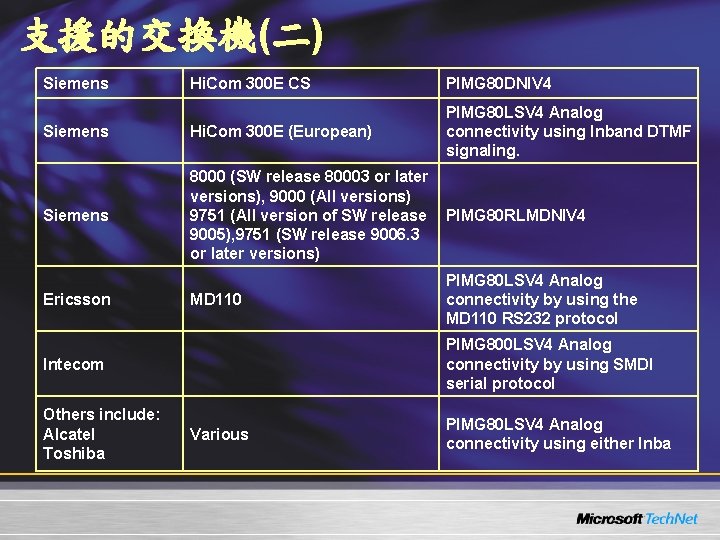
支援的交換機(二) Siemens Hi. Com 300 E CS PIMG 80 DNIV 4 Siemens Hi. Com 300 E (European) PIMG 80 LSV 4 Analog connectivity using Inband DTMF signaling. Siemens 8000 (SW release 80003 or later versions), 9000 (All versions) 9751 (All version of SW release PIMG 80 RLMDNIV 4 9005), 9751 (SW release 9006. 3 or later versions) MD 110 PIMG 80 LSV 4 Analog connectivity by using the MD 110 RS 232 protocol Intecom PIMG 800 LSV 4 Analog connectivity by using SMDI serial protocol Others include: Alcatel Toshiba Various PIMG 80 LSV 4 Analog connectivity using either Inba Ericsson
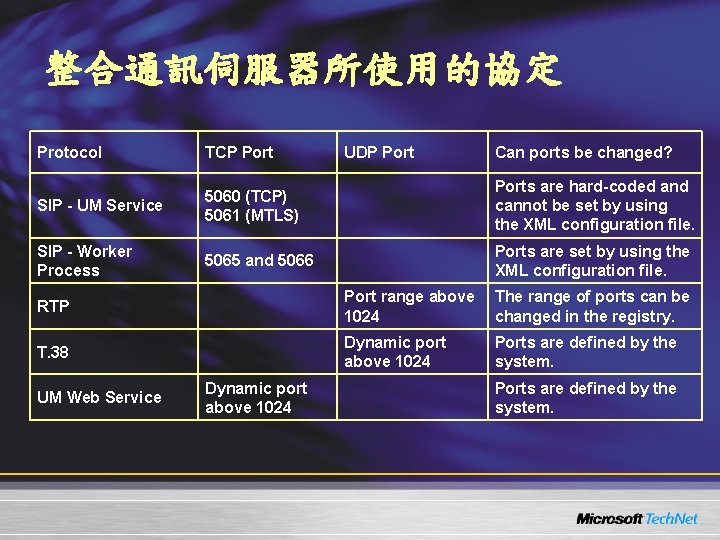
整合通訊伺服器所使用的協定 Protocol TCP Port UDP Port Can ports be changed? SIP - UM Service 5060 (TCP) 5061 (MTLS) Ports are hard-coded and cannot be set by using the XML configuration file. SIP - Worker Process 5065 and 5066 Ports are set by using the XML configuration file. RTP Port range above The range of ports can be 1024 changed in the registry. T. 38 Dynamic port above 1024 Ports are defined by the system. UM Web Service Dynamic port above 1024 Ports are defined by the system.
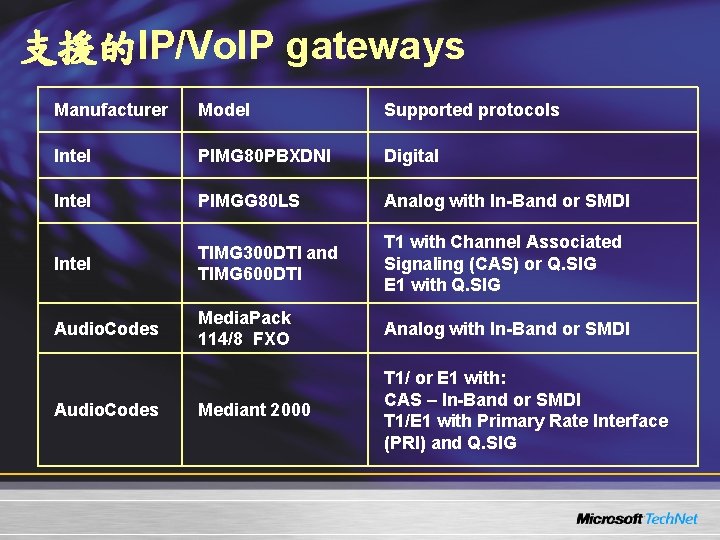
支援的IP/Vo. IP gateways Manufacturer Model Supported protocols Intel PIMG 80 PBXDNI Digital Intel PIMGG 80 LS Analog with In-Band or SMDI Intel TIMG 300 DTI and TIMG 600 DTI T 1 with Channel Associated Signaling (CAS) or Q. SIG E 1 with Q. SIG Audio. Codes Media. Pack 114/8 FXO Analog with In-Band or SMDI Mediant 2000 T 1/ or E 1 with: CAS – In-Band or SMDI T 1/E 1 with Primary Rate Interface (PRI) and Q. SIG Audio. Codes
部署邊際傳輸伺服器 u Hotfix: KB 918995 Ø http: //support. microsoft. com/kb/918995 u Active Directory Application Mode Øhttp: //www. microsoft. com/downloads/details. asp x? familyid=9688 f 8 b 9 -1034 -4 ef 6 -a 3 e 52 a 2 a 57 b 5 c 8 e 4&displaylang=en u 必須設定DNS suffix u 不可加入SMTP及NNTP服務 u Hub Transport Server 必須 Ø解析得到Edge Transport Server的FQDN u Edge Transport Serve 必須 Ø解析得到HUB Transport Server的FQDN
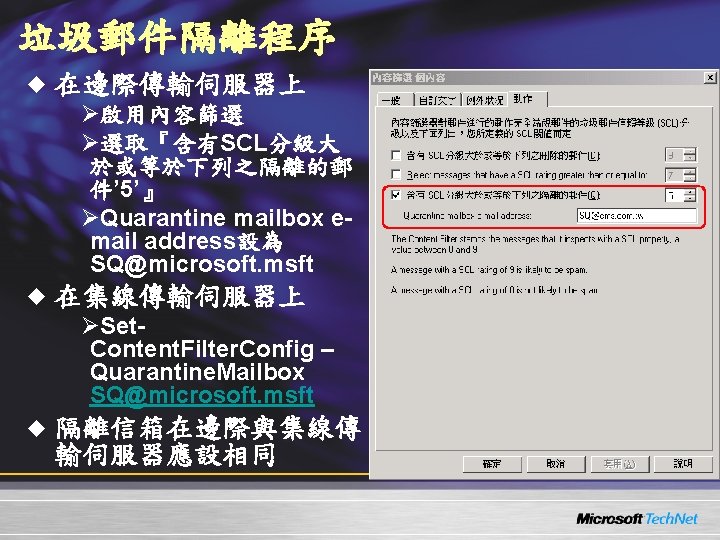
Edge訂閱的基本步驟 u Edge訂閱會自動建立 Ø傳送連接器 u 在Edge Server上建立訂閱檔案(xml) Ø沒有UI管理介面 ØNew-edgesubscription –filename c: edgesync. xml ØCopy “c: edgesync. xml” 至集線傳輸伺服器 Ø在集線傳輸伺服器上匯入訂閱檔 v 可以使用Exchange Command Shell或EMC/組織織態/集線傳 輸/Edge訂閱 v New-edgesubscription –filename c: edgesync. xml Site: "Default-First-Site-Name" u 強制Edge. Sync同步指令 ØStart-Edge. Synchronization
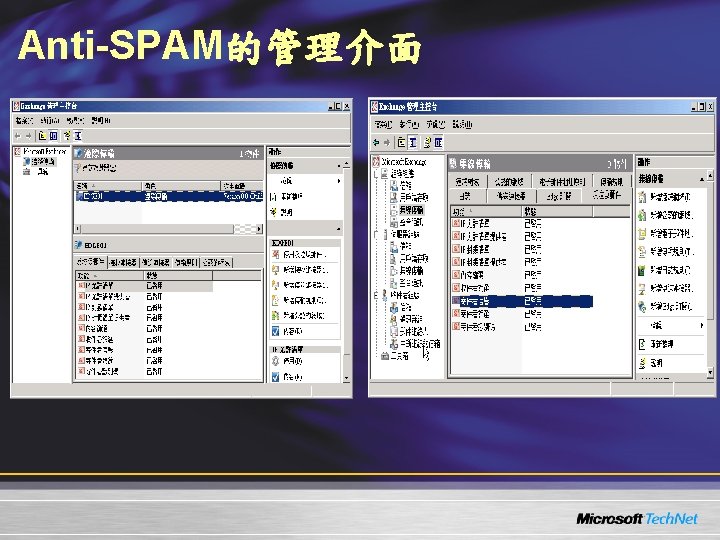
Anti-SPAM的管理介面
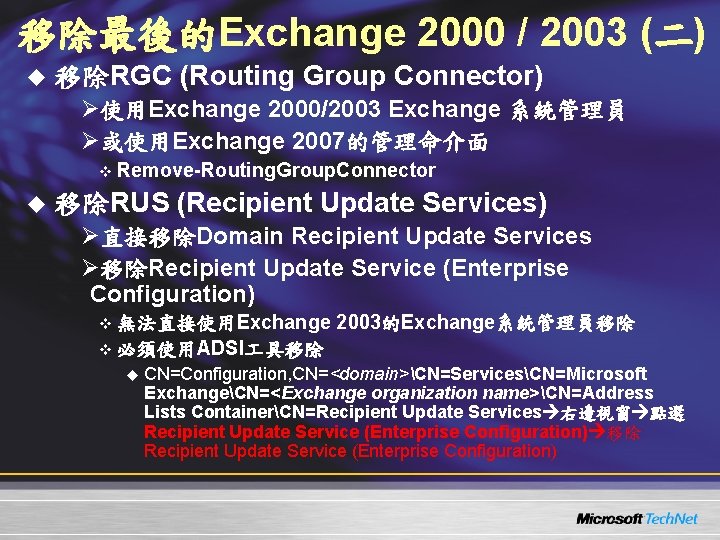
移除最後的Exchange 2000 / 2003 (二) u 移除RGC (Routing Group Connector) Ø使用Exchange 2000/2003 Exchange 系統管理員 Ø或使用Exchange 2007的管理命介面 v Remove-Routing. Group. Connector u 移除RUS (Recipient Update Services) Ø直接移除Domain Recipient Update Services Ø移除Recipient Update Service (Enterprise , Configuration) v 無法直接使用Exchange 2003的Exchange系統管理員移除 v 必須使用ADSI 具移除 u CN=Configuration, CN=<domain>CN=ServicesCN=Microsoft ExchangeCN=<Exchange organization name>CN=Address Lists ContainerCN=Recipient Update Services 右邊視窗 點選 Recipient Update Service (Enterprise Configuration) 移除 Recipient Update Service (Enterprise Configuration)
DEMO 7 移除Exchange 2003
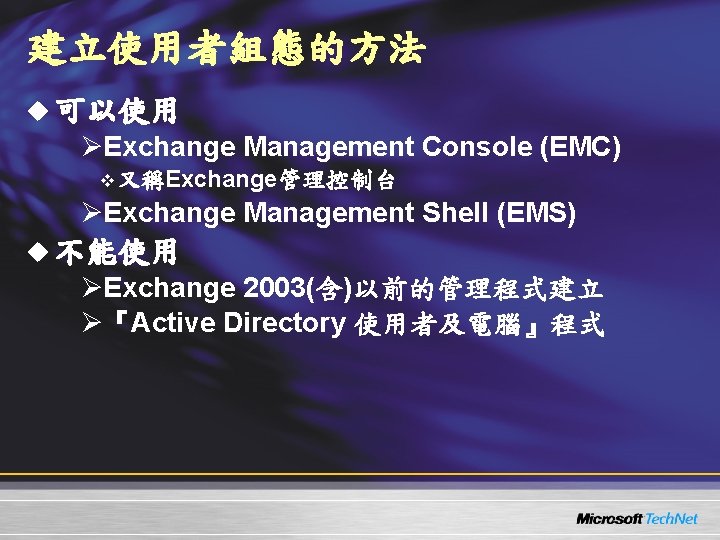
建立使用者組態的方法 u 可以使用 ØExchange Management Console (EMC) v 又稱Exchange管理控制台 ØExchange Management Shell (EMS) u 不能使用 ØExchange 2003(含)以前的管理程式建立 Ø『Active Directory 使用者及電腦』程式
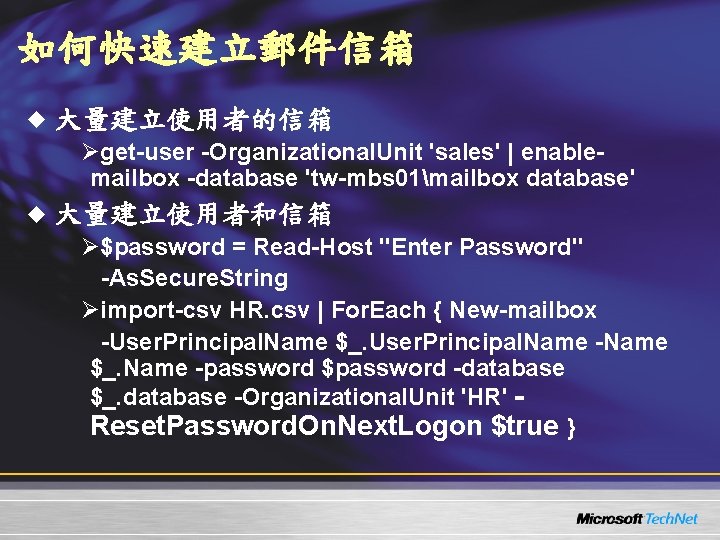
如何快速建立郵件信箱 u 大量建立使用者的信箱 Øget-user -Organizational. Unit 'sales' | enablemailbox -database 'tw-mbs 01mailbox database' u 大量建立使用者和信箱 Ø$password = Read-Host "Enter Password" -As. Secure. String Øimport-csv HR. csv | For. Each { New-mailbox -User. Principal. Name $_. User. Principal. Name -Name $_. Name -password $password -database $_. database -Organizational. Unit 'HR' Reset. Password. On. Next. Logon $true }
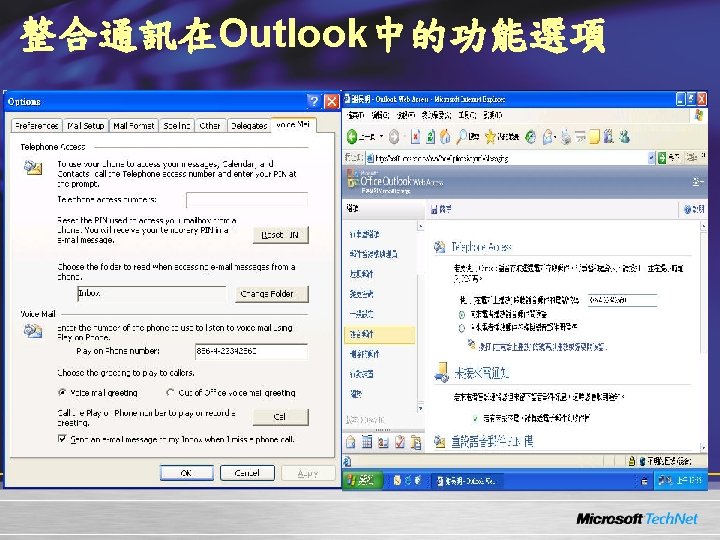
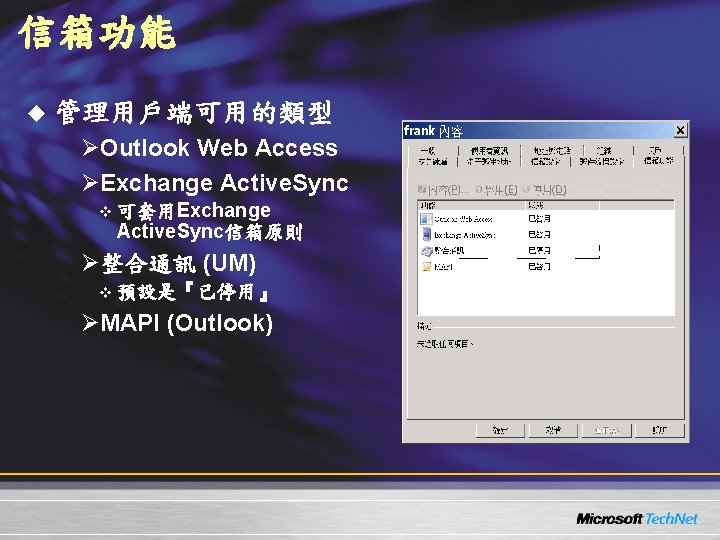
信箱功能 u 管理用戶端可用的類型 ØOutlook Web Access ØExchange Active. Sync v 可套用Exchange Active. Sync信箱原則 Ø整合通訊 (UM) v 預設是『已停用』 ØMAPI (Outlook)
For More Information Visit Tech. Net at www. microsoft. com/technet Visit the url below for additional information www. microsoft. com/technet/xxx-xx
Microsoft Press Publications For the latest titles, visit www. microsoft. com/learning/books/itpro/
Non-Microsoft Publications These books can be found and purchased at all major book stores and online retailers
Readiness with Skills Assessment u Self-study learning tool free to anyone. u Determines skills gaps. u Provides learning plans. u Post your Score, see how you stack up. Visit www. microsoft. com/assessment
Become a Microsoft Certified Professional u What are MCP certifications? ØValidation in performing critical IT functions. u Why Certify? ØWW recognition of skills gained via experience ØMore effective deployments with reduced costs u What Certifications are there for IT Pros? ØMCP, MCSE, MCSA, MCDST, MCDBA. www. microsoft. com/learning/mcp
Heard the News about Tech. Net? u Software without time limits! u Complimentary technical support. u The most current resources on hand www. microsoft. com/technet/subscriptions
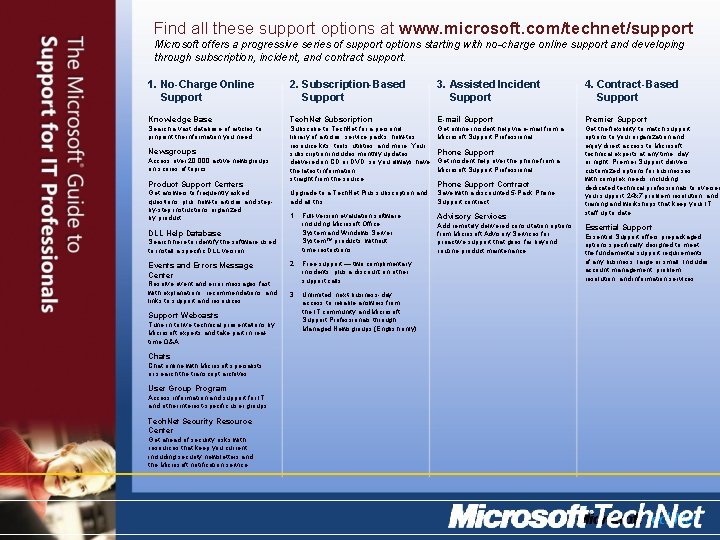
Find all these support options at www. microsoft. com/technet/support Microsoft offers a progressive series of support options starting with no-charge online support and developing through subscription, incident, and contract support. 1. No-Charge Online Support 2. Subscription-Based Support 3. Assisted Incident Support 4. Contract-Based Support Knowledge Base Tech. Net Subscription E-mail Support Premier Support Search a vast database of articles to pinpoint the information you need. Subscribe to Tech. Net for a personal library of articles, service packs, how-tos, resource kits, tools, utilities, and more. Your subscription includes monthly updates delivered on CD or DVD, so you always have the latest information, straight from the source. Get online incident help via e-mail from a Microsoft Support Professional. Upgrade to a Tech. Net Plus subscription and add all this: Save with a discounted 5 -Pack Phone Support contract. 1. Full-version evaluation software, including Microsoft Office System and Windows Server System™ products, without time restrictions. Advisory Services Get the flexibility to match support options to your organization and enjoy direct access to Microsoft technical experts at any time, day or night. Premier Support delivers customized options for businesses with complex needs, including dedicated technical professionals to oversee your support, 24 x 7 problem resolution, and training and workshops that keep your IT staff up to date. Newsgroups Access over 20, 000 active newsgroups on scores of topics. Product Support Centers Get answers to frequently asked questions, plus how-to articles and stepby-step instructions organized by product. DLL Help Database Search here to identify the software used to install a specific DLL version. Events and Errors Message Center Resolve event and error messages fast with explanations, recommendations, and links to support and resources. Support Webcasts Tune in to live technical presentations by Microsoft experts and take part in realtime Q&A. Chats Chat online with Microsoft specialists or search the transcript archives. User Group Program Access information and support for IT and other interest-specific user groups. Tech. Net Security Resource Center Get ahead of security risks with resources that keep you current, including security newsletters and the Microsoft notification service. 2. Free support — two complimentary incidents, plus a discount on other support calls. 3. Unlimited, next-business-day access to reliable answers from the IT community and Microsoft Support Professionals through Managed Newsgroups (English only). Phone Support Get incident help over the phone from a Microsoft Support Professional. Phone Support Contract Add remotely delivered consultation options from Microsoft Advisory Services for proactive support that goes far beyond routine product maintenance. Essential Support offers prepackaged options specifically designed to meet the fundamental support requirements of any business, large or small. Includes account management, problem resolution, and information services.
Where Else Can I Get Help? u. Free chats and webcasts u. List of newsgroups u. Microsoft community sites u. Community events and columns www. microsoft. com/technet/community