Active Directory Cleanup Data cleansing Data quality missing


- Slides: 37
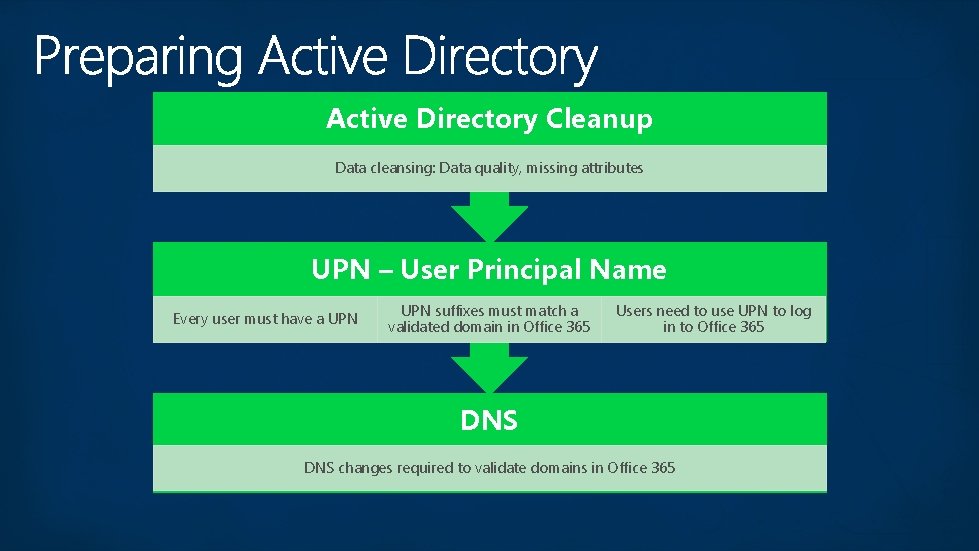
Active Directory Cleanup Data cleansing: Data quality, missing attributes UPN – User Principal Name Every user must have a UPN suffixes must match a validated domain in Office 365 Users need to use UPN to log in to Office 365 DNS changes required to validate domains in Office 365
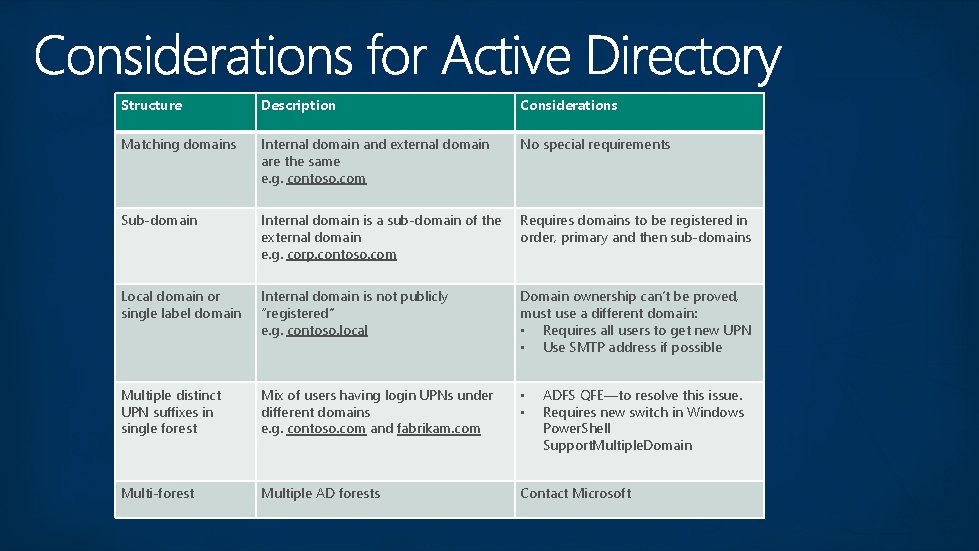
Structure Description Considerations Matching domains Internal domain and external domain are the same e. g. contoso. com No special requirements Sub-domain Internal domain is a sub-domain of the external domain e. g. corp. contoso. com Requires domains to be registered in order, primary and then sub-domains Local domain or single label domain Internal domain is not publicly “registered” e. g. contoso. local Domain ownership can’t be proved, must use a different domain: • Requires all users to get new UPN • Use SMTP address if possible Multiple distinct UPN suffixes in single forest Mix of users having login UPNs under different domains e. g. contoso. com and fabrikam. com • • Multi-forest Multiple AD forests Contact Microsoft ADFS QFE—to resolve this issue. Requires new switch in Windows Power. Shell Support. Multiple. Domain
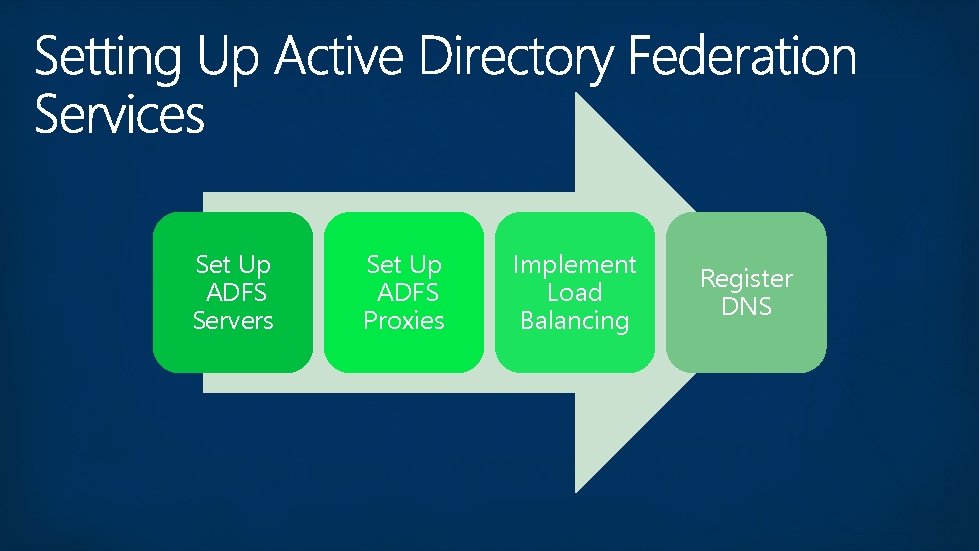
Set Up ADFS Servers Set Up ADFS Proxies Implement Load Balancing Register DNS
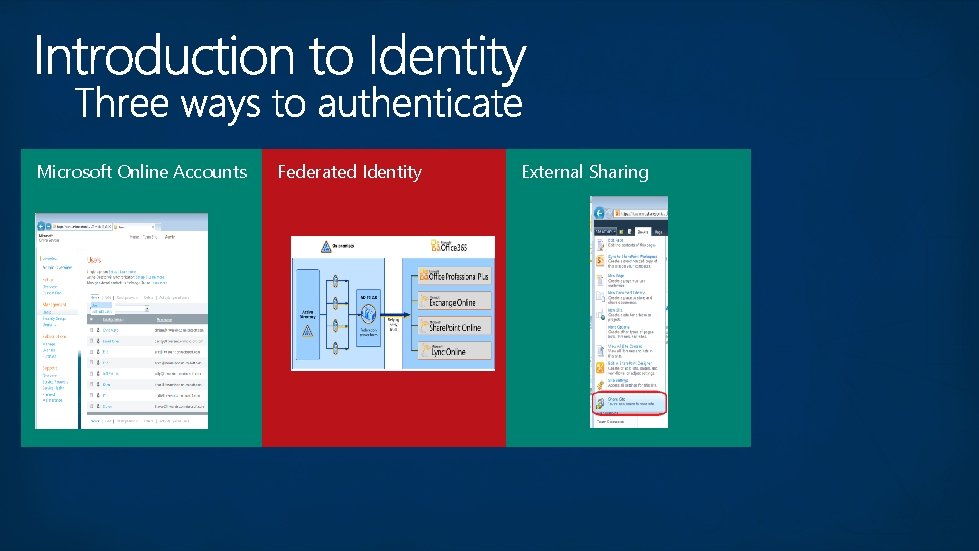
Microsoft Online Accounts Federated Identity External Sharing
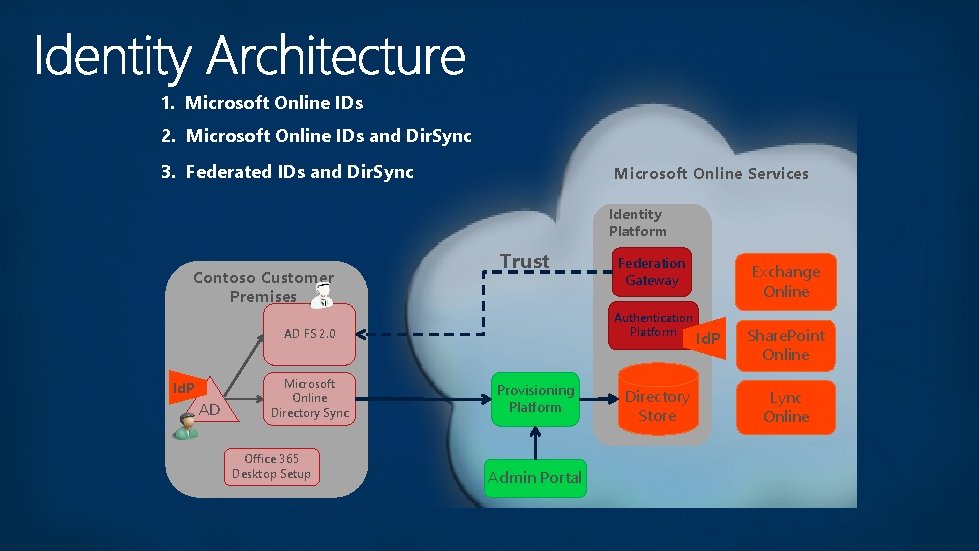
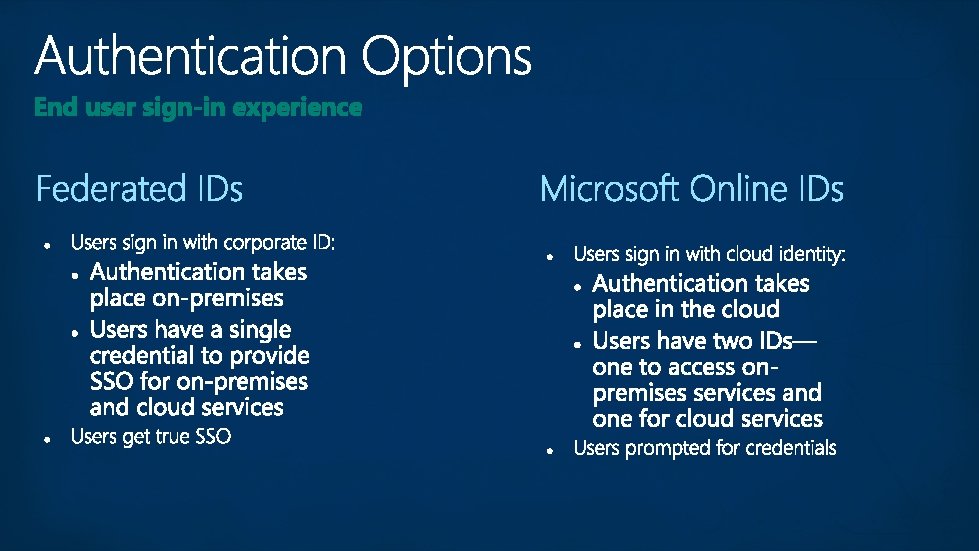
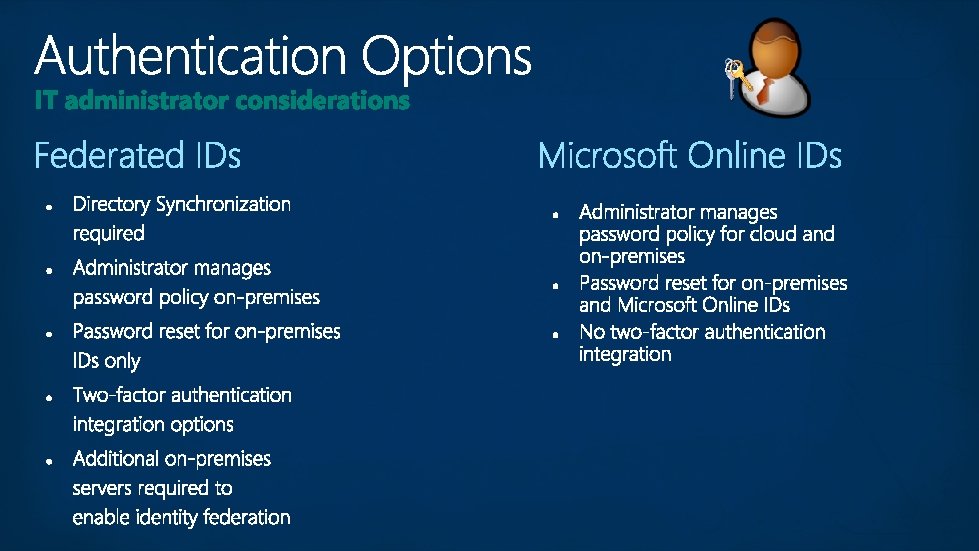
1. Microsoft Online IDs 2. Microsoft Online IDs and Dir. Sync 3. Federated IDs and Dir. Sync Microsoft Online Services Identity Platform Contoso Customer Premises Trust Authentication Platform AD FS 2. 0 Id. P AD Microsoft Online Directory Sync Office 365 Desktop Setup Federation Gateway Provisioning Platform Admin Portal Directory Store Exchange Online Id. P Share. Point Online Lync Online
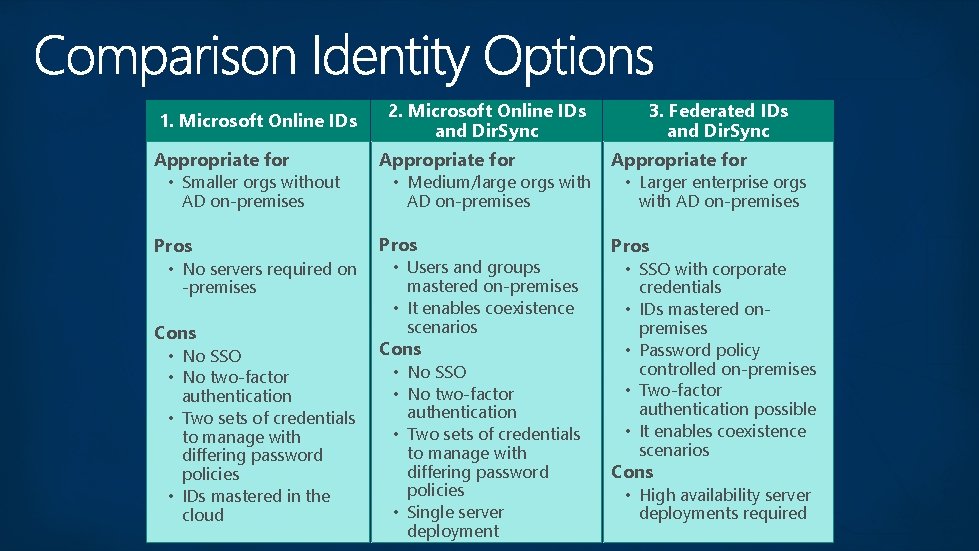
1. Microsoft Online IDs 2. Microsoft Online IDs and Dir. Sync 3. Federated IDs and Dir. Sync Appropriate for • Smaller orgs without Appropriate for • Medium/large orgs with Appropriate for • Larger enterprise orgs Pros • No servers required on Pros • Users and groups Pros • SSO with corporate AD on-premises Cons • No SSO • No two-factor authentication • Two sets of credentials to manage with differing password policies • IDs mastered in the cloud AD on-premises mastered on-premises • It enables coexistence scenarios Cons • No SSO • No two-factor authentication • Two sets of credentials to manage with differing password policies • Single server deployment with AD on-premises • • credentials IDs mastered onpremises Password policy controlled on-premises Two-factor authentication possible It enables coexistence scenarios Cons • High availability server deployments required
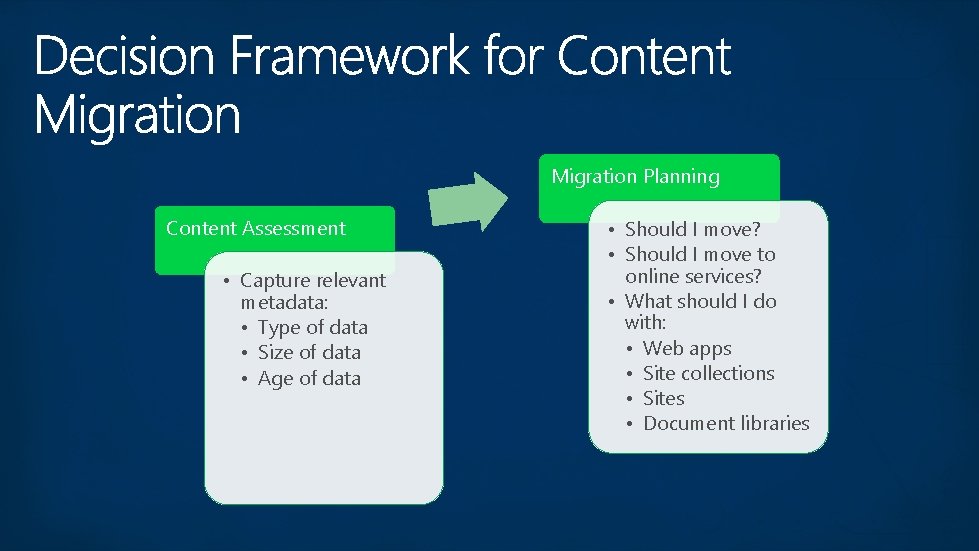
Migration Planning Content Assessment • Capture relevant metadata: • Type of data • Size of data • Age of data • Should I move? • Should I move to online services? • What should I do with: • Web apps • Site collections • Sites • Document libraries
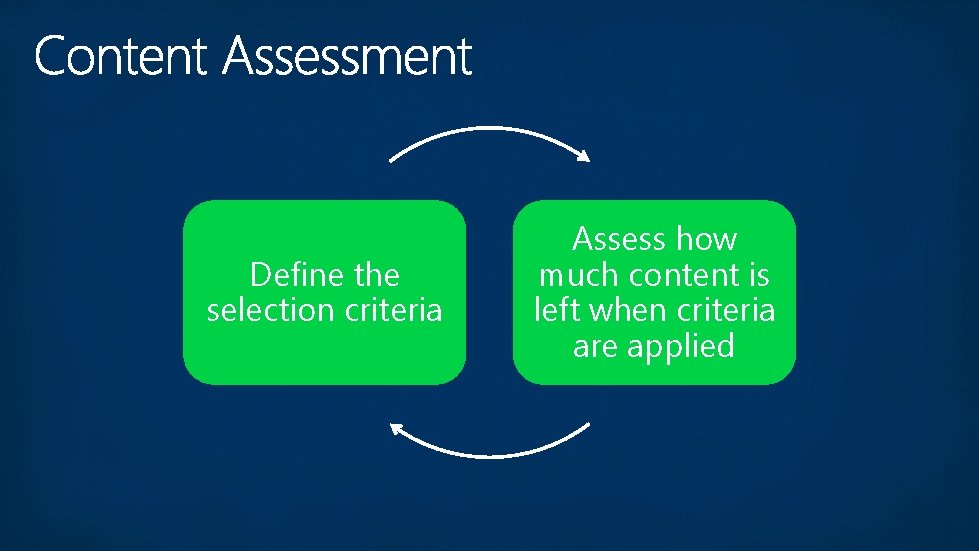
Define the selection criteria Assess how much content is left when criteria are applied
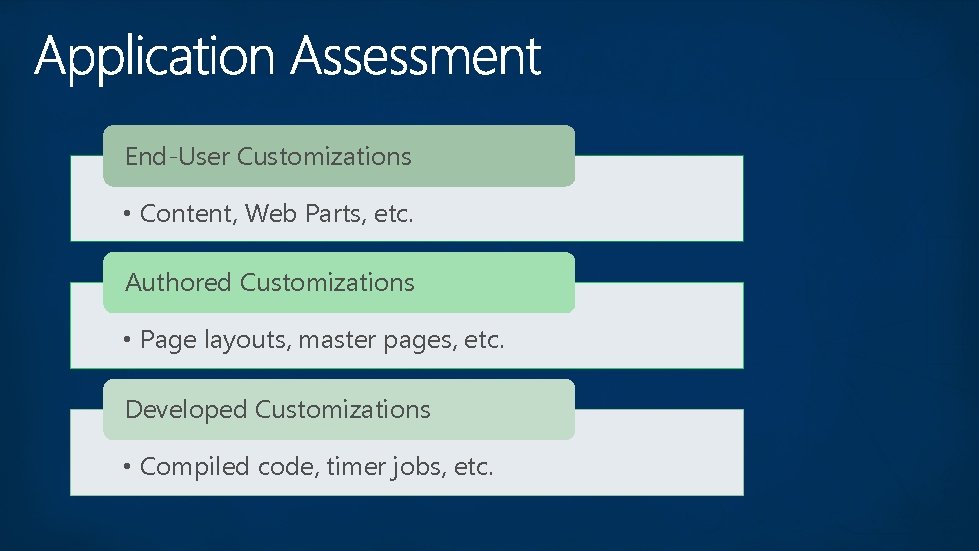
End-User Customizations • Content, Web Parts, etc. Authored Customizations • Page layouts, master pages, etc. Developed Customizations • Compiled code, timer jobs, etc.
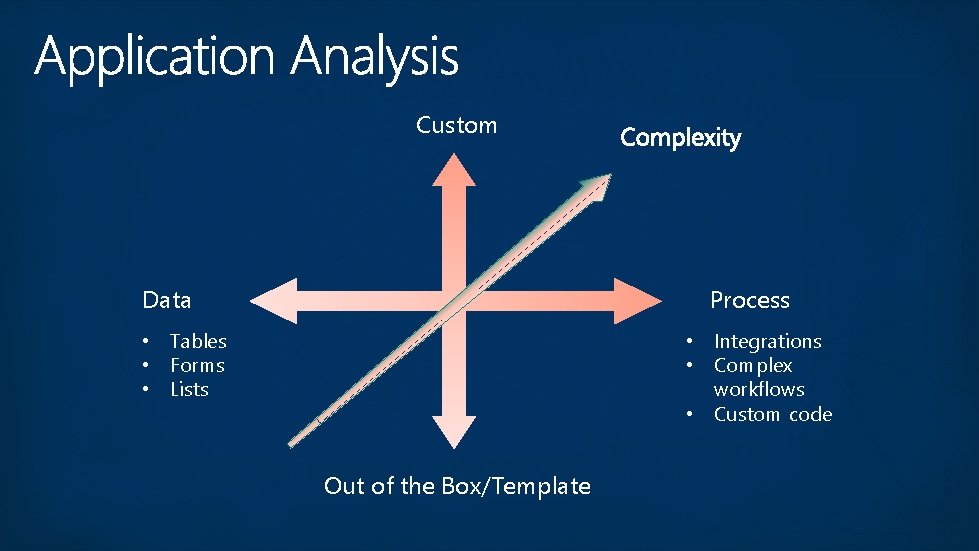
Custom Data Process • Tables • Forms • Lists • Integrations • Complex workflows • Custom code Out of the Box/Template
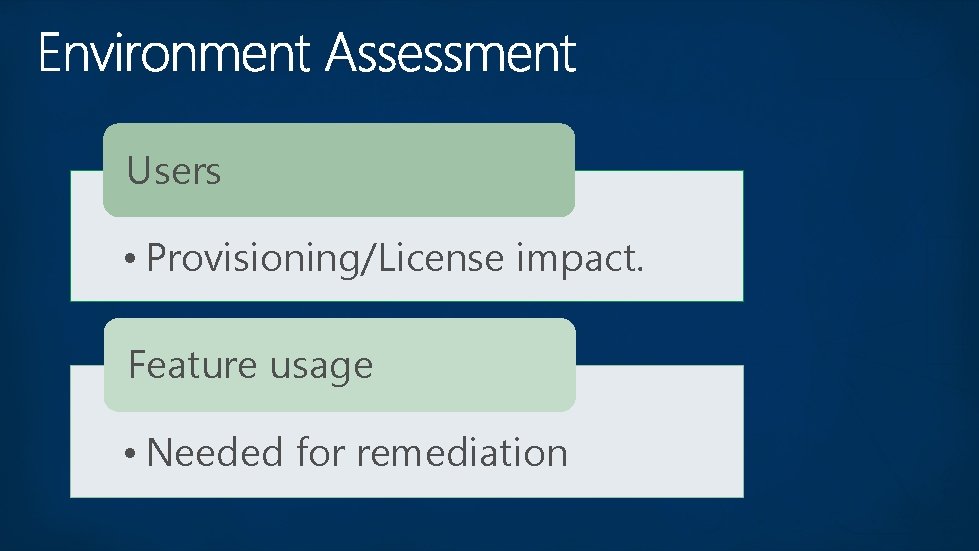
Users • Provisioning/License impact. Feature usage • Needed for remediation
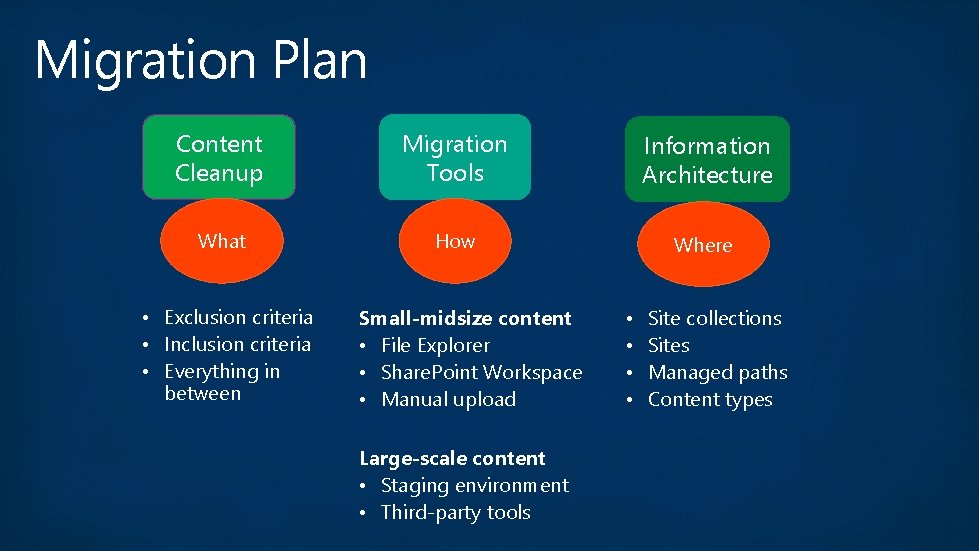
Migration Plan Content Cleanup Migration Tools Information Architecture What How Where • Exclusion criteria • Inclusion criteria • Everything in between Small-midsize content • File Explorer • Share. Point Workspace • Manual upload Large-scale content • Staging environment • Third-party tools • • Site collections Sites Managed paths Content types
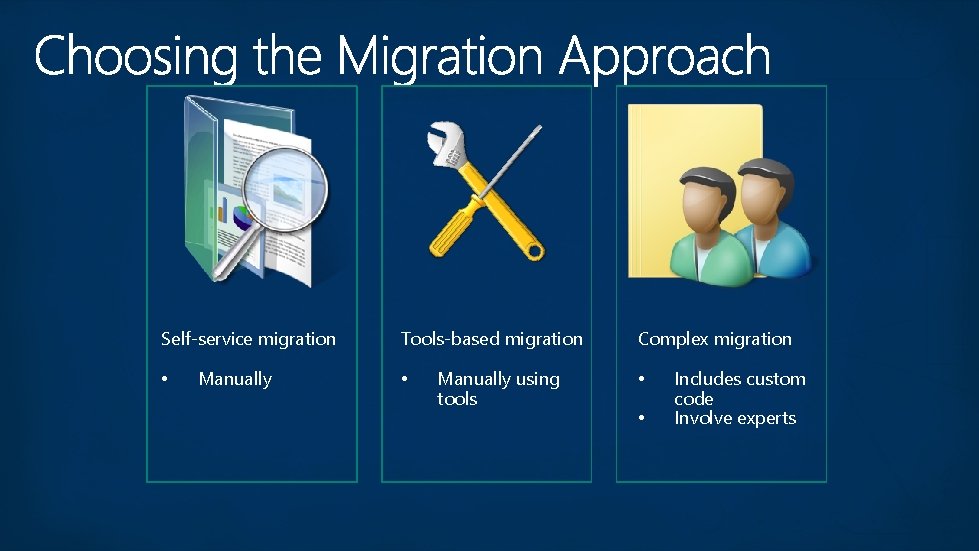
Self-service migration • Manually Tools-based migration • Manually using tools Complex migration • • Includes custom code Involve experts
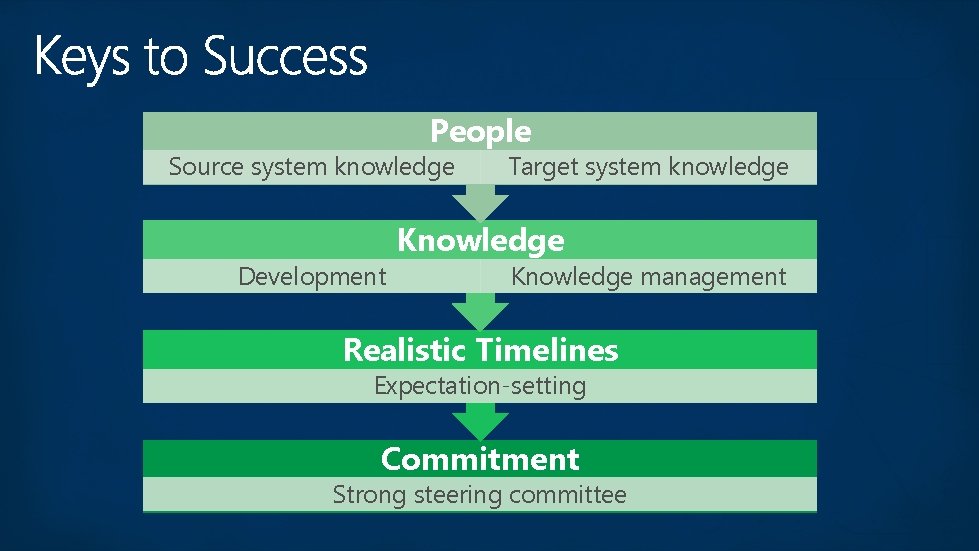
People Source system knowledge Development Target system knowledge Knowledge management Realistic Timelines Expectation-setting Commitment Strong steering committee
Tue 09: 00 am – SPC 243 - Hybrid Overview Tue 10: 30 am - SPC 125 - Hybrid and Search in the Cloud Wed 1: 45 pm – SPC 218 - Share. Point Online Hybrid: Configuring BCS and Duet Online Wed 3: 15 pm - SPC 150 - Microsoft Early Learning: Moving Search to O 365 and Building a Hybrid Experience Thurs 9: 00 am - SPC 140 - Deep dive on Server to Server OAuth Identity Platform
My. SPC http: //myspc. sharepointconference. com