NMC NW Administration NMC Team Net Worker 7
- Slides: 109
NMC -- NW Administration NMC Team Net. Worker 7. 3 TOI July 28, 2005 EMC CONFIDENTIAL—INTERNAL USE ONLY 1
Agenda NW Administration’s Purpose & Tasks Architecture Monitoring Task Configuration Task Devices Task Media Task NW Privileges and NMC Licensing EMC CONFIDENTIAL—INTERNAL USE ONLY 2
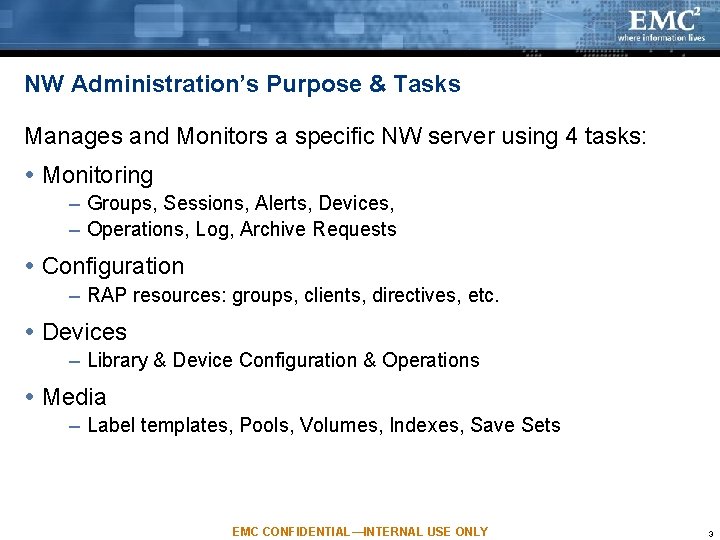
NW Administration’s Purpose & Tasks Manages and Monitors a specific NW server using 4 tasks: Monitoring – Groups, Sessions, Alerts, Devices, – Operations, Log, Archive Requests Configuration – RAP resources: groups, clients, directives, etc. Devices – Library & Device Configuration & Operations Media – Label templates, Pools, Volumes, Indexes, Save Sets EMC CONFIDENTIAL—INTERNAL USE ONLY 3
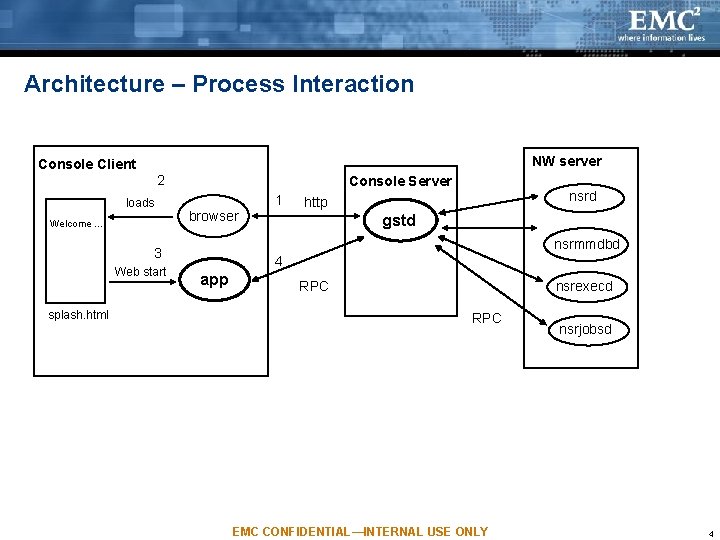
Architecture – Process Interaction NW server Console Client 2 loads Welcome … Console Server 1 browser splash. html gstd nsrmmdbd 3 Web start nsrd http 4 app nsrexecd RPC EMC CONFIDENTIAL—INTERNAL USE ONLY nsrjobsd 4
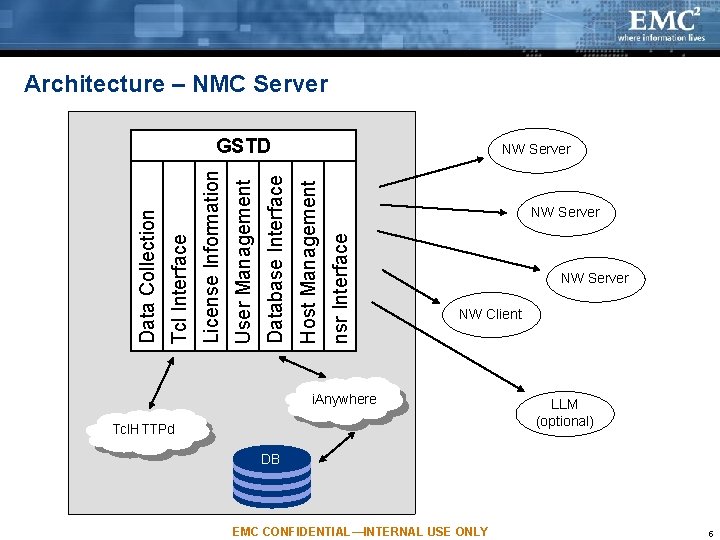
Architecture – NMC Server NW Server nsr Interface Host Management Database Interface User Management License Information Tcl Interface Data Collection GSTD NW Server NW Client i. Anywhere Tcl. HTTPd LLM (optional) DB EMC CONFIDENTIAL—INTERNAL USE ONLY 5
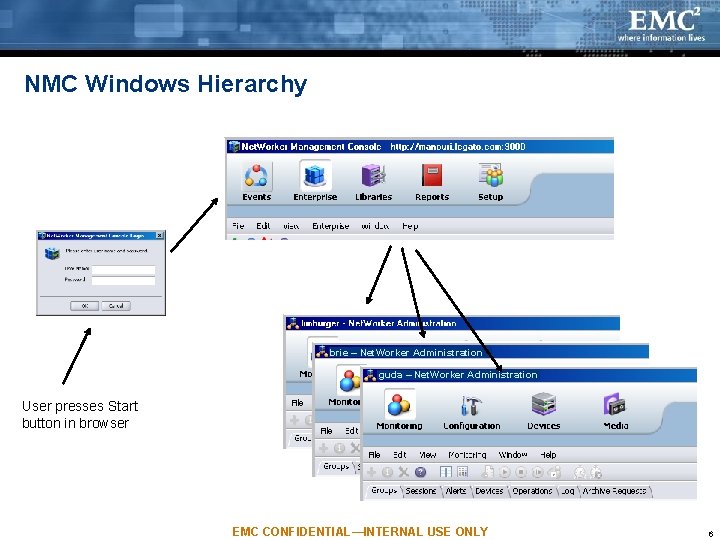
NMC Windows Hierarchy brie – Net. Worker Administration guda – Net. Worker Administration User presses Start button in browser EMC CONFIDENTIAL—INTERNAL USE ONLY 6
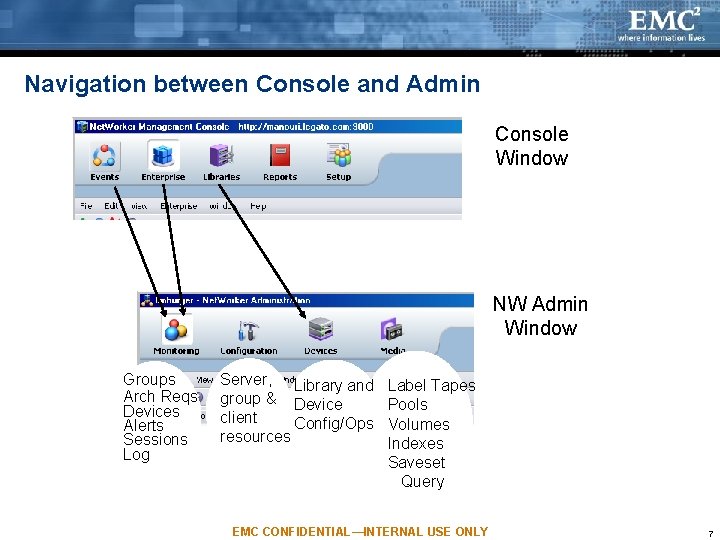
Navigation between Console and Admin Console Window NW Admin Window Groups Arch Reqs Devices Alerts Sessions Log Server, Library and group & Device client Config/Ops resources Label Tapes Pools Volumes Indexes Saveset Query EMC CONFIDENTIAL—INTERNAL USE ONLY 7
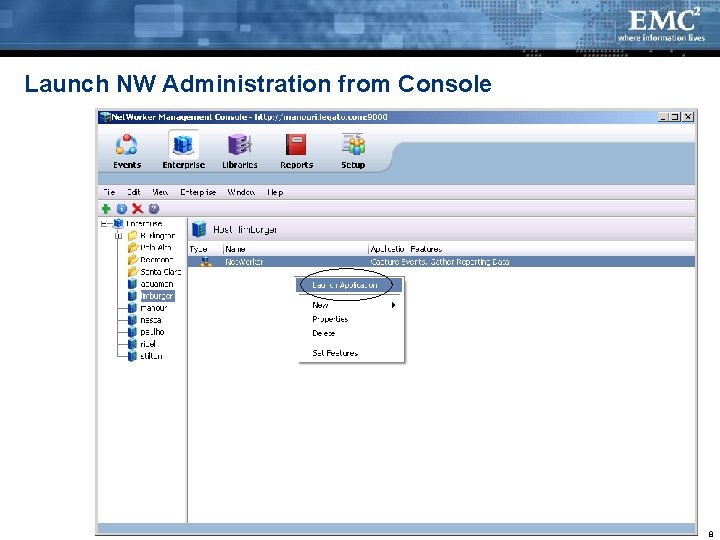
Launch NW Administration from Console EMC CONFIDENTIAL—INTERNAL USE ONLY 8
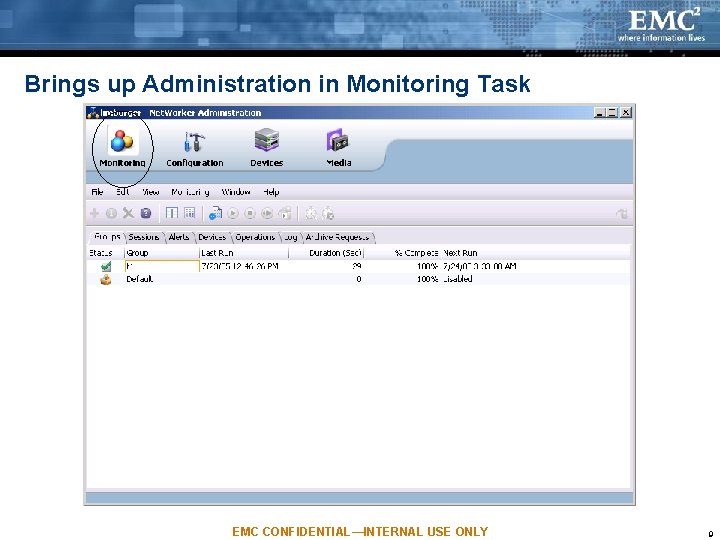
Brings up Administration in Monitoring Task EMC CONFIDENTIAL—INTERNAL USE ONLY 9
Agenda NW Administration’s Purpose & Tasks Architecture Monitoring Task Configuration Task Devices Task Media Task NW Privileges and NMC Licensing EMC CONFIDENTIAL—INTERNAL USE ONLY 10
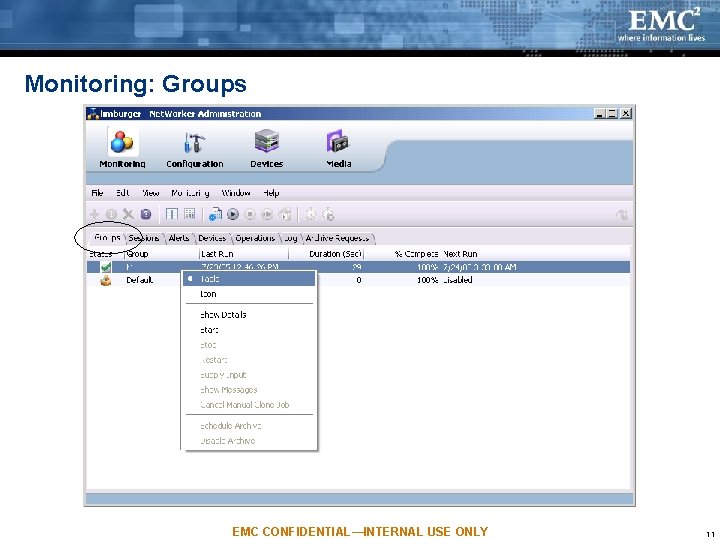
Monitoring: Groups EMC CONFIDENTIAL—INTERNAL USE ONLY 11
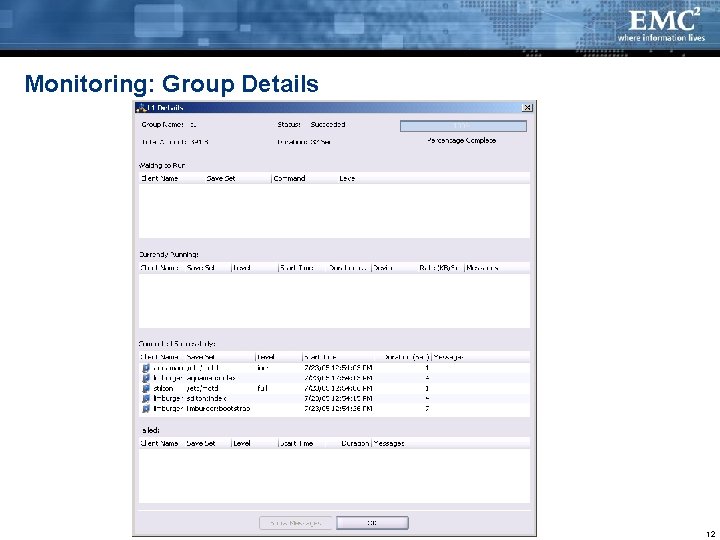
Monitoring: Group Details EMC CONFIDENTIAL—INTERNAL USE ONLY 12
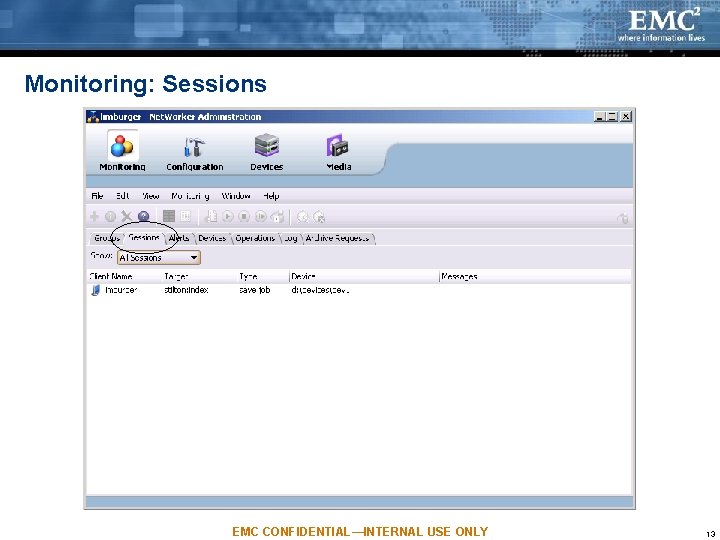
Monitoring: Sessions EMC CONFIDENTIAL—INTERNAL USE ONLY 13
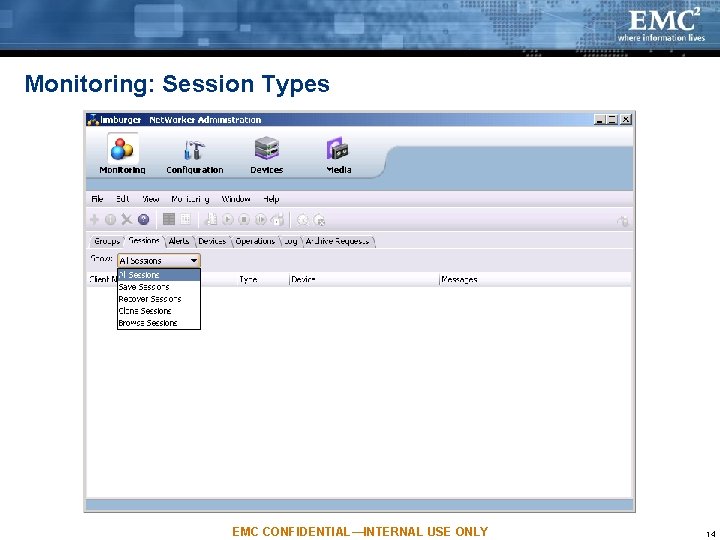
Monitoring: Session Types EMC CONFIDENTIAL—INTERNAL USE ONLY 14
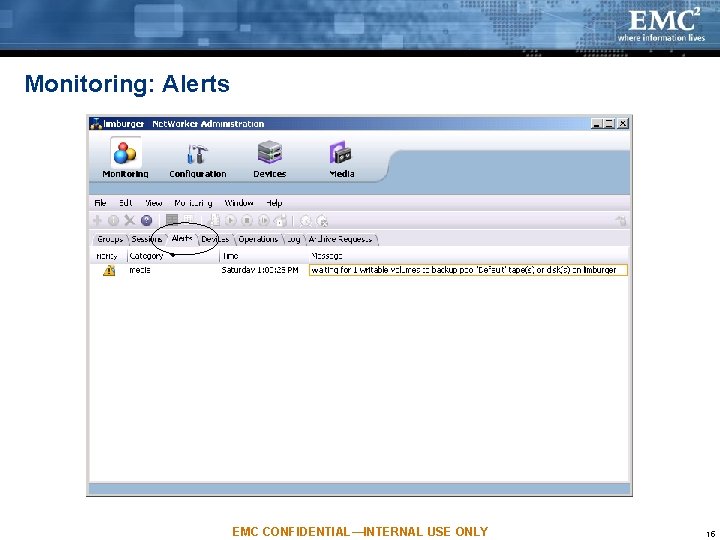
Monitoring: Alerts EMC CONFIDENTIAL—INTERNAL USE ONLY 15
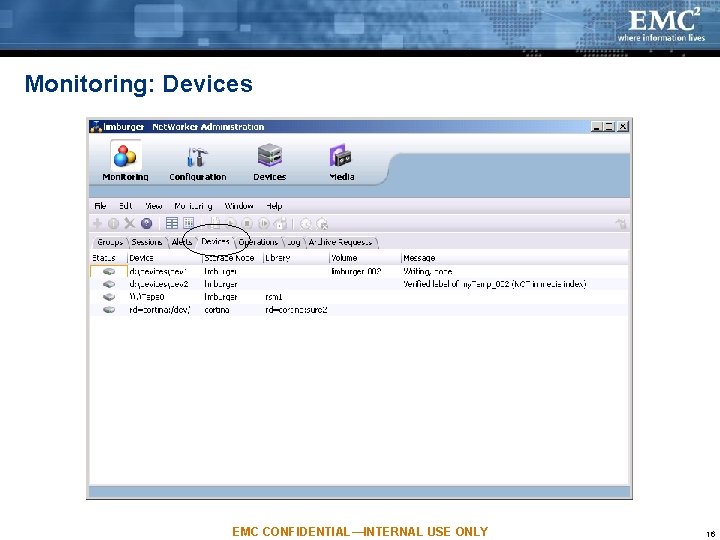
Monitoring: Devices EMC CONFIDENTIAL—INTERNAL USE ONLY 16
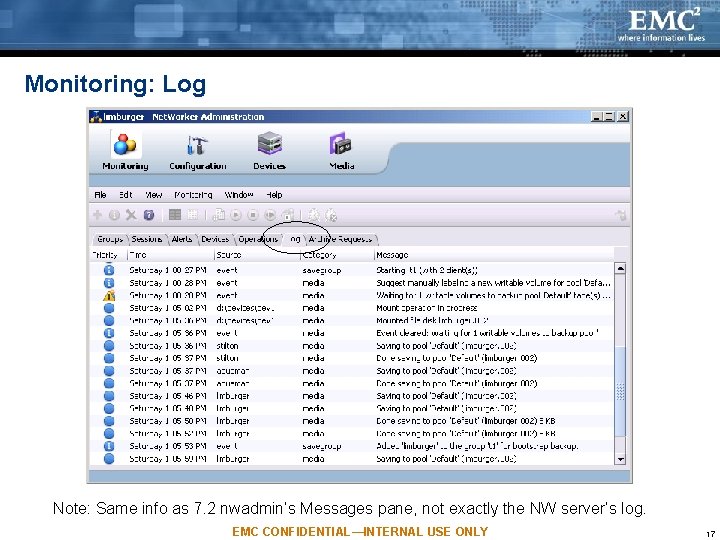
Monitoring: Log Note: Same info as 7. 2 nwadmin’s Messages pane, not exactly the NW server’s log. EMC CONFIDENTIAL—INTERNAL USE ONLY 17
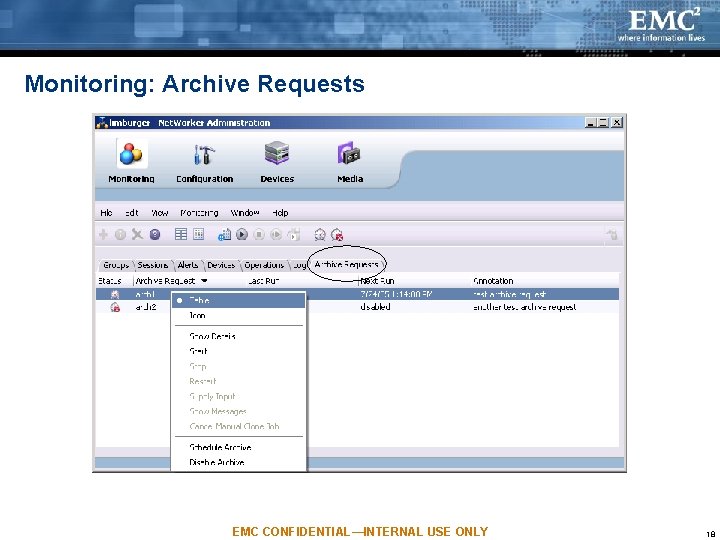
Monitoring: Archive Requests EMC CONFIDENTIAL—INTERNAL USE ONLY 18
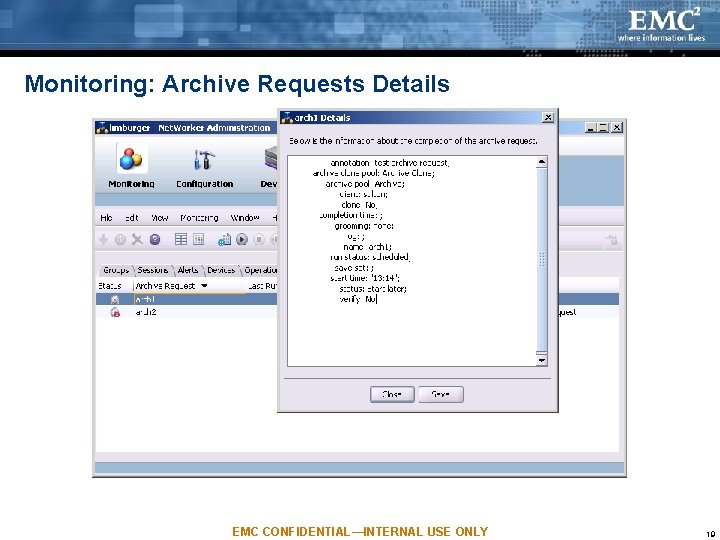
Monitoring: Archive Requests Details EMC CONFIDENTIAL—INTERNAL USE ONLY 19
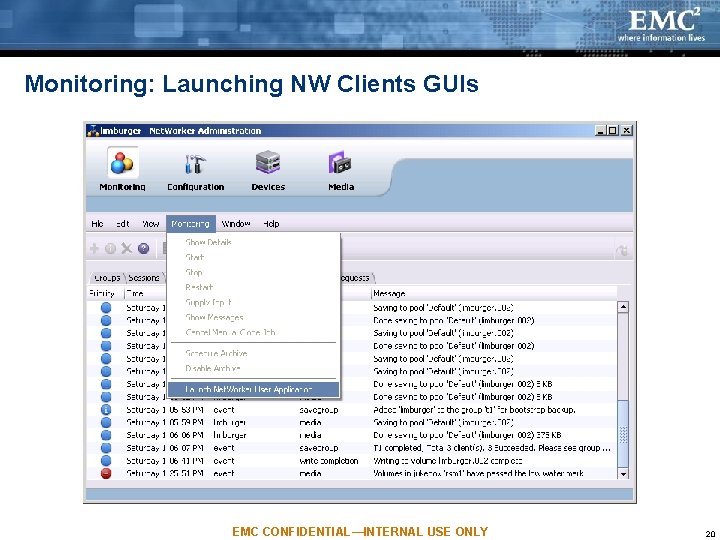
Monitoring: Launching NW Clients GUIs EMC CONFIDENTIAL—INTERNAL USE ONLY 20
Monitoring: Launching NW Clients GUIs Launches NW client app with the “-s nw_server” option Value of nw_server is the NW server that NMC Admin is managing Launches platform-specific app, based on where Admin UI is running – winworkr (on Windows) – nwbackup, nwrecover, nwarchive, or nwretrieve (on Unix) Depends on the environment where the browser was started, e. g. , for PATH & DISPLAY settings Runs as a native app from there EMC CONFIDENTIAL—INTERNAL USE ONLY 21
Agenda NW Administration’s Purpose & Tasks Architecture Monitoring Task Configuration Task Devices Task Media Task NW Privileges and NMC Licensing EMC CONFIDENTIAL—INTERNAL USE ONLY 22
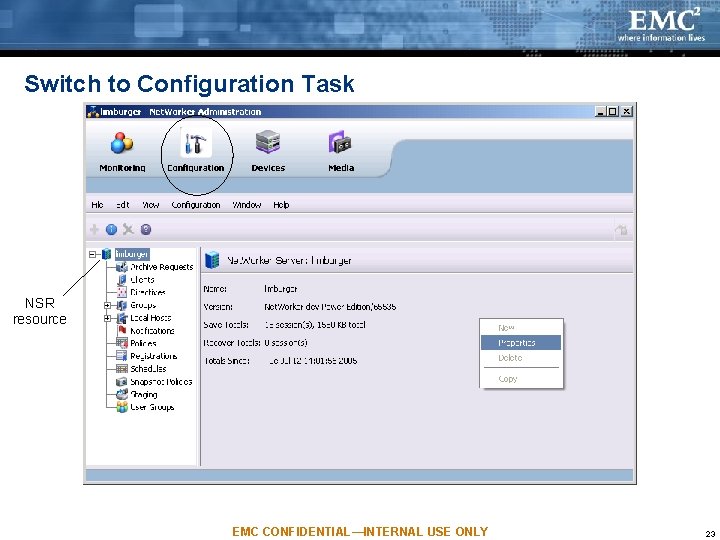
Switch to Configuration Task NSR resource EMC CONFIDENTIAL—INTERNAL USE ONLY 23
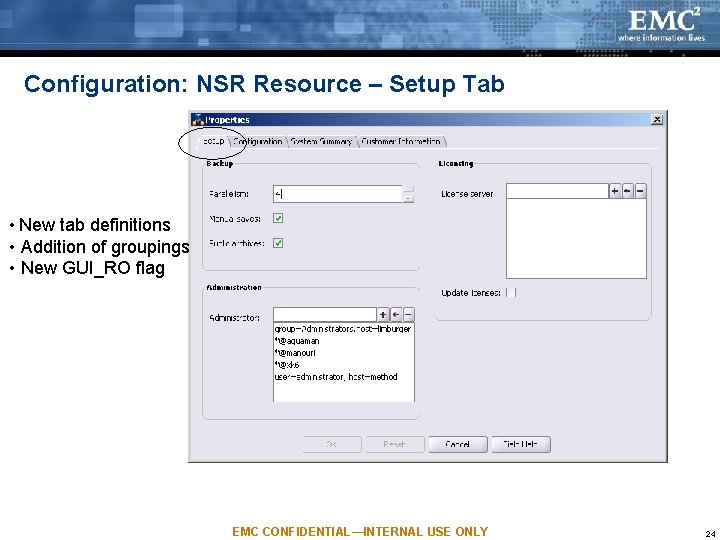
Configuration: NSR Resource – Setup Tab • New tab definitions • Addition of groupings • New GUI_RO flag EMC CONFIDENTIAL—INTERNAL USE ONLY 24
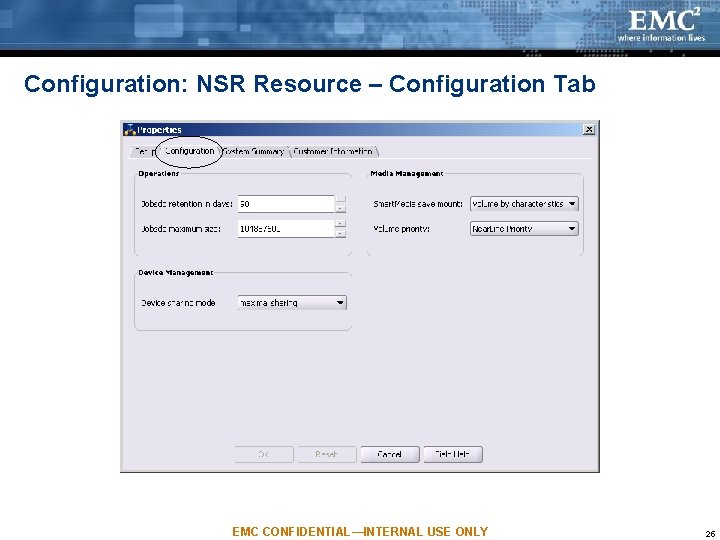
Configuration: NSR Resource – Configuration Tab EMC CONFIDENTIAL—INTERNAL USE ONLY 25
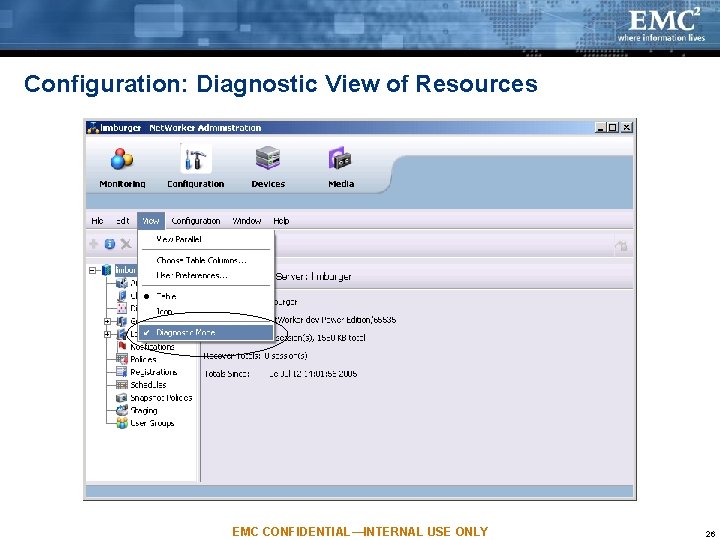
Configuration: Diagnostic View of Resources EMC CONFIDENTIAL—INTERNAL USE ONLY 26
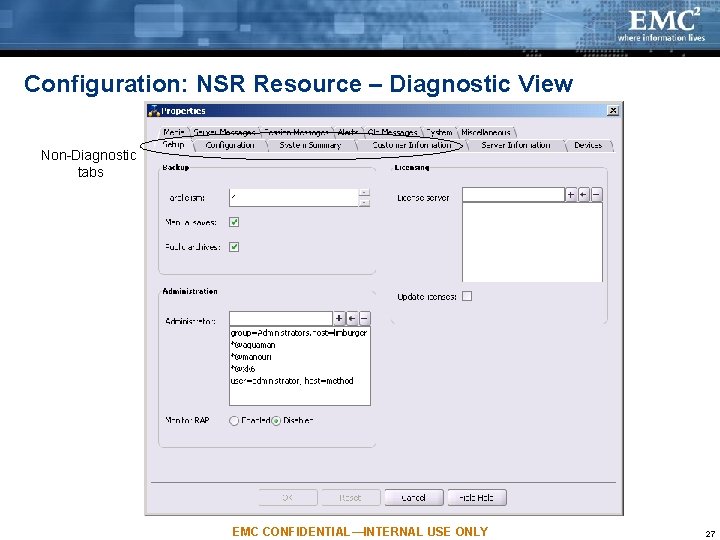
Configuration: NSR Resource – Diagnostic View Non-Diagnostic tabs EMC CONFIDENTIAL—INTERNAL USE ONLY 27
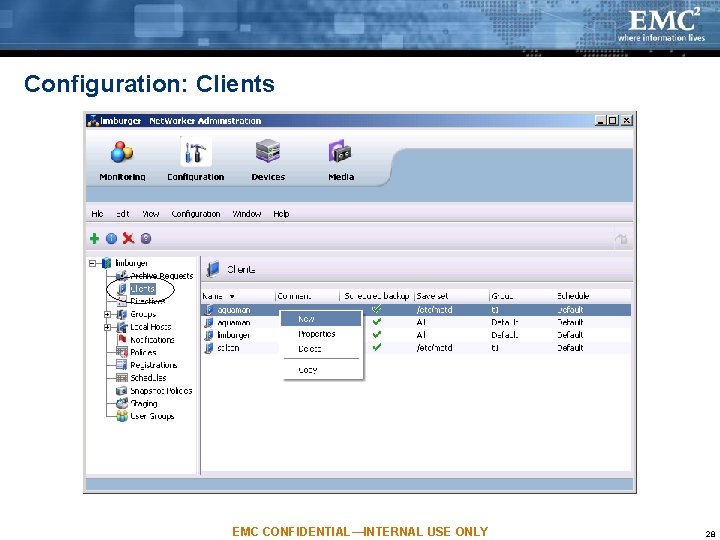
Configuration: Clients EMC CONFIDENTIAL—INTERNAL USE ONLY 28
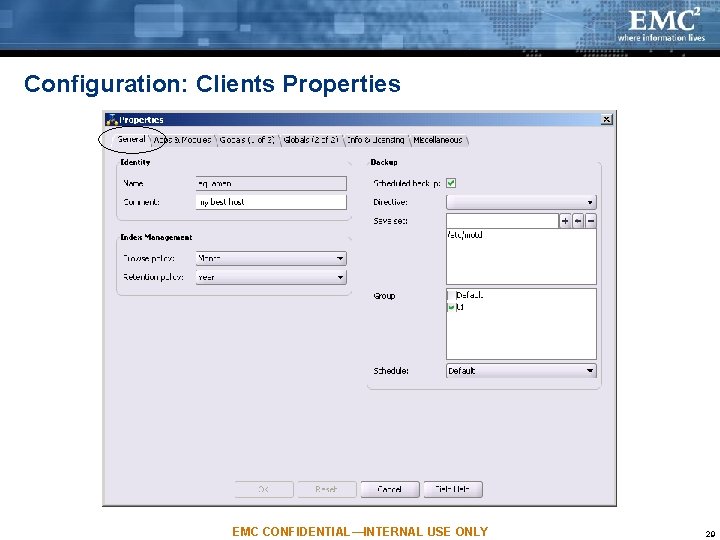
Configuration: Clients Properties EMC CONFIDENTIAL—INTERNAL USE ONLY 29
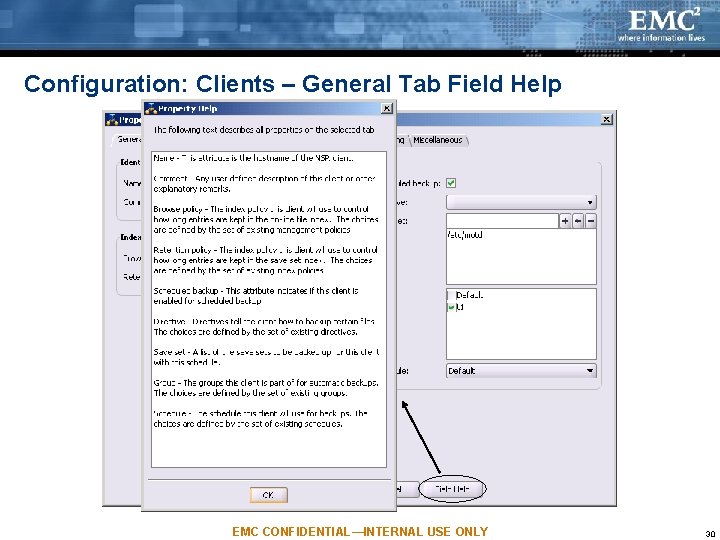
Configuration: Clients – General Tab Field Help EMC CONFIDENTIAL—INTERNAL USE ONLY 30
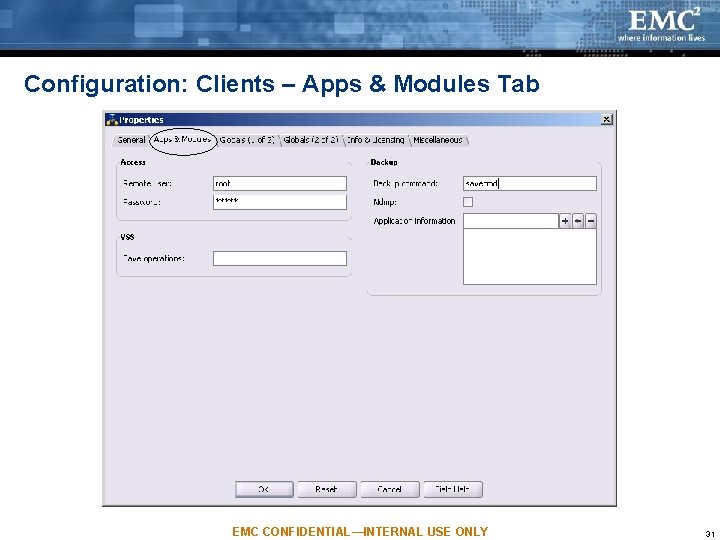
Configuration: Clients – Apps & Modules Tab EMC CONFIDENTIAL—INTERNAL USE ONLY 31
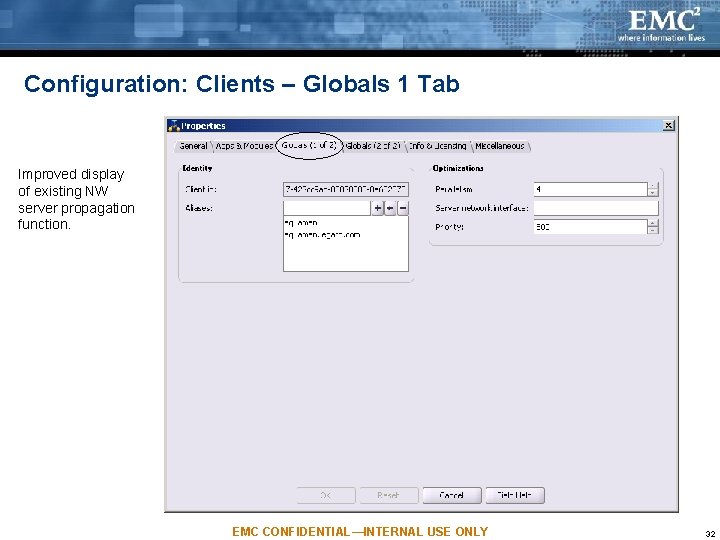
Configuration: Clients – Globals 1 Tab Improved display of existing NW server propagation function. EMC CONFIDENTIAL—INTERNAL USE ONLY 32
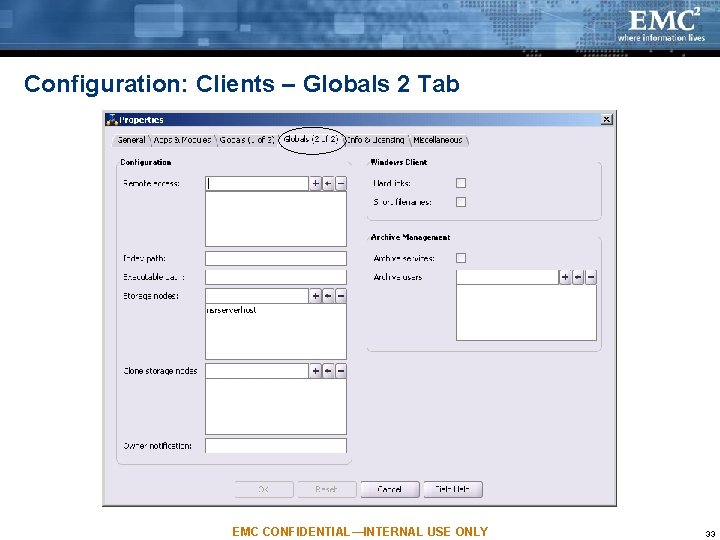
Configuration: Clients – Globals 2 Tab EMC CONFIDENTIAL—INTERNAL USE ONLY 33
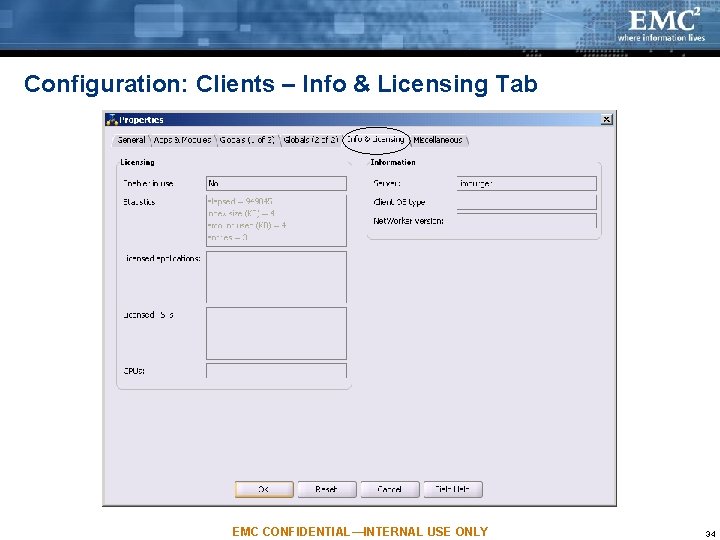
Configuration: Clients – Info & Licensing Tab EMC CONFIDENTIAL—INTERNAL USE ONLY 34
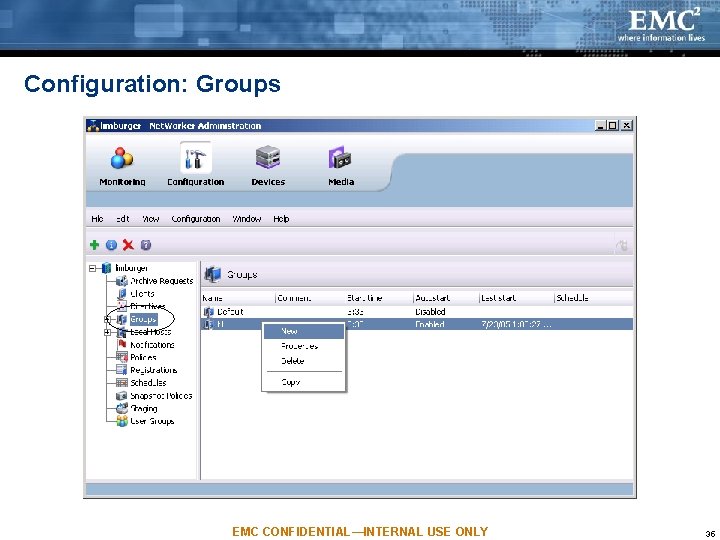
Configuration: Groups EMC CONFIDENTIAL—INTERNAL USE ONLY 35
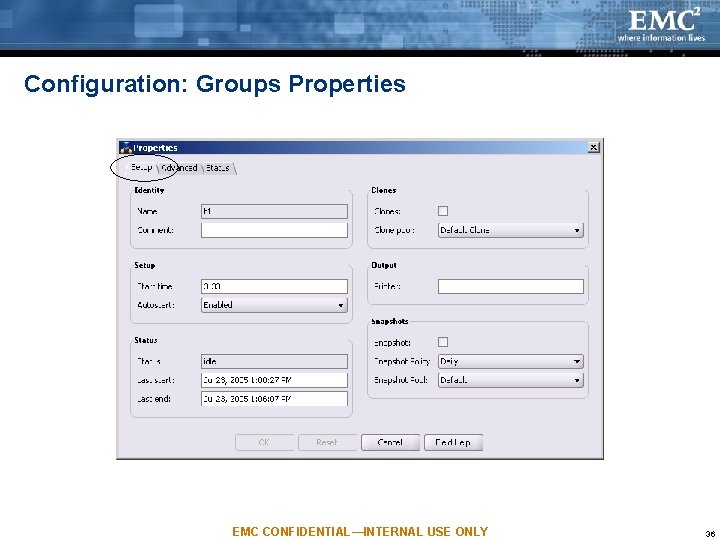
Configuration: Groups Properties EMC CONFIDENTIAL—INTERNAL USE ONLY 36
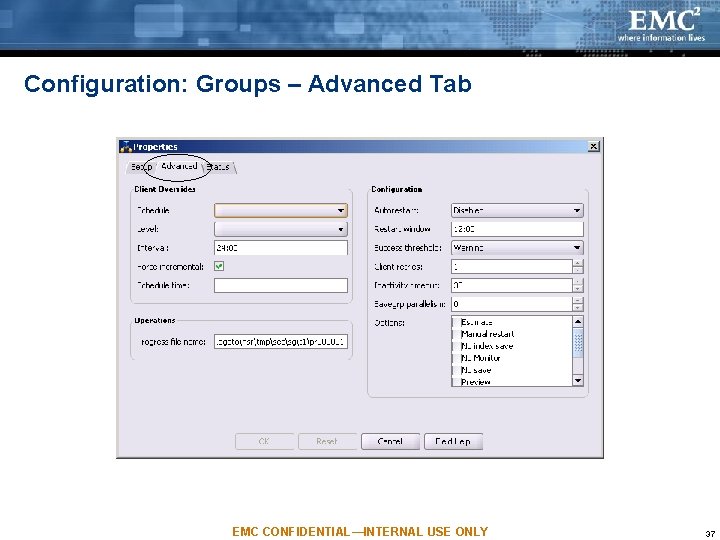
Configuration: Groups – Advanced Tab EMC CONFIDENTIAL—INTERNAL USE ONLY 37
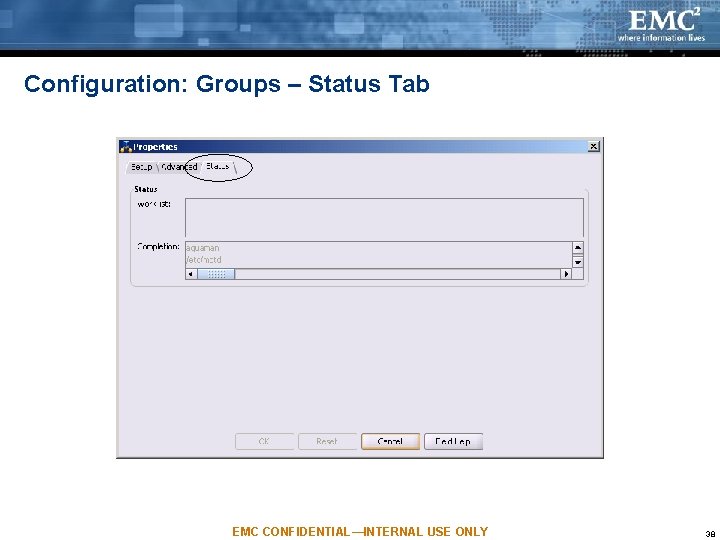
Configuration: Groups – Status Tab EMC CONFIDENTIAL—INTERNAL USE ONLY 38
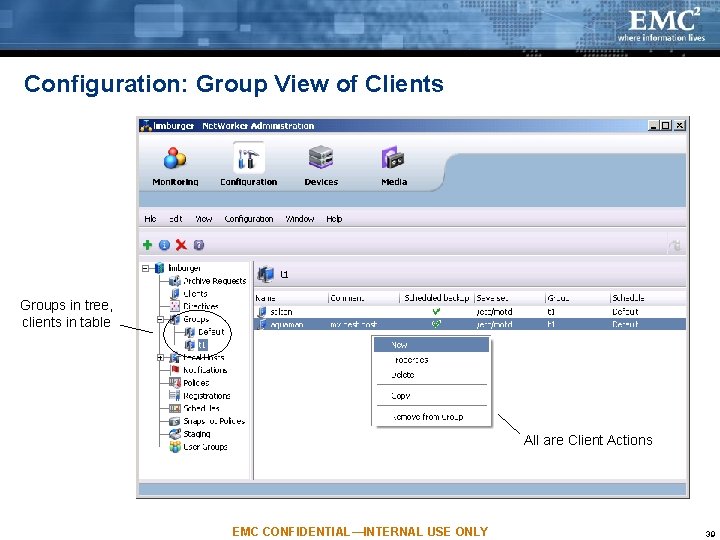
Configuration: Group View of Clients Groups in tree, clients in table All are Client Actions EMC CONFIDENTIAL—INTERNAL USE ONLY 39
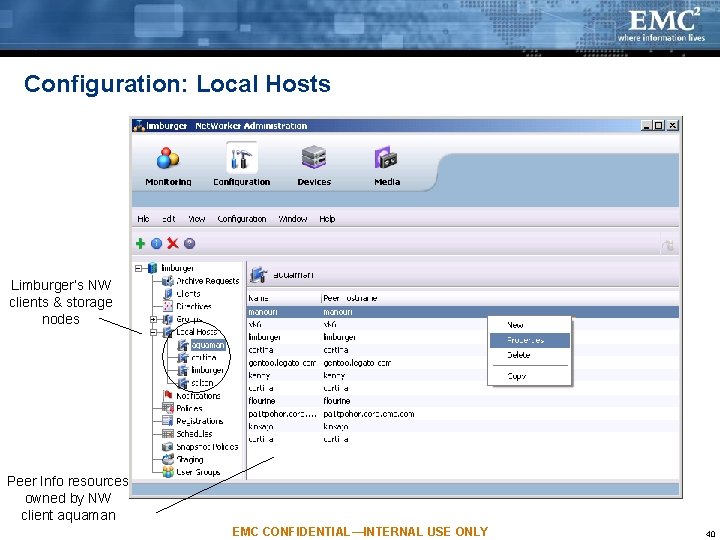
Configuration: Local Hosts Limburger’s NW clients & storage nodes Peer Info resources owned by NW client aquaman EMC CONFIDENTIAL—INTERNAL USE ONLY 40
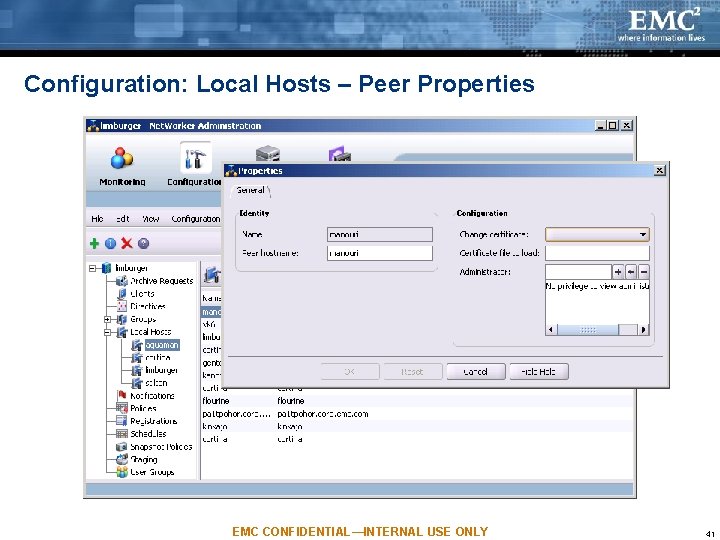
Configuration: Local Hosts – Peer Properties EMC CONFIDENTIAL—INTERNAL USE ONLY 41
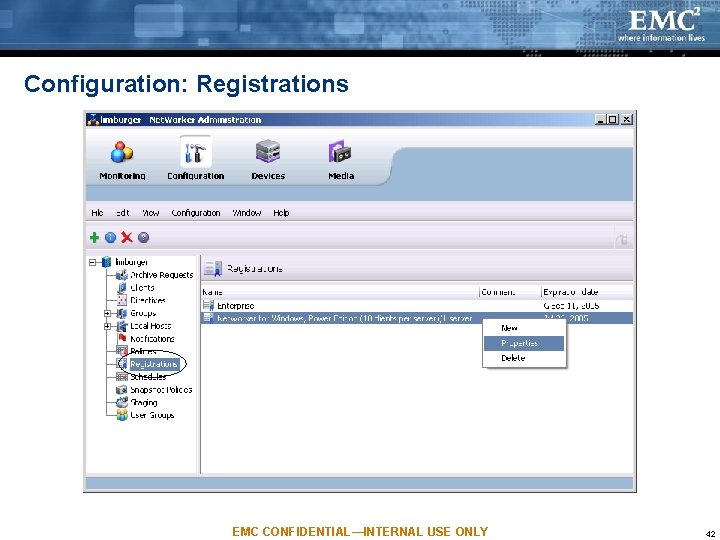
Configuration: Registrations EMC CONFIDENTIAL—INTERNAL USE ONLY 42
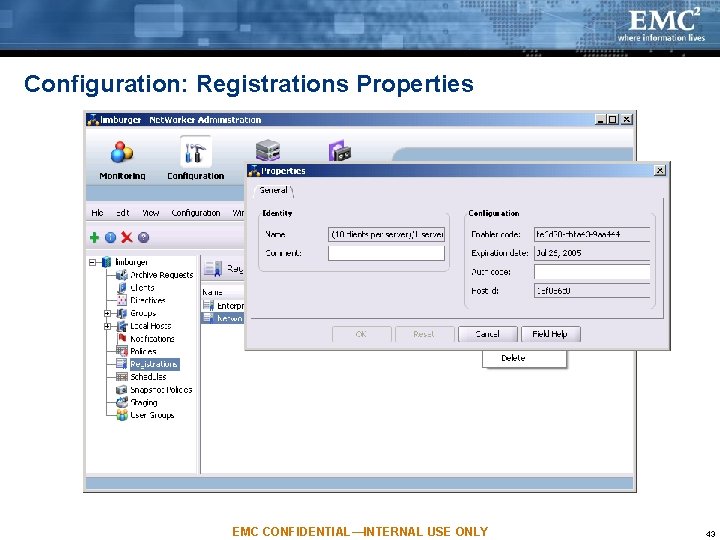
Configuration: Registrations Properties EMC CONFIDENTIAL—INTERNAL USE ONLY 43
Configuration: Registrations Manages NW’s native enablers, i. e. , those controlled directly by nsrd Admin does NOT manage the License Manager; this is done in Console window Similar function to that of 7. 2 nwadmin’s Enter enabler and auth codes in Properties dialog Launch Admin per NW server to manage its enablers EMC CONFIDENTIAL—INTERNAL USE ONLY 44
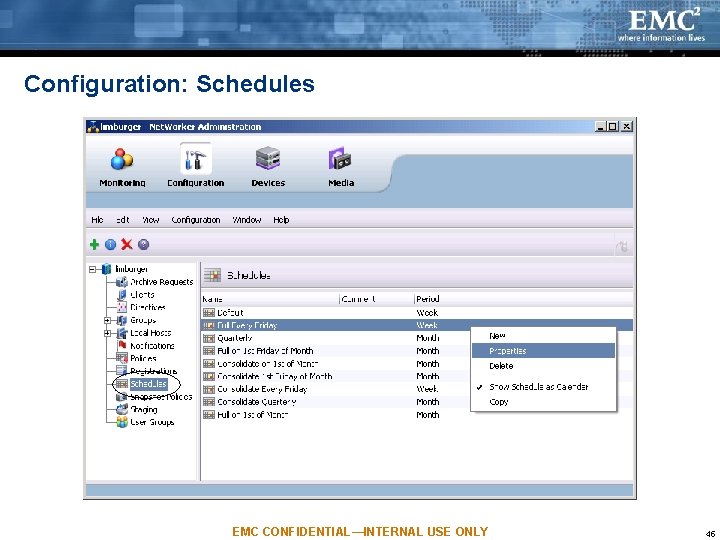
Configuration: Schedules EMC CONFIDENTIAL—INTERNAL USE ONLY 45
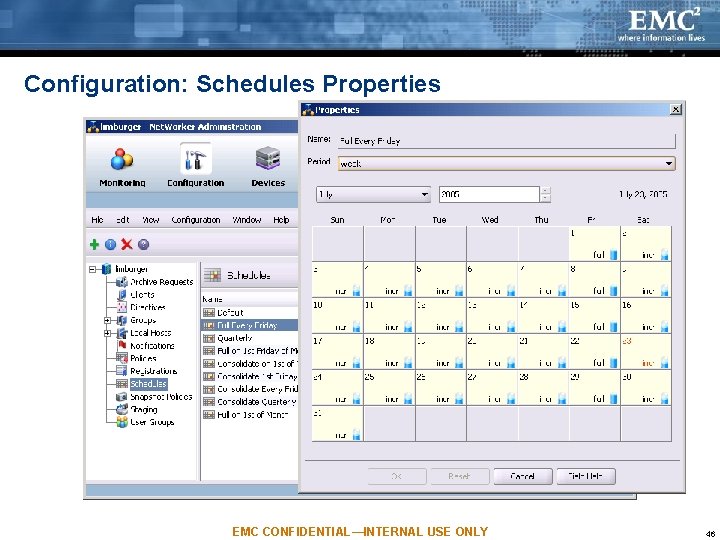
Configuration: Schedules Properties EMC CONFIDENTIAL—INTERNAL USE ONLY 46
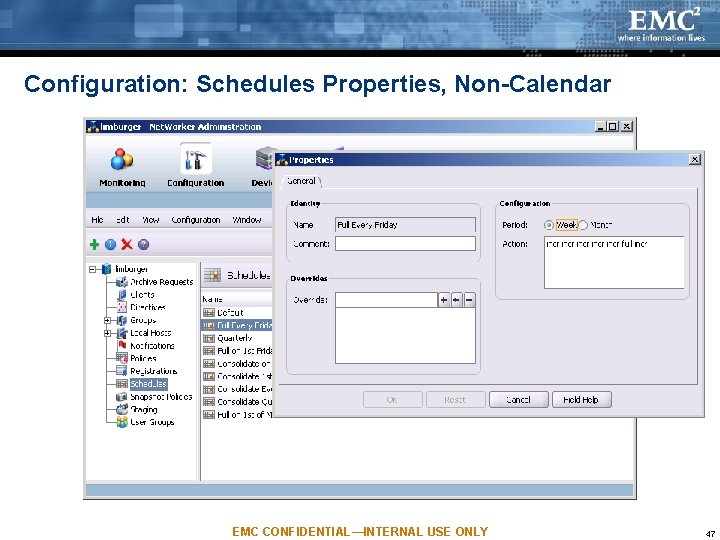
Configuration: Schedules Properties, Non-Calendar EMC CONFIDENTIAL—INTERNAL USE ONLY 47
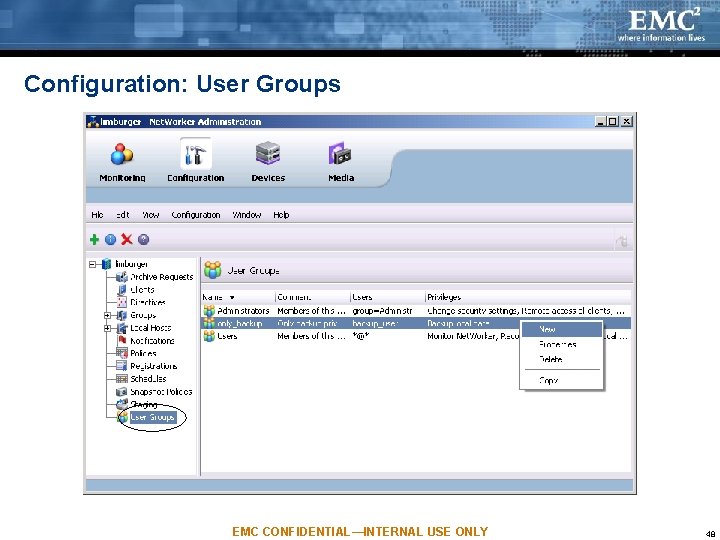
Configuration: User Groups EMC CONFIDENTIAL—INTERNAL USE ONLY 48
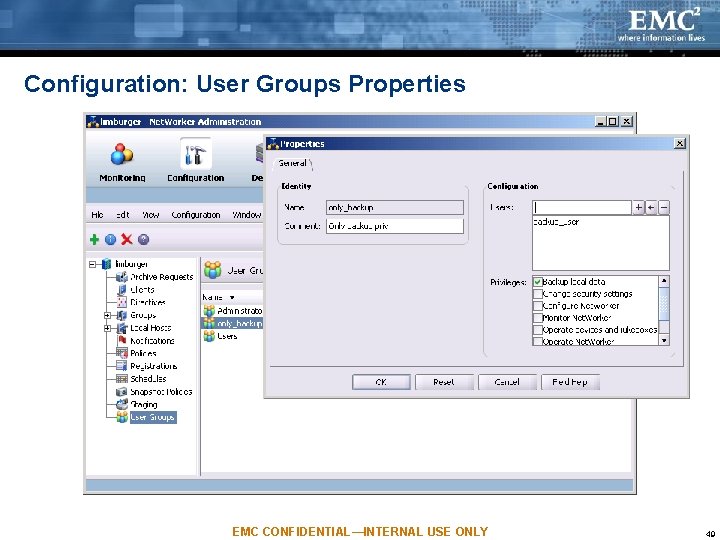
Configuration: User Groups Properties EMC CONFIDENTIAL—INTERNAL USE ONLY 49
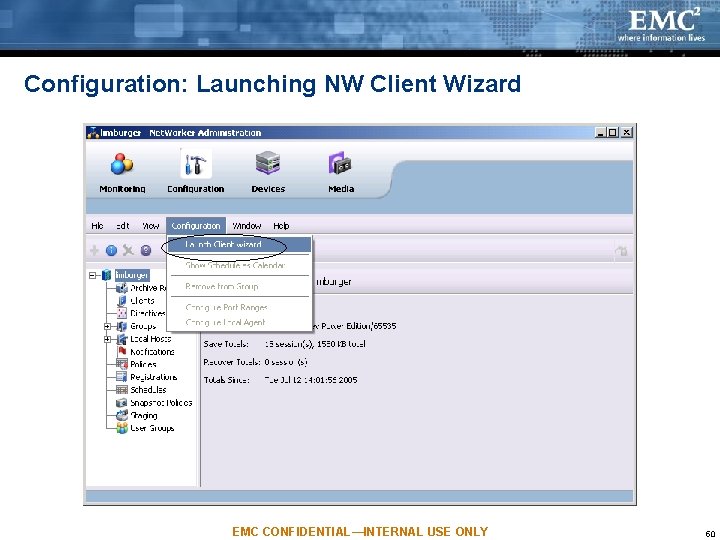
Configuration: Launching NW Client Wizard EMC CONFIDENTIAL—INTERNAL USE ONLY 50
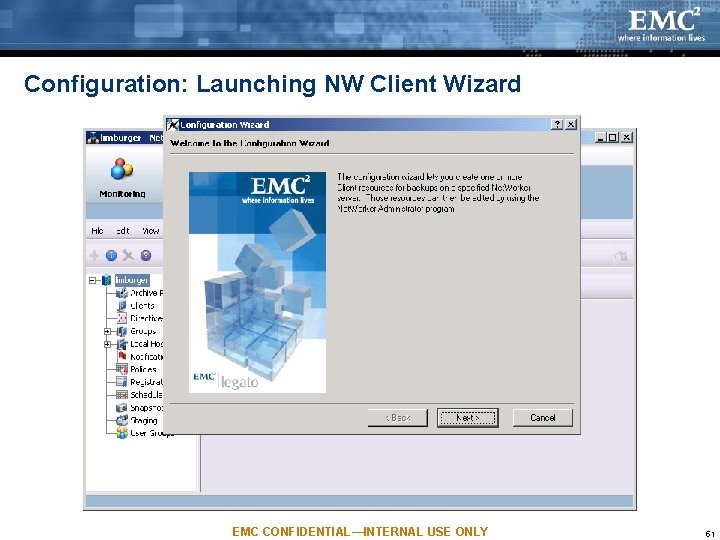
Configuration: Launching NW Client Wizard EMC CONFIDENTIAL—INTERNAL USE ONLY 51
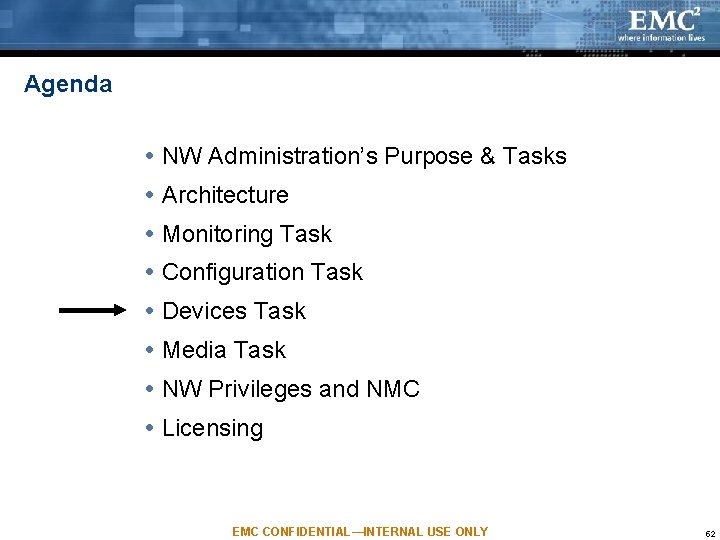
Agenda NW Administration’s Purpose & Tasks Architecture Monitoring Task Configuration Task Devices Task Media Task NW Privileges and NMC Licensing EMC CONFIDENTIAL—INTERNAL USE ONLY 52
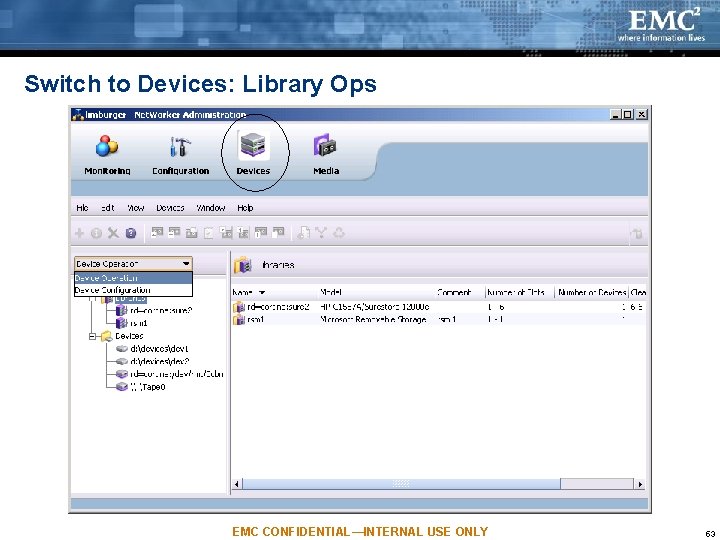
Switch to Devices: Library Ops EMC CONFIDENTIAL—INTERNAL USE ONLY 53
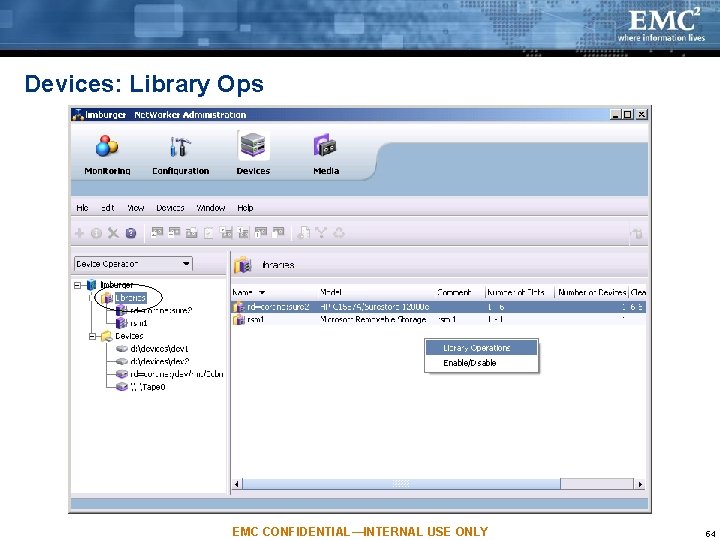
Devices: Library Ops EMC CONFIDENTIAL—INTERNAL USE ONLY 54
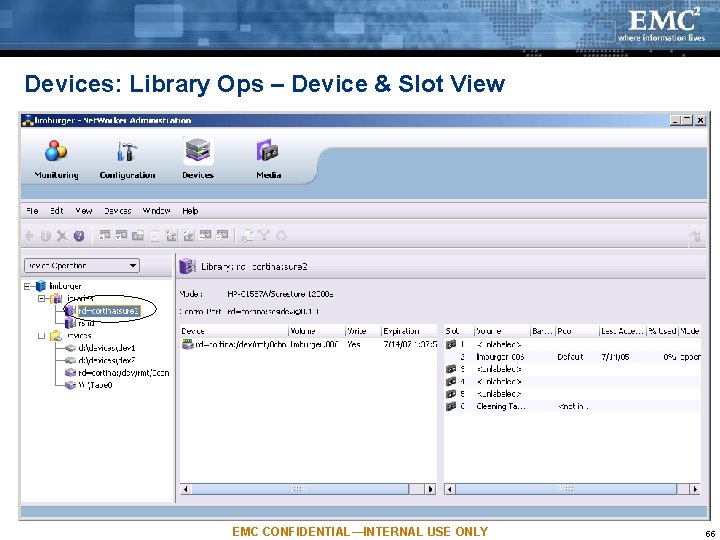
Devices: Library Ops – Device & Slot View EMC CONFIDENTIAL—INTERNAL USE ONLY 55
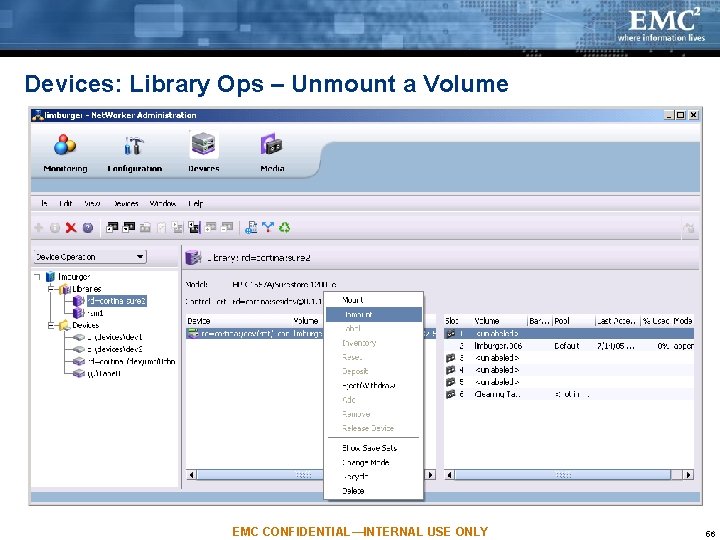
Devices: Library Ops – Unmount a Volume EMC CONFIDENTIAL—INTERNAL USE ONLY 56
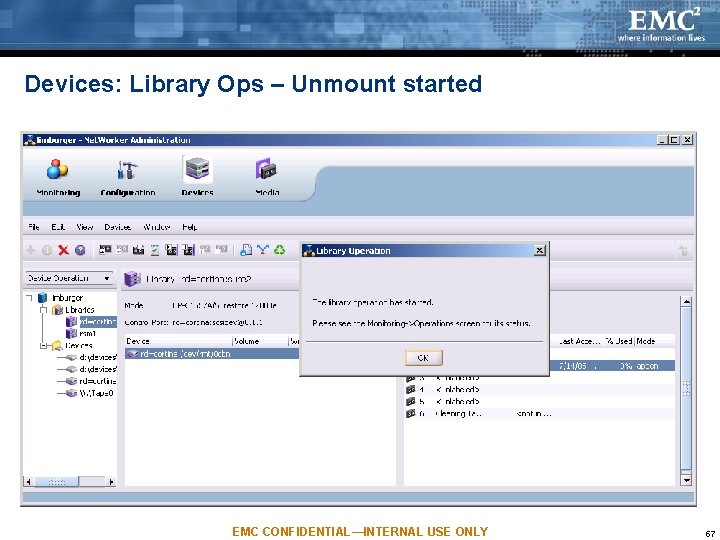
Devices: Library Ops – Unmount started EMC CONFIDENTIAL—INTERNAL USE ONLY 57
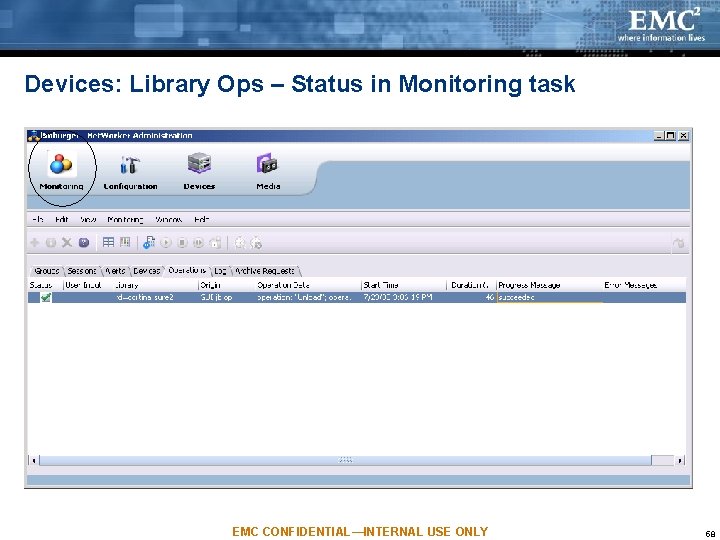
Devices: Library Ops – Status in Monitoring task EMC CONFIDENTIAL—INTERNAL USE ONLY 58
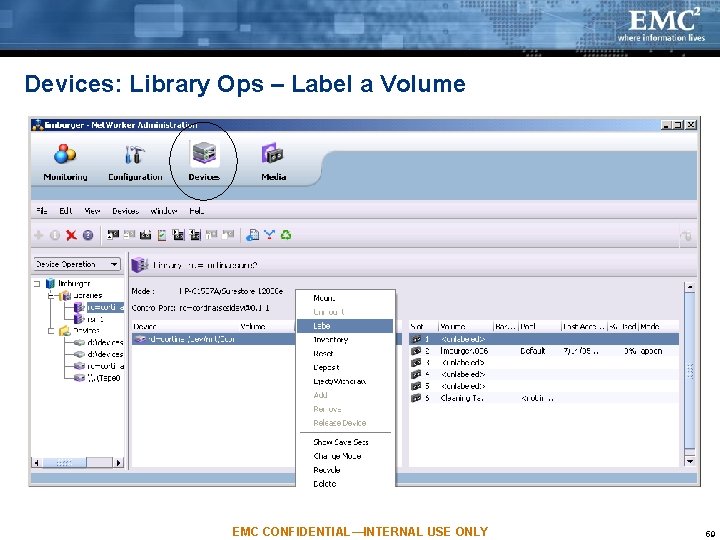
Devices: Library Ops – Label a Volume EMC CONFIDENTIAL—INTERNAL USE ONLY 59
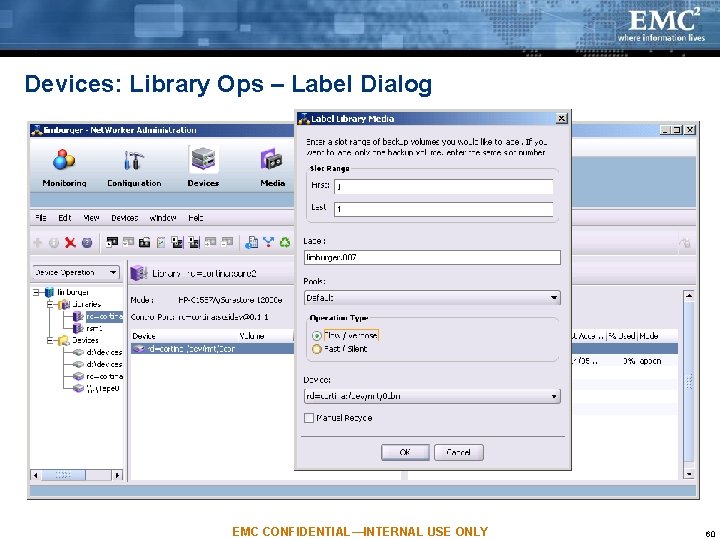
Devices: Library Ops – Label Dialog EMC CONFIDENTIAL—INTERNAL USE ONLY 60
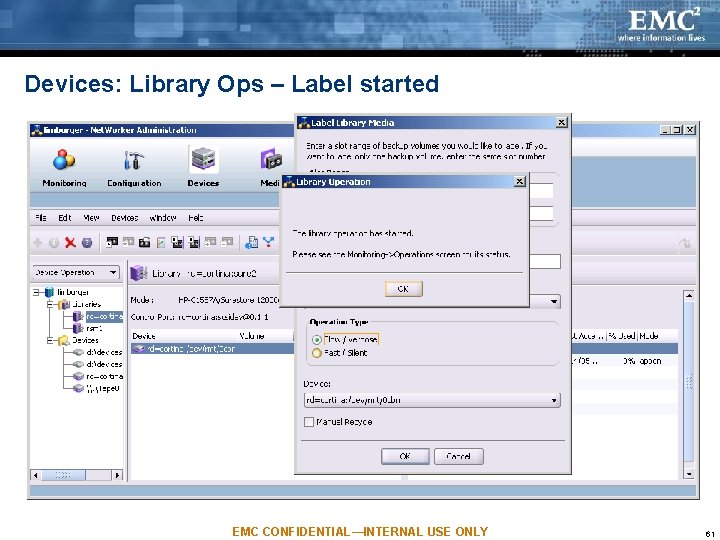
Devices: Library Ops – Label started EMC CONFIDENTIAL—INTERNAL USE ONLY 61
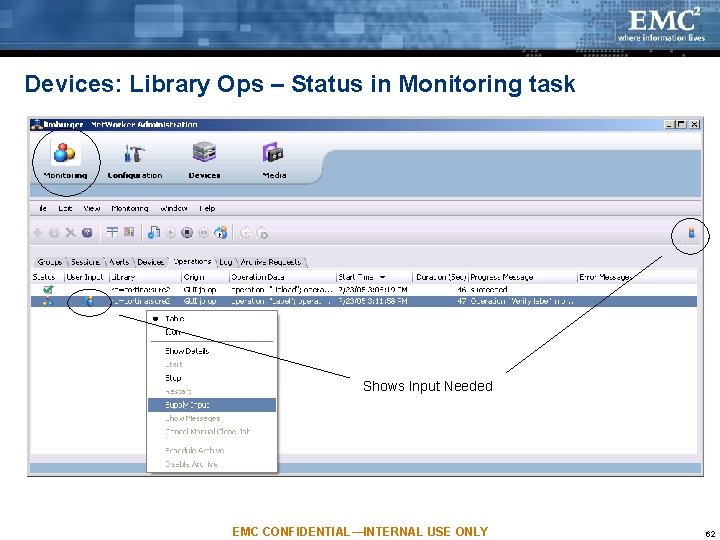
Devices: Library Ops – Status in Monitoring task Shows Input Needed EMC CONFIDENTIAL—INTERNAL USE ONLY 62
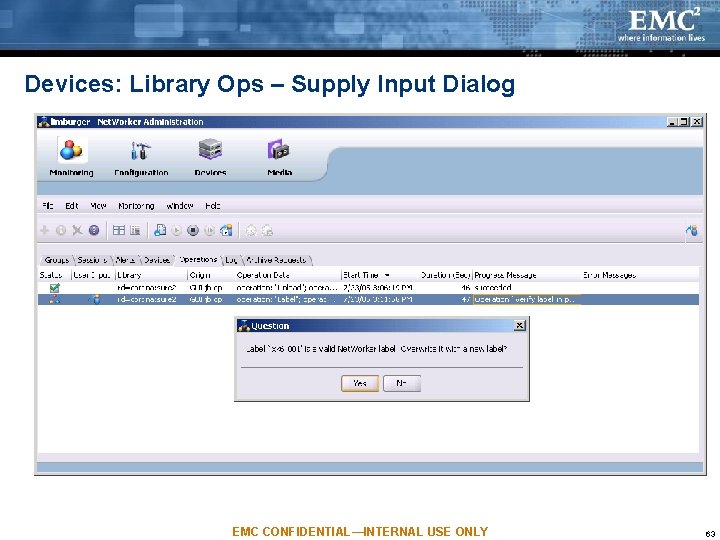
Devices: Library Ops – Supply Input Dialog EMC CONFIDENTIAL—INTERNAL USE ONLY 63
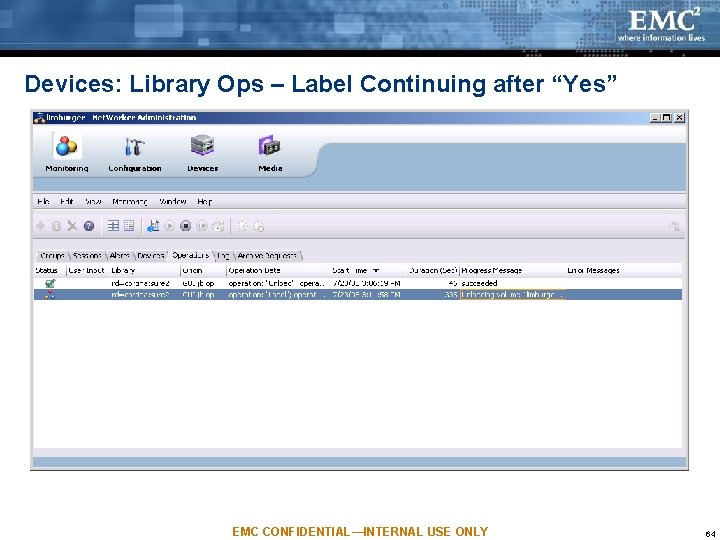
Devices: Library Ops – Label Continuing after “Yes” EMC CONFIDENTIAL—INTERNAL USE ONLY 64
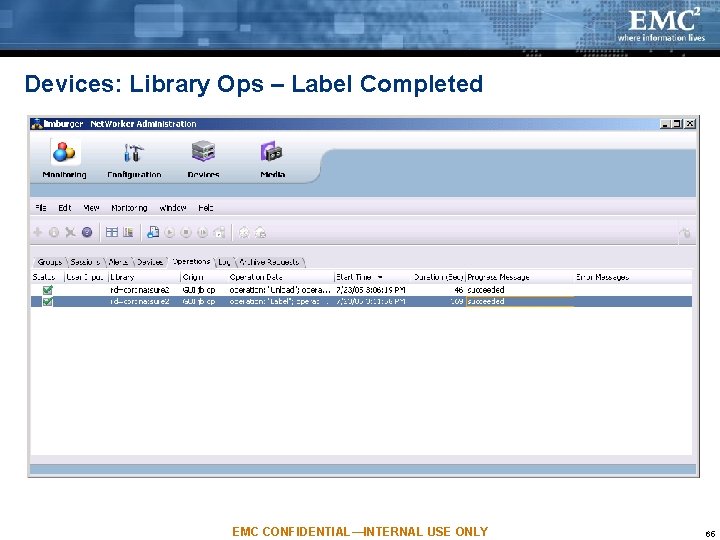
Devices: Library Ops – Label Completed EMC CONFIDENTIAL—INTERNAL USE ONLY 65
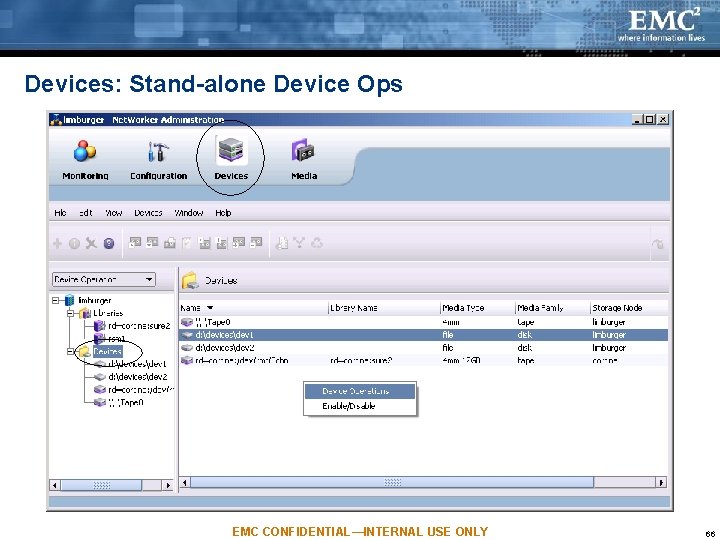
Devices: Stand-alone Device Ops EMC CONFIDENTIAL—INTERNAL USE ONLY 66
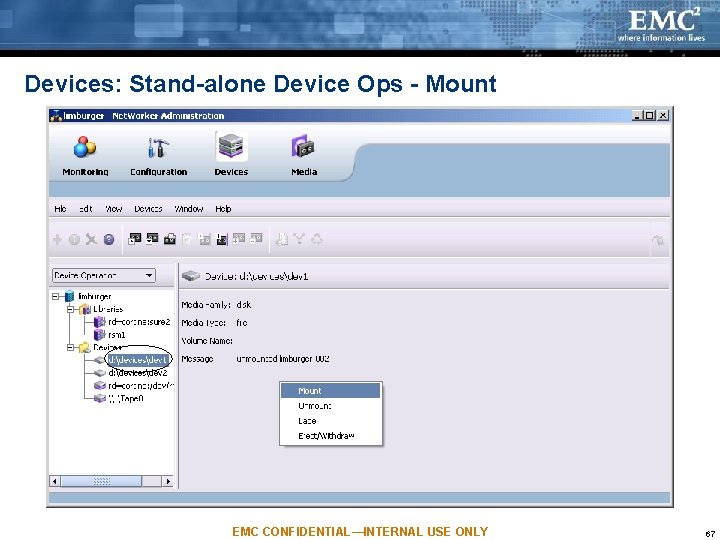
Devices: Stand-alone Device Ops - Mount EMC CONFIDENTIAL—INTERNAL USE ONLY 67
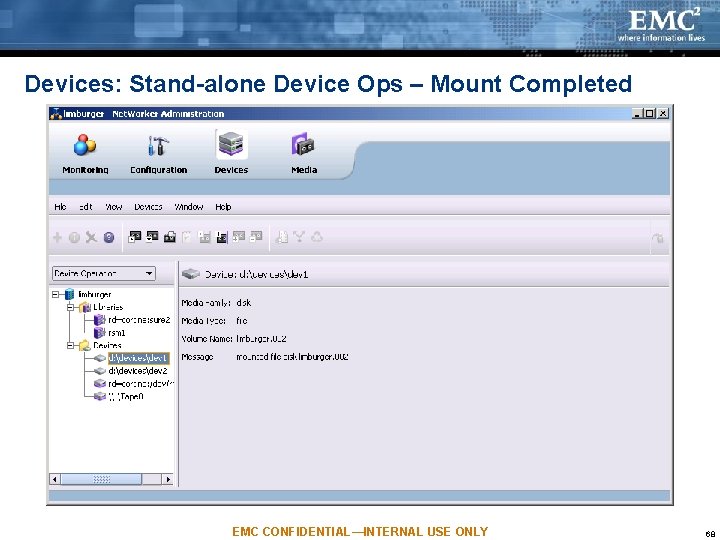
Devices: Stand-alone Device Ops – Mount Completed EMC CONFIDENTIAL—INTERNAL USE ONLY 68
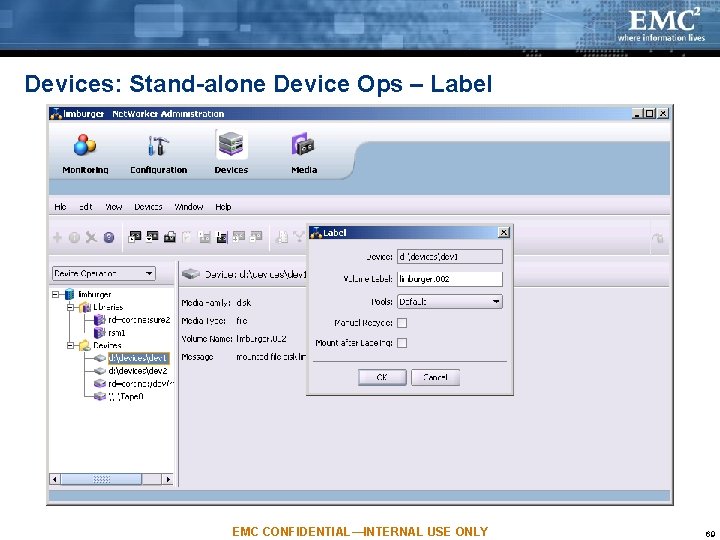
Devices: Stand-alone Device Ops – Label EMC CONFIDENTIAL—INTERNAL USE ONLY 69
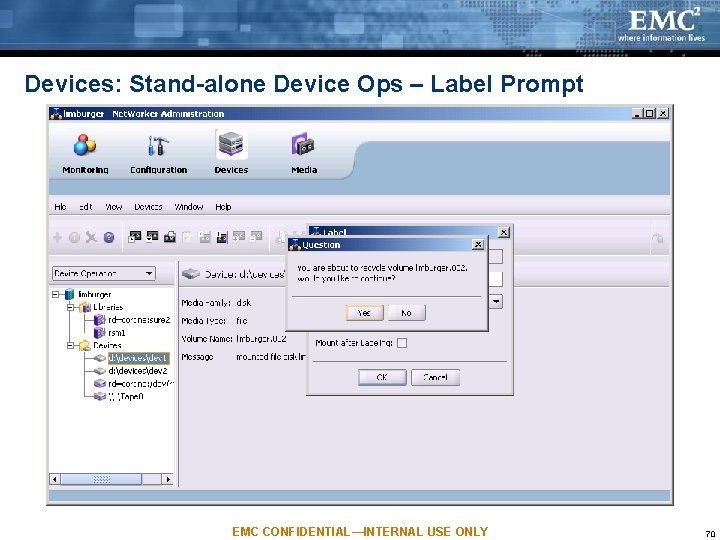
Devices: Stand-alone Device Ops – Label Prompt EMC CONFIDENTIAL—INTERNAL USE ONLY 70
Agenda NW Administration’s Purpose & Tasks Architecture Monitoring Task Configuration Task Devices Task Media Task NW Privileges and NMC Licensing EMC CONFIDENTIAL—INTERNAL USE ONLY 71
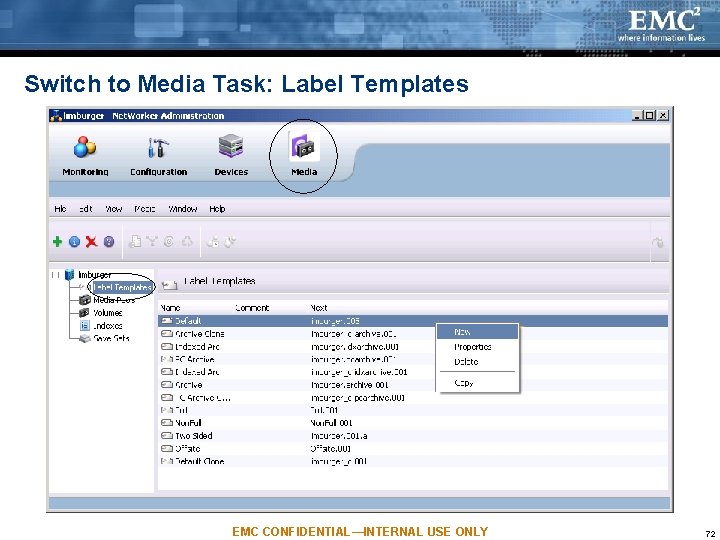
Switch to Media Task: Label Templates EMC CONFIDENTIAL—INTERNAL USE ONLY 72
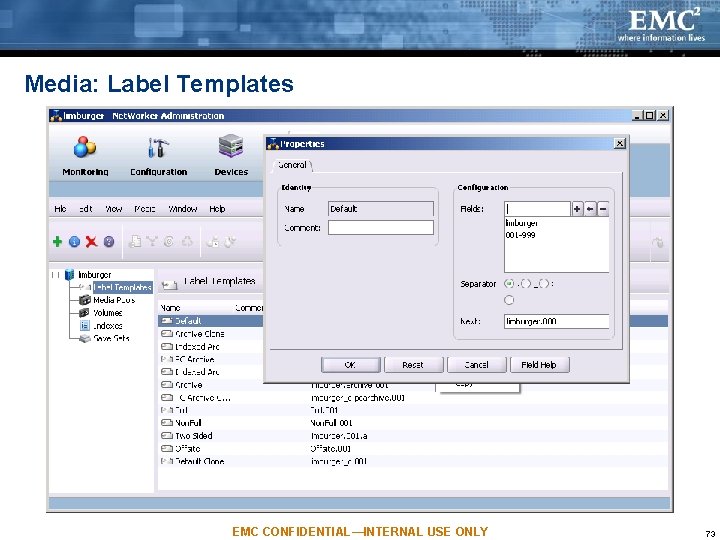
Media: Label Templates EMC CONFIDENTIAL—INTERNAL USE ONLY 73
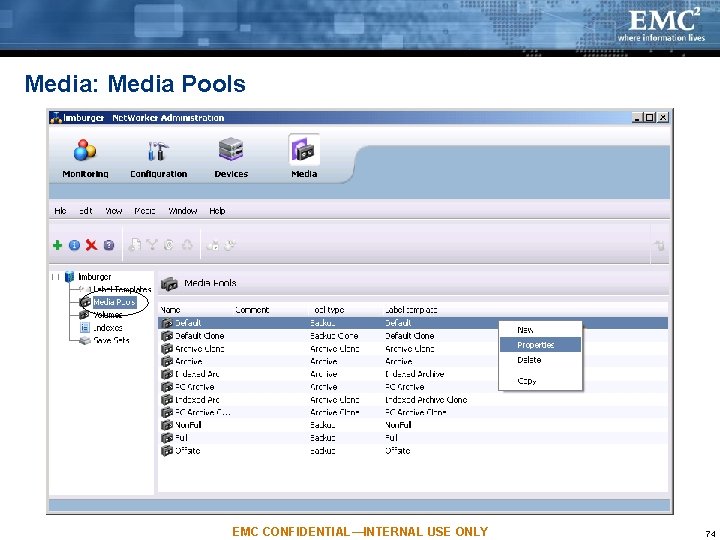
Media: Media Pools EMC CONFIDENTIAL—INTERNAL USE ONLY 74
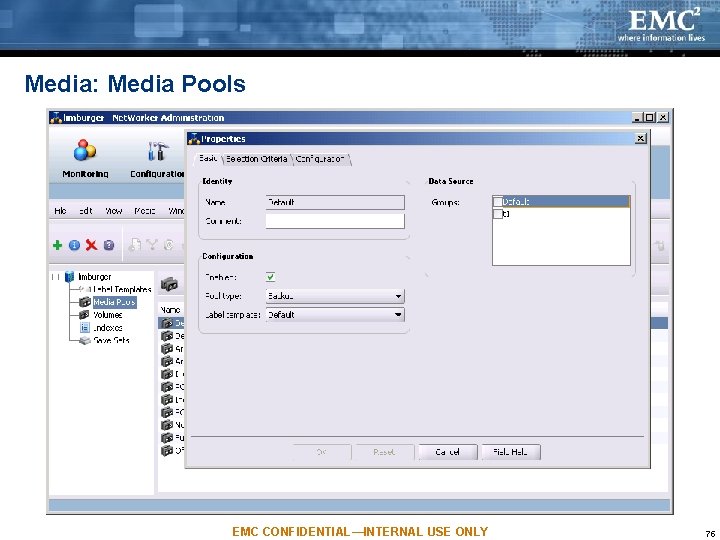
Media: Media Pools EMC CONFIDENTIAL—INTERNAL USE ONLY 75
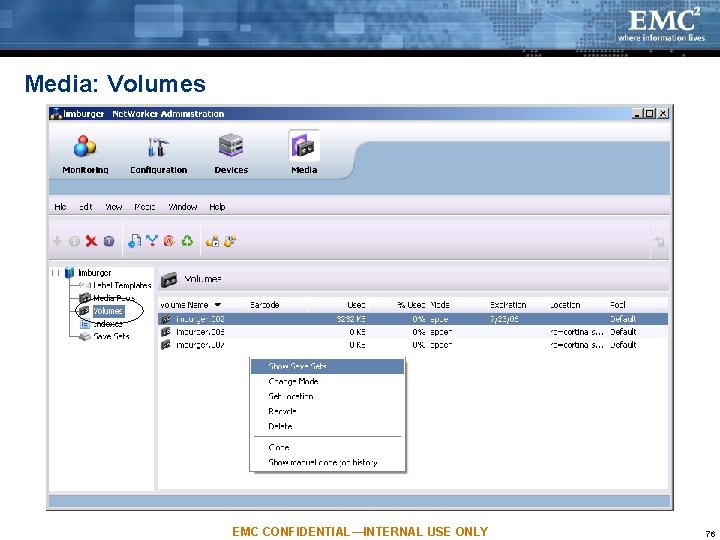
Media: Volumes EMC CONFIDENTIAL—INTERNAL USE ONLY 76
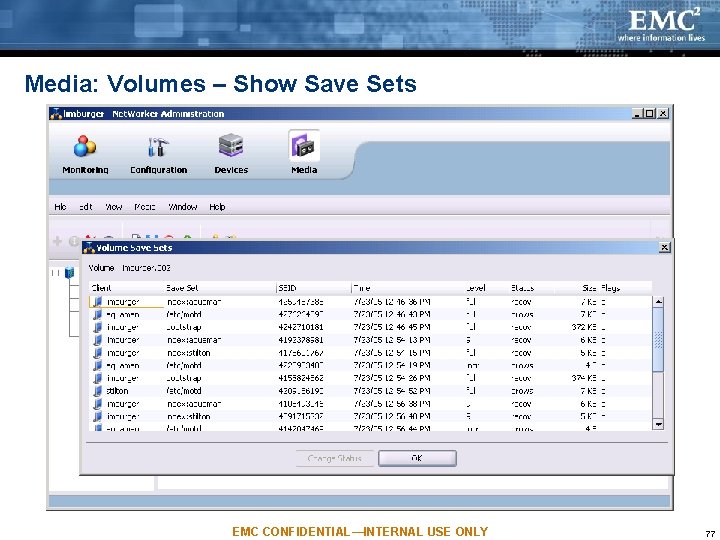
Media: Volumes – Show Save Sets EMC CONFIDENTIAL—INTERNAL USE ONLY 77
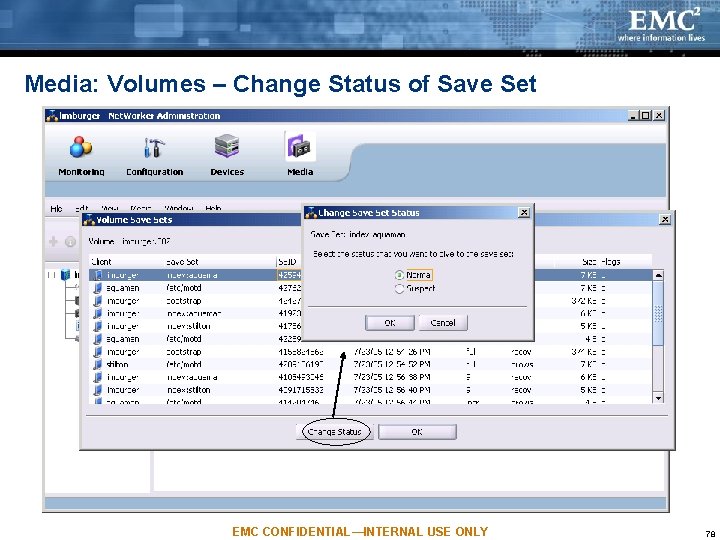
Media: Volumes – Change Status of Save Set EMC CONFIDENTIAL—INTERNAL USE ONLY 78
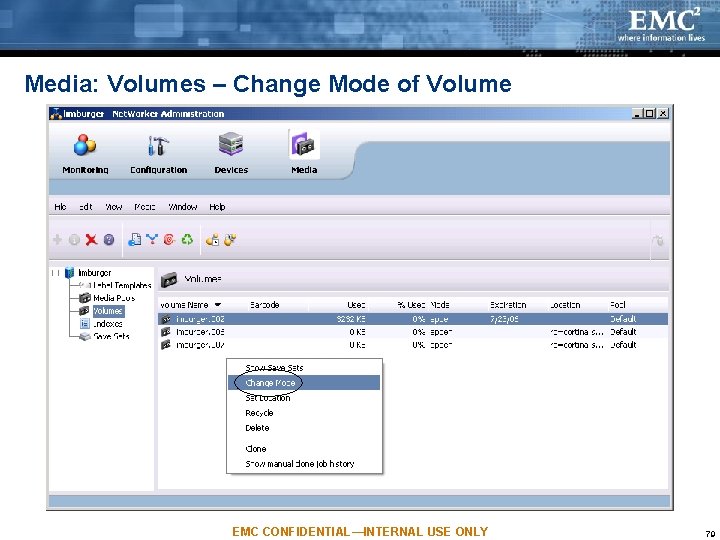
Media: Volumes – Change Mode of Volume EMC CONFIDENTIAL—INTERNAL USE ONLY 79
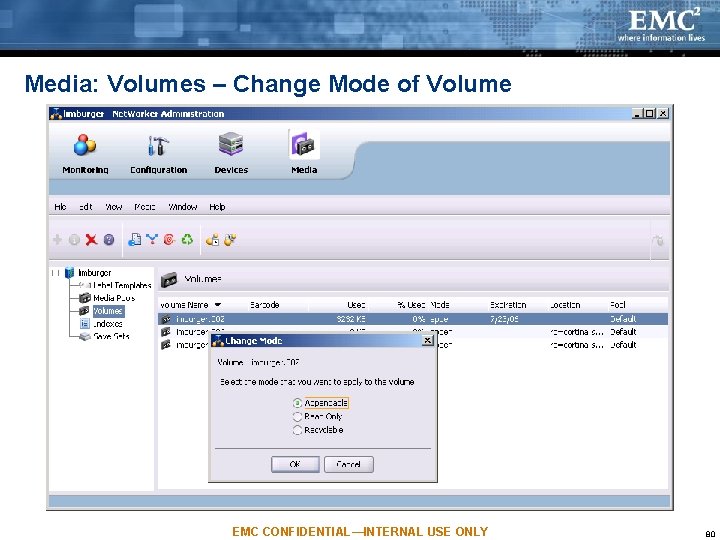
Media: Volumes – Change Mode of Volume EMC CONFIDENTIAL—INTERNAL USE ONLY 80
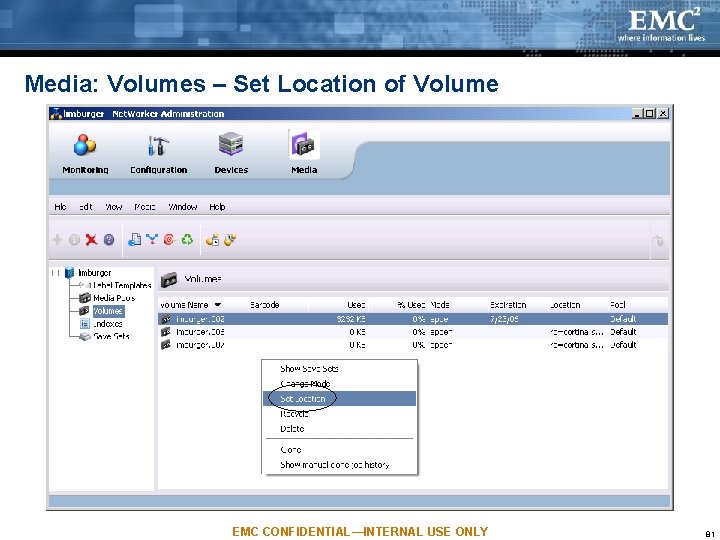
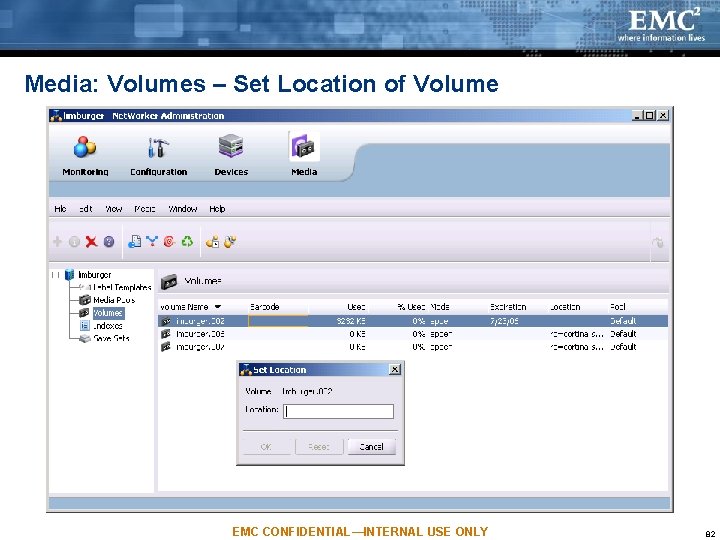
Media: Volumes – Set Location of Volume EMC CONFIDENTIAL—INTERNAL USE ONLY 81
Media: Volumes – Set Location of Volume EMC CONFIDENTIAL—INTERNAL USE ONLY 82
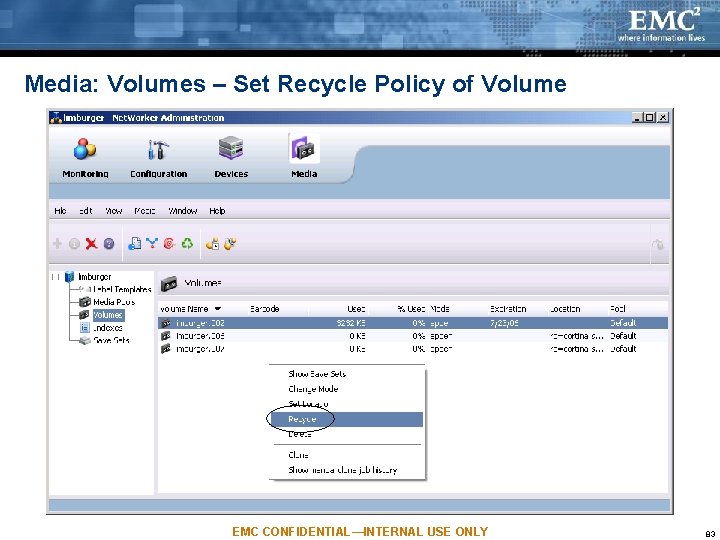
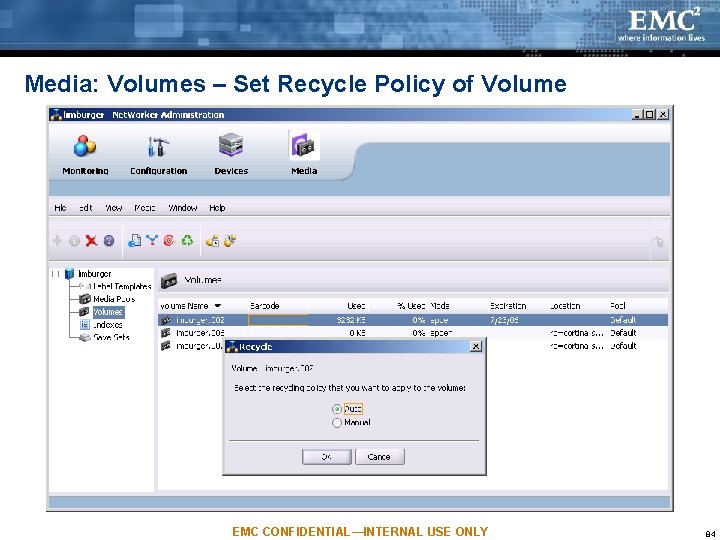
Media: Volumes – Set Recycle Policy of Volume EMC CONFIDENTIAL—INTERNAL USE ONLY 83
Media: Volumes – Set Recycle Policy of Volume EMC CONFIDENTIAL—INTERNAL USE ONLY 84
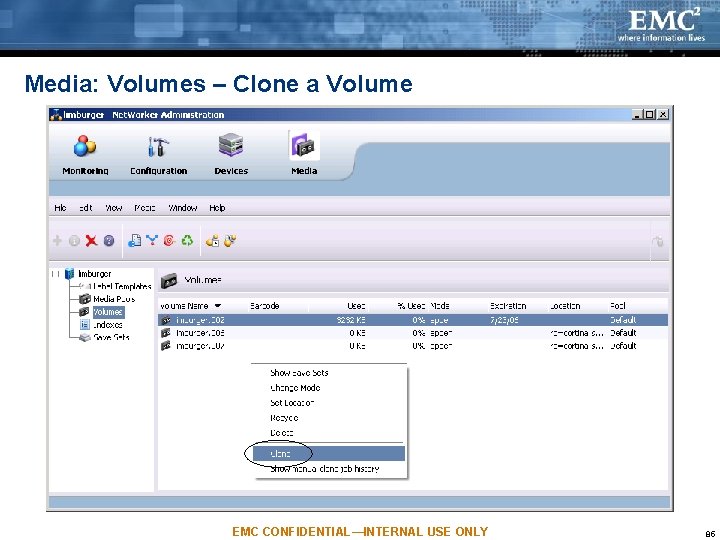
Media: Volumes – Clone a Volume EMC CONFIDENTIAL—INTERNAL USE ONLY 85
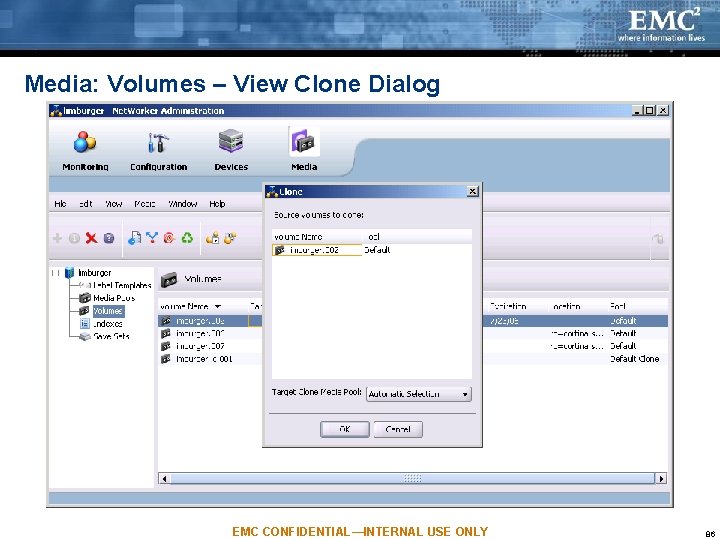
Media: Volumes – View Clone Dialog EMC CONFIDENTIAL—INTERNAL USE ONLY 86
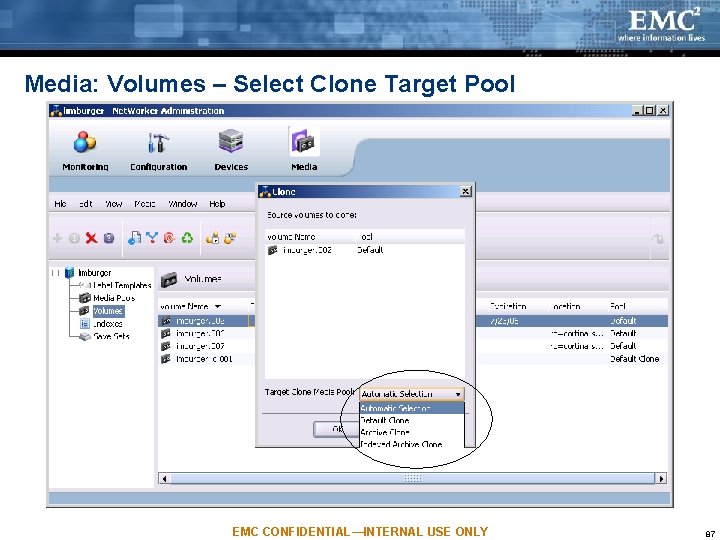
Media: Volumes – Select Clone Target Pool EMC CONFIDENTIAL—INTERNAL USE ONLY 87
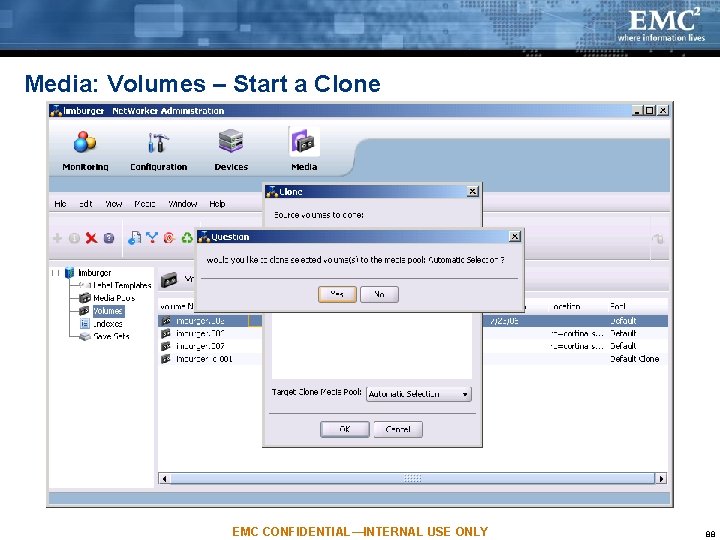
Media: Volumes – Start a Clone EMC CONFIDENTIAL—INTERNAL USE ONLY 88
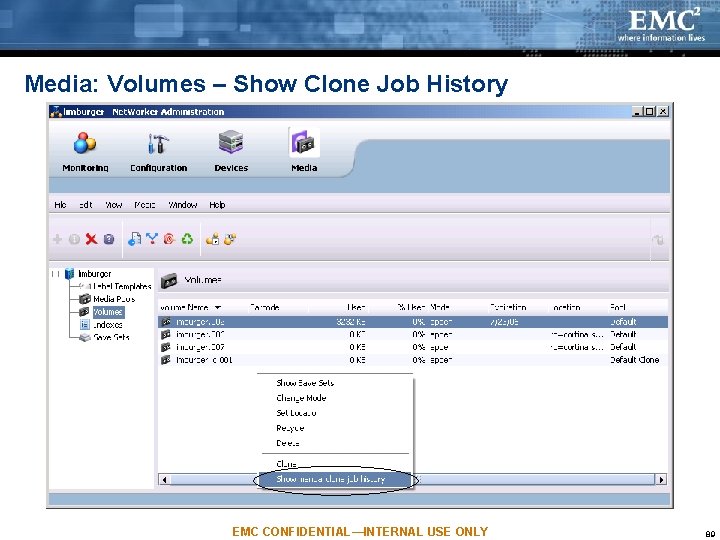
Media: Volumes – Show Clone Job History EMC CONFIDENTIAL—INTERNAL USE ONLY 89
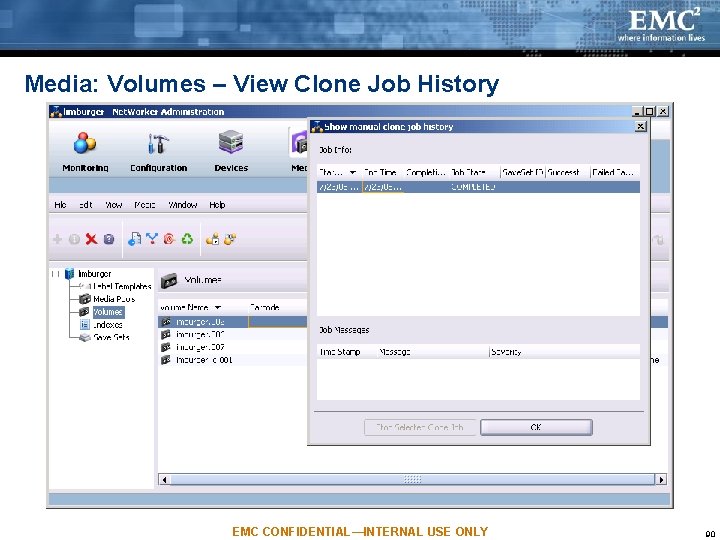
Media: Volumes – View Clone Job History EMC CONFIDENTIAL—INTERNAL USE ONLY 90
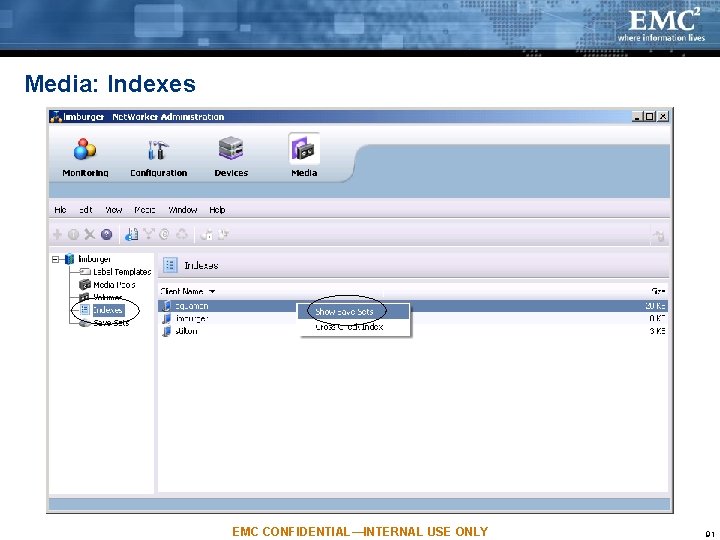
Media: Indexes EMC CONFIDENTIAL—INTERNAL USE ONLY 91
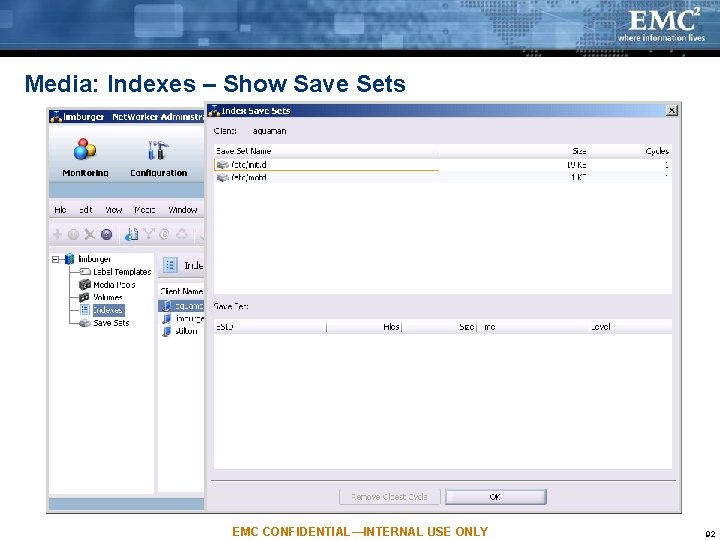
Media: Indexes – Show Save Sets EMC CONFIDENTIAL—INTERNAL USE ONLY 92
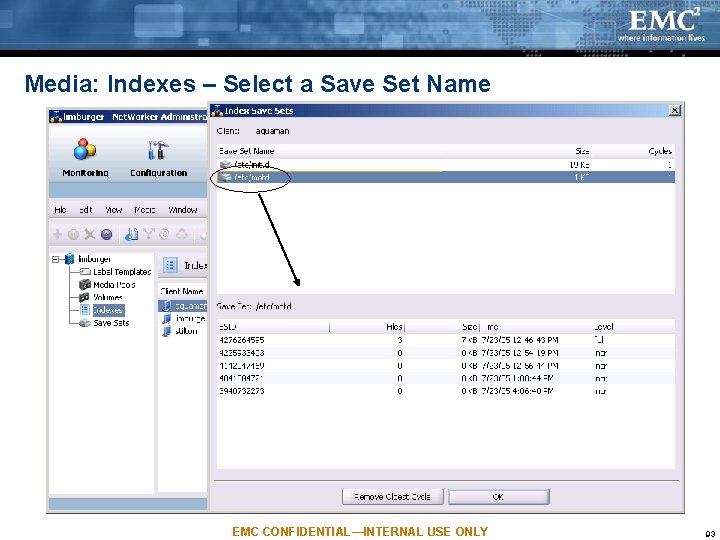
Media: Indexes – Select a Save Set Name EMC CONFIDENTIAL—INTERNAL USE ONLY 93
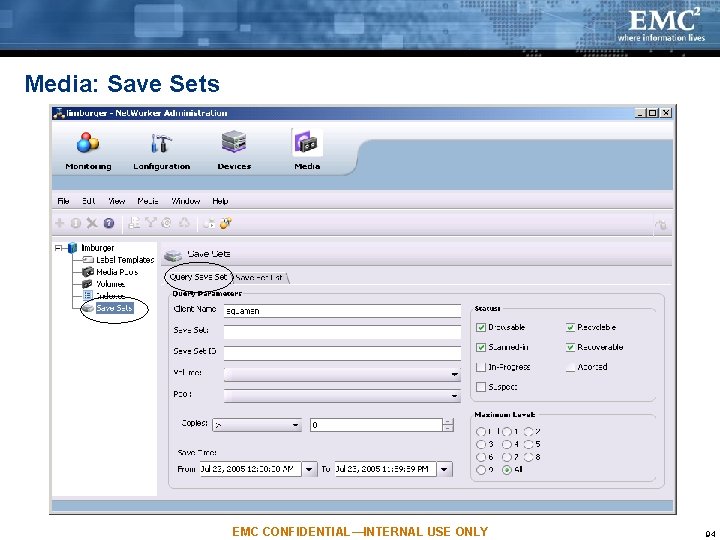
Media: Save Sets EMC CONFIDENTIAL—INTERNAL USE ONLY 94
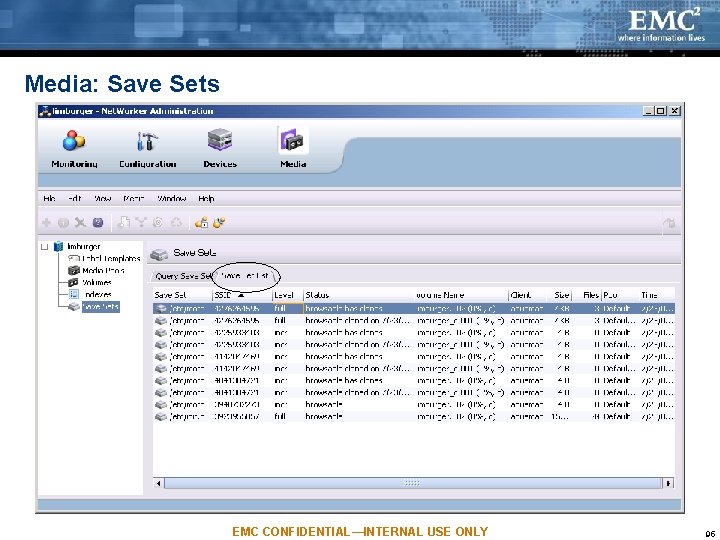
Media: Save Sets EMC CONFIDENTIAL—INTERNAL USE ONLY 95
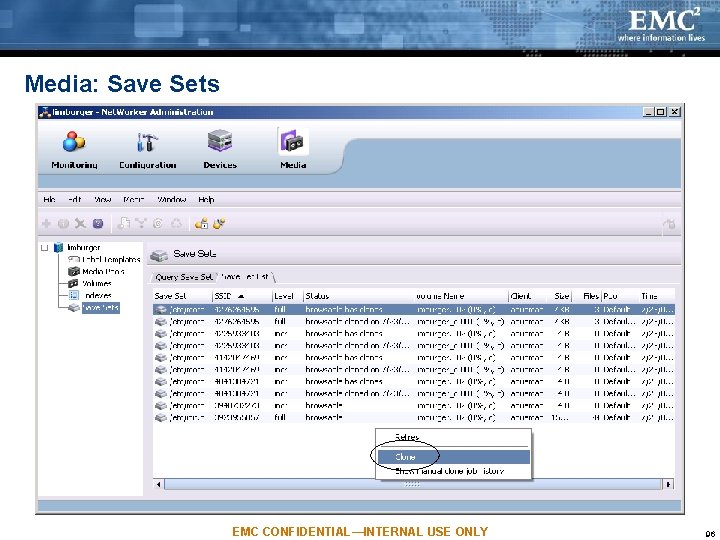
Media: Save Sets EMC CONFIDENTIAL—INTERNAL USE ONLY 96
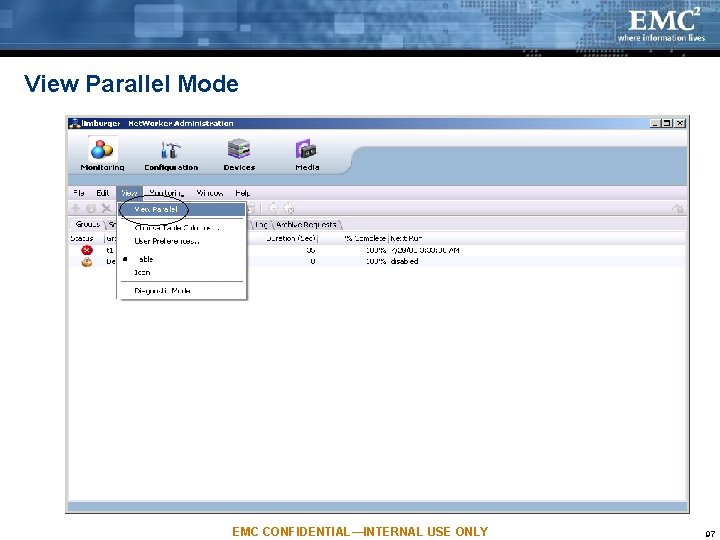
View Parallel Mode EMC CONFIDENTIAL—INTERNAL USE ONLY 97
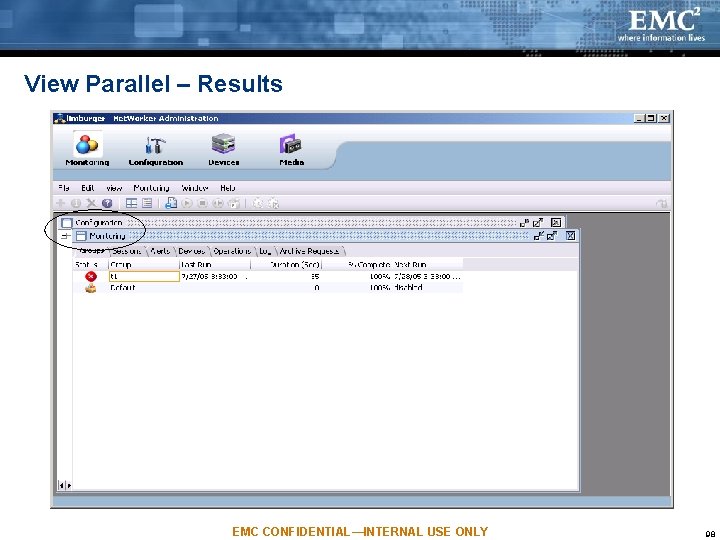
View Parallel – Results EMC CONFIDENTIAL—INTERNAL USE ONLY 98
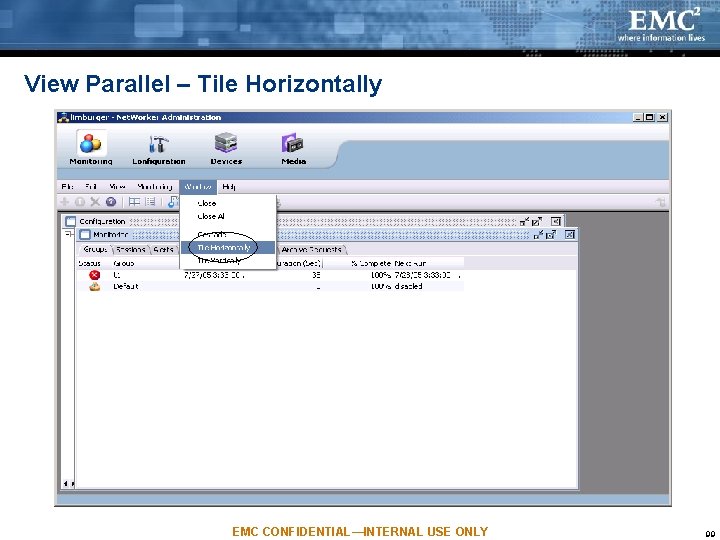
View Parallel – Tile Horizontally EMC CONFIDENTIAL—INTERNAL USE ONLY 99
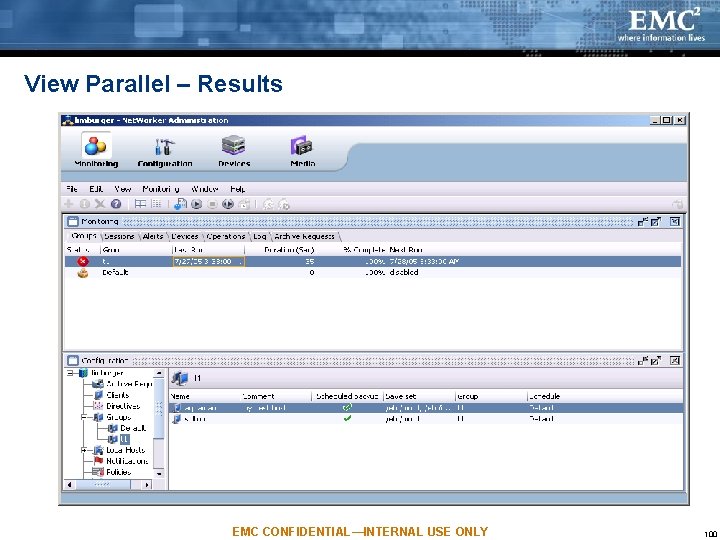
View Parallel – Results EMC CONFIDENTIAL—INTERNAL USE ONLY 100
Agenda NW Administration’s Purpose & Tasks Architecture Monitoring Task Configuration Task Devices Task Media Task NW Privileges and NMC Licensing EMC CONFIDENTIAL—INTERNAL USE ONLY 101
User Privileges on the NW Server New cmd (nsraddadmin): grants permission to NMC, when it is on a different host than the NW server. – For example: nsraddadmin –u root@nmc_serv Both the gstd process owner and the NMC user need to have NW server permission. – For example: For a Solaris NMC Server on host nmc_serv, both root@nmc_serv and administrator@nmc_serv need to have NW server permission. – Each NMC user is given separate permission EMC CONFIDENTIAL—INTERNAL USE ONLY 102
Licensing Please see the Console-level TOI for NMC Licensing in 7. 3 NW User Groups are no longer licensed in 7. 3. So new ones can be created. EMC CONFIDENTIAL—INTERNAL USE ONLY 103
Troubleshooting: NMC Server Review log files on Windows: C: Program FilesLegatoManagementGSTlogs on Solaris: /opt/LGTOnmc/logs on Linux: /opt/lgtonmc/logs Start gstd with -Dn, where n = 1 through 6 (a lot of output above 2) Debug level can be changed from the System Options (Setup task) Environment variables – GST_MAXLOGSIZE – GST_MAXLOGVERS – GST_DEBUG EMC CONFIDENTIAL—INTERNAL USE ONLY 104
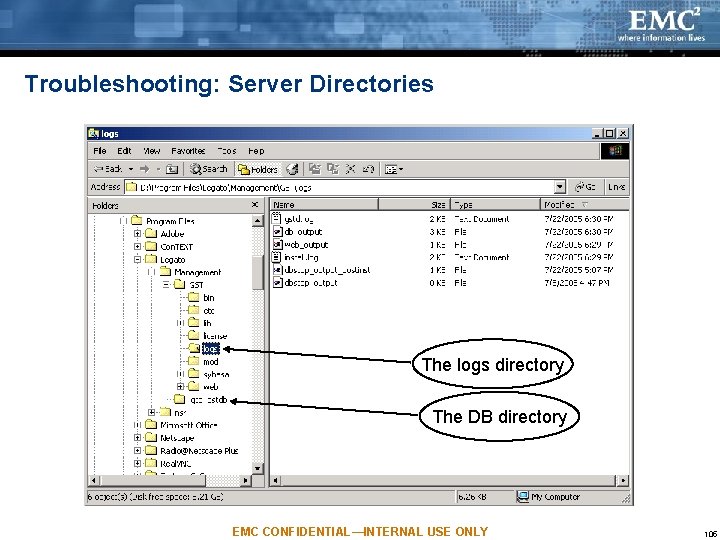
Troubleshooting: Server Directories The logs directory The DB directory EMC CONFIDENTIAL—INTERNAL USE ONLY 105
Troubleshooting: NMC Client Enable the output of client log messages: – Open the Java Web Start Application Manager – Go to File->Preferences->Advanced – Check "Show Java Console" to display Java Console window when the client is running. – Check "Log Output" if you would like the info in a file. EMC CONFIDENTIAL—INTERNAL USE ONLY 106
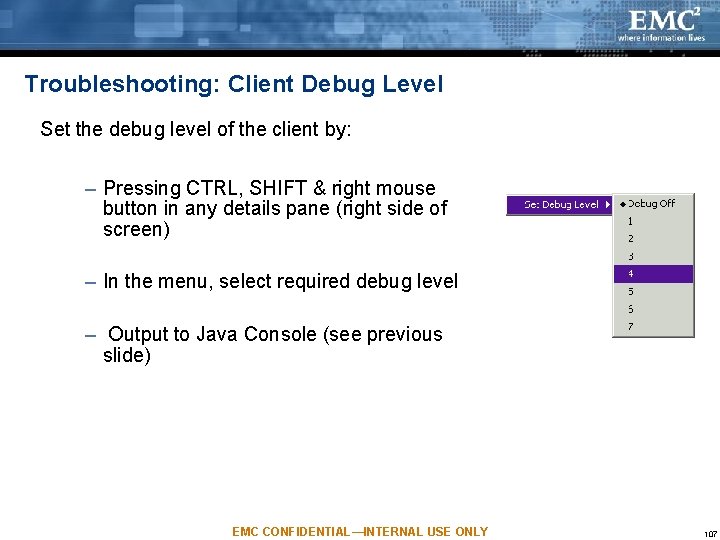
Troubleshooting: Client Debug Level Set the debug level of the client by: – Pressing CTRL, SHIFT & right mouse button in any details pane (right side of screen) – In the menu, select required debug level – Output to Java Console (see previous slide) EMC CONFIDENTIAL—INTERNAL USE ONLY 107
Troubleshooting: Opening an Incident Open incident in DDTS and assign it to nwcon user Contact development team: nmc-eng@legato. com When reporting problems, include: – – Console server & client platforms, including patches & service packs Platform & version of NW servers Console log files, core files, or Dr. Watson files Java Console output EMC CONFIDENTIAL—INTERNAL USE ONLY 108