Extracting the Ham from Spam David J Young
- Slides: 59
Extracting the Ham from Spam David J. Young
Introduction History u Spam u Terminology u ASSP u Benchmarks u Demo u Questions u
History Where did the term “spam” come from?
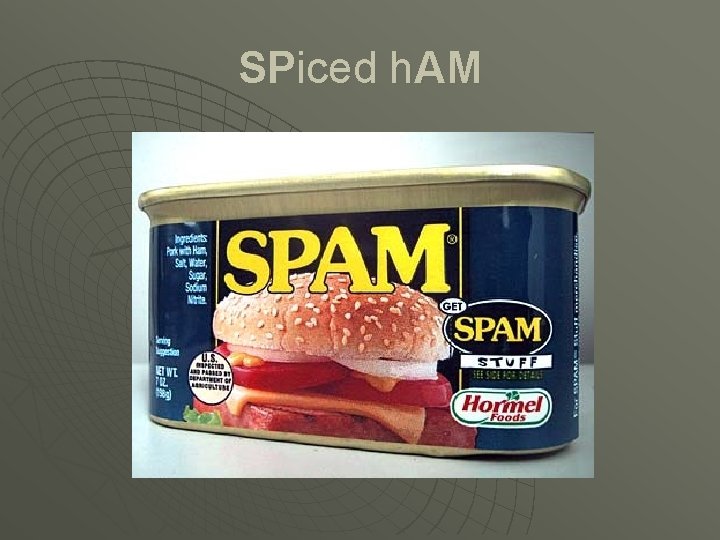
SPiced h. AM
SPAM sketch http: //www. youtube. com/results? search_query=spam+monty+python http: //video. google. com/videosearch? q=spam+monty+python u u Scene: A cafe. One table is occupied by a group of Vikings wearing horned helmets. Whenever the word "spam" is repeated, they begin singing and/or chanting. A man and his wife enter. The man is played by Eric Idle, the wife is played by Graham Chapman (in drag), and the waitress is played by Terry Jones, also in drag. Man: You sit here, dear. Wife: All right. Man: Morning!Waitress: Morning!Man: Well, what've you got? Waitress: Well, there's egg and bacon; egg sausage and bacon; egg and spam; egg bacon sausage and spam; spam egg spam bacon and spam; spam sausage spam bacon spam tomato and spam; Vikings: Spam spam. . . Waitress: . . . spam egg and spam; spam spam baked beans spam. . . Vikings: Spam! Lovely spam!Waitress: . . . or Lobster Thermidor a Crevette with a mornay sauce served in a Provencale manner with shallots and aubergines garnished with truffle pate, brandy and with a fried egg on top and spam. Wife: Have you got anything without spam? Waitress: Well, there's spam egg sausage and spam, that's not got much spam in it. Wife: I don't want ANY spam! Man: Why can't she have egg bacon spam and sausage? Wife: THAT'S got spam in it!Man: Hasn't got as much spam in it as spam egg sausage and spam, has it? Vikings: Spam spam. . . (Crescendo through next few lines. . . ) Wife: Could you do the egg bacon spam and sausage without the spam then? Waitress: Urgghh!Wife: What do you mean 'Urgghh'? I don't like spam! Vikings: Lovely spam! Wonderful spam!Waitress: Shut up! (Vikings stop) Bloody Vikings! You can't have egg bacon spam and sausage without the spam. Wife: I don't like spam!Man: Sshh, dear, don't cause a fuss. I'll have your spam. I love it. I'm having spam spam beaked beans spam and spam! Vikings: Spam spam. Lovely spam! Wonderful spam!Waitress: Shut up!! Baked beans are off. Man: Well could I have her spam instead of the baked beans then? Waitress: You mean spam spam. . . (but it is too late and the Vikings drown her words) Vikings: Spam spam. Lovely spam! Wonderful spam! Spam spa-a-a-a-a-am spam. Lovely spam! Lovely spam! Spam spam!
Spam lyrics u Lovely spam, wonderful spa-a-m, Lovely spam, wonderful S Spam, Spa-a-a-a-a-a-a-am, SPA-A-A-A-A-A-A-AM, LOVELY SPAM, LOVELY SPA-A-AM. . . SPA-AM, SPA-A-A-AM!
What is spam? Unsolicited Bulk e-mail (UBE) u Unsolicited Commerical Email (UCE) u “The abuse of electronic messaging systems to send unsolicited, undesired bulk messages”
The cost of spam Productivity – It is estimated that 80 -85% of all email is spam u Payload may contain malware (virus, worm, trojan, etc. ) u Internet bandwidth u
How do spammers get e-mail addresses? u u u Replying to a spam e-mail Auto-responders (vacation) Viewing HTML spam (web beacons) Clicking on URLs to websites listed in spam Chain e-mail (MUA virus) Mining • • • u u u Usenet postings/message boards/chat rooms Usenet article message-IDs Company or personal websites DNS SOA records whois database Opt-out websites E-mail worms harvesting address books Shady businesses selling addresses to spammers Dictionary attacks Zombies
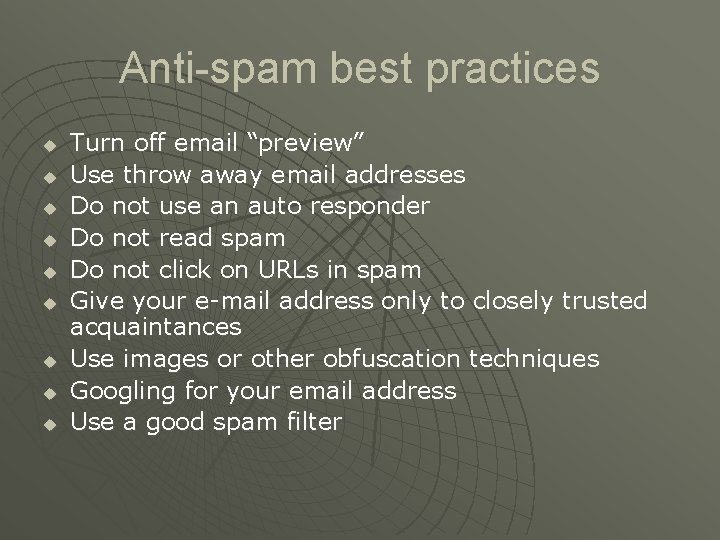
Anti-spam best practices u u u u u Turn off email “preview” Use throw away email addresses Do not use an auto responder Do not read spam Do not click on URLs in spam Give your e-mail address only to closely trusted acquaintances Use images or other obfuscation techniques Googling for your email address Use a good spam filter
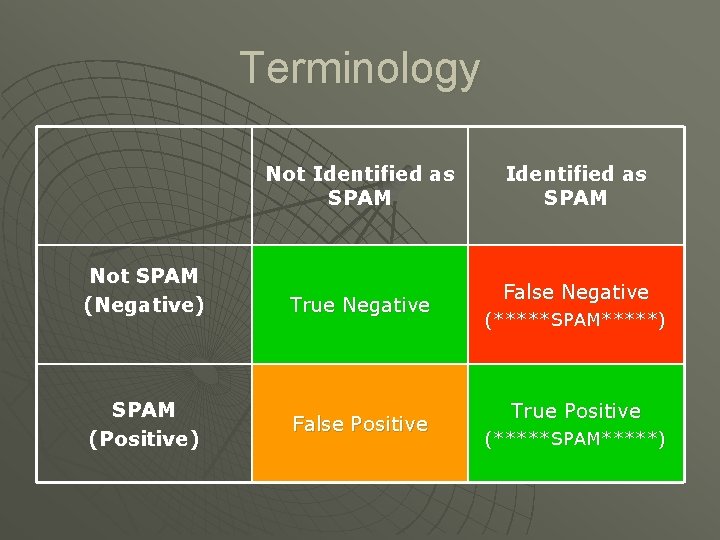
Terminology Not Identified as SPAM Not SPAM (Negative) SPAM (Positive) True Negative False Positive Identified as SPAM False Negative (*****SPAM*****) True Positive (*****SPAM*****)
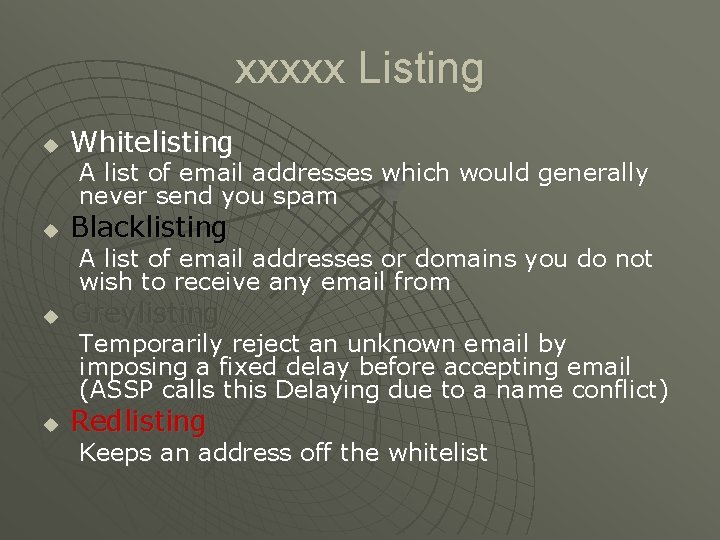
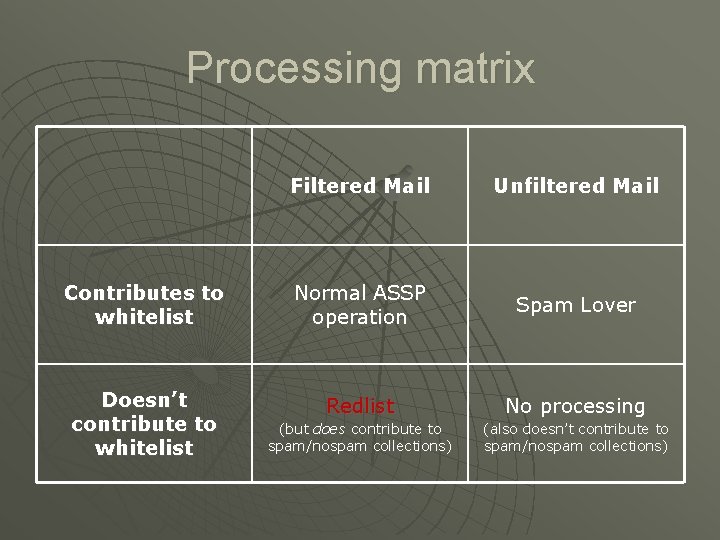
xxxxx Listing u Whitelisting A list of email addresses which would generally never send you spam u Blacklisting A list of email addresses or domains you do not wish to receive any email from u Greylisting Temporarily reject an unknown email by imposing a fixed delay before accepting email (ASSP calls this Delaying due to a name conflict) u Redlisting Keeps an address off the whitelist
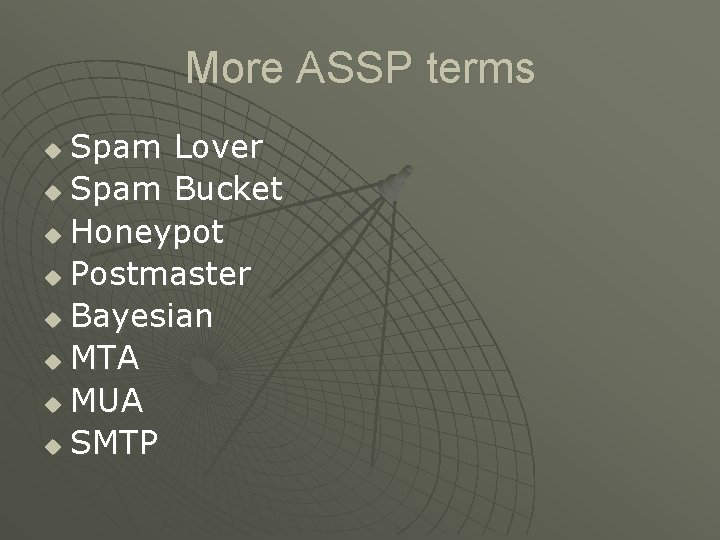
More ASSP terms Spam Lover u Spam Bucket u Honeypot u Postmaster u Bayesian u MTA u MUA u SMTP u
Processing matrix Filtered Mail Unfiltered Mail Contributes to whitelist Normal ASSP operation Spam Lover Doesn’t contribute to whitelist Redlist No processing (but does contribute to spam/nospam collections) (also doesn’t contribute to spam/nospam collections)
What is ASSP? Anti-Spam SMTP Proxy “An Open Source platform-independent transparent SMTP proxy server that leverages numerous methodologies and technologies to both rigidly and adaptively identify spam. ” -- wikipedia. org
Theory of Operation u u u When you install ASSP a colony of superintelligent thermophilus bacteria takes up residence on your CPU and begin reading all your email. They communicate using radio waves directly with the CPU and interface with the ASSP software choosing between spam and nonspam mail. If you choose to read further this myth will be sadly dispelled, and I take no responsibility for the consequences. However, you can always refer your users to this slide to prove to them that their email is actually being filtered by super-intelligent bacteria.
True Theory of Operation u ASSP uses three complementary strategies to allow good email and to block unsolicited email • • • u Whitelisting Spambuckets Bayesian filtering Local mail domain users are not whitelisted
ASSP Implementation Version 1. 2. 5 u It is a single Perl script u 360 KB u 10, 000 lines u Built in web server u Built in Pseudo-SMTP server u
ASSP Target User Base u u ASSP’s primary target audience is mail administrators or system administrators at smallish institutions. If you operate an ISP or a mailhost with a heterogeneous user base, you may not have a good enough consensus about what is considered spam or is not. It should work well with between 1 and 300 client addresses and a mail volume of up to around 100, 000 messages per day. Testing has not been done to verify these ranges ASSP is not for the following: 1. Individual clients -- ASSP must be installed together with a SMTP server 2. Domains which receive mail indirectly, for example if you use fetchmail
ASSP Philosophy Reject SPAM before the SMTP server u Work with any SMTP MTA u Adapt quickly as spammers change attack strategies u Require low maintenance after initial setup u
Main ASSP capabilities u u u Automatic Whitelisting Spam Traps Bayesian filtering Greylist Whitelist RE Matching Email interface Mail Analyzer Automatic Statistics SPF (Sender Policy Framework) DNSBL (DNS Black Lists) Clam. AV virus scanner Mail host Headers
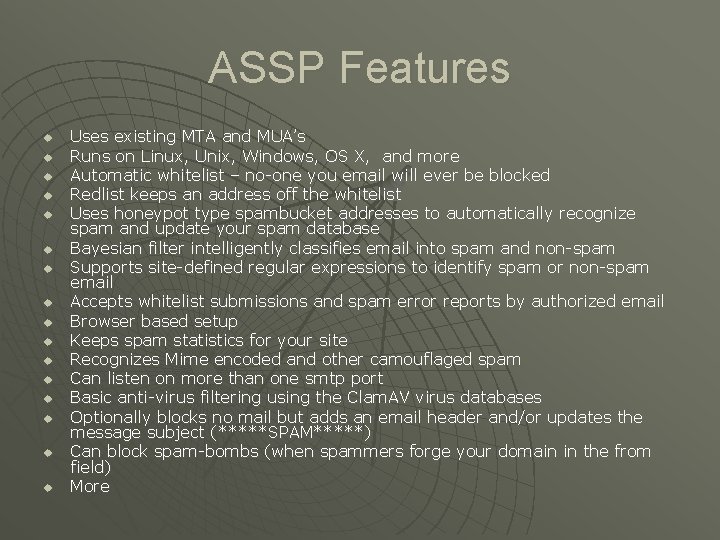
ASSP Features u u u u Uses existing MTA and MUA’s Runs on Linux, Unix, Windows, OS X, and more Automatic whitelist – no-one you email will ever be blocked Redlist keeps an address off the whitelist Uses honeypot type spambucket addresses to automatically recognize spam and update your spam database Bayesian filter intelligently classifies email into spam and non-spam Supports site-defined regular expressions to identify spam or non-spam email Accepts whitelist submissions and spam error reports by authorized email Browser based setup Keeps spam statistics for your site Recognizes Mime encoded and other camouflaged spam Can listen on more than one smtp port Basic anti-virus filtering using the Clam. AV virus databases Optionally blocks no mail but adds an email header and/or updates the message subject (*****SPAM*****) Can block spam-bombs (when spammers forge your domain in the from field) More
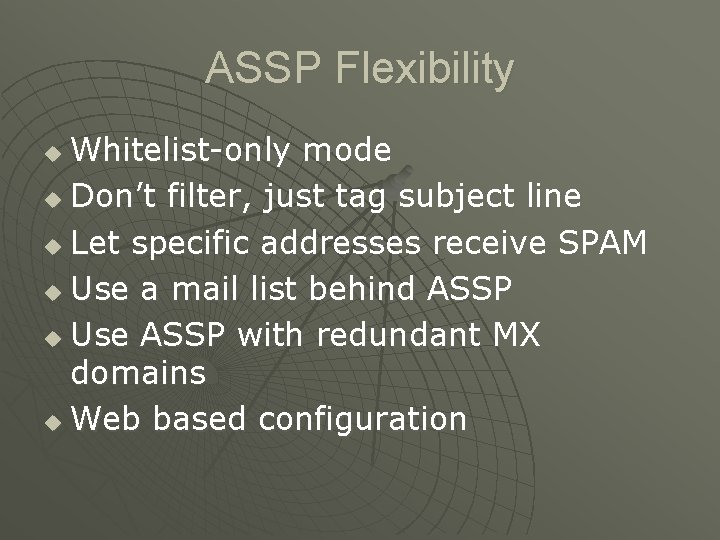
ASSP Flexibility Whitelist-only mode u Don’t filter, just tag subject line u Let specific addresses receive SPAM u Use a mail list behind ASSP u Use ASSP with redundant MX domains u Web based configuration u
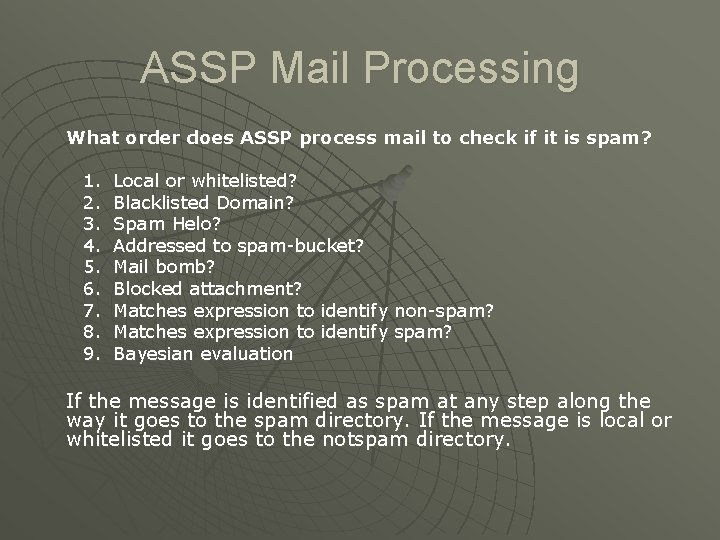
ASSP Mail Processing What order does ASSP process mail to check if it is spam? 1. 2. 3. 4. 5. 6. 7. 8. 9. Local or whitelisted? Blacklisted Domain? Spam Helo? Addressed to spam-bucket? Mail bomb? Blocked attachment? Matches expression to identify non-spam? Matches expression to identify spam? Bayesian evaluation If the message is identified as spam at any step along the way it goes to the spam directory. If the message is local or whitelisted it goes to the notspam directory.
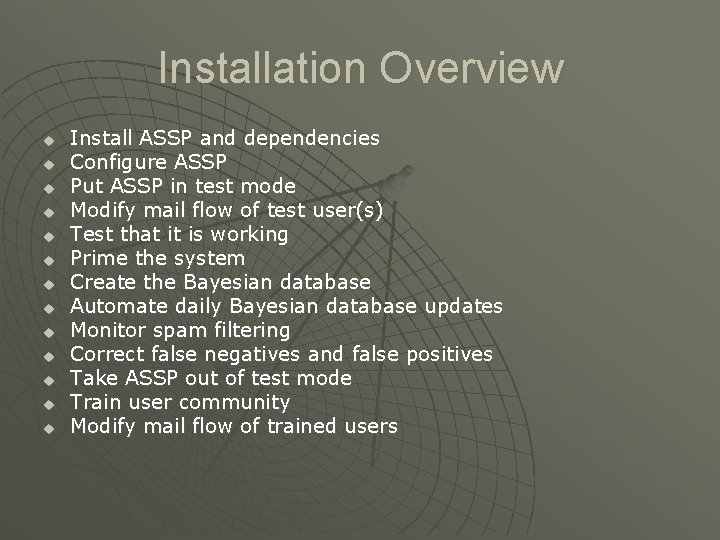
Installation Overview u u u u Install ASSP and dependencies Configure ASSP Put ASSP in test mode Modify mail flow of test user(s) Test that it is working Prime the system Create the Bayesian database Automate daily Bayesian database updates Monitor spam filtering Correct false negatives and false positives Take ASSP out of test mode Train user community Modify mail flow of trained users
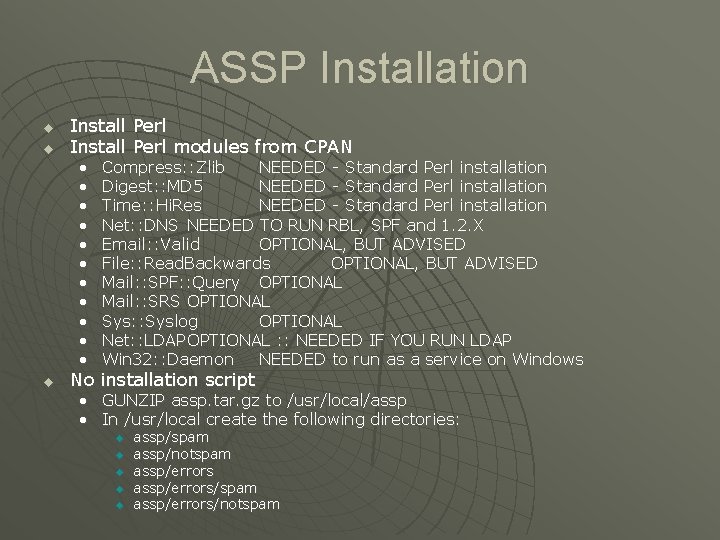
ASSP Installation u u Install Perl modules from CPAN • • • u Compress: : Zlib NEEDED - Standard Perl installation Digest: : MD 5 NEEDED - Standard Perl installation Time: : Hi. Res NEEDED - Standard Perl installation Net: : DNS NEEDED TO RUN RBL, SPF and 1. 2. X Email: : Valid OPTIONAL, BUT ADVISED File: : Read. Backwards OPTIONAL, BUT ADVISED Mail: : SPF: : Query OPTIONAL Mail: : SRS OPTIONAL Sys: : Syslog OPTIONAL Net: : LDAP OPTIONAL : : NEEDED IF YOU RUN LDAP Win 32: : Daemon NEEDED to run as a service on Windows No installation script • GUNZIP assp. tar. gz to /usr/local/assp • In /usr/local create the following directories: u u u assp/spam assp/notspam assp/errors/spam assp/errors/notspam
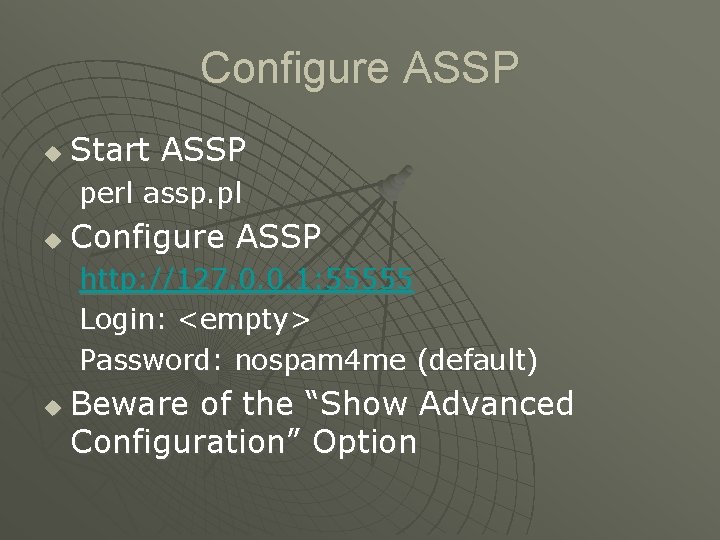
Configure ASSP u Start ASSP perl assp. pl u Configure ASSP http: //127. 0. 0. 1: 55555 Login: <empty> Password: nospam 4 me (default) u Beware of the “Show Advanced Configuration” Option
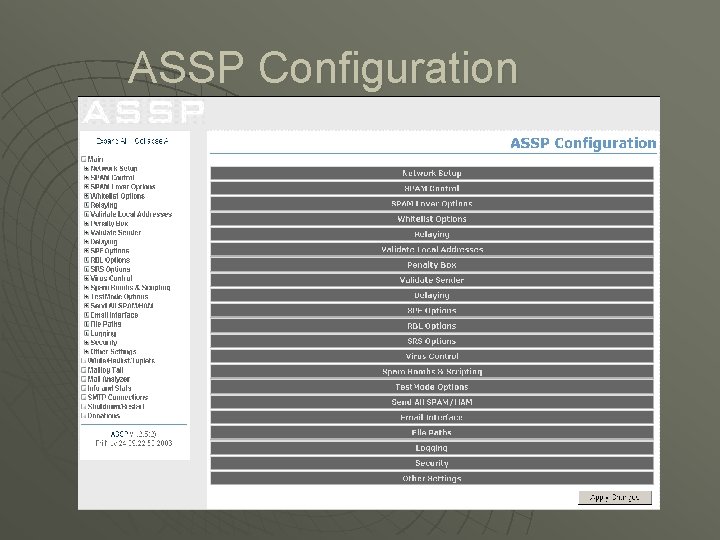
ASSP Configuration
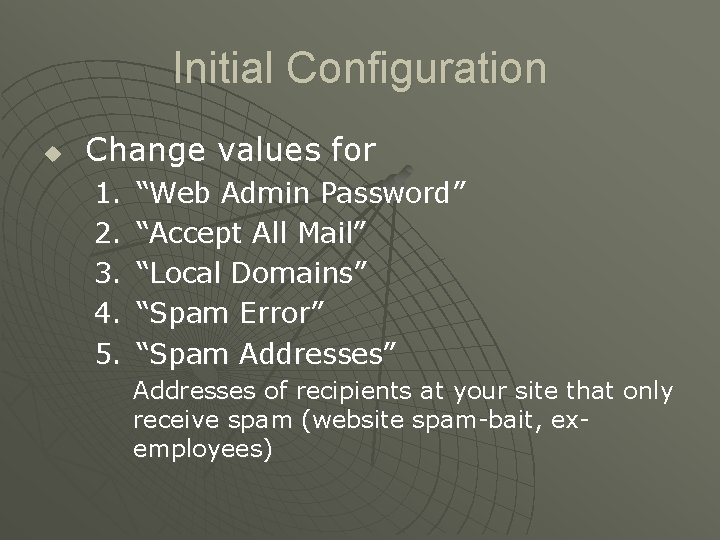
Initial Configuration u Change values for 1. 2. 3. 4. 5. “Web Admin Password” “Accept All Mail” “Local Domains” “Spam Error” “Spam Addresses” Addresses of recipients at your site that only receive spam (website spam-bait, exemployees)
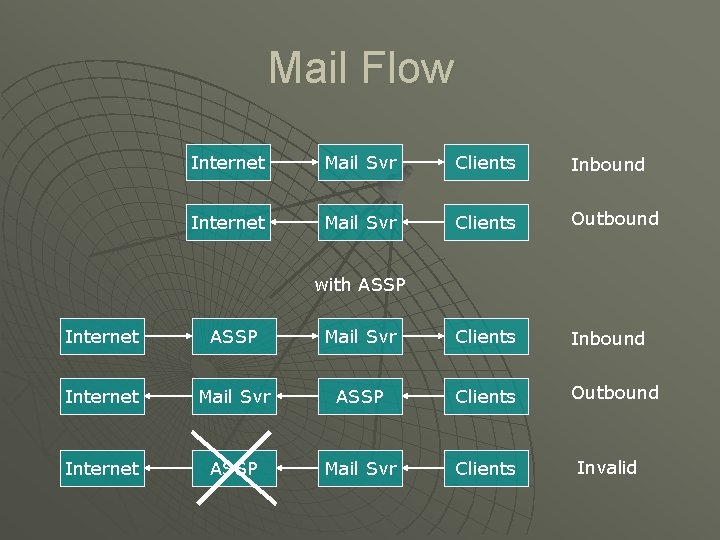
Mail Flow Internet Mail Svr Clients Inbound Internet Mail Svr Clients Outbound with ASSP Internet ASSP Mail Svr Clients Inbound Internet Mail Svr ASSP Clients Outbound Internet ASSP Mail Svr Clients Invalid
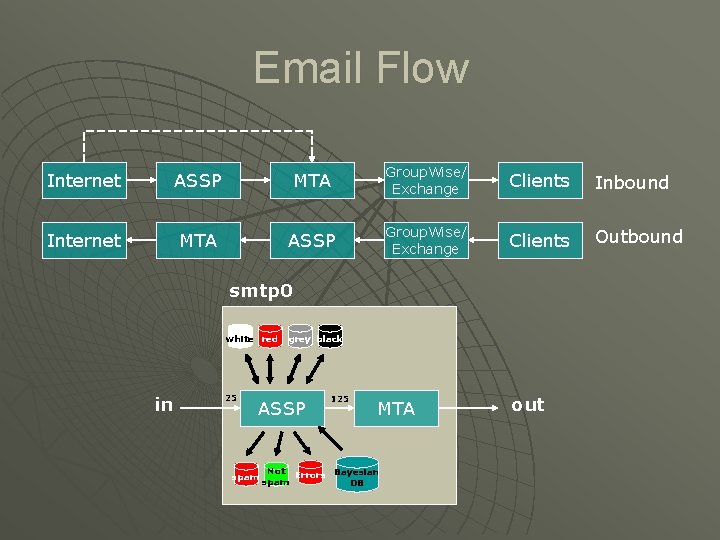
Email Flow Internet ASSP MTA Group. Wise/ Exchange Clients Inbound Internet MTA ASSP Group. Wise/ Exchange Clients Outbound smtp 0 white red in 25 grey black ASSP spam 125 MTA Not Errors Bayesian spam DB out
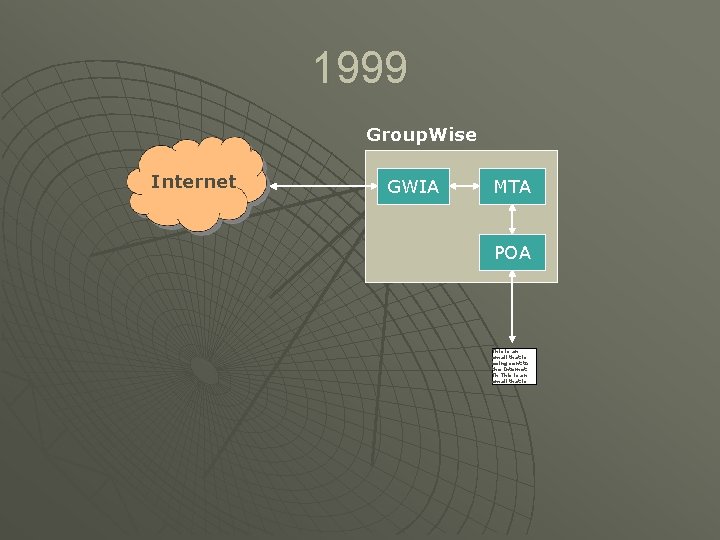
1999 Group. Wise Internet GWIA MTA POA This is an email that is being sent to the Internet. Th This is an email that is
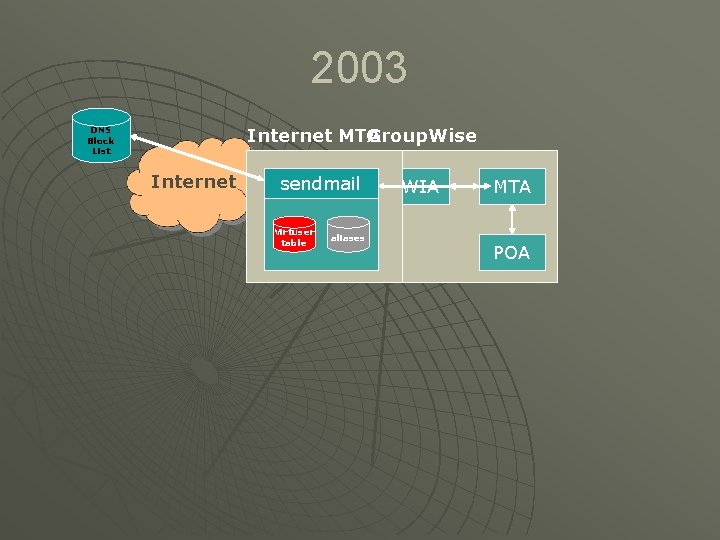
2003 Internet MTA Group. Wise DNS Block List Internet sendmail Virtuser table aliases GWIA MTA POA
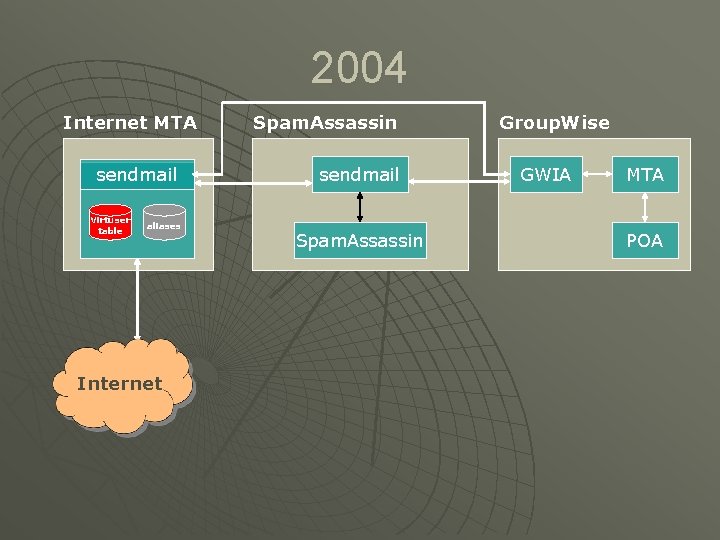
2004 Internet MTA sendmail Virtuser table aliases Internet Spam. Assassin sendmail Spam. Assassin Group. Wise GWIA MTA POA
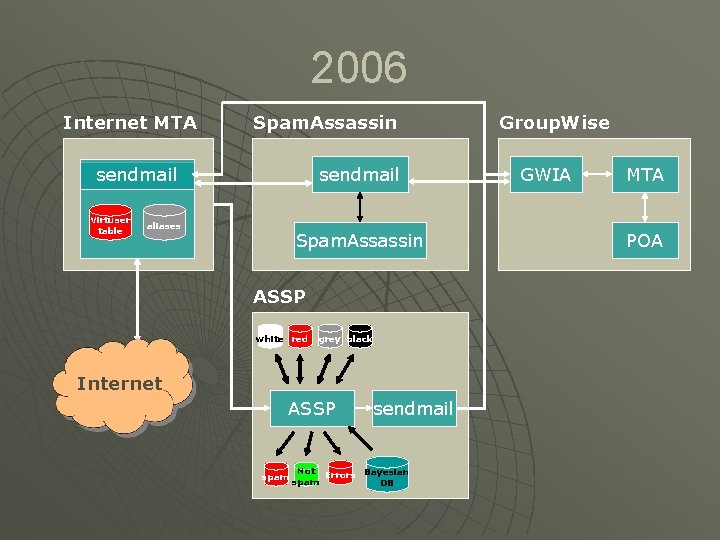
2006 Internet MTA Spam. Assassin sendmail Virtuser table aliases Spam. Assassin ASSP white red grey black Internet ASSP spam sendmail Not Errors Bayesian spam DB Group. Wise GWIA MTA POA
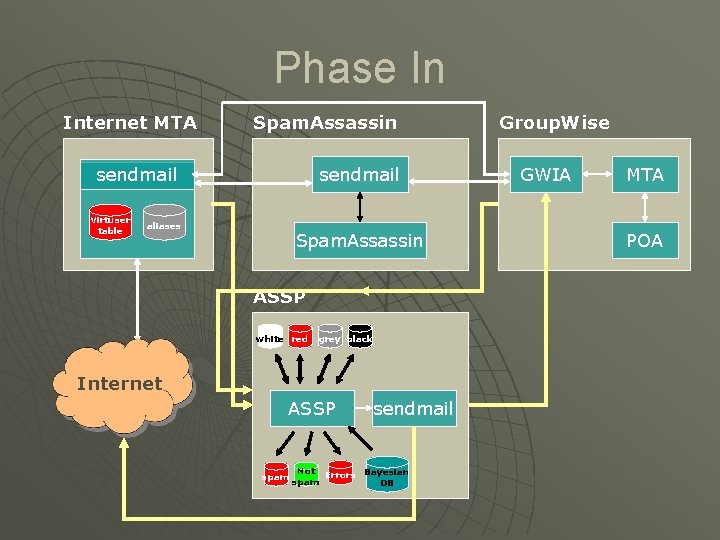
Phase In Internet MTA Spam. Assassin sendmail Virtuser table aliases Spam. Assassin ASSP white red grey black Internet ASSP spam sendmail Not Errors Bayesian spam DB Group. Wise GWIA MTA POA
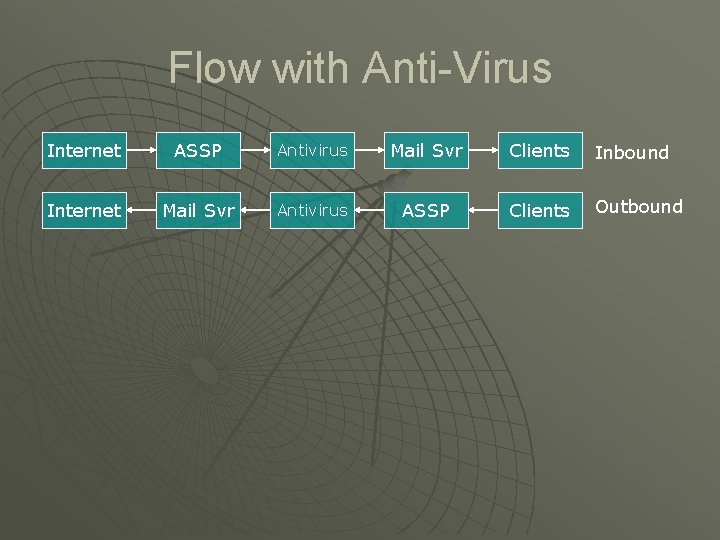
Flow with Anti-Virus Internet ASSP Antivirus Mail Svr Clients Inbound Internet Mail Svr Antivirus ASSP Clients Outbound
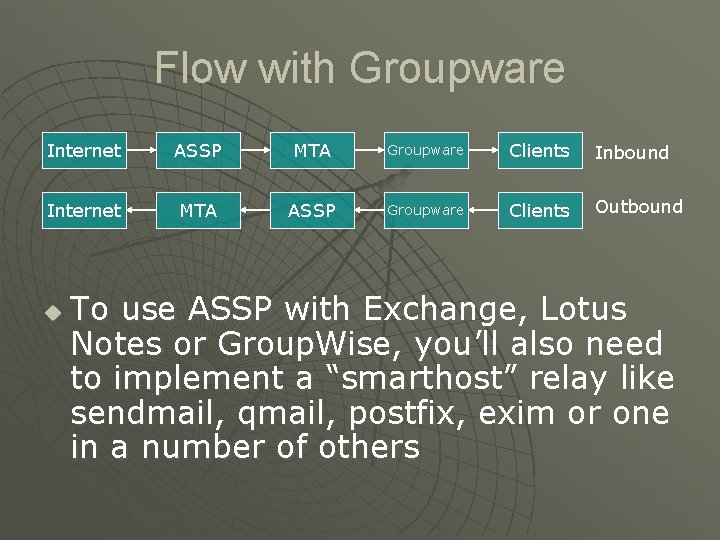
Flow with Groupware Internet ASSP MTA Groupware Clients Inbound Internet MTA ASSP Groupware Clients Outbound u To use ASSP with Exchange, Lotus Notes or Group. Wise, you’ll also need to implement a “smarthost” relay like sendmail, qmail, postfix, exim or one in a number of others
DNSBL vs Greylist The ASSP Greylist supercedes DNSBL u ASSP “Greylist” is not to be confused with “Greylisting” u Use of DNSBL is discouraged (If a DNSBL lookup blocks, ASSP will block due to it’s multiplex design) u
Penalty Box u This will blacklist an SMTP server for about 72 hours or so from sending to your server if they violate basic SMTP connection conventions over a certain threshold.
SMTP Ports For example, internet mail needs to connect to ASSP on port 25 (ASSP's listen port), and ASSP can proxy to your mail server on port 125 (or any port you choose) -- ASSP's SMTP Destination. You need to change your mail server to match.
Sender Notification u With most client-based filters (POPFile, Spam. Bayes, Spam. Assassin) senders receive NO NOTIFICATION if their mail isn't delivered. With most of these solutions, the user bears full responsibility to VERIFY that no good mail is blocked. u ASSP’s solution to this is that when spam is blocked the SENDER RECEIVES NOTIFICATION, and it does this without generating non-delivery reports that bounce and bounce again because spammers forge their from address.
Catch-22 u u Issue: Let’s say a client receives a non-delivery report, how can he (not in whitelist) send a message to the organization if he is still not in whitelist? I mean, if the recipient or assp admin does not receive the notification, they will not know that there is a false positive and will not add the unknown client to whitelist. . . Solution: Set up an email address and put it in the Spam. Lover Address configuration option. Then modify the spam error message to direct people to "500 Mail appears to be unsolicited (spam) -- please forward this email to notspam@mydomain. com if you feel this is in error. " Any false positives that bounce back to clients will hopefully be reported to the Mail Admin via the spam lover address (they just forward it), assuming they read the rejected email.
Email Interface Any user can help to improve ASSP’s spam filtering accuracy. Users can use it to addresses to the whitelist, report spam, or false-positives. To use it, you must have it enabeled in the configuration, and have names set for the addresses. The interface only accepts mail addressed to addresses at any of your localdomains, and only from "Accept All Mail" hosts, or authenticated SMTP connections. u u u assp-white -- for whitelist additions assp-spam -- to report spam that got through assp-notspam -- to report mis-categorized spam Whitelisting: Assuming that your local-domain is yourdomain. com, to addresses to the whitelist, you’d create a message to assp-white@yourdomain. com. You can either put the addresses in the body of the message, or as recipients of the message. For example, if you wanted to add all the addresses in your address book to the whitelist, create a message to assp-white@yourdomain. com and then add your entire address book to the BCC part of the message and click send. Note that no mail will be delivered to any address except assp-white@yourdomain. com (and that won't actually be passed to your mail transport). Within a short time you'll receive a response from ASSP showing the results of your mail. False Negatives: To report a spam that got through, simply forward the mail to assp-spam@yourdomain. com. It's best to forward it as an attachment, but you can just forward it normally if you must. In a short time you will receive a confirmation. False Positives: The process is the same to report a miscategorized spam, but send it to assp-notspam@yourdomain. com.
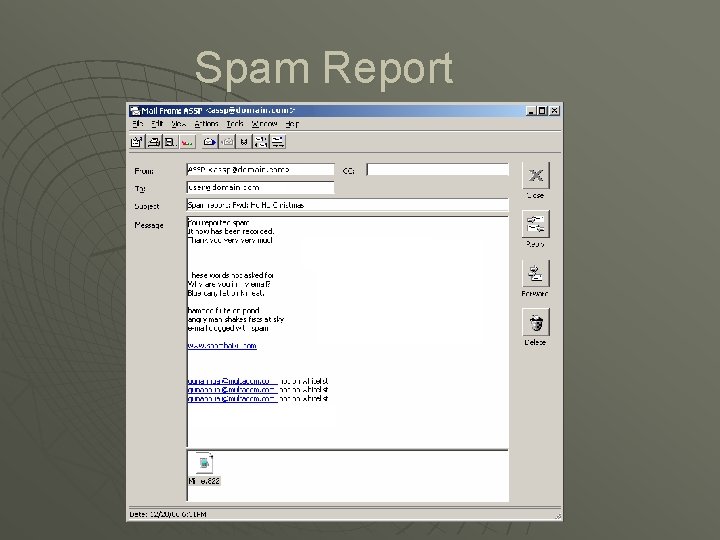
Spam Report
Benchmarks Spam Bucket u Ex-employee that left the company 5 years ago u Receives 50 -80 spam mails per day u
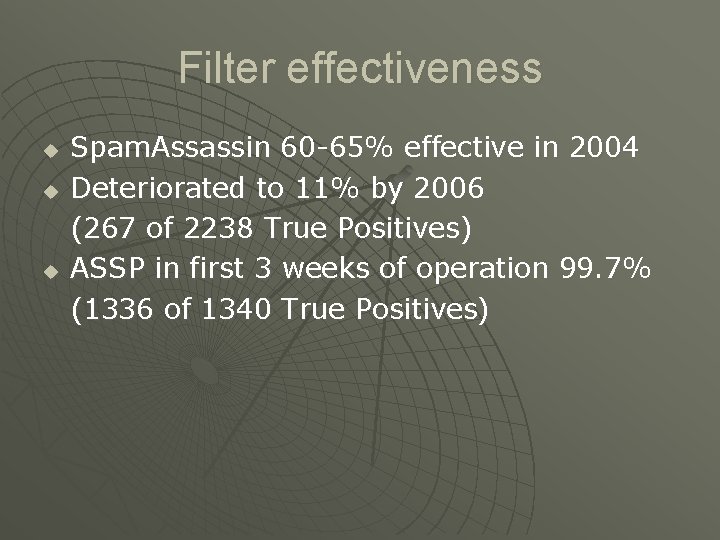
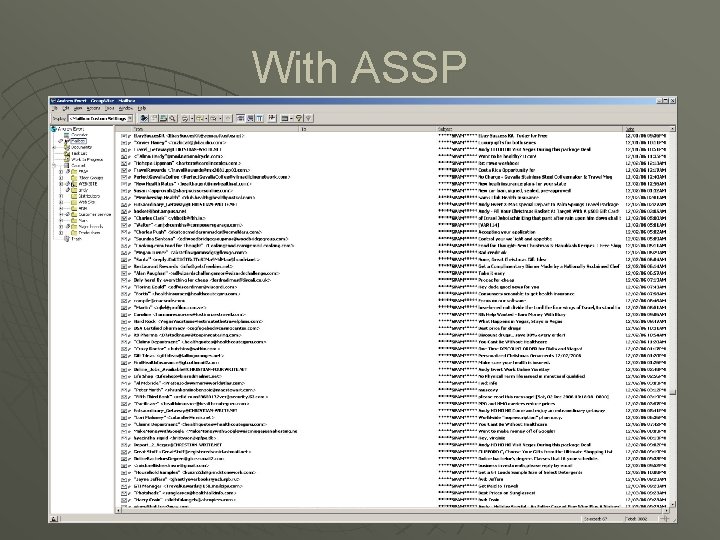
Filter effectiveness u u u Spam. Assassin 60 -65% effective in 2004 Deteriorated to 11% by 2006 (267 of 2238 True Positives) ASSP in first 3 weeks of operation 99. 7% (1336 of 1340 True Positives)
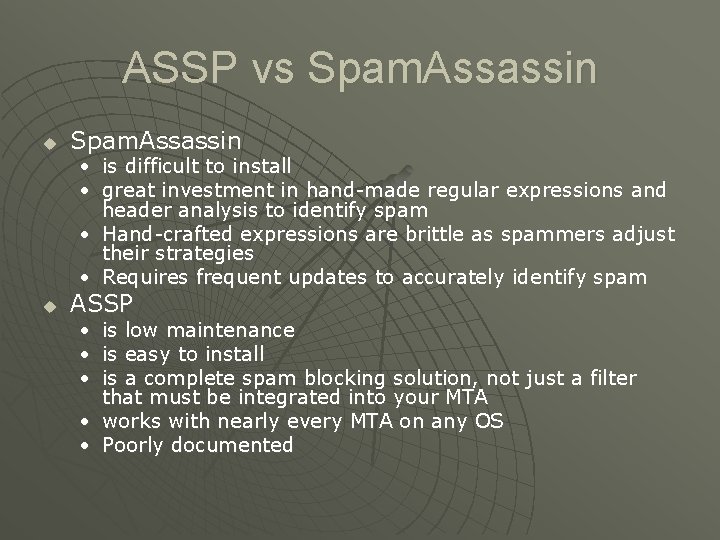
ASSP vs Spam. Assassin u Spam. Assassin • is difficult to install • great investment in hand-made regular expressions and header analysis to identify spam • Hand-crafted expressions are brittle as spammers adjust their strategies • Requires frequent updates to accurately identify spam u ASSP • is low maintenance • is easy to install • is a complete spam blocking solution, not just a filter that must be integrated into your MTA • works with nearly every MTA on any OS • Poorly documented
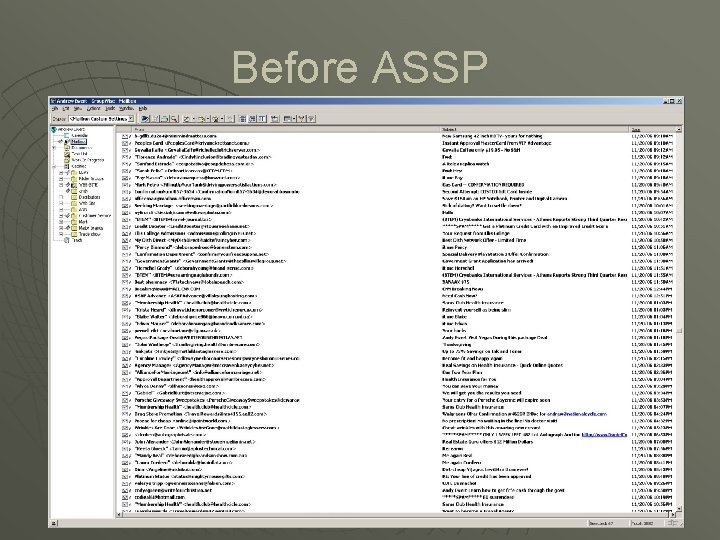
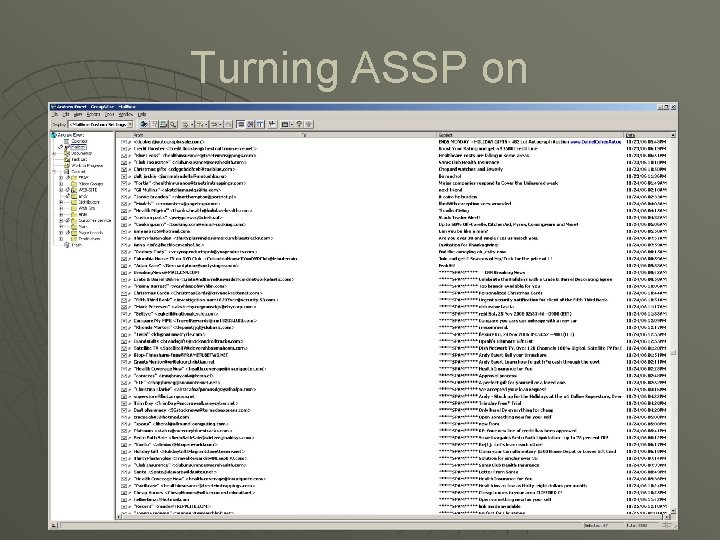
Before ASSP
Turning ASSP on
With ASSP
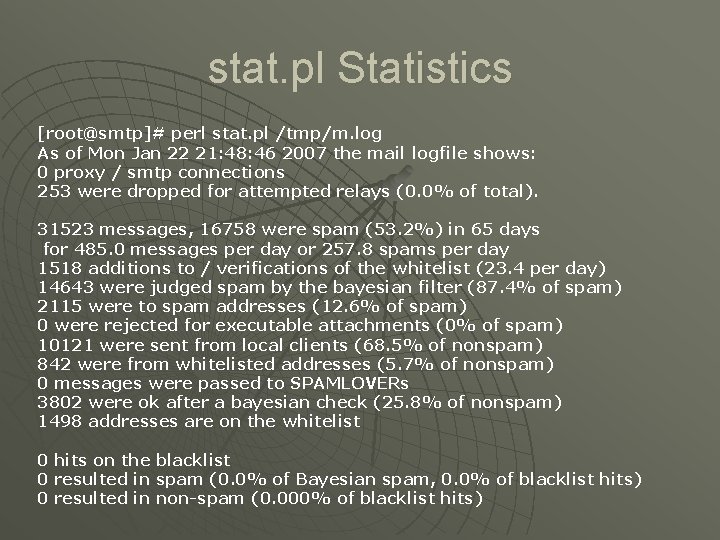
stat. pl Statistics [root@smtp]# perl stat. pl /tmp/m. log As of Mon Jan 22 21: 48: 46 2007 the mail logfile shows: 0 proxy / smtp connections 253 were dropped for attempted relays (0. 0% of total). 31523 messages, 16758 were spam (53. 2%) in 65 days for 485. 0 messages per day or 257. 8 spams per day 1518 additions to / verifications of the whitelist (23. 4 per day) 14643 were judged spam by the bayesian filter (87. 4% of spam) 2115 were to spam addresses (12. 6% of spam) 0 were rejected for executable attachments (0% of spam) 10121 were sent from local clients (68. 5% of nonspam) 842 were from whitelisted addresses (5. 7% of nonspam) 0 messages were passed to SPAMLOVERs 3802 were ok after a bayesian check (25. 8% of nonspam) 1498 addresses are on the whitelist 0 hits on the blacklist 0 resulted in spam (0. 0% of Bayesian spam, 0. 0% of blacklist hits) 0 resulted in non-spam (0. 000% of blacklist hits)
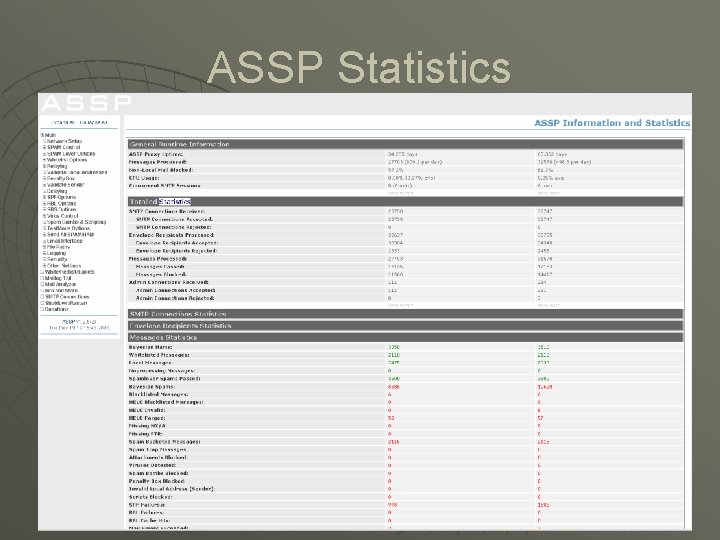
ASSP Statistics
Issues Vacation u Auto Replies u TLS and secure SMTP u ASSP is site based, not per-user u
Lessons Learned Whitelist + spambucket + Bayesian is a great spam filtering strategy u The default is SPF failures will filter even if whitelisted u Be very careful what you put in the relay hosts list u ASSP is not multi-process or multithreaded u
Utilities rebuildspamdb. pl u repair. pl u move 2 num. pl u stat. pl u
Demo Web configuration u Mail analyzer u
Resources on the Internet http: //www. spamland. com u http: //antispam. yahoo. com u http: //www. openspf. org u
Questions