Digital Tachograph Information Day Geneva 27102003 Digitac 05112020






- Slides: 148
Digital Tachograph : Information Day Geneva, 27/10/2003 Digitac 05/11/2020 1
Agenda Introduction 1. Type approval 2. How to put a digital tachograph into service? 3. Issuing of tachograph cards and Tachonet 4. Use of the digital tachograph and of tachograph cards 5. Maintenance of the digital tachograph 05/11/2020 2
INTRODUCTION Leo HUBERTS – EC 05/11/2020 3
INTRODUCTION OF THE DIGITAL TACHOGRAPH Background and latest developments Leo Huberts, European Commission, Directorate for Energy and Transport 05/11/2020 4
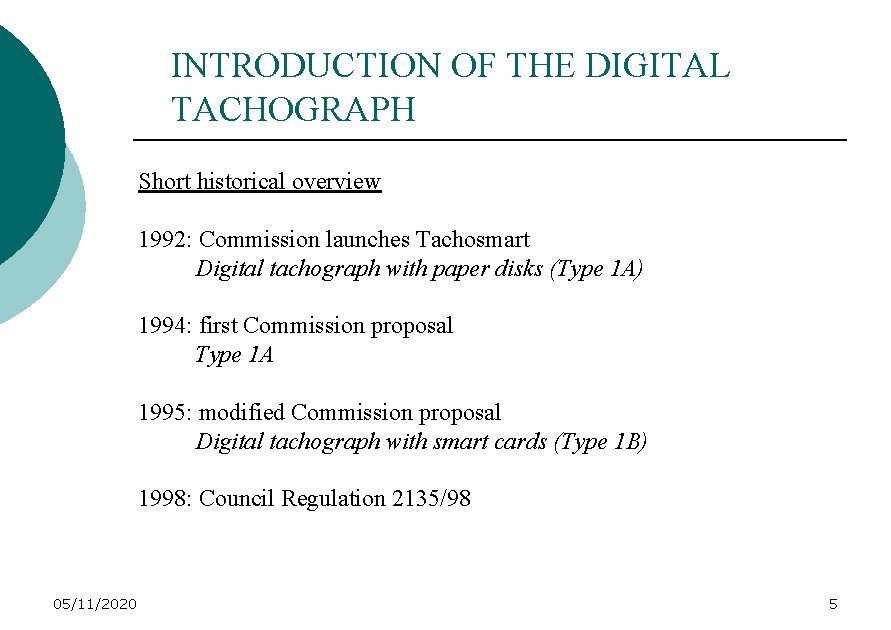
INTRODUCTION OF THE DIGITAL TACHOGRAPH Short historical overview 1992: Commission launches Tachosmart Digital tachograph with paper disks (Type 1 A) 1994: first Commission proposal Type 1 A 1995: modified Commission proposal Digital tachograph with smart cards (Type 1 B) 1998: Council Regulation 2135/98 05/11/2020 5
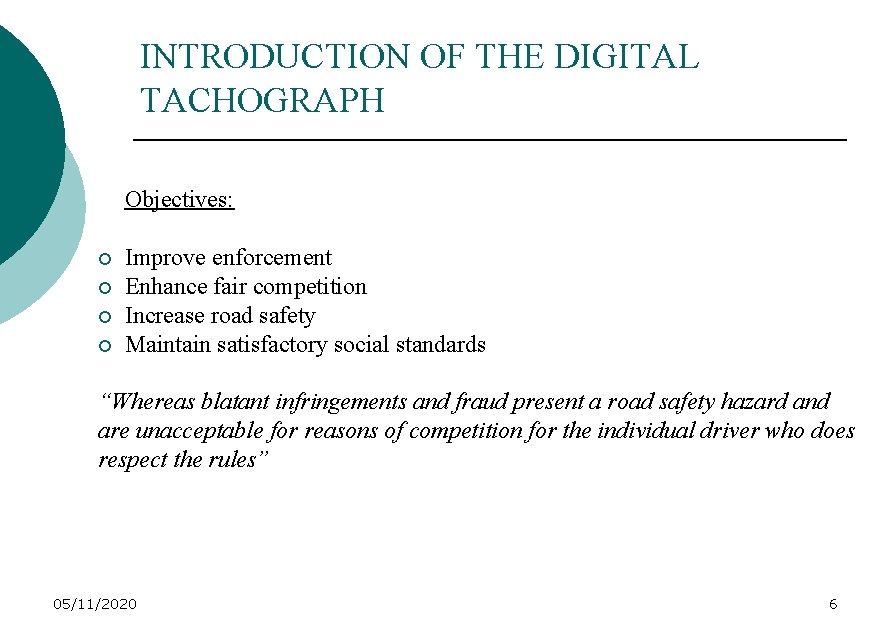
INTRODUCTION OF THE DIGITAL TACHOGRAPH Objectives: ¡ ¡ Improve enforcement Enhance fair competition Increase road safety Maintain satisfactory social standards “Whereas blatant infringements and fraud present a road safety hazard and are unacceptable for reasons of competition for the individual driver who does respect the rules” 05/11/2020 6
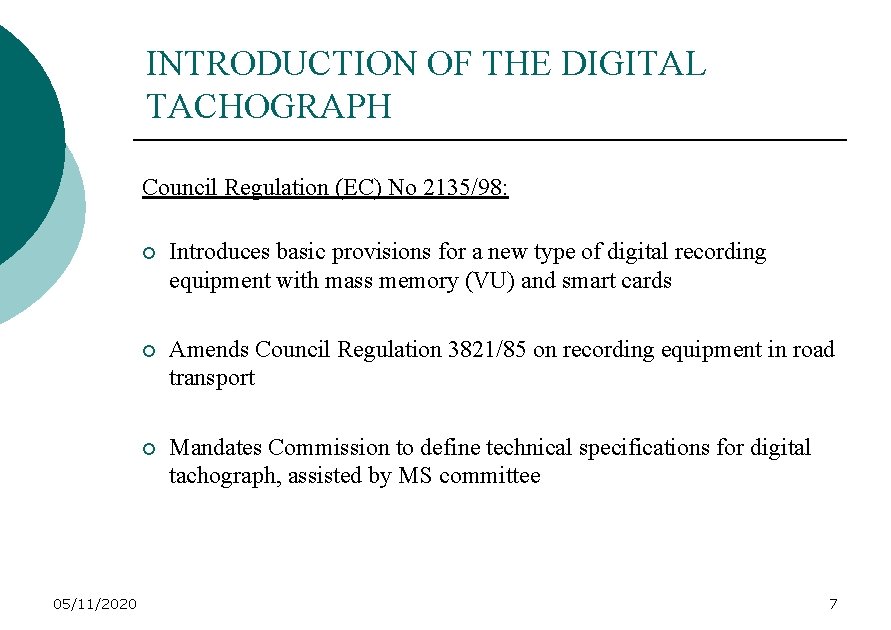
INTRODUCTION OF THE DIGITAL TACHOGRAPH Council Regulation (EC) No 2135/98: 05/11/2020 ¡ Introduces basic provisions for a new type of digital recording equipment with mass memory (VU) and smart cards ¡ Amends Council Regulation 3821/85 on recording equipment in road transport ¡ Mandates Commission to define technical specifications for digital tachograph, assisted by MS committee 7
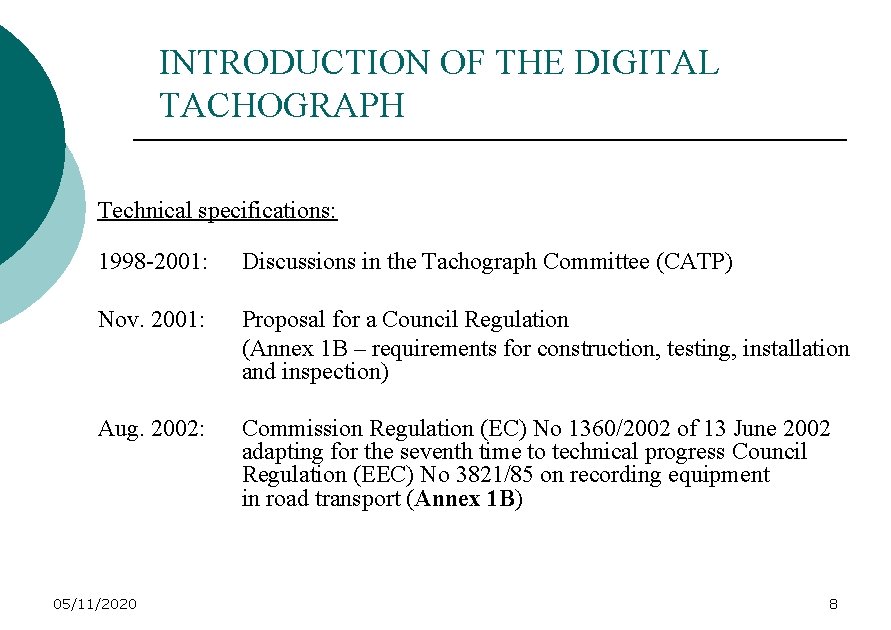
INTRODUCTION OF THE DIGITAL TACHOGRAPH Technical specifications: 1998 -2001: Discussions in the Tachograph Committee (CATP) Nov. 2001: Proposal for a Council Regulation (Annex 1 B – requirements for construction, testing, installation and inspection) Aug. 2002: Commission Regulation (EC) No 1360/2002 of 13 June 2002 adapting for the seventh time to technical progress Council Regulation (EEC) No 3821/85 on recording equipment in road transport (Annex 1 B) 05/11/2020 8
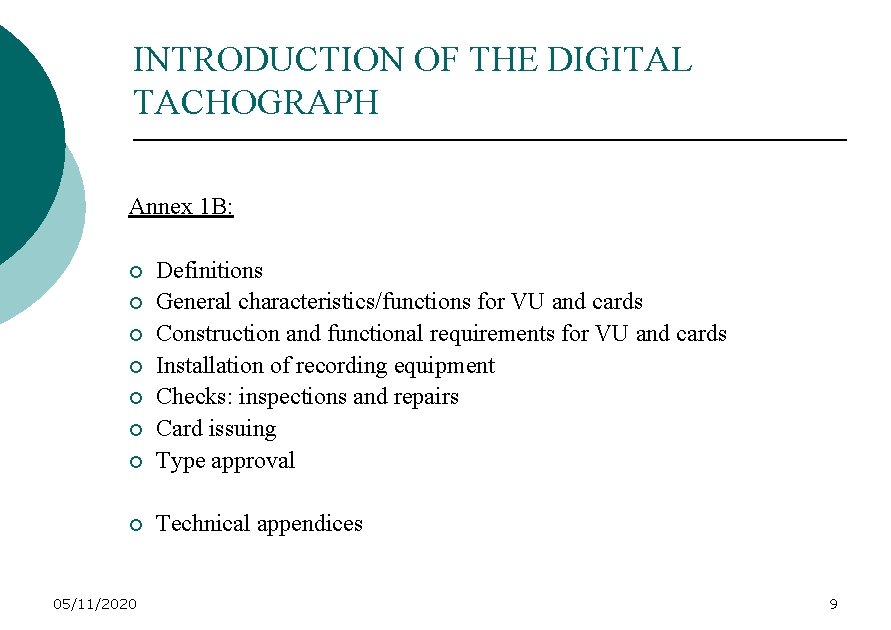
INTRODUCTION OF THE DIGITAL TACHOGRAPH Annex 1 B: ¡ Definitions General characteristics/functions for VU and cards Construction and functional requirements for VU and cards Installation of recording equipment Checks: inspections and repairs Card issuing Type approval ¡ Technical appendices ¡ ¡ ¡ 05/11/2020 9
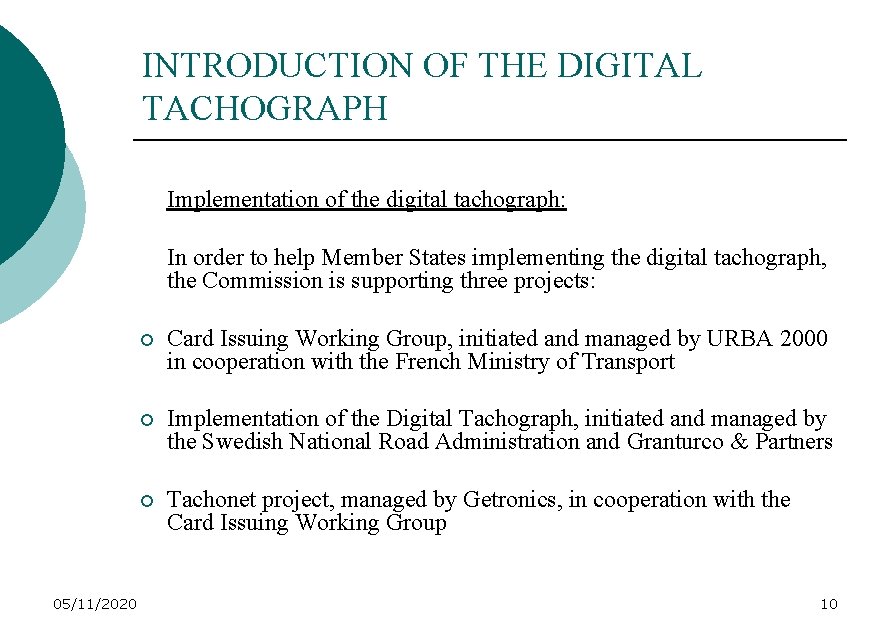
INTRODUCTION OF THE DIGITAL TACHOGRAPH Implementation of the digital tachograph: In order to help Member States implementing the digital tachograph, the Commission is supporting three projects: 05/11/2020 ¡ Card Issuing Working Group, initiated and managed by URBA 2000 in cooperation with the French Ministry of Transport ¡ Implementation of the Digital Tachograph, initiated and managed by the Swedish National Road Administration and Granturco & Partners ¡ Tachonet project, managed by Getronics, in cooperation with the Card Issuing Working Group 10
INTRODUCTION OF THE DIGITAL TACHOGRAPH Time schedule for the implementation of the digital tachograph: Article 2 of Regulation (EC) n° 2135/98 ¡ 24 months from the date of publication of Annex 1 B vehicles put into service for the first time must be fitted with digital tachograph ¡ 21 months from the date of publication of Annex 1 B Member States shall take measures to ensure that they are able to issue driver cards ¡ In the event that 12 months after the date of publication of Annex 1 B EC type approval has not been granted to any item of recording equipment (VU’s + cards), the Commission shall propose to the Council (and the EP) an extension of the 24 and 21 months deadlines 05/11/2020 11
INTRODUCTION OF THE DIGITAL TACHOGRAPH Consequences of the time schedule: ¡ Annex 1 B has been published on 5/8/02 ¡ Digital tachographs must be fitted in new trucks by 5/8/04 ¡ Member States must be able to issue tachograph cards by 5/5/04 ¡ VU’s and cards should have been type approved by 5/8/03 05/11/2020 12
INTRODUCTION OF THE DIGITAL TACHOGRAPH Where are we now? On the basis of statements, issued by certain tachograph manufacturers in January 2003, it became clear that there would be no type approved equipment by 5/8/03 However, one tachograph manufacturer assured the Commission that he would be able to get type approval by the end of this year Based on this statement the Commission decided not to propose an extension of the implementation deadlines for the time being. 05/11/2020 13
INTRODUCTION OF THE DIGITAL TACHOGRAPH Latest developments: At an informal meeting on 12 September the tachograph and vehicle manufacturers issued the following statements: ¡ ¡ ¡ First type approved VU’s and cards expected in March/April 2004 Type approved VU’s need to be tested before they can be fitted in new vehicles Vehicle tests are expected to start in January 2004 and end in January 2005 After performance of the tests vehicle manufacturers need approx. 6 months to start up mass production and user adaptation Fitment of the digital tachograph: probably summer 2005 05/11/2020 14
INTRODUCTION OF THE DIGITAL TACHOGRAPH Next steps: Given the latest developments the Commission will have to re-assess the situation (Oct. /Nov. ) Decision taken by the Commission will be communicated to all the stakeholders 05/11/2020 15
INTRODUCTION OF THE DIGITAL TACHOGRAPH Position AETR countries: EU legislation on digital tachograph will be incorporated in AETR agreement. At latest 4 years after entry into force of the relevant amendments the digital tachograph will become mandatory in AETR countries (approx. 2008/2009) Before digital tachograph becomes mandatory in AETR countries, they will be faced with EU trucks equipped with digital tachograph and with AETR based companies that will use trucks equipped with digital tachograph 05/11/2020 16
INTRODUCTION OF THE DIGITAL TACHOGRAPH Communication project: DG TREN intends to set up a communication project to inform and educate future users: ¡ How to implement digital tachograph ¡ How to use the digital tachograph ¡ Help desk Project will focus on national authorities. In principle for EU Member States, but special workshops for AETR countries 05/11/2020 17
TYPE APPROVAL Leo HUBERTS – EC 05/11/2020 18
TYPE APPROVAL Council Regulation (EC) n° 2135/98 Art. 5: A Member State shall grant EC component type- approval to any type of recording equipment (…), to any model memory card which conforms to the requirements of (…) Annex 1 B 05/11/2020 19
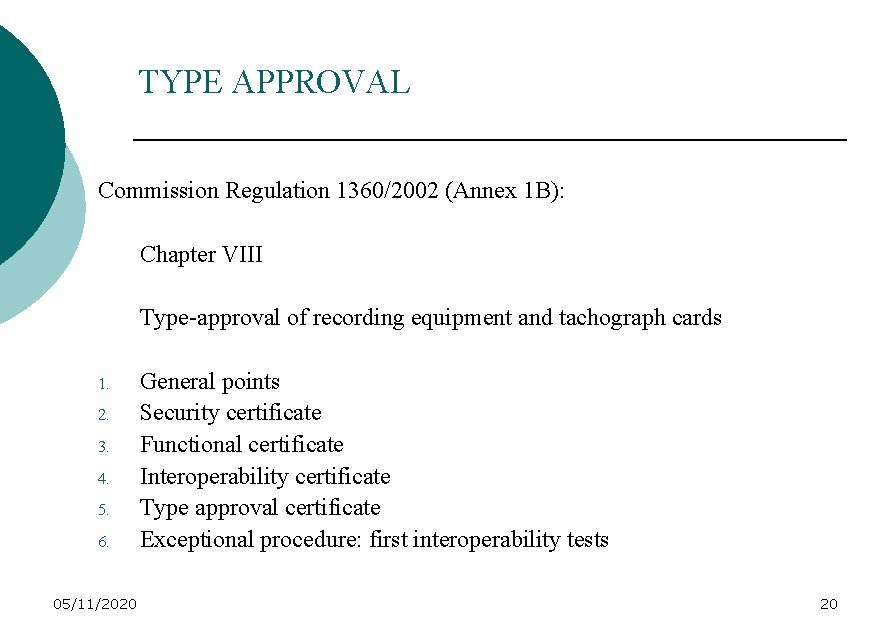
TYPE APPROVAL Commission Regulation 1360/2002 (Annex 1 B): Chapter VIII Type-approval of recording equipment and tachograph cards 1. 2. 3. 4. 5. 6. 05/11/2020 General points Security certificate Functional certificate Interoperability certificate Type approval certificate Exceptional procedure: first interoperability tests 20
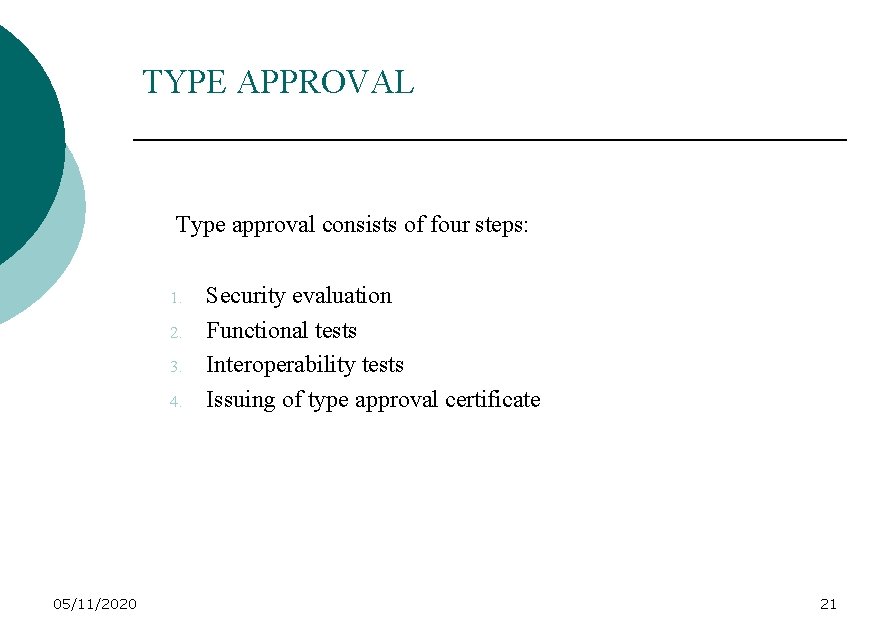
TYPE APPROVAL Type approval consists of four steps: 1. 2. 3. 4. 05/11/2020 Security evaluation Functional tests Interoperability tests Issuing of type approval certificate 21
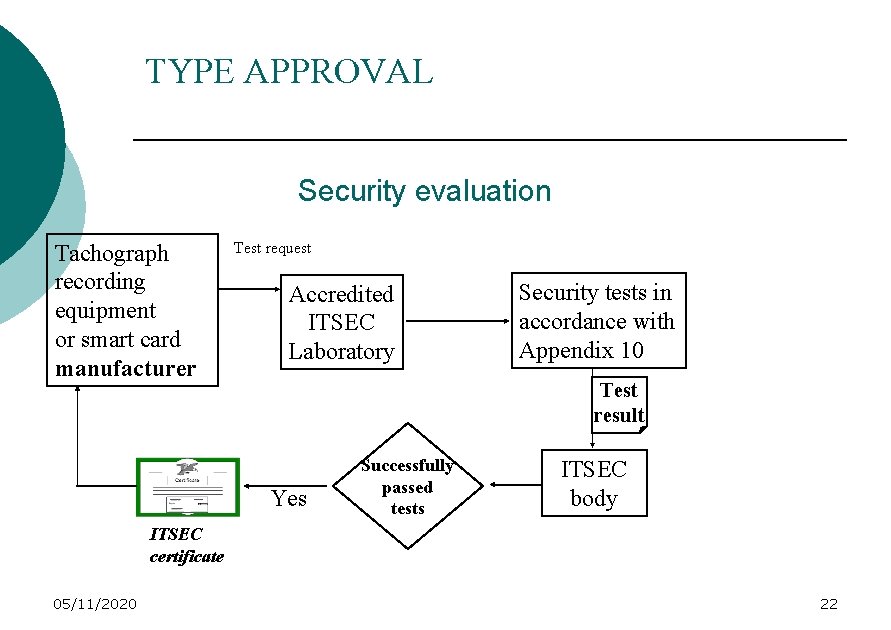
TYPE APPROVAL Security evaluation Tachograph recording equipment or smart card manufacturer Test request Accredited ITSEC Laboratory Security tests in accordance with Appendix 10 Test result Yes Successfully passed tests ITSEC body ITSEC certificate 05/11/2020 22
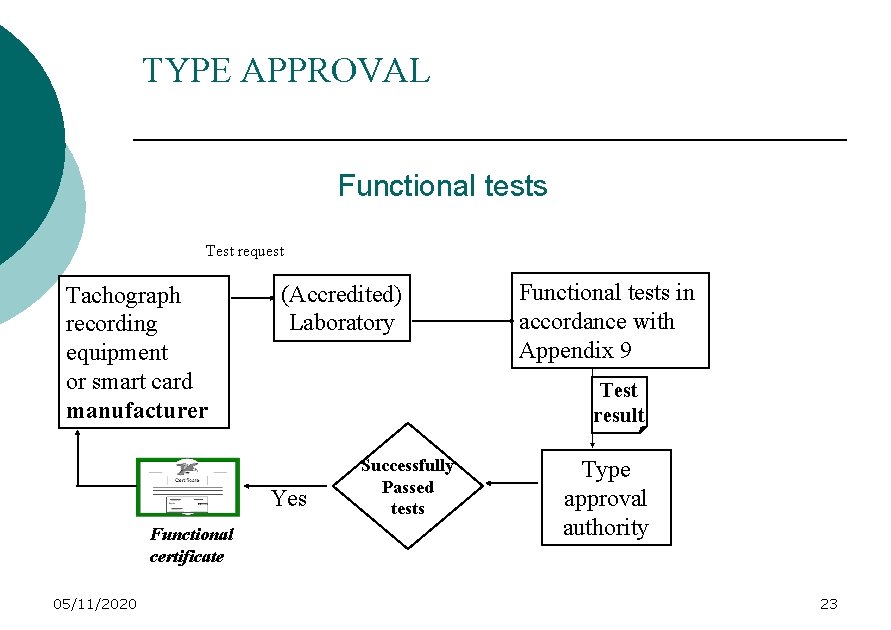
TYPE APPROVAL Functional tests Test request Tachograph recording equipment or smart card manufacturer (Accredited) Laboratory Test result Yes Functional certificate 05/11/2020 Functional tests in accordance with Appendix 9 Successfully Passed tests Type approval authority 23
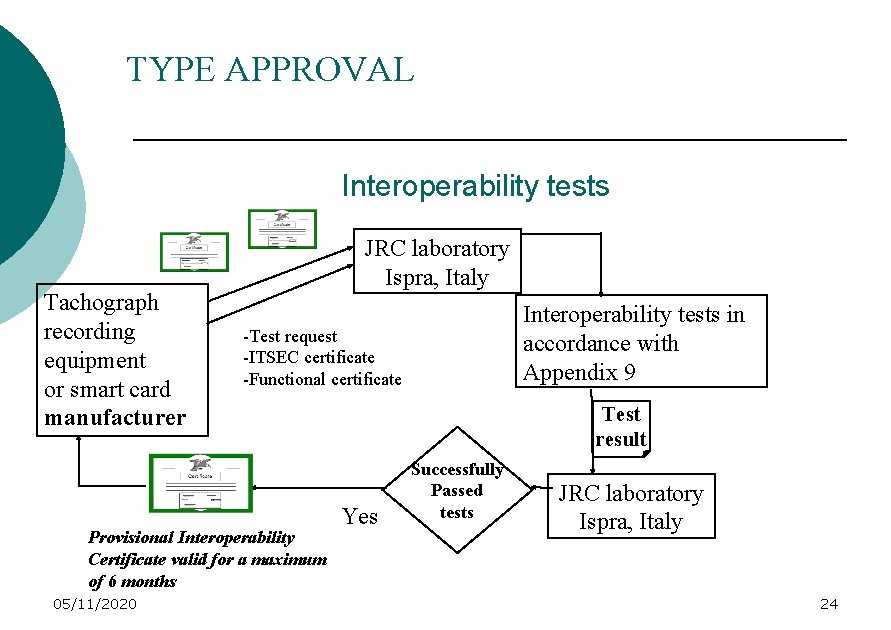
TYPE APPROVAL Interoperability tests Tachograph recording equipment or smart card manufacturer JRC laboratory Ispra, Italy -Test request -ITSEC certificate -Functional certificate Provisional Interoperability Certificate valid for a maximum of 6 months 05/11/2020 Interoperability tests in accordance with Appendix 9 Test result Yes Successfully Passed tests JRC laboratory Ispra, Italy 24
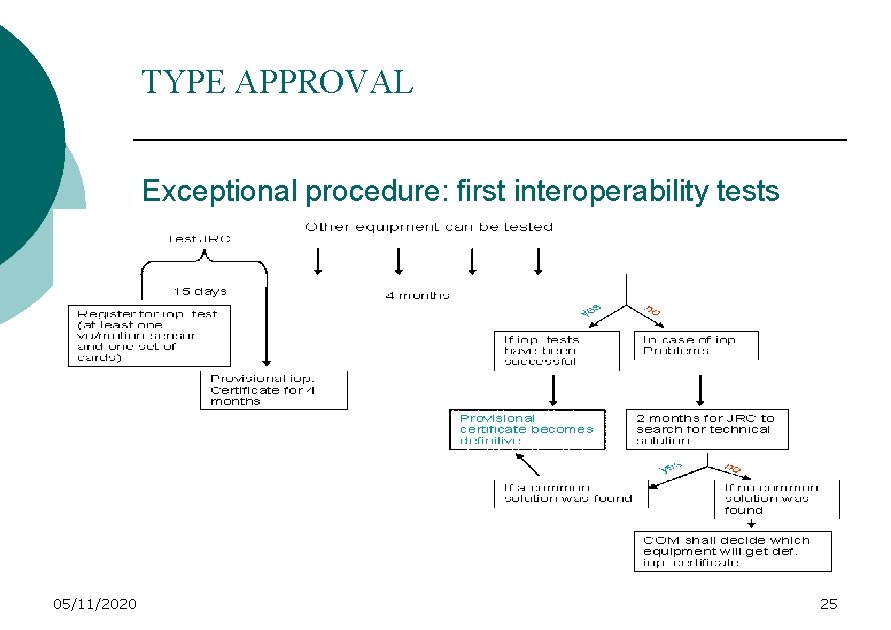
TYPE APPROVAL Exceptional procedure: first interoperability tests 05/11/2020 25
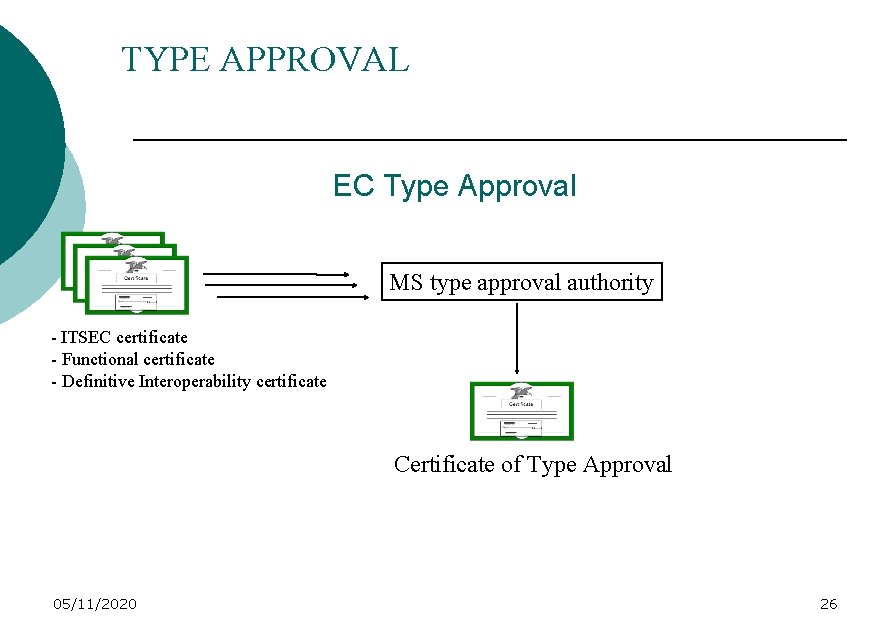
TYPE APPROVAL EC Type Approval MS type approval authority - ITSEC certificate - Functional certificate - Definitive Interoperability certificate Certificate of Type Approval 05/11/2020 26
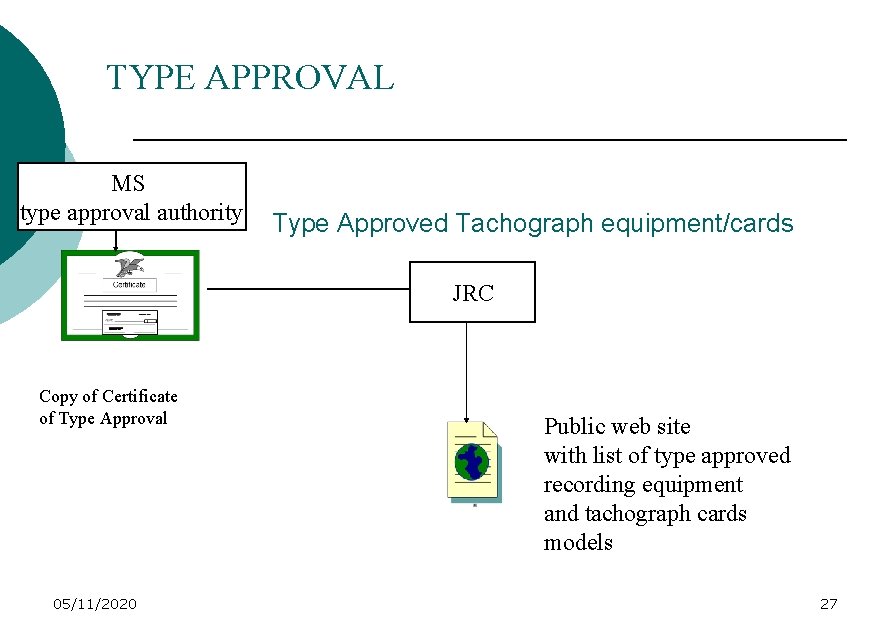
TYPE APPROVAL MS type approval authority Type Approved Tachograph equipment/cards JRC Copy of Certificate of Type Approval 05/11/2020 Public web site with list of type approved recording equipment and tachograph cards models 27
HOW TO PUT A DIGITAL TACHOGRAPH INTO SERVICE ? Andrew KELLY - UK 05/11/2020 28
DIGITAL TACHOGRAPH WORKSHOP APPROVAL Approval for Digital Tachograph workshops will be SEPARATE / ADDITIONAL to analogue approval Workshops will need Workshop Smart Cards for each technician Technicians will need appropriate training before being issued with Smart Cards 05/11/2020 29
DIGITAL TACHOGRAPH WORKSHOP APPROVAL Workshops will need to be conversant with handling and storing digital data There will be enhanced Security requirements for Digital tachograph workshops Required equipment and work procedures need to be agreed with manufacturers before Approval Requirements can be set 05/11/2020 30
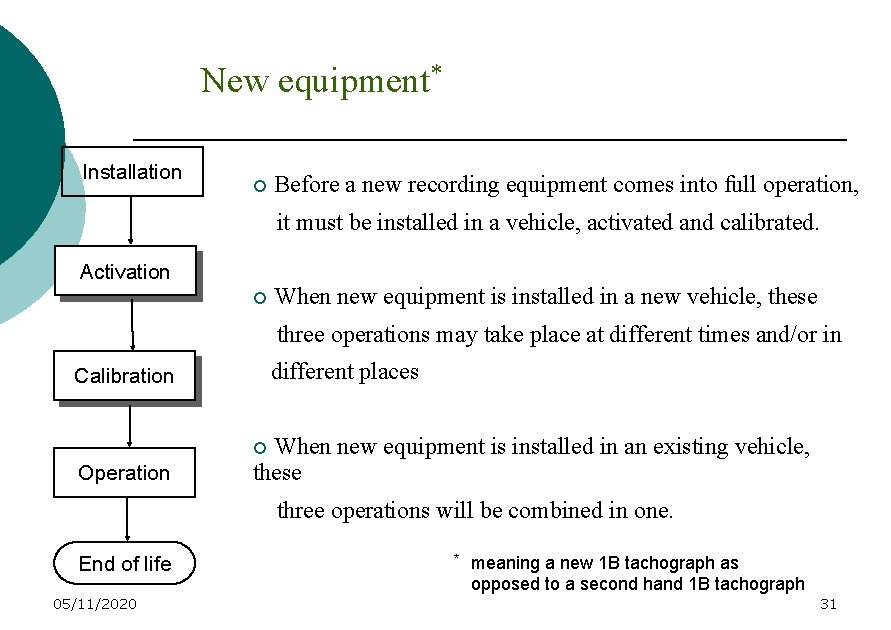
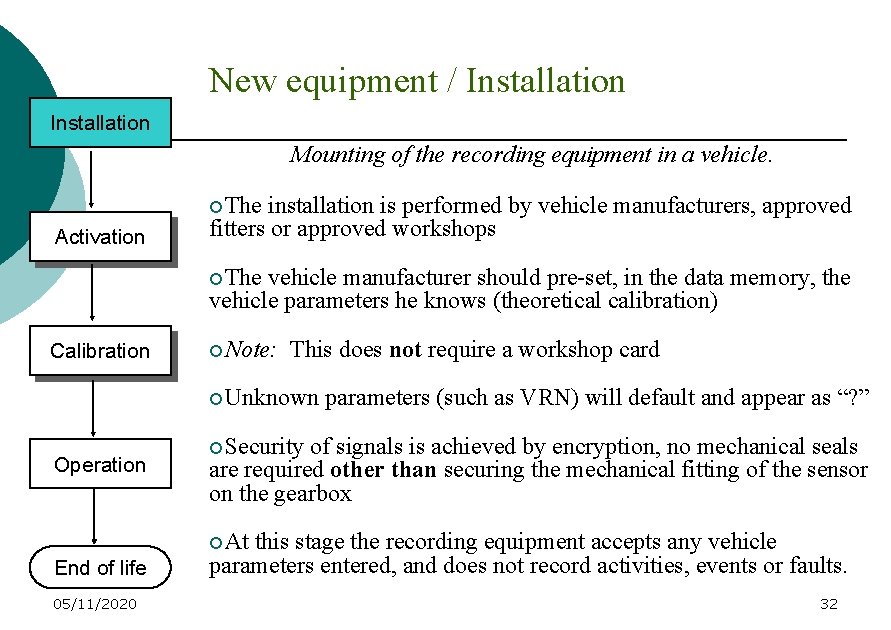
New equipment* Installation ¡ Before a new recording equipment comes into full operation, it must be installed in a vehicle, activated and calibrated. Activation ¡ When new equipment is installed in a new vehicle, these three operations may take place at different times and/or in different places Calibration When new equipment is installed in an existing vehicle, these ¡ Operation three operations will be combined in one. End of life 05/11/2020 * meaning a new 1 B tachograph as opposed to a second hand 1 B tachograph 31
New equipment / Installation Mounting of the recording equipment in a vehicle. ¡The Activation installation is performed by vehicle manufacturers, approved fitters or approved workshops ¡The vehicle manufacturer should pre-set, in the data memory, the vehicle parameters he knows (theoretical calibration) Calibration ¡Note: This does not require a workshop card ¡Unknown Operation parameters (such as VRN) will default and appear as “? ” ¡Security of signals is achieved by encryption, no mechanical seals are required other than securing the mechanical fitting of the sensor on the gearbox ¡At End of life 05/11/2020 this stage the recording equipment accepts any vehicle parameters entered, and does not record activities, events or faults. 32
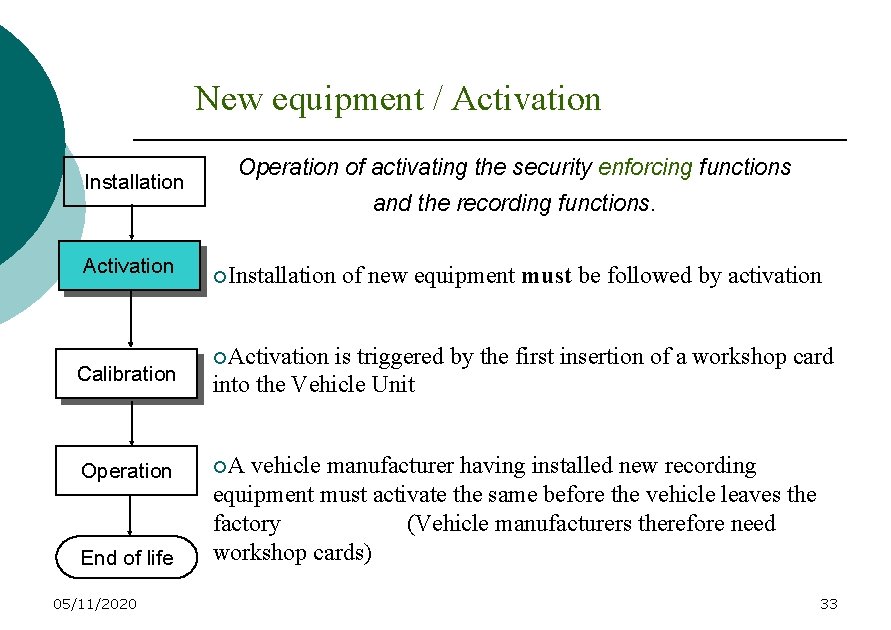
New equipment / Activation Installation Activation Calibration Operation End of life 05/11/2020 Operation of activating the security enforcing functions and the recording functions. ¡Installation of new equipment must be followed by activation ¡Activation is triggered by the first insertion of a workshop card into the Vehicle Unit ¡A vehicle manufacturer having installed new recording equipment must activate the same before the vehicle leaves the factory (Vehicle manufacturers therefore need workshop cards) 33
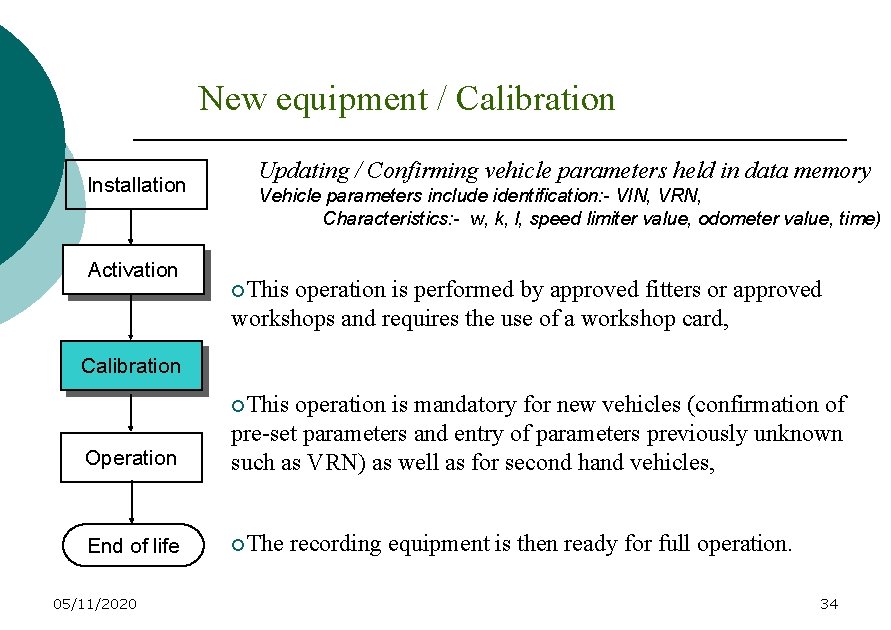
New equipment / Calibration Installation Activation Updating / Confirming vehicle parameters held in data memory Vehicle parameters include identification: - VIN, VRN, Characteristics: - w, k, l, speed limiter value, odometer value, time) ¡This operation is performed by approved fitters or approved workshops and requires the use of a workshop card, Calibration ¡This Operation operation is mandatory for new vehicles (confirmation of pre-set parameters and entry of parameters previously unknown such as VRN) as well as for second hand vehicles, End of life ¡The 05/11/2020 recording equipment is then ready for full operation. 34
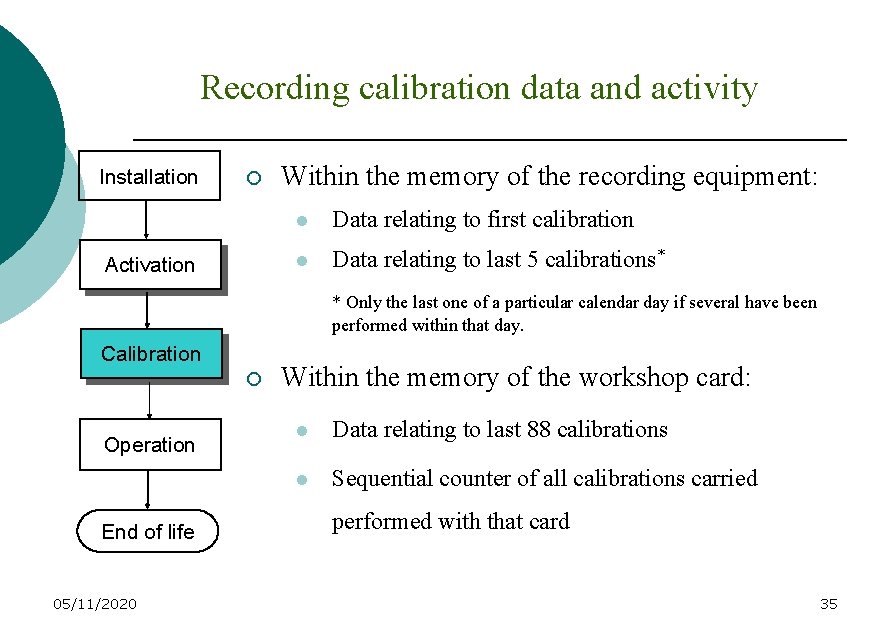
Recording calibration data and activity Installation ¡ Activation Within the memory of the recording equipment: l Data relating to first calibration l Data relating to last 5 calibrations* * Only the last one of a particular calendar day if several have been performed within that day. Calibration ¡ Operation End of life 05/11/2020 Within the memory of the workshop card: l Data relating to last 88 calibrations l Sequential counter of all calibrations carried performed with that card 35
CARD ISSUING Alison DAVIES - UK 05/11/2020 36
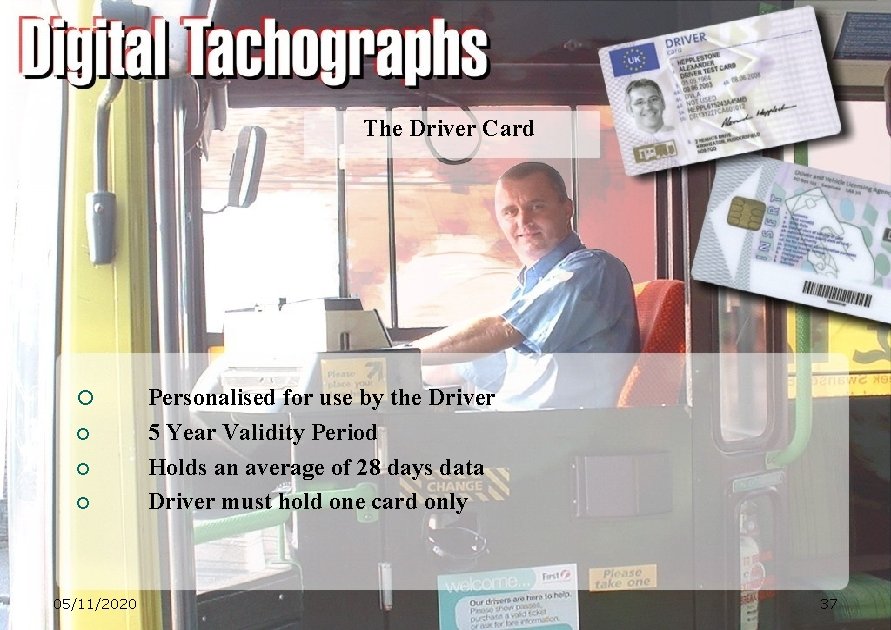
The Driver Card ¡ ¡ 05/11/2020 Personalised for use by the Driver 5 Year Validity Period Holds an average of 28 days data Driver must hold one card only 37
The Workshop Card ¡ Used by approved tachograph fitters to install, activate, calibrate and ¡ ¡ ¡ download the recording equipment. One year validity period Personalisation recommended Issued with a PIN 05/11/2020 38
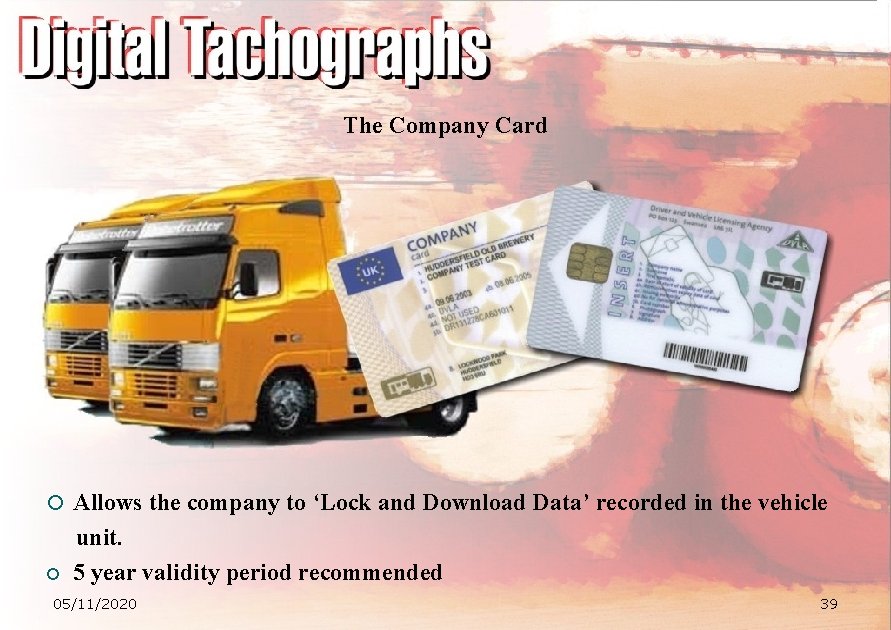
The Company Card ¡ Allows the company to ‘Lock and Download Data’ recorded in the vehicle ¡ unit. 5 year validity period recommended 05/11/2020 39
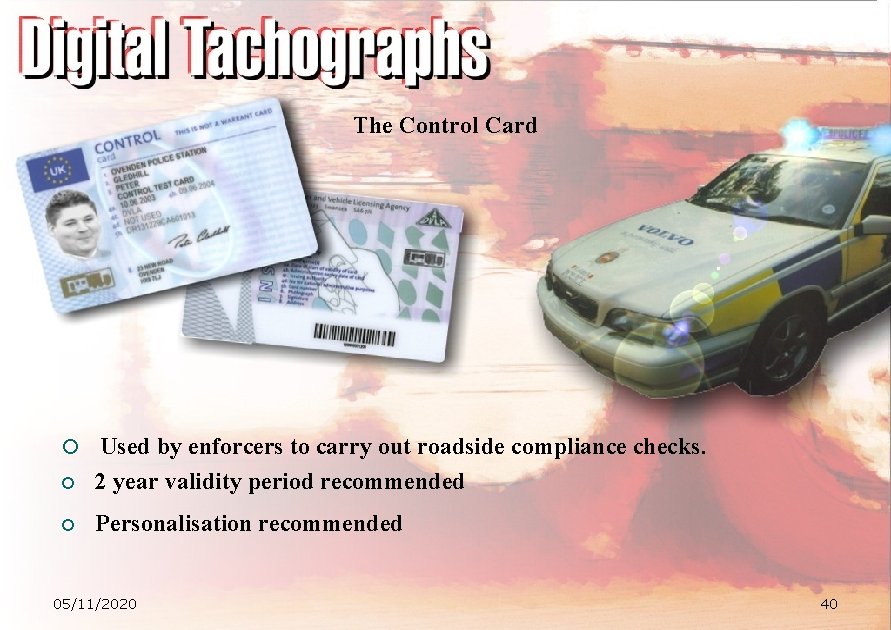
The Control Card ¡ Used by enforcers to carry out roadside compliance checks. ¡ 2 year validity period recommended ¡ Personalisation recommended 05/11/2020 40
Card Application Types ¡ First Issue - First application for a tachograph card ¡ Replacement - Issued when a card is lost, stolen or malfunctions ¡ Exchange - Change of administrative data ¡ Renewal - Issued when a card is renewed after 5 years 05/11/2020 41
Card Issuing Authority (CIA) Organisation ¡ Centralised - database, application processing system, card personalisation & issue ¡ De-Centralised - administrative desks for application processing with centralised database. Card personalisation either from central office or at administrative desks 05/11/2020 42
Considerations for setting up a CIA ¡ Application processing system ¡ Database to hold & maintain records ¡ Contract with smart card supplier/personaliser ¡ Certification Authority 05/11/2020 43
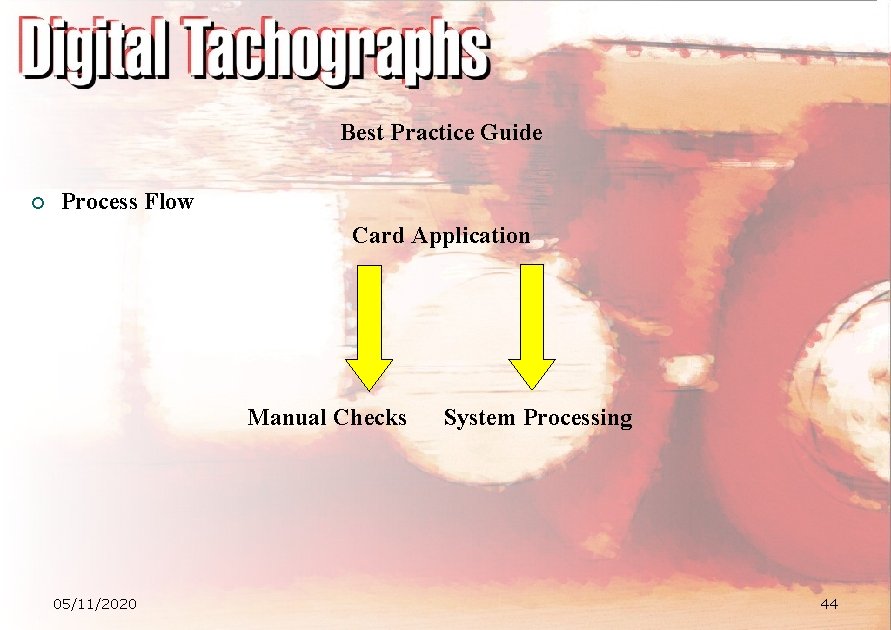
Best Practice Guide ¡ Process Flow Card Application Manual Checks 05/11/2020 System Processing 44
Best Practice Guide Categories • Mandatory Requirements • Best Practice Recommendations • Alternative Approach 05/11/2020 45
Best Practice Guide additional information • Contact Points • Terms and Definitions • Reference Documents • CD ROM 05/11/2020 46
TACHONET Cyril MICHEL - France 05/11/2020 47
TACHOnet Project Objectives ¡ Create a telematics network aiming at falicitating data exchange between national administrations in charge of the tachographs cards (as stated in Regulation n° 3821/85 amended by Regulation n° 2135/98) ¡ TACHOnet network will: l Ensure a reliable and secure exchange of necessary and sufficient data between the Member States issuing tachograph cards l Make sure the exchange is done in the legal framework envisaged l Impose only a set of limited constraints on the local systems managing the driver cards in the Member States l Use the infrastructure and tools of the market (security, workflow…) ¡ TACHOnet project is owned by European Commission DG TREN 05/11/2020 48
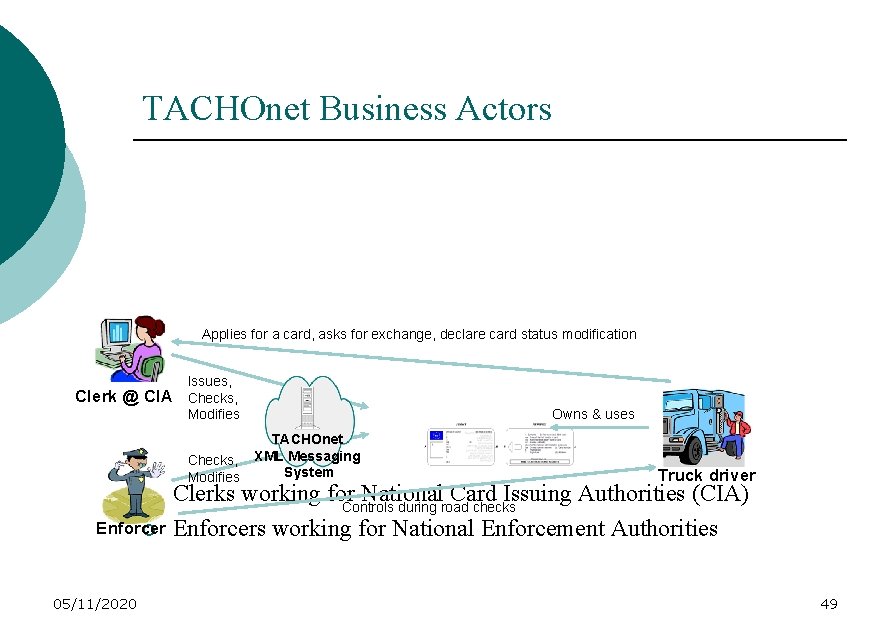
TACHOnet Business Actors Applies for a card, asks for exchange, declare card status modification Clerk @ CIA Issues, Checks, Modifies Owns & uses TACHOnet XML Messaging System Truck driver Clerks working for National Card Issuing Authorities (CIA) Controls during road checks Enforcer ¡ Enforcers working for National Enforcement Authorities ¡ 05/11/2020 49
Scope and Exclusions of TACHOnet ¡ Organisational: l 05/11/2020 Included: ¡ Central secure and reliable XML messaging system allowing competent authorities to exchange information about tachograph cards based on well defined and published interfaces ¡ Intelligent router between Member States (hub & spoke) ¡ Central logging/tracking for non-repudiation & statistics ¡ Access granted at Member State level using digital certificates handled by IDA PKI services. 50
Scope and Exclusions of TACHOnet ¡ Organisational: l 05/11/2020 Not included: ¡ Establishment of drivers national file(s) is the responsibility of each Member State ¡ Access to the TACHOnet network from within the Member States is under the responsibility of each Member State 51
Scope and Exclusions of TACHOnet ¡ Business processes: l 05/11/2020 Included: ¡ Check that an applicant for a card in a Member State does not already hold a valid card in another Member State ¡ Check the actual status of a tachograph card based on its number (useful for enforcement authorities) ¡ Information interchange about lost, stolen, defective or recovered cards, exchange of driver cards 52
Scope and Exclusions of TACHOnet ¡ Business processes: l 05/11/2020 Included: ¡ Information interchange about the usage of a driving license number for an issued card ¡ Provide a central Greek or Latin to US/Ascii transliteration service ¡ Provide a central service for getting the Phonex search keys of a driver’s surname and first of first names ¡ Produce irrefutable statistics about activities (response by request, average response time/delay, …) for every Member State 53
Scope and Exclusions of TACHOnet ¡ Business processes: l 05/11/2020 Not included: ¡ Check for driver license number by integrating calls to external systems 54
Scope and Exclusions of TACHOnet ¡ 05/11/2020 Technology: l Included: ¡ Independent from the technical infrastructure hosting each national database ¡ Use of internet standards (XML, HTTP, Web Services) to make an easy and seamless integration with the Member States card issuing applications ¡ Strong security requirements (confidentiality, authentication and integrity using digital certificates) ¡ Asynchronous transactions (request, acknowledgement, response). The central XML Messaging system is designed to handle this 55
Scope and Exclusions of TACHOnet ¡ Technology: l Not included: ¡ 05/11/2020 Each Member State card issuing application should be designed to handle such asynchronous TACHOnet transactions 56
Scope and Exclusions of TACHOnet ¡ Interfaces with other systems: l Included: ¡ 05/11/2020 Interface with the different Member States card issuing applications using the TESTA-II network and the IDA PKI services 57
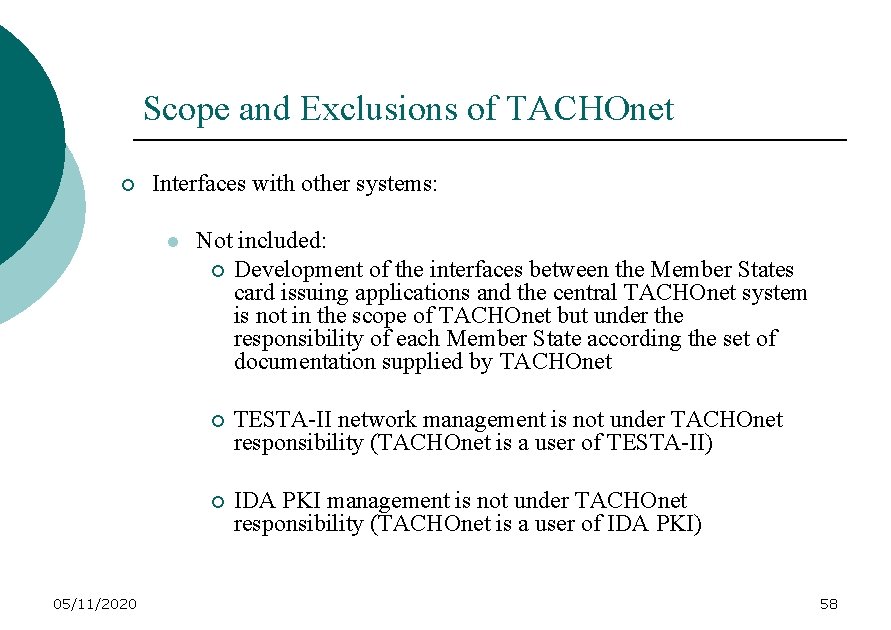
Scope and Exclusions of TACHOnet ¡ Interfaces with other systems: l 05/11/2020 Not included: ¡ Development of the interfaces between the Member States card issuing applications and the central TACHOnet system is not in the scope of TACHOnet but under the responsibility of each Member State according the set of documentation supplied by TACHOnet ¡ TESTA-II network management is not under TACHOnet responsibility (TACHOnet is a user of TESTA-II) ¡ IDA PKI management is not under TACHOnet responsibility (TACHOnet is a user of IDA PKI) 58
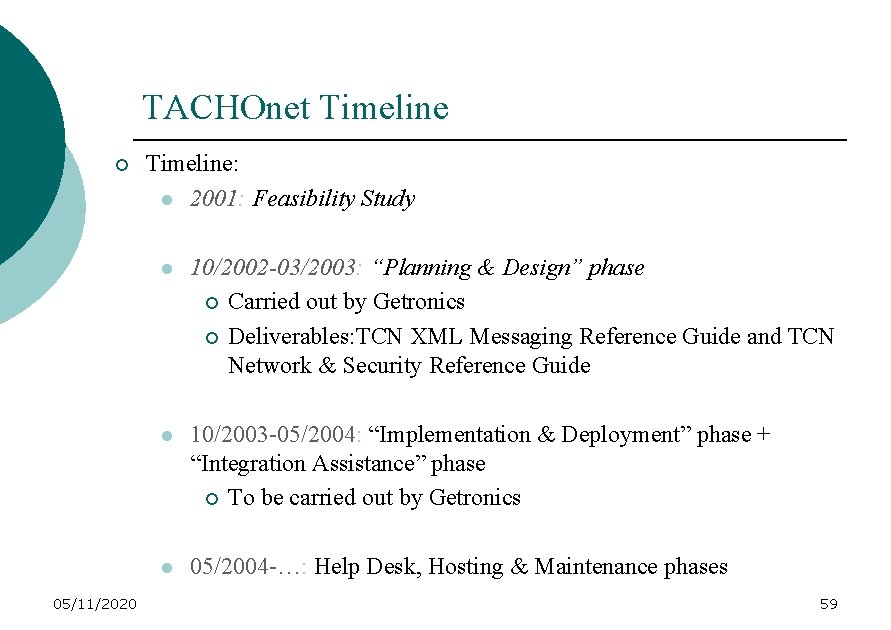
TACHOnet Timeline ¡ 05/11/2020 Timeline: l 2001: Feasibility Study l 10/2002 -03/2003: “Planning & Design” phase ¡ Carried out by Getronics ¡ Deliverables: TCN XML Messaging Reference Guide and TCN Network & Security Reference Guide l 10/2003 -05/2004: “Implementation & Deployment” phase + “Integration Assistance” phase ¡ To be carried out by Getronics l 05/2004 -…: Help Desk, Hosting & Maintenance phases 59
1 TACHOnet Project Background & Objectives 2 TACHOnet Architecture 05/11/2020 60
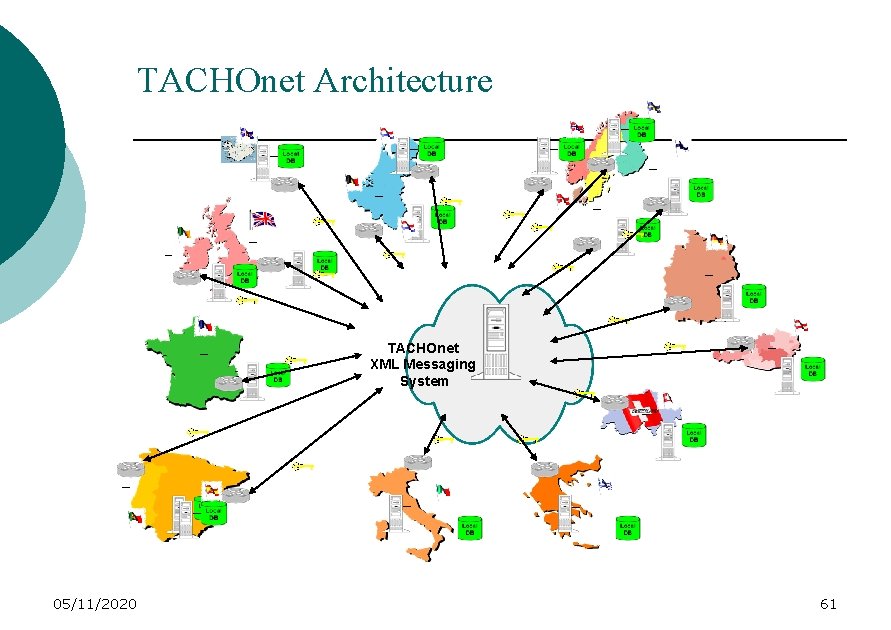
TACHOnet Architecture TACHOnet XML Messaging System 05/11/2020 61
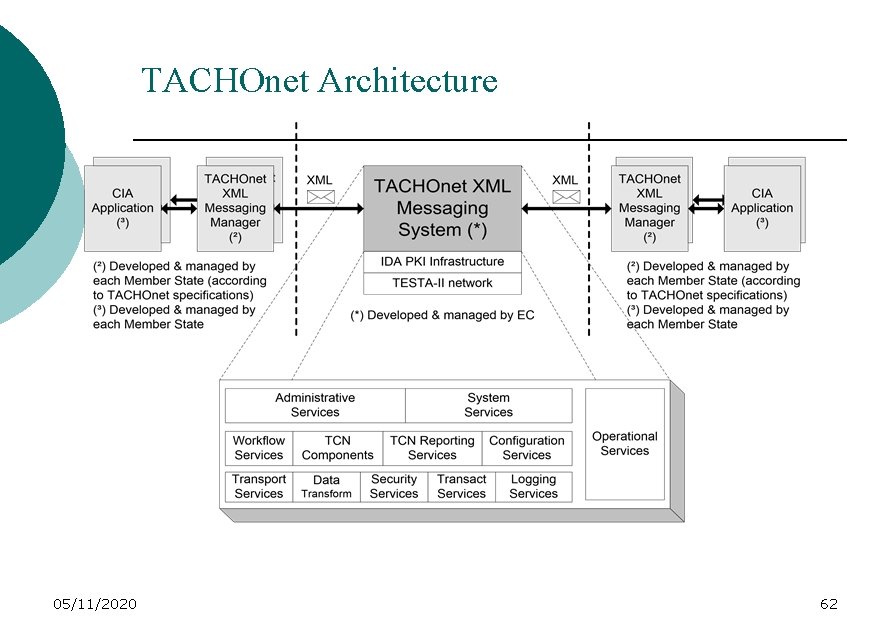
TACHOnet Architecture 05/11/2020 62
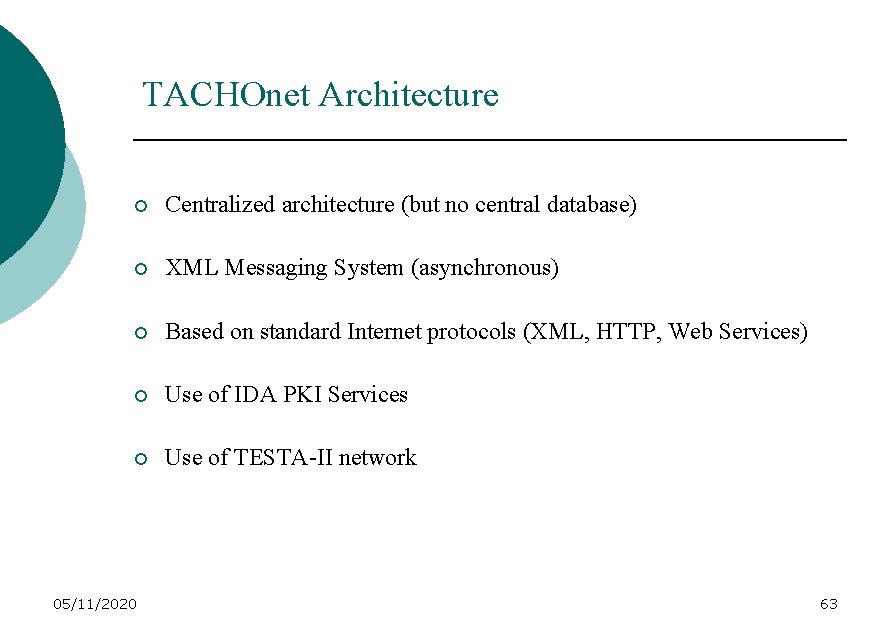
TACHOnet Architecture ¡ Centralized architecture (but no central database) ¡ XML Messaging System (asynchronous) ¡ Based on standard Internet protocols (XML, HTTP, Web Services) ¡ Use of IDA PKI Services ¡ Use of TESTA-II network 05/11/2020 63
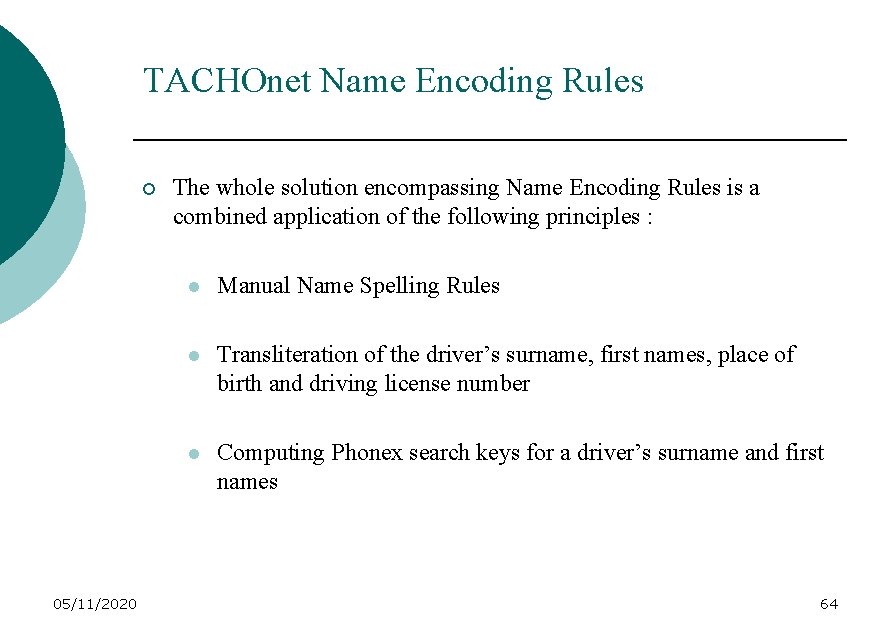
TACHOnet Name Encoding Rules ¡ 05/11/2020 The whole solution encompassing Name Encoding Rules is a combined application of the following principles : l Manual Name Spelling Rules l Transliteration of the driver’s surname, first names, place of birth and driving license number l Computing Phonex search keys for a driver’s surname and first names 64
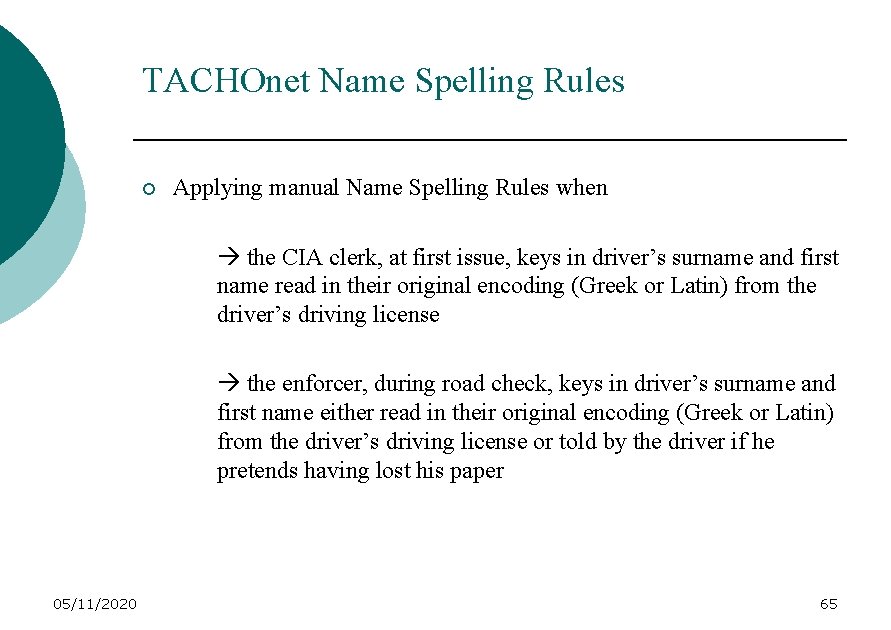
TACHOnet Name Spelling Rules ¡ Applying manual Name Spelling Rules when the CIA clerk, at first issue, keys in driver’s surname and first name read in their original encoding (Greek or Latin) from the driver’s driving license the enforcer, during road check, keys in driver’s surname and first name either read in their original encoding (Greek or Latin) from the driver’s driving license or told by the driver if he pretends having lost his paper 05/11/2020 65
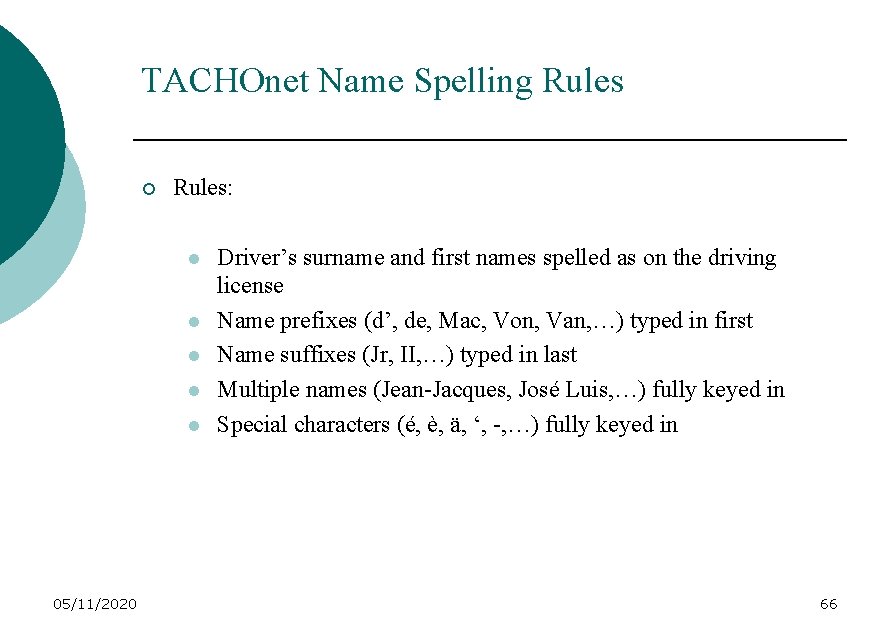
TACHOnet Name Spelling Rules ¡ Rules: l l l 05/11/2020 Driver’s surname and first names spelled as on the driving license Name prefixes (d’, de, Mac, Von, Van, …) typed in first Name suffixes (Jr, II, …) typed in last Multiple names (Jean-Jacques, José Luis, …) fully keyed in Special characters (é, è, ä, ‘, -, …) fully keyed in 66
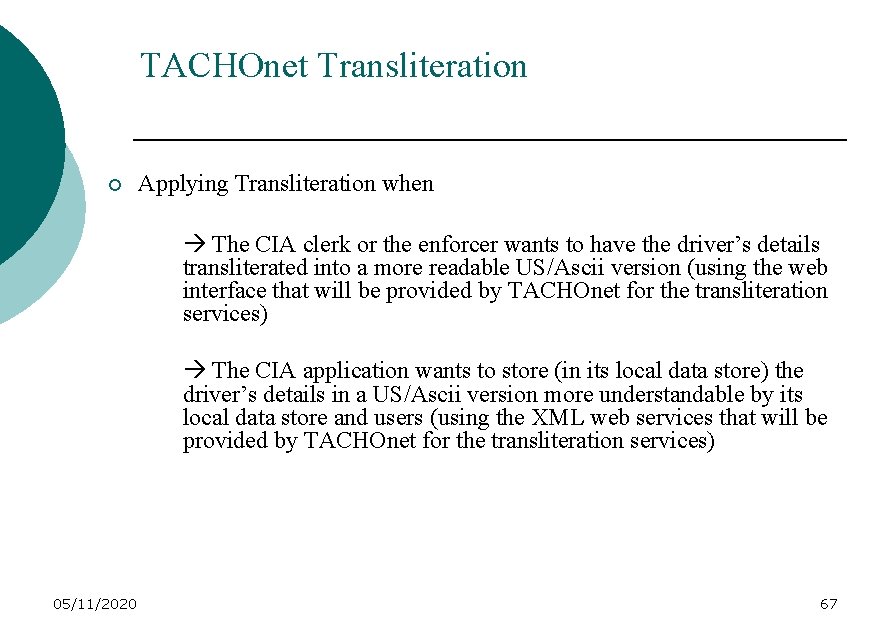
TACHOnet Transliteration ¡ Applying Transliteration when The CIA clerk or the enforcer wants to have the driver’s details transliterated into a more readable US/Ascii version (using the web interface that will be provided by TACHOnet for the transliteration services) The CIA application wants to store (in its local data store) the driver’s details in a US/Ascii version more understandable by its local data store and users (using the XML web services that will be provided by TACHOnet for the transliteration services) 05/11/2020 67
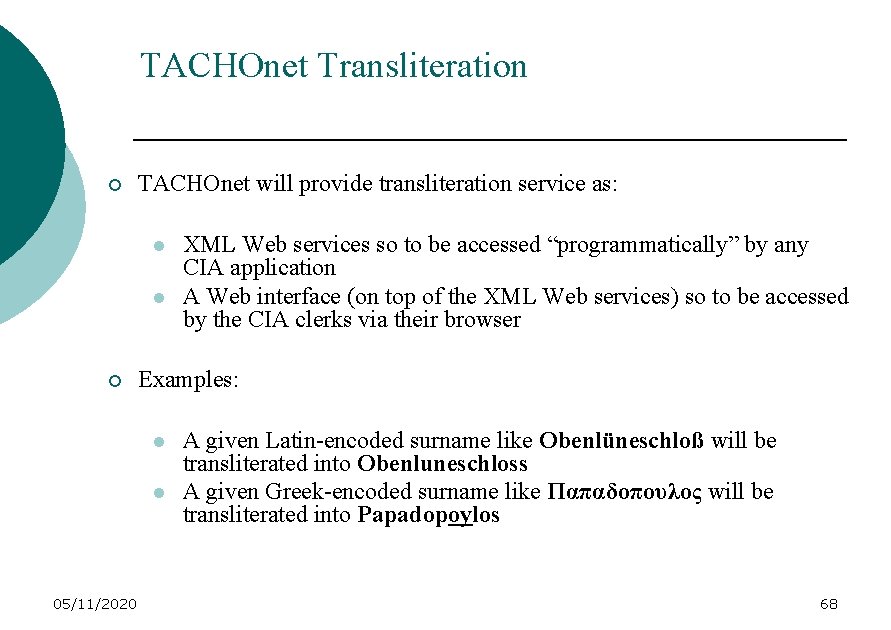
TACHOnet Transliteration ¡ TACHOnet will provide transliteration service as: l l ¡ Examples: l l 05/11/2020 XML Web services so to be accessed “programmatically” by any CIA application A Web interface (on top of the XML Web services) so to be accessed by the CIA clerks via their browser A given Latin-encoded surname like Obenlüneschloß will be transliterated into Obenluneschloss A given Greek-encoded surname like Παπαδοπουλος will be transliterated into Papadopoylos 68
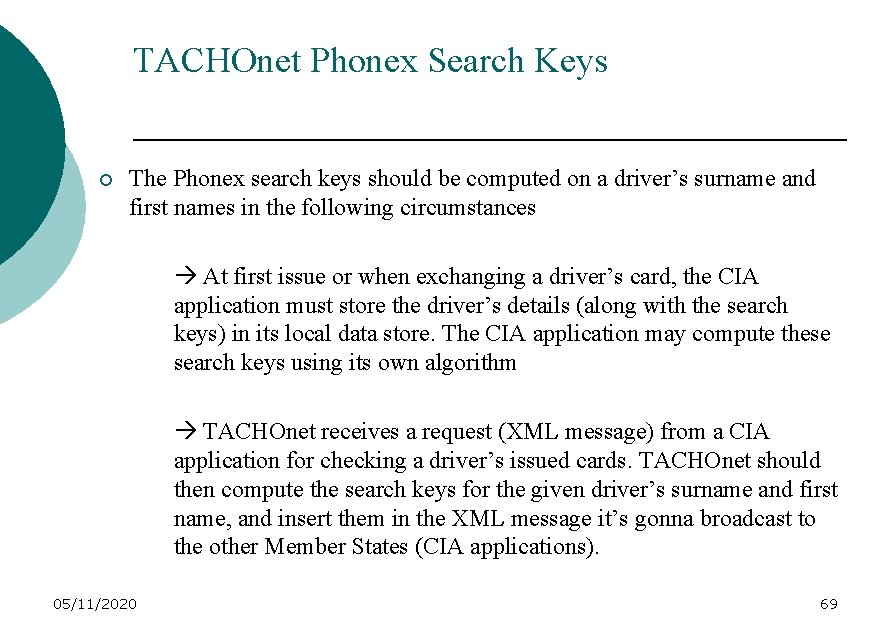
TACHOnet Phonex Search Keys ¡ The Phonex search keys should be computed on a driver’s surname and first names in the following circumstances At first issue or when exchanging a driver’s card, the CIA application must store the driver’s details (along with the search keys) in its local data store. The CIA application may compute these search keys using its own algorithm TACHOnet receives a request (XML message) from a CIA application for checking a driver’s issued cards. TACHOnet should then compute the search keys for the given driver’s surname and first name, and insert them in the XML message it’s gonna broadcast to the other Member States (CIA applications). 05/11/2020 69
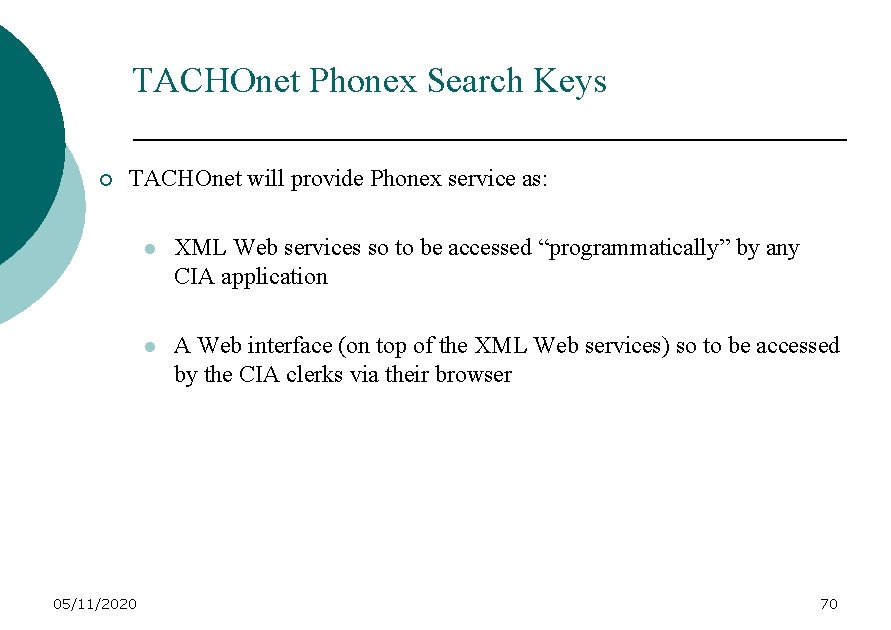
TACHOnet Phonex Search Keys ¡ TACHOnet will provide Phonex service as: 05/11/2020 l XML Web services so to be accessed “programmatically” by any CIA application l A Web interface (on top of the XML Web services) so to be accessed by the CIA clerks via their browser 70
TACHOnet Network ¡ Use of EC private & secure TESTA-II network ¡ TESTA-II connections: l Either via National network free of charge (except National level) Equant provides only services concerning the connection between the national network router and the Eurogate. The responsibility of the connection between the Card Issuing Authority (CIA) and the national network is under the CIA and the National network contact. Equant will not intervene in that scenario. 05/11/2020 71
TACHOnet Network ¡ Or via Direct leased-line connection free for 1 st year only Installation charges + Monthly charges afterwards For France, Switzerland maybe Sweden (others MS could benefit from a connection via a National Network) ¡ 05/11/2020 Bandwidth required: 128 Kbits/s 72
TACHOnet Sizing & Performance 05/11/2020 ¡ Sizing (estimates): l About 7500 daily issued driver cards in Europe l About 4000 daily enforcer checks on foreign drivers in Europe l The central TACHOnet system should support peak of 30 messages/sec l Member States systems should support up to 50 messages/min ¡ Perfomance (estimates): l High availability (TACHOnet & Member States systems) l High response time for online transaction (the end-user should have an answer in less than 1 minute) 73
TACHOnet Business Processes ¡ Card Issuing Authorities (CIA) l 05/11/2020 Tachograph card – First issue Need for checking whether the applicant driver does already hold a card in another Member State. Warn the Member State having issued the driving license that a tachograph card has been issued using the driving license number. 74
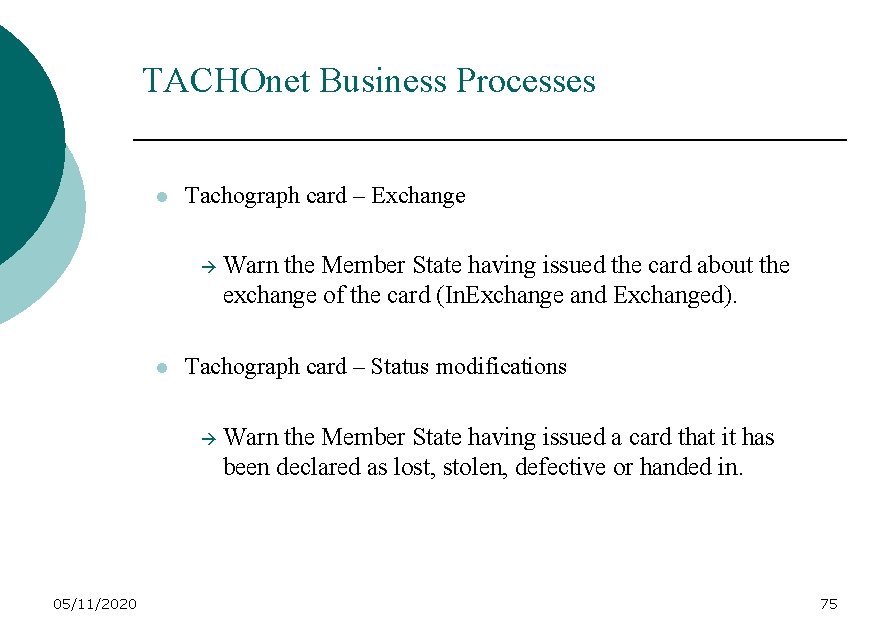
TACHOnet Business Processes l Tachograph card – Exchange l Tachograph card – Status modifications 05/11/2020 Warn the Member State having issued the card about the exchange of the card (In. Exchange and Exchanged). Warn the Member State having issued a card that it has been declared as lost, stolen, defective or handed in. 75
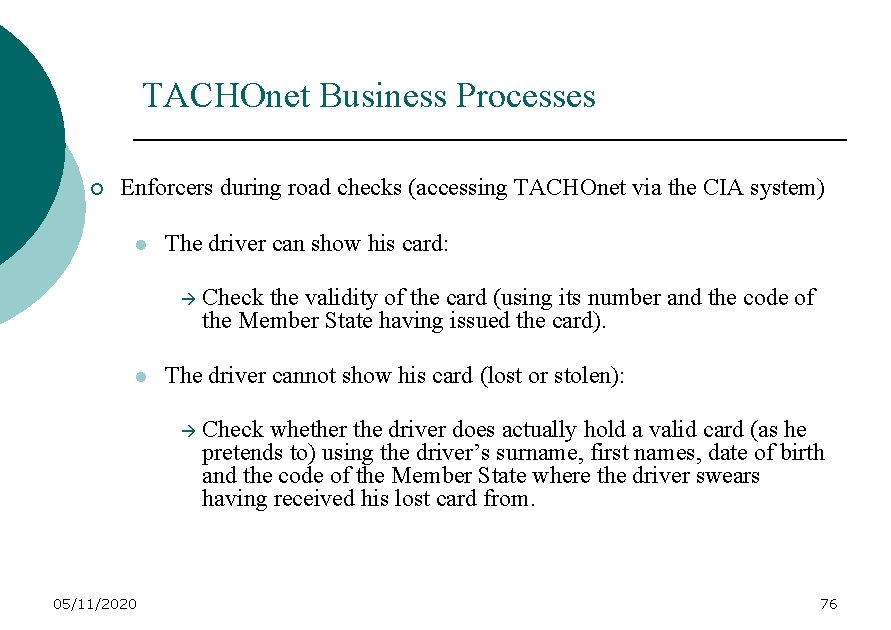
TACHOnet Business Processes ¡ Enforcers during road checks (accessing TACHOnet via the CIA system) l The driver can show his card: l The driver cannot show his card (lost or stolen): 05/11/2020 Check the validity of the card (using its number and the code of the Member State having issued the card). Check whether the driver does actually hold a valid card (as he pretends to) using the driver’s surname, first names, date of birth and the code of the Member State where the driver swears having received his lost card from. 76
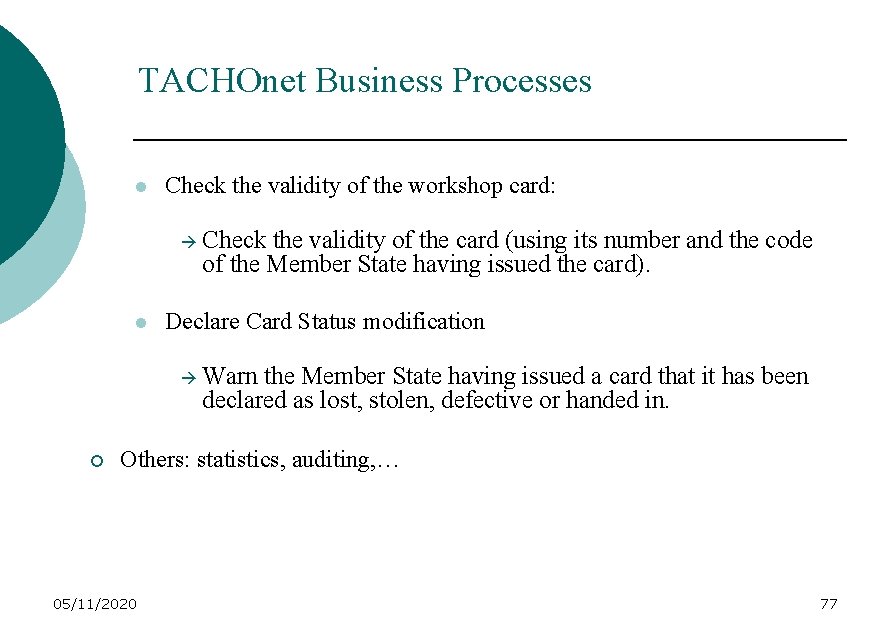
TACHOnet Business Processes l Check the validity of the workshop card: l Declare Card Status modification ¡ Check the validity of the card (using its number and the code of the Member State having issued the card). Warn the Member State having issued a card that it has been declared as lost, stolen, defective or handed in. Others: statistics, auditing, … 05/11/2020 77
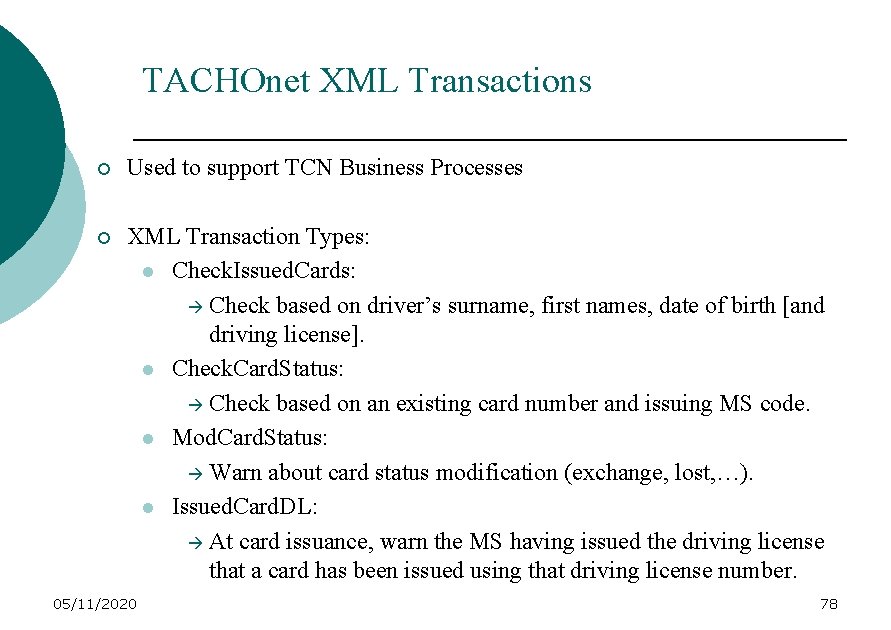
TACHOnet XML Transactions ¡ Used to support TCN Business Processes ¡ XML Transaction Types: l Check. Issued. Cards: Check based on driver’s surname, first names, date of birth [and driving license]. l Check. Card. Status: Check based on an existing card number and issuing MS code. l Mod. Card. Status: Warn about card status modification (exchange, lost, …). l Issued. Card. DL: At card issuance, warn the MS having issued the driving license that a card has been issued using that driving license number. 05/11/2020 78
TACHOnet XML Messages ¡ Message Types (XML messages): 05/11/2020 l MS 2 TCN_<Transaction. Type>_Req: Initial XML message sent by a CIA/enforcer to TACHOnet l TCN 2 MS_< Transaction. Type >_Req: XML message forwarded/broadcated by TACHOnet to a specific/all Member State(s) 79
TACHOnet XML Messages ¡ l MS 2 TCN_< Transaction. Type >_Res: XML message sent by the Member State(s) in response to the previous TCN 2 MS_<Transaction. Type>_Req message l TCN 2 MS_< Transaction. Type >_Res: XML message sent by TACHOnet as final response (after having collected all answers or timeout) to the initial MS 2 TCN_< Transaction. Type >_Req message Asynchronous exchange of XML messages 05/11/2020 80
USE OF THE DIGITAL TACHOGRAPH Lars ANDERSSON – Sweden Thierry GRANTURCO – G&P 05/11/2020 81
USE OF THE DIGITAL TACHOGRAPH The digital tachograph, as a system, will have a deep and horizontal impact in the field. Its introduction will affect: - the way it will be type approved; - the way it will be put on the market, repaired and decommissioned; - the approval and the work of the approved workshops; - the enforcement methods; - the day-to-day business of industry. 05/11/2020 82
USE OF THE DIGITAL TACHOGRAPH The digital tachograph, as a system will also introduce new problems dealing amongst others with: - data protection; - security; - card issuing. 05/11/2020 83
USE OF THE DIGITAL TACHOGRAPH THE TACHOGRAPH RECORDS DRIVERS ACTIVITIES WHICH ONES ? 05/11/2020 84
USE OF THE DIGITAL TACHOGRAPH ¡ DRIVING TIME: ¡ The daily driving time period shall not exceed 9 hours. ¡ It may be extended twice in a week to 10 hours. 05/11/2020 85
USE OF THE DIGITAL TACHOGRAPH ¡ CONTINUOUS DRIVING TIME: ¡ After 4, 5 hours’ driving, the driver shall observe a break of at least 45 minutes, unless he begins a rest period. ¡ This break may be replaced by breaks of at least 15 minutes each distributed over the driving period or immediately after this period. 05/11/2020 86
USE OF THE DIGITAL TACHOGRAPH ¡ REST TIME: ¡ In each period of 24 hours, the driver shall have a daily rest period of at least 11 consecutive hours, which may be reduced to a minimum of nine consecutive hours not more than three times in any one week, on condition that an equivalent period of rest be granted as compensation before the end of the following week. ¡ On days when the rest is not reduced, it may be taken in 2 or 3 separate periods during the 24 -hour period, one of which must be of at least eight consecutive hours. In this case the minimum length of the rest shall be increased to 12 hours. 05/11/2020 87
USE OF THE DIGITAL TACHOGRAPH ¡ WORKING TIME/AVAILABILITY TIME: ¡ Not clearly defined in the Regulation (EEC) n° 3820/85 but generally understood as being : - the time from the beginning to the end of work, during which the mobile worker is at his workstation, at the disposal of the employer and exercising his functions or activities; The time during which he cannot dispose freely of his time and is required to be at his workstation, ready to take up normal work, with certain tasks associated with being in duty. - 05/11/2020 88
USE OF THE DIGITAL TACHOGRAPH ¡ ü ü ü ¡ The digital tachograph and/or the driver cards will have to record and store drivers’ activities : Driving time (including continuous driving time) Working time/availability Rest The activities are supposed to be recorded and stored so that the compliance of these activities with the rules laid down in the AETR can be checked by the enforcement officers. 05/11/2020 89
USE OF THE DIGITAL TACHOGRAPH ¡ What are the main characteristics of the digital tachograph as described in the proposed Appendix 1 B of the AETR ? - It will be totally digital It will be (as a device) tamper-proof It will work with smart cards It will output data through a printer, a downloading connector and a display It will allow drivers to enter manually some data It will have an average of 365 days capacity memory - - 05/11/2020 90
USE OF THE DIGITAL TACHOGRAPH THE DATA RECORDED 05/11/2020 91
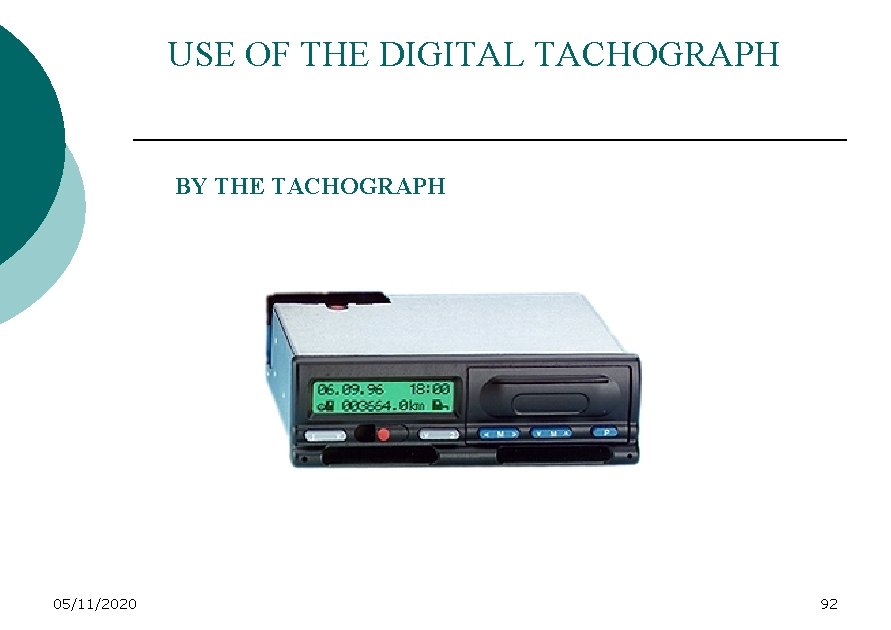
USE OF THE DIGITAL TACHOGRAPH BY THE TACHOGRAPH 05/11/2020 92
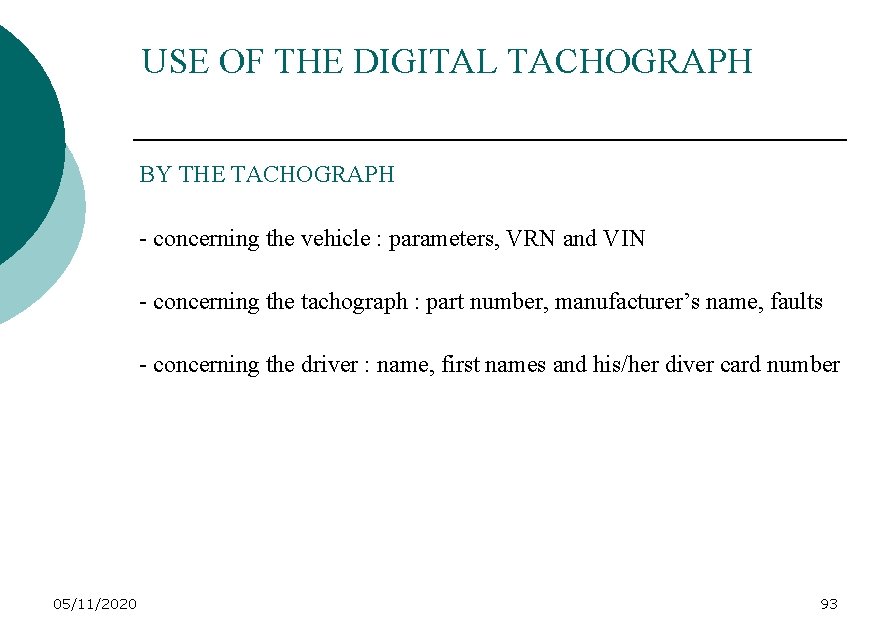
USE OF THE DIGITAL TACHOGRAPH BY THE TACHOGRAPH - concerning the vehicle : parameters, VRN and VIN - concerning the tachograph : part number, manufacturer’s name, faults - concerning the driver : name, first names and his/her diver card number 05/11/2020 93
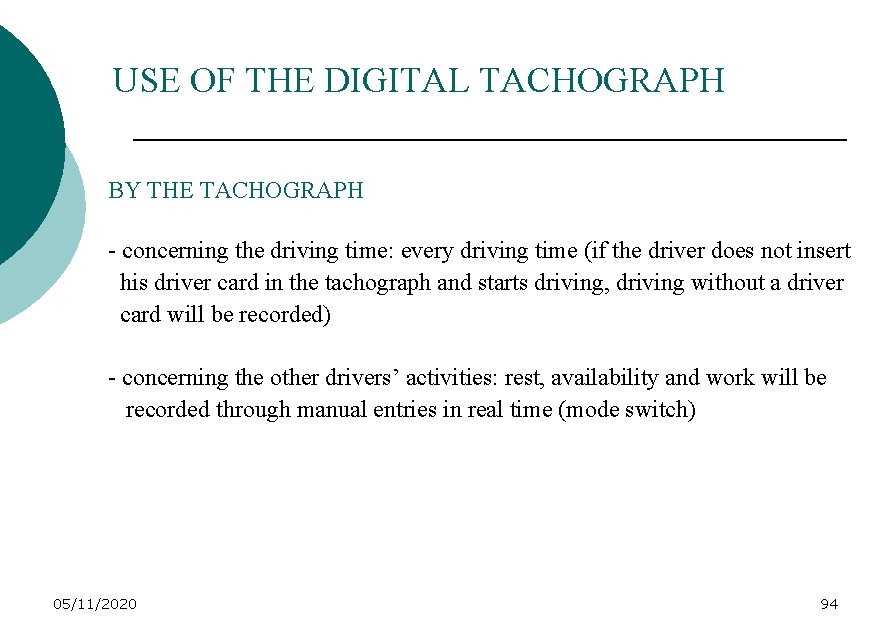
USE OF THE DIGITAL TACHOGRAPH BY THE TACHOGRAPH - concerning the driving time: every driving time (if the driver does not insert his driver card in the tachograph and starts driving, driving without a driver card will be recorded) - concerning the other drivers’ activities: rest, availability and work will be recorded through manual entries in real time (mode switch) 05/11/2020 94
USE OF THE DIGITAL TACHOGRAPH ON THE DRIVER CARD 05/11/2020 95
USE OF THE DIGITAL TACHOGRAPH - same information than in the tachograph concerning the vehicle and the tachograph characteristics - concerning the driving time: every driving time but nothing when the driver card is not inserted - concerning the other drivers’ activities: rest, availability and work will be recorded through manual entries “a posteriori” in the driver card but without erasing anything already recorded 05/11/2020 96
USE OF THE DIGITAL TACHOGRAPH ¡ But the drivers’ activities will also be recorded with some other data identifying notably: - his location at the start and at the end of his journey (entered manually by the driver) distances travelled through the odometer values speed (detailed speed and over speeding) events and faults (malfunctioning of the tachograph, the sensor, the card, etc…) - 05/11/2020 97
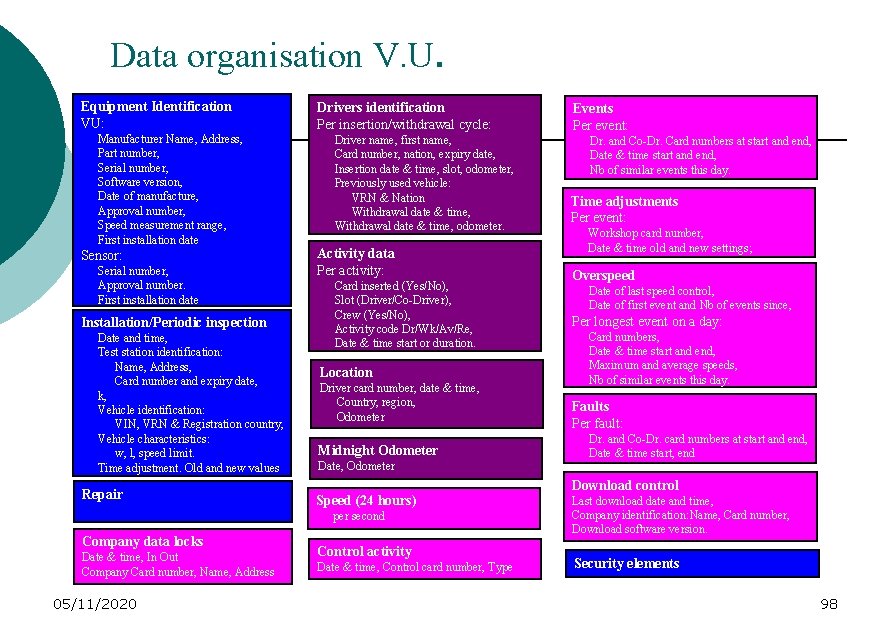
Data organisation V. U. Equipment Identification VU: Manufacturer Name, Address, Part number, Serial number, Software version, Date of manufacture, Approval number, Speed measurement range, First installation date Sensor: Serial number, Approval number. First installation date Installation/Periodic inspection Date and time, Test station identification: Name, Address, Card number and expiry date, k, Vehicle identification: VIN, VRN & Registration country, Vehicle characteristics: w, l, speed limit. Time adjustment. Old and new values Repair Drivers identification Per insertion/withdrawal cycle: Driver name, first name, Card number, nation, expiry date, Insertion date & time, slot, odometer, Previously used vehicle: VRN & Nation Withdrawal date & time, odometer. Activity data Per activity: Card inserted (Yes/No), Slot (Driver/Co-Driver), Crew (Yes/No), Activity code Dr/Wk/Av/Re, Date & time start or duration. Location Driver card number, date & time, Country, region, Odometer Midnight Odometer Date, Odometer Date & time, In Out Company Card number, Name, Address 05/11/2020 Dr. and Co-Dr. Card numbers at start and end, Date & time start and end, Nb of similar events this day. Time adjustments Per event: Workshop card number, Date & time old and new settings; Overspeed Date of last speed control, Date of first event and Nb of events since, Per longest event on a day: Card numbers, Date & time start and end, Maximum and average speeds, Nb of similar events this day. Faults Per fault: Dr. and Co-Dr. card numbers at start and end, Date & time start, end Download control Speed (24 hours) per second Company data locks Events Per event: Control activity Date & time, Control card number, Type Last download date and time, Company identification: Name, Card number, Download software version. Security elements 98
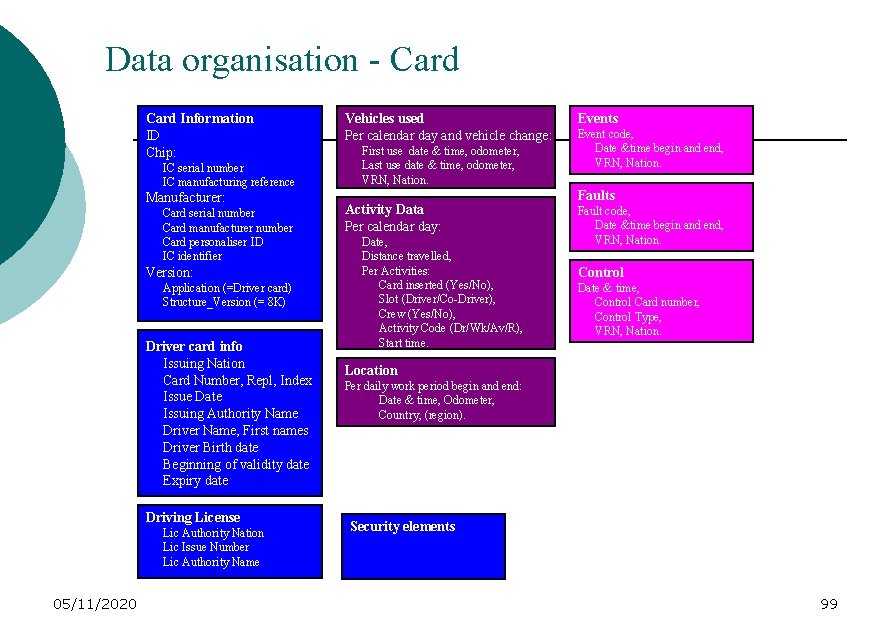
Data organisation - Card Information ID Chip: IC serial number IC manufacturing reference Manufacturer: Card serial number Card manufacturer number Card personaliser ID IC identifier Version: Application (=Driver card) Structure_Version (= 8 K) Driver card info Issuing Nation Card Number, Repl, Index Issue Date Issuing Authority Name Driver Name, First names Driver Birth date Beginning of validity date Expiry date Driving License Lic Authority Nation Lic Issue Number Lic Authority Name 05/11/2020 Vehicles used Per calendar day and vehicle change: First use date & time, odometer, Last use date & time, odometer, VRN, Nation. Activity Data Per calendar day: Date, Distance travelled, Per Activities: Card inserted (Yes/No), Slot (Driver/Co-Driver), Crew (Yes/No), Activity Code (Dr/Wk/Av/R), Start time. Events Event code, Date &time begin and end, VRN, Nation. Faults Fault code, Date &time begin and end, VRN, Nation. Control Date & time, Control Card number, Control Type, VRN, Nation. Location Per daily work period begin and end: Date & time, Odometer, Country, (region). Security elements 99
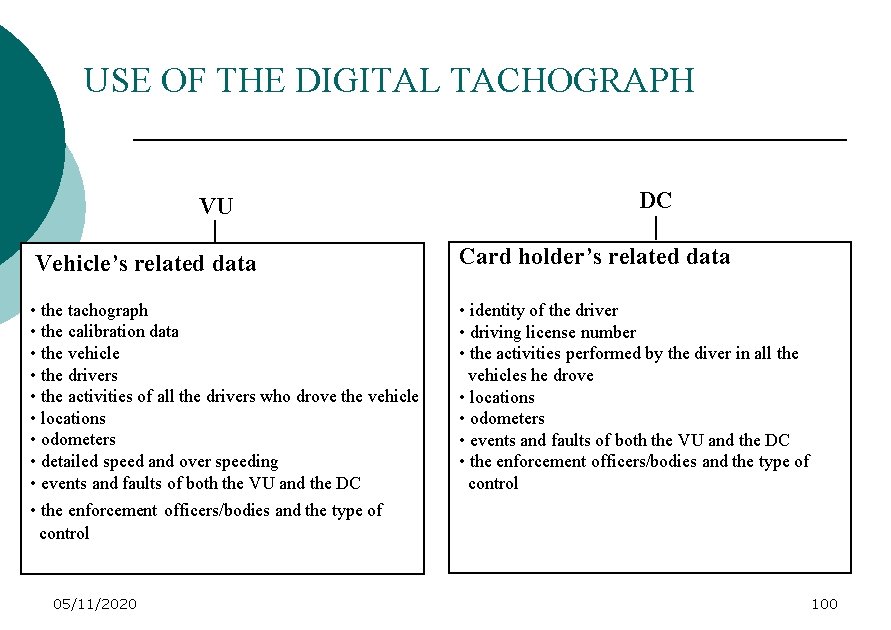
USE OF THE DIGITAL TACHOGRAPH VU DC Vehicle’s related data Card holder’s related data • the tachograph • the calibration data • the vehicle • the drivers • the activities of all the drivers who drove the vehicle • locations • odometers • detailed speed and over speeding • events and faults of both the VU and the DC • the enforcement officers/bodies and the type of control • identity of the driver • driving license number • the activities performed by the diver in all the vehicles he drove • locations • odometers • events and faults of both the VU and the DC • the enforcement officers/bodies and the type of control 05/11/2020 100
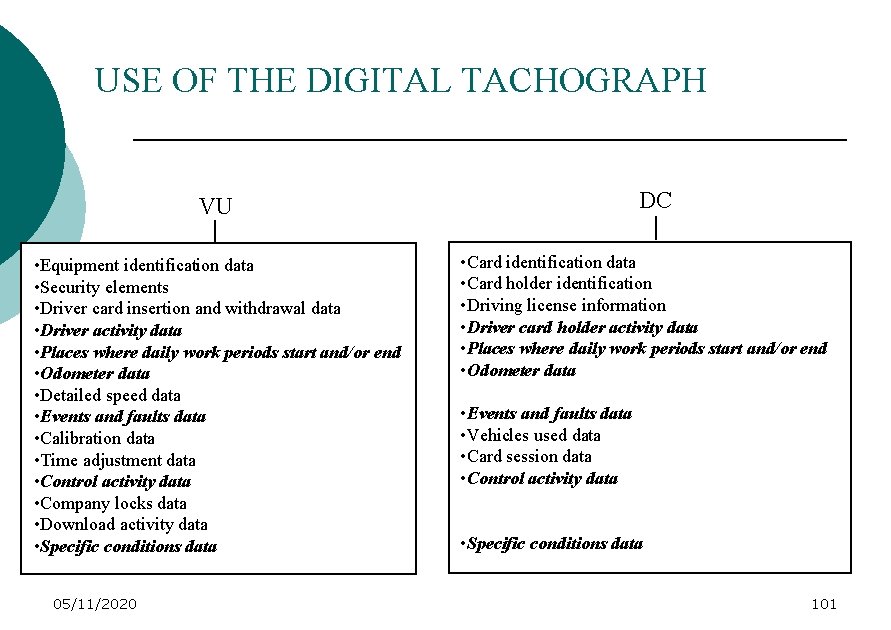
USE OF THE DIGITAL TACHOGRAPH DC VU • Equipment identification data • Security elements • Driver card insertion and withdrawal data • Driver activity data • Places where daily work periods start and/or end • Odometer data • Detailed speed data • Events and faults data • Calibration data • Time adjustment data • Control activity data • Company locks data • Download activity data • Specific conditions data 05/11/2020 • Card identification data • Card holder identification • Driving license information • Driver card holder activity data • Places where daily work periods start and/or end • Odometer data • Events and faults data • Vehicles used data • Card session data • Control activity data • Specific conditions data 101
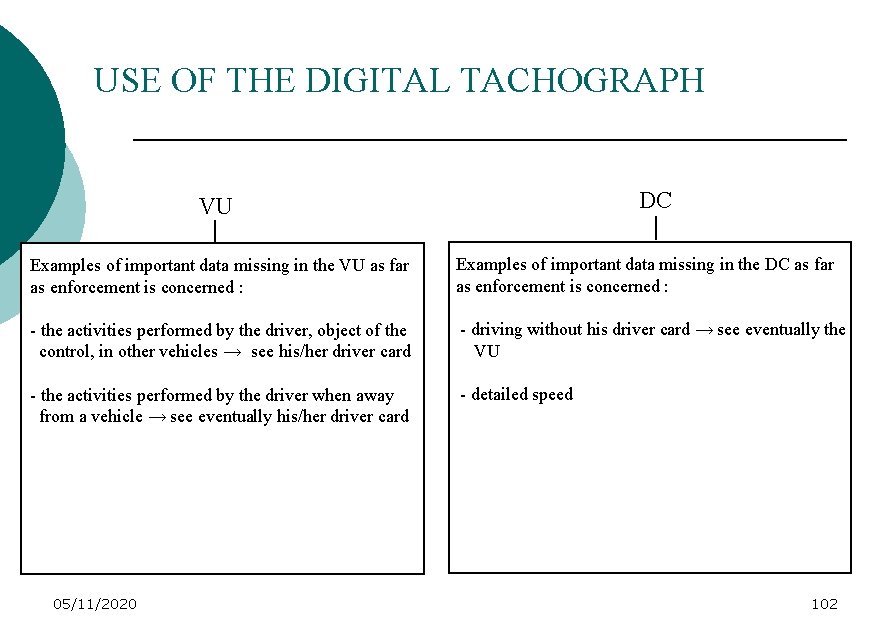
USE OF THE DIGITAL TACHOGRAPH DC VU Examples of important data missing in the VU as far as enforcement is concerned : Examples of important data missing in the DC as far as enforcement is concerned : - the activities performed by the driver, object of the control, in other vehicles → see his/her driver card - driving without his driver card → see eventually the VU - the activities performed by the driver when away from a vehicle → see eventually his/her driver card - detailed speed 05/11/2020 102
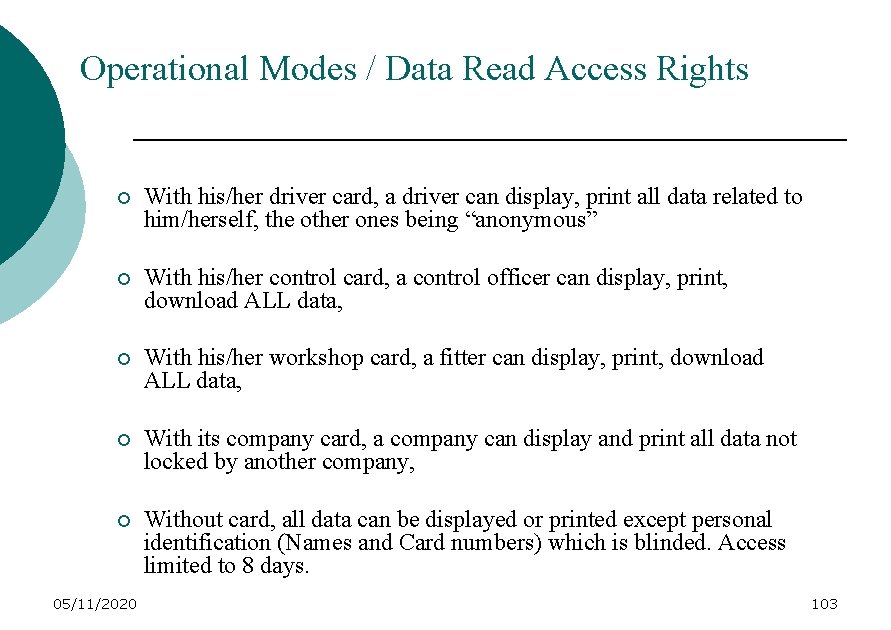
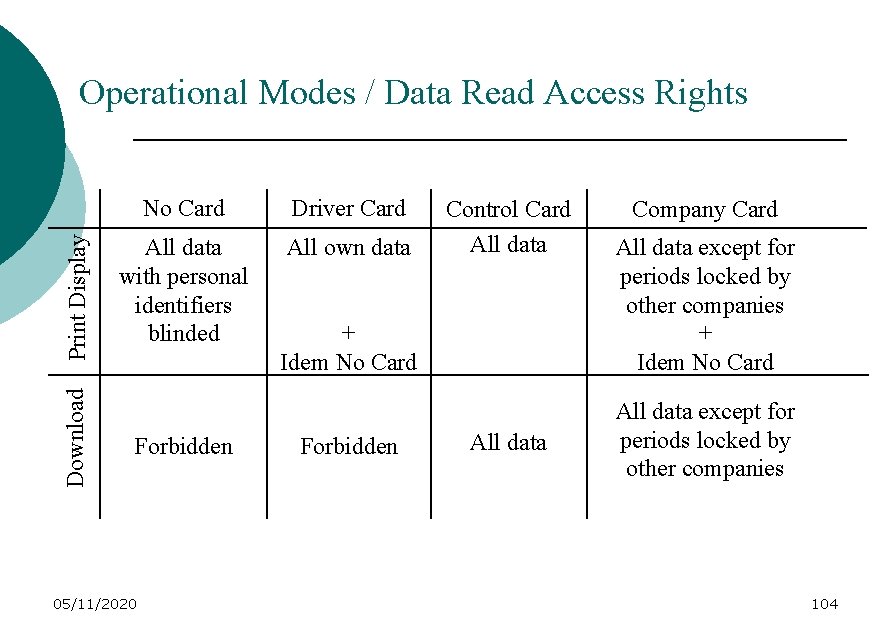
Operational Modes / Data Read Access Rights ¡ With his/her driver card, a driver can display, print all data related to him/herself, the other ones being “anonymous” ¡ With his/her control card, a control officer can display, print, download ALL data, ¡ With his/her workshop card, a fitter can display, print, download ALL data, ¡ With its company card, a company can display and print all data not locked by another company, ¡ Without card, all data can be displayed or printed except personal identification (Names and Card numbers) which is blinded. Access limited to 8 days. 05/11/2020 103
Download Print Display Operational Modes / Data Read Access Rights No Card Driver Card All data with personal identifiers blinded All own data Forbidden 05/11/2020 Control Card All data + Idem No Card Forbidden All data Company Card All data except for periods locked by other companies + Idem No Card All data except for periods locked by other companies 104
USE OF THE DIGITAL TACHOGRAPH ACCESS TO THE DATA 05/11/2020 105
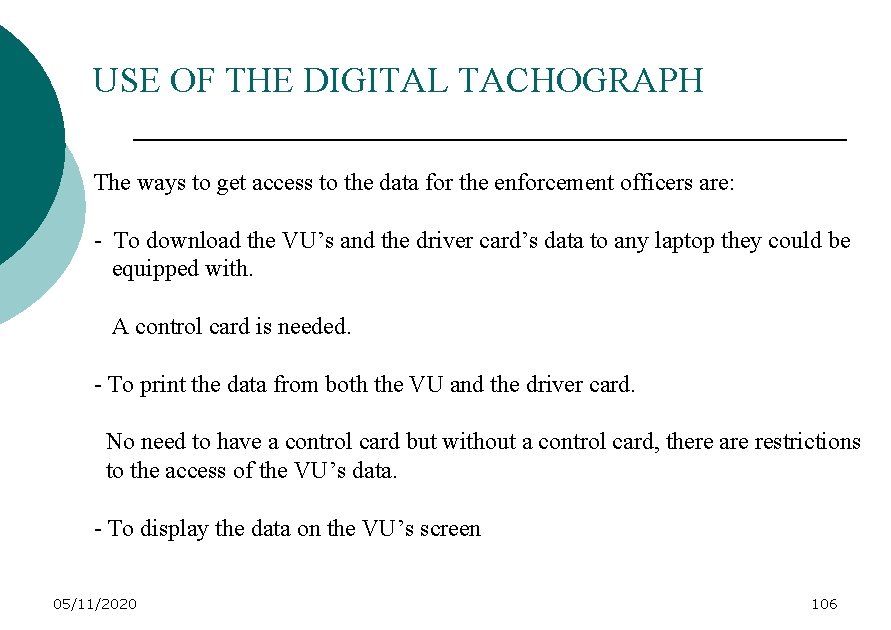
USE OF THE DIGITAL TACHOGRAPH The ways to get access to the data for the enforcement officers are: - To download the VU’s and the driver card’s data to any laptop they could be equipped with. A control card is needed. - To print the data from both the VU and the driver card. No need to have a control card but without a control card, there are restrictions to the access of the VU’s data. - To display the data on the VU’s screen 05/11/2020 106
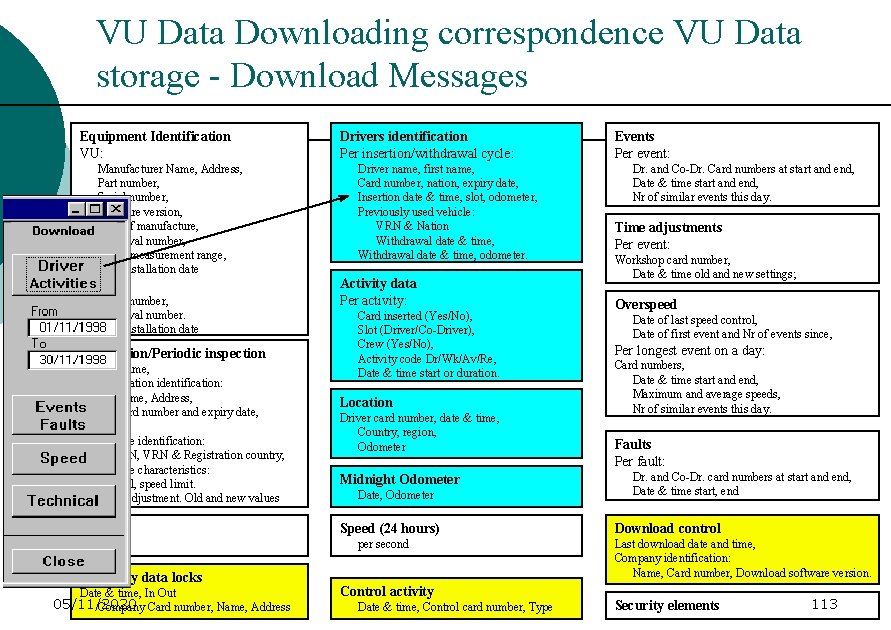
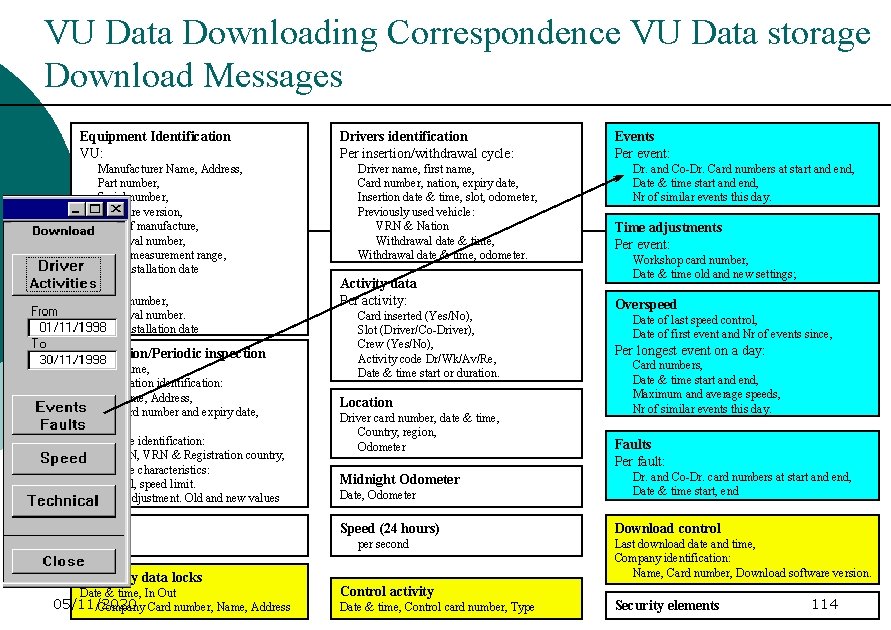
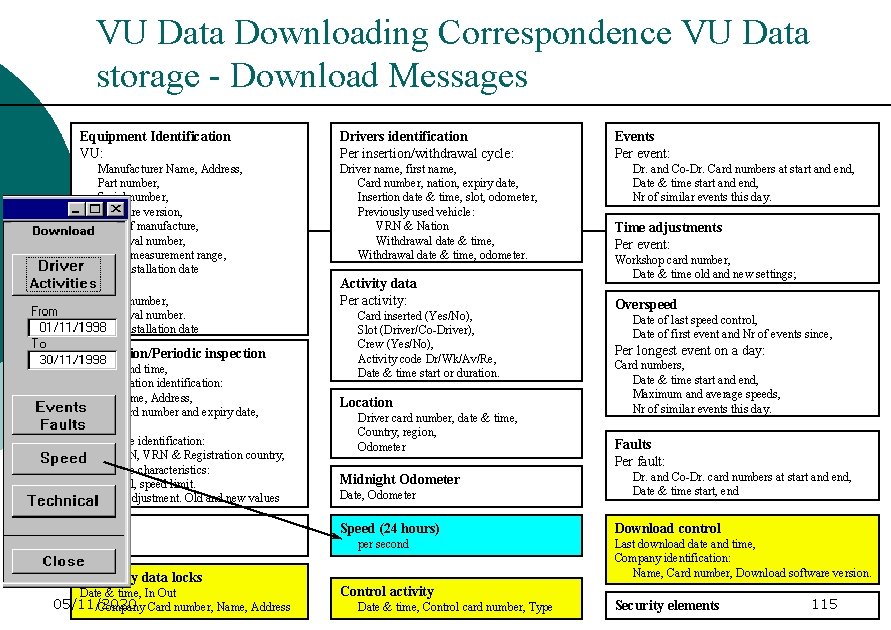
VU DATA DOWNLOADING / DEFINITION Downloading the data from the VU and/or the DC will probably be the most efficient way for the enforcement officers to have access to the data 05/11/2020 107
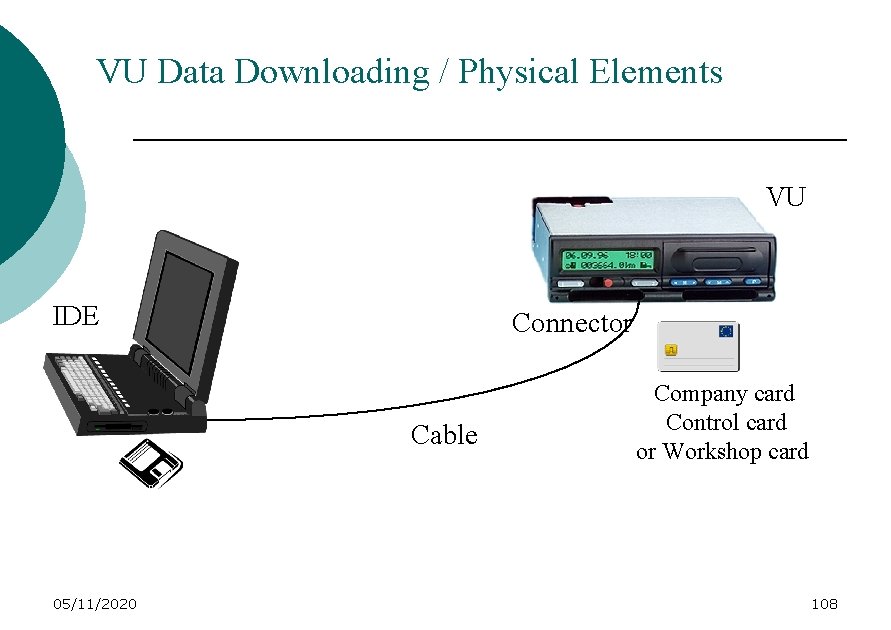
VU Data Downloading / Physical Elements VU IDE Connector Cable 05/11/2020 Company card Control card or Workshop card 108
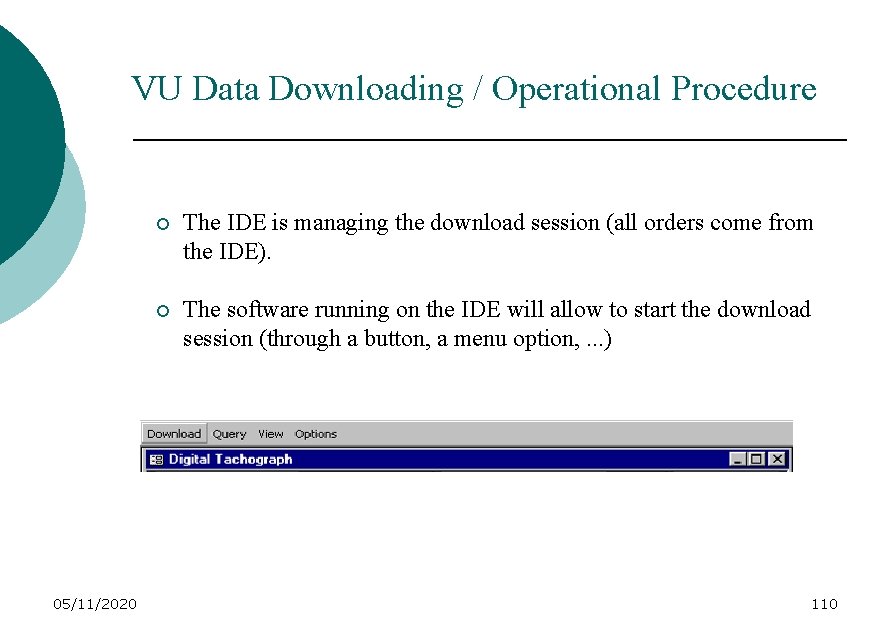
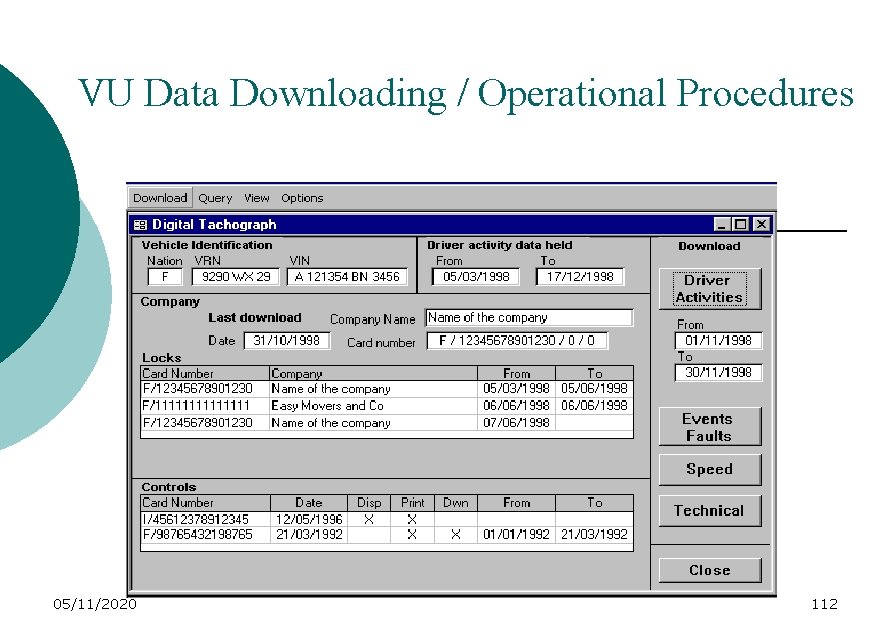
VU Data Downloading / Operational Procedure 05/11/2020 ¡ The IDE is managing the download session (all orders come from the IDE). ¡ The software running on the IDE will allow to start the download session (through a button, a menu option, . . . ) 110
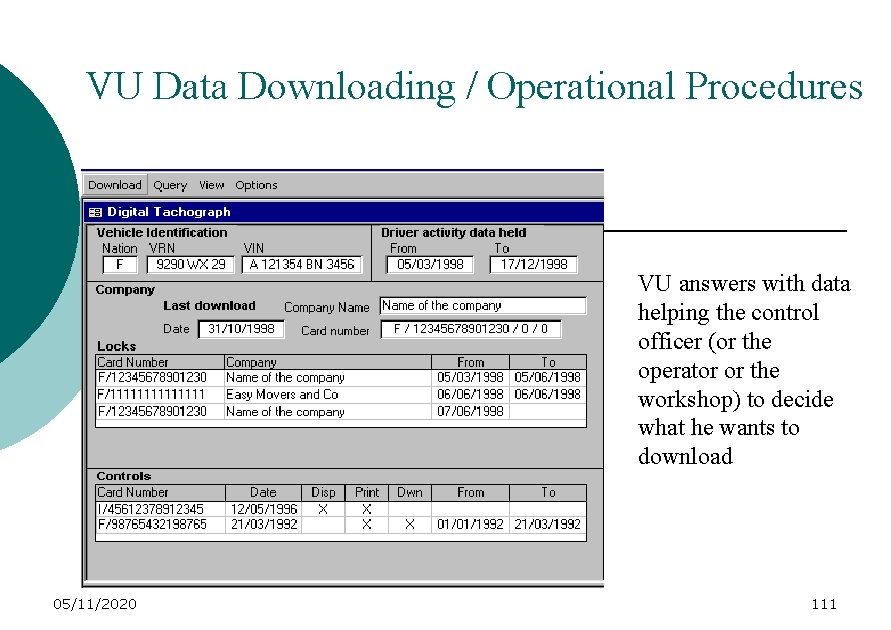
VU Data Downloading / Operational Procedures VU answers with data helping the control officer (or the operator or the workshop) to decide what he wants to download 05/11/2020 111
VU Data Downloading / Operational Procedures 05/11/2020 112
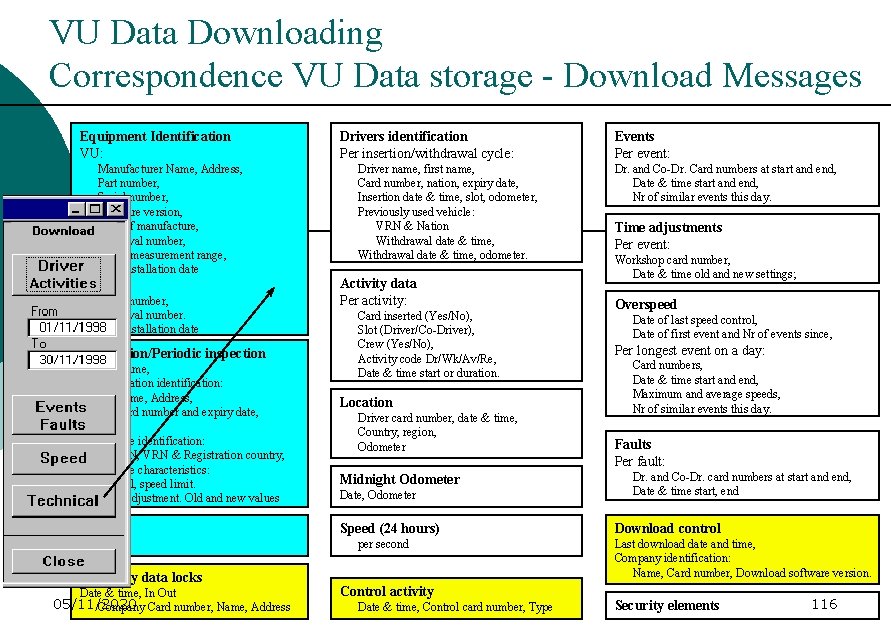
VU Data Downloading correspondence VU Data storage - Download Messages Equipment Identification VU: Manufacturer Name, Address, Part number, Serial number, Software version, Date of manufacture, Approval number, Speed measurement range, First installation date Sensor: Serial number, Approval number. First installation date Installation/Periodic inspection Date and time, Test station identification: Name, Address, Card number and expiry date, k, Vehicle identification: VIN, VRN & Registration country, Vehicle characteristics: w, l, speed limit. Time adjustment. Old and new values Repair Drivers identification Per insertion/withdrawal cycle: Driver name, first name, Card number, nation, expiry date, Insertion date & time, slot, odometer, Previously used vehicle: VRN & Nation Withdrawal date & time, odometer. Activity data Per activity: Card inserted (Yes/No), Slot (Driver/Co-Driver), Crew (Yes/No), Activity code Dr/Wk/Av/Re, Date & time start or duration. Location Driver card number, date & time, Country, region, Odometer Midnight Odometer Date, Odometer Speed (24 hours) per second Company data locks Date & time, In Out 05/11/2020 Company Card number, Name, Address Control activity Date & time, Control card number, Type Events Per event: Dr. and Co-Dr. Card numbers at start and end, Date & time start and end, Nr of similar events this day. Time adjustments Per event: Workshop card number, Date & time old and new settings; Overspeed Date of last speed control, Date of first event and Nr of events since, Per longest event on a day: Card numbers, Date & time start and end, Maximum and average speeds, Nr of similar events this day. Faults Per fault: Dr. and Co-Dr. card numbers at start and end, Date & time start, end Download control Last download date and time, Company identification: Name, Card number, Download software version. Security elements 113
VU Data Downloading Correspondence VU Data storage Download Messages Equipment Identification VU: Manufacturer Name, Address, Part number, Serial number, Software version, Date of manufacture, Approval number, Speed measurement range, First installation date Sensor: Serial number, Approval number. First installation date Installation/Periodic inspection Date and time, Test station identification: Name, Address, Card number and expiry date, k, Vehicle identification: VIN, VRN & Registration country, Vehicle characteristics: w, l, speed limit. Time adjustment. Old and new values Repair Drivers identification Per insertion/withdrawal cycle: Driver name, first name, Card number, nation, expiry date, Insertion date & time, slot, odometer, Previously used vehicle: VRN & Nation Withdrawal date & time, odometer. Activity data Per activity: Card inserted (Yes/No), Slot (Driver/Co-Driver), Crew (Yes/No), Activity code Dr/Wk/Av/Re, Date & time start or duration. Location Driver card number, date & time, Country, region, Odometer Midnight Odometer Date, Odometer Speed (24 hours) per second Company data locks Date & time, In Out 05/11/2020 Company Card number, Name, Address Control activity Date & time, Control card number, Type Events Per event: Dr. and Co-Dr. Card numbers at start and end, Date & time start and end, Nr of similar events this day. Time adjustments Per event: Workshop card number, Date & time old and new settings; Overspeed Date of last speed control, Date of first event and Nr of events since, Per longest event on a day: Card numbers, Date & time start and end, Maximum and average speeds, Nr of similar events this day. Faults Per fault: Dr. and Co-Dr. card numbers at start and end, Date & time start, end Download control Last download date and time, Company identification: Name, Card number, Download software version. Security elements 114
VU Data Downloading Correspondence VU Data storage - Download Messages Equipment Identification VU: Manufacturer Name, Address, Part number, Serial number, Software version, Date of manufacture, Approval number, Speed measurement range, First installation date Sensor: Serial number, Approval number. First installation date Installation/Periodic inspection Date and time, Test station identification: Name, Address, Card number and expiry date, k, Vehicle identification: VIN, VRN & Registration country, Vehicle characteristics: w, l, speed limit. Time adjustment. Old and new values Repair Drivers identification Per insertion/withdrawal cycle: Driver name, first name, Card number, nation, expiry date, Insertion date & time, slot, odometer, Previously used vehicle: VRN & Nation Withdrawal date & time, odometer. Activity data Per activity: Card inserted (Yes/No), Slot (Driver/Co-Driver), Crew (Yes/No), Activity code Dr/Wk/Av/Re, Date & time start or duration. Location Driver card number, date & time, Country, region, Odometer Midnight Odometer Date, Odometer Speed (24 hours) per second Company data locks Date & time, In Out 05/11/2020 Company Card number, Name, Address Control activity Date & time, Control card number, Type Events Per event: Dr. and Co-Dr. Card numbers at start and end, Date & time start and end, Nr of similar events this day. Time adjustments Per event: Workshop card number, Date & time old and new settings; Overspeed Date of last speed control, Date of first event and Nr of events since, Per longest event on a day: Card numbers, Date & time start and end, Maximum and average speeds, Nr of similar events this day. Faults Per fault: Dr. and Co-Dr. card numbers at start and end, Date & time start, end Download control Last download date and time, Company identification: Name, Card number, Download software version. Security elements 115
VU Data Downloading Correspondence VU Data storage - Download Messages Equipment Identification VU: Manufacturer Name, Address, Part number, Serial number, Software version, Date of manufacture, Approval number, Speed measurement range, First installation date Sensor: Serial number, Approval number. First installation date Installation/Periodic inspection Date and time, Test station identification: Name, Address, Card number and expiry date, k, Vehicle identification: VIN, VRN & Registration country, Vehicle characteristics: w, l, speed limit. Time adjustment. Old and new values Repair Drivers identification Per insertion/withdrawal cycle: Driver name, first name, Card number, nation, expiry date, Insertion date & time, slot, odometer, Previously used vehicle: VRN & Nation Withdrawal date & time, odometer. Activity data Per activity: Card inserted (Yes/No), Slot (Driver/Co-Driver), Crew (Yes/No), Activity code Dr/Wk/Av/Re, Date & time start or duration. Location Driver card number, date & time, Country, region, Odometer Midnight Odometer Date, Odometer Speed (24 hours) per second Company data locks Date & time, In Out 05/11/2020 Company Card number, Name, Address Control activity Date & time, Control card number, Type Events Per event: Dr. and Co-Dr. Card numbers at start and end, Date & time start and end, Nr of similar events this day. Time adjustments Per event: Workshop card number, Date & time old and new settings; Overspeed Date of last speed control, Date of first event and Nr of events since, Per longest event on a day: Card numbers, Date & time start and end, Maximum and average speeds, Nr of similar events this day. Faults Per fault: Dr. and Co-Dr. card numbers at start and end, Date & time start, end Download control Last download date and time, Company identification: Name, Card number, Download software version. Security elements 116
USE OF THE DIGITAL TACHOGRAPH Alternative for the control officers to get access to the VU’s and card’s data : the printouts. 05/11/2020 117
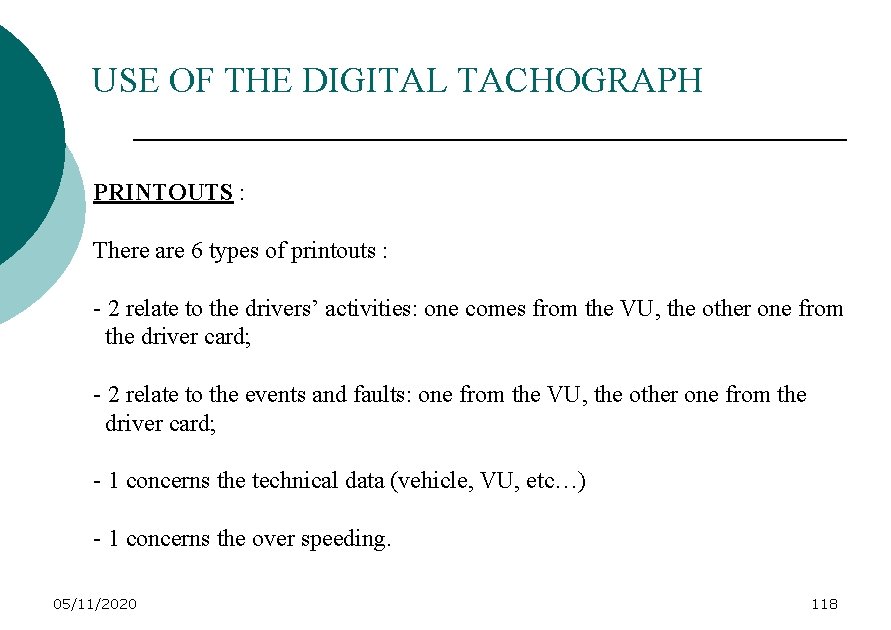
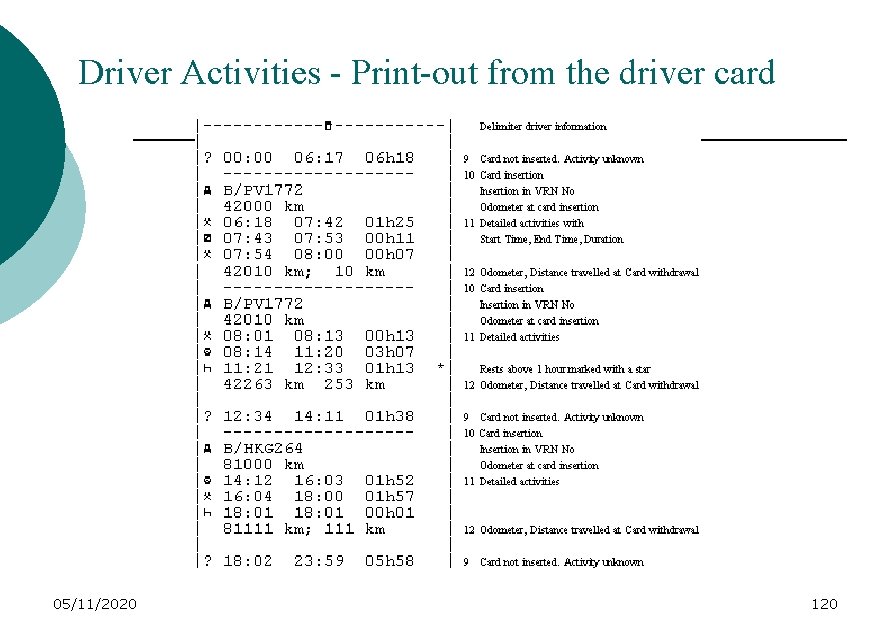
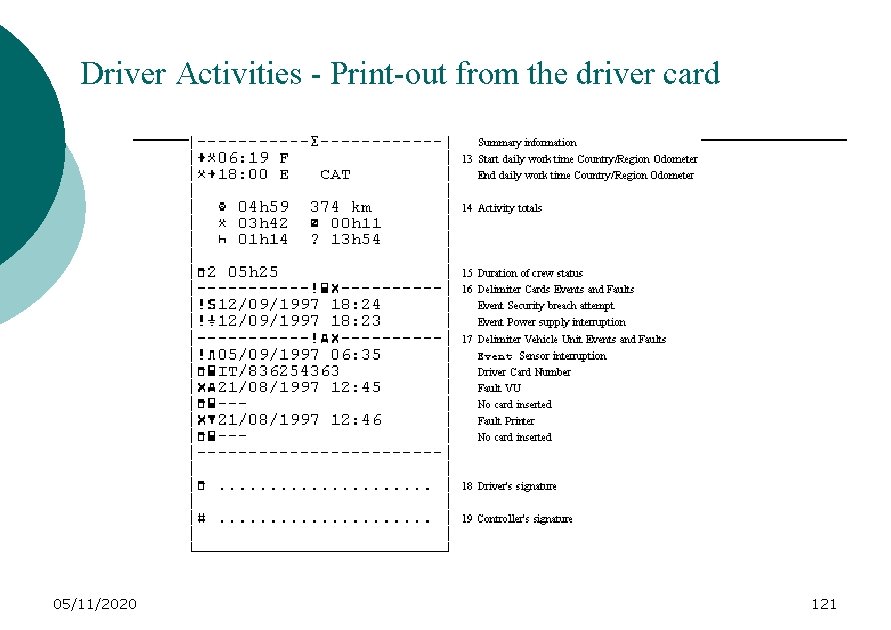
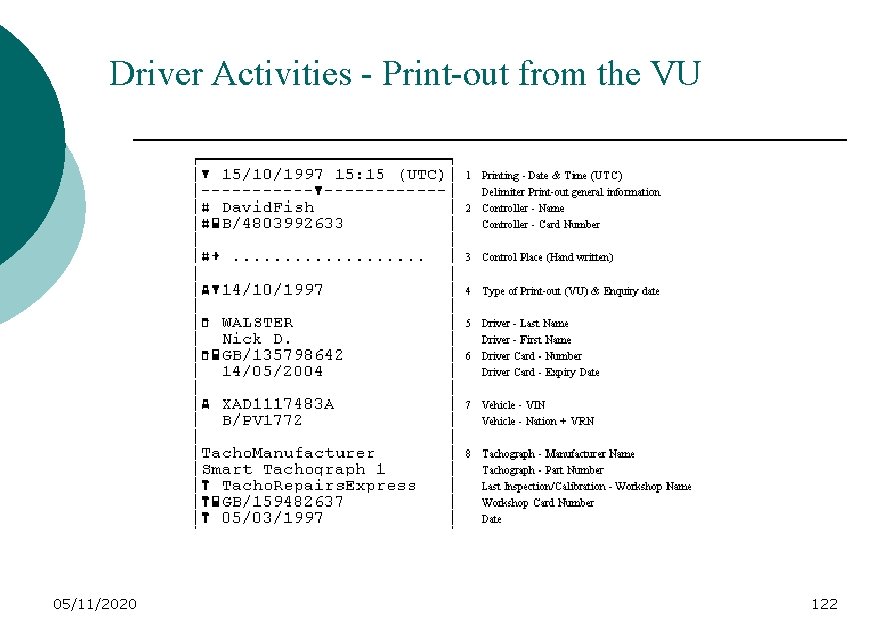
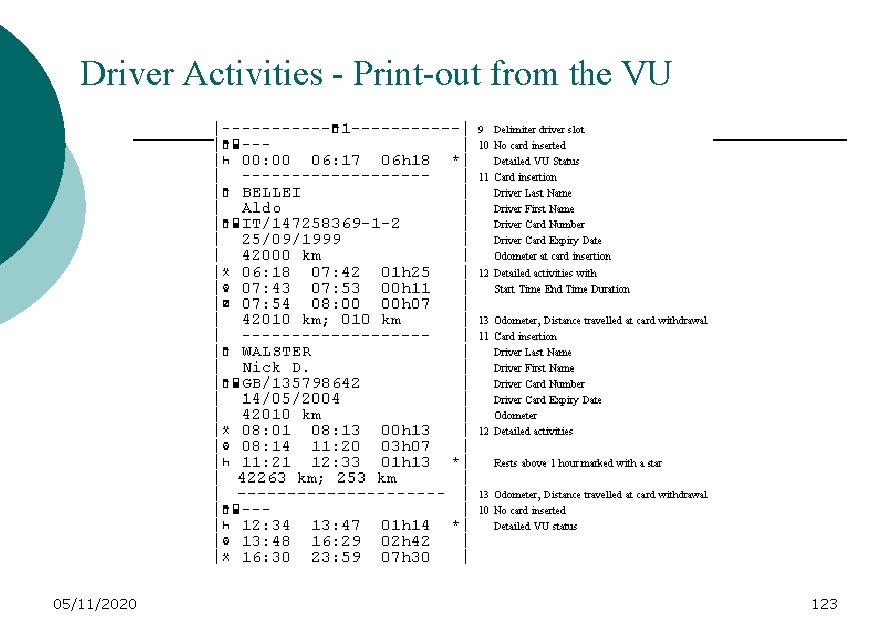
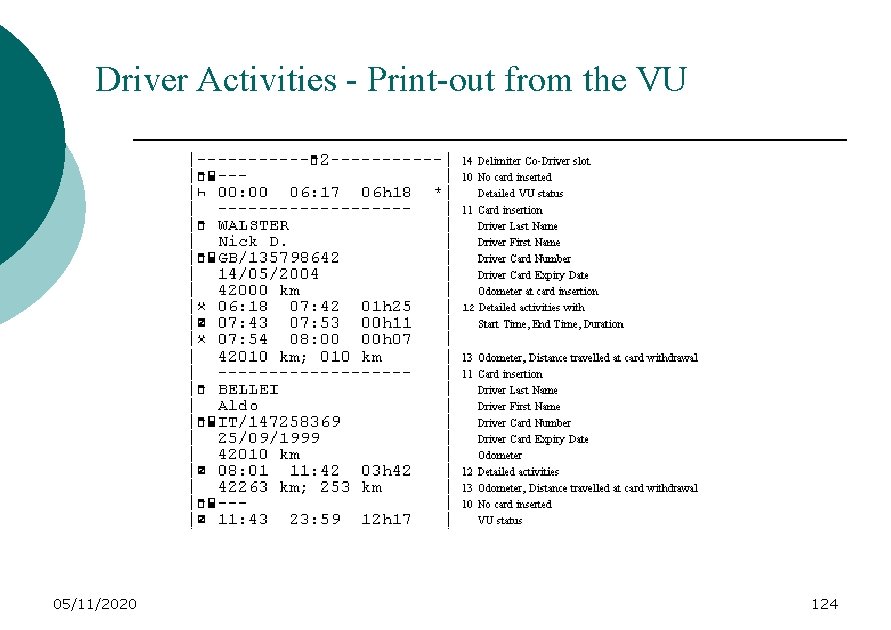
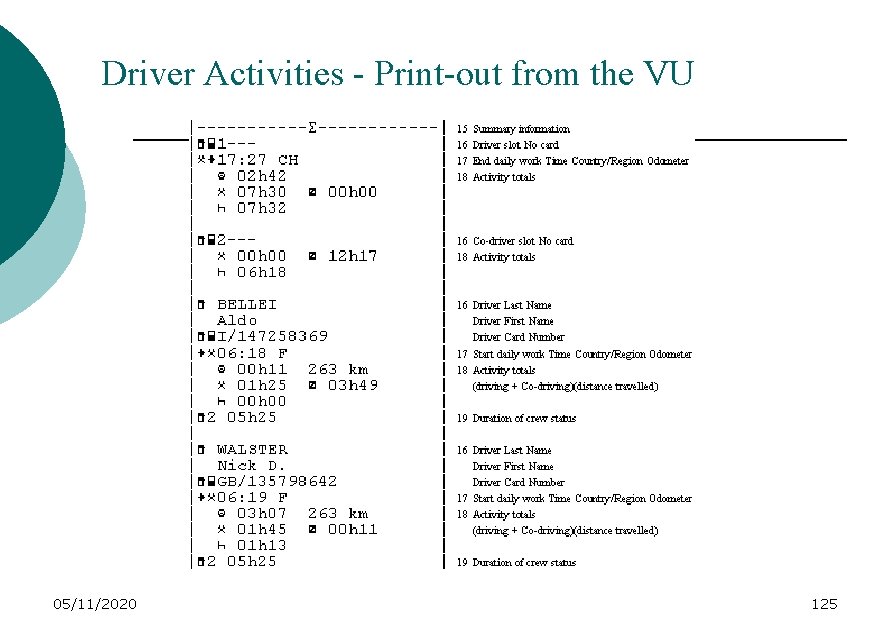
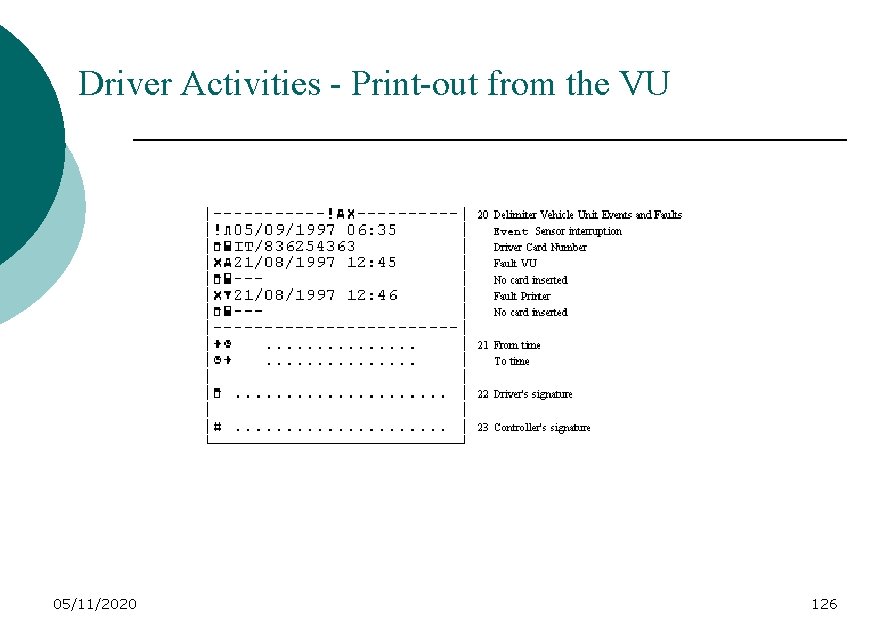
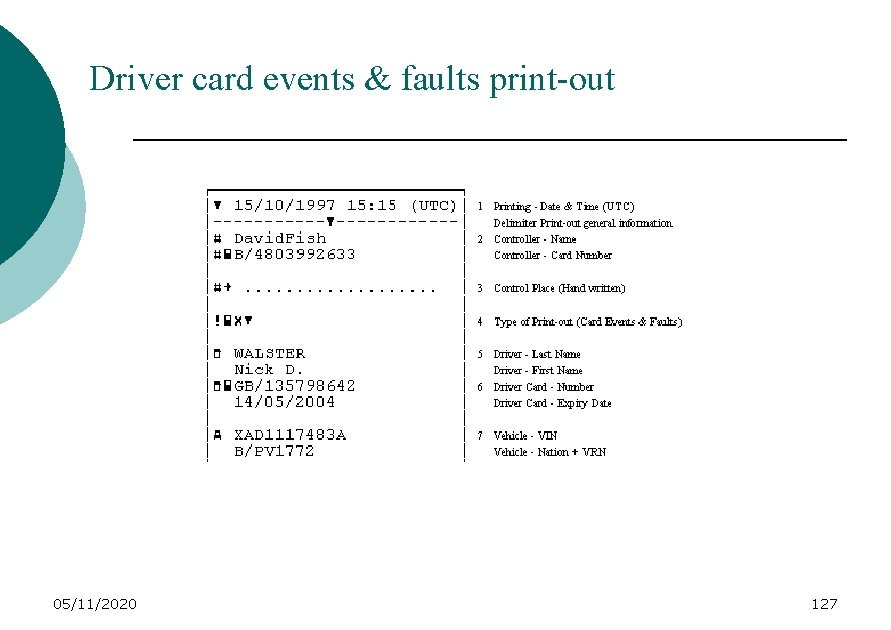
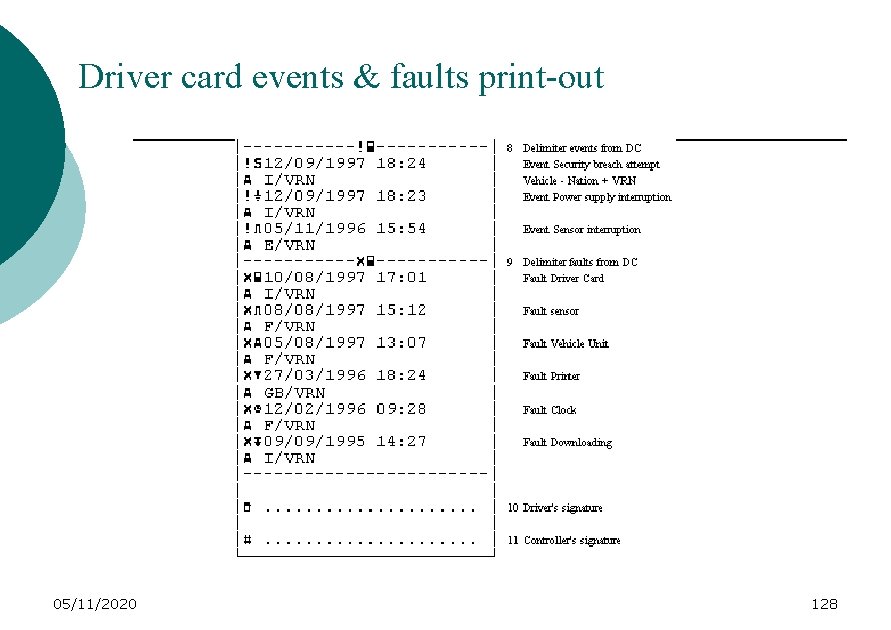
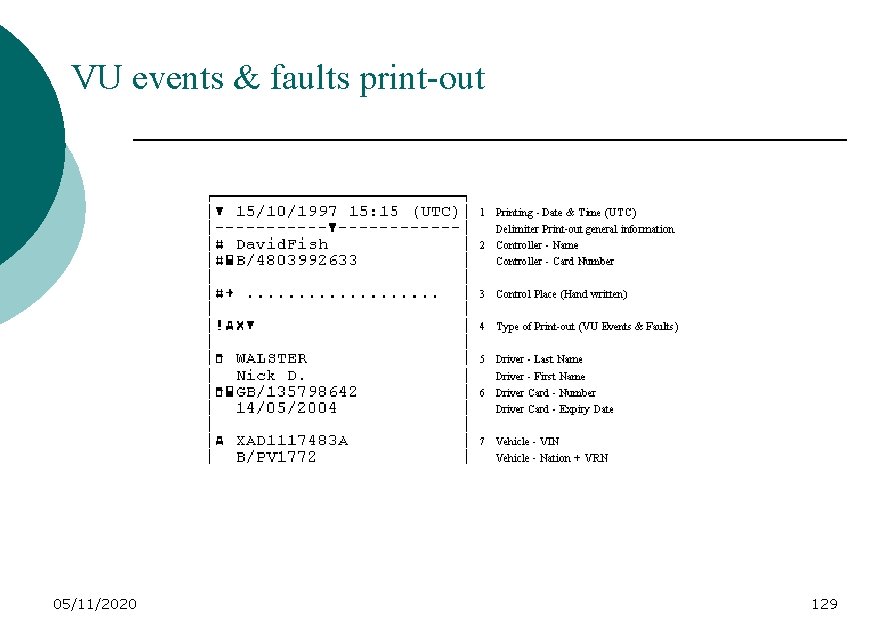
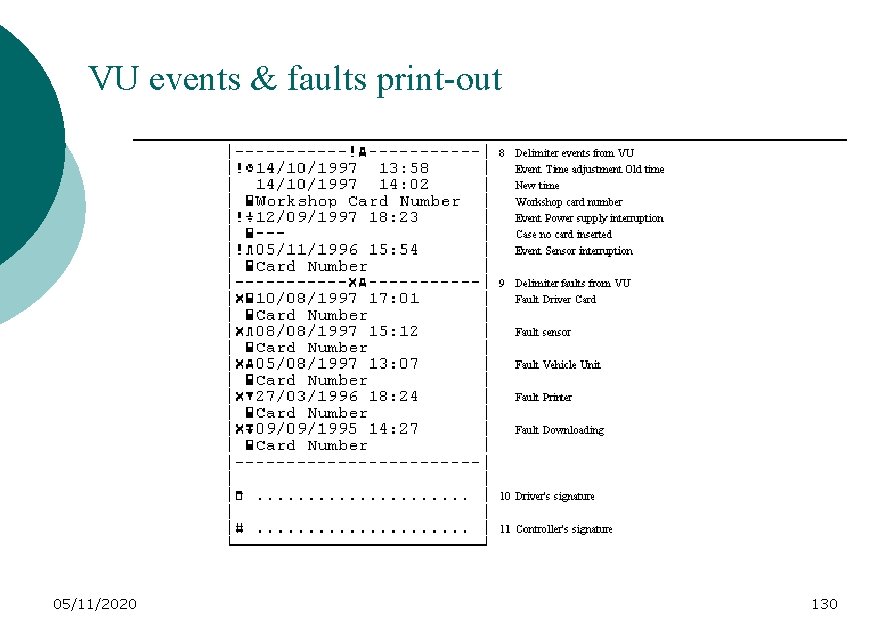
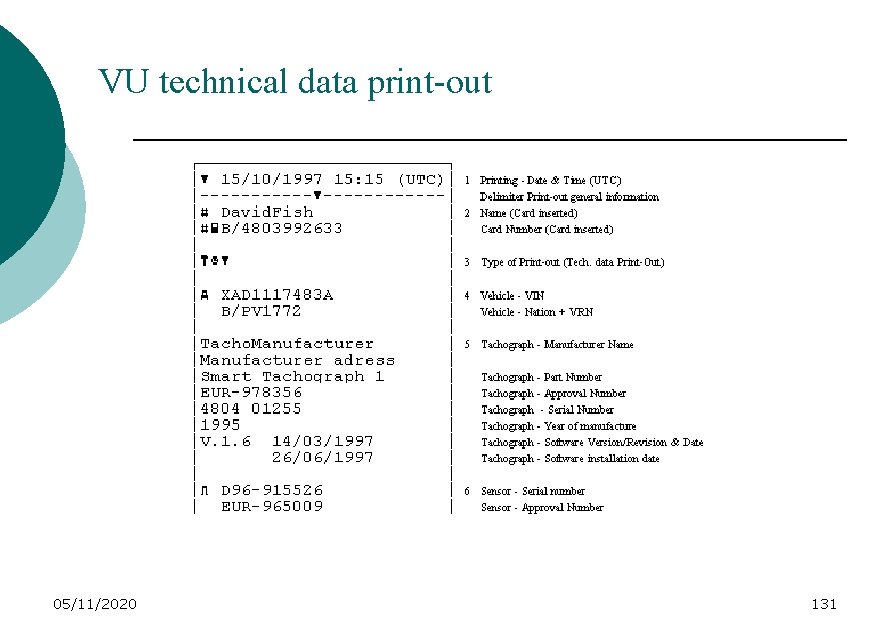
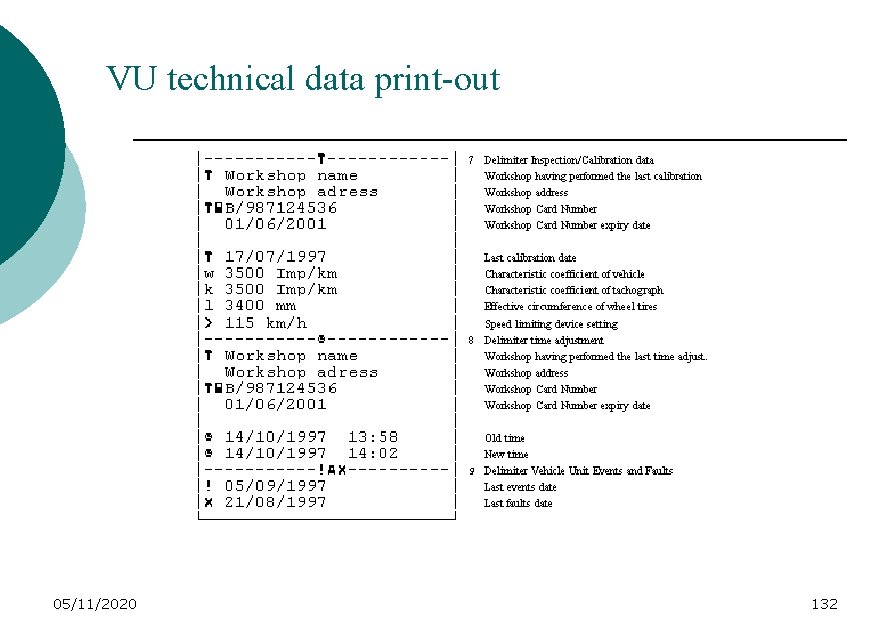
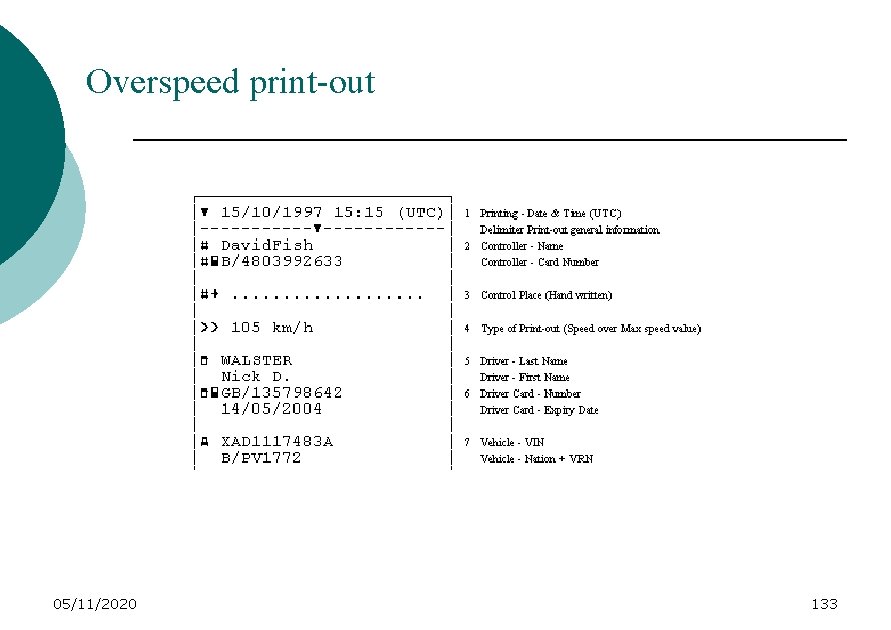
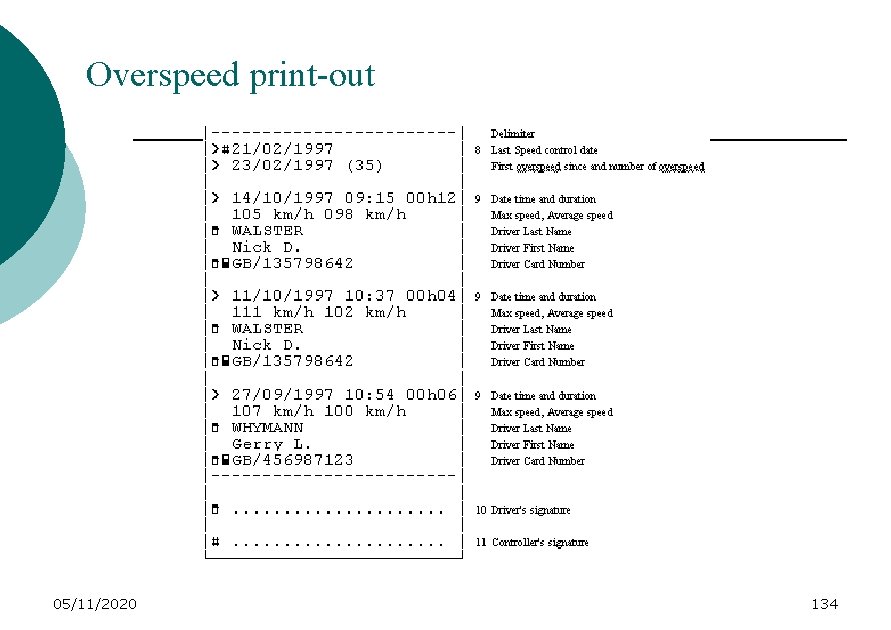
USE OF THE DIGITAL TACHOGRAPH PRINTOUTS : There are 6 types of printouts : - 2 relate to the drivers’ activities: one comes from the VU, the other one from the driver card; - 2 relate to the events and faults: one from the VU, the other one from the driver card; - 1 concerns the technical data (vehicle, VU, etc…) - 1 concerns the over speeding. 05/11/2020 118
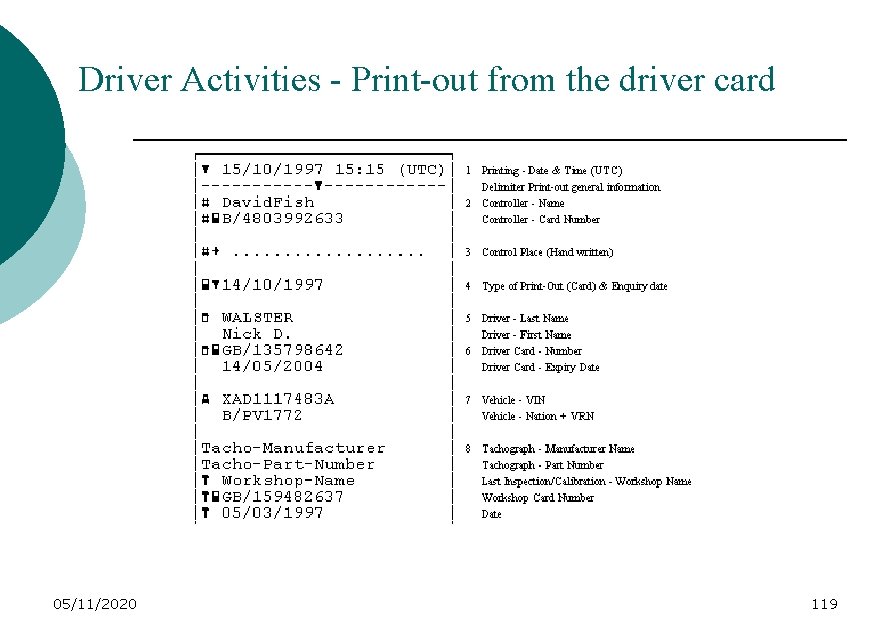
Driver Activities - Print-out from the driver card 05/11/2020 119
Driver Activities - Print-out from the driver card 05/11/2020 120
Driver Activities - Print-out from the driver card 05/11/2020 121
Driver Activities - Print-out from the VU 05/11/2020 122
Driver Activities - Print-out from the VU 05/11/2020 123
Driver Activities - Print-out from the VU 05/11/2020 124
Driver Activities - Print-out from the VU 05/11/2020 125
Driver Activities - Print-out from the VU 05/11/2020 126
Driver card events & faults print-out 05/11/2020 127
Driver card events & faults print-out 05/11/2020 128
VU events & faults print-out 05/11/2020 129
VU events & faults print-out 05/11/2020 130
VU technical data print-out 05/11/2020 131
VU technical data print-out 05/11/2020 132
Overspeed print-out 05/11/2020 133
Overspeed print-out 05/11/2020 134
USE OF THE DIGITAL TACHOGRAPH Third and last way to have access to the data : via the display, the data being readable, two lines by two lines, in the same order than the way they are shown on the various printouts 05/11/2020 135
MAINTENANCE OF THE DIGITAL TACHOGRAPH Andrew KELLY - UK 05/11/2020 136
Maintenance of the digital tachograph INSPECTIONS & DECOMMISSIONING 05/11/2020 137
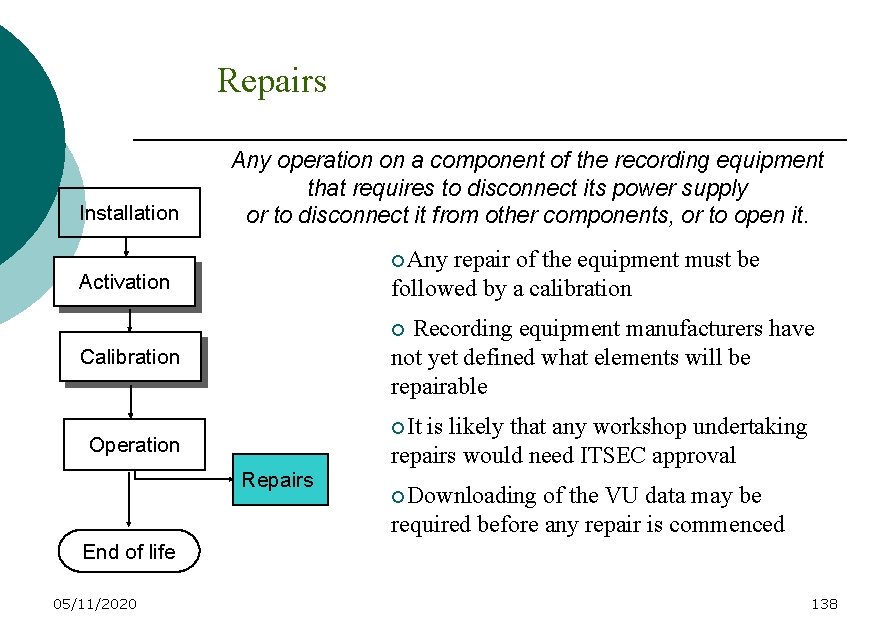
Repairs Installation Any operation on a component of the recording equipment that requires to disconnect its power supply or to disconnect it from other components, or to open it. ¡Any repair of the equipment must be followed by a calibration Activation Recording equipment manufacturers have not yet defined what elements will be repairable ¡ Calibration ¡It Operation Repairs is likely that any workshop undertaking repairs would need ITSEC approval ¡Downloading of the VU data may be required before any repair is commenced End of life 05/11/2020 138
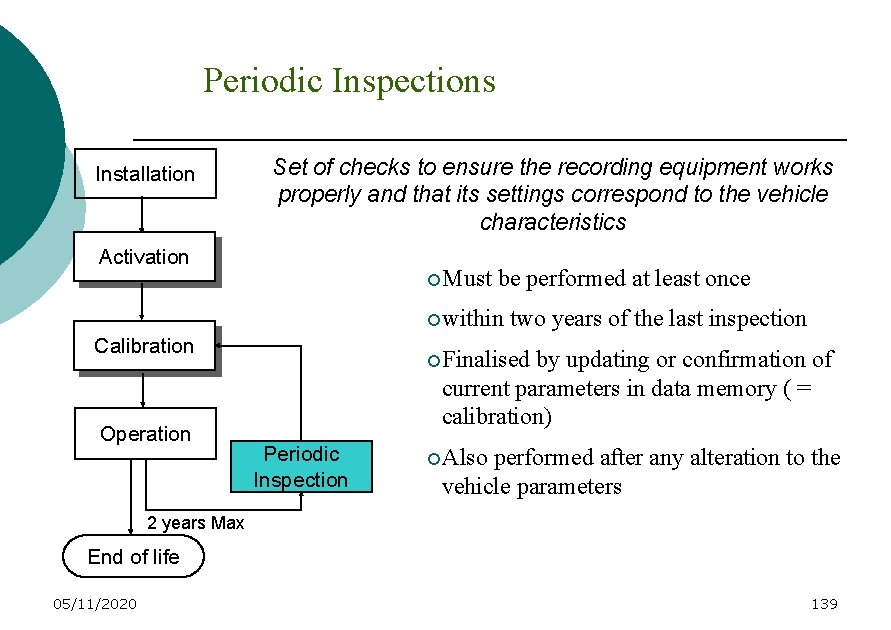
Periodic Inspections Installation Set of checks to ensure the recording equipment works properly and that its settings correspond to the vehicle characteristics Activation ¡Must be performed at least once ¡within Calibration Operation two years of the last inspection ¡Finalised by updating or confirmation of current parameters in data memory ( = calibration) Periodic Inspection ¡Also performed after any alteration to the vehicle parameters 2 years Max End of life 05/11/2020 139
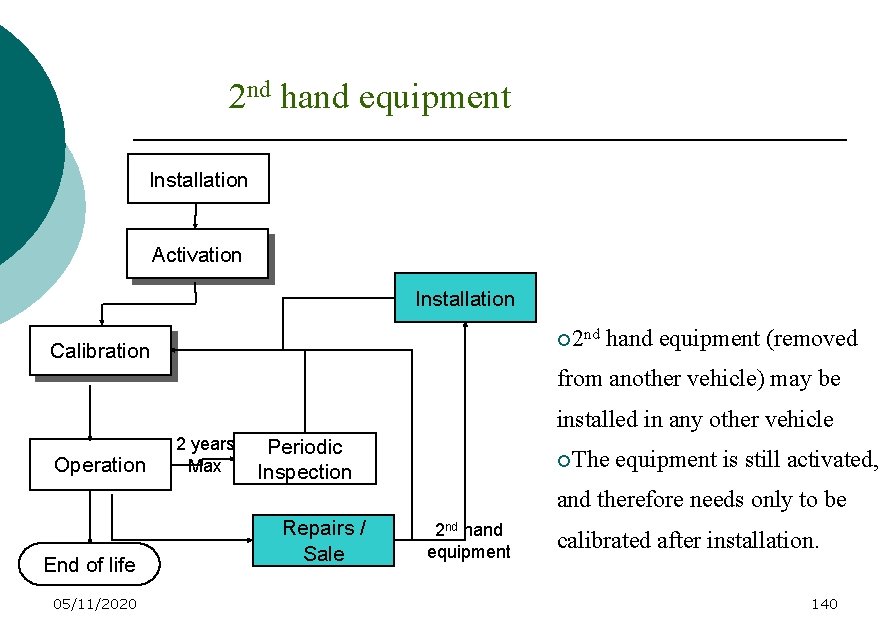
2 nd hand equipment Installation Activation Installation ¡ 2 nd Calibration hand equipment (removed from another vehicle) may be installed in any other vehicle Operation 2 years Max Periodic Inspection ¡The equipment is still activated, and therefore needs only to be End of life 05/11/2020 Repairs / Sale 2 nd hand equipment calibrated after installation. 140
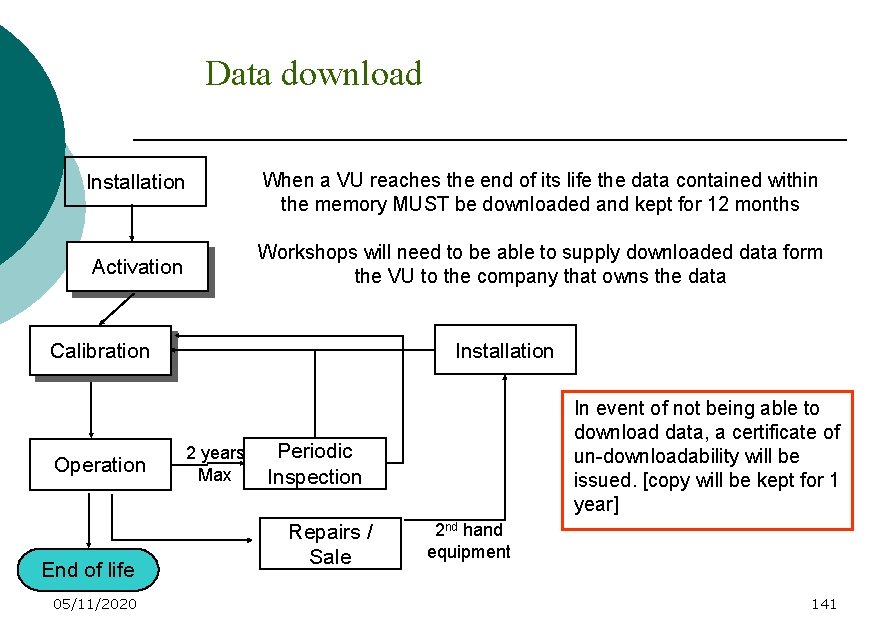
Data download When a VU reaches the end of its life the data contained within the memory MUST be downloaded and kept for 12 months Installation Workshops will need to be able to supply downloaded data form the VU to the company that owns the data Activation Installation Calibration Operation End of life 05/11/2020 2 years Max In event of not being able to download data, a certificate of un-downloadability will be issued. [copy will be kept for 1 year] Periodic Inspection Repairs / Sale 2 nd hand equipment 141
Network of workshops Implementation of a full network of workshops would ensure that: Ø All workshops across Contracting Parties can provide the necessary services from Day 1; Ø Control of workshop activities by the Competent Authorities can be effective from Day 1 Ø Transport operators can get the service they need from any Contracting Party 05/11/2020 142
Network of workshops Ø Effective legislation will ensure compliance and a level playing field Ø All qualified technicians will have received proper training and will continue to do so Ø That the legal obligations to meet the deadlines of implementation can be supported by a full and effective network of workshops 05/11/2020 143
Final observations In order for the implementation of digital tachographs to be effective, consideration should be given to a number of issues which will need to be in place, nationally, prior to the introduction of the digital tachograph in the AETR- (non-EU) countries for international road transport A crucial implementation element which should be examined more closely are: ØTiming 05/11/2020 144
TIMING It will be particularly important that, nationally, a network of approved workshops, trained fitters and on-line support services is available prior to the introduction of digital tachographs Therefore, each country must give thought to how they will: Ø Enable the provision of relevant national legislation concerning the authorisation of workshops and staff Ø Ensure the availability and control of workshop cards Ø Implement the processes required to approve and certify workshops 05/11/2020 145
TIMING Ø Implement the setting up of a training programme for individual technicians in the use of workshop cards and the functions to be undertaken Ø Address the requirements and installation of downloading equipment necessary for workshops to comply with the technical annex Ø Ensure that other areas (such as the legal arrangements for handling downloaded data) can be dealt with 05/11/2020 146
CONCLUSIONS We have presented rapidly : - how a digital tachograph will be type approved; - how it will be put into service; - how cards will be issued; - how it will be used; - how its maintenance will be ensured. 05/11/2020 147
DIGITAL TACHOGRAPH : INFORMATION DAY ANY QUESTIONS ? 05/11/2020 148
BYE 05/11/2020 149