Visualizing Data Hongyi Zhu Sagar Samtani Hsinchun Chen




- Slides: 101
Visualizing Data Hongyi Zhu, Sagar Samtani, Hsinchun Chen Acknowledgements: Katy Börner, School of Informatics and Computing, Indiana University, USA Robert Putnam, Research Computing, IS&T, Boston University, USA 1
Outline • Overview • A Visualization Framework • A Visualization Workflow • Evaluation Research of Information Visualization • Tools Overview • Resources 2
Overview Definition of Visualization A Brief History of Visualization Classification Value of Information Visualization Goals of Information Visualization 3
What is Visualization? • Visualization is any technique for creating images, diagrams, or animations to communicate a message. • Visualization through visual imagery has been an effective way to communicate both abstract and concrete ideas since the dawn of man. • • Cave paintings Hieroglyphs Maps … 4
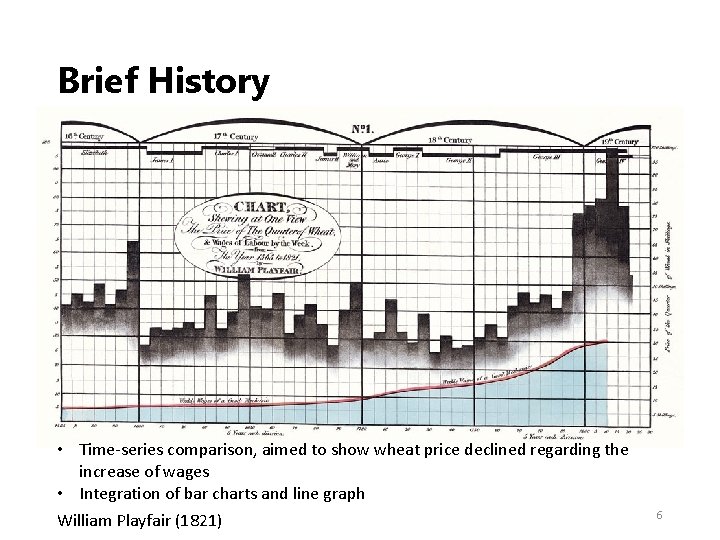
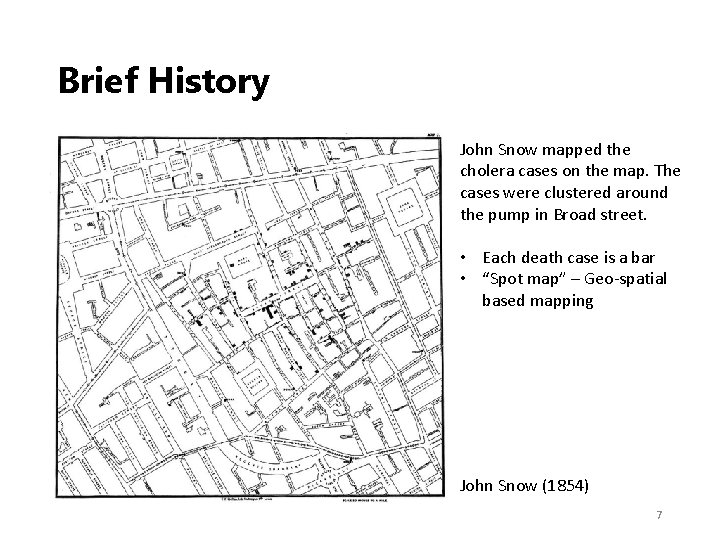
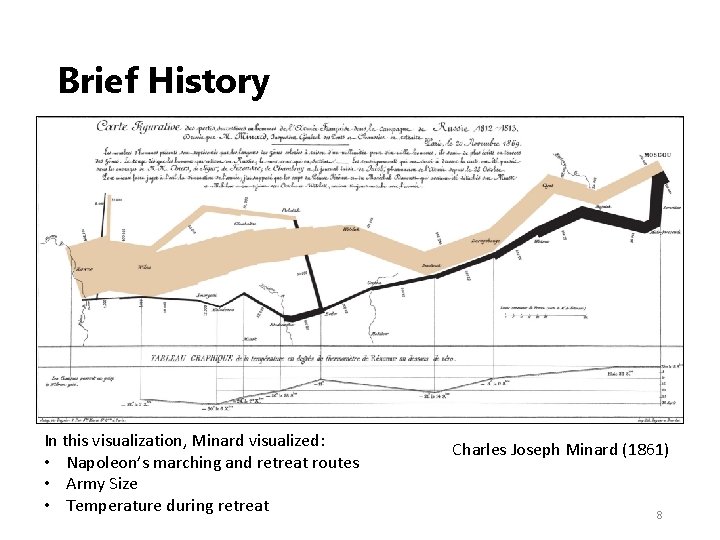
Brief History • First known map: 12 th century (Tegarden, 1999) • First presentation graphics: William Playfair (1786) • Multidimensional representations appeared in 19 th century (Tufte, 1983) • Examples: • William Playfair (1821) – Chart showing at one view the price of the quarter of wheat, & wages of labor by the week, from the year 1565 to 1821 • John Snow (1854) – Cholera Map in London • Charles Joseph Minard (1861) – Napoleon and The Russian Campaign of 1812 5
Brief History • Time‐series comparison, aimed to show wheat price declined regarding the increase of wages • Integration of bar charts and line graph William Playfair (1821) 6
Brief History John Snow mapped the cholera cases on the map. The cases were clustered around the pump in Broad street. • Each death case is a bar • “Spot map” – Geo‐spatial based mapping John Snow (1854) 7
Brief History In this visualization, Minard visualized: • Napoleon’s marching and retreat routes • Army Size • Temperature during retreat Charles Joseph Minard (1861) 8
Brief History • Modern Visualization • 1985: NSF Workshop on Scientific Visualization • 1987: Special issue of Computer Graphics on Visualization in Scientific Computing • 1990: IEEE 1 st visualization conference • 2000 s: Public media started to integrate infographics into TV news, newspaper/ magazine publication • 2004: Pak Chung Wong and J. Thomas (2004). ”Visual Analytics”. in: IEEE Computer Graphics and Applications, Volume 24, Issue 5, Sept. ‐Oct. 2004 Page(s): 20– 21. • Visualizations become popular on social networks • Techniques such as HTML 5, CSS 3 enabled interactive visualizations on mobile devices 9
Visualization Classification • Visualization can be classified as software visualization, scientific visualization, and information visualization. • Software Visualization • Software visualization helps people understand use computer software effectively (Stasko et al. 1998) • Scientific Visualization • Visualizing three‐dimensional phenomena (architectural, meteorological, medical, biological, etc. ), where the emphasis is on realistic renderings of volumes, surfaces, illumination sources, and so forth (Friendly , 2008) 10
Visualization Classification • Information Visualization • Information visualization is the two‐way and interactive interface between humans and their information resources. Visualization technologies meld the human’s capacity with the computational capacity for analytical computing. (P 1000 report) • Information visualization concentrates on the use of computer‐ supported tools to explore large amount of abstract data. The abstract data include both numerical and non‐numerical data, such as text and geographic information. 11
Value of Information Visualization • Exploring information collections becomes increasingly difficult as the volume grows • With minimal effort, the human visual system can process a large amount of information in a parallel manner • The occurrence of advanced graphical software and hardware enables the large‐scale visualization and the direct manipulation of interfaces 12
Goals for Information Visualization • Provide insight • Explain data to solve specific problems • Support the analytical task, showing the comparison or causality • Explore large data sets for better understanding • Relieve the cognitive overload • Conveying abstract information in intuitive ways 13
A Visualization Framework How to organize and group information visualizations? 14
How to Organize Visualizations? • By • • User task type? User insight need? Data to be visualized? Data transformation? Visualization techniques? Visual mapping transformation? Interaction techniques? …? 15
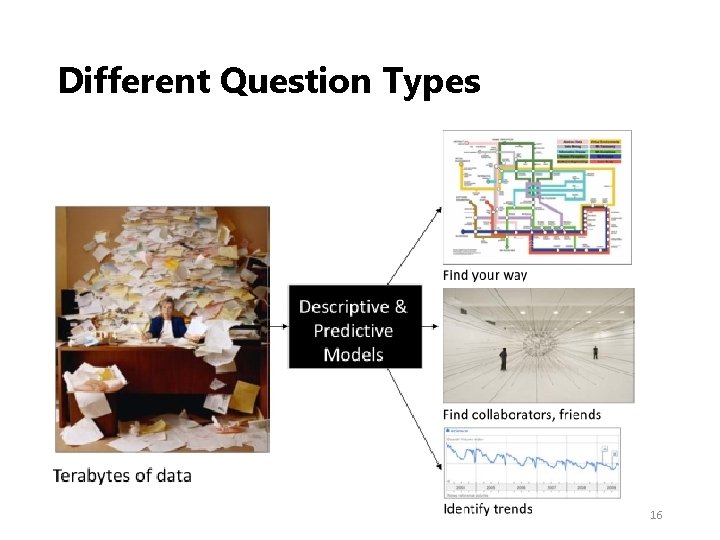
Different Question Types 16
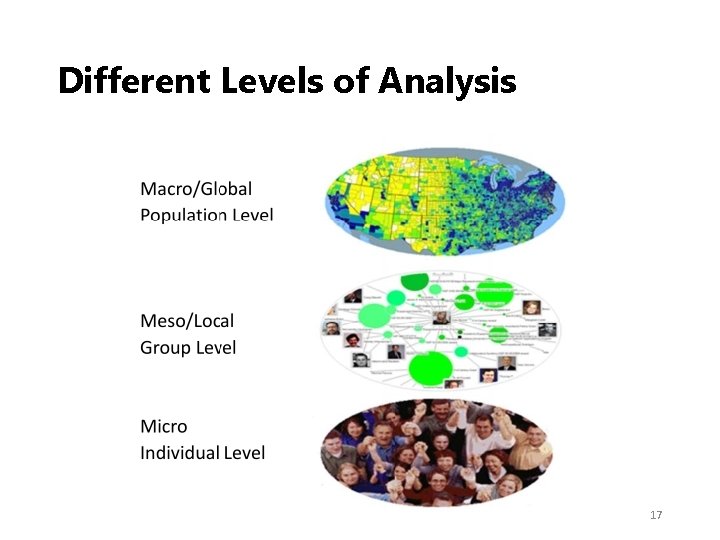
Different Levels of Analysis 17
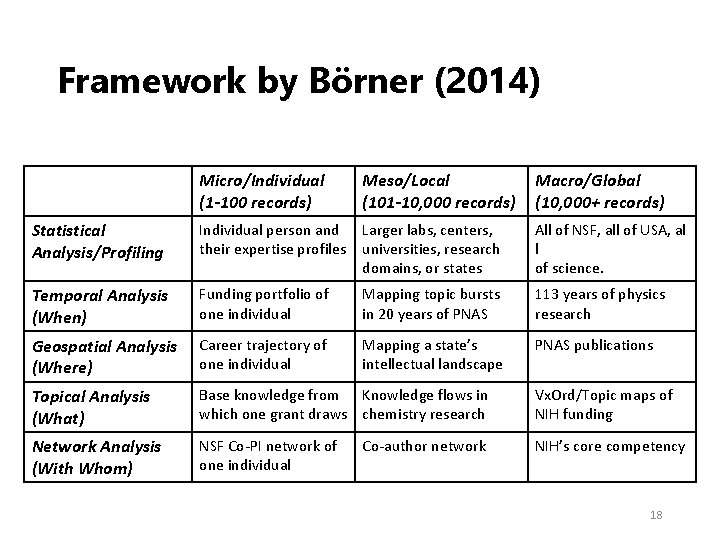
Framework by Börner (2014) Micro/Individual (1 -100 records) Meso/Local (101 -10, 000 records) Macro/Global (10, 000+ records) Statistical Analysis/Profiling Individual person and Larger labs, centers, their expertise profiles universities, research domains, or states All of NSF, all of USA, al l of science. Temporal Analysis (When) Funding portfolio of one individual Mapping topic bursts in 20 years of PNAS 113 years of physics research Geospatial Analysis (Where) Career trajectory of one individual Mapping a state’s intellectual landscape PNAS publications Topical Analysis (What) Base knowledge from Knowledge flows in which one grant draws chemistry research Vx. Ord/Topic maps of NIH funding Network Analysis (With Whom) NSF Co‐PI network of one individual NIH’s core competency Co‐author network 18
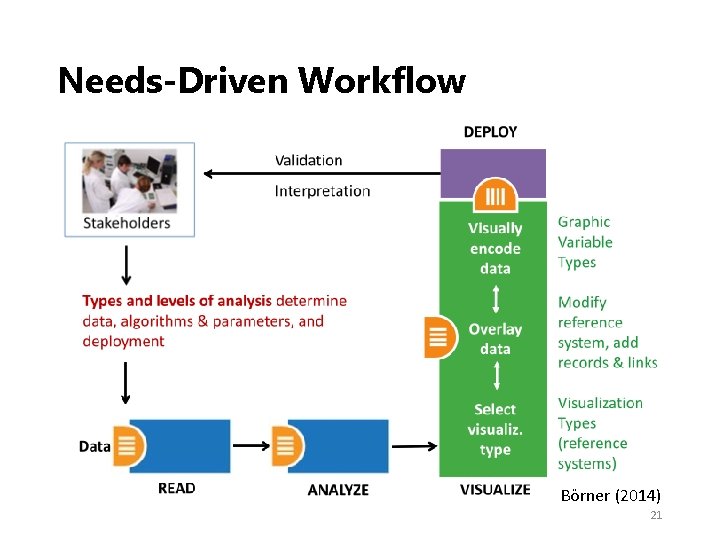
A Visualization Workflow A needs‐driven workflow • How to select visualization types? • How to visually encode data? • How to visualize dynamically? – Animation and Interaction Some principles for designing good visualizations. 19
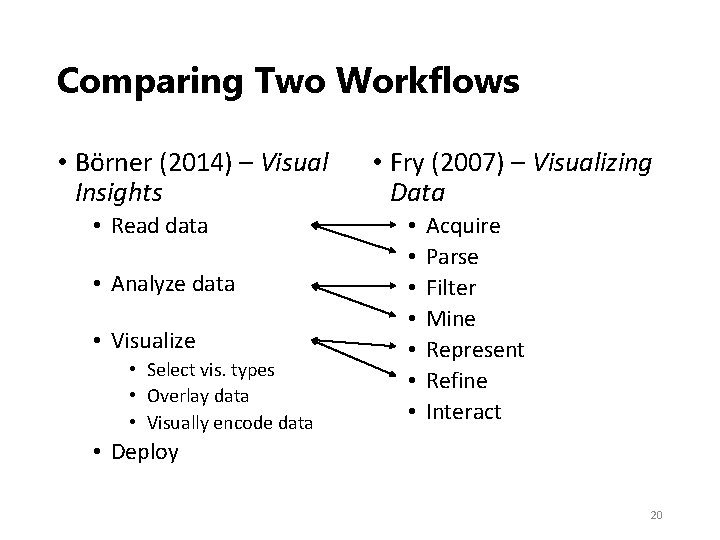
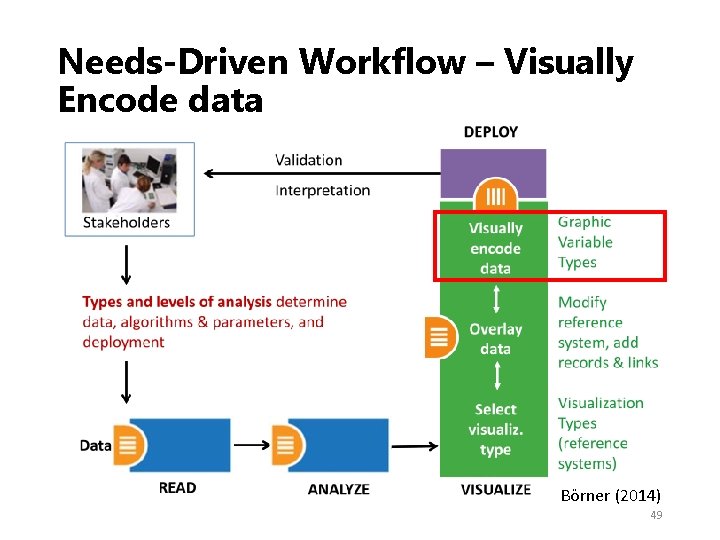
Comparing Two Workflows • Börner (2014) – Visual Insights • Read data • Analyze data • Visualize • Select vis. types • Overlay data • Visually encode data • Fry (2007) – Visualizing Data • • Acquire Parse Filter Mine Represent Refine Interact • Deploy 20
Needs‐Driven Workflow Börner (2014) 21
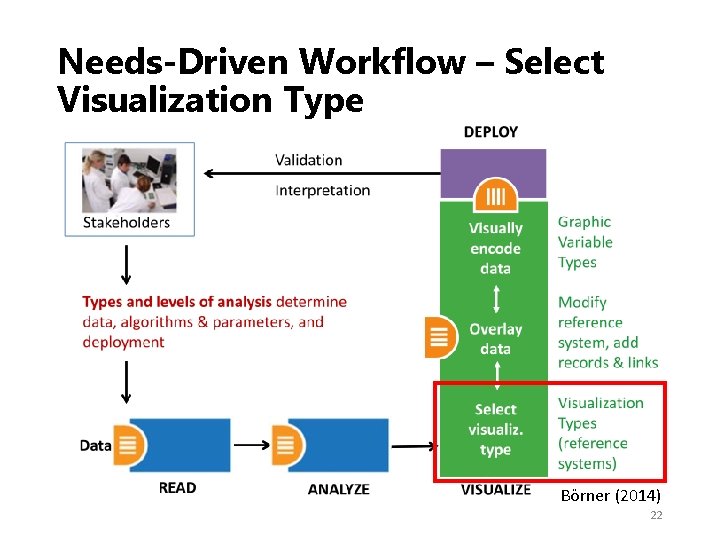
Needs‐Driven Workflow – Select Visualization Type Börner (2014) 22
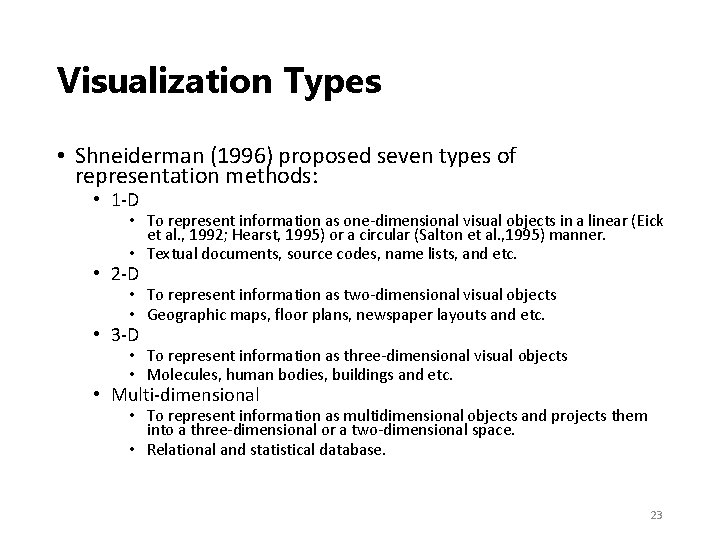
Visualization Types • Shneiderman (1996) proposed seven types of representation methods: • 1‐D • To represent information as one‐dimensional visual objects in a linear (Eick et al. , 1992; Hearst, 1995) or a circular (Salton et al. , 1995) manner. • Textual documents, source codes, name lists, and etc. • 2‐D • To represent information as two‐dimensional visual objects • Geographic maps, floor plans, newspaper layouts and etc. • 3‐D • To represent information as three‐dimensional visual objects • Molecules, human bodies, buildings and etc. • Multi‐dimensional • To represent information as multidimensional objects and projects them into a three‐dimensional or a two‐dimensional space. • Relational and statistical database. 23
Visualization Types • Shneiderman (1996) proposed seven types of representation methods (cont’d): • Temporal • To represent information based on temporal order • Medical records, project management, historical presentations and etc. • Tree • To represent hierarchical relationship • Network • To represent complex relationships that a simple tree structure cannot capture 24
Visualization Types • Börner (2014) emphasized five major types: • Charts • No reference system—e. g. , Wordle. com, pie charts • Tables • Categorical axes that can be selected, reordered; cells can be color coded and might contain proportional symbols. Special kind of graph. • Graphs • Quantitative or qualitative (categorical) axes. Timelines, bar graphs, scatter plots. • Geospatial maps • Use latitude and longitude reference system. World or city maps. • Network graphs • Node position might depends on node attributes or node similarity. • Tree graphs: hierarchies, taxonomies, genealogies. • Networks: social networks, migration flows. 25
Visualization Type Selection: Temporal • Temporal data analysis and visualization answer “WHEN” question and can help to • Understand the temporal distribution of datasets • Identify growth rates, latency to peak times, or decay rates • See patterns in time‐series data, such as trends, seasonality, or bursts. 26
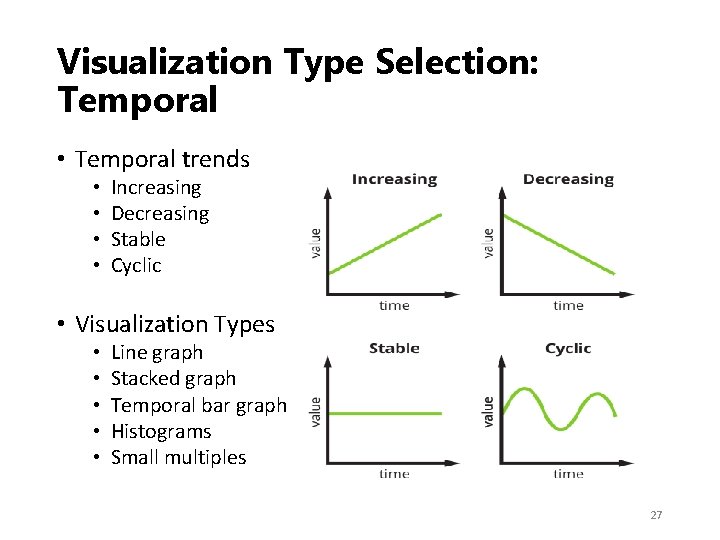
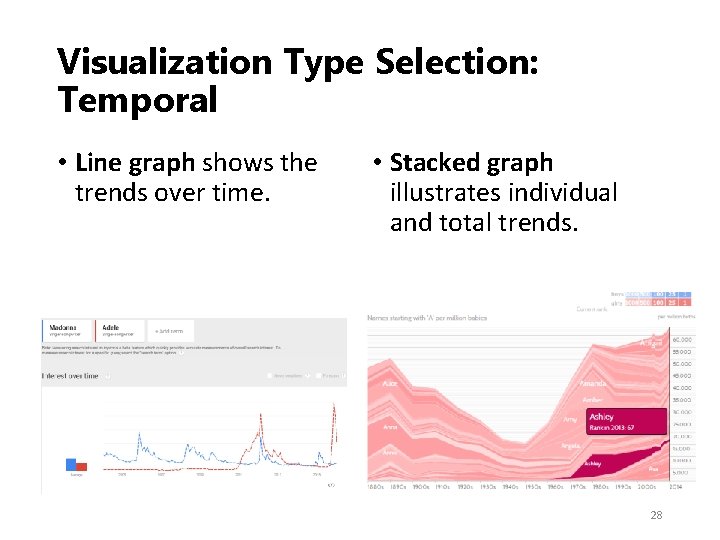
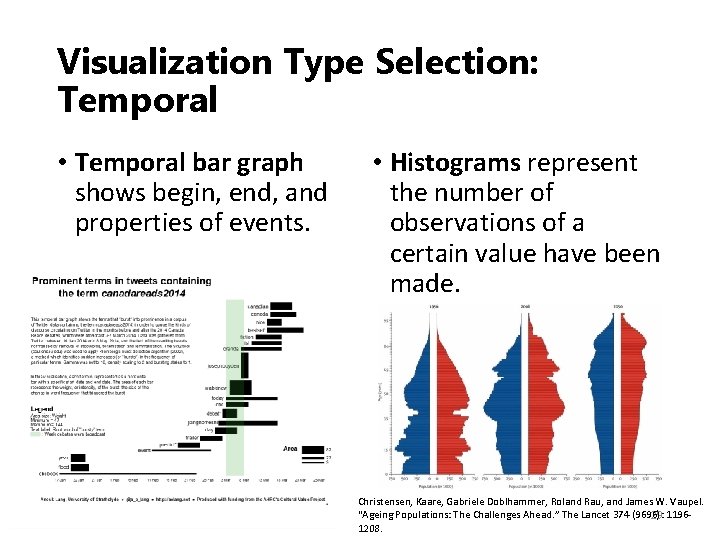
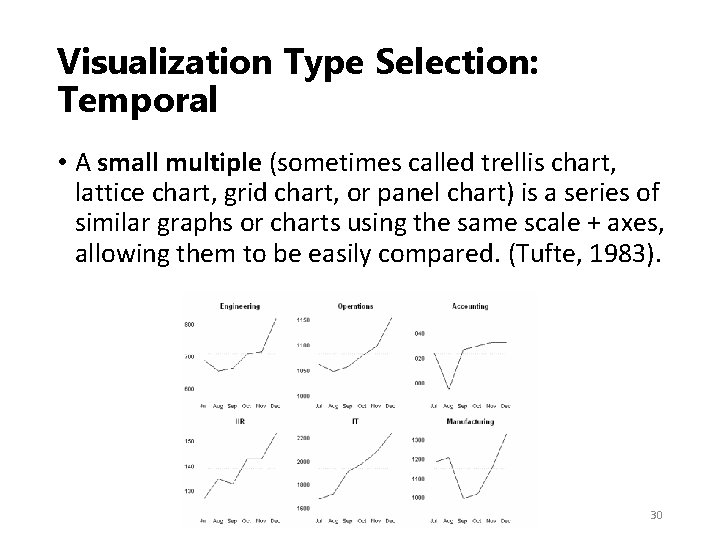
Visualization Type Selection: Temporal • Temporal trends • • Increasing Decreasing Stable Cyclic • Visualization Types • • • Line graph Stacked graph Temporal bar graph Histograms Small multiples 27
Visualization Type Selection: Temporal • Line graph shows the trends over time. • Stacked graph illustrates individual and total trends. 28
Visualization Type Selection: Temporal • Temporal bar graph shows begin, end, and properties of events. • Histograms represent the number of observations of a certain value have been made. Christensen, Kaare, Gabriele Doblhammer, Roland Rau, and James W. Vaupel. “Ageing Populations: The Challenges Ahead. ” The Lancet 374 (9696): 1196‐ 29 1208.
Visualization Type Selection: Temporal • A small multiple (sometimes called trellis chart, lattice chart, grid chart, or panel chart) is a series of similar graphs or charts using the same scale + axes, allowing them to be easily compared. (Tufte, 1983). 30
Visualization Type Selection: Geospatial • Geospatial data analysis and visualization originated in geography and cartography, but are increasingly common in statistics, information visualization, and many other areas of science. • The analyses aim to answer “WHERE” questions that use location information to identify their position or movement over geographic space. 31
Visualization Type Selection: Geospatial • General Map Types • General reference maps • Topographic maps • Thematic maps: Emphasize the spatial distribution of one or more geographic variables • Physio‐geographical: • Maps showing the natural features of the earth's surface. • Socio‐economic: • Maps showing political boundaries, population density, or voting behavior. • Technical • Maps showing navigation routes. 32
Visualization Type Selection: Geospatial • Different map types • • • Proportional symbol map Choropleth map Heat (isopleth) map Cartograms Flow maps Space‐time cubes 33
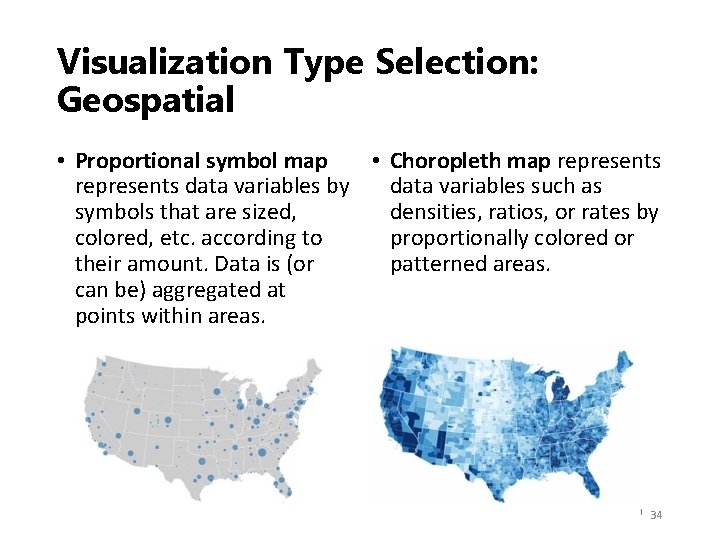
Visualization Type Selection: Geospatial • Proportional symbol map • Choropleth map represents data variables by data variables such as symbols that are sized, densities, ratios, or rates by colored, etc. according to proportionally colored or their amount. Data is (or patterned areas. can be) aggregated at points within areas. 34
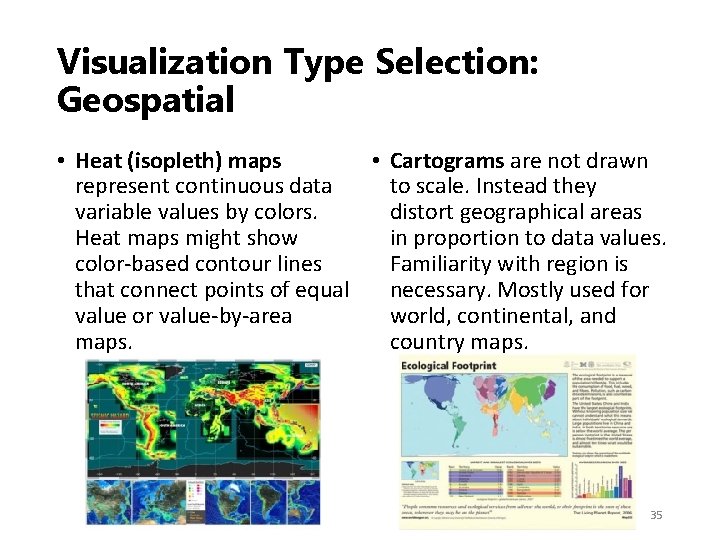
Visualization Type Selection: Geospatial • Heat (isopleth) maps • Cartograms are not drawn represent continuous data to scale. Instead they variable values by colors. distort geographical areas Heat maps might show in proportion to data values. color‐based contour lines Familiarity with region is that connect points of equal necessary. Mostly used for value‐by‐area world, continental, and maps. country maps. 35
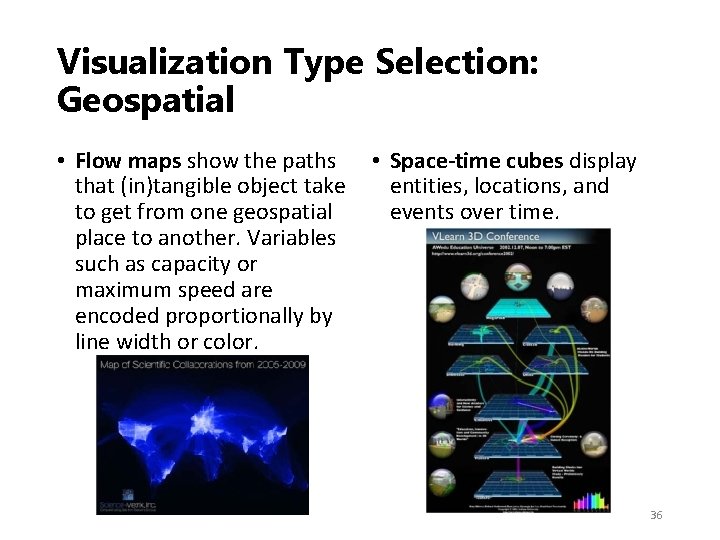
Visualization Type Selection: Geospatial • Flow maps show the paths • Space-time cubes display that (in)tangible object take entities, locations, and to get from one geospatial events over time. place to another. Variables such as capacity or maximum speed are encoded proportionally by line width or color. 36
Visualization Type Selection: Topical • To answer “WHAT” question, we will be using texts to identify major topics, their interrelations, and their evolution over time at different levels of analysis – micro to macro. • To generate visualization from text, text processing or natural language processing is needed to generate qualitative or quantitative features of the text. 37
Visualization Type Selection: Topical • Most of the time, we would not just analyze one piece of text, but we would analyze an entire text corpus instead. • Bag of Words and N-gram are techniques we will likely encounter in the area. • Other text mining techniques such as text classification, sentiment analysis, topic modeling, entity extraction were reviewed by Xiao. • https: //ai. arizona. edu/class‐resources‐page • Text Mining: Techniques, Tools, Ontologies and Shared Tasks, by Xiao Liu 38
Visualization Type Selection: Topical • Representations of Topical Data • • • Charts: Word cloud, text overlay Tables: GRIDL, Periodic table Graphs: circular visualization, crossmaps Geospatial maps: SOM maps Network graphs: Tree visualizations, word co‐ occurrence networks, concept maps, science map overlays 39
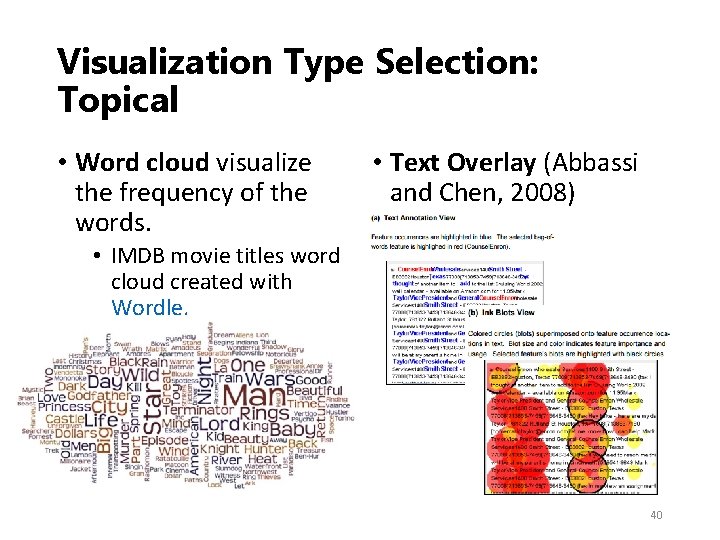
Visualization Type Selection: Topical • Word cloud visualize the frequency of the words. • Text Overlay (Abbassi and Chen, 2008) • IMDB movie titles word cloud created with Wordle. 40
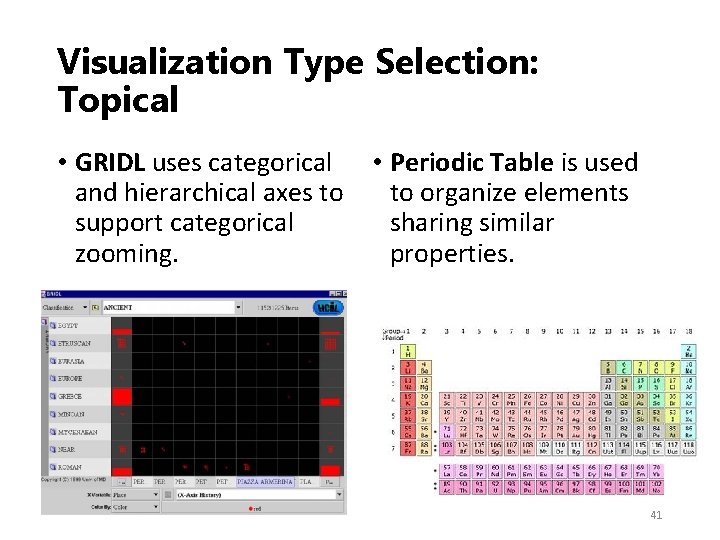
Visualization Type Selection: Topical • GRIDL uses categorical • Periodic Table is used and hierarchical axes to to organize elements support categorical sharing similar zooming. properties. 41
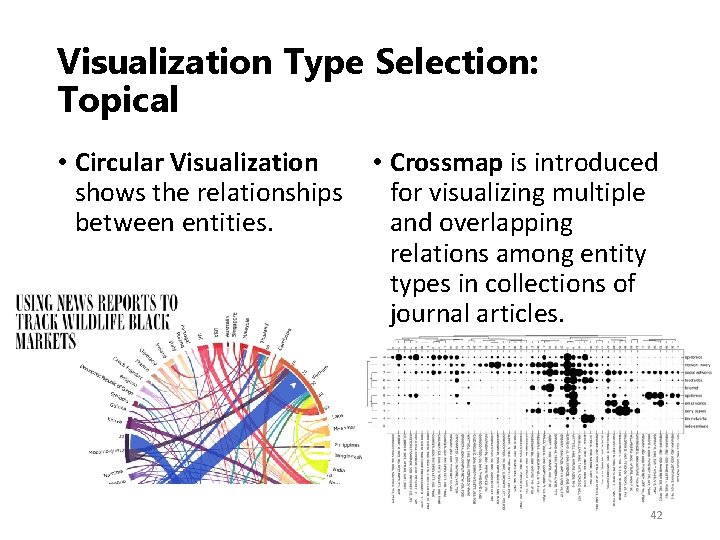
Visualization Type Selection: Topical • Circular Visualization • Crossmap is introduced shows the relationships for visualizing multiple between entities. and overlapping relations among entity types in collections of journal articles. 42
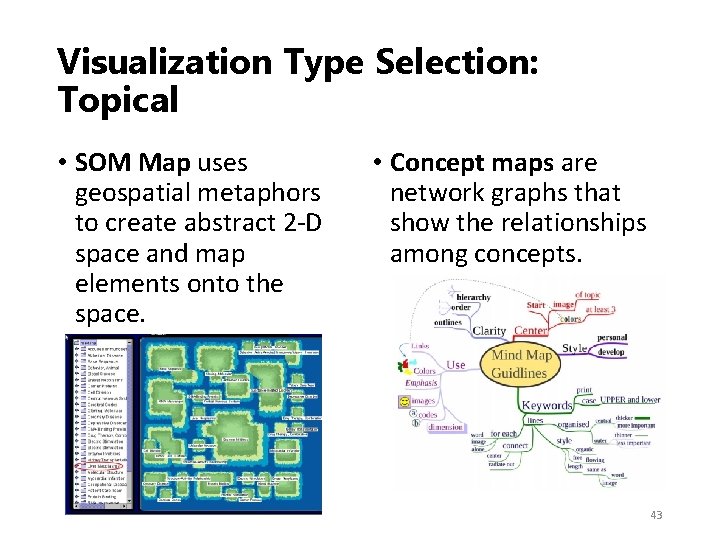
Visualization Type Selection: Topical • SOM Map uses geospatial metaphors to create abstract 2‐D space and map elements onto the space. • Concept maps are network graphs that show the relationships among concepts. 43
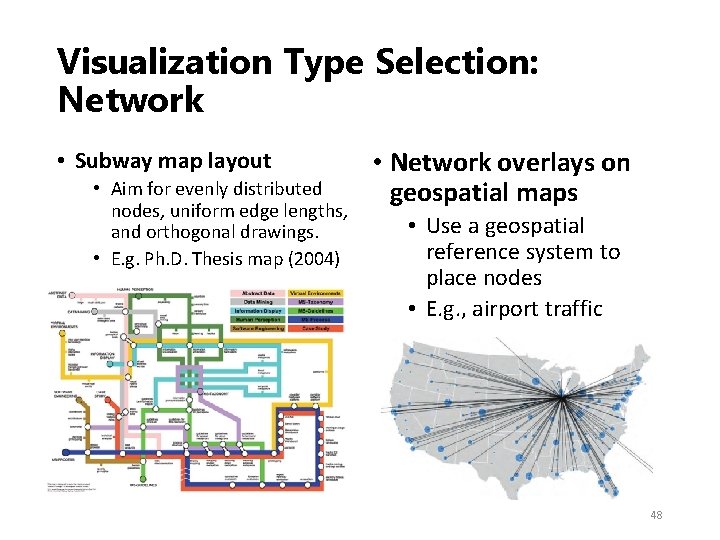
Visualization Type Selection: Network • The “WITH WHOM” question can be answered by tree and network visualization. • Tree visualization utilizes structural, hierarchical data. • Radial Tree Map • Treemap • Network visualization can deal with more complex relationships between nodes. • • • Random layout Circular layout Force directed layout Bipartite layout Subway map layout Network overlays on geospatial maps 44
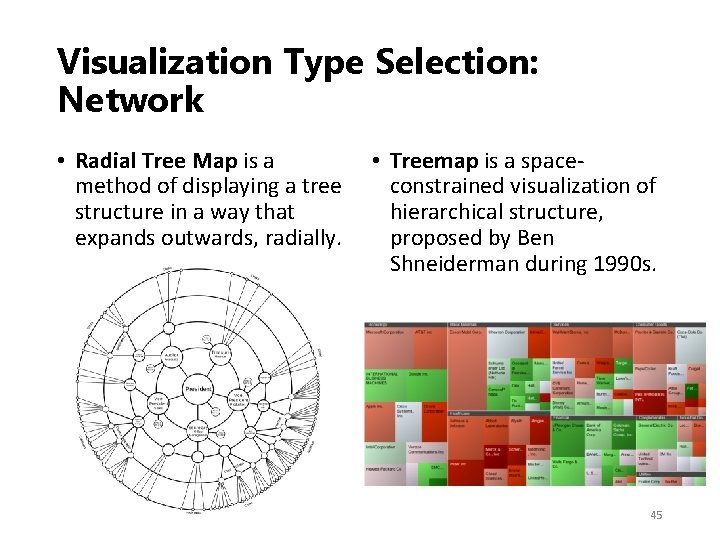
Visualization Type Selection: Network • Radial Tree Map is a • Treemap is a space‐ method of displaying a tree constrained visualization of structure in a way that hierarchical structure, expands outwards, radially. proposed by Ben Shneiderman during 1990 s. 45
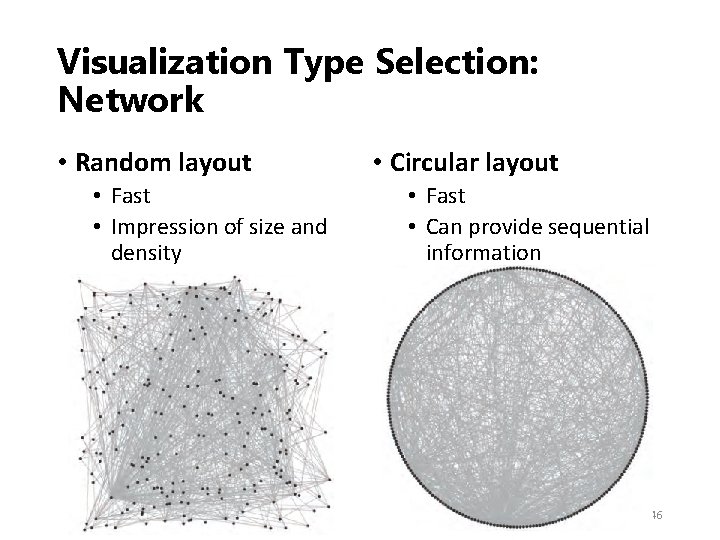
Visualization Type Selection: Network • Random layout • Fast • Impression of size and density • Circular layout • Fast • Can provide sequential information 46
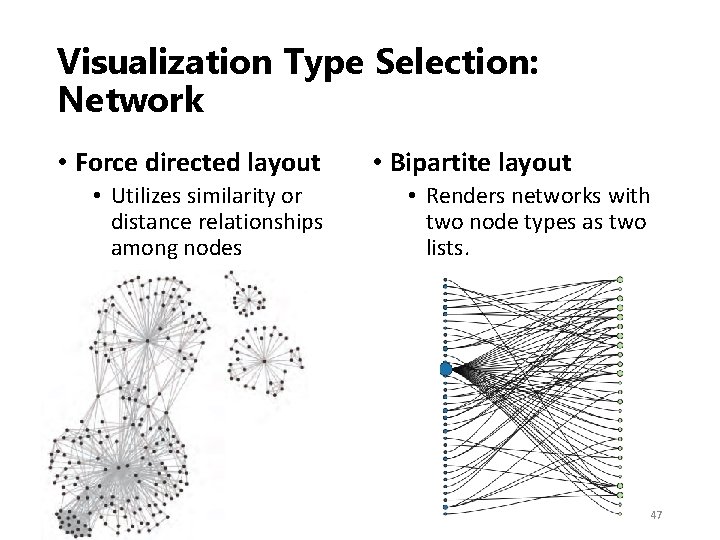
Visualization Type Selection: Network • Force directed layout • Utilizes similarity or distance relationships among nodes • Bipartite layout • Renders networks with two node types as two lists. 47
Visualization Type Selection: Network • Subway map layout • Aim for evenly distributed nodes, uniform edge lengths, and orthogonal drawings. • E. g. Ph. D. Thesis map (2004) • Network overlays on geospatial maps • Use a geospatial reference system to place nodes • E. g. , airport traffic 48
Needs‐Driven Workflow – Visually Encode data Börner (2014) 49
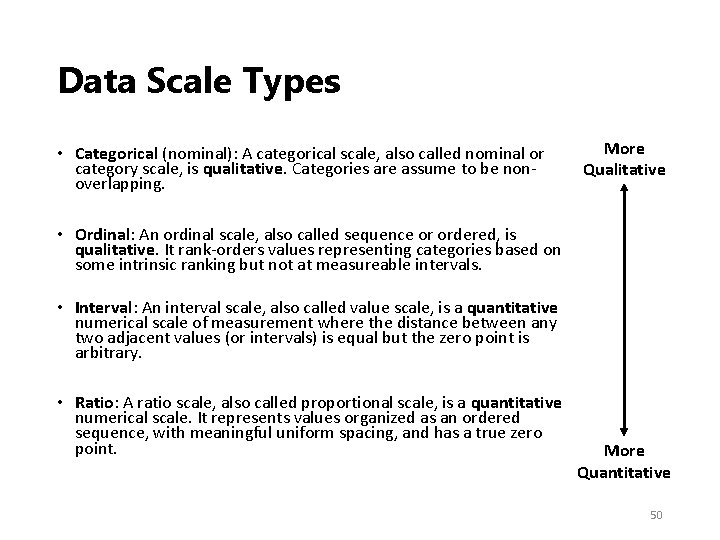
Data Scale Types • Categorical (nominal): A categorical scale, also called nominal or category scale, is qualitative. Categories are assume to be non‐ overlapping. More Qualitative • Ordinal: An ordinal scale, also called sequence or ordered, is qualitative. It rank‐orders values representing categories based on some intrinsic ranking but not at measureable intervals. • Interval: An interval scale, also called value scale, is a quantitative numerical scale of measurement where the distance between any two adjacent values (or intervals) is equal but the zero point is arbitrary. • Ratio: A ratio scale, also called proportional scale, is a quantitative numerical scale. It represents values organized as an ordered sequence, with meaningful uniform spacing, and has a true zero point. More Quantitative 50
Data Scale Types – Example • Categorical (nominal): Words or numbers constituting the names and descriptions of people, places, things, or events. • Ordinal: Days of the week, degree of satisfaction and preference rating scores (e. g. , Likert scale), or rankings such as low, medium, high. • Interval: Temperature in degrees or time in hours. Spatial variables such as latitude and longitude are interval. • Ratio: Physical measures such as weight, height, (reaction) time, or intensity of light; number of published papers, co‐ authors, citations. 51
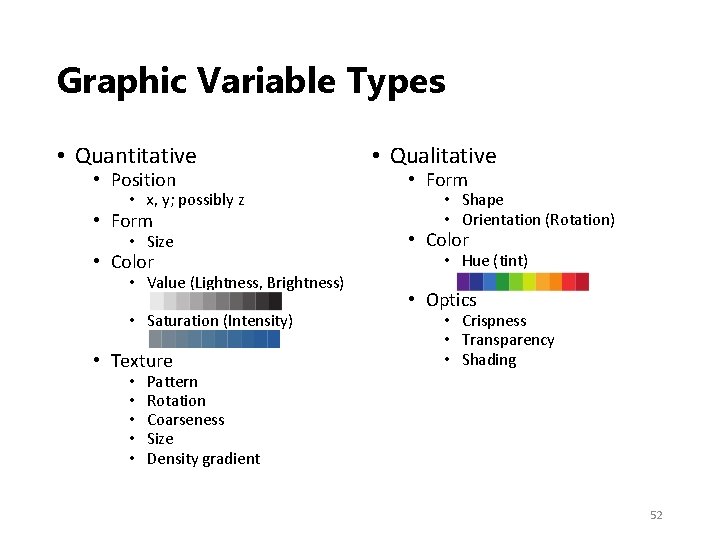
Graphic Variable Types • Quantitative • Position • x, y; possibly z • Form • Size • Color • Value (Lightness, Brightness) • Saturation (Intensity) • Texture • • • Qualitative • Form • Shape • Orientation (Rotation) • Color • Hue (tint) • Optics • Crispness • Transparency • Shading Pattern Rotation Coarseness Size Density gradient 52
Dynamic Visualization • Previous sections demonstrates the workflow to create a static visualization. • In order to present more information and make visualization dynamic, we can show multiple static images side by side or as an animation. • Another way to make dynamic visualization is to introduce interaction into the design process. 53
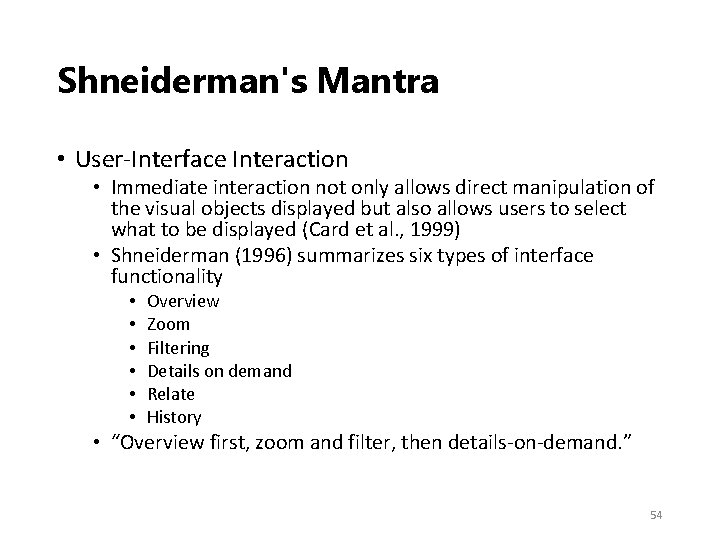
Shneiderman's Mantra • User‐Interface Interaction • Immediate interaction not only allows direct manipulation of the visual objects displayed but also allows users to select what to be displayed (Card et al. , 1999) • Shneiderman (1996) summarizes six types of interface functionality • • • Overview Zoom Filtering Details on demand Relate History • “Overview first, zoom and filter, then details‐on‐demand. ” 54
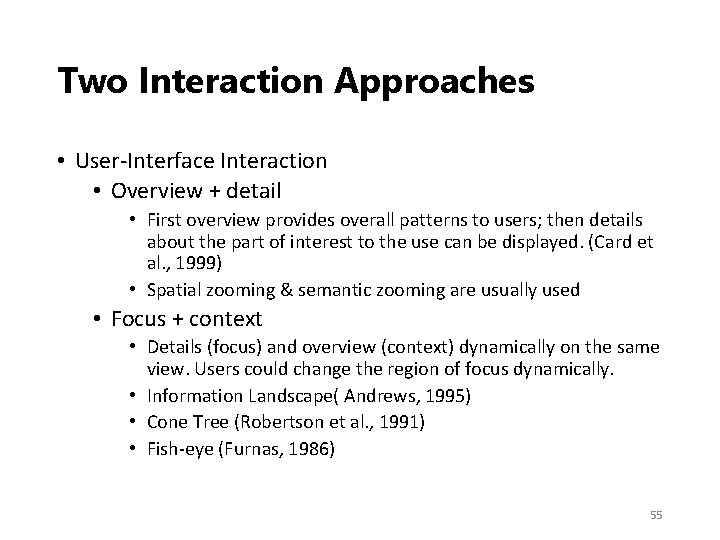
Two Interaction Approaches • User‐Interface Interaction • Overview + detail • First overview provides overall patterns to users; then details about the part of interest to the use can be displayed. (Card et al. , 1999) • Spatial zooming & semantic zooming are usually used • Focus + context • Details (focus) and overview (context) dynamically on the same view. Users could change the region of focus dynamically. • Information Landscape( Andrews, 1995) • Cone Tree (Robertson et al. , 1991) • Fish‐eye (Furnas, 1986) 55
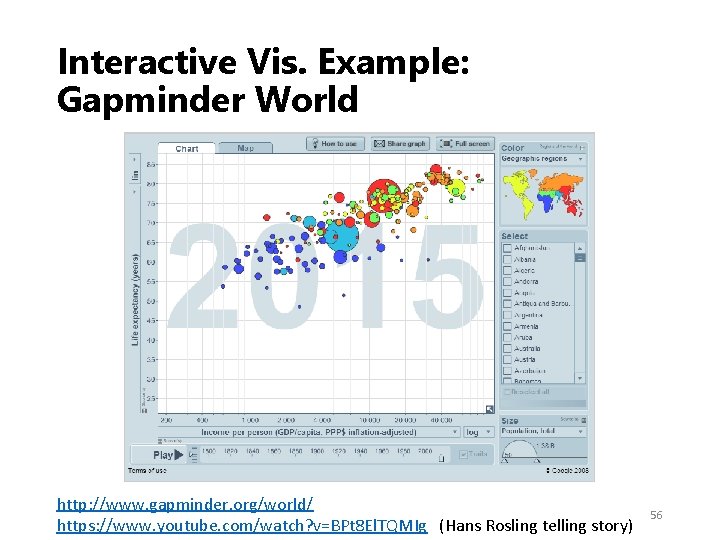
Interactive Vis. Example: Gapminder World http: //www. gapminder. org/world/ https: //www. youtube. com/watch? v=BPt 8 El. TQMIg (Hans Rosling telling story) 56
Design Principles • Following design principles can help increasing the quality of visualizations in multiple ways. • Effective information presentation • Avoiding distraction and confusion, reducing cognitive load • Adding aesthetic value • Some selected principles • • • Beauty of Visualization Data‐Ink Ratio Data Density Color Heuristics Fitts’s Law 57
Beauty of Visualization • In Beautiful Visualization (2010), four criteria were raised to define the beauty of Visualization: • Informative • Successfully convey information • Efficient • Simple, focused, clear and straightforward • Aesthetic • Use axes, layout, shape, colors, lines, and typography appropriately • Novel • Be creative and attract readers with new design 58
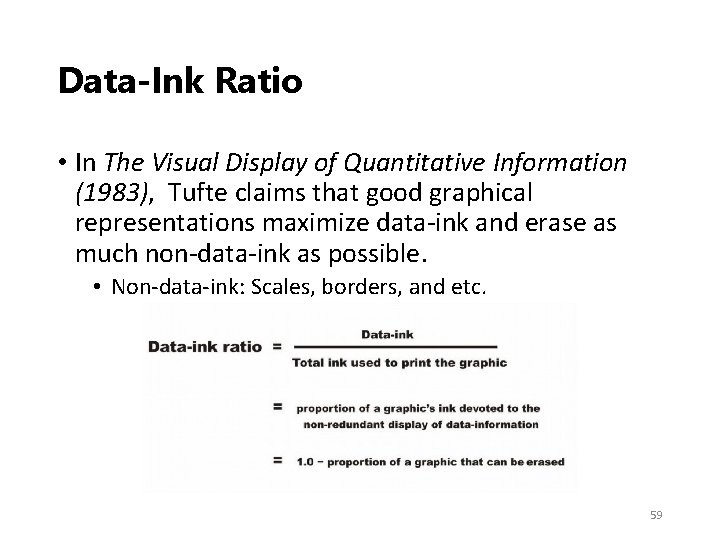
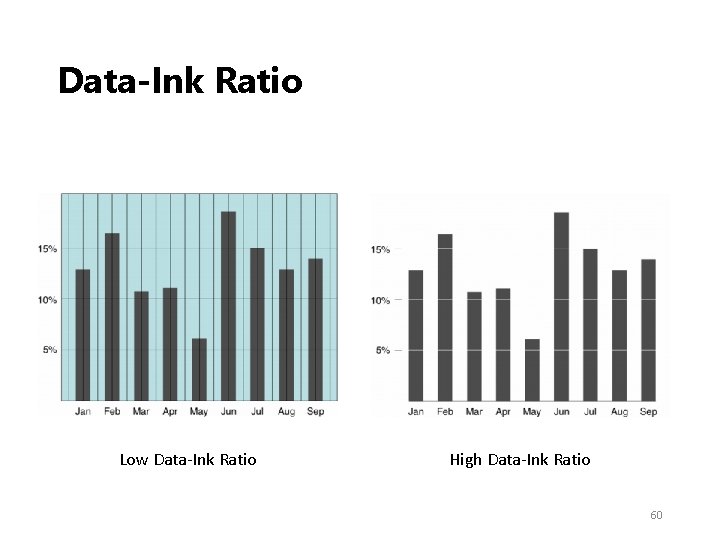
Data‐Ink Ratio • In The Visual Display of Quantitative Information (1983), Tufte claims that good graphical representations maximize data‐ink and erase as much non‐data‐ink as possible. • Non‐data‐ink: Scales, borders, and etc. 59
Data‐Ink Ratio Low Data‐Ink Ratio High Data‐Ink Ratio 60
Data Density • The data density of a graph is the proportion of the total size of the graph that is dedicated to displaying data. (Tufte, 1983) • Similar to Data‐Ink Ratio, Tufte prefers visualizations with high Data Density. • He claims that most graphs can be shrunk way down without losing legibility or information. 61
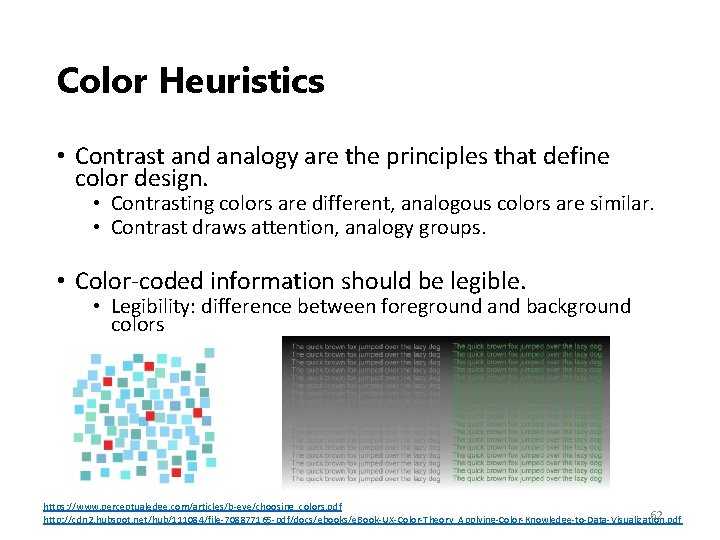
Color Heuristics • Contrast and analogy are the principles that define color design. • Contrasting colors are different, analogous colors are similar. • Contrast draws attention, analogy groups. • Color‐coded information should be legible. • Legibility: difference between foreground and background colors https: //www. perceptualedge. com/articles/b‐eye/choosing_colors. pdf 62 http: //cdn 2. hubspot. net/hub/111084/file‐ 708877165‐pdf/docs/ebooks/e. Book‐UX‐Color‐Theory_Applying‐Color‐Knowledge‐to‐Data‐Visualization. pdf
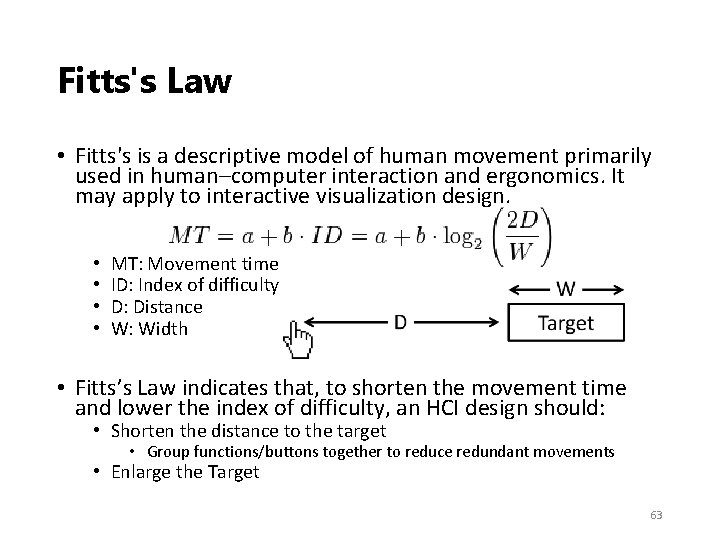
Fitts's Law • Fitts's is a descriptive model of human movement primarily used in human–computer interaction and ergonomics. It may apply to interactive visualization design. • • MT: Movement time ID: Index of difficulty D: Distance W: Width • Fitts’s Law indicates that, to shorten the movement time and lower the index of difficulty, an HCI design should: • Shorten the distance to the target • Group functions/buttons together to reduce redundant movements • Enlarge the Target 63
Zipdecode: Workflow Illustration • This is a simple example illustrating the visualization workflow: • • • Read data Analyze data Select visualization type Data overlay Visually encode data Deploy (Interactive design) 64
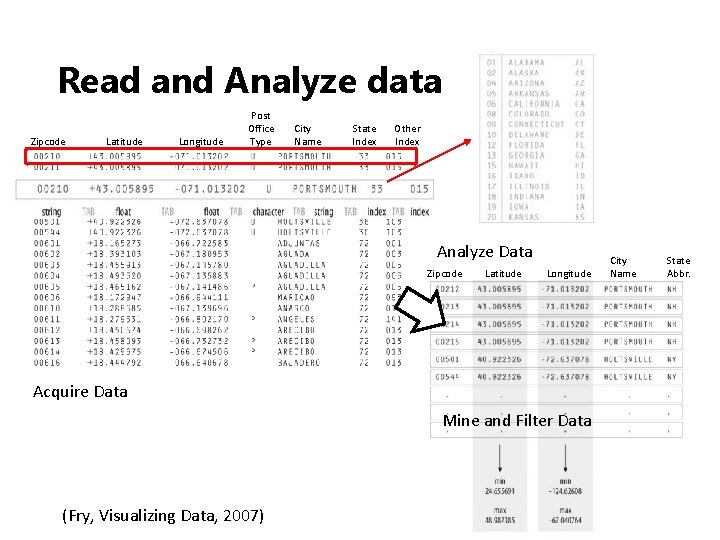
Read and Analyze data Zipcode Latitude Longitude Post Office Type City Name State Index Other Index Analyze Data Zipcode Latitude Longitude City Name State Abbr. Acquire Data Mine and Filter Data (Fry, Visualizing Data, 2007) 65
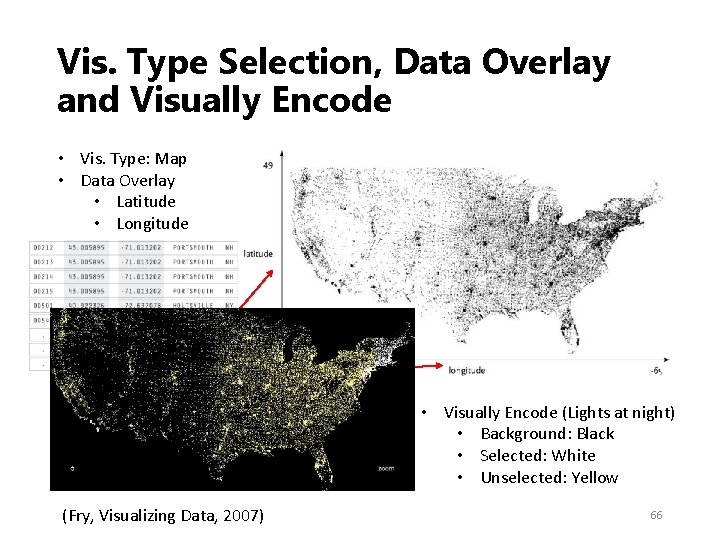
Vis. Type Selection, Data Overlay and Visually Encode • Vis. Type: Map • Data Overlay • Latitude • Longitude • Visually Encode (Lights at night) • Background: Black • Selected: White • Unselected: Yellow (Fry, Visualizing Data, 2007) 66
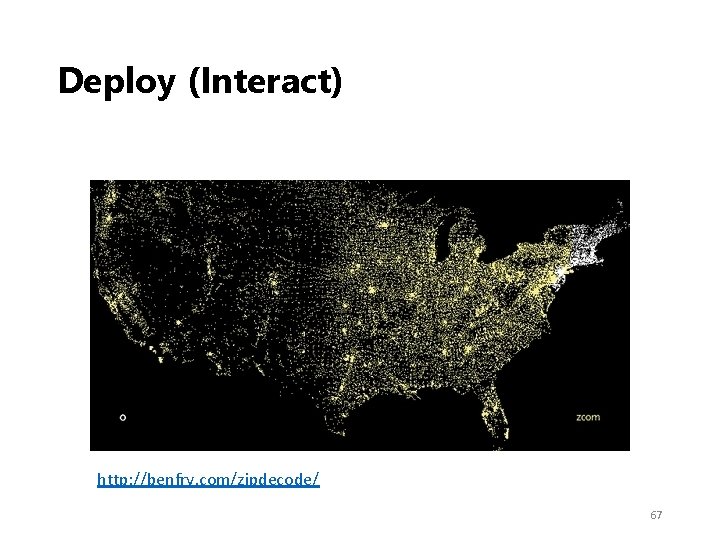
Deploy (Interact) http: //benfry. com/zipdecode/ 67
Evaluation Research 68
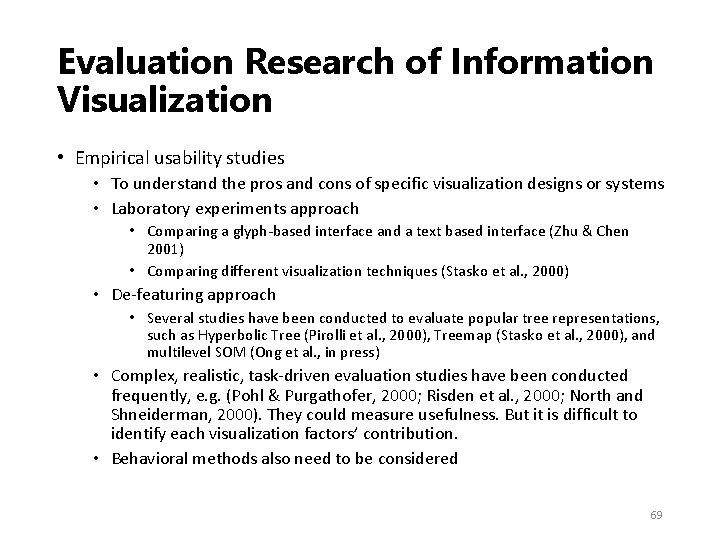
Evaluation Research of Information Visualization • Empirical usability studies • To understand the pros and cons of specific visualization designs or systems • Laboratory experiments approach • Comparing a glyph‐based interface and a text based interface (Zhu & Chen 2001) • Comparing different visualization techniques (Stasko et al. , 2000) • De‐featuring approach • Several studies have been conducted to evaluate popular tree representations, such as Hyperbolic Tree (Pirolli et al. , 2000), Treemap (Stasko et al. , 2000), and multilevel SOM (Ong et al. , in press) • Complex, realistic, task‐driven evaluation studies have been conducted frequently, e. g. (Pohl & Purgathofer, 2000; Risden et al. , 2000; North and Shneiderman, 2000). They could measure usefulness. But it is difficult to identify each visualization factors’ contribution. • Behavioral methods also need to be considered 69
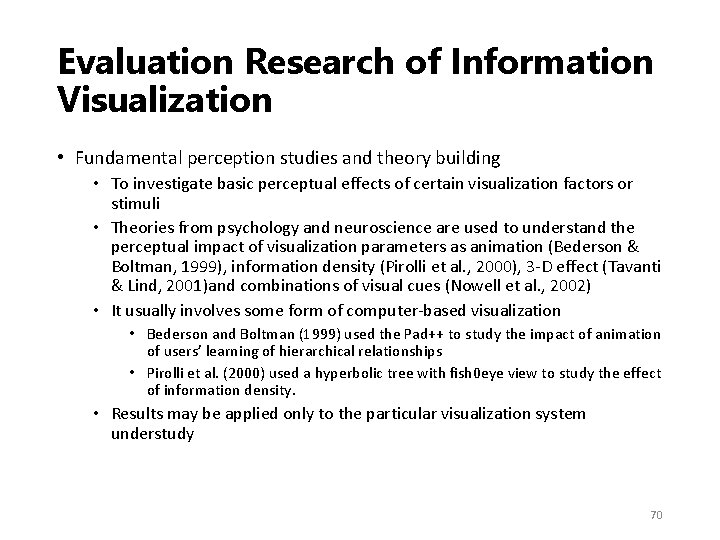
Evaluation Research of Information Visualization • Fundamental perception studies and theory building • To investigate basic perceptual effects of certain visualization factors or stimuli • Theories from psychology and neuroscience are used to understand the perceptual impact of visualization parameters as animation (Bederson & Boltman, 1999), information density (Pirolli et al. , 2000), 3‐D effect (Tavanti & Lind, 2001)and combinations of visual cues (Nowell et al. , 2002) • It usually involves some form of computer‐based visualization • Bederson and Boltman (1999) used the Pad++ to study the impact of animation of users’ learning of hierarchical relationships • Pirolli et al. (2000) used a hyperbolic tree with fish 0 eye view to study the effect of information density. • Results may be applied only to the particular visualization system understudy 70
Tools Overview 71
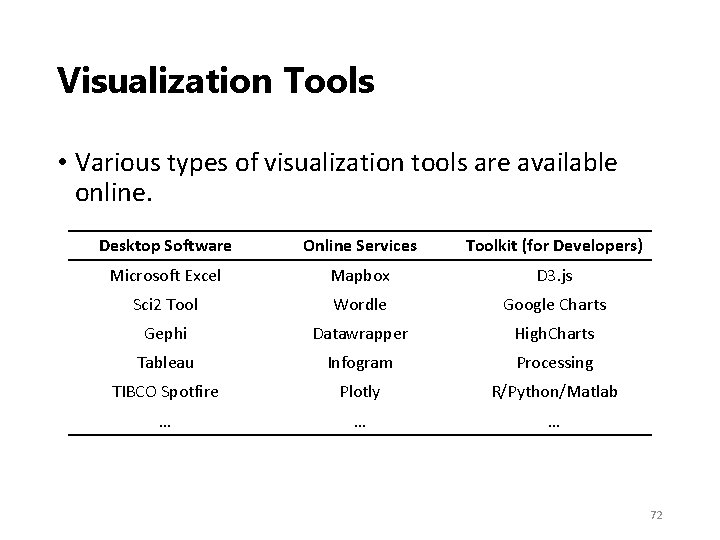
Visualization Tools • Various types of visualization tools are available online. Desktop Software Online Services Toolkit (for Developers) Microsoft Excel Mapbox D 3. js Sci 2 Tool Wordle Google Charts Gephi Datawrapper High. Charts Tableau Infogram Processing TIBCO Spotfire Plotly R/Python/Matlab … … … 72
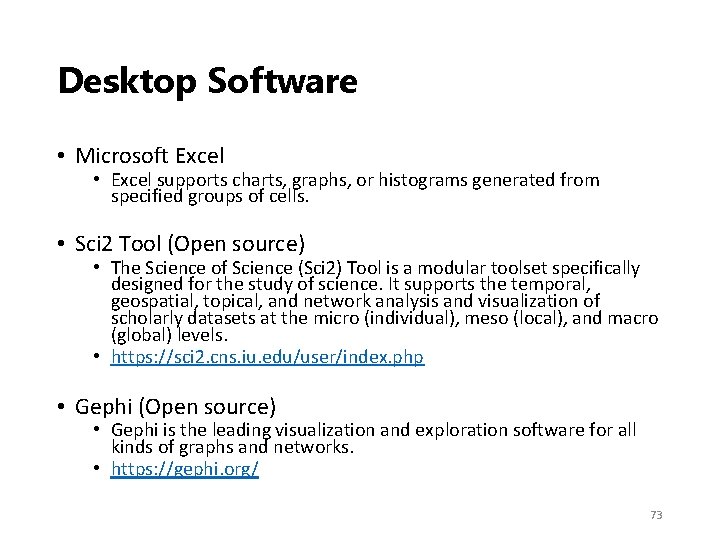
Desktop Software • Microsoft Excel • Excel supports charts, graphs, or histograms generated from specified groups of cells. • Sci 2 Tool (Open source) • The Science of Science (Sci 2) Tool is a modular toolset specifically designed for the study of science. It supports the temporal, geospatial, topical, and network analysis and visualization of scholarly datasets at the micro (individual), meso (local), and macro (global) levels. • https: //sci 2. cns. iu. edu/user/index. php • Gephi (Open source) • Gephi is the leading visualization and exploration software for all kinds of graphs and networks. • https: //gephi. org/ 73
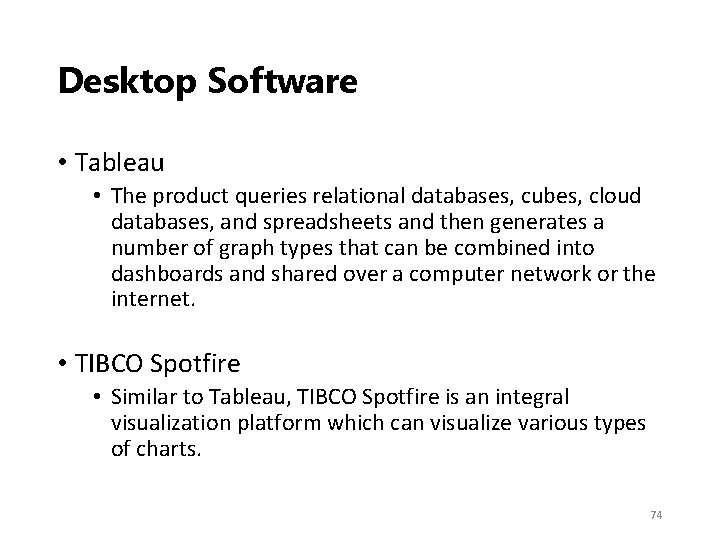
Desktop Software • Tableau • The product queries relational databases, cubes, cloud databases, and spreadsheets and then generates a number of graph types that can be combined into dashboards and shared over a computer network or the internet. • TIBCO Spotfire • Similar to Tableau, TIBCO Spotfire is an integral visualization platform which can visualize various types of charts. 74
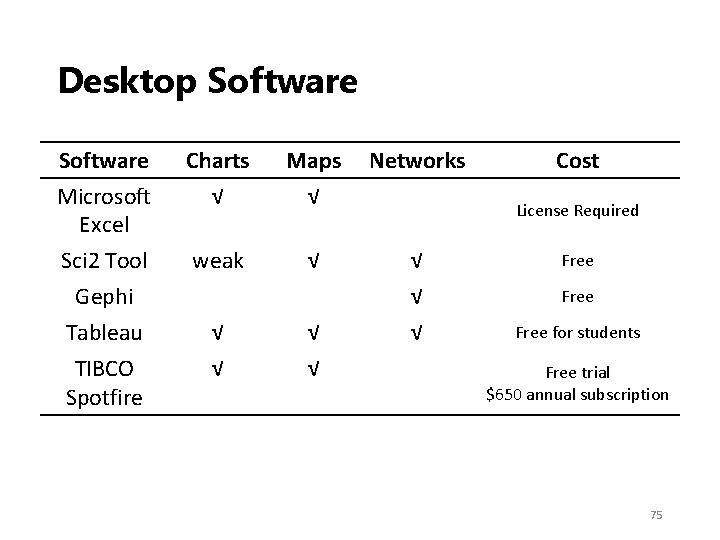
Desktop Software Microsoft Excel Charts √ Maps √ Networks Sci 2 Tool weak √ √ Free Gephi Tableau TIBCO Spotfire √ √ Cost License Required Free for students Free trial $650 annual subscription 75
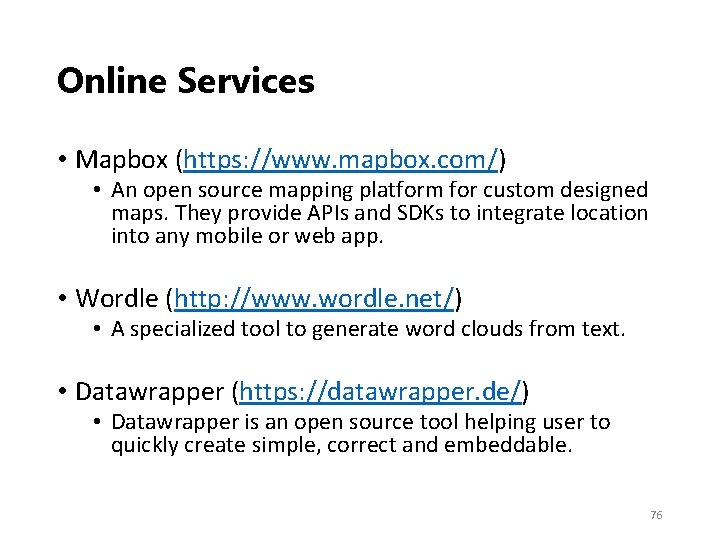
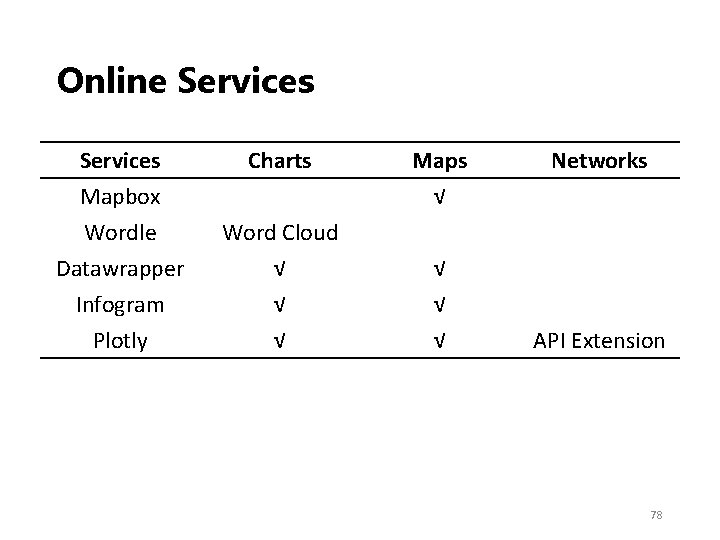
Online Services • Mapbox (https: //www. mapbox. com/) • An open source mapping platform for custom designed maps. They provide APIs and SDKs to integrate location into any mobile or web app. • Wordle (http: //www. wordle. net/) • A specialized tool to generate word clouds from text. • Datawrapper (https: //datawrapper. de/) • Datawrapper is an open source tool helping user to quickly create simple, correct and embeddable. 76
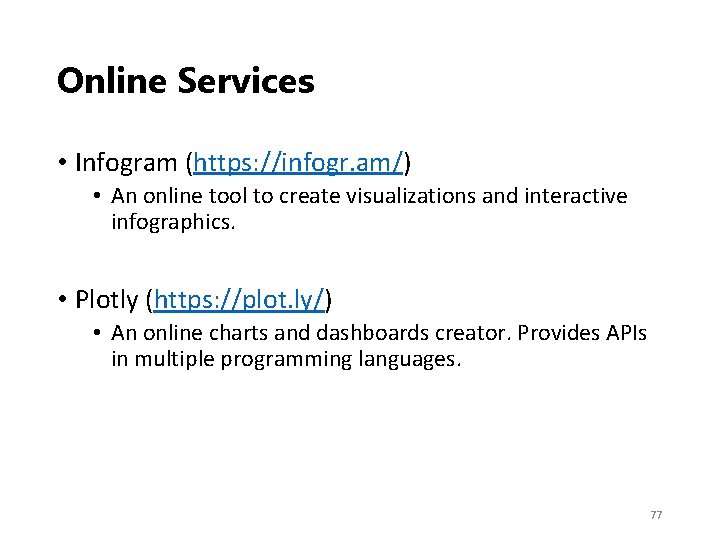
Online Services • Infogram (https: //infogr. am/) • An online tool to create visualizations and interactive infographics. • Plotly (https: //plot. ly/) • An online charts and dashboards creator. Provides APIs in multiple programming languages. 77
Online Services Mapbox Wordle Datawrapper Infogram Plotly Charts Word Cloud √ √ √ Maps √ √ Networks API Extension 78
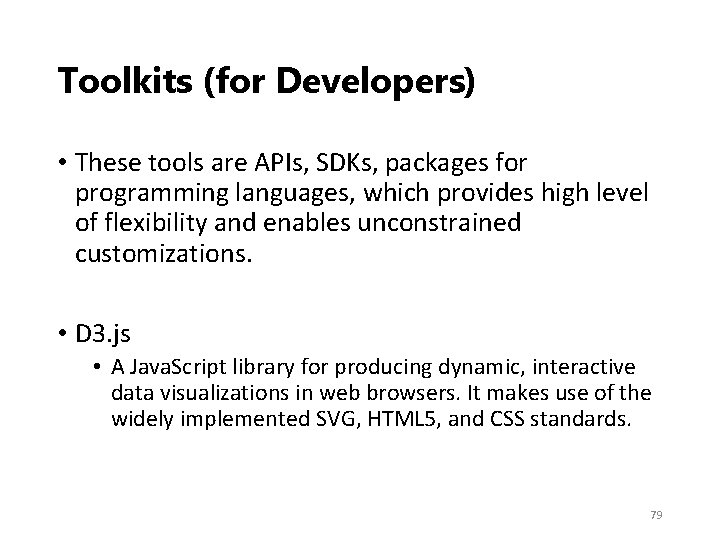
Toolkits (for Developers) • These tools are APIs, SDKs, packages for programming languages, which provides high level of flexibility and enables unconstrained customizations. • D 3. js • A Java. Script library for producing dynamic, interactive data visualizations in web browsers. It makes use of the widely implemented SVG, HTML 5, and CSS standards. 79
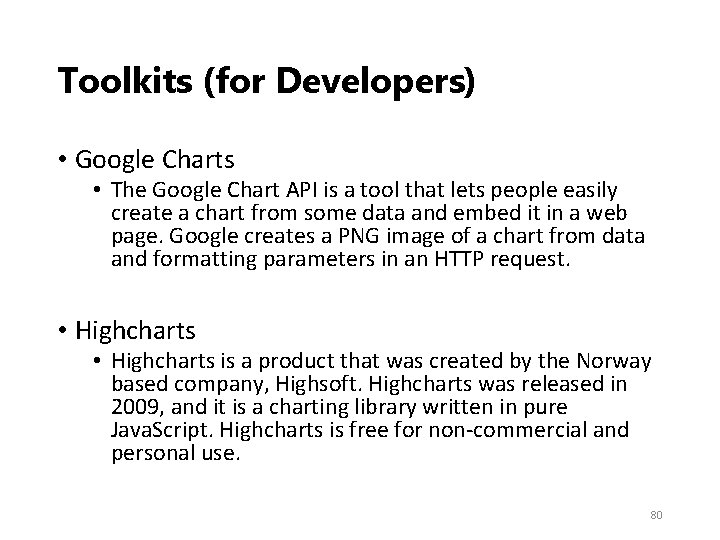
Toolkits (for Developers) • Google Charts • The Google Chart API is a tool that lets people easily create a chart from some data and embed it in a web page. Google creates a PNG image of a chart from data and formatting parameters in an HTTP request. • Highcharts is a product that was created by the Norway based company, Highsoft. Highcharts was released in 2009, and it is a charting library written in pure Java. Script. Highcharts is free for non‐commercial and personal use. 80
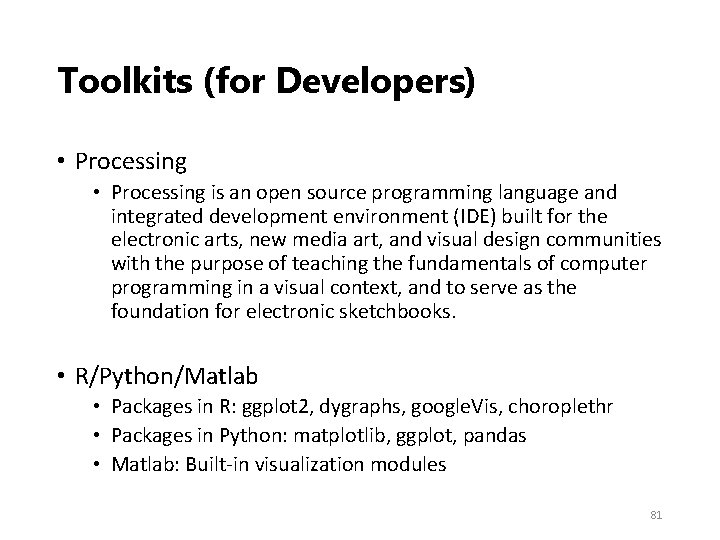
Toolkits (for Developers) • Processing is an open source programming language and integrated development environment (IDE) built for the electronic arts, new media art, and visual design communities with the purpose of teaching the fundamentals of computer programming in a visual context, and to serve as the foundation for electronic sketchbooks. • R/Python/Matlab • Packages in R: ggplot 2, dygraphs, google. Vis, choroplethr • Packages in Python: matplotlib, ggplot, pandas • Matlab: Built‐in visualization modules 81
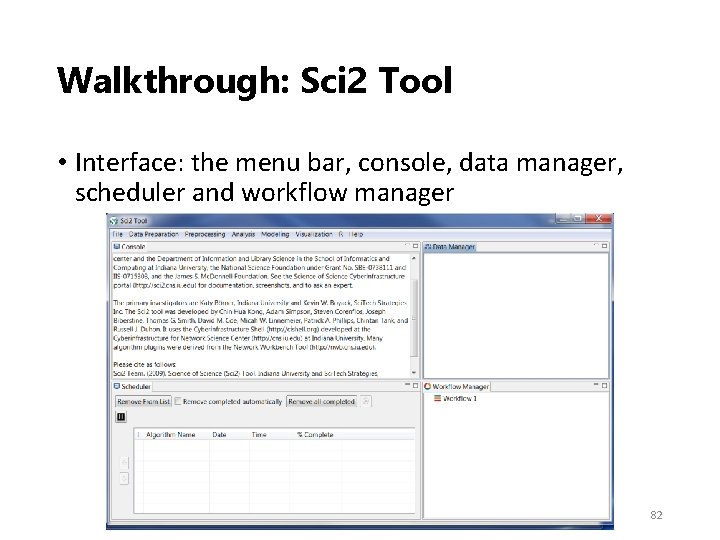
Walkthrough: Sci 2 Tool • Interface: the menu bar, console, data manager, scheduler and workflow manager 82
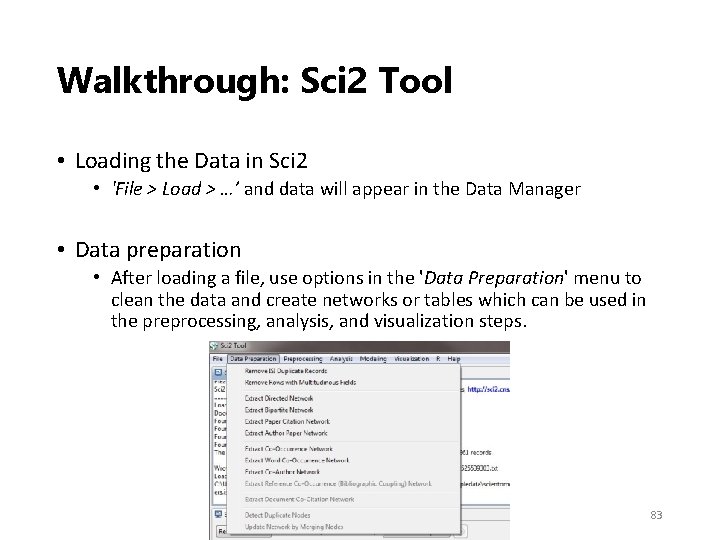
Walkthrough: Sci 2 Tool • Loading the Data in Sci 2 • 'File > Load > …’ and data will appear in the Data Manager • Data preparation • After loading a file, use options in the 'Data Preparation' menu to clean the data and create networks or tables which can be used in the preprocessing, analysis, and visualization steps. 83
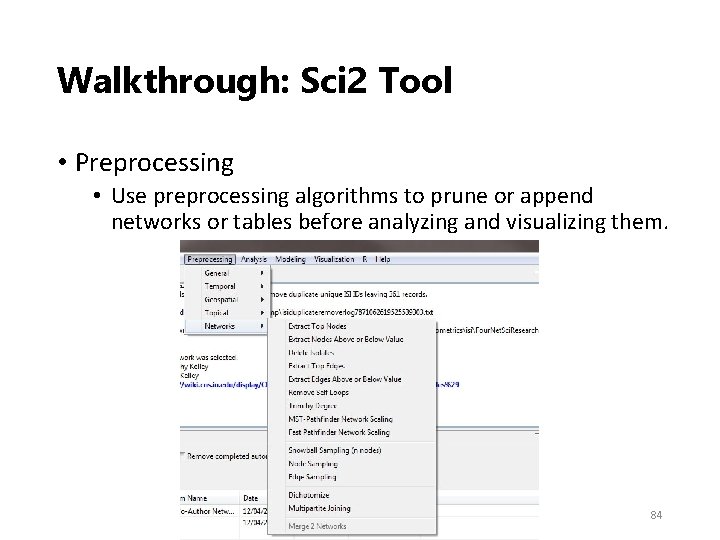
Walkthrough: Sci 2 Tool • Preprocessing • Use preprocessing algorithms to prune or append networks or tables before analyzing and visualizing them. 84
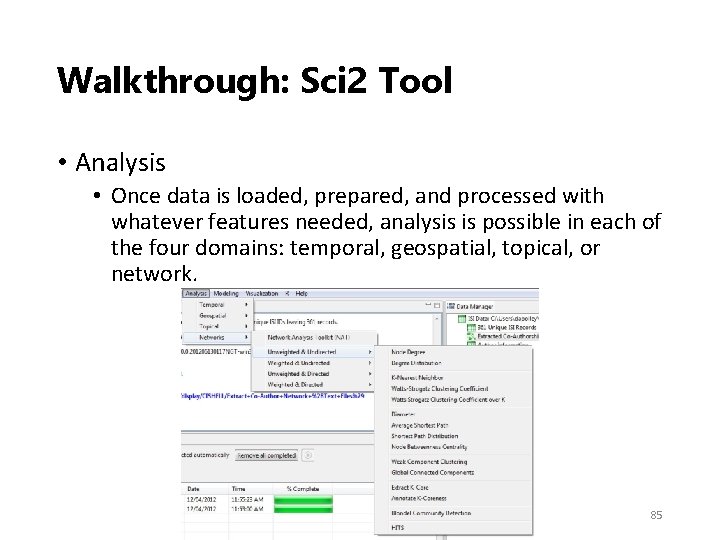
Walkthrough: Sci 2 Tool • Analysis • Once data is loaded, prepared, and processed with whatever features needed, analysis is possible in each of the four domains: temporal, geospatial, topical, or network. 85
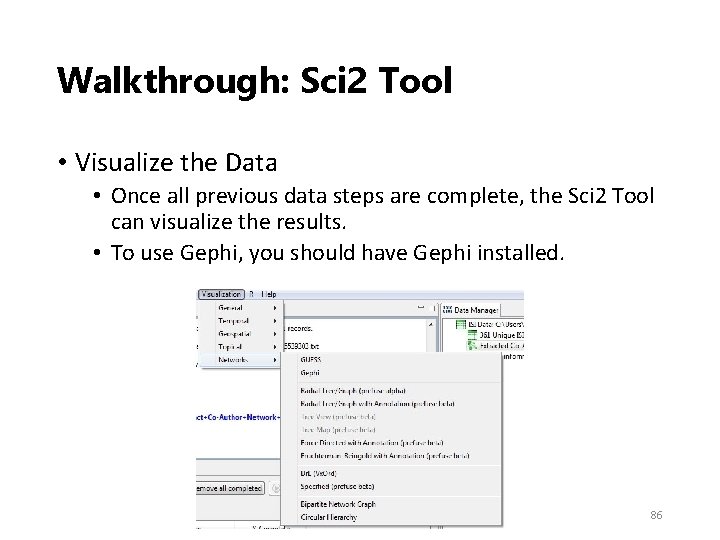
Walkthrough: Sci 2 Tool • Visualize the Data • Once all previous data steps are complete, the Sci 2 Tool can visualize the results. • To use Gephi, you should have Gephi installed. 86
Walkthrough: Sci 2 Tool • On exporting/saving visualizations • Some visualizations do not have legends. • Inkscape is a tool which can help creating the legends • Cannot open Post. Script graphs • Online converter • Gsview: http: //pages. cs. wisc. edu/~ghost/ • User manual and 12 PDF Tutorials on Sci 2 Tool can be found online • https: //sci 2. cns. iu. edu/user/documentation. php 87
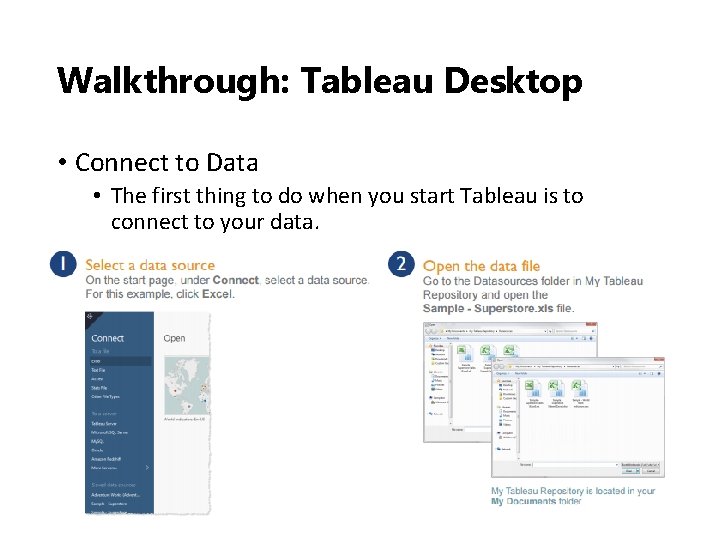
Walkthrough: Tableau Desktop • Connect to Data • The first thing to do when you start Tableau is to connect to your data. 88
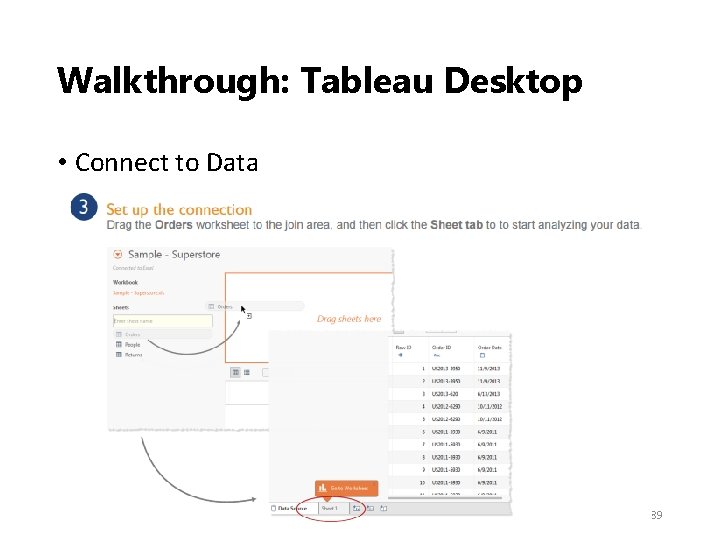
Walkthrough: Tableau Desktop • Connect to Data 89
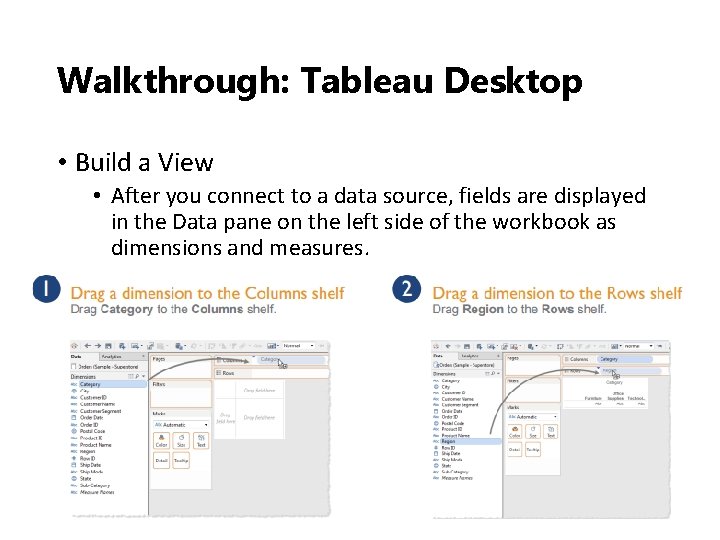
Walkthrough: Tableau Desktop • Build a View • After you connect to a data source, fields are displayed in the Data pane on the left side of the workbook as dimensions and measures. 90
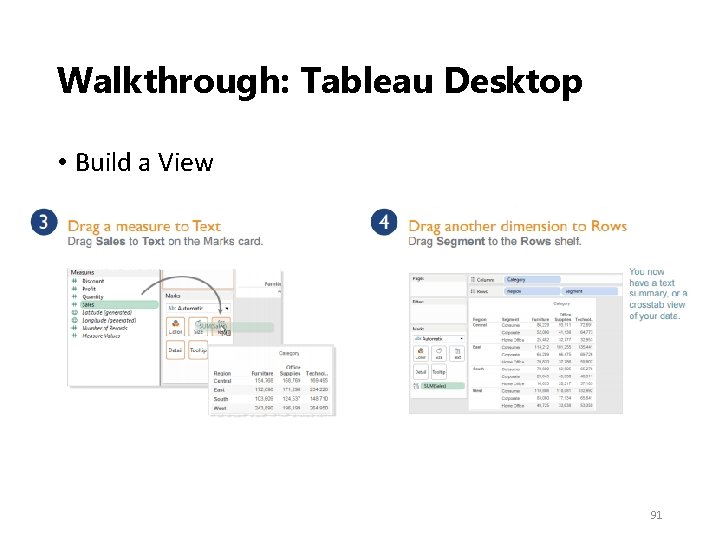
Walkthrough: Tableau Desktop • Build a View 91
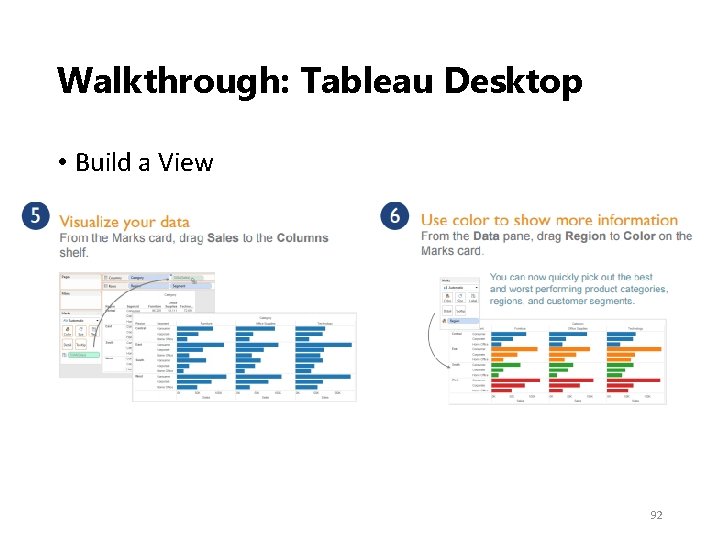
Walkthrough: Tableau Desktop • Build a View 92
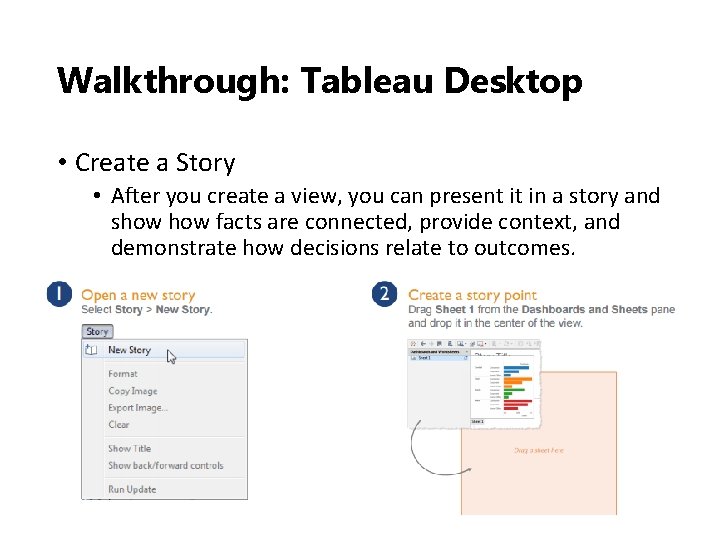
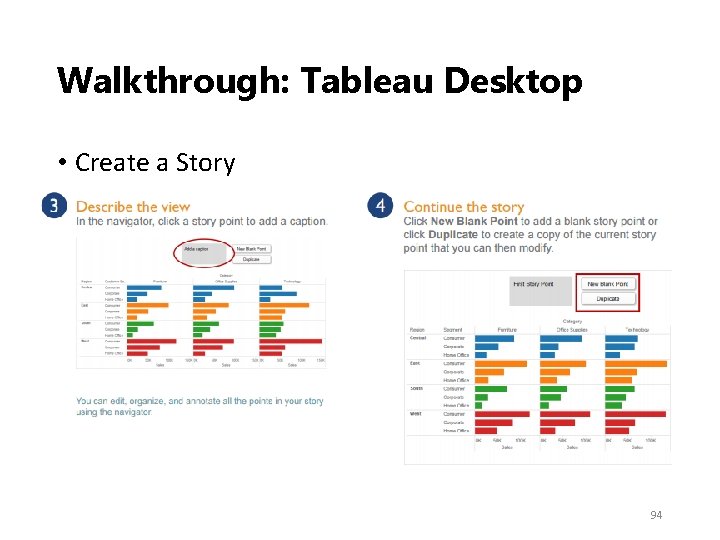
Walkthrough: Tableau Desktop • Create a Story • After you create a view, you can present it in a story and show facts are connected, provide context, and demonstrate how decisions relate to outcomes. 93
Walkthrough: Tableau Desktop • Create a Story 94
Tableau Resources • Tableau student (free): http: //www. tableau. com/academic/students • Online training: http: //www. tableau. com/learn/training • Quick start guide: http: //www. tableau. com/support/manuals/quickst art 95
D 3. js resources • Tutorials: • http: //alignedleft. com/tutorials/d 3 • https: //www. dashingd 3 js. com/table‐of‐contents • https: //www. youtube. com/playlist? list=PL 6 il 2 r 9 i 3 Bq. H 9 Pmb. Of 5 w. A 5 E 1 w. OG 3 FT 22 p • Templates and demos: • http: //techslides. com/over‐ 1000‐d 3‐js‐examples‐and‐ demos • http: //techslides. com/over‐ 2000‐d 3‐js‐examples‐and‐ demos 96
Promising Trends 97
Promising Trends • Visual Data Mining • To identify patterns that a data mining algorithm might find difficult to locate • To support interaction between users and data • To support interaction with the analytical process and output of a data mining system • Virtual/ Augmented Reality‐Based Visualization • To take advantage of the entire range of human perceptions, including auditory and tactile sensations • With the help of VR/AR devices (e. g. , Google Glass, Hololens, Oculus Rift), visualized information can be overlaid on the real world we see. • Knowledge Visualization • To facilitate knowledge sharing and knowledge creation • Transfer insights, experiences, attitudes, values, expectations, perspectives, opinions, and predictions by using various complementary visualizations 98
Resources 99
Resources • Tufte, E. R. , & Graves‐Morris, P. R. (1983). The visual display of quantitative information (Vol. 2, No. 9). Cheshire, CT: Graphics press. • Tufte, E. R. (1991). Envisioning information. Optometry & Vision Science, 68(4), 322‐ 324. • Tufte, E. R. (2006). Beautiful evidence. New York. • Tufte, E. R. , & Weise Moeller, E. (1997). Visual explanations: images and quantities, evidence and narrative (Vol. 36). Cheshire, CT: Graphics Press. • Börner, K. (2014). Atlas of knowledge. • Steele, J. , & Iliinsky, N. (2010). Beautiful visualization: looking at data through the eyes of experts. " O'Reilly Media, Inc. ". • Fry, B. (2007). Visualizing data: exploring and explaining data with the Processing environment. " O'Reilly Media, Inc. ". 100
Resources • IEEE Transactions on Visualization and Computer Graphics: http: //ieeexplore. ieee. org/xpl/Recent. Issue. jsp? pun umber=2945 • IEEE VIS Conference: http: //ieeevis. org/ • IEEE Computer Graphics and Applications: http: //www. computer. org/web/computingnow/cg a • ACM SIGGRAPH: http: //www. siggraph. org/ 101