Performance Tools Jeff Kiel NVIDIA Corporation Sim Dietrich
- Slides: 72
Performance Tools Jeff Kiel, NVIDIA Corporation Sim Dietrich, Composite Studios
Performance Tools Agenda Problem statement GPU pipelined architecture at a glance NVPerf. Kit 2. 0: Driver and GPU Performance Data GLExpert: Open. GL API Assistance NVPerf. HUD: The GPU Performance Accelerator NVPerf. SDK: Integrated into your application NVPerf. API PDH, NVDev. CPL NVIDIA plug-In for Microsoft PIX for Windows Solutions to common bottlenecks NVShader. Perf: Shader Performance Copyright © NVIDIA Corporation 2004
What’s The Problem? Why is my app running at 13 FPS after CPU tuning? How can I determine what is going on in that GPU? How come IHV engineers are able to figure it out? Copyright © NVIDIA Corporation 2004
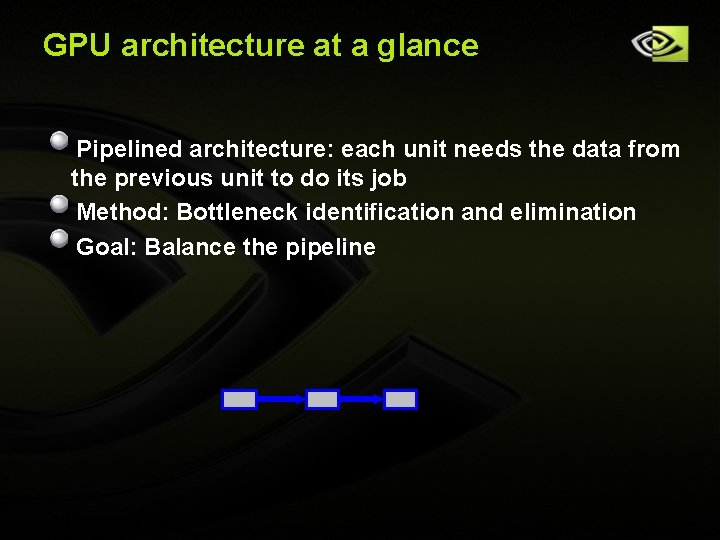
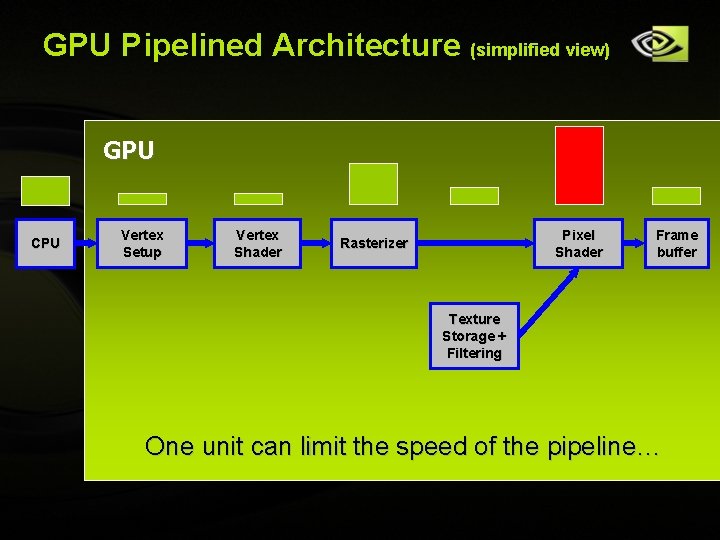
GPU architecture at a glance Pipelined architecture: each unit needs the data from the previous unit to do its job Method: Bottleneck identification and elimination Goal: Balance the pipeline Copyright © NVIDIA Corporation 2004
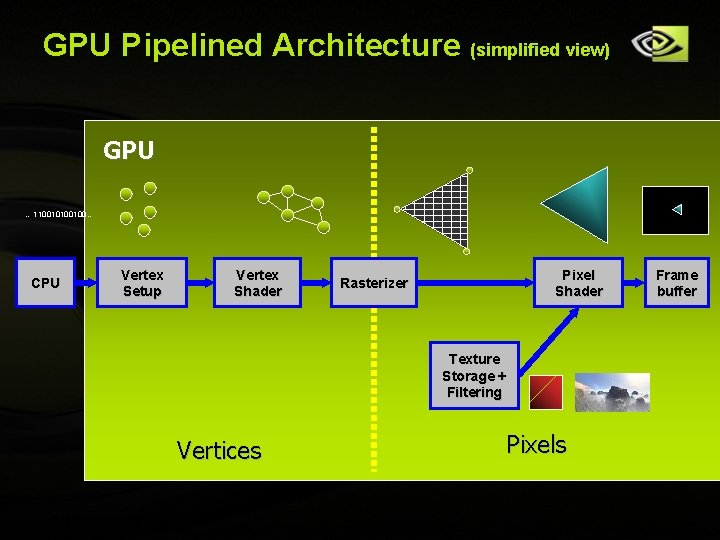
GPU Pipelined Architecture (simplified view) GPU … 1100100… CPU Vertex Setup Vertex Shader Pixel Shader Rasterizer Texture Storage + Filtering Vertices Copyright © NVIDIA Corporation 2004 Pixels Frame buffer
GPU Pipelined Architecture (simplified view) GPU CPU Vertex Setup Vertex Shader Pixel Shader Rasterizer Frame buffer Texture Storage + Filtering One unit can limit the speed of the pipeline… Copyright © NVIDIA Corporation 2004
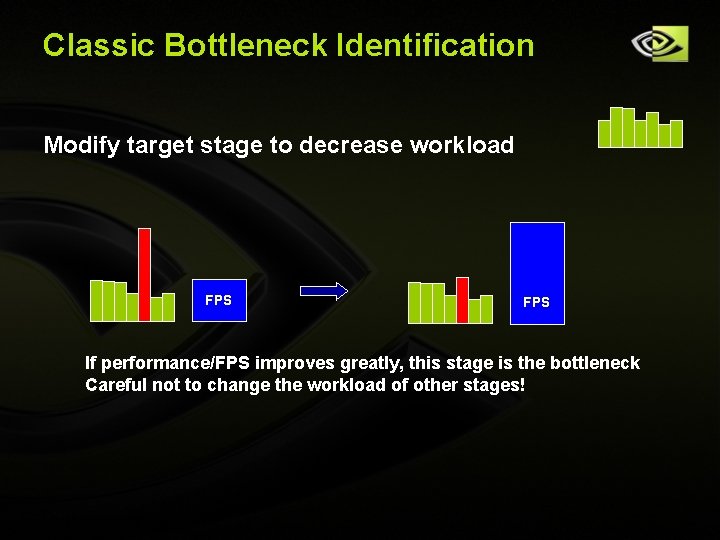
Classic Bottleneck Identification Modify target stage to decrease workload FPS If performance/FPS improves greatly, this stage is the bottleneck Careful not to change the workload of other stages! Copyright © NVIDIA Corporation 2004
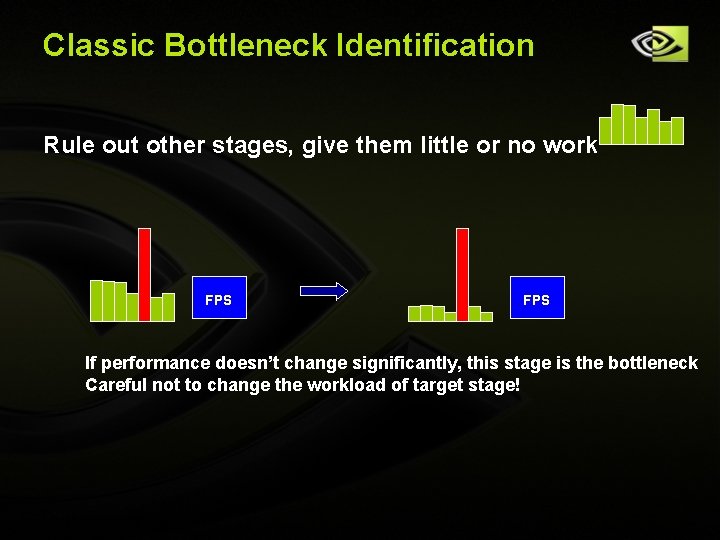
Classic Bottleneck Identification Rule out other stages, give them little or no work FPS If performance doesn’t change significantly, this stage is the bottleneck Careful not to change the workload of target stage! Copyright © NVIDIA Corporation 2004
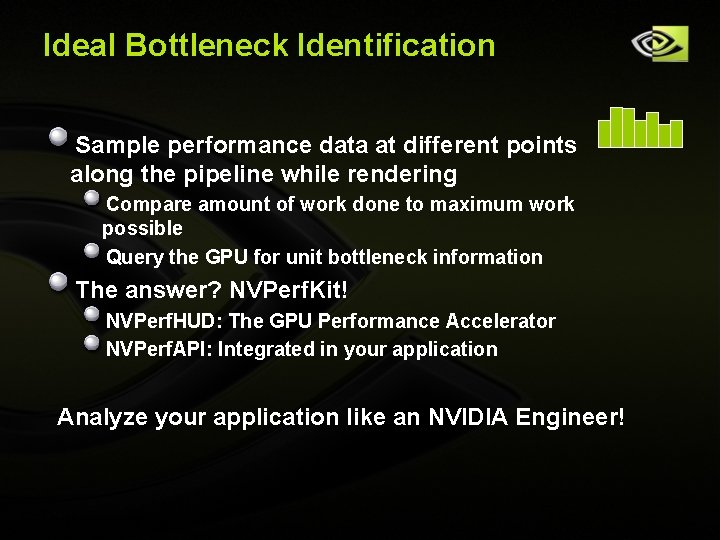
Ideal Bottleneck Identification Sample performance data at different points along the pipeline while rendering Compare amount of work done to maximum work possible Query the GPU for unit bottleneck information The answer? NVPerf. Kit! NVPerf. HUD: The GPU Performance Accelerator NVPerf. API: Integrated in your application Analyze your application like an NVIDIA Engineer! Copyright © NVIDIA Corporation 2004
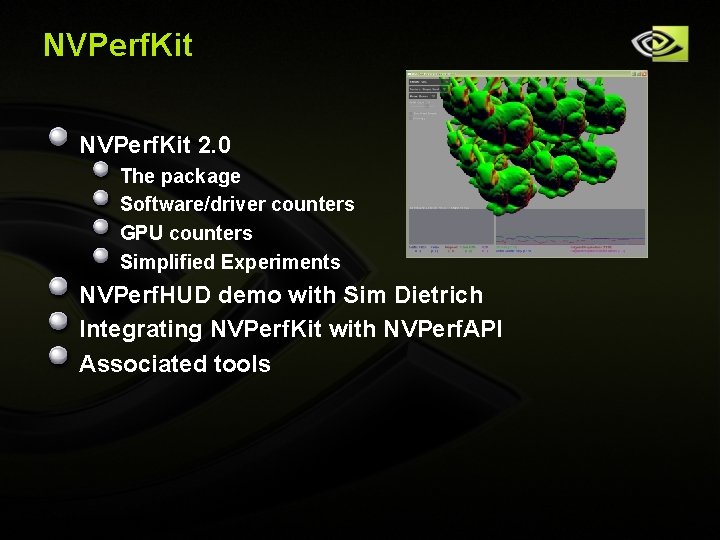
NVPerf. Kit 2. 0 The package Software/driver counters GPU counters Simplified Experiments NVPerf. HUD demo with Sim Dietrich Integrating NVPerf. Kit with NVPerf. API Associated tools Copyright © NVIDIA Corporation 2004
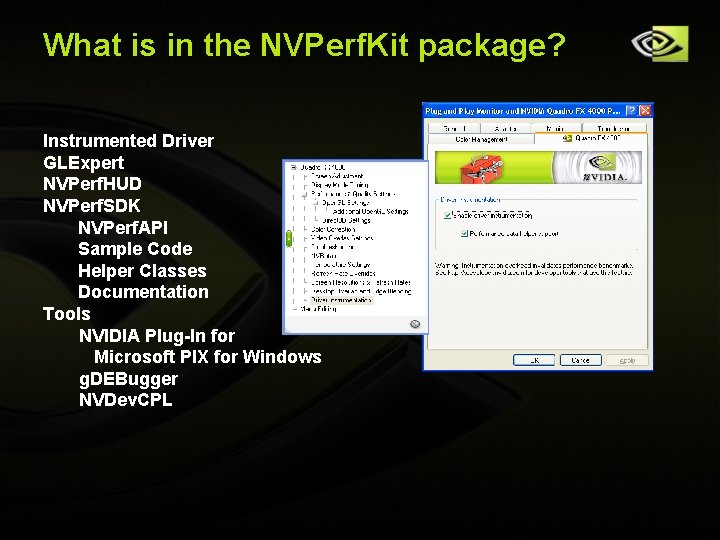
What is in the NVPerf. Kit package? Instrumented Driver GLExpert NVPerf. HUD NVPerf. SDK NVPerf. API Sample Code Helper Classes Documentation Tools NVIDIA Plug-In for Microsoft PIX for Windows g. DEBugger NVDev. CPL Copyright © NVIDIA Corporation 2004
NVPerf. Kit Instrumented Driver Exposes GPU and Driver Performance Counters Data exported via NVIDIA API and PDH Supports Open. GL and Direct 3 D Simplified Experiments (Sim. Exp) Collect GPU and driver data, retain performance Track per-frame statistics Gather and collate at end of frame Performance hit 1 -2% Copyright © NVIDIA Corporation 2004
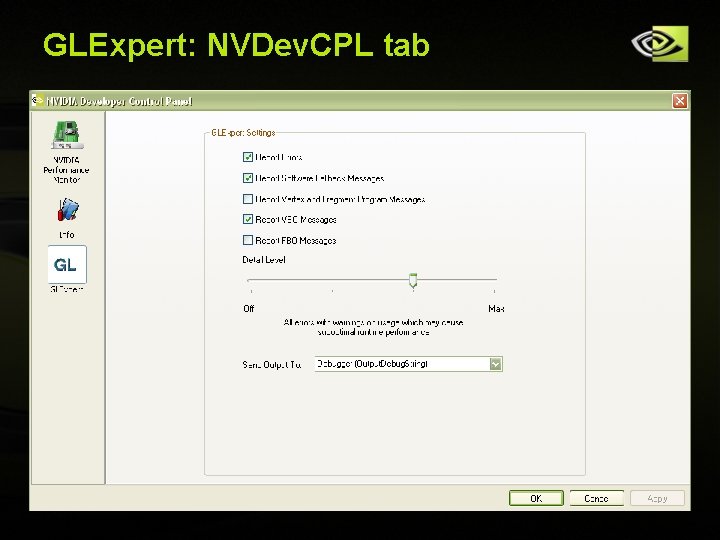
GLExpert: What is it? Helps eliminate performance issues on the CPU Open. GL portion of the Instrumented Driver Output information to console/stdout or debugger Different groups and levels of information detail Controlled using tab in NVDev. CPL What it can do (today) GL Errors: print when they are raised Software Fallbacks: indicate when the driver is in fall back GPU Programs: errors during compile or link VBOs: show where they reside, mapping details FBOs: print reasons a configuration is unsupported Feature list to grow with future drivers Copyright © NVIDIA Corporation 2004
GLExpert: NVDev. CPL tab Copyright © NVIDIA Corporation 2004
Project Status Shipping with NVPerf. Kit 2. 0 Windows for now, Linux to follow Supports NV 3 x, NV 4 x, and G 7 x architectures Integrated into Graphic Remedy‘s g. DEBugger What types of things are interesting? NVPerf. Kit@nvidia. com Copyright © NVIDIA Corporation 2004
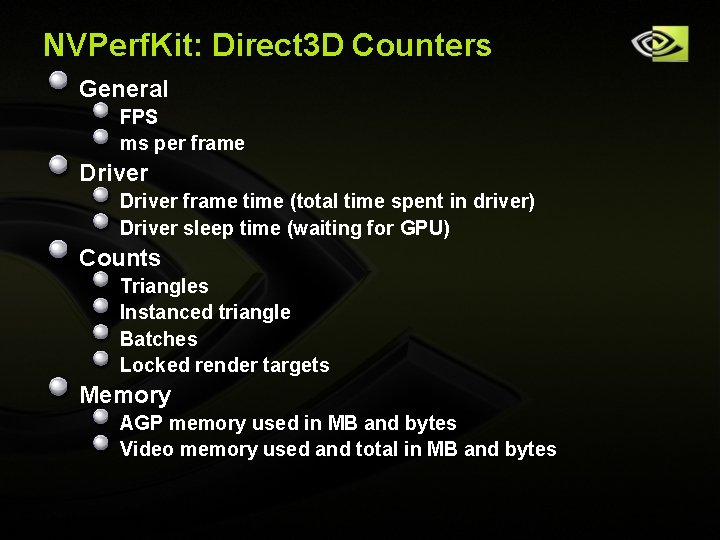
NVPerf. Kit: Direct 3 D Counters General FPS ms per frame Driver frame time (total time spent in driver) Driver sleep time (waiting for GPU) Counts Triangles Instanced triangle Batches Locked render targets Memory AGP memory used in MB and bytes Video memory used and total in MB and bytes Copyright © NVIDIA Corporation 2004
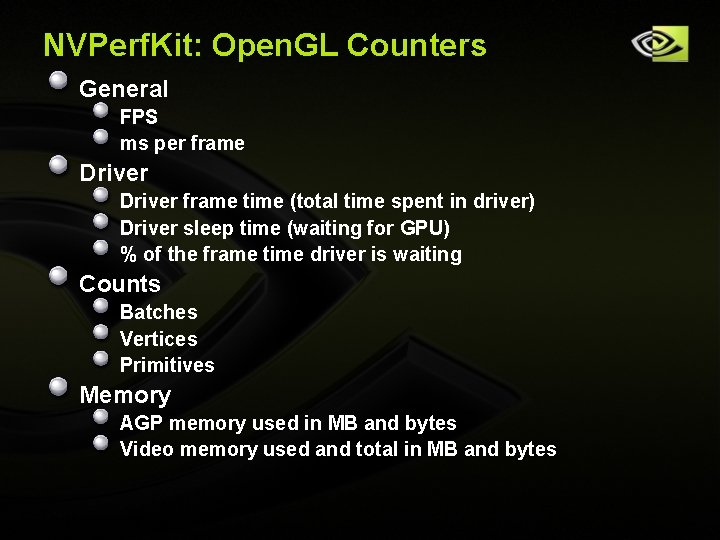
NVPerf. Kit: Open. GL Counters General FPS ms per frame Driver frame time (total time spent in driver) Driver sleep time (waiting for GPU) % of the frame time driver is waiting Counts Batches Vertices Primitives Memory AGP memory used in MB and bytes Video memory used and total in MB and bytes Copyright © NVIDIA Corporation 2004
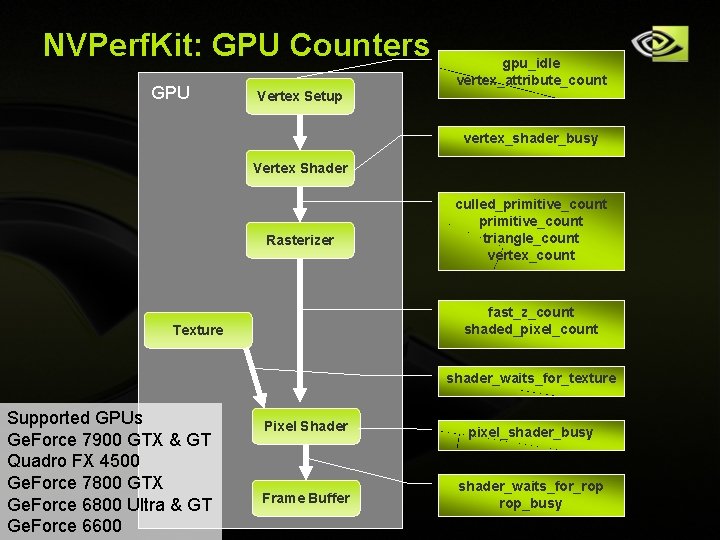
NVPerf. Kit: GPU Counters GPU gpu_idle vertex_attribute_count Vertex Setup vertex_shader_busy Vertex Shader Rasterizer culled_primitive_count triangle_count vertex_count fast_z_count shaded_pixel_count Texture shader_waits_for_texture Supported GPUs Ge. Force 7900 GTX & GT Quadro FX 4500 Ge. Force 7800 GTX Ge. Force 6800 Ultra & GT Copyright © NVIDIA Corporation 2004 Ge. Force 6600 Pixel Shader pixel_shader_busy Frame Buffer shader_waits_for_rop rop_busy
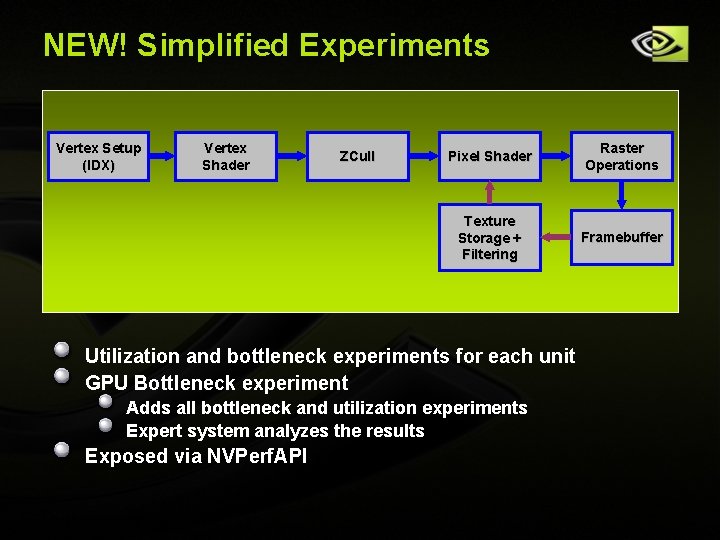
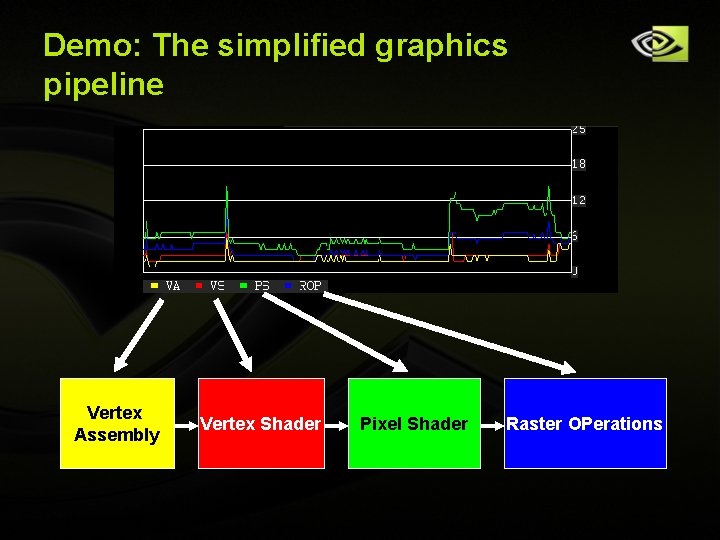
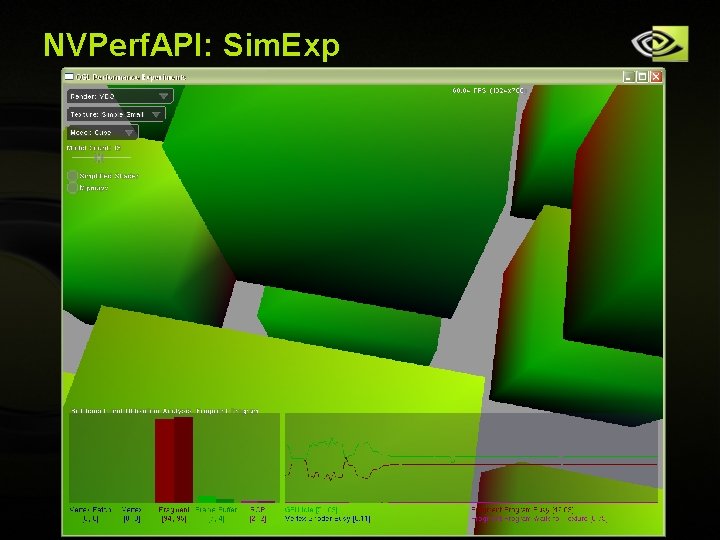
NEW! Simplified Experiments Vertex Setup (IDX) Vertex Shader ZCull Pixel Shader Raster Operations Texture Storage + Filtering Framebuffer Utilization and bottleneck experiments for each unit GPU Bottleneck experiment Adds all bottleneck and utilization experiments Expert system analyzes the results Exposed via NVPerf. API Copyright © NVIDIA Corporation 2004
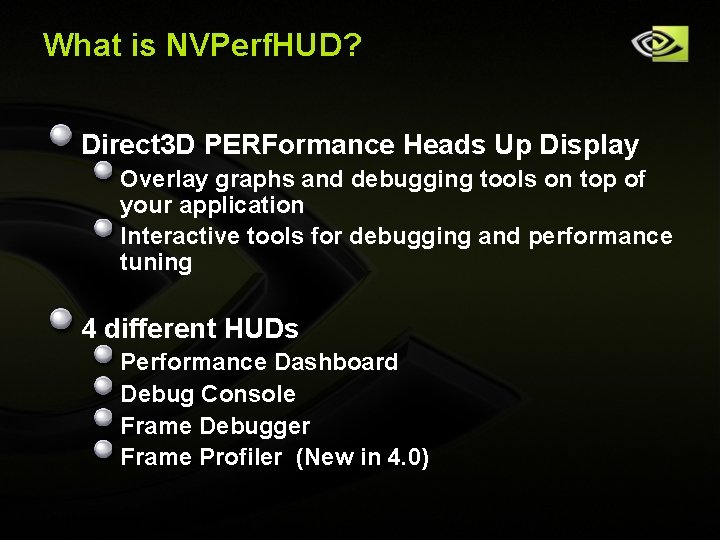
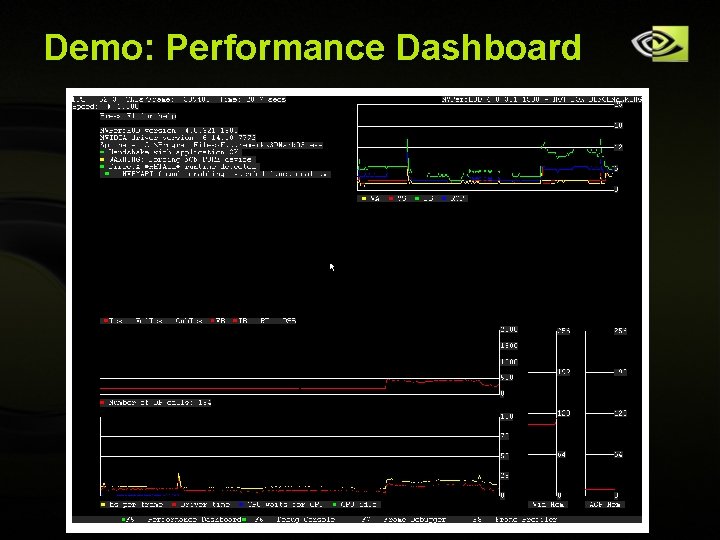
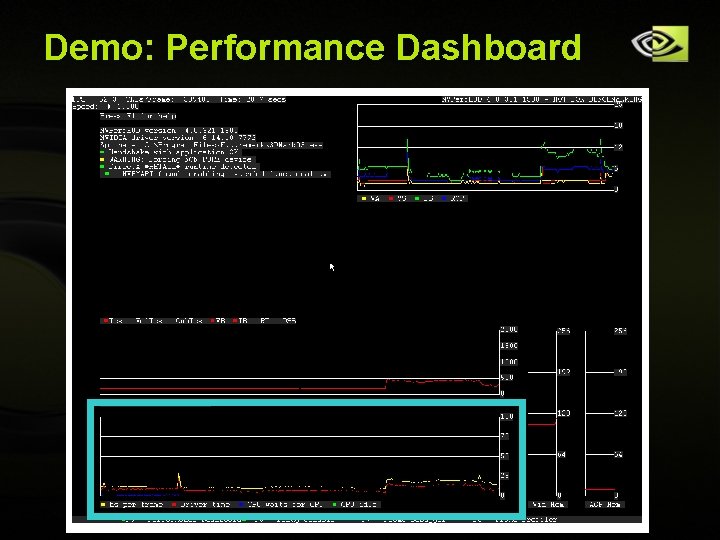
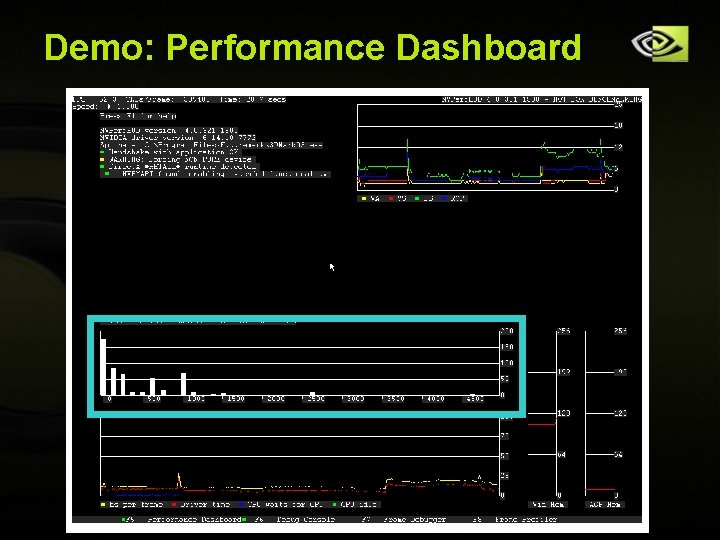
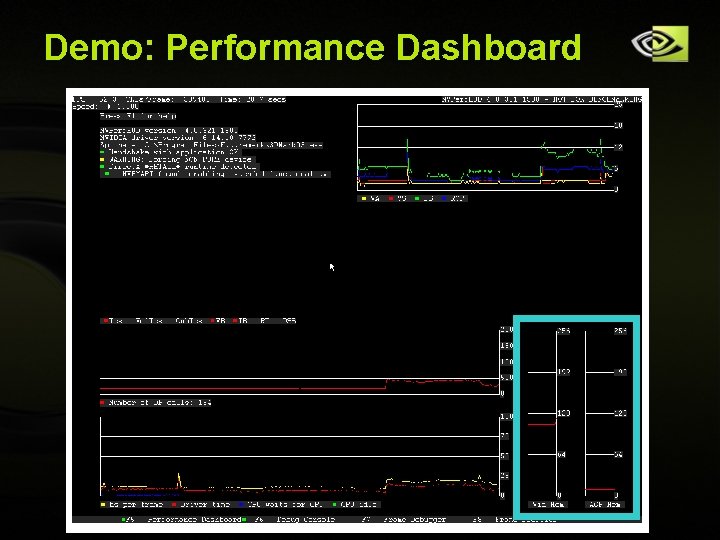
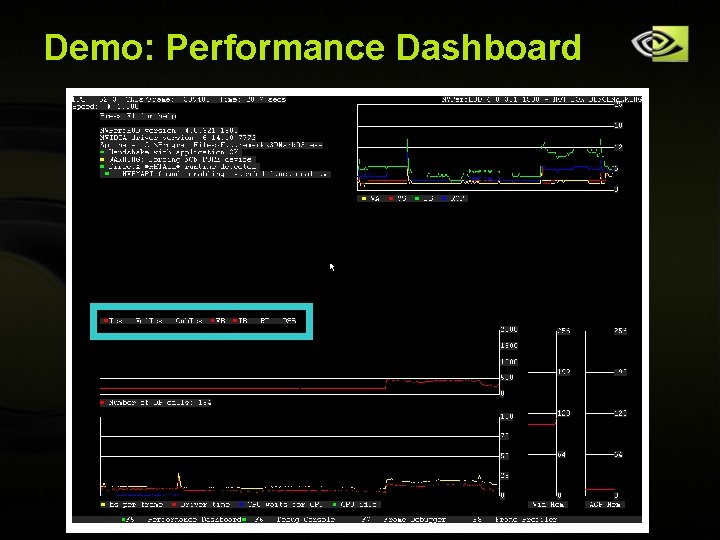
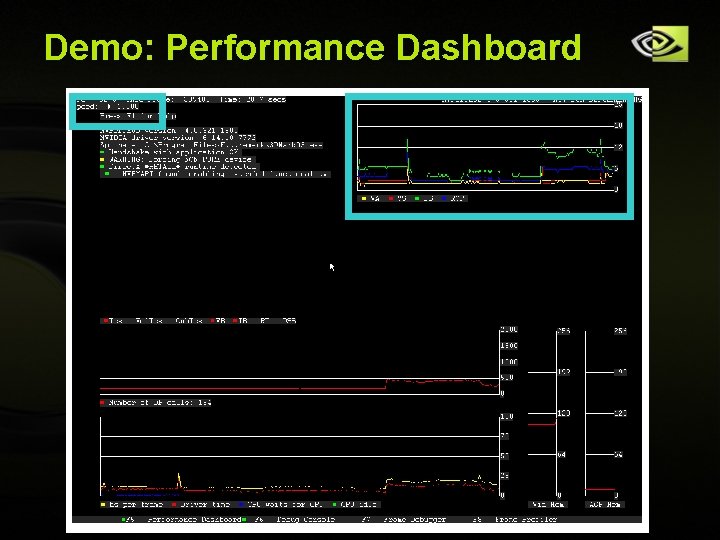
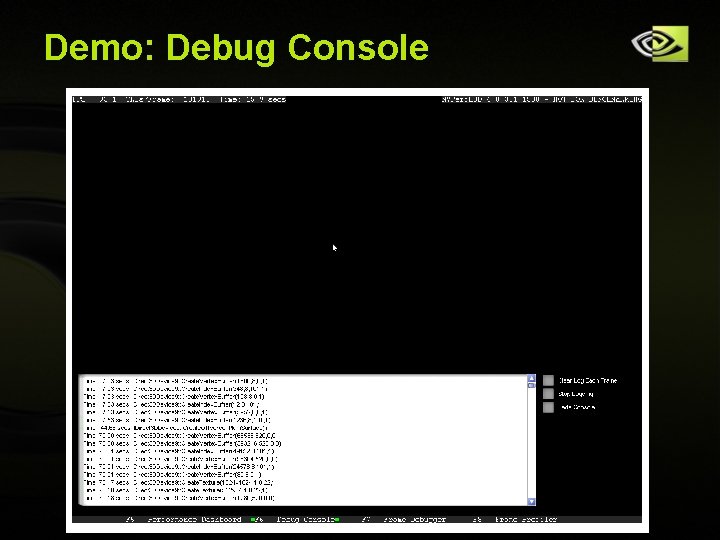
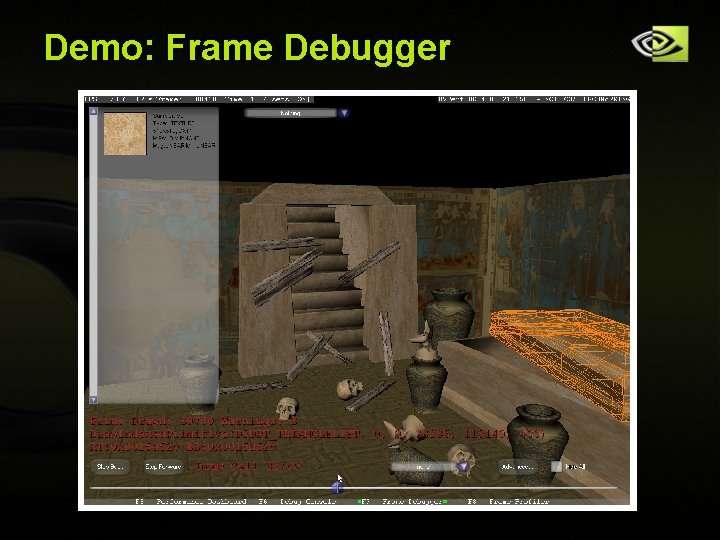
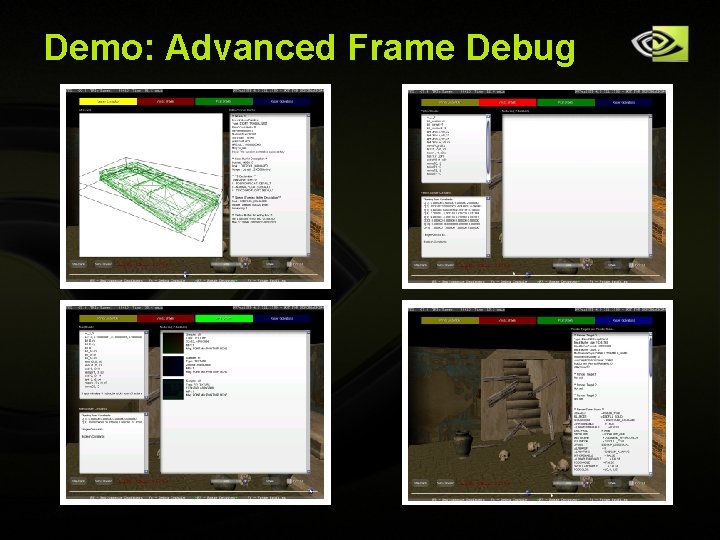
What is NVPerf. HUD? Direct 3 D PERFormance Heads Up Display Overlay graphs and debugging tools on top of your application Interactive tools for debugging and performance tuning 4 different HUDs Performance Dashboard Debug Console Frame Debugger Frame Profiler (New in 4. 0) Copyright © NVIDIA Corporation 2004
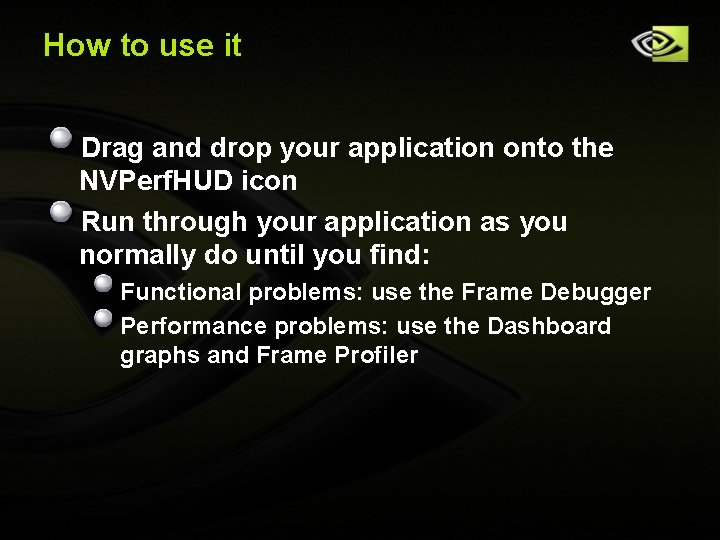
How to use it Drag and drop your application onto the NVPerf. HUD icon Run through your application as you normally do until you find: Functional problems: use the Frame Debugger Performance problems: use the Dashboard graphs and Frame Profiler Copyright © NVIDIA Corporation 2004
Demo: NVPerf. HUD Welcome Sim Dietrich!! Copyright © NVIDIA Corporation 2004
Demo: Performance Dashboard Copyright © NVIDIA Corporation 2004
Demo: Performance Dashboard Copyright © NVIDIA Corporation 2004
Demo: Performance Dashboard Copyright © NVIDIA Corporation 2004
Demo: Performance Dashboard Copyright © NVIDIA Corporation 2004
Demo: Performance Dashboard Copyright © NVIDIA Corporation 2004
Demo: Performance Dashboard Copyright © NVIDIA Corporation 2004
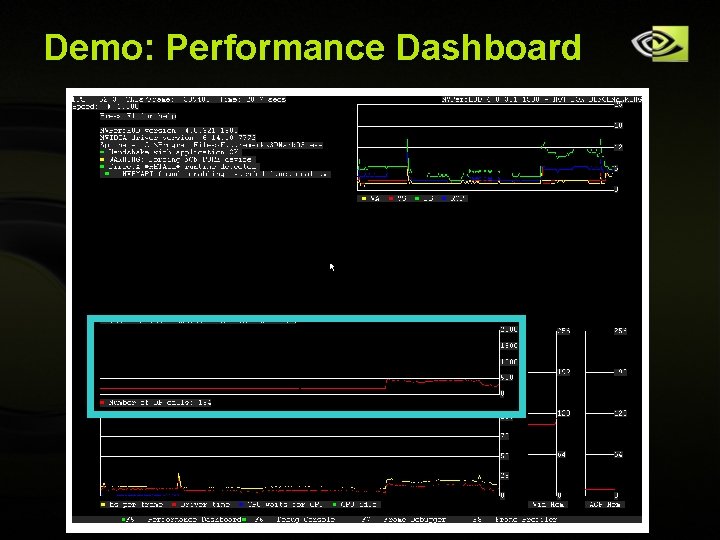
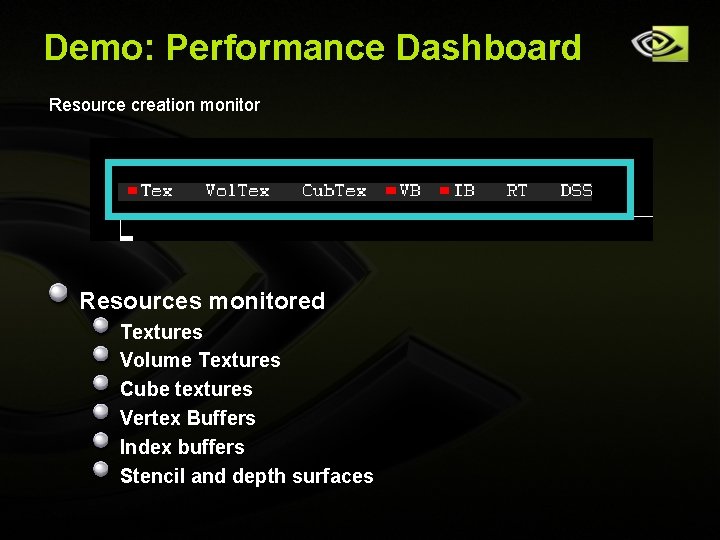
Demo: Performance Dashboard Resource creation monitor Resources monitored Textures Volume Textures Cube textures Vertex Buffers Index buffers Stencil and depth surfaces Copyright © NVIDIA Corporation 2004
Demo: Performance Dashboard Copyright © NVIDIA Corporation 2004
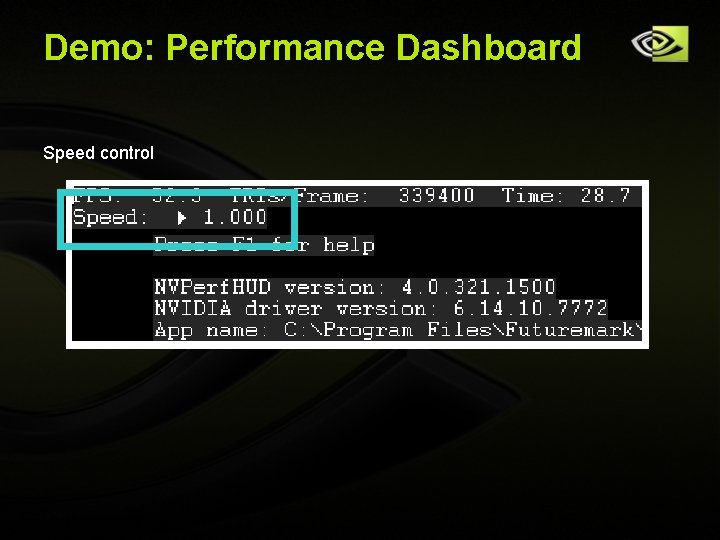
Demo: Performance Dashboard Speed control Copyright © NVIDIA Corporation 2004
Demo: The simplified graphics pipeline Vertex Assembly Copyright © NVIDIA Corporation 2004 Vertex Shader Pixel Shader Raster OPerations
Demo: Debug Console Copyright © NVIDIA Corporation 2004
Demo: Frame Debugger Copyright © NVIDIA Corporation 2004
Demo: Advanced Frame Debug Copyright © NVIDIA Corporation 2004
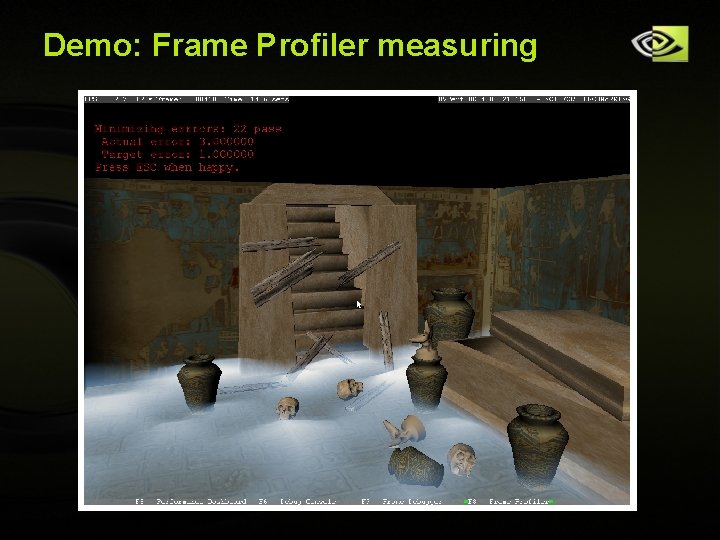
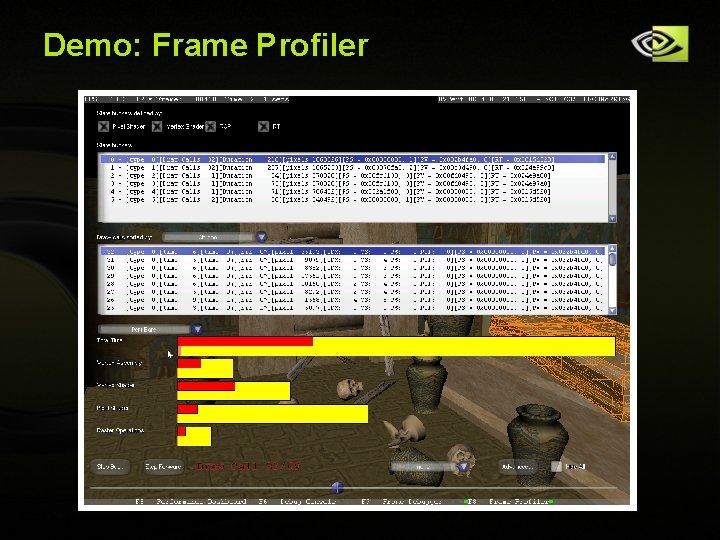
Frame Profiler NVPerf. HUD uses NVPerf. Kit and Sim. Exp Samples ~40 Performance Counters (PCs) Can not read all of them at the same time Need to render THE SAME FRAME until all the PCs are read Copyright © NVIDIA Corporation 2004
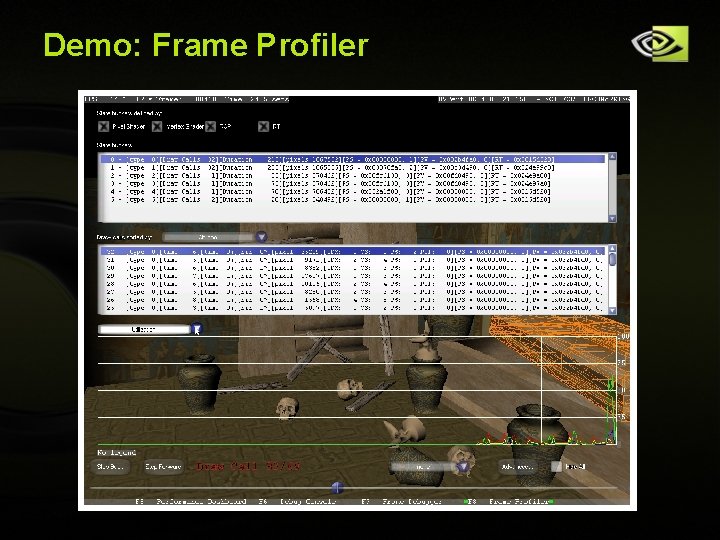
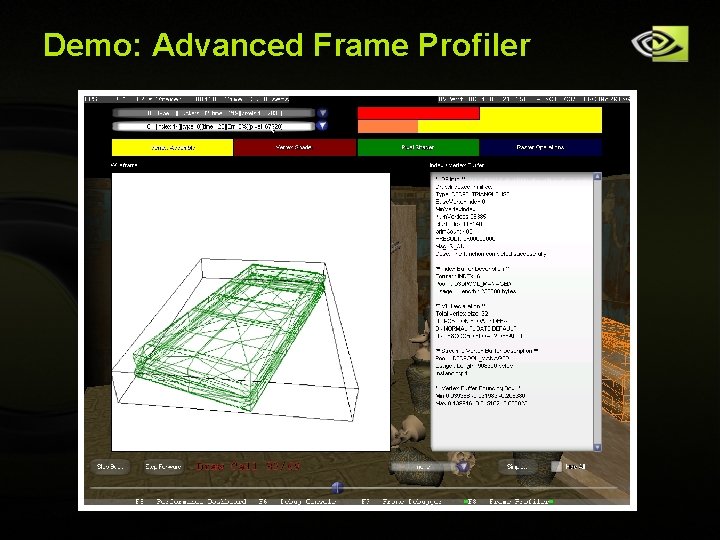
Frame Profiler: Optimization Strategy Group by render state (“state buckets”): helps show most expensive states to render Identify the bottleneck for the most expensive state bucket Curing the bottleneck with a common corrective action should result in increased performance Iterate… NEED TO ADD INFO ABOUT THE GRAPHS Copyright © NVIDIA Corporation 2004
Demo: Frame Profiler measuring Copyright © NVIDIA Corporation 2004
Demo: Frame Profiler Copyright © NVIDIA Corporation 2004
Demo: Frame Profiler Copyright © NVIDIA Corporation 2004
Demo: Advanced Frame Profiler Copyright © NVIDIA Corporation 2004
Freezing the application Only possible if the application uses time-based animation Stop the clock Intercept: Query. Performance. Counter(), time. Get. Time() NO RDTSC!! Pos += V * Delta. Time Copyright © NVIDIA Corporation 2004
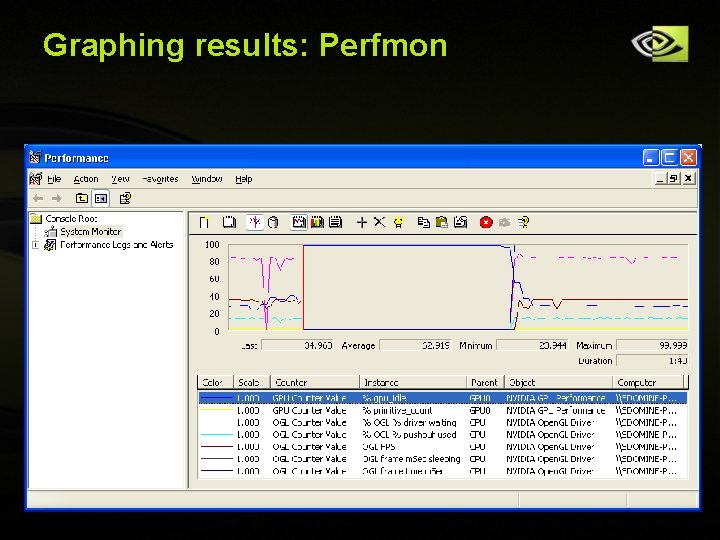
How do I use NVPerf. Kit counters? PDH: Performance Data Helper for Windows Win 32 API for exposing performance data to user applications Standard interface, many providers and clients Sample code and helper classes provided in NVPerf. SDK Perfmon: (aka Microsoft Management Console) Win 32 PDH client application Perfmon’s sampling frequency is low (1 X/s) Displays PDH based counter values: OS: CPU usage, memory usage, swap file usage, network stats, etc. NVIDIA: all of the counters exported by NVPerf. Kit Good for rapid prototyping Copyright © NVIDIA Corporation 2004
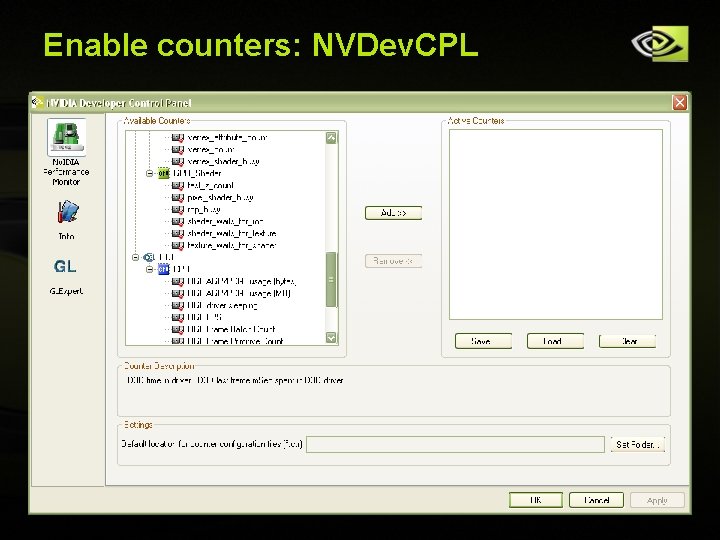
Enable counters: NVDev. CPL Copyright © NVIDIA Corporation 2004
Graphing results: Perfmon Copyright © NVIDIA Corporation 2004
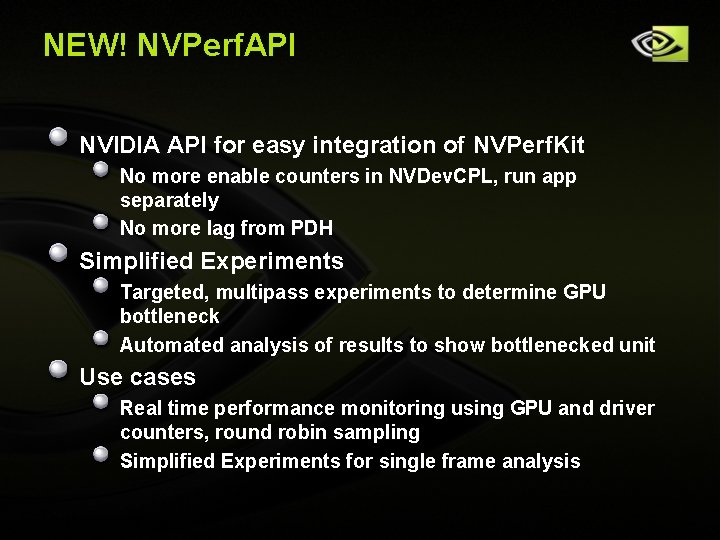
NEW! NVPerf. API NVIDIA API for easy integration of NVPerf. Kit No more enable counters in NVDev. CPL, run app separately No more lag from PDH Simplified Experiments Targeted, multipass experiments to determine GPU bottleneck Automated analysis of results to show bottlenecked unit Use cases Real time performance monitoring using GPU and driver counters, round robin sampling Simplified Experiments for single frame analysis Copyright © NVIDIA Corporation 2004
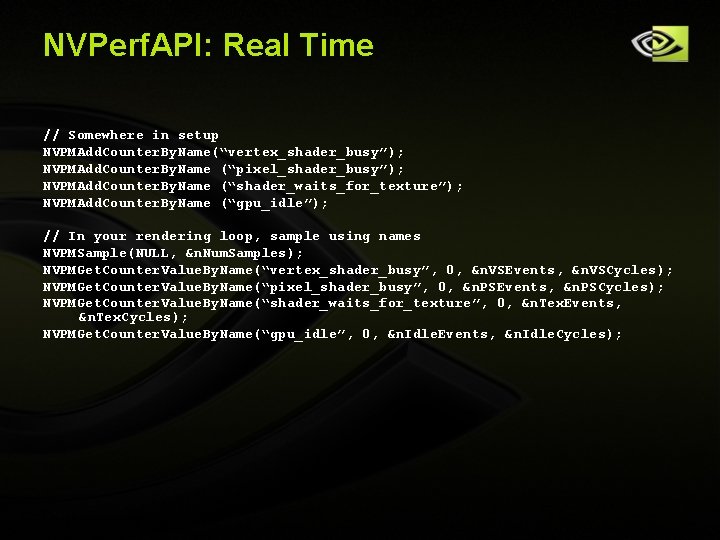
NVPerf. API: Real Time // Somewhere in setup NVPMAdd. Counter. By. Name(“vertex_shader_busy”); NVPMAdd. Counter. By. Name (“pixel_shader_busy”); NVPMAdd. Counter. By. Name (“shader_waits_for_texture”); NVPMAdd. Counter. By. Name (“gpu_idle”); // In your rendering loop, sample using names NVPMSample(NULL, &n. Num. Samples); NVPMGet. Counter. Value. By. Name(“vertex_shader_busy”, 0, &n. VSEvents, &n. VSCycles); NVPMGet. Counter. Value. By. Name(“pixel_shader_busy”, 0, &n. PSEvents, &n. PSCycles); NVPMGet. Counter. Value. By. Name(“shader_waits_for_texture”, 0, &n. Tex. Events, &n. Tex. Cycles); NVPMGet. Counter. Value. By. Name(“gpu_idle”, 0, &n. Idle. Events, &n. Idle. Cycles); Copyright © NVIDIA Corporation 2004
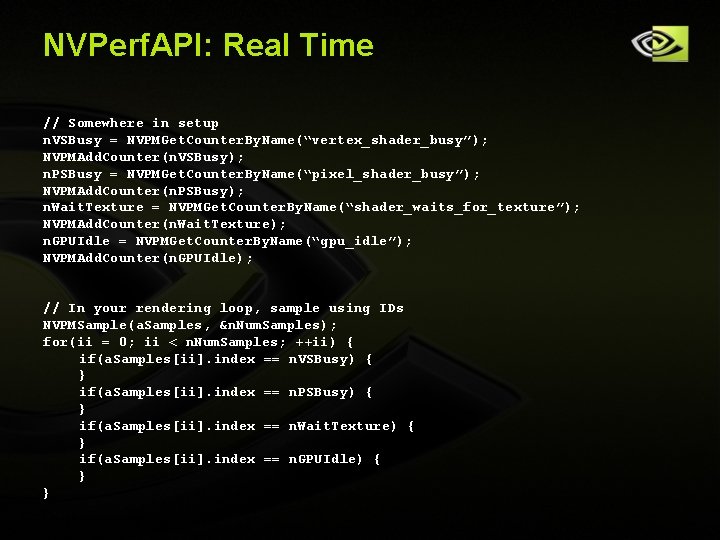
NVPerf. API: Real Time // Somewhere in setup n. VSBusy = NVPMGet. Counter. By. Name(“vertex_shader_busy”); NVPMAdd. Counter(n. VSBusy); n. PSBusy = NVPMGet. Counter. By. Name(“pixel_shader_busy”); NVPMAdd. Counter(n. PSBusy); n. Wait. Texture = NVPMGet. Counter. By. Name(“shader_waits_for_texture”); NVPMAdd. Counter(n. Wait. Texture); n. GPUIdle = NVPMGet. Counter. By. Name(“gpu_idle”); NVPMAdd. Counter(n. GPUIdle); // In your rendering loop, sample using IDs NVPMSample(a. Samples, &n. Num. Samples); for(ii = 0; ii < n. Num. Samples; ++ii) { if(a. Samples[ii]. index == n. VSBusy) { } if(a. Samples[ii]. index == n. PSBusy) { } if(a. Samples[ii]. index == n. Wait. Texture) { } if(a. Samples[ii]. index == n. GPUIdle) { } } Copyright © NVIDIA Corporation 2004
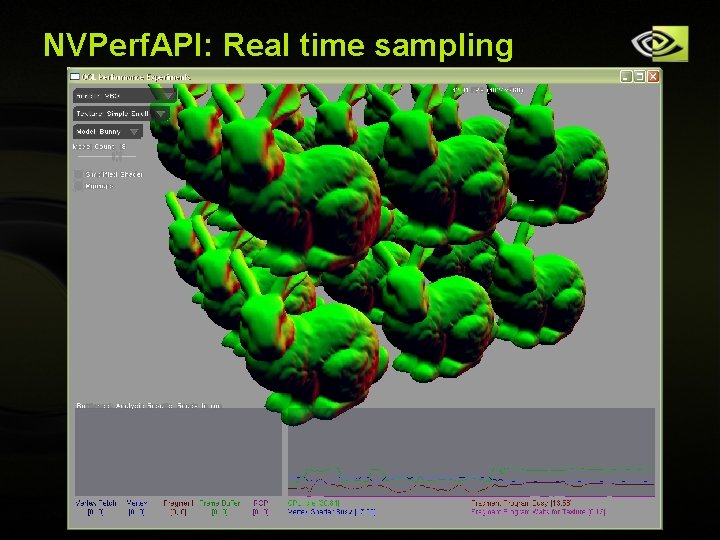
NVPerf. API: Real time sampling Copyright © NVIDIA Corporation 2004
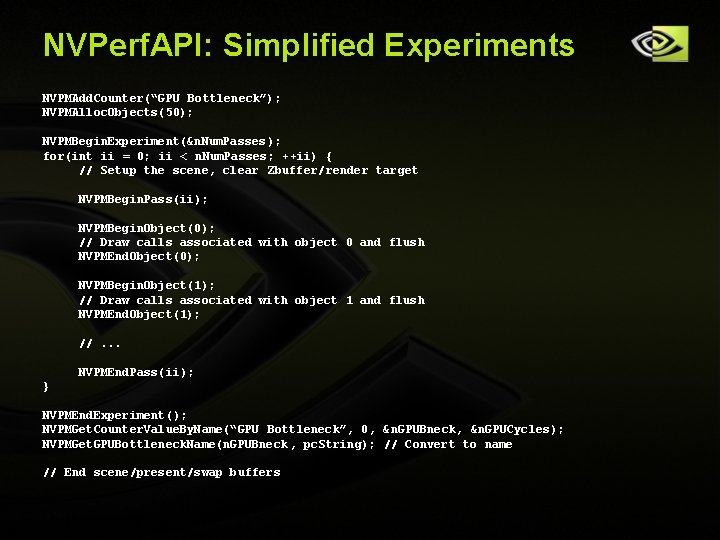
NVPerf. API: Simplified Experiments NVPMAdd. Counter(“GPU Bottleneck”); NVPMAlloc. Objects(50); NVPMBegin. Experiment(&n. Num. Passes ); for(int ii = 0; ii < n. Num. Passes; ++ii) { // Setup the scene, clear Zbuffer/render target NVPMBegin. Pass(ii); NVPMBegin. Object(0); // Draw calls associated with object 0 and flush NVPMEnd. Object(0); NVPMBegin. Object(1); // Draw calls associated with object 1 and flush NVPMEnd. Object(1); //. . . NVPMEnd. Pass(ii); } NVPMEnd. Experiment(); NVPMGet. Counter. Value. By. Name(“GPU Bottleneck”, 0, &n. GPUBneck, &n. GPUCycles); NVPMGet. GPUBottleneck. Name(n. GPUBneck , pc. String); // Convert to name // End scene/present/swap buffers Copyright © NVIDIA Corporation 2004
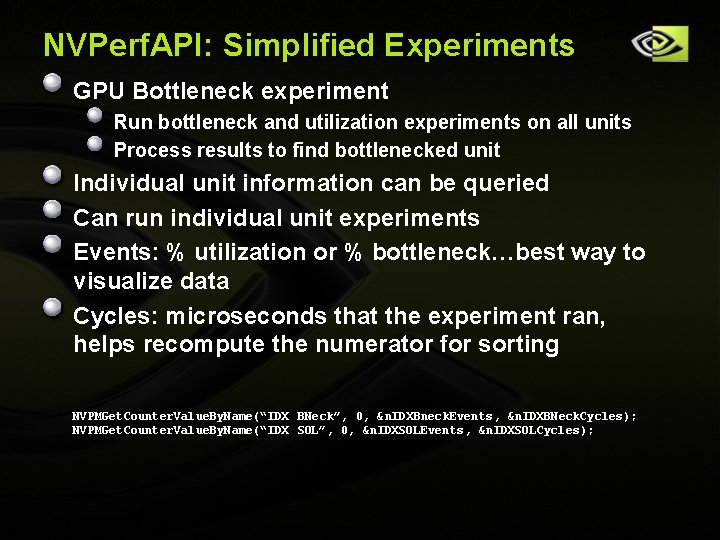
NVPerf. API: Simplified Experiments GPU Bottleneck experiment Run bottleneck and utilization experiments on all units Process results to find bottlenecked unit Individual unit information can be queried Can run individual unit experiments Events: % utilization or % bottleneck…best way to visualize data Cycles: microseconds that the experiment ran, helps recompute the numerator for sorting NVPMGet. Counter. Value. By. Name(“IDX BNeck”, 0, &n. IDXBneck. Events, &n. IDXBNeck. Cycles); NVPMGet. Counter. Value. By. Name(“IDX SOL”, 0, &n. IDXSOLEvents, &n. IDXSOLCycles); Copyright © NVIDIA Corporation 2004
NVPerf. API: Sim. Exp Copyright © NVIDIA Corporation 2004
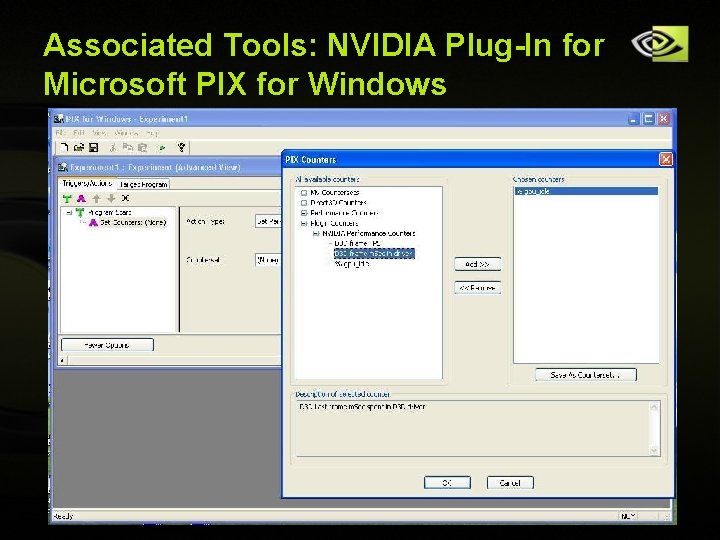
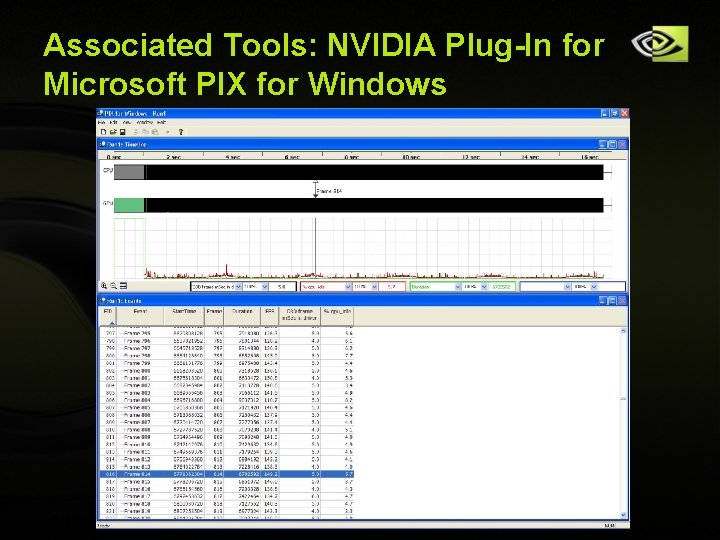
Associated Tools: NVIDIA Plug-In for Microsoft PIX for Windows Copyright © NVIDIA Corporation 2004
Associated Tools: NVIDIA Plug-In for Microsoft PIX for Windows Copyright © NVIDIA Corporation 2004
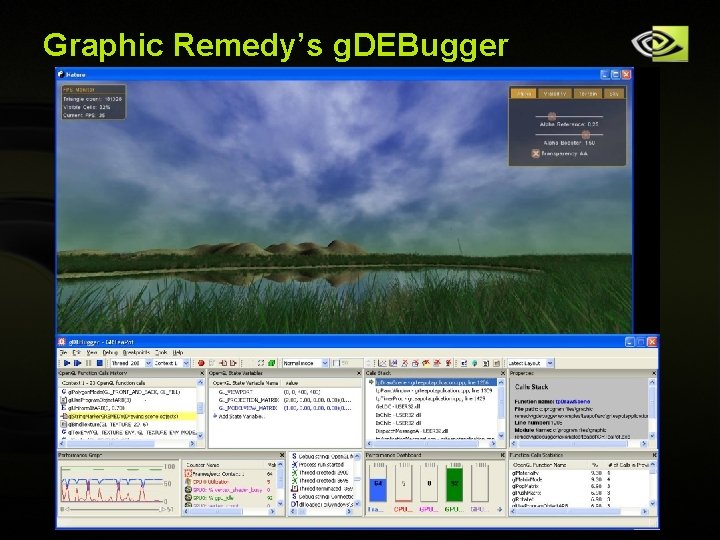
Graphic Remedy’s g. DEBugger Copyright © NVIDIA Corporation 2004
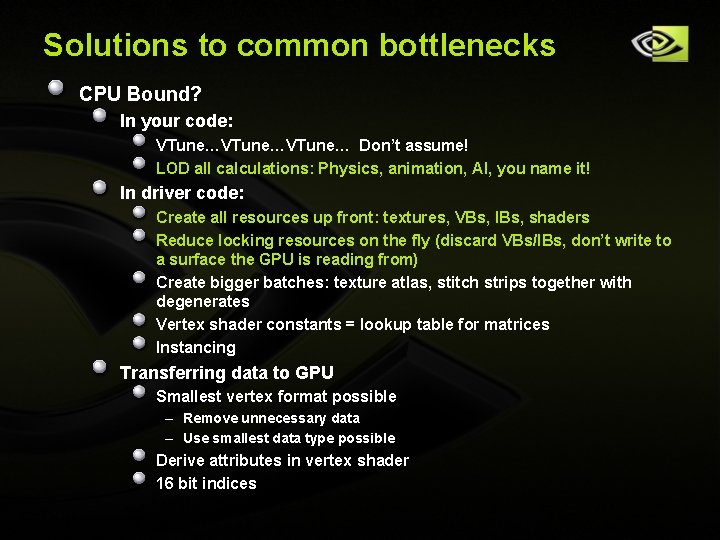
Solutions to common bottlenecks CPU Bound? In your code: VTune…VTune… Don’t assume! LOD all calculations: Physics, animation, AI, you name it! In driver code: Create all resources up front: textures, VBs, IBs, shaders Reduce locking resources on the fly (discard VBs/IBs, don’t write to a surface the GPU is reading from) Create bigger batches: texture atlas, stitch strips together with degenerates Vertex shader constants = lookup table for matrices Instancing Transferring data to GPU Smallest vertex format possible – Remove unnecessary data – Use smallest data type possible Derive attributes in vertex shader 16 bit indices Copyright © NVIDIA Corporation 2004
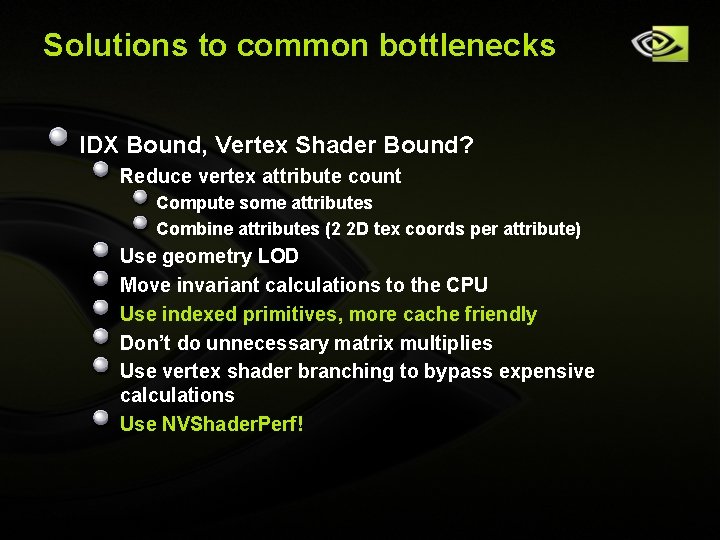
Solutions to common bottlenecks IDX Bound, Vertex Shader Bound? Reduce vertex attribute count Compute some attributes Combine attributes (2 2 D tex coords per attribute) Use geometry LOD Move invariant calculations to the CPU Use indexed primitives, more cache friendly Don’t do unnecessary matrix multiplies Use vertex shader branching to bypass expensive calculations Use NVShader. Perf! Copyright © NVIDIA Corporation 2004
Solutions to common bottlenecks Pixel Shader Bound? Render depth first (no color writes = 2 X speed) Prebake complex math into textures Move per pixel calculations to the vertex shader Use partial precision where possible, try it you may like the result Avoid unnecessary normalizations Use LOD specific pixel shaders Use NVShader. Perf! Copyright © NVIDIA Corporation 2004
Solutions to common bottlenecks Texture bound? Prefilter textures to reduce size Mipmap on any texture/surface that might be minified Compressed textures Use float textures only when needed Copyright © NVIDIA Corporation 2004
Solutions to common bottlenecks Frame buffer bound? Render depth first (no color writes = 2 X speed) Only use alpha blending when necessary Use alpha test Disable depth writes when possible Avoid clearing the color buffer if you touch every pixel (but do clear Z) Render front to back to get better z culling Use float textures only when needed Copyright © NVIDIA Corporation 2004
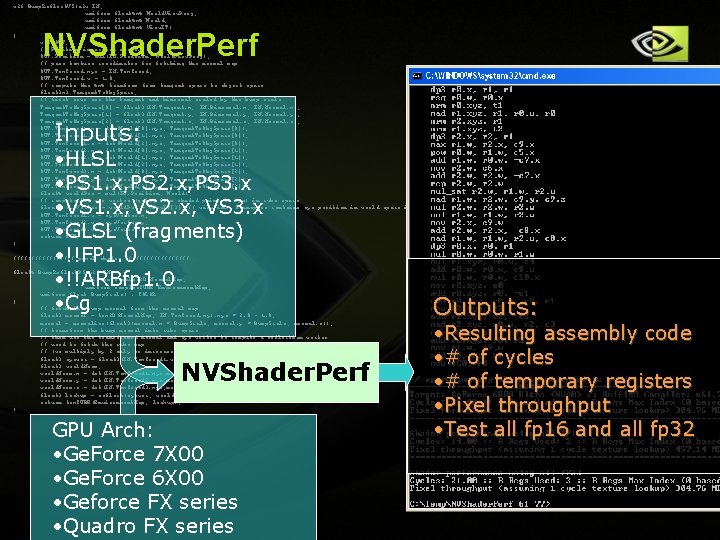
NVShader. Perf What is NVShader. Perf? What’s new with version 1. 8? What’s coming with version 2. 0? Copyright © NVIDIA Corporation 2004
v 2 f Bump. Reflect. VS(a 2 v IN, uniform float 4 x 4 World. View. Proj, uniform float 4 x 4 World, uniform float 4 x 4 View. IT) { v 2 f OUT; // Position in screen space. OUT. Position = mul(IN. Position, World. View. Proj); // pass texture coordinates for fetching the normal map OUT. Tex. Coord. xyz = IN. Tex. Coord; OUT. Tex. Coord. w = 1. 0; // compute the 4 x 4 tranform from tangent space to object space float 3 x 3 Tangent. To. Obj. Space; // first rows are the tangent and binormal scaled by the bump scale Tangent. To. Obj. Space[0] = float 3(IN. Tangent. x, IN. Binormal. x, IN. Normal. x); Tangent. To. Obj. Space[1] = float 3(IN. Tangent. y, IN. Binormal. y, IN. Normal. y); Tangent. To. Obj. Space[2] = float 3(IN. Tangent. z, IN. Binormal. z, IN. Normal. z); OUT. Tex. Coord 1. x = dot(World[0]. xyz, Tangent. To. Obj. Space[0]); OUT. Tex. Coord 1. y = dot(World[1]. xyz, Tangent. To. Obj. Space[0]); OUT. Tex. Coord 1. z = dot(World[2]. xyz, Tangent. To. Obj. Space[0]); OUT. Tex. Coord 2. x = dot(World[0]. xyz, Tangent. To. Obj. Space[1]); OUT. Tex. Coord 2. y = dot(World[1]. xyz, Tangent. To. Obj. Space[1]); OUT. Tex. Coord 2. z = dot(World[2]. xyz, Tangent. To. Obj. Space[1]); OUT. Tex. Coord 3. x = dot(World[0]. xyz, Tangent. To. Obj. Space[2]); OUT. Tex. Coord 3. y = dot(World[1]. xyz, Tangent. To. Obj. Space[2]); OUT. Tex. Coord 3. z = dot(World[2]. xyz, Tangent. To. Obj. Space[2]); float 4 world. Pos = mul(IN. Position, World); // compute the eye vector (going from shaded point to eye) in cube space float 4 eye. Vector = world. Pos - View. IT[3]; // view inv. transpose contains eye position in world space in last row. OUT. Tex. Coord 1. w = eye. Vector. x; OUT. Tex. Coord 2. w = eye. Vector. y; OUT. Tex. Coord 3. w = eye. Vector. z; return OUT; } NVShader. Perf Inputs: • HLSL • PS 1. x, PS 2. x, PS 3. x • VS 1. x, VS 2. x, VS 3. x • GLSL (fragments) • !!FP 1. 0 • !!ARBfp 1. 0 • Cg ///////// pixel shader ///////// float 4 Bump. Reflect. PS(v 2 f IN, uniform sampler 2 D Normal. Map, uniform sampler. CUBE Environment. Map, uniform float Bump. Scale) : COLOR { // fetch the bump normal from the normal map float 3 normal = tex 2 D(Normal. Map, IN. Tex. Coord. xy). xyz * 2. 0 - 1. 0; normal = normalize(float 3(normal. x * Bump. Scale, normal. y * Bump. Scale, normal. z)); // transform the bump normal into cube space // then use the transformed normal and eye vector to compute a reflection vector // used to fetch the cube map // (we multiply by 2 only to increase brightness) float 3 eyevec = float 3(IN. Tex. Coord 1. w, IN. Tex. Coord 2. w, IN. Tex. Coord 3. w); float 3 world. Norm; world. Norm. x = dot(IN. Tex. Coord 1. xyz, normal); world. Norm. y = dot(IN. Tex. Coord 2. xyz, normal); world. Norm. z = dot(IN. Tex. Coord 3. xyz, normal); float 3 lookup = reflect(eyevec, world. Norm); return tex. CUBE(Environment. Map, lookup); } NVShader. Perf GPU Arch: • Ge. Force 7 X 00 • Ge. Force 6 X 00 • Geforce FX series • Quadro FX series Copyright © NVIDIA Corporation 2004 Outputs: • Resulting assembly code • # of cycles • # of temporary registers • Pixel throughput • Test all fp 16 and all fp 32
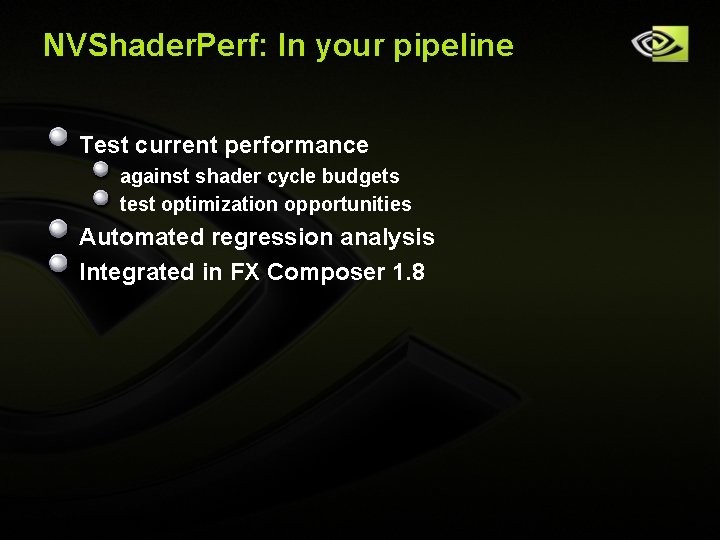
NVShader. Perf: In your pipeline Test current performance against shader cycle budgets test optimization opportunities Automated regression analysis Integrated in FX Composer 1. 8 Copyright © NVIDIA Corporation 2004
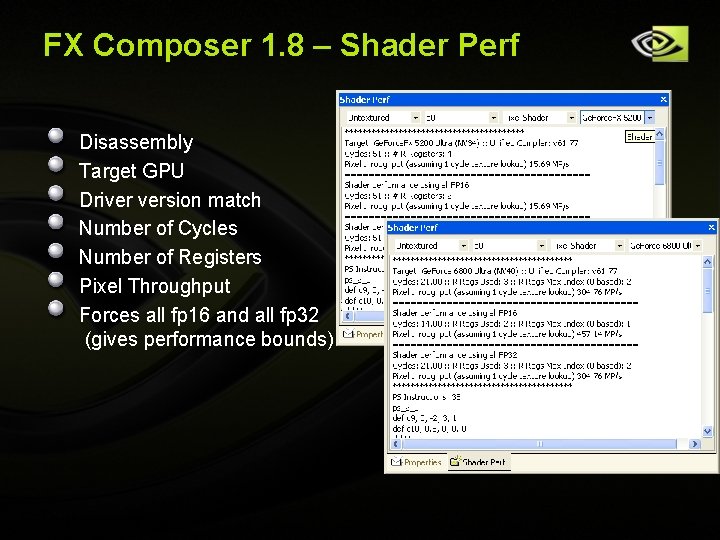
FX Composer 1. 8 – Shader Perf Disassembly Target GPU Driver version match Number of Cycles Number of Registers Pixel Throughput Forces all fp 16 and all fp 32 (gives performance bounds) Copyright © NVIDIA Corporation 2004
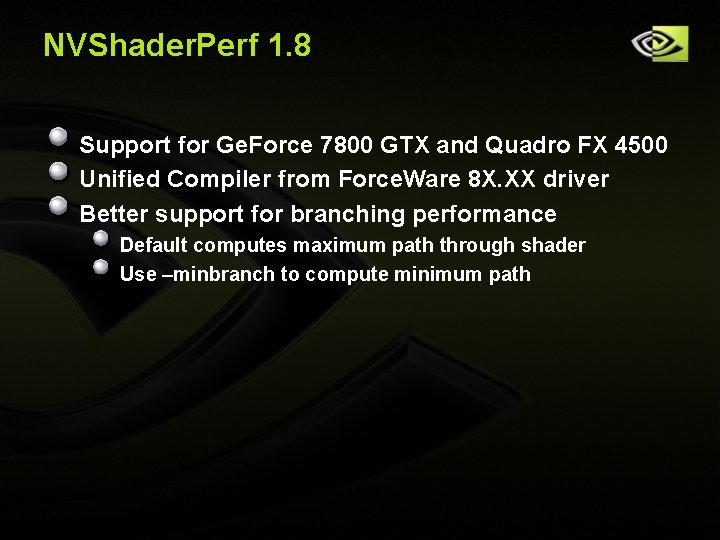
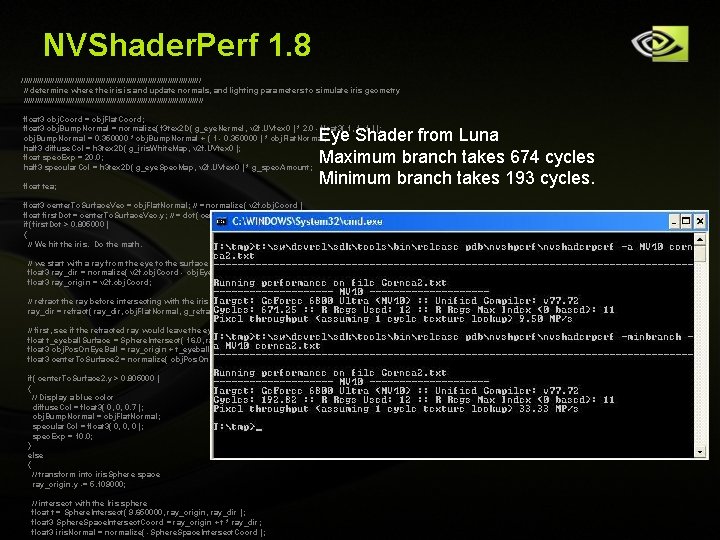
NVShader. Perf 1. 8 Support for Ge. Force 7800 GTX and Quadro FX 4500 Unified Compiler from Force. Ware 8 X. XX driver Better support for branching performance Default computes maximum path through shader Use –minbranch to compute minimum path Copyright © NVIDIA Corporation 2004
NVShader. Perf 1. 8 ///////////////////////////////////////// // determine where the iris is and update normals, and lighting parameters to simulate iris geometry ///////////////////////////////////////// float 3 obj. Coord = obj. Flat. Coord; float 3 obj. Bump. Normal = normalize( f 3 tex 2 D( g_eye. Nermel, v 2 f. UVtex 0 ) * 2. 0 - float 3( 1, 1, 1 ) ); obj. Bump. Normal = 0. 350000 * obj. Bump. Normal + ( 1 - 0. 350000 ) * obj. Flat. Normal; half 3 diffuse. Col = h 3 tex 2 D( g_iris. White. Map, v 2 f. UVtex 0 ); float spec. Exp = 20. 0; half 3 specular. Col = h 3 tex 2 D( g_eye. Spec. Map, v 2 f. UVtex 0 ) * g_spec. Amount; float tea; Eye Shader from Luna Maximum branch takes 674 cycles Minimum branch takes 193 cycles. float 3 center. To. Surface. Vec = obj. Flat. Normal; // = normalize( v 2 f. obj. Coord ) float first. Dot = center. To. Surface. Vec. y; // = dot( center. To. Surface. Vec, float 3( 0, 1, 0 ) ) if( first. Dot > 0. 805000 ) { // We hit the iris. Do the math. // we start with a ray from the eye to the surface of the eyeball, starting at the surface float 3 ray_dir = normalize( v 2 f. obj. Coord - obj. Eye. Pos ); float 3 ray_origin = v 2 f. obj. Coord; // refract the ray before intersecting with the iris sphere ray_dir = refract( ray_dir, obj. Flat. Normal, g_refraction_u ); // first, see if the refracted ray would leave the eye before hitting the Iris. float t_eyeball. Surface = Sphere. Intersect( 16. 0, ray_origin, ray_dir ); // 16 = 4 * 4, we assume the sphere of the eyeball is radius 4 here float 3 obj. Pos. On. Eye. Ball = ray_origin + t_eyeball. Surface * ray_dir; float 3 center. To. Surface 2 = normalize( obj. Pos. On. Eye. Ball ); if( center. To. Surface 2. y > 0. 805000 ) { // Display a blue color diffuse. Col = float 3( 0, 0, 0. 7 ); obj. Bump. Normal = obj. Flat. Normal; specular. Col = float 3( 0, 0, 0 ); spec. Exp = 10. 0; } else { // transform into iris. Sphere space ray_origin. y -= 5. 109000; // intersect with the Iris sphere float t = Sphere. Intersect( 9. 650000, ray_origin, ray_dir ); Copyright © NVIDIA Corporation 2004 float 3 Sphere. Space. Intersect. Coord = ray_origin + t * ray_dir; float 3 iris. Normal = normalize( -Sphere. Space. Intersect. Coord );
NVShader. Perf – Version 2. 0 Vertex throughput GLSL vertex program Multiple driver versions from one NVShader. Perf Much smaller footprint New programmatic interface Integration into FX Composer 2. 0 What else do you need? NVShader. Perf@nvidia. com Copyright © NVIDIA Corporation 2004
Questions? Developer tools DVDs available at our booth NVPerf. Kit 2. 0 NVPerf. HUD 4. 0 Overview Video NVPerf. HUD 4. 0 Quick Reference Card User Guides Online: http: //developer. nvidia. com/NVPerf. Kit http: //developer. nvidia. com/NVPerf. HUD NVPerf. KIT@nvidia. com NVPerf. HUD@nvidia. com NVShader. Perf@nvidia. com FXComposer@nvidia. com Copyright © NVIDIA Corporation 2004
NVIDIA Session Raffle GPU Gems 2 books Also available at the GDC store 7900 GT Board Fast! Cool, silent, 1 -slot solution Didn’t win? Swipe your card at the entrance to enter our post-GDC raffle! Copyright © NVIDIA Corporation 2004
Copyright © NVIDIA Corporation 2004
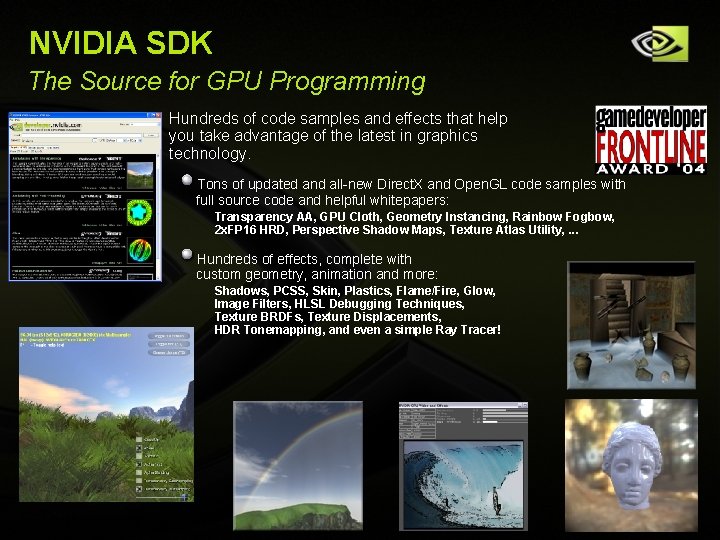
NVIDIA SDK The Source for GPU Programming Hundreds of code samples and effects that help you take advantage of the latest in graphics technology. Tons of updated and all-new Direct. X and Open. GL code samples with full source code and helpful whitepapers: Transparency AA, GPU Cloth, Geometry Instancing, Rainbow Fogbow, 2 x. FP 16 HRD, Perspective Shadow Maps, Texture Atlas Utility, . . . Hundreds of effects, complete with custom geometry, animation and more: Shadows, PCSS, Skin, Plastics, Flame/Fire, Glow, Image Filters, HLSL Debugging Techniques, Texture BRDFs, Texture Displacements, HDR Tonemapping, and even a simple Ray Tracer! Copyright © NVIDIA Corporation 2004
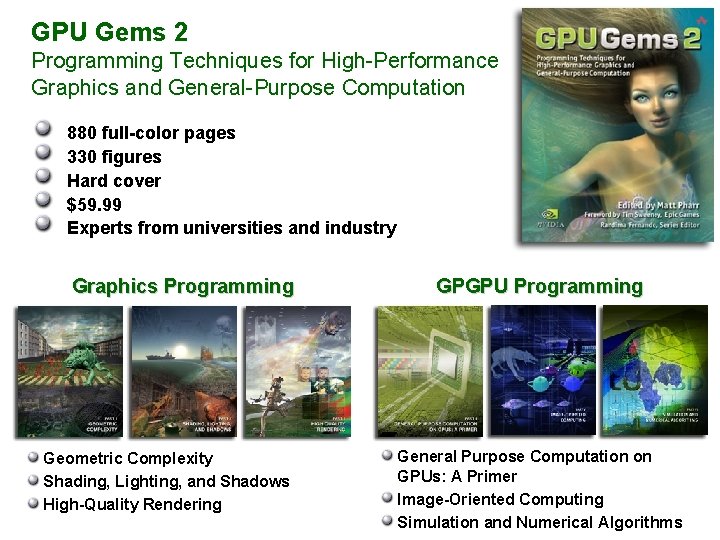
GPU Gems 2 Programming Techniques for High-Performance Graphics and General-Purpose Computation 880 full-color pages 330 figures Hard cover $59. 99 Experts from universities and industry Graphics Programming Geometric Complexity Shading, Lighting, and Shadows High-Quality Rendering Copyright © NVIDIA Corporation 2004 GPGPU Programming General Purpose Computation on GPUs: A Primer Image-Oriented Computing Simulation and Numerical Algorithms