Opportunities and Challenges of Distance Education The 3

- Slides: 37
Opportunities and Challenges of Distance Education The 3 rd SINO FRANCO WORKSHOP ON MULTIMEDIA AND WEB TECHNOLOGIES March 26 – 28, 2002 INRIA SOPHIA ANTIPOLIS Timothy K. Shih and MINE Lab Department of Computer Science and Information Engineering Tamkang University, Taiwan
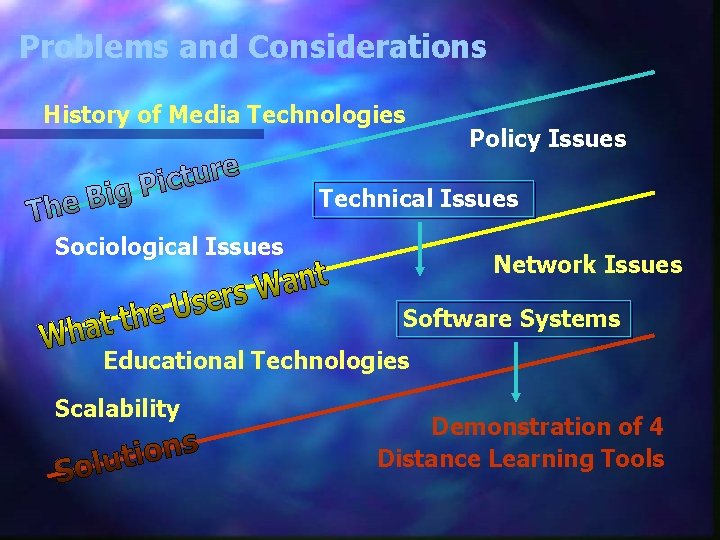
Problems and Considerations History of Media Technologies Policy Issues Technical Issues Sociological Issues Network Issues Software Systems Educational Technologies Scalability Demonstration of 4 Distance Learning Tools
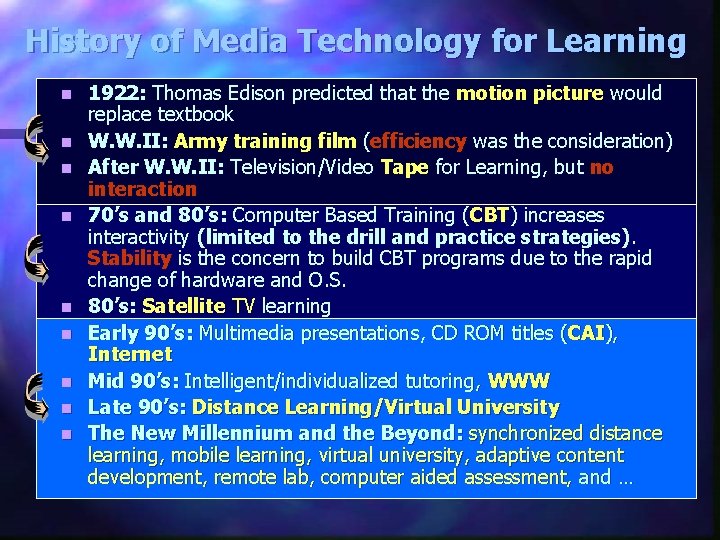
History of Media Technology for Learning n n n n n 1922: Thomas Edison predicted that the motion picture would replace textbook W. W. II: Army training film (efficiency was the consideration) After W. W. II: Television/Video Tape for Learning, but no interaction 70’s and 80’s: Computer Based Training (CBT) increases interactivity (limited to the drill and practice strategies). Stability is the concern to build CBT programs due to the rapid change of hardware and O. S. 80’s: Satellite TV learning Early 90’s: Multimedia presentations, CD ROM titles (CAI), Internet Mid 90’s: Intelligent/individualized tutoring, WWW Late 90’s: Distance Learning/Virtual University The New Millennium and the Beyond: synchronized distance learning, mobile learning, virtual university, adaptive content development, remote lab, computer aided assessment, and …
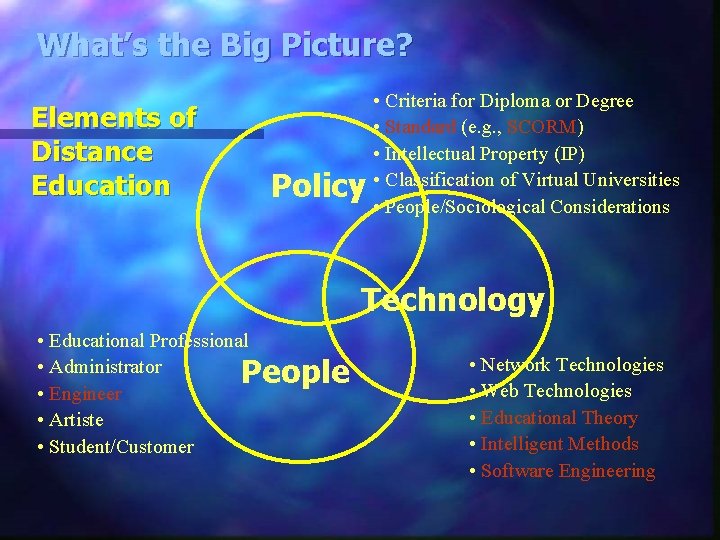
What’s the Big Picture? Elements of Distance Education Policy • Criteria for Diploma or Degree • Standard (e. g. , SCORM) • Intellectual Property (IP) • Classification of Virtual Universities • People/Sociological Considerations Technology • Educational Professional • Administrator People • Engineer • Artiste • Student/Customer • Network Technologies • Web Technologies • Educational Theory • Intelligent Methods • Software Engineering
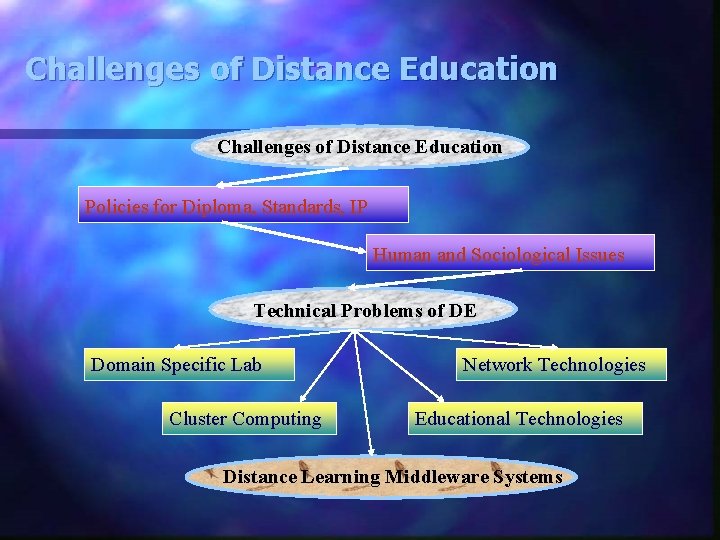
Challenges of Distance Education Policies for Diploma, Standards, IP Human and Sociological Issues Technical Problems of DE Domain Specific Lab Cluster Computing Network Technologies Educational Technologies Distance Learning Middleware Systems
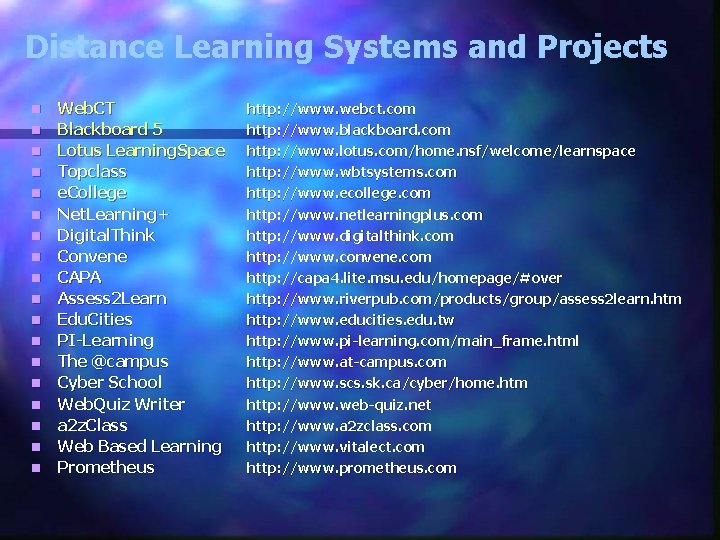
Distance Learning Systems and Projects n n n n n Web. CT Blackboard 5 Lotus Learning. Space Topclass e. College Net. Learning+ Digital. Think Convene CAPA Assess 2 Learn Edu. Cities PI-Learning The @campus Cyber School Web. Quiz Writer a 2 z. Class Web Based Learning Prometheus http: //www. webct. com http: //www. blackboard. com http: //www. lotus. com/home. nsf/welcome/learnspace http: //www. wbtsystems. com http: //www. ecollege. com http: //www. netlearningplus. com http: //www. digitalthink. com http: //www. convene. com http: //capa 4. lite. msu. edu/homepage/#over http: //www. riverpub. com/products/group/assess 2 learn. htm http: //www. educities. edu. tw http: //www. pi-learning. com/main_frame. html http: //www. at-campus. com http: //www. scs. sk. ca/cyber/home. htm http: //www. web-quiz. net http: //www. a 2 zclass. com http: //www. vitalect. com http: //www. prometheus. com
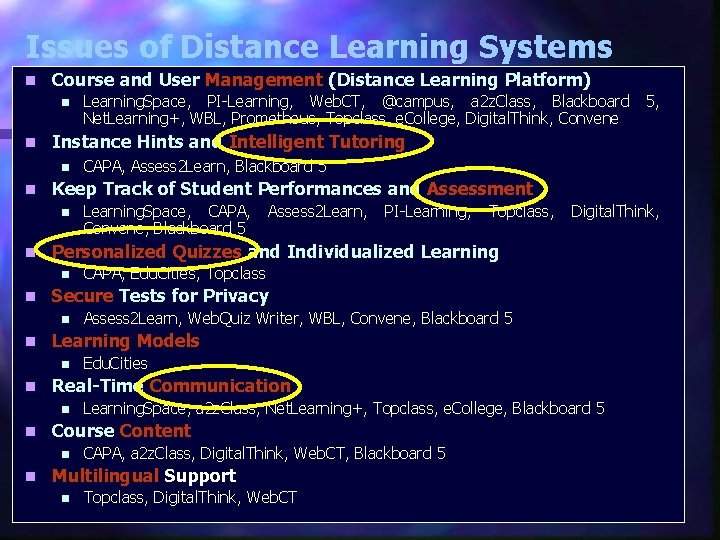
Issues of Distance Learning Systems n Course and User Management (Distance Learning Platform) n n Instance Hints and Intelligent Tutoring n n Digital. Think, CAPA, Edu. Cities, Topclass Assess 2 Learn, Web. Quiz Writer, WBL, Convene, Blackboard 5 Edu. Cities Learning. Space, a 2 z. Class, Net. Learning+, Topclass, e. College, Blackboard 5 Course Content n n Topclass, Real-Time Communication n n PI-Learning, Learning Models n n Assess 2 Learn, Secure Tests for Privacy n n Learning. Space, CAPA, Convene, Blackboard 5 Personalized Quizzes and Individualized Learning n n CAPA, Assess 2 Learn, Blackboard 5 Keep Track of Student Performances and Assessment n n Learning. Space, PI-Learning, Web. CT, @campus, a 2 z. Class, Blackboard 5, Net. Learning+, WBL, Prometheus, Topclass, e. College, Digital. Think, Convene CAPA, a 2 z. Class, Digital. Think, Web. CT, Blackboard 5 Multilingual Support n Topclass, Digital. Think, Web. CT
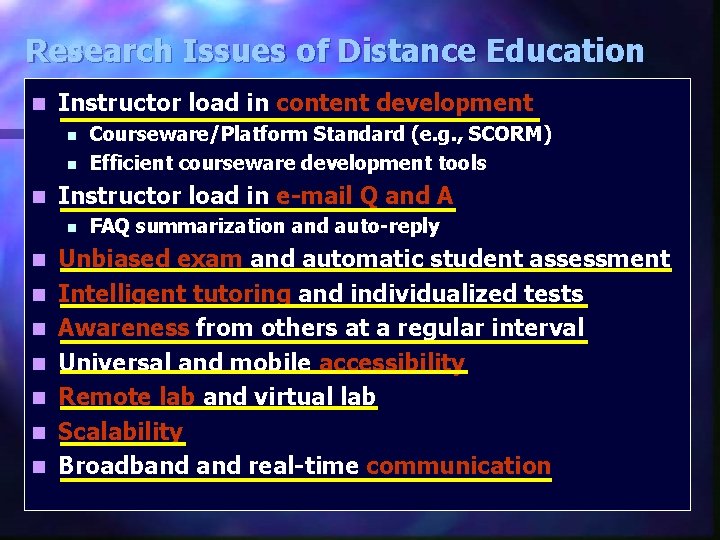
Research Issues of Distance Education n Instructor load in content development n n n Instructor load in e-mail Q and A n n n n Courseware/Platform Standard (e. g. , SCORM) Efficient courseware development tools FAQ summarization and auto-reply Unbiased exam and automatic student assessment Intelligent tutoring and individualized tests Awareness from others at a regular interval Universal and mobile accessibility Remote lab and virtual lab Scalability Broadband real-time communication
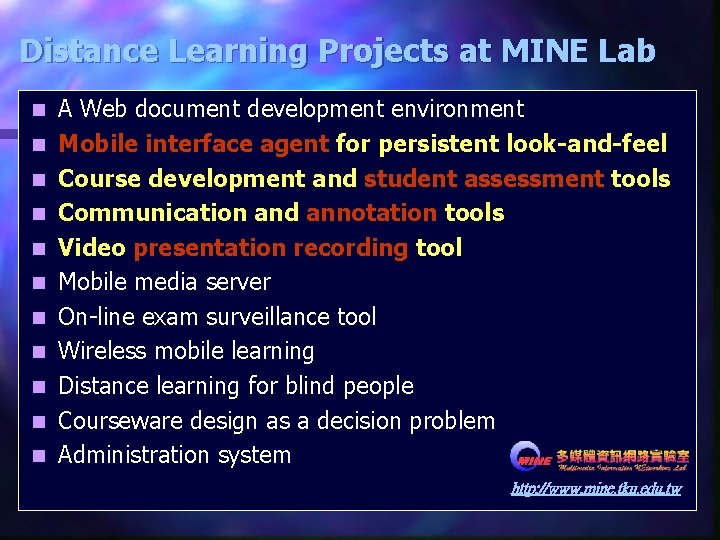
Distance Learning Projects at MINE Lab n n n A Web document development environment Mobile interface agent for persistent look-and-feel Course development and student assessment tools Communication and annotation tools Video presentation recording tool Mobile media server On-line exam surveillance tool Wireless mobile learning Distance learning for blind people Courseware design as a decision problem Administration system http: //www. mine. tku. edu. tw
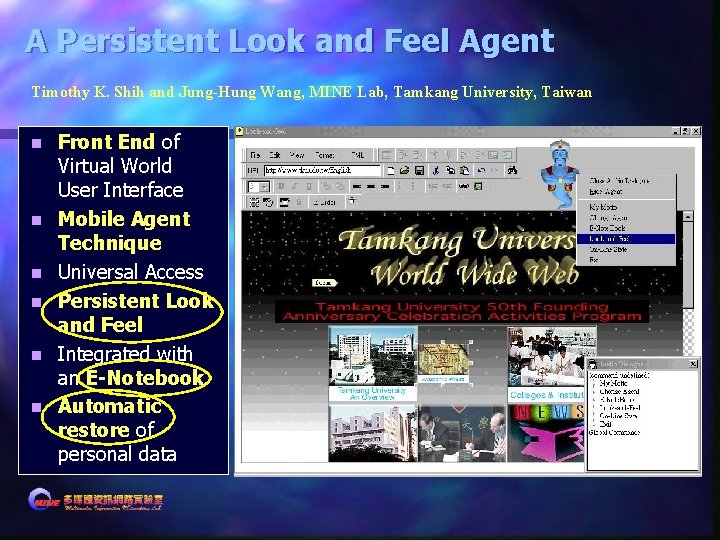
A Persistent Look and Feel Agent Timothy K. Shih and Jung-Hung Wang, MINE Lab, Tamkang University, Taiwan n n n Front End of Virtual World User Interface Mobile Agent Technique Universal Access Persistent Look and Feel Integrated with an E-Notebook Automatic restore of personal data
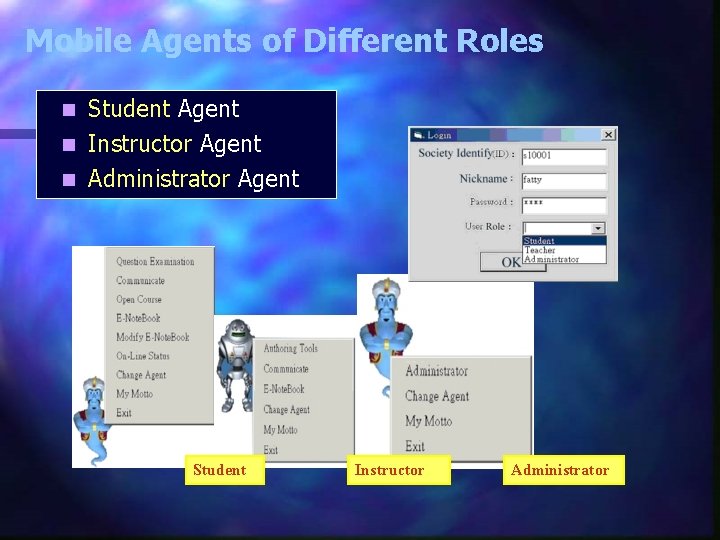
Mobile Agents of Different Roles Student Agent n Instructor Agent n Administrator Agent n Student Instructor Administrator
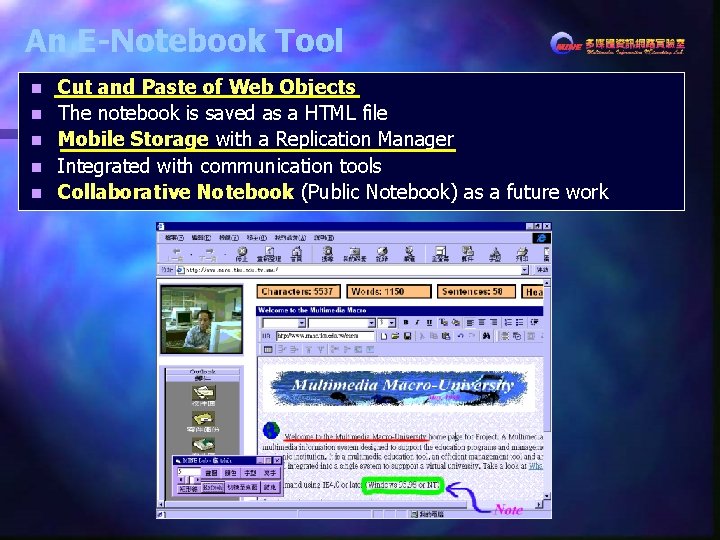
An E-Notebook Tool n n n Cut and Paste of Web Objects The notebook is saved as a HTML file Mobile Storage with a Replication Manager Integrated with communication tools Collaborative Notebook (Public Notebook) as a future work
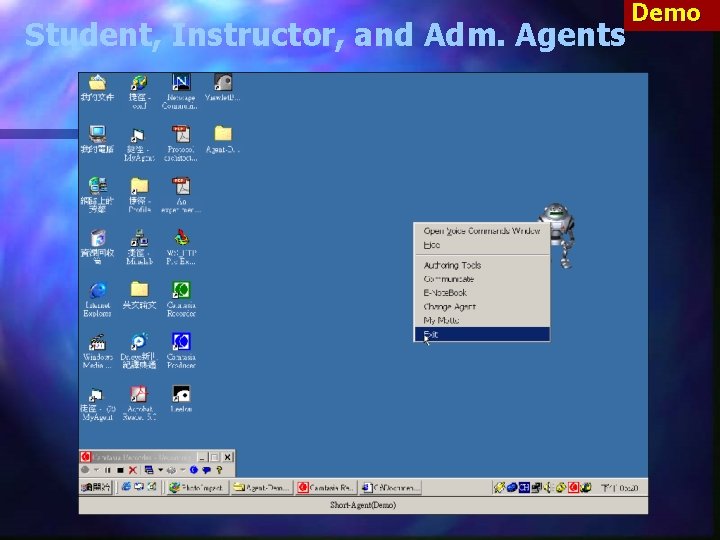
Student, Instructor, and Adm. Agents Demo
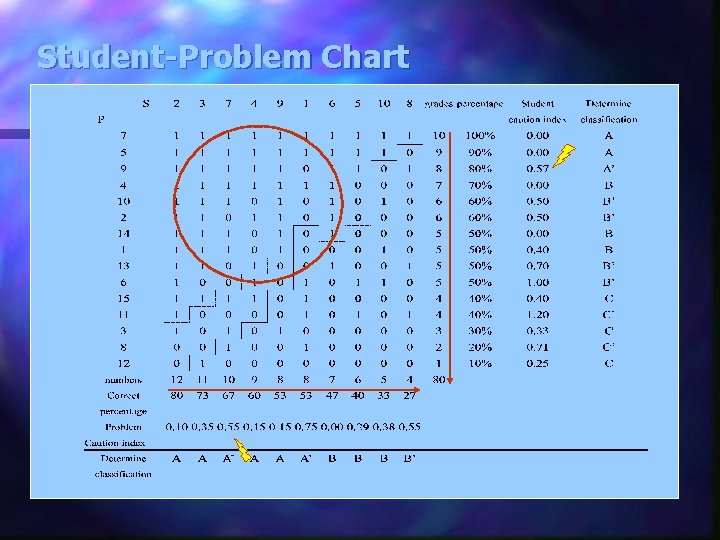
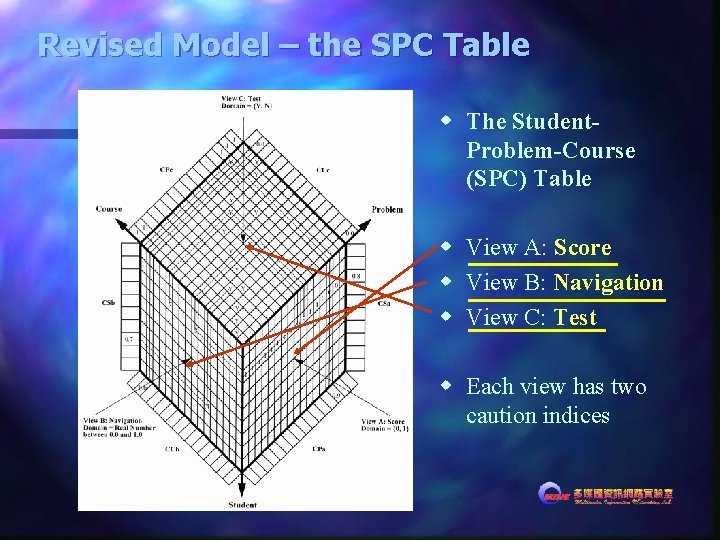
A Course Development and Student Assessment System Timothy K. Shih, Nigel Lin, Jianhua Ma, and Runhe Huang (U. of Aizu, Japan) n n How do we develop Web courses with an easy to access style? – Course Patterns How do we evaluate student learning performance? – Navigation, Tests How can we help them from the evaluation? – SPC Table How can computer help them? – Tutorials
Student-Problem Chart
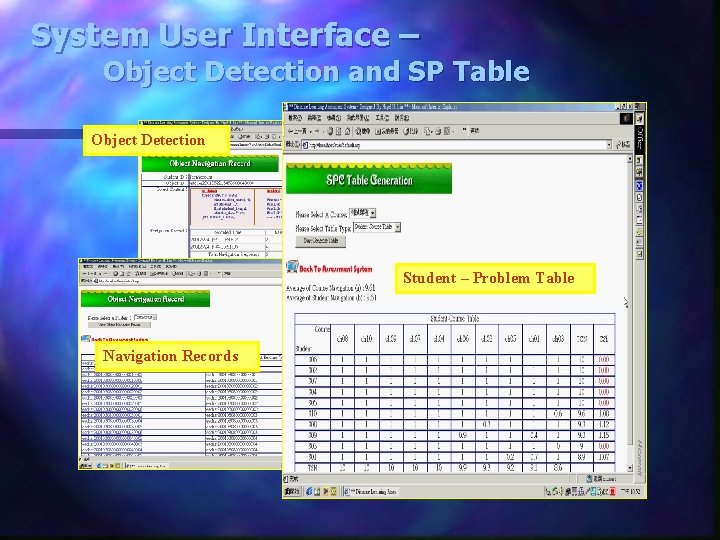
Revised Model – the SPC Table w The Student. Problem-Course (SPC) Table w View A: Score w View B: Navigation w View C: Test w Each view has two caution indices
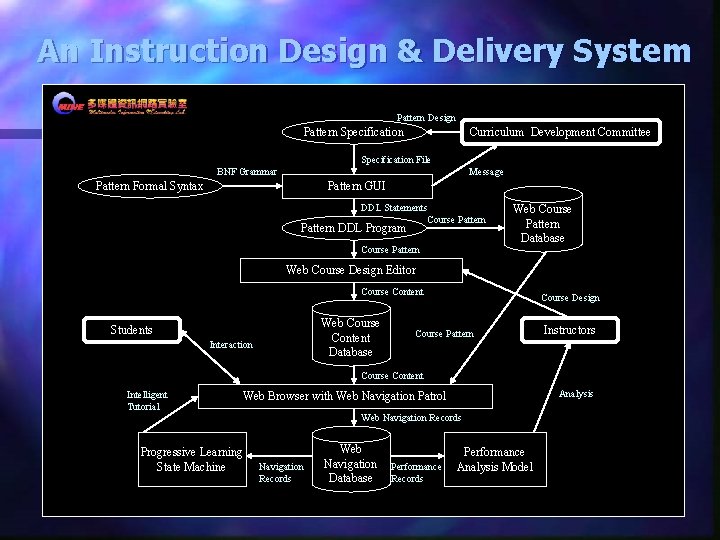
An Instruction Design & Delivery System Pattern Design Pattern Specification Curriculum Development Committee Specification File BNF Grammar Message Pattern Formal Syntax Pattern GUI DDL Statements Course Pattern DDL Program Course Pattern Web Course Pattern Database Web Course Design Editor Course Content Web Course Content Database Students Interaction Course Design Course Pattern Instructors Course Content Intelligent Tutorial Analysis Web Browser with Web Navigation Patrol Progressive Learning State Machine Web Navigation Records Web Navigation Database Performance Records Performance Analysis Model
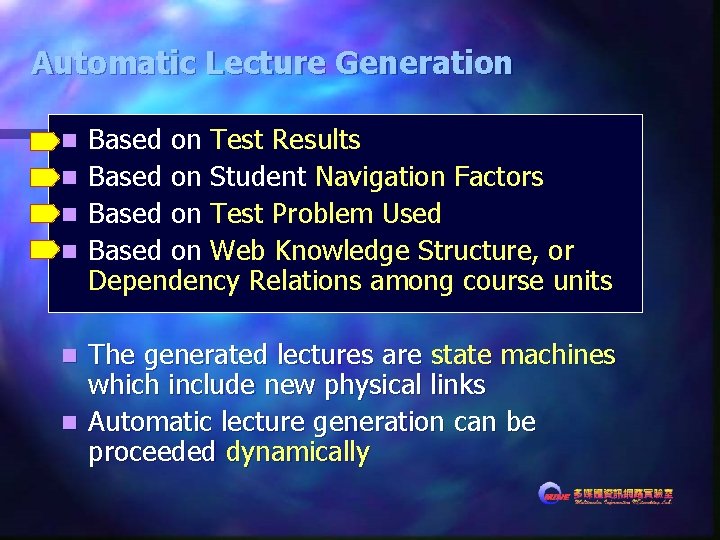
Automatic Lecture Generation n n Based on Test Results Based on Student Navigation Factors Based on Test Problem Used Based on Web Knowledge Structure, or Dependency Relations among course units The generated lectures are state machines which include new physical links n Automatic lecture generation can be proceeded dynamically n
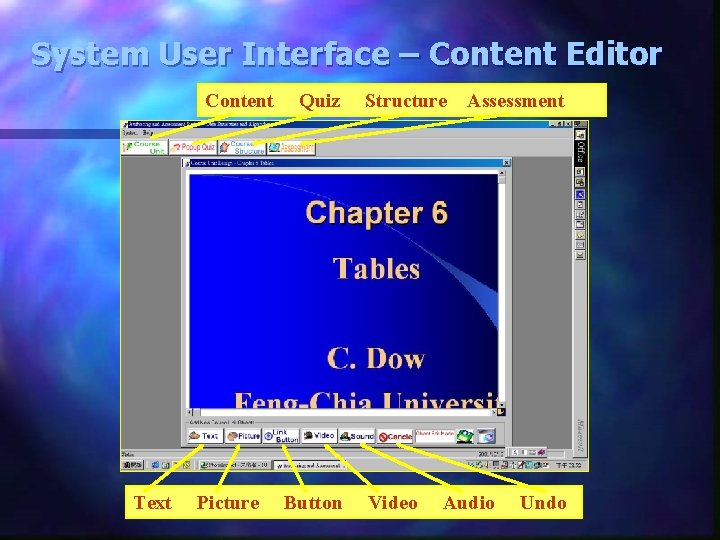
System User Interface – Content Editor Content Text Picture Quiz Button Structure Video Assessment Audio Undo
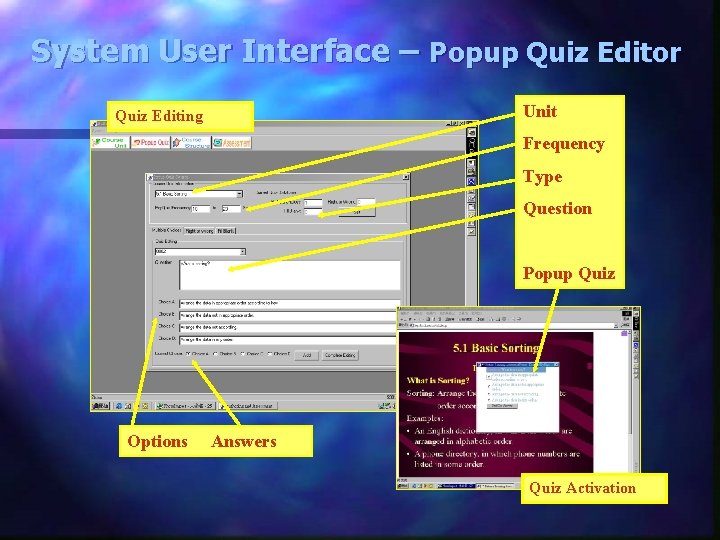
System User Interface – Popup Quiz Editor Unit Quiz Editing Frequency Type Question Popup Quiz Options Answers Quiz Activation
System User Interface – Object Detection and SP Table Object Detection Student – Problem Table Navigation Records
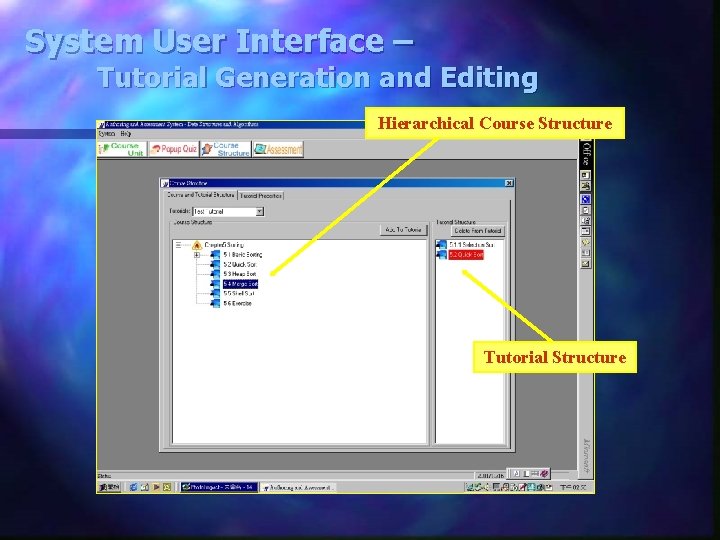
System User Interface – Tutorial Generation and Editing Hierarchical Course Structure Tutorial Structure
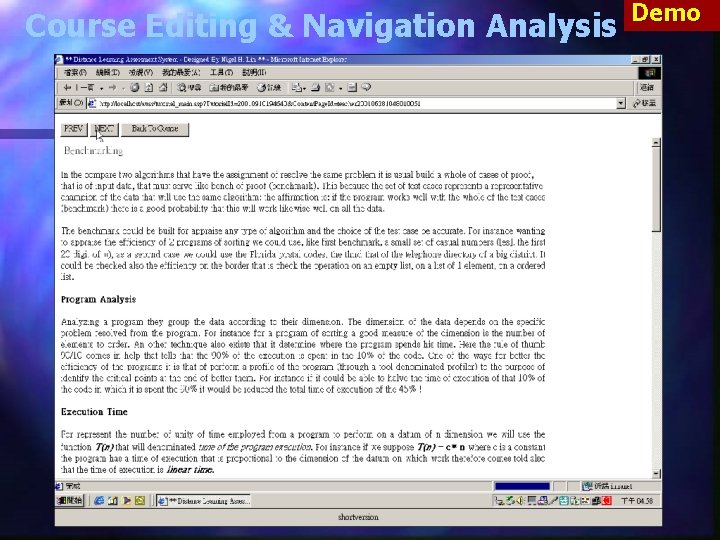
Course Editing & Navigation Analysis Demo
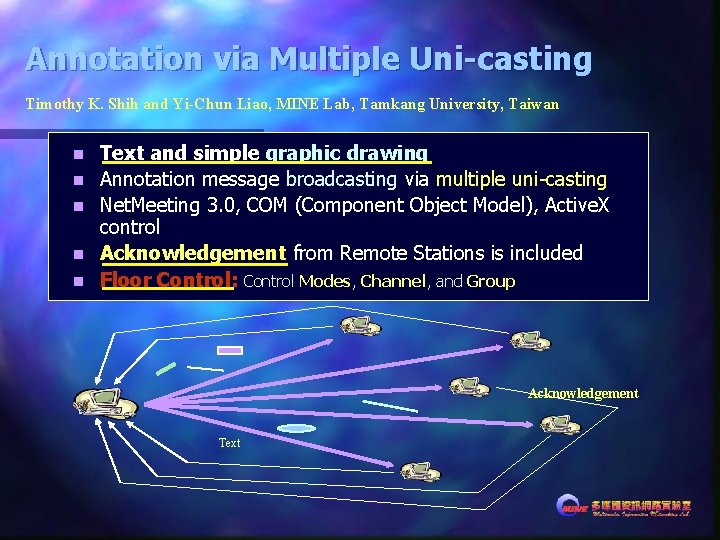
Annotation via Multiple Uni-casting Timothy K. Shih and Yi-Chun Liao, MINE Lab, Tamkang University, Taiwan n n Text and simple graphic drawing Annotation message broadcasting via multiple uni-casting Net. Meeting 3. 0, COM (Component Object Model), Active. X control Acknowledgement from Remote Stations is included Floor Control: Control Modes, Channel, and Group Acknowledgement Text
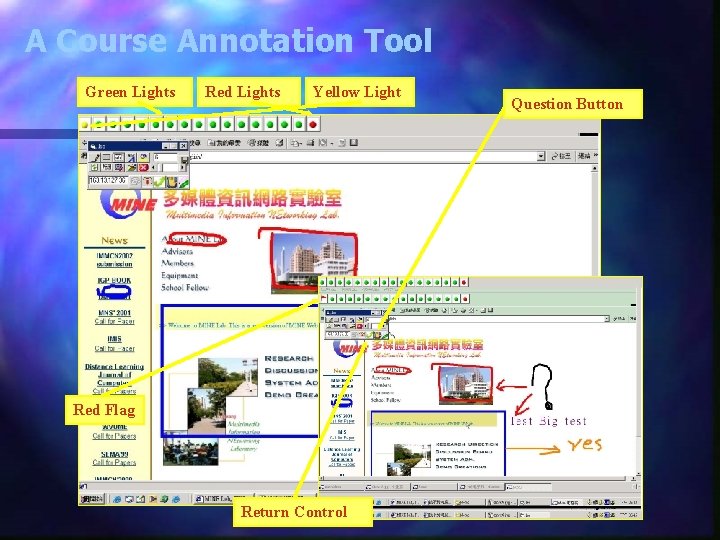
A Course Annotation Tool Green Lights Red Lights Yellow Light Question Button Request Button Red Flag Return Control
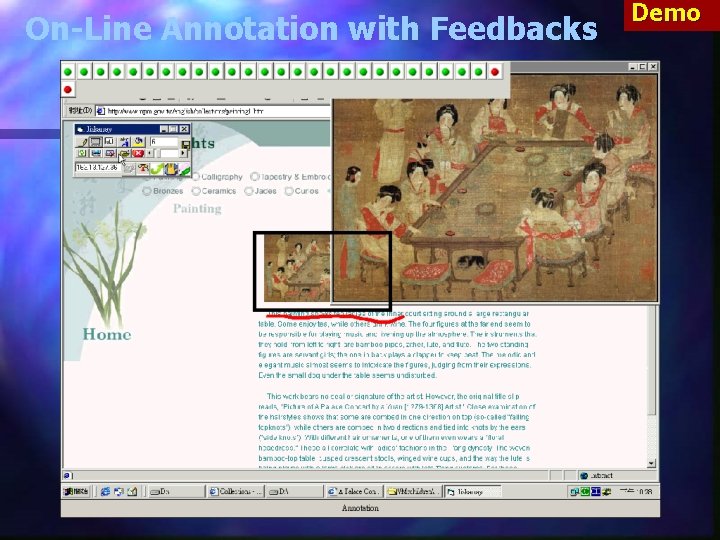
On-Line Annotation with Feedbacks Demo
Annotation Tool 30 Client connections n Heterogeneous Network n Demo
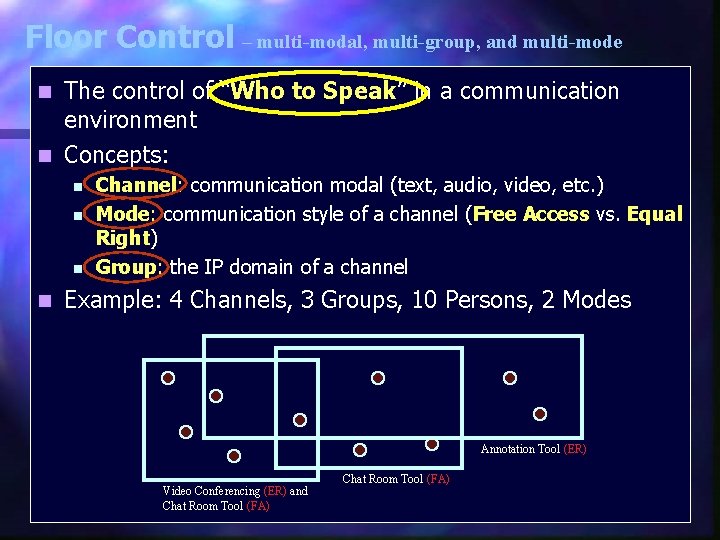
Floor Control – multi-modal, multi-group, and multi-mode The control of “Who to Speak” in a communication environment n Concepts: n n n Channel: communication modal (text, audio, video, etc. ) Mode: communication style of a channel (Free Access vs. Equal Right) Group: the IP domain of a channel Example: 4 Channels, 3 Groups, 10 Persons, 2 Modes Annotation Tool (ER) Video Conferencing (ER) and Chat Room Tool (FA)
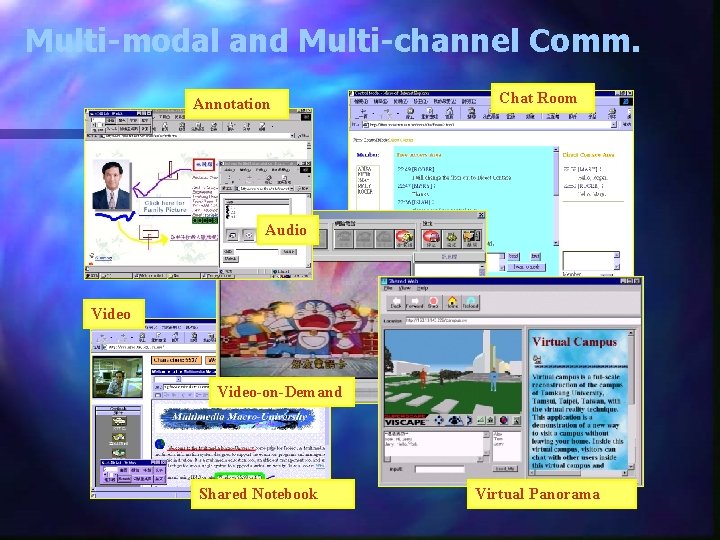
Multi-modal and Multi-channel Comm. Annotation Chat Room Audio Video-on-Demand Shared Notebook Virtual Panorama
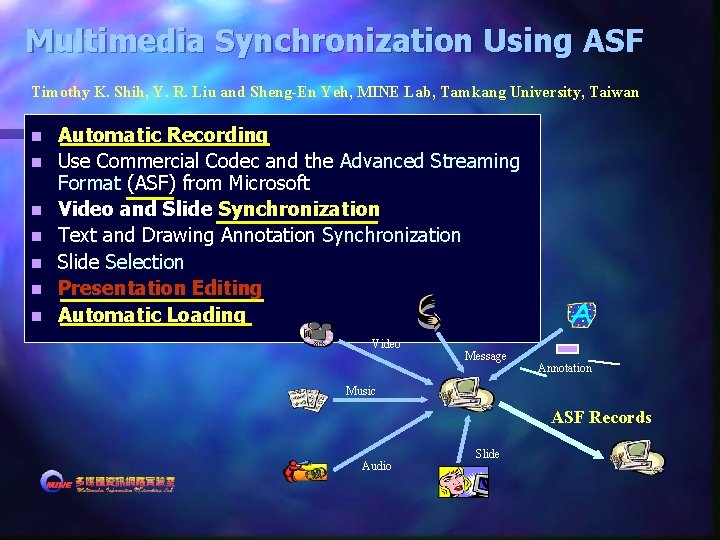
Multimedia Synchronization Using ASF Timothy K. Shih, Y. R. Liu and Sheng-En Yeh, MINE Lab, Tamkang University, Taiwan n n n Automatic Recording Use Commercial Codec and the Advanced Streaming Format (ASF) from Microsoft Video and Slide Synchronization Text and Drawing Annotation Synchronization Slide Selection Presentation Editing Automatic Loading Video Message Annotation Music ASF Records Audio Slide
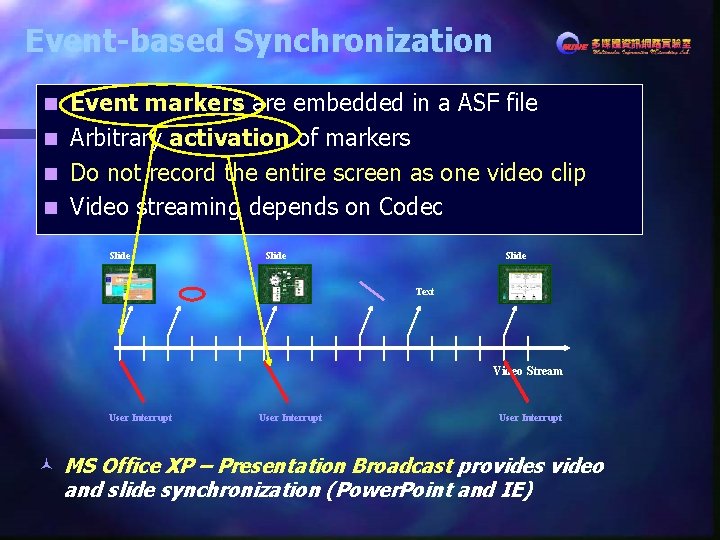
Event-based Synchronization Event markers are embedded in a ASF file n Arbitrary activation of markers n Do not record the entire screen as one video clip n Video streaming depends on Codec n Slide Text Video Stream User Interrupt © MS Office XP – Presentation Broadcast provides video and slide synchronization (Power. Point and IE)
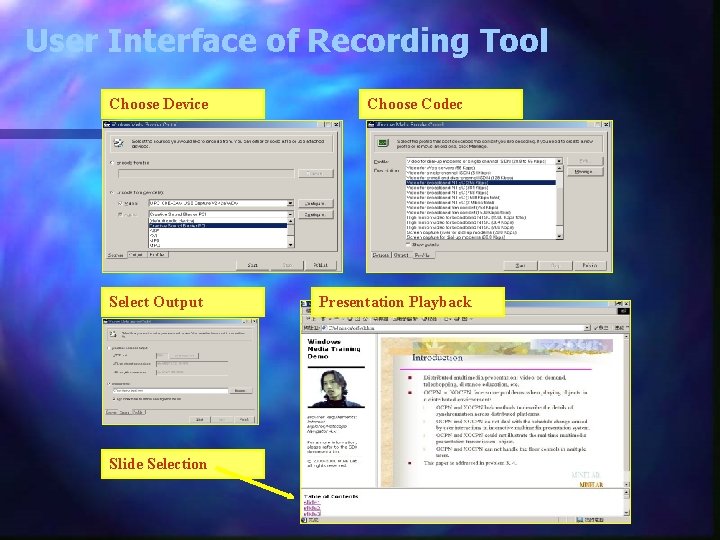
User Interface of Recording Tool Choose Device Select Output Slide Selection Choose Codec Presentation Playback
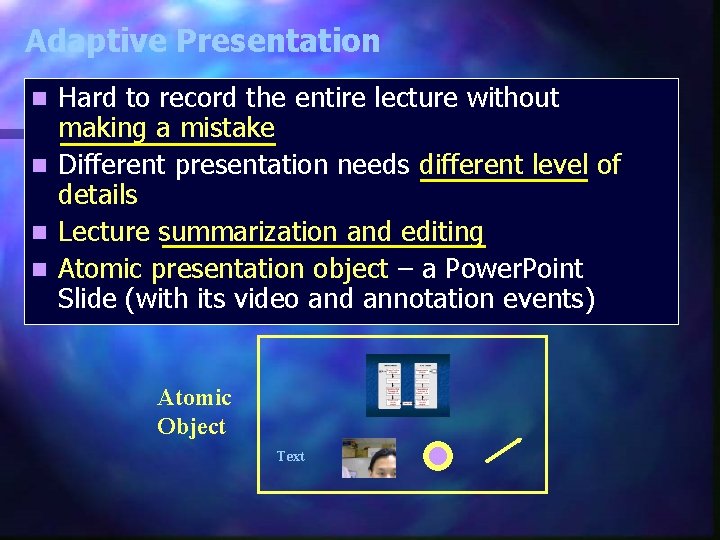
Adaptive Presentation Hard to record the entire lecture without making a mistake n Different presentation needs different level of details n Lecture summarization and editing n Atomic presentation object – a Power. Point Slide (with its video and annotation events) n Atomic Object Text
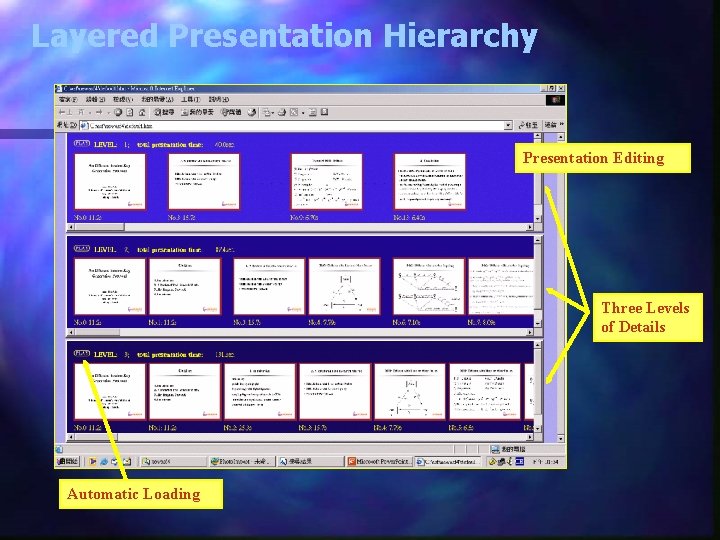
Layered Presentation Hierarchy Presentation Editing Three Levels of Details Automatic Loading
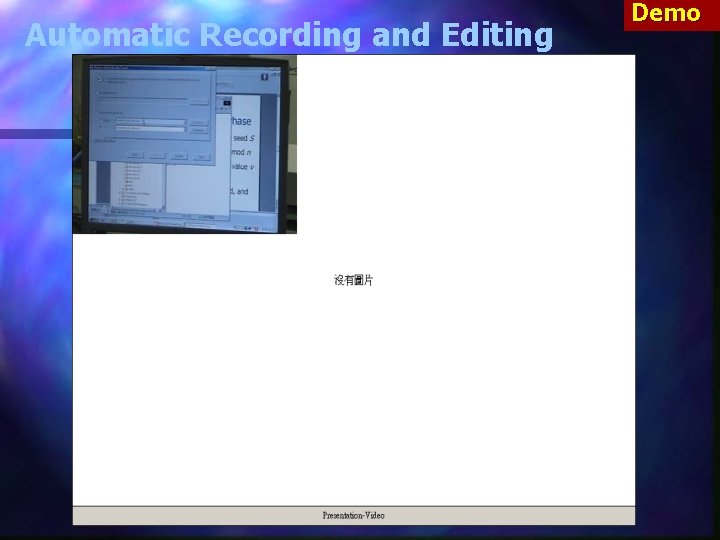
Automatic Recording and Editing Demo
Distance Learning in the Future n n n n Bring Outdoors to Indoors – Virtual Reality-based communication and situated learning Bring Indoors to Outdoors – wireless communication for encyclopedia and E-books Edutainment – makes learning easier and more interesting E-Commerce – learning as a commercial activity (i. e. , knowledge is for sale) E-Inequality – each virtual university has its own uniqueness E-Problem? – less people-centric natural of learning Yet another ‘dotcom’ issue? (i. e. , not so optimistic? )
http: //www. mine. tku. edu. tw