
MISFMS Implementation in ICAR Implementation of Management Information
- Slides: 177
MIS/FMS Implementation in ICAR Implementation of Management Information System (MIS) & Financial Management System (FMS) in ICAR (NAIP Funded Project) User Acceptance Testing Human Resource Management System & Self Service 20 May 2013
MIS/FMS Implementation in ICAR Agenda for Day 1 Ø Introduction Ø Employee Core Forms for HR Personnel } Capturing Employee Basic Details. } Capturing Employee Service Details. Ø Employee Self Service Transactions } Update Marital Status. } Update Last Name. } Add / Update Address. } View Service Details. Ø MIS Reports 2 2
MIS/FMS Implementation in ICAR Agenda for Day 2 Ø Employee Self Service Transactions } } } } } 3 3 Apply for Leaves. Submit Joining Report. Add / Update Address. Submit Home Town Change Request. Add / Update Education Qualification Details. Add / Update Training , Deputation , and other Details. APAR Submission and End to End Transaction. NOCs – Passport , Foreign Travel, Higher Studies etc. Property Declaration, Government Quarters and Nominee Details
MIS/FMS Implementation in ICAR Agenda for Day 3 Ø Office Transactions for HR Personnel } } } } Probation. Promotion. Transfer , Deputation , Lien. Suspension , Dies Non. Superannuation, Voluntary Retirement etc. Vacancy Creation and Applicant Creation. Payroll related entries in to the system. Ø Reports 4 4
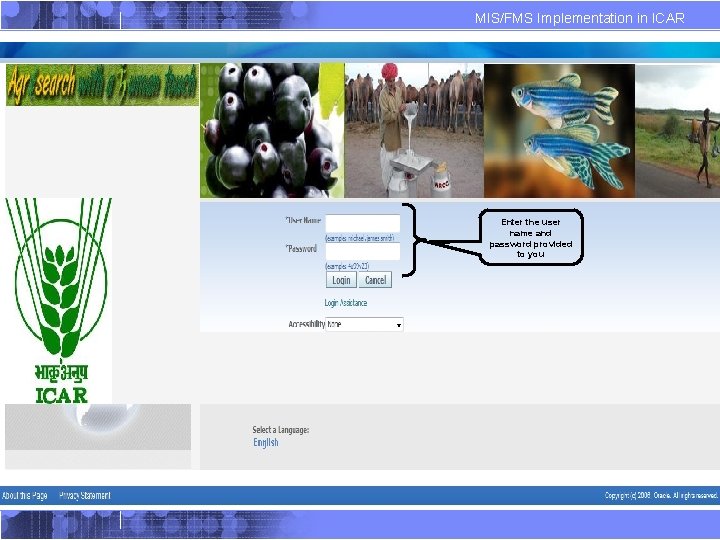
MIS/FMS Implementation in ICAR 1. Logging into Oracle Application Enter the user name and password provided to you
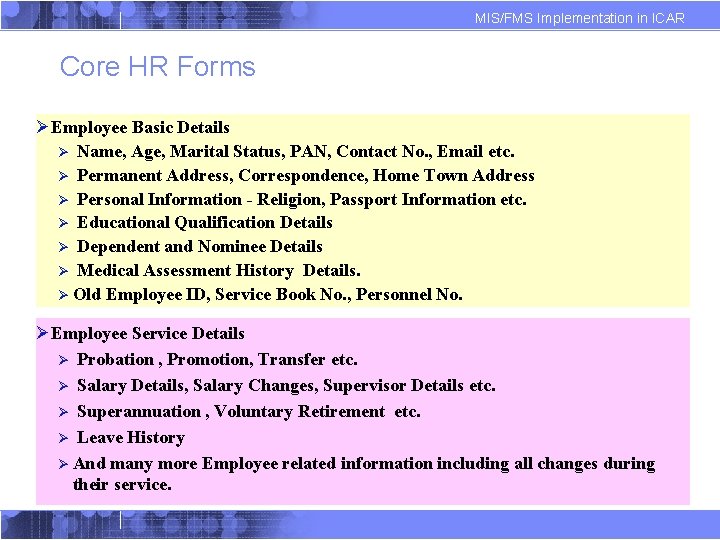
MIS/FMS Implementation in ICAR Core HR Forms ØEmployee Basic Details Ø Name, Age, Marital Status, PAN, Contact No. , Email etc. Ø Permanent Address, Correspondence, Home Town Address Ø Personal Information - Religion, Passport Information etc. Ø Educational Qualification Details Ø Dependent and Nominee Details Ø Medical Assessment History Details. Ø Old Employee ID, Service Book No. , Personnel No. ØEmployee Service Details Ø Probation , Promotion, Transfer etc. Ø Salary Details, Salary Changes, Supervisor Details etc. Ø Superannuation , Voluntary Retirement etc. Ø Leave History Ø And many more Employee related information including all changes during their service.
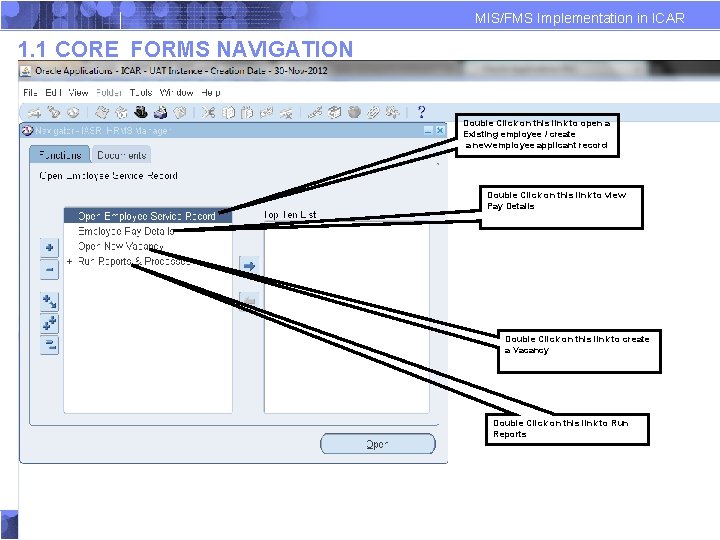
MIS/FMS Implementation in ICAR 1. 1 CORE FORMS NAVIGATION Double Click on this link to open a Existing employee / create a new employee applicant record Double Click on this link to view Pay Details Double Click on this link to create a Vacancy Double Click on this link to Run Reports
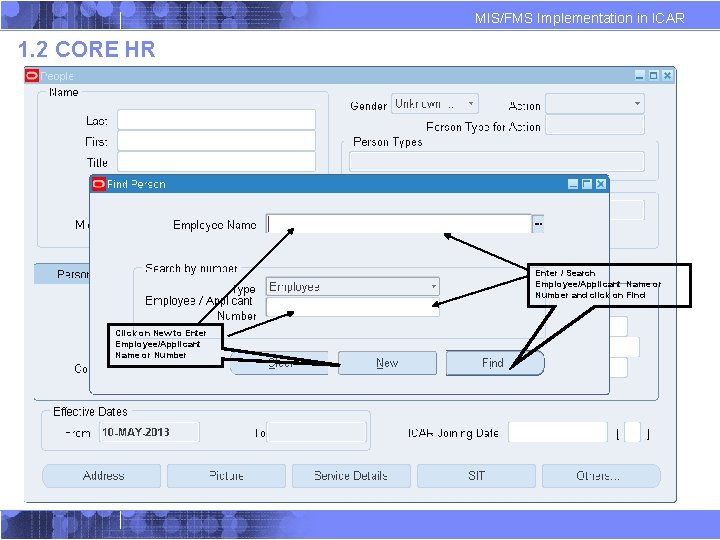
MIS/FMS Implementation in ICAR 1. 2 CORE HR Enter / Search Employee/Applicant Name or Number and click on Find Click on New to Enter Employee/Applicant Name or Number
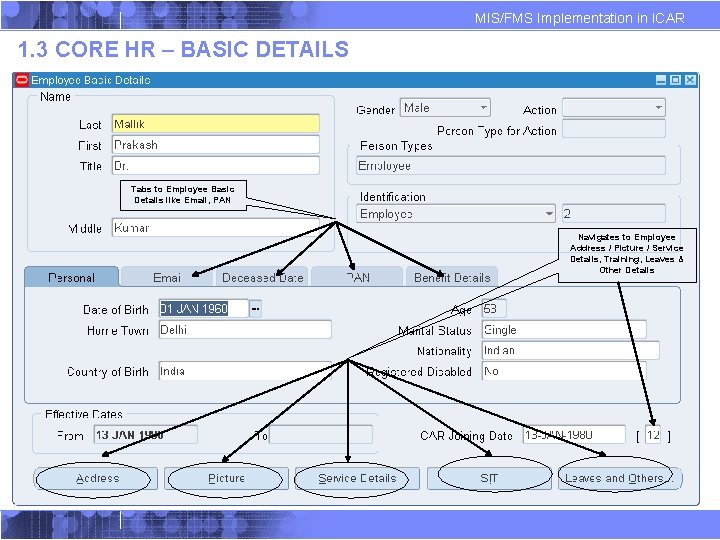
MIS/FMS Implementation in ICAR 1. 3 CORE HR – BASIC DETAILS Tabs to Employee Basic Details like Email, PAN Navigates to Employee Address / Picture / Service Details, Training, Leaves & Other Details
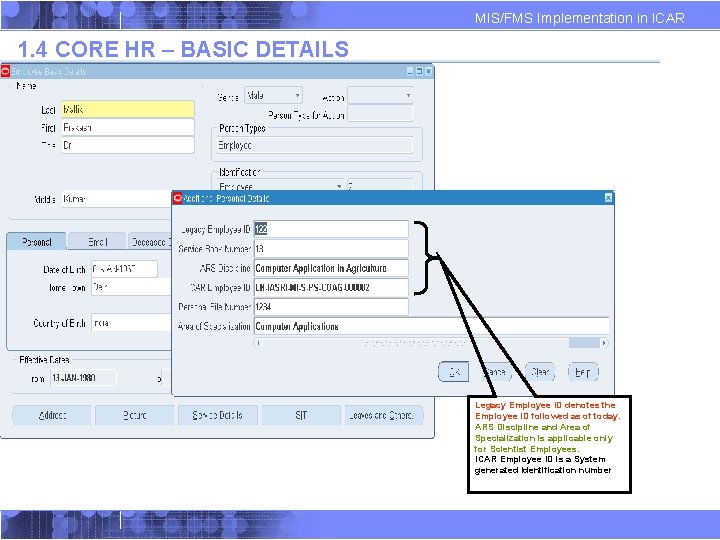
MIS/FMS Implementation in ICAR 1. 4 CORE HR – BASIC DETAILS Legacy Employee ID denotes the Employee ID followed as of today. ARS Discipline and Area of Specialization is applicable only for Scientist Employees. ICAR Employee ID is a System generated Identification number
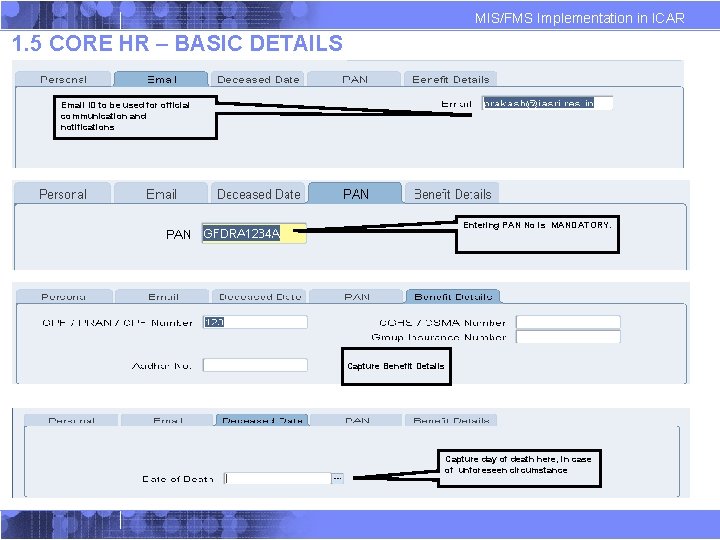
MIS/FMS Implementation in ICAR 1. 5 CORE HR – BASIC DETAILS Email ID to be used for official communication and notifications Entering PAN No is MANDATORY. Capture Benefit Details Capture day of death here, in case of unforeseen circumstance
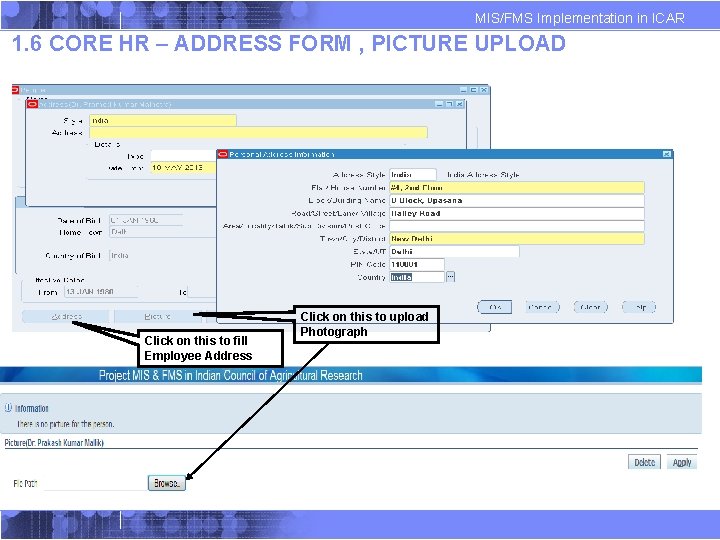
MIS/FMS Implementation in ICAR 1. 6 CORE HR – ADDRESS FORM , PICTURE UPLOAD Click on this to fill Employee Address Click on this to upload Photograph
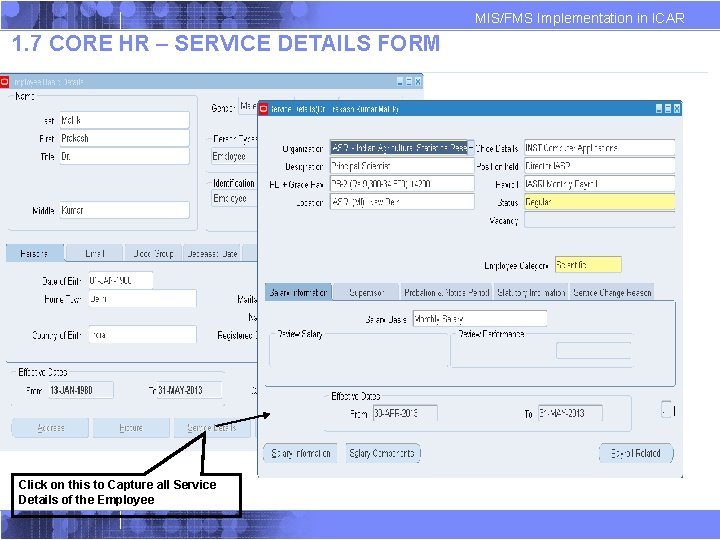
MIS/FMS Implementation in ICAR 1. 7 CORE HR – SERVICE DETAILS FORM Click on this to Capture all Service Details of the Employee
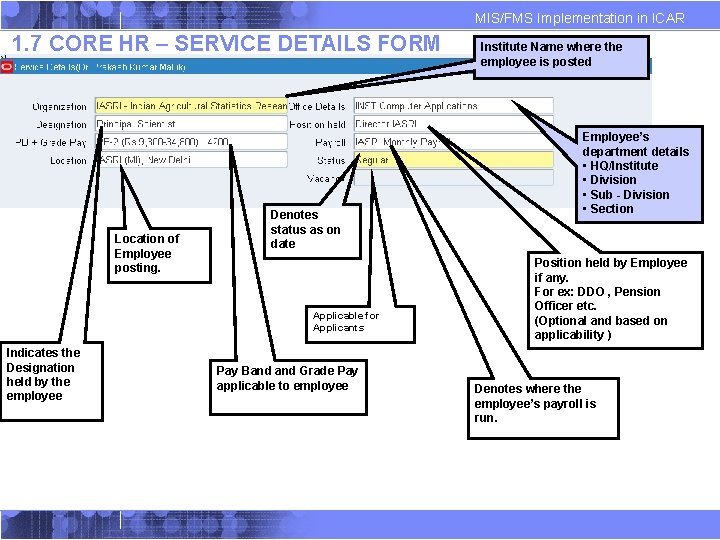
MIS/FMS Implementation in ICAR 1. 7 CORE HR – SERVICE DETAILS FORM Location of Employee posting. Denotes status as on date Applicable for Applicants Indicates the Designation held by the employee Pay Band Grade Pay applicable to employee Institute Name where the employee is posted Employee’s department details • HQ/Institute • Division • Sub - Division • Section Position held by Employee if any. For ex: DDO , Pension Officer etc. (Optional and based on applicability ) Denotes where the employee’s payroll is run.
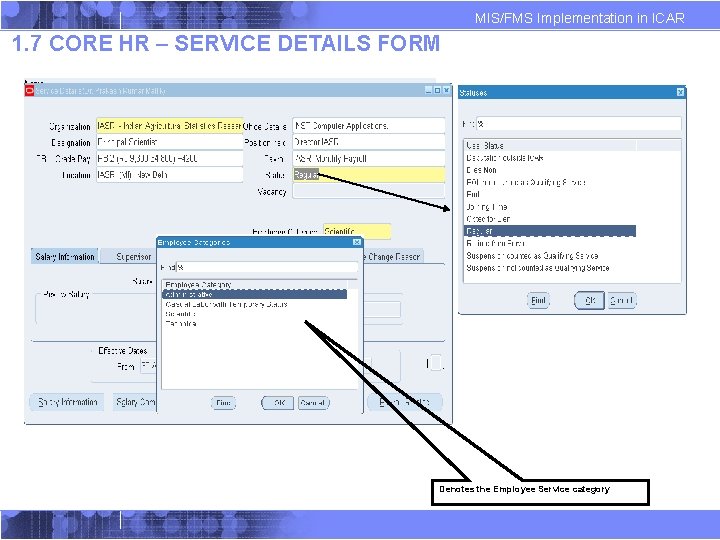
MIS/FMS Implementation in ICAR 1. 7 CORE HR – SERVICE DETAILS FORM Denotes the Employee Service category
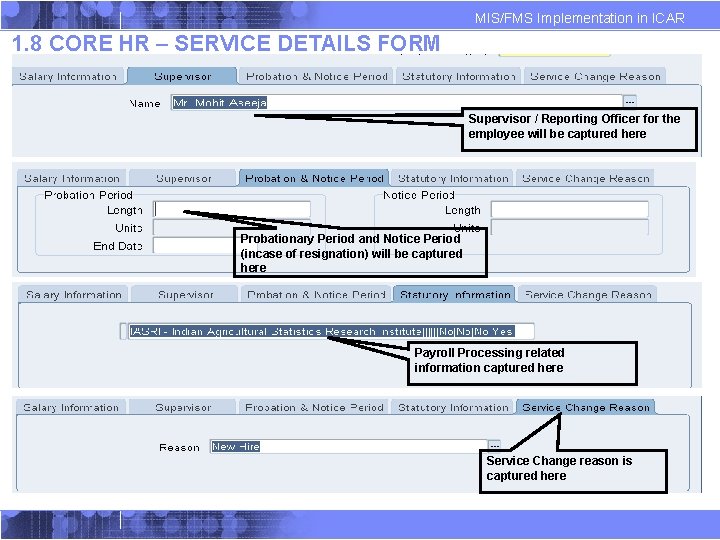
MIS/FMS Implementation in ICAR 1. 8 CORE HR – SERVICE DETAILS FORM Supervisor / Reporting Officer for the employee will be captured here Probationary Period and Notice Period (incase of resignation) will be captured here Payroll Processing related information captured here Service Change reason is captured here
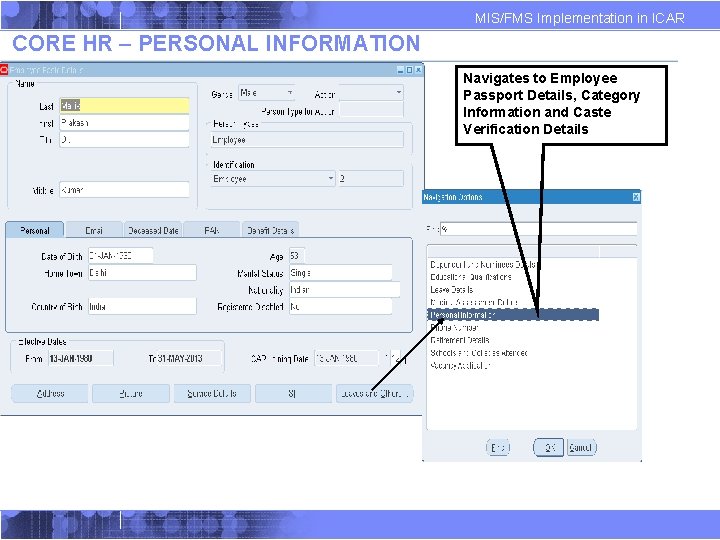
MIS/FMS Implementation in ICAR CORE HR – PERSONAL INFORMATION Navigates to Employee Passport Details, Category Information and Caste Verification Details
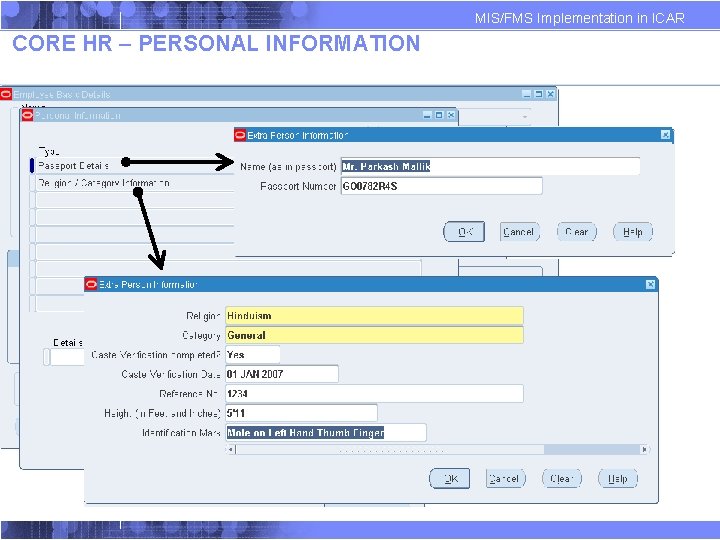
MIS/FMS Implementation in ICAR CORE HR – PERSONAL INFORMATION
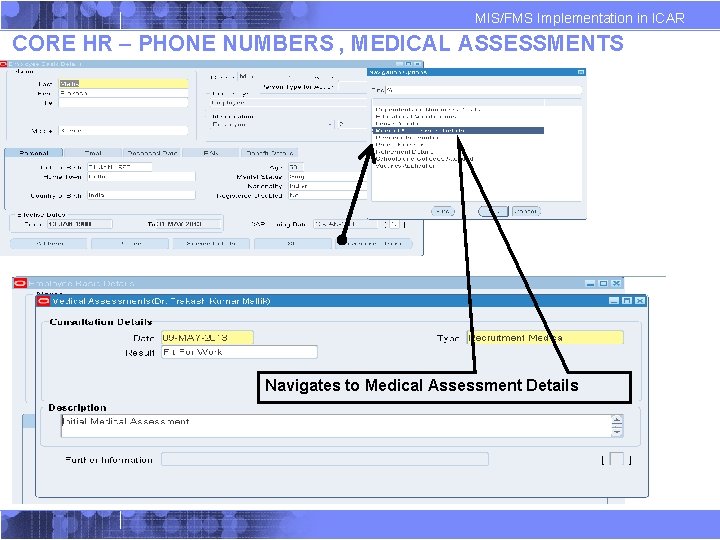
MIS/FMS Implementation in ICAR CORE HR – PHONE NUMBERS , MEDICAL ASSESSMENTS Navigates to Medical Assessment Details
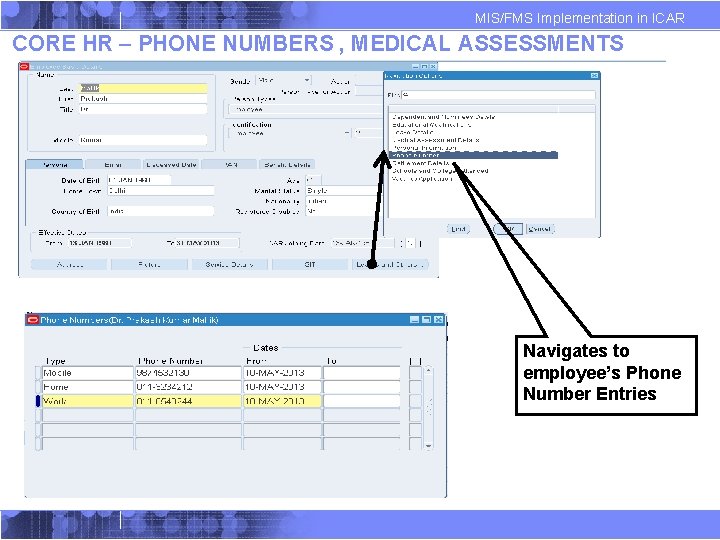
MIS/FMS Implementation in ICAR CORE HR – PHONE NUMBERS , MEDICAL ASSESSMENTS Navigates to employee’s Phone Number Entries
MIS/FMS Implementation in ICAR ØSELF SERVICE HR TRANSACTIONS 21 21
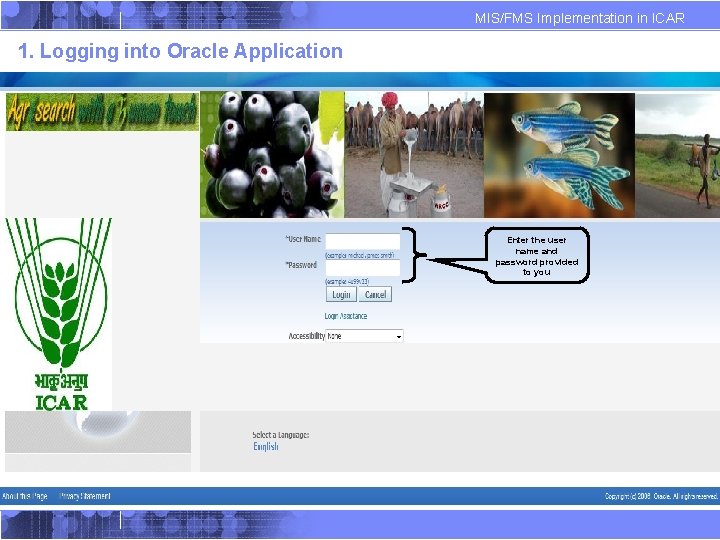
MIS/FMS Implementation in ICAR 1. Logging into Oracle Application Enter the user name and password provided to you
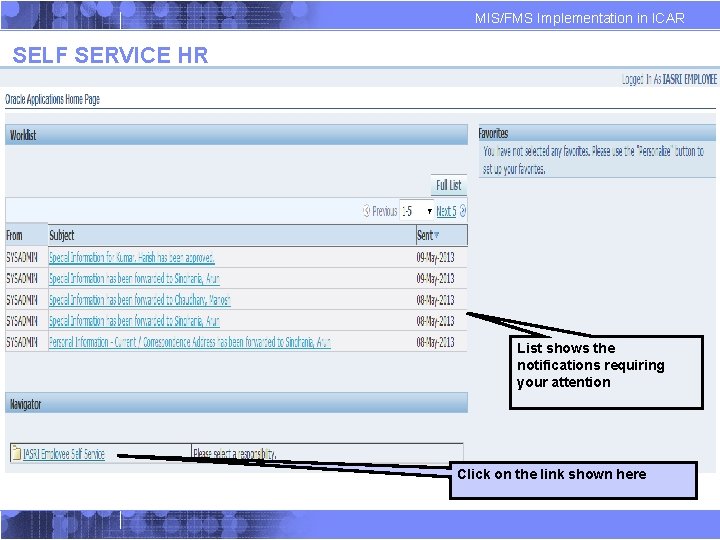
MIS/FMS Implementation in ICAR SELF SERVICE HR List shows the notifications requiring your attention Click on the link shown here
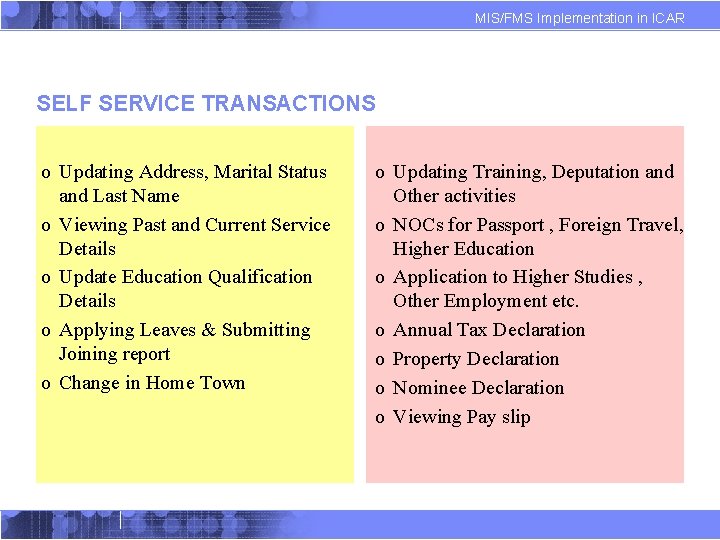
MIS/FMS Implementation in ICAR SELF SERVICE TRANSACTIONS o Updating Address, Marital Status and Last Name o Viewing Past and Current Service Details o Update Education Qualification Details o Applying Leaves & Submitting Joining report o Change in Home Town o Updating Training, Deputation and Other activities o NOCs for Passport , Foreign Travel, Higher Education o Application to Higher Studies , Other Employment etc. o Annual Tax Declaration o Property Declaration o Nominee Declaration o Viewing Pay slip
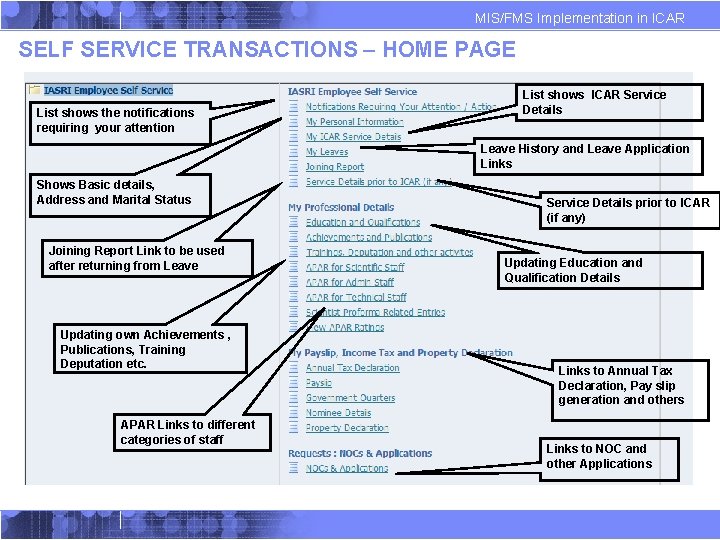
MIS/FMS Implementation in ICAR SELF SERVICE TRANSACTIONS – HOME PAGE List shows the notifications requiring your attention List shows ICAR Service Details Leave History and Leave Application Links Shows Basic details, Address and Marital Status Joining Report Link to be used after returning from Leave Updating own Achievements , Publications, Training Deputation etc. APAR Links to different categories of staff Service Details prior to ICAR (if any) Updating Education and Qualification Details Links to Annual Tax Declaration, Pay slip generation and others Links to NOC and other Applications
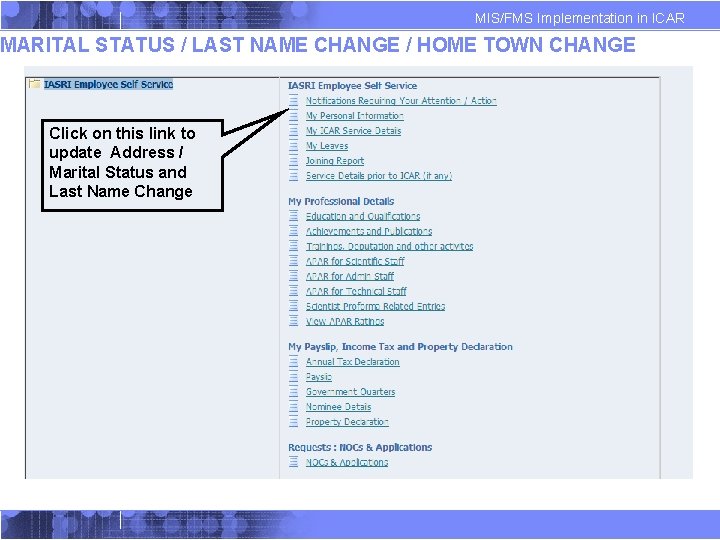
MIS/FMS Implementation in ICAR MARITAL STATUS / LAST NAME CHANGE / HOME TOWN CHANGE Click on this link to update Address / Marital Status and Last Name Change
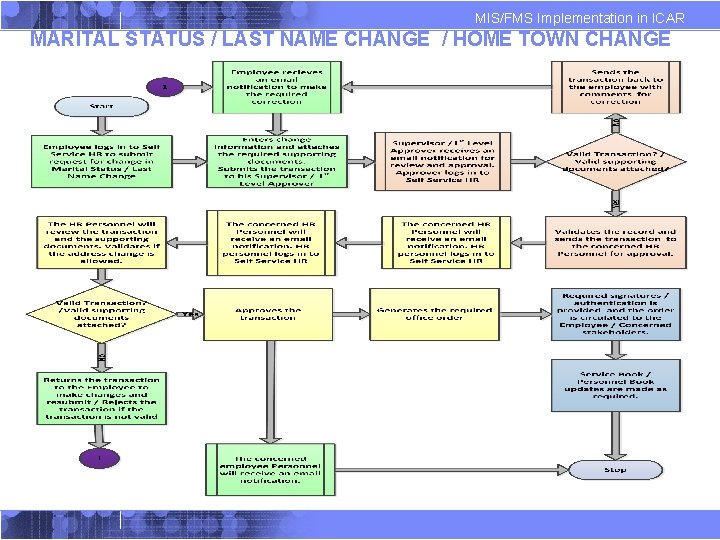
MIS/FMS Implementation in ICAR MARITAL STATUS / LAST NAME CHANGE / HOME TOWN CHANGE
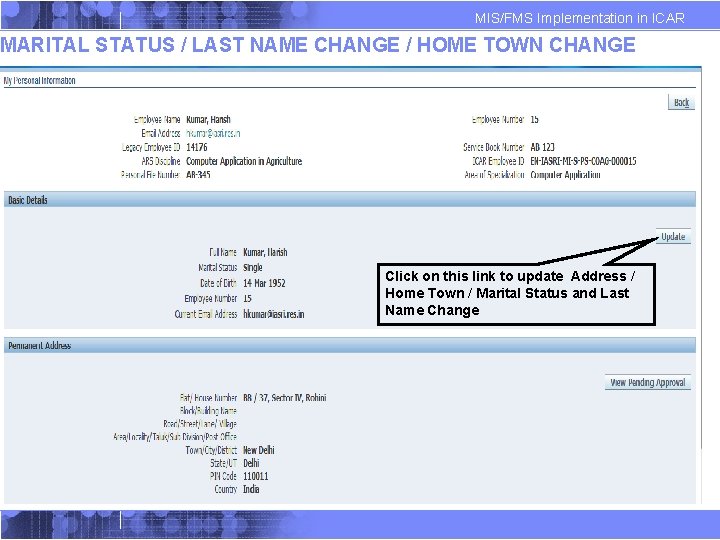
MIS/FMS Implementation in ICAR MARITAL STATUS / LAST NAME CHANGE / HOME TOWN CHANGE Click on this link to update Address / Home Town / Marital Status and Last Name Change
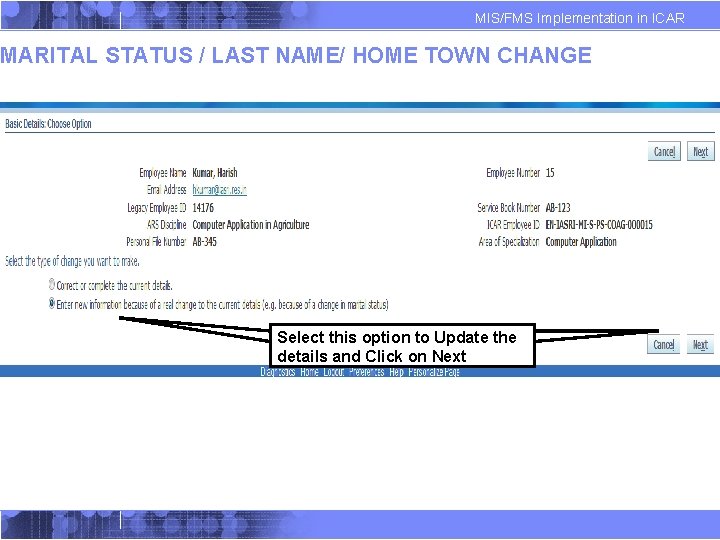
MIS/FMS Implementation in ICAR MARITAL STATUS / LAST NAME/ HOME TOWN CHANGE Select this option to Update the details and Click on Next
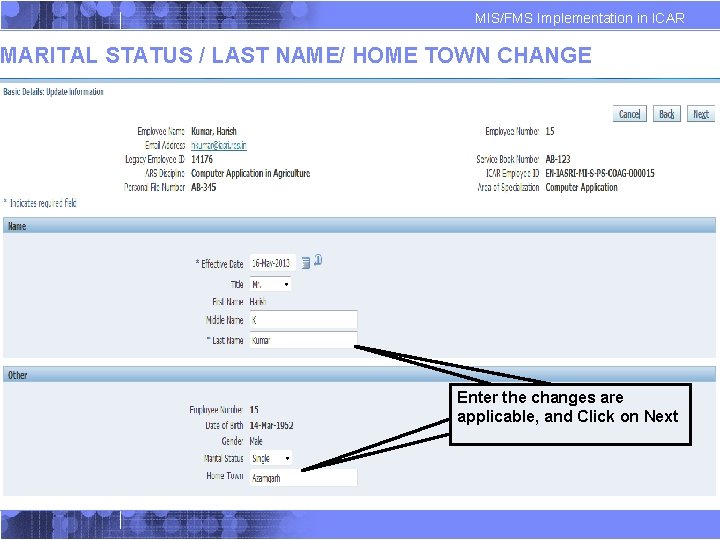
MIS/FMS Implementation in ICAR MARITAL STATUS / LAST NAME/ HOME TOWN CHANGE Enter the changes are applicable, and Click on Next
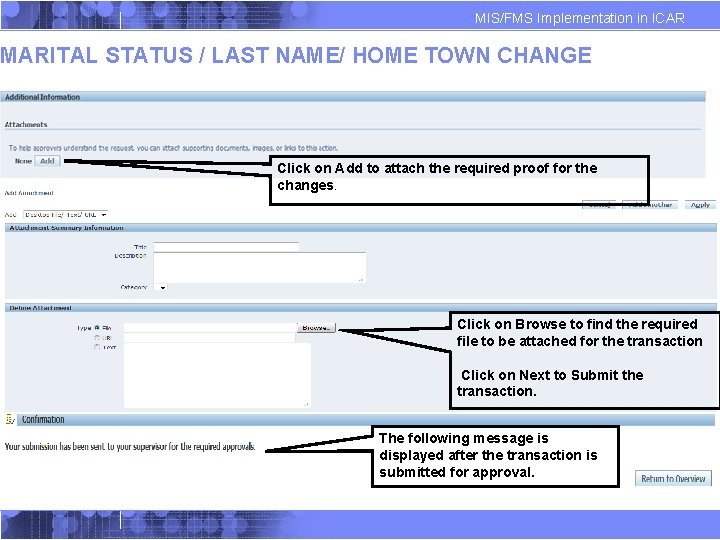
MIS/FMS Implementation in ICAR MARITAL STATUS / LAST NAME/ HOME TOWN CHANGE Click on Add to attach the required proof for the changes. Click on Browse to find the required file to be attached for the transaction Click on Next to Submit the transaction. The following message is displayed after the transaction is submitted for approval.
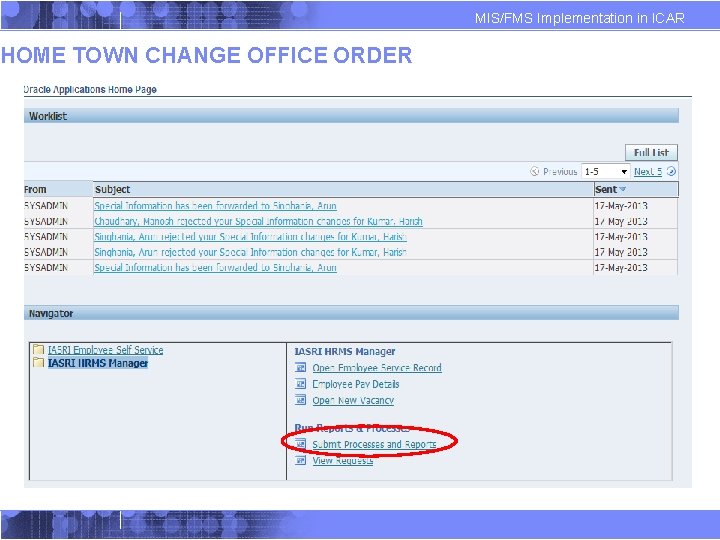
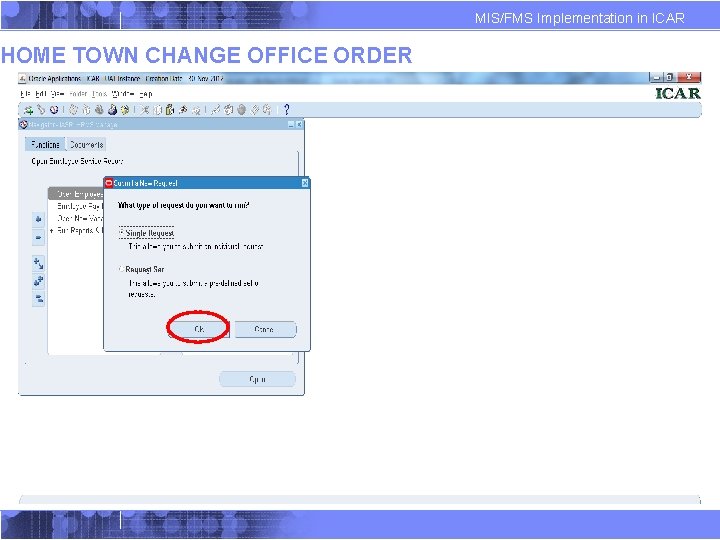
HOME TOWN CHANGE OFFICE ORDER MIS/FMS Implementation in ICAR
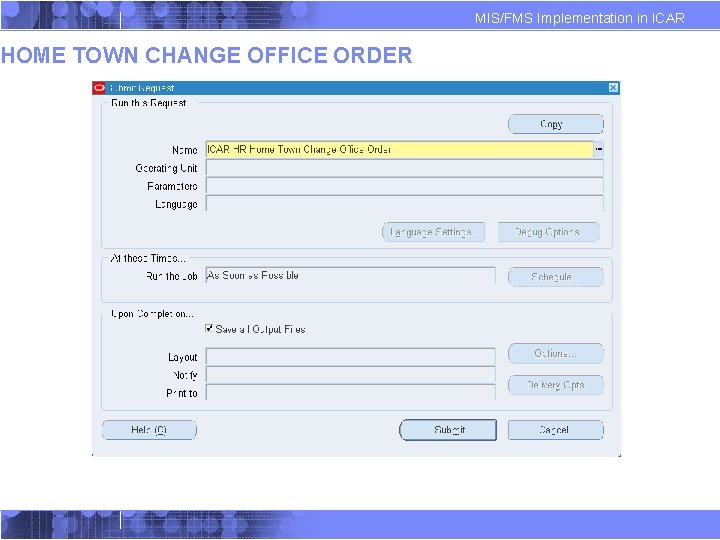
HOME TOWN CHANGE OFFICE ORDER MIS/FMS Implementation in ICAR
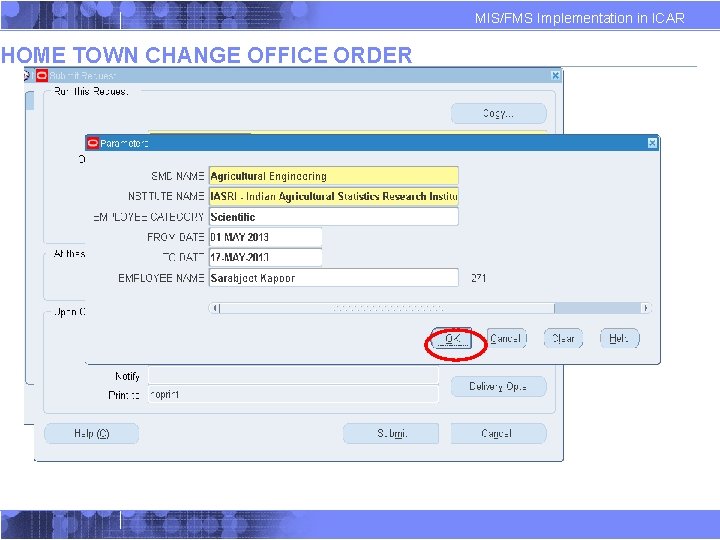
HOME TOWN CHANGE OFFICE ORDER MIS/FMS Implementation in ICAR
HOME TOWN CHANGE OFFICE ORDER MIS/FMS Implementation in ICAR
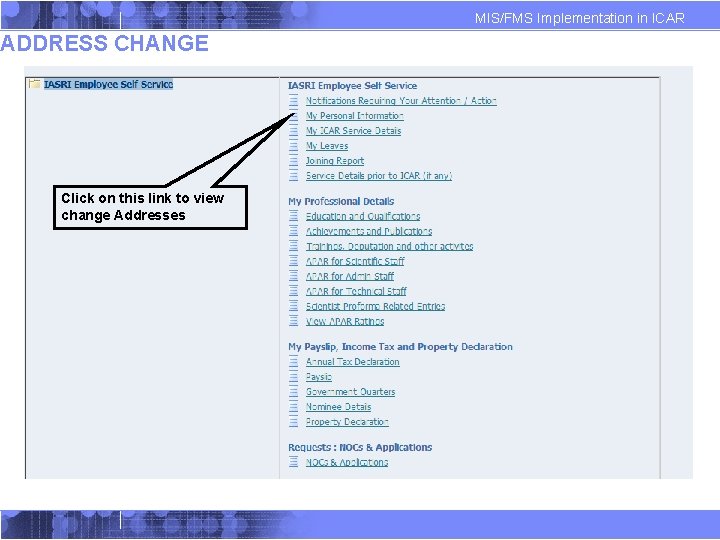
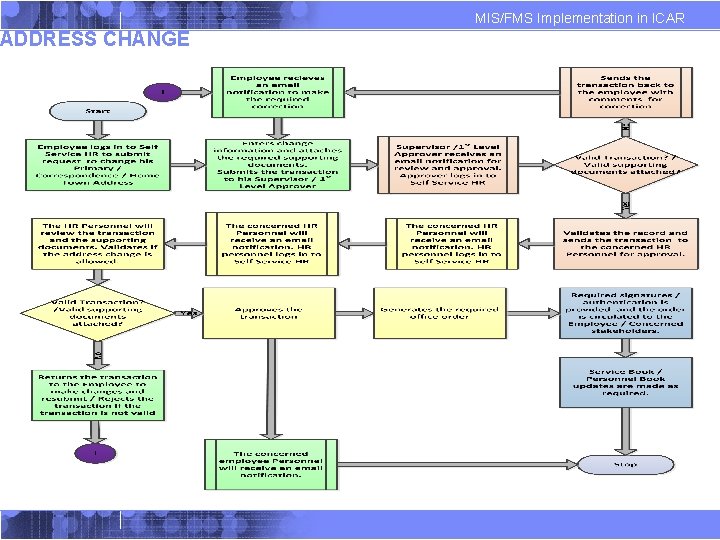
MIS/FMS Implementation in ICAR ADDRESS CHANGE Click on this link to view change Addresses
ADDRESS CHANGE MIS/FMS Implementation in ICAR
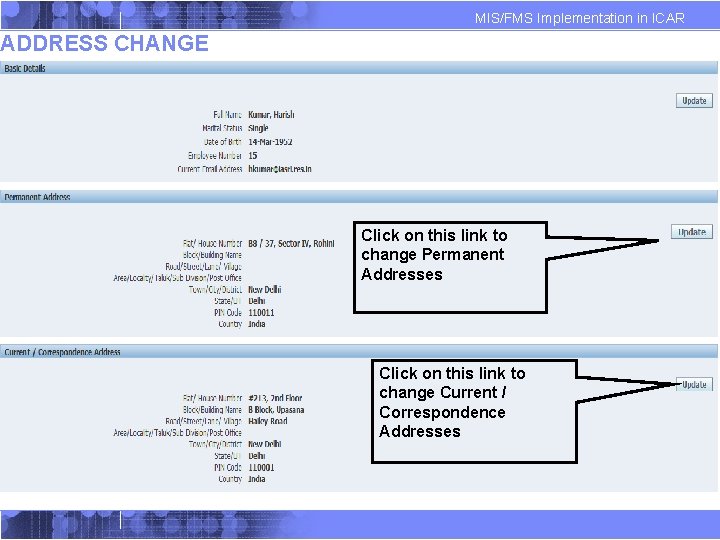
MIS/FMS Implementation in ICAR ADDRESS CHANGE Click on this link to change Permanent Addresses Click on this link to change Current / Correspondence Addresses
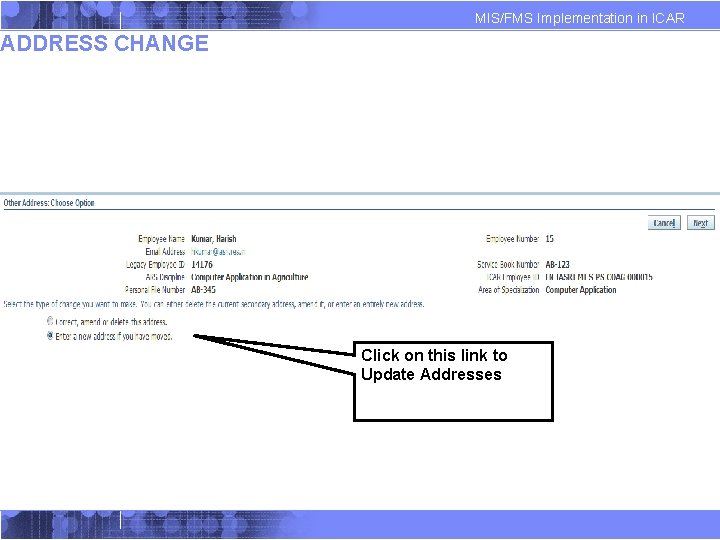
MIS/FMS Implementation in ICAR ADDRESS CHANGE Click on this link to Update Addresses
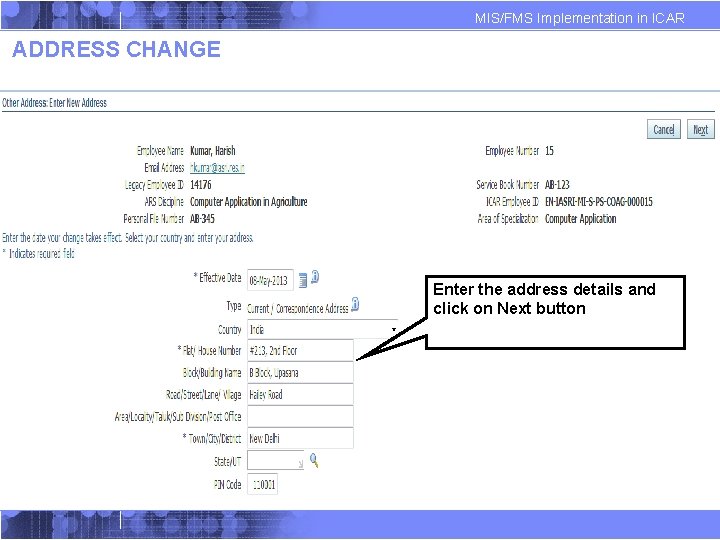
MIS/FMS Implementation in ICAR ADDRESS CHANGE Enter the address details and click on Next button
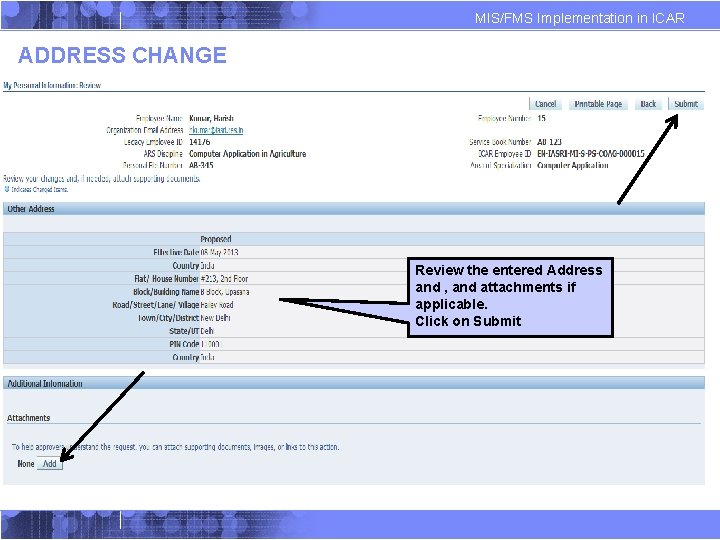
MIS/FMS Implementation in ICAR ADDRESS CHANGE Review the entered Address and , and attachments if applicable. Click on Submit
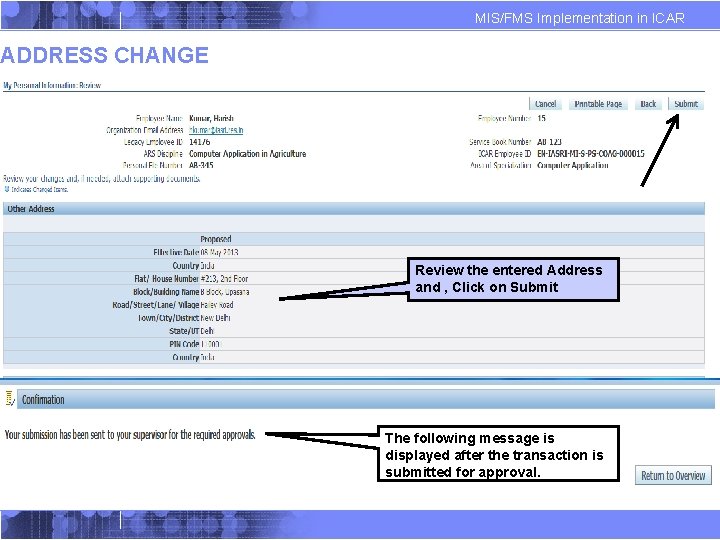
MIS/FMS Implementation in ICAR ADDRESS CHANGE Review the entered Address and , Click on Submit The following message is displayed after the transaction is submitted for approval.
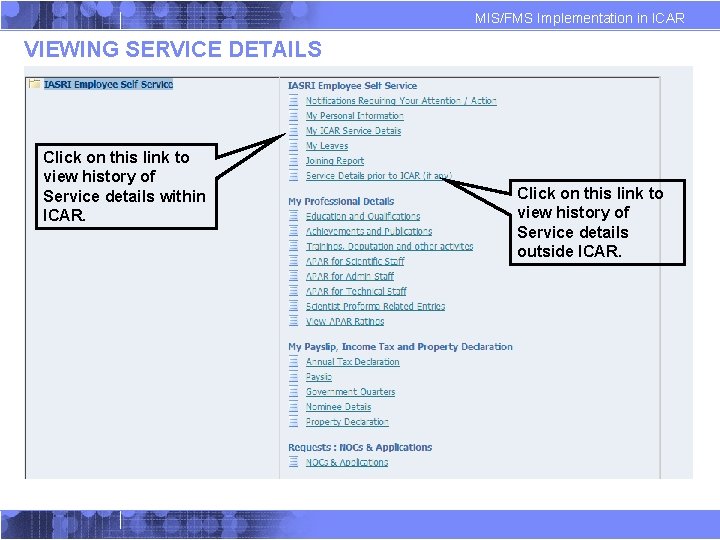
MIS/FMS Implementation in ICAR VIEWING SERVICE DETAILS Click on this link to view history of Service details within ICAR. Click on this link to view history of Service details outside ICAR.
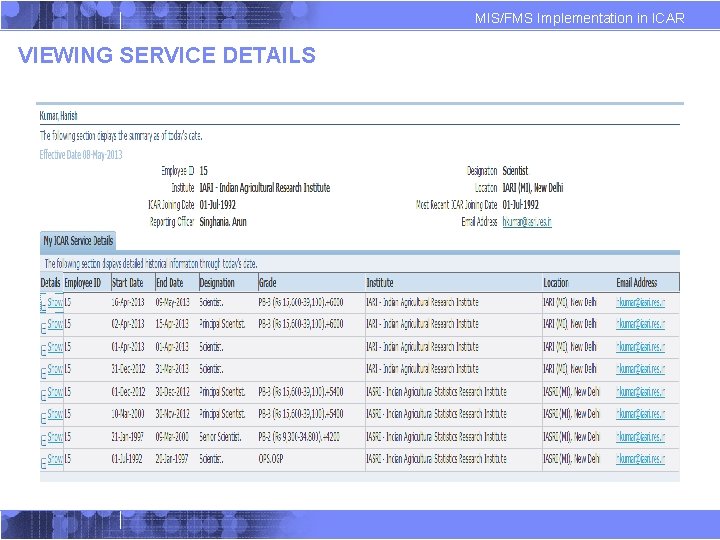
MIS/FMS Implementation in ICAR VIEWING SERVICE DETAILS
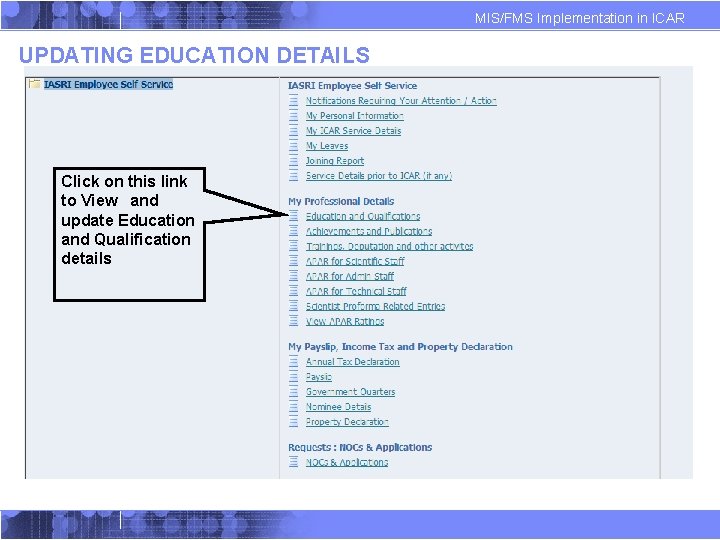
MIS/FMS Implementation in ICAR UPDATING EDUCATION DETAILS Click on this link to View and update Education and Qualification details
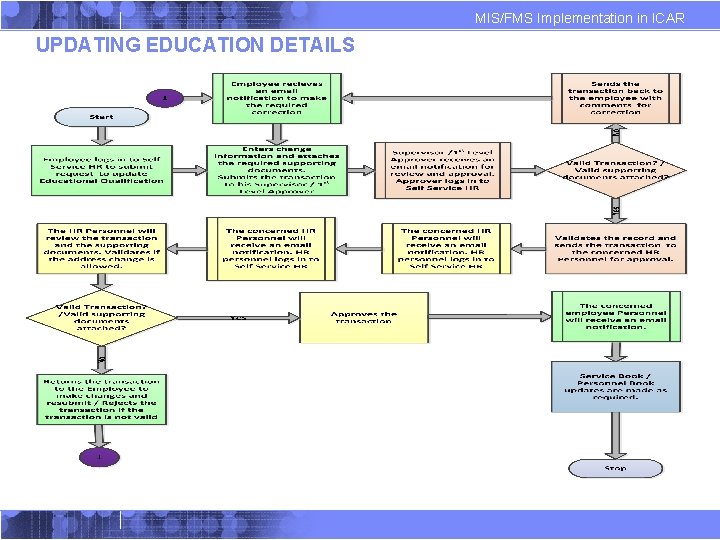
MIS/FMS Implementation in ICAR UPDATING EDUCATION DETAILS
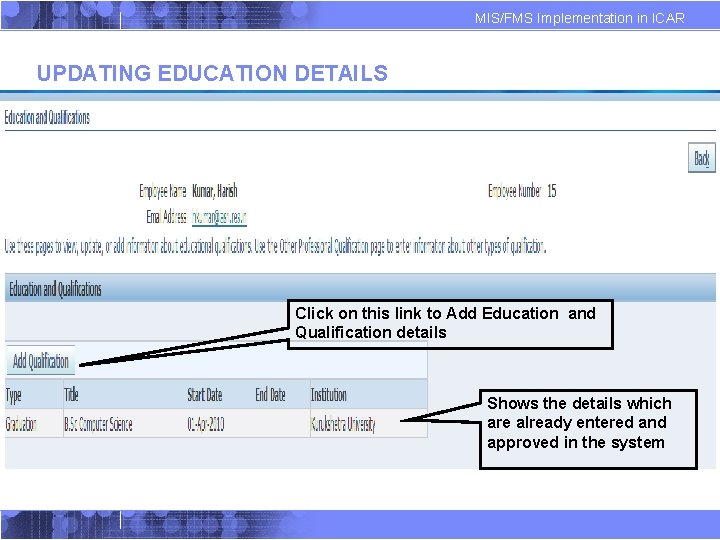
MIS/FMS Implementation in ICAR UPDATING EDUCATION DETAILS Click on this link to Add Education and Qualification details Shows the details which are already entered and approved in the system
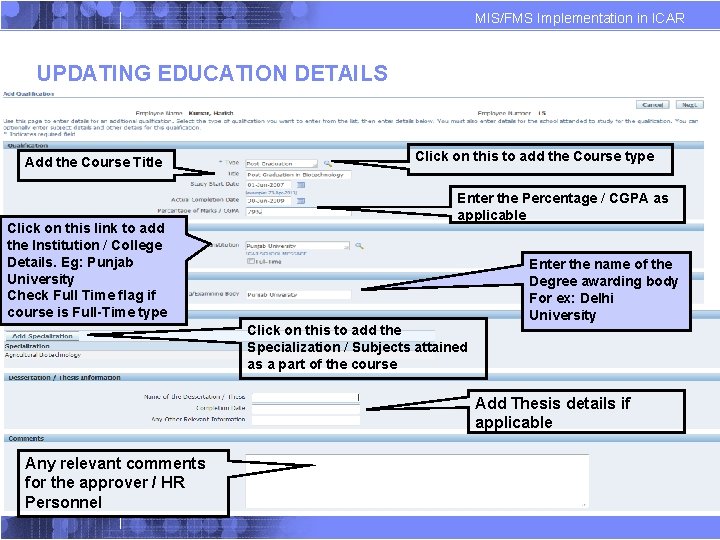
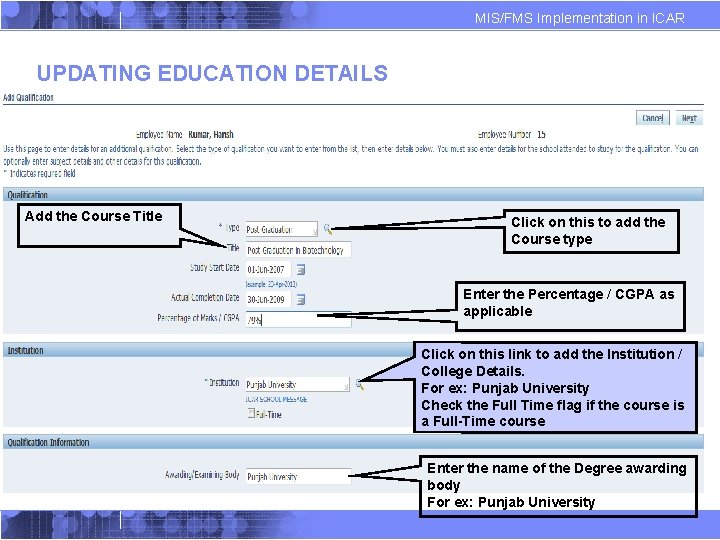
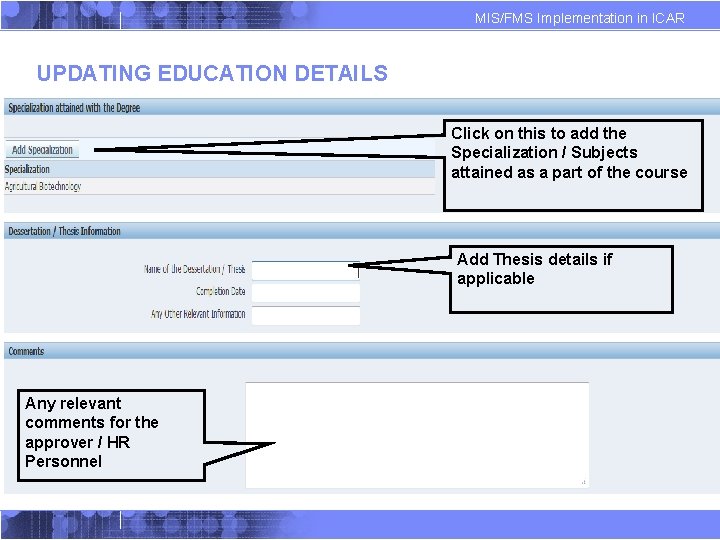
MIS/FMS Implementation in ICAR UPDATING EDUCATION DETAILS Add the Course Title Click on this link to add the Institution / College Details. Eg: Punjab University Check Full Time flag if course is Full-Time type Click on this to add the Course type Enter the Percentage / CGPA as applicable Click on this to add the Specialization / Subjects attained as a part of the course Enter the name of the Degree awarding body For ex: Delhi University Add Thesis details if applicable Any relevant comments for the approver / HR Personnel
MIS/FMS Implementation in ICAR UPDATING EDUCATION DETAILS Add the Course Title Click on this to add the Course type Enter the Percentage / CGPA as applicable Click on this link to add the Institution / College Details. For ex: Punjab University Check the Full Time flag if the course is a Full-Time course Enter the name of the Degree awarding body For ex: Punjab University
MIS/FMS Implementation in ICAR UPDATING EDUCATION DETAILS Click on this to add the Specialization / Subjects attained as a part of the course Add Thesis details if applicable Any relevant comments for the approver / HR Personnel
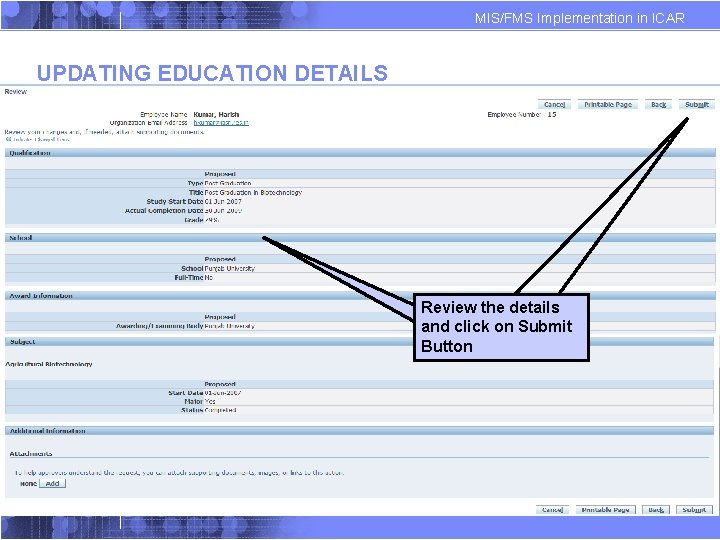
MIS/FMS Implementation in ICAR UPDATING EDUCATION DETAILS Review the details and click on Submit Button
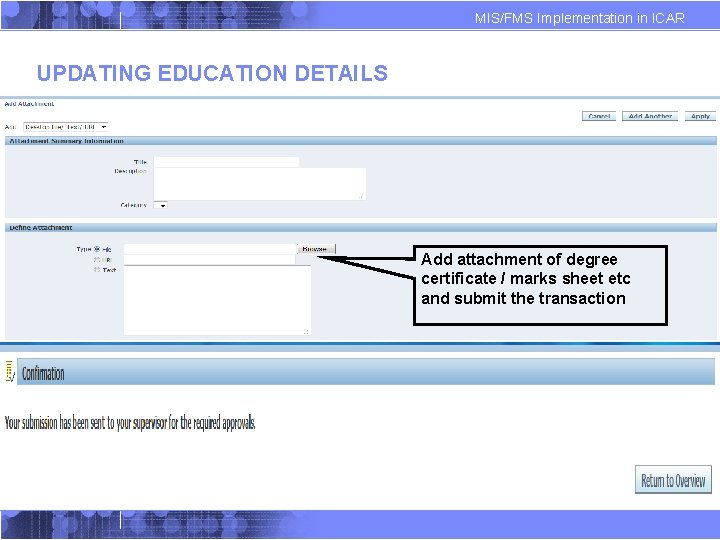
MIS/FMS Implementation in ICAR UPDATING EDUCATION DETAILS Add attachment of degree certificate / marks sheet etc and submit the transaction
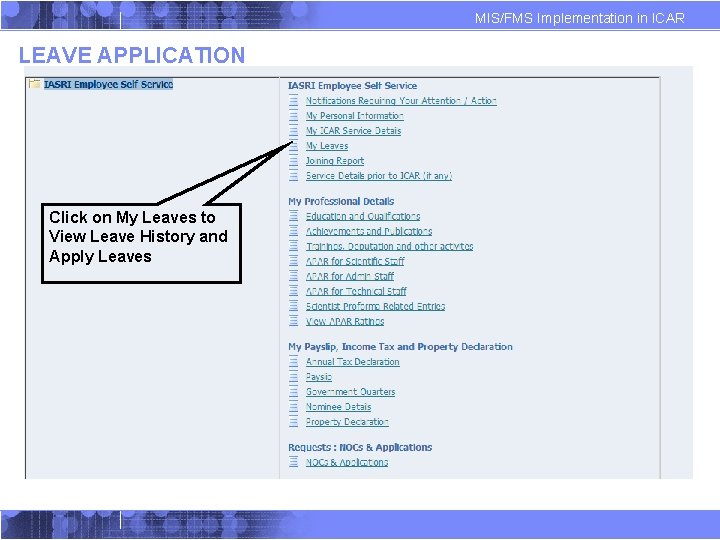
MIS/FMS Implementation in ICAR LEAVE APPLICATION Click on My Leaves to View Leave History and Apply Leaves
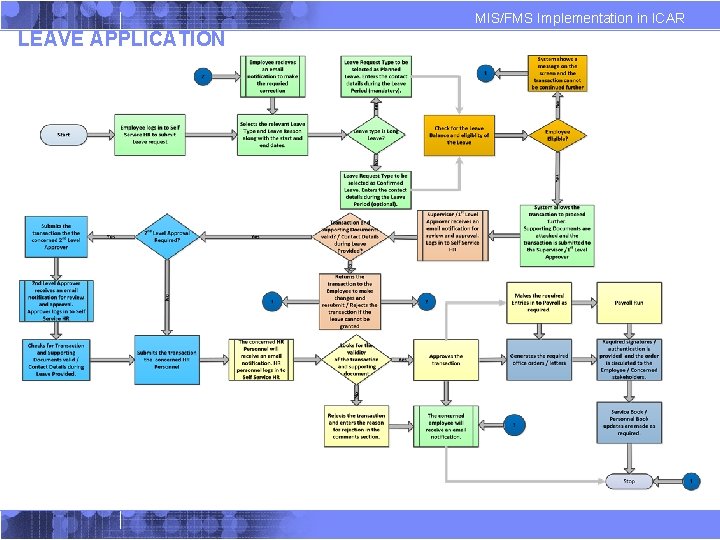
MIS/FMS Implementation in ICAR LEAVE APPLICATION
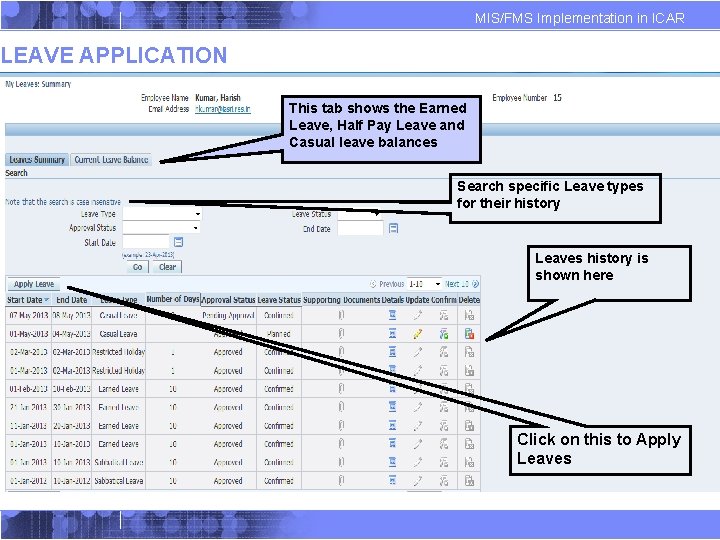
MIS/FMS Implementation in ICAR LEAVE APPLICATION This tab shows the Earned Leave, Half Pay Leave and Casual leave balances Search specific Leave types for their history Leaves history is shown here Click on this to Apply Leaves
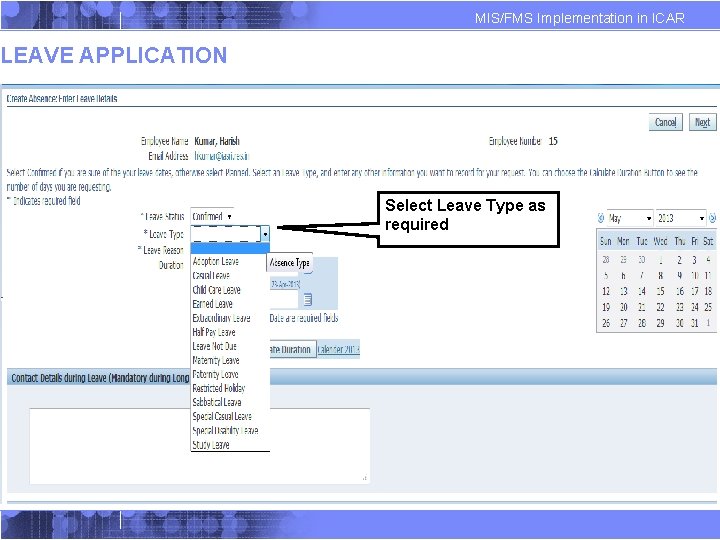
MIS/FMS Implementation in ICAR LEAVE APPLICATION Select Leave Type as required
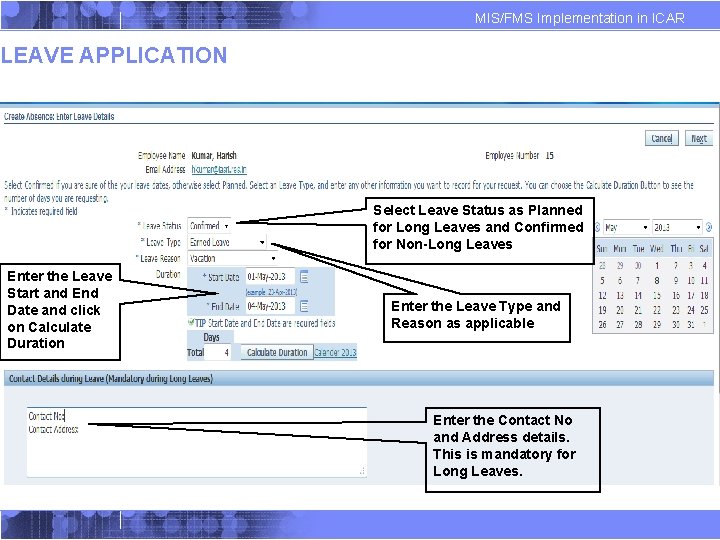
MIS/FMS Implementation in ICAR LEAVE APPLICATION Select Leave Status as Planned for Long Leaves and Confirmed for Non-Long Leaves Enter the Leave Start and End Date and click on Calculate Duration Enter the Leave Type and Reason as applicable Enter the Contact No and Address details. This is mandatory for Long Leaves.
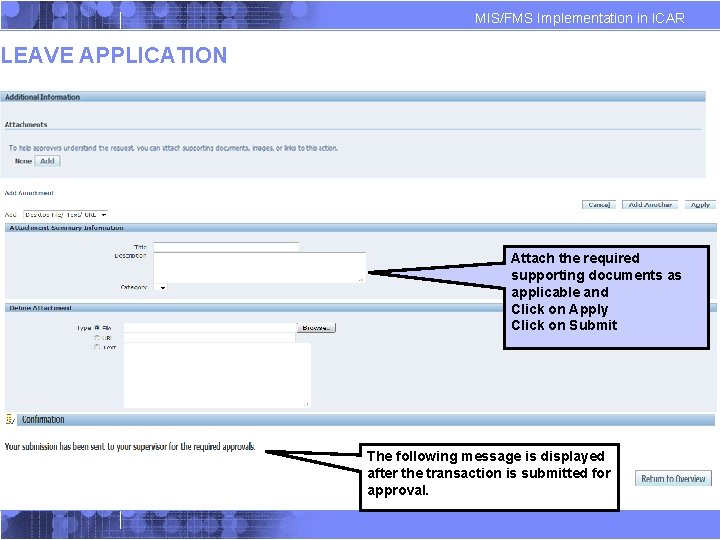
MIS/FMS Implementation in ICAR LEAVE APPLICATION Attach the required supporting documents as applicable and Click on Apply Click on Submit The following message is displayed after the transaction is submitted for approval.
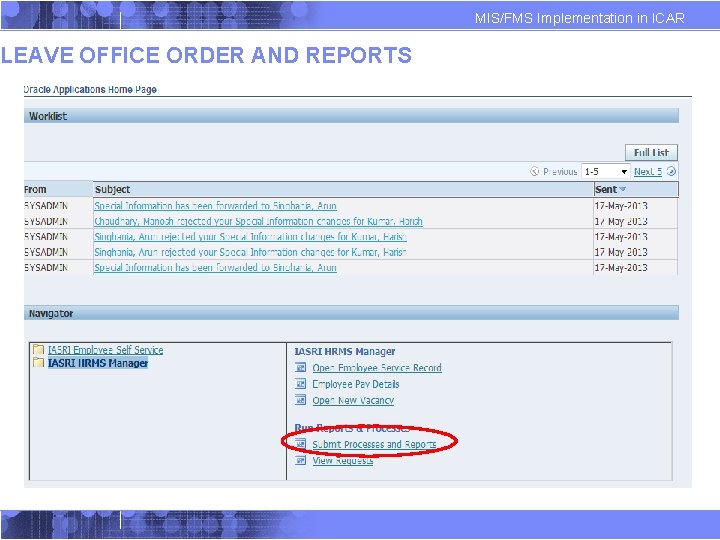
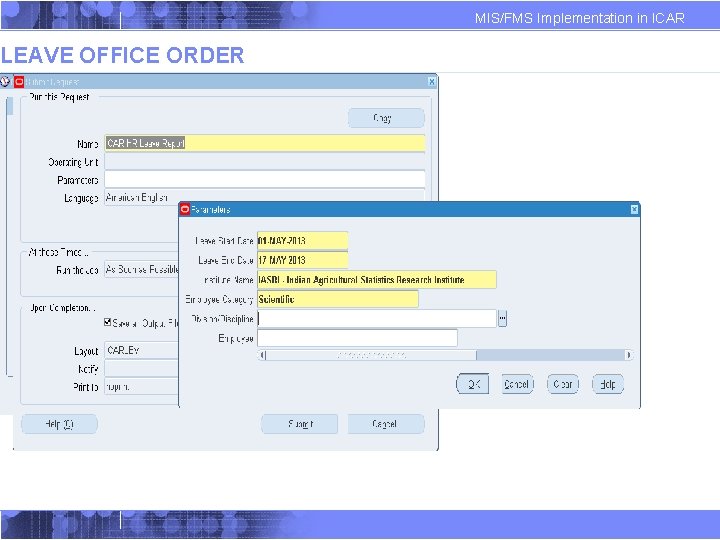
LEAVE OFFICE ORDER AND REPORTS MIS/FMS Implementation in ICAR
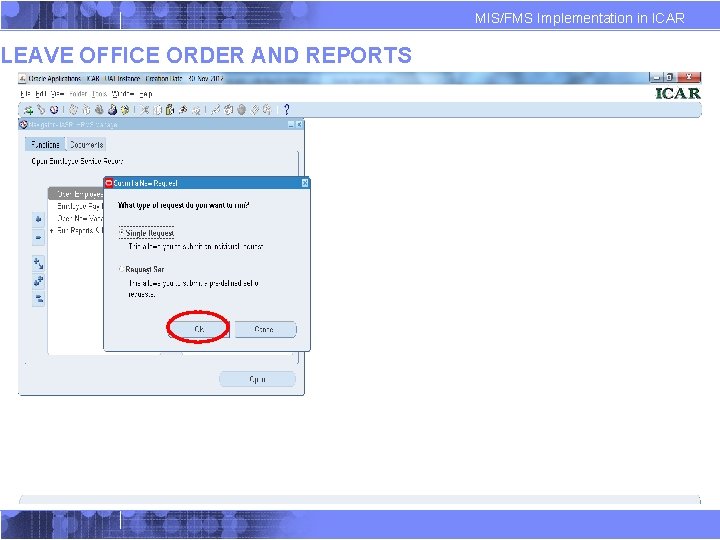
LEAVE OFFICE ORDER AND REPORTS MIS/FMS Implementation in ICAR
LEAVE OFFICE ORDER MIS/FMS Implementation in ICAR
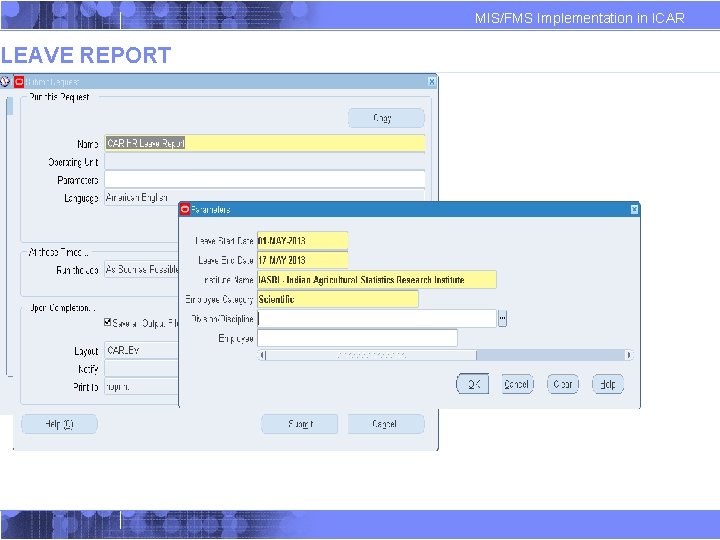
LEAVE REPORT MIS/FMS Implementation in ICAR
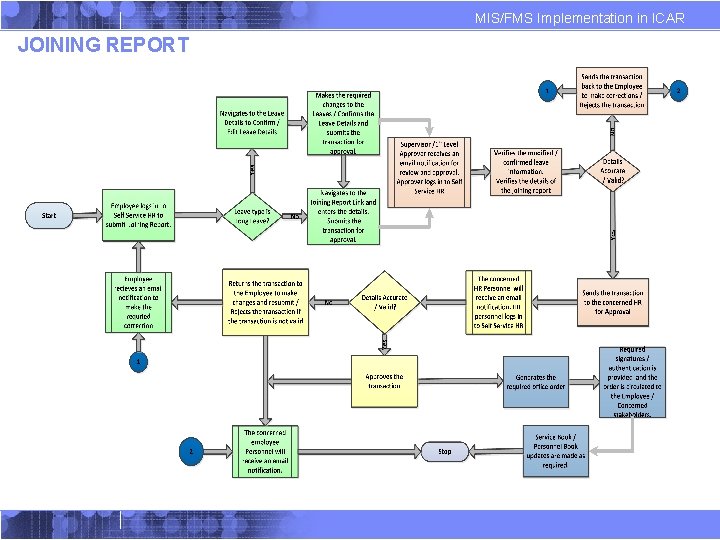
MIS/FMS Implementation in ICAR JOINING REPORT
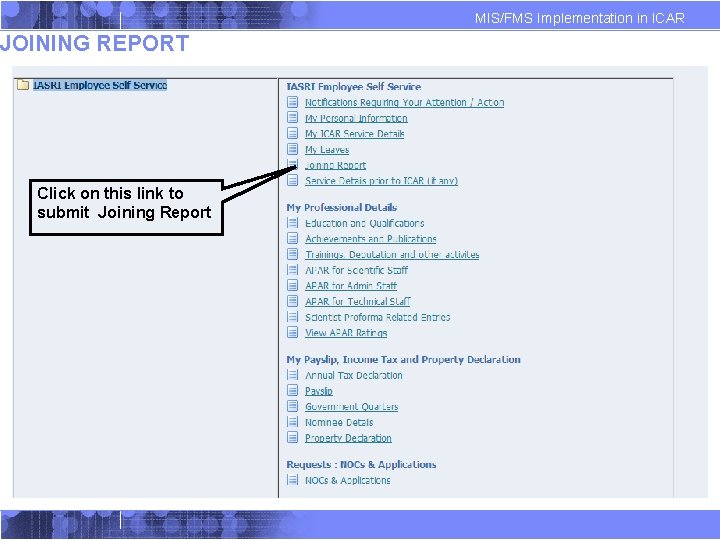
MIS/FMS Implementation in ICAR JOINING REPORT Click on this link to submit Joining Report
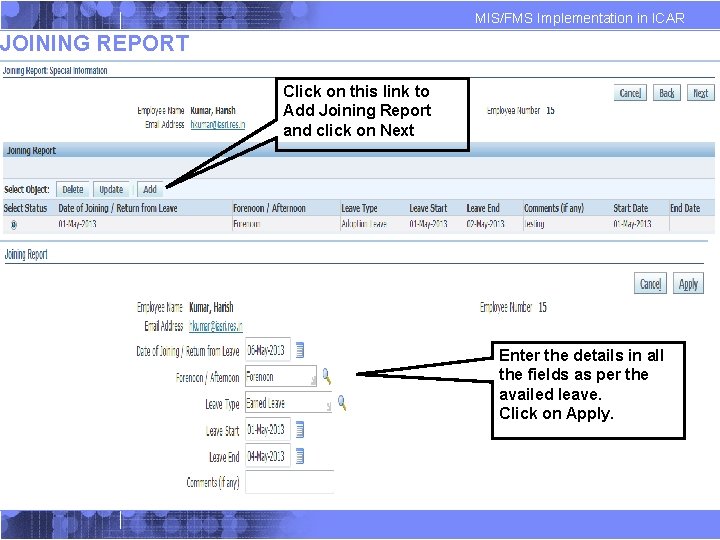
MIS/FMS Implementation in ICAR JOINING REPORT Click on this link to Add Joining Report and click on Next Enter the details in all the fields as per the availed leave. Click on Apply.
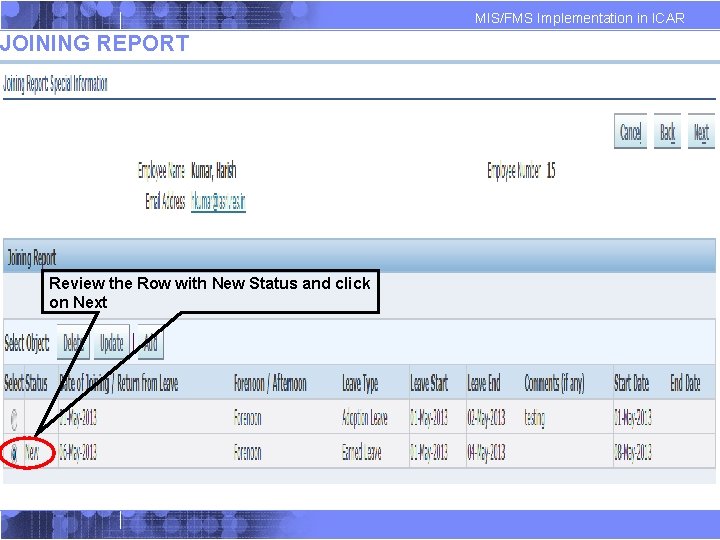
MIS/FMS Implementation in ICAR JOINING REPORT Review the Row with New Status and click on Next
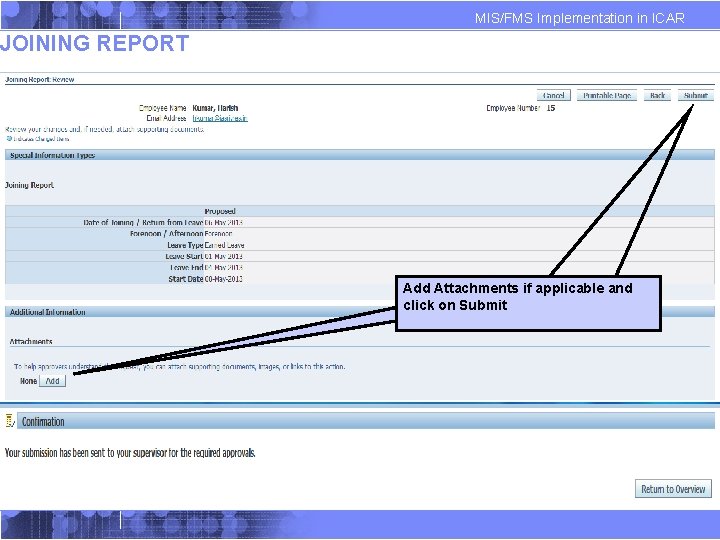
MIS/FMS Implementation in ICAR JOINING REPORT Add Attachments if applicable and click on Submit
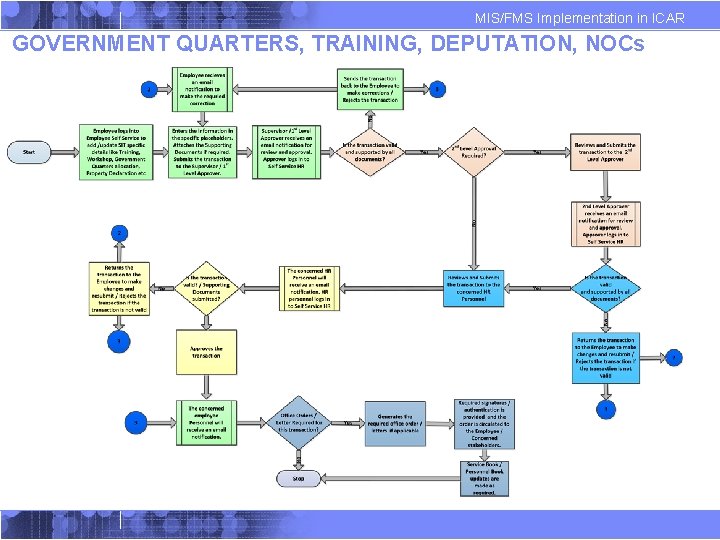
MIS/FMS Implementation in ICAR GOVERNMENT QUARTERS, TRAINING, DEPUTATION, NOCs
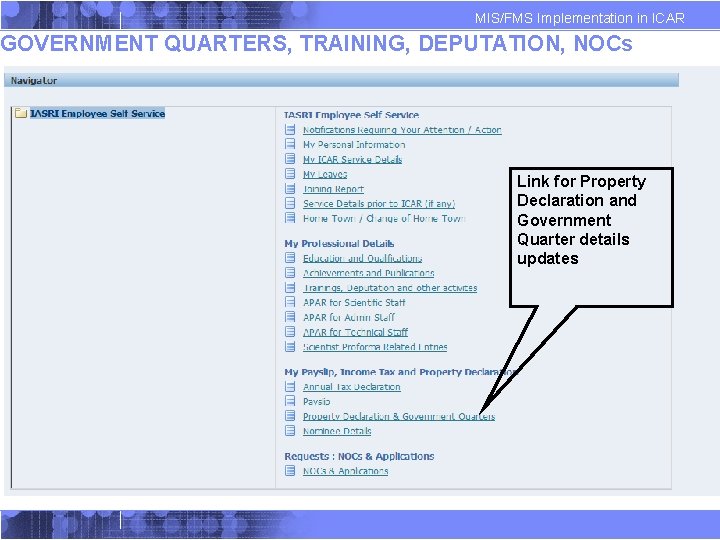
MIS/FMS Implementation in ICAR GOVERNMENT QUARTERS, TRAINING, DEPUTATION, NOCs Link for Property Declaration and Government Quarter details updates
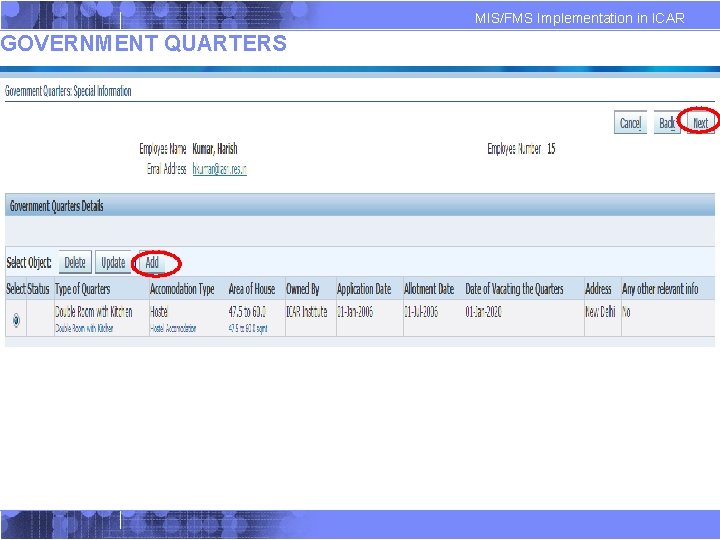
GOVERNMENT QUARTERS MIS/FMS Implementation in ICAR
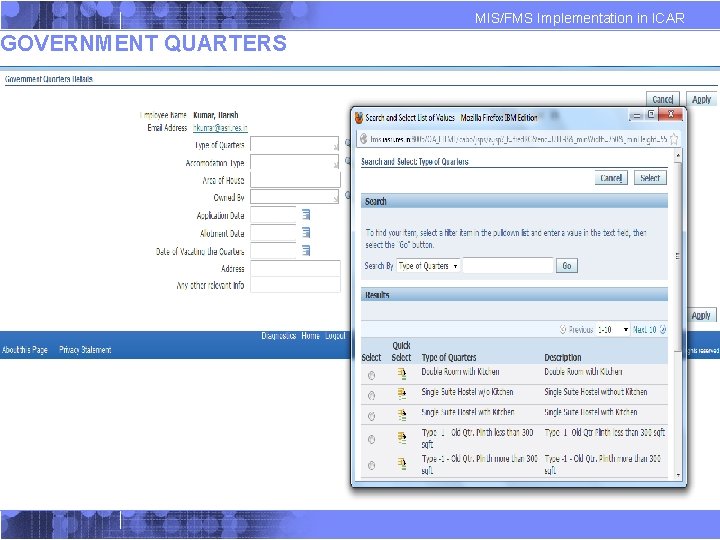
GOVERNMENT QUARTERS MIS/FMS Implementation in ICAR
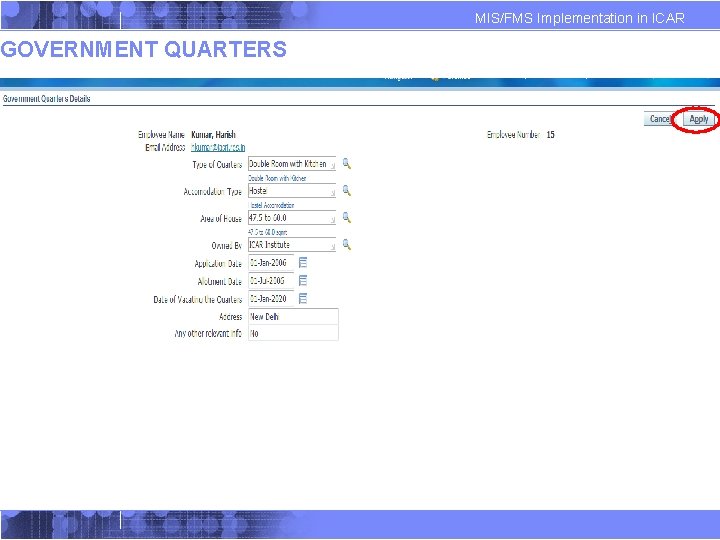
GOVERNMENT QUARTERS MIS/FMS Implementation in ICAR
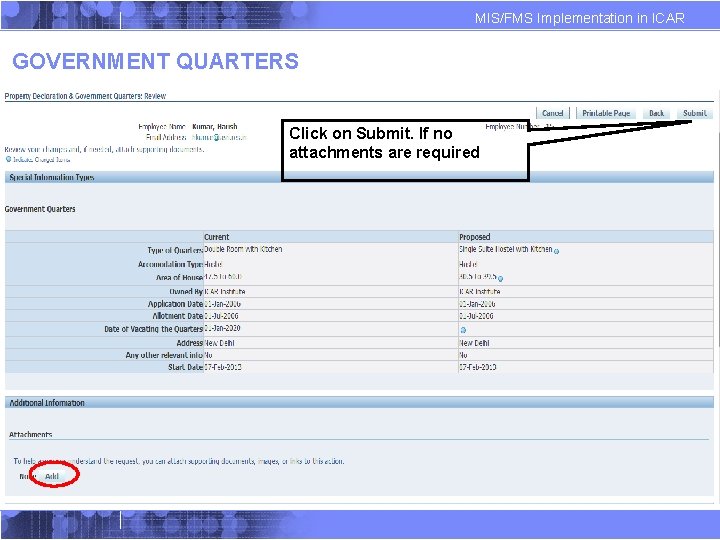
MIS/FMS Implementation in ICAR GOVERNMENT QUARTERS Click on Submit. If no attachments are required
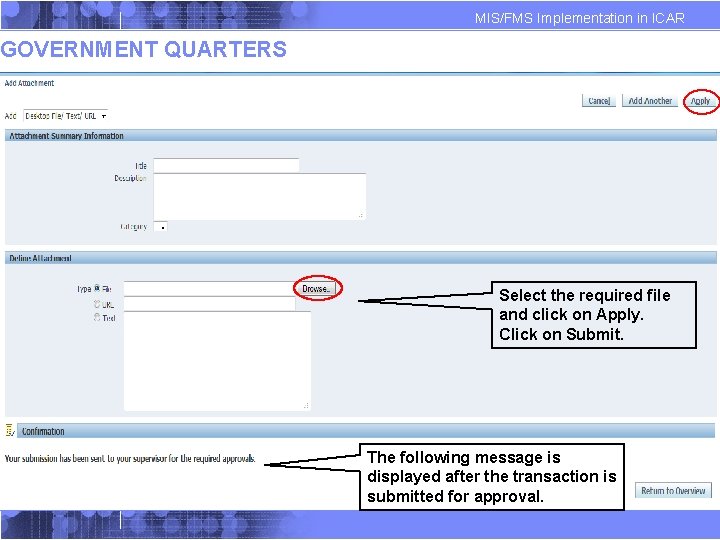
MIS/FMS Implementation in ICAR GOVERNMENT QUARTERS Select the required file and click on Apply. Click on Submit. The following message is displayed after the transaction is submitted for approval.
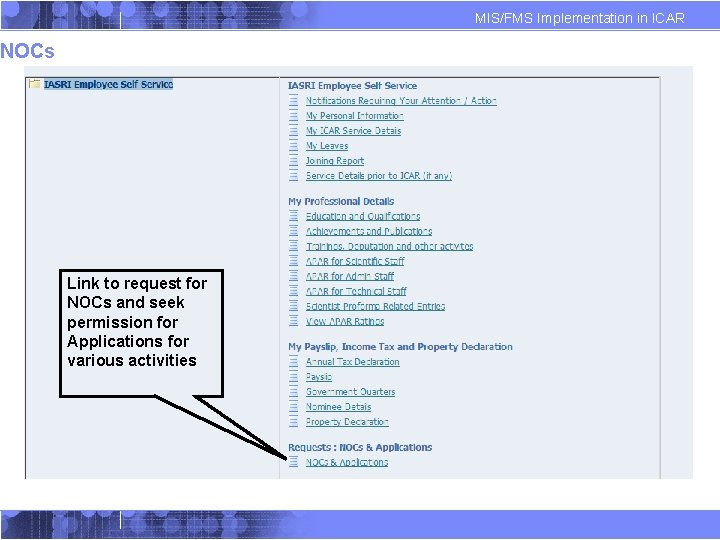
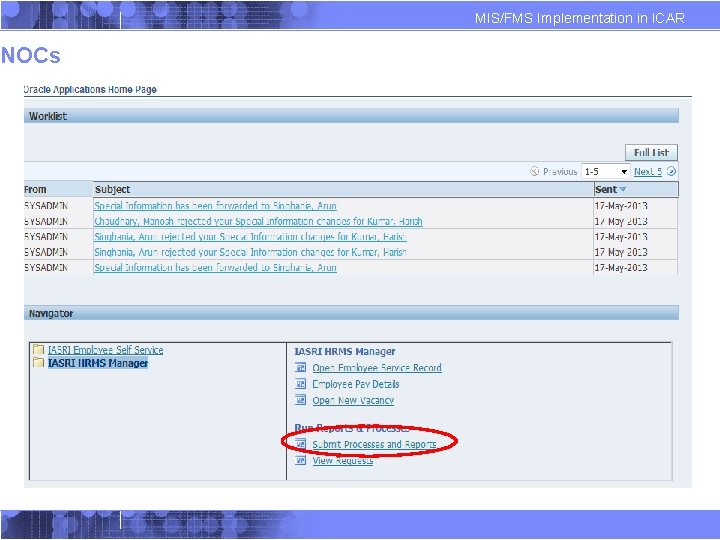
MIS/FMS Implementation in ICAR NOCs Link to request for NOCs and seek permission for Applications for various activities
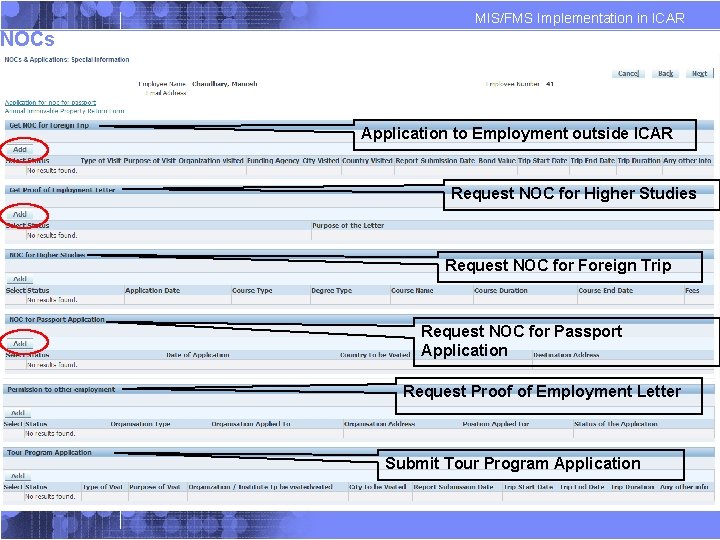
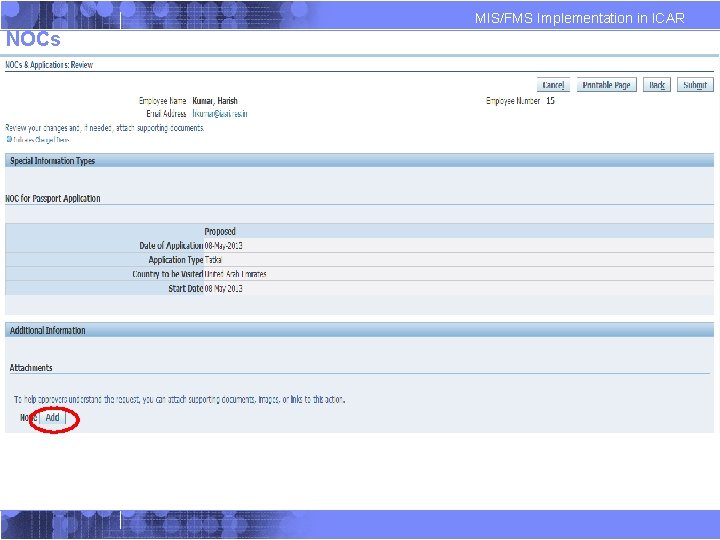
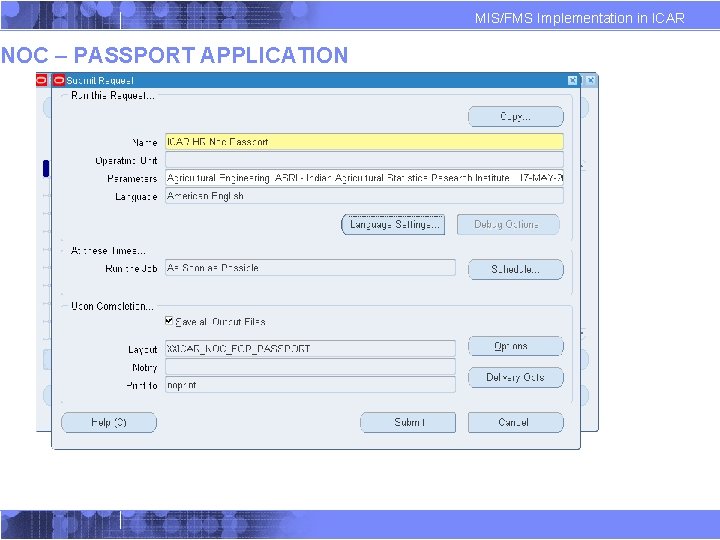
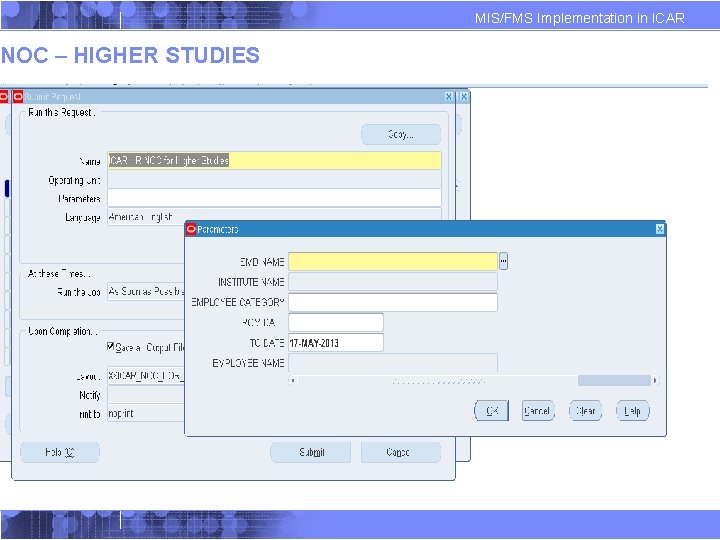
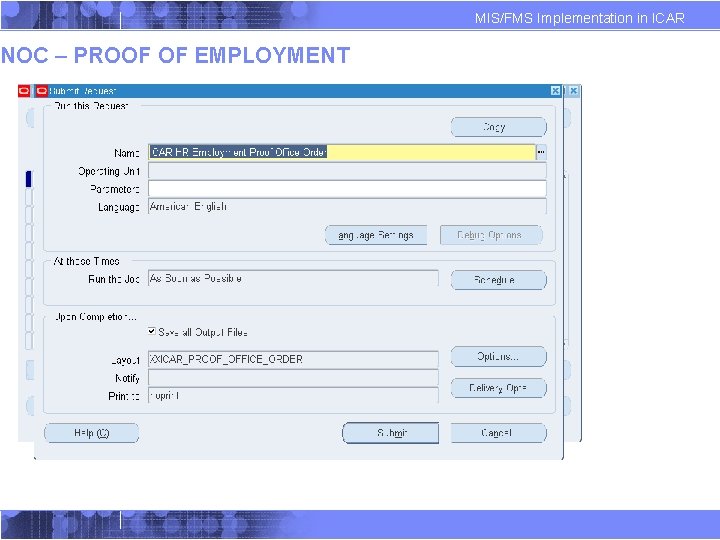
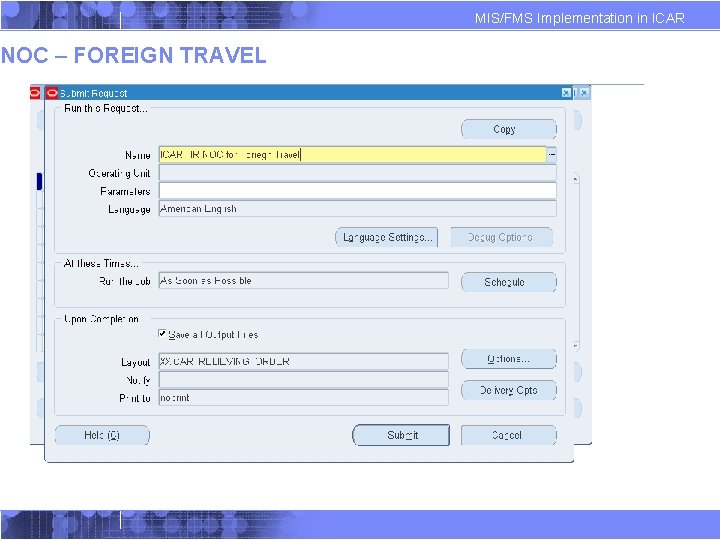
MIS/FMS Implementation in ICAR NOCs Application to Employment outside ICAR Request NOC for Higher Studies Request NOC for Foreign Trip Request NOC for Passport Application Request Proof of Employment Letter Submit Tour Program Application
MIS/FMS Implementation in ICAR NOCs
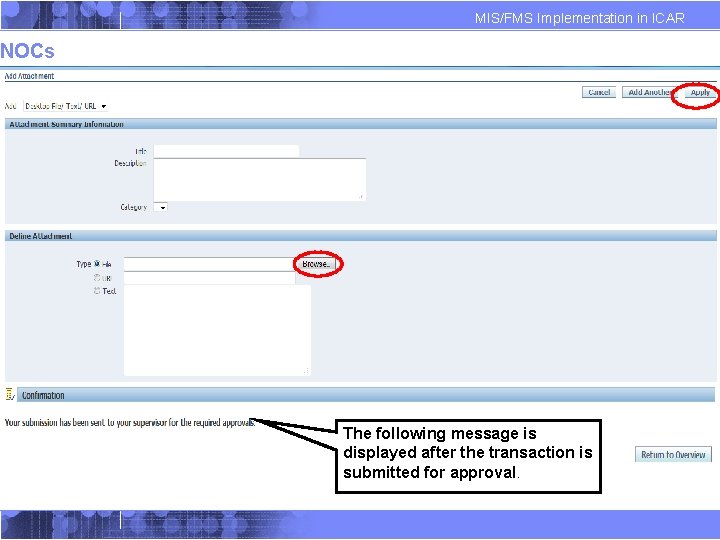
MIS/FMS Implementation in ICAR NOCs The following message is displayed after the transaction is submitted for approval.
NOCs MIS/FMS Implementation in ICAR
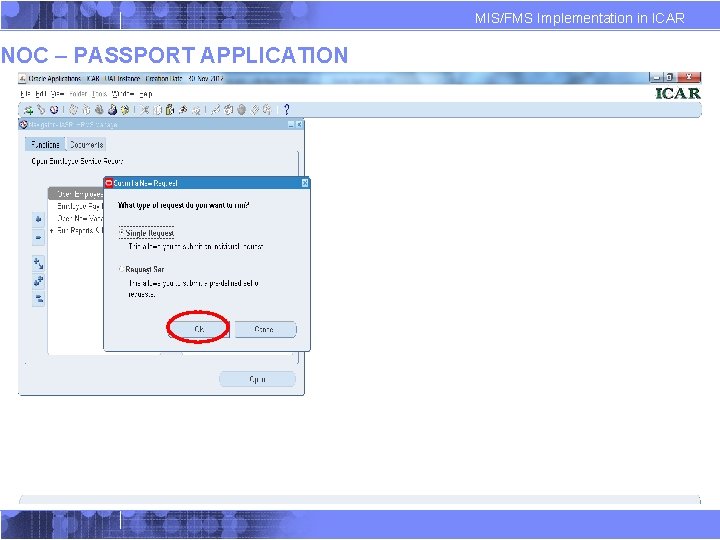
NOC – PASSPORT APPLICATION MIS/FMS Implementation in ICAR
NOC – PASSPORT APPLICATION MIS/FMS Implementation in ICAR
NOC – HIGHER STUDIES MIS/FMS Implementation in ICAR
NOC – PROOF OF EMPLOYMENT MIS/FMS Implementation in ICAR
NOC – FOREIGN TRAVEL MIS/FMS Implementation in ICAR
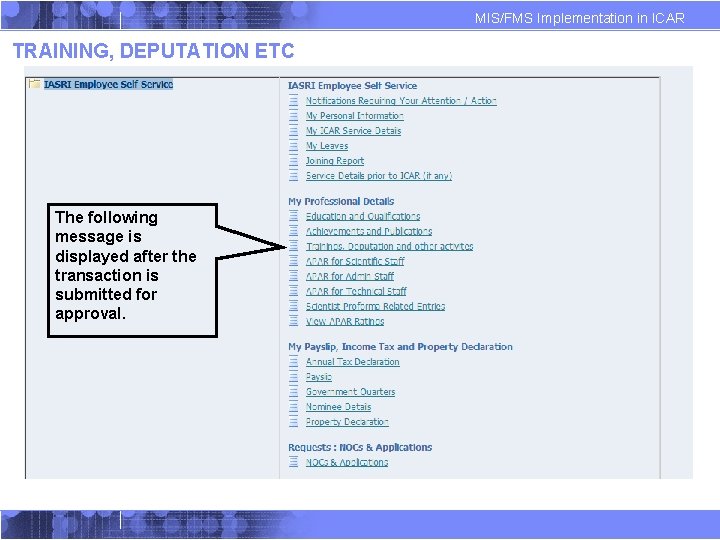
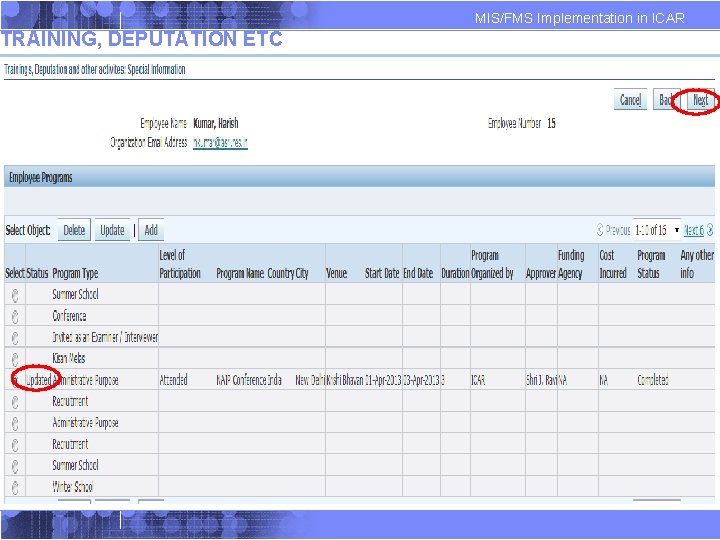
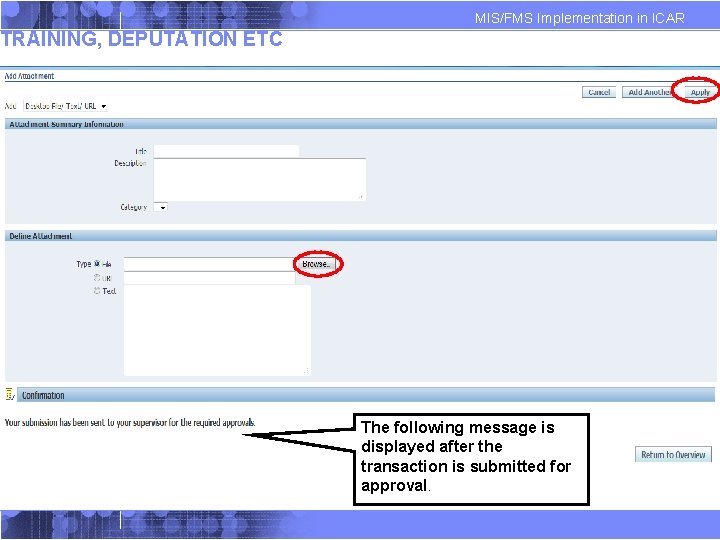
MIS/FMS Implementation in ICAR TRAINING, DEPUTATION ETC The following message is displayed after the transaction is submitted for approval.
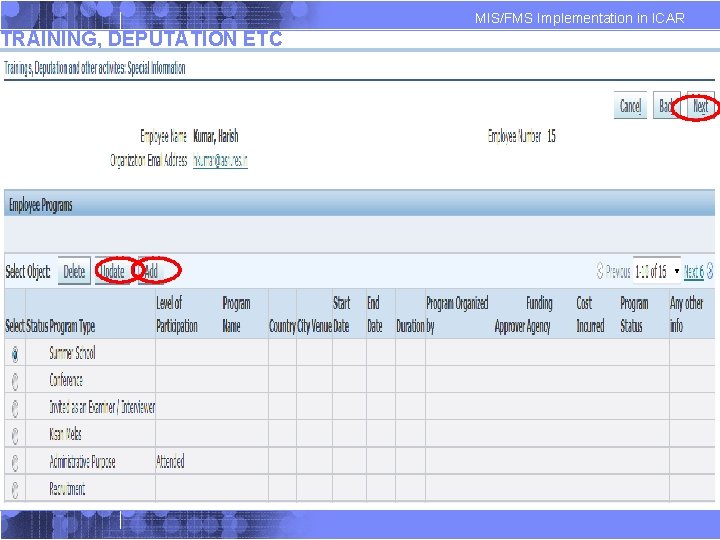
TRAINING, DEPUTATION ETC MIS/FMS Implementation in ICAR
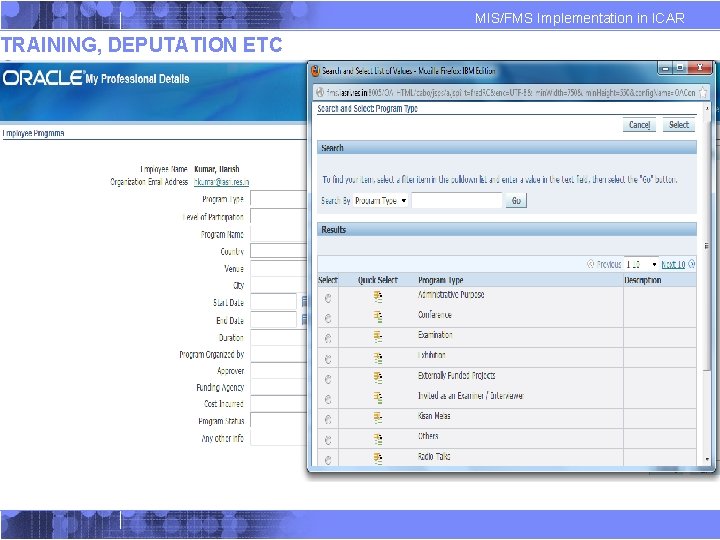
TRAINING, DEPUTATION ETC MIS/FMS Implementation in ICAR
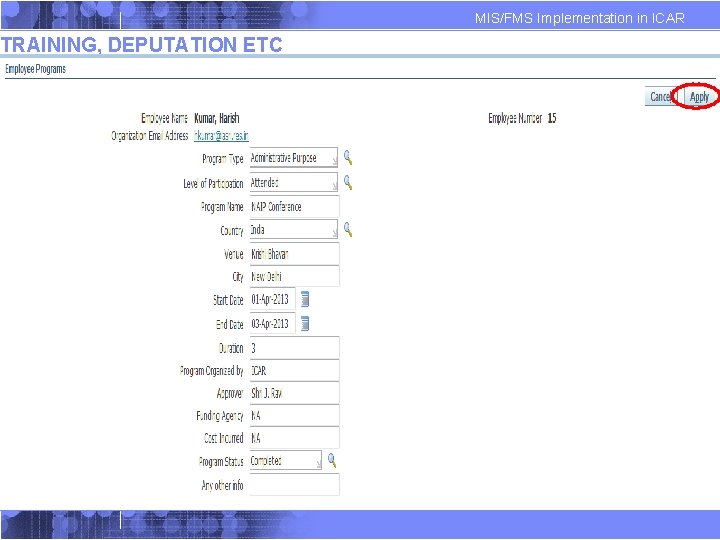
TRAINING, DEPUTATION ETC MIS/FMS Implementation in ICAR
TRAINING, DEPUTATION ETC MIS/FMS Implementation in ICAR
MIS/FMS Implementation in ICAR TRAINING, DEPUTATION ETC The following message is displayed after the transaction is submitted for approval.
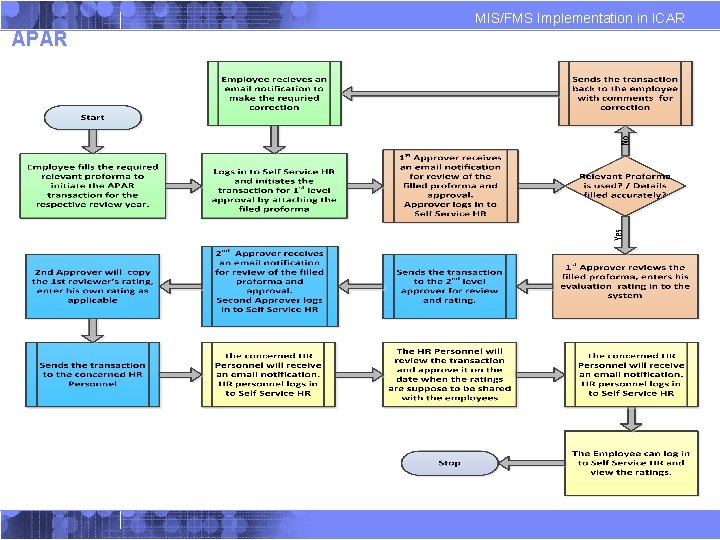
MIS/FMS Implementation in ICAR APAR
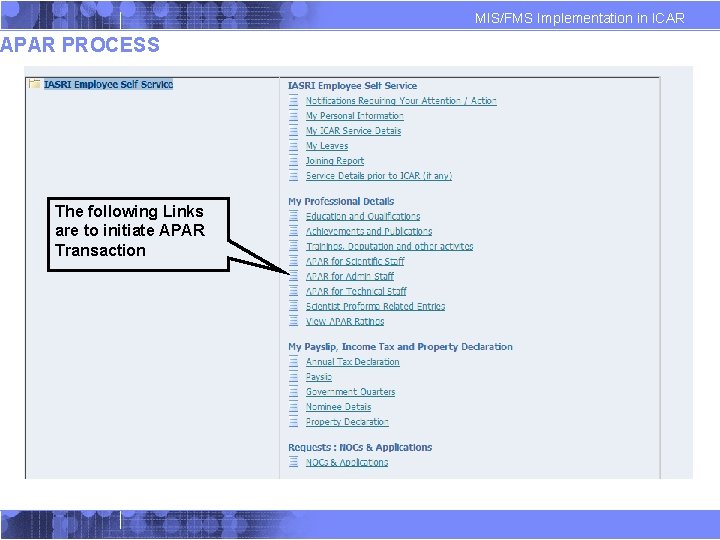
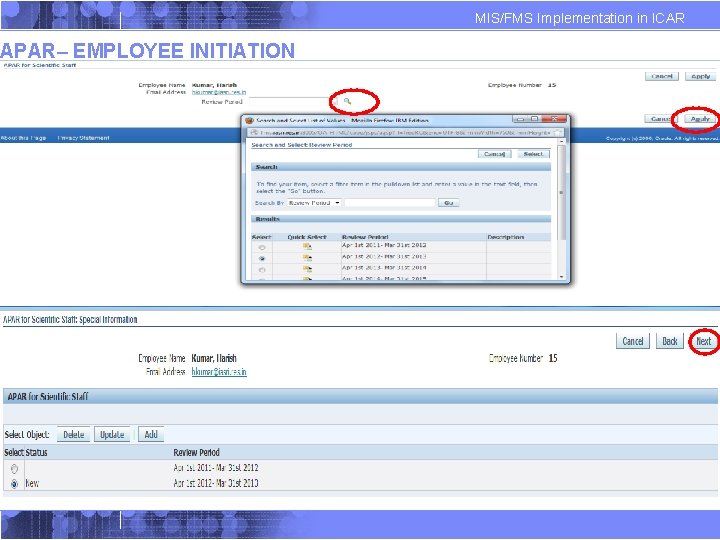
MIS/FMS Implementation in ICAR APAR PROCESS The following Links are to initiate APAR Transaction
APAR– EMPLOYEE INITIATION MIS/FMS Implementation in ICAR
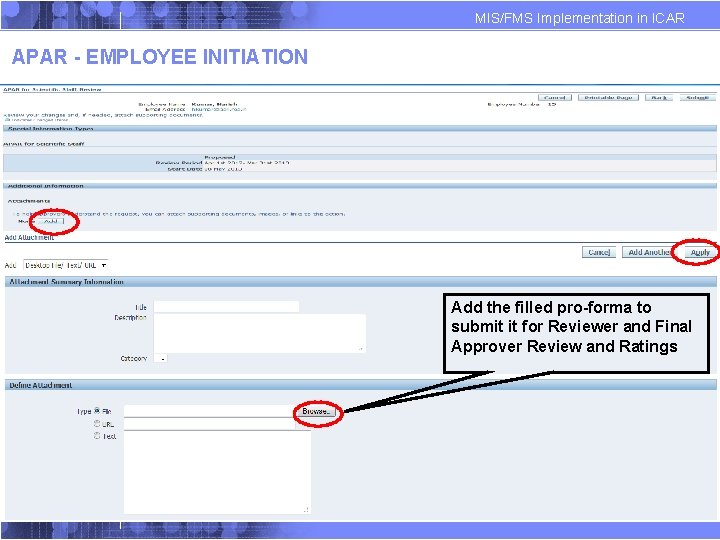
MIS/FMS Implementation in ICAR APAR - EMPLOYEE INITIATION Add the filled pro-forma to submit it for Reviewer and Final Approver Review and Ratings
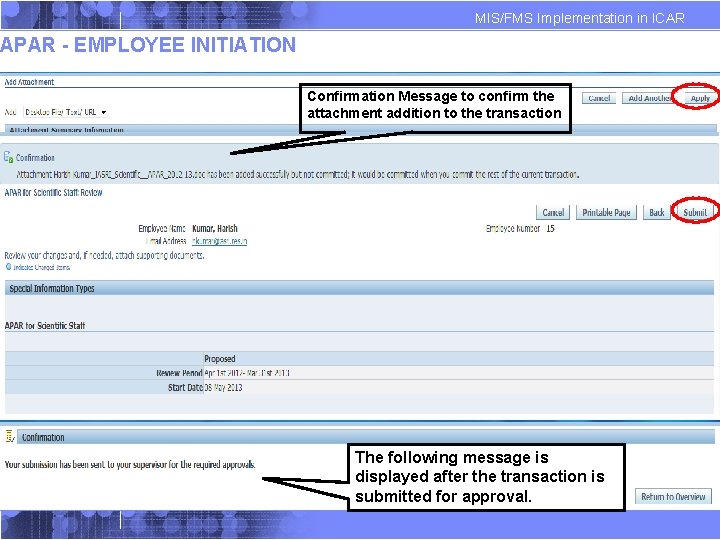
MIS/FMS Implementation in ICAR APAR - EMPLOYEE INITIATION Confirmation Message to confirm the attachment addition to the transaction The following message is displayed after the transaction is submitted for approval.
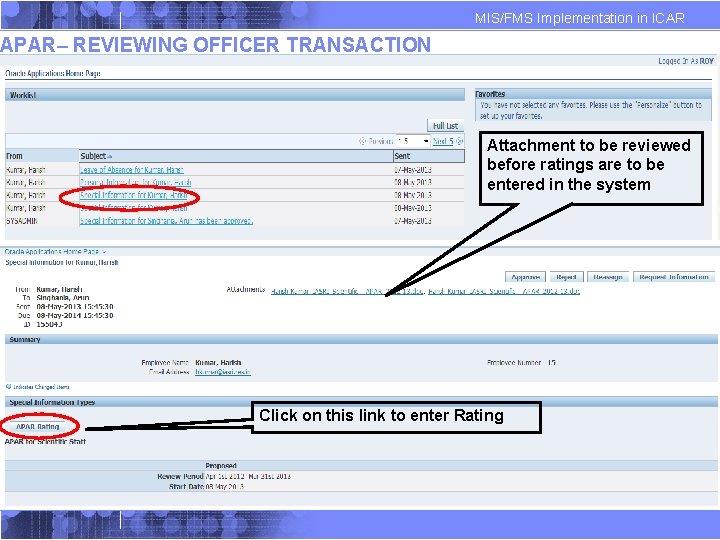
MIS/FMS Implementation in ICAR APAR– REVIEWING OFFICER TRANSACTION Attachment to be reviewed before ratings are to be entered in the system Click on this link to enter Rating
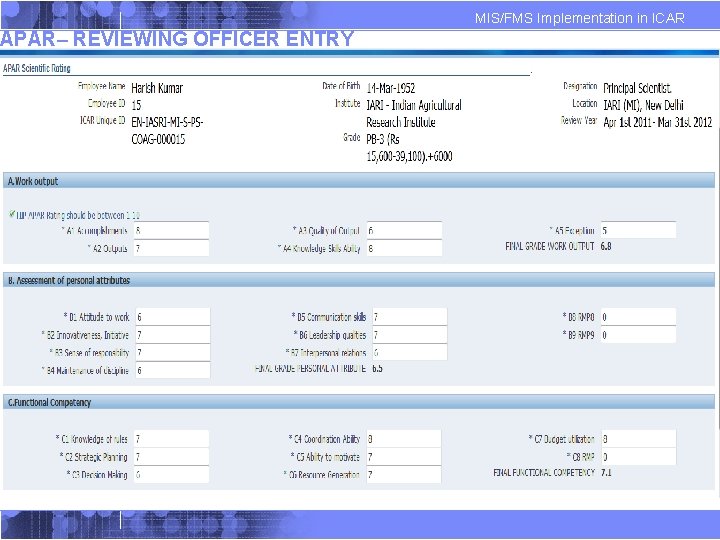
APAR– REVIEWING OFFICER ENTRY MIS/FMS Implementation in ICAR
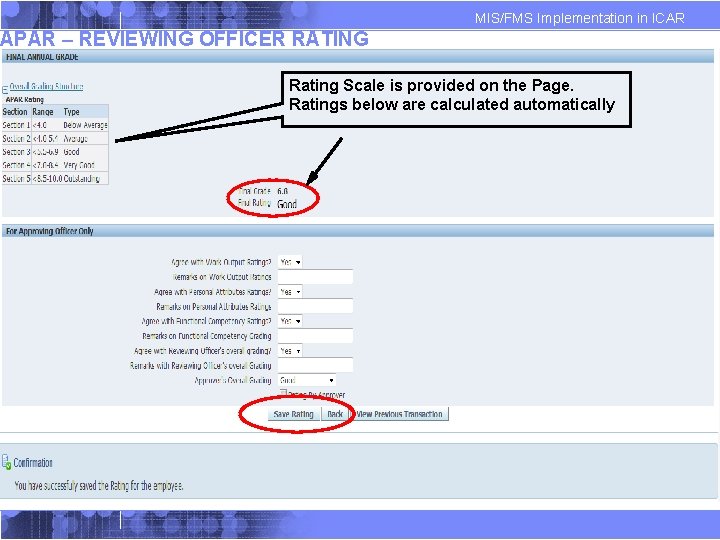
MIS/FMS Implementation in ICAR APAR – REVIEWING OFFICER RATING Rating Scale is provided on the Page. Ratings below are calculated automatically
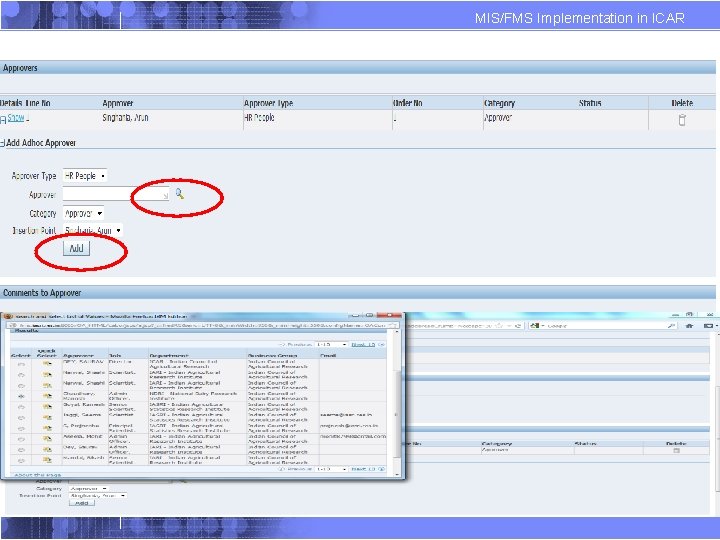
MIS/FMS Implementation in ICAR APAR - REVIEWER
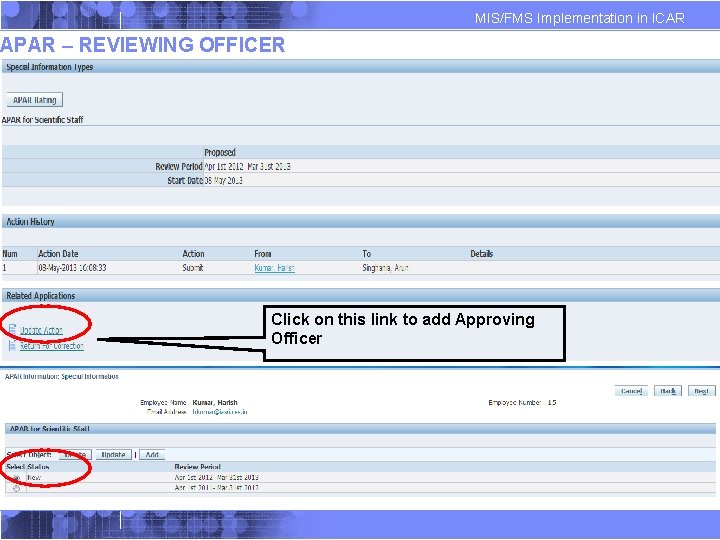
MIS/FMS Implementation in ICAR APAR – REVIEWING OFFICER Click on this link to add Approving Officer
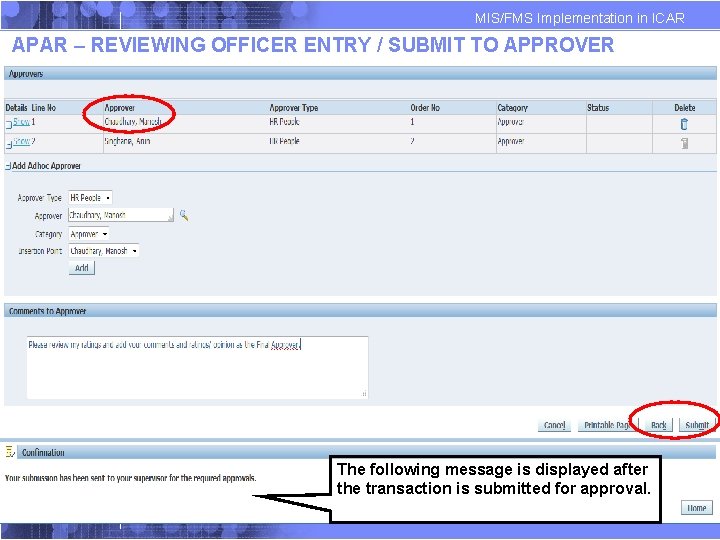
MIS/FMS Implementation in ICAR APAR – REVIEWING OFFICER ENTRY / SUBMIT TO APPROVER The following message is displayed after the transaction is submitted for approval.
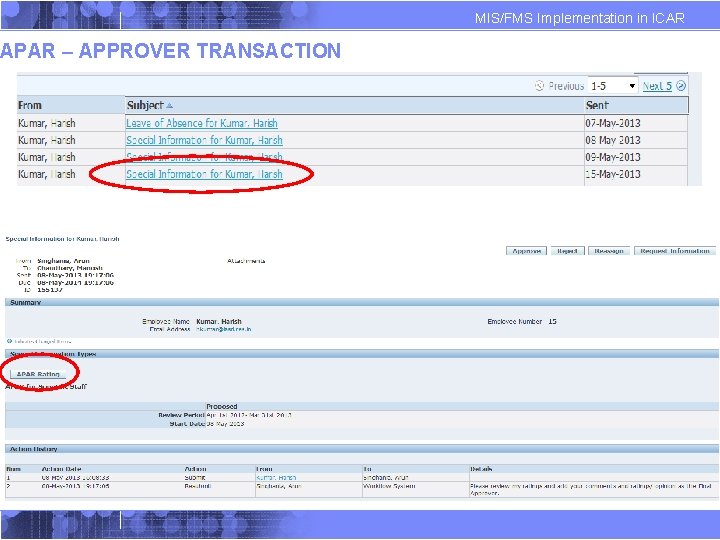
APAR – APPROVER TRANSACTION MIS/FMS Implementation in ICAR
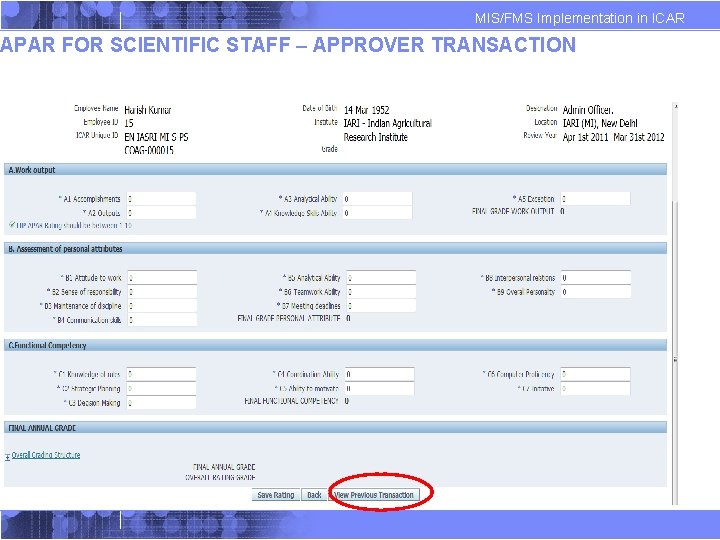
MIS/FMS Implementation in ICAR APAR FOR SCIENTIFIC STAFF – APPROVER TRANSACTION
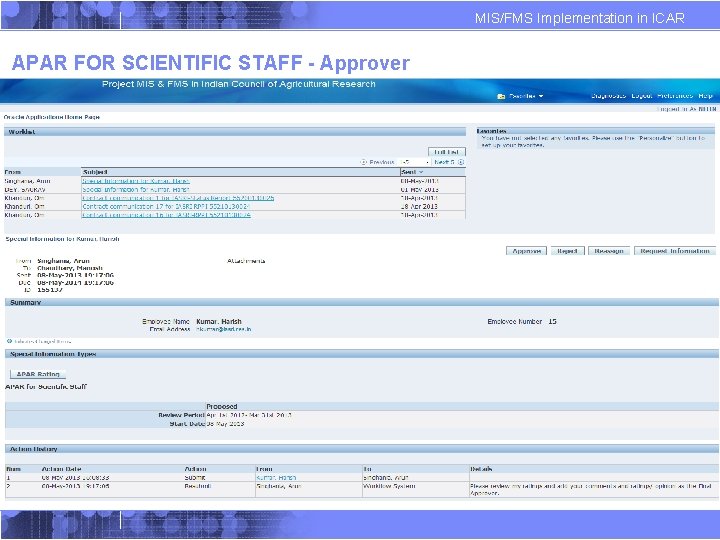
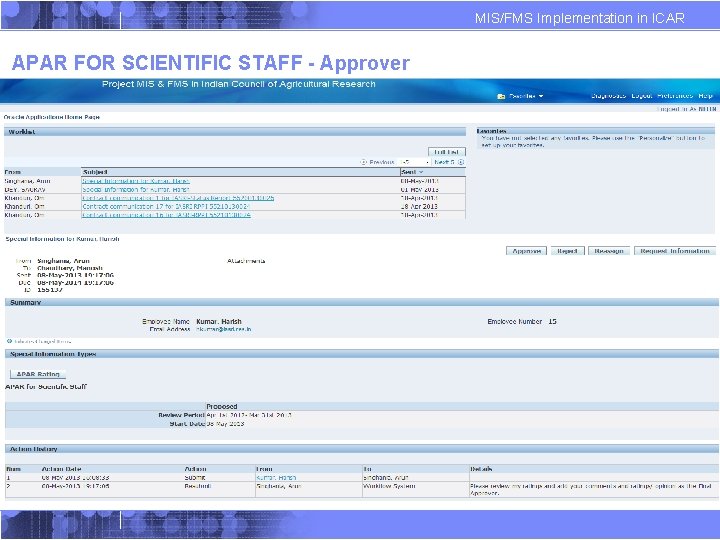
MIS/FMS Implementation in ICAR APAR FOR SCIENTIFIC STAFF - Approver
MIS/FMS Implementation in ICAR APAR FOR SCIENTIFIC STAFF - Approver
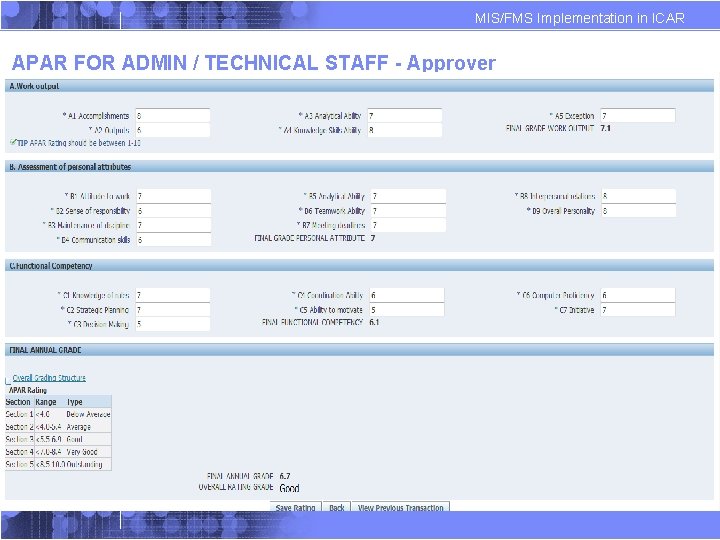
MIS/FMS Implementation in ICAR APAR FOR ADMIN / TECHNICAL STAFF - Approver
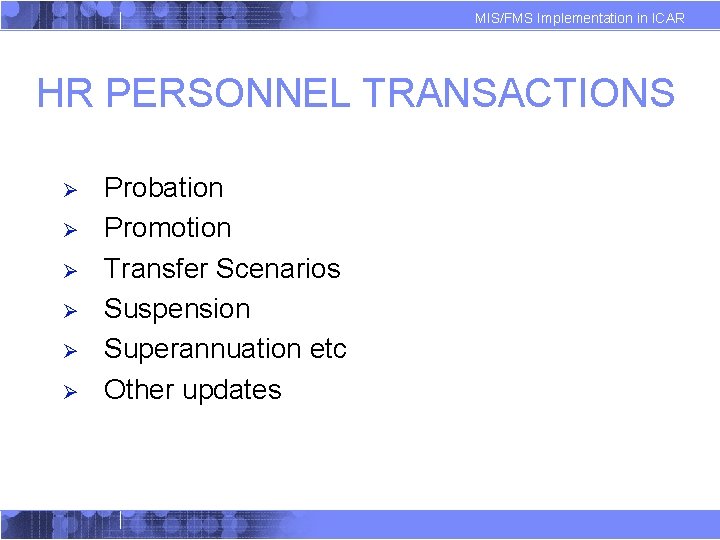
MIS/FMS Implementation in ICAR HR PERSONNEL TRANSACTIONS Ø Ø Ø Probation Promotion Transfer Scenarios Suspension Superannuation etc Other updates
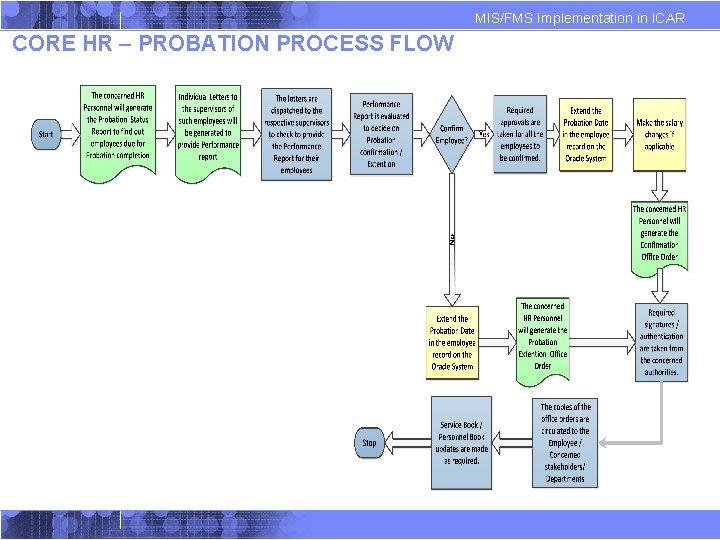
MIS/FMS Implementation in ICAR CORE HR – PROBATION PROCESS FLOW
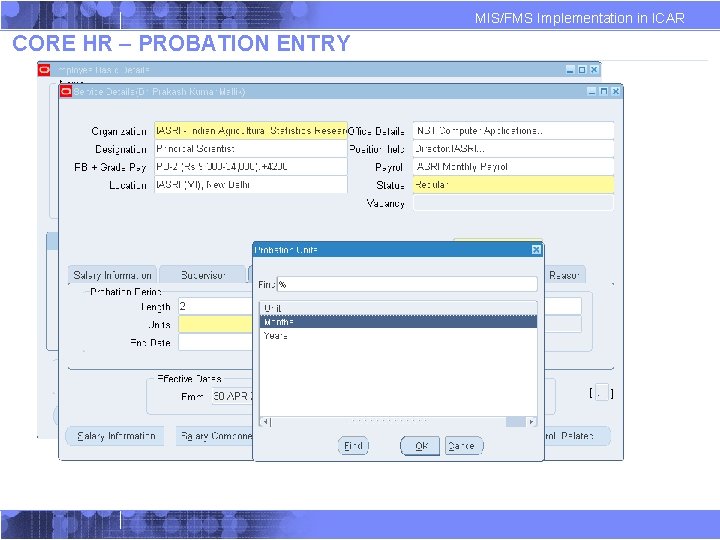
MIS/FMS Implementation in ICAR CORE HR – PROBATION ENTRY
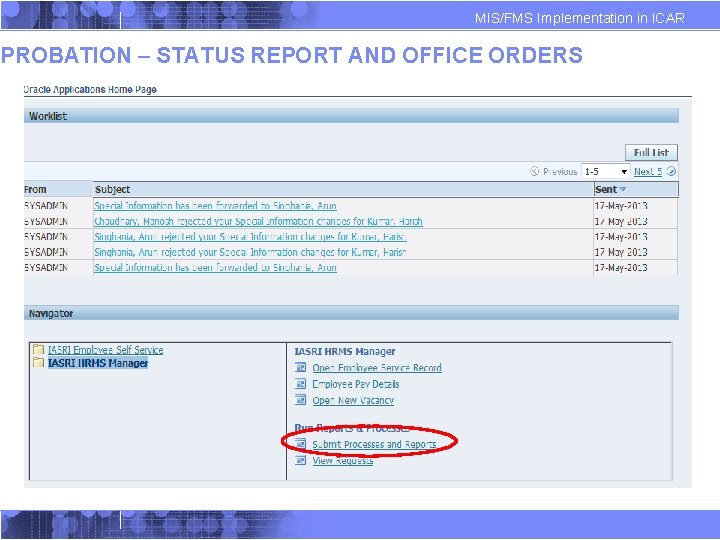
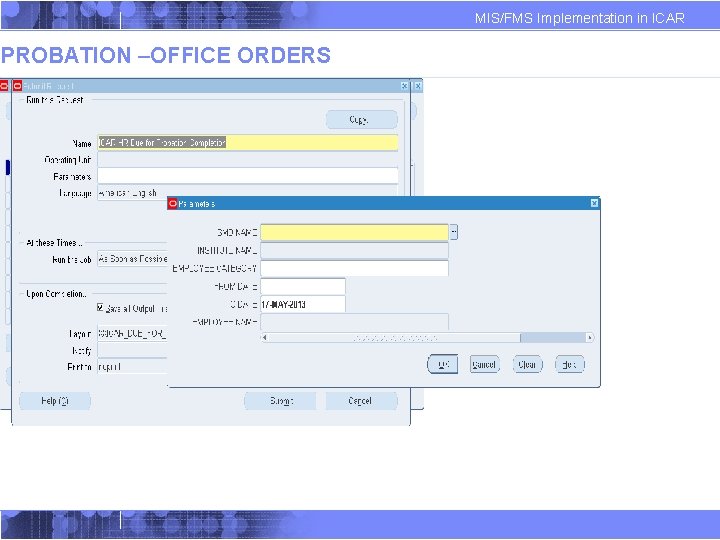
MIS/FMS Implementation in ICAR PROBATION – STATUS REPORT AND OFFICE ORDERS
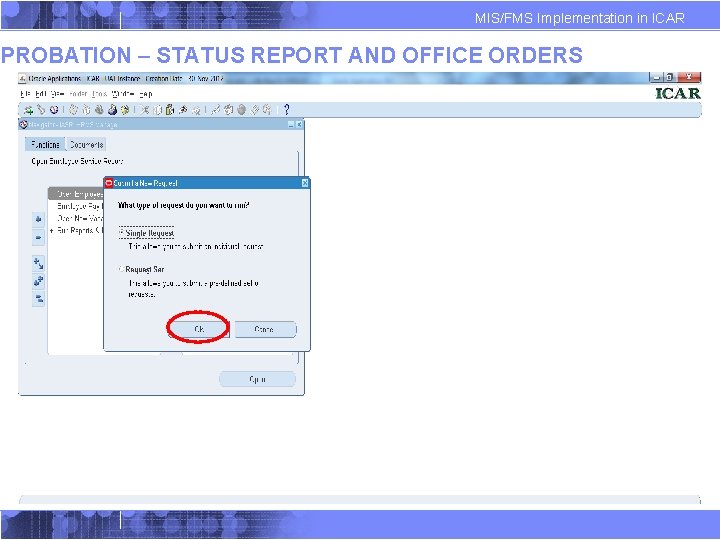
MIS/FMS Implementation in ICAR PROBATION – STATUS REPORT AND OFFICE ORDERS
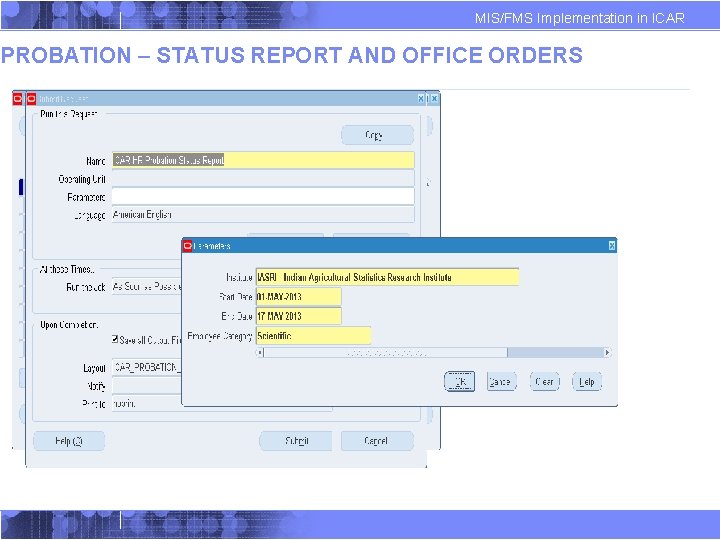
MIS/FMS Implementation in ICAR PROBATION – STATUS REPORT AND OFFICE ORDERS
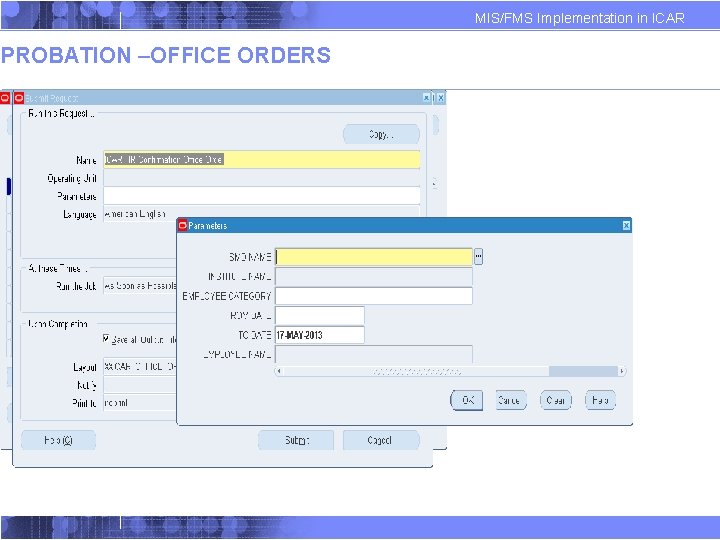
PROBATION –OFFICE ORDERS MIS/FMS Implementation in ICAR
PROBATION –OFFICE ORDERS MIS/FMS Implementation in ICAR
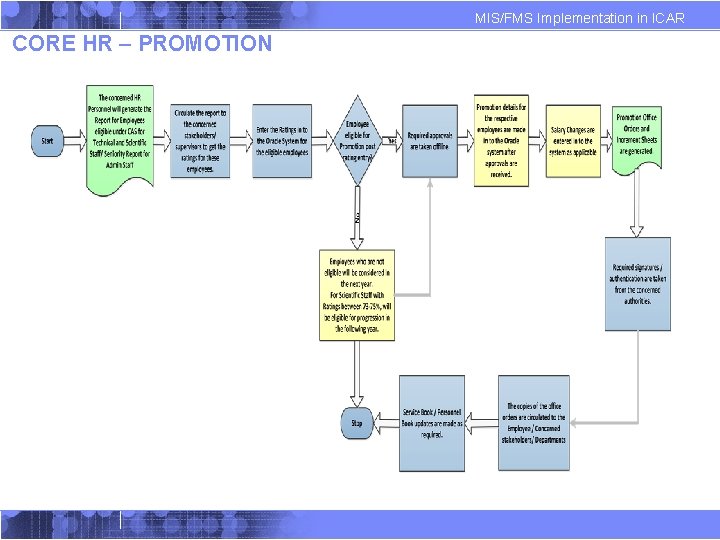
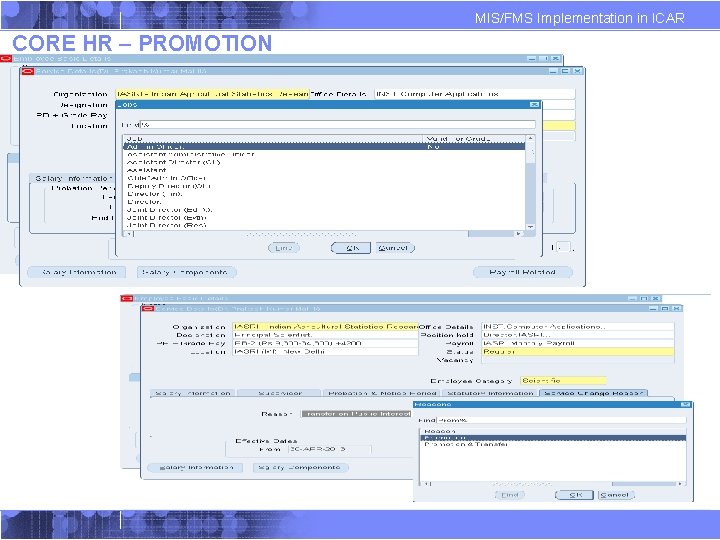
MIS/FMS Implementation in ICAR CORE HR – PROMOTION
MIS/FMS Implementation in ICAR CORE HR – PROMOTION
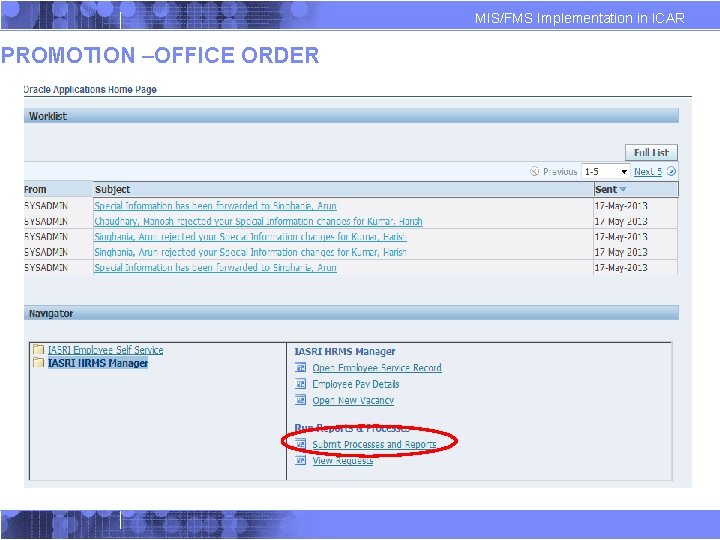
PROMOTION –OFFICE ORDER MIS/FMS Implementation in ICAR
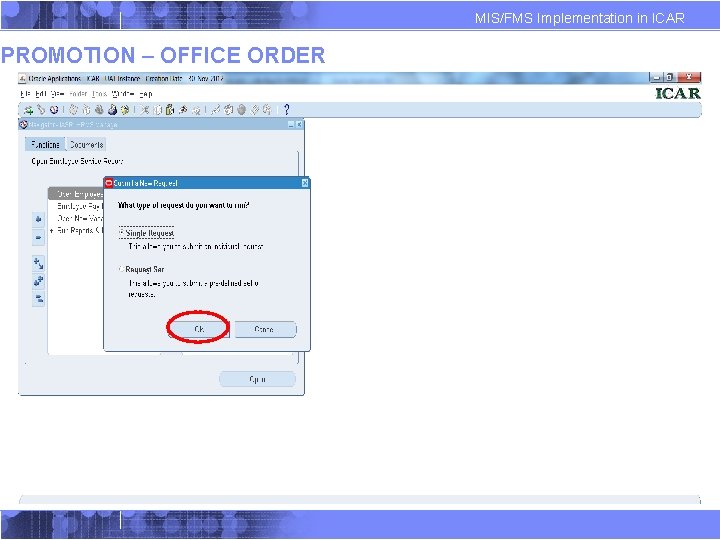
PROMOTION – OFFICE ORDER MIS/FMS Implementation in ICAR
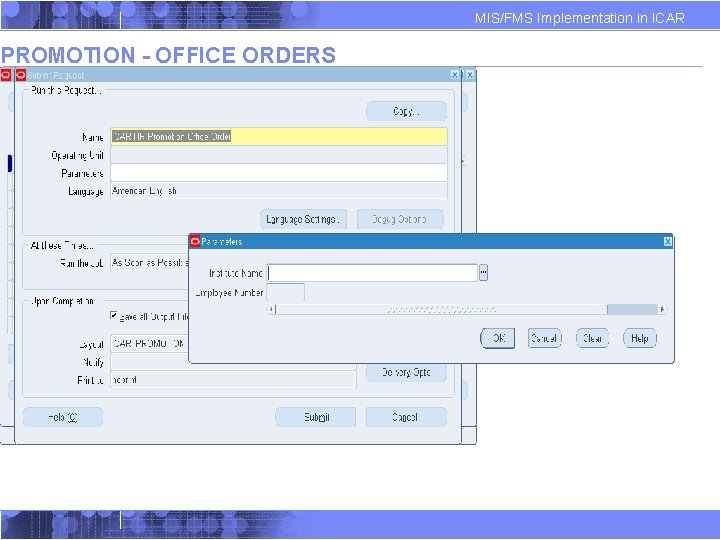
PROMOTION - OFFICE ORDERS MIS/FMS Implementation in ICAR
PROMOTION – PAY FIXATION MIS/FMS Implementation in ICAR
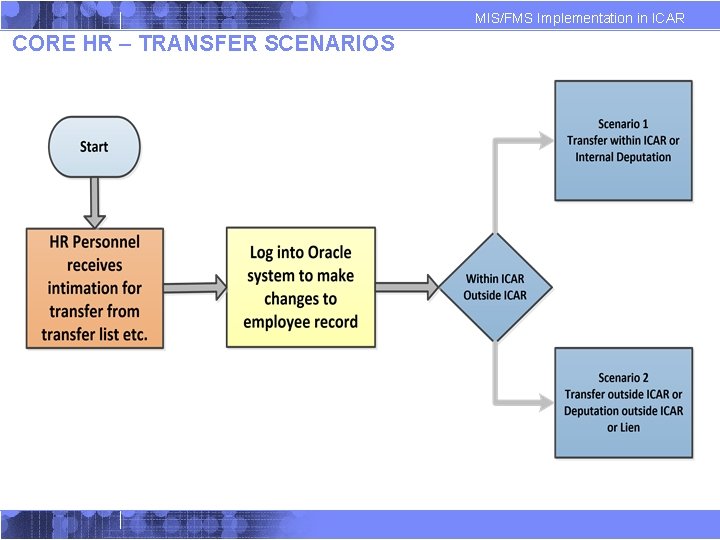
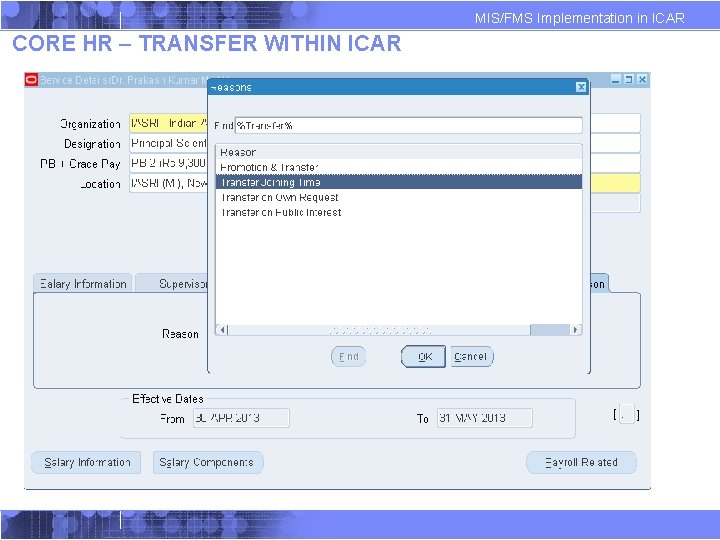
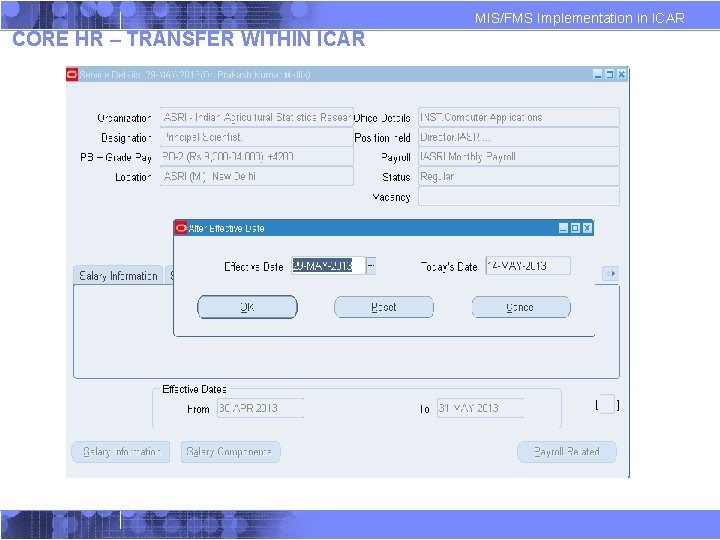
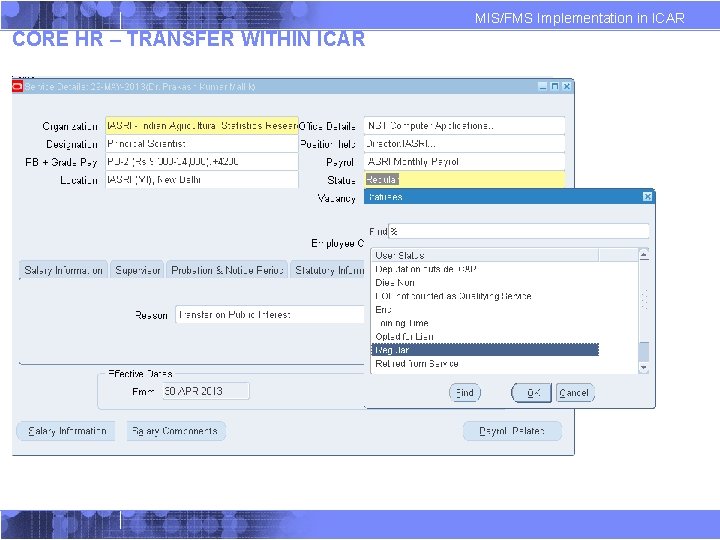
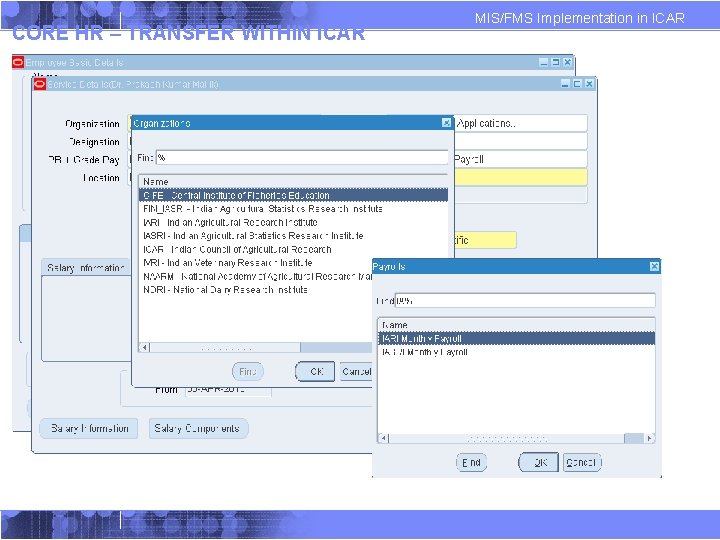
MIS/FMS Implementation in ICAR CORE HR – TRANSFER SCENARIOS
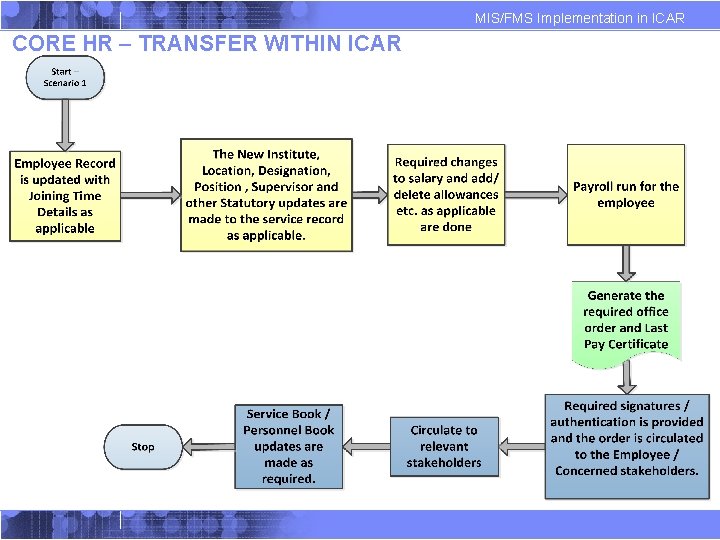
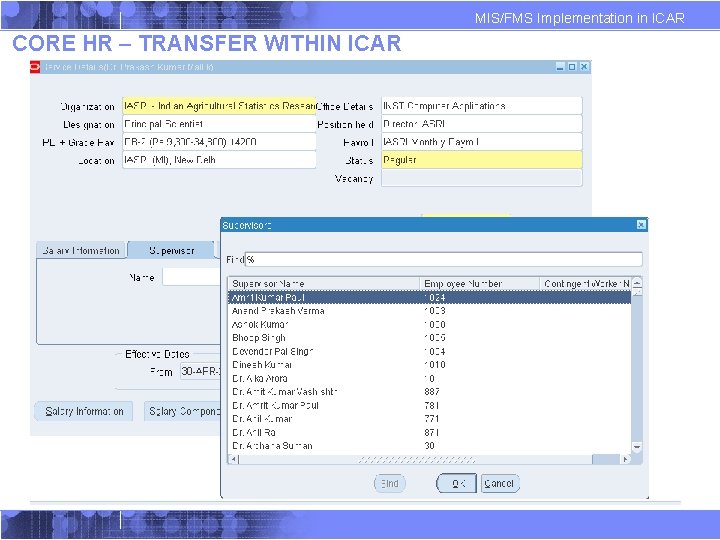
MIS/FMS Implementation in ICAR CORE HR – TRANSFER WITHIN ICAR
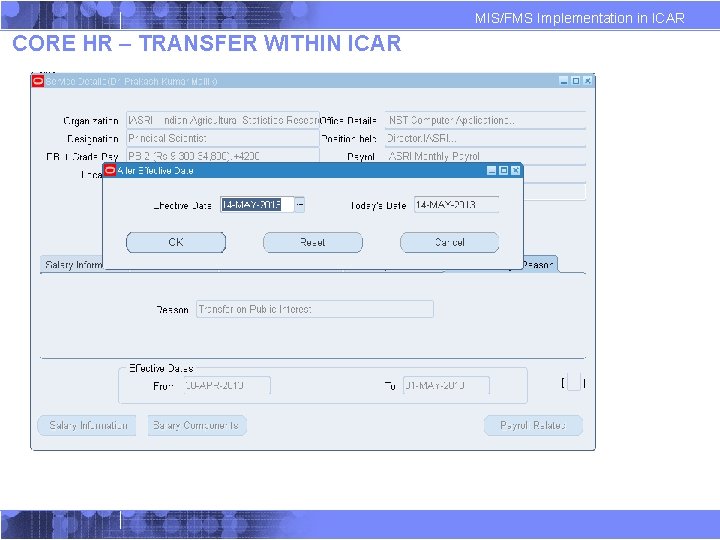
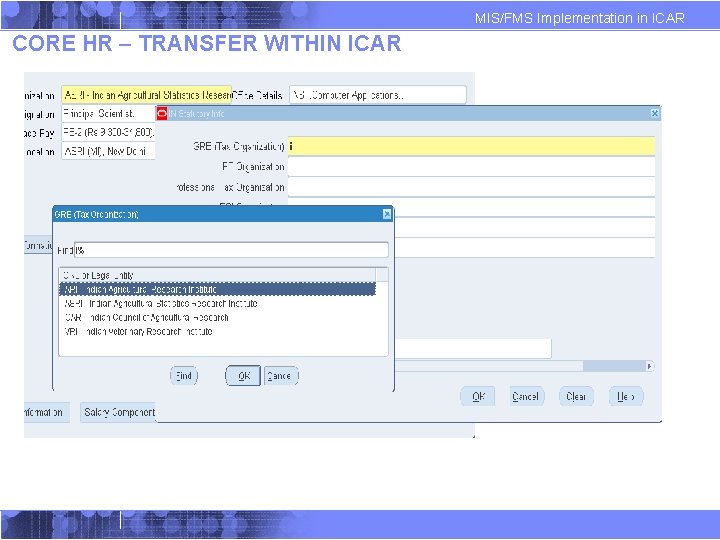
MIS/FMS Implementation in ICAR CORE HR – TRANSFER WITHIN ICAR
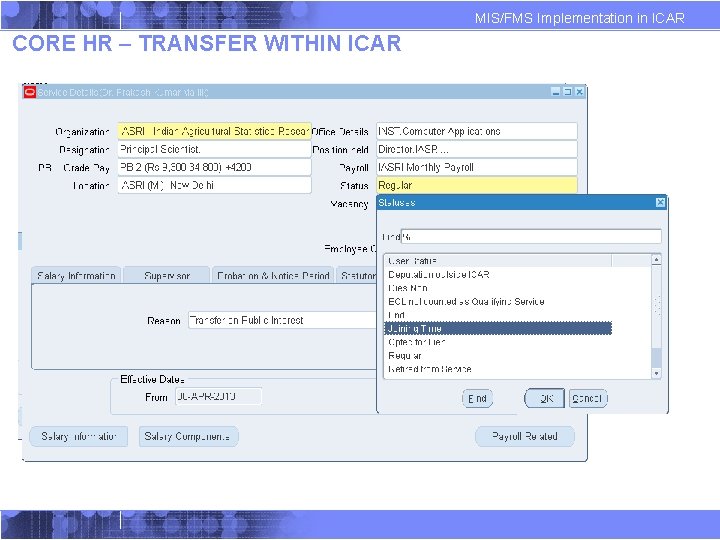
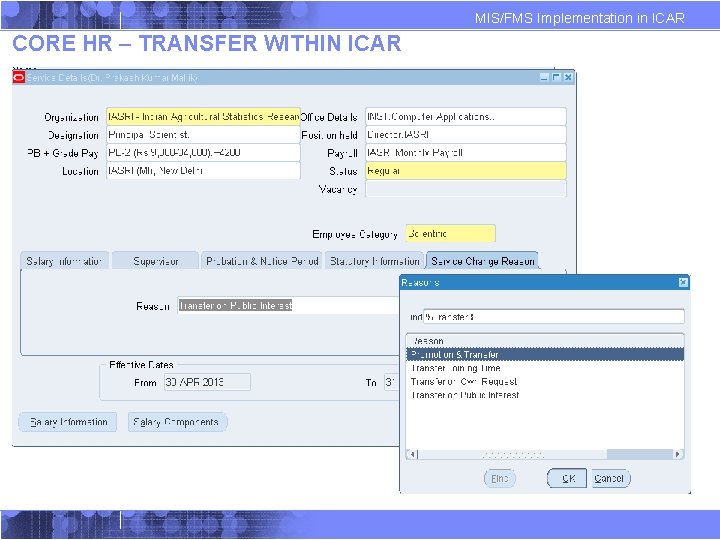
MIS/FMS Implementation in ICAR CORE HR – TRANSFER WITHIN ICAR
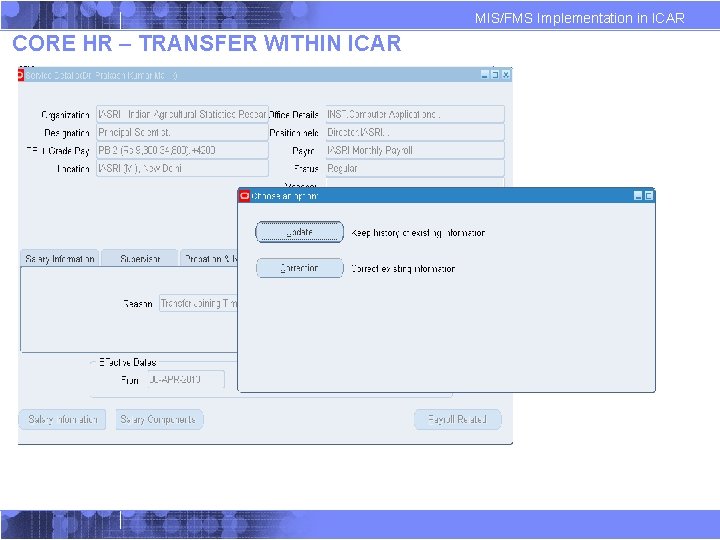
MIS/FMS Implementation in ICAR CORE HR – TRANSFER WITHIN ICAR
MIS/FMS Implementation in ICAR CORE HR – TRANSFER WITHIN ICAR
MIS/FMS Implementation in ICAR CORE HR – TRANSFER WITHIN ICAR
CORE HR – TRANSFER WITHIN ICAR MIS/FMS Implementation in ICAR
MIS/FMS Implementation in ICAR CORE HR – TRANSFER WITHIN ICAR
MIS/FMS Implementation in ICAR CORE HR – TRANSFER WITHIN ICAR
MIS/FMS Implementation in ICAR CORE HR – TRANSFER WITHIN ICAR
MIS/FMS Implementation in ICAR CORE HR – TRANSFER WITHIN ICAR
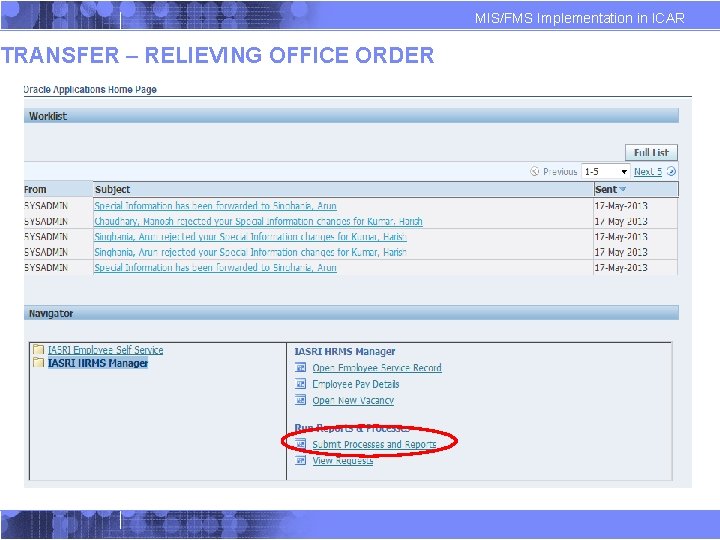
TRANSFER – RELIEVING OFFICE ORDER MIS/FMS Implementation in ICAR
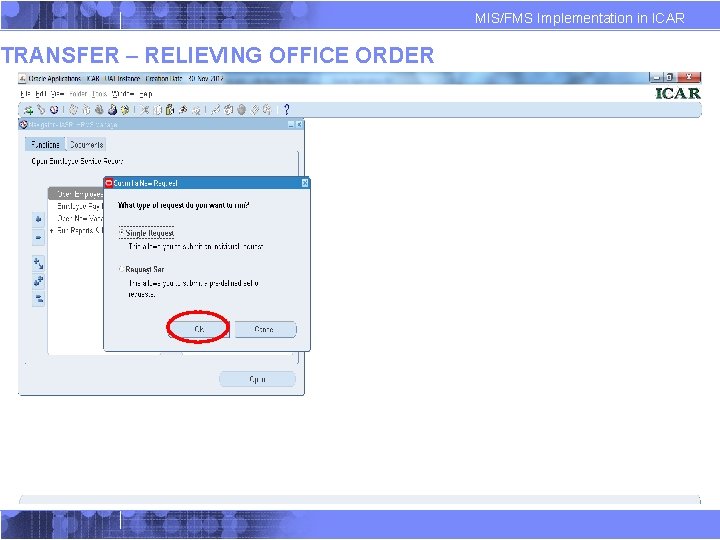
TRANSFER – RELIEVING OFFICE ORDER MIS/FMS Implementation in ICAR
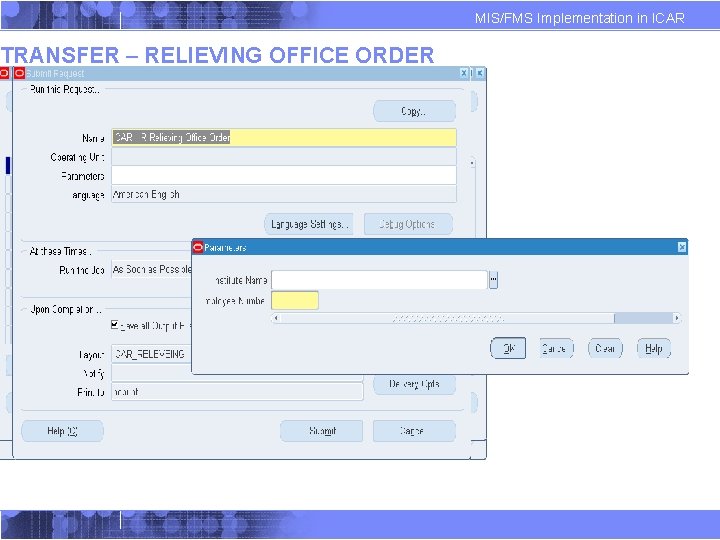
TRANSFER – RELIEVING OFFICE ORDER MIS/FMS Implementation in ICAR
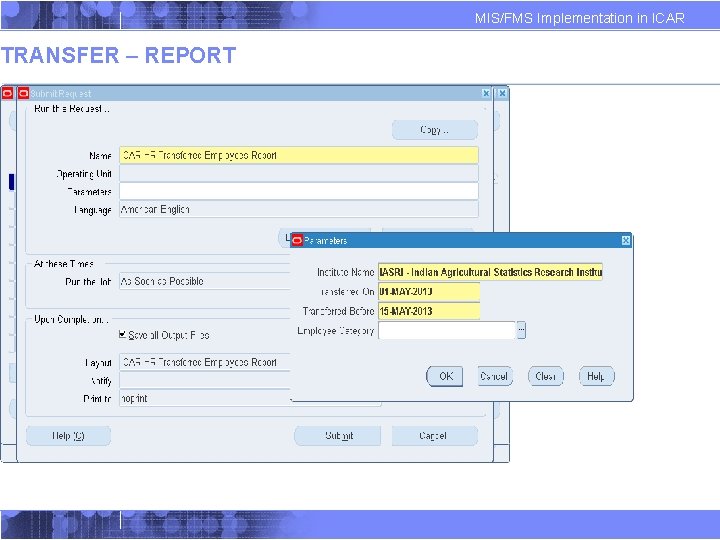
TRANSFER – REPORT MIS/FMS Implementation in ICAR
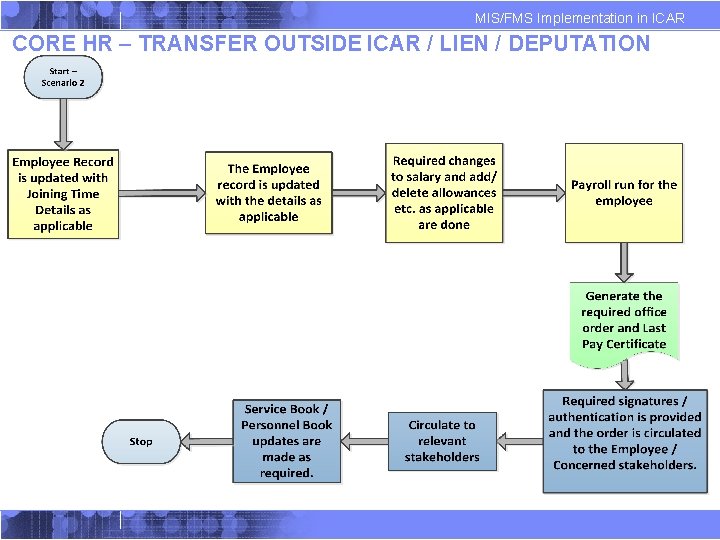
MIS/FMS Implementation in ICAR CORE HR – TRANSFER OUTSIDE ICAR / LIEN / DEPUTATION
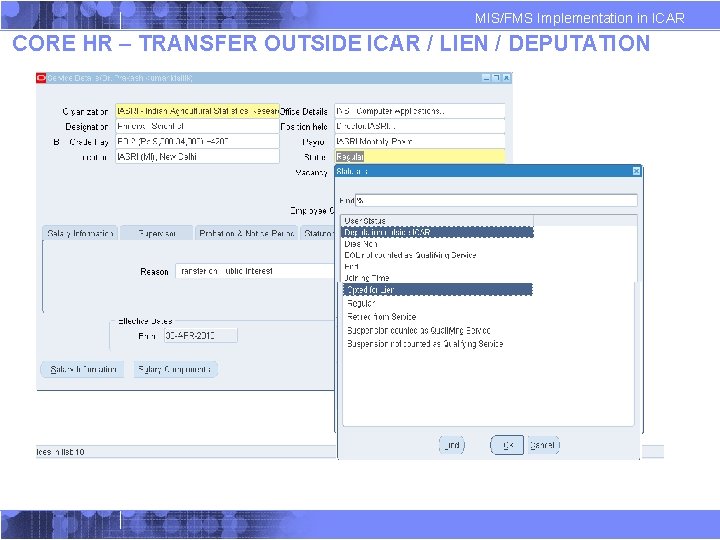
MIS/FMS Implementation in ICAR CORE HR – TRANSFER OUTSIDE ICAR / LIEN / DEPUTATION
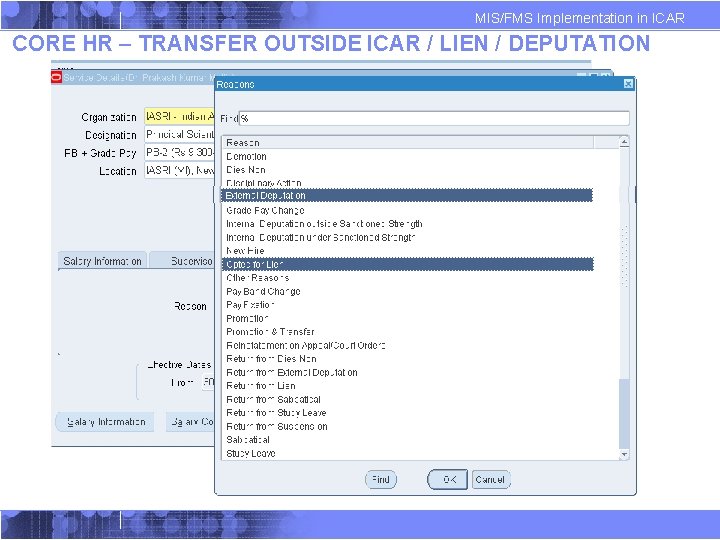
MIS/FMS Implementation in ICAR CORE HR – TRANSFER OUTSIDE ICAR / LIEN / DEPUTATION
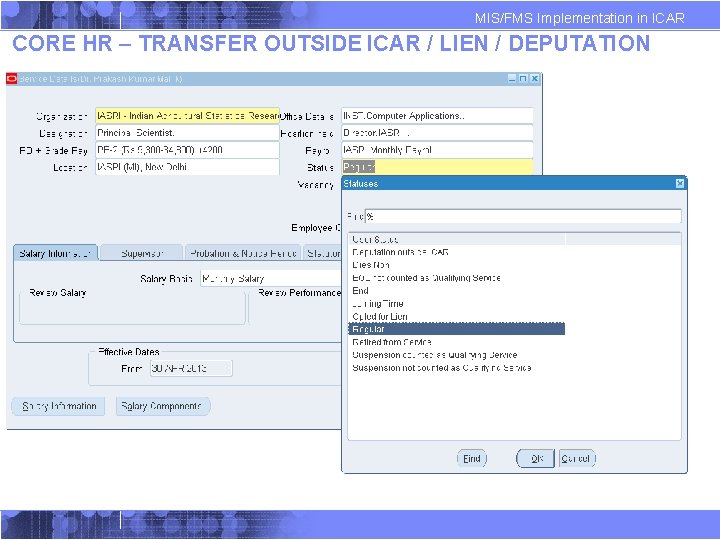
MIS/FMS Implementation in ICAR CORE HR – TRANSFER OUTSIDE ICAR / LIEN / DEPUTATION
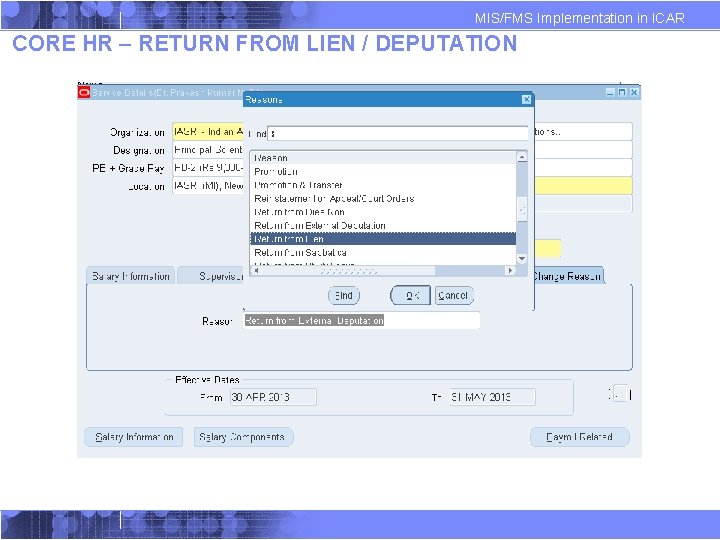
MIS/FMS Implementation in ICAR CORE HR – RETURN FROM LIEN / DEPUTATION
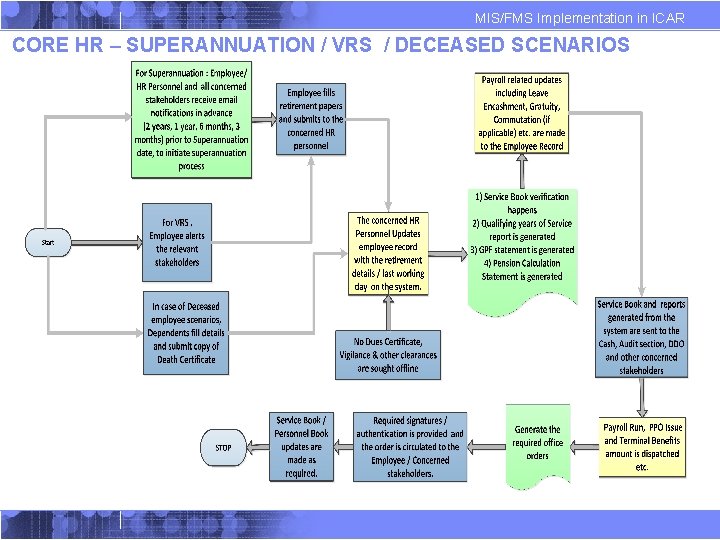
MIS/FMS Implementation in ICAR CORE HR – SUPERANNUATION / VRS / DECEASED SCENARIOS
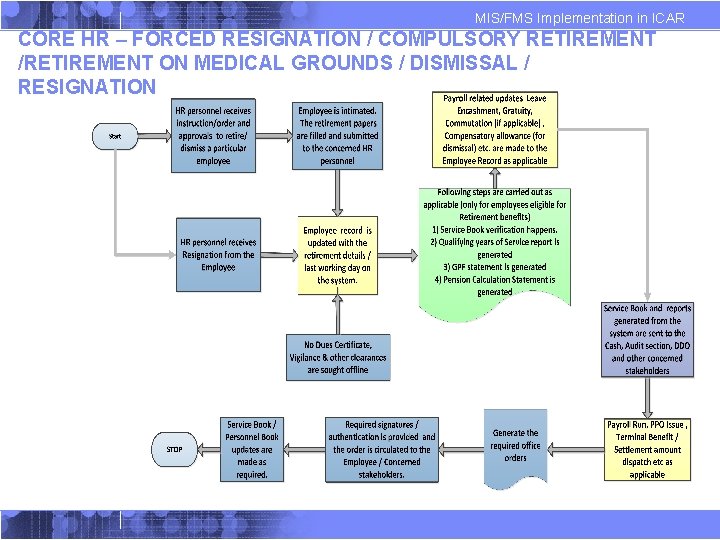
MIS/FMS Implementation in ICAR CORE HR – FORCED RESIGNATION / COMPULSORY RETIREMENT /RETIREMENT ON MEDICAL GROUNDS / DISMISSAL / RESIGNATION
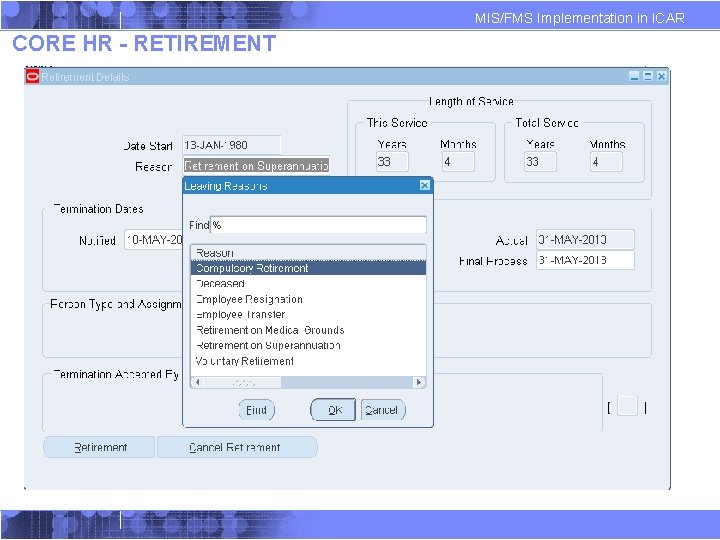
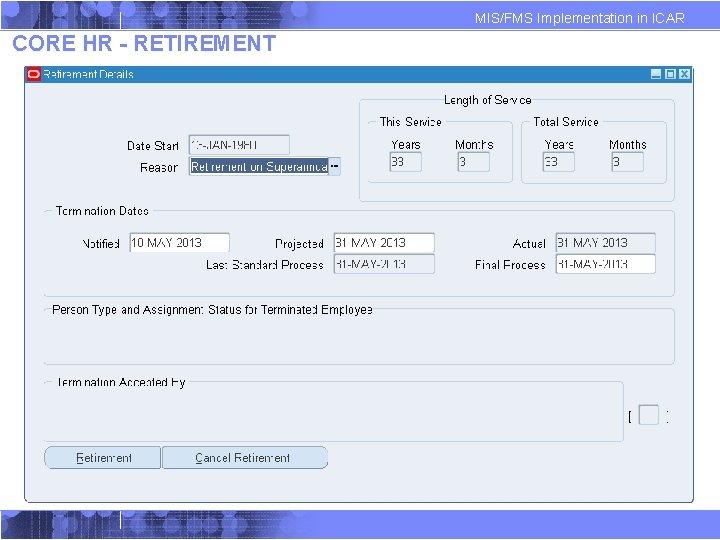
MIS/FMS Implementation in ICAR CORE HR - RETIREMENT
MIS/FMS Implementation in ICAR CORE HR - RETIREMENT
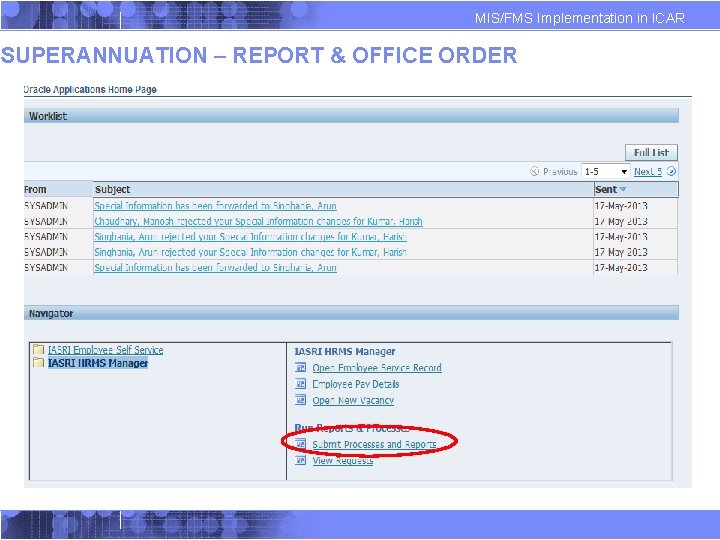
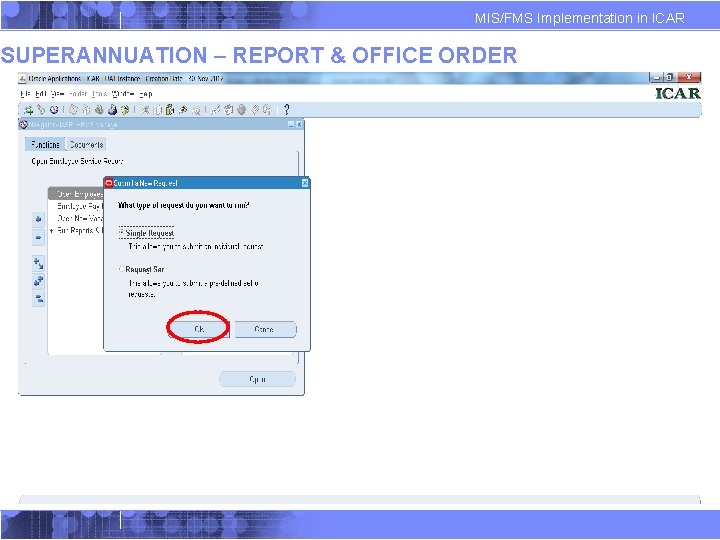
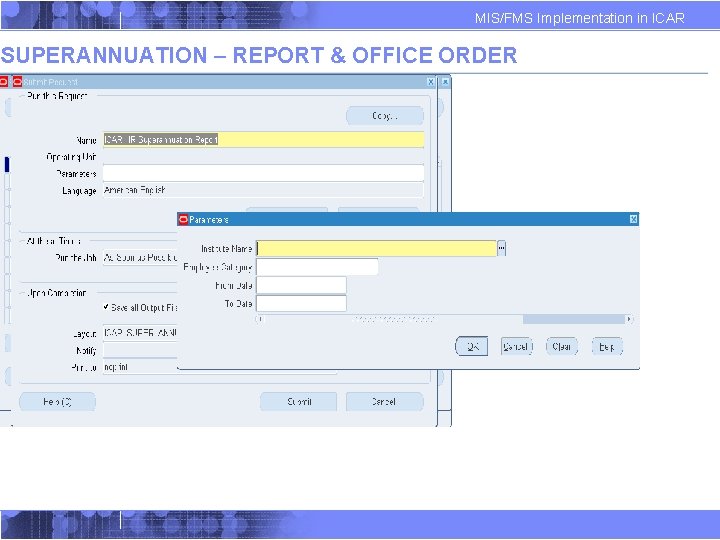
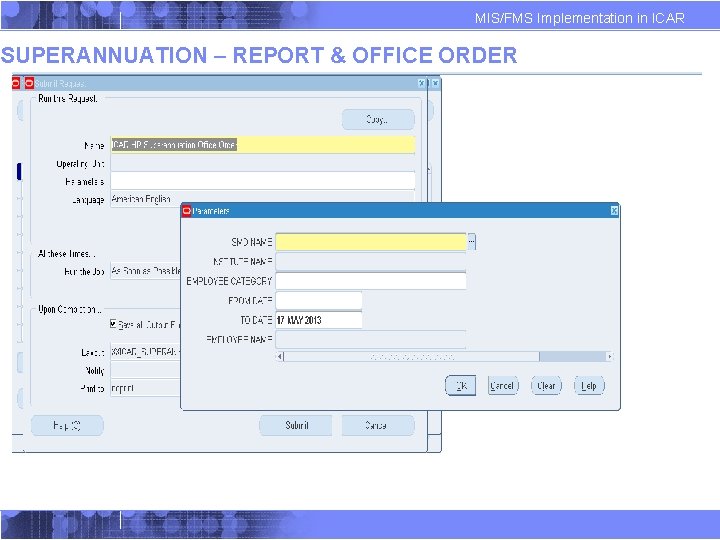
MIS/FMS Implementation in ICAR SUPERANNUATION – REPORT & OFFICE ORDER
MIS/FMS Implementation in ICAR SUPERANNUATION – REPORT & OFFICE ORDER
MIS/FMS Implementation in ICAR SUPERANNUATION – REPORT & OFFICE ORDER
MIS/FMS Implementation in ICAR SUPERANNUATION – REPORT & OFFICE ORDER
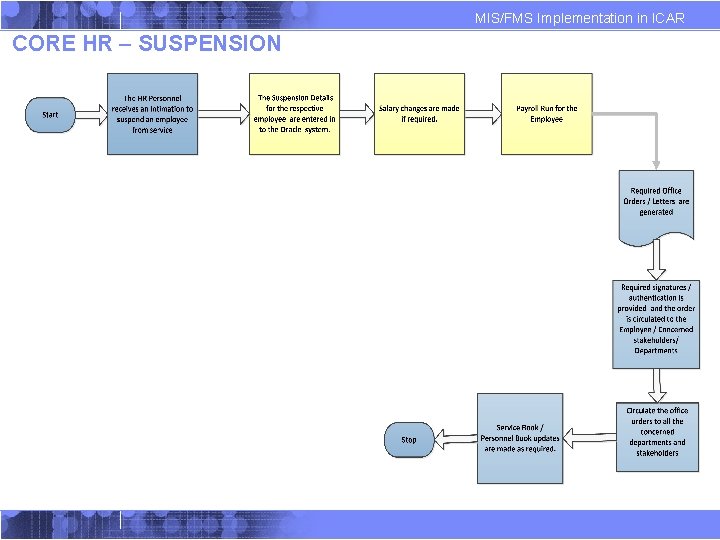
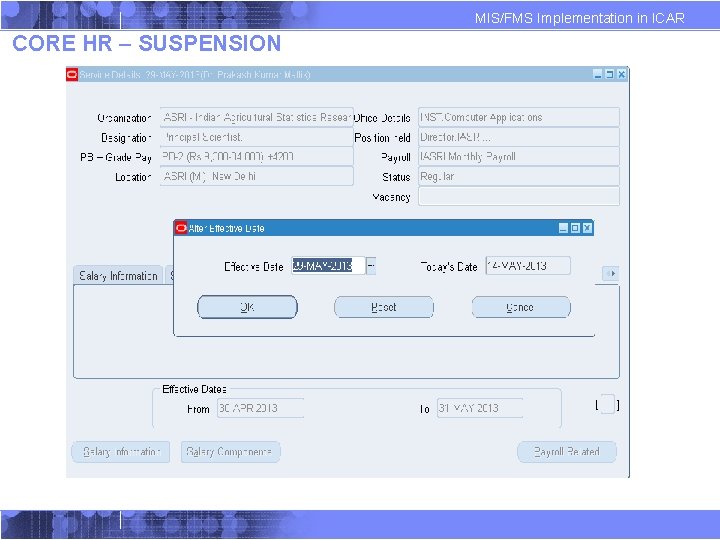
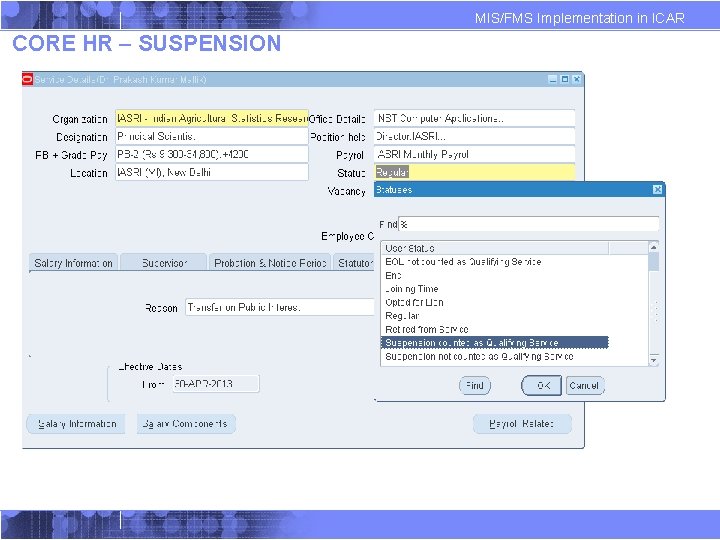
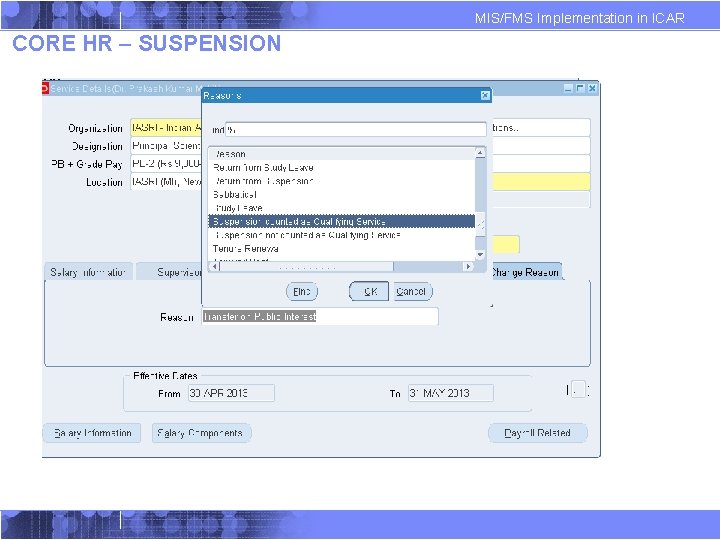
MIS/FMS Implementation in ICAR CORE HR – SUSPENSION
MIS/FMS Implementation in ICAR CORE HR – SUSPENSION
MIS/FMS Implementation in ICAR CORE HR – SUSPENSION
MIS/FMS Implementation in ICAR CORE HR – SUSPENSION
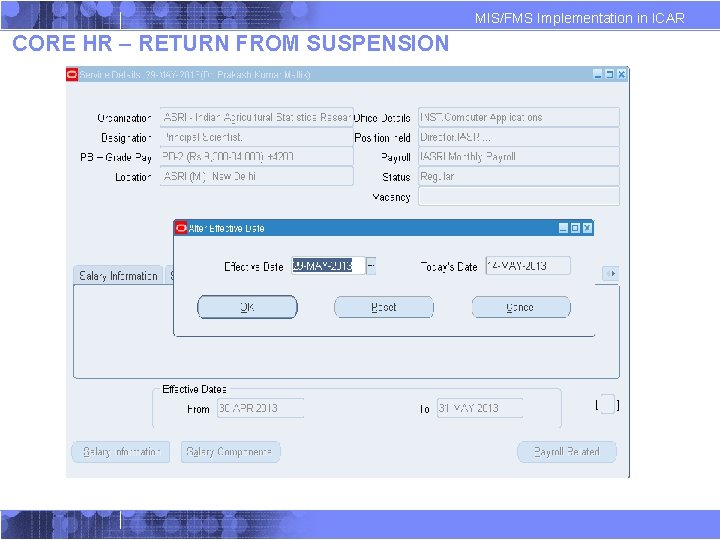
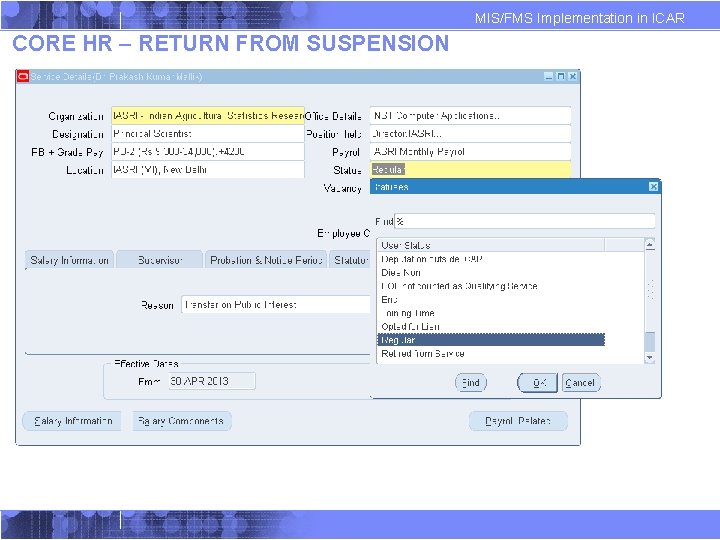
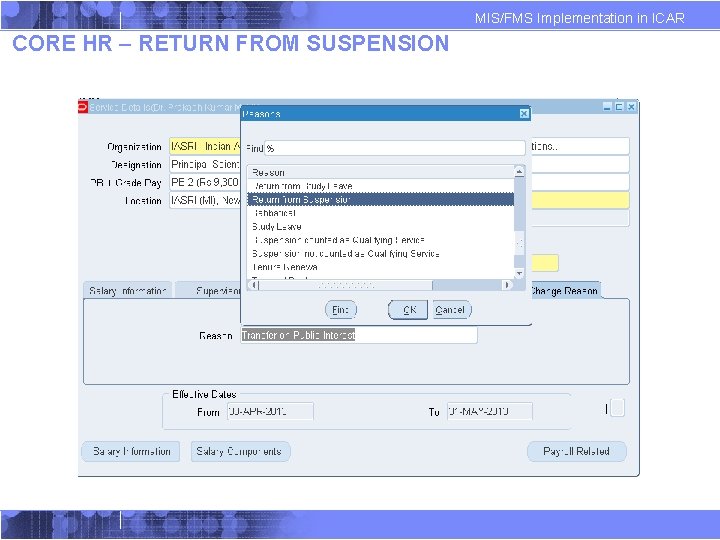
MIS/FMS Implementation in ICAR CORE HR – RETURN FROM SUSPENSION
MIS/FMS Implementation in ICAR CORE HR – RETURN FROM SUSPENSION
MIS/FMS Implementation in ICAR CORE HR – RETURN FROM SUSPENSION
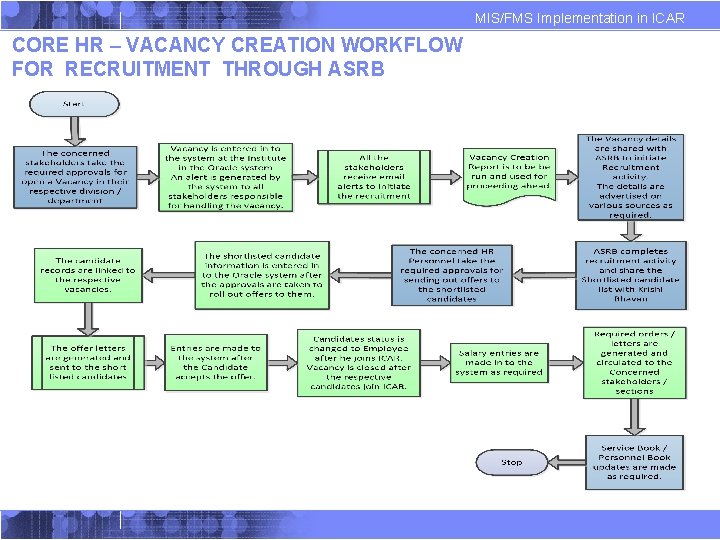
MIS/FMS Implementation in ICAR CORE HR – VACANCY CREATION WORKFLOW FOR RECRUITMENT THROUGH ASRB
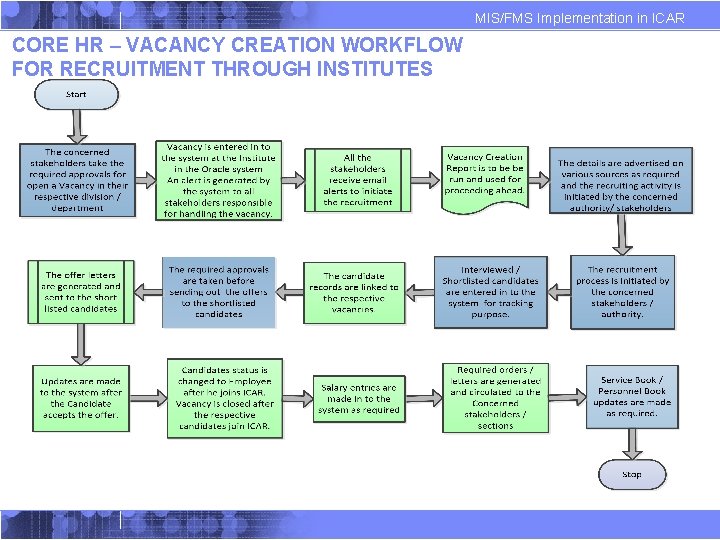
MIS/FMS Implementation in ICAR CORE HR – VACANCY CREATION WORKFLOW FOR RECRUITMENT THROUGH INSTITUTES
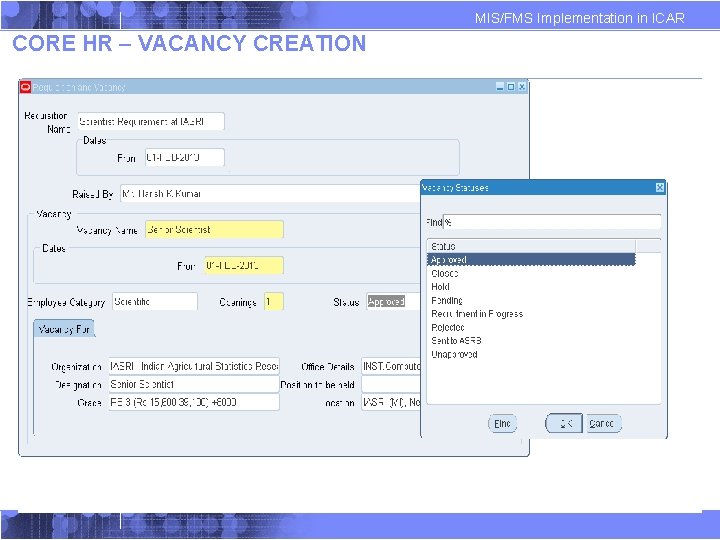
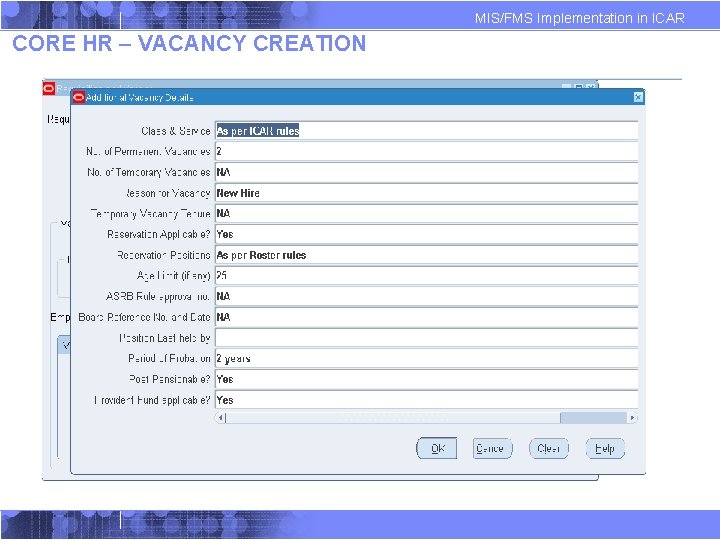
MIS/FMS Implementation in ICAR CORE HR – VACANCY CREATION
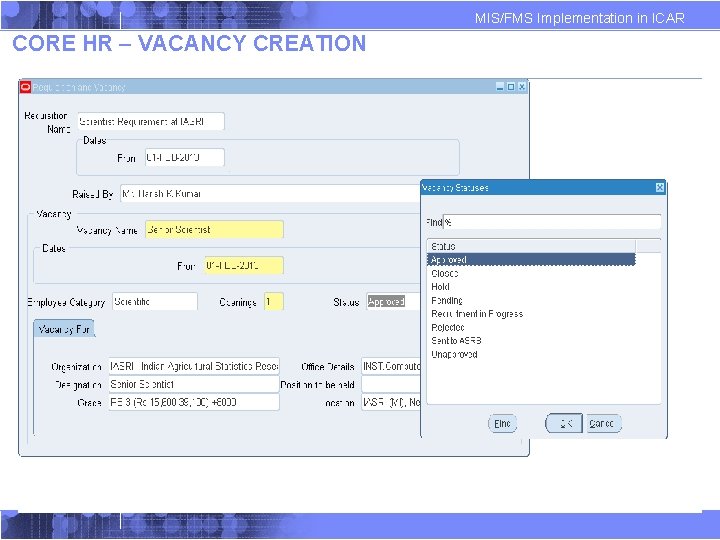
MIS/FMS Implementation in ICAR CORE HR – VACANCY CREATION
MIS/FMS Implementation in ICAR CORE HR – VACANCY CREATION
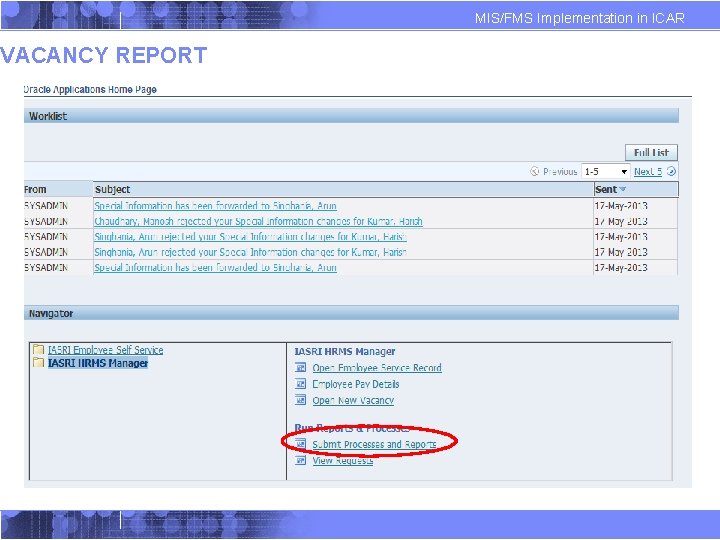
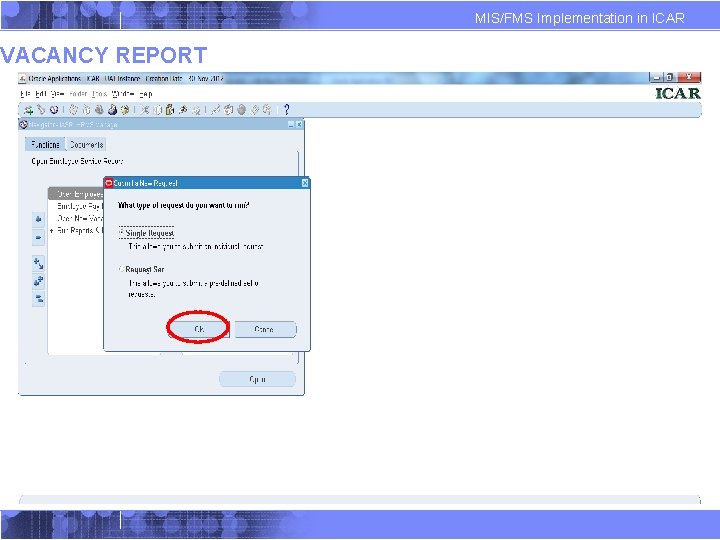
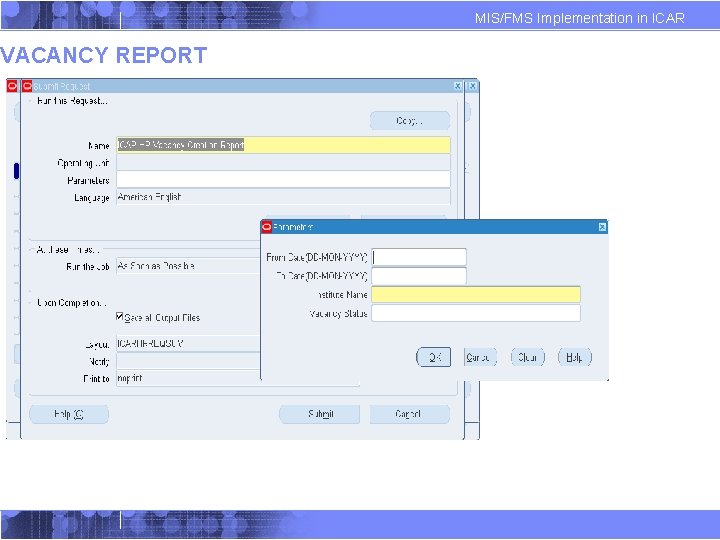
VACANCY REPORT MIS/FMS Implementation in ICAR
VACANCY REPORT MIS/FMS Implementation in ICAR
VACANCY REPORT MIS/FMS Implementation in ICAR
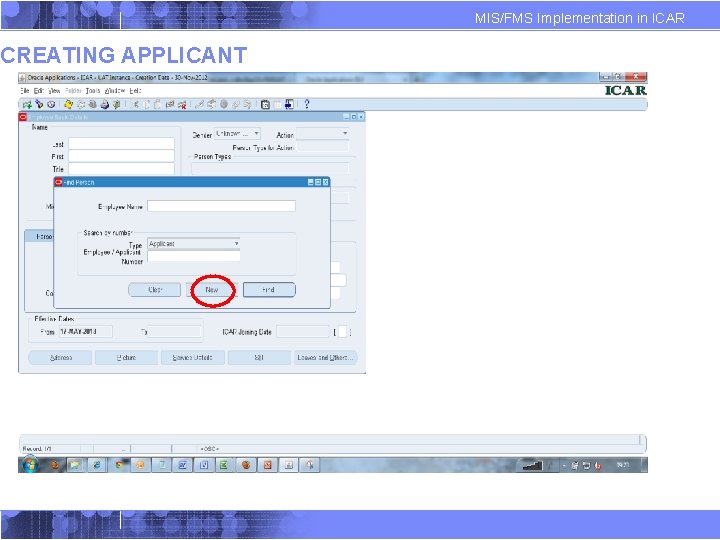
CREATING APPLICANT MIS/FMS Implementation in ICAR
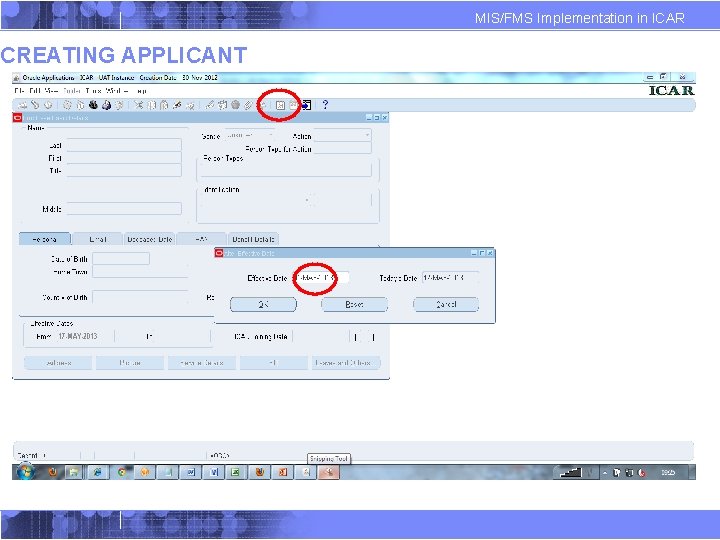
CREATING APPLICANT MIS/FMS Implementation in ICAR
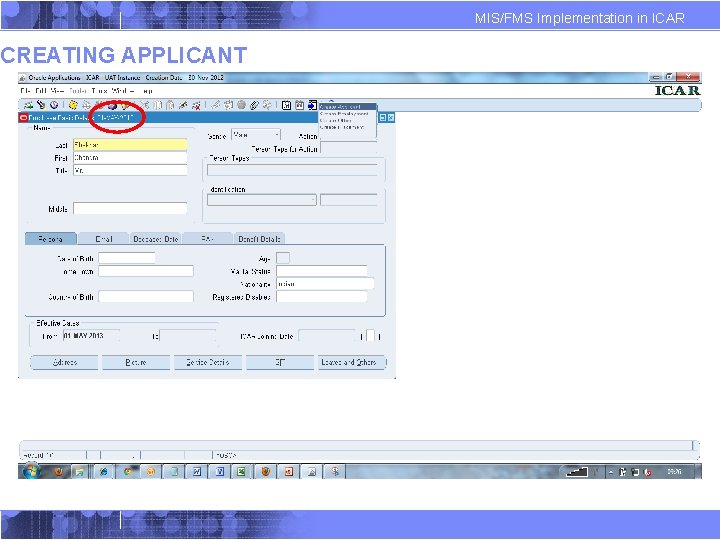
CREATING APPLICANT MIS/FMS Implementation in ICAR
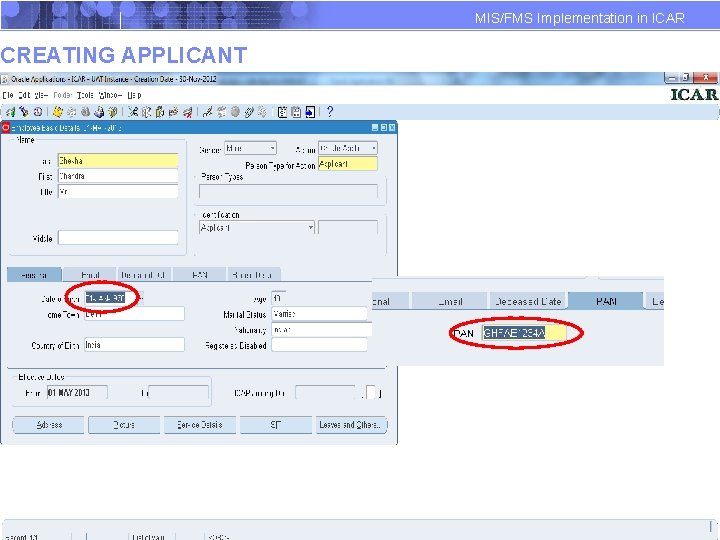
CREATING APPLICANT MIS/FMS Implementation in ICAR
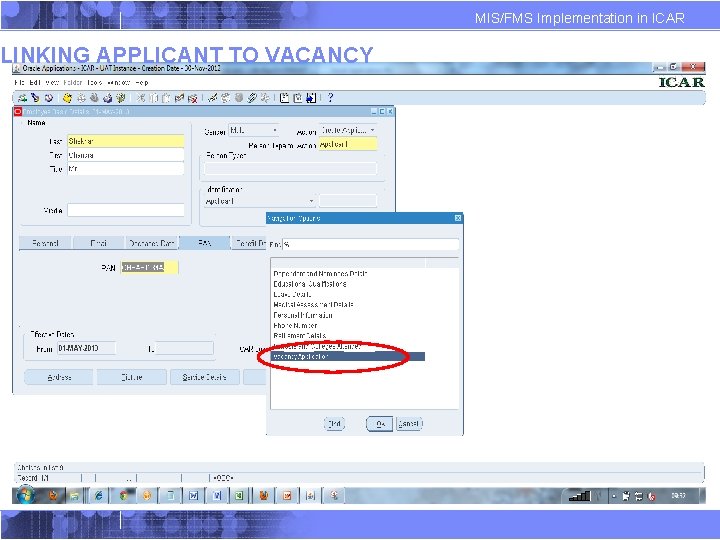
LINKING APPLICANT TO VACANCY MIS/FMS Implementation in ICAR
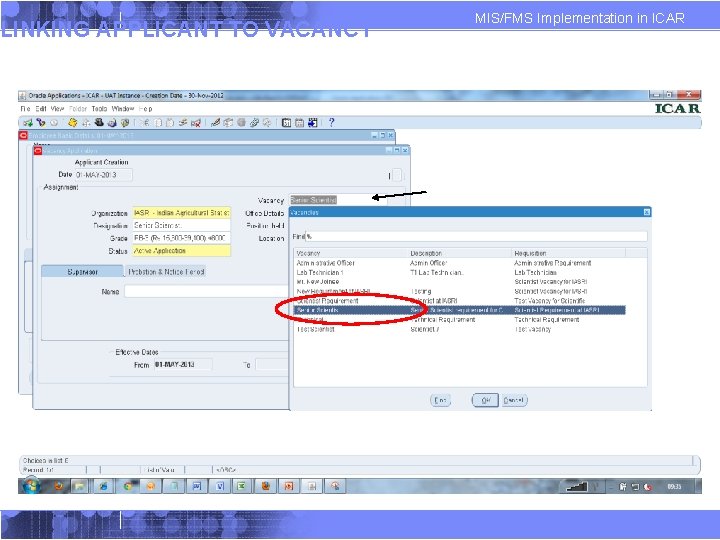
LINKING APPLICANT TO VACANCY MIS/FMS Implementation in ICAR
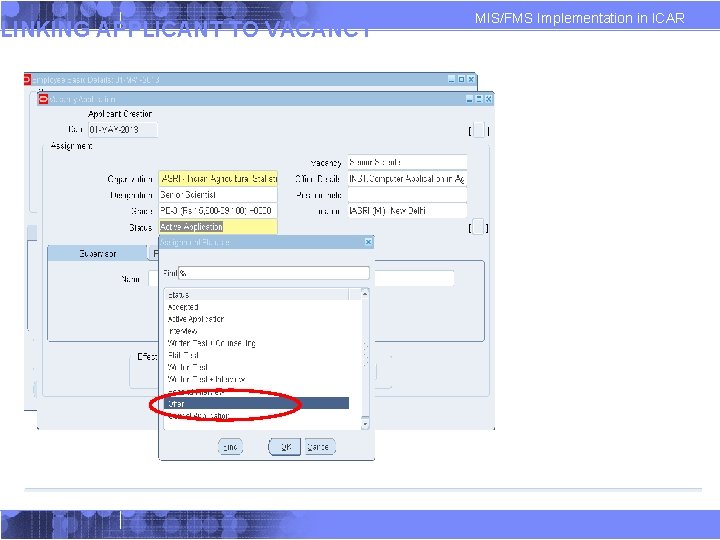
LINKING APPLICANT TO VACANCY MIS/FMS Implementation in ICAR
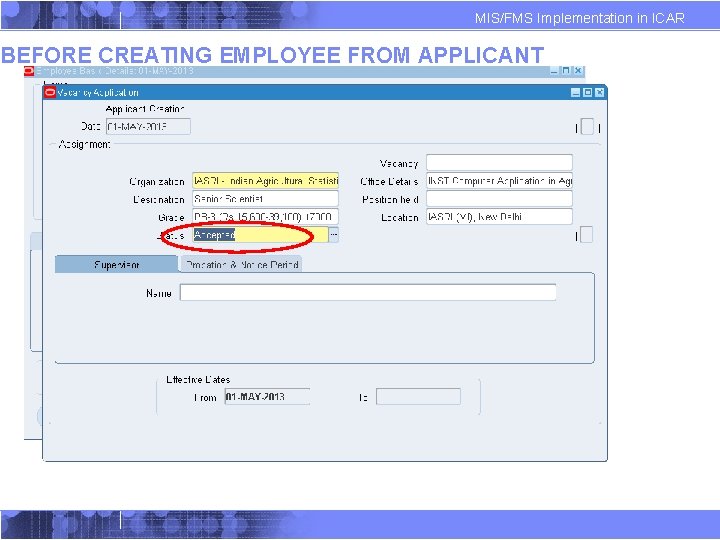
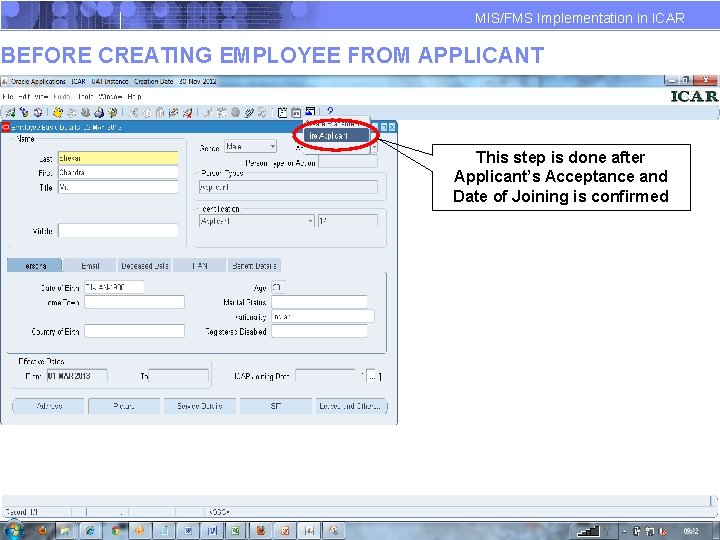
MIS/FMS Implementation in ICAR BEFORE CREATING EMPLOYEE FROM APPLICANT
MIS/FMS Implementation in ICAR BEFORE CREATING EMPLOYEE FROM APPLICANT This step is done after Applicant’s Acceptance and Date of Joining is confirmed
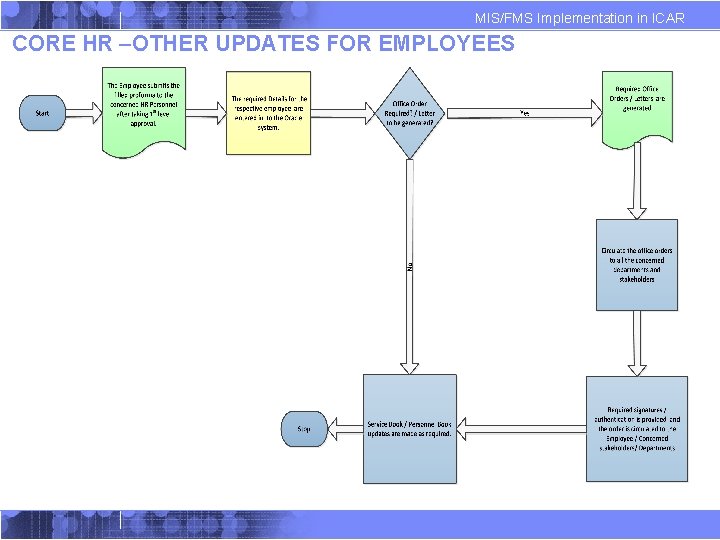
MIS/FMS Implementation in ICAR CORE HR –OTHER UPDATES FOR EMPLOYEES
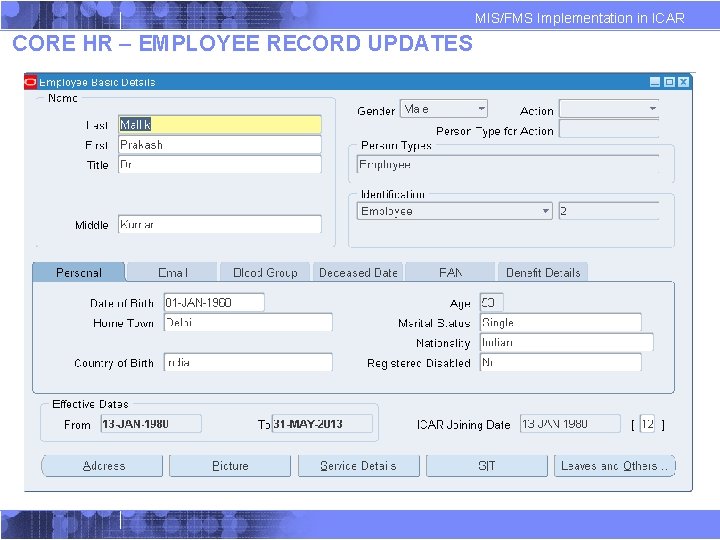
MIS/FMS Implementation in ICAR CORE HR – EMPLOYEE RECORD UPDATES
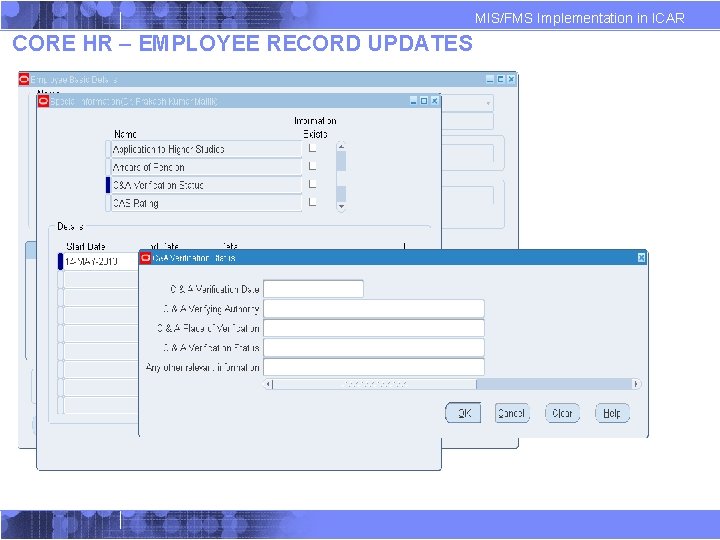
MIS/FMS Implementation in ICAR CORE HR – EMPLOYEE RECORD UPDATES
MIS/FMS Implementation in ICAR Appendix