IHS EHR Indian Health Service Record Electronic Health

- Slides: 166
IHS EHR Indian Health Service Record Electronic Health COMMUNITY HEALTH PROGRAMS Marge Koepping, RN, MN, FNP IHS Model Diabetes Education Program
Objectives Ø Process changes Ø Pros and Cons
Community Health Programs Ø Diabetes Program Ø Public Health Nursing Ø Nutrition Program/WIC Ø Community Health Representatives Ø Maternal Child Health Ø Community Wellness Team Ø Behavioral Health / Social Worker
EHR & Community Health Ø EHR oriented towards clinical encounters Ø Community Health visits may be different: l l Field Visits Group Visits: clinic and community Social Services Case management / coordination of care
Process Changes: Ø All programs and providers need computer access. Ø Field visits may require portability. Ø Documenting group education/visits. Ø Drop in visits vs scheduled visits. Ø Entering newborns into RPMS.
Process Changes: Ø Case Management - Chart Reviews Ø Flow Sheets Ø Protocols, Guidelines, Standing Orders Ø Consult/Referral Process
Pros Ø Faster Entry of Case Management Ø Increased Visit Documentation Ø Increased Communication Ø Consults Between Departments Ø Chart Reviews enhanced
Cons Ø Group Visit Documentation Ø Case Management Communication Ø Increased Avenues of Referral Ø Increased visit documentation time Ø Drop in visit vs scheduled visit
ØQuestions?
IHS EHR Indian Health Service Electronic Health Record Lab Betty Hewson, MLT
Objectives for this Session Ø Finishing the Lab Order in RPMS Ø Lab Only Visits Ø Lab Process Changes Ø Pros and Cons
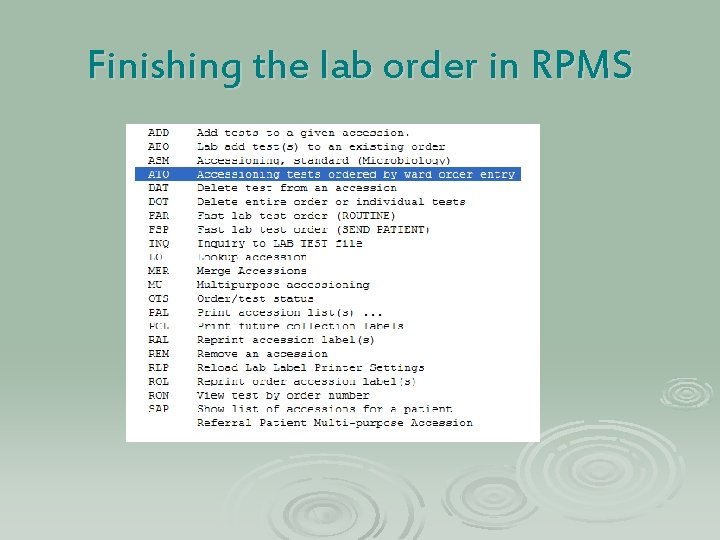
Finishing the lab order…. .
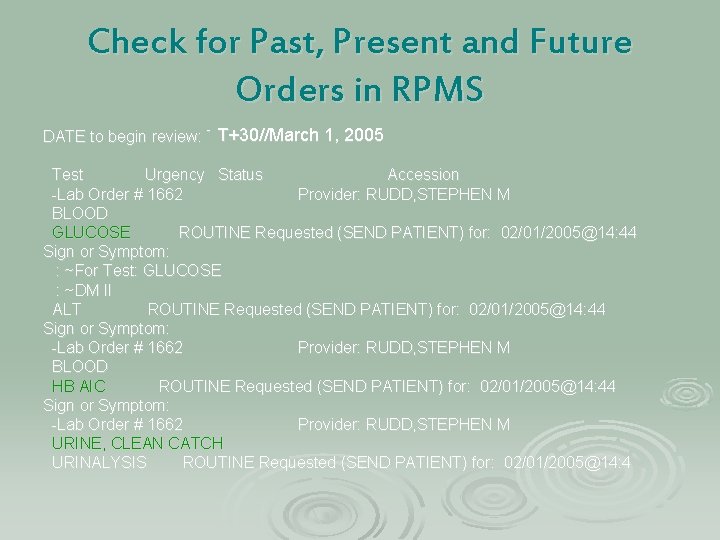
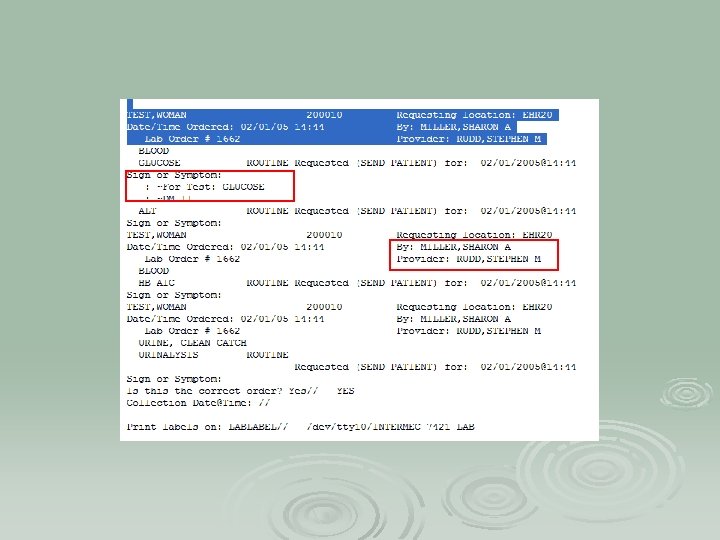
Check for Past, Present and Future Orders in RPMS T+30//March 1, 2005 DATE to begin review: TODAY// (FEB 01, 2005) Test Urgency Status Accession -Lab Order # 1662 Provider: RUDD, STEPHEN M BLOOD GLUCOSE ROUTINE Requested (SEND PATIENT) for: 02/01/2005@14: 44 Sign or Symptom: : ~For Test: GLUCOSE : ~DM II ALT ROUTINE Requested (SEND PATIENT) for: 02/01/2005@14: 44 Sign or Symptom: -Lab Order # 1662 Provider: RUDD, STEPHEN M BLOOD HB AIC ROUTINE Requested (SEND PATIENT) for: 02/01/2005@14: 44 Sign or Symptom: -Lab Order # 1662 Provider: RUDD, STEPHEN M URINE, CLEAN CATCH URINALYSIS ROUTINE Requested (SEND PATIENT) for: 02/01/2005@14: 4
Finishing the lab order in RPMS
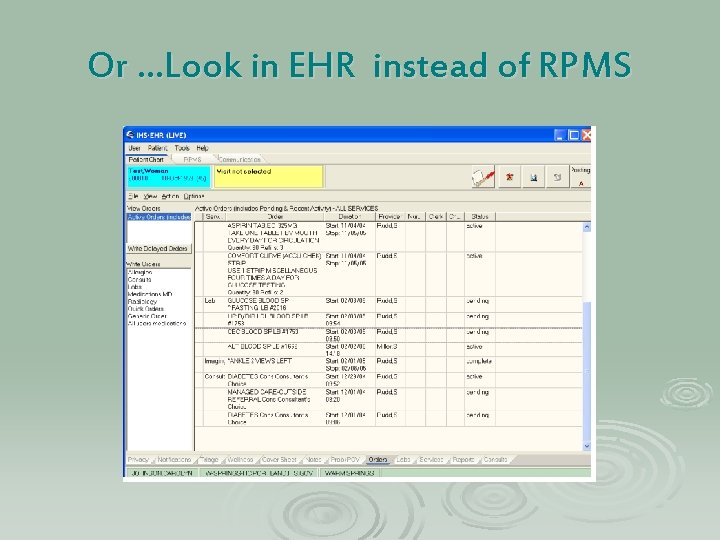
Or …Look in EHR instead of RPMS
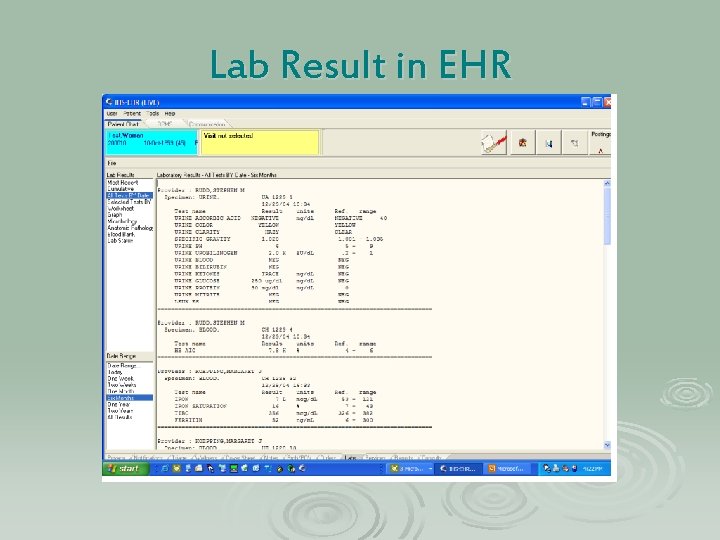
Lab Result in EHR
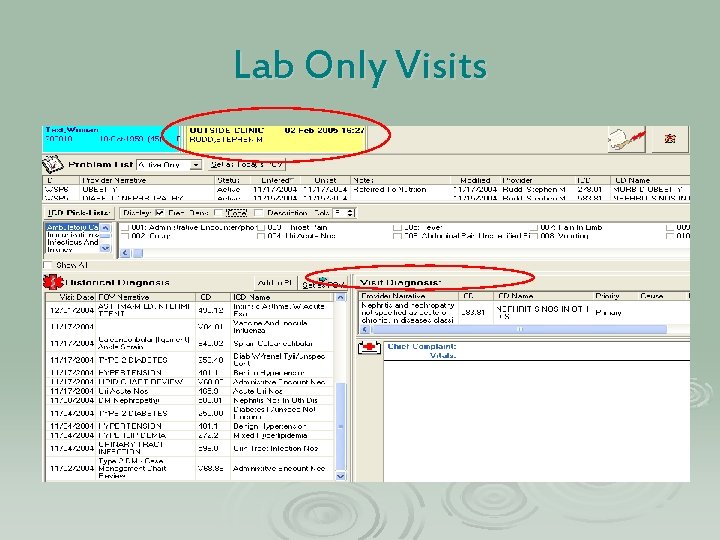
Lab Only Visits
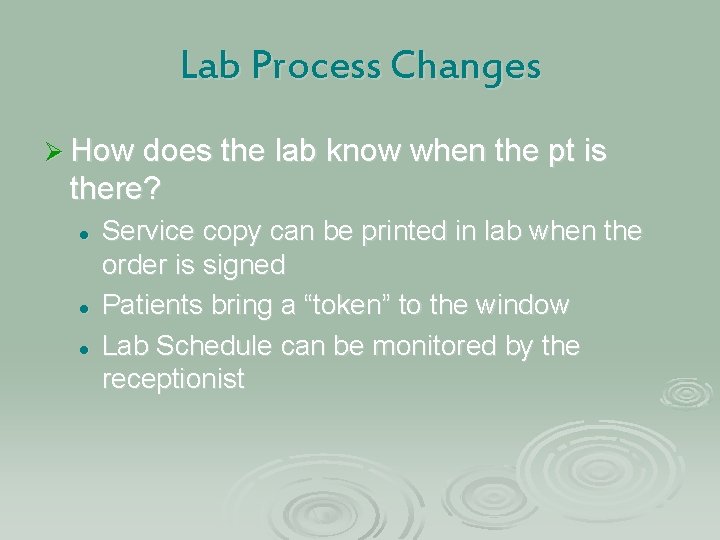
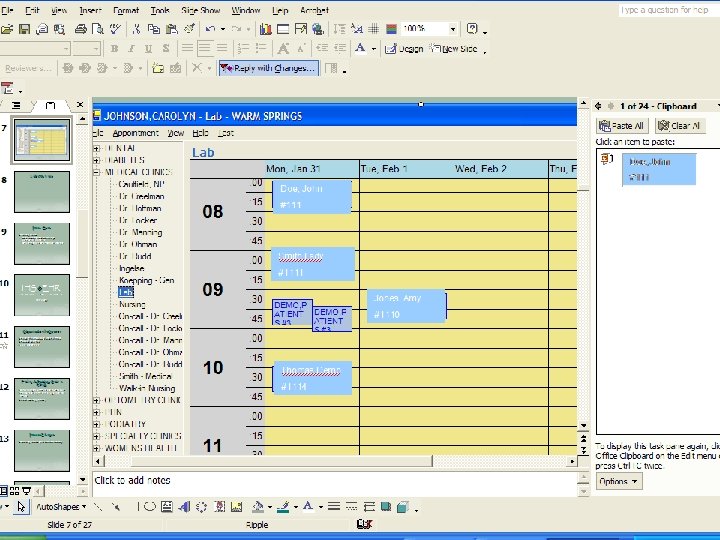
Lab Process Changes Ø How does the lab know when the pt is there? l l l Service copy can be printed in lab when the order is signed Patients bring a “token” to the window Lab Schedule can be monitored by the receptionist
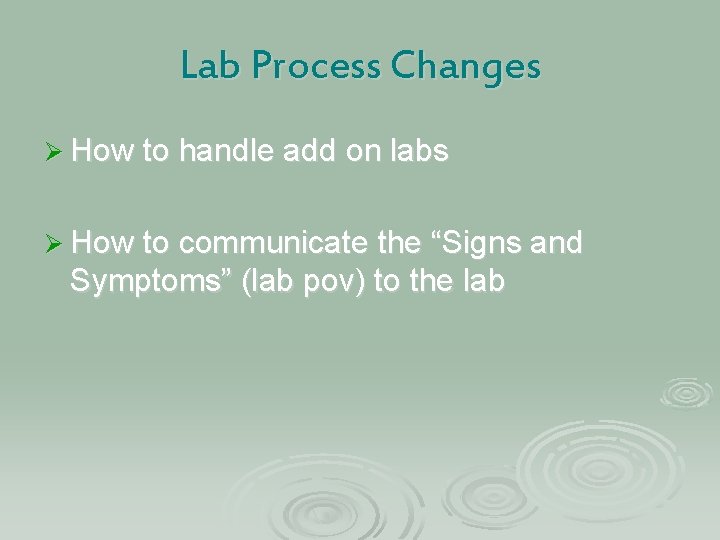
Lab Process Changes Ø How to handle add on labs Ø How to communicate the “Signs and Symptoms” (lab pov) to the lab
Pros & Cons Ø Training Issues: l l l Signs and symptoms aren’t always communicated to the lab Ordering provider name =Clinician who signs Training the patients
Questions
IHS EHR Indian Health Service Electronic Health Record Radiology Bonnie Baxter, RTR
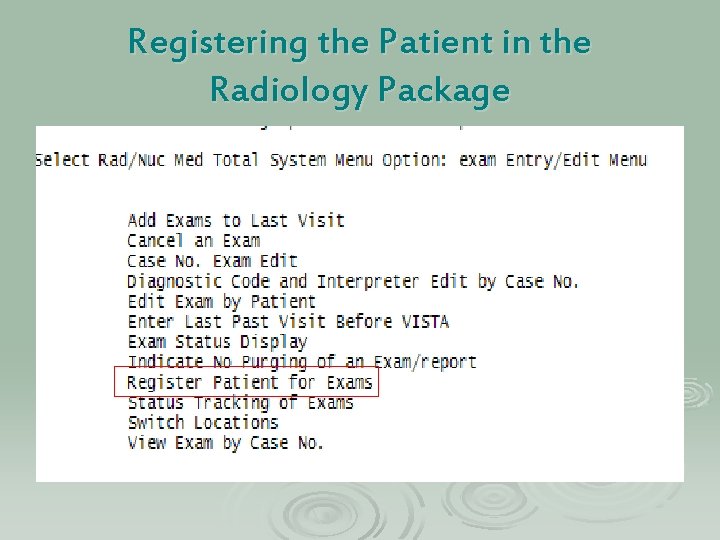
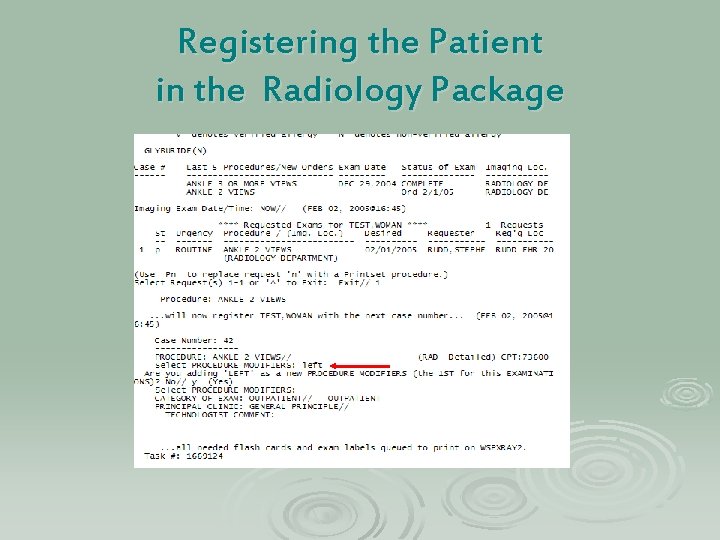
Objectives for this Session Ø Finishing the Radiology order in RPMS Ø Process Changes Ø Pros and Cons
Registering the Patient in the Radiology Package
Registering the Patient in the Radiology Package
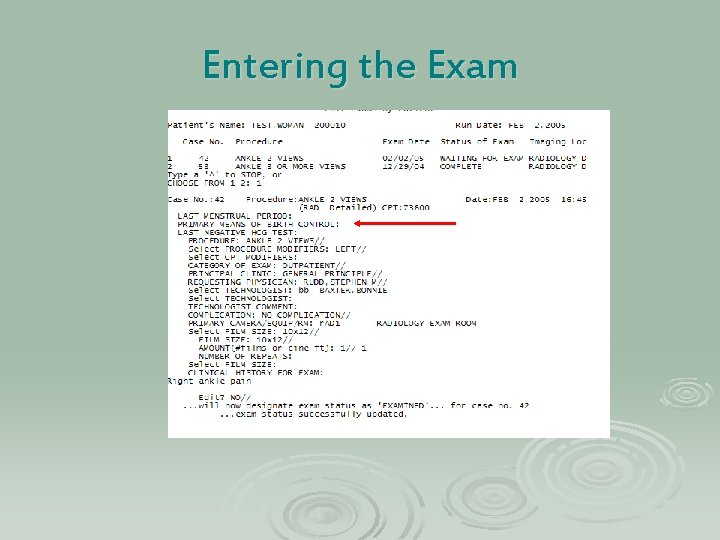
Entering the Exam
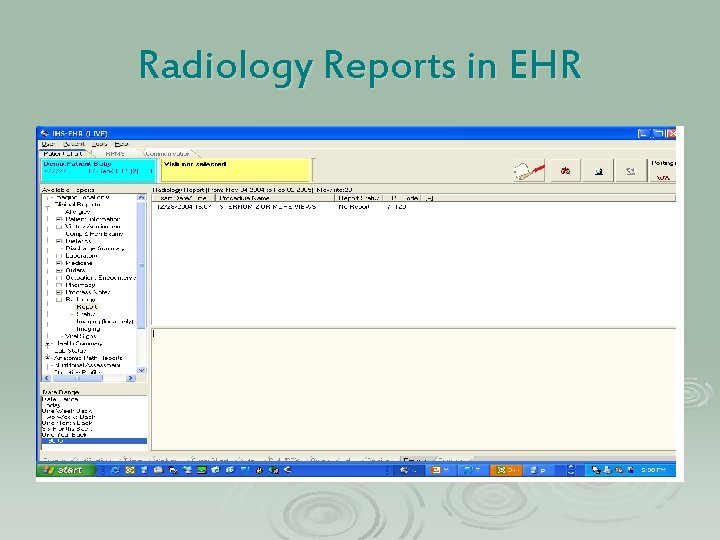
Radiology Reports in EHR
Process Changes Ø Using RPMS Radiology Package Ø Providers order the exam electronically Ø Radiology orders print out automatically
Pros and Cons Ø LMP? Ø Modifiers?
Questions?
IHS EHR Indian Health Service Electronic Health Record Pharmacy LCDR Jim Gemelas, R. Ph. Chief Pharmacist
Objectives for this session Ø Demonstrate how to finish a prescription order in RPMS Ø Using EHR in the Pharmacy Ø Process Changes Ø Pros and Cons
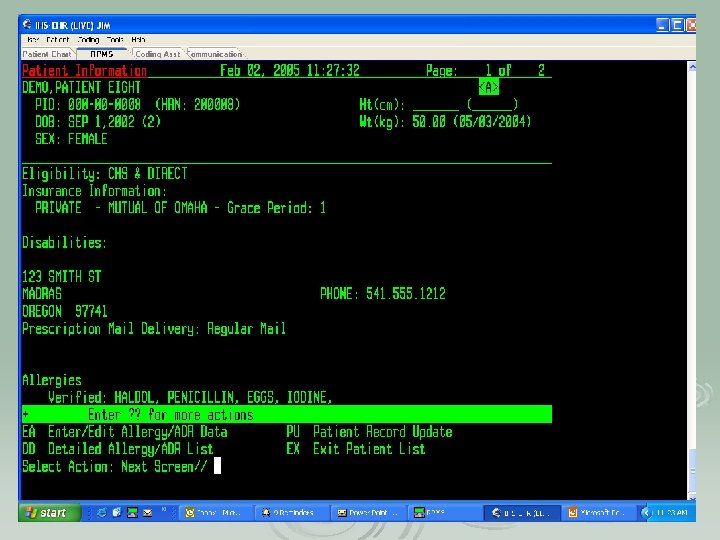
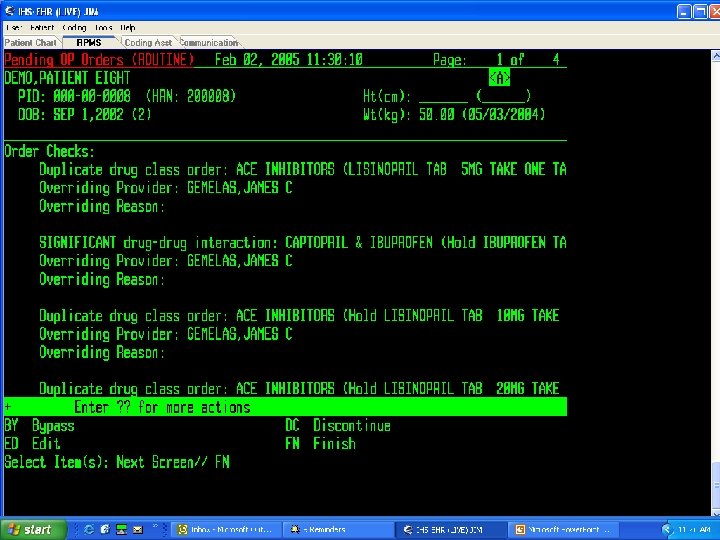
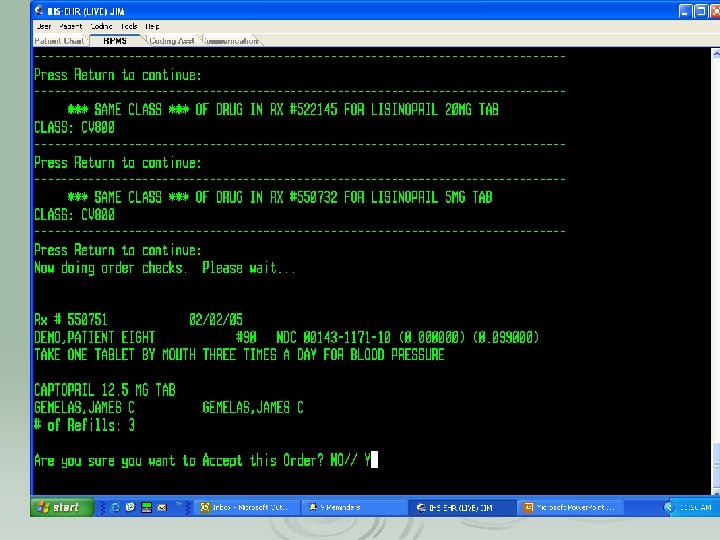
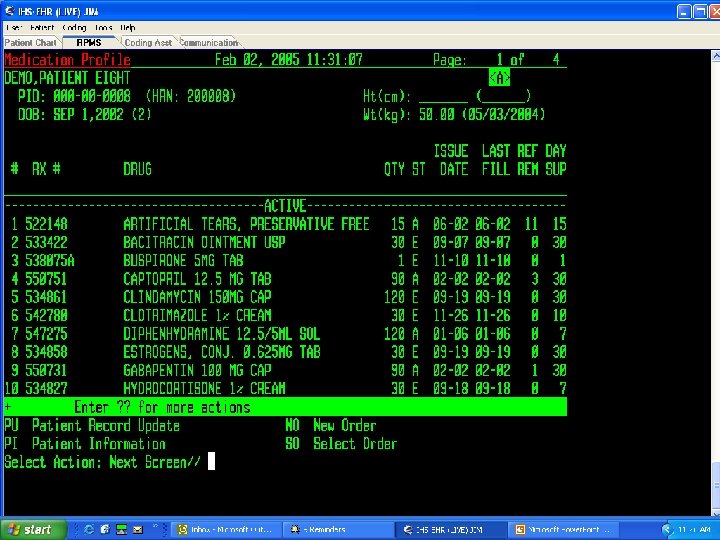
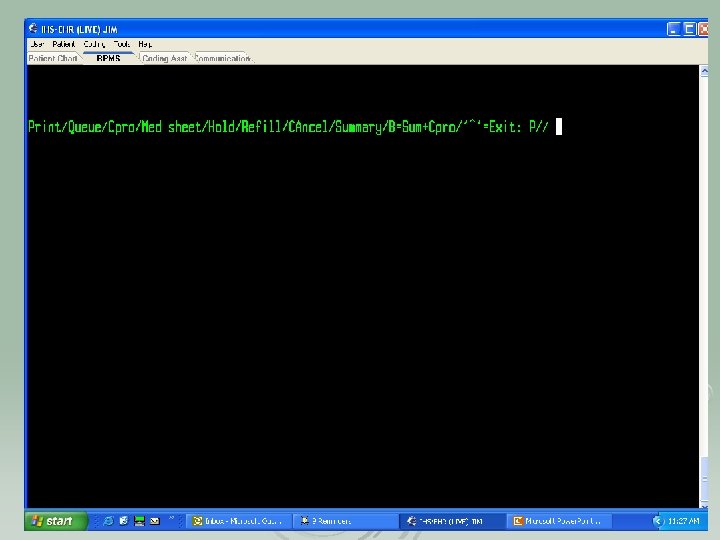
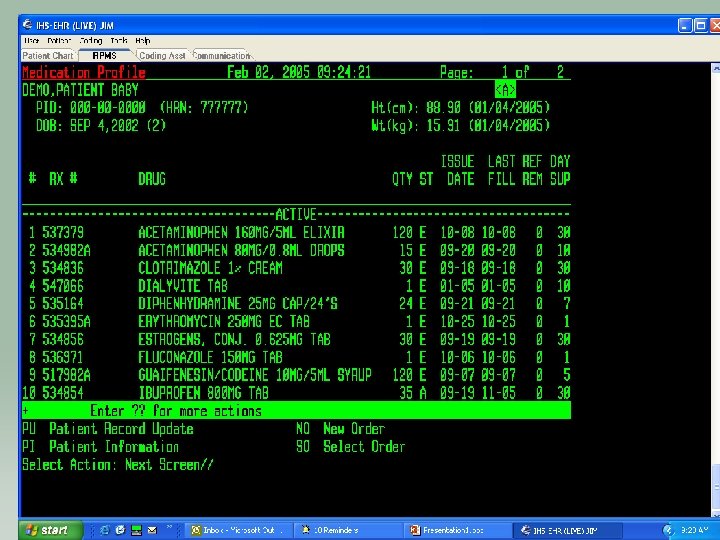
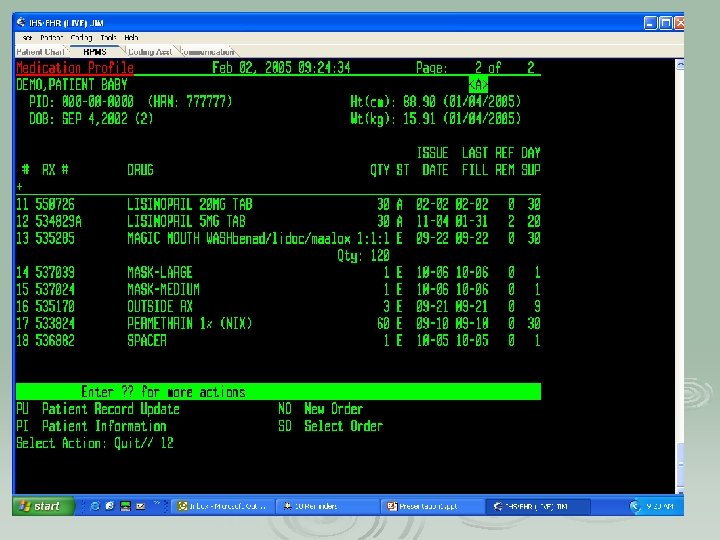
Finishing the Pharmacy Order in RPMS
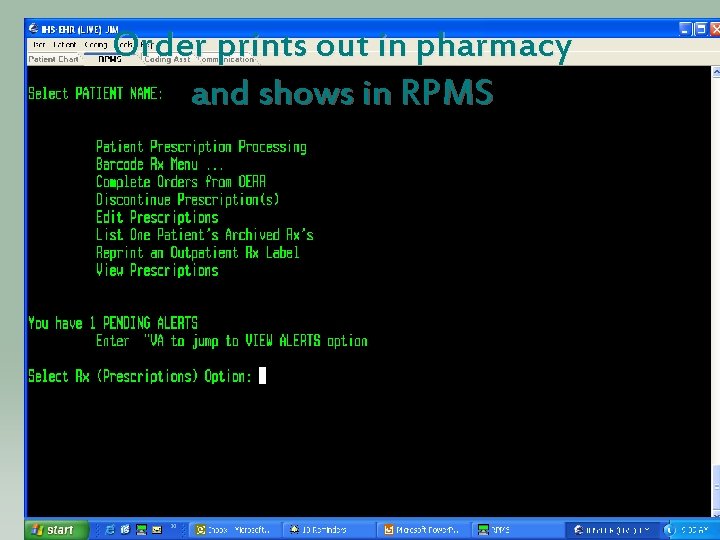
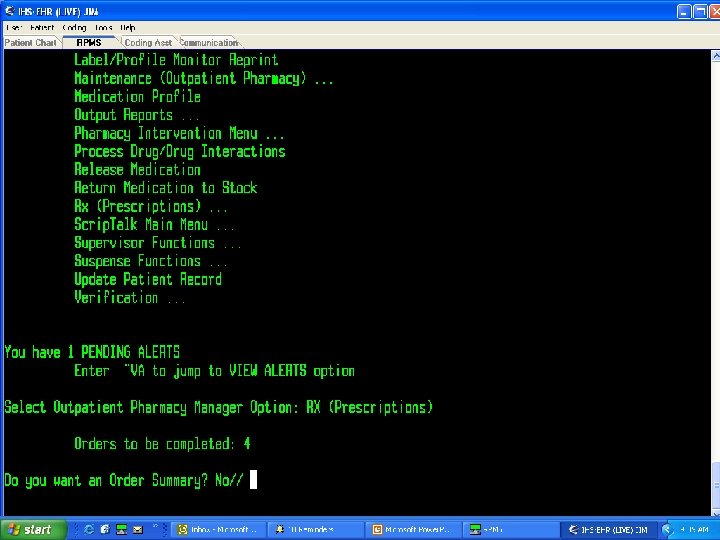
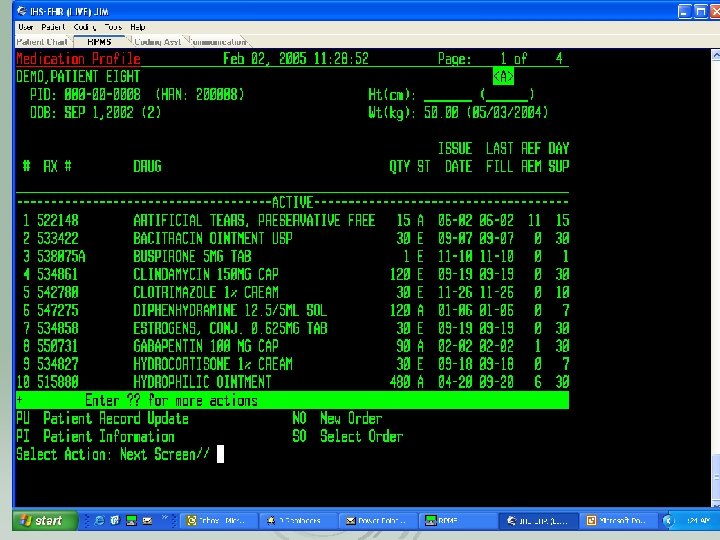
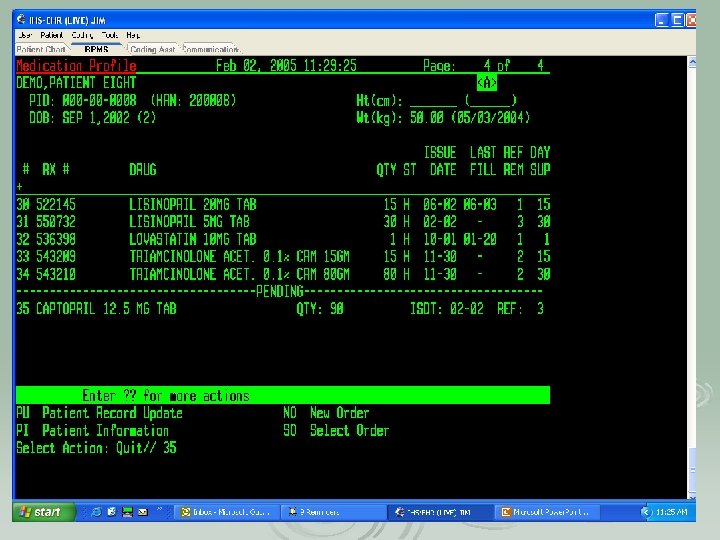
Order prints out in pharmacy and shows in RPMS
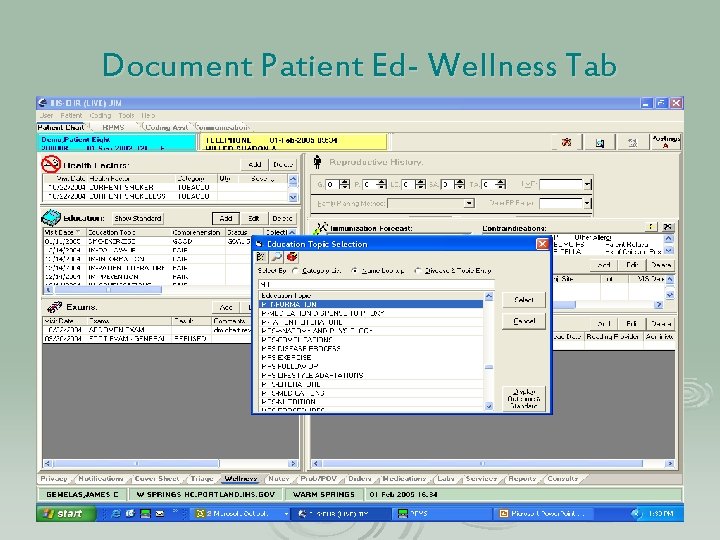
Stop-review provider note Ø Provider note- toggle feature RPMS/EHR Ø Review chart- IHS Pharmacy standards of practice l l Medication Profile Labs
Document Patient Ed- Wellness Tab
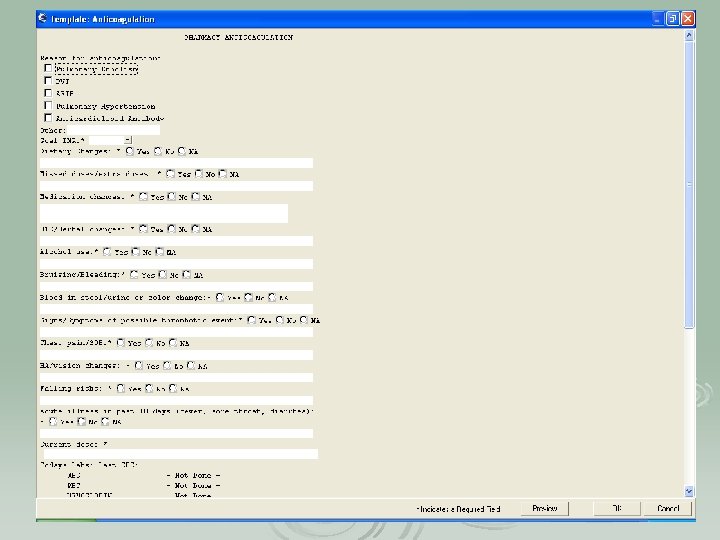
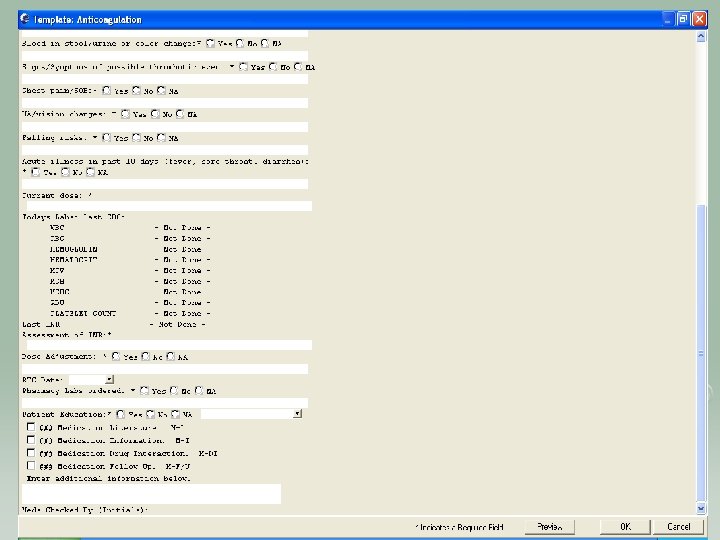
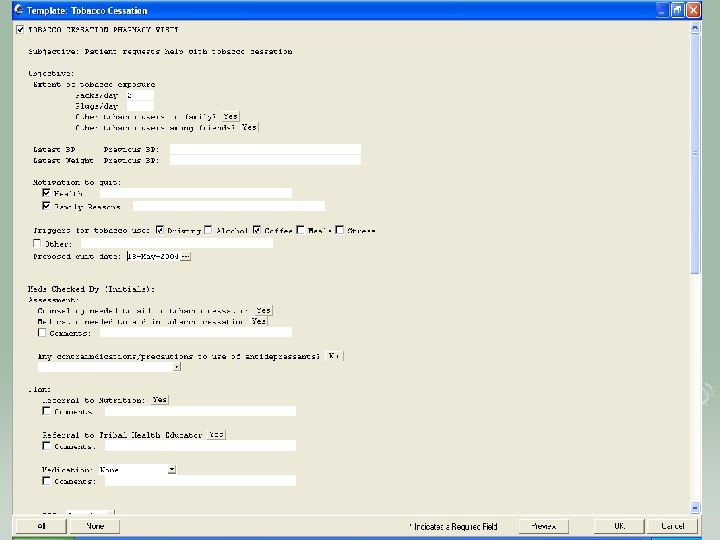
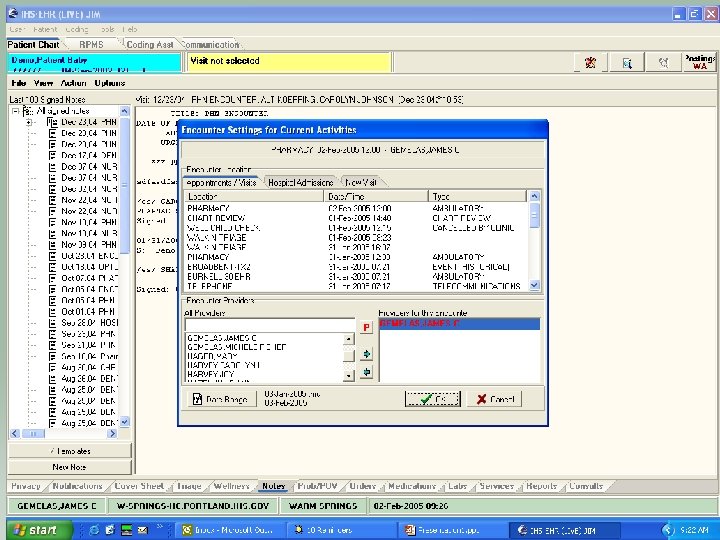
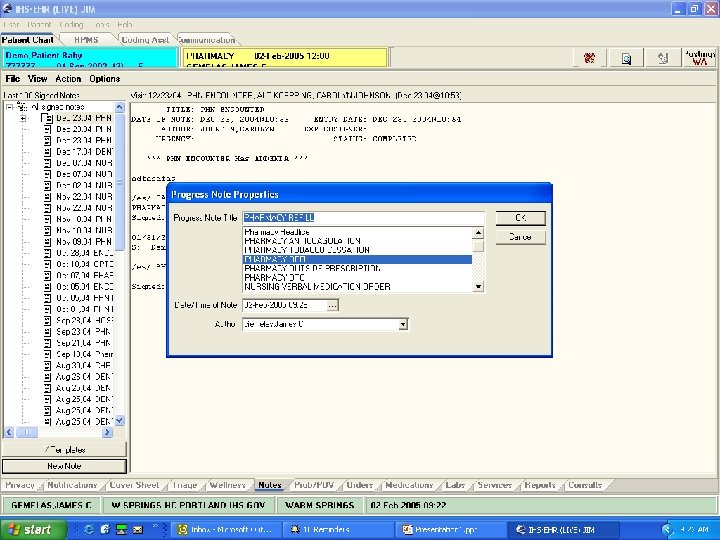
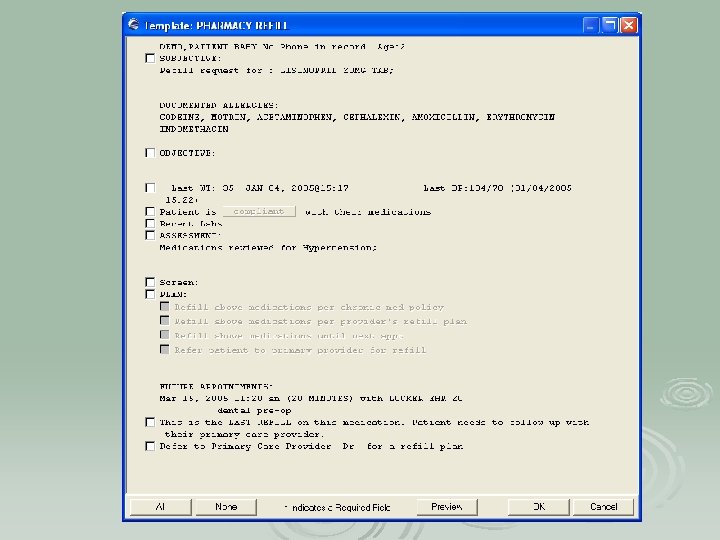
Using EHR in the Pharmacy Only Visits Ø Refill template Ø Anticoagulation template Ø Outside Rx template Ø Tobacco Cessation template
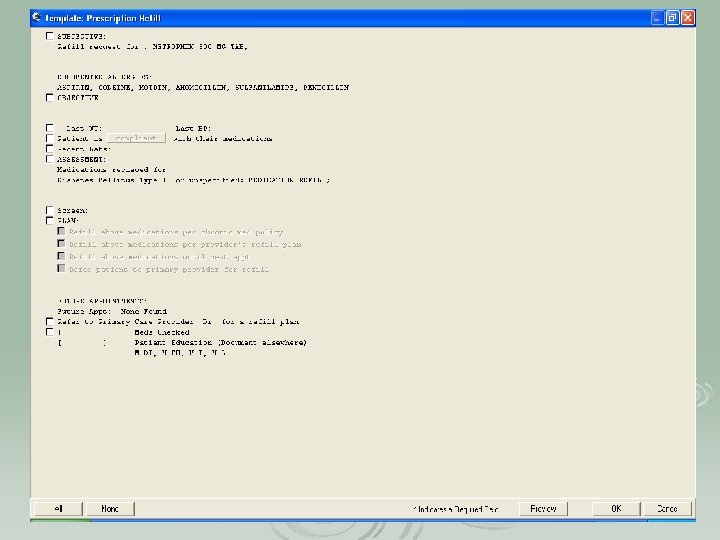
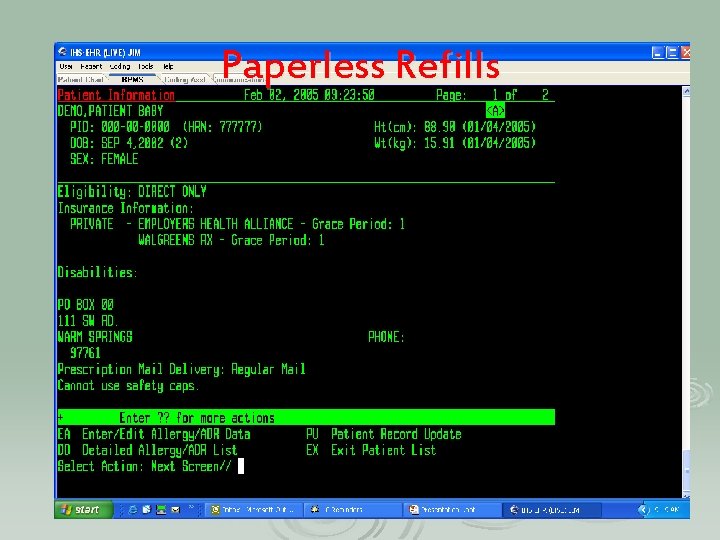
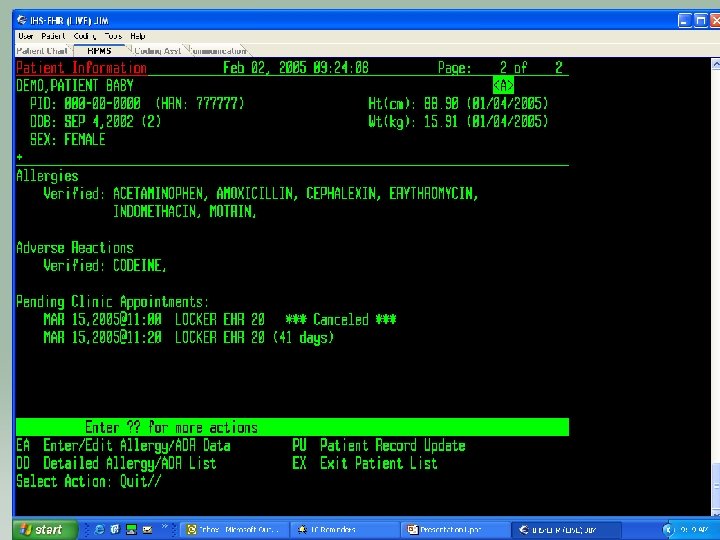
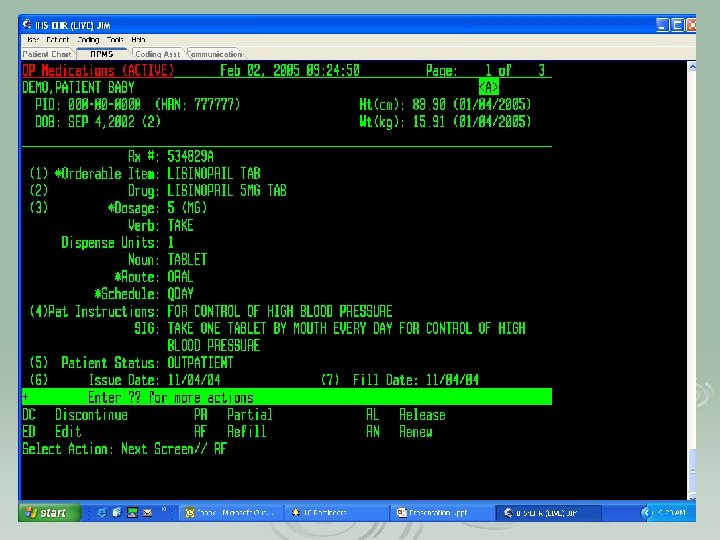
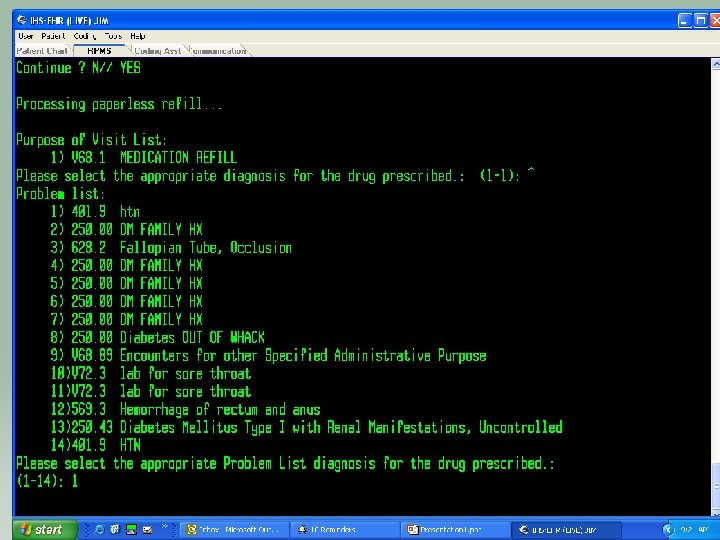
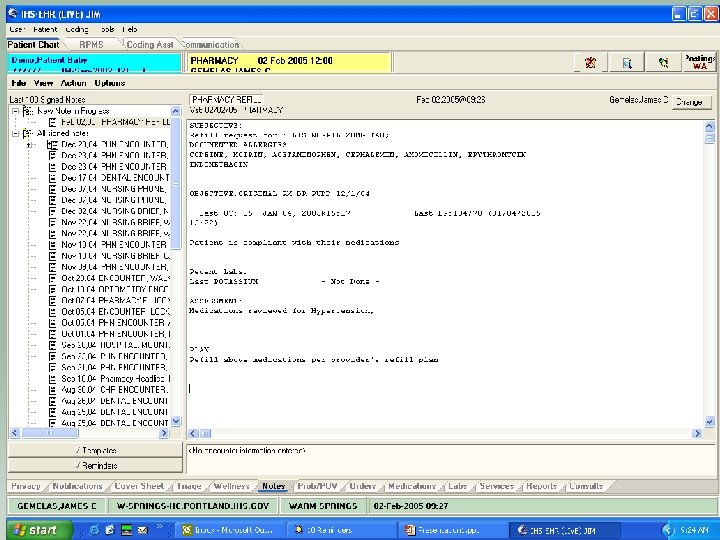
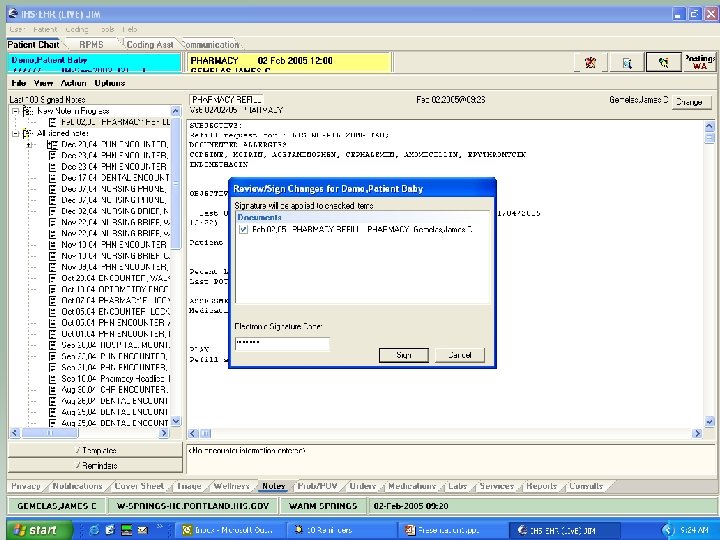
Paperless Refills
Pharmacist will use refill template
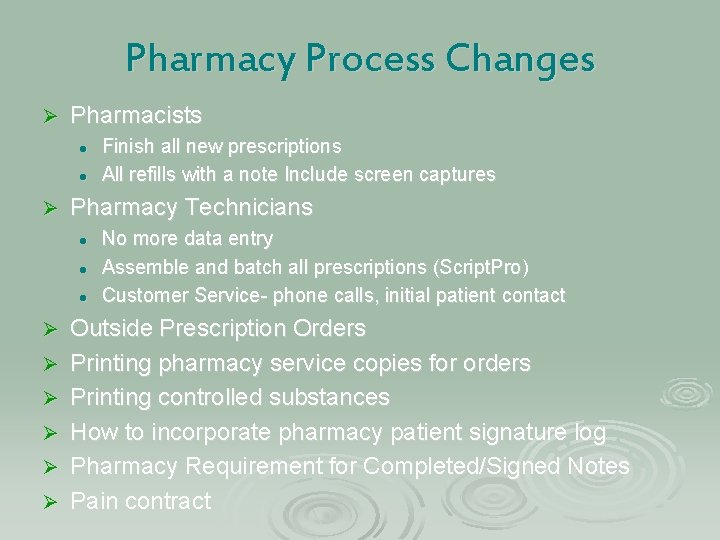
Pharmacy Process Changes Ø Pharmacists l l Ø Pharmacy Technicians l l l Ø Ø Ø Finish all new prescriptions All refills with a note Include screen captures No more data entry Assemble and batch all prescriptions (Script. Pro) Customer Service- phone calls, initial patient contact Outside Prescription Orders Printing pharmacy service copies for orders Printing controlled substances How to incorporate pharmacy patient signature log Pharmacy Requirement for Completed/Signed Notes Pain contract
Where are the charts? “I don’t look back darling, it only distracts from the now!” …Edna Mode
Pharmacy Pros and Cons Ø Dislikes- lots of preparation and teamwork! l l Ø Likes l l Ø (this was a good process for the clinic! Tidal wave to smooth sailing) Providers finishing notes Dual system of charts and EHR Chronic Medication List in EHR No charts Better documentation and clinical practice Refill and New prescriptions aren’t always grouped
IHS EHR Indian Health Service Electronic Health Record PCC/Coding Krisanne Billy
Objectives for this Session Ø PCC Coding Process Ø PCC Error Report Ø Pros and Cons
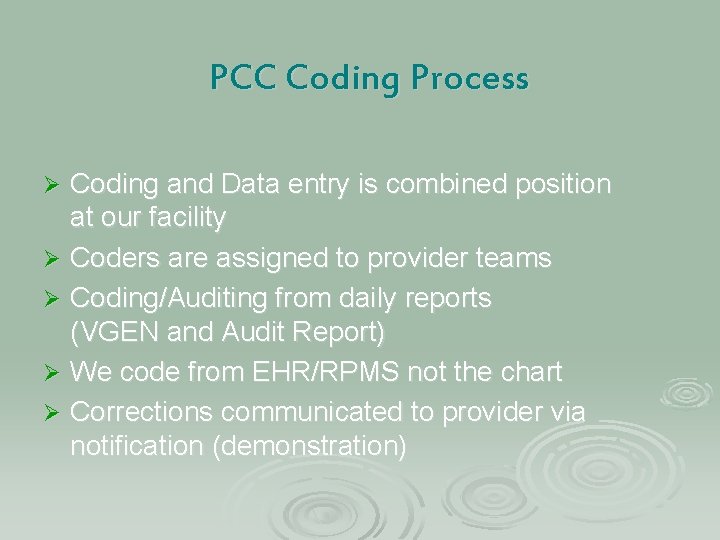
PCC Coding Process Coding and Data entry is combined position at our facility Ø Coders are assigned to provider teams Ø Coding/Auditing from daily reports (VGEN and Audit Report) Ø We code from EHR/RPMS not the chart Ø Corrections communicated to provider via notification (demonstration) Ø
Demonstration
PCC Error Report Instead of 2 data entry clerks, we have 70 data entry providers who encode data Ø Daily Error Reports should be run Ø Most Common Errors: Ø l l Missing POV Missing E&M Code. 9999 - Uncoded diagnosis Duplicate Visits • • • 2 visits created on the same day – have to be merged Dental makes 2 visits that need to be merged Patch coming
PCC-Business Office Communications Ø Bills are generated before PCC has reviewed the visit
Pros & Cons Ø Enjoy Paperless Ø We don’t have to bring the chart to the provider to fix, we can communicate Ø Incorrect Patient Selected-easier to fix Ø Providers cant correct a code after the claim has been approved
Questions?
IHS EHR Indian Health Service Electronic Health Record Carolyn Johnson & Michele Miller Warm Springs Health & Wellness Center
Objectives Preparation & Implementation Ø Cost Estimates Ø
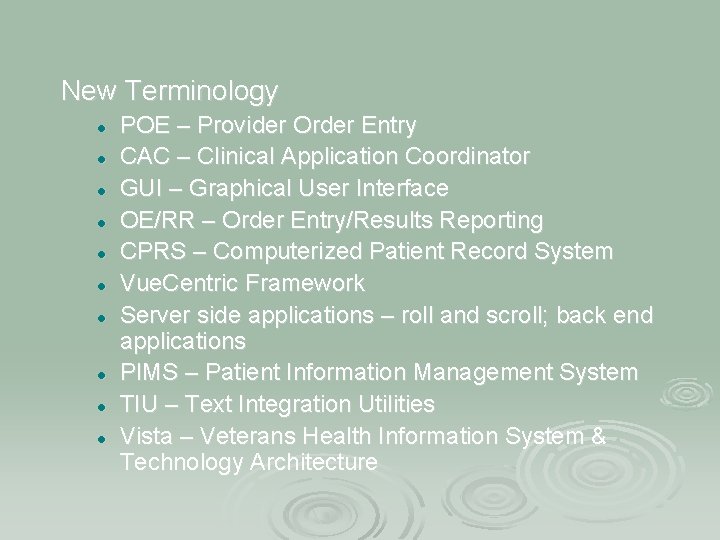
New Terminology l l l l l POE – Provider Order Entry CAC – Clinical Application Coordinator GUI – Graphical User Interface OE/RR – Order Entry/Results Reporting CPRS – Computerized Patient Record System Vue. Centric Framework Server side applications – roll and scroll; back end applications PIMS – Patient Information Management System TIU – Text Integration Utilities Vista – Veterans Health Information System & Technology Architecture
Preparation/Implementation
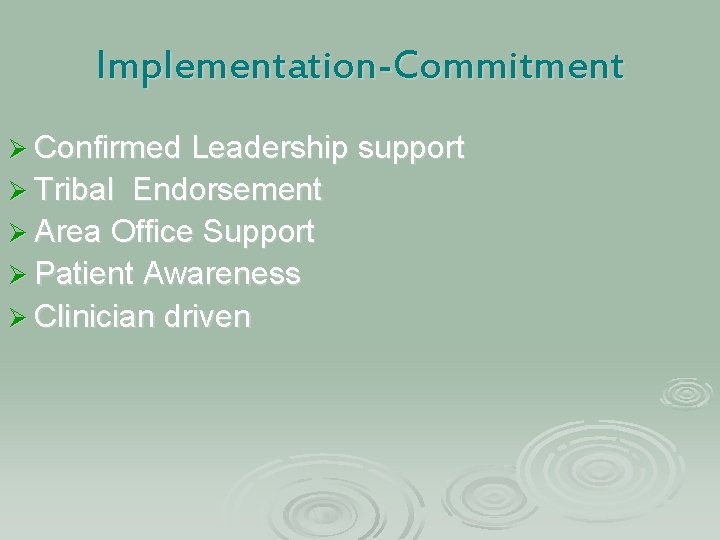
Implementation-Commitment Ø Confirmed Leadership support Ø Tribal Endorsement Ø Area Office Support Ø Patient Awareness Ø Clinician driven
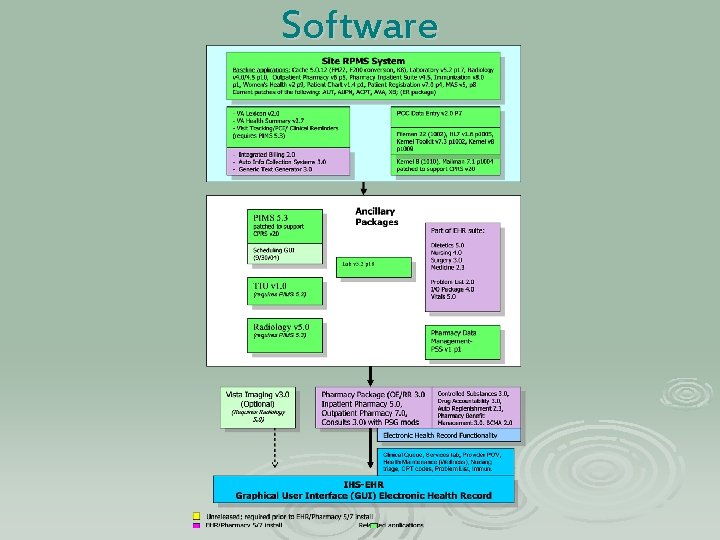
Software
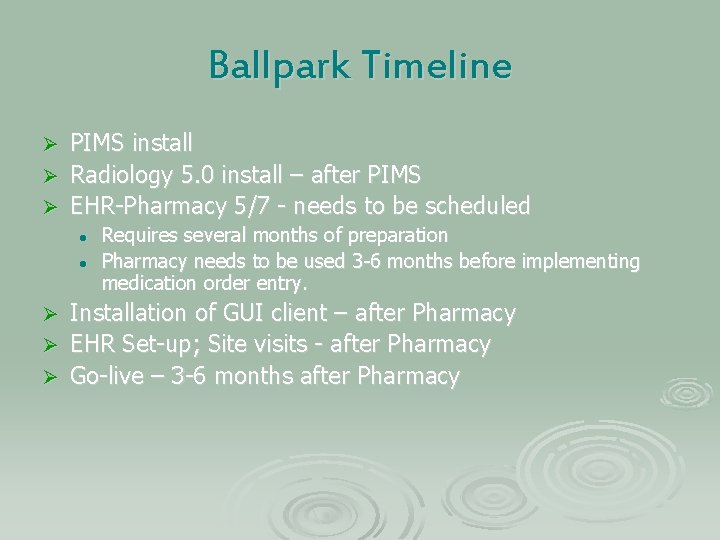
Ballpark Timeline PIMS install Ø Radiology 5. 0 install – after PIMS Ø EHR-Pharmacy 5/7 - needs to be scheduled Ø l l Requires several months of preparation Pharmacy needs to be used 3 -6 months before implementing medication order entry. Installation of GUI client – after Pharmacy Ø EHR Set-up; Site visits - after Pharmacy Ø Go-live – 3 -6 months after Pharmacy Ø
Pharmacy Preparation Ø Adverse drug reactions : 1 month Ø RPMS/Scriptpro Format : 1 -2 days Ø Dosages in Pharmacy 7: 1 week Ø Quick orders : 1 week
Implementation. Hardware/Infrastructure upgrade Ø RPMS server Ø Training server Ø Network Ø Lab Interface Upgrade Ø Workstation Access-Everywhere Ø Backup Power
Implementation Team Members Ø Clinical Champions from each discipline (lab, rn, rph, md, etc) Ø Administration/Executive Leadership Ø Information Technology Ø Include Area IRM representation Ø Clinical Application Coordinator
Implementation Team Roles l l l Identify and define Policies and Procedures Address staffing and scheduling during transition Peer Training & Marketing Monitor and Execute Implementation Plan Design and Approve templates, menus, and ordering lists for E. H. R.
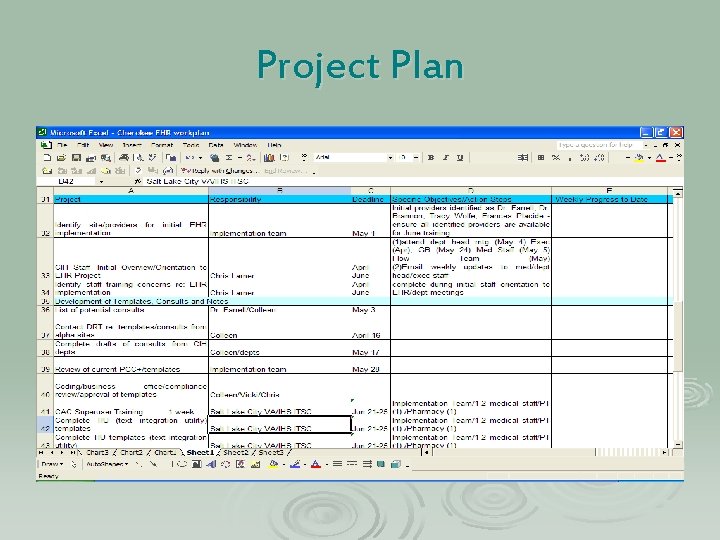
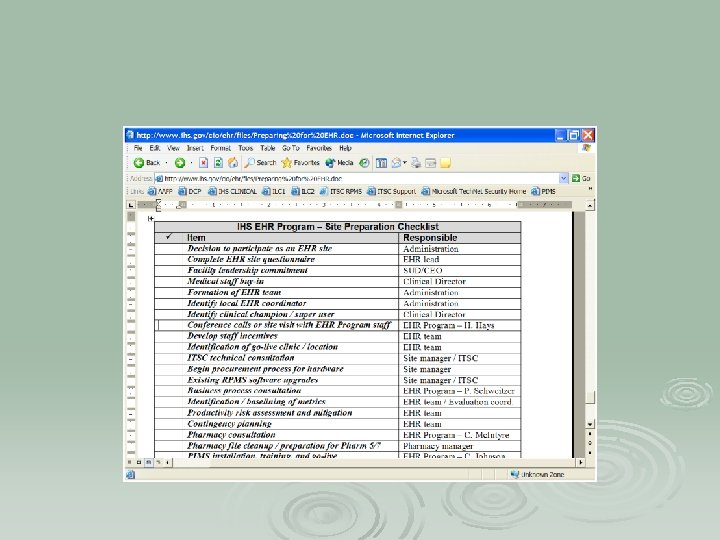
Project Plan
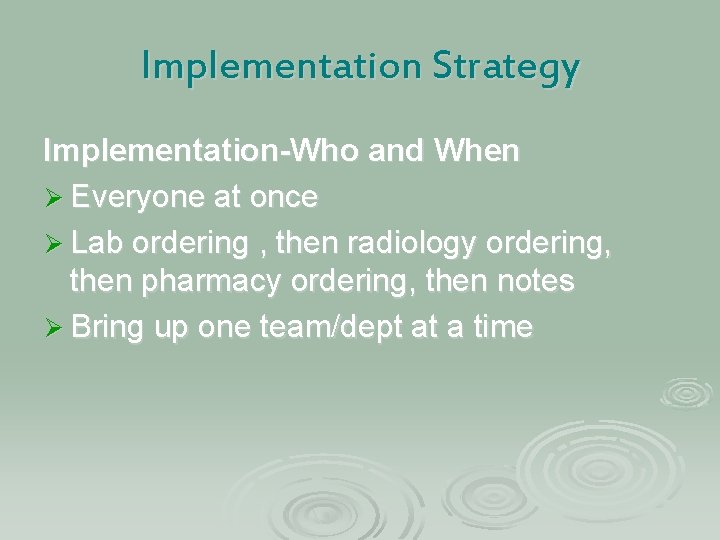
Implementation Strategy Implementation-Who and When Ø Everyone at once Ø Lab ordering , then radiology ordering, then pharmacy ordering, then notes Ø Bring up one team/dept at a time
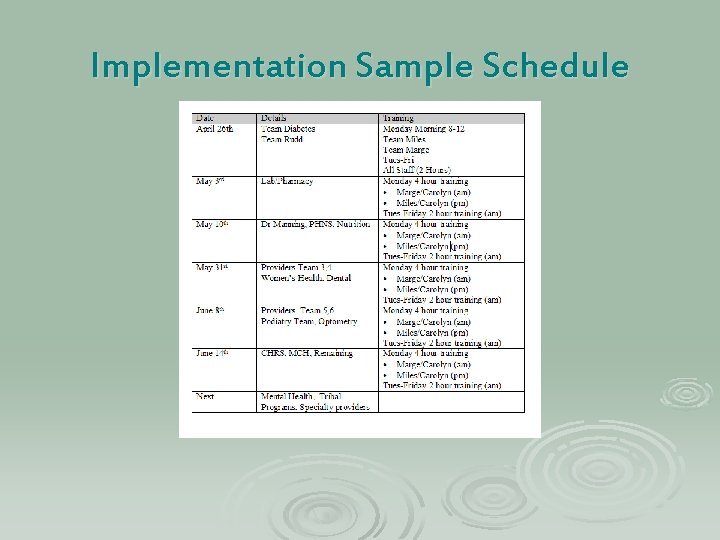
Implementation Sample Schedule
Medical Clinic Preparations Ø Formed Teams Ø Practiced EHR (on paper) Ø Defined Roles
Lab Preparations All Labs need to be entered in RPMS l l l On-site Labs Reference Labs State Labs Ø Computer Access Points Ø Changing from Esig to EHR
DM Program Preparations Ø Have Good Templates for Diabetes Care l l Prompts for DM standards of care , DM audit, GPRA Templates for DM ed assessment , Community BP/BS screening Ø Diabetes Program Referrals Ø Review forms, flowsheets l l l DM Curriculum flowsheet Case management review form Education assessment form
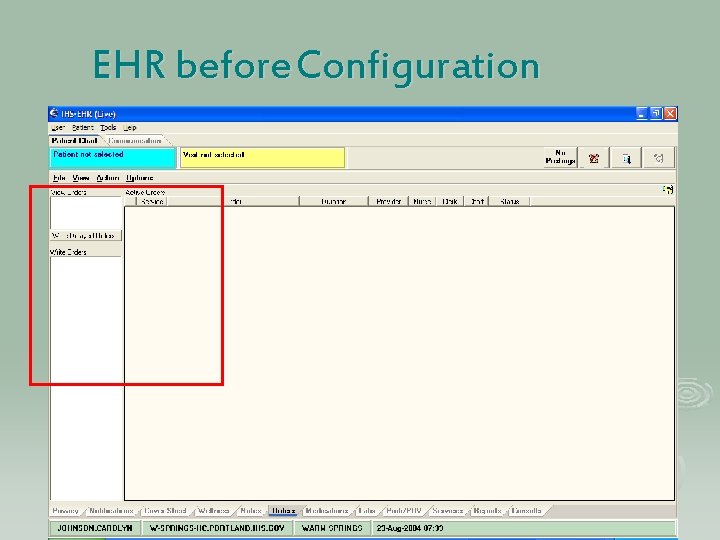
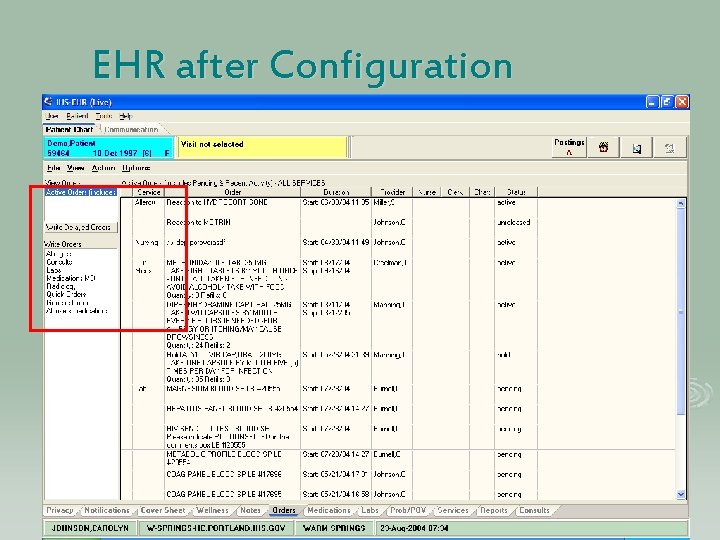
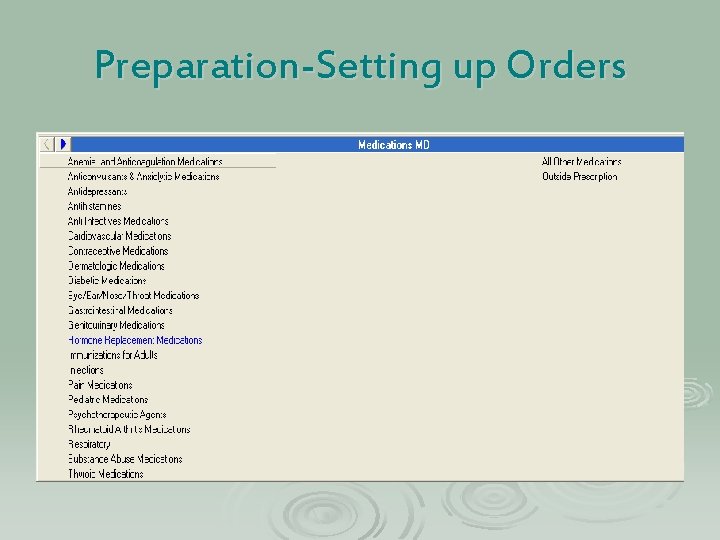
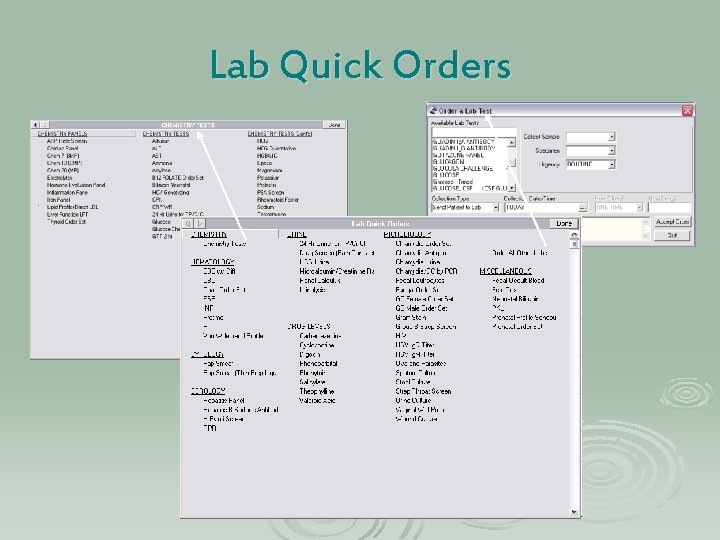
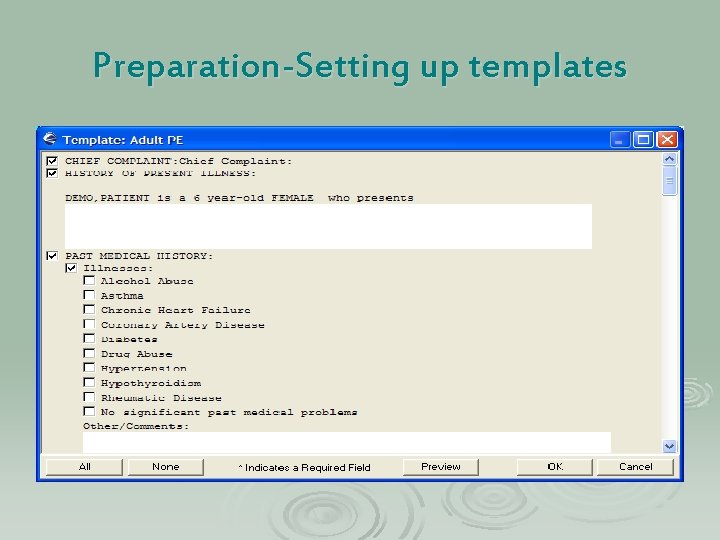
Preparation-EHR Configuration Ø Ø Design templates Design Menus and Quick Orders l Ø Ø Ø Ø Meds, Labs, Rad, Nursing Define consults Pick lists and Superbills Note Titles User Setup (keys) Parameters Printing Chart Copy and Orders Print Formats
EHR before Configuration
EHR after Configuration
Preparation-Setting up Orders
Lab Quick Orders
Preparation-Setting up templates
Training/Marketing Ø Staff Training: l EHR Demo Movie l Pharmacy Training Module: l CPRS Training Module: l National Programs Web-Ex Demo for our clinic
Pre-Implementation Training Ø View Patient data in EHR Ø Everyone got to Play Ø Show and Tell l Newsletters Web Updates Meeting Updates
Training – Go Live Week Ø 4 -6 hours training outside of clinic Ø Departmental Trainings Ø Use Knowledgeable Trainers (IHS/VA) Ø One-On-One Training Also Ø Competency Checklists
Going Live Week I can’t take it anymore!!
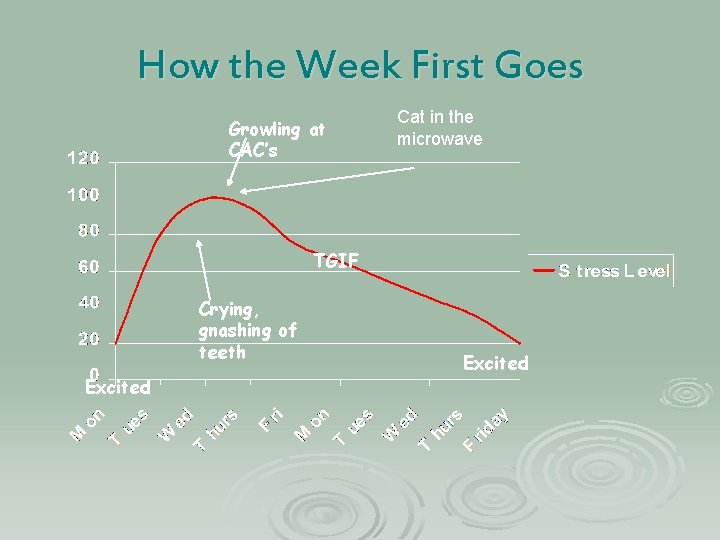
How the Week First Goes Growling at CAC’s Cat in the microwave TGIF Crying, gnashing of teeth Excited
Going Live Intense CAC and IT Support Ø Make Appropriate Scheduling Adjustments Ø Daily Debriefings…. Ø l l Procedural Questions Technical Issues How did it work before EHR? More Training
Daily Debriefings MONDAY and TUESDAY of Go-Live Week Tom
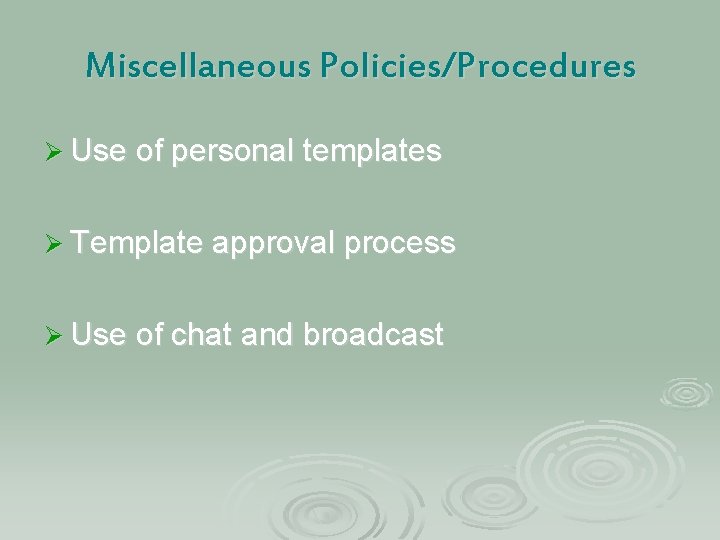
Miscellaneous Policies/Procedures Ø Use of personal templates Ø Template approval process Ø Use of chat and broadcast
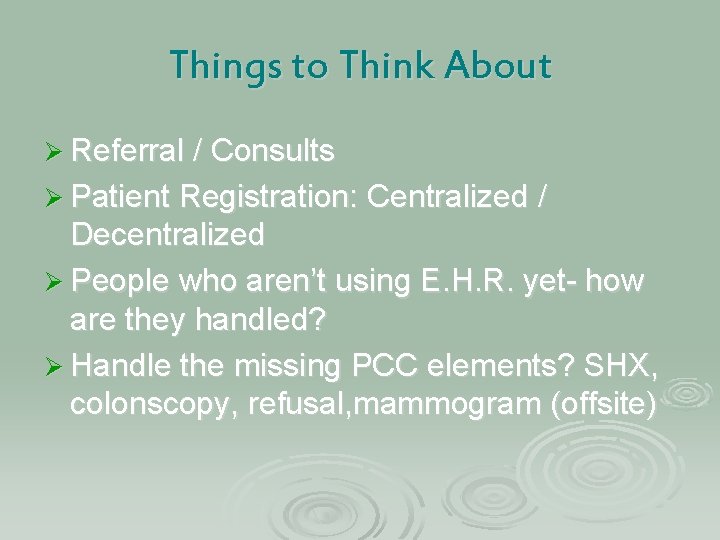
Things to Think About Ø Referral / Consults Ø Patient Registration: Centralized / Decentralized Ø People who aren’t using E. H. R. yet- how are they handled? Ø Handle the missing PCC elements? SHX, colonscopy, refusal, mammogram (offsite)
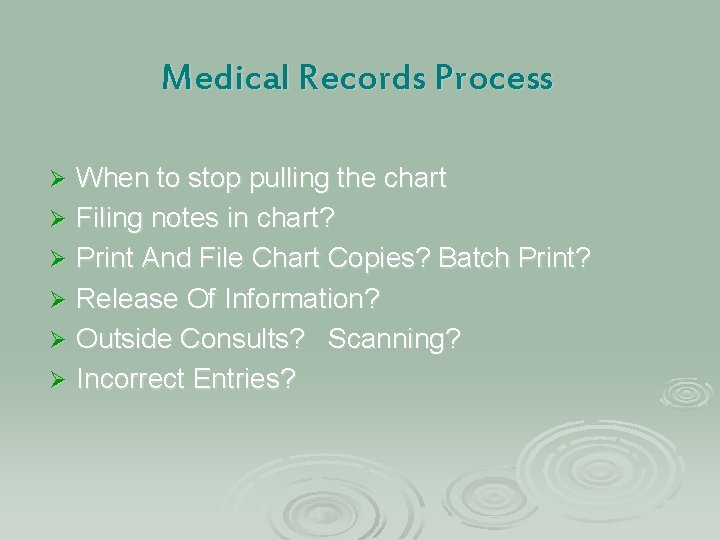
Medical Records Process When to stop pulling the chart Ø Filing notes in chart? Ø Print And File Chart Copies? Batch Print? Ø Release Of Information? Ø Outside Consults? Scanning? Ø Incorrect Entries? Ø
Impact on Staffing Ø Provider support during implementation Ø Staff shift from Medical Records to other departments : l l 2 Medical Records are in PCC part time 1 Med rec tech is a nurses aid 1 Med rec tech is a Benefits Coordinator More nurses aids after EHR
Staffing-Clinical Applications Coordinator Duties Ø Works cooperatively with Site Manager Ø Coordinates Implementation Ø EHR User Support Ø Training Ø Customize Software Ø Workflow
What does EHR cost?
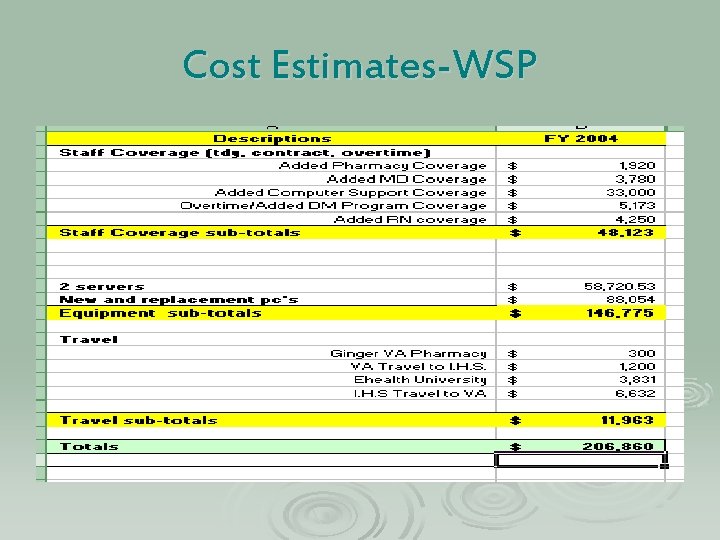
Cost Estimates-WSP
Questions?
Quality Improvement, Risk Management and Lessons Learned from EHR Michele Gemelas, R. Ph. QI/RM/GPRA Coordinator Warm Springs Health and Wellness Center
If there’s one thing we can say about EHR, it’s that it is an enormous, cataclysmic, earth shattering, life altering. .
AWESOME CHANGE Where the most trivial of things can become deadly projectiles !!!
Decreasing the emotional impact of change Communication with providers and patients about any impending change will decrease the number of issues demanding attention during the change. Without communication about every important aspect of the change, expect to hear more from everyone who is affected by the change.
Pre-EHR –Communication Ø Newspaper articles, radio interviews Ø Flyers to hand out during implementation Ø Facilitators and greeters Ø Bulletin Boards l l For patients For employees
Why measure? Michele’s Top 4 #4: If you don’t know where you’re coming from, how will you know if you’ve gone anywhere? Ø #3: To gain support for the change from those doing the changing (provide reinforcement) Ø #2: So that you can say the change was bad and we need to re-design, or to rejoice because the change was good. Ø Ø And…the #1 reason to measure……….
You need to monitor and maintain patient safety during implementation!!!!!
We can’t measure everything, so how do we select?
Consult all departments who will use EHR then: Ø Create a list of meaningful measurements for each discipline Ø Chose metrics based on everyday QI rules: high risk, high volume, problem prone Ø Don’t reinvent the wheel, consult others that have gone before you Ø Make staff part of this process!!!
Remember……. Sometimes, no change in pre- and post-EHR results equals success! Depends on where you started.
Subjective Measures/Metrics Ø Staff satisfaction at various intervals after implementation Ø Patient satisfaction based on survey Ø Patient complaints/concerns
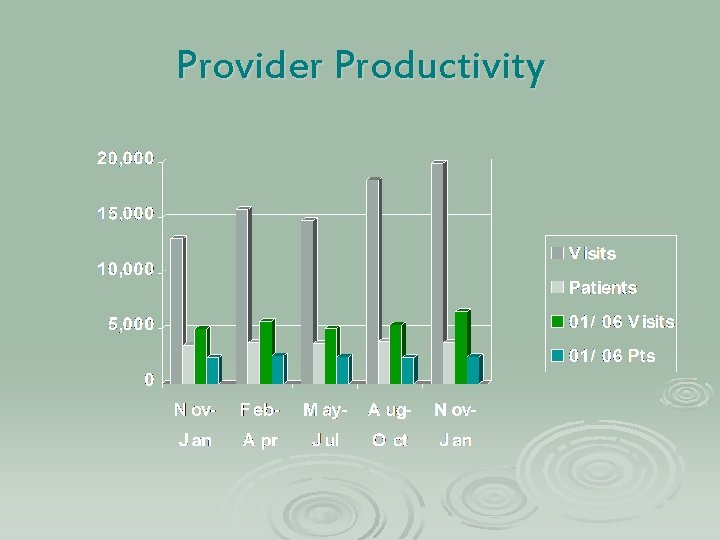
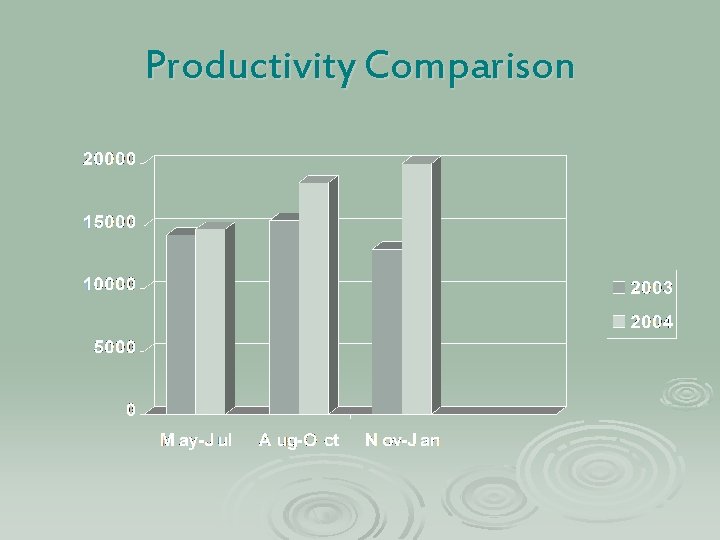
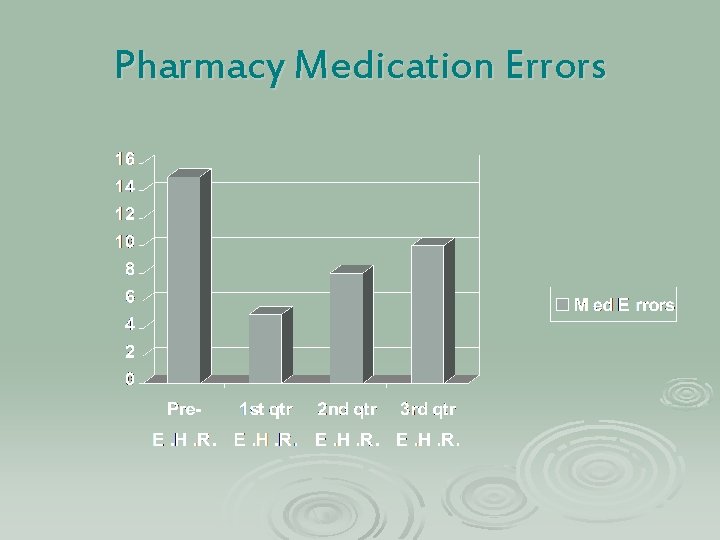
Objective Metrics Ø Provider productivity – expect a dip, and plan for this in your staffing Ø Medication errors – don’t expect improvement until all “old” errors have had time to surface. Ø Compliance with health maintenance reminders (smoking, various cancer screens, etc. )
Provider Productivity
Productivity Comparison
Pharmacy Medication Errors
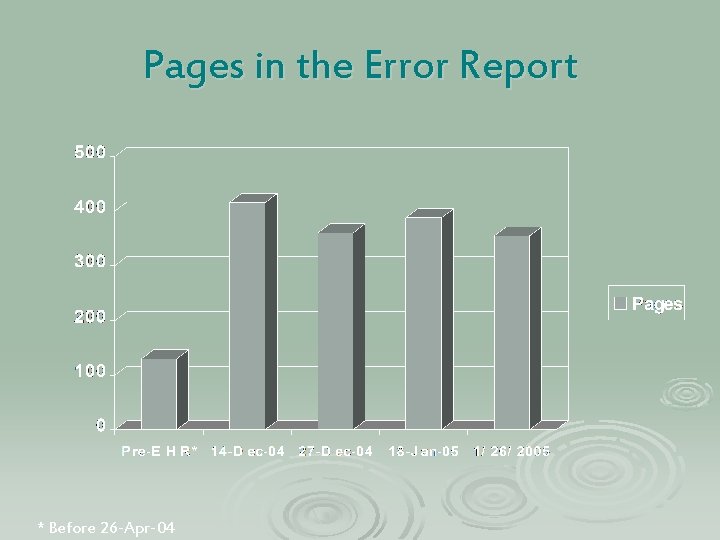
Objective Metrics Ø Error reports in PCC-expect an increase l l Coding – takes time to build the tools and convince providers to use them. Missing E&M codes Missing POVs, Providers, Multiple providers Data Entry backlog-expect it to increase Ø Billing backlog-due to data entry backlog l Changes in revenue – patience……
Pages in the Error Report * Before 26 -Apr-04
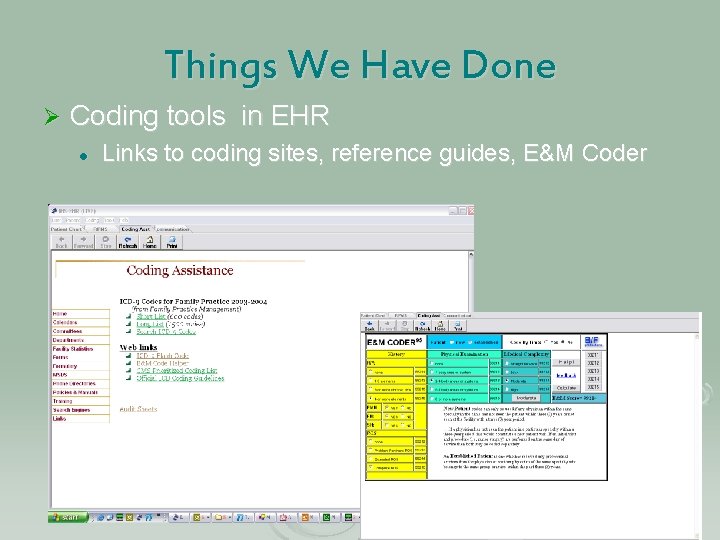
Things We Have Done Ø Coding tools in EHR l Links to coding sites, reference guides, E&M Coder
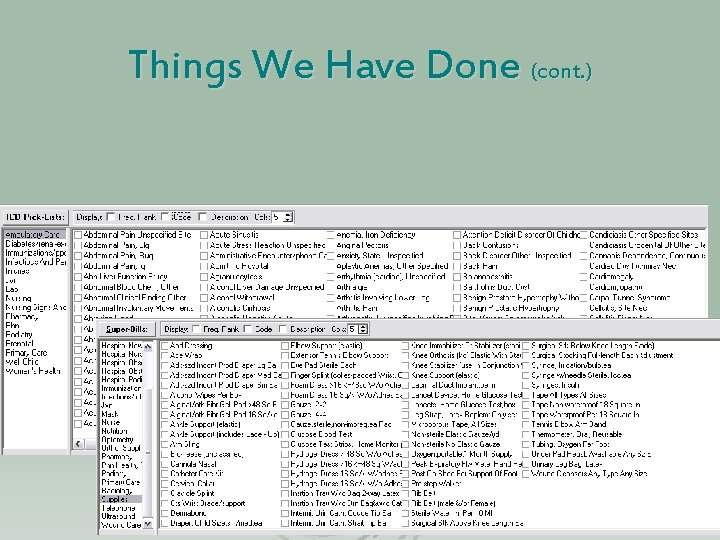
Things We Have Done (cont. ) Ø Pick Lists l l ICD-9 Superbills
Things We Have Done (cont. ) Ø Coding training for users (MD, RN, etc) Ø Provider gets an automatic notification for the missing purpose of visit or E&M Code Ø Quality Improvement l l Uncoded Diagnosis Provider Audits Ø Errors are communicated to provider via notifications
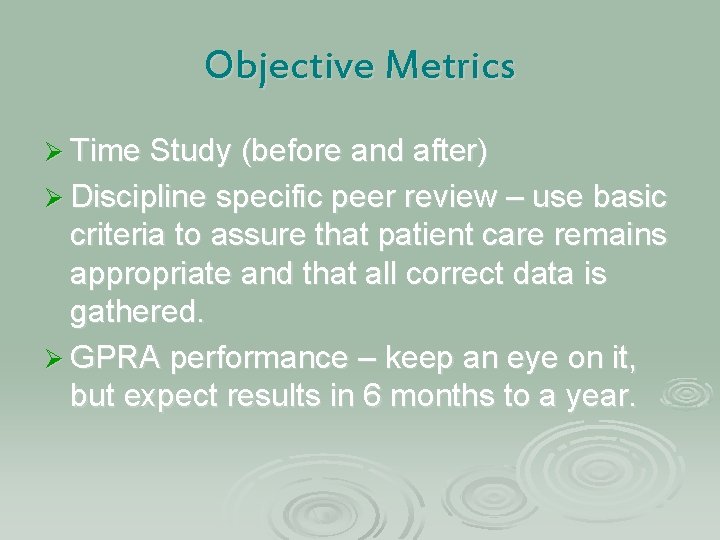
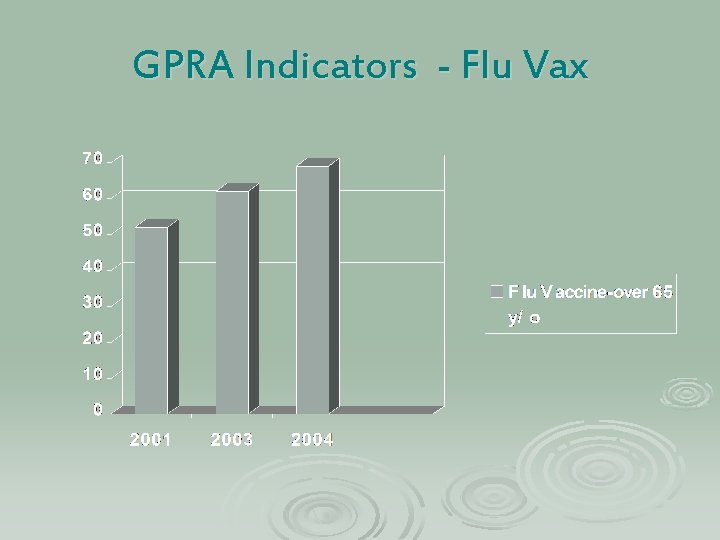
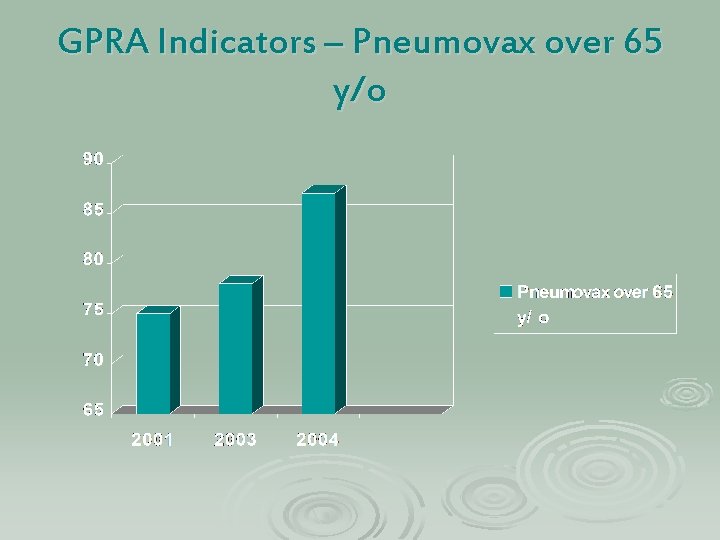
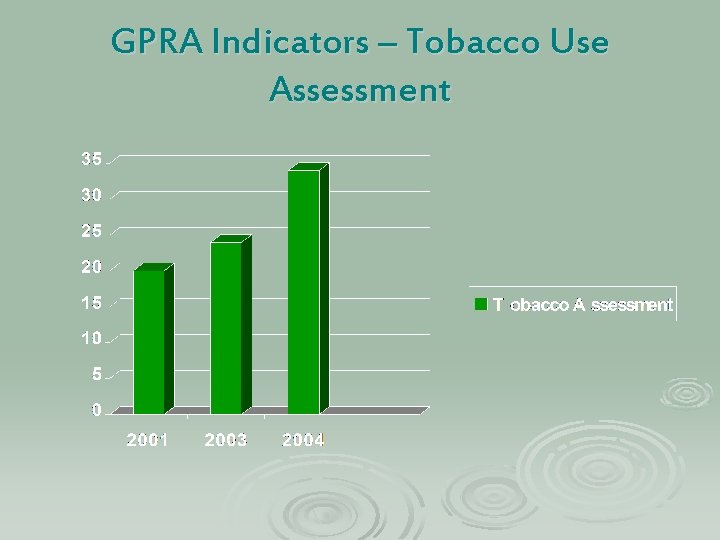
Objective Metrics Ø Time Study (before and after) Ø Discipline specific peer review – use basic criteria to assure that patient care remains appropriate and that all correct data is gathered. Ø GPRA performance – keep an eye on it, but expect results in 6 months to a year.
GPRA Indicators - Flu Vax
GPRA Indicators – Pneumovax over 65 y/o
GPRA Indicators – Tobacco Use Assessment
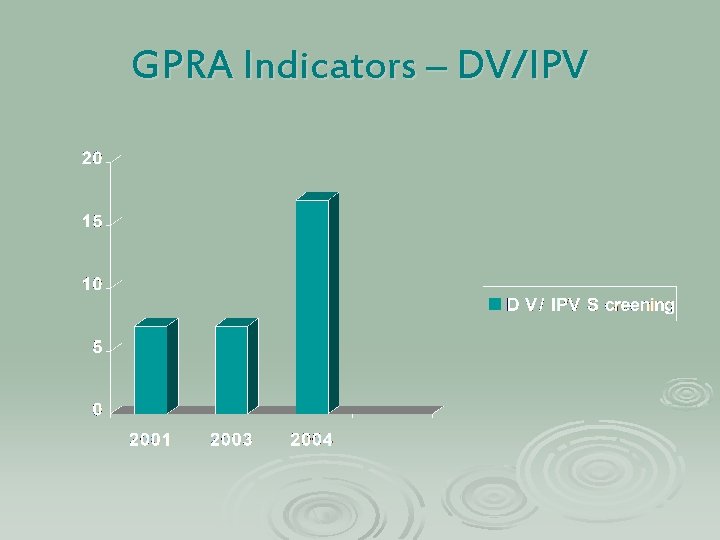
GPRA Indicators – DV/IPV
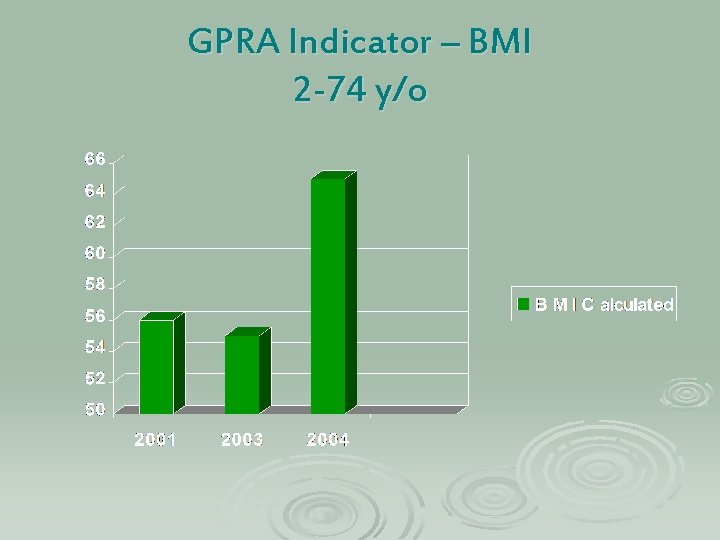
GPRA Indicator – BMI 2 -74 y/o
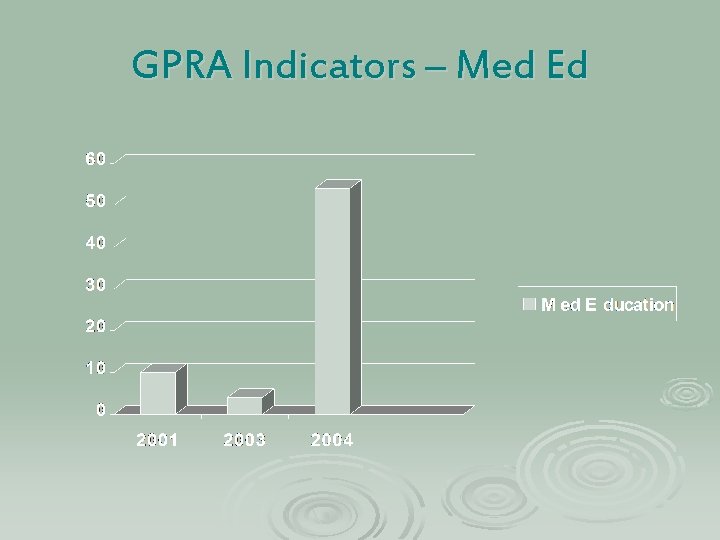
GPRA Indicators – Med Ed
Other Improvments – Non. GPRA
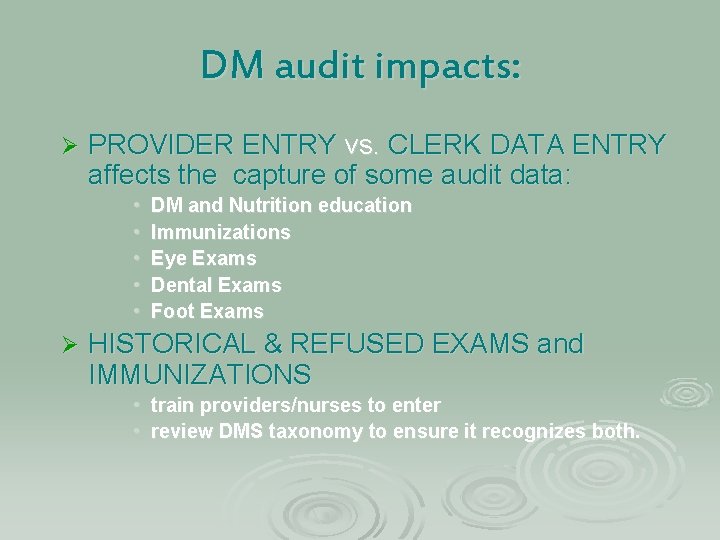
DM audit impacts: Ø PROVIDER ENTRY vs. CLERK DATA ENTRY affects the capture of some audit data: • • • Ø DM and Nutrition education Immunizations Eye Exams Dental Exams Foot Exams HISTORICAL & REFUSED EXAMS and IMMUNIZATIONS • train providers/nurses to enter • review DMS taxonomy to ensure it recognizes both.
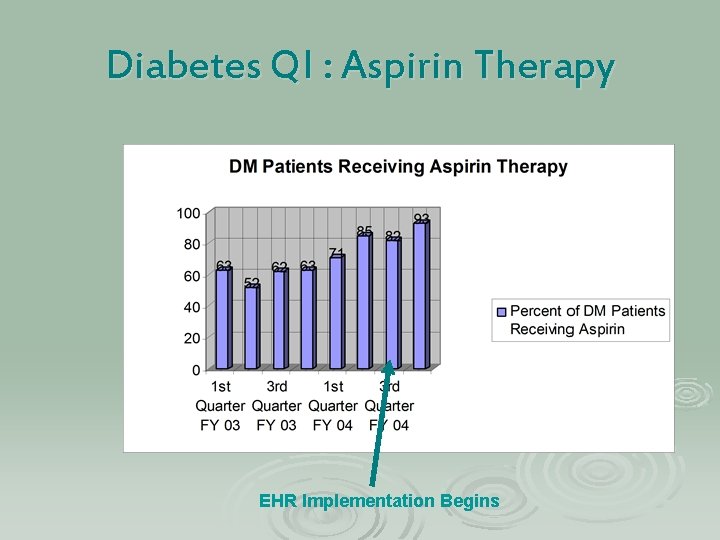
Diabetes QI : Aspirin Therapy EHR Implementation Begins
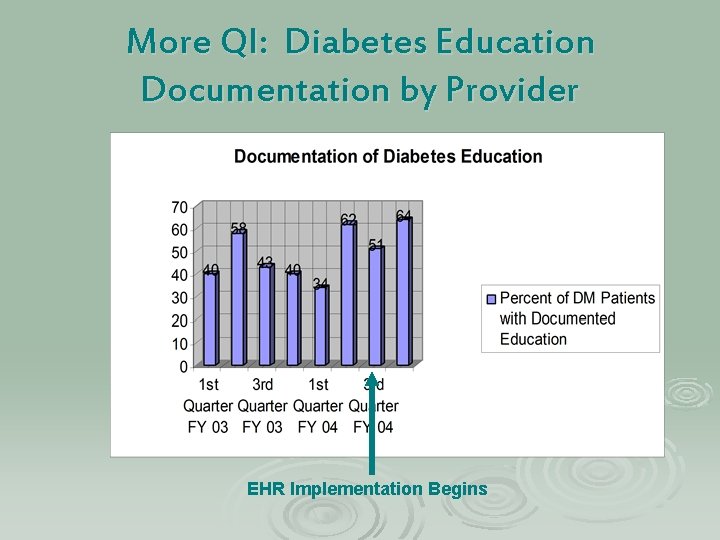
More QI: Diabetes Education Documentation by Provider EHR Implementation Begins
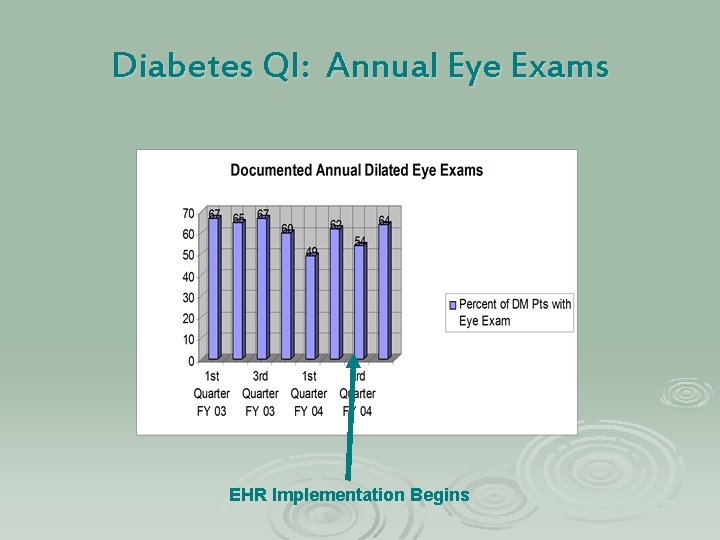
Diabetes QI: Annual Eye Exams EHR Implementation Begins
Risk Management
Every time a person is asked to change their role or a make a change in a process, there are inherent risks. We must quickly identify and eliminate these risks in order to protect patients. Here are examples of the good, the bad and the ugly from EHR.
The Good
Good Stuff: EHR helps to manage risk by: Ø Virtually eliminating legibility problems and transcription errors Ø Increasing the likelihood that information will get into the Medical Record, i. e. significant medical advice (JCAHO and AAAHC standards).
Good, continued Ø Allowing up to the minute information to be accessed from any computer in the clinic, and some computers outside the clinic by private network as well. Ø Using templates to help decrease opportunity for omissions/errors Ø And much, much more!
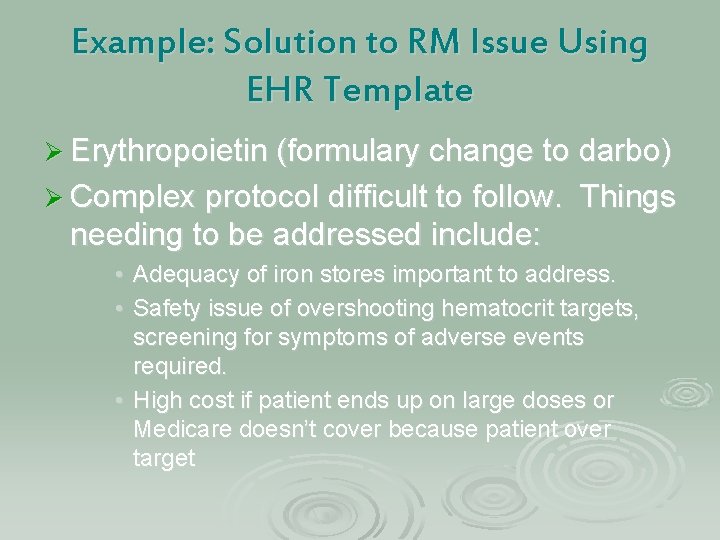
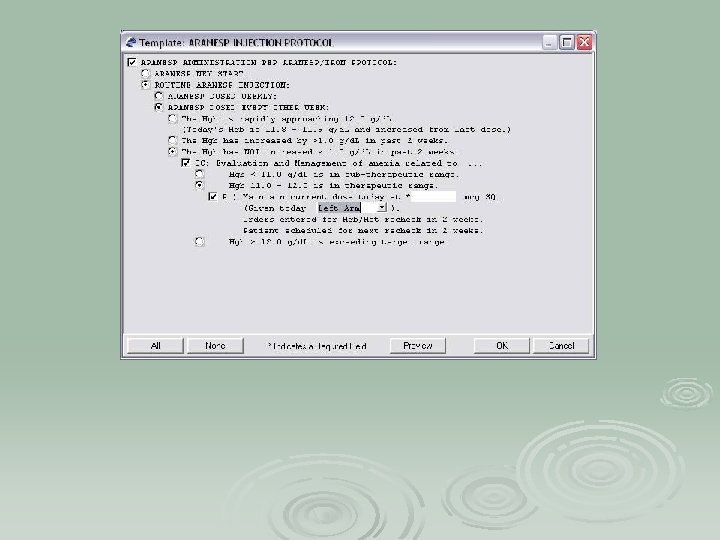
Example: Solution to RM Issue Using EHR Template Ø Erythropoietin (formulary change to darbo) Ø Complex protocol difficult to follow. Things needing to be addressed include: • Adequacy of iron stores important to address. • Safety issue of overshooting hematocrit targets, screening for symptoms of adverse events required. • High cost if patient ends up on large doses or Medicare doesn’t cover because patient over target
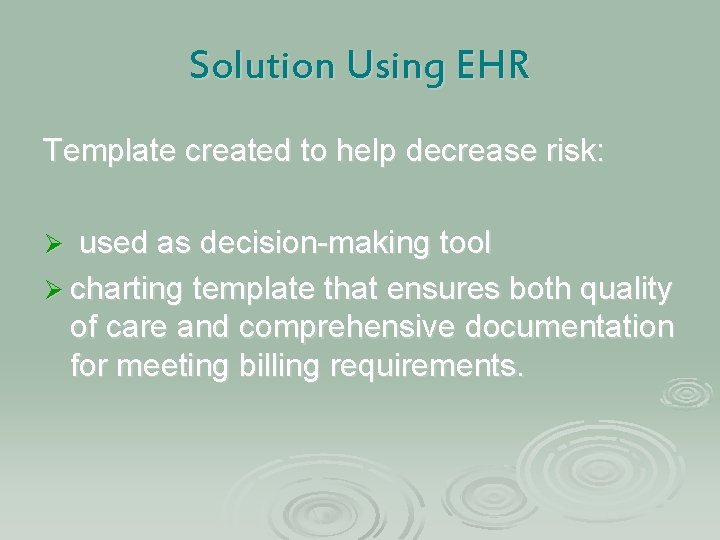
Solution Using EHR Template created to help decrease risk: Ø used as decision-making tool Ø charting template that ensures both quality of care and comprehensive documentation for meeting billing requirements.
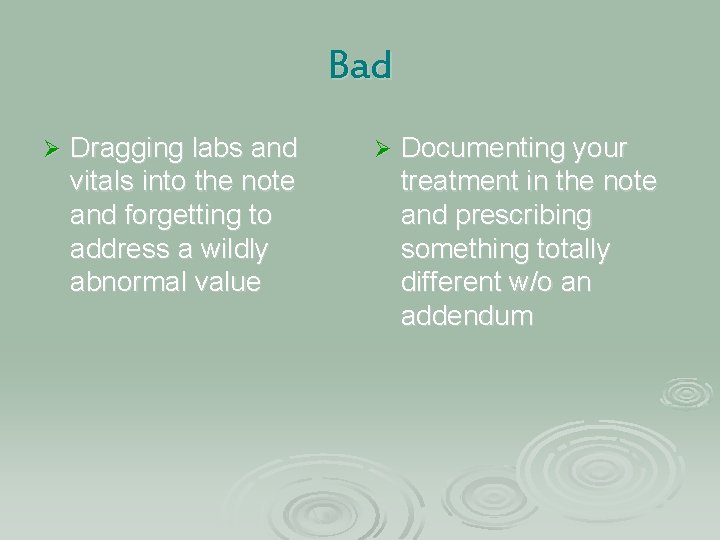
Bad Ø Dragging labs and vitals into the note and forgetting to address a wildly abnormal value Ø Documenting your treatment in the note and prescribing something totally different w/o an addendum
Ugly Using EHR to Ø Using EHR to identify document a QI finding which GPRA indicator we failed to address Ø Using EHR to indicate that you’ve asked a Ø Using EHR to tell IT provider to do folks that there is a something a hundred problem and, by golly thousand times they need to come fix it Ø
RM issues During EHR Implementation Ø Be aware that weirdness can happen in the beginning until you figure it out. Monitor ALL your processes and pay attention to ALL end users. This is how you discover problems and fix them!
Lessons Learned Ø EHR implementation does NOT necessarily decrease overall waiting time —we’ll see in February! Ø People document the darndest things in charts. EHR makes these things more apparent because you can more easily see everything at the click of the mouse. Ø Every provider has a vastly different slope on their learning curve
Lessons Learned - continued Ø Everyone wants to start the visit! This generates errors. Ø Doctors, Nurses and Pharmacists are NOT coders Ø We will always need Data Entry folks, but their roles are changing (more coding and sleuthing) Ø Having a “table of contents” for notes makes reviewing records more efficient
Lessons Learned, Cont’ Ø Case Management and Chart Reviews l Templates can be built with objects that pull in the needed data. Also the ability to document patient reminder letters at the same time they are created. l Per Dr. Howard Hays: “Integrated Case Management is in the conceptual development phase at the present time. We hope to have it available for general use in about a year. It will be available either in the traditional RPMS format or as a component of the EHR. ” (December, 2004)
Lessons Learned, continued Ø Flow Sheets –why is a flow sheet needed and is it still an issue with EHR? l Ex: erythropoietin- same information entered on a flow sheet is available to view in EHR. l Notes with continuous addendums can sometimes take the place of a flow sheet. l Use note titles to be able to retrieve related visits- may eliminate the need for a flow sheet. Ø Protocols, Practice Guidelines, Standing Orders – can be addressed by using templates that contain decision trees as with darbopoeitin (Aranesp).
Take home message Ø EHR is no different than the paper record. It is the legal document that will go to court when things go wrong. It is important to monitor regularly what is going in the record. Charting mantras that have not changed: l l If it wasn’t documented, it wasn’t done Just the (pertinent) facts, Jack
Quality Improvement, Risk Management and Lessons Learned from EHR Michele Gemelas, R. Ph. QI/RM/GPRA Coordinator Warm Springs Health and Wellness Center