STEP 1 PDF Electronic Service Manuals Working with
- Slides: 58
STEP 1 PDF Electronic Service Manuals Working with NISSAN PDF Electronic Service Manuals Course Overview NNZ NS 1 PDFESM 1
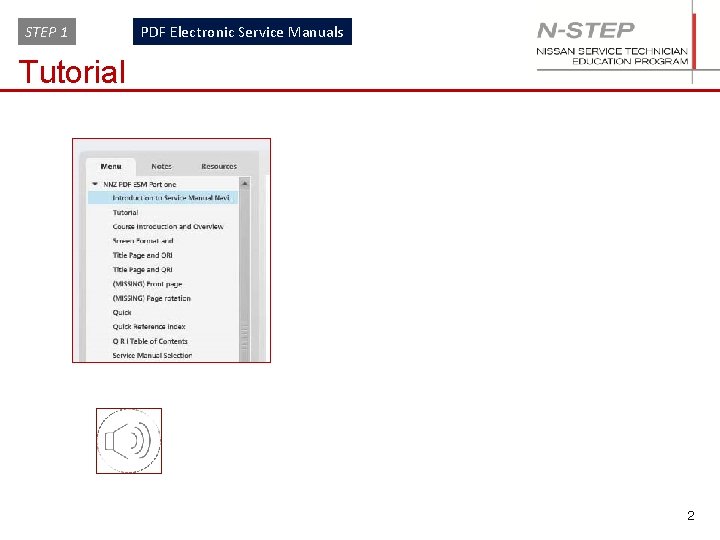
STEP 1 PDF Electronic Service Manuals Tutorial 2
STEP 1 PDF Electronic Service Manuals Course Introduction and Overview This course provides you with the following information: • Opening a PDF ESM on PC or Laptop • Understanding Adobe Reader action buttons • Understanding PDF Electronic Service Manual screen flow • Accessing technical information • Identifying main and sub topics 3
STEP 1 PDF Electronic Service Manuals Opening a PDF ESM on a PC or Laptop 4
STEP 1 PDF Electronic Service Manuals Opening a PDF ESM on a PC NOTE Nissan PDF and HTML type ESM’s are encrypted so cannot be copied. 1. Insert the ESM into the PC DVD drive 2. Open “My Computer” and double click on the icon for the CD/DVD drive 3. When the ESM loads, there are two different screen views depending on the country the ESM was published in. (See next page) 5
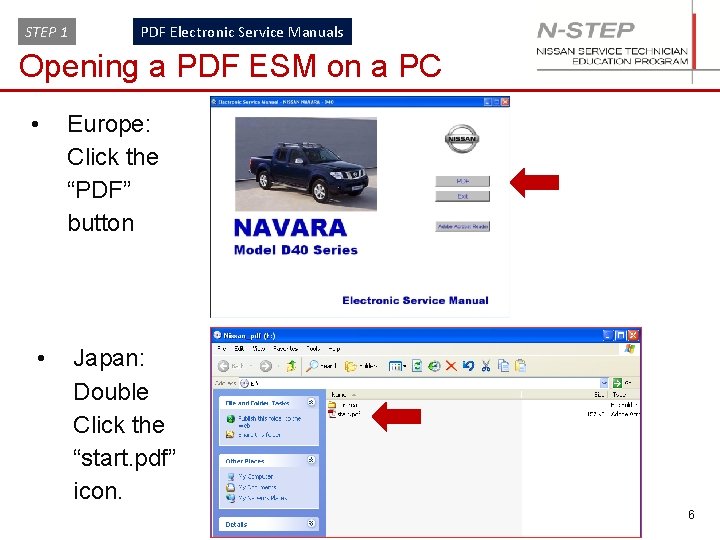
STEP 1 PDF Electronic Service Manuals Opening a PDF ESM on a PC • Europe: Click the “PDF” button • Japan: Double Click the “start. pdf” icon. 6
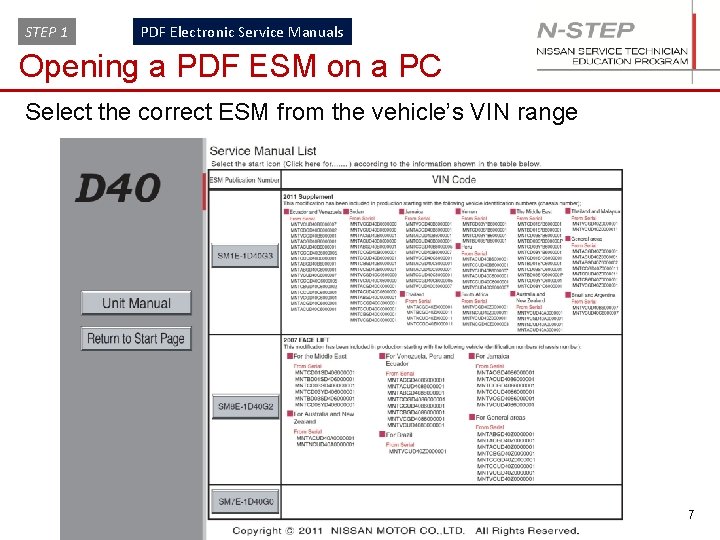
STEP 1 PDF Electronic Service Manuals Opening a PDF ESM on a PC Select the correct ESM from the vehicle’s VIN range 7
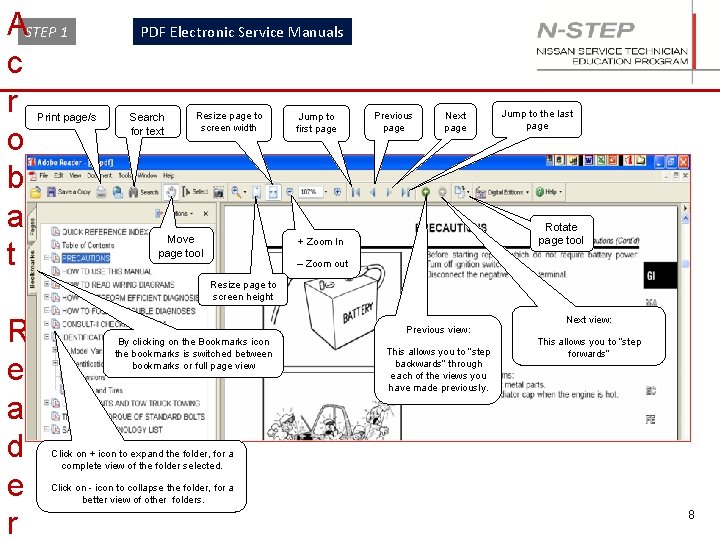
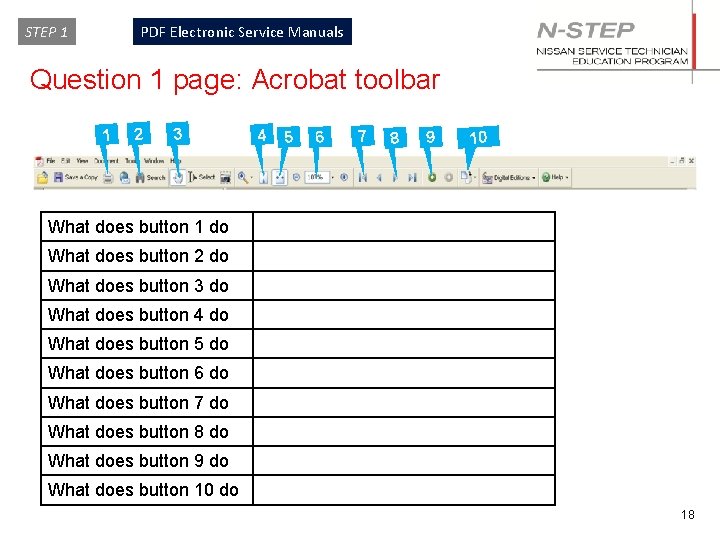
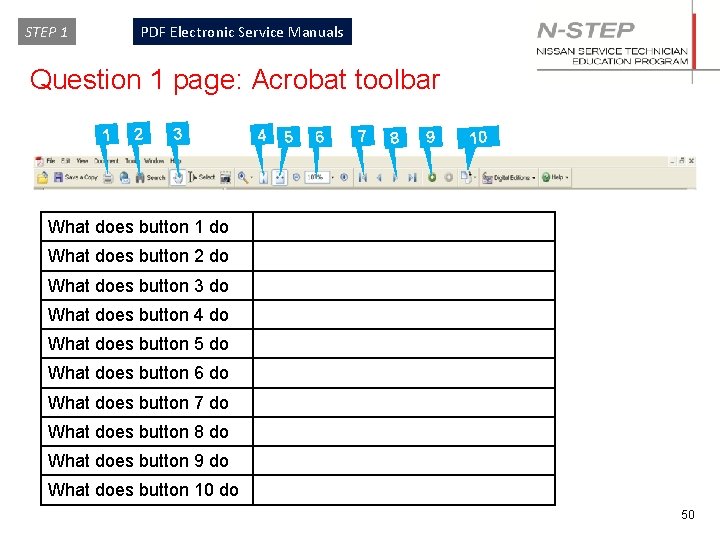
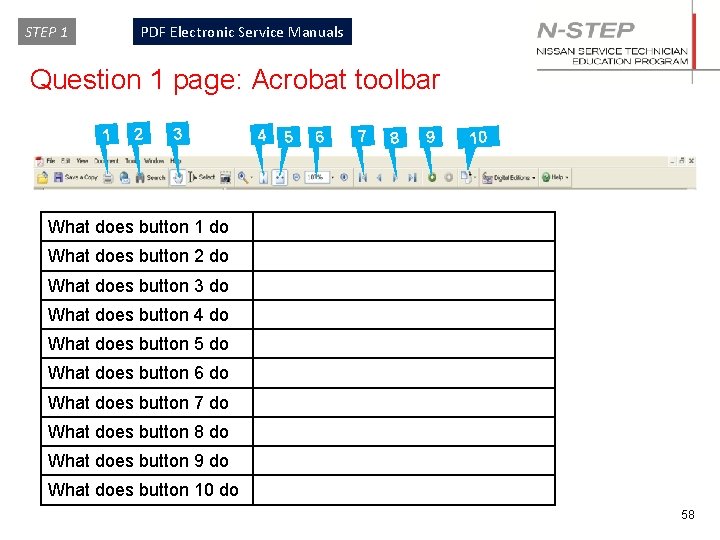
ASTEP 1 c r o b a t Print page/s PDF Electronic Service Manuals Search for text Resize page to screen width Move page tool Jump to first page Previous page Next page Jump to the last page Rotate page tool + Zoom In – Zoom out Resize page to screen height R e a d e r Previous view: By clicking on the Bookmarks icon the bookmarks is switched between bookmarks or full page view This allows you to “step backwards” through each of the views you have made previously. Next view: This allows you to “step forwards” Click on + icon to expand the folder, for a complete view of the folder selected. Click on - icon to collapse the folder, for a better view of other folders. 8
STEP 1 PDF Electronic Service Manuals Screen Format and Viewable Area Table of Content and Quick Reference Index (QRI) 9
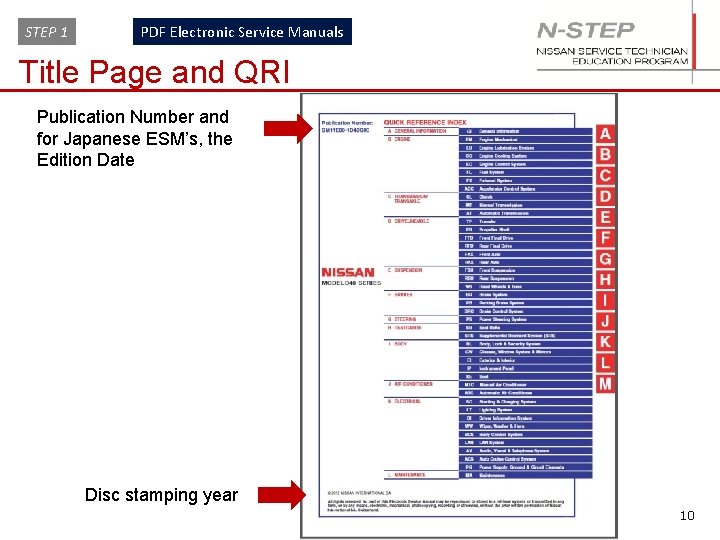
STEP 1 PDF Electronic Service Manuals Title Page and QRI Publication Number and for Japanese ESM’s, the Edition Date Disc stamping year 10
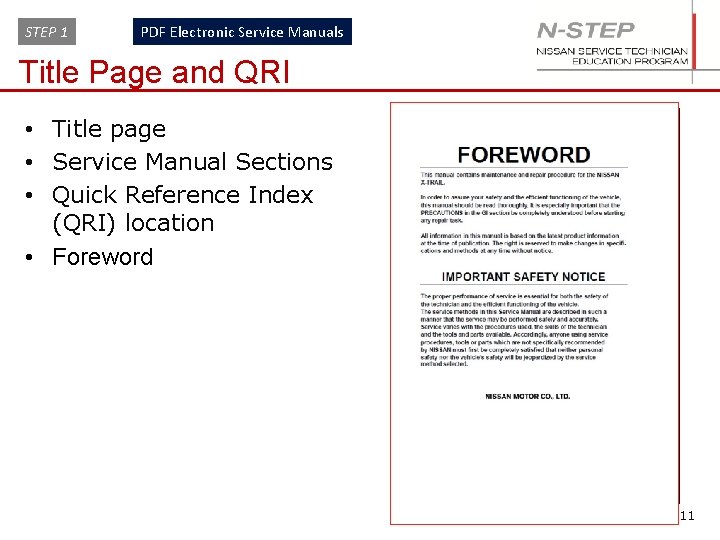
STEP 1 PDF Electronic Service Manuals Title Page and QRI • Title page • Service Manual Sections • Quick Reference Index (QRI) location • Foreword 11
STEP 1 PDF Electronic Service Manuals Quick Reference Index 12
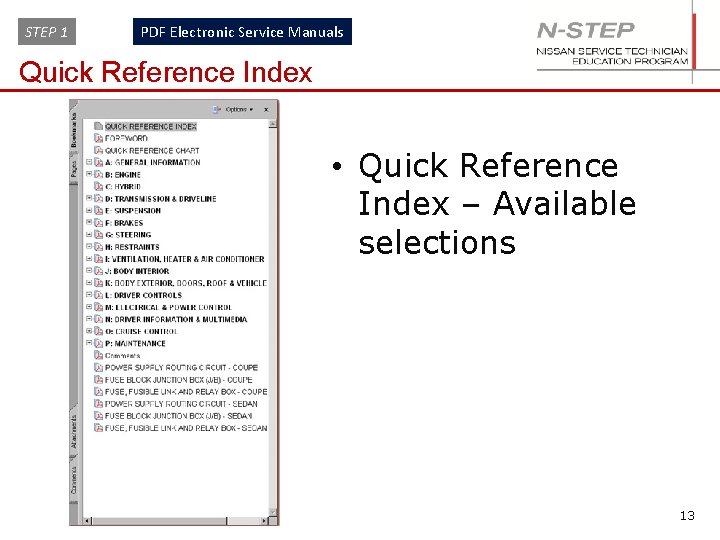
STEP 1 PDF Electronic Service Manuals Quick Reference Index • Quick Reference Index – Available selections 13
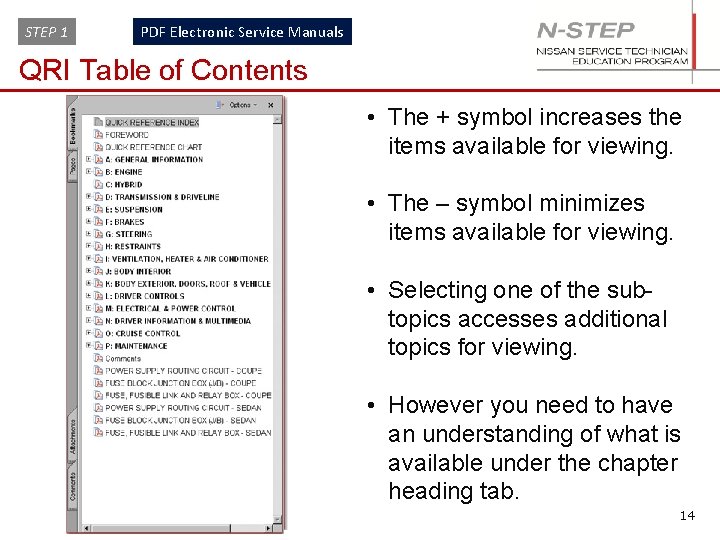
STEP 1 PDF Electronic Service Manuals QRI Table of Contents • The + symbol increases the items available for viewing. • The – symbol minimizes items available for viewing. • Selecting one of the subtopics accesses additional topics for viewing. • However you need to have an understanding of what is available under the chapter heading tab. 14
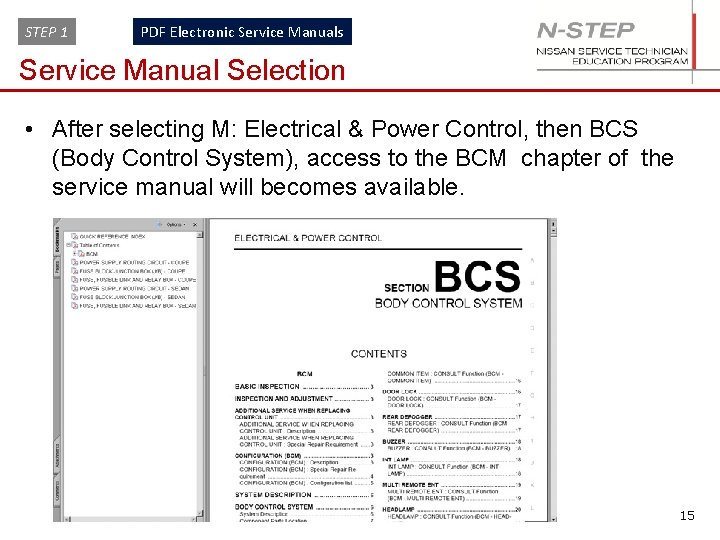
STEP 1 PDF Electronic Service Manuals Service Manual Selection • After selecting M: Electrical & Power Control, then BCS (Body Control System), access to the BCM chapter of the service manual will becomes available. 15
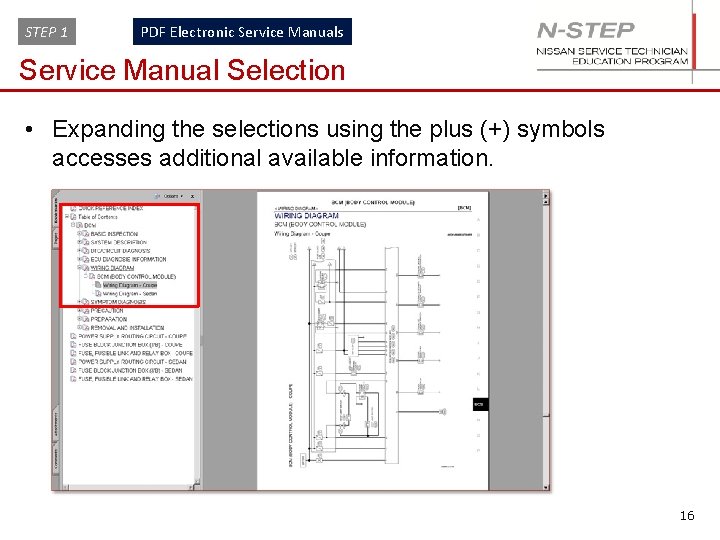
STEP 1 PDF Electronic Service Manuals Service Manual Selection • Expanding the selections using the plus (+) symbols accesses additional available information. 16
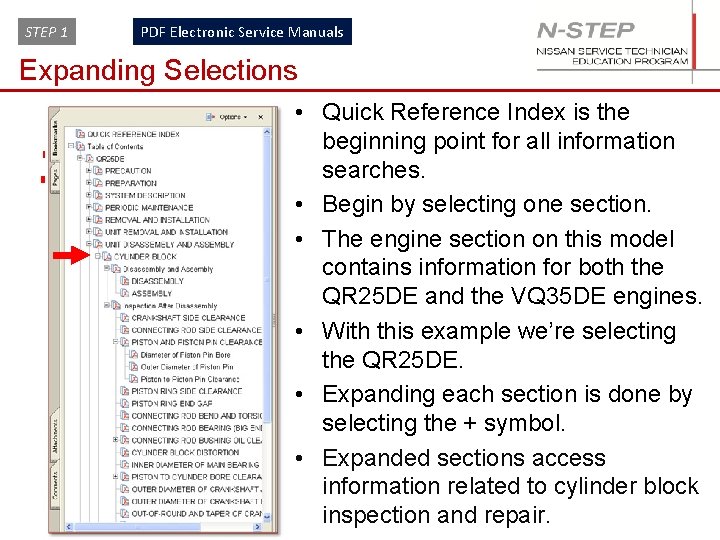
STEP 1 PDF Electronic Service Manuals Expanding Selections 17 • Quick Reference Index is the beginning point for all information searches. • Begin by selecting one section. • The engine section on this model contains information for both the QR 25 DE and the VQ 35 DE engines. • With this example we’re selecting the QR 25 DE. • Expanding each section is done by selecting the + symbol. • Expanded sections access information related to cylinder block inspection and repair.
STEP 1 PDF Electronic Service Manuals Question 1 page: Acrobat toolbar 1 2 3 4 5 6 7 8 9 10 What does button 1 do What does button 2 do What does button 3 do What does button 4 do What does button 5 do What does button 6 do What does button 7 do What does button 8 do What does button 9 do What does button 10 do 18
STEP 1 PDF Electronic Service Manuals General Information 19
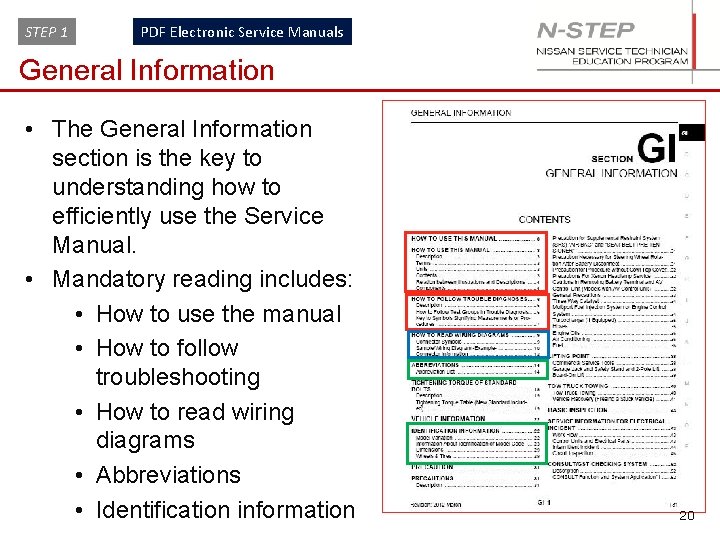
STEP 1 PDF Electronic Service Manuals General Information • The General Information section is the key to understanding how to efficiently use the Service Manual. • Mandatory reading includes: • How to use the manual • How to follow troubleshooting • How to read wiring diagrams • Abbreviations • Identification information 20
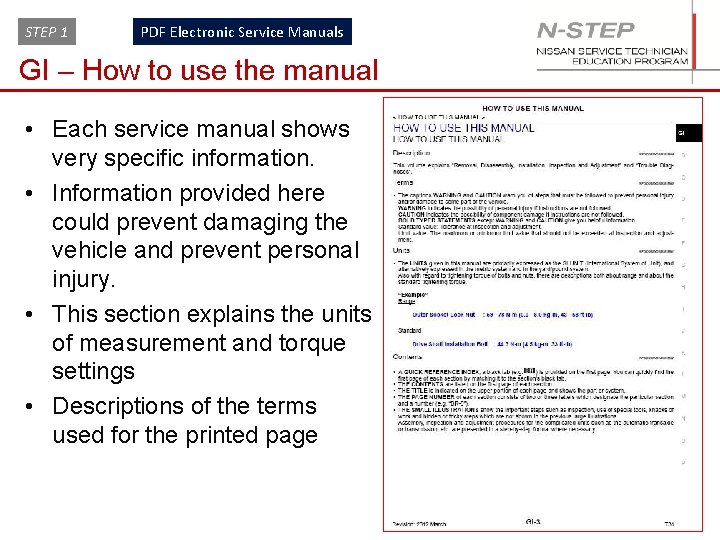
STEP 1 PDF Electronic Service Manuals GI – How to use the manual • Each service manual shows very specific information. • Information provided here could prevent damaging the vehicle and prevent personal injury. • This section explains the units of measurement and torque settings • Descriptions of the terms used for the printed page 21
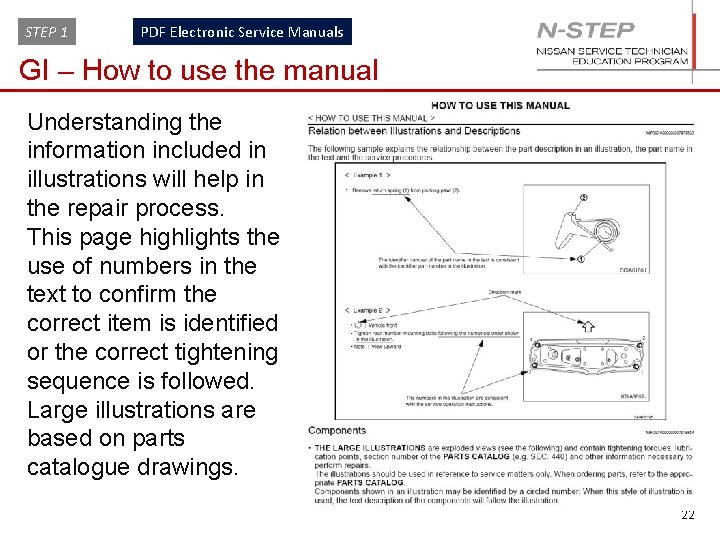
STEP 1 PDF Electronic Service Manuals GI – How to use the manual Understanding the information included in illustrations will help in the repair process. This page highlights the use of numbers in the text to confirm the correct item is identified or the correct tightening sequence is followed. Large illustrations are based on parts catalogue drawings. 22
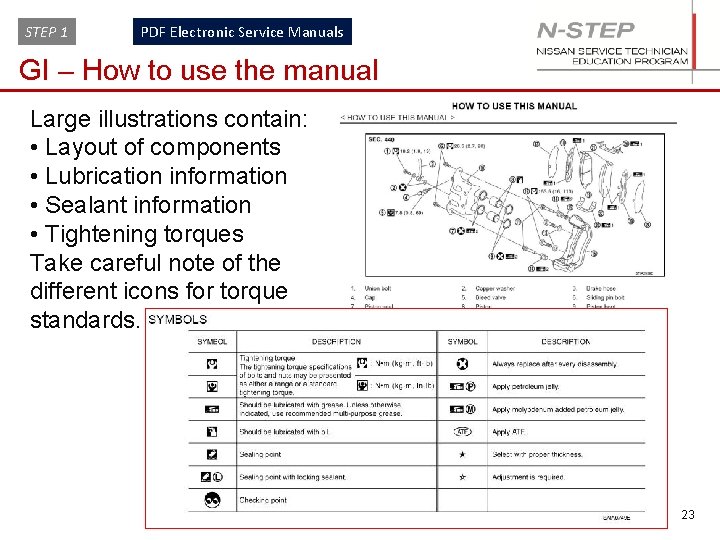
STEP 1 PDF Electronic Service Manuals GI – How to use the manual Large illustrations contain: • Layout of components • Lubrication information • Sealant information • Tightening torques Take careful note of the different icons for torque standards. 23
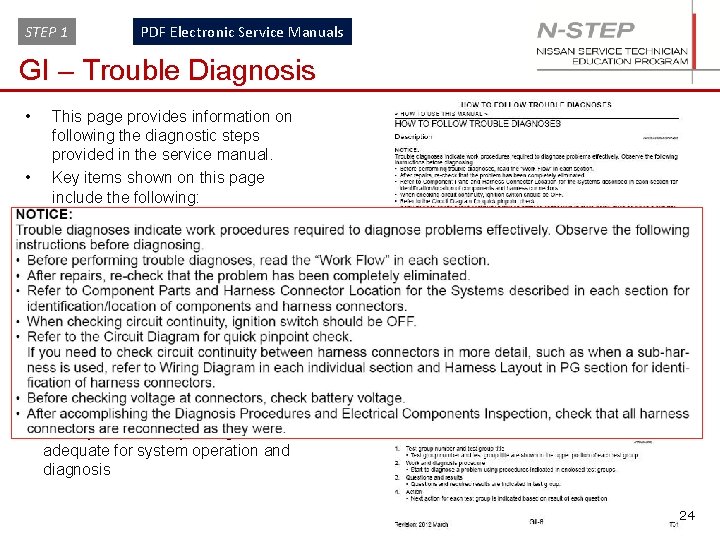
STEP 1 PDF Electronic Service Manuals GI – Trouble Diagnosis • This page provides information on following the diagnostic steps provided in the service manual. • Key items shown on this page include the following: 1. Read the work flow in each section 2. Verify your repair resolved the problem before returning the vehicle to the customer. 3. How to check circuit continuity 4. Reference circuit diagrams for quick pinpoint checks 5. Locate the wiring diagram and harness layout in the PG section for identifying harness connectors 6. Identify if the battery voltage is adequate for system operation and diagnosis 24
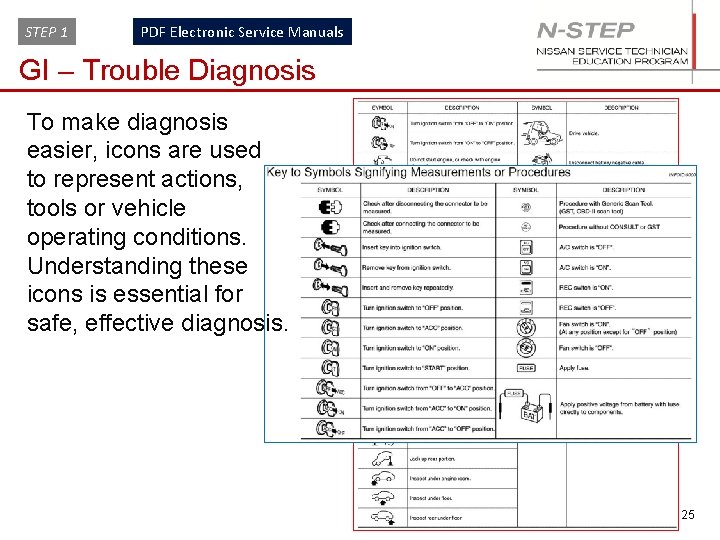
STEP 1 PDF Electronic Service Manuals GI – Trouble Diagnosis To make diagnosis easier, icons are used to represent actions, tools or vehicle operating conditions. Understanding these icons is essential for safe, effective diagnosis. 25
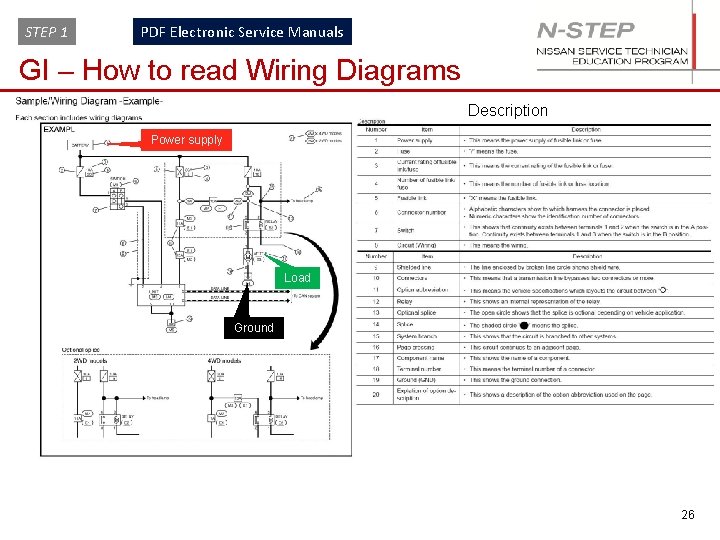
STEP 1 PDF Electronic Service Manuals GI – How to read Wiring Diagrams Description Power supply Load Ground 26
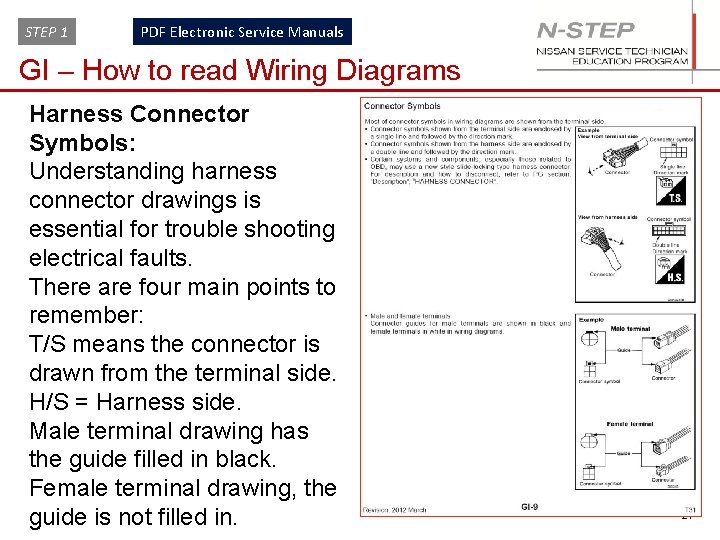
STEP 1 PDF Electronic Service Manuals GI – How to read Wiring Diagrams Harness Connector Symbols: Understanding harness connector drawings is essential for trouble shooting electrical faults. There are four main points to remember: T/S means the connector is drawn from the terminal side. H/S = Harness side. Male terminal drawing has the guide filled in black. Female terminal drawing, the guide is not filled in. 27
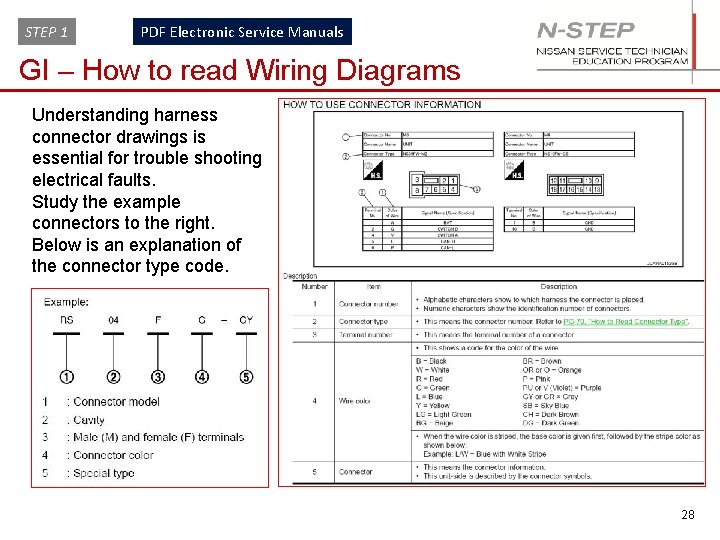
STEP 1 PDF Electronic Service Manuals GI – How to read Wiring Diagrams Understanding harness connector drawings is essential for trouble shooting electrical faults. Study the example connectors to the right. Below is an explanation of the connector type code. 28
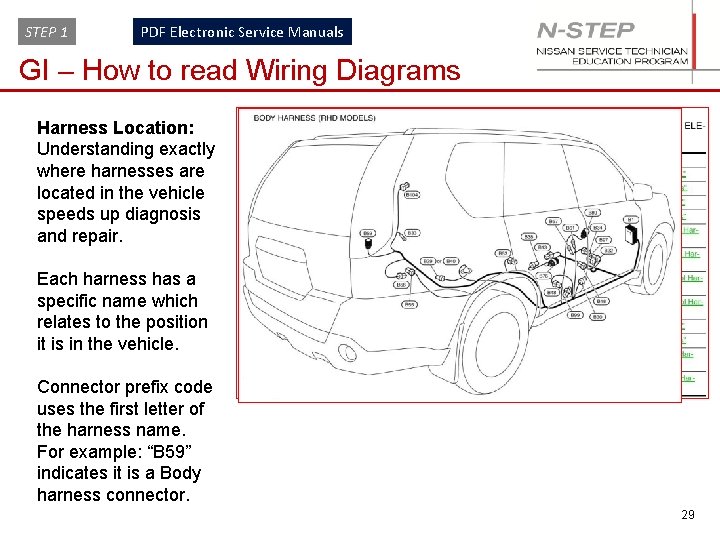
STEP 1 PDF Electronic Service Manuals GI – How to read Wiring Diagrams Harness Location: Understanding exactly where harnesses are located in the vehicle speeds up diagnosis and repair. Each harness has a specific name which relates to the position it is in the vehicle. Connector prefix code uses the first letter of the harness name. For example: “B 59” indicates it is a Body harness connector. 29
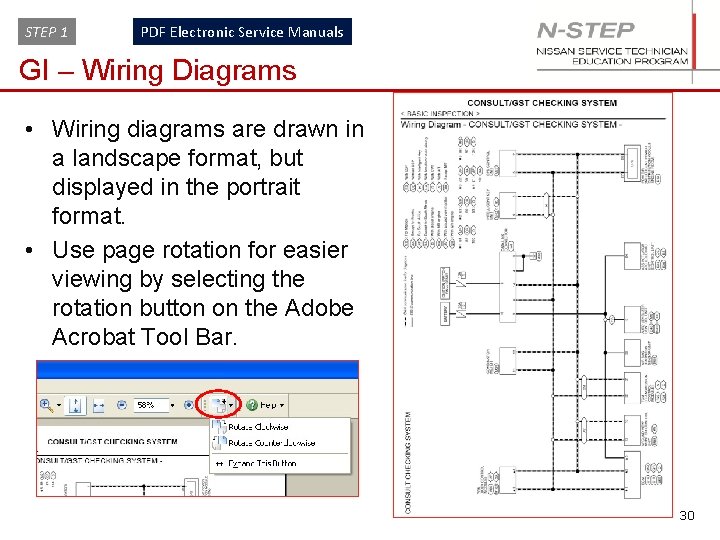
STEP 1 PDF Electronic Service Manuals GI – Wiring Diagrams • Wiring diagrams are drawn in a landscape format, but displayed in the portrait format. • Use page rotation for easier viewing by selecting the rotation button on the Adobe Acrobat Tool Bar. 30
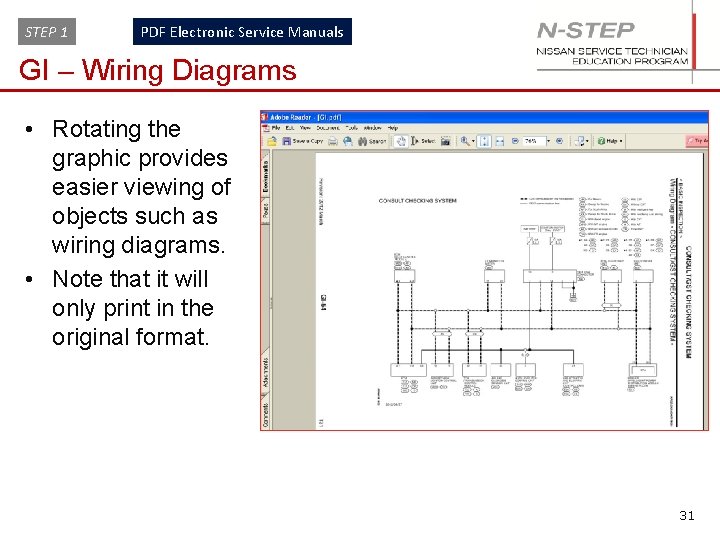
STEP 1 PDF Electronic Service Manuals GI – Wiring Diagrams • Rotating the graphic provides easier viewing of objects such as wiring diagrams. • Note that it will only print in the original format. 31
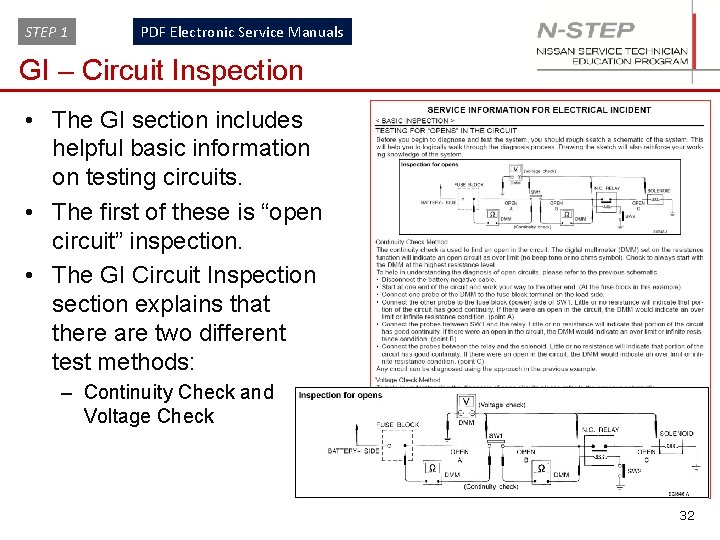
STEP 1 PDF Electronic Service Manuals GI – Circuit Inspection • The GI section includes helpful basic information on testing circuits. • The first of these is “open circuit” inspection. • The GI Circuit Inspection section explains that there are two different test methods: – Continuity Check and Voltage Check 32
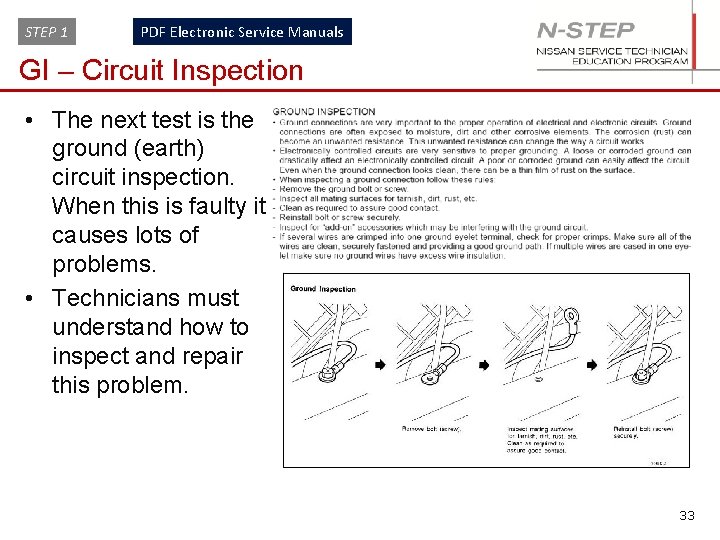
STEP 1 PDF Electronic Service Manuals GI – Circuit Inspection • The next test is the ground (earth) circuit inspection. When this is faulty it causes lots of problems. • Technicians must understand how to inspect and repair this problem. 33
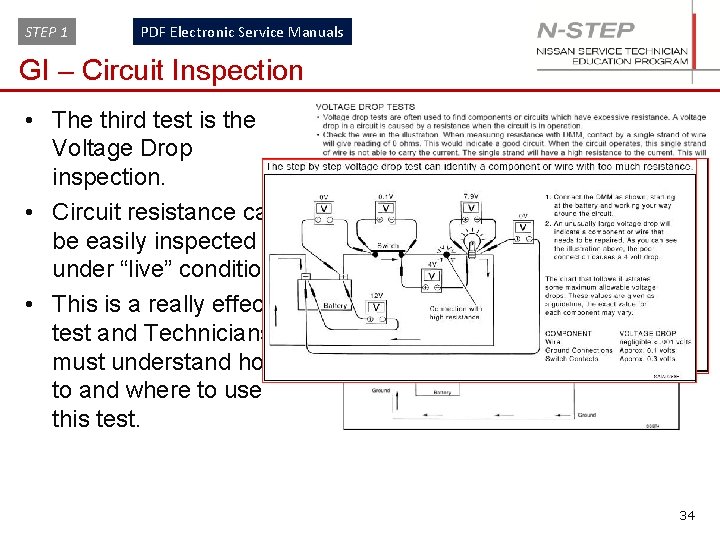
STEP 1 PDF Electronic Service Manuals GI – Circuit Inspection • The third test is the Voltage Drop inspection. • Circuit resistance can be easily inspected under “live” conditions. • This is a really effective test and Technicians must understand how to and where to use this test. 34
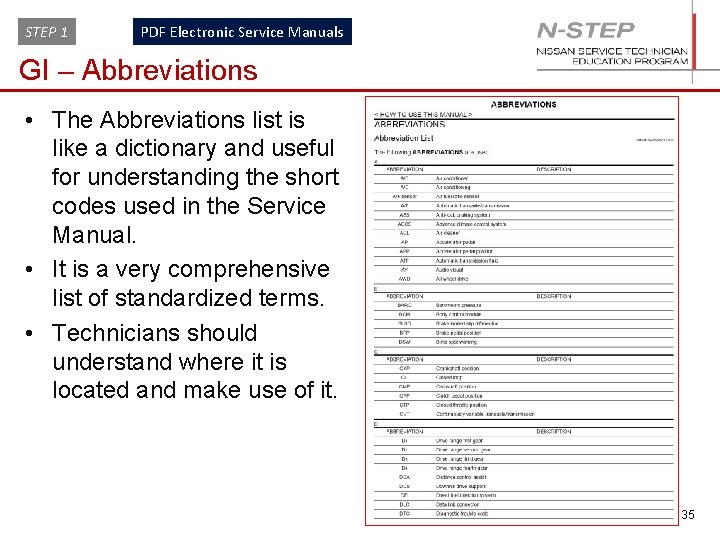
STEP 1 PDF Electronic Service Manuals GI – Abbreviations • The Abbreviations list is like a dictionary and useful for understanding the short codes used in the Service Manual. • It is a very comprehensive list of standardized terms. • Technicians should understand where it is located and make use of it. 35
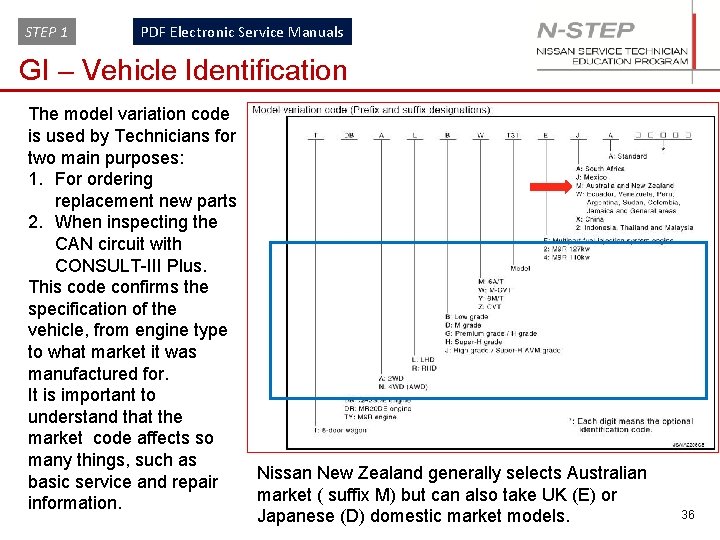
STEP 1 PDF Electronic Service Manuals GI – Vehicle Identification The model variation code is used by Technicians for two main purposes: 1. For ordering replacement new parts 2. When inspecting the CAN circuit with CONSULT-III Plus. This code confirms the specification of the vehicle, from engine type to what market it was manufactured for. It is important to understand that the market code affects so many things, such as basic service and repair information. Nissan New Zealand generally selects Australian market ( suffix M) but can also take UK (E) or Japanese (D) domestic market models. 36
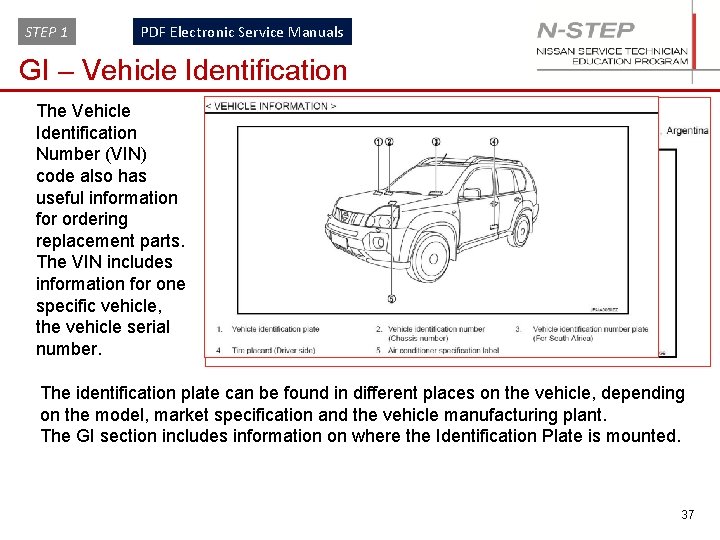
STEP 1 PDF Electronic Service Manuals GI – Vehicle Identification The Vehicle Identification Number (VIN) code also has useful information for ordering replacement parts. The VIN includes information for one specific vehicle, the vehicle serial number. The identification plate can be found in different places on the vehicle, depending on the model, market specification and the vehicle manufacturing plant. The GI section includes information on where the Identification Plate is mounted. 37
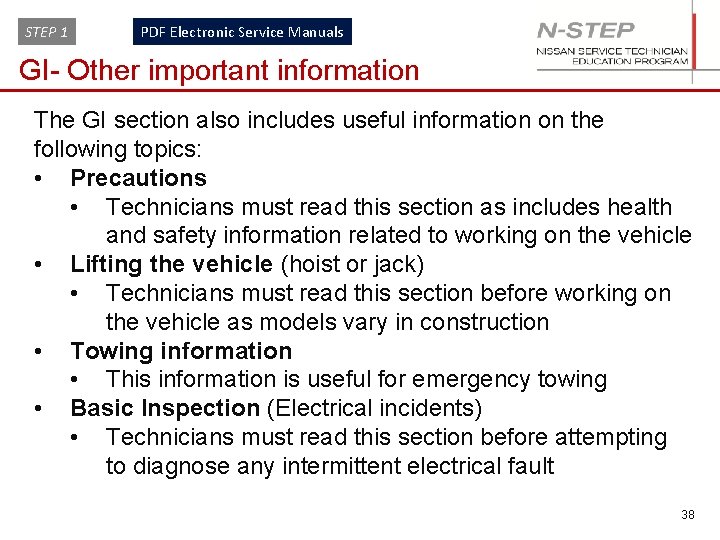
STEP 1 PDF Electronic Service Manuals GI- Other important information The GI section also includes useful information on the following topics: • Precautions • Technicians must read this section as includes health and safety information related to working on the vehicle • Lifting the vehicle (hoist or jack) • Technicians must read this section before working on the vehicle as models vary in construction • Towing information • This information is useful for emergency towing • Basic Inspection (Electrical incidents) • Technicians must read this section before attempting to diagnose any intermittent electrical fault 38
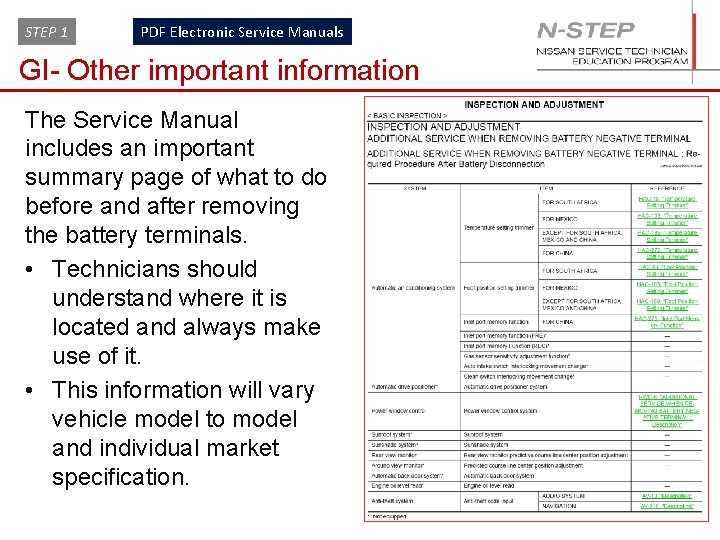
STEP 1 PDF Electronic Service Manuals GI- Other important information The Service Manual includes an important summary page of what to do before and after removing the battery terminals. • Technicians should understand where it is located and always make use of it. • This information will vary vehicle model to model and individual market specification. 39
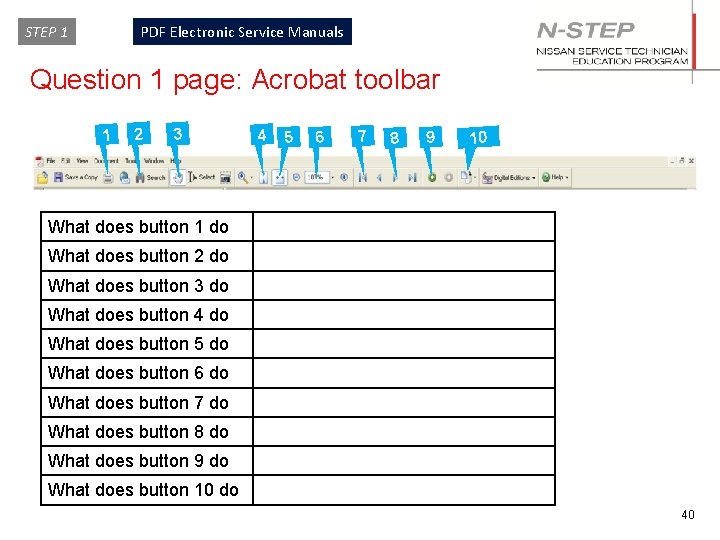
STEP 1 PDF Electronic Service Manuals Question 1 page: Acrobat toolbar 1 2 3 4 5 6 7 8 9 10 What does button 1 do What does button 2 do What does button 3 do What does button 4 do What does button 5 do What does button 6 do What does button 7 do What does button 8 do What does button 9 do What does button 10 do 40
STEP 1 PDF Electronic Service Manuals Maintenance 41
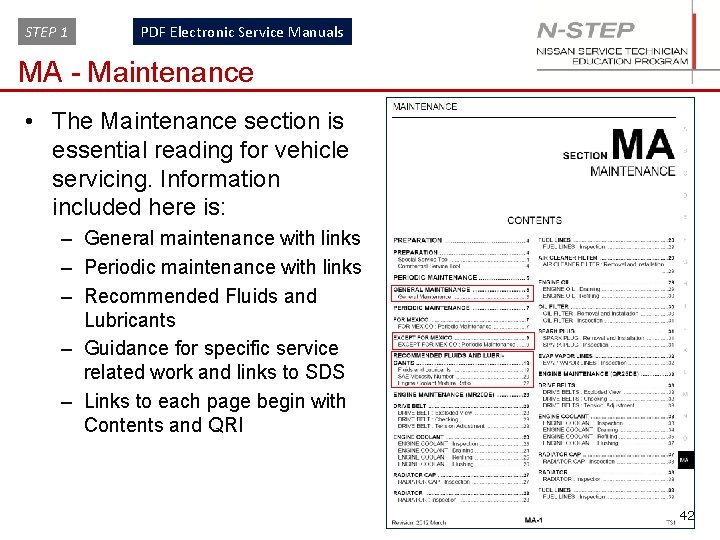
STEP 1 PDF Electronic Service Manuals MA - Maintenance • The Maintenance section is essential reading for vehicle servicing. Information included here is: – General maintenance with links – Periodic maintenance with links – Recommended Fluids and Lubricants – Guidance for specific service related work and links to SDS – Links to each page begin with Contents and QRI 42
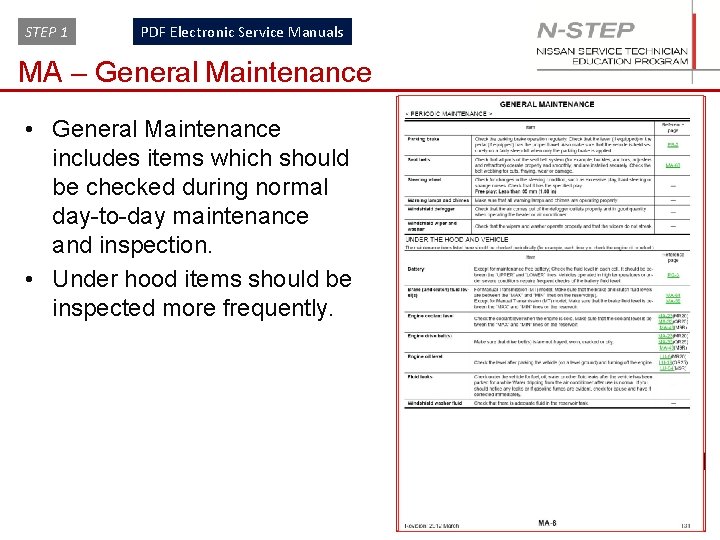
STEP 1 PDF Electronic Service Manuals MA – General Maintenance • General Maintenance includes items which should be checked during normal day-to-day maintenance and inspection. • Under hood items should be inspected more frequently. 43
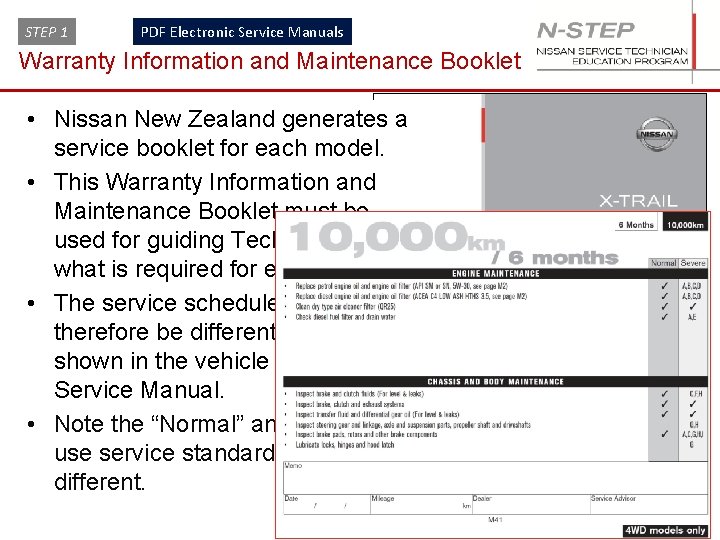
STEP 1 PDF Electronic Service Manuals Warranty Information and Maintenance Booklet • Nissan New Zealand generates a service booklet for each model. • This Warranty Information and Maintenance Booklet must be used for guiding Technicians on what is required for each service. • The service schedule may therefore be different from that shown in the vehicle model Service Manual. • Note the “Normal” and “Severe” use service standards are different. 44
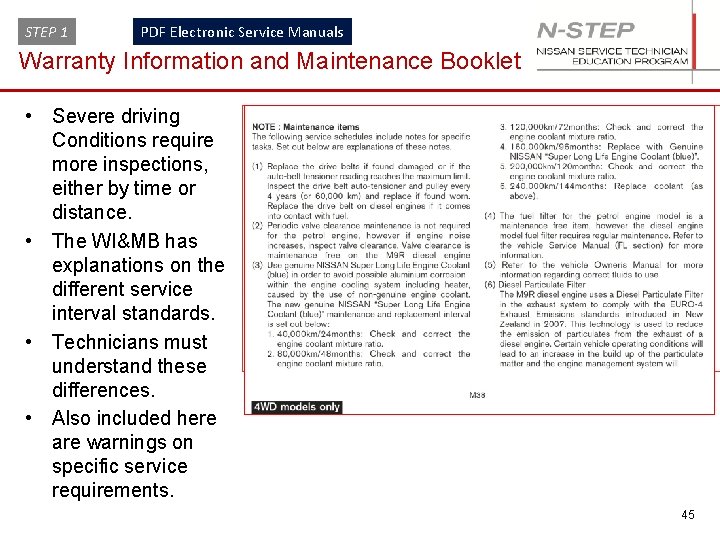
STEP 1 PDF Electronic Service Manuals Warranty Information and Maintenance Booklet • Severe driving Conditions require more inspections, either by time or distance. • The WI&MB has explanations on the different service interval standards. • Technicians must understand these differences. • Also included here are warnings on specific service requirements. 45
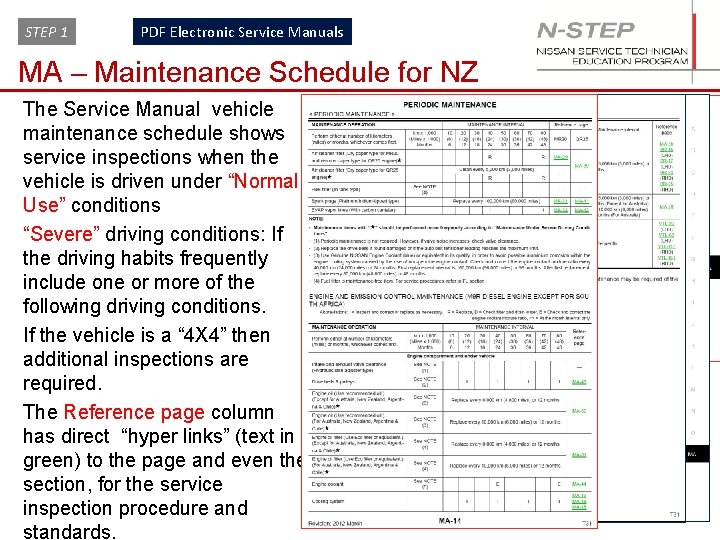
STEP 1 PDF Electronic Service Manuals MA – Maintenance Schedule for NZ The Service Manual vehicle maintenance schedule shows service inspections when the vehicle is driven under “Normal Use” conditions “Severe” driving conditions: If the driving habits frequently include one or more of the following driving conditions. If the vehicle is a “ 4 X 4” then additional inspections are required. The Reference page column has direct “hyper links” (text in green) to the page and even the section, for the service inspection procedure and standards. 46
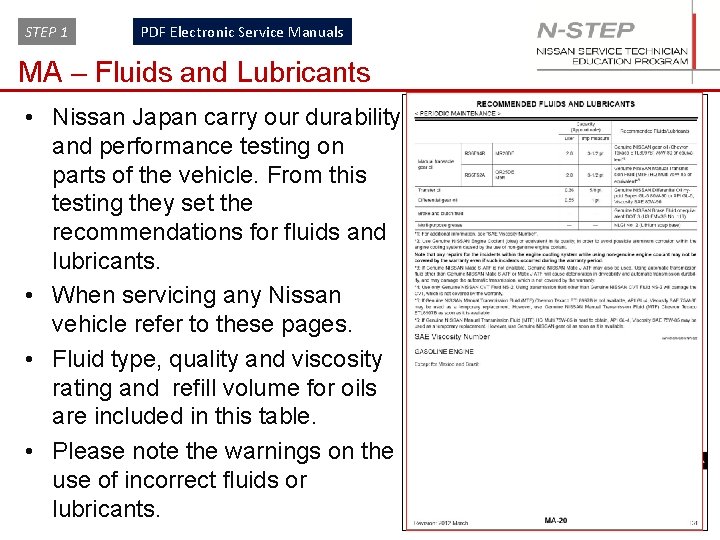
STEP 1 PDF Electronic Service Manuals MA – Fluids and Lubricants • Nissan Japan carry our durability and performance testing on parts of the vehicle. From this testing they set the recommendations for fluids and lubricants. • When servicing any Nissan vehicle refer to these pages. • Fluid type, quality and viscosity rating and refill volume for oils are included in this table. • Please note the warnings on the use of incorrect fluids or lubricants. 47
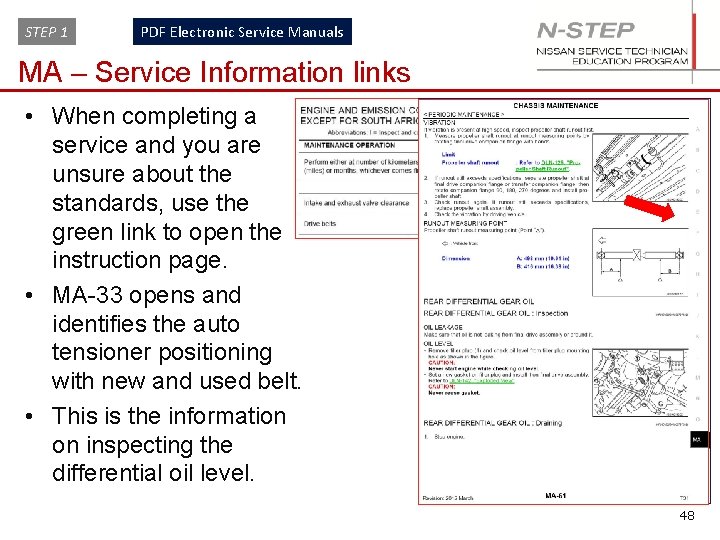
STEP 1 PDF Electronic Service Manuals MA – Service Information links • When completing a service and you are unsure about the standards, use the green link to open the instruction page. • MA-33 opens and identifies the auto tensioner positioning with new and used belt. • This is the information on inspecting the differential oil level. 48
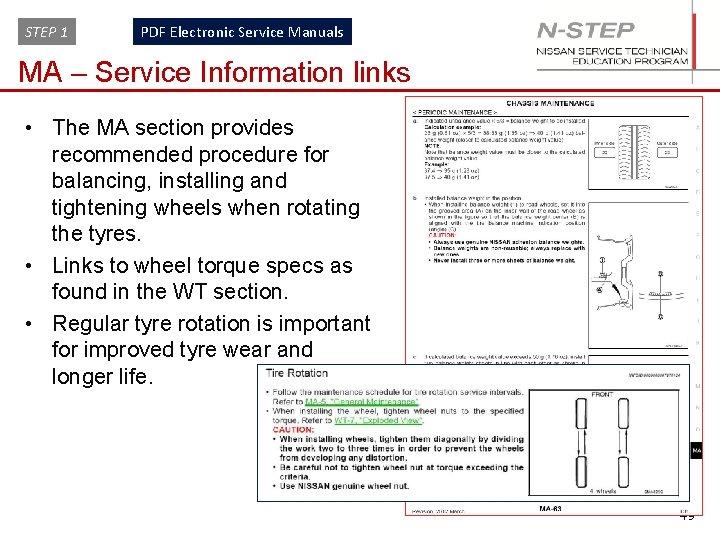
STEP 1 PDF Electronic Service Manuals MA – Service Information links • The MA section provides recommended procedure for balancing, installing and tightening wheels when rotating the tyres. • Links to wheel torque specs as found in the WT section. • Regular tyre rotation is important for improved tyre wear and longer life. 49
STEP 1 PDF Electronic Service Manuals Question 1 page: Acrobat toolbar 1 2 3 4 5 6 7 8 9 10 What does button 1 do What does button 2 do What does button 3 do What does button 4 do What does button 5 do What does button 6 do What does button 7 do What does button 8 do What does button 9 do What does button 10 do 50
STEP 1 PDF Electronic Service Manuals Interior with Squeak and Rattle Diagnosis Information 51
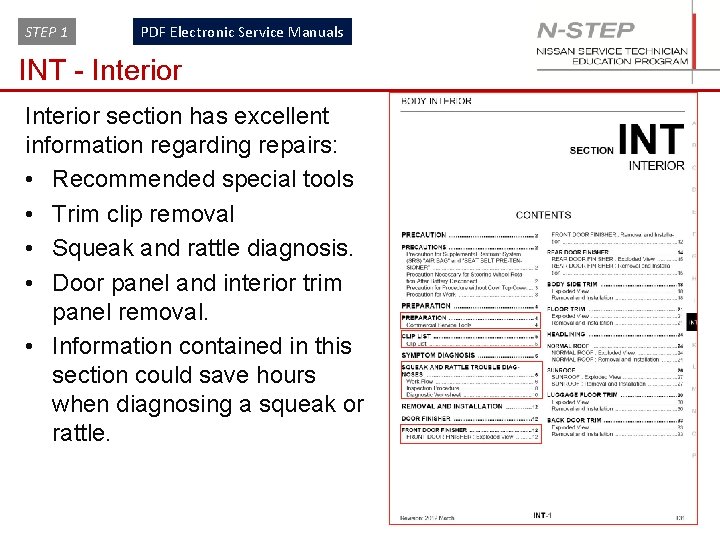
STEP 1 PDF Electronic Service Manuals INT - Interior section has excellent information regarding repairs: • Recommended special tools • Trim clip removal • Squeak and rattle diagnosis. • Door panel and interior trim panel removal. • Information contained in this section could save hours when diagnosing a squeak or rattle. 52
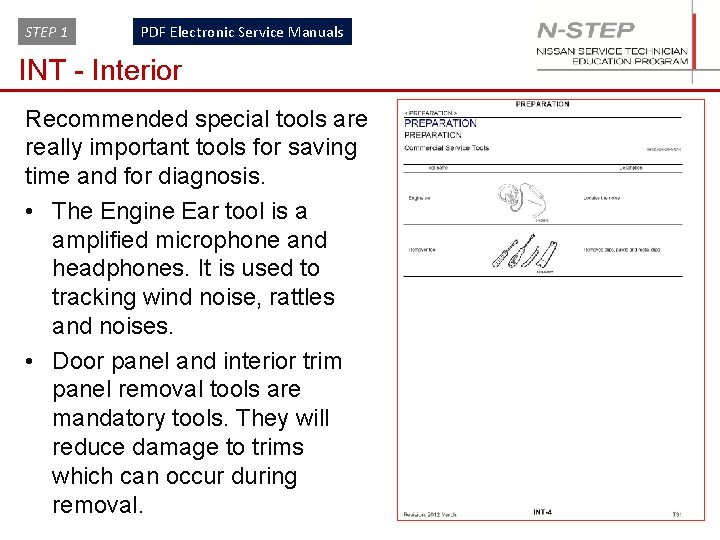
STEP 1 PDF Electronic Service Manuals INT - Interior Recommended special tools are really important tools for saving time and for diagnosis. • The Engine Ear tool is a amplified microphone and headphones. It is used to tracking wind noise, rattles and noises. • Door panel and interior trim panel removal tools are mandatory tools. They will reduce damage to trims which can occur during removal. 53
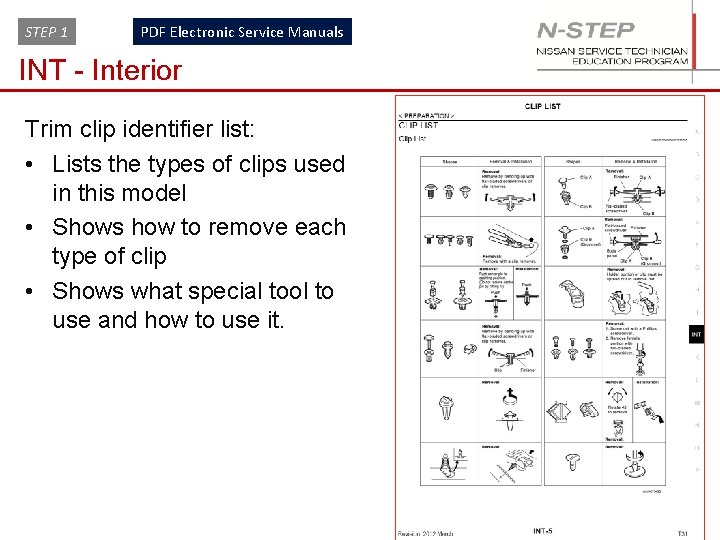
STEP 1 PDF Electronic Service Manuals INT - Interior Trim clip identifier list: • Lists the types of clips used in this model • Shows how to remove each type of clip • Shows what special tool to use and how to use it. 54
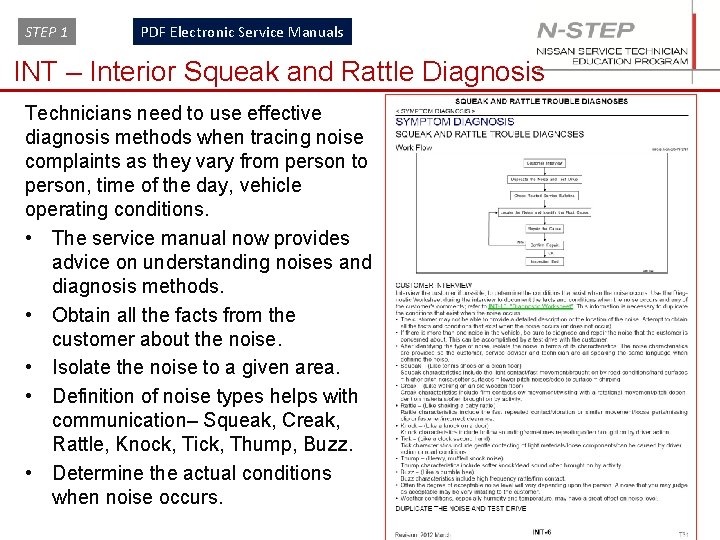
STEP 1 PDF Electronic Service Manuals INT – Interior Squeak and Rattle Diagnosis Technicians need to use effective diagnosis methods when tracing noise complaints as they vary from person to person, time of the day, vehicle operating conditions. • The service manual now provides advice on understanding noises and diagnosis methods. • Obtain all the facts from the customer about the noise. • Isolate the noise to a given area. • Definition of noise types helps with communication– Squeak, Creak, Rattle, Knock, Tick, Thump, Buzz. • Determine the actual conditions when noise occurs. 55
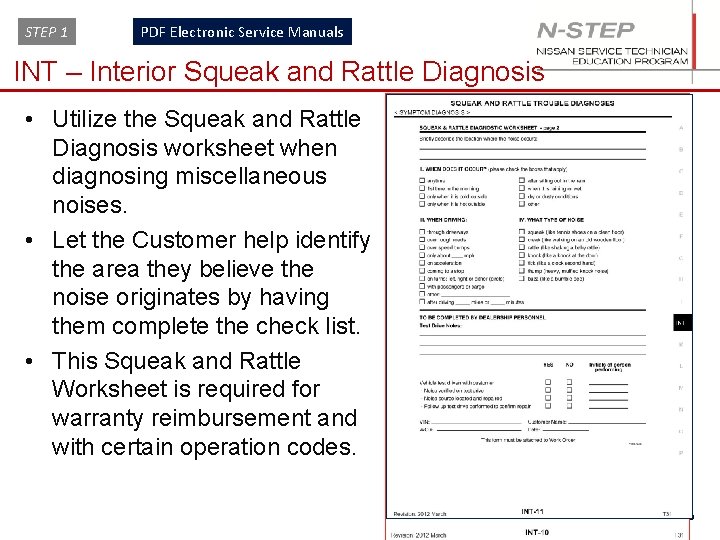
STEP 1 PDF Electronic Service Manuals INT – Interior Squeak and Rattle Diagnosis • Utilize the Squeak and Rattle Diagnosis worksheet when diagnosing miscellaneous noises. • Let the Customer help identify the area they believe the noise originates by having them complete the check list. • This Squeak and Rattle Worksheet is required for warranty reimbursement and with certain operation codes. 56
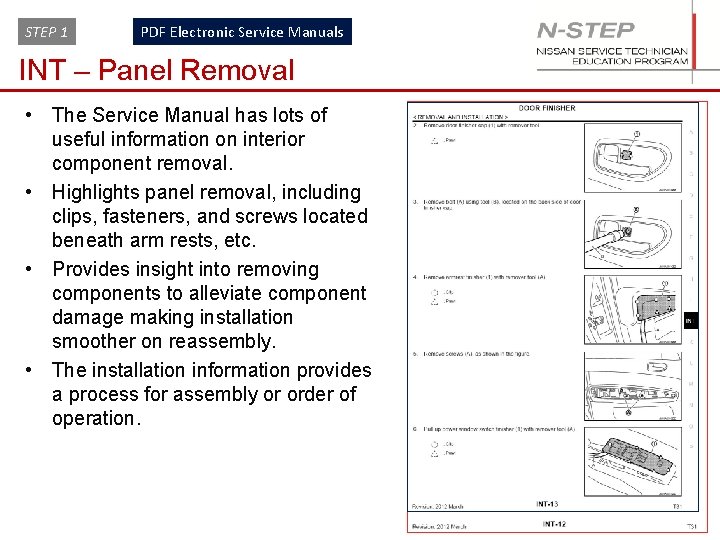
STEP 1 PDF Electronic Service Manuals INT – Panel Removal • The Service Manual has lots of useful information on interior component removal. • Highlights panel removal, including clips, fasteners, and screws located beneath arm rests, etc. • Provides insight into removing components to alleviate component damage making installation smoother on reassembly. • The installation information provides a process for assembly or order of operation. 57
STEP 1 PDF Electronic Service Manuals Question 1 page: Acrobat toolbar 1 2 3 4 5 6 7 8 9 10 What does button 1 do What does button 2 do What does button 3 do What does button 4 do What does button 5 do What does button 6 do What does button 7 do What does button 8 do What does button 9 do What does button 10 do 58