Intro to IDMS Margaret Sliming 10282020 M Sliming
- Slides: 57
Intro to IDMS Margaret Sliming 10/28/2020 M Sliming 1
Introduction This presentation will cover the basic concepts of IDMS database structure, data relationships and access methods. 10/28/2020 M Sliming 2
Agenda n n n n n Data Relationships Database Architecture Database Definition Currency COBOL Commands Error Handling Central Version Culprit SQL Additional Information / Sources 10/28/2020 M Sliming 3
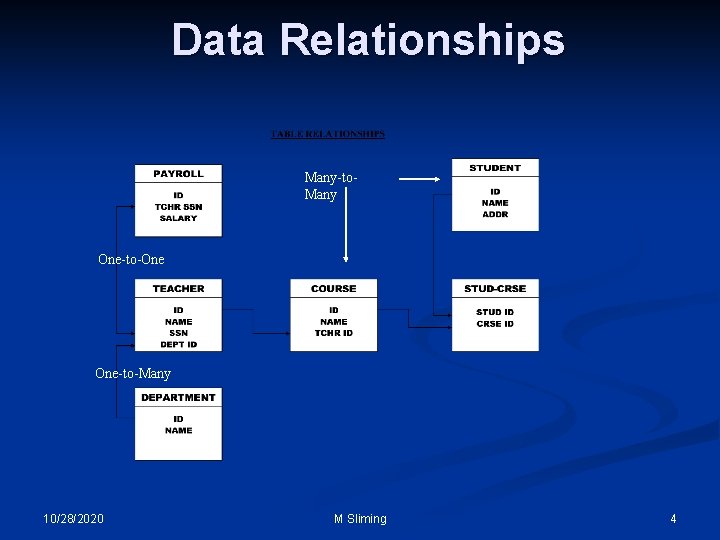
Data Relationships Many-to. Many One-to-One One-to-Many 10/28/2020 M Sliming 4
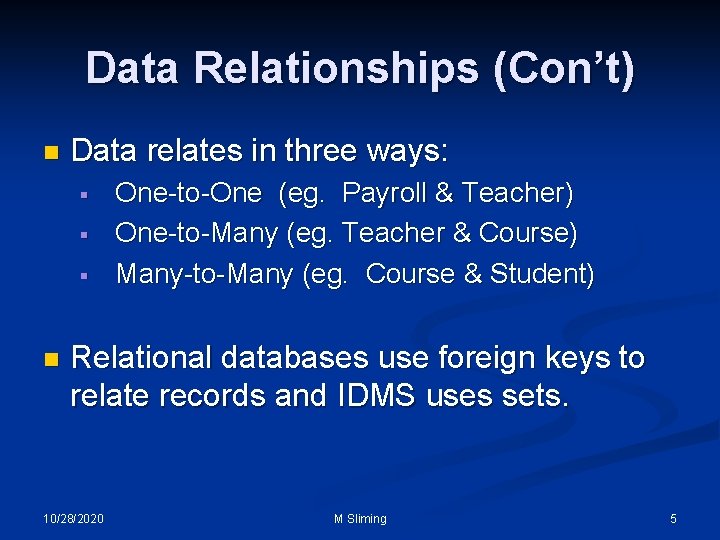
Data Relationships (Con’t) n Data relates in three ways: § § § n One-to-One (eg. Payroll & Teacher) One-to-Many (eg. Teacher & Course) Many-to-Many (eg. Course & Student) Relational databases use foreign keys to relate records and IDMS uses sets. 10/28/2020 M Sliming 5
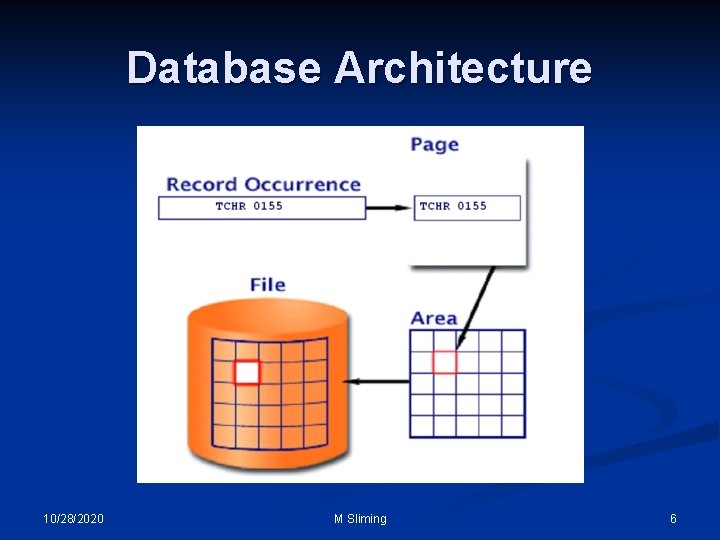
Database Architecture 10/28/2020 M Sliming 6
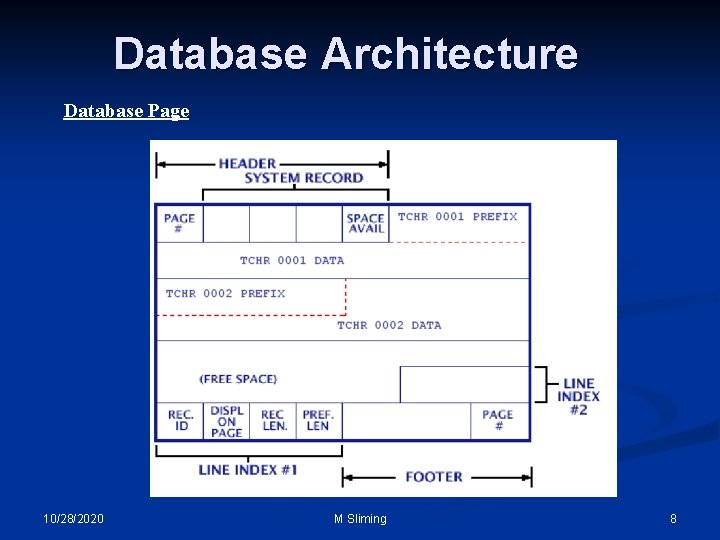
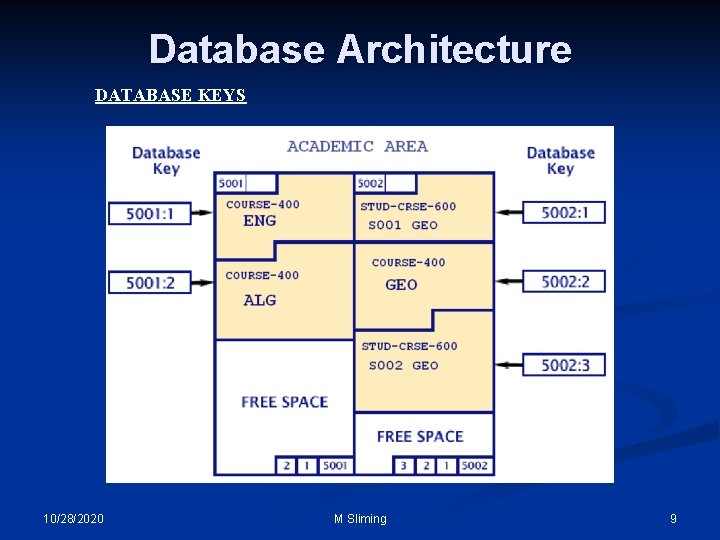
Database Architecture n The preceding page illustrates how records are stored in IDMS. n The database is comprised of areas which are mapped to disk files. Areas are broken up into pages which contain the database records. The records are uniquely identified by the page number, they reside on, and a sequence number, called a line number. This makes up what is known as the database key or DB-KEY. 10/28/2020 M Sliming 7
Database Architecture Database Page 10/28/2020 M Sliming 8
Database Architecture DATABASE KEYS 10/28/2020 M Sliming 9
Database Definition 10/28/2020 M Sliming 10
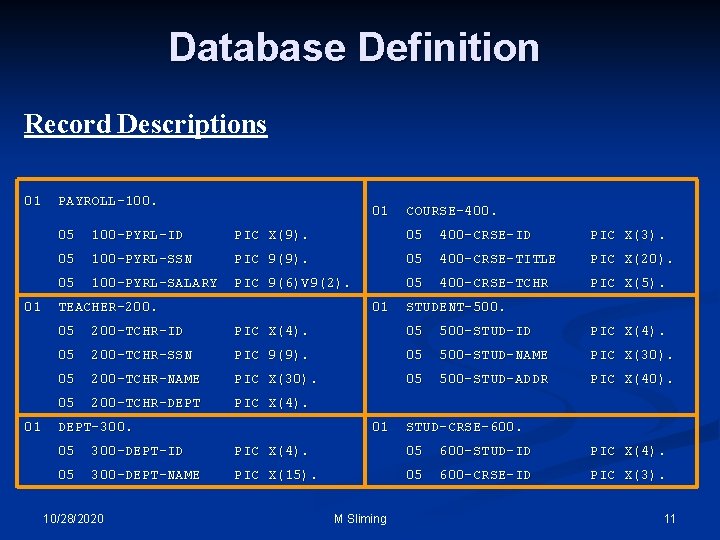
Database Definition Record Descriptions 01 PAYROLL-100. 01 COURSE-400. 05 100 -PYRL-ID PIC X(9). 05 400 -CRSE-ID PIC X(3). 05 100 -PYRL-SSN PIC 9(9). 05 400 -CRSE-TITLE PIC X(20). 05 100 -PYRL-SALARY PIC 9(6)V 9(2). 05 400 -CRSE-TCHR PIC X(5). 01 TEACHER-200. 01 STUDENT-500. 05 200 -TCHR-ID PIC X(4). 05 500 -STUD-ID PIC X(4). 05 200 -TCHR-SSN PIC 9(9). 05 500 -STUD-NAME PIC X(30). 05 200 -TCHR-NAME PIC X(30). 05 500 -STUD-ADDR PIC X(40). 05 200 -TCHR-DEPT PIC X(4). 01 DEPT-300. 01 STUD-CRSE-600. 05 300 -DEPT-ID PIC X(4). 05 600 -STUD-ID PIC X(4). 05 300 -DEPT-NAME PIC X(15). 05 600 -CRSE-ID PIC X(3). 10/28/2020 M Sliming 11
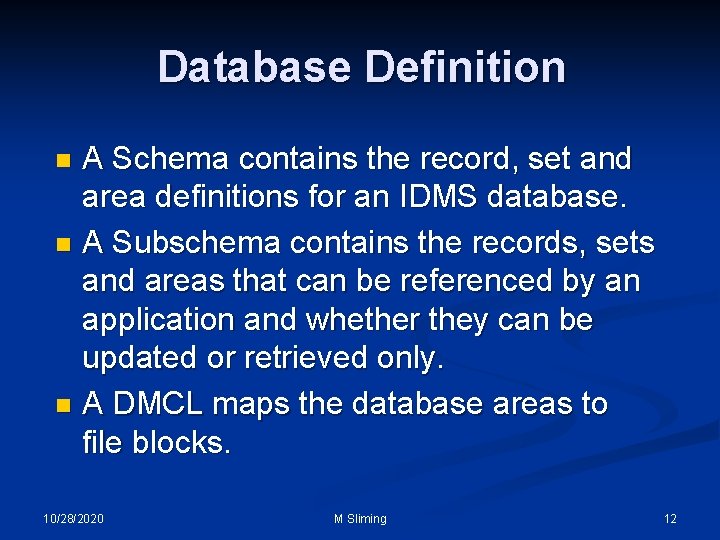
Database Definition A Schema contains the record, set and area definitions for an IDMS database. n A Subschema contains the records, sets and areas that can be referenced by an application and whether they can be updated or retrieved only. n A DMCL maps the database areas to file blocks. n 10/28/2020 M Sliming 12
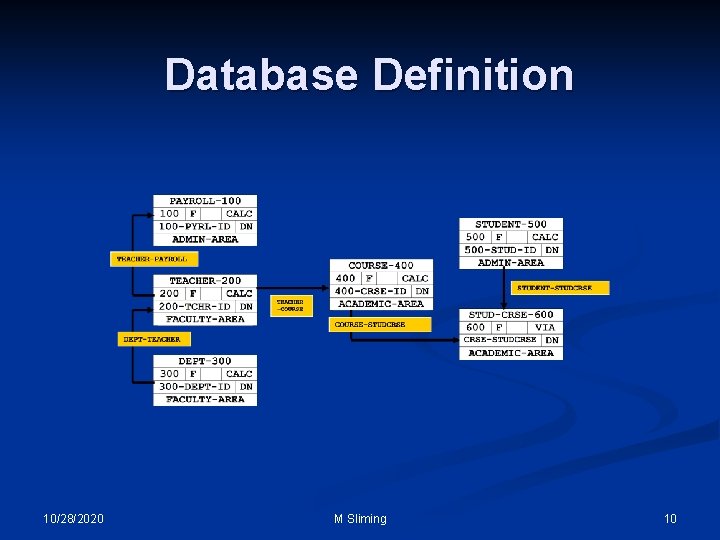
Database Definition To program IDMS applications, our most valuable tool is the schema definition and/or diagram, seen on slide 10, known as the “Bachman” diagram. n In order to retrieve and/or update information in the database, we have to know how to get to it. n The following pages will detail how we define data relationships in IDMS. n 10/28/2020 M Sliming 13
Database Definition n n Record Attributes Location Modes Set Attributes Indexed Sets Area Sweeps 10/28/2020 M Sliming 14
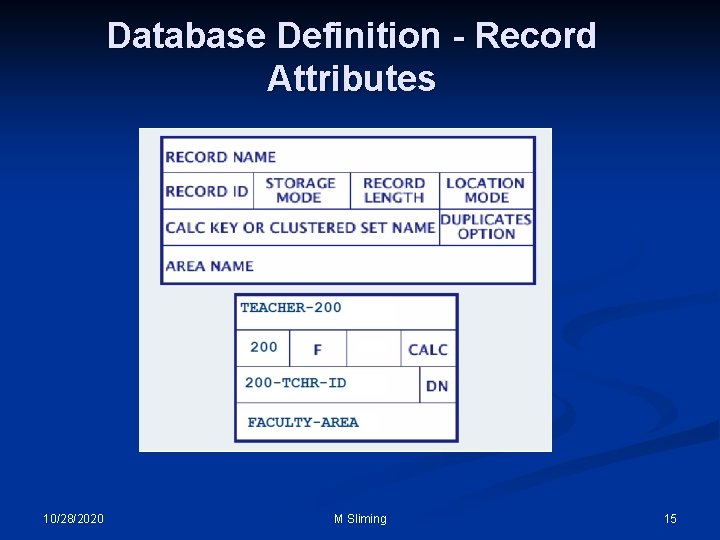
Database Definition - Record Attributes 10/28/2020 M Sliming 15
Database Definition - Record Attributes n Record ID: Unique numeric value within the schema assigned to the record. It’s helpful to include this number in the record name and to also prefix each record element with it. Storage Mode: This means storing the record as fixed or variable. Fixed is the most desirable so the record does not change size when it gets updated. Variable records can get fragmented and thus take more I/O to retrieve. M Sliming 10/28/2020 n 16
Database Definition - Record Attributes n Record Length: This value includes the total length of all data elements plus four bytes for each pointer database key associated with the record. Pointers will be discussed later with set options. n Location Mode, Set Name and Duplicates Indicator will we discussed in more detail later in this section. n Area Name: Name of the database area the record is stored in. 10/28/2020 M Sliming 17
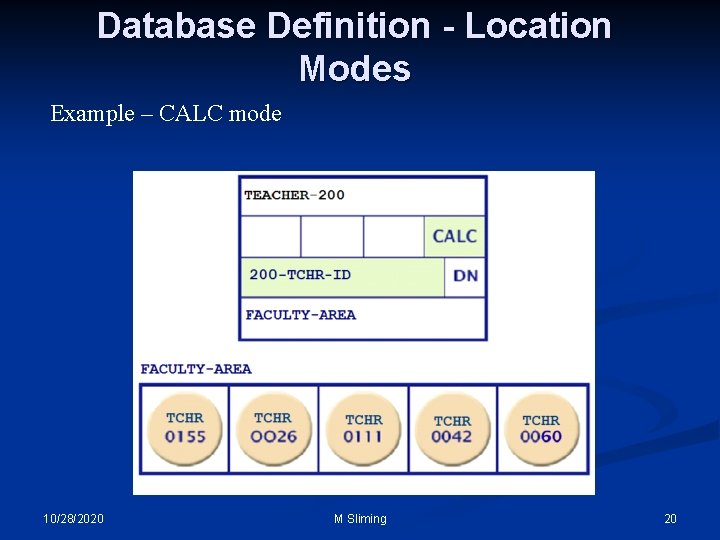
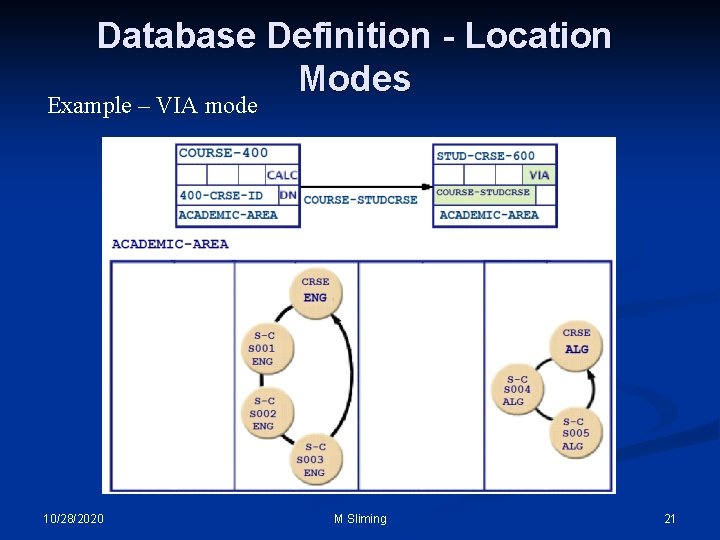
Database Definitiion - Location Modes n The manner in which a record occurrence is physically located in an area of the database. The three types are: CALC, VIA and DIRECT. n CALC: A method of determining the target page for storage of a record in the database. The target page is calculated by means of a randomizing routine executed against the value of the Calc key in the record. 10/28/2020 M Sliming 18
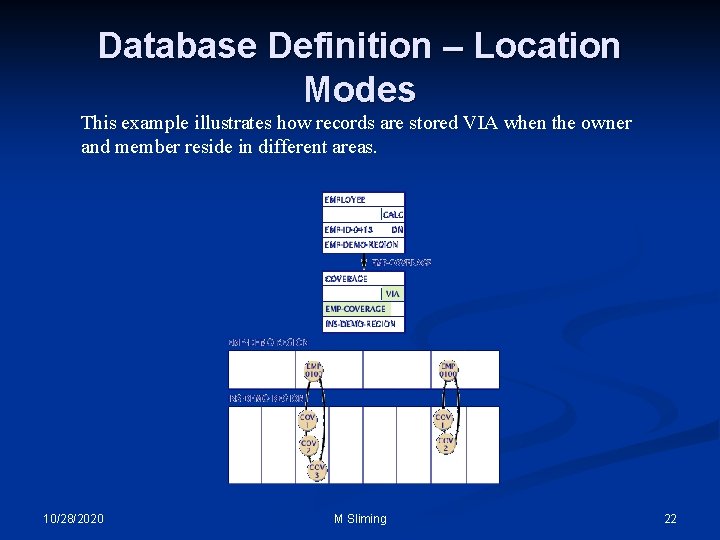
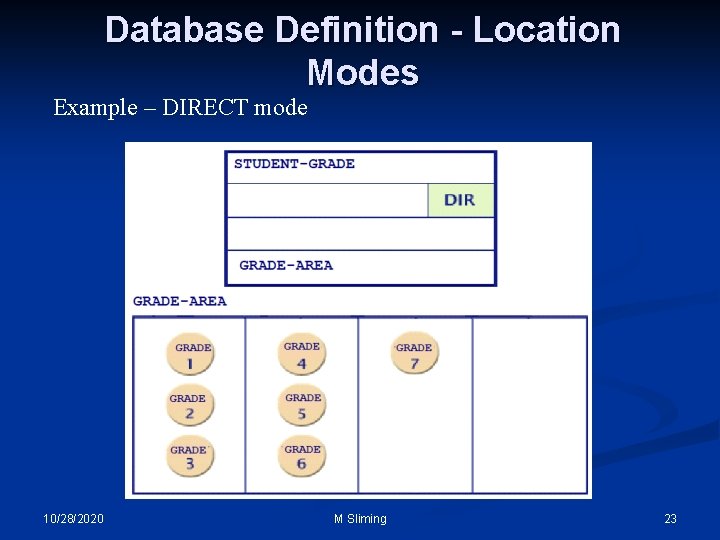
Database Definition - Location Modes n VIA: Clusters member records in the same physical location for efficient database access. Optionally, Via can cluster member records with their owners. n DIRECT: Populates an area in the order the records are loaded. This mode is best used for data which is static and will be retrieved in the order it physically resides in the database. 10/28/2020 M Sliming 19
Database Definition - Location Modes Example – CALC mode 10/28/2020 M Sliming 20
Database Definition - Location Modes Example – VIA mode 10/28/2020 M Sliming 21
Database Definition – Location Modes This example illustrates how records are stored VIA when the owner and member reside in different areas. 10/28/2020 M Sliming 22
Database Definition - Location Modes Example – DIRECT mode 10/28/2020 M Sliming 23
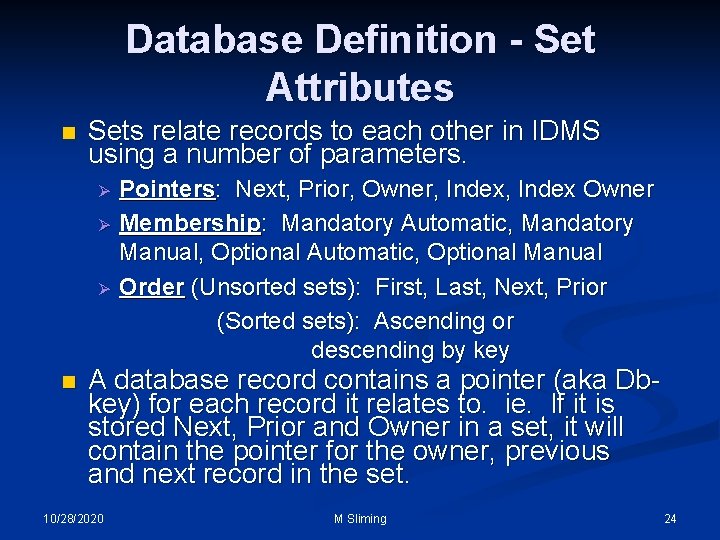
Database Definition - Set Attributes n Sets relate records to each other in IDMS using a number of parameters. Ø Ø Ø n Pointers: Next, Prior, Owner, Index Owner Membership: Mandatory Automatic, Mandatory Manual, Optional Automatic, Optional Manual Order (Unsorted sets): First, Last, Next, Prior (Sorted sets): Ascending or descending by key A database record contains a pointer (aka Dbkey) for each record it relates to. ie. If it is stored Next, Prior and Owner in a set, it will contain the pointer for the owner, previous and next record in the set. 10/28/2020 M Sliming 24
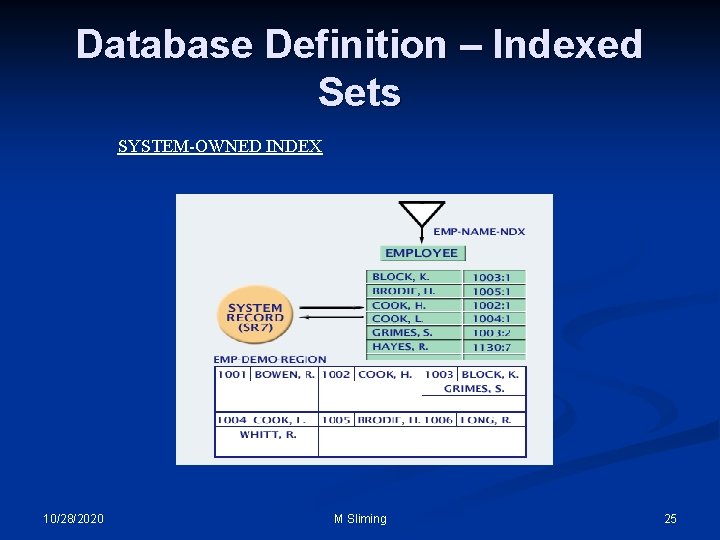
Database Definition – Indexed Sets SYSTEM-OWNED INDEX 10/28/2020 M Sliming 25
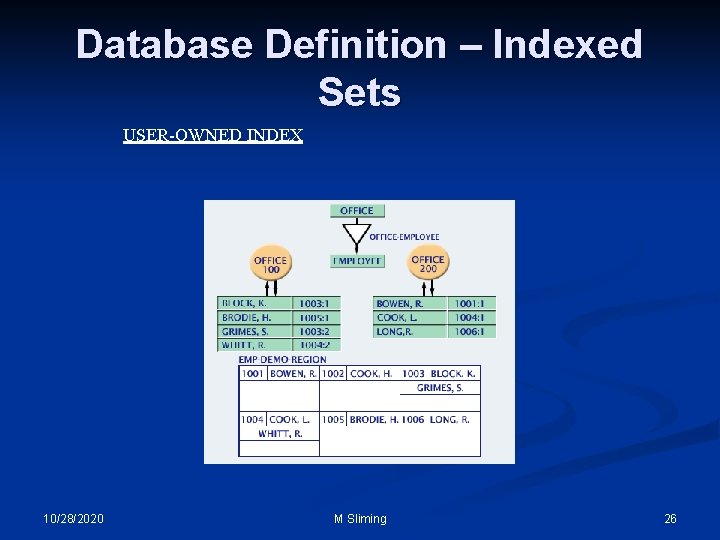
Database Definition – Indexed Sets USER-OWNED INDEX 10/28/2020 M Sliming 26
Database Definition – Area Sweeps This method of retrieval is used when records cannot be retrieved using key information. The entire area is read from beginning to end and the program selects the desired records. n This can be a good method when all occurrences of a record type are needed and there are not too many different record types in the area. n The programmer must pay close attention to currency when retrieving owner records with an area sweep and then getting their member records when both records reside in the same area. Looping can occur if the owner record is not made current of area before each obtain. 27 M Sliming 10/28/2020 n
Currency IDMS keeps track of record occurrences, being processed, by area, set, record type and run-unit (program). n The current record is usually the last record retrieved or updated. n Currency is extremely important to understand, especially when updating a database, for maintaining data integrity. n 10/28/2020 M Sliming 28
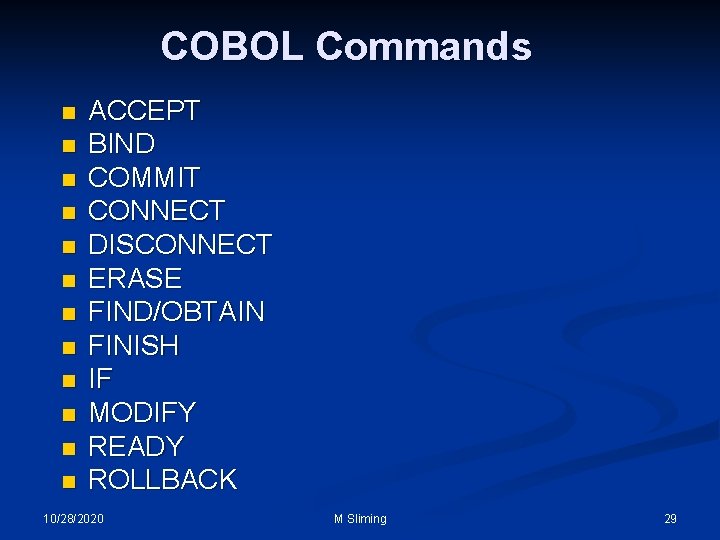
COBOL Commands n n n ACCEPT BIND COMMIT CONNECT DISCONNECT ERASE FIND/OBTAIN FINISH IF MODIFY READY ROLLBACK 10/28/2020 M Sliming 29
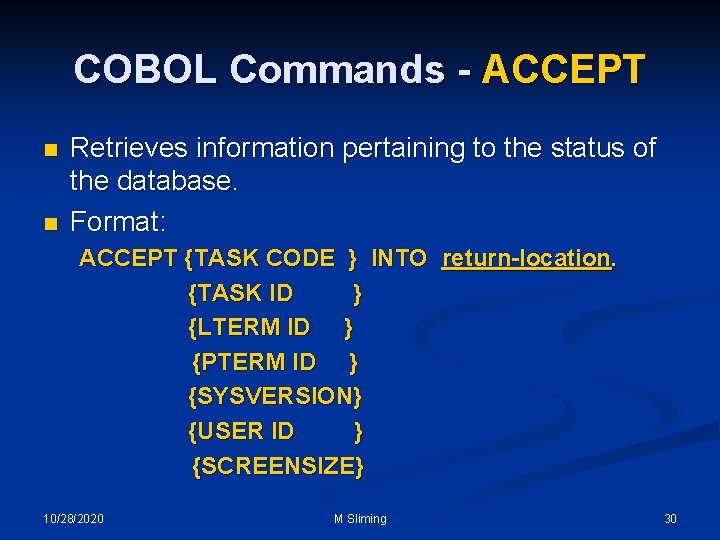
COBOL Commands - ACCEPT n n Retrieves information pertaining to the status of the database. Format: ACCEPT {TASK CODE } INTO return-location. {TASK ID } {LTERM ID } {PTERM ID } {SYSVERSION} {USER ID } {SCREENSIZE} 10/28/2020 M Sliming 30
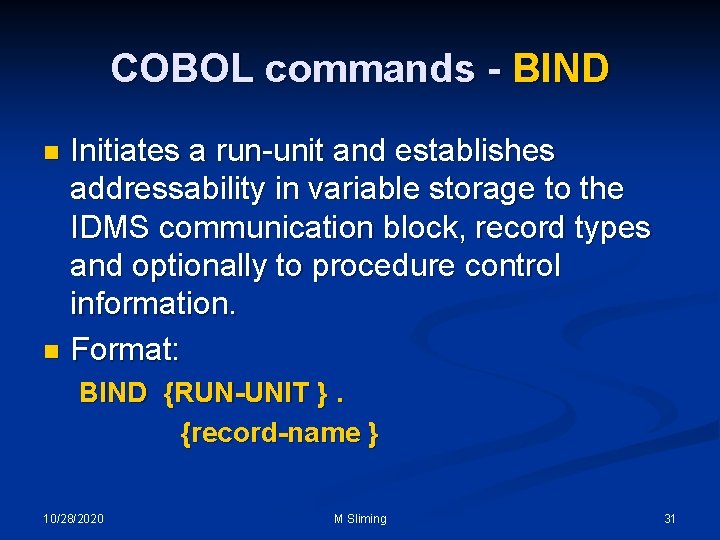
COBOL commands - BIND Initiates a run-unit and establishes addressability in variable storage to the IDMS communication block, record types and optionally to procedure control information. n Format: n BIND {RUN-UNIT }. {record-name } 10/28/2020 M Sliming 31
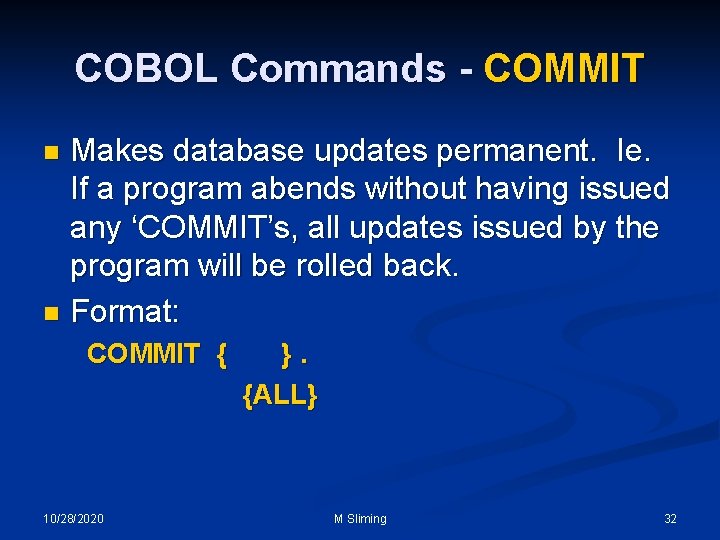
COBOL Commands - COMMIT Makes database updates permanent. Ie. If a program abends without having issued any ‘COMMIT’s, all updates issued by the program will be rolled back. n Format: n COMMIT { 10/28/2020 }. {ALL} M Sliming 32
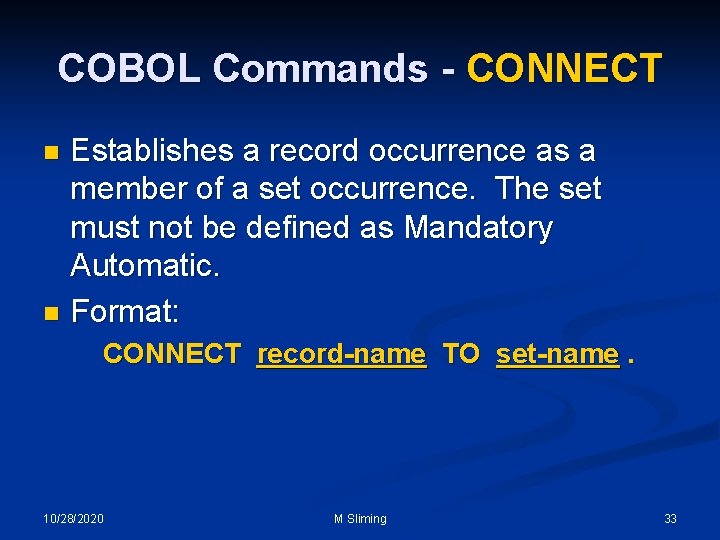
COBOL Commands - CONNECT Establishes a record occurrence as a member of a set occurrence. The set must not be defined as Mandatory Automatic. n Format: n CONNECT record-name TO set-name. 10/28/2020 M Sliming 33
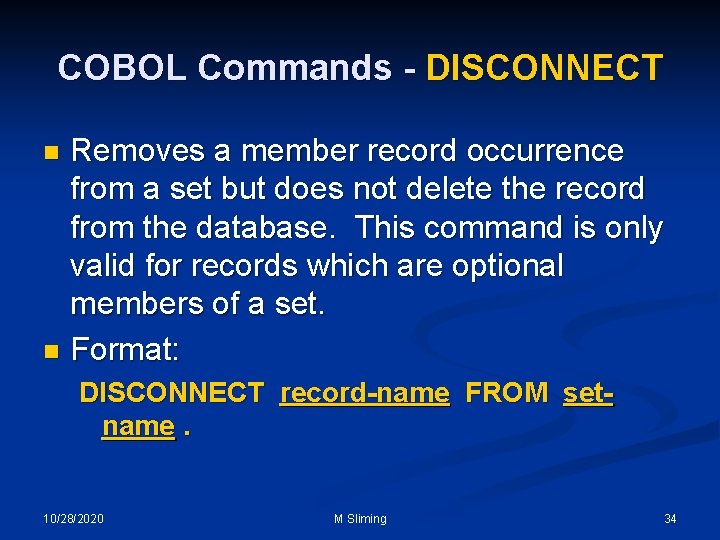
COBOL Commands - DISCONNECT Removes a member record occurrence from a set but does not delete the record from the database. This command is only valid for records which are optional members of a set. n Format: n DISCONNECT record-name FROM setname. 10/28/2020 M Sliming 34
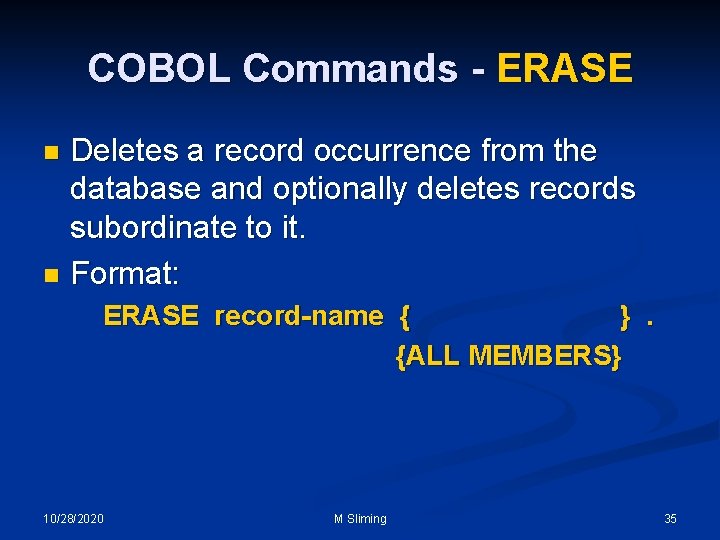
COBOL Commands - ERASE Deletes a record occurrence from the database and optionally deletes records subordinate to it. n Format: n ERASE record-name { }. {ALL MEMBERS} 10/28/2020 M Sliming 35
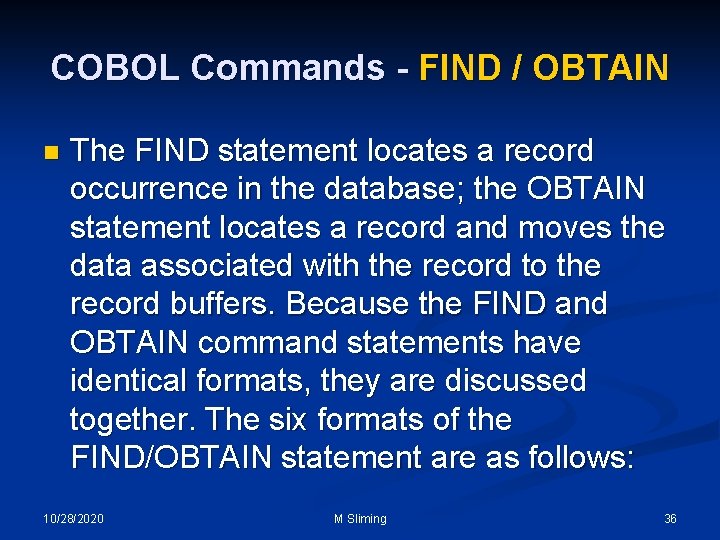
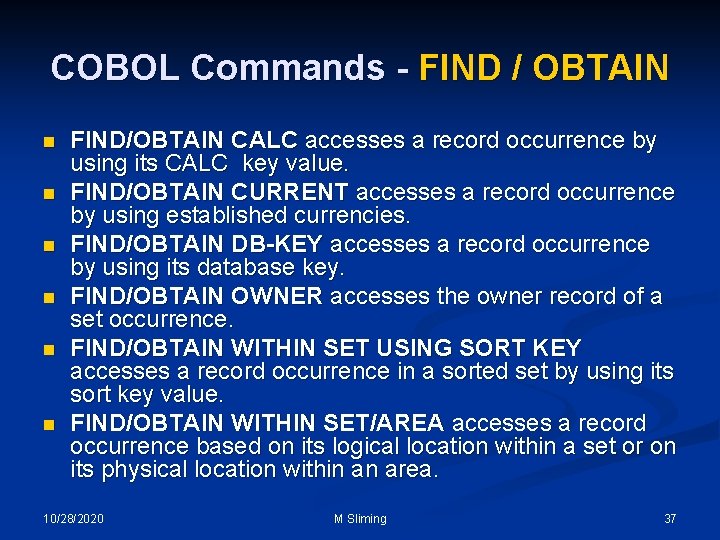
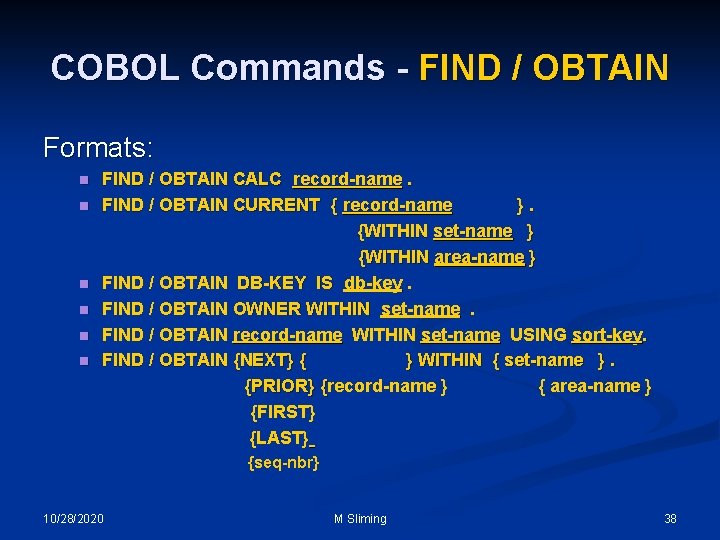
COBOL Commands - FIND / OBTAIN n The FIND statement locates a record occurrence in the database; the OBTAIN statement locates a record and moves the data associated with the record to the record buffers. Because the FIND and OBTAIN command statements have identical formats, they are discussed together. The six formats of the FIND/OBTAIN statement are as follows: 10/28/2020 M Sliming 36
COBOL Commands - FIND / OBTAIN n n n FIND/OBTAIN CALC accesses a record occurrence by using its CALC key value. FIND/OBTAIN CURRENT accesses a record occurrence by using established currencies. FIND/OBTAIN DB-KEY accesses a record occurrence by using its database key. FIND/OBTAIN OWNER accesses the owner record of a set occurrence. FIND/OBTAIN WITHIN SET USING SORT KEY accesses a record occurrence in a sorted set by using its sort key value. FIND/OBTAIN WITHIN SET/AREA accesses a record occurrence based on its logical location within a set or on its physical location within an area. 10/28/2020 M Sliming 37
COBOL Commands - FIND / OBTAIN Formats: n n n FIND / OBTAIN CALC record-name. FIND / OBTAIN CURRENT { record-name }. {WITHIN set-name } {WITHIN area-name } FIND / OBTAIN DB-KEY IS db-key. FIND / OBTAIN OWNER WITHIN set-name. FIND / OBTAIN record-name WITHIN set-name USING sort-key. FIND / OBTAIN {NEXT} { } WITHIN { set-name }. {PRIOR} {record-name } { area-name } { {FIRST} {LAST} {seq-nbr} 10/28/2020 M Sliming 38
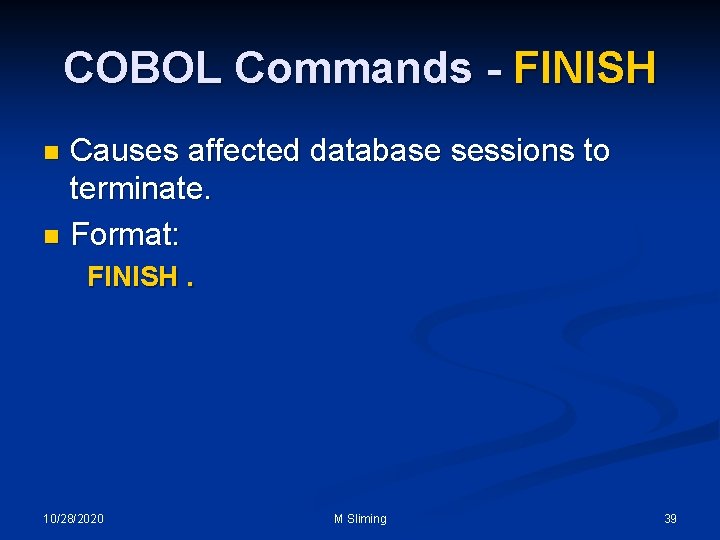
COBOL Commands - FINISH Causes affected database sessions to terminate. n Format: n FINISH. 10/28/2020 M Sliming 39
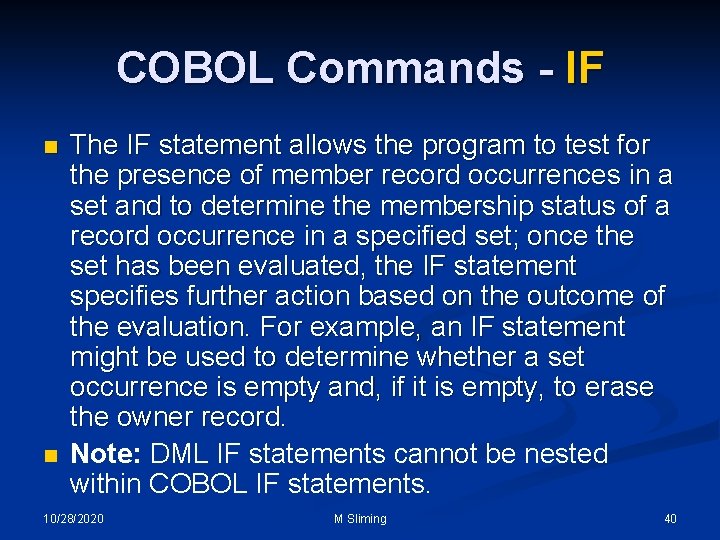
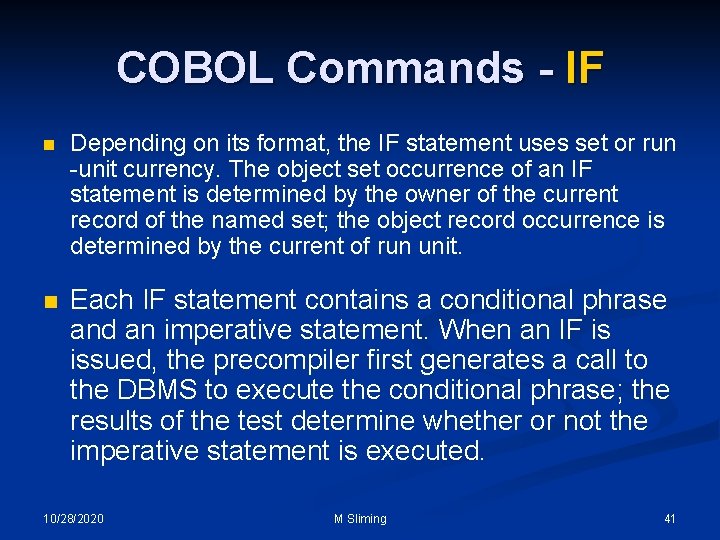
COBOL Commands - IF n n The IF statement allows the program to test for the presence of member record occurrences in a set and to determine the membership status of a record occurrence in a specified set; once the set has been evaluated, the IF statement specifies further action based on the outcome of the evaluation. For example, an IF statement might be used to determine whether a set occurrence is empty and, if it is empty, to erase the owner record. Note: DML IF statements cannot be nested within COBOL IF statements. 10/28/2020 M Sliming 40
COBOL Commands - IF n Depending on its format, the IF statement uses set or run -unit currency. The object set occurrence of an IF statement is determined by the owner of the current record of the named set; the object record occurrence is determined by the current of run unit. n Each IF statement contains a conditional phrase and an imperative statement. When an IF is issued, the precompiler first generates a call to the DBMS to execute the conditional phrase; the results of the test determine whether or not the imperative statement is executed. 10/28/2020 M Sliming 41
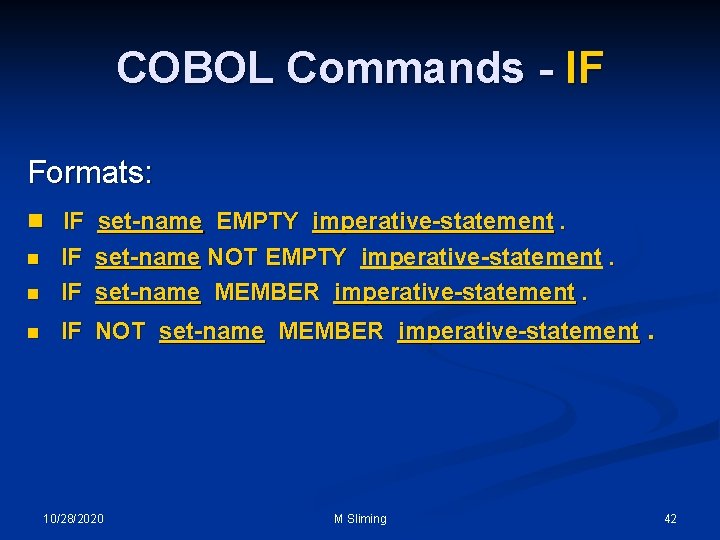
COBOL Commands - IF Formats: n IF set-name EMPTY imperative-statement. n IF set-name NOT EMPTY imperative-statement. IF set-name MEMBER imperative-statement. n IF NOT set-name MEMBER imperative-statement. n 10/28/2020 M Sliming 42
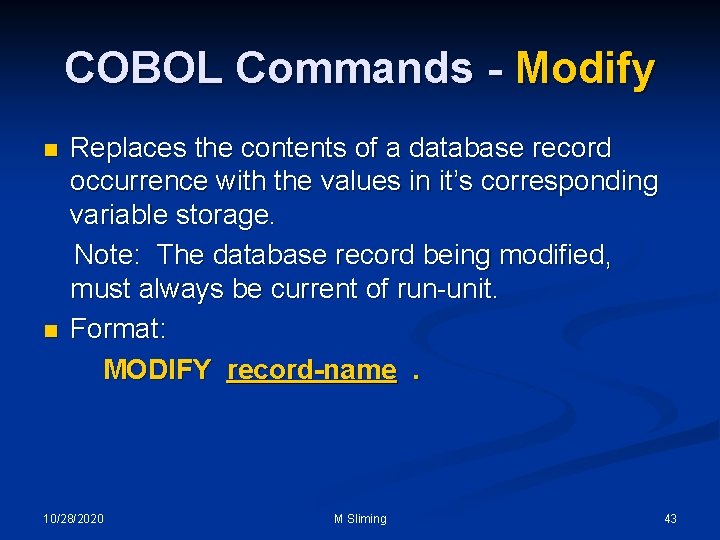
COBOL Commands - Modify n n Replaces the contents of a database record occurrence with the values in it’s corresponding variable storage. Note: The database record being modified, must always be current of run-unit. Format: MODIFY record-name. 10/28/2020 M Sliming 43
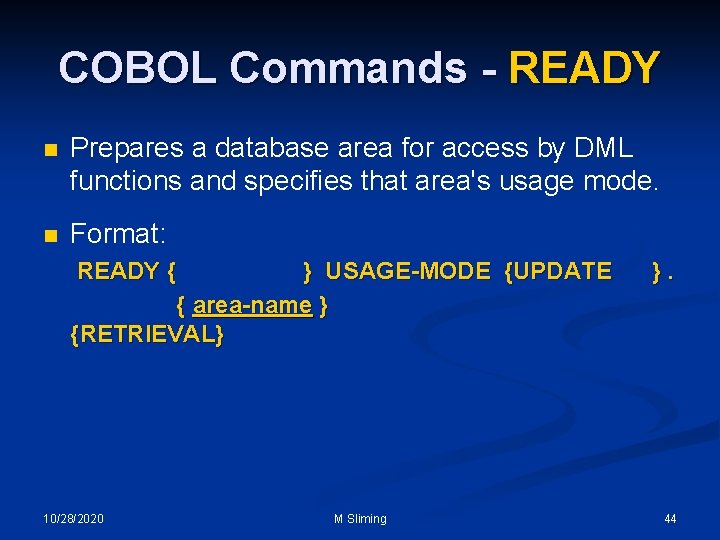
COBOL Commands - READY n Prepares a database area for access by DML functions and specifies that area's usage mode. n Format: READY { } USAGE-MODE {UPDATE { area-name } {RETRIEVAL} 10/28/2020 M Sliming }. 44
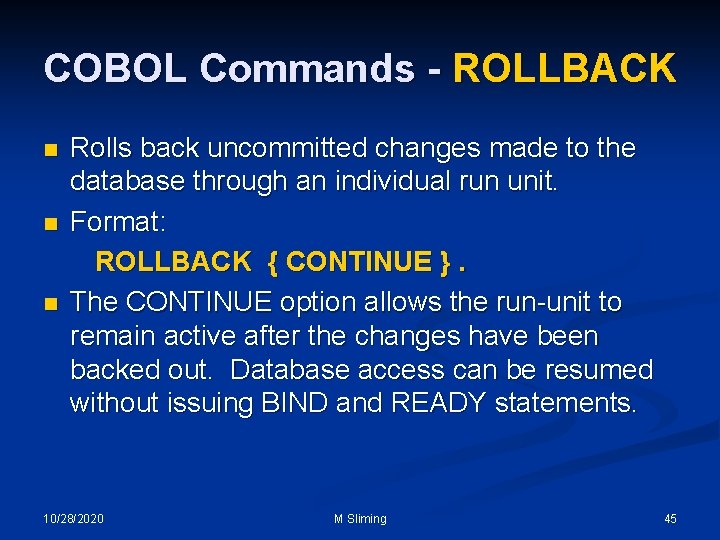
COBOL Commands - ROLLBACK n n n Rolls back uncommitted changes made to the database through an individual run unit. Format: ROLLBACK { CONTINUE }. The CONTINUE option allows the run-unit to remain active after the changes have been backed out. Database access can be resumed without issuing BIND and READY statements. 10/28/2020 M Sliming 45
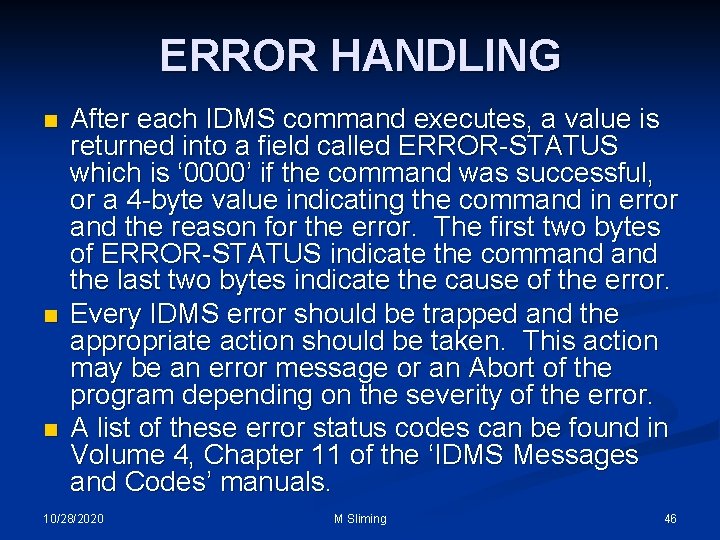
ERROR HANDLING n n n After each IDMS command executes, a value is returned into a field called ERROR-STATUS which is ‘ 0000’ if the command was successful, or a 4 -byte value indicating the command in error and the reason for the error. The first two bytes of ERROR-STATUS indicate the command the last two bytes indicate the cause of the error. Every IDMS error should be trapped and the appropriate action should be taken. This action may be an error message or an Abort of the program depending on the severity of the error. A list of these error status codes can be found in Volume 4, Chapter 11 of the ‘IDMS Messages and Codes’ manuals. 10/28/2020 M Sliming 46
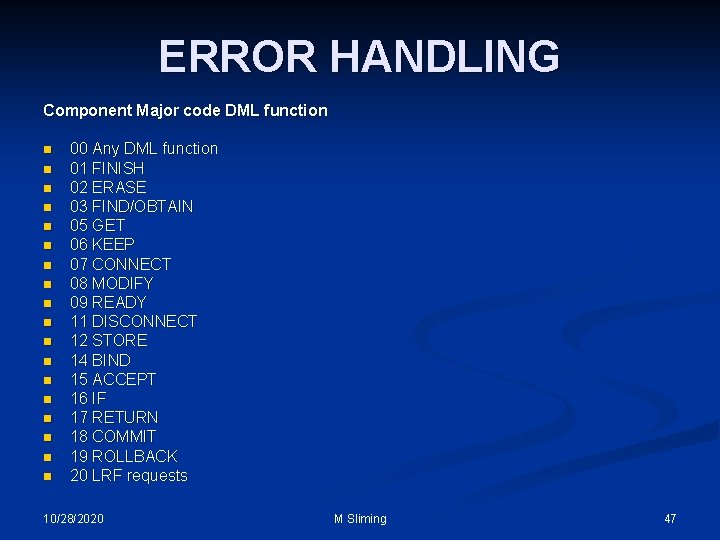
ERROR HANDLING Component Major code DML function n n n n 00 Any DML function 01 FINISH 02 ERASE 03 FIND/OBTAIN 05 GET 06 KEEP 07 CONNECT 08 MODIFY 09 READY 11 DISCONNECT 12 STORE 14 BIND 15 ACCEPT 16 IF 17 RETURN 18 COMMIT 19 ROLLBACK 20 LRF requests 10/28/2020 M Sliming 47
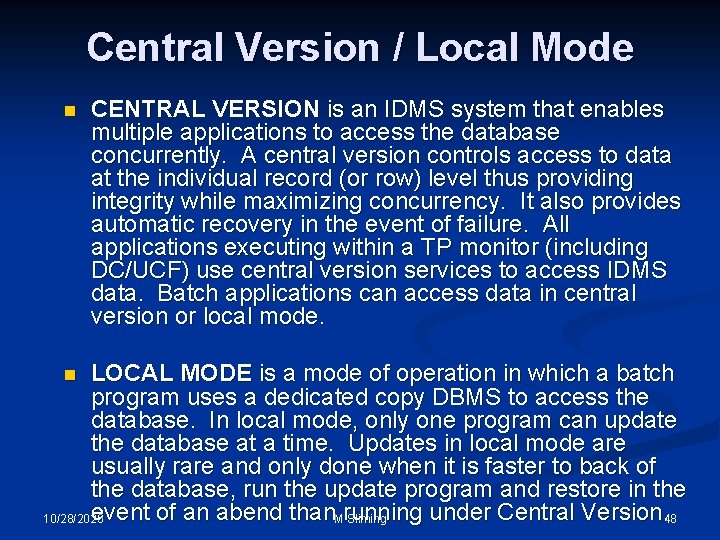
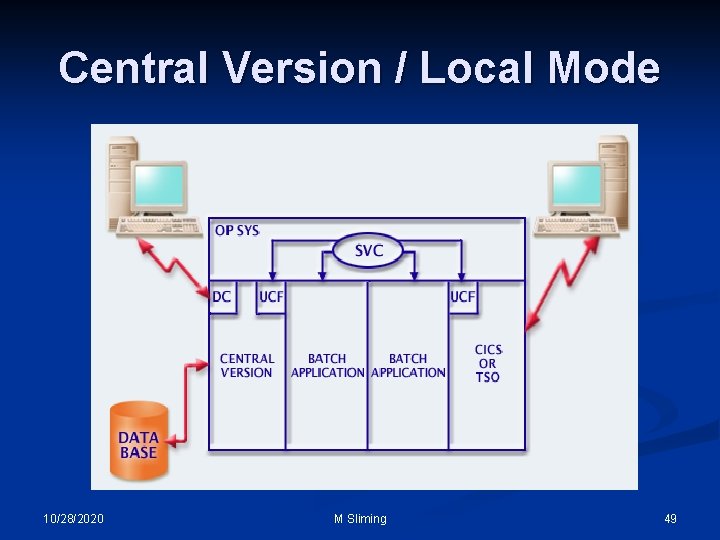
Central Version / Local Mode n CENTRAL VERSION is an IDMS system that enables multiple applications to access the database concurrently. A central version controls access to data at the individual record (or row) level thus providing integrity while maximizing concurrency. It also provides automatic recovery in the event of failure. All applications executing within a TP monitor (including DC/UCF) use central version services to access IDMS data. Batch applications can access data in central version or local mode. LOCAL MODE is a mode of operation in which a batch program uses a dedicated copy DBMS to access the database. In local mode, only one program can update the database at a time. Updates in local mode are usually rare and only done when it is faster to back of the database, run the update program and restore in the event of an abend than. Mrunning under Central Version. 48 Sliming 10/28/2020 n
Central Version / Local Mode 10/28/2020 M Sliming 49
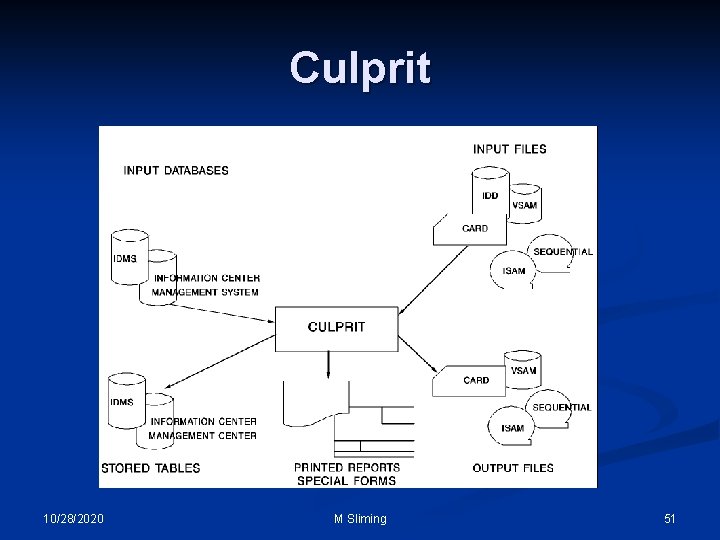
Culprit Advantage CA-Culprit is a batch utility that generates reports from conventional and database files. Data Input: As shown in the diagram on the following page, Advantage CA-Culprit can extract data from several database and conventional file structures. As many as 32 conventional files can be read and processed in one Advantage CA-Culprit run. Each run can generate up to 100 reports from the same input data. Reports can be formatted as printed output, stored tables, or written to cards, tape, or disk. The diagram shows The Advantage CA-Culprit Data Access and Transfer Network. Advantage CA-Culprit can extract data from and write reports to several database and file structures. Advantage CA-Culprit is fully integrated with other products, such as Advantage CA-IDMS/DB, the Integrated Data Dictionary (IDD), and CA-ICMS. 10/28/2020 M Sliming 50
Culprit 10/28/2020 M Sliming 51
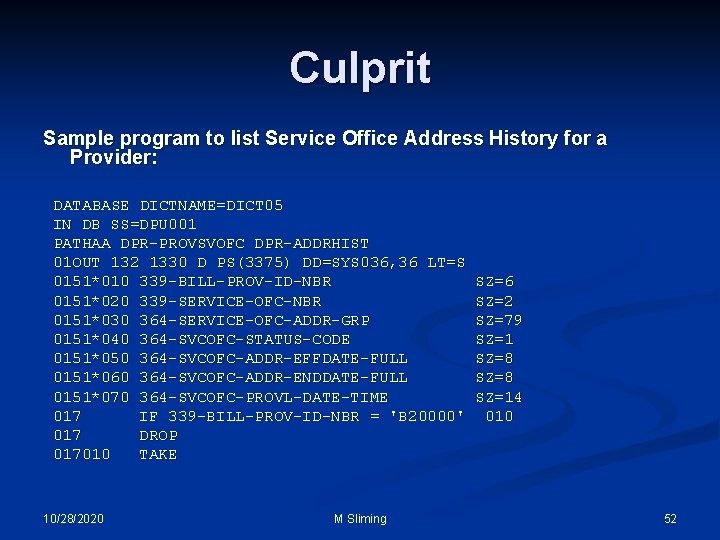
Culprit Sample program to list Service Office Address History for a Provider: DATABASE DICTNAME=DICT 05 IN DB SS=DPU 001 PATHAA DPR-PROVSVOFC DPR-ADDRHIST 01 OUT 132 1330 D PS(3375) DD=SYS 036, 36 LT=S 0151*010 339 -BILL-PROV-ID-NBR SZ=6 0151*020 339 -SERVICE-OFC-NBR SZ=2 0151*030 364 -SERVICE-OFC-ADDR-GRP SZ=79 0151*040 364 -SVCOFC-STATUS-CODE SZ=1 0151*050 364 -SVCOFC-ADDR-EFFDATE-FULL SZ=8 0151*060 364 -SVCOFC-ADDR-ENDDATE-FULL SZ=8 0151*070 364 -SVCOFC-PROVL-DATE-TIME SZ=14 017 IF 339 -BILL-PROV-ID-NBR = 'B 20000' 010 017 DROP 017010 TAKE 10/28/2020 M Sliming 52
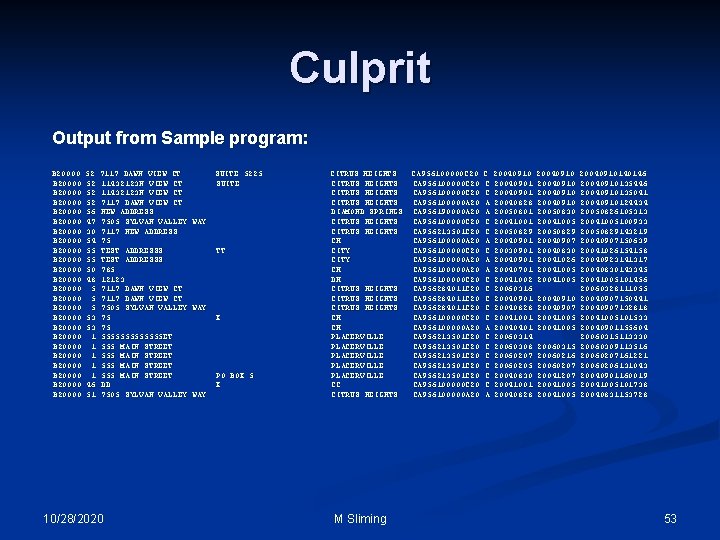
Culprit Output from Sample program: B 20000 52 7117 DAWN VIEW CT SUITE 5225 CITRUS HEIGHTS CA 956100000 C 20040910 20040910140146 B 20000 52 11432123 N VIEW CT SUITE CITRUS HEIGHTS CA 956100000 C 20040901 20040910135446 B 20000 52 11432123 N VIEW CT CITRUS HEIGHTS CA 956100000 C 20040901 20040910135041 B 20000 52 7117 DAWN VIEW CT CITRUS HEIGHTS CA 956100000 A 20040828 20040910124434 B 20000 56 NEW ADDRESS DIAMOND SPRINGS CA 956190000 A 20050801 20050830 20050826105313 B 20000 47 7505 SYLVAN VALLEY WAY CITRUS HEIGHTS CA 956100000 C 20041001 20041005100933 B 20000 30 7117 NEW ADDRESS CITRUS HEIGHTS CA 956213501 C 20050829 20050829143219 B 20000 54 75 CH CA 956100000 A 20040901 20040907150639 B 20000 55 TEST ADDRESSS TT CITY CA 956100000 C 20030901 20040830 20041026154158 B 20000 55 TEST ADDRESSS CITY CA 956100000 A 20040901 20041026 20040923141317 B 20000 50 785 CH CA 956100000 A 20040701 20041005 20040830143345 B 20000 48 12123 DH CA 956100000 C 20041002 20041005101456 B 20000 5 7117 DAWN VIEW CT CITRUS HEIGHTS CA 956284011 C 20060316 20060328111055 B 20000 5 7117 DAWN VIEW CT CITRUS HEIGHTS CA 956284011 C 20040901 20040910 20040907150441 B 20000 5 7505 SYLVAN VALLEY WAY CITRUS HEIGHTS CA 956284011 C 20040828 20040907132818 B 20000 53 75 X CH CA 956100000 C 20041001 20041005101533 B 20000 53 75 CH CA 956100000 A 20040401 20041005 20040901155604 B 20000 1 5555555 ET PLACERVILLE CA 956213501 C 20060314 20060315113330 B 20000 1 555 MAIN STREET PLACERVILLE CA 956213501 C 20060308 20060315 20060309113516 B 20000 1 555 MAIN STREET PLACERVILLE CA 956213501 C 20060207 20060216 20060207161221 B 20000 1 555 MAIN STREET PLACERVILLE CA 956213501 C 20060205 20060207 20060206131043 B 20000 1 555 MAIN STREET PO BOX 5 PLACERVILLE CA 956213501 C 20040830 20041207 20040901160019 B 20000 46 DD X CC CA 956100000 C 20041001 20041005101738 B 20000 51 7505 SYLVAN VALLEY WAY CITRUS HEIGHTS CA 956100000 A 20040828 20041005 20040831153728 10/28/2020 M Sliming 53
Culprit ADDITIONAL INFORMATION G: SYSGRPIDMS R 16 ManualsIDMS Manuals – PDFB 01287 -1 E TSO DATASETS: n DLST. CULP. SOURCE n DLST. CULP. JCL n DLST. CULP. PROC 10/28/2020 M Sliming 54
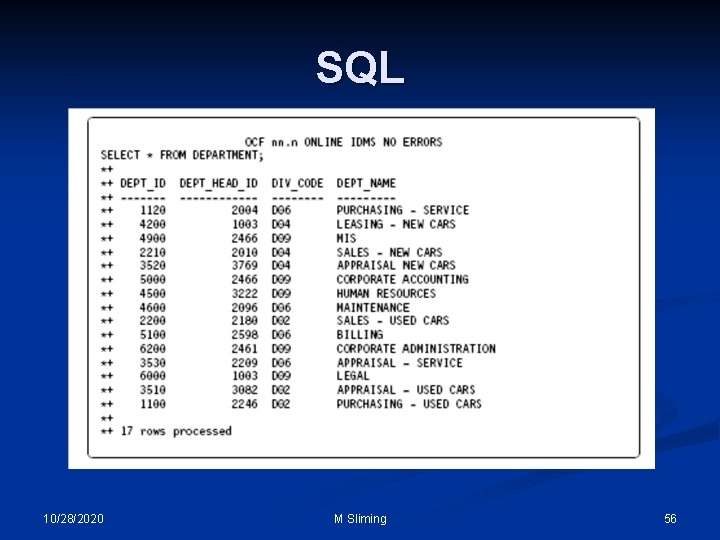
SQL n n With the SQL feature, non-SQL defined IDMS databases can be accessed using SQL DML (IDMS version of SQL). This is done by either using the Online Command Facility (OCF) or the batch program IDMSBCF. An SQL schema is created which maps to that of the non-SQL IDMS database. Records defined in the non-SQL schema can then be accessed as tables in SQL. The following page show an example of executing a SELECT statement using OCF. 10/28/2020 M Sliming 55
SQL 10/28/2020 M Sliming 56
Additional Information / Sources n List of manuals and file names located on G: drive at: G: SYSGRPIDMS R 16 Manuals Glossary: B 012511 E n DML Reference – COBOL: B 012471 E n Messages and Codes – Volume 4: B 01259 -2 E n SQL Option Self-Training Guide B 012741 E n G: SYSGRP2006 IUA Workshop 10/28/2020 n M Sliming 57