CHEF inter alia MITC March 1 2003 Joseph
- Slides: 79
CHEF, inter alia MITC March 1, 2003 Joseph Hardin University of Michigan
Bit of Background • Course. Tools – a first-generation course management system • Work. Tools – part of a series of efforts in building systems for support of scientific research teams These two paths have a lot in common, as instances of collaboration support systems, and have led to: • CHEF – A framework for building the next generation of both systems
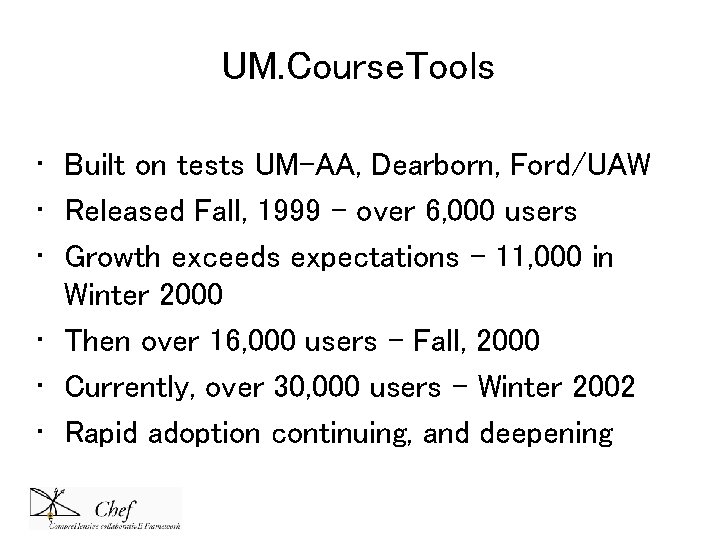
UM. Course. Tools • Built on tests UM-AA, Dearborn, Ford/UAW • Released Fall, 1999 - over 6, 000 users • Growth exceeds expectations – 11, 000 in Winter 2000 • Then over 16, 000 users – Fall, 2000 • Currently, over 30, 000 users – Winter 2002 • Rapid adoption continuing, and deepening
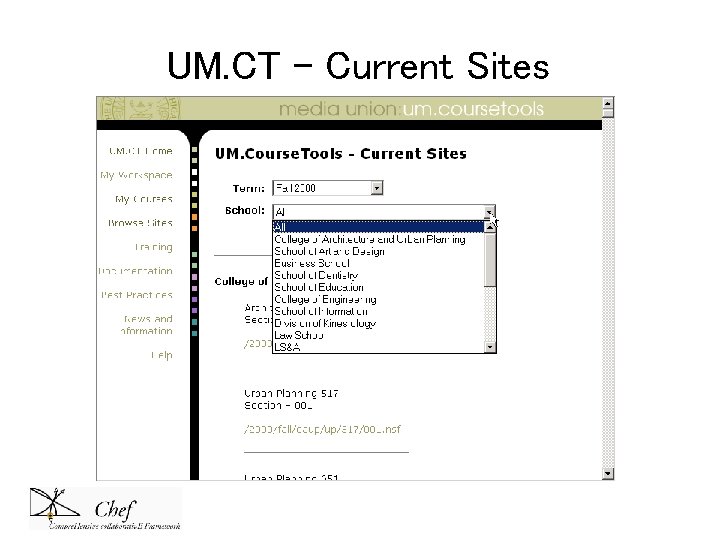
UM. CT – Current Sites
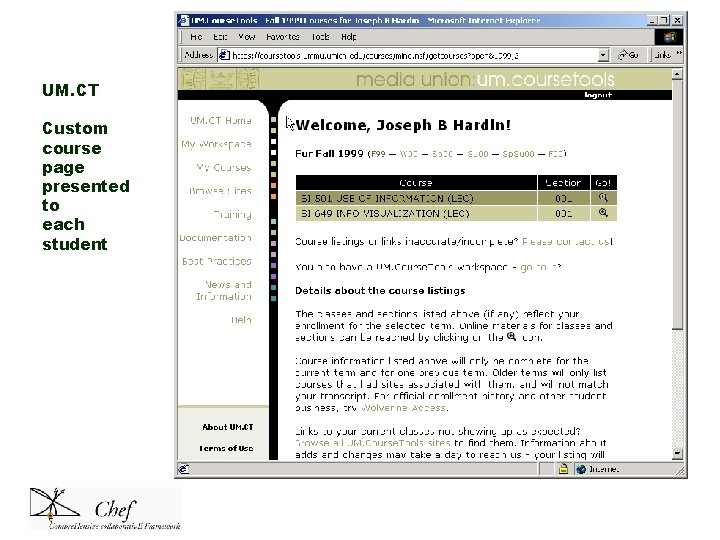
UM. CT Custom course page presented to each student
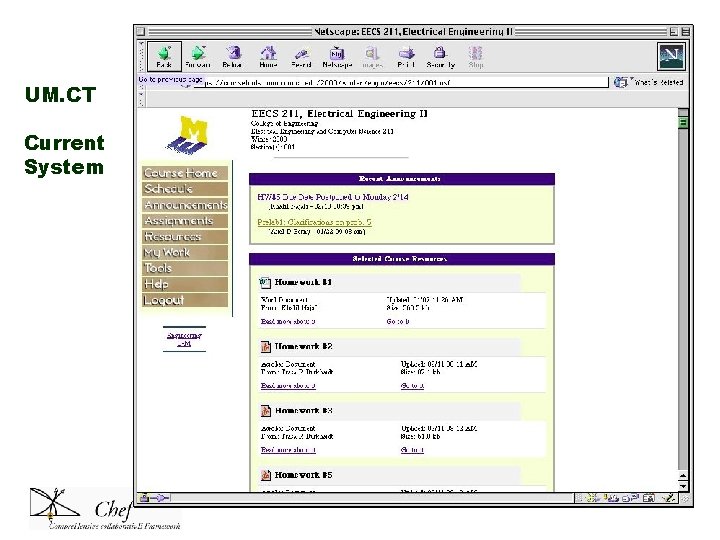
UM. CT Current System
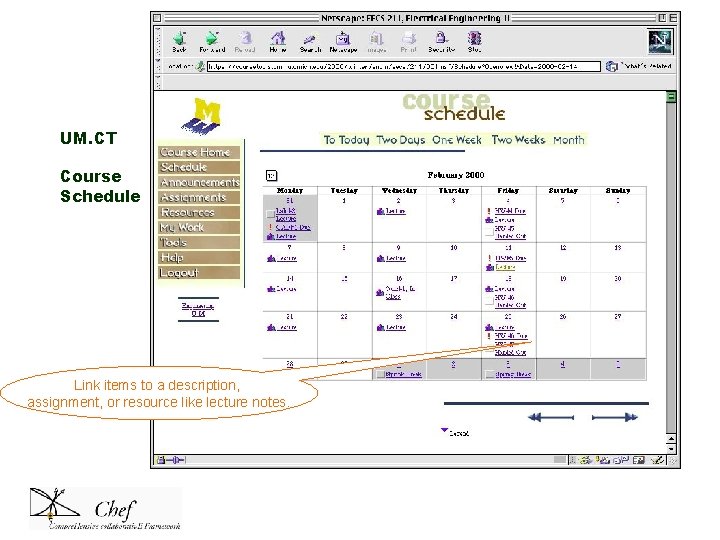
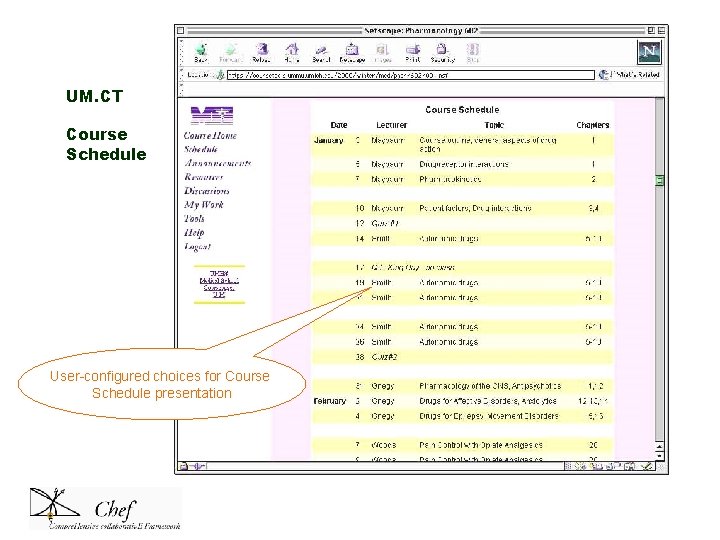
UM. CT Course Schedule Link items to a description, assignment, or resource like lecture notes.
UM. CT Course Schedule User-configured choices for Course Schedule presentation
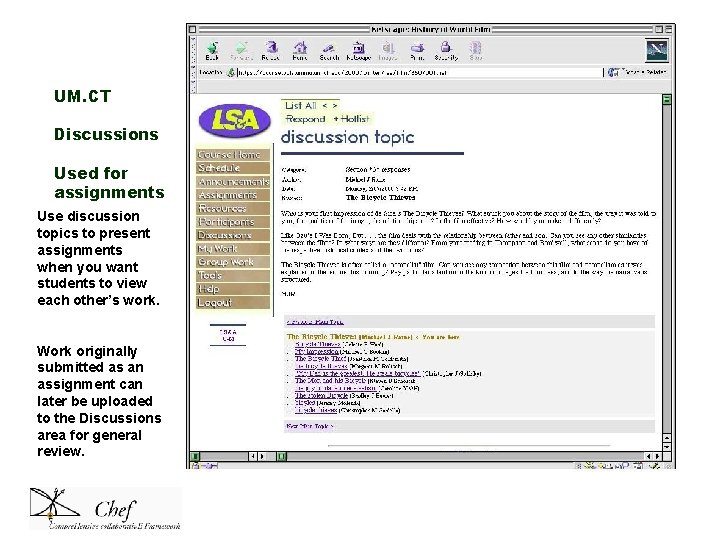
UM. CT Discussions Used for assignments Use discussion topics to present assignments when you want students to view each other’s work. Work originally submitted as an assignment can later be uploaded to the Discussions area for general review.
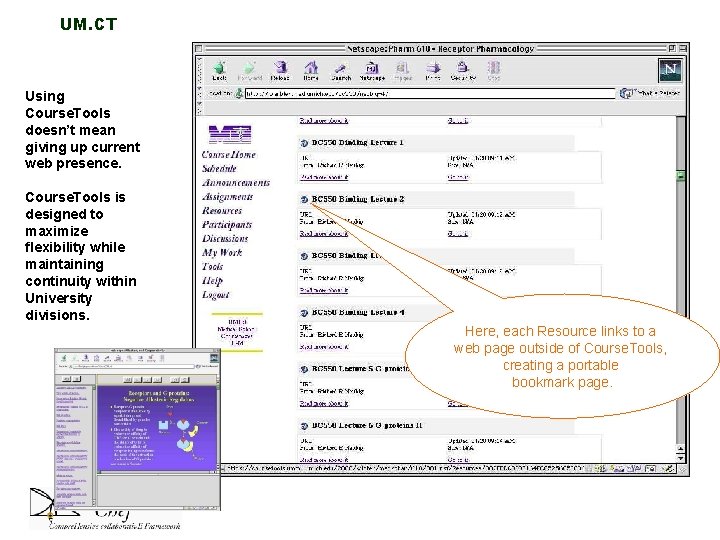
UM. CT Using Course. Tools doesn’t mean giving up current web presence. Course. Tools is designed to maximize flexibility while maintaining continuity within University divisions. Here, each Resource links to a web page outside of Course. Tools, creating a portable bookmark page.
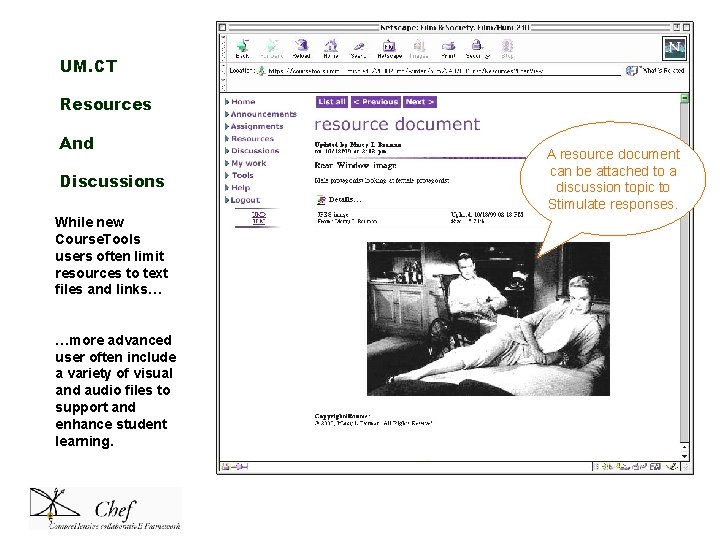
UM. CT Resources And Discussions While new Course. Tools users often limit resources to text files and links… …more advanced user often include a variety of visual and audio files to support and enhance student learning. A resource document can be attached to a discussion topic to Stimulate responses.
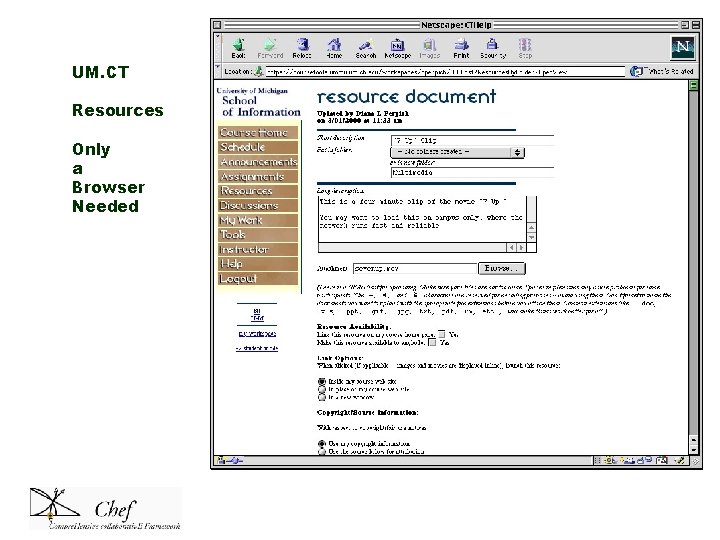
UM. CT Resources Only a Browser Needed
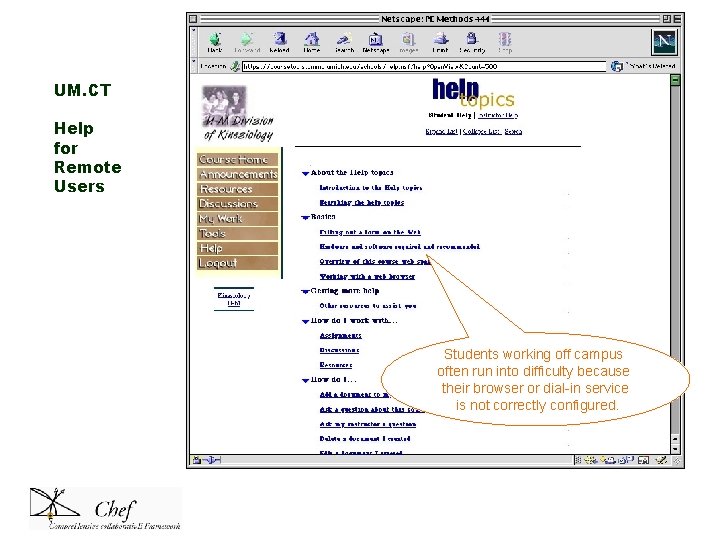
UM. CT Help for Remote Users Students working off campus often run into difficulty because their browser or dial-in service is not correctly configured.
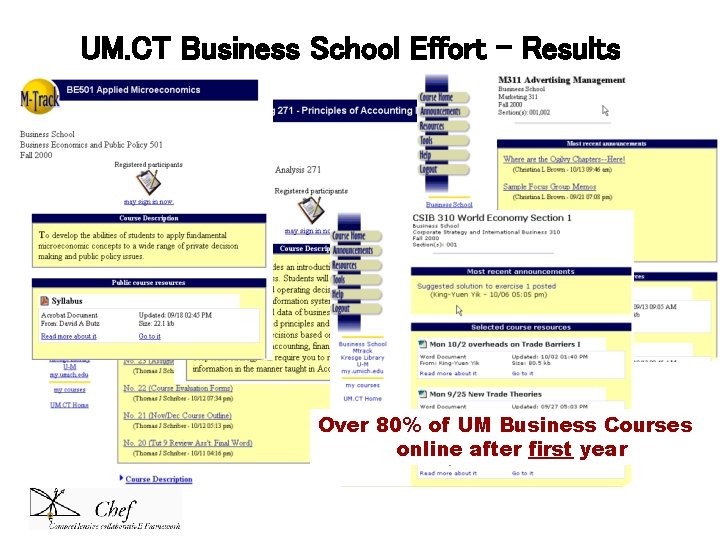
UM. CT Business School Effort - Results Over 80% of UM Business Courses online after first year
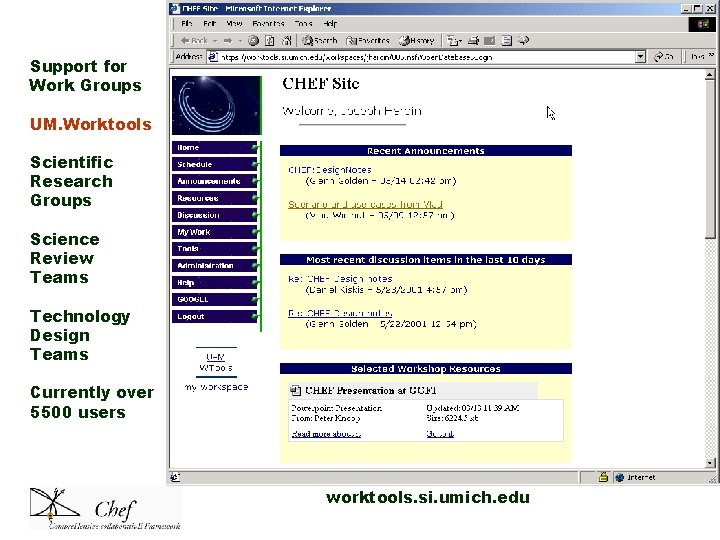
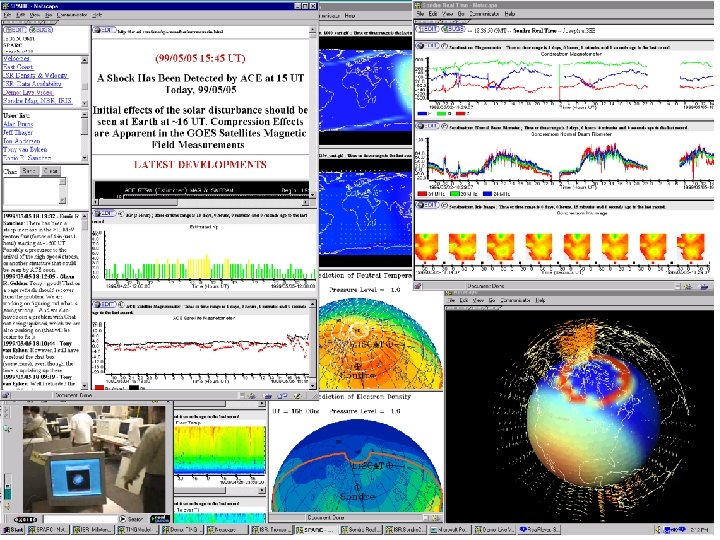
Support for Work Groups UM. Worktools Scientific Research Groups Science Review Teams Technology Design Teams Currently over 5500 users worktools. si. umich. edu
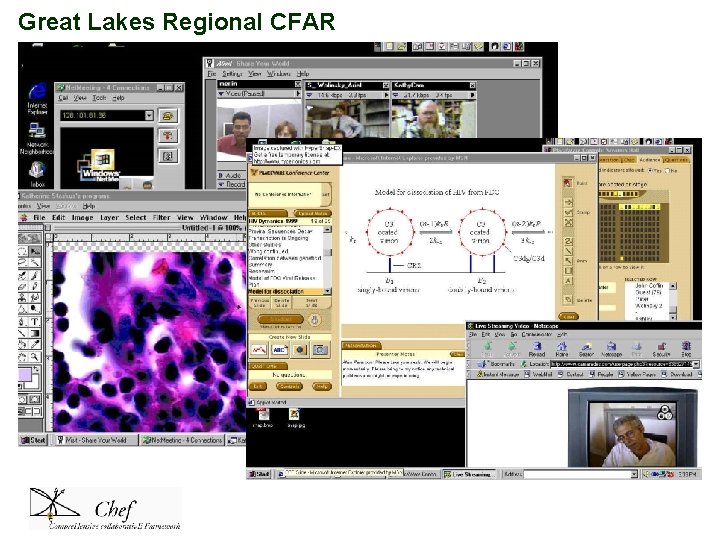
Great Lakes Regional CFAR
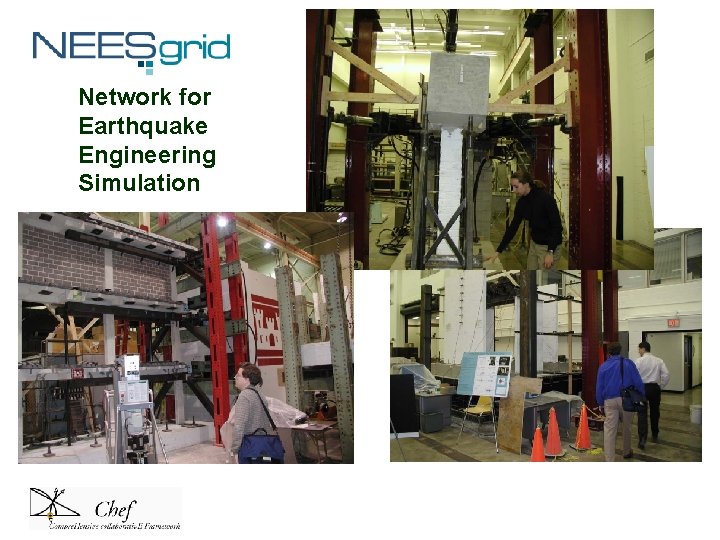
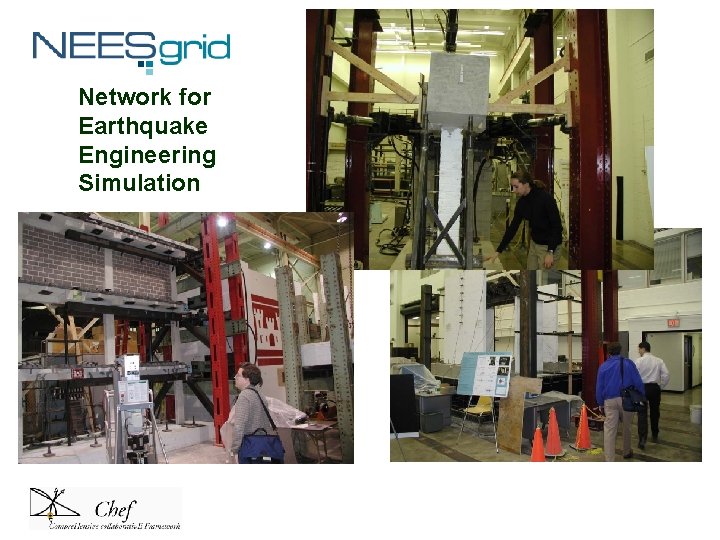
Network for Earthquake Engineering Simulation
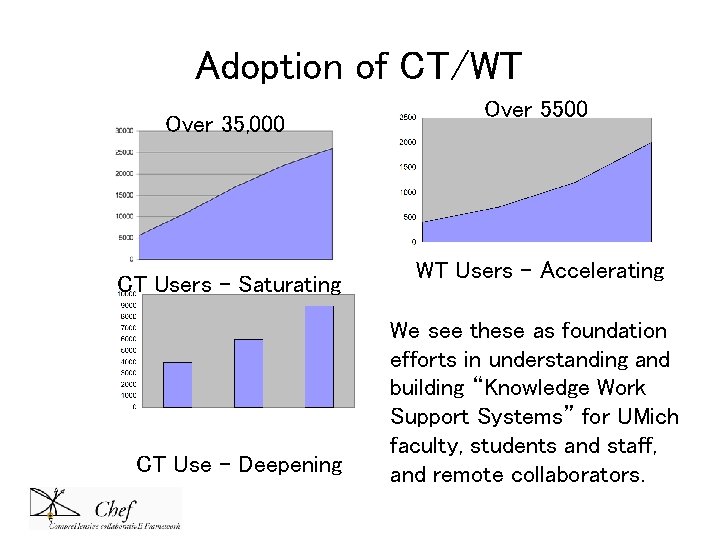
Adoption of CT/WT Over 35, 000 CT Users - Saturating CT Use - Deepening Over 5500 WT Users – Accelerating We see these as foundation efforts in understanding and building “Knowledge Work Support Systems” for UMich faculty, students and staff, and remote collaborators.
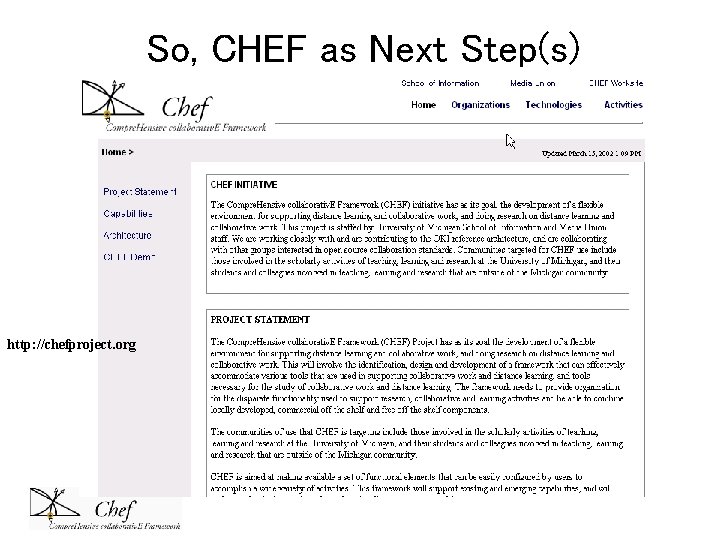
So, CHEF as Next Step(s) http: //chefproject. org
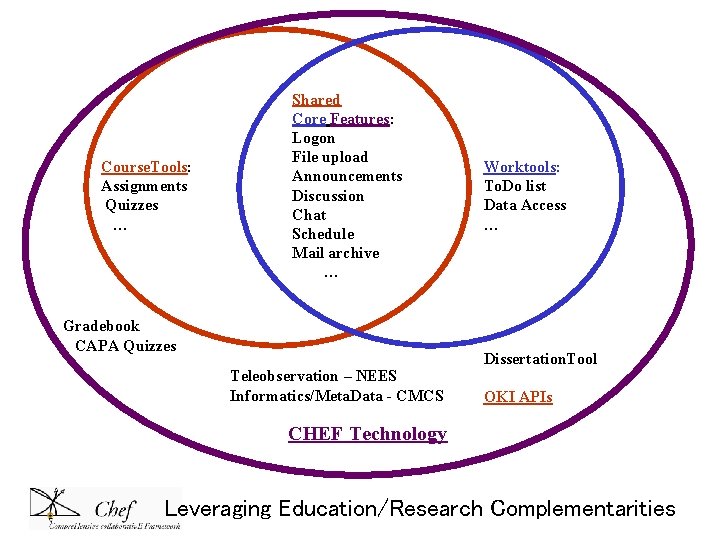
Course. Tools: Assignments Quizzes … Shared Core Features: Logon File upload Announcements Discussion Chat Schedule Mail archive … Gradebook CAPA Quizzes Teleobservation – NEES Informatics/Meta. Data - CMCS Worktools: To. Do list Data Access … Dissertation. Tool OKI APIs CHEF Technology Leveraging Education/Research Complementarities
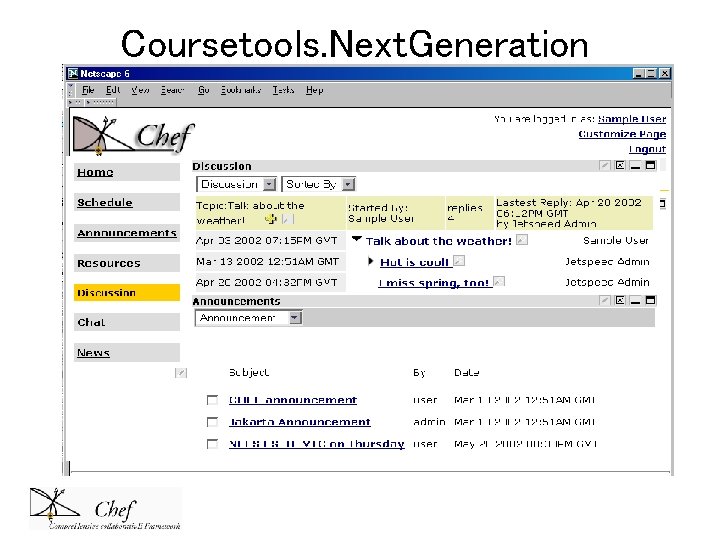
Coursetools. Next. Generation
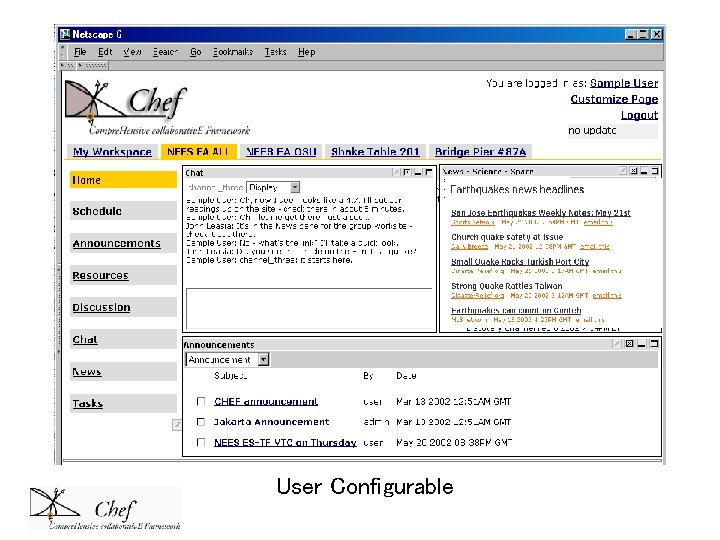
User Configurable
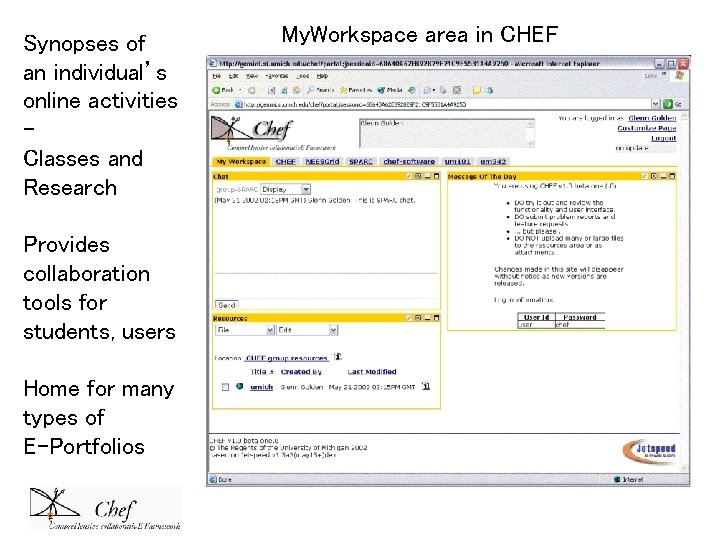
Synopses of an individual’s online activities Classes and Research Provides collaboration tools for students, users Home for many types of E-Portfolios My. Workspace area in CHEF
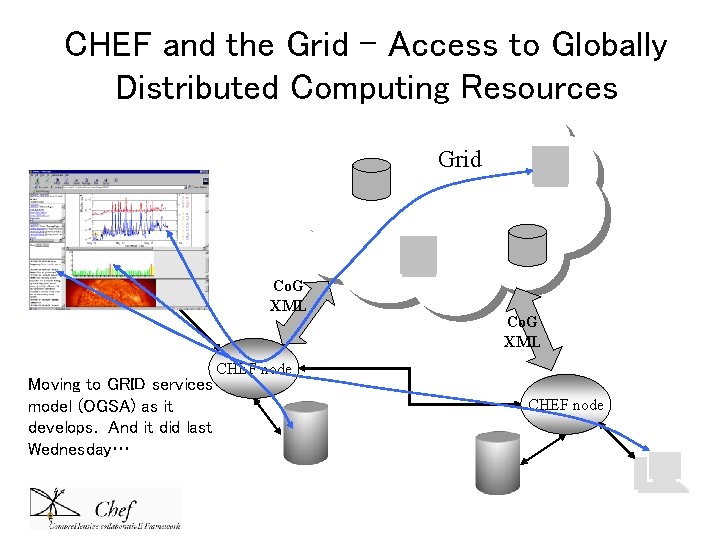
CHEF and the Grid – Access to Globally Distributed Computing Resources Grid Co. G XML Moving to GRID services model (OGSA) as it develops. And it did last Wednesday… Co. G XML CHEF node
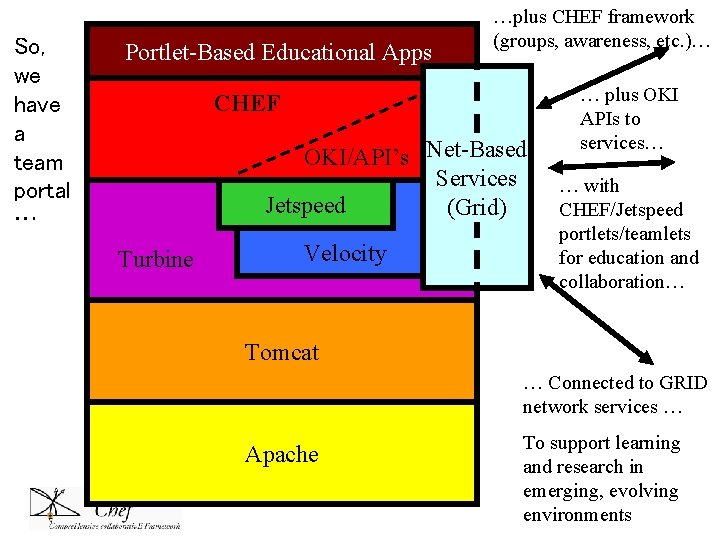
So, we have a team portal … Portlet-Based Educational Apps …plus CHEF framework (groups, awareness, etc. )… CHEF OKI/API’s Net-Based Services Jetspeed (Grid) Turbine Velocity … plus OKI APIs to services… … with CHEF/Jetspeed portlets/teamlets for education and collaboration… Tomcat … Connected to GRID network services … Apache To support learning and research in emerging, evolving environments
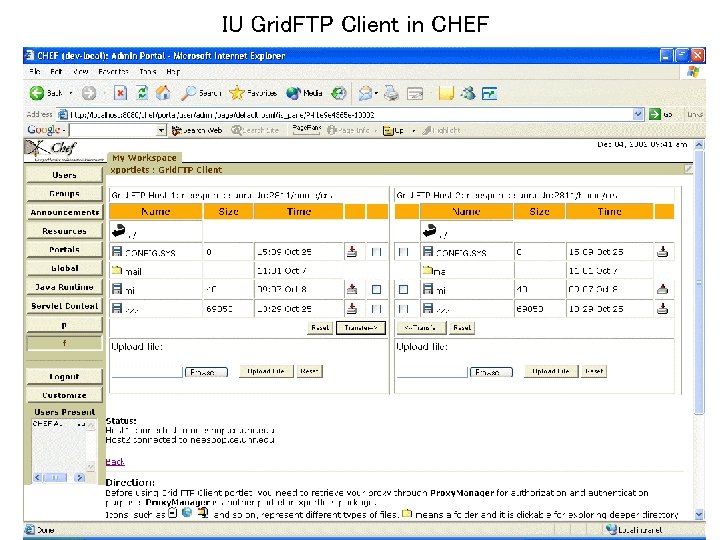
IU Grid. FTP Client in CHEF
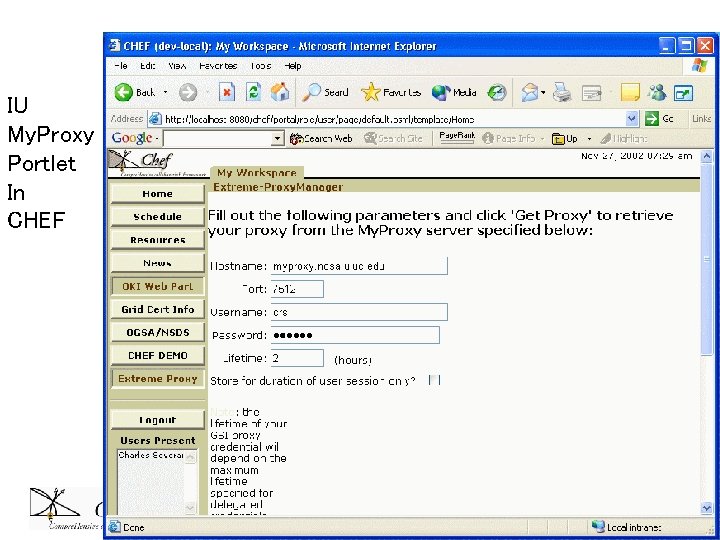
IU My. Proxy Portlet In CHEF
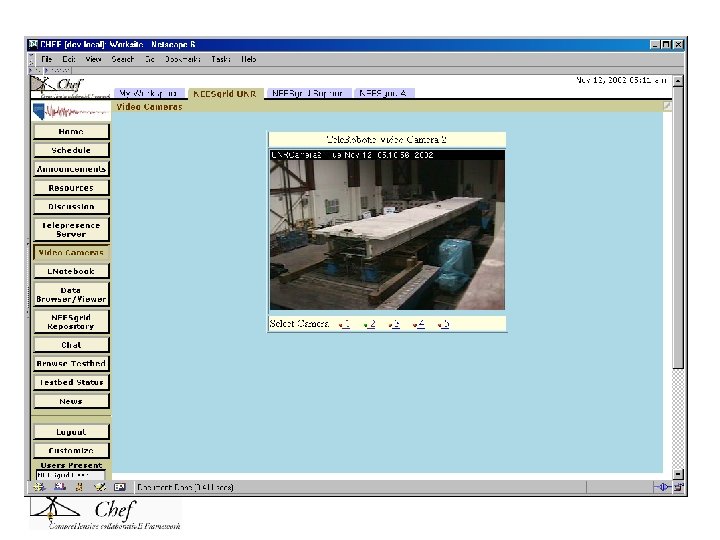
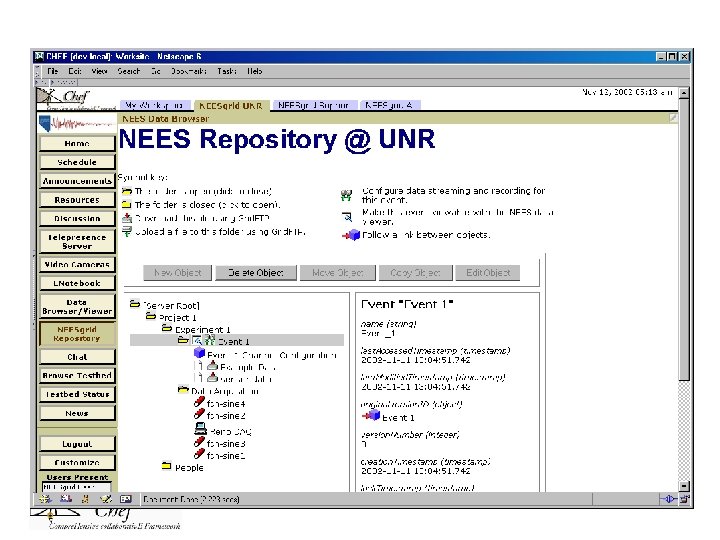
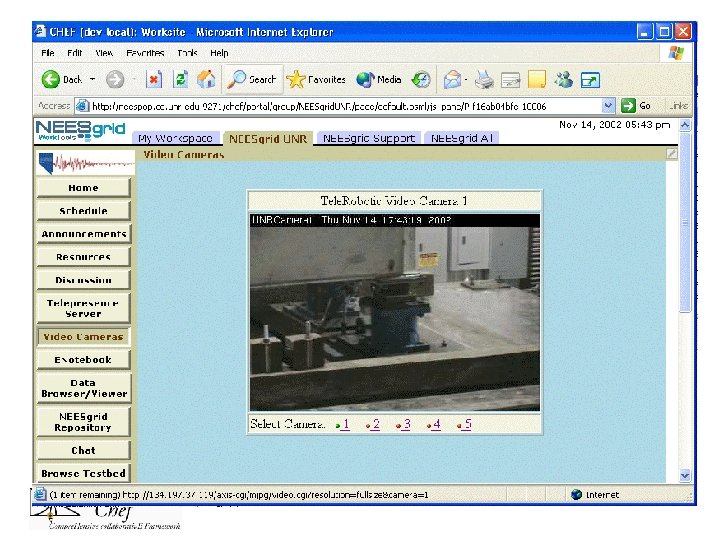
Network for Earthquake Engineering Simulation
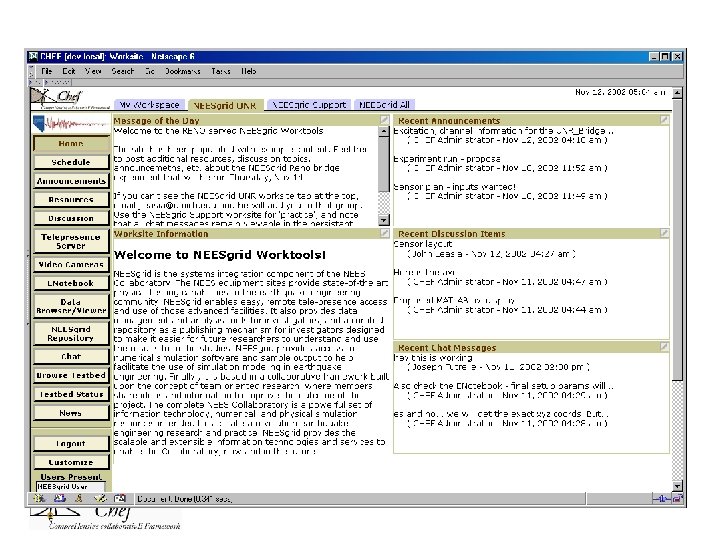
Home
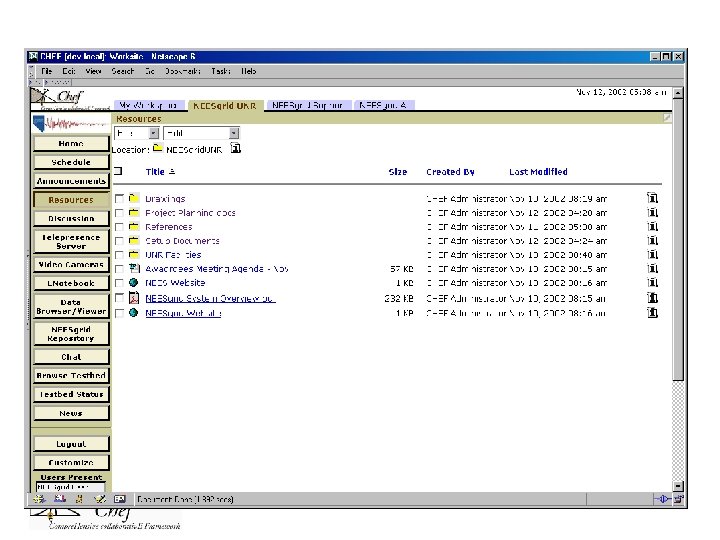
Resources
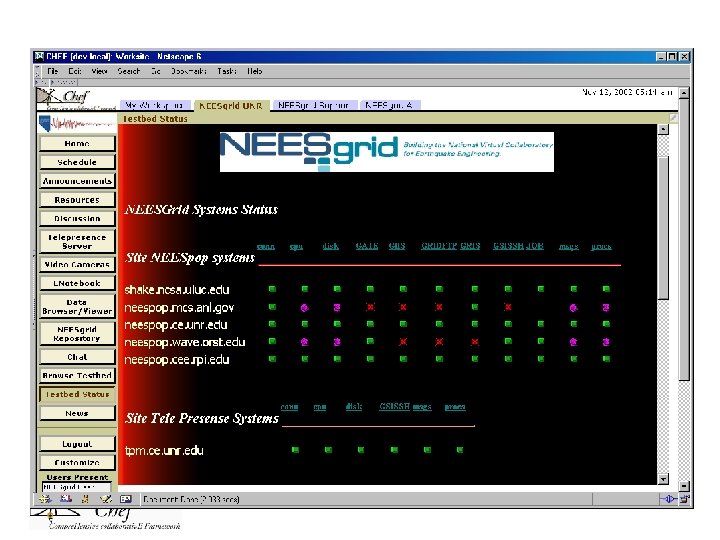
Testbed Status
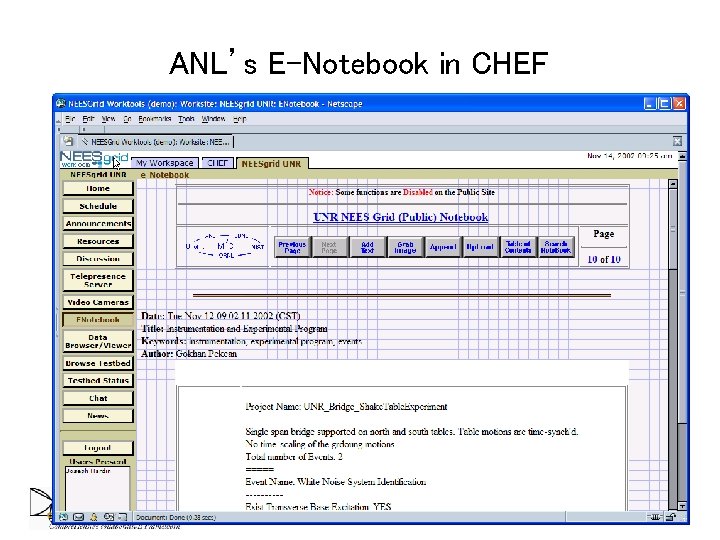
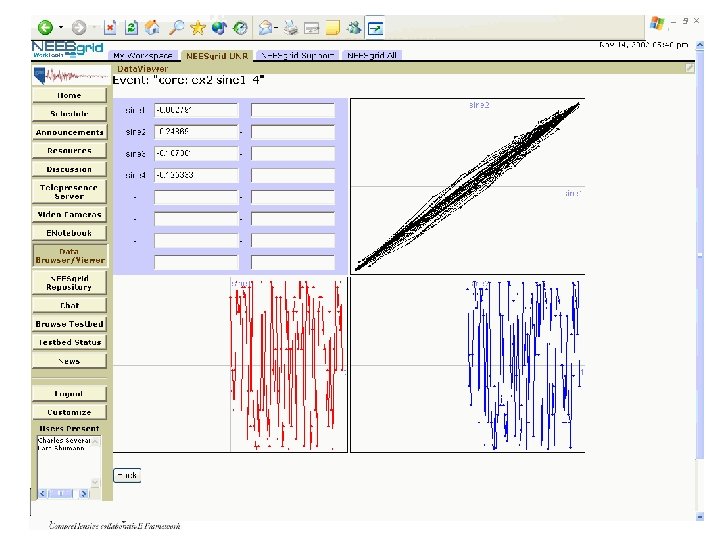
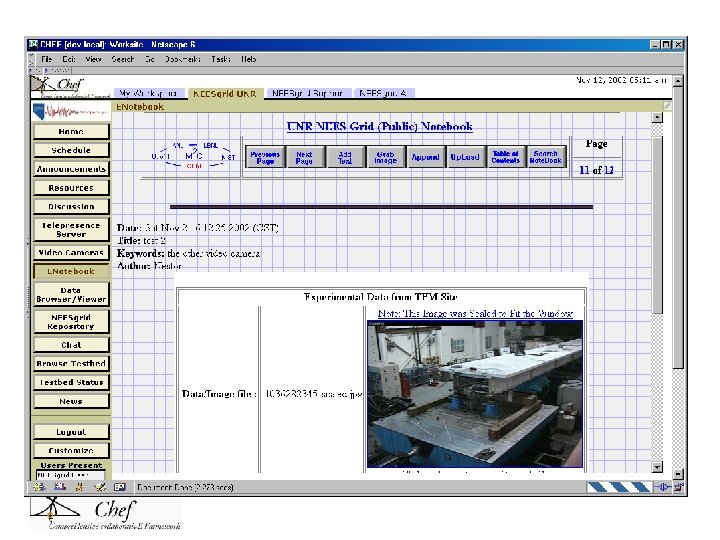
ANL’s E-Notebook in CHEF
DOE CMCS Project • Funded under DOE Collaboration Software grants • Collaboratory for Multiscale Chemistry Simulation • Jim Myers et al at PNNL, LANL, etc • Participated in Workshop • Shown at SC
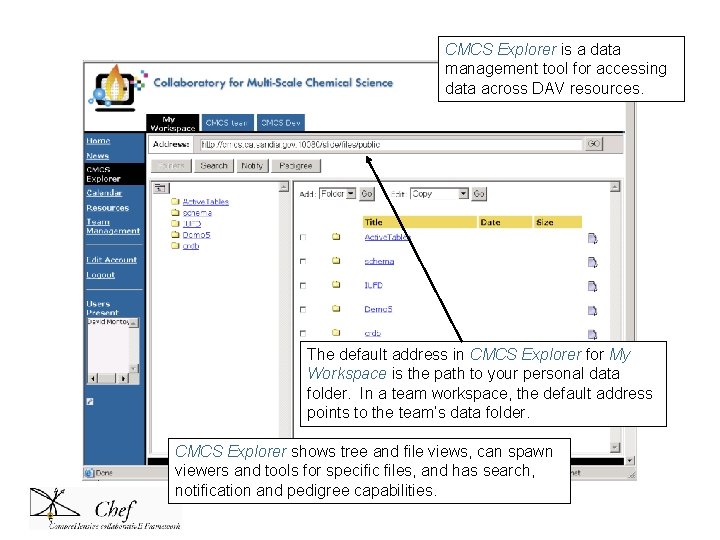
CMCS Explorer is a data management tool for accessing data across DAV resources. The default address in CMCS Explorer for My Workspace is the path to your personal data folder. In a team workspace, the default address points to the team’s data folder. CMCS Explorer shows tree and file views, can spawn viewers and tools for specific files, and has search, notification and pedigree capabilities.
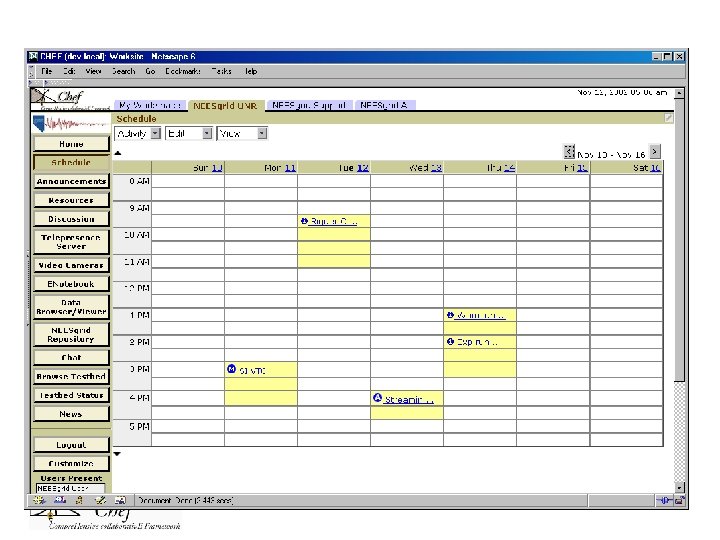
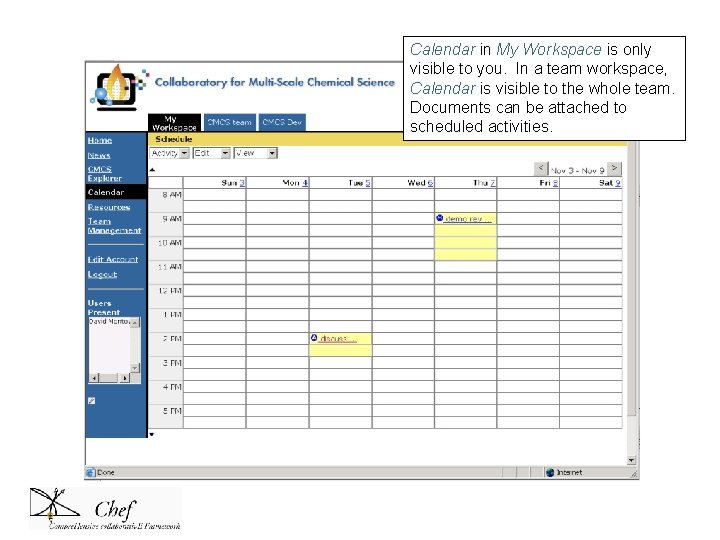
Calendar in My Workspace is only visible to you. In a team workspace, Calendar is visible to the whole team. Documents can be attached to scheduled activities.
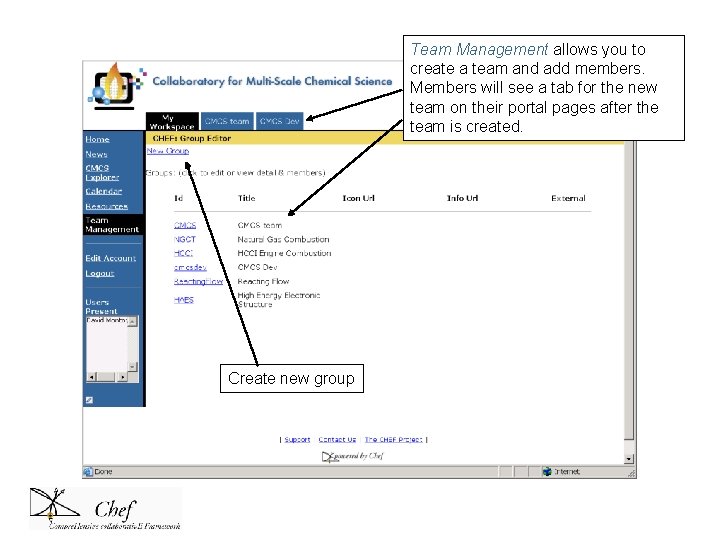
Team Management allows you to create a team and add members. Members will see a tab for the new team on their portal pages after the team is created. Create new group
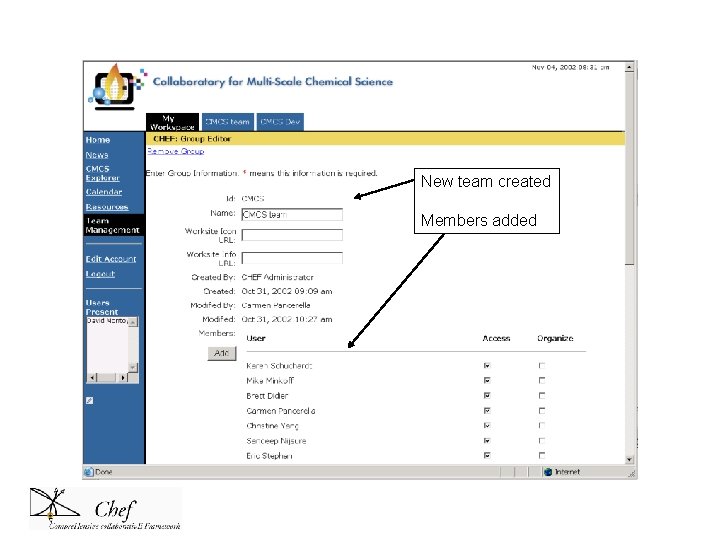
New team created Members added
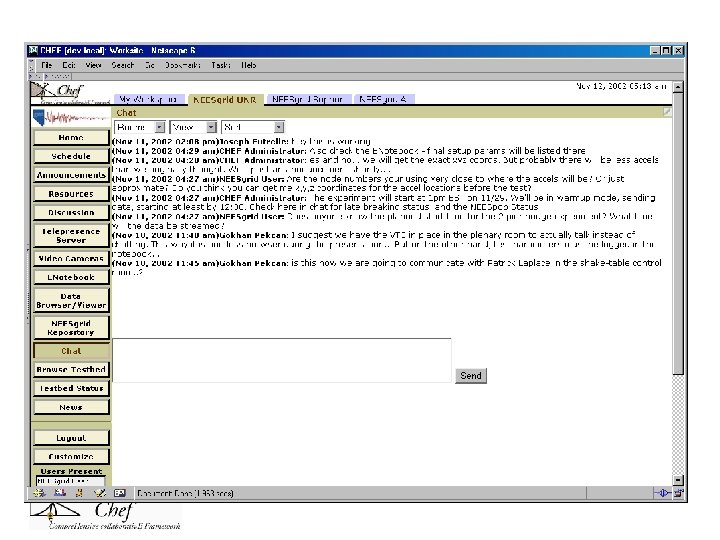
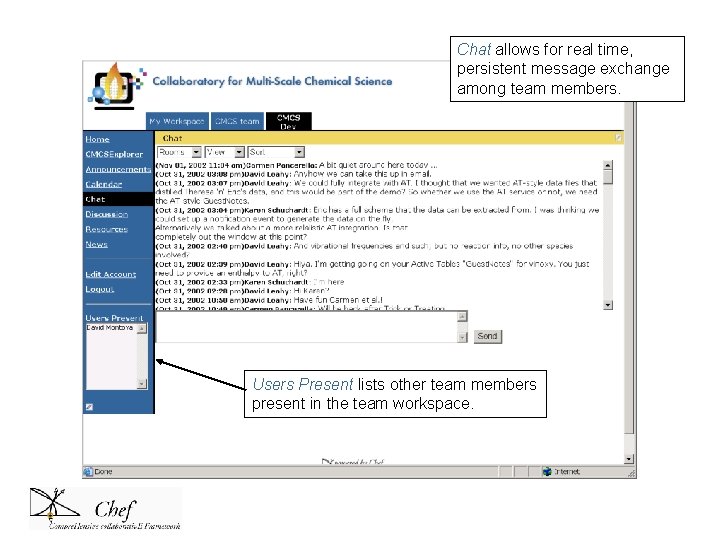
Chat allows for real time, persistent message exchange among team members. Users Present lists other team members present in the team workspace.
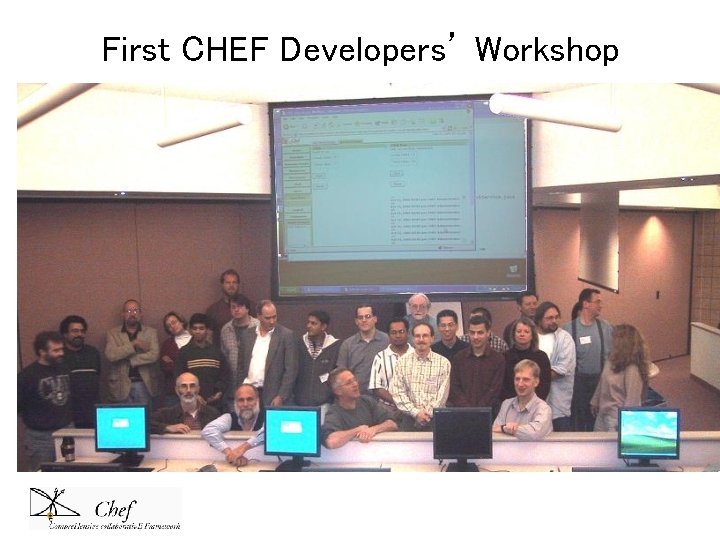
First Developer’s Workshop Over 20 attendees • Do. Energy/CMCS • NSF/NEESGrid • Argonne. NL/GRID • Indiana University • University of Minnesotta • UMichigan Med School, ITCS, … Second Workshop in planning
First CHEF Developers’ Workshop
CHEF Summary • Course. Tools. NG – online support for learning; in pilot, fall rollout • Work. Tools. NG – online support for research, workgroups; in development for NEES, CMCS, rollout late Summer • Goals – enhance online tools; make it easy to move from teaching to research; build standards efforts, consortium so market of components develops
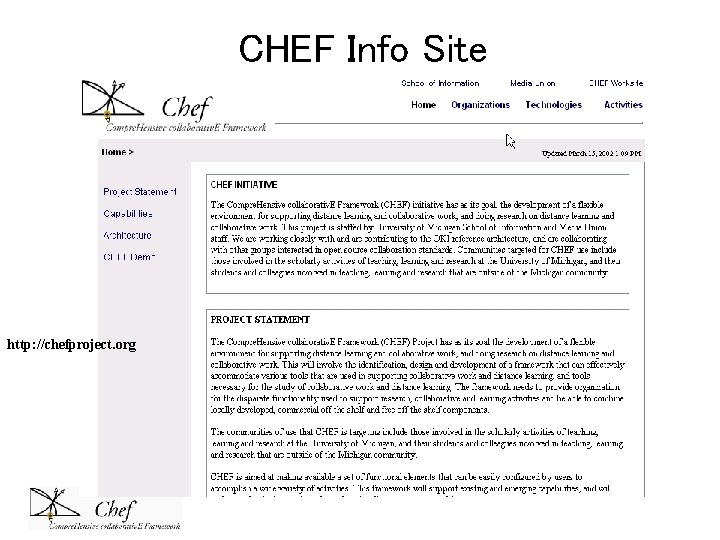
CHEF Info Site http: //chefproject. org
Why Open Source CMS? • University should not outsource a core competence – teaching • It fits University value structures, we are an open community • It can build theextended academic community through collaboration and shared effort • It is a grand experiment, worthy of the University’s participation
… one of my greatest concerns is that, either inadvertently or by design, universities will be so bemused by market opportunities that they will lose sight of, or downplay, their most essential purposes… -- William G. Bowen, At a Slight Angle to The Universe (Romanes Lecture, 2000)
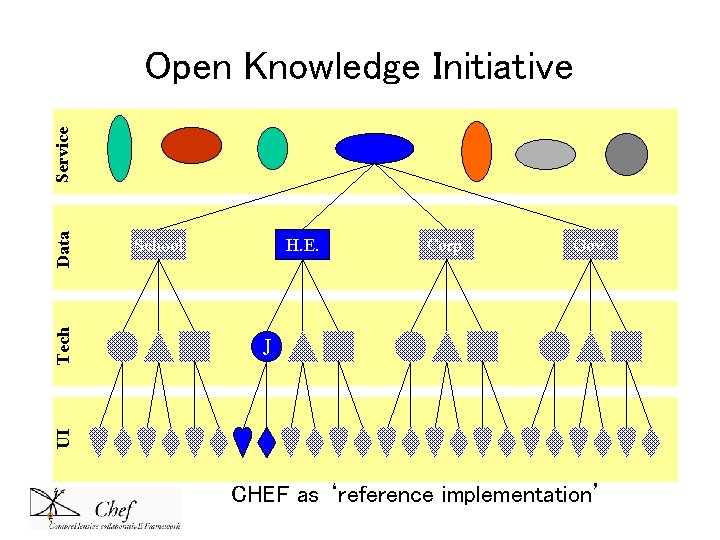
Different ‘Open’ Efforts OCW, OKI, CHEF • Open Courseware – placing content of classes on the web • Open Knowledge Initiative - Open APIs – implementations of standards for development of CMS’s • CHEF – open source software development effort – uses OKI, pushes other open standards – IMS, SCORM, JCP-168 portal, web services, OGSA
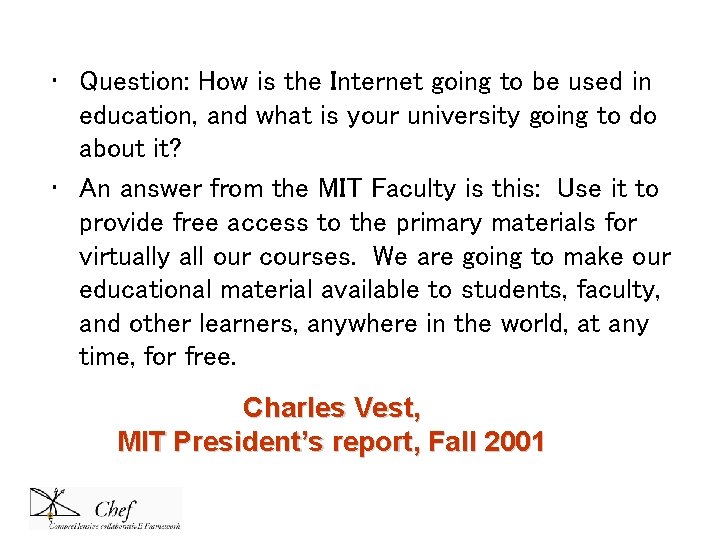
• Question: How is the Internet going to be used in education, and what is your university going to do about it? • An answer from the MIT Faculty is this: Use it to provide free access to the primary materials for virtually all our courses. We are going to make our educational material available to students, faculty, and other learners, anywhere in the world, at any time, for free. Charles Vest, MIT President’s report, Fall 2001
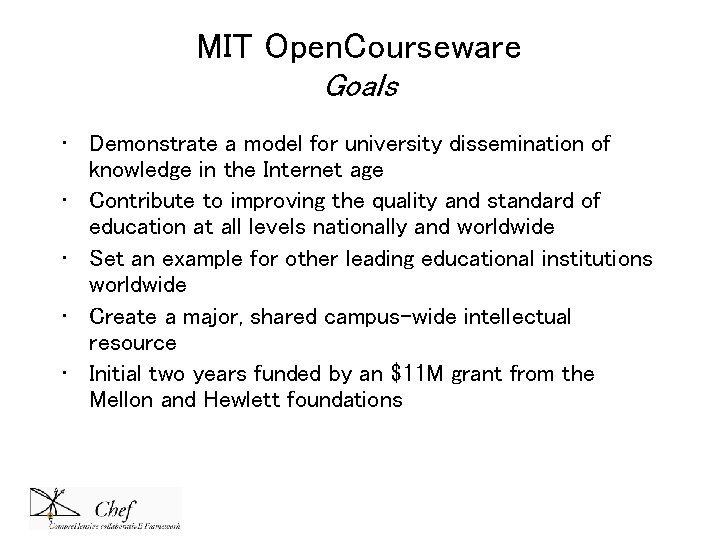
MIT Open. Courseware Goals • Demonstrate a model for university dissemination of knowledge in the Internet age • Contribute to improving the quality and standard of education at all levels nationally and worldwide • Set an example for other leading educational institutions worldwide • Create a major, shared campus-wide intellectual resource • Initial two years funded by an $11 M grant from the Mellon and Hewlett foundations
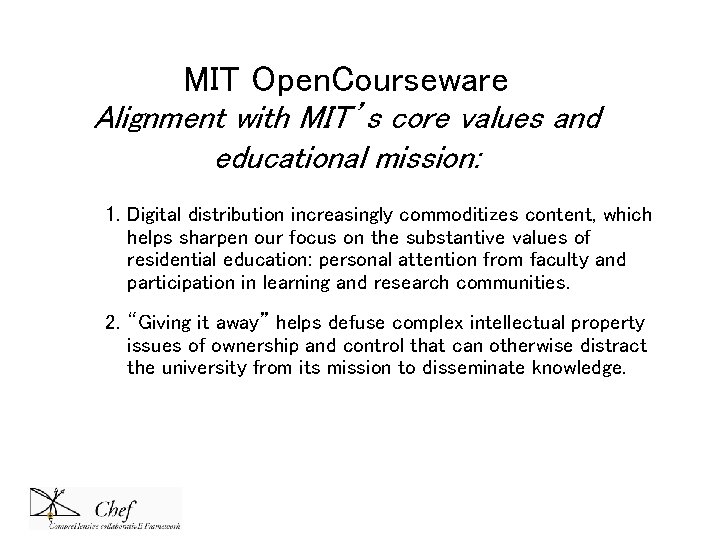
MIT Open. Courseware Alignment with MIT’s core values and educational mission: 1. Digital distribution increasingly commoditizes content, which helps sharpen our focus on the substantive values of residential education: personal attention from faculty and participation in learning and research communities. 2. “Giving it away” helps defuse complex intellectual property issues of ownership and control that can otherwise distract the university from its mission to disseminate knowledge.
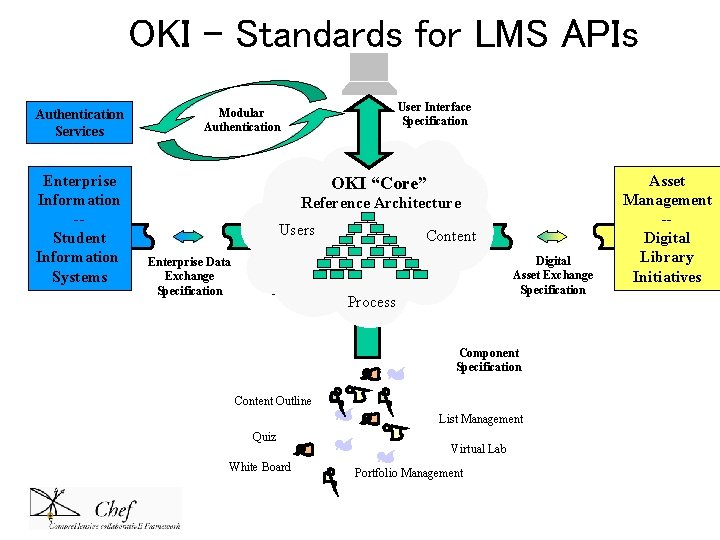
OKI – Standards for LMS APIs Authentication Services Enterprise Information -Student Information Systems User Interface Specification Modular Authentication OKI User Interface Specification “Core” Reference Architecture Users. OKI “Core” Enterprise Data Exchange Specification Content Reference Architecture Users Content Process Digital Asset Exchange Specification Component Specification Content Outline List Management Quiz White Board Virtual Lab Portfolio Management Asset Management -Digital Library Initiatives
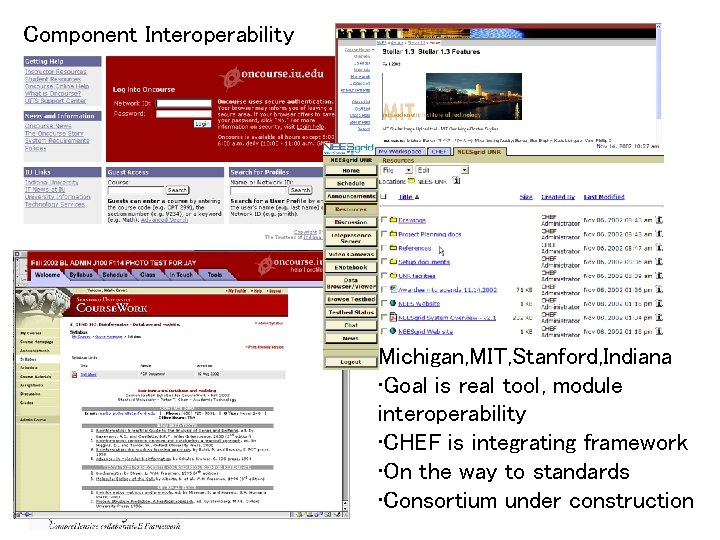
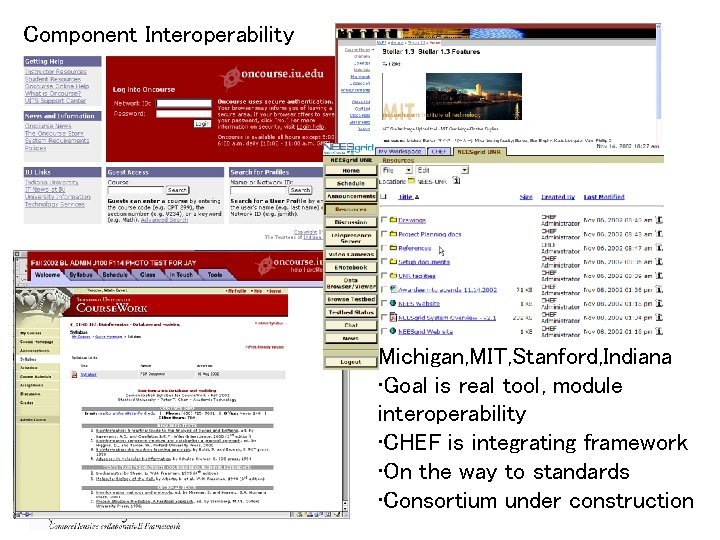
Component Interoperability Michigan, MIT, Stanford, Indiana • Goal is real tool, module interoperability • CHEF is integrating framework • On the way to standards • Consortium under construction
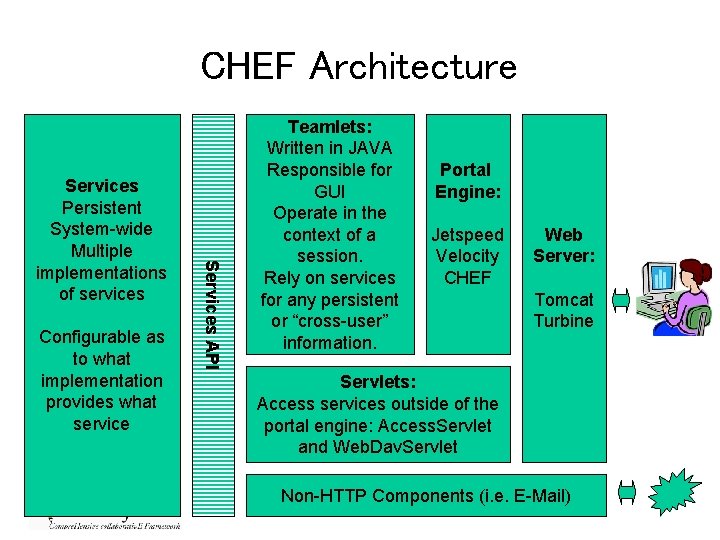
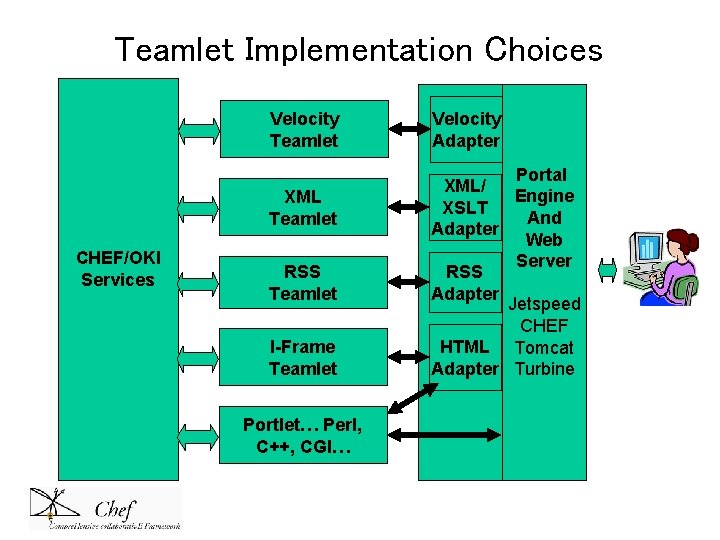
CHEF Architecture Configurable as to what implementation provides what service Services API Services Persistent System-wide Multiple implementations of services Teamlets: Written in JAVA Responsible for GUI Operate in the context of a session. Rely on services for any persistent or “cross-user” information. Portal Engine: Jetspeed Velocity CHEF Web Server: Tomcat Turbine Servlets: Access services outside of the portal engine: Access. Servlet and Web. Dav. Servlet Non-HTTP Components (i. e. E-Mail)
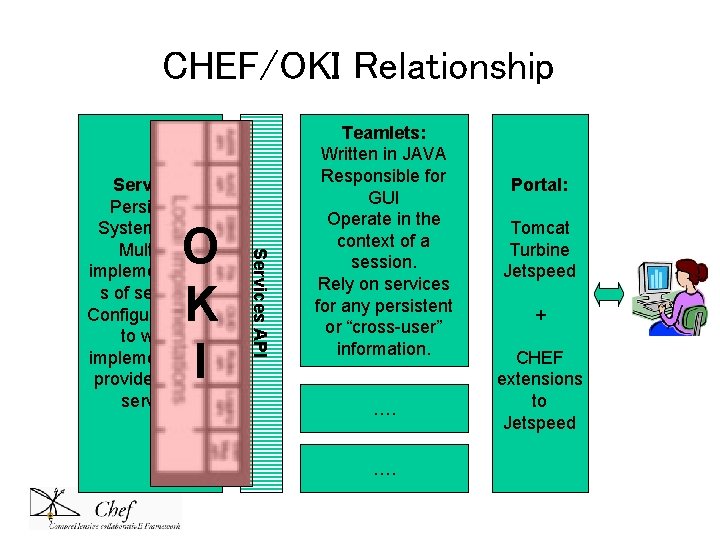
CHEF/OKI Relationship O K I Services API Services Persistent System-wide Multiple implementation s of services Configurable as to what implementation provides what service Teamlets: Written in JAVA Responsible for GUI Operate in the context of a session. Rely on services for any persistent or “cross-user” information. …. …. Portal: Tomcat Turbine Jetspeed + CHEF extensions to Jetspeed
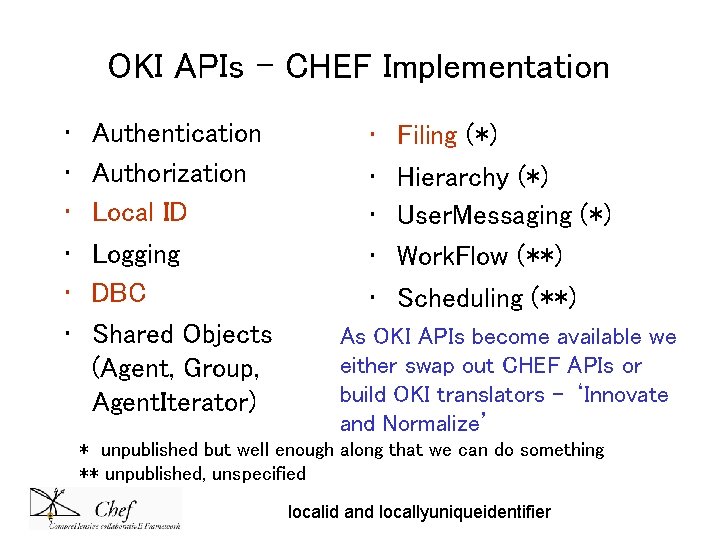
OKI APIs – CHEF Implementation • • • Authentication Authorization Local ID Logging DBC Shared Objects (Agent, Group, Agent. Iterator) • • • Filing (*) Hierarchy (*) User. Messaging (*) Work. Flow (**) Scheduling (**) As OKI APIs become available we either swap out CHEF APIs or build OKI translators – ‘Innovate and Normalize’ * unpublished but well enough along that we can do something ** unpublished, unspecified localid and locallyuniqueidentifier
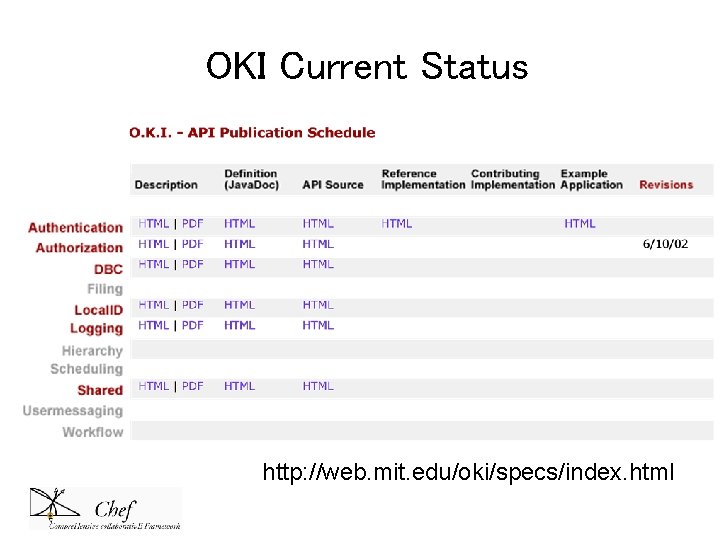
OKI Current Status http: //web. mit. edu/oki/specs/index. html
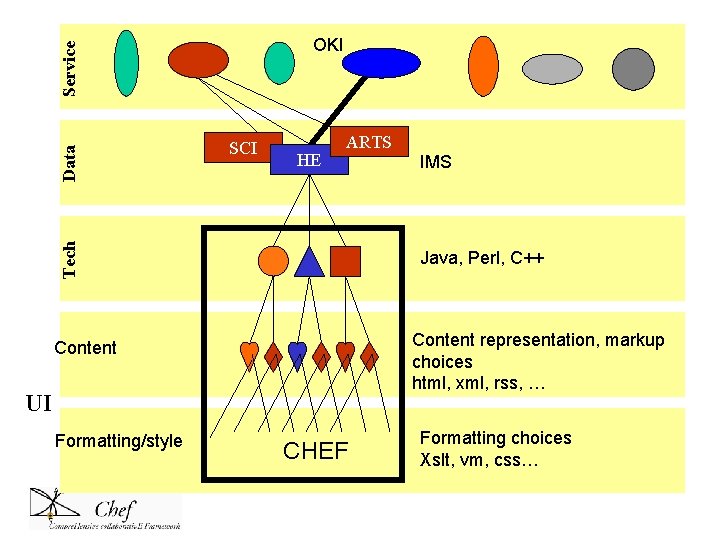
CHEF as ‘OKI UI’ • CHEF UI can cut across tool ‘engines’ • Can ingest/display XML/XSLT, HTML, VM, RSS, … • CHEF can thus provide integration at both OKI API level, and display level • We are pushing on this idea, pushing on real tool – component - sharing • Working with Stanford Course. Works, MIT Stellar, Indiana On. Course, as well as Worktools. NG partners, eg, NEES, CMCS, GRID…maybe also CAPA, U-Portal, …
Teamlet Implementation Choices Velocity Teamlet XML Teamlet CHEF/OKI Services RSS Teamlet I-Frame Teamlet Portlet… Perl, C++, CGI… Velocity Adapter Portal XML/ Engine XSLT And Adapter Web Server RSS Adapter Jetspeed CHEF HTML Tomcat Adapter Turbine HTML Adapter
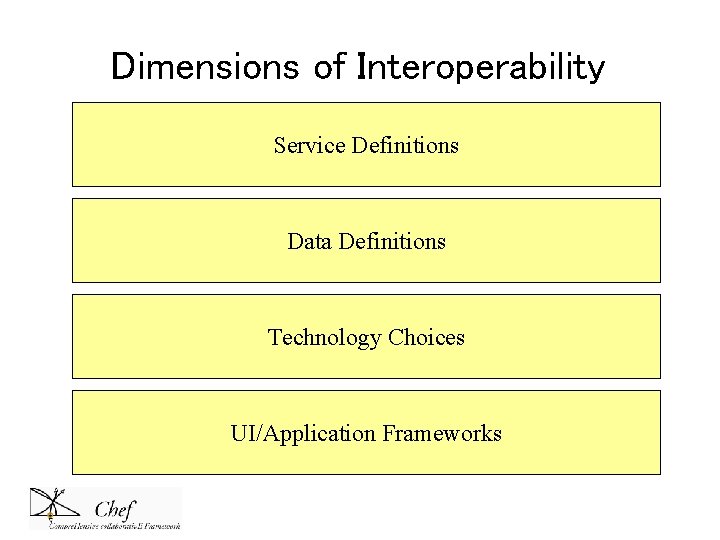
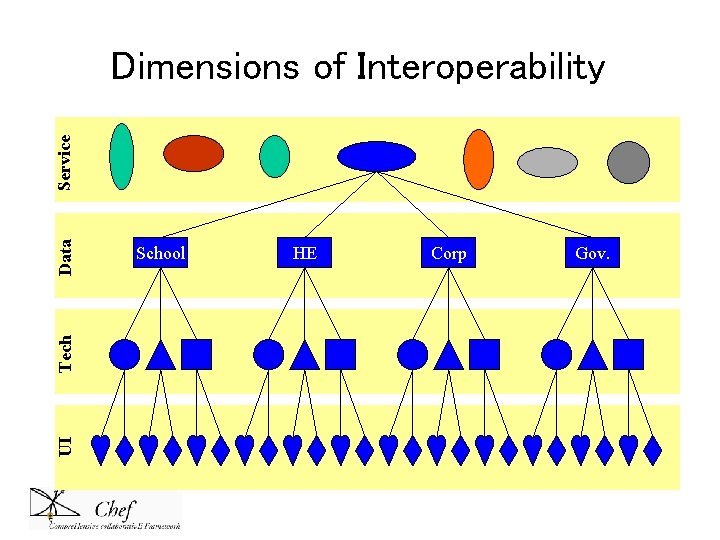
Dimensions of Interoperability Service Definitions Data Definitions Technology Choices UI/Application Frameworks
UI Tech Data Service Dimensions of Interoperability School HE Corp Gov.
School H. E. Corp. Gov. J UI Tech Data Service Open Knowledge Initiative CHEF as ‘reference implementation’
SCI HE ARTS Tech Data Service OKI Java, Perl, C++ Content representation, markup choices html, xml, rss, … Content UI Formatting/style IMS CHEF Formatting choices Xslt, vm, css…
Component Interoperability Michigan, MIT, Stanford, Indiana • Goal is real tool, module interoperability • CHEF is integrating framework • On the way to standards • Consortium under construction
CHEF Consortium (Under Construction) • Goals – – Further development of core software platform – Support adherence to, and development of, existing and emerging standards – Develop broad base of user input and participation – Encourage and support scalable model of adoption and support – Enable large community of tool innovators – Learn what should be part of the consortium; what is this open source model really like, capable of?
CHEF Consortium • Participation possibilities – Collaborating on standards efforts, eg, OKI, JCP-Portal, GRID, RDF, IMS – Providing extensive testbeds, eg campuswide, and associated support – Building significant tools, eg CMCS – Supporting project through funding – Helping to build adoption/support models
CHEF Consortium • What would be benefits…(in progress) – – – Participation in requirements development Invitation to workshops Early notification of developments Access to survey and study results from testbeds Support for local implementations Collaboration in resource development efforts, eg, public and private foundations
Consortium Models/Goals • We need control of the source code development process; this boils down to the CVS tree commitment process • Code itself always open and available • We want a large community who sees this as their own effort, committed to and guiding it • We want a commitment to continue as open source effort; not sell/commercialize; this is “open source framework” idea • We can have tool development as non-profit, with commercial participation of interoperable components • This is a ‘classic’ open source development and economic model – see Jabber. org/Jabber. com
Open Source/Open Support • What can schools/partners contribute to open source efforts? – Core development – Individual tool development • Navigo • Notebook – Support • Training • Distributed help desk – Ideas
Research, Teaching and Public Service • Alliance for Community Technology • African AIDs Project • AIHEC – American Indian Higher Education Consortium How do open source, collaborative efforts contribute to and help us understand the new information dynamics in all our domains of interest?
Universities, as institutions, pre-date the "information economy" by many centuries and are not for-profit cultural entities, whose reason for existence (purportedly) is to discover truth, codify it through techniques of scholarship, and then teach it. Universities are meant to pass the torch of civilization, not just download data into student skulls, and the values of the academic community are strongly at odds with those of all would-be information empires. Bruce Sterling, The Hacker Crackdown (1992)
stop hardin@umich. edu