July 23 2019 HHS CADS Team Rev Trak



















- Slides: 86
July 23, 2019 @ HHS
§ CADS Team § Rev. Trak § Budget § Accounts Payable § Fixed Assets § Technology § P-Card § Special Revenues § Purchasing § School Specialty § Payroll
Becky Beverly x 8015 Renee Beck x 8018
§ GASB 84 § 887 § BBTC Board Room Renovation § Next Quarterly Training at BBTC § MUNIS Closed § Friday, August 9 th @ 5 pm thru Wednesday, August 14 th § Plan accordingly § Trips § Deposit Pick ups § Change Funds § Directions on website § Change Fund Request Form
§ June P-Cards § June Trips § 2019 Negative Balances – clean up
Jenny Goddard x 8075
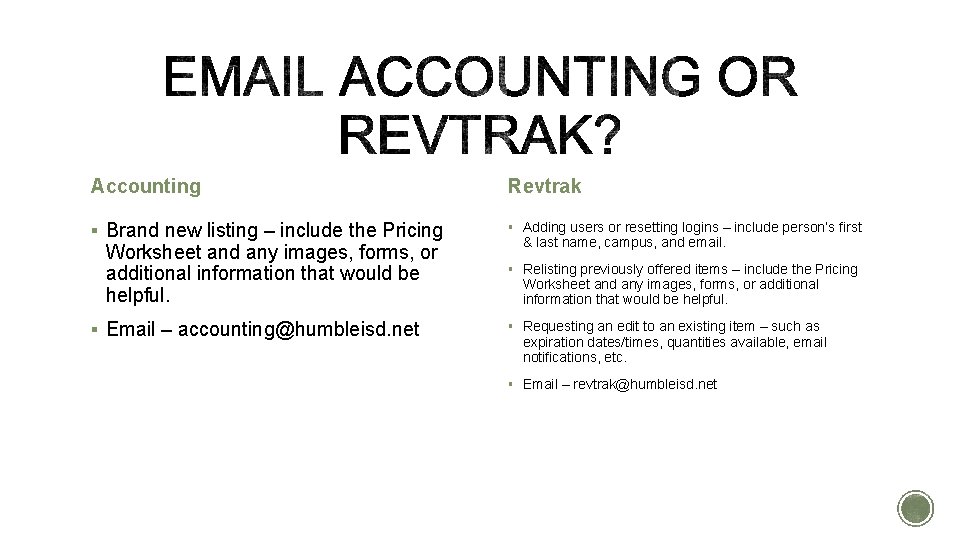
Accounting Revtrak § Brand new listing – include the Pricing § Adding users or resetting logins – include person’s first Worksheet and any images, forms, or additional information that would be helpful. § Email – accounting@humbleisd. net & last name, campus, and email. § Relisting previously offered items – include the Pricing Worksheet and any images, forms, or additional information that would be helpful. § Requesting an edit to an existing item – such as expiration dates/times, quantities available, email notifications, etc. § Email – revtrak@humbleisd. net
§ The more specific information you can provide, the better! Don’t forget about optional things like quantities & sizes available, email notifications, and images. § Not only can you choose the end date of your listing, you can choose the end TIME. § Instructions for running reports can be found on the website under Accounting & Financial Reporting / Accounts Receivable / Rev. Trak § Plan in advance! Rev. Trak turnaround time is 7 -10 business days. § Updated Form coming soon!!!
Amy Parker
§ Multi-Year Funds and the Life Column § Back dating a journal § Raptor Cost § IG Grant Approvals § When to use "BOARD" and Whole Dollars
Updates and Reminders
I want to take the time to thank you all for your hard work and your continued efforts on reconciling the year 2019 for the district. I am very grateful to have had the opportunity to spend more quality time with you all during our meetings or over the phone interactions. I received so much communication via email and calls that it made my first end of year smoother. I look forward to getting to know you more and assisting you all with your AP needs. Thank you again!
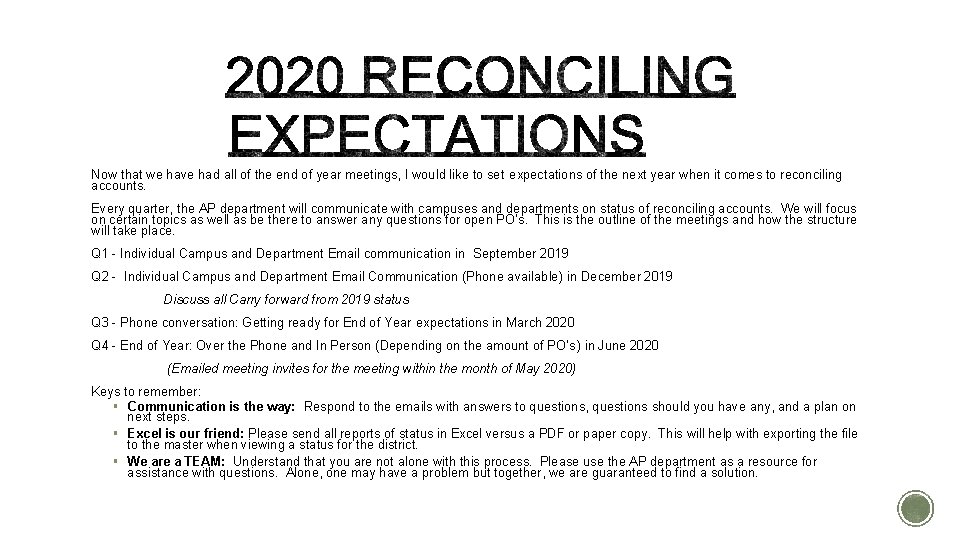
Now that we have had all of the end of year meetings, I would like to set expectations of the next year when it comes to reconciling accounts. Every quarter, the AP department will communicate with campuses and departments on status of reconciling accounts. We will focus on certain topics as well as be there to answer any questions for open PO’s. This is the outline of the meetings and how the structure will take place. Q 1 - Individual Campus and Department Email communication in September 2019 Q 2 - Individual Campus and Department Email Communication (Phone available) in December 2019 Discuss all Carry forward from 2019 status Q 3 - Phone conversation: Getting ready for End of Year expectations in March 2020 Q 4 - End of Year: Over the Phone and In Person (Depending on the amount of PO’s ) in June 2020 (Emailed meeting invites for the meeting within the month of May 2020) Keys to remember: § Communication is the way: Respond to the emails with answers to questions, questions should you have any, and a plan on next steps. § Excel is our friend: Please send all reports of status in Excel versus a PDF or paper copy. This will help with exporting the file to the master when viewing a status for the district. § We are a TEAM: Understand that you are not alone with this process. Please use the AP department as a resource for assistance with questions. Alone, one may have a problem but together, we are guaranteed to find a solution.
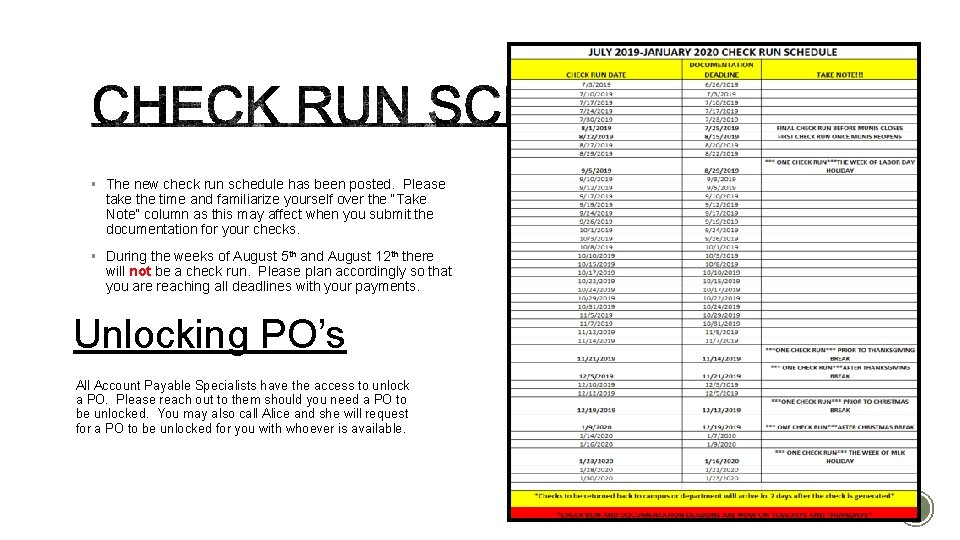
§ The new check run schedule has been posted. Please take the time and familiarize yourself over the “Take Note” column as this may affect when you submit the documentation for your checks. § During the weeks of August 5 th and August 12 th there will not be a check run. Please plan accordingly so that you are reaching all deadlines with your payments. Unlocking PO’s All Account Payable Specialists have the access to unlock a PO. Please reach out to them should you need a PO to be unlocked. You may also call Alice and she will request for a PO to be unlocked for you with whoever is available.
Staff
We would like to welcome Jennifer Nantz to our district. Jennifer is our new General Ledger Coordinator. She has a background in financial auditing to which we are grateful for in order to ensure that we are consistently implementing best practices within our district.
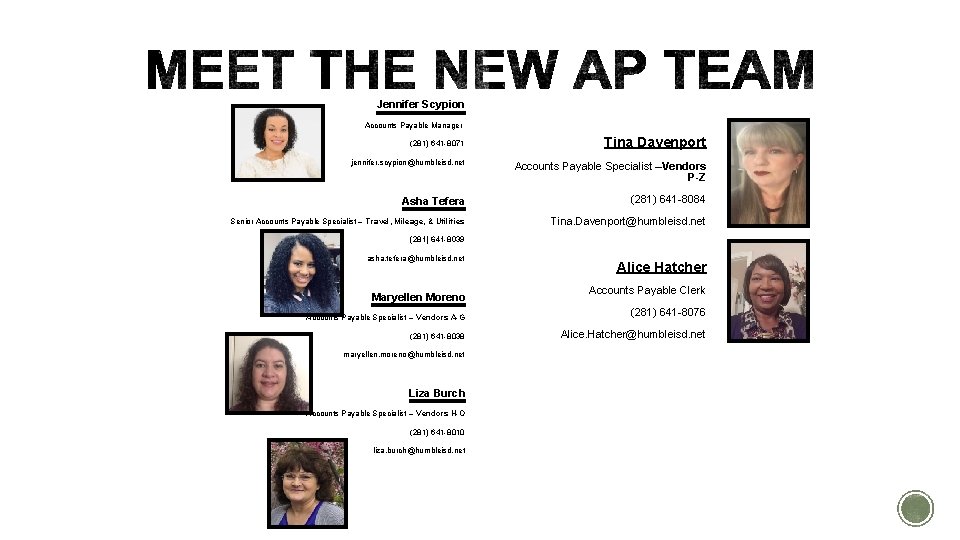
Jennifer Scypion Accounts Payable Manager (281) 641 -8071 jennifer. scypion@humbleisd. net Tina Davenport Accounts Payable Specialist –Vendors P-Z Asha Tefera (281) 641 -8084 Senior Accounts Payable Specialist – Travel, Mileage, & Utilities Tina. Davenport@humbleisd. net (281) 641 -8039 asha. tefera@humbleisd. net Maryellen Moreno Alice Hatcher Accounts Payable Clerk Accounts Payable Specialist – Vendors A-G (281) 641 -8076 (281) 641 -8038 Alice. Hatcher@humbleisd. net maryellen. moreno@humbleisd. net Liza Burch Accounts Payable Specialist – Vendors H-O (281) 641 -8010 liza. burch@humbleisd. net
Travel
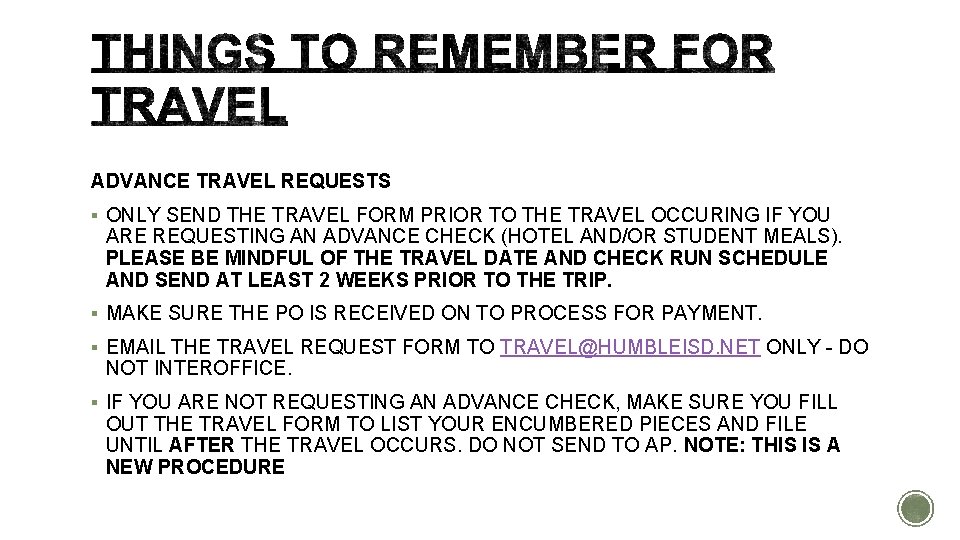
ADVANCE TRAVEL REQUESTS § ONLY SEND THE TRAVEL FORM PRIOR TO THE TRAVEL OCCURING IF YOU ARE REQUESTING AN ADVANCE CHECK (HOTEL AND/OR STUDENT MEALS). PLEASE BE MINDFUL OF THE TRAVEL DATE AND CHECK RUN SCHEDULE AND SEND AT LEAST 2 WEEKS PRIOR TO THE TRIP. § MAKE SURE THE PO IS RECEIVED ON TO PROCESS FOR PAYMENT. § EMAIL THE TRAVEL REQUEST FORM TO TRAVEL@HUMBLEISD. NET ONLY - DO NOT INTEROFFICE. § IF YOU ARE NOT REQUESTING AN ADVANCE CHECK, MAKE SURE YOU FILL OUT THE TRAVEL FORM TO LIST YOUR ENCUMBERED PIECES AND FILE UNTIL AFTER THE TRAVEL OCCURS. DO NOT SEND TO AP. NOTE: THIS IS A NEW PROCEDURE
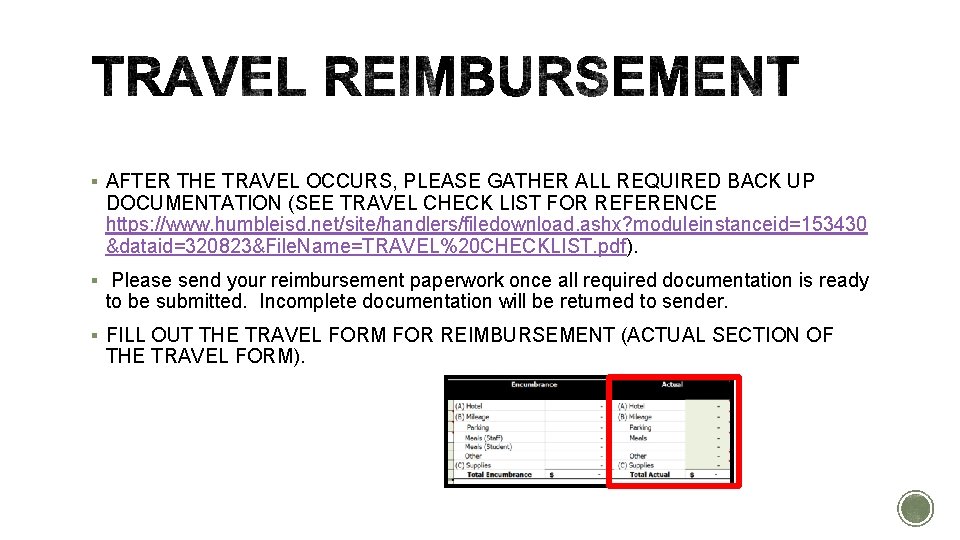
§ AFTER THE TRAVEL OCCURS, PLEASE GATHER ALL REQUIRED BACK UP DOCUMENTATION (SEE TRAVEL CHECK LIST FOR REFERENCE https: //www. humbleisd. net/site/handlers/filedownload. ashx? moduleinstanceid=153430 &dataid=320823&File. Name=TRAVEL%20 CHECKLIST. pdf). § Please send your reimbursement paperwork once all required documentation is ready to be submitted. Incomplete documentation will be returned to sender. § FILL OUT THE TRAVEL FORM FOR REIMBURSEMENT (ACTUAL SECTION OF THE TRAVEL FORM).
§ RECEIVE ON THE PO (ALWAYS RECEIVE ON THE DATE THEY RETURN). § SCAN TRAVEL FORM AND ALL REQUIRED BACK UP DOCUMENTATION AND SEND TO TRAVEL@HUMBLEISD. NET. DO NOT INTEROFFICE TO AP—WE DO NOT NEED THE ORIGINALS. YOU MAY KEEP THEM FOR YOUR OWN RECORDS FOR AUDIT PURPOSES. (IF YOU DO NOT HAVE ACCESS TO SCAN, YOU MAY SEND BY INTEROFFICE). § IF NOTHING IS TO BE REIMBURSED AND ONLY ADVANCE HOTEL AND STUDENT MEALS TOOK PLACE, PLEASE SCAN AND SEND THE HOTEL FOLIO AND/OR THE STUDENT SIGN OUT SHEET TO THE TRAVEL EMAIL AND INCLUDE THE PO NUMBER FOR REFERENCE.
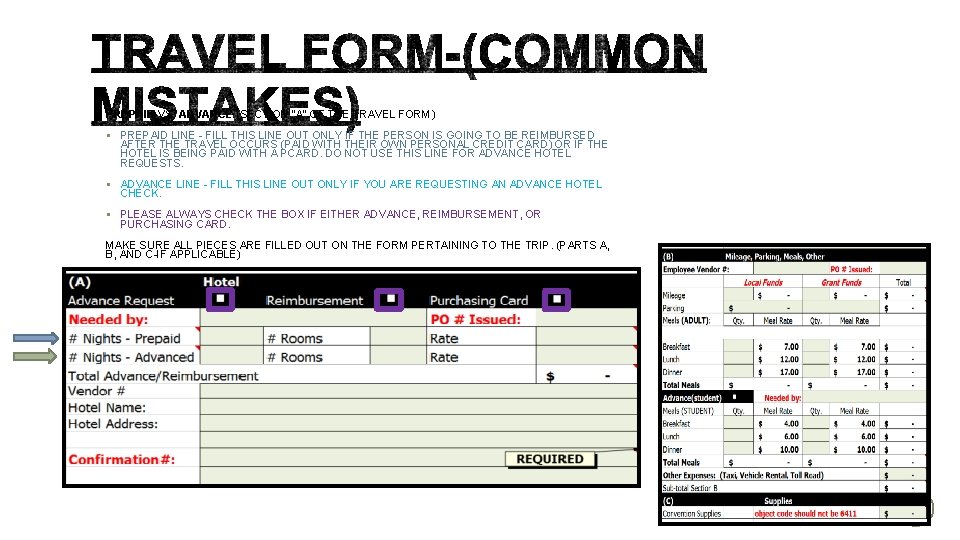
PREPAID VS. ADVANCE (SECTION “A” OF THE TRAVEL FORM) § PREPAID LINE - FILL THIS LINE OUT ONLY IF THE PERSON IS GOING TO BE REIMBURSED AFTER THE TRAVEL OCCURS (PAID WITH THEIR OWN PERSONAL CREDIT CARD) OR IF THE HOTEL IS BEING PAID WITH A PCARD. DO NOT USE THIS LINE FOR ADVANCE HOTEL REQUESTS. § ADVANCE LINE - FILL THIS LINE OUT ONLY IF YOU ARE REQUESTING AN ADVANCE HOTEL CHECK. § PLEASE ALWAYS CHECK THE BOX IF EITHER ADVANCE, REIMBURSEMENT, OR PURCHASING CARD. MAKE SURE ALL PIECES ARE FILLED OUT ON THE FORM PERTAINING TO THE TRIP. (PARTS A, B, AND C-IF APPLICABLE)
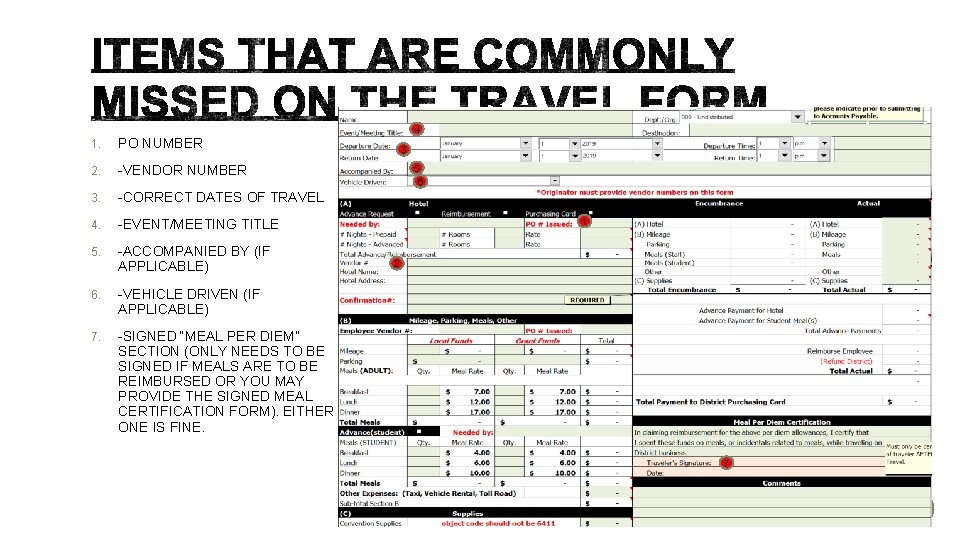
1. PO NUMBER 2. -VENDOR NUMBER 3. -CORRECT DATES OF TRAVEL 4. -EVENT/MEETING TITLE 5. -ACCOMPANIED BY (IF APPLICABLE) 6. -VEHICLE DRIVEN (IF APPLICABLE) 7. -SIGNED “MEAL PER DIEM” SECTION (ONLY NEEDS TO BE SIGNED IF MEALS ARE TO BE REIMBURSED OR YOU MAY PROVIDE THE SIGNED MEAL CERTIFICATION FORM). EITHER ONE IS FINE. 4 3 5 6 1 2 7
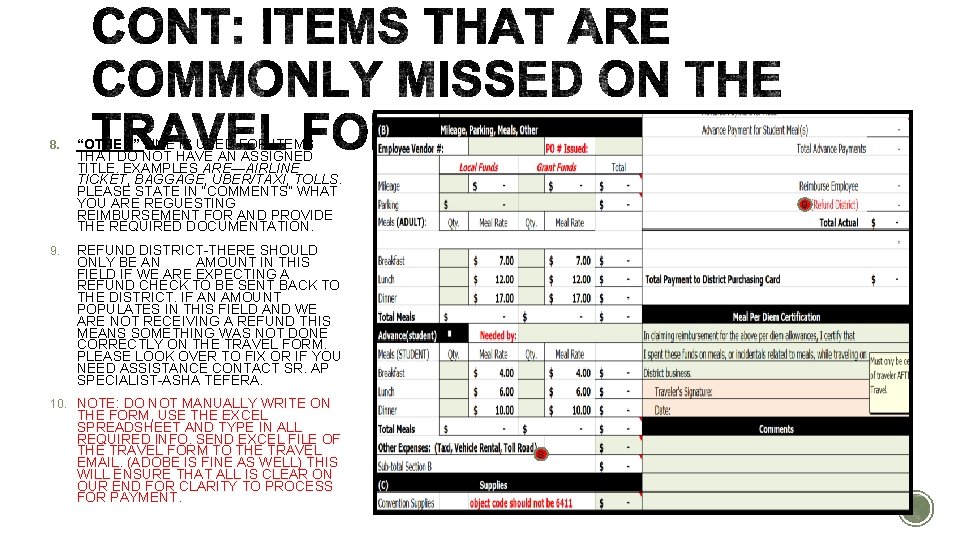
8. 9. “OTHER” LINE IS USED FOR ITEMS THAT DO NOT HAVE AN ASSIGNED TITLE. EXAMPLES ARE—AIRLINE TICKET, BAGGAGE, UBER/TAXI, TOLLS. PLEASE STATE IN “COMMENTS” WHAT YOU ARE REGUESTING REIMBURSEMENT FOR AND PROVIDE THE REQUIRED DOCUMENTATION. 9 REFUND DISTRICT-THERE SHOULD ONLY BE AN AMOUNT IN THIS FIELD IF WE ARE EXPECTING A REFUND CHECK TO BE SENT BACK TO THE DISTRICT. IF AN AMOUNT POPULATES IN THIS FIELD AND WE ARE NOT RECEIVING A REFUND THIS MEANS SOMETHING WAS NOT DONE CORRECTLY ON THE TRAVEL FORM. PLEASE LOOK OVER TO FIX OR IF YOU NEED ASSISTANCE CONTACT SR. AP SPECIALIST-ASHA TEFERA. 10. NOTE: DO NOT MANUALLY WRITE ON THE FORM, USE THE EXCEL SPREADSHEET AND TYPE IN ALL REQUIRED INFO. SEND EXCEL FILE OF THE TRAVEL FORM TO THE TRAVEL EMAIL. (ADOBE IS FINE AS WELL) THIS WILL ENSURE THAT ALL IS CLEAR ON OUR END FOR CLARITY TO PROCESS FOR PAYMENT. 8
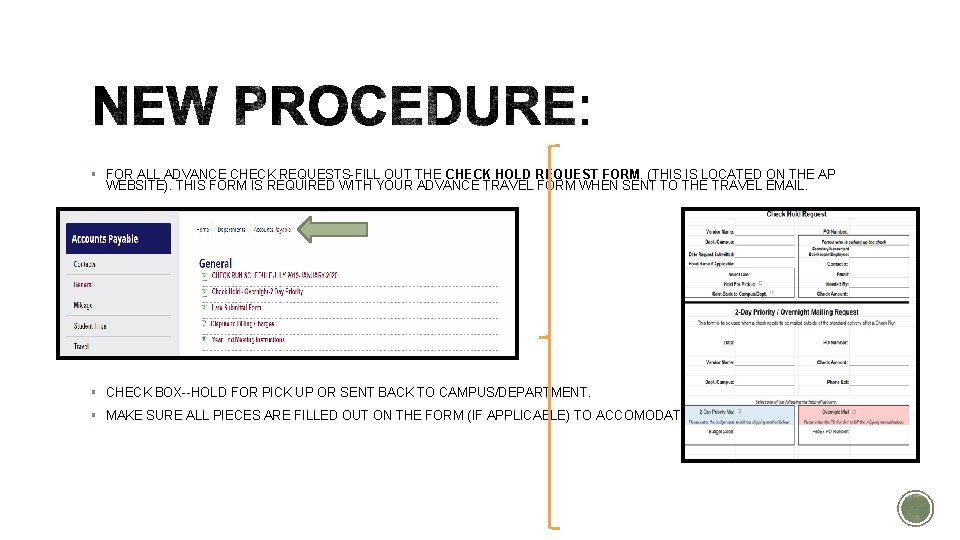
§ FOR ALL ADVANCE CHECK REQUESTS-FILL OUT THE CHECK HOLD REQUEST FORM. (THIS IS LOCATED ON THE AP WEBSITE). THIS FORM IS REQUIRED WITH YOUR ADVANCE TRAVEL FORM WHEN SENT TO THE TRAVEL EMAIL. § CHECK BOX--HOLD FOR PICK UP OR SENT BACK TO CAMPUS/DEPARTMENT. § MAKE SURE ALL PIECES ARE FILLED OUT ON THE FORM (IF APPLICABLE) TO ACCOMODATE.
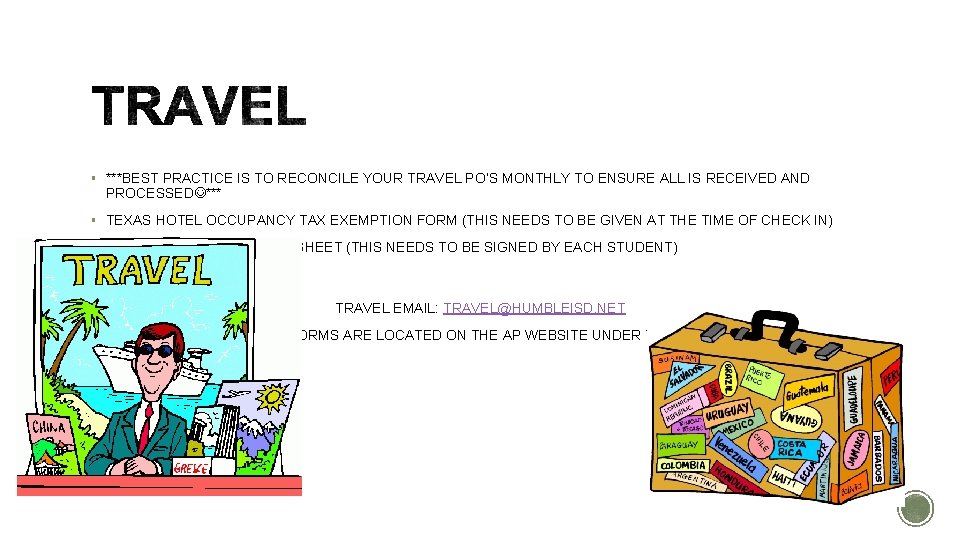
§ ***BEST PRACTICE IS TO RECONCILE YOUR TRAVEL PO’S MONTHLY TO ENSURE ALL IS RECEIVED AND PROCESSED *** § TEXAS HOTEL OCCUPANCY TAX EXEMPTION FORM (THIS NEEDS TO BE GIVEN AT THE TIME OF CHECK IN) § STUDENT FUNDS SIGNOUT SHEET (THIS NEEDS TO BE SIGNED BY EACH STUDENT) TRAVEL EMAIL: TRAVEL@HUMBLEISD. NET ALL FORMS ARE LOCATED ON THE AP WEBSITE UNDER TRAVEL
Mileage Reminders
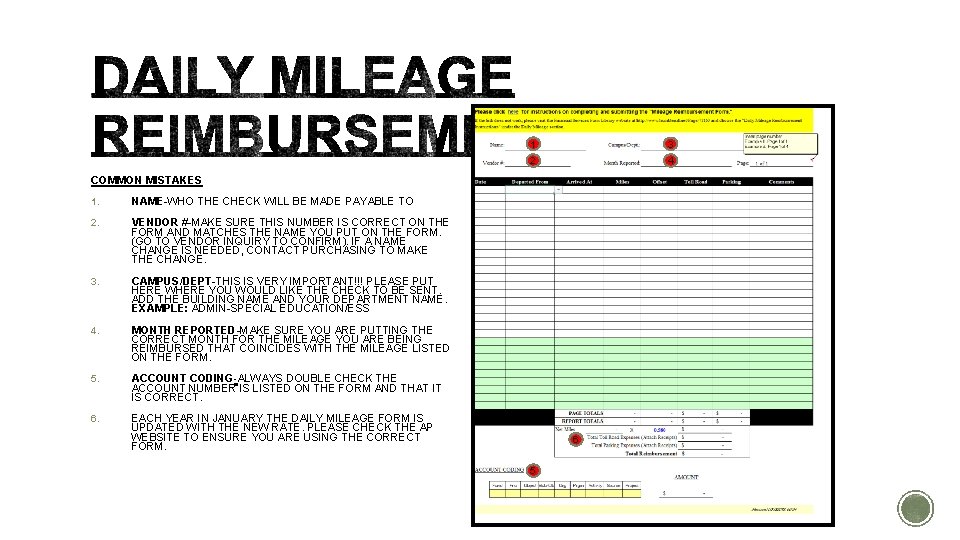
1 3 2 4 COMMON MISTAKES 1. NAME-WHO THE CHECK WILL BE MADE PAYABLE TO 2. VENDOR #-MAKE SURE THIS NUMBER IS CORRECT ON THE FORM AND MATCHES THE NAME YOU PUT ON THE FORM. (GO TO VENDOR INQUIRY TO CONFIRM). IF A NAME CHANGE IS NEEDED, CONTACT PURCHASING TO MAKE THE CHANGE. 3. CAMPUS/DEPT-THIS IS VERY IMPORTANT!!! PLEASE PUT HERE WHERE YOU WOULD LIKE THE CHECK TO BE SENT. ADD THE BUILDING NAME AND YOUR DEPARTMENT NAME. EXAMPLE: ADMIN-SPECIAL EDUCATION/ESS 4. MONTH REPORTED-MAKE SURE YOU ARE PUTTING THE CORRECT MONTH FOR THE MILEAGE YOU ARE BEING REIMBURSED THAT COINCIDES WITH THE MILEAGE LISTED ON THE FORM. 5. ACCOUNT CODING-ALWAYS DOUBLE CHECK THE ACCOUNT NUMBER IS LISTED ON THE FORM AND THAT IT IS CORRECT. 6. EACH YEAR IN JANUARY THE DAILY MILEAGE FORM IS UPDATED WITH THE NEW RATE. PLEASE CHECK THE AP WEBSITE TO ENSURE YOU ARE USING THE CORRECT FORM. 6 5
§ FOR NO OVERNIGHT TRAVEL—YOU MAY USE THE DAILY MILEAGE REIMBURSEMENT FORM TO REIMBURSE FOR MILEAGE, TOLLS AND PARKING. (ALWAYS PROVIDE THE BACKUP DOCUMENTATION SUCH AS PARKING AND TOLL RECEIPTS). § ALL DAILY MILEAGE MUST BE APPROVED AND THEN FORWARDED TO THE AP EMAIL (ACCOUNTS. PAYABLE@HUMBLEISD. NET). § PLEASE CHECK YOUR ACCOUNT BUDGETS TO ENSURE THERE ARE SUFFICIENT FUNDS TO COVER THE MILEAGE REIMBURSEMENTS. IF FUNDS ARE NOT AVAILABLE, A BUDGET AMENDMENT (TRANSFER) NEEDS TO BE DONE. ***IF ANY OF THESE ITEMS ARE MISSED THIS WILL CAUSE A DELAY IN REIMBURSMENT***
BBTC
Susan is back!!!! Susan has now returned to the BBTC for our printing services and will continue to print checks at the BBTC as we were doing so from the summer. Here a few reminders that will help us continue this smooth transition. - Please refrain from using staples on batches turned in and included documentation that is needed to be inserted with the check. - For employee reimbursements, please verify that your vendor address with purchasing is updated if you have moved from one location to another in order for the check to be sent to the right location. - The turn around for checks to be delivered to the campus after a check run is two business days. Please account for these days when sending a request.
Jackie Cabral Fixed Asset Accountant jaclynn. cabral@humbleisd. net (281) 641 -8037 https: //www. humbleisd. net/Page/109955
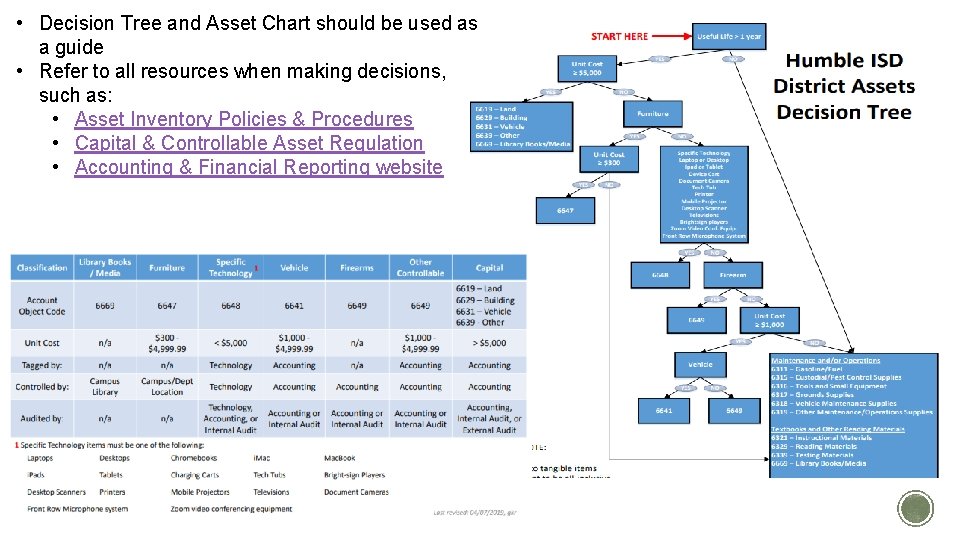
• Asset: Resources from which future economic benefits are expected. • Useful Life: Number of years an asset is likely to be in use • Capital Asset: Items with a long useful life (> 1 year) and of a significant value at purchase or acquisition • Capitalization: the act of depreciating an asset • Capitalization Threshold: The dollar value the District elects to capitalize assets with a long useful life (>1 year) • Controllable Asset: Items with a long useful life (>1 year) but do not meet the capitalization threshold • Expense/Expenditure: Items with a short useful life (<1 year) or of small monetary value
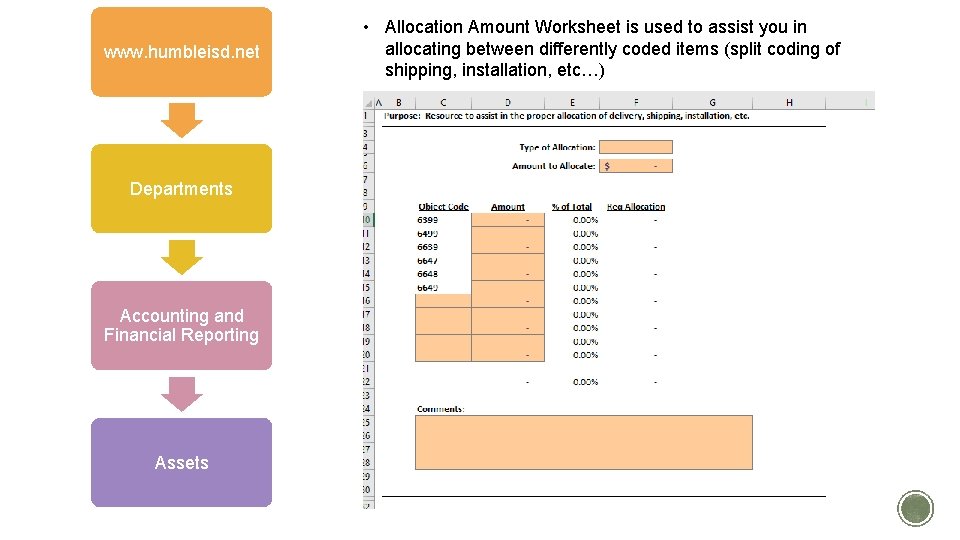
§ Line items should be coded based on individual unit cost. § Other items purchased to put the asset into service such as computer case, HDMI cables, and locks do not need to be coded to the asset unless specified as a specific technology item or over the dollar threshold § Shipping, installation, etc… should be allocated to the asset Examples: § Laptop and printer → 6648, then shipping → 6648 § Laptop → 6648, laptop case → 6399, then shipping → split/allocated between 6648/6399
• Decision Tree and Asset Chart should be used as a guide • Refer to all resources when making decisions, such as: • Asset Inventory Policies & Procedures • Capital & Controllable Asset Regulation • Accounting & Financial Reporting website
www. humbleisd. net Departments Accounting and Financial Reporting Assets • Allocation Amount Worksheet is used to assist you in allocating between differently coded items (split coding of shipping, installation, etc…)
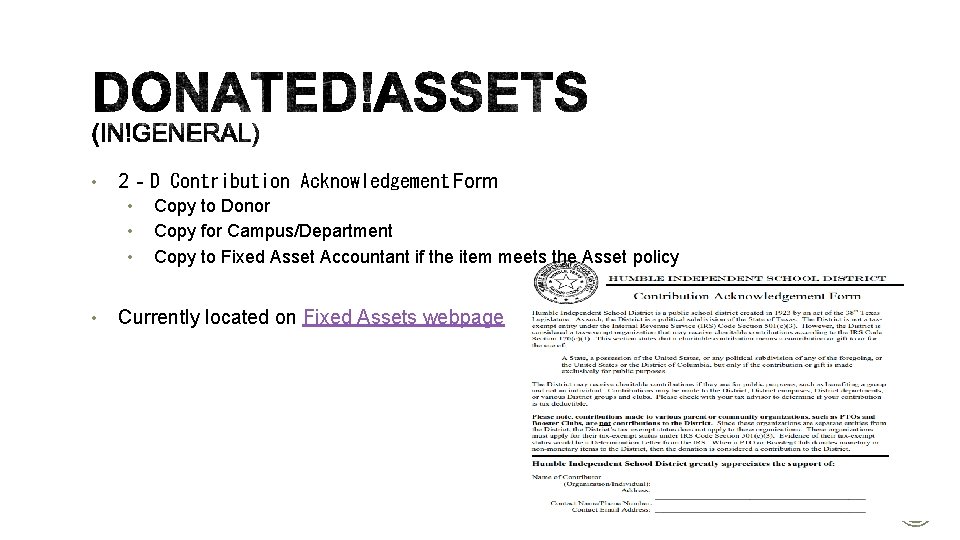
• 2‐D Contribution Acknowledgement Form • • Copy to Donor Copy for Campus/Department Copy to Fixed Asset Accountant if the item meets the Asset policy Currently located on Fixed Assets webpage
• Crowdfunding is the practice of funding a project by raising funds through an online giving page. This type of fundraising is typically used for small classroom-based projects. • All posting must be approved by the campus/department Budget Manager before posting online. • Community Development has a form that must be completed for Donor’s Choose and Adopt-a-Classroom prior to the project being posted online. • If the project is funded a secondary form must be completed. § More information regarding the Crowdfunding Process can be found on the Community Development webpage
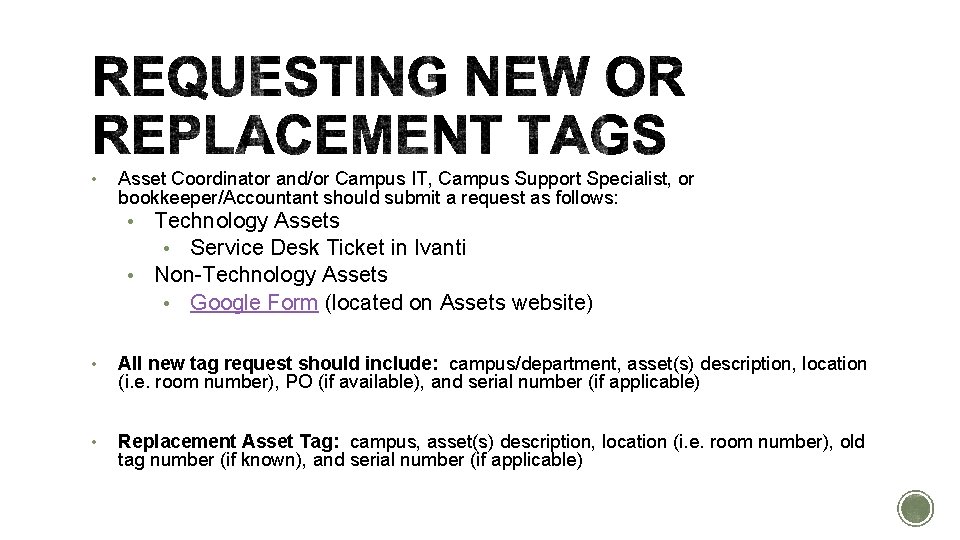
• Asset Coordinator and/or Campus IT, Campus Support Specialist, or bookkeeper/Accountant should submit a request as follows: • Technology Assets • Service Desk Ticket in Ivanti • Non-Technology Assets • Google Form (located on Assets website) • All new tag request should include: campus/department, asset(s) description, location (i. e. room number), PO (if available), and serial number (if applicable) • Replacement Asset Tag: campus, asset(s) description, location (i. e. room number), old tag number (if known), and serial number (if applicable)
§ Tip. Web-IT is the system the District uses to track capital and controllable assets as they are housed and moved throughout the District. § Asset Coordinator and/or Campus IT is responsible for maintaining accurate asset records in the TIPWeb-IT Asset Management System. § Step-by-step training guides and videos can be found on the Asset Webpage.
§ Technology Zone Leader and/or Campus Support Specialist will update asset records within the TIPWeb-IT Asset Management System when required (i. e. , transfers). § Asset Coordinator and/or Campus IT will coordinate the moving of assets at the campus and/or department level for disposal: § Requests for asset disposals are sent through Tip. Web-IT § Budget Managers must be included on the request § Non-asset items (such as monitors) will utilize the Warehouse Transfer form
Julius Herron
§ Receiving, and Transferring technology assets to and from Warehouse in Tip. Web-IT. § Receiving assets directly to campus, the process for getting assets loaded into TIp. Web-IT. § Where to report information. § Who to contact regarding Tip. Web-IT. § Where to find information on the District's website.
Mallorie Garza x 8309
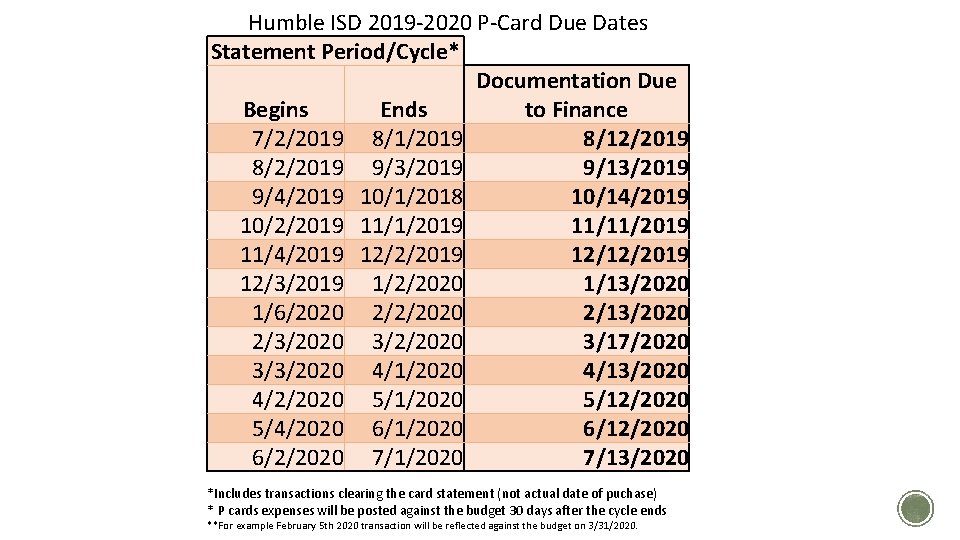
Humble ISD 2019 -2020 P-Card Due Dates Statement Period/Cycle* Documentation Due Begins Ends to Finance 7/2/2019 8/12/2019 8/2/2019 9/3/2019 9/13/2019 9/4/2019 10/1/2018 10/14/2019 10/2/2019 11/11/2019 11/4/2019 12/2/2019 12/12/2019 12/3/2019 1/2/2020 1/13/2020 1/6/2020 2/2/2020 2/13/2020 2/3/2020 3/2/2020 3/17/2020 3/3/2020 4/13/2020 4/2/2020 5/12/2020 5/4/2020 6/12/2020 6/2/2020 7/13/2020 *Includes transactions clearing the card statement (not actual date of puchase) * P cards expenses will be posted against the budget 30 days after the cycle ends **For example February 5 th 2020 transaction will be reflected against the budget on 3/31/2020.
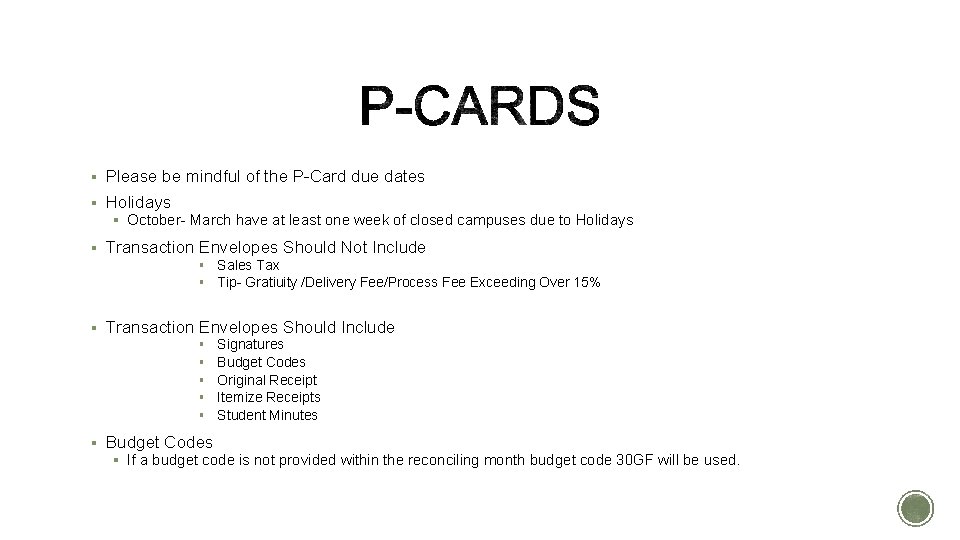
§ Please be mindful of the P-Card due dates § Holidays § October- March have at least one week of closed campuses due to Holidays § Transaction Envelopes Should Not Include § Sales Tax § Tip- Gratiuity /Delivery Fee/Process Fee Exceeding Over 15% § Transaction Envelopes Should Include § § § Signatures Budget Codes Original Receipt Itemize Receipts Student Minutes § Budget Codes § If a budget code is not provided within the reconciling month budget code 30 GF will be used.
Erin Stallings
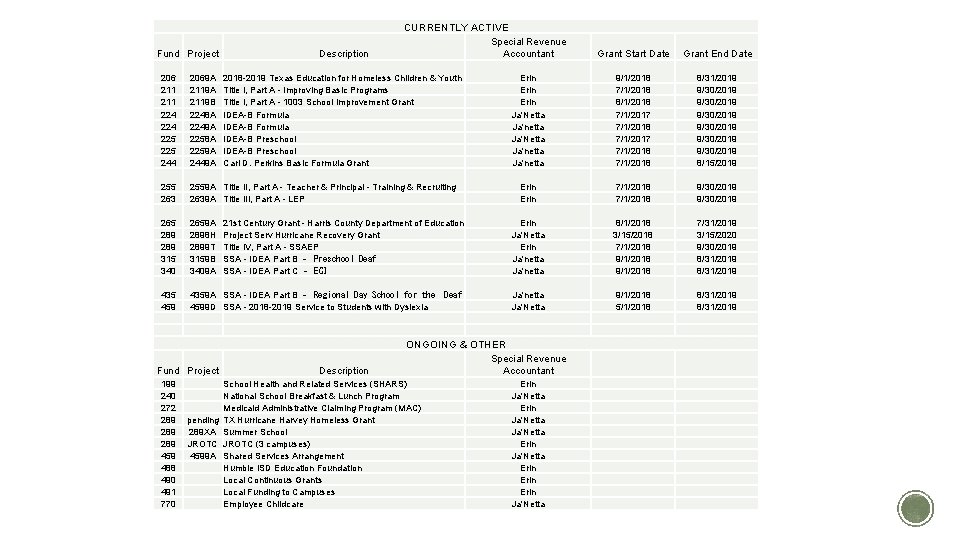
Fund Project Description CURRENTLY ACTIVE Special Revenue Accountant 206 211 224 225 244 2069 A 2119 B 2248 A 2249 A 2258 A 2259 A 2449 A 255 263 2559 A Title II, Part A - Teacher & Principal - Training & Recruiting 2639 A Title III, Part A - LEP 265 289 315 340 2659 A 2898 H 2899 T 3159 B 3409 A 435 459 4359 A SSA - IDEA Part B ‐ Regional Day School for the 4599 D SSA - 2018 -2019 Service to Students with Dyslexia Fund Project 199 240 272 289 289 459 488 490 491 770 pending 289 XA JROTC 4599 A 2018 -2019 Texas Education for Homeless Children & Youth Title I, Part A - Improving Basic Programs Title I, Part A - 1003 School Improvement Grant IDEA-B Formula IDEA-B Preschool Carl D. Perkins Basic Formula Grant 21 st Century Grant - Harris County Department of Education Project Serv Hurricane Recovery Grant Title IV, Part A - SSAEP SSA - IDEA Part B ‐ Preschool Deaf SSA - IDEA Part C ‐ ECI Description Deaf Grant Start Date Grant End Date Erin Ja'Netta Ja'netta 9/1/2018 7/1/2018 8/1/2018 7/1/2017 7/1/2018 8/31/2019 9/30/2019 9/30/2019 8/15/2019 Erin 7/1/2018 9/30/2019 Erin Ja'Netta Erin Ja'netta 8/1/2018 3/15/2018 7/1/2018 9/1/2018 7/31/2019 3/15/2020 9/30/2019 8/31/2019 Ja'netta Ja'Netta 9/1/2018 5/1/2018 8/31/2019 ONGOING & OTHER Special Revenue Accountant School Health and Related Services (SHARS) National School Breakfast & Lunch Program Medicaid Administrative Claiming Program (MAC) TX Hurricane Harvey Homeless Grant Summer School JROTC (3 campuses) Shared Services Arrangement Humble ISD Education Foundation Local Continuous Grants Local Funding to Campuses Employee Childcare Erin Ja'Netta Erin Ja'Netta
Catherine Dalles & Renee Chewning New information, updates, points to remember
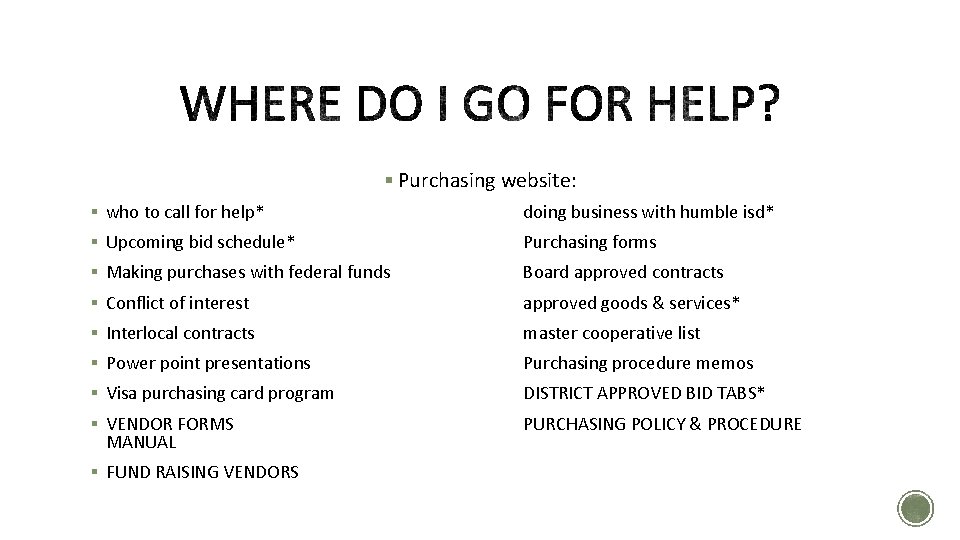
§ Purchasing website: § who to call for help* doing business with humble isd* § Upcoming bid schedule* Purchasing forms § Making purchases with federal funds Board approved contracts § Conflict of interest approved goods & services* § Interlocal contracts master cooperative list § Power point presentations Purchasing procedure memos § Visa purchasing card program DISTRICT APPROVED BID TABS* § VENDOR FORMS PURCHASING POLICY & PROCEDURE MANUAL § FUND RAISING VENDORS
§ Listing is not static § Check back often for updates § Majority of renewals are complete § Please note that RFP’s now have different expiration dates § July 23 – Board of Trustees – 10 RFP’s awaiting approval
§ Rolling Bids–Allows vendors on those RFP’s to respond throughout the school year. § Upcoming Rolling bids for: Subscriptions, Internet/Web-based Access & Software programs, General Merchandise, Restaurants & Catering, Educational Consultants
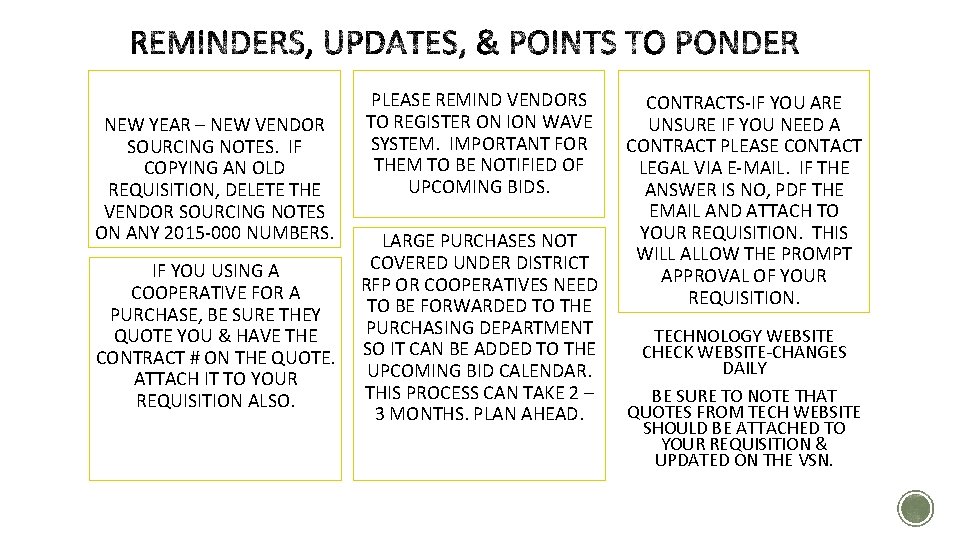
NEW YEAR – NEW VENDOR SOURCING NOTES. IF COPYING AN OLD REQUISITION, DELETE THE VENDOR SOURCING NOTES ON ANY 2015 -000 NUMBERS. IF YOU USING A COOPERATIVE FOR A PURCHASE, BE SURE THEY QUOTE YOU & HAVE THE CONTRACT # ON THE QUOTE. ATTACH IT TO YOUR REQUISITION ALSO. PLEASE REMIND VENDORS TO REGISTER ON ION WAVE SYSTEM. IMPORTANT FOR THEM TO BE NOTIFIED OF UPCOMING BIDS. LARGE PURCHASES NOT COVERED UNDER DISTRICT RFP OR COOPERATIVES NEED TO BE FORWARDED TO THE PURCHASING DEPARTMENT SO IT CAN BE ADDED TO THE UPCOMING BID CALENDAR. THIS PROCESS CAN TAKE 2 – 3 MONTHS. PLAN AHEAD. CONTRACTS-IF YOU ARE UNSURE IF YOU NEED A CONTRACT PLEASE CONTACT LEGAL VIA E-MAIL. IF THE ANSWER IS NO, PDF THE EMAIL AND ATTACH TO YOUR REQUISITION. THIS WILL ALLOW THE PROMPT APPROVAL OF YOUR REQUISITION. TECHNOLOGY WEBSITE CHECK WEBSITE-CHANGES DAILY BE SURE TO NOTE THAT QUOTES FROM TECH WEBSITE SHOULD BE ATTACHED TO YOUR REQUISITION & UPDATED ON THE VSN.
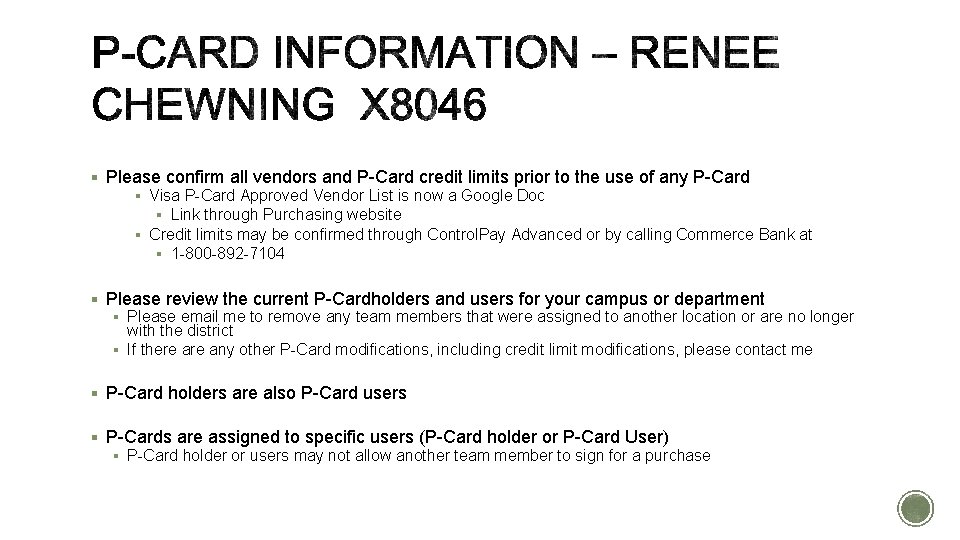
§ Please confirm all vendors and P-Card credit limits prior to the use of any P-Card § Visa P-Card Approved Vendor List is now a Google Doc § Link through Purchasing website § Credit limits may be confirmed through Control. Pay Advanced or by calling Commerce Bank at § 1 -800 -892 -7104 § Please review the current P-Cardholders and users for your campus or department § Please email me to remove any team members that were assigned to another location or are no longer with the district § If there any other P-Card modifications, including credit limit modifications, please contact me § P-Card holders are also P-Card users § P-Cards are assigned to specific users (P-Card holder or P-Card User) § P-Card holder or users may not allow another team member to sign for a purchase
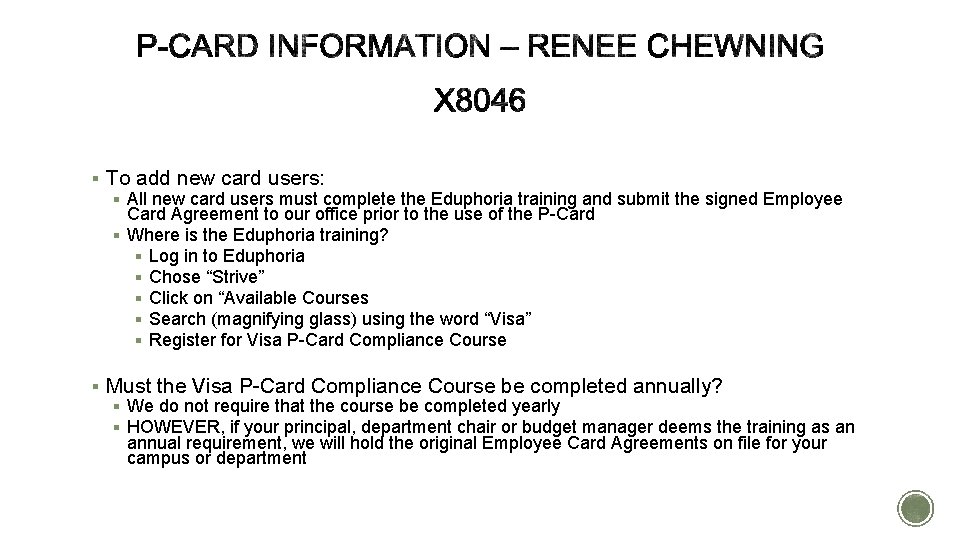
§ To add new card users: § All new card users must complete the Eduphoria training and submit the signed Employee Card Agreement to our office prior to the use of the P-Card § Where is the Eduphoria training? § Log in to Eduphoria § Chose “Strive” § Click on “Available Courses § Search (magnifying glass) using the word “Visa” § Register for Visa P-Card Compliance Course § Must the Visa P-Card Compliance Course be completed annually? § We do not require that the course be completed yearly § HOWEVER, if your principal, department chair or budget manager deems the training as an annual requirement, we will hold the original Employee Card Agreements on file for your campus or department
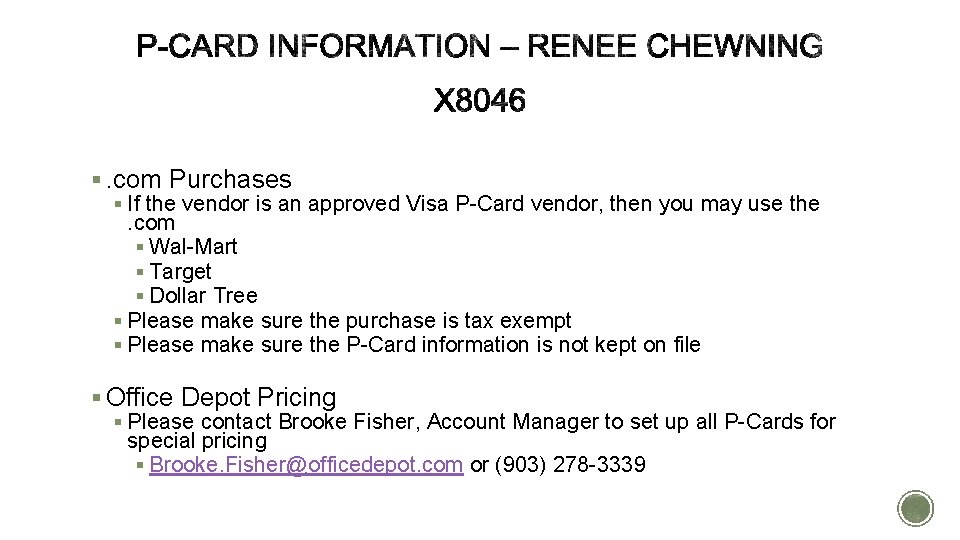
§. com Purchases § If the vendor is an approved Visa P-Card vendor, then you may use the . com § Wal-Mart § Target § Dollar Tree § Please make sure the purchase is tax exempt § Please make sure the P-Card information is not kept on file § Office Depot Pricing § Please contact Brooke Fisher, Account Manager to set up all P-Cards for special pricing § Brooke. Fisher@officedepot. com or (903) 278 -3339
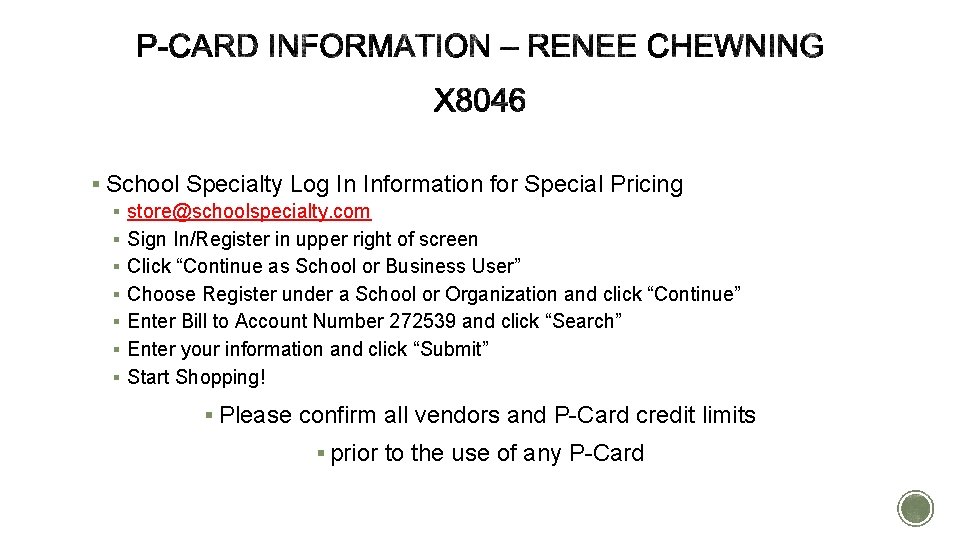
§ School Specialty Log In Information for Special Pricing § store@schoolspecialty. com § Sign In/Register in upper right of screen § Click “Continue as School or Business User” § Choose Register under a School or Organization and click “Continue” § Enter Bill to Account Number 272539 and click “Search” § Enter your information and click “Submit” § Start Shopping! § Please confirm all vendors and P-Card credit limits § prior to the use of any P-Card
SCHOOL SPECIALTY ONLINE CART RETRIEVE THROUGH MUNIS
CART/REQUISITION RETRIEVAL Teachers create shopping cart requisitions directly • online at Store. School. Specialty. com • Bookkeepers retrieve cart requisitions into Munis with one click! • No re-keying needed! • Requisitions are completely accurate with HISD’s contracted pricing
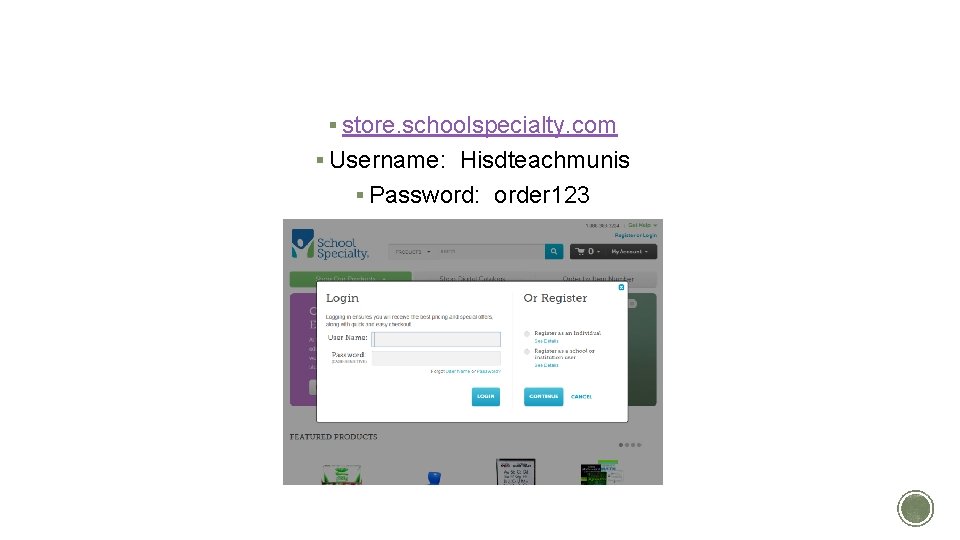
TEACHERS CREATE CARTS § store. schoolspecialty. com § Username: Hisdteachmunis § Password: order 123
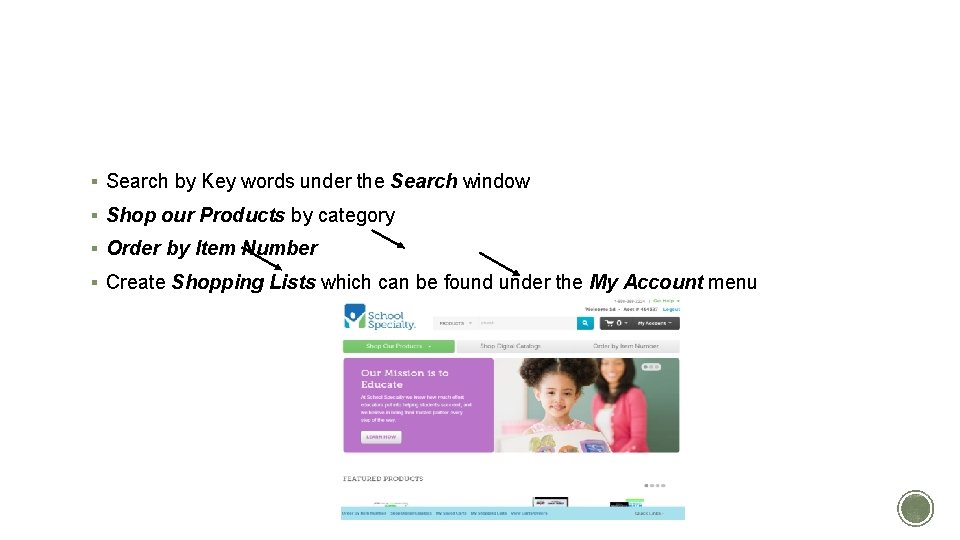
CREATE YOUR REQUISITION § Search by Key words under the Search window § Shop our Products by category § Order by Item Number § Create Shopping Lists which can be found under the My Account menu
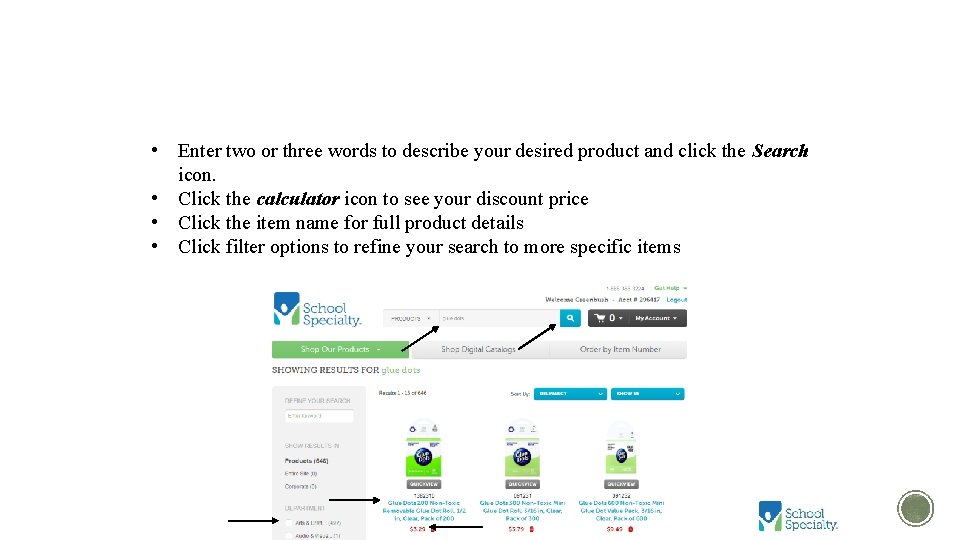
KEYWORD SEARCH • Enter two or three words to describe your desired product and click the Search icon. • Click the calculator icon to see your discount price • Click the item name for full product details • Click filter options to refine your search to more specific items
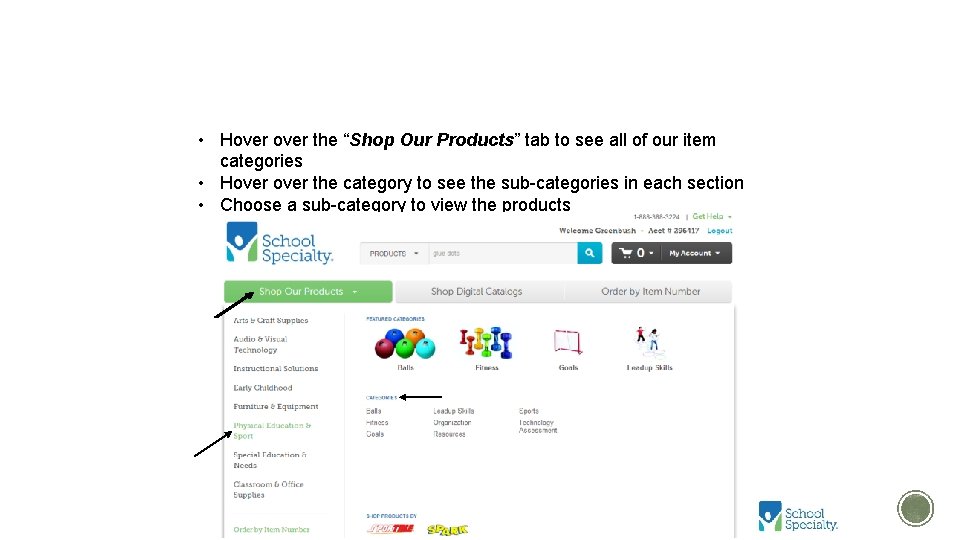
SHOP OUR PRODUCTS • Hover the “Shop Our Products” tab to see all of our item categories • Hover the category to see the sub-categories in each section • Choose a sub-category to view the products
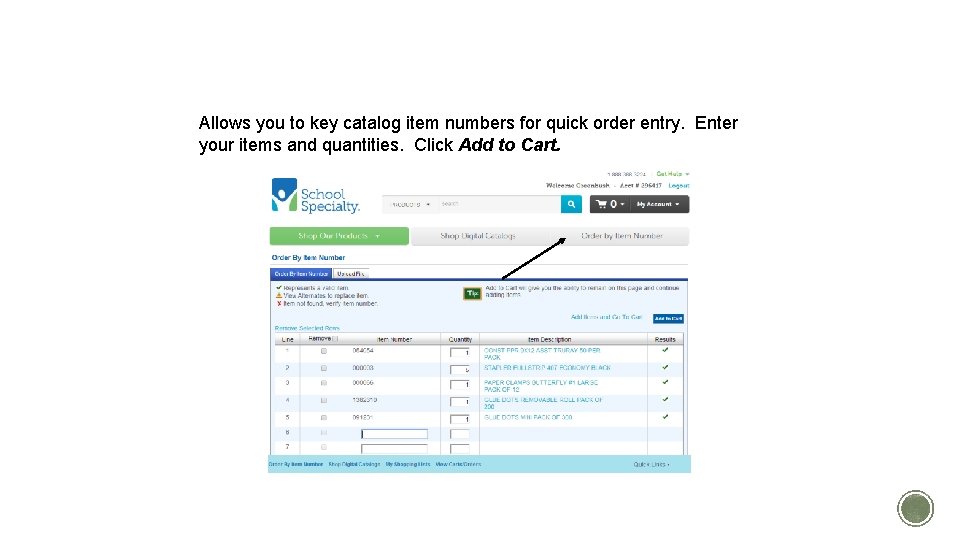
ORDER BY ITEM NUMBER Allows you to key catalog item numbers for quick order entry. Enter your items and quantities. Click Add to Cart.
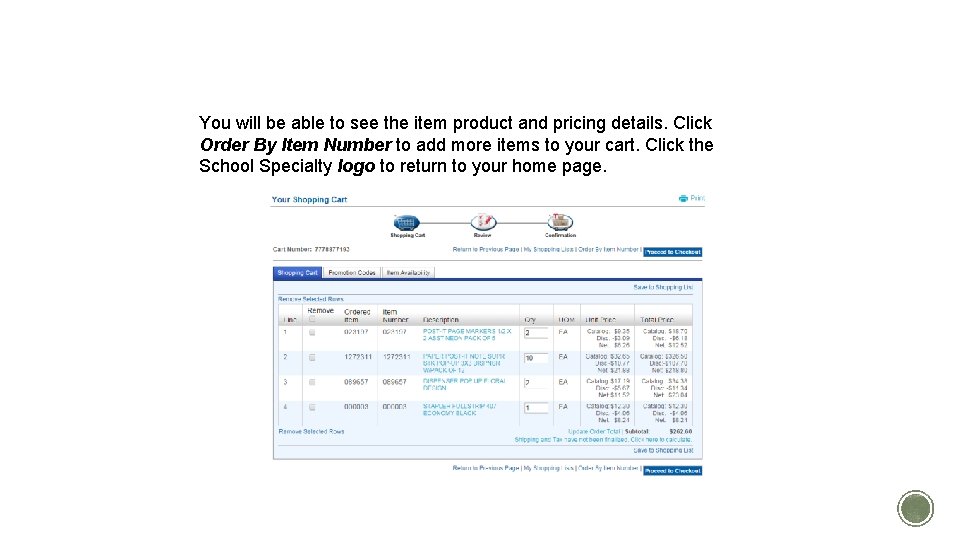
YOUR ITEM WILL BE ADDED TO YOUR SHOPPING CART. You will be able to see the item product and pricing details. Click Order By Item Number to add more items to your cart. Click the School Specialty logo to return to your home page.
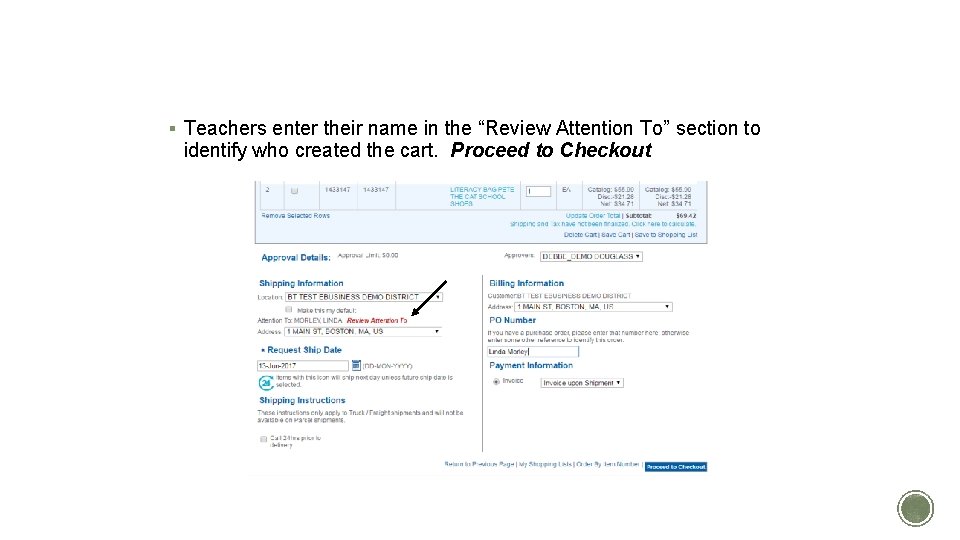
SHOPPING CART / CHECKOUT § Teachers enter their name in the “Review Attention To” section to identify who created the cart. Proceed to Checkout
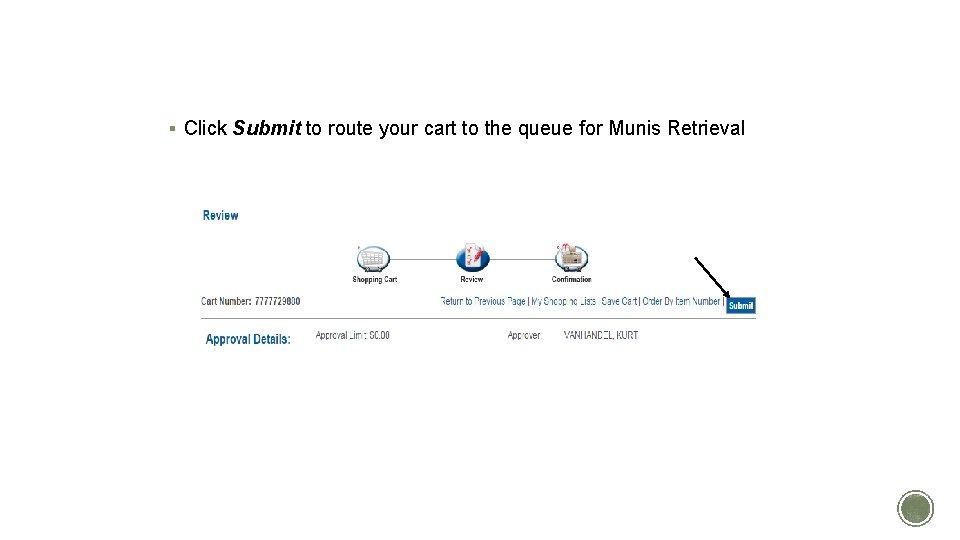
REVIEW AND SUBMIT § Click Submit to route your cart to the queue for Munis Retrieval
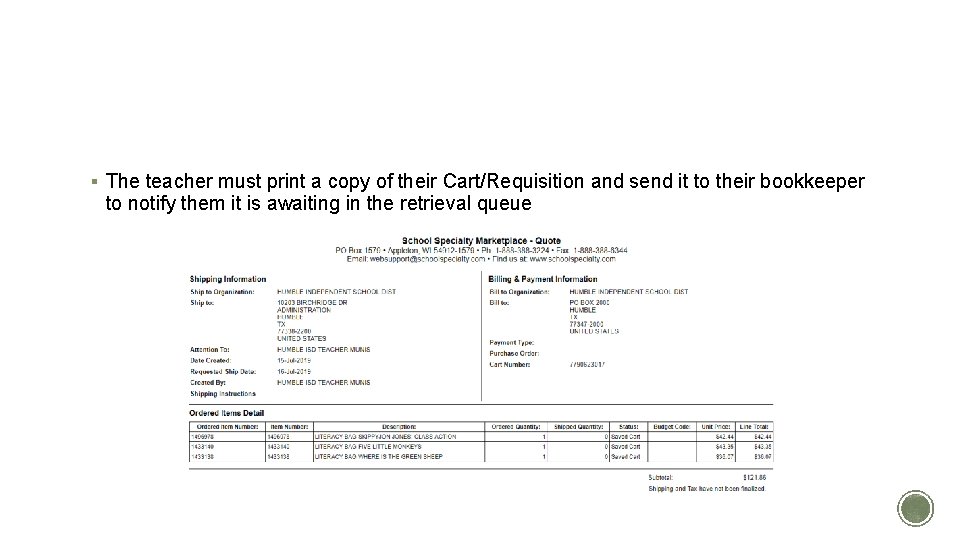
NOTIFY BOOKKEEPER OF CART/REQ § The teacher must print a copy of their Cart/Requisition and send it to their bookkeeper to notify them it is awaiting in the retrieval queue
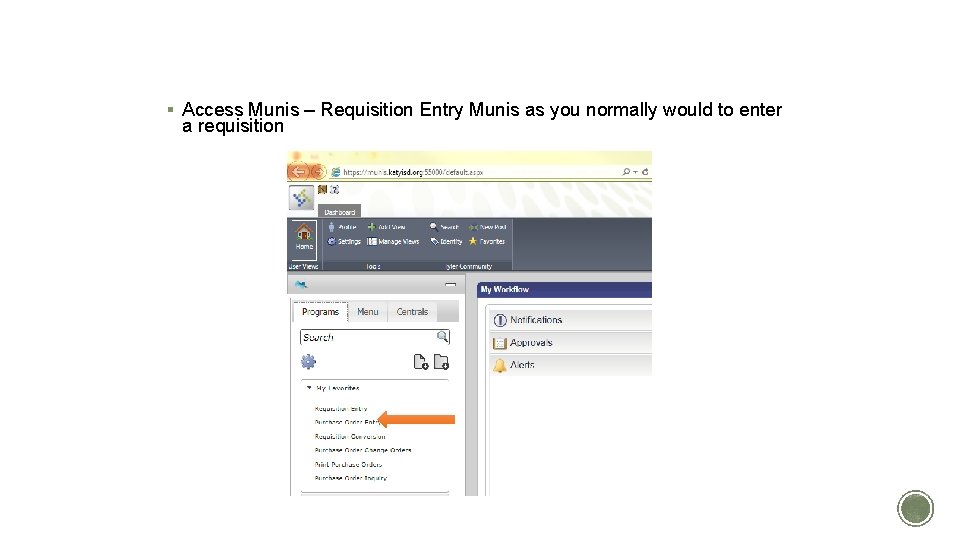
BOOKKEEPER RETRIEVES CART IN MUNIS § Access Munis – Requisition Entry Munis as you normally would to enter a requisition
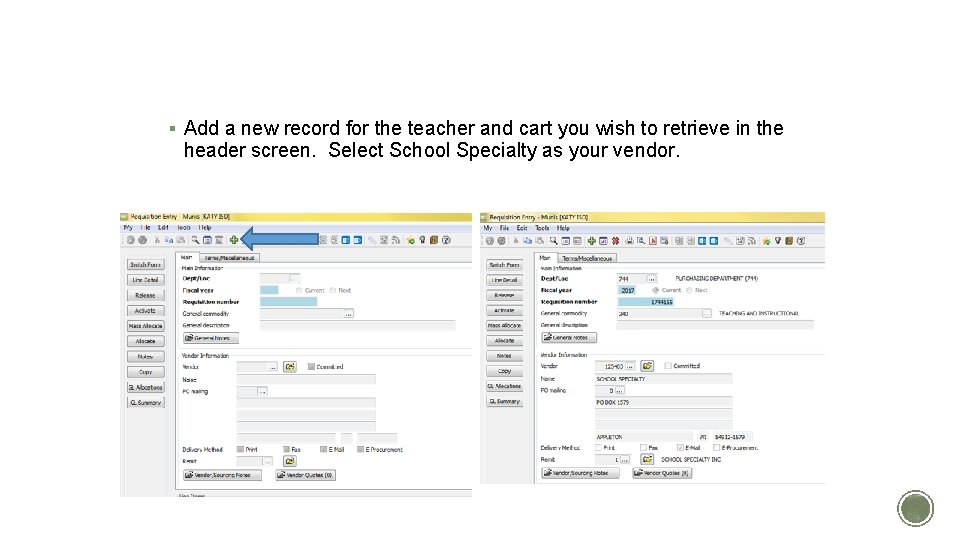
ADD NEW SCHOOL SPECIALTY REQUISITION § Add a new record for the teacher and cart you wish to retrieve in the header screen. Select School Specialty as your vendor.
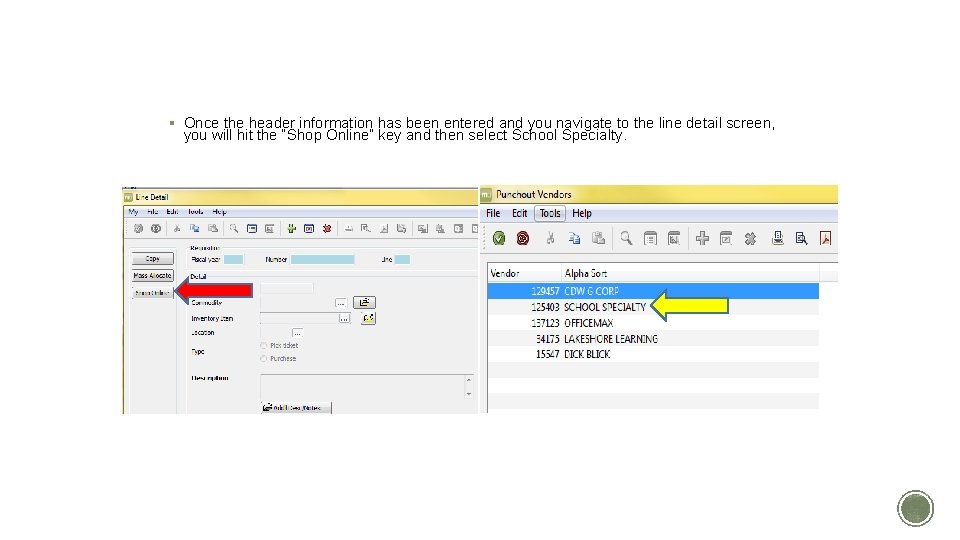
SHOP ONLINE § Once the header information has been entered and you navigate to the line detail screen, you will hit the “Shop Online” key and then select School Specialty.
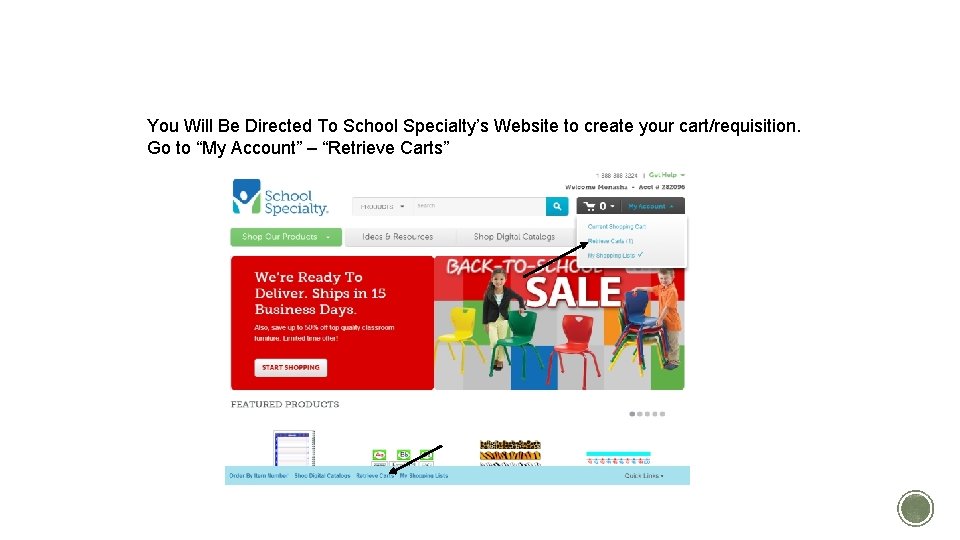
DIRECTED TO SCHOOL SPECIALTY’S WEBSITE You Will Be Directed To School Specialty’s Website to create your cart/requisition. Go to “My Account” – “Retrieve Carts”
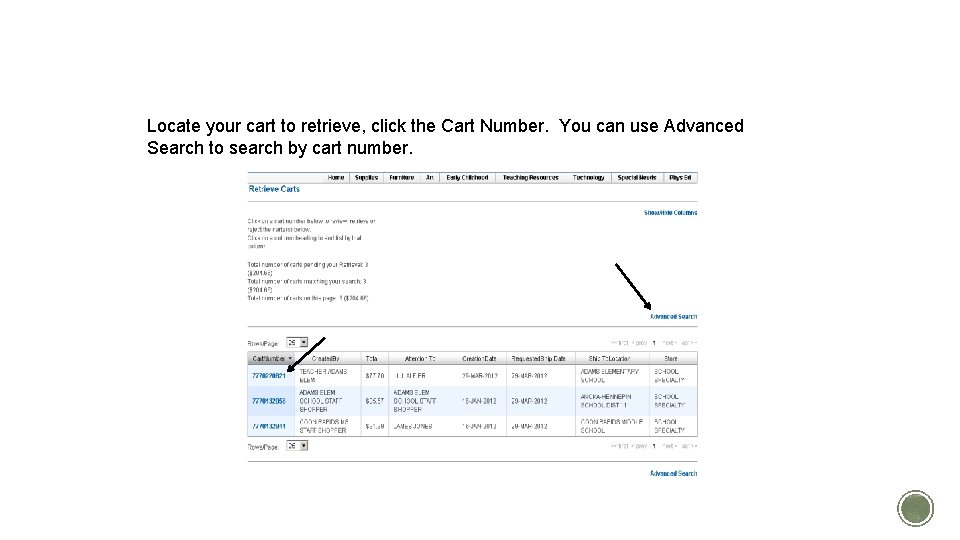
LOCATE YOUR CART Locate your cart to retrieve, click the Cart Number. You can use Advanced Search to search by cart number.
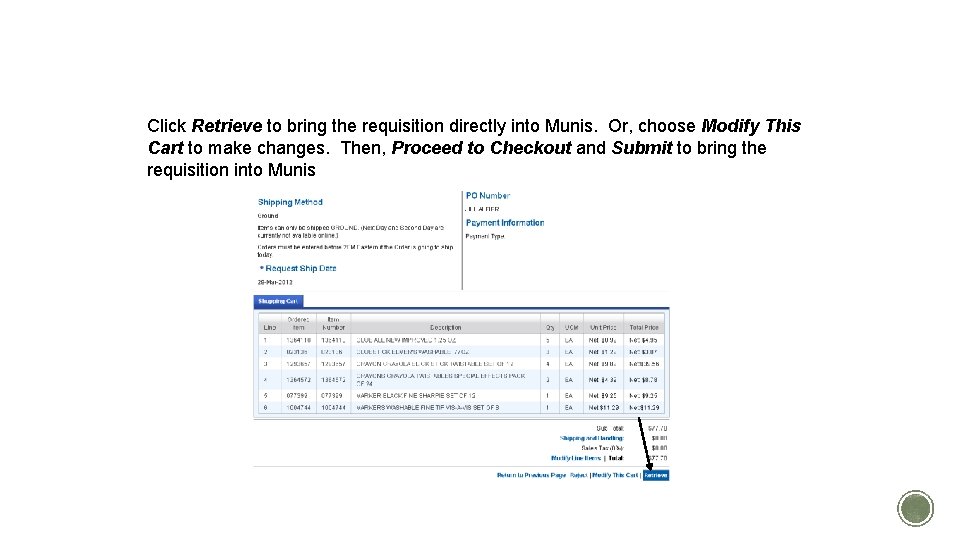
RETRIEVE YOUR CART Click Retrieve to bring the requisition directly into Munis. Or, choose Modify This Cart to make changes. Then, Proceed to Checkout and Submit to bring the requisition into Munis
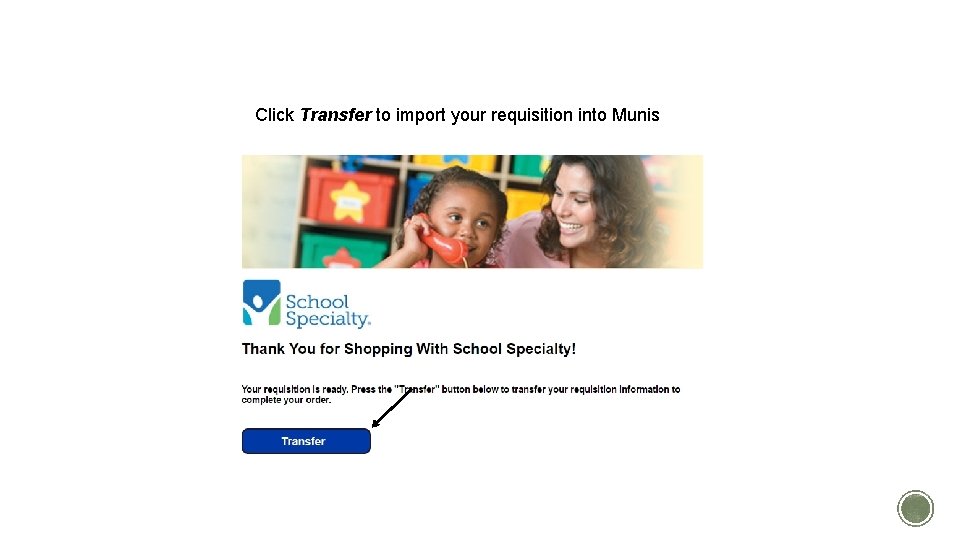
TRANSFER YOUR CART Click Transfer to import your requisition into Munis
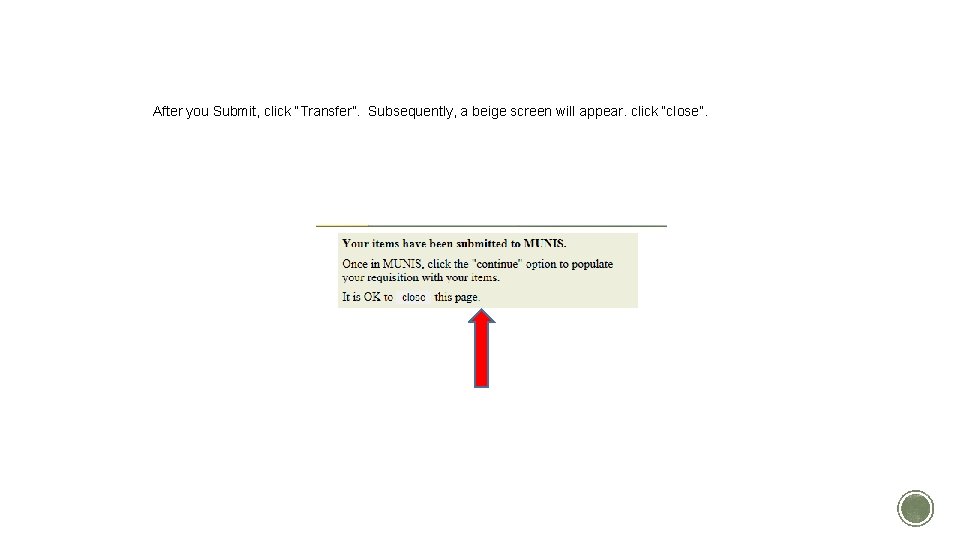
TRANSFER CART TO MUNIS After you Submit, click “Transfer”. Subsequently, a beige screen will appear. click “close”.
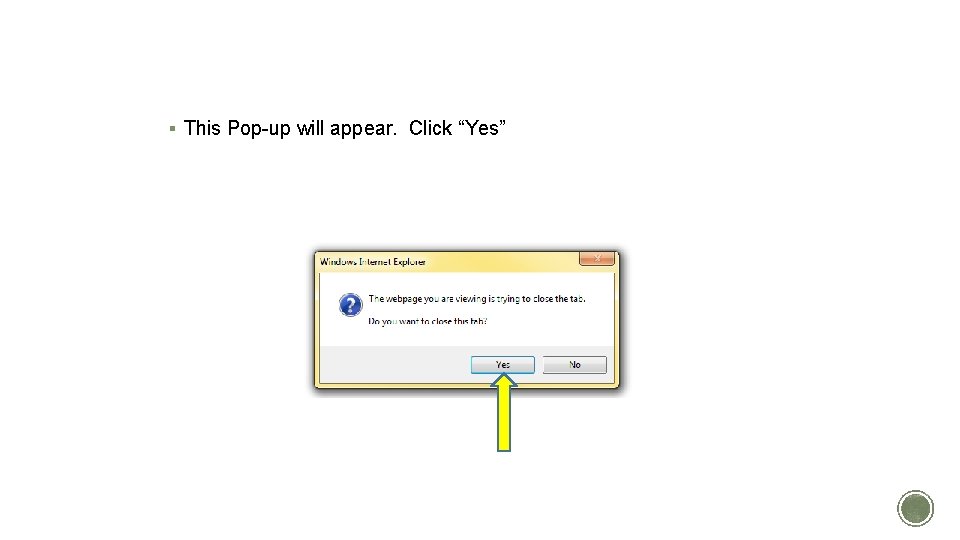
CLOSE THE TAB § This Pop-up will appear. Click “Yes”
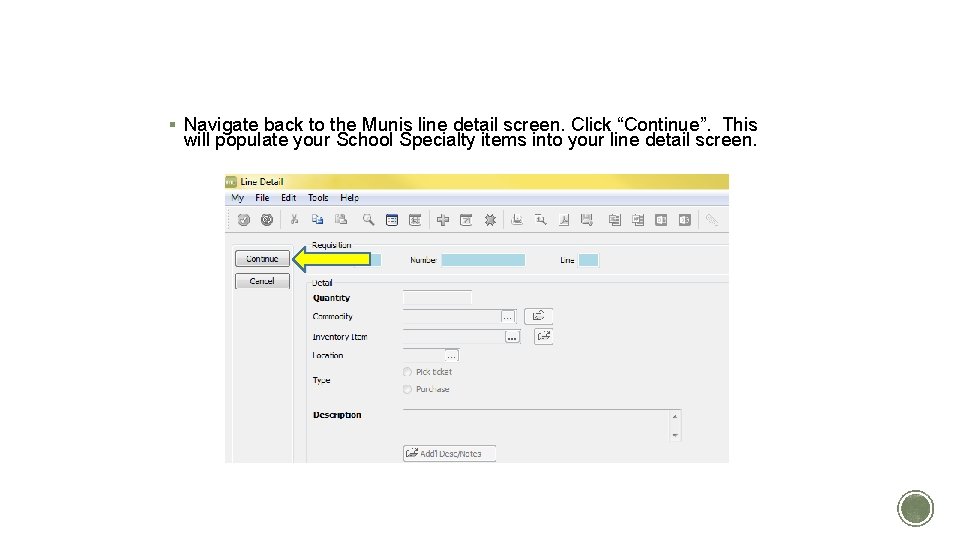
POPULATE YOUR REQUISITION § Navigate back to the Munis line detail screen. Click “Continue”. This will populate your School Specialty items into your line detail screen.
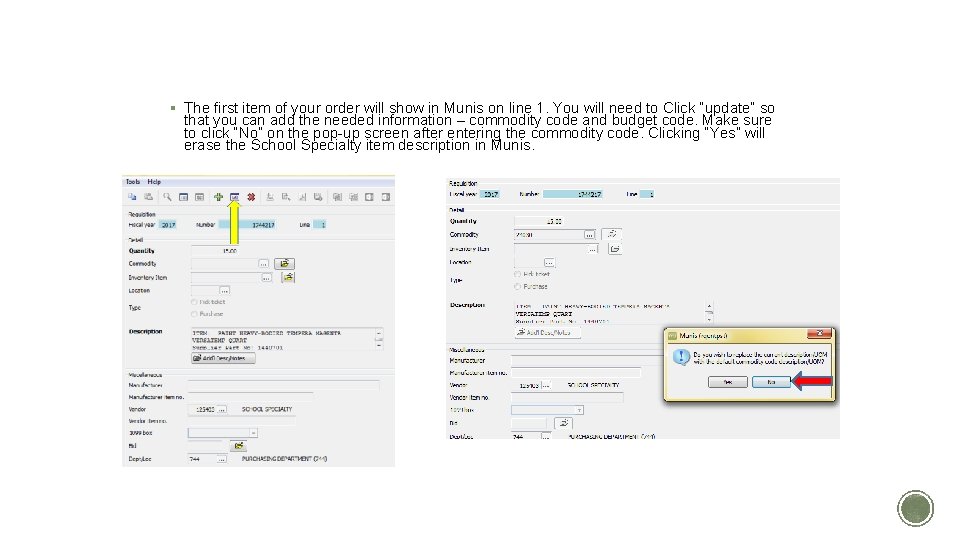
ITEM DETAILS § The first item of your order will show in Munis on line 1. You will need to Click “update” so that you can add the needed information – commodity code and budget code. Make sure to click “No” on the pop-up screen after entering the commodity code. Clicking “Yes” will erase the School Specialty item description in Munis.
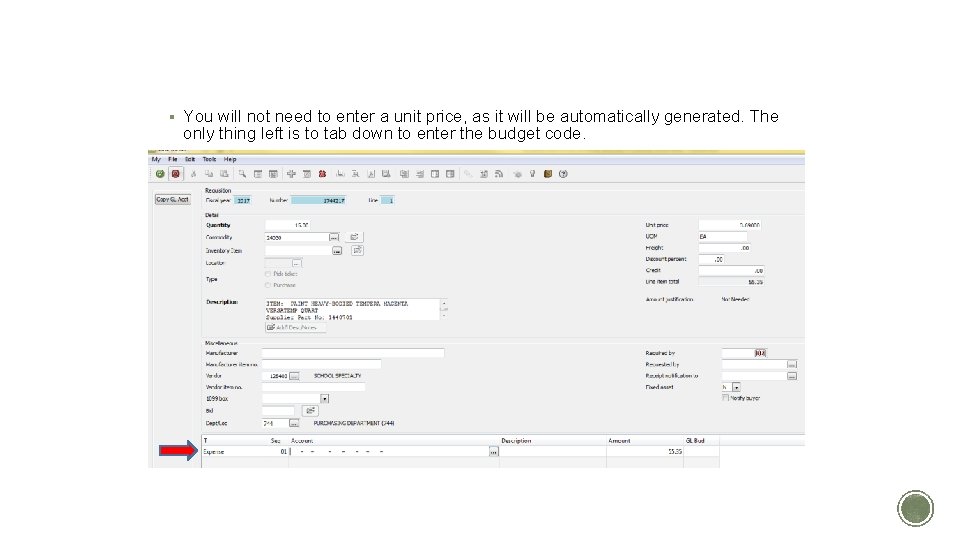
ITEM DETAILS II § You will not need to enter a unit price, as it will be automatically generated. The only thing left is to tab down to enter the budget code.
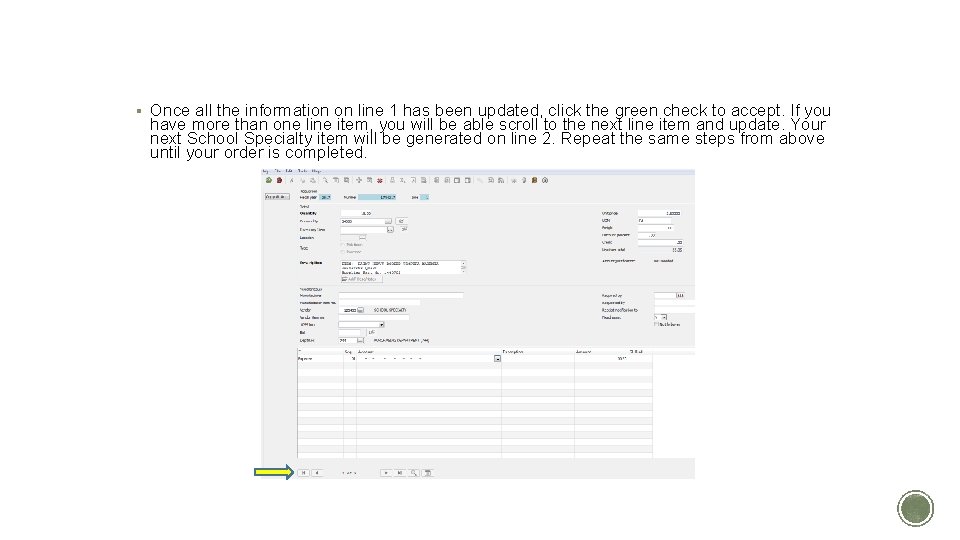
ITEM DETAILS III § Once all the information on line 1 has been updated, click the green check to accept. If you have more than one line item, you will be able scroll to the next line item and update. Your next School Specialty item will be generated on line 2. Repeat the same steps from above until your order is completed.
THANK YOU! Web Support (800) 513 -2465 websupport@schoolspecialty. com
Lynn Reighard