EECS 150 Components and Design Techniques for Digital
- Slides: 36
EECS 150 - Components and Design Techniques for Digital Systems Lec 01 – Introduction 8 -31 -04 David Culler Electrical Engineering and Computer Sciences University of California, Berkeley http: //www. eecs. berkeley. edu/~culler http: //www-inst. eecs. berkeley. edu/~cs 150 8/31/04 EECS 150 Lec 01 - Intro
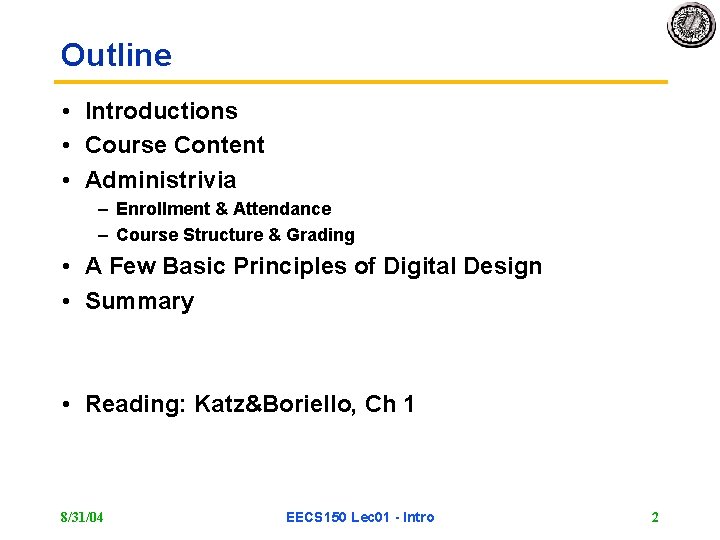
Outline • Introductions • Course Content • Administrivia – Enrollment & Attendance – Course Structure & Grading • A Few Basic Principles of Digital Design • Summary • Reading: Katz&Boriello, Ch 1 8/31/04 EECS 150 Lec 01 - Intro 2
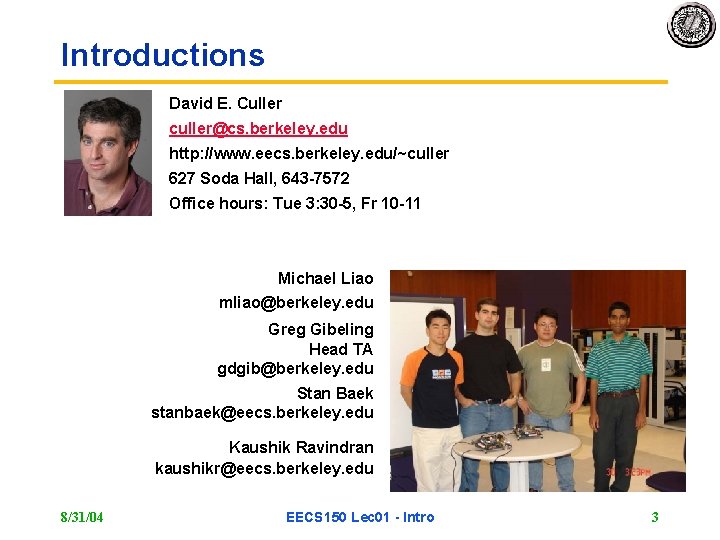
Introductions David E. Culler culler@cs. berkeley. edu http: //www. eecs. berkeley. edu/~culler 627 Soda Hall, 643 -7572 Office hours: Tue 3: 30 -5, Fr 10 -11 Michael Liao mliao@berkeley. edu Greg Gibeling Head TA gdgib@berkeley. edu Stan Baek stanbaek@eecs. berkeley. edu Kaushik Ravindran kaushikr@eecs. berkeley. edu 8/31/04 EECS 150 Lec 01 - Intro 3
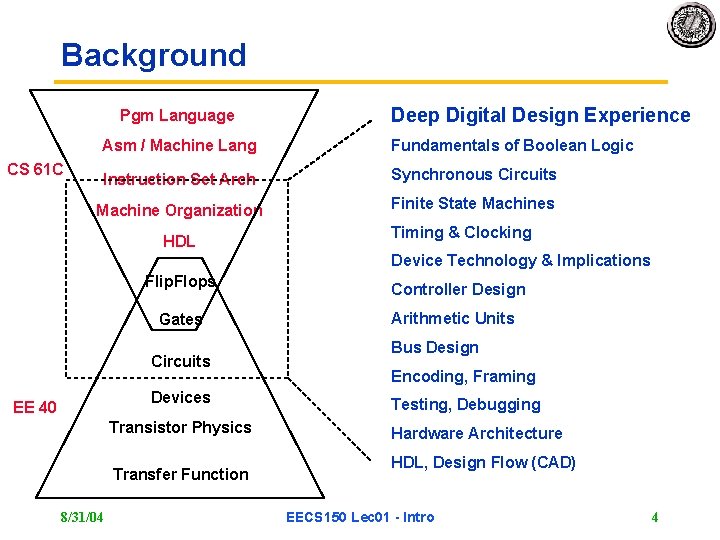
Background Pgm Language CS 61 C Deep Digital Design Experience Asm / Machine Lang Fundamentals of Boolean Logic Instruction Set Arch Synchronous Circuits Machine Organization Finite State Machines HDL Timing & Clocking Device Technology & Implications Flip. Flops Gates Circuits Devices EE 40 Transistor Physics Transfer Function 8/31/04 Controller Design Arithmetic Units Bus Design Encoding, Framing Testing, Debugging Hardware Architecture HDL, Design Flow (CAD) EECS 150 Lec 01 - Intro 4
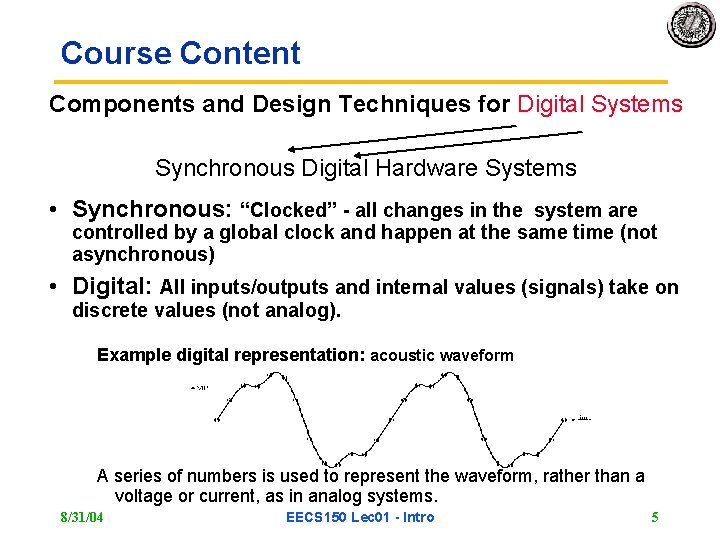
Course Content Components and Design Techniques for Digital Systems Synchronous Digital Hardware Systems • Synchronous: “Clocked” - all changes in the system are controlled by a global clock and happen at the same time (not asynchronous) • Digital: All inputs/outputs and internal values (signals) take on discrete values (not analog). Example digital representation: acoustic waveform A series of numbers is used to represent the waveform, rather than a voltage or current, as in analog systems. 8/31/04 EECS 150 Lec 01 - Intro 5
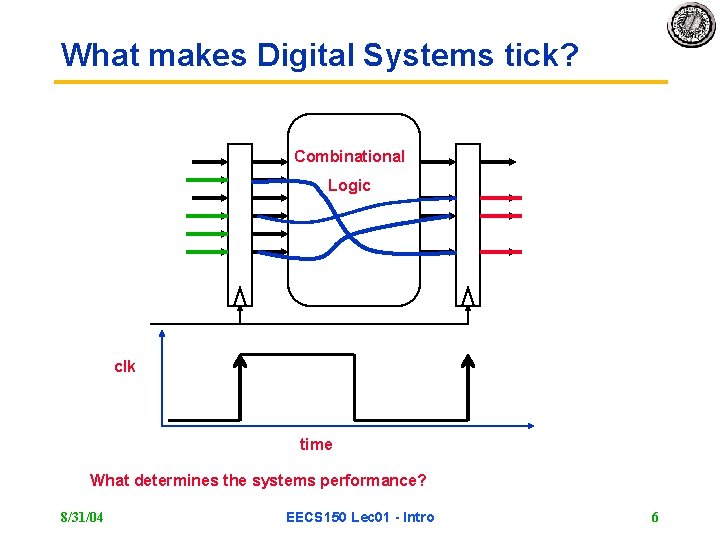
What makes Digital Systems tick? Combinational Logic clk time What determines the systems performance? 8/31/04 EECS 150 Lec 01 - Intro 6
Course Content • Hardware Architectures • Arithmetic units, controllers • Memory elements, logic gates, busses • Transistor-level circuits • Transistors, wires • Not a course on transistor physics and transistor circuits. Although, we will look at these to better understand the primitive elements for digital circuits. • Not a course on computer architecture or the architecture of other systems. Although we will look at these as examples. 8/31/04 EECS 150 Lec 01 - Intro 7
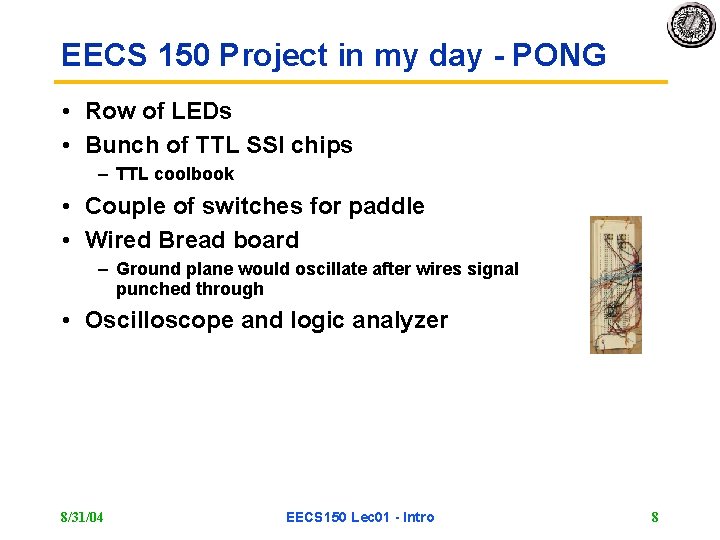
EECS 150 Project in my day - PONG • Row of LEDs • Bunch of TTL SSI chips – TTL coolbook • Couple of switches for paddle • Wired Bread board – Ground plane would oscillate after wires signal punched through • Oscilloscope and logic analyzer 8/31/04 EECS 150 Lec 01 - Intro 8
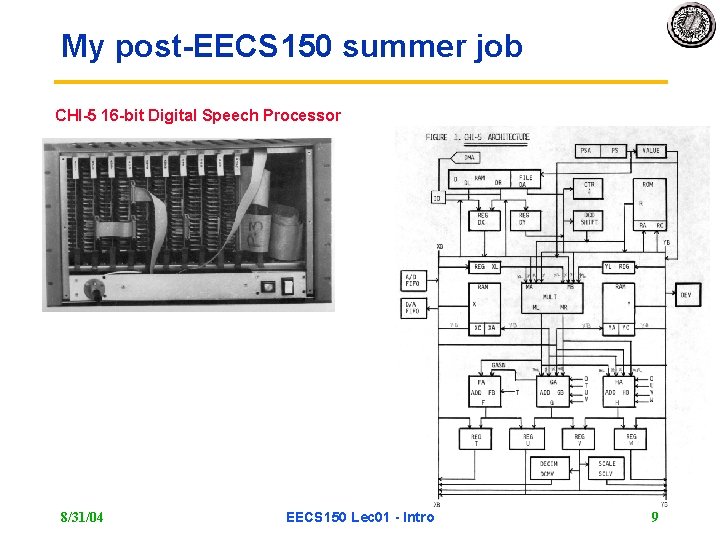
My post-EECS 150 summer job CHI-5 16 -bit Digital Speech Processor 8/31/04 EECS 150 Lec 01 - Intro 9
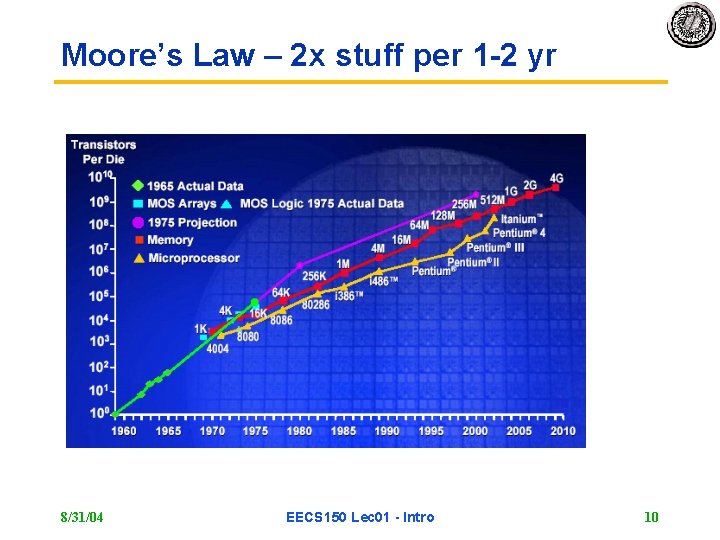
Moore’s Law – 2 x stuff per 1 -2 yr 8/31/04 EECS 150 Lec 01 - Intro 10
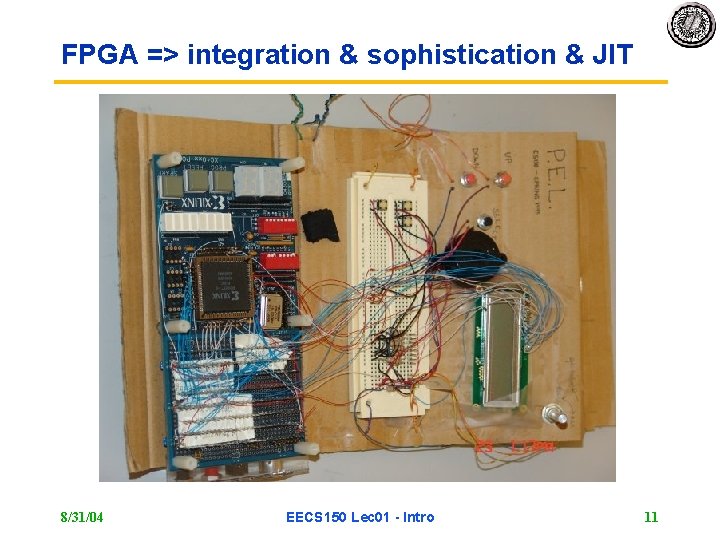
FPGA => integration & sophistication & JIT 8/31/04 EECS 150 Lec 01 - Intro 11
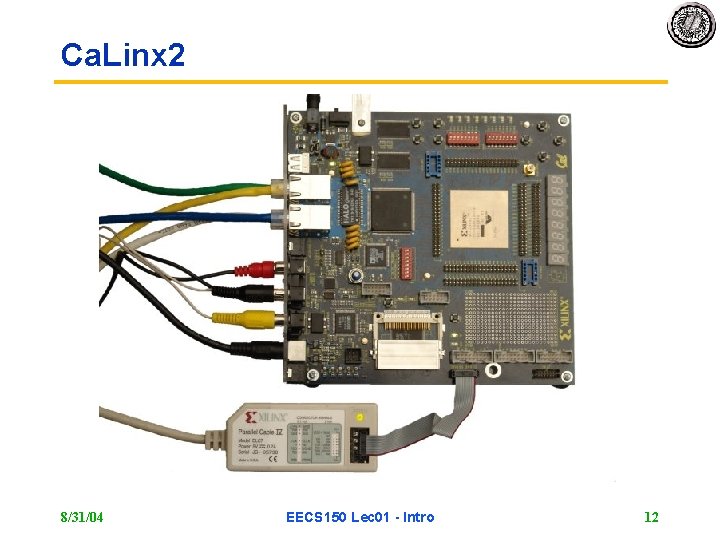
Ca. Linx 2 8/31/04 EECS 150 Lec 01 - Intro 12
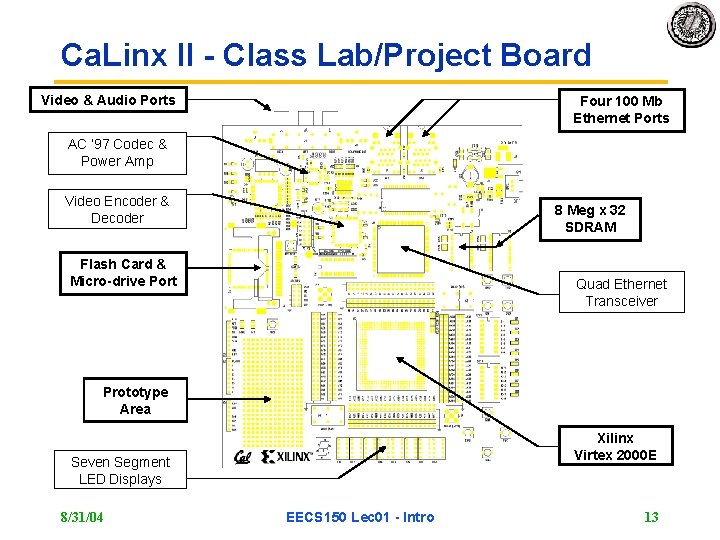
Ca. Linx II - Class Lab/Project Board Video & Audio Ports Four 100 Mb Ethernet Ports AC ’ 97 Codec & Power Amp Video Encoder & Decoder 8 Meg x 32 SDRAM Flash Card & Micro-drive Port Quad Ethernet Transceiver Prototype Area Xilinx Virtex 2000 E Seven Segment LED Displays 8/31/04 EECS 150 Lec 01 - Intro 13
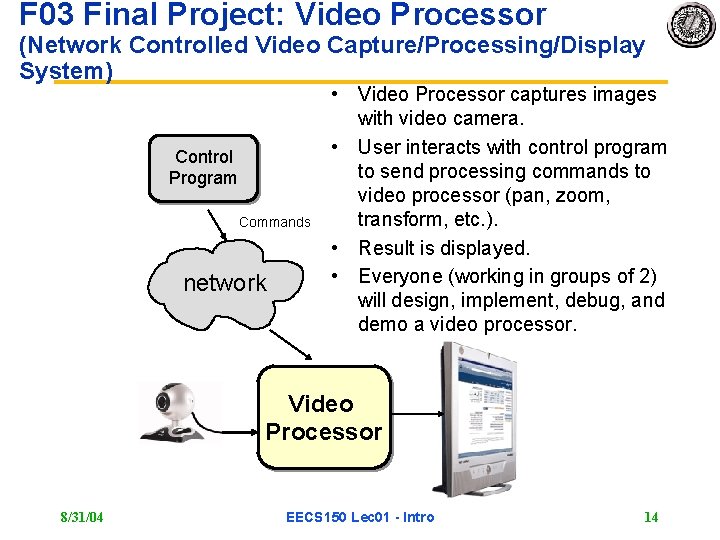
F 03 Final Project: Video Processor (Network Controlled Video Capture/Processing/Display System) Control Program Commands network • Video Processor captures images with video camera. • User interacts with control program to send processing commands to video processor (pan, zoom, transform, etc. ). • Result is displayed. • Everyone (working in groups of 2) will design, implement, debug, and demo a video processor. Video Processor 8/31/04 EECS 150 Lec 01 - Intro 14
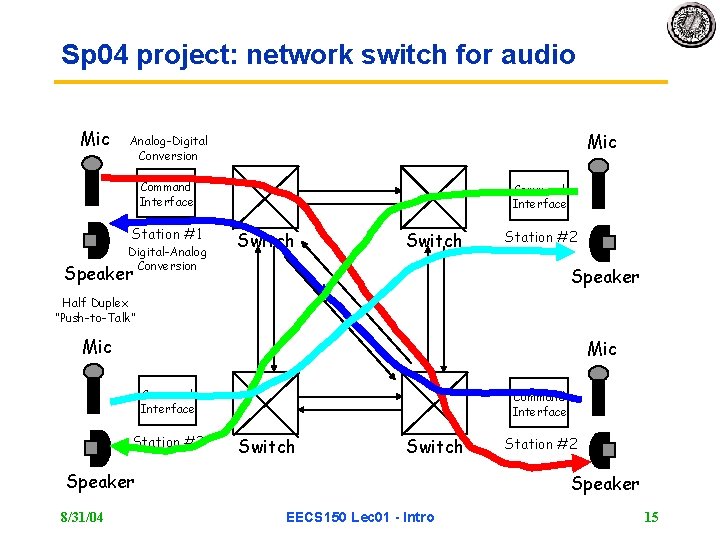
Sp 04 project: network switch for audio Mic Analog-Digital Conversion Command Interface Station #1 Digital-Analog Conversion Command Interface Switch Station #2 Speaker Half Duplex “Push-to-Talk” Mic Command Interface Station #3 Command Interface Switch Speaker 8/31/04 Station #2 Speaker EECS 150 Lec 01 - Intro 15
So what is our project? 8/31/04 EECS 150 Lec 01 - Intro 16
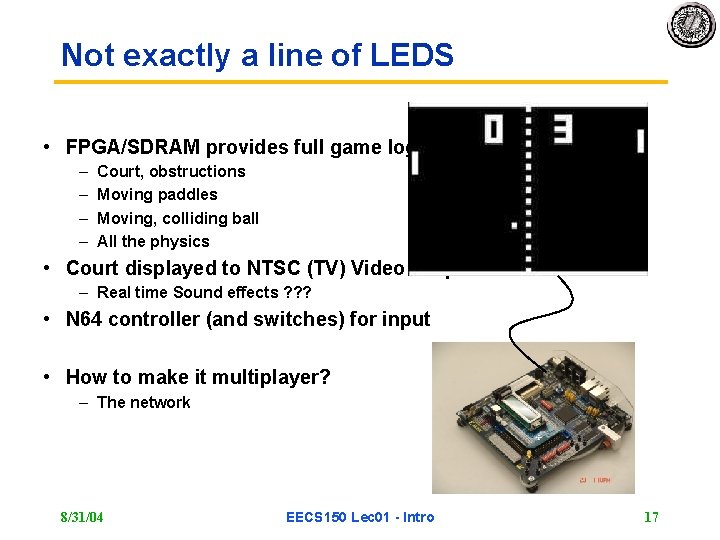
Not exactly a line of LEDS • FPGA/SDRAM provides full game logic – – Court, obstructions Moving paddles Moving, colliding ball All the physics • Court displayed to NTSC (TV) Video Output – Real time Sound effects ? ? ? • N 64 controller (and switches) for input • How to make it multiplayer? – The network 8/31/04 EECS 150 Lec 01 - Intro 17
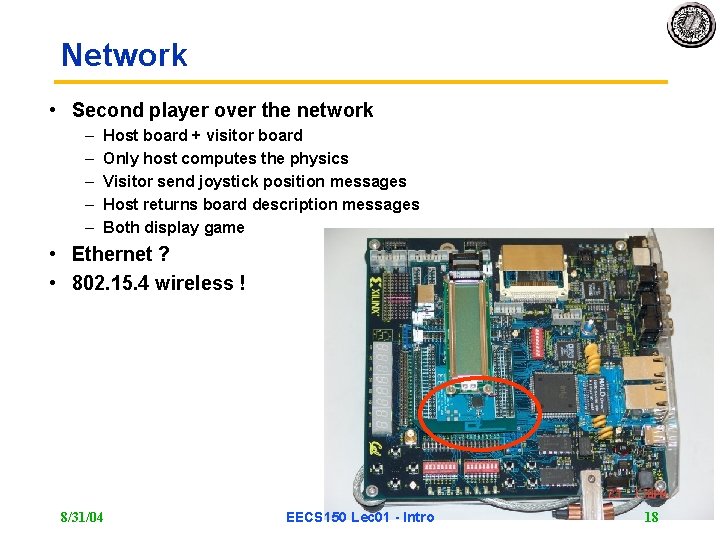
Network • Second player over the network – – – Host board + visitor board Only host computes the physics Visitor send joystick position messages Host returns board description messages Both display game • Ethernet ? • 802. 15. 4 wireless ! 8/31/04 EECS 150 Lec 01 - Intro 18
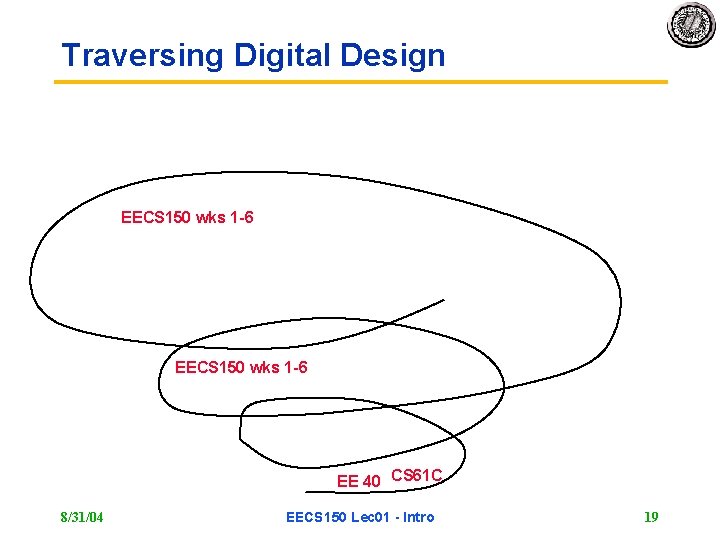
Traversing Digital Design EECS 150 wks 1 -6 EE 40 CS 61 C 8/31/04 EECS 150 Lec 01 - Intro 19
Administrative Issues • See www. inst/~cs 150 every day 8/31/04 EECS 150 Lec 01 - Intro 20
Enrollment • If you are enrolled and plan to take the course you must attend your lab section next week, if not you will be dropped from the class roster. No exceptions! • Also, if you are on the wait list and would like to get into the class you must: 1. Pick up and fill out an appeal form (available at the CS office) and turn it in to 390 Soda, by 5 pm Friday, September 3. 2. Attend lectures and do the homework, for the first two weeks. 3. In the second week of classes, go to the lab section in which you wish to enroll. Give the TA your name and student ID. 4. Later, we will process the waitlist based on these requests, and lab section openings. 5. Note: if you are not on the waitlist, you will not be considered for enrollment. • No lab (or discussion) sections this week. Lab lecture on Friday. 8/31/04 EECS 150 Lec 01 - Intro 21
Sections Discussion, Friday Lab lecture (2 -3) in lab 125 Cory Discussion section 103 has been moved from 3 -4 pm on Monday to 4 -5 pm on Monday. Lab 15 (Thursday 9 am-12 pm) has been cancelled If you are currently enrolled in lab section 15 – please pick a different section and attend next week. The TA will tell you if there is sufficient space. – You will get priority over waitlisted students into new sections. • You must be in the same lab every week, and the same lab as your project partner. 8/31/04 EECS 150 Lec 01 - Intro 22
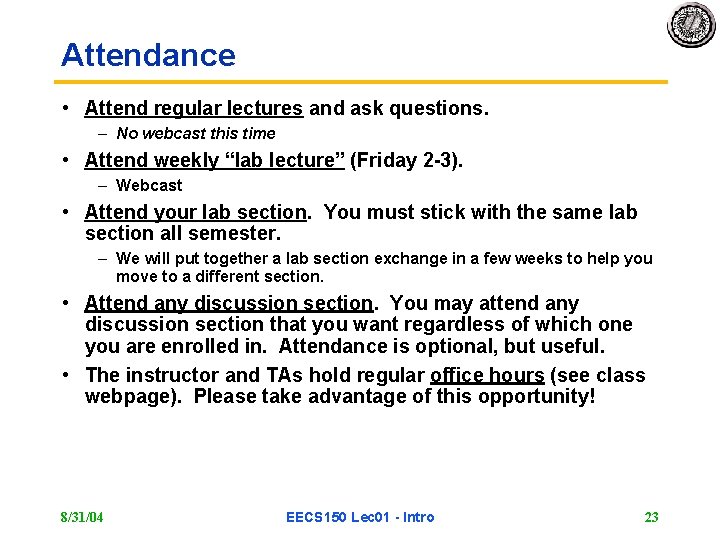
Attendance • Attend regular lectures and ask questions. – No webcast this time • Attend weekly “lab lecture” (Friday 2 -3). – Webcast • Attend your lab section. You must stick with the same lab section all semester. – We will put together a lab section exchange in a few weeks to help you move to a different section. • Attend any discussion section. You may attend any discussion section that you want regardless of which one you are enrolled in. Attendance is optional, but useful. • The instructor and TAs hold regular office hours (see class webpage). Please take advantage of this opportunity! 8/31/04 EECS 150 Lec 01 - Intro 23
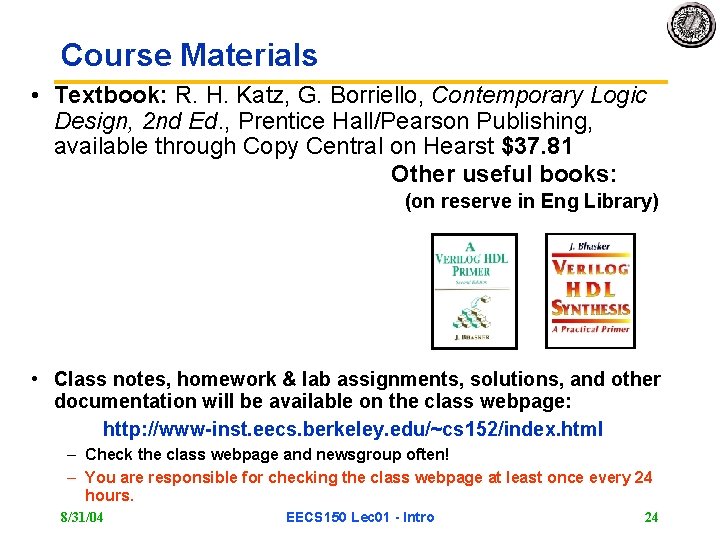
Course Materials • Textbook: R. H. Katz, G. Borriello, Contemporary Logic Design, 2 nd Ed. , Prentice Hall/Pearson Publishing, available through Copy Central on Hearst $37. 81 Other useful books: (on reserve in Eng Library) • Class notes, homework & lab assignments, solutions, and other documentation will be available on the class webpage: http: //www-inst. eecs. berkeley. edu/~cs 152/index. html – Check the class webpage and newsgroup often! – You are responsible for checking the class webpage at least once every 24 hours. 8/31/04 EECS 150 Lec 01 - Intro 24
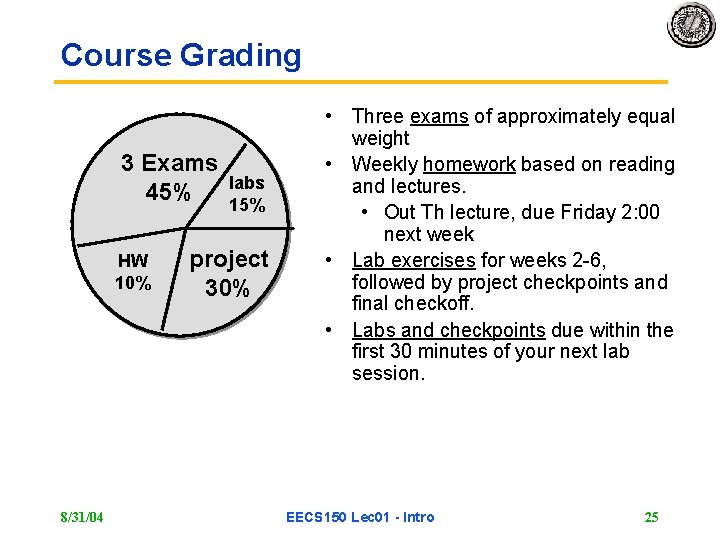
Course Grading 3 Exams 45% HW 10% 8/31/04 labs 15% project 30% • Three exams of approximately equal weight • Weekly homework based on reading and lectures. • Out Th lecture, due Friday 2: 00 next week • Lab exercises for weeks 2 -6, followed by project checkpoints and final checkoff. • Labs and checkpoints due within the first 30 minutes of your next lab session. EECS 150 Lec 01 - Intro 25
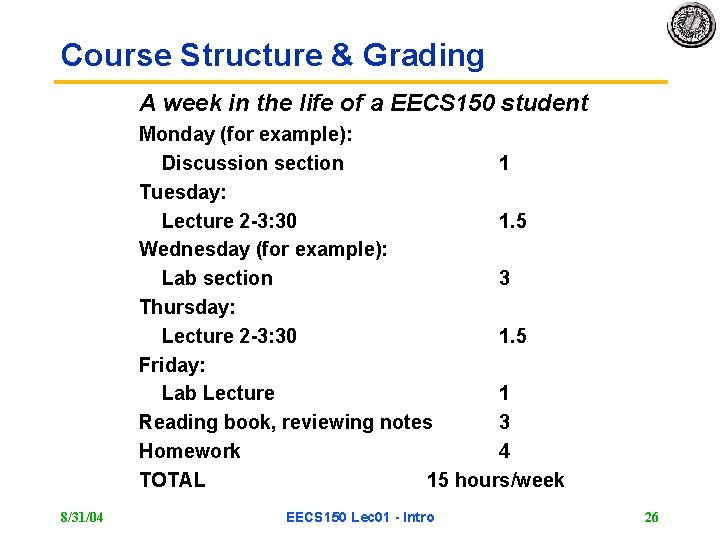
Course Structure & Grading A week in the life of a EECS 150 student Monday (for example): Discussion section 1 Tuesday: Lecture 2 -3: 30 1. 5 Wednesday (for example): Lab section 3 Thursday: Lecture 2 -3: 30 1. 5 Friday: Lab Lecture 1 Reading book, reviewing notes 3 Homework 4 TOTAL 15 hours/week 8/31/04 EECS 150 Lec 01 - Intro 26
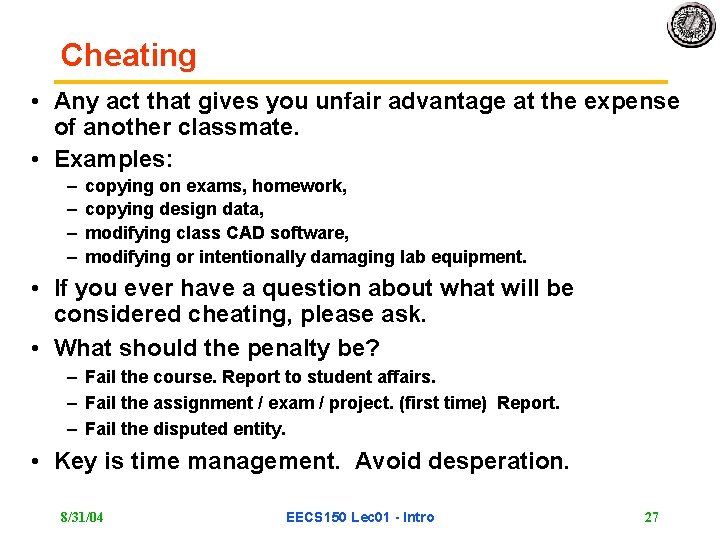
Cheating • Any act that gives you unfair advantage at the expense of another classmate. • Examples: – – copying on exams, homework, copying design data, modifying class CAD software, modifying or intentionally damaging lab equipment. • If you ever have a question about what will be considered cheating, please ask. • What should the penalty be? – Fail the course. Report to student affairs. – Fail the assignment / exam / project. (first time) Report. – Fail the disputed entity. • Key is time management. Avoid desperation. 8/31/04 EECS 150 Lec 01 - Intro 27
Lecture format • • • Outline Quick review of key points from previous time Main Topic Administrative issues & Break Additional depth or additional topic Summary of key points 8/31/04 EECS 150 Lec 01 - Intro 28
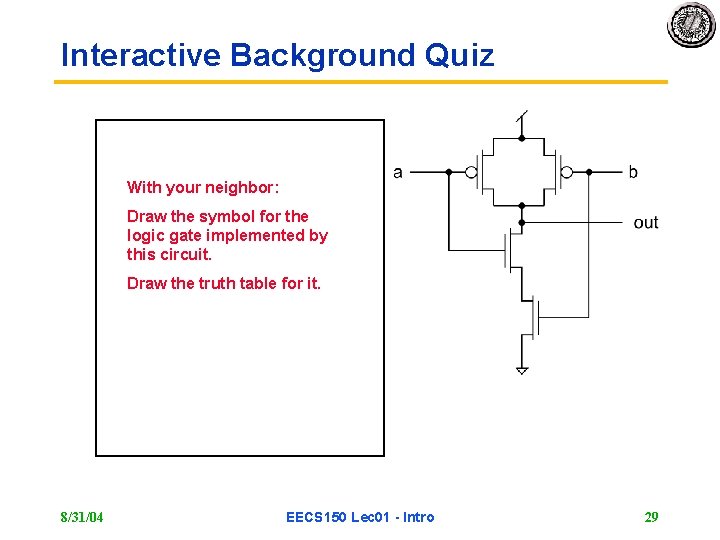
Interactive Background Quiz With your neighbor: Draw the symbol for the logic gate implemented by this circuit. Draw the truth table for it. 8/31/04 a b out 0 0 1 1 1 0 EECS 150 Lec 01 - Intro 29
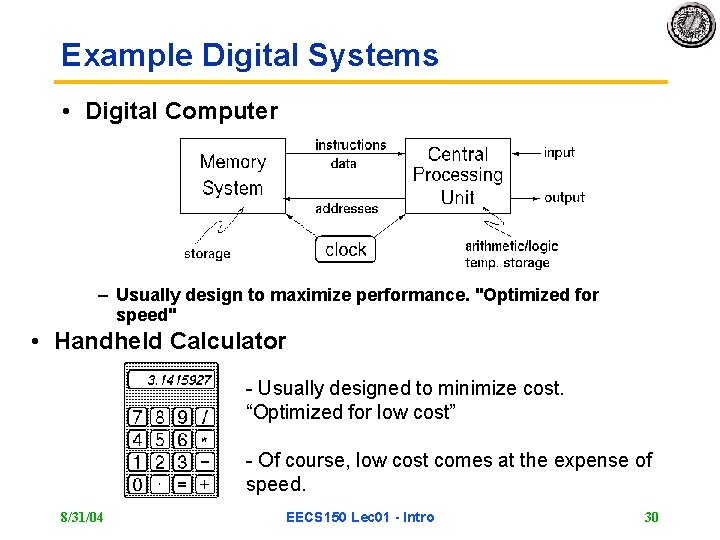
Example Digital Systems • Digital Computer – Usually design to maximize performance. "Optimized for speed" • Handheld Calculator - Usually designed to minimize cost. “Optimized for low cost” - Of course, low cost comes at the expense of speed. 8/31/04 EECS 150 Lec 01 - Intro 30
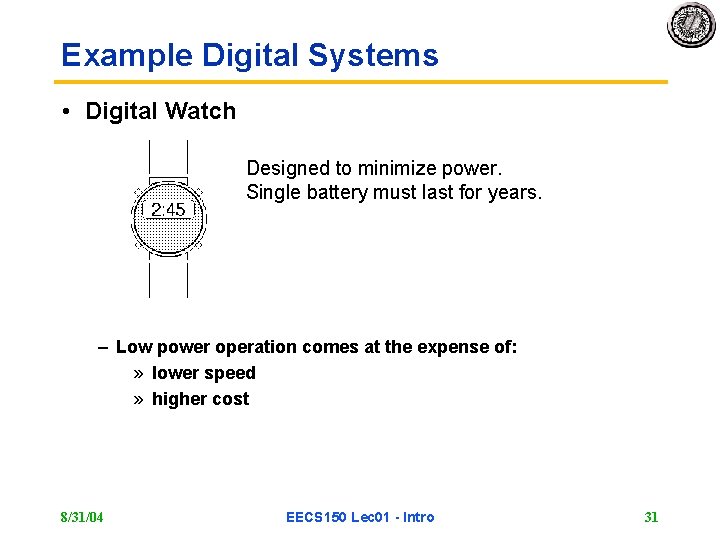
Example Digital Systems • Digital Watch Designed to minimize power. Single battery must last for years. – Low power operation comes at the expense of: » lower speed » higher cost 8/31/04 EECS 150 Lec 01 - Intro 31
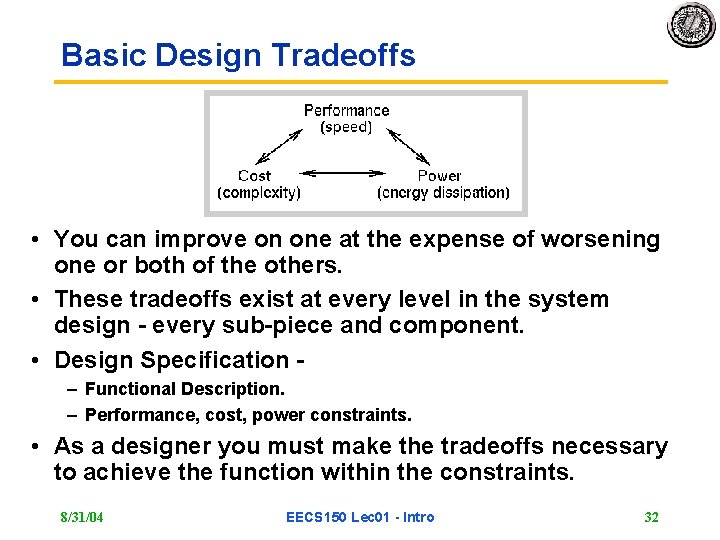
Basic Design Tradeoffs • You can improve on one at the expense of worsening one or both of the others. • These tradeoffs exist at every level in the system design - every sub-piece and component. • Design Specification – Functional Description. – Performance, cost, power constraints. • As a designer you must make the tradeoffs necessary to achieve the function within the constraints. 8/31/04 EECS 150 Lec 01 - Intro 32
To design is to represent • How is design and engineering different from craftsmanship? • What is the result of the design process? 8/31/04 EECS 150 Lec 01 - Intro 33
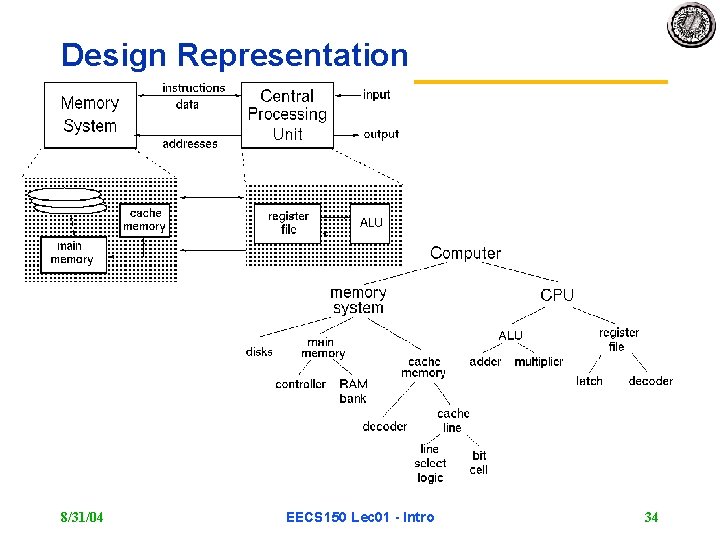
Design Representation 8/31/04 EECS 150 Lec 01 - Intro 34
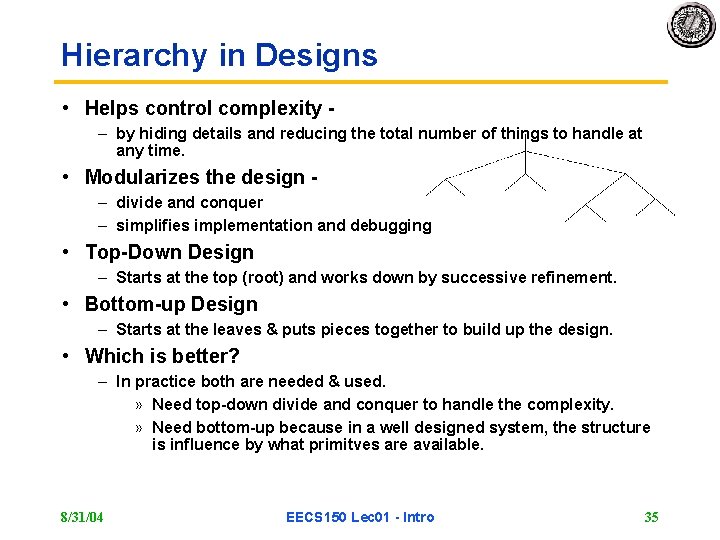
Hierarchy in Designs • Helps control complexity – by hiding details and reducing the total number of things to handle at any time. • Modularizes the design – divide and conquer – simplifies implementation and debugging • Top-Down Design – Starts at the top (root) and works down by successive refinement. • Bottom-up Design – Starts at the leaves & puts pieces together to build up the design. • Which is better? – In practice both are needed & used. » Need top-down divide and conquer to handle the complexity. » Need bottom-up because in a well designed system, the structure is influence by what primitves are available. 8/31/04 EECS 150 Lec 01 - Intro 35
Summary: Digital Design Given a functional description and performance, cost, & power constraints, come up with an implementation using a set of primitives. • How do we learn how to do this? 1. Learn about the primitives and how to generate them. 2. Learn about design representation. 3. Learn formal methods to optimally manipulate the representations. 4. Look at design examples. 5. Use trial and error - CAD tools and prototyping. • Digital design is in some ways more an art than a science. The creative spirit is critical in combining primitive elements & other components in new ways to achieve a desired function. • However, unlike art, we have objective measures of a design: performance cost power 8/31/04 EECS 150 Lec 01 - Intro 36