
The Project Digital Video EECS 150 Fall 2008
- Slides: 31
The Project & Digital Video EECS 150 Fall 2008 - Lab Lecture #7 Arjun Singh Adopted from slides designed by Greg Gibeling and Chris Fletcher 10/10/2008 EECS 150 Lab Lecture #7 1
Today n n Project Introduction Good Design (Part 2) n n Video Encoder n n n 10/10/2008 Interfaces and Handshaking Digital Video ITU-R BT. 601/ITU-R BT. 656 Video Encoder I 2 C Bus More Information EECS 150 Lab Lecture #7 2
The Project (1) n Digital Storage Oscilloscope n n Display audio as waveforms Stream audio from network audio or from a microphone n n Extra Credit n n 10/10/2008 Store audio stream Playback audio stream Trigger and freeze under different conditions A major part of this project Will augment checkpoints 3, 4 and 5 EECS 150 Lab Lecture #7 3
The Project (2) n Checkpoints n Require more design work than labs n n Part of your project n n 10/8/2004 We’re not telling you exactly what to do Design them well Test them thoroughly! Don’t lose your code Require more time EECS 150 Lab Lecture #6 4
The Project (3) n Checkpoint Roadmap n Video Encoder SDRAM in Simulation n SDRAM in Hardware + SDRAM Arbiter n Waveform Generator + OScope features n AC 97 Audio n Extra Credit Check calendar page and project spec for dates n n 10/10/2008 EECS 150 Lab Lecture #7 5
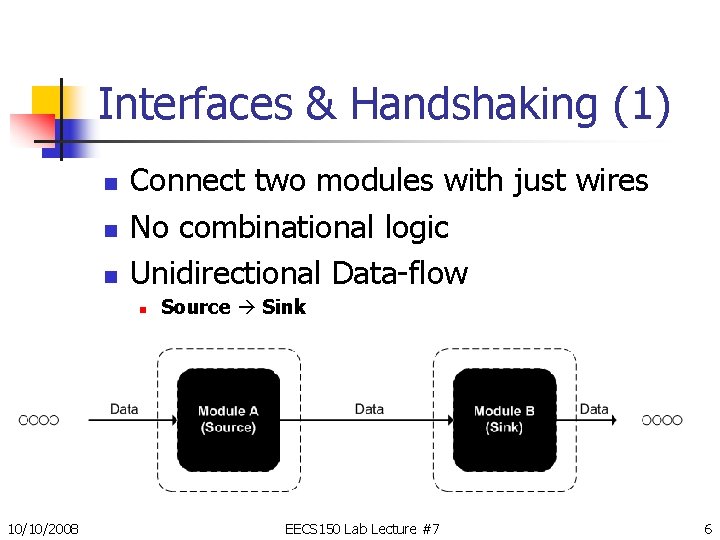
Interfaces & Handshaking (1) n n n Connect two modules with just wires No combinational logic Unidirectional Data-flow n 10/10/2008 Source Sink EECS 150 Lab Lecture #7 6
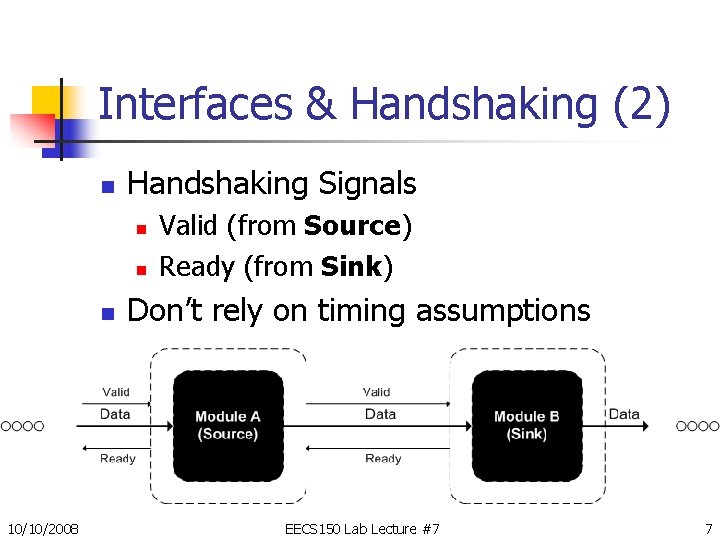
Interfaces & Handshaking (2) n Handshaking Signals n n n 10/10/2008 Valid (from Source) Ready (from Sink) Don’t rely on timing assumptions EECS 150 Lab Lecture #7 7
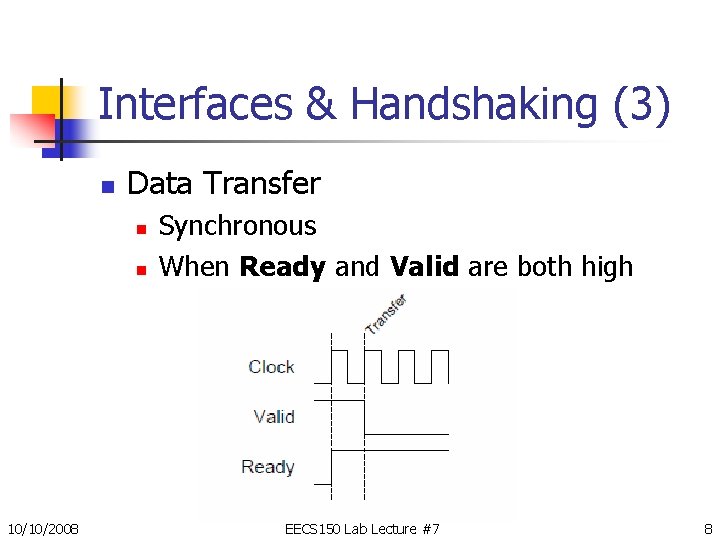
Interfaces & Handshaking (3) n Data Transfer n n 10/10/2008 Synchronous When Ready and Valid are both high EECS 150 Lab Lecture #7 8
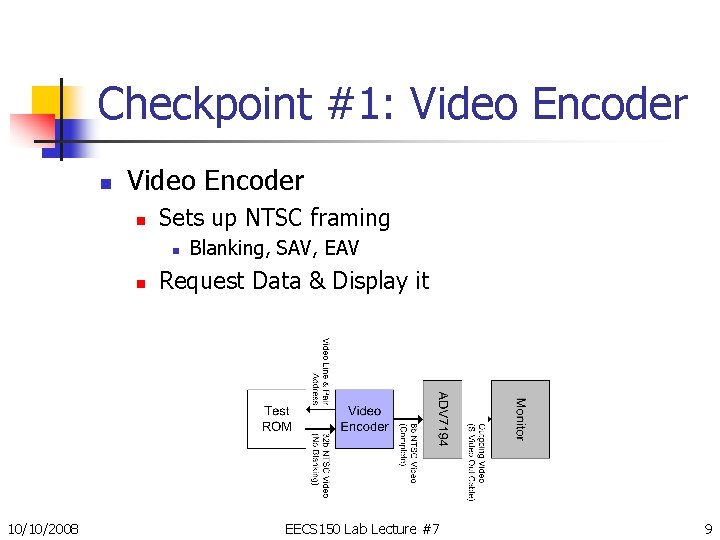
Checkpoint #1: Video Encoder n Sets up NTSC framing n n 10/10/2008 Blanking, SAV, EAV Request Data & Display it EECS 150 Lab Lecture #7 9
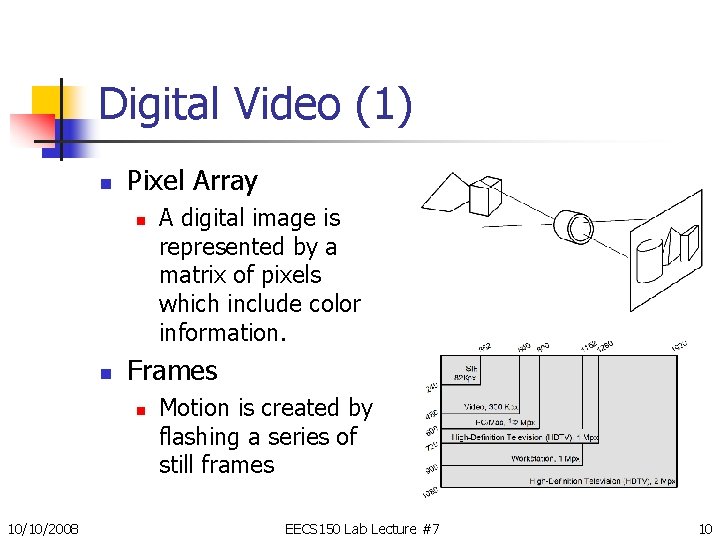
Digital Video (1) n Pixel Array n n Frames n 10/10/2008 A digital image is represented by a matrix of pixels which include color information. Motion is created by flashing a series of still frames EECS 150 Lab Lecture #7 10
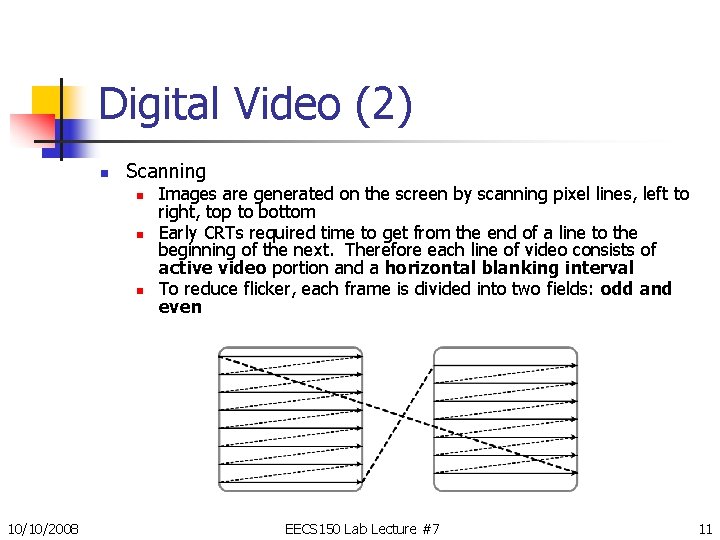
Digital Video (2) n Scanning n n n 10/10/2008 Images are generated on the screen by scanning pixel lines, left to right, top to bottom Early CRTs required time to get from the end of a line to the beginning of the next. Therefore each line of video consists of active video portion and a horizontal blanking interval To reduce flicker, each frame is divided into two fields: odd and even EECS 150 Lab Lecture #7 11
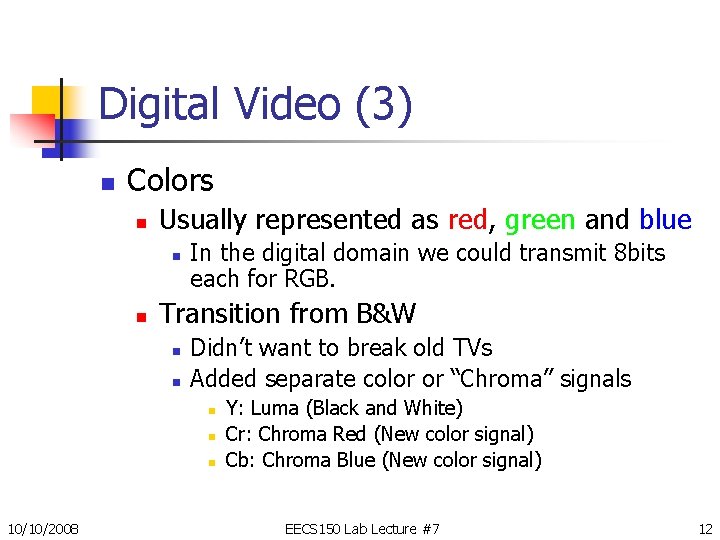
Digital Video (3) n Colors n Usually represented as red, green and blue n n In the digital domain we could transmit 8 bits each for RGB. Transition from B&W n n Didn’t want to break old TVs Added separate color or “Chroma” signals n n n 10/10/2008 Y: Luma (Black and White) Cr: Chroma Red (New color signal) Cb: Chroma Blue (New color signal) EECS 150 Lab Lecture #7 12
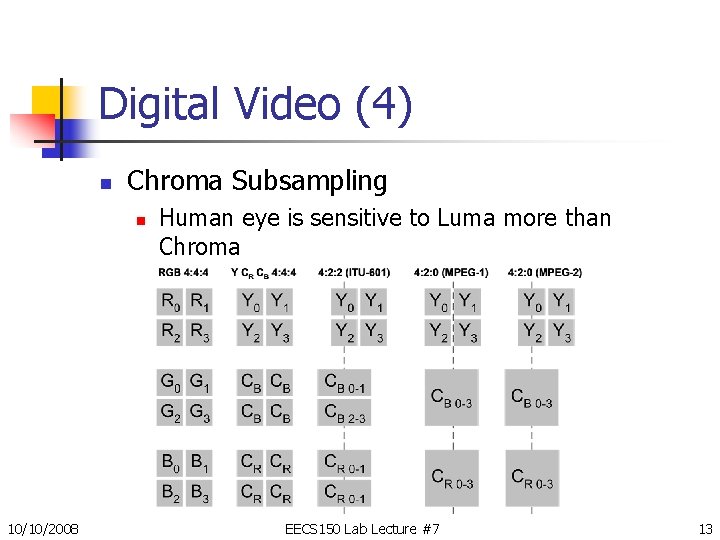
Digital Video (4) n Chroma Subsampling n 10/10/2008 Human eye is sensitive to Luma more than Chroma EECS 150 Lab Lecture #7 13
Administrative Info (1) n Project Partners n n Talk to us ASAP if you don’t have one SVN Repositories n n Chris will give introduction next Tuesday, 3: 30 -5: 00 pm (his OH time) Introduction will be audio-cast n 10/10/2008 (Audio-cast guaranteed this time) EECS 150 Lab Lecture #7 14
Administrative Info (2) n Design Reviews n Grading n n You have it or you don’t Bring diagrams n Schematic n n 10/10/2008 “On a napkin” Bubble-and-arc Block Diagrams NO VERILOG EECS 150 Lab Lecture #7 15
NO DESIGN NO HELP 10/10/2008 EECS 150 Lab Lecture #7 16
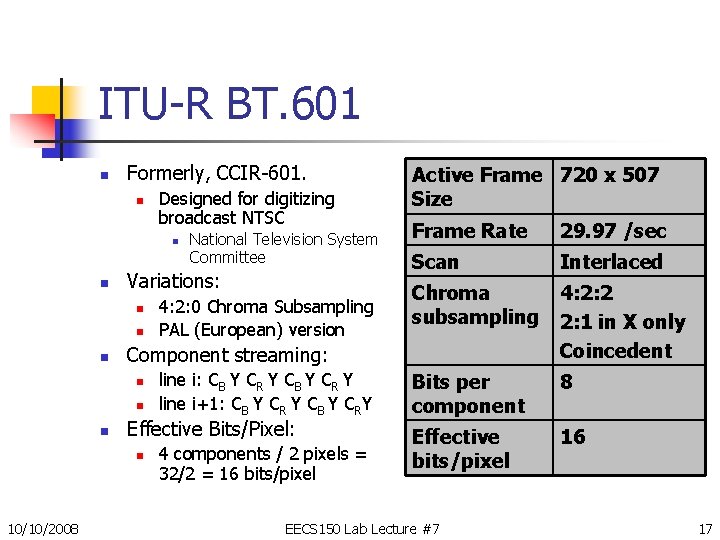
ITU-R BT. 601 n Formerly, CCIR-601. n Designed for digitizing broadcast NTSC n n Variations: n n line i: CB Y CR Y line i+1: CB Y CR Y CB Y CRY Effective Bits/Pixel: n 10/10/2008 4: 2: 0 Chroma Subsampling PAL (European) version Frame Rate 29. 97 /sec Scan Interlaced Chroma subsampling 4: 2: 2 2: 1 in X only Coincedent Bits per component 8 Effective bits/pixel 16 Component streaming: n n National Television System Committee Active Frame 720 x 507 Size 4 components / 2 pixels = 32/2 = 16 bits/pixel EECS 150 Lab Lecture #7 17
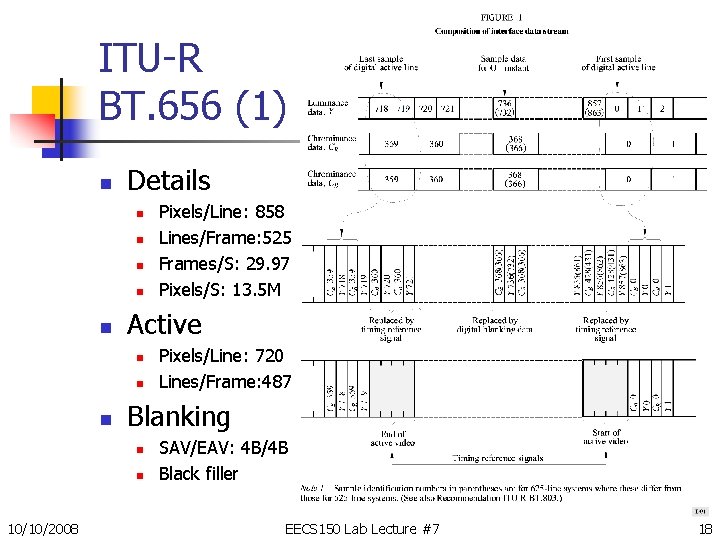
ITU-R BT. 656 (1) n Details n n n Active n n n Pixels/Line: 720 Lines/Frame: 487 Blanking n n 10/10/2008 Pixels/Line: 858 Lines/Frame: 525 Frames/S: 29. 97 Pixels/S: 13. 5 M SAV/EAV: 4 B/4 B Black filler EECS 150 Lab Lecture #7 18
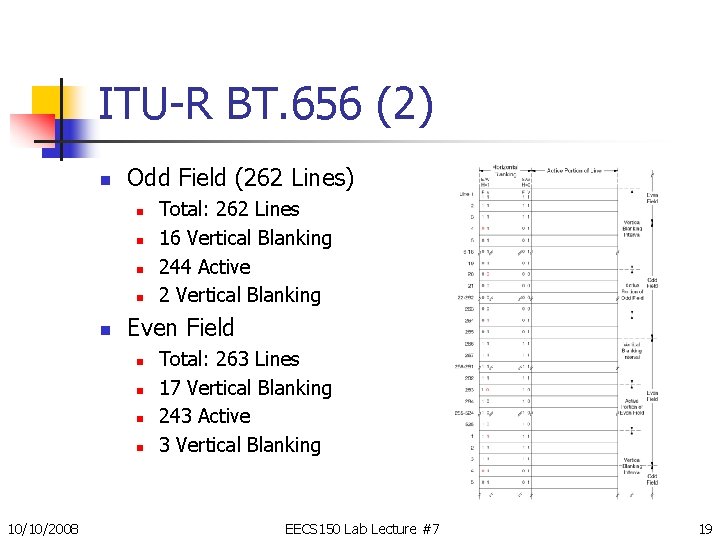
ITU-R BT. 656 (2) n Odd Field (262 Lines) n n n Even Field n n 10/10/2008 Total: 262 Lines 16 Vertical Blanking 244 Active 2 Vertical Blanking Total: 263 Lines 17 Vertical Blanking 243 Active 3 Vertical Blanking EECS 150 Lab Lecture #7 19
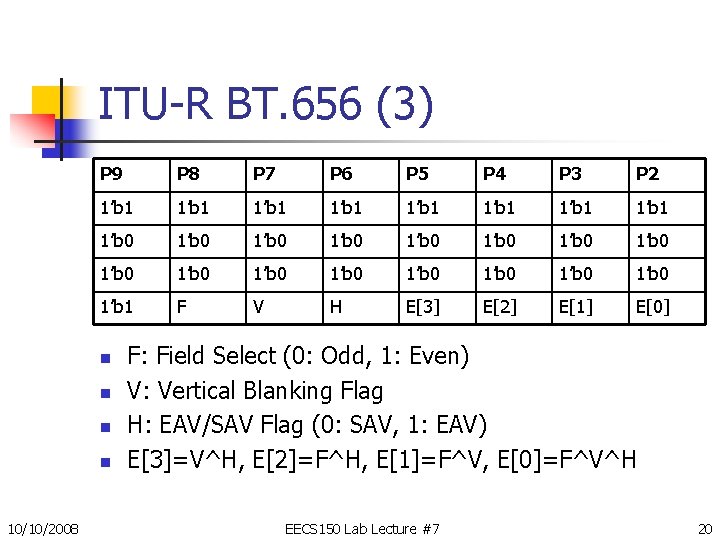
ITU-R BT. 656 (3) P 9 P 8 P 7 P 6 P 5 P 4 P 3 P 2 1’b 1 1’b 1 1’b 0 1’b 0 1’b 0 1’b 0 1’b 1 F V H E[3] E[2] E[1] E[0] n n 10/10/2008 F: Field Select (0: Odd, 1: Even) V: Vertical Blanking Flag H: EAV/SAV Flag (0: SAV, 1: EAV) E[3]=V^H, E[2]=F^H, E[1]=F^V, E[0]=F^V^H EECS 150 Lab Lecture #7 20
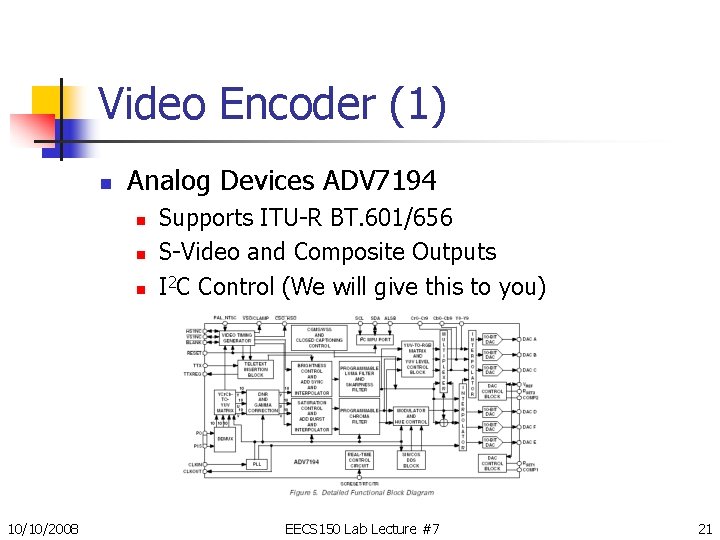
Video Encoder (1) n Analog Devices ADV 7194 n n n 10/10/2008 Supports ITU-R BT. 601/656 S-Video and Composite Outputs I 2 C Control (We will give this to you) EECS 150 Lab Lecture #7 21
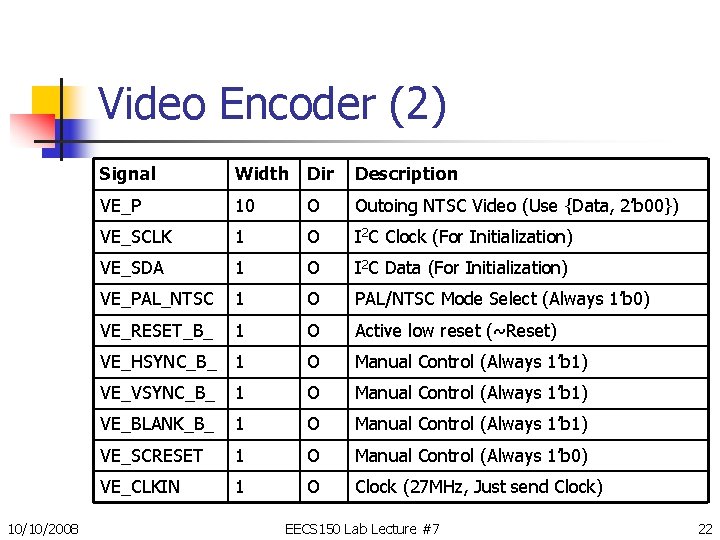
Video Encoder (2) 10/10/2008 Signal Width Dir Description VE_P 10 O Outoing NTSC Video (Use {Data, 2’b 00}) VE_SCLK 1 O I 2 C Clock (For Initialization) VE_SDA 1 O I 2 C Data (For Initialization) VE_PAL_NTSC 1 O PAL/NTSC Mode Select (Always 1’b 0) VE_RESET_B_ 1 O Active low reset (~Reset) VE_HSYNC_B_ 1 O Manual Control (Always 1’b 1) VE_VSYNC_B_ 1 O Manual Control (Always 1’b 1) VE_BLANK_B_ 1 O Manual Control (Always 1’b 1) VE_SCRESET 1 O Manual Control (Always 1’b 0) VE_CLKIN 1 O Clock (27 MHz, Just send Clock) EECS 150 Lab Lecture #7 22
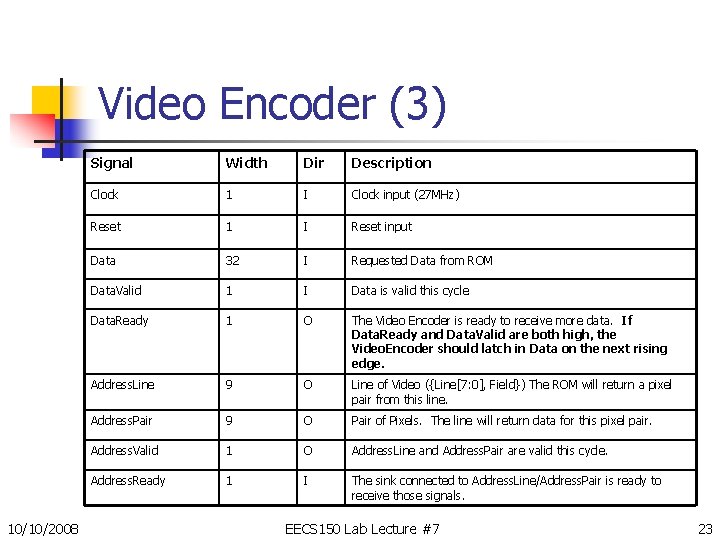
Video Encoder (3) 10/10/2008 Signal Width Dir Description Clock 1 I Clock input (27 MHz) Reset 1 I Reset input Data 32 I Requested Data from ROM Data. Valid 1 I Data is valid this cycle Data. Ready 1 O The Video Encoder is ready to receive more data. If Data. Ready and Data. Valid are both high, the Video. Encoder should latch in Data on the next rising edge. Address. Line 9 O Line of Video ({Line[7: 0], Field}) The ROM will return a pixel pair from this line. Address. Pair 9 O Pair of Pixels. The line will return data for this pixel pair. Address. Valid 1 O Address. Line and Address. Pair are valid this cycle. Address. Ready 1 I The sink connected to Address. Line/Address. Pair is ready to receive those signals. EECS 150 Lab Lecture #7 23
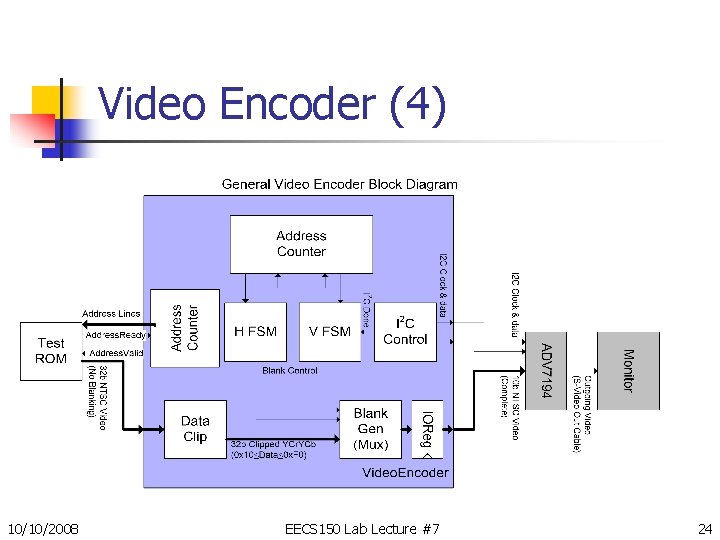
Video Encoder (4) 10/10/2008 EECS 150 Lab Lecture #7 24
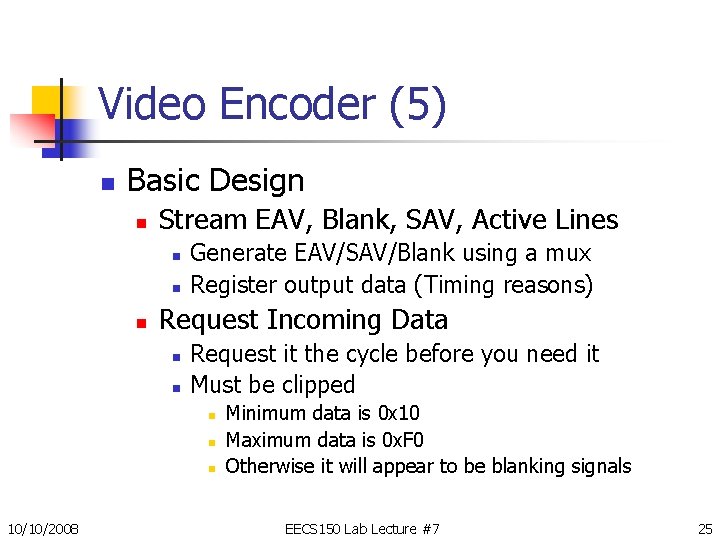
Video Encoder (5) n Basic Design n Stream EAV, Blank, SAV, Active Lines n n n Generate EAV/SAV/Blank using a mux Register output data (Timing reasons) Request Incoming Data n n Request it the cycle before you need it Must be clipped n n n 10/10/2008 Minimum data is 0 x 10 Maximum data is 0 x. F 0 Otherwise it will appear to be blanking signals EECS 150 Lab Lecture #7 25
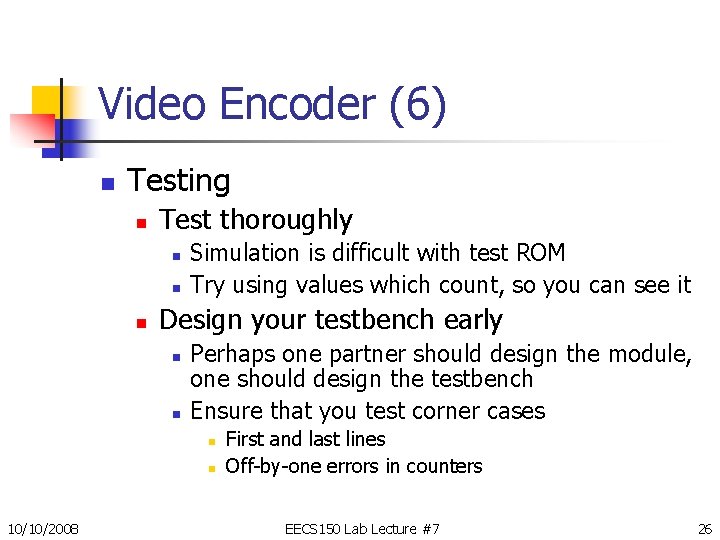
Video Encoder (6) n Testing n Test thoroughly n n n Simulation is difficult with test ROM Try using values which count, so you can see it Design your testbench early n n Perhaps one partner should design the module, one should design the testbench Ensure that you test corner cases n n 10/10/2008 First and last lines Off-by-one errors in counters EECS 150 Lab Lecture #7 26
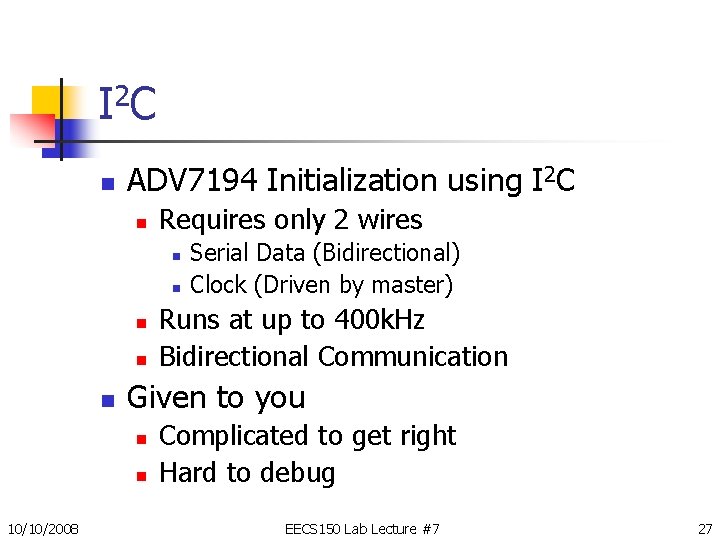
I 2 C n ADV 7194 Initialization using I 2 C n Requires only 2 wires n n n Runs at up to 400 k. Hz Bidirectional Communication Given to you n n 10/10/2008 Serial Data (Bidirectional) Clock (Driven by master) Complicated to get right Hard to debug EECS 150 Lab Lecture #7 27
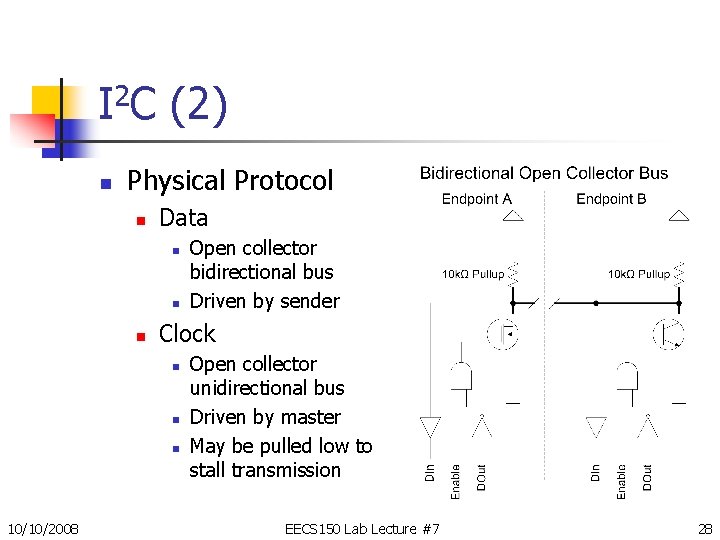
I 2 C (2) n Physical Protocol n Data n n n Clock n n n 10/10/2008 Open collector bidirectional bus Driven by sender Open collector unidirectional bus Driven by master May be pulled low to stall transmission EECS 150 Lab Lecture #7 28
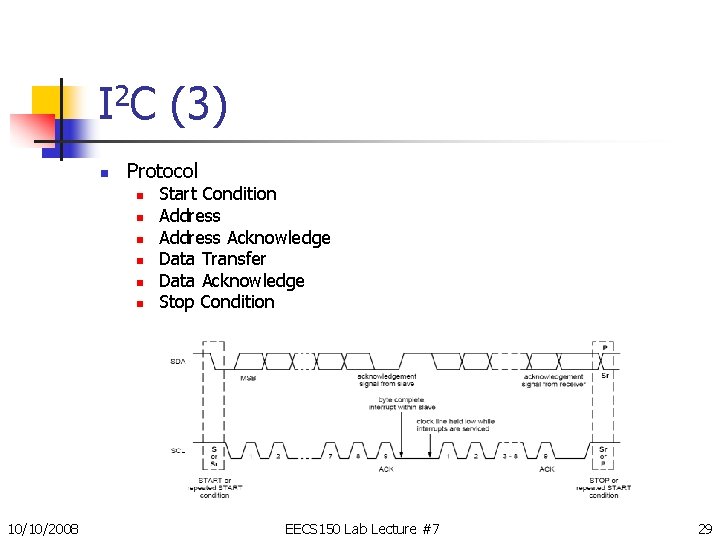
I 2 C (3) n Protocol n n n 10/10/2008 Start Condition Address Acknowledge Data Transfer Data Acknowledge Stop Condition EECS 150 Lab Lecture #7 29
I 2 C (4) n Arbitration n Anyone can drive bus at any time n n n No central arbiter No short circuits (Impossible in open collector) Decentralized Arbitration n n Check data bus against value you’re sending Mismatch means someone else is transmitting n n 10/10/2008 So let them finish, and then try again Inherently gives preferences to accesses with more 1’b 1 s in them EECS 150 Lab Lecture #7 30
More Information n n Checkpoint Writeup Documents Page of the Website n n Video in a Nutshell ADV 7194 Datasheet n n ITU-R BT. 656 & ITU-R BT. 601 Standards n n n 10/10/2008 Complete ADV 7194 reference Complete video standards I 2 C Bus Specification READ THE DATASHEETS! EECS 150 Lab Lecture #7 31