Visual Appearance Shading Texture mapping Course Note Credit
- Slides: 80
Visual Appearance (Shading & Texture mapping) Course Note Credit: Some of slides are extracted from the course notes of prof. J. Lee (SNU), prof. M. Desbrun (USC) and prof. H. -W. Shen (OSU) and others.
Shading (Local illumination)
Photorealism in Computer Graphics § Photorealism in computer graphics involves § Accurate representations of surface properties, and § Good physical descriptions of the lighting effects § Modeling the lighting effects that we see on an object is a complex process, involving principles of both physics and psychology § Physical illumination models involve § Material properties, object position relative to light sources and other objects, the features of the light sources, and so on
Illumination and Rendering § An illumination model in computer graphics § also called a lighting model or a shading model § used to calculate the color of an illuminated position on the surface of an object § Approximations of the physical laws § A surface-rendering method determine the pixel colors for all projected positions in a scene
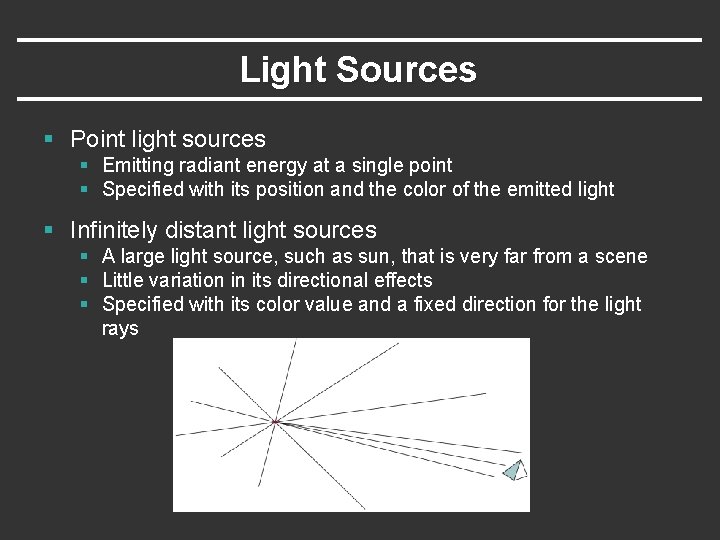
Light Sources § Point light sources § Emitting radiant energy at a single point § Specified with its position and the color of the emitted light § Infinitely distant light sources § A large light source, such as sun, that is very far from a scene § Little variation in its directional effects § Specified with its color value and a fixed direction for the light rays
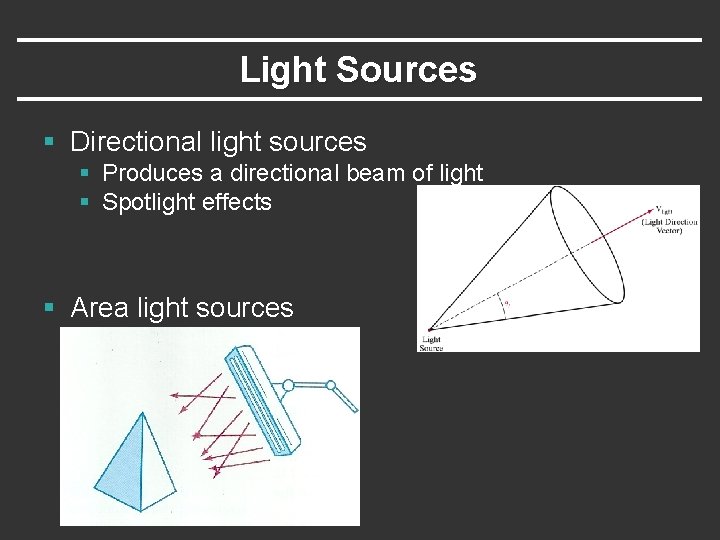
Light Sources § Directional light sources § Produces a directional beam of light § Spotlight effects § Area light sources
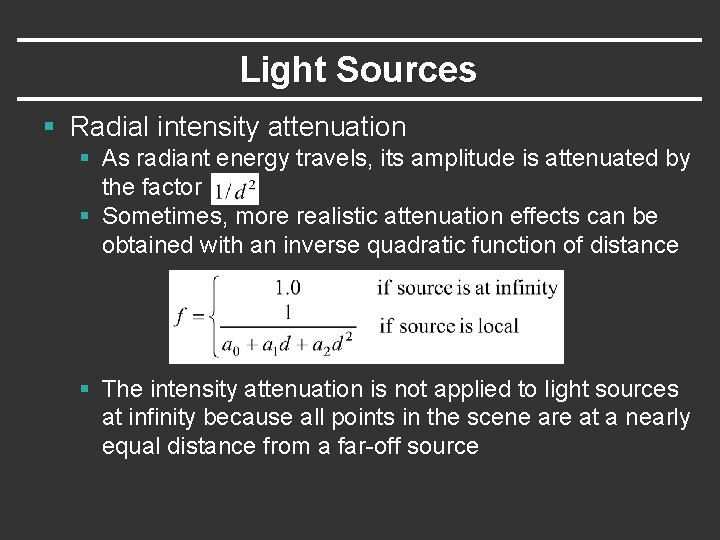
Light Sources § Radial intensity attenuation § As radiant energy travels, its amplitude is attenuated by the factor § Sometimes, more realistic attenuation effects can be obtained with an inverse quadratic function of distance § The intensity attenuation is not applied to light sources at infinity because all points in the scene are at a nearly equal distance from a far-off source
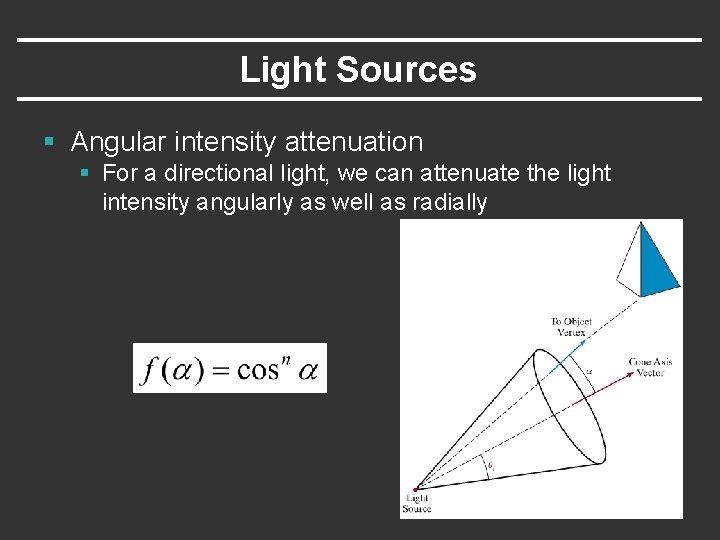
Light Sources § Angular intensity attenuation § For a directional light, we can attenuate the light intensity angularly as well as radially
Surface Lighting Effects § An illumination model computes the lighting effects for a surface using the various optical properties § Degree of transparency, color reflectance, surface texture § The reflection (phong illumination) model describes the way incident light reflects from an opaque surface § Diffuse, ambient, specular reflections § Simple approximation of actual physical models
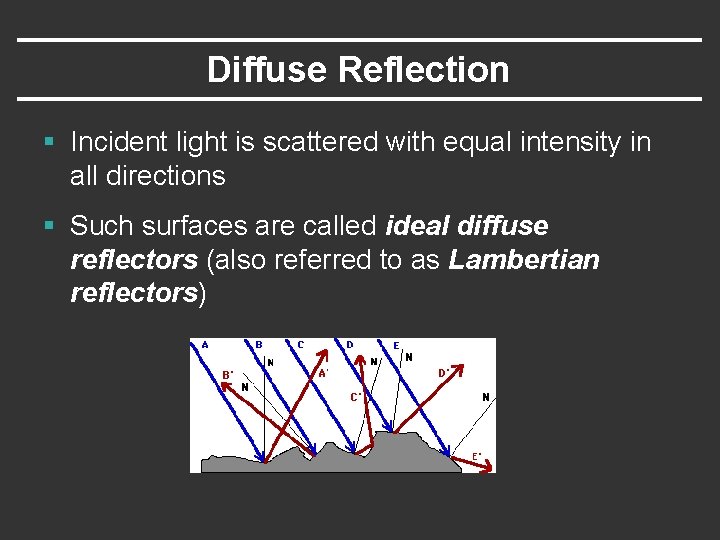
Diffuse Reflection § Incident light is scattered with equal intensity in all directions § Such surfaces are called ideal diffuse reflectors (also referred to as Lambertian reflectors)
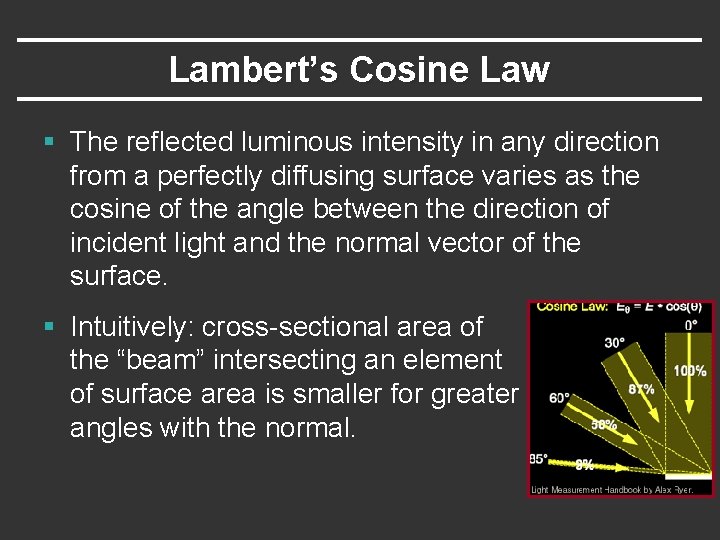
Lambert’s Cosine Law § The reflected luminous intensity in any direction from a perfectly diffusing surface varies as the cosine of the angle between the direction of incident light and the normal vector of the surface. § Intuitively: cross-sectional area of the “beam” intersecting an element of surface area is smaller for greater angles with the normal.
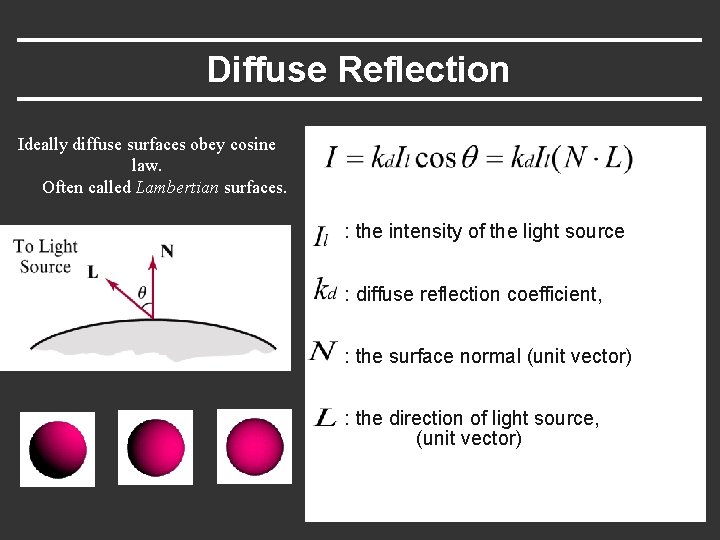
Diffuse Reflection Ideally diffuse surfaces obey cosine law. Often called Lambertian surfaces. : the intensity of the light source : diffuse reflection coefficient, : the surface normal (unit vector) : the direction of light source, (unit vector)
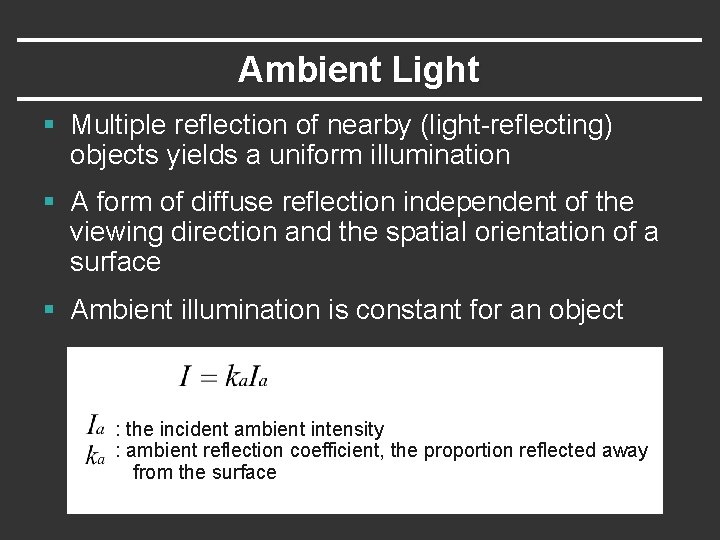
Ambient Light § Multiple reflection of nearby (light-reflecting) objects yields a uniform illumination § A form of diffuse reflection independent of the viewing direction and the spatial orientation of a surface § Ambient illumination is constant for an object : the incident ambient intensity : ambient reflection coefficient, the proportion reflected away from the surface
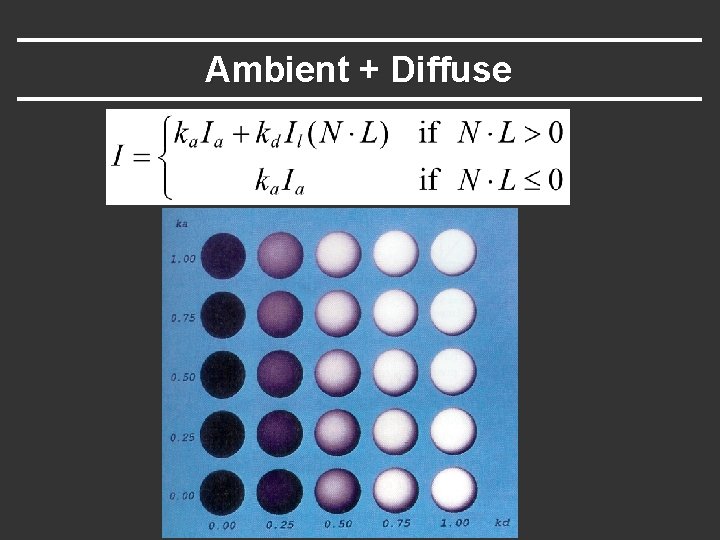
Ambient + Diffuse
Specular Reflection § Perfect reflector (mirror) reflects all lights to the direction where angle of reflection is identical to the angle of incidence § It accounts for the highlight
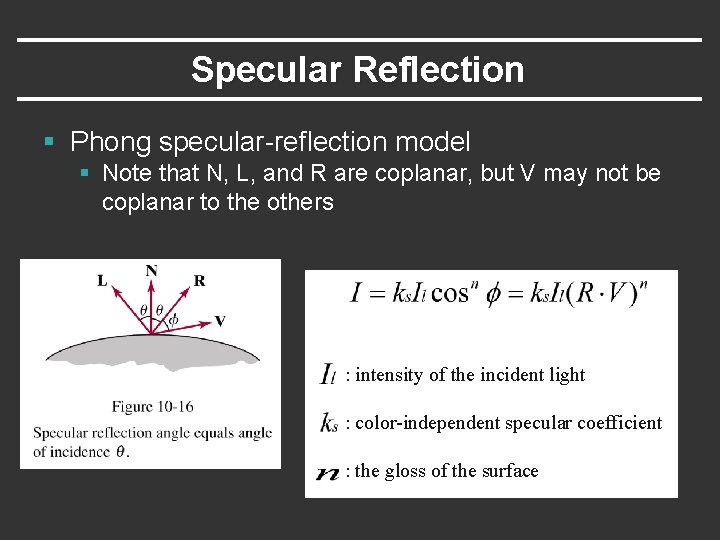
Specular Reflection § Phong specular-reflection model § Note that N, L, and R are coplanar, but V may not be coplanar to the others : intensity of the incident light : color-independent specular coefficient : the gloss of the surface
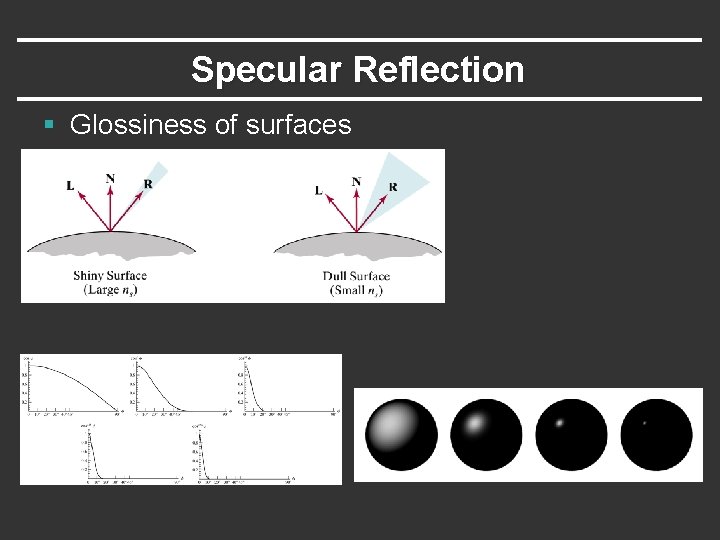
Specular Reflection § Glossiness of surfaces
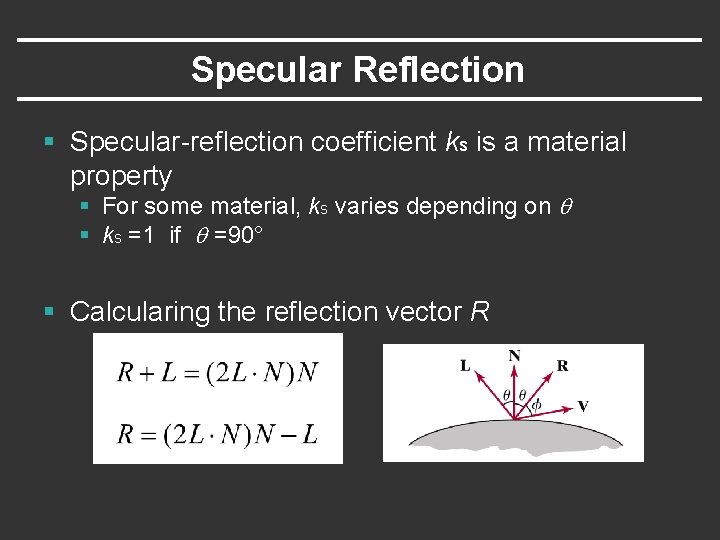
Specular Reflection § Specular-reflection coefficient ks is a material property § For some material, ks varies depending on q § ks =1 if q =90° § Calcularing the reflection vector R
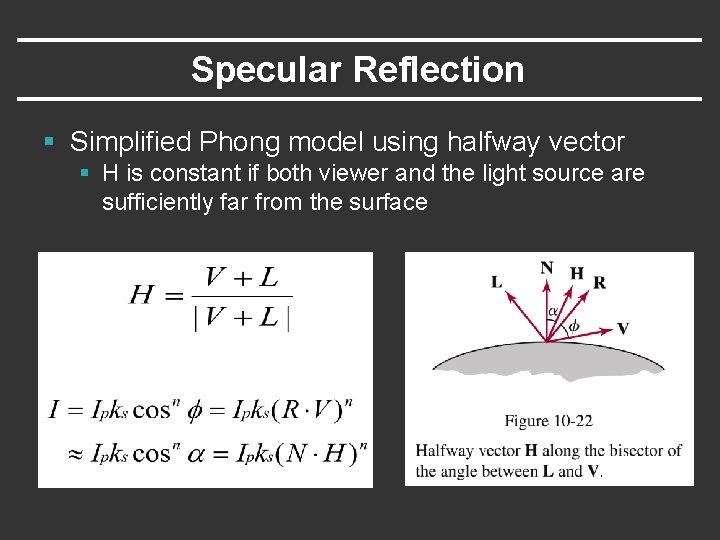
Specular Reflection § Simplified Phong model using halfway vector § H is constant if both viewer and the light source are sufficiently far from the surface
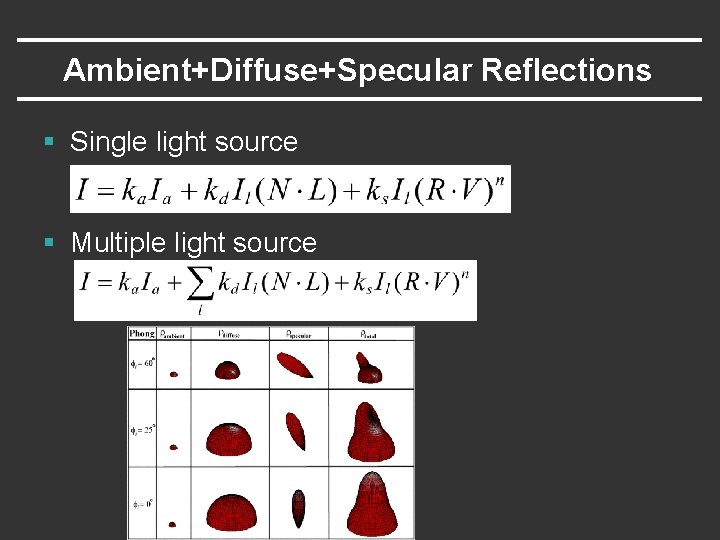
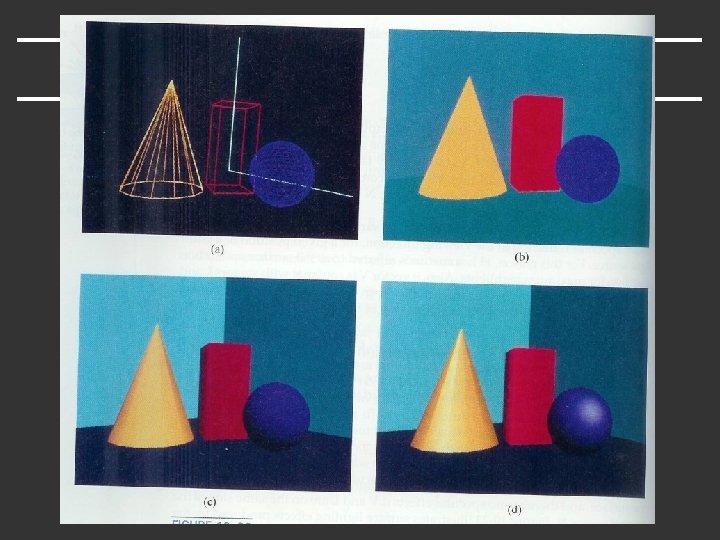
Ambient+Diffuse+Specular Reflections § Single light source § Multiple light source
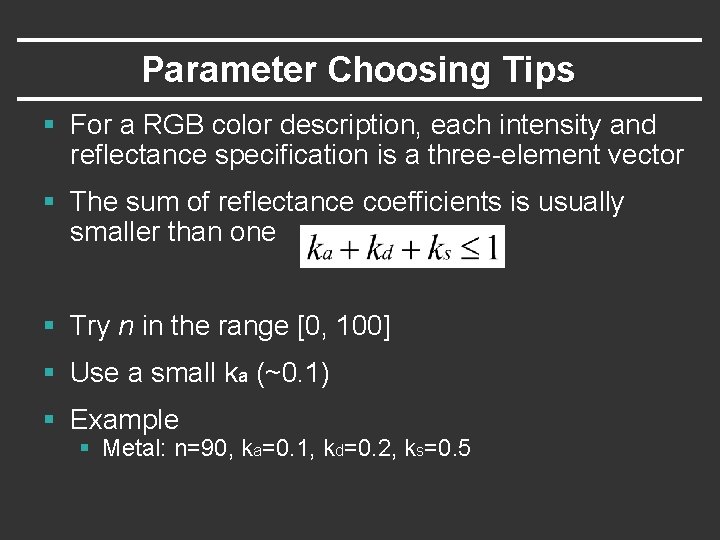
Parameter Choosing Tips § For a RGB color description, each intensity and reflectance specification is a three-element vector § The sum of reflectance coefficients is usually smaller than one § Try n in the range [0, 100] § Use a small ka (~0. 1) § Example § Metal: n=90, ka=0. 1, kd=0. 2, ks=0. 5
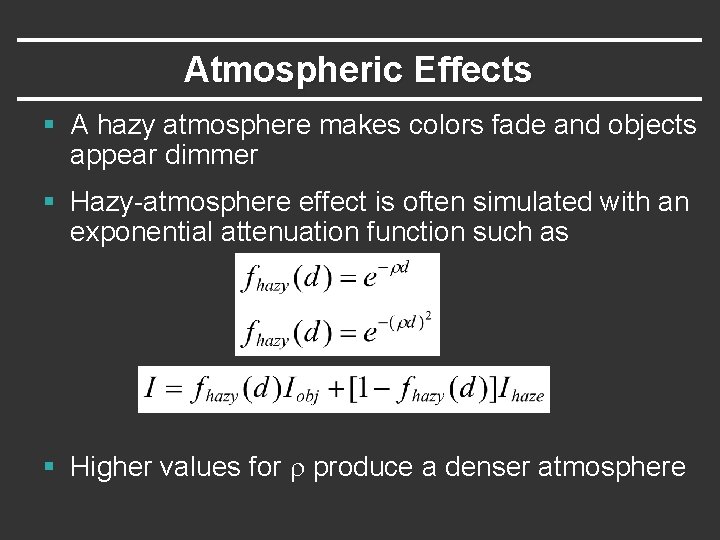
Atmospheric Effects § A hazy atmosphere makes colors fade and objects appear dimmer § Hazy-atmosphere effect is often simulated with an exponential attenuation function such as § Higher values for r produce a denser atmosphere
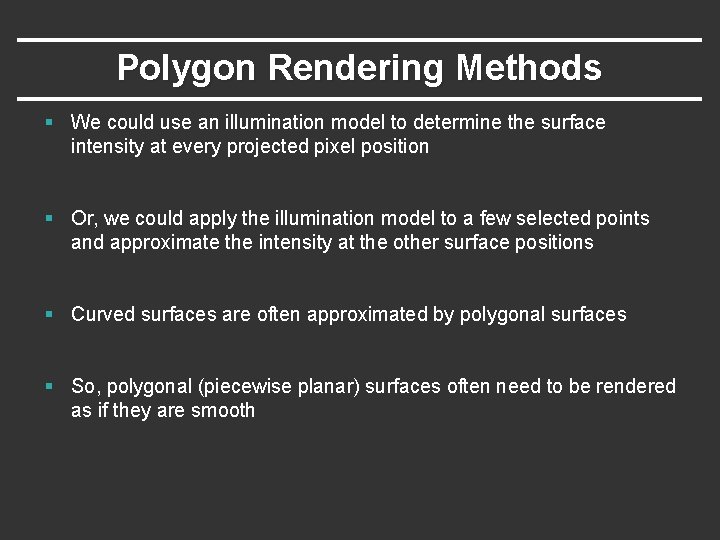
Polygon Rendering Methods § We could use an illumination model to determine the surface intensity at every projected pixel position § Or, we could apply the illumination model to a few selected points and approximate the intensity at the other surface positions § Curved surfaces are often approximated by polygonal surfaces § So, polygonal (piecewise planar) surfaces often need to be rendered as if they are smooth
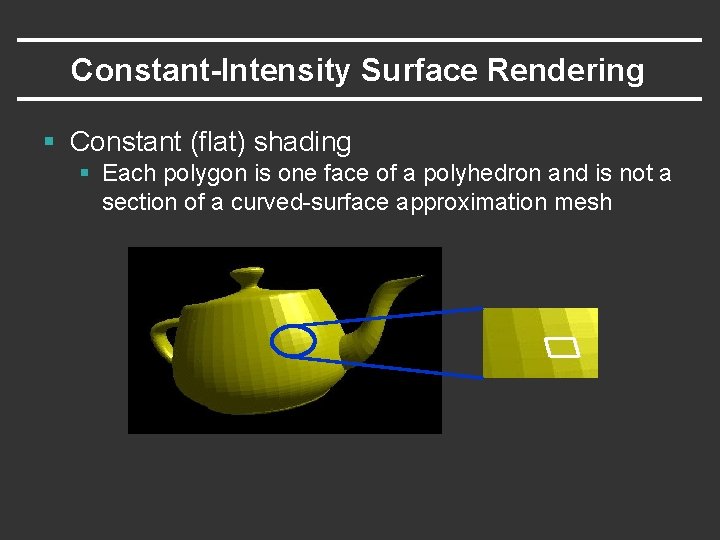
Constant-Intensity Surface Rendering § Constant (flat) shading § Each polygon is one face of a polyhedron and is not a section of a curved-surface approximation mesh
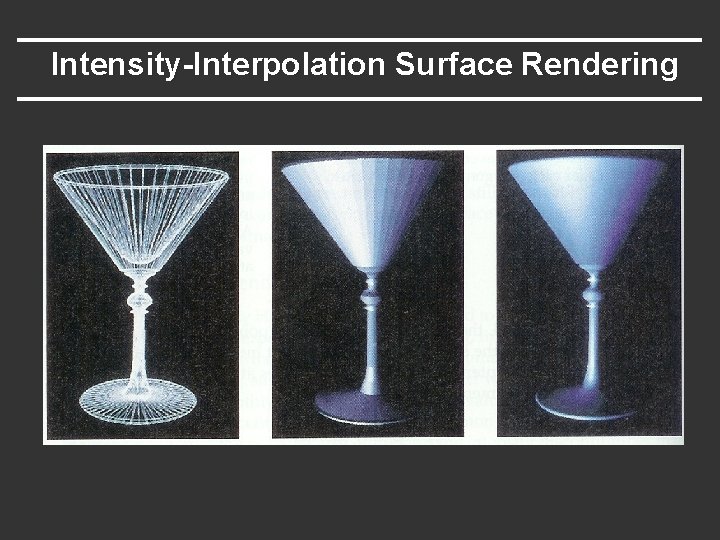
Intensity-Interpolation Surface Rendering § Gouraud shading § § § Rendering a curved surface that is approximated with a polygon mesh Interpolate intensities at polygon vertices Procedure 1. Determine the average unit normal vector at each vertex 2. Apply an illumination model at each polygon vertex to obtain the light intensity at that position 3. Linearly interpolate the vertex intensities over the projected area of the polygon
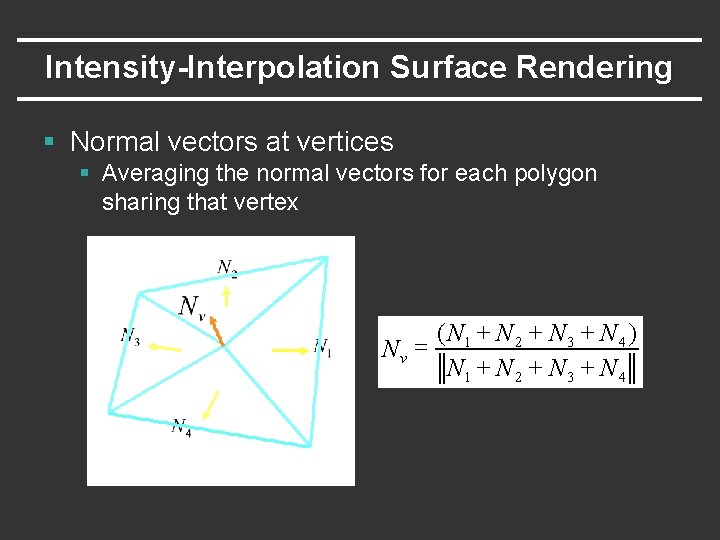
Intensity-Interpolation Surface Rendering § Normal vectors at vertices § Averaging the normal vectors for each polygon sharing that vertex ( N 1 + N 2 + N 3 + N 4 ) Nv = N 1 + N 2 + N 3 + N 4
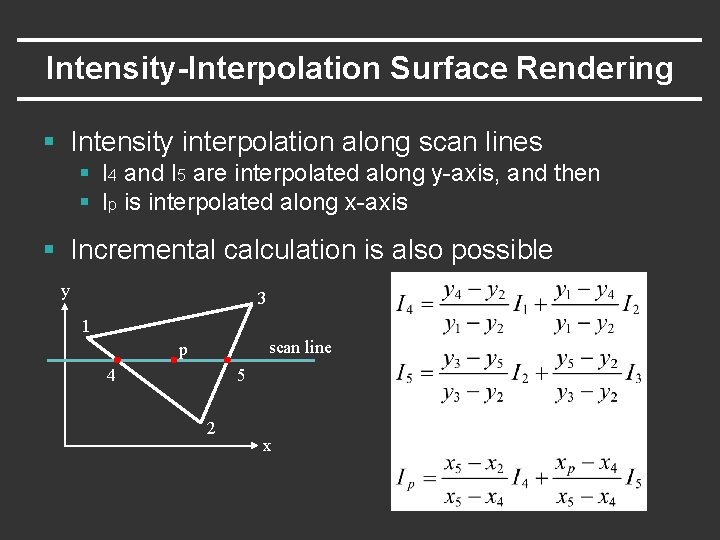
Intensity-Interpolation Surface Rendering § Intensity interpolation along scan lines § I 4 and I 5 are interpolated along y-axis, and then § Ip is interpolated along x-axis § Incremental calculation is also possible y 3 1 scan line p 4 5 2 x
Intensity-Interpolation Surface Rendering
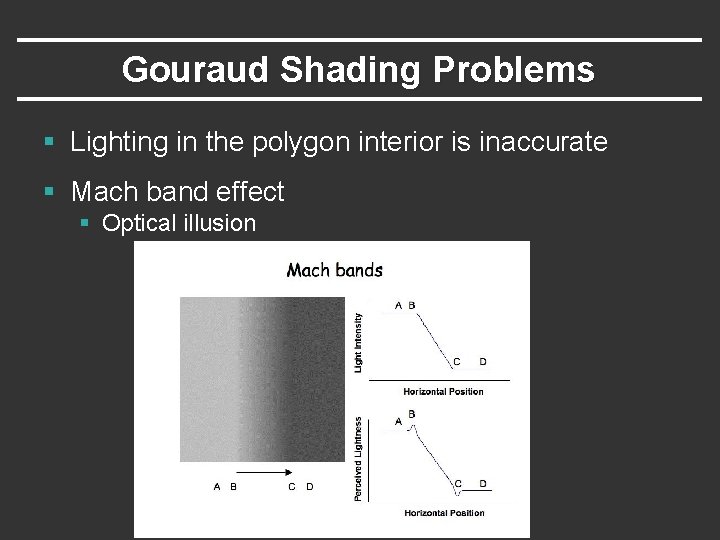
Gouraud Shading Problems § Lighting in the polygon interior is inaccurate § Mach band effect § Optical illusion
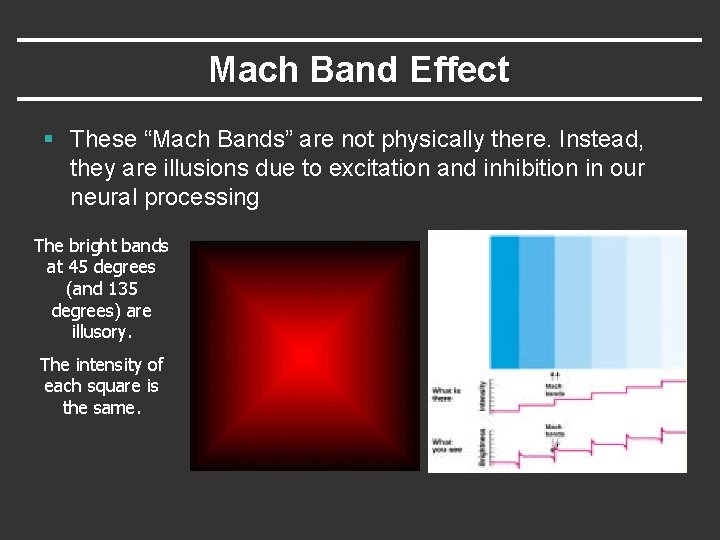
Mach Band Effect § These “Mach Bands” are not physically there. Instead, they are illusions due to excitation and inhibition in our neural processing The bright bands at 45 degrees (and 135 degrees) are illusory. The intensity of each square is the same.
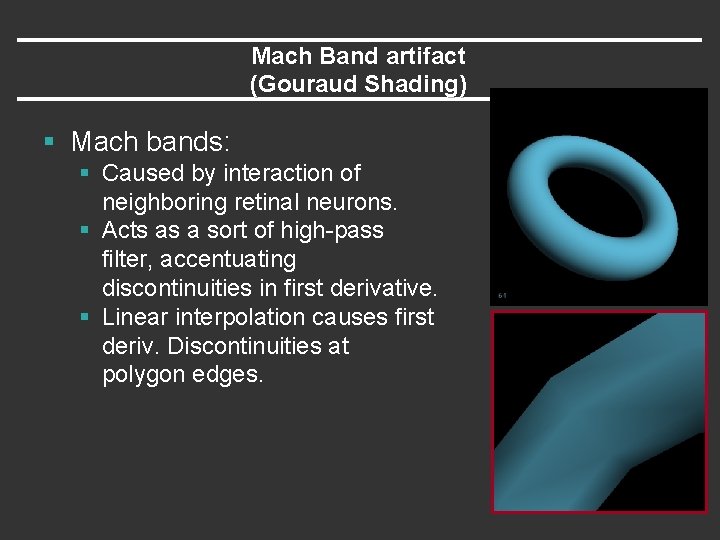
Mach Band artifact (Gouraud Shading) § Mach bands: § Caused by interaction of neighboring retinal neurons. § Acts as a sort of high-pass filter, accentuating discontinuities in first derivative. § Linear interpolation causes first deriv. Discontinuities at polygon edges.
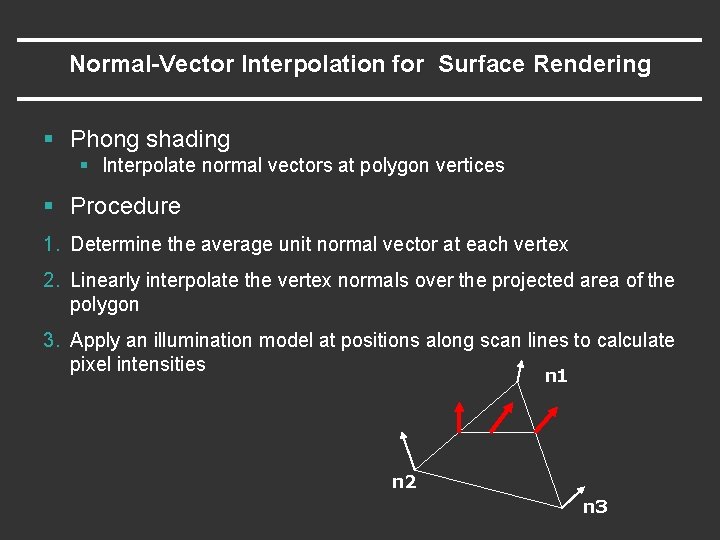
Normal-Vector Interpolation for Surface Rendering § Phong shading § Interpolate normal vectors at polygon vertices § Procedure 1. Determine the average unit normal vector at each vertex 2. Linearly interpolate the vertex normals over the projected area of the polygon 3. Apply an illumination model at positions along scan lines to calculate pixel intensities n 1 n 2 n 3
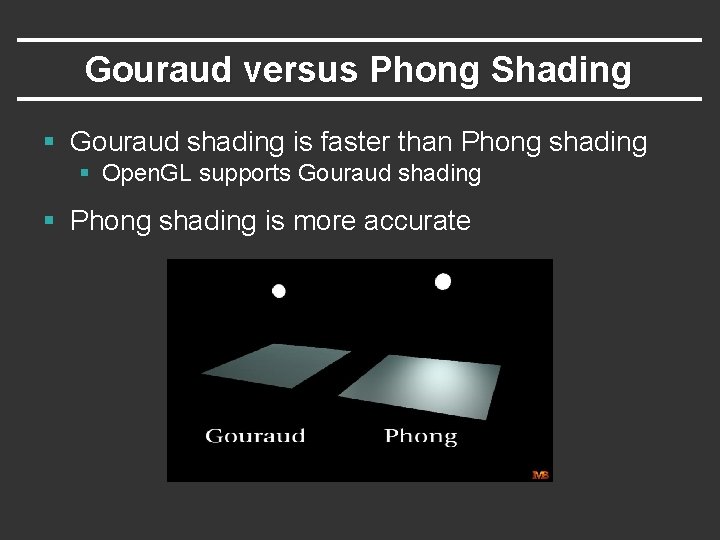
Gouraud versus Phong Shading § Gouraud shading is faster than Phong shading § Open. GL supports Gouraud shading § Phong shading is more accurate
Texture Mapping
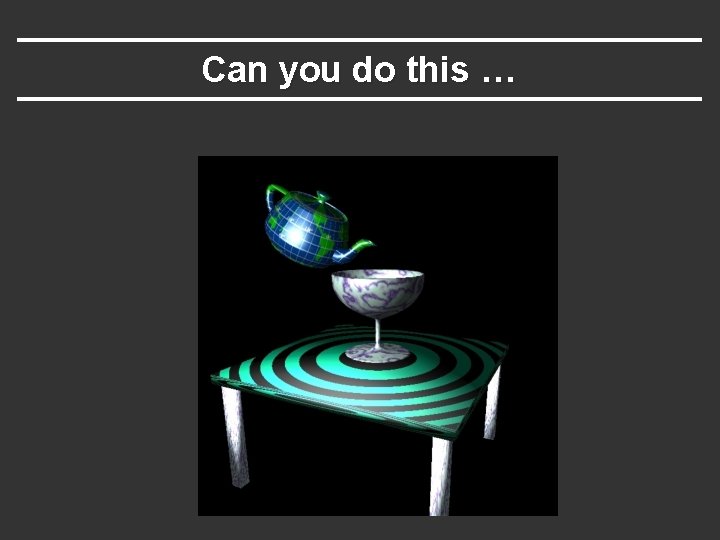
Can you do this …
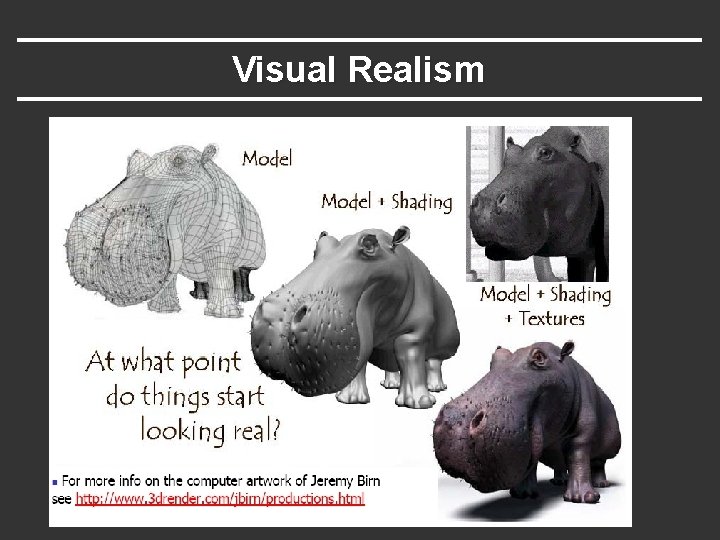
Visual Realism
Texture Mapping § Surfaces in real world are very complex § Objects have properties that vary across surface § Cannot model all the fine variations § We need to find ways to add surface detail § How?
Texture Mapping § Of course, one can model the exact microgeometry + material property to control the look and feel of a surface § But, it may get extremely costly § So, graphics use a more practical approach – texture mapping
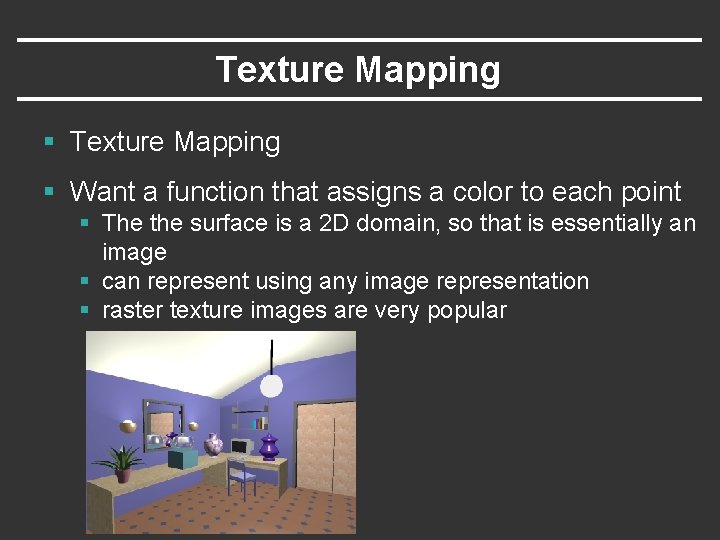
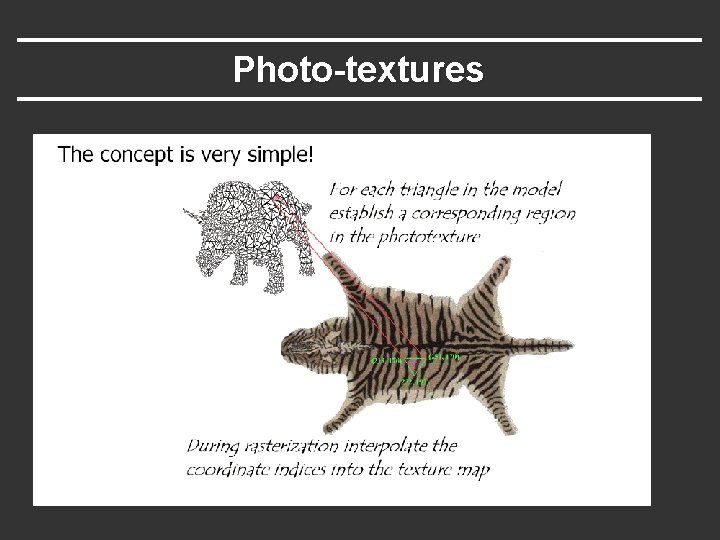
Texture Mapping § Want a function that assigns a color to each point § The the surface is a 2 D domain, so that is essentially an image § can represent using any image representation § raster texture images are very popular
Photo-textures
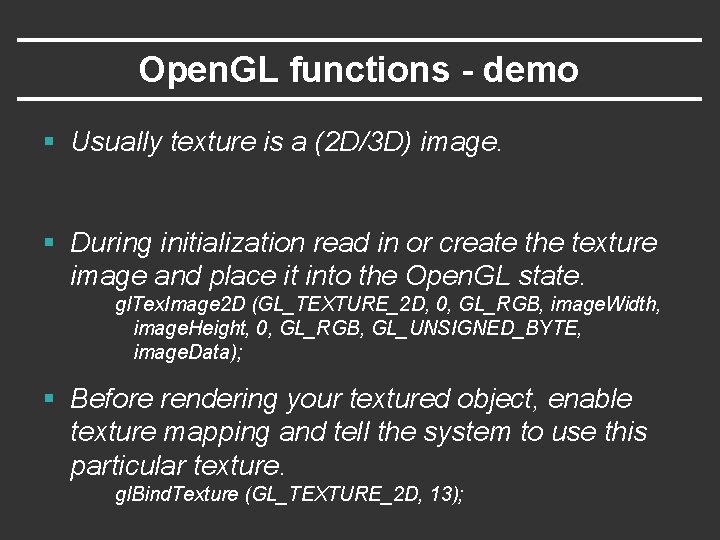
Open. GL functions - demo § Usually texture is a (2 D/3 D) image. § During initialization read in or create the texture image and place it into the Open. GL state. gl. Tex. Image 2 D (GL_TEXTURE_2 D, 0, GL_RGB, image. Width, image. Height, 0, GL_RGB, GL_UNSIGNED_BYTE, image. Data); § Before rendering your textured object, enable texture mapping and tell the system to use this particular texture. gl. Bind. Texture (GL_TEXTURE_2 D, 13);
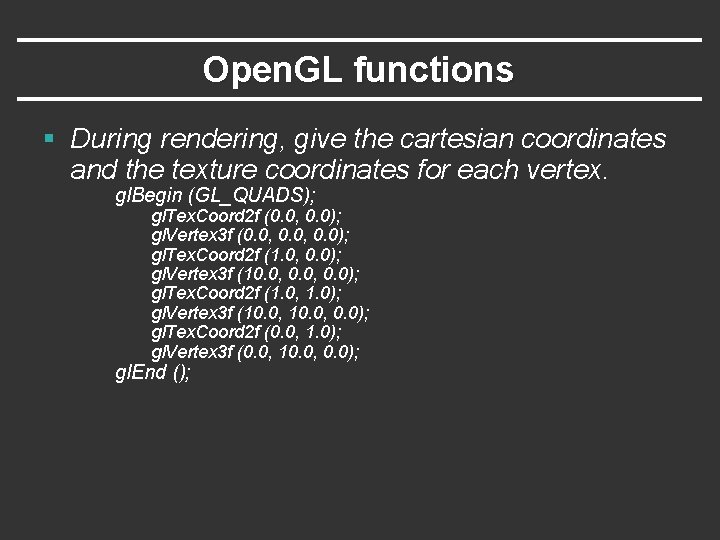
Open. GL functions § During rendering, give the cartesian coordinates and the texture coordinates for each vertex. gl. Begin (GL_QUADS); gl. Tex. Coord 2 f (0. 0, 0. 0); gl. Vertex 3 f (0. 0, 0. 0); gl. Tex. Coord 2 f (1. 0, 0. 0); gl. Vertex 3 f (10. 0, 0. 0); gl. Tex. Coord 2 f (1. 0, 1. 0); gl. Vertex 3 f (10. 0, 0. 0); gl. Tex. Coord 2 f (0. 0, 1. 0); gl. Vertex 3 f (0. 0, 10. 0, 0. 0); gl. End ();
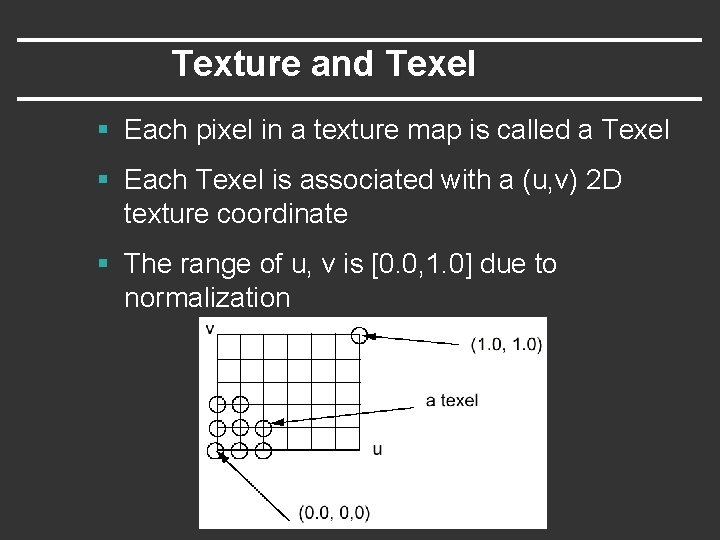
Texture and Texel § Each pixel in a texture map is called a Texel § Each Texel is associated with a (u, v) 2 D texture coordinate § The range of u, v is [0. 0, 1. 0] due to normalization
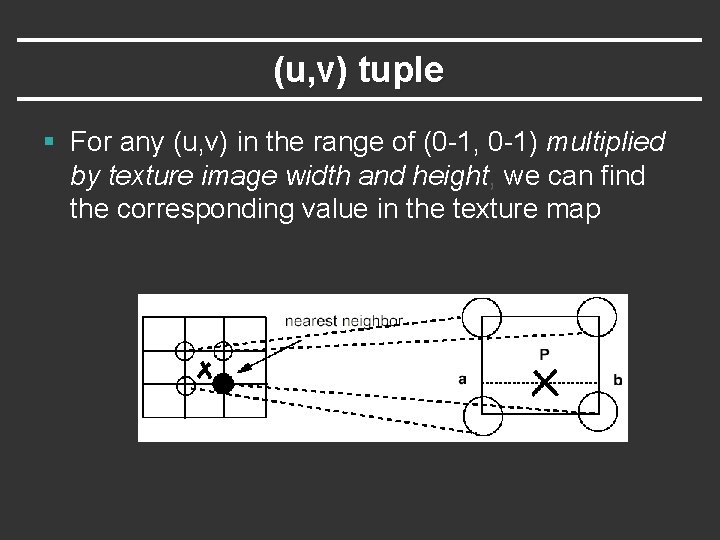
(u, v) tuple § For any (u, v) in the range of (0 -1, 0 -1) multiplied by texture image width and height, we can find the corresponding value in the texture map
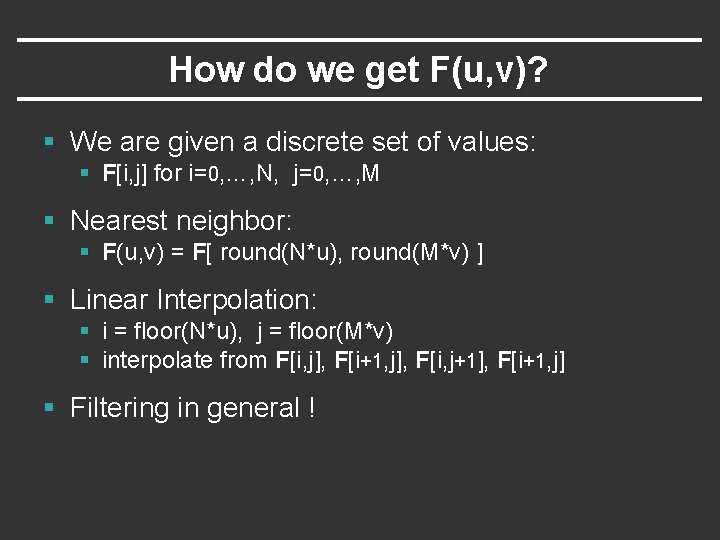
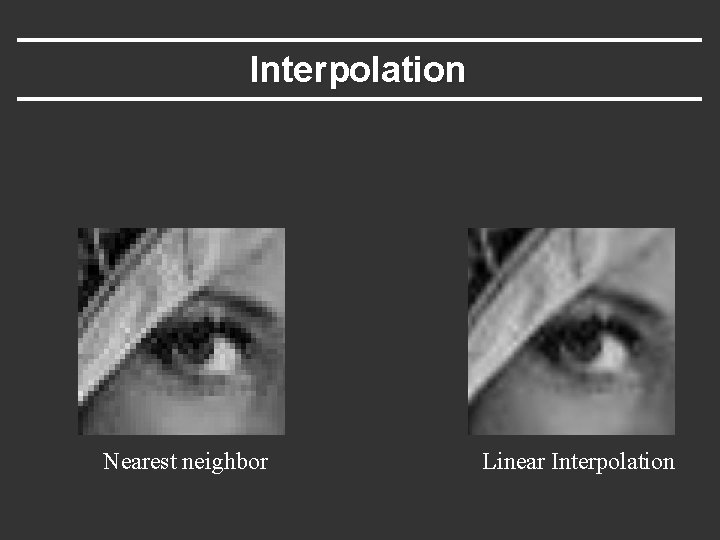
How do we get F(u, v)? § We are given a discrete set of values: § F[i, j] for i=0, …, N, j=0, …, M § Nearest neighbor: § F(u, v) = F[ round(N*u), round(M*v) ] § Linear Interpolation: § i = floor(N*u), j = floor(M*v) § interpolate from F[i, j], F[i+1, j], F[i, j+1], F[i+1, j] § Filtering in general !
Interpolation Nearest neighbor Linear Interpolation
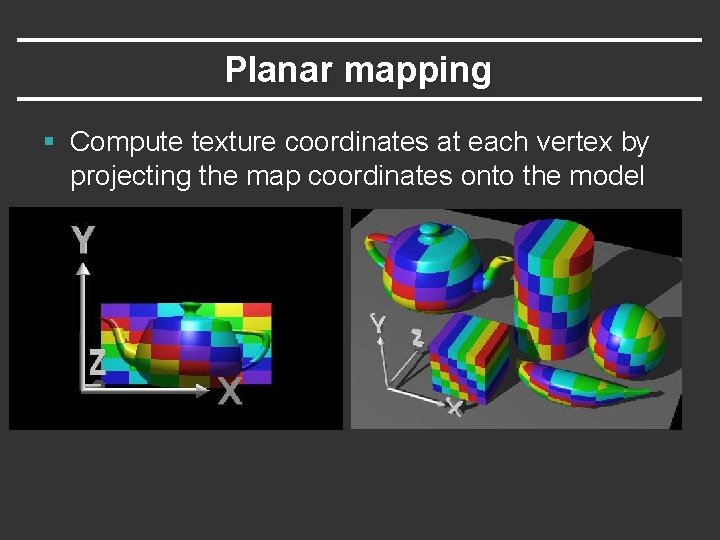
Specifying texture coordinates § Texture coordinates needed at every vertex § Hard to specify by hand § Difficult to wrap a 2 D texture around a 3 D object
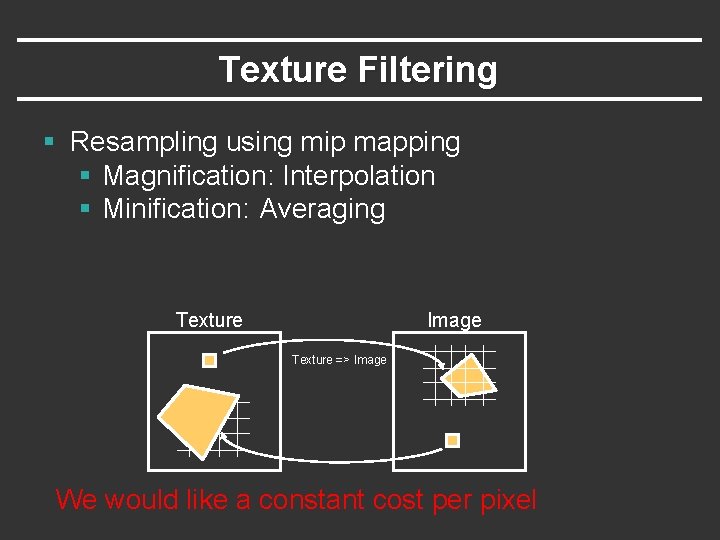
Texture Filtering § Resampling using mip mapping § Magnification: Interpolation § Minification: Averaging Texture Image Texture => Image We would like a constant cost per pixel
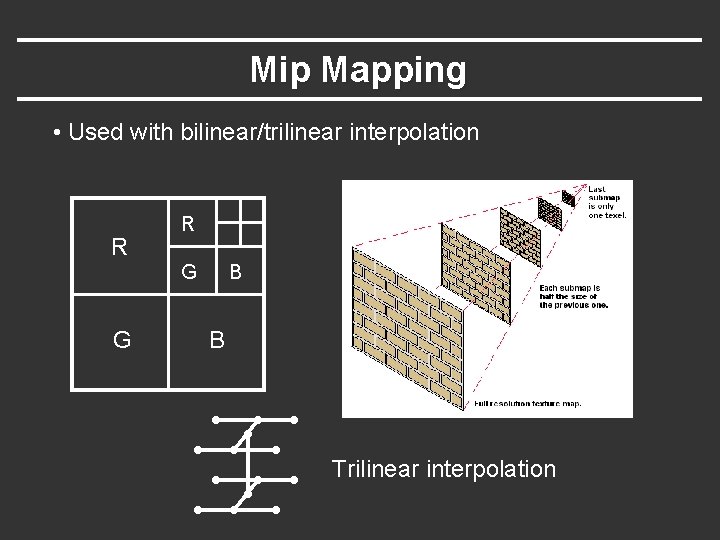
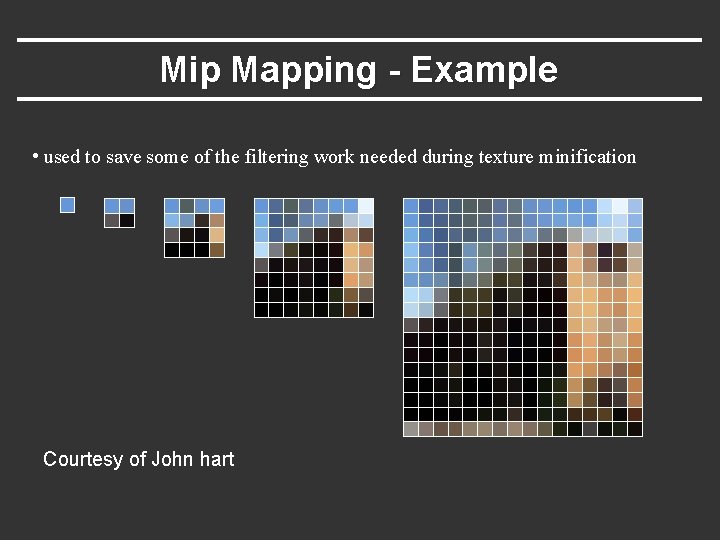
Mip Mapping § MIP = Multim In Parvo = Many things in a small place § Constructs an image pyramid. Each level is a prefilteredversion of the level below resampled at half the frequency. § Whilerasterizing use the level with the sampling rate closest to the desired sampling rate.
Mip Mapping • Used with bilinear/trilinear interpolation R R G G B B Trilinear interpolation
Mip Mapping - Example • used to save some of the filtering work needed during texture minification Courtesy of John hart
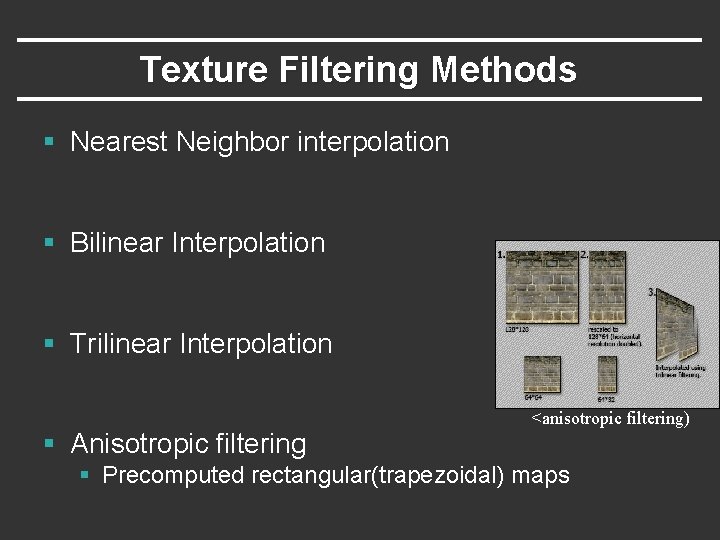
Texture Filtering Methods § Nearest Neighbor interpolation § Bilinear Interpolation § Trilinear Interpolation <anisotropic filtering) § Anisotropic filtering § Precomputed rectangular(trapezoidal) maps
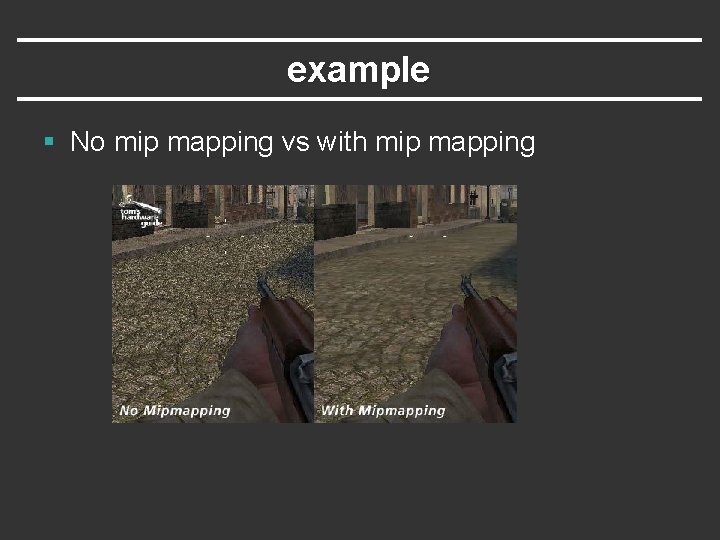
example § No mip mapping vs with mip mapping
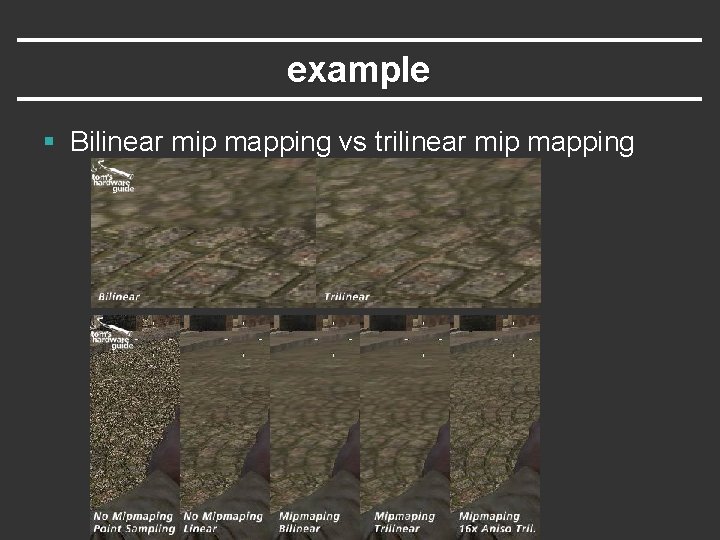
example § Bilinear mip mapping vs trilinear mip mapping
Specifying texture coordinates § Texture coordinates needed at every vertex § Hard to specify by hand § Difficult to wrap a 2 D texture around a 3 D object
Planar mapping § Compute texture coordinates at each vertex by projecting the map coordinates onto the model
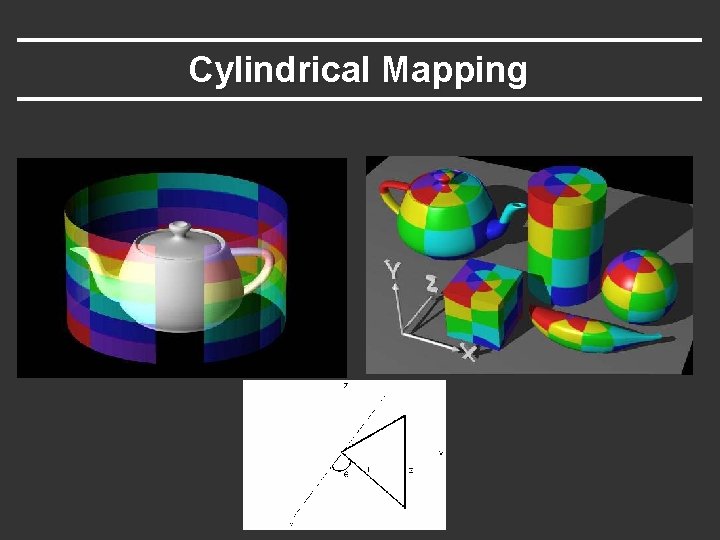
Cylindrical Mapping
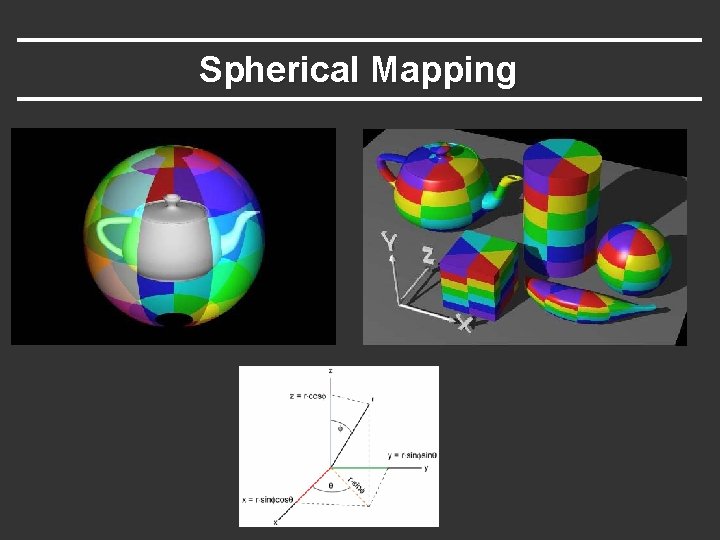
Spherical Mapping
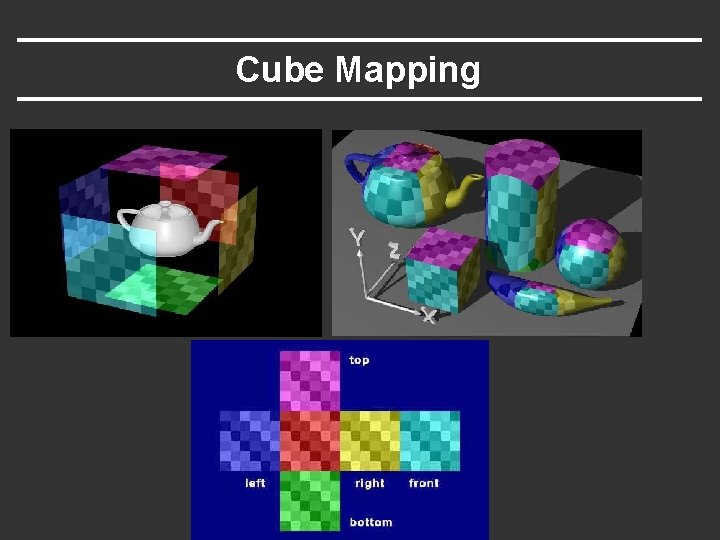
Cube Mapping
Modelling Surface Properties § Can use a texture to supply any parameter of the illumination model § ambient, diffuse, and specularcolor § Specular exponent § roughness
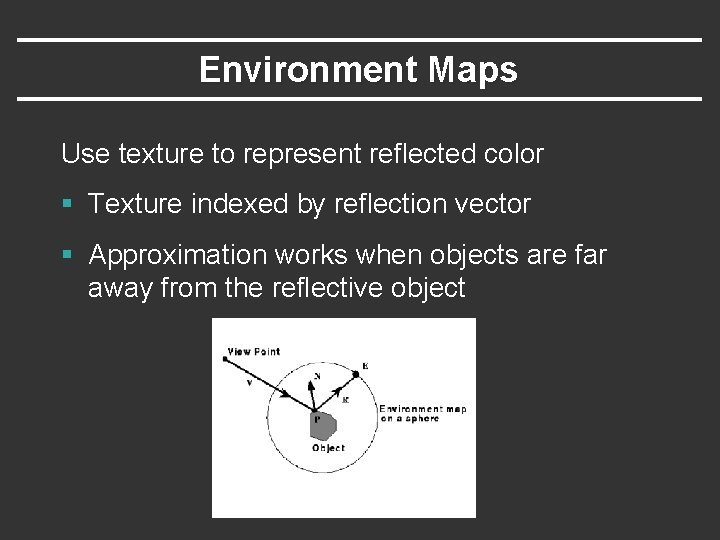
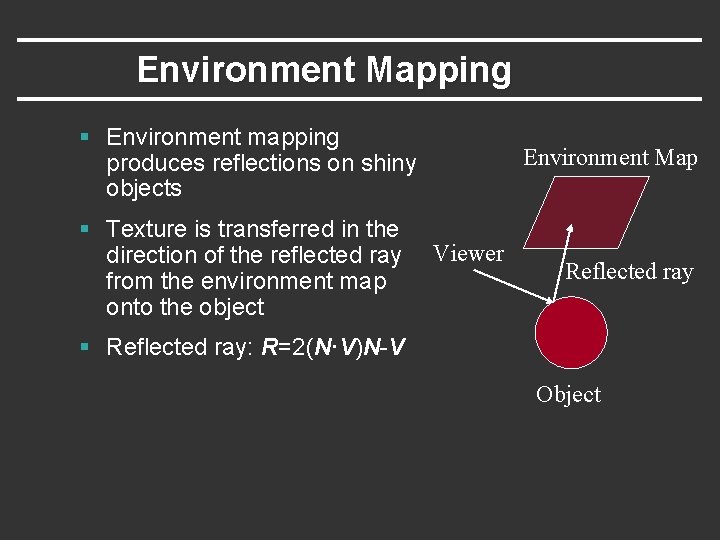
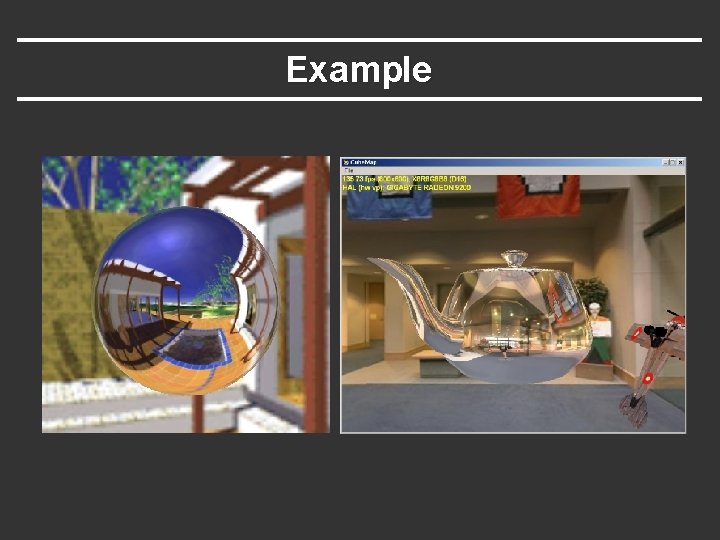
Environment Maps Use texture to represent reflected color § Texture indexed by reflection vector § Approximation works when objects are far away from the reflective object
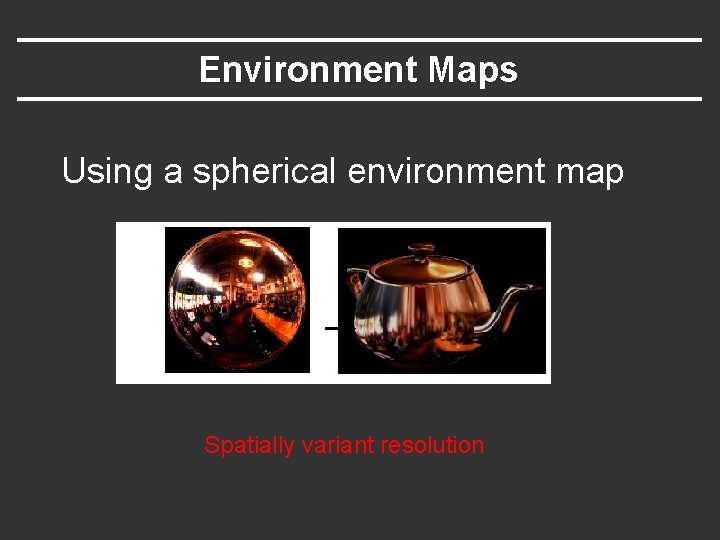
Environment Maps Using a spherical environment map Spatially variant resolution
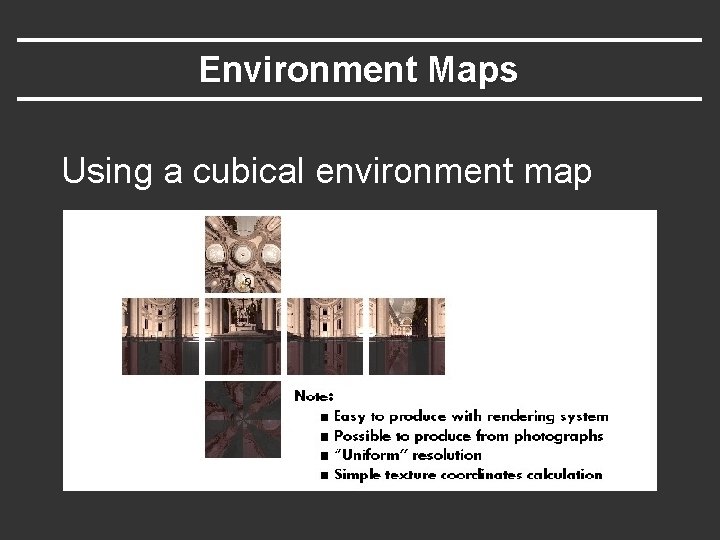
Environment Maps Using a cubical environment map
Environment Mapping § Environment mapping produces reflections on shiny objects § Texture is transferred in the direction of the reflected ray from the environment map onto the object Environment Map Viewer Reflected ray § Reflected ray: R=2(N·V)N-V Object
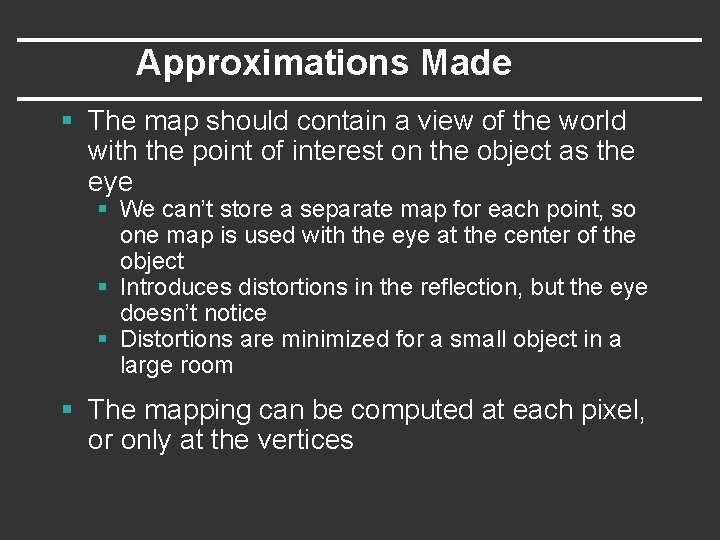
Approximations Made § The map should contain a view of the world with the point of interest on the object as the eye § We can’t store a separate map for each point, so one map is used with the eye at the center of the object § Introduces distortions in the reflection, but the eye doesn’t notice § Distortions are minimized for a small object in a large room § The mapping can be computed at each pixel, or only at the vertices
Example
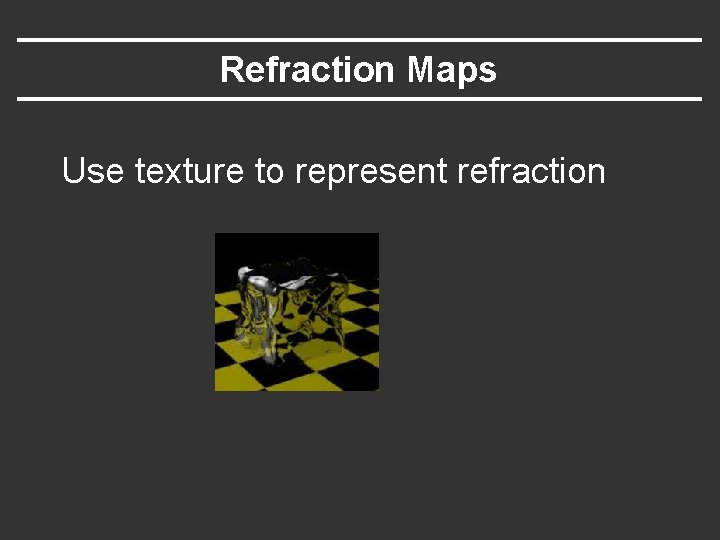
Refraction Maps Use texture to represent refraction
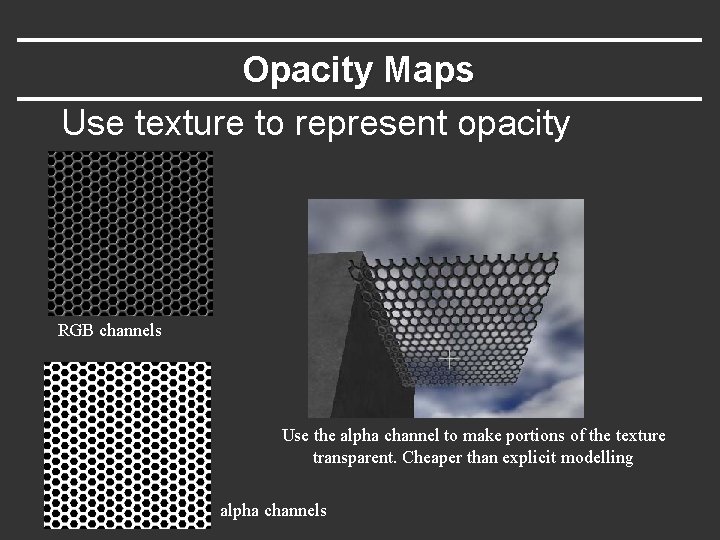
Opacity Maps Use texture to represent opacity RGB channels Use the alpha channel to make portions of the texture transparent. Cheaper than explicit modelling alpha channels
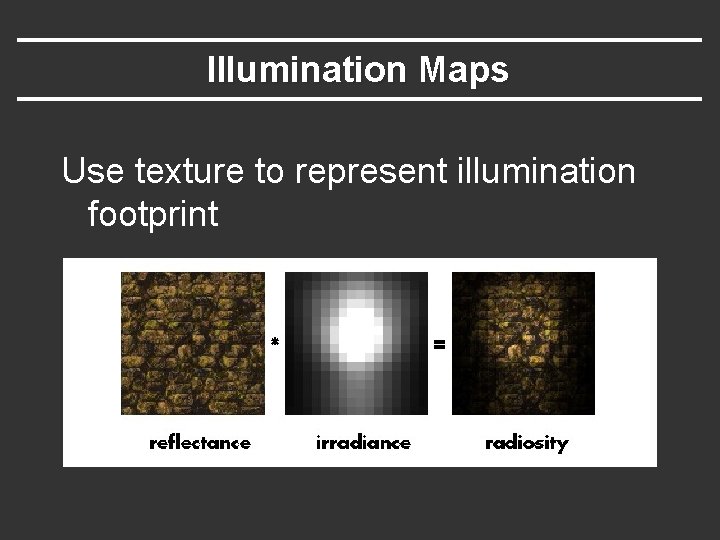
Illumination Maps Use texture to represent illumination footprint
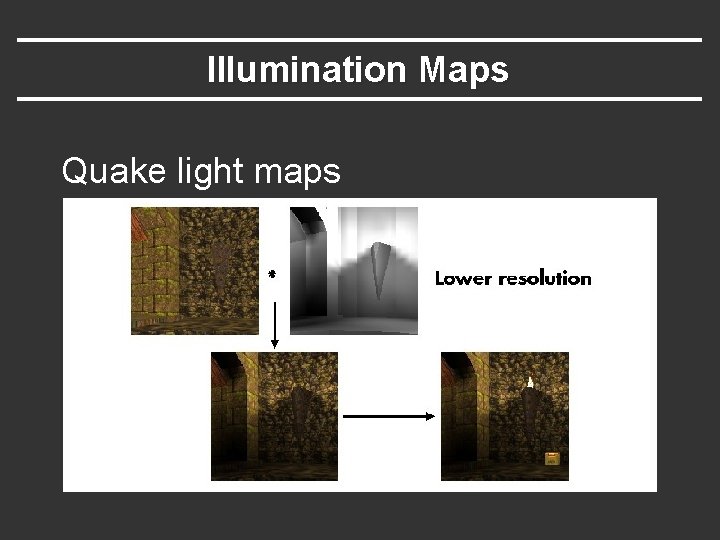
Illumination Maps Quake light maps
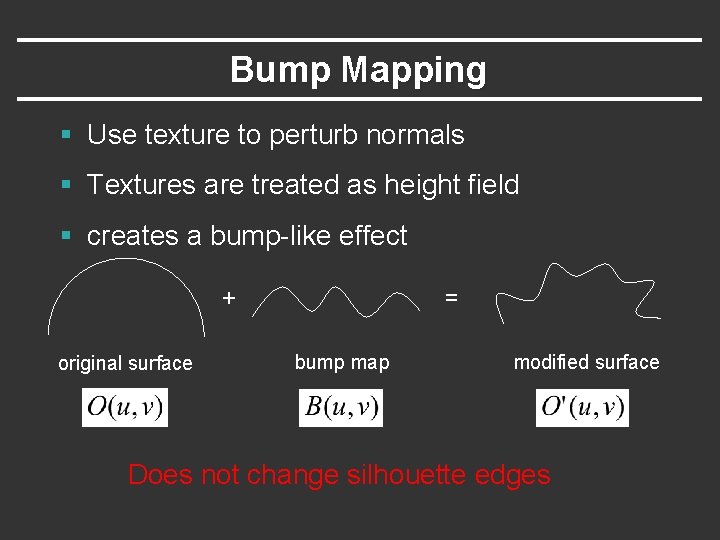
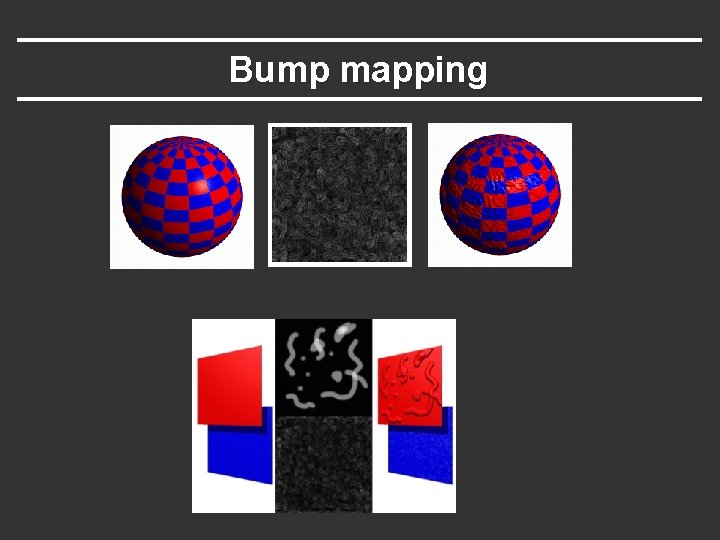
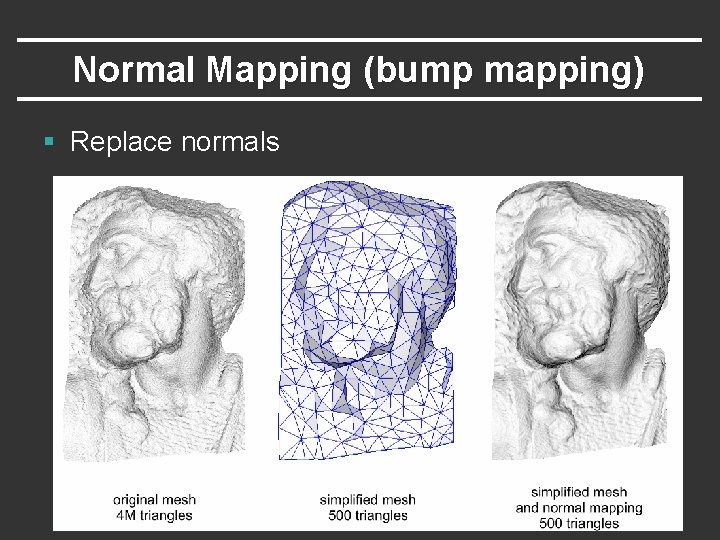
Bump Mapping § Use texture to perturb normals § Textures are treated as height field § creates a bump-like effect + original surface = bump map modified surface Does not change silhouette edges
Bump mapping
Normal Mapping (bump mapping) § Replace normals
Bump Mapping § Many textures are the result of small perturbations in the surface geometry § Modeling these changes would result in an explosion in the number of geometric primitives. § Bump mapping attempts to alter the lighting across a polygon to provide the illusion of texture.
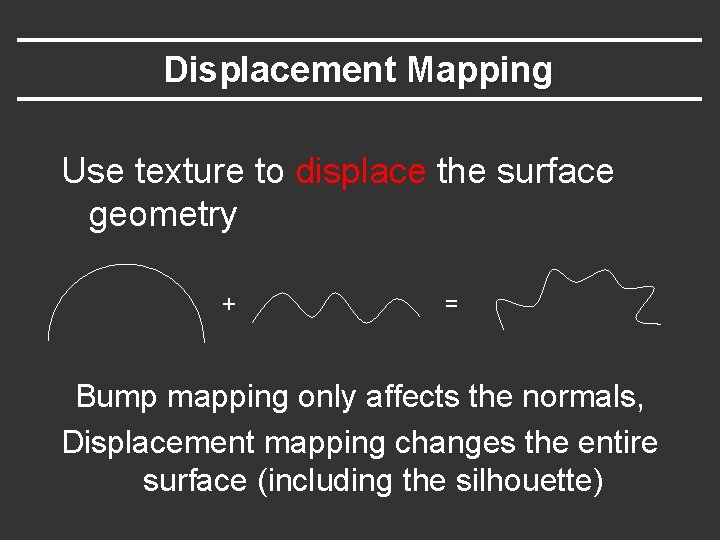
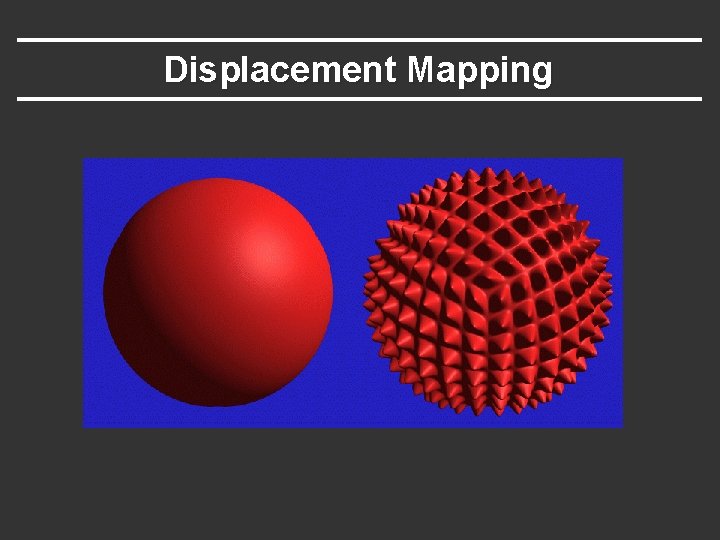
Displacement Mapping Use texture to displace the surface geometry + = Bump mapping only affects the normals, Displacement mapping changes the entire surface (including the silhouette)
Displacement Mapping
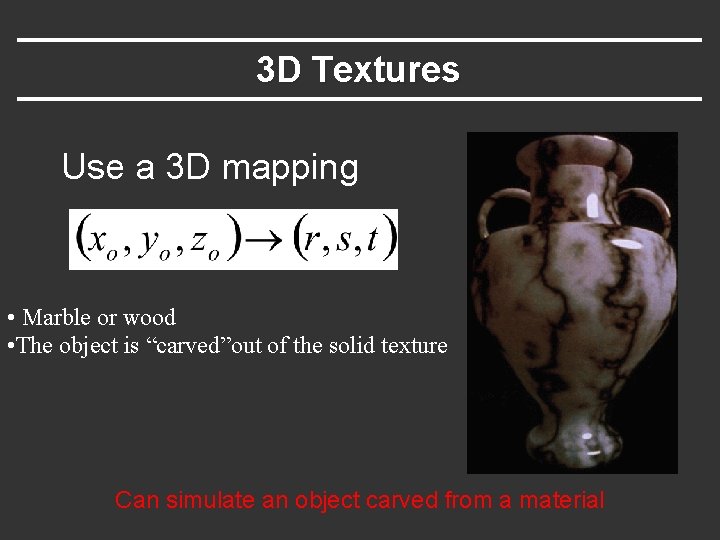
3 D Textures Use a 3 D mapping • Marble or wood • The object is “carved”out of the solid texture Can simulate an object carved from a material
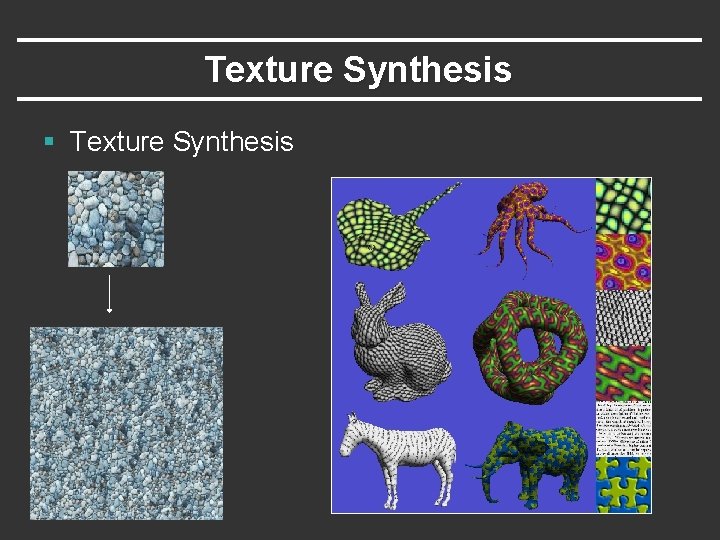
Texture Synthesis § Texture Synthesis
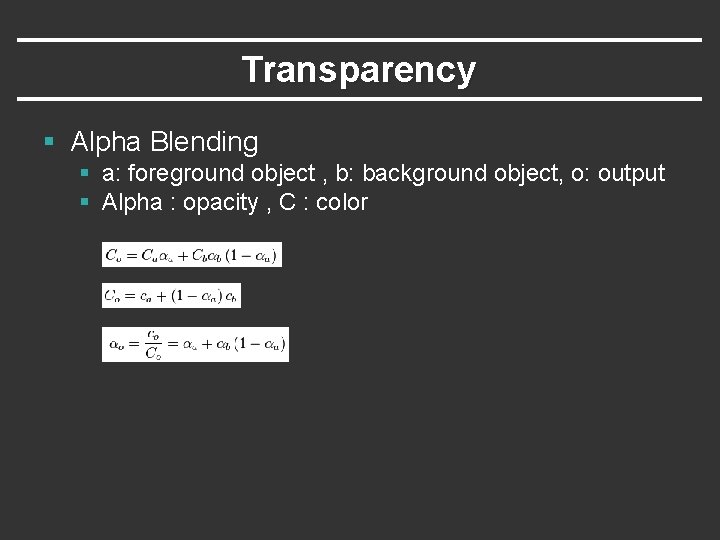
Transparency § Alpha Blending § a: foreground object , b: background object, o: output § Alpha : opacity , C : color