Nonphotorealistic Rendering Nonphotorealistic Rendering a longtime goal of
- Slides: 34
Non-photorealistic Rendering
Non-photorealistic Rendering �a longtime goal of graphics research has been to render a scene that is indistinguishable from a photograph of the scene � non-photorealistic rendering, or stylized depiction, is inspired by artistic styles � painting � drawing � etching � technical � cartoons illustration
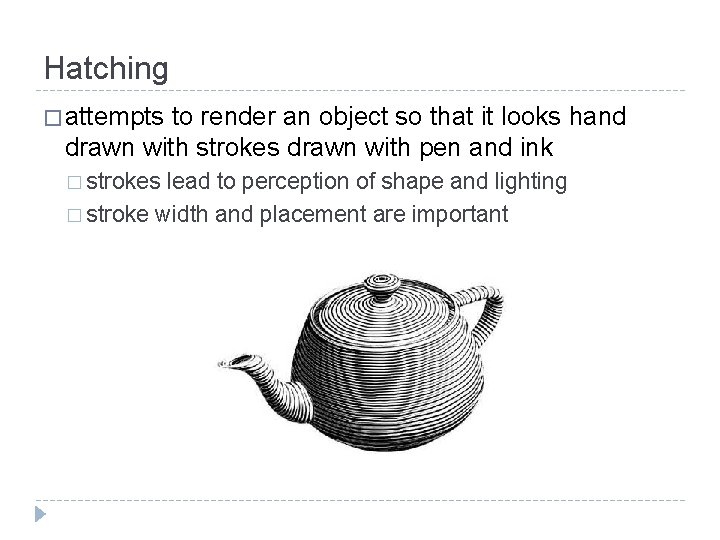
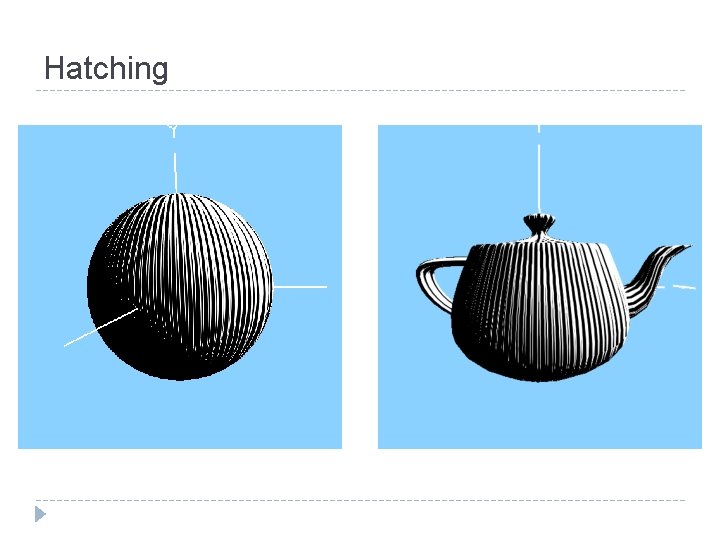
Hatching � attempts to render an object so that it looks hand drawn with strokes drawn with pen and ink � strokes lead to perception of shape and lighting � stroke width and placement are important
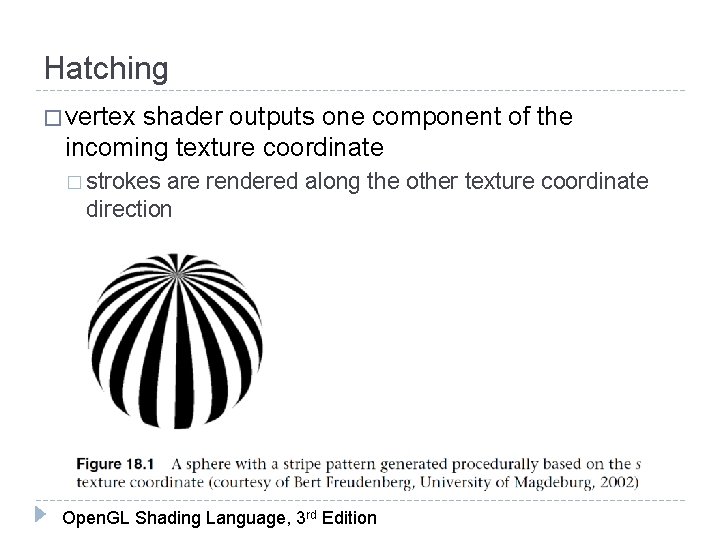
Hatching � vertex shader outputs per-vertex diffuse lighting � no ambient or specular component � intensity only � vertex shader outputs model coordinates of each vertex � model coordinates are used to access a noise texture � vertex shader outputs one component of the incoming texture coordinate � strokes are rendered along the other texture coordinate direction
Hatching � vertex shader outputs one component of the incoming texture coordinate � strokes are rendered along the other texture coordinate direction Open. GL Shading Language, 3 rd Edition
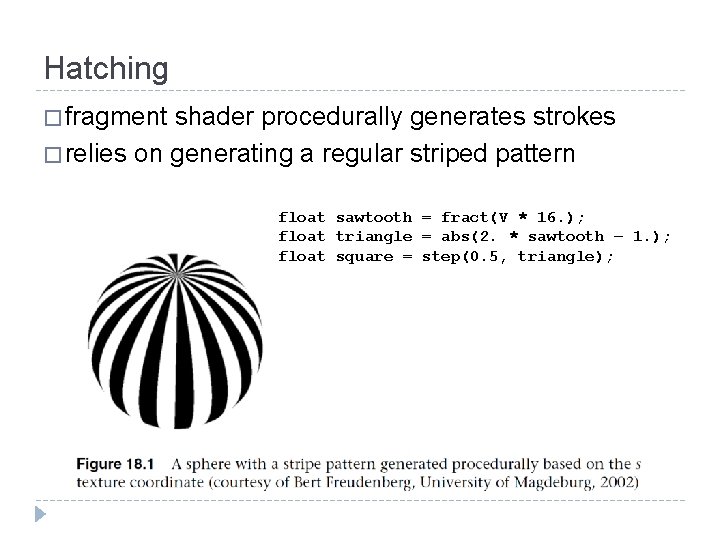
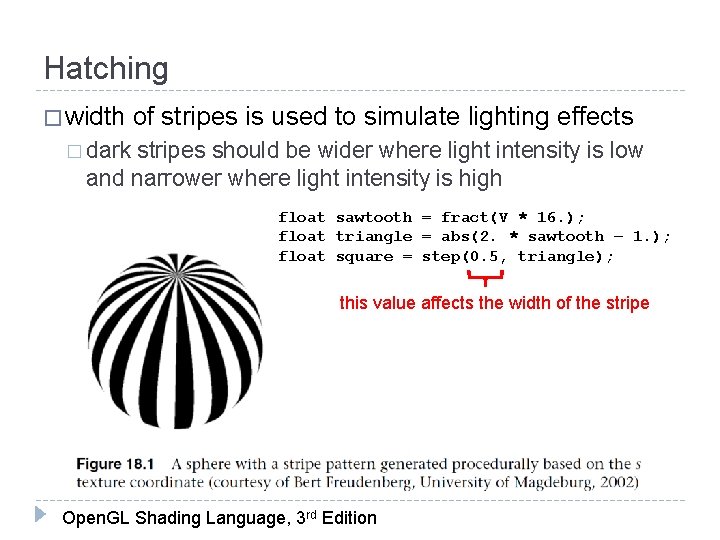
Hatching � fragment shader procedurally generates strokes � relies on generating a regular striped pattern float sawtooth = fract(V * 16. ); float triangle = abs(2. * sawtooth – 1. ); float square = step(0. 5, triangle);
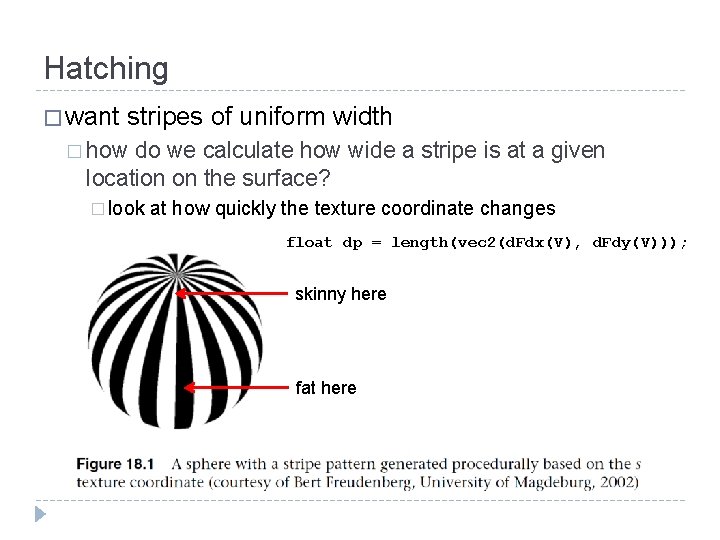
Hatching � want stripes of uniform width � how do we calculate how wide a stripe is at a given location on the surface? � look at how quickly the texture coordinate changes float dp = length(vec 2(d. Fdx(V), d. Fdy(V))); skinny here fat here
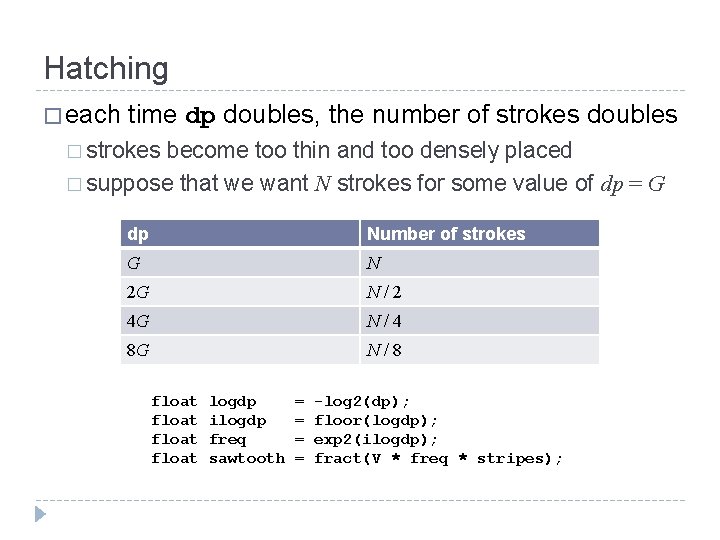
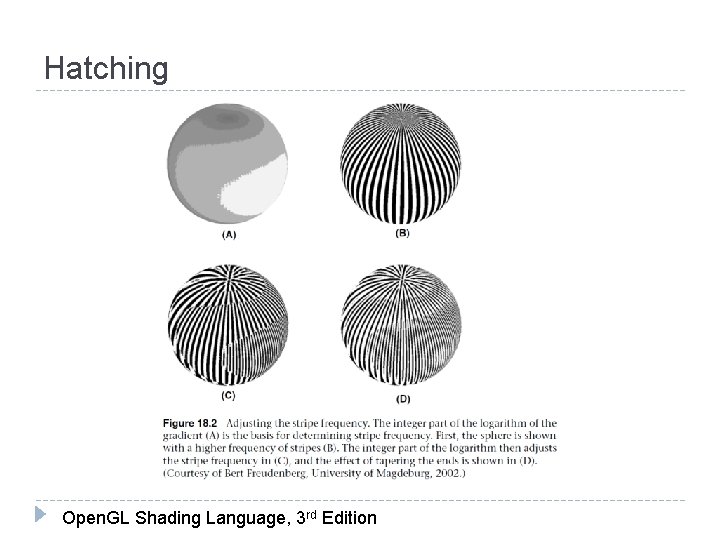
Hatching � each time dp doubles, the number of strokes doubles � strokes become too thin and too densely placed � suppose that we want N strokes for some value of dp = G dp Number of strokes G N 2 G N/2 4 G N/4 8 G N/8 float logdp ilogdp freq sawtooth = = -log 2(dp); floor(logdp); exp 2(ilogdp); fract(V * freq * stripes);
Hatching Open. GL Shading Language, 3 rd Edition
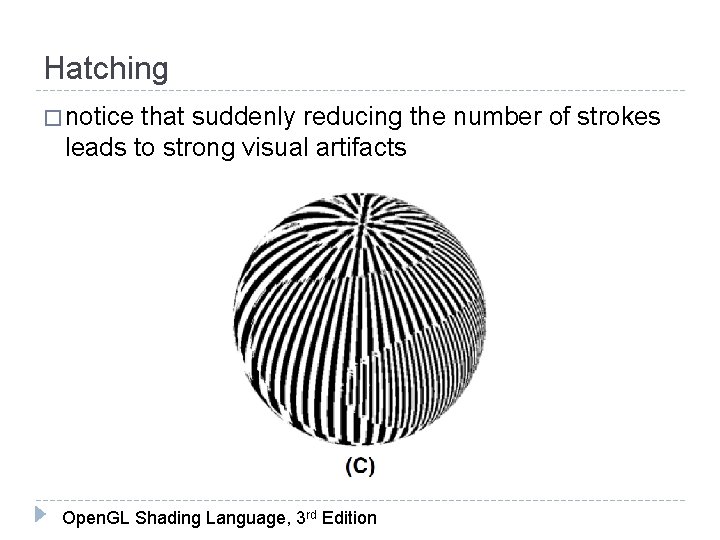
Hatching � notice that suddenly reducing the number of strokes leads to strong visual artifacts Open. GL Shading Language, 3 rd Edition
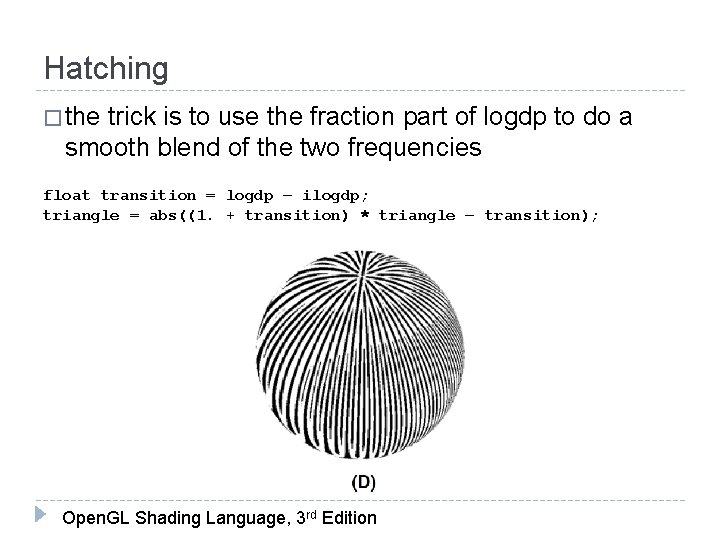
Hatching � the trick is to use the fraction part of logdp to do a smooth blend of the two frequencies float transition = logdp – ilogdp; triangle = abs((1. + transition) * triangle – transition); Open. GL Shading Language, 3 rd Edition
Hatching � width of stripes is used to simulate lighting effects � dark stripes should be wider where light intensity is low and narrower where light intensity is high float sawtooth = fract(V * 16. ); float triangle = abs(2. * sawtooth – 1. ); float square = step(0. 5, triangle); this value affects the width of the stripe Open. GL Shading Language, 3 rd Edition
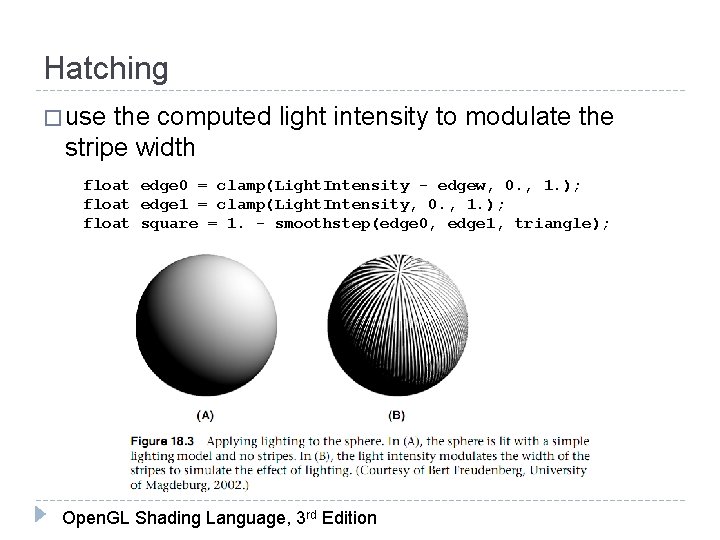
Hatching � use the computed light intensity to modulate the stripe width float edge 0 = clamp(Light. Intensity - edgew, 0. , 1. ); float edge 1 = clamp(Light. Intensity, 0. , 1. ); float square = 1. - smoothstep(edge 0, edge 1, triangle); Open. GL Shading Language, 3 rd Edition
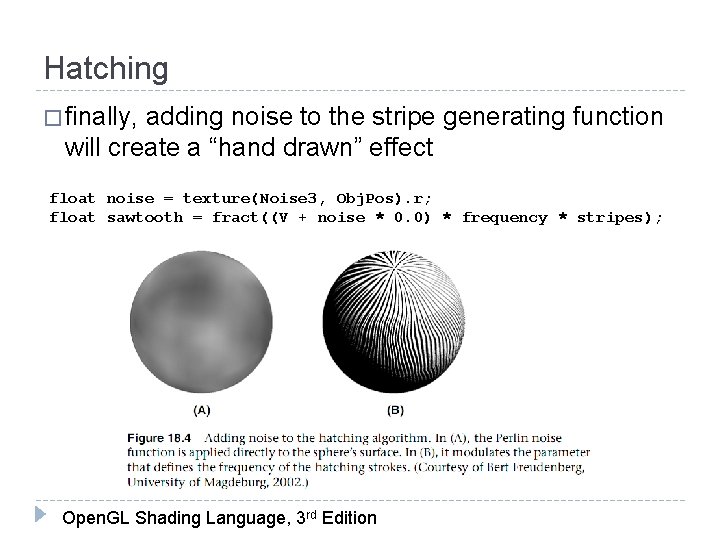
Hatching � finally, adding noise to the stripe generating function will create a “hand drawn” effect float noise = texture(Noise 3, Obj. Pos). r; float sawtooth = fract((V + noise * 0. 0) * frequency * stripes); Open. GL Shading Language, 3 rd Edition
Hatching
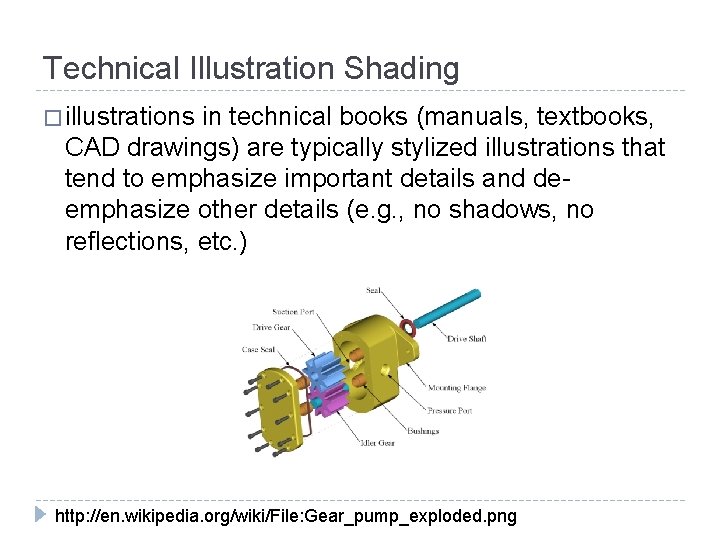
Technical Illustration Shading � illustrations in technical books (manuals, textbooks, CAD drawings) are typically stylized illustrations that tend to emphasize important details and deemphasize other details (e. g. , no shadows, no reflections, etc. ) http: //en. wikipedia. org/wiki/File: Gear_pump_exploded. png
Technical Illustration Shading � Gooch, Shirley, Cohen proposed a list of common characteristics for airbrush and pen drawings � surface boundaries, silhouette edges, and surface discontinuities are drawn with black curves � single light source, white highlights, positioned above the object � effects that add realism (shadows, reflections, multiple light sources) are omitted � matte objects are shaded with intensities far from white or black so as to be distinct from edges and highlights � warmth or coolness of color indicates curvature of surface
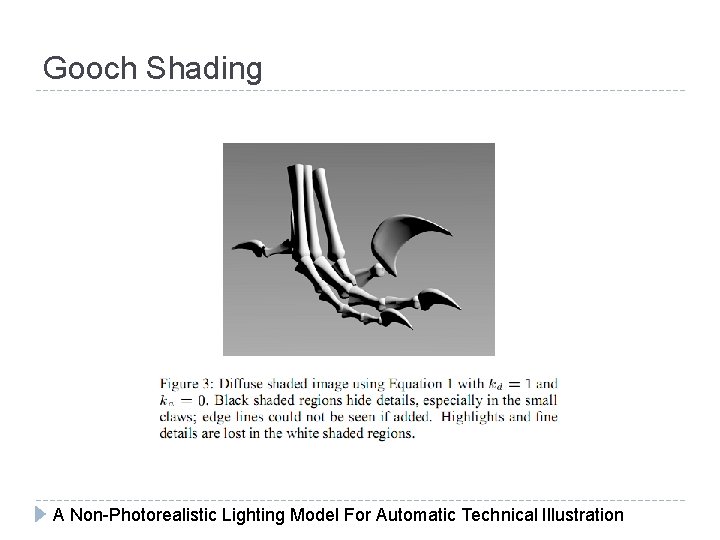
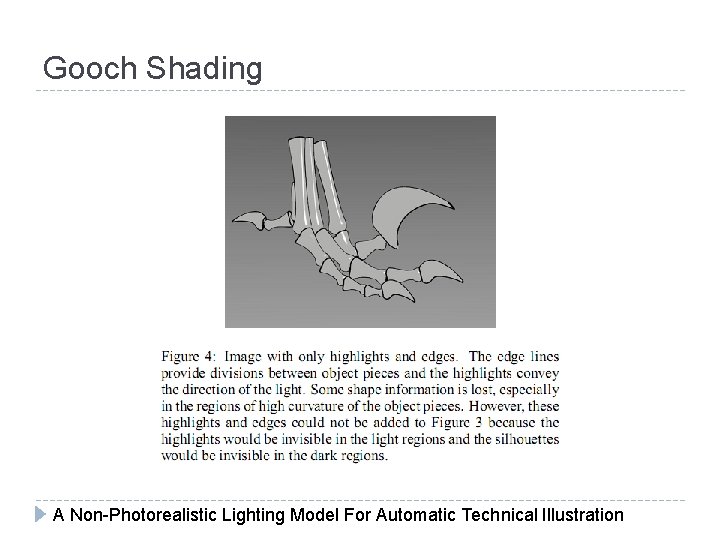
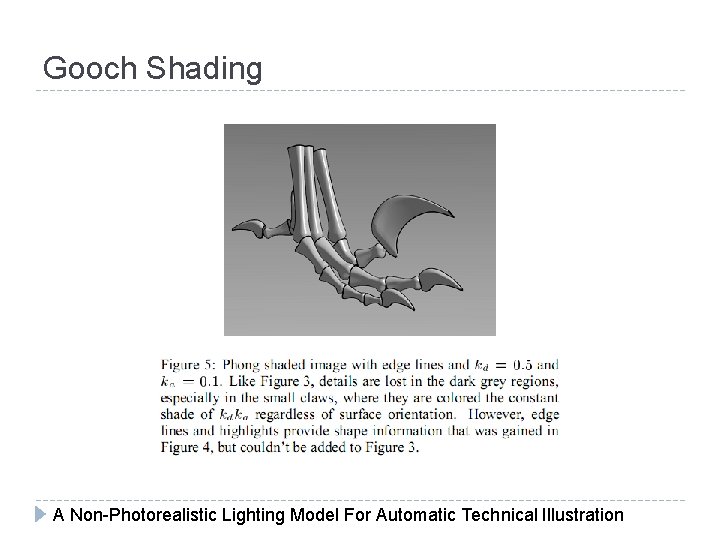
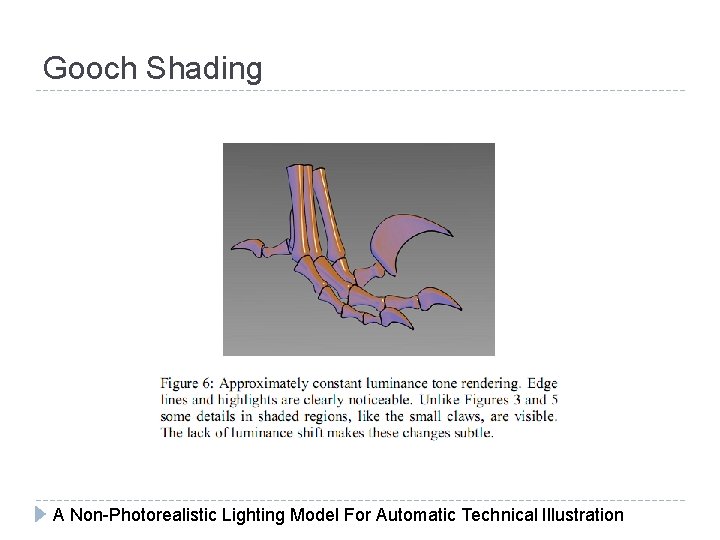
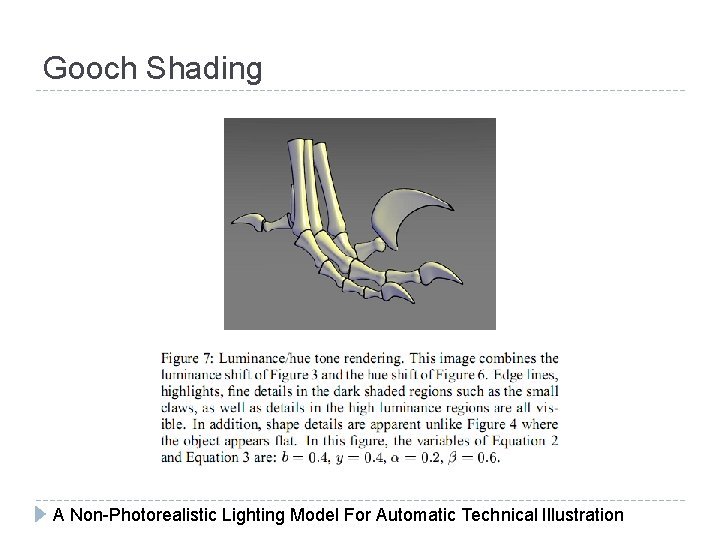
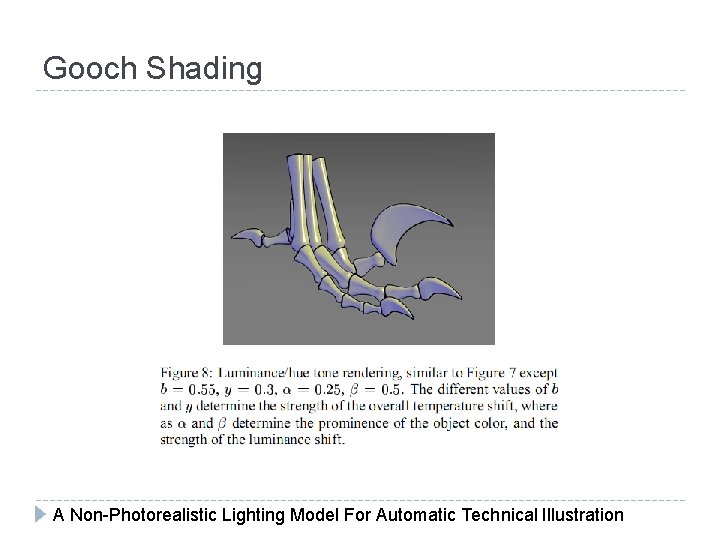
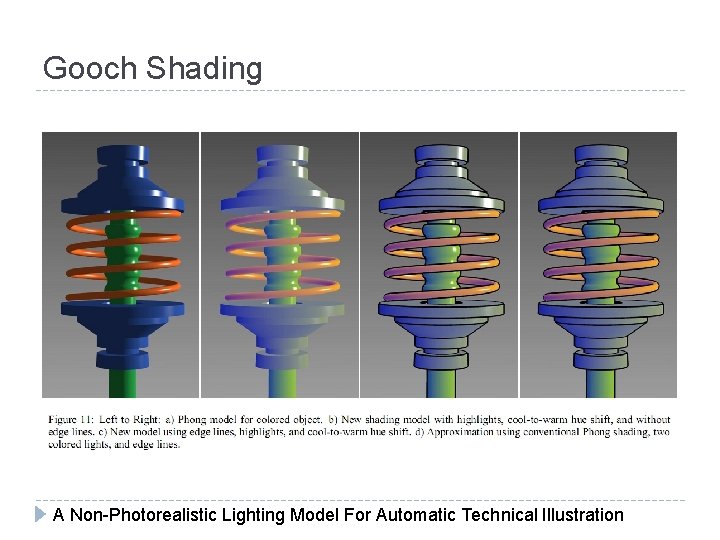
Gooch Shading � “low dynamic range artistic tone algorithm” requires edge information specular highlights computed using Phong model and shaded white limited range of luminance used to indicate curvature 1. 2. 3. diffuse term only add a warm-to-cool color gradient to convey more information about surface curvature � � � warm colors tend to advance towards the viewer and cool colors tend to recede from the viewer
Gooch Shading A Non-Photorealistic Lighting Model For Automatic Technical Illustration
Gooch Shading A Non-Photorealistic Lighting Model For Automatic Technical Illustration
Gooch Shading A Non-Photorealistic Lighting Model For Automatic Technical Illustration
Gooch Shading A Non-Photorealistic Lighting Model For Automatic Technical Illustration
Gooch Shading A Non-Photorealistic Lighting Model For Automatic Technical Illustration
Gooch Shading A Non-Photorealistic Lighting Model For Automatic Technical Illustration
Gooch Shading � edge information can be obtained in several ways � edge detection � silhouette only � best way is to identify important edges in modelling process
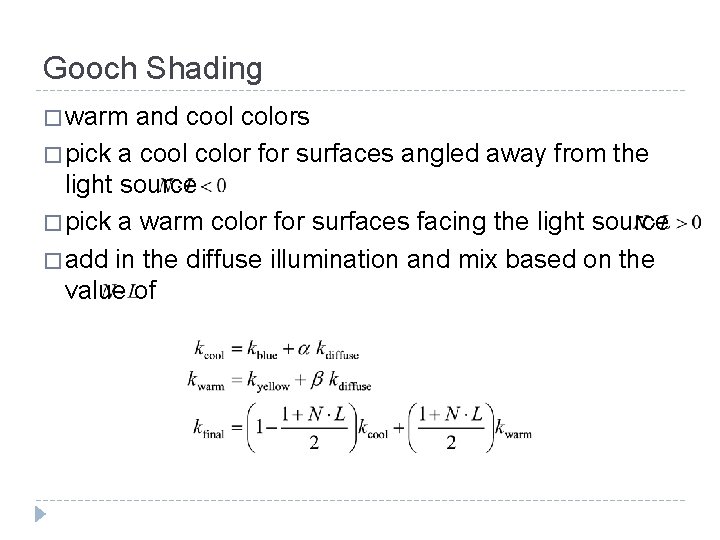
Gooch Shading � warm and cool colors � pick a cool color for surfaces angled away from the light source � pick a warm color for surfaces facing the light source � add in the diffuse illumination and mix based on the value of
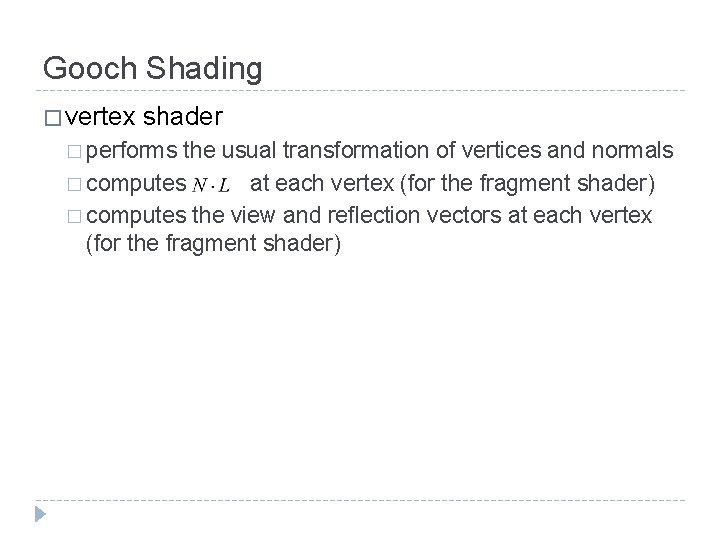
Gooch Shading � vertex shader � performs the usual transformation of vertices and normals � computes at each vertex (for the fragment shader) � computes the view and reflection vectors at each vertex (for the fragment shader)
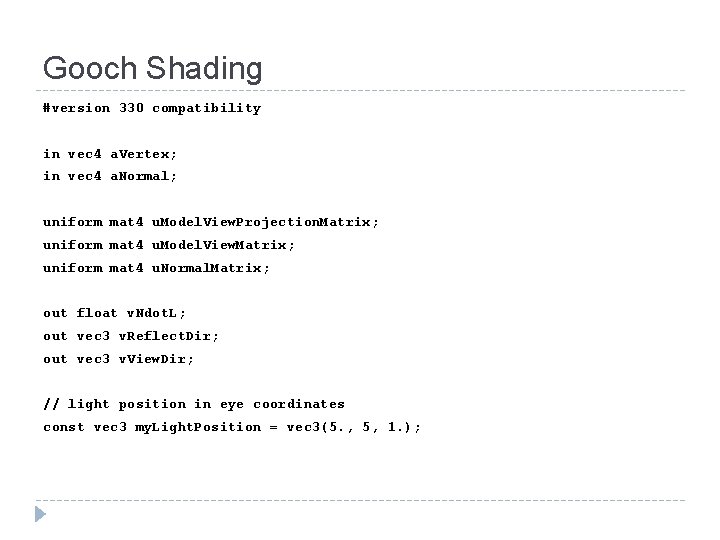
Gooch Shading #version 330 compatibility in vec 4 a. Vertex; in vec 4 a. Normal; uniform mat 4 u. Model. View. Projection. Matrix; uniform mat 4 u. Model. View. Matrix; uniform mat 4 u. Normal. Matrix; out float v. Ndot. L; out vec 3 v. Reflect. Dir; out vec 3 v. View. Dir; // light position in eye coordinates const vec 3 my. Light. Position = vec 3(5. , 5, 1. );
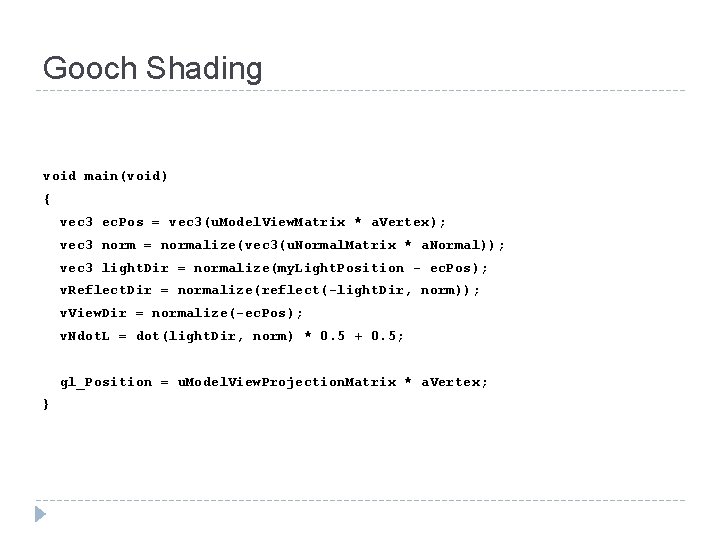
Gooch Shading void main(void) { vec 3 ec. Pos = vec 3(u. Model. View. Matrix * a. Vertex); vec 3 norm = normalize(vec 3(u. Normal. Matrix * a. Normal)); vec 3 light. Dir = normalize(my. Light. Position - ec. Pos); v. Reflect. Dir = normalize(reflect(-light. Dir, norm)); v. View. Dir = normalize(-ec. Pos); v. Ndot. L = dot(light. Dir, norm) * 0. 5 + 0. 5; gl_Position = u. Model. View. Projection. Matrix * a. Vertex; }
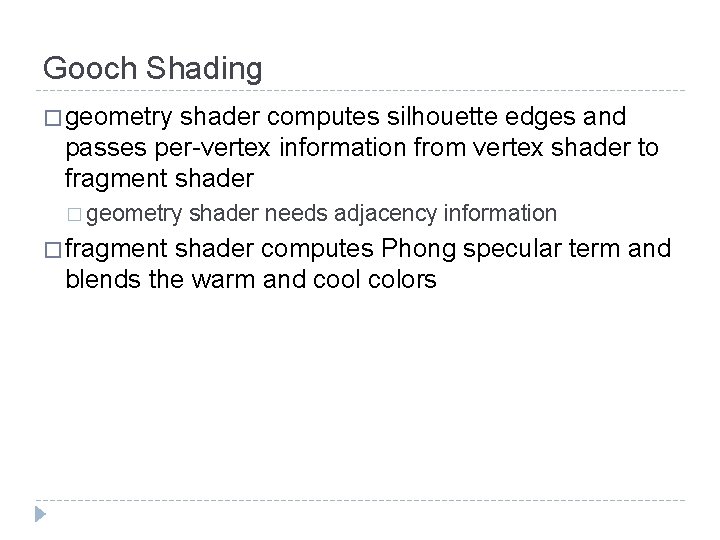
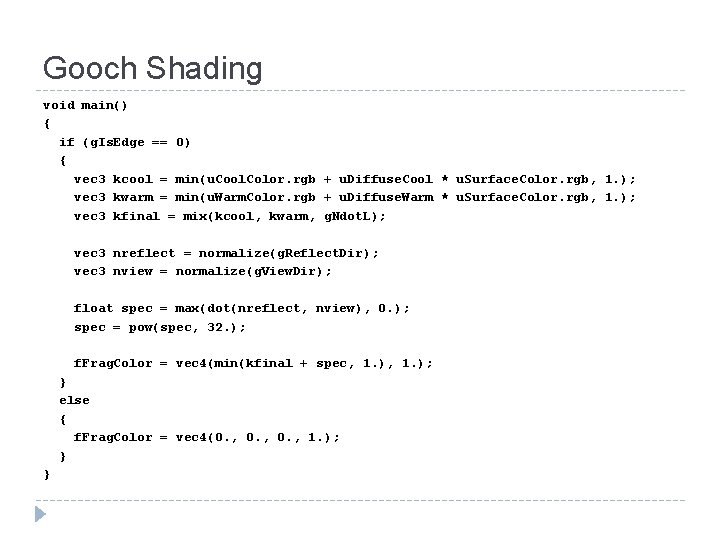
Gooch Shading � geometry shader computes silhouette edges and passes per-vertex information from vertex shader to fragment shader � geometry � fragment shader needs adjacency information shader computes Phong specular term and blends the warm and cool colors
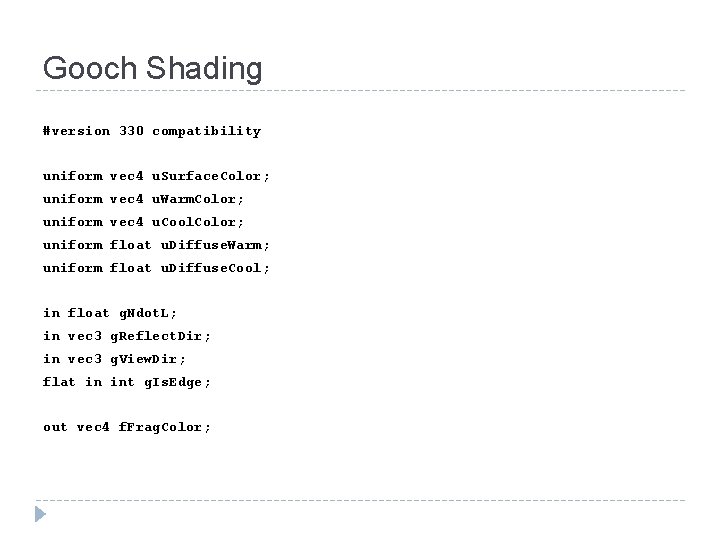
Gooch Shading #version 330 compatibility uniform vec 4 u. Surface. Color; uniform vec 4 u. Warm. Color; uniform vec 4 u. Cool. Color; uniform float u. Diffuse. Warm; uniform float u. Diffuse. Cool; in float g. Ndot. L; in vec 3 g. Reflect. Dir; in vec 3 g. View. Dir; flat in int g. Is. Edge; out vec 4 f. Frag. Color;
Gooch Shading void main() { if (g. Is. Edge == 0) { vec 3 kcool = min(u. Cool. Color. rgb + u. Diffuse. Cool * u. Surface. Color. rgb, 1. ); vec 3 kwarm = min(u. Warm. Color. rgb + u. Diffuse. Warm * u. Surface. Color. rgb, 1. ); vec 3 kfinal = mix(kcool, kwarm, g. Ndot. L); vec 3 nreflect = normalize(g. Reflect. Dir); vec 3 nview = normalize(g. View. Dir); float spec = max(dot(nreflect, nview), 0. ); spec = pow(spec, 32. ); f. Frag. Color = vec 4(min(kfinal + spec, 1. ); } else { f. Frag. Color = vec 4(0. , 1. ); } }
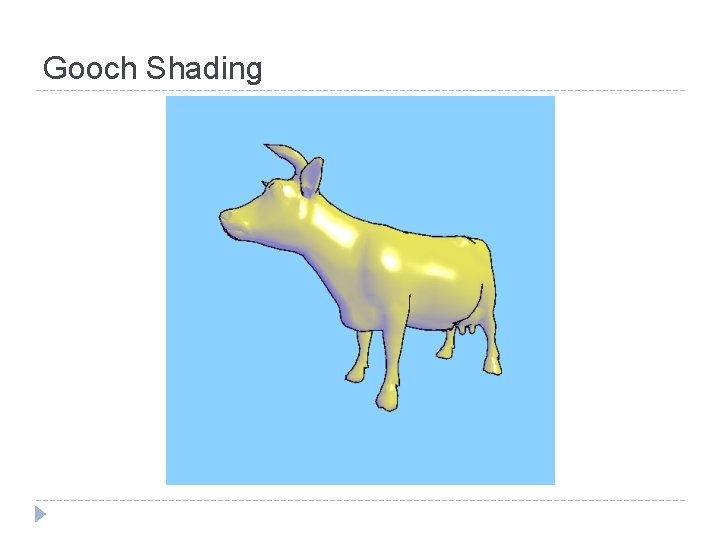
Gooch Shading
Gooch Shading A Non-Photorealistic Lighting Model For Automatic Technical Illustration