Sakai Technical Overview Charles Severance Download www drchuck




- Slides: 88
Sakai Technical Overview Charles Severance Download: www. dr-chuck. com/talks. php
Sakai Overview • Sakai is used for Collaboration, Teaching, and Learning • Sakai Project started January 2004 • Non-profit Sakai Foundation January 2006 • Open Source - 100% free - Apache License • Voluntary financial support from 100+ Higher Education organizations • Six paid staff members • Worldwide community with 100+ people active in developing and testing Sakai releases • See www. sakaiproject. org Overview Video: http: //www. dr-chuck. com/media. php? id=64
Sakai Technical Goals • Enterprise Production-ready • Abstraction boundaries between tools, services, framework, and presentation • Seamless integration across tools when appropriate • Component based expandability with class loader isolation • Data interoperability and ability to expand Sakai without using Java • Flexibility - Ease of Local Customization
Enterprise Production-Ready
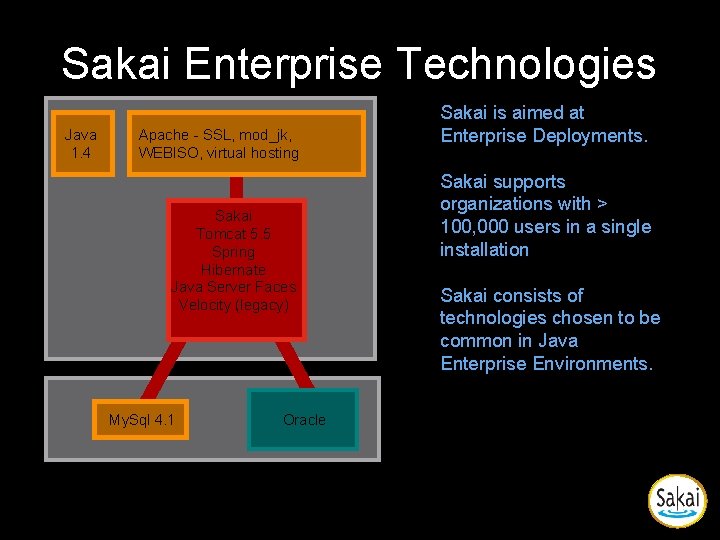
Sakai Enterprise Technologies Java 1. 4 Apache - SSL, mod_jk, WEBISO, virtual hosting Sakai Tomcat 5. 5 Spring Hibernate Java Server Faces Velocity (legacy) My. Sql 4. 1 Oracle Sakai is aimed at Enterprise Deployments. Sakai supports organizations with > 100, 000 users in a single installation Sakai consists of technologies chosen to be common in Java Enterprise Environments.
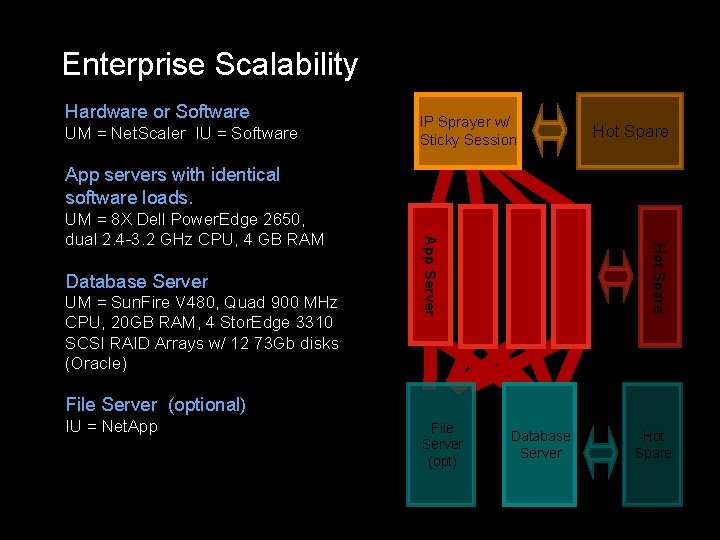
Enterprise Scalability Hardware or Software UM = Net. Scaler IU = Software IP Sprayer w/ Sticky Session Hot Spare App servers with identical software loads. UM = Sun. Fire V 480, Quad 900 MHz CPU, 20 GB RAM, 4 Stor. Edge 3310 SCSI RAID Arrays w/ 12 73 Gb disks (Oracle) Hot Spare Database Server App Server UM = 8 X Dell Power. Edge 2650, dual 2. 4 -3. 2 GHz CPU, 4 GB RAM File Server (optional) IU = Net. App File Server (opt) Database Server Hot Spare
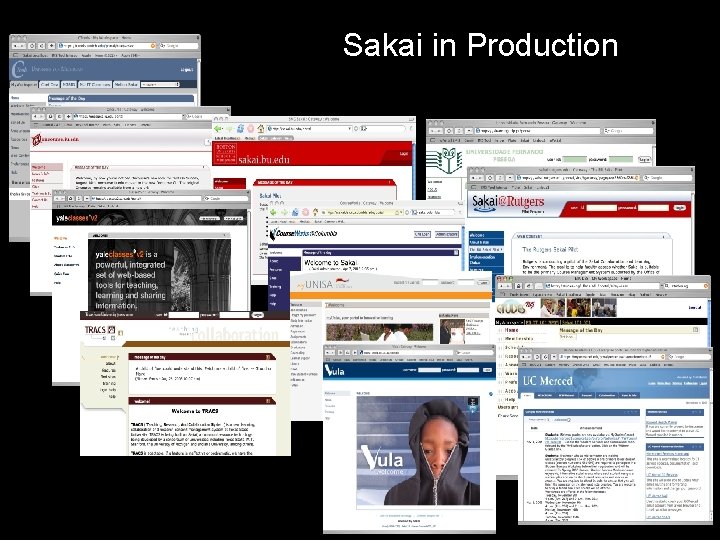
Sakai in Production Text 20+ Full scale installations
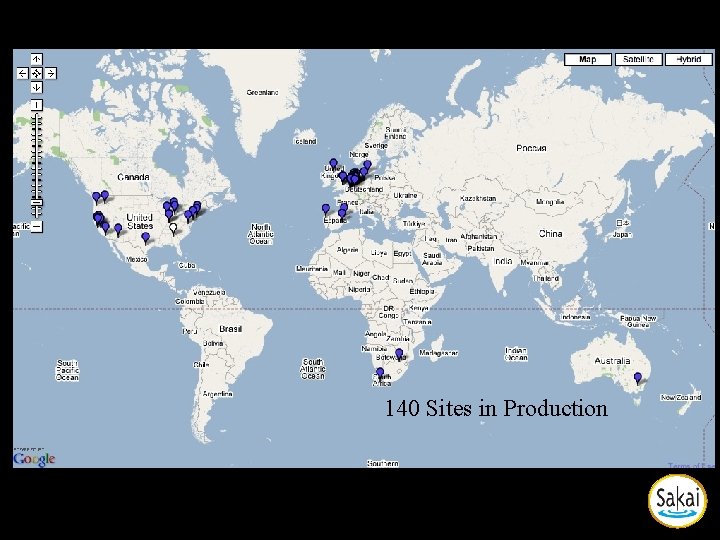
Sakai in Production 140 Sites in Production
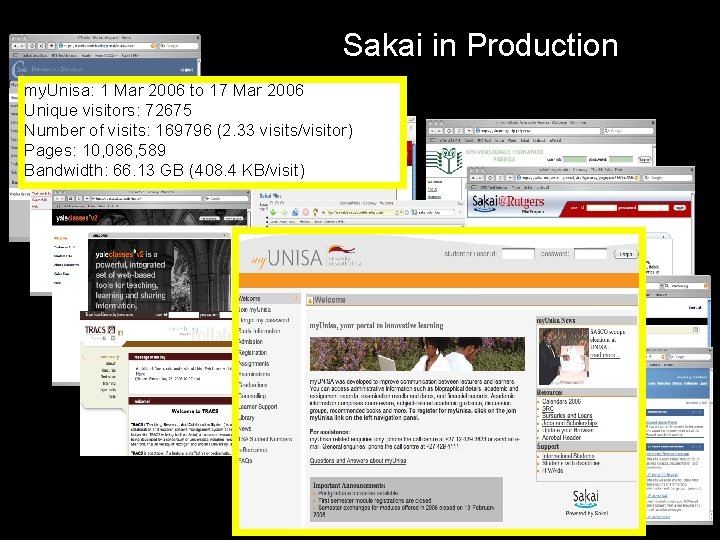
Sakai in Production my. Unisa: 1 Mar 2006 to 17 Mar 2006 Unique visitors: 72675 Number of visits: 169796 (2. 33 visits/visitor) Pages: 10, 086, 589 Bandwidth: 66. 13 GB (408. 4 KB/visit) Text
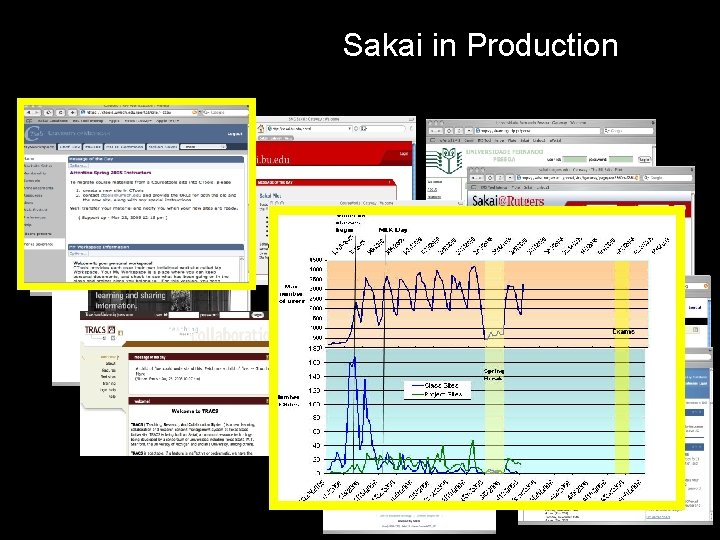
Sakai in Production Text
High Level
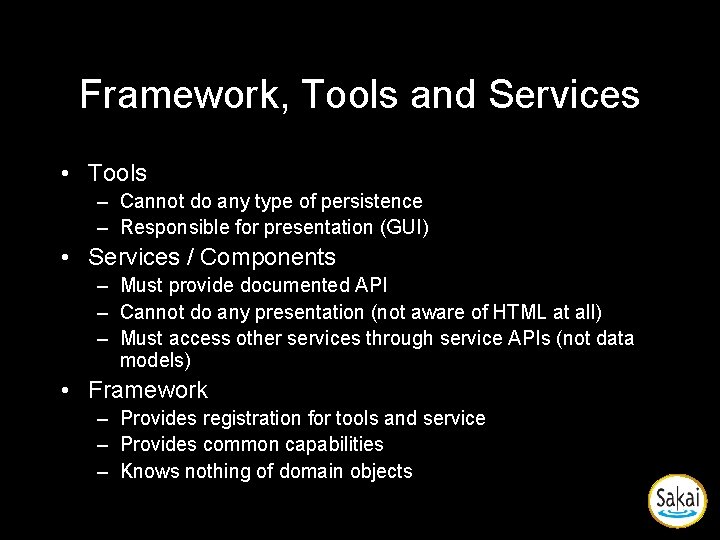
Framework, Tools and Services • Tools – Cannot do any type of persistence – Responsible for presentation (GUI) • Services / Components – Must provide documented API – Cannot do any presentation (not aware of HTML at all) – Must access other services through service APIs (not data models) • Framework – Provides registration for tools and service – Provides common capabilities – Knows nothing of domain objects
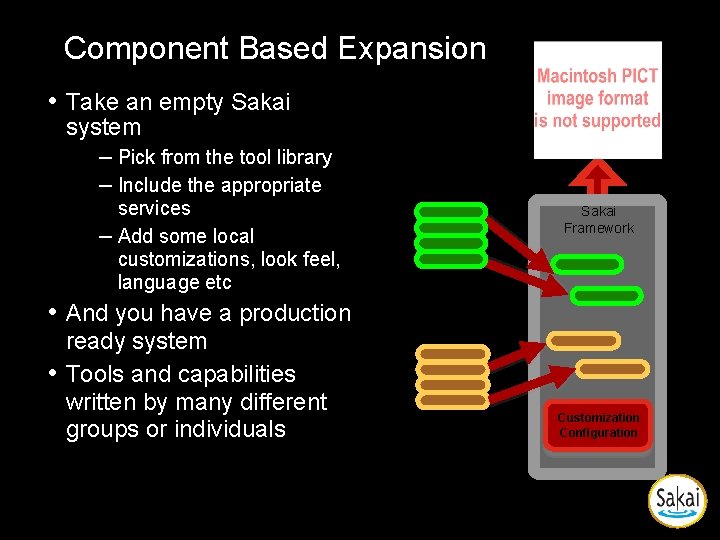
Component Based Expansion • Take an empty Sakai system – Pick from the tool library – Include the appropriate services – Add some local customizations, look feel, language etc • And you have a production ready system • Tools and capabilities written by many different groups or individuals Tool Library Sakai Framework Service Library Customization Configuration
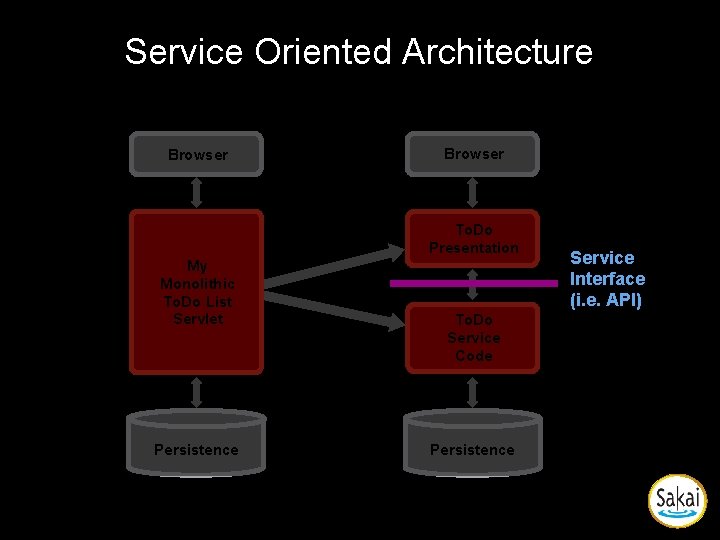
Service Oriented Architecture Browser To. Do Presentation My Monolithic To. Do List Servlet Persistence To. Do Service Code Persistence Service Interface (i. e. API)
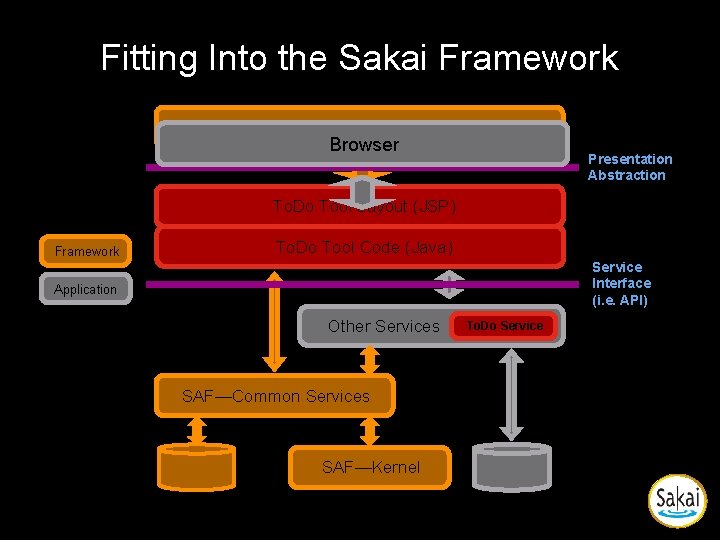
Fitting Into the Sakai Framework SAF—Presentation Services Browser Presentation Abstraction To. Do Tool Layout (JSP) Framework To. Do Tool Code (Java) Service Interface (i. e. API) Application Other Services SAF—Common Services SAF—Kernel To. Do Service
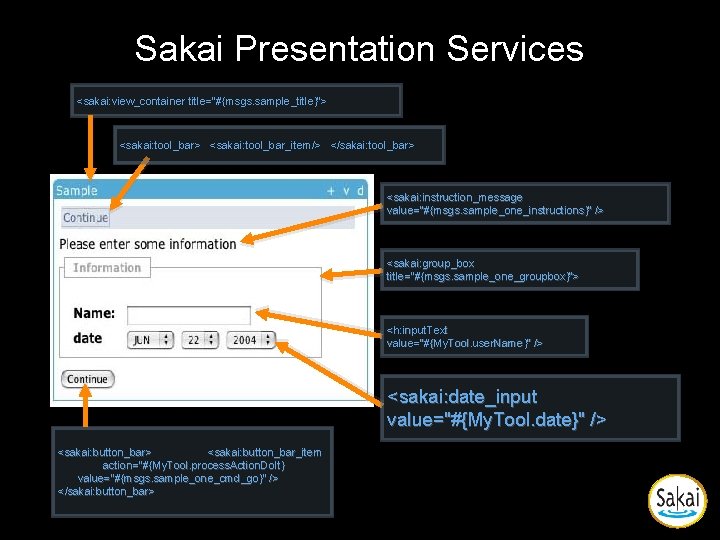
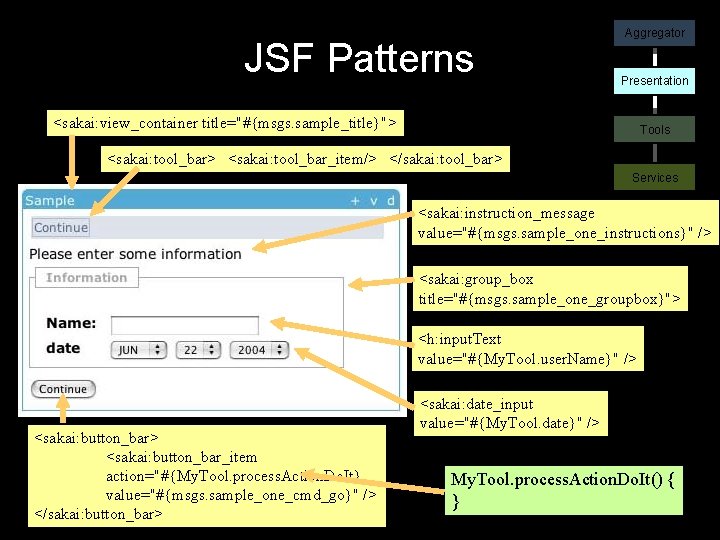
Sakai Presentation Services <sakai: view_container title="#{msgs. sample_title}"> <sakai: tool_bar_item/> </sakai: tool_bar> <sakai: instruction_message value="#{msgs. sample_one_instructions}" /> <sakai: group_box title="#{msgs. sample_one_groupbox}"> <h: input. Text value="#{My. Tool. user. Name}" /> <sakai: date_input value="#{My. Tool. date}" /> <sakai: button_bar_item action="#{My. Tool. process. Action. Do. It} value="#{msgs. sample_one_cmd_go}" /> </sakai: button_bar>
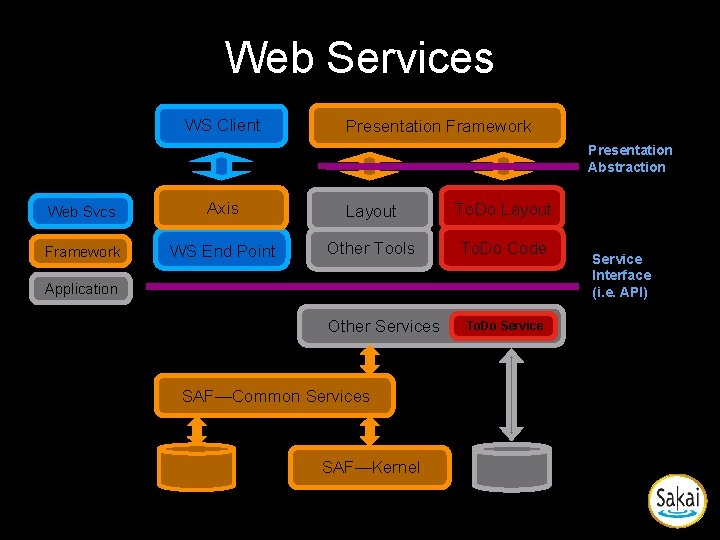
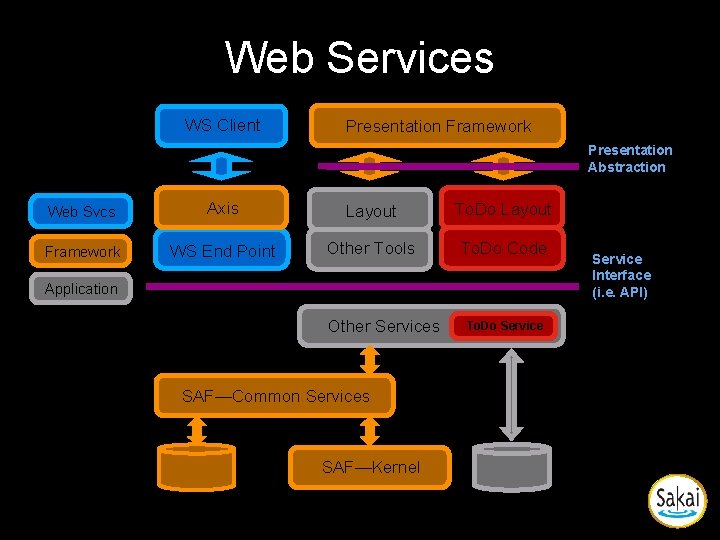
Web Services WS Client Presentation Framework Presentation Abstraction Web Svcs Axis Layout To. Do Layout Framework WS End Point Other Tools To. Do Code Application Other Services SAF—Common Services SAF—Kernel To. Do Service Interface (i. e. API)
Clear Abstraction Boundaries
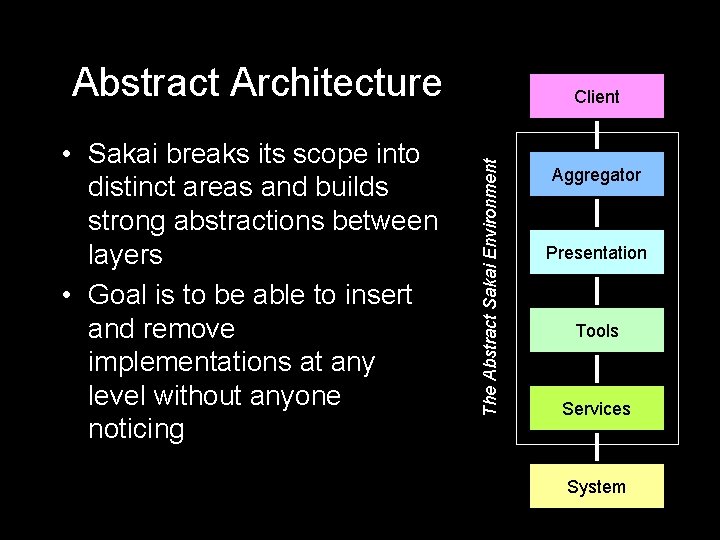
Abstract Architecture The Abstract Sakai Environment • Sakai breaks its scope into distinct areas and builds strong abstractions between layers • Goal is to be able to insert and remove implementations at any level without anyone noticing Client Aggregator Presentation Tools Services System
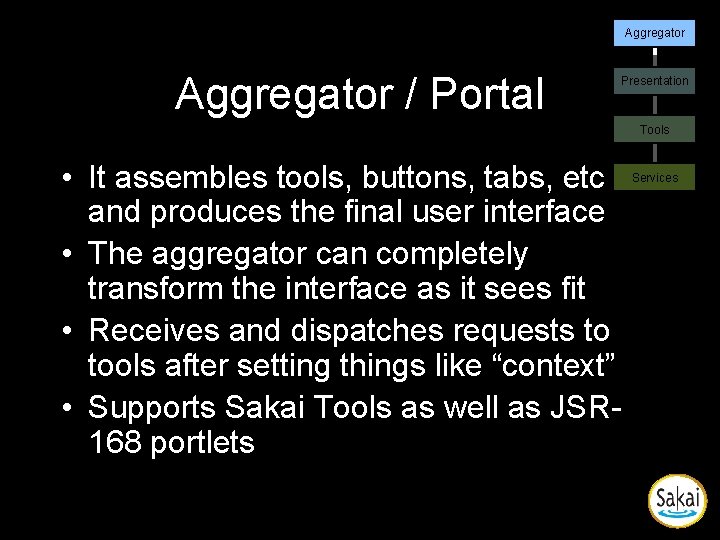
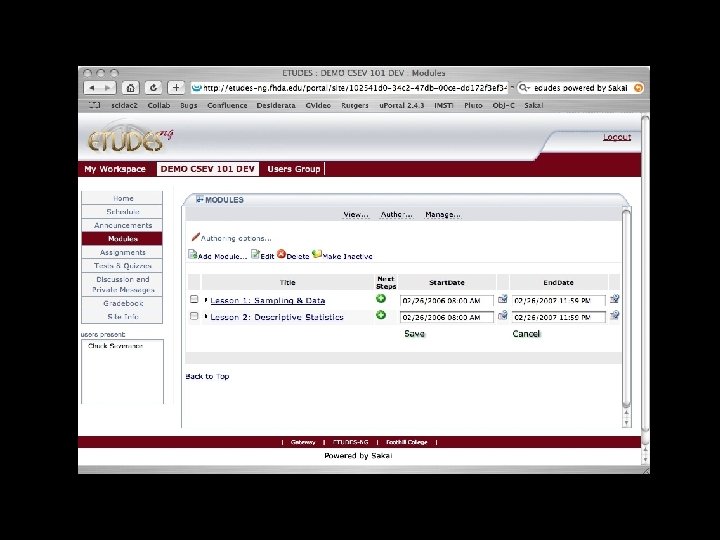
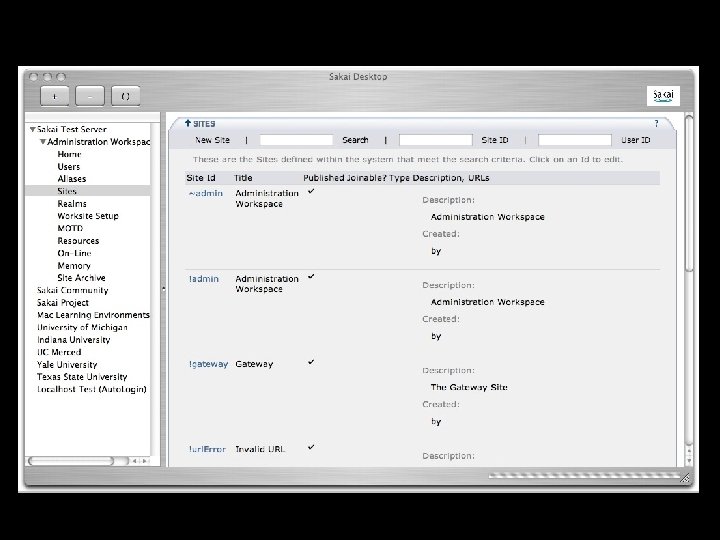
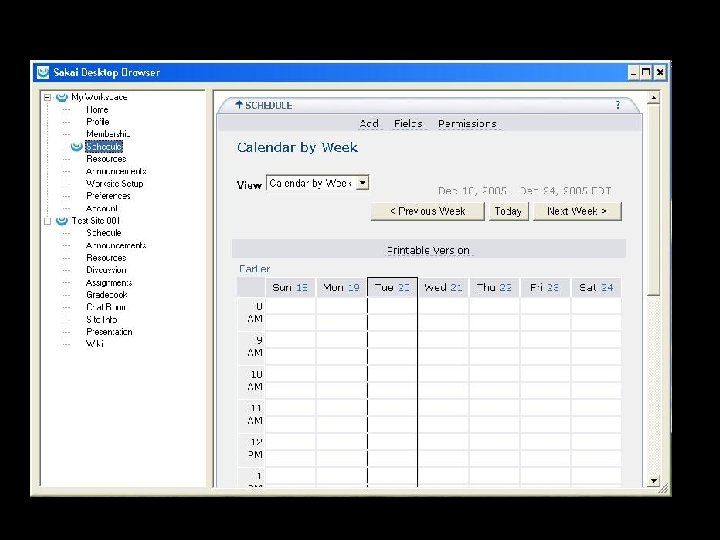
Aggregator / Portal Presentation Tools • It assembles tools, buttons, tabs, etc and produces the final user interface • The aggregator can completely transform the interface as it sees fit • Receives and dispatches requests to tools after setting things like “context” • Supports Sakai Tools as well as JSR 168 portlets Services
Mercury
Apple Portal
VB Portal
Prototype of Sakai working in the Bodington Learning Management System
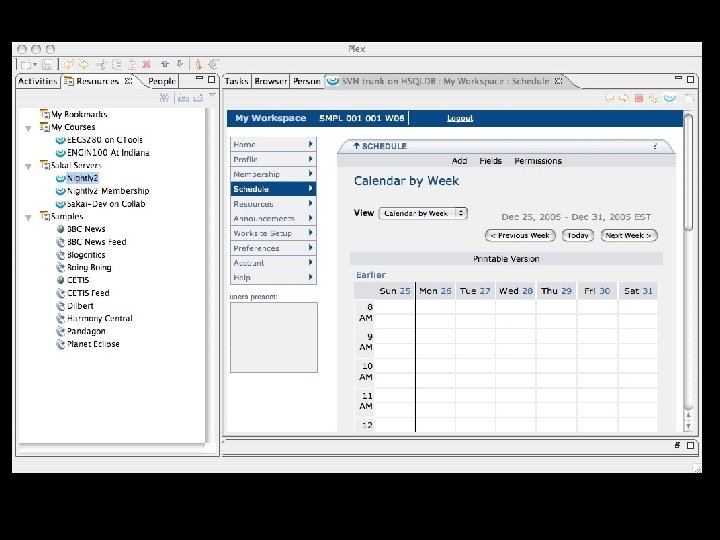
Plex PLE
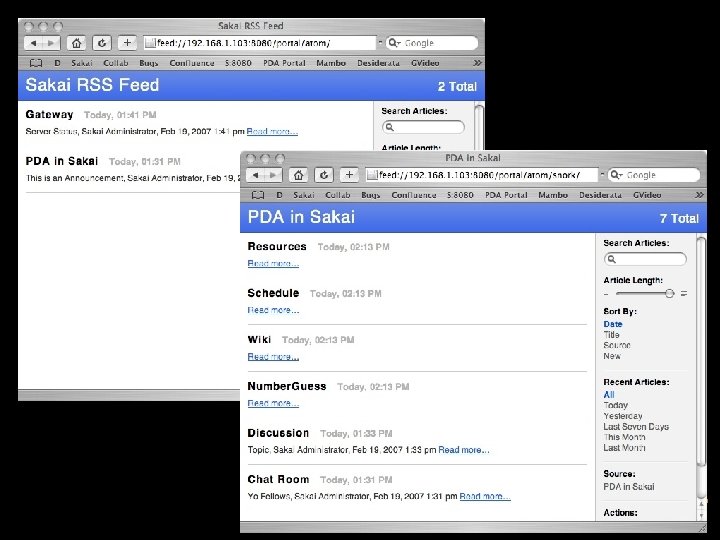
Sakai and RSS • Public/Anonymous or User-contextualized • This can allow Sakai to be integrated into a wide range of applications including portals, browsers and desktop apps • Feature added to Sakai 2. 4 and will be back ported to Sakai 2. 3
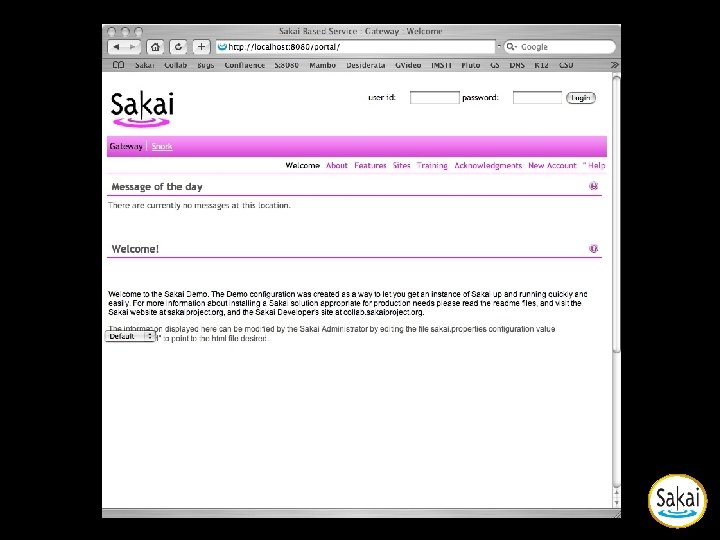
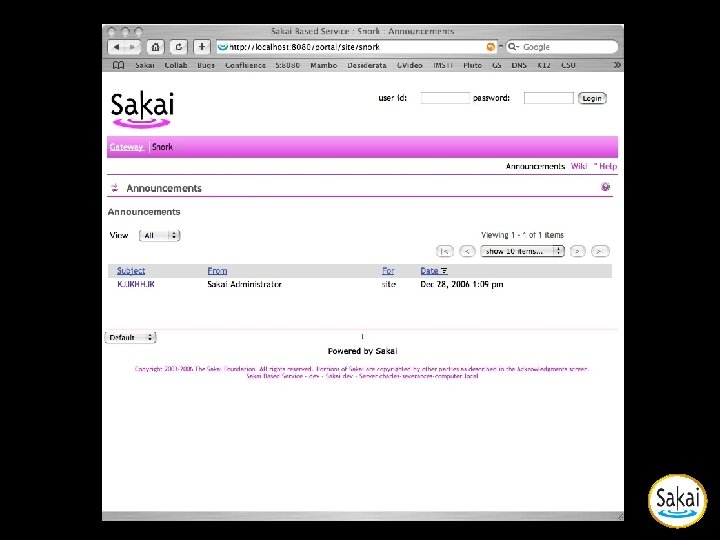
Sakai Work. Group Portal • Extend the Sakai “gateway” site which is displayed prior to log in to display more than one “site” • Allows Sakai to be used as a simple Content Management System like Mambo or Plone • Sakai Workgroup portal is released in Sakai 2. 4 and will be back-ported to Sakai 2. 3
Sakai Gateway Site
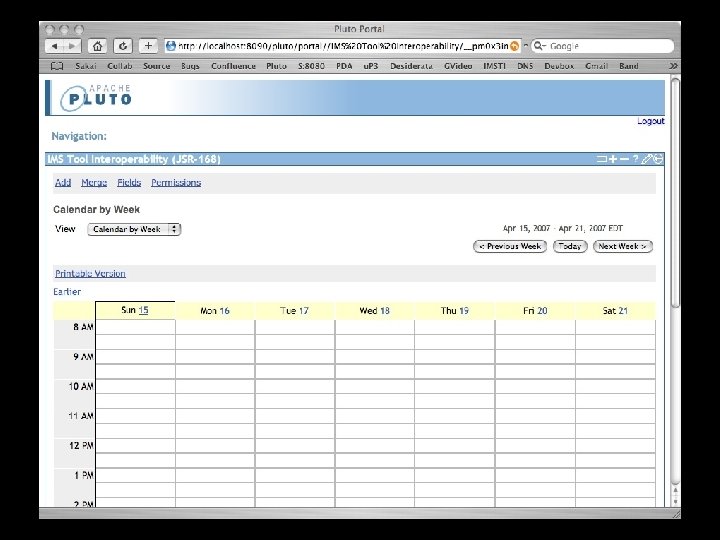
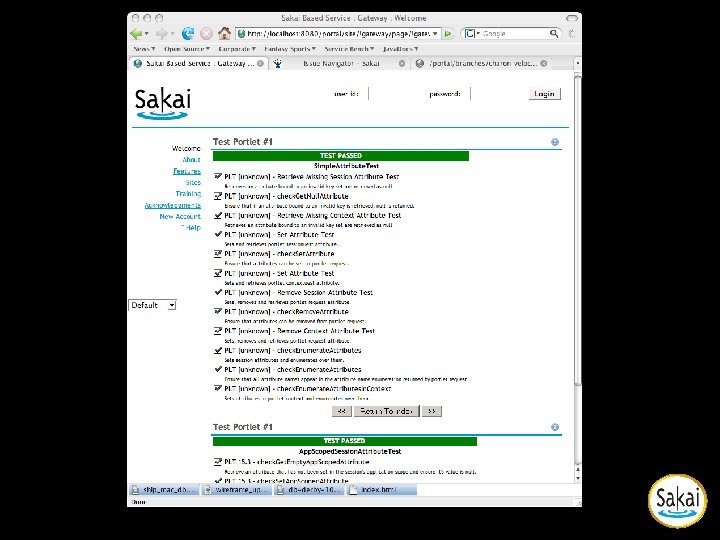
Use Cases for Sakai-168 • Prepare a Pluto-style portlet war file and drop it into Sakai as a webapp - autoregister • Users simply use Sakai’s Site Info tool to place portlets like any other Sakai tool • It will be possible to use any Sakai API within a JSR-168 Portlet • Sakai will provide a JSR-168 complaint classes so that portlets have the same look and feel as Sakai tools
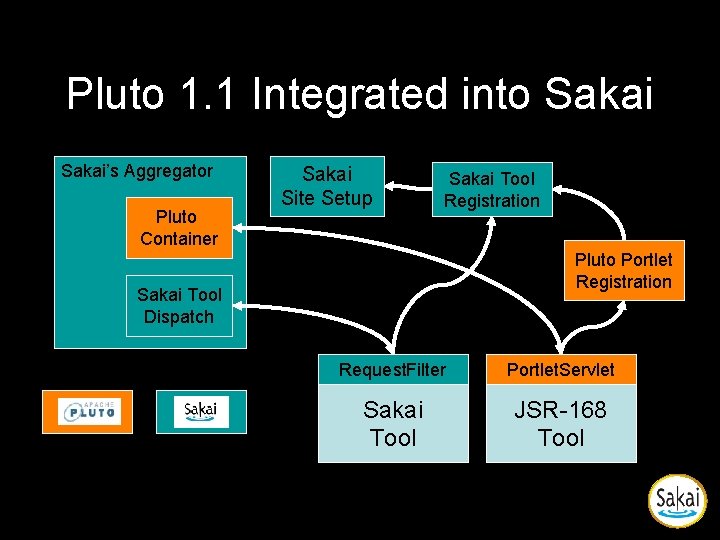
Pluto 1. 1 Integrated into Sakai’s Aggregator Pluto Container Sakai Site Setup Sakai Tool Registration Pluto Portlet Registration Sakai Tool Dispatch Request. Filter Portlet. Servlet Sakai Tool JSR-168 Tool
JSR 168 in Sakai
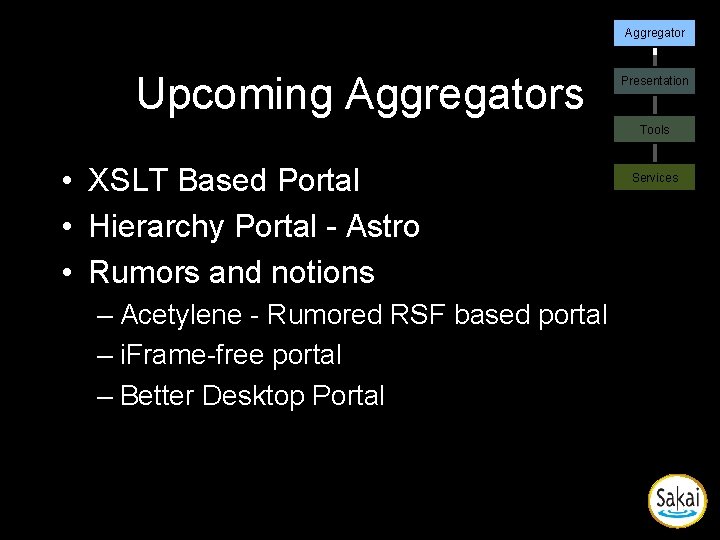
Aggregator Upcoming Aggregators Presentation Tools • XSLT Based Portal • Hierarchy Portal - Astro • Rumors and notions – Acetylene - Rumored RSF based portal – i. Frame-free portal – Better Desktop Portal Services
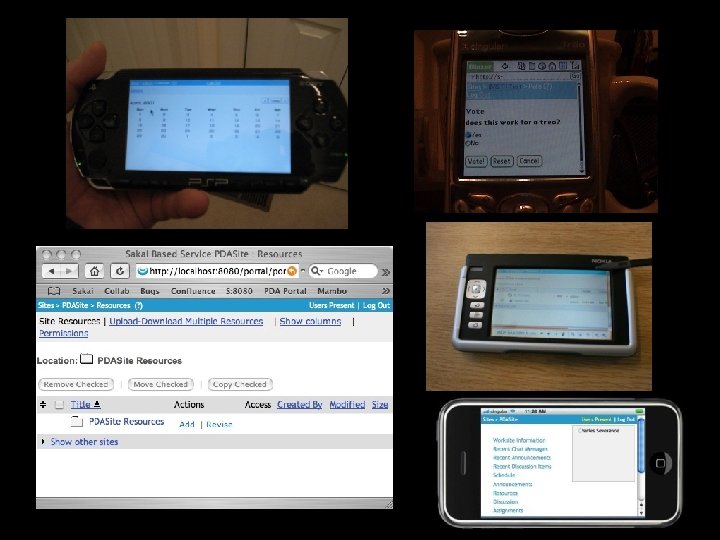
Aggregator Presentation Layer Goals Presentation Tools • True abstraction between Presentation and Tools Services • Tools should not be aware that they are in a web browser environment • GUI Widget reusability • Support multiple types of ultimate display devices (Browser, PDA, etc) • Support internationalization and localization • Be as flexible as possible - support CSS and allow transformability of the user interface, including under control of the end user
Aggregator Presentation Technologies Presentation Tools • Java Server Faces - JSF – Current recommended solution because of setter/getter pattern and support for reusable GUI components – Challenging to work with • Velocity – Simple, but abstraction is weak on the request-side • Real Server Faces - RSF – Emerging as preferred approach with rich component reusability • JSR-168 - Portlets – A well-established standard and simple to use – Suitable for simple tools – Portability between Sakai and other JSR-168 Portals Services
JSF Patterns Aggregator Presentation <sakai: view_container title="#{msgs. sample_title}"> Tools <sakai: tool_bar> <sakai: tool_bar_item/> </sakai: tool_bar> Services <sakai: instruction_message value="#{msgs. sample_one_instructions}" /> <sakai: group_box title="#{msgs. sample_one_groupbox}"> <h: input. Text value="#{My. Tool. user. Name}" /> <sakai: button_bar_item action="#{My. Tool. process. Action. Do. It} value="#{msgs. sample_one_cmd_go}" /> </sakai: button_bar> <sakai: date_input value="#{My. Tool. date}" /> My. Tool. process. Action. Do. It() { }
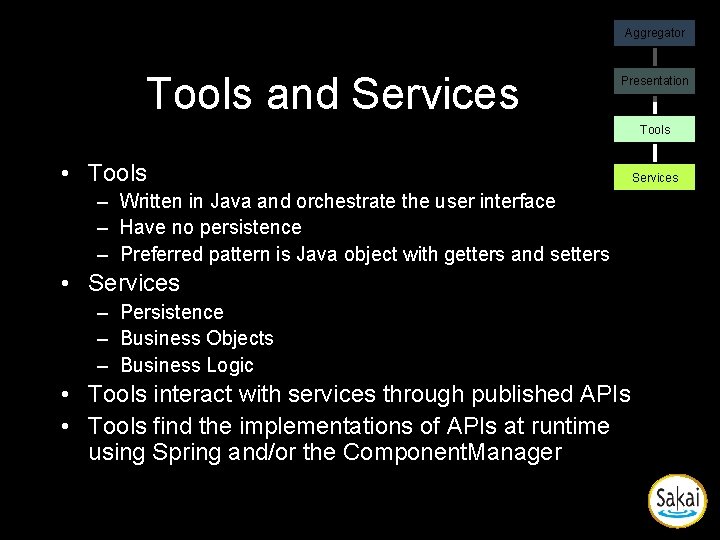
Aggregator Tools and Services Presentation Tools • Tools – Written in Java and orchestrate the user interface – Have no persistence – Preferred pattern is Java object with getters and setters • Services – Persistence – Business Objects – Business Logic • Tools interact with services through published APIs • Tools find the implementations of APIs at runtime using Spring and/or the Component. Manager Services
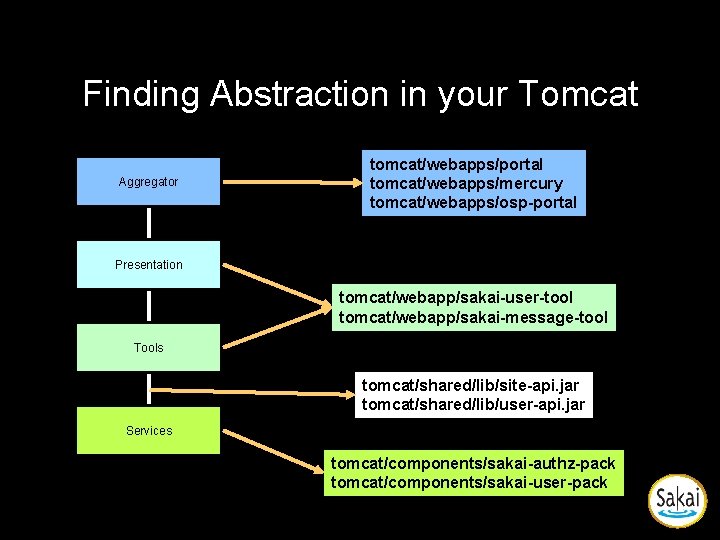
Finding Abstraction in your Tomcat Aggregator tomcat/webapps/portal tomcat/webapps/mercury tomcat/webapps/osp-portal Presentation tomcat/webapp/sakai-user-tool tomcat/webapp/sakai-message-tool Tools tomcat/shared/lib/site-api. jar tomcat/shared/lib/user-api. jar Services tomcat/components/sakai-authz-pack tomcat/components/sakai-user-pack
Sakai Tools
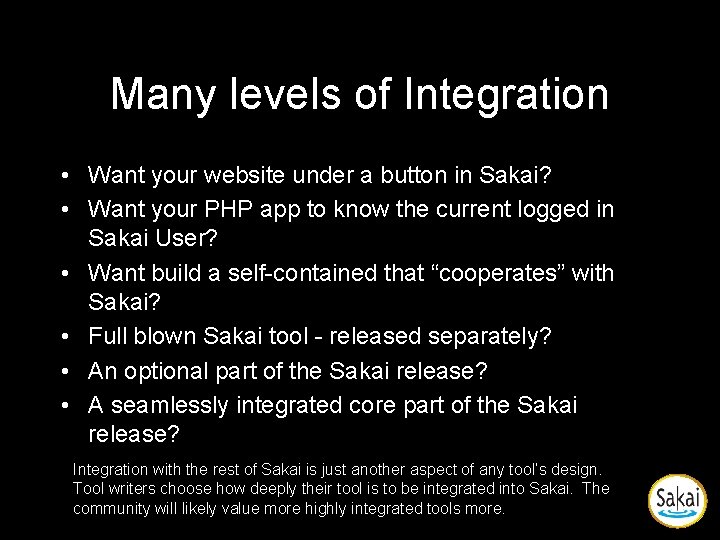
Many levels of Integration • Want your website under a button in Sakai? • Want your PHP app to know the current logged in Sakai User? • Want build a self-contained that “cooperates” with Sakai? • Full blown Sakai tool - released separately? • An optional part of the Sakai release? • A seamlessly integrated core part of the Sakai release? Integration with the rest of Sakai is just another aspect of any tool’s design. Tool writers choose how deeply their tool is to be integrated into Sakai. The community will likely value more highly integrated tools more.
Sakai Architecture Goals • Two seemingly conflicting goals – Seamless integration across tools – Ability to expand Sakai without using Java • In the short term, writing tools in Java and using Sakai framework elements directly is the path to seamless integration • But in the long term, we must make 3 P tools full peers in Sakai.
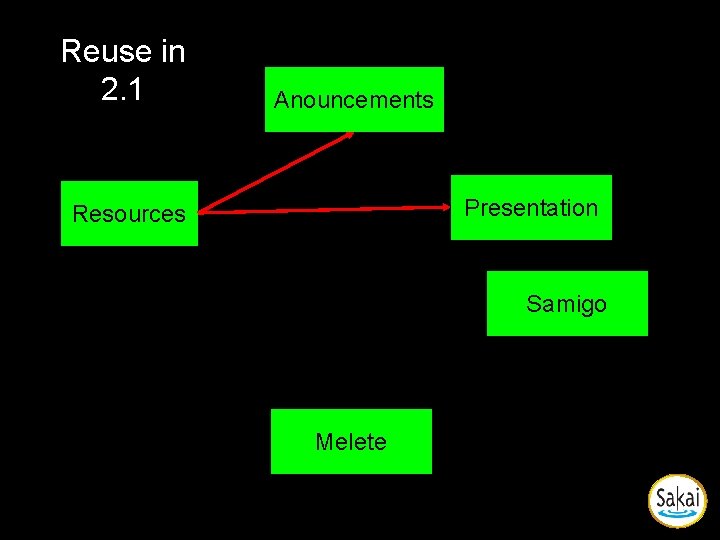
Reuse in 2. 1 Anouncements Presentation Resources Samigo Melete
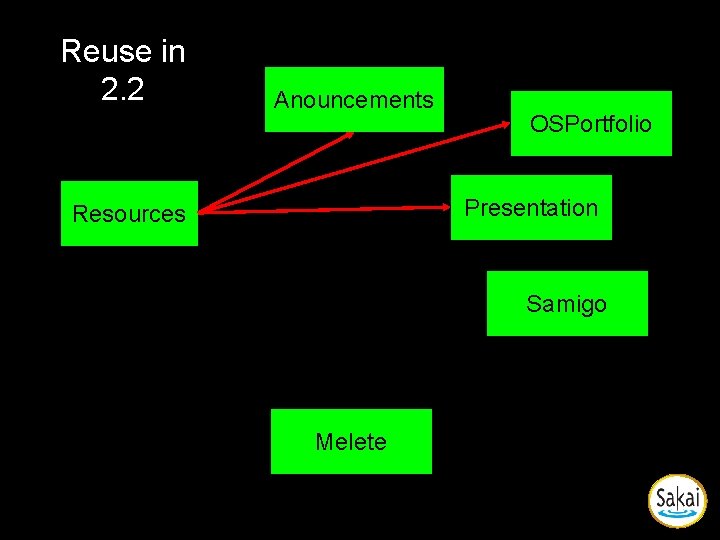
Reuse in 2. 2 Anouncements OSPortfolio Presentation Resources Samigo Melete
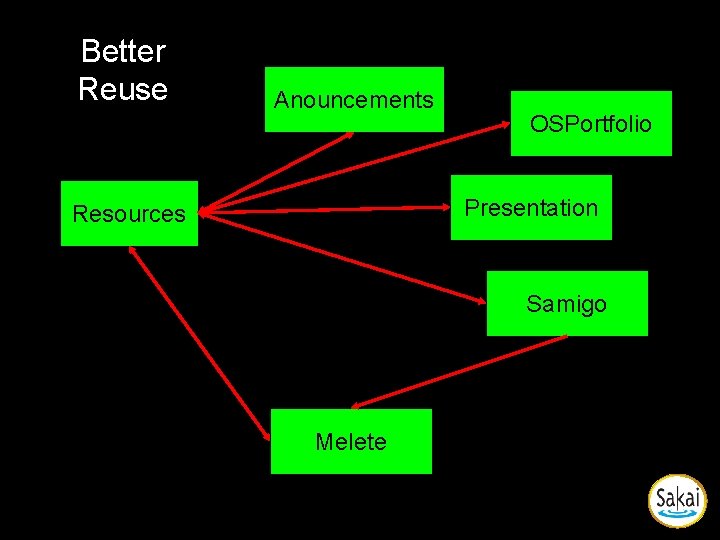
Better Reuse Anouncements OSPortfolio Presentation Resources Samigo Melete
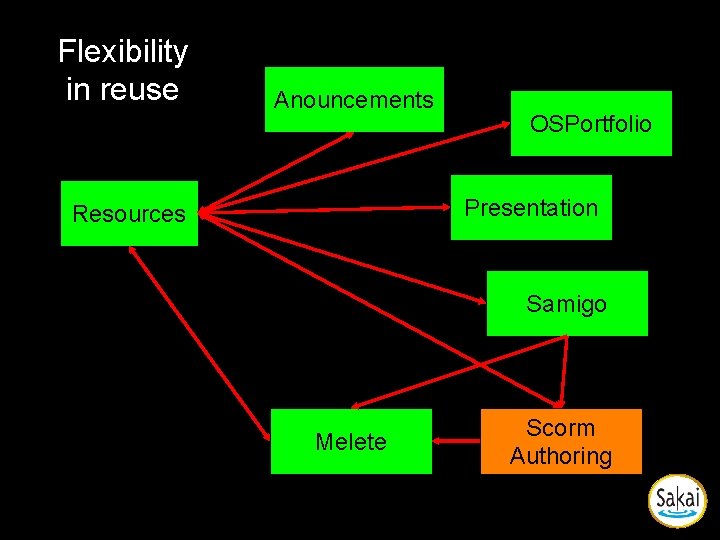
Flexibility in reuse Anouncements OSPortfolio Presentation Resources Samigo Melete Scorm Authoring
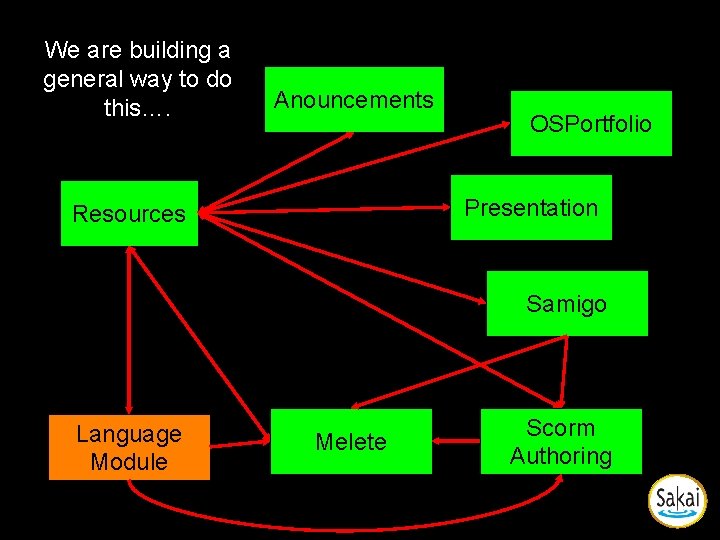
We are building a general way to do this…. Anouncements OSPortfolio Presentation Resources Samigo Language Module Melete Scorm Authoring
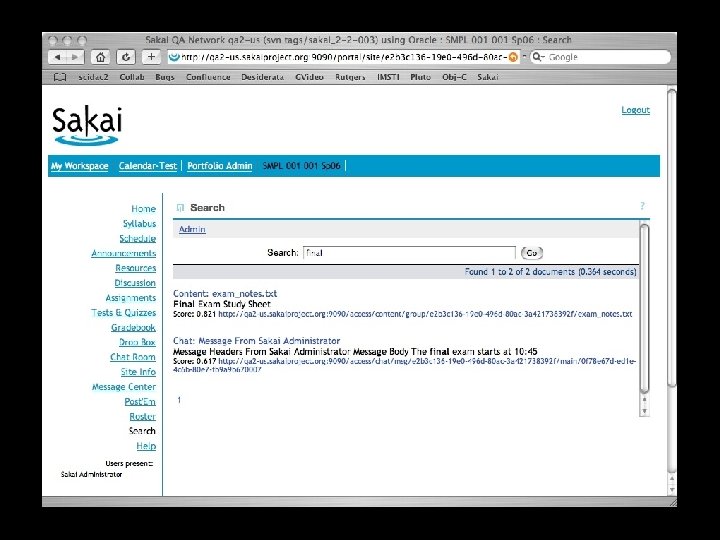
Sakai Search
Building Tools • To meet the goals of Sakai it is not sufficient to simply build a stovepipe tool • While much of what is described here is “optional”, the more “integrated” a tool intends to be, the more “required” these elements become
Tool
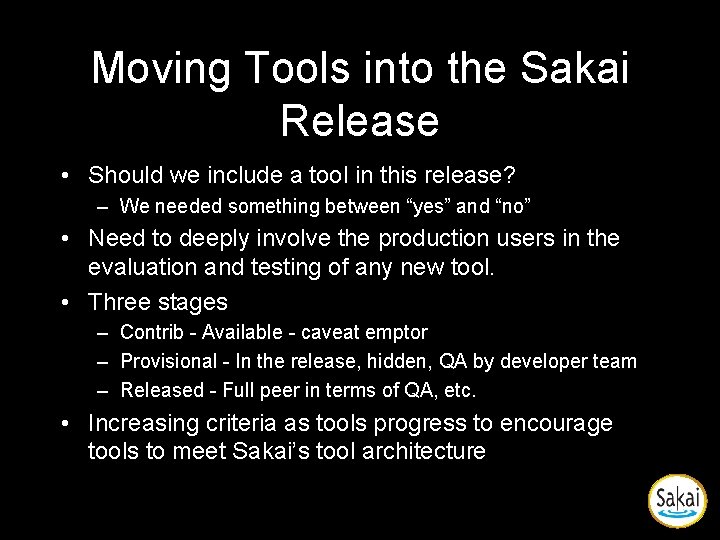
Moving Tools into the Sakai Release • Should we include a tool in this release? – We needed something between “yes” and “no” • Need to deeply involve the production users in the evaluation and testing of any new tool. • Three stages – Contrib - Available - caveat emptor – Provisional - In the release, hidden, QA by developer team – Released - Full peer in terms of QA, etc. • Increasing criteria as tools progress to encourage tools to meet Sakai’s tool architecture
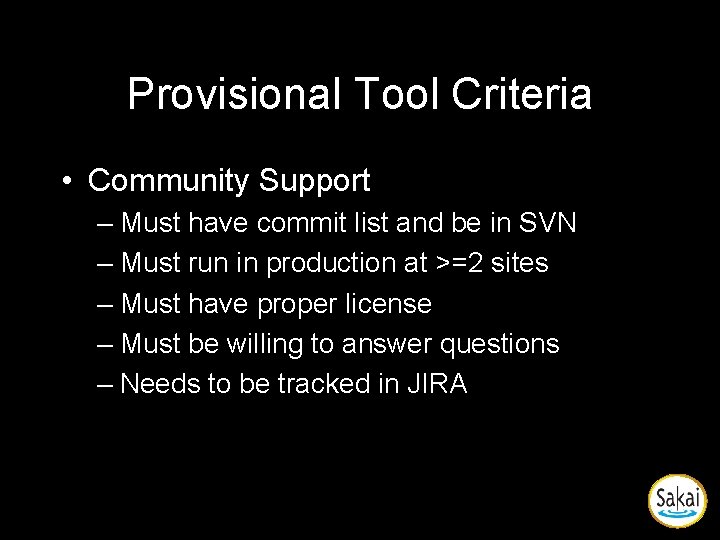
Provisional Tool Criteria • Community Support – Must have commit list and be in SVN – Must run in production at >=2 sites – Must have proper license – Must be willing to answer questions – Needs to be tracked in JIRA
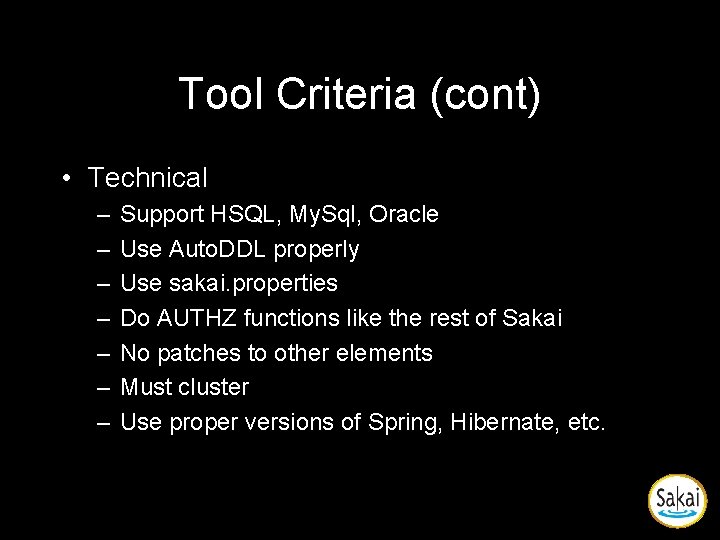
Tool Criteria (cont) • Technical – – – – Support HSQL, My. Sql, Oracle Use Auto. DDL properly Use sakai. properties Do AUTHZ functions like the rest of Sakai No patches to other elements Must cluster Use proper versions of Spring, Hibernate, etc.
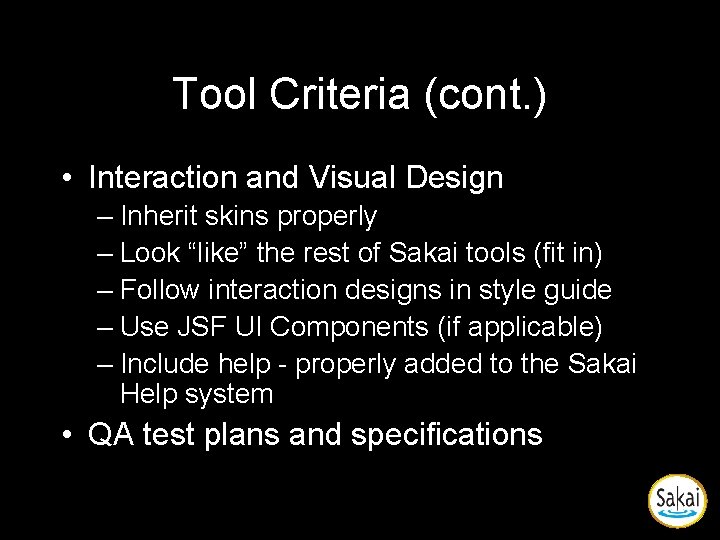
Tool Criteria (cont. ) • Interaction and Visual Design – Inherit skins properly – Look “like” the rest of Sakai tools (fit in) – Follow interaction designs in style guide – Use JSF UI Components (if applicable) – Include help - properly added to the Sakai Help system • QA test plans and specifications
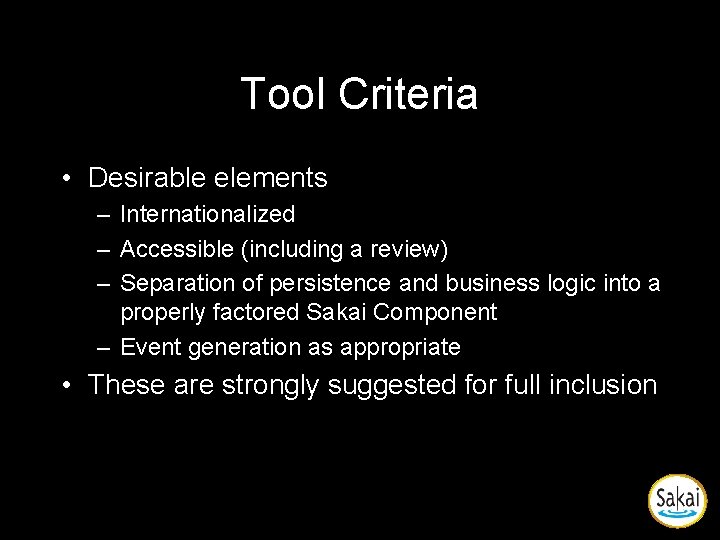
Tool Criteria • Desirable elements – Internationalized – Accessible (including a review) – Separation of persistence and business logic into a properly factored Sakai Component – Event generation as appropriate • These are strongly suggested for full inclusion
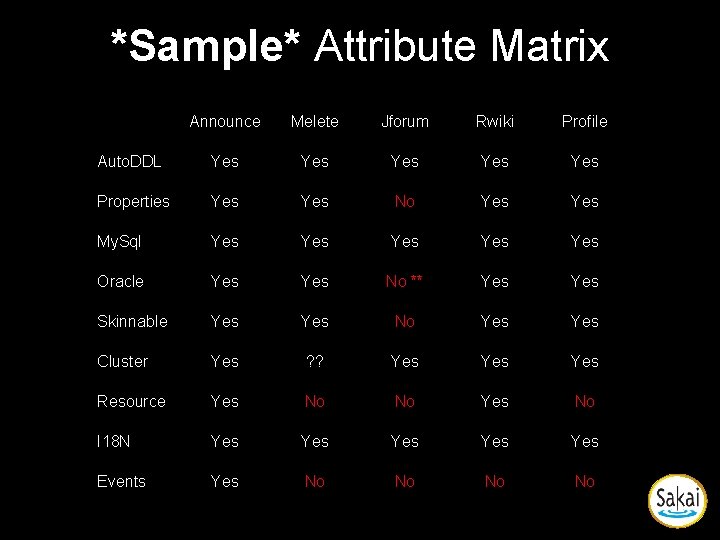
*Sample* Attribute Matrix Announce Melete Jforum Rwiki Profile Auto. DDL Yes Yes Yes Properties Yes No Yes My. Sql Yes Yes Yes Oracle Yes No ** Yes Skinnable Yes No Yes Cluster Yes ? ? Yes Yes Resource Yes No No Yes No I 18 N Yes Yes Yes Events Yes No No
Ease of Expansion Including non-Java Tools
Sakai Architecture Goals • Two seemingly conflicting goals – Seamless integration across tools – Ability to expand Sakai without using Java • In the short term, writing tools in Java and using Sakai framework elements directly is the path to seamless integration • But in the long term, we must make 3 P tools full peers in Sakai.
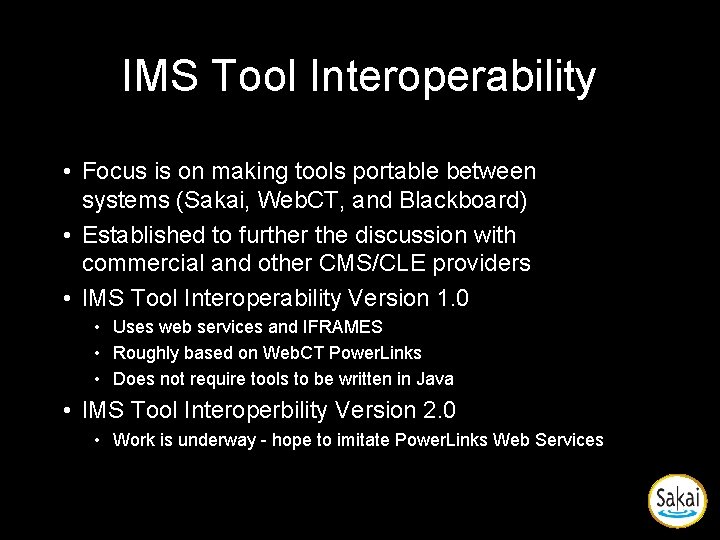
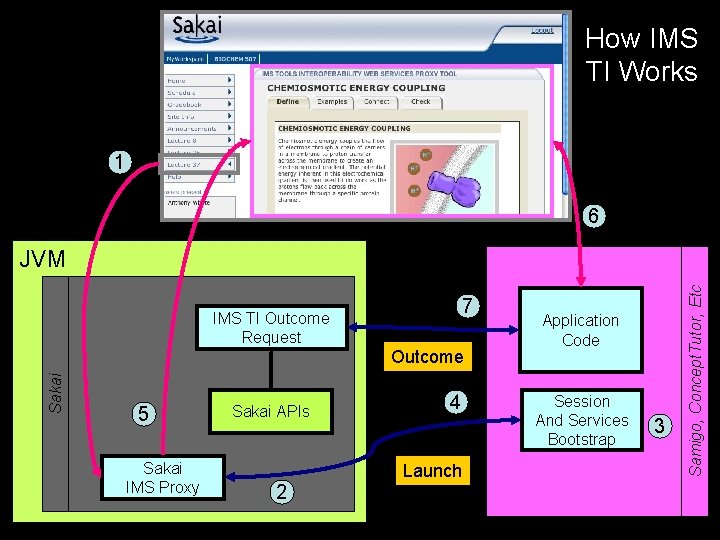
IMS Tool Interoperability • Focus is on making tools portable between systems (Sakai, Web. CT, and Blackboard) • Established to further the discussion with commercial and other CMS/CLE providers • IMS Tool Interoperability Version 1. 0 • Uses web services and IFRAMES • Roughly based on Web. CT Power. Links • Does not require tools to be written in Java • IMS Tool Interoperbility Version 2. 0 • Work is underway - hope to imitate Power. Links Web Services
How IMS TI Works 1 6 7 IMS TI Outcome Request Sakai Outcome 5 Sakai IMS Proxy Sakai APIs 4 Launch 2 Application Code Session And Services Bootstrap 3 Samigo, Concept. Tutor, Etc JVM
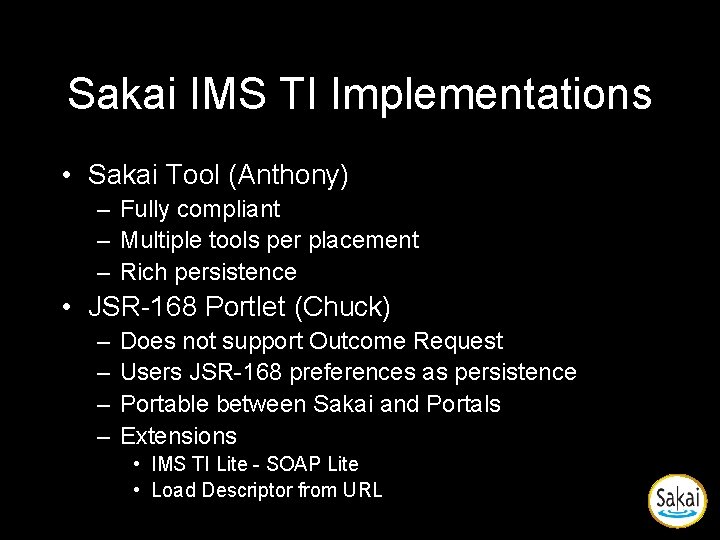
Sakai IMS TI Implementations • Sakai Tool (Anthony) – Fully compliant – Multiple tools per placement – Rich persistence • JSR-168 Portlet (Chuck) – – Does not support Outcome Request Users JSR-168 preferences as persistence Portable between Sakai and Portals Extensions • IMS TI Lite - SOAP Lite • Load Descriptor from URL
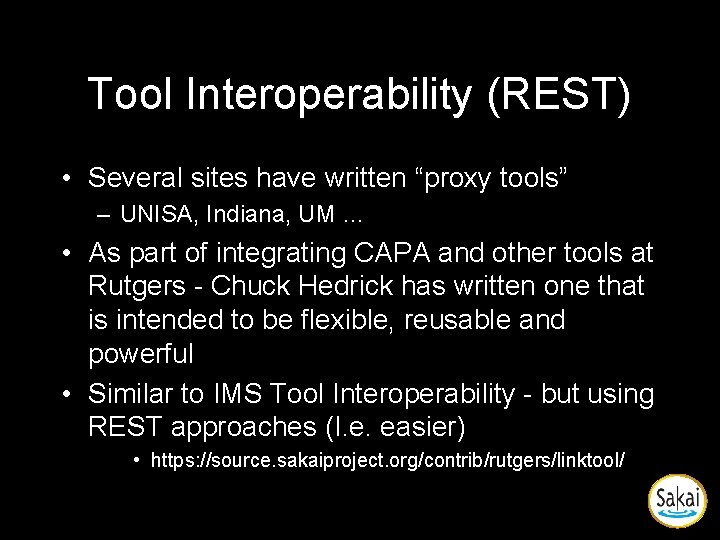
Tool Interoperability (REST) • Several sites have written “proxy tools” – UNISA, Indiana, UM … • As part of integrating CAPA and other tools at Rutgers - Chuck Hedrick has written one that is intended to be flexible, reusable and powerful • Similar to IMS Tool Interoperability - but using REST approaches (I. e. easier) • https: //source. sakaiproject. org/contrib/rutgers/linktool/
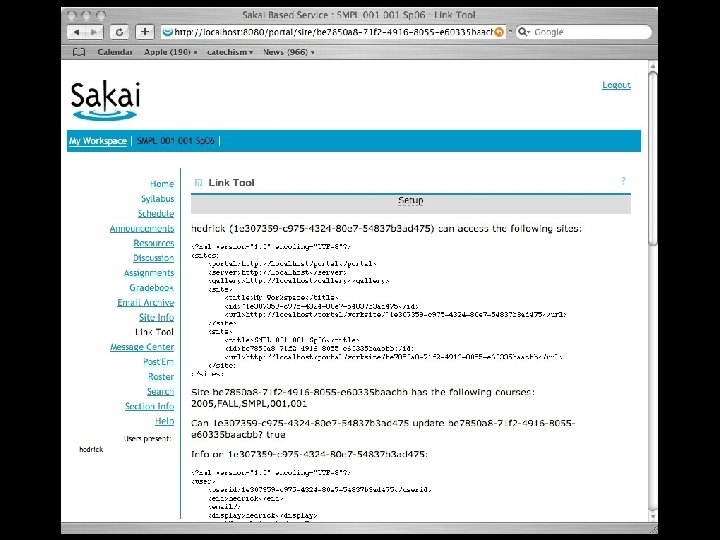
Hedrick Proxy
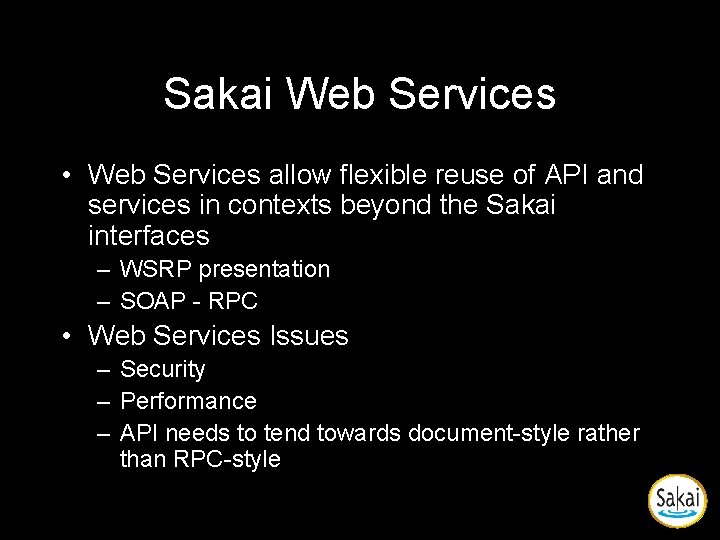
Sakai Web Services • Web Services allow flexible reuse of API and services in contexts beyond the Sakai interfaces – WSRP presentation – SOAP - RPC • Web Services Issues – Security – Performance – API needs to tend towards document-style rather than RPC-style
Web Services WS Client Presentation Framework Presentation Abstraction Web Svcs Axis Layout To. Do Layout Framework WS End Point Other Tools To. Do Code Application Other Services SAF—Common Services SAF—Kernel To. Do Service Interface (i. e. API)
Installation and Configuration
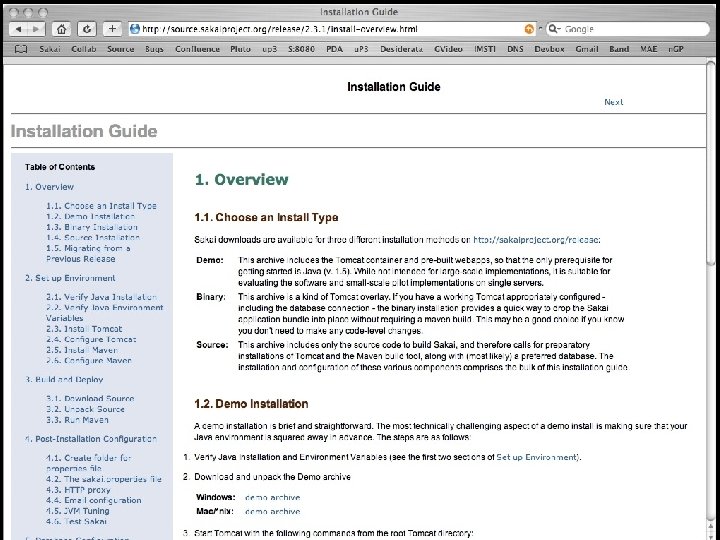
Installing Sakai • Downloads – – – – System Requirements Documentation Getting the Latest Source Code Issue Tracking Community Getting Older Releases License • http: //source. sakaiproject. org/release/2. 3. 1/
Sakai Velocity Support Sakai JSF Support Sakai Velocity Tools Sakai JSF Tools Providers in Sakai Servlet Tools Sakai Application Services Sakai Framework Services Roster/Role Provider Course/Site Provider https: //source. sakaiproject. org/svn/providers/trunk/ Enterprise Data User Directory Provider
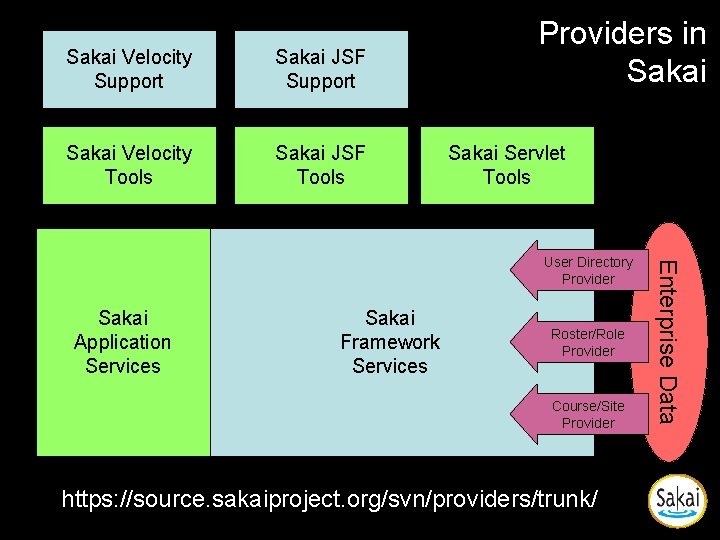
User Directory Provider • Very mature - since Sakai 1. 0 • User type is controlled by provider - this controls the user template when the user is created • Can provide fully populated User objects or just answer ID/PW queries • Consulted at log-in • Supports special “properties” known to the provider • Sample providers in release 2. 0: JLDAP, Open. LDAP, Kerberos, and IMS Enterprise in a database
Course Provider • Does not auto-populate courses • Provides the course list when instructor is making a new worksite • Consulted during “New Site” operation • More work needed here – Need to make into a Site provider – Need to be able to set site type from provider – Need to come up with auto population mechanism
Realm Provider (Group/Role) • Consulted at login • What are the sites and roles within each site for this user • If the system is using many different roles throughout, this code must feed the proper site the proper role • Sakai internal tables are updated as changes from the provider are noticed.
Emerging Integration Points • Course. Management • Content. Hosting Plugin • Calendar Plugin
Developing a Skin for Sakai • Documentation – https: //source. sakaiproject. org/svn//referen ce/trunk/docs/architecture/sakai_skin. doc
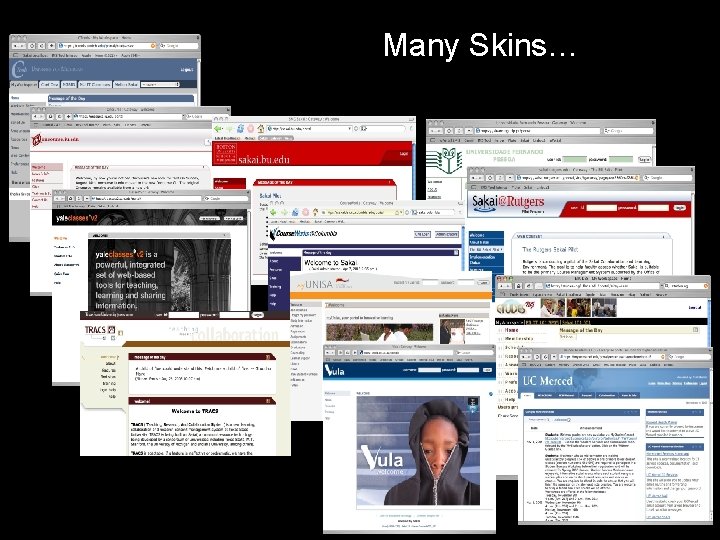
Many Skins… Text 20+ Full scale installations
Developing for Sakai
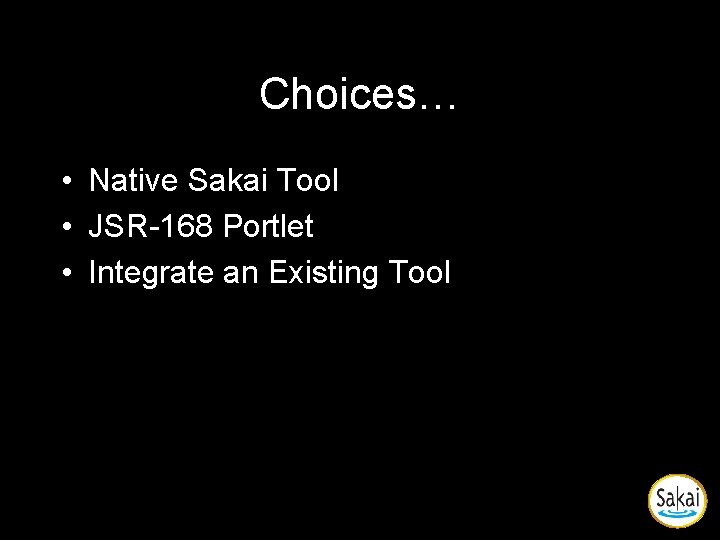
Choices… • Native Sakai Tool • JSR-168 Portlet • Integrate an Existing Tool
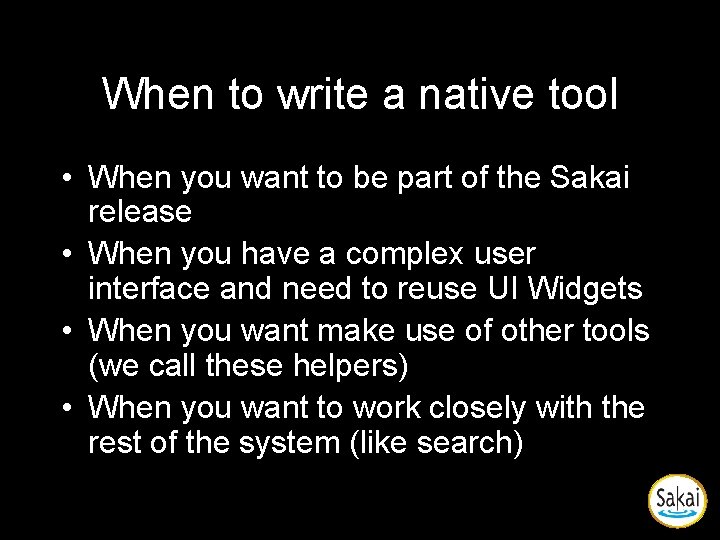
When to write a native tool • When you want to be part of the Sakai release • When you have a complex user interface and need to reuse UI Widgets • When you want make use of other tools (we call these helpers) • When you want to work closely with the rest of the system (like search)
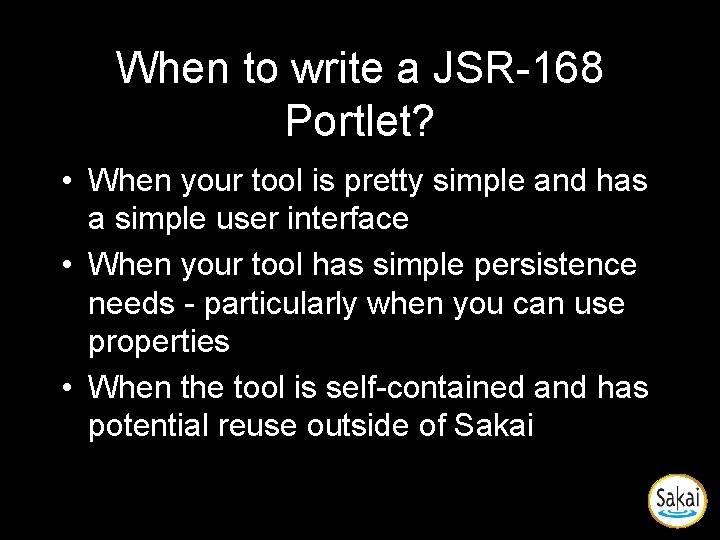
When to write a JSR-168 Portlet? • When your tool is pretty simple and has a simple user interface • When your tool has simple persistence needs - particularly when you can use properties • When the tool is self-contained and has potential reuse outside of Sakai
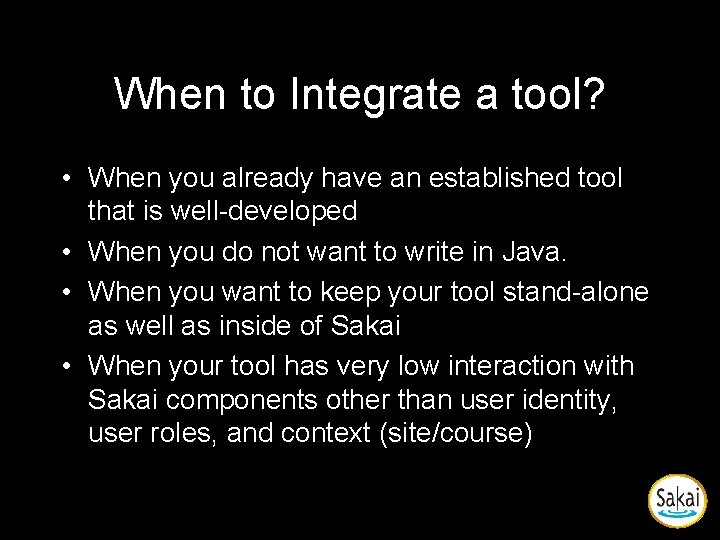
When to Integrate a tool? • When you already have an established tool that is well-developed • When you do not want to write in Java. • When you want to keep your tool stand-alone as well as inside of Sakai • When your tool has very low interaction with Sakai components other than user identity, user roles, and context (site/course)
Building a Sakai Tool • Sakai Programmer’s Café • http: //bugs. sakaiproject. org/confluence/ display/BOOT/Home
Building a JSR-168 Portlet • Download JSR-168 Specification – http: //jcp. org/en/jsr/detail? id=168 • Development Documentation – http: //developers. sun. com/portalserver/reference/t echart/jsr 168/ – http: //portals. apache. org/pluto/v 11/resources. html • Portlets in Sakai – https: //source. sakaiproject. org/contrib/portlets/trun k/ – https: //source. sakaiproject. org/svn//reference/trunk /docs/architecture/sakai-168 -portlet-tool. doc
Integrating a tool using IMS TI • Documentation still in progress since this is a recent addition to Sakai – http: //www. sakaiproject. org/imsti-test/ • IMS Tool Interoperability Portlet – https: //source. sakaiproject. org/contrib/portl ets/trunk/ • TO DO: – Write IMS TI - Lite in PHP and Ruby
Discussion and Examples