
Sakai Technical Overview Charles Severance Sakai Chief Architect
- Slides: 70
Sakai Technical Overview Charles Severance Sakai Chief Architect December 1, 2005 http: //www. dr-chuck. com/talks. php? id=62
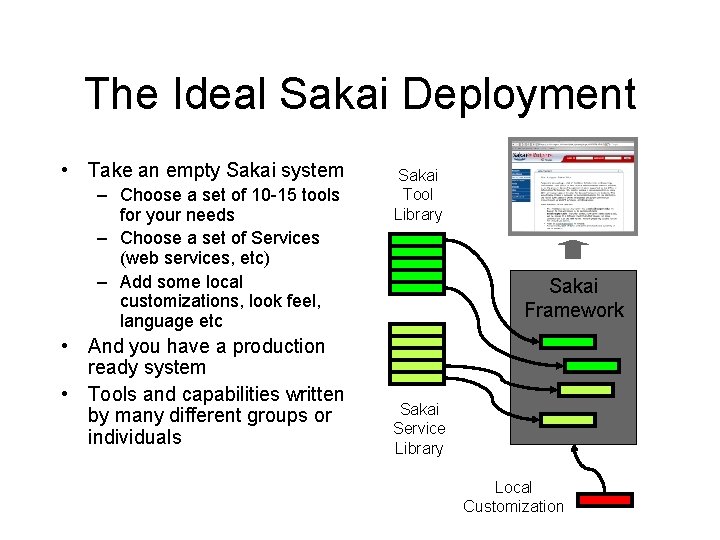
The Ideal Sakai Deployment • Take an empty Sakai system – Choose a set of 10 -15 tools for your needs – Choose a set of Services (web services, etc) – Add some local customizations, look feel, language etc • And you have a production ready system • Tools and capabilities written by many different groups or individuals Sakai Tool Library Sakai Framework Sakai Service Library Local Customization
Sakai Goals • Component based expandability • Appearance of a single well-integrated application • Flexible Presentation (HTML, Portals) • Support for Web Services • Flexibility in Expansion including non. Java • Production-ready
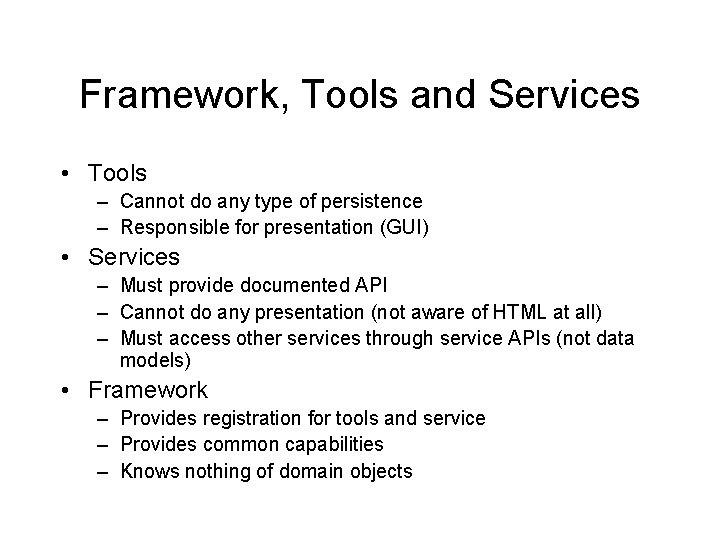
Framework, Tools and Services • Tools – Cannot do any type of persistence – Responsible for presentation (GUI) • Services – Must provide documented API – Cannot do any presentation (not aware of HTML at all) – Must access other services through service APIs (not data models) • Framework – Provides registration for tools and service – Provides common capabilities – Knows nothing of domain objects
Component Based Expansion
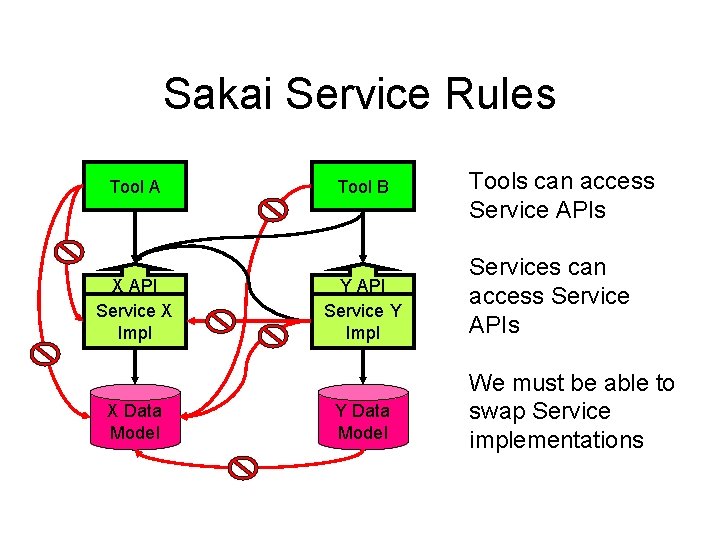
Sakai Service Rules Tool A X API Service X Impl X Data Model Tool B Y API Service Y Impl Y Data Model Tools can access Service APIs Services can access Service APIs We must be able to swap Service implementations
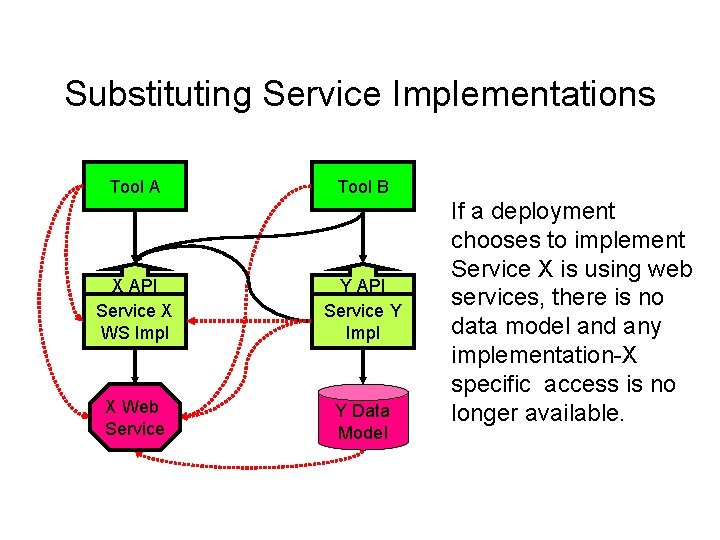
Substituting Service Implementations Tool A Tool B X API Service X WS Impl Y API Service Y Impl X Web Service Y Data Model If a deployment chooses to implement Service X is using web services, there is no data model and any implementation-X specific access is no longer available.
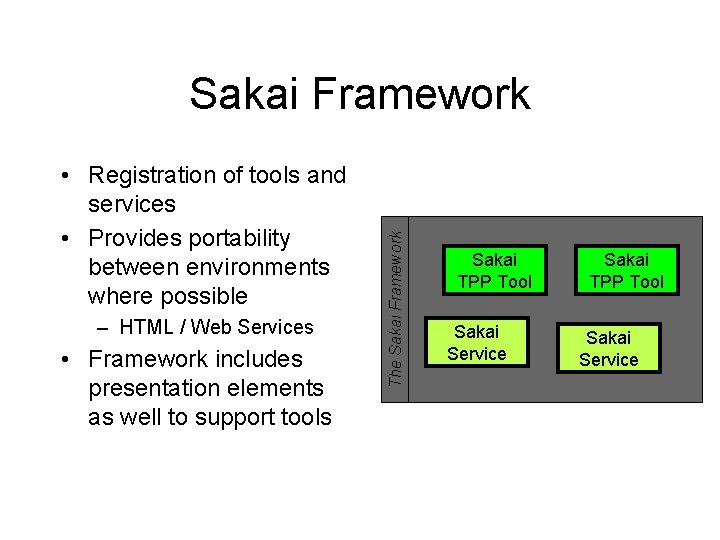
• Registration of tools and services • Provides portability between environments where possible – HTML / Web Services • Framework includes presentation elements as well to support tools The Sakai Framework Sakai TPP Tool Sakai Service
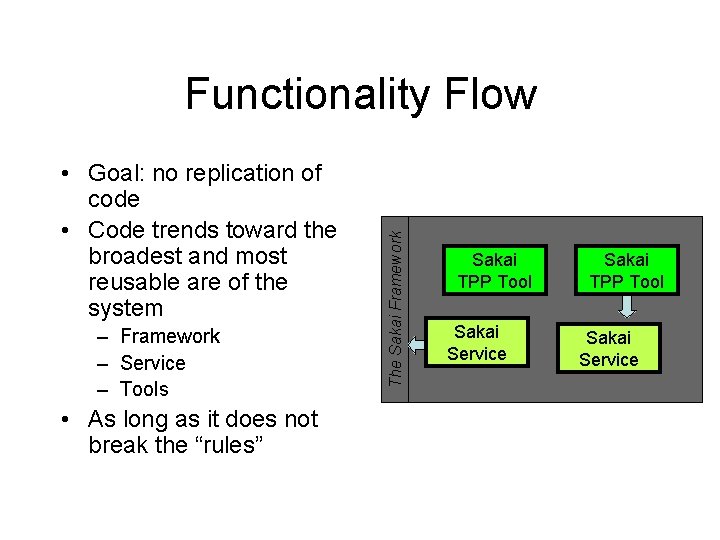
• Goal: no replication of code • Code trends toward the broadest and most reusable are of the system – Framework – Service – Tools • As long as it does not break the “rules” The Sakai Framework Functionality Flow Sakai TPP Tool Sakai Service
Goal: Appear as Single Integrated Application
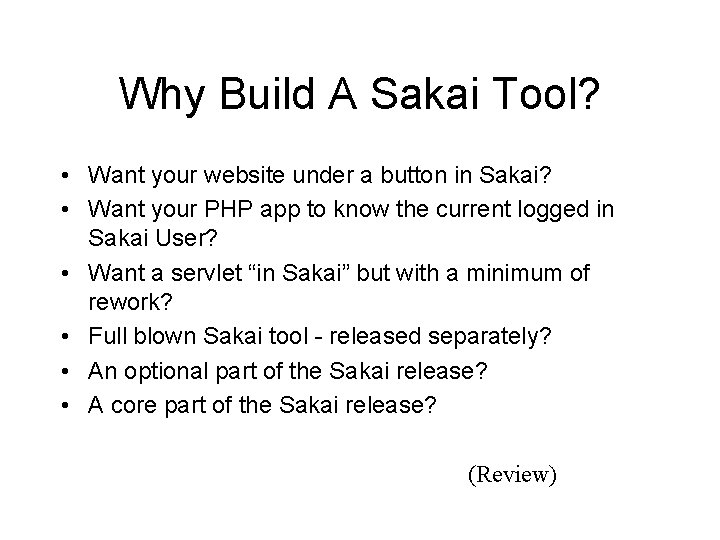
Why Build A Sakai Tool? • Want your website under a button in Sakai? • Want your PHP app to know the current logged in Sakai User? • Want a servlet “in Sakai” but with a minimum of rework? • Full blown Sakai tool - released separately? • An optional part of the Sakai release? • A core part of the Sakai release?
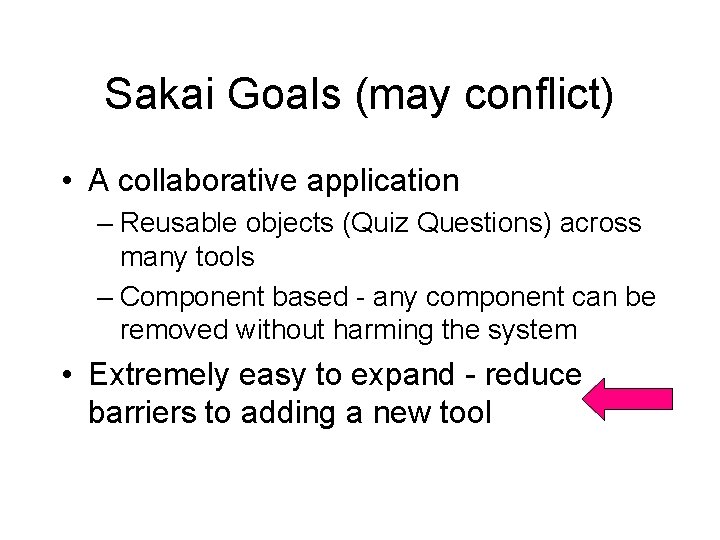
Sakai Goals (may conflict) • A collaborative application – Reusable objects (Quiz Questions) across many tools – Component based - any component can be removed without harming the system • Extremely easy to expand - reduce barriers to adding a new tool
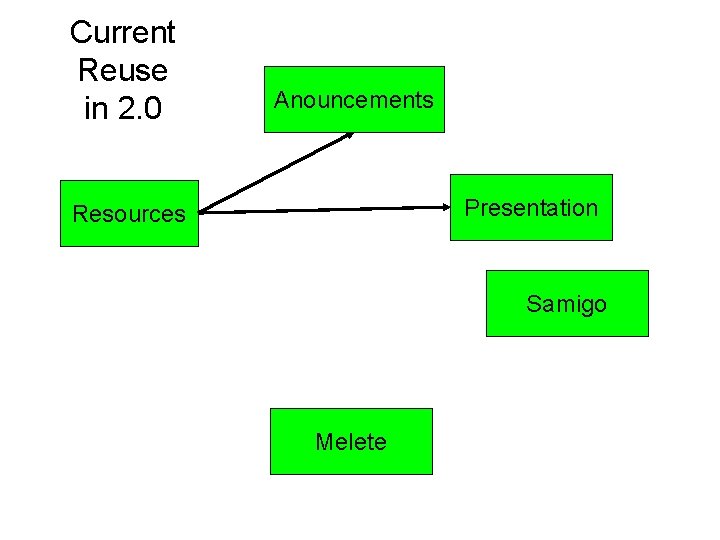
Current Reuse in 2. 0 Anouncements Presentation Resources Samigo Melete
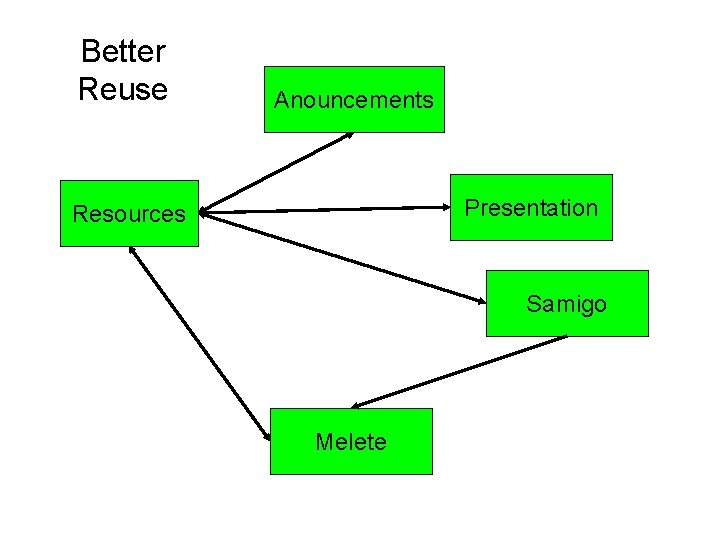
Better Reuse Anouncements Presentation Resources Samigo Melete
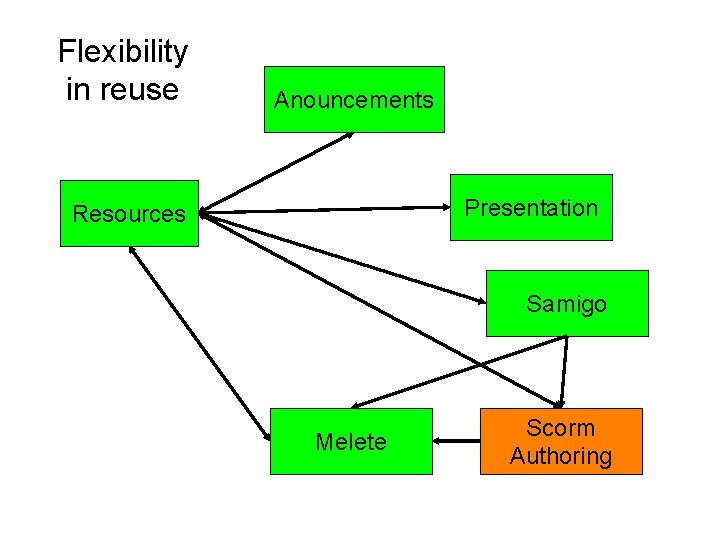
Flexibility in reuse Anouncements Presentation Resources Samigo Melete Scorm Authoring
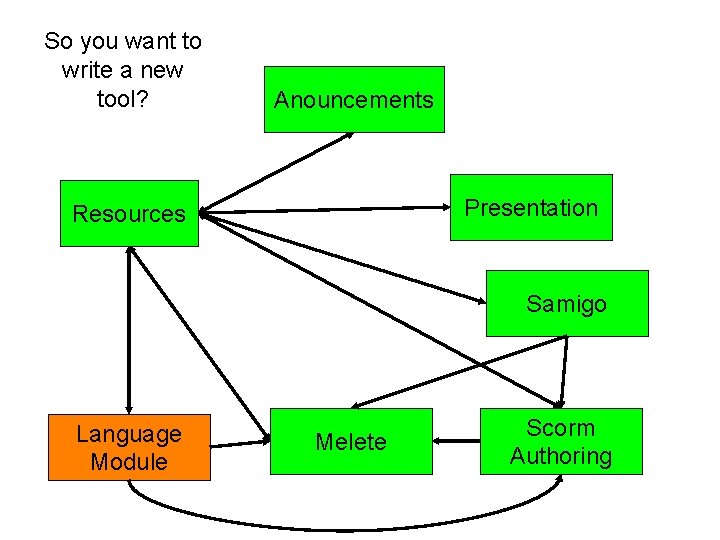
So you want to write a new tool? Anouncements Presentation Resources Samigo Language Module Melete Scorm Authoring
Building Tools • To meet the goals of Sakai it is not sufficient to simply build a stovepipe tool • While much of what is described here is “optional”, the more “integrated” a tool intends to be, the more “required” these elements become
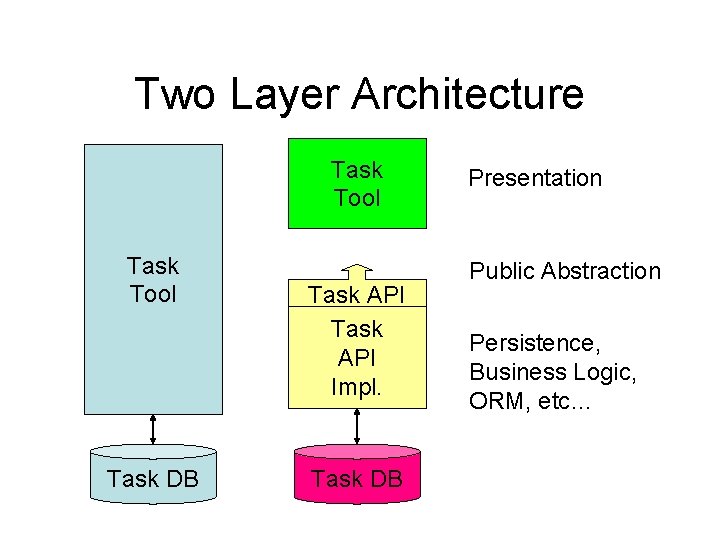
Two Layer Architecture Task Tool Task DB Task API Impl. Task DB Presentation Public Abstraction Persistence, Business Logic, ORM, etc…
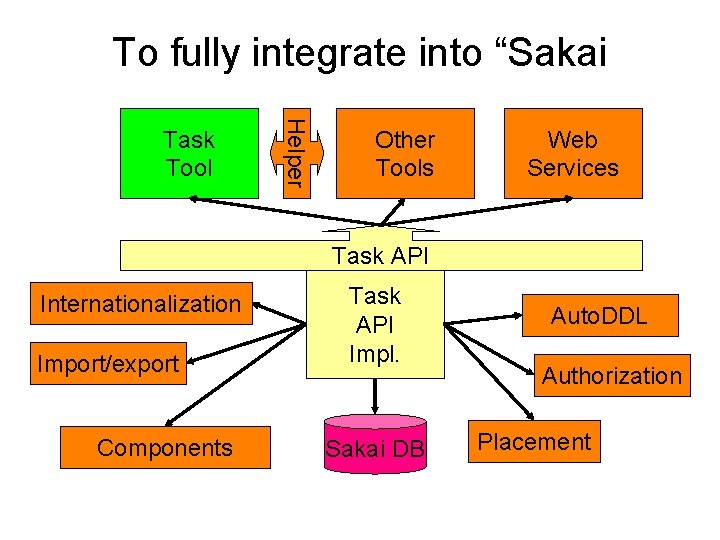
To fully integrate into “Sakai Helper Task Tool Other Tools Web Services Task API Internationalization Import/export Components Task API Impl. Sakai DB Auto. DDL Authorization Placement
Flexible Presentation
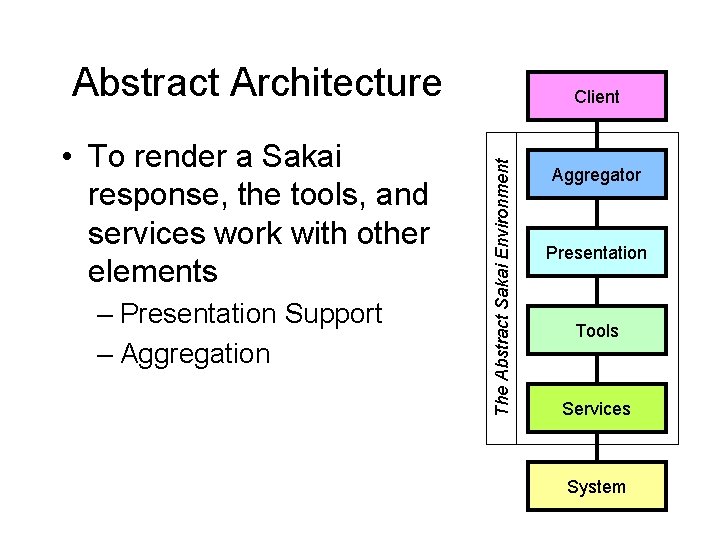
Abstract Architecture – Presentation Support – Aggregation The Abstract Sakai Environment • To render a Sakai response, the tools, and services work with other elements Client Aggregator Presentation Tools Services System
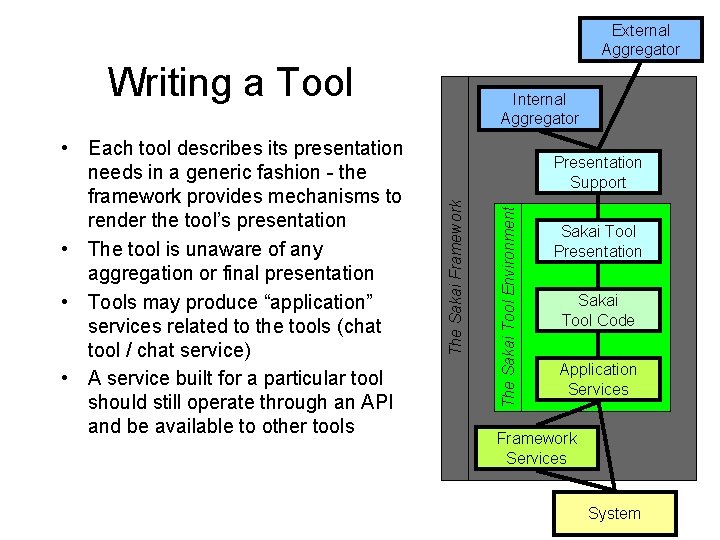
External Aggregator Writing a Tool The Sakai Tool Environment Presentation Support The Sakai Framework • Each tool describes its presentation needs in a generic fashion - the framework provides mechanisms to render the tool’s presentation • The tool is unaware of any aggregation or final presentation • Tools may produce “application” services related to the tools (chat tool / chat service) • A service built for a particular tool should still operate through an API and be available to other tools Internal Aggregator Sakai Tool Presentation Sakai Tool Code Application Services Framework Services System
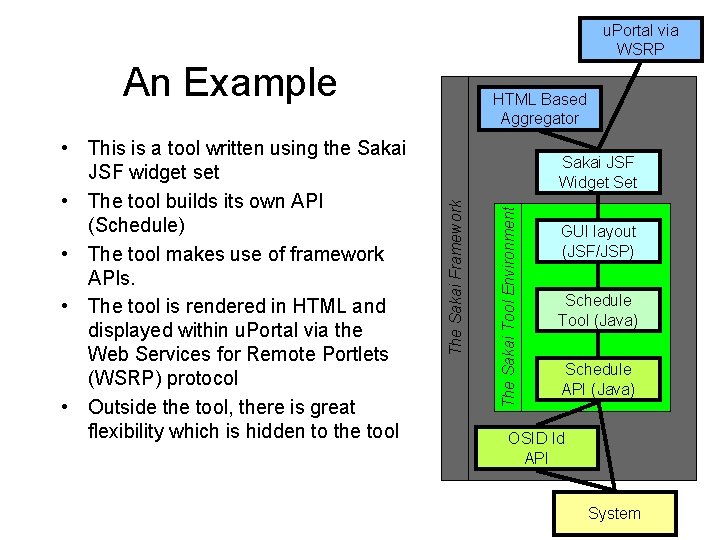
u. Portal via WSRP An Example The Sakai Tool Environment Sakai JSF Widget Set The Sakai Framework • This is a tool written using the Sakai JSF widget set • The tool builds its own API (Schedule) • The tool makes use of framework APIs. • The tool is rendered in HTML and displayed within u. Portal via the Web Services for Remote Portlets (WSRP) protocol • Outside the tool, there is great flexibility which is hidden to the tool HTML Based Aggregator GUI layout (JSF/JSP) Schedule Tool (Java) Schedule API (Java) OSID Id API System
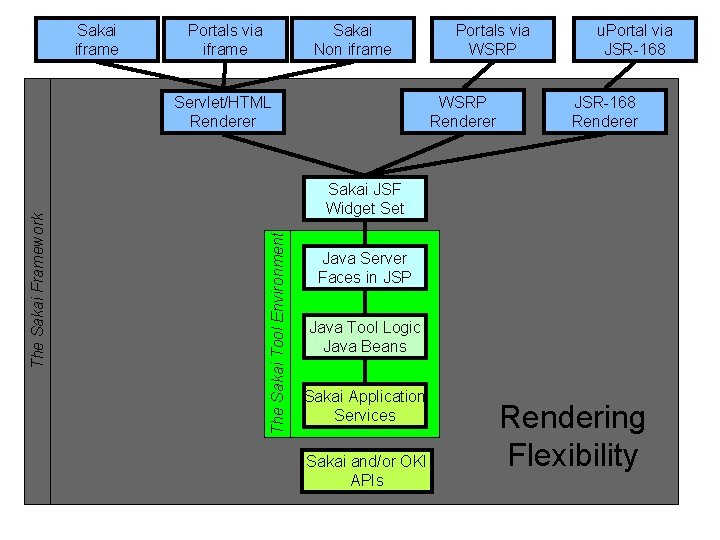
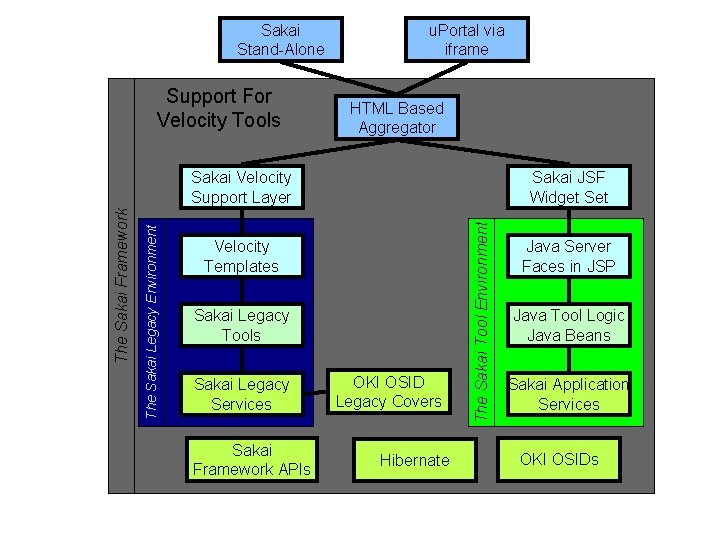
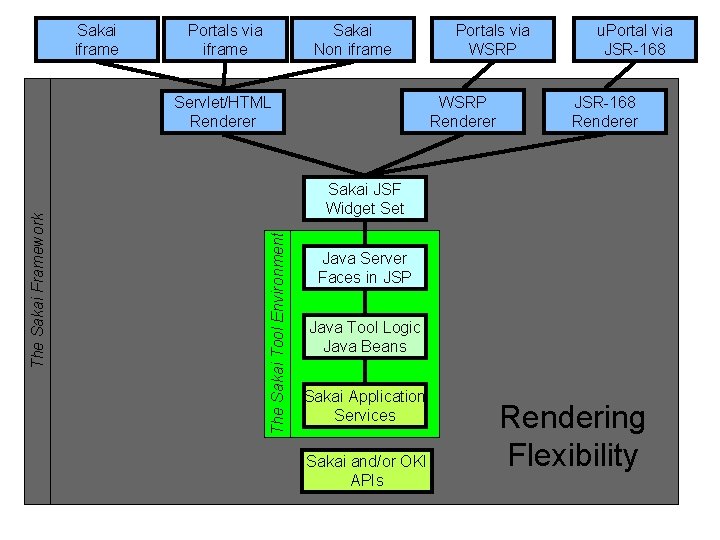
Sakai iframe Portals via iframe Sakai Non iframe WSRP Renderer Servlet/HTML Renderer u. Portal via JSR-168 Renderer Sakai JSF Widget Set The Sakai Tool Environment The Sakai Framework Portals via WSRP Java Server Faces in JSP Java Tool Logic Java Beans Sakai Application Services Sakai and/or OKI APIs Rendering Flexibility
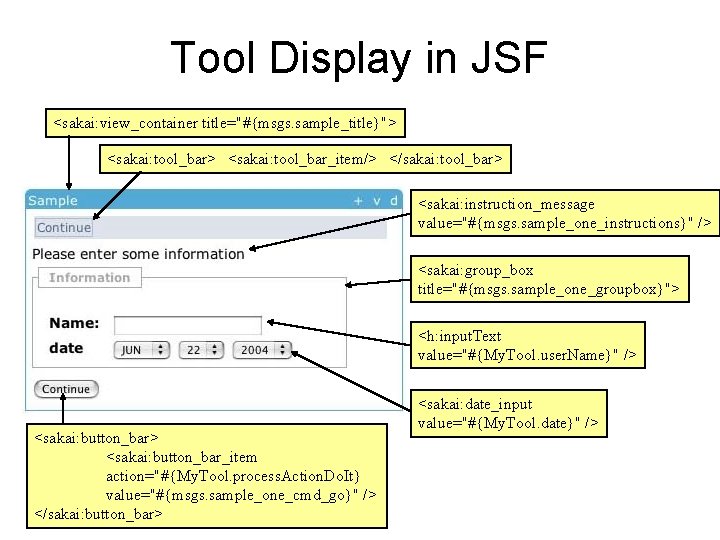
Tool Display in JSF <sakai: view_container title="#{msgs. sample_title}"> <sakai: tool_bar_item/> </sakai: tool_bar> <sakai: instruction_message value="#{msgs. sample_one_instructions}" /> <sakai: group_box title="#{msgs. sample_one_groupbox}"> <h: input. Text value="#{My. Tool. user. Name}" /> <sakai: button_bar_item action="#{My. Tool. process. Action. Do. It} value="#{msgs. sample_one_cmd_go}" /> </sakai: button_bar> <sakai: date_input value="#{My. Tool. date}" />
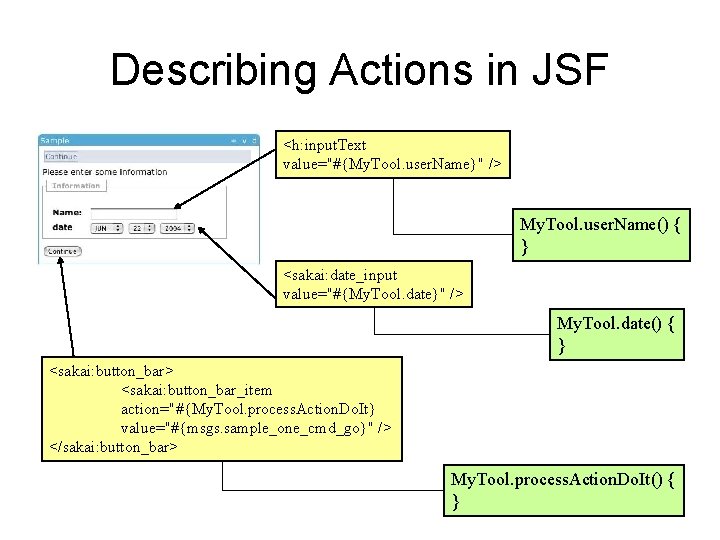
Describing Actions in JSF <h: input. Text value="#{My. Tool. user. Name}" /> My. Tool. user. Name() { } <sakai: date_input value="#{My. Tool. date}" /> My. Tool. date() { } <sakai: button_bar> <sakai: button_bar_item action="#{My. Tool. process. Action. Do. It} value="#{msgs. sample_one_cmd_go}" /> </sakai: button_bar> My. Tool. process. Action. Do. It() { }
Sakai Stand-Alone Support For Velocity Tools u. Portal via iframe HTML Based Aggregator Sakai JSF Widget Set Velocity Templates Sakai Legacy Tools Sakai Legacy Services Sakai Framework APIs OKI OSID Legacy Covers Hibernate The Sakai Tool Environment The Sakai Legacy Environment The Sakai Framework Sakai Velocity Support Layer Java Server Faces in JSP Java Tool Logic Java Beans Sakai Application Services OKI OSIDs
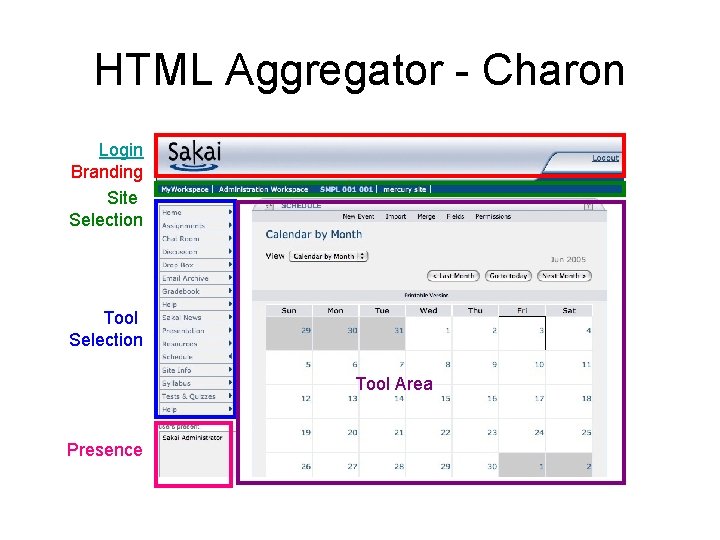
HTML Aggregator - Charon Login Branding Site Selection Tool Area Presence
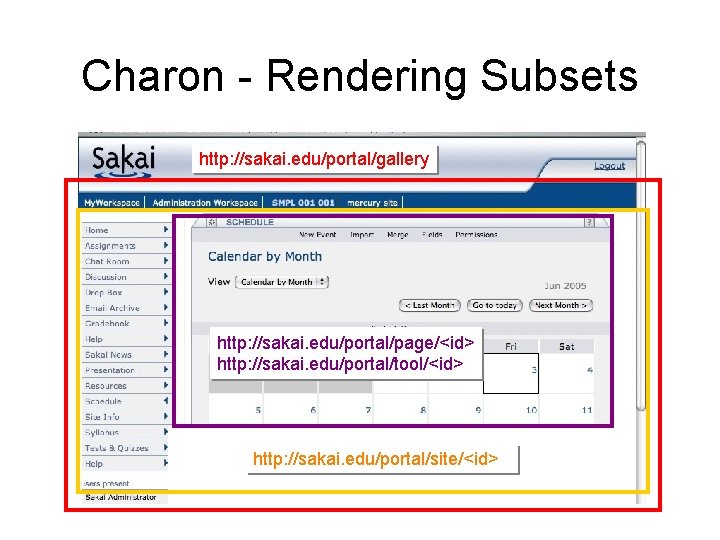
Charon - Rendering Subsets http: //sakai. edu/portal/gallery http: //sakai. edu/portal/page/<id> http: //sakai. edu/portal/tool/<id> http: //sakai. edu/portal/site/<id>
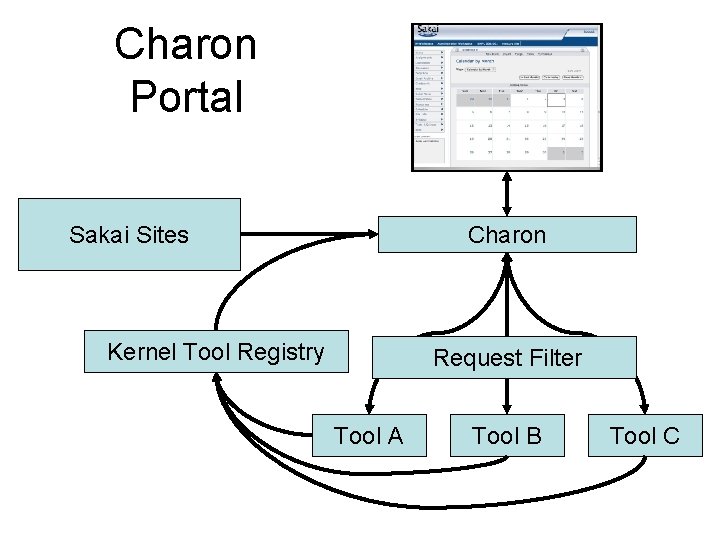
Charon Portal Charon Sakai Sites Kernel Tool Registry Request Filter Tool A Tool B Tool C
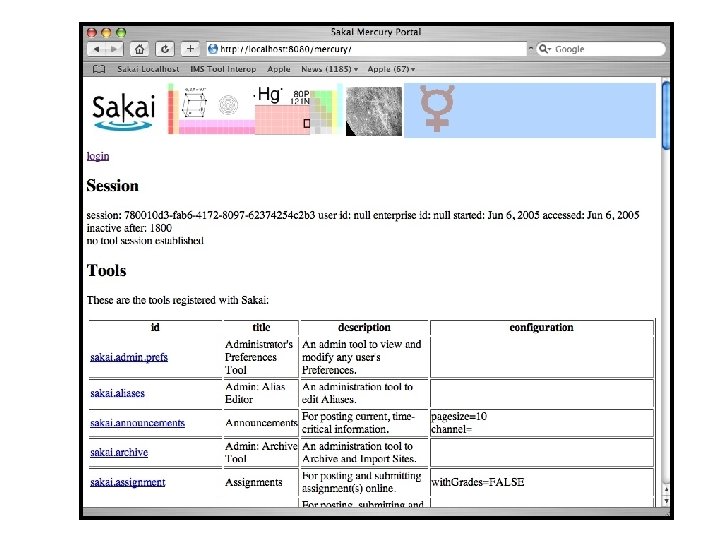
Mercury
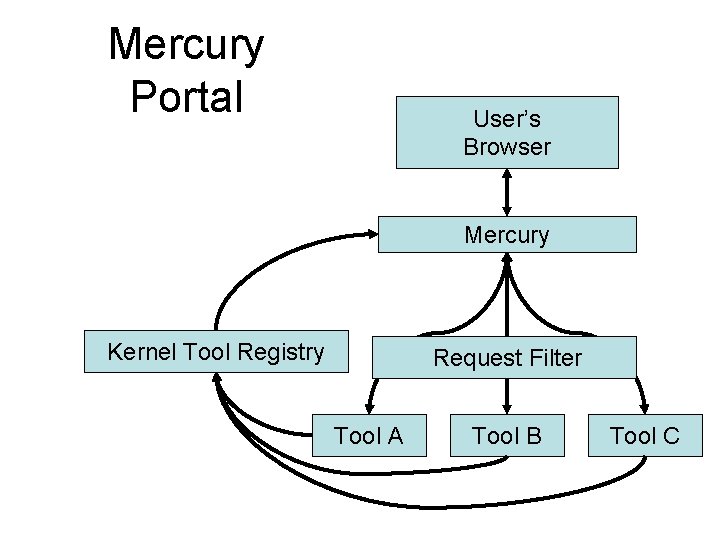
Mercury Portal User’s Browser Mercury Kernel Tool Registry Request Filter Tool A Tool B Tool C
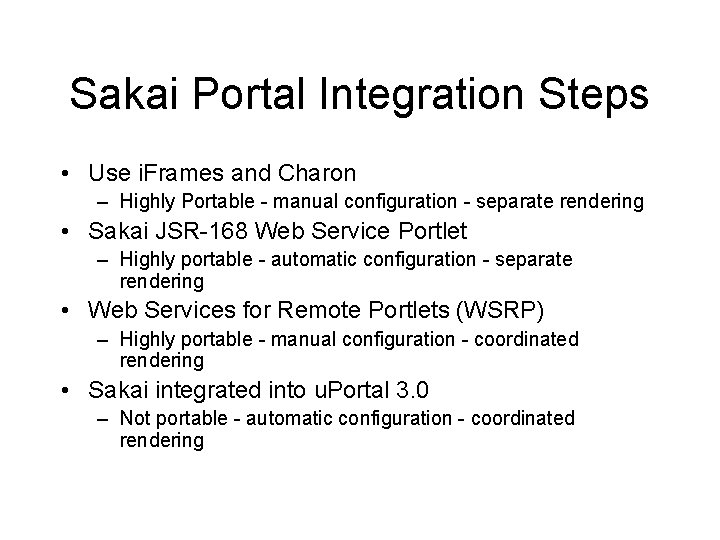
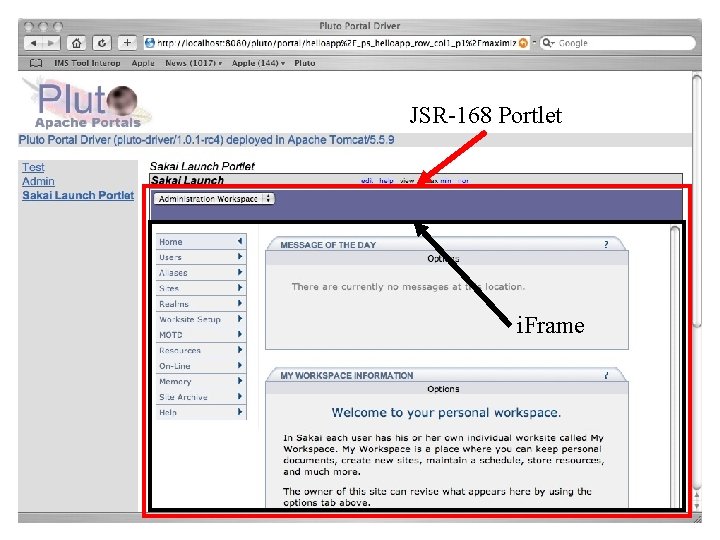
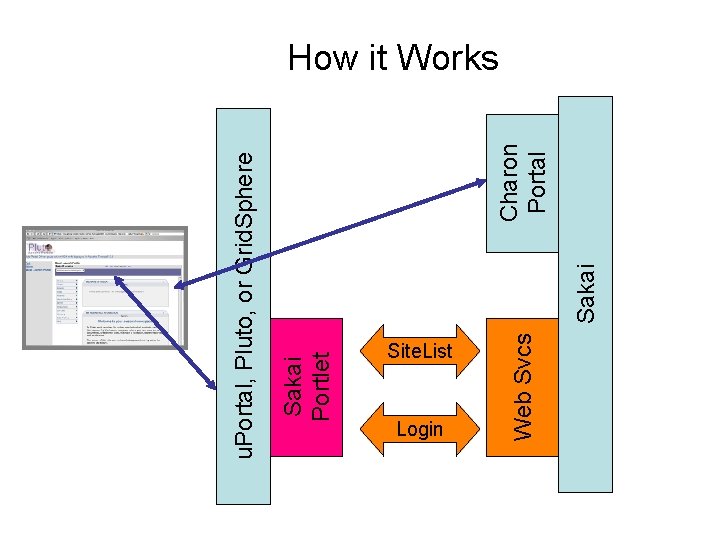
Sakai Portal Integration Steps • Use i. Frames and Charon – Highly Portable - manual configuration - separate rendering • Sakai JSR-168 Web Service Portlet – Highly portable - automatic configuration - separate rendering • Web Services for Remote Portlets (WSRP) – Highly portable - manual configuration - coordinated rendering • Sakai integrated into u. Portal 3. 0 – Not portable - automatic configuration - coordinated rendering
Sakai Portlet JSR-168 Portlet i. Frame
Sakai Portlet Site. List Login Web Svcs Sakai Charon Portal u. Portal, Pluto, or Grid. Sphere How it Works
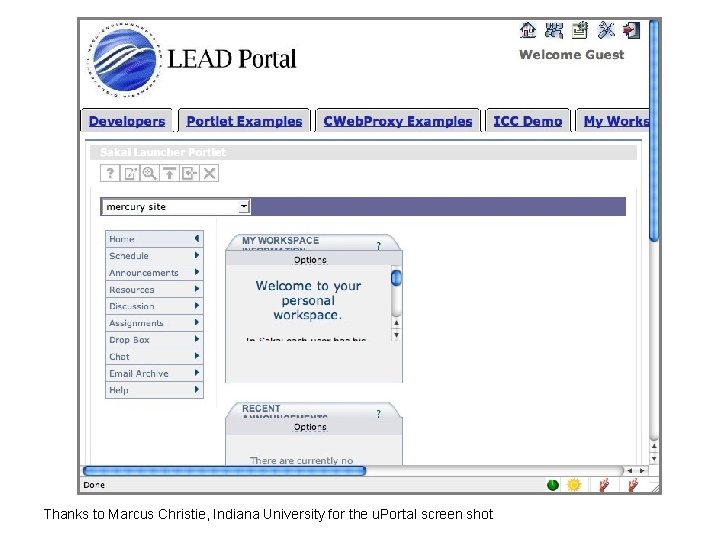
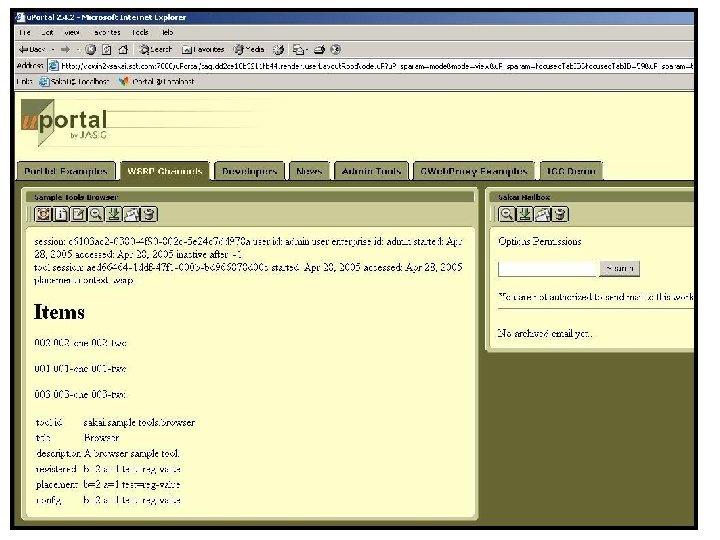
u. Portal Thanks to Marcus Christie, Indiana University for the u. Portal screen shot
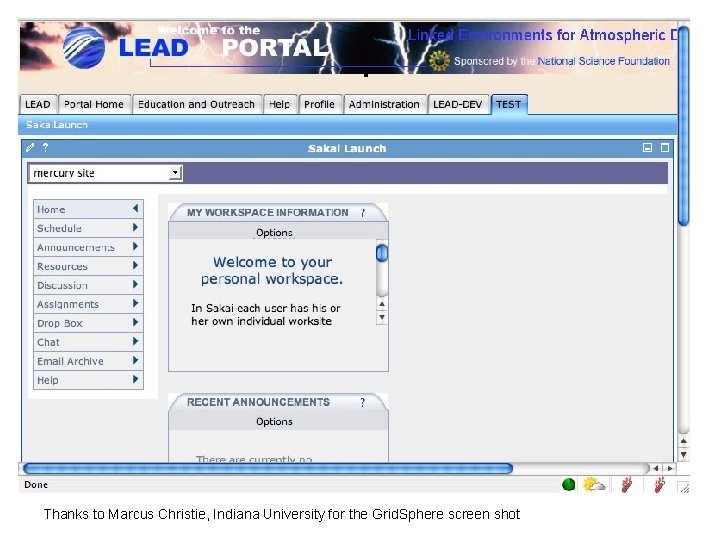
Grid. Sphere Thanks to Marcus Christie, Indiana University for the Grid. Sphere screen shot
WSRP Activities • Sun. Gard-led and funded: Vishal Goenka • Working with u. Portal in their WSRP 3. 0 effort • As we really try to use WSRP, we identify issues in the standard and WSRP 4 J implementation • Sakai and u. Portal are becoming involved in WSRP standards activities and WSRP 4 J
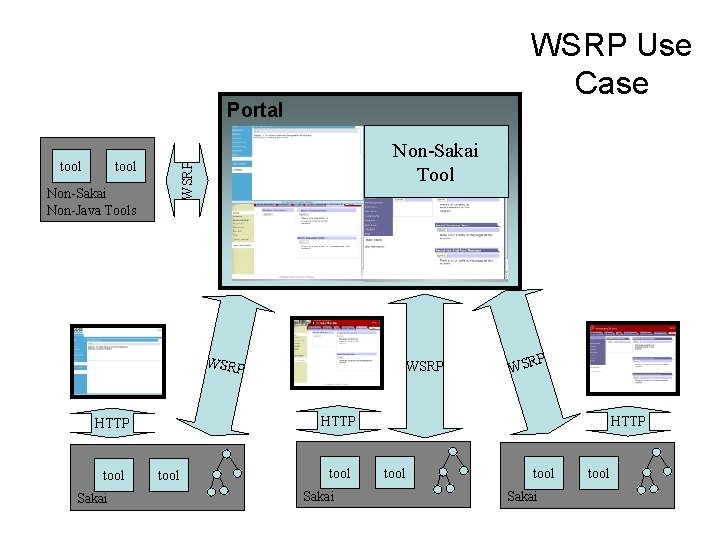
WSRP Use Case Portal tool Non-Sakai Tool WSRP tool Non-Sakai Non-Java Tools WSRP Sakai P WSR HTTP tool WSRP tool Sakai HTTP tool Sakai tool
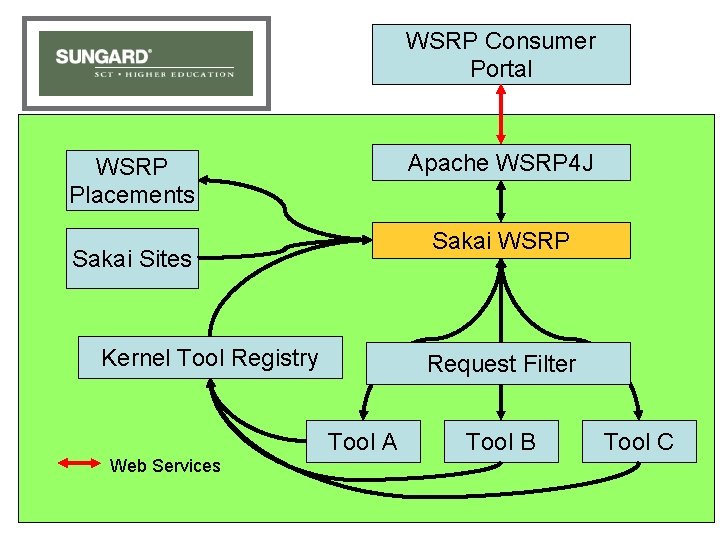
WSRP “Portal” WSRP Consumer Portal Apache WSRP 4 J WSRP Placements Sakai WSRP Sakai Sites Kernel Tool Registry Request Filter Tool A Web Services Tool B Tool C
WSRP Image
Sakai iframe Portals via iframe Sakai Non iframe WSRP Renderer Servlet/HTML Renderer u. Portal via JSR-168 Renderer Sakai JSF Widget Set The Sakai Tool Environment The Sakai Framework Portals via WSRP Java Server Faces in JSP Java Tool Logic Java Beans Sakai Application Services Sakai and/or OKI APIs Rendering Flexibility
Web Services
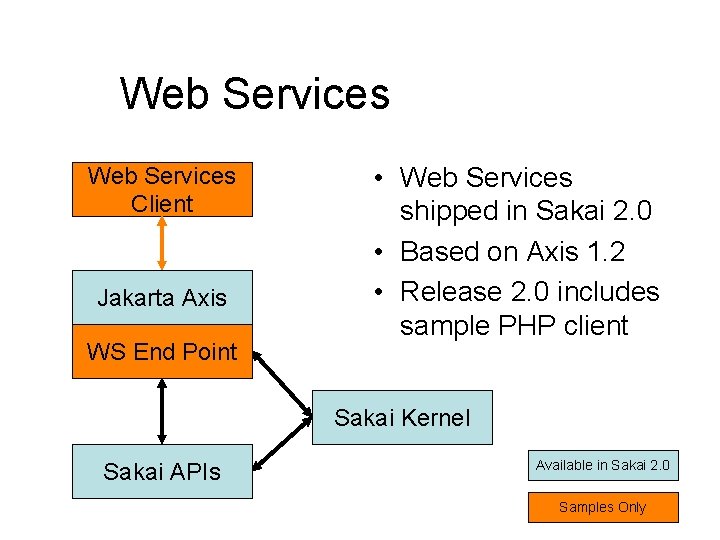
Web Services • Web Services allow flexible reuse of API and services in contexts beyond the Sakai interfaces – WSRP presentation – SOAP - RPC • Web Services Issues – Security – Performance – API needs to tend towards document-style rather than RPC-style
Web Services Client Jakarta Axis WS End Point • Web Services shipped in Sakai 2. 0 • Based on Axis 1. 2 • Release 2. 0 includes sample PHP client Sakai Kernel Sakai APIs Available in Sakai 2. 0 Samples Only
Ease of Expansion Including non-Java Tools
Why Build A Sakai Tool? • Want your website under a button in Sakai? • Want your PHP app to know the current logged in Sakai User? • Want a servlet “in Sakai” but with a minimum of rework? • Full blown Sakai tool - released separately? • An optional part of the Sakai release? • A core part of the Sakai release? (Review)
Sakai Goals (may conflict) • A collaborative application – Reusable objects (Quiz Questions) across many tools – Component based - any component can be removed without harming the system • Extremely easy to expand - reduce barriers to adding a new tool
Simpler Routes to New Tools • May want to write in PHP, or some other language other than java • May not want to comply with “Sakai” rules such as import/export, accessibility, or internationalization • May just want very small distribution (I. e. not part of the Sakai release) • Perhaps a very innovative early concept
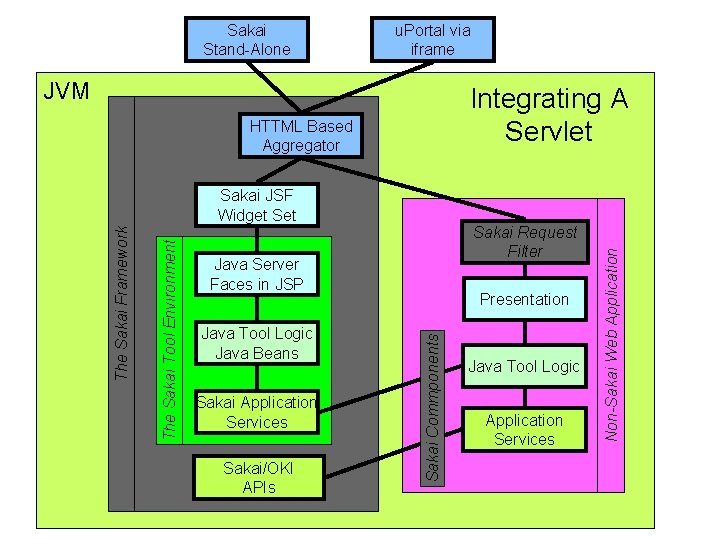
u. Portal via iframe JVM Integrating A Servlet HTTML Based Aggregator Sakai Request Filter Java Server Faces in JSP Java Tool Logic Java Beans Sakai Application Services Sakai/OKI APIs Presentation Sakai Commponents The Sakai Tool Environment The Sakai Framework Sakai JSF Widget Set Java Tool Logic Application Services Non-Sakai Web Application Sakai Stand-Alone
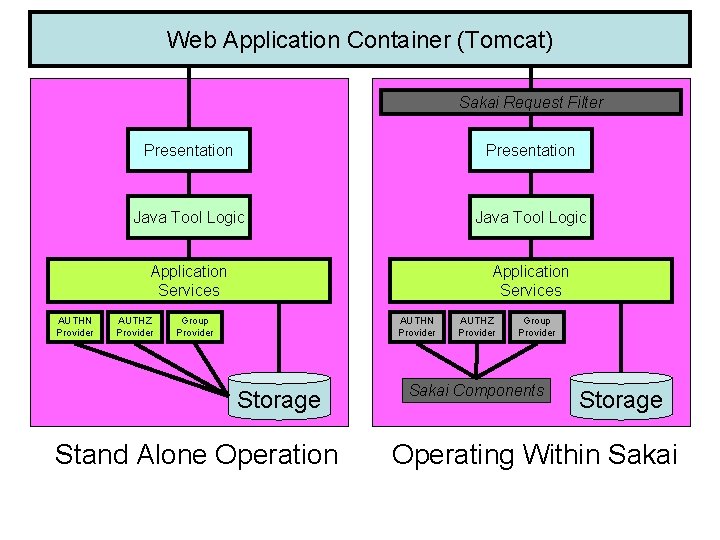
Group Web Provider Application Container (Tomcat) Provider Sakai Request Filter Presentation Java Tool Logic Application Services AUTHN Provider AUTHZ Provider Application Services Group Provider AUTHN Provider Storage Stand Alone Operation AUTHZ Provider Group Provider Sakai Components Storage Operating Within Sakai
Current Servlet Integration • • Samigo and Gradebook - Hybrid JSF Spring MVC - OSP 2. 0 Struts - UNISA These are not long term approaches and gently discouraged in releases
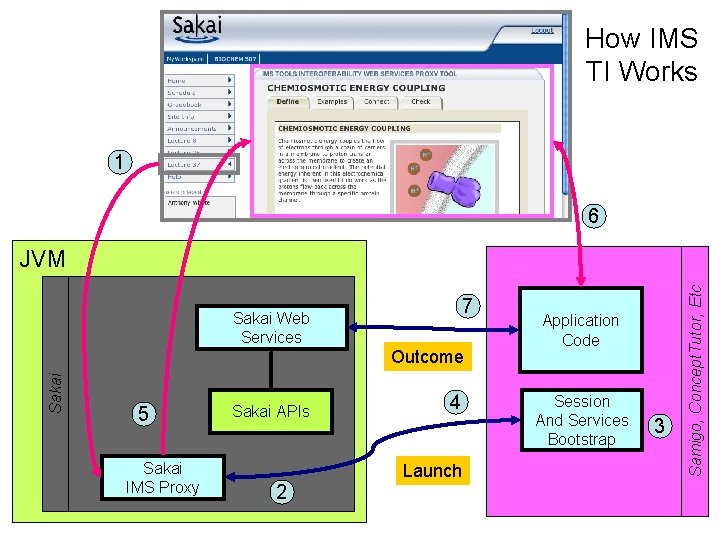
IMS Tool Portability Group • Focus is on making tools portable between • • • systems (Sakai, Web. CT, and Blackboard) Established to further the discussion with commercial and other CMS/CLE providers Uses web services and IFRAMES Does not require tools to be written in Java Working demonstration at the July 2005 Alt-I-lab with Samigo in Sakai, Web. CT, and Blackboard Will be released as part of Sakai 2. 1
How IMS TI Works 1 6 7 Sakai Web Services Sakai Outcome 5 Sakai IMS Proxy Sakai APIs 4 Launch 2 Application Code Session And Services Bootstrap 3 Samigo, Concept. Tutor, Etc JVM
Local Configuration
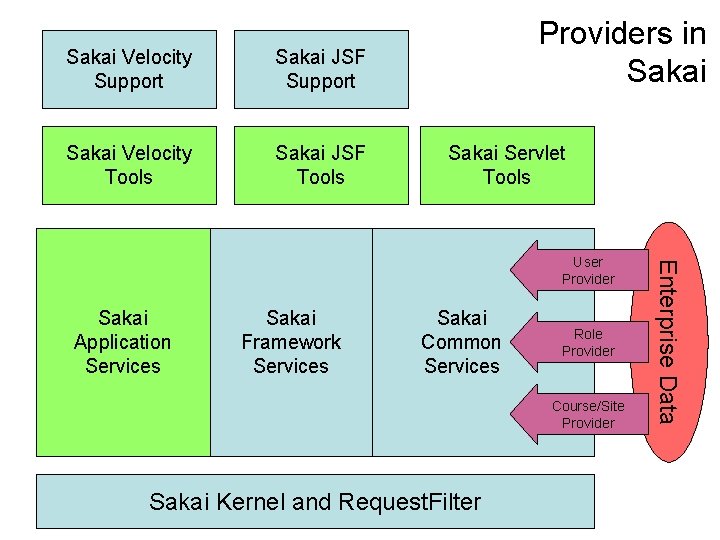
Sakai Velocity Support Sakai JSF Support Sakai Velocity Tools Sakai JSF Tools Providers in Sakai Servlet Tools Sakai Application Services Sakai Framework Services Sakai Common Services Role Provider Course/Site Provider Sakai Kernel and Request. Filter Enterprise Data User Provider
User Directory Provider • Very mature - since Sakai 1. 0 • User type is controlled by provider - this controls the user template when the user is created • Can provide fully populated User objects or just answer ID/PW queries • Consulted at log-in • Supports special “properties” known to the provider • Sample providers in release 2. 0: JLDAP, Open. LDAP, Kerberos, and IMS Enterprise in a database
Course Provider • Does not auto-populate courses • Provides the course list when instructor is making a new worksite • Consulted during “New Site” operation • More work needed here – Need to make into a Site provider – Need to be able to set site type from provider – Need to come up with auto population mechanism
Realm Provider (Role) • Consulted at login • What are the sites and roles within each site for this user • If the system is using many different roles throughout, this code must feed the proper site the proper role • Sakai internal tables are updated as changes from the provider are noticed.
Production Configurations
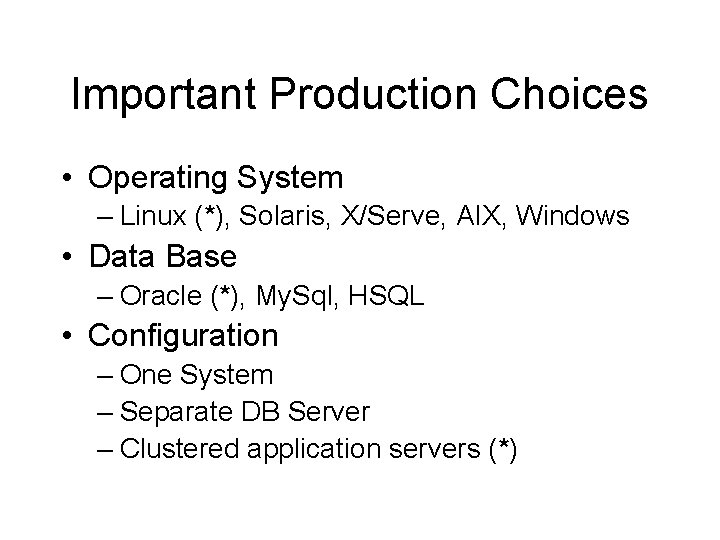
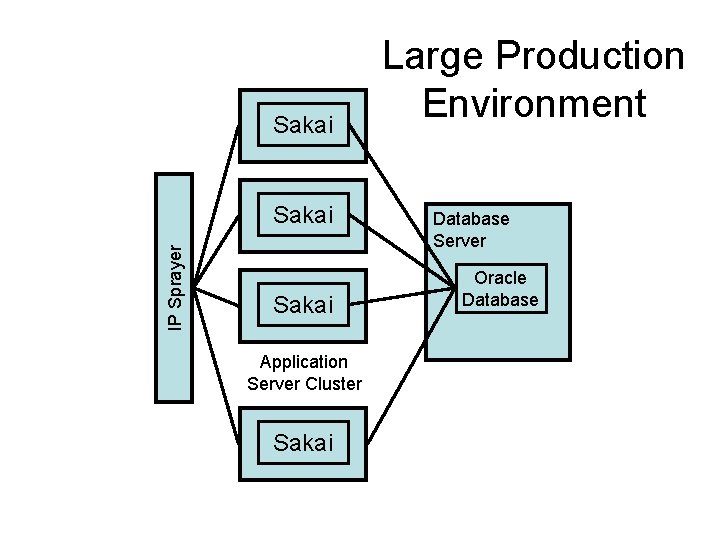
Important Production Choices • Operating System – Linux (*), Solaris, X/Serve, AIX, Windows • Data Base – Oracle (*), My. Sql, HSQL • Configuration – One System – Separate DB Server – Clustered application servers (*)
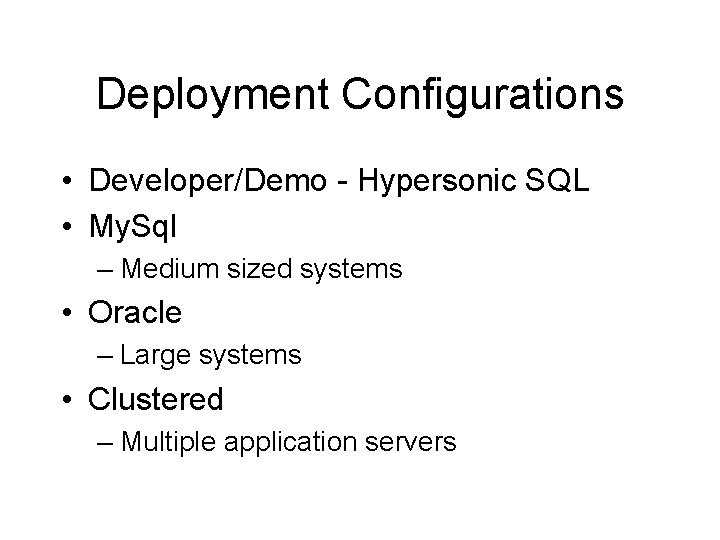
Deployment Configurations • Developer/Demo - Hypersonic SQL • My. Sql – Medium sized systems • Oracle – Large systems • Clustered – Multiple application servers
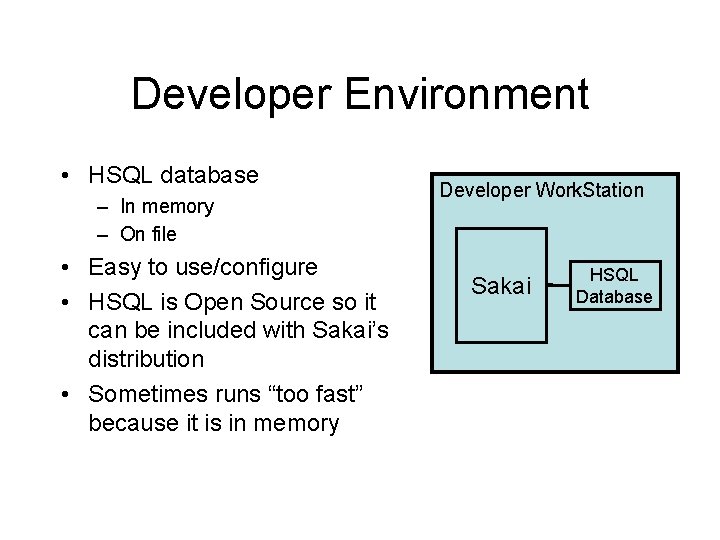
Developer Environment • HSQL database – In memory – On file • Easy to use/configure • HSQL is Open Source so it can be included with Sakai’s distribution • Sometimes runs “too fast” because it is in memory Developer Work. Station Sakai HSQL Database
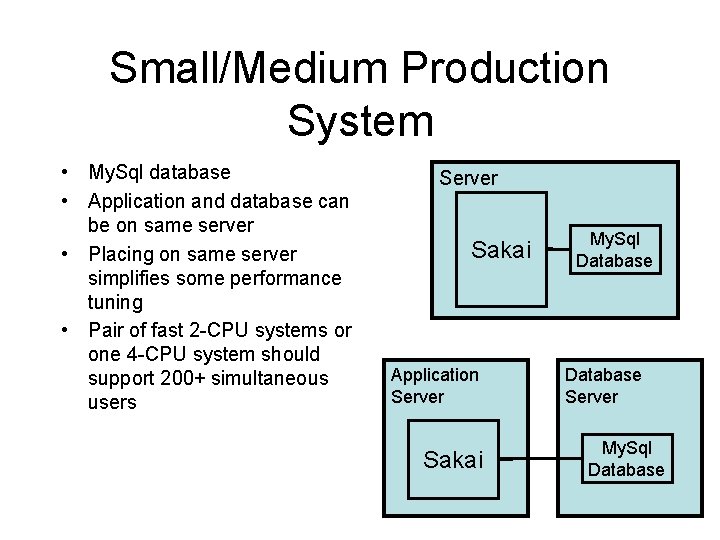
Small/Medium Production System • My. Sql database • Application and database can be on same server • Placing on same server simplifies some performance tuning • Pair of fast 2 -CPU systems or one 4 -CPU system should support 200+ simultaneous users Server Sakai Application Server Sakai My. Sql Database Server My. Sql Database
Sakai IP Sprayer Sakai Application Server Cluster Sakai Large Production Environment Database Server Oracle Database
Going Forward
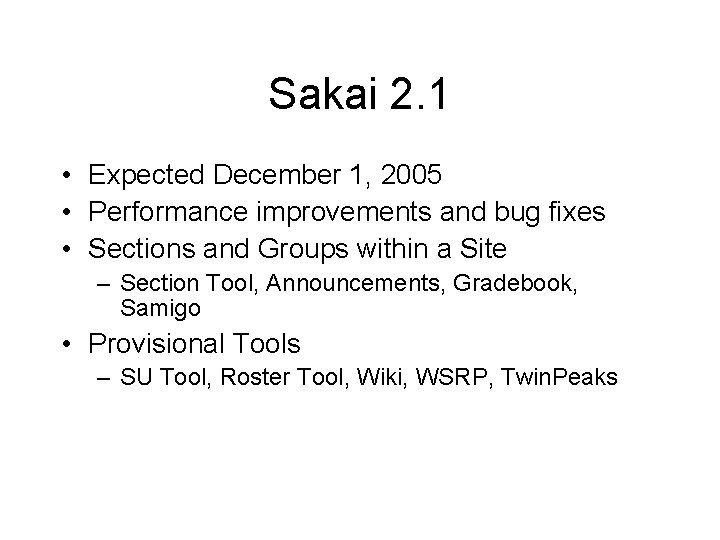
Sakai 2. 1 • Expected December 1, 2005 • Performance improvements and bug fixes • Sections and Groups within a Site – Section Tool, Announcements, Gradebook, Samigo • Provisional Tools – SU Tool, Roster Tool, Wiki, WSRP, Twin. Peaks
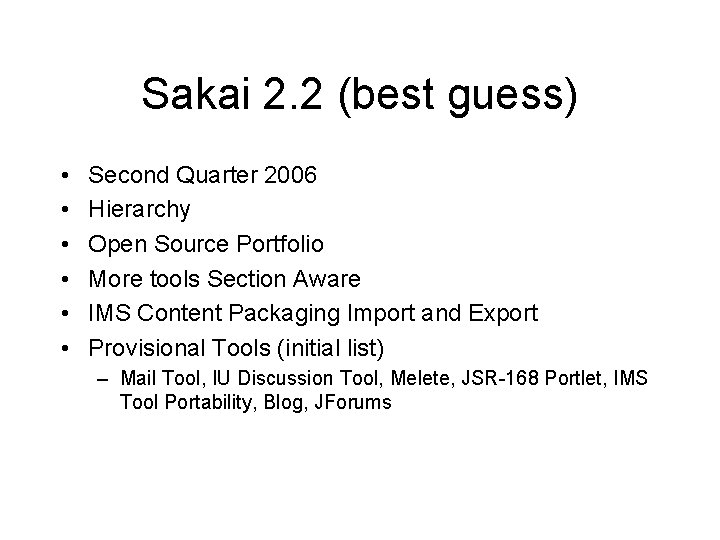
Sakai 2. 2 (best guess) • • • Second Quarter 2006 Hierarchy Open Source Portfolio More tools Section Aware IMS Content Packaging Import and Export Provisional Tools (initial list) – Mail Tool, IU Discussion Tool, Melete, JSR-168 Portlet, IMS Tool Portability, Blog, JForums
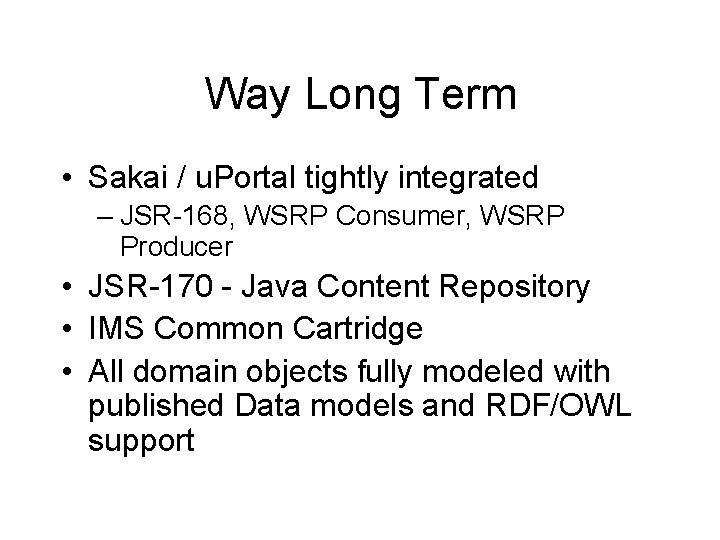
Way Long Term • Sakai / u. Portal tightly integrated – JSR-168, WSRP Consumer, WSRP Producer • JSR-170 - Java Content Repository • IMS Common Cartridge • All domain objects fully modeled with published Data models and RDF/OWL support
Summary / Questions • Thank you for your time